#animation
1 messages · Page 135 of 1

 mint sun
BRUH
 viscid kayak
what is w/e
mint sun
what ever
viscid kayak
I tend to overlook the very obvious surface stuff
but hey it works
🥲
Thanks for the advice people <3
 kindred fox
so i have this plugin set to where whenever the facial gesture goes in fx in vrc it works but the thing is i also have a clothing toggle animation and they are both fx so lemme guess i have to redo face anims

 violet moss

 warm bough
So I tried to add audio source to an animation and I did it before last year. For some reason, the audio plays immediately when the avatar loads instead of playing the emote. The audio object in the hierarchy is already hidden when uploaded. What did i miss?
 sterile sentinel
Make sure you have "Play on enable" disabled in the audio source? o:
 lean ice
my blendshape blinking animation is active while using gesture for closed eyes(SDK 3.0) my blinking animation is on the mesh and I'm using FX hand controller in FX slot in FX playable layer to make the gesture (write defaults is on). I found this online but I have no clue how to do that exactly - "You would need to use Avatar 3.0 to achieve this. You'll have to animate your blinking as opposed to using VRC built in blinking, and then create a boolean animation parameter that will play the blinking animation when set to true, and not when set to false. Then in the gesture where you close your eyes, you will have to set that boolean to false to temporarily stop blinking while performing the gesture") Any help would be appreciated 🙂
 muted prairie
That would be a better questions for #avatar-help 
lean ice
oh thanks gonna ask there
 clear yew
Not sure if this is the right section for this but I have this idea where these cheryblossum pedals will fly out around my feet when my character runs a certain speed and I made the particle emitter already I just need some ideas or advice on how to make it look natural coming from the feet or how to make it possibly glow a l little
muted prairie
Well, if the particle system is on your feet bone and they have an emissive material, that should work well ?
clear yew
yeh I thought so but when I used it in game it kinda just flew from a little point under my heel but I pictured a more like random spawn of them from the back of my heel like all of it
It’s prob a simple fix
I’m just oblivious
Like almost if I was able to map it out onto the avatars heel and set that as the shape of the emitter it’d be perfect
muted prairie
You can use a mesh filter for where the particles are emitted from, might have to create a low poly duplicate mesh of your foot and use that
clear yew
muted prairie
You can use a mesh filter for where the particles are emitted from, might have t...
Ohh true that would prob work Thankyou
 rose otter
I dont know if this is the right place to ask, but does someone have a video/tutorial that can help someone with very limited understanding of unity animations get started on the basics of transitions and stuff?
I am aware that there is a lot of documentation on the subject, but i have a problem with it: Im dyslectic, which means that i can still read it, but it just takes me a lot more time and effort to get through it all. I would prefer to have something more visual that can show me the steps and give a spoken explanation. If i still have questions after that i can look in the specific documentation of that subject rather then having to read all of it first before i can get started.
 safe pasture
rose otter
I dont know if this is the right place to ask, but does someone have a video/tut...
safe pasture
rose otter
I dont know if this is the right place to ask, but does someone have a video/tut...
You could have a look at this video though it's a little fast paced. But I guess you can always slow-down or pause the video. Hope it helps! https://www.youtube.com/watch?v=sgHicuJAu3g

In this Unity tutorial you'll learn how to animate anything from elevators to bridges all the way to patrolling enemies. We'll cover all the fundamentals you need in order to get started with animation in Unity 3D.
Full Project Download: https://github.com/LooveToLoose/unity-tutorial
Back To Part 1: https://www.youtube.com/watch?v=pCBqgREiSUE
B...
 warped perch
i have a question on how i can do this, but how can i make a particle system sync to music on my avatar in a animation?
almost like udon audio link, but using audio from my avatar.
 fierce bane
warped perch
i have a question on how i can do this, but how can i make a particle system syn...
fierce bane
warped perch
i have a question on how i can do this, but how can i make a particle system syn...
Animate it yourself to be timed to the audio.
I'm pretty sure there's no other way (that we can use for avatars)
 gloomy holly
is there a link for somewhere to download pre set animations to add to my model in unity?
 acoustic jackal
Hi,
I'm having trouble getting some of my animations to work, I've set up the animator controller with the animation, but it doesn't seem to want to work. The setups are exactly the same as the ones that are working
The base layer (animated route) is animating properly, but the 'New Layer' (swimming animation) isn't animating even though it says it's working

The 'swimming' animation that's supposed to be running in 'New Layer', but isn't working in-game
https://i.gyazo.com/51cf3c43b9139f7ff4fef30968859c6c.mp4
Is there something I'm missing?
 fierce bane
"avatar" is specifically for humanoids, it's the rig setup, not the mesh itself
fierce bane
acoustic jackal
The 'swimming' animation that's supposed to be running in 'New Layer', but isn't...
Can you show the setup in the animator for the non-working animation?
 wheat lance
so, i heard there was a way to make a particle effect pvp enabled for avatars. yet i cant seem to find any reliable info on this. i know i've seen it before, so if anyone her knows howw it works please dm me
 restive nymph
does anybody know where i could get an animation file of spidermans fortnite emote to add to my avatar?
fierce bane
wheat lance
so, i heard there was a way to make a particle effect pvp enabled for avatars. y...
that depends entirely on what map, and what layer the map maker used for the collisions
 wispy parrot
does anyone know how to disable an animator's animation during a gesture toggle?
For example, I got a default animation where a tail wags, but when I use a hand gesture, I want to disable that tail wag animation, how would I go about doing that? 🤔 I'm inexperienced with 3.0 toggles and the like, so please be gentle 😭
fierce bane
wispy parrot
does anyone know how to disable an animator's animation during a gesture toggle?...
Are you using a second animator for the tail wag or part of your normal animation controllers
wispy parrot
it's a separate animator on the tail
fierce bane
I'd really suggest against it and putting the wag in it's own layer in the "gesture" controller
It'll make your life easier for toggles (and not have another un-needed animator)
if you really want to keep the animator, there are a few different ways to get access to the behavior toggle for animators, but they're all weird workarounds
wispy parrot
fierce bane
I'd really suggest against it and putting the wag in it's own layer in the "gest...
is there a tutorial on how to do something like this? (i'm a complete noob with 3.0 in general 😂)
fierce bane
do you have any controllers assigned in the descriptor yet?
wispy parrot
I have v3 hands layer assigned to FX 🤷♀️
fierce bane
so nothing on gesture then right now
...that also sounds like it is probably made for gesture, but if it's working as is
wispy parrot
previous testing showed that the v3 hands layer wasn't working on Gesture, the Facial/Hand gestures worked on FX
fierce bane
hand gestures should work on Gesture unless they're blendshapes, faces may not since they're almost always blendshapes
wispy parrot
the facial gestures = blendshapes
fierce bane
short version
If it affects a transform (position/rotation/scale) it goes on gesture (unless you're setting up locomotion stuff)
if it is NOT a transform, it goes in FX
Supposedly this matters for syncing to others
wispy parrot
okay, so the tail animation should go into gesture somewhere? 🤔
fierce bane
To add a layer you select the animator and open the animator window
Select the "layers" tab and click the + then set the weight to 1 (gear)
for the tail animation, is it just a single bone rotation or more than that?
wispy parrot
several bones are being rotated in the animation, generally an idle animation, except I want to disable it with a specific facial expression/gesture
the facial expression/gesture has it's own rotation set for the tail
so i want to disable the idle animation
fierce bane
alright, a bit more work then on it
Do you know how to change the path for an animation property?
I'm assuming the controller you had was down near a tail root or similar, correct?
wispy parrot
like i've mentioned, I honestly don't really know a thing about 3.0, since i'm trying to force myself to migrate over from 2.0 😭
fierce bane
changing the path in an animation is for any versions really
you select the part to change, and hit F2 (or triple click...for some reason) And it'll change to a rename field
Highly recommend copy/pasting to notepad or something, unity text entry for it is still screwy
you'd get something like tail root\tailbone1 which you'd change based on your model's bone names, for example hips\tail root\tailbone1
wispy parrot
🤔 ??
fierce bane
example text edit in the animation window

I'm a bit tired and skipping a bit
Select your tail wag animation, and open the "animation" window
If you can give me a screenshot of your hierarchy on the left down to the tail bone you have the animator on for the tail wag, I can help you adjust the properties to make it easier
wispy parrot
so wait, am I modifying an animation or an animator? what it sounds like you're telling me is that I have to modify the animation
fierce bane
the animation yes
if the animation is in it's own animator then it's going to have a different path to the bones in it then the normal animators will see
So if you just drop the animation into your controller it won't run
all you're doing is renaming them by adding everything from armature down to the bone before the animator in front of what you have
that's it
fierce bane
yes
wispy parrot
so then which controller/animator do I add the idle animation to?
fierce bane
if it's a rotation, gesture is what you want
wispy parrot
so would you suggest I add the idle animation to the v3 hands layer animator somehow?
wispy parrot
yeah
fierce bane
and your hand layer selected, correct?
wispy parrot
yes
fierce bane
Layers tab at the top of the animator window
Click the + on the right side to add a layer, name it whatever you want "tail wag idle" for example
*right side of layer window
wispy parrot
okay, so add a state and add the idle animation into it?
fierce bane
click the gear, and set weight to 1 as well
you can just drag the animation into the graph area and it'll make the state for it too
you want to have the idle on unless you activate a specific thing, correct?
wispy parrot
yep
fierce bane
it should be the default state then (should be if added first)
A blank animation can go into there as well as the disable
just any animation with nothing in it, Unless you want to force the tail to a neutral pose
wispy parrot
fierce bane
A blank animation can go into there as well as the disable
sorry i'm a bit confused by what you mean by "blank animation" and "disable"
 fierce bane
in your project tab, wherever you want to store it, right click > create > animation (about 2/3 of the way down)
you don't have to do anything with it, I have one just named "blank anim" to use when needed
Throw it into the animator just like the tail wag
wispy parrot
also for some reason i can't use F2 on the base rotation in order to edit the location
 fierce bane
you shouldn't need to on any of the dropdown ones, those are just categories with no actual changes to them
the ones with entry boxes are the ones you change
wispy parrot
you were saying i'd have to change the location to "hips/tail1" etc.
fierce bane
it should actually let you change them though
wispy parrot
it lets me change the "Tail:Rotation" but not the main "rotation"
I had the animator on the tail itself, not on the hip bone, etc.
fierce bane
if you duplicate your avatar and drop the animation directly on it, it may stop complaining (and show yellow on anything it can't find that you need to fix still)
quick animator example
the white arrows are transitions, right click a state > create transition > click another state
 wispy parrot
fierce bane
if you duplicate your avatar and drop the animation directly on it, it may stop ...
wispy parrot
fierce bane
if you duplicate your avatar and drop the animation directly on it, it may stop ...
thank you, dropping it on the avatar (root) helped fix it ^^
fierce bane
unity's just extra picky sometimes...
 fierce bane
How exactly are you planning to deactivate this?
gesture controlled, menu, what?
wispy parrot
gesture controlled
fierce bane
is it only one gesture or multiple?
wispy parrot
currently i'm only intending one (Rock n' Roll)
fierce bane
ok, click parameters at the top and make sure GestureLeft and GestureRight are in there
do you want it to be disabled if either hand uses rock an roll or only one specific hand?
wispy parrot
only using one hand
 fierce bane
ok so select the transition from the wag to the blank animation first
wispy parrot
so select tail wag?
fierce bane
uncheck "has exit time" and under "conditions" hit the + and choose left or right for the disable
then set it to "equal" and "5"
the arrow from tailwag to blank
those are your transitions
wispy parrot
ohhh the arrows
fierce bane
you have states and transitions, transitions tells it when to switch and how long to take blending into it
so set it to GestureLeft Equals 5 (or right, whichever you want)
wispy parrot
 fierce bane
on the right, uncheck "has exit time"
Then click the + for conditions
 fierce bane
do the same for the other direction, but set it to not equal 5
I appreciate the screenshots to doublecheck btw
 fierce bane
yep, as long as the tail animation is all set you should be good
wispy parrot
nice!
fierce bane
you can put the gesture layer directly onto a duplicate as the controller and change the "GestureRight" parameter to see it active and deactivate when you use it
wispy parrot
so 5 is the "Rock n' Roll" number in the animator, correct?
wispy parrot
fierce bane
you can put the gesture layer directly onto a duplicate as the controller and ch...
apologies, how would I do this?
 fierce bane
you're looking at the animation window, go into your project window and find your gesture controller
Drag and drop it onto a duplicate if you want to test it that way.
Then just go into play mode and change the parameters in the controller (like setting "GestureRight" to 5 to see it switch over)
wispy parrot
the v3 hands layer controller, correct?
fierce bane
yes
wispy parrot
how do i change the parameter? is there another window/tab that I need to do that?
fierce bane
just the animator itself, the parameter tab
after you start play mode just click in there and set it
 fierce bane
Good, just make sure the controllers are slotted into your descriptor
wispy parrot
v3 hands layer = FX in the Avatar Descriptor, yeah?
fierce bane
er...gesture if you're rotating bones
wispy parrot
i'm testing it in VRC and it works on the FX, only downside is for some reason I can't seem to toggle the resting (neutral) facial gesture 🤔
other gestures work as intended though
the only thing resuming to "normal" is the tail idle animation on the restng gesture
fierce bane
That should be how it's set for the tail layer, but not for the hand layer if you're changing anything else in it (faces for example)
anything you change, you also revert with the idle in the same layer it was changed in
wispy parrot
in other words the face gets frozen
fierce bane
pretty much, yes
so if you're changing the face, edit the idle animation to revert it (same layer)
wispy parrot
in other words add neutral blendshapes to the tail animation? 🤔
fierce bane
not the tail, but the one disabling the tail animation
the tail animation is only editing the tail itself, and not the blendshapes
and nothing in the layer is editing them either
but things in your hand gesture layer do edit them right? like rock and roll changing the face I assume?
here, I have a tail cocoon I can trigger with either hand, and a "tail normal" I return to

any time you adjust something in the layer, you should set it back when it returns to idle
the only exception is if another layer is taking care of it for you (for example if I had a tail wag, I wouldn't return it to normal in here)
wispy parrot
uhh O_O I just went to look at the animator, and everything's gone across the board 😱
 wispy parrot
that's the v3 hands layer, and everything is gone now
fierce bane
you're looking at the parameters too, not the layers right now
check which layer you're actually seeing
fierce bane
the center section is always a layer, but the layers section will show you which one
wispy parrot
fierce bane
the center section is always a layer, but the layers section will show you *whic...
left hand, right hand, etc? is that what you mean?
fierce bane
so you should have a FX controller that controls anything that is not a rotation/position/scale animation
(which includes blendshapes)
And the gesture controller for anything that is rotation/position/scale animations (like the tail wag)
fierce bane
wispy parrot
left hand, right hand, etc? is that what you mean?
yes, the one controlling your face animations
wispy parrot
ok
so is there a pre-existing "gesture" controller I should be using? like there is the v3 hands layer controller?
fierce bane
that's the hands one too if you want a default to use
wispy parrot
so should I just drop v3 hands into both "Gesture" and "FX?"
fierce bane
you should have separate versions of them
if you're using the VRC ones I'd make duplicates instead of editing them directly, but it doesn't matter too much....just easier to pull from untouched ones
wispy parrot
should I delete the tail idle from the blendshapes version of the controller then?
🤔
fierce bane
preferably, yes
just make sure it's a separate controller and not the same one you were working on
wispy parrot
and then for the tail controller to I leave the Left/Right Hand Layers?
fierce bane
you can in case you want to override the hands later too
wispy parrot
do I have to worry about removing the blendshape animations from the tail controller? or can I leave them?
fierce bane
I would suggest keeping them in the right spots only
wispy parrot
fierce bane
I would suggest keeping them in the right spots only
so just don't touch them? 😂
leave it the way it is?
I essentially just duplicated the v3 hands controller
fierce bane
if it's a blendshape it should only be in FX
wispy parrot
and removed the tail idle from the "default" controller
fierce bane
keeps problems away if things are only where they "should" be
because unity and "should"s are always iffy
wispy parrot
ok, so i'll set the "gesture" to have "none" for animations on each of them
fierce bane
that works
 fierce bane
anything else before I disappear?
wispy parrot
just to confirm
 fierce bane
I'd suggest renaming to make it easier on you.
if FX is your blendshapes and gesture is your tail, you're good
wispy parrot
I threw IDLE at the end 😂
fierce bane
just make sure your idle animation for gestures undoes your blendshapes too
wispy parrot
🤔 ?
the blank state needs an animation with neutral blendshapes for the idle controller?
fierce bane
if you change "smile" to 100 when you use thumbs up, the idle animation (neutral pose, whatever else you want to call it) should set it back to 0 (and any others you change with it)
no, this one

the "idle2" at the top, the default state it returns to, needs to undo whatever you do with a blendshape or other animation
by default it just has the hands going to the idle pose after you do thumbs up etc
this would be your FX right hand for example
if Thumbs up sets smile, and fist sets angry glare
then idle should set smile and angry glare to 0 again
otherwise you get stuck there
wispy parrot
 fierce bane
that's your gesture controller right? has tail on it
wispy parrot
yeah, it's identical to the fx controller, just without the tail idle layer
and no blendshapes on the tail idle
fierce bane
on your FX layer you have blendshapes set that aren't going back after using them, correct?
eg faces that get stuck?
I'm just saying to make sure you have an "off" state for anything you turn "on"
including the blendshapes for faces etc
I need to sleep, good luck
wispy parrot
i have no idea what you mean? i'm confused
 fierce bane
do any of those make a face or do anything right now?
wispy parrot
those have animations
wispy parrot
wispy parrot
these do not
fierce bane
wispy parrot
i have no idea what you mean? i'm confused
yes, I'm talking about these
wispy parrot
yes those have the facial gestures
fierce bane
you said something wasn't going back, or wasn't working correctly
wispy parrot
and then you told me to make a duplicate controller without blendshape animations for facial gestures, but has the tail idle layer
and then remove the tail idle layer from the hand gesture controller with the blenshapes
if i'm supposed to be doing something else I have no idea
this is where the tail idle layer still stands

if i'm supposed to add something else to this, then i'm completely clueless 😭
fierce bane
tail idle layer should be all set
I thought you brought up something about the face blend shapes not working correctly before that
wispy parrot
yeah that was before i added the controller duplicate idle layer to "Gesture"
so it should work now?
fierce bane
if the tail idle controller doesn't have blendshapes assigned, it's all set
wispy parrot
ok, thank you 😖 sorry I got confused
fierce bane
the FX layer is where you should have all your face emotes, correct?
wispy parrot
yep!
fierce bane
if they don't return to default after activating them, fix the "idle" default state's animation
that's what I was trying to explain, I just didn't make it clear enough probably because tired brain
wispy parrot
hopefully it works then 😖
fierce bane
the "idle" animation is pretty much just "turn everything we did here back off"
so if your face animation is "smile" having the blend shape set to 100 for the animation
your idle should include "smile" being set back to 0
that's how it resets them
does that make sense or am I still confusing?
wispy parrot
wdym? the idle animation needs blendshapes being set to 0?
fierce bane
unrelated to the tail here
what does your idle currently do in the fx layer? Is it the default animation still?
whatever was there before?
wispy parrot
now the tail doesn't animate
the idle animation won't work in VRC
and the faces are still freezing on the resting gesture
(Shift F1 on desktop)
fierce bane
the faces is what I was trying to help with here
if your idle does not tell the blendshapes you have changed to do anything...they don't change
wispy parrot
so which is it then??? blendshapes or no blendshapes in the idle animation controller???? i'm so confused 😱
fierce bane
this is why I suggested renaming them better
you're seeing me say "idle" and thinking it's the controller
"idle" is the name of the animation on your 0 state for hands/face gestures (F1)
wispy parrot
okay, i'm looking at the controller, there's the Orange "IDLE" that has the proxy_hands_idle motion/animation
is that what you're telling me i have to modify?
fierce bane
yes
your face will be stuck unless that animation undoes whatever you used for the faces in that section
my guess on the tail not animating, is that the animation doesn't have the correct path
if you duplicate your avatar (to test with safely), and drag the animation for the tail directly onto that duplicate, you can look in the animation window to see if they turn yellow, then you know it's not the right path
ok past sleep time, gnight
wispy parrot
fierce bane
ok past sleep time, gnight
got it all working now, thank you very much for all your help! sorry I got so confused 😖
 rocky mango
Anyone knows a quick fix to fist closing with the pressure of vive controllers?
atm no matter how far a i press the trigger it insta fists close
i used to know a way around this but doesnt work anymore
rocky mango
rocky mango
anyone? .-.
 sturdy jay
i have like animated hand gesture but whenever i toggle it it doesnt wanna move
any fix?
rose otter
Info: I have clothes on a model. I can shrink said clothes out of existence with a blendshape.
Question: How can i make a toggle that instantly sets the blendshape to 100 so the clothes dissapear? Currently ive been using a blendtree with a radial puppet to controll them, but i want to change that.
muted prairie
 muted stirrup
rose otter
Info: I have clothes on a model. I can shrink said clothes out of existence with...
muted stirrup
rose otter
Info: I have clothes on a model. I can shrink said clothes out of existence with...
Does anyone know a good tutorial for learning how to make animations for avatars more specifically magic/jutsu type of animations
I'm mainly confused with the shader side of things
I would like to make a black flame trail that is on my sword but ik that black in images turn invisible when made a particle so in really confused
And im on quest so transparency also dosent work from what I hear
 bold sonnet
so i have a bunch of animated facial expressions how do i add them to my avi
clear yew
I want to learn how to make custom weapon animations. I'll explain more in detail in a dm if someone can teach me
 uncut pawn
Hello, is it possible to mirror half of an animation? I'm trying to turn a tiny part of a dance into a short loop.
 frail hornet
hi
 glass atlas
frail hornet
hi
glass atlas
frail hornet
hi
hey bud, if you want to start a convo, move it over to #vrchat-general-1 thank you!
frail hornet
my apologies
 amber ore
How do I make a toggle for these backup dancers I have for an emote does even make sense to anyone??
 tight cosmos
Draken?
amber ore
How do you make a spawn in animation i think that’s what it is
 near gull
So only part of the animation is working - looks fine in animator and preview window, but not in play mode. Top one plat mode, bottom preview, the same animation

Some ideas what is causing or blocking it?
 thin otter
Does anyone know if it is possible to have a working eye-roll animation?
fierce bane
thin otter
Does anyone know if it is possible to have a working eye-roll animation?
sure, just turn off eye tracking with the tracking control using the below
then do your animation, then re-enable tracking
This behaviour goes on a state before your eye animation, and the tracking resume after it.
 thin otter
fierce bane
sure, just turn off eye tracking with the tracking control using the below
then ...
thin otter
fierce bane
sure, just turn off eye tracking with the tracking control using the below
then ...
Oh sweet, thanks for the reply! Where would I find those options? Is it a script a need to download/install?
fierce bane
it's part of the SDK
 fluid ermine
How can I create a bloody screen effect like I stabbed someone? and how can I add this to a gesture of a toggled accessory instead it permenantly happening when I use that gesture (like point)
thin otter
Ah, I see and may have figured it out. may report testing results.
 rigid citrus
Can anyone please teach me how to make water particles?  like rain and showers? i tried to do rain basic particles but if i move my camera the water drops will basically rotate and make it look ugly
 , and if it is possible for someone to teach me the water drop collitioning in a solid material effect i will really appreciate it.
muted prairie
You need to disable billboarding
muted stirrup
Does anyone know what i could be doing wrong, I have this animation and it looks great in unity but when I'm ingane it just shows a blue square, im using the shader vrchat/mobile/particles/additive and im on Quest 2
I can't find any videos or tutorials on vrchat quest particles and its giving me a massive headache trying to fix this so I would appreciate any help
muted stirrup
I have looked litteraly everywhere and cannot find even a slither of info on particle effects for quest, ik it can be done because I've seen it yet there's no directions anywhere, im hoping someone can reach out
 dreamy skiff
muted stirrup
I can't find any videos or tutorials on vrchat quest particles and its giving me...
dreamy skiff
muted stirrup
I can't find any videos or tutorials on vrchat quest particles and its giving me...
As far as I know, it's exactly the same. Only the number of particles should be as small as possible and mobile shaders.
 fading acorn
muted stirrup
Does anyone know what i could be doing wrong, I have this animation and it looks...
fading acorn
muted stirrup
Does anyone know what i could be doing wrong, I have this animation and it looks...
The quest 2 doesn't load all textures the same from what I know
 vagrant dragon
hey guys, i'm down to pay someone to help me out with a little toggle/invisability animation
all you have to do is get ina call with me and guide me through it
viscid kayak
vagrant dragon
hey guys, i'm down to pay someone to help me out with a little toggle/invisabili...
Dont even have to get in a call, just make a normal animation, and disable all the meshes to go invisible, and toggle them back on when turning the animation off
The only problem with this method is that if there are a lot of people in the world and its low performance then some people will never see you appear again unless you reload your avatar. I am sure there are other methods to make yourself invisible though
 modern ice
"-"
 rose folio
Does anyone know any good place to start for learning how unity particle collisions work? im trying to make a particle shield that blocks other people's particle projectiles etc and youtube isnt being very big of a help. If possible it would also be cool if the shield forced the particle projectile if it were, say, a laser, to split to the sides.
dreamy skiff
rose folio
Does anyone know any good place to start for learning how unity particle collisi...
It's worth looking into the matrix collision layers in the project settings. And then you will see that what you are planning will not work under any circumstances.
rose folio
dreamy skiff
It's worth looking into the matrix collision layers in the project settings. And...
I mean fair I would expect that for the splitting thing, but I have for a fact seen people in game who made particle shields that block other particles before
dreamy skiff
rose folio
I mean fair I would expect that for the splitting thing, but I have for a fact s...
This is an animation of one avatar worn by two people.
 hasty nymph
Anyone here wanna help me do videos on crypto and crypto news with avatars?
 opaque sparrow
Is there any reason why an animation would get entirely skipped over in a state machine for non-local users? The animation works just fine on my screen, but only once has it shown up for another person. Write defaults are off, layer weight is set to 1, all that good stuff.
opaque sparrow
Figured out my issue, I was driving one of the parameters that the state used as an entry condition. The parameter was being synced faster than it could transition to the next state, and so while locally it worked fine, the delay caused the non-local versions to desync and never actually enter the animation.
 hollow pecan
hi all, looking for someone to make this video into a animation for an avatar of mine as a shadar effect that covers your screen, that is controlled by a finger emote please only message me if you are a verified user that knows how to create shadar animations, thank you, also would like to not be able to see the tik tok water mark
also if not allowed to post this here please direct me to the place i should put this
 dusk robin
I want to learn 3d animation, what school did yall go to for that, I’m still looking
Lol btw if anyone is in texas and wants to apply for kingsisle they need 1 more 3d animator
If that position stays there i want to take it lol but it says 3+ years in animation and rigging is required
muted prairie
Personally learned on my own in Blender, not really required to watch tutorials on animating but more on how to use blender's tools
 leaden minnow
hollow pecan
hi all, looking for someone to make this video into a animation for an avatar of...
leaden minnow
hollow pecan
hi all, looking for someone to make this video into a animation for an avatar of...
its not recommended to do that cause it is a lot of flashing lights, and someone who shows your avatar by mistake could have photosensory issues
however (if you find something else or still wanna learn) there should be a tutorial on how to do effects
 warped harness
Hello everyone! So since you need to build a Windows and Quest version of an avatar separately, how do expressions work? Will expressions show on both platforms at the same time if the same expression is present on both versions of the avatar?
muted prairie
warped harness
Hello everyone! So since you need to build a Windows and Quest version of an ava...
Yep
 livid zephyr
is anybody here qualified to help with 3d animation? My friend is looking for someone who could help with that.
 north current
livid zephyr
is anybody here qualified to help with 3d animation? My friend is looking for so...
north current
livid zephyr
is anybody here qualified to help with 3d animation? My friend is looking for so...
 livid zephyr
what is that
north current
Don't ask to ask, just ask the question
 hidden siren
bro just look at the website
north current
lol
livid zephyr
not questioning your confidence and life choices
north current
You still haven't asked a question
livid zephyr
oh my god
hidden siren
just ask the question my dude
north current
Still haven't asked a question
hidden siren
someone with the correct qualifications will answer at some point but right now no one knows if they will be able to answer
livid zephyr
ok then why did we just go through all that
north current
So, to summarize, don't ask "Any Java experts around?", but rather ask "How do I do [problem] with Java and [other relevant info]?"```Details are important
livid zephyr
...
How do I do animate for vrchat because my friend is asking
If thats not to ur standards then mind ur own business please
north current

An overview of adding a custom animation, such as a dance, to your VRChat SDK 3 avatar. Custom animations can be played using the in-game expressions menu.
Example animation download:
badgerweebl.anim
https://drive.google.com/file/d/13UnbEOqSpEZd4Bp6EoTkScBFjh6DCk8n/view?usp=sharing
0:00 - 0. Demonstration
0:09 - 1. Get an animation
0:38 - 2...
mint sun
you can make animation either in blender or unity
blender is best when it comes to character animation
unity when particles etc
livid zephyr
is there a person that would be willing to help him?
north current
🦗
mint sun
would be better if you tell what your friend want to do exactly
than there are plenty tutorials on youtube
livid zephyr
I think he needs help with avatar animation
but he says hed be better with a person on cal with him helping
mint sun
that is so vague like make new animation or add animations so they will work in vrchat?
livid zephyr
hes not telling me enough
mint sun
if he want's help than he needs join discord and ask questions not forcing you to do it.
that would be better.
livid zephyr
well we have a deal
he will make me an avatar if I do this
He says he needs to add the animations
they are allready done
mint sun
you have link above with tutorial to add them to vrchat
better try first following tutorial than if nothing works asking
 bleak silo
I tried to follow the video linked above

but I don't have the vrc option
And I don't have menu 2.8
 copper stratus
So has anyone come up with a workaround for toggling on avatar animations without the use of gestures?
I've been trying to use bool parameters in the action menu. With the button toggle to activate simple gun animation.
This is for a Division 2 spinoff avatar.
clear yew
why cant i animate this key frame? idk how blender works for animation
 muted prairie
clear yew
why cant i animate this key frame? idk how blender works for animation
muted prairie
clear yew
why cant i animate this key frame? idk how blender works for animation
What are you trying to do ?
clear yew
just open those doors by moving 4 vertices
muted prairie
You can't animate vertices
clear yew
i made a shape key that opens the door
muted prairie
Ah then right click the shapekey value slider and create a keyframe
copper stratus
copper stratus
So has anyone come up with a workaround for toggling on avatar animations withou...
@muted prairie
Sorry for the ping btw.
muted prairie
That's more of a question for #avatar-help
copper stratus
Ah thx
 covert gyro
Does anyone know of any way at all to get Boids working in vrchat? I'm trying to add birds to my scene but vrchat doesnt support any boids addons, and writing my own in udon is well beyond my capabilities atm. And I wouldnt even know if its possible.
clear yew
im trying to render an animation for a small project so i can learn
it got stuck on 0 percent
so i removed the grass hair particle system
and it worked
is there a way i can not comprimise this?
without buying a 3090
bleak silo
clear yew
im trying to render an animation for a small project so i can learn
can you make the effect use less resources?
 gleaming juniper
Is there a way to keyframe _maintex_st of only one material slot or achieve a similar effect?
gleaming juniper
I'm just trying to switch the UVs of one material to another spot here, preferably without any transition
clear yew
idk!
 final garnet
is it possible to add additive animations on a generic 3.0 avatar?
 young hearth
final garnet
is it possible to add additive animations on a generic 3.0 avatar?
young hearth
final garnet
is it possible to add additive animations on a generic 3.0 avatar?
wdym by additive animations
 dense vigil
young hearth
wdym by additive animations
dense vigil
young hearth
wdym by additive animations
an additive animation in unity is where there's a base animation (like idle or run) with a supplementary animation layered on top, like ears flicking or eyes pointing at whoever's speaking
young hearth
oh that sounds nice, but thats hard to do from the sounds of it
dense vigil
it's been a little bit since I've done it, and I haven't done it at all with the vrchat sdk yet, but it's honestly pretty straightforward in unity so I don't imagine it's that much more complicated with the sdk
he said, doomingly
 clever gorge
What unity animation tool do y'all use? I wanted to create an idle animation for a puppet
final garnet
i either animate in unity itself or in blender (still learning animating in blender)
dense vigil
last thing I animated with is akeytsu, looking forward to finding out if blender is any good as an animation tool
I might wind up sticking with akeytsu though
violet moss
final garnet
is it possible to add additive animations on a generic 3.0 avatar?
Does not need to be on a separate controller layer if it’s generic; you can just add a layer to base and mark it as additive in the drop down.
Keep in mind anything you control on an additive layer must also exist on the base layer or it will spin endlessly
final garnet
last time i tried that it just wouldn't work when i uploaded it, maybe its different now 🤔
final garnet
does VRC support AngularX and AngularZ? i know AngularY is already tracked but i never tried the other two
or like- a way to have parameters for the viewpoint's angle?
 smoky cipher
Can someone help me on stream real quick I made a dissolve AFK and I want it to start right after the default one its getting annoying lol
Im willing to pay for someones time
 clever shoal
Good afternoon. Does anyone know how to make animations about alterations in the face and posture of the avatar? I also want to ask if anyone knows how to create particles in an animation. From already thank you very much.
clear yew
@clever shoal if i had to guess use shape keys
aalso with particles turn off the particle mesh or system
cant remember which
not the object
and then turn it onwhen you meed it
clever shoal
i will correct: Someone help me make animations about changes in the face and posture of the avatar? I also want to ask if someone helps me create particles in an animation. From already thank you very much.
clever shoal
clear yew
<@!441344346923597834> if i had to guess use shape keys
I don't know how to do that, so I need your help, I don't know how to handle applications to do that either, so I can't do it
clear yew
are you in blender
or unity
are you using a base
you cant just ask us to help we need nfo
clever shoal
clear yew
or unity
This
clever shoal
clear yew
<@!441344346923597834> are you using abase model
I'm using a "simple vrm avatar"
clever shoal
clear yew
are you using a base
Idk, I'm new in this 
violet moss
final garnet
or like- a way to have parameters for the viewpoint's angle?
AngularY is not the view angle but the speed of change in angle
And no there is no way to capture this. Perhaps once we get triggers
final garnet
Damn
 clear ginkgo
i need a tutorial for making dynamic bones and animation override with the kon model because i cant figure it out
 foggy pawn
Hi
So I want to trigger a sound when a particle system collides with a collider, such as a wall. Basically, its a lightsaber and when it hits an object, I want it to play a sound effect. Is this possible at all in vrchat? Maybe using collision messages?
 old condor
foggy pawn
Hi
So I want to trigger a sound when a particle system collides with a collider,...
old condor
foggy pawn
Hi
So I want to trigger a sound when a particle system collides with a collider,...
I believe so? Considering the fact you can program dynamic bones to react to other movement
And you can add sound (in custom animations)
muted prairie
foggy pawn
Hi
So I want to trigger a sound when a particle system collides with a collider,...
For an avatar or a world ?
foggy pawn
Avatar
muted prairie
You might get more help in #avatar-help since this channel is more for actual animations
 fallow sapphire
Good afternoon evening, I am looking for a person who knows how to make animations but I'm not talking about animation for vrchat, I'm talking about video
anyone who knows tell me private
old condor
fallow sapphire
Good afternoon evening, I am looking for a person who knows how to make animatio...
Erm, I know how. Why are you asking?
 molten mirage
is there an easy way to straighten a animation curve in unity
nvm figured it out, box selected both keys in curve and right clicked one of the keys and set both tangents to linear
 orchid flint
So I have a bit of an issue, it seems the shapekeys I've made for my avatar have somehow found their way into the animations I made too
But the strange part is they're only showing up in the animation in Unity, but otherwise no trace of them in the animations in blender. Anybody know how I can snip them out from the animations in blender?
 chrome marten
unity problem
Blender anim don’t transfer
usually
you probably have them activated via unity
 ionic rapids
Hey there!
I would like to preface this by saying I have no training/previous experience in unity.
I am currently attempting to import a custom avatar. I have a ripped file from another game, and I almost have it ready to go, (View, eyes, eyelids, mouth, etc. are all set up.) but when I go to build the file, I get this error. How do I resolve this?
 ionic rapids
Rigging is already set to humanoid and all bones are mapped.
ionic rapids
I figured it out. I had to rig the model before applying the VRchat Avatar Descriptor.
I originally applied it after.
 slate marlin
Hey guys. For some reason my AFK animations are all broken now
It's probably an in game thing but my chara just t-poses when I go afk
Any idea how to fix?
 regal plume
How do i move my arms as a pc player is there any way to do this?
regal plume
Can someone help me add arm puppet controls on my Pc VRoid avatar pls? No idea how to go about it
 raw dune
regal plume
Can someone help me add arm puppet controls on my Pc VRoid avatar pls? No idea h...
raw dune
regal plume
Can someone help me add arm puppet controls on my Pc VRoid avatar pls? No idea h...
Look up YouTube. There's a video tutorial.
rose folio
So I want to make a whip-sword/snake sword that can extend and contract back into a sword. Is there a way to set it up such that when extended I can swing it around and it acts as a whip would irl such as staying in place and being affected by gravity ? It doesnt have to be able to collide with players etc but it would be nice if it's possible to allow it to collide or even wrap around things
 tardy sedge
rose folio
So I want to make a whip-sword/snake sword that can extend and contract back int...
tardy sedge
rose folio
So I want to make a whip-sword/snake sword that can extend and contract back int...
To do this, you would need to give your sword an armature in sections, with each section a separated mesh, having it's own bone.
In between the segmented sword pieces, you'll want to make connecting parts, essentially make a fully extended snake sword that is straight.
Just give bones to each part of the long snake sword.
After you give it bones, apply dynamic bones to the connected snake part between the first and second segments closest to the hilt.
In your animation, you would make one to move all the bones of the sword to touch each other, with the in-between parts hiding inside of the sword part below it. This animation also turns off your dynamic bone for the sword.
Another animation would extend it and turn on the dynamic bones.
If turning on and off dynamic bones won't work, another option would be to have 2 swords, one that is solid and can extend, the other is the snake sword that is all floppy.
To make your sword affected by gravity, on the dynamic bones, give negative value to the Y FORCE value, forcibly moving it downwards by whatever value you put. It is quite strong, so start with 0.05 to test it.
 vocal crystal
Does anyone know how to turn the model in unity so during an animation it is looking the other way??
like i want the avatar to face in a different direction in the animation
 pastel berry
rose folio
tardy sedge
To do this, you would need to give your sword an armature in sections, with each...
pastel berry
rose folio
tardy sedge
To do this, you would need to give your sword an armature in sections, with each...
i've done all of that already, the issue is giving it physics with mass specifically at the end so that when you swing it around it acts a bit like a flail and can wrap around things rather than just swing evenly, also it's on a blendshape to extend with enabling/disabling the dynamic bones with 0 elasticity
tardy sedge
rose folio
i've done all of that already, the issue is giving it physics with mass specific...
Haha for that you should go to unity game dev discord, too much for here
 cyan steppe
hi, i have made a chair using a vrc station which is used to lie down but after getting up i can't move
does anyone know how this can be fixed?


everything is just default except i unchecked "Seated" to fix the viewpoint being off when entering the seat while lying down
regal plume
can someone help me i cant find expressiosn menu shown on the guide here

 prisma blade
how do gesture animations play, because im watching a video saying to make the first frame the expression i want and the second to neutral, how does VRChat play them when i switch to the gesture

(im basically completely new to Unity but i am learning)
 stable spear
How would I go about making an animation of shooting a rocket out of a rocket launcher and making the rocket explode?
 finite cedar
 kindred prairie
How come you can't have two separate animation files point at the same thing? Eg if I have a tshirt dissolve it then can't be used in a full body dissolve toggle. Or a blend shape can only be used in one animation file. What's the work around for this?
prisma blade
so i have these, how can i create a tree, like making one of these lead to another page of emotes

because i just downloaded a whole library of .anims and i might want to use more than 8
 native verge
prisma blade
so i have these, how can i create a tree, like making one of these lead to anoth...
native verge
prisma blade
so i have these, how can i create a tree, like making one of these lead to anoth...
If ur looking to have more than 8 emotes u just add them in the existing layer like how the others look in the pic u sent
U will have to also increase the number of animations u r able to use under the “2nd” state (after the default orange one) forgot what it’s called would have to be looking at the entire thing sorry
prisma blade
how does the emote wheel support like 14 emotes on one face
native verge
prisma blade
how does the emote wheel support like 14 emotes on one face
in this area u add ur animations (max is 225)

from this part u set the bottom number 1 higher than the number of animations u have

in terms of the controller part here u would have to make 2 1 having the default/whatever 8 of the 14 u want and the 2nd having the rest (8 max per wheel)
 prisma blade
that's the thing, how do I create another wheel for emotes
native verge
just crtl+d do duplicate it
then rename them to ur other ones and dont forget to change the number it equals
like this


as for having 2 wheels u would need to make a submenu
like this
 prisma blade
native verge
like this
prisma blade
native verge
like this
sorry im a bit of a noob, but where is this menu at? im pretty sure it's important but i cant find it
oh wait i found it as an object
but idk what to do with the object itself
native verge
prisma blade
oh wait i found it as an object
but idk what to do with the object itself
U have 1 main one that is dragged into the 2nd last thing in the avatar descriptor (forgot the name of it would send a pic but I’m not home atm)
Inside that main one u would have 2 sub menus as u see I have 4 setup in the pic I sent
And then the rest I explained above
If u still don’t understand I can show u when I get home from work but that won’t be till the next 9 hours sadly
prisma blade
so i moved all the default emotes to its own sub menu (i think), do i have to create a new .asset to control them
Main Menu is the base (when you move to Expressions from the action wheel)
ah i might have to change that Main Menu Config.asset sub menu to the Default Emotes Config.asset
but still, i probably have to set all the defaults manually there
native verge
There would only be 1 “Defaults” the easiest thing to do at least I do is copy the vrc one already made (looks like u did unless u just renamed it) then if u don’t want the default animations in it u would switch it out/also add the other ones u want
If u click on the state on the right side it will show the animation that’s in it u just change it out
muted stirrup
My animation do be looking like braille
 prisma blade
it do
prisma blade
so i have a submenu in the main menu that points to a config for the default dances, but i think my issue is that the Main Menu controller is not running the Default Dances controller. any idea on how to fix that? (i am still a uninoob)


in game, when i click a default dance, my avatar just freezes standing until i reset
 pure crag
Hey i want to make an animation with a weapons shooting particle, before i made it with looping but particles will disable as soon as i let go of the button. And i wanted to ask if anyone knows how to do it properly? Like i will shoot a projectile and the particle will not die, i think it has to do something with nesting the objects
native verge
prisma blade
so i have a submenu in the main menu that points to a config for the default dan...
change those to toggle

not button
native verge
pure crag
Hey i want to make an animation with a weapons shooting particle, before i made ...
u mean like a trigger for a particle?
prisma blade
native verge
change those to toggle
does this apply to all animation emotes
what if the emote doesn't loop?
native verge
if the emote doesnt loop then id just freeze in place after it ends
for them to work in general it wouldnt matter if its set to button or not tho
what is the transition between these 2?
 prisma blade
that one is the defaults untouched
native verge
prisma blade
in game, when i click a default dance, my avatar just freezes standing until i r...
u also could pull up the debug menu in game for 3.0 and see if the animation is even being enabled
do u have a parameter put into the expressions?
prisma blade
I can't test to debug right now, in about 2.5 hours (at school)

 prisma blade
native verge
do u have a parameter put into the expressions?
prisma blade
native verge
do u have a parameter put into the expressions?
VRCEmote > VRCEmote where value = emote number
 prisma blade
native verge
when u add ur other emotes it should look like this
prisma blade
native verge
when u add ur other emotes it should look like this
wait, so I don't have to create a new asset for each menu?
native verge
no
prisma blade
native verge
I'm using the default parameters but with one added by Snail Marker (irrelevant because it works fine)
native verge
these r only used for the 3.0 wheel thing that u nav in to go to the emotes in game
 prisma blade
okok, so only one asset that maps the flow chart of the animation emotes
native verge
i have 1 main menu
which is this

in this i have 1 sub menu that = to this


only reason i have it like this is cuz of emotes/gun toggles
u can just put it in the base main menu to make it easier for u its however u want to set it up
prisma blade
ok I think I am understanding, I'm just making it more complicated than it is 
native verge
haha 3.0 is complicated until u understand
cant wait for avatar dynamics to come out so i have to suffer to learn it :^)
prisma blade
if I'm understanding, ye only need .controller for every animation in one column while .assets map them out in a UI action wheel directory
prisma blade
native verge
cant wait for avatar dynamics to come out so i have to suffer to learn it :^)
lol
native verge
ya there is only 1 controller for ur emotes (dances)
prisma blade
that may be my issue
native verge
that goes for all 5 of these this is only 1 controller to each section
 prisma blade
that may be my issue
prisma blade
prisma blade
that may be my issue
because the action wheel only uses one controller but here I am expecting it to work even while being sus that something just doesn't connect
btw do you think working flashlights are possible in VRChat
because I have a prefab with a variable light source
I'd just have to map it to the action wheel and my avatar
native verge
ya u can make anything in vrc just make sure the light isnt realtime so it makes people lag
prisma blade
that's what I might be talking about, its a literal light source component of the model
idk if it's realtime
native verge
only limit vrc "avatars" have r 3 audio sources cant be active at the same time or else they r dont work sadly cant make everything i want with this issue :(
set it to baked
if its not already
prisma blade
btw can I add you for future help on developing avatars
I know a couple of people who only touched unity a few times
native verge
guessing that this prebab is a vrc related id hope its already set to baked lol
prisma blade
native verge
https://i.gyazo.com/94f6e99bced3c16dc25d5fb0559d6f3f.mp4
it's a spot light ofc, but I suppose it wouldn't matter.
native verge
ya any light source has that option in it
prisma blade
nah I got the flashlight from the asset store
native verge
prisma blade
btw can I add you for future help on developing avatars
I know a couple of peopl...
sure i wouldnt mind helping might not always be free cuz of work and personal things id want to do
prisma blade
I believe it was called Flashlight Pro, came with a demo scene to hide a few assets on it and change the intensity of the source with a GUI
native verge
prisma blade
nah I got the flashlight from the asset store
ok its most likely set to realtime then lol
prisma blade
native verge
sure i wouldnt mind helping might not always be free cuz of work and personal th...
that's fine, I can work around it
idk if it matters much but I'm using Unity 2019.4.20f and I think the light source has a different name ("Light Source")
but again that might not matter, can't wait to get home to work on it more and figure things out
native verge
as long as the unity version works with vrc so u r able to upload its all the same
unity light source is the same maybe optimization with some things in newer version obv (not always gonna be on lights)
ill be asleep by the time ur home tho so if u have issues then id have to be after work
prisma blade
if a light is set to baked, does it affect it's ability to brighten the texture visibility from the camera like a normal light would, or like what is the difference
cuz I'm kinda wondering if it will work in among us with the lights off lol
 prisma blade
so baked or realtime, the functionality and brightness comes from that?
native verge
u can always put a plane in ur unity scene and point the light at it to test how bright it is and toggle of the unity "directional light" and/or the light bulb at the top here (image on the right)

it can be any of the 3 (baked,mixed,realtime) but it wont effect how bright it is just changing it to them
 native verge
only the intensity does that
but make sure any light source u use that is going to be uploaded to vrc (even if ur making a world) is set to baked or else ill start eating away at people pc's and not everyone on vrc has massive tanks even if they did though the unity version we r on is very limited with cpu cores just cuz of how the unity devs made it
luck for the new versions 2020+ it uses more cores but vrc runs into a massive issue when that time ever comes sadly for them
prisma blade
oof
okay I copied the link for the part of this convo I will need, thanks for the help 
native verge
ya so we r kinda suck on this unity version for a long time
also np happy to help 👍
prisma blade
pure crag
native verge
u mean like a trigger for a particle?
Hmm idk how it works exactly that's the problem:D , i just don't want the particle to disappear after i let go of the button
prisma blade
How can i implement Sitting emotes in a custom expressions menu
I have these, but not a way to control them (do i just need to make another submenu or something)
 native verge
pure crag
Hmm idk how it works exactly that's the problem:D , i just don't want the partic...
native verge
pure crag
Hmm idk how it works exactly that's the problem:D , i just don't want the partic...
R there any sub emitters on ur particle system?
It’s a very easy setup but if u have sub emitters will just have to do 1 small extra thing
native verge
prisma blade
I have these, but not a way to control them (do i just need to make another subm...
I’ll be for real with u I actually never did anything with the sitting ones lol but my guess is ya u would have another submenu with the matching number values (just like how u did with the main emotes) but they will only work when u r sitting because of how the state machine is setup obviously
prisma blade
I just set them to the same numbers as the defaults
so two different emotes played at different states on the same button
convenience
native verge
That can work only thing for me personally is I wouldn’t remember what sitting animations r what because of them being named the emotes up top lol
But if ur able to then that makes it easier for u
pure crag
native verge
R there any sub emitters on ur particle system?
Yeah I put one for collision but that's all
native verge
pure crag
Yeah I put one for collision but that's all
Ok all ur particles systems have to be a burst
Under emission it can only be a burst and it can’t be sent to infinite or it won’t work ether
If it’s already setup as a burst like that then sweet
U would duplicate the main “shot” particle (rename it trigger or add the word trigger to the end so u know)
On the trigger particle add a sub emitter and put the original gunshot particle in it
I’ll make u parent it to it obv
Then unparent the main particle and then parent the trigger particle in it instead (not doing anything to sub emitters)
After that turn off the emission and shape of the main gunshot particle as for the sub emitter particles u would only turn off the emission (not counting the trigger that all stays on)
As for the trigger particle u would only turn off the render at the bottom
Only turn off the mesh of the trigger particle and go into play mode and everytime u turn the mesh on I’ll shot and u can spam it to see it show multiple times
Don’t forget to delete all the parented subs that also duplicated on the trigger particle when u originally duplicate it lol
pure crag
native verge
Don’t forget to delete all the parented subs that also duplicated on the trigger...
Okay yeah, thanks a lot! I will try that, if i have any issues i will write again haha
 warped briar
is there a good way to change the animation speed linearly with a param?
native verge
U talking about the wheel that controls a % of its speed? Idk what the terms r for it
 verbal ether
Im trying to animate a model, but unity is screaming "Keyframing rotation on humanoid rig is not supported!" so i cant do anything; how do i fix this?
regal plume
https://musasabi.booth.pm/items/3528254 can someone help me? i cant figure out how to add this dance to my vrchat avatar

軽快なジングルベルの音楽にあわせて3Dモデルを踊らせましょう! ジングルベルのダンスパフォーマンスを3Dアニメーションデータでご提供いたします。 みなさんのアバター、あるいはお気に入りのキャラクターをこのダンスパフォーマンスで踊らせましょう。 ★踊ってみた(踊らせてみた)大歓迎!★ この作品は、みなさんが明るく元気になれますようにという願いを込めて制作しました。 またこの作品には、 自分自身を変化させる勇気、他人への思いやり、多様性の尊重といったメッセージが込められています。 楽曲の歌詞やダンスの振付から、そんなメッセージを感じ取ってもらえたらうれしいです。
 balmy plover
Can you use 1 animation provider on multiple avatars?
I want to move it to other avatars
The thing that holds the clips that drive the animation
So it also animates the blendshapes on other avatars
Is that possible?
Not rig animation only for the blendshapes but they got the same name so does it transfer to the animation clips?
So basically i wanted to make 1 animator and then with the clips in it then move that to another avatar hopefully it works once i rename the blendshapes
 urban imp
How can I make an avatar move up or down with an animation?
I tried Root T on the Y axis but it doesn't appear to work
verbal ether
How do you override the IK during an animation?
 worldly coyote
I'm a bit confused here.
I'm rebuilding a functioning Avatar in Unity while also taking first steps in Unity AND VRC avatar developement.
I'm currently rebuilding Blendshape animations. The Original Avatar uses a "Body:Skinned Mesh Renderer.Material._Frame" entry set to 1. All the other entries are blendshapes.
For starters I can't find the Material._Frame property in the endless list of properties to add and seconds... what could it possibly be doing?
The animation switches planes which contain various textures for eyes.
worldly coyote
Could be unweighted verts
 bold heron
worldly coyote
Could be unweighted verts
bold heron
worldly coyote
Could be unweighted verts
any idea how I could fix that? I’m so new to this lol
mint sun
bold heron
any idea how I could fix that? I’m so new to this lol
in blender
unity don't have weight paints
bold heron
alright thank you!
 spice kayak
worldly coyote
I'm a bit confused here.
I'm rebuilding a functioning Avatar in Unity while also...
spice kayak
worldly coyote
I'm a bit confused here.
I'm rebuilding a functioning Avatar in Unity while also...
It's turning the weight of the blendshape from 0 to one, which would show it fully. As for what it does? It could be anything.
The blendshapes are found under the blendshapes headding in your skinned mesh renderer. if you expand that and find _frame you'll be able to turn it to 1 to see what it does
warped briar
so does anyone know a good way to get a blush animation that isnt really a bool but actually increases with a higher value blendshape? I dont really want to just make a sphere because that would look weird
spice kayak
warped briar
so does anyone know a good way to get a blush animation that isnt really a bool ...
If the blush was a totally seprate material, you could animate the transparency on a slider to turn the blush up and down
warped briar
that could work
spice kayak
disclaimer: I've not tired that before, but i dont know of any reason why it wouldnt work
worldly coyote
spice kayak
It's turning the weight of the blendshape from 0 to one, which would show it ful...
I found what that _Frame is. it seems it's a special property on a way different shader in the original project. A shader that's not even being used from what I've looked into it. Unless it's somehow interacting with the Poiyomi one which is used on all the materials in all of the Skinned Mesh Renderers
 compact marten
warped briar
that could work
compact marten
warped briar
that could work
Poiyomi decal texture using a secondary UV map
warped briar
ill have to look into that
compact marten
yea, literally no one else uses that but me lol
 wide warren
If I'm going to be animating my own walk and run cycles for my avatar, would you recommend I do it in Blender or Unity? I have zero experience animating in Blender but I've done a few anims in Unity before and it just seems overly complicated. I guess the main question is, do animations made in blender work in Unity, and is the process easier than animating in Unity?
(Ping me if you answer)
muted prairie
wide warren
If I'm going to be animating my own walk and run cycles for my avatar, would you...
Do it in blender
wide warren
Gotcha, thanks!
warped briar
compact marten
yea, literally no one else uses that but me lol
looking into this. but i dont really see how i could control the alpha with a param
spice kayak
warped briar
looking into this. but i dont really see how i could control the alpha with a pa...
Just did a quick little test and you can create an alpha animation for a material just fine, what didnt work?
warped briar
ive added the decal and gotten that all working. But i dont see how to actually animate it
spice kayak
warped briar
ive added the decal and gotten that all working. But i dont see how to actually ...
Exactly like this
https://www.youtube.com/watch?v=EkVlkrQ6ypE

This video is pretty outdated. Please only use it if you're already familiar with Unity or making avatars with SDK3. I will eventually have a video out that is much more beginner friendly.
This video goes over how to make a color changing slider with the radial puppet menu in Avatar 3.0! This will also work for things other than changing color,...
except instead of changing hue, change the alpha of the shader
you'll have to have the shader mode set to transparent too
warped briar
ahh i see
cyan steppe
hey guys, is there a way to make an avatar play an animation at random time intervals, or make them play a random animation in general?
 flint bison
cyan steppe
hey guys, is there a way to make an avatar play an animation at random time inte...
flint bison
cyan steppe
hey guys, is there a way to make an avatar play an animation at random time inte...
There is a feature of parameter driver state behaviours that lets you set a parameter to a random value. Maybe that can be of some use
cyan steppe
i've already got it working, thanks
clear yew
Hello animation question does vrchat support vfx graph kind of animation?
 prime aspen
Why do other materials change to some other material when I have changed a few in my animation?
 languid wyvern
prime aspen
Why do other materials change to some other material when I have changed a few i...
languid wyvern
prime aspen
Why do other materials change to some other material when I have changed a few i...
That's a Unity bug. Changing the index 4 material slot causes it to change one of the other slots to the same material.
Only workaround I know of is to split that material off into a separate mesh.
 analog kraken

attempting to pause an animation with a new (empty) state, but then it goes back to jump it starts from the beginning. is there any settings that would make the jump animation resume where it stopped?
violet moss
Is there a quicker way to throw a rotation constraint on every bone of a humanoid to match another one in the scene
This is so time consuming
 torpid garden
click one bone, shift click another bone, shift+ctrl+c -> copy rotation?
torpid garden
violet moss
Is there a quicker way to throw a rotation constraint on every bone of a humanoi...
 rugged portal
Heya! I'm having some avatar animations issues that I think probably have very easy solutions.
Disclosure: I'm new to avatars, and currently a Desktop user, and am using wetcat's locomotion fix v5.
I can't figure out how to get my avatar to use the cross-legged pose when sitting in a chair. I know it exists, but setting Playable Layers > Special > Sitting to vrc_AvatarV3SittingLayer2 causes my avatar to stand inside the chair for a couple seconds before finally sitting cross-legged.
I don't think referencing these animation layers directly like in my example is the way to go, but currently **Special/Sitting **is set to "Default Sitting" and it's not clear what file or behavior that's referencing so that I can tweak it.
 fervent fulcrum
Does anyone know how to make your viewpoint follow an animation instead of making you 3rd person?
rugged portal
Update: I made duplicates of some controllers and have them set like this

Sitting now seems to cross my legs! However, I lose access to all "sitting" expressions. This seems to happen even when I use full defaults. Is this an error in V3 avatars?
rugged portal
Another update: the long pause before sitting was because I changed the Motion animation in DisableTracking from proxy_stand_still to my new idle animation, which is longer than one frame. Just FYI

 night crown
anyone has the helltaker dance animation?
 solemn trellis
I'm trying to make an emote to freeze a clone of my avatar, do I really need a rotation constraint on every bone? There must be an easier way.
flint bison
violet moss
Is there a quicker way to throw a rotation constraint on every bone of a humanoi...
I thiiiink there's a helper script out there somewhere. I know they exist but I don't know where.
Because yeah, it's pretty time consuming and tedious to do it by hand
 languid wyvern
Show me a screenshot of your blend tree setup.
clear yew
one moment
2 images incoming


now i know that looks weird
i tried it with -1 to 1 at first
but changed it to match the in game values
neither worked
languid wyvern
Ah, that's different than the setup I used for it.
Probably why it doesn't work. I had a very specific setup to make it work with that parameter setup.
clear yew
languid wyvern
Probably why it doesn't work. I had a very specific setup to make it work with t...
well, mind telling me? maybe its the reason
languid wyvern
I don't have it on my avatar anymore cause my webcam was too crappy for it to work properly. So I'm gonna have to recreate an example, might take a few minutes.
clear yew
ah alright
and for clarification
this is how it was like before (didnt work either)
 languid wyvern
This was the setup I was using, pretty hacky, but the only way I could get it to work with how VSeeFace sends those parameters.
 clear yew
alright lemme see
languid wyvern
Notice the blend type at the top, that's required, all of the other blend modes bug out with this setup.
 languid wyvern
You'll probably need to add four additional animations for both looking up or down and left or right at the same time, else the transitions are gonna look weird and you won't get the full movement range.
languid wyvern
Yeah.
clear yew
welp, bad news, the eyes still wont move
ima try something real quick
take a look at the rig more closely
languid wyvern
Do you have any other animations in other layers that override eye movement?
clear yew
shouldnt have
languid wyvern
Make sure you have eye tracking completely disabled in the avatar descriptor.
Also make sure the eye bones aren't part of the humanoid rig configuration.
If the eyes are part of the humanoid config, Unity won't let them be animated manually.
clear yew
got it
also this will take a hot min, cuz i imported a vrm model, which doesnt allow me to edit the rig stuff apperiantly, so ima just export it to blender, then fbx, then reimport to unity
what a pain
but yeah, i bet thats the issue
languid wyvern
If that IS the case, you are going to have to re-keyframe all of the animations you made for the eye positions. Because Unity automatically deletes keyframes that are attempting to be made on humanoid bones.
You can technically animate humanoid bones directly, but in the case of eyes, it's faster to just unbind them from the humanoid rig configuration.
clear yew
well, i didnt make them on rotated bones, but the animator thingy, either way, thats not that hard
languid wyvern
Oh, so you actually used the animator humanoid bone properties for keyframing?
If that's the case, then the problem is probably the opposite, the eyes AREN'T part of the humanoid rig.
But then again, I don't think any layer other than locomotion allows animating humanoid bones. So yeah, you'd have to unbind them either way lol.
clear yew

i used theese
amongst in out
and it did move the eyes on the avatar in unity when i did the keyframes
just gonna redo em real quick again
languid wyvern
Yeah, you'll have to remove them from the humanoid config and animate the rotation manually like a regular GameObject.
clear yew
oh
when i tried that it didnt work, they would always reset to 0
recording on and off
languid wyvern
VRChat blocks humanoid bone animation outside of the locomotion layer.
That's why it worked in Unity, but not in-game.
languid wyvern
clear yew
when i tried that it didnt work, they would always reset to 0
That's Unity deleting the keyframes because they are assigned to the humanoid rig, you have to unassigned them to animate them manually.
 languid wyvern
Yeah, remove them.
languid wyvern
Animation in Unity is complicated lol, all kinds of hacks and workarounds to get stuff working.
clear yew
yeah, im familiar with unity, just not vrchat i suppose
but then again im much more adept at scripting
languid wyvern
I'd read the documentation on how the animation layers work, it'll explain what go's where. https://docs.vrchat.com/docs/playable-layers
VRChat
In the Avatars 3.0 Avatar Descriptor, there are five buttons labeled: BaseAdditiveGestureActionFX These are Playable Layers. Each of them takes a Unity Animator, and they layer on top of each other. In other words, you've got five root animators to play with, and each of them can have a huge amount ...
Also, despite FX saying it doesn't accept Transform animations, it does.
But only for non-humanoid bones.
clear yew
yeah, well they stay in position now
so thats working
humanoid bones dont like to have their transform altered
languid wyvern
That's Unity itself, not VRChat. For humanoid bones you have to use the animator bone properties to animate them, keyframing the bones directly in the inspector will result in Unity deleting the keyframes and spitting an error in the console telling you not to do that.
languid wyvern
Luckily all the other parameters from VSeeFace will be MUCH easier to implement, simple single float blend trees will work. It's just the way they set up the eye values.
languid wyvern
If they had made the eye values -1 through 1 instead of 0 to 1 it would have been MUCH less hacky to make work.
clear yew
then again, vrchat is adding support for face tracking soon i heard
uploading it now, testing soon
ok its works now, thanks a lot!
so basically it was because the eyes where part of the humanoid rig
makes me wonder if i can manually make vseeface send iphone stuff or if i just gotta wait
not really into using a webcam
languid wyvern
And while you had the right idea of using the animator bone ID's to animate them. VRChat went nope.avi because humanoid bones can't be animated outside of the Locomotion layer.
languid wyvern
I'd at the very least add the blink and eyebrow tracking along side that if you've got the room for the 2 extra floats lol.
Those will be much easier because they are just blendshapes.
clear yew
yeah, but sicne im not using a webcam vseeface only supports eye movement
sadly

the rest dont work with iphone
huge rip
languid wyvern
Oof.
clear yew
yeah
but blinking would add so much
which is why i wish i could i guess mod vseeface
idk, just have iphone stuff out of it
languid wyvern
You could probably at least get VRChat's auto blink back by re-enabling eye tracking and leaving the eye bones unassigned, provided the SDK allows that.
clear yew
yeah, working on that, gonna try it
yes its allowed, blinking works without setting eye bones
eh f it, ima to a webcam version since i got one
i wanna wink at ppl
languid wyvern
You can't wink at people with it unfortunately, the blinking parameter controls both eyes.
Hoping they separate the parameters for each eye blinking in a future update.
clear yew
yeah i saw that, rip
solemn trellis

 Is there a way to have the camera move in an animation?
solemn trellis
fervent fulcrum
Does anyone know how to make your viewpoint follow an animation instead of makin...
I wonder if setting the camera as a child of the avatar would work? You'd want to unparent before publishing
 uncut ibex
Hey, I'm trying to make a particle effect that summons a bunch of mesh particles of little monsters, I'm trying to have it so that the mesh animates and moves like its walking, but I'm struggling to figure out a method or way that works to be able to animate them, I have the animation done I just need the method to implement it. Anyone have any ideas?

 languid wyvern
uncut ibex
Hey, I'm trying to make a particle effect that summons a bunch of mesh particles...
languid wyvern
uncut ibex
Hey, I'm trying to make a particle effect that summons a bunch of mesh particles...
It's not possible to animate mesh particles without very complicated shader trickery unfortunately.
clear yew
uncut ibex
Hey, I'm trying to make a particle effect that summons a bunch of mesh particles...
OMG that is so scary
 abstract swift
anyone knows how to make expressions linked to both hands gesture?
like happy when both hands are doing the thumbs up gesture
languid wyvern
abstract swift
anyone knows how to make expressions linked to both hands gesture?
like happy wh...
Make a condition for both hands being in the same pose using the GestureLeft and GestureRight parameters.
 tropic thicket
hello does anyone know the order in which VRC sdk will rig a armature?
EX: if i were to edit a armature in a scene then apply a humanoid rig to it will the resulting armature be rigged and ik applied to my edited version or to unity t pose?
 crisp wharf
Need someones help with fx animations (facial expressions linked to hand gestures). on screen everything to my knowledge is done right. Compiles with no errors but the fx controller isnt being applied in game
and im lost lol
sorta new to all of this too. more of a map creator
feel free to dm me if your willing to help 🙂
 jagged pine
Is it added in the descriptor
jagged pine
uncut ibex
Hey, I'm trying to make a particle effect that summons a bunch of mesh particles...
You'll use custom vertex steaming and that's a whole headache and a half
uncut ibex
jagged pine
You'll use custom vertex steaming and that's a whole headache and a half
im trying to use this shader since it seems itll work with it
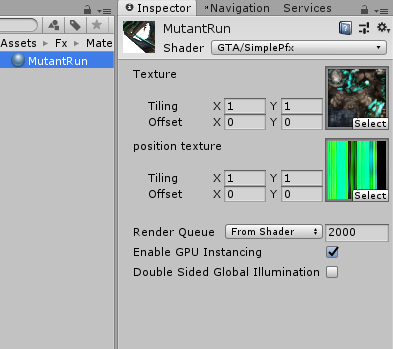
Unity Forum
I. Introduction
I've successfully created animate particle effect, so I decided to share this for those who need it.
Special Thanks to Hironori Sugino...
however all im missing is the position texture, how would i go by doing that?
i know it says texture baker and theres probably a way to bake the animation but im not sure where to do that
jagged pine
the only program I know that does it is houdini
and I don't know anything about it
thats professional grade program
 austere bolt
I asked this earlier in #avatar-help, but is it possible to mix Generic animations with a Humanoid rig? I have a titan avatar that uses a couple of animations, but the armature is really weird, and switching my rig over to humanoid completely breaks them, and I'd rather not have to use some scuffed solution, like using multiple rigs.
dreamy skiff
Mix as you like, blendshapes in animation are not related to the rig either, but they work great.

 unkempt rock
I can model the animation for you with reasonable commission,dm me for more info
 wanton dome
 lost nova
https://tenor.com/view/dance-cute-vrchat-youtube-love-gif-21824293
lost nova
https://tenor.com/view/dance-cute-vrchat-youtube-love-gif-21824293
i have the anim file for that if i can dm you ^^
don't need to pay for a dance thats free and common on avatars lmao
lost nova
wanton dome
i have the anim file for that if i can dm you ^^
That would be very much appreciate!!
lost nova
wanton dome
don't need to pay for a dance thats free and common on avatars lmao
That what i was thinking lol
lost nova
dreamy skiff
Thank you!
 whole saffron
Hi, why can't I change the path in some animations ?
 dreamy skiff
whole saffron
Hi, why can't I change the path in some animations ?
dreamy skiff
whole saffron
Hi, why can't I change the path in some animations ?
Because the animation is not added to anything.
Add it to the animator, animator to the object. Select it on the stage and watch the animation already.
whole saffron
dreamy skiff
Because the animation is not added to anything.
Add it to the animator, animator...
Does not let me edit even after this for some
It auutomatically asumes I am animating the root object even if I want to change it
dreamy skiff
whole saffron
It auutomatically asumes I am animating the root object even if I want to change...
But this can also be done with a text editor, unless of course you understand what you are doing.
whole saffron
dreamy skiff
But this can also be done with a text editor, unless of course you understand wh...
Thx
 noble mural
wanton dome
don't need to pay for a dance thats free and common on avatars lmao
noble mural
wanton dome
don't need to pay for a dance thats free and common on avatars lmao
Some dude one time was tryna sell me a pre-existing model for Shinichi from Parasyte
I obviously declined and found that shit in a world a week later lmao
 tardy sigil
Does anyone have dance animations that they can give me please 
 dull sleet
i got this animation that was recorded in another program and in unity animation preview it's fine but once on my model it's flipped 90 degrees.
i tried to change the root motion T and Q and none of them work. for some reason the animation does not want to be overwritten
 dreamy skiff
dull sleet
i got this animation that was recorded in another program and in unity animation...
dreamy skiff
dull sleet
i got this animation that was recorded in another program and in unity animation...
I don’t see the inverted animation, I see the model installed sideways.
dull sleet
i mean ... i never said it was inverted. The model sideways is how it plays the animation you see in the bottom right. it plays it sideways instead of standing
 timber gazelle
anyone know how to lock animation orientation so it doesnt turn when you turn?
 radiant crown
timber gazelle
anyone know how to lock animation orientation so it doesnt turn when you turn?
radiant crown
timber gazelle
anyone know how to lock animation orientation so it doesnt turn when you turn?
Thats nothing to do with the animation. Thats gunna involve where you place the object in hierarchy
And other options
timber gazelle
great explination that really helps me and i TOTTALY understand that😐
 weak swan
https://gyazo.com/c9ba41843628c131f2932e2d391031b1
I'm having a bit of an issue with an animation currently, trying to fix the model such that the hat and bow on the front toggle on and off properly just like the other 3 nodes do. This is an edit to a previous animation, since I'm trying to add the hat and bow on.
I have set up my transitions just like I did with my previous 3 states, as well as checked all animations, transitions, menus and parameters, and yet I'm still not understanding as to why the Lyuma Emulator (the one that shows what you see in VRC) continues to display the hat and bow when switching between animation toggles. Can anyone help out with this please?
(And before anyone asks, despite the tag in the bottom right corner of the GIF, this is a completely safe model, I had edited it from a previous model intended for me from before.)

Main thing is, I don't understand why the hat and bow are staying on for each animation despite changing the animations to the correct settings for the bow and the hat, as well as why the Bow Hat On animation is flickering.
 sharp badge
weak swan
Main thing is, I don't understand why the hat and bow are staying on for each an...
sharp badge
weak swan
Main thing is, I don't understand why the hat and bow are staying on for each an...
I think the hat remaining through all of the animations has something to do with write defaults but I'm honestly not sure and there's no telling without seeing the entire setup. You're better off and probably safer adding an animation in-between the on animations that disables the currently on item and then moves on the to next item to toggle.
So you'd be looking at something like clothing toggle equals whatever to turn the thing on, if it's not equal move to the turn off animation, and then from there move to the next turn on animation. Something like this pretty much:
(ClothingToggle=3)-> hat ON (ClothingToggle!=3)-> hat OFF (ClothingToggle=2)-> bikini ON -> etc...
This probably doesn't have anything to do with the problem but your hat on animation is also set to loop while the rest of your animations are not. You can disable this by clicking the animation in the asset browser and simply unchecking the loop checkbox.
If you want the hat to be wearable with your regular clothes though (instead of just nothing but who knows) you're going to have to set it up to use its own parameter. Creating a new layer and putting it on there with its own parameter will let you wear clothes and the hat if that was your goal. Though there's enough tutorials around for you to figure out how to do that part if you wanted.
weak swan
sharp badge
I think the hat remaining through all of the animations has something to do with...
Ahhh, see, that's where I kinda messed up, was the fact that the animation was set to loop whereas the others weren't. But, as of recent developments, I have changed animation styles to something easier, so hopefully this set-up won't be necessary unless it's a fall back option. Thanks for the input on this though! I do have it written down and logged for future development!
weak swan
sharp badge
If you want the hat to be wearable with your regular clothes though (instead of ...
And as for this one, I do see what you're saying here, as I've already done so for different toggles as well. I think this point, I'm good on.
dull sleet
Im having so many issue getting an animation to play and loop properly on a humanoid rig right now , can anyone help ?
 white crystal
Does anyone know how to place an already made animation on an object? Do I need to make it a controller or what do I do? I’ve placed it a couple of times on the object directly but nothing moves :/
pure crag
Hey i have a small problem with material swap for hair. I made looping anims and put them in the blend tree but when i change the value the hair won't change the material
 shell obsidian
How do I find animation servers or specific kinds...
 lament light
shell obsidian
How do I find animation servers or specific kinds...
lament light
shell obsidian
How do I find animation servers or specific kinds...
what are you looking for?
shell obsidian
lament light
what are you looking for?
Fire
lament light
🧐 ?
shell obsidian
Firey aura, uhh explosions problem is
shell obsidian
lament light
🧐 ?
I never been able to explain well
lament light
oh, you made it sound like you where looking for animation communities, but your just looking for effects?
shell obsidian
lament light
oh, you made it sound like you where looking for animation communities, but your...
Oh both actually
lament light
Lookup ||raviovfx|| or ||floppii|| on booth. They have a lot of nice effects.
shell obsidian
Mmm
lament light
any animating community for vrchat are all dead already sadly
shell obsidian
lament light
any animating community for vrchat are all dead already sadly
Nooooo
lament light
shell obsidian
Nooooo
invited you to the only other animation discord, but its pretty much dead as well
 sweet needle
how do you get phys bones?
muted prairie
flint bison
Only a little upset that I am only now finding out that you can create transitions from states directly to themselves. Ugh lmao
 muted stirrup
How would I go about making multiple toggles for changing between different materials on 1 mesh
Right now I only know of doing this through radial puppets but I would like to make them separate toggles sadly when I try this most of the toggles break
muted stirrup
Nvm found a video on it
spice kayak
flint bison
Only a little upset that I am only now finding out that you can create transitio...
Out of curiosity, as someone who hasnt done a whole lot of animation stuff, what would be the usecase for that?
To have a looping animation maybe?
 rich gate
whats the easiest way to make an animation togglable, not using the locomotion layer. as in a lay down animation for non-fullbody
 noble shell
action , just use a vrcemote
fervent fulcrum
So I was making spawnable rides on my avatars but just ended up running into tons of problems with all the seats. Anyways I made a world to place the rides and I'm trying to transfer all the data over. I transferred the ride plus the animations files but now the animations are yellow stating that the animated targets are "missing".
I read that you can use f2 to rename and guide the animation to the targets and I did so, but they continue to be yellow.


Am I doing something wrong?
languid wyvern
fervent fulcrum
Unity assumes everything to be in a specific hierarchy when the animation keyframes are created. So if you've changed object parenting around or where the animator itself is, that will happen.
I really wish they'd do away with that in favor of just searching for the objects/properties by name. So changing object parents doesn't break everything.
 lean widget
https://cdn.discordapp.com/attachments/602917015883350041/953422489986404372/2022031516594801-F1C11A22FAEE3B82F21B330E1B786A39.mp4 I'm trying to recreate this blade activation as accurately as possible using poiyomi. So far I have the emission and blade reveal down, for that I just animated the alpha mod option, but how would I go about doing the lens flare?
muted prairie
I'd probably ask directly in the poiyomi server if I were you !
 unique fiber
Hey there,
So i have a few animations in my world, where player can sit down on a station and then the animation plays. But when they do so, the viewpoint gets really weird. I use AvatarTrackingController, to override the tracking from the avatars, else the animation dosnt work. How can i fix the viepoint, so it stays where it should be.. on the face/head of the player and dont get like detached?
lean widget
muted prairie
I'd probably ask directly in the poiyomi server if I were you !
poiyomi can't really do anything particle related though, which is what I think the rest of this is gonna be dependent on
uncut ibex
anyone knows any methods that would be good at making a tablet that actually scrolls through stuff?
isntead of a set image of scribbles or whatever
muted prairie
lean widget
poiyomi can't really do anything particle related though, which is what I think ...
You can also just enable a quad with a transparent image on it that looks like that flare
Or make a single particle billboard
muted prairie
uncut ibex
anyone knows any methods that would be good at making a tablet that actually scr...
lean widget
muted prairie
Or make a single particle billboard
I might need a bit of a explanation as to what quads or billboards are
muted prairie

A quad is a plane object in Unity, made up of two triangles, so it's a cheap way to get a surface to display something onto
Billboarding is a type of particle alignment that faces the camera
lean widget
oh okay, billboarding sounds like my best bet, how would I go about animating that particle?
white crystal
How would I be able to check the grayed out checkbox of "has generic root transform" on this animation?
 lean widget
Is there a way to make billboard particle size not relative to the view distance?
lean widget
I think that did it
How would I go about making the actual sprite for that billboard glare then?
closest I can get rn is this
 lean widget
Is there a way to use a dissolve on a transparent object with rim lighting?
with poiyomi, specifically
 cloud slate
What's a good way to modify a .anim animation file?
fervent fulcrum
Is there a way to animate the armature in unity? I went into animation mode and moved my arms with record on, but no key frames get recorded. It's also hard when the avatar gets placed in the weird crouch position.
cloud slate
fervent fulcrum
Is there a way to animate the armature in unity? I went into animation mode and ...
I found out that there is an "Animation Converter" unity package that you can buy.
You can convert humanoid animations to generic rig animations.
Unity can not animate human rig animations.
Unity however can animate generic rig animations.
So what I am doing now is:
I make 2 duplicates of my character in Unity (Not only in the scene, but I actually duplicate the character files as well)
Then I used the Animation Converter to convert the animation to generic. (You need to give the Animation Converters 1 source and 1 output character. That is why I duplicated the character 2 times)
After this is done, I can start animating the generic rig avatar with the converted generic animation. (Making adjustments to an existing animation in my case)
Then the next step would be to convert back the generic animation to a humanoid animation.
And then I can test the new humanoid animation on my avatar's humanoid rig duplicate.
However. I have no tried this yet. Do not know how well this works.
I only got as far as editing the animation so far.
I do not know if converting it back to humanoid will give me good results or not.
So uh yeah.. don't yell at me if this doesn't work ^
fervent fulcrum
cloud slate
So uh yeah.. don't yell at me if this doesn't work ^
Let me know how it’s goes. Sounds a bit complicated haha. I might just use mmd instead and covert it over through blender.
cloud slate
fervent fulcrum
Let me know how it’s goes. Sounds a bit complicated haha. I might just use mmd i...
Alright. I will.
I am using an MMD model as well.
I purchased an animation from Booth, but it doesn't quite work well with my avatar's proportions.
So.. that is why I need to edit it
 modern flax
I have made some animations for my avatar that I want to play with toggles and such. I have finally gotten to the point where they successfully export from blender as a part of the FBX file and they do play in the FBX preview, but the second I try to play them anywhere else like in an animation controller they just do not play at all. I have been trying to fix this but I cannot seem to find what is wrong, the animations I made just do not play or work anywhere except in the FBX import preview. Anyone know what is going on here?
I was somehow able to get it to work, apparently I needed to set up a custom mask and then also put it onto each animation individually
cloud slate
fervent fulcrum
Let me know how it’s goes. Sounds a bit complicated haha. I might just use mmd i...
I have been successful.
Used Animation Converter from the Asset Store (not free) to convert my humanoid animation to Generic.
Made a Generic copy of my avatar.
Edited the generic animation.
Converted the generic animation back to humanoid animation.
Made a humanoid copy of my character to test my animation on.
Success.
However.. I am having another issue at the moment.
My avatar's feet do not get moved by the humanoid animation.
This has been a problem before fiddling with the animation as well, and I am not exactly sure why this is.
But the method itself worked
fervent fulcrum
cloud slate
However.. I am having another issue at the moment.
My avatar's feet do not get m...
Like at all in the preview window?
cloud slate
Are you talking about how the feet animation doesn't work or...?
fervent fulcrum
cloud slate
Are you talking about how the feet animation doesn't work or...?
Yeah sorry haha
cloud slate
I tried uploading the default animation that I purchased to VRC, and it doesn't move the legs there either
fervent fulcrum
cloud slate
I tried uploading the default animation that I purchased to VRC, and it doesn't ...
So the feet don't move only in vrchat?
cloud slate
And it doesn't work in Unity either with that animation
To me, it feels like the muscles for the feet can not be seen by the animation
But I do not know how to assign the muscles while rigging
I know how to assign bones, but.. not how to assign muscles
cloud slate
I'll take anything to try to solve this
muted prairie
 hallow elk
oop, my bad
 hollow bobcat
I’m hoping this is the right area to ask this, let me know if I’m wrong and show me the right place to put it. I’m looking for someone that knows how to recreate an avatar animation, I do have something that I’d like on the avatar but it’s not easy and very difficult. Anyone willing to help me out?
muted prairie
hollow bobcat
I’m hoping this is the right area to ask this, let me know if I’m wrong and show...

VRChat Ask
Post about commissions for avatars in this category. Requests are not permitted, we only permit posts from those providing services.
verbal ether
How do you get unity to shut up about generic animations being unable to animate humanoid stuff; its really annoying not being able to make any animations
 floral isle
I’m having trouble with a bool toggle, everything should be right but every time I go to test it in vr it doesn’t toggle off/on what am I doing wrong?
sterile sentinel
having some issues making a heartrate monitor animation - I have a blend tree set up as shown below, with the "HB" animation being a 1-second long emission animation of a heartbeat, which is 255bpm when played at 4.25x speed
putting the float fully at 1 plays the animation at the expected 255bpm speed, but for some reason anything below ~95% of the float value doesn't seem to change the animation speed at all, but it rapidly shoots up past that

for some extra info, the BPM parameter is a float, has it's default value set to -1 in both the animator and the expression parameters, and is controlled via a radial puppet, later intended for OSC
the animation has a sample rate of 60, as well
edit: fixed this..kinda, still not sure what was causing the above, but setting the 0bpm speed multiplier to 1 instead of 0.01 made the hrm work
sterile sentinel
floral isle
I’m having trouble with a bool toggle, everything should be right but every time...
would recommend cross-checking this tutorial with your setup o: https://www.youtube.com/watch?v=XqtSg6_W07Y
 red latch
When creating custom hand animations is it required to use the animator? Or can we do keyframing with the armature. Just curious if there is a restriction in any capacity, or do I just have to make sure my mask is set up accordingly for the armature itself, versus the humanoid animator.
Question resolved with a test, question no longer relevant!
 still mesa
Hey! How would I go about overriding a blendtree? I'm trying to make it so my character has the default crouching blend tree, but toggles a custom animation when I enable an option in a submenu. I've got the transitions setup, but it seems to play the animation on top of the crouching blendtree
The image is of my avatar locomotion controller for reference
 still mesa
Hey! How would I go about overriding a blendtree? I'm trying to make it so my ch...
still mesa
still mesa
Hey! How would I go about overriding a blendtree? I'm trying to make it so my ch...
Turns out my dumbass was testing if it was working with an animation that didn't match the IK, resulting in the animation looking wonky.. Now that I downloaded an appropriate sitting animation, everything is working :P
kindred prairie
I understand "write defaults" is generally considered advanced in the controller layer but I was wondering if someone could point me in the direction of resources to understand what it does. Or explain it to me?
sterile sentinel
write defaults toggles whether or not the animation state will write default values for properties that are not animated by it's motion; https://docs.unity3d.com/Manual/class-State.html
https://docs.vrchat.com/docs/avatars-30#write-defaults-on-states
the VRChat docs recommend turning write defaults off
you also shouldn't mix write defaults on/off in the animator, weird jank could happen
 nocturne knot
Hi! I got a couple of problems with my locomotion animation.
I modified a duplicate of the vrc_StandingLocomotion blend tree with my idle and swimming animations, I added it to a duplicated vrc_AvatarV3LocomotionLayer and used it on the base layer. By doing this the animations work but the mouth visemes don't work when I talk.
I tried using the additive layer but the same happens
The second problem is the tail doesn't move either, I think it has to be related to not being bones of a humanoid rig.
I already activated the tail bones on Animation > Clips > Mask > Transform. And they look fine on the Unity preview, but not on VRC.
I searched for a solution on google but I don't find a similar problem.
 sour gust
@nocturne knot the things like moving tail is handled by fx layer bc (licomotion) it affect the armature bones if i am not wrong. Bout gestures try the fs or gesture layer
the mymic (gestures dont work in Base layer. Base layer is onmly to locomotion ?movingf avatar
 pearl scroll
I have a very similar issue. Would anyone know why my custom crouch animation just shows my character sliding in pose instead of crouch walking? I made copies of the proxy animations and modified the legs positions so that my digitigrade rig would look correct. (I feel like Ive been following the tutorials exactly but yeah, this issue sucks. Also my wings and tail dont move into position in game, whereas the rest of the body looks like its in the correct position). Any help would be appreciated. Ive also tried creating a new project, importing a unity package of all my anim controllers, animations, and blend trees, re imported my avatar, re-rigged/constrained it, and hooked everything in, and the issue still persists.
nocturne knot
sour gust
<@!200363471597076481> the things like moving tail is handled by fx layer bc (li...
Soul! It worked! You saved my ass twice and this time it was a commission 😄 One if this days I'm gonna go to poland to give you a kiss.
Do you have a paypal account?
 sour gust
nocturne knot
Soul! It worked! You saved my ass twice and this time it was a commission 😄 One...
sour gust
nocturne knot
Soul! It worked! You saved my ass twice and this time it was a commission 😄 One...
I dont have PayPal but IT was puree coincidence i visited this Chanel today. XD and idk if i would help if i didnt remember your nickname and avatar from the video.
Btw IT IS a animations help Chanel and i dont take money from people WHO need help 😸
nocturne knot
I wish I had more experience to start helping too but I still keeping messing everything (for now) x3
Gonna post the solution at the VRC forum in case somebody needs it in the future. I still have the visemes not working but I think I'm gonna give up for that and just use the jaw bone
pearl scroll
Has anyone run into and fixed an issue where custom locomotion animations made from duplicate proxy animations freeze in place and the avatar slides in that pose when it should be walking?
nocturne knot
pearl scroll
Has anyone run into and fixed an issue where custom locomotion animations made f...
I think it happened to me. But even if the animations show like freeze in unity, they work fine on VRC
Somebody shared me this:
https://github.com/BlackStartx/VRC-Gesture-Manager

GitHub
A tool that will help you preview and edit your VRChat avatar animation directly in Unity. - GitHub - BlackStartx/VRC-Gesture-Manager: A tool that will help you preview and edit your VRChat avatar ...
A tool that will help you preview and edit your VRChat avatar animation directly in Unity, so you don't need to constantly upload your model to check the animations. Give it a try!
pearl scroll
oooo That would be super helpful
By the way @nocturne knot Have you also found what would stop say tails or wings from from going into the correct pose in game, even though they are animated in Unity? My current crouch positions work for the main body bones, but they arent coming through for the wings and tail
 nocturne knot
pearl scroll
oooo That would be super helpful
nocturne knot
pearl scroll
oooo That would be super helpful
I think that's exactly my problem of this afternoon. The solution was to add the wings/tail animation to the FX layer. The base layer only works for humanoid rig bones
pearl scroll
nocturne knot
I think that's exactly my problem of this afternoon. The solution was to add the...
Im still quite new to the animation layers, but at that point, would the FX layer become my new locomotion?
nocturne knot
Here's what I did: I made another duplicate of the proxy animations bend tree and added my animations where I wanted them, leaving the others with an empty animation. And I put that blend tree into a controller for the FX layer
 pearl scroll
Or do I somehow have try try and layer the wing/tail keys to the locomotion animations?
nocturne knot
On the base layer I put another dublicated locomotion blend tree, this time I put empty animations on the places where I added my custom animations previously in the FX layer. That way you don't have the proxy animations twice on two different layers, that would overlap them

I'm pretty new into this too. In fact this is just a today discovery😅
Not sure if it's the correct method. But it worked
sour gust
Aztec just pit your animations on idle stare in FX layer (if the wings and tail need to still moving
pearl scroll
Its not just my idles that Ive been changing. Since my leg rig gets out of place with the proxy anims, ive been redoing all the locomotion pose animations
compact marten
each playable layer has a specific purpose, and behave differently.
if you want to animate ears/tails or other bones that are part of your armature, do it in Gesture with an appropriate Avatar mask for each layer.
if you want to animate facial expressions using blendshapes, that goes in FX.
if you want to animate other transforms (such as moving around an object that is not part of your armature), that goes in FX with an empty avatar mask
if you have an animation that has to do something that belongs in both, such as moving ears and doing a facial expression, you need to have two animations, with the stuff that belongs in Gesture in one and the stuff that belongs in FX in the other
if the logic that triggers those animations is the same, then they will both play on time and look like one animation.
also, you cannot edit Proxy anims
pearl scroll
I made a duplicate and edited those
compact marten
they are called "proxy" for a reason. a proxy is a placeholder for something else. in this case, the SDK does not come with the actual animations. instead, you get the placeholders, which are only a single frame of the real animations. the proxies get replaced by the game
if you duplicate, rename, and replace the proxy animations in your locomotion layer, then your avatar will no longer walk, but instead freeze into a specific pose and glide around
pearl scroll
That explains that issue I was also having....
nocturne knot
compact marten
each playable layer has a specific purpose, and behave differently.
if you wan...
That's what I read on the documentation, but my tail animations didn't work either on the gesture layer. They did in the FX one. I wonder why
compact marten
if your avatar is supposed to have Digitigrade legs, there is a guide by Dragonskyrunner on how to rig those for VRChat. you would essentially have rigs for both the digilegs, aswell as a "proxy" rig which looks like humanoid legs
compact marten
nocturne knot
That's what I read on the documentation, but my tail animations didn't work eith...
did you create a new Avatar mask that only included the tail bones, and put it in your tail wag layer? and did you edit your Allparts layer at the top to also include your tail bones? and lastly, there is a bug where non-humanoid transforms in Gesture won't properly animate unless you have a custom FX controller specified
pearl scroll
I did follow his tutorial and rigged them as instructed. It works well for walking, but not for the prone and crouch, which is why I was remaking those animations.. or at least trying
compact marten
pearl scroll
I did follow his tutorial and rigged them as instructed. It works well for walki...
you might have to edit the proportions of the leg bones then
aswell as the angles of the joints
nocturne knot
compact marten
did you create a new Avatar mask that only included the tail bones, and put it i...
I didn't! I'm gonna note that for the next one. Also gonna look for the dragunskisrrruner tutorial. Thanks! 😄
compact marten

here is the guide, there is a video version by someone else
note that while it's a pretty cool effect, human's don't have digi legs, and so some movements will look funky
it will also look funky if you have knee trackers
pearl scroll
Yeah, I followed Kaide's video version of this. My bones are straight and parallel. So the rig shouldnt be the issue.

 compact marten
your rig is the issue
your bones are not straight

that seems like it would cause issues
pearl scroll
I figured that was fine?

 sharp heart
You might need to adjust the hip bone to be directly over the upper leg bones (in the Y plane), just a guess.
pearl scroll
Ill give it a shot