#animation
1 messages · Page 133 of 1
 celest plover
 muted prairie
You can't, that's for blender
 median bobcat
im having some issues with emotes, im using the default action layer layout for my emotes. when i activate an emote, end it, then activate the next emote, the previous emote plays alongside the one i just activated

 molten mirage
a animation I made is causing my visemes not to work. Like I don't have to even play the animation in my action controller for it to break. but when i swap it out with another animation it works. so I'm wondering if I set it up wrong or something

 tardy abyss
What kind of animation is it?
molten mirage
Managed to figure out. the animation have blendshapes in them even though they weren't used. Removing those fixed it
tardy abyss
Ah.
molten mirage
thank you though!
 copper mesa
Hey hey, I'm having a bit of an issue with my model, my prop animations work fine (Sword toggles, armor) But none of my particles seem to be showing up. Everything looks as if it's set up properly, any idea on what's going on?
 dusty sorrel
Can somebody tell me how to get a particle to move in a circular motion? Think of a ball that follows a circular line. Id like it something like that
 uncut ibex
Anyone know a way to make a good working baseball animation that has it work similar to a ball in a world where you let it go like a regular ball and can be thrown over the head to shoot it or underhanded so it has more of an arch like throwing a regular ball instead of a single linear set animation of a ball moving through the air..is that possible in vrc and if so are there any tutorials on how to do it?
 sterile sentinel
might want to look into animation curves! o: https://docs.unity3d.com/2018.4/Documentation/Manual/animeditor-AnimationCurves.html
median bobcat
I have a problem with my action layer for my emotes, when i play an emote after another emote my audio clip for the last one plays for like a second, is there a way where i can stop it from playing after I want to start a new emote?

 devout igloo
@median bobcat do your transitions have “Has exit time” enabled? That might need to be set to 0 to make sure transitions between animations are instant
 clear yew

If someone knows how to fix this (sdk2) please mention or dm me
Any new gameobjects/animations i make it still gives me these errors when i make a toggle animation
i literally havent changed anything not that i know of. just all the sudden happening
median bobcat
This is an avatar you made correct? And is it an original project made by you?
 azure flax
My hand gestures arent working, some blendshapes work fine but others like blush only appear for one frame when the gesture is made, it works fine in unity but not ingame
 median bobcat
How many frames are in the animation?
 azure flax
the other blendshapes work but the Hachu Eye only appears for a split second in game
 median bobcat
azure flax
the other blendshapes work but the Hachu Eye only appears for a split second in ...
median bobcat
azure flax
the other blendshapes work but the Hachu Eye only appears for a split second in ...
remove the 2nd row of keys
if thats not the issue then its probably a parameter issue
median bobcat
im having issues with my radial wheel where im trying to change materials its fine in unity but when im in vrchat the material for the shirt moves to the face instead


so it seems like my blend tree actually is the problem idk how to fix that

 lavish scaffold
median bobcat
so it seems like my blend tree actually is the problem idk how to fix that
lavish scaffold
median bobcat
so it seems like my blend tree actually is the problem idk how to fix that
You are changing the material color? or changing the material itself? I dont think blend trees are the best choice for that. Unless you are blending
median bobcat
the material itself
lavish scaffold
Have you tried with ints and using the puppet instead of radial? For example, right is a material, up is another Or individual toggles
median bobcat
I havent tried puppet but ill give it a shot
clear yew
@median bobcat yes everything i made besides the actual fbx
of the model like that was made in blender and rigged up etc
clear yew
not sure where to put this question but i was wondering how to set up visemes/blinking for 2D. anyone know/ have a tutorial?
 copper forge
anyone know how to make my avatar ears wiggle in gestures? i tried to make in the gesture animation but it didnt work


didnt work for me tho, any tips?
 sullen lance
On which playable layer you are putting that animation? Animations with facial shapekeys should go to FX layer, while non-humanoid bone transform animations should go to Gesture layer.
copper forge
i put it on the same FX and gesture
median bobcat
anyone know how i can fix my avatar from clipping through the floor when prone and crouching
 uncut ibex
i have an idea, i want to make a fireball animation but instead of having it go an arc or just have a set path id like to be able to throw it like a baseball where if i throw it over handed at something hard it shoot for them fast but also throwing underhanded will have a greater are and have different speeds from how fast i throw it. its the same thing as world objects like balls having the physics behind them to do this (faster your arm moves the more force is on the object on release) is it possible to add something like this onto an avatar on a fireball?
 violet moss
I have an animation that is changing the material reference of Material Reference [2]. In the animation preview, it works fine. but when it plays from the controller, it animates material reference [4] instead. I have tried everything to figure out why. What could cause this?
 primal wing
I've gotten to a new issue but I feel like im missing just one thing with it.
I have my animation for blinking to replace the Peace sign on my left hand. When I go into VRChat, I cannot use my peace sign, which means that the animation controller is working, but the animation itself is not playing. A little help?
sullen lance
violet moss
I have an animation that is changing the material reference of Material Referenc...
violet moss
sullen lance
https://discord.com/channels/189511567539306508/730948173379535022/8433608127060...
1.) Holy christ what an an annoying and oddly specific bug
2.) I'm actually trying to animate 2 and it's animating 4...
Thank you much though
 cunning comet
Idk to ask this question in the world or avatar tab but my question is very simple I think. How do I attach a animation to a 3D model in my world and when I start up the world it performs that animation in a loop. Example is like a idle animation where the model is swaying back and forth
muted prairie
give it an animation controller with that animation set to loop
 onyx copper
I'm sorry I keep asking questions... I find there is a weird frame at the beginning of proxy_hand_idle2, but only in vrchat. it doesn't appear in unity preview. I don't manage to get rid of it in vrchat. For instance when going from open hand to idle, the fingers jump to a more closed position for a few frames, then relax into the loop that unity preview shows.
Did you notice it too ? how would you try to fix it ? I tried keeping only the first frame, but the result is the same in vrchat
han ! I think I just understood that"proxy" is a placeholder
nvm my previous question
uncut ibex
is it possible to put bally physics like in world objects into an avatar? i would like to basically have a baseball i throw like if it were a regular ball instead of a set animation
violet moss
it's causing the particles to be offset from where they should be due to head shrink
 kindred wyvern
Does anyone know how I can combine a running animation with a waving animation in blender?
I have been spending so much time trying to figure this out. I can do this in unity almost instantly, but I can't get an animation file from unity so I have to do it in blender.
muted prairie
Copy keyframes from two NLA strips ?
 teal oasis
Can anyone help me with a problem i'm having?, i'm trying to put a 3.0 trigger that when i press it, the jetpack on the back of the avatar do an animation to open up, but how do i do it if it's a object i added trough unity and not blender? (i already have the animation)
 proud laurel
Can someone please tell me why it is now that I have to force values and transforms back to their original state between animations instead of them reverting gracefully on their own like they used to?
sullen lance
Sounds like you might be mixing Write Defaults on/off in your playable layers or have it off now: #avatar-help message
Make sure you have consistently either entirely off or entirely on throughout the entire controller
clear yew
is there a way to animate particles to move with the music if that makes sense
 fathom fog
so i am using the Valve Index. and yeah i know the natural hand gestures with my finger tracking but can someone please tell me which hand gesture is used when i squeeze the index controller's trigger?
im trying to have a gun shooting animation on the index's right hand trigger but i dont know which gesture to put the animation on...
fathom fog
i thought it was the fist gesture. so i put it there. however, in VR, the gun was shooting without me pulling the trigger
like, i had my fingers all in the idle gesture spot. just gently holding the controller
sullen lance
VRChat
VRChat offers support for the Valve Index Controllers!The Valve Index Controllers contain capacitive sensors for the pinky, ring, and middle fingers. It also contains capacitive sensors on the trigger for the index finger, and sensors on the thumbpad/touchpad/buttons to sense when your thumb is "dow...
Just squeezing trigger and not touching any other sensor on the controller doesn't trigger any gesture.
fathom fog
i know. and that article is exactly what im looking at this very second. it says the fist gesture is all fingers down and pulling the trigger. but that wasnt the case in game. i had all my fingers down and not pulling the trigger and i was shooting. supposedly my idle hands counted as the fist. or maybe something is wrong with the controller?
sullen lance
But when it comes to what parameters in animators for SDK3 avatars mean: https://docs.vrchat.com/docs/animator-parameters#gestureleft-and-gestureright-values
VRChat
This is a list of Parameters (case-sensitive) that can be added to any Playable Layer (animation controller) and change across all Playable Layers that include this parameter. User created parameters that are not in this list will exist only locally within that animation controller and are not curre...
fathom fog
nope. gently holding my controller. index finger barely even touching the trigger. still shoots
i mean i have a toggle that disables the shooting so its just a gun and i can go from thumbs up to idle hands to make it shoot so i could just deal with it. but to be honest i want it on the trigger. but why is this happening?
i know my left controller has a little issue tracking my thumb so its not out of the question that my right controller could have issues... i wonder if i could get it to work if i put the shooting animation on the left hand too... ima try that real quick
okay nope. i guess both controllers think im pulling the trigger when im just touching it
im sure this cant be my controllers doing because i can interact with the menu and buttons just fine with the triggers.
has to be something i did or didnt do in unity...
other avatars i have favorited have a setup like this. a pistol toggle and shooting with the trigger, the fist gesture. and it works just fine. so it's something im doing wrong... but what??
cant be the sdk... can it?
 wary owl
I think you're talking about the fist gesture, right? If so, it uses two parameters: Gesture<Hand>, and Gesture<Hand>Weight. If you're going to use the fist gesture for anything, make sure you're also checking the GestureWeight parameter. The GestureWeight parameter is tied to the pull of the trigger, 0.0 to 1.0. Full trigger pull is 1, half trigger pull is 0.5, etc. Check the GestureWeight parameter for your animation transitions as well as the Gesture parameter so you can control how much of the trigger pull will trigger the animation.
fathom fog
wary owl
I think you're talking about the fist gesture, right? If so, it uses two paramet...
so with the transitions.. under the conditions, add "GestureRightWeight equals 1"?
fathom fog
wait the gesturerightweight condition only allows greater or less
soo.... greater than 0?
wary owl
Try greater than 0.9, should get the same effect as equal to 1
Greater than 0 will work, but if you only want it to be triggered when you pull your trigger all the way, > 0.9 should do it. Sorry, should've been more specific 😛
fathom fog
okay so that works. of course it's the simple shit that i miss...im an idiot...
although now the thing keeps shooting until i go to a different gesture.
so what do i add to make it stop shooting when i release the trigger?
wary owl
Disable looping on the animation
fathom fog
wary owl
Disable looping on the animation
nope
didnt do anything...
waaiit a minute....
okay never mind. i thought adding the gesture parameters to the avatars parameters would do something but no...
you know what? i think i give up. it's already fixed quite a bit. i'll just deal with it.
thanks for the help tho Cirius
wary owl
Are you using a particle system in this shooting animation?
fathom fog
yes
wary owl
What specifically is continuing to trigger after you perform the fist gesture by pulling the trigger? Is it the particle system?
fathom fog
okay so i got a single shot mode and a continuous laser. i have it now so where if i pull the trigger, whichever animation i have active, shoots. so correct gesture now i guess. but even if i let go of the trigger, the entire animation will play unless i go to a different hand gesture.
i was thinking maybe i needed like a condition or transition that would make it stop when i let go of the trigger. like, an exit transition
wary owl
Just wanna make sure: you're not triggering these animations from the gesture layer, correct?
fathom fog
they are each attached to their own empty game objects which i toggle on/off using the action menu. and the fist gesture is supposed to activate both animations. but of course since having one empty object on turns the other one off, only one animation is visible at a time
and the animations are on the FX layer if that answers your question
wary owl
Alright, just wanted to make sure
I've had issues like this before and it's really frustrating tracking down the cause, so I know your pain lol
fathom fog
what about an exit transition?
wary owl
An exit transition might work, give that a try. Add a transition to an animation that turns the object back off if the gesture isn't fist.
fathom fog
so maybe like this?
 wary owl
Possibly. Give it a try and see
fathom fog
well i'll have to try tomorrow cuz im way too tired to keep doing this... plus i already shut down steamvr and im just too lazy
xD
wary owl
That's where Lyuma's AV3 emulator comes in really handy 🙂

GitHub
Emulator for VRChat's Avatars 3.0 system, built on the Unity PlayableGraph API - lyuma/Av3Emulator
In-editor testing of action menus, gestures, visemes.
fathom fog
maybe tomorrow..
.<
proud laurel
sullen lance
Sounds like you might be mixing Write Defaults on/off in your playable layers or...
Do you mean this Write Default value? Because it's on, and consistent across all animations, but it still happens.

 brave pawn
All animation state in all layer. Also including the stranded state that doesn't have any transition linked to
proud laurel
I have systematically gone through all three animation layers in use by the avatar (Additive and Locomotion are default, others are customized) and confirmed that that Write Default value is enabled across every animation state.
 undone wasp
I have a really weird thing going on with toggles,
I have the parameter set up correctly, when I change it on unity play I see the object enable and disable.
In VRC I see the parameter change in the debug window, but the model doesn't appear.
Any ideas on where to look?
 patent quail
Did you remember to set your layer weights to 1?
undone wasp
Yes I did that
patent quail
Does the state itself change it the debug menu?
undone wasp
yes it's an int and it changes on the toggle in the menu
patent quail
Not the parameter, the state it's driving
undone wasp
oh yes that changes during play
patent quail
And in the debug menu too?


 stable shuttle
hello everyone i have kinda of a stupid question i have made an animation, now being used in the fx animator.
today i wanted to edit the animation clip, but when i click on it i can't edit it (and the record/ play options are grey and i can't interact with them). is there a way to edit an animation? i am using sdk3 btw
stable shuttle
nvm solved it by myself for some weird reason you have to drop the animator in the animator controller parameter on your avatar
violet moss
So I’ve been experimenting with index’s remote root motion bug. It only occurs when all tracked body parts are set to animation. If you leave at least one tracked body part set to tracking, then remote root motion from index users becomes correct. Not a good workaround since actions usually want to animate the entire body and remove your controller tracking entirely.
(Referring to this bug)
(From Xiexe’s canny post)
muted prairie
That was fixed wasn't it ?
undone wasp
I have got it fixed for me btw, somehow my SDK got borked, but I imported everything from scratch and it's working now (if anyone is interested)
violet moss
muted prairie
That was fixed wasn't it ?
Nope! Still reproducing it. Hip translation & rotation is off remotely if on index and tracking control is fully set to animation.
If at least one body part remains set to tracking, or if person is not a index user; remote animation plays correctly. Regardless it’s always correct locally
Xiexe and I seem to be reporting the same bug, theirs is under review rather than in progress, but has better examples https://feedback.vrchat.com/avatar-30/p/bugbuild-1004-avatars-30-emotes-on-index-do-not-have-root-transform-applied-prop
 inland gate
Is there currently an issue where animations that move your model (let's use a sprint into a dive as an example) are broken while in VR? It'll play fine from your view but for others you seem to be rooted into one place the entire animation
violet moss
It is possible that at some point rotation was fixed which would make it slightly less broken but I know for a fact translation is still off under the same circumstances
Because have a rift/vive user wear it and it plays perfectly
muted prairie
Will merge yours into the other so that we can keep track of it all at once
muted prairie
Ok so xiexe's issue was fixed, i remember testing the fix myself, so your bug would maybe be something additional
violet moss
muted prairie
Ok so xiexe's issue was fixed, i remember testing the fix myself, so your bug wo...
Build 1097 showing Index User (Left) and Oculus user (Right). Neither are fullbody
Vid 1: A dance animation that heavily relies on translating the root around. You can see the Index user barely moves from their origin while the Oculus user can be translated all around via the animation.
https://gfycat.com/gargantuanvibranthoneycreeper
Vid 2: Index user sinking when doing a custom AFK animation, also on action layer
https://gfycat.com/carelessgoodestuarinecrocodile
In both cases the index user sees themselves correctly. If at least one tracked body part is set to 'Tracking' (ie, head or head), then the translation suddenly starts animating correctly remotely for the index user.
muted prairie
Could you upload the example avatar with those custom animations and then add to the canny ? We'll look at it tomorrow
violet moss
Sure thing. Edit: uploaded and linked in canny post
 nimble mantle
Does anyone know how to edit a mixamo animation. I'm trying to get a seizure animation but it lays down at waist level instead of the ground
clear yew
anybody have a JOSLIDE animationclip
 dense current
howdy! got redirected here from avatar help
i wanna learn how to make custom animations for nonhumanoid models, havent found any real good tutorials on how to do so, and im not too familiar with unity haha
models already rigged up, will make tweaks if need be, im just ready to get him working! any help is super appreciated!


 novel cliff
dense current
howdy! got redirected here from avatar help
i wanna learn how to make custom ani...
novel cliff
dense current
howdy! got redirected here from avatar help
i wanna learn how to make custom ani...
final ik. less painful than a new set of animations, literally
dense current
i know but doesnt it cost money? 
muted prairie
You're doing something way outside the norm, so spending money is sometimes the only way to achieve it
dense current
but theres gotta be a way to do it manually
sure its probably more convoluted but i dont really like
have the money to spend right now
im trying to save as much as possible for college
if it is the only way i guess im waiting
which kinda really blows
muted prairie
Manually ? yeah, animate everything by hand for all locomotion types lol
dense current
i mean like its not like i wouldnt do it
muted prairie
If you value your time then it's going to be a lot more expensive in the end, but i wish you good luck !
dense current
i just kinda hate the thought that just trying to make something nonhumanoid would be blocked behind a paywall otherwise
and its not like i really have many options at this point either so
muted prairie
It's not blocked behind a paywall, it's an alternative automated way to do it 
You can definitely spend hundreds of dollars worth of your time doing it manually !
dense current
people are making it sound like the best way haha
how would i do it manually though?
muted prairie
Animations
For everything
But it still wouldn't take the environment into account
dense current
ah i see
there isnt anyway then to assign ik bones yourself just with blender or unity then?
man
guess ill see about final ik then
 ionic oracle
dense current
ah i see
there isnt anyway then to assign ik bones yourself just with blender or...
ionic oracle
dense current
ah i see
there isnt anyway then to assign ik bones yourself just with blender or...
If I recall correctly (so double check for yourself), Final IK is $90 but it has gone on sale for 50% off or something close to it. So if you're patient and maybe can work on another project in the meantime while you wait for the sale, that may help.
dense current
yeah it is $90
 kindred trout
My animation won't allow me to change one of the materials when I can change the other 14 materials on my avatar. Can someone help me.
 patent quail
This may sound crazy but there is a bug with Element 4 which breaks material swapping for it
the only workaround is to not use that slot for material swapping
you can search the discord for others facing the same issue
kindred trout
😭
kindred trout
I fixed it by going into blender to re-export the avatar again, with all the materials combined
 stable oar
That bug is fixed in Unity Version 2019.
Wait until VRChat gets ported over to that version.
median bobcat
Just change the order of the materials in blender
You need to select the whole model and go in edit, go to mesh then element order
Then select faces instead of vertex
But make sure the materials are in the order you want them in
@kindred trout
 raw pine
give me some tips on how I can improve this
clear yew
uh so mouth dosnt move anymore when i speak dont know how to fix.
clear yew
how do you do togglable lie down anims?
 untold wing
clear yew
how do you do togglable lie down anims?
untold wing
clear yew
how do you do togglable lie down anims?
just add them in you action layer controller the same way as the default animations, increase the max VRCEmote value in the first transition in order to be able to add more (you can also disable the max limit if you only use the parameter for anims) and then just put your custom animation while adding the tracking component to it and setting wich parts of your avatar must still be tracked and not animated by the pose
untold wing
clear yew
uh so mouth dosnt move anymore when i speak dont know how to fix.
check your blendshapes and settings in your avatar descriptor
clear yew
@untold wing sorry for bothering you but is that the FX Layer so same place as my other toggles like the headphones toggle
i was using bools
i just tried to do it the same way i normally would do stuff didnt work
so thats how i would normally do a toggle.
 untold wing
well
the fx layer controller can only turn things on and off
if you want to animate your avatar, you must use the action layer
clear yew
hold on im wrapping my head rtound this where is that XD
clear yew
if you have time could i screenshare?
untold wing
no problem
clear yew

 fierce crane
Trying to get a custom hand gesture and even with the anim and controller where they need to be, when I test it, the default rock and roll gesture plays instead
clear yew
so im messing around with the locomotion layer trying to make this god damn laydown toggle work properly we managed to make it work somewhat... but my fingers didnt track no matter what we did so now im screwing around with locomotion but its really wierd because no matter what my prone isnt being deactivated despite the fact that i have a parmaetter set so when i toggle the secondery prone anim file the original SHOULD turn off but it never does


 mint prism
Heya, can someone tell me how to make the body stay in place while a animation is playing from the action layer?
sullen lance
https://docs.vrchat.com/docs/state-behaviors#animator-locomotion-control maybe that's what you want?
VRChat
When you've got a specific state selected in the Animator view, you'll be able to add State Behaviors. They're a bit like components for states. They do different things. Try adding them, and you'll see what they can do! Animator Layer Controller The Animator Layer Control allows you to blend the we...
 pseudo crystal
The docs don't declare defs for some params which are default to the parameter menu such as VRCEmote, VRCFaceBlendH, and VRCFaceBlendV. I can guess what VRCEmote is, but what about the other 2? Is it safe to remove those two?
ah nvm. Found them in the docs
fierce crane
Wait, would custom hand gestures be defaulted if the fx layer still has the weight of the hands?
pseudo crystal
if any animations are bound to the gestures in the fx layer, it'll affect stuff like blend shapes and anything else other than bones belonging to the rig
fierce crane
Ah, I was having major problems today trying to figure out why my custom hand gestures weren't working even with the playable layer and conditions being correct
pseudo crystal
If you're affecting the muscles for the finger bones, the animations which do that have to be on the gesture layer
fierce crane
Yea and then any anim that are directed towards the bones on the fx layer should be removed?
pseudo crystal
Don't have to. You can use the same animations in the fx layer. Just, they won't be affecting muscles
fierce crane
Oh huh, then I'm not sure what's causing my custom gestures to be defaulted
pseudo crystal
Make sure the weight of the animator layer in the gestures is 1 and has the correct mask
fierce crane
Yea that's all done
pseudo crystal
Then you should test the animator in editor to see if things are transitioning correctly
fierce crane
Oh wait I just realized my anims are generic clips
but other than that my anims seem to be working fine within unity, just not vrchat
Wait, are my handslayers supposed to be linked, as in, what I do to 1 layer happens to the other? I just made a change to my gesture and it applied to my fx controller?
proud laurel
That'd be more of a question for #avatar-help , @clear yew
Would anyone know off-hand the timing for having wheels moving on an avatar so it roughly syncs with walking/running speeds?
eg; One full revolution every X seconds.
onyx copper
can you tell an action animation to ignore headset orientation ?
 upbeat badge
You should be able to tell the animator to ignore tracking on certain body parts
I’ve checked it and you can check an uncheck certain body parts in the VRC Animator Tracking Control in the Inspector of an animation
proud laurel
Is there some kind of heirarchy or layer management I can take advantage of in an animator to neatly override FX-layer things like material changes and object states? (Eg; This object should be on and using this material, so long as this other layer is not set to an active animation)
clear yew
I think you could go into your first layer and add a behavior to your active animation states that triggers a flag by modifying an Expression parameter via the VRC Parameter driver, then use that same parameter to cause the conditional behavior in another layer set to override. I'm just guessing, but that seems like it might work.
proud laurel
Not quite what I'm looking for, but I suspect it might not exist and I'll just have to do what I want with a lot of specific transition statements; I was looking more to see if there was a passive hierarchical override in the animator itself, (eg; anything in THIS layer will always override THAT layer).
clear yew
Hmm, that I do not know...
 rose folio
So I want to make an animation where a group of objects orbit the avatar. How would I animate such a thing where it is always aligned to the ground and does not tilt when the hips or spine rotate, yet is connected to my avatar? I looked at a couple of videos about rigidbodies and joints but couldn't think of anything
 smoky socket
rose folio
So I want to make an animation where a group of objects orbit the avatar. How wo...
smoky socket
rose folio
So I want to make an animation where a group of objects orbit the avatar. How wo...
You can create a particle system for this actually. Provided that the mesh itself uses 1 material. If you are using different types of objects (i.e. weapons like axes and swords and other things) then you can basically create a multi particle system
rose folio
The mesh is 1 material yes
How would I go about having it align with the ground at all times then, I have a small bit of an idea how i'd make rotating objects into a particle system
smoky socket
i’ll DM you so we don’t blow up VRChat
 primal sparrow
Okay. So. I'm extremely new to doing animations in unity/vrchat in general and i wanna do something that's vaguely confusing and hopefully possible.
What I want to do is be able to switch between two avatars and have them both useable to move around and do things. Problem is that i have no idea on how to do that. I'm guessing it might be an animation thing, but i really have no idea. I think i've seen people do this before, but I'm unsure as it's been a while.
Side notes: I'm working on Avatar 2.0, since I have no idea how to use 3.0. But if this is only doable on 3.0 I'll learn that and come back to this.
clear yew
im just trying to loop something spinning why does it look so jumpy?
 compact marten
clear yew
im just trying to loop something spinning why does it look so jumpy?
compact marten
clear yew
im just trying to loop something spinning why does it look so jumpy?
because it is trying to smoothly go between the two keyframes'
however that's a problem when it loops back around
what you need to do is select the keyframes, right click on one, and then there should be some dropdown menu where you can select "Linear" for the curve
you should be able to see the issue if you switch over to the "Curves" view at the bottom of the editor
clear yew
so what exactly does making it linear do does it refer to the progression
compact marten
clear yew
so what exactly does making it linear do does it refer to the progression
it makes it a straight line between the two points
with no curves or smoothing
aka the value changes at a fixed rate
clear yew
so yeh it just effect how it progresses between keyframes
ok so it basically turns into adobe animate
pretty much what i wanted thankies
compact marten
np
clear yew
im trying to make an avatar 3.0 but the fx controller toggle isnt working
i cant figure out why
 chilly kernel
is there way to get wind zone component in your avatar <.<
 fringe crane
I made some animations for this model, but I realized Im unable to animate any bones on the armature that are part of the humanoid rig. Is there a way I can get around this in SDK3? Or perhaps replicate the shaking in an indirect way
 languid wyvern
fringe crane
I made some animations for this model, but I realized Im unable to animate any b...
languid wyvern
fringe crane
I made some animations for this model, but I realized Im unable to animate any b...
Animate it in Blender.
Any animations inside the avatar fbx will be converted to humanoid animations when you configure the rig.
You can technically make humanoid animations inside of Unity, but it is very complicated and tedious, it's easier to just make the animations in your modeling software.
fringe crane
languid wyvern
Animate it in Blender.
Huh interesting. Ive never tried animating in blender before.
And the animations actually transfer with the fbx.. never knew that.
Hm do you recall any good videos going over an example of this process?
(I meant to click not ping, I apologize)
languid wyvern
It's fairly simple, just make sure the "bake animations" option is checked when you export the fbx. Make it a brand new file though, Unity doesn't support importing newly added animations from an already imported fbx.
You can work around it, but it's easier just to make a new file.
median bobcat
so i have an animation on one of my gestures and when i look a certain way it stops even though i have the button pressed down
rose folio
Help, I have a basic animation for rotating objects, and even though there's just 2 keyframes (beginning and end) the animation always slows down at the end then speeds up slowly from the beginning of the animation. This animation is on an animator component so that it's always active
muted prairie
rose folio
Help, I have a basic animation for rotating objects, and even though there's jus...
You need to set your curve to linear
rose folio
thank you
median bobcat
is there a way to make it so that a object in your model doesnt block the camera when doing an animation
proud laurel
I've got a NavMeshAgent that has two armatures; One is an unweighted humanoid armature for using humanoid animations, the other for the NavMeshAgent's actual model. I have an animation toggle to transform the model into humanoid mode and enable a bunch of constraints to puppet the model off the humanoid armature (so I can use general humanoid animations), but when I toggle the value to trigger the animation to turn back into its default form it won't disable the constraints. The problem seems to somehow be it having a layer in the animation to drive walking animations via a blendtree, because when that's disabled it'll toggle back-and-forth just fine.
To clarify a bit, the transformation animations are in their own layer, and drive a quick transform-based animation to pose the mesh before enabling rotation constraints (followed by reversing this when a bool is set False). The other layer uses a 2D Blend Tree to drive a bunch of muscle animations for walking/running. There should be no conflict between them, yet it refuses to disable the Rotation Constraints.
clear yew
so i managed to set something to toggle via gesture on my wolf model using vrc hands layer 3 inside of it. but it isnt attatched to gestures but toggles perfectly how can i recreate this?
clear yew
Does anybody have a joslide animation clip? lmao
 junior goblet
fringe crane
I made some animations for this model, but I realized Im unable to animate any b...
junior goblet
fringe crane
I made some animations for this model, but I realized Im unable to animate any b...
Put animation on additive layer
 rose folio
Question, what layer do I put an animation of a tail wag, specifically activated with a hand gesture rather than an idle animation. I've tried putting it on FX and gesture but it doesn't work for me
median bobcat
when using an emote my avatar jerks forward and then goes back in place how do i fix this
median bobcat
 copper stratus
So now that I am learning avatar s 3.0... How does making an animation that fires on a gesture work?
Cause I have animation on gesture but it just does turn off.
rose folio
if it's a toggle such as a particle system, or if its face blendshapes, those go on the FX layer
copper stratus
Its flames from a flame thrower.
Are the 0:00 to 0:01 keyframe creations different this time around?
 solid ivy
How do I make so an animation stops and dont reset?
solid ivy
I mean in Animation.
 solid ivy
❤️
muted prairie
solid ivy
I mean in Animation.
You disable loop time on your animation file
solid ivy
Aahhh, I've never thought about it. ty ❤️
Now my avatar is just in Preview mode (Sitting)
muted prairie
 solid ivy
Yes
muted prairie
Alright, might be animator specific then, worth asking in #avatar-help
copper stratus
solid ivy
My animation is still looping even if the loop is unticked
Yeah mine is doing the same.
 umbral olive
uhmm hi i need some help im trying to find this emote of the spooky dance from Sr Pelo anyone knows ?? https://youtu.be/IW_2WyK1q-M?t=65 min 1:05

October is here and it's spooky month!!!!
▶WATCH ME ON TWITCH!: https://www.twitch.tv/cyberchimptv
▶STALK ME ON TWITTER!: https://twitter.com/ZeCyberChimp
▶ENTER THE MEME CAVE!!!!: https://discord.gg/d5FrrHBpXX
▶JOIN ME FOR AN ADVENTURE!!!!: http://www.youtube.com/user/zecyberchimp?sub_confirmation=1
-People Featured In This Video-
https://w...
 shut dome
Has anyone experienced that when adding animations to the fist and point section it will just apply the blendshapes to the avi without being triggered? I got other animations with facial expression that works as they are supposed to but ye, those two will just add the facial expressions to the avi when i add them and upload it
 stable jetty
Walking/running animations. How to do for a non IK creature? (World stuff) Up and down is easy. Everything else... Not so much.
Asking for more than one person.
 quick oasis
Anyone have an avatar/animation that has a beat saber song with sabers that actually work on the blocks flying at you?
chilly kernel
my avatars shading changes everytime i do gesture
and yes i have calculates on legacy
so idk whats wrong with it now
 versed spoke
Can we only use VRC parameterdriver with animators that arent playable layers
 raven estuary
Where do I find the full default animation files (proxy_crouch, proxy_run, etc)? I would like to try adding manual rotation to long skirt bones instead of using DB colliders.
violet moss
raven estuary
Where do I find the full default animation files (proxy_crouch, proxy_run, etc)?...
The proxy animations are not the real animations that play in-game. They are only single frame versions. They are in the SDK in the examples folder however
VRChat’s true animation files are not included in the SDK, my assumption is they don’t have a redistribution license on those assets
raven estuary
violet moss
VRChat’s true animation files are not included in the SDK, my assumption is they...
That's unfortunate. I guess I'll have to see if I can add an additive Locomotion layer instead to make changes to those bones independent of the animations.
violet moss
You should be able to, be sure to mark the layer as sync as well to avoid doubling all the condition checks
raven estuary
violet moss
You should be able to, be sure to mark the layer as sync as well to avoid doubli...
I will, thank you.
 haughty bramble
Anyone here do commissions for model animations?
sterile sentinel
Might want to look at the #community-servers-old, VRCTraders and/or https://ask.vrchat.com/c/commissions/avatar-commissions/35 instead o:
clear yew
Ah
quick oasis
is there a way for me to use my full body 6 point tracking to record myself into an animation that anyone knows of??
muted prairie
quick oasis
is there a way for me to use my full body 6 point tracking to record myself into...

Unity Package: https://drive.google.com/file/d/1m6IEzvYSOS78V2k1JR0UUMqysehlMzlT/view?usp=sharing
ShaderMotion: https://gitlab.com/lox9973/shadermotion
World Constraint: https://vrlabs.dev/
SDK2: https://vrchat.com/home/download
Text tutorial : https://qiita.com/Ruuubick/items/b07028bc935421ca6e2e
0:00 Introduct...
 drifting phoenix
anyone know what is the proper way to make chairs with custom animation overrides that work on 3.0 avatars?
I have an avatar with a chair that plays an animation override that works on 2.0 avatars, but 3.0 avatars it fails to override certain parts of the body
the animation is supposed to be a dance, so its supposed to take over the entire avatar when entered
violet moss
this bug is actually making me consider buying a non-index headset for a while just to avoid it
versed spoke
drifting phoenix
the animation is supposed to be a dance, so its supposed to take over the entire...
Not entirely certain, but have you tried disabling tracking?
drifting phoenix
versed spoke
Not entirely certain, but have you tried disabling tracking?
I do have an animation controller with a disable tracking part, then it goes to the animation, then re-enables when seated equals false
quick oasis
muted prairie
https://youtu.be/r8YpXP0RlZc
thank you so much lol
chilly kernel
is there way to make my animation stuff in unity faster. unity barely uses 5% of anything on my pc but lags like crazy with animation stuff
@muted prairie the recording phase lags so bad
muted prairie
With 30 fps too ?
chilly kernel
okay i figured it out.. im dumbass i forgot that i should run standard shader on the recording model instead of using my main avatar...
only thing i need for the recroding is the base fbx for the transforms. not the fancy shaders/dynamic bones lagging the heck out of it
 tired spindle
hey, i kinda need help with springjoint editing. my springjoint doesn't want to work for some reason, i am fairly new to this.
violet moss
What determines where an avatar’s butt point is when sitting in a chair? Is it hip root?
Trying to figure out why chairs can’t just work for everyone without sinking/floating
Would be nice if it could be positioned relative to back of the knee
So they’d always sit with legs hanging off the edge of chair
muted prairie
There are some prefabs out there for Udon, that do this automatically
 swift venture
I am having issues with a Material Change animation. I have never had any issues in the past doing animations like this until today/tonight. So I am asking if any of yall more unity savvy guys can help me figure out what is happening, because I am so confused
https://gyazo.com/37f56d9628e331a7859cfec607a74354
 sullen lance
swift venture
I am having issues with a Material Change animation. I have never had any issues...
sullen lance
swift venture
I am having issues with a Material Change animation. I have never had any issues...
I can't see which material slots you are trying to animate, but you might be hitting a Unity bug described here: #avatar-help message
swift venture
that is the issue, I love unity, and I've already done so much with this avi it now send me back so far
swift venture
Well after trying the fix describe, it no longer works for some reason
So I'm just going to separate materials and have two meshes on the avi
nvm, thats brokent too...
sullen lance
So you're doing something wrong somewhere else.
swift venture
Well, trying to reorganise the materials are kind of hard, I'm just browsing the blender stack exchange to find a better way to do this. I found one which didnt work so much but Im doing everything it says
sullen lance
I mean your problem might not be related to what I wrote if materials you are trying to change aren't those specific slots mentioned in linked message.
swift venture
Yea they are, I change three in total but 2 and 4 dupe to the other, so if I use lets say material.02 as a change material and material.03 then when I put material.03 in material 4 (which is the right material) and put material.02 as material 2 then material 4 will dupe to Material.02
only happens in animation and not normally. so I can just upload the avi like that but then I can't change back. so more or less I might just atlas textures so I have 3 materials in total on my avi
violet moss
swift venture
Well, trying to reorganise the materials are kind of hard, I'm just browsing the...
Select all triangles
Run Sort Mesh Elements > By Material > Based on Face.
Export as fbx. Model will now have same order materials as listed in blender
You can’t animate slot [4] for in 2018.4.20f2. It was fixed but this is the version we have to use
clear yew
someone would know why the numbers goes up to 100 and then my mouth moves at 0 instead of the normal 1 to 14 for visemes?
the numbers are on the top left
they are textured visemes
languid wyvern
Wrong lip sync type? 0-100 usually means it's set to jaw flap.
Even if you don't have the shape keys for it, you have to set it to the viseme mode to get the 0-14 values.
clear yew
all right thank you it's fixed now
 knotty dirge
https://gyazo.com/1f9d2fc17224381abcc23a6cde901838
I just wanted it to travel in a circle...

I’m cry laughing over this just because of how absurd it is…
…Does anyone know how to solve this?
sterile sentinel
deja vu
not super sure how this'll look, but make the start and end positions the same, then make the first keyframe's in tangent be constant, and make the last keyframe's out tangent be constant?
knotty dirge
sterile sentinel
*deja vu*
not super sure how this'll look, but make the start and end positions ...
Could you dumb that down a bit? I’m not sure what tangent means in this circumstance
sterile sentinel
you're fine! A keyframes tangent affects how the curve between its neighboring keys looks, i.e how it's interpolated/smoothed - when you right-click a key frame, you should be able to change the tangent's interpolation to Constant, along with a couple other options
don't have Unity installed atm, sorry o:
knotty dirge
Are you talking about the tiny buttons on the right of properties?
Nevermind I think I see what you’re talking about. So there are a set of key frames at 180 and 210. Between those frames is where the speen happens. Would I set both sets of key frames to be both constant, left, or right constant?
sterile sentinel
Make the first keyframe's left be constant, and the last keyframe's right be constant?
sterile sentinel
In what way? o:
If it's snapping between the start/end positions, make the position for the first and last keyframes the same
knotty dirge
It did nothing for the Speen and it made the animation around the key frames stop entirely.
They are the same.
The end key frame is at 240
Constant is what’s making it stuck in a certain pose, so maybe linear or weighed?
sterile sentinel
try linear, yeah o:
knotty dirge
Nope. Still spins. Even tried all the options under clamped auto. Nothing.
sterile sentinel
Just as a test, try making the starting keyframe's right tangent be constant, and the ending keyframe's left tangent be constant?
i.e flipped
knotty dirge
Nope. Spins once more.
I’m gonna try to manually add key frames and see what happens there
No luck. I don’t understand…
sterile sentinel
not too sure on that, sorry
with the keys' tangents both being set to Linear, try clicking Flat? screenshot here has Broken clicked, ignore that lol

also screenshot is weirdly massive what
knotty dirge
It changed slightly, but it continues to spin.
sterile sentinel
I'm not super sure how to fix that, sorry o:
spinning things shouldn't be this difficult but Unity™ lol
sterile sentinel
knotty dirge
Not really.
knotty dirge
All that stress for a tiny fix…
all I had to do was change a 0 to a 360…
 wraith mulch

 crystal surge
Hey guys, i am looking for animations. I already downloaded a lot of them, but i need some with audio. Also crazy big ones with effects. Cursed ones. Maybe there is a pack to download?
And for some reasons, the audio is not working on my animations -.-
clear yew
For anyone making avatar 3.0 and want default emotes. Here is the submenu fully made, all you need is to link to it
works out of the box
 lone venture
How do I animate one texture/material to fade into one another?
I figured it was something to do with the skinned mesh renderer, but I'm not sure which property to animate
I just want Material 1 to slowly become material 2
lone venture
I'm not finding any information other than it can change abruptly through the default shaders. Otherwise, I guess I'd need a special shader for it? (the avatar is a present for a Quest user, so I can only use the default shaders or they'll have to use desktop)
 cursive spear
I doubt that’s possible on Quest.
sullen lance
There is definitely not possible on Quest considering how limited are shaders for avatars on that platform.
 solar wolf
When the Vive trigger is pressed down all the way it seems to set gesture(Left/Right)Weight to zero, any way around this?
uncut ibex
is there a video or something that helps explain how to make ragdoll physics animation on a model, i see people using it a lot more often
compact marten
uncut ibex
is there a video or something that helps explain how to make ragdoll physics ani...
it's a package from VRLabs

Ragdoll System | ラグドールシステム by ksivl @ VRLabs Turn yourself into a floppy ragdoll or falling statue. 自分をペタペタのラグドールや落ちてくる像に変えてしまう。 The Avatars 3.0 Manager is a required dependency. https://github.com/VRLabs/VRChat-Avatars-3.0/releases/download/1/AV3Manager.unitypackage Testing in Unity requires the
uncut ibex
compact marten
https://vrlabs.booth.pm/items/2911183
Oh thank god, thank you so much. That means itll be easy to put it on :>
 young hearth
Question about animation triggers, if i were to make a Treasure Chest to be opened via triggers, How do you set it up? is it via animation bool or int? or Animator directly? I made it work with Animator, but there isn't a way to to use triggers for Animator directly instead its Auto On, least its not in the given options. And this is for in a world for rpg.
nvm AnimationIntAdd worked with triggers
 gentle zodiac
Hi, this was my other account. I've been trying to tackle this issue since then, and I figured it out
Thanks !
uncut ibex
Hey is there a video that explains how to do a trigger like putting your hands close together and depending on how close they get to activate an animation where theres electricity traveling from one hand to the other. Also is it possible to make a stretching animation btw? Kinda like aim constraints but for animations?
knotty dirge
I tried making an animation for fishes to be swimming and then jump up, but when I hit play in unity all of the fish follow the first fish in the same movements. How do I switch it to where the fish will move their own separate way?
muted prairie
They need to be under their own invidual empty object, otherwise they share the same global space
 shell forum
while I would normally ask about a specific issue, I can't now
How can I make an animation that toggles hair?
catch is that the hair and the bones are all on the model, and one hair is in the same atlas as the body
my original idea was to toggle an invisible material, but that went to shit
muted prairie
You can have the hair on a duplicate of the bone, and scale that bone in an animation
shell forum
I did that too
it almost worked, but the first hair stopped working after I made the second one
still have it, in case I fix that
muted prairie
stopped working ?
shell forum
I had the short and long hair shrinked by default, the toggle would shrink the medium hair a grow the long hair
real inventive right
but once I made that equivalent for the short hair, the long hair animation wouldn't function
muted prairie
They were all on different bones parented to the head ?
shell forum
yeah
I'm not the smartest, you see
and as much as I'd like to fix it, the deadline for this avatar is coming up very soon
as in the next 12 hours
muted prairie
Can you show how you have it set up ?


 shell forum

(what is the hierarchy again?)
you might be able to guess that this is my first time doing any kind of animation besides gesture expressions
muted prairie
Hierarchy of your bones
shell forum
thoughtso
muted prairie
For the 3.0 aspect i'd suggest asking in #avatar-help
 muted prairie
Right, so the different hair should have the same parent bone, but above the head
shell forum
I have a bone that the entire hair is weighted to, which is a problem
three for each
while I'm at it, I can also separate each hair into seperate FBXs, which will make this marginally easier
muted prairie
You don't need to if they're weight painted to a single bone
So this seems like a 3.0 issue
shell forum
mkay
 arctic mural
i'm brand new to most stuff for avatar creating or making the hand gun to create a spinning triangle effect (i already made the animation for the triangle) but how do i assign it to my finger gun now?
clear yew
just started to work on this particle animation
uncut ibex
Hey I've been trying to make a cool lightning effect for a little animation no scripts or anything just good old fashioned animation and animator for vrc. Is there any videos yall know of that can help make a good looking lighting/electricity effect cause the ones I normally see either cost money or use some shader thing that isnt comparable with my version of unity
clear yew
i don't normal use scripts for animation to begin with but i got some assets i can give to you dm me for a seci just gotta package my textures and shaders first hold up
uncut ibex
Oh ok, I'd really appreciate it thanks!!
arctic mural
clear yew
i don't normal use scripts for animation to begin with but i got some assets i c...
could i get a hook up too if possible?
clear yew
Sure
its taking its time to bloody package all my texures and crap so it might take awhile
 twin epoch
I don't suppose anyone happens to have a set of crab walk locomotion animations?
uncut ibex
so im trying/wanting to make an animation that is like a c or half/ three quarters of a donut animation and have it flat so that it only tracvels on the spikes. Im basically trying to make a sort of semi static effect that goes through each metal prong. https://gyazo.com/34249875b7ca8b690750e81654814051
 crystal surge
For some reasons, my gesture animation that i changed from right hand gun to something else, isn't playing. i did this tutprial for that animation, but in the video they don't show how to activate it while playing. so i made an animation of the prefab. set it as active and thats it.
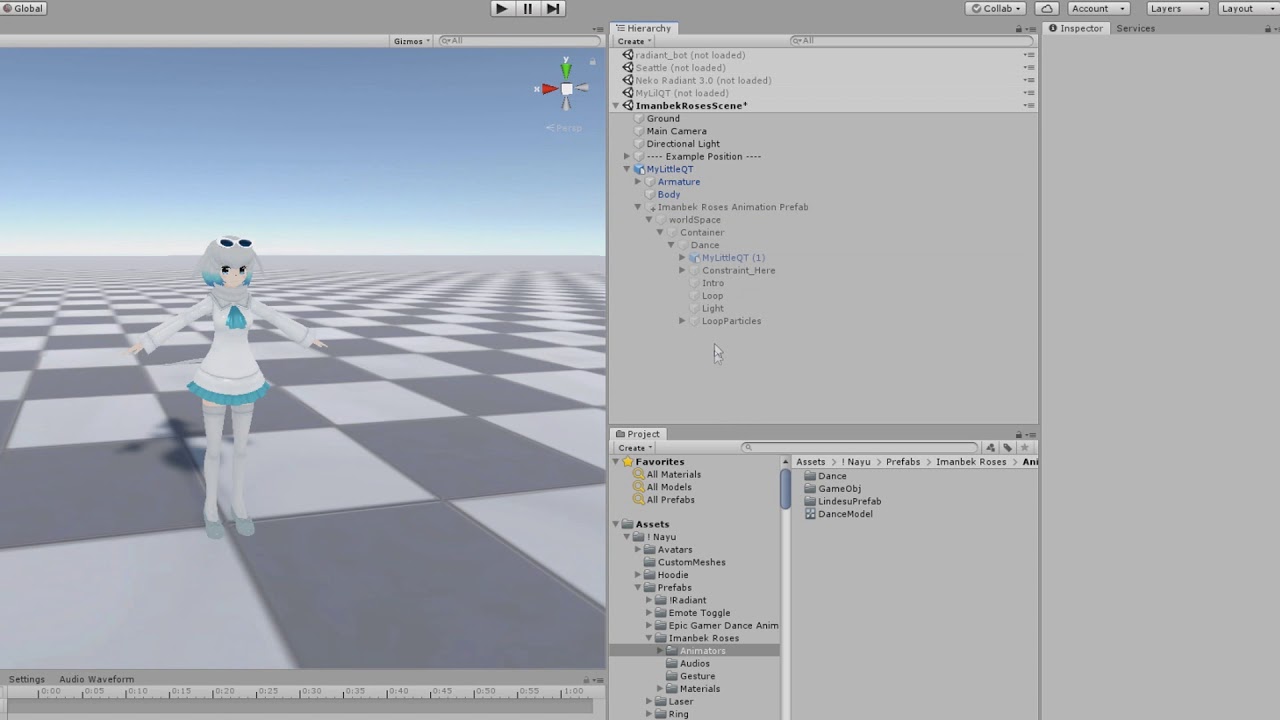
●▬▬▬▬▬▬▬▬▬▬ Hello ▬▬▬▬▬▬▬▬▬▬▬●
my booth: https://nayuvrc.booth.pm/
this booth item: https://nayuvrc.booth.pm/items/2137330
Join my discord: https://discord.gg/N6tCUB4
●▬▬▬▬▬▬▬▬▬▬▬▬▬▬▬▬▬▬▬▬▬▬▬▬▬▬▬▬●
Maybe someone could show me how make animations/toggles for object, audio etc. because since sdk3 came out i am not able to do that -.-
 lost dove
i just notice my chika dance doesnt work in vrchat, (and neither does any dance actually)

 muted prairie
 cloud thicket
How would one make a gun appear on my avatars hand? Ive just recently been trying to figure out animations and stuff
compact marten
cloud thicket
How would one make a gun appear on my avatars hand? Ive just recently been tryin...
place the gun in the correct spot, then parent it to the avatar's hand
disable the object, and then use an animation to enable it
cloud thicket
Ah, thank you!
cloud thicket
compact marten
place the gun in the correct spot, then parent it to the avatar's hand
Just a quick question, would i place the gun in blender or in unity?
compact marten
cloud thicket
Just a quick question, would i place the gun in blender or in unity?
up to you. there are multiple ways to do toggles
the simplest would be in unity
if you really wanted to go for optimization, you would add it in blender, add a new bone on the hand for the gun, and weigh the gun to that bone, and join the meshes
then you would scale the bone to 0 to hide the gun
cloud thicket
Gotcha, thank you again
compact marten
np
for stuff like clothing where it actually has to deform with the armature, you would definitely do in blender
 clever obsidian
Yo, anyone know how to override the arm rotations?
I need to make my arm rotate alongside my head, I already have the rotation contraint set up and the animations ready, they work as expected in the editor, but refuse to work ingame, any idea on how to get this functional?

 median knoll
i forgot like what gesture is enabled when you press down trigger and click the A button at the same time
(oculus)
cus im trying to map gesture thingies in unity
lost dove
Question is there a way to convert a mmd animation for unity because i got to the point to export the animation for unity but....when the character did it uhhh well you need to see it
languid wyvern
clever obsidian
I need to make my arm rotate alongside my head, I already have the rotation cont...
Try disabling shoulder/arm tracking for the animation using a tracking control behavior on the animation state. Just remember to have it transition back out to a state with a tracking control behavior that restores the tracking.
clever obsidian
I'll give that a prod, hopefully this'll work for once.
I don't really get the layer priority system sometimes, things seemingly break for no visible reason, nor output errors
lost dove
that an animation ? Because if not its not the proper section #avatar-help
 robust zealot
Sorry if this has been answered in the past. Is there a way so a animation will play OnPickupUseDown for however long you hold the button and then when you let go it pauses at wherever you let go on the animation? Then when you hold down the button it continues from where it left off?
 burnt epoch
So I made this simple animation of a bridge emerging out of water and I want to make another animation clip that makes the bridge hide under water is there a way to mirror key frames so the animation will go like from the end of it to the start ?
 lavish scaffold
burnt epoch
So I made this simple animation of a bridge emerging out of water and I want to ...
lavish scaffold
burnt epoch
So I made this simple animation of a bridge emerging out of water and I want to ...
You could copy the animation state on the controller and make that -1 speed. Then transition from that to the other
 shell forum
How do you make a toggle that enables other toggles?
violet moss
shell forum
How do you make a toggle that enables other toggles?
VRC Parameter Driver will set a pre-determined parameter to a per-set value when the state is entered
Useful for things like fixing up outfit conflicts if one thing can’t be worn with another
Like a dress that counts as a shirt and pants equip
shell forum
could I set up multiple transitions that point to the on toggle animation that activate when the others turn on?
violet moss
Perimeter driver can set a bunch of values at once you can just keep clicking add paramter
It will make all of the changes when it hits that state, which might also cause a chain reaction of changes somewhere else
It can be annoying to debug if you go nuts with it
shell forum
(how do I do that?)
 frigid drift
i was curious if anyone had this animation when you walk
burnt epoch
So as soon as I hit play in Unity my animation is playing automatically how to prevent it from playing automatically ?
 ripe jungle
😂
clear yew
im just trying to recreate a simple animation where wheatley bobs up and down in unity that i did before but i cant remember how i made it smooth
it all returns to the original point so it can loop with the Y being 0.003 at both start and end
 muted prairie
Did you check your curves ?
clear yew
how do i do that i dont usually use unity for any form of animation more complex than a toggle tbh
 muted prairie
What are your keyframes doing ?

 muted prairie
Can you record a video of your animation ? Hard to tell from those screenshots
 muted prairie
Your first and last keyframes are the same right ?
clear yew
yep
muted prairie
Then you'd have to make your curves handles not linear

Unity Learn
Unity allows you to create simple animations using a standard set of tools. In this tutorial, you'll use Unity's keyframes, Playhead, Animation Timeline, and Animation Curves to create simple animations.
clear yew
bruh tf are curves
violet moss
All the values between your key frames
clear yew
dosnt explain much for me but ok time to fuck around till it eventually works thanks for the help
uncut ibex
hey so im trying to make fireworks in the animator, i have all the animations and i have it set so when i do a fist it triggers one of 11 fireworks. Im having some trouble trying to figure out a method thatll allow me to shoot multiple fireworks. How its working atm is itll shoot a random one out and itll result vanish if i shoot another one out mid animation. how can i make it so that one firework animation can play and loop back to the trigger so i can shoot again? and multiple of them?
 violet moss
uncut ibex
hey so im trying to make fireworks in the animator, i have all the animations an...
violet moss
uncut ibex
hey so im trying to make fireworks in the animator, i have all the animations an...
A layer can only have one active state at a time. If you want a controller to do more than one thing at a time, they must be on different layers
 strong crown
I was wondering how I'd go about making an animation trigger when two objects collide with each other, I'm kinda stumped.
 leaden minnow
does anybody know how to go about swapping between items
aka
outfit 1 > outfit 2
or hat vers 1 > hat vers 2
uncut ibex
violet moss
A layer can only have one active state at a time. If you want a controller to do...
so what would you recommend i do to have a desired effect?
violet moss
multiple layers!
violet moss
One for every effect that needs to play independently of the others
uncut ibex
is there a way to put layers into a little layer folder so its more organized?
violet moss
Oh that's wonderful idea, Unity Technologies should write that down
uncut ibex
twin epoch
Oh but it would stop the previous firework anyway
how would i activate that?
uncut ibex
violet moss
multiple layers!
so im trying to set it up right now and im wondering how to set up the primary layer that sends out the commands to activate layers and how do i set layers to be activated by it?
https://gyazo.com/ba980311f0eef17507eca2506d219a82 primary layer that sends out signals to lower layers like this?

and im using the random parameter driver
violet moss
Change a parameter with parameter driver that causes a transition to become true in another layer
 violet moss
you can either use a trigger parameter which automatically sets itself back to zero after being "used" by a transition, or set it back to zero on your own
uncut ibex
im not seeing any trigger parameters
violet moss
 uncut ibex
violet moss
uncut ibex
violet moss
https://gyazo.com/854f2bcdb4cfc9b777bdcec502927621 ok done, and i just set it up like this or keep on weight 0 and have the entry straight into the on firework?
 clear yew
hey, does anyone know where I can find some meme animations to apply to my armature?
I've seen a few avatars having the club penguin dance, others having the fortnite default dance, and all that
does anyone know where I can find the animations for those (and others)?
violet moss
usually just see them passed around friend to friend or posted on discord servers. People tend to want to keep them in close circles so everyone dosn’t have it and then everyone has seen it
 limber shard
I'm not sure how, but I've managed to break the VRCChair controller.
It gets to the RestoreTracking point, but then the controller never exits and you're stuck in place.
Is there an alternative to the default chair controller I can use? Or at least a way to fix the default?
violet moss
I think the example chair controller is meant to have state behaviors, but if the world SDK was imported without the files for the state behaviors, they get dropped off of it
Just a theory though I don’t know that for a fact.
uncut ibex
Is there an easier way of doing body animations, I want to simulate my characters arm thrusting a spear fast similar to pantheon from league of legends but I dont really know how to animate body movement and stuff x.x
violet moss
Humanoid animations I find are easier to animate in blender rather than unity
Unity is very akward with posing humanoids
Not sure why out of the box it’s so bad at it
clear yew
clear yew
hey, does anyone know where I can find some meme animations to apply to my armat...
I know it’s not a free solution, but you could look into open vr recorder.
Once I’ve done a bit more research i will be getting it myself. Adding constraints to bones and parenting the armatures should be possible but I do not yet know.
Replicating the motions would be some extra work, but it would give you a lot more creative freedom for standing motions and falling animations!
clear yew
thanks^^
Greetings to all, and to all a wonderful day!
I am working on an avatar which features various toggle enabled accessories.
I have an anim designed using blendshapes for the show/hide portion (same animation, one with a -1 play speed) because Blender will not let me use multiple keyframes on blendshapes for some reason (2.83 LTS) whish is 139 frames including frame 0.
I then have an idle animation for the accessory which is 320 frames.
The end goal is to do the following:
Default State: Off
Toggle On > Object enable anim > Play intro anim once > Loop idle anim
Toggle Off > Wait for Idle frame 320 > Play outro anim > Object disable anim
I haven’t used unity code before, but I did set up a flow chart that replicates this logic, however the result is that when I toggle on, the idle animation plays immediately while the object doesn’t appear. Toggling off draws the object, but stops the Idle animation.
Neither intro nor outro play.
Any help would be highly appreciated!
Edit: A user on the Unity discord claims this is possible, but easier to accomplish with coding which makes sense.
 foggy estuary
3.0 is super hard to get right :(((( no matter how many tutorials i watch cant get it to work, sad days
clear yew
foggy estuary
3.0 is super hard to get right :(((( no matter how many tutorials i watch cant g...
It's tricky yeah! What are you working on?
foggy estuary
clear yew
It's tricky yeah! What are you working on?
Just wanted to make object activation, just basic turn on and off, maybe down the road have sounds and partials but that’s if I can learn it well
clear yew
foggy estuary
Just wanted to make object activation, just basic turn on and off, maybe down th...
Sure thing
Find the part of the armature you wish to parent the object to. If this is a hand-held object, drag the object onto the hand bone and adjust it's relative location using the values in the objects Transform section in the Inspector tab. Once positioned on your avatar you may proceed.
Click on your Avatar within the scene.
Open the animation tab.
Beneath the Preview and Playback Options you should see the default animation, if your avatar has one. To the right is a "Samples" section.
If you have a default (Idle) animation, click that name and a drop-down menu will pop up. "Create New Clip..." is at the bottom. If your avatar does not have a default animation, the keyframe portion will show "Create".


Add a property > Locate your object in the hierarchy > Click "Is active" and set from 1 to Checked > Drag frame 2 beside it (sample/frame 2) and set that to Unchecked.
Create a new animation using the drop down option shown in the first screenshot using the same "Is active" property. This will be your enable animation.
Set sample 1 to Unchecked and frame 2 to Checked.

If your avatar already has an FX Controller panel, click that. Add a parameter and layer for your object.

When you create your layer, select it and click the settings gear. Ensure your Weight is set to 1.

*If your avatar does not have an FX Override controller as set within your VRC Avatar Descriptor, under "Playable Layers", create a new one via:
Assets > Create > Animator controller
Once you've created it, you may enable overrides by clicking "Customize" under your VRC Avatar Descriptor's "Playable Layers" subsection.
Drag your controller to the FX section to proceed.
Then follow the previous step.
Otherwise, continue without this step.*


Now you need to either use a provided Expressions Menu and Parameters, or create both of your own from:
Assets > Create > VRChat > Avatars

 clear yew
*If your avatar does not have an FX Override controller as set within your VRC A...
clear yew
clear yew
*If your avatar does not have an FX Override controller as set within your VRC A...
If you have Menus and Parameters under Avatar Descriptor's "Expressions" sub-section, open the Parameters item.
If not, click "Customize" in Expressions and drag your newly created ones into it like in the replied image.
In your Expressions Parameters, add a value for your object toggle. If you want your object enabled to begin with, Check the box under Default. Checking the "Saved" box will save the state of your avatars toggle, so whichever state it is in when you switch from it, it will remain in that state until you modify it yourself.
Parameter added

My objects are simply "On" and "Off" so I use a Boolean.
In the Expressions Menu, add a control. For a boolean, set toggle and select your newly generated Parameter.

Now go back to your FX Override Controller and switch to the Animator tab. Within the Layers tab, select your object's layer you created and you will see the flow chart to the right. If you wish for your object to be enabled by default, drag your Enable animation you created within the flow chart first, then drag your disabled second. Or vice versa.

Right click either and "Make transition", setting arrows between both of them.

Click on the arrow pointing to your item disable animation. In the Inspector, a simple instant toggle should look like this:

Notice the exit time is grayed out. If there is a value there, you need to have the "Has Exit Time" box checked in order to zero this value out. Add a condition with the Plus + sign and set it to false.
Click on the arrow pointing to your enable animation and set everything the same, aside from the Condition which should be true.
Congrats! If you followed these steps, you should now have a functioning toggle-enabled object.
Last step for disabled by default objects: Locate the object within the Hierarchy tab and uncheck the box next to the items name in the Inspector. This will hide the object in the Scene viewport.
 clear yew
An amendment to the above process:
You want to create an empty state initially, prior to dragging your enable/disable animations in.

 nocturne stratus

hello there, I'm asking for a friend, to find this animation ^ , anyone have any idea?
uncut ibex
hey so i wanna try to make the ultimate move to this game https://gyazo.com/16efce698eb93f289463884c07f3a6bd
i cant find a snipet of it but im wondering if its possible to have an aniamtion where a sphere grows or shirnks the further out your hands go from eachother
 ripe ridge
Hey I have a question, is there a way to make it that when you are emoting, that you dont have to hold the emote to toggle it? like I have to currently stay clicked on the emote to get it to play, but I was wondering if there was an easy way to make it a toggle like in the vrchat normal models
sullen lance
ripe ridge
Hey I have a question, is there a way to make it that when you are emoting, that...
Just use Toggle instead of default Button control in radial menu to activate these.
 static topaz
is there any way to hide the floor when I play my animation?
burnt epoch
Idk why but my animation is playing automatically ( without me doing anything) and I want to play it by pressing the button .
clear yew
hello is there a way to replace the default animations with animations of mixamo?
 flint bison
clear yew
hello is there a way to replace the default animations with animations of mixamo...
flint bison
clear yew
hello is there a way to replace the default animations with animations of mixamo...
Swap out the animations in the example locomotion layer with your own downloaded ones. Inside of the blend trees
Unless by animations you mean the emotes. In which case, same method, just no blend trees, and you do it in the action layer
 fallow zodiac
hey how do I extract this animation from this pack
 ripe ridge
sullen lance
Just use Toggle instead of default Button control in radial menu to activate the...
ripe ridge
sullen lance
Just use Toggle instead of default Button control in radial menu to activate the...
Do you know if it will turn off when it's done like normal VR chat emotes? Or just keep looking?
Looping?
sullen lance
ripe ridge
Do you know if it will turn off when it's done like normal VR chat emotes? Or ju...
Looping depends on if you have Loop time checked on the animation file.
 vale dock
was just curious if there was a way to scale the players avatar with an animation. i've noticed changing the viewpoint only changes the avatar viewpoint and not the players. while changing the scale of the avatar scales it at a different rate. also noticed using a radial puppet doesn't really work well with changing the viewpoint. (basically if i could scale the players perspective that would be amazing)
i've created toggles for locking facial expressions for players that don't have index controllers and can't move their hands while gesture lock is active. i've also made toggles for the locomotion layer to disable it or override the current idle. so you can lay down while floating. lastly i made toggles to swap between index controllers and standard just incase you wanted to fix the thumb/ do a proper peace sign or hold a tool/ weapon. (having a toggle for height would be amazing)
static topaz
fallow zodiac
hey how do I extract this animation from this pack
ctrl+D
 cold ferry
hello, sorry to interrupt, I'm still new to adding custom animations to model, but should I duplicate 1 model for each action? like customizing prone, standing or something?
clear yew
okay i did add the animation however it now does the new idle animation and the regular one
im using the avatar 3.0 system
 thin stirrup
cold ferry
hello, sorry to interrupt, I'm still new to adding custom animations to model, b...
thin stirrup
cold ferry
hello, sorry to interrupt, I'm still new to adding custom animations to model, b...
No, just duplicate your model once and animate everything on that duplicate unless/until it breaks
iirc, you technically don't need the duplicate in the first place, it's just considered good practice since it's easy to cause issues when animating and breaking a duplicate is much more forgiving than needing to start your project over due to problems with your main model
cold ferry
i see. thanks!
 crystal crow
Hello does anybody know where i can get this Idle Animation? I’ve been trying to find it for about a month now but still don’t have any idea where to get it. I tried contacting the maker of this model but no response and i found something similar but not this.
A lot of Avatars have this so i thought it would be easy to find but nope.
 paper glade
Isn't that just the default idle dude?
clear yew
lool
well i have my custom animation somehow playing with the default idle
dunno how to get rid of dat tbh
need a lil help
uncut ibex
Ok so I finally have a good looking particle for the electricity and the orb. Now I'm stumped on how to make an orb that stays in place in the center of both my hands and will move around. And the biggest one I cant figure out, how to make particles go from my fingers and always go into the center of the orb like it shows in here, idk if I need to use limit velocity or something cause in stuck x.x https://clips.twitch.tv/PeppyKawaiiAirGuitarSSSsss-u3ByMY8WMhOqLTqa
 crystal crow
paper glade
Isn't that just the default idle dude?
crystal crow
paper glade
Isn't that just the default idle dude?
It's not sorry i screwed up with the video.
I am looking for this Idle animation
clear yew
welp
paper glade
Idk where that's from lol
paper glade
I just rip animations from games myself
On my main I use Melia's idle from Xenoblade
clear yew
for some dumb reason the idle animation i use plays but also the vr chat default idle plays too
its so annoying
crystal crow
I kinda found something similar from the game TERA Online the Elin's Idle Animation. It looks similar and the Idle im looking for might be an Edit to it.
I tried editing it myself (The Elin's Idle) to fit my preference but its not going that great rn still got a long way to go with Unity and stuff like that
crystal crow
clear yew
for some dumb reason the idle animation i use plays but also the vr chat default...
Did you replace the Idle in the Animation Controller properly?
clear yew
crystal crow
Did you replace the Idle in the Animation Controller properly?
ill show ya aity?
crystal crow
sure why not but im not the best at stuff like that so might not find the problem
crystal crow
aight joining in
clear yew
welp thx for helping XD
crystal crow
Well i wasn’t much of a help but np
clear yew
still havent fixed it
arctic mural
So when I assign an animation to an override it completely breaks the hand animations in game and doesn’t even play the animation even if I try to do the gesture and when moving it to emotes my avatar goes through the floor and I can’t move around but plays the animation I am pretty new to unity so I don’t really know what I am doing but any helps would be appreciated
(Yes I made the animation in a duped avatar)
-Thread
clear yew
arctic mural
So when I assign an animation to an override it completely breaks the hand anima...
i'd like to help but i cant even get rid of the default idle animation XD so ill need to learn more before i can help ya with that stuffs
 tough cargo
uncut ibex
Ok so I finally have a good looking particle for the electricity and the orb. No...
tough cargo
uncut ibex
Ok so I finally have a good looking particle for the electricity and the orb. No...
Use a Parent Constraint.
#avatar-help message
 latent mantle
How do i move my whole avatar in an animation? Im trying to make an Action Layer animation where my whole avatar dashes forwards but Transforms dont show up in the Animation Panel and the Animator.Root T doesnt work either
latent mantle
Solved: These 3 checkmarks had to be clicked

 pearl scroll
Hey everyone, does anyone else have this issue and hopefully a solution to the VRC Station script on the Udon 3.0 chair prefab's Animator Controller reverting back to "none" when a custom Animation controller is placed into it and the level is built for testing?
I duplicated the vrc_AvatarSittingLayer animation controller, changed the sitting animation in the "Seated", "PoseSpace", and "UpperBodyTracked" states to a custom animation, and placed that new controller inside the VRC Station of the chair. Am I missing something?
 pure crag
Hey, i wanted to ask,i copied fx, put inside all my toggles, then i wanted to do facial expressions so i did the blendshapes, when i play the animation it works everything well but when i do facial expression in VRChat it doesn't work:|
 chrome marten
You know it pisses me off when people try to discourage you from doing something. Someone told me not to try doing particle anims and I literally taught myself to do it in one day and now I’m making crazy stuff.
I mentioned so many times to ppl that I work with adobe premiere and AE as a career
and they still told me I couldn’t do it. So here’s to the people who doubted me!
muted prairie
What did you make ?
chrome marten
Some nice synched particle animations
30,000 ish particles total something like that
i'll send some later
crystal surge
chrome marten
i'll send some later
You got this! Keep going! 🙌 Can't wait too see some stuff ✌️
 drifting hornet
If I had some shape keys made ahead of time, might I be able to create some toggleable expressions that go from 0 to 1 and override lipsync?
muted prairie
Yep absolutely, you can ask people for a tutorial in #avatar-help
drifting hornet
Awesome
 dense thorn
can someone help me using unity please
sterile sentinel
dense thorn
can someone help me using unity please
For animating, SDK3 or SDK2 avatar creation?
would either want to stick here, or head to #avatar-help or #avatars-2-general respectively o:
also would be v helpful to describe the issue you're having
 inland fossil
so i got a problem with my animator. it says there's no animator and i'm stuck there. i don't know what to do. my avatar is all rigged and textured no problem
 hasty spoke
How come when I copy my animation the copy is different :x
muted prairie
Different how ?
hasty spoke
almost every keyframe value was different, dispite being a direct copy paste
muted prairie
When you duplicate the anim out of the model, i'm pretty sure it applies the keyframe reduction and resamples curves
 lament light
we love keyframes here 🙃

 marble adder
so a animation plays for everyone else but not for me
 dull harbor
does anyone know if there is something else that does what this gameobject recorder used to do, but now which is record keyframes while in play mode, I cant seem to find this in unity, as seen in this video https://www.youtube.com/watch?v=fdF4h2sUmwE&t=311s&ab_channel=JasonWeimann
 shell forum
How do I transfer this animation to a unity animation?
muted prairie
Bake Action
shell forum
muted prairie
Bake Action
where does the animation go (im dumb)
it also appears to not transform once I play it again
muted prairie
wdym where does it go ? Not sure if you mean where it is once imported in unity or what you're supposed to do with it
shell forum
The only thing I notice when I bake the action is that the animation stops playing. What am I supposed to do with it?
muted prairie
Did you select your bones in pose mode ?
shell forum
yeah
muted prairie
What else did you do after ?
 formal obsidian
If I wanted a bone to spin (in this case, a drill) smoothly and on a loop, how would I do that correctly with an animation?
 vapid walrus
I think it falls in this category, please correct me if I am wrong.
Since the 2019 update, when I copy states and transitions from one layer to another, the inspector fails to display data for the state or transition in question. Has anyone came across this issue as well?
Also is it possible to have an FX layer call another animation controller and forward the parameters defined from the avatar?
vapid walrus
formal obsidian
If I wanted a bone to spin (in this case, a drill) smoothly and on a loop, how w...
Have it spin on the x-axis in the animation file. You can do 0 to 360 for the transform of the object within a span of 1 minute or 5 minutes. Leave the animation file loop setting checked and create an animator component on the object in question and attach an animation controller with a layer that calls the animation right away.
 formal obsidian
How does that look frames wise?
vapid walrus
Sure, here is mine. Basically I am going from 0-360 and the system will automatically increment the number evenly in your timespan up to 360 so you'll get a full rotation.
 formal obsidian
I see, and if I want it slower or faster, I change the length of the animation?
vapid walrus
Yeah, you can do that in the speed setting of the state in your controller.
I.e. value of 0.5 in your controller, with a 5 minute animation clip is slower than a value of 1 in your controller with a 5 minute clip. shorten the clip length as well for faster result.
I typically control my speed all the time in the controller anyways, because you can parameterize the speed if you wish and control it in-game.
 formal obsidian
Thanks!
Ah small issue
It slows down and stops between spins
Rather than smoothly spinning non stop
How might I fix that? @vapid walrus
vapid walrus
formal obsidian
It slows down and stops between spins
Oh I just thought about it, let me run it while quick. It was never a problem for me, but should be a quick fix.
Ok so on your Animation, go to "curves" button on the bottom and do the following.
Right click on the cursor of the curve near the finish of the clip, and click "auto" the whole line should go from this

To this ****

This should eliminate the hitch in your rotation.
formal obsidian
Nope, afraid not
Still has the hitch.
When I do auto it's nowhere near as straight
Should I do it at the start too?
Ahah, yep, that fixed it
Thanks!
Had to do start as well
vapid walrus
Sorry for late reply, work got me in a call lol But glad it worked out!
 fallen relic
after upgrading from 2018 to 2019 it broke my whole entire animator and it make it uneditable
muted prairie
If you followed the migrating guide, that should not have happened, would suggest you try again
fallen relic
well ok then probably i do have to follow the migration guide. good thing i have a backup of it.
fallen relic
muted prairie
If you followed the migrating guide, that should not have happened, would sugges...
after following the migrating guide. the problem was still not fixed. I also did some testing with the animator i have imported the animator into unity 2020 version and everything work fine but with 2019 version some state was uneditable(showing nothing in the inspector).
vapid walrus
I came across an issue where if I copied and pasted states and transitions within the animator controller, you won't see any properties in the inspector at all in the 2019 editor as well.
fallen relic
yep
i probably be working on downgrading 3 of my project to 2018.
also is there anyway to fix the animator in 2019
fallen relic
Found a fix to the issue. lel https://issuetracker.unity3d.com/issues/inspector-not-displaying-state-and-transition-properties-once-duplicated
The Inspector is not displaying the state and transition properties once it is copy/pasted or duplicated. repro: - open attached pro...
vapid walrus
fallen relic
Found a fix to the issue. lel https://issuetracker.unity3d.com/issues/inspector-...
Nice! But it'll be a chore to do for each, but it's better than re-building the states and transitions
fallen relic
So i also learn some good stuff from it. if you set m_ObjectHideFlags: to 1 it only show in the animator inspector if 2 it will show in only in the object if 3 it will hide from both animator inspector and from the object if 0 then it will show on both animator inspector and the object
fallen relic
vapid walrus
Nice! But it'll be a chore to do for each, but it's better than re-building the ...
try to use a text editor that could find all key word and could replace all. it will be faster and easier. like vsc.
also make sure to leave the first one of the m_ObjectHideFlags as 0 because that is the flag for the controller
vapid walrus
I just made a batch file that does it for me 🙂 Will share once I iron it out, don't wanna screw up projects.
fallen relic
noice.
sullen lance
Newest VRCSDK should have a script that automatically fixes animators so they're editable the same way as they used to.
 hybrid merlin
anyone here have experience with the poiyami dissolve shader who can help me make a dissolve animation? I have no idea how to make states and I'd appreciate it if someone could join a vc and basically walk me through it. Or send me a video tutorial
only video I can find of the dissolve shader is a really useless one that tells me everything I know already
 glossy barn
is it possible to bake a unity .anim back into an fbx for export into blender?
muted prairie
Nope
The only time I've seen something remotely close to possible was through a Maya specific add-on, bake it into an object, and then export it, but I had a friend help me with it and even with all their Maya knowledge they couldn't make it work
 heavy granite
Currently struggling with a tutorial regarding animations and such.
i highlight the thing iwant to change or put the animation in but its blank. there's nothing

 echo wraith
Anyway to do a limited sound if the audio is 2D? I just want a small area to have music but hate the directional sound.
Like, fall off for audio but on a 2D sound source.
violet moss
echo wraith
Anyway to do a limited sound if the audio is 2D? I just want a small area to hav...
You want 3D but without spatialization
echo wraith
violet moss
You want 3D but without spatialization
Yes, exactly that. Am I missing something, is there a button to turn that off right in front of me? I tend to miss things I'm looking for.
violet moss
Last checkbox of the audio source I believe
Enable Spatialization
2D has no falloff, and is infinite distance
Spatialization is left /right ear panning based on location. Without it it still gets louder as you get closer but you can’t tell where it is from rotation
echo wraith
I'll check once I'm back at the computer. If this works that'd be amazing. I hate audio direction.
And thank you for your time, Adeon.
echo wraith
After playing with it a bit it turns out Enable Spatialization needs to be checked on, and the volumetric radius can't be 0. Oddly enough despite what the spatialization button says it does it does not do. At least for me after a few trial and error runs. Thanks again for your help. 
violet moss
Weeeird
 clear phoenix
Anyone using Lyuma Avatar Emulator here?
Here's I've got a blink animation loop, and it plays corretly when running in the 2018 editor with Lyuma v0.5, but it just doesn't play in the 2019 editor with Lyuma v2.2.2.
Any idea on how to solve this problem?

I'm going to try uploading my model and see if the blinking still appears in-game
clear phoenix
nah, my avatar doesn't blink anymore in-game either
clear phoenix
are these errors here related?

shouldn't be, they also appear on 2018 even if the blinking actually works there
- What's causing these Invalid Layer Index errors?
- Seems like weight sets itself to 0 on the blink layer on both 2018 and 2019, but for some reason, my avatar still blinks on 2018
The Mood layer, while being weight 0 when playing, still works as normal
leaden minnow
i used a prefab to set up a throwjoint and gestures. but none of my animations work now. does someone know how to fix this??

 muted ravine
Heyo! So I have a question with an animation, I animated a set of bones and created 4 actions in Blender's action editor. I'm using them as actions but when I switch to them in VRC testing the model only T poses. I have my own expressions menu and parameters set up and should be working just fine. The issue I think is happeneing is its expecting the whole skeleton to be animated but its just those set of bones. Is there a setting or bool I missed to toggle that?
muted ravine
Coming back to my question from yesterday, here is the part of the rig that I animated, the heap of bones are for a folding weapon. I animated only those bones in blender, I keep each animation I made as an "action". I export the FBX and import it into Unity

When imported, it shows it has the animations and even has the actions saved within the FBX object
 muted prairie
Ah, check your animation generated after duplicating out of your model
muted ravine
They animate correctly if I check the animation like the above image, but the actions listed in the object itself in the explorer, isn't working.

Wait, duplicating?
muted prairie
Shift + D to make them their own file
muted ravine
Please tell me its not that easy to fix it... I'll cry
I dont' seem to be able to duplicate it off the FBX object
muted prairie
ctrl + D maybe
Well, that's an issue i ran into recently, basically Unity will generate keyframes for all your bones and shapekeys, so make sure you double check your animation once it's been duplicated
Otherwise it'll break your other animations and toggles/shapekeys
muted ravine
Oh damn, it looks like it keyed EVERYTHING

Do I delete all these and leave only the weapon bone animation?
It also doens't look like duplicating it did anything, the animation itself doesn't effect the bones
muted ravine
I'm still not able to get any of this working and digging through the keyed bones, none of them are the part of the armature that is being animated, the issue is that it seems to weirdly be fine viewing it in the inspector for the FBX object but anything else, the character T-poses
 tulip oak
Hi, you know why I get that after doing all my character setup .
they know what i have to do with it
 glossy barn
is there a way to force transform only the jaw bone in an animation? I tried it with the bone assigned as part of the humanoid rig, and without, using gesture and action, can't seem to get it to register a movement. no rotation/position ever registered (in lyuma emulator).
glossy barn
my goal is to run an animation that animates only the jaw bone, would I need to use muscle editor to animate the transforms for it?
 storm valve
Bit of a random question, i wasn't sure where to ask. But is there an easy way to Lip sync and Audio clip to a gesture or emote ? and follow up how do you add that to your model for a gesture/emote, is it just an animation playing basicly?
 south tree
does anyone know any good tutorials on 3.0 hand gestures?
 supple maple
Any good unity addons to build Animations? The add property and record button tend do get boring after a while
sullen lance

Use the UMotion Community - Animation Editor tool from Soxware Interactive on your next project. Find this & more animation tools on the Unity Asset Store.
supple maple
sullen lance
https://assetstore.unity.com/packages/tools/animation/umotion-community-animatio...
This looks a bit op, but ill try anything, thanks
 indigo aurora
does anyone know how to add sounds to a particle? Like if a bullet from my gun collides with the world it makes an impact sound
 rare plume
indigo aurora
does anyone know how to add sounds to a particle? Like if a bullet from my gun c...
rare plume
indigo aurora
does anyone know how to add sounds to a particle? Like if a bullet from my gun c...
There is a weird but fairly simple way you can do it if you don't mind that the sound will come from your avatar, not the point of collision. Having it come from where the particle hits would be a lot harder because you'd actually have to move the particle system object itself with a physics simulation using something like a configurable joint. I made a small package to demo the setup and explained it in this message, the package is for 3.0 but the same principle could probably be used in 2.0 (I'm not too familiar with 2.0 though): #avatar-help message
indigo aurora
rare plume
There is a weird but fairly simple way you can do it if you don't mind that the ...
oh wow, thanks! i'll check this package out, been trying to figure out how to do it for days lol
 dusty gulch
Hey, im having some trouble making things local. I have a layer with two animations, and a bool called IsLocal
but its not actually working
i have a cube that is enabled by animation "On"
and disabled by "Off"
and they transition with the IsLocal bool
True -> On
False -> Off
Yet other people see the cube
Do i need to add "IsLocal" as a parameter in the avaters link param file?
clear yew
whenever I try posing a model for an animation in unity it says this? does anyone know what's up with that? I googled a bit and it says it's impossible to keyframe a humanoid rig, but then how do people pose their avatars for certain animations and toggles?
 chilly kernel
i wonder is there any way to make animation trigger on your avatar when particle dies?
for example spawning single world particle and once it dies it would trigger animation bound to lantern for example on your avatar to light up
clear yew
anyone got a cross legs liedown animation file that works as a liedown animation?
 cold matrix
is there any way to animate external GameObjects (added to the armature within Unity) Transform movements to be controlled by an Expression Parameter. I've tried having the animated transform values in the FX Controller (I know the FX Controller is not for transforms but it was worth a test); I have also tried adding the Expression Parameter to the Gesture Controller for transform animations (I have now learnt the Gesture Controller is more only for base level armature animations: Fingers movements etc.)
My end goal is to move a particle system origin in avatar space to coincide with FX animation controlled property changes to the same particle system
alternatively if the above is not possible, then somehow changing the particle spawn point within a particle system to the desired location
uncut ibex
Hey so since we now have the 2019 version of unity. Can we use shader editor for stuff now? Cause I've been dying to get my hands on it for lasers and other particle effects
 dawn verge
How do you temporarily disable avatar movement and stuff to make a new animation? Everytime I try to hit record it just forces my avatar into a default horse stance.
 rose rapids
Hello, ive recently made a male character for vrchat but the animations for walking and sitting is for a girl model. Idk how to change this, any help would be really appreciated.
 shy drift
If you are using SDK2 there might still be an animation switch in the descriptor settings. In SDK3 the only thing I know of would be to customize a locomotion controller with different animations
 royal plaza
Is there a way to make gesture animations longer then 1 key frame?
how would I get an FX gesture animations to play a full 260 frames of animation rather than just 1 frame of an animation?
shy drift
What is the use case for this
royal plaza
So the idea is to have a drunk and sleepy expressions. Wanted to have bubbles that slowly ascend and pop around the characters head with it blushing for drunk. With sleepy I wanted the eyes closed with a small bubble by the nose that mimics breathing. What would be the best approach for this?
muted prairie
Probably a better question for #avatar-help
royal plaza
Okie ill head to right thread then :3
 frozen slate
dawn verge
How do you temporarily disable avatar movement and stuff to make a new animation...
frozen slate
dawn verge
How do you temporarily disable avatar movement and stuff to make a new animation...
always copy your avatar and make the animation on the copy and then delete the copy. you need the copy because the animation needs to see the whole object/bone tree to set the animations. but the copy is immune to accidentally changing the default pose of your character
dawn verge
frozen slate
always copy your avatar and make the animation on the copy and then delete the c...
I want to change the pose though, and I want that pose to stick until the end of the animation... of course I can't pose the avatar as everytime I hit record it goes back into horse stance.
frozen slate
dawn verge
I want to change the pose though, and I want that pose to stick until the end of...
once you make the animation you attach it to whatever animation controller you need it on for your base model. but you author the animation on the copy.
sullen lance
uncut ibex
Hey so since we now have the 2019 version of unity. Can we use shader editor for...
If you mean shader graph or visual effects graph then no, since these were made for Scriptable Render Pipeline, while VRChat uses Built-in Render Pipeline.
 runic kettle
Hi all, quick question, for volume preservation on bending limbs is it better to have an extra supporting bone or a corrective blendshape?
frozen slate
blendshapes are linear AND I'm not sure how you can drive a blendshape from your IK'd armature
 crystal quarry
Anyone know how to cycle sounds on a single gesture for 2019 unity
so like everytime you hit the same gesture a different sound will play in like a row that you set
runic kettle
frozen slate
blendshapes are linear AND I'm not sure how you can drive a blendshape from your...
Ah theres no support for driven keys?
I'll stick with corrective bones in that case, I can always bake them later
Cheers!
compact marten
no support, but technically not impossible. just really convoluted and too much work for the average user
muted prairie
runic kettle
Hi all, quick question, for volume preservation on bending limbs is it better to...
You have twist bones, should never use shapekey for realtime use
crystal quarry
I figured it out

 leaden minnow
so i wanted to ask. I want my model to be able to switch outfits right? but i also wanna be able to toggle on and off each item if needed (i.e say a model has 2 different hats on 2 different outfit swaps but i do another toggle to remove the hat) or is there a different way i could do it?
i remember seeing a video tutorial on how to do it but its in another language
compact marten
leaden minnow
so i wanted to ask. I want my model to be able to switch outfits right? but i al...
so 2 different outfits, with each their own hat, but then a toggle to show/hide the hat regardless of the outfit?
leaden minnow
compact marten
so 2 different outfits, with each their own hat, but then a toggle to show/hide ...
Correct
compact marten
suppose one of the easier ways to do it would be to have each outfit be a separate mesh, each with their hats. then on each one, you could make a shape key to hide the hat
to toggle off the hat, you would just have an animation that activates the shape key on each one
alternatively, a little more advanced but more optimized and more versatile, you could make a new bone parented to the head for the hat
have the hat weighed to that bone
to hide the hat, you could scale the bone down to 0
the cool part about this method is that you could then use a parent constraint to bring the hat to the hand, making it look like you grabbed it off your head and is holding it
leaden minnow
Well i was using the hat as an example for if i wanted something like shoes to be swapped on and off but be different per outfit
pure crag
Hey, i wanted to ask about rotation when making animations. When i record the animation it always goes from 0 to 180 deg and then comes back to 0. And i can't set it to do full 360 deg rotation. So i would like to know if you have any kind of tips or something. Thanks!
 blissful oak
Is it possible to animate the hip position? I am trying to make an animation where the avatar comes up out of the ground, but for some reason the hip position just sets back to its normal position and stays there. I have tried animating armature/hips and animator.Root.T.
 night iris
Keyframing rotation on humanoid rig is not supported! Anyone know how too keyframe a avatar?
raw pine
I'm creating a portal map 2 for vrchat I'm remaking some animations through IK Example:
violet moss
Is there any way to get the scale of a bone that's already had it's transform applied?
IE I went in and widened a chest bone, and applied as rest pose, but since the scale is 1.1.1 i'm not sure how much I widened it
muted prairie
Only way i can think of would be to add a copy of that bone in the scene from earlier and then scale back the widened bone so you can see the different in scale
 flint ivy
This is a little bit out there, but anyone know if it's possible to combine animations or keyframes?
Here's a similar situation to what I got.
 clear yew
Just something i am working on and thought i'll show
versed spoke
How do I control the animations on an animator using the playable layers in VRC?
I have a prop that would be so much easier to animate with its own animator
 thin fossil
Why does the levitation animation play in unity but when i upload to vrc it doesnt? (it is also a spring joint)
https://gyazo.com/b19b6dc0ca881a5d7f8c856a7e1e5ffd https://gyazo.com/0117bee29b3a83b2f71cf78abc713f2a

 muted prairie
Did you try with Lyuma's AV3 emulator ?
thin fossil
i did not, whats that
muted prairie
GitHub
Emulator for VRChat's Avatars 3.0 system, built on the Unity PlayableGraph API - GitHub - lyuma/Av3Emulator: Emulator for VRChat's Avatars 3.0 system, built on the Unity PlayableGraph API
thin fossil
ill check it out thaank you
 muted lance
yo, hear me out. You know how you can remove your avatars walking animation?
By logic, could you put down a chair, and remove it's forced leg position, but keep the root attached.
I.E putting a chair on a shoulder, and the person sitting on it and moving with the chairs movement, but their legs aren't binded into 1 position.
 tame citrus
hey so i have a halo avatar and when i pull out my needlers and do handgun to make them shoot they never stop firing until i reset my avatar does anyone know what im doing wrong??
 chilly mirage
tame citrus
hey so i have a halo avatar and when i pull out my needlers and do handgun to ma...
chilly mirage
tame citrus
hey so i have a halo avatar and when i pull out my needlers and do handgun to ma...
Does it have a "stop firing" animation?
Every toggleable action must have a "start" and "stop" animation.
Don't worry, it doesn't have to be long, it can be one frame long, but it must be present, because that's just how Unity handles transitions.
 tired veldt
can someone help me download bitanimator?
 viral pawn
flint ivy
This is a little bit out there, but anyone know if it's possible to combine anim...
viral pawn
flint ivy
This is a little bit out there, but anyone know if it's possible to combine anim...
Copy the keyframes to the parent cube, and then change each keys path to start from parent cube.
Though, some things like shapekeys don't seem to like their path being changed so it might still require redoing it.
I attempted to demonstrate it here but it's not the best video:
It is also possible to change the paths through a text editor if you feel that is easier. Just make sure to only do it to a duplicate animation.
supple maple
 faint jackal
whys the mute btn yellow
languid wyvern
supple maple
whys the mute btn yellow
Pretty sure that's a client.
I've been seeing a lot of screenshots recently with customized UI colors.
violet moss
Could these two canny's be merged?
https://vrchat.canny.io/bug-reports/p/animations-with-root-motion-broken-for-other-players-while-using-index-controlle
https://vrchat.canny.io/avatar-30/p/bugbuild-1004-avatars-30-emotes-on-index-do-not-have-root-transform-applied-prop
Same bug, and #1 on my wishlist.
 naive skiff
violet moss
Could these two canny's be merged?
<https://vrchat.canny.io/bug-reports/p/anima...
naive skiff
violet moss
Could these two canny's be merged?
<https://vrchat.canny.io/bug-reports/p/anima...
Under review for more than half of the year. They must have been forgot about it..
 hoary sable
Uh so i got a question, im trying to change a particle effects position, angle and parent with an animation but every time i do it the object moves where it should but it drifts off
So its not staying in place
Anyone had that issue before?
languid wyvern
So, i just figured out that animating emission color is reliant on the base non-animated property... Wasted a couple days banging my head against the wall as to why the emission was locked to being completely black... I was doing things backwards.
Well, i can finally add that emission toggle to my avatar now lol.
 tulip anvil
how do I make an animation start automatically and loop in my world?
muted prairie
If it's in an animator controller, it's play if the object the animator component is
Just enable loop in the animation settings
The animation component doesn't work
tulip anvil
it is enabled
cursive spear
Then voila
 lime meteor
is it possible to use IK in animations? for example have hand covering the mouth no matter where I look
maybe have an empty gameobject in front of the mouth the hand would be following instead of a controller?
 half minnow
Hi I can ask if is possible toggle "skin" via animation?
lime meteor
half minnow
Hi I can ask if is possible toggle "skin" via animation?
create an animation, start recording, go to the object which you want to change, materials, and replace the material and stop recording
lime meteor
My first toggle materials video only allows you to change one material and if you make more it breaks the other material toggle animations. This video fixes that problem. Just follow the steps in this video for all your material toggle animations and none of them will break.
Any questions just join my discord: https://discord.gg/uqkr3xy
half minnow
it work also with textures?
lime meteor
made a new material, change the texture
half minnow
yeah worked
but it put me in this pose

and the toggle material is not visible on mirror

(i put a steeve skin)
lime meteor
you may have broken your entire avatar if that bug is still the same
not being visible in the mirror may be your shader fault, if it's standard shader, it may be only clientside, others might see you how they're supposed to
sorry but I don't remember how to fix it or if it's even possible, I suck at explaining, it's all like muscle memory, I just do stuff that works from experience
half minnow
it happen only if i do that animation
yeah is standard shader
might i broke something

when i use my old emotes that worked perfect i become steve
half minnow
ah
might i used the same id of the animation lol, will fix it at home
thank you anyway Bright ❤️

 fresh estuary
half minnow
when i record it pose like this
fresh estuary
half minnow
when i record it pose like this
Muscle Animation Editor (Unity add-on) is very helpful for changing the entire pose quickly as long as you don't forget to remove any unrelated posing at the end of your workflow. It won't actually do that pose when you use the avatar in-game, but if it really bugs you you can get around it by using the add-on.
half minnow

i dont wannt add/edit muscle
is just a skin change
the event work but it lead to that pose
for other stuff it work fine like adding torch and togglable items
fresh estuary
half minnow
is just a skin change
Create another frame so you have two frames with the skin change, that's all you need to do. When you're in game it won't pose like that
 fresh estuary
Yep just like that
fresh estuary
half minnow
same thing
Are you stuck in the crouched pose when you're in game? Or are you just not able to do the material change toggle?
half minnow
the material change work
but i am stuck in the crouched pose
i am able to move my hands by jumping out the floor
but legs will stay stoned
maybe somethings with animator?
or not related

 fresh estuary
half minnow
but i am stuck in the crouched pose
fresh estuary
half minnow
but i am stuck in the crouched pose
Ah ok. This is an easy fix. Download and import Pumkins Avatar Tools, then use 'Reset to T-Pose' on it.
What happened to you usually happens if you create a pose on your avatar without creating a duplicate copy of it first. If you make the duplicate copy, and do the animation on that, it keeps your avatar safe from getting stuck like that. But the reset to t pose tool will fix it.
stable jetty
half minnow
that dont fixed anything
.... Im still suspicious about that Beluga profile picture youve got going on...
fresh estuary
half minnow
I'm looking at your animator here (sorry, I missed this pic before) -- You have your material toggle placed in the Locomotion layer when it should be set up in a really specific way on the FX layer. Revert to a clean version of that animator setup and then follow this tutorial: https://www.youtube.com/watch?v=ROp4GHBj1N8
half minnow
Thank
half minnow
fresh estuary
I'm looking at your animator here (sorry, I missed this pic before) -- You have ...
Okie
half minnow
fresh estuary
I'm looking at your animator here (sorry, I missed this pic before) -- You have ...
Is totally different look
Why that expression is 0
And the hat menu is 1
violet moss
Can you have non-humanoid bones work with additive layers on AV3? do they go on additive? or is that for humanoid only
Got it. had to add an additive reference pose via debug inspector
half minnow
@buoyant garnet
These account are all hacked
I suggest to delete and kick
Not ban them
half minnow
fresh estuary
I'm looking at your animator here (sorry, I missed this pic before) -- You have ...
I forgot there is another menu after that with all togglable stuff
Like right hand left hand
I should move all stuff here?
I mean dances ecc
half minnow
half minnow
Because right now all dancing emotes are in this one
So the skin stuff should go where there is togglable stuff
And emotes on that diagram that I screened
Is that why is broken, gonna try later


 arctic kernel
muted prairie
arctic kernel
muted prairie
Interesting bones in feathers  Cools anims tho !
 raw dune
Has anyone here done anything like adding subtle, semi-random facial expressions for their avatar? Example, a slight brow raise on open vowels, that happens 10% of the time?
I'm considering attempting that to add a bit more life to my idiot robot avatar.
 heady path
im trying to add vrclens to my avatar, and it says: not enough free parameters space to add. I tried deleting a toggle, but it diddnt help, any ideas?
half minnow
arctic kernel
cood
 verbal tundra
guys im on record I move my mesh then after that I go one frame further and my avatar go back on his initial position (the flying one)
do someone know how to make him keep his position ?
half minnow
hi dudes
i wanna add a pet on my head in siting pose
how i do it?

i already have the anim
half minnow
also i am unable to "toggle them"

i created a animation where i enable it but it don't appaer

 noble shell

Weight set to 1 ? (see line is much greyer then other = 0)
2018 this was really hard to notice, least its bit easier on 2019
half minnow
ah opz
i just noticed was to 0 that
and about the animation of pet? how i run it while pet is active?
half minnow
(like idle)
verbal tundra
verbal tundra
do someone know how to make him keep his position ?
help
violet moss
noble shell
Weight set to 1 ? (see line is much greyer then other = 0)
Is this even needed anymore? I tried partial weights and they don't work unless I explicitly call VRC Animator Layer Control and set the weight lower, otherwise it's ignored and it plays at full weight.
Its weird, zero is zero, but set anything greater than zero and it's treated as 1, unless you set the decimal in layer control