#animation
1 messages · Page 69 of 1
 noble totem
 violet kraken
@noble totem optimize it right or its gonna be laggy af
 tight condor
do you know where can i find an animation for a helicopter ?
noble totem
@violet kraken the meshes of the avatars and stage are replaced by particles, this is why the animation is light ...
@tight condor I make my animations from scratch
 slim sparrow
So, about custom sitting animations
Is there any way to fully take control over the seated person's movement? VR people can still move their upper body and it messes up the animation a bit
noble totem
@slim sparrow I know a user who has an animation that he can sit on, but it does not get in the way when he moves ...
 lilac cave
you could use a child of the character ig
 clear yew
i heard someone managed to override it
lilac cave
but then the person playing wont have any control at all
clear yew
but make the VR user stuck in T-pose when he leave the chair
lilac cave
you could probably have 2 of the mesh
and some but not all bones affect both meshes
and you just deactivate&activate one while sitting
 celest trout
Is it possible to do a snapping hand animation that resets quickly when it's not 1 frame long?
maybe with going into the animation controller itself?
slim sparrow
Enable/disable a legacy animation maybe
But I'm not sure if those can just move hand bones like that
celest trout
Currently its not a legacy animation
changing it to a legacy one will make it have respond as if it was one frame and reset on every gesture change?

I was thinking about modifying one of the transitions. But it seems to already be set to No Exit Time. Maybe I need to give it an exit time
slim sparrow
I don't think you can actually use your own animator controllers
So I doubt what you're doing will work
You could try setting the animation curves to linear, but I think the smooth transitions are just hard-set in the animator controller ingame
celest trout
Hmm I tried a lot of things and nothing seems to make an animation to snap and perform like other animations do that are 2 frames and identical
@slim sparrow Legacy didnt make the animation work at all. Changing the interruption states didnt do anything
Setting the animation to be less frames makes it twitch even though the start and end frames are the same.
It seems animations for gesture are always looping
clear yew
Hello guys
Im having trouble creating a companion robot
I have the it created already, but when I don't know how to separate the materials to fill it with different textures
https://cdn.discordapp.com/attachments/414193206868181012/441666908446523392/unknown.png
thats what i have

 limpid mica
Nice job making it, looks cool. Though you might get more help over in the #avatars-2-general , #3d-modeling and #avatar-rigging channels
Oh wait nvm you already posted it there
clear yew
yeah he is spamming
 covert gale
Can you turn on/off an object via animation in the emote menu? So you can keep your hands free for doing other animations while the object is out.
 celest pewter
go to the search bar and type toggleprops in #development-advanced on my bed wtm so lazy to give link
slim sparrow
It's kinda hard and doesn't sync to late joiners
celest pewter
its not rlly hard just hard to explain
covert gale
thank you @celest pewter !
clear yew
Does anyone know the numbers that place the finger bones where they are in the default emotes? I'm referring to the numbers Tupper puts in at this time in this video. https://youtu.be/7P0ljQ6hU0A?t=5587

VRChat Community Discord: https://discord.gg/VRChat Download VRChat! http://store.steampowered.com/app/438100/VRChat/ mmd_tools GitHub: https://github.com/po...
 steep citrus
anyone have a draw tool prefab they can send? dont feel like makin one from scratch lol
 long jacinth
Or a 5s google search for “VRChat pen” would do it
 bright basalt
Do you need fingers to do animations? and if you do, what fingers do you need for fist?
clear yew
Does the numbers vary between models?
Is there a way to take animations and port them to another avatar? I have a group of Miku avatars that have the same boneset. The only difference is the outfits they wear.
slim sparrow
@steep citrus Snail Marker
 grand copper
Anyone knows of a way to give a character the ragdoll effect? Just simply suddenly fall to the ground. I tried by putting dynamic bone component in the root of the hierarchy but when played in unity nothing happens.
slim sparrow
I've seen someone who did that, but I forgot how
grand copper
aww D:
slim sparrow
Ohhh
@grand copper duplicate your model, and go to GameObject->3D Object->Ragdoll
There's a wizard that can automatically set up a ragdoll for you. It generates joints, colliders and rigid bodies automatically. Those are all allowed in VRC.
grand copper
oh seriously? wow thanks a lot 😃
slim sparrow
Although you need Left Hips for some reason so I dunno why or how that works
Fake bones maybe
Oh, left and right hips are just the left and right leg bones
Just tested it, seems to work 100% fine for me.
grand copper
for me it asks for more than just the hips, which I have but just letting you know?
grand copper
yup, did it. works perfectly 😃 Thanks again dude
 arctic quiver
What would be the equivalent of Peace sign over here https://gyazo.com/73588a4adc7f354f5063f17c6d90470c

 chilly vapor
victory
arctic quiver
Thanks
 surreal mauve
hey can somebody tell me how to put a clone of my avatar into my hand cant find anything on the internet
 stray sinew
Duplicate your avatar, position it to your hand and set it in the Hand bone/armature in the hierarchy
surreal mauve
thanks and what if i want it to only be shown when i press a specific button?
ok nvm got it 😃 thx
clear yew
My animation works on my duplicate but not on my actuall model
the animation is legacy
clear yew
Actually can you change materials in animations?
yes
you need to change the references on the "body" mesh
 cursive moon
You can, yes. Just do it while the record button is enabled
clear yew
I did that and it broke the animation and it wont let it work
doesnt mean anything when you say "broke the animation"
changing the material doesnt break anything
 manic torrent
https://cdn.discordapp.com/attachments/420183681798242304/441865570762227722/unknown.png still doesnt work, :/ in game just does nothing
 clear yew
what's the point of that picture ?
i cant see anything with it
show me how you did the animation
manic torrent
its just raising it arm to show the sign. with gesture.
clear yew
in desktop mode i guess
manic torrent
yes
clear yew
rigged as humanoid too
manic torrent
yes
clear yew
i'm pretty sure that you can't move the mapped bone with a gesture
manic torrent
rip me, fail af. lol
clear yew
you can always use an emote
clear yew
but i never messed with emote since im on VR so i have no idea if you need something special for it to work
and no as far as i know
manic torrent
oh, ... well...
clear yew
could always create a macro key for it i guess
 rough oyster
heyho, does anyone know what that shader or mesh is called that hides your nametag for ghost avatars?
 amber mantle
is anyone having problems with getting animations from mixamo? it used to work normally but now its not
 languid lantern
How can I go about making a simple animation where I can swap out textures on an avatar?
or is that even a thing? Noticing when I try to swap textures on the duplicate avatar it also sets those textures on the main model
clear yew
cuz they are sharing the same materials
languid lantern
idk, still new to all of this, was just wanting to make it so my puppet from five nights at freddys would switch textures to a more decrepit look using different textures
 hollow silo
What does the legacy rig mean ?
If I want a r2d2 thats rigged , wich rig type do I choose ?
 forest dove
Probably a generic rig
hollow silo
But if its generic I cant move its head or anything.. its just gonna act like a prop
 jagged sparrow
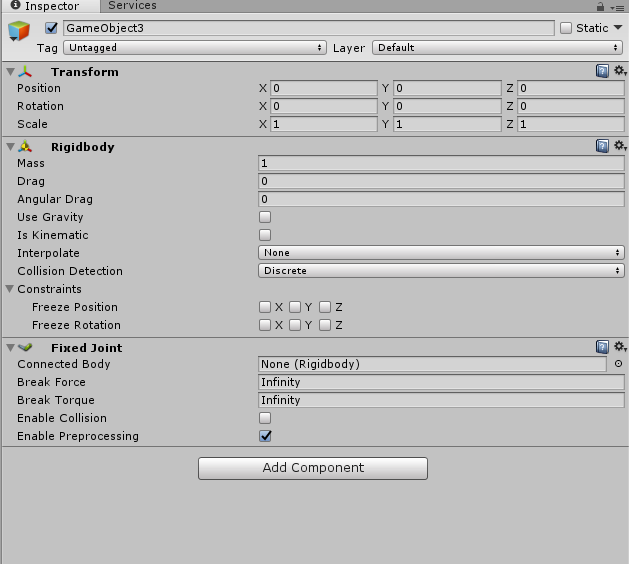
Why does my World Object which spawns in world space through rigidbody, pop up for 1 second in Y = 1 and teleport to 0,0,0 in worldspace afterwards?
clear yew
ya probably fucked it up somewhere
where did you put the game object ?
what does the fixed joint look like ?
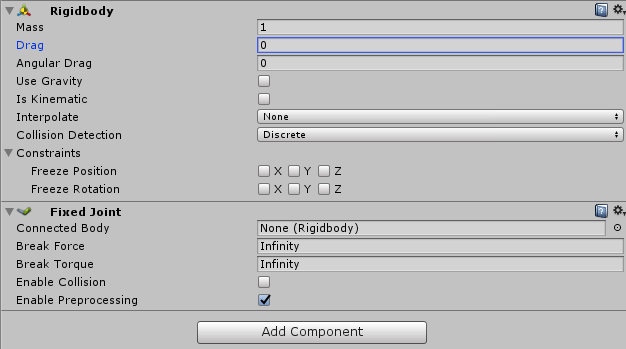 clear yew
is it always active ?
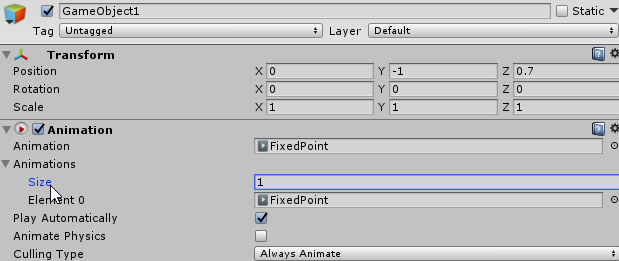 jagged sparrow
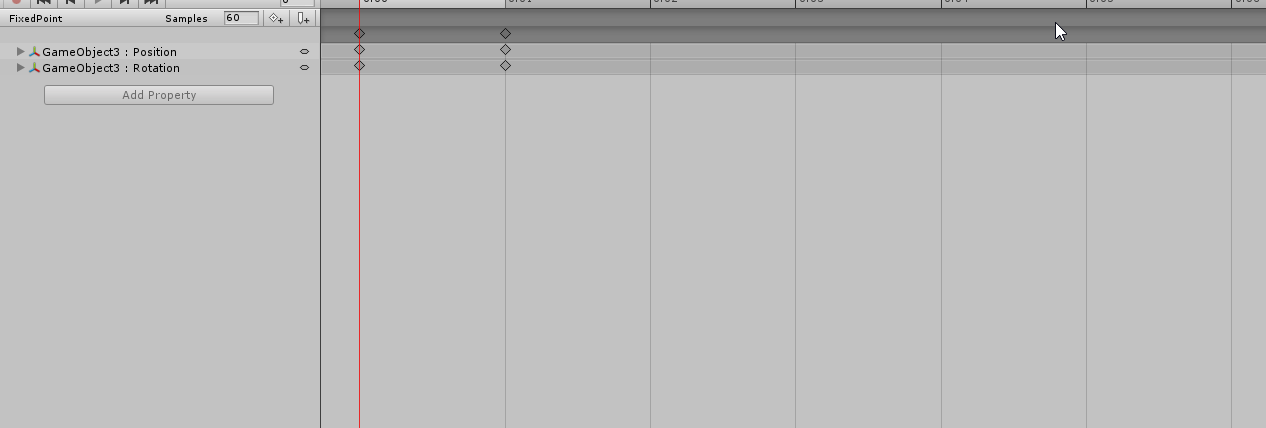
the FixedPoint animation is legacy
and the component is off after use of gesture with the animation on it
 granite sapphire
Wait ; are we talking about fix game object ? because i was coming for that 👀
clear yew
yes
jagged sparrow
Wrap mode on the fixedpoint loop and on the animation component wrap mode on default correct?
clear yew
i put it on loop
jagged sparrow
both on loop?
clear yew
yes
jagged sparrow
Okey ill try that out^^
granite sapphire
@languid lantern change the material in the animation
jagged sparrow
the particle still spawn in front of me for 1 sec and pop into 0,0,0 worldspace position for some reason
clear yew
particle ?
jagged sparrow
a swordmesh+particle
clear yew
they are not 3d object ? just particle system ?
jagged sparrow
the sword itself is a mesh so 3d object and particles which emit as billboard from the sword
clear yew
so actual object and not created by a particle system ?
jagged sparrow
with a skinned mesh renderer, yea
dunno if this helps in any way https://i.imgur.com/X2a74VC.png
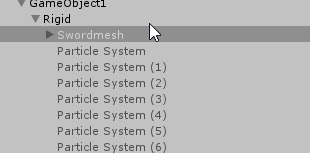 clear yew
urgh
jagged sparrow
swordmesh has an animator component with the other particles under the swordmesh hierachy on it
clear yew
can't help more
I don't see anything wrong with it
jagged sparrow
oh right forgot, the animator component on the swordmesh has a controller with the animation which lets the sword come throught the floor, maybe that fucks it up?
jagged sparrow
sure ill try that now
clear yew
Hello, i tried for the first time replacing Walking animation (i jsut wanted it to ativate gameobject when im running) and ofc i was sinking in the ground first, then friend told me to copy paste animation from the default ones. it fixed my sinking problem but my legs dont actually move when walking. im just sliding or stepping so fast that they practicly stay in 1 place. anyone knows what i did wrong?
jagged sparrow
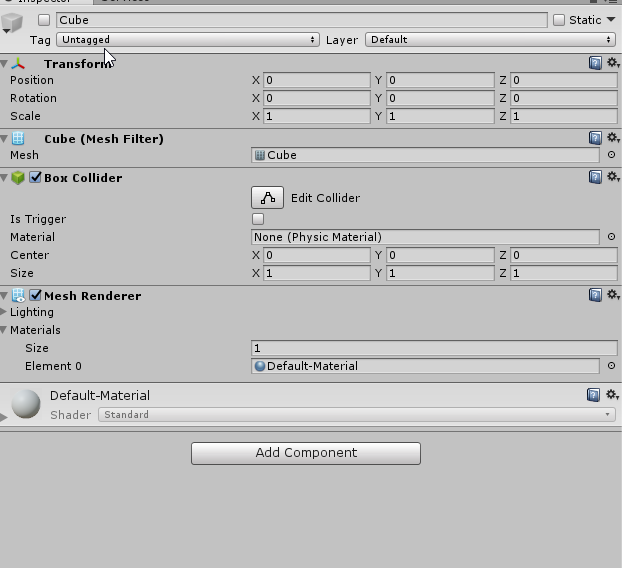
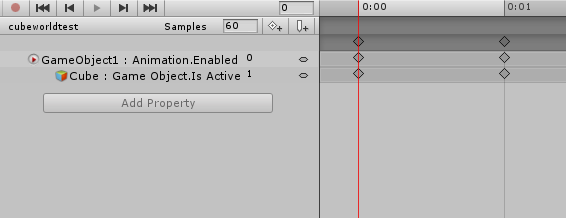
I tried it out with a cube and it does the same as the sword, spawns in front of me for 1 sec, pops into 0,0,0 worldspace and freaks out there

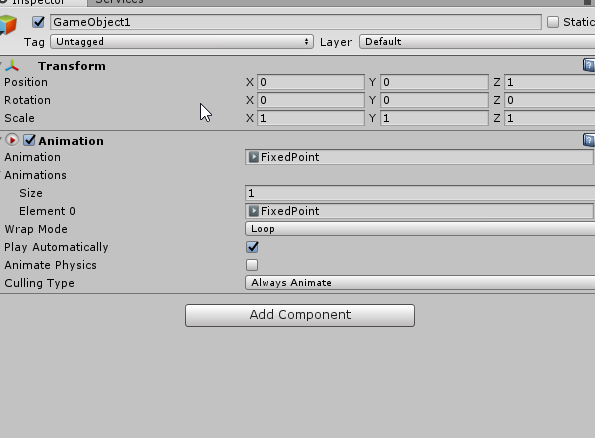

 clear yew
you can probably remove the box collider btw
jagged sparrow
yea, just didnt bother because i wanted to try it out fast^^
clear yew
and parented directly under the model
same spot as armature and body ?
jagged sparrow
yep
clear yew
🤷
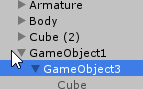 slim sparrow
@jagged sparrow I had the same issue actually
Never got it fixed
Just appears at worldspace 0 for everyone
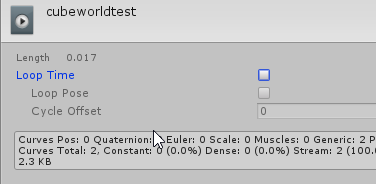 clear yew
Anyone know why the robot just suddenly starts fucking spazzing out? http://prntscr.com/jdp8jy it's fine when I move but when I stand still it starts spazzing everywhere lma0o0o
Edit: nvm i sorted it
 jagged sparrow
@clear yew could this be an issue? https://i.imgur.com/XfNzIjT.png
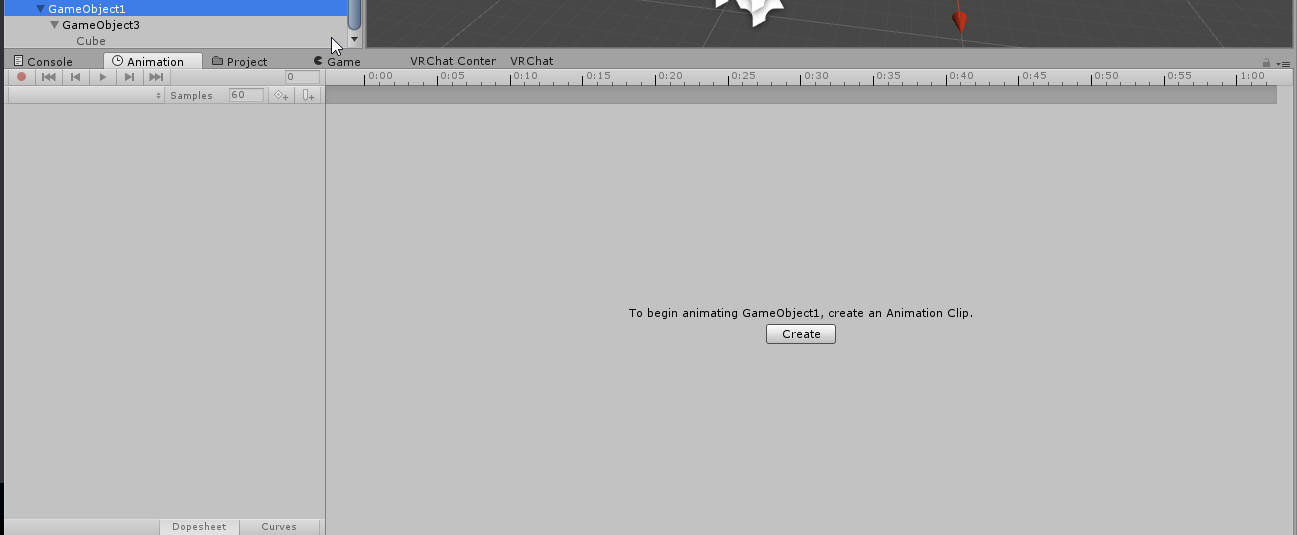
the animation component is on the gameobject
but does it matter if the animation tab shows the animation on the animation component?
maybe using an animator will fix it lel
found the problem but not the solution
clear yew
wut
jagged sparrow
deactivating the animation component triggers the cube to teleport back to 0,0,0
clear yew
it's not suppsoed to be empty
jagged sparrow
got the solution
xDD
oh nvm, if i put it into my avatar hierachy it disappears
Jebaited
grand copper
Is it normal that since I added the ragdoll effect, unity is stuck on "processing upload" forever? vrchat can't handle ragdoll?
jagged sparrow
detach the blueprint
the gameobjects animation tab is emptied after i put it inside the avatar, wth
slim sparrow
I think you need to upload a new image every time with the new SDK, it's a bug
I'm staying on the old one for now
 fluid crescent
anyone has the orange t shirt kid dance from fortnite in vrchat?
grand copper
Thanks, that did the trick
jagged sparrow
@clear yew putting the animation to legacy disables it in the animation tab for me
i tried it with 2 different animations, not even the animator can show it in animation tab afterwards
clear yew
i dont know if it matter at this point
but personally i put everything together
and when i was happy with the placement of my game objects
i duplicated them
removed the duplicate from the model hierarchy
and animated it
then i put that animation file on the original game object still inside the model
jagged sparrow
you animate it and put it on legacy than or later?
clear yew
immediatly before putting it on the game object
jagged sparrow
hmm tested that, it teleports to 0,0,0 in unity 2
after i disable animation component ofc
slim sparrow
Yeah, same problem. Currently in the process of trying to fix it
Mention or message me if you get it fixed
jagged sparrow
will do^^
slim sparrow
@clear yew any chance you could make a basic prefab out of this using a regular cube?
slim sparrow
I always use Dropbox, but you'll need an account
You can just use the web interface to upload/download stuff and share public links
slim sparrow
Thanks, man
grand copper
Um, so now I've stumbled upon a new problem? This time in vrchat....Whenever I spawn the ragdoll, I get respawned :/ and as long as the ragdoll is there, I keep getting "spam" respawned
slim sparrow
@grand copper are you in The Great Pug?
grand copper
yah I was in the great pug
slim sparrow
Then I found your issue
grand copper
just that specific world? xD
slim sparrow
The Pug really, really does not like people's objects stepping out of bounds.
If a single collider is even slightly into the floor, it immediately respawns you.
Just one reason why that map is bad
The other is performance
slim sparrow
I have chairs on one avatar and the pug always respawns me if I activate them
I can't walk up the stairs with tall models without getting respawned
The only reason that POS map is popular is because it's already popular and people hang out there
But Japan Shrine is making a resurgence thanks to the horrid performance this latest update brought
granite sapphire
I'm having fking trouble with rigidbodies ; I don't understand the point of them atm and why the "World anchors" isn't allowed by vrchat since it's a basic unity thing gngn anchors is hell.
Well ; my venting is done so now time to ask for help:
I actually have a mesh I would like to make appear in game when doing a gesture ( let's call it a firepit. )
I want the firepit to actually spawn in front of me or anywhere near me and be able to walk near it without it to move. No particles ( or maybe i need to render it with a particle system buh eh.. performance hello ? ) and I don't understand how rigidbodies are working oof
Any good video talking about it... without talking about world particles ?
granite sapphire
@slim sparrow beautiful man couild i get this wonderful prefab please ? ❤
 earnest bridge
was the handling of animations changed? weapon deploying animations seem to flicker on and off now.
granite sapphire
:<
earnest bridge
scratch that i just realised i made a mistake, should probably triple check my work before i ask lmao
clear yew
I forgot to make a duplicate while making an animation. How do I get my model back into t-pose?
@granite sapphire ohi
granite sapphire
Haha hello
granite sapphire
Eheh
clear yew
@clear yew oof
you are in luck
i made something some days ago
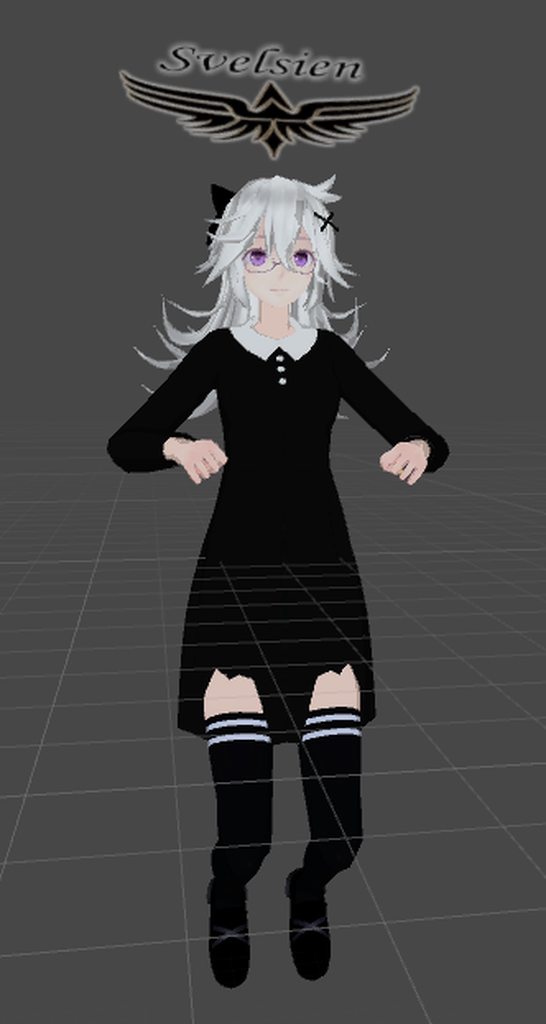
it's an album, just open the link
o, thank you ❤ @clear yew
 plush zenith
So does the Ik follower work yet for particles? last time I heard it was a bit buggy.
slim sparrow
It works, but the bugs probably haven't been fixed
I think the bug is that the first emitted particle is still messed up
plush zenith
Like first in the particle system? Or as in the first time you use the particle system
slim sparrow
First time the particle system activates
I'd imagine this is not a problem if you have the particle system active all the time, and only enable/disable the Emission property.
plush zenith
Right, I'll start testing.
 slow ridge
Rigged an avatar, imported to mixamo, exported an animation. When I apply that animation to my avatar, it's stuck in a similar post to the above picture (sticking out of the ground waist up) any pointers?
clear yew
probably supposed to use a duplicate to make animation so it doesnt fuck up
slow ridge
I managed to figure it out, I found a different tutorial. After importing the animation, I didn't define the animation type as humanoid and copy my avatar's bone structure
If anyone runs into the same issue, https://www.youtube.com/watch?v=OsfdJVOVI70 is a pretty good tutorial to add mixamo animations to your avatar.

One thing that I forgot to include is that I had uploaded my avatar .FBX to Mixamo before recording, so make sure you do that first! Another thing to note is...
 spice eagle
I can only do one hand gesture when i have 4 different ones, when i do another it just does the same that i did first
any solutions?
 broken merlin
Hey guys, anyone have any info on toggled animations, like hiding wings or taking off a mask? I'm trying to hide meshes without having to hold down a gesture. Any info would help, thx
slim sparrow
Search for "toggle props" in #development-advanced
broken merlin
Thank you
slow ridge
Working on my first "item in hand" animation. I have all my fingers in the animation panel, when I try to add my prop active property, the add property button is grayed out. Any ideas?
slim sparrow
Are you sure you have your avatar selected?
Or rather, the dupe of your avatar that you're animating on of course
 dusty canyon
Animate the duplicate avatar only
Doing the animations on the original will break it.
slow ridge
I managed to get it working (I used the do stuff until it works method)
Right now I'm stuck on "Processing upload..."
dusty canyon
Make sure the additional props you're placing on the duplicate are the same hierarchy on the original.
slim sparrow
@slow ridge update SDK or upload a new image
slow ridge
SDK is updated, uploaded earlier today
I made a props folder and put it there
does it need to be in the root folder with the avatar?
slim sparrow
If it's stuck on processing upload, you need to upload a new avatar image when you upload
That's what I mean
slow ridge
oh
slim sparrow
If that works, then your SDK is not up to date, as an update was released like two hours ago.
fluid crescent
how tf people crash other people without crashing themselves
slim sparrow
I'm not gonna go into specifics, but they have ways to only make the particles exist within very small spaces. They put this into your viewball
stray sinew
"Keep in mind that MMD has a pelvis/groove bone, and unity does not. You will lose any hip sway and may need to add it back into the animation manually if it impacts your animation enough to warrant"
How does one fix this?
 final gazelle
easiest way is to have the MMD model with the dance animation rigged as generic without any modification to its bone structure, so that it takes the dance motion and uses it almost exactly as originally planned
have the whole generic-rigged avatar as a child object that's set to inactive by default in your avatar with its own animator, activated through an emote or gesture which sets the generic-dancing avatar to active and your main humanoid avatar to inactive
stray sinew
okay, I do that now. GG thanks
 lone raven
Hi, a bit of a meme post here but I’m trying to find a shader that looks like infinity wars characters deaths. Does anyone have anything similar?
 olive yacht
So unity keeps erasing my animations when I set my avatar to humanoid. I'm not sure how to prevent this, is there a way to?
 white herald
@honest reef the cats plugin "fix model" button does that if that's what your'e tlaking about
erasing or breaking? can you drag the animatinos back onto the character? are the animations part of the fbx though?
not sure what you're talking about specifically
you want to keep your skeleton, if it's the skeleton just from the animation delete it in the unity scene but not the file thing, better yet export animation separately
sorry not gonna be here long
 languid pier
i saw someone use cube and move it wit his finger, but he could stop where he wanted and still move around freely. I know there was a conversation about creating empty games object to reset the rotations and all. So if i use an animation on the cube, this animation can still keep playing if activates the objects to stay in place !
 boreal trellis
Is it possible to bake mmd animation with face expressions and everything ?
 sage bane
hey guys i wanna do an animation where my avatar has aura effect around them and some sound play
Could someone help?
granite sapphire
Yo ppl; anyone got some time to slide in my dm to talk / teach me about rigid bodies ? I'm not so bad with unity in general but reeeee

 clear yew
i guess it's scaled down because you are too close
sage bane
How can i fix it?
clear yew
change the max particle size to 10000 in the renderer
sage bane
k gonna try it out, thx :D:D
still not working?
without the question mark
idk whats wrong
if i look at the model in the menu, its fine. Is it cuz of the mirror?
 foggy cobalt
When I enable a particle system by an emote (no override) would the particles last though the animation is already over?
 radiant crown
Generally toggles done for emotes end with the last keyframe opposing the first
So it should disable unless you deleted/modified the ending keyframe
foggy cobalt
does that effect the particles which already spawned?
radiant crown
Yes, particles require their source to be active to stay present
foggy cobalt
ok, thanks
 torn pawn
@sage bane change them to quad mesh and not bilboard
billboard gets scaled down when u get closer
 signal iris
hey guys just stopping by to see if any of you can help, Im making a spiderman model that does a certain thing from infinity war, without spoiling the movie id like someone that knows animation and shaders to see if they can lend a hand
slim sparrow
Ohh, I've seen that before
I forgot the term for it though, ugh
There is a shader which does exactly that
signal iris
I already have a shader to do it
slim sparrow
Ah, cool
So, what's the issue?
You can change materials inside animations
So just dupe all the materials and give them that shader
signal iris
correct I made an animation for it but when doing the animation ie when its attached to victory hand pose/emote 1 my model sinks into the ground without the shader taking any kind of effect, in unity however it looks perfect
I duped the model added the skin mesh renderer in the animation and then added the key frames, then I added it to custom animation override etc etc
slim sparrow
If the shader uses transparency, that's probably the issue
VRC does not handle that very well at all
signal iris
see Im not sure if it utilizes transparency or not
slim sparrow
Ohhh
I figured it out
@signal iris you need to ask someone else if they can see your model
Mirrors and cameras don't work right when it comes to enabling/disabling objects
slim sparrow
Nope, cameras can be just as unreliable
You can only know for sure if you ask a friend or a random stranger
signal iris
@slim sparrow thanks Ill hop on and ask someone
slim sparrow
I have a private world that I put avatar pedestals on, too. I sometimes ask a friend to join me in that world, choose the avatar, then show me how it looks
But that's probably not necessary in your case
signal iris
@slim sparrow thats a pretty clever way of doing it, Ive got some friends online that I can ask. If it doesnt work or if I have any questions ill be back lol
 steel perch
How dos one make another you as an emote with dances and a song.
slim sparrow
Create a custom animation for your emote. In this custom animation, you will enable an audio source on your avatar, and a duplicate of your avatar model. This duplicate is set to play a dance animation by default.
Basically just drag a new model into your scene, put it as child of your avatar (so it's next to the Body and Armature). Disable it by default, and enable it in an emote
steel perch
I know how to add animation and dance
I just don't know how to add my character to the emote
wait
what
ok
I think I know what you are saying
How do I put it as a child of my avatar?
I'm so
Dumb
slim sparrow
From your assets window, drag the model into your scene again, so you have two models. In the scene explorer (on the left by default), drag it onto your avatar so it's a part of your avatar
slim sparrow
That's fine
steel perch
THe copy stays as humanoid right?
slim sparrow
Yes, you just set it to play an animation once it "wakes up"
Which is as easy as dragging an animation file onto the model
You can test it out by hitting "Play" at the top in Unity. The duplicate should start dancing as soon as you do that
steel perch
So I add the animation as I would an emote or do I add the actually animation tab on the unity model then add the Monition to the animator?
slim sparrow
There isn't really a newbie-friendly way to put this
You need to make sure that the models start playing an animation as soon as they're activated. You then activate these models and animate your own avatar inside the emote.
steel perch
Trust me I know how to animation I'm just more of a visual learner then a read and learn type of person.
how to do *
Time for trial and error lol
Thanks for the help tho
radiant crown
Anyone have a kamehameha package I may use?
 hexed fern
idk whats going on but all the animations i have imported in my unity project have been changed to this http://prntscr.com/je672q

and i dont know why
and i have more than 50+ animations
and i dont want to have to revert them all one at a time
steel perch
Why do I lose so MUCH quiality when I change my animation to humanoid it breaks my body but the rigging is fine?
clear yew
So, I have a blink animation that's always running. I have it set so that when the eyes aren't blinking, they are partially closed to give a bored look. I wanted to add other expressions through gestures, but I keep having problems due to the partially closed eyes. When I disable the blinking animation through the gesture, the eyes stay in the last position they were in before the animation was disabled.. so they're always partially closed. If I try to add a new emotion, the bored eyes mess up the look. But if I try to put opposite values to the eyes through my animation to they look right; the expressions work fine, but the blinking animation breaks and never reactivates after the gesture is done. Help?
steel perch
Is there a way to make particle effects like this

以前MMD杯に参加したときのものです。 画質も少し上げています。 楽曲はお借りしたものに変更してます。 らみあ様https://www.youtube.com/watch?v=Zx53Pin0sk8 ニコ動 http://www.nicovideo.jp/watch/sm29434421
as I dance?
spice eagle
Yes
Maybe you parent the particle system with the hands or whatever its following the path
and for the effects we can talk it if you want
clear yew
I'm not too familiar with the new way to parent the particle to react with the world. I believe you parent it to the hand, and then attach the ik_follower. The old way was to make it seperate, then link it to your model through rigid-body and fixed joints. Otherwise, it probably won't have gravity
torn pawn
ignore ik follower, do it the old way
steel perch
Wtf is my body doing this?
like
The hips stay forward
but the rest of the body turns
but the rigging is fine?

😦
The weights are correct the bones are correct the rigging is correct
why is she doing this
Her waste breaks really badly
torn pawn
@steel perch select all bones in blender in edit mode and alt+R to reset all rolls
torn pawn
are u trying to use vmd on fixed bones?
steel perch
vmd
torn pawn
good luck then, it can fuck up pretty hard
steel perch
Riparonies
even tho it looked 100%

I hate unity
Blender it plays perfectly fine
Just BREAKS in unity
fluid crescent
how to speed up animation in unity?
 glacial fog
Select all keyframes, grab the ones at the end and drag to the left. Play animation sometimes to chceck if it is speed that you want
BUT if it is animation made in Blender, you must speed it up also in Blender
 fallow spire
when the head is not moving while backflip, what was the issue?
slim sparrow
Unmapped fingers 99% of the time @fallow spire
That SDK warning about finger bones missing and full-body IK being disabled
This also makes walking look crappy
You need to map at least one thumb, index and middle finger bone on each hand. Create fake bones if you must.
fallow spire
is this maybe the same problem when some new self made animation will not work?
slim sparrow
Dunno
 humble junco
sooo is anyone else having an issue where you cant edit animations? i was able to do it earlier today but now it wont let me once im working on another avatar. i can create an animation but then it wont let me edit it
fallow spire
was happening for me too, but idk why
slim sparrow
Is the animation legacy?
humble junco
not sure. im just trying to create an animation override to pull out a prop
i can edit it when i drag it onto the armature (i figured it wouldnt have worked but still tried) then went into game and obviously didnt work lol
slim sparrow
Are you sure you're creating the animation on your root object? Not on your armature or body?
The root object is your model, the one containing the Armature and Body
humble junco
yes
it was working fine earlier today. once i finished 1 model, i remembered the new SDK came out, so i updated it then uploaded the avi. once i tried to add animations with the new SDK, i cant edit any of them. i removed the new SDK completely and put the 1 i was using before on again and that didnt help
slim sparrow
Are they marked "READ-ONLY"?
In the animation tab
Actually, a better question is, what kind of properties are you trying to change? @humble junco
humble junco
going to check that in a sec, restarting unity. and im just trying to activate a prop so it can appear in my hand. ive done it earlier today and on a bunch of my other models
slim sparrow
Alright, just checking. Some properties are actually "locked" by your rig definition, such as the rotation of bones or the position of your model
humble junco
i dont think it is set to read only. though i can view it when i double click the animation, just cant edit it. even with a freshly created animation
slim sparrow
Hmm
Well, what I always do to edit animations
I duplicate my avatar again, then drag the animation file onto the avatar (in the left sidebar, not the 3D view)
Then I can select the duplicate and go to the animation tab
I don't think you can just directly edit animations if you don't have something to edit on. Especially if it's props.
torn pawn
you can
you can edit the existing values at least, dont know about adding new ones
be it the numerical or just on/off
humble junco
i do the same. a few of my avatars have music with an instrument which i duplicated the animation then edited that to have it with a different song
slim sparrow
I mean, you can probably change Animator properties like spine twist, but I didn't know you can actually edit specific stuff like that
humble junco
it might be the unity project because i went to another unity project and it is working now
slim sparrow
Could just be a layout issue
 proud estuary
@humble junco make sure youre editing the avatar's animation and not the anim file
and that the avatar has a controller for the anim file
also its hard to test props ingame because they wont show up in mirrors
 vernal cairn
So maybe someone can help me . I've worked with animation and unity for several years but I've never had this issue.

For some reason in my idle animation the feet jump and jitter and scate
In blender they're anchored as they should be but as soon as it's in Unity all my idle animations get restless leg syndrome.
Googling has been hella fruitless too.
plush zenith
Anyone have that shader that rotates mesh particles to like match rotation? Or whatever people use for throwing knifes and the such.
clear yew
clear yew
anyone know how to get any model to be use in a particle system because my model is not showin up

 pine rampart
Does anyone have the prefab or a video on lightsabers?
glacial fog
Is it possible to create "Custom Sidewalking Animation" for humanoid avatar ?
slim sparrow
When doing custom idle animations, is there a way to prevent the legs from doing weird stuff?
Especially when the legs are off the ground. Or in any other position than "standing up straight". Like having the legs slightly spread
I keep getting weird stuff like my upper legs bending too far up, putting my knees at hip level. Or my legs changing orientation whenever I look down after walking.
Normally I would make fake leg bones, but I kinda want to use Unity's muscle system for the legs, instead of manually placing and rotating the bones.
clear yew
On animation on particles, still confused about how to make your particle stay still instead moving around. It’s on local, so I put it on world so it stays when I move my arm around instead going along with my arm?
slim sparrow
Yes
slim sparrow
Still kinda struggling with the legs, you all think I should just make fake leg bones instead?
I think the game's IK is messing around
lilac cave
when isnt it
slim sparrow
It's kind of a shame, I made it look pretty good with Unity's muscle system, and anywhere else, this would be the right way to go around it
But VRC is stupid
I guess I'll convert the animation back to generic and copy the leg values from there once I have the fake leg bones, keep the rest as-is
 sweet zealot
how can i make a hand gesture animation longer than one frame without it bleeding over into the other gestures?
clear yew
Does anyone know how to import animations onto a model in Unity? I converted a VMD to .anim and now I want to use it on a model I have.
torn pawn
you enable the object that has the animation @sweet zealot
clear yew
I want to test it in Unity first but it won't let me.
torn pawn
in what way use? @clear yew
clear yew
As an emote. But I want to include sound as well.
sweet zealot
that wont work sadly, yuumi. its not an object its a gesture, and its already got a specific idle animation that cant be overridden
torn pawn
@clear yew https://www.youtube.com/watch?v=kWFvuRmTeFg or https://www.youtube.com/watch?v=oUSe5uDLSJM
Hi my name is Shana from vrchat and i started not long ago Learning how to import mmd dances to vrchat was one of the fun stuff to do for me so today im maki...
Tupper video on New MMD tool for blender https://tinyurl.com/y8yeonsd MMD Tool update version https://tinyurl.com/ybku6xft EvolvedAnt Gesture Overrides for T...
you can have original character with animator on it and enable it instead
@sweet zealot what do u want to do?
clear yew
Thank you.
sweet zealot
there is a gesture where on the rocknroll it wags its tail which is 37 frames. however it bleeds onto the other gestures for 5 seconds when im trying to do a different gesture
torn pawn
have u tried enabling animation component?
that holds a legacy animation of the tail moving
sweet zealot
i already have an animation component with an idle animation of twitching ears.
torn pawn
you can put it on the tail itself
have the anim component disabled, then enable with gesture
sweet zealot
its all one solid piece
clear yew
Well the problem is I didn't import the animation with the same model I want to use it on. Essentially, I used an unfixed model to import the VMD on and converted the dance into a .anim. I now want to use that file on a the same model but all fixed up for VRChat.
sweet zealot
id have to redo all the blendshapes to remove the tail
torn pawn
you make your gesture a legacy animation
and put it into animation component which is disabled
then enable that instead
sweet zealot
i cant have it disabled, there is a current idle animation ive put on it
torn pawn
then i dont understand your question at all
sweet zealot
but i will try to find a workaround for apply it just to the tail
torn pawn
you are saying that u enable something
but then u can't have that disabled
when it's disabled all the time?
what
sweet zealot
wat? o_O
torn pawn
you want to do an animation of a tail wag on gesture
sweet zealot
i currently already have an animation component, its activly animating "idle_twitch". I cannot disable it because then it will take away my idle animation
torn pawn
but as its longer than couple frames, it locks you down for 10 seconds
then what Im saying is that you put that under animation component which is on the tail
and then u enable that component with the gesture
sweet zealot
animation component on the tail itself under its heirarchy - oh!
torn pawn
im pretty certain that u can have more than 1 animation component
if not, then u move the idle stuff into the default idle animation
sweet zealot
the actual idel animation i'd rather not touch as for some reason it shoots me into the floor with custom ones. But i will give the tail thing a shot
clear yew
It's not detecting the animation
torn pawn
when exporting in blender u need to checkmark "bake animation"
torn pawn
should work only if the bones are the same
i dont think that u can use original armature animation on the fixed armature model
as it doesn't have those bones
clear yew
Ah. I see.
torn pawn
as I said, you can have a 2nd avatar that is hidden under you and has animator + animation
and u can play/stop with gesture at any time
slim sparrow
@sweet zealot enable a copy of your model that plays the animation, disable your own skinned mesh renderer
@sweet zealot usually that means you lack root transform if you shoot into the floor
Whoops, pinged you twice. Sorry.
sweet zealot
ahem exCUSE me, i am an attack helicopter, thankyouverymuch
clear yew
torn pawn
is that cloth?
i mean i assume it is
personally I'd add more flowiness to it? idk how you can achieve the 2nd value of dynamic bones for cloth
i like 0.02 or so usually with dynamic bones for sleeves
slim sparrow
That looks really good
I have sleeves similar to those, but when I point my hands up, they kinda fold in on themselves
torn pawn
I've never used it for sleeves, so can't give any input 🤷
slim sparrow
Sleeves are like the best use case for cloth IMO
clear yew
less damping, from 0.8 to 0.5
https://i.gyazo.com/c8e3a30190b6dd5ab8d30a35f58f9b2f.mp4
torn pawn
some negative force and very low 2nd value
slim sparrow
I don't like dynamic bones because the sleeves don't have enough gravity to them
And it always looks very weird if you add enough force for it to actually point down
Does anyone know how crouch animations work? With the default animation set, it seems like you gradually transfer from IDLE to Crouch
torn pawn
possibly when you reach certain height?
slim sparrow
But I don't know how that works with custom crouch animations, especially if you like add objects to it or something
I know how prone works
Oof, it seems like the sample CROUCHIDLE animation is also just the standing animation when I look at it in Unity.
I'm guessing the leg bending stuff is completely handled by IK. This is gonna make it difficult to actually override the leg animations
Does anyone know of a way to override the IK on certain bones without unmapping them in the rigging tab?
torn pawn
custom controller with final ik?
slim sparrow
But you can't use your own animation controllers, can you?
And I think Final IK doesn't allow you to override the IK that VRC uses
They decided against custom animator controllers because that would force people to essentially re-implement every humanoid animation, and the ingame ones are licensed
torn pawn
I vaguely remember that you can use own controllers, probably am wrong
 obtuse atlas
anyone know how to get animations out of tf2, seen a few people with tf2 animations and just really want to get one of the taunts
languid pier
Someone know how to bypass sound limit ?
Ik its pretty much the same as toggling
Want to use it for a kind of dj avatar
glacial fog
I tried to chceck how does hand gestures works like on desktop. NONE is working, only handgun. Is that normal ?
slim sparrow
Svelsien's prefab didn't seem to work for me, the cube still spawns at 0
clear yew
:(
 fickle slate
uhhhhh..... what http://prntscr.com/jeh783

this appears when i wanted to upload the avatar
clear yew
scripts are not allowed in vrchat
clear yew
so ?
fickle slate
howIstHAtaScRiPt
clear yew
it's a prefab that works with scripts
fickle slate
damit
:/
i try to pull the move where thanos pulls the moon towards the ground
....
ugggh my brain hurts now...
is there anyways around it?>
fickle slate
yup
clear yew
no
slim sparrow
Whoa, hang on
Is there a way to pause an animation component?
I think if you disable it, it just reverts back to what it was without the animation
Or am I wrong?
 limber heron
Odd question but: Almost finished with a 20 sec animation that has a particle system (weapon fire) set to activate during the last 5 seconds. Should I be seeing the preview of it in unity or do I have to upload it to see if I got the timing right.?
Right now the particle system only simulates when I select it in the sidebar(Hierarchy)
slim sparrow
Yeah, it just reverts to what it was :/
Any way to pause an animation? I need to cycle through a bunch of particle systems
slim sparrow
Alright, I'm having a bit of an issue
I want to cycle through several particle systems, and have the currently active one emit one particle when I press a gesture
I put the particle systems inside a game object, which is set to change the bursts count in each particle system. That way, only one particle system has a Burst defined at a time. In a gesture, I activate all emission modules at once
But nothing seems to emit?
Only when I press simulate
It seems that enabling emission while a burst is active isn't enough
glacial fog
It's bc you can't see particles in Unity without pressing "SImulate"
In game only they will play automatically
slim sparrow
Didn't work ingame either, or in Unity's play mode
I ended up using emission over time instead of bursts
 dense gazelle
Is there a way to import a VMD file using MMD Tools, and then apply it to another model imported from CATS?
Everytime I try the animation always works on the MMD Tools model, but breaks on anything from CATS
glacial fog
Nope, you must connect MMD model and VMD in Blender
Maybe try some tutorials like this https://www.youtube.com/watch?v=oUSe5uDLSJM
Tupper video on New MMD tool for blender https://tinyurl.com/y8yeonsd MMD Tool update version https://tinyurl.com/ybku6xft EvolvedAnt Gesture Overrides for T...
dense gazelle
I’ve watched them
I get it working with the model imported by MMD Tools, but I want to be to use the animation on models imported and fixed with CATS
Which, as of right now, doesn’t work for me
I’ve seen people get VMD files to work with models fixed by cats but idk
 late phoenix
You can do that using a different program
That we're not supposed to discuss here

glacial fog
Long time ago I was doing those by CATS, but now I don't remember how...
and where is instruction I used
clear yew
@dense gazelle The animation and the model need to be packaged together in the FBX. It won't work any other way.
I just tried this earlier today but it didn't work.
I don't think you can use Cat's and import a VMD at the same time, but I might be wrong.
dense gazelle
yeah, i dont think so
but is there a way to make the animation work with a model imported by cats?
like in unity
because right now if i apply the animation to another avatar imported by cats, it just crouches
ive seen people make vmds work with cat models before but im not sure how >.<
clear yew
I tried to use Cat's with a VMD imported. It didn't work.
dense gazelle
yeah thats the problem x.x
glacial fog
At least, it is possible, I was doing my models by CAT, but, can't find where is this tutorial ._.
glacial fog
that wasn't as video
I FOUND IT

Read all comments in all the MMD in Blender tutorials I've made to see if your question has been answered before you ask ^^ Also, check out our group There are other MMD in Blender tutorials there ...
ow, it's not by CATS
XD
my fault, still not that one xd
clear yew
Bamboozled again.
dense gazelle
oof
 rotund saddle
hey, how can i make to to where i can do a snap animation with a hand gesture in vr
dense gazelle
muscle editor is really helpful when doing something like that @rotund saddle
late phoenix
It's a unity plugin that you can use to import motions, but mods don't want us to talk about it here
It's easier than blender method
The reason is because the author of the plugin didn't want it used for vrchat

 clear yew
Hey guys, a question, if I want to show or hide an object of an avatar as a gesture, what is the best approach? The only thing I can think of is doing a shape key.
Nevermind, found out I can use this: http://vrchat.wikia.com/wiki/Toggling_Mesh_Visibility

VRChat Wikia
This tutorial will show how to toggle visibility of any mesh on your avatar. You can now toggle the visibility of any mesh at the press of a button on your avatar!
torn pawn
yea but
slim sparrow
Does anyone know why my model suddenly starts shooting back into T-pose while animating?
I'm literally just rotating some bones but it shoots back into T-pose every time I do that
Nvm, I fixed it. Had to restart Unity
Is there a way to make your model float up/down a little bit in animations while standing still? I can do it during walking, but I need it for idle too
Raising root transform doesn't seem to have any effect, and I cannot raise the object itself up since it already has an animator on it
slim sparrow
Figured it out, you can only change root transform if you disable full-body IK
Is there a way to do that without unmapping a finger bone?
I still want to use gestures but I guess that's a no-go
Or maybe someone knows another workaround. I have a floating animation that I need to get working
slim sparrow
I tried another method, which is to put the avatar inside a Game Object and raise the model's position up/down instead. That doesn't seem to work either
I can actually raise the model's position up permanently if I do that, but I still can't do so in animations.
slim sparrow
Turns out you cannot move just your mesh either :/
Seems like if I want my gestures, I cannot also have a floating animation
slim sparrow
Was actually pretty close to getting it working by using legacy animations
But that does... interesting stuff
The dynamic bones act like I'm moving up/down, my model stays still
 slim steeple
Anyone know a bit about blendshapes? my models have blendshapes for expressions but when I animated them, they show as they should in unity (Happy) but in-game the blend shape show a different expression (Sad) I'm not sure how that works, but how is that possible when the blendshape is bound to a completely different expression than what it shows in-game?
 marsh venture
quick question i am trying to make a multiframe animation to trigger shapekeys in a order while holding the handgun gesture but the animation is getting stuck on and looping
even when not holding the gesture

 ivory lagoon
WAIT JK I FIGURED IT OUT
clear yew
hey
 pseudo iris
why is my animation looping?
clear yew
Yo
Does anyone know how to do something as simple as an animation that makes a cube morph into a ball?
 shrewd moon
Shapekeys in blender
:P
Have a sphere inside a a cube
Create shapekeys for the cube to shrink and have the sphere expand from the inside
clear yew
Is there anyway I can make a particle system that contains 3 fish that rotate around a central point
white herald
@clear yew the Cast modifier in blender will be useful, set it to 1.0
clear yew
Hey guys, what are the animations for SHIFT+F keys in the custom overrider?
white herald
@clear yew - F1=open fist (relaxed), F2=closed fist
- F3-F8 are: LetGo, Point, Peace, RocknRoll, Gun, Thumbup
something like that
clear yew
Alright, thank you.
Got it :p
Mmh... So I'm trying to use "Dynamic Bone" with an specific bone, weight painting is working with it, I can test it out by moving the bone inside Unity, but it refuses to have any physic. Hair is working fine. What could it be?
 solid palm
How would i get an avater to turn invisible while doing an animation?
Is that possible?
 ashen sedge
add a property to disable the mesh renderer?
sweet zealot
how do i turn up the sensitivity of my avatar's lip synch?
sweet zealot
i cant, her mouth literally takes up her whole face now.
 rapid cypress
Hmm
sweet zealot
and it still barley moves
rapid cypress
that's curious
sweet zealot
my mic is pretty loud already
rapid cypress
I doubt it, but that might be part of the cause
just a hunch
just for giggles, take off .6 or so of the weight around the mouth verts
sweet zealot
im not sure how to approach that, as i need the head to be hard weighted to the head bone
rapid cypress
yeah
if the mouth isn't influenced by any other bones, it should still move 1/1 with the head
sweet zealot
that approach might work for a jawbone, but she has none, just pure visemes - and honestly its weak-responding on my other avatars too
sweet zealot
^^^^^^
rapid cypress
there should be a sensitivity setting for it
sweet zealot
YES
clear yew
Ok, so here is what I thought of.
(I'm relatively new to Unity/Blender so don't hate on me if I write something wrong, just correct me ^^)
I found this Video today (https://www.youtube.com/watch?v=cBItiYHsllU&t=810s) and it's basically about having a companion (in this case a little robot,) in VRChat who does follow you wherever you go.
My thought right now is, would it be possible to do the same thing but linked to a hand gesture? So you can control if your companion is seen or not.
Is this possible or am I just completely wrong with my thought?

MAKE SURE TO DECIMATE MODEL BEFORE YOU ANIMATE IT, OR ELSE MODEL WON'T ACTUALLY DECIMATE AND IT WILL MAKE YOU COMPLETELY ANIMATE MODEL AGAIN! Links: Tinkerca...
sweet zealot
runs over to feature-requests
rapid cypress
@clear yew yes
in the hand gesture animation, do the following

make sure you're recording

lock the animation bar

click on your companion

click this tickbox
this will create a key for "is active" for your companion
keep it inactive at first,
then have the gesture toggle it to "is active" on
clear yew
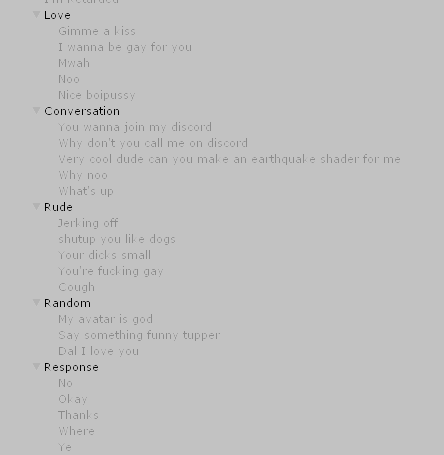
I was planning on adding a bunch of sound clips to be triggered by gestures to my avatar - a different gesture on the left hand would unlock one of these game objects, while a gesture on the right would play a sound from each gameobject (resulting in only one sound ever being played)
however, there's no distinction between left and right hand without doing the complex business. Am I thinking about this wrong or do i need to learn how to do different things with each hand (and if so, could someone give me a resource to learn this?)
@rapid cypress Thank you! You helped me a lot
@clear yew your best bet is to use toggle prop for something like that
what do you mean?
it's a unity package that allows you to toggle different things on your avatar
without holding hand gestures
rapid cypress
does that work well with VRC?
torn pawn
no, retro is not using toggleprops, also now he has different one that's even more impressive
toggleprops is scuffed in a way that u can't sync it with newly joined people
so u need to make your own
torn pawn
yes, toggleprops is only on/off state, where some1 joining after u toggled it, when u turn off it will be on for them
clear yew
so you need to switch avatars to make it work correctly
torn pawn
so u need it to loop and have the default state to be all off
or have a single state only
i think i got it right with the prefab i sent u svel
i just dunno if the animation component is needed in that
was taking a walk and thinking about the system
clear yew
i still dont understand how to use it to be honest
you are still limited by the number of gesture ?
i need 3 different hand gesture to use them
or it's only one but it's toggling automatically between them ?
torn pawn
no u need just 1 gesture to cycle through all 3
then when an object is active
you can use all of the other 6 gestures to enable something under that object
you can have 5 objects cycling, and each object has 6 disabled objects
clear yew
when i start to cycle through them
clear yew
does it start from the first one or from the one you last toggled ?
torn pawn
always resets
clear yew
alright
languid pier
Does my avatar count as a world object (for particles colisions) ?
slim sparrow
@languid pier yes, unless you disable PlayerLocal in the collision layers
You need to set up your collision layers by adding a VRCworld then pressing the setup layers button
Does anyone know a way to visually raise my mesh up/down without moving the bones?
In a way that I can make my model "float" up/down a little
clear yew
@slim sparrow you can't just move the mesh in unity
slim sparrow
Yeah I know
clear yew
it's not separated from the bones
so you need to either find a way to life up your whole model, using colliders if needed
slim sparrow
That's why I'm asking if there's a way to visually make my model move up/down
clear yew
or make a duplicate that you lift instead
slim sparrow
Since the bones need to stay at the original position
A duplicate wouldn't work because I still want to move my hands and head etc
clear yew
rigid body and fixed joint can't help with that ?
slim sparrow
The root of the issue is that Root Transform is ignored by the IK system, unless I unmap a finger. But then I literally cannot use gestures
That actually sounds horrifying but it might work
Would like to avoid fixed joints since one of my friends tried that and the arms do weird stuff sometimes
 regal hollow
yes they do
slim sparrow
If I put my model into a root object, I can actually raise it up/down in Unity, but I cannot raise/lower it in animations. All I can do is define a fixed height the model should float at
Weirdest part is that the dynamic bones actually think the model is moving, but visually it isn't
Was wondering if I could use shader magic to basically offset the rendering position or something
slim sparrow
Fixed jointing your whole model sounds like a disaster waiting to happen
Guess I'll just have no up/down movement for now
Hope they don't remove seats since I might be able to do it with those if I try hard enough
clear yew
@slim sparrow like this you mean ? https://i.gyazo.com/f632dce7b5ee2e1b51912d206d5e7277.mp4
slim sparrow
Yeah, basically
clear yew
i'm just using a cube and moving the x and y value on the shader
 sick musk
Actually it’s that the foot and shoe we’re 2 different things they weren’t together
It was broken to begin with
So fixing it means I had to break it some more
slim sparrow
@clear yew so how does that work? What even is it?
surreal mauve
hey i'm looking for the Luvoratory.anim does anyone have it and would send it to me?
slim sparrow
Any chance you could send that shader to me @clear yew 👀?
slim sparrow
Since that definitely seems like the way to go, if I can make it only distort my model
slim sparrow
Yeah, but then doesn't it also distort everything else?
clear yew
since it can "see" what around it
hmm
if you are good enough with shaders
i guess you could make it the same way as a "stencil"
so only your model with the specific shader can be affected by it
slim sparrow
Yeah, that makes sense
I mean, that is actually a really good idea
You can just skip rendering the distortion if the stencil test fails
Actually, I think it would be harder than that but I'll see
clear yew
i don't know enough about shader to know if it actually can work like that
slim sparrow
Since if the distortion isn't rendered, you can see the original model at the original location
Guess I'll have to use a different method. Seats at position 0 sound promising if they don't make me shoot off into infinity
Maybe put some fixed joints on the seat so I can move myself
clear yew
I asked this question before, but does anyone know the numbers used to make the default hand gestures for muscle editor similar to the numbers used to recreate the victory sign in Tupper's tutorial?
https://youtu.be/7P0ljQ6hU0A?t=5596 Shown here.
VRChat Community Discord: https://discord.gg/VRChat Download VRChat! http://store.steampowered.com/app/438100/VRChat/ mmd_tools GitHub: https://github.com/po...
 oblique panther
hey. is there any guide on how to create a spinning logo for your avatar?
im not sure how to do it in unity with the animation override
ivory lagoon
fingers are spazzing when i close them around a weapon?
it’s not super super bad but they’re jittering everywhere
 royal summit
Check that the fingers have the same numbers on all frames of the animation
ivory lagoon
OHHHHHH that’s probably my issue, thanks! i’ll check
royal summit
👍
 stark pond
I am trying to zoom in to do some edits, but the model disappears when I zoom in too close, anyone know how to fix it so I can get a closer view, example incoming:
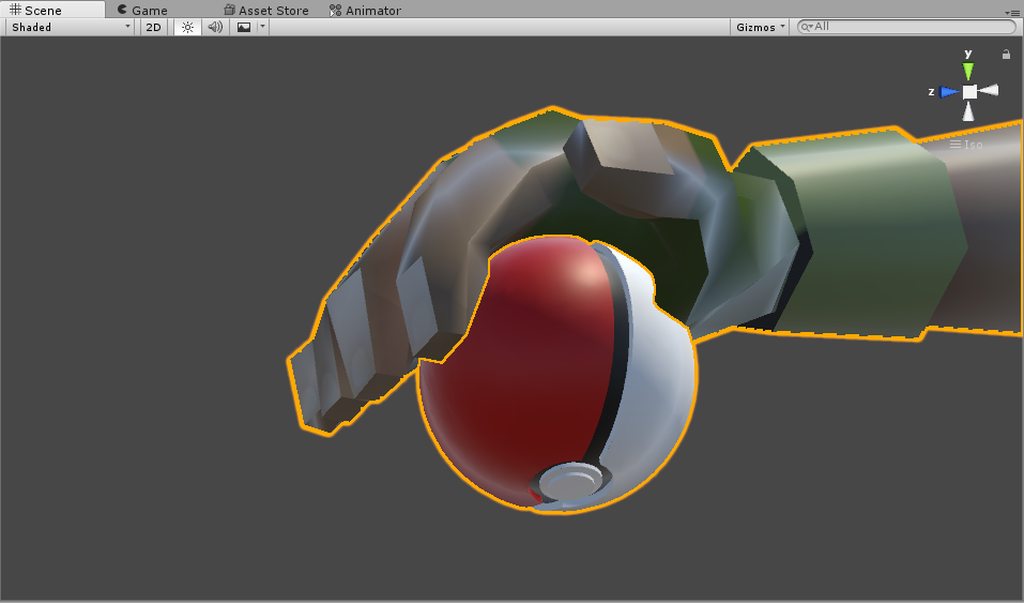
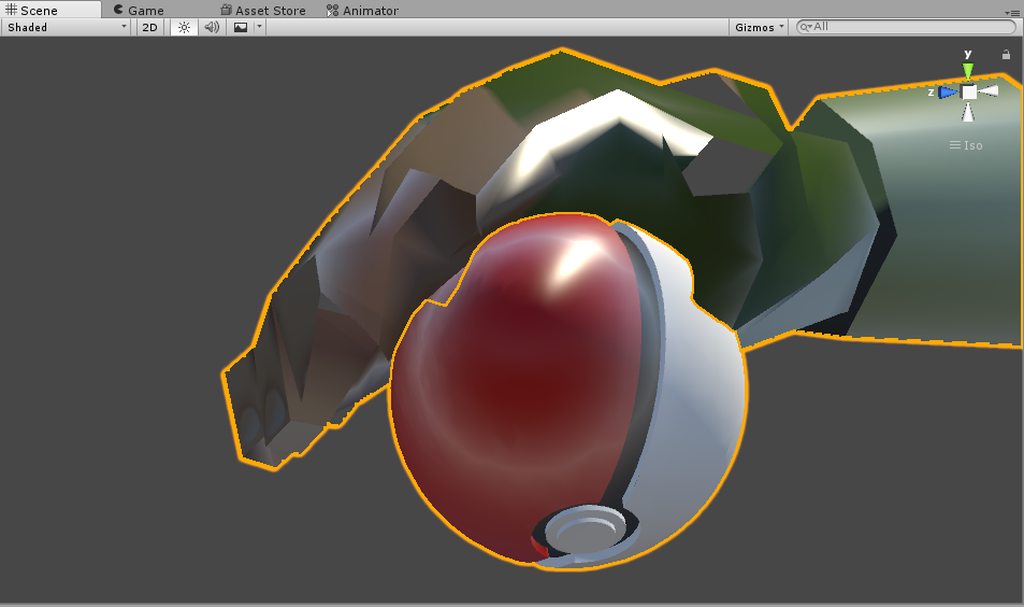
It seems arbitrary how close I can get, some times I can zoom in really close, other times the model starts disappearing from far away.
 wide warren
It seems to be a result of using the mouse wheel to move forward and back. Try moving back a bit by holding right mouse button and S, then zoom in with the mouse wheel. It may take a few times to make a difference.
clear yew
@stark pond Press F when you have the model selected
stark pond
One last question, it seems like when I change to an avatar, sit, or start standing after siting, the first milisecond of an animation assigned to grip starts to play, did I do something wrong?
As in the sound and particle effect will go off for a split second.
clear yew
anybody know of a good tutorial on making a custom standing animation. I want to make my neko girl's tail and ears wag / twitch. I already did the animations, I just dont know ho tow make them work
clear yew
figured it out
is there a way to make animations last forever or loop until you move
i just wish build control panel didnt freeze for 20 seconds every time i wanna upload a model
like i want to make a pose animation last forever until i move my avatar
how do i do that
for the emotes
im testing it under customoverride idle now
no not the idle animation
i want my emotes to last forever unless i move my avatar
say a lying down emote
or sleeping emote
????
is there a way??
nope
can you make them longer?
probably
but emotes are kinda getting bugged after a certain time
so no one here knows how to make emotes last longer
bleh my character is animated but is stuck in the ground
so theres no way to extend the timeline of an animation from mixamoe
 upbeat flower
whenever i make an costum animation, the hand gesture is being removed completely, any way to remain the gesture alongside the face animation? https://cdn.discordapp.com/attachments/378878736071917578/442484735457886208/20180506023452_1.jpg

 true scroll
yes, you will have to redo it bascially if you want to keep the original
you can use the original ones and add the other things you change to it to keep the original hand gesture
slim sparrow
Yeah, you'll have to redo the finger animations for the gesture
 true scroll
looks like she is goingto take of soon
torn pawn
looks nice af
clear yew
Anyone here really experienced here that can help me with a problem?
Please DM me if so
torn pawn
@clear yew describing your problem would be a start
and adding a screenshot
honestly people can't be arsed to dm
clear yew
@torn pawn
rapid cypress
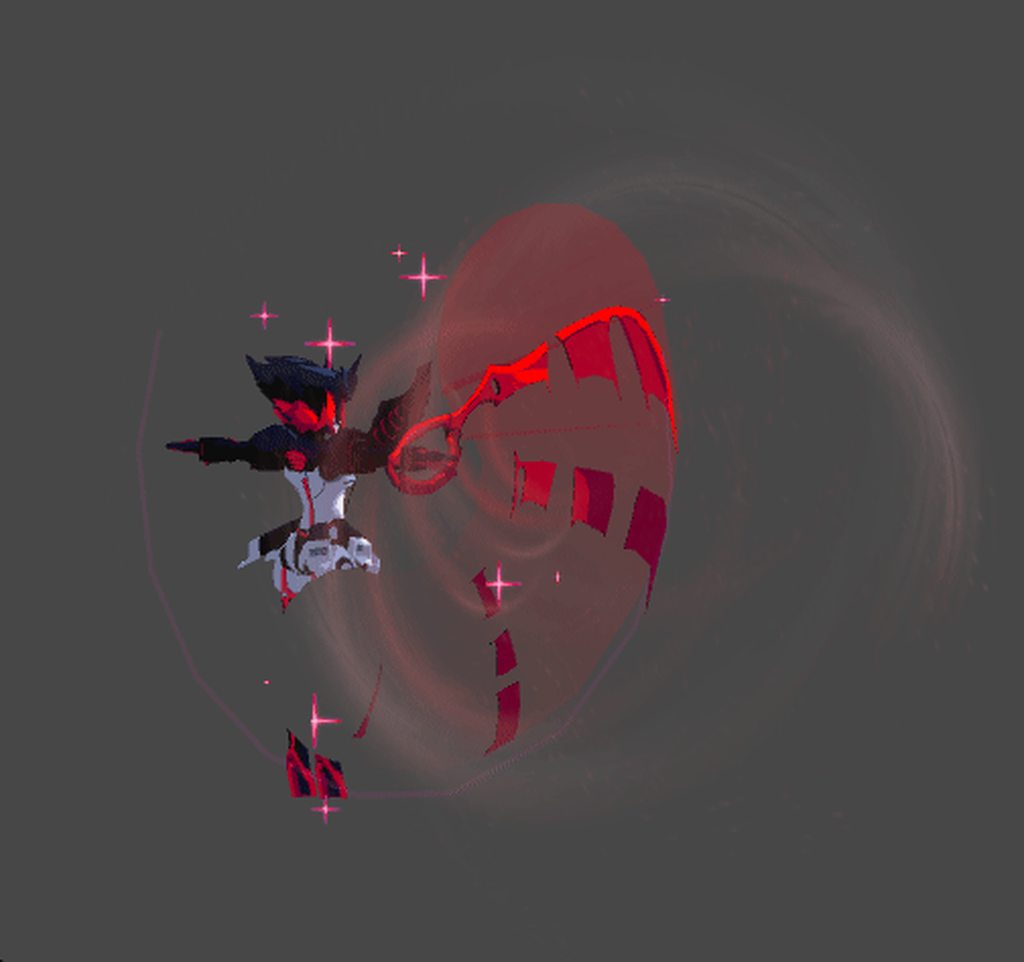
WE NEED MORE POWER
MORE POOOWERRR
probably also going to make a particle system that locks to the ground and kicks up dust in a cone
clear yew
@rapid cypress
torn pawn
@clear yew if you want your problem to be resolved, post it here and if some1 knows - they'll answer
that's if they are not lazy to type
clear yew
It's not a problem...


 gray onyx
anyone know how to do a spinning logo? would really appreciate it! dm if possible~
torn pawn
@gray onyx make quad, put texture on it, add animator or animation that does 360 and make both tangents linear
or do it through particle
gray onyx
awesome i'll try that thanks! @torn pawn
clear yew
does anyone know how to do custom walking and running animations
i already downloaded the mixamoe custom animation i want
put i cant figure out how to put it in correctly
 fresh scaffold
You haven't even stated your issue yet...
clear yew
SICCCCCKKK
shrewd moon
facepalms
 fresh scaffold
Not sure if blinking or morse code
 fresh scaffold
KLK
When a person goes Krazy in a burst of sparkly energy, as only Ke$ha could. Or if they're just acting really weird.
Thank you, Urban Dictionary
rapid cypress
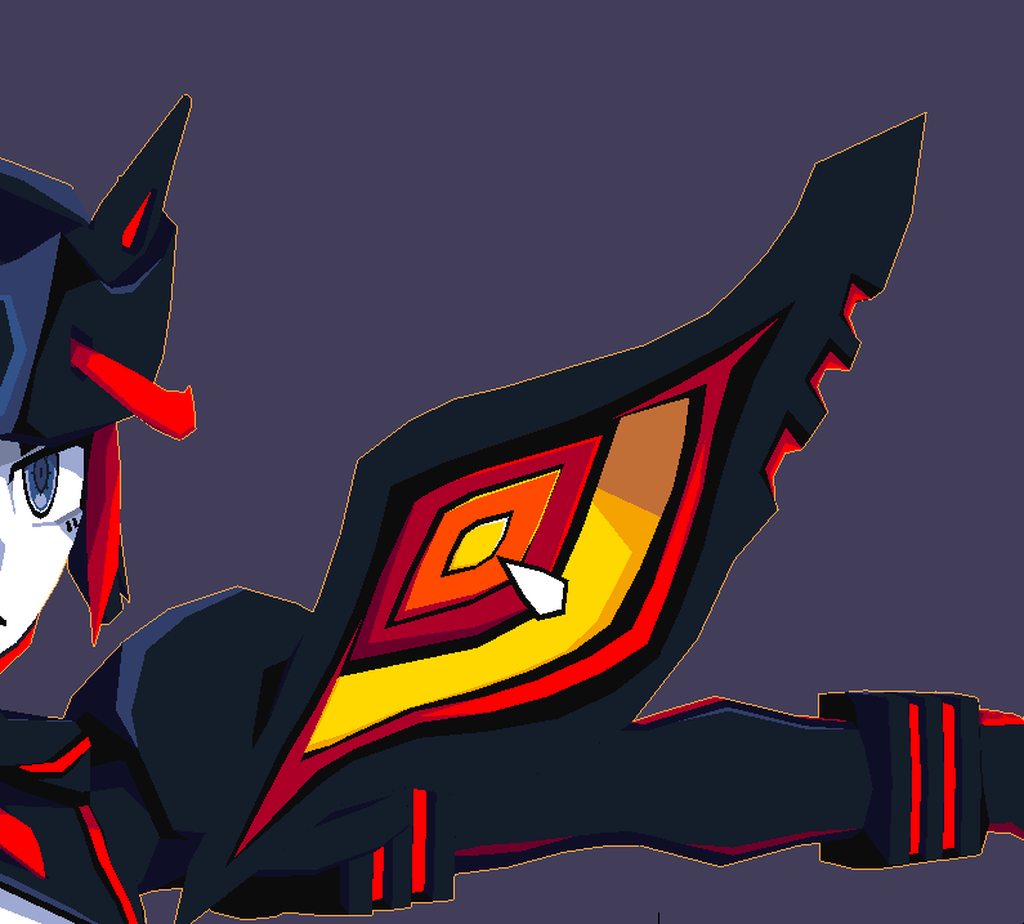 fresh scaffold
Oooh
rapid cypress
KLK = Kill La Kill
lilac cave
good stuff as always
rapid cypress
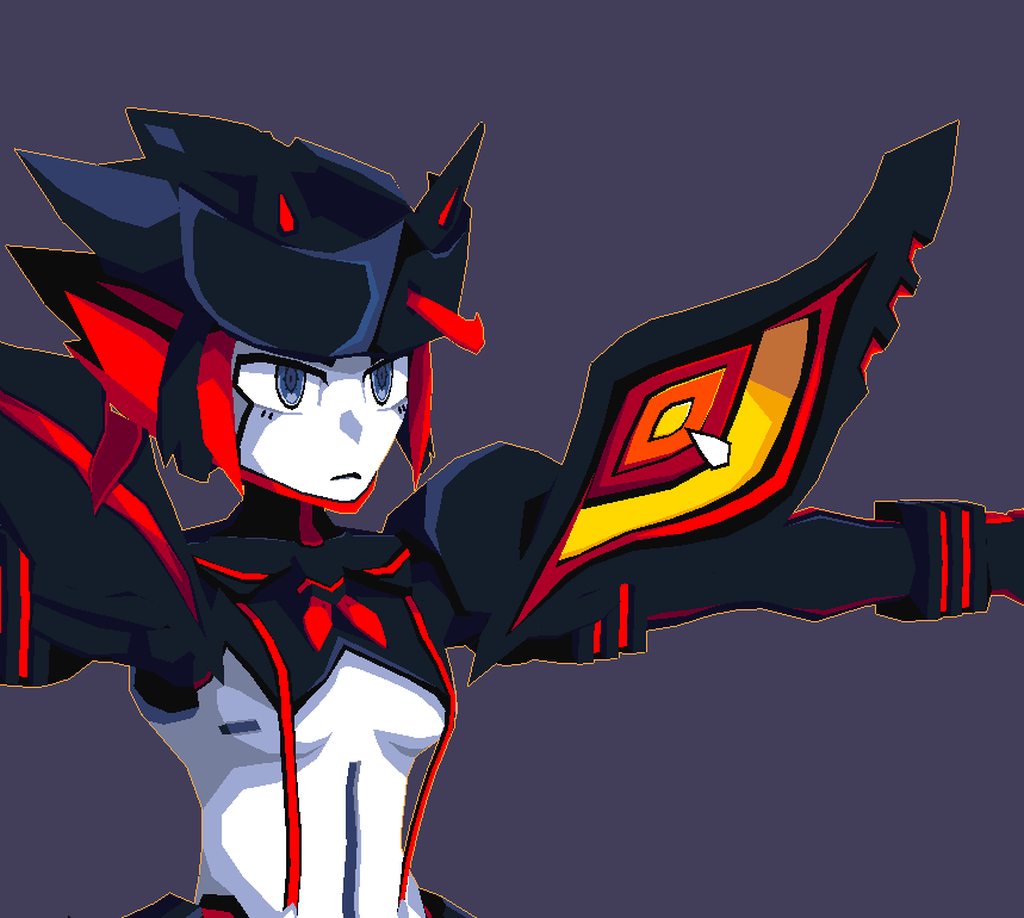



 fresh scaffold
Even the magic eye struggles to not look at the naked breast with censored nipple.
rapid cypress
hahaha
 sage lily
as always u never stop to amaze me
rapid cypress
🎵 💙
 wide steppe
Is here anybody good with unity?
I'd like to be able to rotate between 2 animators on the go
 native shoal
I tried to replace an emote with a clip of a mixamo one, but when I activate it in game, my avatar just goes half way into the floor
Can someone help
?
@me if you can because I'll be gone and I wont see without a notification
 frosty pendant
I don't think it's possible to change animators on one model ingame
wide steppe
@native shoal u probably use diffrent model than in mixamo, what i men is key names of bones are diffrent and animation gets messed up
native shoal
Well I did the avatar through mixamo
I am trying something else to see if it works later today I just did a test to see if it works without mixamo
wide steppe
In mixamo bones are named diffrently than what you need for vrchat
stark pond
I am doing an pokeball throw animation and I need to decide... Do I want the pokeball to try to capture something, or do I want the ball to send a pokemon out, either one will have the right sounds and motions to go with it (IE: Ball shaking as the catch is being comfirmed), but I don't know what one I want to go for.
stark pond
I don't care about easier, I know how I am going to do each one.
wide steppe
Though u have to animate whole thing complately manually
stark pond
Particle meshes!
wide steppe
I'm still tryong out to figure out those myself
stark pond
Makes my job easy doing that because you can spawn meshes on death, the only annoying part is that I have to create three seperate particle effects for each pokeball because you can't have a particle mesh that has multiple materials.
What I do is have a particle effect with gravity and collision that launches from me around where my hand would be on a throw. Dampen the speed and kill the particle when it slows down enough and have a subemittor that triggers on its death to handle the rest of the effects.
No animations needed.
stark pond
The only problem is that I don't think I can spawn sounds from particles so I need to create a sound with enough delay to line up with the death of the first particle and then put that sound infront of my character and try to line my self up with where the pokeball lands to make people think the sounds are coming from the pokeball.
 viral yarrow
does anyone how to make an object disappear during an animation? whenever I try to just "disable" the gameobject it doesn't work, so now the only way I got it to work is to just change the y axis and the size to 0 so it's not visible, but it's not very useful, as the transition between animations shows it come out of the floor...
slim sparrow
@viral yarrow don't trust mirrors
Just enable/disable the object like normal, ignore mirrors and cameras.
stark pond
Yeah, mirrors don't show if an object is disabled or not.
stark pond
I have a question, does anyone else have a problem with grip animations playing for a brief second when ever you load the avatar or switch from sitting to standing or vice versa.
slim sparrow
Ye
Don't put any animations on fist unless they're just hand movements.
No shape keys either or they'll get stuck.
fresh scaffold
No middle finger? :(
slim sparrow
You can do that, actually
Since it's just a hand movement
Just no shape keys or object activations or anything
wide steppe
Well my works xD