#animation
1 messages · Page 1 of 1 (latest)
 solid fable
 sinful wolf
So I made the shape keys in blender and now its uploaded to Unity. How do I make the shape keys into an idle animation? How should I start?
 elfin rampart
sinful wolf
So I made the shape keys in blender and now its uploaded to Unity. How do I make...
elfin rampart
sinful wolf
So I made the shape keys in blender and now its uploaded to Unity. How do I make...
If you click on the model, you can find the blendshapes in the inspector. If you open the animation panel and press the record button, you can animate those values and make them into an animation. I'm not sure how you set that animation as the idle animation but that should get you started.
sinful wolf
KK thanks
 lament light
sinful wolf
lament light
sinful wolf
for some reason the avatar will move downwards when im animating. It was fine before but in game whenever I move the avatar lowers like its crouching.

 frail plover
Might someone be able to help me out understanding how to make a puppet for ears/tails? Please DM me if you could.
 remote hawk
Some objects' animations in my world randomly stopped animating and started freezing. What stuff can interfere with animations?
 frail plover
remote hawk
Some objects' animations in my world randomly stopped animating and started free...
frail plover
remote hawk
Some objects' animations in my world randomly stopped animating and started free...
Loop time is a common factor that causes stuff to stop if it's unchecked, otherwise take a look and make sure that it's set with the proper animator.
remote hawk
They initially had loop time on and set to the proper animator, some of them freeze mid-animation and continue after about 5-10 seconds
OH I'm silly
heh

 fierce pollen
Not sure right place to ask, but...
question: do you need animations outside of walk\run and emote when uploading avatar to vrchat? --if only using vr for tracking. ...or do all vrchat avatars need to have full movement animations and the base ones that come with starter avatars?
elfin rampart
I don't think you need any animations unless you want the avatar to use them. If there is no falling animation, for example, they just won't do that.
fierce pollen
ah, awesome! Then it can be tested without animations, cool! Yeah.. I wasn't sure if I could just finish model in Blender, have the shapekeys, emote, walk\run and be upload. Awesome! Then could really get this going on transfer from Blender.
Well, outside of ear and tail animations [unity?] -- or can those be done solely with shapekeys too?
though... if animations are set to bones, do I need to remake the animations per model or can I just use prior animations from same unity base Armature?
elfin rampart
You should be able to reused any animations that reference the same vertex groups. You could animate a tail with shape keys but shape keys just move vertices in a linear direction so you're not going to get a wavy animation with shape keys
fierce pollen
ok, awesome! That is quite doable then, but ah.. okay, will have to figure out with tail, thanks!
 radiant sphinx
lament light
https://youtu.be/yd2b5PoFQp8
radiant sphinx
lament light
https://youtu.be/yd2b5PoFQp8
h e r o
 cinder turret
Do shapekey names matter on your avatar? If so, is there a list that I can check to make sure I have it all?
 compact marten
cinder turret
Do shapekey names matter on your avatar? If so, is there a list that I can check...
compact marten
cinder turret
Do shapekey names matter on your avatar? If so, is there a list that I can check...
for visemes and blinking, you should be able to find the names in the documentation
for anything else, no
 broken ore
elfin rampart
cinder turret
Do shapekey names matter on your avatar? If so, is there a list that I can check...
broken ore
elfin rampart
cinder turret
Do shapekey names matter on your avatar? If so, is there a list that I can check...
They matter for the auto-detect but I'm pretty sure you can assign them manually regardless.
cinder turret
Ah, awesome. Thanks guys!
compact marten
you don't seem to have any portfolios or any social media linked in your profile, you probably want to do that to increase your credibility
that page still has none of your past work on there
not to be rude but that's kinda sus if you're trying to get people to commission you
 onyx wadi
Hey guys,
I try to toggle an asset for around 5 seconds each time I change my hand gestures. I already have an animation that toggles the asset and deactivates it after 5 seconds.
How do I archive this goal?
I currently have a animation layer which runs the animation when a bool parameter is true else it runs into a default off animation but how do i set this parameter to true ones each time i change the hand gesture
or is this a completely wrong approach
Any help is appreciated
 flint bison


a couple of examples of fun physbone based interactivity from a prefab I'm making
Simple little details are very important IMO
 torn canyon
flint bison
torn canyon
flint bison
Looks pretty dope ngl, good job 
flint bison
Thanks!
 night parrot
could anyone help me with a walking animation it looks very janky
 golden maple
Does anyone know how to adjust a pre-made animation? my avatar has non-human legs so any animation that i put into the locomotion looks VERY off T-T
 mild girder
why take away clients
 outer wolf
mild girder
why take away clients
outer wolf
mild girder
why take away clients
maybe because some of the client users were being rude and ruining the experience
 sharp heart
does anyone know of a good way to control the paths of particles? trying to find a good way to direct particles towards/follow a nearby player.
 sly venture
Hmm trying to modify an animation, but Add Property is grayed out and I can't record.. internet says to select the game object I want to animated in the hierarchy, then I can add properties, but when I click that it just switches to a blank animation?
 ancient ore
does the VelocityX/Y/Z parameters only apply when the user is moving in-world using joysticks? or does it apply for any type of movement
 prisma blade
does anyone know how to make these types of animation that can be applied to any animator object?

every time i try to animate, it's always GameObject specific, not universal
elfin rampart
prisma blade
does anyone know how to make these types of animation that can be applied to any...
Have you tried copying and pasting the keyframes? Should work if the vertex groups are identical.
prisma blade
can they not be created while recording? i could do that but sounds impractical
elfin rampart
Created while recording? I'm not sure I understand. Recording will save the keyframes to that animation and then you can copy it over to another animation. Not sure about using the same animation file on multiple armatures. In theory it should work but I think I've had problems with it so I usually just copy the keyframes.
prisma blade
how do i edit Animator properties to record to the animation
i have an armature hierarchy, but editing those records GameObject properties
i wouldn't be able to reuse it for another avatar without renaming every property
sometimes i even get this error trying to do that

 fringe hatch
I'm a lil confused as where else to ask this, but I'm trying to make a world with an avatar that dances but I have no idea how to make the animation play when the world is loaded, could somebody help me?
compact marten
prisma blade
does anyone know how to make these types of animation that can be applied to any...
these are muscle animations. you can add new ones by clicking Add Property > Animator
alternatively, use the Animation Muscle Editor addon
elfin rampart
fringe hatch
I'm a lil confused as where else to ask this, but I'm trying to make a world wit...
If you have a model with an animation, you can just drag it into the animator and it should become the default state which will play automatically. You'll also need to enable loop time on the animation itself so it plays on a loop.
fringe hatch
elfin rampart
If you have a model with an animation, you can just drag it into the animator an...
Ah! Thank you so much!
prisma blade
compact marten
these are muscle animations. you can add new ones by clicking Add Property > Ani...
so this is the property that can be applied to any humanoid rig animator and recycled?
 frail pagoda
I need help with a very specific issue, I'm trying to find the NPC dance from Goat Sim, does anyone know where I can find it
broken ore
 mighty marsh
Oooo
 clear yew

 paper lantern
Is there any particular reason why an Animator might not let you copy and paste the animations from the Animator? For whatever reason, I am simply unable to copy the animations, I don't mean in the Project Assets section, I want to copy/paste a load of animations in an Animation Controller into the same layer.
 dreamy skiff
A copy is made via ctl+d, if there are errors, then this is not possible.
 vestal trellis
im having an issue with a toggle animation. when i test the toggle it spawns the boxes but the quick menu is always saying its playing the animation. also any tips on getting audio to play? i tried attaching the audio to one of the cubes, but it wont play on awake.
btw i should mention the menue shows the toggle is on even though its off

 weak vector
vestal trellis
btw i should mention the menue shows the toggle is on even though its off
weak vector
vestal trellis
btw i should mention the menue shows the toggle is on even though its off
for the toggle that is always on make sure you don't have an extra animation controller on the root level of your project folder
 hasty bridge
Is there a way to make a radial puppet scrub through an animation? I tried enabling the parameter for Motion Time on a blendtree with one animation and controlling that, but it didn't seem to work
 tiny kiln
I have a Fighter jet 3d model how can i make an animation of it flying forward?
elfin rampart
tiny kiln
I have a Fighter jet 3d model how can i make an animation of it flying forward?
Click on the object, open the animation panel (it's in Windows if it isn't open by default), create the animation clip, press the red record button, move it slightly on the first frame to keyframe that, then move it to the final position on the last frame. This probably won't look great so you'll have to mess with the curves to get a satisfying effect but it'll get you started. You might want to watch some animating in Unity tutorials.
tiny kiln
i got the first part but do i record while i move it to the final position?
elfin rampart
tiny kiln
i got the first part but do i record while i move it to the final position?
Yeah, just keep the recording enabled for the whole thing.
tiny kiln
the star position becomes the end position when i drag it
elfin rampart
tiny kiln
the star position becomes the end position when i drag it
Did you make sure that there is a keyframe on the first frame? You have to move it some or it won't be keyframed and then it'll just immediately go to the position of the first keyframe that exists which would be your end frame.
 limpid jay
Would it he possible for me to take a prop from my avatar and attach it to someone in game ?
If yes how ?
I have seen hints that it is possible but i am very puzzled as to how
elfin rampart
There are ways to place an avatar prop in the world but I'm not sure about placing something on someone else's avatar. I'd say probably not but 🤷
limpid jay
I have an avatar in my favorites that can place a sign on someone and it follows them pretty well.
Same thing with the people with puppets that follow them i would assume.
I am very curious about thos type of systems
 noble torrent
idk if this is the right area, but is anyone good with cloth physics that's willing to help me get a skirt to work better?
flint bison

Satisfying Bolt Cutter action using constraints
(I know the little connector bit doesn't move up and down like it probably should, but I gave up)
 rough musk
I recorded this ragdoll animation on a copy of the model and its fine when i play it, but when i try to play it on the main model it does this :/
any thoughts on why this is happening?
flint bison
rough musk
I recorded this ragdoll animation on a copy of the model and its fine when i pla...
Make sure you set the imported model with the animation on it as humanoid and set up the rig properly first. Then take out the animation and use it.
 grizzled fog
Is there a way to get the default VRChat animation clips for locomotion? I like the default animations, I just want to edit the movement of the forearm so it's not as wild. There's proxy animations but those a 1-frame animations and they don't have movement to them.
The Cannon is it's own bone, and that bone is parented to the Forearm. The problem is the Cannon sways back and forth just like the forearm, which I would like to tone down or disable. Ideally I would like to make the Cannon bone set to IK, but I know that isn't possible. Instead, I would like to change the locomotion layer so that the forearm rotation is reduced.

 wise bone
Is there easier way to do quad leg animation?
 placid gorge
I've run into an issue where a animation on my avatar works flawlessly locally but only plays sometimes to others.
clear yew
placid gorge
I've run into an issue where a animation on my avatar works flawlessly locally b...
How come!
placid gorge
clear yew
How come!
no clue. its like some weird form of packet loss or something
 prime aspen
placid gorge
no clue. its like some weird form of packet loss or something
prime aspen
placid gorge
no clue. its like some weird form of packet loss or something
how are the animations triggered, with contacts or parameter drivers?
then they need to be synced. turn on local only and if not already add the parameter used in the contacts or parameter drivers into the avatars parameters
placid gorge
prime aspen
how are the animations triggered, with contacts or parameter drivers?
i just managed to find the problem. the contact relied on the finger to pass through it to trigger. This meant that sometimes the finger might "miss" the trigger due to lag or sometimes sit too close to it to let the animation reset.
prime aspen
that is also true.
know that for others its even slower.
i believe vrchat doesnt send all your motion at realtime
placid gorge
gonna try moving it to the fingers closed fist resting position for more consistency.
prime aspen
know that if you do the local only thing, when it plays for you it also plays for the other people around you so i still recommend that😊
 mild plinth
Flame animations?
 chrome rune
Does anyone have know where I could get the floating walking animation for avatars?
wise bone
Does anyone have animation of foxes or umbreon animation? I'm planning to test something with avatar I'm working on
 foggy ore
ok it's my first avatar and i don't know what i'm doing. how can i add an animation on the roulette you can have in your hand?
vestal trellis
any ideas on how to do a floating avatar? i did a test and it just sinks into the floor.
 elfin rampart
I'd probably just give it a humanoid rig with the mesh weighted to the chest and the feet placed appropriately to have it hover the desired distance above the ground.
 wicked coral
So, idk how to say this properly but, I have a gun animation toggle, and it have 'mods' that i want to put animation to toggle on and off. how do you that?
 drowsy minnow
who has the griddy emote, i would like to have one
clear yew
can anyone help with rigging facial expressions to hand gestures? i used to be able to do it but the sdk changed
elfin rampart

Did this video help you? Consider sending me a tip on Ko-fi! https://ko-fi.com/sippbox
Welcome to my updated tutorial on applying facial expressions to your avatar! This video goes over 3 different ways of activating facial expressions, including the classic way of hand gestures, as well as using toggles or a puppet menu! Hopefully this helps y...
 hidden jolt
elfin rampart
https://youtu.be/UU9NFJz2qls
hidden jolt
elfin rampart
https://youtu.be/UU9NFJz2qls
so i followed that tutorial's method of linking the animations to the action menu, but once in VRChat it doesn't seem to work
am i missing something or is that tutorial outdated
elfin rampart
hidden jolt
so i followed that tutorial's method of linking the animations to the action men...
I just use the version with the hand gestures but I can confirm that one works
 hasty sail
anyone know how to aninate a tripod to walk
 clear yew
elfin rampart
I just use the version with the hand gestures but I can confirm that one works
clear yew
elfin rampart
I just use the version with the hand gestures but I can confirm that one works
the fx module isnt in the sdk anymore, am i missing something?
elfin rampart
clear yew
the fx module isnt in the sdk anymore, am i missing something?
For using the hand poses, you just duplicate the hand controller. That's still in my SDK. I don't have the most recent one but I think if that was removed, they would have made more of an announcement for that.
 clear yew
oh i found it lol thank you! do you know how i might add that sitting pose stuff to him?
elfin rampart
Never messed with the sitting pose, no.
 graceful marten
Hey Hows it going very new to animation and the controllers but i cant get contacts and senders to work with a button on my avatar photos soon

i dont know how to get the contact and sender to work together. when the sender touches contact nothing works the parameter changes to 1 when in contact but ive seen no definitive way to apply this to a model
 red shard
is there something in vrc's locomotion layer that can allow an animation to completely override the default walk? as an example i have shadow the hedgehogs skating animation from sonic forces and when i put it into a slot for the blend tree it does play it but some aspects are missing like in the animation itself the model should sway side to side keeping the foot thats normally connected to the ground in that part of the motion centered relative to the viewpoint but instead that side to side motions gone in game
as in the model stays centered and the head doesnt tilt down in the animation like it should (force center really shouldnt matter anyways since the animation in question is for desktop users rather than vr)
 lunar crag
Some of my facial animations are messing up and not working in VRC but just fine in Unity, any suggestions
hasty sail
hasty sail
anyone know how to aninate a tripod to walk
anyone
 earnest arrow
What is the best way to disable all of my write defaults but not break everything on my avatar?
 spring isle
What tool is there that will help me make animations in unity?
 bleak tapir
Ctrl+6 brings up the animation tab if that's what you're looking for
elfin rampart
I wouldn't make animations in Unity unless it's simple stuff like moving and scaling. Blender is much better for that and then you can just export from there.
 smoky gate
Anyone know how to disable the blink when a gesture expression is active? It adds on top of my closed eyes and looks weird
 hazy crater
Does anyone know anybody who’s good at making dance animations and stuff?
 nimble portal
How would one go about recreating this dance as an avatar animation
minus the lights and music, that part is easy. how would you animate the rig?
elfin rampart
I'd do it in Blender, IK would certainly help. I think you can animate using IK and then just not export that.
 ruby portal
Hey all! I thought you may find this tutorial I made very useful. It goes over the process of converting a Unity/VRChat skeleton to a Rigify rig. It's a very quick process with this add on!
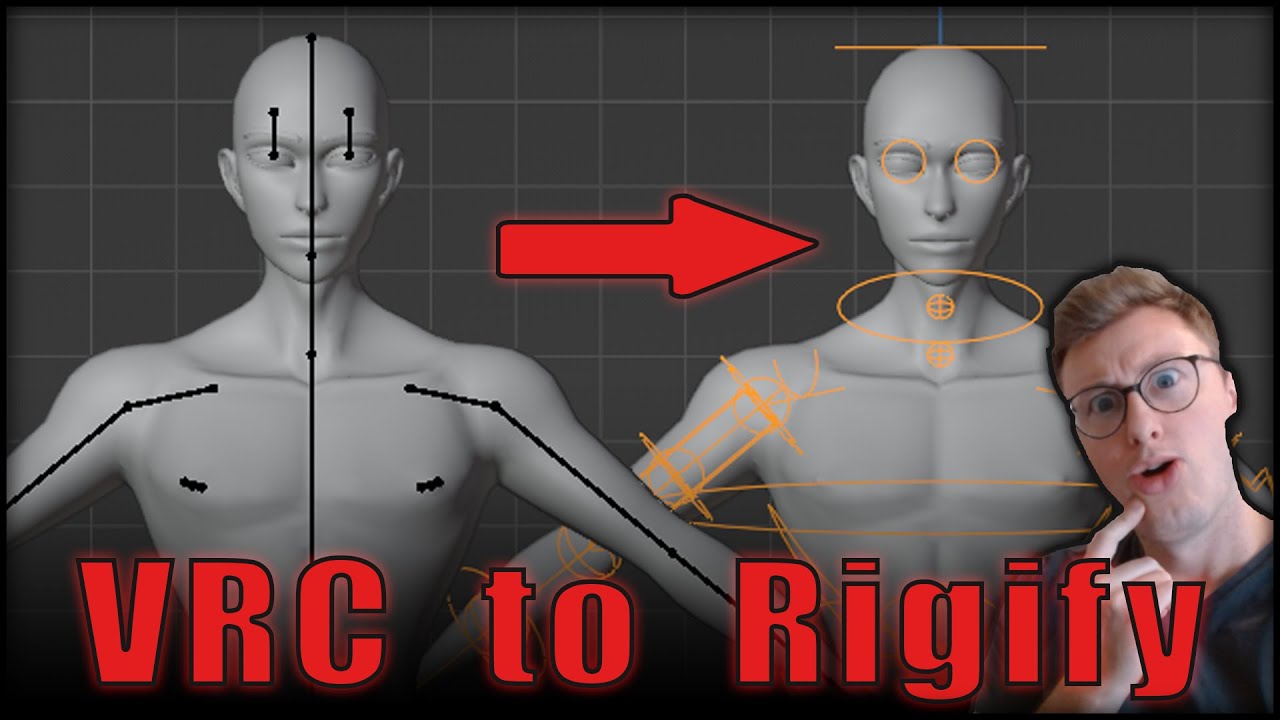
In this tutorial I will go over the process of creating a Rigify version of a Unity Skeleton. This is very useful for creating an animatable version of your character or VRChat avatar.
I use two Blender Add Ons in this video.
Expy - https://github.com/pKrime/Expy-Kit
Rigify - This is a default Add On. Simply enable it in your Blender Add On...
 solar relic
Does work thank you and yes please for another video explaining tails/skirts/extra bones for rigify.

 muted prairie
nimble portal
minus the lights and music, that part is easy. how would you animate the rig?
muted prairie
nimble portal
minus the lights and music, that part is easy. how would you animate the rig?

IF YOU DO NOT USE THE PACKAGE BELOW, THIS SYSTEM WILL NOT WORK DUE TO AN UPDATE TO SHADER MOTION !
ADDITIONALLY, it's not longer possible to shift click the .exe, so you'll have to make a shortcut of the vrchat .exe, go to its properties and under "Target:" and add "-screen-width 1600 -screen-height 900", you will need to record the window open...
Check out the video description for up-to-date steps
vestal trellis
so idk what im doing wrong, and im extremely frustrated by this. im making a starcraft 2 probe avi. and im trying to make it spawn a pylon as a static object. for some reason the toggle does not work. i can see in the animator that it should work. but either the plylon wont turn off or the pylon wont turn on.
figured out a jank way of fixing it off is on and on is off. its opposit day with this avi
nimble portal
muted prairie
https://youtu.be/r8YpXP0RlZc
Aha! Finally a genuine use for my 11 point tracking! Thanks for the info though, I half expected people to not take me seriously and just say “find an animation”
 storm moon
how do I export an animation that has all of these constraints?

when I try to get rid off the constraints, the animation just breaks

I have tried baking action like so


Also, exporting like so does not work


 young horizon
Great advice
clear yew

Remade the trend style of Livesey chad walk from an old cartoon.
Improved animations for the fun things i try or attempt
Music Used:
Why Not (Slowed + Reverb)
Ghostface Playa
Copyright found however restrictions allowed to use the music on YouTube content


 noble shell

detect velocity, do stuff
VRChat
This is a list of Parameters (case-sensitive) that can be added to any Playable Layer (animation controller) and change across all Playable Layers that include this parameter. User created parameters that are not in this list will exist only locally within that animation controller and are not curre...
vestal trellis
i only have one controller, one parameter, and that parameter should only be attached to a toggle. yet when i move in game the toggle does not work, and somehow it activates on movement
 floral fox
I am looking for this animation. Could someone help me? I have seen it once before somewhere but forgot where.
https://www.youtube.com/watch?v=1LyFSJRjgC0
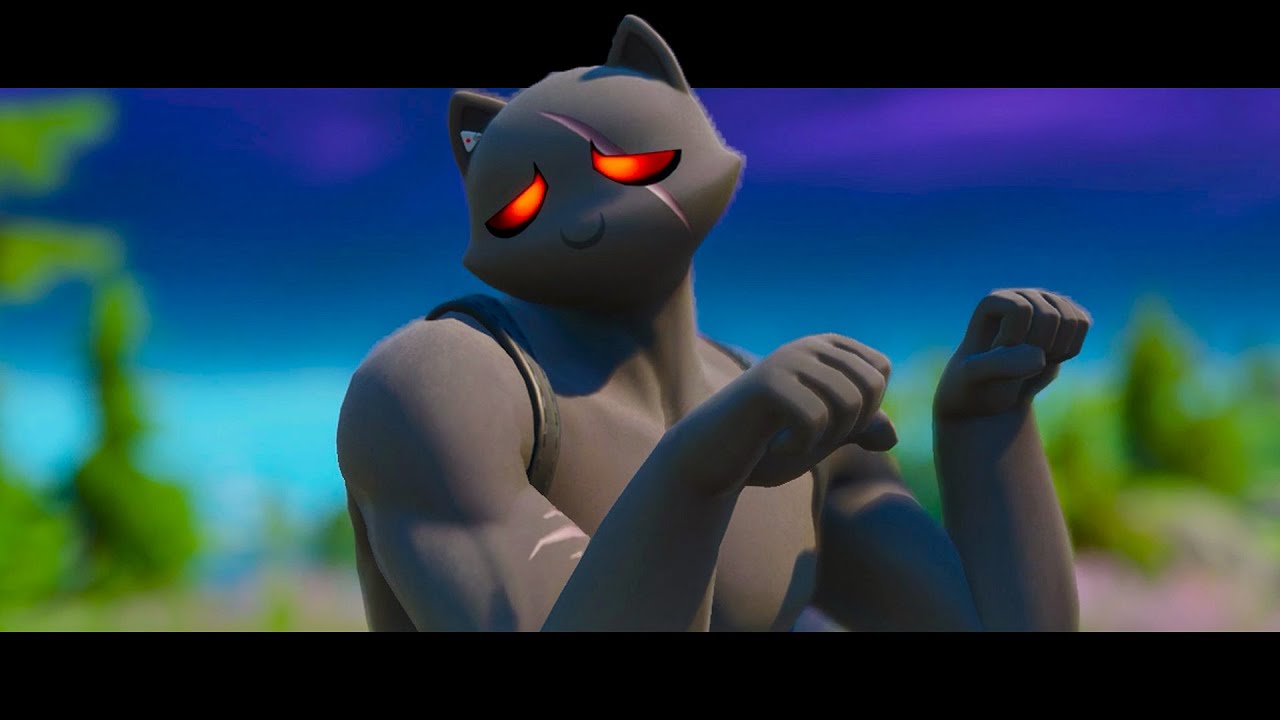
Fortnite Battle Royale - Paws and Claws Dance/Emote!
I'm a Cat Lobby Music
Music for YouTube: https://share.epidemicsound.com/66uohs (referral link)
Fortnite Chapter 2 (Season 2)
#Fortnite
floral fox
Also if you know the emote Shimmer from Fortnite, I would also be interested in having it. I don't have the patience to try and do the animation myself
floral fox
Found shimmer.
 agile fulcrum
Hey I came up with an issue while trying to animate? I'm using a vrm while I changed it to fbx in blender. If anyone else has my issue with vrm make sure to use version 2.83 still. 3 doesnt seem to like those plug ins

 last obsidian
Hi all,
How do I get the Preview button in the animation window to play the animation of my avatar in place instead of previewing it as if the avatar was at 0,0,0?
Very annoying.
elfin rampart
last obsidian
Hi all,
How do I get the Preview button in the animation window to play the anim...
You probably have the root bone keyframed. If you remove that, the animation will play where you place the model.
last obsidian
elfin rampart
You probably have the root bone keyframed. If you remove that, the animation wil...
Ah interesting. I'll check that out.
storm moon
storm moon
(Reposting another time since it was buried) Why is my foot like this on an imported animation?
fringe hatch
Could someone help me with my animations not playing? Do I need to do something extra than with a regular bool/int? Because whenever I try to play the animation I don't get anything happening
And that's only in game, they work fine otherwise in unity
 lavish scaffold
fringe hatch
And that's only in game, they work fine otherwise in unity
lavish scaffold
fringe hatch
And that's only in game, they work fine otherwise in unity
Avatar or worlds? The most common problem with things animating in unity but not in vrchat is having the object set as static. (in worlds)
fringe hatch
lavish scaffold
Avatar or worlds? The most common problem with things animating in unity but no...
Avatar
lavish scaffold
Is the animation affecting a humanoid bone? If not, it should be placed on the FX layer
fringe hatch
It's changing a colour value on the standard shader
That's it for the one animation I want to work
The other that isn't working is just an idle animation for a crown floating
lavish scaffold
Are both on the FX layers?
fringe hatch
Yes, they are
It's a problem with the animation itself not playing as the toggle I have it on toggles the crown perfectly fine
lavish scaffold
You could try using an emulator like Av3Emulator. That way you can spot the problem directly on unity
fringe hatch
lavish scaffold
You could try using an emulator like Av3Emulator. That way you can spot the prob...
Wait could it be that I need the animator component for everything that's animated?
So id need to add it to the body and crown?
lavish scaffold
no, you just need an animator on the parent (where the avatar descriptor is) It should animate any child.
lavish scaffold
If it has reference to those childs. But your problem is that the Shader doesnt work when you animate it right? Or it toggles the crown, but it doesnt do the floating animation also
Try the emulator. It is easy to add to the project. that way you dont have to upload the avatar each time you want to test it. You can test it directly on Unity
fringe hatch
This is the animation, it works by changing the colour value on the standard shader but it isn't doing anything in game
fringe hatch
lavish scaffold
Try the emulator. It is easy to add to the project. that way you dont have to up...
I'll try but my computer isn't too good so idk if I'll be able to handle it
lavish scaffold
How does it look on the animator? Does the layer has a weight of 1? (another common mistake)
fringe hatch
lavish scaffold
How does it look on the animator? Does the layer has a weight of 1? (another com...
It does, yes
fringe hatch
Sorry I can't do commissions, all of the things I do, I do myself for the most part, thanks for the offer though
 fathom sigil
can someone help when i choose an avatar the hands are like broken they dont do any gesture or whatever they just stay in the same postion
elfin rampart
fathom sigil
can someone help when i choose an avatar the hands are like broken they dont do ...
Are your finger bones assigned properly in the rig configuration? Are your gestures enabled in the radial menu?
compact marten
fathom sigil
can someone help when i choose an avatar the hands are like broken they dont do ...
you probably have Gestures disabled in the radial menu
 dry ivy
Did my first ever Blender animation. Nothing fanciful, just a loop animation of my TARDIS model https://youtu.be/dvnJozcQnaE

Desktop Background? Concept Art? Test Animation? Whatever you want to call it. This is the result of my first week using Blender and I think it came out okay. There's still more I'd like to add (obviously the "POLICE BOX" sign and the "PULL TO OPEN" sign).
Just sit and watch the TARDIS hover in the Moonlight!
-=-=-=-=-=-=-=-=-=-
𝔻𝕠𝕟𝕒𝕥𝕖 • https:/...
 oak sigil
I'm having a terrible stick drift on my quest 2 controllers for a month now, today it becomes basically impossible to do anything about it, I already set 100% dead zones, cleaned and tried to do everything. Before when I had mods, there was one called "avatar immobilizer" that made me being able to dance and not have problems with stick drift, so if anyone knows a way of doing that nowadays, please DM me (and I'm broke besides not being able to buy only the controller here from meta on Brazil)
 calm pagoda
Not sure if this is the right place to ask. Does anyone know if you can remove the grab to hold text when picking up an object
nvm i was able to do it by removing tooltips. Now im trying to figure out how to get rid of the blue snapping line
 elfin rampart
calm pagoda
nvm i was able to do it by removing tooltips. Now im trying to figure out how to...
elfin rampart
calm pagoda
nvm i was able to do it by removing tooltips. Now im trying to figure out how to...
You should be able to reduce the proximity but that has limited effectiveness. I don't believe you can get rid of it entirely.
calm pagoda
elfin rampart
You should be able to reduce the proximity but that has limited effectiveness. I...
Thanks, trying that setting now. Was hoping i could set to a negative value lol
looks like it helped a good bit
agile fulcrum
https://www.turbosquid.com/3d-models/3d-blender-fusion-sword/1018483
cant find a tutorial on the glow affect. want it for my glove and maybe to show of a hint of light from it. I saw a world one but would anyone have an avatar one?

fusion sword 3D Model available on Turbo Squid, the world's leading provider of digital 3D models for visualization, films, television, and games.
muted prairie
agile fulcrum
https://www.turbosquid.com/3d-models/3d-blender-fusion-sword/1018483
cant find a...
Worlds dictate the glow, not the avatars
agile fulcrum
umm okay thank you.
elfin rampart
You can increase the emission on the material to glow more or less depending on the bloom settings in the world but they can set the bloom to be really extreme or really minor (or not at all) so you only have so much influence over that.
agile fulcrum
Ah okay. Appreciate that
last obsidian
Anyone know how to set an avatars position to it's position at the last frame of an animation?
I was using
animator.CrossFade(states[i], -0f,0 , 1);
yield return new WaitForSeconds(0.1f);
,but thats not working well and the position saved after that is off by a good margin.
noble shell
custom scripts not gonna work in vrchat
last obsidian
Its more of a general question for my testing and workflow.
noble shell
i run animations in reverse to start at end (speed -1)
last obsidian
oh how to you get it to play a state in reverse?
noble shell
-1 speed it begins at end of an animation and goes to start - instead of making 2 animations you can use 1 to toggle stuff
1 anim dissolve
last obsidian
So I do
animator.Play(states[i], 0, -1);
and then stop it immediately. It will take an extra frame to to get there though right?
 lofty heron
hey is there anyone willing to help me better understand particle toggles, i've been struggling for some time and just cant get it to work plz dm me or @ me, it would mean a lot
 tacit surge
Does anyone have the mio honda walk animation?
 glacial copper
curious question here, does anyone know why it won't let me do this and it's greyed out?
 compact marten
glacial copper
curious question here, does anyone know why it won't let me do this and it's gre...
compact marten
glacial copper
curious question here, does anyone know why it won't let me do this and it's gre...
you can only have up to 8 items in a menu
last obsidian
What is the delay when using animator.Play(state)?
When I call it in my code nothing seems to change for a few frames
 blissful chasm
last obsidian
blissful chasm
last obsidian
Is there a way to get the Preview button in the Animation Window to Play the animation in place?
It moves my transform to 0,0,0 making it a massive pain in the butt to review multiple start and end positions.
 visual fiber
hi! does anyone know how to correctly export animation with 400 shapekeys from blender for Vrchat? i have 2 of those and they just crash the vrchat app both on pc (the world does not load - it throws me back to the home one) and quest (vrchat app crashes). however test build works ok on pc.
compact marten
visual fiber
hi! does anyone know how to correctly export animation with 400 shapekeys from b...
that's a lot of shape keys. what is it for exactly?
 tropic saddle
Im working on something cool
visual fiber
compact marten
that's a *lot* of shape keys. what is it for exactly?
many falling cubes from the sky, which behave in a mass as waves on the ground...
 uncut ibex
Hey ik having an issue, in unity I'm play mode my animation that activates particles and stuff works fine. But in vrchat when the animation is playing the armature or mesh appears but the particles just dont appear at all. Is there a vrcsdk setting that just stops particles from doing their job or that shuts them down or what?
elfin rampart
uncut ibex
Hey ik having an issue, in unity I'm play mode my animation that activates parti...
PC or Quest? Quest technically supports particle emitters on avatars but the shader options are limited.
uncut ibex
I have everything onnpc
It's a remake of an avatar I lost and it has a ton of particle animations that worked before and they have all the same settings
And to test it I even put a brand new particle system default setting so it would play the moment I pulled the object out. But the crazy thing is, nothing came out of it. It's like if it was an entirely different model and avatar
 cursive spear
oak sigil
I'm having a terrible stick drift on my quest 2 controllers for a month now, tod...
cursive spear
oak sigil
I'm having a terrible stick drift on my quest 2 controllers for a month now, tod...
Find/make an avatar with Gogoloco. It’s a radial-menu based Locomotion prefab that allows you to move your playspace and lock yourself in position (plus a whole lot more).
 dense ember
Apologies for the newbie question, but, I'd like to add a swimming animation to my avi so that when I swim in VRChat my avatar is at least horizontal. Does anyone know of a good video or website that explains how to make an animation for VRChat that they could recommend? I can make avatar animations for Second Life (bvh format) bit have no idea how to do this for Unity / VRChat. Thank you! 😊
 sharp flint
My second animation ever! I know it can always be better. But I'm still proud of this one! All models are made by me, altho the animations came from mixamo. And ofc the sound effects were found online But from creating the scene to creating the (pretty bad) video editing. I had to learn a hell of a lot.
So I'm really curious to see what you all think. And if you folk have some tips or advice? Since I really want to get a lot better at this

I was actually planning on doing a scene with just some rigidbody animations. But as always when I start with stuff like this it get's out of hand! Let's just say.. I'm having WAY to much fun with this!
-All models are made by me-
-All animations came from Mixamo-
-All sound effects were free to use-
It's a piece of fan-art
(I'm a starting b...
 vale saffron
https://www.youtube.com/watch?v=qIW3qvmR7Pw how would i create the kill phaser laser as accurate as possible?
 muted prairie
Two different types of particles, one within a cylinder for the main phaser beam, and another smaller and different color outside the cylinder for the radiation/emission
 solemn swallow
does anyone know where i can find some animations for vrchat? I've kinda been using the same ones for a while and I'm looking for some fresh ones!
vale saffron
muted prairie
Two different types of particles, one within a cylinder for the main phaser beam...
already done it but thanks :3
ive got a index and i know there something i do in here to make it so when i make props the the fingers will go where i want them to go so they wrap around the prop and not go to the default gesture, can someone remind me what i have to do in here?

nvm i figured it out :3

 stable pike
I'm just trying to make my skin toggles and for some reason when I do animations for both face and skin material, it does this. Anyone know what's wrong?
 solar cradle
I'm having some issues with my gun particles not activating. The component is left on with me animating the burst count for the on off animation. I've also tried animating the rate over time with the same issue. Anyone got any ideas?
 steel belfry
i'm looking for dance animations that aren't from mmd please send help~
 proper aspen
Currently looking for the griddy emote, seen a lot of avatars using it but can't find the animation file, help would be massively appreciated
 icy anvil

 silent cypress
guys when i check the animations it shows this

the animation uses blendshapes
i tried playing the animation but it doesn't work
the blendshapes on the mesh are named completely differently
 noble shell
Where did you get this avatar / animation from
dreamy skiff
silent cypress
guys when i check the animations it shows this
Open this file in a text editor and rename all the keys.
silent cypress
dreamy skiff
Open this file in a text editor and rename all the keys.
ty it worked
noble shell
ah yes avoid the question, whenever i see a animation file like that it is a ripped one
 crimson wren
im trying to animate teh volume of an audio source and it works great in unity but i cant hear it all in game, ive tried blasting volume but its not there at all
the animation is going from 0 volume to 1 on a smooth transition
ok i took the animation off and just had the sound ready on there and still couldnt hear it, other audio on the same avatar works fine, whys this one no good ?
vale saffron
i want to be able to throw a object and it to bounce or roll on the floor how would i do that? my friend said it might be something to do with mesh particle they are not sure
 vague geyser
Hi, I hope this is the right place to ask this:
I'm working on making a model and I'm running into a problem with Unity. I'm trying to assign parameters while making the emotes menu, but when I try to do that all that shows up is [none]. What should I do?


I've added VRC Expression Parameters to the expressions but they don't show up when trying to assign it to the emotes themselves.
elfin rampart
I added a horse prefab and it comes with animations which look fine in the inspector preview but when I drag them into the animator and click on them, they show up as None (motion) and nothing shows up in the animation panel. Any ideas?
elfin rampart
Figured it out, I just dragged in the FBX instead of the prefab and then I needed to copy the animation I wanted to a new animation which was working but then broke so I copied it again and that seems to be working for whatever reason.
 potent sluice
Hi i wanna ask about VRC animation ( dance , move )I can't find any tutorial that teach it on youtube and saw someone said make it in blender. So i made one in blen
How do I use it for VRchat now ? I can't put other model in cause i just float like this
Image
and. In blender i create some more IK Bone FK bla bla for easy animate. Do the unity model need the IK too for it to work ? What should i do
 noble shell
if the animation is inside the fbx, set it humanoid, before extracting it to unity - right now its generic

should have those in the descriptor
potent sluice
Thank you. I have one silly question where do i set it ? ( In blender when i exported it ? In unity before i imported it ?
 sonic citrus
Hello folks, trying to get animations working through Udon - to make sure it's working i'm just trying to trigger it every update and will change this in future, but it doesn't seem to to play, what am I doing wrong?

 sonic citrus
It is giving this error
UnityEngineAnimator.__Play__SystemString__SystemVoid'.
Parameter Addresses: 0x00000002, 0x00000003
Object reference not set to an instance of an object
But the animator variable is public, and I can see that it has the correct animator selected in the inspector
sonic citrus
Fixed: If I check the box in "Parameters" in the above image - then the animation plays.
But i still get the same error???
Any ideas why?
 compact mulch
If you'd just like the animator to play the default animation, then you do not need to run the 'Play' node in Udon.
The reason you're getting the error is because you're using 'Play', but your first screenshot shows that 'stateName' is blank. It's supposed to contain the name of the state you would like to play
Instead of Play, I think you want ot use SetBool, which will let you control your playSkulls parameter via Udon.
Here's a video that explains what I mean. https://www.youtube.com/watch?v=Bw4uvjrvdbU
Accessing and controlling an objects animator is incredibly easy through Udon. Here's a short tutorial on how to go about about utilizing it through the example of a basic door. Assets for this and future videos will be available for download over on my Patreon, so if you'd like to work through the assets yourself of simply want to support me an...
sonic citrus
I'm adding more logic so that the animation plays at a specific time - it is actuallly working how I'd like it to, sort of, but i will try your suggestions as they sound like what i'm after. I'll check out tutorial too. Think i watched an older one of Vowgan's on the subject. Thank you
compact mulch
Excellent! If you'd like to play the animation at a specific time, you can use an animation parameter for that, too. (Your approach may also work!)
sonic citrus
@compact mulch just watching that tutorial, it's exactly what I was looking for. Thanks so much
compact mulch
sonic citrus
<@81444452333256704> just watching that tutorial, it's exactly what I was lookin...
I'm happy to hear that! I hope the SDK will have some official examples at some point, too. SetBool is very useful, especially for synced behaviour.
sonic citrus
@compact mulch what is the best way to reset the bool, using setBool, to default (false) after the animation has completed. EVerything i try seems to stop the animation half way, or not affect the bool at all.
compact mulch
What type of animation is it?
If it's something happens once, and is repeatable, you want to to use a trigger parameter instead of a bool.
sonic citrus
compact mulch
If it's something happens once, and is repeatable, you want to to use a trigger ...
it's just a skull flying across a room, but it's not triggered by a player Interact. I will give the trigger thing ago. Thanks again for you help
 torn jacinth

How hard would it be to pull this off?
cause I wanna recreate this
Or something similar
 keen dome
Ah geez, too many ideas...
So I want to create a jumpscare whenever a player enters a certain area, such as after rounding a corner a face pops out or light and sound animation, but that also leads me to learn how to create a synchronized event handling different animations like light, sound, and appearance of objects with a click of a button that is master only. Any tips on how I could get that started?
I'm fairly new to creating worlds and Unity, so any help I can get is very much appreciated!
 terse dagger
so im trying to animate this into a dog walking..but i have no experience with blender, nor animations on blender, ive looked at maybe 10 videos and feel like i should just give up. can someone please help me?
 elfin rampart
terse dagger
so im trying to animate this into a dog walking..but i have no experience with b...
elfin rampart
terse dagger
so im trying to animate this into a dog walking..but i have no experience with b...
Honestly? Yeah, probably. Quadruped animation is hard no matter who you are, let alone if you don't have experience with animating or Blender. There are about a million different things you could learn first that would be much more approachable and would build up your skills to tackle that down the line. But if you're committed to it, I could just look at a dog walk cycle and try to match up all the key poses
 terse dagger
elfin rampart
Honestly? Yeah, probably. Quadruped animation is hard no matter who you are, let...
terse dagger
elfin rampart
Honestly? Yeah, probably. Quadruped animation is hard no matter who you are, let...
i already have that type of image saved on my laptop, but i just dont know how to move the joints.. or even make the joints. nor do i know if im even saving progress
elfin rampart
terse dagger
i already have that type of image saved on my laptop, but i just dont know how t...
Your model has a rig already, does it movie when you move the bones? You need to move them in pose mode. I would really recommend watching some basic animation tutorials before tackling this.
terse dagger
elfin rampart
Your model has a rig already, does it movie when you move the bones? You need to...
this will sound dumb but where are the bones😅
elfin rampart
terse dagger
this will sound dumb but where are the bones😅
The bones are the sticks inside the of the model, the black lines.
terse dagger
elfin rampart
The bones are the sticks inside the of the model, the black lines.
oooooh, yeh when i try to move them, it moves all of them at once
elfin rampart
terse dagger
oooooh, yeh when i try to move them, it moves all of them at once
Because you aren't in pose mode, presumably. Watch this. It's not going to make you prepared to do what you're trying to do but at least it will make it so you have some idea how to use an armature. https://www.youtube.com/watch?v=IAiTYaiZmY0

Grant's Character Course discount link: https://www.gamedev.tv/p/blender-character-creator-2/?coupon_code=GRABBITT&affcode=45216_9b6dqwx2
Grant’s Drawing course discount link: https://www.gamedev.tv/p/complete-drawing/?coupon_code=GRABBITT&affcode=45216_9b6dqwx2
Part 1 - https://youtu.be/zp6kCe5Kmf4
Part 2 - https://youtu.be/bRM0VYSVeQM
riggin...
 kindred crag
Anybody have a resource for a four leg walk cycle? Want to animate a smol animal
elfin rampart
kindred crag
Anybody have a resource for a four leg walk cycle? Want to animate a smol animal
If you look up a bit, there's a walk cycle for a dog and you can find others online. What sort of resources are you looking for? You can find rigged animals on the asset store if you want animations already done.
 acoustic helm
Blender shading is so much easier than unity 😭
 real laurel
So i've made a custom crouch and prone animation, but there's still some kind of animation overlay that causes the arms to wiggle a little bit (desktop mode). I know this is some sort of default idle animation but i'm not sure where to find it or how to disable it. Can anyone help me with this?
 dull sleet
I have made a sitting animation that functions fine if i sit on the ground IRL. The issue is that if i tilt my head to look down my legs move and cross themselves. I tried turning off the tracking to the legs during that time but they still move
 acoustic helm
anyone able to help me with particles? Im using a quad and a material and Id like for it to orientate itself on the surface it lands on
 elfin rampart
I have a button that turns on and rotates a light via making a boolean true. I have another button which should turn the light off when the boolean is false. I've made sure that the animator is properly assigned in the inspector, the graphs are the same except one has the setbool value box checked and one doesn't, and in the animator, it's set to transition from an empty state to the turning on animation when the bool is true with "has exit time" enabled then transitions to the turning off animation when the bool is se to false with "has exit time" on that transition set to false, and then a transition with no conditions from the turning off animation to the empty state. I've made sure that the animations play correctly. The button that turns the light on works as expected but the light that should turn it off does nothing. Any thoughts?
This is the graph, I know it isn't synced for late joiners, that doesn't matter for this scenario.
 elfin rampart
I got it. Turning off "has exit time" on the transition to the lights turning on seemed to do it even though there wasn't an issue with the transition to the on state. I don't think I understand what that function does exactly.
clear yew

Just test renders, still making simple cycle animations for possible va required in the future. just dealing with what be considered on visuals and how we prevent certain noise issues which you will see here in the video. (noise = white clouded visuals thats buggy)
difficult to make this
 stiff tendon
Do anyone here use Umotion? How do I mirror the entire bone and is Very Animation a better alternative than Umotion?

Or I should use Blender instead?
 toxic socket
hey is there any chance anyone here can help me im trying to set-up animation for a gun for a avatar i have the blender part done need help with unity
 cyan chasm

It was a perfect storm of moments that led me to making this. Was working on the animation rig, wanted to animate something, wanted to animate from a reference, the song came on; it was meant to happen.
Don't forget to like/comment/subscribe and check out my Patreon if you like videos like this and want to help me make more!
————————
♡ My Links...
I was left alone
 tidal holly
Does anyone know what happened here? Opened my unity project and some of my animation's icons looked like this and I can't use them anymore

 dawn viper
Hi, is there any animator parameter that detects if the Action Menu is opened?
I'd like to stop some animations when the player is doing some things in his Action Menu and resume when it's closed, but if I use a parameter set on a submenu and then open it, it will stay true even when I close the Action Menu.
compact marten
dawn viper
Hi, is there any animator parameter that detects if the Action Menu is opened?
I...
it shouldn't stay true, are you sure your animation logic is correct?
you should also be able to check the value of the parameter via the debug menu
dawn viper
I'm pretty sure, as when I leave the submenu the animation plays again. My problem is that when I enter the submenu and close the Action menu without leaving said submenu, the parameter stay "true"
For details: I want the player to be able to change their settings without sticking a tongue out for example when navigating options
compact marten
oh I see, yea when you close the main menu the sub menu is still open
dawn viper
Yes, so I was curious if they implemented some kind of main menu opened parameter
compact marten
I would just recommend not putting gestures that do stuff like that on gestures that get triggered when interacting with the menu
either that or implementing a physical menu system using contacts
dawn viper
A physical menu can be tricky to do but it's an interesting idea 😄
compact marten
could have like a bracelet you can tap on to open a menu
dawn viper
That's what I had in mind, thank you Sacred ^^
clear yew

https://twitter.com/KR__Nova
https://www.deviantart.com/krn0va
Filmed By Fruity:
(https://www.youtube.com/channel/UCjh9-JBUOqEKLEdzGTNTFcQ)
Avatar/Model By Me & StabbyOG (https://twitter.com/OgStabby)
anyone able to do this??
clear yew
anyone know how to make an animation play all the way through before moving to the next state when the condition is met
elfin rampart
clear yew
anyone know how to make an animation play all the way through before moving to t...
Should be "has exit time" in the transition and in there you can set when exactly the transition occurs.
clear yew
so shoudl that be set to the finish time of the anim?
elfin rampart
clear yew
so shoudl that be set to the finish time of the anim?
Yeah, I think you'd want to go into the settings and set the exit time to 1 so there is no blending and it waits for the entirety of the animation to play out before transitioning.
clear yew
cheers
elfin rampart
clear yew
anyone have tutorials on animating from blendshapes?
If you already have the blendshapes, there isn't much to it. You open the animation panel with the object selected, create a new animation, click the red record circle and then any changes you make to the blendshapes will be keyframed.
clear yew
Then I can just use that in the controller right?
elfin rampart
clear yew
Then I can just use that in the controller right?
Yup
 hot bison
Hello, i need help with setting up the constraints for a lever thingie, i tried putting aim constraint but it goes in weird angles. My brain cant understand how constraints work, nor do i know a better way to do something like this https://cdn.discordapp.com/attachments/610883726863499264/1035814717601611796/Desktop_2022.10.29_-_10.16.25.04.DVR_Trim.mp4
How do i lock rotation of that lever to the arm?
hot bison
I figured it out, it needs a secondary object to determine a side
 ocean crane
so how do i make my expressions stop having a 1 second delay when changing expressions via hand gestures?
or is this the wrong spot to ask help on it?
compact marten
ocean crane
so how do i make my expressions stop having a 1 second delay when changing expre...
check your transition durations on the transitions
you might also want to disable Exit time
ocean crane
ahh alright, i appreciate it!
clear yew
anyone know a good shader that does dissolve?
compact marten
clear yew
anyone know a good shader that does dissolve?
Poiyomi's
compact marten
clear yew
Unfortunately poi clashes with some other shaders i use
clashes in what way
clear yew
throws a bunch of shader errors of its own and causes others
compact marten
are you sure that is due to the other shaders or is it due to an outdated SDK?
clear yew
The sdk is the latest version so it seems so
compact marten
can you show the errors?
you know that errors exist to help you right?
they tell you what's wrong, even though you might not be able to make sense of it
clear yew
I went through the errors. The error on poi's side was with a bunch of poi's cginc files and i ain't touching that with a 10 foot pole.
All I'm looking for is a shader that supports cutout dissolve with noise.
compact marten
again, can you screenshot the errors? you can do quite a lot with Poi's dissolve so it would be a good option
there are many people here who can help you diagnose the issue
I would also make sure that you are not trying to import Poi over top an existing version
you should always delete the previous one
noble shell
user error / old scripts , not poi's fault - easy debug when you see what it is in error - easy fixable
clear yew
Lol by on poi's side mean the errors the poi script was throwing. Not gonna worry about it since i deleted the files. If i reinstall it and retry I'll drop a shot of the console in #shaders
noble shell
again, this is caused by other crap in your project thats outdated/broken, so it will throw errors , it will not do it if its the only thing in your project - but since you refuse to even bother showing a simple console image of the error 🔨 🐇
clear yew
Probably but I don't care. I'm not gonna spend time making my project compatible with one shader. That shader's gonna get the axe and i'll find one that works.
 fallen tangle
Im having trouble with gestures on an avi. they turn into claws if i change them to anything other than idle. i need help? if this even the right chat
noble shell
check fx controller, remove any handslayer masks and proxy animations on right & left layer (likely you have a duplicated gesture controller on fx = fail with newer sdk)
 fallen tangle
when i check the animator there are not layers am i gonna have to make them myself?
im sorry im kinda new, i know the basics and still learning more
 tight trout
quick question, i'm using an animation that changes the height and radius of contact senders, but the animation only works for the first toggled animation even though everything else in the animation gets set properly, is this a bug with contact senders or is this only happening with me?
I can keep troubleshooting if it is but it'd be nicer to make sure it's not gonna be in vain
 thin socket
I want to animate avatar movements in Blender, and save them as a file I can place in Unity. Is there an animation rig with basic controllers that I can utilize for this?
I tried rigifying an existing VRChat avatar and that doesn't work.
dreamy skiff
With udon, yes.
clear yew
clear yew
Are animator state changes synced in worlds?
You can't request which animator state is currently playing from script so it can't be synced directly but you can sync animator parameters with udon
vestal trellis
is there any way to change the animation clip grid to include minutes?
 thick fjord
i am just starting on learning animations, i was wondering how to do a spawn in effect. it would be great to know, since no one has posted anything in relation to a tutorial online for like a year. ty!
elfin rampart
thick fjord
i am just starting on learning animations, i was wondering how to do a spawn in ...
It would depend on the effect and when you wanted it to go off. On a basic level, it could just be setting a boolean using an OnPlayerJoined node that would activate an animation at the spawn point but if this is a game or something where people will be spawning multiple times, that would be a little different.
thick fjord
a game? im just looking for avatar spawn, thats all.
thick fjord
elfin rampart
It would depend on the effect and when you wanted it to go off. On a basic level...
but ye, im still new to creating, but thanks for the tip, altho i still have no clue, ill try to work with it
elfin rampart
thick fjord
a game? im just looking for avatar spawn, thats all.
This should get you started https://www.youtube.com/watch?v=r3Nu07EAlAQ

Trying out a new setup with shorter, fully scripted videos. This will absolutely not be used for longer, more complex tutorials, but I haven't quite had the time as of late to produce those. Hopefully this tutorial on a "doorbell" sound system for someone joining the instance will be found useful!
Sound Effects:
https://sfxr.me/
UdonSharp:
http...
thick fjord
elfin rampart
This should get you started https://www.youtube.com/watch?v=r3Nu07EAlAQ
thatll work, ty
 thin roost
is there a possible way for me to use my xbox 360 Kinect into a motion capture device to record animations, since i couldn't really find animations that i want for my avatars.
elfin rampart
thin roost
is there a possible way for me to use my xbox 360 Kinect into a motion capture d...
If you can export the animation as an FBX. you can use it in VRChat. I've never used a kinect for mocap myself but this is a tutorial that covers t and you should be able to use the resulting rig the same way you would use any rig. https://www.youtube.com/watch?v=1UPZtS5LVvw

For ages I've wondered if low-budget DIY motion capture was possible using Blender 3D. After some exploration and experimentation, I learned that it is. Here's how...
Materials Shown:
• Kinect v2 on Amazon: https://www.amazon.com/Xbox-One-Kinect-Sensor/dp/B00INAX3Q2/ref=sr_1_1?ie=UTF8&qid=1506118838&sr=8-1&keywords=kinect+v2
• Kinect Adapter ...
Note that there is a reason that more sophisticated (and expensive) motion capture tools exist so your results using a Kinect might not be perfect and might need manual refinement but it seems like it works well under certain conditions.
thin roost
elfin rampart
If you can export the animation as an FBX. you can use it in VRChat. I've never ...
Thank you very much and I had guessed that it won't be perfect but it'll do c:
 honest isle
Anyone able to explain to me how to get an avatar Animation to move vertically?
i.e. Enabling an Animation = The avatar moving slightly downward
 golden schooner
What is your guys' opinion on the ethics of stealing dance moves? Like if I saw a video of a guy doing some sick breakdancing and I animated it frame by frame by hand, is it plagiarism?
stiff tendon
I made a animation where view position changes in base layer, but it doesn't work in game, is view position animation is not supported?
honest isle
stiff tendon
I made a animation where view position changes in base layer, but it doesn't wor...
I'm trying to figure out the same thing
stiff tendon
honest isle
I'm trying to figure out the same thing
They say GoGo Locomotion figure it out, I will check that soon
stiff tendon
honest isle
I'm trying to figure out the same thing

Toolbox's Workshop Discord channel: https://discord.gg/aFpkcXxra7
I take commissions and provide tutoring! Post what you're after in the relevant subchannels of the Discord channel linked above to get an estimate.
I will pin a written version of this video's instructions in the comments below.
Found a good tutorial
 harsh goblet
Is it possible to use blendshapes to flex muscles when you bend your arms in VRchat?
honest isle
stiff tendon
https://www.youtube.com/watch?v=8Wbm7SqdQok&t=5s
Thanks
compact marten
harsh goblet
Is it possible to use blendshapes to flex muscles when you bend your arms in VRc...
yes, using contacts and some animation logic. however, you can achieve the same effect without that
for biceps, add an extra bone where the upper arm starts, and add a rotation constraint to it with the source set to the lower arm
then, add a little bit of weight painting so the bone makes the bicep muscle go up
harsh goblet
compact marten
for biceps, add an extra bone where the upper arm starts, and add a rotation con...
Wouldn't that make the model a bit heavier using more bones for that rather than doing what you explained in the former option rather than the latter?
From what I've been told the reason why VRchat is so intense is due to the high amount of bones and materials being used at the same time.
compact marten
harsh goblet
Wouldn't that make the model a bit heavier using more bones for that rather than...
bones are not bad for performance, blendshapes are a lot worse
blendshapes add extra CPU overhead for every active blendshape (>0 value), which gets worse the more vertices the mesh has
plus, by using the former method, you are adding a pair of contact senders/receivers per muscle, plus animations, plus an extra layer in your FX controller
it's far worse than just 1 bone and 1 constraint
harsh goblet
You make a solid point.
compact marten
the worst offenders for performance in VRC are:
- material slots
- high poly meshes with lots of active blendshapes
- too many high resolution textures (high VRAM usage)
- too many skinned meshes
- large amount of animation layers (especially when using Any state)
if you're ever been to one of the VRCFaceTracking meetups, you know about the latter
clear yew
compact marten
blendshapes add extra CPU overhead for every active blendshape (>0 value), which...
dont want active blendshapes to impact your performances? set tangents to none, no more CPU overhead 😉
 compact marten
clear yew
dont want active blendshapes to impact your performances? set tangents to none, ...
compact marten
clear yew
dont want active blendshapes to impact your performances? set tangents to none, ...
the SDK "forces" you to enable Legacy blendshape normals, which I think makes that option irrelevant
clear yew
compact marten
the SDK "forces" you to enable Legacy blendshape normals, which I think makes th...
really? I have an avatar without legagy blendshapes normals and sdk is not complaining
compact marten
either way though, blendshapes still have a CPU impact to my knowledge, even if it doesn't need to calculate normals
clear yew
I just tested with a sphere with 2 millions polygons, disabling calculate Tangents almost tripled my FPS from 2100 to 5000 when the blendshape is (>0)
(in the editor)
compact marten
what's the perf impact from having 0 blendshapes active to having let's say 10 active?
clear yew
compact marten
what's the perf impact from having 0 blendshapes active to having let's say 10 a...
I am testing that on a real avatar
@compact marten yup yup, I confirm it definitively improves active blendshapes performances


I have the feeling it just remove the CPU overhead for blendshapes
compact marten
what about tangents off vs legacy blendshape normals on?
clear yew
wait
clear yew
compact marten
what about tangents off vs legacy blendshape normals on?
legacy blendshapes normals

disabling Tangents make a big difference, especially on joined meshes into a single skinned mesh
well it doesn't remove all the CPU overhead, but reduce it a lot, I dont know for what are used tangents, but if it doesn't break avatars, maybe vrchat sdk should requires to disable it if it can globally improve ingame performances

 sullen lance
From my quick testing I can easily tell it changes how my model receives lighting. There is also a downside mentioned:
The Mesh has no tangents, so this doesn’t work with normal-mapped shaders.
clear yew
sullen lance
From my quick testing I can easily tell it changes how my model receives lightin...
Very interesting, I didn't notice any changes but I guess I don't have the same shaders.
I'll give a try to use import instead of mikkTSpace
clear yew
sullen lance
From my quick testing I can easily tell it changes how my model receives lightin...
Import do the same as mikkTSpace and doesn't boost performances, but on non-normal mapped things (like body and face) where you have many blendshapes, there is a non negligible performance boost to take by disabling tangents ;)
sullen lance
So you say it's best to try it on models which do not have normal maps assigned in shaders?
practically that's barely ever a case😅
 plucky mauve
so this hasn't happened before, i've been messing with an animation that changes a pose, but whenever i move a bone that ISN'T on the animation (like for example i finish the legs and go to start on an arm), the entire animation resets
i've never seen something like this before and i have no idea why it's happening
plucky mauve
sorry for another message but i'm having some other issues now, though i fixed the first problem. i have animations that play fine when i test them on the avatar by dragging them onto it, and an animation controller that switches through animations just fine, but when i try to make the animator play the specific animations, they don't play at all
i've checked in the animator controller while the project runs and the animator is definitely triggering, it's just not playing the animations i've given it
clear yew
clear yew
<@93092275638251520> yup yup, I confirm it definitively improves active blendsha...
Sick avatar
 ivory grove
Is anyone able to help me with putting custom sitting/laying down positions on my avatar? I cant' seem to figure it out @.@
 autumn valve
Hi! I'm working on this avatar that has a fidget spinner on her hat. Is there a way I can have the spinner rotate continuously even in idle/AFK? I've seen other avatars do this, and I was wondering if anyone else knew how to do it.
 compact marten
autumn valve
Hi! I'm working on this avatar that has a fidget spinner on her hat. Is there a ...
compact marten
autumn valve
Hi! I'm working on this avatar that has a fidget spinner on her hat. Is there a ...
would need a bone for it and an animation
 flat cliff
Hey, I’m looking for someone who can be a VR Actor for recording motion capture animation. Anyone with over atleast 6 points of tracking, plz dm me or anyone you know. Thank you
autumn valve
flat cliff
Hey, I’m looking for someone who can be a VR Actor for recording motion capture ...
Is this a paid position?
flat cliff
autumn valve
Is this a paid position?
yeah
 slender heart
how do i stop my avatars face from reacting to my controller
i am quite happy for it to be static
 sullen blaze
Im currently working on an animation that applies a position transform to a game object on my avatar, it is using a radial puppet parameter as motion time to determine its position. The issue is that when testing it with other people they see the object in a different position (usually off by a few meters) than where it is on my client. Does anyone know how to fix or at least reduce this desync?
sullen blaze
slender heart
how do i stop my avatars face from reacting to my controller
do you have access to the unity project that you uploaded the avatar with?
 dark vapor
slender heart
how do i stop my avatars face from reacting to my controller
dark vapor
slender heart
how do i stop my avatars face from reacting to my controller
In your quick menu, you can select “disable gestures” which will do that. If you uploaded the avatar yourself, you can also just remove the facial expressions in the animator. Be warned that disabling gestures disables them for any avatar actions. For example, a throwjoint would break.
slender heart
dark vapor
In your quick menu, you can select “disable gestures” which will do that. If you...
Cheers
slender heart
what would cause this to be greyed https://i.imgur.com/eUzcYHm.png

i cant record an animation
just had to select the object
x.x

 faint pelican
quick question. i'm trying to make a laser that has a starting point and ends anywhere it hits collision, is there a way to do that so I'm not using a giant cylinder as the beam?
faint pelican
i tried to do a line renderer but that has a set end point and couldn't figure out how to make it where it's not always active
radiant sphinx
haha... wut 😃 I just want this to rotate in place, i've tried a few things like messing with probuilder settings, I got no clue how to fix this nor make this just... rotate. Removing the parent does nothing either, the cylinder behaves the exact same on its own
elfin rampart
radiant sphinx
haha... wut 😃 I just want this to rotate in place, i've tried a few things lik...
Have you tried removing the position property from the animation? Rotating from the center of the object should do it but you could also try parenting it to an empty game object at the center of the object.
radiant sphinx
I made the position property to try fix the issue which didn't help either. Rotating from the center is all i have been doing, when rotating it normally (outside of animating or in the game) it works fine but as soon as I put that in the animation tab it breaks entirely and when I press Undo it will throw the object to a different point around that area. I noticed that no matter what I do the x, and z Positions are being changed even tho it wasn't moving at all, only until I click "play" does it mess up
In the video at about 45 seconds you can see the position changing when attached and unattached from the parent, but that parent is dead center of that cylinder... aaa ;-;
radiant sphinx
Done more testing, all objects from probuilder will mess up, ima tinker with proB settings and see what happens
radiant sphinx
Found a fix. Instead of manually rotating. You apparently should just type the angle instead into the Rotation transform, lil weird but yeah, super easy fix. I hate unity :')
compact marten
radiant sphinx
Found a fix. Instead of manually rotating. You apparently should just type the a...
when you rotate stuff, make sure to have your transform origin set to Pivot rather than Center (top left)
wicked coral
Hello, I'm trying to make an afk animation that is sitting in a chair, the sitting animation is working properly. but the chair doesn't show ingame. but in preview version in unity it's showing that it is sitting in a chair
 inner sequoia
Can you have a gesture change the direction your eyes are looking?
compact marten
sure, you can do anything
inner sequoia
compact marten
sure, you can do anything
I believe it, but how? I tried to add a eyeball bone rotation to the animation, but I get this error

I don't know how to change an animation to humanoid if that's a thing
clear yew
heyah! I use PC, and I'm curious.. how can I get the hand animations to work during dances? I tried tracking, but not sure what setting they should be on. I know the dances have hand movements with them, and the hands have no issue moving with gestures, but they won't move during emotes :x
compact marten
clear yew
heyah! I use PC, and I'm curious.. how can I get the hand animations to work dur...
you would need to use a VRC Tracking Control behavior and set the hands/fingers to Animation
and back to Tracking when the dance is done
normally you should be adding dances in the Action layer
the same way the existing emotes are set up
you can either replace the emotes, or simply expand the system
clear yew
compact marten
you would need to use a `VRC Tracking Control` behavior and set the hands/finger...
thank you 🙂
I really love the dances and hands would make it better
 rough vigil
Can someone help me with adding custom emotes to my vrc avatar? I managed to add the action layer with all my emotes and tested the build, i have the emote wheel but nothing in it what did i do wrong?
rough vigil
So i managed to get the emotes on a wheel, but they wont react
Anyone?
@grand mango you're vrc team can you help me out? 🙏
rough vigil
What they here for ._.
Am sorry tupper, just really want help and nobody has gotten back to me ive asked around a few dc for about a week 🥲
 signal spoke
Is there a way for the particle system to trigger with the emission blinking? Every so often 2 lightning emission layers hit and I want it to spark some electricity with the effects, but rn its just constant

 signal spoke
think I found how
 violet moss
inner sequoia
I don't know how to change an animation to humanoid if that's a thing
violet moss
inner sequoia
I don't know how to change an animation to humanoid if that's a thing
You use the humanoid muscle binds to control humanoid avatars. You cannot set rotation values directly. The animation property for Eye rotation on a humanoid is “Eye Down-Up” and “Eye In-Out”
clear yew
I've noticed that in my elevator animation my avatar bounces up and down during decent. Is there some direct way to pin avatars to the floor of the lift during decent?....same thing going down stairs rapidly....sort of bounced downward.
elfin rampart
clear yew
I've noticed that in my elevator animation my avatar bounces up and down during ...
Not sure about the elevator aside from making it slower but you never want to use the models actual collider for stairs, that's the biggest sin I see even good world creator committing. Instead, use a ramp with the same general slope as the stairs.
clear yew
elfin rampart
Not sure about the elevator aside from making it slower but you never want to us...
okay thanks for the tip. I don't think I can make the lift slow enough to prevent the bouncing. it's like moon gravity in all these worlds.
clear yew
can anybody help with hand-tail gesture animations.
I made some months ago that worked just fine, now I remade them however I dont remember how I got them to work before and these ones are for a whole new set of tails.
(using hand gestures to change the shape of the tails)
the animations work but they dont want to work in game/in the gestures/fx layers
clear yew
is there a way i can export a blender animation to be useable in unity?
elfin rampart
clear yew
is there a way i can export a blender animation to be useable in unity?
If it's a bone animation, yeah. You just select the rig and the model and export as an FBX and the animation should be there if you expand the FBX in the project tab. I'm not sure of any way to export an object animation to Unity but it's usually just as well to make those in Unity.
 sudden jackal
I got a very annoying animator issue within avatars: the facial expressions made by the left hand layer does not seem to work whatsoever, while the expressions on the right hand layer seems to be working fine. All I did was copying the FX layer of an avi and changed the animations in both the left and right hand layers. Nothing else has been changed.
Does anyone know how to fix this issue? I've been looking for an answer for days without a result
sudden jackal
sudden jackal
I got a very annoying animator issue within avatars: the facial expressions made...
(It’s resolved: I had to put an empty animation in the right hand layer’s idle state to allow the left hand idle state to play, bringing back the priority of the left hand)
(So please don’t dm me asking for money for such a dead simple solution lmao)
clear yew
Hello everyone am a professional in creating animation, avatar and furry avatar
And my price is very achievable
 tight solar
i smell scams
 balmy bronze
How do I set up animations like https://youtu.be/BHou2toTbms?t=112 this guy to make him in my world?

Bertrum Piedmont Boss Fight | Bendy and the Ink Machine | 4K 60 FPS
"Bendy and the Ink Machine™" is a first person puzzle action horror game that begins in the far days past of animation and ends in a very dark future.
Play as Henry as he revisits the demons of his past by exploring the abandoned animator's workshop of Joey Drew Studios. With ...
tight solar
im not sure what the question is
balmy bronze
how do I make him rotate and stop like he does in this?
idk if its a random animation groups or a script that makes him spin or stop
noble shell
rotate to set time (or random) stop do another animation / enable disable stuff if its ment to be hitable) - doable in controllers
 modern flax
clear yew
And my price is very achievable
modern flax
clear yew
And my price is very achievable
I would personally not describe a price as “achievable” but that might just be me…

 elfin rampart
Using the automatic rigging at Mixamo.com can get you like 80% if the way there, you just need to do some clean up of the weight paint
 rose crater
Thanks! Will give it a try
clear yew
anyone haze the vrc bone template
clear yew
yes
clear yew
No
tight solar

clear yew
rough vigil
Am sorry tupper, just really want help and nobody has gotten back to me ive aske...
since the vrc dev team is useless for just about anything at the moment, ill help you out since ive been using unity long enough to just about help with anything
@rough vigil wanna vc?
i can help you use toggle assistant
dull sleet
I need some help fixing an animation transition that used to work and lately doesn't work on non local side in VRC only.
The animation is in 2 parts on 2 different Layers. The action layer controls the body animation and the FX layer Controls the Visual effect.
Everything is triggered when i turn on the emote then waits for an input. This so far still works so i know that the parameter for the emotes is valid.
The rest is triggered by holding fist and both the visual and the body animation do not work on non local side. It works fine in unity though and also fine when i use the model.... but not when i look at it.
 mental gorge
Sorry if this isn't the right place to ask this, but does anyone know where this animation could be found? I can't seem to find it and have seen it on quite a few avis. It's just been referred to as "cute dance" which doesn't help. https://www.youtube.com/watch?v=05QUfxWxWJ0
 frail pagoda
I wasn't sure where to put this but I am having a problem with particles, I want to make it so I get a burst of particles when it collides with something but they won't appear

NVM
I did a dumb
 sacred saffron
dull sleet
I need some help fixing an animation transition that used to work and lately doe...
sacred saffron
dull sleet
I need some help fixing an animation transition that used to work and lately doe...
its possible that the issue could be related to network synchronization. It is important to ensure that the animation states are properly synced across all clients. This can be achieved by using a Network Transform component and setting the Sync Mode to "Sync Animation"
dull sleet
sacred saffron
its possible that the issue could be related to network synchronization. It is i...
I just found out that another one of my model is breaking now ... so it's definitly a new thing VRChat made. Trying to trigger a transition on the Action layer with gestures does not work on the non local side in VRC only.
maybe i should enter a Canny ticket for it
 torpid current
I'm having an issue with an AFK animation that I'm trying to make. It's working properly in Unity, but once it's in VRChat the avatar seems to be rotating the wrong way. I've tried a lot of different things in the animation for compensating for this incorrect rotation but no matter what it keeps rotating like this in the game.
Here's what it's supposed to look like in Unity:
And here's what it's doing in game:
For the rotation, I'm just rotating 100 degrees on the X axis on the whole avatar.
Like this:

 thin sierra
Hey gyz is there a way to combine 2 animations ( a dragon and a character ) to play at the same time in 1 toggle?
 mild stag
thin sierra
Hey gyz is there a way to combine 2 animations ( a dragon and a character ) to p...
mild stag
thin sierra
Hey gyz is there a way to combine 2 animations ( a dragon and a character ) to p...
If you have the two animations made, you can either copy paste the values into one animation clip. Or use two layers in the animation controller(s) and get them to use the same parameter.
For example: a dance with optimal music playing would be better in two layers.
clear yew
is there a way to get the vrchat default animations so I can test avatars ?
pick up, crouch, etc
thin sierra
mild stag
If you have the two animations made, you can either copy paste the values into o...
i get that but i want a 3rd object ( another dragon ) to do the same animation and appear at the same time , the 2 dragons are under the main avatar however only one dragon do the animations not the other
thin sierra
mild stag
If you have the two animations made, you can either copy paste the values into o...
is it ok if i share my screen so you would know the main issue? its better if i explain it that way
mild stag
Yes but you'll have I wait
 waxen creek
My avatar doesn't walk when I play in VR but it does on PC, any idea why?
noble shell
TrackingType detect vr disable locomotion animations
option you can do in base controller
waxen creek
It work! again thank you @noble shell
clear yew
torpid current
I'm having an issue with an AFK animation that I'm trying to make. It's working ...
Maybe try to delete the rotation?
torpid current
clear yew
Maybe try to delete the rotation?
I actually fixed it by doing 50 instead of 100. It looks wrong in Unity, but it's what I wanted in VRChat.
 tame linden
Question: Should I use Physbones or dynamic bones?
compact marten
@tame linden never dynamic bone, they will get auto converted to physbones in game anyways
and may or may not work the same
so always use physbones. besides, they are a lot more performant and have a lot more features
modern flax
And free!
clear yew
not vrchat related, but anyone know tutorials on rigging specifically for vtuber setups
 rancid whale
torpid current
And here's what it's doing in game:
rancid whale
torpid current
And here's what it's doing in game:
Just imagine someone going afk and their avatar does this😭
elfin rampart
Imagine if you could actually do that on a server this large. Good try, though.
 cyan belfry
:(
cyan belfry
elfin rampart
Imagine if you could actually do that on a server this large. Good try, though.
He pinged me tho
elfin rampart
That was scarier than it needed to be, probably gonna die in a few days but it seems to deform reasonably well. I'm not sure if you still have unnecessary geometry elsewhere but you seem to have enough at the deformation points
 rigid moon
elfin rampart
That was scarier than it needed to be, probably gonna die in a few days but it s...
rigid moon
elfin rampart
That was scarier than it needed to be, probably gonna die in a few days but it s...
i just realized how scary his face is here
he just stares into your soul….
the heavy breathing….
the waving…
the way he looks up….
I didnt mean to make it scary
the lighting dosent help either
im scared of my own oc
the reference image isnt as scary

ksnnd
he just said you have 7 days
my charatcer but 3d is cursed
elfin rampart
rigid moon
he just said you have 7 days
Generous by creepypasta standards, appreciate that.
rigid moon
elfin rampart
Generous by creepypasta standards, appreciate that.
shi should be in a creepypasta
honestly i feel like i might die in a few days too
 fickle gyro
whats a quick way to make a looping animation not stutter?
 simple scarab
In Unity, is there a way to control particle death through animation? As in on command no matter where a particle is at I can force it to reach the end of its lifespan
flint bison
simple scarab
In Unity, is there a way to control particle death through animation? As in on c...
I usually have a small collider that shows up for a frame that kills the particle upon activation and then I animate the collision size of the particle up really high while it's active. This way you don't have to make the collider itself really big, sending you through portals and triggering world stuff.
But if anybody knows of a better way, that'd be great
(though if the particle already has world collision it might not work out)
simple scarab
That makes sense, kindof following the particle driver idea.
Though, if I have a set of like 10 or 15 particles.
And I want to only force one of them to die on command.
That's kindof what I'm trying to think of.
flint bison
Ahhh, yeah I'm not so sure about that one.
AFAIK there's no way to just kill a particle with the animator directly
You might be able to use the ring buffer mode for something
but that would involve creating new particles to kill the oldest one
And idk if it kills it (triggering on death subemission or the like) or just makes it go away
Oh and I just looked and the thing I said about world collision isn't applicable because I meant animating the radius scale in the triggers section, which doesn't affect actual collision
rigid moon
elfin rampart
Generous by creepypasta standards, appreciate that.
bro you dead?
elfin rampart
Inside 😔
noble shell
vmd convert in unity takes about 10 seconds https://gitee.com/cmoyuer/vrchat-avatar-toolkit/releases (no blendshapes get em from blender)


🐇 handy tool anyway
 surreal apex
yep thou i've been doing retargeting in blender and fixing stuff by hand to match the character
thanks for the tip i will try to use it
fickle gyro
anyone know why my animations arent moving my ears even though the animations are working in unity?
flint bison
fickle gyro
anyone know why my animations arent moving my ears even though the animations ar...
Do the ears have physbone scripts on them?
If so, make sure that the check box at the bottom of the script that says "Is Animated" is checked
fickle gyro
ye i got it fixxed
flint bison
cool cool
acoustic helm
anyone here knwo why when trying to create an animation it says the game object is missing even tho its right here?
 muted prairie
Might need to press F2 and edit its name to be the same as the one in hierarchy
or to edit its path
acoustic helm
Will try, I hit record and selected it from my heirarchy and hid it that way
acoustic helm
muted prairie
Might need to press F2 and edit its name to be the same as the one in hierarchy
Nope its already the exact same name
acoustic helm
Its all of my game objects besides the ones on by default
one second ill upload a gif

@muted prairieAny idea?
muted prairie
What about the F2 function ?
acoustic helm
It just tries to rename it and it wants to rename it as Chest: Assault/Commando Backpack
Same as its listed in the hierarchy
muted prairie
Have you tried the other way around ? Renaming the gameobject to the name shown in the animation tab list ?
The yellow name is usually just an incorrect path, afaik
acoustic helm
they are both the same name tho, When im looking at the add property tab i have errors on most o fmy game objects that say, "The avatar definition does not match the property path. Please author using a hierarchy the avatar was built with" however I havent done anything special besides import the model from blender
chaning its name seems to work
muted prairie

 golden forum
Is there a way to randomize animations/audio sources? trying to make a gun shoot but sounds different each time
clear yew
golden forum
Is there a way to randomize animations/audio sources? trying to make a gun shoot...
You can generate random results using an avatar parameter driver script, and use that to select between a set of audio and animation options.
This is covered a bit under the "Random" section of the VRC state behaviors doc
https://docs.vrchat.com/docs/state-behaviors
VRChat
When you've got a specific state selected in the Animator view, you'll be able to add State Behaviors. They're a bit like components for states. They do different things. Try adding them, and you'll see what they can do! All state behaviors run on the first frame of the transition into that state. S...
Not sure how random, or if there may be sync issues, but should work.
 warm geyser
Hey can someone help me out
I have a MB file (maya project file) and I don’t have the software so could someone convert it to something can pop into blender it is a rigged model of link from tloz
acoustic helm
warm geyser
I have a MB file (maya project file) and I don’t have the software so could some...
Maya's free
just download it and convert it
 stray valley
When making my own custom rig animations, should I make them in blender before exporting my model to Unity? Or is there a way to make my animations in unity?
elfin rampart
stray valley
When making my own custom rig animations, should I make them in blender before e...
You can do it in Unity but it's way more time-consuming since you can't click the armature bones in the 3D view and have to rely on selecting them in the hierarchy.
stray valley
elfin rampart
You can do it in Unity but it's way more time-consuming since you can't click th...
I actually tried doing it that way earlier and the animator said that I couldn't record armature transforms. 🤷♀️
elfin rampart
stray valley
I actually tried doing it that way earlier and the animator said that I couldn't...
Are you trying to edit a read-only animation?
stray valley
elfin rampart
Are you trying to edit a read-only animation?
I don't believe so, it would have been in a just-created state
elfin rampart
Might be helpful to have an image of the error, not sure I've seen that one and I have done armature animations in Unity but it's still best to just use Blender.
stray valley
I'll just do my anims in blender. I didn't know if they exported directly or not but I guess they do
elfin rampart
Yeah, you just have to expand the FBX in the project tab and you'll find them
 mighty oar
Hi there! A question which i hope fits in here. I have added a ANIMATOR to a Unity object (just a basic sphere in the Scene not on a Avatar) which should just moves the sphere up and down .. BUT, it does not show up INWORLD (after publishing it). It works fine in the Unity Editor. What am i missing? (Yes, i`m 1/2 a Noob) TY for any feedback ..

 river flax
im trying to get a laying down animation to work for my avatar
the animation is supposed to have my legs going straight out but when it gets played in vrchat my legs are bent
elfin rampart
mighty oar
Hi there! A question which i hope fits in here. I have added a ANIMATOR to a Un...
First issue is you have a rotater script component. Not sure what that's intended to do but it's likely being ignored by VRChat. 2 things I would check is ensuring the animation clip is set to loop so it isn't just playing once and stopping and going into the object's animator and making sure the animation is connected to the entry state so it plays automatically.
mighty oar
elfin rampart
First issue is you have a rotater script component. Not sure what that's intende...
The rotator script actually is a U# which rotates the sphere (next to the ANIIMATOR) B U T i found out that the items move (for whatever 100 clicks reasons away) 😉 TY anhow @elfin rampart
elfin rampart
mighty oar
The rotator script actually is a U# which rotates the sphere (next to the ANIIMA...
Np, what you might be running into is since you're animating position, you're not going to be able to move it around since it's going to snap back to the position specified in the animation once that starts playing. One way to get around that is to parent it to an empty game object and then animating the movement up and down so that movement is relative to the position of its parent object rather than stuck at a certain area of the world.
mighty oar
elfin rampart
Np, what you might be running into is since you're animating position, you're no...
TY sooo much ..
 warm cradle
I'm trying to disable locomotion during some of my animations while still allowing for joystick rotations. Is there a way to do this?
elfin rampart
warm cradle
I'm trying to disable locomotion during some of my animations while still allowi...
Not sure but you could try making a program that sets the walk and run speed to 0. Not sure if that would disable rotation.
 grizzled ivy
I have a hand gestures package downloaded n I wanna put them into the avi I'm uploading but I can't find any vids to help me
 wheat sapphire
Is there anyway I can find the Griddy animation?
stray valley
So I'm trying to create custom gesture expressions, as laid out in this tutorial: https://www.youtube.com/watch?v=lh0knsa0XLM&ab_channel=Wolfy_527
but my animator keeps throwing these errors literally every frame that my avatar is selected in play mode with the animator window open (figure 1)
I'm using AV3 Emulator to test out my avatar in unity if that helps, but literally everything else works, including the FX layer animator, it's JUST this one that's not working and I have no idea why. My animator is setup exactly as it's laid out in the video and it doesn't work. Please @ me to respond, thank you.

Hey everyone, in this video I cover how to set up custom face expressions on your avatar! This video should help you get started on making your own face expressions along with a reset layer that you can use in place of others for your hand gestures or even be used with physbones being stretched and causing face expressions!
Cam's Write Defaults...
I just transferred everything to the FX layer and now it works. No idea why.
I suspect it has to do with the Gesture Animation Customization thing being so specific in it's restrictions. I'd rather not have to make everything that's custom inside of my FX animator though, so if anyone has any idea as to why this is happening this way please let me know
acoustic helm
Looking for some weapon shooting prefabs, preferably an automatic shooting prefab
 red latch
Aight, maybe I can shoot it here and it'll be better. Forgot there's an animation section to this discord.
I'm gonna copy and paste to save time-----
So, using write defaults OFF I have non humanoid transforms on the Gesture layer, as is recommended. However, these don't like playing if the FX layer isn't masked.
I decided to mask it.
Eureka, it works! Caveat; My material swap animations no longer work.
I have yet to find a solution that isn't "Put your transforms in the FX layer." I know it'll probably work in the short term but I need to know what's up. I've masked it all the way I need to and these things still conflict. It is driving me up a wall on how hard and desperately I've been looking for answers.
red latch
red latch
Aight, maybe I can shoot it here and it'll be better. Forgot there's an animatio...
Gonna crash, but any insight into this would be great; by all means reply if you know something! It's better than nothing!
acoustic helm
Screen shot what you mean
red latch
I'll have to do so in a bit, but it's not terribly complicated. I guess a simpler question would be what is a proper way to implement a material swap in a write defaults off environment?
I guess I can be more verbose and put together a plethora of images, etc.
It'll just be a bit.
stray valley
so the basic idea is to have every animation you make toggle everything off except for the thing the animation is for, then have your default "state" as another animation with whatever you want to be on by default (before any toggles are turned on/off)
if anyone knows of a better way to do it than that they can say it, but that's the most reliable method I've found thus far.
red latch
I have that. I think now is my issue with Masking.
My gesture mask is made up of everything I need. The docs say to make a mask that lets that gesture layer through by masking off those same bones effected by the nonhumanoid transforms for fx.
I do that, but nothing gets through.
The minute I try to adjust my mask, it all gets through.
In play mode mind you.
Right now, I'm trying to parse exactly what I'm trying to figure out.
stray valley
well I can't help then, I don't work with masks, at least I haven't yet.
red latch
Yeah, it seems it's still new territory for most, I'm finding out.
The docs give me an example; I'm just trying to follow it to narrow down a... path to combat it, you know? Find out what I DO know, so I can figure out what I don't.
stray valley
makes sense. Idek what they're used for at the moment 😅
red latch
Basically just telling things what to animate and what not in a given layer. If you have a run animation, but also a reload, you don't want the reloads default stance to override the run. So, you tell the reload to only effect what it needs; spine up for example, and that allows the run animation below the reload to show through where it can, ie your legs move as you are running.
That is a very simple use case, but it gets the idea.
the end result is a run animation that can persist, even when the reload animation kicks in.
Some avoid it by putting non humanoid transforms into the FX layer. Don't need to mask it if it's added last.
red latch
My Gesture Layer looks as such. Each section has it's own mask, specific to what it needs, ie tail is all off but tail bones, everything off but the ear bones, hands are green on the humanoid but nothing else is on. This is where my idle/repositioning/scale animations for the tail/ears are. Blendtree's for positioning, simple Idle animation toggles for the ear and tail toggles. The animations are a minute or so idle for ON, with an animation of just them in their respective default positions for OFF.
The Tail Scale uses a blend tree for scaled up and down. Again, masked appropriately and in the "All Parts" section is a mask including all things.

The FX Layer has a single mask that masks off everything except the Body, the skinned mesh the avatar uses. This is due to having blend shape animations and the like inside.

My issue is, everything works. Except the tail and ear transforms from the gesture layer. something is overriding them and causing them to not be allowed through.
Originally, I had a "Nothing" mask which masked off everything and everything worked except the material animations.
And now I kind of regret throwing this information up as I'm just... still not 100 percent sure what I'm trying to solve.
Something is screwed and I don't know what it is. and now, messing with it has screwed it up fresh.
Okay, now I'm back to the beginning issue.
I've cleared all but my FX and Gesture Layer. Gesture Mask is identical to how it was before; Ear Left and Right plus it's root bone, all bones of the Tail and the hands of humanoid green.
FX Mask is Nothing but the Body Skinned mesh.
Material swaps in FX Layer do not fire.

Odd issue, this originally was causing my mirror clone to apply the swaps, but not my actual avatar.
Testing to see if this is still the case.
stray valley
I actually ran into a similar issue earlier today when fixing up my pen for my own avatar, so I don't think that has to do with masking, though that is a pretty neat thing that I'm definitely going to look into. 👀
red latch
It may still be, as messing with the mask can cause it to apply to both my avatar and clone, but again; blocks the tail/ear transforms.
Okay, this is driving me nuts.
Now the material swaps work, but they are again stopping the ear and tail animations.
stray valley
basically in my system, I wanted gesture expressions to work from my right hand when my pen was inactive, but to be disabled when the pen was in that hand. I found that sometimes it's possible for a state machine to work non-locally, while it doesn't work locally. it's suuuper odd, but I fixed it by essentially tweaking which parts were synched in my state machine and eventually got it to the point where it works
red latch
Yeah, I'm starting to wonder if I know anything.
Or I'm just winging it and getting lucky.
Hell, this worked before I packaged it up as a really bootleg "it just works" way.
stray valley
oh don't let this problem get you down, unity 2019 is full of bugs and I've always hated working with it. For now, try re-examining the logic in your animator and see if you can rebuild it a different way. Then, do that and see if that works for you.
red latch
I had that one layer's states write defaults and have no mask, while everything else had a nothing mask.
Worked fine.
Export out, and into another project.
Broken and it seems it never should have worked.
red latch
stray valley
oh don't let this problem get you down, unity 2019 is full of bugs and I've alwa...
What's getting me down is I'm told how something should be and the Unity we use sometimes goes "lol".
I'm about to throw all this Write Defaults OFF and masking in the bin and just continue being a problem.
Been trying to wrap my head around it since I started messing with avatars, knowing "This is the way"
stray valley
red latch
What's getting me down is I'm told how something should be and the Unity we use ...
yep, same. the only piece of advice I can give you in that regard is to not give up and keep trying different combinations of things. I've had issues that literally nobody else on the internet have had, and had to bug fix them myself because not even unity could figure out what the problem was. I do understand lol
stray valley
red latch
I'm about to throw all this Write Defaults OFF and masking in the bin and just c...
write defaults off is good practice anyway, because it makes your animations more consistant overall for VRChat, but prior to using it myself I never really felt like it was an issue
but anyway I have to head to sleep so I'll check back up on this tomorrow sometime
red latch
Try and get some sleep, I'm going to continue to yell at clouds I guess.
I still don't even know how to exit my stuff.
Okay I've narrowed it down. No Mask on FX layer?
Ear and tail animations don't play, Material swaps are respected on my avatar and my mirror clone.
Mask on the FX layer allowing the body skinned mesh to be animated only?
Ear and Tail animations do play, Material swaps are respected on Mirror Clone Only.
Finally, a basic rundown of my issue that's reproduceable.
Is it related to how? I have a Quest version that's synced up, running similar stuff.
That one has no issues just... working. Materials swap and the masking issue is nonexistent.
Is it because of material count? PC has two materials swap in on a single skinned mesh, but Quest is 1 to 1 on the swaps; 1 material swapped, 1 mesh effected.
The masks there are identical, except the FX layer is completely masked with a "Nothing" mask, which is self explanatory.
red latch
So yeah, sorry a bother again. So my final, proper issue is that this is what I look like when I material swap in both the mirror and first person. Essentially, my mirror clone and camera clone respect my swap. I'm... not sure where to start when there is an issue like this. I've heard of things being respected personally, but not in a mirror, but I'm just not sure how this is happening, myself.

If I was in VR This would be a better shot, but it's a bit of a commit to put the headset on. Suffice to say, neither of the materials that swap do so for me.
It looks like it's specifically the FX controller that is having the issue, as loading an avatar with just that, still has this.
Maybe it's just... broken.
red latch
Okay so now I've stripped her down to just an FX layer with the swaps. Each time I build the avatar, sometimes the above happens and sometimes it works fine now.
What is even going on anymore.
 fervent pivot
Idk how to make this work for vrcgat
stray valley
fervent pivot
Idk how to make this work for vrcgat
a lot of those nodes are likely incompatable with unity, though I have seen people make shaders with simillar effects to this, but they probably wrote their own shader code to do it. If blender has a thing to export the shader as a file, then that might help, but idk.
elfin rampart
Shaders don't transfer but you can bake a lot of that to various maps https://www.youtube.com/watch?v=MUTdHgif65g

Grant's Character Course discount link: https://www.gamedev.tv/p/blender-character-creator-2/?coupon_code=GRABBITT&affcode=45216_9b6dqwx2
Grant’s Drawing course discount link: https://www.gamedev.tv/p/complete-drawing/?coupon_code=GRABBITT&affcode=45216_9b6dqwx2
Beginners guide to baking for intermediate blender users. make sure you have a basi...
acoustic helm
fervent pivot
Idk how to make this work for vrcgat
Masks and use poiyomi for it's matcap, glitter, and scrolling emissions
acoustic helm
I gots another question! Im trying to add a clicking sound effect when enabling/disabling a prop, However if i just add an empty game object and have it toggle on and off on my fx layer it doesnt play any sound. iirc you have to set it up on the action layer but im not to sure. Hoping someone can give me a hand
acoustic helm
Figured it out, you can thave the audio source on the empty game object that you turn on and off, you have to upt that empty underneath another empty that you enable/disable
 fervent bone
anyone know how to trigger a random sound between 4? O:
 glad crescent
"between 4"?
stray valley
glad crescent
"between 4"?
they probably mean "how do I trigger a random sound out of 4 choices"
glad crescent
ohhh hey that makes sense.
Ok so then: if we're talking an avatar, first do a IsLocal test, then use VRC Avatar Paramater Driver to generate a random number, and branch on that, activating various empty game objects which have sound players on them.
 bleak kettle
i tried to move my animation somewhere else and accidently clicked the close button
Does that mean the animations are gone? since i cant realy see them
elfin rampart
bleak kettle
i tried to move my animation somewhere else and accidently clicked the close but...
You moved the file? You can just search the folder maybe.
bleak kettle
elfin rampart
You moved the file? You can just search the folder maybe.
I dunno
i was in unity and wanted to place the Animation scene somewhere else and clicked the X button
elfin rampart
bleak kettle
I dunno
i was in unity and wanted to place the Animation scene somewhere else an...
The x on the animation panel? You may have just closed the tab, you can re-open it with the Windows drop down at the top of the Unity window.
bleak kettle
It says layers and parameters are empty it used to have stuff there
i bought this avi and wanted to change some stuff
elfin rampart
bleak kettle
It says layers and parameters are empty it used to have stuff there
i bought th...
You need to have the object with the animator on it selected
bleak kettle
elfin rampart
You need to have the object with the animator on it selected
Can you maybe send me a video Tutorial
on that
elfin rampart
bleak kettle
Can you maybe send me a video Tutorial
on that
I'm not sure what tutorial would help, you just select the model and open the animation panel. Maybe just watch a tutorial on Unity animation?
bleak kettle
elfin rampart
I'm not sure what tutorial would help, you just select the model and open the an...
I bought this avi and it had alot of animation ready in layers and parameters
and if i have to put them back its going to take forever
There must be a setting where you can undo stuff in unity
I dont feel like starting over again on this model
elfin rampart
bleak kettle
I bought this avi and it had alot of animation ready in layers and parameters
a...
Starting over would be my recommendation, it's kind of hard to know where you might have gone wrong or what might be lost or not otherwise
bleak kettle
elfin rampart
Starting over would be my recommendation, it's kind of hard to know where you mi...
I cant sadly send any screenshots no idea why
But im currently in unity and i go to windows and then animator and that was the thing i tried to move but accidently clicked the X close button
and everything from that is now gone toggles and all that
elfin rampart
If all you did was close the animator window, nothing should be gone, you might just need to find and select the animation controller. It should be listed under the animator for the root object on the avatar, the one the mesh and armature are parented to
You would also need to re-open the animator window if you haven't already
I would also recommend periodic backups of your scene to avoid problems in the future
bleak kettle
I will try and see if i can find it and fix it
Yeah i just didnt expect it to be this bad xd
 stable edge
I know other tools exist, but I wanted to share my own tool that quickly creates toggles without using AnyState and adds to Menu control
https://cdn.discordapp.com/attachments/964406623307186176/1066859505347993750/fxtest.gif
https://cdn.discordapp.com/attachments/964406623307186176/1066859514734837852/smart.gif

 bleak kettle
Yeah i just didnt expect it to be this bad xd
bleak kettle
bleak kettle
Yeah i just didnt expect it to be this bad xd
Found it and fixed it
frail pagoda
Hey, does anyone know how to make burn marks for weapons for an avatar? I want to make a bomb/explosion but I want it to leave a burn mark, Or could point me to a tutorial
flint bison
frail pagoda
Hey, does anyone know how to make burn marks for weapons for an avatar? I want t...
You'd use a projective shader like Rero's lit projective dissolve. I don't have a tutorial for it, but you can find it online.
 jaunty temple
is there a way to use VFX graph in vrchat avatar
elfin rampart
jaunty temple
is there a way to use VFX graph in vrchat avatar
VFX Graph doesn't support the Built-In pipeline that VRChat uses so no.
jaunty temple
I want to make a fireworks with custom patterns. is there other way to make it
elfin rampart
jaunty temple
I want to make a fireworks with custom patterns. is there other way to make it
Pretty sure that you can do this to some degree with a regular particle system but that is not my area of expertise so all I can recommend is watching some tutorials on the subject.
frail pagoda
Hey, I want to make an explosion but I realised I don't know how to make the sound come from the where the particles are and not the emission point
 pliant sinew
How to enable unity 3D animation?
elfin rampart
pliant sinew
How to enable unity 3D animation?
If you click on the object in the hierarchy and then go to the animation panel, you can create a new animation clip. Then, you can click the red circle to start keyframing your animation. If all you need is it to play immediately and loop, then you should be good to go. If you need it to do something else, you would need to specify tha.t
pliant sinew
elfin rampart
If you click on the object in the hierarchy and then go to the animation panel, ...
Thank you!
 sly loom
I cant get my animation to play on my avatar. I am testing with a singular non-humanoid bone with rotation transform. The animation plays fine in preview but nothing is happening in unity play mode or vrchat. The animation is put on the gesture layer.
 frigid cliff
probably a very simple solution but im trying to make custom animations for a pose controller. but turns out the animation is missing root transformations and looking at other poses that work its indeed missing alot of stuff
animation now vs what i need it to look like. how do i make it so animations have all of this


 past flare
I set up a parent constraint to an object that moves positions between the hip and the hand based on a trigger. In vr, I notice that during the transition between different positions the object first flies at high velocity to what I assume is the world origin before reaching its proper position. Why does this happen and is there a way to prevent it?
 sand prairie
Hi everyone !!! I just want to know if there is there a way for change the physique on a Physbone component throw an animation... I tried adding a radial puppet to change the Pull, but it doesn't work on my animations... 
acoustic helm
Does anyone know the fix for the radial menu resetting at 100
lavish scaffold
acoustic helm
Does anyone know the fix for the radial menu resetting at 100
I believe that happens when you have looped enable (Loop Time) on the animation (at least it happens on worlds when using motion time on the animator state)
acoustic helm
lavish scaffold
I believe that happens when you have looped enable (Loop Time) on the animation ...
So disabling motion time should fix the issue?
lavish scaffold
Disabling loop time should fix it
 abstract ridge
is it possible to turn physbones off with a animation?
uncut ibex
Hey just a question if anyone has any good particle sprite sheets of a nuke? similar to fallout 4 nuke sprite sheet. i really like how detailed it is and was wondering if anyone happens to have something similar to that mushroom like effect?

 prime crag
I want to let my avatar be able to toggle a weapon to appear (left hand holding a sheathed sword), then when I use the "fist" gesture, the sword would appear on another hand(while the left-hand only has the sheathe without the sword).
Using the Open-hand gesture would return to original state of left hand holding sheathed sword.
I was able to create the animation for them all, and was able to create a toggle to make the weapon(in its sheathed state) appear on my left hand.
I am able to make them work separately but I don't know how to make it so that only when the toggle is on, that my right hand gesture will make the sword appear on my right hand, while only the sheathe remain on my left hand?
I was doing this by having 2 of the same asset in the scene and making one appear while the other disappear
What should I do in the Animator layers?
 late oriole
ok so, im trying to find out if i can find this animation/emote, on the avatar i found it on its called "spooky" so i searched up spooky dance animation and nothing, i checked if the avatar uploader has any social media ,website linked or any form of contact in hes bio but nope, could someone help me out? also im not sure if this is the correct channel to ask about where to find a animation or whatever, ping me if you can help me or to tell me if this is the wrong channel for it, thanks

 mild patio
By any chance does anyone have a springlock failure animation by any chance?
clear yew
prime crag
I want to let my avatar be able to toggle a weapon to appear (left hand holding ...
You'd be plaing with GestureRight integer. Add it to the FX Layer, if yit doesn't exist.
The animation that toggles it on/off, should be a straight forward Off to On and back transition.
GestureRight 1 true will turn it on. GestureRight 2 will turn it off.
Alternatively, you can add a VRCContactReciever to achieve the same, by playing with the output bool value. Then you'd instead be using its output paramater instead of GestureRight. This is useful as the sword would only be grabbed when the ContactReciever's conditions are met.
You could also merge the two concepts, to create an even finer level of control.
VRContactReciever requires proximity and GestureRight requires a closed fist, for the sword to be grabbed.
VRContactReciever requires proximity to the sheathe to be returned, and an open hand.
in spite of there being a proximity and OnEnter option, Constant option in the VRContactReciever would be best here
clear yew
hello. Is there a way to nullify Animator.Root in a dance anim without removing it?
Trying make a dance for 3pt tracking, where arms/head is controllable by tracking.
VRChat allows this if VRCemote integer is Saved, and you enable the Emote, then switch to another avi then back.
Trying to make a toggle for that...
Action or Base, made no difference. Layer Mask throws the legs out into the air unless head is masked green, changing bake settings on the anim sank it into the ground, animation control component needs head to animate instead of tracking to avoid crumpling the spine or walk away.
could remove root motion from the anim, but then I'd need two of it (for when you want it without 3pt). That'd raise the size quite bad. Basically want the head to be the root during the animation instead of the hips, so head can use tracking without having the body walk away.
that possible?
 serene drum
Trying to create a boomerang animation that plays once when toggled then after turns off the toggle so that I have to retoggle it again to play it again, whats the best way to do that?
 clear yew
serene drum
Trying to create a boomerang animation that plays once when toggled then after t...
clear yew
serene drum
Trying to create a boomerang animation that plays once when toggled then after t...
 random rain
Hello. I'm searching for any free animation/asset of inline skating.
Pls ping me.
 heavy scaffold
Does anyone have any resources or know of good keywords to search for how best to work with facial expressions on write default off avatars? every avatar I've paid for with wd off that's used facial expressions looks like it's used automated tools to set that up and after attempting to set up the logic by hand by yoloing it I have realized it's quite tedious
noble shell
easymode, create a layer above with all blendshapes set to 0 (except visemes) , layers below it have priority so they will always change a shapekey but reset to default after you stop using em
 heavy scaffold
ah neat, thank you!
glad crescent
abstract ridge
is it possible to turn physbones off with a animation?
disable the Game Object they're attached to
violet moss
What are the walking/running loop speeds that make the feet match with the ground? My running animations have the feet slide along the ground too slow
clear yew
quick question if anyone is here is this 2 minutes or 2 seconds?
 elfin rampart
clear yew
quick question if anyone is here is this 2 minutes or 2 seconds?
elfin rampart
clear yew
quick question if anyone is here is this 2 minutes or 2 seconds?
I assume seconds on account of the (s)
clear yew
Anyone know how to make your ears move with the different hand gestures? I can't figure it out and for some reason can't find any tutorials on it.
heavy scaffold
clear yew
Anyone know how to make your ears move with the different hand gestures? I can't...
-make sure the phys bones on each ear are set to allow for animation
-then make your animation files for moving the base bone of the ear, the rest will wobble with it
-assign those animation files to hand gestures like you would facial animations
hope this help!
edit: I'm assuming you mean floppy furry ears and not human ears
clear yew
heavy scaffold
-make sure the phys bones on each ear are set to allow for animation
-then make ...
human with furry ears i'll try that out though thanks
heavy scaffold
no problem, good luck
clear yew
heavy scaffold
no problem, good luck
it worked really well and i was able to add gravity toggles that way too tysm!
heavy scaffold
awesome! glad I could be of help
 hushed musk
how do I keep the y & z rotation a constant value?

in the keyframes y/z are -90 but between keyframes it changes making the animation whobble
muted prairie
Make sure your keyframes are linear in the graph ?
hushed musk
I don't know what that means

also is it possible to move the collider along with the animation ?
 elfin rampart
hushed musk
also is it possible to move the collider along with the animation ?
elfin rampart
hushed musk
also is it possible to move the collider along with the animation ?
A collider won't follow an animation on a skinned mesh renderer but you could parent a box to the mesh and then animate it along with the object
To change the interpolation to linear, you need to go to the graph view in the animation tab, right click on a keyframe, select both tangents in the menu, and then select linear
hushed musk
elfin rampart
A collider won't follow an animation on a skinned mesh renderer but you could pa...
by box do you mean like cube primitive in unity ?
elfin rampart
hushed musk
by box do you mean like cube primitive in unity ?
Yeah
 mellow mango
anyone know how i could make a toggle for an animation that affects the eye bones? i have an animation clip on the gesture layer (with a mask for the eyes) and i'm animating with animator.left/right eye down-up/in-out and not the bones themselves (also with the toggles and menu stuff set up as well). i thought that would be enough, but the bones still wont rotate, the animation just plays yet does nothing
jaunty temple
how to play random animations in animator
noble shell
parameter driver - random https://docs.vrchat.com/docs/state-behaviors |
Avatar Parameter Driver
VRChat
When you've got a specific state selected in the Animator view, you'll be able to add State Behaviors. They're a bit like components for states. They do different things. Try adding them, and you'll see what they can do! All state behaviors run on the first frame of the transition into that state. S...
 rain tapir
With Blender
 upbeat temple
Anyone know of a way to make particles exclude themselves when dealing with collisions?
Sorry if this is a silly question, but I know somewhat what I'm doing with particles/animations but one thing that always bugs me is with the collision. I can make them hit walls/floors just fine but not other players. What ends up happening is when I set collision to everything the particles collide with themselves just as they start to animate from their source. So I remove collision for the UI.
 stoic meadow
Hello people. So, I have an avatar rigged and ready to set up animations for. I don't believe the animations get automatically set themselves up when you build the avatar for whatever platform you build the avatar for, so..
elfin rampart
stoic meadow
Hello people. So, I have an avatar rigged and ready to set up animations for. I ...
If it's a humanoid rig, it'll automatically play the default locomotion set, you just need to create animations if you want to override the default animations
stoic meadow
Could this be considered humanoid?

I haven't worked with Unity and such in so long
So forgive me if it takes me a while to get back up to speed
Ok so I just looked in the VRChat SDK
And it says that the avatar is "not imported as a humanoid rig"
So Idk what to do to make it humanoid, since.. the character is basically a form of humanoid in a way
Whoa hang on, what have I stumbled upon?

And this?

Yeah I had no idea what those were my first time fiddling with the Unity part of making a VRC avi
Ok is any of this correct?
 elfin rampart
stoic meadow
So Idk what to do to make it humanoid, since.. the character is basically a form...
elfin rampart
stoic meadow
So Idk what to do to make it humanoid, since.. the character is basically a form...
Whether its humanoid depends on the setup of the rig, you can change that in the inspector with the fbx selected if you go into the rig option inside of there.
The rig hierarchy looks good
stoic meadow
Animation Type is set to "Generic." Does that matter?
In case you need to see anything else, here's a screencap
 elfin rampart
stoic meadow
Animation Type is set to "Generic." Does that matter?
elfin rampart
stoic meadow
Animation Type is set to "Generic." Does that matter?
That's where you change it to humanoid
stoic meadow
There doesn't seem to be any errors popping up like the last time I tried this (5 months ago in fact)
Seems like the notice has finally gone away from the "Builder" window in the VRChat SDK..
:O
(to prove I'm telling the truth

All I did was set "Avatar" to "Bubbles (Rig)Avatar" after applying the changes in the Import Settings.

I think.. I may be good to go?
elfin rampart
Looks good to me
stoic meadow
But before that, I just want to quickly go through the "Animation" tab of the import settings.
Here's what I have so far. What should I change, if anything?
 elfin rampart
stoic meadow
Here's what I have so far. What should I change, if anything?
elfin rampart
stoic meadow
Here's what I have so far. What should I change, if anything?
No, you don't need to be messing with the animations unless you want to override them
stoic meadow
Alright, cool!
Uh oh. This looks important. (This appeared after I clicked "Build & Test")

Also apparently the SDK says "Polygons: 0" even though there's clearly about 1000 or more in the model itself
stoic meadow
stoic meadow
Uh oh. This looks important. (This appeared after I clicked "Build & Test")
There's always a way to fix something like this, right?
Also is this standard for a test build?
 elfin rampart
Have you tried just building and publishing instead of testing?
elfin rampart
I don't generally use build and test for avatars. Publishing won't hurt anything, you can always update.
stoic meadow
Wait so
If you don't change the avatar's name, and publish it under the same name, does it get overwritten with the altered version?
Is that how avatar updates work?
elfin rampart
It works just like worlds, if its the same blueprint ID it will update that existing avatar
stoic meadow
stoic meadow
Uh oh. This looks important. (This appeared after I clicked "Build & Test")
Still concerned about this, so I'll test now.
elfin rampart
If publishing doesn't fix it, I don't know. I've never seen that error.
elfin rampart
🤷
stoic meadow
Well..
Idk what to do now, but this will have to be saved for tomorrow, since it's getting late for me
stoic meadow
Ok so I just thought of something
I set the mesh to "Bubbles." Now I have a lot of things to fix..


"Auto Fix" did the job!

I didn't get no random error like last time, so..
Okay but before I properly test it there's this random pink clone of the model that I'm pretty sure needs fixing
 stoic meadow
Update
 elfin rampart
stoic meadow
Update
elfin rampart
stoic meadow
Update
Can you just delete it?
stoic meadow
I don't know if I'd want to do that
elfin rampart
It seems like the model you want is the one with the texture, it looks like this is some sort of weird duplicate but I always like to make a backup before doing anything risky. Unless it's the magenta version that is the working avatar, then you'd want to delete the textured version and drag the material on to that.
muted prairie
Delete the pink one
elfin rampart
stoic meadow
Sooo.. What now?
Yeah, did you only try deleting the textured version?
elfin rampart
And what happened with that?
stoic meadow
I haven't tested it yet
I just came across this..

..Oh.

That pink thing was the Avatar Descriptor, methinks.
elfin rampart
stoic meadow
..Oh.
Okay so the pink thing was the actual avatar you were trying to publish, then, though I'm not sure why it wasn't complaining about it not being humanoid and then keeping your model in a t pose. The material is easy to fix, you just drag it onto the model, it's the animation that's the issue.
stoic meadow
I think I may have just discovered a workaround.
 glass panther
I'm sorry to be the way but i need some help. i need my character's foot to be the ground.
but My IK rig gets in the way, since it wont work in unity but its the only way to have my animations work with my model.
foot and leg are not connected only because the foot clip though the ground when I connect.
is there a way to not have my feet clip since animating the feet to be at the ground height seems like too much work.
 mental zephyr
I'm trying to figure a way to make a model be flat in the Y axis making them flat like paper. Also trying to animate it for a toggle. anyone any ideas how I can do this lol
stoic meadow
I think that's a Unity thing.
Once you have the model in the scene, look in the Transform section of the Inspector and set Z Scale to, preferably, "0.1"
mental zephyr
Tried animating the scaling on the fx layer and it did not work. Does it need to be on the action layer? (oof forgot something in the layer derp) edited
This is how it looks. Its some reason flipped upside down and backwards and movement causes it to shoot off higher in the air

This is where I'm not sure how to get it working right
stoic meadow
Default layer, actually.
mental zephyr
Which one is the default layer?
Its been a while since I messed with something like this lol
 mental zephyr
aright got that set let me test that again.
Its still doing what shown in the picture...hmm
I have this animation setup in the fx layer under playable layers
wonder if there is different way to go about this
yeah I found paper shader to do the job I was trying to do lol
mental zephyr

This feature, "Make 2d", will flatten any material onto a vertical plane, by modifying the shader. Featured in screenshot: Amanatsu by komado showing Silent's Crosstone, Xiexe's XSToon 3.0.1 and Poiyomi Toon v7.1.53 To access, select all the materials you wish to convert, then use the gear menu to
yeah here
it made it way easier then the way I was do it lol
stoic meadow
That's a Unity thing right?
mental zephyr
yeah unity shader
see there we go. sorry to waste your time on questions lol. Thank god shaders exist
 stoic meadow
I completely forgot to send this
elfin rampart
stoic meadow
I completely forgot to send this
I'd recheck that the rig was set to humanoid and that when you move the rig, it moves the model.
stoic meadow
Like in here?
 elfin rampart
stoic meadow
Like in here?
elfin rampart
stoic meadow
Like in here?
It appears to be set to humanoid, now go to the rig in your inspector and move some bones, does the model move?
stoic meadow
How do I get to the point where I can move bones?
elfin rampart
stoic meadow
How do I get to the point where I can move bones?
If you select the rig and use the dropdown arrow, you can select individual bones. Try moving them using the move gizmo like you're moving a model.
stoic meadow
The rig.. Does that mean the armature?
 elfin rampart
Sorry, I meant the hierarchy. You're in the project tab but I accidentally said inspector
stoic meadow
O
 elfin rampart
Select the bone in the hierarchy
stoic meadow
I tried moving a few bones around, and none of the model moved.
elfin rampart
Okay, then that means the model either isn't associated with the rig, or it doesn't have any weights.
The model has an animator on it, right?
There should be a place to assign an avatar in the animator, is there anything assigned in there?
 elfin rampart
Well, you shouldn't have an animator at all on your rig so that's a problem.
The animator should be on the parent object.
stoic meadow
Very confused right now, so here's a screenshot of my whole Unity screen.
 elfin rampart
Oh, okay, I thought rig referred to the rig but it's just what you're calling the mesh. It does look like it's associated with the correct rig so maybe you lost the weights somehow? If the mesh is weighted to the rig, it should move when you move the bones.
stoic meadow
I should check if that's the case, or if I still have to settle that.
elfin rampart
If you open up the FBX in Blender, you can see if the avatar moves the model in there
elfin rampart
Shouldn't matter for this
 elfin rampart
🤷 At least you know where the problem is now.
stoic meadow
This tutorial I followed.. I don't know whether or not to blame it or look past it.
 elfin rampart
Do you know if the weights were ever there or had you never tried moving it in Unity?
stoic meadow
I had never tried moving it in Unity before today
But I sure know I have work to do now
elfin rampart
If you have an older version with weights on it, you could try transferring them
stoic meadow
Plus I think the bone sizes are a bit.. off.
 elfin rampart
Yeah, a bit.
stoic meadow
I wanna make sure they fit within the model
Not sure about the foot bones
Oh yeah
I actually used this model to do animations before using it for Unity purposes
Like.. these. (WARNING: These are amateur animations that I did in 60FPS. Watch at your own risk; they have shown their age.)
elfin rampart
Looks like it moves reasonably well so the armature is probably fine.
stoic meadow
I opened a past Blend file, deleted all of its keyframes, and voila!

So, setting up for export, what do I do?
 fickle gyro
Is there a way to grab an animation from one blender project and import it into another?
elfin rampart
fickle gyro
Is there a way to grab an animation from one blender project and import it into ...
You can append one blender file to another with File -> Append
Then just copy and paste from one scene to another
fickle gyro
dragon anim didnt transfer
my vertex groups dissapeared on the version with the anim
elfin rampart
fickle gyro
my vertex groups dissapeared on the version with the anim
When you copied and pasted a rigged model from one scene to another, the vertex groups disappeared? That's very strange behavior, never seen anything like that.
fickle gyro
i was just trying to move the anim file instead of just reintruding a new rigged version since i can just do that im just lazy and wondering if theres an easy way to import anims in blender sicne this would also be useful for MOCAP
elfin rampart
fickle gyro
i was just trying to move the anim file instead of just reintruding a new rigged...
Well, the only way I know is bringing the rig into the same scene, then you can link the animation data and delete the other model but I'm not aware of a way to just copy the animation directly. https://irendering.net/how-to-copy-animation-data-from-one-object-to-another-in-blender/

Blender is one of the go-to open-source software choices for animation. We’ll go over how to copy animation data from one object to another in Blender.
stoic meadow
stoic meadow
So, setting up for export, what do I do?
What should I change before exporting?
stoic meadow
@elfin rampart What should I do?
 stoic meadow
I have absolutely no idea what to do.
I've had Blender open and idle for over a whole day, and I've had no guidance on what to do when it comes to exporting.
stoic meadow
stoic meadow
This tutorial I followed.. I don't know whether or not to blame it or look past ...
I'm just gonna test with the default export settings, and then follow the tutorial referenced here, and see how that turns out.
So I fiddled around with Unity quite a lot
elfin rampart
Sorry, I've been out. Did you get it sorted? I usually export rigged characters using auto-rig pro but I think the defaults are fine.
stoic meadow
Pretty sure I've got it all sorted out! I haven't tested it in-game yet, because I want to capture my reactions to it actually working as intended.
stoic meadow
elfin rampart
🙌 Huzzah! Nice editing. You might want to scale her down a bit, though, unless you want mascot Bubbles. That's easy enough to do in Unity, you just want to make sure you also adjust the view position.
stoic meadow
Well I kinda want players who use this avatar to be able to access the card swipe in VRChat Among Us. Y’know, the world by Jar?
So maybe I will scale her down a bit, but not too much otherwise card swipe would be a nightmare XD
elfin rampart
I don't know that one but whatever works best for you, having really tiny avatars can be an issue but I'd estimate she's over 7ft there, maybe 8 or 9 at the top of her head so you could probably get away with a fair bit of scaling.
stoic meadow
Yup
jaunty temple
why does my action layer become FX layer
 noble shell
long > you had descriptor on a generic avatar then changed to humanoid you get 2 fx 'bug'
short > reset to default just above that menu fixes it


 elfin rampart
It's a choice. It's a dutch angle which is not super standard and the low angle makes her look larger which I'm not sure on but it's your avatar.
You might also think about bringing in a Powerpuff texture and putting it on a plane behind her so the thumbnail doesn't just have the plain skybox.
clear yew
how convert mmd danse to .Anim in unity
 placid light
clear yew
how convert mmd danse to .Anim in unity
placid light
clear yew
how convert mmd danse to .Anim in unity
"You can use Blender with cats-blender-plugin. Import a .pmx model into Blender, load a .vmd onto it, then export as fbx with animation. Import the .fbx into Unity and you'll see the animation attached. Ctrl+D to make an independent keyable .anim file"
 strong thistle
Ya'll how do I put animation on a cube avatar where it is on all sides? I got both mp4 and frames versions, got gif too but apparently unity doesnt support that
strong thistle
whenever i tried to transcode my mp4, it gets weridly corrupted
 river burrow
Any help would be very appreciated. I've been editing ENA models and typically the animations for the other models do work but for this pink one im working on, despite having nearly the same blend shapes is not animating. It has the correct fx animator and i don't know what to do from here. Help please I'm so tired 😦


 sand sapphire
Is there a way to see the vrchat walking/running etc animation inside Unity? I don't want to upload my avatar 500 times just to see the changes