#world-development
39 messages · Page 144 of 1
 minor finch
 vagrant shale
Check the settings in the SDK to make sure the location of the VRChat exe is set properly
 mild spade
Check if you have "Synced" enabled on the bool. It must be enabled to be synced.

 brazen python
it is enabled
mild spade
hmm. did you make sure to put the Synchronization type of the script to "manual" or "automatic"? Also is the animation active for the other player too? If you try to play a bool on a door that is not active for the other players it will not play for them. Also double check that the name of the SetBool "Take off" is exactly the same, with no spaces. Type "Take off" and dont press space or enter. Pressing enter will create an extra space
 indigo stump
Alright. I know there’s a lot of iffiness around blacklists. And while I would love to be able to prevent someone from utilizing the world and purposely causing problems. It’s not liked.
What about admin panels that work while in game, to allow specified individuals to carry out moderation like owners can (force mute,). So they aren’t banned from the world, they can still access it, but they are easier to moderate. or for instance, forcing the users avatar into a fall back if they are coming in with crashing avatars.
Of course all of this without modifying the SDK, all through Udon\
 gaunt egret
havent you posted this somewhere before
vrc staff dont monitor the channels.
make a canny if you want it
if you're looking to make this with udon then ask #udon-general
 bold ibex
@limber panther If this it the same Player Bush. I'm a major dumb dumb, and I am trying to comprehend a script. So I'm kinda new to it all, but I'd love your input.
I LOVE the idea of hiding the Room Object unless a user has access. I wanted to use the KEYPAD system. Is there anyway I can get a prefab done? Or a step by step? I'm not all too good with the coding side of things.
I wanted to use a KEYPAD that teleports the user if they are GRANTED to the room. Similar to how yours ACTIVATES if the user is granted, the object is revealed (aka, the ROOM is revealed). But, is HIDDEN to other users or to those that are Denied.
I want to have to the users I have on the list, put in the code, ARE Granted, and click OK, teleport to the destination I want them to teleport to (the VIP room). May you help me with this?

I want to have a key code for aesthetics, rather than a simple button. :|
And the destination I want hidden unless granted teleportation to:

 sand forge
anyone knows why this is happening ? it says rate limited, when i look at it ingame

It was working before, but now its just this
Like every few secs it tries to load and it doesnt work
 deft vortex
if I want a world object to have physics (like a floppy pizza), can I use physbones or do I still need dynamic bones for that
 upper obsidian
deft vortex
if I want a world object to have physics (like a floppy pizza), can I use physbo...
upper obsidian
deft vortex
if I want a world object to have physics (like a floppy pizza), can I use physbo...
physbones can be used in worlds too
deft vortex
thanx
 sacred warren
sand forge
anyone knows why this is happening ? it says rate limited, when i look at it ing...
sacred warren
sand forge
anyone knows why this is happening ? it says rate limited, when i look at it ing...
Do you have multiple video players in the world? Or anything making external calls?
sand forge
Nop, its only that one player
The rest is furniture
I tried re adding the player and the settings, but it didnt work either
sacred warren
I had that issue in a club world I made with only a single video player, it was very annoying. You may need to turn off autoplay (and make sure there's no default) and see if it works if you manually put an URL in.
gaunt egret
upper obsidian
physbones can be used in worlds too
physbones are not out yet for worlds @deft vortex
unless ive missed an update, youll have to use dynamic bones
sand forge
sacred warren
I had that issue in a club world I made with only a single video player, it was ...
Hmm i will try that later, thank you
sacred warren
sand forge
Hmm i will try that later, thank you
That's not a permanent solution but just for testing purposes. If that does work then it may be that you need to script it loading or syncing a bit after someone joins.
sand forge
Oh god
sacred warren
I think one historical issue there was that it would always try to load the URL twice for some reason, which in turn triggered the "3 second timeout" protection and would break it.
The "only one URL every 3 seconds" thing is incredibly annoying and makes some things that should be easy, exponentially more complex :/
upper obsidian
gaunt egret
unless ive missed an update, youll have to use dynamic bones
It is enough to install SDK3 for avatars along with SDK3 for worlds, and use all its features.
sand forge
sacred warren
The "only one URL every 3 seconds" thing is incredibly annoying and makes some t...
It sounds annoying yes
sacred warren
I hope they add some way to construct URLs and do API calls out in future, as it's somewhat required if you want to be able to handle anything externally.
sand forge
Ugh well, i know nothing about Scripts or anything else
I usually watch videos for that
gaunt egret
using both avatar sdk and world sdk will conflict lol

 glad tiger
I created a hole in a wall in Probuilder but I am unable to walk through it in game. I detached and deleted all the faces previously. Anyone know what's wrong?

Should I fill the hole, delete the meshes and try again?
I'm trying that now
 naive bone
I have question does sugar and salt particles have something to do with lagging in the game?
 upper obsidian
glad tiger
I created a hole in a wall in Probuilder but I am unable to walk through it in g...
upper obsidian
glad tiger
I created a hole in a wall in Probuilder but I am unable to walk through it in g...
The collider is still using the old mesh, you can see by the file name, update it.
glad tiger
upper obsidian
The collider is still using the old mesh, you can see by the file name, update i...
where would I find that?
upper obsidian
glad tiger
where would I find that?
On the same object, the collider component.
The name of the mesh in the render mesh and in the collider must match.

 upper obsidian
Yes
glad tiger
I'll test it.
building world now
nope still doesn't work.
I'll make a new wall
Wait
I think I found it.
I duplicated a different wall to redo the current one, and it did not have the same collider positioning and scaling. I'll mess with the colliders on the current wall and I'll see what happens.
Ok the colliders work properly now but the shader isn't showing up in game.
brazen python
mild spade
hmm. did you make sure to put the Synchronization type of the script to "manual"...
alright. ill check
 lilac pewter
does anyone know if i can unpack my last build because i had a power outage and it messed up the scene so its completely gone but i have the last build which isnt far off anyway i can unpack it
vagrant shale
A power outage messed up your Unity scene? Did it happen during the scene getting saved? That's the only thing I would think that could do that. It got messed up how? I don't think you're going to get a scene from a VRChat build without a fair amount of against TOS work.
bold ibex
is there a way to convert all materials to the vrchat > mobile > strander lite
 azure valley
Apologies if asking for assets here isn't proper, but does anyone know of a cheap fire particle effect or some equivalent?
 wanton badger
So I can upload a world to vrc, but my friends can't join it, there's no errors so please tell me what wrong
bold ibex
wanton badger
So I can upload a world to vrc, but my friends can't join it, there's no errors ...
number 1 : is it public
number 2 : is your rank new user
number 3 : is it for quest and windows
wanton badger
- yes
- Trusted
- pc
 stone reef
While trying to playtest my World this error popped up (Unity CS0103), anyone here able to help me?
Edit: I looked the error up but my brain is kinda smooth
 bold ibex
wanton badger
1. yes
2. Trusted
3. pc
bold ibex
wanton badger
1. yes
2. Trusted
3. pc
well is your friends joining on quest?
wanton badger
Of course not
vagrant shale
bold ibex
is there a way to convert all materials to the vrchat > mobile > strander lite
I think you can just shift select them in the project window and then change the shader up at the top in the inspector. Some components don't allow for multi-object editing but I don't think shaders are one of those
vagrant shale
wanton badger
Of course not
What is keeping them from joining? Are they getting an error? Can they not send requests?
wanton badger
They can see the world in the world's menu, they join but when they click OK to join, a black screen appears and then they get sent to their home world
vagrant shale
But you can get in there just fine? That is strange. That can happen with certain issues like not having a floor collider (I think) but it should also be happening to you.
bold ibex
howis my world looking so far i imported a roblox map into unity

 timid ocean
Does anyone know how, with ClientSim, to switch to the perspective of a remote player? I can't find this information anywhere, may not be possible
timid ocean
timid ocean
Does anyone know how, with ClientSim, to switch to the perspective of a remote p...
Update, this is not presently possible.
#creator-companion message
vagrant shale
Bumping isn't a thing on Discord so you're just pushing your messages out of view. I don't know what to tell you other than reimporting the SDK but I imagine you've tried that.
 prisma scaffold
How do quest players input something to a UI InputField? I know for SteamVR users we can either use out PC's keyboard or an overlay keyboard, but how would a Quest user?
vagrant shale
Generally, they don't. There might be some sort of workaround but that is generally not possible.
 late summit
i keep getting this for every youtube url i try to save in the usharpvideo playlist
 vagrant shale
Are you sure the player can handle plain Youtube links? A lot can't but I don't know about that specific player.
late summit
vagrant shale
Are you sure the player can handle plain Youtube links? A lot can't but I don't ...
i was looking it up and i dont think its supports yt links
is there a video player that you know of that supports youtube links?
 analog wyvern
late summit
is there a video player that you know of that supports youtube links?
analog wyvern
late summit
is there a video player that you know of that supports youtube links?
protv does
sidenote: im tryna get both an audio/music player ( in background, Udon Record Player) and my main tv (protv with ltcgi) however right now only the protv one works (only wiht audio) the other one doesnt play or load anything
any fix? or is two media players just not possible
late summit
analog wyvern
protv does

Ready-made video player solution for VRChat w/ Udon. Requires SDK3.0[Udon] (last tested w/ v2021.11.24.16.19) and Udon Sharp [U#] (last tested w/ v0.20.3). Recommend Unity 2019, 2018 works but might have some issues during import (MAKE SURE YOU HAVE THE LATEST U# VERSION). View the README.md file in
analog wyvern
late summit
https://architechvr.booth.pm/items/2536209 this one?
yea
vagrant shale
As far as I know, ProTV only supports youtube links if you use youtube-dl and then you need a link resolver to keep them from expiring but maybe that's just for Quest but it's the one I use because it works consistently for Quest
late summit
im having an issue with my mirror where it shows the avatars & world but blacks out avatars completely

im not sure what i did wrong
 mild spade
late summit
im having an issue with my mirror where it shows the avatars & world but blacks ...
mild spade
late summit
im having an issue with my mirror where it shows the avatars & world but blacks ...
If your lights are baked but you dont have any Light Probes, any dynamic object (anything that is not static, like avatars or pickups) will not receive the baked light data, so they will appear completely dark. Light probes add light data from the baked light to dynamic objects like players. The VRWorld Toolkit gives you that warning too
 late summit
oh lmao... im dumb thanks for the reminder.. it was right there too and i didnt even notice the alert
i removed all my light probes and forgot to redo them because i added rooms, changed the light direction, and remodeled the interior
makes sense
 tulip crow
where can i get sdk3

 charred scarab
Hi, using a mesh collider for the ground, which is low poly and gently sloped. When I walk up it in vr, I notice that the camera is sort of jittery, anyone know whats causing it?
 stone marsh
charred scarab
Hi, using a mesh collider for the ground, which is low poly and gently sloped. ...
stone marsh
charred scarab
Hi, using a mesh collider for the ground, which is low poly and gently sloped. ...
This is normal behavior when walking up slopes. Typically it's only noticable when really focusing on it, or when the slope is just at the right angle of steepness. It may ideal to play with different slope angles.
charred scarab
stone marsh
This is normal behavior when walking up slopes. Typically it's only noticable wh...
thanks
sacred warren
AVPro lets you set a max resolution (which I assume is passed to YTDL) but I'm not seeing an "audio only" option. Is there any way to get it to ask for audio only, or shall I open a feature request?
 digital comet
hii, i recently started to make 3d worlds on vrchat, and i dont know how it works microphone detection
glad tiger
What reflect layers do I need to select to have a mirror reflect only the players and not the skybox/environment?
 daring belfry
👍
upper obsidian
Vrc only supports the built-in pipeline.
 plush kindle
WIP
 vagrant shale
People have managed stencil shader type effects somehow but yeah, no URP
 meager root
ah oki, ty
 celest bramble
uhm a small question QwQ uhm have maybe someone a idea how i can use Screen Space Reflections in VRChat? so uhm i will build it in (With an toggle that default off is) my world
 green lagoon
that would involve using a Shader that supports screen space reflections
celest bramble
green lagoon
that would involve using a Shader that supports screen space reflections
the built in standard shader does that and the camera is set correctly. but ingame it is still not visible
green lagoon
I know it's possible to do I just don't know in particular?
and I suppose you could also try a real-time light probe?
 cobalt prawn
celest bramble
the built in standard shader does that and the camera is set correctly. but inga...
cobalt prawn
celest bramble
the built in standard shader does that and the camera is set correctly. but inga...
Is that camera also set as the reference camera in your scene descriptor?
I don't know anything about SSR specifically but that's an important step for modifying camera stuff in general
Ah so according to the docs SSR is not supported for VR https://docs.unity3d.com/Packages/com.unity.postprocessing@3.2/manual/Screen-Space-Reflections.html
Yea I would look into using a realtime reflection probe instead
green lagoon
the screen space Reflections would have problems with being stereo correct which is probably why it's not VR compatible
cobalt prawn
Yeah I figured it would have some stereo issues. Oh well. Wait for rtx update 😈
green lagoon
I don't think anyone would have the budget for a graphics card powerful enough to do ray tracing in VR
cobalt prawn
Naw lol I'm just playin. Maybe someday
celest bramble
cobalt prawn
Is that camera also set as the reference camera in your scene descriptor?
uhm yea it is xD ^^ but uhm i have see that on a world and it work well also in vr
celest bramble
celest bramble
uhm yea it is xD ^^ but uhm i have see that on a world and it work well also in ...
the world calls OutCasted and that the Extrem mode
 final rapids
Hey, I'm suddenly having trouble updating my world. Everything seems to go fine until it uploads the file, where it gets stuck and says failed to upload asset bundle
 vagrant shale
Have you tried closing and re-opening Unity?
final rapids
multiple times
 austere hull
private void Start()
{
lp = Networking.LocalPlayer.displayName;
}
i cant publish world because of that line whys that
in playmode it works correctly
but in publish mode theres no localplayer that shouldnt be issue
azure valley
dumb stupid question: what are the settings for the avatar-only low quality mirror or is it a prefab i have to find online somewhere
green lagoon

In this tutorial I will show you how to add a high-quality and low-quality mirror with toggles to your VRChat world with the new VRChat SDK3 and the Udon programming system!
Timestamps:
- Intro 00:00
- Set up scene and mirrors 01:16
- Add mirror toggles 02:24
- Programming with Udon 03:20
- Interaction text 05:27
- Test in VRChat 05:52
🌸 3D Mo...
 tulip tartan
im looking on how to put a metro in vrc can some one give me a tip
 simple salmon
Anyone used the VRCBilliards VRCBCE table? I've imported the specified version of udon sharp into unity project, put the prefab in the world and the readme says it should just be that simple but none of the buttons on the table are responding :S (n00b to vrc world creation so don't discount the simple 😄 )
vagrant shale
tulip tartan
im looking on how to put a metro in vrc can some one give me a tip
Like a subway system? Do you want it to be functional? Can it just teleport people or do you want it to actually move in space?
azure valley
green lagoon
https://www.youtube.com/watch?v=zUALbgztU5Y
thanks but I meant this sort of mirror! that tutorial is very useful for the udon stuff tho
 green lagoon
azure valley
thanks but I meant this sort of mirror! that tutorial is very useful for the udo...
green lagoon
azure valley
thanks but I meant this sort of mirror! that tutorial is very useful for the udo...

GitHub
A simple mirror prefab for mirrors that show players only without any background in VRChat - GitHub - acertainbluecat/VRCPlayersOnlyMirror: A simple mirror prefab for mirrors that show players only...
the prefab for doing that kind of mirror
azure valley
ah thanks, I didn't know if the default vrc prefab could have it's settings altered for that or not
green lagoon
checking over the page it seems It's a custom Shader on VRCPlayersOnlyMirror
 hybrid jolt
HELLO SORRY I’m looking for someone to make a MAZERUNNER glade and maze in good quality pls
hybrid jolt
hybrid jolt
HELLO SORRY I’m looking for someone to make a MAZERUNNER glade and maze in good ...
Quest compatible too
Or not ether or
 coral magnet
Don't think you'll easily find someone who'd do it in their spare time! 😄
Sounds like a fun concept though.
hybrid jolt
Imean yea probably not but it’s worth a shot to put up and I’d be willing to pay 💰 300 pound for it
coral magnet
Ah that's always valuable to say!
hybrid jolt
I’d be willing to top at 500
coral magnet
There's some other Discords for commissioning world creators, you might get lucky there. Check out vrctraders in #community-servers-old
For 'in good quality' 500 might be on the low end, but it's probably sufficient for a small commission. Good luck!
tulip tartan
vagrant shale
Like a subway system? Do you want it to be functional? Can it just teleport peop...
like a vehicle that like moves
a ukraine metro
bold ibex
Still seeing support to have a keypad code teleport to VIP room with a whitelist bound box around said room.
Is that possible?
A white list box?
vagrant shale
tulip tartan
like a vehicle that like moves
Do you know how to make an animation? Basically you just need to animate the subway car and then make the char stations child objects of that but you don't want to move it too fast or the avatars will start to lag behind the chairs. Other option depending on how the scene is set up would be to move the world around the subway and keep the subway itself stationary which would avoid any issues with lag but wouldn't work so great if you need to have people inside and outside the subway sharing the same world.
 maiden magnet
Hey guys, haven't made a world in a while so just a question
I'm trying to do texture compression/crunching and the "override for android" option is gone (To crunch for quest)
Did it change to something else? I'm pretty sure the only compatibility option I didn't install was for apple devices.
vagrant shale
Can you build for Android?
maiden magnet
Android is what Quest uses to operate
At least lasat time I checked it was. It may have switched to a windows mobile platform or something
vagrant shale
Yeah, the SDK refers to it as Android but it basically means Quest. Can you switch build target to Android?
maiden magnet
Or linux. But I havent looked into quest in like a year
Let me check
I closed my project so give me a second
Ok so apparently I DID miss the Android module
vagrant shale
Alright, well you can add it in the Unity Hub if you installed Unity that way.
maiden magnet
Doing that right now
This is embarrassing lmao
Ok problem solved LMAO moral of the story: Look into stuff for longer then 10 seconds before inquiring.
vagrant shale
No worries, it's an easy miss, especially if you don't connect Android support to being related to Quest support 🙏
maiden magnet
Yeah I already knew about that but my ignorant self believed I already installed the android module. RIP one hour of my time
more like 30 minutes but I also got lazy
bold ibex
How do I make an animated texture into my world
 abstract flare
What's the easiest way to make a timed door? Like I want it to open with a button, count to 5 and then close.
 wary token
https://vxtwitter.com/RolltheredDev/status/1540960601643646976
Finally got a trailer for my world 🤠
Red's Theatre Redux.
Want a high fidelity comfortable PCVR world
to watch videos in with ease of use and good lighting?
Come on over then! Its out now!! 🤠
https://t.co/rjEvfymxCu
 runic epoch

anyone using audiolink?
i can't seem to be able to connect the prefab lights to anything
wary token
runic epoch
i can't seem to be able to connect the prefab lights to anything
It appears you are not in the VRCAudio discord server, any reason why?
Its the AudioLink Dev's server.
runic epoch
cant seem to find a link to it :p
wary token
I will DM you 1 sec :3
 rose dirge
hi so i uploaded my world to find a issue so i have removed it hoping to reupload is there a way or do i have to wait till this time next week .. many thanks
bold ibex
oh crap wrong channel
 alpine blade
anybody know where the camera is that you use to make the world picture?
nvm im dumb
 inland thorn
Any world builder here ?
gaunt egret
inland thorn
Any world builder here ?
for world commission's find the VRC traders discord in #community-servers-old
nft worlds or advertising is not allowed so do not bother if that is your goal
gaunt egret
rose dirge
hi so i uploaded my world to find a issue so i have removed it hoping to reuploa...
if it was public and you removed it completely youll need to wait a week to reupload it
gaunt egret
if its private you can reupload
you dont have to remove it entirely
if it has the same pipeline id you can just update it
rose dirge
yeah well i removed it and tried to re upload to no luck its not even showing on my vr chat account
 hidden inlet
i wonder if there is a shader that supports emission masks besides poiyomi? I want to use emissions as an alternative to lightsources, so i can save a Material slot that way
sacred warren
wary token
https://vxtwitter.com/RolltheredDev/status/1540960601643646976
Finally got a tra...
Am I missing something, or does the trailer for the world not actually include the world...?
 frosty bone
This is a lot errors. How fix it?

 upper obsidian
frosty bone
This is a lot errors. How fix it?
upper obsidian
frosty bone
This is a lot errors. How fix it?
why do you have sdk at the same time in packages and in assets?
frosty bone
you say 2 packages?
And i got it already, when i just made new project... that is crazy, SDK is first package i just installed.

It's weird to see errors already with new project.
oh, after restart errors are gone...
in new project part.
Ah... i think i found the cause.
And it's partially fault of CyanLaser.
https://github.com/vrchat-community/ClientSim here he didn't warned about if you download earlier SDK package from VRChat website (where most people did it normally) and here it just say without warning install packages. That cause the long error list in Console.
GitHub
Client Simulator for World Building. Contribute to vrchat-community/ClientSim development by creating an account on GitHub.
I just follow instructions - so many people will just do it.
And it will go wrong if you installed package from VrChat site.
No warnings in instructions is not good, dear CyanLaser....
I thought first you need 3 packs for ClientSim.
oke, it seems owner of the page need write more information (so not cyanlaser himself)
and i heard there is new tool creator companion... but i still like some handwork 🙂
wary token
sacred warren
Am I missing something, or does the trailer for the world not actually include t...
It included the world.
You missed it, twice.
sacred warren
wary token
You missed it, twice.
Oh christ, you mean the thing that pops up for about half a second? lol
sacred warren
Oh, the hallway? But yeah, I mean it's now showing the world very much in that case 😉
frosty bone
do we all use now Creator Companion? 🙂
coral magnet
I'm planning to switch to it eventually, for new projects at least. I've had some trouble upgrading.
Which isn't the worst thing in the world, we can still use the public SDK without the creator companion.
But eventually it's going to lead compatibility issues with third party prefabs.
frosty bone
That is why not all people can just switch 🙂
That explains, thank you.
Problem ClientSim doesn't work with public SDK. Old CyanEmu is only option to use it with public SDK.
kinda shame actually, you're almost forced to switch... if you want use new features of ClientSim.
sacred warren
Why can you not construct URLs in Udon? It seems like a weirdly significant oversight.
vagrant shale
Seems like a potential security threat? Not sure.
wary token
coral magnet
But eventually it's going to lead compatibility issues with third party prefabs.
Kinda infuriating hearing this, I am barely educated on what creator companion even does so I may be wrong here, but isn't this going to create some sort of exclusivity for specific creators that have already established themselves? If you can only get stuff that passed an approval process (if that is how it works, idk) then its going to effectively kill a lot of the smaller creators by limiting their reach to websites like Booth and Gumroad.
I can already see creator companion becoming something that hurts and demotivates smaller creators if its going to be exclusive, not sure if it will be but if it is, that is extremely worrisome.
Everyone I ask about this has differing answers too, so i feel like VRChat needs to educate us on what it actually does and how its going to work for creators just because everyone seems confused who i talked to so far.
Potential Canny post? I don't know if i should, but i think maybe?
vagrant shale
Hopefully it stays optional, I certainly don't see any need to use it when most of the features already exist in separate packages
green lagoon
https://hello.vrchat.com/blog/creator-toolbox-update if it helps here's the official blog post on creator companion

VRChat
The Creators Team at VRChat has been hard at work on a slew of new features to make it easier than ever to make things in VRChat. We’re excited to show off FIVE new related features that are entering Open Beta! The VRChat Package Manager (VPM) Currently, you need to download a .unit
wary token
green lagoon
https://hello.vrchat.com/blog/creator-toolbox-update if it helps here's the off...
Going to re read this incase i missed anything, thank you ❤️
green lagoon
hope that clears it up for you
coral magnet
wary token
Kinda infuriating hearing this, I am barely educated on what creator companion e...
It's easy to use for new projects. But the upgrade to the new package system AND U# 1.0 causes issues. It might be inevitable that issues occur
wary token
coral magnet
It's easy to use for new projects. But the upgrade to the new package system AND...
I'm curious, how many steps is there to get creator companion currently?
Is it painless? 😮
Is there a guide somewhere?
coral magnet
Yep, pretty painless. There's download links in that blog post, I think?
green lagoon
 wary token
I'm gonna read that right now 🙏
coral magnet
Docs right here, explains everything in a more structured manner https://vcc.docs.vrchat.com/
What Is It?
wary token
Is it similar to Github Desktop?
It looks like it
Ok this is horrible already xD

Time for some people to start running VM's to make stuff i guess xD
green lagoon
well vrchat doesn't doesn't have any officially sanctioned support for running on Mac or Linux for Content creation
vagrant shale
I guess some people are still holding onto their installs of Windows 7 for dear life. Windows 10 is pretty good, not sure about 11, though.
Let's not talk about 8
wary token
What im getting from this is that it auto switches from windows to android for you?

For quest?
If so, thats actually kinda pog.
Also i really hope clientsim gets VR support
vagrant shale
It's nice but so long as your project size isn't bloated and you have your cache set up, it's only a minute or two to switch build targets so I don't really mind that.
wary token
its really nice not having to build a project and just be able to sit in your map to get scale just right before publishing 😄
gaunt egret
just hoping its not going to be forced on us
i understand its aimed for a newer demographic but im perfectly capable of managing projects, keeping with the correct versions of packages, etc etc
green lagoon
I guess that would depend on how much adoption there is with the VRChat Package Manager format VPM
sacred warren
Occlusion culling normally behaves but I'm having some weirdness at the moment, in fact it's almost like it's doing the opposite of what it should do. Here's an example. The only thing I've changed from the defaults is Backface Threshold to 20.
 pastel coyote
Make sure your Windows is up to date. Sorry I'm late on this!
rose dirge
still having a issue with my world not showing up once its been uploaded gave it some time and still no luck
vagrant shale
It's allowing you to upload and the process is completing but it isn't showing up in the Mine menu?
sacred warren
rose dirge
still having a issue with my world not showing up once its been uploaded gave it...
Does it show up if you check your profile on the website?
rose dirge
It doesn't no but I had the message saying world created successfully @sacred warren
sacred warren
It'll sometimes say that even if it completely fails. Are there any red messages in the console?
naive bone
does anyone in here know how to make the character climb the ladder without headset?
rose dirge
@sacred warren going to try reupload clear the log so I can tell ya
 pseudo sequoia
I have a question on layers StereoLeft and StereoRight. If I tag objects with those layers, will they be only displayed for the respective eye?
Looking if I can make picture frames with 3D photos
vagrant shale
There has to be shaders that can do that but I'm not sure about doing it with layers.
pseudo sequoia
It would have to be a shader made specifically with VR in mind
rose dirge
@sacred warren
 sacred warren
rose dirge
<@294944043211685890>
sacred warren
rose dirge
<@294944043211685890>
You're trying to upload a with someone else's blueprint ID apparently.
rose dirge
how do i sort that as its my new world
sacred warren
Did you add the VRC Scene Descriptor yourself, or was it already there?
rose dirge
already there
vagrant shale
Usually it will give you a specific error when that's happening, not just tell you it uploaded fine but detaching the pipeline manager where your scene descriptor is (probably VRCWorld) should do it.
There will just be a button that says detach
sacred warren
rose dirge
already there
You say it's your new world, but it already had someone else's blueprint ID present. Where did you get this "world" from?
rose dirge
i made it but deleted the first one i uploaded due to finding an issue
vagrant shale
If the world no longer exists, it should free up the ID but I guess it isn't doing that.
sacred warren
Ahh, that makes sense. Yeah, just as Krampus said, detatch it, clear the box if it doesn't clear itself and it'll generate a new one when you upload.
 ocean crag
So none of the objects I hide are disappearing from my screen, is there something I can change to make them disappear again?
rose dirge
cheers @vagrant shale and @sacred warren
vagrant shale
ocean crag
So none of the objects I hide are disappearing from my screen, is there somethin...
So the objects you hide are disappearing and you want to change them so they disappear? Run that by me again.
ocean crag
vagrant shale
So the objects you hide are disappearing and you want to change them so they dis...
Aren’t disappearing sorry
vagrant shale
How are you hiding them?
ocean crag
Clicking the eyeball
 sacred warren
There's an eyeball thing in the hierarchy
You need to make sure you have the eyeball clicked at the top of the scene window too, else it won't work.
ocean crag
sacred warren
You need to make sure you have the eyeball clicked at the top of the scene windo...
ah yep thats it thanks
vagrant shale
I see, I've never used that but I guess it could come in handy. I assume that only hides things inside of Unity so it seems like it could get confusing.
ocean crag
vagrant shale
I see, I've never used that but I guess it could come in handy. I assume that on...
I just use it to hide all the reflection probes
sacred warren
Yeah, it's just to make life easier if you're trying to work on things which overlap or occlude other objects, or need to drag select in the window without selecting them.
sacred warren
ocean crag
I just use it to hide all the reflection probes
If you collapse the reflection probe component, they should disappear anyway.
 past tulip
someone knows how to resolve this problem, like the vrchat sdk control panel not showing in unity
ocean crag
past tulip
someone knows how to resolve this problem, like the vrchat sdk control panel not...
Do you have the newest update?
vagrant shale
past tulip
someone knows how to resolve this problem, like the vrchat sdk control panel not...
You likely have errors in the console
 runic inlet
Are there any videos on how to set up the world development kit?
Because I have no idea
vagrant shale
Do you mean the SDK or WorldToolKit? In either case, you just install it like any custom package.
 azure valley
I'm. Feeling like I'm missing something really dumb - is udon sharp no longer required?
vagrant shale
Udon Sharp has never been required if you don't intend on using Udon Sharp scripts.
azure valley
for certain prefabs I mean, sorry.
I'm just feelin quite dumb, I follow the links, get the latest version of udon sharp, import the package - all is fine as good. Go to put in a prefab that requires udon sharp and then it just... doesn't work? Says theres a compile error?
I'm trying to get a video player in and it just seems like udonsharp... isn't working?

I'm using SDK3, I'm like a solid 90% sure I did everything correctly, I just don't know where I could have gone wrong here?
vagrant shale
I'm not sure, I haven't had any issues with Udon Sharp but I see a lot of people do. I haven't installed a new version since the creator companion came out, though. I do know some issues can arise if you add a prefab dependent on Udon Sharp but it sounds like you went in the right order.
Maybe ask about it on Techanon's server?
azure valley
Well the same thing happened with the USharp Video player, its why i went to ProTV to see if that worked. Got the same issue on either?
 tidal turtle
I made a snow particle for my world but how do I make the snow not clip though my house since I tried to fix it but couldnt
vagrant shale
I believe there's an option for giving a particle collision. Whether that performs decently or even works in VRChat, I don't know.
azure valley
Could this have something to do with it?

I'm on the latest version but it wont let me import that part, uh
vagrant shale
You could always try deleting and reimporting the SDK and then importing Udon Sharp over that but I don't know if that will do anything.
azure valley
i mean at this point why the hell not, huh? ¯_(ツ)_/¯
Well that didn't work
I'm gonna try a separate project and see if it works in there
Well, it works in a separate project
Is it because I have udon scripts already in the other project? They were just mirror toggles so they wouldn't be too bad to redo, just annoying.
azure valley
I know that, udonsharp wont import correctly on my current project.
I'm trying to figure out why and how to reverse it
it wont let me merge the vrc folder
 gaunt egret
hrm that is the right version of sharp too tf
azure valley
I'll just steal the files over from the other project
if the import wont overwrite then copy and paste will!!!!!
azure valley
update: didn't work
vagrant shale
You might also have to delete the SDK from the packages folder as well as the assets folder
azure valley
vagrant shale
You might also have to delete the SDK from the packages folder as well as the as...
Just found that part! Thank you tho
okay that didn't work either.
I guess some other package I have in here messed it up
azure valley
Well, time to go port everything to a new project and then see where I went wrong
brazen python
how do you make a animation transition from multiple states to the next
im trying to make it play the first one on loop. then when you click the button plays the next animation and when it finishes it plays another loop until interupted by the button press again making it play a non looping animation going back to the looping static animation

 lethal blade
Quick question
Are worlds allowed to store data off VRChat
Ex: in a self-hosted database
upper obsidian
lethal blade
Quick question
Are worlds allowed to store data off VRChat
It's not forbidden, the question is whether you can technically do it.
lethal blade
I mean it is the unity engine soo
Not out of the question
Even if I have to stoop to roblox levels of communication I will deal with it
(Roblox can only use http(s) connections)
upper obsidian
Vrchat itself does not prohibit this, the documentation has a list of allowed components, including udon. Read, try.
lethal blade
upper obsidian
Vrchat itself does not prohibit this, the documentation has a list of allowed co...
Apparently though
Vrchat disallows custom c# scripts
upper obsidian
lethal blade
Apparently though
Vrchat disallows custom c# scripts
Vrchat allows custom scripts udon sharp
lethal blade
upper obsidian
Vrchat allows custom scripts udon sharp
Yes but that is csharp -> udon
Therefore anything not possible in udon is not possible in udon sharp
And by custom scripts I mean special manually written c# scripts
upper obsidian
GitHub
A compiler for compiling C# to Udon assembly. Contribute to vrchat-community/UdonSharp development by creating an account on GitHub.
lethal blade
But can it import native system libraries
Like example in these scripts
https://gist.github.com/danielbierwirth/0636650b005834204cb19ef5ae6ccedb

Gist
TCP Client-Server Connection Example | Unity | C# | Bidirectional communication sample: Client can connect to server; Client can send and receive messages: Server accepts clients; Server reads clie...
sand forge
heya ! i added a new video player to my world ( ProTv ) and i have these errors, and i have a purple screen ingame with no sounds or anything, so the links wont even load.
its the only player in the world

 minor finch
if an audio source is a child of a mesh and that mesh is culled, does that mean that the audio source is also culled?
I haven't tested this
 fervent steppe
my floor keeps dissapearing
upper obsidian
minor finch
if an audio source is a child of a mesh and that mesh is culled, does that mean ...
Is the sound related to the video renderer?
minor finch
upper obsidian
Is the sound related to the video renderer?
No just regular audio sources c:
upper obsidian
minor finch
No just regular audio sources c:
It was sarcasm. Component mesh render on an object stops working when culled. It doesn't affect anything else.
 fossil hull
lethal blade
Like example in these scripts
https://gist.github.com/danielbierwirth/0636650b0...
fossil hull
lethal blade
Like example in these scripts
https://gist.github.com/danielbierwirth/0636650b0...
No. UdonSharp is only similar to C# as a language, it works on a completely different level. It has it's own bytecode that runs in a VM before it does any calls to the actual Unity API or any C# calls.
fossil hull
lethal blade
Like example in these scripts
https://gist.github.com/danielbierwirth/0636650b0...
And things like sockets are obviously blocked for use due to how dangerous that would be.
minor finch
Occlusion culling
glad tiger
How can I make my rain particles be reflected in a mirror? I have the particles and mirror set to the same layer.
wary token
glad tiger
How can I make my rain particles be reflected in a mirror? I have the particles ...
Try setting it to a mesh particle and mess with the facing direction
And the mesh to a quad
for some reason unity's billboarding is broken in mirrors, but mesh particles work for me.
glad tiger
wary token
Try setting it to a mesh particle and mess with the facing direction
where would I change it to mesh particle?
under the Shape menu?
wary token
glad tiger
where would I change it to mesh particle?
I forgot what section it was called, but its towards the bottom.
glad tiger
I found it
glad tiger
wary token
I forgot what section it was called, but its towards the bottom.
What kind of mesh do you use for it? Cylinder?
wary token
glad tiger
What kind of mesh do you use for it? Cylinder?
If you are using a sprite for your particle, it will be best on a quad mesh.
Or a cube scaled on its axis to make it flat
so it will be double sided
😄

 glad tiger
What do you like to set it at?
wary token
It varies depending on what you're going for, i think i usually have it locked to an axis so the particles stay straight
i cant remember the names of the settings though, im away from my PC atm so i cant check
glad tiger
Where can I change the transform of the particle itself?
wary token
Under shape i think
And size over lifetime if you wanna use that to get some variation
glad tiger
Shape only changes the space that the particles will show up in
The shape itself is set to Box
wary token
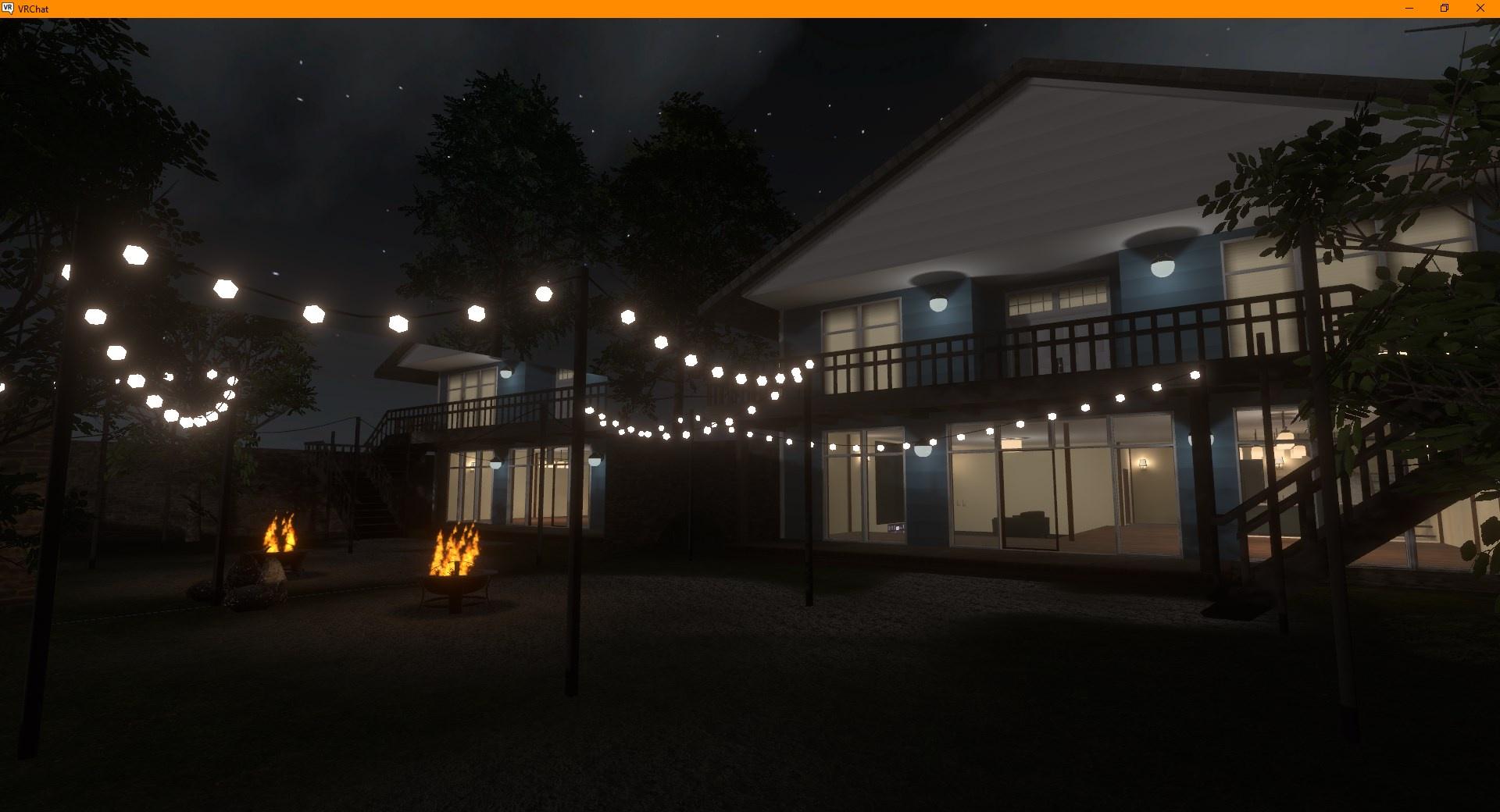
I think it was at the top, you can check all the different properties here https://docs.unity3d.com/ScriptReference/ParticleSystem.html

 sacred warren
Does anyone have a script or know where I can get a script that will change all selected object's "Static" flag back to the prefab's default? (it's annoyingly one of the things Unity doesn't let you do on multi-select).
 main marlin
this is my first time trying to create a vr chat world and whille i was trying to install the sdk3 to unity it had and eror with one of the files and idk how to fix it can someone pls help

how do u fix this
sacred warren
main marlin
You're using completely the wrong version of Unity.
Follow the instructions in the VRC guides much more closely.
sacred warren
VRChat
Requirements We're going to need a couple things before we can get started. Current Version of Unity. We strongly recommend using Unity Hub, available on that page.VRChat SDK - See the Choosing your SDK page to see how to choose the correct SDK for your use. Step 0 - Installing Unity Check the Curre...
gaunt egret
azure valley
https://i.imgur.com/pF5XCvX.jpeg
ayy thats cute! would love to visit when you release it
azure valley
gaunt egret
ayy thats cute! would love to visit when you release it
I'm tempted to release it sort of bare-bones rn just to see the filesize and have something available tbh
lethal blade
Anyone know if lighting affects video players
vagrant shale
It depends on the material of the player. In the case of PROTV, I'm pretty sure you can adjust that to change the glossiness.
bold ibex
yo alright does anyone know how to add brushes into your world, whenever I search it up all I get is the annoying brush avatar
sacred warren
You probably want to look up pen prefabs, not brushes 😉
bold ibex
i meant like hair brushes, what I now realize I should've searched hairbrushes and not just brushes 🥲
okay cant find that either
so does anyone know how to add hair brushes
 iron trench
i tried loading into MY OWN WORLD and it just loads 2 times then kicks me to home world. how do i fix this?
vagrant shale
bold ibex
so does anyone know how to add _hair brushes_
You just want hair brush models? https://sketchfab.com/search?features=downloadable&q=hair+brush&type=models
Sketchfab
Use Sketchfab to publish, share and embed interactive 3D files. Discover and download thousands of 3D models from games, cultural heritage, architecture, design and more.
gaunt egret
https://iaminvalid.gumroad.com/l/hctbu i found this but its for avatars lol

Gumroad
This hairbrush unity package is a ready-to-go hairbrush made for VRChat avatars that makes dynamic brush sounds based on contact and motion. The package includes a ready-to-install prefab, controllers, animations, and instructions on use and installation.An install video tutorial link can be found in the 'Read Me' document within the package.Not...
vagrant shale
No Quest support 😩
azure valley
why are most vrchat tutorials extremely lengthy youtube videos
vagrant shale
Because the video creator has to screw up halfway through and then start over from the beginning without editing that part out.
azure valley
It's somehow extremely accessible while also taking up so much time unnecessarily its annoying
final rapids
I'm trying to update my world, and I'm getting the following error when the file is uploading: Asset Bundle upload Failed. Failed to Upload File. These are the errors i get in the console

I have restarted Unity and it still keeps happening
austere hull
can i run function on input
 crimson sand
help

 thorny geyser
Should I use .png or .jpg for materials?
vagrant shale
I'd use png. Unity gives you a ton of tools for compressing your textures and reducing the size of your build but you can't uncompress something that already had compression embedded into the file.
thorny geyser
oo nice ty
 slender mauve
hey, I'm using unity and a YouTube video on how to make a world and when i am trying to start the test it makes me get vrchat through Microsoft Appstore but when I search in there nothing comes up, I have tried using my actual oculus and that didn't work earthier, and I searched vrchat on a window logged in and it still says I need Microsoft. Can someone please tell me earthier how to get it on Microsoft app or how to get it somewhere else that will work.
and for the youtube video when he presses it he jsut goes right in
vagrant shale
I would download it through Steam if you're using VRChat on PC or using a headset connected to a PC.
green lagoon
slender mauve
hey, I'm using unity and a YouTube video on how to make a world and when i am tr...
you pick up vrchat on Steam not Microsoft Appstore
slender mauve
Kk ty
azure valley
ive come up with a solution to udon being hard to learn and tutorials being very broad and unspecific sometimes
 slender mauve
so, I am on steam and logged in to my account and when i press build and test it still takes me to Microsoft Appstore still. So, I need to know how to fix that. like maybe a setting on vrchat or something?
vagrant shale
slender mauve
so, I am on steam and logged in to my account and when i press build and test it...
There should be settings in your builder where you need to tell it where VRChat.exe is located. By default it's C:\Program Files (x86)\Steam\steamapps\common\VRChat\VRChat.exe
 surreal nebula
how do you make a cutout mirror
azure valley
surreal nebula
how do you make a cutout mirror
I don't have the link to it right now but it's a custom prefab
surreal nebula
yeah I searched in this channel and found it, thanks though
upper obsidian
surreal nebula
yeah I searched in this channel and found it, thanks though
GitHub
A simple mirror prefab for mirrors that show players only without any background in VRChat - VRCPlayersOnlyMirror/PlayersOnlyMirrorCutout.shader at main · acertainbluecat/VRCPlayersOnlyMirror
minor finch
upper obsidian
It was sarcasm. Component mesh render on an object stops working when culled. It...
For some reason I thought you were talking about the video player unrelated above lol. So it's affecting the mesh renderer component and not the game objects themselves, got it.
 severe patio
Question for... anyone!
I'm kinda new to VRChat world making and stuff.
Just messing around rn mostly and learning along the way.
I have an idea for a VRChat club. I know, I know- there's a lot of clubs in vrchat and its annoying.
Well;
- Mines has a special... gimmick to it that i would love to see in a club world, but nobody has done it yet.
- Im lazy so im sure i won't even make it to a full fledged thing anyway, but lemme at least try to do the basics.
I've uploaded random worlds before and put together basic things with probuilder and audio link.
I'm here to ask for some audio link help / tips actually! Hard to find some online.
In club worlds with audio link, at least some of them. The colors of the lights matches the video kinda.
Like in LOCATION.SEWER, the lights match the video. Actually, I think the lights in that one are coming directly from the video screens so idk if thats a good example.
Maybe "0day" ? Which, seems like the same thing. But like the light pulses and glows the specific video's color. And the lights on the ceiling match.
How do i get this effect?
In unity all i seemed to get is to change color via "reactivity settings" on the surface or whatever.
its bad enough i can't even use the USharpVideo player in unity anyway, it just fails with unknown error in play mode, i'd have to go directly in vrchat to test that :/ (or well, the "test" feature)
green lagoon
GitHub
Optimized plug-and-play realtime area lighting using the linearly transformed cosine algorithm for Unity/VRChat. - GitHub - PiMaker/ltcgi: Optimized plug-and-play realtime area lighting using the l...
green lagoon


Haven't had much time to work on #ltcgi, but I love exploring worlds that use it :) Here's a little compilation of worlds!
 Twitter
·
Twitter
·
 steep forge
Hello everyone, I'm new to creating worlds for VR chat, I would like to know how to play a YouTube music playlist in a quest world. Any help would be greatly appreciated🙂 I looked all over youtube however, all i seen were videos on how to place a player using udon but not how to script it.
green lagoon
you can't play any YouTube videos on the quest
vagrant shale
I got them working with ProTV but that was a while back and it was using youtube-dl and even then, the links expired after a few hours. I'm not sure if that method even works now, I think you can use a link resolver but I've never had good luck with those.
upper obsidian
vagrant shale
I got them working with ProTV but that was a while back and it was using youtube...
ProTV, like any other package on udon, is just a shell for managing AVPro. And they do not add any new features for AVPro.
fervent steppe
parts in my world keep disappearing
so i click test and the earth that i placed in the sky dissappears
its static and the shader is set to standard
the planet is just a sphere aswell so idk why it disappears
nope i cant replicate it
could the object be too far?
fervent steppe
its too far away
well i found the issue but the fix is a different question
ill just shrink the planet and move it closer
oh ffs
i think i just fixed the issue
 fervent furnace
Hey there, does anyone have a good example model for visually checking the size of what you build to make sure it looks natural. Basically a mannequin.
It's been a few years since I have made anything for vr chat and in the old sdk it used to include one. Maybe it still exists in this sdk and I looked over it.
If I need to I will just import an avatar but I enjoyed having that simple mannequin to make sure everything just was averaged and compositionally similar throughout the scene.
bold ibex
fervent furnace
Hey there, does anyone have a good example model for visually checking the size ...
its probably best to download an avatar
fervent furnace
I wanted to try avoiding that since some avatars seem to be much smaller or larger than each other and that mannequin from the first sdk was like right in the middle of everyone but if I can't find one of my original projects and pull it out I guess I will just download an av that looks close.
surreal nebula
trying to modify a script to work with interact instead of ui for colliders, what should I do to set opposite value?

 old breach
Assets\UdonSharp\Editor\UdonSharpASTVisitor.cs(2800,58): error CS0246: The type or namespace name 'InterpolatedStringTextSyntax' could not be found (are you missing a using directive or an assembly reference?)
Any fix?
gaunt egret
fervent furnace
Hey there, does anyone have a good example model for visually checking the size ...
spawn the capsule
er well, the capsule model you can add into your scene within unity is the collider for avatars
i use that to scale my worlds, seems fine
austere hull
how to properly manage thousands of objects on map
vagrant shale
That's really going to depend on what your needs are. It sounds like you might just need to have code running on interact but you have it running all the time which isn't great.
green lagoon
austere hull
how to properly manage thousands of objects on map
what kind of objects are the lots of objects
austere hull
2500 objects each having collider and 3 meshes
green lagoon
what do the objects do
as It would answer if you can just disabled all of them not in view
vagrant shale
What is your world size? That's the only thing that should impact how long it takes to load. I would look into batching if you have a bunch of identical meshes but I don't know that much about the details on that. I think just marking them as static should enable some batching.
 barren spindle
Hey guys, I'm new with crunch compression/crunching, do you bake lighting then crunch or the other way around? ty for reply.
vagrant shale
I don't think it matters. Crunch compression effects the texture and lightmaps are their own layer on top of the texture. You can crunch your lightmaps to reduce their size but you need to have lightmaps to do that.
barren spindle
Hmm, I see. when i crunched the texture when i already baked the lights. it got this weird artifacts. anyways ty for reply
vagrant shale
Crunching will give you artifacts to some level, that's just the nature of compression but you didn't get them when you crunched after baking? Generally, you do any compression on your textures when importing them and then leave them alone. Having to re-compress after every bake would get to be a real pain for larger scenes.
 jovial juniper
anyone know why the client sim window is greyed out?
barren spindle
I didn't touched the texture before baking, that's why i got curious with it having artifacts. when the baked was done then i crunched it's texture
didn't get them when you crunched after baking?
nope, everything was perfect. no weird artifacts and all
vagrant shale
Crunching is the best option for reducing file size but it's also one of the more extreme in terms of reducing the visible quality of the texture. If you want something to look nicer, I would recommend one of the compressed types like RGB Compressed ETC 4 Bits vs using a crunched format. When I want very high quality, I use ASTC 4x4 block but that's also going to produce a much larger file size in your world and impact performance. Often, you have to pick and choose where you want quality.
It may have been artifacts in the bake, then. You can change the quality settings of the bake in lighting but there are a lot of factors there so I would recommend watching a tutorial or 2 on baking lights.
The big one is lightmap resolution, I usually bump that up from the default of 40 texels per unit to around 200 or 300 but that is going to make your bake take much longer depending on your hardware.
jovial juniper
does clientsim not work?
vagrant shale
jovial juniper
does clientsim not work?
Never used it but the first thing that comes to mind is you might have compiler errors stopping it from running.


 jovial juniper
vagrant shale
Never used it but the first thing that comes to mind is you might have compiler ...
jovial juniper
vagrant shale
Never used it but the first thing that comes to mind is you might have compiler ...
no errors, its just greyed out
and this creator compaion is shit
vagrant shale
jovial juniper
no errors, its just greyed out
You checked your console and no errors there? I don't bother with the creator companion myself, you can get the same functionality in separate prefabs
barren spindle
this the one with crunched textures
 jovial juniper
i just want to test the world in unity like i do with avatars
vagrant shale
Yeah, I think that's a result of your lightmap settings, not your texture compression settings. Change lightmap resolution to 200 texels per unit, change lightmap size to 4096 and use the progressive GPU lightmapper if you have a GPU that can handle it.
barren spindle
Alright, I'll give a try later. ty for the help
vagrant shale
jovial juniper
i just want to test the world in unity like i do with avatars
Do you know how to find your console? It should be in the bottom panel.
jovial juniper
this is on of the many errors this tester caused: "Assets\Samples\VRChat Client Simulator\1.1.4\ClientSimWorldTestExample\ClientSimWorldTestExampleScene.cs(20,46): error CS0115: 'ClientSimWorldTestExampleScene.GetTestSettings()': no suitable method found to override"
i followed the instructions perfectly, copy url to the "+" button under packages
now i have to remake my entire fucking project
vagrant shale
I don't know about that, I would just try deleting the VRChat Client Simulator folder. It sounds like something went wrong with that install but your project should still be usable
jovial juniper
been trying that for over 3 hours
vagrant shale
Does it still give you errors if you delete that folder? It's not necessary to have the client sim, it's just more convenient.
vagrant shale
What sort of errors? You may have unrelated errors.
But yeah, I would personally avoid the creator companion for now, it seems to be more trouble than it's worth.
 left rain
the documentation is on github
you need to have git for windows installed first, and the git.exe added to your system PATH
vagrant shale
VRChat is expecting people to set up path variables and that's their idea of making the tools more accessible and easy to use? Well, alright, then.
left rain
it's temporary until they get the creator's toolkit fully operational
otherwise you can stick to the usual SDK3 package and cyanemu for the time being
bold ibex
is there a shader that can replicate the PS1 vertex jitter?
https://github.com/dsoft20/psx_retroshader i found this but im not sure if it'll work in vrchat

GitHub
Shader that "emulates" the rendering style of ps1. Contribute to dsoft20/psx_retroshader development by creating an account on GitHub.
vagrant shale
left rain
otherwise you can stick to the usual SDK3 package and cyanemu for the time being
I plan on it. It just makes a lot more sense now why we're seeing so many people run into problems using the new tools, they just aren't ready for use by the average person but they aren't being marketed as the complex and experimental tools they are.
left rain
¯_(ツ)_/¯
vagrant shale
bold ibex
https://github.com/dsoft20/psx_retroshader i found this but im not sure if it'll...
Wouldn't hurt to try and find out. Quest is more limited on shader use but there aren't a lot of limits on what PC worlds can use.
left rain
if you go to their downloads page they're still showing all the old stuff, with the option of the creator companion beta
bold ibex
vagrant shale
Wouldn't hurt to try and find out. Quest is more limited on shader use but there...
i don't really bother with quest stuff tbh. i use one but for pcvr only. the link in that post is dead so i gotta figure something else out
left rain
i'm sure once it's out of beta it'll at least be mostly functional. in the meantime setting up your system PATH is not brain surgery, i realize it's a bit more technical than your average windows user is comfortable with but it's not the end of the world
vagrant shale
It's not that complicated if you pay attention and follow instructions but the language used on the announcement advertises this as an easier way to get and install these packages when it is objectively more difficult to use ClienSim than the CyanEmu package it's designed to replace

Simple, fast, and painless...
left rain
right there at the top

i'm sure it'll be fine once they're done. if you're using creator companion, the package management is handled for you. you only need to involve yourself with all this git stuff if you're not using the creator companion AND you want to use clientsim
 bold ibex
does anyone know how to make a click door to teleport?
iron trench
iron trench
i tried loading into MY OWN WORLD and it just loads 2 times then kicks me to hom...
anyone know how to resolve this?
vagrant shale
Yeah, making sure you're using VRCWorld and not your own Scene Descriptor is a good start.
 cold meteor
having a problem, whenever i click into the game window to enter the information, my mouse disappears and i cannot enter anything, and the only way to get my mouse back is with the escape key

 kindred kestrel
pastel coyote
Make sure your Windows is up to date. Sorry I'm late on this!
kindred kestrel
pastel coyote
Make sure your Windows is up to date. Sorry I'm late on this!
It turns out the root problem was vsync of all things lol
pastel coyote
kindred kestrel
It turns out the root problem was vsync of all things lol
Weird one but glad you solved it!
 long kite
Anyone know how to make a ride for a theme park.
sand forge
sand forge
heya ! i added a new video player to my world ( ProTv ) and i have these errors,...
I still need help with these errors, would appreciate any help
 neon meadow
I have had similar problems with multiple types of video players yesterday and today.
Until now, there was nothing wrong with it.
Everything works fine on local tests.
I was able to play the video.
The video player error message is not displayed.
However, when I actually try to upload it to VRChat, I get an error message like this. ; ;
I don't know if it's the same problem, but I also want to know how to solve this problem.
And I didn't know if this was a problem with UDON ... ; ;
 austere hull
does placing 10 huge colliders will make map load much faster than 5000 tiny ones
 gleaming trout
Are there any easy way to maintain both quest and pc world together?
I tried both switching build or having 2 separate project and both still take a lot effort t to make some small updates
 spiral creek
Hey I'm getting Export Exception - System.IO.FileNotFoundException
and I can't upload a world
vagrant shale
gleaming trout
Are there any easy way to maintain both quest and pc world together?
I tried bot...
I hear that the creator companion allows for simultaneous building but I don't think I would use that yet. You don't need separate projects, just switch build target. The best way to make the process of switching targets faster is by keeping your project size as small as possible by only keeping the things you need in there and creating a local cache server in preferences like in the picture. You should also only be switching build targets after you've built and tested several changes and want to make sure PC and Quest are the same, not for every small change.

 vital geyser
Is it possible to play a video that's imported into the project directly?
vagrant shale
No, pretty sure that isn't possible. I guess you could import all the frames and play it as a frame animation and then play the audio track at the same time but it probably won't stay synced for long.
fervent furnace
Hopefully my last dumb question for a while. Before I start adding functionality to this world. Is c# still allowed to be used in worlds like it used to be or does it need to be udon now? I am much more comfortable coding in C#.
stone marsh
fervent furnace
Hopefully my last dumb question for a while. Before I start adding functionality...
C# wasn't allowed in sdk2 or sdk3. We use Udon. You can use UdonSharp, which is a C# compiler.
GitHub
A compiler for compiling C# to Udon assembly. Contribute to vrchat-community/UdonSharp development by creating an account on GitHub.
fervent furnace
stone marsh
https://github.com/vrchat-community/UdonSharp
I'll look into using this. I haven't built anything for vrchat for a long time. SDK2 wasn't a thing at the time. Thank you so much for your time. I should probably just bite the bullet and look more into Udon if I am going to add interactivity to stuff I build for vrchat but I will look into that compiler.
stone marsh
fervent furnace
I'll look into using this. I haven't built anything for vrchat for a long time. ...
Yeah. Pretty much everything uses U# now a days. Graph is annoying for complex things. Bout everything in my world is U#
fervent furnace
stone marsh
Yeah. Pretty much everything uses U# now a days. Graph is annoying for complex t...
I've always had a hard time thinking in the graph / node based structure but hey, maybe if I get good with that style it will make me a better developer.
stone marsh
fervent furnace
I've always had a hard time thinking in the graph / node based structure but hey...
Lol nah, just stick to C#/U# xD
fervent furnace
You can! How much experience do you have with LOD's?
stone marsh
It's also not a one size fits all, something like that will take a range of methods to keep it performant.
That totally aside, you'll have major float point errors at that distance from 0:0:0 so you'll need to do some form of trickery such as moving the world, not the player, camera tricks, using stations n animations. Etc. Allowing someone to walk a km from 0:0:0 will cause a ton of FPEs
The vrc SDK
Unity 2019.4.31f1
What about them?
coral magnet
Plenty of them don't use anything!
Though I heard 'magtic light probes' is fairly popular.
stone marsh
Post processing and bakery are really it. There's some tools to help with placing probes but they may or may not even be of use depending on your project
coral magnet
Post processing doesn't require any third party tools, does it?
stone marsh
No
coral magnet
(Nvidia only!)
stone marsh
Of course. You can use the GPU baker included with unity tho, so bakery is purely optional
It's use has both pros and cons depending on your project
Learning the base process with just unity alone is probably a good start and buying tools as you need them, rather than thinking you need to use them cuz some people use them before you understand why and when people use them.
Truly all you need to start is Unity and the sdk.
vagrant shale
Are you User rank or higher? If so, there's an option to submit to community labs when publishing. If you make it out of community labs, the world is public.
vagrant shale
It shouldn't take you long, at least if you're willing to go into...public instances 😱
bold ibex
hi im unable to upload world cause its over 50mb for quest is there anyway around this cause im compressing all textures to 512 from 2048 and its doing nothing to the mb count help plz
vagrant shale
Yeah, I remember seeing a bug when the size was just increased where it was still complaining about being over 50 MB but that was months ago. Also, make sure you're making your changes to your texture in the android overrides or it won't affect the size of the Quest world.
green lagoon

EDIT: I now wholeheartedly recommend using World Creator Assistant to set up your VRChat world projects! It's now the way I set up all of mine!
https://youtu.be/F1Tr3Nc9Rxs
https://ask.vrchat.com/t/world-creator-assistant-automate-vrchat-world-project-management/7571
https://github.com/Varneon/WorldCreatorAssistant
Download Unity - https://docs...
this video tutorial shows basic world-building just using Unity
vagrant shale
Mmhmm, it uses probuilder which is somewhat limited vs something like Blender but it can get the job done if you don't want to learn any other programs right away. Blender would probably be the second most essential as it will allow you to create a lot more assets but you can also find a lot of assets available on the asset store or sketchfab.
 hallow sapphire
Hello, I've been trying to upload and test my world, it worked once, but now when trying to test it I keep getting the error "System.IO.FileNotFoundException: C:/Users/PC/AppData/Local/Temp/DefaultCompany/New Unity Project (2)/scene-StandaloneWindows64-FILE-NAME.vrcw does not exist"
Does anyone know what could be happening?
vagrant shale
Are you using build and test or publishing?
hallow sapphire
I've tried both and the same thing happens
vagrant shale
I see, my guess was going to be that your VRChat.exe location isn't set up correctly in the builder but that shouldn't affect publishing. It's a common issue but I can't remember what the fix is.
hallow sapphire
Ah damn
vagrant shale
hallow sapphire
Ah damn
Can you post your whole console? I did a little searching and it seems to be just a generic error that results from other errors.
hallow sapphire
vagrant shale
Can you post your whole console? I did a little searching and it seems to be jus...
 vagrant shale
hallow sapphire
vagrant shale
hallow sapphire
Yeah, it looks like you've got a few errors but the "vrcw does not exist" error is just a result of the others. It looks like you're trying to do something with a blend file but it can't find blender and then there's a reference to SDK2. Are you using SDK2? Also, it seems to reference an avatar descriptor but then you say this is a world. I don't know, there's a lot going on here. It seems like you've got every possible SDK in this project when you should really just need the one.
hallow sapphire
I'm using SDK3 atm, I remember converting it so that it would be compatible with SDK3 and that's how I tested it the first time, but the second time I loaded my world save and tried to test it again, it won't work. I'm not really sure what most of these errors are, I'm new to unity and this is my first world
vagrant shale
Its your first world but you had to convert it from SDK2? That hasn't been what most people have been using to make worlds for like 2 years. I would just delete all your SDK folders and reimport the most recent world SDK and just that. Still not sure about the blend file thing, don't try to use blend files in Unity.

 grave zealot
How's the general lighting/enviroment looking so far? https://vxtwitter.com/datguyfelix/status/1542328909823242240
I'm really liking how this is coming along so far, the transition between the regular sky/landscape, to the shining of the Eclipse; is really damn good
#VRChat
cobalt prawn
grave zealot
How's the general lighting/enviroment looking so far? https://vxtwitter.com/datg...
I dig it! It looks very peaceful yet the colors make it feel ominous at the same time. I'm also watching Lost right now so the remote island thing is really resonating with me
grave zealot
Thanks, it's meant to be more mainland and just focused on a beach/giant lake. It's the Eclipse scene from Berserk
cold meteor
cold meteor
having a problem, whenever i click into the game window to enter the information...
anyone able to help?
cobalt prawn
cold meteor
anyone able to help?
Take a close look at all the gameobjects in your scene hierarchy, there's probably a random script attached to something that you imported which is causing mouse lock + other stuff
cold meteor
is there a quick way to go through them all? I've got quite a few gameobjects
cobalt prawn
I mean I would just look at the ones you are not already familiar with
cobalt prawn
Yee nice 👍
vagrant shale
Fog is an option or just have the light fade to black, depends on the effect you're going for.
cold meteor
found a problem with colliders
some of my floor tiles have no collision while others do, both have mesh colliders set in the same way
anyone know what could be the problem?
upper obsidian
cold meteor
anyone know what could be the problem?
Check layers on objects, and mesh colliders and primitive colliders have slightly different behavior.
try not to use mesh colliders, or turn on convex on them where it allows.
cold meteor
what does convex do?
 solemn gulch
it's way more optimized depending on what your mesh looks like, though it doesn't allow for inside bends

 leaden cipher
Quick question, can I attach my primary and only spawn point to an object that moves around?
cold meteor
thanks
changing it to convex did nothing, still fall through

wait i dont think it should be player local layer
upper obsidian
cold meteor
wait i dont think it should be player local layer
Set default layer everywhere, use player locale for triggers
cold meteor
right
cold meteor
how do i make a trigger that causes an animation when clicked, rather than just toggling on/off?
 sharp bane
Quick question, how long does it normally take for a vrchat world to leave community labs and be published?
I've been waiting 4 months now.
Only saying this because I feel like it's been a while and I should just ignore it now
green lagoon
that would basically be dependent on how many people visit the map
bold ibex
does anywone know if its avaliabl for two or more people to work on a singl.e unity project for a world
 near escarp
sharp bane
Quick question, how long does it normally take for a vrchat world to leave commu...
near escarp
sharp bane
Quick question, how long does it normally take for a vrchat world to leave commu...
You can always try publishing it again at a more opportune time of the day/week, but it's not just visits
 wicked prairie

uhhhh idk what's going on here
uh
i see
i didn't
also do i need to have VRCWorld hidden in the heiarchy
ye
bold ibex
hey everyone
any highly ranked vrchat user wanna publish the map im making?
i dont have the level
if you publish it i will just have my name somewhere but full creds go to you apart from that
anyways dm me if your interested

quick preview of my model
 lament iris
I'm making a dystopian-looking citadel.
 vagrant shale
bold ibex
any highly ranked vrchat user wanna publish the map im making?
vagrant shale
bold ibex
any highly ranked vrchat user wanna publish the map im making?
You only have to be User level to publish a world to community labs, it doesn't take that long to get there. Having to have someone else publish it for you and credit you just seems unnecessary when you could just wait a few days but that's just me.
 rancid bison
What's the Damage Layer most worlds use for guns that do Damage?
 vagrant shale
It varies based on a lot of factors like whether you're hanging out in public instances and making friends or just going into private instances on your own but maybe 12ish? I don't go into public instances so it took a bit longer for me, you can google it and find some estimates
 indigo bramble

 wooden merlin
is a camera combined with a reciever different than a mirror?
 lunar moon
got my first VRChat world (a port of the eggmanland hub from Unleashed) working
 main marlin
hey i just downloaded a prefab and imported it but i cant find it in untiy does any one know how to find it
vagrant shale
You can see the name of the files/folders during the import process so you could try importing it again and everything will be unchecked since it's already there but you can see where it is. It probably created a new folder in your assets folder.
ocean crag
What are some visit numbers that would be considered successful for veteran publishers on new worlds? I usually get a few thousand visits and several hundread favorites but it dwindles to almost no activity usually within a week. Whats a good goal to be shooting for?
vagrant shale
Most of my worlds aren't made for general public use so I don't have a great answer for you but that sounds pretty decent if you're just publishing original worlds and putting them out there. If you want to have sustained activity, you need to start marketing and developing a social media presence. Creating worlds (and tagging them appropriately) related to popular IP is also going to get you more attention than a world that has no name recognition even if it's quality work. A world can be amazing in quality but if only a handful of people ever check it out organically, then you're depending on that small group to tell their friends and for their friends to tell their friends and so on which can happen but a lot of it comes down to luck.
green lagoon
and if it's like not a game map there might not be an incentive for repeat visits if somebody doesn't decide is cool enough to put in their rotation of hangout Maps
ocean crag
Thanks @vagrant shale I started a platform with my last one which has been my most successful world so hopefully that keeps a little traction going
ocean crag
green lagoon
and if it's like not a game map there might not be an incentive for repeat visit...
I did make some cool board games on this one and udon games so that seems to get people to bring there friends and hang around
 languid pewter
I've seen some worlds where you can walk at a section wall and climb it like it's a ladder (on pc) , If I was looking to reproduce that, where should I start looking?
vagrant shale
There's a climbing prefab in the database, maybe have a look at that https://docs.google.com/spreadsheets/d/e/2PACX-1vTP-eIkYLZh7pDhpO-untxy1zbuoiqdzVP2z5-vg_9ijBW7k8ZC9VP6cVL-ct5yKrySPBPJ6V2ymlWS/pubhtml#
bold ibex
I'm sorry to all Italians , but i turned the coliseum into a strip club.
 languid pewter
vagrant shale
There's a climbing prefab in the database, maybe have a look at that https://doc...
languid pewter
vagrant shale
There's a climbing prefab in the database, maybe have a look at that https://doc...
Thank you i will go have a look. 🙂
bold ibex
can someone help me?
 vagrant shale
bold ibex
I'm sorry to all Italians , but i turned the coliseum into a strip club.
vagrant shale
bold ibex
I'm sorry to all Italians , but i turned the coliseum into a strip club.
I can't believe you've done this, that's where I brought my bambini to see people get torn apart by wild animals.
bold ibex
😭 🤣
vagrant shale
bold ibex
can someone help me?
I'm going to assume you have other errors, show us the whole console.
bold ibex
vagrant shale
I can't believe you've done this, that's where I brought my bambini to see peopl...
there was a change in era
 hazy badger
how do I add text into my world like credits for textures and all that?
vagrant shale
You can create text in the inspector just like you would any object like a sphere or cube

 nocturne crown
how bad will a quest world be if most shaders are standard?
currently, quest shaders on my world just doesnt show normal maps well :/ idk if theres any other way to fix it either
austere hull
i love when map takes 5 mins to load in unity and 10 mins to load in vrchat
vagrant shale
nocturne crown
how bad will a quest world be if most shaders are standard?
That depends on a lot of factors, how many materials and textures you have, number of meshes, whether the meshes are combined or all separate objects, etc. I never use the VRChat mobile shaders for worlds and I can get them over 60 FPS with fairly complex scenes on Quest 2. At least before everyone starts bringing in their very poor avatars.
austere hull
nocturne crown
currently, quest shaders on my world just doesnt show normal maps well :/ idk if...
if you dont have huge map or huge details then it will survive
count is as 2x more rendering of everything
nocturne crown
vagrant shale
That depends on a lot of factors, how many materials and textures you have, numb...
i can test with quest and see how bad it is and just limit standard to things that dont need it
most things without needed normals ill prob put on quest
austere hull
but for few objects that i needed transparency for i used standard
for 5k of remaining objects i used quest shaders so will be less laggy
nocturne crown
im making a daycare map that actually looks good so i just want the playmats to have their normals showing
so it probably wont be many objects that are standard
minus the cutout ones too
vagrant shale
One some cases, you might be better off with a simple mesh using a normal map for detail vs a more complex mesh but you only have that option if you're baking your own normal maps.
nocturne crown
vagrant shale
One some cases, you might be better off with a simple mesh using a normal map fo...
its mainly the playmats I want to have their normals, which isnt a ton of the map anyway
vagrant shale
Too much transparency can be a pretty bad performance hit so you'll want to limit that where possible. Also use occlusion culling where possible.
nocturne crown
vagrant shale
Too much transparency can be a pretty bad performance hit so you'll want to limi...
im def using occlusion culling for sure
there isnt many cutouts, i use a few cut outs in my world doesnt lag at all, but yeah if its too much ill reduce them
vagrant shale
You can also bake all your lights into your textures using Cycles in Blender and then use all unlit materials for great performance but I think I'm the only psychopath that does that.
nocturne crown
damn, i didnt do that :/ way too late to even try, my computer wouldnt be able to handle baking that map anyway
it would probably take days
vagrant shale
Only like 20 minutes if you've got a decent PC ||for every texture.||
green lagoon
vagrant shale
You can also bake all your lights into your textures using Cycles in Blender and...
that wouldn't provide light probes for the avatars so that's not the way to do it
nocturne crown
vagrant shale
Only like 20 minutes if you've got a decent PC ||for every texture.||
yeah ill settle with bakery tbh
thanks for the advice but damn that would suck
vagrant shale
green lagoon
that wouldn't provide light probes for the avatars so that's not the way to do i...
You can still use lights for your light probes and bake reflection probes, just keep the textures unlit. It's not a perfect solution for every world and you don't get any reflections from an unlit material but if you want high quality lighting and you don't need the lighting conditions to change, it's an option.
green lagoon
isn't that kind of result in mismatched lighting baking the World Lighting in blender
vagrant shale
It won't be exact but you can eyeball it. I wouldn't recommend it for most applications but we use it for our show, Welcome to Respite, and we get some pretty quality lighting if I do say so myself and often hit max FPS on Quest 2 with a fairly high number of objects.
 gaunt egret
ay that looks cozy
 full kettle
so i had just uploaded a world for quest and pretty much all the textures are black does anyone know how to fix this
vagrant shale
Are your lights baked?
full kettle
no i just have a skybox and thats it
main marlin
im trying to put in a beer pong table but the file is not being opened
does anyone know what to do
vagrant shale
full kettle
no i just have a skybox and thats it
You might want to add a light (realtime is fine for testing) and see if that fixes it. Are you using the standard shader?
full kettle
vagrant shale
You might want to add a light (realtime is fine for testing) and see if that fix...
naw matcap
vagrant shale
full kettle
naw matcap
Maybe try the standard shader just to narrow down the issue?
vagrant shale
Yeah, you can change the skybox to none or something else in the lighting tab and change the lighting source to a color or gradient rather than skybox.
main marlin
@vagrant shale the thing is it doesn’t even say its importing
vagrant shale
I've never used that prefab so I don't know, could be messed up.
full kettle
ok so i think its the texture
main marlin
well thx anyway
vagrant shale
full kettle
ok so i think its the texture
Did it still look messed up with the standard shader? Are these models you're importing or ones you made
full kettle
vagrant shale
Did it still look messed up with the standard shader? Are these models you're im...
im importing them
vagrant shale
Okay, so the UVs are probably fine
full kettle
wait i found something only one of the textures that came with the model work
bold ibex
does anyone know how to make a click door teleport all im finding is walk in to door teleport videos
 vernal prism
could someone point me to VRchat 3.0 world spawn tutorial/instructions? I cant seem to figure out how to set it up correctly. I cant rotate / face players to a set direction.
vagrant shale
full kettle
wait i found something only one of the textures that came with the model work
That makes sense, the others probably aren't UV-mapped for that model.
vernal prism
I keep getting kicked back to my home world after trying to load a new world i published. I can run it in test mode fine, but not after being uploaded. Cleared cache. Restarted client. Restarted PC. Still an issue.
2019.4.31f1 is the correct unity version right?
vagrant shale
It is. Are you using VRCWorld for your Scene Descriptor?
 neon briar
help
 vagrant shale
@low mirage Adjust the mapping in the texture settings.
 vagrant shale
neon briar
help
vagrant shale
neon briar
help
I don't recognize the error, seems like something related to reflections. Did you add something or so something recently that might impact those?
neon briar
the error pops up when i go to the vrcsdk panel next to the inspector tab
vagrant shale
Was the project working before or has it never worked?
neon briar
it was working before i added bottles and chairs
vagrant shale
Standard VRC chairs? Those probably aren't the cause so I'd try getting rid of the bottles first.
 scarlet quail
Hi everyone! i make procedural material with substance designer is there any way to get them working in vrchat? can anyone help me with this?
 green lagoon
exporting materials as png's
scarlet quail
other than that
scarlet quail
i know unity 2020.3.27 can use them with a plugin you think one day they will add support for that ?
 torpid agate
where could i find this sky box or something very similar
 green lagoon
scarlet quail
i know unity 2020.3.27 can use them with a plugin you think one day they will ad...
green lagoon
scarlet quail
i know unity 2020.3.27 can use them with a plugin you think one day they will ad...
vrchat doesn't use that version and that would just be changing when it would turn into png's
neon briar
vagrant shale
Standard VRC chairs? Those probably aren't the cause so I'd try getting rid of t...
i tried to delete both but it did not work
scarlet quail
green lagoon
vrchat doesn't use that version and that would just be changing when it would tu...
i was hoping maybe they would add compatibility that allows varchat to use c# scripts to miniplate materials in real time
green lagoon
scarlet quail
i was hoping maybe they would add compatibility that allows varchat to use c# sc...
vrchat does not have any c# scripts support and what the heck would you even be doing that would require that
scarlet quail
green lagoon
vrchat does not have any c# scripts support and what the heck would you even be ...
stuff. what about Houdini stuff an procedural models is that supported?
green lagoon
you would have to turn the Houdini stuff into a 3D model to load into vrchat
what are you trying to do that requires runtime procedural generation like that
vagrant shale
And these materials don't have any texture options? Most materials can have a mapping node to adjust the tiling but I'm not exactly sure what process you're using to do this.
scarlet quail
green lagoon
what are you trying to do that requires runtime procedural generation like that
native support for algoritmic materials is more optimized
green lagoon
scarlet quail
native support for algoritmic materials is more optimized
it would still take up the same amount of vram in the graphics card
so that would literally not help vrchat in the slightest
as you can crunch compress textures to make them small download size-wise
and that would require vrchat to import a proprietary SDK
and I haven't heard it used case yet that actually requires it not just o'dear I don't want to be bothered setting up my materials properly
scarlet quail
green lagoon
it would still take up the same amount of vram in the graphics card
nah these are algoritmic they are code based more like shaders are it doesnt load into vram like a normal texture would
green lagoon
well vrchat doesn't support it so there's no point continuing this train of thought
you'll have to turn your textures into png's
vagrant shale
This is basically the setup for that, depending on your texture coordinates.
 scarlet quail
green lagoon
you'll have to turn your textures into png's
scarlet quail
green lagoon
you'll have to turn your textures into png's
😔 the only way to innovate is with shaders now i guess
scarlet quail
green lagoon
well vrchat doesn't support it so there's no point continuing this train of tho...
hey thnx for the help anyways
green lagoon
I haven't heard what you're even trying to do besides wanting to skip making png's
vagrant shale
Yeah, you'd just change the output of the texture coordinate node if it was normals instead of UVs, I think.
green lagoon
and I just checked the unity plug-in and it just generates png's in the editor not running them as procedural Shader code materials at runtime
so there is no magic save vram compared to using equivalent size png's
scarlet quail
green lagoon
I haven't heard what you're even trying to do besides wanting to skip making p...
the idea was to have a world that can change the wear and tear on the material in Realtime to simulate rapid aging. things like Realtime moss growth and dirt accumulation paint wear and rust.
scarlet quail
green lagoon
so there is no magic save vram compared to using equivalent size png's
are you looking at "Adobe Substance 3D
for Unity" plugin ?
green lagoon
scarlet quail
the idea was to have a world that can change the wear and tear on the material ...
that would be more like changing vertex colors in real time to change material blending not substance painter materials
or some other Shader code driven by animation
scarlet quail
green lagoon
that would be more like changing vertex colors in real time to change material ...
so when i expose a prameter in the original file it gives it to unity as a slider like any other slider like vertex color
green lagoon
my point is like you're going to need a custom Shader to do this not just the standard Unity Shader
scarlet quail
green lagoon
my point is like you're going to need a custom Shader to do this not just the ...
the plugin comes with its own shader that can manipulate the texture
green lagoon
scarlet quail
the plugin comes with its own shader that can manipulate the texture
can it do those that run time and it does it even work in unity 2019
scarlet quail
green lagoon
can it do those that run time and it does it even work in unity 2019
nah it doesn't in 19 but ive tested it in 2020 and its just so much fun to use
green lagoon
well we're stuck with unity 2019
scarlet quail
green lagoon
well we're stuck with unity 2019
you seem to know ur stuff are you a creator ?
green lagoon
I haven't published any worlds but I tend to read a lot of documentation
and a follow-up question would be does the substance plug-in even use the built-in renderer
as vrchat is on the built-in renderer
scarlet quail
green lagoon
and a follow-up question would be does the substance plug-in even use the built-...
yes the renderer is the default
green lagoon
but yeah if you want to do that rapid aging you're going to have to look into Shader creation
scarlet quail
green lagoon
as vrchat is on the built-in renderer
if i get good enough with shader development i can just turn these into shaders instead of textures the concept is the same
green lagoon
scarlet quail
if i get good enough with shader development i can just turn these into shaders ...
you would still be using textures in that Shader
because it's not worth the run time over head to try to completely procedurally-generated a whole substance material in the Shader
you would just want the Shader to be handling the blending between the different textures to handle the Aging effect
scarlet quail
green lagoon
you would still be using textures in that Shader
simple square shapes and noise maps is all i would use
green lagoon
so feel free to give it a try but make sure to Benchmark your Shader because you can't spare the framerate in VR because you're scared of a little bit of vram
scarlet quail
green lagoon
you would still be using textures in that Shader
its all code based even the noise maps there is no pixels involved in these
scarlet quail
green lagoon
so feel free to give it a try but make sure to Benchmark your Shader because you...
oh yeah totally. from my personal experience using algorithmic material in unity has been giving me better framerates
green lagoon
and if it's helpful context I also try to do Quest content so I try not to go overboard on the complicated shaders to not melt the mobile phone processor
scarlet quail
green lagoon
and if it's helpful context I also try to do Quest content so I try not to go o...
yeah ur right. from what i have been seeing shader people like to do everything in shader level and not rely on textures and material artist use 5 maps in standard shader to achieve the same look. both think their method is more optimized
scarlet quail
green lagoon
and if it's helpful context I also try to do Quest content so I try not to go o...
i personally like to have my look made by textures so everyone in vrchat can see it
green lagoon
scarlet quail
yeah ur right. from what i have been seeing shader people like to do everything ...
that would depend on what you're trying to optimize file size or like Shader GPU time and the average pbr setup can be done in just 2to 3 textures with Channel packing
scarlet quail
green lagoon
that would depend on what you're trying to optimize file size or like Shader G...
yeah but if competeing with the result of shader artist i want my alpha(albedo) normal metal ambient occlusion emissive and stuff
green lagoon
anywho you should probably go look up the stuff required to do that aging affect in your Shader
as bickering about textures versus doing a whole substance material in Shader code isn't going anywhere
scarlet quail
green lagoon
anywho you should probably go look up the stuff required to do that aging affect...
i should i also wanna see how Houdini objects perform in vrchat maybe i can use some trickery to optimize big open worlds
LODs or something
scarlet quail
green lagoon
anywho you should probably go look up the stuff required to do that aging affect...
tnx for the help lemme know if you needed work done on anything i dont get money for these i just like doing stuff
green lagoon
just crossed my mind what's bugging me about the procedural Shader approach you need a new Shader for each material which would increase to draw calls quite a bit whereas whip like a big texture Atlas you could shove the whole world in one material and one Shader
green lagoon
scarlet quail
i should i also wanna see how Houdini objects perform in vrchat maybe i can use ...
I suppose would entirely depend on how many triangles and materials the stuff uses as vrchat would have no concept of Houdini objects just objects you converted to fbx that was made in Houdini
scarlet quail
green lagoon
just crossed my mind what's bugging me about the procedural Shader approach you ...
yeah it would need a shader for each material that can get out of hand pretty quick
green lagoon
 scarlet quail
green lagoon
https://cdnb.artstation.com/p/marketplace/presentation_assets/000/218/057/large/...
scarlet quail
green lagoon
https://cdnb.artstation.com/p/marketplace/presentation_assets/000/218/057/large/...
omg thats a nice map
green lagoon
example of like the graph complexity you would need for each Shader just because you don't want to use some png's
scarlet quail
green lagoon
example of like the graph complexity you would need for each Shader just because...
yeah not all of that is exactly necessary i can reduce the size of these and remove some nodes but for what this material was made for its actually pretty optimized whoever made it reused the same noise maps and didnt do anything extra
green lagoon
yes but as I mentioned the draw call problem from having the swap shaders all the time might nullify any performance gains from trying to cut down vram usage
as using a 100 different shaders would be worse than using the standard Shader 100 times
scarlet quail
green lagoon
yes but as I mentioned the draw call problem from having the swap shaders all th...
yeah but using these on every single objects is ridiculous i would use them on a wall that covers most of the world and i can reuse the same material in different places and just change some values to make it look different
scarlet quail
green lagoon
yes but as I mentioned the draw call problem from having the swap shaders all th...
places like walls and ground these stuff make alot of sense
green lagoon
https://developer.oculus.com/documentation/unity/po-draw-call-analysis/ apparently some analyzation done of like the CPU cost of like shaders swapping on the quest
Shows CPU and GPU cost analysis when you change materials, meshes and more with your quest apps.
and like you're honestly the first person I've heard on this Discord trying to go let's try to procedurally-generated all the textures in the world at runtime
scarlet quail
green lagoon
https://developer.oculus.com/documentation/unity/po-draw-call-analysis/ apparen...
for a realtime change in material yes but a static material this wont matter
green lagoon
no that's changing like a Shader altogether in the link I was providing
scarlet quail
green lagoon
no that's changing like a Shader altogether in the link I was providing
yeah no if im gonna thurn these into shaders i would be carfull with how i use them
green lagoon
and most gamedev Studios aren't using substance materials in a matter where they're generated at runtime
like Final Fantasy 7 remake is full of substance materials but it's just a big stack of png's on the game disc
scarlet quail
green lagoon
no that's changing like a Shader altogether in the link I was providing
as textures in unity 2020 these are way better than traditional textures. game devs use these textures to create vriety with the same texture and use it in multiple places instead using another material
scarlet quail
green lagoon
like Final Fantasy 7 remake is full of substance materials but it's just a big s...
yeah that game is old by these standards
green lagoon
scarlet quail
as textures in unity 2020 these are way better than traditional textures. game d...
can you actually list a title that does your magical runtime generation of substance materials
scarlet quail
green lagoon
can you actually list a title that does your magical runtime generation of sub...
th intended purpose of these isnt runtime generation of material its to create procedural random material and create variety in textures without using multiple materials
no mans sky is famous title
fervent steppe
my bridge has no collisions although having both a mesh collider en a box collider
scarlet quail
green lagoon
can you actually list a title that does your magical runtime generation of sub...
for example instead of having a separate material for broken wall clean wall dirty wall and mossy wall you can have one wall that can create all these varieties without loading multiple textures into ur gpu
hazy badger
I downloaded a fire effect from the asset store and it came with shaders, however whenever I tried to place it, all the shaders had errors loading. Any fixes?
vagrant shale
Does it support the built-in renderer?
hazy badger
I'm not sure, idk how to tell
all I know is that the shaders look like this in the folder
 vagrant shale
Do you have the asset store link?
hazy badger
I do not have a link no, all I have is the name: Enflame - Stylized Fire, Smoke, and Sparks (Shader Graph)
vagrant shale
Yeah, the Unity shader graph isn't supported by the built-in renderer so not much you can do.
hazy badger
damn, alr. Do you know any fire particle packs I can use instead that are free?
vagrant shale
These should work. You can check compatibility in the description of a lot of assets. https://assetstore.unity.com/packages/vfx/particles/fire-explosions/procedural-fire-141496#description


Add depth to your project with Procedural fire asset from Hovl Studio. Find this & more VFX options on the Unity Asset Store.
hazy badger
alr, thanks! I was just looking a Procedural fire actually
vagrant shale
Any recommendations for terrain tools that will work well for cross-platform worlds in VRChat? The built-in terrain system just seems so basic for getting any level of quality and I really don't want to have to sculpt and map my terrain in blender if I can avoid it. It's kind of expensive but I could pick this up if necessary, I just need to know if it's going to work or if it uses any scripts VRChat isn't going to like. https://assetstore.unity.com/packages/tools/terrain/gena-pro-terrains-villages-roads-rivers-183186#description

Get the GeNa Pro - Terrains, Villages, Roads & Rivers package from Procedural Worlds and speed up your game development process. Find this & other Terrain options on the Unity Asset Store.
Or do I need this one? I'm not entirely sure what the difference is. https://assetstore.unity.com/packages/tools/terrain/gaia-pro-2021-terrain-scene-generator-193476#description

Get the Gaia Pro 2021 - Terrain & Scene Generator package from Procedural Worlds and speed up your game development process. Find this & other Terrain options on the Unity Asset Store.
hazy badger
I use 3D Realistic Terrain Free by Bad Raccoon
vagrant shale
Okay, thanks. I guess it's free so I can give it a shot but it looks like it just includes one terrain you can't change? I'm also seeing this but it looks like a set of 5 static terrains. I have kind of specific needs for the structure of the terrain so I'm not sure something premade is gonna do the trick. https://assetstore.unity.com/packages/3d/environments/landscapes/3d-realistic-terrain-vol-1-183198#description
Elevate your workflow with the 3D Realistic Terrain Vol 1 asset from Creepy Cat. Find this & other Landscapes options on the Unity Asset Store.
 red crescent
vagrant shale
Or do I need this one? I'm not entirely sure what the difference is. https://ass...
red crescent
vagrant shale
Or do I need this one? I'm not entirely sure what the difference is. https://ass...
you'd probably want to use gaia since gena is more for spawning spline and other objects on top of terrains
vagrant shale
$144 for a single asset. 😩 Well, I guess if it's what I need. I'm seeing it's possible to use heightmaps in Unity terrain. If I created a height map in Blender, could I use that on my terrain with decent results? The resolution just seems so low that I can't imagine getting any quality results from it but maybe that's because I'm just building it from scratch with the tools in Unity.
red crescent
vagrant shale
$144 for a single asset. 😩 Well, I guess if it's what I need. I'm seeing it's ...
yea that would probably be the most cost effective way since gaia is pretty pricey
vagrant shale
Also, it doesn't list it's compatible with 2019 so is there an older version I can use or can I generate the map in 2020 and then export to 2019?
Cool, I guess I'll play with that first before dropping the cash. The main thing I want to avoid is having to UV map the entire terrain in Blender and a height map would avoid that.
red crescent
vagrant shale
Also, it doesn't list it's compatible with 2019 so is there an older version I c...
Another tool you could use is mapmagic 2
https://assetstore.unity.com/packages/tools/terrain/mapmagic-2-165180#description

Get the MapMagic 2 package from Denis Pahunov and speed up your game development process. Find this & other Terrain options on the Unity Asset Store.
 pastel robin
I have same questions like atlas  but It seems not solved
red crescent
it uses a node system to procedurally generate terrain
and you can just remove the script after and be left with a nice generated terrain
pastel robin
I am trying to make a world for the first time , too
And I had the same problem :
「
whenever I try to upload the VRC SDK3 package I get this message:
Assets\Udon\Editor\ProgramSources\SerializedUdonProgramAssetEditor.cs(51,46): error CS0104: 'SerializationUtility' is an ambiguous reference between 'VRC.Udon.Serialization.OdinSerializer.SerializationUtility' and 'UnityEditor.SerializationUtility'
」
vagrant shale
red crescent
it uses a node system to procedurally generate terrain
Awesome, thanks!
pastel robin

I tried to find some information with keywords, but couldn't find a solution  . This question might be stupid, but I hope maybe someone knows why this is problem occurs ><
  thanks ...... qwq !
fervent steppe
my bridge still has no collisions
pastel robin
Also I want to ask if there are any experts who make world available for commission for making fantasy world ? I I'm not sure if it's okay to ask in discord , I've read the Rule 👉 👈
I see lots of people asking the experts for making avatars commission , and I would love to make a world for my fantasy story , too .... But I want to try to make a simple world by myself first
vagrant shale
@red crescent I'm not sure MapMagic will do the trick since I need to be able to define my own hills and valleys and it looks like it just gives you a procedural world without the ability to sculpt specific areas. Will Gaia 2020 allow for this or do I need Gena as well? I don't need paved roads, just the ability to make dirt paths between hills.
red crescent
gaia is also a generation type thing but you use stamps to stamp out terrain shapes
vagrant shale
@pastel robin There's the VRCTraders Discord in community servers, you can commission people there.
vagrant shale
red crescent
gaia is also a generation type thing but you use stamps to stamp out terrain sha...
So I will need to get that and Gena? I like being able to set my own terrain height with a brush, like I can with the Unity terrain, it's just too resolution even at max resolution. Will any of these tools allow me to do that? I'm working on a dark ride that has a specific path a cart needs to take with hills surrounding it on each side so I can't really use something that just gives me a cookie cutter result that I can't alter manually.
red crescent
gena is just for placing objects i think
vagrant shale
Gena says it supports roads but it looks like it means actual paved roads and I don't need those.
vagrant shale
But if I want to make the mountains around the path, then I need Gaia. So it's a $200+ investment, then. I may need to think outside the box with my search for alternatives.
red crescent
there is also a spline module for mapmagic however it does say its in beta and i havent actually used it
but you can generate mountains and place a spline which will carve out a path on the terrain
vagrant shale
I don't think even that will work because I need to be able to specify how the area around the path will be shaped, not just put a path through some randomly-generated terrain. I'll try the height map option first and if that doesn't work, I'll figure something out. Thanks for the help.
vagrant shale
Seems like Unity just doesn't want you making quality terrain, the tools are so laughably bad for that compared to most other things but maybe it's just because we're still stuck in 2019.
red crescent
they did try and improve it at some point but idk where that went lol
 outer matrix
Hey, I'm getting the error of "Performance warning; There are more than 100 preview scenes." And it's preventing me from being able to even click on the VRCSDK window without unity locking up, and I cannot even click the build and test. Anyone know how to fix tyhis? Even moving to a new project does not fix this isssue.
vagrant shale
outer matrix
Hey, I'm getting the error of "Performance warning; There are more than 100 prev...
Looked up the error and the only easy fix I could find is going to Window -> Layout -> Revert factory settings but I'm only seeing one person reporting that worked so no guarantees.
outer matrix
vagrant shale
Looked up the error and the only easy fix I could find is going to Window -> Lay...
I've done that, and it fixed nothing sadly.
It seems very unlucky for me to have an issue that was reported very very low quantities of lol
vagrant shale
red crescent
they did try and improve it at some point but idk where that went lol
I did find something, in case it's useful to you. If you go into the package manager, go to advanced, and then display preview packages, you can find terrain tools which includes a number of features not available with the built in terrain tools. It's still probably not as good as the paid tools but it seems a lot better than what you get by default.
red crescent
oh yea thats the thing
vagrant shale
outer matrix
It seems very unlucky for me to have an issue that was reported very very low qu...
Have you tried deleting and reinstalling Unity? That seems like a good next step to try.
outer matrix
vagrant shale
Have you tried deleting and reinstalling Unity? That seems like a good next step...
I have, It's only in this project.
Any other project does not have this this error, it's only this one.
vagrant shale
outer matrix
I have, It's only in this project.
How about exporting your scene as a package with dependencies and opening it in a new project? https://vionixstudio.com/2021/10/25/export-a-scene-in-unity/
outer matrix
vagrant shale
How about exporting your scene as a package with dependencies and opening it in ...
Already did that twice, no use, still does i
it*
vagrant shale
Damn, that is a persistent bug. I'm running out of ideas but I guess you could just take the props and export them as a prefab. I'm sure it won't retain everything but it would be better than starting from scratch. I would imagine that wouldn't carry the curse with it but I'm not sure at this point.
outer matrix
Ive sadly tried starting from scratch. And It did not work whatsoever.
vagrant shale
outer matrix
Ive sadly tried starting from scratch. And It did not work whatsoever.
I'd make a backup just to be safe but you say you have other projects that don't have this problem, what about creating a new scene within one of those projects?
Does the problem arise immediately when creating a new project or just when you try to bring in the assets from the old one? You might have a cursed asset somewhere.
outer matrix
vagrant shale
Does the problem arise immediately when creating a new project or just when you ...
Started from scratch completely.
Hell, even tried with only the map asset, still broke
bold ibex
vagrant shale
I'm going to assume you have other errors, show us the whole console.
i figured it out the pens i added were causing it to break
 vagrant shale
Ah, well at least you know the source of the problem if not the solution. I've seen others have problems with those pens.
bold ibex
vagrant shale
Ah, well at least you know the source of the problem if not the solution. I've s...
yeah can u help me fix this?
 vagrant shale
I assume you have UdonSharp?
bold ibex
i really wanna add pens to my worlds
in kinda new to this so i dont know much
what is udonsharp?
ok the pens are throwing up like a million errors
vagrant shale
Okay, well that's a good place to start, the pens require UdonSharp. https://github.com/MerlinVR/UdonSharp/releases I would double check any documentation that came with them to ensure you aren't missing any other dependencies. You may also need to delete and reimport them after installing UdonSharp as doing it the other way around can cause problems.

GitHub
An experimental compiler for compiling C# to Udon assembly - MerlinVR/UdonSharp
bold ibex
vagrant shale
Okay, well that's a good place to start, the pens require UdonSharp. https://git...
ty it worked
 lapis galleon
Is there a way to limit guest actions in your worlds? I.e. say I have a night-club setting and want guests to be able to use dance/wave/cheer, but not emojis or bats.
fervent steppe
i cant access the control panel anymore
coral magnet
fervent steppe
i cant access the control panel anymore
Mind checking the troubleshooting page? https://docs.vrchat.com/docs/sdk-troubleshooting#the-build-control-panel-isnt-appearing-in-the-vrchat-sdk-menu-dropdown
 craggy umbra
Does anyone know any quest compatible music prefabs
Like for playing global and not local music in worlds
fervent steppe
how can i fix these errors?

also the sdk is broken, is there a way i can keep all the progress i've made or do i have to restart
bold ibex
guys when you publish a world is it automatically adapted for quest?
green lagoon
bold ibex
guys when you publish a world is it automatically adapted for quest?
don't post the same question in multiple channels
bold ibex
Hi y'all, it's my first time using the new SDK3 and when I imported the SDK into my new Unity world I don't see the VRChat SDK tab on the top next to stuff like "component, window, and help". Did I do something wrong?
 austere hull
wrong version
 green lagoon
VRChat
This page lists the current Unity version you should use when creating content for VRChat, as well as links to the correct version for both Unity Hub and direct downloads. Current Unity Version The current Unity version in use by VRChat is Unity 2019.4.31f1. Ensure you are using this exact version! ...
bold ibex
Oh my goodness how did di miss that? My Unity must have automatically gone to the newest version I had downloaded! 🤦
Thank you very much! 💜
bold ibex
Guys when you publish a world for quest is it automatically cross platform?
green lagoon
nope you have to publish both the Windows and Android build
bold ibex
green lagoon
nope you have to publish both the Windows and Android build
And than can you play cross platform?
green lagoon
bold ibex
And than can you play cross platform?
yes once you've published both builds
bold ibex
Yaay
green lagoon
VRChat
Setting up a cross-platform world or avatar is actually quite straightforward! In short, all you have to do is use a duplicate project to build an Android version of the asset, and upload it to the same content ID as the VRChat PC asset. The client will manage which version it needs to download. If ...
bold ibex
Thx
iron trench
whenever i try to load into my world, it just loads 2 times then kicks me to my home world. how do i fix this?
solemn gulch
does it do this on desktop?
iron trench
solemn gulch
does it do this on desktop?
idk, I haven't tried because im putting it on quest first
cobalt prawn
iron trench
idk, I haven't tried because im putting it on quest first
Check to make sure you don't have multiple Pipeline Managers in your scene. You can easily do this by typing "pipelinemanager" (make sure it's one word) in the hierarchy search bar like this

There should only be one object that appears in the list, and that object should only have one pipeline manager
iron trench
cobalt prawn
Check to make sure you don't have multiple Pipeline Managers in your scene. You ...
yea it only has one
cobalt prawn
Hmm in that case I dunno. It would help to know what kind of assets are in your world, if it was ever working at one point, what changes you have made since then, any significant errors or warnings etc
iron trench
i have a 10x10x10 template that has some furniture assets along with it. I also added light sources and reflection probes and thats about it
there isn't any scripts that came with it either
and it never worked for loading into it
 uneven bane
its a bit random question and more about curiosity, is it problematic or not recomended to have 2 different videoplayers in a small world, each with a different default video? obviously not both at 200% volume one of them would be almost mute, but i was just thinking ideas
cobalt prawn
iron trench
and it never worked for loading into it
Did you use the VRCWorld prefab or did you add a Scene Descriptor yourself? Either way can you screenshot the inspector for your Scene Descriptor?
iron trench
cobalt prawn
Did you use the VRCWorld prefab or did you add a Scene Descriptor yourself? Eith...
no i just imported the VRCWorld prefab and attached my template to it
cobalt prawn
iron trench
no i just imported the VRCWorld prefab and attached my template to it
Can you screenshot VRCWorld inspector
iron trench
 outer matrix
Started from scratch completely.
outer matrix
outer matrix
Started from scratch completely.
I believe this error may be the cause of the 100 previews;
"Unloading broken assembly Assets/VRCSDK/Plugins/VRC.Dynamics.dll, this may cause crashes at runtime"
cobalt prawn
iron trench
Is there only one VRCWorld in your scene? Also can you click this and take another screenshot?
 iron trench
yes, there is only one
 cobalt prawn
Have you tried deleting the file it's telling you to delete?
cobalt prawn
Only delete the .meta file, not the scene file
Then Unity should make a new one automagically
You'll have to delete it in windows explorer since meta files are hidden in unity
cobalt prawn
I guess so yeah. I would clear the console too and see if any errors/messages are still there first
cobalt prawn
Yes that's good, not a guarantee though
cobalt prawn
🤞
iron trench
i'll keep you updated
outer matrix
outer matrix
I believe this error may be the cause of the 100 previews;
"Unloading broken ass...
Has absolutely anyone here had this issue before? With this error, and/or the performance warning of "100 or more preview scenes; code may be stopping it from releasing"?
iron trench
sounds familiar, but i've never worked with anything like it
outer matrix
iron trench
sounds familiar, but i've never worked with anything like it
Whenever I click on "set collision matrix" is when the issue first starts
iron trench
try deleting the asset then reimporting it
outer matrix
Already tried.
iron trench
cobalt prawn
🤞
it works, thank you, like a lot
iron trench
outer matrix
Already tried.
have you tried research across websites?
iron trench
no subreddits?
outer matrix
nope
outer matrix
outer matrix
Whenever I click on "set collision matrix" is when the issue first starts
Okay, I've got the precise error." Performance warning: There are more than 100 preview scenes. There might be code not releasing the preview scene after creating it."
azure valley
I know the requirements are prolly a lil vague on purpose, but what gets a world out of community labs exactly?
 slow leaf
anyone know how to get the grass swaying effect on grass in worlds?


 azure valley
slow leaf
anyone know how to get the grass swaying effect on grass in worlds?
azure valley
slow leaf
anyone know how to get the grass swaying effect on grass in worlds?
I don't, but does it work in unity, but not vrchat?