#world-development
39 messages · Page 134 of 1
 fervent tinsel
 white moon
Idkm when I'm doubt restart unity and reimport the offending package
fervent tinsel
ill show u hold on
white moon
Yea get rid of it and see if it fixes it
 lime ember
so since my books from earlier have physics and all that I didn't realize that by standing on it and grabbing it it basically allows you to fly in the map via book, not a bad feature lol
fervent tinsel
@white moon yup removing protv worked
white moon
lime ember
so since my books from earlier have physics and all that I didn't realize that b...
Lol..you can fix that by changing the layer to walkthrough if you don't want to collider with the player
 thorn latch
Does anyone know what would be causing people with FBT to appear to stay in one place on an Udon World?
white moon
A stray collider getting in the way of the spawn maybe?
thorn latch
Its only FBT people though
white moon
I've had people on desktop have no issues getting through doors where fbt did so 🤷♂️
Well, not fbt but on vr I should say
lime ember
is the spawn point inside a collider?
thorn latch
lime ember
is the spawn point inside a collider?
Yes, but even outside the collider it still doesn't work right
lime ember
I'm no expert but I'm wondering if maybe by putting the spawn higher up might help? maybe since the foot inputs are put in-depth like their feet are getting stuck? so I'm thinking maybe if they're spawned in higher there's less chance of them getting stuck to the ground?
that's my shot in the dark 'd if not maybe try an alternative collider method for whatever's on the floor?
or wait for a wise guru to appear lol
thorn latch
lime ember
I'm no expert but I'm wondering if maybe by putting the spawn higher up might he...
Well its more other people don't see them move. On their screen tis fine, but for everyone else they are exactly where their avatar loaded
It was suggested by a friend it could be related to OSC
white moon
There is a example chair in the examples that come with the world sdk
I'd you search chair it should be there
 modest drift
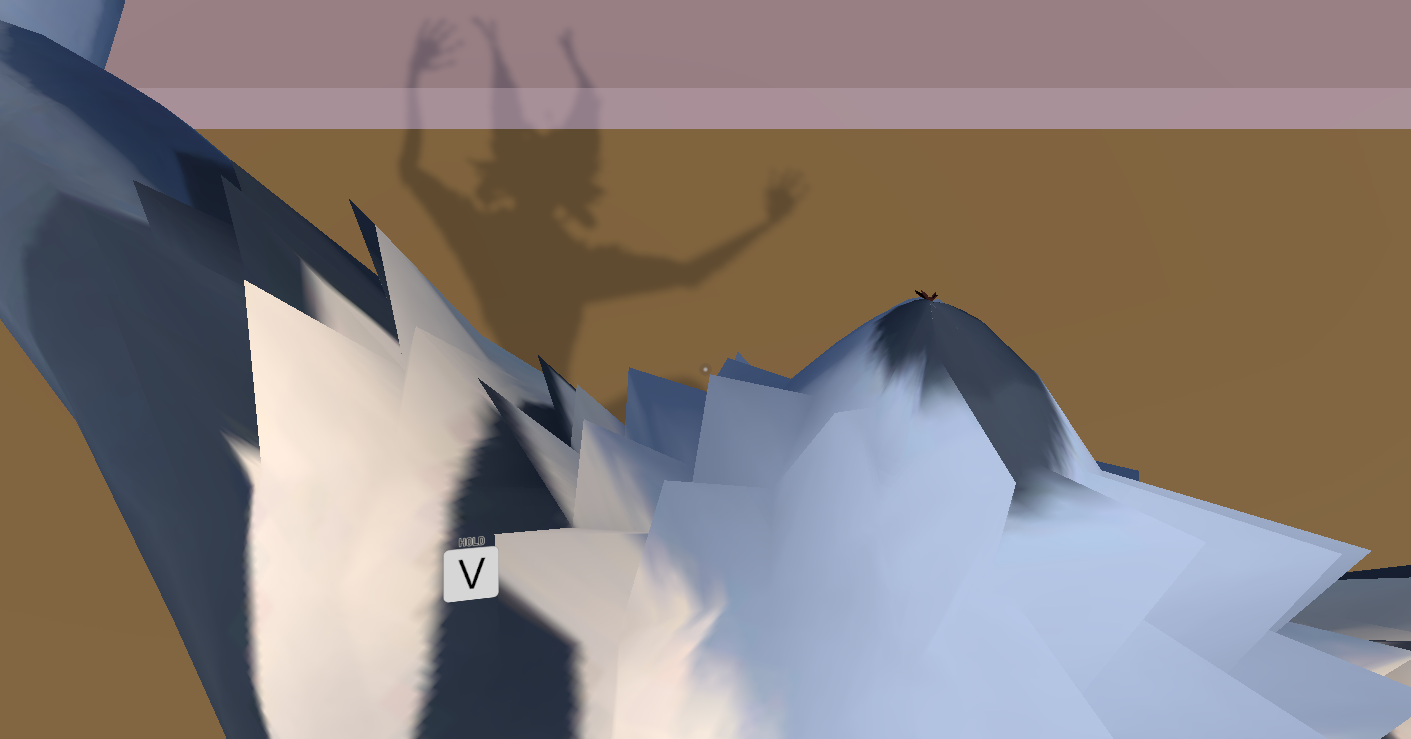
does anyone know why my character just floats with legs and arms sprawling when i spawn into a new world i just built
 rich basin
Does Microsplat work with VRC?
 green lagoon
rich basin
Does Microsplat work with VRC?
green lagoon
rich basin
Does Microsplat work with VRC?
if it's just using shaders to do it stuff it should work fine and it appears to be free to download so would be easy to check if it does
 silk zealot
How do I make this chair disappear but still have its properties like scripts and collisions?

nvm found it out
 misty wave
Do you guys think Bakery Realtime Preview is worth it? Considering buying it while it's on sale
white moon
misty wave
Do you guys think Bakery Realtime Preview is worth it? Considering buying it whi...
I find it pretty useful. Good to get it on sale when its 50% off.
Espically when you have big worlds and need to test lighting without rebaking which can take a while
 ruby jay
i use it frequently, works great
misty wave
white moon
I find it pretty useful. Good to get it on sale when its 50% off.
Yeah while it's on sale it's probably worth it
It has good performance??
Honestly yeah why not for $17 it'll save a lot of time lol
i wish either more of the assets were compatible with the Built-in Pipeline or VRC would support URP finally because I want some of the assets
Has there been any talk of supporting URP?
white moon
misty wave
It has good performance??
It's decent, it doesnt look exactly the same as the the normal rneder ofc, but it gives you a good idea whats going on
misty wave
white moon
It's decent, it doesnt look exactly the same as the the normal rneder ofc, but i...
Yeah it would be nice to be able to get some decent semblance of how the changes are affecting things tbhj
 high radish
"NullReferenceException: Object reference not set to an instance of an object
VRCSDK2.RuntimeWorldCreation.Start () (at Assets/VRCSDK/Dependencies/VRChat/Scripts/RuntimeWorldCreation.cs:82)"

Unable to upload world help will be appreciated
 meager summit
can anyone help me out with some audio stuff?
 lyric wasp
meager summit
can anyone help me out with some audio stuff?
lyric wasp
meager summit
can anyone help me out with some audio stuff?
not sure if i can help, but what's the issue?
meager summit
lyric wasp
not sure if i can help, but what's the issue?
spatial audio, which gets quitter over distance
lyric wasp
i'm no expert but i've done a bit of this
meager summit
alright
lyric wasp
so what are you trying to do exactly, what's not working?
meager summit
im trying to add ocean sound effects to a world, and would like to make them more realistic
aka 3d audio
lyric wasp
have you added audio sources before?
meager summit
they are in the world rn, but no amount of sliders seem to do anything
lyric wasp
can you show me a screenshot of your audio source settings?
meager summit
 lyric wasp
ah so you have your sound as 2D right'
now
slide that over to 3D
there's a checkbox for spatialize that could help further
plus...
meager summit
lyric wasp
slide that over to 3D
ok yeah that seems to have done the trick
lyric wasp
you can add a VRC Spatial Audio Source, which apparently does a better job of spatial audio but i've never tested it, i find the rolloff to be easier to control for me without it. although that might just be because i was used to it already
meager summit
its already in there, but i dont really know how to use it
@lyric waspand that single slider seems to have fixed all of my problems, proving that i am indeed an idiot
 livid leaf
I have created a world both on Quest and pc but whenever I update it, in the upload window I can change everything but the "description". That never updates. Is it a bug? Should I unpublish and upload from scratch?
 meager summit
@lyric waspbut yeah thank you for your help then
lyric wasp
meager summit
<@302889652191363084>and that single slider seems to have fixed all of my proble...
nah there's countless things to focus on in the sdk, i'm still learning basics and i've been trying for many years now
oh but if you're using the vrc spatial thing, there's a check box of you want to use the custom distance settings above in the normal audio source
otherwise it does its own thing using the settings you put in it
i typically check the box and use the audio source distance settings and custom rolloff so i have a better idea about how far it goes
meager summit
i mean i have set the audio levels the way i want and it seems to be working decently, so i dont whant to fuck up anything
lyric wasp
yep if it's working then that's great! later on you can experiment with more audio settings
 daring turtle
hey guys im new to vr and want to make my own world over my laptop to play on with my quest is that possible where do i go to start that kind of stuff ???
 upper obsidian
daring turtle
hey guys im new to vr and want to make my own world over my laptop to play on wi...
upper obsidian
daring turtle
hey guys im new to vr and want to make my own world over my laptop to play on wi...
Read the documentation and you will find answers to all your questions.
daring turtle
cant get anything from it makes no sence
upper obsidian
daring turtle
cant get anything from it makes no sence
VRChat
Before getting started, ensure you have a Unity project with the SDK set up. If you want a great intro to creating your first world with pre-created assets, a tutorial video, and detailed steps, check out the VRChat Home Kit! Step 1 - Setting up a scene The first thing you need is a scene. This can ...
daring turtle
ehhhhh ill just go back to something else i know for the fact im nrver gonne be able to do it thx for the help anyway i guess
 austere hull
can i make object interactable just once every 10 seconds
 knotty valley
so merlin has this camera test world that's pretty cool and i've seen this in another world or two where you can see a miniature version of the world in the world itself showing people in it. I've searched all over the place i'm sure it has something to do with camera views but not sure how it's done. anyone have any ideas?
 fleet turret

 reef yacht
high radish
"NullReferenceException: Object reference not set to an instance of an object
VR...
reef yacht
high radish
"NullReferenceException: Object reference not set to an instance of an object
VR...
you have a node that needs an object plugged into it and there's nothing plugged into it maybe
oh I'm sorry you said SDK2
is that not deprecated?
reinstall the SDK in any event
reef yacht
daring turtle
ehhhhh ill just go back to something else i know for the fact im nrver gonne be...
aren't u a furperson? ask someone friendly in rexouria or Tristan's discord or Laphin's or anyone who does VRChat or Twitch, they are massively helpful with that kind of stuff and everyone knows how to do it at least a little
 rain shadow
knotty valley
so merlin has this camera test world that's pretty cool and i've seen this in an...
rain shadow
knotty valley
so merlin has this camera test world that's pretty cool and i've seen this in an...
Would be much easier for me to make this than to explain it. So if you want I can make and send you a prefab for this
 shy tide
I seem to be having trouble testing out my world in VR. The triggers on the hand controllers no longer have any ability to interact with the environment when in testing mode. This is not the case for VRChat proper. This is a fresh project with the latest SDK. It works fine in desktop mode, and it worked just fine in the previous VRC version.
So I can no longer enter the world, effectively
rain shadow
shy tide
I seem to be having trouble testing out my world in VR. The triggers on the hand...
Like interact with buttons?
shy tide
rain shadow
Like interact with buttons?
correct
rain shadow
Interact triggers or UI or both?
shy tide
both
I'm assuming interact triggers. Since I cannot enter the world, I only know one of them.
rain shadow
You could make sure you don't have any systems that attach colliders to the players hands as they can block raycasts
Another thing is just doing a general check using the physics debugger in unity to see if you have colliders overlapping areas where you have interacts
shy tide
rain shadow
You could make sure you don't have any systems that attach colliders to the play...
Since I'm not loaded in the world yet, this wouldn't be affecting my particular case. In my case, it is the introduction screen where I press "ok"
This is the actual reason that I just found out: Steam VR can start up without steam, which means that I will get a "failed to load input bindings" error, thus yielding the result I ran into above.
So just make sure steam is properly started up. Solved.
shy tide
another issue: Reflection probes are breaking in VRChat, but not in unity. This is even true with postprocessing completely disabled. The chimneys should be reflecting their environment.


 unkempt valve
can i use avatar components in worlds
like avatar scripts that vrchat provides in the avatar sdk
 desert python
unkempt valve
can i use avatar components in worlds
desert python
unkempt valve
can i use avatar components in worlds
thats very vague
desert python
shy tide
another issue: Reflection probes are breaking in VRChat, but not in unity. This ...
theyre baked right?
unkempt valve
desert python
thats very vague
an example would be taking the contact scripts and using them in worlds
for avatar and world interaction
say if i wanted to make a private room for a world only people with the "key" (contact sender named the correct thing) would be able to access the room, (the door only becomes visible when the sender/receiver touch)
shy tide
desert python
theyre baked right?
yep, they're baked
knotty valley
rain shadow
Would be much easier for me to make this than to explain it. So if you want I ca...
that would be amazing thank you!. i'd also like to learn how to do it as well if you happen to have any information to point me to in that process that would be great too.
green lagoon
unkempt valve
an example would be taking the contact scripts and using them in worlds
nope World's & avatars use a completely separate SDK
desert python
unkempt valve
an example would be taking the contact scripts and using them in worlds
oooh yea those. I guess 🤔 eventually
but theyre supposed to be seperated for a reason
 random sphinx
anyone other than me been having problems with ProTV lately?
desert python
random sphinx
anyone other than me been having problems with ProTV lately?
what are your issues?
random sphinx
desert python
what are your issues?
occasionally, the player will not load videos
it will stay stuck on loading
it's random
desert python
random sphinx
it will stay stuck on loading
have you hit the square button?
random sphinx
yes
reload and resync doesn't fix it
hitting another track from the playlist or queue doesn't fix it either
desert python
have you recrntly updated your protv?
desert python
that sounds right
random sphinx
yeah, it just randomly decides not to load videos sometimes. at first i thought it was because i had two control panels. but that wasn't it, because it happened in another of my worlds without 2 panels.
i'm semi curious if it's because i'm using both a Queue and a Playlist together. Or if it's just the url I have set to load in by default. idk
desert python
so if the square button isnt canceling/reseting the tv. then this might be a new issue. might i suggest using the beta protv version and see if theres a difference?
desert python
random sphinx
i'm semi curious if it's because i'm using both a Queue and a Playlist together....
my first thought was actually the url
random sphinx
i guess i could try that. sounds like a pain though
yeah the URL is just a live stream of music on youtube
no idea why it would cause problems
desert python
but if the tv refuses to oblige the square button. then your issue is worth noting
desert python
random sphinx
yeah the URL is just a live stream of music on youtube
is the url from a playlist?
random sphinx
no
desert python
then it could be loading in wrong
random sphinx
this is the URL, if it lets me show
https://youtu.be/Ax4Y5n4f5K8

Ryan Celsius presents 24/7 phonk and chill trap Blaze Bus aesthetic
-
[ Dedicated to NinjaJeff ] 🐱👤 RiP -
Official Merch : Shirts and All http://STORE.RYANCELSIUS.COM
SPOTIFY : https://open.spotify.com/playlist/6ZUqG9zEynTVKBsgbvVikr
Support the Channel | Follow on Spotify https://spoti.fi/2RRWx8c
For custom Emojis...
desert python
that should be fine
random sphinx
yeah. it usually loads up no problem
just like maybe 4% of the time it doesn't
and just for some players, not all
like it will load fine for most of my friends, but then one will say it didn't load
shy tide
shy tide
another issue: Reflection probes are breaking in VRChat, but not in unity. This ...
I fixed this issue by taking the object with the messed up chimneys and using "anchor override" to be the reflection probe I wanted it to use. I believe what was happening was the origin of the object was embedded inside a new probe volume I made, so it started taking reflections from that instead, somehow.
desert python
random sphinx
like it will load fine for most of my friends, but then one will say it didn't l...
thats most likely an issue with the yt getting time to play. this conversation may be better had in the architech assets server
random sphinx
desert python
thats most likely an issue with the yt getting time to play. this conversation m...
got a link?
desert python
youre in it
random sphinx
desert python
youre in it
i thought this was the VRChat server? i don't see any Architech channels here
desert python
random sphinx
i thought this was the VRChat server? i don't see any Architech channels here
server
on discord
random sphinx
desert python
server
you're confusing me. we're in the VRC server right now, right? not the Architech one?
i mean i know i'm a pothead, but i'm pretty sure this is the VRC server
 near escarp
They're talking about the server of the creator of the player prefab you're using
random sphinx
i know
near escarp
Architechanon iirc
random sphinx
i can't find a link to that server
austere hull
can i disable and re enable possibility of interacting with object
 dense ledge
anyone know how to make an object move towards the player?
I want it to go through walls as well
 cobalt prawn
dense ledge
anyone know how to make an object move towards the player?
cobalt prawn
dense ledge
anyone know how to make an object move towards the player?
With code you can do something like object.position = Vector3.MoveTowards(object.position, player.position, speed);
dense ledge
thx
dense ledge
cobalt prawn
With code you can do something like `object.position = Vector3.MoveTowards(objec...
where do I edit the speed
its not moving
cobalt prawn
Well you need to set the references to the player and the object, and set the speed with an integer or float
And make sure this line is in your Update loop
cobalt prawn
Yeah if you don't understand what I'm saying you should do some basic unity coding tutorials or something. Or maybe someone can help show how to do it with Udon node graph
Or maybe there's a simple VRchat compatible asset out there something you can dl and plug in. I haven't seen one for this tho
dense ledge
ok
 somber wraith
does anybody know what the issue here could be? im using the newest udonsharp version and a pretty new (idk if it is the newest, i downloaded it one and a half weeks ago) vrc sdk

 vestal oriole
Anybody know on average how many visits it takes for a world to get out of labs? I know there's a lot of factors involved, but I wonder if there's an average for metrics that are available to users.
cobalt prawn
somber wraith
does anybody know what the issue here could be? im using the newest udonsharp ve...
Can you post the script itself?
somber wraith
cobalt prawn
Can you post the script itself?
script is pretty basic

hmm, not too sure, but i think the udon sharp package is not working correctly in my project to begin with since it also messed with the vrc sdk
 stone marsh
That doesn't really help. You should post a screenshot showing the entirety of your errors in your console. A script could error out like that due to an unrelated issue or something that wouldn't be immediately obvious without seeing your errors in the console.
somber wraith
well, he asked for the script
cobalt prawn
somber wraith
script is pretty basic
Are you referencing FlockManager from another script? If so, in that other script, are you using MovieFactoryYT.FlockManager?
somber wraith
console

 somber wraith
cobalt prawn
Are you referencing FlockManager from another script? If so, in that other scrip...
somber wraith
cobalt prawn
Are you referencing FlockManager from another script? If so, in that other scrip...
nope, right now this is my first script
i want to refer to another script later down the line tho
it just doesnt really work
cobalt prawn
Oh, instead of public object for your bird prefab use public GameObject
somber wraith
oh, yeah, overlooked that
 bold ibex
How do I have rooms load/unload when I enter/exit
cobalt prawn
somber wraith
oh, yeah, overlooked that
Also it looks like your visual studio is not linked with Unity properly. You should go to Edit > Preferences > External Tools and make sure Visual Studio is set correctly as your External Script Editor

This should help highlight methods and variables properly, give you better predictions or detect when things aren't typed correctly etc
somber wraith
now i started up a dummy project , linked visual studio, and corrected my typos, and now the errors just changed
 cobalt prawn
Ah, so I think VRC SDK has it's own instantiate method your supposed to use
Try VRCInstantiate instead
somber wraith
you mean in the 25th line? if i add VRC infront of it, it still doesnt work
gives me this then
 cobalt prawn
Show me that line of code
somber wraith
 cobalt prawn
Yeah, that's written wrong. If you hover over the red line it might suggest a way to correct it (or it might mess things up more). But I believe you just need to remove (GameObject) from that line
somber wraith
it gives me this
 cobalt prawn
Yeah undo that, can't always trust VS to magically fix things (but it's nice for basic spelling and syntax errors and stuff). Just do what I said
somber wraith
so this ?
 cobalt prawn
Hmm I would think so but guess not
 worn ocean
Hey I'm looking for someone to build a world for me dm if ur interested
somber wraith
nope
cobalt prawn
somber wraith
nope
Hmm so it looks like VRCInstantiate doesn't let you set the position and rotation at the same time (I'm learning this just now too). So you can do it like allBird[i] = VRCInstantiate(birdPrefab); and then on a new line right underneath allBird[i].transform.SetPositionAndRotation(pos, Quaternion.identity);
somber wraith
yep. that seemed to have worked
 cobalt prawn
 somber wraith
atleast it creates 20 random instances in a 10x10x10 area, which is exactly what i want
people say houdini is hard, they probably havent tried to work with udon yet
cobalt prawn
Sweet. Good luck with the rest 😄 looks like you're doing a boids thing?
I used boids for a bunch of stuff in my projects, lots of fun
cobalt prawn
Yeah its the name of the classic algorithm for flocking behavior
So nice to watch when it gets going, like one of those relatively simple things you can do to really breathe life into simple objects
Without advanced ai stuff
 lime berry
What if there was a shopping world that let you actually purchase stuff with real money like an avatar world that linked you an in-game purchase screen
It would be a bit easy to set it up to take your account info
I mean, linking to gumroad is okay enough but doing everything in-game would be cool
Same with a unity builder where you could just do that in kinda like neos
Vrchat would need to somehow accept file imports
Also I'm not sure if you're able to save progress in certain instances
Do udon web-links exist. Like I know you can watch YouTube, but able to put in any website like Netflix or gumroad
desert python
lime berry
What if there was a shopping world that let you actually purchase stuff with rea...
what you just describe is known as "vket" or "virtual market (jp)"
desert python
lime berry
Do udon web-links exist. Like I know you can watch YouTube, but able to put in a...
no, most of these features you bring up no longer or has not existed for security reasons
lime berry
Those have links but I haven't seen any fully in-game purchases
desert python
lime berry
Those have links but I haven't seen any fully in-game purchases
well this is somewhat frowned upon but - apparrently there will be an in game economy in the future
lime berry
I get the security purposes but I feel like that could be something the devs could fix
Like (never show password or keyboard except to the link creator)
And vrchat has a streaming mode too
white moon
That will be something similar to the creator economy mode that said they're working on
desert python
well theres more to it but youre on the right track
white moon
The ability to pay creators in-game for their work
lime berry
white moon
That will be something similar to the creator economy mode that said they're wor...
Where can I read more
white moon
But haven't heard anythkug about it's progress since early last year
lime berry
Obviously in-game avatar creation is a bit far-fetched but maybe some day
I also believe even if world's like that existed to download files on people's computers, that could easily be used for I'll intent
white moon
lime berry
Where can I read more

reddit
23 votes and 8 comments so far on Reddit
desert python
lime berry
I also believe even if world's like that existed to download files on people's c...
thats the main reason
so. theres some new stuff forming of the creator economy, but a lot of tos would have a lot breachables when the time comes
lime berry
Or you could do something like neos and just cloud-save the instance lol
Or the assets
Oh yeah obviously you would have to connect PayPal to vrchat so you wouldn't have to sign in every time
Imagine the vrchat cart
This isn't world development any more
 cobalt prawn
somber wraith
why, just why
cobalt prawn
somber wraith
why, just why
What do you have on line 7? You're using another type that's not usable, like when you had a public object instead of GameObject
somber wraith

but right now, im 99% sure its a bug that fixes itself once i restart my pc, or will be patched in the next update, because i just restarted my project and the vrc menu was incomplete
ánd thats the second time that happened in a totally clean project
so im guessing there is a conflict with the udon sharp package somewhere
cobalt prawn
I mean, there are definitely some issues with your code here, as marked by the red lines. I don't see why you would assume it's a bug that will fix itself or that it's caused by any of your packages.
Looking at this I can assume your flock manager script needs minSpeed and maxSpeed to be public variables in order for this script to access them
And you shouldn't need to get that component if you're already setting it in the inspector (but that's not the part that should be causing any errors)
somber wraith
i assume its a bug because most features and the menu of the vrc sdk just dissapeared
cobalt prawn
They probably disappeared because there are errors in your project such as this one
somber wraith
these are the two scripts i have right now, one just simply stoped working after working fine before and me not doing any edits to both


im assuming there are issues bc of this
 cobalt prawn
So on line 17 and 18 of your Flock script, it is looking at the FlockManager script and trying to find minSpeed and maxSpeed values. But nowhere in your FlockManager script are you creating and setting these
The yellow exclamations aren't errors, just warnings. Usually pretty safe to ignore
somber wraith
so i guess like this
 cobalt prawn
Yup looks good, and if you save that the red lines should disappear on the other script and the error should disappear, since it can see those variables now
cobalt prawn
Lol well it sounds like you're doing something pretty advanced for the level of coding that you're probably at. So it's gonna be challenging stuff 🙂
somber wraith
i am pretty ok at vex, which is a sub language of python. but this is too different
cobalt prawn
Yeah it's a lot to take in- like there's this whole complicated relationship between C# and gameobjects/components in Unity, and then Udon/U# is another layer on top of that. Lot of layers and places where things can get messy. But, it's pretty powerful to have these tools to do all this 🙂
somber wraith
what i dont get, i just went from the dummy project where i was testing the stuff out to my main project. so i copied the code from a few steps ago to first try and see if it is able to spawn cubes. it is exactly the same code that worked before, but now it doesnt get recognized anymore

 cobalt prawn
somber wraith
what i dont get, i just went from the dummy project where i was testing the stuf...
cobalt prawn
somber wraith
what i dont get, i just went from the dummy project where i was testing the stuf...
Looks like you did change your namespace?
Not sure if that's the issue tho, hard to tell
Actually you might just simply need to compile it
 white moon
somber wraith
i am so confused
white moon
somber wraith
i am so confused
Is the file the script is in named the same as the class name?
somber wraith
yep
class name is FlockManager , file name is FlockManager.cs
there has to be some sort of bug, even the example scripts that were included in the udon sharp package dont work
white moon
Are there any other errors in your console window other than that
cobalt prawn
Yeah in that case it sounds like you have bigger errors to worry about with your U# installation, can you post the errors in the unity console?
somber wraith


 worn ocean
Well i asked earlier today but didn't get a response would anyone her be interested in commissioning me a world
worn ocean
worn ocean
Well i asked earlier today but didn't get a response would anyone her be interes...
Dm me if ur interested
cobalt prawn
worn ocean
Well i asked earlier today but didn't get a response would anyone her be interes...
This is not where you ask for commissions, try VRC Traders discord in #community-servers-old
Not an expert on this so not totally sure, but that FlockControllerUSharp script is causing the bulk of those errors and I'm guessing it's blocking other scripts from compiling too. If you make a backup outside of your project folder and then delete that script from your project, does the other stuff compile and work?
somber wraith
i guess ill try
cobalt prawn
Like, generally if you have one script causing a ton of errors in your project you want to address or remove that before testing other things. Cause then it's just gonna get real confusing to know which errors are coming from where, and why you're project won't run
somber wraith
yep, i totally forgot that script existed
now it works
but i think its generally not a good idea to test stuff on my main world project lmao, better continue working in the dummy project
cobalt prawn
Yeah, if you're new and working on advanced things, it can def be helpful to keep it separate and prevent making a mess of things. But once you get the hang of the workflow, you can learn to do the same thing and just kinda isolate it to different scenes and folders
Then again, I've been doing unity dev for 4 years now and I still make a huge mess of all my projects lol. Whatever gets the job done
 full kettle
hey can someone help me with 3d audio it aint working
cobalt prawn
full kettle
hey can someone help me with 3d audio it aint working
What is it doing right now, what do you want it to do, and what does your audio source component look like in the inspector?
full kettle
so its playing everywhere i go and i want it to play in only some areas and it looks like this

@cobalt prawn
cobalt prawn
So you wanna set Spatial Blend to 1, or slide that slider all the way to the right
And then Min/Max distance based on how far away you want it to fade out. Right now that's set super high so it'll probably stay the same level no matter where you are, unless you fly a jet like 1000 miles away lol
 somber wraith
yaaay, it works
cobalt prawn
Heck yeah that looks awesome
 gaunt egret
sell it as a prefab lols, looks fun. id buy it
bold ibex
Quick question how can I make a game object have health that is effected by raycast
I'm using tolys pvp package rn
shy tide
shy tide
another issue: Reflection probes are breaking in VRChat, but not in unity. This ...
This is still an issue. I have no idea why my metals look black in-world. These worked before, but they don't work now.
cobalt prawn
shy tide
This is still an issue. I have no idea why my metals look black in-world. These ...
No clue either, but can you share what the scene view and inspector looks like for the probe that is affecting this area?
green lagoon
somber wraith
yaaay, it works
yeah you could definitely sell it as a prefab
white moon
shy tide
This is still an issue. I have no idea why my metals look black in-world. These ...
Have you got a reflection probe for them?
shy tide
white moon
Have you got a reflection probe for them?
I did in-game but in-world it seemed to just vanish. I'm going to double check to see if maybe I just forgot the reflection probe.
I still can't wrap my head around why it would look different between scene view and game view in this case though 🤔
white moon
shy tide
I did in-game but in-world it seemed to just vanish. I'm going to double check t...
Make sure your probes, and their parents objects if they have one, aren't tagged as editor only
shy tide
white moon
Make sure your probes, and their parents objects if they have one, aren't tagged...
Ohhh interesting. I'll check for this
white moon
Had that happen to someone once and it confused me for 20min
shy tide
white moon
Make sure your probes, and their parents objects if they have one, aren't tagged...
OK I just had a brain fart. it seems that, indeed, I just forgot to bake the probes. I forgot how completely different scene view looks from game view before probes are baked. I still don't know why that is, though. I'd love to make adjustments to the scene view parameters to more closely match what I'd expect to see in-game
 white moon
shy tide
OK I just had a brain fart. it seems that, indeed, I just forgot to bake the pro...
white moon
shy tide
OK I just had a brain fart. it seems that, indeed, I just forgot to bake the pro...
It should all look as you'd expect while your in play mode using cyanemu
 sturdy garnet
is it not possible to increase the far clipping plane past 1000? i have increased it significantly, but it doesnt seem to do anything
thorn latch
Does anyone know how to prevent an object from being pushed by a player when they walk into it
cobalt prawn
sturdy garnet
is it not possible to increase the far clipping plane past 1000? i have increase...
Make sure that camera is set as the Reference Camera on your VRCWorld prefab
cobalt prawn
thorn latch
Does anyone know how to prevent an object from being pushed by a player when the...
Mark the rigidbody as kinematic, or remove the rigidbody. Or maybe something else depending what you're doing and if it still needs to move in other ways
thorn latch
cobalt prawn
Mark the rigidbody as kinematic, or remove the rigidbody. Or maybe something els...
I'm making a car
cobalt prawn
Ah so yea, probably need that rigidbody then. I'm not sure what would be best, but a hacky workaround might be making a child object with a collider slightly bigger than the car collider, and marking that as a kinematic rigidbody so the player hits that before they hit the car collider. And put it on a layer that only interacts with the player so it doesn't affect the car physics. That's sort of a random idea though, not sure if it's a good one 😅
somber wraith
now it works ingame too, well, sort of, as you can see, the animations dont play if its in the system. i ve come to the conclusion that always animate will fix it, but im not too sure


nope, i have no idea how
i have to go to bed now, but if anyone has an idea on how to keep the animations playing on instances created with u#, please let me know
 pearl plume
Could someone please send me a video on how to make a pivoting object? (like a door you can grab on a hinge)
trying to make a plane yoke
cobalt prawn
pearl plume
Could someone _please_ send me a video on how to make a pivoting object? (like a...
I don't have a full tutorial but here's my trick for that. Using physics joints is prob the first thing that comes to mind but it's a pain in the ass and probably won't do what you want. So what I do is make one object that's just a collider which you simply grab and move, and then when you let go it moves back to it's original position. Then just make the stick model rotate to look towards the collider https://twitter.com/jasonofthestorm/status/1259936370228736001


Flight sticks can be super tricky. The way I approached it, the one you see is actually fake and has no interactivity. The "real" stick doesn't rotate at all. This way I don't have to worry about using complex grab mechanics or glitchy physics.
 Twitter
·
pearl plume
cobalt prawn
I don't have a full tutorial but here's my trick for that. Using physics joints ...
Twitter
·
pearl plume
cobalt prawn
I don't have a full tutorial but here's my trick for that. Using physics joints ...
With a yoke, you move it left and right as well as forward and backwards on two different pivot points (for ailerons and elevators) so would I still be able to use this technique with more than one pivot?
cobalt prawn
Ah so you mean a two handed thing right?
 cobalt prawn
Right, and then it also rotates yeah?
pearl plume
yep
cobalt prawn
Two handed stuff is a bit more complicated but I think it could work yeah
Haven't tried it before but maybe my technique could be extended like this... use two grabbable colliders, then use the average Z position for forward/back movement, average X position for left/right movement, and then use the difference between the two colliders to get the rotations
Like if the left Y pos is 1 and the right Y pos is -1, you know it would be rotated 45 degrees to the right, if that makes sense
And apply all that to the model, which would be a separate object from the colliders
 split oyster
hello everyone, im not sure if this is the right chat for this but i have a question with sdk3 in unity
cobalt prawn
Idk what the exact math to do the rotations would be though, and haven't put it to the test before so not sure if it'd be a waste to try heh
But fwiw I'm very happy with my flight stick mechanics 🙂
pearl plume
cobalt prawn
Haven't tried it before but maybe my technique could be extended like this... us...
you would only grab onto the top part, not the actual handle, would I still use two grabbable colliders?
and thanks for the help :)
cobalt prawn
split oyster
hello everyone, im not sure if this is the right chat for this but i have a ques...
Yeah this is the place if you're using SDK3 to build a world. Just ask the question, if someone can answer it they will
cobalt prawn
pearl plume
you would only grab onto the top part, not the actual handle, would I still use ...
Hrmm I'm confused
Why wouldn't you grab the handle? Isn't that the part that's meant to be grabbed
Which there are two of
split oyster
okay awsome, so i started building a world today (my first one) and earlier i could "build the world" to test it, now for some reason thebuilder says "a VRCsceneDescriptor is required to build a world" but i dont think i changed anything
pearl plume
cobalt prawn
Which there are two of
ye, that's what I mean. when flying, you only grab one side, but are you saying that I would need both grabbable colliders for the pull/push action as well?
or did you think I meant you grab both at the same time?
cobalt prawn
So you don't grab both at the same time?? Lol I think I just don't understand how yokes work
pearl plume
cobalt prawn
So you don't grab both at the same time?? Lol I think I just don't understand ho...
it's alr lol. other hand is on throttle normally
cobalt prawn
split oyster
okay awsome, so i started building a world today (my first one) and earlier i co...
Do you have the object in your scene called VRCWorld? It's a prefab you drop from within the SDK folders. Maybe you started a new scene and forgot to add it?
split oyster
cobalt prawn
Do you have the object in your scene called VRCWorld? It's a prefab you drop fro...
let me check uno momento ♥
OMG thank you that SIMPLE?
cobalt prawn
pearl plume
it's alr lol. other hand is on throttle normally
Shiet that's even more complicated I think, cause the point where it is moving and rotating is like way offset from the grab point huh
split oyster
thank you SO SO much jason, i've been busting my head on this for a full hour!
cobalt prawn
split oyster
OMG thank you that SIMPLE?
Well, it tends to get more complicated than that from here, but for these first steps yes 🙂 no prob
pearl plume
anyways, could I just use a pivot point for the parts that I'm not directly touching?
e.x. the base
green lagoon
split oyster
thank you SO SO much jason, i've been busting my head on this for a full hour!
glad it was something simple to solve
split oyster
cobalt prawn
Well, it tends to get more complicated than that from here, but for these first ...
oh great now its making me save?
split oyster
green lagoon
glad it was something simple to solve
same but i still can't open a world.. is it maybe the spawn point?
green lagoon
split oyster
oh great now its making me save?
yes you would want to save so you don't lose your project
cobalt prawn
pearl plume
anyways, could I just use a pivot point for the parts that I'm not directly touc...
Hmmm I'm not sure honestly I feel like I need to rack my brain over this for a minute lol
green lagoon
VRCWorld will act as your spawn point in the world
pearl plume
cobalt prawn
Hmmm I'm not sure honestly I feel like I need to rack my brain over this for a m...
guess I can try once I import it and see if it workd
works*
cobalt prawn
Yeah, I mean if you're good with C# code it should be straightforward to do the first thing I described/demonstrated with just a rotating stick and start moving things around from there
pearl plume
alr sounds good. thanks for the help
cobalt prawn
Np, actually vehicle controls are one of my favorite things to play with in VR. I've wanted to attempt something like that for a while but haven't gotten around to it
But I would've done it wrong anyways I think, since I don't get how yokes work lol
somber wraith
Hmm. Idk what else to do. I tried changing the animation wrapper method and creating rigs with avatar controls but nothing made them animate in vrchat. It works inside unity playmode, but not vrc
cobalt prawn
I remember trying Star Wars Squadrons and even though it's not motion controls, the tie fighter has a yoke and the first person hands animate and move it around as you control the ship. It looks so cool but it's really annoying that there are hands in front of you that aren't your own lol
pearl plume
cobalt prawn
But I would've done it wrong anyways I think, since I don't get how yokes work l...
you probably could've done it better than I'm about to lol
split oyster
i figured everything out thank you guys!
green lagoon
glad you got it sorted out
 dry goblet
Soon I'll have been in the Labs for a week.
I got so many more hits than I ever thought possible
bold ibex
how can I make a game object have health that is effected by raycast
 upbeat sequoia
Hello
I am trying to create in VR Chat
I have many VR board games that I want inside VR chat
But when I upload game prefab in the scene in Unity it works in game scene but does not show up in VR Chat when I build and test
It is just a single player game
Can anyone help me?
 cerulean torrent
anyone able to help me out with this issue?
FPS is perfectly fine but the moment you walk into the water the FPS tanks dramaticaly down to 11 fps and stays there. the moment you exit fps goes back up to 90. i've been at this all day changed resolutions, messed with reflections and cube maps. im so stuck :S
SilVR water shader is the one being used

 unkempt turtle
are these realtime lights?
cerulean torrent
no they are baked
 split grail
looking for someone to help out with a world build idea, i have the main part of the building built in blender but am def gonna need some help texturing and adding small assets please pm if interested
somber wraith
this is my current code. it works perfectly when driving and simulating the flocking objects, however, the animation that is looping on those objects, dont loop in vrchat. they are simply motionless dead birds flying around in the sky. can i somehow reference and check the animation state every frame? im pretty confused now


 kind leaf
somber wraith
this is my current code. it works perfectly when driving and simulating the floc...
kind leaf
somber wraith
this is my current code. it works perfectly when driving and simulating the floc...
you need to use an animation controller not the animation clip component
somber wraith
kind leaf
you need to use an animation controller not the animation clip component
but that doesnt work. to be able to use the animation controller, my animation needs to be either generic or humanoid, but in the asset, it is legacy and even if i change the rig type to generic later on, that doesnt effect the animation
kind leaf
Thats our option, our only option. we do not get to use straight animations, it's depreciated and its silly given that a single loop doesnt need a damn controller but its what we get.
and you can change the animations to generic. If the animations are tied to the model, when you change the rig type* of the model, the animation changes as well. Then you just duplicate the animations in the model to use them in your controller.
 dusk sapphire
somber wraith
but that doesnt work. to be able to use the animation controller, my animation n...
dusk sapphire
somber wraith
but that doesnt work. to be able to use the animation controller, my animation n...
if you're referring to unity complaining that animator controllers can't use legacy animations, all you need to do is set your inspector to debug mode (menu button top right corner) and uncheck legacy when selecting an animation
 graceful radish
How can I make a script/function that waits until the player has loaded in and then enables some thing such as audio sources and other invisible objects
Could be just a script that waits like a couple of seconds at the beginning and then enables the stuff
 sturdy lynx
(Please ping / quote me if anyone replies)
Is it possible to queue up an upload to both PC & Quest in two different unity windows at once?
Unity #1 - PC Version
Unity #2 - Quest Version
Then build both and publish both at the same time to prevent any kind of out of sync between players?
somber wraith
sturdy lynx
(Please ping / quote me if anyone replies)
Is it possible to queue up an uploa...
i havent bublished a world for quest yet, but i dont think that build and upload time matter at all. atleast it would be strange if they do
graceful radish
how would one make things client sided? as in not happening for everyone else as well
graceful radish
or is everything already client side? like audio sources
upper obsidian
Everything is local unless you specifically do it globally.
bold ibex
Question, do I have to upload two separate world for pc and quest or I'm being dumb
graceful radish
bold ibex
Question, do I have to upload two separate world for pc and quest or I'm being d...
Yeah. I recommend you duplicate the Unity project and name it "project-Quest"
green lagoon
bold ibex
Question, do I have to upload two separate world for pc and quest or I'm being d...
you could use the same map if you design it for Quest first just uploading twice once per each platform
GitHub
EasyQuestSwitch is a Unity editor tool developed for VRChat world creators, it can automate changes to components within a scene as soon as the build platform is changed from PC to Android (for Ocu...
bold ibex
Ty
dry goblet
Is the amount of time spent in a world important for moving out of labs?
Because I have a feeling where my quick one stop and done structure isn’t so great
graceful radish
dry goblet
Is the amount of time spent in a world important for moving out of labs?
Becaus...
I believe that does contribute to the time.
Not sure though I only have one published world.
 low osprey
Does anyone knows how to fix UV like this? it happened when I try to generate it
 green lagoon
perhaps doing manual uv unwrapped
 dull agate
Since the update some of my friends have complained about "Vibrating" visuals in my world. I have removed post, lighting, and I'm not using any shader that isn't standard or Autodesk Interactive. It only happens in VR lens, desktop and stream camera are fine
white moon
dull agate
Since the update some of my friends have complained about "Vibrating" visuals in...
Is that part of your world very far away from the 0,0,0 point?
dull agate
only 127 units away from 0,0,0
white moon
Hmmm that's not it then.
stone marsh
dull agate
Since the update some of my friends have complained about "Vibrating" visuals in...
Post screenshot of entire unity window so we can see the project
dull agate
 stone marsh
Holy pixelated vision. Can't read shit.
dull agate
I have an ultrawide, more of just seeing if anyone knows what updated world wise because pre avatar dynamics this didn't happen and I haven't been on this project since ¯_(ツ)_/¯
white moon
Did you updat your sdk when it started happening?
 hoary forge
I was wondering if any one can help me with my club world tonight
???
?
About 9cst
dull agate
white moon
Did you updat your sdk when it started happening?
I haven't updated the SDK yet is there a new one for worlds?
white moon
dull agate
I haven't updated the SDK yet is there a new one for worlds?
New one was released on the 20th, 9 days ago
dull agate
aight ill look to see if that fixes it
white moon
Ooo a bit command that lists the currently supported unity version and latest sdk version would be nice
Like !versions
 versed plover
Anyone know if the vegitation engine by BOXOPHOBIC works in vrc, or other types of nice vegetation things like that
 kind leaf
versed plover
Anyone know if the vegitation engine by BOXOPHOBIC works in vrc, or other types ...
kind leaf
versed plover
Anyone know if the vegitation engine by BOXOPHOBIC works in vrc, or other types ...
"The Vegetation Engine includes highly customizable shaders compatible with all render pipelines (2019.4+)." Shaders and scripts are our limitations. Says all render pipelines so why not. The real question is if it will work on Quest or not.
versed plover
Yeah I kinda assumed it would, but yeah that’s what I was thinking too, just kinda wondering too if anyone had ever used it in a world they made
Cuz if it dosent work in quest well then rip
Or atleast performs half decently
green lagoon
 coarse quest
i add frog to my world :-)
coarse quest
i add frog to my world :-)
very cute frog and very cool world you have
coarse quest
oh i recognize you! hey!
green lagoon
hi
cobalt prawn
low osprey
Does anyone knows how to fix UV like this? it happened when I try to generate it
It probably sees the wrinkles in the mesh as having a sharp enough angle to create a seam there. Try increasing the Hard Angle in the mesh's import settings under Lightmap UV Settings. That value should determine what angle will create seams in the UVs. According to the Unity manual: If you set this to 180 degrees, Unity considers all edges smooth, which is realistic for organic models. The default value (88 degrees) is realistic for mechanical models.

 rugged plover
the upload went smoothly, but then i looked in the console and there it was, an error

I cannot see my world in the "Mine" section
here's the full error
 thin granite
Why dose my unity crash when I try to upload it
thorn latch
Is it possible to get the person currently holding a pickup from the OnParticleCollision Gameobject?
Like can I get the player that was holding the pickup the particle came from?
kind leaf
sure, use a modified version of that question on google for unity. and then replace the player with the vrc option. If you need script specifics, #udon-general is the channel to ask and wait, and wait.
Udon is visual scripting, VS is for prototyping, UdonSharp is for scripting in C# which means you have almost the full C# library. Which means unity examples combined with specific VRC Udon functions is the way to go. You could always search vrcprefabs.com for something close, but you wont always find something when you have a unique request.
and of course if you find a C# method you can implement using U#, you can upload it to vrcprefabs and be a hero to someone else later.
kind leaf
thin granite
Why dose my unity crash when I try to upload it
check crash logs? Or, do you have any errors prior to trying to upload?
 cerulean shuttle
Please tell me the unity version for worlds is different then avatars because if so then at least I’d know what’s wrong
cobalt prawn
cerulean shuttle
Please tell me the unity version for worlds is different then avatars because if...
Nope, it's all Unity 2019.4.31f1. Errors in your Unity console you should give you the biggest idea of what's wrong
kind leaf
as an avatar dev you should note that you cannot combine the avatar sdk with the world sdk.
If you are using unity assets, anything in the Standard Assets folder that is included with Unity 5 and bellow supported assets can be deleted. Its not all useless but some of it is harmful to script compiling so just remove it.
cerulean shuttle
cobalt prawn
Nope, it's all Unity 2019.4.31f1. Errors in your Unity console you should give y...
It’s sdk errors
cerulean shuttle
kind leaf
as an avatar dev you should note that you cannot combine the avatar sdk with the...
Completely new project with only my world and the sdk which is broken
Unknown to be honest
The VRC thing isn’t even showing up
Something to do with cinemachine
cobalt prawn
What is in your world though? The sdk is not broken. Likely there is something in your world and associated files causing errors. And it's easier to get help if you post the errors themselves
cobalt prawn
Right but were there any scripts with anything you imported, or any packages you installed? It doesn't matter if it's not in your scene, if it's in your project folders it can still mess things up. And again, the best thing you can do to get help here is to post the actual errors.
cerulean shuttle
Figured it out
kind leaf
excluding the astronomically rare occasion where something fails to import correctly lol, if you know you know...
There should be errors in your consol. Set your consol to only show the errors and post a screenshot of at least the top 20
or nvm lol
cobalt prawn
 kind leaf
that is not ver common, glad you got it sorted.
shy tide
How does one make colliders for ladder usage? I've heard that you just need to make a slight incline and that should be sufficient. In practice, I've found that this does not work. Avatars just end up in a perpetual fall, unable to continue jumping up the slope.
cerulean shuttle
shy tide
How does one make colliders for ladder usage? I've heard that you just need to m...
The best so far is either really small thin steps or a teleport
Which there was a way to grab and pull but no
graceful radish
I need a simple NPC that can walk around corners after you (so an npc that has a little bit of pathfinding and follows the player) But I don't know where to start. Anyone know any tips?
sturdy garnet
How do I create a script with Udon Sharp that will activate a gameobject when a person with a specific username joins?
cobalt prawn
graceful radish
I need a simple NPC that can walk around corners after you (so an npc that has a...
If you don't know what a navmesh is or how to create one, that's probably what you should learn first https://www.youtube.com/watch?v=CHV1ymlw-P8

Learn how to create AI pathfinding using the Unity NavMesh components!
This video is sponsored by Unity.
● Watch on Unity's website: https://goo.gl/jUsU8D
● Example project: https://github.com/Brackeys/NavMesh-Tutorial
♥ Support Brackeys on Patreon: http://patreon.com/brackeys/
·································································...
From there I used my navmesh with this SimpleAI asset made for VRchat: https://github.com/Centauri2442/SimpleAI
And the creator of that also did this wonderful talk explaining more in depth how it works https://www.youtube.com/watch?v=xVXXS7HX7Og
graceful radish
cobalt prawn
If you don't know what a navmesh is or how to create one, that's probably what y...
Ah I didn't know about this I was wondering why the SimpleAI wasn't working
cobalt prawn
Yeah, if you watch that talk the creator did it's the first thing they explain about it. It's a pretty straightforward process to bake a navmesh for your ai, just gotta learn the steps 🙂
white moon
Will need a little more info than that to figure it out. Could be anything.
What happens when you try publish? Are there any errors in the console?
rugged plover
rugged plover
here's the full error
help?
lime ember
if I did a script to follow player as seen on a unity tutorial would it transfer over to vrchat? or is there a special way I need to reference the player?
I just wanted to make an animated sprite always face players
imagine like how the round elements on sm64 are actually just raster images facing the camera lol
lime ember

I was thinking it would be cool if 2d elements always faced the player at least on the y axis [able to turn left and right accordingly]
graceful radish
lime ember
I was thinking it would be cool if 2d elements always faced the player at least ...
I also need this feature in my world
lime ember
yeah I tried doing the x panels effect as seen in minecraft but looks bad with the animation/not symmetrical :F
but I'm making the flowers pick up cause flowers lol
 viscid arch
as for I can see there's no channel for it so ill aks for help here
it wont upload

clicked upload many times and nothing happens
upper obsidian
Open the console, check for errors if any.
graceful radish
How can I attach a light source to the local player?
 raw pelican
i'm not sure if this is where i should be asking but sorry if this seems a bit stupid, but i was wondering if it was possible to get PhysBones to work in worlds?, and if it would affect the world size? :0
 gaunt egret
i don't think they're out for worlds yet
raw pelican
i figured, but i wasnt sure so i thought i would ask :o thank you alot for da answer :D
gaunt egret
yeah, im not 100% sure but im pretty sure ive seen a few people mention its not out yet. i want it too lmao
raw pelican
im so hype for it tho MMM rrqrr
 cedar stag
Hey so every time I press on Build & Test it puts me in my map but my camera keeps on moving towards the top left for no reason. Any solutions?
cedar stag
I fixed it lol
 minor schooner
Hello- i was tinkering on a world of my own for a while, and i cant seem to find out how to make a button to switch pickups- something always seems to go wrong. doing it with animator and animation says the button 'targets a prohibited udon asset', and doing it strictly through udon just doesnt work somehow. using a slightly altered version of it for a music toggle works though- so i am kinda confused here.
any way to make a toggle for this?
 peak whale
im working on a kind of club world and was wondering if there is any like fog maschine out there to use because some fog on the dancefloor would be very nice to have. haha. ty in advanced for any advice 🙂
 carmine niche


Announcing ARC x @SHELTERVRCLUB
Immersive audio broadcasting
Support the project: ♥️ https://t.co/KKgnCzRHte
Twitter
·
super exciting thing I've been working on for awhile. Simple standalone app for live up mixing sterio content to add virtual acoustics to a streamed concert space.
for yall club folks
green lagoon
that sounds incredibly cool
graceful radish
graceful radish
How can I attach a light source to the local player?
to answer my own question: I found a unity package on BOOTH "VRChat Player Tracking - UdonSharp Script Tool" and this did exactly what I needed.
viscid arch
it wont let me upload world

 glad oyster
viscid arch
it wont let me upload world
glad oyster
viscid arch
it wont let me upload world
make sure to click the public world thingy
viscid arch
isn't that for if I want the public to be able to play on it.
viscid arch
still does nothing click upload and just nothing as if I haven't pressed it
glad oyster
try restarting unity after saving ur project
cobalt prawn
viscid arch
it wont let me upload world
Are you using VRCSDK2 and not 3 on purpose?
cobalt prawn
Huh ok
 old crow
Why don't people make real world maps?
green lagoon
could you clarify what you mean by real world maps
and I've seen a decent amount of Japanese Maps replicate particular locales
 topaz nacelle
I don't remember what world it is but there's a world that replicates many places across the world you just walk into a bubble
old crow
green lagoon
could you clarify what you mean by real world maps
Like uh, why don't people make realistic feeling rural areas?
green lagoon
probably because the mapmakers weren't in the mood
and if you want one of those your feel free to make one
gaunt egret
find assets for that and id assemble a farm lmao
old crow
Oh I was actually planning on it @green lagoon
I just need to find out, how can I model realistic asphalt cracking?
green lagoon
I suppose you could see if anybody's already made free textures that would do that
old crow
I typically make my own.
I'm looking for cracking though which is different.
Yakuza series really shows off the style of texturing I'd want. @green lagoon
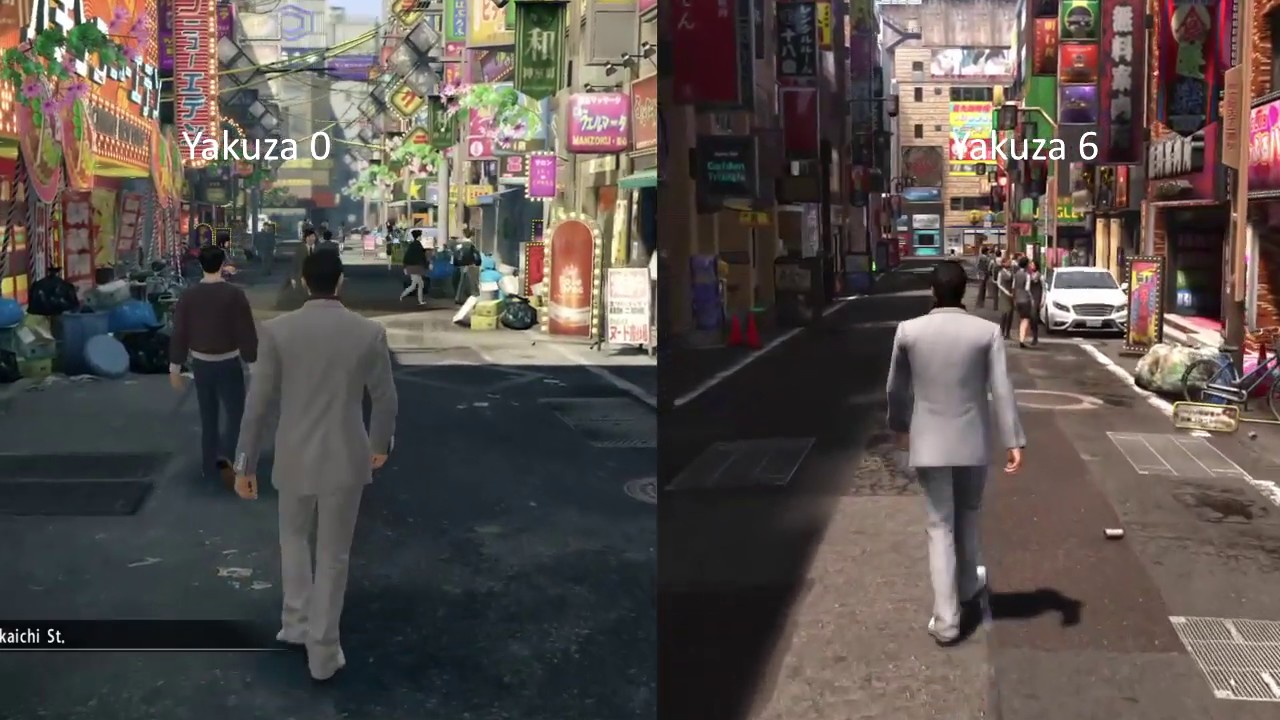
Yakuza, known in Japan as Ryū ga Gotoku, is an action-adventure beat 'em up video game franchise created, owned and published by Sega. The series originated from Toshihiro Nagoshi's desire to create a game that would tell the way of life of the yakuza.
...
Everything is high quality and gritty

Tarmac is cheaper and cracks easier if I recall correctly
Its a simple blend and is what most people mistake for asphalt

This is part 1 with subsequent parts to follow.
If you would like to get the source files for this project, they can be found at the following link:- https://gum.co/ysXcO
If you would like to see more artwork by myself you can find it over here:-
https://www.artstation.com/nathanmackenzie
▬▬▬▬▬▬▬▬▬▬▬▬▬▬▬▬▬▬
Music: Inspire by Wavecont
https:/...

Laying everything out
dry goblet
I got out of the labs!! Whoo

 sullen turret
I need help with uploading my world. Whenever I click "Build and publish" Unity freezes for like 20 seconds, then doesn't upload the world
dry goblet
Open Console, find top most red error.
Start there
sullen turret
dry goblet
Open Console, find top most red error.
Start there
There are none
Also, it freezes when I switch tabs in the SDK panel
cobalt prawn
sullen turret
I need help with uploading my world. Whenever I click "Build and publish" Unity ...
Need way more info. Have you imported a bunch of assets or packages besides the sdk? Was it working before and now it's not? Or is this your first time trying to build? Can you share a screenshot of your console and of your Unity scene?
sullen turret
cobalt prawn
Need way more info. Have you imported a bunch of assets or packages besides the ...
I just cleaned up some unwanted scenes and scripts. Only things I have imported are Standard Assets, CyanEmu, and a bunch of models and textures for the world. I'll send some screenshots once Unity unfreezes lmao
I'm on SDK2 btw.
kind leaf
sullen turret
Also, it freezes when I switch tabs in the SDK panel
this is a side effect of severely unoptimized scenes. If you have a fk tone (actual scientific measurement) of parts to a build the SDK has to look at every fkin one of them causing it to freeze for however long it take to run through the rat nest. Might be the case, might not..
And you cannot use sdk2
sullen turret
It's a pvp world. I have to use sdk2 lol
cobalt prawn
Standard Assets is known to break the sdk too... at least for sdk3 Idk about 2
kind leaf
depreciated means no support and there are plenty of pvp udon concepts
sullen turret
They aren't that great though. I'm only sticking with SDK2 for now because of how easy the combat system is
I know I'll be forced to SDK3 eventually
kind leaf
#event-system-sdk2 for sdk2 help.
sullen turret
Also, the ragdolls are funny
kind leaf
you'll also lose the ability to upload in a handful of updates.
sullen turret
It's quite a big world. Here's a pic of the console

 sullen turret
kind leaf
you'll also lose the ability to upload in a handful of updates.
sullen turret
kind leaf
you'll also lose the ability to upload in a handful of updates.
All of my other worlds are on SDK3, this is just a quickly made world to play with buddies
Also that's all that's in the console. Nothing changes when I do anything
cobalt prawn
sullen turret
Also that's all that's in the console. Nothing changes when I do anything
Just to be sure, you don't have errors toggled off do you? In the corner of the console there?
 sullen turret
 cobalt prawn
K just makin sure haha
Well yeah I think sdk2 channel is place to ask. I would try deleting standard assets though since I know that package breaks sdk3
kind leaf
SA "works" lol not really but doesnt break sdk2 usually. A godly amount of objects will freeze 2 and 3 though.
sullen turret
kind leaf
SA "works" lol not really but doesnt break sdk2 usually. A godly amount of objec...
Uh

Maybe i should
Fix that
kind leaf
merge what you can and the temporary freeze will be reduced with each merge
sullen turret
460,000 faces LOL
kind leaf
ive had the sdk lockup for 10min tops
sullen turret
maybe just a little bit too much
kind leaf
a load of sdk warnings in the build tab adds to this delay
sullen turret
Damn I'm really stupid. This is a gameripped map and I left an entire level inside one of the towers
kind leaf
lol ouch
somber wraith
this may be a really stupid question to ask, but i never thought about it. do the pc version and the quest version of a map be similar/exactly the same? cant i just like delete many assets that arent necassary for the quest ? will it still work as a synchronized world?
kind leaf
you cannot delete from the quest version, you disable the components
sullen turret
somber wraith
this may be a really stupid question to ask, but i never thought about it. do th...
Once I completely changed my avatar world and the PC users were on the updated version whilst the Quest users were on the old version up in the sky
So I think you can do that
somber wraith
i mean, i will try and find out i guess
kind leaf
different hierarchies breaks sync between PCVR and Quest in sdk3. This doesnt mean you cannot have them look differently. Transforms, materials, shaders, this stuff has nothing to do with the hierarchy
sullen turret
But yeah, it'd be better to disable the components instead of deleting the object
somber wraith
hmm, that doesnt help much then bc the world is 200+mb on pc, but a lot of things like the birds, insects and such arent necassary at all so i want to avoid uploading objects.
kind leaf
just reduce the resolution on Quest and compress more. 200mb is excessive. My realistic worlds usually pull under 50
sullen turret
somber wraith
hmm, that doesnt help much then bc the world is 200+mb on pc, but a lot of thing...
Crunch compression
Vrworldtoolkit is great for that
kind leaf
keep in mind crunch compressions reduces the file size, not the impact size when uncompressed in game. Your 1-2k resolution birds dont need to be that high. 512 is a great medium for realistic textures.
and of course the toolkit will do that for you if you use the tool
white moon
somber wraith
this may be a really stupid question to ask, but i never thought about it. do th...
The reason they are saying to disable objects instead of deleting them, is because any udon script syncing is based on the object order in the hierarchy. So if you delete anything from the quest version you'll likley screw up and scripts you have syncing to quest users.
You can in theroy have a complety different world between the two, if you dont have anything you needed to sync
somber wraith
white moon
The reason they are saying to disable objects instead of deleting them, is becau...
couldnt i just replace objects with empties or cubes that are hidden beneath the floor then?
white moon
somber wraith
couldnt i just replace objects with empties or cubes that are hidden beneath the...
I believe the standard way is to just remove the renderer and anything else from the existing ones so they are effecitvly empties
so they maintain the same name / order
somber wraith
ok, makes sense
 spark inlet
What layer are the Action Menu's and other VRC UI on?
I have a mirror that is set to NOT reflect UI and UImenu yet they're still appearing in the reflection?
rain shadow
spark inlet
What layer are the Action Menu's and other VRC UI on?
I have a mirror that is se...
Layer 19. In game it's called InternalUI and in your editor it will be reserved2
bold ibex
Hey what is the best way of lighting a room with a ceiling like this
bold ibex
better image
 lime ember
Don't know the /correct/ answer but you /could/ get creative with directional lighting and have fun with it
dusk sapphire
cobalt prawn
Standard Assets is known to break the sdk too... at least for sdk3 Idk about 2
Standard assets breaks unity 2019, regardless of sdk2 or sdk3. Its been depreciated by unity and was not updated to support Unity 2019 and higher. Its just 2 scripts that are incompatible that you can safely delete as they have no real use in vrc anyways. ForcedReset.cs and SimpleActivatorMenu.cs
@sullen turret fyi
bold ibex
How can I make stuff load/unload for optimization
 unique radish
sullen turret
It's quite a big world. Here's a pic of the console
unique radish
sullen turret
It's quite a big world. Here's a pic of the console
looks like halo x hyper light drifter 😍
unique radish
bold ibex
How can I make stuff load/unload for optimization
Best method that is currently supported by the game is occlusion portals
bold ibex
unique radish
Best method that is currently supported by the game is occlusion portals
Any tutorial videos?
unique radish
bold ibex
Any tutorial videos?
I can't find any real good ones on portals but tbh start with occlusion culling. https://www.youtube.com/watch?v=Teo0_enKUCM&t=291s

🧐 Unity Performance Taskforce Membership:
https://www.PerformanceTaskforce.com
In this video, I'll give you a short introduction to Occlusion Culling, a technique that will help you improve your game performance by reducing the number of draw calls you make.
Visit the in-depth blog post at The Gamedev Guru: https://thegamedev.guru/unity-perform...
green lagoon

GitLab
A surface shader for Unity providing cel-shading. (Forward rendering only)
a text guide on occlusion culling
dry goblet
Why’d my world get a report?
desert python
that is vague question. usually youll get a tag for whatever the report was
dry goblet
Where would I see it? Unity? Website?
desert python
websit
dry goblet
Don’t see any changes to my tags on mobile. Hmm
desert python
i wouldnt worry too much until there is one then
dry goblet
Okay, it’s stressing me a bit because maybe I made I mistake or bad somewhere
I just saw a Reddit post that says every public world starts out with one report by the system. Is that true?
desert python
it was. but i think its changed to where it starts at 0, but who knows. i dont pay attention to reports as often
dry goblet
I guess I’ll look into pushing some optimization some updates I’ve been meaning to turn
somber wraith
what would be the easiest way to have a reset button for all vrc pickup objects in the world. i have some pickup objects that are rather thin and like to bug out so i want a button that is able to reset/respawn all objects for everyone
sullen turret
dusk sapphire
Standard assets breaks unity 2019, regardless of sdk2 or sdk3. Its been deprecia...
I delete the two broken scripts as soon as I import it. I'm only using it for the car controller
Big vehicle world
sullen turret
Does anyone have any idea why my particles are all zig-zaggy like this?

 dull estuary
Does anyone have any udon tutorials on how to make pickup objects that make noise? Like when you hold the object and click it makes sound? I have seen these in worlds before and wanted to try it myself.
graceful radish
dull estuary
Does anyone have any udon tutorials on how to make pickup objects that make nois...
Could search up a tutorial how to make a gun but don't add the part where it shoots. But that's just how I would do it I guess.
minor schooner
Strangely, when i deactivate pickup game objects in the hierarchy, theyre still there and active when i test the world in VRC. I cant explain why.
Any idea on how to fix that
 earnest hazel
What would i have to do to get 100 people in one world optimizing wise?
dry goblet
100 people in close proximity or spread out?
 reef gyro
did vrchat update physics to collisions ? both my 2.0 and 3.0 world has areas on the mesh i made for terrain that causes bumpy motions. never did this b4 and had the 2.0 world for over 3 years.
bold ibex
I keep falling from my world, how do i fix the mesh collision to walk on it?
minor schooner
the world mesh itself needs a collider too.
bold ibex
but i still fall through the floor
minor schooner
you need a mesh collider for it, not a different one. if you still fall, your spawnpoint might be too low
reef gyro
bold ibex
but i still fall through the floor
make a dup of your mesh add mesh collider to the dup than remove rendering so only the collider is left. now you should have 2 meshes for 2 different uses(if you want to manually cull the rendering mesh)
OR add mesh collider to the main 1. if not working try changing the convex settings on the collider component you just added
also make sure that mesh was modeled cleanly since high poly and high density mesh collision can be bad
minor schooner
can anyone help on my problem
reef gyro
minor schooner
can anyone help on my problem
are your pickups syncing ?
minor schooner
they do have a sync script on them, yes.
reef gyro
that might be what is causing if your not globally turning them off
i usually leave pickups on so not sure
i have a local pickup that turns off
put the pickup in an empty that doesn't move and control that active
2.0 or 3.0?
minor schooner
hmmm- i am trying to somehow disable them through a ui, like how big maps have them. though even when disabling them through the unity hierarchy, they now stay on when testing. i want the disable to be local, but if its enabled again, that its still synched for everyone-
it should be 3.0 since i use nodes and stuff
reef gyro
im a little bad with udon took 3days to learn a few things
from my experience its script sensitive
i recommend not turning of the object with the script on it. that may cause it to stop working
example have the parent turn off on while the child holds scripts and leave the child always on
when the parent turns on off the child will kinda too but in a way still be active while even off but not doing anything(this is fine and will prevent weird breaking)
how are you turning the object on off?
minor schooner
reef gyro
im a little bad with udon took 3days to learn a few things
i feel that-
maybe mutual help might progress us faster ^^ could try to help each other out a bit
reef gyro
im a modeler/ did game design in college years ago scripts not really my thing lol but doing them cause i want to preserve my worlds and avatars
minor schooner
right now, i turned it off as standard through the hierarchy for testing, since i wrote about three different scripts hoping to turn them off like that
i basically used the same script i use to switch the mirror gameObject, which works just fine. but when using it for the pickup objects, it doesnt react
and it didnt for the other two either
reef gyro
did you make sure script itself isnt being turned on off and is inside the object being turned on off ?
also made sure you have the vars listed in the list outside of the script?
minor schooner
the variables are all public and reference the objects in question, yes
and the script shouldnt be turned off since its all through a canvas toggle that doesnt deactivate itself
reef gyro
im using a unity button that broke but some how works when adding a transform teleport script on top of it and its on my local pick up light that does turn off and on as well as resets to a empty when i use the main button that summons it
you should beable to have pickups that turn off on
are u using a on interact to set game object? or are you using the unaray and self in between as a toggle?
i usually have a method of turning things on than the block or branch depending if its a on enter or just interact. after the block i would have a list of set game objects for on and another set off the next block for on
than i would make another button that does the inverse
with toggles it should be do able too but i generally like having absolute vars so i can reset my map based on true or false statments preventing bugs
if your on a toggle for your pickup true the true and false method
minor schooner
reef gyro
are u using a on interact to set game object? or are you using the unaray and se...
the one line thatgoes away is just the event interact node coming from a block for multiple scripts like this

the script like this works for the mirror, but not for pickups, strangely
reef gyro
not fully sure about the rex part but that seems like it should work
minor schooner
rex is just a gameobject variable
reef gyro
k can you make a empty folder
game object
place your pickup item in that
than make another empty
place it inside the pick up with that script
toggle the parent off
only the parent
everything else the script and pick up still on
minor schooner
but yeah- this doesnt work. but i have a hunch its the pickups themselves that are weird, since they dont give a heck about me disabling them
ill try that with another script, gimme a sec
minor schooner
i believe that
dry goblet
My only issue with Udon is that my player jump setting suddenly broke one day after nothing changed lol
reef gyro
tried to go back into the graph and fix it?
i have my graph set to legacy mode since i use flying avatars with super speed. without legacy i get yeeted cause no stutter step lol
minor schooner
alright, i made this again, a public variable that references the empty that contains all pickups

ill test it out
reef gyro
k make sure your order and where you drop the script is right
minor schooner
i dropped the script on the toggle that is supposed to toggle em- the same place as the audio source toggle- where it also works as intended
reef gyro
k just do not have it on the pick up or parent of them all that should work
minor schooner
nope, those are completely clean- yet they dont care

(i didnt hold it while toggling, just in case)
reef gyro
working ?
reef gyro
is it reseting the position or just a turn off?
minor schooner
its supposed to disable the gameobjects
reef gyro
i see if my world can maybe help even tho its more complicated(using a button that spawns and resets the pick up while the pick up itself it a button for toggling light)
minor schooner
thank you
reef gyro
ok the button that i click on doesnt turn off the very top layer just the holder and the last 1 is the light while 3 was the ball the light is in

so my button effects the 2nd 1 as a set game object active false not toggle
 kind portal
i got a problem, i was truing to convert my world vrom Windows to Android but my pc keeps crashing an i dont knew wy, I tried to reastart to tehe system
bold ibex
Okay everything now works but for one thing, I can't jump in my world. how do i fix that?
kind leaf
bold ibex
Okay everything now works but for one thing, I can't jump in my world. how do i ...
Examine the VRCWorld prefab for the udon component required to set jump without having to script it yourself. Its the prefab that the documentation said to use for setting up your world.
stone marsh
kind portal
i got a problem, i was truing to convert my world vrom Windows to Android but my...
If it's a large project, you can be possibly running out of memory. It's fairly memory and cpu intensive. The moment your out of memory. It would crash.
bold ibex
kind leaf
Examine the VRCWorld prefab for the udon component required to set jump without ...
Yeah still a bit in the dark with that response, this is my second time making a world but i was still able to jump
kind leaf
Project tab > Search bar > vrcworld
Open the prefab
In the inspector, scroll down to where you see the settings for jump/walk/run/strife and copy the component
Then go to whatever object you setup your scene descriptor on and paste it
this component isnt in your scene by default, you have to add it. for the majority who followed the setup documentation they used this prefab from the start and thus have jump without ever needing to worry about it.
If you have the component and jump is set to 0, 0 means no modifications are made, so no jump.
bold ibex
Yes I got it, Thank you very much!!!!
kind portal
stone marsh
If it's a large project, you can be possibly running out of memory. It's fairly ...
ok thanks
shy tide
cerulean shuttle
The best so far is either really small thin steps or a teleport
I ended up solving the problem using the small thin steps method. That seems to work for now. thanks for the suggestion
 unkempt mauve
Anyone willing to recreate Disney World and/or Disney Land in VRC?
kind portal
stone marsh
If it's a large project, you can be possibly running out of memory. It's fairly ...
Ram?
Or general memory
 frigid estuary
I have a tree animation in my world, but the tree doesnt move ingame/inside VRChat. It moves in Unity play mode though.
What should I do to make it move in game as well?


 stone marsh
Animation should be on the root for one
You also need to be using an animator
You're using a deprecated method
Animator controls the animation, and needs to be on the root of the object.
stone marsh
frigid estuary
So just create an animator on the root. And add your animation file (assuming the paths the animation file is using are the same, it should work. Or just recreate the animation file real quick using a proper animator on the root)
 dusk flax
Have we ever received a thorough FAQ of what we can expect from labs when submitting a world?
To me it seems very frustrating, there's very little public about the internal structure obviously, but there's also nothing about what we should expect in terms of time, minimum visits, etc. I don't even know who to contact if I feel like there's a problem with the system.
Specifically, i made a world that now has 800 visits and is nearing the 10 month mark; still in labs. That world was a lot of work.
Meanwhile a friend of mine uploaded a "test" map with a white floor and a mirror in an empty scene, which was approved by labs after only 3 months and ~90 visits, which he then deleted.
I know that publishing the algorithm isn't possible since people will try to cheat it, but following every point of the suggestions on the wiki and still being stuck in labs without knowing what you have to change and what you're doing wrong is really, really frustrating.
stone marsh
I mean. Just take it down and resubmit it under a new ID.... Like you said. Info can't be given or it will be gamed. If you need to file a report #vrchat-support
Also helps to push multiple updates. Have people visit and STAY in it, and don't get reports
Updating shows it's being worked on, and can possibly lead to shorter labs times
Bro b writing a novel
dusk flax
I'm still at 0 reports luckily.
To the other points, I use local version control thoroughly and will never publish anything; any feature or map, that I don't feel like it is "finished" and could stand and exist on its own. A lot of time goes into testing, so that I don't need to push last-minute-updates over and over again.
Secondly, having people stay for a long time shouldn't be an aspect of consideration at all.
If I make a small world specifically for one thing, and one thing only, people don't need to stay for an hour. They can have the full experience in a short amount of time.
Also yeah sorry for the long text writing, am on phone
stone marsh
Welp. Then your world will sit in labs forever.
green lagoon
it's kind of hard to quantify enjoyment metrics outside of how long you stay in the map
stone marsh
I've published quite a few worlds, and they're all out of labs in less than 48 hours. Those are just the things I've noticed.
Publishing updates shows it's just not abandoned or some low effort world, the process is automated after all, the vast majority of people don't upload totally finished worlds. So I can see how this would be a valuable metric.
Time in map could also be very useful, as if people spawn z and immediately leave, it means its probably shit
dusk flax
Favourites vs reports would seem pretty decent for that.
stone marsh
Favorites would be easier to game potentially too.
Like I said tho, you can always take it down and republish it.
green lagoon
and also there is a Max cap on how many worlds you can favorite
stone marsh
I assume numerous metrics are used to determine if and when a world leaves labs. That's just stuff I've noticed through submitting my owns worlds
green lagoon
like at this point I've had to shove several worlds into a Google Document to keep an eye on them as I had too many favorites
stone marsh
Indeed
I'd say the most important aspects are:
Visits
How long they stay
Reports
Updates
And maybe favorites
dusk flax
That wouldn't affect the metrics of that at all though. The relative favourite ratio would decrease for every map the same.
stone marsh
He's saying people who visit may not be able to favorite it, so it may not be the most valuable metric
Whereas anyone can spend time in the world. The longer they're there, that could indicate better engagement
green lagoon
like you're not going to stay in a world that bad for terribly long
stone marsh
They warn that low effort worlds won't get out of labs and I see only really two ways to accurately measure that, and that's time and updating being the most valuable
green lagoon
and if you have a half decent chill World you'll have folks hanging out in it for like 30 minutes or more
dusk flax
So what I'm getting from this is that I need to
-reupload the map, flooding the servers with duplicates
-update it over and over, only changing a "version: 1.X" text somewhere on a canvas
-make a bunch of alt accounts to afk in my worlds
-use shaders that block people's UI, so they can't leave the world without closing the game, and can't report it at all
stone marsh
No duplicates. Take yours down and resubmit it under a new id
green lagoon
dusk flax
So what I'm getting from this is that I need to
-reupload the map, flooding the...
that is totally not what I was saying in the slightest
stone marsh
Way to heavily, intentionally misrepresent what we said
green lagoon
I was more trying to say make a world that actually fun to stay around in with your friends
stone marsh
Look man, you can either get mad at what we said, and twist it for absurd statements. Or you can use it as suggestions from people who have gotten multiple worlds out of labs quickly. We're simply trying to help and provide information, not fight or argue or tell you to do absurd things.
Nobody here can ultimately do anything anyways. It's up to you what you want to do and how you do it. If you don't want to do anything we've suggested, file a support ticket #vrchat-support or move on.
green lagoon
also random question how is the file size on your Maps because if you're wanting stuff with where people stay around for like 5 minutes and then move on if it takes way too long to download that's not going to work gladeare
dusk flax
Remember online flash games?
Some of them were 4 minutes long, and super fun.
They weren't meant for long-term engagement, but for a short term experience, and noone spent that long on them really.
That doesn't mean they were bad, it just means that their purpose was not to be addicting and overly social.
I'm not getting mad, btw, I was just pointing out the hypocricy in the "people will abuse the knowledge" argument
stone marsh
It is what it is man.
Arguing with us here does nothing to change anything at all.
You have your options, we provided you with information from our experience, take it for what you will. Do with it as you please
dusk flax
Why do you want this to be an argument
stone marsh
I dont
dusk flax
We haven't argued have we
stone marsh
Your statements just seem very argumentive and rude while twisting our suggestions and help
I'm done.
kind leaf
Unless a world violates terms or ir reported for something serious everything makes it out of labs eventually. its not an issue. just build what makes you happy. Your scene is your canvas to express yourself, nothing more. **Until we get to monetize, nothing matters
dusk flax
I'm sorry if they came across that way.
I just always try to play by the rules, and getting suggestions like "reupload the world", which sound like a clear-cut case of cheating the system, probably aren't what I'm looking for.
I think my main peeve is simply how non-transparent the process is, and how random it often seems
kind leaf
The purpose of reuploading is to recycle the content. OLD Worlds get lost in a sea of random crap. As long as you delete the world and then reupload it, no harm or cheating is occurring
dusk flax
Questionable.
kind leaf
Not really, not at all. No one is paid, its not like reuploading a youtube video lol. But dont take our word for it, email vrchat, read the tos.
stone marsh
You're allowed to publish one world to labs per week. There's nothing questionable about it. You said it's been months. Delete it and reupload it. Take the suggestions we've given and apply them. Maybe push an update or two over the first few days it's in labs and it will get out. If you weren't allowed to do that. It would be against the rules. And it absolutely is not. You can push as many updates to a world as you want, as many times as you want. And you're allowed to submit once per week to labs, either use the system as it's provided to you. Take information people have provided you based on their experiences, or don't and just complain. Up to you, but it's not questionable in the least.
Hell, if you don't want to change the ID, just push a few updates. Get it back to the front page at least. But doing nothing wont solve anything and complaining about what is or isn't right won't solve anything. Good luck.
green lagoon
question have you been doing that any advertising for the world outside of vrchat gladeare
unkempt mauve
Anyone willing to recreate Disney World and/or Disney Land in VRC?
green lagoon
people are not going to make a world for free for you
kind leaf
one more time and u'll summon Beatle Juice....
dusk flax
green lagoon
question have you been doing that any advertising for the world outside of vrcha...
Not a lot, since I don't use any social media outside of discord.
Then again, I don't want to advertise. I want my work to attract people by itself, through quality, love and uniqueness. And it seems to work, getting lots of visits and favourites even behind this green wall that is labs.
As you all said, we don't do this for money.
I do this because I want to see people see things they didn't know they wanted, and to experience things that are difficult outside of virtual reality.
I don't want to see my worlds as a product that needs advertising; i rather see every vrchat world out there as a work of art, and I simply wish to join the gallery.
We're in an era where anyone with a pc can quite literally create worlds. Every world you see is some person putting their time, passion and dedication into something they want others to see and enjoy. It's like getting a glimpse into the personal world of their creator/s.
But at the same time we're in a world where a question about "how do i know what i'm doing wrong" can be picked up as an attack against the system. I guess my personal intentions just don't really mesh with the intentions of vrchat as a service, or as a community.
Please, don't take this as a rant against vrchat. I want vrchat to be the best thing it can be, like everybody else, and started writing here simply out of curiosity about whether other people had similar frustrations about the current labs implementation, to see if we maybe could improve it. But I guess my interpretation of VRChat is the problem, not the system.
Sorry for wall of text
unkempt mauve
green lagoon
people are not going to make a world for free for you
I don’t mean for me I just mean in general
green lagoon
the way vrchat presents worlds is not good enough to have it be found organically with absolutely zero advertisement
kind leaf
dusk flax
Not a lot, since I don't use any social media outside of discord.
Then again, I...
VRC hides the algorithm for leveling and labs for the same reason YouTubes hides theirs. To prevent meta builds. Keeps all work mostly organic. And yes, it's hard to work around the unknown if all you care about is numbers.
unkempt mauve
green lagoon
the way vrchat presents worlds is not good enough to have it be found organicall...
Why is that?
green lagoon
like it pretty much only shows you currently popular worlds. new worlds or newly updated world's so a world that's not terribly popular that hasn't been updated in awhile wouldn't show up in any World tabs so you would have to already know about the world or stumble across it searching tags to find it in vrchat
kind leaf
Everything at Disney is the IP of Disney. An entire park is a lot of illegal development which could ultimately just result in a termination of the world.
frigid estuary
stone marsh
So just create an animator on the root. And add your animation file (assuming th...
thank you i will try that
also: Post Processing Ambient Occlusion always brought issues to taking pictures in my worlds. Is there a way to avoid weird ambient occlusion artefacts for photos that are being taken in a world?
stone marsh
frigid estuary
also: Post Processing Ambient Occlusion always brought issues to taking pictures...
You should NOT be using post processing AO.
AO needs to be baked into textures or lightmaps.
Post processing should only be used for Bloom or color correction.
stone marsh
Except it doesn't work in VR
It will render through mirrors, cause a double vision effect and break things.
It doesn't support VR.
Or, like you noticed, the camera.
frigid estuary
too bad :<
stone marsh
Welp. Fair warning. You might get reports on the world
 frank remnant
Would the contacts and recievers work in worlds? Or are they only an avatar thing.
kind leaf
uh my first thought is wtf is a contact and a receiver, I guess you are talking about phys bones?
frank remnant
not exactily, its the new sender and recievers with the new update.
kind leaf
worlds havent gotten a new update, only avatar love
frank remnant
shit. thanks anyways
kind leaf
should be soon, once everyone has their boobs perfectly jiggly then we will finally get our toys to make real magic.
green lagoon
frigid estuary
too bad :<
make sure you at least include a toggle to turn it off
frigid estuary
green lagoon
make sure you at least include a toggle to turn it off
i wouldnt use it if it does that all the time but thanks
earnest hazel
dry goblet
100 people in close proximity or spread out?
Close

I believe we got it to 75, then the quest would crash.
dry goblet
...You're trying that on Quest you poor fool.
earnest hazel
dry goblet
...You're trying that on Quest you poor fool.
No, but the quest users that came kinda Disappeared.
We had one user never crash, and he was vibin
dry goblet
What's the world limit set at?
earnest hazel
40 made the world to house the users for the event.
dry goblet
So that means your hard cap will be 80
misty wave
Can someone familiar with bakery help me figure out why no light is being cast on this wall??? ive done so many bakes i just want to get it working lol


Working fine on other surfaces
versed plover
misty wave
Can someone familiar with bakery help me figure out why no light is being cast o...
is it apart of the same fbx as the other walls?
 gaunt fern
In the VRChat SDK Control Panel, the "Build & Test" button does nothing. I get an hourglass cursor for half a second, then nothing. Is this a known issue? Google hasn't helped
old crow
I want to add something to my world, if anyone knows where I can find it that'd be nice
I want to add a visualizer, maybe akin to WinAmp Milkdrop
So I can press the rave button and all the LEDs in the room turn on and sync to the music
But I'm not sure where I'd find a good visualizer prefab.
misty wave
versed plover
is it apart of the same fbx as the other walls?
It was, yes - separating them into individual meshes seemed to help, not sure why
gaunt fern
Ok, the publish button isn't working either.
misty wave
old crow
I want to add something to my world, if anyone knows where I can find it that'd ...
AudioLink is what you want~
bold ibex
anyone got good unity package links for comfy furniture and stuff like that
gaunt fern
OK, after restarting unity, NOW I get an error message. I hadn't set up my spawn point correctly. Why wasn't I getting an error message before?
 wraith pier
trying to use cyantriggers to have some toggles for global world settings like DJ booth security, but it seems as if that the global toggles don't sync up with people who join the world after a toggle is set?
misty wave
Does Cyan use OnDesynchronize like Udon?? might have to manually check for it
 cyan eagle
How do I fix this?
 cyan eagle
wraith pier
trying to use cyantriggers to have some toggles for global world settings like D...
cyan eagle
wraith pier
trying to use cyantriggers to have some toggles for global world settings like D...
Maybe this'd help?
https://www.youtube.com/watch?v=RLJorzZGy-U

This tutorial teaches you how to create a synced toggle using CyanTriggers for VRChat's SDK3.
Download Tutorial Resources:
https://patreon.com/posts/54682376
This tutorial uses Unity 2019.4.29f1 and VRCSDK3 2021.08.04.15.07
Check the current version of Unity:
https://docs.vrchat.com/docs/current-unity-version
Download the latest VRChat SDK:...
 mystic atlas
script/udon graph that turns off one game object and turns another on with the click of one button?
somber wraith
is it possible to have an objectsync only for pc and not for quest while not messing arround with all the other objectsyncs?
 sterile urchin
Anyone know if it possible to get both SDK to run in the same project?
 kind leaf
No, click the button just above the downloads and read the documentation https://docs.vrchat.com/docs/setting-up-the-sdk
VRChat
Requirements We're going to need a couple things before we can get started. Current Version of Unity. We strongly recommend using Unity Hub, available on that page.VRChat SDK - See the Choosing your SDK page to see how to choose the correct SDK for your use. Step 0 - Installing Unity Check the Curre...
sterile urchin
That a shame am working on world and avatars for it at the same time so kind of made sense to have it both in the same project for my workflow I.e I make the avatar ready for people to use and then turn the same avatar into A.i that works around that world? so having both SDK in the same file would have help a lot but just going to have to set the same project up twice then do the same job there 😢
earnest hazel
dry goblet
So that means your hard cap will be 80
Got a smooth 20-30 frames with everyone un-shown, but quest had a really hard time.
somber wraith
sterile urchin
That a shame am working on world and avatars for it at the same time so kind of ...
i mean having an ai in vrc is difficult to begin with, but just work on your avatar first and then export it as an asset and open it up in your world project. should works just fine
sterile urchin
somber wraith
i mean having an ai in vrc is difficult to begin with, but just work on your ava...
Yeah what am having to do it seems just kind of would like to speed up the work process.
dry goblet
earnest hazel
Got a smooth 20-30 frames with everyone un-shown, but quest had a really hard ti...
Interesting.
I guess some important info.
VRChat worlds have a soft cap and a hard cap on players.
Soft cap is your set player capacity
Hard cap is 2x the set player capacity.
No more players can join after that.
VRChat recently in the last NYE did stress tests of their worlds to get the maximum amount of people in a world.
Where they have everyone use an omega optimized world and omega optimized avatars.
I believe the max they got to was around 130 or something
kind leaf
sterile urchin
Yeah what am having to do it seems just kind of would like to speed up the work ...
Not really... Ever setup a playable character for a game and then convert it to an npc? All your scripting needs scrubbed anyway putting it back to a shell state with animations. So the export method is the meta.
earnest hazel
dry goblet
Interesting.
I guess some important info.
VRChat worlds have a soft cap and a h...
Thanks for the information, time to make a 20 Draw call world.
dry goblet
earnest hazel
Thanks for the information, time to make a 20 Draw call world.
Keep in mind the test was on PC
sterile urchin
kind leaf
Not really... Ever setup a playable character for a game and then convert it to ...
Yeah that basic what I was try to do in the same project with out having to have two project open i.e speedy then doing the export and such you could do it all in the same project but am just going to have to set it up in one then move it to the other its fine just pain to work twice was all like 2 more step but guess it can not be helped.
kind leaf
as for AI, check vrcprefabs.com Centauri has a nice setup. Mine hasnt been updated in a while, sdk is valid but not as much effort.
sterile urchin
I'll take a look at that now cheers
graceful radish
Does anyone know how to add a screen shake effect? Like there's a big door opening and I want it to be more dramatic I guess.
dry goblet
Do it like Fromsoft and just shake the entire world but leave the player colliders and floor collision alone.
Or have a shader that does some form of displacement or something
graceful radish
Do quest users even see shader effects?
kind leaf
if its a quest supported shader
graceful radish
I just need an effect that shakes the screen a little.
kind leaf
did you try cinemachine? It has a screenshake. Just dont know if vrc lets us use it to effect the player
^its included in the sdk tho
deleted
huh

GitHub
Cancerous screenspace shader for VRChat. Please use responsibly. :^) - GitHub - AkaiMage/VRC-Cancerspace: Cancerous screenspace shader for VRChat. Please use responsibly. :^)
the cancerfree version doesnt look like it includes the shaker. cancerfree would be your quest compatible version
graceful radish
I have that in my project files but I haven't figured it out yet
kind leaf
there is also this for a price https://booth.pm/ja/items/2243721

(VR/DESKTOP) Screenspace VFX Shader that contains 12 different effects. (Works in all Unity versions) - Screenshake - Radial Blur - Radial Dispersion - Motion Blur - Edge Detection - Space Rays - Distortion - Film Grain - RGB Split - Screenfreeze - Color Space Settings
graceful radish
dry goblet
Do it like Fromsoft and just shake the entire world but leave the player collide...
Where can I find a tutorial on this? Or is there a tutorial? I don't know how to only move the mesh.
graceful radish
Eh maybe I'll just use the cancerspace screen shake shader and if that doesn't work on quest I'll just leave it.
 restive rune

Allows you to override people's voice gain and voice reach. Very handy for regularly crowded worlds such as VR clubs. ボイスゲインとボイスリーチをオーバーライドすることができます。VRクラブなど、常に混雑している世界では非常に便利です。
i have downloaded this but dont know where to put it
kind leaf
it uses onplayerjoined so attach it to any empty and just drop it in your world.
graceful radish
Is there a way to make a simple NPC that just goes in a straight line towards the player? Like just B lines to the player and doesn't avoid any walls.
pearl plume
Anyone able to tell me how I could make the spiral of this plane engine automatically turn in unity?
 kind leaf
pearl plume
Anyone able to tell me how I could make the spiral of this plane engine automati...
kind leaf
pearl plume
Anyone able to tell me how I could make the spiral of this plane engine automati...
Unity animations would be your youtube search terms. No one can tell you how to animate your objects because no one knows your origins for each piece. Keep in mind you will need to use an animation controller not the animator component.
pearl plume
kind leaf
Unity animations would be your youtube search terms. No one can tell you how to ...
aight thanks!
cyan eagle
cyan eagle
How do I fix this?
Still don't know why this is happening
white moon
cyan eagle
How do I fix this?
Looks like it's trying to get the length of a array that is empty
Is that on run or compile?
cyan eagle
when I press play/upload
cyan eagle
white moon
Looks like it's trying to get the length of a array that is empty
I don't why it'd be empty though
all I did was add more teleport points to the SAO menu prefab
white moon
cyan eagle
I don't why it'd be empty though
all I did was add more teleport points to the S...
Check the udon component and check there isn't an empty slot or it's somehow emptied itself maybe?
cyan eagle
white moon
Check the udon component and check there isn't an empty slot or it's somehow emp...
So the gameobject that has the udon component can't be targeting itself?
cobalt prawn
cyan eagle
I don't why it'd be empty though
all I did was add more teleport points to the S...
Can you screenshot the inspector for the menu?
With the arrays opened so you can see what's in them
white moon
cyan eagle
So the gameobject that has the udon component can't be targeting itself?
That depends on the component and what it does. I haven't used the Sao menu before
cyan eagle
cobalt prawn
Can you screenshot the inspector for the menu?
opening Unity now
cyan eagle
ugh
I don't know when why or how
but somehow the local player camera, camera and animator were empty here

Now it's just a thing I set up to change Day to Night for one specific person on join that has an error in my console
but I'm gonna assume that it's fine
Thank you @cobalt prawn and @white moon
white moon
cyan eagle
Thank you <@426917040536682507> and <@277663731390087169>
No worries.
It's kind of annoying that length on an array is an error when it's empty instead of 0.
But the error makes it obvious if your missing something at least
pearl plume
Anyone able to tell me why my hinge won't let me grab the object?
or can someone please explain to me how to make that object work?
 runic epoch
where can i find a good prefab for an instance timer?
white moon
Like, how long the user has been in the instance?
white moon
Oh that'd be a little different. But still reasonably easy to make.
kind leaf
vrcprefabs.com should be your go to for checking for vrcprefabs. there is content on booth as well and then random stuff on git, but the majority is collected on vrcprefabs.com
pearl plume
pearl plume
Anyone able to tell me why my hinge won't let me grab the object?
ok nvm new problem
cyan eagle
And now I struggle to add this dark mode slider
https://booth.pm/en/items/3747950
to the SAO menu
aaaa

Quest Darkmode is a simple overlap shader that uses renderqueue to not effect specified objects. Features: - Quest Compatible - Udon Darkness slider prefab - Does not affect UI or specified materials - Can be used both in worlds and avatars Requirements for Udon world use: - Udonsharp
 cyan eagle
bold ibex
any ideas why my mirror is showing the world like this?
cyan eagle
bold ibex
any ideas why my mirror is showing the world like this?
Check that the layers it reflects include lighting?
also check in Play mode


 desert python
cyan eagle
And now I struggle to add this dark mode slider
https://booth.pm/en/items/374795...
desert python
cyan eagle
And now I struggle to add this dark mode slider
https://booth.pm/en/items/374795...
should be drag and droppable
what is issue?
gaunt egret
drag and drop, scale the cube that you dropped into your scene to fit around everything you want to be affected
cyan eagle
gaunt egret
drag and drop, scale the cube that you dropped into your scene to fit around eve...
That bit works fine
The issue I'm having Riley and @desert python
is getting the slider to adjust the darkness fit in the SAO menu* properly
Edit: From Thry*
I want the slider to be in the settings menu
desert python
you can use the slider from the sao menu I remember reskin it how you like
theres not too much envolved. i tried making it as simple as possible
stone marsh
Unless someone made a new one, that super old abandoned Sao menu is kinda ... Trash. You'll need to do a lot of work to make it realistically usable for the majority of users. Avatar scale is tough to deal with and explaining to people how to use it, isn't easy. It also accidentally activates constantly just moving your arms around.
Tho, I only know of the old one made by mochi or uh. Tbh I actually totally forgot. Was around when udon was new.
cyan eagle
desert python
you can use the slider from the sao menu I remember reskin it how you like
Problem is I deleted the settings menu gameobject of the SAO menu and just copying it over from the prefab to the one in my scene isn't as easy as dragging it from the prefab to "mine"
cyan eagle
stone marsh
Unless someone made a new one, that super old abandoned Sao menu is kinda ... Tr...
I'm using the one here
https://github.com/Thryrallo/UdonPrefabs/tree/main/General
GitHub
Contribute to Thryrallo/UdonPrefabs development by creating an account on GitHub.
cyan eagle
stone marsh
Unless someone made a new one, that super old abandoned Sao menu is kinda ... Tr...
Do you have any free/cheap udon menu prefabs you'd recommend?
stone marsh
Oh ye. It was thry
stone marsh
cyan eagle
Do you have any free/cheap udon menu prefabs you'd recommend?
Building your own and parenting a trigger to the user locally so they can click it or reposition it.
Then spawn it in their hand or Infront of them. Least that's what I ended up doing
cyan eagle
stone marsh
Building your own and parenting a trigger to the user locally so they can click ...
I don't even know where I'd begin with that currently
stone marsh
Building a menu really isn't that hard, just tedious. But it lets you make something unique to your world.
Just watch some videos on the unity canvas
cyan eagle
I have more skill with Blender* than I do with Unity
and I currently don't know any C so it's not like I can make use of UdonSharp
*Even there I'm not good at all at making models from scratch
just a lot of editing and optimizing
desert python
i might have script from the vrhs menu somewhere you could use
cyan eagle
desert python
i might have script from the vrhs menu somewhere you could use
I'd love to take a look
feel free to link here or DM if you want
no rush and no problem if you can't
stone marsh
Theres basically no scripting. Just using buttons, toggles, from the canvas. Only logic would be parenting it and triggering it. But yea. Lots of possibilities. Best of luck.
I'd just suggest really testing the sao menu in game in vr before you get too in depth with it, cuz it does have a lot of issues.
desert python
making ui/ux is “fun”
stone marsh
It's def not hard. Just time consuming. But the end result can be special and identifiable to your world which is cool
cyan eagle
stone marsh
I'd just suggest really testing the sao menu in game in vr before you get too in...
I've messed with it in game a decent bit
it's mildly inconsistent and the teleport to players sometimes breaks but overall it works well enough
stone marsh
Just don't move your arms around much or dance lol
cyan eagle
XD
desert python
i found an older beta of my home theater menu you can base off, doesnt use hand motions, only your menu button. has not been updated to vrc ui 2.0 update so it might be sus on desktop
cyan eagle
stone marsh
It's def not hard. Just time consuming. But the end result can be special and id...
So my issue besides currently not knowing much about Unity canvas or how to parent things to the player
is that while I think I'm okay with Photoshop
I've never made a GUI before
and I'm mildly a perfectionist when it comes to things like that so I feel I'd be in pain trying to do that for a while
stone marsh
Can just parent it to the hand of a user tho. There's literally a bone follower prefab included with the sdk
desert python
udonsharp do have that
stone marsh
The prefab let's you just pick a bone and it parents to that bone. Then you'd just need a basic toggle to turn the game object on and off.
desert python
cyan eagle
I'd love to take a look
feel free to link here or DM if you want
i cant message you
cyan eagle
desert python
i found an older beta of my home theater menu you can base off, doesnt use hand ...
RIP desktop users then
no but fr I'll try and fix that if that's an issue
desert python
cyan eagle
RIP desktop users then
_no but fr I'll try and fix that if that's an issue_
might take a bit of elbow grease, i can try to assist whenever. that time comes
cyan eagle
desert python
might take a bit of elbow grease, i can try to assist whenever. that time comes
Alright I'll try to keep your offer of help in mind (I can sometimes be quite forgetful)
Thank you again
 winter stump
okay I need help with particles, more specifically Fire (for camp fire), Fire flies and Shooting Stars
anyone know some good sources for decent particles?
bold ibex
winter stump
okay I need help with particles, more specifically Fire (for camp fire), Fire fl...

YouTube
This channel be useful to you
 sour coral
Anyone have idea to use phys bone in world sdk? I tried importing both sdk, it doesn't work.
kind leaf
yeah, wait for the update to the world sdk.
 warped carbon
hey! i'm a newbie to world development (& kind of the vrc sdk in whole) & i wanted to know if i should be using probuilder or blender.. pros/cons etc
i'm very experienced in blender so that'd be my preferred option but i'm not sure if probuilder has extra optimization something something...
or how to do simple collisions w/o slapping a mesh collider over the entire thing (unless that's the best option?)
kind leaf
blender for professional control, probuilder for rapid development. probuilder is a prototype tool
warped carbon
got it got it... i've blocked out a bit of my world already in probuilder so i'll export that to blender ty <3
kind leaf
don't waste time on shaders in blender btw, they wont work. You can map and texture to make sure it works, but the shader must be done in unity
warped carbon
ty for the tip!
warped carbon
how expensive are mesh colliders exactly...? for doorways & such would the best solution be to have a concave mesh collider (outlined in blue) or four box colliders (outlined in lime)?

or would this fit better in #world-optimization ..? sorry!
rain shadow
The difference in performance is negligible for a mesh like that
warped carbon
tyty <3
 candid prairie
hi, do anyone using texture from subtence (.sbsar file extention)? if you do how ? I can't find the plugin allows me to use this texture compatible with Unity 2019.4.31f1
if we can't use those texture this version of unity or even in VRchat what would you recommend to me ? thx for your help 🙏
 fossil salmon
Hey just a quick question i'm building my room to see how it would look like moving stuff around and i was wondering how i make it so pickups won't immediately fling out of the universe just because they touch by a pixel when loading
also how do i make it so they stay where i left them in exact position/rotation when i let go of them
green lagoon
candid prairie
hi, do anyone using texture from subtence (.sbsar file extention)? if you do how...
I would suggest you converted to those to actual textures not trying to open the .sbsar in Unity
candid prairie
green lagoon
I would suggest you converted to those to actual textures not trying to open the...
idk if it's possible but thanks you
green lagoon

Gist
List of websites for free PBR textures. GitHub Gist: instantly share code, notes, and snippets.
alternative spots to get PBR textures

substance player can export to textures and it's free to download
bold ibex
Hey uhh i have a question is there any way to disable jumping in a world?
Another thing, is there a way to stop people from modding on a world. Except for the "game" tag.
unique radish
bold ibex
Hey uhh i have a question is there any way to disable jumping in a world?
Anot...
Yes if you edit the world descriptor VRCWorld prefab that you place in your world, click it and scroll down to the world setting component on it and there's a pulbic variable called jump impulse. Just make that 0
bold ibex
unique radish
Yes if you edit the world descriptor VRCWorld prefab that you place in your worl...
thank you
unique radish
as for modding sadly there's not much we can do unless VRC decides they want to implement easy anticheat
at least to my knowledge there isnt too much we can do
bold ibex
unique radish
at least to my knowledge there isnt too much we can do
thats a shame im sick of modders
im the owner of the "Backrooms VRC" world.. and i have people cheating all the time
green lagoon
kind of difficult to make anticheat for vrchat because it doesn't have defined gameplay so kinda hard to Define what would be illegal actions
bold ibex
Another question is there an easy way to just duplicate a world and upload it again as a different world
need to make one specifically for content creation
green lagoon
I guess save as another scene and detach the build ID from the vrchat world object so it counts as a new world
 chilly hawk
I should know this by now, but which if these do I need to display players, pickups (both local and global) and the environment?

Actually, if these are documented that would make things easy to decide 🤔
Found some unofficial documentation, but I'm still uncertain: http://vrchat.wikidot.com/worlds:layers
chilly hawk
Looks like these ones do the job
 frigid estuary
I remember in SDK2 my video players never showed any higher resolution than 720. Do SDK3 video players show 1080?
kind leaf
they go much higher than 1080 🙂 but the higher the resolution the more data that needs sent which means more latency or stutter on a shitty rig.
protv i know supports 4k
- its also not just a shitty rig that can cause issues. if you are syncing your transmition then everything has to come through the host which means you can have a beast and still get a shit feed