#world-development
39 messages · Page 124 of 1
 crimson rain
 vapid lotus
can you tell me the most recent unity thing that works
@crimson rain whats the unity stuff
vapid lotus
both
vapid lotus
crimson rain
The unity version?
both @crimson rain
crimson rain
vapid lotus
both <@!872507616750862336>
Unity 2019.4.31 and the most recent SDK version
vapid lotus
yea can i have the link to the sdk just to make sure im downloading the right one
 surreal surge
How many 🔥 to get your world in the hot section?
 rapid crypt
howdy so i got a problem, idk if i should ask it here or if someone can point me to a different discord. but i just published a world and trying to see how it ran on quest but when i load into the world i get a black screen and instantly sent back to my home world. so i tried it on desktop and the same thing happened. but the odd part for me is i can load into the build and test perfectly fine. any ideas?
 cerulean echo
@vapid lotus i dont know if its that but like i see you got instalet qvpens but you not instalet udonsharp i dont know if that doing eny problems but also dont know what qvpens you instalet
@vapid lotus also look if you got eny red errors and post it and maybe sobody know what problem you got
 willow canyon
Thanks for the help! 🍪
 heady pivot
Can anyone explain to me how to set up a mirror so that it is off when entering the world? I set up a mirror and buttons to turn on HQ and LQ mirror, but upon entering the world it is automatically on and has to be manually turned off by pressing the button and I'd like for it to be off when entering and be turned on when pressing one of the buttons.
 bold ibex
Vr chat SDK since update has not been able to function properly please help, (MacBook air, unity 2019.4.31f1)


If anyone else is experiencing these errors which their world immediately tell so
willow canyon
willow canyon
bold ibex
Vr chat SDK since update has not been able to function properly please help, (Ma...
I'd recommend reimporting the sdk
it looks like it's missing some sources
 quasi fern
bold ibex
Vr chat SDK since update has not been able to function properly please help, (Ma...
quasi fern
bold ibex
Vr chat SDK since update has not been able to function properly please help, (Ma...
i'm on a macbook pro and i updated my SDK in an existing project yesterday and had no issues. so it should work. i agree try reimporting the new sdk.
 ember vault
 ember vault
ember vault
ember vault
Cant fix that last 3
vapid lotus
cerulean echo
<@511392697320210433> also look if you got eny red errors and post it and maybe ...
lol the thing is there is none
@ember vault you there
ember vault
vapid lotus
<@!206507862636232707> you there
owo
ember vault
vapid lotus
lol can ya call me
call you screens?
 green lagoon
you can upload with yellow triangles
green lagoon
yeah definitely would be a good idea to swap those to a vrchat mobile Shader
especially since like none of those seem to be doing things that would require a special Shader
 fading lotus
Hi, i am from germany. I will be create a world and have marge my account. Unity says "Not yet allow" well i play it for more time. Can anyone help?
bold ibex
fading lotus
Hi, i am from germany. I will be create a world and have marge my account. Unity...
This would belong in #user-support-old but what your going to need to do is make an account on the vrchat site when you do that get on vrchat go to settings and you’ll see “upgrade account” click on it and it will give you code take that code and on the vrchat site you’ll see “merge account” click on that an put the code in.
fading lotus
i have it
bold ibex
Alright
rapid crypt
@heady pivot you still needing help?
heady pivot
rapid crypt
<@!209390319924412429> you still needing help?
I actually ended up figuring it out myself by continuing to look into it until I get an answer here and I found a video tutorial that showed it to me and I combined the actions of that video and the other to figure it out. Thanks your response though, I appreciate it 😄
rapid crypt
heady pivot
I actually ended up figuring it out myself by continuing to look into it until I...
well i havent had someone help me yet so, might help out where i can. its as easy as just hiding the item in the hierarchy.
bold ibex
Hey i still seem to have many issues so i would like to see if someone could DM call me and help me install the new SDK into my world. it would mean alot. Im having issues and alternate test runs work but all else dosent so im confused as My issue despite best attempts still refuses to fix.
heady pivot
rapid crypt
well i havent had someone help me yet so, might help out where i can. its as eas...
Yup, they showed it in the second tutorial I had found, which was very useful :>
heady pivot
rapid crypt
well i havent had someone help me yet so, might help out where i can. its as eas...
Do you perhaps also know how to do sitting on things properly? I wanna set it up so people can sit on on some things in my world but no matter what I do or how many tutorials I follow, I don't get it right :/
I also wanna set seats on the floor and have them do a specific sitting animation when sitting down there which I still haven't figured out yet either...
 pine patrol
This sounds like a bit of a dumb question but can I ask how to set mirrors off by default?
heady pivot
pine patrol
This sounds like a bit of a dumb question but can I ask how to set mirrors off b...
You mean how to have it so the mirror is off when entering the world?
pine patrol
Yeah

 worthy horizon
the last time i saw an error like this it was server side
worthy horizon
hard to say, the last time i saw this error the support staff told me they couldnt fix it and i ended up migrating my worlds to chillout vr for a month or two
frustrating times those were
heady pivot
pine patrol
Yeah
I actually just figured that out earlier, because I had the same problem. So I can help with that.
heady pivot
pine patrol
dw, I got help elsewhere and it was such an easy fix *TwT*
Yup it is a very easy fix. I'm glad you figured it out then 😄
pine patrol
appreciated
rapid crypt
heady pivot
Do you perhaps also know how to do sitting on things properly? I wanna set it up...
i have not messed with that so sorry i cant help. my guess would be trying to set a cube to have the sit toggle but idk. and i cant even get animations to work on my avi.
but the thing that is kicking my butt is this world.
heady pivot
rapid crypt
i have not messed with that so sorry i cant help. my guess would be trying to se...
Well, actually I've done the whole cube thing because a tutorial was showing it. I did it exactly like they did and it works, but then you sit too low or too high or in between you sit sideways, backwards or they don't work at all anymore... I've been on this issue for 2 days now. It's driving me nuts. Not to mention I can barely find tutorials for it and the ones that exist I've tried all to no avail.
rapid crypt
heady pivot
Well, actually I've done the whole cube thing because a tutorial was showing it....
yeah we need to find a world dev to show us some pointers.
 neon saffron
Hey all, currently building a world with unity - "my worlds
isn't showing up - is this becasue I'm using 2018 version? I'm thinking that's the case
sdk page says we need to be using Unity 2019.4.31f1.
green lagoon
VRChat
This page lists the current Unity version you should use when creating content for VRChat, as well as links to the correct version for both Unity Hub and direct downloads. Current Unity Version The current Unity version in use by VRChat is Unity 2019.4.31f1. Ensure you are using this exact version! ...
neon saffron
gotcha - thanks so much
rapid crypt
howdy so i got a problem, i just published a world and trying to see how it ran on quest but when i load into the world i get a black screen and instantly sent back to my home world. so i tried it on desktop and the same thing happened. but the odd part for me is i can load into the build and test perfectly fine. any ideas?
neon saffron
trying to build a gallery of my artwork 🙂 it's super fun hobby - and I guess I'll just always be having to update my projects 😛
worthy horizon
neon saffron
isn't showing up - is this becasue I'm using 2018 version? I'm thinking that's ...
i can still push things with 2018 and 2017
neon saffron
maybe one or some of your elements won't work with quest - I had a water that did that
worthy horizon
finding a water shader that is quest friendly is a trick
neon saffron
worthy horizon
i can still push things with 2018 and 2017
hmm, but what's weird is that "my worlds" disappeared from my ingame menu - I'm using 2018 currently
rapid crypt
but my world doesn't have water in it?
worthy horizon
sometimes the menu wants to be a prick, i've had content refuse to show up for some time
neon saffron
hmm ok - well I think I'll upgrade just incase.
green lagoon
vrchat prefabs has some Quest compatible water shaders
neon saffron
rapid crypt
but my world doesn't have water in it?
make sure and check your project settings with a fine tooth comb (perhaps you did that already?)
green lagoon
neon saffron
I think actually I will try to re-publish my 2018 world and see if that works
rapid crypt
neon saffron
make sure and check your project settings with a fine tooth comb (perhaps you di...
ive looked over everything i could think of
neon saffron
hmm did you check publish for android? I think that is required for quest worlds
rapid crypt
already have. publish for both pc and quest.
neon saffron
yup ok.
rapid crypt
im still really new to unity so thats most likely a problem but its just confusing me is that everything works in the build and test but when i published it to try it on my quest it dont work.
neon saffron
So just to confirm - I have to keep playing vrc to publish to public. Like how often? is there a way to quantify this?

yeah setting worlds for quest is super tricky. I'm sure you've looked at all your assets to make sure they quest freindly?
I think having your preview work on your desktop wouldn't matter to quest.
rapid crypt
no the same thing happens when i open vrc on my desktop and load into the published world on there.
heady pivot
neon saffron
So just to confirm - I have to keep playing vrc to publish to public. Like how ...
In VRChat there is a Rank system in place. You need to reach a certain rank to be able to publish anything on the game. You need to have the rank New User to publish things. There is no specific time frame in which this can be achieved because it depends on several factors.
Factors at play:
- Time played -> How long you play
- Adding friends -> How many friends you add during that time
- Being blocked -> How many times you've been blocked by other users
All those things play a role and will influence your rank. Playing a long time and adding friends will up your rank and getting blocked by other users will bring it down. So, it depends on your actions and what you experience inside the game. Every person has a different time frame in which they reach a rank depending on those factors.
 last wren
heady pivot
In VRChat there is a Rank system in place. You need to reach a certain rank to b...
last wren
heady pivot
In VRChat there is a Rank system in place. You need to reach a certain rank to b...
What about the buying vrchat plus factor? I just became a user and somebody gifted me vrchat plus, two days later, with only around 8-10 hours on, I look up and I'm the known rank
This was a month ago
heady pivot
last wren
What about the buying vrchat plus factor? I just became a user and somebody gift...
Yes, that also influences it. VRChat Plus boosts your rank.
neon saffron
last wren
What about the buying vrchat plus factor? I just became a user and somebody gift...
yeah - I'm gonna do that now actually - so I reuploaded my map and the "mine" category shows up again - but using my quest 2 with air link - I'm gonna try my steam/index now - hoping this works.
neon saffron
rapid crypt
no the same thing happens when i open vrc on my desktop and load into the publis...
Try posting your project settings here - like a screenshot or something.
ok cool - it works in my steam vr now
vapid lotus
worthy horizon
hard to say, the last time i saw this error the support staff told me they could...
dang
vapid lotus
neon saffron
So just to confirm - I have to keep playing vrc to publish to public. Like how ...
i think you need trusted
heady pivot
vapid lotus
i think you need trusted
No, they need the rank "New User".
neon saffron

cool - looks like I can publish now! - ok well, I gotta clean it up first - still a work in progress.
I just got plus and viola!
heady pivot
That'll do it. Guess the boost from plus was enough to go up a rank.
 dire vigil
did some digging through the quest 2 system files and did a little trolling
 vapid lotus
heady pivot
No, they need the rank "New User".
vapid lotus
heady pivot
No, they need the rank "New User".
oh
 daring orchid
Has anyone had the experience when making a world when you go to test it can the world is shaking. Like everything including your menu slightly shakes and its hard to maneuver through anything because of it. I've re-imported the sdk and even deleted the original world mesh to replace with just a plane to see if it was the original mesh. Nothing stopped the shaking.
green lagoon
question is the map very far away from the 0.0.0 point
daring orchid
yes it is, im guessing that has something to do with it
green lagoon
that's floating Point Precision errors and basically not really much you can do the fix that so try to put your map to be in the center instead of far away
daring orchid
got it, it wasnt far on purpose, it just ended up there due to resizing, thanks for the help
neon saffron
heady pivot
That'll do it. Guess the boost from plus was enough to go up a rank.
Yeah - I've been pretty active too so that probably was the push i needed.
 misty wave
Is MIDI broken for everyone or just me? On all worlds, my piano and launchpad input basically freezes a note on "down" indefinitely. Drum mode seems to work but piano input seems to be broken on every world
 neon saffron
Anyone here familiar with importing c4d animations into unity? I've got timline animations working but none of my mograph animations are registering - it's ok if not.
bold ibex
Can someone help me? My build won’t show up
 bold ibex
Can someone help me? My build won’t show up
bold ibex
bold ibex
Can someone help me? My build won’t show up
Unity console throwing any errors at the bottom?
Not found path
The black bar that most likely has red text
Show
Vr chat

Click it and it should show every error and give more details on every error
Yes I know theres a lot of warning
 rapid crypt
neon saffron
Try posting your project settings here - like a screenshot or something.
rapid crypt
neon saffron
Try posting your project settings here - like a screenshot or something.
how do you find the project settings
 rapid crypt
oh the inspector?
 left rain
just uploaded to labs: https://vrchat.com/home/world/wrld_2e37b570-7f57-46d5-9ef5-e33d1326c70b
bold ibex
Sic
bold ibex
left rain
just uploaded to labs: https://vrchat.com/home/world/wrld_2e37b570-7f57-46d5-9ef...
That looks like a pretty greenhouse. Where did you get your plant models from if I can ask?
surreal surge
Can someone please help me figure out how to fix this?
 left rain
bold ibex
That looks like a pretty greenhouse. Where did you get your plant models from i...
left rain
bold ibex
That looks like a pretty greenhouse. Where did you get your plant models from i...
i built them all myself
bold ibex
left rain
i built them all myself
OOH fellow plant modeler hihi
surreal surge
Working on a bioshock Infinite world!


 bold ibex
surreal surge
Working on a bioshock Infinite world!
bold ibex
surreal surge
Working on a bioshock Infinite world!
Holy that world is made well
surreal surge
Ah thanks
hehe
i'm very proud of myself. This is my second world!
I've spent about 4 hours a day for the past couple weeks so far
i expect optimization to slap me tho
neon saffron
Is anyone having problems with "running unity as admin"? i got that to work but now nothing will import -_-
misty wave
surreal surge
i expect optimization to slap me tho
tip from someone that was in the same boat as you --- Bakery is worth the $45, save yourself the days of Unity Lighting lol
looks awesome
surreal surge
misty wave
tip from someone that was in the same boat as you --- Bakery is worth the $45, s...
will bakery save me from the out of video memory error?
misty wave
I'm not entirely sure, I've never had that occur to me but it runs way better than the built in baker
surreal surge
okie dokie
I feel so defeated. I have put weeks into this world and i have literally no idea how to fix this and online forms are useless because i have no clue what the errors even mean and i have no coding knowledge

if anyone can help that would mean the world to me
 quaint roost
Hello, I just came back to VRChat. I saw that there are alot of new features for VRchat. Is there a video that goes over all of them and the SDK as well as triggers and add-ons? I played VRware and was shocked on the new additions
 white moon
surreal surge
if anyone can help that would mean the world to me
white moon
surreal surge
if anyone can help that would mean the world to me
What is the colab proxy package that you've installed for?
worthy horizon
surreal surge
I feel so defeated. I have put weeks into this world and i have literally no ide...
looks like some extra plugin has editor scripts not built for the unity or sdk version etc
surreal surge
white moon
What is the colab proxy package that you've installed for?
Huh? I don’t understand
surreal surge
worthy horizon
looks like some extra plugin has editor scripts not built for the unity or sdk v...
Which one would it be?
 topaz wolf
oh..
 vagrant stone
surreal surge
if anyone can help that would mean the world to me
vagrant stone
surreal surge
if anyone can help that would mean the world to me
Did you try to go to windows, project manager, then in the middle of the screen it says advanced settings - press reset packages to default settings or something like that. It doesn’t seem to interfere or break the world and it worked for me
This happened to me literally like last week
misty wave
surreal surge
Which one would it be?
Are you using Unity Collaborate features? I wonder if that's having some interactions
vagrant stone
Anyone else having issues uploading a world to VrChat tonight?
I downgraded my world to the current VRC version of unity and it still isn’t uploading
Did something change in the past 2/3 weeks?
white moon
surreal surge
Huh? I don’t understand
The error is that a package called colab-proxy is having issues finding dependencies. If you didn't import that or don't need it removing it should resolve the issue.
You'd have to uninstall it from the unity package manager
 bitter idol
anyone know any worlds with realistic water?
like that i can interact with?
 hoary schooner
Yo how do I make it so, in my world, player voices can be heard by any distance?
 open prism
how do i make a prop in sdk3
 sullen turret
Is there any way to compress every texture in my project? My world is 114mb and I need to get the filesize down
My textures are scattered through a bunch of different folders, and I can't manually select them
Since there's a lot of them...
and I tried selecting every texture by searching for textures in the project tab, but some textures don't support compression
which disables me from compressing all of the other files i have selected
 stuck reef
 bold ibex
anybody know how to fix NullReferenceException: Object reference not set to an instance of an object
VRCSDK2.RuntimeBlueprintCreation.Start () (at
bold ibex
How would i add a keyboard to a video player to make it quest compatible
willow canyon
bold ibex
anybody know how to fix NullReferenceException: Object reference not set to an i...
That's a nullreference exception inside the SDK2, you should try to reimport the sdk
as a programming joke I could say do try{} catch{} but even Udonsharp doesn't allow try and catch (yet, I think)
willow canyon
bold ibex
How would i add a keyboard to a video player to make it quest compatible
Video players are not quest compatible
bold ibex
Alright thanks for telling me
willow canyon
I think it's pretty sad they are, but it is the way it is
bold ibex
Indeed
 frozen vapor
is there any way to set my world to use differed rendering? or is it just not possible? because I really would like a better source of reflections that isnt a cubemap without putting a crap ton of mirrors around my world
bold ibex
willow canyon
That's a nullreference exception inside the SDK2, you should try to reimport the...
why am i getting an sdk 2 error if im using the third version?
 ruby jay
willow canyon
Video players are not quest compatible
ruby jay
willow canyon
Video players are not quest compatible
they are quest compatible, but you cannot play every file format on the quest
willow canyon
On a scale of 1-10, how devilish is this to mutes inside worlds?

 meager tide
If I put a floor into my world should I use a box collider or a mesh collider? For some reason everytime I spawn in it chucks me off my floor at near lightspeed.
lol nevermind I figured it out I put the object into the wrong variable
white moon
sullen turret
which disables me from compressing all of the other files i have selected
GitHub
Unity Editor extension for making VRChat worlds. Contribute to oneVR/VRWorldToolkit development by creating an account on GitHub.
if you go Quick functions > Mass Texture Importer
it lets you load ever texture from your scene and apply resizes and crunch compression to all of them at once
itll also give you a nice list after you build of all the files in your build sorted by size so you'll know exactly what files are taking up all the space
left rain
meager tide
If I put a floor into my world should I use a box collider or a mesh collider? F...
only use mesh colliders when you absolutely need to. simple shape colliders are much more performant
willow canyon
left rain
only use mesh colliders when you absolutely need to. simple shape colliders are ...
Much more is an understatement here
meager tide
yeah I thought it was wierd that the udon prefab for the floor used mesh
meager tide
Is there a way to test your map without having to launch vrchat every time?
 topaz basin
Hello guys! How are you doing today?
Is there a way to block audio? Let's say i want bgm in one room and the floor above should have different bgm. I don't want to hear both
willow canyon
topaz basin
Hello guys! How are you doing today?
Is there a way to block audio? Let's say i ...
I'd recommend setting up a trigger when going upstairs, this can be an interact, player collision trigger, etc. simply put: The game needs to see that the player went upstairs, disables the bottom audio source, and enables the top
Not a perfect solution, but it should give you a baseline for your desired effect
you can always tween the volume instead of disabling the objects, but that's your choice
topaz basin
What a great "simple" idea! Thank you very much!
willow canyon
Is that "simple" sarcastic? xD
topaz basin
No 👀
i just never tried things like that. Working on a big project & make think about everything before i start
white moon
meager tide
Is there a way to test your map without having to launch vrchat every time?

GitHub
CyanEmu is a VRChat client emulator in Unity. Includes a player controller with interact system. Works with SDK2 and SDK3. - GitHub - CyanLaser/CyanEmu: CyanEmu is a VRChat client emulator in Unity...
willow canyon
I usually plan out some things in programs like Trello or Word, I really do recommend it when you plan out big things E.g minigame worlds or worlds with a lot of Udon programming
willow canyon
willow canyon
I usually plan out some things in programs like Trello or Word, I really do reco...
(Though you should try notion as well)
white moon
willow canyon
I usually plan out some things in programs like Trello or Word, I really do reco...
How did you like notion?
willow canyon
white moon
How did you like notion?
It's pretty neat! must admit
meager tide
@white moon thanks
white moon
meager tide
<@!277663731390087169> thanks
No worries. its a really handy addon.
meager tide
yeah i keep having to go back and forth cause i can't get the seams of my walls to match up where ur can't see a little line on them
meager tide
if an asset just shows as bright pink in vrchat does that mean it isn't compatible?
willow canyon
Missing shader, most likely
meager tide
oops yeah apparently its for version 4.5 or above
I like how one bed asset adds 54 Mb to the download for the map
willow canyon
meager tide
I like how one bed asset adds 54 Mb to the download for the map
|: |
Optimise your models and or textures
how many polygons does the bed have Medic
How many polygons does it have
white moon
It's more than likley the textures are all like 4k
willow canyon
What's the texture resolution, medic?
willow canyon
white moon
It's more than likley the textures are all like 4k
8k "game ready" vrchat textures 👍
white moon

Compress those textures
and make them like 1k, you dont need big textures for a bed
green lagoon
willow canyon
8k "game ready" vrchat textures 👍
like not even a AAA game studio use a 8k texture as you could use detail maps to increase the perceived textile density at a lot less vram cost
willow canyon
white moon
and make them like 1k, you dont need big textures for a bed
But what if that one nsfw guy doing the bad on the bed, notices the textures are bad and then reports your world for no reason lol
white moon
XD
i mean, if your whole world is based around the bed as a focal point, i could understand using a nice 4k texture
willow canyon
Why stop there? individual material slots for every single part of the bed
4K textures for the sheets, pillows, bedframe. pffff who cares if the world size is 300mb? It's my world not yours 🙄
white moon
Why stop there. Make it a quilt, and each patch on the quilt is a different screenshot of you and your vrc friends, and each one is a seperate material.
willow canyon
Oh yeah now we're entering the quest compatibility zone
white moon
Nothing beats sitting on all your friends for a good nights sleep
white moon
XD funnily enough, the innuendo was not intended.
willow canyon
I shall proceed to get mine head out of mine aersh
 gritty fossil
i keep getting the vrc scene descriptor error and i checked the vrchat.exe client and it should work and i also have the right vrcworld in my scene but i keep getting an error when i switch to the vrc_scene descriptor, it's like it wants me to use the old one but i can't because it's old and has the old sdk2 on it
willow canyon
any screenshots?

 white moon
gritty fossil
it's telling me to use the old one
white moon
gritty fossil
it's telling me to use the old one
It's saying it needs one. Have you accidently added a second one?
gritty fossil
i don't think so
white moon
you should be able to search for occurrences of that script in your project to check
find the script in the files and right click and find in scene (i think)
gritty fossil
i get this error when i use the one it says i should have
 white moon
gritty fossil
i get this error when i use the one it says i should have
white moon
gritty fossil
i get this error when i use the one it says i should have
what does it select when you click select?
gritty fossil
 meager tide
sorry i rage quit unity earlier cause I imported a new project over my existing one and lost all my progress. Yeah the bed is 4k and it has animations for some reason but i disabled them.
meager tide
i love having to make 52 cubes to make a simulated porch
willow canyon
Coobes go BRrrr
meager tide
got that high res floor now so im up to 89mb
willow canyon
[Quest compatibilty] --> 🗑️
{Quest compatibility has been thrown into the garbage bin}
meager tide
might as well throw in a swimming pool while im at it lol
bold ibex
Anybody know how I make a collider as a trigger and have is spawn an object when someone walks into it?
white moon
Just make a transparent material. Same way you normally would.
Why cant you?
Yup
Standard shader works just fine for quest (On worlds)
You just cant use it for avis
You should still use the standard lite shader where possible, since it preforms better for quest.
but if you need something transparent thats your goto.
Yea specular is fine too
you can techincally use any shader as far as im aware for quest worlds. Some just might run really badly.
Quest isnt efficent at rendering transparencies, so thats what you want to try to avoid using too much
 slow leaf
Uhm, I tried to update my world but this happened
 white moon
When it fails for some weird reason, try try again
and if it happens again then its a problem
slow leaf
I tried like 3 times
I keeps giving me this error for no reason, the only thing i'm adding is avatar pedistools
 lost ivy
sorry was really busy anyway like i said there are no errors in the error console
rapid crypt
Howdy who here can i talk to about world uploading problems. Please dm me if you willing to help out. Much appreciated.
 kind leaf
slow leaf
Uhm, I tried to update my world but this happened
kind leaf
slow leaf
Uhm, I tried to update my world but this happened
Thats the disc space crash. It can pop for other reasons like bad sectors, but it is recognized as a hard drive issue.
slow leaf
kind leaf
Thats the disc space crash. It can pop for other reasons like bad sectors, but i...
But I have plenty of space on my external hard drive, it has 2tb
kind leaf
Its not about available space, but if the memory Unity is trying to read is available to it, or if the sector it is trying to write to is.
Simplest solution is to just move the project to another drive for testing
I have a faulty 4tb that does this on occasion as well. But if you google the error, its more of a meme now on the unity forums
slow leaf
so how do I move the project to another drive?
kind leaf
copy the root project folder and move it
slow leaf
how do i get to the root?
kind leaf
the hub will tell you where you are saving your projects to
You know they are on your external, so you have an idea of where it is
You can also open your hub and the button you press to open your project has its location on it
after you move it, you will have to open the hub and choose the add/open option instead of new. Choose source from disk and navigate to the new location.
Will take a minute to rebuild the library and then you are good to go
slow leaf
when I try to move it it won't move it just copy it
kind leaf
thats fine, copies are good
 forest bridge
Can someone help me
white moon
forest bridge
There’s nobody
#user-support-old not really a world development question.
kind leaf
to move you have to cut and paste. just copy it like it does by default
slow leaf
ok
kind leaf
Once that is sorted you will want to run a disk check on your drive giving you the issue. Easiest and less effective method is to r-click the drive, go to properties, tools, and check for errors button. Will auto repair most issues. It could also just mean you have indexing turned off which you will also find in properties/optimization. None of these are destructive.
slow leaf
well I just moved it over to my empty drive and it worked perfectly, thanks so much!
kind leaf
🙂
meager tide
Is there a way to only apply a material to individual sides of a cube instead of the whole thing?
kind leaf
if you split the faces or unwrap the uv and map it that way
on a default unity cube, no
meager tide
i guess i could cheat and make a really thin cube thats a different material
white moon

GitHub
Lone self-taught developer on a journey to show the world what social VR is really capable of. - Varneon
no, it isnt
that's all their available stuff there
kind leaf
you could message them directly and ask/offer
white moon
@near ore
 dull leaf
white moon
\<@!132621067213602817>
dull leaf
white moon
\<@!132621067213602817>
amazing
white moon
Was tring to @ them without mentioning XD
But yes, they're in this discord under the same name
dull leaf
white moon
But yes, they're in this discord under the same name
he’s in the pins lol
white moon
Oooo that too
 white moon
Wait, you didnt used to be allowed to advertise doing world commissions in your worlds?
I didnt used to play then so i guess before my time.
kind leaf
news to me, I always stamp my unique builds
meager tide
does an udon script that would change spawn locations based on avatar size already exist?
white moon
Understandable
 near ore
UdonVehicles SDK is planned to be released in one form or another during 2022. As of now I'm currently operating at the edge of my capabilities and what's possible to fit into 24 hours a day, so unfortunately I'm unable to offer anything as a response to any requests regarding the vehicles.
As you've already joined my Discord server where all of the updates about my work are being shared, you will get the news as soon UdonVehicles SDK becomes available.
-Varneon
It would be an understatement to say that the development and the eventual release of the UdonVehicles SDK is quite literally a logistical nightmare when taking into consideration the entire underlying framework and constantly evolving standards of VRChat, so everything is still a subject to change. But I can assure that getting the SDK in the hands of the public is the highest priority as of now.
 weak dock
anyone know how add u model in the world like a statue
white moon
weak dock
anyone know how add u model in the world like a statue
Find the statue model you want, add it to your project, put it in the world
weak dock
no i mean like use one my vrc model as a satue lol
 balmy gate
19
 wary token
https://twitter.com/RolltheredDev/status/1498195580476084226
Been working hard on this today 🙂

Japanese sleep capsule hotel soon! (Blender Previz.)
ジャパンスリープカプセルホテルがまもなくバーチャルリアリティで登場。 @VRChat #VRChat #madewithunity #Blender3d #VirtualReality https://t.co/g2cXCndrPB

 Twitter
·
Twitter
·
Anyone have any tips for materials? The walls feel a bit bleh.
I want to do a wall piece but designing those with a design that actually fits is hard
 stone marsh
 steel umbra
particles of fireworks are not visible in the mirror
steel umbra
particles of fireworks are not visible in the mirror
Ensure the material you're using for the particles doesn't cull the backface. Many shaders can do this. Poiyomi and cancerspace are both good choices. The mirror sees the backface, which is culled, so you just need to use a different shader with culling off. Gl
steel umbra
stone marsh
Ensure the material you're using for the particles doesn't cull the backface. Ma...
thx😀
 rustic turret
wary token
I want to do a wall piece but designing those with a design that actually fits i...
rustic turret
wary token
I want to do a wall piece but designing those with a design that actually fits i...
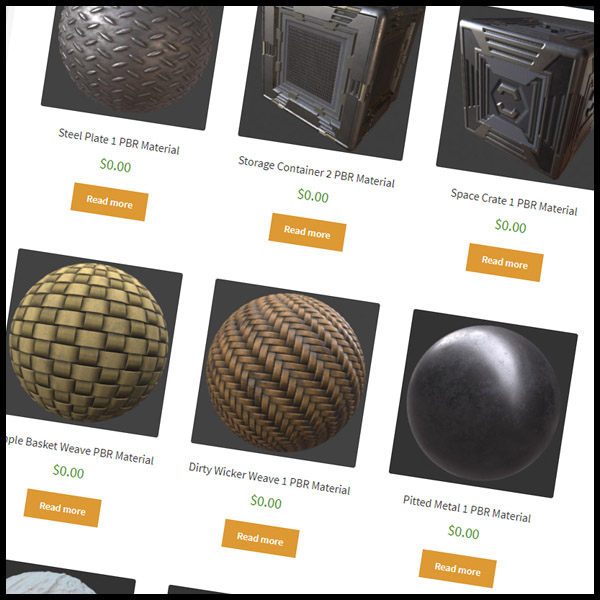
You can find some materials for free online like on Free PBR to spice up your world: https://freepbr.com/
You can also apply normal maps from online to give a material texture and detail.
 valid umbra
rustic turret
You can find some materials for free online like on *Free PBR* to spice up your ...
valid umbra
rustic turret
You can find some materials for free online like on *Free PBR* to spice up your ...
They have a bundle for 7$ with 350 materials, worth?
Bought it, was cheap
valid umbra
Holy I love this bundle, ty for the link @rustic turret
 short gulch
Woah good deal
 sullen lark
What's the best way to make a sound effect change when entering a building? Like rain sound change to muffled when you go inside
tried adding a filter and adjusting the radius but it's a sphere so it doesn't work quite right
misty wave
Probably with udon triggers is the most straightforward
I havent done it but that sounds doable
wary token
rustic turret
You can find some materials for free online like on *Free PBR* to spice up your ...
giving this a looksie when i get home today, thanks ❤️
green lagoon
https://gist.github.com/mauricesvay/1330cc530f6ab2ef33eb6a5ea56ef5bd if it helps here's a list of free PBR texture websites Rollthered

Gist
List of websites for free PBR textures. GitHub Gist: instantly share code, notes, and snippets.
wary token
green lagoon
https://gist.github.com/mauricesvay/1330cc530f6ab2ef33eb6a5ea56ef5bd if it helps...
❤️
green lagoon
hope your world-building goes okay
https://github.com/s-ilent/SmartTexture and this tool can help out with doing the conversions to the textures to fit the standard shaders Channel packing
GitHub
Unity tool to pack texture channels into a single texture. - GitHub - s-ilent/SmartTexture: Unity tool to pack texture channels into a single texture.
left rain
wary token
https://twitter.com/RolltheredDev/status/1498195580476084226
Been working hard ...
one of the best things you can do for any material IMO is get a nice varied roughness map. adding little smudges and imperfections can improve realism by a huge amount
wary token
left rain
one of the best things you can do for any material IMO is get a nice varied roug...
I was thinking of baking an inverse AO map for the corners of all the walls so i can add erosion :3
green lagoon
that sounds cool
left rain
sounds like a plan
 undone topaz
How long must I spend in VRC to be able to upload a world?
left rain
if you want to get a world into labs you need to be of User rank, which can take a while. helps if you get lots of people to friend you. VRC+ also gives you a permanent rank boost.
undone topaz
Thank you. I found out I was still using my Steam account instead of my VRC account.
valid umbra
Anyone knows where I can find a video player for Udon?
 tame shale
isn't there one in the SDK examples?
valid umbra
There is, but the screen is so white, idk if it will be optimal since its a sleep world basicially
tame shale
can you just darken the screen?
valid umbra
Its the emission, I have darkened that part but it just blacks out the screen so nothing shows
tame shale
can you post a screenshot?
valid umbra
gimme sec
sullen turret
white moon
https://github.com/oneVR/VRWorldToolkit
holy hell
i wish i knew about this sooner
tysm
valid umbra

Looks like this at start
its just that I want it darker without lowering the brightness of the video
tame shale
oh ok, so you want the screen to be dark when a video isn't playing
valid umbra
tame shale
oh ok, so you want the screen to be dark when a video isn't playing
Exactly
valid umbra
sullen turret
holy hell
Its the best tool ever^ been using it for a year
I remember the old video player (hangout player) was black
white moon
sullen turret
tysm
No worries. It's a very handy addon.
undone topaz
When I imported the VRWorldToolkit Unity package it says the namespace PostProcessing does not exist. Is this my fault or has someone else had this?
valid umbra
sullen turret
holy hell
You also want CyanEmu for unity, with it you can test your objects toggle/sliders in unity
:3
sullen turret
valid umbra
You also want CyanEmu for unity, with it you can test your objects toggle/slider...
been using cyanemu for a long time
i haven't tried the vrworldtoolkit yet but it looks great
valid umbra
sullen turret
been using cyanemu for a long time
Nice, it sure is a time saver.
Yeah its the best tool for unity tbh
I discovered it after 3 years using Unity 😄
bold ibex
Can someone plz help me fix all these errors please? And how to to fix the problem when the “Show Control Panel” disappears?

 bold ibex
In the VrChat home right?
valid umbra
yes
bold ibex
Ok ty
valid umbra
It is so satisfying to see this kind of shadow, kinda easy to setup with Bakery, mlp and reflection probes 😄
bold ibex
Any other ideas? Reimporting the sdk didn’t seem to work ={
valid umbra
whats your unity version?
bold ibex
2019.4.31f1
valid umbra
And you installed the Udon SDK?
bold ibex
I thought so, let double check again
valid umbra
I figure you are creating a world, you should download this one. IF your world is kinda old and using the old sdk, you should download the SDK2.
 valid umbra
tame shale
oh ok, so you want the screen to be dark when a video isn't playing
valid umbra
tame shale
oh ok, so you want the screen to be dark when a video isn't playing
Ha ha! I outsmarted the video player by having a 10 hour black video with no sound xD
valid umbra
tame shale
that works ig
haha yeah
tame shale
working smart not hard
valid umbra
Exactly, took me like 1 hour to get that idea lmao
white moon
undone topaz
When I imported the VRWorldToolkit Unity package it says the namespace PostProce...
make sure you have the postprocessing package installed, i beleive its in the package manager
 sacred pivot
So I may sound stupid asking this. But I am trying to make the pickup props in my world collide with players but can not find out how. anyone have any advice on this?
 upper obsidian
sacred pivot
So I may sound stupid asking this. But I am trying to make the pickup props in m...
upper obsidian
sacred pivot
So I may sound stupid asking this. But I am trying to make the pickup props in m...
Primitive colliders without a trigger, or a convex on a mesh collider, and a default layer, or any that intersects in the collision matrix with the player and player local.
sacred pivot
Mind dumming it down for me... this is my first world so I do not know a lot of terms for it.
upper obsidian
Select the pickup object in the inspector and take a screenshot of everything on it.
sacred pivot
 upper obsidian
It should work with such a collider, check the layer again
sacred pivot
I tested it and I do not collide with it
upper obsidian
 sacred pivot
ok it was the layer that was the problem
thank you
My next question is I am using a item spawner graph but I do not know how to destroy the clones
 meager tide
If I build an udon script to disable/enable world geometry objects would I have to sync it across all players or if I just kept it local? Trying to make a wall appear in the way of a second floor observation deck so it completely hides a space from view but not sure how collision works (i.e. if the collision still happens even though another client that didn't use the toggle can't see the physical object).
left rain
if you don't sync it, it's local. other players would just see that guy walk through a wall if it isn't synced
 nocturne jungle
Id accidentally deleted my world files while cleaning my pc, is there any way i could get them back? I have the world uploaded as a public world
 bold wren
I don't think it's possible to restore project files, since whatever you have uploaded is already built, i.e. compiled. Could be wrong though.
bold ibex
How does one change the maximum viewing distance of mesh in Vrchat?
stone marsh
bold ibex
How does one change the maximum viewing distance of mesh in Vrchat?
You can increase the far clip on your reference camera.
It should be noted however, that this can have negative side effects if abused. Too much content too far from 0:0:0 can cause float point errors.
The issue is much worse on quest however, as a wide clip ratio will cause float point errors.
That said, increasing it within a reasonable amount is normal. You can use unity fog which is very cheap, to hide the far clip so it's less aggressive visually.
 whole horizon
At what point should I be worrying about having too many polygons/tris in my world?
stone marsh
whole horizon
At what point should I be worrying about having too many polygons/tris in my wor...
There's no easy answer.
Poly count doesn't affect performance as much as other things such as draw calls.
You should always keep poly count as low as reasonably viable though. Using lod groups is very useful however as you can ensure only when the player is close to a mesh it will be high poly.
If you're uploading scans with millions of poly you are doing it wrong though lol.
That said, there is a huge difference between a mesh with and without collision.
If your meshes all have mesh colliders, a high poly mesh with a mesh collider can cause massive performance issues. Especially one with bad topo. Iirc mesh colliders check collision against all faces at once so that collision check can get stupid fast. Sometimes this isn't immediately apparent however, as depending on your collision matrix you might not lag until you pick up and pickup as while holding the pickup it's performing a very costly collision check against your hypothetical high poly mesh with a mesh collider.
In short, if the mesh has no collision, you can get away with fairly high poly and not see any issues. If there is collision, you can get fucked much quicker as the poly count rises.
In closing. Use lod groups and just decimate or remesh your shit in blender, it's pretty easy and quick.
willow canyon
stone marsh
There's no easy answer.
Poly count doesn't affect performance as much as other...
He is absolutely speaking facts right here
whole horizon
Thank you, that's really helpful!
My world's at 51k tris at the moment which I don't think is a lot? But it's impossible to find even vague guidelines anywhere
I'm going to redo the collision so there's no mesh colliders though
stone marsh
That's nothing
Mesh colliders are fine, and useful. You shouldn't use them if not needed, but there are many types of meshes where they are basically required. As long as the poly count is low enough, you'll not have any issue.
Good topo matter too though as I mentioned.
51k tris is nothing though.
 novel hawk
is there any video players that do work on quest?
stone marsh
whole horizon
My world's at 51k tris at the moment which I don't think is a lot? But it's impo...
Avatars should ideally be under 10k but many are 50-100k.
While numbers are subjective and I'm hesitant to even provide any because it depends as mentioned, I'd suspect most users wouldn't have any issue rendering upwards of 1-2m tris as long as it has no collision. That's not to say you should do that. You shouldn't. But regardless.
That all said. Draw calls are your important factor. Profile the world and ensure low frame times and low draw calls.
stone marsh
novel hawk
is there any video players that do work on quest?
Yes. ProTV works well on quest.
Quest users just can use YouTube without a service to convert it. I forget the site/service tho. But the player works fine.
willow canyon
stone marsh
Avatars should ideally be under 10k but many are 50-100k.
While numbers are su...
1-2m tris as long as it has no collision.
Dynamic bone collisions: "Allow us to introduce ourselves!"
whole horizon
@stone marsh Thanks so much!
stone marsh
willow canyon
> 1-2m tris as long as it has no collision.
**Dynamic bone collisions:** "Allow ...
Lmao god I can't wait for phys bones lezzz gooooo
willow canyon
stone marsh
Lmao god I can't wait for phys bones lezzz gooooo
We're in the same boat about that
but 10Point tracking is more important than avatar dynamics
stone marsh
Dbones are most likely the largest hit to performance currently in the game because of their extensive abuse. (Speculation)
willow canyon
stone marsh
Dbones are most likely the largest hit to performance currently in the game beca...
"estensive abuse?" I've seen avatars with 1k+ dynamic bones colisions
JESUS CHRIST, Do they have to be that self-centered?
the only thing being abused is my 1060 lol xD
stone marsh
Soon
novel hawk
This one ? @stone marsh https://booth.pm/ja/items/2536209

Ready-made video player solution for VRChat w/ Udon. Requires SDK3.0[Udon] (last tested w/ v2021.11.24.16.19) and Udon Sharp [U#] (last tested w/ v0.20.3). Recommend Unity 2019, 2018 works but might have some issues during import (MAKE SURE YOU HAVE THE LATEST U# VERSION). View the README.md file in
stone marsh
novel hawk
This one ? <@!485247584907034628> https://booth.pm/ja/items/2536209
Yea. Sorry I fell asleep
bitter idol
Everytime I see an amazing 2.0 adventure game world, one with hundreds of hours of effort, I want to tear up knowing vrchat is doing away with sdk2 worlds and all this amazing work will be a thing of the past or at least a lot more of a rare occurrence because nobody wants to hassle with udon or lose all the skills they already knew. Just why vrchat why...
Also sdk2 worlds be like: epic horror adventure 3 hours long!! Multiple endings!!
Udon worlds be like: I made a world that tells you what donut you like
._.
novel hawk
well 2.0 has been out for longer so people have been more versed in it, where as 3.0 has more to offer but not everyone knows how to use it
 tardy marten
hi guys,
is there a difference between avatar and world upload trust ranks?
I've been able to upload avatar for a long time, but even though I created world, the community lab won't let me upload world.
What level do I need to reach to be able to publish a world?
 desert python
stone marsh
Yes. ProTV works well on quest.
Quest users just can use YouTube without a ser...
desert python
stone marsh
Yes. ProTV works well on quest.
Quest users just can use YouTube without a ser...
theres alltube and jinnai, for twitch, youll want to use ytdl on your machine or streamlink
desert python
bitter idol
Everytime I see an amazing 2.0 adventure game world, one with hundreds of hours ...
i dought sdk2 worlds would loose functionability any time soon even if they never upgrade
desert python
tardy marten
hi guys,
is there a difference between avatar and world upload trust ranks?
I've...
community labs requires “user” rank iirc
tardy marten
desert python
community labs requires “user” rank iirc
thx 😉
 jolly karma
anyone made a world or know of a world thats really pretty where i can ask this girl ive been seeing to be my gf
left rain
ha, adorable. you can try mine: https://vrchat.com/home/world/wrld_2e37b570-7f57-46d5-9ef5-e33d1326c70b
valid umbra
Im getting so frustrated, I cant find a option to move that canvas, I have tried every number but it moves the slider also, I just wanna move that canvas shape, is it possible? Its making the slider not going to the top when interact.

 mild spade
valid umbra
Im getting so frustrated, I cant find a option to move that canvas, I have tried...
mild spade
valid umbra
Im getting so frustrated, I cant find a option to move that canvas, I have tried...
Try setting the slider position on X Y and Z to 0, then move the parent canvas up.
valid umbra
I think I did right, but it doesnt work :/
valid umbra
mild spade
Try setting the slider position on X Y and Z to 0, then move the parent canvas u...
Eh I made a new one. Thanks anyways, but if you come with a new suggestion so I know in the future, I would love to know!
 leaden hazel
Is anyone else experiencing terminally slow content uploads today? My world update is creepingly slow and it should only be between 100 and 150MB.
leaden hazel
bitter idol
Everytime I see an amazing 2.0 adventure game world, one with hundreds of hours ...
At this point SDK 3 has been out what, about two years since its first alpha releases? And there's community tools now to assist with porting and upgrading 2.0 systems to 3.0 and tons of tutorials and other content. There's really not an excuse for learning the new stuff after that long. :|
Like, if a project is 'done' and you're not planning any further updates, then sure, leave it be. But alive projects should seriously consider updating, given they'll need to if they want to do things like use the new features coming soon
white moon
leaden hazel
Is anyone else experiencing terminally slow content uploads today? My world upda...
Have you got that futureproof content box unchecked? in the settings for the sdk controlpanel
My worlds used to take foreeeeever until i unchecked that
leaden hazel
oh yeah, that's all turned off
Normally isn't this slow, just was suddenly slow this eve.
Also not sure if I'm imagining it, but if you do multiple uploads over a period of time, does the server network notice and automatically throttle you?
 echo oracle
im new to creating worlds
in the video im watching
there is a "show control panel" in the vrchat sdk thing on top
in my one its not there
 quartz patio
hey when trying to upload a world for my friend the sdk tells them to verify in their email right they click on the link and then the sdk says that Couldn't verify your login by email
If you've reached here, it's because you probably clicked on a link from VRChat in your email, to verify your login.
But the link you followed is invalid. or maybe you were already verified!
If you want to try again, please log in again.
valid umbra
echo oracle
im new to creating worlds
Download worldcreatorassistant (WCA) Its a time saver.
green lagoon
yeah it certainly makes downloading all of the useful editor extensions easier
valid umbra
green lagoon
yeah it certainly makes downloading all of the useful editor extensions easier
Yep. I use it in every project/scene, it is a MUST tool imo
 frigid estuary
How problematic would be a faithful recreation of a world that got deleted (the user has also deleted their vrchat account)?
wary token
frigid estuary
How problematic would be a faithful recreation of a world that got deleted (the ...
Nothing wrong with that as long as its 100% scratch original and credits
Make sure you are not recreating anything copywritten or patented though
frigid estuary
It was a very simple world and it would be quite easy to remake. Just to make sure: I didn't rip content since neither can do it nor is it allowed. So it is only "very close" to the original.
wary token
If the original creator had a logo for instance in the world, you should ask if they will let you use it.
frigid estuary
I'm only afraid it would look too much like the original and be mistaken for it by accident
wary token
Isn't that the point though?
frigid estuary
wary token
If the original creator had a logo for instance in the world, you should ask if ...
yes, stuff like that wouldnt be included, it's all self made
frigid estuary
wary token
Isn't that the point though?
i mean it is the point but i'm just worried that a mod would go over it as a 1:1 copy/ripped version since it is very easy to remake
wary token
Its plausible, but not something i would say is a big problem.
valid umbra
frigid estuary
i mean it is the point but i'm just worried that a mod would go over it as a 1:1...
I mean, you will make other people happy if it was popular so they can visit yours instead.
wary token
A few worlds disappeared and got remakes
nothing bad ever really seemed to come from it, all positives actually from what ive seen
👀
I mean look at Japan shrine
frigid estuary
oh i never knew someone remade that
wary token
the old one sorta disappeared so then the community remade it
albeit not as faithful as the original, but close.
id say go for it, worth a try!!!
The more recent one i can remember is that one train world
valid umbra
Is this a good image? Its a chill/cosy world
 wary token
If its for preservation, its always a good thing as long as the original artist wants that. @frigid estuary
green lagoon
and if you're worried about it being too similar you could always change up your remake a bit more
green lagoon
valid umbra
Is this a good image? Its a chill/cosy world
I would say the text should be smaller because it's covering up the whole world
valid umbra
green lagoon
I would say the text should be smaller because it's covering up the whole world
Ty, Im thankful for advices
wary token
valid umbra
Is this a good image? Its a chill/cosy world
Smaller text, and maybe add a vignette to cover up that bloom on the right. It's a bit distracting.
Compositionally the eye tends to look at the brightest part of the image first.
 frigid estuary
valid umbra
Is this a good image? Its a chill/cosy world
frigid estuary
valid umbra
Is this a good image? Its a chill/cosy world
i would think of it the other way around as @green lagoon says, it's not that the text hides a lot, the problem is that the picture is very dark and doesnt show a lot. the text is hiding the only parts where you can see what is in that world.
valid umbra
frigid estuary
i would think of it the other way around as <@!216145046347448320> says, it's no...
Gotcha, Im pretty creative when it comes to creating worlds, but when it comes to pictures.. derp
frigid estuary
wary token
If its for preservation, its always a good thing as long as the original artist ...
i'm not sure if the original artist would want that, the artist is not reachable since they seemed to have deleted their entire online existence from any platform theyve been on
valid umbra
F
green lagoon
frigid estuary
i'm not sure if the original artist would want that, the artist is not reachable...
so maybe go with a similar to Vibe but not a replica
wary token
frigid estuary
i'm not sure if the original artist would want that, the artist is not reachable...
Might be for the best to make it in private and never release it then
¯_(ツ)_/¯
some artists just want to go peacefully like they never were there in the first place
or do what @green lagoon said and make it similar but not an exact copy
as that would be a safe bet
:3
green lagoon
out of curiosity what kind of map was the original anyway
frigid estuary
Verhack
frigid estuary
 valid umbra
This is how the world looks like, more furnitres and more lights maybe? Since its dark
frigid estuary
valid umbra
This is how the world looks like, more furnitres and more lights maybe? Since it...
yes, imo it would need that if you want to make more cozy
but its mainly just that the lights are not intense enough/dont spread far enough
valid umbra
Aight sounds good
wary token
valid umbra
This is how the world looks like, more furnitres and more lights maybe? Since it...
Ditch the UI and go minimal for that video player and I think it will look really clean. Maybe have a toggle for the UI so you only see the input field when you need to use it.
UI breaks immersion a lot
unless its designed into stuff like a remote or a tablet
valid umbra
wary token
Ditch the UI and go minimal for that video player and I think it will look reall...
Its just the basic udon prefab, so nothing fancy
wary token
What do you mean?
wary token
Use something like Riskiplayer or something like that, ez solution if you dont want to mess around with making a custom ui reveal.
But I will say, worlds with UI all over the place I tend to not wanna be in. Especially with raycast (which i gotta fix in some of my worlds myself soon cause it drives me up the wall xD)
the last thing someone wants when they are laying down is to see that laser pointer always overrendering xD
valid umbra
Riskiplayer?
Ahah true
wary token

GitHub
Simple and fancy video player for VRChat with an on-screen interface - GitHub - RiskiVR/RiskiPlayer: Simple and fancy video player for VRChat with an on-screen interface
valid umbra
aight will do
wary token
🙏
valid umbra
sweet! ty ty I have been looking for a videoplayer compatible with udon, hard to find
wary token
Also feel free to join my discord linked in #community-servers-old if you want more prefabs and help!
We tend to find a lot of cool stuff in there
🙂
valid umbra
Sweet
wary token
❤️
Gotta ride home from work now and start working on my face tracking when I get home, wish me luck! And good luck with the world to you!! :3
valid umbra
wary token
Gotta ride home from work now and start working on my face tracking when I get h...
Gl to you mate!^^ And ty have a good day!
 opaque nimbus
anyone have a prefab regular mirror? i cannot for the life of me get the toggle buttons to work on any ive tried to make for myself lol
white moon
Here i am pondering. How would you make a prop hunt world?
valid umbra
here have mine
valid umbra
opaque nimbus
anyone have a prefab regular mirror? i cannot for the life of me get the toggle ...
^
It has toggle feature
white moon
upload every prop as an avatar and when you click the props it swaps you into an avatar of that prop? 🤔
opaque nimbus
Yess thank you
valid umbra
Udon sdk right?
opaque nimbus
yah yah!
valid umbra
Good 😛
green lagoon
white moon
upload every prop as an avatar and when you click the props it swaps you into an...
no that's not how you do it I don't know how exactly it's done but it's something involving a bunch of udon
valid umbra
opaque nimbus
I appreciate it im new to this and i keep fighting it every step of the way
I have been using Unity for 4-5 years now, I still dont know alot lol
you get there
white moon
green lagoon
no that's not how you do it I don't know how exactly it's done but it's somethin...
I suppose you might be able to hid the player somehow and track an object to where their avi should be?
I wonder if you can disable a player's mesh renderer
green lagoon
white moon
I suppose you might be able to hid the player somehow and track an object to whe...
from my observations playing the map that's probably closer to how it works
opaque nimbus
valid umbra
I have been using Unity for 4-5 years now, I still dont know alot lol
thank you i have learned alot through this whole process! im pretty happy with it so far
valid umbra
Awesome np^^
https://www.youtube.com/watch?v=PIFzRuDeK4M&list=PLVh9xfhor6GK-vp9U_grpjp_KfQAfFaov&index=1&t=796s
Watch this video if you wanna make toggles/sliders for volume/light/bloom etc.
https://github.com/Varneon/WorldCreatorAssistant/releases
And this is the best friend you will have in Unity, it is a plugin where you can import useful assets directly from it in Unity 🙂
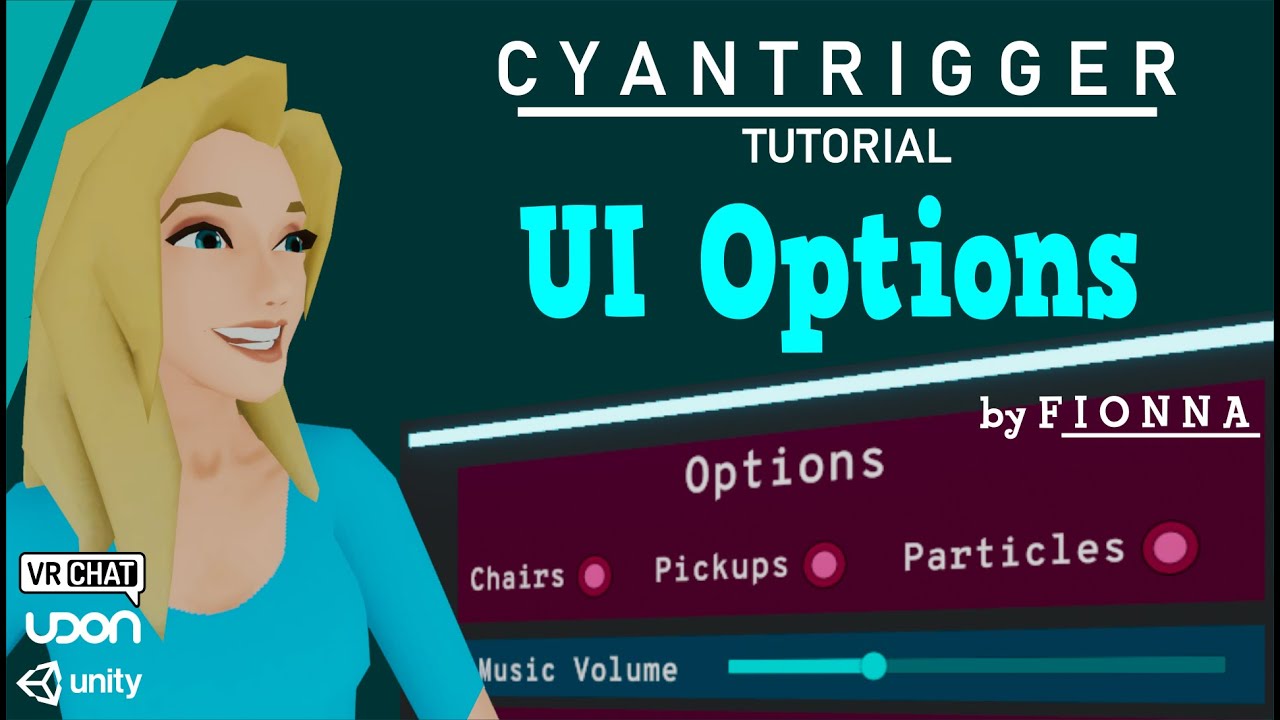
In this tutorial, Fionna shows how to make a UI World Options panel using CyanTrigger for VRChat's SKD3 worlds. It will cover Post Processing options such as Bloom and Brightness, background audio volume, and toggles for things such as pickups, particles, and chairs.
Download a drag and drop version of this prefab:
https://fionna.booth.pm/ite...

GitHub
Unity Editor extension for automating VRChat world project package management - Varneon/WorldCreatorAssistant
echo oracle
oh my god
how do i connect my vrchat account to the vrchat sdk
oh my god
this is so fricking
brain hurting
valid umbra
Download the sdk?
echo oracle
i did
i even tried the WCA
its just
my brain hurts
i just dont have the "show control panel" thing @valid umbra
valid umbra
does it only say clear cache etc?
white moon
You just download it and then log in
valid umbra
^
green lagoon
do you have any errors in your Unity console @echo oracle
echo oracle
it only shows the cache
white moon
Ah, then if you dont have the control panel you must have errors stopping it from building
valid umbra
Then you prob got duplicates.
valid umbra
It takes it directly from the URL on vrchats website, so yes.

 valid umbra
echo oracle
i mean
valid umbra
echo oracle
i mean
Please write everything in the same line
echo oracle
oh ye sorry about that
valid umbra
Most errors is caused by the sdk, its common with Unity, either if you have corrupted files in it, duplicate, deleted file etc
echo oracle
valid umbra
Most errors is caused by the sdk, its common with Unity, either if you have corr...
tried it its not working...
why everytime i try to do something it just doesnt work lmao
valid umbra
echo oracle
why everytime i try to do something it just doesnt work lmao
Show me the error log and a screenshot of your unity screen
echo oracle
error log tf?
valid umbra
Console*
echo oracle


dont mind the name of the project accidentally typed "voice" in stead of "world"
LMAO
valid umbra
Did you install SDK3 Udon?
 echo oracle
valid umbra
idk tbh
echo oracle
valid umbra
idk tbh
wtf i just made a new project and did it again for like the 10th time and it works
green lagoon
at least it work this time
bold ibex
My unity project will not copy over. If I copy the file my computer can't handle it and exporting it as a package says it has too many dependencies. What can I do? If I have help on this I will be very grateful. (Mac OS, air. Trying to get a cross-platform version of my world set up for quest and PC)

 magic orbit
Heyo smart people! I have a question. I'm trying to create my own world and I want to be able to have movies played on a screen like some of these movie worlds already created. How do I go about doing this in Unity? Thanks for the help!
valid umbra
GitHub
A basic video player made for VRChat using Udon and UdonSharp - GitHub - MerlinVR/USharpVideo: A basic video player made for VRChat using Udon and UdonSharp
Install udonsharp before installing this!!
 ionic grove
How do I make an audio clip/convert mp4 to audio clip?
magic orbit
valid umbra
https://github.com/MerlinVR/USharpVideo
So i upload my movie files into the world and have it play on this?
 near escarp
ionic grove
How do I make an audio clip/convert mp4 to audio clip?
near escarp
ionic grove
How do I make an audio clip/convert mp4 to audio clip?
You can do that online
valid umbra
magic orbit
So i upload my movie files into the world and have it play on this?
Should work somehow gonna check
magic orbit
valid umbra
Should work somehow gonna check
Thanks!
valid umbra
magic orbit
Thanks!
Can only find URL format :/
magic orbit
valid umbra
Can only find URL format :/
So find the movies in url format with .mp4 at the end and should be good?
valid umbra
If it is in URL format, then yes it should work
magic orbit
Ok cool! Thanks for the help. Much appreciated
valid umbra
magic orbit
Ok cool! Thanks for the help. Much appreciated
Np 🙂 I recommend downloading VRWorld Toolkit, great tool to import handy assets.
ionic grove
what file type is an audio file, is it mp3?
valid umbra
ionic grove
what file type is an audio file, is it mp3?
yes
ionic grove
ok
meager tide
for a vrchat audio source is a "meter" considered one unity unit?
meager tide
Does anyone know a decent youtube tutorial for creating a user interface for the AVPro video player? Right now, all I can do is use the url field and hit enter.
valid umbra
I can just give you a functional video player?
meager tide
I used the udon prefab and it does function, but you can't pause/play, enable 2D audio, show current time of video, force resync, or enable/disable locally. Does ur prefab already have all that stuff?
valid umbra
yes
meager tide
is it in asset store?
valid umbra
Hold on
GitHub
Unity Editor extension for automating VRChat world project package management - Varneon/WorldCreatorAssistant
Download this, it has everything you need
Video player, post processing, useful assets/addons etc
But install udonsharp through it before you import the video player
meager tide
nice, i'll give it a try, thank you. The only things that I was able to make in udon was stuff disappear and reappear,
valid umbra
x)
magic orbit
valid umbra
If it is in URL format, then yes it should work
Seems like this doesn't work just yet :/
Dunno what I'm doing wrong
nocturne jungle
Id accidentally deleted my world files while cleaning my pc, is there any way i could get them back? I have the world uploaded as a public world
meager tide
wow udon is so picky, I drag the components into the udon graph and it lets me make connections but it doesn't update the parents in the inspector so it doesn't work lol.
bold ibex
Anyone have tips on how to get started on C# udon development? Any good documentations?
gritty fossil
can anyone help me with cyan trigger sliders not working properly? i'm pretty sure i have all the right settings but when i build and test, i can use the sliders to change anything in game
i followed this tutorial https://youtu.be/PIFzRuDeK4M
In this tutorial, Fionna shows how to make a UI World Options panel using CyanTrigger for VRChat's SKD3 worlds. It will cover Post Processing options such as Bloom and Brightness, background audio volume, and toggles for things such as pickups, particles, and chairs.
Download a drag and drop version of this prefab:
https://fionna.booth.pm/ite...
upper obsidian
gritty fossil
can anyone help me with cyan trigger sliders not working properly? i'm pretty su...
VRChat
You can use Unity UI events to directly call methods for simple interactions, rather than building an UdonBehaviour. However, we've limited what can be called to this list: Animator PlayPlayInFixedTimeRebindSetBoolSetFloatSetIntegerSetTriggerResetTriggerspeed AudioSource PausePlayPlayDelayedPlayOneS...
bold ibex
bold ibex
Anyone have tips on how to get started on C# udon development? Any good document...
Start with udon sharp. It processes c# script as udon code.
bold ibex
bold ibex
Start with udon sharp. It processes c# script as udon code.
I'll have a look tomorrow thanks!
Also, I'm trying to build and upload my world, but the SDK doesn't show this window after clicking Build & Publish
Update: In case anyone else experiences this issue and searched this up, it had something to do with the main camera, I deleted and readded a new camera
 echo oracle
guys
how do i make like
rain animation on the ground
like animation of the rain dropping on to the ground
 frank gull
is there a way to create water without using URP
 unkempt turtle
frank gull
is there a way to create water without using URP
unkempt turtle
frank gull
is there a way to create water without using URP
shader
frank gull
all of the shaders i found are nothing but urp shaders

 valid umbra
I get this error, has something to do with it?
 frank gull
still can't find any working water shaders
valid umbra
frank gull
still can't find any working water shaders
you have a few water shaders here
frank gull
thanks i will try them out
valid umbra
frank gull
thanks i will try them out
yw
frank gull
whelp couldn't find a water shader 😦
valid umbra
frank gull
whelp couldn't find a water shader 😦
There is around 5 water shaders there?
frank gull
ill relook to see if i can find them
frank gull
it says no match
 frank gull
didn't see that
valid umbra
xD
frank gull
hopefully this works on quest
frank gull
where do i put the VRCSceneDescriptor at
valid umbra
Search for vrcworld and add it to your project
It auto sets everything up so you can upload it
Scene*

@frank gull
frank gull
thanks
frank gull
trying find the perfect scale for my terrain
frank gull
how do i make it where i can walk through objects
 glacial pond
Is there a (free OR buyable) visual non-Euclidean portal prefab for VR chat yet? I am not capable of making my own, but I desperately want to make worlds involving them.
valid umbra
frank gull
how do i make it where i can walk through objects
Remove collider from the object
vagrant stone
Hey guys does anyone have a script to help make a flying machine using udonsharp?
I have looked at videos and nothing is actually making this thing fly
Or a recommendation from the asset store that is compatible with Vrchat
bold ibex
vagrant stone
Hey guys does anyone have a script to help make a flying machine using udonsharp...
have you looked at saccflight on github
i read that you can build off it
idk if thats true but worth a look
frank gull
how do i make a swimmable object
 silk tinsel
any good vids on videoplayers that isnt master only and can change the playback time and volume?
white moon
silk tinsel
any good vids on videoplayers that isnt master only and can change the playback ...
There's a checkbox in that players settings for it to default to allow every access rather than master only
silk tinsel
white moon
There's a checkbox in that players settings for it to default to allow every acc...
perfect thank you! now if i can figure out the rest i'd be solid 😭
white moon
silk tinsel
perfect thank you! now if i can figure out the rest i'd be solid 😭
Is that like an extended version with a playlist function or something? I've not seen those extra buttons on it before
silk tinsel
white moon
Is that like an extended version with a playlist function or something? I've not...
it's the video player from the room of the rain that i took a pic of for a quick example
white moon
Ahh ok
silk tinsel
but im looking for scrobbing/timestamp control, pause/play, and volume control
white moon
the U# video player lets you move the time slider and pause / play so it should let you do that all?
unless you mean scrubbing as in you can see the video as you slide it along?
 topaz sonnet
Hey guys, need help making animated shaders for my world. I tried using a particle system spritesheet, but there is an error of some kind and I'm not experienced enough in Unity to understand whats going on. Here's a video of whats going on:
I don't want the flicker to occur when the camera is moving. Any ideas?
near escarp
Probably a billboarding change ?
topaz sonnet
Should I change the billboard render mode?
Ok, so while that fixed the flickering, the particle system now follows the camera, as in it constantly faces it
near escarp
That's the one thing I can think off, but I'm not too well versed in particle systems tbh
topaz sonnet
No worries!
near escarp
Yeah that's kinda the issue, it's either precision, which causes the flickering since they have to calculate their overlap based on camera, or actually facing the camera
near escarp
That part I'm unsure, but I would assume so
topaz sonnet
Ok, I think I've fixed it. You can set the direction in place by setting the render mode to 'Mesh', and then changing the default shape from cube to plane (or whatever you want) in order to have a non-flickering spritesheet animation that stays in place!
Very proud of myself for this one lol. I dont know shit about Unity
near escarp

green lagoon
cool
 lone frost
Yo people who do maps. Would it be possible to do a tiny planet map? Or is the orientation fixed on vrchat?
green lagoon


#madewithudon I've been testing Udon, was able to whip this up in just a few days. The gravity conforms to match any geometry shape and is controlled completely by Udon. No plans to release, this was just toying around. Do not underestimate the power of Udon! ^^ https://t.co/Wd1xdPIhZw
Likes
306
Twitter
·

Repositioning Remote Players is an advanced technique for VRChat where you can change where players...
lone frost
green lagoon
https://vrclibrary.com/wiki/books/repositioning-remote-players/page/intro
This might work. Thanks
green lagoon
hopefully it works okay not something I've ever tried so couldn't give help
bold ibex
green lagoon
https://twitter.com/EvolvedAnt/status/1207885164036214785?s=20&t=ewHGWOxZPgvwUZk...
i am satisfied knowing its possible
i can now peacefully die
 atomic barn
are there any club world creators here?
 humble wraith
i’m trying to disable a bunch of canvas menus when players are far away from them, so people don’t accidentally snipe the video playlist while emoting. have already tried toggling a collider directly in front of the menu, but it doesn’t seem like it blocks hand laser; also tried toggling all the VRC_UiShapes through u#, but it seems like u# doesn’t support variables of that type. is there a simple and sane way to approach this?
i can toggle or teleport the entire menu group, but ideally i’d like players to be able to see that there’s a menu on the other side of the room so that they know to check it out, so i’d like to disable interactions while leaving it visible
…lol, actually just figured out the thing i should be searching—it seems like CyanEmu allows canvas interactions to pass through colliders, but vrchat itself will correctly block them. leaving this up in case someone else is trying to search for the same thing
upper obsidian
humble wraith
i’m trying to disable a bunch of canvas menus when players are far away from the...
It is enough to turn off the Graphic Raycaster on the canvas
humble wraith
ahhh, if that’s a supported type then that should work fine too
bold ibex
is there a way to mass change my world's shaders to standard mobile or do i need to do it manually
 opaque geyser
hello I downloaded a Nebula Skyboxes pack, I imported it in Unity
and I have now that:

I have no idea how to import it please?
like do I need to create a skybox?

I try to create a Skybox but it's locked (gray)
Thanks for the help!
near escarp
If it relies on a script, it likely won't be supported
If it's just skyboxes cubemaps/textures, you can change them in the lighting tab
opaque geyser
near escarp
If it relies on a script, it likely won't be supported
it's this one https://assetstore.unity.com/packages/2d/textures-materials/sky/skybox-green-nebula-8442

Elevate your workflow with the Skybox Green Nebula asset from Unluck Software. Browse more 2D Textures & Materials on the Unity Asset Store.
near escarp
Yeah it's a cubemap
opaque geyser
lighting tab ?
green lagoon
that should be fine as it's just a cubemaps
opaque geyser
ah in lighting settings ok
I just added the material I downloaded
here

I guess it's done thanks 🙂
looking good
meager tide
anyone know of a decent echo panel asset, trying to make a mini-theater and the straight black material I used has weird color banding around it so I'm trying to hide it.
 tulip merlin
can anyone help me i am trying to put a video player in my world that will also allow quest users to see the videos for example like the movies and chill world of the karaoke world but i do not know how to do it
 gilded summit

 acoustic tundra
Is there any way to remove the quest version of one of my worlds? Or do I have to delete it and reupload just the PC version? Finally got to try out the quest 2 and check out the world in it, but things just didn't translate well.
near escarp
acoustic tundra
Is there any way to remove the quest version of one of my worlds? Or do I have t...
You'd have to contact the #vrchat-support
 ruby forge
Is there a commission channel btw? Looking to get a world & possibly an avatar made
 toxic fulcrum
Here's a super basic and hopefully simple one - what does the dash mean in Unity next to Static? Surely it should be static, or not. 🤔
 bold ibex
i just started creating a project on unity and after adding my sdk in it the opition does not show up on top
i dont know how to fix this
toxic fulcrum
Ohwait... I answered my own question. It's not set as Static Batching. Disregard~ ¦3
 chilly wing
i can't seem to google such a simple question, how much trust do you need to build a world? i can upload avatars but not worlds to put them into
valid umbra
bold ibex
i just started creating a project on unity and after adding my sdk in it the opi...
GitHub
Unity Editor extension for automating VRChat world project package management - Varneon/WorldCreatorAssistant
valid umbra
chilly wing
i can't seem to google such a simple question, how much trust do you need to bui...
I think known user or trusted user.
valid umbra
chilly wing
I'm have to play a lot of chess then ;,}
😄 Welcome to unity. Lots of headaches and some bugs that will get on your nerves!
chilly wing
Unity is a nightmare i hate like
Everything about it smh
Like even taking a thumbnail picture is a pain in the asw
valid umbra
You get used to it tbh
 remote bobcat
chilly wing
remote bobcat
chilly wing
yeah good at not pulling my hair out
valid umbra
Oh it is user
valid umbra
chilly wing
Then I'm one off
https://assetstore.unity.com/packages/tools/utilities/screenshot-companion-67779
Download this for screen shots, attach the component to the camera.
Follow this video for easy pics with high res
https://www.youtube.com/watch?v=9swQl3IHlUs&list=PLVh9xfhor6GK-vp9U_grpjp_KfQAfFaov&index=6&t=143s

Use the Screenshot Companion from Topicbird on your next project. Find this utility tool & more on the Unity Asset Store.

In this tutorial, I show how you can easy choose your own picture for your VRChat Avatar display profile picture. It's really super simple and can be done in under a few minutes. Hope this helps you out!
chilly wing
Yeah I built a whole little area by hand then I remember oh yeah there probably building tools that makes this easier and faster oopsie
valid umbra
chilly wing
Yeah I built a whole little area by hand then I remember oh yeah there probably ...
Yeah there is lots of hidden assets
https://github.com/Varneon/WorldCreatorAssistant/releases
This one I linked earlier, its basicially a must when creating worlds, makes everything easier.
GitHub
Unity Editor extension for automating VRChat world project package management - Varneon/WorldCreatorAssistant
chilly wing
So like do you just remember udon inputs or do you have like a lil cheat sheet
Thanks for all the linkw
chilly wing
yeah they have such weird names and stuff lol
i can't see amymore remembering it all lol
valid umbra
When you make a interactable asset, just add ''Udon behaviour'' boop, done
https://www.youtube.com/watch?v=PIFzRuDeK4M&list=PLVh9xfhor6GK-vp9U_grpjp_KfQAfFaov&index=1&t=1406s
Sry for lots of links, but this video is perfect getting started with interactable sliders and toggles.
In this tutorial, Fionna shows how to make a UI World Options panel using CyanTrigger for VRChat's SKD3 worlds. It will cover Post Processing options such as Bloom and Brightness, background audio volume, and toggles for things such as pickups, particles, and chairs.
Download a drag and drop version of this prefab:
https://fionna.booth.pm/ite...
chilly wing
i know but like making toggles and stuff, dude wad like remeber what we did in the last video and make the avatar toggable. and im just like um no?
valid umbra
chilly wing
i know but like making toggles and stuff, dude wad like remeber what we did in ...
I was sceptical about udon at first tbh, I went old school since I have been using unity for 4 years now, but trust me. Udon is so much easier to use once you get a hang on it, also you learn alot that will be efficent in the future
chilly wing
yeah prob, mostly doing it to help my freind with there fivver
doing all the ranking up and dumb busy work
valid umbra
chilly wing
yeah prob, mostly doing it to help my freind with there fivver
Be on vrchat as much as possible, upload avatars, it will help the process. Also get friends there, it helps also
valid umbra
chilly wing
yeah prob, mostly doing it to help my freind with there fivver
I have been a trusted user for around 2 years, but I have 1k hours, 4 worlds, a bunch of avatars and 200+ friends xD
chilly wing
Yeah I got user on my main it took so long tho I got new user on my quest account way faster
And I played way more on steam
valid umbra
chilly wing
Yeah I got user on my main it took so long tho I got new user on my quest accoun...
Yeah, having a vrchat account comes with more benefits compared to steam account.
chilly wing
Yeah the only reason my steam wasn't commented is I didn't want to lose my favorites and stuff
Now I'm just like God my skin is on the other account I gotta log out type in a long password in vr join a world join on my pc then copy it
It's why I made a world but I can't upload it yet lol
valid umbra
Ah I see
acoustic tundra
near escarp
You'd have to contact the <#372142854430261258>
Thank you!
valid umbra
Is it possible to get a world published to public by sending some form or contacting an admin about it? I have a world that I made 2 years ago and its stuck in labs and I dont have the project anymore, Its a really nice and optimized world I worked for months on
upper obsidian
Who needs it?
As I understand it, it was still made on sdk2, sdk2 will soon be removed from support, over time, all the worlds made on it will be deleted.
valid umbra
Wow thats a bummer, but understandable
 round sandal
is there a way to change the update rate on objects thrown by someone else
so its more smooth
(i understand itd be laggy and all but i want a world specifically designed and optimized for this so its not a problem)
EG.: i want the update rate to be so accurate that if someone throws a javelin at me, i can block it with a shield
near escarp
Should probably ask in #udon-general
worthy horizon
yay unity learned a new trick, its called "freeze up and corrupt the scene file"
 random sphinx
anyone know for sure if this works for VRC?

 worthy horizon
in soviet russia, world works on you
 old crow
What polycount should I aim for? I know drawcalls are much more important, but plants can have intense issues so I'm planning on setting up LOD on the plants.
green lagoon
can you show a wireframe of the plants
and questioned how big of a map will it be
to answer as far as how much LOD to do
 green lagoon
wow that's very dense
old crow
Yeah. I don't have any better plant models on hand.
near escarp
random sphinx
anyone know for sure if this works for VRC?
Strong doubt, worth trying though
worthy horizon
oof
green lagoon
old crow
Yeah. I don't have any better plant models on hand.
I definitely recommend having them be a separate object from the building so that you can easily swap with some better ones when you find them or make them
old crow
Definitely was the plan.
worthy horizon
best to use quads with leaf bundless with a transparency mask
old crow
Could I turn each branch into a leaf bundle?
worthy horizon
those look like plants one would use in 3ds or something to do scene renders where one doesnt need to worry about fps
old crow
They are, it is what I use for my renders. Fully planned on swapping them out later.
worthy horizon
it would be easier to remake the whole tree
old crow
Nono, I mean.
green lagoon
I suppose you could check the unity asset store or sketchfab for free bushes
green lagoon
question do you plan on the world being pc-only or also supporting the quest @old crow
old crow
Currently PC only.
If I was to make a support factor, I'd make it to where the plants disappear on quest platforms.
worthy horizon
ah the fun of trying to support quest....
green lagoon
just wanted to check because if you are doing the quest you might have to replace that bush with essentially a solid wall that they tiling texture of plant as the mobile chipset does not like transparencies
green lagoon
worthy horizon
ah the fun of trying to support quest....
relatively achievable if you're just trying to do chill bedrooms
worthy horizon
in my case its more of a miracle of absurd optimization and compression
green lagoon
though I suppose it also helps if you're not trying to go for a realistic art style that requires lots of transparency rendering
worthy horizon
because the chill bedroom is located on a chill continent or an entire universe
green lagoon
yeah then don't try for the quest
old crow
Is this good?
 worthy horizon
i have already ported one massive world with success
old crow
My world is going to be a facade huge world using actual models instead of a shitty HDRI.
Plenty of plate models.
If you know what those are.
Rendered out flat buildings
Rendered out mountains
just manually layered
worthy horizon
naturally

 tired horizon
Does anyone know if there's a way to display Post Process stuff through for example through a window and not have it effect everything?
near escarp
nope, it affects everything
green lagoon
because it's post-processing meaning its processes after everything else has been done
wary token
random sphinx
anyone know for sure if this works for VRC?
it does
ive done this before
have fun
gets a bit weird ofc cause you will have objects in front of it that disrupts perspective so be careful
 keen owl
anyone have suggestions for the most cost effective way to get more space on my laptop for creating vrchat worlds? I'm thinking an external hard drive or USB would be easiest, but I've heard that USB drives with a high amount of storage have a higher chance of corrupting, which would be a nightmare
wary token
keen owl
anyone have suggestions for the most cost effective way to get more space on my ...
Cloud storage. I also use USB hard drives without much issue.
you can pick up a 500 gig external HDD for 40 bucks on amazon i think
worth it imo
🙏
id suggest cloud though if you really want to keep your files around at all times though, cant count the amount of times i needed something but forgot my drive at home.
keen owl
I've pretty much only played around with making worlds at home, so that wouldn't be an issue for me, but thank you for the suggestions! I don't know much about cloud storage but I will look into it


 woeful tide
Does anyone know a prefab or a way to create a footstep sounds in Udon?
old crow
Will this just work?
 bold ibex
I have Audio Sources that are only supposed to play a set distance but they can be heard across the map. how do I fix this?
wary token
woeful tide
Does anyone know a prefab or a way to create a footstep sounds in Udon?
Haï~#7649 might know
Their recent map has them, you can probably ask.
silk tinsel
i have my avatar pedestal set up, but it isnt clickable. can anyone help me out?
 nova locust
How do I add the captions? When a player enters a room, I want an objective to appear on the screen
vapid lotus
can anyone make a new world or no
white moon
bold ibex
I have Audio Sources that are only supposed to play a set distance but they can ...
turn the spatialization slider up to 3d on the sounds.
i think its called spatial blend?
bold ibex
I figured it out but thanks. It was an audio script component called VRC spatial something or whatever. thats what fixed it.
heady pivot
Anybody know a way to make a video player work for quest?
Or perhaps a place I can host files and get the direct mp4 link without having to pay my butt off for it?
silk tinsel
vapid lotus
can anyone make a new world or no
as long as youre a certain rank i believe, yes.
heady pivot
vapid lotus
can anyone make a new world or no
You have to have the rank "New User" to be able to publish avatars and worlds.
silk tinsel
hey my avatar pedestal isnt interactive/i cant change into my avatar from the pedestal and i tried following video tutorials to the T with no results :/
any pointers?
heres a screenshot just in case
 vapid lotus
heady pivot
You have to have the rank "New User" to be able to publish avatars and worlds.
vapid lotus
heady pivot
You have to have the rank "New User" to be able to publish avatars and worlds.
im trusted so im good
if i got banned with i need to redo my whole thing or no???
because i have been unbanned for about two weeks
i think i lost track
undone topaz
Does anyone have a tutorial for drivable cars?
misty wave
In progress~


Most MIDI worlds don't work with my keyboard so I started making my own
#vrchat https://t.co/XQBe5zfhqJ
Twitter
·
 unreal blaze
i want to upload a world but these errors won't let me upload

i got the world from a website

 quasi fern
 livid spruce
I need help with this
livid spruce
I need help with this
did you make a unity account and sign into it?
kind leaf
unreal blaze
i want to upload a world but these errors won't let me upload
need to sign in to use Unity which would be a silly requirement, however you need internet anyway to use the sdk. The last error in the 3 tells you whats up.
livid spruce
quasi fern
did you make a unity account and sign into it?
Yh
quasi fern
livid spruce
Yh
when you open unity hub click on the preferences gear icon, then click on the licenses tab, then "get help"
i'm assuming you already tried adding a license and getting redirected to the website?
if your internet is working properly and you are still getting the error, maybe try disabling anti-virus or VPN before activation? Maybe something is interfering with the website's ability to access Unity Hub?
livid spruce
quasi fern
if your internet is working properly and you are still getting the error, maybe ...
i mean i live in middle east if it effects
but beta is working
quasi fern
i don't think the region should be an issue, but i'm also no expert. Maybe contact unity for help if you can't figure it out. they might have some good suggestions
livid spruce
Alright thank you
 quasi cape
Hey I was wondering if there was a way to have an udon script be able to fling players? Or would that take actual coding to do? I’ve only just started on world building, and I wanted to use fling pads for a world at some point.
bold ibex
Ive asked several several times but im not getting any answers. How to I toggle objects with colliders?
left rain
what are you trying to toggle? the entire object or just the collision component?
bold ibex
@left rainIm trying to make an area that toggles an object on when a player passes into it
like for example a gameobject with a sound attached or a door if I want. Im making a horror map but its empty besides a few parts that I wanted to add things without needing to interact with buttons
jumpscares or triggering music for instance
so yeah something like an entire object
I cant find anything anywhere about using colliders to spawn things for SOME reason I cant figure out
left rain
you want to make a collider set to be a trigger. then create an udon behavior on it, use the event onTriggerEnter or whatever it's called (not at my PC). make a public variable to store the gameObject you want to trigger, and then setActive to true. then just make sure you connect the game object you want to trigger to the public slot on the udon behavior
there are lots and lots of tutorials on setting up active toggles in udon
left rain
it's just a different event. make a box for example, and turn off the mesh renderer. tell the included box collider component that it's a trigger, there's a checkbox for it. now you can use onTriggerEnter in udon to trigger behaviors
bold ibex
but like
I know that much, Its just my problem is once Im in the graph and plug in on trigger enter thats where Im lost

@left rain So If I was to toggle a cube. is this right so far?
 left rain
yes. then use GameObject.setActive on a reference of your cube variable
bold ibex
@left rain
 left rain
right. set "value" to true (check the box) and connect the event to the white arrow on setActive
you should just watch a couple simple udon tutorials to learn how things are wired up, even if they're not doing exactly what you want they'll show you how the logic is supposed to work
bold ibex
is that all then?
left rain
well, that's it for a start, yes. if you want more complex logic behind turning your object on, you'll need to add more stuff
and make sure the udon behavior in the inspector has a reference to your object in the "cube" variable
bold ibex
So where it says cube, drags the cube to the right of it in the thing?

Oh my god it really worked
Days looking for answers
Thank god for @left rain
left rain
keep in mind this is only going to work for the "local" player. if you want other people to see something change on a trigger, you'll have to deal with syncing, and that's a whole different problem you'd want to ask about in #udon-networking