well then it is most likely what kevbal wrote, u must have some conflicting scripts that break the sdk
i didnt know this was a thing tho is prob because i usually dont have broken scripts lol,
tho i did have it disappear for me before but it was mainly because of the import order aswell as sometimes it just can cause a loop or so and fail to import properly like that .
#world-development
39 messages · Page 123 of 1
 south orbit
 rustic turret
For anyone having issues with particles following the Player's Head Roll you can disable Allow Roll in the Rendering section of a particles system to have the particle only follow the Player Head's X&Y axis only.


 tawdry egret
Is there a way to have your world in development while your in it at the same time?
 opaque geyser
tawdry egret
Is there a way to have your world in development while your in it at the same ti...
opaque geyser
tawdry egret
Is there a way to have your world in development while your in it at the same ti...
I just started but I'm curious too, now the proper way is to build it
before you can play with your modified version, so you mean build in real time?
 analog wyvern
vrchat control panel not showing despite having sdk3 installed
tawdry egret
Yes
tawdry egret
analog wyvern
vrchat control panel not showing despite having sdk3 installed
Ive had this problem before, I believe you need to import it the way they say to import it, and make sure you are on the correct version, I missed doing the correct version which made me produce the problem
analog wyvern
got it working had to reinstall, something bugged maybe udonsharp broke it
tawdry egret
ah okay
analog wyvern
whats a good scale for a world? i feel like mine is alright but still a little off,
i want it to be roomy but also not too big
tawdry egret
Idk how scaling works unfortunately
 green lagoon
if it's helpful for reference a Unity cube is 1 meter tall
tawdry egret
Im just freeballing rn and testing it to see if it looks good to me
green lagoon
and a capsule is 2 m tall and also the shape a vrchat avatars collider is
green lagoon
yes
tawdry egret
alright great
green lagoon
so if you type like 2 into the scale of a cube it'll be 2 m tall
tawdry egret
Alright
green lagoon
also probably good idea to import a human Avatar so you're not trying to eyeball the proportions with no scale reference
green lagoon
I'm not quite sure

Elevate your workflow with the Space Robot Kyle asset from Unity Technologies. Find this & other Robots options on the Unity Asset Store.
tawdry egret
thank you
green lagoon
I know technically not human but close enough so you're not ending up with like ridiculously tall ceilings
tawdry egret
yeah
green lagoon
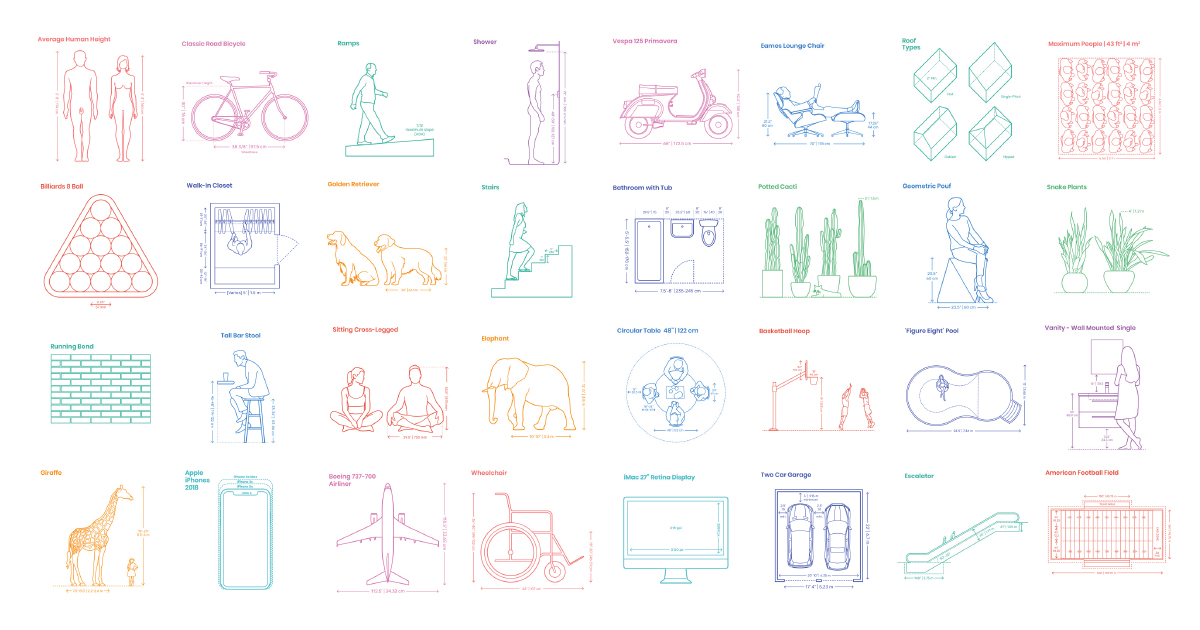
A comprehensive reference database of dimensioned drawings documenting the standard measurements and sizes of the everyday objects and spaces that make up our world.
 tardy wadi
Question... If you wanted to setup like 9 cameras in a world to uses as a kind of surveillance system that is still performant, what would you do to make that happen? Looking for ideas.
 white moon
tardy wadi
Question... If you wanted to setup like 9 cameras in a world to uses as a kind o...
white moon
tardy wadi
Question... If you wanted to setup like 9 cameras in a world to uses as a kind o...
you would want them all turned off for everyone by default, and only turn on one camera at a time specifically for the person viewing the 'security' screen
even better if you just have the one camera and actually just move it between a list of positions in the world instead of multiple cameras
 simple palm
Is there a guide to convert to convert SDK 2 worlds to SDK 3?
I just get lot of errors if I try
 bold copper
Hey all, I just updated this world I made with a performance optimization update, so if you see this then come check it out and tell me if you like it!
https://vrchat.com/home/launch?worldId=wrld_2c5fb602-5570-41c7-89ba-e709e52c6925
 faint geyser
hey how do i customize the TV name and have it work on the VideoPlayerSwap
i only want 3 screens available
(this is on the asset ProTv)
 kind leaf
simple palm
Is there a guide to convert to convert SDK 2 worlds to SDK 3?
I just get lot of ...
kind leaf
simple palm
Is there a guide to convert to convert SDK 2 worlds to SDK 3?
I just get lot of ...
Sort of, if you pay for it there is a 2 -> 3 converter using CyanTriggers. If you go about it yourself, there is no simple way. Cleanest way is to export your scene and not include any 2 references. Start a new project with 3 and import the scene and rebuild functionality in Udon/with prefabs.
tardy wadi
white moon
even better if you just have the one camera and actually just move it between a ...
Is there a way to limit the FPS or resolution of these cameras so that we can have them all on at the same time? This is the kind of point of the thing I'm building. I need camera previews... not necessarily full-res video.
green lagoon
question do you need avatars to show up in the preview
faint geyser
green lagoon
question do you need avatars to show up in the preview
no
tardy wadi
green lagoon
question do you need avatars to show up in the preview
Preferably, if you were talking about my question.
green lagoon
tardy wadi
Preferably, if you were talking about my question.
yes I was referring to your question as if you didn't eat the avatars you could just pre-record some gifs for the cameras
tawdry egret
Is there a way to add music to a world from a livestream or a video link?
green lagoon
tawdry egret
Is there a way to add music to a world from a livestream or a video link?
you just have the video players start when you go into the world with a video with the music
tardy wadi
green lagoon
yes I was referring to your question as if you didn't eat the avatars you could...
Yeah it might be my fallback to do that... But seeing as I'm building a live TV studio... I would prefer pushing live things to Render Textures.
tawdry egret
Can I make it so only the first person who joins starts it and when someone else joins it just stays where it is
green lagoon
tardy wadi
Yeah it might be my fallback to do that... But seeing as I'm building a live TV ...
that's a helpful context
green lagoon
tardy wadi
Yeah it might be my fallback to do that... But seeing as I'm building a live TV ...
in that case I would suggest having it to where you have to turn on the monitors
white moon
tawdry egret
Is there a way to add music to a world from a livestream or a video link?
I believe most if not all video players (for udon at least, i havent used sdk2) support a default link which will load when the world starts
tawdry egret
alright
tardy wadi
green lagoon
in that case I would suggest having it to where you have to turn on the monitors
That also makes it hard... In a TV studio, the booth needs to be able to see all live video feeds at once so they can switch the live camera.... I'm trying to build a system to get all of the camera viewports visible at the same time.
green lagoon
I guess I'm just trying to say make it so random people joining the world don't have the cameras running when they don't need them
you can also make stuff toggle locally so the people in the studio booth actually can look at the cameras but like the person being interviewed doesn't
tawdry egret
The way video players work confuse me so much
 quasi fern
So I have a random unity question. Does VRC need you to use a specific render pipeline to work (the built-in render pipeline)? Or will it work fine with URP or HDRP? I’m still very new to unity, and I know very little about how render pipelines work. All I know is I keep finding unity shaders and materials that say they are built for URP, but I don’t know if switching the render pipeline will mess things up, or if the VRC SDK even cares. Thanks in advance 🙂
 ruby jay
quasi fern
So I have a random unity question. Does VRC need you to use a specific render pi...
ruby jay
quasi fern
So I have a random unity question. Does VRC need you to use a specific render pi...
you can only use built-in when you make content for vrchat
quasi fern
Ah, ok. Thanks for the info. I was worried that was the case. So anyone have any shaders they recommend to use instead of the standard shader that work with the built in render pipeline?
green lagoon
what particular problem are you having with the standard Shader
quasi fern
Not a problem just found shaders that do specific things in the asset store that I will eventually need to use I think. I’m trying to accomplish things like god rays through water surface, animated underside of water surface, dripping condensation or rain on glass….
But the ones I found that do those things are only for URP.
green lagoon
https://gitlab.com/s-ilent/fake-glass add this can handle rain on glass and run in vrchat

GitLab
A shader for Unity that (ab)uses some Unity features to produce glass-like glass.
quasi fern
Oh awesome
green lagoon
https://vrcprefabs.com/ this website is a database of vrchat prefabs which includes custom shaders @quasi fern
ruby jay
yea you are limited to forward rendering too
quasi fern
Oh thank you so much. I was having a difficult time figuring out where to get good shaders for specific things that require animation
green lagoon
GitLab
World of Warcraft inspired Volumetrics that hold up well in VR with small cost to performance. (You have to not be dumb when placing it though :P)
quasi fern
Would that last one work well for adding in the foggy appearance you would see looking out under water? Like how it looks cloudy?
green lagoon
https://www.patreon.com/posts/32252234 this water Shader had some of the stuff you were mentioning
quasi fern
Oh nice
Not sure if the free version has all the features…but if I can’t find a free one that does what I need, $5 isn’t a lot to spend to support the creator and get what I need 🙂
You’ve been super helpful rainwolf. Thank you!
green lagoon
glad to be of help
 oblique crypt
Hello 👋 Does anyone know if people on my blocklist are able to join worlds I own?
It would be nice to have a permanent ban list for my world. 😄
 upper obsidian
Make this list yourself, check the id of the players through udon, and redirect them home world
ruby jay
do not use udon to establish an all-instance scoped black list, it's not how we are intended to use udon
ruby jay
yea, here is it https://docs.vrchat.com/docs/udon-moderation-tool-guidelines#guidelines
If you moderate someone, it MUST be because of something they did in this instance. Apply your moderation effects ONLY as the result of specific behaviors personally witnessed in the current instance of the world. In other words, you cannot have a user blacklist or whitelist. This includes (but is not limited to) creating a list based off someone's name or player properties.
 clear frost
Im trying to upload a map and it gets stuck on creating file version record, any reason why it gets stuck at this?
 oblique crypt
ruby jay
yea, here is it <https://docs.vrchat.com/docs/udon-moderation-tool-guidelines#gu...
oblique crypt
ruby jay
yea, here is it <https://docs.vrchat.com/docs/udon-moderation-tool-guidelines#gu...
Oh, thanks for sharing this. I own an LGBTQ+ world, and as you can imagine plenty of homo- and transphobic trolls join daily who just harass and plague everyone in the world. In one serious instance I even considered reporting someone to law enforcement, for a highly concerning behaviour. However it seems moderation tools I was thinking about are against the rules, so as annoying as it is, rules are rules I guess.
 willow canyon
clear frost
Im trying to upload a map and it gets stuck on creating file version record, any...
willow canyon
clear frost
Im trying to upload a map and it gets stuck on creating file version record, any...
There can be quite a lot of reasons, some extra info could be helpful
clear frost
What info would be needed exactly
willow canyon
Something like what the world is, it can be as simple as a material issue, a typical "Unity doesn't work for today" issue, or something else entirely. Have you tried restarting Unity? Most likely already tried that I assume
Unity has a mind of its own sometimes, as sad as it is
ruby jay
oblique crypt
Oh, thanks for sharing this. I own an LGBTQ+ world, and as you can imagine plent...
i can understand what you mean and it is a serious problem indeed
 willow canyon
Well I can't really help, I'm not very good at sdk2, but I'm sure you can find someone to help
willow canyon
Post it in #event-system-sdk2 I think that could increase your chances
Though I have bo idea if events and triggers are the same (I use sdk3)
clear frost
I do mostly
Just idk how to do a working combat system for 3.0 so im stuck using the old 2.0 stuff i made
 cold aurora
Hello so I am currently putting the KwikEMart from the simpsons hit and run in a vrc world.
I have all the textures, the obj file and the mtl file but i don't know how to apply the textures in unity
Can anyone help me?
 floral marlin
Does anyone know why when you uploaded a world it doesn't show up in your worlds and then when you try to go to the world it auto sends to back to home?
cold aurora
??
cold aurora
Guys I need help because I uploaded my game (The Kwik E Mart) to vrc but when i try to join the world it says initialising then puts me into home what is wrong with my world?
 late wigeon
A friend and I accidentally figured out why I was getting double vision in my worlds. I started the unity project as VR instead of 3D
late wigeon
cold aurora
Guys I need help because I uploaded my game (The Kwik E Mart) to vrc but when i ...
Try clearing your cache
cold aurora
So my Kwik E Mart works but it is only a quest world. How do i make it so both pc and quest players can play
see rn its only a quest

i want it to be both quest and pc, but mainly quest
oblique crypt
You have to switch to Windows mode

Like the way it says for me "Switch Build Target to Android"
cold aurora
back to windows mode, ok
oblique crypt
And then Build & Publish for Windows
cold aurora
will that make it a pc and quest game
oblique crypt
Yeah
Whenever you make a change you have to publish to android, and then switch build target to windows, and build & publish for windows.
 agile quarry
Hello, is it possible to create worlds for vrc without any vr headset?
 left rain
yes, but you're going to have to be particularly careful about world scale when you can't really see it for yourself
measure carefully
 chrome monolith
How do I make a statue avatar pedestal? I've been trying to figure out how to get this to work, but I only came close enough but still haven't got it to work.
 near escarp
oblique crypt
Anyway to rollback a change?
near escarp
oblique crypt
Anyway to rollback a change?
Definitely rely on git/plastic for version control
oblique crypt
I wonder if these will cause issues in some way? My world is completely safe for work, and for all ages, but homophobes and transphobes maliciously report the world.

 tight tulip
Hi how do I make a object when placed In in a spicific spot it plays a particle animation?
 fathom cargo
Could I have someone clarify what resolution the game likes for image uploads/world previews banner image?
 indigo birch
Hey so i meed a tablet that is easy to make “ apps “ i was useing haruna tab but it is very complicated and crashes unity aloy
Any prefabs available
indigo birch
fathom cargo
Could I have someone clarify what resolution the game likes for image uploads/wo...
Honestly spawn a wall with your image and point the vrc cam object at it thats what i did
fathom cargo
indigo birch
Honestly spawn a wall with your image and point the vrc cam object at it thats w...
We are using a specific image and not cam.
indigo birch
fathom cargo
We are using a specific image and not cam.
Right with vrchat durring upload it spawns a object called vrcam this is what the image comes from durring upload hence why i said to spawn a wall with your image on it
Easyest way
fathom cargo
Having a finite resolution is infinitely easier. Thanks man.
white moon
chrome monolith
How do I make a statue avatar pedestal? I've been trying to figure out how to ge...
There's an example one provided in the world sdk, you just need to swap out the avatar id for the one you want on it.
indigo birch
fathom cargo
Having a finite resolution is infinitely easier. Thanks man.
Np this is the way i did it wish they just had an upload icon to it
 ebon raven
Hey! Does anyone here know how to get maps from gmod? I was able to get one but a lot if if is the same mesh, if anyone knows how to fix this that would be amazing
 loud solar
My world just keeps loading repeatedly
 solemn hatch
loud solar
My world just keeps loading repeatedly
solemn hatch
loud solar
My world just keeps loading repeatedly
have you put a floor in it and are you falling constantly?
solemn hatch
if your falling constantly and keeps reloading you need to set the floor as a collider
loud solar
Ok
tight tulip
Hi how do I make a object when placed In in a spicific spot it plays a particle animation?
 old crow
How can I make a system to make a player float up?
 median egret
working on a new world rn,. Getting low fps and I can’t seem to figure out why. I tried optimizing models and everything but even by myself in the world I get low frames.
median egret
tbh not sure how I can lower them more
old crow

This video shows how to improve the 3D game performance in Unity.
In this example, I will show you how to reduce draw calls on 3D objects.
You will learn about :
0. understanding draw call via Frame Debugger
- understanding static option
- understanding Texture Atlas
- Why light and shadow affect performance
- Light map rendering (or Baking...
 kind stump
Does anybody know if there's a changelog for the sdk, or is that only published for the client?
white moon
median egret
tbh not sure how I can lower them more
What are your drawcall numbers where you get the low fps?
median egret
white moon
What are your drawcall numbers where you get the low fps?
where do I see again?
white moon
median egret
where do I see again?
 white moon
Enable that and have a walk around the world (assuming you have cyan emu installed)
Yea batch = drawcall
analog wyvern
whats a good way to add background terrain/stuff but stay optimized?
or should i just not do it, im kind aiming for realism tho
median egret
white moon
Yea batch = drawcall
214
white moon
median egret
214
That's actually not bad. Hmm. What are the other stats? polys etc
screenshot the thingy
median egret
 white moon
Hmm, thats not bad. I assume you havent got any dynamic lights running?
median egret
I have a feeling I might know what it is then tbh, a feature that you can toggle on and off I was using but seems to be laggy :/
ruby jay
kind stump
Does anybody know if there's a changelog for the sdk, or is that only published ...
the changelogs they release include both
kind stump
now that you mention it I've definitely read those, but does that mean that they only release new sdk's when they push out a game update?
I guess in most cases that would make more sense
ruby jay
they often unify them but i assume it's not a mandatory rule
i like to say they did sdk only updates before
 shell ingot
Hello.. How many hours should I spent in VRChat for getting creator previlages ? I made a world but not able to upload. I have been roaming in VRchat for last 3 days !!
tawdry egret
Im trying to make these control the music, I believe I have how to make them function properly, but how do I add text to the top of them telling players what they are for?

 supple drift
UI - unless you mean interaction text; that automatically shows up if the Interact is configured
tawdry egret
shell ingot
Hello.. How many hours should I spent in VRChat for getting creator previlages ?...
I believe you are required to have the New User rank. If you already have that and still dont have privileges then just keep playing the game and add friends. The purpose of waiting to be a creator is to have trust in the players to create on the game, you should be able to have privileges soon.
 coral granite
Trying to start making a world, i downloaded the Unity version and SDK3-WORLD from the website, but on import it said things needed updating then spat out these errors, in an empty project. Should i be worried, and how do i fix them?

 winter tusk
coral granite
Trying to start making a world, i downloaded the Unity version and SDK3-WORLD fr...
winter tusk
coral granite
Trying to start making a world, i downloaded the Unity version and SDK3-WORLD fr...
adding the world spawn point fixed it for me
coral granite
winter tusk
adding the world spawn point fixed it for me
Should i do that before importing the SDK? The project is empty before then, i'm not sure what to add; tried an empty, but no change.
Here's what the update needed dialogue box looks like, in case that's relevant
 upper obsidian
coral granite
Trying to start making a world, i downloaded the Unity version and SDK3-WORLD fr...
upper obsidian
coral granite
Trying to start making a world, i downloaded the Unity version and SDK3-WORLD fr...
The temp directory is not available for its normal operation.
upper obsidian
coral granite
Should i do that before importing the SDK? The project is empty before then, i'm...
YEs
coral granite
upper obsidian
The temp directory is not available for its normal operation.
The temp dir seems writable, disk has 10GB free, although after the update process ends with the same 10 console errors the file mentioned is not present; lots of similarly named ones, all 0 byte, assume that's normal
It's weird that it's saying "Update Required" for the latest SDK isn't it? Or is that normal?

 upper edge
for what im creating it requires thousands of objects but it makes it lag, is it possible to reduce the lag?
rustic turret
 hasty edge
What is this symbol and why is it in my face
hasty edge
What is this symbol and why is it in my face
That is your post processing object.
You can hide the icon by opening the Gizmos drop down on the Scene view and uncheck the icon.
 hasty edge
rustic turret
That is your post processing object.
You can hide the icon by opening the Gizmos...
hasty edge
rustic turret
That is your post processing object.
You can hide the icon by opening the Gizmos...
Thank you!
 desert cloud
Hey, I'm trying to change ownership when a player presses a button. I don't know what im doing wrong at the request! Can anyone tell my how and what I'm doing wrong? :)


 ruby flume
Greetings, after uploading my word privately while i am in the game i am not allowed to join in. I only have a black screen and it teleports back into the default word. How can i fix?
Obviously while testing it trought the SDK i dont get any problems there
upper obsidian
ruby flume
Greetings, after uploading my word privately while i am in the game i am not all...
VRChat
This page lists the current Unity version you should use when creating content for VRChat, as well as links to the correct version for both Unity Hub and direct downloads. Current Unity Version The current Unity version in use by VRChat is Unity 2019.4.31f1. Ensure you are using this exact version! ...
ruby flume
upper obsidian
https://docs.vrchat.com/docs/current-unity-version
Im running the supported unity version
the 2019.4.36f1
upper obsidian
ruby flume
Im running the supported unity version
The current Unity version in use by VRChat is Unity 2019.4.31f1.
ruby flume
upper obsidian
The current Unity version in use by VRChat is Unity 2019.4.31f1.
31f1?
mine is 36f1
could it be the problem?
 remote bobcat
if 34f1 gives problems than 36f1 gives them in anyway too
use right version
you shouldn't get any errors from converting 36 to 31
ruby flume
So the right version is 31f1 not 36 right?
remote bobcat
yup
 heavy tusk
ruby flume
Greetings, after uploading my word privately while i am in the game i am not all...
heavy tusk
ruby flume
Greetings, after uploading my word privately while i am in the game i am not all...
im having the same issue and have been having it for the last day or so 😔
Build & Test works fine
ruby flume
heavy tusk
im having the same issue and have been having it for the last day or so 😔
Build...
Your running the 2019.4.31f1?
heavy tusk
yeah
heavy tusk
I will, I came here to ask the same question as you, glad to know im not the only one experiencing this :p
ruby flume
Maybe we are just newbies by doing it
Something is wrong in the creating process and modelling
Ill start building one again from 0
If I cannot manage to solve the problem
indigo birch
Hey is there a bug with unity after running disk part on windows cause unity keeps hanging on me randomly
Also is there a way to remove my world from quest to make it pc only
 bold ibex
Hi i can't build my world it's normal ?
 indigo birch
bold ibex
Hi i can't build my world it's normal ?
indigo birch
bold ibex
Hi i can't build my world it's normal ?
Sometimes it takes a lil bit makesure you are on the correct unity version and try turning off future proofing that usally works for me
Just be sure to upload it when building the outher version ie turn off for windows and then turn on for quest and vice versa
Note you dont need it on but it could be fairly helpful in future
bold ibex
But the thing is that the window closes and nothing after and no console error
oblique crypt
Does my login credentials in VRChat SDK (in Unity) are stored somewhere within that folder & pushed to Github? 🤔
(I'm using Github's Unity gitignore)
upper obsidian
oblique crypt
Does my login credentials in VRChat SDK (in Unity) are stored somewhere within t...
No
ruby flume
How can i import a sky texture on my word?
Do i have to create like a limited space and put a material on all sides or there is something to do it better?
upper obsidian
ruby flume
Do i have to create like a limited space and put a material on all sides or ther...
Set the texture to 3d in the inspector and use it like a regular skybox.
ruby flume
upper obsidian
Set the texture to 3d in the inspector and use it like a regular skybox.
Could you be more detailed about it? How can i set it as 3d?

 ruby flume
upper obsidian
ruby flume
upper obsidian
Its not as detailed as your
I only have the render queue option
Oh nvm got it thanks for helping!
ruby flume
upper obsidian
I did it but the quality of the texture is really low, how can i restrict the area of it?
The max size parameter is not letting me having an hd texture
ruby flume
I have a question, why does my surface takes only 1 pixel of the material i put in?
green lagoon
probably cuz of your UV unwrap or your material tiling settings
ruby flume
green lagoon
probably cuz of your UV unwrap or your material tiling settings
i tryed different materials and its doing the same with all of them
green lagoon
then you definitely have a weird UV unwrap on your object
ruby flume
green lagoon
then you definitely have a weird UV unwrap on your object
How can i fix that?
green lagoon
change the uvs of it in blender
and question did you make the object or did you just download it off the internet
ruby flume
Dowloaded it off
I just wanted to replicate a 3d model in unity
So i cant edit the UV unwrap
green lagoon
ruby flume
Dowloaded it off
that might explain why it's weird
ruby flume
Can i check your dms?
green lagoon
ruby flume
So i cant edit the UV unwrap
then you might want to grab a different one if you're not in the mood to go poking around blender
ruby flume
green lagoon
then you might want to grab a different one if you're not in the mood to go poki...
Yeah im not in the mood i am just a beginner, it takes a lot of time to do everything since i have a bad average knowledge
green lagoon
then yeah go see if you can find a different object that serves you need
tight tulip
Hi how do I make a object when placed In in a spicific spot it plays a particle animation?
 silent aspen
here's progress from what I've been doing ❤️ thoughts so far?

 chilly flower
How do I delete all collisions in my unity world at once?
near escarp
chilly flower
How do I delete all collisions in my unity world at once?
Type t:meshcollider in the hierarchy search bar, and right click delete the component on any object
repeat for all types of collider component names
chilly flower
So

If i right click>delete that, it wont delete the rack?
Just its collision?
@near escarp i dont follow cause the rack got deleted
chilly flower
How do I do that?
near escarp
By right clicking the mesh collider component ?
You know the inspector, to the right ?
chilly flower
ohh yeah
bold ibex
is there a way to test the world without launching vrchat everytime?
chilly flower
Is there a way for me to delete the collision component for everything at once tho?
bold ibex
i saw someone test a world from within unity just by pressing the play button
does anyone know how to do this?
near escarp
bold ibex
is there a way to test the world without launching vrchat everytime?

GitHub
CyanEmu is a VRChat client emulator in Unity. Includes a player controller with interact system. Works with SDK2 and SDK3. - GitHub - CyanLaser/CyanEmu: CyanEmu is a VRChat client emulator in Unity...
near escarp
chilly flower
Is there a way for me to delete the collision component for everything at once t...
Yes, by selecting all objects in the hierarchy
bold ibex
ok thanks
chilly flower
I imported a pack of things that animate and somehow I did something and the prefabs dont animate anymore. Is there a way to reset the settings back to default? I have no idea what i changed
Or even re-import them for default settings...?
white moon
chilly flower
Or even re-import them for default settings...?
delete them and reimport the pack should fix it
chilly flower
white moon
delete them and reimport the pack should fix it
is there a way to reimport them so they all get placed where they are rn in the scene, or will i have to re-place all the prefabs from scratch
white moon
chilly flower
is there a way to reimport them so they all get placed where they are rn in the ...
From what i remember as long as you dont delete the actual objects from the scene when you reimport them it should be fine. But im not 100% sure.
chilly flower
what the hotkey for moving to whatever you have selected again
bold ibex
also what do i have to download to switch my thing to android
 fleet isle
Hi I made avatars (that are still in progress) an world (that is still in progress) and then when I updated my computer all my files were deleted, how do I back then up?
 stone marsh
Don't cross post
tight tulip
how do I make a object when placed In in a spicific spot it plays a particle animation?
chilly flower
I need to set up a trigger where if you go through a doorway, the room your entering loads. If you leave the room, the room unloads. I only need this for one room. Would someone mind helping me out?
stone marsh
chilly flower
I need to set up a trigger where if you go through a doorway, the room your ente...
Area trigger. Box collider set to is trigger on mirror reflection layer logic on trigger enter toggle game object state.
There are plenty examples of this. Jetdogs prefabs has one
white moon
tight tulip
how do I make a object when placed In in a spicific spot it plays a particle ani...
You could set up a collider there, and when your object collides with that collider, it plays the animation, or you could calculate the distance between your object and that point and when its below a certain amount play the animation
stone marsh
Pretty much same thing above actually lol
On trigger stay check specific layer. Set pickup to that specific layer
bold ibex
does anyone know what i can do to fix this

 mild spade
You fix the other errors that you get before that
bold ibex
Any advice? I have an issue. Whenever I attempt to join my VRChat world it just boots me back to my home world. This happens on both PC and Quest.
- Yes I have configured spawn.
- I am using the right version of Unity.
- Clearing the cache did nothing.
- Spawn is an empty gameobj.
The world is a simple spawn, platform and mirror toggle.
I get no error messages, it just gives me a loading screen and then another loading screen and then Im in my home world.
white moon
bold ibex
Any advice? I have an issue. Whenever I attempt to join my VRChat world it just ...
Have you tested it with CyanEmu?
white moon
Things to check:
- No errors in your console
- got the latest vrc world sdk
bold ibex
white moon
Things to check:
- No errors in your console
- got the latest vrc world sdk
No errors.
Got the latest SDK.
white moon
That is weird. have you tried making a new project to test if it keeps happening?
bold ibex
white moon
That is weird. have you tried making a new project to test if it keeps happening...
yup
keeps happening
 sacred zodiac
So I have this issue where if people stay in my world for long, the audio/voices of people started to glitch and becomes like a world audio for some reason, is this because of the Spatial Audio?
white moon
sacred zodiac
So I have this issue where if people stay in my world for long, the audio/voices...
Do you have anything in your world that changes the player voice settings?
white moon
bold ibex
keeps happening
Then i got no idea. Sorry. 😅
 white moon
Im not aware of other audio sauces effecting the player audio, but i wouldnt put it past unity doing something weird like that
tight tulip
white moon
You could set up a collider there, and when your object collides with that colli...
How would I do that?
tight tulip
white moon
i believe should do it
I don’t use or know how to read or make scripts
left rain
better learn
white moon
It's the same object names for udon nodes too, but those are the two options
 copper zinc
left rain
copper zinc
left rain
getting really close to completing this one


 south orbit
left rain
getting really close to completing this one
south orbit
left rain
getting really close to completing this one
weeew my guy that is looking really great, good job 👍
 gritty fossil
does anyone know how i can fix my sdk? i updated to the newest version from having the old sdk in it and i updated to the nnewest version of unity required, i tried reimporting it a couple of time, also went into my registry editor and deleted the sdk, everything i've tried still doesn't bring up the control panel for my project and i don't know why it isn't showing up even when it works in a new scene but not in the one i need it to be in
does anyone know of a way to fix this?
ruby jay
look at your console and fix the errors
south orbit
gritty fossil
does anyone know how i can fix my sdk? i updated to the newest version from havi...
scripts can break the sdk, so that might be the cause in this case
bold ibex
can someone help me make a map? i have a very little experience with worlds
stone marsh
gritty fossil
does anyone know how i can fix my sdk? i updated to the newest version from havi...
Also just to make sure. Newest supported is 2019.4.31f1
south orbit
bold ibex
can someone help me make a map? i have a very little experience with worlds
youtube and the internet can teach u everything, just spend time and learn and u'll get there.
- few things handy for world creation, Probuilder, ProGrids <- extensions for unity, beside of that learn blender basics, learn basic udon stuff.
green lagoon
bold ibex
can someone help me make a map? i have a very little experience with worlds
https://www.youtube.com/watch?v=uLi52YrrDmY&list=PLPdWkxUSZ65Fp6ICrU7mIq1znAfPwMhNZ I find this tend to be a pretty decent beginners tutorial series

Download Unity - https://docs.vrchat.com/docs/current-unity-version
Download VRCSDK - https://vrchat.com/home/download
https://github.com/CyanLaser/CyanEmu/releases/latest
https://github.com/oneVR/VRWorldToolkit/releases/latest
https://github.com/Varneon/WorldCreatorAssistant
https://ask.vrchat.com/t/world-creator-assistant-automate-vrchat-wor...
 unkempt turtle
bold ibex
can someone help me make a map? i have a very little experience with worlds
unkempt turtle
bold ibex
can someone help me make a map? i have a very little experience with worlds
everyone starts somewhere, unless you got a few hundred bucks lying around, then you can commission one too
willow canyon
unkempt turtle
everyone starts somewhere, unless you got a few hundred bucks lying around, then...
Or pay a tutor in Unity
knowing your tools is already a pretty big step up compared to starting from scratch
unkempt turtle
you can learn from tutorials too, no need to do that
willow canyon
some people need 1 on 1 tutoring for specific questions too. but you have a point
I started by just opening unity and just... yes
bold ibex
unkempt turtle
everyone starts somewhere, unless you got a few hundred bucks lying around, then...
well i do but also i just wanna learn so i have something to do on my free time
willow canyon
Get probuilder if you don't use blender
if you use blender study shaders and materials
if you don't understand neither: Learn probuilder
unkempt turtle
use Sketchup Instead. easy to use, but a lot better for overall performance tbh
probuilder is a mess
willow canyon
unkempt turtle
use Sketchup Instead. easy to use, but a lot better for overall performance tbh
I am getting advice I wish I had 5 months ago
unkempt turtle
why that?
willow canyon
Spent a bit too much time trying to create a propper world before
unkempt turtle
F
willow canyon
It's a good world, but it could've been better without the extra hassle
unkempt turtle
but yea, choose Sketchup over ProBuilder. you can draw by distance and allign to a grid, the UVs are (while overlapping like hell) usuable for textures and PBR (just use a random texture inside Sketchup as Placeholder). Seperate Meshes, backfaces, unity support etc
plus making buildings is a lot easier too that way
willow canyon
I'll keep that in mind, I want to do something a bit bigger this time so I'm making a sketchup account rn
thanks for your advice by the way!
unkempt turtle
Sketchup Make 2017 is the last free version
from 2018 onwards its only the crappy online version or Sketchup Pro
willow canyon
I guess I'll use the shitty online version right now as I'm not home lol
willow canyon
I'll keep that in mind
Been working in sketchfab for only 13 minutes and I already agree
unkempt turtle
you can even import the .blend file directly
willow canyon
unkempt turtle
you can even import the .blend file directly
You're joking.
YOU ARE Joking.
I think I left my brain at home somewhere I didn't know you could do that
unkempt turtle
nope
same as the .skp files from sketchup
unity can work with both
makes me wonder if you can use a .blend file for an avatar
willow canyon
I am going to burn my pc. Now I feel stupid trying to export all .blend files to .fbx constantly
unkempt turtle
i do it to not get called weird
willow canyon
What's weird about using certain file extensions? what?!
unkempt turtle
its not normal to use .skp or .blend files
but you can edit it directly in unity and see changes without reimporting it again
willow canyon
Then it shouldn't be "weird", It's thinking out of the box and smart!
I'm def using that now
 maiden ivy
I have an outstanding idea for a world
willow canyon
Then what are you doing telling us? make it!
plan things out, start measuring. worlds take a lot of time to create and perfect
unkempt turtle
designing is entirely your personal preference. you are free to create whatever you like. you can draw some concept art yourself, you can just place randomly as well
willow canyon
^^
bold ibex
When I go to make my world cross platform, do I have to wait for the 1 week limit thing to run out before I can upload the quest version?
 desert python
bold ibex
When I go to make my world cross platform, do I have to wait for the 1 week limi...
desert python
bold ibex
When I go to make my world cross platform, do I have to wait for the 1 week limi...
you can update the world to be quest compat whenever
bold ibex
desert python
you can update the world to be quest compat whenever
I just have to copy the world files in the explorer and paste it somewhere else right?
Then upload the copy?
desert python
ummmmm, elaborate?
you would sworch your build target to android and then build and publish
willow canyon
bold ibex
When I go to make my world cross platform, do I have to wait for the 1 week limi...
you can always upload a world
bold ibex
So I publish for windows and then in the same project switch to android and upload again?
desert python
yes
bold ibex
Oh ok
bold ibex
I read somewhere that I need to copy the files and paste it somewhere and open that up
willow canyon
Nah, you can just switch the build ver. to android and upload
bold ibex
Oh ok thanks a lot
Also I switched it to android last night and saw a bunch of yellow errors. Should I worry too much? Lmao
willow canyon
Not really
bold ibex
Ok cool
willow canyon
those are warnings about optimising, as long as they're not red don't worry
bold ibex
Cool
willow canyon
but do optimise one day, remember that quest isn't known for it's power
bold ibex
Yeah I have a quest so I would know lmao
willow canyon
Hehe, alright, keep up the good work!
bold ibex
Thanks!
left rain
I'd recommend backing up your project before switching. there's a reason a lot of people tell you to make a copy of the project for cross platform builds.
willow canyon
yep they're right
desert python
oml thats what they meant
ye no. unity is very good at destroying itself sometimes. backing up should be done frequently
bold ibex
Well that’s not what I meant but I’ll do that lmao
The thing I saw said to make a copy and upload THAT copy as the quest version and the normal as the windows version
desert python
i think thats recommended for when projectd take hours to switch between builds
willow canyon
It takes my pc 3 minutes on worlds and about 50 seconds on avatars, still backing up
Unity has it's moments and when it does, it has them HARD
maiden ivy
Anyone here ever play an old PS2 Game called Dark Cloud?
willow canyon
maiden ivy
Oh, no no no not off topic at all
I was thinking of someone making an avatar world with the characters from Dark Cloud
Thoughts?
 random sphinx
I'd like to use audio link shaders on game objects in my world, but I can't really find a tutorial for how to set this up. anyone know of one that they could recommend?
upper obsidian
random sphinx
I'd like to use audio link shaders on game objects in my world, but I can't real...
The simplest thing is if you install the full package, run the scene that goes in it, and see for yourself how it works.
random sphinx
upper obsidian
The simplest thing is if you install the full package, run the scene that goes i...
which full package?
upper obsidian
https://github.com/llealloo/vrc-udon-audio-link/releases/tag/0.2.7 AudioLink_v0.2.7_full.unitypackage

GitHub
There are 2 releases available now: Full and minimal. If you are unsure which one to get, go with the Full release. Minimal is slightly leaner and contains only the essentials.
Note that this relea...
stone marsh
There's a prefab in there. You just drag and drop it into your hierarchy
random sphinx
oh, yeah i didn't have that package. thanks
stone marsh
It comes with some basic reactive examples as prefabs
Poiyomi has absurd levels of audio link support now.
random sphinx
yeah all i had was poiyomi i didn't realize i needed anopther package
stone marsh
Poi Pro has more options currently too, like spectrograms n radial distortion. Worth the 10 bucks if ya want more reactivity.
random sphinx
yeah i'm still trying to figure poiyomi out; a lot of the tutorials are out dated
out of curiosity, anyone ever seen a world where the game objects actually move with the music?
i imported that audio link package but i have 19 errors
white moon
random sphinx
i imported that audio link package but i have 19 errors
Did you make sure to import any other dependancies it lists before you imported it?

GitHub
Audio reactive prefabs for VRChat. Contribute to llealloo/vrc-udon-audio-link development by creating an account on GitHub.
random sphinx
you mean the SDK, udon sharp and cyanemu?
white moon
Yup
random sphinx
yeah i've had those already.
white moon
Latest versions?
random sphinx
i think something is wrong with my udon... idk
pretty sure they are
does udon just destroy itself sometimes or something? and ruin the entire project?
white moon
Not that ive seen. Nothing that reimporting it wouldnt fix
random sphinx
i get errors when i try to import protv too
a bunch of "namespace is invalid" and "could not be found"
ok, so even after reimporting usharp, audio link package still giving me errors
upper obsidian
Which errors?
random sphinx
Assets\AudioLink\Scripts\AudioLinkMiniPlayerController.cs(73,18): error CS0234: The type or namespace name 'IsValid' does not exist in the namespace 'Utilities' (are you missing an assembly reference?)
that's just one
 upper obsidian
Reimport All
stone marsh
Need actual screenshot of your errors in the console.
random sphinx
upper obsidian
Reimport All
reimport all what? i already reimported usharp and audio link.
 stone marsh
The version name of the sdk you have is in the vrcsdk folder
There's a file called version or something
Ensure you have the newest U# as well, downloaded direct from their github
stone marsh
I'm on mobile so I can't check and can't remember the last SDK update. Just go to the vrchat website and download it and drop it in
Same with udonsharp, ensure you have the newest from their GitHub.
You can simply drag and drop them into your project and press import.
If that doesn't work. Restart unity, if that doesn't work. Come back here
random sphinx
yeah i'm pretty sure i have the latest SDK, i'm double checking udon now
ok i also already have the latest usharp
white moon
Id say remove audiolink, and then see if you get any errors. If you dont rebuild to make sure, and then reimport
sounds like it didnt pick something up on import
random sphinx
i've done that several times already; but the errors are always there
or to be more accurate, the errors always return when i reimport audio link
white moon
have you tried restarting your unity?
sometimes it fixes random errors i cant explain XD
random sphinx
yes
i also copied the project, then reimported the SDK and udonsharp just to be sure; that had disasterous results
i'm trying with a fresh blank project now to see what happens...
 ember vault
how I fix that
 random sphinx
lol well it works in a brand new project. just not in my actual project...
random sphinx
ember vault
how I fix that
are you making a quest build?
ember vault
random sphinx
are you making a quest build?
I want it will be available to quest
random sphinx
ember vault
I want it will be available to quest
you'll have to use the vrc mobile shaders for a quest build
left rain
those are warnings, not errors. you don't have to use VRC mobile shaders for worlds, only for avatars. it's just a recommendation.
i'd still recommend primarily using the Standard or Standard Lite (or Poiyomi) shaders for 99% of your materials unless you really know what you're doing
white moon
the Silent shaders are made from the google android shader base so they should preform decently on quest too
 vagrant stone

Please help me someone. I downloaded probuilder and now I cannot find it to un install it
Now also all my projects, including any unity project I create gives me this error and is filled with compile errors
I am devistated
I have uninstalled unity and restarted my computer and re-installed it, and that did not help at all
upper obsidian
Probuilder comes as a package within each project. How the package is removed. But the version of the unity is not at all suitable as far as I can see.
vagrant stone
What can I do
upper obsidian
check that the unity version is 2019.4.31f1
stone marsh
This was cross posted in #user-support-old it seems.. try and avoid that to avoid users making similar suggestions xP
 errant bloom
Hi! I created a world on unity but it is at 100mb anyone know why? it's just a room...
I would like to know how to reduce this size ^^ Thanks
stone marsh
You can use vrworldtoolkit to profile your world
Check for uncompressed textures, music, or if you're baking lighting
Excessive use of different fonts is also bad if you use a lot of prefabs, change the fonts so they are all the same.
Occlusion culling also had a file size impact. As does having excessive batching.
Most of the time it boils down to
Textures (compress using crunch)
Audio (compress or use video player to stream in audio)
Baked lighting (use lower settings)
Fonts (only use one for your world if possible or make pngs in Photoshop for text instead of using unity fonts if you want different font types)
random sphinx
i got audio link working in a fresh, separate project; but i still can't get it working in my actual project. getting these errors, related to Utilities. any ideas?
 upper obsidian
Remove the audio link from the project. and all its files. Reinstall. If it doesn't help, backup and reimport everything.
random sphinx
upper obsidian
Remove the audio link from the project. and all its files. Reinstall. If it does...
so i have made a copy and tried reimporting the SDK, usharp and audio link, but that made things so much worse
upper obsidian
random sphinx
so i have made a copy and tried reimporting the SDK, usharp and audio link, but ...
When re-importing, do you delete files from the project, or do you immediately install on top?
white moon
random sphinx
i got audio link working in a fresh, separate project; but i still can't get it ...
if you open the example audiolink scene does that work?
random sphinx
white moon
if you open the example audiolink scene does that work?
in the fresh project i just made yes; in my original project no
upper obsidian
random sphinx
in the fresh project i just made yes; in my original project no
The failure can be on any script, which, it seems, should not be related to the problem. It is necessary to check all .cs and .dll files in the project.
white moon
random sphinx
in the fresh project i just made yes; in my original project no
if you hit clear on the console what remains?
random sphinx
these are the ones that remain
 white moon
whats at the top? looks like you can scroll up
the first error is generally the most important
random sphinx
 bold ibex
desert python
i think thats recommended for when projectd take hours to switch between builds
bold ibex
desert python
i think thats recommended for when projectd take hours to switch between builds
Oh ok I see
white moon
random sphinx
Utilities is part of the VRC.SDKBase namespace, so it cant find something thats part of the VRC SDK.
random sphinx
white moon
Utilities is part of the VRC.SDKBase namespace, so it cant find something thats ...
yeah i noticed that, but i can't understand why that would be.
i've reimported the SDK several times and that didn't work. i created a new project with the same SDK and that did work, but i'd prefer to get it working in my original project. i have no idea what could be causing this problem though.
white moon
Hmmm.
What if, you close the project, go to its asset folder and delete all the VRC SDK stuff
and copy the folders you deleted from the new project you made
maybe something is corrupted funky and not getting picked up
random sphinx
white moon
and copy the folders you deleted from the new project you made
nope that didn't work either
white moon
Random idea, what if you try import the previous sdk version see if that works?
random sphinx
i suspect something that i have in the project is interfering somehow, but i have no idea what it could be
upper obsidian
I already wrote. Any cs and dll file can block the work of the sdk and give all sorts of incomprehensible errors.
random sphinx
when you say cs, does that include my own udonsharp files?
upper obsidian
He could accidentally fly in with some kind of package from the asset store, you need to check everything.
random sphinx
i have plenty of assets from the store
upper obsidian
If there is a backup, you can try to remove the Library from the project, which will force it to rebuild all the assets. What is possible and will fix the problem, or there will be more errors that will lead to a solution.
random sphinx
i'll try that
errant bloom
ok thanks @stone marsh
tight tulip
How do I make my world gravity like your underwater
stone marsh
tight tulip
How do I make my world gravity like your underwater
If using udon you can adjust the player gravity. Iirc the default player movement example includes this.
If you wish for Everything to have a specific gravity. You can adjust the gravity in the project settings.
random sphinx
upper obsidian
If there is a backup, you can try to remove the Library from the project, which ...
unfortunately rebuilding the library didn't work either.
tight tulip
stone marsh
If using udon you can adjust the player gravity. Iirc the default player movemen...
Lirc?
tight tulip
stone marsh
If using udon you can adjust the player gravity. Iirc the default player movemen...
And it only effects the player
 north siren
Quest users have been telling me that the mirrors in my world are super glitchy. Theres white streaks tearing across the mirror as if its clipping with something and its hard to look at. I have no idea what the issue is as I've only copy pasted the working mirrors from the pc version. No, the mirrors cant be on at the same time and even if they were, they are slightly apart from each other so they shouldnt clip. Im just wondering if this is some known quest thing that I need to change
 blazing briar
wait did the post just got deleted?
 atomic junco
Yep
 wary coyote
did your post get deleted? wtf seemed like a normal world to me
atomic junco
This is actually insane
atomic junco
Too sfw maybe
 low ginkgo
Omg
low ginkgo
I am so confused
wary coyote
are vrchat devs like censorshiping that user or something
or moderators, even
what was wrong with that world
blazing briar
not even a warning
atomic junco
This is really fucking weird.
blazing briar
was given
 crude garden
This is NOT a channel for Protesting.
Keep this channel clear for it's intendet purpose.
blazing briar
crude garden
This is NOT a channel for Protesting.
Keep this channel clear for it's intendet ...
they posted pictures of their world in this channel that is for that?
crude garden
The topic is closed here. No further discussion.
Thank you.
 gaunt egret
lol

 lapis drum
Its too big for me to send.
 vapid lotus
lol unity 2019.4.311f1
someone please send there world 3 sdk because i use mine and it broken
 brisk tendon
im having an issue if someone can help me, i have my world id in the blueprint but first off its not even uploading at all and second its not updating the world i already uploaded
also i cant even upload for some reason, the upload button isnt blanked out or anything it just keeps letting me click it without uploading
white moon
vapid lotus
someone please send there world 3 sdk because i use mine and it broken
Just go to the website and redownload it
 obtuse holly
hello, is it normal to get errors when installing vrchat worlds sdk?
white moon
obtuse holly
hello, is it normal to get errors when installing vrchat worlds sdk?
No, you shouldnt get errors
obtuse holly
i just started a new project and got errors, unity version 2019.4.31f
white moon
Whats the error
obtuse holly
let me import it again to get a screenshot
got no console errors, but startup window looks like this
 brisk tendon
thats normal -_-
obtuse holly
oki ty
first time using vrchat sdk, i have been using unity for like, 6-8 years, so im very excited to play with it
ty!
brisk tendon
brisk tendon
im having an issue if someone can help me, i have my world id in the blueprint b...
still having issue
white moon
brisk tendon
still having issue
No errors in the console?
brisk tendon
strangely enough now its back to normal? idek what im doing awake still 
vapid lotus
white moon
Just go to the website and redownload it
i did
it still broken but i got to go to bed
brisk tendon
ok i got it uploaded but now when i join i just get redirected to my home world :/ it was working fine beforehand and i didnt change anything in VRCWorld, no obstruction to spawn either im just so confused
it works in test mode but when i try to join it in game i get directed back im just so confused
obtuse holly
hello and sorry again, how can i get parameters from events like "interact"
is there a way i can get the player instance after clicking a button?
white moon
Dont ask to ask, just ask.
We wont know if we can help unless you ask the question.
Wrong channel, go to #avatar-help
bold ibex
white moon
Wrong channel, go to <#730948173379535022>
thx
white moon
no worries
 bitter idol
vapid lotus
it still broken but i got to go to bed
bitter idol
vapid lotus
it still broken but i got to go to bed
Then the issue is you. Not the sdk
 bold ibex
yeah theres no red errors
willow canyon
Yes?
willow canyon
Warnings != Errors
bold ibex
oh ok
willow canyon
warnings are just there to keep your head up, inform you about possible future errors. but they will never stop you
 bold ibex
oh thats why?
willow canyon
Yep
willow canyon
Nah the UI is just a bit wonky
bold ibex
so i can just press build and publish for android and itll be fine?
willow canyon
Yep!
bold ibex
ok it worked! thanks lmao
willow canyon
anytime!
 faint copper
 ruby jay
check for errors in your console and fix them
willow canyon
it could be more
I had this happen once because a script was inside my project
(C#)
willow canyon
And so, it begins

 wind girder
I'm new and making a world and when I press play with Cyan emu it spawns me right outside the wall of my world how do I change the spawn location
willow canyon
wind girder
I'm new and making a world and when I press play with Cyan emu it spawns me righ...
your vrcworld object is the spawn of your world
check if the position isn't set incorrectly
wind girder
willow canyon
your vrcworld object is the spawn of your world
Oh I didn't know that thank you
willow canyon
Anytime, 🍪 for pushing through your bug
 rugged jolt
I'm looking for the shader to make those 3Dpicture frames, does anyone have a link to it ?
left rain
GitLab
A shader that renders a multi-layered parallax effect suitable for posters.
willow canyon
I can't seem to get connected to the vrchat sdk website, can anyone else check<
?*
Wait no, the documentation isn't working
south orbit
willow canyon
I can't seem to get connected to the vrchat sdk website, can anyone else check<
works fine for me.
bold ibex
does anyone know where the arrows are angled now? they were straight before and im not sure why its doing this with every object
 south orbit
bold ibex
does anyone know where the arrows are angled now? they were straight before and ...
south orbit
bold ibex
does anyone know where the arrows are angled now? they were straight before and ...
did u tilt the main camera perhaps .
bold ibex
let me check that real quick
south orbit
also seems like an odd object, why do u have it selected on the corner, are u using a extension or something
bold ibex
i deleted main camera and made a new one earlier because i was having issues with glow, i just corrected the rotation for the camera but it has not changed
and yes, im using pro builder
south orbit
have u tried make a new cube to see if it does the same with a basic new cube not adjusted
 south orbit
try change the top to the first icon


 slim geode
Hey guys, been making a world and some how i have broke the sdk... would someone be willing to hop in a call and help me please ? im sure its a small issue but the world is almost done and i cant upload it xD
white moon
willow canyon
And so, it begins
I know that feeling. As a sidenote have you seen Notion? I swapp to it from trello. its really nice!
willow canyon
white moon
I know that feeling. As a sidenote have you seen Notion? I swapp to it from trel...
I'll check it out for my next project
thanks for the advice, take a cookie 🍪
slim geode
"Steals cookie" Mmmmm Yum
willow canyon
Fine, they'll get a nice and glossy donut instead.
 willow canyon
🍩 🔒
white moon
bold ibex
up the top make sure the alighment option is set to global rather than local
this part
 bold ibex
thanks man that fixed it @white moon
slim geode
slim geode
Hey guys, been making a world and some how i have broke the sdk... would someone...
@white moon would u know anything about this by any chance ? sorry to pester
white moon
willow canyon
I'll check it out for my next project
it lets you do tickets, where each ticket is their own page. You can do a whole bunch of other formats other than tickets. It's great for writing wiki style pages, taking notes etc

 white moon
slim geode
<@!277663731390087169> would u know anything about this by any chance ? sorry t...
white moon
slim geode
<@!277663731390087169> would u know anything about this by any chance ? sorry t...
Post your console errors. But my default answer would be reimport the sdk, restart unity
slim geode
white moon
Post your console errors. But my default answer would be reimport the sdk, resta...
delete then reimport ? I tried deleting all sdk files and import unity again but yeah it messed up
willow canyon
white moon
it lets you do tickets, where each ticket is their own page. You can do a whole ...
I see, well I might set it up tomorrow, I'm still in the planning phase so I think this could still become my main thing
slim geode
console errors are everything that has udon, it basically cant see udon even after full sdk install
currently reimporting all
white moon
might have to remove both then reimport sdk, then udon.
oh wait nvm i hear udon and assume u#
willow canyon
white moon
oh wait nvm i hear udon and assume u#
;-; same
white moon
willow canyon
I see, well I might set it up tomorrow, I'm still in the planning phase so I thi...
It even lets you do nice lists with fitlers and everything

haha, I jumped on this thing when a friend showed me it. i love organizing things
slim geode
@white moon its endless, seems to be anything that uses udon or it might be udon sharp
 white moon
Hmmm.
Yea have you got udon sharp installed? vr stage lighting / audiolink def use is
slim geode
yeah i did have, was working on the world for a good 2 weeks using udon sharp but then i did something and it all broke -_-
reimporting it now
seeing if that helps
 heady pivot
Anyone know a tutorial to set up sitting on objects that works properly? I mean, I know how to make objects sittable but then when I sit in it I'm inside the objects instead of properly on top. Same goes for when I wanna do it on the floor :/
white moon
slim geode
seeing if that helps
Maybe when your deleteing / reimporting stuff, make a new empty scene. that will mean it shouldnt try compile all the things that are breaking until you change back and all their dependancies are there
 slim geode
white moon
Maybe when your deleteing / reimporting stuff, make a new empty scene. that will...
slim geode
white moon
Maybe when your deleteing / reimporting stuff, make a new empty scene. that will...
Thank you ill try that
 white moon
slim geode
white moon
slim geode
find a U# script, clear your console and click the compile all buttoon
sometimes when importing stuff it compiles too early, idk if itll fix it but might do
slim geode
a u sharp script thats in the error console ?
white moon
any of them should be fine since it compiles all of them, whatever is easy to find
white moon
ill check, it might be different words im just going by memroy
 white moon
slim geode
okay i did it
white moon
slim geode
okay i did it
the "Compile all udonsharp programs"
 white moon
slim geode
thats end result
white moon
slim geode
thats end result
Nearly there, delete USharp video and compile again, see if theres any errors
if there isnt, then reimport USharpVideo
compile issues are such a pain
i remember the one time i accidently imported a HDRP package into my world and had to spend like 40min removing all the hrdp render pipeline stuff before i got it going again -_-
 chilly flower
Hello! I want to make a trigger where a room and its contents appear when you walk through the doorway, and disappear when u leave. Im super unfamiliar with the scripting interface… thing in unity. Ive been reading on it and I’m just confused. Sorry to ask but would anybody mind calling me up on discord for screenshare and help me out?
Im sure its very simple
My brain is just confused
white moon
chilly flower
My brain is just confused
Is this for optimization or something to do with the way your world works? because hiding stuff behind walls is generally what you'd use Occlusion for.
white moon
slim geode
whats the cinema 4d thing about? i've not seen that before
chilly flower
Ok I tried just enabling occlusion… and it was just an awful mess lol
I wouldnt mind help with that too though… thatd probably be better actually
Plus… theres lights in this room like lazers n stuff that i cant seem to get to now shine through walls
Maybe i would like the room to de-spawn unless ur in it
white moon

Occlusion culling is a complicated topic, and pretty easy to misunderstand. With this guide, I'm hop...
chilly flower
Lots of its lighting too has been an issue going through walls. I think i was told to change the shadow type to prevent it? But that didn’t work
white moon

Lighting in Unity is a complicated topic. It's also very slow. It can feel like a ton of trial and e...
Hah, such a handy website XD
chilly flower
Im so pooped of tutorials lol
Is there any chance maybe you could help me personally?
I have so many little things and im just done lol
white moon
No sorry, i got way to much stuff i gotta work on myself.
white moon
No worries.
chilly flower

Isnt this supposed to change the tiling scaling?
its not doing anything
or am i wrong
white moon
^ The tiling a few options above the one you circled
 candid kiln
what do i do if the "Show control panel" wont show?
left rain
go to the console and look for errors
chilly flower
thankyou btw toadstorm :>
 left rain
go to the console and marvel at the many errors
 white moon
Doesnt look like there's anything in your scene to build
idk if that makes a difference though. Try adding a vrcWorld object at least
 white moon
When i doubt, have you tried restarting unity?
and have you logged in in the auto tab
vapid lotus
what auto tab
where it auto logs you in???
the restarting unity did not work
@white moon
white moon
vapid lotus
what auto tab
Sorry the auth tab, yea where you log in
vapid lotus
it dont work lol
white moon
Then im unsure, you got the latest version of the sdk?
one came out just today i believe
vapid lotus
yea i went to vrc.com
yea i used that one
did i do the descriptor right its been a month sense i made a world

anyone
chilly flower

How do i make a texture transparent?
I switched rendering mode to transparent and it didnt do anything
green lagoon
that's because your color texture doesn't have any transparency in it
vapid lotus
what i do is a cool glitche
chilly flower
ohhh.....
can you make an image transparent in unity?
i mean... texture
or... material lol
green lagoon
the color selector for the material has a alpha Channel section
white moon
vapid lotus
did i do the descriptor right its been a month sense i made a world
theres a example one in the folders that come with the sdk
just search vrcworld and drag drop that in
 glossy girder
enabling my mipmap streaming makes my upload tab disappear, does anyone know how to fix this issue?
 bold ibex
glossy girder
enabling my mipmap streaming makes my upload tab disappear, does anyone know how...
bold ibex
glossy girder
enabling my mipmap streaming makes my upload tab disappear, does anyone know how...
if that ever happens, always check ur unity error console
its erroring at the bottom rn go fix what its complaining about
hint: if it is complaining that there is not currently an Animator component, what should you do to stop the crying baby
glossy girder
it was, I added it, thankyou so much I feel stupid for not checking! 😅
vapid lotus
it still dont work
bold ibex
vapid lotus
did i do the descriptor right its been a month sense i made a world
there is nothing connected to Element 0 for your spawn thats an issue
bold ibex
it has a Size of 1 which is good but yea
make sure u drag the object you want your spawn to be into that box, usually its an Empty Gameobj
vapid lotus
yea call me if ya can @bold ibex
bold ibex
i cannnnott at the moment noo sorry
bold ibex
vapid lotus
but its the sdk or unity broken
they arent broken
you just forgot a step in the process
vapid lotus
lol like what
bold ibex
doing what i said earlier
bold ibex
bold ibex
make sure u drag the object you want your spawn to be into that box, usually its...
.

 teal crystal
I'm making a world... but it's 200k tris right now
bold ibex
are you now?
teal crystal
the documents say 50k is the adviced limit
bold ibex
sucks i guess
teal crystal
yeah. but maybe it can be alleviated with occlusion culling because my world has a lot of walls
 willow narwhal
So yesterday I wanted to test the world and all of a sudden the file size of the world for PC goes up from 2.5Mbs to 9Mbs

How does something like this even happen, Everything looks normal in the Debugger but no clue where the extra 6.5Mbs come from. Does anyone know why this has happened?
teal crystal
maybe you baked new lightmaps
willow narwhal
I haven't baked any lighting as far as I am aware
white moon
teal crystal
I'm making a world... but it's 200k tris right now
That's fine for a world, you could pretty comfortably go towards 500k and be fine.
 snow pawn
yo anybody have any cool addons/stuff I can add to unity to help make quest worlds or just worlds in general?
willow narwhal
VRWorld Toolkit, Very helpful for optimizing your world, especially if you want to make it quest.
willow canyon
white moon
I know that feeling. As a sidenote have you seen Notion? I swapp to it from trel...
I am setting up notion
white moon
willow canyon
I am setting up notion

 peak whale
im trying to make the skybox of my world move so its not that static when ppl look up in the night sky. is there a way i could do this? appriciate all help i can get 🙂
willow canyon
I think It's possible but I forgot how to do it
wait no, I remember, I made a day/night cycle with 2 skyboxes... I don't know about moving one though
Material offset maybe?
 violet sedge
Made a concept for me to follow. Imma start working on 3D art for the scenery.
Gonna expand my "The Ship" world, soon to be Lil'Worlds.
Many small/medium worlds to visit with free avatars to get (maybe unlock if there's a way to save player data).
You'll teleport around using a hub, already have in mind a system to deal with optimisation.
This one imma try having 4 avatars instead of 3. Gonna push myself to learn new stuff with this project.
 willow canyon
Don't forget to place it in #shameless-self-promotion when it's done
violet sedge
willow canyon
Don't forget to place it in <#380564294506643457> when it's done
ty, didn't notice that was a thing shushushushs
willow canyon
Well now you do, keep it in mind!
white moon
peak whale
im trying to make the skybox of my world move so its not that static when ppl lo...
I did that. You can rotate the skybox on the update event. And find a skybox shader that lets you rotate on an axis other than horizontal so you can spin the stars in the way you'd expect.
 opaque nimbus
Haiiiii I’m new to world development! 🙂 wanted to ask about how and where to acquire transparent mirror stuff and how to set them up! 🙂 i wanna set up more optimized mirrors for my visitors! 🙂 and I want to add
Mirrors by the bed
green lagoon

GitHub
A simple mirror prefab for mirrors that show players only without any background in VRChat - GitHub - acertainbluecat/VRCPlayersOnlyMirror: A simple mirror prefab for mirrors that show players only...
GitHub
Udon script that exposes additional options for mirrors giving the ability to set distance based culling per layer functioning like an adjustable far clip distance. - GitHub - Superbstingray/Distan...
teal crystal
If i have a lot of tiny little thingies like flowerpots and bottles
That share a material
Should i join them all as one big object or should I have many tiny objects
willow canyon
try mixing it in blender, to reduce the material slot count
but you should make a couple versions, like a group of plants and bottles
Remember to just combine the mesh in Blender, you don't want performance to tank
teal crystal
Yeah
green lagoon
you could put flower pots that are next to each other as a shared object but you wouldn't want to put all of this flower pots in the world as one object because then you couldn't do any occlusion culling
teal crystal
Yeah
willow canyon
that is correct, yes
teal crystal
That makes sense
willow canyon
yeah jus tmake it a prefab, should be better for culling
green lagoon

GitLab
A surface shader for Unity providing cel-shading. (Forward rendering only)
teal crystal
My world already only uses four materials
I'm debating whether or not to just bake down the normals into the diffuse and get rid of the normals
green lagoon
wow very optimized
willow canyon
Yes, but you have to remember that your world is not the only thing being rendered, if it were to become popular, people with outlandishly big amounts of material slots may join
green lagoon
I would say normals are helpful to keep around as it increases lighting quality
teal crystal
True
My experience is from quake mapping
So it's kind of familiar with what occlusion and whatnot
Thank you these are great resources/advice
I will continue my efforts
green lagoon
glad to be of help
green lagoon
nibbles on the cookies now I'm curious what fk world looks like with it only being four materials
willow canyon
Reusing materials
 rain pewter
Morning all, not sure if this is the right channel but looking for somebody to work with that has good unity knowledge. We are testing out porting some 3d building models on to the VRChat platform and need somebody that is able to take into unify and setup with the SDK. So if you have world building experience and would like to discuss potential opportunities please reach out.
green lagoon
willow canyon
Reusing materials
of course but is that like a solid color Atlas type setup or like a big texture Atlas
bold ibex
rain pewter
Morning all, not sure if this is the right channel but looking for somebody to w...
Your DMs are disabled currently
 quaint viper
is there a way to set up mirror occlusion in a way where it doesn't cull out too much, preferably without disabling the mirror occlusion entirely? Either that, or a way to have mirrors only render objects within a set distance from it?
teal crystal
oh
I'm just porting a townscaper level me and my sister made so we can see it in VR, I'm rebaking the materials and doing occlusion baking and all sorts of fun stuff cuz I'm new and having fun.
it has official obj export but the textures it provides, uff...
they drive a shader thats channel packed, use every other pixel on the x axis, goes outside UV bounds so it can recolor using a secondary 2x16texture
very problematic stuff so I just remade everything
bold ibex
Hey y'all, noob question but- Does the Unity Shader Graph and the VFX Graph work for VRChat?
I know that at least the VFX Graph has been around for a while, before I start learning and watching tutorials and such- I was wanting to make sure that I'd be able to use it practically
More specifically for world development
left rain
shader graph does not, it's incompatible with the standard rendering pipeline
bold ibex
quick question, is there any way to add footstep sounds to a VRC World?
 nimble pond
You can have a timer that countsdown to play a footstep sound depending on how fast the player is moving
and resets when the player stops
rugged jolt
i've never done an udon world before and so far i havent even done any udon programming in this world but it won't let me test it.
i get 3 compiler errors but i don't understand em, do you guys know how to fix them
 teal crystal
do i really have to place all these reflection probes and light probes by hand?
left rain
there's scripts to help automatically place light probes. you shouldn't have that many reflection probes.
teal crystal
yeah
bold ibex
How do I make a button teleport someone to a different spot?
bold ibex
Im having serious issues with spotlight. When I put it in the scene, shouldnt it be like a flashlight? its doing nothing but slightly lighting the faces of walls when i make it brighter. ITs not pointing any light in a cone at all
bold ibex
@bold ibex
bold ibex
bold ibex
<@456226577798135808>
Make sure the light isnt being obstructed by an object
its not
also make sure that the angle of the cone is something reasonable and not incredibly wide or narrow
show me the properties of the light
full screen
entire screen screenshot

yea its just too far
make it closer to the ground
make the angle wider to adapt
well its supposed to have a beam between the origin and the cone

🤷
 stiff trail
question for world devs, is there a way to make a chasing NPC using navmesh only move if you're not looking at it, and freeze when you are? im on 3.0 and i've spent too much time trying to find solutions
 dense gate
is anyone available to dm me that knows a lot about light baking? im having some issues here
desert python
dense gate
is anyone available to dm me that knows a lot about light baking? im having some...
what kind?
dense gate
desert python
what kind?
im trying to bake light from a spot light onto a texture but its not rendering the baked light onto the texture, idk if my settings are wrong or what
desert python
dense gate
im trying to bake light from a spot light onto a texture but its not rendering t...
is the meshes ser to static or is this blender
dense gate
desert python
is the meshes ser to static or is this blender
its unity, and yes they are
desert python
is the spot light set to bake?
what are your lighting settings? what are your mesh settings
dense gate
desert python
what are your lighting settings? what are your mesh settings
give me one second i think i may have fixed it xD
desert python
epic
 tired horizon
Is there a max view distance for vrchat worlds? I'm making a large map and after setting my clipping distance for my reference camera at a high distance it works in the editor but not ingame 🤔
teal crystal
soooo

no sun reflection
If I add another directional light and have no shadows and only layer it to water it won't kill performance?
bold ibex
nimble pond
You can have a timer that countsdown to play a footstep sound depending on how f...
This is a good idea but I need it to be activated each time the player walks I’m thinking of writing a script in udon to detect if player move play sound
nimble pond
well, you can check if they are moving by getting their speed
anything above 0 will mean they are moving, no matter what
And make sure they are grounded too so they don't play it when in the air
bold ibex
how do i add a new blue print id
i changed emails recently
on vr chat
can someone please help me
i really want to get back to making modles
remote bobcat
bold ibex
i really want to get back to making modles
blueprint id? just detach old one and upload
bold ibex
the promblem is there is none
remote bobcat
if there is none the world gonna be uploaded as new one.
it will give you new blueprint id after upload
bold ibex
 remote bobcat
sometimes there is bug that does that
bold ibex
is there way to fixs
remote bobcat
if you are sure there is no blueprint just wait some time
new update gave many problems sooo.
willow canyon
Just making sure, not uploading to the labs, what does that mean? does it just mean your world is private?
 summer nova
Is it possible to create an Udon script where if a player steps into a specific spot in the world it triggers a third person cutscene, and forces the player's avatar to play a pre-recorded animation using the humanoid armature preset used in Unity?
willow canyon
summer nova
Is it possible to create an Udon script where if a player steps into a specific ...
given mmd worlds exist this is def possible
given it will most likely get backlash since third person in VR is a request for motion sickness
summer nova
Yeah cause I'm gonna try and create a racing world where the finish line triggers a pre-recorded animation that serves as the intermission between levels.
summer nova
willow canyon
given it will most likely get backlash since third person in VR is a request for...
 willow canyon
What I would recommend, is just to place the people behind a render texture, disable the audio and just make a camera animate the cutscene
that way they can always look away, and they can easily look away
TO not
y'know, throw up
summer nova
willow canyon
What I would recommend, is just to place the people behind a render texture, dis...
Wdym exactly?
willow canyon
Just a little box, with a render texture, displaying a camera view
summer nova
Oh yeah that could work
willow canyon
Try that, and if that really doesn't work try your "third person camera" idea, I'm just warning you to avoid any possible comments about motion sickness
teal crystal
only now after making this whole world I realize i made it way too big for no good reason
willow canyon
Happens to all of us buddy
green lagoon
that's why it's important to include a scale reference while you're modeling
willow canyon
green lagoon
that's why it's important to include a scale reference while you're modeling
I used my cherub model for this, I made 0 mistakes on the scale front this time
but I do have an important question, if you don't enable "publish to labs" when you upload a world, does it become a "Private" world? As in only you can acces it? I'm making a home world and I have no idea if it's possible to set a world to private
teal crystal
no it's just too big

annoying to walk around
there's a reason most vrc levels are like two-three rooms lol
green lagoon
or like a Kingdom Hearts world at most
teal crystal
it runs at a pretty OK 90 fps on my computer so I guess mission successful even if it didn't turn out like i wanted
bold ibex
Oh damn did you model all of that
teal crystal
no it's an app called townscaper
green lagoon
at least it wouldn't be too tricky to cut down to a more reasonable size in Townscaper
bold ibex
Oh
teal crystal
they just let you export OBJs and i wanted to see it in VR
but it turns out it was a lot of work....
green lagoon
https://booth.pm/en/items/3259067 here's a custom Shader that can display the model as intended

TownscpaerのObj出力機能で作成したメッシュを原作に近い表現で再現するための非公式ファンメイドUnityシェーダーです。Unity2019、VRChatで動作確認済です。 Townscaper公式とは無関係の非公式ファンメイドシェーダーなので、このシェーダーについて公式に質問するなどはおやめください。 シェーダーのライセンスはCC0です。ご自由にお使いください。 付属のREADME.txtにUnity、VRChatでのセットアップ方法が簡単に書かれていますので必ずお読みください。
teal crystal
bruh
damn
I went through all that effort rebaking stuff
when i could've just used a material
but whatever it was fun and i learned stuff
 green lagoon
that looks nice
teal crystal
the next world I make I'll probably make in trenchbroom (quake engine mapping program) or something
I don't like blender modeling that much
green lagoon

*** Description ***
Today I release the tutorial for my tool, which I started to use for some time. The tool loads Quake 1 BSP files into the unity, and I thought that lots of people may want to try it too, so here it is.
*** Installation ***
BSPLoader: https://github.com/Dataram57/Unity/tree/main/Tools/BSPLoader
Special thanks to the wfowler1 ...
green lagoon
vrchat you're not running at stupidly fast speed
white moon
tired horizon
Is there a max view distance for vrchat worlds? I'm making a large map and after...
I've had a camera set to over 3000 i think and it worked just fine ingame.
Did you check that the camera is indeed the reference camera for your vrc world object?
tired horizon
yep

I do also have a post process layer attached to the camera, but Im not sure if that could be the cause 🤔
white moon
willow canyon
but I do have an important question, if you don't enable "publish to labs" when ...
If you do that it will indeed be private.
people can technically still creat instance for private worlds off the website, if they have the world id you can just put it into the url and make it from there


 crimson rain
vapid lotus
can anyone give me a tutorial because im getting this
crimson rain
vapid lotus
can anyone give me a tutorial because im getting this
Save, and then restart the unity application
vapid lotus
already have i had this yesterday
crimson rain
Huh. Any scripts?