#world-development
39 messages · Page 121 of 1
 near escarp
Very unbaked 
 green lagoon
like not even a PS1 game would be that Fulbright
 left rain
work in progress
left rain
it sounds like your issue is either due to occlusion culling or badly configured clipping planes on your camera
clipping planes would be the simplest thing to check
 stone marsh
 candid pumice
Anyone good with trees?
candid pumice
Anyone good with trees?
It's def occlusion culling for the mirror issue. You can disable occlusion culling on objects in the mirror on the mirror itself there is an option for this. Hovering over the option even explains the option is to negate flickering objects from culling.
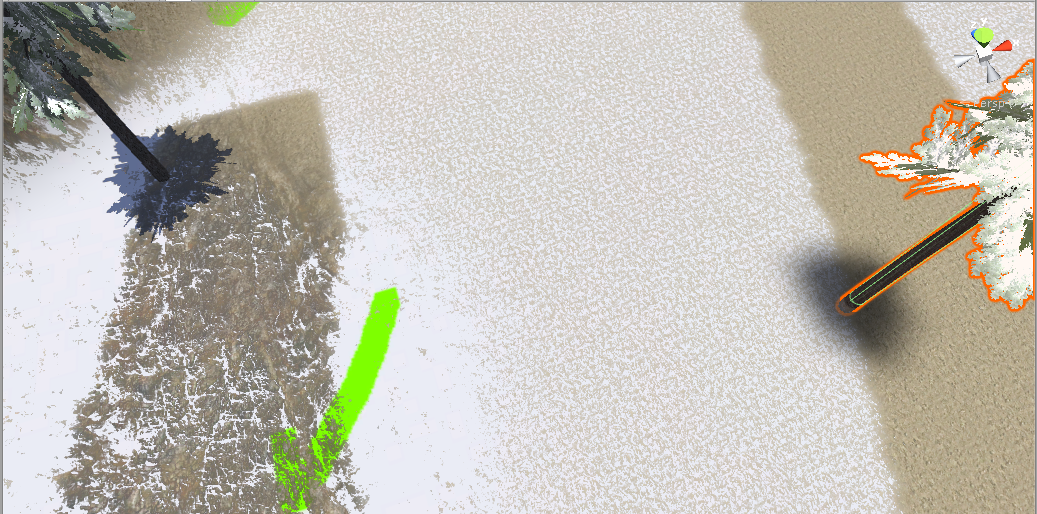
The issue with the shadows is because Unity only renders objects in the view frustum. This isn't specific to occlusion culling as frustum culling is always active. Once the mesh is no longer being rendered, it will be culled and the shadow will disappear. To negate this, you can do a few things, such as merge trees into groups so that single trees aren't being culled, as long as one of the trees in the group is seen, all in the group will render. This option isn't as viable for large amounts of objects, but you can change them to skinned mesh renderers so that you can increase the bounds of the mesh such that it encompasses the shadow as well, as long as any part of the bound volume is visible, it will still render. Merging things to logical groups tends to be the best. You don't want all the trees merged because then it will render all trees even if just one is visible, but grouping them in a smart way depending on your scene can go a long way, it also lessens the overhead from occlusion culling.
Also a note on occlusion culling, this is only needed to be used if you have large walls, building, objects that physically block the view of other objects. There is a CPU overhead to pay for using occlusion culling so if your world doesn't have physical large objects such as walls, to block the view of things behind it, there's no reason to use it as unity already performs frustum culling.
candid pumice
Thanks for the long explanation! My world is mostly an open space with a small building plopped in the middle, but without the occlusion culling the trees (and by proxy the shadows) are disappearing even sooner.
Ideally I'd like to bake the tree shadows even if the trees are blowing, I just don't know how. Is it possible to have blowing trees if I don't use the terrain editor? Is there a way to easily convert them from terrain trees to game objects?
stone marsh
Baking something implies to make it permanent and static. You would have to make the trees not sway anymore to bake static shadows.
The first paragraph didn't make any sense to me. Sounds like you shouldn't use occlusion culling at all tbh.
You should merge trees together such that they are in logical groups rather than individual trees so that they aren't frustum culled individually
candid pumice
I've seen someone talk about copying the trees into game objects, baking shadows, and then deleting those game objects and turning the terrain trees back on in order to get static shadows. They provided a script, but it didn't work (or maybe I didn't know how to use it correctly). Granted it was from 2017
https://forum.unity.com/threads/terrain-tree-baked-shadows.503698/
Unity Forum
I need a way to have my terrain trees cast shadows on the terrain's lightmap when baking but I can not find any way to make it work in Unity 2017.
I...
stone marsh
I mean yeah. You can bake shadows. Its just you will have static shadows but moving trees which would look odd
Regardless, sounds like you shouldn't be using occlusion culling. If you wanna bake your lighting. Just set things to lightmap static and set lighting to baked then bake it
 bold ibex
I'm having issues with testing the world I'm making, how do you fix the Unity player.dll not found error
candid pumice
I deleted my occlusion culling. "Turn Off Mirror Occlusion" has always been checked. I adjusted my clipping planes and nothing changed. I'm guessing this is frustum culling (it doesn't happen in the camera)? How do I group trees? Why don't tree shadows bake even though my terrain is static? I'm getting more and more confused, sorry.
 cerulean echo
I got the same think i think its the terrain maybe seting i stil not testet the setings only one it was culling in distance i found the setting and make it more range but it was doing it only on one terrain object no idea why
candid pumice
I just find it weird that it's doing it to the trees right next to me. Surely the ones in the distance should be disappearing too, not just my left/right.
cerulean echo
I fixet only the range problem its if you look up its doing it also on me and left right but its no problem for me i gona check it out leter
 obtuse jolt
hey can anyone let me know why i have 12 red errors when i using an sdk?

i think the first error is what is making build and test not work
stone marsh
obtuse jolt
According to this screenshot you have zero errors.
obtuse jolt
stone marsh
According to this screenshot you have zero errors.
how come when i click build and test nothing happens?
stone marsh
Is the button grayed out?
obtuse jolt
stone marsh
Is the button grayed out?
no i can press it and my cursor does the loading circle for half a second and then nothing happens

this shows up
stone marsh
Click ignore
obtuse jolt
nothing happens still.
and it doesnt show any alerts anymore my console has nothing alerted
stone marsh
Clear your console, then attempt to enter play mode. If you're unable to enter play mode, take a screenshot of ALL the red errors that show up in the console and only the red errors. ⚠️ Warnings don't matter.
Also, what version of Unity are you using, and what SDK do you have?
obtuse jolt
how to enter play mode?
stone marsh
The play button in the top of your editor
obtuse jolt
im using the unity 2019.4.31f and the sdk2 because this homekit is only compatible with sdk2
 stone marsh
There's nothing that is only compatible with sdk2 anymore. It may have came with sdk2 but it can be upgraded.
obtuse jolt
 obtuse jolt
stone marsh
There's nothing that is only compatible with sdk2 anymore. It may have came with...
obtuse jolt
stone marsh
There's nothing that is only compatible with sdk2 anymore. It may have came with...
oh does this mean i have to remake this whole world?
stone marsh
obtuse jolt
If you can enter play mode then you have no hard errors that would prevent build
stone marsh
obtuse jolt
oh does this mean i have to remake this whole world?
No.
obtuse jolt
obtuse jolt
this is what shows when i click play mode
stone marsh
Yea. That's your game tab. Do you not have a camera in your scene at all?
obtuse jolt
 obtuse jolt
stone marsh
Yea. That's your game tab. Do you not have a camera in your scene at all?
obtuse jolt
stone marsh
Yea. That's your game tab. Do you not have a camera in your scene at all?
im not sure i thought the sdk would have it potentially
stone marsh
obtuse jolt
Those don't matter since they aren't hard errors. Only hard errors would prevent you from building. If you can click clear any they all go away, they don't matter
obtuse jolt
stone marsh
Those don't matter since they aren't hard errors. Only hard errors would prevent...
oh ok
stone marsh
Your scene should always have a camera in it by default. If you don't see one, you need one. Should be set as a reference camera in your world scene descriptor.
That most likely is not the issue though.
 stone marsh
Tbh I can't provide any help with sdk2. It shouldn't be used anymore. If the world has a few buttons in it, then it would be pretty straight forward to upgrade to sdk3 and setup those button's using udon.
Learning sdk2 at this point is honestly shooting yourself in the foot since you're a New User, it would make no sense to learn sdk2 just to unlearn everything since sdk2 is deprecated
obtuse jolt
stone marsh
Tbh I can't provide any help with sdk2. It shouldn't be used anymore. If the wor...
oh okay makes sense
stone marsh
Maybe someone else can. Good luck. I'd HIGHLY recommend upgrading and learning sdk3 instead. Your world wouldn't need much work to convert
obtuse jolt
i only really need to be able to go into test mode and then screen record from there as this is for a project and i dont have any intention of uploading it at the moment.
it says the script on this behavour is missing
maybe that has something to do with it?
 stone marsh
⚠️ won't prevent build.
Only red stop errors will prevent build.
You can hide all the ⚠️ in the top right.
The 24 red stop 🛑 errors matter
But only matter if you're not in play mode currently and if you press clear and they don't go away, only then are those "hard" errors.
Should post a screenshot of your VRCWorld object tho.
stone marsh
obtuse jolt
This is the main issue. I just can't recall instances of when this occured and what may cause this behavior. I've seen it before but not for a long time and the root cause of the behavior escapes me.
obtuse jolt
stone marsh
This is the main issue. I just can't recall instances of when this occured and w...
thank u for your help ima check it out tommorow
 chilly hawk
Can I import models with baked lighting from a separate scene or project?
 unkempt turtle
think not
chilly hawk
I can copy/paste with multi-scene editing, so it may be as simple as doing that 🤔
chilly hawk
How can I make 2 canvas toggles check/uncheck together? I can't do it with toggle groups according to the Unity documentation:
Toggles that belong to the same group are constrained so that only one of them can switched on at a time - pressing one of them to switch it on automatically switches the others off.

 ember vault
 stone marsh
chilly hawk
How can I make 2 canvas toggles check/uncheck together? I can't do it with toggl...
stone marsh
chilly hawk
How can I make 2 canvas toggles check/uncheck together? I can't do it with toggl...
Both buttons need to be on the same canvas under the same toggle group.
chilly hawk
stone marsh
Both buttons need to be on the same canvas under the same toggle group.
Won't that uncheck the other one when used? I want them to be in sync.
 ornate pelican
hey, i was wondering if anyone knows how to customs chairs that anyone can it in that is made in SDK3
stone marsh
chilly hawk
Won't that uncheck the other one when used? I want them to be in sync.
You can just have the button toggle the other one as well. A button can perform multiple actions on interact. Have the button target each other and Toggle.isOn
 chilly hawk
Thanks, I'll give that a shot
 worldly hull
can someone help me find a skybox with a city view from a high rise building?
i cant find one
chilly hawk
worldly hull
i cant find one
Hate to tell you this, but I had the exact same problem. I spent many hours looking for a free one and found nothing.
I eventually gave up and bought one (an HDRI). Only asset I spent money on.
chilly hawk
I got one of this guy's cheaper ones:
https://www.dreamstime.com/ustas77777777_info
If you look for "night cityscape hdri" (assuming yours is a night one), you'll find what you're looking for.
 bright basalt
Hey people!
Is there a way of moving an object to precise coordinates with an animation?
I'm trying to create a bool that when is True sends an object to some X Y Z in the world, which I thought would work but the object stays on the same spot when I activate it.
This is the way I'm trying it.
What am I doing wrong, or is there another way?
(Or if moving stuff isn't easy, then resetting it to its original state would be perfect, the reason I want to do this is because some animations sends the object left and right and I want a way of putting it back at its origin point)

 wispy marlin
does anyone know where I can find a water shader that would be good for having water around the map
chilly hawk
wispy marlin
does anyone know where I can find a water shader that would be good for having w...
s-ilent has some good shaders for various purposes
https://gitlab.com/s-ilent/clear-water
wispy marlin
cool I'll check it out
ornate pelican
Does anyone know a good way to have a custom sitting animation in a chair that affects all avatars that is in SDK3?
 acoustic schooner
I messed up and put a microwave in my world and now everything is black. What do I do?
bold ibex
Would anyone know where i can find pens for a world i dont know where to find them
worldly hull
I think if you go on github and search
bold ibex
Alright thanks ill check it out
bold ibex
worldly hull
I think if you go on github and search
It worked thank you
chilly hawk
Trying to find out how to teleport a player after they press a button and I keep finding SDK2 guides :/
Nevermind, I think I found one
https://www.youtube.com/watch?v=BheVIHD3Vrg

My old video for teleporting players in Udon is crap and outdated, so here we are with a brand new demo on teleporting players in VRChat.
I've had some technical problems with my avatar program, but I've swapped to VSeeFace for now and am using my new avatar.
Hope everyone enjoys!
----------------------------------------------------------------...
bold ibex
bold ibex
Would anyone know where i can find pens for a world i dont know where to find th...
On second thought i was able to add them but I tried to draw with them but the weren’t doing anything any reason for this
chilly hawk
Next problem: I need some rain for when I'm outside. 🌧️
bold ibex
chilly hawk
Next problem: I need some rain for when I'm outside. 🌧️
theres a free rain asset in the asset store
 trail fiber
How do you make a button to reset an objects position to the original state?
wispy marlin
who wants to tell me how to get the s-ilent water shader into unity
ill give you 25 cents
chilly hawk
Drag and drop? 🤔
 zealous venture
I'm converting my project over to quest, and my lightmaps look incredibly blocky. I remember someone mentioning a file format to swap them to in order to fix the issue but i cannot remember what it was. Does anyone know what file format that would be?
green lagoon
astc 4x4 texture compression is what you would want to swap it to to fix your quest light Maps
zealous venture
^ just found that by messing around with the formats. Thank ya!
green lagoon
glad to be of help and good on you for baking your lighting
zealous venture
I wouldn't dare use real time lights in a world unless it was an "unoptimized" toggle haha
Can make things work as good as real time lighting with proper light probe placement anyways
if not better tbh
green lagoon
definitely would look better as you can have all that bounce lighting
zealous venture
Another question I actually have though. I used bakery for baking my lights (all of them are emissive materials) and I was wondering if leaving the bakery standard shader on these lights would actually cause performance issues on quest since they are literally just standard shaders with a couple things changed in them to allow bakery to use them.
chilly hawk
I have non-Quest shaders on some of my stuff and I haven't had complaints. Best way to find out is to test it yourself or ask someone else to.
green lagoon
zealous venture
Another question I actually have though. I used bakery for baking my lights (all...
you don't need to use the bakery shaders to use the bakery baked light Maps
zealous venture
chilly hawk
I have non-Quest shaders on some of my stuff and I haven't had complaints. Best ...
If I had a quest i would, but I'll have to have some friends test it later today and see. I want to minimize as many non-quest shaders as I can though.
zealous venture
green lagoon
you don't need to use the bakery shaders to use the bakery baked light Maps
I used it for the RNM/SH baking
I assumed I had to since it suggested using them for it.
green lagoon
Dominant Direction
This mode is similar to what Enlighten and Progressive bake in Unity. It is compatible will most shaders, only generates one additional map and the runtime overhead is minimal. The downside is that bump-mapping looks rather faint and gray-ish and can be quite different comparing to the same object under real-time lighting.
you could use this mode on Quest
zealous venture
green lagoon
Dominant Direction
This mode is similar to what Enlighten and Progressive bake i...
Well my light maps transferred over fine to quest by converting the file type so that isn't a problem at the moment. And the lights aren't real time, so I can swap them from the bakery ones to vrcmobile ones for in-game
I just wasn't sure if the bakery shaders would cause issues, but I'll replace all of the lights with standard mobile ones to be safe since everything still looks great
chilly hawk
Time for my next problem :)
I need rain and this isn't compatible with VRC:
https://assetstore.unity.com/packages/vfx/particles/environment/rain-maker-2d-and-3d-rain-particle-system-for-unity-34938
If I press play in the editor, it works perfectly. But if I 'build and test'... it's not there. Neither sound nor visuals.
green lagoon
https://s-ilent.booth.pm/items/3250389 also if it's helpful for like your PC build apparently this user made replacement for the standard Shader also has Bakery SH or RNM lightmap modes @zealous venture

An improved version of Unity's Standard! Provides higher quality using features from Google's open source renderer, Filament. It also supports features useful for worlds such as exposure-based occlusion, lightmap-derived specular, bicubic filtering for lightmaps, and better looking reflective
green lagoon
chilly hawk
Time for my next problem :)
I need rain and this isn't compatible with VRC:
http...
that's because it uses c-sharp scripting to do it so it doesn't work in vrchat
zealous venture
green lagoon
https://s-ilent.booth.pm/items/3250389 also if it's helpful for like your PC bui...
That would be awesome. I'll check it out and use it on an updated version of the world when I rebake things later on!
green lagoon
zealous venture
That would be awesome. I'll check it out and use it on an updated version of the...
you don't even have to rebake to utilize that Shader you can just Swap all the bakery Shader for that
zealous venture
green lagoon
you don't even have to rebake to utilize that Shader you can just Swap all the b...
Oh? I'll check it out then! Everything it looking good at the moment, but if I run into issues I'll toss that in and see if it fixes things.
green lagoon
zealous venture
Oh? I'll check it out then! Everything it looking good at the moment, but if I r...
wasn't necessarily suggesting it to fix more just it's a cool Shader that has some nice extras for vrchat use
zealous venture
Another thing I am unsure about because I know it can be heavier on performance. Is bloom and color grading usable on quest, and if so is it too much of a performance hog, or could I use it in the world for quest users?
green lagoon
chilly hawk
Time for my next problem :)
I need rain and this isn't compatible with VRC:
http...
https://booth.pm/en/items/3406912 this asset uses udon to handle the gluing rain to your head

負荷を比較的考慮した、ローカルプレイヤー(自分)の周りにだけ降る雨などです。 Udonのみで構成しているため、ワールド用のSDK3さえ入れていれば使えます。 使い方もワールドに置くだけです。 調整の仕方などは同梱のReadMeをご確認ください。 VRChat想定ですが、規約内であればVRC以外でもご自由にどうぞ。
green lagoon
zealous venture
Another thing I am unsure about because I know it can be heavier on performance....
you cannot use any post-processing on the quest
zealous venture
green lagoon
you cannot use any post-processing on the quest
That's what I assumed, but I thought I'd double check, thanks!
chilly hawk
green lagoon
https://booth.pm/en/items/3406912 this asset uses udon to handle the gluing ra...
Booth to the rescue again! Thanks, I'll test it right away.
green lagoon
chilly hawk
Booth to the rescue again! Thanks, I'll test it right away.
hopefully it works for your needs
and General reference you cannot get anything interactive off of the unity asset store for vrchat only pre-made like assets and stuff that add capabilities to the editor that don't require the stuff to run in runtime
zealous venture
do any of the mobile shaders have a spot for occlusion maps too?
green lagoon
not quite sure off the top of my head as I don't have it in front of me
zealous venture
I couldn't find any, didn't know if anyone knew of a secret mobile shader with occlusion maps hahah
green lagoon
https://vrcprefabs.com/ and this is where one would more look for interactive things for vrchat @chilly hawk
chilly hawk
I only need rain for the top floor. If that asset sticks the rain to your head, I'll have to enable/disable it with a collider.
 green lagoon
chilly hawk
I only need rain for the top floor. If that asset sticks the rain to your head, ...
green lagoon
chilly hawk
I only need rain for the top floor. If that asset sticks the rain to your head, ...
yes you would or I suppose you could stick a big particle emitter on your roof
green lagoon
chilly hawk
I only need rain for the top floor. If that asset sticks the rain to your head, ...
and hopefully you'll be baking those lights
chilly hawk
Already baked them 👍🏻
I made and baked the roof in a separate scene to the lower floor, then copied it all over with multi-scene editing.
green lagoon
cool
chilly hawk
Glad it worked, as the lower floor was done with Bakery and I don't have a Nvidia card 😅
zealous venture
I should have built my world as quest first because most of my standard shaders could have been mobile already anyways lol
green lagoon
zealous venture
I should have built my world as quest first because most of my standard shaders ...
yes would lead to better performance knowing when the standard light is good enough
bold ibex
Ill ask again but would anyone know why my qvpens wont work after I uploaded the world
 desert python
Anyone know how to make a portal in a world lead to a public instance of another world?
zealous venture
I assume as someone without a quest, the only way I can test the quest related things in the world I'm working on is to upload a version to VRC and invite quest friends?
desert python
yes
 primal mica
I need some help with a world that i constantly update. Its older (2018.4.20f1) but until today ive never had a issue. I keep getting the same error upon openning, which is "Could not fetch fresh config file. Using cached if available." basically everything works but it wont let me sign in in the settings menu, when i try and click settings no window pops up. Same with build control panel. The Manage upload content works as far as the window actually appearing on screen, but it just tells me to sign in. im not sure what happened because i didnt add anything new or import any file. Ive tried a few things like a networkreset but nothing has worked. i need some help :c
 indigo birch
Hey how would i sync stuff like for example pins between quest and pc
Quest and pc are running semi same versions ie pc missing an area that quest has
That will be added next time o build for windows
chilly hawk
Rain particles are driving me mad. They only spawn close to the ground in-game.

They are also very hard to screenshot.

They show up properly if I hit play, so it's a VRC thing - not Unity.

Maybe a render distance setting?
chilly hawk
Found the problem: the shape scale didn't cover the area
 zealous venture
I'm using the Wolfe Video Player and I'm setting up the quest version of my world and I was wondering if anyone knew how to get videos to work on quest with the Wolfe video player
 median egret
if I have a object like this I made in probuilder, what would be the best way to put a video screen on each area?

the white is all a video screen but rn it looks like this in game

cut off
 upper edge
how do i make an on/off button for post processing?
 misty wave
How do you all handle version control for your worlds? :0
misty wave
chilly hawk
Rain particles are driving me mad. They only spawn close to the ground in-game.
Hey!! I see you're having a rain problem
im about to be distributing an asset
to solve this
actually
called "tanuki rain machine"


Working on a new map, featuring my Rain Machine! #vrchat https://t.co/nUj63QsrNK
 Twitter
·
Twitter
·
Here's a video if it
It has thunder, sfx, lightning, and toggles
i haven't gotten anyone else to test it yet -- i was planning on selling it on booth but if you want to test it i'd happily send it your way
chilly hawk
I already fixed my rain :P
Yours is probably better though.
 vapid lotus
can someone send me a file with av pens or whatever they are called the pens with infinite drawing and clear button
 desert agate
Hey yall
My first world to make it out of community labs just did so earlier today, and in under 24 hours no less ^^
4 flames hot let's gooooo
Speaking of, is World Heat measured out of 4 or 5?
misty wave
desert agate
My first world to make it out of community labs just did so earlier today, and i...
Congrats, that's so awesome!!!!! What's the world?
misty wave
desert agate
Speaking of, is World Heat measured out of 4 or 5?
It's 5~!
 misty wave
Oh shoot it's 6
cerulean echo
@median egret you need to scale and position yor uv to the screen texture you scalet and movet the uv around this why its looking like that maybe wen you changet the scale of yor object it changet the uv around
upper edge
when im uploading a quest compatible world i have to upload it for windows and android right?
cerulean echo
yes
upper edge
cerulean echo
yes
and will i be able to select the community labs twice or will it save for both?
cerulean echo
if you uploadet all ready you dont need to make it again labs its like one world you only need to upload both up and press one time labs you can do that from the site also to make it in labs
 teal crystal
I have a question
how does quest and pc worlds work together? Do I have to first upload to PC and then switch to android should I want to update my world for both?
so if I add a tree in the android version and then upload that... and then don't upload the PC version, quest users get an quest exclusive tree?
bold ibex
I think it will update the PC one too
I'm new to PC so don't quote me on anything lol
Does anyone know what to do when UnityPlayer.dll is not found when youre trying to test a world
cerulean echo
you should upload both if you got also quest and pc map you get more ppl in it and you get faster out of labs.also yor Hierarchy need to be the same the pc with the quest if not you get problem with syncs of quest users and pc like the quest user would pick up samthink and the pc would not see it also pc to quest.befor you upload the quest you would look if you can change shader to mobil if it not look good you can let it standtard.i mostly leting it to standtard also look that you have compatible quest shader if you useng weard shaders thay may not be compatible and make you problem.now to only upload quest no idea i never done it i allways upload both
desert agate
misty wave
Congrats, that's so awesome!!!!! What's the world?

A true vaporwave-inspired world․ If you're feeling brave‚ try to wander out into the digital desert and see what happens․
Thanks!
 hidden hemlock
I want someone to make gru's house and put it in vrchat
green lagoon
misty wave
https://twitter.com/Tanuki_Art/status/1481033833034174464
that is some nice rain
obtuse jolt
@stone marsh for some reason today the build and test worked lol
I didn’t change anything I didn’t even restart my pc
 buoyant vault
Hello,
I have a public world, and I'd like to post a test version of the same world to Community Labs.
Can I do this by just changing the name of the world when I build and publish?
Do I need to duplicate the whole Unity project?
stone marsh
buoyant vault
Hello,
I have a public world, and I'd like to post a test version of the same wo...
Detach the blueprint ID. Using the same ID but changing the name will just change the name of the public version. Idk why you'd make a test version public tho lol.
buoyant vault
I need to test something over the network that involves late joiners, and I don't know how to test that through Build & Test
When I tried to run one instance, then run another later to "join late", it refreshed the both instances
cerulean echo
But why you need to do that on labs? Change the id and upload it with out doing it on labs and ask yor friends to help you and invite them ther
buoyant vault
Wouldn't changing the ID make it not the same world though, thus putting it on labs?
I thought all worlds went to labs first before going public
stone marsh
You have to change the ID to submit it to labs.
You can also change the ID and just upload it as private which is the right thing
Then, as said, invite some friends
buoyant vault
Oh I see, yeah I think I just want a private world then.
stone marsh
Indeed
buoyant vault
I've only ever uploaded one world, forgot I could even just make it private.
Thanks!
cerulean echo
That what i was sayng lol
stone marsh
Well, when you detach the ID and upload, you'll get the new upload screen, just leave it set to private and upload
If you want to go back to your og world, detach the I'd and paste in your public id
buoyant vault
Yeah that makes sense, I'll just do that
 jaunty garden
hi guys, i have a project im working on , its a dance club world that i would like to setup a audio visualiser on some screens, this im assuming is untiy . does anyone have any idea where i could find any decent tutorials or writeups on how to achieve this ?
stone marsh
jaunty garden
hi guys, i have a project im working on , its a dance club world that i would li...

GitHub
Audio reactive prefabs for VRChat. Contribute to llealloo/vrc-udon-audio-link development by creating an account on GitHub.
If you want to stream audio into the world with a visualizer, youd just need a video prefab like ProTV and then you could stream something like Milkdrop but you'd have to stream it through YouTube so you'd be restricted to copyright. Can use VRCDN but the bitrate would be higher than what is ideal on their network so prob not a good choice.
If you just want audio reactive visualization then audiolink is the way
 dusk summit
chilly hawk
Heat goes up to 6
dusk summit
chilly hawk
Heat goes up to 6
7
 cosmic sky
Hey, I want to make my own world but not use youtube videos, can anyone help?
 opaque geyser
Hello can we work with PBR workflow?
because i used to texture in PBR in Substance..
 ruby jay
of course you can, you can make your own shaders too
primal mica
Good morning all, I still need some help with a world that i constantly update every other week. Its older (2018.4.20f1) but until yesterday ive never had a issue. I keep getting the same console error upon openning, which is "Could not fetch fresh config file. Using cached if available." I do not have any other console errors. Basically everything works but it wont let me sign in in the settings menu, when i try and click settings no window pops up. Same with build control panel so i cant update the world. The Manage upload content works as far as the window actually appearing on screen, but it just tells me to sign in. im not sure what happened between last update and this mess up error because i didnt add anything new or import any file. Ive tried a few things like a networkreset and reinstalling the SDK but nothing has worked. i need some help :c
im pretty sure it means that my SDK file cant reach the server, because the other projects still work fine. but ive tried reinstalling the sdk and it didnt work.
if anyone has suggestions please dm me or ping me? im not sure if i should like set things back to default or something or what. im lost at this point having tried multiple things
primal mica
i think its something to do with regedit
 kind portal
i cant implement my C# but every time it cams this error. Can someone help me?
 ruby jay
kind portal
i cant implement my C# but every time it cams this error. Can someone help me?
ruby jay
kind portal
i cant implement my C# but every time it cams this error. Can someone help me?
you cannot use c#, look into udon#
kind portal
ruby jay
you cannot use c#, look into udon#
thanks
stone marsh
primal mica
Good morning all, I still need some help with a world that i constantly update e...
There's no legitimate reason to not update your editor.
 tulip flame
How do I get the vrc_pickup to stop allowing me to throw an object?
primal mica
stone marsh
There's no legitimate reason to not update your editor.
are you saying just make that project update to the new sdk3?
hoping for a actual answer, not sass 😇
left rain
what determines how high a person sits on a station? right now it seems most avatars are sitting about two feet over the surface I'd like them on
stone marsh
primal mica
are you saying just make that project update to the new sdk3?
hoping for a actu...
I'm saying there's no reason at all to not use 2019.4.31f1. update your editor if you want continued support.
tulip flame
I tried setting isKinematic to true, doesn't work. still goes flying when I release
anyone? I feel like I've tried everything. setting drag settings to high/low values, setting all the vrc_pickup settings, settings all the settings on the rigidbody to get it to stop. I really cannot figure it out
 mild spade
You are editing the values of the rigid body on the same gameobject where the vrcpickup is right? Check that there are no other rigid bodies controlling the pickup. Or if it is a prefab try unpacking it. Also check for animations or other scripts that may be changing the kinematic type at runtime (when you launch the game) Or maybe your world is not updating (try adding a cube and see if you see it in game) many different causes
tulip flame
seems like when I move the object to the root of the hierarchy the problem stops.... but I need it as a child of another object so I can toggle it off.. still investigating but seems more promising now
no other of the parent objects have a rigidbody (or really any scripts)
mild spade
Can you show how the object looks on the hierarchy? All the object parents
tulip flame
ok, well seems I can't show you cause the discord deleted my message, cool
@mild spade
Root>GridAxisArrows>CoordinatesArrow>Pen
(I'm usind the Pen from the example scene, cause I figured it wouldn't have this throwing problem... yet it still does...)
Root: No scripts at all, default transforms
GridAxisArrows: Default transforms, UdonSharp behavor that just hides/shows objects, no other scripts
CoordinatesArrow: Offsetted transforms, Udonsharp behavior "CoordsArrowScript" (see image), no other scripts
Pen: Same from example scene, but with box collider instead
 mild spade
I am not very familiar with c#, but the script is getting a Rigidbody component right? Could you try disabling the script (or remove it) just to test and see if the script is causing that?
chilly hawk
I hope your problem gets resolved. Here's my latest one:
I made a world extension in a separate scene with baked lighting. I can copy everything over using open scene additive, except the lightmaps as they are tied to the scene instead of the assets.
I can't rebake the main scene as it was done with Bakery, which is incompatible with my graphics card.
The two areas are completely separate, so even if I could rebake it would be impractical.
tulip flame
wow, so if I just move this script onto another object that's NOT the parent of the pickup object, that fixes it. and the script works fine too. makes no sense (to me at least)
chilly hawk
Gotta be careful with child/parent assignments messing things up. Glad you fixed it! 🥳
An image for my problem to prove that my areas are entirely separate and there's no reason to rebake:

I really hope there's a good way to merge these scenes with the baked lighting intact. Alternatively, baking the top area without rebaking the lower area would also work.
It has occurred to me that this may be a better fit for #world-lighting, so I'll put it in there.
 mental fern
helllooo I am working on a thing for uni due tomorrow and im sturggling to get it to work, just trying to switch from instantiating to objectpool so if its a bit messy thats why, keep getting error when getting the transform of the instance that stops the u# behaviour, was using recttransform before cuz its a ui element but ye

need help as quick as anyone can bit of a crisis haha ;c
i think i got it lol bad setup in scene
median egret
Out of curiosity what do you think would be a good name for this world? Making a underwater nightclub for drinking
Just The start video I had for it but yeah
 lucid saffron
median egret
Out of curiosity what do you think would be a good name for this world? Making a...
lucid saffron
median egret
Out of curiosity what do you think would be a good name for this world? Making a...
would have to see more, SubBase, (sub bass), aquaden, fathom (referance to nautical depth), Deep6 (also nautical referance), Club Current, Club Tropix, WaterHaven, The Salty Fin, got many more dm me if you get stuck
 violet blade
Who can send me a Package of the video player :g?
 nocturne isle
Some of my props keep wobbling when picked up, and I don't know why. Has anyone else had this problem?
stone marsh
violet blade
Who can send me a Package of the video player :g?

Ready-made video player solution for VRChat w/ Udon. Requires SDK3.0[Udon] (last tested w/ v2021.11.24.16.19) and Udon Sharp [U#] (last tested w/ v0.20.3). Recommend Unity 2019, 2018 works but might have some issues during import (MAKE SURE YOU HAVE THE LATEST U# VERSION). View the README.md file in
stone marsh
nocturne isle
Some of my props keep wobbling when picked up, and I don't know why. Has anyone ...
Your colliders may be erroneously set. Too large, or you perhaps have a volume with a collider on it that is huge and all pickups are inside of it.
Could also be that your world position is too far from 0:0:0 and the shake you describe is actually float point errors.
Ensure that all of your geometry in your world is as close to 0:0:0 as possible.
 flint axle
https://gyazo.com/39a7b722b6c116c8606b88dc3ee7e84c how come the "target" variable does not show in "public variables"? it only shows the toggle one
 stone marsh
flint axle
https://gyazo.com/39a7b722b6c116c8606b88dc3ee7e84c how come the "target" variabl...
stone marsh
flint axle
https://gyazo.com/39a7b722b6c116c8606b88dc3ee7e84c how come the "target" variabl...
Stop cross posting in multiple threads
flint axle
oh sorry
 tardy moth
Anyone know why this happens. It will show the loading screen then send me back home

 last spoke
How can i remove quest capability of a world??
bold ibex
I hate when I figure out a question but don't know what I did or how to recreate it
I'll try to figure it out
last spoke
bold ibex
I hate when I figure out a question but don't know what I did or how to recreate...
omg same
violet blade
nocturne isle
Some of my props keep wobbling when picked up, and I don't know why. Has anyone ...
thanks man
bold ibex
last spoke
How can i remove quest capability of a world??
I believe it's build target windows but don't quote me on it lmao
Anyone know what to do when you can't click on anything but world name and capacity on the config world page?
stone marsh
last spoke
How can i remove quest capability of a world??
You have to submit a ticket #vrchat-support and request for it to be manually removed. There's no way for you to do it yourself without taking the world down and uploading it again under a new ID
opaque geyser
Hello I'm a noob should I start with the Open Beta build or the SDK3 from the website? please
green lagoon
SDK3 from the website
opaque geyser

ok, and sorry what mean "obsolete APIs?
it make a backup of the entire project?
not sure if I understand well
ok I clicked on made a backup
green lagoon
opaque geyser
it make a backup of the entire project?
it doesn't make a backup of the project
green lagoon
opaque geyser
ok, and sorry what mean "obsolete APIs?
that means you're importing a script made for an older version of unity
green lagoon
opaque geyser
click on " I made a backup" lol
basically it's just labeled like that so noobs don't break their projects

 remote vigil
Anyone know a good place to find a good beanbag model for vrc? all the ones i find are like... 80k polys.
opaque geyser
remote vigil
Anyone know a good place to find a good beanbag model for vrc? all the ones i fi...
what kind?
remote vigil
opaque geyser
what kind?
pretty much any kind tbh, they'll be in a basement
opaque geyser
remote vigil
pretty much any kind tbh, they'll be in a basement
I need to go to bed now 😦 but will check tomorrow
remote vigil
opaque geyser
I need to go to bed now 😦 but will check tomorrow
Thanks!
 vernal prism
@remote vigil post a pic of one you like. If you really like that 80k poly one, it can be decimated down to an acceptable level... really easy. Only takes a moment.
whats the current unity version expected for world creation?
im going to guess ... Unity 2019.4.31f1.
rolling with that.
 winter grotto
Am I able to use C# to make a world? Or am I forced to use Udon?
left rain
winter grotto
Am I able to use C# to make a world? Or am I forced to use Udon?
you have to use udon, c# scripts will be rejected. you could try udonsharp though
winter grotto
yea im looking into udon sharp right now
green lagoon
remote vigil
Anyone know a good place to find a good beanbag model for vrc? all the ones i fi...
https://github.com/Whinarn/UnityMeshSimplifier you could use this Unity extension to generate lower poly versions without blender

GitHub
Mesh simplification for Unity. Contribute to Whinarn/UnityMeshSimplifier development by creating an account on GitHub.
vernal prism
whats the correct ritual to get materials to import automatically when world building? I added a folder, added textures, then brought in the FBX.,.. and no images loaded. :(
stone marsh
https://markcreator.gumroad.com/l/Polytool (paid but good tool worth sharing xP) Decimation in blender of a mesh like a beanbag would be trivial af tho

Gumroad
Polytool is a Unity package that helps you with optimizing your models, right inside Unity!It makes optimizing models quite simple for those who value a quick and easy solution. You can just choose a preset and go!It was originally created to optimize VRChat avatars but works for many different optimization jobs inside Unity. Feel free to join o...
green lagoon
yeah that's a very cool tool
worldly hull
anyone have issues with OpenCL running out of resources? i have 5 GB of available vram and im using low baking settings but for some reason it keeps crashing
misty wave
green lagoon
that is some nice rain
tyty!
Is there a straightforward way to overlay some UI elements on a user's stream camera?
bold ibex
No idea
Anyone know the mirror settings so you see yourself and the stuff behind the mirror
Hard to explain lol
Trying to think of a world that has one like that
Rainy road mirror 4 is one
 fickle bison
So I tried to make a world set a mesh to emission and blender crashed
So 5 corrupted saves later and 6 hours of work gone I’m gunna go to bed
stone marsh
worldly hull
anyone have issues with OpenCL running out of resources? i have 5 GB of availabl...
Baking can be quite resource intensive. 5Gb isn't all that much VRAM. also need decent system memory.
median egret
is there a better way to make a elevator then animations?
 fierce schooner
Last time I put the vrcbe (billards) asset in my project it leaded to lots of unity bugs (causing vrc sdk cyan emu and vrc world toolkit to stop working) anyone knows what did I do wrong or how to prevent it ?
stone marsh
Prob didn't install a require dependency as directed like UdonSharp or you were on the wrong SDK/UdonSharp version
 slim geode
Hey guys, currently making a world in sdk3. I have set up post processing for a few areas one being a games room. The post processing is not global so I have a box collider defining the area to apply it. This collider causes beer pong balls and to go crazy and if you step out of that collider you can't get back in. How would one apply post processing in a certain area without these issues ?
stone marsh
slim geode
Hey guys, currently making a world in sdk3. I have set up post processing for a ...
set the collider to "IsTrigger"
slim geode
stone marsh
set the collider to "IsTrigger"
Your a star thank you! Also I have been trying out "Pro builder" however when I select a face or vertice etc I cannot use the tool to move the face or edge I have selected. The move tool only comes up qnd allows me to move the whole game object. What am I doing wrong because on YouTube video it works for them
For example, this guy has clicked the edge and the tool appears. For me it selects the edge turning it yellow but does not show the move tool
 stone marsh
You're on Edge selection

In order to translate the entire object, you'd click it to the first one, obj mode
I personally use Blender, so I may not be the best at answering these questions however. ProBuilder is nice for simple prototyping, but Blender will always have it beat for actual proper world building (imo ymmv)
I think I misunderstood your question reading it again. I'm too baked lmao. I'll leave it to someone who uses ProBuilder, my response is most likely useless in reflection
slim geode
Hqhaha your good man, I also use blender however I'm looking into this because I could get some stuff done alot quicker. However when you select any of those modes, it should show the move tool and allow you to move whatever you have selected whether it's a edge or face etc. My move tool just don't want to show ffs 😅
fierce schooner
stone marsh
Prob didn't install a require dependency as directed like UdonSharp or you were ...
I'm gonna check if I have the latest version thank you
zealous venture
What is the proper way to set up a video player to work well on quest? Currently I just have a long lofi video playing in my world for quest users from a website that converts it into a usable URL on quest, but is there a way for me to make it so that quest users can just drop in URLs and they automatically get converted, or what is the proper procedure to make sure quest users can use a video player easily? (Note I am currently using the Wolfe Video Player)
fierce schooner
stone marsh
Prob didn't install a require dependency as directed like UdonSharp or you were ...
I had this error when putting the latest version of udon sharp
Assets\UdonSharp-master\Assets\UdonSharp\Editor\UdonSharpASTVisitor.cs(3,30): error CS0234: The type or namespace name 'CSharp' does not exist in the namespace 'Microsoft.CodeAnalysis' (are you missing an assembly reference?)
stone marsh
fierce schooner
I had this error when putting the latest version of udon sharp
Assets\UdonSharp-...
What SDK are you using?
stone marsh
Also, you should always try and post a screenshot containing all of the red errors in your console.
Don't copy and paste specific ones. Share them all
fierce schooner
Well it pops up about 200 times the same error
 stone marsh
Scroll up and screenshot the first few if they are different
 stone marsh
You're positive you downloaded the current sdk3 "for worlds" on the site? What version of unity are u using?
Screenshot the entire editor window if you're unsure
fierce schooner
stone marsh
Screenshot the entire editor window if you're unsure
where is this ?


Wait is udon sharp not for the latest unity version ?
I mean of the vrchat website
 stone marsh
fierce schooner
Wait is udon sharp not for the latest unity version ?
stone marsh
fierce schooner
Wait is udon sharp not for the latest unity version ?
https://github.com/MerlinVR/UdonSharp/releases I have no idea where that screenshot is from, nor really what you're asking here. But here's the link to UdonSharp just to make sure you're using the right thing.

GitHub
An experimental compiler for compiling C# to Udon assembly - MerlinVR/UdonSharp
fierce schooner
Wait I'm just gonna delete the files and install it again from this source
stone marsh
That's the only source.
fierce schooner
All right
Well U# have no problems in itself anymore I'm gonna see if it's alright for everything thanks
flint axle
why is it not recommended to build everything in unity, but to use blender first?
desert python
because blender is useful skill
tulip flame
flint axle
why is it not recommended to build everything in unity, but to use blender first...
unity is not modelling software, it's a game engine.
flint axle
so you would make everything in thr world in blender, and make it interactive in unity
desert python
correct
fierce schooner
Has anyone got any idea why does my water doesn't appear while emulating with cyan or in game ?

But is fine on unity
 ruby jay
do you have a realtime light set up to enable the water? is that maybe set to be editor only via a parent or by itself
fierce schooner
ruby jay
do you have a realtime light set up to enable the water? is that maybe set to be...
I'm not sure to understand what you mean
ruby jay
fierce schooner
I'm not sure to understand what you mean
what water shader is this? there should be an explanation that you need a depth enabler
 split crystal
so when i scale my world to an avi i know or unitychan, i cant get through the door because apparently the capsule collider is too big, when i scale stuff to the capsule testing in unity the tables are too high, what scale is recommended to work with?
 green salmon
Anyone have an idea why the texture in Unity is normal but not in VRC? 

 near escarp
green salmon
Anyone have an idea why the texture in Unity is normal but not in VRC? <:vrcSad:...
near escarp
green salmon
Anyone have an idea why the texture in Unity is normal but not in VRC? <:vrcSad:...
Edit>Project Settings>Player and changing Vertex Compression to 'None'
cerulean echo
the think with the vertex compression is you get higher mb on the world if its on none i fixet it but in probuilder that i deletet that part that got problem and add it again and it fixet then that was my solusion but if you got it from blender no idea.
green salmon
near escarp
Edit>Project Settings>Player and changing Vertex Compression to 'None'
Thanks! 
bold ibex
Man i really need to learn how to make worlds
How long did it take for you guys to learn how?
fierce schooner
ruby jay
what water shader is this? there should be an explanation that you need a depth ...
It was doing fine (silent clear water) but I deleted it just to upload another version of the map and when I put it back it doesn't show
 final vessel
Does anyone know what cloud asset that sacchan uses for test pilots in VRChat? Thanks
 solid sierra
im not good at blender anyone know where the best place to find assets is?
fierce schooner
ruby jay
what water shader is this? there should be an explanation that you need a depth ...
Well I just noticed the water appears in the mirrors but not in the map

 proven glade
I have been trying to bake lights in my map but I can not seem to get them to work properly, when they are not baked they seem fine

non baked ver
 split crystal
proven glade
I have been trying to bake lights in my map but I can not seem to get them to wo...
split crystal
proven glade
I have been trying to bake lights in my map but I can not seem to get them to wo...
had baking issues last week but got everything sorted, are you using bakery or standard lightmapper?
proven glade
now its only baking a couple lights..
left rain
make sure the lights are set to be baked, rather than realtime
proven glade
they are
near escarp
proven glade
I have been trying to bake lights in my map but I can not seem to get them to wo...
Are your lamps static ?
near escarp
Where's your light in your scene precisely ?
proven glade
near escarp
Where's your light in your scene precisely ?
I think that may have been what the issue was, they were inside the mesh a bit I believe
near escarp

fierce schooner
Hi guys somehow I just launched my unity project and the scene looks like this

 placid epoch
 silver stream
Anyone have any recommendations for other discords were i can ask for help in world creation
left rain
fierce schooner
Hi guys somehow I just launched my unity project and the scene looks like this
looks like your postprocessing bloom layer is freaking tf out about extremely bright shader or light values.
 surreal surge
Anyone know where i can find bioshock infinite assets?
 unkempt mauve
Does anybody know how I could change the file format from ASCII to Binary in Blender?
 floral marlin
Hey does anyone know if it’s possible to upload a universal pipeline world to vrc?
surreal surge
is it alright to have multiple mirrors as long as they're all toggleable?
vernal prism
@unkempt mauve yes, actually there is a handy tool called AutoDesk FBX converter which makes that conversion an easy task. Its free too. I use it when dealing with really old models. https://www.autodesk.com/developer-network/platform-technologies/fbx-converter-archives
bold ibex
surreal surge
is it alright to have multiple mirrors as long as they're all toggleable?
I would believe it Depends on the amount 2 is usually good a hq and a lq
green lagoon
surreal surge
is it alright to have multiple mirrors as long as they're all toggleable?
yes if they're not on by default
surreal surge
okie doke i have 3
green lagoon
also perhaps a good idea to see if you can get your toggles to work to where you can't have multiple mirrors on at the same time
bold ibex
Yeah thats a good idea to make sure of
green lagoon
and there's various pre-made mirrors on vrchat prefabs so you don't need to figure out all of this yourself

In this tutorial I will show you how to add a high-quality and low-quality mirror with toggles to your VRChat world with the new VRChat SDK3 and the Udon programming system!
Timestamps:
- Intro 00:00
- Set up scene and mirrors 01:16
- Add mirror toggles 02:24
- Programming with Udon 03:20
- Interaction text 05:27
- Test in VRChat 05:52
🌸 3D Mo...
surreal surge
green lagoon
also perhaps a good idea to see if you can get your toggles to work to where y...
i just put a disclaimer above the toggles saying that you shouldnt havemultiple mirrors on at once
green lagoon
still would be better for performance to learn how to make the mutually exclusive
and the video I posted above explains how you do that
bold ibex
Anyone know how to make pictures that you import and put into a material then put on a wall the correct size? I can't get them to be a single centered picture just like duplicate pictures in one because of the tiling
 red urchin
So i dont need this right now, but i'm workin on a new world from scratch little by little that i want to finish at some point and it'll have a little gimmick to it.
The idea of this world is that it will basically be a Terrarium on a table, in a large room, where the players are inside the terrarium, but there will also be a button or something (havent decided), that allows players to either 1. teleport outside the terrarium and switch to a giant avatar (therefore making them scaled correctly and the rest of the world outside the terrarium seem normal), or 2. a button to teleport them outside and make them giant somehow
To do this i'd want a few things that i'm pretty sure should be possible to do
- some sort of script or something that makes avatars move faster based on the size of the avatar (possibly taken from the viewpoint), this way the player outside the terrarium can move at a seemingly normal speed, while players inside can also move at a normal speed
- another script or something that increases voice range for larger avatars, this way the large avatar outside the terrarium can be heard by everyone inside the terrarium (maybe with a muffled effect too?
I'm pretty sure the voice range thing could be handled a few ways, i know theres Guribos UdonAudioTools that i could set voice range and filters on certain areas, so i could set it to be so the terrarium has minimum range and outside of it has farther range, but as far it doesnt do anything to do with avatar sizes at all, perhaps it could be modified?
I'm in absolutely no hurry for this project, i've yet to finish even the terrarium model itself
green lagoon
bold ibex
Anyone know how to make pictures that you import and put into a material then pu...
use a quad instead of a plane
bold ibex
green lagoon
use a quad instead of a plane
Thanks!
unkempt mauve
vernal prism
<@!477884210707955735> yes, actually there is a handy tool called AutoDesk FBX ...
I remember not to long ago changing the format within blender it's self without any tool. I can't remember how I did it before. 🤔
unkempt mauve
@vernal prism I think it was something here within the file format settings?

I'm not seeing these settings though
Is this something only on older versions of blender?
 ancient dagger
Hello, I'm new in VRChat development. I'm trying to make an art gallery and I was wondering if anyone knows or can point me towards some info on how to load an image from a url, I tried using UnityWebRequest but it didn't work inside VRChat I guess for security reasons
ruby jay
floral marlin
Hey does anyone know if it’s possible to upload a universal pipeline world to vr...
no, vrchat uses the built-in render pipeline
green lagoon
ancient dagger
Hello, I'm new in VRChat development. I'm trying to make an art gallery and I wa...
you cannot load stuff from the web outside of videos you would need to put the pictures in the world as textures
ruby jay
you can on sdk 2 actually
green lagoon
ruby jay
you can on sdk 2 actually
it's also deprecated so I would not recommend that to a new developer
ruby jay
on sdk 3 you can only load avatar thumbnails
ancient dagger
ruby jay
you can on sdk 2 actually
Yeah I saw something about VCPanorama or something like that, but do you know if I'd be able to change the images dynamically with some user input?
ruby jay
no, it's loaded on start of the world
ancient dagger
Oof... if I put the images as textures can I change them dynamically or is that also a no?
green lagoon
ancient dagger
Oof... if I put the images as textures can I change them dynamically or is that ...
basically it can only have what you put into the world map files unless you want to do something silly like using a a video player displaying a livestream to cover Dynamic displayed images
ancient dagger
green lagoon
basically it can only have what you put into the world map files unless yo...
Could something like this be made? Where the images are inside the world map files?
ruby jay
yes, can be done with udon and is not very complex
green lagoon
ancient dagger
Could something like this be made? Where the images are inside the world map fil...
yeah that's definitely doable
ancient dagger
ruby jay
yes, can be done with udon and is not very complex
Then it's time for me to learn udon hahahaha. Thanks for the help! At least I know what I can and cannot do in vrchat ^^
ancient dagger
Thanks! I'll try to do it and will ask in here if I get stuck on some problem
I didn't know if I should use Udon since it says it's in alpha but I guess that's the best route with VRChat
green lagoon
Udon is the main way you program stuff in vrchat at this point
but folks have made some various compilers to have different ways to make udon like if you know how to use C sharp you can use tool to compile to Udon https://github.com/MerlinVR/UdonSharp
GitHub
An experimental compiler for compiling C# to Udon assembly - GitHub - MerlinVR/UdonSharp: An experimental compiler for compiling C# to Udon assembly
ancient dagger
Oh interesting! I'll give it a look ^^
 bitter idol
heyo tiny world builders, if yall could put your spawn point a bit away somewhere and have it instantly teleport you to the main room so i can actually put down portals thatd be great. thnx
this is what i did for my world and it works like a charm
bold ibex
Hey all! quick question
I am trying to make a world based on real life. But the only measurement that i have is ft. Is there any way to convert pixels on unity to ft?
green lagoon
the grid Unity uses is in meters so if you spawn a cube it is 1 m cube
green lagoon
bold ibex
I am trying to make a world based on real life. But the only measurement that i ...
https://www.youtube.com/watch?v=He-NLoo5pCg here is how to set it so blender operates in Imperial

Change from the metric system to imperial by changing blenders Units
Follow me on Twitter:
https://twitter.com/IdoineTutorials
Gumroad Downloads:
https://gumroad.com/onlinerender
More Reading - Blender Docs:
https://docs.blender.org/manual/en/latest/scene_layout/scene/properties.html
 south orbit
^i like to use the plugin / extension in unity called Progrids for further grid complexity / meassurements and placings
bold ibex
green lagoon
https://www.youtube.com/watch?v=He-NLoo5pCg here is how to set it so blender ...
oh you can use blender for making worlds?
have always been using unity. well right now that is
green lagoon
bold ibex
oh you can use blender for making worlds?
a lot of folks do most of their modeling in blender because it gives them more control as Unity is not really designed as a 3D modeling application
bold ibex
ooh yeah true. does feel quite limited.
Ill use blender then
though, might need another tutorial for that
green lagoon

Home of the Blender project - Free and Open 3D Creation Software
bold ibex
oop, Thanks lots!
green lagoon
glad to be of help
bold ibex
What texture slots do "bump" and 'diffuse" go into?
 latent geyser

 versed garden
Hi, Maybe someone can help me. I got this world, its a large island with realtime light, trees are generate by unity terrain and they cast shadows and that is nice but when iam in vr shadows seems to disappear and appearing when i move my head. First a thought its a clipping thing or LOD. So I changed the settings but it didnt fix the problem. Anyone has that same problem and have maybe a solution?
near escarp
Can you record the issue ?
versed garden
Have to look
Sorry, have to follow a tutorial how to record in vrchat, lol. Never did this.
 upper pendant
Somebody told me that a chair in a 3.0 world can change the values of your 3.0 avatar parameters. Is this true ?
 heavy chasm
hey guys I was looking into how map making works and I was wondering if you wanted to make a room, do you make a 3D model on blender or do you build it out of planes and stuff in unity ?
south orbit
heavy chasm
hey guys I was looking into how map making works and I was wondering if you want...
depends on the quality / size / depth. Simplistic / Low Poly - Deffiantly just unity ( in general i prefer using unity for everything 'anti blender' ) , if u want to make it most efficient, with depth quality details and what not aswell as probably save time if u know how it works then deffiantly blender, blender is where all base objects / models usually are made into prefabs that u can then adjust in unity
again i just personally dont like blender nor am i good with blender, but i do agree / admit it is the way on those subjects.
- if doing unity builds like me on interiors and what not i recommend getting Pro Builder plugin / extension, perhaps also Pro Grids .
unkempt turtle
heavy chasm
hey guys I was looking into how map making works and I was wondering if you want...
please use blender, making basic shapes always looks crap
or sketchup
or any 3d modelling software you are comfortable with
heavy chasm
@unkempt turtle @south orbit Thanks guys for your answers, ill look into all of it. All of this is going to put my patience and skills to the test ahah
unkempt turtle
blender is not that hard to make basic models with. you might need to look a bit into uv mapping and stuff, but thats about it for the start
fierce schooner
ruby jay
what water shader is this? there should be an explanation that you need a depth ...
The problem was my camera toggling off at start I dont know why
(main camera object)
fierce schooner

When I toggle it on by force while emulating it makes the water appear but with glitches

And the glitches disappear when I toggle on "ignore depth buffer" in my water shader settings
Hope someone can help
ruby jay
fierce schooner
Hope someone can help
i told you already, go read the manual of the shader, you need a depth buffer enabler
fierce schooner
It's not the shader actually my whole unity has gone wild for an unknown reason
ruby jay
fierce schooner
And the glitches disappear when I toggle on "ignore depth buffer" in my water sh...
it is the shader
fierce schooner
I tried using old projects
without the shader
and my cam gets disabled
as well as audio listeners
Maybe it's a unity problem
ruby jay
this happens in an uploaded project?
cus neither cyanemu nor unity use the main camera, they just use it as a blueprint to make their own
fierce schooner
In the uploaded version I still had audio and invisible water
so half of the problem occurred
Maybe I tried writing something without clicking in a text box and pressed some random shortcuts that I dont know about
Is there any history tab for the different builds I exported ?
Is there a place where I can asks global questions like this ?
upper pendant
Somebody told me that a chair in a 3.0 world can change the values of your 3.0 avatar parameters. Is this true ?
desert python
yes
 desert python
uhhh there NUprefab which changes your state but i can tell you that you can put an override animator controller in the station/chair and that can change values (if the avatar has the specific parameter, those will change as well)
upper pendant
Hmm, can I though take data from the world and then convert them into values of parameters, and then apply those to an avatar ?
desert python
kind of
upper pendant
xD what does that mean man
unkempt mauve
@vernal prism #world-development message
desert python
upper pendant
xD what does that mean man
upper pendant
Cheers
unkempt mauve
What's the best file compressor for 3D models?
 odd terrace
Hi folks ! Is there anyone who knows where can I find documentation on how to make my world quest compatible ?
upper pendant
I cannot make sense of it lol
ruby jay
odd terrace
Hi folks ! Is there anyone who knows where can I find documentation on how to ma...
try this for a start https://docs.vrchat.com/docs/creating-content-for-the-oculus-quest
odd terrace
ruby jay
try this for a start <https://docs.vrchat.com/docs/creating-content-for-the-ocul...
yup, that's what i'm currently checking ! thank you
 scenic kraken
unkempt mauve
What's the __best__ file compressor for 3D models?
scenic kraken
unkempt mauve
What's the __best__ file compressor for 3D models?
the easiest way is to decrease the texture resolution in unity by compressing it in the image settings, if you want to compress the model itself you can import it into blender, use the decimate modifier and then export it again
upper pendant
I am able to set an animator controller for my VRCStation, but it does not transfer the integer values. How do I fix this ?
 upper pendant
I cannot get it to transfer integer values onto an avatar. I managed to get the chair to have a controller with the integer values I want, but it does not transfer to the avatar
upper pendant
It says parameter does not exist when I sit in the chair. Any ideas what the issue might be ?

 sterile phoenix
Some of my pickup objects stutter and change position without anybody interacting with them. Any idea what's causing this?
left rain
weird rigidbody settings, badly formed colliders
odd terrace
hi ! I do have a small problem. I have two mirrors (HQ and LQ) but is there a way to have it so when you have the HQ mirror activated, then decide to turn on LQ mirror, can it self turn itself off? At the moment my mirrors overlap
 green lagoon
odd terrace
hi ! I do have a small problem. I have two mirrors (HQ and LQ) but is there a wa...
green lagoon
odd terrace
hi ! I do have a small problem. I have two mirrors (HQ and LQ) but is there a wa...
In this tutorial I will show you how to add a high-quality and low-quality mirror with toggles to your VRChat world with the new VRChat SDK3 and the Udon programming system!
Timestamps:
- Intro 00:00
- Set up scene and mirrors 01:16
- Add mirror toggles 02:24
- Programming with Udon 03:20
- Interaction text 05:27
- Test in VRChat 05:52
🌸 3D Mo...
odd terrace
green lagoon
https://www.youtube.com/watch?v=zUALbgztU5Y
thanks!
wispy marlin
does anyone here know anything about the living particles unity asset?
 frigid estuary
Is there a climbing prefab for worlds in SDK3?
 compact drum
Where can I find the potato chips prefab?
green lagoon

※English Description below [2021/08/17] v2.1 Unity2019対応。VRChatのログに大量のログを出力してしまうことがある不具合を修正。 VRChatワールドに配置できるポテトチップスです。 ギミックにより食べることができます。音が鳴ったりエフェクトが出ます。 SDK3 + UdonSharp専用ですが、Udon知識ゼロでも簡単に導入できます。 更にUdon Chips対応でポテチに課金しちゃおう。 サンプルワールド:
compact drum
I... 
 robust island
Is anyone here good with udon
UI buttons, toggables mirrors;
post processing; things like that?
i would very much appreciate it if someone can dm message me
( I have everything set up perfectly the functionality just isnt working out for me. )
 upper obsidian
robust island
UI buttons, toggables mirrors;
upper obsidian
robust island
UI buttons, toggables mirrors;
VRChat
You can use Unity UI events to directly call methods for simple interactions, rather than building an UdonBehaviour. However, we've limited what can be called to this list: Animator PlayPlayInFixedTimeRebindSetBoolSetFloatSetIntegerSetTriggerResetTriggerspeed AudioSource PausePlayPlayDelayedPlayOneS...
robust island
upper obsidian
https://docs.vrchat.com/docs/ui-events
It's a bit more specific than this. I managed to get it to work in Unity, Not in build and test.
upper obsidian
robust island
It's a bit more specific than this. I managed to get it to work in Unity, Not in...
It works everywhere. without udon. But only locally.
robust island
?
upper obsidian
!
robust island
upper obsidian
It works everywhere. without udon. But only locally.
yeah, I got it to work in unity, it's not working on vrchat.
upper obsidian
robust island
yeah, I got it to work in unity, it's not working on vrchat.
In order for the UI panel to work in vrchat on canvas, there must be a raycast target script
VRChat
Script used to make Unity UI interactable in VRChat. Requires a Unity UICanvas element on the same GameObject. Steps to making an Interact-able UI with VRC_UiShape Add a Canvas using the right-click menu in your hierarchy.Add a VRC_UIShape component to the Canvas.Set the Canvas Render Mode to World ...
robust island
yeah, each of them have a raycast target script.
When you make a canvas
it automatically places one.
EVERYTHING i've made works in unity when I play and test
it's not until when I build and test the world that it does not work
upper obsidian
The layer still needs to be changed to default
robust island
All canvas layers including children?
that's the first I've heard
I havent tried that yet.
upper obsidian
Yes
The UI layer is already busy drawing the menu in the game. You need to set the default in the world.
robust island
upper obsidian
The UI layer is already busy drawing the menu in the game. You need to set the d...
Uh, I don't know what that means but I just set it to default and build and testing to see if it works.
\

i did everything
and it's still not working
default has applied to all children as well.
upper obsidian
No VRC_UiShape
upper obsidian
VRChat
Script used to make Unity UI interactable in VRChat. Requires a Unity UICanvas element on the same GameObject. Steps to making an Interact-able UI with VRC_UiShape Add a Canvas using the right-click menu in your hierarchy.Add a VRC_UIShape component to the Canvas.Set the Canvas Render Mode to World ...
Everything is written there.
wispy marlin
does anyone know how I can recreate this effect?
bold ibex
What's a good program for compressing assets and scene stuff, materials, etc on unity? Vrcworld toolkit only does so much for me
green lagoon
what assets are currently giving you file size problems that the toolkit is unable to help
 torpid sundial
#world-development We'll see if any of this actually gets done this year :p
 upper obsidian
wispy marlin
does anyone know how I can recreate this effect?
upper obsidian
wispy marlin
does anyone know how I can recreate this effect?
trigger collider and animations with particles
torpid sundial
bold ibex
What's a good program for compressing assets and scene stuff, materials, etc on ...
meshbaker is what i used
bold ibex
torpid sundial
meshbaker is what i used
Thank u
robust island
Using VRCplayersonlymirror; how exactly do I enable it.
How exactly do I use VRCPlayersOnlyMirror
How exactly do I use VRCPlayersOnlyMirror
worldly hull
how do you recover from running out of resources when baking lights? i dont like having to restart unity
misty wave
What can I use for friction between two pickups? drag?
Also how can I do low-gravity?
 dusky cedar
Hey, i had an idea but i dont know how to pull it off, Im making a giant hamster cage world for vrchat, and i thought it would be cool if there was a room where you see small version of the map on a table, and can see the other players on it. And the players on it, can see you if you look up, as if you are a person looking into the hamster cage.
Ive seen something similar done in one map but i have no idea what shaders or what they did to do it.
misty wave
Is it possible to allow players but not pickups to pass through certain colliders?
 tardy wadi
Well I'm getting this error and my SDK wont load :
Error: Could not load signature of VRC.SDK3.Components.MultipleDisplayUtilities:GetRelativeMousePositionForDrag due to: Could not load file or assembly 'UnityEngine.UI, Version=1.0.0.0, Culture=neutral, PublicKeyToken=null' or one of its dependencies. assembly:UnityEngine.UI, Version=1.0.0.0, Culture=neutral, PublicKeyToken=null type:<unknown type> member:(null) signature:<none>
Anyone have any idea how to fix this?
dusky cedar
tardy wadi
Well I'm getting this error and my SDK wont load :
```Error: Could not load sign...
Im no expert, but what fixes these kinds of errors for me, i remove the vrc folders deleting them from the project, i then restart the project and redownload the most up to date package, and reimport it, then i restart unity again to make sure it has a nice clean start and everything loads right.
tardy wadi
dusky cedar
Im no expert, but what fixes these kinds of errors for me, i remove the vrc fold...
I’m trying that now
robust island
need help trying to get video player controller to work
bold ibex
Hey guys! when i make a new scene. I cant see the skybox. im new to this, so i dont really know how to make the skybox show. searched in google, and to no avail.
 worldly hull
you could go to window > rendering > lighting i think and the skybox settings are there
bold ibex
hmm this is what i got when i did those
 mild spade
bold ibex
Hey guys! when i make a new scene. I cant see the skybox. im new to this, so i d...
mild spade
bold ibex
Hey guys! when i make a new scene. I cant see the skybox. im new to this, so i d...
You click here to enable/disable skybox, particles and effects from some shaders on the scene view
 bold ibex
mild spade
You click here to enable/disable skybox, particles and effects from some shaders...
bold ibex
mild spade
You click here to enable/disable skybox, particles and effects from some shaders...
oooh. now i could see the skybox now! Thanks alot!!
tardy wadi
dusky cedar
Im no expert, but what fixes these kinds of errors for me, i remove the vrc fold...
Still havin this issue. I've tried uninstalling and then reinstalling the SDK but it's not working.
upper pendant
I am able to set an animator controller for my VRCStation, but it does not transfer the integer values to the avatar. How do I fix this ?

 slender breach
Hi there!
I was wondering if someone could help me out with a script for DJ booths in unity?
 ionic ledge
Hey can anyone explain how the UiLayer works? I'm trying to get a ui that only shows up when a player has opened their menu
upper obsidian
nothing can be added to UiLayer.
ionic ledge
Oops I meant UiMenu
upper obsidian
Nothing can be added to the game UiMenu either. All you can do is track the player's coordinates, catch the main menu opening event, and turn on your own in front of the player.
ionic ledge
Is there a menu opening event?? I've been trying to find it
I would love to do exactly that, I just haven't been able to find how to catch the menu opening event
@upper obsidian Would you be able to tell me what the event node is?
ionic ledge
If anyone could tell me how to make another menu appear when a player opens their menu that would be lifesaving
upper obsidian
The simplest thing is to catch the event of pressing the escape button on the keyboard, and the buttons of the joystick controller on vr
ionic ledge
How do you indicate the buttons on the controller? I saw vrchat has events for grip and interact but not a specific one for the menu button. Is there a way to catch an event when that button is pressed and how do you identify that?
Like which one it is?
https://docs.vrchat.com/docs/input-events like is it possible to get a modified input jump event that targets the other face button?
VRChat
You can read the input of a Player's controller in a unified way across all platforms by using Udon Input Events. These events will work correctly even when the player has remapped their controls. There are currently two types of events - Button and Axis, which include boolean and float values. Each...
upper obsidian
ionic ledge
How do you indicate the buttons on the controller? I saw vrchat has events for g...
 ionic ledge
Thank you!!!!!
 opaque torrent
I want to make a loading screen when someone join my worlds! they say 'use world space canvas' to me so i learning rn.
Someone upload a 'get VRC player head tracking data' udon garph so i learning from that. how can i apply on my world?
Any tutorials or document?? 😭
ionic ledge
Hey Mogoon, there's a node in the VRCPlayerApi that lets you get the bone tracking data, from there you can just select the head!

That will give you the tracking data from your headset if it's run locally, or the bone position if it's from another player
opaque torrent
omg Thanks you!
ionic ledge
Here is the Udon documentation about the player api as well, this is where I found that info: https://docs.vrchat.com/docs/players
VRChat
You can interact with Players in your world through the VRCPlayerApi. Each Player has a VRCPlayerApi Object, and your world fires the OnPlayerJoined / OnPlayerLeft events on any UdonBehaviours that listen for them when a player joins or leaves. This page includes info on using some general nodes. Si...
 grave dust
so im new to world building in unity and have no experience with udon, bought a world off gumroad and even following its instructions i get these errors after trying to upload, it says it uploads and is ready to use but when looking on the worlds tab in vrc i dont see it
 ionic ledge
You do have UdonSharp added to your project right?
I assume you would it's bright pink there but I just wanna be sure because I didn't know about it when I started off with this stuff
grave dust
mhm, or a folder with udonsharp and stuff in it so im assuming its all there XD
ionic ledge
Added as an asset right?
ionic ledge
Like the newest version of UdonSharp is a .unitypackage file, idk if you like copied the zip folder into your assets or if you added the package
I forgot the word for package so I used asset earlier but I meant package lmao
The fact that you're seeing so many errors at once has me scared it's version errors if you have all of the dependencies
grave dust
hhmmm ill try adding the newest version in and see what happens
ionic ledge
Ok, keep us posted
You should be able to just drag and drop the unitypackage into your window and it will try to import
grave dust
once it imports just try uploading again?
ionic ledge
You can try building the world first, build and test
If the world builds ok then hopefully it will work and upload
But if it won't build we'll have to go a little deeper, though I've never tried to troubleshoot someone else's paid world before
grave dust
no change in errors, would these be an issue?
 ionic ledge
Oh! yeah if you're on the wrong unity version you'll face a few issues for sure
grave dust
ive tried using the recommended unity version, but when i did there was another issue
ionic ledge
Are you using an older or newer version of the sdk?
Not the sdk
I mean an older or newer version than the sdk is built for?
ionic ledge
Ok, does it show any of the other auto fix options?
So Udon comes base with the VRChat SDK, but Udon Sharp is an extra like, package that is optional
Though lots of world devs like to use it as opposed to the graph
upper pendant
Does anybody know how to actually change NUSaveState ? It offers no instruction how to change anything
grave dust
ahh so i put in latest vrc sdk so hopefully that does something
ionic ledge
Ok awesome
upper pendant
@fair nova can I ask about your NUSaveState project ? I don't understand how you can change anything on it
ionic ledge
Frozen could you link me to the page you got the world from?
Maybe it was built in another version of the SDK and wasn't updated
I know there are ways to update worlds to newer versions of the SDK but I haven't done it yet
grave dust
says in its download options that it was updated for 2019.4.32
upper pendant
Yeah, also why is there a fallback avatar in the process
ionic ledge
Ok awesome
Hmm did you see the "Since Udon Sharp can cause big problems when reimporting it, I sell my complete project in a .rar file. This ensures that there are no errors when opening the project."
Does the world work when you try to build and test?
Or fail only when you try to upload?
 fair nova
It's there so that there's an avatar it can switch away to, since you don't want the users to stay in the data avatar because the might reset it without knowing what that does
grave dust
it "uploads" fine, but when trying to open the world under the "mine" tab in vrc its not there
upper pendant
fair nova
It's there so that there's an avatar it can switch away to, since you don't want...
I need to change parameter values on user's current avatar, I was thinking I might use your method
fair nova
upper pendant
<@!201088477561880586> can I ask about your NUSaveState project ? I don't unders...
What are you having issues changing?
ionic ledge
Oh interesting, but it still has all those runtime errors?
fair nova
Oooh, so you want to drive avatar parameters through udon or do you want to use my system to just write data to their json?
grave dust
those runtime errors pop up when hitting build and test or build and publish
upper pendant
I want to get data about day, month etc, work with them in udon and then transfer values to an avatar
I am stuck about transfering the data to the avatar
ionic ledge
Will it build despite them?
grave dust
mhhm
ionic ledge
Gotcha ok
grave dust
just cant open the world in vrc
ionic ledge
Gotcha, well those errors aren't supposed to be there, so I think something's going wrong with some components and that's telling VRChat not to accept the world since it's not completely working. When you compile with errors the world will still work but anything that throws an error will be disabled, so I think that even though it builds it won't show up on VRChat because something isn't working
This is as much as I can help you lmao, I'm too new to U# to debug that unfortunately, hopefully someone else can or maybe you can contact the world creator?
grave dust
all good, thanks for help
ionic ledge
Good luck!!!
worldly hull
Anyone have a good method of streaming audio files from urls?
I have a whole bunch of music on a CDN I want to play in my world
ruby jay
use video players and ensure that the whitelist setting is disabled
 heady pivot
Anyone have knowledge on how to create a karaoke world? I'd be interested in creating my own but I don't know how and can't find any information online about it or tutorials.
dusky cedar
What did i say?
 candid kiln
how do i fix errors for my world? and if im not correct where do i even ask help for world problems?

 earnest anvil
anyone know what world is this? i cant find it anymore
 bold ibex
candid kiln
how do i fix errors for my world? and if im not correct where do i even ask help...
bold ibex
candid kiln
how do i fix errors for my world? and if im not correct where do i even ask help...
ok i should not give any help because idk shit about this type of stuff but sometimes peopel fix it by just deleting the code that can give you the error
 glossy girder
Okay, so I have an issue that I have no idea how to fix, every time I go to switch to quest to upload my world, Unity gets to compiling scripts then crashes. Any ideas on how to fix this issue? 😅
 glossy girder
That attempt there was to see if making a new empty scene would change anything, however, it made no difference
 slate wharf
Anyone know how to add horizontal edge loops? I have one wall that refuses to allow any horizontal edge loops but I can make vertical ones just fine
glossy girder
slate wharf
Anyone know how to add horizontal edge loops? I have one wall that refuses to al...
You could possibly subdivide the edge and make a loop that way?
glossy girder
glossy girder
Okay, so I have an issue that I have no idea how to fix, every time I go to swit...
I got it to work! so, word of warning, Poyomi's shader apparently comes with a script that likes to kill your Unity projects, or it's a thing called Thry that I somehow got in my project? idk, either way, not good, delete them.

 rare flame
Ayy possible stupid question, is there a way to test a world on quest before publishing? (As you can test worlds on pc) and if so could you invite someone to that instance?
 atomic python
Im attempting to lower the size of my world down and ive already lowered texture sizes, and all the normal stuff you do. but its still at like 104mb
is there any other way that would help lower world size since theres still alot i would like to add
 nocturne crown
finally updating my world with more avatars 🙂
 bold ibex
atomic python
Im attempting to lower the size of my world down and ive already lowered texture...
bold ibex
atomic python
Im attempting to lower the size of my world down and ive already lowered texture...
Someone mentioned to me importing your unity project into blender and then in blender combine your entire world into one mesh then reimport your world back into unity.
nocturne crown
bold ibex
Someone mentioned to me importing your unity project into blender and then in bl...
no no no
do not make it one mesh
that will make it lag a ton
bold ibex
nocturne crown
do not make it one mesh
Really?
nocturne crown
yes
it means the whole world will be loaded in view
so youd be looking at the entire map when you should be looking at a wall
left rain
combining everything is gonna completely prevent any chance at occlusion culling or GPU instancing
that's bad news bears for optimization. sometimes you can combine clumps of objects together in order to save on draw calls, but combining everything would be a huge mistake
if you want to make your world smaller, use the VRC World Toolkit or whatever it's called, run a build, and view the build report. it'll tell you exactly what's eating up space
bold ibex
Oh wtf idk why someone told me that then. It was a friend who said to do it. Haven't done it yet
True
left rain
as it turns out, a lot of people don't really know what they're doing
bold ibex
When I use the texture importer on vrc world toolkit, do you know why it will let me crunch textures from scene but not from assets? It'll load assets half way then get an error so it's never able to crunch them
left rain
what error?
 bold forge
Hello guys, I have been trying to update my world but I keep getting that "error" after I click Build & Publish, no matter which option I choose it won't work
 bold ibex
I'll run it and screenshot it shortly
near escarp
bold forge
Hello guys, I have been trying to update my world but I keep getting that "error...
Should be "Ignore"
If there's console errors, post a screenshot
bold forge
near escarp
Should be "Ignore"
mostly trigger error

If i hit "ignore" the New World Creation do show up, but it freeze before i can even change anything
near escarp
Disable error pause
nocturne crown
bold ibex
Oh wtf idk why someone told me that then. It was a friend who said to do it. Hav...
combining to one mesh should always be recommended on avatars
some people dont understand that so their avatars are usually too many meshes
bold forge
near escarp
Disable error pause
Omg it worked, thank you very much
near escarp
bold ibex
left rain
what error?
So the error is that Unity crashes everytime. It doesn't say anything just shows the unity box symbol with a red exclamation mark
left rain
that sounds bad
bold ibex
My whole project is whack lol. Oh well. I still gotta try and reimport it into a new project to fix the other issue
green lagoon
bold ibex
Really?
also combining it all into one big mesh wouldn't do anything about the file size because it would still need to store the same amount of vertices potentially even more vertices as as you cannot just instance the same object over and over for like chairs so it has to store each copy of the chair as its full set of its vertices
frigid estuary
[SDK3] Is there a climbing prefab, that enables players to climb anything with a collider in a world?
 gilded dragon
Trying to make an enclosed bedroom world, but I keep spawning on top of it. I've moved the spawn point inside, but it keeps happening. Any tips?
slate wharf
How many reflection probes should be used in a world (condo sized)
misty wave
Anyone have any idea how to do sort of a newspaper type item that can be unfolded like a real newspaper? How can I attempt a hinge joint?
 misty jolt
does anyone know if vrc video players can play unlisted youtube links?
if no one knows ill just hop on and find out
misty wave
Are Hinge Joints supported on VRC?
misty wave
misty jolt
does anyone know if vrc video players can play unlisted youtube links?
As long as it's not private it should be able to
misty jolt
misty wave
As long as it's not private it should be able to
well, unlisted mean you have to have the link, so its not public but not private
misty wave
misty jolt
well, unlisted mean you have to have the link, so its not public but not private
Yeah I know owo I think it should work
misty jolt
ight ty
green lagoon
slate wharf
How many reflection probes should be used in a world (condo sized)
one for every room would work okay
 slate wharf
green lagoon
one for every room would work okay
slate wharf
green lagoon
one for every room would work okay
Alright thank you!
 covert hornet
I'm wondering, are UI sprites and text transparent on android/quest?
upper obsidian
bold ibex
can someone help?
Reinstall sdk
bold ibex
i did and that didnt fix anything
upper obsidian
What's in the console? Which mistakes?
bold ibex
i got rid of it. just didnt want to bother with it anymore
slate wharf
Anyone know how to fix overlapping UVs?
bold ibex
How do you add MP3 audio to your worlds
 solemn hatch
slate wharf
Anyone know how to fix overlapping UVs?
solemn hatch
slate wharf
Anyone know how to fix overlapping UVs?
what software are you uving in? , I use uvpackmaster2 in blender fix all my uv issues
 rustic turret
Not sure if this is the right chat to ask this, but I am currently working on a world where you drive go karts and throw items (like Mario kart) and I need to stress test the world with 12 racers. Who would like to volunteer/be interested in a 12 player race?
 merry pelican
Hi everyone 👋
I have an assignment regarding VRChat and I was wondering what is the best option should I opt for when creating my own world and ai agent. Should is use the official vrchat sdk or the world creator assistant ? Thanks 🙂
stone marsh
merry pelican
I have an assignment regarding VRChat and I was wondering what is the best optio...
You have to use the VRChat SDK to publish content to VRChat. "AI" can be made using either animations or scripted with UDON/U#
 rugged sedge
I really want to get into making Games for VRChat. Downloaded al the udon suff so what's next?
unkempt turtle
create the logic, createh all the scripts, create the models etc
like i made a blast jump knockoff once. i started off by making the jump thing first. used basic shapes for the beginning and tried to get the logic to work
upper pendant
Is there some here who can code custom scripts for UDON ? I need a specific thing done, should not be too time consuming, I can pay too lol
 surreal nebula
So I just found out about quality levels. Is it really as easy to change quality for mobile textures to half res, instead of changing the texture size? Will it cause the file size to stay the same unless I change texture size normally?
upper obsidian
It would be correct to keep two copies of a set of materials and textures. For android and pc build.

 bold ibex
vertix unlit doesn't render in game for any one looking from the future
bold ibex
bold ibex
ok i should not give any help because idk shit about this type of stuff but som...
I’m on my other account but getting to the point.. damn it’s a shame, got any suggestions who or where I can find help?
 knotty basalt
I need help finding the world spawn prefab. I have looked in all the prefab folders and cannot find it.
 lucid night
can someone help me figure out why this is happening after adding a new room to my vrchat world
 knotty basalt
They named it a confusing VRCWorld. I went back to an old project to look for it.
 surreal python
Hello, i'm following YT videos expaining about this vrchat SDK menu, but instead of having too the control panel, i only have this two options, this is because now you do like this or maybe its an error?

I was trying to find this in my unity
 stone marsh
You have errors in your console tab.
 steel kiln
try resetting unity, also check console for issue
stone marsh
surreal python
I was trying to find this in my unity
You're using the wrong version of unity
mild spade
surreal python
Hello, i'm following YT videos expaining about this vrchat SDK menu, but instead...
You have to use the version of Unity listed on this page. Only the version listed here will work with the current SDK. https://docs.vrchat.com/docs/current-unity-version
VRChat
This page lists the current Unity version you should use when creating content for VRChat, as well as links to the correct version for both Unity Hub and direct downloads. Current Unity Version The current Unity version in use by VRChat is Unity 2019.4.31f1. Ensure you are using this exact version! ...
surreal python
Thank you, i will try that
lucid night
can someone help me with occulusion settings?
surreal python
@stone marsh @mild spade @steel kiln thank you so much it worked
 brave sedge
I need some help with something related to Audiolink (current version: 0.2.7 full) and the post processing settings i have for the current version of unity vrchat uses
As of recent, installing and setting up Audiolink into a world suddenly started to mess with the post processing settings i have set for said world (bloom and color grading on the Water layer). It seems to overwrite what i set up for the world completely.
So far i have singled it out to the camera audiolink refrences in the prefab that can be dragged into the scene and drop in, as when i disable the camera in Audiolink the issue fixes itself completely. I don’t know if I’m missing/forgetting a step with it or if I’m doing everything correctly but the issue just started showing up without warning, as in the past i have had zero issues with the prefabs
Any help would be appreciated!

 stone marsh
brave sedge
stone marsh
brave sedge
Is your world camera (the one with the post processing on it) assigned as your reference camera in the World Scene Descriptor?
You're also using the wrong Audiolink prefab
You have the one for Avatars in your scene, not the one for Udon
PC or quest?
can you post a screenshot of your default camera.
Also, are you using Post Processing?
brave sedge
stone marsh
You have the one for Avatars in your scene, not the one for Udon
I don’t think that makes a difference, in previous projects I’ve had it set to audiolink avatar to be the only one in the world, and everything worked with it
stone marsh
brave sedge
I don’t think that makes a difference, in previous projects I’ve had it set to a...
yes, it matters.
brave sedge
stone marsh
Is your world camera (the one with the post processing on it) assigned as your r...
I jusr set it to that if thats what it was, no diffrence in the issue
stone marsh
brave sedge
I jusr set it to that if thats what it was, no diffrence in the issue
I'm aware it wasn't the root of your actual issue, But you should be using the correct prefab. the Avatar prefab is for testing audiolink on avatars, not for UDON.
My first question is purely related to your issue though: Is your world camera (the one with the post processing on it) assigned as your reference camera in the World Scene Descriptor?****
brave sedge
As I just mentioned I just set it to that
stone marsh
brave sedge
As I just mentioned I just set it to that
I thought you were talking about changing the prefab
yes
brave sedge
stone marsh
I thought you were talking about changing the prefab
I wasnt. But Even with changing of the prefabs just now and setting the refrence camera to the one with post it didnt fix the issue
stone marsh
You should not be using Ambient Occlusion Post Processing
The only post processing effects you should use are Color Correction and Bloom
AO needs to be baked into textures directly
AO will break visuals in VR
It will create ghosting images, show shadows through objects, break the mirror, etc.
brave sedge
brave sedge
I wasnt. But Even with changing of the prefabs just now and setting the refrence...
Still seems to be the audiolink camera breaking it
stone marsh
It may not, but regardless, AO is absolutely cursed in VR and needs to be removed.
Can you post a screen of your directional light that is providing the shadows?
stone marsh
brave sedge
Still seems to be the audiolink camera breaking it
Post a screenshot of your main world camera with the postprocessing on it
 stone marsh
in your project settings, under the graphics tab, is your project set to use Forward Rendering? I'm sure it is, but I can't tell from the screenshot.
 stone marsh
brave sedge
stone marsh
brave sedge
You also need to disable AO lol. Post Processing AO can't be used in VR.
as for suggestions, try setting your Post Processing layer to PostProcessing since that's what that layer is for, and then change the layer of your PostProcessing volume, to postprocessing.
yea, was worth a check.
brave sedge
stone marsh
You also need to disable AO lol. Post Processing AO can't be used in VR.
as fo...
I don’t see that layer in the layers list, unless it’s something I have to add?
brave sedge
stone marsh
You also need to disable AO lol. Post Processing AO can't be used in VR.
as fo...
Also I assume AO is the audio listener?
stone marsh
brave sedge
Also I assume AO is the audio listener?
no, Ambient Occlusion, It's a post processing effect
brave sedge
stone marsh
no, Ambient Occlusion, It's a post processing effect
All I have is bloom and color grading though
stone marsh
fair, I can't see your entire project so only have limited information to go off of from the screenshots
brave sedge
 brave sedge
stone marsh
fair, I can't see your entire project so only have limited information to go off...
brave sedge
stone marsh
fair, I can't see your entire project so only have limited information to go off...
I can screenshot the whole thing if you need me to, so far the prefabs I have in there is audiolink and it’s controller, usharp video, and the pool table
 stone marsh
Hmm. there's no reason to parent your Post Processing volume directly to your camera. Your camera values are used at runtime to generate a new camera, so this can cause issues.
brave sedge
stone marsh
Hmm. there's no reason to parent your Post Processing volume directly to your ca...
I just put that in there so I didn’t lose track of it, but taking it out like that didn’t do anything
stone marsh
yea, that would only possibly cause issues at runtime.
brave sedge
only thing i can really think of is the camera on the audiolink prefab is whats breaking the post processing

should i try putting all the post stuff on the audiolink's camera instead and turn that one into the main?
stone marsh
brave sedge
should i try putting all the post stuff on the audiolink's camera instead and tu...
absolutely not
brave sedge
i wont do that, wasnt sure if i could anyways xp
but regardless, no idea whats causing the issue still
stone marsh
What version of audiolink are you on?
stone marsh
yea no idea. I use both PostProcessing and Audiolink in my world and have since audiolink launched. never experienced this and can't replicate it in my project. Dunno what was set wrong or where. Only thing I could suggest is creating a new Layer just for your postprocessing. VRWorldToolkit iirc does this for you when it adds post processing, or you can just add a new layer, name it anything and use that for your postprocessing volume and the layer target for your post processing.

Just click "Add Layer" and name it whatever. Layer position doesn't matter in this case. Just put it on it's own unused layer.

So your PostProcessing volume should be on the layer specified on the main camera.
brave sedge
I did that, and its still broken
Made separate layers for the post processing and audiolink, Put both in their respective layers. Did not change a thing
Are there any overrides or something that I can do otherwise? Cause its only the camera in audiolink thats causing the issue and disabling it fixes it instantly
I could take a picture of the same areas in an older project that has it working and see what difference there is
knotty basalt
I have a weird error when trying to upload a world.
NullReferenceException: Object reference not set to an instance of an object
VRCSDK2.RuntimeWorldCreation.Start () (at Assets/VRCSDK/Dependencies/VRChat/Scripts/RuntimeWorldCreation.cs:82)
I thought it was something else, but that was not the case.
stone marsh
knotty basalt
I have a weird error when trying to upload a world.
NullReferenceException: Obj...
Post a screenshot of your actual console, don't copy/paste errors. Post the entire console window. Only the red stop errors matter. You can hide the ⚠️ ones.
lucid night
anyone have a link to a bodypillow asset i can add to my world?
stone marsh
lol ah. You shouldn't have any of those installed
You must have chose the VR Unity, not the normal 3D core
yea, that should be empty
knotty basalt
stone marsh
Post a screenshot of your actual console, don't copy/paste errors. Post the enti...
This only happens when I try to upload.
 stone marsh
Least you figured it out. When you make a new project next time, always just choose "3D Core" the XR plugin management system isn't needed at all and can be manually removed in the package manager
brave sedge
brave sedge
Are there any overrides or something that I can do otherwise? Cause its only the...
I.e project settings that should be a default or somthing?
stone marsh
knotty basalt
This only happens when I try to upload.
What version of unity are u using?
knotty basalt
2019.4.31
stone marsh
can you post a screenshot of your World Descriptor game object?
knotty basalt
You talking scene descriptor?
stone marsh
yes.
knotty basalt
I just got the prefab from the sdk and plopped it in the world.
 stone marsh
uh wtf
You have an SDK2 error but I see UDON. You must have added two different SDKs somehow
stone marsh
The world, was it a prefab?
Like you downloaded a unity asset package from somewhere or bought it or whatever?
knotty basalt
This was a thing for 2017 unity. I brought it up to 2019.
stone marsh
You need to wipe your SDK and UDON folder and reinstall the SDK using the newest SDK3 for Worlds from the website. There is a safe process for doing this, the gist is this:
Create new empty scene (Right click in asset folder, create new>scene)
Name the new scene file anything (Upgrade works so you know what it is)
open the scene file. You'll be asked to save, click save.
When in the empty scene file. delete the VRCSDK and the UDON and VRC Examples folders
once deleted, add the current VRCSDK3 to your project
Save and quit unity
Reopen unity and open your original scene file with your world in it.
It most likely came with SDK2 already in the package and you added SDk3 over it.
The error you're seeing isn't possible unless something like that happened, either that or the namespace is still reflected for SDK2 in your project settings.
brave sedge
brave sedge
I.e project settings that should be a default or somthing?
Ok i give up, looked at an older project and the current one and their is absolutely zero diffrence with settings.
upper obsidian
knotty basalt
This was a thing for 2017 unity. I brought it up to 2019.
If there is an entry for sdk2, delete the entire line.
 stone marsh
lol I was literally taking a screenshot of that
yea, there should be no reference left. But if there is. you did the upgrade process wrong. xP
knotty basalt
I remember it having to import iteration 3 the first time for SDK3
Didn't do it in the new scene.
 fast hill
hi someone can say me how to import picture in my world ? cause when i do this they arebad quality
knotty basalt
where do i open the project manager window?
stone marsh
knotty basalt
where do i open the project manager window?
Edit>Project Settings
bold ibex
I'm trying to add qvpens and got these are theses good or bad
 left rain
did you install udonsharp before installing that package?
 upper obsidian
knotty basalt
That's the only place SDK 2 is mentioned.
upper obsidian
knotty basalt
That's the only place SDK 2 is mentioned.
In the project settings there is no entry about sdk2?
knotty basalt
Nothing there mentions SDK2.
stone marsh
knotty basalt
Nothing there mentions SDK2.
Do the process I outlined above
stone marsh
are you able to upload at all?
knotty basalt
I'm only able to test locally.
It works while testing. This is just mind boggling.
bold ibex
left rain
did you install udonsharp before installing that package?
yes i did
stone marsh
bold ibex
yes i did
Those errors shouldn't matter, just build n test and see if your pens work. You'll almost always see random udon errors in play mode in the editor.
bold ibex
alright thanks ive been having issues with the pens like the erasers or buttons not working so ive been confused
stone marsh
ah well, you didn't mention you were having actual issues when testing in VRChat. If that is the case, then yea, you have an issue lol
What version of UdonSharp are you using?
 thick canopy
I’m making a app liek vr chat because it has to many bugs for me so I had made my own version
stone marsh
thick canopy
I’m making a app liek vr chat because it has to many bugs for me so I had made m...
lol ok.
 robust pawn
Okay I'm trying to make a laydown for a bed and I set up just like a seat but unclicked the seated box and every thing works grate but when i get up I can't move is there something i need
 bold ibex
stone marsh
What version of UdonSharp are you using?
bold ibex
stone marsh
What version of UdonSharp are you using?
v0.20.3 i believe
stone marsh
bold ibex
v0.20.3 i believe
There is a version file in the Udonsharp folder, if you click this (just single click) the verison will show in the inspector
bold ibex
alright ill take look thanks
bold ibex
stone marsh
There is a version file in the Udonsharp folder, if you click this (just single ...
ok so it is v0.20.3
upper obsidian
robust pawn
Okay I'm trying to make a laydown for a bed and I set up just like a seat but un...
Turn on seated, and add animation.
robust pawn
upper obsidian
Turn on seated, and add animation.
Okay will try ty\
stone marsh
robust pawn
Okay will try ty\
Also, while it's paid, I will point this asset out as it already has done what you're trying to do, but with a lot more scripting work and effort to ensure it works correct for all avatars. Plus it's only 6 bucks.
none the less https://booth.pm/en/items/2965795
It places VR and Desktop users differently on the bed so that VR users can properly lay down and not be rotated or broken when laying in a bed.

This feature calibrates the avatar position to a chair or surface to sit on in your world, so that all different sized avatars sit correctly on a chair/surface without clipping into it. It took several days of development to get it to work properly with all chairs and avatars, even more to add the
robust pawn
stone marsh
Also, while it's paid, I will point this asset out as it already has done what y...
omg thank you saves me time
stone marsh
robust pawn
omg thank you saves me time
There is a test world if you want to try it out before buying it too. Pretty sure he has a bed example in the test world too https://vrchat.com/home/world/wrld_a0210453-7f60-46d5-aa8e-612ea7097218

 stone marsh
bold ibex
can someone help?
stone marsh
bold ibex
can someone help?
Post a screenshot of your entire console. Only red warnings are needed. You can hide the ⚠️ symbols. Need to see all the errors. Don't cherry pick
ionic ledge
Hey folks I have a UISlider that only updates its value and sends the On Value Changed Event when I hit Invoke. Does anyone know how I can get it to automatically invoke once the value changes?

 bold ibex
stone marsh
There is a version file in the Udonsharp folder, if you click this (just single ...
bold ibex
stone marsh
There is a version file in the Udonsharp folder, if you click this (just single ...
What should i do after
frigid estuary
[SDK3]Is there a prefab that enables players to climb?


 stark skiff
how do i fix this error
 bold ibex
so i tried to load my new world in vrc but for some reason when i try to load it. it sends me back to my home world.. any idea why its doing it?

this is a pic of the world i made
and its my first time making a udon world
 misty wave
bold ibex
so i tried to load my new world in vrc but for some reason when i try to load it...
misty wave
bold ibex
so i tried to load my new world in vrc but for some reason when i try to load it...
Did you test it locally first?
misty wave
bold ibex
it worked in the test build so yes
That's odd then, I've only experienced that with worlds that were bugged and failed to compile. It also says there's active players... I wonder if it's corrupted on your machine's world cache or something? If you want, you can send me the link and I can try to hop in and see if it does the same for me
bold ibex

hello and welcome to my first world made with udonǃ i will update this overtime since its a WIP
misty wave
trying to launch it, rip my computer bc I have VSCode open, Unreal Engine 5 downloading, Unity trying to open, and Chrome lol gimme a sec
bold ibex
ight
 keen coral
Anyone know how strict vrc is on nudity when it comes to images in worlds? I'm looking to put a mural in my world that has a side profile of a nude woman, but you can't actually see anything. It's kinda like a biblical mural.
misty wave
bold ibex
ight
It did the same for me. All I can recommend is try republishing, maybe something got corrupted. Make sure there's no errors or anything
bold ibex
I checked and has no errors.. guess I have to re-upload it
misty wave
Give it a shot and see if it works 0o0
Hey friends, is it possible to import both Avatar and World SDK? I'm developing a Unity tool.
Or like in different scenes
bold ibex
misty wave
Give it a shot and see if it works 0o0
like delete and reupload it?
misty wave
bold ibex
like delete and reupload it?
Just click build and publish again and go through that process
bold ibex
hopefully it works if it doesnt idk what to do anymore
 acoustic heart
Does anyone know how to fix this? i started up my project just now and the upload menu is gone..
 bold ibex
acoustic heart
Does anyone know how to fix this? i started up my project just now and the uploa...
bold ibex
acoustic heart
Does anyone know how to fix this? i started up my project just now and the uploa...
I had a similar problem check control panel and look at the top errors those are the main issues fix those and im not of much use after that so your gonna need to ask around
acoustic heart
bold ibex
I had a similar problem check control panel and look at the top errors those are...
ah thank you found it some other asset from the asset store had the old "Standard assets" with the broken scripts after removing this folder it works normally again :)
bold ibex
Yeah np have a great day or night now
acoustic heart
you too 
bold ibex
Yeap
ok so @misty wave i reuploaded my world and its still doing the same thing
if anyone knows how to fix it please @ me
primal mica
anyone know why my builder tab doesnt work? i have 0 errors to the world im making. im signed in. sdk and unity is correct version for what im doing….so idk.


ive closed and reopened the project but nothing changed
bold ibex
nvm i fixed it
left rain
 wary token
floor reflections are a little hot but otherwise that is nicely lit
 bleak fiber
hi uh
So idk if i can ask here but
How do i get my world out of Community labs
 craggy umbra
Helloo, i'm looking for a shader that has a 3d moving/flowing cloud effect so that I can make it look almost like mist or fog on the floor
upper obsidian
craggy umbra
Helloo, i'm looking for a shader that has a 3d moving/flowing cloud effect so th...
ParticleSystem
ionic ledge
Hey has anyone made a like, spawnmenu prefab or anything for worlds?
bitter idol
why did my terrain turn missing shader purple in vrchat but i see it in unity
 robust gorge
Guys I have a world but I don't know why my world is taking too long to initialize
I've tried everything and my world takes like 2 min to initialize and I'm sure its not my internet
rustic turret
robust gorge
Guys I have a world but I don't know why my world is taking too long to initiali...
try clearing your cache in Advanced Settings
 robust gorge
I've tried that
And I'm using Quest shaders in my world and some alpha textures for the trees
I don't know if the models with animation is affecting or maybe a cache on my world bc its the 80 time I'm uploading my world
upper obsidian
robust gorge
I've tried that
And I'm using Quest shaders in my world and some alpha textures...
Is there music in the world? It's the sound files.
robust gorge
upper obsidian
Is there music in the world? It's the sound files.
Yes there is but I remember I was felling this before adding music in my world
I first though the problem was the pens but when I've removed only the fps get better but the time for initialize its pratically the same
In Quest for me its "okay" to wait the world loading because I can see the world is loading but on PC the only thing I see is a black screen for 2 min
Thats why I need to fix this bc people could think the game just crashed lol
upper obsidian
If there are a lot of sound files, try switching to all.

Well, as an option, open the console, and see what happens when you connect.
robust gorge
I'll check this
But my world have only one sound file
slender breach
Hello! I’m having so much trouble adding a DJbooth script into my world. (Boosted voice in a selected area) Is anyone familiar on how to do this?
upper obsidian
robust gorge
I'll check this
But my world have only one sound file
https://docs.vrchat.com/docs/debugging-udon-projects During the connection, to see what is displayed there, it may prompt some thoughts about this.
VRChat
What is Debugging? Debugging is how you learn about what's going on under the hood in the VRChat client and your world. It's a key skill to develop for programming in general, and for building your worlds. VRChat Logs When you use the VRChat client, it saves logs about things that happen like worlds...
robust gorge
upper obsidian
https://docs.vrchat.com/docs/debugging-udon-projects During the connection, to...
Alright I'll do my studies and if I find the problem I'll post here
upper obsidian
slender breach
Hello! I’m having so much trouble adding a DJbooth script into my world. (Booste...
https://github.com/ModerateWinGuy/USharp-Scripts/blob/master/DJBooth.cs This? Add a box collider, enable a trigger on it, add a script to it. and set it up.

GitHub
Scripts for use with U# and Udon in VRchat SDK3. Contribute to ModerateWinGuy/USharp-Scripts development by creating an account on GitHub.
 steel umbra
