#world-development
39 messages · Page 104 of 1
 dusk sapphire
have you tried clearing the cache for that? same folder as vrchat logs under a folder called worlds
 muted bloom
dusk sapphire
check if your unity is paused, and that error pause in the console is disabled
muted bloom
dusk sapphire
check if your unity is paused, and that error pause in the console is disabled
hmm? It doesn't seem to be paused. I have no errors in console. https://gyazo.com/9eef8a0007c6925124bd1c38c7f98a3a
dusk sapphire
muted bloom
hmm? It doesn't seem to be paused. I have no errors in console. https://gyazo.co...
you used the wrong world prefab
you want "VRCWORLD" not "VRCSDKWorld"
the prefab you dragged onto your scene is what the sdk uses to generate that upload screen lol
dusk sapphire
 fierce saffron
was the first thing i tried
fierce saffron
was the first thing i tried
do new files get generated in that worlds folder when you try to build and test? any console errors?
fierce saffron
yup
no errors
files re-gen
it was fine until i disabled 'force non-vr' then after that it broke even after disabling it again
dusk sapphire
not sure, logs say anything?
dusk sapphire
as a sanity test can you try making a new scene and see if the same thing happens?
to see if its an issue with your world, or something else
fierce saffron
new scene does not work
dusk sapphire
huh, and this isn't on open beta?
fierce saffron
its the same on both
dusk sapphire
I wonder if updating to open beta changed some system configuration for that which persisted when switching back
fierce saffron
i will verify intregrity etc tmorow, its 7am now ^^
dusk sapphire
since the open beta is known to have that issue
fierce saffron
dusk sapphire
I wonder if updating to open beta changed some system configuration for that whi...
yeah thats what im thinking
cos i use beta 99% of the time
 blissful remnant
Got an interesting problem for ya...gonna try to outline it, maybe someone knows something...
-Got two projects, one built with the old unity version, one with the new
-Project 1 has depth buffer fog with a blend set to One/One (Add), Project 2 has it set to multiply. This is the only difference between the shaders. Everything looks fine on PC
-When building project 2, the depth buffer is flipped on the y axis, until you visit another world with the depth buffer active, like project 1 then if you go back to project 2 the fog works.
-I can't confirm yet if going to a world built with the older unity version is the key, or if it is the shader code, or something else. I am wondering if anyone else has encountered this? If you have a home world built with an old version that uses the buffer you will probably never even spot this bug.
 stable crater
Audiolink is broken for me, does anbody know how I can fix this?

 near escarp
most likely need to update udonsharp
or go back to the version supported by audiolink
 naive tinsel

I am putting mirros into my world but when I spawn into the world the LQ mirror is already activated but works fine with the toggle buttons
but the HQ mirror isnt working at all
doers anyone know how to fix this

thats the code
 fossil hull
naive tinsel
fossil hull
naive tinsel
What are you trying to do? Have one toggle button that switches between HQ and LQ?
naive tinsel
fossil hull
What are you trying to do? Have one toggle button that switches between HQ and L...
yeah
fossil hull
Your second SetActive needs the unary negation too.
Right now it's always set to false (unselected checkbox).
naive tinsel
fossil hull
Right now it's always set to false (unselected checkbox).
still not working?
fossil hull
naive tinsel
still not working?
You basically have to do the same thing to VRCMirrorHQ as you did to VRCMirrorLQ.
Otherwise you could look for tutorials on youtube, pretty sure there some for mirrors.
They will explain everything step by step.
naive tinsel
I did follow a tutorial, maybe i did something wrong somewhere shoudl I jst redo it?
fossil hull
Most likely you missed something, yeah.
fossil hull
naive tinsel
I did follow a tutorial, maybe i did something wrong somewhere shoudl I jst redo...
Can you send me the tutorial, I'd check it out quick if you want.
naive tinsel
ok sure
naive tinsel
fossil hull
Can you send me the tutorial, I'd check it out quick if you want.

In this tutorial I will show you how to add a high-quality and low-quality mirror with toggles to your VRChat world with the new VRChat SDK3 and the Udon programming system!
Timestamps:
- Intro 00:00
- Set up scene and mirrors 01:16
- Add mirror toggles 02:24
- Programming with Udon 03:20
- Interaction text 05:27
- Test in VRChat 05:52
🌸 3D Mo...
fossil hull
naive tinsel
ok sure
I see, it uses two scripts to make the "toggle". I wouldn't really call it that, but yeah.
Make sure you are creating two udon scripts.
And pay attention to the differences in the video.
naive tinsel
ok thank you, will upade you when I have sorted it out
 bold ibex
anyone how to make a npc of yourself in world?
fossil hull
bold ibex
anyone how to make a npc of yourself in world?
"of yourself"? You want yourself as an npc?
As for the actual npc question, it depends on what it needs to do in the world. If it's just talking, that could be kinda simple, but if you want it to go around and do a lot of stuff that looks smart, you'd probably need to code quite a bit more, provide animations and all of the other stuff required.
bold ibex
and just npc standing ?
bold ibex
fossil hull
"of yourself"? You want yourself as an npc?
As for the actual npc question, it d...
what about this ^ ^
fossil hull
bold ibex
and just npc standing ?
Have you uploaded avatars before? You can just use that avatar and drop it into the scene of your world.
It's just a mesh, just like a box.
bold ibex
wdym mesh like a box
 fossil hull
bold ibex
wdym mesh like a box
fossil hull
bold ibex
wdym mesh like a box
Do you have any experience with Unity and making worlds or avatars? You'd need to start with the basics if you want to make a world with an npc.
bold ibex
avars but not worlds, like i can make world but not that much. mostly finding prefabs
fossil hull
bold ibex
avars but not worlds, like i can make world but not that much. mostly finding pr...
Then maybe you could do the npc thing already. You do pretty much the same thing as creating an avatar, just drag your file into the scene. Only difference is that you don't use an avatar descriptor.
Hopefully, you also know how to use an animator. You can just make a new one, put in an idle animation for your avatar, and boom, you have an npc.
bold ibex
probably there is no video for it, right ?
fossil hull
bold ibex
probably there is no video for it, right ?
Not that I'm aware of.
 void sail
Any idea what to do when my world is not loading anymore? Latest SDK & Unity version, tried clearing cache.
 void sail
Looks like its just the local testing.

 woeful tide
First time I ever seen it, I do the same thing as always so that why I'm confused about this
 woeful jungle
void sail
Any idea what to do when my world is not loading anymore? Latest SDK & Unity ver...
woeful jungle
void sail
Any idea what to do when my world is not loading anymore? Latest SDK & Unity ver...
having same issues here, vrchat got updated today, maybe something broke
ooooh someone told me to get out of vrchat beta and that should fix it!
void sail
woeful jungle
ooooh someone told me to get out of vrchat beta and that should fix it!
Ah, good to know! Thanks!
stable crater
I'm new to audiolink, I've set it up according to the documentation, the shader for the nmorthern lights has audiolink support enabled but it still doesn't want to work

 amber flint
stable crater
I'm new to audiolink, I've set it up according to the documentation, the shader ...
amber flint
stable crater
I'm new to audiolink, I've set it up according to the documentation, the shader ...
I'm new to it as well, but I can try to help. Did you write the shader yourself?
stable crater
amber flint
I'm new to it as well, but I can try to help. Did you write the shader yourself?
no, I got it from github, it was made for vrchat and it worked in the provided example world too
amber flint
could I see the github?
stable crater
amber flint
could I see the github?
GitHub
Random collection of Unity assets and prefabs, for use with VRChat worlds and avatars. - GitHub - PiMaker/VRChatUnityThings: Random collection of Unity assets and prefabs, for use with VRChat world...
amber flint
Okay, I'm going to assume you have all the dependencies, like UdonSharp ect
Have you ever setup audio-link normally?
 winter trail
Hey im having an error in the console that the signature of vrc sdk 3 could not load in anyone know how i can fix that?
amber flint
winter trail
Hey im having an error in the console that the signature of vrc sdk 3 could not ...
Sounds like a problem with the SDK install, is it a new project?
winter trail
yea its a new project
amber flint
2019.4.31f1?
winter trail
yea, or its kinda not a new project, cus ive done some stuff on it before but i just want to try to publish it and try to see if its works
amber flint
Could try re-installing the SDK onto the project again, I'd make a backup first if you care about the work you've done
winter trail
oh okay, and how do i make a backup?
amber flint
Just find where the project is located and copy the whole folder
winter trail
hm okay
amber flint
should be called excatly what the project is called, not sure where the default location is, i've got mine setup on an extra drive
winter trail
yea, so i just copy the project and then put it into a new file or?
amber flint
You can just copy it right where it is and rename it something like "project_backup"
wtf was that? lol
did anyone else see that, spam bot maybe?
winter trail
nope xD, anyway so now im waiting for the project to be copied
winter trail
yep
welp, i need to close the unity app cus it that the file was open in the unity editor
amber flint
lol yeah that makes sense
winter trail
okay, now its done copying all the stuff so what do i do next xD
amber flint
make sure you have the newest version of the worlds SDK from here https://vrchat.com/home/download

VRChat lets you create, publish, and explore virtual worlds with other people from around the world.
then open your project, and run the unity package again
if there is anything wrong with the install, it should hopefully fix it
winter trail
Okay
amber flint
So long as you're on 2019.4.31f1 i think it'll fix it
winter trail
yea i know that
so uh i added the copyied one of the project and then i entered it and then i put the vrc sdk in the project and i still cant see the publish and all the stuff like that?
amber flint
There where no errors at all when you ran the .unitypackage ?
winter trail
no not what i can see in the console, all i can see is just some error for a stylized water even tho i havent even put it it in the world xD
amber flint
When you say you put it in the project, what exactly do you mean?
amber flint
lol
winter trail
nvm now i have a lot of errors for the udon karts which is supposed to be part of the world
 stone marsh
winter trail
no not what i can see in the console, all i can see is just some error for a sty...
stone marsh
winter trail
no not what i can see in the console, all i can see is just some error for a sty...
pretty much any script error in your projects asset folder will result in a failure to build. It doesn't have to be placed into the scene to cause a build error or prevent entering play. Ensure you're not looking at soft errors, Clear your console and attempt to enter play mode then inspect hard errors in the console.
winter trail
btw i got a question, is there a way to make so the udon karts can like drive over players when they die and the players respawn, or are they already like coded in that way?
stable crater
amber flint
Have you ever setup audio-link normally?
Yes, I followed the instructions from the readme and it looks like the tool thing is working and reacting on the audio source but the aurora doesn't somehow, tomorrow I'll try another audiolink object and check if that works
 pearl scarab
Any idea why arktoon shaders would fail to compile in a vrchat world?
 muted anvil
I'm confused how VRC chooses which mesh/collider to use for the boundaries of an Interact. I have a top level GameObject with an Interact and a BoxCollider, and some number of armatures/meshes underneath.
It keeps consistently choosing to place the Interact on a tiny mesh on a gameobject underneath, rather than the BoxCollider at the top next to the script, unless I delete that mesh.
I'm assuming it's getting confused by the multiple armatures underneath? Since the one tiny mesh is on its own armature
 tidal bear
 bold ibex
very nice
 next fern
how do you make avatar pedestals into the square ones that seem to be everywhere?
 unkempt turtle
well, the prefab is shipped with the SDK, so i guess you just drag it in the scene
next fern
all I see is the pedestal one
next fern
ok, thank you
bold ibex
the water is moving in game mode but not in game, im not sure why

im using the nvjob water shader
dusk sapphire
does that shader require using any scripts to animate the water?
bold ibex
uhmmm yeahh it mightt, im not sure what water shader to use that feels like this one and moves coz this one has scripts i think
dusk sapphire
take a screenshot with your water surface selected
 dusk sapphire
yeah that's not going to work, you can't upload your own scripts to vrchat, unless they're whitelisted
https://docs.vrchat.com/docs/whitelisted-world-components
otherwise any scripted behaviour will have to be done through Udon.
If the script is simple enough you could probably convert it to be compliant for UdonSharp https://github.com/MerlinVR/UdonSharp
though at that point you may as well use a Water shader that can animate in the shader itself
I see you already have Silent's clear water imported, why not just use that?
bold ibex
it seems to be just black whenever i try and use any material with it on ? for some reason?
dusk sapphire
you're probably missing a reflection probe
bold ibex
hmnn actually ye lemme try that
yee that seemed to have fixed it!!
though the waves dont seem as,,, good as before im not sure if i have proper settings though
it just looks like sliding textures while the other lookedl ike it had distortion n such
https://gyazo.com/92d3802e57e94e89e0b83d342cdff50a this is what im tryna achieve at least
 dusk sapphire
you'll probably want the refractive tessellation variant for that with a displacement texture
bold ibex
huhh now the water is just likee.. clear and i cant see it all ?
dusk sapphire
I think you might need to have a displacement texture slotted in? I don't use that variant so I can't really help much there
bold ibex
is there like a specific texture for that i should be lookin for?
dusk sapphire
I think Water_H_B.png provided with the shader might be it?
bold ibex
hmm even when i do that it just ends up looking clear? even though all the settings shouldnt be making it clear
 royal jay
Sorry for img spam
this is now 8 hours into the development of the red sun lounge, any advice/tips would be more than welcomed!


PC and quest compatible
if youre wondering about the night club sign, that room isnt built yet
 royal spindle
Hello, can someone help me with a problem I've got with an object?
one thing, I'm really new to Unity and all this stuff
royal jay
royal spindle
Hello, can someone help me with a problem I've got with an object?
send issue
royal spindle
ok, so I've got an utility knive and my goal is to slide the blade in and out while holding it in my hand. but rn I have the problem, that the blade holder rotates independent of the knive. I'll send a video of it
royal spindle
I can write again
 wicked mantle
hi im super dumb and have no idea what im doing and im trying to publish/update my world and i keep getting a bunch of different errors (different ones each time) can anyone help?
royal jay
send console
wicked mantle
well my only error now is the blueprint id one so ill try detatching that and see if it finally works
 royal jay
log in
wicked mantle
i am
royal jay
unity AND vrc?
wicked mantle
yep
royal jay
save, relaunch
wicked mantle
trying now
same thing
idk what the issue is
well i somehow got it to work
i think it might have had somthing to do with one of the udon scripts i made, so i just deleted the video player and it looks like its working now
 deep hamlet
How up to date is the vrchat documentation? Was just reading that the size limit on avatars is 10mb and worlds is 50mb but I was able to upload a 30mb quest avatar the other week
royal jay
i can only speak on world.
50mb max if you want it to be quest compatible
anything over and the world will be PC only
 spring ginkgo
does anyone know how to get a vrc camera in unity?
 pallid dove
Is there any tutorials on how to make something global or make something where you walk into a collider and activates
I've been trying to make something like jumpscares for my map and I can't find any videos that would help me out making triggers that are activated by colliders
 desert python
deep hamlet
How up to date is the vrchat documentation? Was just reading that the size limit...
desert python
deep hamlet
How up to date is the vrchat documentation? Was just reading that the size limit...
they seem to be planning to up the limitation ceiling a bit. you might be an early bird
fossil hull
pallid dove
Is there any tutorials on how to make something global or make something where y...
I just posted a video and stuff, but I realized that you might not even need it to be global. Maybe you can just do the collider thing and do the jump scare, like playing an animation when a player enters.
Using this: https://docs.vrchat.com/docs/player-collisions
VRChat
Udon has three ways to detect when a Player and an Object Collide - Triggers, Physics, and Particles. Triggers If you want to detect when a player has entered or exited an area, your best bet will be to use the OnPlayerTrigger events. There are three of these: OnPlayerTriggerEnter is called when a p...
deep hamlet
desert python
they seem to be planning to up the limitation ceiling a bit. you might be an ear...
Oh nice, I'll have to keep an eye out for that, cheers!
pallid dove
fossil hull
I just posted a video and stuff, but I realized that you might not even need it ...
thank you so much
 swift trench
royal jay
i can only speak on world.
50mb max if you want it to be quest compatible
swift trench
royal jay
i can only speak on world.
50mb max if you want it to be quest compatible
Not solely true anymore, in beta quest world is now 100MB so that will be coming out eventually
pallid dove
fossil hull
Using this: https://docs.vrchat.com/docs/player-collisions
It doesn't say anything about what kind of variable I would need to have
fossil hull
pallid dove
It doesn't say anything about what kind of variable I would need to have
What do you need the variable for?
pallid dove
fossil hull
What do you need the variable for?
Do you not need a variable for the udon graph or is it just really plain and simple to set up
I'm still pretty new to udon so all this stuff is pretty new to me and trying to figure out how all this other stuff works
Is questions like how do I set up an animation along with it what components would I need
fossil hull
Hmm, it's hard for me to know your level of expertise with unity and stuff.
Animations can be confusing if you start out, but there are probably some tutorials on that.
pallid dove
ok
fossil hull
Udon specific stuff, there are probably also tutorials on that.
For this case, OnPlayerTriggerEnter is an event.
pallid dove
i try lean a much a i can
fossil hull
Look at some udon tutorials first. Maybe there is one that's similar to what you want to do. Do it first without networking involved please.
pallid dove
Ok
bold ibex
how to make button with teleport to specific place ( not to new world
 dire fractal
hey, is there a way to make a rigid body with a hinge joint not continuously bounce when interacted with?
I've made a little door that I want you to be able to just walk into and it stays wide open
is there a way to do this?
here's what currently happens https://gyazo.com/8e5b4692ce260052e799975797716892

I can send more info if needed
 dusky ether
is there a way to have one button shuffle between a list of songs?
if not i needa lotta buttons =w=
 cobalt anvil
is built and test busted right now?
fossil hull
dire fractal
I've made a little door that I want you to be able to just walk into and it stay...
What's your Damper value on the spring? If you raise that, it should stop much quicker.
dire fractal
Actually I didn't have spring on
Wait, I found the reason
It's due to how the doorframe collides with the door
Is there a way to make it so the doorframe and door don't detect collision between each other?
fossil hull
dire fractal
Is there a way to make it so the doorframe and door don't detect collision betwe...
There is a "Enable Collision" option that should do that.
dire fractal
The enable collision option didn't seem to do anything weirdly
The other option is to get rid of collision from the doorframe altogether, but basically I want the player and other objects to interact with it, just not the door itself
If that's possible
 atomic patio
Having a real hard time getting my door to open. Managed to get it to work once, not sure what I did...
Animation shows correctly in the preview window, not sure where I'm hooking it up wrong. All based on this tutorial:
https://www.youtube.com/watch?v=6ZaBCVMOMWE&t=611s
fossil hull
dire fractal
The other option is to get rid of collision from the doorframe altogether, but b...
I'm sorry, I misread what you wrote.
You want it to stay open, not come back, right?\
dire fractal
Yeyeye
fossil hull
Try disabling spring checkbox, and also set everything to 0 underneath it.
dire fractal
aight aight
fossil hull
Works for me.
fossil hull
The hinge join has it disabled. There are colliders on the frame.
fossil hull
atomic patio
Having a real hard time getting my door to open. Managed to get it to work once,...
That video doesn't help me see what's wrong. How does it look in game?
By the way, you can watch the animator in play mode and see what's going on a lot easier. You have blue highlights on what its playing right now.
atomic patio
Ingame it's not moving at all. Using preview, I can see it switch between the two states. But any use of animation isn't happening
fossil hull
atomic patio
Ingame it's not moving at all. Using preview, I can see it switch between the tw...
How long is it staying on the animation? Maybe it's leaving it too fast?
atomic patio
That would be the DoorOpen and DoorClosed nodes, yeah?
It's a good few seconds
What's also confusing me is that when I click preview, it's supposed to switch between the two states, and it was. But now when I click it, nothing happens unless I tap record for a second beforehand, then it allows me to switch between them, like it's not loading something until I do that
fossil hull
atomic patio
It's a good few seconds
You say you are using the preview? So you don't get any blue highlights in play mode?
atomic patio
I'm not even sure what blue highlights you're talking about ;;
the like... loading bar?
fossil hull
When you select a game object in the scene that has an animator component, you can look at the animator graph.
It will show you what is currently playing.
fossil hull
Thanks, that's very helpful. Although I'm still not sure what's going on, sorry.
You could make the animations a bit longer, maybe they just snap back too fast because it's only a single frame?
atomic patio
Glad I could finally show off the problem^^
Is it because I have the door set as a child to a gameobject that I am changing?
The rotation point of the door would be the center if I didn't have an empty gameobject off to the side I was using for a rotation point... And yeah, I'm currently just trying to get it to move to the left, but the objective is to eventually have it swing correctly
fossil hull
It should inherit the position and rotation of the parent change.
Try a longer animation, make first frame where the door is now, and the next frame at like 5 seconds where you want it to be.
It could be this problem here:

I remember having issues with that at some point, but I'm only guessing, so...
atomic patio
So edit it to be longer on DoorOpen?
fossil hull
Make both longer, just as a test. Right now they just teleport really fast so might be hard to spot issues.
atomic patio
lmao they're both 5s now, and they have SPEED
oh, I edited it through the other window's keyframes, and it made this...
 fossil hull
That looks like 5 frames and 5 seconds lmao
atomic patio
here we go. Slower. Same issue as before, nothing moves

I don't wanna run away from my problems, but probably just gonna have mf's teleport to the other side when they grab the handle
fossil hull
Did you make sure to assign the animation to the animator?
atomic patio
brain is fried rn, wdym?
fossil hull


 fossil hull
What object is that? Is the door a child of it?
atomic patio
mhm
it's an empty gameobject, at the corner of the door
After i figure out how to do this, I'm gonna use it as an origin point to make the door swing open
fossil hull
Make the door child of that object. It should move with it.
atomic patio
isn't it?
 fossil hull
That's confusing me. Let me make a test myself.
atomic patio
Yeah, I was originally looking up how to change the origin point of an object, and came across someone saying it was easier to just use an empty gameobject as an origin point
fossil hull
atomic patio
I hate it here
atomic patio
but it works
fossil hull
I used the same thing they did:

Door is just an empty game object, the others are the meshes.

I'll record it real quick.
Just to make sure, but you do have door open animation in the animator? Your screenshot showed the door closed animation, but that wouldn't change anything visually.
Either way, I hope that can help. I'm going off for today. Best of luck.
atomic patio
lol thanks for the attempt, I'll continue trying^^
and yeah, I have em both in the same manner you do
atomic patio
Now I'm getting a lovely 6 errors...
Assembly 'Library/ScriptAssemblies/Assembly-CSharp-Editor.dll' will not be loaded due to errors:
Reference has errors 'Assembly-CSharp'.
being one of them
 silent furnace
I'm not really sure how to describe what I'm trying to do, but basically in world I am trying to have an effect in the form of a particle that can be turned on and off by a toggle. This works but the particle just 'disappears' rather than finishing it's animation. Looking at videos this appears to be much more difficult to fix than I had imagined. Does anyone know of a prefab anywhere that does this or an example that I can try to follow to see how this is done?
 outer creek
would anyone happen to know why when i test build a world, it's stuck at the menu not loading? My world is just some walls, a floor, and a spawn
 mild spade
silent furnace
I'm not really sure how to describe what I'm trying to do, but basically in worl...
mild spade
silent furnace
I'm not really sure how to describe what I'm trying to do, but basically in worl...
Are you using udon or SDK2?
mild spade
You could try using Particle system Play and Stop. Just did this (pic) and it toggles the emission on and off each time you click on it without the particle just disappearing when toggling.
 silent furnace
That looks a bit better, would it be easy to make it global?
mild spade
silent furnace
That looks a bit better, would it be easy to make it global?
Yes you can! (sorry for late reply) Do you want it to sync between late joiners too? Or only people in the instance present?
 sacred oar
heya. trying to build and test my world but getting this error.
was working fine before i tried importing the packages for udonsharp and merlins video player for udonsharp
also getting a lot of warnings about various udon sharp scripts included in the udon sharp package
using sdk 3 latest version and the latest reccomended unity version for ref

 sacred oar
ones above are warnings but if theres a way to just copy and paste from theunity console i can nab them easily
but most are basically repeat errors from the few times ive tried compiling
oh theres 58 errors all from the udon sharp package i imported
 nimble cedar
Anybody have an idea why my Builder tab isn't working?

I can play the scene, but i get some of these errors. I don't they they are responsible?
 silent furnace
mild spade
Yes you can! (sorry for late reply) Do you want it to sync between late joiners ...
silent furnace
mild spade
Yes you can! (sorry for late reply) Do you want it to sync between late joiners ...
yeah sync would be nice, it's for a stage effect
silent furnace
nimble cedar
I can play the scene, but i get some of these errors. I don't they they are resp...
Check if you have more than one VRCWorld in the scene (maybe you have a disabled sample scene in the heirarchy?)
nimble cedar
Oh hmm, nope. Just the one scene
 median egret
where do people get all these city skyboxes from?
silent furnace
I think I found one in the asset store right in Unity
median egret
I can't find a good night city skybox
atomic patio
I'm trying to get it to where several of the items in my world can be picked up, so I'm starting with just one to see how it goes.
I learned about VRC_Pickup, and the requirements, one of which is a collider. I learned that box colliders can't be rotated, but as a workaround you can make an object the child, and use that as the box collider, since you can rotate that every which way you want. Cool.
Now when I load the scene, the object is there, and can be picked up! But it's invisible. The object in question renders perfectly without the child object added.
After two hours of working on this, as soon as I post, I find the answer. The child and the parent both had a rigidbody assigned. Removing the parents' fixed it.
 atomic patio
showing the inspector view might be helpful
tidal bear
nothing has been modified
 atomic patio
I haven't messed with area lights, so I'm out for this one :v
dusk sapphire
Objects set as lightmap static? generate lightmap uv's in the imported meshes?
may want to give the light mapping tutorial pinned in #world-lighting a watch if this is your first time baking lights
tidal bear
thank you
 muted patrol
Hi, I do some world stuffs together with a friend. He is in Australia and I live in Norway so its a little bit of a hassle sending the unity package of the world back and forth as we do work on it. Is there an easier way to collaborate on a project together? Cause its hard for one person to sit and do all the work on a world alone.
 misty wave
muted patrol
Hi, I do some world stuffs together with a friend. He is in Australia and I live...
misty wave
muted patrol
Hi, I do some world stuffs together with a friend. He is in Australia and I live...
If you're willing to pay for Teams that's a solution but it's like $8usd a month
Also unrelated: anyone know what asset can play YouTube streams? The default Udon player doesn't seem to play them...
muted patrol
Totally worth 8$ for not having to deal with juggling unitypackages back and forth
misty wave
muted patrol
Totally worth 8$ for not having to deal with juggling unitypackages back and for...
Yeah I'd say so! I suppose also GitHub is an option but I've not experienced that with Unity tbh. I used Teams for a university group Unity project and it worked flawlessly. Worth the money if you need it
muted patrol
Ye we are totally gonna try Teams out for it, cause it would be a blessing for us if it works well for creating vrc worlds.
 misty hemlock
https://i.imgur.com/zzZPZGY.png
can somebody tells me, where i can activate this? is for probuilder
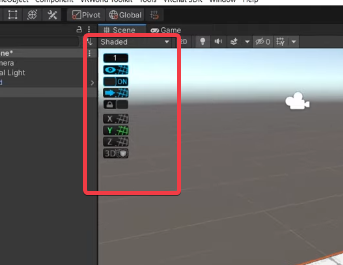
 ruby jay
would recommend against unity teams and use plastic scm, unity teams adds a long boot up check, a lot of wasted time
muted patrol
how long time are we talking about here for the boot up check on Teams?
If its like 5 minutes then I dont mind at all, can just grab a cup of tea while waiting.
 kind leaf
misty hemlock
https://i.imgur.com/zzZPZGY.png
can somebody tells me, where i can activate this...
ruby jay
muted patrol
how long time are we talking about here for the boot up check on Teams?
kind leaf
misty hemlock
https://i.imgur.com/zzZPZGY.png
can somebody tells me, where i can activate this...
ruby jay
muted patrol
how long time are we talking about here for the boot up check on Teams?
it will grow with the project size and when unity crashes, you will have to go through it again of course
muted patrol
Yeah thats no problem if the timeframe isnt too long, 30 minutes would be a bit too long but 5-10 minutes isnt that problematic, we're not professionals under a time crunch, just a couple of friends trying to collaborate easily.
ruby jay
muted patrol
Yeah thats no problem if the timeframe isnt too long, 30 minutes would be a bit ...
that's okay, it's just that unity acquired plastic scm XD cus they likely are unhappy with teams
but if it works for you, yes, do that. it's better than sending unitypackages around
teams gives you a short free history, which means, you can roll back for x days
 faint geyser
Hey how do I add a avatar to my world and make it do a animation like a dance or walking around
 sturdy lynx
faint geyser
Hey how do I add a avatar to my world and make it do a animation like a dance o...
sturdy lynx
faint geyser
Hey how do I add a avatar to my world and make it do a animation like a dance o...
How advanced do you want it to be?
Just a animation that dances or do you want it to be advanced AI that walks from people to people? #udon-general for avatar followinging, If you just want it to dance or move from a -> b -> a you could just animate it
sturdy lynx
Can't you just add the avatar and then animate the armature, should do the trick?
 chrome oasis
hello, would anyone be kind enough to help me out. i have a world thats almost ready for publish and it has alot of avatars in it. which means i need buttons that toggle one set on and toggles the other sets off. but im not sure how to do that in the udon graph. can anyone help?
i have no idea what im doing on udon honestly. but ive set the button to a bool. im unsure what unaryNegation is but im assuming that is "true" so how would one set it to false?
 heady fjord
Does anyone do commissions for quest compatible worlds?
 finite light
So as i was making my world, i tried opening the SDK menu, but all i get is this.. 😑

and if your wondering why im using SDK2.. Udon is way to hard for me right now
chrome oasis
again. if anyone knows how to get a button to toggle multiple things to false in udon that would be great
somebody surely must know how to
theres no tutorials anywhere and vrc is expecting us to just tackle udon blind
mild spade
chrome oasis
i have no idea what im doing on udon honestly. but ive set the button to a bool....
Unary Negation is the flipped value of whatever it takes in. If the input is true, it will output a false. I can make a quick graph showing how to toggle objects on or off using what is called a "for loop"
chrome oasis
that would be amazing. im trying to get a button to toggle one page of avatars on, but the other pages of avatars off and i have no idea how to do that
finite light
can anyone help me?
chrome oasis
i think if youve already put in sdk3 itll mess it up for sdk2
chrome oasis
sorry, the only think i can think of is delete the sdk folder and sdk.meta and reimport it
sturdy lynx
chrome oasis
again. if anyone knows how to get a button to toggle multiple things to false in...
gameObject.SetActive (false);
sturdy lynx
chrome oasis
that would be amazing. im trying to get a button to toggle one page of avatars o...
Combine it into a toggle instead of multiple button?
Then it just switches between on/off
chrome oasis
got it sorted thank you
sturdy lynx
Ok 👍
 final radish
ah yes, manipulating particles to make cutout textures "work" on quest
pearl scarab
Anybody know of an udon marshmallow prefab i can find anywhere?
 green lagoon

VRChatのワールド用UDONギミックです。
pearl scarab
Woops should have specified, looking for a campfire roasting marshmallows prefabs
green lagoon
don't know any off the top of my head but I suppose you could probably attach those scripts to like campfire looking models
as they're both like the model changes when you stick the model in something
 nocturne crown
are sprite sheets possible for quest?
like gifs if that makes it easier to understand what I mean
 zinc heath
Do anyone know how i can get the Interact event in my c# class or call method from udon graph? (SDK3)
silent furnace
silent furnace
yeah sync would be nice, it's for a stage effect
Do you think something like this would work?
 zinc heath
misty hemlock
https://i.imgur.com/zzZPZGY.png
can somebody tells me, where i can activate this...
zinc heath
misty hemlock
https://i.imgur.com/zzZPZGY.png
can somebody tells me, where i can activate this...
Its a preview package called progrids its in the unity package registry.
 still sigil
i have a unity question if someone could help
okay so i am currently making a vrchat world, and i need to add a component called “Vrc_trigger”
but when i look it up, nothing shows up, im not sure where to find this comp
someone on reddit said that the vrc sdk3 no longer uses trigger system and that it is all done in graph editor but i have no idea where to go to find that
is there a tutorial i could watch on yt or something for that?
desert python
still sigil
is there a tutorial i could watch on yt or something for that?
if its to toggle game object. add component > udon behaviour. and in the “none” spot. find the “object toggle” or “toggle” script on it
if its for anything else. try #udon-general or bing.com
still sigil
desert python
if its to toggle game object. add component > udon behaviour. and in the “none” ...
^
desert python
still sigil
does that include UI menu buttons?
oh. if its a local toggle with a ui. you wont even need an udon behave. but if it has to be global. udon behave is required
still sigil
desert python
oh. if its a local toggle with a ui. you wont even need an udon behave. but if i...
ahh i only need it to be local, so can i just create the button and be good?
like i won’t need to add the trigger at all?
desert python
in the button component. theres a toggle set up
still sigil
ohhh okay
desert python
cus UI uses its own easy set up system thats indepentent from udon
still sigil
ohhh shiii that’s great to hear
silent furnace
silent furnace
Do you think something like this would work?
OK so this works, but only if I have the particles enabled by default (which is not what I want) any ideas how to make this work with the particles disabled by default? It's got to be close
 bold ibex
is there a way to test my project without having vrc servers working??
desert python
bold ibex
is there a way to test my project without having vrc servers working??
cyanemu
bold ibex
ty
silent furnace
figured it out, I had play on awake enabled. :P
desert python
particles have play on awake?
silent furnace
yeah if they are enabled on awake, I was disabling emissions which you don't want to do as it's telling it to play and stop and nothing happens if the emissions are unchecked
desert python
good to know 🗳️
 pastel cove
Hi guys, is there any fix to this black Skybox in-game? I'm new to unity and world building so I don't know the problem here
 bold ibex
pastel cove
Hi guys, is there any fix to this black Skybox in-game? I'm new to unity and wor...
bold ibex
pastel cove
Hi guys, is there any fix to this black Skybox in-game? I'm new to unity and wor...
did u apply a skybox?
pastel cove
In unity, it looks like this, looks fine but in-game it's just black
 bold ibex
do you have a culling distance/method set on your camera?
pastel cove
I changed the clear flags to skybox, solid color, everything, still black
pastel cove
bold ibex
do you have a culling distance/method set on your camera?
Where is that? I don't see it on my main camera

The skybox I'm using has a day and night cycle if that matters
green lagoon
what is running the day and night cycle as if it's not udon it's not going to run in vrchat
pastel cove
Oh is that so? If that's the case, is there a skybox prefab where there's a day and night cycle I can use?
Btw, the skybox I'm using is called Azure Lite, https://assetstore.unity.com/packages/vfx/shaders/azure-sky-lite-89858?q=grass &orderBy=0
Add depth to your next project with Azure[Sky] Lite from 7stars. Find this & more VFX Shaders on the Unity Asset Store.
near escarp
yeah that won't work
pastel cove
Sorry I'm a noob
green lagoon

GitHub
Contribute to Iconoclass/UdonSharpDayNightController development by creating an account on GitHub.
near escarp
anything custom script based isn't whitelisted
pastel cove
Thanks!
green lagoon
the link I posted above has something that will work in vrchat
and I would also note your performance would be a bit lower going with a real-time day-night cycle compared to a static time.of.day setup using baked lighting
still sigil
could someone help me with this error when build and publishing ??
 near escarp
We can help if you can show the other errors !
 near escarp
Nothing above ?
still sigil
no just old stuff from earlier
 runic pike
Why is everything in the mirror darker then it actually is?
 still sigil
oh i think i fixed my issue
i had some QV pens in there that i defiantly didn't set up right so i just deleted them lol
misty wave
Hey friends, is there a video player that can handle YouTube streams?
atomic patio
Alright. Got stuff to be able to be picked up. Cool. Now, trying the same method on a different item is yielding different results- the boxcollider can be picked up, but the children don't move with it?
I could be missing something obvious- just need a fresh set of eyes ;;
(also forgive the frame rate dropping constantly, still haven't done any optimization passes)
 void mauve
is there an example to do Udonsharp coroutines?
mild spade
atomic patio
Alright. Got stuff to be able to be picked up. Cool. Now, trying the same method...
Try clicking the object where the mesh is (the actual book mesh) Is it set to static by any chance?
atomic patio
You're a legend and a scholar
Is using a mesh collider really that bad in comparison to using a box collider? (in terms of performance)
ruby jay
depends on the mesh
if we are talking about 60~100k tris, it will likely kill your frames upon getting closer
atomic patio
got it
green lagoon
and in most cases like a couple of box colliders are sufficient at most
ruby jay
it's okay to use for simple geometry, sometimes it can be a little bit janky, you get stuck/stutter on weird parts of the mesh
rebuilding with simpler colliders is way better than
atomic patio
green lagoon
and in most cases like a couple of box colliders are sufficient at most
yeah but then I have to place those box colliders, and although I have the tenacity for it, the idea of just slamming on a mesh is alluring
green lagoon
like even in Big video games probably a good chunk of this stuff is just box colliders
void mauve
anyone know where I can find documentation on what is actually supported in udonsharp? kinda banging my head against this rn
ruby jay
void mauve
anyone know where I can find documentation on what is actually supported in udon...
atomic patio
wait I don't need a collider if it's kinematic, yeah?
void mauve
ruby jay
<https://github.com/MerlinVR/UdonSharp#c-features-supported>
what about something like this:
Assets\ProceduralTerrain\Controller.cs(21,12): System.NotSupportedException: Udon does not support variables of type 'Hashtable' yet
ruby jay
atomic patio
wait I don't need a collider if it's kinematic, yeah?
kinematics are rigid body objects that do not use physics logic
void mauve
ah, its a list of what is supported, and anythiing not mentioned is not there...
alright thanks
ruby jay
void mauve
what about something like this:
> Assets\ProceduralTerrain\Controller.cs(21,12):...
hash tables are not supported, as udon does not support them
 ruby jay
you can use playertags as hack for a hash map or use arrays to build something along the lines
void mauve
Any hacks for a dynamic set?
ruby jay
what are you trying to do?
void mauve
I am trying to keep track of chunks of a procedurally generated terrain
don't want to recalculate a new chunk if I don't have to
ruby jay
you could index them in an array based on their chunk x/y
void mauve
aren't arrays fixed size?
ruby jay
you can assign them again, changing their size
or just have a high limit
void mauve
ugeh this is bringing me back to high school level coding hacks
alright, I'll work with it
thanks 
ruby jay
lists are planned to be added, someday
void mauve

ruby jay
you can also use playertags of course, they function like that too but store string values
keys would be coordinates as string
they are local though
void mauve
any limits doing it that way?
I don't mind the local part
so I take it if there's no mention of coroutines in the udonsharp support page, that too is also not supported?
misty wave
Sorry to ask this so many times lol but im still confused, is there any reason why a video player wouldn't play a YouTube stream?
Ah, it works when compiled. I wonder if I can make the player default to streams instead of video?
Answer: yes, it takes changing the defaults in the U# code for the player
ruby jay
void mauve
so I take it if there's no mention of coroutines in the udonsharp support page, ...
yes, coroutines are unsupported
 native cobalt
how do you hide player UI names far off in the distance?
 gloomy salmon
shadows aren't being casted onto players in my world, i'm using realtime lighting and everything but still no work?
gloomy salmon
does vrchat support realtime shadows casted onto players?
near escarp
Yep
gloomy salmon
i must be doin something wrong then lmao
ahh, my avatar was using poiyomi
i tried one with standard shader on
i guess i really do need to enable the realtime stuff on it
stone marsh
gloomy salmon
ahh, my avatar was using poiyomi
i tried one with standard shader on
i guess i ...
If using poi you should use Realistic shading if you want accurate shadow casting, also needs shadows enabled. Poi defaults to Flat IIRC.
 rain sapphire
I think i've done a horrible mistake!
I imported an animated fire from Unity Asset Store and it had some dependencies. I neglected to care and continued with the import.
Now i have a series of critical errors CS1061 and an error CS103 that prevents me from building.
If anyone want to try to help me fix this i will forever be greatfull!
**Send help! **

I've done so much work on the world that i can't easily reverse the changes without starting over
rain sapphire
I imported this:
https://assetstore.unity.com/packages/vfx/particles/stylized-fire-vfx-199626
I was able to replicate the error by creating a new project and importing this.
Problem is that i've removed the package. However, i still have the error
Add depth to your next project with Stylized Fire VFX from HungNguyenVFX. Find this & more VFX Particles on the Unity Asset Store.
rain sapphire
Omg big brain kennu fixed it himself!
So this asset messes with your packages. A fix to this is to reset all packages for your unity version to default. That get'ss you half way. Then you need to install any packages that the SDK is dependant on --> Cinemachine!
Once you've done that in that particular oder you might be able to clear all disgusting red errors and build.
shameless self pat
dusk sapphire
it probably messed with your packages because this is an asset for URP and is incompatible with built in render pipeline projects, which vrchat uses. Its also for Unity 2020, and vrchat is currently on 2019.4.31f1
rain sapphire
dusk sapphire
it probably messed with your packages because this is an asset for URP and is in...
yea i noticed it eventually. I'll be sure to take more care when importing stuff next time!
void mauve
'''2021.10.26 13:42:30 Error - [UdonBehaviour] An exception occurred during Udon execution, this UdonBehaviour will be halted.
VRC.Udon.VM.UdonVMException: The VM encountered an error!
Exception Message:
An exception occurred during EXTERN to 'UnityEngineMesh.__Clear__SystemVoid'.
Parameter Addresses: 0x00000010
Object reference not set to an instance of an object.'''
anyone know why I'd get this error?
I am pretty sure VRCInstantiate would not create a reference with no instance
rain sapphire
Your udon thing is trying to use something unity doesn't like
 digital viper
https://gyazo.com/885b2223efc0802745a80ea87ba03339 So im having this issue where I add a box collider to the object that I want to pickup, add VRC pickup and Object Sync, but when I go to test it, this will happen. The pickup will pick up just the collider and not the object. How do I fix this to pick up the entire object and not just the collider?
 unkempt turtle
digital viper
https://gyazo.com/885b2223efc0802745a80ea87ba03339 So im having this issue where...
unkempt turtle
digital viper
https://gyazo.com/885b2223efc0802745a80ea87ba03339 So im having this issue where...
the collider on the mesh or a parent of the mesh?
fossil hull
digital viper
https://gyazo.com/885b2223efc0802745a80ea87ba03339 So im having this issue where...
Show your hierarchy. Looks like parenting issue.
kind leaf
Also if an object is marked as static you will only pickup the collider.
 fast python
So I have an issue where my world has a bunch of inverted normals for outlines, but people are getting stuck inside the outlines
Is there a way to make a specific material not have collision?
 mint python
Does anyone know if there is a specific cause for a world just being a black screen on entry then going back to the loading (Go) screen?
 keen latch
are you using the 2019 unity version? @mint python
mint python
Unity 2019.4.31f1
 iron ivy
https://gyazo.com/35e16c612141e1d3224ed76ad4b85033
Having this error message pop-up.
- I have Unity 2019.4.31f1 (That the VRCSDK recommended me to use)
- I login, and it is signed in correctly.
- I detach the blueprint. (Also tried with it attached)
- Console error reads as: "[Always] could not authenticate - not logged in"
It seems to log me out, then blame me for not being logged in.
I am looking all over the interwebs, and have not found any solution.
(P.S. The Unity 2019.4.30f1 worked fine earlier today, and yesterday, only now it is giving me this error).
 mint python
keen latch
are you using the 2019 unity version? <@!333570733777092617>
mint python
keen latch
are you using the 2019 unity version? <@!333570733777092617>
The world worked when published and not run in the test build so all is good, thanks.
near escarp
iron ivy
https://gyazo.com/35e16c612141e1d3224ed76ad4b85033
Having this error message po...
Contact the support and they will fix this issue for you 
iron ivy
near escarp
Contact the support and they will fix this issue for you <:thumbsup:700823916322...
Which support sorry?
near escarp
digital viper
Does anyone know if we can use Universal RP in our projects for VRchat? Will it also show for android?
near escarp
no, vrchat doesn't use that pipeline
 tulip thicket
Okay so, i've made my world and uploaded it for both windows and android, but when i attempt to enter the world it just sends me back to my home world. honestly i'm clueless on what the issue is. can someone help?
tidal bear
pc worlds support dynamic bones on items right?
bold ibex
hello, how to set up a streaming camera in the world? (not the avatar's stream camera)
 coral magnet
If you place a camera in the world you can change its settings to render to the display. Easy as that
This will take over the view in the VRChat menu. Keep in mind that this will prevent Desktop users from seeing anything else as long as the camera is enabled
Is that what you were looking for?
 small parrot
hi guys, does anyone know how to add a seat to an animated object?
coral magnet
The SDK comes with a chair prefab. That should serve as a good example of how to do a seat
If you animate the chair (of its parent), there you go! 👏
Keep in mind that animations aren't synched, so keep that in mind for multiplayer
bold ibex
🤔
@coral magnet I am looking for the following, I have created a camera that flies, with a button I make the camera activate, I am in VR and I want that floating camera to be activated to be able to stream from there.
small parrot
thanks! i tried putting the prefab onto an object but its not following the object, how would you parent it?
coral magnet
bold ibex
<@!81444452333256704> I am looking for the following, I have created a camera th...
Oh I think you almost got it them. There's a camera setting to change what it renders to (Display 1, I think?)
That should be it, pretty much
coral magnet
small parrot
thanks! i tried putting the prefab onto an object but its not following the obje...
That's strange. Are you sure the parent is actually animated and moves? A child always follows the parent unless something else is going on
coral magnet
That's not what you want!
You want to render to the vrchat window
If you turn on that camera it should override VRChat's usual view.
So streamers won't need to do anything. Their view will just change
If you'd like an example, my super VR ball world has a spectator tablet that overrides the main camers
small parrot
coral magnet
That's strange. Are you sure the parent is actually animated and moves? A child ...
yes the object is animated, maybe it is not parented correctly? heres the outliner if it helps

nvm you were right @coral magnet , the root was animated not the object. thank you so much for helping me 🙂
bold ibex
tulip thicket
Okay so, i've made my world and uploaded it for both windows and android, but wh...
dont use the vrc prefab, instead delete it and make your own spawnpoint by using a empty gameobject and adding a scene descriptor to it, and then dragging itself into the spawn box entry thing
that problem usually occurs when it doesnt have a spawnpoint in the spawn dropdown
if the size is 0 thats bad
or if its 1 or more but the boxes say "none" in them
the size is the amount of items/boxes in a thingy i think it has to do with arrays
 native bane
hello everyone
I am new here.
I just wanted to propose that, is there a way we can create an app for vr conference, in which the user uses this app and google cardboard to get a meeting conference in their phones like Facebook horizon, But in a safe and less expensive way?👍
atomic patio
I want to be able to pick an item up, but place it back exactly where it was. Is there a way to make an item snap to a specific point when you let go of it, near the original point? kind of like a soft aim assist kinda thing ig, idk how to describe it ;;
previously posted in the wrong channel
 somber heart
Anyone know the prefab or tutorial on how to leave a keyboard in the world for people to send comments to your discord channel?
I saw a few worlds with it a while ago, but can't remember the names to try asking the creators...
pearl scarab
Anyone know of any pool toy prefabs? Looking for low poly
 latent kiln
hi
I'm new to make world but I want to make it.
but my unity have some problem i can't test my world but can upload.
Did you know how to fix it.
I very need to test my world before upload.
If who on pleas pleas tell me. I will wait for you
royal jay
pearl scarab
Anyone know of any pool toy prefabs? Looking for low poly
Check the asset store, alternatively open up blender and use some of their objects, cylinder, Torus, a flattened cube ect
royal jay
atomic patio
I want to be able to pick an item up, but place it back *exactly* where it was. ...
I feel like this may be an #udon-general kinda thing
Iirc (could be wrong) unity doesn't have that feature baked in??
coral magnet
One trick people use is having Udon teleport the object below the respawn barrier. That respawns it to where it came from, if it has object sync
stone marsh
pearl scarab
Anyone know of any pool toy prefabs? Looking for low poly
Sketchfab.
stone marsh
atomic patio
I want to be able to pick an item up, but place it back *exactly* where it was. ...
Simply OnDrop() reset the quaternion and transform.
kind leaf
latent kiln
hi
I'm new to make world but I want to make it.
but my unity have some problem ...
You cannot natively test the world by pressing play in Unity. Your test options are Build & Test which is just above the publish button. Or install CyanEmu which then allows to you press the Play button in Unity to test(CyanEmu wont allow you to test some features, but everything basic will functionmovement, toggles, pickups, stations).
kind leaf
somber heart
Anyone know the prefab or tutorial on how to leave a keyboard in the world for p...
There isn't. Those are special worlds with special permissions that us common people don't have the privilege to utilize. 😢
 plain vortex
Hey there, is it possible to check the instance type in UDON? (e.g. having a lock or setowner button only shown in private instances)
coral magnet
No, unfortunately we don't have access to that
 mystic leaf
I've updated my world 2 times since 10/16. Why does it not update on the website nor end up in "updated recently"?
 coral magnet
Hmm strange, to me it looks as though you updated 18 hours ago. Might just be a website bug.
It's correct in the API.
 prisma smelt
Was just curious if anyone could help, changed some tags off in my world and they're accurate, what is the "tags-oved" tag I assume it has something to do with reports, I've gotten 4 reports which I assumed was a tag issue I had before from just a mistake I had made but I just changed it yesterday.
 fluid sage
I have got a blank builder tab on SDK , no errors in console either, have reimported 3 times. Any ideas?
kind leaf
Without realtime lights? No. Quest doesnt support post processing. Its disabled client side even if you upload with it. If you want quest darker, you can bake it darker. Or you can play with runtime material editing, you can use an HSV scale on dynamic materials to darken anything with a material that also has a color picker.
 azure mist
i think i need some help i need to install unity just unity but i cant find it can someone give me the link to get just unity?
oh never mind i got it
bold ibex
Does anyone know why the skybox in my world isn't appearing?
Could it be my camera settings?
It was because I had my camera set to solid, I fixed it
 hazy fossil
anyway of fixing this, its not letting me test my world or upload
 bold ibex
hazy fossil
anyway of fixing this, its not letting me test my world or upload
bold ibex
hazy fossil
anyway of fixing this, its not letting me test my world or upload
your project has to be practically redone, I suggest you look at some tutorials initially on youtube.
hazy fossil
bold ibex
your project has to be practically redone, I suggest you look at some tutorials ...
well hello lol, i see cheers!
bold ibex
hazy fossil
anyway of fixing this, its not letting me test my world or upload

In this tutorial I will show you how to get started with making your own VRChat world with the new VRChat SDK3 and the Udon programming system!
High-Quality and Low-Quality Mirror Tutorial: https://youtu.be/zUALbgztU5Y
Timestamps:
- Intro 00:00
- Download Unity and the VRChat SDK 00:38
- Make a Unity project 01:23
- Add a floor 01:56
- Add the...
hazy fossil
bold ibex
https://youtu.be/dpolR6NjNhw
yeah i was using that tut. i have no ideal where i went wrong
bold ibex
watch this video, I suggest you redo the project from scratch and delete what you were doing. So you don't mess it up any further.
bold ibex
hazy fossil
yeah i was using that tut. i have no ideal where i went wrong
trust me, you did a lot of things wrong, watch the video and try to imitate what he does to understand something first ... then when you learn that, you try to do what you wanted to do.
 vital flame
Question, how do I translate this into Udon? Its an old map Im updating to SDK3 but some things I dont really know

Do I have to make an entire new Udon script for these...?
near escarp
You might want to look into CyanTriggers
vital flame
The thing is
I started a new project, so Im copy pasting some things, I wont use the old one anymore...
So something like a trigger-udon conversion wont help me rn
near escarp
yeah that's the point
vital flame
uh huh?
near escarp
it has its own name, but the same settings
But Cyan also has a converter from SDK2 to SDK3 CyanTrigger
vital flame
near escarp
But Cyan also has a converter from SDK2 to SDK3 CyanTrigger
which I cant use
near escarp
why ?
vital flame
Like I said, I'm making a brand new project, not bringing my old one with the old scrips
Couse I kinda wanna learn to make stuff from 0, the old project wasn't made by me
And since we use Udon on new SDK, I wanna get to it but helping myself a little with the old project, though most trigger scrips are Udon now and blah blah
Ill look into Cyan triggers
near escarp
Probably want to learn the graph then
vital flame
dang
latent kiln
kind leaf
You cannot natively test the world by pressing play in Unity. Your test options ...
I already use Build & Test but it not work. it not go in vrchat. and I check my Task Manager it not have vrchat when i use Build & Test.
last time I use Build & Test. it work but now it not work.
ruby jay
check your console log for errors
 proud agate
is this the place where i can ask questions about making worlds?
near escarp
Yes
proud agate
ok, because i have one question about 2d objects
i'm trying to make an object 2d in a 3d environment, like the the 2d object stays 2d and doesn't move when you turn, like an old Doom game, is that possible?
near escarp
yeah of course, objects don't move by themselves so if you're not making it move then it wont
proud agate
i see, is there a tutorial i can use for it? because i can't find one
ruby jay
you want billboards?
fossil hull
proud agate
i see, is there a tutorial i can use for it? because i can't find one
It's easy to do that in udon. You can use transform.LookAt at the players head.
ruby jay
i would just look for billboard shaders
fossil hull
That's true, if you can find a shader to copy paste for your use case, that might even be better.
proud agate
hmmmmm...
fossil hull
proud agate
i see, is there a tutorial i can use for it? because i can't find one
Try using this shader:
https://en.wikibooks.org/wiki/Cg_Programming/Unity/Billboards
Make sure it works in VR though. I can't tell from the code since it's a outside my comfort zone.
nimble cedar
Afternoon, guys. Alot of my textures in VR start shimmering. and it can get a bit annoying. What would guys recommend when it comes to mipmaps and image settings?

 thick pilot
Sorry, I guess that this question was already asked pretty often. So, I've started developing a world and tried to "Build and test" it but I've got this message during the process (not the message box, I mean the VRChat SDK-Panel).
I clearly have a VRCSceneDescriptor in my VRCWorld-Object, so I'm confused about this issue.
Does anybody of you has an idea how to deal with this?


Nevermind, my bad, I thought it would be an error message but it isn't 😅
near escarp
check your console
 median shadow
Does the SDK for Unity 2019 still has issues with creating local tests?
I haven't been able to create mine for 2 days
kind leaf
Never had any issues testing for any version. Did you check the console for errors?
fierce saffron
World testing can break on the beta
median shadow
kind leaf
Never had any issues testing for any version. Did you check the console for erro...
didn't have any. It just takes too much time loading VRchat's app and then it's just stays in a black screen.
Maybe it's the latest SDK, idk. Just like MiaSunMoon says.
 tardy ridge
Does anyone know an existing world that is using this environmental pack? I really want to take an over view first before buying it.
 latent kiln

LA Mansion 2․0
thick pilot
Weird, my world isn't published, contains no inappropriate content but got reported? 🤔 The only 2 visits were both myself.

I also got no information via Email or whatever about complains...Is this possibly just a bug?
mild spade
Every world starts with 1 report, maybe a placeholder
thick pilot
Ah, ok, thanks! I was already concerned whether I did something wrong which I did not recognize.
nocturne crown
thick pilot
Weird, my world isn't published, contains no inappropriate content but got repor...
Yeah, I think it’s just a way for the devs to see it better idk, so it’s in their report list
But every world will have one report
thick pilot
Alright, thanks! 🙂
bold ibex
@bold ibex
 urban flower
So I'm trying to upload a world and It uploads to Vrchat but when I try to join the world it kicks me out and sends me to my home world ot happens for both PC and Quest, Does anyone know a solution to this issue?
dusk sapphire
go grab https://github.com/oneVR/VRWorldToolkit which can spot common issues that cause this
urban flower
dusk sapphire
go grab <https://github.com/oneVR/VRWorldToolkit> which can spot common issues t...
Thank you so much
bold ibex
How do those movie theatre quest worlds work? Is there a server they connect to? Is it open for anyone to use?
coral magnet
The world probably contains URLs to movies, which are put into video players. Simple as that
I think it's very... questionable 😬
bold ibex
I see; thanks!
 quasi tusk
Is it common for the video player to crash my project?
Made a new project with nothing but the video player, and still crashed
ruby jay
you should try the latest supported unity version, follow the migration guide for this
is this sdk 2?
by default, playing a scene in sdk 2 is not supported, you can play test via cyanemu (3rd party tool)
quasi tusk
Im sticking to the old unity for the projects Ive worked on in the past in case of my projects shaders or values getting messed with like what happened previously moving from 2017 to 2018, although that sucks to hear. was able to work with the unity video player previously on the sdk 2
Ill check it out though
dusk sapphire
you're also trying to play a youtube link in the default unity video player component, which is not going to work
quasi tusk
its been a few since ive worked with unity sorry about that
Ill just stick to this. Thanks for the help though
latent kiln
I use Build & Test but it not work. it not come in vrchat.
I already checked everything and my console donn't have a problem and it can upload world but can't Build & Test it.
I check my Task Manager. it not have vrchat when i use Build & Test.
last time I use Build & Test it work but now it not work.
 faint copper

how do i unlock this couch
i want to work on it indeptly but i cant find where to unlock its blocks etc
dusk sapphire
that couch looks like its a single mesh. you'll have to bring it into blender if you want to break it apart.
dusk sapphire
latent kiln
I use Build & Test but it not work. it not come in vrchat.
I already checked ev...
under settings in your vrchat control panel, check if the vrchat client location is set correctly
latent kiln
dusk sapphire
under settings in your vrchat control panel, check if the vrchat client location...
Thank you so much.
If who have same problem with me you need to watch this video.
https://youtu.be/8yaQY0arCnc

Learn how to make a Build of your World and run it in the client to test your Udon graphs.
next fern
Does anyone use this and if so, how do I get it to work in my world? It seems to break it when I try to upload while it's in the project itself https://yodokoro.booth.pm/items/2458051

English Descriptions Below Newest version:v1.1 本アセットはVRChatワールド作成者向けに、ハプティック(触覚)なスイッチ及びスライダーを作成するためのモデルとU#スクリプトを提供するものです。 もちろんモデルのみまたはスクリプトのみの利用も可です。 クレジット表記は必須ではありませんがあると嬉しいです。報告いただけるともっと嬉しいです。 本アセットはVRCSDK3+U#専用です。
I assume the scripts are just broken
dusk sapphire
did you install udonsharp?
next fern
I assumed it was just in the sdk, where do I download?
dusk sapphire

GitHub
An experimental compiler for compiling C# to Udon assembly - MerlinVR/UdonSharp
next fern
thanks!
dusk sapphire
you may need to reimport the switch asset after importing udonsharp

 next rapids
 dusk sapphire
next fern
bunch of errors like this
dusk sapphire
next fern
bunch of errors like this
are you on the latest version of vrcsdk3?
next fern
yes
dusk sapphire
are there any other errors?
did you by any chance move around the folders from the vrcsdk?
bold ibex
if you are using an old version of U# it may cause errors
dusk sapphire
unity 2019.4.31f1?
next fern
yes
I didn't add any scripts or anything before this, not even a toggle or anything just the sdk
dusk sapphire
and just to be sure, sdk3?
next fern
yes
dusk sapphire
I'd delete the switch asset first, as importing something that requires udonsharp before importing udonsharp can cause issues
unlikely, but just to be sure
bold ibex
Import SDK > U# > whatever else > your world stuff
bold ibex
always import the VRCSDK and then other deoendencies or assets and then the world/avatar last
typically you dont do another order unless its explicitly stated its needed
coral magnet
May I reccomend varneon's world creator assistant?

GitHub
Unity Editor extension for automating VRChat world project package management - GitHub - Varneon/WorldCreatorAssistant: Unity Editor extension for automating VRChat world project package management
bold ibex
i cant do tools like that i like doing things manually to much
coral magnet
hmm? OK, but this isn't very different from doing things manually
it's also very convenient for updating your third-party packages!
 quick lintel
A way to sync music toggle ? For now I have this but this only plays music locally.
 mild spade
quick lintel
A way to sync music toggle ? For now I have this but this only plays music local...
mild spade
quick lintel
A way to sync music toggle ? For now I have this but this only plays music local...
There are different ways to do that. Personally this is how I would do it (pic) (and syncs for late joiners) But the music will play at the start for late joiners (at 00:00)
 quick lintel
mild spade
There are different ways to do that. Personally this is how I would do it (pic) ...
quick lintel
mild spade
There are different ways to do that. Personally this is how I would do it (pic) ...
Only question I have is what is this "set toggle" node ?
mild spade
If you look on "variables" box on the left, i created a "bool" variable and renamed it "Toggle" and set it to "sync" you then drag that variable into a node while pressing CTRL on keyboard
mild spade
The documentation covers that if you want more info https://docs.vrchat.com/docs/udon-node-graph#drag-and-drop-for-variables
VRChat
Interface The Udon Node Graph is the default interface for creation of Udon programs. This section goes over how to use it. If you want to dive right into examples, take a look at the Readme file in the VRChat Examples folder that comes with the SDK. You can open up the Udon Graph window using the M...
median shadow
I still can't test any worlds
Any recommendations?
I already deleted and reimported the SDK and U#
And still get a black screen after the menu 'Go' after the VRchat app launches when I build & test
median shadow
This appears in console

 frigid estuary
anyone know good websites for 3D objects that are clutter in rooms, decorative stuff, everyday objects lying around etc?
 lyric acorn
https://www.viar360.com/where-to-find-3d-models-to-use-in-your-vr-experience/ I’ve used this as a link aggregator for 3d models , a little outdated ( google poly is shutdown) but useful other than just jumping to sketchfab
For educators looking for 3D models to create their VR training experiences, hunting down the perfect models can be a hassle.
bold ibex
lyric acorn
https://www.viar360.com/where-to-find-3d-models-to-use-in-your-vr-experience/ I’...
this is an amazing list thank u
 frosty goblet
Is there a way for me to reduce what angles the player controller considers flat enough to walk, for the sake of my mountains?
Or could that only be done with a custom station
 placid nacelle
Is there a Tutorial for Sacchans Flight and vehicle
 digital adder
is it possible to make a slide in vrchat
or just a surface you fall down if its sloped
placid nacelle
uhhhh
Well
if you make it steep enough
and turn the weight of something down enough
you can make something slide down
but idk about yourself
lyric acorn
Trying to make this shape into a mesh collider with trigger, however I can only do it when set convex which of course sets the area by bounds. is there any way to get this shape as a trigger?

 south orbit
working on my second world / build (: first time 3.0 so far so good, all freestyle, any feedback is welcome, mid gonna be a swimming pool with transparent windows / glass in the basement parts around it.
 bold ibex
south orbit
working on my second world / build (: first time 3.0 so far so good, all freesty...
bold ibex
south orbit
working on my second world / build (: first time 3.0 so far so good, all freesty...
where da swimming pool go
i dont see where it could fit
south orbit
bold ibex
where da swimming pool go

kinda like this xD i will work on it again sometime, the blue is water, the black lines thingies represent balconies kinda
so way bottom right open square will be door kinda
bold ibex
OHH
I see now
what program did you make the world
and was it with out a reference?
south orbit
this is all made in unity from Cubes so far ^^ entirely from scratch / freestyle inspired by luxury houses
its far from done / a world yet but it will become one 😄 or my second properly made world i guess / would say .
south orbit
yeh well im using ofcourse probuilder + progrids, but yeh its all cubes (except the stairways but its basicly just a probuilder feature)
bold ibex
ohh i never used probuilder or know how it works
south orbit
i have no idea what static batching even means to be honest
bold ibex
I have a lowpolymesh editior
south orbit
i learned all this in 3 days from never opening unity, i prob got 9days total of experiementing around, i uploaded 3 worlds and 5 avatars so far, before that i never opened unity, blender and so on, so there's still alot that i arent sure what is or etc 😄
bold ibex
south orbit
i have no idea what static batching even means to be honest
it like merges static meshs into bigger less meshs so ur cpu doesnt want to die with someone having like 1000 different gameobjects
frosty goblet
Is this the right way to set up a chair? https://i.imgur.com/knMvr24.png
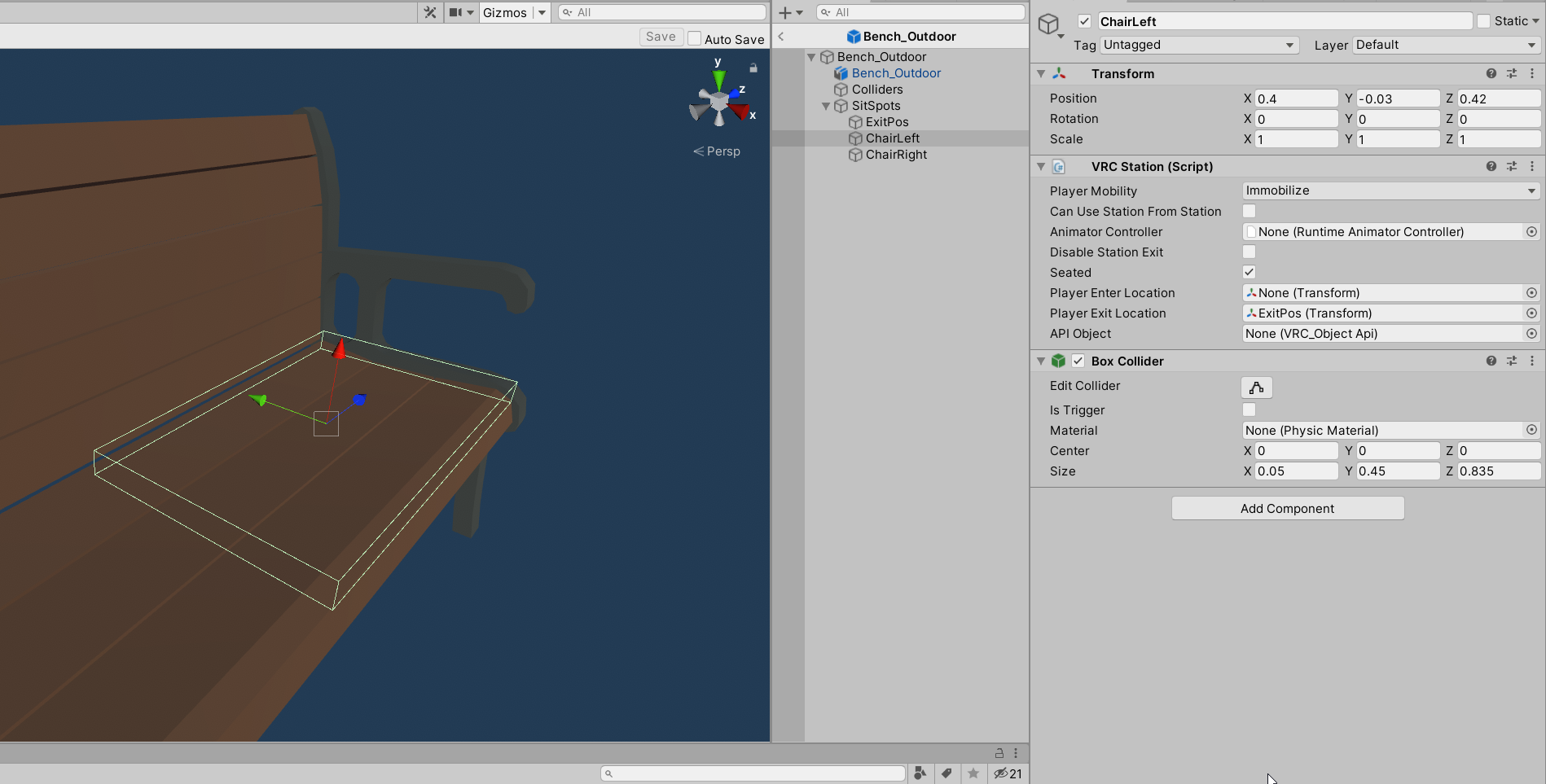 south orbit
yeah im not sure how that works either, but i could imagine basic cubes stretched and so on is very low poly aswell right ? atleast thats what i hoped
bold ibex
here the docs https://docs.unity3d.com/Manual/DrawCallBatching.html
 south orbit
bold ibex
it like merges static meshs into bigger less meshs so ur cpu doesnt want to die ...
south orbit
bold ibex
it like merges static meshs into bigger less meshs so ur cpu doesnt want to die ...
ah i see, yeah well basicly i can use probuilder for that, selecting several objects and merge into 1
i just dont do it right away with everything in case i wanna edit something somewhere ^^
frosty goblet
south orbit
ah i see, yeah well basicly i can use probuilder for that, selecting several obj...
wait can you use probuilder to merge separate meshes in the scene into a single one, for like forced-batching of houses in an area?
south orbit
frosty goblet
wait can you use probuilder to merge separate *meshes* in the scene into a singl...
i am not sure if that is exactly what i do, but all i know is that 2 objects becomes 1 object by shift clicking both objects to then click a merge button
 cerulean echo
i love compi probuilder with UModeler
bold ibex
frosty goblet
Is this the right way to set up a chair? https://i.imgur.com/knMvr24.png
seems right I thinkkkk its been awhile
 frosty goblet
We have a lot of houses in our scene and we need to find a way to merge them so it's not considered thousands of objects
south orbit
if i click now those 2 cubes become 1 cube
frosty goblet
 south orbit
wew that looks awesome
bold ibex
was that made from one of those asset packs where you can assemble your own town
and each part is like seperated
each asset
frosty goblet
Nope, those are all models made by our team's modeler
bold ibex
oh wow
frosty goblet
I praise him often 😛
south orbit
anyways i got a question, if i can make such as i did above ( this i only spend 4hours starting from today ) would i perhaps have success in educating towards modelling / 3D creating ?
or is there still a long way
frosty goblet
Also chair questions:
- Do chair objects need to be on a specific layer to be interactable?
- Do the colliders need to be triggers?
south orbit
i mean i guess there is always a long way but :p i am very interested in educating into computer science in general and perhaps specificly 3D modelling as it is
for chairs i use 3.0 VRChair
or whatever is called, its like a invisible game object preload file thing
in the sdk 3.0 vrchat thing
south orbit
ye ye (:
bold ibex
I don't remember having to change the layer for gameobjects i applied the VRC_Station script to
for them to work
frosty goblet
yeah looks like it's just default
bold ibex
i am the dumbest person ever omg the Low Poly Tools Bundle I got comes with a dope water shader adn it took me 2 months to figure it out
with uh whatever you would call the effect when the water shader runs into the coast, like a foam
frosty goblet
ah yes... perfect
 bold ibex
uuuhh
lyric acorn
probuilder can merge meshes, but it has issues with distance meshes, it likes to connect verticies.
which I guess it does exactly what it sounds
lyric acorn
Issue: two overlapping trigger colliders with onenter / onexit. I want to be sure the onenter or onexit doesn't trigger if in the overlapped areas. Image example: Red and Blue cubes are trigger areas, purple is the overlap area. How do I detect the overlapped area? I don't want the onenter or onexit to run when moving into or out of the overlapped area. Check under OnCollisionStay and set a bool, and ignore onenter/onexit programming if the OnCollisionStay bool is set?

 latent vector
anyone know where i can get a cityscape skybox?
kind leaf
lyric acorn
Issue: two overlapping trigger colliders with onenter / onexit. I want to be su...
If its triggers than just have an if/else and a control bool. If you enter a trigger the bool is set positive. Negative on leave. On the trigger enter, only let it run its condition if the bool is positive. Because the area is over lapped it wont be set to negative until you leave the overlap into the opposite color.
lyric acorn
got ya, thanks
kind leaf
^ to be more clear, If(positive){Do Nothing}else{ Do Something & Set Positive}
bold ibex
can anyone help me with this problem i keep having when trying to publish avis or worlds this is what it says for me

if anyone can help it would be very much appreciated
 bitter idol
bold ibex
can anyone help me with this problem i keep having when trying to publish avis o...
bitter idol
bold ibex
can anyone help me with this problem i keep having when trying to publish avis o...
just press ignore
bold ibex
when i do it does not let me press on anything in the upload
it has the menu but i cant click anything
bold ibex
maybe but i just deleted unity completely can re-installed it and it still says that
this is what my SampleScene.unity looks like

idk if theres something i could have messed up but nothing comes to mind
well ima get off anyone feel free to dm me so when i get up i can try something since i really want to make some avis and worlds. again any help would be very much appreciated.
royal jay
frosty goblet
https://i.imgur.com/vSgh4Gv.jpeg
That's sick! What program are the models built in?
frosty goblet
Blender as usual o/
royal jay
a program I really need to learn
I've been building all my custom models directly in unity like a chump
frosty goblet
Yeah, don't do that 😅
royal jay
It "works" tho
Not great for file size or optimization but it works
it's easy if you want really tight hit boxes
kind leaf
royal jay
Not great for file size or optimization but it works
plenty of market tools for free for combining meshes, atlasing, and general optimization for those that just stack cubes. If you work in Probuilder, it has half of your optimization needs ready for you. What works is all that matters.
royal jay
That sounded like a product pitch lol, what am I buying 
kind leaf
lol 😛
placid nacelle
so ive been working on a map for my group, and the respawn point is all the way at 0,0,0 even thought the Game object is at the called "Spawn" is where it needs to be, and its set in the Vrc_Worlds prefab, to spawn, at game object "Spawn"
kind leaf
What was the question?
royal jay
^
kind leaf
If the spawn transform is added to the prefab for the spawn array and it is the only transform in the array and you are not spawning at that transform. Then the part of your statement that bothers me is "all the way at, 0,0,0" Makes it sound like you are trying to spawn players far from home, which will cause issues.
placid nacelle
no
ok so
The spawn, is at the World,
But people
are spawning
at the center, on the bottom of the map
at 0,0,0
royal jay
Is your spawn point attached to the world's floor?
kind leaf
what are the coordinates of your spawn?
royal jay
Sweet, problem solved! Time to Go back to staring at unity trying to calculate lighting
kind leaf
I dont miss those days
royal jay
It's been like 30 minutes
It's still on preparing bake
Why must I use so many polygons
I'm just gonna turn my monitors off and wait until I hear my PC fans kick up
final radish
hey so i'm working on a world and I want to have some avatars (with humanoid rigs) standing in the world, but i cant figure out how to animate them
near escarp

IF YOU DO NOT USE THE PACKAGE BELOW, THIS SYSTEM WILL NOT WORK DUE TO AN UPDATE TO SHADER MOTION !
Additionally, it's not longer possible to shift click the .exe, so you will have to make a shortcut of the vrchat .exe, go to its properties and under "Target:" and add "-width 1600 -height 900", you will need to record the window opened by double...
final radish
near escarp
https://www.youtube.com/watch?v=r8YpXP0RlZc&ab_channel=Ruuubick
ty boss!
 idle shell
give me an asset almost EVERY world uses (except Lura Switches and QV Pens)
 old breach
is the week cooldown on worlds 7 days or is it within the current week? I'm a little confused on the wording of the "1/1 published this week"
idle shell
7 days total
 delicate glen
Hey does someone know of a video or website that teaches you how to put little vrchat avatar figurines in your world?
 serene pike
Anyone know how to get a LineRenderer to show up in a mirror?
 lethal lagoon
hi! I create a world but it is not compatible "quest" Do I need to add something to make it compatible?
 hybrid prawn
I have a problem with my world of vrchat, which is that when I upload it to vrchat it goes up correctly but when I enter the world it takes me out
Does anyone know how to solve it?
also the world for some reason weighs 71kb
bold ibex
hybrid prawn
I have a problem with my world of vrchat, which is that when I upload it to vrch...
its because the spawn is broken it doesnt have a spawnpoint
hybrid prawn
How do I put it on?
 river musk
lethal lagoon
hi! I create a world but it is not compatible "quest" Do I need to add something...
river musk
lethal lagoon
hi! I create a world but it is not compatible "quest" Do I need to add something...
in the sdk there is an option to move to android build
use that to create the quest version of the world
lethal lagoon
ok ths !
bold ibex
can anyone help me with this problem i keep having when trying to publish avis or worlds this is what it says for me
if anyone can help it would be very much appreciated

and also when i press ignore i cant click anything on the upload tab
its like frozen
near escarp
Then you probably have console errors
bold ibex
near escarp
Then you probably have console errors
well since I did yesterday I tested it with a block another block with a trigger and a scene descriptor and it said that and always when making avatars it will go through then when its about to say it has been uploaded it says like couldn't save and does not work
so with the world it shouldn't have any console errors
south orbit
some further progress today (: all freestyle from cubes, feel free to give feedback / ideas and so on, tho details and what not will be added, is rather extensions im looking for if any.
 bold ibex
Hi does anyone here know how to reattach a blueprint ID? I really don’t want to have to start a fresh world instead of just updating my current one
desert python
bold ibex
Hi does anyone here know how to reattach a blueprint ID? I really don’t want to ...
in the sdk panel, there will be a "Content Manager", that should have a list of copy-able IDs for your content
stable crater
in unity and vrchat there is something like a viewing distance roughly at 1000m, can this be removed somehow?
desert python
stable crater
in unity and vrchat there is something like a viewing distance roughly at 1000m,...
yes
defualt is exact 1000 far, in order to change it, you need to add a main camera/reference cam to your scene descriptor, then you can edit the render distance via that cam
stable crater
oh, I forgot about that, thank you
delicate glen
How do I had jiggle physics to an item in a world? I have this body pillow that could use some wiggling. I gave it gravity which is working fine. Just cant find any videos on it
lethal lagoon
I do not know what it is to pass .... I lost my sdk of my unity
I wanted to put it back by performing Assets> Import Package> Custom Package
but that doesn't change anything
my map is there but I can no longer test with vrchat and the vrchat sdk tab has disappeared
Anyone have a solution?
I just created a new world, a small room, I restart unity and when I come back and restart unity, the SDK has disappeared, why ???? I cannot upload to vrchat
 bold ibex
@desert python it keeps kicking me out no matter what? How would I fix this
delicate glen
lethal lagoon
I just created a new world, a small room, I restart unity and when I come back a...
this may sound dumb but did you try just reimporting the sdk?
lyric acorn
delicate glen
How do I had jiggle physics to an item in a world? I have this body pillow that ...
To make the mesh wiggle around it would require adding a few bones to it, weigh paint, and add dynamic bones or rotation constraints to the object.
 nova locust
I'm trying to make the restaurant menu. I used a quad, but it only shows one side. Is there another object with two sides? Or how do I make a quad double sided with two different materials?
delicate glen
lyric acorn
To make the mesh wiggle around it would require adding a few bones to it, weigh ...
ty 🙂
bold ibex
nova locust
I'm trying to make the restaurant menu. I used a quad, but it only shows one sid...
this in unity or blender?
nova locust
bold ibex
this in unity or blender?
Unity, sorry
bold ibex
make 2 quads and flip one so that its front face is on the back of the other
so that in the end it looks like 1 quad
lyric acorn
delicate glen
ty 🙂
I got a wiggly pillow around here somewhere I did previously, dm me this weekend
bold ibex
with both faces being front
delicate glen
lyric acorn
I got a wiggly pillow around here somewhere I did previously, dm me this weekend
oh yea that would be awesome! Ive got to very stiff pillows lmao
nova locust
bold ibex
with both faces being front
ok, I did it, but now it won't be pickupable
bold ibex
why not
you can make an empty gameobject and make it a parent of those 2 quads
make sure the empty is in a position where its like where the quad is so its picking up right
nova locust
ok
nova locust
Thank you for the video, but it still won't work. I tried to pick it up and it didn't work

 lethal lagoon
@delicate glen yes but he tells me that it is already existing
if you want i can take screen
nova locust
ah, ok
bold ibex
emptys come with only transform components
id use a box collider and then edit the collider to fit the quad
idk if mesh collider will work for certain since its not on a gameobject directly with a mesh or mesh renderer compoeonnt
bold ibex
np
frosty goblet
Does anybody recommend a tutorial for how to set up good Unity trees? I've seen some stuff on YouTube, but a lot of those trees are like basic "realistic" trees, and we want to make something more Stylized, like Genshin Impact's trees...
I have no clue where to find help with that kind of look
south orbit
i have a question so, i am curious outta nowhere if .. if im able to merge all objects i made from cubes in a total of like 50-80+ cubes (a house), will they become one object ? will it reduce size / render ? will it cause any issues ? is there a reason not to do such ? ( other than the reason that its nice to have seperation somewhere in case u wanna edit invidual parts )
i mean i am able to merge all objects but i just havent tried such before so i am not sure if it reduces anything or just makes it easier in the list only or etc, to me personally is not an issue keeping track of the list of 39420230 objects, the bigger question to me is size
bold ibex
yea it will reduce draw calls and make them all 1 obj
cpu gets angry with more draw calls basically
south orbit
so in the very end at finished product kinda, it is recommended to do so ?
bold ibex
yeah so when u did everything ideally you merge and atlas everything you can
make sure you save a seperate savestate of your world unmerged
south orbit
yeah atlas part im not sure of tbh :p im using probuilder which can automatically just shift select several objects and merge in 1 click
yeah in case i wanna edit, thats a great idea ofcourse
frosty goblet
@south orbit everything you've mentioned in here that ProBuilder can do that makes your life easier, you can also easily do with Blender
south orbit
but is there any reason for me to use blender in comparison to unity as for now ? i feel like i can do the same in both and the camera is just more nice in unity
frosty goblet
ProBuilder can only go so far
south orbit
hm, i wish i had an example of what limits unity in comparison to blender because i feel like i can make anything out of cubes
frosty goblet
Also, yesterday you said you wanted to learn 3D modelling at some point and ProBuilder is just your introduction to it
south orbit
and if not cubes, even spheres or circular etc
frosty goblet
Given what I've seen from your pics yesterday, you're more than ready to move into something more advanced than ProBuilder
south orbit
yeah im not sure what exactly it is im learning even that sounds weird maybe :p i just had interest in it, saw some videos and gone straight to it kinda
i see yeah, i mean i did use blender a couple of times to fix avatars i made myself but never for a world
and what i mean with unity is like
look at this, i made this from scratch, tho from free assets in unity store but

this was made with unity only
thats why im very like curious of what blender can provide me exactly
frosty goblet
Blender is more for the first steps
Assembling something in unity is a "final step" or a mid step where you already have working models to use and you want to line them up together and assemble a scene with them
Blender is for step 1, when you need an asset that you can't find online or you simply want to be original
south orbit
so an example would be when i make a window in unity, it would be in theory better to make it in unity since its seperate pieces that u merge into 1 piece kinda thing
frosty goblet
You can assemble a scene in blender as well, but it's better to just build and export individual assets then set them up how you want in Unity
south orbit
windows for me is basicly 3 cubes in unity, 1 glass cube, 2 cubes for cross in between if u get me then i just merge them, but i guess thats what blender is for ?
frosty goblet
Blender can do all those things. I think since both apps can do what you're saying there, it's more a matter of whether or not your art style is Unturned, where everything is noticeably made from cubes, or if you want to make more rounded shapes and stuff
south orbit
i guess or would assume it also makes it easier to like keep track of ur invidual pre assets that u have to play around with in comparison to if u make them in unity as they usually stay in that savefile only and u would have to export to import
i see where u going yeah so it can give more detail to pre assets in aspect in longer term aswell as few of the things i described, i guess i deffiantly should start perhaps making my own pre assets to play around with for unity (: such as chairs, couches, furnitures, lamps, posters, etc ye
Thanks for the explanation of urs, i really do appreciate alot
- also one last thing, if i merge everything, and i remove box colliders to put in a mesh collider, is that ideal ?
frosty goblet
@south orbit if you're willing to take the time, constructing the collision out of multiple box colliders is better than throwing a mesh collider on the whole object
Mesh colliders are naturally intense because they're inspecting every single polygon of the mesh, whereas the box colliders are just saying "make a cube of this shape at this position", so box colliders whenever you can
Also, here's a quick example of me screwing around with making a window https://streamable.com/qagapo
 bold ibex
or you could alternatively dupe everything and make a really low poly version of it that would only be used for colliders but idk if thats the best for this
frosty goblet
And yes I basically speed ran that after verifying I had my steps correctly thought out, but you get the idea of how easy it is
south orbit
oh dang yeah thats actually epic with the corner details u can make so easily, that would rather bothering to make with pro builder / pro grids
south orbit
bold ibex
or you could alternatively dupe everything and make a really low poly version of...
i see, but well i am thinking using mostly only cubes for the main structures im doing it would be kinda low poly anyways right ?
bold ibex
yea
frosty goblet
That's a very tiny example, so it's mainly a matter of whether or not you want your style to be more rounded and smooth instead of all boxes
I think probuilder might be the better option if you're intentionally going boxy, because it's so easy to merge them and I'm not sure if doing that in blender would be a better or worse idea in the end
south orbit
yeah well i deff have to look into that, that brings the details to the next level which is what i need, it gets bit edgy / squary in unity for sure, tho u can make spheres and what not its just doesnt look as easy as u do it right there, literally u can symmetry mirror all corners at once and what not
yeah tbh i have maybe a total experience of 14days ? i think messing around with mainly just unity, a bit blender too, all learned from the internet so its why i rly gone with pro builder, it seem'd straight forward and it feels kinda rewarding in what i can create out of nothing in no time
tho with that blender stuff, it would be such a great mix, cus u can again fix all the edgy places, windows and doors and what not
bold ibex
you have freedom in blender
south orbit
how much poly is such from blender ? is it the equal of what i would use / do in unity ?

in unity i basicly take 1 cube and strech out in each corner to make a cross, then place another cube inside very thin one and put glass texture on it, then merge them, tho i have no clue how much poly this is or not but i guess its low
bold ibex
i think that would be 26 tris but very low nonetheless
south orbit
alright yeah thats great to know, i like to keep it as low as possible without being interruptable ofcourse (:
bold ibex
what id do to make that cross in blender, is start with default cube, and then extrude by individual faces
for like
let me just show you
south orbit
yeah is pretty much what i meant with stretching them out xD extruding is called
frosty goblet
@south orbit you only seem 99% convinced, so I figured I'd do this too lol. Now I gotta get back to work 😛
https://streamable.com/79cyss


 south orbit
i see in blender tho u able to extrude several points at once
frosty goblet
I think we've sold everything pretty well here lol
south orbit
dang yeh thats some next level shaping right there lol
bold ibex
magical mirror
frosty goblet
mirroring is life changing lol