#world-development
39 messages · Page 77 of 1
 coarse swan
but thats still a /lot/
Thus the serious need for some kind of command line means to go through and batch publish all the worlds, if I have to do a change that effects every single one of them
 rain shadow
From a players perspective having to go through a portal for each zone change is very disruptive though. I would personally prefer a larger download over multiple portals
coarse swan
IE: If I modify a prefab that all the worlds use
coarse swan
rain shadow
From a players perspective having to go through a portal for each zone change is...
The zones are massive, individually, and have a huge amount of exploring to do
To get from one end to the other of Valkurm I think will take you a couple minutes easily
rain shadow
Alright understandable
coarse swan
It is one of the larger zones, coming in at... I think 12mb for the meshes? Then another 2mb for audio data mostly I think
The game was originally designed for PS2 so, the meshes and textures and materials and design has a LOT of effort put into compression and smart design to make it an extremely small footprint for a giant world. They were smart about putting the vast majority of the detail in texture work, not in polygons. So it has a pretty low poly count with well made textures. Thus the scale
I guess the question is, whats the upper reasonable limit for front loading up a worlds data? Like what do people consider the point you hit for a "big" world
Though I will note, these zones are currently lacking any form of additional models to fill them up. I could absolutely load in a bunch of NPCs and stuff with animations, to make the world feel more alive. Each NPC prefab Id expect to be about 0.5mb each or so?
So tossing in another 20 or so npc prefabs would make that 12mb turn into about 22mb, or so.
 errant beacon
I think triple-digit megabytes starts to get a little too big for most people, personally I probably wouldn't join something that's like 150+ mb o:
double-digit MB worlds are fine afaik
 rain shadow
My question would be how many of the assets are reused in multiple parts of each scene if at all
errant beacon
 trim scarab
Check the top pinned message in this channel o:
rain shadow
Because if the same game assets are split up I would kind of expect that splitting them into separate worlds means you would be downloading the same data over and over possibly
Ending up with multiple worlds being significantly larger in overall file size
trim scarab
Oh ok
coarse swan
rain shadow
My question would be how many of the assets are reused in multiple parts of each...
Almost not at all, not in a terribly easy way. Sorting that out would be a massive headache. Each export the files are named a bunch of hard to decipher names, and there may be crossover for materials and textures and such but, it might be random
It does mostly seem like each zone has its own unique pallette of materials/textures for the most part
rain shadow
Multiple worlds would be fine for that then
@coarse swan Were these going to be quest worlds also?
coarse swan
rain shadow
<@!175774092287279105> Were these going to be quest worlds also?
Unlikely unless quest starts supporting alpha channels on textures. Half the materials and textures are alpha channel based
If you drop alpha channel support everything looks pretty terrible
rain shadow
You could allow yourself to have much larger file sizes if you don't plan on having it on quest
coarse swan
Whats considered a "largish" world for non-quest support?
I mean I would prefer to be future proofed to theoretically support quest in the future, if quest starts supporting alpha channels
 desert python
@coarse swan 50 mb. and be happy with that. thats more than double on most platforms
oh non quest is like 500 mb
 wary birch
One message removed from a suspended account.
One message removed from a suspended account.
One message removed from a suspended account.
coarse swan
I definitely enter non pc worlds that are well above 100 constantly
desert python
i think any higher than people just report the world immediately
coarse swan
I think theres a bit of a balance because, users might not want to enter a zone and load up 4 zones worth of data, if they never planned on visiting 2 or 3 of those zones right?
But inversely if they ever backtrack, then they would load up a second copy of the zone, so now they doubled the data
But yeah as for quest support, until quest supports the fact I have like half my textures looking like this:

It prolly is not gonna be quest compatible for a long time
desert python
quest supports it, its just not a good idea
wary birch
One message removed from a suspended account.
coarse swan
desert python
quest supports it, its just not a good idea
It doesnt look like it supports it?
desert python
heck, having that many alphas can hurt a normal pc
coarse swan
desert python
heck, having that many alphas can hurt a normal pc
lol no, it definitely doesnt :p
coarse swan
desert python
<@!175774092287279105> big pc user ic lol
this game was designed to run on PS2 and computers from 20 years ago
desert python
that wasnt unity. and quest ofc is android so no one really knew people were going to use stuff from the stone ages so they never designed it architecture in that way
coarse swan
Pretty sure this zone can run easily on a raspberry pi at this point
desert python
and ps2 was a console
coarse swan
A modern android phone is several thousand times more powerful than computers 20 years ago and the PS2
This thing can run on a raspberry pi without issue
desert python
in some ways, yes. but in other ways, easy crash
coarse swan
yes, rendered from unity and loaded up that way to look at
 coarse vale
Alguien aquí habla español
desert python
coarse vale
Alguien aquí habla español
desert python
coarse swan
yes, rendered from unity and loaded up that way to look at
well im not stopping you from putting it on quest. its your call
coarse swan
I literally dont think you can?
desert python
@coarse swan prove it
coarse swan
The quest compatible shaders dont support alpha channels. At all.
desert python
(bet youre talking size)
coarse swan
No the mobile shaders straight up just dont have support for alpha channels. Period.
desert python
youe not limited to those shaders. those are mainly optimized for avatars
coarse swan
And if you dont use the mobile shaders, it just gets slapped with not quest compatible when you upload it, I think?
Thats what happens with avatars at least
desert python
no doy lmao
errant beacon
You can use custom shaders on worlds iirc
coarse swan
Ah yeah? Well this might be quest compatible then, I should theoretically be able to just point the build at android and go right?
desert python
yesh correct
coarse swan
Aight, Ill give it a go, see how it works
desert python
i feel like this was all a given. but im assuming you did avatars before worlds so nvm
coarse swan
Yeh definitely started with avatars haha
desert python
yea, quest avatars imo are much harder than worlds due to limits. but the limits are so much better than kloukanvr quest limits
wary birch
One message removed from a suspended account.
desert python
wary birch
One message removed from a suspended account.
yes
wary birch
One message removed from a suspended account.
coarse swan
Im still strongly holding that all this alpha issue is just a temp fix, because simple binary alpha shading is like... 40 year old tech now at this point. Im pretty sure the atari had support for an alpha channel IIRC, though it might have first shown up around the 16 bit era
coarse vale
I was wondering if anyone spoke Spanish to play but I don't think so
desert python
wary birch
One message removed from a suspended account.
just make sure it doesnt offend a huge crowd
wary birch
One message removed from a suspended account.
One message removed from a suspended account.
desert python
coarse swan
Im still strongly holding that all this alpha issue is just a temp fix, because ...
back in the day. alphas were like 20% of everything and why the graphics looked all chunky and the floats were off
now obviouslly things are better. but android is a bit behind. specifically the snapdragon side
errant beacon
^ Z-testing problems are a hardware issue with the Quest, not a VRChat restriction afaik
coarse swan
Yeh, and they are still a modern gaming method to substantially optimize performance. Alpha binary texture culling is hands down waaaaaaaaay faster than polygon rendering, because one is rendered in 2d space, the other 3d
coarse vale
Ok bay
desert python
and also the fact: there are so many shader variants now that hardware must be manufactures for now. quest just bit the dust for grab and alpha-ing for the time being
thats also true. you know what makes me super mad, controllers that dont use rechargible batteries. youd think we'd learn a lesson or 2 from the wii lmao
also i think a raspberry pi is weak enough to feel performance dither from alpha passthru
coarse swan
Okay tested it out, zero issue, it worked actually quite well just like that, sick
I just assumed it wouldnt work but, that shows me, I shouldve actually tested it, absolutely no issues and it looks pretty much that same as PC
So yeah I think I definitely wanna stick to the much smaller, sub 20mb zones, each individual, to make it much easier on quest users so they dont load as much assets per world
Heres a pic I took from inside my Quest, showing the alpha channels are working just fine. I ran around for a bit, never felt like there was any lag or issues loading anything up, it all looked solid
 desert python
👍
 near escarp
You get lag if they overlap a lot, which people tend to do with particles
coarse swan
Yeah its not used for particles, basically no particles at all in the zones, I might at some point add like, smoke or something out of things that have smoke stacks, stuff like that
but the alpha channels are used for two things.
-
Plants and enviro stuff, to make nice fronds/leaves/flowers, the usual
-
Most of the enviro, ground, walls, etc consist of 1 very simple texture, with a second overlayed UV mapped alpha texture that adds details and whatnot where needed
errant beacon
For particles, you might want to look at the additive/multiply particle shaders that VRChat provides
near escarp
grass is usually very bad for that reason
coarse swan
Theres some grass and stuff but its typically sparse and low res
Yeah so, its seeming pretty silly that clearly the quest has zero issue with this rendering, as I try it out. Even layering four things in a row it has zero issue. But I apply that to my avatar and instead of a warning its an error and refuses to upload. Lame.
errant beacon
Four overlapping layers isn't terrible, but keep in mind that you can have up to 80 people in one instance with invites/portals - all of those avatars having alpha transparency, and also potentially all overlapping, could stack up vv quickly o:
heck just 80 avatars in one instance'd bring any system to a crawl lol
coarse swan
Well yeah I mean, I dont think the alpha channel is what breaks the camels back there
wary birch
One message removed from a suspended account.
coarse swan
Oh another question: Is there any way to see which orientation portals and spawn will be facing in unity?
 frigid estuary
I am currentely trying to use Hangout Player to insert an mp4 URL from dropbox. one mp4 is working, the other isnt. What format/codecs are working? I've been trying to convert my file into different codecs and bitrates for 4 hours now.
desert python
@frigid estuary afaik, h465 doesnt work but h464 works
 desert python
264 thats it
frigid estuary
unfortunately it wont start
desert python
ok, this is unity video right?
frigid estuary
what do you mean by that?
desert python
is it unity or avpro or dynamix?
frigid estuary
im using vlc player to check the information
desert python
in unity, i think hangout uses unity video so that video should work
frigid estuary
im not sure what you mean by unity video. is it a different format?
desert python
no, 1 does streaming and the other is something else. you should be fine
errant beacon
Unity video player, AVPro video player, or Dynamix video player systems in Unity itself
desert python
^^
frigid estuary
is there a limit in length?
the only difference i see between my two files is the length, one is 1 hour 40 minutes and the other is 1 hour 10 minutes
codecs in both audio and video are the same
desert python
no there isnt
 onyx leaf
is it possible to take down a quest compatible version of a world? i completely reworked a world and the quest version won’t be ready for a while. wanna take it down in the meantime
coarse swan
should be listed under your content management in the SDK panel
 raven flint
I think you'll have to private the whole world
desert python
@onyx leaf theres no way of doing so without vrc support envolved. id suggest just uploading the plane temporarly
frigid estuary
now were having a video player problem where when someone leaves the world the video starts working and for some it doesnt
frigid estuary
it has become a total game of luck whether or not the video player is working
 pure hornet
I don't know how to increase the resolution in VRC_UnityVideoPlayer. Please tell me!
 dusk sapphire
frigid estuary
it has become a total game of luck whether or not the video player is working
dusk sapphire
frigid estuary
it has become a total game of luck whether or not the video player is working
avoid using avpro video players on sdk2 as they are pretty much broken atm. on the hangout player thats the "new" player.
if you're playing videos from dropbox make sure its a direct link, and sometimes filenames with spaces or special characters can cause issues
for best compatibility use h264 for video and 2 channel aac for audio in an mp4 container
coarse swan
Is there a clean way to enable/disable Scene Descriptors for my world? I want multiple descriptors I can switch between for different versions of the world that have different spawn points. Simply disabling it like this seems to not be working, which is hella annoying because afaik being attached to a disabled object means they wont actually do anything

(The "Entrance - x" objects are the descriptors, and in my pick I have 2 disabled and only 1 enabled)
Basically I just need whatever brute force way there is in Unity to effectively ignore the existence of two of those objects at a time, and be able to very easily flip between which one is the "enabled" one
I might need to do something like copy/paste the VRC Scene Descriptor scripts off onto prefabs I store in a folder, and then remove the descriptors from all but one of the objects, then I can copy/paste the components back and forth... If you know of a cleaner way to accomplish this goal please let me know
dusk sapphire
you cant switch between scene descriptors as the scene can only have one
but you can just move the spawn point
oh, did you mean for just maintaining 3 different versions of the world in your project?
coarse swan
dusk sapphire
oh, did you mean for just maintaining 3 different versions of the world in your ...
Correct, looks like copy pasting the script component off of a prefab works, I can set up my three descriptors in the scene first, then make 3 empty objects, copy past their scripts onto them, prefab the empties, then delete the "unusued" scripts temporarily
Then to switch I just delete the one script, and copy off the prefab to the one I want to "enable"
Seems to be working like a charm
dusk sapphire
are you trying to do what i think you're trying to do which is have each zone entrance portal connect to the appropriate version of the world with the corresponding zone entrance spawn? lol
coarse swan
dusk sapphire
are you trying to do what i think you're trying to do which is have each zone en...
Correct yup, by having multiple copies of the world privately published
dusk sapphire
you could probably get away with having all of windurst as a single map, since most textures are reused across all 3 zones etc
coarse swan
The worlds are like... 7mb each atm so, even if you end up backtracking and as a result get duplicates, even all 4 copies amount to like... 28mb or so
coarse swan
dusk sapphire
you could probably get away with having all of windurst as a single map, since m...
The unfortunately are not, exactly at least. I fiddled with it a bit and the uv coordinate stuff did not cooperate even when using what looked to be the same texture
dusk sapphire
theres a world in vrc that has windurst, bastok, sandoria, jeuno and all the zones between them in a single map lol
coarse swan
It seems like the ripping process tightly couples the textures to the world
yeah, likely has duplicates of textures for each zone of the same city
maybe they got it to work somehow but, Im aiming for a fairly bit larger scale and, more importantly, its quest compatible
People were telling me about how "hundreds" of instances of alpha channels layered would cause major issues for the quest. I just took this pic in game with my quest 2
 dusk sapphire
you should look at silent's ffxi worlds if you're interested in importing ffxi zones, they've done an amazing job with them, especially Ru'Aun gardens
coarse swan
dusk sapphire
you should look at silent's ffxi worlds if you're interested in importing ffxi z...
Yeh Im using their water as well, Im gonna get in contact with them and see if they wanna team up on this project, my goal is to do the entire game
dusk sapphire
the issue with alpha/cutout on quest/mobile hardware is that its just more expensive to use
you're not going to have a problem using them per say, but they are just going to incur a larger performance cost, especially if there is a lot of overlapping
coarse swan
dusk sapphire
the issue with alpha/cutout on quest/mobile hardware is that its just more expen...
In that one shot there are easily a hundred+ layers of alpha channel cutouts, and I had no frame rate loss, while also walking around some running water with transluscence
Each tree has a good dozen layers or more
And theres dozens of trees and at some points in that image, you are looking through many of them in a line
not a single hiccup or issue occured, no noticable lag or anything, totally seamless as far as I saw running around
dusk sapphire
sure, but its something you should keep in mind, you can achieve decent performance with cutout/transparency on quest, but just because you're getting no frame drops doesn't mean its not expensive, it just means you haven't hit the performance threshold where performance will drop, and if you ever do, alpha testing/blending will still be more expensive than without
coarse swan
Sure, I think this is definitely the upper bound, which is why I tested this world first, since I knew it had a metric tonne of it going on
Windurst Woods basically has these types of trees covering the entire zone, I cant think of a bigger "Stress test" and it basically had zero impact on frames and performance that I saw. No visual tearing or anything
So if it can handle that, I feel solid on the assumption the rest of the game wont be much worse
dusk sapphire
now go port forest of zitah or one of the forest zones in aht urghan
coarse swan
Mm yeah Wajaom Woodlands might be another good stress test
dusk sapphire
Silent has a Yorcia Weald map, pc only though
coarse swan
I was looking at it and Im pretty sure windurst woods is more dense than zitah though, I already ripped all the "main" zones I could think of (though I might add Qufim to the pile), and as I ripped them I was looking at em in Noesis to consider which one was the densest looking for alpha channel abuse, and woods definitely was way up there
Oh shit Yorcia would be pretty intense lol
This is going to be my first "batch" I want to pound through and get linked up, though Im gonna see if I can get ahold of Silent and see if they wanna work together or provide insight
 dusk sapphire
isnt ronfaure relatively dense too?
coarse swan
I think the big thing that makes my approach a lot more quest friendly is keeping every single zone seperate and small, way less intense on the quest if you minimize how much stuff you have loaded at once
coarse swan
dusk sapphire
isnt ronfaure relatively dense too?
Not really nope, not a lot of overlapping
Big trees but, windurst just has like, hundreds and hundreds of small ones all tightly clustered together
Also, query:
I have built my world for quest, and now it shows up with the android circle on the world list on my account. Do I /have/ to build it for PC for PC users to access it? Or can PC users just inherently access Android built worlds that dont have the PC build made yet?
dusk sapphire
you need to build for PC as well
coarse swan
Jesus christ lol, hnnnngh
Is there an easy way to switch between building for both that doesnt take forever? A way I can have both builds kind of loaded up in Unity?
dusk sapphire
use unity cache server

GitHub
EasyQuestSwitch is a Unity editor tool developed for VRChat world creators, it can automate changes to components within a scene as soon as the build platform is changed from PC to Android (for Ocu...
 coarse swan
And for the record... At the moment, is there any type of CLI or something for publishing worlds?
I would very much love if I can run a script and it goes through and publishes all my worlds in one go, back to back
Im gonna have times where I have a common asset used in all the worlds, and if I need to modify it, having to manually go through and upload for every world, for every entrance in that world, and for both android and windows, sounds like a massive pain
dusk sapphire
not really, good luck with that lol
you should also be aware publishing to community labs has a 1 week cooldown
coarse swan
I dont need the worlds to be public really
Im planning to just have one single "hub" world that takes folks to the "main" worlds, and then they can explore from there
Oh sick I dont need to mess around with the copy paste stuff on the descriptor components, thank god
I can Remove the component, and then I can just revert the remove component and it goes back to working
 ancient tusk
can some one please help me i am making a map and getting two errors and need this done in a few hours
Trigger on Sphere (2) was not initialized in time!
UnityEngine.Debug:LogErrorFormat(String, Object[])
VRC.SDKBase.VRC_Trigger:ExecuteTriggerType(TriggerType)
VRC.SDKBase.VRC_Trigger:OnDisable()
NullReferenceException: Object reference not set to an instance of an object
VRCSDK2.RuntimeWorldCreation.Start () (at Assets/VRCSDK/Dependencies/VRChat/Scripts/RuntimeWorldCreation.cs:82)
near escarp
First one is a warning, second can probably be fixed with https://github.com/oneVR/VRWorldToolkit/wiki/Fixing-Build-Problems
GitHub
Unity Editor extension for making VRChat worlds. Contribute to oneVR/VRWorldToolkit development by creating an account on GitHub.
@ancient tusk
ancient tusk
ok thank you i will try this and report back
ancient tusk
near escarp
First one is a warning, second can probably be fixed with https://github.com/one...
omg i think it worked your a life saver thank you
 copper ice
if anyone in vrchat moderation could answer this I'd apreciate it: If I have avatars in my avatar world that are technically nude but show no only the body and not the stuff that gets avatars banned ill post an example of one of them
cant post example cuz discord bot blocked it
desert python
if discord doesnt like it. then their might be an issue here
copper ice
it basically has no reproductive parts showing and no nips
ill just play it safe and give the world the nudity tag
desert python
hmm I guess 🤔 its technically safe but i would have like an extra layer. certain crowds are very sensitive/ karens
 glad cargo
so I just made a world and I was wondering if it's possible to use Google Drive to link videos from videoplayers. Dropbox works out fine, but the default is set to 2GB only while Google drive is around 15GB
desert python
there is a way to use google drive. but to set it up properly is rather difficult imo unless you find a website that sets up the google link for you
wait. what do you mean by “from”?
dusk sapphire
you can use any file host as long as you're able to get a direct file link that works for everyone
desert python
no. i mean i never made a tutorial for it. but it is possible lol
so someone may have
glad cargo
I tested it on my google drive, made it shareable through link and only dropbox
dusk sapphire

About
This tool allows you to generate a direct download link to files you have stored in Google Drive. A direct link will immediately start downloading the file, rather than opening a preview of the file in Google Drive.
desert python
our saviour lol
glad cargo
Thankssss
desert python
but yea. vrc requires a very directive link for some reason. assuming security but this looks like an easy website to use to fix that issue lol
dusk sapphire
..hardly a security issue
you can't just magically extract the video file link from a web page
 candid burrow
can someone help me with a trial map?
desert python
thats fair. youtube.dl
dusk sapphire
youtubedl fulfills this role, but it can only support so many sites, which all have to be added and updated constantly
glad cargo
@dusk sapphire I tried it and still didn't work T-T
desert python
what are your sharing settings?
glad cargo
"Anyone with the link"
desert python
“can download”?
glad cargo
yeaa other people can download it
desert python
what format is the video?
glad cargo
mp4
desert python
is it h264 or h265?
glad cargo
h.264
dusk sapphire
if you try to access the link yourself, does it load a page or the video file
desert python
try shortening the link? possibly too big for vrc
glad cargo
I tried bitly to shorten it, still didn't work out
desert python
oh! is the file bigger than 100 mb?
glad cargo
it's 7 mb
dusk sapphire
it seems the resolved url is too long for vrchat, error in vrchat logs show it as truncated thus giving an error page
using a link shorterner doesn't do anything as its just redirecting you back to the same link
glad cargo
I see
well I guess I'll be using dropbox instead lol
but thank you for assisting me
desert python
link shorteners have worked in the past for me (i have a lot of 80+ character links) so im not sure why its being weird. the only other thing i could think to bypass is telling the videoplayer component the link while in unity and have the world itself load the video
glad cargo
I see
dusk sapphire
actually its not truncated, but the link resolved is different from what you get if you tried to access it in the browser
dusk sapphire
actually it might be truncated as trying to access it gives a 404
309 characters long
desert python
idk if thats an actual google drive direct link at that point
dusk sapphire
the direct link you see is not the final link and will redirect you to another link that is generated specifically for the requester only, which is quite common on google services
desert python
is the resolved link after that shorter?
dusk sapphire
all a link shorterner does is redirect you back to the original link
 pure kraken
is anyone here familiar with noriben's beam lights?
 frozen glade
@near escarp my issue still doesnt get fixed when i change the pivot/center or world/local ._.
 near escarp
Looks right to me ?
frozen glade
https://cdn.discordapp.com/attachments/792855003920334870/841727777857732648/aaa.PNG does this help?
 frozen glade
uhm where?
 near escarp
your actual asset object
frozen glade
i dont have any fbx thats the only thing
near escarp
Then yeah you can't edit it
frozen glade
or any way to make avatars bigger?
if i cant scale the size down is there a way to change someones player size on join or anything?
near escarp
Not really
You should try to export those meshes with FBX Exporters in unity and then re-export them from blender into unity
frozen glade
thats couple of hundred meshes and it doesnt rescale it how it should be when exporting to fbx so imma just give up
near escarp
google unity fbx exporters and you'll find tutorials, just make sure to switch from ascii to binary
frozen glade
i did try it, but it breaks the original scale and adds some materials that shouldnt be there and i dont have the energy for days for doing that
near escarp
I'm not aware of any other solution
frozen glade
i might just make bigger avatars
 broken star
How i can add my world a television like in the "Rest And Sleep (japanish symbols)" map?
wary birch
One message removed from a suspended account.
errant beacon
https://gitlab.com/s-ilent/clear-water might help o:
wary birch
One message removed from a suspended account.
wary birch
errant beacon
<https://gitlab.com/s-ilent/clear-water> might help o:
One message removed from a suspended account.
One message removed from a suspended account.
errant beacon
The repository is the page itself - download the repository (download button to the left of the blue Clone button, at the top-right of the page), unzip the file and put the Shader folder into the asset browser's base folder c:
wary birch
One message removed from a suspended account.
One message removed from a suspended account.
One message removed from a suspended account.
One message removed from a suspended account.
near escarp
yes
wary birch
One message removed from a suspended account.
One message removed from a suspended account.
One message removed from a suspended account.
errant beacon
When you apply the shader to an object, there should be a UI to change the shader's settings iirc?
wary birch
One message removed from a suspended account.
One message removed from a suspended account.
One message removed from a suspended account.
One message removed from a suspended account.
One message removed from a suspended account.
One message removed from a suspended account.
errant beacon
It'll probably work best on a plane/quad lol
wary birch
One message removed from a suspended account.
One message removed from a suspended account.
One message removed from a suspended account.
errant beacon
There's no surface texture added yet, add one o:
wary birch
One message removed from a suspended account.
One message removed from a suspended account.
One message removed from a suspended account.
One message removed from a suspended account.
One message removed from a suspended account.
 velvet pebble
are build test servers down rn?
errant beacon
velvet pebble
are build test servers down rn?
not that I'm aware of o:
errant beacon
wary birch
One message removed from a suspended account.
also keep in mind that if you're not using the cheap variant of the shader, you'll need a directional light or other depth buffer activator in your scene for it to work
 mystic leaf
velvet pebble
are build test servers down rn?
mystic leaf
velvet pebble
are build test servers down rn?
restart, I had similar problems
wary birch
One message removed from a suspended account.
One message removed from a suspended account.
 sacred orchid
Are there any good places to get assets for world building? Specificaly I was wondering if there were any 'floorplan' assets, so to speak. Basically just pre-built walls and floors and such that I can add decoration and furniture to
wary birch
One message removed from a suspended account.
One message removed from a suspended account.
One message removed from a suspended account.
One message removed from a suspended account.
One message removed from a suspended account.
errant beacon
That might be your camera's clip plane in the editor - try selecting something small and pressing F to focus on it, and then see if the water stops disappearing? o:
wary birch
One message removed from a suspended account.
One message removed from a suspended account.
errant beacon
weird, does the problem appear ingame too? not sure o:
wary birch
One message removed from a suspended account.
One message removed from a suspended account.
One message removed from a suspended account.
One message removed from a suspended account.
errant beacon
I'm not super sure, sorry o:
wary birch
One message removed from a suspended account.
One message removed from a suspended account.
One message removed from a suspended account.
 junior cloak
yo, quick question because i seem to be a monkey right now

What would be the setting to make the gamemode not spin/fly when getting thrown away ? I'd like to make it simply grab, move and stuck in place.
Right now when I throw it the game object rotate on itself very slowly slowly :T
 cold lake
Try turning "Is Kinematic" on
wary birch
One message removed from a suspended account.
One message removed from a suspended account.
errant beacon
cool! c:
 magic plover
Is there any way to change the jump strength in a world via a button with sdk 2.0? I swear I have seen this done in a 2.0 world before but so little info is available.
sacred orchid
Is there a place where I can find 'world templates' so to speak? Basically just a bunch of blank walls and floor / roof that I can add my own decorations and such to
 thorny forge
Currently trying to make a world based on Goiky, the setting of a web cartoon called Battle for Dream Island. So far all I've done is put down the terrain texture and model a swimming pool matching one shown in an episode.

 sacred orchid
I just successfully uploaded my world to use as my home, but when I try to go to it I'm immediately sent back to the world currently set as my home, how can I fix this?
coarse swan
Kind of an interesting thing I was pondering: Is there any support in the SDK at the moment to detect if <thing> is or is not roughly in the field of view of a player's in game camera (the taking a picture one)? Was just thinking itd be pretty cool to detect if an NPC in my world is having its picture taken and trigger them to do a pose animation and face the camera
coarse swan
sacred orchid
I just successfully uploaded my world to use as my home, but when I try to go to...
can you visit the world normally?
sacred orchid
coarse swan
can you visit the world normally?
No I can't visit it at all, like I said I just get sent back home
coarse swan
sacred orchid
No I can't visit it at all, like I said I just get sent back home
Oh, what happens if you build and test it locally?
sacred orchid
coarse swan
Oh, what happens if you build and test it locally?
Not an option. The button is blanked out
 coarse swan
Are you on PC or on quest?
sacred orchid
I'm making this on PC, I play on Quest
It is Quest compatible currently
I set the build to Android
coarse swan
Try building and publishing this for both to start?
sacred orchid
How would I do that? It says either windows or android
coarse swan
You have to literally do both seperately at the moment
like build it and publish it for android, then switch to pc, then build and publish again
sacred orchid
Wouldn't that create two seperate worlds??
coarse swan
No, the worlds identifier is generate when you first publish it and set on your VRCWorld prefab on the Pipeline Manager component (the Blueprint ID field)
When you first place it, its blank, and, if you ever delete the world you have to hit the "Detach" button to reset it (or it will try publishing to a world that no longer exists and it will fail)
When you publish for PC and for android, they both publish to the same Blueprint ID, so thats how you get both the Quest and PC compatible icons on your world
sacred orchid
So I just publish it for Android, hit 'Switch build target to Windows', then publish it again?
coarse swan
yep
Which is a huge pain for the record imo, I would love if I could just do both in one go
sacred orchid
Will do and report back
It is, but also just what we have to deal with it seems
It is what it is
coarse swan
Once I get deeper into my project, I might start making posts requesting from the devs a real CLI for publishing stuff
Im looking at like, 100+ worlds on my project I have to maintain and they might all share one asset, so if I ever update that asset, I will have to sit and hit that publish button 200+ times. Not looking forward to that drudgery
errant beacon
coarse swan
Kind of an interesting thing I was pondering: Is there any support in the SDK at...
Not strictly what you're talking about, but iirc Poiyomi's shader has a an option for an object to only appear in a mirror, so that might work in cameras too? o:
coarse swan
errant beacon
Not strictly what you're talking about, but iirc Poiyomi's shader has a an optio...
That has more to do with the shader stuff which I dont think will work. I was thinking more like an actual animation
Specifically like, I like the idea of players being able to take selfies with my NPCs in the world and the NPCs participating in the selfie, looking at the camera, making a smile or a pose or whatever
sacred orchid
I somewhat get what you mean. I'd also like a better way to import different types of models easier. For example I've been looking for a specific avatar and I've found it, but it's an MMD file and not something I can put straight into Unity :/
coarse swan
sacred orchid
I somewhat get what you mean. I'd also like a better way to import different typ...
Thats more of a Unity as a whole problem. Ive mostly stuck to fbx files, they work quite well
sacred orchid
But I think that's more of a Unity problem then a VRChat problem
Alright, just did those two things. Time for a test
coarse swan
Also yeah after fiddling with it, I have found a pretty clean and fast way to support multiple different VRCWorld entities on my one scene for publishing multiple versions of the same world with different spawns and it works pretty smooth
errant beacon
You could have a model of the NPC posing that only shows up in a mirror/camera, but that'd kinda cause a weird mirror ghost effect lol
coarse swan
Yeah, I think what I would need for it to actually be clean and smooth would be actual SDK support, even just a "where is the camera atm" or something
sacred orchid
Hm. In-game it still says it's only compatible for Quest, and I'm still getting the same issue
Despite me publishing it for Windows as well
No, I restarted my game and it now says it's PC compatible
Unfortunately I'm still getting sent back to my home world, so that didn't seem to fix it
coarse swan
what happens when you build and test locally?
errant beacon
try importing https://github.com/oneVR/VRWorldToolkit/releases and see what it's world debugger reports? o:
sacred orchid
The same. Sent back to my home world
I'll try that
It opens Visual Studio when I run the worlddebugger?
sacred orchid
Seems it wasn't meant to be :/
errant beacon
just to verify, how did you run the world debugger? o:
When you import the .unitypackage, it should make a VRWorld Toolkit tab at the top that has the world debugger in it, iirc
 barren solstice
Hey all, I'm very new to world development for vrChat and have a question
is it possible to use compute shaders? I know cs scripts aren't allowed. I'm not sure what other way to use compute shaders there are, or if it's just not a possibility currently.
errant beacon
I'm not super sure what compute shaders are lol, but things like Udon/UdonSharp (a C# compiler for Udon) are supported in SDK3, and custom shaders are otherwise supported
frozen glade
does anyone know if Poiyomi Local Size Setting impacts performance?
if i can't scale a mesh down then this would be something i could try with around 100 materials
 warm fern
Does anyone know why OnEnter trigger works only for player entering the trigger when trigger is a child of pick up?
Is it some weird collision matrix specific for VRC for pick ups + children ( trigger still has def layer)
 sweet mantle
Is Udon essential for making the 3.0-based world?
near escarp
Udon is 3.0
 spiral grotto
My second world, using all the help from across the world, thank you all so much, I'd be so lost. Let's keep building!

A place to relax‚ play pool․․․ all with a choice of music․
 lucid rampart
Is this code wrong? for some reason it won't work both :(
 desert python
@lucid rampart what are is attempting? also #udon-general
 hard granite
I'm new. I just bookmarked a bunch of guides to read later. If anyone can answer this question quickly, though, that would help me get to a good start.
What is the easiest (and preferably free) software to use for building VRChat worlds? Hopefully something easier than Blender.
 restive shore
hello all~! I just try to upload my world. It says that I need more time to upload it. Is there any information of it??
dusk sapphire
?upload
 odd roverBOT
You must obtain at least "New User" Trust Rank in our Trust and Safety system in order to upload content. You can get this by just spending a few hours in VRChat, hop some worlds, and make some friends. Give it some time and you'll be able to upload content in no time.
As an aside, you must have a VRChat account to upload content. That means you can't use a Steam account, Oculus account, or Viveport account to upload content like worlds or avatars.
Source: https://docs.vrchat.com/docs/frequently-asked-questions
restive shore
@dusk sapphire Thx!!
 south orbit
my 6th or 7th day on unity, working on a world custom freestyle floating island in space (: , made in the last 2-3hours


 bold ibex
does anyone know where this is from model wise coz ive seen people use it before n id like to have it
 south orbit
 tacit crest
cant believe its only your 7th day i can never do smt like that.
tacit crest
cant believe its only your 7th day i can never do smt like that.
ty 😄 well i do art in real life so i guess the creativity helps me on those points ;p
tacit crest
xD nice
south orbit
done as for now i guess :p further progress in future .
 coarse swan
Is there a way I can easily make my world either directly, or assist to, open a portal to another world by a specific ID, for all players in the room?
I want to link World => World with a portal, but, I want players as a group to smoothly move from that world to the next and end up in the same instance semi reliably. Its my understanding if I simply just plant the vanilla portal in the world, players loading in wont necessarily go through that portal and all end up in the same instance, right?
For example, is it possible for me to have a clickable object that, when clicked by a player, performs the "Open a portal" action, with specific privacy settings?
Or, when clicked, opens up their "world" interface for them set to a specific world (the one they can go to) and then its up to them to hit <their preferred privacy level> and then <drop portal>?
The closer I can get to:
- <large group> enters the world
- They all go through portal in that world to the "next" world
- As close to everyone ends up in the same instance
The better
 pale wolf
wt is that
 coarse swan
Looking at the portal prefab, heres something interesting:
You can set the Room Id of the portal... What happens if that Id is for a room that doesnt exist?
Does entering the portal create a new instance of the world with that specific Id?
And if so... Is there a way I can fetch the current Room Id?
 vale sigil
I want to make two seperate projects one for pc and quest but how do I make it so they are synced up?
coarse swan
vale sigil
I want to make two seperate projects one for pc and quest but how do I make it s...
Whats the differences between them? Typically you just have one project and just switch your build target and build for both
If you want to have two actually different worlds that share assets, use Prefabs in unity to synch between multiple scenes
vale sigil
coarse swan
Whats the differences between them? Typically you just have one project and just...
Its just shader use like poiyomi and such so it tends to take forever to load or never load at all
near escarp
You shouldn't really use avatar shaders for your world
coarse swan
What does the Networking "GetUniqueName" function do exactly? Im not really seeing any documentation for VRC on what these things do
Also what does "Room Name" do on a portal?
https://docs.vrchat.com/docs/vrc_portalmarker
VRChat
Used to create portals to other rooms. Example can be found in the SDK as VRCPortalMarker.
pale wolf
?
 near escarp
We don't even have a date for 2019
bold ibex
near escarp
We don't even have a date for 2019
Thanks
 fallen ingot
hard granite
What is the easiest (and preferably free) software to use for building VRChat wo...
fallen ingot
hard granite
What is the easiest (and preferably free) software to use for building VRChat wo...
Downy, technically you can build a world with only Unity and the VRC SDK. One of the better tutorials I've found on YouTube is: https://youtu.be/37g7QfbaCbY Note - it's a 3.5 hour recording of his live stream (watch it on 1.25 or 1.5 speed). Also...
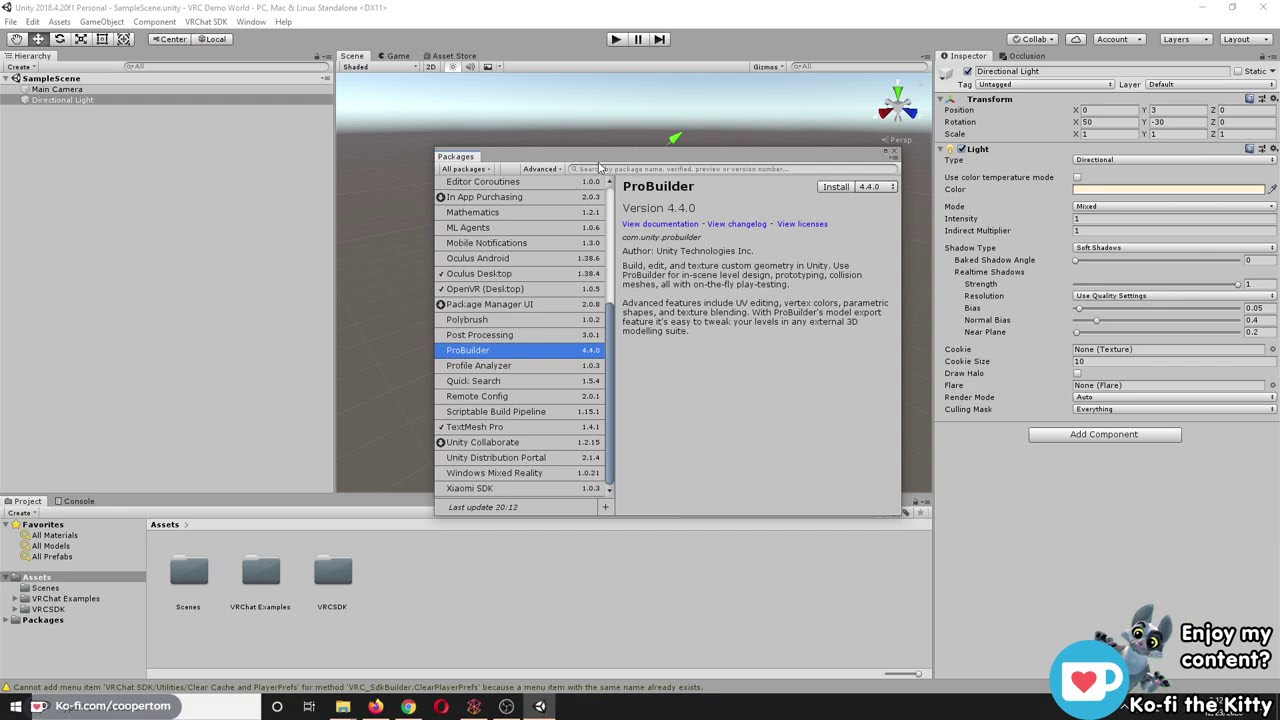
I did a Twitch stream on 12/23/20 where I showed how to create and upload a VRChat world from start to finish. I am in no way a professional 3D modeler, I am simply demonstrating the methods that I have found that work for me. I know there are probably a million other ways you could go about world building, this is just how I like to do it.
I c...
@hard granite This is my actual 'starter kit' for each world (you load it all into Unity before you start making anything). No need to get into Blender for awhile, just make some basic private/test worlds first, like with ProBuilder. Note that for Quest compatibility, you need to first research how to build/optimize and publish Quest worlds, then also publish it's PC-version twin (you're making two versions of each world).

 sage gust
How does one deal with the cursor making the dropdown content transparent?
 desert python
so thats s common particle ui issue and im not sure if anyone found a fix for it yet. have you tried messing with the render queu on your uo?
@sage gust
sage gust
desert python
so thats s common particle ui issue and im not sure if anyone found a fix for it...
yeah... I'll double check
sage gust
desert python
so thats s common particle ui issue and im not sure if anyone found a fix for it...
so a higher sorting order makes the whole canvas transparent under the cursor, and a lower sorting order shows no change from the pic above
I think the dropdown content itself makes its sortlayer higher by itself or something... idk
desert python
possibly use a different layer? like “ignore raycast”
 proven glade
bouncy objects seem to lose their bounce after awhile
wary birch
One message removed from a suspended account.
near escarp

A glass shader for Unity/VRchat that (ab)uses some Unity features to get nice, clean looking glass without a heavy performance impact. Unlike many other glass shaders, it does not use a Grab Pass, saving a lot of performance.
wary birch
One message removed from a suspended account.
One message removed from a suspended account.
proven glade
does anyone know what to do about objects that stop bouncing or is there no fix?
magic plover
Is there a good available udon world menu for turning things on and off?
wary birch
One message removed from a suspended account.
wary birch
One message removed from a suspended account.
magic plover
near escarp
<#657394772603830360>
Not so much questions about how to use udon but looking for prefabs.
If there was a standard world menu prefab sort of thing.
But likely I'm betting this is a nope.
near escarp
There might be, but the udon channels might get you more results
proven glade
how could I import a gif as a texture
 mild spade
@magic plover https://vrcprefabs.com/ click Database, then Udon Prefabs (SDK3)
Note that you might need Udon Sharp for most of them
 wild schooner
Question VRchat team is it me or my item a distorted when hold ? How come ?
here is one of the object :

 random owl
You have it parented under something that doesn't have uniform scale
 desert python
@wild schooner scale on the transform component, it must be 1:1:1 ratio
wild schooner
desert python
<@!474380232468463646> scale on the transform component, it must be 1:1:1 ratio
so like that for all of them

Puting it a 1 1 1 didnt work it still warp
and now they are really small
desert python
did you change the parent?
wild schooner
desert python
did you change the parent?
yup all of them including parent are 1:1:1
wild schooner
desert python
did you change the parent?
also even the hammer that arent related to the bear warp
desert python
are there any parents above that parent secretly?
wild schooner
desert python
are there any parents above that parent secretly?
ah here that was the parent of both bear, table and hammer but i cant put it at 1:1:1 or well that too big
 desert python
then dont put those pick ups there and see if it works
wild schooner
desert python
then dont put those pick ups there and see if it works
your want me to remove the pick up ? but that want kinda the point of the bear and hammer to be pick up
desert python
no move it so its not parened
wild schooner
desert python
no move it so its not parened
Sadly no
desert python
yea that has to still be parented to something
wild schooner
i mean it is, my project is at least set up like :
Basement, then wathever in the basement parented to that
1 floor, same
basement, same
i did that to have more clarity
should i not do it like that @desert python in photoshop i would have done a group, but there isnt that in unity so i did a game object

either way my floor 1 is at 1:1:1 already
 signal turtle
I'm looking to make a card game asset. I know it'd be easier to do with Udon, but is there a benefit to doing it with SKD2 instead?
errant beacon
Not that I can think of, SDK3'd be easier and more flexible for that imo o:
wild schooner
if anyone know for my problem feel free to chime in
proven glade
Anyone know how to do use gifs as a texture?
magic plover
mild spade
<@!390005794000732160> https://vrcprefabs.com/ click Database, then Udon Prefabs...
Thanks, I was there but there is a lack of working world menus. There is at least Jetdogs-Prefabs-Udon but the menu example is just an ugly set of buttons with some basic logic. That helps a bit but is very lacking. I guest like everybody I have to just trudge in and widdle a world options menu while trying to learn udon. Yay.
signal turtle
@wild schooner You can try zeroing out the x,y,z rotations for each object in the tree. See what happens. When transform is applied, it's applied with its local rotation, then scaled by the parent. That shouldnt matter if the scale is all 1:1:1. Something has to be off with the scaling
wild schooner
signal turtle
<@!474380232468463646> You can try zeroing out the x,y,z rotations for each obj...
ill change it even tough as said it is really all scale at 1:1:1
mild spade
@magic plover Oh you are looking for world menu? Like this? https://booth.pm/en/items/2189182

VRChat SDK3用拡張メニュー(もどき) UdonMenu ver0.01β Last Update:2020/07/02 ◆なにこれ ExMenu(https://chiugame.booth.pm/items/1510744)をSDK3で使いたかったので作ったやつ。 ベータ版なのでテレポート機能以外は何も設定してない。
desert python
omg thats been there this whole time? i thought tey moved to github lol
we dont update that menu anymore
wild schooner
signal turtle
<@!474380232468463646> You can try zeroing out the x,y,z rotations for each obj...
yg yeah ok i cant put the top parent a 0,0, same for the rotation because yikes
 magic plover
mild spade
<@!390005794000732160> Oh you are looking for world menu? Like this? https://boo...
magic plover
mild spade
<@!390005794000732160> Oh you are looking for world menu? Like this? https://boo...
More like on a wall. That thing pops up on the player wherever he is and is really kinda irritating as hell. Just like a simple wall menu like Midnight Rooftop.
signal turtle
wild schooner
ill change it even tough as said it is really all scale at 1:1:1
Smoll world, floor 1, Bear, game object, ..... etc. If all are 1:1:1 scale, all that's left is rotation. Also try using unity default shader to rule that out
wild schooner
ok but i feel like im being troll and that mostly because i dont understand. If i move everything to 0:0:0 then everything would be out of place and my map would now be broken. Plus default shader would now remove the work i put into my map by choosing a good shader to go with what im working on

like what is this mess now...
i know i probably just didnt understand what your said and im sorry
signal turtle
That scale isnt 1:1:1. Is that a parent object?
wild schooner
no its just a chair i use its a parent of nothing
desert python
@magic plover we designed that thing so you can set it static and itll stay put
but thats the super duper old rev
signal turtle
The rotation suggestion was just to test it. Not to keep it that way. Same with the texture. You can make a new material with a default shader and apply it without touching the old one. Those are just suggestions since the only documented cause of your issue is non uniform scales
wild schooner
ok well so i add random cube and put the pickup on it to see if this one would be discorded. He isnt parented to floor one and neither is he parented to anything
@signal turtle ok that cute is fine i dont understand
signal turtle
If it's good now, then it's gotta be something weird with one of the parent objects scale. The scale doesnt have to be 1. They just have to all be the same at each layer. Like a parent with .5:.5:.5 is fine too.
proven glade
what should I do because I can't do a waterfall and ive asked for help with gif textures I tried a video player and that does not work either

 outer crane
@proven glade Im not sure how your going about making said water fall but you can either make it using **partials **or with a **shader **.
proven glade
where can I find a waterfall shader
outer crane
If your willing to pay im sure you can find something on the asset store.
just make sure it will work with unity 2018.4.20
Anyone know why im getting this error when trying to Build & Test when i do have a VRCSceneDescriptor? Using the Examples scene for testing. Didnt change anything with it. Also reinstalled unity and the SDK 3.
 onyx leaf
I've got an odd error I've been stuck on. I have a canvas that has worked until today. It has buttons on it, no triggers or colliders in front of it, it has a vrc ui shape attached, and the hand raycaster picks up on it being UI in game, but when i click the buttons nothing happens. They don't even visually press or send any of their events. The button events will invoke in the editor though
I also made sure its on a layer that UI typically works with. does anybody have any ideas where else something like this can go wrong that i haven't considered?
onyx leaf
I noticed, when i hold down right click on desktop, the other buttons in my world glow white but the ones on this canvas stay blue like there's no interactables there
mild spade
If you had pictures or better a video, would be easier to see the issue
onyx leaf
So here's the normal behaviour of the rest of the canvases in my world. the cursor is going white and it interacts and i click

and here the cursor stays blue on all of these buttons

the buttons do receive clicks in the unity editor when i hit play. just not in vrchat 🤔
 mild spade
So only the canvas on the bottom does not work? You said it used to work before, do you remember changing anything? Like the layer. Sometimes when my canvas dont work in game is because of a collider blocking it ( i think it adds one automatically if you dont have one) or because the canvas was facing the wrong side. It is also strange that you say it works on the editor, but not in game. Can you check if you have a collider on your canvas (pic)? (where VRC UI Shape is) If not, try adding one (im not sure how the collider is added in the game, so it might cause your collider to be offset)
 onyx leaf
here's my canvas that won't work. won't adding a collider keep it from raycasting to the canvas?

here's a sample button. one of the ones that isn't clickable on that canvas

I haven't tried clicking it from the back in game in case it somehow got reversed. let me try that real quick
 bitter idol
real quick how tall is the player collider? its 2 metres right?
random owl
If this isn't uniform on the canvas the collider goes wonky
 mild spade
It automatically adds a collider in game, but im not exactly sure how that is added. I always add mine with IsTrigger checked so i dont collide with it. Can you also try to set the scale be the same on all axis? I see you have the button as X 1.4 Y1.4 but Z 1
errant beacon
bitter idol
real quick how tall is the player collider? its 2 metres right?
The player collider is 2 meters tall, yus
onyx leaf
gonna give that a try now
hmmm. couldn't click it from the back, and i made all the buttons and canvases have uniform scale 🤔 no difference. At this point i should check my udon stuff and make sure no triggers are getting spawned at runtime or moved in front of the canvas that wouldn't happen in the editor
got it! the panel they were on was moved like -.0001 back on the Z axis so it was behind the canvas raycast hit
thanks for the help ya'll
i wouldn't have thought to check the z axis transforms and stuff. not something i ever messed with
wary birch
One message removed from a suspended account.
One message removed from a suspended account.
wild schooner
Welcome back is there any pool table system in VRSDK2?
near escarp
wary birch
One message removed from a suspended account.
Your meshes need to be merged
wary birch
One message removed from a suspended account.
near escarp
Blender
wary birch
One message removed from a suspended account.
wild schooner
thats not how that work. If you serch a specific tutorial your less likely to find one
on the other end you question is just how do i merge meshe on blender, search for that
wary birch
One message removed from a suspended account.
wild schooner
but @near escarp do you know if any of the playable object were made in sdk2 or 3 ? like when you can play pool or card game
errant beacon
There isn't a pool table prefab for SDK2 as far as I know - there's this one for SDK3 which requires the Udon networking update, which is currently in beta: https://github.com/FairlySadPanda/vrcbce
wild schooner
is that what they all use those that i see in vrc at the moment?
@errant beacon
 errant beacon
if you're on the open beta branch, yup! otherwise it's likely HarryT's or Xiexe's fork of Harry's, though I can't really in good concience recommend Harry's lol
UNU beta's potentially coming out fairly soon though, def might be worth looking into FairlySadPanda's fork c:
wild schooner
errant beacon
if you're on the open beta branch, yup! otherwise it's likely HarryT's or Xiexe'...
ok then because i kinda want to include game in the basement of my world and i notice the lack of tutorial on how to include those so i assume its because there might not be that in vrsk2
errant beacon
yup, all three pool table prefabs are SDK3 afaik
wild schooner
yeah i mean pool yes but cardgame or game in general
i just have to retry sdk3 because i remember downgrading because my brain began to stress too much over udon that i coudnt understant. Like i was following the tutorial but not really understanding it so just following it step by step
errant beacon
There's def been some SDK2 cardgames in the past, but I'd probably recommend using SDK3 again if you want to make one of those yeah o:
wild schooner
ill take a jab at it again if i remember im suppose to be able to upgrade and keep my world because i rater not loose everything
errant beacon
You can go from SDK2 to SDK3, but it can cause issues iirc
make a backup of the whole project before you do, and after that make sure to clear the scripting define line here:
Project Settings > Player > Other Settings > Scripting Define Symbols
bold ibex
Hi everyone. Is there a way to get a planar reflection on water n VRC without scripts or the use of reflection probes? Scripts are not allowed and reflection probes don't give a good result.
errant beacon
Did you try a box projected reflection probe? o:
bitter idol
errant beacon
The player collider is 2 meters tall, yus
thank you!
bold ibex
errant beacon
Did you try a box projected reflection probe? o:
Yes, but the reflection image goes out of place when you move around
bitter idol
errant beacon
The player collider is 2 meters tall, yus
sorry to be annoying but is it also one metre wide?
errant beacon
you're fine! - iirc it's 1 meter wide and deep, 2 meters tall c:
bitter idol
okay
im working on the phasmophobia houses and the doors come with colliders i have to remove and the doors are just a smidge to thin for the player collider to go through so i have to remove the wall door frame collider as well which is annoying as hell
errant beacon
bleh that sounds annoying lol, gl on that o:
errant beacon
bold ibex
Yes, but the reflection image goes out of place when you move around
odd, try making the Box Size setting larger and/or messing with the Box Offset if you haven't already? o:
past that I'm not personally sure - Unity scripts aren't allowed, but Udon ones are with SDK3, so there might be something there maybe?
bold ibex
Thank you👍
 muted ravine
What happened...
 dusk sapphire
make sure those meshes have generate lightmap uv's checked in import settings
 green sedge
i need help. i'm trying to build and publish an updated version of my world, but it wants to publish it as something completely new. i've already tried googling it (unhelpful) and i've tried detaching the pipeline manager and copying and pasting the blueprint ID for the currently live version in before uploading it. that doesn't work either
dusk sapphire
when you try to upload with the id attached the upload screen and the vrcsdk panel show it as a new world?
green sedge
yeah. it's a completely fresh world
even though before i build & test it shows the name of the live world
dusk sapphire
any console errors?
may want to check if you didnt accidentally have more than 1 scene descriptor/pipeline manager in the scene
1's vrworldtoolkit is useful for quickly checking for issues like these https://github.com/oneVR/VRWorldToolkit
GitHub
Unity Editor extension for making VRChat worlds. Contribute to oneVR/VRWorldToolkit development by creating an account on GitHub.
green sedge
there are errors. should i screen shot them or is there a way i can copy/paste the text?
actually, here. this is what happens when i build & test

i've build and published with the cup models before so i don't think those are the issue
dusk sapphire
those errors wouldnt cause it though you should think about addressing them at some point
for starters grab the toolkit linked above and see if it spots any issues
most likely you might have a duplicate pipeline manager somewhere
green sedge
ill also check every component in the hierarchy
seems i had error pause turned on. i'll see if that fixes it
dusk sapphire
Oh didn't notice that, yeah that'll do it
green sedge
totally fixed it. thank you very much! i'll definitely keep using vrworldtoolkit as well
 serene pendant
A request to create a small map (like the size of Home) that looks like a forest in real life would likely take weeks to make and realistically hundreds of dollars?
 untold pewter
anyone know why a mirror switch might dissapear when used?, its just a cube with the tigger script, and only some of them dissapear...
desert python
is this sdk2 or 3?
untold pewter
sdk2
desert python
if the toggle isnt specified. itll toggle itself off
untold pewter
ah
I created an empty reciever by mistake on the toggle for half the buttons, just left it empty because didnt know >.<
desert python
ah. it happens
yea if you make the inspector bigger. i think itll also say “none (self game object)” or something close to that
proven glade
Is it just a common thing that bouncing objects eventually lose their ability to bounce?
desert python
um yes actually. but what you could do is actually script out the bouncing if you really want it infinate. however that is somewhat of a terrible idea compute wise lol
proven glade
oh oof
 neon marten
errant beacon
neon marten
errant beacon
Import https://github.com/oneVR/VRWorldToolkit/releases and see what it's world debugger says? o:
proven glade
desert python
um yes actually. but what you could do is actually script out the bouncing if yo...
how could i make a object like respawn maybe?
untold pewter
trying to use the hangout player but for some reason walking around adjusts the volume
wild schooner
Hi does anyone know why my carpet keep getting through the floor ? I know i could put collider, but with cloth i can only put sphere or capsule, what do i do ?
lol it was the wrong video here is the right one but also i just tried with a capsule colider
 devout elbow
Where can i get this rainy window effect?
 errant beacon
devout elbow
Where can i get this rainy window effect?
devout elbow
errant beacon
<https://gitlab.com/s-ilent/fake-glass>
errant beacon
devout elbow
Where can i get this rainy window effect?
devout elbow
errant beacon
<https://gitlab.com/s-ilent/fake-glass>
I have it downloaded and into my assets but how do i put it into the space
errant beacon
Instructions are in the gitlab page - make a material with the rain glass shader and apply it to something, and make sure that the Rain Mask, Droplet Normals and Ripple Normals textures are assigned o:
You'll also need reflection probes in your scene for the shader to work properly
devout elbow
I dont know what reflection probes are...
errant beacon
Reflection probes are similar to cubemaps if you're familiar with those - points in the world that reflective items in your scene get their reflections from
To make one, make an empty gameobject and add the Reflection Probe component, and put it somewhere in your scene, likely in front of the window in this case
wild schooner
if someone know for my problem i still have no fix
devout elbow
@errant beacon Do you know where I can find bed models and other furniture things?
wild schooner
there is a lot in unity store for free @devout elbow
errant beacon
Sketchfab or Turbosquid maybe too o:
wild schooner
should i ask my question else where?
bold ibex
im using SDK2 but for some reason when i try to upload my world i can't use the display screen for adding the description and such?? I don't have any idea why since its worked for me every other time, is it some kind of bug or is something wrong with the world itself i need to fix for it to work??
 stoic coyote
I sent rtsp link video using sdk3 in the world.
The picture comes out well, but no sound comes out and sometimes it makes a terrible sound.
Torn
This bug wasn't there a few days ago
Anyone who knows something?
 modern scaffold
What version of Unity is recommended for using SDK3? The main page says to use the most recent version of unity, but I'm getting a few errors when trying to bring the SDK into my project
dusk sapphire
VRChat
This page lists the current Unity version you should use when creating content for VRChat, as well as links to the correct version for both Unity Hub and direct downloads. Current Unity Version The current Unity version in use by VRChat is Unity 2018.4.20f1. Ensure you are using this precise versio...
wild schooner
Hi ill repost my question since it got unanswered. I wanted to do a realistic curtain and so i applied cloth on it, problem is it go through the floor no matter if i put a collider or not
 turbid gyro
So I’m having an issue with textures on some of my objects. They move around when I look and look at them. Anyone know why?
It’s like Looking into a void of some sort. I think it has more to do with the object I’m trying to put the texture on then the material I’m trying to use.
 topaz basin
Also got cinemachine on the top for some reason
untold pewter
how do i stop white spheres from blocking my vew of things im trying to move / edit
 desert python
you mean light probes?
untold pewter
I guess they are
i turned lighting off for the objects untill i was done with them, not the best but worked
desert python
you can make hem smaller in the gizmos tab. maybe even turn them off all togethwer
bold ibex
Does anyone know how to make it so a door can open and close?
mild spade
bold ibex
Does anyone know how to make it so a door can open and close?
Automatically? (get close to door and it opens, get away and it closes) Or manually? (grab door and move it to open or close)
bold ibex
Automatically
mild spade
You create 2 animations of the door on the closed and open state, then call each states with trigger colliders. When you enter the collider, you make the "open" animation play, when you exit the collider, you make the "closed" animation play. Using animator controllers
bold ibex
Thank you! That's so much easier than I thought it was gonna be! 🙏
mild spade
It is very easy to make if you understand how animator controllers work, if you need help setting it up post the question here, or ping me
bold ibex
I've got an animation to rotate a game object on an animation component that is loaded but the animation does not play, any pointers to the problem?
mild spade
bold ibex
I've got an animation to rotate a game object on an animation component that is ...
You mean you are using the legacy "Animation" component? I dont think they work anymore, you should easily put it in an animator controller and it should work
bold ibex
yeah, thanks for that!
 plain linden
is there a tutorial on making something like an mmd dance world?
 floral kestrel
Menu button pressed or menu open - how can I get this state with UdonSharp?
 mint hawk
Is anyone else having issues with their world not updating? I cleared my cache and even re-uploaded as a new private world (created new world ID). It shows on my menu and I see the world on my vrchat.com profile but it just will not load in game. 
 solemn lily
How do i make a mirror that don't reflect the walls/floor but the pickup able objects and players?
floral kestrel
You can set, which layers your mirror should reflect. If your walls are on the default layer, unselect this on the mirror component. Pickup things are usually on pickup layer. This should be selected.
solemn lily
i'll try
pure kraken
@dusk sapphire apologies for the ping, but do you happen to know why my unity would keep crashing after I attempt to bake my lighting?
mint hawk
Where do we get actual technical support for VRChat?
pale wolf
wt cause the black lines
 mint hawk
pure kraken
<#372142854430261258>
mint hawk
pure kraken
<#372142854430261258>
yea just found that and sent a report thank you!
mint hawk
Does anyone know what this is about?
 desert python
means vrc had an error
 worn elk
I have an object that for whatever reason is not able to be interacted with. No matter what I do to it, you cannot click on it. This seems to be the only object like this. If I copy the udon script from the object and paste it onto a default cube, the cube will run the script as intended, but the object cannot even be clicked.
Does anyone know what could be causing this?
The ONLY difference I can find is that on the default cube, in the Udon Behavior menu, "Allow Ownership Transfer" able to be checked on or off, but on my custom object, it is unchecked and I am unable to check it.
I am trying this with any custom mesh that I import into Udon and it is not working
But I was somehow able to paste the script into a random chair asset from the store
What exactly is the missing variable that is completely crippling this button?
mint hawk
desert python
means vrc had an error
so it's VRChat not something I can fix?
worn elk
Nvm. I figured out the problem
Turns out the object NEEDS a collider to be interacted with in any way.
coarse swan
What are other handy config values to include on my worlds summonable menu? To note: The worlds are extremely large in game size (as in they take several minutes to traverse from one end to the other)
 desert python
@mint hawkit couldve been anything. i usually get it from messing with unity physics in really dumb ways
mint hawk
desert python
<@!495833042976374804>it couldve been anything. i usually get it from messing wi...
Aw well idk what I did. Im going through my project looking and tinkering with it all but it worked fine before the update. I did change the skybox but its used in another world so i don't think that's it. I'll keep checking everything. I do have a camera system in there but it worked before the updates so I'll double check what I changed
coarse swan
Quick question about Unity Prefabs:
Is there a handy way to "Cascade" a property? That is to say, I have a prefab with a fair bit of layers and objects in it, and I have a couple fields on some of the components on some of the objects nested deep in there I will want to modify on each instance of the prefab to be different (a texture, a couple fields, etc)
Is there any sort of handy way to set top level fields on a component at the "root" of the prefab that what I apply to those fields, proceeds to apply to the designated fields nested down in there.
I just dont wanna have to sit and crack open all my prefab instances just to change 1 field nested deep in there, would be nice if it was up at the root
I feel like I have seen this on other prefabs before as well, is there a term for it I can google?
pale wolf
is pickup object synced?
near escarp
coarse swan
Quick question about Unity Prefabs:
Is there a handy way to "Cascade" a propert...
can't you just search the name of the object in the hierarchy that has the component you want to change ?
coarse swan
near escarp
can't you just search the name of the object in the hierarchy that has the compo...
Yeah but its a pain when you gotta do it like a hundred times, would be nice if I had it sitting up in an editable field at the top of the hierarchy
near escarp
There might be an add-on for that
bold ibex
I'm trying to load the world and it immediately kicks me to the hub
What's going on with it
errant beacon
bold ibex
I'm trying to load the world and it immediately kicks me to the hub
Import https://github.com/oneVR/VRWorldToolkit/releases and see what it's world debugger reports? o:
bold ibex
@errant beacon

it goes on a world loading screen twice so the first one is my actual world and the second one is the hub
errant beacon
Delete the AllSkyFree_Menu.cs script, should be in Assets/AllSkyFree
AllSkyFree strikes again lol, that script is for the demo UI iirc so it should work fine without it
bold ibex
errant beacon
AllSkyFree strikes again lol, that script is for the demo UI iirc so it should w...
Thanks ^_^
 wary birch
One message removed from a suspended account.
 eternal bluff
like a skybox?
wary birch
One message removed from a suspended account.
One message removed from a suspended account.
One message removed from a suspended account.
eternal bluff

Add depth to your project with Rain Maker - 2D and 3D Rain Particle System for Unity asset from Digital Ruby (Jeff Johnson). Find this & more VFX options on the Unity Asset Store.
wary birch
One message removed from a suspended account.
eternal bluff
wary birch
One message removed from a suspended account.
Creating some realistic rain using just Unity's own "Shuriken" particle system and Ultimate VFX. Lots of opportunity for tweaking!
Get Ultimate VFX: https://assetstore.unity.com/packages/vfx/particles/ultimate-vfx-26701?_aid=1100l3rZp.
Twitter: https://twitter.com/TheMirzaBeig/.
wary birch
One message removed from a suspended account.
One message removed from a suspended account.
eternal bluff
bruh
coarse swan
Yo what would be causing my Unity Packages for worlds to be uploading extremely slow, and like, half the time it crashes and I get this error?

To note: My worlds are only like... 9-12mb
Is there just issues on VRCs end? Anyone else having issues uploading worlds atm? Or is it just me O_o
near escarp
Console errors ?
coarse swan
Ill check if it happens again but its random, about 50% of the time
Also this stage takes like, a couple entire minutes to do which seems extremely slow compared to usual

Resource consumption isnt even throttled anywhere, so not sure why its so slow aside from the issue being server side taking forever to receive the payload.
 coarse swan
Does VRChat World SDK upload the entire project, or just the scene?
I have a few dozen scenes, each one is one world, I had presumed when you do the upload it only compiles and puts up just the one scene, but Im wondering if the reason stuff is getting slower for me is, as I add more and more scenes, its uploading everything...
near escarp
The scene that contains the world descriptor afaik, the asset bundle could maybe contain multiple scenes, but you shouldn't have them all in your hierarchy at once i guess
coarse swan
Do they perform the compiling of the actual scene server side? Like when I watch my resources, its uploading at 7~8 MB/s.... my compiled scenes are only 8~12 MB total, so why does my network traffic indicate Im uploading hundreds of MB, not just 8~12?
It seems like Im uploading my entire project to the server, then the server compiles it down to just the scene, is that a thing?
random owl
You most likely have future proof publish on in the sdk settings
coarse swan
random owl
You most likely have future proof publish on in the sdk settings
Is that not a good idea?
Oh jesus yeah looking it up thats absolutely overkill haha
I have my projects backed up locally on my server, I have absolutely no need to upload everything to the servers, jesus thats silly to have enabled. Thanks, thats probably my issue
Oh my god yeah that was way faster haha, only took a matter of seconds to publish. Sucks I only noticed this after publishing over 70 of my worlds >_>;
Oh well, better late than never! Thanks @random owl
 runic epoch
is there a toon/cutout shader that's quest compatible?
coarse swan
Technically all shaders work I think on worlds for quest, it doesnt block them, just lags if they are harsh
Shaders only get outright blocked for avatars
 coarse swan
Er, does it still look like that if you switch to PC?
coarse swan
Whats it look like if you swap to PC?
runic epoch
its perfectly fine
coarse swan
I dunno, I am using multiple shaders flagged as not compatible with quest and they work exactly the same between PC<->Quest for worlds, so not sure why its breaking for you
I havent tried out toon ones though
Anyone know if theres a way to tweak the VRCCam's settings it spawns with when you setup? I have the rotation/position working good, but I have to keep setting the render distance up to 500 for each pic, is it possible to make it 500 by default?
Ah! Found it, VRCSDK/Dependencies/VRChat/Resources/VRCCam, I think if I modify this it will change the defaults, heres hoping
Success, okay so that helps a fair bit, one less thing to edit each upload
coarse swan
runic epoch
is there a way to de-list a world
Yeh, Content Management tab of the VRChat SDK panel
 solar dawn
So, i have problem with my post processing, for some reason with ambient occlusion this happens. I tried setting diffrent layers but no effect
 solar dawn
So, i have problem with my post processing, for some reason with ambient occlusi...
solar dawn
solar dawn
So, i have problem with my post processing, for some reason with ambient occlusi...
In pic you can see weird shadow
 frosty goblet
What things in VRChat collide with the 'Interactive' layer?
I'm trying to use an existing layer for something that should save up a custom layer I probably don't need
Could I piggyback off of Interactive?
My world will probably be pretty big and have a lot of custom stuff, so I need to free up layers as much as possible
green sedge
how do i get the string variable here?

there is no stringenable or stringtargetevent
is that just a variable?
mild spade
green sedge
there is no stringenable or stringtargetevent
Yes it is just a string variable they renamed "TargetEvent" with the default characters as "Enable"
green sedge
thank you
 verbal patrol
Hi, I'm trying to make objects that i got from the unity store pickup objects, but when applying the script it doesn't seem to do anything. Does anybody know how to fix this?
 timber nymph
im trying to get into world creation and guides/tutorial vids seem to be all over the place with info on how to start out. anyone have any guides/tips u know are reliable that u could share w me?
 winter bolt
Hey y’all! Is there any reason why I can’t load in to my world. Everytime I click the join button it would take me back to my home world
Is there any way to fix it? If so let me know please
errant beacon
Import https://github.com/oneVR/VRWorldToolkit/releases and see what it's world debugger says o:
 graceful yoke
How do I make a controllable and flyable object in unity
 slow orbit
solar dawn
So, i have problem with my post processing, for some reason with ambient occlusi...
slow orbit
solar dawn
So, i have problem with my post processing, for some reason with ambient occlusi...
Known issue with SSAO. Simplest solution is to not use it ¯_(ツ)_/¯
 buoyant ledge
Hey folks, I'm testing out qvpens (sdk3) and for some reason, on quest, the drawings only show up on the left eye (?!) it's fine on pcvr. Any ideas what could have caused that?
desert python
@buoyant ledgedid you set there quest shaders/ materials correctly?
buoyant ledge
Hiya! @desert python I'm pretty sure they're set to the correct material, as well as setting the line width on the trail renderer per the author's instructions.
desert python
and its only rendering with 1 eye and not both?
pale wolf
buoyant ledge
s right, it's only showing up in the left eye.
did u use the quest ink?
 buoyant ledge
Heyo! Yes I did.
 tame reef
I'm having issues updating my world. It just keeps getting cancelled. Is this something other people experiences right now? Kinda hoping it is a server problem and not something wrong with my world. 😄
tame reef
Woop. Nevermind worked now for some reason.
 lunar nimbus
Where is the best place to download models and prefabs for vrchat worlds? There seem to be a lot of similar models in many worlds
 green lagoon
sketchfab. Unity asset store, booth.pm
and here's the spreadsheet for vrchat prefabs
lunar nimbus
Thank you
coarse swan
Im having an issue where the "end" of the in game characters laser for interacting with UI seems to stop several inches away from the surface of my Canvas, as if hitting some kind of barrier floating in front of it. I dont have a collider or anything like that on it that I am aware of, but it makes hitting my smaller buttons extremely difficult because you cant actually tell if you are aiming at them or not
dusk sapphire
the raycast detection is handled by the collider created by the vrc_uishape component which is based on the scaling on your canvas object, so you might need to set your z scale a bit smaller
alternatively just put your own box collider on it and size it accordingly to overwrite what vrc_uishape sets
coarse swan
gotcha, thanks
Ill give that a test, hope that works well
is there a quick and easy way to quickly apply changes to on item when it gets hovered over vs not via the players raycast? IE make hover text appear or slightly change the color of controls when hovered over?
dusk sapphire
yeah, on the button/toggle etc components you can set various transition types

so you can have an animator controller with those 4 states that change what appears when you highlight it etc
coarse swan
Sweet, thats exactly what I needed, thanks
just wanted to make the hover a bit more obvious
dusk sapphire
however, be aware of a bug currently affecting the highlighted state for desktop users:
https://vrchat.canny.io/bug-reports/p/1061desktop-mode-breaks-ui-transitions
 silent night
Why would it be that my Post Processing stack is affecting the stuff in viewport, but when loading in, post processing doesn't take effect?
Yes, I have my reference camera set, but I don't quite know what I'm missing here.
 sonic dove
Hey! I have a question, if I load the world for myself, will it affect rank? Or must it be made public?
 rich trellis
Okay so I made a map pc and quest compatible and the map is fine on pc but when I’m on quest most of my assets such as couch disappear but they show up in my mirror. Does anyone know how to fix this or had this issue before.
bold ibex
Would it be possible to write my own C# scripts if I want something special for my own home world? If I want to do something that might not be fully supported or not supported yet by the SDK(s)? Or would that cause my world to be rejected/flagged when I upload it?
dusk sapphire
You can't use your own C# scripts, but you can use UdonSharp, which transpiles C# to Udon, the scripting system used in SDK3, with an albeit more limited C# feature set. https://github.com/MerlinVR/UdonSharp

GitHub
An experimental compiler for compiling C# to Udon assembly - MerlinVR/UdonSharp
bold ibex
Ah, I'll take a look and see if it can support what I want to do.
Thanks! ^_^
It looks like this might work, I'll see if I can get a proof of concept up after work. Thanks for the tip!
 obsidian bane
Hey can anyone help me with this?


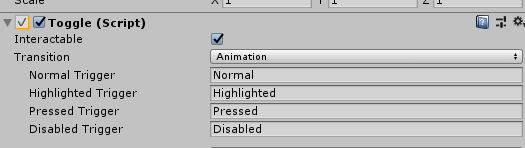 bold ibex
probaably a easy to answer question but how would i use a flower asset (ex the ones that only come with images)?? do you have to set up a object for it, or make a sprite or what?
desert python
if theyre supposed to be 2d. you can probs use a quad and set the shader to “cutout” and see how it turns out
bold ibex
ohhh ok, ill try that, thanks!
 swift cloud
Has anyone made a crystal forest world?
near escarp
This is a development channel
swift cloud
Oh sorry. I wasn't sure if there was an area to suggest or ask about different worlds
near escarp
 analog pollen
What is this yellow triangle thing in probuilder?
 near escarp
lightprobes
analog pollen
Oh, but why can I see them when just selecting a cube?
Is there any way to turn that off
near escarp
Make the cube not use probes in the mesh renderer
 distant forge
I'm winning at this https://media.discordapp.net/attachments/685297348460412951/843960124400861214/2021-05-17_23_13_29-.png?width=1210&height=681

 analog pollen
Oh, yeah thanks
 gloomy zodiac
SO, i need help with a little idea of a friend of mine. As you might know, in IRL There are Buildings (skyscrapers that have a disk like platform hich rotates around the base. i tried to recraste this anmd i stumbled across following problem:
As my plane i stand on rotates, the rotation also affects the player, yet the position is locked and therefor not the result i need. is ther e any way or workaround for this?
Exapmple IRL is the spaceneedle in seattle
 dreamy walrus
is there a way to make a world not have the public option
only to have friends+ to invite+
 kind leaf
dreamy walrus
only to have friends+ to invite+
kind leaf
dreamy walrus
only to have friends+ to invite+
private upload. Would be nice though for a private version that can be accessed from in game from friends and not a link or an invite. Maybe with the groups update.
private upload is uploading without checking the community labs option
 stark talon
can you use the normal unity button script to call a function from a U# script? I'm trying to call a function from a script that's attached to a game object but the function doesn't appear in the list of the U# script tvToggle


the tvToggle is my U# script and the function I need isn't showing up in the dropdown
analog pollen
Sorry for the basic questions, but how do you avoid backface culling when merging objects in Probuilder?
 dreamy walrus
only to have friends+ to invite+
dreamy walrus
dreamy walrus
only to have friends+ to invite+
ok, i misunderstood
the world doesnt have the public link
or option
someone mustve hacked it or used a client and is making it public
stark talon
Is there another way to do what I'm trying to do?
stark talon
so I have a wall setup with an animation that makes it come up out of the floor with a tv on it and so far the code I have seems to work as far as getting the animation to play but the wall never comes up out of the floor. anyone know what could be the issue?

 cerulean echo
maybe yor wall is static?
bold ibex
how can i fix the jumping in a world i have made? im not able to jump in it the last time i uploaded it at all..
stark talon
@cerulean echo no it's not set to static
rich trellis
are qvpens quest compatible ?
green lagoon
yes they are as they have a quest compatible material download available
rich trellis
green lagoon
yes they are as they have a quest compatible material download available
where can i find the material?
green lagoon

VRChatのワールド用のペンセットです。 消しゴム機能も付いています。 Quest向けワールドで使用する場合は「Quest向けマテリアル」を使用してください。 Quest向けマテリアルに差し替えた場合はTrailRendererのWidthの値を0より大きい値にしてください(0.005など) 完璧に同期が取れるというわけではなく、速めにペンを運ぶと同期が取れにくくなります。その場合はゆっくり書くなどしてください。 Presentation RoomなどのようなLate Joinerへの同期は取れません。 デスクトップモードの人が書いた文字はVRモードに比べるとあまり同期しません。
download button 3 is for the quest materials
rich trellis
green lagoon
download button 3 is for the quest materials
thanks 🙂
green lagoon

Hope you guys enjoy the vid.
QvPens:https://booth.pm/en/items/1555789
Twitter:https://twitter.com/PureAQW
 pallid crescent
um
I uploaded my world and published it to community labs. but when i try to load it. it just sends me back to my home world. On both my pc and quest, but in testing it loads in fine. I don't know whats going on or how to fix it
And I can't find my world when I search up the name of it
stark talon
i don't have any colliders on the wall but it seems like maybe when I put it under the floor it messes it up or something. I tried doing the same thing with a cube and it worked. Then I put the cube under the floor and it still worked so I used that as the wall instead and then it stopped working again
pallid crescent
pallid crescent
I uploaded my world and published it to community labs. but when i try to load i...
I just wanna play my world man
dusk sapphire
grab 1's vrworldtoolkit to check for common issues that may cause this https://github.com/oneVR/VRWorldToolkit
GitHub
Unity Editor extension for making VRChat worlds. Contribute to oneVR/VRWorldToolkit development by creating an account on GitHub.
stark talon
So my issue was when I added my script to the wall with the Animator it would change a setting in the Animator to receive Root Motion from the script and the script didn't have anything but a way to transition between animation states. So I put the script on an empty game object and used that to control animation changes. so then the Animator component on the wall had a field for "Apply Root Motion" that I left off and that is what fixed it for me
pallid crescent
dusk sapphire
grab 1's vrworldtoolkit to check for common issues that may cause this https://g...
im stupid , can you tell me how to download that. Do I get the zip file then unzip it? then what. I apologise its just I don't know what to do and I'm new to making worlds
dusk sapphire
grab the unitypackage from this page and import that into your project https://github.com/oneVR/VRWorldToolkit/releases
 past wave
does anyone have a good solution for mesh collider triggers that arent convex? im setting up triggers in my world to play different music when your in different areas and theres only one that has to bend around another, and the best way to do that was with a mesh collider. i already tried using two box colliders but theres the problem of the music starting over when you move from the first box collider to the second one, so i have no clue what to do even do from here
(i should mention that im using cyan triggers for all of this, incase that helps to know)
pallid crescent
dusk sapphire
grab the unitypackage from this page and import that into your project <https://...
could it be because I used unity v. 2018.4.35?
dusk sapphire
you should be using 2018.4.20f1
pallid crescent
dusk sapphire
you should be using 2018.4.20f1
oh
hmm well
I hope I don't have to restart lol
pallid crescent
meh whatever I'm restarting , I automaticlly sends me back to my homeworld everytime I try to load it. and theres no major bugs in the consol or debugging
but in testing its fine
so idk but whatever
bold ibex
I’m looking to start making words any good videos or tips that you guys can send?
desert python
i suggest vowgan for udon
bold ibex
Thank you thank you
distant forge
how come I can't find a vrc_playermods component? I would like to jump. using sdk3
desert python
thats not a component
omg so many people are gping to be so confused these few weeks lol
desert python
distant forge
how come I can't find a vrc_playermods component? I would like to jump. using sd...
the vrcworld prefab should have a udonbehave that has jump set to 2 bu default
distant forge
I'm not using. a prefab ?
desert python
no im saying use it
 glacial pond
There is an example udon script for setting jump height now
desert python
thats been a thing since forever. are you refering to the python examples?
 strange mesa
I'm looking for a user here by the name Nyankee
for some reason when I got into their Hazbin Hotel HD world, it seems to malfunction
like this

I need help
please
bold ibex
In unity hub 2.4.3 if I go to installs and press locate it doesn’t show 2018.4.20f1 it shows the Download assistant but nothing else and yes I did download 2018.4.20f1
It doesn’t even show I’ve download it in my files
near escarp
Any questions about our official policies should go to the moderation email !
 dull island
How do you make the items on the map local so that when you pick them up, only you can see them?
 random sage
Is there a way to make an object only visible in a mirror?
I've gotten as far as putting it on a special layer and having the mirror reflect that layer, but I dont know how to hide it in the non-reflection
dull island
desert python
dont add sync object or sync position on it
Thanks for the answer
 hexed swallow
how do i make a mirror toggle local?
near escarp
SDK2 or 3 ?
random sage
hexed swallow
how do i make a mirror toggle local?
everything is local by default unless you explicitly sync it
hexed swallow
near escarp
SDK2 or 3 ?
sdk2
 near escarp
AlwaysUnbuffered > Local
hexed swallow
near escarp
AlwaysUnbuffered > Local
ah thank you 👍
 humble canopy
Hey everyone, i recently got into blender and decided I wanted to try to make some Vr worlds, I have a little experience in Unity, but I ran into an issue. Im using sdk2, and when i go to build and test the world my character loads, and everything, but I cant move, use my arms, or even open the menu
Does anyone have any idea
near escarp
GitHub
Unity Editor extension for making VRChat worlds. Contribute to oneVR/VRWorldToolkit development by creating an account on GitHub.
Add this to your project and use it
humble canopy
ok ill try it thank you
 fair sable
I am just starting to work with the Unity builder. Since I have not been in VrChat long enough to be able to create a world how do I test my world on my own device?
near escarp
"Build and Test" above the upload should work ?
You can also use CyanEmu, pinned in this channel
fair sable
Thanks. I think I have to use a different version of Unity.
near escarp
VRChat
Before getting started, ensure you have a Unity project with the SDK set up. If you want a great intro to creating your first world with pre-created assets, a tutorial video, and detailed steps, check out the VRChat Home Kit! Step 1 - Setting up a scene The first thing you need is a scene. This can ...
humble canopy
Ok, I dont understand this odd issue im having. If i go and test in vr mode i cant move or do anything but look around. However in desktop mode it works fine. Im very confused and can't get it to work. I've remade a project about 5 times now and started from scratch and i still cant find the issue.
humble canopy
yes I went into a normal vrchat lobby and it was fine
and i cant even get toolkit to work
its very odd
errant beacon
make sure that you're using Unity 2018.4.20f1? o:
humble canopy
Ok it got weirder
I fixed everything toolkit gave me, and i found out that if i hold escape and then move my hands i can now move my hands, however i cant use the controllers to actually move
near escarp
What are you doing in your world exactly ?
humble canopy
I just wanted to test it so its super basic, its a plane with a VRC chair
near escarp
Beginners usually mess with a lot of stuff that they shouldn't, so it's not surprising this happens
Did you try with the SDK example scene that has just that ?
humble canopy
...
The what
hold on
I think im just gonna have to cut my loses
I loaded up the prefab world and its the same issue
I even made a cleanslate project
near escarp
Is your unity console giving you any errors/warnings ?
humble canopy
let me try it again
The only errors i see are about the Avatar pedestal not initializing in time
I do have 3 warnings should i just copy paste them?
near escarp
Screenshot of your unity scene with the console would help
humble canopy

The only changes i made were the Spawn in VRCWorld, i set to Spawn1, and i Set the unity version in VRCWorld from 2018.4.14f1 to 2018.4.20f1
Keyboard controls work, and I can use the controllers to move my hands after i press esc and hover over the menu. If i use the keyboard again the hands go back as if i were in desktop mode.
errant beacon
just to check, are you using the most recent version of SDK2 from the VRChat website? o:
humble canopy
I just downloaded it from the site so yes
errant beacon
I'm not super sure of what's causing that, sorry - could try making a new project entirely rather than just a new scene, if you haven't already?
also, right-clicking the asset browser and hitting Reimport All might do something
humble canopy
ill try that
near escarp
Those errors are normal
humble canopy
I figured they were
near escarp
But not sure why you'd change your spawn location
humble canopy
it was set to the VRCWorld and i figured if the prefab has a set spawn, I should probably set it to the spawn, I did try it without doing that before, and it still was broke
Ok i tried again, i might have found it
AmplitudeAPI
AmplitudeAPI: upload failed with exception - Could not resolve host 'api2.amplitude.com'
at (wrapper managed-to-native) System.Object.__icall_wrapper_mono_delegate_end_invoke(object,intptr)
AmplitudeAPI: UpdateServer: unhandleable error code: Exception - discarding this batch of 1 events
UnityEngine.Debug:LogError(Object)
errant beacon
Try changing your DNS server - there's some free VPNs out there with data caps, like Windscribe, Tunnelbear or Proton (not sure if Proton has a data cap actually?)
as for DNS servers: https://developers.google.com/speed/public-dns/docs/using#windows
there's CloudFlare's DNS server, OpenDNS, Quad9, etc
humble canopy
But why would a server issue be causing a direct input issue, especially when i know it can receive input because the keyboard works? Honestly I think ill just relieve everyone of the stress and just except my fate
errant beacon
It might not be sending over all of the compiled world or something? def not sure o:
could still be worth a try, though
humble canopy
I guess
Didnt work, oh well, Ill just stick to making Blender enviroments XD
Thanks for at least trying guys
errant beacon
sorry - might want to make a ticket with #vrchat-support o:
fair sable
I am using Unity 2018.4.20f1 and SDK3. I created a GameObject and added a VRC Scene Descriptor with a spawn point. When I Build and Test from the VRChat SDK I get the following error. a VRCSceneDescriptor or VRCAvatorDescriptor is required to build VR Chat SDK content
I am new to this and do not understand what I am doing wrong.
near escarp
You should instead use the VRCWorld prefabs
fair sable
Drag that and then set its spawn point?
near escarp
Yep
fair sable
Same error
 hazy pebble
hmm, I have an audio source in my world, but to save space I'd rather stream the file from a url.
Seems like I can't do that with an audio source (it expects an actual file, not a url string...).
So, do I have to use udon for that? Isn't there a built in object I can use?
fair sable
Can someone recommend a YouTube video that is up to date? I believe I am doing this right but it is not working 😦
random sage
random sage
Is there a way to make an object only visible in a mirror?
bump
hazy pebble
@fair sable You need to use the world prefab ...or create yourself an empty object *rename it VRC World (or anything really), add a world descriptor component, add another object, this time a cube, call it spawn object, and add it to the proper slot in the world descriptor
random sage
hazy pebble
hmm, I have an audio source in my world, but to save space I'd rather stream the...
afaik you can't stream audio, only video
hazy pebble
thank you @random sage
I'll stick with having the file in the world itself, adding a couple more mb's to it :/
hazy pebble
fair sable
Can someone recommend a YouTube video that is up to date? I believe I am doing ...
also, for the youtube video, google vrc world tutorial sdk3
I'm sure you'll find something.
random sage
I wouldn't worry about world size issues unless you plan to have a whole playlist, 200mb+ worlds are normal
fair sable
@hazy pebble I have the VRCWorld from VRChatExamples > Prefabs. I dragged the spawn point so it shows under Element 0 (VRCWorld Transform)
Thanks. I did look at a YouTube video.
Maybe I can find one that uses the VRCWorld. I appreciate the effort to try to help me. I think I am doing everything correct but no luck 😦
hazy pebble
Any tutorial for sdk3 worlds should work, regardless of the specific way they do things.
Since you have the world prefab, and dropped it into the hierarchy, you should now just have to create a spawn point and then add it to the descriptor in the vrc world object.
fair sable
@hazy pebble Trying again.
Same problem. I create a new project. I drag the VRCWorld into the hierarchy. I create an empty object and call it spawn. I drag the spawn to the Spawns section of the VCRWorld. Same error.
Again thanks for trying to help.
lunar nimbus
I've seen the same skybox of the London city skyline in many different worlds, as well as the prefab for the colored pencils, yet I cannot find any of these seemingly common prefabs or textures online. Does anyone know where people get them?
green lagoon
https://docs.google.com/spreadsheets/d/e/2PACX-1vTP-eIkYLZh7pDhpO-untxy1zbuoiqdzVP2z5-vg_9ijBW7k8ZC9VP6cVL-ct5yKrySPBPJ6V2ymlWS/pubhtml a spreadsheet of a lot of the vrchat prefabs
VRChatのワールド用のペンセットです。 消しゴム機能も付いています。 Quest向けワールドで使用する場合は「Quest向けマテリアル」を使用してください。 Quest向けマテリアルに差し替えた場合はTrailRendererのWidthの値を0より大きい値にしてください(0.005など) 完璧に同期が取れるというわけではなく、速めにペンを運ぶと同期が取れにくくなります。その場合はゆっくり書くなどしてください。 Presentation RoomなどのようなLate Joinerへの同期は取れません。 デスクトップモードの人が書いた文字はVRモードに比べるとあまり同期しません。
no clue about the London Sky Box as a lot of those maps are the same maker
lunar nimbus
(Might be Las Vegas)
It must be because all of them are Japanese, that would do it
Thank you
green lagoon
not all the prefabs are Japanese but there's a decent amount of them that are
and the Skybox search equirectangular London
 steel lark
@fair sable The VRCWorld prefab should spawn as a entity you can move in the world and without a component attached for spawn point it the vrcworld prefab will use its own empty coordinate as a spawn point.
For your issue I recommend starting a new project and only import the worlds sdk, make sure to login first and setup layers properly. I've often noticed some weirdness in regards to including other community packages without first bootstrapping which might be your issue.
 loud saffron
Anyone know why I can't seem to make a face of a model opaque? I've separated it to its own mesh in Blender, and it looks opaque in Blender, but for some reason it isn't acting like that in Unity (even though it's a separate object) so I can't apply a material to it?
(desired mesh/object moved for clarity)

 short gulch
loud saffron
Anyone know why I can't seem to make a face of a model opaque? I've separated it...
short gulch
loud saffron
Anyone know why I can't seem to make a face of a model opaque? I've separated it...
It could be that the one side is a backface, Is the other side visible?
A double sided shader might be useful in that case