#world-development
39 messages · Page 73 of 1
 errant beacon
 silent night
Well actually,
I just found this out when I set the origin to geometry.
Might be hard to see.

Left side, little yellow dot.

And this is the parenting information.
errant beacon
huh
Try isolating the legs and selecting them in Object mode, switch to Edit mode and drag-select all the vertices of the legs, then press CTRL + I to invert the selection and press delete?
If there's some stray vertex somewhere off in the distance, that should get rid of it
silent night
And now my neon caps moved -.-;;;;
FFS
So managed to fix it actually, had to apply all transformations to everything and get it set to zero on the Unity scale, but for some reason Unity was still placing stuff in odd spots. Go figure, #justUnityThings
Thanks @errant beacon 💜
errant beacon
weird! o: and yw!
 fluid tulip
Anyone know why the menu is now a collider? ^^'

Currently am standing on it, and if i jump and open the menu i can keep climbing as it moves xD
errant beacon
that's...weird lmao, might want to record that and send it (along with an output log) to support?
fluid tulip

i be climbing xD
will dig through my udon scrips first, imported one for ui
but did not think you could turn this off trigger
 hot pilot
how come sometimes a mesh collider doesnt work and only works when its labelled as convex?
 queen sandal
hot pilot
how come sometimes a mesh collider doesnt work and only works when its labelled ...
queen sandal
hot pilot
how come sometimes a mesh collider doesnt work and only works when its labelled ...
maybe it is problem with mesh?
does it work with other meshes?

change the mesh and see if it works maybe?
hot pilot
i think its because its also a physics object, since it requires a 'non-zero volume'
queen sandal
hmmmm, i am new to this also
 bold ibex
How do I fix this? It keeps talking about "Cross Platform Input" but I'm not trying to make it Quest compatible.

 gray sleet
hold up, why does the Sdk uploader have Content warning selections like Nsfw, blood, so on? I thought all that was not allowed, so why do they have it
errant beacon
gray sleet
hold up, why does the Sdk uploader have Content warning selections like Nsfw, bl...
It's not allowed, those are from a very old version of VRChat and don't do anything anymore
I don't know why they're still around granted, but they don't do anything afaik
 brittle crow
is there like, a terrain builder i could use to make a world
bold ibex
is it possible to send api request in sdk3?

 violet tiger
Where do you get the rain on glass material
 slate kettle
 left mountain
How do I get rid of these edges?
left mountain
How do I get rid of these edges?
In Blender ctrl + E, clear sharp
(I think)
left mountain
Anyone around that has ported a mincraft map/structure to vrc? I have an old building that I have the obj but it has a lot of materials and faces.
 dapper knot
built & test launches vrc in desktop then vr the next time alternating consistently. I'm not forcing desktop with checkbox and intend to test in vr. I've tried a fresh project and a fresh vrc install. I'm using steamvr. Using latest public sdk3. Known issue, fix or edge case?
 frosty goblet
Can you submit anything to Labs, and as long as it’s not malicious and it’s performant you’ll be good?
errant beacon
as long as it doesn't break the TOS, yup
 vast nacelle
If anyone has any info on getting microsplat's terrain to show up in VRC I'd greatly appreciate it! I know it's been used before by certain map makers, although I assume the way they get it to function is complicated.
 near escarp
Just need a custom shader for vertex color and blending between textures no ?
vast nacelle
This is what I've got with microsplat and what I'm going for. Not 100% great with the terminology haha:
 near escarp
yeah splat, it uses vertex color and blending
vast nacelle
Right right, so yeah that's what I'm going for
near escarp
Try this one, made it for my map
vast nacelle
Thanks! I'll see if I can set it up
bold ibex
violet tiger
Where do you get the rain on glass material
Did you end up getting an answer?
@ me if you did thxx
violet tiger
bold ibex
Did you end up getting an answer?
I didnt but I purchased a unity asset called One Click Glass, its difficult to use though
 vapid badge
I am amazed that it's this difficult to make a simple car, be it in sdk2 or udon. no matter what you do, there's some roadblock.
All I want is to make a car that runs, and has car sounds. Why is something like this so difficult to do in vrc
SDK2 leaves you without car sounds because of uncontrollable audio scripts, and the existing udon prefabs leave a lot to be desired themselves
near escarp
Looked at the NotBadCar prefab ?
vapid badge
notabadcar isnt too different from the sdk2 jetdog prefab, but in general, the sdk2 cars suffer from the singular problem which is you can't use the standardassets car sound script, because of the way it functions- which is at runtime it will take the provided audio samples and just create 4 audio sources under itself, which are then on forever, and can't really be dealt with. Not to mention they are master audio, not world audio
 short gulch
vapid badge
notabadcar isnt too different from the sdk2 jetdog prefab, but in general, the s...
short gulch
vapid badge
notabadcar isnt too different from the sdk2 jetdog prefab, but in general, the s...
Totally agree. The audio is the biggest issue with cars in vrc. I have a prefab I can send you but it'll have to wait a few hours. At work right now. It doesn't fix the global/master audio thing you mentioned but it's the best prefab I've found so far.
The issue with it generating the audio sources when it's running is by far the most annoying thing to deal with. There's no way to adjust the volume other than turning down the game's master volume.
vapid badge
it really is annoying. And it surprises me that noone has ever thought to really offer something that can do car audio, this goes for the udon prefabs as well, which have their own problems.
Jetdog's udon prefab doesnt seem to have wheel animation like his sdk2 one has, (and the acceleration is all kinds of sluggish- control scheme is a bit awkward too) and the Kurotori prefab is a pain in the ass to customize with your own model
Varneon's seems promising, with more than a few control options, but he has not released that yet
short gulch
Yeah, can't wait for Varneon's. The one I have is one that someone sent me a long time ago for sdk2. I'll send it over when I get home. I'm mainly an audio guy so this is really frustrating for me too haha
vapid badge
👍
short gulch
Not really the best example because I heavily altered the base prefab for this car and broke the text on the screen on the dash in the process, and modified the cars stats and sounds, but it should give an idea of how it works.
 steel terrace
my lighting and reflection will not work at all, someone please help
 short gulch
And I know at low rpm it kinda sounds like a fart :l
near escarp
@steel terrace Did you look at the pinned tutorial in #world-lighting ?
steel terrace
yes, it doesnt work.. i think it might be this error?
 frosty goblet
Is there a way I can tell a sound to automatically be stereo with no 3d space? My first thought was to just attach it to a player's head but maybe there's a better fix.
This is specifically for a music system, because I just want it to be "bgm" and it's really weird feeling music in some worlds with background music be spatial
short gulch
You mean you just want 2d audio?
near escarp
steel terrace
yes, it doesnt work.. i think it might be this error?
Well yeah with lighting disabled you won't see anything  There's a sun icon at the top left of the game window
frosty goblet
short gulch
You mean you just want 2d audio?
Yep!
short gulch
Well the file Ruuubick just posted is exactly what you'll want then :p
frosty goblet
oop
I feel dumb, I glazed that because he mentioned lighting in the message above it lol
steel terrace
thanks, do you know why the emission on this material wouldn't work?

 uneven trail
Is it possible to redownload a VRChat World you Uploaded?
short gulch
Just curious, has anyone come up with a good way of making ambient sound zones? Like you walk from one zone to the other and the background audio smoothly fades between the two?
short gulch
uneven trail
Is it possible to redownload a VRChat World you Uploaded?
No unfortunately :(
uneven trail
So I'd have to restart all over.
short gulch
This seems to happen pretty often, I hope they come up with something eventually.
Been seeing that question asked a lot lately
Really the only advice I can offer is to backup your projects frequently, whether its to another hard drive or better, a cloud service.
 cunning vapor
does anyone knows how to add neon effect? I'm adding around the window and the ceiling
near escarp
That's just emission and a bit of post processing bloom
steel terrace
the bloom is not showing up, anyone know why?
 near escarp
Did you follow a tutorial ?
steel terrace
no, my friend showed me but what works for them isn't working for me, we're not sure what the issue is and i searched online to no avail 😦
near escarp

GitLab
A surface shader for Unity providing cel-shading. (Forward rendering only)
cunning vapor
i need help.. its not letting me click anything
 near escarp
Make sure your console is empty
uneven trail
Is there a " Camera " you can hold that will show up in like OBS or whatnot, to record off of?
near escarp
That's the VR stream camera from you camera quick menu
uneven trail
So nothing for Desktop and no like hand held Camera with a tripod
dapper knot
Is there any knowledge on the default raycast offsets from a vr hand? I'm trying to match them for a dragable window and want to keep stock as possible. I'm close playing with sliders but still far from accurate
steel terrace
@near escarp thank you, but it doesnt work. i setup post processing with vrworld toolkit before too and doesnt seem to wwork
dapper knot
@steel terrace do you have a camera set in your scene descriptor? been a while since I played with pp so cannot be sure
steel terrace
@dapper knot i do
dapper knot
steel terrace
<@!264873527511875584> i do
and that camera has the post processing layer on it too? are you able to see the effects in the camera preview?
steel terrace
@dapper knot yes 😦
 bold ibex
violet tiger
I didnt but I purchased a unity asset called One Click Glass, its difficult to u...
bold ibex
violet tiger
I didnt but I purchased a unity asset called One Click Glass, its difficult to u...
Hmmm okok
 simple arrow
Are there any video players that work with quest? I've seen some worlds that apparently quest users can see the videoplayers?
vapid badge
short gulch
Not really the best example because I heavily altered the base prefab for this c...
oooh
late reply is late, but that does seem promising
haha dont worry, I plan on (trying) to alter it as well
 tender mauve
I just sent my world to my client, and it says "The signed in account does not have access to the blueprint associated with your VRC_Avatar(or Scene)Descriptor. Please sign in with the correct account or detach the Blueprint ID (accessible on the VRC_PipelineManager) associated with the descriptor."
i can't find a VRC_PipelineManager component in my scene tho... and i never added it either...
 desert python
@tender mauve if you search in the hierarchy, i think iirc that there is a way to specify components. so maybe that component is just super hidden
from there, you should be able to detach stuff and work from there
 quick fern
Does anyone know which system Furality uses to verify one's VRChat account like one can log in with Google? We are working on a bot in another server for one to register their language proficiency, and it would help to have this type of authentication. I do not know where to find the documentation for this, though.
bold ibex
does anyone know how to add a video player with a url link option for sdk2?
 gilded valley
hey how is everyone ? i have a quick question, so im trying to do a test build on my world and when my game launches it jsut takes me to my home world and nothing else what am i supposed to do ? ive been looking on yt and google for like and hour and a half now lol
 thin moon
anyone knows how to change the speed and add jumping on vrchat sdk 3.0?
 dusk sapphire
thin moon
anyone knows how to change the speed and add jumping on vrchat sdk 3.0?
dusk sapphire
thin moon
anyone knows how to change the speed and add jumping on vrchat sdk 3.0?
grab the VRCWorld prefab from Vrchat Examples/Prefabs, it has it set up for you
thin moon
thanks
dusk sapphire
gilded valley
hey how is everyone ? i have a quick question, so im trying to do a test build o...
Check the vrc sdk settings to see if its pointing to the vrchat executable correctly
Grab 1's vrworldtoolkit to check for common issues that may cause this https://github.com/oneVR/VRWorldToolkit
Check if there are any console errors causing build issues https://github.com/oneVR/VRWorldToolkit/wiki/Fixing-Build-Problems
hot pilot
how do i make an animation only play when i hit a button?
 quick lintel
Did anyone used Aura 2 in a map and if it even works with vrc ?
near escarp
It doesn't
quick lintel
Is there other way to make God rays/sun shafts, Volumetric lights ?
dusk sapphire
there are some shaders out there for faking volumetric lights
Silent recently made one that works pretty well https://gitlab.com/s-ilent/sunshine-flare

GitLab
A shader that renders a lens flare and crepuscular rays (sun rays) from the sun over the scene.

GitLab
A shader for Unity that renders simple, cheap fake volumetric lights with instancing.
bold ibex
ayyyy SO i got a bad case of the stupids, anyone got a udon teleport scrip lying around?
bold ibex
anyone know the possible problem I could be having with it? happening with some other items I have as well 😅 I do have mesh collider on and when I try box collider same issue. any ideas?
 cunning vapor
there is something wrong, i followed every step of how to add the glow but turns out it doesnt glow up..
 gaunt ledge
i have a question... so why is it that whenever i try to upload.....it isn't showing the normal menu.....and rather this...? because of this, im unable to upload my world... and its a private world, but im trying to upload and im unable to since this is showing up.

the upload button doesn't work, and this happened after i tried to send another upload after noticing the thing i was checking out in the world didn't work.
gaunt ledge
im trying to upload my private world, but this keeps showing up
cunning vapor
hmm
gaunt ledge
i did move to another project to see if it was a issue, but that didn't really do anything...
cunning vapor
im not sure but if you want to check out your world or whatever i just go to vrchat sdk and then builder and local testing and just click build and test to check out the world
idk if you do that
gaunt ledge
i can do that to test...though, wouldn't i just run into the issue that, im unable to get the private world uploaded since it won't work?
cunning vapor
im not really sure tho..
maybe try to turn off active and it wont show public
idk
im not really 100% sure because im in process building and never upload private world before
gaunt ledge
hmm..alright...ll see what i can do...
 wild knoll
anyone know where i can find the working pool table?
bold ibex
dusk sapphire
static objects cannot move
thank you for the help! it worked 🙂
 novel lance
Hmm a world I've been trying to upload keeps getting stuck here, I can go afk for an hour and it won't of moved at all, maybe the world is just to large or something
 short gulch
How big is it?
novel lance
Its not the largest world i've seen uploaded but once uploaded it'd probably be around 300mb ingame
the world itself is a section of an old base that i made on an minecraft server several years back that I've taken from the world file and converted into something that can be used by Unity, the actual section of the world though is around 100x200 blocks which is... very large
Have been trying to use SDK2 for it maybe SDK3 would have better success
dusk sapphire
make sure future proofing is disabled in the sdk settings
short gulch
Hmm weird, it shouldn't freeze up from a map that big. I've uploaded two that are ~1.5-2km
cunning vapor
I uploaded standard assets before qv pen and i modify it and it doesnt let me draw at all.. do you know whats the problem?
thin moon
does anyone know how to randomize particles and add a fade before it disappears
 proven glade
Is there a good way to make tiling not as visible
near escarp
Some shaders have options for that, but the performance cost isn't great, it's a tough problem to solve with tileable textures
You can try making your own texture out of the same one, but 4 rotated different ways
and use that as your new texture
you'll break the repetition a bit
but i don't know of any other simple solutions
proven glade
oh play, tiling does impact performance?
steel terrace
another day later and I still cannot get the bloom to work on this blue material, anyone got any idea?
 proven glade
oh okay*
proven glade
ah okay
near escarp
steel terrace
another day later and I still cannot get the bloom to work on this blue material...
can you show your camera object
proven glade
I remember my last world I made had like rt cameras, a few lights, media player, and it was a rather large world so maybe that was why it ran like it did
near escarp
if it's realtime lights, most likely
steel terrace
@near escarp this?
 near escarp
Does the default layer interact with the postprocessing layer in your layer matrix ?
steel terrace
um, i have no idea what that means sorry, im new to this
near escarp
That's why we recommend following tutorials instead of trying random things 
GitLab
A surface shader for Unity providing cel-shading. (Forward rendering only)
steel terrace
you sent this yesterday, i tried it all and i havent gotten it to work. i used vrworld toolkit to set up post processing
near escarp
Sure, but you also created a layer instead of doing what the tutorial suggests
ie. using the water layer
 cold hound
Any one has tried the Gaia 2 - Terrain & Scene Generator? how optimised is it, for VRC
frosty goblet
Hey y'all, just want to verify this will make my audio source still 2D audio? https://i.imgur.com/6Qjmkoo.png
 near escarp
No, don't add it
frosty goblet
alright, thanks
steel terrace
@near escarp thanks, i understand how to make the world bloom. I am trying to make a particular material emmissive, but when i increase intensity instead of glowing it turns neon

 near escarp
main color is a bit dark in shade, you tried changing the color to be softer ?
steel terrace
i have, it seems to be emmisive now but its not coming out the object?dont know how to explain it
@near escarp
near escarp
Did you set the GI to realtime ?
Should be baked
but if your walls are reflective i'm not sure how that'll work
steel terrace
I have realtime on, should i untick it?
 near escarp
If your lights are supposed to be baked, yes
same thing on the material, needs to be set to baked
Then try to bake your scene
steel terrace
ok thank you
cunning vapor
I need help on this light.. I added lights each corner and I made the toggle and I join with no lights til i turn on the lights and my friends can see I'm turning them on and off..
near escarp
Can you show how you set up your triggers ?
 near escarp
Make it local instead of always buffer one
and that should solve your issue
this many realtime lights might be terrible for performance though
cunning vapor
thank youu!
 cerulean echo
@cunning vapor question ar this light all directional lights? or you call them only so?
 crimson valley
does anyone have an Udon prefab that moves multiple gameobjects to a location/resets position?
silent night
DND focused world, the game pieces are coming out nicely. And even the render is fantastic!

Now the only problem is that I'm running into the same problem as before, where my objects are literally getting YEETED into oblivion far off from where they are in the Blender file when compared to Unity.
It's fricking weird.
proven glade
nice
Umm is there somewhere I can get a prefab for a quest media player?
ive seen quest media players before
atleast worlds that say they are quest media players
desert python
@proven glade define “media”. im assuming videoplayers but theres also quest specific photo viewing and pano techniques as well
proven glade
a video player
desert python
if youre using udonsharp. i highly suggest using the architechTV instead of any of my public resources. and for sdk2, id go with the aditab or raw mp4 player
proven glade
architechTV works for people on quest?
desert python
yes. and its much more futureproof than my works and i highly suggest using it for everything basically
proven glade
perfect thank you, I found a ArchiTechTV 1.2 package
desert python
i suggest trying out the beta. as 1.2 is not built to be quest technically
proven glade
oh where would I get the beta
desert python
it will work. but it can crash quest at will
you can find it on the discord page that is provided in the product description
proven glade
ah gotcha, thanks again
you kept saying its better then your works but im sure you make some great stuff cause I would never be able to do that lol
desert python
i mainly spent 4 months actually perfecting how quest reacts to media and what shaders do what. right now im trying to figure out the trigger system of quest right now so quest is much more easier to work with
techanon however was able to push thru and make a videoplayer that can basically fix itself. so rate limiting is basically gone. you can desync from the videoplayer to play by yourself. and much more than i can implement. and i use both unityvideoplayer and avpro where as he got it all on avpro. it is the most efficient videoplayer
silent night
So I have these objects on my table, but for some reason whenever I add a pickup script to it, the object goes berserk when it's picked up. Any idea why that would be?
desert python
what kind of berserk?
silent night
Does a bit of a jig.
I've had this twice, and I don't know if it's because I have the independent pieces parented in Blender or if it's something else I'm missing with the rigidbody.
desert python
what is its mass set to?
silent night
Mass is set to 1.
I've used both the base as a collider, as well as giving it a bigger box as a collider, which the bigger box seems to cause more problems overall.
 wise thorn
Does anybody know where to find that one animated rain window material?
 thick gale
iiiight so this is been long waited im ready to upload my world.no errors ive tested it many times...like to know how to do pickups trill buttt... but how do i update it n make changes afterwards cas ive tryed this b4 w a demo world n i couldent update anything i add ..162.mb the gamers lounge will be up
silent night
It seems like setting an object to "Is Kinematic" fixes the problem but...Gravity disappears then, feh.
 nocturne crown
whats a good way to get scaling right? so everything doesnt seem too big? is there a measuring method people use?
nocturne crown
near escarp
it's 6ft tall
ok thanks, I didnt know if there was a better way
 nocturne dagger
Can someone dm me a good tutorial on development of maps?
Maybe using blender because unitys builder is kinda trash
wise thorn

So I want to be able to toggle the bed mesh collider but it doesn't want to attach to these, does anyone know of a better way of making it so that the mesh collider toggles?
 mild spade
wise thorn
So I want to be able to toggle the bed mesh collider but it doesn't want to atta...
mild spade
wise thorn
So I want to be able to toggle the bed mesh collider but it doesn't want to atta...
Do you still need help with this?
wise thorn
yeah
mild spade
Ok, you need a MeshCollider Set Active, instead of GameObject Set Active. Then you can attach the variable there.
wise thorn
thank you!
mild spade
Sorry! I meant to say "setEnable" not "set active" !!
wise thorn
I'm kind of confused on where to go from here @mild spade ^^;;

Nvm I think I may of found it out ^^;;;
mild spade
If it still doesnt work, I can make you a graph real quick
wise thorn
Yeah it didn't work ^^;;;
If you're able to send a graph I'd greatly appreciate it though thank you a ton
mild spade
This is how I do my toggles for components. idk if I can send graphs on this channel, but I will send it to you in PM if you are ok with it.

 silk crow
anyone kno why my coliders do this?
dusk sapphire
jumping over is fine but walking over pushes you? is that right?
near escarp
You can enable the physics debugger in unity
you'll be able to see all colliders in scene
silk crow
dusk sapphire
jumping over is fine but walking over pushes you? is that right?
walking off the ledge seems to do it
dusk sapphire
what ruubick said
I'm guessing you're using a mesh collider for the scene and that little bit at the edge has a 1sided collider facing outwards
silk crow
i fiqured it out thank u!
 umbral prairie
not sure if this is the right chat to ask a question about fixing an error code but im getting:
NullReferenceException: Object reference not set to an instance of an object VRCSDK2.
any ideas?
 umbral prairie
ok il try thanks
umbral prairie
near escarp
https://github.com/oneVR/VRWorldToolkit/releases
thanks a lot it fixed the issue you are a god. would you also know how to fix the "trigger on gameobject was not initialized in time!" error? i was told by another source this wouldnt prevent me from uploading but it seems to be.
near escarp
Those errors can be ignored
But if you really wanted to get rid of them in the console #world-development message
umbral prairie
near escarp
Those errors can be ignored
i dont have a problem ignoring them at all, but the sdk still wont allow me to upload the world
near escarp
Are you sure ?
Do you have error pause enabled in the console ?
Or are there other types of errors
umbral prairie
im an idiot, thanks a lot Ruuubick. really appreciate your help. finally able to upload my first world after 2 days
near escarp

 silk crow
i keep getting this error when i use CyanEmu Assets\CyanEmu\Scripts\CyanEmuPlayerController.cs(764,71): error CS0246: The type or namespace name 'HandType' could not be found (are you missing a using directive or an assembly reference?)
near escarp
Is that with the latest SDK ?
silk crow
no still getting that error on the newest sdk
quick lintel
I would like to make a map that is just a light show but I have no idea how to start, is there a tutorial for it ?
near escarp
silk crow
no still getting that error on the newest sdk
You should try the link above to see if you can uncover an error in your project that would break CyanEmu, which is hopefully also up to date, if that doesn't help, I'd resort to pinging cyan here directly
thick gale
So my 1st world is now in comunity labs but question how I make it for quest users also
 unkempt turtle
thick gale
So my 1st world is now in comunity labs but question how I make it for quest use...
unkempt turtle
thick gale
So my 1st world is now in comunity labs but question how I make it for quest use...
optimize the shit out of it and upload it for android
under the same world id of course or you end up with 2 different worlds
 astral sage
for my reference camera I have far clipping reduced to prevent rendering of far off rooms, but I can still see those rooms when looking in a mirror. any suggestions to prevent this?
 median briar
I can't recall if I asked here... but is it possible for desktop players to hold pickups and teleport?
(autohold did not seem to work when I tested it)
near escarp
They'd have to keep pressing left click while being teleported afaik
median briar
suppose that means it wouldn't work on interact teleports then :/
near escarp
In Udon you might be able to parent the pickup to the player or copy transform base on player distance when teleporting ?
proven glade
umm will this create optimization problems
 near escarp
yep
proven glade
how do I help this then
near escarp
You'd have to merge all these pieces
proven glade
how do I merge?
near escarp
If you're not using probuilder, you may have to find a free optimization tool on the unity asset store or export your scene to Blender to merge the pieces
proven glade
if I merge with a unity tool will the textures be fine?
near escarp
That's the hope !
 waxen jacinth
hello
anyone knows where's SDK3's special layer is
cant set pickup object to walkthrough
thick gale
proven glade
umm will this create optimization problems
I have dumwhat same Prob but 2000 of ground n ya
proven glade
thick gale
I have dumwhat same Prob but 2000 of ground n ya
lmao
well I found a good script
thick gale
So im a huge dork I must missed something bit just fixed mirrors n butto s but how I make them off by default the mirrors
thick gale
Ima try it on one of em I mean my buttons do turn em on n off there just on tho runing ariund turning off mirrors
It works !!!
proven glade
nice
 shrewd palm
anyone know a good spin the bottle prefab?
thick gale
So I have ti re upload and publish the gaming lounge for it to update?
thick gale
shrewd palm
anyone know a good spin the bottle prefab?
OMG I wish I was lookn last night
 mint star
probably a question for here: I'm trying ot find out if quest supports any form of media streaming. I checked the Component guides but it loos like..anythig that plays a video or youtbelink or whatevr does not support Quest users. Is this true? I'd be fine creatinga non-quest only world but kinda would be nice if not
i think i foudn tge abswer in a differen sectiuon of the docs
VRChat
This page will describe various limits in place for the Oculus Quest version of VRChat. These limitations are in place in the interest of performance, user safety, and discouraging malicious behavior. Find more information about limited components on our Quest Content Optimization page.Although the ...
aaaand foudn out theres a Quest section on the server too 😅
 manic sonnet
I forget how to update worlds from Unity 2017 to 2018 and the tutorial page doesn't seem to exist anymore, can anyone help me out? I tried already but I am not getting scripts to work.
near escarp
VRChat
Migrating your project from Unity 2017 to 2018 LTS isn't as difficult as you might think! Here's a guide providing each step in detail.
manic sonnet
Wow. I just tried to go to that page or similar earlier and I got a 404. Thanks!
 wise thorn
Trying to create a teleporter but it doesn't seem to be working ?

Nvm it magically worked all of a sudden
silent night
So I did fix my issue from yesterday with objects being buggy when picked up. In Blender my origin point had been set somewhere in the world because of using Ctrl+A and then setting objects to location. Static objects are fine to do this with because it’s a permanent location they are in, but with objects that will be picked up you should either set the origin to geometry or set it to weight, because otherwise your objects will bounce around where you grab it from and go yeeting into oblivion, or may not be able to be rotated.
wise thorn
So I've accidentally merged all of my world assets together and my buttons don't work anymore

Is there any way to undo it?
 edgy citrus
How can I add text to a plane and make the text not all blurry?
 tribal turtle
Trying to upload my first world and I cant even test it because I get this error (My Unity console has no errors) and I am at a loss
 edgy citrus
wise thorn
Depends what you mean?
edgy citrus
wise thorn
Depends what you mean?
I was wondering if there is an easy way to add text only to this white plane and not have it create a giant canvas or need to worry about the text becoming blurry if I resize it
 shrewd palm
anyone know why this normal map isn't showing in the scene, but looks fine in the shader preview
 near escarp
tribal turtle
Trying to upload my first world and I cant even test it because I get this error...
edgy citrus
near escarp
tribal turtle
Trying to upload my first world and I cant even test it because I get this error...
edgy citrus
I got the canvas size plus the text and scale positions to line up almost identically but any text I type doesn't show up. Extremely new to Unity so I'm probably just dumb

Am I doing the text wrong?
mild spade
edgy citrus
I got the canvas size plus the text and scale positions to line up almost identi...
If you want quick text you can try using Text Mesh Pro. Create - 3D object - Text Text Mesh Pro. You then check "auto size" then set its min. size to 1, and change its size using the "rect tool" I am not sure the difference in performance from this to using regular UI Text, but will be easier to use than a canvas.
silent night
God dangit, getting this problem again when importing from Blender...UGH

As soon as I unparent it from the base, it doesn't stretch like that, but then when I parent the two together it goes ballistic.
wise thorn
Does anyone know of a nice way to make a fire in VRchat?
I have a fireplace but not a good fire for it lol
 uneven trail
I'll do as best as I can to try and explain it.

So the model has all of those already basically split up so texturing is easier ( materials and what not ). But I need to split the seats to make them separate so I can make people sit in it in VRChat. ( the circle ). So I brought it into blender, split up the seats, exported as FBX, imported it back into Unity. And this is all i got.

Don't really know where to post this. But I'm wondering if anyone has a fix?
 pale wolf
wt is the normal height for wall?
silent night
Man, and now objects are appearing literally everywhere in my scene for almost no reason. Ugh. Anyone have any help they could DM me?
 indigo fossil
pale wolf
wt is the normal height for wall?
indigo fossil
pale wolf
wt is the normal height for wall?
2.4m, sometimes 2.5m
 opaque lotus
i have my avatar world with the models themselves being the pedestals but i dont want the images on above them, is there a way to get rid of them? i've tried making the avatar placement being an empty game object just really high up but then i cant switch avatars when i do that
udon world if it matters
nocturne crown
does merging objects reduce the download size of the world?
im trying to lower the download size of my world, since i know its gonna start to grow more...
 arctic path
what is "Unlisted" World?

I was trying to update my 2 years old world as public again but I cant make it
Also clicking Publish button couldn't solved this problem too
 near escarp
arctic path
what is "Unlisted" World?
near escarp
arctic path
what is "Unlisted" World?
Probably better to upload on a new ID if it's that old
nocturne crown
how do i reduce the size of my lightmaps?
near escarp
Use Bakery, since it packs lightmaps much better than Unity does
Reduce scale on lightmap on background/larger objects
reduce texel size
nocturne crown
I will try that 🙂
near escarp
It's only necessary in places where light changes
You can have 10000 in a world, but they shouldn't be closer than 1-2 meters if the light change isn't abrupt
desert python
is the ui/menu sounds settings set to mute accidentally?
(in game)
are you using an audio matrix of some kind?
hmm, how many audio sources are playing at once?
the only real thing i could think of that causes that issue is a) a weird audio martix. or b) youre using betteraudio occlussion which is udon
try testing the world with less/none audio sources
steel terrace
when i move around the world, the colour on the fur material changes from white (what i want) to black or glitches. does anyone know why? is it the material, or a lighting issue?
 desert python
colors alpha looks like its set to transparent but i could be wrong on if that fixes it
desert python
8 audio source limitations might be getting hit
been trying to figure out work arounds. try setting audio sources on their own layer
dusk sapphire
unity by default allows a maximum of 32 active audio sources at any one time. I'm not sure what the limit is set for vrchat, but it looks like that's whats happening. When you exceed the limit unity will start culling audio sources.
desert python
you can fire the audio sources in increments. i have a world with 122 audio sources in a 2.6 cube area. and they can play without messing with anything as long as they eventually stop. but if you play the audio sources rapidly. youll hit the limit and it can cause issues with the audio channels or worse.
but this limit is very important. i can’t remember exactly but is somewhat accepted for hardware reasons
steel terrace
desert python
colors alpha looks like its set to transparent but i could be wrong on if that f...
thank you, but that wasnt it
bold ibex
Hello, I was Trying to make a world in unity but when I want to test it it went in VRchat made a black screen and throw me back home,help
desert python
@steel terrace is that the default “light checker” unity fur? because that will kind of flicker from having shadows and weird lighting sinces its light checking
you could also try messing with the GI of the scene to try and combat flicker
 lapis walrus
Looking for Recommendations on non- master udon video player, if anyone knows please reply or @ me. Thanks! ^-^"
nocturne dagger
Does anyone have any good world dev using blender videos?
desert python
@lapis walrus id recommend architechTV since it has an option to turn master on or off by default or an option to completely remove that button
dapper knot
ground deformation on a tessellation shader too resource heavy you think? tried a height/normal map comparison but it looks iffy
lapis walrus
desert python
<@!244289476984045568> id recommend architechTV since it has an option to turn m...
Awesome, looking it up now! Thank you!
lapis walrus
desert python
<@!244289476984045568> id recommend architechTV since it has an option to turn m...
Unfortunately lm having a hard time finding it. Mind if we DM, maybe link to me?
desert python
sure!
lapis walrus
desert python
sure!
Just turned on direct msg, should be able to dm
pale wolf
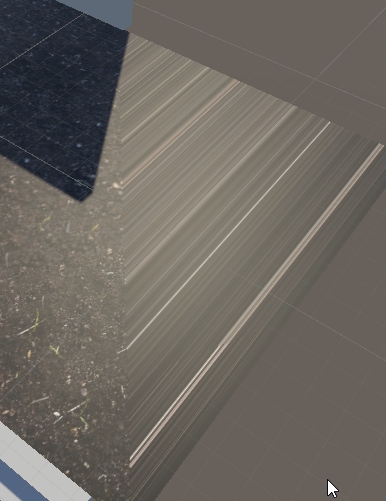
i exported things from blender to unity but some wall r invisible from inside and visible from outside?
near escarp
Make sure the normals are facing the correct way
pale wolf
https://i.imgur.com/WZmopkN.png it was fine in blender ;-;
 dapper knot
in the viewport overlays in blender 2.8+ you can select show face orientation to confirm normals face the correct way. There might be a better way though
edit: ^ but that problem looks like UVmap?
 urban sorrel
I'm wanting to do some lighting with bakery, but some of the meshes with around 30 materials on are skinned mesh renderes, but I need them as mesh renderers with mesh filters on instead. Is there an easy way in unity to convert these? Or is it literally just adding one component, draggin the materials across, and removing the other?
near escarp
Why do your meshes have 30 materials at all
Why are they skinned meshes ?
Please don't tell me you're trying to bake an awful avatar in your world
urban sorrel
No no, it's just lots of posters.
near escarp
You should atlas those or use a sprite render texture for those in that case
using a material per image is really poor in performance
 fading blaze
I'm unable to join a world I've created and uploaded myself at all, it starts as if im joining, im able to click go, then it takes me home shortly after trying to load. How do I fix this?
 near escarp
You can have a few 2k textures, hopefully not all your posters need to be the highest quality images
urban sorrel
Okay! You're right, I know how to fix things, thank you!
Sometimes I just need someone to say "just stop being lazy and do things properly and fix it" haha.
near escarp
It do be like that sometimes
 eager kraken
How do I het mirrors to work?
steel terrace
desert python
<@!776188747679006770> is that the default “light checker” unity fur? because th...
im not sure... is there one you could reccomend?
near escarp
If you have 4 realtime lights or more, it'll flicker between them as you move
 neat pawn
guys is there anyway to rest my vrchat weekly public world upload from unity or vrchat team ?
near escarp
Only way is to wait sorry
neat pawn
near escarp
Only way is to wait sorry
I have an community they are waiting for that world
near escarp
You can have that world uploaded to private and give the world link from the website to your community !
neat pawn
near escarp
You can have that world uploaded to private and give the world link from the web...
so i can make it public next week ?
near escarp
yep
neat pawn
near escarp
yep
thanks alot
proven glade
for the spotlights in unity im trying to optimize them to the best of my ability. How do I make them not cast shadows on players but on the world?
desert python
you can tell the light to not appear on the player layer. and use another light that only appears on the player layer thats set to not have shadows
near escarp
layer culling
proven glade
oh okay so that was what I thought it was
so for the lights that I would only want to reflect on the world I would only check enviorment right
desert python
whatever your meshes layer is set to (usually default), youd tell the light source to display for the default layer
near escarp
(layer is shown at the top right corner of the inspector when clicking on it in hierarchy)
proven glade
oh huh
bold ibex
Hey all. Dunno if this can be answered here but I have a ton of questions about Unity and building my own world. I have skyboxes in both landscape and spherical. NEITHER will apply to my world. Youtubers make it look as easy as drag and drop -- I'm not having such luck. Anyone that can help?
steel terrace
Anyone know why the post processing wouldnt show up in the configure world when you go to upload?
 subtle horizon
anyone know why my heightmaps do this?


warps and distorts only in very speicifc spots when you get close. is normally fine everywhere else
near escarp
steel terrace
Anyone know why the post processing wouldnt show up in the configure world when ...
Different camera
heightmaps look awful most time in Unity 
subtle horizon
near escarp
heightmaps look awful most time in Unity <a:CryingWeeb:668308405143732237>
so this is a problem with unity where it will just warp them where it feels like it?
steel terrace
near escarp
Different camera
is there a way to fix it? ive tried deleteing the camera and using a new one but it doesnt work
near escarp
Because it's not set as the reference camera in your post processing component
near escarp
subtle horizon
so this is a problem with unity where it will just warp them where it feels like...
Well, it still uses the height map, but even at lowest intensity it's kinda like that
subtle horizon
so nothing I can do, atleast in 2018.
if thats the case that's good to know. just a little frustrating
steel terrace
@near escarp it is, i cant work out what the problem is
 near escarp
yep
median briar
so long as you don't look at the edge of the geometry 😛
neat pawn
i tried new project and the newest sdk2 still the same problem is that normal ?

Trigger on VRCChair was not initialized in time!
UnityEngine.Debug:LogErrorFormat(String, Object[])
VRC.SDKBase.VRC_Trigger:ExecuteTriggerType(TriggerType)
VRC.SDKBase.VRC_Trigger:OnEnable()
near escarp
those don't matter
neat pawn
near escarp
those don't matter
Thanks

 near escarp
Kinda depends what the world was supposed to be in the first place
desert python
@bold ibex website
desert python
elaborate please
 supple drift
subtle horizon
anyone know why my heightmaps do this?
supple drift
subtle horizon
anyone know why my heightmaps do this?
You need to uncheck 'sRGB' on the height maps texture settings in Unity if you haven't already done that (but yeah, Unity's implementation in the Standard shader is not vry pretty)
bold ibex
so im making my first udon world and i dont want to edit it much so im making a prefabed one for now and i dont have the second package so i can put it into vrchat
the one that i have in the unity currently is the sdk3 world
not the sdk3 packaged one
desert python
wait, wheres the vrcsdk3 you used to import sdk world into your project sir?
bold ibex
thats the one i have in the unity currently
desert python
that one should let you upload the world. if thats what youre trying to do?
desert python
yes, sdk 3 world should have that. are you saying that the sdk control panel is missing?
desert python
is there a vrcsdk drop down at the top of unity?
bold ibex
nope
desert python
try reimporting the latest sdk 3 world. im assuming you dont have any udon scripts applied, correct?
bold ibex
here lemme send a screenshot
desert python
what version of unity you using btw
 desert python
ah hah, you are on the wrong version of unity my friend! you need 2018.4.20f1. not the 2019 version you have
desert python
also appears you have a modded version of unity 2019
bold ibex
i can upload avatars fine with this one as well
no its not modded either
people always tell me its modded
its not i downloaded 2019 from unity
desert python
youre not supposed to be able to. so im assuming since the icons and the disable biewing button are not on the default 2019 release (afaik), theres something different here. either way. you need 2018.4.20f1 to actually do this stuff
bold ibex
@desert python your the same person who said it was modded in dms
desert python
also, keep in mind: force uploading certain 2019 shaders on avatars can be super dangerous
bold ibex
dont lie
ive talk with people who have used 2019
its not modded
all i want is the package not the run arounds
if you cant help me then stop trying
desert python
you currently have the udon vrcsdk 3 package, there is nothing more i can say then reimport and get lucky
eager kraken
how long do i have to play vr chat before i can miblish a world?
errant beacon
It's not strictly based on time - friends, worlds visited, avatars/worlds uploaded (if the account has permission) active hours and etc all help, along with not getting kicked/banned/muted/reported, etc
It's completely different for everyone, but generally just playing the game will help your rank (adding friends, hopping worlds, etc)
also note that you have to be User rank to upload public worlds, not just New User
 fair anvil
so I've just finished this world I've been making and for whatever reason when I click the upload button, nothing happens. am I just being stupid, or is there something I need to do?
fair anvil
I am a trusted user, and I've uploaded a world before, but I just don't know why this time is different
also nothing seemed strange in the console, I didn't see any errors
errant beacon
odd o:
might want to import https://github.com/oneVR/VRWorldToolkit/releases and see what it's debugger reports?
wise thorn
Does anyone have a nice bloom shader for post processing?
near escarp
bloom is just post processing on bright colors and lights
wise thorn
Well shit
Well I'm trying to use this silent profile thing but it isn't doing anything, I feel like I'm doing something really wrong haha
 dusk sapphire
did you set it up on your reference camera?
wise thorn
Nope!
dusk sapphire
GitLab
A surface shader for Unity providing cel-shading. (Forward rendering only)
wise thorn
Hmm, I've followed it but it doesn't seem to work for me I guess
I'm going to try playing with it a bit more
neat pawn
Hey guy I need help,
When I test my world it's work fine,
but when I upload it to the public world I can't join it it keeps sending me to the home like black screen then send me back to the home
errant beacon
Import https://github.com/oneVR/VRWorldToolkit/releases and see what it's debugger reports? o:
neat pawn
errant beacon
Import <https://github.com/oneVR/VRWorldToolkit/releases> and see what it's debu...
Okay thanks I will try it
steel terrace
is it possible to have a bloom on/off toggle and a post processing toggle? how would i make that? or if possible, a slider.
unkempt turtle
yes, just toggle the PP component on and off to toggle post processing
not sure about sdk2, but with udon you can access each component and option there directly
steel terrace
yes, i can do a post processing toggle but i want to specifically target the bloom. I'm guessing it wont be possible then!
unkempt turtle
im pretty sure it is, i just havent worked with sdk2 in a while, so i cannot tell how to do it exactly
maybe split everything up from bloom and just disable the bloom gameobject?
steel terrace
im not sure how i can do that. i tried creating a second post processing volume, and then a empty game object with bloom on it but doesnt seem to work😫
dusk sapphire
yeah just have separate post process volumes
with separate post process profiles
make an animation to change the weights of the post process volume
and a slider to control the animation
you specifically want to target the animator rebind and update functions in the slider
the above is for sdk2, on sdk3, those ui events are not white listed so you have a slider with an udon behavior that manipulates the animator instead
steel terrace
when i try to make a seperate post processing volume what ever i edit on their effects the first one. can you get sliders on sdk2? i tried to find a tutorial but i could only find ones for udon
dusk sapphire
you need to make a separate post processing profiles
the effects are tied to the profiles, not the volumes

Name:[VRC World PostProcessing UI コントローラー スクロールバー付き Prefab] *含まれていないLua 機能 ビネット、 被写界深度、 モーションブラー、 画面の色、 ChromaticAbereration、 スリープ+スライダー、 コントラスト+スライダー、 ブルーム+スライダー 使用方法: Reference Camera にPostProcessLayerスクリプトを追加,Trigger->this,Layer->Everything Prefabをシーンに入れます 欲しいものを作る,プレハブを破ることができます
steel terrace
so, do i add a second post processing layer onto the camera for that?
dusk sapphire
this free sdk2 asset has a menu with post processing set up
you can take a look at that to learn by example etc
steel terrace
ooh ok thank you
dusk sapphire
no, you just make a second profile, and put that profile to the second volume
each post process volume has a profile assigned to it
and the profile is what contains the settings
thats why making a copy of the volume affects the original, they both reference the same profile
steel terrace
why would a object that acts as a on/off trigger disappear when used once?
dusk sapphire
if you left any targets blank, it will consider it to target itself
steel terrace
that'll be it lol, thank you

 random owl
Servers having trouble atm try again later
 wild mirage
oh ok
 brisk bane
Does that go for testing worlds too? Cause I can't build and test mine. It opens vrc in vr (even though I have force Non-VR ticked) and puts me in my home world. IDK if it's on actual vrc or the unity test build version
desert python
testing should work. what are your errors? do you have vrworldtoolkit imported?
brisk bane
If this is a new package then no. I got sdk 3 and that's it
random owl
https://github.com/oneVR/VRWorldToolkit/releases
Import this and check VRWorld Toolkit > World Debugger from the top bar
 vivid crypt
Hello, I have places in my world where a player gets stuck.
Player can get unstuck when looking in a different direction.
I checked in Unity the Physics Debug and doesn't see anything blocking.
What can be the issue ?
dusk sapphire
player collider is 2m tall, make sure you have enough clearance
gray sleet
how do i uninstall an asset? I installed a prefab or whatever and id like ot remove it. I deleted the file it created but it still had some left over parts
gray sleet
dusk sapphire
player collider is 2m tall, make sure you have enough clearance
do you know how to do that? ^
vivid crypt
dusk sapphire
player collider is 2m tall, make sure you have enough clearance
Yeah, that fixed my issue, guess I have to re-scale everything :c
random owl
gray sleet
how do i uninstall an asset? I installed a prefab or whatever and id like ot re...
You just delete everything you imported, there really isn't any uninstallers in unity for files
bold ibex
Hello there, fellow worldbuilders!  Can someone be so kind to give me an advice on world building pipeline? I've modelled the world in blender, but what about the rest? Should I use blender for UV mapping and texturing or do it in unity? Create the lights in blender or light everything up in unity? Bake lights in blender or unity? Create animations in blender or unity? 🤔 Sorry if my question is kinda stupid, but I'm pretty decent at blender and totally newb in unity, so I wanna know what unity stuff do I need to dig out. It'll be so cool if you can tell me what pipelines are you using and which software you are using for this and for that. Thank you!
gray sleet
random owl
You just delete everything you imported, there really isn't any uninstallers in ...
so i gotta go through and remove each peice one by one... yay
random owl
If it's some unity package that has dozens of files scattered all around, in the future maybe just don't import it
gray sleet
random owl
If it's some unity package that has dozens of files scattered all around, in the...
fun. fun. or is there a way to get a file of an older world version? Like for the builder there is a last build button. How can I use that build / go back to it
random owl
Sure if you are using source control for your unity project properly
gray sleet
random owl
Sure if you are using source control for your unity project properly
no idea. tell me how XD.
random owl
Learn how to set up, authenticate, and configure GitHub Desktop to allow you to contribute to projects directly from your machine.
gray sleet
random owl
https://docs.github.com/en/desktop/installing-and-configuring-github-desktop/get...
so where do i find my previous world version
random owl
bold ibex
Hello there, fellow worldbuilders! <:vrcHandWave:585749770392305665> Can someon...
Modeling and uvs in blender > lighting in unity > animations in either but usually in unity, is pretty usual
random owl
gray sleet
so where do i find my previous world version
Well nowhere if you weren't using source control before
gray sleet
random owl
Well nowhere if you weren't using source control before
source control? i dont need some rando app. where in my files can i find the previous version
errant beacon
you can't, unless you were using source control before
gray sleet
random owl
Well nowhere if you weren't using source control before
fine then. can you help me get rid of this error
Assets\VRCSDK\SDK2\Editor\VRCSdkControlPanelAvatarBuilder2.cs(12,15): error CS0234: The type or namespace name 'Validation' does not exist in the namespace 'VRCSDK2' (are you missing an assembly reference?)
vivid crypt
Is there a way to edit a mesh collider in Unity ? Or do I have to modify my mesh in Blender and re-import ?
I tried converting it to a ProBuilder object but, the mesh is too complicated so it's quite hard to move some parts of it
But perhaps there is a setting, another tool I could use that can convert that complicated mesh into simple faces I can then move ?
gray sleet
nvm i fixed my issue by reimporting the basic sdk to have it overwrite the previous changes
vivid crypt
vivid crypt
Is there a way to edit a mesh collider in Unity ? Or do I have to modify my mesh...
I've found how
Just create a new empty object with a mesh collider, attach the mesh and you can resize that new empty object
 polar palm
How do I make it so if you press a button, music plays?
dapper knot
bold ibex
Hello there, fellow worldbuilders! <:vrcHandWave:585749770392305665> Can someon...
been in your shoes. if you're comfortable in blender do most of the work there. Use unity for only scripting and animations. I'd recommend final passes for lighting in unity for future workflow https://github.com/rikeri/vrchat-room-tutorial/blob/master/README.md is a good guide for us blender people. vrc was the first time I did unity
while I'm here is there documentation for the last public release only? I'm running into a wall where I start building for a feature and see it's only in beta
bold ibex
i updated my world and unity says it was uploaded and updated. but when i check the page for it, it doesn't say it was updated recently and the world is still a different version
bold ibex
dapper knot
been in your shoes. if you're comfortable in blender do most of the work there. ...
Ty mate! I've seen this guide before, but this dude places materials and lights in unity, I wonder if it is possible to do it in blender and import then? You say I can do most of the work in blender, so I guess I can work with materials and lights in blender too?
proven glade
isnt there supposed to be a option to bring up the sdk control panel
 manic sonnet
Anybody know of a good place to find skyboxes?
errant beacon
proven glade
isnt there supposed to be a option to bring up the sdk control panel
Check your console for errors? o:
proven glade

 harsh wagon
I got the home world from 2013 working in modern VRC
 proven glade
I reimported the sdk but still the same damn issue
bold ibex
manic sonnet
Anybody know of a good place to find skyboxes?
hdrihaven?
manic sonnet
proven glade
I reimported the sdk but still the same damn issue
It seems as though you have errors in your udon graph maybe
manic sonnet
bold ibex
hdrihaven?
I looked there, not what I am looking for unfortunately but thanks
proven glade
manic sonnet
It seems as though you have errors in your udon graph maybe
how do I fix it
manic sonnet
proven glade
how do I fix it
Well I am not very familiar with Udon but you get to it by going to VRChat SDK at the top and then Udon Graph, you might have tried doing something that doesn't work
proven glade
I didn't mess much with udon
manic sonnet
what have you done since you didn't have any errors 'till now
 oblique musk
halp
 gray sleet
Is it pausible to have an audio source of some sort to have multiple sounds that play on trigger
desert python
you can trigger a game object with an audio source set to “play on awake” and itll replay when re enabled
oblique musk
this is my first world it is just a big box
desert python
@oblique musk is it sdk3?
oblique musk
no
bold ibex
is there a delay on how long a map takes to update after uploading it?
 lyric acorn
Is the QuickMenu on the UI layer? can I use that to interact with objects, like scooping up a plate using the menu?
desert python
@lyric acorn actually, i think you can. but itd be extremely weird to do so
@oblique musk it should have a debug panel you can read from
@bold ibex you should be able to update instantly if you wanted to

 desert python
are you making a cross compat world? also keep in mind- the update status does not change unless it is called for
bold ibex
It still shows the old unity version, and it's cross compatible yes.
I updated the Windows one since last time I was using the wrong Unity version and could not load my world, so I fixed the unity version and then reuploaded it with the same blueprint ID. But it's still showing the old unity version.

And I've changed the Unity version to 2018.4.20 now.
desert python
to be honest 🤔, thats probs not going to change to the normal value
bold ibex
So I'd have to reupload it?
desert python
basically. but if it updated the world. then there should be no worries on if the unity version changes
bold ibex
Well it's an unsupported unity version and I literally can't load into it
And I can't reupload since it won't give me back my weekly labs upload, so I was hoping I could change the Unity version
desert python
you should be able to just reupload the world from 2018.4.20f1 and itll update. are you using the same pipeline ID? what does the console say?
bold ibex
I put the blueprint ID into the pipeline and uploaded it with that version. It gave me the box confirming the update
 desert python
is this on 2018.4.33 or 4.20?
gray sleet
Is there a way to have an object outpust sound somewere else?
I trigger a button to play a sound, but i want that sound coming from another object
proven glade
Everytime I try to build and test a world it brings me to my home
gray sleet
proven glade
Everytime I try to build and test a world it brings me to my home
does the world your making have a spawn point
proven glade
Yeah
It usually spawns on the vrc world
Oh wait
I see the problem
Wait nvm its fine wtf
Like the vrc world is fine still having issues

Ffs
gray sleet
If anyone knows how to get an audio bank working please ping me. Iv been following the website but that doesnt help get it working
uneven trail
How come I'm missing the VRChatSDK ( At the top of Unity ) and Tools ( Top of Unity )?
desert python
did you import the sdk yet?
uneven trail
 desert python
close and reopen. or reimport sdk
 desert python
what sdk are you trying to use for this project? you may also need to create a new project and import the sdk first. than the rest of your scene
uneven trail
It's a new everything
That's why it's blank, all I did was add a cube.
SDK2.
Was going to try SDK3 but then changed mind and didn't rename project yet.
desert python
thats super weird/unlucky that its already not letting you see the sdk panel
 desert python
oh yea id make a new project. those are packages that should generate everytime you make a project but they dont seem to exist


 desert python
tah dah. you probs were just super unlucky and unity desided to be a punk on you
uneven trail
That's tragic
fair anvil
hey guys, so I've been trying to upload this world for a few days now, and for whatever reason it just won't work. so today I tried uploading just a plain flat tile and it still wouldn't let me upload. it would go to the name and description tab, but when I tried to press upload, it wouldn't do anything. am I just being stupid or is there something else?
dusk sapphire
check your console for errors
grab 1's vrworldtoolkit to check for common issues as well https://github.com/oneVR/VRWorldToolkit
fair anvil
yeah I did do that and nothing seemed wrong
well nevermind, I think I literally just figured it out, I had 2 spawn points or something. basically I just deleted one of them and it suddenly worked. thanks for the help though!
shrewd palm
so i opened an example scene and i think now i lost my world
dusk sapphire
wherever you created it
the hierarchy is part of the scene
you want to look for it in your assets
if you dont know, chances are you used the samplescene
shrewd palm
i guess so
dusk sapphire
Assets>Scenes
shrewd palm
aah there it is
thanks!
😓 👌
next question then: Can i copy things from one scene to another?
dusk sapphire
yeah
shrewd palm
noice
 stark talon
does U# have issues with Vector3 positions? Instead of setting up a new Vector3 as (spawnPoint.x, spawnPoint.y, spawnPoint.z) I hard coded the coordinates and the asteroids still spawn in the wrong location, probably at 0, 0, 0.
I have the asteroids spawning in but they aren't at the gameObject I set as the spawnPoint, however when testing in unity it works fine
 covert hearth
I need help with unity bc i cant get into my world i just made on pc or quest...
dusk sapphire
grab 1's vrworldtoolkit that can check for common issues that can cause this https://github.com/oneVR/VRWorldToolkit
covert hearth
What do i have to do to get it
covert hearth
and what do i do to use it to find the issue
near escarp
labs is for first uploads
 wooden bay
Hi~~
 nova wraith
is there a trick to getting UdonSyncPlayer (Unity) to actually loop?
I have 'loop' ticked, but it's just stopping on the last frame
oh never mind, I just saw the docs
that's frustrating
cold hound
One simple question, there is no Colliders on the world and the User is getting stuck on mid air
Any ideas?
the world was to low
i did not know that
 fresh magnet
im getting this when trying to upload a world on it's first build, any ideas?

i get this when trying to test
 errant beacon
Check the top pinned message in this channel o:
errant beacon
yw!
 glacial flicker
So i did a dummy head making a world for the first time and acciedentaly posted it to community labs on the wrong unity version. Is there a way to update the unity version to 2018.4.20f1 (current) or do i have to wait to reupload it as a new project 7 days later?
 desert python
someone else had the same issue but I don’t know if they resolved or not. but i think you can just reupload the project as a 2018.4.20f1 under the same world ID and itll fix itself to the correct version and not that
glacial flicker
Ok ill try that
glacial flicker
desert python
someone else had the same issue but I don’t know if they resolved or not. but i ...
sadly didnt work
desert python
hmm. might need to wait the full week or maybe send a vrc support ticket
glacial flicker
ight thank you bro
subtle horizon
mochies Fx x isnt really getting it
Anyone know how to imitate this screenspace shader?
 agile trail
near escarp
Or <@403806369397866500> could help
agile trail
near escarp
Or <@403806369397866500> could help
thats my avatar XD lol its using a few different screenspace effects to make that
i cant remember what i used currently but i can try to look into my older project to figure it out. i do know that i used Mochies for the distortion and frame lag effect tho
agile trail
subtle horizon
Anyone know how to imitate this screenspace shader?
i will look in my projects later to get you the exact settings and shaders i used to make that 😄
near escarp
Yeah I tagged you since I recognized you
subtle horizon
I found it
but if you can give me the exact material I would actually really appreciate that since it fits my project really well
agile trail
Ye
silent night
So I'm still having this odd problem where the objects I place in Blender do not appear in the spot I want on Unity...I apply location in Blender, which then in Unity, Unity places it at the spot I want, but then VRC Pickup breaks the object and flings it all over. If I clear it, and just set the origin point to the object in Blender, it goes to 0,0,0 in Unity way off from the actual place it's supposed to be. I don't quite get why it's only with this particular project I'm running into this <.<
near escarp
Are you sure it's not within another mesh's collider when placed down ?
If two colliders intersect, it usually sends things flying
silent night
I'll check and see if that's possibly the issue, but, it's just odd because it's a single object that I place on a table. When I put it on the table and don't do anything with it, it gets put into Unity at 0,0,0. Then, when I put it on the table and apply the location, it works and applies in Unity, but then it gets flung around everywhere when it's picked up, as if it's rotating off of a different point in space.
I thought I figured this out the other day but like, holy cow, it's starting to drive my brain in circles -.-;
near escarp
oh yeah, you want the pickup's origin near itself
otherwise the bounds will be much bigger, and that'll make the collider even bigger to take the origin into account iirc
silent night
That's what I figured too.
...Now I put the origin on the object itself, and Unity has placed it at 0,0,0 in the Unity project. I'm literally losing it <~<
near escarp
yeah if you drop it in the hierarchy that's what unity does to any object
You can't have both, unless they're under another object's transform
silent night
Well it's being imported from Blender directly, the whole world is reuploaded using the same file.
near escarp
so if all your pickups had a parent that had its origin applied at 0,0,0. and then all pickups under it had their origin as themselves
Sure but you can't circumvent unity's way
silent night
But then why is it that the object, which is placed in Blender on a table, appearing at 0,0,0 when imported into Unity rewrite? Or am I missing something, because if I place the fresh project back into the viewport the room itself it appears on the table where it's supposed to be.
near escarp
what's your hierarchy like in blender ?
silent night
 near escarp
ok so put those under an empty that has its transforms applied, and then make the pickup origin itself
silent night
In Blender, or Unity?
near escarp
blender
silent night
I'm sorry, brain is dumb, Empty Collection, since it's Blender?
near escarp
shift click drag it on the empty
silent night
And then apply the transforms, and use the Empty object as the origin for the pickup?
near escarp
no, the pickups have their origin as themselves, they just need to be in an empty object so that it functions correctly in unity
silent night
Taking a shot at that, then.
I suppose this theoretically should work at that point then, because it kept putting the object at 0,0,0, this should put the empty at 0,0,0 and then the object in the location....
....Ugh, nope. It still places the damn thing at 0,0,0 somehow.
I don't even know how that's possible at this point <~<
near escarp
yeah i'm not sure what your scene is in Unity so it's hard to tell
silent night
Well, this is about what it looks like heirarchy wise,
The "Ear2TongueUpdate" is the Blender file.


The transform axis on the left is where the Empty object put the item in question.
 warped ingot
Hi i just now decided to make my first world and t have a question what component i need to use to turn on mirror/videoplayer etc. ?
cerulean echo
@warped ingot sdk2 or 3? and you mean a button to toggle a mirror or you wand a ui to do that?
warped ingot
sdk 3 world to toggle mirror or player
cerulean echo
sorry i cant help you on that but i know a tutorial about toggle mirror in sdk3
warped ingot
sure
 normal nova
Hey would anyone know why a mirror wouldn't reflect a particle effect (like for a campfire) but only with terrain behind it? Half of the fire with terrain behind it doesn't reflect, but the top half where there's water does.
Also a different mirror in the same world doesn't reflect the water (the mirror is partly "submerged" in it)
First time using particles or water shaders, what do
desert python
not 100% of particles but if the mirror is set to cull certain layers. it might not be culling layer the particles are on or the water so it doesnt reflect them
warped ingot
em i built a few areas in objects and to some of them i cant enter ( its not a teleport or portal) just simple stairs to up level room help.
desert python
how high is the roof of the ceiling?
random owl
normal nova
Hey would anyone know why a mirror wouldn't reflect a particle effect (like for ...
Particles are usually not visible in mirrors because they are facing with the player camera while being single sided which when looking at a mirror will be facing the other way than visible from the mirrors direction
normal nova
random owl
Particles are usually not visible in mirrors because they are facing with the pl...
Oooh that makes sense
 pallid dove

I keep getting these errors each time I start up a new unity scene
And I don't know if they're a good thing or a bad thing and I don't know how to fix it
Looks like something to do with unity hub
But I do not know where to go or how to go about fixing this
pallid dove

I also did the same thing that the wiki told me to do of how to fix the problem that makes bakery not work but this still does the same thing even though I just did what it told me to do to make it so it does not pop up with this error
 muted kayak
is there a way to make the videosync prefab be able to change the url it plays ingame?
i wanted to make a little tv area where i could put on videos to watch with my friends but i havent found much on changing the url ingame
also, im using sdk3
so im not sure if theres a way to do so without udon
desert python
theres premade videoplayers that have url intake
muted kayak
my friend sent me one so ill see if it works
the vrchat tab is gone in my unity? like the tab to build and test and stuff
hot pilot
how resource intensive are triggers?
 near escarp
Because you have errors in your console
 near escarp
Did you import both SDKs in your project ?
near escarp
 muted kayak
mine also says "unity_post_processing_stack_v2" is that normal?
near escarp
if you're using post processing, yeah
muted kayak
ive uploaded my world, but when i try to join it via vrchat and press "go," it immediately kicks me out and sends me to my home?
muted kayak
oh neat it worked
is there a reliable way to get rid of these weird seams in geometry that are visible from a distance?
 near escarp
Join your meshes in blender !
Even if connected, if there's two distinct edges, it'll look like that
muted kayak
hm
i think i may just not be able to fix that due to the way i made the model
meaning, its already one joined mesh
so im not really sure if i can fix it
but i guess thats alright
pallid dove
https://media.discordapp.net/attachments/361741445352259584/833412329437003816/6b124e8bea8c1204d1fea19088b3dab4.png?width=1100&height=338
I keep getting these errors each time I start up a new unity scene
And I don't know if they're a good thing or a bad thing and I don't know how to fix it
Looks like something to do with unity hub
But I do not know where to go or how to go about fixing this
https://media.discordapp.net/attachments/361741445352259584/833417205718188102/unknown.png?width=976&height=549
I also did the same thing that the wiki told me to do of how to fix the problem that makes bakery not work but this still does the same thing even though I just did what it told me to do to make it so it does not pop up with this error


sorry i post this 2 time now i just what to get this fix
And I really don't know where to go to fix these errors
near escarp
You should probably do a full reinstall of bakery and reimport from the store
pallid dove
It's not just bakery in unity store I have it as an asset on my desktop
So I can just import it from there
He used to work every time when I imported it and I never got any errors when I started unity
near escarp
yeah that sounds like a bad idea
pallid dove
But now for some reason I'm starting getting errors from unity and now I'm getting errors from Baker
I'm not just bakery now unity is giving me trouble saying something about files to unity but it's not working
near escarp
That's why the rest of us get it from the official source and don't have errors 
pallid dove
I'm thinking that might be the case of why bakeries not working
Unity keeps saying something about unity hub
I just don't know where I need to go to find those things
And I do not know where to go to ask more of these questions of why I'm having these problems
near escarp

Get the Bakery - GPU Lightmapper package from Mr F and speed up your game development process. Find this & other Level Design options on the Unity Asset Store.
stark talon
I'm working on an in-game joystick that a user can interact with. I put the VRC Pickup script on it and I set orientation to Grip, and Pickupable to false. Now I think I might need to write my own custom script to get the joystick to actually move/rotate with the players hand motion. Does anyone have an idea on how I could do that?
 wispy pagoda
As someone who hasn't ever designed anything in unity, how hard is it to design worlds? I kinda like the idea of designing a chill vibe place
 analog wyvern
wispy pagoda
As someone who hasn't ever designed anything in unity, how hard is it to design ...
analog wyvern
wispy pagoda
As someone who hasn't ever designed anything in unity, how hard is it to design ...
Same, im interested in making my own world as well. ill fiddle around with it tommorow, i wanna do quest 2 worlds mainly (i only have quest 2 vr)
near escarp
wispy pagoda
As someone who hasn't ever designed anything in unity, how hard is it to design ...
Find reference images and then start modelling piece by piece
 open thicket


for unitypackages what is the exe for opening them for extraction to your project?
everytime i try to import a package just by double clicking a folder
it opens up the editor for opening projects instead of the actual package prompt
near escarp
Yeah i had that for a while, one day it fixed itself, and i don't remember doing anything, i imported packages via the import package menu for a whole ass year
Maybe try using the exe of the primary unity version you're using ?
open thicket
i'm going to reinstall unity
and try lol
maybe unity hub
also wanted to know what the planned Unity editor we're switching to? Unity 2019 was vaguely what i remember
near escarp
For now we're still on 2018
quick lintel
Are there any plans for upgrading to newer versions of unity ?
desert python
@quick lintel yes actually... lol
bold ibex
Hello, I was Trying to make a world in unity but when I want to test it it went in VRchat made a black screen and throw me back home,help
dusk sapphire
grab 1's vrworldtoolkit that can check for common issues that can cause this https://github.com/oneVR/VRWorldToolkit
 magic canyon
Why?

 flint mauve
how to fix this?

 winged wadi
Rn i am using textures from cc0textures and you have multible choices on how the resolution should be. 1k.png ect
what is the recommended texture resolution that looks good and doesnt impact performance much
 kind leaf
So 100% not VRC related but after years of using Unity I finally experienced a new issue working on a VRC project. ANY change I made to an object would revert the moment I left the inspector. Didnt notice for a while. Easy fix was a system reboot. Just throwin that out there if anyone else runs into that.
 cloud latch
anyone has ever encountered this problem while trying to switch to android build settings

 dawn portal
any1 gots an idea how to use sdk2 to make world objects or paticles originating from a world track and follow a player?
bold ibex
Hey everyone! Im trying to get this train to move forward in a straight line and loop! Managed to get it working in play mode within Unity however when I play test the world in VRChat the train doesn't move. Any ideas? Checked both the Animation and tested in play mode cant find anything wrong in Unity. No console errors either.. stuck.
 dawn portal
@bold ibex is it using rigidbodies? animations? or both?
bold ibex
Thanks for getting back to me so quick!
Right now I just have a simple Animation. Point A to Point B
dawn portal
no rigidbodies?
bold ibex
Correct
dawn portal
hmm... is the loop animation the only thing u have on it? no other animations?
bold ibex
Yup! Just movement, I have some attached lights and particle effects.
Its weird and no one knows whats going on. Again moves in unity just fine! Only doesnt move when moved over to VRC
dawn portal
that extra bit doesnt matter. i just need to know if any other animations are on the animator that could keep it from working
dawn portal
is the animator enabled by default
bold ibex
Yup! And I have Wrap Mode set to Loop
dawn portal
is there anything in the game that disables ur train?
bold ibex


Nope, no switches or anything yet. Trains the most complex thing I've added to the world so far
dawn portal
oh. i suggest taking off the animator component as vrc sees it as depricated. instead use an animator controller and drag that in as ur first animation.
bold ibex
Gotcha ill give it a try!
dawn portal
kk
bold ibex
So instead of using the animation component, you want me to use the Animator component?
dawn portal
yes
u just have to make a controller and drag the animation in using the unity animator graph
bold ibex
hmm alright I think I understand, let me give it a try

Have it set like this, just dragged the animation into the graph?
 inner kernel
will I notice lag in any significant way if I have a global video stream player playing in a world with 1 person vs say 40 people?
near escarp
Well, you'll have to render 40 people, but the video player ? no
 civic ibex
Hello all! I am curious to know if it comes to making a "teleport" effect on screen, would it be responsible from a Shader, or could it be a small video clip(5 seconds)? Basically I have it so that when you touch a game object with your hand, it takes you to another part of the map.
Edit: Looking at an Atlased 2D texture and just cycle through UV's, but still open to know better optimized options.

 slow comet
Hey, might be a dumb question but after working on a world for a little while.. the VRChat SDK drop down no longer has anything but a "Utilities" tab, could anyone help? Thank you.
errant beacon
Check your console for errors? o:
also, try right-clicking the VRCSDK in the asset browser and hitting Reimport
 turbid gyro
So how long does it usually take for one to load in an test the world your working on? I just feel like my VRC takes a really long time to load so I can test my world. Anyone know why?
civic ibex
Depends on your hardware and how many assets you're loading. But here is a trick I use. You can use CyanEmu that runs your world in the editor and loads up VRC code so you're getting close to the VRC experience right in your editor.
https://github.com/CyanLaser/CyanEmu
Load the asset and then hit play!
turbid gyro
very interesting
civic ibex
No need to build and run the actual VRC client, it emulates the VRC client right in the editor.
 grand quail
Hallo! Does anyone have a good video player suggestion for me?
I need to be able to stream from our CDN or twitch.
I need it to use Render Texture Mode
I am using a custom shader to add video reflections to nearby materials, but I have a small dilemma.
VRC Unity Video Player doesnt seem to stream properly.
The VRCAV Pro Video Player uses Material Override and I can't switch it, so my shader doesn't work.
Any ideas? Much appreciated!
vapid badge
So i've seen maps before that go on forever.
last night I was on a map that was a train going in a straight line on a track with a basic cityscape around it, that went on forever. maps that do this are not new and even predate udon.
How is this done?
desert python
shader possibly. maybe a really good and seemless animation change. have multiple tracks in the world but make it so yiu can only see 1 track at a time
errant beacon
looping 3D skybox animation? o:
desert python
^^or that
vapid badge
always seemed like it might be some kind of procedural thing
 drowsy juniper
im using sdk2 and when someone picks up an object nobody else sees them holding it, how do i fix?
cerulean echo
if you use a pick up you need object sync
if you wand ppl to see that you picking it up
stark talon
I've already imported other 3D .fbx models into my scene and they worked out fine but I have a joystick model that won't appear in the scene. I tried changing the default materials and that didn't work either. Any ideas why I'm having trouble with this model?
It shows up in Unity but not in VrChat
mild spade
Few things you can check: Pres Play and see if the model is still where it should be, if it is not, then an animation or script is probably controlling its position.
Next add a simple cube to your scene and load into VrChat. If you dont see the cube either, then there is something wrong with your project that is not letting you update the world (maybe some bad script/shader included in the joystick model)
stark talon
yeah it shows up when in Unity play mode. I have a duplicate model in the scene with no scripts on it and that doesn't show up in VrChat either, so it could be what you mentioned about it not letting me update the world. I will try adding a cube and see what happens
stark talon
@mild spade Yeah I tried uploading the map with a 3D cube added and it didn't update the map
mild spade
Then you have errors on your console tab. Check the pinned messages in this channel and check the first 2 posts. Is a guide on how you can fix common errors
stark talon
ok thanks
bold ibex
Trying to upload a world and constantly getting this error. Something regarding an API? Any ideas on what to look for?
 errant beacon
Your world might be too big o:
drowsy juniper
i was just wondering, a friend of mine said, "if you put VRIK from finalIK into a quest avatar it crashes quest games." But does it happen in worlds? (i have final ik and want to add it to my world (i cant check if vrc allows it due to unity not wanting to cooperate) i want to add it without quest players crashing)
stark talon
@mild spade I imported the unity package that has world debugging and followed the steps of the wiki for the bundle but maybe I'm doing something wrong because it doesn't seem to be working. I'm not seeing any errors after uploading my world
slow comet
@errant beacon Thank you very much, reimporting seemed to fix the issue. Kinda confused why it happened, but thank you!
errant beacon
yw! o:
mild spade
stark talon
<@!297116482599518208> I imported the unity package that has world debugging and...
If you enter Play Mode, do you see errors on the console tab? (assuming you dont have "clear on play" enabled) I am sorry, I have never used that tool, but I have hear many people fixing their problems with that package.
stark talon
mild spade
If you enter Play Mode, do you see errors on the console tab? (assuming you dont...
I will try that out here in a little bit and let you know
bold ibex
The vrchat world I uploaded sends me straight back to home when I join it
It worked at first but now ever since some changes it doesnt work
civic ibex
Do you have spawn point setup and is it colliding with the floor?
You can also get world toolkit to give you a report on any possible issues. Just Google and download unity package.
bold ibex
There is no errors popping up, and the spawn is above ground level and still doesnt work.
I have toolkit already. Idk what it could be
stark talon
I made a backup of my project before making those changes and now opening the backup it tells me it was made in a different version of Unity which is absolutely not the case. If I go ahead and open it anyways I get an error with the CyanEmuPlayerController saying The type or namespace name PostProcessing does not exist in the namespace UnityEngine.Rendering
open thicket
bold ibex
Hey everyone! Im trying to get this train to move forward in a straight line and...
Make sure that train isn’t set to static either
 solemn jewel
I feel like there's something weird about the colliders in my level. I've got a level with a hallway with a ceiling. When I use CyanEmu, I can get by just fine, but when I use the "Build and Play", it won't let me past, even though my avatar is smaller than the one CyanEMU uses. Disabling the Ceiling collider lets me go through the hallway, but of course I can then jump through the ceiling, which is undesirable. Is there something I'm not understanding?
dusk sapphire
player collider is 2m tall
solemn jewel
No matter what the size of their avatar?
dusk sapphire
it is always 2m tall regardless of avatar height
solemn jewel
Well crap. That'd do it then. Thanks!
dusk sapphire
but you can get by in cyanemu? it should be using a 2m tall collider as well
solemn jewel
So just to sanity check: one unity unit = 1 meter?
dusk sapphire
yeah
oh, it looks like its set to 1.6m in cyanemu
that'll do it
or I might be misunderstanding how the player collider is generated
solemn jewel
Can you mess around with the player's height using Udon? Like, player.gameObject.GetComponent<CharacterController>().height = 1; or whatever?
(Using U# of course).
dusk sapphire
nope
solemn jewel
Haha of course. Thanks! I've got idea of where to go from here.
 shell trail
Does anyone know why may baked lights are not showing up on those in VRC but they look just fine in unity?

 versed garden
Did you make your objects set to lightmap static?
shell trail
they are
 turbid gyro
Hey what’s everybody use for a reference when building a world so it’s not too big or too small?
shell trail
I just put in the fbx of my avatar
desert python
make the ceiling 2.5 unity cubes tall and door ways 2 cubes
solemn jewel
Hey, is there a way to use physics layers to make it so players ignore certain colliders? (But that those colliders work normally on thrown objects, etc?)
shell trail
Hey, If I try to do a test build I land in my home world, if I upload the world an try to join it I will land in my home world / old version of the map
But I can uplaod it
thats the console log
okay, ik what was wrong it didn't like me simple light prope asset
 olive glade
hey! i'm having a really weird problem i can't google particularly easily.
in my world, the lighting and everything looks fine, but as soon as I get avatars in there, sometimes the lighting on the avatar will be different per-eye as i look around the room. i can kinda manage to find sweet spots where it'll flicker on and off between the two, but i have no idea what's causing this. any ideas?
wispy pagoda
So Im considering trying to make worlds. Mostly just like chill places ie lakes/forest etc. How hard is it to do stuff like that?
normal nova
vrc cam was being uncooperative when i tried to use it for the image of my world (super buggy view, slurring the image of what it sees and not seeing seemingling random things, just skybox) and now i want to try and get a better image for uploading an update, but now i cant check the "upload image" box at all :/ vrc cam still shows in the bottom right corner, still buggy as hell. anyone know what im doing wrong?
i feel dumb. i know what i did wrong now
just had to have the cursor ever so slightly to the right corner of the check box 🙃
@wispy pagoda not too bad if youre willing to put the time into it. i didnt know anything about unity when i started and just slowly learned as i went
wispy pagoda
Okay thats good, is it all from scratch everytime or is there like libraries and models that you can use
errant beacon
@nimble tree Import https://github.com/oneVR/VRWorldToolkit/releases into your project and see what it's debugger reports? o:
also, def check your console for errors - should be a button to open it at the top-left of the asset browser
 nimble tree
errant beacon
<@!744179588535418921> Import <https://github.com/oneVR/VRWorldToolkit/releases>...
nimble tree
errant beacon
<@!744179588535418921> Import <https://github.com/oneVR/VRWorldToolkit/releases>...
how do you use toolkit?
errant beacon
Instructions are on the main page - import it and look for a "VRWorld Toolkit" tab at the top, and click World Debugger under that
nimble tree
i dont have any toolkit tab
errant beacon
just to verify, are you using Unity 2018.4.20f1? o:
also, try saving the project and reopening it
If it looks like you lost everything after you open the project again, you didn't - open the default scene
nimble tree
still nothin there