
#world-development
39 messages · Page 69 of 1
 arctic gale
 ancient basalt
Okay, odd question but I'm working on an avatar world and instead of using pedestals I want to add in the models I used for my avatars and make them interactive objects., sort of like the "Avatar Museum 2" world. Any idea on how I would be able to pull that off?
 glacial pond
You'll have to take the avatar models into the world project. you can't set up a pedistal to automatically show it's avatar
 dusk sapphire
arctic gale
heyo im on sdk2 and im trying to make it where an object change colors when a pl...
dusk sapphire
arctic gale
heyo im on sdk2 and im trying to make it where an object change colors when a pl...
you should be using AnimationFloat, not bool
arctic gale
gotcha what should i be using for the variable the name of the animation the blend tree or somthing else?
dusk sapphire
you would use the name of the float parameter driving your blend tree, I can see its snow IN
arctic gale
ah gotcha and i would change the value from 0 to 1?
dusk sapphire
yeah, assuming that's what you want
glacial pond
Can I have a intractable that doesn't have use text?

To make it a laser pointer instead?
dusk sapphire
You'll want to use a UI menu for that
there should be a couple of examples in the vrcprefabs list
 night yoke
how do i make it so desktop movement wont scroll a scrollview?
night yoke
nevermind found out how, i set scroll sensitivity to 0
 void bison
Hello, I am trying to set a value for the teleport orientation, but it resets to 0, would you have a solution please?
 void bison
After 9999999 tries, I finally found out where my problem comes from
 maiden hinge
this is my first time uploading a world to vrchat
is it normal for this preparing to upload box to be stuck on zero for a good while?
 maiden hinge
I have a problem, each time i try to upload my world i get a fuckload of errors of the same type.
anyone know how to fix this?

 random owl
Those are normal
If it's not uploading the problem is somewhere else
https://github.com/oneVR/VRWorldToolkit/releases
Import this and check VRWorld Toolkit > World Debugger from the top bar
maiden hinge
thank you
It gave me the tip to disable the proofing setting
so i hope thatll fix it
if it doesnt, ill just have to mess around with the debugger until it works ig
 tropic crater
Hey, is there a way to define which button is used for which interaction on keyboard + mouse setup? Context: I have a chair that is pickupable and also a station. In VR there is a grab button and a trigger to use (sit). On PC I only have left mouse button for these two, which as you imagine does both simultaneously and glitches the avatar.
How can I map this so left mouse button -> grab, right mouse button -> sit for example?
 kindred void
i have a question regarding making a world in unity
whenever i try to test the world locally, it just brings me to vrchat home and not the unity world
im on the right version of unity, help plez
 errant beacon
kindred void
i have a question regarding making a world in unity
whenever i try to test the w...
errant beacon
kindred void
i have a question regarding making a world in unity
whenever i try to test the w...
Makee sure that VRChat's path is set correctly in the build control panel's settings! c:
 short gulch
Just looking for opinions here, which sky do you think would be easier on a VR user's eyes for night time taking into account that most of the buildings have brightly lit windows?


(Ignore the guy that's cut out of the first one. Discord was detecting a shirtless man as being explicit)
 grand remnant
Quick question : if I spawn an object (VRCInstantiate) can I get it to sync between players, or should I go with objects pools instead ?
 ashen hare
Could someone explain to me why these lightmaps are so messed up? I think that it could be the lightmap UV but I dont know how to fix it
 grand remnant
ashen hare
Could someone explain to me why these lightmaps are so messed up? I think that i...
grand remnant
ashen hare
Could someone explain to me why these lightmaps are so messed up? I think that i...
might be better to ask at #world-lighting
 silver hollow
hi all, ive been having a weird bug lately. in order to test my world i load 2 avatars locally but for the past few days when i try to sit down with 1 avatar it teleoprts the other character over and moves it across the chair back and forth while locking that one out of the menu, any ideas?
 pseudo night
Any good discord’s to find map makers to commission.
errant beacon
#community-servers-old or VRCTraders c:
 near escarp

VRChat Ask Forum
Post about commissions for worlds in this category. Requests are not permitted, we only permit posts from those providing services.
it's pinned
 past raptor
silver hollow
hi all, ive been having a weird bug lately. in order to test my world i load 2 a...
past raptor
silver hollow
hi all, ive been having a weird bug lately. in order to test my world i load 2 a...
VRChat stations are broken for local testing. They work fine when uploaded, but all local testing instances will get "seated" when one of them tries to use the station.
silver hollow
past raptor
VRChat stations are broken for local testing. They work fine when uploaded, but ...
rely? ive been playing around with world building for a few weeks, did i really not notice that?
past raptor
silver hollow
rely? ive been playing around with world building for a few weeks, did i really ...
If you test with only one local instance, they work perfectly fine. With two or more, they break. It's easy enough to miss if you aren't doing a lot of networked testing.
 bold ibex
can anyone help me whit a video player on sdk 2.0 couse i don't have any idea how to make one is there like a prefab
void bison
Good evening, I wanted to know if I put lod groups to all my objects, would that optimize my world? there would be an FPS gaint do you think?
near escarp
LOD is good if the objects are always in view, if not then use occlusion culling
void bison
Okay thx, How, how do I do this with the bite?
near escarp
the what ?
void bison
what should i do to use bite slaughter?
 void bison
Heuuu no I'm talking to you xD
bold ibex
So is there a way to get video player on sdk 2?
void bison
near escarp
void bison
Heuuu no I'm talking to you xD
Ok, what the hell is bite slaughter ? I just recommended occlusion culling
bold ibex
Thx 3
void bison
Google translate :/
void bison
near escarp
Ok, what the hell is bite slaughter ? I just recommended occlusion culling
Okay, but how do I do this?
near escarp

Polygonal Mind
How to improve the loading and performance of your VRChat world with Occlusion Culling using Unity 3D. Save resources with these tricks!
 frank garden
anyone know how to get iwa sync video player to autoplay when somebody enters the world?
void bison
@frank garden
Normally you must have a location in the prefab to enter a link
frank garden
right there is a place to put the link but a person must still hit the video button to start the player
I found that if I enable the SpawnedOriginal checkbox in in the iwaSyncVideo prefab, the video will start playing when I enter the room, but you won't be able to see it on the screen, the screen stays black like it is off and you can only get audio out of the player. I'm just having trouble figuring out how to get it to automatically play, but also still show the video
near escarp
OnNetworkReady local that presses the button ?
void bison
At worst, deactivate empty by default, and activate it when a player joins the world
grand remnant
any recommendation on max pickups objects (most inactive in object pool) ?
 thorn badge
how do i get my light shadows to stop having gaps and actually stop at walls?

this is what the light is set to
 near escarp
are the walls actually connected ?
thorn badge
yeah there planes tho so i made them into ed cubes and gave some thickness and it stopped the bleeding
 ruby roost
near escarp
OnNetworkReady local that presses the button ?
ruby roost
near escarp
OnNetworkReady local that presses the button ?
hmm, didn't know about this function. If i wanted a function to run, after all UdonSynced variables have synced at least once, would this do that? I'm guessing this runs after Start()? Is this for Udon/SDK3?
kindred void
I would like to know how to make a collection of objects and that when the person collects all the objects it gives him access to something a secret place or objects.
ruby roost
kindred void
I would like to know how to make a collection of objects and that when the perso...
one approach might be to: have a script that takes an array of GameObjects. when the user clicks on an object, disable the object (as in pretend they "collected it"). Every time you "collect" an object, check if you've already "collected" all other objects. If you have, then enable a door or something
near escarp
I have no clue how that'd fit with Udon sorry

 thorn badge
how would i make a button turn multiple things off in udon graph

nvm i found the block node didnt know it was there
thorn badge
well nvm it didnt work
it turns one thing off and on but the others dont do anything
 frosty goblet
@thorn badge you'd want to make a for loop that loops through an array that contains each of the items you want to disable
frosty goblet
I only know how to write C#, so I'm not much help with Udon
The phrasing is the same, but the way you put it together is different
kindred void
ruby roost
one approach might be to: have a script that takes an array of GameObjects. when...
merci
I have a question that is bothering me I wanted to know if on vr pc I could have a quest version of vrchat to test my maps to see the rendering because I don't have a quest.
dusk sapphire
no way to test without an actual quest i'm afraid
kindred void
I am very sad
thorn badge
how do i add avatar light but not to the world
is it just change culling mask to player
bold ibex
Is there anyone experienced in world building that wouldn't mind helping me learn some of the tools and stuff? I'm very new to blender i've never really used it before
near escarp
Are you following any tutorials ?
 shrewd palm
Home world progress
 thorn badge
how do you add a pickup in sdk3?
dusk sapphire
same way as sdk2, with the vrc pickup component
only difference is you add an udon behavior with an empty graph and check the sync checkbox
if you want pick ups to be sync'd
dusk sapphire
Light.intensity is a whitelisted ui event so you can just add it to the on changed event in the ui slider
thorn badge
thx alot lol
 signal garnet
Does anyone here know a good way to make a thick fog in Unity with sdk3?
At the moment the best i have been able to make is using the duststorm prefab from Unity standard asserts and making it have a ton more particles. But that means it needs to have an insane amount of particles.
bold ibex
I had a question myself. I keep getting an error message saying "trigger on button was not initialized in time". Is there a solution to this?
I also get a warning saying that I "cannot add menu item vrchat SDK /utilities/clear cache and Player Pref because a menu item of the same name already exists". Does this mean anything?
random owl
Those both are normal with sdk2
bold ibex
random owl
Those both are normal with sdk2
Interesting, for some reason I can't publish. I checked for scripts too
random owl
You'll need to be a bit more specific on what you mean by you can't publish
https://github.com/oneVR/VRWorldToolkit/releases
Import this and check VRWorld Toolkit > World Debugger from the top bar
bold ibex
I try to build and publish for windows and it starts to load but then leads me back to my scene. @random owl
but thx i'll import
bold ibex
random owl
You'll need to be a bit more specific on what you mean by you can't publish
http...
oh wow this is very handy. thank you!
 alpine kernel
am i able to make a global audio source so everybody can hear it same time
 languid wave
Hey, so i'm able to upload the world, but I can't load in. Not sure if this is causing it, but it keeps popping up in the console.
 ruby roost
languid wave
Hey, so i'm able to upload the world, but I can't load in. Not sure if this is c...
ruby roost
languid wave
Hey, so i'm able to upload the world, but I can't load in. Not sure if this is c...
dont worry, these pop up often & don't impact your world or anything
random owl
languid wave
Hey, so i'm able to upload the world, but I can't load in. Not sure if this is c...
https://github.com/oneVR/VRWorldToolkit/releases
Import this and check VRWorld Toolkit > World Debugger from the top bar
languid wave
Hm, then something else is stopping me from entering the world.
random owl
What I said above ^^
ruby roost
alpine kernel
am i able to make a global audio source so everybody can hear it same time
yes, you can either use a synced video player, or if its just a short sound effect then a network event to play a sound is better suited
random owl
Oh for that if they mean they just want the audio global changing the audio source from 3d to 2d will make it happen
alpine kernel
Ok so i got another question...
Why are most avatars in my world black
I made changes to the light and now avatars are black
But only on quest
random owl
Are your lights properly baked with light probes?
alpine kernel
How do i do that
near escarp

You can support me on my pateron
https://www.patreon.com/mcphersonsound
This is a longer tutorial than normal and there is a lot to cover so here are time stamps for your convivence.
00:00 what is baked lighting
00:35 setting up lights
1:23 preparing meshes to bake
2:30 generate lightmap UV
3:28 light probes
5:10 reflection probes
6:00 emissive ...
ruby roost
I'd like to use an audio low pass filter, although I can play around with it in unity/cyanemu, I can't get it working in game. I attached the low pass filter to the Main Camera, and have a collider toggle that triggers it on/off when entering/leaving a room. am I missing something?
also i really wish the audio reverb zone supported low pass filter, so it could be a zone effect (aka falloff curve) rather than toggling an object on/off
bold ibex
signal garnet
Does anyone here know a good way to make a thick fog in Unity with sdk3?
At the...
Not sure how to do it in Unity myself, but a typical tactic I've seen employed with varying levels of success is binding a pre-baked fog animation to a smaller number of particles. You might also try unity's built-in fog, I just don't know if it's compatible with VRChat https://docs.unity3d.com/2017.4/Documentation/Manual/PostProcessing-Fog.html

 rain swallow
would anyone know why Unity doesn't recognize my world as an upload-able world? I have added the scene descriptor, but the sdk still tells me I have to add it. I'm using the sdk3
alpine kernel
Try sdk2
rain swallow
will do
 split river
I tried updating my sdk3 for worlds by removing the folder and importing the new package but now my SDK is all messed up
Is this fixable somehow?
thorn badge
why when i try and upload now it says this
 ruby roost
split river
I tried updating my sdk3 for worlds by removing the folder and importing the new...
ruby roost
split river
I tried updating my sdk3 for worlds by removing the folder and importing the new...
same, screwed up my sdk once again. these steps worked for me: create a new project, import the new SDK, the delete these folders from your project & copy/paste in the ones from the new project. also make sure to update Udon# if you're using it

also i lost all udon behaviours so I have to reapply & configure >50 scripts. so sick of doing this crap
 kind leaf
Very little hurts more than when Unity stops responding while updating. Could be worse, could be working in the Creation Kit 😛
ruby roost
i grossly understated my pain. it appears all udon sharp scripts got removed, so I am now checking over 1K udon behaviour scripts to see which ones were udon#, and trying to remember which script they need (several are prefabs and i have no clue how they work). i'm so frustrated, I'm not sure what I did wrong
kind leaf
I use the safe method:
select you scene, right click to select dependencies; export package while unchecking the dependencies tab.
Then start a new project, import new sdk, new udon# and then your newly packaged project. Make sure to not re-import any sdk or u# core files. If it has the update/refresh icon uncheck them.
Never had an issue and it cleans up my builds
If scripts detach its because the order of operations was wrong. Importing a files that requires scripts before the core files that permit the scripts to exist removes them. Common mistake when importing avatars with dynamic bones 🙂
ruby roost
the udon behaviour remained on all objects, its just the udon# argument disappeared on most, but not all. what should I have done? I've had plenty of problems with their crappy SDK upgrade experience, but thats never effected my actual project
kind leaf
Well, 1) Backup before upgrading. If things go south you arnt left with 1k scripts to fix. and 2) when in doubt, upgrade with a clean build like I explained above. Doesnt help you now but will prevent heartache in the future.
Backing up in unity is a pain because its not a feature; but using something like 7z set to minimal compression eliminates lengthy backup times.
ruby roost
yeah, i do weekly manual backups. its a pain to copy & compress some 80K files (why are there so many), and upload on my slow connection to some safe place. i'm never too screwed, but i've made enough progress since my last backup that going through >1k udon behaviours is the path of least resistance. my only saving grace is that after re-applying the udon# asset to the udon beheviour, it somehow remembers the exact arguments
if it knows each specific objects arguments, then clearly theres info stored somewhere that links the udon# with that specific object....
kind leaf
🙂 What are you building that is so script intensive? If you dont mind
ruby roost
5x decks of cards, and lots of chairs probably accounts for ~500 objects with udon behaviors with no script attached. then in addition, all the other little games, various mirrors w/ triggers, several door locks, door bells, monitors, etc. adds up. then all the cool prefab toys
kind leaf
ah, ive got a deck prototype that uses 1 script. Stacks, shuffles, and resets but ive got an issue for collision calculations somewhere because shuffle generates an fps spike and more than one deck halves the rooms fps. Its getting there though.
not a large script either
ruby roost
hmm, i just have 52 objects in a deck object, each card has an empty udon behaviour that syncs its position. its in a layer that doesn't collide with itself, and i have a similar script that shuffles & resets positions w/ no problems
kind leaf
yeah thats my problem i suspect. I have it checking collision with the table and its siblings because I wanted a nice stack of cards... Works great when they dont check each other.
ruby roost
card colliders would be tricky; i assume you have gravity on? what happens if someone picks up the bottom card, wouldn't all your cards go flying? if you have kinematic on, then are colliders really necessary?
 rich trail
is Final IK 2.0 not supported?
rich trail
just heard from a bird, still on 1.9
 frigid echo
not sure if i should ask here instead but, does the new midi system support a clock?
would be interesting to be able to sync people's midi devices with the world
signal garnet
bold ibex
Not sure how to do it in Unity myself, but a typical tactic I've seen employed w...
Oh thank you! Will check it out after work.
 desert python
@frigid echo udon always had access to the realtime. so you shoukd be able to makeva metronome from that
frigid echo
desert python
<@!209777632324091905> udon always had access to the realtime. so you shoukd be...
but can you send a sync pulse to midi instruments?
cause you know, arpeggiators, and everything else.
desert python
i think so. however itd take some work to make the thing sync up in a way to sounds normal depending on the players ping
frigid echo
most likely yeah, i suppose the solution to that would be to sync all audio inputs from one master client, basically making it to where only one person could be "making" music at a time
cause computers can't see in the future, well they kind of can, but unity can't
also, to add to that, i can run the unity client and it reads MIDI inputs just fine, but when i'm ingame, it doesn't recognize my inputs, is there something i have to do to make it handle that information?
desert python
im not exactly sure. vrc broke most of the original midi games so they could add more settings and nodes you could change. i think theres an examble of how to set up midi inputs but im not sure
frigid echo
i didn't see one in the docs, might be hidden somewhere.
is there any sort of limitations based on ownership of an object?
dusk sapphire
https://docs.vrchat.com/docs/midi
When you visit a world with Midi events, VRChat will try to open the first Midi device it can find on your machine. If you have multiple devices and want to specify which one to use, you can pass part of its name as command-line argument. For example, if you have a device that appears in Windows as "SchneebleCo MidiKeySmasher 89", you can add this to your launch options / script:
--midi=midikeysmasher
that perhaps?
frigid echo
just a sec i'm gonna try running into my midi container
alright yeah it still doesn't work, i'm curious if ingame it's not reading it, but i can't add that command line argument through the sdk
hmm
it's duplicating the handler
alright that works then
i had to remove the listener and put it in again cause it was duplicating the handler
(no i didn't put one in myself)
i guess i should report that
tropic crater
Hey, I can't find some components in my vrchat project, I've downloaded the sdk but for example when I search for https://docs.vrchat.com/docs/vrc_audiobank there is nothing in my files like that?
VRChat
Can used to play sounds easily in a sceneRPC's are available via the SendRPC action Quickstart Guide First, create an audio source in your Unity project and turn off the "Play on Awake" feature in the inspector. Create an empty object (position is not important) and add VRC_AudioBank component to...
I'm using version 2021.01.28.19.07
desert python
did hou do sdk2 or 3?
tropic crater
sdk 3 I guess
desert python
oh thats wrong already, you need 2018.4.20f1
also sdk3 doesnt have audio bank im pretty sure
tropic crater
desert python
oh thats wrong already, you need 2018.4.20f1
no, this is the SDK version
 desert python
oh, oop, well either way, i dont remember seeing sdk3 having that component
its all scripting based rather than components
tropic crater
I guess if I import sdk2 this wont work if I'm using sdk3 in my project for everything else?
desert python
im not 100% sure what audiobank actually does, but theres probs an equivalent to it in udon/sdk3
its probs called something different
tropic crater
I need a jukebox, and googling around I found audiobank
dusk sapphire
unless someone has made a prefab for it you'd just implement it yourself

GitHub
VRChat Udon# based Sync Audio Player . Contribute to OhGeezCmon/VRC-SyncAudioPlayer development by creating an account on GitHub.
desert python
i think there is a music playlist prefab somewhere, but i can’t remember where
oh right there lol
dusk sapphire
make sure you grab the latest version of https://github.com/MerlinVR/UdonSharp before importing that

GitHub
An experimental compiler for compiling C# to Udon assembly - MerlinVR/UdonSharp
tropic crater
thank you!
I think that documentation could be more clear tho, which components are working with which SDK version
UdonSharp is a compiler that compiles C# to Udon assembly
also, is this something officially supported?
or is everyone counting here on 3rd party asset, and that someone will have time to update it if VRChat decides to change things
dusk sapphire
SDK3 uses VRChat's in house scripting solution. UdonSharp simply converts C# into the same format as VRChat's scripting solution
prefabs for sdk3 will be built on top of Udon
be it through Udon Graphs directly, or using UdonSharp
VRChat
What’s this Udon thing anyways? VRChat Udon is a programming language built completely in-house by the VRChat Development Team. It is designed to be secure, performant, and easy to use via the VRChat Udon Node Graph, a built-in visual programming interface that uses nodes and wires (we call them “no...
tropic crater
god sent, I hate udon actually 😄 I prefer scripting
I've made some simple udon behaviours, but it goes to spaghetti really fast if you want something more complex
dusk sapphire
as for what components there are, https://docs.vrchat.com/docs/whitelisted-world-components
VRChat
The following is the complete list of scripts usable within worlds. Components that are not in this list will not work. Unity Components WindZoneVideoPlayerTilemapTilemapRendererTerrainTreeSpriteMaskParticleEmitterEllipsoidParticleEmitterMeshParticleEmitterParticleAnimatorParticleRendererWorldParti...
tropic crater
thanks for this!
frigid echo
speaking of complex
udon is a nightmare
this starts and stops one note

and i want it to be able to play 3 different portions, the attack, sustain, and decay
plus polyphony
frigid echo
fantastic
that might make this slightly easier
ideally i'd be able to write straight to the audio buffer but i'm not entirely sure that's possible
tropic crater
@dusk sapphire I've imported the udon sharp to my project, but got missing references here

any ideas?
I've reimported the whole project but no success
 drifting patrol
how can i delete uploaded world?
dusk sapphire
make sure you're on the latest version of the vrcsdk, as udonsharp was also just updated for it
new vrcsdk came out like today so
tropic crater
ah, ok, this might be it
dusk sapphire
drifting patrol
how can i delete uploaded world?
in unity, go to vrcsdk > content management, you can delete your worlds/avatars from there
drifting patrol
dusk sapphire
in unity, go to vrcsdk > content management, you can delete your worlds/avatars ...
i did but in the website still there
oh nvm its gone now lol
grand remnant
Could a kind soul help me with managing the shader-variants generation thing that takes ages everytime I test the map or switch between pc <--> android targets ?
desert python
@grand remnant theres a unitypackage called “easyquestswitch” that remembers what your build materials should be between android or pc
grand remnant
thank you very much :)
desert python
actually lemme send thing
bold ibex
i have some doors that for some reason are disappearing whenever i play the scene or test the world, but they appear just fine when not in play mode. disabling the animator seems to make them appear again. anyone know why? https://i.imgur.com/wiUkvxe.png in non-play mode versus https://i.imgur.com/0LNZh43.png in play mode
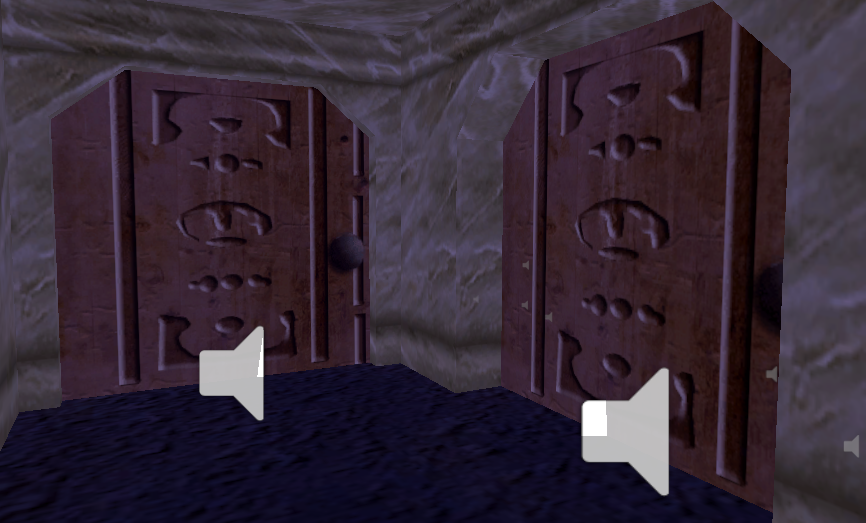
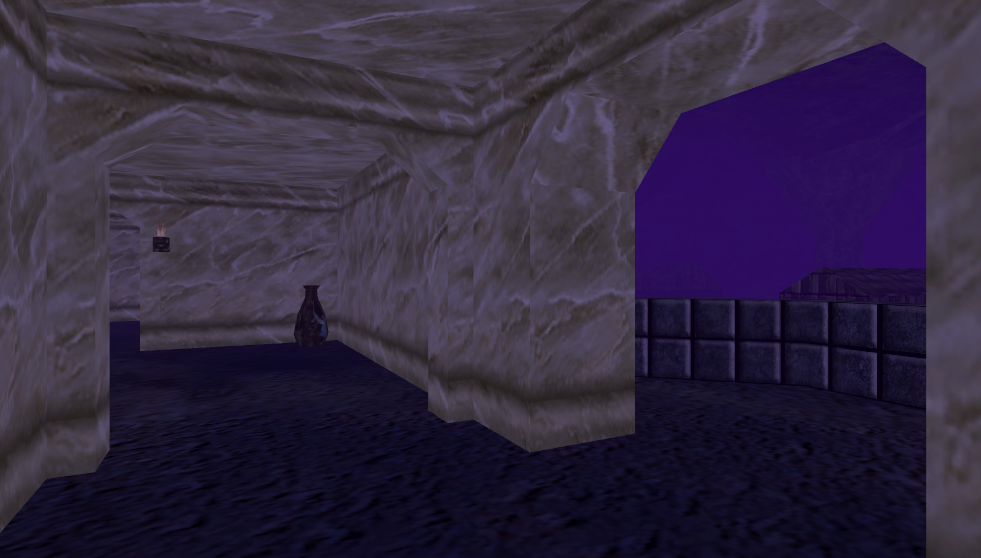 frosty goblet
If you make a custom layer (let's say "test1") with special collision interactions to fire trigger messages when it hits a "test2" in your world, then you upload an avatar that has custom attachments with a layer of the same name (test1), will the avatar's attachments fire collision messages in the world if it hits a test2?
 wild mirage
trying to make door open close toggle
and cant find the parameter


also this is how the udon script looks like
help pls
near escarp
wild mirage
k
 tawdry granite
Some question, 1 unit in unity to how many meters equates to?
want to have an idea about the world scale.
 frigid moth
With the new midi implementation of UDON, if anyone would like some custom midis for their world i'd love to help :)
thorn badge
how do i get a slider to change the color of a light
kind leaf
tawdry granite
want to have an idea about the world scale.
1 unit in Unity is 1m (cubic meter) lol only took 3 edits
 north siren
How can I add the atmospheric dust particles to my world?
I trying to use the particle system but I dont really know how to make the particles move around randomly, they just move in straight lines
also how can I make particles fade in/out at the respective part of their lifetime?
thorn badge
north siren
How can I add the atmospheric dust particles to my world?
not to keen on particle stuff but if you know how use a noise array
north siren
thorn badge
not to keen on particle stuff but if you know how use a noise array
thank you this is what im looking for
thorn badge
np
 verbal patrol
does anybody know which free water texture that looks real/moves?
kind leaf
thorn badge
np
There are a few ways to do that, easiest is using rgb values. on custom event for the slider update, update the value and set a slider for red green and blue. slide values update a var newColor. and then just update Light.color = newColor
here is an example in an array https://answers.unity.com/questions/885070/changing-the-light-color-with-sliders.html
thorn badge
how would i make that a event that a slider could control i am not very good at coding
dusk sapphire
are you on sdk2 or 3?
thorn badge
3
kind leaf
best resources is this dude here for getting started. this video is what you want https://www.youtube.com/watch?v=FWU7ckfkUrw&list=PLwEtUGCdQX7HMkFCVxiNvO4DS2CmHWbe6&index=8

Interacting with modeled buttons is fine, but when you have a lot of buttons and such all in one place, you may want to integrate them with Unity's UI system. Here's how you go about doing a basic UI setup with custom events!
00:00 - Intro
00:35 - UI Canvas Setup
05:40 - U# Slider Script
10:24 - Slider in VRChat
12:30 - U# Button Script
15:27 ...
thorn badge
i was using that earlier lol
grand remnant
is it normal that whenever I press "build & test" on the VRChat sdk tab, all shaders are being reprocessed, even when the only modifications I did is code-related ?
kind leaf
yep. gets worse in sdk3 because it includes post processing so even if you do not use it it still creates a few thousand shader variants.
with every build
grand remnant
😢
kind leaf
its not too bad tho. make sure you are using cyanemu to test. build&test is local anyway so might as well use cyanemu which allows you to just hit the play button.
grand remnant
I've already added 4 "vrc tools" to my unity :s
well I guess one more, one less doesnt make that much of a difference
altough I must say these shader problem came suddendly but im not sure why. My map wasnt much different a few days ago, and build time was < 30s
kind leaf
I only use cyanemu and occasional the toolkit but only if I have a performance issue I cant find.
grand remnant
maybe one of the props package I added is guilty of some dirty stuff. anyways if cyanemu helps with quick code test I already like it
I think Cyanemu doest like my project :s ... "The type or namespace name 'HandType' could not be found"
kind leaf
If you are using the lastest release of the emu you need the newest sdk as well
thorn badge
how do i access the rgb for a light in udon graph to change them?
i only got how to do intensity from that vid i cant make the connection lol
grand remnant
kind leaf
If you are using the lastest release of the emu you need the newest sdk as well
I thought I had it, ill check that thank you
kind leaf
thorn badge
i only got how to do intensity from that vid i cant make the connection lol
I dont do the node thang. # or go broke for me. Sorry
thorn badge
ahh okay
 wise cobalt
Desktop users can't rotate objects in my world, anyone know a reason why?
kind leaf
allow manipulation checked
wise cobalt
I had that checked and it didn't work, weird...
kind leaf
you could also try enabling force hold along with manipulation. Thats just shooting in the dark hoping for a hit tho. manipulation should work by itself. Unless something else is broke.
wise cobalt
I hope not, might need to reimport the SDK if it doesn't work
grand remnant
@kind leaf It seems that CyanEmu except a different version of CharacterController, rings any bell ?
im on the required Unity version 2018.4.20f1
kind leaf
Nope, I don't use a character controller . Except for the one in the emu
grand remnant
well neither do I, but CyanEmu does
kind leaf
Yeah, it emulates vrchat in unity
 left marlin
What is going on now about CyanEmu?
grand remnant
ok, fixed it by adding "UnityEngine." before CharacterController
grand remnant
left marlin
What is going on now about CyanEmu?
nothing wrong, its awesome ! (probably, ill tell you when I manage to get it running :p)
left marlin
Sounds like you have a script without proper namespacing breaking compiling in your project
grand remnant
yeah thats my guess too, Ill have to find what messes with that
grand remnant
I am
left marlin
Did you create a script with that name? "CharacterController"
grand remnant
No, it was part of a props pack that added that in their demo scene
left marlin
Its probably better to delete runtime scripts in asset packs if they arent meant for vrchat.
You shouldnt ever need to edit CyanEmu
grand remnant
yeah I think Ive delayed the cleanup for too long
grand remnant
left marlin
Its probably better to delete runtime scripts in asset packs if they arent meant...
Thanks for CyanEmu, its indeed awesome :)
left marlin
Glad you enjoy it 
 charred canyon
i have a problem when i load into my world it loads, goes black, then load again and im in the VRC home
anybody know what to do?
charred canyon

i can be a bit slow where do i go lol?
oh look at that its at the top im an idiot
damn that world toolkit is helpful
thank u
 near escarp
yeah you probably wanna do that
 livid sequoia
do what.
near escarp
What it says in the text of the screenshot you posted ?
livid sequoia
its been sitting in the same folder /documents) ever since i made the world...
near escarp
you probably wanna move it to your desktop for now
livid sequoia
that would make it unable to open, since in past when i put a project in trashcan and put it back it was completly unopenable (dont show ) in the unity list
your telling me i have to move every project to my desktop?
dusk sapphire
right click the folder > properties and make sure it isnt read only
livid sequoia
that dosent work .
dusk sapphire
other possible causes is your disk might be full
tawdry granite
kind leaf
1 unit in Unity is 1m (cubic meter) lol only took 3 edits
Sorry for late answer but thank you for clarifying that
 gilded hill
random owl
gilded hill
random owl
Very carefully
 neat badger
Is it necessary to have prefabs on the prefab layer? I'm having some performance issues in my world and I'd like the prefabs not to collide with eachother, but still collide with the world. I was considering placing them on the Player layer, as the Player layer collides with most everything except other Players.
random owl
You can have them on any layer you want, unity has no built in prefabs layer
alpine kernel
Heyo thank you guys again for that baked light tutorial but how do i make the lighting on the avatars more bright because now the avars are no longer black but still pretty dark
 copper crescent
For the love of god, please could somebody tell me why my SDK keeps logging me out every 10 or so minutes then taking a full 10 minutes (sometimes longer) to log me back in. Not to mention the fact that it isn't even remembering my credentials so I have to enter them every single time 😠
So frustrating and slows me down significantly, this is with the latest SDK as well as with previous versions
Just updated my SDK following the best practice posted by VRC on both PC and Quest versions of my world and this happens on SDK3 and 2
desert python
@copper crescent #announcements
errant beacon
They'd announce when server mediation is taking place - afaik uploading isn't being affected atm o:
desert python
sometimes it gets wonky
try updating your world as minimal as possible this weekend
 heady saffron
Hello, Im making my first map for a small school project. At the moment i have just set up the example scene. The problem is that i can't find how i can test the map in vr. I would guess that it is just turning off Force non-VR but that doesn't seam to do it. can enyone help?
copper crescent
desert python
try updating your world as minimal as possible this weekend
This has been happening at non-peak times consistantly for over a month now :/
Wanna hopefully slip in one final upload before our event tonight, just to get 2D/3D audio toggles working
desert python
then its probs your connection or you need to restart something
 thorny mantle
Has anyone here tried streaming from Mixcloud into VRC? As Mixcloud pay PRS money there are no DMC take downs so a good option for events.
copper crescent
thorny mantle
Has anyone here tried streaming from Mixcloud into VRC? As Mixcloud pay PRS mone...
I'm interested in this also, right now we run all of our DJs though my own streaming servers and use RTSPT in the new Udon players which has been working well but paying for all the infrastructure isn't too great
Also the Twitch ad breaks screw everything up... I basically want what I have now with my custom servers but using a trusted URL 😄
 tardy owl
so i havent superly touched on vrchat worlds, how do i make teleportation pads? like you walk on them and boom youre somewhere else with the portal and you walk back over it and itll bring you back
desert python
in 3.0 udon, theres a walkin teleport prefab. for sdk2, I don’t know but probably somewhere theres a teleporter
tardy owl
oooof
i dont know how to do udon so 😓
im only used to 3.0 atm
2.0*
mm,,, i could try to learn udon though, seems fun
desert python
hmmm, theres probably someone here thats smart and has a teleport thing for sdk2
tardy owl
can i use the avatar 3.0 or is there a different download for 3.0 worlds?
i forgot where to find the download page for the sdks
tardy owl
hecc okei
desert python
make sure its a fresh project, dont import it into a project that already has an sdk imported
desert python
if it was the 2.0sdk, youd still have a lot of trigger setting to set back up
tardy owl
true, the only thing i did wass put 4 planes in a box :kek
but thank you aa, udon seems difficult but aa
 halcyon flax
Do SDK2 worlds support the URL playing feature? Like, to play YouTube videos and the like
 vapid badge
Ive got a question. What's a good shader that works great for baked lighting, can be flat lit or do lighting, can disable backface culling, and can be cutout
because I'm having trouble finding one, and am seriously considering straight up returning to cubed
halcyon flax
Any way to get a player height reference in the Unity editor?
halcyon flax
When I export a world to VRChat, does the world include all the entire asset packages I used to make the world, or just the assets within the world?
Like, I imported all of Standard Assets but I don't want everyone joining the world to download all of Standard Assets
random owl
Just the stuff in the scene
You can import this and check VRWorld Toolkit > World Debugger from the top bar to look trough what the last build had in it
https://github.com/oneVR/VRWorldToolkit/releases
halcyon flax
awesome
Okay, I saved it and Unity crashed, reopened and nothing is fucking here
what happened?
The asset data and everything remains, assets I created and imported are ready to be re-added
but nothing is in the 3D space
random owl
halcyon flax
Okay, I saved it and Unity crashed, reopened and *nothing is fucking here*
what ...
That sounds like your scene got closed?
halcyon flax
random owl
That sounds like your scene got closed?
How do I reopen it?
random owl
Well if you were just working in the default scene unity created it's in Assets/Scenes/SampleScene.unity
halcyon flax
Why are my leaves twirling inwards to seek the sun?

Reminds me of touch-me-not plants
halcyon flax
How do I not fall through models that I import into the game?
I modelled a circular staircase and put it in Unity and I fall through it when I try to step upon it
desert python
might need mesh collider
bold ibex
does anyone know why this is happening to my avatar pedestal?
 bold ibex
its still doing it idk why
halcyon flax
desert python
might need mesh collider
Mesh collider did not work
dusk sapphire
make sure the mesh collider has the stair mesh assigned to it
halcyon flax
dusk sapphire
make sure the mesh collider has the stair mesh assigned to it
yknow i tried that actually, and for some reason it wouldnt let me do that
actaully wait
yeah no, doesnt let me
doesnt even show up in the search
dusk sapphire
make sure you hit the expand arrow on the asset and drag the mesh component
halcyon flax
oh, hum
Oooooh
thank you man
uugughhhhhh time to make a custom skybox in blender
this is gonna Suck
i need to somehow create a glowy horizon and idk how to do that lmao
halcyon flax
Absolutely destroying my computer making a 4k skybox for this map
Pc insists on using my cpu to render
halcyon flax
How do I create a proper emissive material? Checking the "emission" box doesn't seem to do much
It makes the object itself "fullbright" but does not actually emit light.
Does it perhaps bake when I build?
dusk sapphire
you have to bake lighting for that, even for real time emissives
look at the tutorial pinned in #world-lighting to get started on baking lighting
if you also want it to look like its glowing, that's a product of bloom, a post processing effect, and silent's guide is a good starting point
https://gitlab.com/s-ilent/SCSS/-/wikis/Other/Post-Processing

GitLab
A surface shader for Unity providing cel-shading. (Forward rendering only)
halcyon flax
Awesome, thanks!
Man
Why TF do I need an internet connection in order to test a world that I created on my own pc, which I still have within my pc, and I'm not even playing multiplayer
dusk sapphire
you can use cyanemu to test within the editor itself https://github.com/CyanLaser/CyanEmu

GitHub
CyanEmu is a VRChat client emulator in Unity. Includes a player controller with interact system. Works with SDK2 and SDK3. - CyanLaser/CyanEmu
dusk sapphire
Most things should behave more or less the same, if you're testing interactivity and what not.
There are some caveats but I can't remember them off the top of my head.
 arctic herald
Im trying to make a chair that when i sit it makes you sit in a particular animation, ive been told its broken and wont work, its this true? if so how come theres old worlds with this function working fluently
halcyon flax
Do you guys think a 50000 intensity point light will lag players lmao
halcyon flax
Yes real time
arctic herald
why use realtime?
halcyon flax
realism
arctic herald
i mean
halcyon flax
I'm going to have partly swaying trees and moving water, and also I want players to have shadows
arctic herald
you could use a directional light that only touches players
halcyon flax
This is true
But I tried a directional light and really, the colossal point light does better at making a good look
arctic herald
You can always just try it, see if the frames drop elow 90 on dekstop
if so
probs gonna be painful in vr
arctic herald
gotcha
 arctic herald
cute
arctic herald
arctic herald
Im trying to make a chair that when i sit it makes you sit in a particular anima...
Any ideas about this?
halcyon flax
None from me, sorry
arctic herald
all good
 cerulean charm
halcyon flax
Do you guys think a 50000 intensity point light will lag players lmao
cerulean charm
halcyon flax
Do you guys think a 50000 intensity point light will lag players lmao
I seriously hope you're using HDR tonemapping with a light that bright and even then wtf.
random owl
How to blow up anyone using standard shaders
alpine kernel
is there any video player which supports quest
desert python
@alpine kernel 👍
alpine kernel
what?
 robust moat
hi guys, so im trying to add some vrc pickups to my world and for whatever reason all my objects just fall through the world, can anyone help me figure out why they are doing this
 grim jungle
@robust moat add a box collider
Add component, box collider. You will need to make it the size of your object
robust moat
does it have to be a box collider or can it be mesh?
grim jungle
If it’s not working... i would try i box collider
But it can be a mesh if done right. But and box is more convenient
robust moat
alright, i figured it out, i have to convex everything lol
grim jungle
Nice! Also nice pfp
Does anyone know how to make my world text not show up everywhere? When I look at a wall i can see the text i placed through it.
halcyon flax
cerulean charm
I seriously hope you're using HDR tonemapping with a light that bright and even ...
No idea what that is lol
halcyon flax
random owl
How to blow up anyone using standard shaders
Just simply git gud
Me like Bright Moon
random owl
🤔
halcyon flax
I'm gonna test it on my pc. I have a 1060 + i7 6700 normal, so if it works for me it should work for anyone
random owl
One light source with different intensities isn't gonna make it any different in performance
But it will make sure anyone who isn't using clamped lighting won't want to ever stay in your world

So anyone using realistic non toon avatars and some toon avatars as well
 slow orbit
clamped lighting
🤮
random owl
I'll disable clamping on my materials when people learn to do lighting properly 😔
slow orbit
I won't because it gives a visual example to them that they're doing it wrong
random owl
I mean you got a point
slow orbit
clamping just hides the problem and makes people who don't know any better think there is nothing wrong
Thus perpetuating the problem
random owl
I'll just put the clamping on a av3 toggle
But main point being having a 50000 intensity point light in your world is a recipe for staying infinitely in community labs with report for broken environment
slow orbit
true, there's only so much tonemapping can handle
cerulean charm
using a point light as the sun is kinda dumb anyway.
random owl
Yeah
robust moat
hello again, so i am trying to test my world, but when I load it in for testing, vrchat loads it in and shows the MB menu, but as soon as it actually loads in the world it just sends me to my home world. the only error I'm getting is this one. Can someone help me out?

im using SDK 2.0 by the way
random owl
https://github.com/oneVR/VRWorldToolkit/releases
Import this and check VRWorld Toolkit > World Debugger from the top bar
robust moat
oh yeah, thanks!
halcyon flax
random owl
But it will make sure anyone who isn't using clamped lighting won't want to ever...
Ah. lmao
we'll see
gotta see if i can fix my ethernet and then ill test
halcyon flax
cerulean charm
using a point light as the sun is kinda dumb anyway.
thats why im using it as the moon
i wasnt sure how to replicate the effect that the point light gave by "faking" it but i can experiment further
cerulean charm
Hdri maps are probably your best bet.
halcyon flax
cerulean charm
Hdri maps are probably your best bet.
I don't like putting any "real objects" in HDRIs, it doesnt look good to me
i can experiment further however
i still have a fair bit to do
halcyon flax
why is my scenes folder empty
why doesnt unity just KEEP THE FUCKING SCENE when i reopen it???
what the fuck what the fuck what do i do what do i do
is my entire project just fucking gone because unity was created by someone who lost 99% of their brain matter when they were a child?
god this is so fucking bullshit
desert python
@halcyon flax you have to save the scene, check the scene folder
halcyon flax
desert python
<@!257327503750725632> you have to save the scene, check the scene folder
 desert python
omg i thought that was part of your name
halcyon flax
lol
desert python
yea, you need to save the acc scene. its an annoying first timer mistake
halcyon flax
desert python
yea, you need to save the acc scene. its an annoying first timer mistake
So what does that mean, then? because I built a fair few times, and I certainly saved
and I had the scene file there before
it was deleted
and not by me
desert python
if the scene was called something else, it might be somewhere in the project, if it was like "samplescene" then ihni where it would go
oh wait, did you get like the corruption crash?
thats like the most annoying unity glitch to get
halcyon flax
desert python
oh wait, did you get like the corruption crash?
I have no idea what I got, to be honest. I woke up this morning and my computer was powered off.
halcyon flax
desert python
if the scene was called something else, it might be somewhere in the project, if...
it was defo sample scene. I rebuilt and renamed it to "WhyTheFuckAreYouDeletingMe" however
desert python
oh sht, that could do it. is the sdk still in there or did that broke?
halcyon flax
desert python
oh sht, that could do it. is the sdk still in there or did that broke?
that's the odd thing. Everything is still in here, sdk and all.
This is the second time that Unity didn't load in my scene, except last time it happened, I still had it and I just needed to re-import. Now it's just gone gone
sigh, i guess this is a good time to re-optimize some stuff
desert python
dang
halcyon flax
Is there any way to snap the bottom of one object to the top of another?
so there's exactly 0 space in between?
random owl
When you have a object selected you can press V and drag from a vertex and snap it into some other objects vertex
halcyon flax
ooo
random owl
That's really closest vanilla unity feature to what you want that I can think of
halcyon flax
i'll defo try it next time i need it
love that the VRChat community has been more helpful so far in support than the official Unity discord
random owl
The unity discord is awful lmao
halcyon flax
yeah
Hum. I'm getting lag spikes now after re-building where I didn't before the disaster.
Any way to make terrain less laggy?
 nova wraith
Is there a way to make a rigidbody that can push other rigidbodies, and that will be stopped by players, but won't send players flying?
 upbeat flax
so i was wondering how do you make a "refection map" i think is what it is called?
desert python
hello, does anyone know where the sdk3 posters that auto change every week?
robust moat
What does it mean when you get kicked out of your vrc world cause your system doesn’t have enogh memory
It seemed to run perfectly fine on my pc but when I got on quest that happened so idk what the issue is
errant beacon
VR is notably more intensive than desktop/flatscreen - are you using a standalone Quest, or are you using a link cable? o:
also nonetheless, your world is likely too intensive to run on your computer/system
robust moat
errant beacon
VR is notably more intensive than desktop/flatscreen - are you using a standalon...
Stand-alone, when I had link it was running at a good 72
Should I try lowering the texture quality or something?
I’ve lowered most of them Dow to 512 or bellow
errant beacon
The world's likely too intensive to run on a standalone Quest unfortunately then o:
kinda hard to recommend stuff without knowing the project
robust moat
errant beacon
The world's likely too intensive to run on a standalone Quest unfortunately then...
Ah, fair enough
errant beacon
Also keep in mind that crunch compression won't affect memory usage, though it can lower the filesize drastically o:
upbeat flax
i belive the only way to reduce memory usage is use more optamized meshes use fewr meshes and cut down on light sorces and maybe scrips
 iron island
need help 🥲
 bold ibex
what in the?
near escarp
Those don't matter
bold ibex
Guys, just a quicky, using the new sdk but its giving me the old " clear all prefabs " message. I tired deleting the sdk in the file explorer then adding it back but its still cucking me. any suggestions
 near escarp
Enable pixel lights
 quasi tusk
Thank you so much, dont know how I didnt see it
 vernal vector
i'm trying to make a video world where the video screen occludes anything that gets in front of it (mostly other players).. i know Dynamic Udon Theater does this so i know it's possible, but i'm having trouble figuring out which layer to put the screen on
 frosty bone
Who knowns this weird camera problem? https://clips.twitch.tv/AdventurousUninterestedSardinePhilosoraptor-nc8GFpBveush5rL4

Twitch
Watch MrDummy_NL's clip titled "Why is camera function stopped at some places? Who can explain this problem?"
The camera runs at some places, and stopped at some places for no reason.
It's hand held camera function, but it wont keep it running.
 neat oracle
lol, I'm blind, gonna remore and copy the message to proper channel xD
 shut lichen


 thick gale
Hello.i need help.im currently making the world for my discord server and when I upload the wofld its invisible n I fall.but in it all shows in unity also ive uploaded 2 avatars I made n same thing ...invisable
errant beacon
Are you using Unity 2018.4.20f1 and the most recent version of either VRChat SDK? o:
errant beacon
odd o:
try importing VRWorldToolkit and see if it's debugger reports anything? https://github.com/oneVR/VRWorldToolkit/releases
also, def check your Unity console for errors/warnings
thick gale
Ok I will.also I cant build n test it only lets me upload
errant beacon
VRChat's path might not be set correctly in the Build Control Panel's settings then o:
 silent furnace
Hey guys, I'm sure this is something completely stupid I'm doing, but when you are trying to set an animation, how do you get it to 'stick' I have two objects and I want a DIFFERENT animation to run on the second one, but no matter how many times I tick off the second one for the second object, as soon as I click off of it, it reverts back to the first one. Super frustrated right now.

the tick box won't stay on 'strobe right'
random owl
That selector won't change the animator on the object
thick gale
I have fixed all errors my world shows now I can test in it .i just still fall through map still
So once I upload my world how do I. Update it from unity? Like i add more
silent furnace
OK figured it out, not understanding how unity works again....alot of these tutorials online don't explain what is actually going on, it just says 'do this and do that' makes it hard to learn :)
thick gale
silent furnace
OK figured it out, not understanding how unity works again....alot of these tuto...
Agreed
grand remnant
how do you figure out what weights a lot in your world build ? to get under the 50MB limit
desert python
@grand remnant import 1's vrworldtoolkit
grand remnant
oh ok I didnt see that menu thx
thick gale
Why dont my world show everything new I added after I press test
grand remnant
thick gale
Why dont my world show everything new I added after I press test
did you press "build & test" or just "last build" ?
thick gale
Build n test
grand remnant
any errors in the log ?
 junior mantle
Any idea why this doesnt respawn when it falls out of the world? I have the scenedescriptor set to respawn
 junior mantle
Got it to work. The object was missing an Udon Behavior component. it seems, that or switching from destroy back to respawn fixed it
upbeat flax
so i was wondering how do you make a "refection map" i think is what it is called?where a secface has sorta reflects the skybox? idk what its called so having a hard time looking in to it
junior mantle
I think you want a reflection probe
Add that and scale it to the size of the area you want reflections for
I think
upbeat flax
i will look into it, thank you
@junior mantle thank you that is what i was looking for ! i found a guid on how to set it up[
junior mantle
Awesome! Glad I could help
upbeat flax
and now i understand why my avatars look like crud in some worlds
desert python
@frosty bone you didnt say anything
nova wraith
why would players be unable to jump in my world?
I made another world and jumping worked fine in it, but now I'm making a second one and it's not working
desert python
@nova wraith remember to enable jumping, sometimes the thing defaults to jumping and sometimes it doesnt
nova wraith
where do I enable it
desert python
@nova wraith what sdk?
nova wraith
3
desert python
you have to add a udon behave to the game descriptor or "VRCworld" prefab and add the script "vrcworldsettings" and tell jump to be something higher than 0
desert python
udon is sdk3
nova wraith
my last world was sdk3 too
desert python
it probs had the vrcworld prefab setup correctly
nova wraith
oh now that you mention it yeah!
my last one used the prefab and my new one I just put the component on an empty gameobject
desert python
thats probs why
desert python
happens, np
halcyon flax
Is it possible to use two different files for a sky? I want to have a low-res HDRI for lighting, and a high-res PNG for the viewable sky texture.
nova wraith
is there a trick to getting the "Force Non-VR" flag to work?
no matter what I do, it always opens either VR or non-VR randomly
which means I can't test multiplayer locally
nova wraith
but how do I get my map to load into it if I've launched it somewhere else
 fringe brook
Ah?
nova wraith
like for testing offline
fringe brook
Ah
nova wraith
how can I enter a non-published world from Steam, rather than from Unity
fringe brook
Idk, it doesn't even open vrchat for the build and test ahah
nova wraith
oh no, hahah
fringe brook
I just upload it private
nova wraith
yeah I guess that'd work
fringe brook
Ye lol
errant beacon
fringe brook
Idk, it doesn't even open vrchat for the build and test ahah
Make sure that VRChat's path is set correctly in the build control panel o:
nova wraith
hey I'm checking "synchronize position" on some pickups, but it's getting unchecked automatically when I build?
can you put udon behaviours on prefabs?
breaking my prefabs into not being prefabs any more made it work...
 dense crater
anyone know what these errors are about?

they jsut be chillin in console after clearing
dense crater
fixed that but now when i uopload the world i cant even load into it
it also uploads instantly
random owl
https://github.com/oneVR/VRWorldToolkit/releases
Import this and check VRWorld Toolkit > World Debugger from the top bar
dense crater
i fixed it the udon video player had broken the world for somereason
dense crater
okay fixed all of that, but now the QVPens And UdonSharpVideo Player dont work, they go into the world, you can see them in the world, but they just dont work? any ideas why?
random owl
dense crater
youright
halcyon flax
Is it possible to use two different files for a sky? I want to have a low-res HDRI for lighting, and a high-res PNG for the viewable sky texture.
near escarp
sure, you can have an inverted sphere for the texture
halcyon flax
Awesome
Okay wait a min, 2 questions:
- How do I rotate a skybox?
- Why did my water turn brown when I imported my new skybox?
nvm figgered it out
well, i ifgured out why the water was brown
no idea how to rotate skybox so i rotated the world instead
Any way to make terrain less laggy?
near escarp
You can rotate the skybox in the skybox material
halcyon flax
Ah
How can I make terrain lag less though? Since adding the terrain, I get frequent framedrops.
It's a relatively simple world, too
Also, how can I make an object transparent? I see the "Transparency" thing in the material inspector but it doesn't seem to do anything at all
grand remnant
is there a way to toggle an UdonBehaviour position sync ? To optimize on objects / pickup that I know arent active
upbeat flax
might be the wrong channel but i have an idea for making a world hub and getting as meny crossplatform world ids as i can but not sure if that is ok , sorta feel like poeple might get upset, i dont plan on taking creddit for the worlds, i just see that it is kinda hard to find worlds that are crossply and want to help others with that as well
near escarp
There's a row for that on PC so not sure what the goal of that would be
bold ibex
I need some help making a world
halcyon flax
Is there a way to convert a terrain into a mesh, and have it keep its painted texture?
And if I did this, would it reduce the lag?
 pallid dove

 upbeat flax
near escarp
There's a row for that on PC so not sure what the goal of that would be
upbeat flax
near escarp
There's a row for that on PC so not sure what the goal of that would be
do you mean playing on pc? i kno9w it kinda says but there is no real way to activly search for crossplay worlds
near escarp
 desert python
he is still not wrong
near escarp
How would people search for things in their world that is different from looking through the row ?
desert python
you cant. but i see your point, not enough people respect quest enough to care.
upbeat flax
the thought would be having a lot of portholes in the world leading to only cross platform worlds in one place
desert python
exactly, makes so much sence
 waxen cove
Does vrchat force forward rendering in worlds ? since point lights don't work well in forward rendering
near escarp
vrchat uses forward rendering

 thick badge
nice
near escarp
Bake them if they're static
waxen cove
The way lighting is setup is complicated so i can't bake them
the 2nd uv channel is already used for baked GI which are textures from Sonic Unleashed
so i can't bake again ontop of that it'd break the uvs for the GI
near escarp
Have you tried a duplicate of the world with overwritten second lightmap UV channel and bake it combined with regular lighting ?
waxen cove
if i overwrite the lightmap uvs i can bake ofc, but then the preset unleashed GI would break cuz that uses 2nd uv channel
near escarp
Sure, but what are they doing that is so special that it couldn't be replicated through Unity's baking ?
waxen cove
It's just hard to recreate it accurately, so i prefer using the original GI
and unity often overlaps things so there's issues to fix if i bake in unity

you can see how i setup my shader for this
slow orbit
If you want to keep the option for the original baked GI but also use unity's, you'd have to run the meshes through blender or something and duplicate the GI lightmap UVs to another uv channel (and readjust your shader for this)
waxen cove
hm could do that yeah
copy uvs to 3rd channel and use 2nd for unity GI
but that's pain smh
near escarp
Yeah i think that's worth, just for the performance tradeoff
and visually it'll be a lot better
waxen cove
shame forward rendering sucks with point lights
here's the scene without any unity lighting at all, still is nice cuz of Unleashed GI
 slow orbit
waxen cove
shame forward rendering sucks with point lights
slow orbit
waxen cove
shame forward rendering sucks with point lights
Save your file, ideally to a copy in case anything goes wrong. Paste this into a text editor window in blender, select the objects that need the lightmap duplicating to the third layer and hit alt+p and pray.
import bpy

for am in bpy.context.selected_objects:
    ad = am.data
    try:
        ad.uv_layers.active = ad.uv_layers[1]
        bpy.ops.mesh.uv_texture_add()
    except:
        print("No second UV layer, doing nothing")
pass```oh nice, tho i don't use blender i use 3ds max, it can copy uvs with a modifier
will try that if max doesn't work right
slow orbit
Now I'm just having flashbacks to maxscript and I want to die
waxen cove
yeah pain lmao
did a quick bake test just using the unleashed uvs

isn't too bad for being low quality bake
there is a bit of uv overlapping but oh well
another thing i hate with standard unity is the clustering which takes years

It's a lot better in hdrp and urp
slow orbit
I massively prefer the progressive lightmapper over enlighten.
Except if you need realtime GI in which case LOL OK
waxen cove
i did use progressive
and it's baked not realtime gi
major pain just to have point lights smh
slow orbit
Clustering is for Realtime GI
waxen cove
tfw i didn't notice it being enabled
disabled it so gonna redo the bake
would be neat if vrchat had options to just chose the render path tho
slow orbit
There's also a bug in unity 2018 with realtime gi that takes up 5ms of frame time in VR doing fuck all.
waxen cove
they should update vrchat honestly
newer versions are so much better
plus the 2018 Editor UI looks trash
slow orbit
They do update, just have to take it slow and careful so they break as little user content as possible.
It was easier back when the user base and total content was less since they could just have everyone rebuild & reupload, which is what happened back when the 5.3 to 5.6 update happened.
waxen cove
I see
near escarp
If you're on an nvidia GPU, Bakery is a must have
slow orbit
Switching to HDRP would be a total breaking change for shaders at the very least.
waxen cove
Nvidia ftw yeah
Yeah HDRP uses diff shaders so all of the current ones would completely break
custom shaders too
slow orbit
Except a whole set of completely different struggles with Bakery. It's the cost for the speed.
waxen cove
dunno what bakery is lol
slow orbit
GPU lightmap baking addon
near escarp

Get the Bakery - GPU Lightmapper package from Mr F and speed up your game development process. Find this & other Level Design options on the Unity Asset Store.
waxen cove
For Unity ?
waxen cove
I mean i have Vray in max and my shaders allow me to use my own lightmaps without baking in Unity itself
near escarp
and uses less lightmaps
slow orbit
Progressive is a lot more usable in 2019 and onwards because of the integrated Intel Open Image Denoise denoiser.
waxen cove
cuz of that but also cuz of it being faster too
slow orbit
OpenCL progressive is still not 100% in 2019 because it fails on lightmaps larger than 2k for no good reason
Well, some dumb memory error but dear god Unity's memory handling is something else
waxen cove
Yeah it's a bit wacky, it'll fail to use your gpu and fall back to cpu if the scene is big, or if you don't have a lot of vram or ram
had that happen often
so turns out i don't even need to move the uvs
 near escarp
Nice
waxen cove
minor overlap in some areas but it's nice
 drifting patrol
how to make picture slideshow that can manually i click next or previous picture? im using sdk2
 empty kettle
Hello, im getting an error saying i need the scene descriptor but i have it. and if i try to add anther it says i can only have one. what do i do?


im using sdk3 btw
why does everything vanish when running it? is this normal or is this the cause of the problem

but if i were to add another one it says i can only use 1
 random owl
I mean in the below screenshot I see two
empty kettle
yes cause i tried putting two
since if i put one it says there are none
@random owl
random owl
But your above picture has none?
empty kettle
empty kettle
why does everything vanish when running it? is this normal or is this the cause ...
this is what shows when i press build
empty kettle
empty kettle
but normally its this
everything just seems to vanish when i press build
which explains why it says there are none, but then if i try adding another one it somehow knows there are 2
random owl
So can you show me a screenshot where you just have one in the scene?

 random owl
And now without the cropping

 empty kettle
its the same one
empty kettle
empty kettle
its literally this but i just pressed build and test
random owl
Why does it have a different name then?
empty kettle
between the last two pics i sent?
random owl
Yeah other one is SampleScene and other one says Untitled
dusk sapphire
I think that can happen if an error happens during the building process and it doesn't properly reload the scene
random owl
Is there anything in your console when that happens?
empty kettle
random owl
Is there anything in your console when that happens?
nope
dusk sapphire
try going into play mode
empty kettle
 random owl
Disable clear on play and try again
empty kettle

and if i try to build i get the same stuff: everything vanishes and it says i need a descriptor
and this showed up in the console

needless to say that im in the correct version of unity and im using sdk3
random owl
Are you able to record a video of this happening with the whole unity window properly visible would make it easier to make more guesses on what's going on
random owl
The windows popup was telling you that the vrchat program was not found since you haven't set the linking to it
random owl
Whenever you open/close vrchat it should popup the small windows form app to set it up
Or in the sdk settings page just set the client path point directly to the vrchat.exe
empty kettle
ok i set the location now ill see if anything changes
well thats interesting
it worked but somehow i still got the error saying i need a descriptor
yet it opens the world up no problem
random owl
It just opens the empty scene briefly during the build process
random owl
No worries
 proven nebula
So I'm debating learning how to make VRChat worlds, but before I did, I wanted to know how limited it was programming wise-- am I able to have scripts control in-world things?
random owl
#udon-info and more specifically https://github.com/MerlinVR/UdonSharp if you are familiar with coding
GitHub
An experimental compiler for compiling C# to Udon assembly - MerlinVR/UdonSharp
void bison
So I have an RX 580 OC, I have a Ryzen 7 3700X, and 32GB of rams, normally I'm at 200 while being at my home, and there I tested on a quad without light or directional light with make it 50 and I'm 140, why are you stealing our FPS?

I unbridle my fps to optimize my worlds as much as possible, being limited to 130 how can I know if they are optimized?
tropic crater
Hi, how can I test my world from oculus quest? I've tried inviting myself from desktop browser, but I'm not getting the invite ingame
I am getting ingame invite if I'm logged to vrchat on desktop though
but I have both android and PC versions uploaded
void bison
tropic crater
Hi, how can I test my world from oculus quest? I've tried inviting myself from d...
You cannot invite yourself because the tests are done locally, for VRChat when you test your world you are not really connected, you have to do your tests from PC, and publish your world in private to do it. online Quest test
tropic crater
wait, so I can't test android build before making the world public?
I can test only as a PC build locally?
random owl
If you uploaded it on your own account you can just join it from the Mine section in worlds
tropic crater
random owl
If you uploaded it on your own account you can just join it from the Mine sectio...
is this somewhere in the "worlds" tab in game settings?
random owl
Yeah, lists all your own world private or public
tropic crater
hm, then it's not showing up, both on PC or on Quest. The world is private and the only way to access it currently is to launch invite instance, and then send invite to myself from browser
and this only works on PC, I don't get the invite when I'm logged to vrchat on Quest
I'll try deleting and reuploading the world with only Android version
random owl
Main reason why it wouldn't show up is if you are using Unity version that is not 2018.4.20f1
void bison
@random owl Hi, do you also have FPS drops since the last VRChat update?
random owl
No
void bison
wtf.....
 mystic leaf
Anyone here who knows how to make the AVPro video screen emit light?
desert python
like GI?
mystic leaf
desert python
like GI?
GI?
 thorny zodiac
I want to know how to make video player for everyone to use because its stuck on owner when i dont even have video player as owner its on always and using video player that all ready been done for me but keep having it on owner only when someone comes in the room say if i am only one in room and everyone join after and no one cant put video for them self but only owner
 mystic leaf
Does anyone know how I make the sound emitted by a videoplayer audiosource global, so it doesnt sound all weird when you walk around?
 mortal dew
Hi, just a question about the Labs, if you update a world that's in the Community Labs, does it get pushed to the front page of Labs?
desert python
@mortal dew no
 harsh wagon
Is there an updated version of the fixed chair prefab?
I have friends whose avatars don't sit well on the chairs in my worlds.
desert python
for sdk2 or 3? either way, chairs/stations are going to be weird
arctic gale
hello how would i go about making a button toggle turn volume from an audio object to zero then back to 50 again?
 unique field
how long does it take for a world to go through the labs?
near escarp
unpause at the top ?
near escarp
unique field
how long does it take for a world to go through the labs?
There's no set time
unique field
how long does it usually take? my world is just sitting there getting a couple people/day
 deep roost
Hello, I wanted to ask how to add music to the world, I’m not entirely finding great answers with YouTube, just basically if anyone a a good tutorial or something
unique field
you can use a video player https://www.youtube.com/watch?v=6fqFmqBDSNU
JOIN MY DISCORD! https://discord.gg/nS3x5Pr
Time to get some control over your video players! This one took a bit more time for me to figure out the simplest way to convey everything and condense it down, plus the time of moving back to college. The recording for this started at 45 minutes, so this is by far my most edited video.
All in all, th...
there might be other ways though
doing it this way creates a delay when switching songs, and you can only switch songs every 5 seconds, so you can't have multiple videos playing music unless you set it up correctly
deep roost
An idea I thought of to deal with that is just to have 4 songs that you can choose by picking a book on a counter
rain swallow
Anyone know how to fix this?
 halcyon flax
Hey, so there's a sound playing in my world when that sound was never actually put into the scene. What do?
guys how do I get rid of the sound? It's not even in my hierarchy
Also, how do I make terrain not laggy?????????
Figured out the sound thing
Some other objects sneakily renamed themselves for whatever reason
rain swallow
does anyone know how to fix my skd3 not realizing there is as scene descriptor? I put it in the scene, but when I go to upload it, it tells me to put a scene descriptor in

 deep roost
How long have you played vrchat for?
halcyon flax
deep roost
How long have you played vrchat for?
maybe half a year now?
Can I invite friends still, or did I just waste a fuckton of time?
why would they give me SDK access if i cant publish shit with it
Can I invite friends still, or did I just waste a fuckton of time?
 white moon
Is there a quicker way to get a map out of labs? I've got maps through labs before the normal waiting and lots of visits way.
But I have someone who wants a venue for a charity festival, but having it in labs would put a hamper on people getting to join in to it.
desert python
@white moon how old is it? and if its public, it should still be treated as such
white moon
desert python
<@!277663731390087169> how old is it? and if its public, it should still be trea...
I haven't uploaded the new one yet.
Yea it'll be public but to my knowledge people can't search up community labs maps unless they turn on the labs setting.
Which isn't optimal for people to find an event If they don't know about that
halcyon flax
Can you invite friends to worlds that aren't in community labs?
desert python
@white moon correct, however it does show up on the website
which is far easier to use either way
@halcyon flax correct 👍
halcyon flax
desert python
<@!257327503750725632> correct 👍
awesome, sick, and based
I have naught to worry about then
thank you!
desert python
@halcyon flax what is your trust rank? if youre half a year, something is up
halcyon flax
desert python
<@!257327503750725632> what is your trust rank? if youre half a year, something ...
idk, maybe its shorter than half a year. It's difficult to gauge because I've had the game for much longer than Iv'e played the game, if that makes sense.
I'm not sure my trust rank. How do I check?
desert python
ic, well if youre "user" rank, you can publish them to labs which will make them public
if you go to the website or game. your icon on the top left of the menu will tell you
halcyon flax
I'm "Active"
halcyon flax
Looks yellow.
desert python
if its blue or grey, thats too low for publishing
halcyon flax
I'm somewhat colorblind (deuter) and i have night light on
 desert python
ok, when youre in game, check. i thought the website told you... ig not
desert python
7 years later
halcyon flax
nevermind i forgot i switched it to SSD
I am indeed blue :(
desert python
dang, need to get people to friend you and be public more (i think this is how you gain rank faster, but dont quote me)
halcyon flax
I see. Damn, I was never a very public person. Ah well, as long as I can invite my own friends I'm happy :)
Thank you for the info!
desert python
ye np
 short jacinth
This is a bit of an odd question but, how do I make objects pickupable while using a mesh collider and not a box collider? Or is that not possible?
desert python
it should work the same way
if you were successful using a box collider, than it should work with a mesh collider
short jacinth
Ah! Figured out the problem. Simply had to check the "Convex" box on the Mesh collider script
 desert python
try again?
 red urchin

i am still dying XD
i emailed support and was told it had something done that should fix but it still no workies and am sad

blech
 red urchin
yours is a bit different
 quaint burrow
Those errors are called compiled errors. You recieved them when one of your triggers isn't correct, you have an object within your project that isn't compatible with your current unity version, or you having future proofing turned on.
@pallid dove ^
 storm scarab
when I build and publish it future proofs it and doesnt actually upload, no reds in console
server issue or something I'm doing?
dusk sapphire
disable future proof in settings
dusk sapphire
well, you should keep it disabled anyway as it doesnt do anything and just increases upload time
any errors in console?
does it successfully upload or just fails during the process?
storm scarab
just some lighting warnings is what I was about to say and then I unhid reds and there are some SDK2 errors... which I don't understand because only SDK3 components are in the assets...
but those were on import, not on upload
so pretty sure those are irrelevant
dusk sapphire
can you show them anyway


 dusk sapphire
you have compile errors
that snailmarker prefab you downloaded was for avatars on sdk2, and wont work on worlds sdk3
dusk sapphire
no, just delete that snail marker script
storm scarab
oh so it works the same as avatars then
thought it would need the shit it cried about since its a world
cool thanks
storm scarab
okay now im really confused if i f'ed up or not lol. trying to load into the world forces me back home, which is something that can happen with any world but im not sure if it was because of me this time
especially with the servers how they are atm
dusk sapphire
grab https://github.com/oneVR/VRWorldToolkit to check for common issues
storm scarab
yea tried joining a friend just now, booting back home
 stoic hound
Is there a more recent tutorial on world building? idk what to do without vrc_trigger
desert python
sdk 2 is vrc trigger. and has not changed
stoic hound
its not showing up when i searc for it
desert python
did you import sdk2??
stoic hound
ah no. just the sdk3 worlds
void bison
Are you new to Udon?
void bison
Have you installed UdonSharp?
stoic hound
no
void bison
Hmmm ok wait
GitHub
An experimental compiler for compiling C# to Udon assembly - MerlinVR/UdonSharp
There are buttons on UdonSharp already ready
void bison
on the basics of udon?
void bison
The avatars are not my strong point, but the worlds already I can help you, here if you want on this site you have examples of buttons on UdonGraph that you can reproduce https://ask.vrchat.com/t/phaxenors-examples-graph-u/273
VRChat Ask Forum
Journal and graphs from me Please do be aware that these are examples and not guides on how to do things. Very basic knowledge on how the Udon Graph works in excepted. C# when using U# – Basics / Advanced – Name Comment Info Player Teleport Updated 2020/06/06 Toggle Object (Simple) Updated 2020/06/06 Toggle Object (Adv...
bold ibex
Which here is the global trigger?

 lethal moss
bold ibex
Which here is the global trigger?
lethal moss
bold ibex
Which here is the global trigger?
AlwaysBufferOne if you want people to be synced up when they join at different times
bold ibex
Thank you!
 topaz basin
Hello guys! I am making now my Avatar World & doing it the first time with sdk3. Are there some good tutorials for Buttons (spawn avatars, music etc) Can't find any.
near escarp
waxen cove
Some more progress from yesterday
 waxen cove
importing sdk 2 just throws errors for the avatars, not sure what the issue is
 dusk sapphire
did you import the sdk2 into a project with sdk3?
waxen cove
nah i imported sdk3 deleted it and imported sdk2
dusk sapphire
you need to go to project settings > player > other settings > scripting define symbols
waxen cove
just gonna use sdk3 anyway so doesn't matter
dusk sapphire
and remove references to sdk3
void bison
waxen cove
importing sdk 2 just throws errors for the avatars, not sure what the issue is
#avatars-2-general plssss
waxen cove
?
I'm not even doing anything regarding avatars so there's no need to tell me to go to that channel breh
@void bison tiny brain moment
void bison
This is to avoid mixing (x
waxen cove
Of course, but again i have no use for that channel as im doing a world
dusk sapphire
his console was throwing errors from a component in the sdk2 that handles some avatar things, not that he was actually using it for avatars
waxen cove
^ exactly
void bison
hoooowww as much for me!
waxen cove
What ?
waxen cove
so why is that happening ?
dusk sapphire
respawn height?
waxen cove
ah i guess when your under the respawn height value you keep respawning, lemme adjust that
dusk sapphire
yeah
waxen cove
👌
cerulean charm
So i'm doing a pvp map but there's some kind of positional latency on players that is ruining the experience. does anyone know if there is a way to mitigate this?
frosty bone
Can i adjust world settings with more far distance / far view sharpness / far objects visible?
drifting patrol
how to fix this weird render on the wall when im moving around?
 near escarp
cerulean charm
So i'm doing a pvp map but there's some kind of positional latency on players th...
near escarp
cerulean charm
So i'm doing a pvp map but there's some kind of positional latency on players th...
You mean ping ?