#world-development
39 messages · Page 66 of 1
 errant beacon
 near escarp
It shows you what your world is made out of
in terms of file size
GitHub
Download the unity package and double click it.
Texture importer system can be found at
BattlePhaze/Auto Texture Convert
Options, as listed, are
Mipmaps (read the texture importer documentation li...
This is also very useful
 misty wave
While I have people reading this I may as well ask this also:
My world is a rather large outdoor world with a couple of indoor areas set at night (like a park) - I haven't ventured into baked lighting yet because at this point it's mostly just a private world so I'm not too worried about performance or anything... is it realistic to bake a world that's a massive landscape? I've seen people say it takes like ten minutes to bake small rooms so I'm presuming it will be miserable to bake a massive landscape and provide little benefit having only like five or six different point lights in various places anyways
Thank you for the resources :0
I've downsized a few of the textures but there must be a few things in there still using up memory because even though I don't have a lot going on, the world is at like 100mb already lol
near escarp
You can bake the inside rooms, and keep a realtime light for the outdoor only
obviously you'd only enable it when going outside
misty wave
I see, I'll have to look into how to do that... is it really realistically going to make any difference, again being able to sufficiently light up the areas I want lit with two point lights? The only reason I would consider it maybe necessary would be to do a few neon effects I've been wanting to try but that could even be possible realtime also
near escarp
difference on ?
misty wave
Performance I guess
near escarp
Yes, light baking is usually the largest performance boost a world can get
errant beacon
yus, realtime lights are big performance hits
misty wave
Hmm I see... and then I would presume postprocessing effects probably recc performance
 verbal patrol
Who knows how long approximately uploading your world to VRC takes? File size is about 20mb.
misty wave
Less than ten minutes if your computer and internet are decent I would say?
My world is ~100mb and it took probably twenty minutes all through
Another question which may be silly as I'm somewhat new to VRChat world creation:
When I am making a chair, is there an easier way/resource to actually position them so they sit on the model better? It's a struggle to get people not just floating in the air above the chair
And is there a nice prefab resource for a toggle button to enable/disable another element?
 leaden hare
Is there a way to give other people moderator kick, mute, etc? Was hoping to make a selected few have permissions to prune out the toxic people from my world
 pure kraken
@near escarp I added the vrc mirror reflection to the canvas and it didn't fix it
this is starting to wear on me
🥲
 random owl
You might have understood what ruuubick said wrong
If you have any big trigger colliders around the area where the UI button is that collider needs to be set to the layer MirrorReflection to not stop the raycasts from working
pure kraken
I mean, it's just a keypad..the only triggers are the buttons themselves and they are all the same size
and there arent any other triggers in the area
random owl
The trigger collider doesn't really need to be directly related to the keypad as long as its encompassing it it's gonna disrupt raycasts in it
pure kraken
so then...how do I fix this? you are saying this is a layer issue?
random owl
Is there any like that?
pure kraken
there is a layer "UImenu"
random owl
Can you show pictures?
pure kraken
of the layer or...?
random owl
What you are looking at currently

 random owl
You have box colliders on top of each UI button? 🤔
pure kraken
thats how the prefab came
random owl
Can you show how those buttons are setup?
verbal patrol
misty wave
Less than ten minutes if your computer and internet are decent I would say?
Wait really? And you can immediately enter it though VRC?
verbal patrol
misty wave
Another question which may be silly as I'm somewhat new to VRChat world creation...
Are you using SDK3? I found it was easier to adjust the enter and exit transformations through the VRC script

 random owl
Well that is a really weird setup
Most likely that box collider on them is the trigger collider stopping the raycasts as I was talking above
pure kraken
well this prefab came with finger tracking, but I already asked the creator if getting rid of the finger tracking would cause any problems and he said no
so idk whats going on and idk what the solution is
reee
random owl
So it originally had finger tracking but you got rid of it?
pure kraken
yes
random owl
Well then all you should need to do is remove those box colliders on each button since that's the problem
pure kraken
well now it doesnt work even in desktop e.e
random owl
What layer are those buttons on?
pure kraken
okay, i should rephrase. the buttons still light up but the numbers aren't being inputted
they are on the default layer
random owl
It's hard for me to say since the setup on that keypad seems quite strange
How does the udon script itself look like?
random owl
A screenshot


 random owl
This one as well
 pure kraken
 random owl
Not really seeing any reason why it would have stopped working after the collider got removed
You might have to go ask in #udon-general or the person who made that prefab
pure kraken
just in case none of this works out, I don't suppose you know where I might be able to find a different keypad, would you?
 dusk sapphire
wouldnt removing the colliders cause a null exception to happen in the udon code?
well, only for the bit in start() if the user is in vr
pure kraken
I don't know, I'm not a coder lmao
random owl
Oh good note
dusk sapphire
it also looks like its removing them if the user is in vr is not in vr
but isnt there an issue where if IsUserInVR() is called too early it'll return the wrong value?
dusk sapphire
oh, it disables the colliders if the user is not in vr
so yeah thats why it broke in desktop because it probably threw a null exception when you removed those colliders
and if the user is in vr it disables the ui buttons instead
that would explain why it isnt working for vr
the prefab is setup so that non-vr gets ui, while vr gets physical push buttons presumably
pure kraken
okay so I just crtl+z'd so all the buttons have colliders again...so how do I get this to work for vr users now?
dusk sapphire
remove the colliders, and remove line 42 to 55 from start()
pure kraken
if this works...i'm going to owe you some pizza
fingers crossed
welp @dusk sapphire where do you want me to send the pizza? xD
holy balls it works finally, I've spent an entire week trying to figure this all out
thank you so much 
dusk sapphire
no worries
misty wave
What should I be looking for in my world that would auto kick me back to home on attempted startup? I have the debugger but I don't see anything particularly anomalous
random owl
Can you show a picture of the debugger?
misty wave
Oh, it was the AllSkyboxFree menu bug apparently, I got it good I think
Though I'm getting weird textures and stuff... hmm
dusk sapphire
AllSkyFree strikes again
 dusk sapphire
what shader is on those?
misty wave
Diffuse legacy shader. It was the default apparently
dusk sapphire
Try a different shader, I recall there being an issue where certain legacy shaders do not work in vrchat
misty wave
Any specific recommendation? :0
Also like, is it possible to apply a shader to a bunch of children elements at once? It's like hundreds of distinct objects hmm
dusk sapphire
it would depend what those things are, but i'd usually stick with standard
if they all use the same material you just need to change the setting on one to affect all
misty wave
I tried switching them to standard, there was a bunch but I was able to mass select them, slick
Building to see if it works
Hmm it's working but now I'm getting other weirdness

It's super billboarding the tree and the water looks really strange now
dusk sapphire
for the tree you wanna set it to cutout probably
for water, you'll want to look for a proper water shader
i would recommend silent's clear water shader https://gitlab.com/s-ilent/clear-water

GitLab
Simple water shader for Unity/VRchat that (ab)uses some Unity features to get a pretty water surface.
misty wave
I was using Sean's water and I think what did it was disabling auto-generate lighting, I forgot to generate lighting lol rip
cutout on the leaves or all of it?
 dusk sapphire
if transparent is what it came with then yeah thats fine
misty wave
Is it something to do with the camera then? I've never seen it billboard that close
dusk sapphire
oh, i mean, what was the leaves set to before that happened?
the leaves were not an issue earlier so you could have just left them as it was
misty wave
I think it was maybe doing that before but I just didn't notice because I didn't change anything on the tree but I've been messing with lighting
Im gonna try rebuilding and just see what happens I guess
Okay that looks a lot better
Do you know if it's possible to apply like
Toggle button scripts to mesh colliders? It doesn't seem to be detecting for me
dusk sapphire
you want to use a toggle ui element through an on interact collider?
misty wave
Like a U# script to enable and disable other GameObjects... I think it's because the meshcolliders were children rather than on the element with the script?
dusk sapphire
well, it would depend how that particular script was set up
misty wave
Hmmm now that I've just manually added box colliders it's working good
 median egret
trying to upload world, keep getting the yellow errors and and stuck here

 idle jolt
How do I change how fast players move and if they’re able to jump in SDK2?
dusk sapphire
idle jolt
How do I change how fast players move and if they’re able to jump in SDK2?
add vrc player mods component to your scene descriptor, check the checkbox, and add the mods for jump and speed
idle jolt
The standard values are 3 for jump, and 4,2,2 for speed right?
dusk sapphire
iirc they should have the default values set when you add them
idle jolt
Alright
I guess I’ll double them for now and see how well that goes when I test it out
Also, is it bad that it says to use a trigger in the future?
dusk sapphire
its fine, the vrc player mods component depends on it
idle jolt
Ah, okay
misty wave
Two more questions so I can do some stuff next time --
Is there a good way to gauge seat placement? I can't ever get the avatars to actually line up with my models
Second, I have a map that's like

A whole bunch of these models
It's like eight duplicates of the same asset
Is there anything I can do to merge them to speed up performance or anything? I am getting a fair amount of framerate loss when looking at them
I presume it's them and not the water
errant beacon
GPU instancing o:
 wicked rapids
Is it better practice to make new project for each new world or keeping few worlds in one project? What's easier to manage in long run?
 woeful carbon
I have a get component call to a text object in the Update section of my audio player script. WIll this cause slowing of the world if there are 18 people in it as I'm hosting a live event tomorrow? some of them may have very slow computers
I also have a very basic animation controlling a light flashing, will this cause issues for folk on slow computers too?
Apologies for noob question, I'm self taught coder and new to game dev.
idle jolt
I have an image that is transparent in the viewer in the inspector tab, but whenever I try to put it on a plane, it keeps trying to fill that space in with a different color...
Any ideas?
 shut lichen
so i making race car toy by use physics
 verbal patrol
does anybody have a drinking roulette table created that i could use?
 bold ibex
hello, i got a question. how do i make it possible that when you press a button it will spawn a ledge near you and when you press it again it dissapears?
ok managed to bruteforce my way into it
verbal patrol
im trying to publish my world and unity keeps crashing? any tips to fix this?
 plush pivot
hi !
im french and i want to know how much time i need to play to upload my own world
?
 short forum
@verbal patrol Sometimes having the option future proof can cause unity to crash when trying to publish worlds.
verbal patrol
short forum
<@289586970785611776> Sometimes having the option future proof can cause unity t...
Yes i disabled that, still having the same issue
 brisk citrus
anyone know how to fix getting kicked out of my world every time I join? https://gyazo.com/e876e1cb3cf8d051b98a79744c35a753
 errant beacon
plush pivot
im french and i want to know how much time i need to play to upload my own world
errant beacon
plush pivot
im french and i want to know how much time i need to play to upload my own world
It's not strictly time-based - friends, worlds visited, avatars/worlds uploaded (if the account has permission) and active hours all help, alongside not getting kicked/banned/muted/etc
It's completely different for everyone, but I'd hazard a guess and say that 10-50 hours with a decent amount of friends would sound right to go from Visitor to New User c:
verbal patrol

getting this issue when i load unity hub... whats going on
i have the 2018.4.20f unity installed
"the editor version associated with this project is not currently available on this machine. Go to installs to download a matching version"
but theres no matching version on unity
errant beacon
brisk citrus
anyone know how to fix getting kicked out of my world every time I join? https:/...
Import this https://github.com/oneVR/VRWorldToolkit/releases and see if it's debugger reports anything o:
@verbal patrol odd o:
You could try downloading 2018.4.20f1 manually here? https://unity3d.com/get-unity/download/archive
 fossil hull
Perhaps a stupid question, but how do you render UI into the headset? I can make it appear on the screen when I look at my desktop, but not inside my headset.
Do I have to simulate it myself using world space Canvas or something?
 civic ibex
I will need to get back to you @fossil hull but I recall there is a property for checking if the person is in VR, and there is a binding for keeping the UI consistent in the VR canvas.
verbal patrol
it worked thanks ! still having the issue of unity crashing when i try to upload though
i tried everything
errant beacon
Any errors in the console? o:
also, make sure you have future-proof publish disabled in the VRChat SDK's settings
 verbal patrol
idk what to do, i need this uploaded for tonight because i have a dj set to do. If anyone could throw in some suggestions that would be awesome and greatly appreciated.
fossil hull
@civic ibex Sorry, that doesn't click with me. What is a VR Canvas? As far as I know there is nothing like that.
errant beacon
@verbal patrol You could try importing https://github.com/oneVR/VRWorldToolkit/releases to see if there's any errors that show up in it's debugger, but past that I'm not sure unfortunately
verbal patrol
errant beacon
<@!289586970785611776> You could try importing <https://github.com/oneVR/VRWorld...
Okay I’ll try that when I’m home, thank you for all the help
errant beacon
yw! hope everything works out c:
 cyan herald
Using Udon. Why is the mirror doing this?
 random owl
Looks like a badly setup mesh for mirrors
cyan herald
It was the default plane mesh from Unity when I placed it in the world?
I'll try again.
Fixed.
random owl
cyan herald
It was the default plane mesh from Unity when I placed it in the world?
A default plane is positioned wrong on the meshes local axis to work on mirrors
 vapid badge
is there a way to animate a component on a humanoid character, without causing them to bycicle pose?
I simply want to animate the on state of a component on an NPC, but because they are humanoid, touching anything makes them do that pose.
 shut timber
Have you tried animator layers?
If the animation has no information for what the rest of the body is doing, it will do that pose unless its on a separate animator layer.

 obsidian wadi
Hey does anyone know what these errors could mean?

I've just updated my sdk etc and this came out
idle jolt
I’m trying to set up two mirrors in my world, but for some reason they don’t seem to work...
I have the trigger script, OnInteract, AlwaysBufferOne, receivers being the mirror themselves, and the operation being toggle
Okay, I just tried to publish the world and it told me that the buttons for the mirrors were not initialized in time.
How do I solve this?.. It didn’t do this before...
near escarp
obsidian wadi
Hey does anyone know what these errors could mean?
Try and get cinemachine from the package manager ?
 mild spade
idle jolt
I’m trying to set up two mirrors in my world, but for some reason they don’t see...
mild spade
idle jolt
I’m trying to set up two mirrors in my world, but for some reason they don’t see...
There is a working prefab of a mirror with a button on the SDK, you can use that. On another note, toggles should not be bufferedOne since it might not sync correctly for late joiners, also, mirrors buttons should mostly be local only. You dont want to turn on a mirror for someone else and ruin their frames.
idle jolt
I used the prefab for the mirror and then maybe a button that was connected to it
So just change always buffer one to local?
Nope
Console still says not initialized in time
idle jolt
mild spade
There is a working prefab of a mirror with a button on the SDK, you can use that...
I tried doing what you said, but it keeps giving the same error over and over
Whenever unity goes into play mode the script turns itself off
Can I not have two mirrors or something?
mild spade
Are you unable to upload? Or you can upload but cant press the button for the mirror?
idle jolt
Upload but can’t press button
mild spade
Does it has a collider? (the button where trigger is)
idle jolt
You mean a box collider?
mild spade
Yes
idle jolt
I’m not at my laptop right now, but I don’t think so
mild spade
The trigger needs a box collider to be interactive. That could be the issue
vapid badge
@shut timber yeah setting the animation to a different layer definitely did the trick 👍
idle jolt
Oh
I didn’t realize it needed it
Let me log on and add it
idle jolt
mild spade
The trigger needs a box collider to be interactive. That could be the issue
Jesus...
The error is still popping up in the console
mild spade
Im sure you can ignore that error. Try testing it in game with a collider.
idle jolt
Wait a minute
There’s a box that says is trigger...
Let’s hope turning this on will make it work
 royal jay
ive tested and compiled like it asked but im still getting the same error (image) any ideas on how to fix this?

its probably something super simple lol, im just blind
 little idol
How do I make so people are unable to move after pressing an object? 🤔
near escarp

Here is a picture of one of my triggers changing to a set of fast movement player mods. From my tests, you cannot call remove on one set of mods and add on another in the same frame, and you should add a small delay between each change.

 Twitter
·
little idol
Twitter
·
little idol
Ty ❤️
little idol
I can still walk after I've pressed the button. 🤔
near escarp
How did you set your trigger and what does your button do ?
little idol
Hold on I am gonna try something.
Ok I am gonna redo it till what it says on the tweet.
🤔

(I am making a world where you have to infinity walk basically)
near escarp
your two actions have the same delay
they can't happen on the same both frames if you read the tweet again
little idol
oh woops
Oh I just had to make the Run,walk and strafe to 0.
And now it works
Thank you, Ruuubick.
idle jolt
mild spade
Im sure you can ignore that error. Try testing it in game with a collider.
Yay! It worked!
 inland cave
bold ibex
i need help trying to make a vrc world camera
inland cave
bold ibex
i need help trying to make a vrc world camera
If you mean the way you take a screenshot for your level, it gets added when you select options for the world upload and you have to move it around by selecting it in the scene objects panel. At least, that's how I worked it out.
royal jay
....I somehow made a quest only world by mistake
I ... I'm not gonna bother fixing it. Would rather just make another world
idle jolt
So I’m going to be getting a custom script for vehicles that works for quest and basically makes vehicles. Should I make the models have a mesh collider, or no?
errant beacon
Mesh colliders are vv expensive to handle - would recommend box/capsule colliders instead o:
idle jolt
I already have mesh colliders for some buildings and a few amount of box colliders. I think the maximum I’m at is like 5 or 6MB
errant beacon
By expensive, I mean expensive performance-wise - don't really know how big in mb (or kb) colliders are lol
idle jolt
Ah
Probably not enough to make a difference for my world then
royal jay
Keep an eye on the stats tab (game view→stats) it has an fps counter
^ credit to ruuubick for showing me that
errant beacon
also keep an eye on the number of batches! o:
 silent tartan
so I imported that kurotori kart prefab and udon sharp and my control pannel got deleted. what do I do now? ps. reinstalling the sdk did nothing.

 patent arch
silent tartan
so I imported that kurotori kart prefab and udon sharp and my control pannel go...
patent arch
silent tartan
so I imported that kurotori kart prefab and udon sharp and my control pannel go...
console is throwing errors, i'd take a look at those.
silent tartan
 patent arch
so just to check, you're using an updated sdk 3.0 right
patent arch
im not 100% certain on what's going on but i'd try seeing if it happens on a fresh project with 3.0 on it
it might be an issue with the prefab, but at the same time from personal experience 2018 unity loves to randomly break things
silent tartan
It has to be the prefab. This is the second time in a row I've installed an udon prefab and this happened immediately after.
patent arch
yeah
when importing the prefab, just make sure it doesnt overwrite any of the sdk's files
sometimes prefabs contain the neccessary scripts with udon because they don't bundle it without it, but they're outdated versions
so when you import the prefab it overwites parts of the SDK you have with an older version
so it's like having two mixed versions at once, it's a terrible thing to have happen
always look over whats being imported, just in case
silent tartan
Okay Ill start a new project and see if I can keep that from happening
I'm just thankful i didn't ruin any valuable projects like that
patent arch
yeah, i noticed you were using a test project
which is honestly the best thing ever to do, keep that kind of stuff up lol
silent tartan
no kidding
 hazy plover
Just wondering if anyone knows how to trigger a animation via a button that the player clicks? Thanks
misty wave
Generally the idea behind repeating terrain is something that is seamless on the edges, and you have the terrain moving below you at a constant speed, and then a duplicate terrain in front of you moving along - when that duplicate terrain reaches where the first one was at the start of a "cycle" you essentially "teleport" the first one to where the second one began. I've done this in the past via code but it may be doable with animation as well.
Anyone have a recommended resource for skyboxes/panoramas? Specifically real-world locations, cities and such
pure kraken
is anyone here familiar with the boolean probuilder tool?
near escarp
Most people switched to blender for works modelling as probuilder is very unreliable and not very extensive, not sure you'll find people still dedicated to it here
pure kraken
I mean I use blender as well but sometimes you need to do something within unity itself to keep the scaling and conformity the same
bold ibex
im at a complete loss
im trying to create a one pickable object that contains within it 3 other non pickable objects (namely i wanted to make a cube, with the insides of it empty, then add three 20sided dice there). The issue is even though i have box colliders the 20dice (cause im testing with 1 for now) just clips through it. i made the cube using 6 cubes just flatted out nicely and aligned together (im NEW to unity) and idunno it just doesnt work with the 20dice :/
anyone can help me with this and give some insight of what should i do/fix?

random owl
Do you have all of the objects on layers that collide with each others?
 sudden lily
bold ibex
sudden lily
bold ibex
finally made it so its not clipping through. the other issue is i used a box collider for the dice. thus it doesnt perfectly work with all the sides of the dice when rolled. when i use mesh collider the dice disappears. halp?

sphere does not exactly work aswell XD im at a loss here
random owl
Non convex mesh colliders don't work with rigidbodies you need to mark it as convex
bold ibex
tried it rn, the dice disappears
oh wait it works but...
there is a offset between the mesh collider and the actual dice
oh my god it works
thank you 1!!!!!!
 drifting patrol
hi guys, im green here.
i wanna ask, why cant i jump in the world im testing?
pure kraken
@drifting patrol did you add a player mod component?
If not I would recommend adding it to whatever object you have your vrc scene descriptor on
 latent wedge
VRCBuildPipelineCallbacks failed to load a type in assembly 'Assembly-CSharp, Version=0.0.0.0, Culture=neutral, PublicKeyToken=null'. If this is Assembly-CSharp it's just Unity being in the middle of loading.
UnityEngine.Debug:LogWarning(Object)
VRC.SDKBase.Editor.BuildPipeline.VRCBuildPipelineCallbacks:Initialize()
UnityEditor.EditorAssemblies:ProcessInitializeOnLoadAttributes() (at C:/buildslave/unity/build/Editor/Mono/EditorAssemblies.cs:172)
Can anyone help?
drifting patrol
pure kraken
<@588292310039527444> did you add a player mod component?
thanks
bold ibex
@drifting patrol add it to the vrcWorld1

 sleek willow
Does anyone know where I can find a good cityscape skybox?
drifting patrol
bold ibex
<@!588292310039527444> add it to the vrcWorld1
thank you
drifting patrol
sleek willow
Does anyone know where I can find a good cityscape skybox?
yeah, im looking for it too
latent wedge
My world was fine and then out of nowhere I relaunched and I get this message and can no longer use the sdk
please help
I was almost done building:(
VRCBuildPipelineCallbacks failed to load a type in assembly 'Assembly-CSharp, Version=0.0.0.0, Culture=neutral, PublicKeyToken=null'. If this is Assembly-CSharp it's just Unity being in the middle of loading.
UnityEngine.Debug:LogWarning(Object)
VRC.SDKBase.Editor.BuildPipeline.VRCBuildPipelineCallbacks:Initialize()
UnityEditor.EditorAssemblies:ProcessInitializeOnLoadAttributes() (at C:/buildslave/unity/build/Editor/Mono/EditorAssemblies.cs:172)
 novel lance
Is Syncing the world audio music just as simple as adding a VRC_ObjectSync Component onto it?
vapid badge
I have an npc enemy, and i want an item to spawn from them when they die, how can I accomplish this? I tried having the item simply be part of their armature, and turn it on when they die, but then you cannot take it. you can pick it up but it doesnt budge. Any advice?
latent wedge
The lack of help is wonderful in here. Don't worry guys I will just figure it out myself
errant beacon
Someone might not know the issue - are there any other errors in your console?
 night merlin
Real basic question here, how do you make objects stay floating in the air when they are dropped like lots of worlds do?
 past raptor
night merlin
Real basic question here, how do you make objects stay floating in the air when ...
past raptor
night merlin
Real basic question here, how do you make objects stay floating in the air when ...
Don't have gravity enabled on its rigidbody. If you don't want it to be hit by anything either, also turn on isKinematic.
vapid badge
latent wedge
The lack of help is wonderful in here. Don't worry guys I will just figure it ou...
too many people with questions, not enough people with answers
did you try re-importing the sdk?
vapid badge
night merlin
Real basic question here, how do you make objects stay floating in the air when ...
you can try setting use gravity off
night merlin
past raptor
Don't have gravity enabled on its rigidbody. If you don't want it to be hit by a...
Ah easy enough. Is there another checkbox for stopping force from having effect on it? When I let go while moving it keeps going like newton
vapid badge
and from there mess with settings like drag to ensure it doesnt fly off into space
past raptor
night merlin
Ah easy enough. Is there another checkbox for stopping force from having effect ...
That's what isKinematic is for! It prevents physics from affecting that object, so it only moves via scripting (it can still affect other objects, however)
If you only have gravity disabled, it might fly off forever and be unreachable
night merlin
It's kind of a fun effect when it flies off, but I have no ceiling in this world 😂 thanks for the help!
past raptor
Hahaha no problem
errant beacon
Either make a copy of the texture you're trying to apply the decal to, and add it directly to that texture's image file, or make a transparent material with your decal as the color/etc map and apply that to a plane/quad
latent wedge
vapid badge
you can try setting use gravity off
Yeah I reinstalled the sdk
vapid badge
any luck?
latent wedge
vapid badge
you can try setting use gravity off
I was literally just building my world and needed to reset and when I reopened it started that and wont let me access the sdk menu stuff
No
vapid badge
damn
latent wedge
I rebuilt the world like 4 times and this time was like almost done with it
vapid badge
do you have any shaders like poiyomis etc?
vapid badge
I know sometimes the sdk can be extremely picky about weird shit
latent wedge
I would really hate to have to restart all over again
I just don't get what even changed
near escarp
Show your console
latent wedge

After another reset its now showing extra stuff it was just the triangle one before
near escarp
Close your project, delete the library folder and reopen unity
near escarp
Yes
latent wedge
Okay I will check back when it is complete thank you
bold ibex
hey anyone who got the problem where this window dosent open? i traid to make a new project and downloade a new sdk. but it stil does this. 3.0 udon. the picture is just a random picture i found on google
 night merlin
Is toggling useGravity/useKinematic while interacting with a picked up object a supported thing? I've got a script that does it and have verified it sets the properties, but gravity never actually affects it even when useGravity gets turned on
latent wedge
near escarp
Yes
Yeah so that just pretty much deleted the entire save so
My scene opened up empty
near escarp
That's not what the library folder does, your scene is still in your project
latent wedge
but its just all gone xD
all the assets are still there but everything in the scene got deleted out
near escarp
You had a scene file right ? And you saved it at some point ?
latent wedge
Uh I'm not sure
I saved it and also saved the library file and replaced it back in and it's all back but so are my errors
I'm basically a noob so I have like no idea what I am doing. I'm just learning as I go along
This is super irritating.
near escarp
You wanted to use the SDK3 ?
latent wedge
I was using the sdk2
near escarp
Try importing textmeshpro from the package manager ?
latent wedge
Nothin
near escarp
Which errors do you have ?
latent wedge
I removed the sdk temporarily but I'm still getting the same textmeshpro errors
I didn't have those before removing and messing with the sdk
near escarp
are you sure you were using the SDK2 this whole time ?
latent wedge
Yes
near escarp

latent wedge
Yeah If I could find a way to get what I made into a new project somehow I think I'd be good
near escarp
VRChat
If you need to update your SDK, it is important that you follow these steps to ensure the update proceeds properly and you don't have any old/conflicting files. Version Control If you know how to use it, you may find it beneficial to use version control software like Git to manage your project. You ...
latent wedge
I have restarted so many times now I really don't wanna redo it all haha
near escarp
Try those steps
latent wedge
I did
errant beacon
Are you importing the TextMeshPro .unitypackage, or are you importing the source code? o:
near escarp
That's kinda what can happen when you mess with the SDK files, not sure what you did there and for what
latent wedge
The only thing I did was restart my project and it was all messed up and then I just removed it like in those steps
near escarp
Did you try to downgrade the version of unity or something ?
Try Help -> Reset Packages
might just be enough in this case
 frosty goblet
Hey all, does "Synchronize Position" sync rotation as well?
random owl
latent wedge
The only thing I did was restart my project and it was all messed up and then I ...
Deleting the library folder will close out the open scene you had but it will not delete the one unity forces you to save while closing it if you actually lost your scene you would have had to make some serious effort to do that
latent wedge
Okay I will try that. I'm currently away from my PC at the moment so I'll be able to check in about 25 minutes. I'm not sure I deleted the library folder in app on reopening everything inside the scene was just gone
But upon placing the library folder back everything was back again
 obsidian ridge
I want to showcase my uploaded models into a world, while starting and learning sdk3. Is there a way to copy all the materials, shaders, and models from my avatar projects into my world? like, unity package or something? I tried, but messed it up.
latent wedge
I greatly appreciate your guys's help.
Also is there a reason why people don't use PBR materials?
errant beacon
tons of people do! o:
latent wedge
Oh okay cool. I've never seemed to find a world that has any other than on pre-made models that they imported in
random owl
latent wedge
Okay I will try that. I'm currently away from my PC at the moment so I'll be abl...
The inside of the scene wasn't gone just that the scene was closed you would have had to reopen it
The library folder contains no information about contents of a scene
 modern wyvern
c.can someone tell me if there is a way to make a jump pads
latent wedge
Okay xD like I said noob hahahaha
random owl
obsidian ridge
I want to showcase my uploaded models into a world, while starting and learning ...
You right click in your assets and export the unity package but if your unity project isn't organized then you need to make sure that everything that should gets exported into it
modern wyvern
How?
obsidian ridge
random owl
You right click in your assets and export the unity package but if your unity pr...
can I dm? I just need like an example screen shot so i don't click the wrong thing
random owl
modern wyvern
How?
You detect the player entering the collider of the jump pad and apply force to the direction you want using udon
modern wyvern
I don’t use udon
I only use SDK
random owl
Well then it's a lot harder 🤷
modern wyvern
there is not alot of tutorials for those kind of things
random owl
https://github.com/jetdog8808/Jetdogs-Prefabs-Udon
You could just study how it's done it's not hard to do it with udon

GitHub
A compilation of prefabs and other useful items for vrchat users. - jetdog8808/Jetdogs-Prefabs-Udon
random owl
obsidian ridge
can I dm? I just need like an example screen shot so i don't click the wrong thi...
There's not much you can do wrong exporting a unity package as long as you don't delete anything
 obsidian ridge
I'm not the smartest. thank you for the visual ❤️
 shell steeple
Hello,
I was working on some advanced items in my world but realised when I wanted to show my friends that the scripts ofcourse all are client side.
How would someone go about making a function happen on the server side?
( im a educated game-dev with a degree. so give me all the information you have. )
modern wyvern
Goshie
 swift knoll
I have the newest version of unity, is that alright to make a map?
random owl
No
shell steeple
normally i would use photon2 for my networking but as its vrc and I cant even parse a integer to a enum. dont think i can do fun stuff
random owl
That question should be asked in #udon-general
swift knoll
@random owl what v do I need?
random owl
VRChat
This page lists the current Unity version you should use when creating content for VRChat, as well as links to the correct version for both Unity Hub and direct downloads. Current Unity Version The current Unity version in use by VRChat is Unity 2018.4.20f1. Ensure you are using this precise versio...
shell steeple
random owl
That question should be asked in <#657394772603830360>
thanks
 valid creek
anyone familiar with setting up audio sources in multiple rooms that plays from the same stream player source?
night merlin
Anyone know what would cause a text input on a VRCUrlField to not have a shader applied when typing?
When I run in the editor (CyanEmu) and type in I can see that it has no shader, then if I change basically anything in the editor the shader gets applied and I can see it and it works fine
past raptor
frosty goblet
Hey all, does "Synchronize Position" sync rotation as well?
I haven't seen anybody reply to this, but the answer is yes.
inland cave
Here's a weird question - do people often forget to turn mirrors off? Would it be a good idea to add a area trigger failsafe to turn them off when the player exits the area?
near escarp
Yes they do
frosty goblet
past raptor
I haven't seen anybody reply to this, but the answer is yes.
funny timing, I already figured out how to avoid using this tickbox, and someone mentioned that syncing via that button is way heavier on the network than syncing a variable and calculating how to move the object using the variable on your client lol
inland cave
near escarp
Yes they do
Thanks, will add the failsafe then 👍
latent wedge
@near escarp so upon doing the library removal again and this time loaded the scene it seems to have broken like a lot more stuff xD so I am going back to the old library folder and im going to try to reset the packages
Okay so I see that doing that would just set everything back to default and it would remove all the extra plug-ins I have added
 spring minnow
Hello.. Im trying to upload my world but whenever i press the Upload button nothing happens
What should i do please help n.n
inland cave
spring minnow
Hello.. Im trying to upload my world but whenever i press the Upload button noth...
Are you logged into VRChat on the Control Panel?
spring minnow
yeah sure
and i have 0 errors
idk whats wrong tbh
I'll make the whole project again tomorrow
inland cave
Sounds like a good idea, afraid im not particularly knowledgeable in bugs like this :S
errant beacon
@spring minnow just to make sure, you're using Unity 2018.4.20f1 and the most recent version of SDK2 or 3, with future proofing disabled? o:
past raptor
- Are you using the right Unity version?
- Is your trust level high enough to upload?
spring minnow
errant beacon
<@!349303960999428096> just to make sure, you're using Unity 2018.4.20f1 and the...
yes.
spring minnow
past raptor
1) Are you using the right Unity version?
2) Is your trust level high enough to ...
Trust level for uploading stuff is "User".. right?
inland cave
spring minnow
Trust level for uploading stuff is "User".. right?
Yup
spring minnow
o.o i cant be that dumb please xD
errant beacon
also yus, are you New User or above, and the Unity console doesn't have any errors in it whatsoever?
spring minnow
oh nice
past raptor
Yes, iirc
anything except Visitor, I think
spring minnow
then whats wrong.. damn.. I'll try it again tomorrow im tired
thx for the help tho guys
appreciated
past raptor
Is your SDK up to date, too?
spring minnow
yeah yeah.. I just downloaded it again like 1 hour ago everything should be fine
past raptor
If it's not that, then you might want to try https://github.com/oneVR/VRWorldToolkit
if there's some compatibility problem then it should tell you.
spring minnow
but idk whats the issue.. If i can send screenshots here i'll send some if its okay "tomorrow"
errant beacon
^ on the VRWorldToolkit thing
also, would you mind sending a screenshot of your Unity console? o:
inland cave
When does the weekly Community Labs submission limit reset btw? Is it exactly a week after you last posted something or is there a day in the week it resets?
bold ibex
Yes u can publish one map a week
inland cave
I know i can publish once a week, im more curious about how that weekly timer resets
near escarp
7 days iirc
bold ibex
U posted The map today u need to wait 7 more days to upload anoather one
 exotic ridge
My world is 3.34 mb large and is not available on android. It is really important to me that my world is available for quest users. The entire time while i was building it it said that it was ok to be published to android but either during one of my final changes OR when I hit upload it started saying that it isn't available on android. What's the deal? And no matter how many times I click "switch target build to android" i just get this notification. I am using VRCHAT SDK 3/Udon and Unity 2018.4.20f1
 errant beacon
Do you have the Android Build Support module? o:
exotic ridge
Just downloaded it and was able to convert to android build!
Any tips on next step? not quite sure how to identify the unsupported shader
 errant beacon
In your materials, change the shader from Unity Standard to one of VRChat's mobile shaders o:
more details on the individual shaders here, along with other limitations: https://docs.vrchat.com/docs/quest-content-limitations
note that transparency isn't supported on Quest too o:
random owl
exotic ridge
Any tips on next step? not quite sure how to identify the unsupported shader
https://github.com/oneVR/VRWorldToolkit/releases
Import this and check VRWorld Toolkit > World Debugger from the top bar it will show you where the unsupported shaders are located
exotic ridge
Thank you guys so much for both of your help!! That is a great tool 1, though I am almost certain i've been able to identify the problematic shaders!! definitely bookmarking that for next time though!
errant beacon
yw! and yus, 1's tool is vv helpful c:
latent wedge
Okay I have literally tried everything and im at a standstill. Nothing I do works. I only have 4 errors now without the sdk that are causing the skd fail. This is what im getting
Library\PackageCache\com.unity.postprocessing@2.0.3-preview\PostProcessing\Runtime\Utils\TextureFormatUtilities.cs(67,24): warning CS0618: 'TextureFormat.ETC_RGB4_3DS' is obsolete: 'Nintendo 3DS is no longer supported.'
random owl
Old ass unsupported post processing version you need to update it to get rid of the error
latent wedge
well I wonder why that happened
random owl
Either from the package manager or if the package manager isn't showing up manually from the package config
latent wedge
okay so I had no errors before adding the sdk and now I have a huge list as soon as I import it and cant use the menu
pure kraken
Is there a way to change the clipping range of the player camera?
latent wedge
Assets\VRCSDK\Dependencies\VRChat\Editor\ControlPanel\VRCSdkControlPanelAvatarBuilder.cs(10,42): error CS0234: The type or namespace name 'Stats' does not exist in the namespace 'VRC.SDKBase.Validation.Performance' (are you missing an assembly reference?)
errant beacon
@pure kraken Change the clipping plane of a Unity camera, then set that as your reference camera in the scene descriptor o:
latent wedge
stuff like that
random owl
latent wedge
Assets\VRCSDK\Dependencies\VRChat\Editor\ControlPanel\VRCSdkControlPanelAvatarBu...
This is sdk2?
latent wedge
Yes
random owl
Did you have sdk3 in the project at any point?
latent wedge
No
random owl
Can you show what you have in this folder?
 latent wedge
oops wrong one sorry
pure kraken
errant beacon
<@!156559357184573440> Change the clipping plane of a Unity camera, then set tha...
thank you ❤️
errant beacon
yw! c:

 random owl
How are you reinstalling?
latent wedge
Delete the VRCSDK folder, as well as the VRCSDK.meta file in the Assets folder.
I do that and then reimport
random owl
Can you scroll down and show the rest of the errors
latent wedge
 random owl
There's no real reason why that namespace wouldn't exist when the files are in your project
latent wedge
YEah
That's what I was thinking
I even tried making an entirely new project and I imported a created package and reopening the scene and trying it that way and I just got even more errors
random owl
Are you importing a package that has some random sdk files in it?
latent wedge
No
random owl
But a empty project with just the sdk works and it breaks when you import the other package?
latent wedge
Let me try it like that actually
I did it the other way around
Also I restarted the project and the errors came up like this

That is where I originally started from too.
Everything was fine and I restarted my project and when it opened I had that error and it all went downhill from there
royal jay
Are you building a world or Avatar? What SDK version
latent wedge
A world and sdk2
royal jay
Ah, I am of no use then, I've only used sdk3 so far
royal jay
I don't have a reference for it tbh, it's the only one I've used
I don't know if it's better or worse
latent wedge
Okay. Is it easy to use?
royal jay
Very
latent wedge
Interesting
I couldn't seem to figure it out but I used it when I first started and didn't have any idea what I was doing
royal jay
The only issue I've had with it (legitimate issue) was forgetting to add the scene descriptor and spawn point. Both were user error
Other than that it was just script bugs which i fixed by deleting said scripts as they weren't being used
latent wedge
I wonder what the differences are
royal jay
Couldn't tell ya
latent wedge
YEah
random owl
Can't say much else for that issue except that you most likely have some scripts outside of the vrcsdk folder that are breaking things
Things breaking doesn't always appear before restarting if the scripts have been already compiled into the assembly
latent wedge
I tried doing a blank project and importing the sdk and it worked
I am waiting for the assets to import to see what happens
random owl
Yeah further proves what I said above then
latent wedge
Do you know if sdk3 is better?
random owl
I mean it's a different thing so it's kind of are apples better than oranges question, but for a lot of stuff it's easier where you would need to do a lot of workarounds in sdk2
Not that much reason to start learning from sdk2 since it's just deprecated and not getting any more features
latent wedge
Okay that has been more helpful than anything I've found
 left canyon
someone mind explaining a way around this?
 random owl
 left canyon
thank you
latent wedge
I'm going to attempt to use the sdk3
left canyon
now my build control panel wont show
all the SDK is giving me now is clear cache and player prefs
random owl
Check the errors again
latent wedge
Failed to extract System.Buffers.ArrayPoolEventSource class of base type System.Diagnostics.Tracing.EventSource when inspecting Assets/VRCSDK/Dependencies/Managed/System.Buffers.dll
UnityEditor.AssemblyHelper:ExtractAllClassesThatAreUserExtendedScripts(String, String[]&, String[]&, String[]&) (at C:/buildslave/unity/build/Editor/Mono/AssemblyHelper.cs:306)
With the sdk3 I get a few errors like that
no menu access
I'm still waiting on the other option I was attempting
random owl
Did you import sdk3 into the same project that was broken?
latent wedge
Yeah after doing the update steps and removing everything from the sdk2
Just to try it
the blank project that had the sdk2 running is still importing my assets into it
left canyon
these are the errors im getting now
 latent wedge
Also before I put the sdk3 into it it had no errors at all
random owl
latent wedge
Yeah after doing the update steps and removing everything from the sdk2
Does that include the scripting defines as well?
latent wedge
by that you mean?
random owl
If you add sdk3 to a sdk2 project without removing the scripting defines for sdk2 in Project Settings > Player > Other Settings > Scripting Define Symbols it's not gonna work even if there wasn't any other problems
random owl
left canyon
these are the errors im getting now
Well the top ones might be related to onedrive messing with the project files file writing them and are you actually on the correct unity version?
random owl
That was to the person who the reply was to
left canyon
would i have to be on the latest?
latent wedge
Oh I didn't even notice that that time
random owl
left canyon
would i have to be on the latest?
You would need to be on the correct one those errors look like you aren't
https://docs.vrchat.com/docs/current-unity-version
VRChat
This page lists the current Unity version you should use when creating content for VRChat, as well as links to the correct version for both Unity Hub and direct downloads. Current Unity Version The current Unity version in use by VRChat is Unity 2018.4.20f1. Ensure you are using this precise versio...
night merlin
qq: I'm pretty sure I didn't change my spawn positions, but I just hopped into a new build of my world and we were totally stuck until we first did a locomotion teleport, and then we could move around fine, even when doing a respawn.
What could cause this?
The spawn position was somewhat near the ground, so I've just raised it up and am testing but curious if there's some other potential cause of this
random owl
Some collider issues usually
left canyon
then thanks for the help but i think ill just abandon this project
latent wedge
RG quitting never helps I have rebuilt my world almost 7 times xD
Don't give up
I'm still having problems now but you will get there
latent wedge
random owl
If you add sdk3 to a sdk2 project without removing the scripting defines for sdk...
Okay so I do this and when I close it it just saves it right back in
random owl
You might need to press enter to save because of how the field works
If it's still coming back that means you have a bunch of sdk2 scripts in your project still
latent wedge
also the project where it was working and i imported my assets instantly broke when the assets were imported
random owl
Well yeah then you most likely have a bunch of sdk scripts in the assets somewhere not in the normal place
latent wedge
someone needs to make this less confusing xD
random owl
Don't import broken assets 😛
night merlin
random owl
Some collider issues usually
thanks, turns out somehow all the world settings for movement were zero'd out 🤷
latent wedge
Okay so I know for an absolute fact I have everything from skd2 out and I have no errors at all and then installing the skd3 it gives me those errors still
 grizzled urchin
Does anyone know why my favorites dont show?
 dusk sapphire
from what i've seen favourites update once a day, just give it a bit

 idle jolt
Does anyone know how to turn any object into a drivable vehicle? There are bikes in a concord Dawn map by someone named Grey who has these speeder bikes where you can click a box on the handle bar to get on, click on what appears to be a start button in the middle, another box on the other handle to get out of the bike, and the bike itself uses your analog stick to move.
Any ideas?
bold ibex
look on booth or som for that @idle jolt
ive seen a functional flying yellow cloud from that goku show in some world if you know what its called search that up in booth too
idle jolt
What is the SOM website called?
I’m trying to barter with someone because they’re being a dìck and they’re claiming they’re autistic
Forget it
He blocked me
spring minnow
Trigger on VRChat Chair was not initialized in time error? whats the solution does anyone knows?
bold ibex
ok need some help cause im out of ideas on this.
i have a prop shelf. on this prop shelf are pickable props without physics and with colliders (just as intended). there is a button that removes the box collision from the prop rending it unpickable (as intended).

Now.... there is another button that spawns additional props in the location of the first one and here is where it gets complicated. when i spawn additional props (ie 2 more) and click the button that removes box collision from the props only the 1st original prop is frozen in place and the additional ones arent... how do i fix it?
 shut timber
@idle jolt look in the pinned messages here, in that Prefabs database is a prefab called NotBadCars made by me and CyanLaser for SDK2. That’s probably the prefab you are looking for.
@bold ibex you cannot have an in-scene button refer to a spawned object. All triggers that affect the spawned object need to be part of that Prefab itself.
bold ibex
@shut timber i want the game master to have 1button to lock any spawned props. if i will assign the button to the prefab itself does that mean i will need to make X ammount of buttons to lock the X ammount of props instead of just 1 button?
shut timber
You might want to rethink your logic. Do they have to be spawned? Would a pool of objects you enable work better?
bold ibex
im extremely new to unity. what does a pool of objects mean?
shut timber
You have a limited amount of objects, just enable one at a time.
bold ibex
the problem is we will construct tactical maps using multiple walls/boxes/other props so i dont know how many of them we will need on the fly and spawning them to the required quanity would be a better thing to do i guess
shut timber
Then you might want to think of other ways you can accomplish your gameplay goal.
Put the shelf behind a wall, etc?
bold ibex
hmmm its just the for the purpose of seeing if it works and fast testing. it will be moved to a other place.
the issue is that if i would hide 10-20props of each model on the shelf wouldnt it increase the world loading size aswell?
cause i truly dont know how that works on more of the same prop/object
if i add 10 car props instead of 1, will the size of the world be extended by additional 9 filesizes of that car prop?
past raptor
The objects should all be instanced meshes, so your world size shouldn't be affected
bold ibex
dont want it to be 500mb load time
oooo
thank u
but the other problem is isnt having 10x of each prop just there impact performance greatly?
past raptor
Not if they're disabled. Disabled gameobjects don't have update loops executed
(though that's assuming SDK3/Udon, if you're using SDK2, I'm not sure, though performance impact of multiple instances of the same mesh is tiny)
bold ibex
so i could make a shelf (or 2) fill each collumn of the shelf with the props (like 10 of each of em) then disable them in unity on start. add buttons so u can enable 1-5-10 of each of them
im using sdk2
haven touched even udon so idk. im very new to unity altogether
past raptor
bold ibex
so i could make a shelf (or 2) fill each collumn of the shelf with the props (li...
If you want the master to be able to affect them all with one button, that's probably the best plan.
 hard arch
Hi! Could someone please point me into the right direction on how to make chairs with custom animations in SDK3? I want to make one of these "sit on the floor" stations.
Couldn't find any tutorial and the SDK example and documentation don't go into much detail on that.
What I tried:
- Animation Controller with one animation -> gets deleted from station on build or project reload
- Animator Override Controller -> fixed standing animation (Tried to override different controllers: sitting layer and locomotion layer)
Seems I can't find the correct one to override or I'm missing something different
Also the SDK2/SDK3 page seems to mention to import both SDKs for that. I'm a bit lost here. Help would be appreciated
pure kraken
Hey there, I seem to have a random collider that I can't see in my scene and that isn't in my hierarchy.
Is there any solution to finding it?
 plush canyon
how come when I use the VRC_Pickup and VRC_Object_sync the object locks to the floor while I'm grabbing it?
median egret
any help with this? Trying to upload a fix to my world and it does this only when I use the world ID, deleting the world ID lets me upload it

 languid terrace
how can i make a spawn
hard arch
languid terrace
how can i make a spawn
You make an empty and set it as spawn in the scene descriptor
languid terrace
i got it nvm
@hard arch

im clikking upload but nothing is uploadoing
upload
uploading
random owl
languid terrace
<@!648279787483299840>
https://github.com/oneVR/VRWorldToolkit/releases
Import this and check VRWorld Toolkit > World Debugger from the top bar
random owl
median egret
any help with this? Trying to upload a fix to my world and it does this only whe...
Server side issue you would need to contact support to get it sorted out
median egret
is that on the website? @random owl
random owl
 marsh grotto
Is there any way to prevent portals to private worlds from creating new instances?
 pulsar nest
When making a World Space UI canvas, what should you do with the Event Camera field to make it interactable reliably? I never see it mentioned in tutorials or documentation and using the main reference camera doesn't work reliably once you have multiple Canvases
obsidian wadi
marsh grotto
Is there any way to prevent portals to private worlds from creating new instance...
wha?
marsh grotto
obsidian wadi
wha?
If a user goes through a portal to a non-public world, they'll often end up in their own instance of that world. I would like to prevent that. Google searches indicate that others have also encountered this, but I'm not sure if this is a VRChat "feature" or if maybe there's a way to set up portals to prevent this behavior
 livid sun
Making a menu with a UI Canvas on the Default layer, everything works fine in desktop but in VR the raycast laser stops six inches away from the menu itself. I can't find any collider component or anything otherwise that would let me adjust this, anybody know the fix?
 dusk sapphire
check your canvas scaling and make sure the z axis isnt overly big or anything, the vrc ui shape component forms the collider for raycast detection based on those scales
you can also override it by placing your own box collider to fit the ui canvas
but you still need to keep the vrc ui shape component
pulsar nest
Do you need an Event Camera at all for the Canvas?
livid sun
dusk sapphire
you can also override it by placing your own box collider to fit the ui canvas
thanks for the help, should the collider be a trigger or no?
dusk sapphire
livid sun
thanks for the help, should the collider be a trigger or no?
trigger if you dont want the ui to physically collide with players
livid sun
👍
dusk sapphire
pulsar nest
Do you need an Event Camera at all for the Canvas?
for normal ui canvas use? nope
afaik vrchat automatically fills in the player camera there
drifting patrol
how to make the model i imported to be solid object, like player cant go through it?
pulsar nest
drifting patrol
how to make the model i imported to be solid object, like player cant go through...
Add a mesh, box or other collider component to the game object
drifting patrol
pulsar nest
Add a mesh, box or other collider component to the game object
yeah n then?
pulsar nest
Once added you should see a green outline of the collider on the object, so long as it's not set to be a trigger. You can adjust the size of the collider as needed to fir the object. Once that's done the player will be blocked by the green outline
spring minnow
Trigger on Mirror Button was not initialized in time!
UnityEngine.Debug:LogErrorFormat(String, Object[])
VRC.SDKBase.VRC_Trigger:ExecuteTriggerType(TriggerType)
VRC.SDKBase.VRC_Trigger:OnEnable()
im getting this error for the on/off buttons of mirrors
what should i do for solving it
yeah whenever i make a trigger button for mirrors i get errors
spring minnow
near escarp
This error doesn't matter
How can i import this stub to my unity project? sorry im kinda new in this stuff
 abstract marlin
How can i delete a Quest Version of a Map? Cause i have A Map with Quest and Non Quest Version. But i can't get the Quest Version to work right so i want to delete the Quest Version again.
random owl
Would need to contact support for that
abstract marlin
okay thanks 😄
spring minnow
Trigger on VRCChair (5) was not initialized in time!
UnityEngine.Debug:LogErrorFormat(String, Object[])
VRC.SDKBase.VRC_Trigger:ExecuteTriggerType(TriggerType)
VRC.SDKBase.VRC_Trigger:OnEnable()
why th am i getting errors like these..
random owl
They don't do anything it's just normal with sdk2
spring minnow
so wait can i upload it like this then
random owl
Yeah if you don't have any actual problems
spring minnow
spring minnow
Trigger on Mirror Button was not initialized in time!
UnityEngine.Debug:LogError...
is this the same aswell?
damn... i've been trying to get rid of them since yesterday
random owl
That's the same
bold ibex
I recently learned that TextMesh Pro is a thing. Can somebody confirm that it works in VRChat without problems? I searched through the Discord, and it's a big mix of "use TextMesh Pro" to "it's in the VRChat whitelist, but it doesn't work."
plush canyon
how does one get a custom sitting animation set onto a VRC chair? not the avatar, the chair. This is for a lay down animation.
night merlin
bold ibex
I recently learned that TextMesh Pro is a thing. Can somebody confirm that it wo...
I used it yesterday in a canvas UI for a PC and Quest world, seems work fine for me 🤷
bold ibex
night merlin
I used it yesterday in a canvas UI for a PC and Quest world, seems work fine for...
thank you!
night merlin
Not sure if it matters but the world is SDK3
frosty goblet
Is there a minimum range for VRC Pickups? I tried changing both the radius of the collider as well as the 'Proximity' range slider, but no matter what it always lights up pretty far away from where the actual object is :/
 hoary pendant
Anyone have any good video players for SDK2 and knows how to set them up?
night merlin
I have a world that's an open area with just a skybox surrounding it, and I'd like to create another room that is also open people can't teleport to but won't be able to see the other.
Any ideas for how I could do that?
Something like the question asked here would be useful https://old.reddit.com/r/Unity3D/comments/2j2k1s/create_walls_that_hide_everything_behind_them_and/
 ruby roost
night merlin
I have a world that's an open area with just a skybox surrounding it, and I'd li...
ruby roost
night merlin
I have a world that's an open area with just a skybox surrounding it, and I'd li...
im not a pro in unity by any means so maybe I missed something but I went down this path, tried everything I could find, but i never found something that worked in game (several things worked in the editor though). a reasonable solution though is to set the main camera's far plane to be much shorter (its huge by default), and also move the two areas far apart. so assuming your rooms are less than 100 units (so the camera can see an entire room at a time), set the camera far plane to 100, and set the two areas >100 units apart
near escarp
You'd probably want to setup occlusion culling
ruby roost
^ or that, putting an "Occlusion Area" on a room should do the same thing I think
night merlin
I haven't done manual Occlusion areas yet, do you mean one of those for each room? I figured there needed to be a wall or something in-between to occlude them
 worthy shuttle
Hello, i've got a warning appearing when i try to upload my world, any idea how i could fix this? It started appearing when my upload started to fail and i couldn't find any fixes online.

sorry that i'm jumping in the middle of your convo
ruby roost
night merlin
I haven't done manual Occlusion areas yet, do you mean one of those for each roo...
so i did the camera thing & also occlusion areas (found the hacky camera solution before the probably more proper occlusion solution) so not 100% sure but I just set a single "Occlusion area" to surround each room I have. I'm sure its probably a little more performant to mark every static object as an occluder/static but its very simple to just set 1 box around each area. depends on your world I suppose
ruby roost
worthy shuttle
Hello, i've got a warning appearing when i try to upload my world, any idea how ...
i've seen this plenty of times before, its just a warning. i've never suspected this to be the root cause of any issue I've had
worthy shuttle
my upload suddenly takes like 20 minutes to get to the end, and this thing pops up like 30 times during that time
night merlin
ruby roost
so i did the camera thing & also occlusion areas (found the hacky camera solutio...
Like this yeah? I did that and baked but when I'm on that platform I can still see the other area, which makes sense to me since I figure there needs to be some sort of material between them
Well at least in the editor, I haven't tried actually running the game. But visualizing the occlusion definitely still shows it
 ruby roost
worthy shuttle
my upload suddenly takes like 20 minutes to get to the end, and this thing pops ...
ruby roost
worthy shuttle
my upload suddenly takes like 20 minutes to get to the end, and this thing pops ...
in the VRCSDK-->Settings you can uncheck "future proof publish" for much faster uploads. I'm not clear on what that function does, but I've read it doesn't do anything at this time. I think the idea was that you upload your entire project to VRC and they'll recompile(?) if theres ever a major SDK change or something, but thats not implemented
worthy shuttle
i'll try if it works when i uncheck it
ruby roost
night merlin
Like this yeah? I did that and baked but when I'm on that platform I can still s...
hmm works for me. theres a transparent window that the camera is looking out of. this shows the two occlusion areas, both well within the camera's far plane
and if I visualize the culling: the camera preview does not show the other area

oops this is the "before" showing the areas
 worthy shuttle
Unchecking future proof publish worked. Thank you very much.
ruby roost
worthy shuttle
Unchecking future proof publish worked. Thank you very much.
👍 although not to say that function is totally useless. I've never done it, but I think I read a comment somewhere that you may be able to pull your project back down from VRC servers if you ever lost it, so just FYI
night merlin
Hmmm, this is my preview

That yellow box seems to be around the whole are which maybe seems different than yours?
ruby roost
night merlin
Hmmm, this is my preview
did you clear & bake after setting up the areas?
night merlin
ruby roost
did you clear & bake after setting up the areas?
I didn't explicitly clear but I did bake. I just did a clear and bake and see the same results. This is my "Main Camera" which is basically just the default, not sure if that might be relevant
ruby roost
i don't really know how occlusion culling works that well, but try moving your two areas so they are in different "yellow cubes" lol
worthy shuttle
i'm not sure if i should be asking about this here, but is there a wait time for the world to be accessible in vrchat? at the moment when i try to join the world, it just puts me back into my home world
night merlin
hah yeah those are the "Camera Volumes", I've been googling but there seems to be approximately no information on more custom occlusion on the internet 😂 Every video is just like, use the defaults and you're done
I can't figure out how to get that to change just yet
ruby roost
moving your areas further apart will help in anycase. and the camera far plane stuff will definitely work if nothing else. but i'd just try moving the areas far apart - if there's no reason to have them close, just set them 150 units apart or something
worthy shuttle
Hello, a world i have uploaded an hour or so ago is kicking me whenever i join it. Is there any possible fix for this? I tried reinstalling the VRC SDK. When i launch it from unity, it works fine.
night merlin
@ruby roost so the camera stuff is working for me, but a new problem has arrived where if I look in a mirror, it actually shows up 😂 Any idea how to fix that?
ruby roost
night merlin
<@!400089462387900426> so the camera stuff is working for me, but a new problem ...
haha not sure about that one, but heres what my HQ mirror layers are set to
 ruby roost
night merlin
<@!400089462387900426> so the camera stuff is working for me, but a new problem ...
ruby roost
night merlin
<@!400089462387900426> so the camera stuff is working for me, but a new problem ...
if you get this kit, it'll set the layers for you https://github.com/oneVR/VRWorldToolkit
night merlin
ruby roost
haha not sure about that one, but heres what my HQ mirror layers are set to
Hm yeah I just tried tweaking all those in the editor and it seems like it still shows up unless I got down to low quality stuff. For now I can just cheat and reposition my rooms a bit to work around it, but interesting nonetheless lol
frosty goblet
My objects, when dropped, are like teleporting to the ground. What's the usual amount of drag applied to most objects, as a starting point?
ruby roost
frosty goblet
My objects, when dropped, are like teleporting to the ground. What's the usual a...
the default rigidbody values unity gives have always worked fine for me

do you have window or something in your map? never used it, but maybe that could effect it if you had it
 crystal pebble
ok so audio in udon, made a trigger in udon to turn on and off a song. but cannot get the audio to play when i clik
click the trigger
ruby roost
crystal pebble
ok so audio in udon, made a trigger in udon to turn on and off a song. but canno...
what does your code/graph/button look like? audio source?
crystal pebble
it works when play on awake is on, but not when thats off.
@ruby roost
im on sdk3
yeah ill get the graph
 inland cave
What are the use cases for VRC Spatial Audio Source? When using a normal Audio Source for natural sound effects it's as I expect, but when I use that component with 3D Spatialization it sounds extremely compressed like it's being played on a little speaker.
crystal pebble
@ruby roost thats the graph
ruby roost
crystal pebble
<@!400089462387900426> thats the graph
all you're doing is disabling/enabling the object. you need to call Play & Stop
your public variable should be an AudioSource object, not a GameObject
then do a Branch on whether AudioSource.isPlaying(). if it isPlaying(), call AudioSource.Stop(), otherwise call AudioSource.Play()
crystal pebble
can u send me the graph for that?
ruby roost
crystal pebble
can u send me the graph for that?
sorry, if I had that particular graph already I'd share but i don't
crystal pebble
ok thankyou
 zealous coyote
Hello, I don't know much about unity or how things work regarding everything but I threw some stuff in a scene but everytime I go to build it wont let me get past upload and I keep getting this error thingy
NullReferenceException: Object reference not set to an instance of an object
VRCSDK2.RuntimeWorldCreation.Start () (at Assets/VRCSDK/Dependencies/VRChat/Scripts/RuntimeWorldCreation.cs:82)
any idea how im meant to fix it
random owl
zealous coyote
Hello, I don't know much about unity or how things work regarding everything but...
https://github.com/oneVR/VRWorldToolkit/releases
Import this and check VRWorld Toolkit > World Debugger from the top bar
zealous coyote
Ah, that fixed it, thank you :)
 cerulean echo
i got a question is ther a tutorial about sdk2 how you change in game cameras i mean the player camera what he seeng with a key?
random owl
Have a enabled gameobject with a disabled camera component and toggle the component itself on and off on runtime
That's the main thing at least I forgot if the camera needed some special settings on it
But test and you'll find out
 hazy plover
Just wondering is there a average avatar template that I can use for world sizing?
 gleaming quarry
After a year of trial and error; I finally perfected how Chuck is animated https://cdn.discordapp.com/attachments/808400851609452615/813650102446325760/Perfected_Cyber_animation.mp4
gleaming quarry
Thanks, it wouldn't be a true Chuck E. Cheese world without functional shows
 desert python
bet
 lethal moss
gleaming quarry
After a year of trial and error; I finally perfected how Chuck is animated https...
lethal moss
gleaming quarry
After a year of trial and error; I finally perfected how Chuck is animated https...
oh god thats creepy but perfect. I feel more horror watching that then some horror maps in this game.
gleaming quarry
Well now I'm sad
:V
FNAF both popularized and tainted the animatronic industry
zealous coyote
Can anyone tell me why my preview window is doing this and cutting away at things before I get anywhere close to them, I can't properly place anything in the building because the entire thing disappears when I try get close
 hard arch
Camera clips things off that are too near. Try recentering on current object with CTRL+F
past raptor
zealous coyote
Can anyone tell me why my preview window is doing this and cutting away at thing...
The perspective camera's near-culling distance adjusts based on the scale you initially focused on. You'll want to refocus on something smaller, or switch to orthographic view
zealous coyote
got it, thank you :)
 woeful tide
Is there a reason why most of my Reflect Layer on my mirror aren't appearing such as player, player local and etc.
random owl
Did you set them up in the sdk yet?
Also don't use player local in the mirrors it's only for first person view mirror reflection is what you should use
random owl
You change the scaling in the material or the UVs
3008.vrcw is a bit sus name for a folder 
Uh-huh, can you show me what values you scaled the material to?
Not seeing any materials being scaled in that picture
A gameobject being scaled isn't really a material
Not really convinced you didn't rip that stuff either with your folder structure lmao
You need to scale the main texture inside the material

SCP-3008 and Avatar Ikea
That's a similar looking picture right there 
Sure you did
Everything in your pictures is named the same way as a ripped world would be you can't really come up with a plausible explanation for that
Not gonna help you any further
Bye bye
hard arch
hard arch
Hi! Could someone please point me into the right direction on how to make chairs...
Not sure if that slipped through on Sunday or no one knows so gonna try one more time.
Base question was how to apply a custom pose to a chair in SDK3. Hope someone can help me or point me in the right direction please?
Details in the quoted message.
random owl
hard arch
Not sure if that slipped through on Sunday or no one knows so gonna try one more...
More likely the latter
All I can really give you is this
https://docs.vrchat.com/docs/vrc_station
VRChat
Used to allow users to sit down. Example can be found in the SDK as VRCChair. This component can also be used on avatars to create seats on avatars! This component acts a bit differently in VRCSDK2 and VRCSDK3. We support SDK2 and SDK3 stations that have animations to drive either SDK2 or SDK3-based...
hard arch
I tried to make sense of that and tested different animators but nothing worked -_-
The examples in the SDK don't seem to go into using these animators either
I know there are lots of worlds that have these seats on the ground and there seem to be prefabs for SDK2. But I don't know if these worlds are still SDK2 or SDK3. As far as I read SDK3 stations are different so I guess the SDK2 prefabs prefabs won't be compatible.
 shell dawn
@bronze night what happened?
 amber schooner
Hello~ i got problem with pickup items , they don't show ingame idk why , if i make them static i can see them but can't click if not static can't find them at all , did add coilder and mesh but still
in Unity
 bold ibex
shell dawn
<@!545657088534249477> what happened?
bold ibex
shell dawn
<@!545657088534249477> what happened?
talk of it no further, doesnt matter
do not want to get kicked again, i love this server and the community here
shell dawn
oh because you were ripping worlds, i see
bold ibex
Empty Void, soon to be filled once the paths have been placed, even when you know noone can join it feels like your being watched

need to model things too, like bathtubs, chairs, other furnatue types
then some things for them to be on
overhead signs, roof support pillars
maybe even numbers for each path, exept they make no sense
UI Toggle?
pure kraken
nvm i figured it out
bold ibex
oh
haha thats what i do often, ill ask a question, then figure it out when someone answers me
then again i figure stuff out through trial and error
thats how my avatar got made lol
i posted this on the vrchat reddit but someone told me to post it here so imma just copy paste:
I'm trying to make several maps that connect together through portals, where you walk through one portal and spawn at a specific point in the other map. I made a diagram to show what I mean: https://i.imgur.com/rFlb1EX.png
I want to make it so that if you were on Map #1 and then went into the portal for Map #2, you would spawn at the red dot on Map #2 next to the Portal to #1. Conversely, if you were on Map #3 and then went into the portal for Map #2, you would spawn at the red dot on Map #2 next to the portal for Map #3. Essentially I guess I just want to know if you can set multiple specific spawn points in one map that connect to portals from other maps or something. Is this even possible?
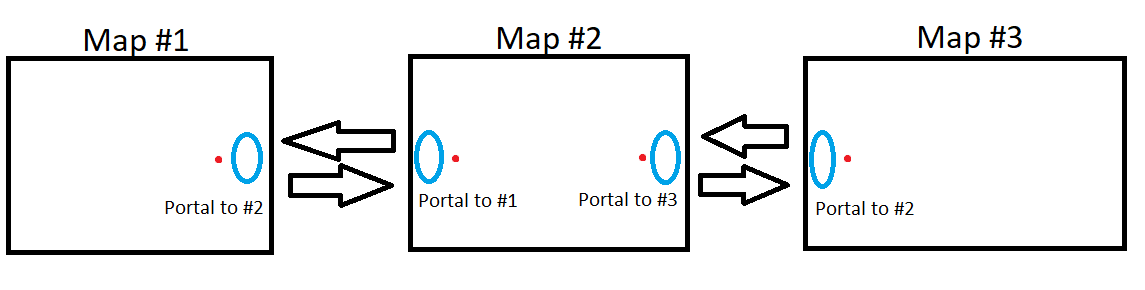


hm
idk how you could make it spawn you there
but
you can have a universal spawn point
if you have two spawns, it rolls a dice to place you down, i think
i could be wrong, as i am kinda new to the world stuff
i say kinda as i know most of the basics not any advanced stuff
pure kraken
@bold ibex you can just use teleporters, they work exactly like you are describing. you go in and you can set where the teleporter sends the player when they exit from the teleportation.
GitHub
A compilation of prefabs and other useful items for vrchat users. - jetdog8808/Jetdogs-Prefabs-Udon
there is a 2 way teleporter in this
bold ibex
they make a fair point, are the worlds nesacary?
like is their filesize high?
will that work across worlds?
oh no theyre relatively small
try just making a warp system
have each world in a different area of the unity project
or just outside them
pure kraken
you are trying to make it go across worlds? yeah, that would have to be a spawn thing
bold ibex
then have teleporters
i was just making worlds from a game that connect via zones and wanted to be accurate to gameplay lmao
but i can do that too
you could make a fake loading screen lol
use a shader than can place over screens, then have a fake loading screen area before it warps you elsewhere
it means you keep your game style with the loading, without actually loading
but youd have to make it short or people might complain haha
right ty
np
oh god this will take ages haha, took 10 minutes to get these extra pathways in and uploaded

just wanted to make sure adding them didnt break the map
now to get music working
idk what was causing crashes, maybe the reverb zone?
testing it now
if it is ill have to reverb the music manually
drifting patrol
i just uploaded my testing world and i got 1 report? how?

 short gulch
Nah, it confused me too at first but it seems as though that's a normal thing that happens to everyones worlds
bold ibex
drifting patrol
i just uploaded my testing world and i got 1 report? how?
its part of the upload system, trust me i had a very confused face when my first world got one
i am sure my next one will probrably too as apparently its just a thing it does, might be to check it works or something?
drifting patrol
my world works just fine
short gulch
Does anyone have any experience with setting up vehicle audio in sdk2? I haven't found a solution for this in the couple years I've been fiddling with it other than just making the engine audio clips quieter manually with audacity or something.
• The engine sounds for cars are always either full volume or off. They don't seem to use a typical audio source so I don't think I can mess with the falloff ramp and lowering the world volume slider doesn't work. It seems to just emit the engine sound from the vehicle itself. So is it possible to make the car engine audio come through a normal audio source?
• Also is it possible to sync the engine sound between clients? If someone else is driving a car, all you hear is the idle sound, it doesn't raise in pitch with their rpm, though you do hear the pitch raise on your own vehicle
 tropic crater
Hey guys, I got a request from a client to build a vrchat world for him, but from what I've read you need to have an account with trust rank to upload worlds - how much do you have to play to earn the rank that allows you to upload worlds? since I'm going to have to include that into the pricing, lol.
pure kraken
@tropic crater there really is no set time, its random
at most it would take a week, if not 2
tropic crater
ok, this is tough nut then
week but like, 2h a day, or full workday 😄
2 weeks would probably cost more than the development of the world lol, I think I'm going to ask the client to get the rank
pure kraken
thats probably easier, since you can just transfer the unity project file to them and they can insert the vrcsdk2/sdk3 and upload themselves
tropic crater
allright, thanks for the info! ❤️
pure kraken
@near escarp not sure if you know an answer to this but I seem to be having trouble with a UI toggle that doesn't seem to want to work
there is no collider, it's set to the UI layer and the canvas has the raycasting script attached. I don't know what could be causing this
plush pivot
Allez voir le nouveau tiktok les bg : https://www.tiktok.com/@alkacorp/video/6932513743763000582?sender_device=pc&sender_web_id=6932195487010457093&is_from_webapp=v1&is_copy_url=0
short gulch
pure kraken
there is no collider, it's set to the UI layer and the canvas has the raycasting...
I was having a similar issue with my vehicle world. None of my buttons or Ui buttons would work, wouldn't even get an outline when aiming at seats. Fixed it by deleting and reimportimg the sdk and then reimporting the prefabs that relied on it.
pure kraken
short gulch
I was having a similar issue with my vehicle world. None of my buttons or Ui bu...
Nope not fixed
short gulch
Ah sorry, that's what worked for me, I don't honestly know what else to try 😞
pure kraken
lol its okay
bold ibex
getting there with the world now, i am adding details to the closest to spawn areas to see what i can actually do before i get lag
 short gulch
9 fps woo :D No attempt made at optimizing yet haha. No occlusion culling or lods yet. It's the Financial District from All Points Bulletin, a decade old game already known for poor performance so you get the full experience :p
Allie's way of doing it is smarter, I just dump everything in at once and hope it isn't too bad


 thick crane
hey ho, just started on trying a bit of world dev myself and had a few questions as well as problems going about.
Main opne rn is that upon testing a world player will just rotate left constantly without input. Launching vrc alone doesnt cause this issue
also is there a good place to find world prefabs? i keep seeing simalar assets used accross many maps just wondering if theyre part of a prefab
 green lagoon

Prefab Community for VRChat. Tag your world updates or prefab releases with #vrcprefabs and we will retweet it!
Not affiliated with VRChat Inc.
Tweets
437
Followers
1818
Twitter
 lusty jacinth
Hello builders, and script writers alike. My name's Kully and I like to consider myself a productive creator. My favorite thing to do is build, I built for admins on 7 Days to die, and I go ham in Minecraft. Finding out that creating worlds for VR chat was not as complicated as I thought was a great discovery. And that brings me to my dilemma.
I'm hoping that someone who knows how to add events, and playable objects reads this. Please work with me on this world I started. I have a plan for a story and, I want to make it interactive but I can't seem to understand the whole coding sequence involved. I will be your little Bob the builder whether it be on a new world you're doing or just something that you think you could do with a world that I've built as far as scripting and storyline goes
This is a literal call for help, I have some really cool ideas and need someone willing to help and share the glory. If you know someone that may be interested in working with me, please ask them to hit me up. I hope you all have a wonderful day and thanks for your time.
thick crane
green lagoon
https://docs.google.com/spreadsheets/d/e/2PACX-1vTP-eIkYLZh7pDhpO-untxy1zbuoiqdz...
legend
green lagoon
hope you find what you're looking for in there
thick crane
should do, any recomendations on basic prefabs that have players, mirrors and buttons etc?
green lagoon
thick crane
should do, any recomendations on basic prefabs that have players, mirrors and bu...

VRChatのワールド制作スターターキットです。ワールド作成でまずほしいPrefabをたくさん同梱しています。 サンプルワールドはこちら↓ https://www.vrchat.com/home/world/wrld_c3f3dd70-2306-4bd4-a74b-6a6ee8d5df6c あらかじめVRCSDK2(2020.08.07.18.21以上)のImportが必要です。 Package ManagerからText Mesh Pro, Post Processing, Pro Builderを導入しておくこと推奨。 GitLabで管理しているので随時更新したい方は導入してみてください。
thick crane
just looking at that one, cheers!
green lagoon
would recommend also look at the page with Google translate so you know what all this stuff does
thick crane
would it work in sdk3?
past raptor
Navmesh? That's not a built-in VRC layer, which means it likely doesn't have collisions set up properly for it.
Make your map geometry default (or environment, or something else suitable, that collides with players).
You can check layer/layer collisions with Edit>Project Settings>Physics, which will tell you which layers can collide.
thick crane
green lagoon
https://booth.pm/en/items/979837
all the assets claim to be missing scripts
 green lagoon
did you check the description for any prerequisite or even making sure you're on the right SDK version
thick crane
ah so it cant run on sdk3,
my bad the list you sent had nothing on sdk 3 i presumed it was bug theres a list there. thx for being patient
green lagoon
udon prefabs are the SDK 3 stuff
thick crane
Installed all the prereqs still getting that error on everything
 harsh wagon
Are one-way triggers possible?
I'm messing with non-euclidian stuff and I'm having issues managing space
past raptor
harsh wagon
Are one-way triggers possible?
What behaviour do you mean by one-way triggers?
harsh wagon
past raptor
What behaviour do you mean by one-way triggers?
triggers you only collide with in one direction
In my case, I have a hallway that sends you somewhere else if you go in a different direction
past raptor
You can only collide with plane colliders in one direction, but that's probably not the best way to go about it (you hit it when you pass through anyway)
lusty jacinth
Every time I try to add a scripted event into my world I get red stop signs and lose the ability to run it and test it or upload it and share it
past raptor
instead, you might want to activate/deactivate two different colliders that send you to different places
harsh wagon
past raptor
You can only collide with plane colliders in one direction, but that's probably ...
The issue is that I'm working with non-euclidian space so it's very hard to make sense of it
I have 5 identical copies of a room
well, a square-shaped hallway
The illusion is that it looks like a looping hallway with 4 corners, but it actually has 8 corners when logically it should overlap itself
past raptor
harsh wagon
The issue is that I'm working with non-euclidian space so it's very hard to make...
I'm just saying that instead of a one-way collider, it's probably best to dynamically enable/disable normal colliders to get the desired effect
A player walks through the first collider that sets the right first state, and OnPlayerTriggerEnter you set the proper hallway state, disable the first collider, and enable the second, etc.
lusty jacinth
When I try to add a button, it pulls the play button from the video player instead of creating one
harsh wagon
lusty jacinth
When I try to add a button, it pulls the play button from the video player inste...
Easiest thing to try would be reinstalling the SDK
harsh wagon
past raptor
A player walks through the first collider that sets the right first state, and O...
This is what my setup looks like, each pair of green cubes is a teleporter (the lower one sends you to the upper one)
 lusty jacinth
Do you script after you build the levels static objects or does it matter
harsh wagon
lusty jacinth
Do you script after you build the levels static objects or does it matter
shouldn't matter that much
lusty jacinth
I'm quite bright, if someone could show me where and how to plugin events I can build ya somethin
past raptor
harsh wagon
This is what my setup looks like, each pair of green cubes is a teleporter (the ...
So your plan is to allow players to run clockwise around the hallway without teleporting, but if they run the other way they change levels?
harsh wagon
past raptor
So your plan is to allow players to run clockwise around the hallway without tel...
You start at the bottom and teleport up a level once you hit the triggers
going counter-clockwise
From your perspective it's impossible to tell when you've teleported because I've used a seamless teleport script, so the hallway appears to overlap itself
I want to have a second set of triggers that take you back down if you go clockwise, to keep the illusion in both directions
past raptor
Ok, I think I've got a handle on what you want, now.
Plane colliders won't work, since you collide with them as you pass through.
For each teleporter (the green colliders), you'll want an extra 2 (on each side).
The extra collider in the "incorrect" direction (clockwise), will disable the teleporter gameobject. The extra collider in the "correct" direction will enable the teleporter.
(directions flipped for the other direction, of course)
this way, if a player runs the wrong direction for a teleporter, they'll always disable it before they collide with it, so they stay put.
If they run the correct direction, the teleporter is either enabled, or nothing happens (if it's already enabled)
harsh wagon
I kinda brought this upon myself trying to defy physics 😅
past raptor
Hahaha it's what we do, and there's always a way to do it (however hacky)
anyway, hopefully my solution was somewhat clear 😅
harsh wagon
The teleport script works really well at the moment, even if it only works one way
you can't tell at all that you're 3m above your old location
what's annoying about this is that I've already done it once
I made a test project and it worked perfectly
I just can't replicate it
past raptor
In a different SDK?
lusty jacinth
It's the script demons
past raptor
Hm
Same collider types?
lusty jacinth
They help you, or they eat you, no explanation, just deviance
zealous coyote
So, I made a couple items in my world pickupable, but when you pick it up it leaves the object behind and carries an invisible one, almost like it has a second copy of the item specifically for carrying but with no visibility to it, how do I... sync it up with the materialised version so to speak, if that makes any sense at all
(plus when you let go of the ghost one i believe it just falls through the world)
if this helps at all
 harsh wagon
@past raptor do you know much about lighting?
I got the trick working but I need to fix some inconsistent lighting
past raptor
harsh wagon
<@!176521280835551234> do you know much about lighting?
Not a massive amount, unfortunately (I've been co-developing with a friend who is significantly better with the art asset and world visuals side than me, while I suffer through develop the Udon backbone)
 simple meadow
How do I get a recently uploaded out of Community Labs and public?
desert python
get people to come and join it and preferibly keep them there. im not sure how accurate the last part is but it doesnt hurt to make people stay and just chat
harsh wagon
simple meadow
How do I get a recently uploaded out of Community Labs and public?
It just happens after a while if there's some traffic
 primal pier
Does anyone know if the VRC-Trigger On Particle Collision Works I'm trying to make something that when you shoot it gets destroyed then it resets after a certain amount of time.
SDK 2 NOT UDON
dusk sapphire
zealous coyote
So, I made a couple items in my world pickupable, but when you pick it up it lea...
looks like you might have set the pickup as static. static objects cant move.
zealous coyote
I don't see anything that claims "static" though (unless I'm stupid, but as I said yesterday, I'm new to this world creation)

unless its the kinematic thingo
or lightmap static but I figured that applied to.. well, the lightmap
oh im dumb... It is stupidity.
Thanks x)
 pale geyser
My world was deleted recently during a public ban. I tried making my world public again after the ban was over, but the world is gone. It reloads people to their home world and even the world preview image is gone. I get an error saying "Failed to get file record" every time I try to update it in unity.
I've been working on the world for years and I don't want to lose all my progress and for everyone who favorited it to have to refind it. Is there any way at all to reupload my world under the same ID?
lusty jacinth
past raptor
Not a massive amount, unfortunately (I've been co-developing with a friend who i...
Where'd you find a codeveloper
bold ibex
does anyone know how to make the unity fog system disable when i turn off a specific light?
my world uses a single directional light to control the day/night cycle, but the fog cannot change colors between said cycle, so when its all dark in the infinite furnature store, the fog stays bright white and allows for easy visibility, i would use particles but that would lag the world, does anyone know a way to get it to shut off then the light despawns?
just for show aswell heres it in day and night


the fog just ruins the pitch black effect
but removing it allows for you to see the whole map
near escarp
You can't interact with Unity's fog at runtime in SDK2
 void bison
Hello, reflections probs not working on SDK 3? because on Unity I can see the reflections, but in game there are no reflections
bold ibex
near escarp
You can't interact with Unity's fog at runtime in SDK2
i am using UDON but the udon worlds dont have a general dev channel just questions, so i will just ask general unity questions here
because the fog thing isnt exactly udon related
unless udon allows for fog manipulation?
near escarp
It's not a unity question in this case, it's an udon question since it can only be controlled through it
near escarp
reflections probes work everywhere
void bison
Hmmm
bold ibex
near escarp
It's not a unity question in this case, it's an udon question since it can only ...
oh okay, i didnt know fog could be controlled with udon, ty
ill ask in there then
pure kraken
void bison
Hmmm
do you have things set to reflection probe static?
pure kraken
you have to have things set to reflection probe static for reflection probes to work
void bison
But the static is not for the baked normally? because if we leave in realtime I don't think it is necessary to make the elements static, I will try anyway but I didn't have this problem in SDK2
void bison
whether it is static or not, the IG reflection is really not done, however on Unity compiled or not its works very well, it is strange

@pure kraken
 dim totem
anyone know of a video player where i put in a youtube playlist and i can pick out the songs with a keypad
kinda like a jukebox
so i dont have to inout a URL
i have seen one
void bison
@near escarp
suddenly I tried everything, but the reflection still does not work in game
😦
dim totem
void bison
https://docs.google.com/spreadsheets/d/e/2PACX-1vTP-eIkYLZh7pDhpO-untxy1zbuoiqdz...
so is it on here
or do i have to put it together myself
xD
void bison
These are prefabs, everything is ready, so nothing has to be configured
dim totem
hmm
non of those are really what i was looking for
im tryna get something where theres a list of songs
and when you type the number of the song
it will play it
ill probably have to make it myself
 sage kraken
Heyo does anyone know why a world I published forces me into VRChat Home even though I added the spawn point and put it in VRCWorld
thick crane
can someone help with installing prefabs? ive followed all prequisites and i still cant get it to open properly
desert python
what orefab you trying to import
 civic matrix
question: what does it mean when you get an "environment-broken" tag on your world?
desert python
usually quest users report that on worlds that have the 1 eye glitch. other wise it usually means its too laggy or theres no collider on spawn
civic matrix
@desert python well the world is still being worked on so i guess somebody ran into a bug. i didn't know they could report in such a way that it would tag the world though.
how do you get rid of it?
desert python
ummm, ive had a few worlds with the tag but i think they go away if its updated and its been “awhile”
i cant check if they actually go away
 lyric acorn
I think it updates when heat resets so 10-14 days I think
civic matrix
thanks!
night merlin
dim totem
ill probably have to make it myself
I actually have this in my world I’ve been working on over the past week, but yeah I had to make it. There’s nothing off the shelf for that I could find.
Happy to answer questions about it if you’re looking to do it yourself too
https://vrchat.com/home/launch?worldId=wrld_12f9c0c7-11c5-4a98-9fb4-f993a821e414
 zinc venture
just made a new world and im trying to upload and this massage comes up can some one give me a hand with this issue.
 random owl
Check the latest pin on this channel
zinc venture
random owl
Check the latest pin on this channel
cool thanks that did the trick
thick crane
desert python
what orefab you trying to import
vrc starterkit for 3.0
i translated the list of prereqs. but everything still shows up with script errors