#world-development
39 messages · Page 61 of 1
 desert python
 random owl
Imlexz worlds on quest use standard or at least used to use
Not saying you should but normally it wouldn't break
desert python
interesting 🤔
random owl
@real sable always make sure to use this instead of the sdk button to switch between android and pc
https://docs.unity3d.com/2018.4/Documentation/Manual/BuildSettings.html
The sdk button has a bug where shaders compile wrong causing weird issues
Not always but sometimes so not worth the risk
I tested around with the upload limit staying problem last time it happened to me and it seemed that unitys own apis where returning the value of it still being on android building causing the problem until restart
Best you can really do is use an overlay with keyboard capabilities or ctrl v hotkey

OVR Advanced Settings is a desktop overlay application for OpenVR/SteamVR, giving you a wide array of settings, and utilities all while in VR.
Changing the texture compression fixes banding issues
Most of those notes won't apply here but just mainly linking for the compression comparison
Lightmaps usually esp show it bad
(My world debugger has a check for if lightmaps aren't set for good compression)
 sour minnow
can anyone link me a video player i can use or does anyone know where i can dl one from
desert python
@sour minnow i got you
 robust grail
So I'm trying to build and test my world on my computer but it shows the dialogue saying to find the app to run it in in the windows store, there's no option for vr chat, how do I test the world?
please ping me if u answer lol
random owl
robust grail
So I'm trying to build and test my world on my computer but it shows the dialogu...
https://github.com/oneVR/VRWorldToolkit/releases
Import this and check VRWorld Toolkit > World Debugger from the top bar
As long as you play on steam theres an autofix in there that sets it up for you but also otherwise good to have if you are new to world building
robust grail
thanks, I just got the game yesterday and I wanna try some stuff
It's a good thing I can import blender files into unity, unity's controls are weird lol
 violet tiger
I always have problems when I start a new world and I dont know why when I build and test my world it doesnt load and takes me to my home world
random owl
Well first of all you need to delete the allskyfree script from your project so it compiles
Secondly can you show the inspector of your vrcworld gameobject?
violet tiger
random owl
Well I'm a bit worried because of the last and first errors
So you might wanna make sure your map is kind of close to the 0,0,0 point
violet tiger
should I reimport the sdk or somethin
random owl
I mean none of your errors are caused by the sdk so that wouldn't really do anything
violet tiger
ok ill see if setting 0,0,0 helps
so I set it to 0,0,0 and deleted the skybox's scripts and that worked
idk which one of those fixed the issue but it works now
sour minnow
how do i fix this
 dapper shadow
Is there a way to tell the game to update the local file?
So you dont have to build the world over and over
Keep having to launch, close, launch, close kinda tedious
 lethal moss
@dapper shadow I'm not aware of anyway to do that but I know with CyanEmu (https://github.com/CyanLaser/CyanEmu) you can test your map wihtin Unity, like the triggers and animations and all that juicy stuff without having to build anything.
dapper shadow
oh nice does it work for SDK3
nvm (A VRChat client emulator in Unity for SDK2 and SDK3.) lol
 bold ibex
anyone have a good beach/island sand material they can share? Cant seem to find a good one
bold ibex
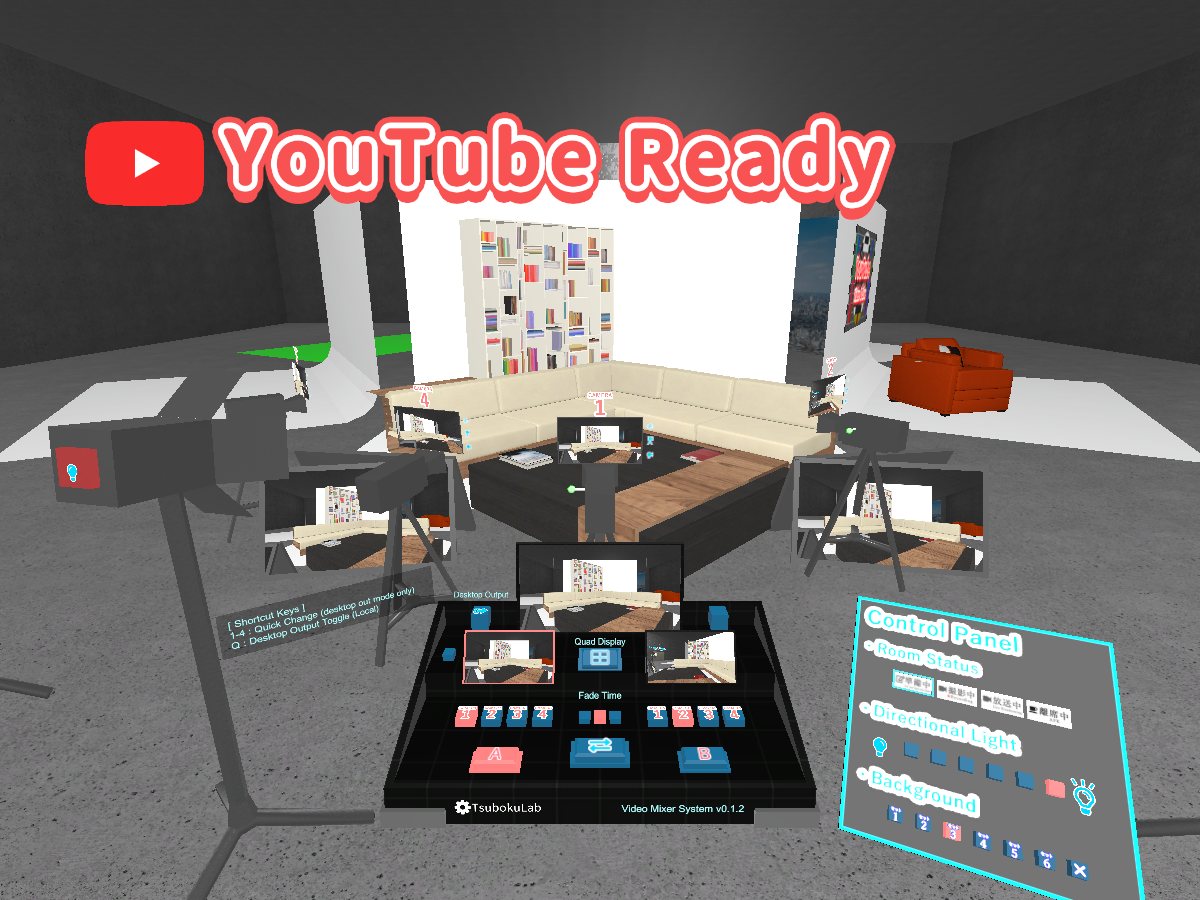
Does anyone know how to make a camera the desktop view and then be able to switch to different cameras? Like this https://vrchat.com/home/world/wrld_876856a1-1dc4-4a52-b540-6803a9a3c1e6
Virtual TV Studio 1080p
 charred slate
how much time do I have to spend in VRchat to gain access to world building in unity?
 errant beacon
@charred slate It's not strictly time-based - friends, worlds visited, avatars/worlds uploaded (if the account has permission), active hours, alongside not getting banned/kicked/muted all help your trust score, alongside many other unknown factors
It's completely different for everyone, but I'd hazard a guess and say that 10-50 hours with a decent amount of friends would sound right to go from Visitor to New User, which is the rank at which you can first upload avatars/worlds
charred slate
hmm, i've been for months visiting different worlds, and interacting with people, however I still can't get access. Maybe the steam account is an issue?
errant beacon
Potentially! o:
You can make a VRChat account and merge your Steam account to it, though I don't have much experience with that
charred slate
I think I'll have to start over with a fresh vrchat account.
errant beacon
would def recommend doing some research on that before/if you do, though using a VRChat account should make rank-ups faster
charred slate
thank you!
errant beacon
yw! Again, would def recommend looking into account merging c:
charred slate
I did the account merging, still no luck.
errant beacon
How many hours do you have in-game? o:
charred slate
no idea, but at least i try to log in every day for these last 2 months.
errant beacon
If you're using Steam, you can see how many hours you have, next to the Play button
Last Launched and Usage Time should be to the right of the green Play button, to be exact
charred slate
I'll check, thank you again!
errant beacon
yw! The number of friends you ahve on the account could be useful to know too o:
low-to-mid-double digits would sound about right for visitor>new user
charred slate
just a couple, I'm more private towards those things, and also most of them are kids that yell and insult a lot .P
😛
errant beacon
fair lol, public lobbies are a bit interesting atm lmao
But yeah, having 10-50+ hours and a decent (probably in the ballpark of 15-30) friends would be a good direction to aim for
charred slate
I think I'll have to start over. I'm planning on doing scenes for more utilitarian purposes, than the typical social meeting place.
errant beacon
just wondering, why would you have to start over? o:
Starting over from a fresh VRChat account would lose the rank progress you have since it's..a new account lol
charred slate
yea, but I'll do it from a corporate account. I own a business that makes VR/AR experiences, and we specialise in WebXR
so instead of testing with my personal account, I'll start directly from the corporate one.
errant beacon
ah, kk
 rigid sleet
Hello, i have a question.
How can i get the name of the player, so i can show it in a world? Do i need udon or is it possible also in sdk2?
errant beacon
I think that'd be more suited to SDK3/Udon
I don't know the specifics, but I do know of SDK3 worlds that can display usernames of people in the instance so
random owl
Yeah not possible in sdk2
 robust moat
are there any sdk 2 video players out there?
 gleaming terrace
Im working on a a world, but every time I go to build and test all of the work I have is just not there, any reason for this?
errant beacon
gleaming terrace
Im working on a a world, but every time I go to build and test all of the work I...
There's likely an error in your world somewhere that's preventing your world from uploading - import VRWorldToolkit and check the debugger there
https://github.com/oneVR/VRWorldToolkit
got the name right this time haH~
random owl
This is a case I'm not covering yet properly, you most likely have build errors in your console that stop unity from building the new version so the old build version gets used
errant beacon
ah yeah, that too - are there any red errors in your console?
random owl
Though I'm literally writing a guide on how to solve these issues right now lmao
errant beacon
lmao
gleaming terrace
lol let me check to see if there are
random owl
The ones that say trigger not initialised do not matter they will normally happen always with sdk2
Need to look from the top like this
gleaming terrace
Ok cant close the SDK window just freezes unity
random owl
Well that's more worrying
gleaming terrace
yeah, I was working on this before but had to start all over cause everything was lost it seem, and that old project was doing the same thing with the SDK
just clicking on the Build tab in the SDK freezes all of unity now.....fuuck
random owl
You very very rarely would need to make a new project as long as you know how to fix it
But it's hard for me to say from over here what exactly is happening over there
 nova grove
Is shader graph just a nope for vrchat? Kinda sucks since shadergraph is way better optimized than the alternatives that are supported
gleaming terrace
Got the Errors
random owl
Shader graph is made for a different rendering pipeline
nova grove
Yeah thats why I was assuming so
random owl
Aka no way of getting it work in vrchat
random owl
gleaming terrace
Got the Errors
Well that script is your problem you can just delete it if you aren't actually using it
nova grove
Damn. Alright, any recommendations for making a somewhat convincing waterfall? No need to tell me too much, just what system you'd use.
Youtube is my friend. Just need to know what to look up lol
random owl
I mean a lot of games just do scrolling textures and particle work
random owl
gleaming terrace
Got the Errors
Also disable error pause
gleaming terrace
Alright giveing it a shot
nova grove
Every time I try to build and test it just brings me to my home world 🤔
errant beacon
@nova grove Make sure any shaders you have aren't URP/HDRP o:
I'm fairly certain that VRChat is using the built-in Unity render pipeline
random owl
Shadergraph wouldn't really cause you to get thrown out it would just appear pink
https://github.com/oneVR/VRWorldToolkit/releases
Import this and check VRWorld Toolkit > World Debugger from the top bar
gleaming terrace
Alright, that works, back in bussiness but damn is the SDK freezing gonna be a pain
nova grove
yep
Also pretty sure I'm in the wrong channel, If theres an udon one
well theres no udon world channel
nvm
random owl
Yeah #udon-general
I've covered all the main reasons that can be reasonably covered why that would happen in a world in the world debugger though
A simple VRChat output log parser that shows you user activity in maps you have visited, as well as basic trigger, warning, error and exception summaries
Might wanna check your output log
nova grove
How does one get their logs?
random owl
The path is on the site
nova grove
okay
random owl
Looking at #user-support-old though are you sure you have the VRChat.exe path properly setup in the sdk settings?
The world debugger should have checked for that
But if it's not set properly it can cause a bunch of different weird stuff including that
nova grove
Yeah its set up correctly, though now its working fine that I reinstalled steamvr??
I guess I'll take it. Not complaining lol
random owl
Yeah 😄
 steel badger
I'm looking to create an npc that follows the player (and attempts to get as close as possible/collide with them). I haven't had much luck with my attempts thus far; are there any recommended tutorials or prefabs I could use for this?
random owl
The prefab database pinned on this channel has a prefabs for AI / NPC stuff
steel badger
Thanks, I'll take a look
violet tiger
I dont understand why I keep getting errors for every item I place down
Plus im having problems again where Im not seeing the same build progress when I Build & Test the world
random owl
Are you sure your world is actually close to the zero point of the scene?
And not like somewhere way off
How are you placing the items?
random owl
Is that object at the root of the scene or under some other gameobject?
Those scales are a bit worryingly small
 trim musk
Did vrchat break the reverb filter zones? People talking doesn't have reverb like in my older world from a year ago i haven't updated
there is reverb on the menu buttons in both worlds, but not on the voices in my new world
wait i think im just a little stupid
filter and zone are 2 different things
desert python
@trim musk so theyve changed it like 5 months ago, idk how to do it in 2.0, but you definately have to change it up from how the unity docs tell you how to do reverb
violet tiger
random owl
Is that object at the root of the scene or under some other gameobject?
why does the position matter? Is my whole world supposed to be at 0,0,0?
 urban dirge
Hello everyone, does anyone know how to add a weapons system that has guns in the world that shoot cubes that kill players? I've seen it be done and would like to learn how to do it
 thorn latch
So on my world, I can build and test fine, bu twhen I attempt to upload, it gets stopped by errors regarding triggers failing to activate in time. Anyone know how to fix this?
 dusk sapphire
violet tiger
why does the position matter? Is my whole world supposed to be at 0,0,0?
dusk sapphire
violet tiger
why does the position matter? Is my whole world supposed to be at 0,0,0?
it doesn't have to be at 0,0,0 but one of the potential causes for the issues you're currently having is having things very far from 0,0,0. the further you go the lower precision unity has for determining your transforms.
violet tiger
dusk sapphire
it doesn't have to be at 0,0,0 but one of the potential causes for the issues yo...
So I should generally keep it close to the origin
dusk sapphire
yeah
it can also happen if you have a deep hierarchy of objects with vastly varying transforms i think
this world can give you a personal demonstration on this https://vrchat.com/home/world/wrld_b9f80349-74af-4840-8ce9-a1b783436590

See what happens to your avatar as you go further and further from the center of the universe․
violet tiger
oooo
 late valve
Sooo why am I getting this error for? Anyone mind explaining?
 near escarp
import this https://github.com/oneVR/VRWorldToolkit/releases
 raw zinc
Hello, i need some help. I've been testing some different rain assets and with this one world im testing it on, there seems to be an issue where while i run playmode in unity using sdk2, i can hear the rain, see the rain and i can also see the wind and hear it. When i run demo and i load into the game, i can not hear the rain, nor see it and i cant hear the wind, but i can see the wind move. I have all the audios and particles on "play on awake" and made sure they're not transparent. Any pointers on what is happening?
dusk sapphire
Are these unity store assets? they're most likely using their own scripts to control those effects, and you cannot upload custom scripts to vrchat on sdk2
raw zinc
They dont have custom scripts
actually there is one script it uses
so would that be the issue then?
dusk sapphire
could see what still runs with that script disabled in editor
raw zinc
same thing happens, cant see rain or hear it
dusk sapphire
thats probably it then
you'd have to figure out what the script is doing and replicate it
 short gulch
For some reason when I try to upload my world the [project file]/Library/Occlusion folder bloats up to 244 GB, then unity gets a fatal error then crashes due to the ssd being out of space. Any idea as to why that might be happening? Also is it safe to delete the contents of that folder? I kinda need that space back haha.
random owl
That's unity for you, but yeah they are safe to delete
dusk sapphire
244 GB 👀
random owl
Anything in the library folder is safe to delete while unity is closed and will be rebuild when you next open
desert python
thats such a huge occulsion, how
random owl
Pretty normal for unity and their world
short gulch
I have no clue, in unity it says the occlusion data is only 22mb
random owl
Unity doesn't clean the occlusion cache itself causing a huge build up sometimes
244 gb is huge but I'm not at all suprised
https://github.com/oneVR/VRWorldToolkit/releases
The world debugger in my world tools checks for the cache build up and offers to auto delete them for you when you need it
Though the function that counts the files is async so counting 244 gb of tiny files is gonna take a while for the message to appear
short gulch
Awesome thanks I'll check it out after work tonight.
random owl
Also this has been a problem since 2015 and more lmao
short gulch
Good God haha
Before I saw the occlusion folder I was thinking it had something to do with most of my materials using Poiyomi's shader, but this makes a lot more sense.
violet tiger
I dont understand bro I literally have my whole world around 0,0,0 How am I still getting errors
the vrc world spawn is literally 0,0,0 and it still doesnt budge
errant beacon
Have you cleared the console yet? o:
errant beacon
that might be the same error from before
There should be a button to clear the console near the top-left of the console window
violet tiger
does that actually do anything
errant beacon
It clears the console, which contains the errors you're reading - my thought is you might be seeing the same errors you were reading before, because the console hasn't scrolled or something
def can't hurt anything to clear the console and then build and publish/test again though!
violet tiger
well that did actually help lol im down to 3 errors that are still stopping me though
violet tiger
I think I did it wrong I dont think i know how to delete the scripts because all I did was go into the asset folder and delete two script looking things
wait
This right? I deleted this before
idk how it appeared again]
random owl
Yeah the one that says C# in the picture
random owl
Well that would also cause errors yeah
random owl
No worries
errant beacon
yw! c:
random owl
https://github.com/oneVR/VRWorldToolkit/wiki/Fixing-Build-Problems
I wrote up a guide how to resolve build errors.
For example in cases where the SDK just pops up a "Last built VRChat Scene could not be found. Please Test/Compile Full Scene (Slow)." message or the updates you are doing to the world aren't appearing when doing Build & Publish or Build & Test.
violet tiger
Ive used VRWorld toolkit but it doesnt fix my errors. But to be fair I might be using an outdated version
errant beacon
oo, cool! will def check that out
random owl
violet tiger
Ive used VRWorld toolkit but it doesnt fix my errors. But to be fair I might be ...
Script errors are not so easy to handle as some other mistakes are
Next version I'm releasing soon will have this message appear when the last build failed with the button leading to the page above
near escarp
random owl
https://github.com/oneVR/VRWorldToolkit/wiki/Fixing-Build-Problems
I wrote up a ...
violet tiger
Ooo nice
thorn latch
Anyone know why I would be able to build and test a map fine but when I try to upload it spams errors about triggers not activating in time?
random owl
That's just what happens normally with sdk2
thorn latch
But it won't let me upload because of it
random owl
Do you have error pause enabled?
thorn latch
I'm not sure what that is
random owl
https://github.com/oneVR/VRWorldToolkit/releases
Import this and check VRWorld Toolkit > World Debugger from the top bar
thorn latch
Nevermind, I see it
Out of curiosity would that also allow me to upload an SDK3 world that won't work because of an UdonVM error related to the script looking for a player?
random owl
Possibly
thorn latch
Do I need to download that or can I just uncheck the box on the console window?
random owl
Well you can uncheck the box but I would also suggest importing that because checking the world debugger would have avoided you having to ask the question
And possible future questions
thorn latch
random owl
And possible future questions
Fair enough. This is my first world. Thanks for the help!
random owl
No worries, good luck
 stoic elm
Heya, so uh i made 2 animated doors in my test world and its really weired, because the first door works as intended, no issues, but for the second door i repeated the process of the first door but with different animations, wich was leading to door 2 nor working correctly (i hope i said is as good as i can)
 faint wren
@stoic elm you cant clones animation objects doors example when you create the animation it locks it into its position it is in everything that needs to be animated you have to do it each time
cant copy paist animation and move it
when animation finish its locked in place
 shut lichen
I not sure have track & rails asset on vr chat ?
stoic elm
I did not "copy" the animations
I repeated the process with different location cordinations
faint wren
drag and drop the item in the unity hierarchy so it sets at 0 0 0 then move it into it's position.
then animate
and don't save it under the same name as the before animation
example call the main door animation door animation 1 / second door animation 2
violet tiger
Does anyone know if its possible to do like toggle animations to objects to make them active? Like a dissolve animation in a mirror? On SDK2
bold ibex
Not sure but couldnt you toggle it with a trigger?
violet tiger
Yeah but I want an animation where it disappears when I toggle yk?
bold ibex
I see what you mean I cant think of a way to do it tho sorry
random owl
To actually dissolve a mirror you would need to make a custom shader
Something like this
 latent goblet
Am I stupid or do render textures not work so easily in VRChat anymore? Just a canvas with a RawImage holding the texture, but nothing in VRChat. Could've sworn it was this simple before
robust moat
Hi guys, so my vr chat sdk window is no longer appearing and this error message comes up, can someone please help me understand what it means?
 silk osprey
@random owl would the SDK update break the WorldToolkit by chance?
random owl
silk osprey
<@!165170251758174208> would the SDK update break the WorldToolkit by chance?
I tested it on all the beta sdks so it should not
silk osprey
OK, thanks
latent goblet
Just a camera looking down on the scene
RawImage is just a child of the canvas
This is something of an old project so idk what could have changed to cause something to not work with the Render Texture
Oh and the texture itself
Works fine in Unity but not an instance of VRChat. Is there just a certain way it needs to be done?
silk osprey
robust moat
Hi guys, so my vr chat sdk window is no longer appearing and this error message ...
If that's a similar issue I had recently, I had to delete the SDK and SDKChat Examples from the Assets as well as associated SDK .meta files and then import the SDK. They also updated the SDK today.. so maybe try updating it if you haven't? I'm new though, so I don't want my advice to break anything for you.
thorn latch
Anyone know why my world only renders through the left eye on quest?
silk osprey
@1 I just removed the new SDK and toolkit and put in the previous version and reinstalled the toolkit and it works. I removed and reimported newest SDK (2021.01.19.07.28) and then reimported toolkit and it does not show up in my panel and I Get this error : Assets\VRWorldToolkit\Scripts\Editor\WorldDebugger.cs(2303,87): error CS0234: The type or namespace name 'WorldValidation' does not exist in the namespace 'VRCSDK2.Validation' (are you missing an assembly reference?)
@random owl
random owl
That is let me test quickly myself
random owl
I'll send you the dev one guess I'll need to release it as soon as I can
silk osprey
Thanks, no worries though. I have to head to bed now
Just wanted to make sure it wasn't on my end
random owl
Yeah no and it's actually good to know
silk osprey
FYI it is importing and showing up in my toolbar, but that's as far as I can test it for now. Thanks!
robust moat
if i Have a world uploaded for pc and want to make a quest version aswell, how would i do that?
latent goblet
dusk sapphire
cant say more without seeing your settings
Hate to ping but you say it should work and I am out of options so any insight would be good. I've tried flipping my setting around and even making a new world and nothing worked. Is there a specific way that I need to set it up so it...works?
desert python
@robust moat you will need to reupload the same world woth the same ID but for android support
robust moat
so I can upload the same world on the same project twice but once for android and it will keep both up?
dusk sapphire
latent goblet
Hate to ping but you say it should work and I am out of options so any insight w...
oh, you're putting it into the ui script directly? I've never tried that. Usually just put the render texture to a material on a quad
robust moat
I might, it says switching to android is disabled
desert python
ah yea, youll need to add support, lemme send
random owl
https://github.com/oneVR/VRWorldToolkit/releases/latest
Posted a new release of my world tools to work with the new sdk2 version for anyone who might be using them
random owl
You need to check the isroomplayermods
latent goblet
dusk sapphire
oh, you're putting it into the ui script directly? I've never tried that. Usuall...
I am about to backflip off of a cliff idk why I am not getting this. I tried what you said you usually do and the quad just turns black. Hate to bother you but do you think you could show my a video or sceenshots of a setup you did cause I feel like I am overlooking something stupidly simple
dusk sapphire
uh, are you developing in sdk3? you might be better off asking there, because I was answering on the assumption that you're on sdk2
latent goblet
i thought 2 was deprecated
dusk sapphire
I don't think theres any differences, but If there is I wouldnt know
I mean... this is the sdk2 channel lol
violet tiger
oop
 barren shuttle
Odd, the builder tab is completely empty now after getting the newest sdk, I wonder what I did wrong.
random owl
barren shuttle
Odd, the builder tab is completely empty now after getting the newest sdk, I won...
https://github.com/oneVR/VRWorldToolkit/releases
Import this and check VRWorld Toolkit > World Debugger from the top bar, should have a fix for the builder tab being empty in there
barren shuttle
Thanks!
dapper shadow
I have this ball which I can pickup, and usually it respawns as it gets thrown out the map, but its not respawning on SDK3 anyone know why
random owl
https://github.com/CyanLaser/CyanEmu
I would recommend introducing CyanEmu to your testing workflow

GitHub
CyanEmu is a VRChat client emulator in Unity. Includes a player controller with interact system. Works with SDK2 and SDK3. - CyanLaser/CyanEmu
random owl
Woo finally the generic #world-development that I've been wanting for a while now
desert python
woah
thorn latch
Honestly I feel like there should be seperate channels for SDK2 and SDK3 Worlds, cause udon worlds are wild
 short forum
Very true
random owl
Well that goes to #event-system-sdk2
 eternal vault
ok.
silk osprey
Oh it wasn't a complaint. I just wanted to see if anything else happened since I as in here yesterday. Sorry.
eternal vault
don't apologize, you did nothing wrong...?
 halcyon oar
Hi everyone.. pretty new to world creation.. I'm currently working on a horror world and have designed a jumpscare using vrc trigger and canvas -> Raw Image and a noise... followed by a teleport.. Everything works in desktop... In VR the image does not get displayed 😦 the sound and teleport work in VR though... Am I missing something? Using 2.0
 sage shoal
So I been getting into world creation and currently I'm stuck on this one thing when it comes to SDK's and which one I should pick. Cause I know SDK 3 is not a direct upgrade however
What's the Pro's for SDK2 vs SDK3, as well as their cons?
random owl
halcyon oar
Hi everyone.. pretty new to world creation.. I'm currently working on a horror w...
Might be easier just to use a shader like depending on how you actually want the image be displayed
https://github.com/AkaiMage/VRC-Cancerspace
halcyon oar
im actually using that for the screen shake... thats "screenshake" but i put an image seperatly because i couldnt figure out how to get an image to appear in cancerspace shader
random owl
There's the option for image overlay and cubemap overlay
Haven't used the shader myself though so I don't know how the effects stack
halcyon oar
well nethier the screenshake cancer shader nor the raw image showed in VR so I think i must be missing a setting somewhere. Thanks for the help though..
halcyon oar
to be honest.. no
thorn latch
So I have to choose between No Occlusion Culling or Having 150mb worth of light maps.....
random owl
Also for your problem @thorn latch you should learn how to optimize your lightmapping settings and not just combine all meshes together
thorn latch
Actually it just occured to me that it was making a lightmap for every single light post, screen, and lamp. The original mesh was over 80 thingd
halcyon oar
this is what it looks like.. in scene
thorn latch
If I just seperate the base sections and link the lamps and such to that part of the mesh
random owl
Every mesh renderer has a scale in lightmap setting
random owl
Otherwise you can just lower the "Lightmap Resolution" setting
Combining meshes just to have less lightmaps is not a good solution
halcyon oar
Maybe im doing the trigger wrong.... I have the entire jumpscare disabled... and then the trigger enables it? is that the correct way?
random owl
That sounds right at least
That picture you posted doesn't say much on why it wouldn't work though since I can't see how it's actually setup
halcyon oar
like you cant really move the canvas from my playign around with it
it shows correctly takign up the full screen in the Game scene
thorn latch
I had it at 256
random owl
Size or resolution?
thorn latch
It was just making a whole lot of maps
I didn't consider that it was doing a map for every mesh in the imported model
I was also running on 3hrs of sleep after work
So eh
random owl
For size you should have something around 2k
Resolution something like 20-50 depending really
@halcyon oar
Just make a sphere put that material on it and then have it so it covers the players view point where you want it
halcyon oar
yeah i think that might be the way.. i know thats how avatars do it..
but i was following proper unity tutorials and they said use the canvas and UI
random owl
Was it a for vr tutorial though?
I mean I don't really work much with screen space canvases so I can't say what went wrong
halcyon oar
ive found relativly few proper VR unity tutorials (or vrchat) beyond.. make basic workld stuff...
i'll keep playing with it.. 🙂
random owl
Good luck
random owl
sage shoal
So I been getting into world creation and currently I'm stuck on this one thing ...
Well pros of starting from SDK3 is that it's in active development and will be for a long time so learning it from the beginning would be good for the future. Especially if you have some programming background.
If you don't know much about that and just want to make a simple "chill" world I would say SDK2 is pretty valid.
 glad ferry
I've got a weird issue going on. Every time I bring up the VRCSDK to try and test a world out, Unity just completely freezes up on me, and it only happens when I try to use the SDK. Anyone know what's causing that, or how to fix it?
random owl
The builder tab?
glad ferry
Yeah.
random owl
Whenever the builder tab open it checks your scene
If it's freezing it's possible that you just have a massive amount of gameobjects or gameobjects with the same name at the same path
That's one possibility at least
glad ferry
That's odd because I've had worlds with a lot of gameobjects that have had the same name in the same path in the past, and it didn't freeze.
random owl
There's a lot of factors that goes in there
I can't really do much else than guess since I can't see your world
glad ferry
The world itself is meant to be a huge project that is trying to combine multiple pieces from different maps into a single world. I was going to run a test to see how the game handles a big environment like I'm wanting to do with Oculusion culling in use. A lot of the assets in the world despite coming from multiple maps, they all use the same set of materials so it would feel consistent.
random owl
Well there's a possibility that you have something there that causes the scene checking to take unusually long
If the window just stays white that wouldn't usually mean an error but that the window hasn't yet done any draws because it's still processing
glad ferry
The thing is, it even freezes before I get the chance to log in.
random owl
Hmm then that's gonna depend
The scene check wouldn't be run before you log in
But I can't think of any reason for it to freeze like that before you log in
You can try to make a empty scene and opening the sdk again to rule out the scene checking problem
glad ferry
As soon as I made an empty scene, it automatically logged me in.
thorn latch
What resolution lightmapping would you reccomend for quest.
desert python
uh 1<5<23.2
thorn latch
Also, is there a way to tell if my Unity is doing anything with the baking? Its been on 7/17 Bake Visibility for 3hrs
desert python
just remember to compress the hell out of them
thorn latch
And the GI Cache hasn't changed in size
desert python
what are settings? (that might be normal)
thorn latch
1 sec
desert python
is there a gi cache error?>
thorn latch
Don't see any. Just an error about realtime lightmap getting clamped to 512x512
Settings
Trying to bake for Quest. Also I do see a reccuring error
desert python
thats not good, have you tried rebaking?
thorn latch
desert python
thats not good, have you tried rebaking?
I'm going to just export the scene as a prefab and make a new project
see if that works
thorn latch
Would you guys recommend Enlighten or Procedural CPU or Procedural GPU? I have a Ryzen 5 3600, 32gb DDR4-3000 ram, and an RX590 8GB OC GPU
What are the settings your using?
robust moat
desert python
id always suggest enlighten, but for faster- id go progressive
thorn latch
help
 summer thicket
how do I make working swords in VRchat that kill people if they touch the players avatar and do damage
desert python
@robust moat you have reflect probes?
thorn latch
I set it to gpu and now unity is frozen XD
robust moat
yes, one for each foor
desert python
also we should move lighting to world lighting
robust moat
if I load into the world on vr chat, some of the lights do not render untill im looking directly at them and are very close to them for the ungenerated
desert python
@robust moat bake
robust moat
?
robust moat
desert python
<@!693546758512443423> **bake**
?
desert python
you must bake, or youll get light order rendering
robust moat
When i bake the lighting though, it turns super bright and the colored lights disappear
desert python
@robust moat how were they colored? and define "super bright"
robust moat
its like there are no reflections at all
desert python
warmer? you cant bake temperatures
robust moat
there not, I just used warmer instead of orange
thorn latch
color temp doesn't work on baking?
desert python
@robust moat define "warmer"
robust moat
more orange
desert python
are the lights inside the mesh?
thorn latch
desert python
do you have light probes? does the mesh have set lightmap uvs?
thorn latch
You talking about that?
desert python
@thorn latch no lol
dont change temperature, idk where the script is but its better to just not touch temperature when youre going to bake
thorn latch
Huh
good to know
Wait then why does my spotlight bake at that temp setting
I used temp to make it red orange
the color is set to white
yet after baking it is red still
robust moat
the light probs do not have mesh on it, that might be it. what componet do i need @desert python
desert python
@thorn latch you might have the script imported that icr the name of
@robust moat wait what you referencing?
desert python
what does it look like in the scene?
thorn latch
That seems to be missing something
 golden widget
Have something of an edge case problem I've been trying to search around for threads on, but so far no luck was wondering if anyone else had run into this. Have a SDK3 world that works fine, but when friends who have VRC_Stations on their avatars come to the world no one can see/use the stations. Any nudges in the right direction of where to look (or even what question to even ask) would be really appreciated.
desert python
@golden widget have colliders?
golden widget
In the stations? I believe so yes, we tested their avatar/stations in the BOX and things were Aok, but in my wacky neck of the woods they don't work anymore.
Willing to believe its some crazy bug or something I've done wrong, but its an error that's so specific its proved difficult to search for.
thorn latch
Everything seems a lot darker when I use progressive CPU vs Enlighten
desert python
@golden widget are the box collides alligned with the acc click point?
@thorn latch thats cus it doesnt do the indirect calculations
thorn latch
what, CPU or Enlighten?
golden widget
They are indeed, works without issue everywhere but my wacky UDONSDK3 place. Its not really a huge deal even its just so strange I figured I'd ask around.
desert python
@golden widget let me see
@thorn latch cpu doesnt
cpu does, but progressive doesnt
desert python
and progress gpu
 misty wave
So I'm fairly new to VRC world creation but fairly familiar with Unity. In the past when I build my worlds it works fine, but I've just created a new one and it's just sending me back to my home world when I build and test. Is there anything super obvious I'm doing wrong? It's literally a world with a terrain and one model in it
thorn latch
I'm saying Progressive CPU looks Darker then Enlighten
desert python
@thorn latch correct
thorn latch
I no like this
So FOr Progressive CPU, it looks darker AND the Lightmap file is 4 times larger in size
That doesn't really make sense
Also lets move to #world-lighting
robust moat
@desert python
misty wave
Any suggestions for what to look at really quickly??
thorn latch
@robust moat #world-lighting
thorn latch
misty wave
Any suggestions for what to look at really quickly??
No idea, though I feel like I saw a parameter somewhere or something about Stations and SDK3
misty wave
I've not even gotten to that point with this world, for some reason it just immediately kicks me straight to my home and doesn't load up my world :/
thorn latch
misty wave
I've not even gotten to that point with this world, for some reason it just imme...
I had that issue. Where is you VRCWorld object located?
misty wave
Just sitting a bit above the terrain, nowhere particularly special. Is there somewhere particular it needs to go?
thorn latch
I had a similar problem when I had mine below the mesh once. Does the mesh have colliders generated?
misty wave
I generated layers and stuff through the builder as I'd done in the past. Do I need to add a mesh collider to the terrain itself?
It has a terrain collider on it already it seems
Hmm... Some of the assets have scripts and stuff in the files but I assume since they're not used it wouldn't be a problem, would it?
Literally barely anything in the world lol
random owl
https://github.com/oneVR/VRWorldToolkit/releases
Import this and check VRWorld Toolkit > World Debugger form the top bar
misty wave
@random owl Firstly thank you for this resource, I've not seen it before and it looks awesome. Second, where is the world debugger? Maybe my SDK is out of date?
random owl
That would seem that your sdk is extremely out of date
And I just noticed your unity version is wrong as well
VRChat
This page lists the current Unity version you should use when creating content for VRChat, as well as links to the correct version for both Unity Hub and direct downloads. Current Unity Version The current Unity version in use by VRChat is Unity 2018.4.20f1. Ensure you are using this precise versio...
misty wave
Okay I guess I need to do a number of things before I mess with the worlds, thank you let me get to that
misty wave
@random owl Thank you, that helped me resolve everything and get set up to start!
misty wave
Is there an easy way to have a player teleport through a door (ie make it clickable?)
 civic birch
has anyone here figured out how to use the avatar tracking state behaviors in sdk3 world station animation controllers? trying to fix my dance animations to disable ik
misty wave
As someone that knows how to program like... how do I start with Udon? I've installed Udonsharp because it seems pretty useful but a nice wiki or something would be great. I've found a few resources but I just don't know where to look
 modern kayak
@misty wave if you want to make it clickable, you add a public void Interact() to the script, and then you'll be able to click it if it has a collider attached and anything inside that void will be called when it is clicked. To teleport the player you would just do Networking.Localplayer.TeleportTo(position, rotation);
Since udonsharp is the same syntax as c#, unity documentation is going to translate pretty well, with a couple exceptions like how you can't use lists or multi threading or external libraries. If you try out simple stuff like applying force to a rigidbody, that's all going to be 1:1 with unity c#
 echo sail
Whoever made the Amebient world. With the rain and music, how the flip do you find the password
 ember mica
One message removed from a suspended account.
bold ibex
Any world builders with a good portfolio want to give a lesson or two? We can message about rates etc
 little dome
Today's Agenda: figure out this whole Udon thing and make a door that works 😅
bold ibex
I just want a place for my friends and I to load-in, calibrate full body, leave + a URL player to share content among us and our discord. Nothing too crazy
 low lake
Hello! I don't know if I can ask here but I have a little question... I made a custom postpeffect for the postprocessing stack in Unity.
In the Editor everythings is working fine but it don’t appears when I build.
Do you to know if it’s possible to get it working with VRCHat ?
random owl
ember mica
One message removed from a suspended account.
Check the latest pin in this channel
random owl
low lake
Hello! I don't know if I can ask here but I have a little question... I made a c...
Custom scripts generally aren't supported in vrchat
low lake
ok thanks , it's pretty clear, so to be shure ,vrchat just take custom shader from the editor no .cs script ?
random owl
Yeah custom .cs scripts are off the table (well unless using udonsharp but that get compiled to udon)
low lake
I will take a look at it to see if I can resolve my problem with it ..
random owl
If you want to mess with custom post processing most likely not
Udon is still limited to the stuff that's whitelisted to it
low lake
ha ok, so I think it's really dead to get my effect in this case
random owl
Well there's always the putting a sphere with the shader on top of the player method
low lake
yep but it's using the rendered pass from the camera, I don't think I can get it on a shader that is apply on a sphere
 low lake
I never do that before, I will give a try tonight thanks a lot !
random owl
Good luck
short gulch
Thanks for the help the other day, 1. Managed to get a build of it uploaded after deleting 100,512 files ranging from 1-7kb each.
 reef cedar
Hi I just imported some props from the asset store, they look fine in the scene preview, but when i go into the game, they turn pink
bold ibex
Make sure that they have materials assigned in the mesh render
random owl
What shader are they using?
 sinful laurel
How do i make teleporting doors using udon
random owl
Udon questions to #udon-general
reef cedar
random owl
What shader are they using?
Legacy
wait i just changed it to standard and now it works
:o
reef cedar
indeed, it was the shader, thanks :D
 woeful carbon
Why can't I see community labs WOrlds on Oculus QUest 2??
random owl
Did you enable them in your settings?
thorn latch
Why doesn't searching show Community Labs worlds?
Because I can't even find my own world in the community labs tab...
There are so many worlds lol
desert python
kind of have to battle youre way out of community labs,
random owl
Community labs worlds don't show up in search in game but they do on website
It's on purpose currently no idea if the devs will ever change it
thorn latch
How are people who may be interested in a world supposed to see it then. Aside from me running around avatar worlds with the same theme asking people if they wanna see it.
Is shameless self promotion the only way?
desert python
basically
random owl
Well there is always people who go trough interesting looking worlds in the community labs row
near escarp
an interesting thumbnail will get you most of the way there
thorn latch
So how do people get a world made public the same day they uploaded it to Labs? Like a world I just looked at had the Published, Labsd, and Upload date all the same day....
 spice dove
does anyone know if there is a way to change to player size for a world?
thorn latch
Maybe possible with Udon
woeful carbon
@1 thanks, after enabling them in settings i can find it, thank you
halcyon oar
Mine was public same day i posted but about 1500 people visited it and 150+ fav it
which.. i was not at all expecting 😐
My other worlds have been there since Dec and still in community labs LOL
... And on that note.. I still am goign to need some help with JumpScare in VR
I have this cube trigger happening when a person walks into this cube
random owl
You should only have playerlocal layer for the trigger
Also it looks like you have the object itself disabled?
random owl
But how would the trigger fire if the gameobject is disabled including the collider
halcyon oar
i have tried every possible combination i can think of in the canvas
Its normally enabled im just trying to show stuff for the screenshot 😉
Everything here works on desktop... just not in VR..
I believe it is related to player tracking and where the camera is focusing when the trigger happens.. but im obvioulsy still missing something
I guess the question i am still asking is.. How do you make the entire screen display an image in VR from a trigger.. Maybe canvas UI is not the best option for VR or vrchat
random owl
Well world space is fine but screen space will most likely have problems
I would still go with using the cancer space shader for the picture overlay
halcyon oar
I can not make that display an image in the shader
i know it have an overlay option but it doesnt display any image
random owl
🤔
How do you have it setup?
I imported it into my project just so I could send you the example picture and it worked fine
halcyon oar
random owl
And what do you have that material on?
random owl
Like all you really should need to do is
Create a gameobject on mirror reflection layer add a box collider set to is trigger add a onentertrigger detecting playerlocal layer for it to enable a separate gameobject
For that gameobject just create a primitive sphere add a audio source that auto plays when you enable it and apply the cancerspace material with screenshake and image overlay
halcyon oar
I will try doing all that instead...
https://www.youtube.com/watch?v=v-cSaUGTLEY&t=338s I was using this tutotrial.. which was like the only thing i could find.. but its for unity not VR

#JIMMYVEGAS In this Mini Unity Tutorial we show you how to create jumpscares in your game using triggers and timers.
✦ Subscribe: https://goo.gl/gidCM5
✦ Patreon: http://patreon.com/jimmyvegas/
✦ FREE Assets: http://jvunity.com/
✦ Facebook: https://www.facebook.com/jimmyvegas3d/
✦ Twitter: https://twitter.com/jimmyvegas17/
-+-+-+-+-+-+-+-+-+-+...
random owl
The problem with general unity tutorials is if you don't know the limits of vrchat you don't know what parts of the tutorials to apply
You can do almost anything in vrchat if you have enough time to dev it it's just that you sometimes need to do it differently than in normal game dev
halcyon oar
yeah i merged into vrchat triggers .. but i think the UI Canvas is the main issue...
random owl
Pretty much
halcyon oar
Ill give it another shot.. thanks again 🙂
random owl
Hope you get it working 🤞
 tardy wadi
Hey yall. I need a suggestion for how to build a soundboard in a unity world. Think "push button and play sound globally" in a world. Bonus points if pushing it again will mute/cancel the sound.
halcyon oar
https://www.youtube.com/watch?v=us-yO_E31gU Here you go

This tutorial shows you how to make Unity UI Text and Buttons. With the buttons you can activate different functions but these functions will be local to you only. I also show how to link these buttons with triggers to do global actions.
Official VRChat discord:
https://discord.gg/VRChat
Have questions or want to see a specific tutorial? Ask ...
violet tiger
How do I make a trigger to get objects to spawn in their original location
like a respawn button
random owl
You'll need to use sendrpc and use the respawn rpc on the objects as long as they have object sync
violet tiger
where do I find sendrpc
random owl
It's one of the actions that triggers can do
 upper gate
I updated my world a couple days ago, but its page on vrchat.com still shows the date it was labs'd as its most recent update. Also, it never appeared in the Updated Recently stripe 🤔 what gives?
tardy wadi
Ok that's a great start on world triggers.... is there a direction I can go in to build a button that on first press globally starts a sound and on second press fades that sound out and then globally hides the audio object?
 charred nexus
hi guys, i dunno if anyone here has worked with probuilder before, but how would i link these two rooms in the hallway together? is there a function like boolean in blender for probuilder? thanks
thorn latch
Anyone know how to make pickups able to be held with two hands, like a sniper rifle?
 late portal
I'm not sure myself but I'd assume you would add a grip object to your your sniper rifle in the variable called Grip
 jade dove
Hey guys can anyone tell me any protogen avatar worlds that are on quest but don’t have protogen in the title, thanks in advice, and if u have an answer, ping me
desert python
@jade dove koor's, and ask in #avatar-search-old
 topaz ermine
Hey everyone, just setup the Unity SDK3 and tried to click on Build & Test and it is doing nothing.
No error message, no nothing..
Did anyone knows about this issue, or experienced it?
random owl
Nothing in your console?
topaz ermine
Nothing
 fleet iris
spice dove
thorn latch
Maybe possible with Udon
fleet iris
spice dove
thorn latch
Maybe possible with Udon
yes well i dont wanna learn udon its completely different from the normal sdk
also i need someone to tell me what is wrong with my terrain
it looks like this
but is supposed to look like this
it only has the black spots in vrchat
and im getting pissed cause i dont know why its doing it
thorn latch
Looks like your bumpmap/normal map is inverted.
When the lighting hits it it does that
Do you bake lights
spice dove
well you see
i got this map as like a scene
so i didn't really make it
how do i make it so its not inverted
 coral cypress
charred nexus
hi guys, i dunno if anyone here has worked with probuilder before, but how would...
coral cypress
charred nexus
hi guys, i dunno if anyone here has worked with probuilder before, but how would...
Do you want a hallway connecting the two or a teleporter? I'm not sure what you are asking to be completely honest. (Reply so i get a ping or something please. unless you already solved the issue.)
charred nexus
coral cypress
Do you want a hallway connecting the two or a teleporter? I'm not sure what you ...
i wanted to connect the two rooms together, but im not quite sure how to get it to cut a hole in the room im trying to connect to
coral cypress
ohhh hmm. idk if that is a feature in pro builder to be honest.
give me one sec
gonna open one of my projects
charred nexus
i mean i've seen it done before in hammer but not in unity
coral cypress
@charred nexus you can cut through on both sides and then use the fill tool to fill in the empty spaces that would be created. Doesn't seem like there is a tool where you just add a hole though.
charred nexus
so just get the holes pretty close or something? is there like a grid i could base this off of or something?
ohhhh wait
do you mean
remove the face of the wall and like use the fill tool to fix it?
charred nexus
omg i didnt even think of that
coral cypress
ya it's not as easy as if there were a dedicated tool but that basically what a tool would be doing. 🤷♂️
charred nexus
i'm gonna try this when i get home, thanks so much
coral cypress
@charred nexus ok so actually the fill doesn't seem to do what I was hoping. but you can still cut out a hole and use some boxes to create the floor roof and walls of the hall.
sinful laurel
Why can i only upload 1 world per week?
near escarp
You can make one submission to community labs per week
you can upload as many as you want outside of labs
sinful laurel
I never made it for labs
thorn latch
Worlds that aren't uploaded to labs aren't public, correct?
near escarp
yep
sinful laurel
But the world that i uploaded to labs was the wrong world
near escarp
you didn't upload anything to labs i just checked
sinful laurel
I did i had to take it down because it was the wrong world
thorn latch
I've seen worlds that were uploaded to Labs and became public the same day. How is that Possible?
Also does Unity have a discord?
sinful laurel
Yes
thorn latch
Maybe they can help with this lightmapper bug I have...
 hazy plover
Thanks Unity xD THERE IS NO GOD
hazy plover
Slowly getting my world back to normal 🙂
 timid knoll
Hello everyone, I have a issue with my world post-processing: I've setup the AO to Scalable Ambient Obscurance, which makes some of my transparent texture to have AO applied where it should not. So instead, I've used the Multi Scale Volumetric Obscurance, wich fixes this problem. But now I have another issue: This Multi Scale Volumetric Obscurance gives me weird visual artefact, and I don't know why, is it only in the Unity Editor or can I fix it?
bold ibex

World ID : wrld_3e9be734-7476-487b-bbff-ce4274b250dd
Author : Vixy Vixen
Max connection : 16
Description:
Public
You can join to instance without any permission.
Friends+
You can join to instance if you are friend with someone in it.
Friends
You can join to instance if you are friend with person who started up it.
Invite+
You can invite someone...
sinful laurel
Nice
random owl
timid knoll
Hello everyone, I have a issue with my world post-processing: I've setup the AO ...
Ambient occlusion using post processing is made for deferred rendering since vrchat uses forward rendering it will always have some visual bugs if used.
timid knoll
@random owl Thank you a lot, so if I switch my camera rendering path to deferred it will be fixed, but will-it be applied in game or VRChat will override it and put it back to forward?
random owl
That is also something you don't want to do even if you could
A lot of made for vrchat shaders don't support deferred rendering to begin with since it's a forward rendering game
Forward rendering is also usually the wanted choice for vr games because of how it works
And you couldn't really just change it like that
If you want AO bake it into the lighting or materials
timid knoll
Ok, I will do this. Thank you very much!
bold ibex
Hi, I'm interested in world designs and your imagination. I share the worlds I love on my youtube channel. If there is a world you want to propose or introduce I would like to see it. and if you want I would like to visit the worlds that belong to you. I wish you all a good day and waiting for your suggestions.
desert python
@bold ibex i have new auditorium if you want to check out
bold ibex
desert python
<@456226577798135808> i have new auditorium if you want to check out
Yes, I would like to see it.
trim musk
anyone know the mirror layer to show the tracker balls?
desert python
@trim musk whatever layer your balls are culling on will show on the mirror that culls it
trim musk
that doesn't answer my question
you can change what layers the mirror shows, and the white balls for trackers are on one of them, but i don't remember which one
desert python
correct
@trim musk whatever the creator put it on (remember: you can have up to 127 layers)
trim musk
do you know what layer vrchat assigned them to?
desert python
vrchat doesnt? wdym sir? are we talking rendering queue now ?
trim musk
the literal white balls vrchat displays when you calibrate... vrchat has them on a layer
and im simply asking, if anyone remembers which layer so i can make them visible in my mirrors
desert python
are you saying it is on a ending layer?
wait, what white balls are you talking about?
trim musk
full body trackers
desert python
those dont have a constent layer, you have to use default in order to cull
unless you use the acc full body locamotion to change the layer
trim musk
those do have a layer, exactly like the ui menu on your hand and controllers
and name tags
desert python
have youve tried thos? (it is still dependent on the local and avatar created layer)
dusk sapphire
what?
trim musk
Temporal, please be my saving grace and tell me
dusk sapphire
I know what you're talking about but I don't remember which layer sorry lol
trim musk
thank you
hazy plover
Fixed my world still working on it :)
 bleak fiber
hazy plover
Fixed my world still working on it :)
bleak fiber
hazy plover
Fixed my world still working on it :)
Can it support a Actual Gipsy Avenger size?
dusk sapphire
but now that you mentioned it I guess it would be a good idea to fix my "low quality" mirrors to show the tracker callibration orbs too
trim musk
dusk sapphire
but now that you mentioned it I guess it would be a good idea to fix my "low qua...
well throw me an @ if you find out the layer
i'd appreciate it
hazy plover
bleak fiber
Can it support a Actual Gipsy Avenger size?
Say what now XD
hazy plover
I think so lol
 paper ibex
can someone help me publish an avatar? i keep trying to but its not letting me
dusk sapphire
trim musk
well throw me an @ if you find out the layer
does it show up on that mirror you had? If I had to guess it'd be on UI because player camera's are there too
paper ibex
bet
paper ibex
aight
trim musk
dusk sapphire
does it show up on that mirror you had? If I had to guess it'd be on UI because ...
I'll let you know.
dusk sapphire
trim musk
I'll let you know.
nevermind its not on UI, i have that disabled on my "full" mirrors
if i had to guess maybe interactive, worst case default
thorn latch
bleak fiber
Can it support a Actual Gipsy Avenger size?
You should put stations in the cockpit
thorn latch
is it internally modeled?
thorn latch
nevermind, it probably doesn't have the ockpit in the model
bleak fiber
Obv it doesnt.
But uhhh
How will I add a yellow light part in the head?
lets write there
bleak fiber
Uh
trim musk
dusk sapphire
nevermind its not on UI, i have that disabled on my "full" mirrors
the layer is default for the trackers
trim musk
yeah, considering that everything is set to environment and i turn default off, it's not very explained
 lyric wasp
hey! anyone know of a way to play a live stream in a vrc world at the moment?
youtube doesn't seem to work currently
desert python
@lyric wasp twitch. or if you ned it lightning fast, use discord api
lyric wasp
@desert python so far nothing's working for me, but it is for Temporal so i just have to figure out what's the difference. discord offers less lag though?
temporal said livestreaming is working for him
but maybe my client is having an issue, he suggested
i'm uploading a tiny world with my setup example, if anyone has a moment to check if it works for them
desert python
so certain people have been expieriencing different videoplayer bugs, but all streams should work if the config and plugin stuff works right
 desert python
i just logged off for the night
lyric wasp
no problem, i'll see who's up
desert python
what vp are you using by the way?
dusk sapphire
lyric wasp
https://vrchat.com/home/world/wrld_2c67cf6f-cdde-4ff9-bedd-afa283d6e8bc

not a valid live stream
lyric wasp
one is definitely a valid livestream, i put up two different links, or i should have
desert python
try twitch or static stream services
lyric wasp
i tried twitch, although just the channel link, not sure if there's a better one. as for non-live videos, youtube didn't work, but a vid i uploaded elsewhere did
lyric wasp
well, with red_sim's player with a youtube livestream i now get audio, but no visuals yet
can't figure out why
 harsh wagon
How would I go about making an object active in a certain range?
I have a map which has a lot of mirrors but you'd only ever see 1 or 2 at a time.
harsh wagon
lyric wasp
well, with red_sim's player with a youtube livestream i now get audio, but no vi...
Is that a 3D Flat Eric?
harsh wagon
Neat, I used to have one of those plushes before they shot up in price
regret selling it
 orchid pier
Hi, I have a question about making custom terrain for my VRchat world. Currently I've tried the unity's own terrain thingy + the random tree generator and both of them were horrible as the ground was way too jittery and the tree leaves made me drop frames constantly in-game. Looked fine in Unity's engine while scanning around with floating camera, but in-game: bad.
Is there an easier way of making "lowish" polygon terrain than fully modelling it in blender by hand? I feel that if i made the terrain in blender, i'd be constantly re-modelling the terrain as i play-test it in VRchat since I have no active reference point for character height so I would keep overshooting some spots in height. Or is this the "standard" for map making?
charred nexus
everyone uses unity terrain iirc
unity terrain sucks but there's some pretty decent tutorials, and probuilder is pretty useful too
orchid pier
Oh wow, i didnt even know probuilder existed. will try it out soon, thanks
charred nexus
no problem
i've been using probuilder and i really like it, it's got a lot in common with hammer 2 if you've ever made stuff for HL:A
im making a prophunt game rn actually lol
orchid pier
yea the unity's default terrain maker just keeps making like extra dense polygon count and even when i use the included smoothen terrain tool, it stays super jagged. if you run on that terrain in-game, your camera keeps shaking up/down 😄
charred nexus
ohh right i vaugely remember having that problem
orchid pier
i'm pretty much still just a beginner in unity, so i havent had too much experience in map making yet.
charred nexus
yeah same here honestly
only ever made a few worlds before and those were entirely blender
charred nexus
crud i swear i know what's causing that
it's got something to do with the quality of the terrain
pretty sure this was what the problem was
orchid pier
the more i raise/lower the same spot, the more jagged it wants to get. only way to reset it to 0-state is to flatten the area but that just screws up the adjacent area
charred nexus
try the smooth height brush
orchid pier
yea i did. spammed the hell out of it but if the terrain height difference is small enough, it wont flatten it any more. but for VRchat that height difference is still too noticeable
i remember making the patch size smaller/larger but it stayed similarly jagged
well thanks for the info. i'll try changing the settings for the default terrain editor for my old map a bit more and start using the probuilder one for my new map
desert python
@fair steeple go to udon showoff
robust moat
Hi guys, so recently I uploaded a world and a few avatars, to save space so I can make more avatars, I deleted a duplicate world of the one I uploaded. Now every time I try to update my current world, I get these error messages, can someone please help me understand them? It will no longer let me upload or test the world
 main bronze
anyone have any idea when i try to upload a world it acts like it loads but then kicks me to home world ? when i build and test it oh also it launches vr even though i check the box for force non vr dm if you need any help would be greatly appreciated
robust moat
near escarp
https://github.com/oneVR/VRWorldToolkit/releases
Is this a response to me because I also forgot that before hand i was getting lots of textmeshpro errors as well before hand but now they have stopped?
if not, sorry for the ping
near escarp
I'm not sure, try installing this https://assetstore.unity.com/packages/add-ons/services/unity-data-privacy-plug-in-118922

Get the Unity Data Privacy Plug-in package from Unity Technologies and speed up your game development process. Find this & other Services options on the Unity Asset Store.
near escarp
Where did you get text mesh pro from ?
robust moat
Ive only downloaded some assets from the asset store and the sdk, i didn't download anything special for text mesh pro
near escarp
ah random assets 
Well, i'd suggest getting text mesh pro from the package manager, it might solve those issues
Once you've done that, i'd suggest closing unity and deleting the library folder in your project folder and then restart Unity
bold ibex
So I'm pretty sure this is just a basic unity question. I'm trying to make a turntable that spins objects that are placed on it. I have an object with a mesh collider and a physic material as the turntable and the objects also have colliders and physic materials. I put an animation that rotates the turntable and that works fine in game. The problem is the objects just sit on top of the turntable and don't rotate with it. If I make the turntable go up and down the objects on top follow along, but not rotation. Anyone got any links to point me in the right direction?
harsh wagon
This might belong in #world-optimization more than here, but how would I go about culling a bunch of separate rooms from each other?
each room has a few props and such scattered around, so I need to be able to cull the rooms without affecting culling inside each room.
These are the rooms themselves, spaced out a bit further than usual because I thought that would help.
errant beacon
Occlusion culling would be what you want - alternatively you could maybe adjust the far-z clip plane in that scenario?
not sure how to do that second one, so would definitely recommend occlusion culling instead lol
bold ibex
harsh wagon
This might belong in <#415412644682661908> more than here, but how would I go ab...
I think triggger culling might be what you'd want. When someone teleports from room a to room b, turn off room a's game object and turn on room B
harsh wagon
errant beacon
Occlusion culling would be what you want - alternatively you could maybe adjust ...
The issue is that some of the rooms have open tops, so you'd be able to see across in some cases.
harsh wagon
bold ibex
I think triggger culling might be what you'd want. When someone teleports from ...
How would I get that working?
errant beacon
With occlusion culling that shouldn't be an issue, since only objects that are completely covered by occluders would be occluded
Trigger-based culling could def work too c:
main bronze
anyone have any idea when i try to upload a world it acts like it loads but then kicks me to home world ? when i build and test it oh also it launches vr even though i check the box for force non vr dm if you need any help would be greatly appreciated
 hollow girder
Hey there! So im struggling with a super basic thing and I cant figure it out and i dont know where else to turn.
I cannot get a world to publish, even for testing. I have done it before and have been watching tutorials but just hit this wall of a problem. I uninstalled and reinstalled the correct unity version, as well as fresh download of vrsdk2 world, I start a fresh project, add the vrchat thing, create a small plane, add the vrchatworlddescrip prefab to the world, add a chair and when i test to launch it loads my world for a second before quick black screen and loads my default home world. ive tried adding a cube and making that the spawn and still nothing. Im not sure whats going on. Im sorry for the wall of text but if anyone knows what s up then id love to know
hollow girder
main bronze
anyone have any idea when i try to upload a world it acts like it loads but then...
hey!!! thats me too lol
main bronze
yeah idk man like ughh
hollow girder
yeah ive been trying to figure this out for 2 weeks-ish
errant beacon
Are both of you using the correct Unity and SDK versions? o:
hollow girder
kind of embarrassing but i just cant get it lol
errant beacon
also, try importing VRWorldToolkit and see if that brings up any errors
hollow girder
2018.4.20f1
errant beacon
SDK version 2021.01.19.07.28?
main bronze
let me check
main bronze
yeah im good
errant beacon
odd o:
would recommend trying VRWorldToolkit and see if that brings up any errors - also, make sure VRChat's path in the VRCSDK is set correctly
also https://github.com/oneVR/VRWorldToolkit
harsh wagon
Occlusion culling as-is doesn't seem to do much in this case
Time to figure out how trigger occlusion works
hollow girder
errant beacon
odd o:
would recommend trying VRWorldToolkit and see if that brings up any error...
This was it!!!!
had to make sure path was correct!!!
errant beacon
ayy! c:
main bronze
where do i find the path ?
errant beacon
harsh wagon
Occlusion culling as-is doesn't seem to do much in this case
ah sorry - in that case yeah, trigger-based culling might be better c:
hollow girder
main bronze
yeah im good
open up vrchat sdk control panel, go to setting and hit revert to default
it changed mine and it works!
hollow girder
errant beacon
ayy! c:
bless! thank you so much!!!
errant beacon
yw! c:
main bronze
ok ill try it
hollow girder
yee
main bronze
it worked thanks to all 
 hazy prawn
heyyy so... did that cameout?
 spark thunder
idk what channel this belongs in. can someone help me to figure out how to make whatever music im playing in my world to make it sound all echoy as if youre in a huge dance hall or warehouse or castle kinda place.
 open thicket
spark thunder
idk what channel this belongs in. can someone help me to figure out how to make ...
open thicket
spark thunder
idk what channel this belongs in. can someone help me to figure out how to make ...
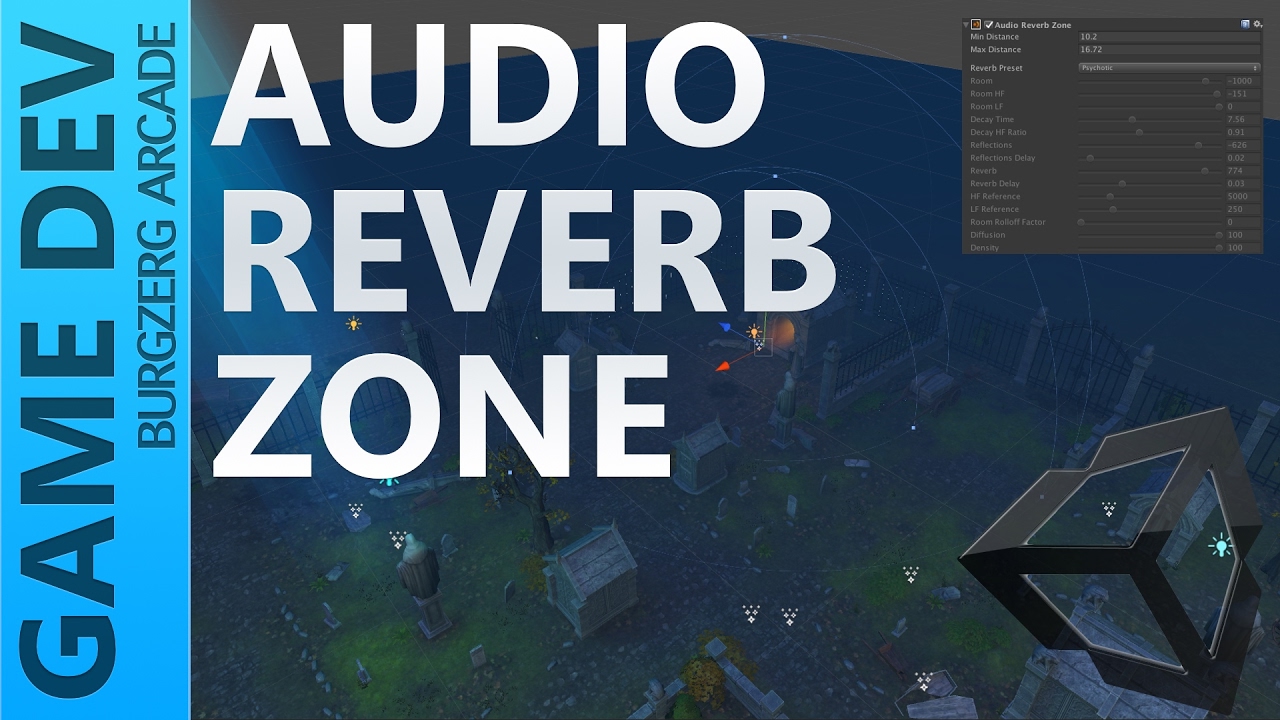
add a reverb zone
https://www.youtube.com/watch?v=tH2TyS-_okE
Raspberry Pi 3 Setup - https://www.youtube.com/watch?v=dDWs7Z34Nu0
-~--~-~~-~-
Audio Reverb Zones in Unity are a great way to add some life to your scenes. Let's see how to see how to set one up in Unity 5 and how to use it.
SUBSCRIBE - https://goo.gl/4X3sH8
PATREON - https://goo.gl/itXnwT
DISCORD - https://discord.gg...
open thicket
hazy prawn
heyyy so... did that cameout?
that was a reference to an easter egg i placed in my old world, "Summon Cthulu"
spark thunder
thanks 🙂
 flat crater
For some reason i cant figure out how to upload my world so i can play it can anyone help?
errant beacon
@flat crater just wondering, do you have future-proof publishing enabled?
if so, disable it
also, make sure you're running on the current Unity version (2018.4.20f1)
flat crater
I honesty dont know and i do have the most current version
errant beacon
In the Build Control Panel, there should be a Settings tab, and in there you should be able to disable future-proofing
flat crater
Is that the build settings tab it has like android windows and all of that on it?
errant beacon
The same control panel that you build and publish your world with, in the VRChat SDK dropdown c:
flat crater
ohh that doesnt show up i was watching videos and couldnt ever find it in the vrchat sdk
errant beacon
ah, are you using the most recent VRChat SDK? o:
errant beacon
awh lol, you're fine! and yw! c:
flat crater
I got it im just so tired imma blame it on that lol
bold ibex
harsh wagon
How would I get that working?
I know this is late but if you still need help I can send ya an example
harsh wagon
bold ibex
I know this is late but if you still need help I can send ya an example
I got it worked out more or less, trying to work something else out though
I made it so that the only active room is the one you're inside, using triggers that surround each room
hazy prawn
open thicket
that was a reference to an easter egg i placed in my old world, "Summon Cthulu"
Huh good to know i just made a frodo and i feel that would be quite the picture -3-
harsh wagon
the problem with this is that you fall through the world when you spawn for the first time, since you spawn inside one of the rooms and never technically entered
harsh wagon
bold ibex
I know this is late but if you still need help I can send ya an example
Do you know if there's a way to hide everything that ISN'T a specified object?
flat crater
@errant beacon sorry to bug you again but now it says that the sample scene.unity has been modified and keeps asking me to reload so I do and nothing happens it just loads me to the start world.?
errant beacon
where does this error occur exactly? o:
as in, inside VRChat or inside Unity
flat crater
Can I post a picture in this chat ?
errant beacon
yup! c:
bold ibex
harsh wagon
Do you know if there's a way to hide everything that ISN'T a specified object?
Which SDK are you using?
harsh wagon
Latest
errant beacon
oh, well that's a problem then lol
You need to be running Unity 2018.4.20f1 for either VRChat SDK
flat crater
Will it transfer my progress?
errant beacon
Very likely yes, though I don't have any first-hand experience with downgrading lol
harsh wagon
Make a backup of course
errant beacon
backup your project before you do, but yeah 2018.4.20f1 is required
woop, you were faster lol
flat crater
Ohh ok yea it told me it I wasn’t on the latest when I did that so I got the 2019 and now I need to go back 😂
So 2018.4.20 and not any other 2018 version even new ones ?
harsh wagon
flat crater
So 2018.4.20 and not any other 2018 version even new ones ?
That's the exact version VRChat runs on
errant beacon
yw! c:
I think I technically joined during the Unity 2017 days?
didn't start making avatars (or actively playing) until after the 2018 switch though
errant beacon
Oh that's weird lol
harsh wagon
My oldest surviving avatar file is from february 2018
played it before that though, used big al's avatars
bold ibex
harsh wagon
Do you know if there's a way to hide everything that ISN'T a specified object?
I've never had to do it in udon, but I'd have an array of root gameobjects. Then I'd loop thorough and turn them all off before turning the one I want back on.
flat crater
So you don’t wanna have to downgrade so many things aren’t compatible and will need to be changed lol
 gaunt edge
hello
can anyone with VRchat map making experience help me? im making my own map and ive made a small bedroom but theres one problem the roof is too tall how tall should i set the roof for an average vrchat players height
flat crater
So many scripts anyways
@errant beacon it worked but I have to delete everything and start over 😂
errant beacon
just wondering, why? o:
flat crater
New scripts don’t work with older versions
So I have to restart so it has the correct scripts
errant beacon
ah kk
sorry to hear about that, but good to hear about it working! o:
flat crater
Lol ohh well it’s basically the same so it’ll be quick
All I have is mirror and music
With toggles
flat crater
I have new problems sadly 😭😭
errant beacon
what b probleme o:
flat crater
3 errors when loading let me get it pulled up lol
First things first how do I get it changed to IL2CPP
errant beacon
unsure of what that exactly is lol
If possible, send a printscreen of the console errors here o:
flat crater
Ok
It’s in player settings but I don’t see it let me get discord pulled up on pc
UnityException: Mono is not supported on ARM64
Please select IL2CPP scripting backend or change target architecture in Player Settings.
UnityEditor.BuildPlayerWindow:BuildPlayerAndRun() (at C:/buildslave/unity/build/Editor/Mono/BuildPlayerWindow.cs:167)
errant beacon
Are you building for Android or PC? o:
also, is that error preventing you from uploading?
flat crater
One of the errors yes but it’s for quest and pc
And I found where it’s talking about the arm64
But not the other thing
I fixed it
I think
errant beacon
o:
errant beacon
I'd recommend following the error's instructions lol, I don't have much experience with scripting
flat crater
Ohh ok yea I got it lol it said to change things but just need to put it on gamma
dusk sapphire
you build from the vrcsdk control panel
flat crater
I have to change setting in that tab to make it build
dusk sapphire
what settings?
flat crater
Color space and stuff
dusk sapphire
you don't touch that at all
vrcsdk sets up all the necessary project and build settings for publishing content to vrchat
the only time you ever need to touch build settings is to switch platfrom from pc and android and vice versa for cross-platform content
flat crater
Well it told me I had to so I just followed the errors instructions
gaunt edge
my first ever room its still a work in progress ill post it when ive loaded in
oh yeah anytips for making worlds?
i still need to add jump
dusk sapphire
i don't know what instructions you are following, but you should not be messing with any of that
flat crater
The ones that pop up when something goes wrong and it tells me what I need to select and unselect
gaunt edge
flat crater
Thanks for saying that actually 😂
all good i was confused myself i loaded in and couldnt jump found out u need to addd it manually
flat crater
Yea the video I watched said that but after having to restart everything I forgot
gaunt edge
dusk sapphire
i don't know what instructions you are following, but you should not be messing ...
hey temporal do you know any decent places to get models for worlds? other than the unity asses store?
dusk sapphire
you can try booth https://booth.pm/en/search/VRChatワールド

BOOTH(ブース)とは、pixivと連携した、創作物の総合マーケットです。無料で簡単にショップを作成でき、商品の保管・発送代行サービスも提供しています!
gaunt edge
any good?
ill have alook, im making a bedroom for my first ever world so im looking for desks beds pc's shelves etc
dusk sapphire
and alternatively, one of the many 3d model repositories out there like sketchfab, cg trader etc
gaunt edge
ahh okay thanks btw!
so far its a grey walled box with wooden floor a skybox and a bed
dusk sapphire
coquelicotz has some free furniture that's commonly used in vrchat https://coquelicotz.booth.pm/

VRChatでの利用を想定した小物等を無料で配布しています。CQ_HMD(無料&有料)(¥ 500), Coquelicotz_Plants(¥ 0), CC0なVRChat向けマテリアル集(¥ 0), CQ_GlassHouse(コクリコのガラスの家)(¥ 3,000), 【VRChat向け】CQ Player v2(音楽プレイヤー)(¥ 100), QC_Books(¥ 0), CQ_Train(電車)(¥ 1,000), VRChat向け家具セット(4)(¥ 500), VRC向けネオン風フォントセット(CQ_Fonts)(¥ 300), CQ_Attic(コクリコの屋根裏)(¥
gaunt edge
ahh i can see why, thanks for the help btw
@dusk sapphire this is it soo far. any tips to make it look nicer? like lighter wooden flooring or so on?
dusk sapphire
you may want to think about lighting
gaunt edge
yeah im stuck with lighting ive been told to leave the intensity at 0.4
i still dont know why
flat crater
So I have to download the sdk and nbk and all the other bull ?
dusk sapphire
I don't know what the nbk is but yes you need vrc sdk
sdk2 for worlds using trigger systems, sdk3 for udon systems
flat crater
I downloaded it and now it’s saying I need nbk idk why I’m having so many problems 😂
im not doing quest compatible for now but the last thing is this problem
ArgumentException: The Assembly UnityEditor is referenced by VRCCore-Editor ('Assets/VRCSDK/Plugins/VRCCore-Editor.dll'). But the dll is not allowed to be included or could not be found.
UnityEditor.AssemblyHelper.AddReferencedAssembliesRecurse (System.String assemblyPath, System.Collections.Generic.List1[T] alreadyFoundAssemblies, System.String[] allAssemblyPaths, System.String[] foldersToSearch, System.Collections.Generic.Dictionary2[TKey,TValue] cache, UnityEditor.BuildTarget target) (at C:/buildslave/unity/build/Editor/Mono/AssemblyHelper.cs:150)
UnityEditor.AssemblyHelper.AddReferencedAssembliesRecurse (System.String assemblyPath, System.Collections.Generic.List1[T] alreadyFoundAssemblies, System.String[] allAssemblyPaths, System.String[] foldersToSearch, System.Collections.Generic.Dictionary2[TKey,TValue] cache, UnityEditor.BuildTarget target) (at C:/buildslave/unity/build/Editor/Mono/AssemblyHelper.cs:156)
UnityEditor.AssemblyHelper.FindAssembliesReferencedBy (System.String[] paths, System.String[] foldersToSearch, UnityEditor.BuildTarget target) (at C:/buildslave/unity/build/Editor/Mono/AssemblyHelper.cs:190)
UnityEngine.GUIUtility:ProcessEvent(Int32, IntPtr) (at C:/buildslave/unity/build/Modules/IMGUI/GUIUtility.cs:179)
dusk sapphire
i think you should just start with a fresh project and import the vrc sdk
and to be sure, 2018.4.20f1?
flat crater
Alright new project it is i hate this lol
It still won’t work so it’s not meant to be ig
dusk sapphire
what are you doing exactly?
You create a new 3D project with 2018.4.20f1, and you import the appropriate VRCSDK
 inland oasis
VRCHAT
An error has occurred. To continue:Press the F5 to refresh the website, orPress the back button to leave the website, orCheck our twitter?
Press CTRL+ALT+DEL to restart your computer. If you do this, you will lose any unsaved information in all open applications. 404 : World WORLDSTUFFHERE not found
Im getting this error when trying toupload a new world or overwrite an existing one... any idea why? :/
It uploads fine and normal as far as i know in unity.
dusk sapphire
does it show up on content manager?
inland oasis
Nope
This is my first world ive done without directly being helped by someone so its possible that something -really dumb- is preventing it from working right... But i would assume it would have errored out if it was D:
dusk sapphire
any errors in console?
1's vrworldtoolkit is also handy to have, it spots common mistakes etc https://github.com/oneVR/VRWorldToolkit
inland oasis
It changes from "new world creation" to "configure world" really quickly, i think thats why its messing up, but im not sure why its changing
Theres no blueprint in there. and thanks for that link 😄
inland oasis
i just re-did everything and it seems to work fine. Just a glitch i guess xD
inland oasis
Ok, so i got my junk working, but now V players spawn up high and things arent... right for them. but fine for desktop o.0'?
desert python
wdym
inland oasis
I am on the ground (desktop), but everyone that spawns in in VR is up higher... (all desktop users are also on the ground)
I dont have anything at all at that height
desert python
are they quest or using avatars thatll make taler?
desert python
try reloading and see if your on the same plan as them?
this seems like a weird glitch to me
 stone marsh
