#world-development
39 messages · Page 20 of 1
 frigid thicket
okay
 bold ibex
once the object is made just have reference camera point to that camera
its there just incase you want to put post processing on the camera vrchat will know which camera to use for player vision
frigid thicket
Another thing. What does this mean?
 cedar nebula
you need to click the Setup Layers button first, and then you'll have Setup Collision Matrix, and then you can build and test the world
frigid thicket
Okay
 near escarp
Reading helps btw 
 short jacinth
A bit of a complicated question. In my world I have both a normal mirror and an optimized mirror with buttons that toggle the mirrors on and off. What steps should I take to make the buttons work in a way that if one mirror is clicked to be active, the previous active mirror turns inactive?
cedar nebula
you give it two actions, one to toggle the mirror you want and disable the one you don't want
short jacinth
So, something like this for the normal mirror toggle?
cedar nebula
yea
short jacinth
Alright, thanks!
bold ibex
you should create an onexit trigger to automatically disable mirrors if you walk away from them
short jacinth
Probably not all too needed since my world is quite small, but sure, if you can tell me how since I have no idea what that is 😅
bold ibex
basically create a cube with the mesh renderer turned off. If it created a collider then you check IS TRIGGER. then create a script OnEXIT local and point to all mirrors and disable them
short jacinth
Do you mean OnEXITCollider?
bold ibex
yea
short jacinth
And for the actions, "SetGameObjectActive" set to false, right?
Well, anyway, I do have another question. Is there a way to move the position of the Rect Transform of a canvas without moving the position of all the children assets?
 woven condor
can someone help - how i respawn object used for teleport key back to original location for other player can pick up and use it again
near escarp
@short jacinth You chose use Onexittrigger
@woven condor There should be an option on the world descriptor for pickups to respawn or be destroyed
woven condor
@near escarp thank you yes i set respawn but this in same map teleport other location only access via teleport
object still in hand after teleport
 fluid tapir
Can someone explain how the combat system works?
near escarp
An object shouldn't respawn in your hand by default behavior, if you did something specific to your pickups and teleports i'd look into that first
short jacinth
Ah, okay, thank you, although how do I set the radius of the OnExitTrigger? Or is the radius the box itself?
near escarp
The box collider itself 🙂
short jacinth
Alright, thanks!
And also, do you know the answer to the other question I asked? If not, that's fine ^^
fluid tapir
I can't set things to pickup...
woven condor
umm - i set box collider as trigger - teleport player if contact with pickup layer - i pickup object and move into collider - i am teleport new location and still have pickup object in hand - how i make that pickup object respawn / reset back to original location after i am teleport - ?
 tired jay
woven condor
tired jay
woven condor
@fluid tapir you can add vrc_pickup and vrc_object_sync to item you want pick up ? no ?
woven condor
i cannot get my teleport key to respawn after is use it - so frustrating
near escarp
when you drop it ?
woven condor
if i throw away / outside map it will respawn correctly yes - if drop no it just sit there on floor - i want respawn after player teleport to other location the object - if user not throw away object it never will respawn
woven condor
@fluid tapir
https://www.youtube.com/watch?v=eqFsSfXrJt4&list=PLIoLQ-8wanr9jQWDUIs_2zshaDD_Lg-9R&index=4
Tutorial goes over the basics of creating a combat system. This includes setting up the VRC_Combat System script, an object to inflict damage to the player, and how to setup spawns for a team based map.
The map shown off in the beginning is called Archery. Version 1.2 is pu...
woven condor
ok i work out how is done respawn key for teleport - create object prefab - place object in dynamic object list - use spawnobject trigger as dynamic object from list and set respawn location for new "empty object" location (where key was original location) - item / key now respawns when go through teleport doorway - yay 🙂
fluid tapir
Thx
 deft turtle
Can I make a chair for a world with a sitting animation for when I’m in desktop I have a custom sitting animation
near escarp
Yes, add an animator with the animation you want to be used in the vrc_station script under Animator Controller
woven condor
^^ is that how i see people laying down on sofa ^^
 mild venture
Pretty sweet bundle for Unity going on atm for world building.
https://assetstore.unity.com/mega-bundles/world-building?utm_source=facebook&utm_medium=cpc&utm_campaign=as_global_acquisition_2019-12-as-mega-bundles&utm_content=MEGA_BUNDLES_01-LIST_EMAIL_HUMBLEBUNDLE-fb_A-Facebook_Desktop_Feed&fbclid=IwAR0XRHuM97GeAzcNZXPG_fF9cYibYEPN2ZGdpAeoJmt3He0BbKgeLw1f51o
 woven condor
bundles hmmm - snaps has so much bad reviews - other i think are soon to be depreciated -
 balmy gate
Also be careful of a lot of asset store assets that either require scripts (common) or don't support VR (sadly still quite common: some things like asset store water shaders give VR users headaches)
 sacred warren
Yup, the store is a minefield of VRC incompatibilities.
balmy gate
So just keep those on your mind: if it doesn't say VR, or doesn't specifically mention use of shaders, it may be unsafe for vrc
mild venture
Well, yeah. I figured a lot of people here use Unity outside of VRchat as well though, so I linked it. :3
But lots in the bundle can be used in VR.
balmy gate
Neat
 ornate parcel
As long as the world name is the same, it will update it and not create a new world right?
balmy gate
Not the name. It has to be the same ID in the pipeline manager (below the scene descriptor
ornate parcel
so if i get this, i didn't destroy my world
near escarp
maybe you did
balmy gate
If you tried an upload or something messed up, go to manage uploaded content and find your world, copy ID, then do detach on pipeline manager and attach again
near escarp
check your content manager
balmy gate
If you had to type the name, you did something wrong. If it's an update, the old name and picture must show up before you click upload
ornate parcel
phew thanks, i was hoping my christmas update won't create unnecessary copies
it worked
bold ibex
does anybody have english documentation or a tutorial on EXMENU or any heads up display that pops up when you press ESC or a button
balmy gate
Google translate works pretty well. Make sure to install the things that it requires at the bottom like standard assets, toybox etc
 granite lintel
i need help. im trying to test a world and so i click build and test but it opens up a different scene i have rather then the world im trying to test.
any idea why?
balmy gate
@granite lintel in the console window turn off the Clear On Play button. Rename somethinng in your scene so it changes and builds again. Then do Build and Test and look for any red errors in the console (ideally the first few)
 maiden stirrup
I stg I feel like I'm doing something wrong
I literally can't get triggers to work
bold ibex
which triggers are you working with?
bold ibex
Do you want a button or something to toggle the mirror/music?
maiden stirrup
toggle 🤔
like
Say I have music playing already locally n stuff
add what I'd consider a button to change the music
or toggle whatever
tryna use the vrc trigger for it btw-
bold ibex
use this setup
click the plus after you get that setup, look for SetGameObjectActive , and just have the receiver as the Audio Source or Mirror prefab.
maiden stirrup
yee thats what I've did
bold ibex
maiden stirrup
btww does the interaction text matter? I wanna assume it doesn't-
bold ibex
it doesn't matter, but it helps the player know what it's supposed to do.
maiden stirrup
lol I'm like the only one who can't even see interaction text 😔
no idea why but whatever ig
bold ibex
is it attached to a 3D object?
maiden stirrup
yee a cube
maiden stirrup
yee
takin a pic bc discord doesn't like me anymore
There's gotta be something I'm missing 😤
bold ibex
CTRL + PrntScr is a better option
bold ibex
ah
bold ibex
yeah this is the setup you wanna look for.
maiden stirrup
that's pretty much exactly what I have
bold ibex
and just have the reciever be the audo source or the mirror
is the option on false or true? / set to Local?. Heck, if it's a mirror, it's probably facing the wrong direction/not hidden, or the audio source isn't hidden or doesn't have a large enough audio radius to be heard
maiden stirrup
Uhhh like
ah gotta love my computer rn
heccing laggy
hold on I'mma re add one rq
okay
toggle right?
bold ibex
yep
bold ibex
everything seems alright. now if it doesn't work when you test it, either the reciever isn't hidden by default, or it's not set up right
maiden stirrup
wdym hidden by default
bold ibex
the receiver needs to be hidden
maiden stirrup
the one that isnt hidden is the main world audio 🤔
bold ibex
ah
 onyx kindle
How would one put gui on your screen like Jar's Murder game?
onyx kindle
No, I would like to add one, So you know how the game murder, you spawn in and it says "Bystander" Or "Murderer" and so on? I want something like that to show up on the users screen
onyx kindle
my mans ruubick PogU
near escarp
You don't need to do it on the users screens. You can teleport people to s specific room with the text in front of where they spawn
bold ibex
that was the old murder
but that is an option
but the aspect of having it be randomized is a bit complicated
near escarp
Well, not really since it's part of the trigger option
bold ibex
true
onyx kindle
For the effect im doing, I kinda want it on the users screen.
Like an VHS tape or something.
bold ibex
that'd be a shader effect
near escarp
In that case you'll need to find a specific screen space shader and enable an object with it when you move the player
near escarp
Yep
onyx kindle
Would anyone have any links?
bold ibex
you could probably have the object have player tracking enabled, with it as a local setting, and make it so that it's randomized
onyx kindle
When i look up Screenspace VRC i get crashers or something
bold ibex
https://www.youtube.com/watch?v=Yik63cfyuD8 if you want it to follow the player and be in their view point.

This tutorial goes over how to create a player tracker and 3 examples of how to use it. The player tracker was first created by HardLight and released in his Toybox prefabs. The link to download Toybox as well as a link to the Prefab Database can be found below.
The example...
onyx kindle
Yea I can do that by heart, But i would want it to be at the bottom left of a players screen.
Wait I guess I can still do that.
bold ibex
you can, you just have to adjust the positioning
you don't need it to be on top of the players' head
it can even be an animation to where after x amount of time, it dissapears
bold ibex
This prob gets asked a ton but what's the best video player prefab
 rain shadow
bold ibex
rain shadow
bold ibex
thanks
 deep vortex
Is there a way to stop my skybox from looking like this?
I can't get an amazing image, but it should look closer to this
sacred warren
Asking here as well as I'm not sure it's a beta issue or something that may trigger under other situations normally: I'm running into an issue where after a while (in my world specifically) the sound will screw up, like everyone is talking inside your own head, but still with a bit of 3D positioning, but they're in completely the wrong place - their voices are no-longer relative to their avatar position. Anyone experienced this or know what may be going on?
bold ibex
Is there a way to play videos from other sites besides youtubes using the video player option in unity?
Im trying to get a movie on the VRCVideoSync but its not working
rain shadow
so long as the link correctly references a usable video format it will work
bold ibex
so like
elaborate by references?
im trying to get the My Hero Academia: Two Heroes on it and I used the link from wcostream.com
can I DM you?
rain shadow
alright
bold ibex
 latent light
Having a problem when I'm trying to upload a world, I've never seen this before and I have no clue how to fix it
sacred warren
Check the console, it's failing to build
latent light
Thanks to that I managed to find the reason, thank you!
 rustic mantle
What shaders would use on a planet?
I want to achieve an atmospheric look on it
Some worlds have some nice planets in it
sacred warren
It would be a combination of a lot of things, including Post Processing.
 rugged jolt
im trying to add a banner in my world and have in move slightly in the wind. i made it with bone and made an animator that works in unity. once in vr though , everything is stiff like theres no bones on it , can you guys help me out ?
rugged jolt
do dynamic bones not work on worlds ? and if so how can i create that banner floating without having to animate every bone individualy
rustic mantle
@rugged jolt make sure the animator is enabled
And the animation clip is loop enabled
And if its set to static. Make sure its not
@sacred warren im well aware of post v2. I meant getting the look of a planet. If anyone knew any shaders
Like sombies world
Has rly nice planets
 obtuse reef
is there a way by holding space to jump higher? kind like a platformer.
rugged jolt
i got the bones to work , my issue was that they are too far away and look solid from there
bold ibex
Is there anyway I can get the 2018 hub world map for vrchat?
 kindred thicket
Hello Everyone, Is there a way to add 2 animations to a single object that has 2 Colliders - each Collider triggering a different animation? If possible will you please direct me in the right direction?
Thanks 🙂
near escarp
Use an animator with two different animations in it, each transition should have a different animator parameter and the collider trigger will enable the correct parameter in the animator
sacred warren
Is there any way to replicate VR "selection" behavior on desktop? (so I can find things that can't be selected in VR but work fine on desktop normally). i.e. the behavior you see with overlapping colliders.
near escarp
Aside from using mirror reflection layer on the bigger collider, not that I know of
kindred thicket
Thank you Ruuubick - Below is a picture of my animator - is has 6 animations:
Then my Trigger and Box Collider:
how does it know which Collider is used to start the Animation?
I can see the variable should start the Upper Right Animation, but how do I tell the Box collider to trigger the right one/
There will be 6 in total (it's for a drum set).
it has 5 Cymbals and I really don't want to make 6 different objects
near escarp
In this case you can use layers for each different collider, or have 6 different objects using the same animator
kindred thicket
Great I will look up using layers on YouTube.
kindred thicket
Just so I'm understanding properly, I have added 5 layers, one for each animation, I have also added 5 Box Colliders at different positions in the same object. Now I am unclear how Unity knows which collider triggers the correct animation - do i need to write a script to accomplish this?
near escarp
each layer needs to be able to collide with the object or player that will run into it
check the layer matrix to know if it will
kindred thicket
Thanks for your help, I'll just break my object into 5 parts in Blender, then I know what I'm doing. I was hoping to save time but I must be too new to comprehend what I'm being told. Thanks anyway!
maiden stirrup
anyone know how to add a basic video player that you can play videos through from YouTube qwq
bold ibex
Do avatar worlds ever show up in spotlight or hot
near escarp
Not in spotlight, and rarely in hot
kindred thicket
Hello again, I am trying to trigger an animation in the OnCollisionEnter Event. I am using this code:using System.Collections;
using System.Collections.Generic;
using UnityEngine;
public class PlayDrums : MonoBehaviour {
public Animation youranimation;
void OnCollisionEnter()
{
    youranimation.Play();
    }
}
problem is when I drag an animation to the box it won't accept it, remains empty
sacred warren
You can't use scripts in VRChat.
kindred thicket
OK, Grrrr
balmy gate
@kindred thicket you might want to play with udon if you like scripting. Check #udon-info - but be aware it's at least several weeks away from getting released to the public. could even be months before fully out of beta, no public info on this yet and nothing until end of holiday season
@kindred thicket however, if you're not willing to wait, I'd suggest doing one of two things:
Look at VRC Triggers - it has an OnEnterCollider or OnEnterTrigger events.
Import Standard Assets and try the ActivateTrigger script. It also has an Animate node that will call play on an animation, but most other actions are just enalbing and disabling something
kindred thicket
Actually I don't like scripting at all, just trying to start and animation on an event
balmy gate
use VRC Triggers. I recommend learning Animators
the VRCTrigger has something called an AnimationTrigger action
kindred thicket
I tried the AnimatorBool and it didn't work - I have tried everything i found on the internet prior to having to to go script. I will try animationTrigger.
balmy gate
make a new animation controller. Make two states. One is empty "initial state" then put an animation clip into the other state.
Add a new Parameter in the left bar of the animator editor, type Trigger. name it how you want.
Make transitions (arrows) between them. Turn off Has Exit Time. Set duration appropriately. Click + in the conditions section at bottom and choose your trigger
Then in the VRC Trigger AnimationTrigger action, make sure to spell your trigger name exactly correctly
duration 0 will make the thing transition instantly (start playing without any fade-in)
kindred thicket
Great I will try it.
balmy gate
I usually set duration to 0 in the transition settings, but depends what you are doing
also, good to test stuff in play mode. You can't test the trigger directly... but you can test the animator by going to the parameters tab and clicking the circle button
kindred thicket
ok
balmy gate
(another note: OnEnterCollider is somewhat rarely used... OnEnterTrigger is more common -- you will need OnEnterTrigger if your collider is marked Is Trigger)
kindred thicket
Its for a drum set, I want a 20 frame animation to play when it hit it with a tick
balmy gate
aha I see
kindred thicket
stick
does that change my parameter you gave me
I selected Trigger should I select bool
balmy gate
no, but if you want the animation to restart itself, you will want to make an arrow into itself or from Any State... that way it can restart the animation each time you hit trigger
Well it depends. Trigger is for something that can happen repeatedly
Bool is for a "state" like open or closed
so Bool could make sense if you set it to True in OnEnterCollider and False in OnExitCollider
but Trigger is easier to work with usually... and for trigger you just set AnimationTrigger every time you enter collider
kindred thicket
It's only a one second animation so I want it to play until the end before it does it again
balmy gate
animators have logic to handle this: if you click on one of the transition arrows, in the right column you have stuff about "Interruption source" and "Can transition to self". this is what those are for
obtuse reef
how i can jump higher by holding space ? do i have to make a trigger onkeydown?
balmy gate
@kindred thicket so your two transition arrows should look like this
Initial state -> Playing Drums: no exit time, duration 0, condition Trigger parameter.
Playing Drums -> Intiial State: Has Exit time checked, set exit time to 1 (play exactly once before going back), duration whatever you like, no conditions
the exit time makes sure it finishes playing before going back to initial state. it can only start playing again once it's in the initial state
near escarp
i don't think you can do that @obtuse reef
kindred thicket
I have been able to get the animation to run just time, just not on the collision
balmy gate
that's what the trigger parameter should fix. you should test this in play mode, and get it so you can mash the circle button and it plays once completely before going back etc.
obtuse reef
oh really? i was thinking to make a platformer world.
balmy gate
udon can actually do what you need with AddVelocity... but sadly we're also lacking in button detection so you know which button is jump in VR...
obtuse reef
ah, desktop users will be able to use it but not vr users?
balmy gate
you might be able to push the player up with a box collider below their feet: make a layer that only collides with PlayerLocal, use an animation controller to handle each jump and move a platform up as long as they hold the button and another state to move the platform height instantly to 0
and put that object inside another object that teleports to whichever platform the player is currently standing on maybe?
you can detect jump button in VR
obtuse reef
i was thinking something like Jump King.
balmy gate
just be aware that the button numbers are poorly documented, and they also seemed to change a bit in unity 2018
kindred thicket
Lyuma, do I still need two triggers since it's such a sort animation
This is the animation for the upper right cymbal
balmy gate
no you need one trigger
since the other direction is time based
also, you need another state
just right click new state
right click it ,set as default stae
then make the arrow from that new yellow state into Upper Right
and set your settings on that arrow
obtuse reef
do i need a rigidbody?
balmy gate
you cannot use AddVelocity trigger on the player
with vrc trigger system, you cannot directly do what you want. I suggested using a collider to push the player up. I think that's the best you can do without udon
and without using a physics controller like Phasedragon's system :-p
which is very complicated to set up and has consequences
obtuse reef
hmm
balmy gate
The SetVelocity thing I was talking about is from Udon which is a whole different system and still in early alpha stages but you can play with it if you don't plan to finish this project for a couple months anyway
 gentle scroll
Does anyone here know how to fix floors in maps that make the players shake violently? I thought it may be a collider issue but I'm not sure.
balmy gate
huh? define violently. How far away from 0,0,0 are you? What's the position of this floor
and how big is it
obtuse reef
if i make box collider that the player steps on it and makes him Jump constantly until he moves away from the collider?
balmy gate
well the box collider won't make the player jump. you'd have to use an animator or something to physically move the box collider up and down. the player will move up and down with whatever colliders go under him
the same cannot be said about sideways motion, but up and down is possible to do in this way
kindred thicket
how does it look so far?
gentle scroll
So basically theres different rooms in the world. that are pretty far from 0,0,0 and what i mean is like no one is thrown it just shakes the players model.
balmy gate
@kindred thicket looks good. Set Transition Duration to 0 [EDIT: DERP] so it doesn't fade in slowly
sacred warren
How far from 0?
kindred thicket
it was already .25 should it be 0
balmy gate
make it 0
again this is your choice. making it 0.25 will make the animation fade in slowly. just suggesting 0 because it's easier to understand what is going on
lol I typed 0.25 earlier. sorry about that
balmy gate
click on the word AnmationTrigger. What does it say
kindred thicket
empty
balmy gate
Also rule #1 for triggers: always set Advanced Mode and change AlwaysUnbuffered to Local
even if you're not advanced, do this anyway
oh wait
if you want everyone to hear it you can leave that
kindred thicket
Receivers: ok
balmy gate
receivers should be your animation controller
and it should have a text box where you can put your trigger name like UpperRight
Finally, in your controller add an arrow from Upper Right to New State. Don't put a condition in this one. This arrow will reset the system after it finishes playing New State so you can start it again later.
balmy gate
wait do you have your animator on a game object?
like which object are you trying to control here
kindred thicket
Yes
balmy gate
that object is the one you drag in. Sorry I misspoke when I said you drag your animator controller into the box
kindred thicket
I am trying to control a Cymbal from a cube
hit the cube the Cymbal moves
I have been doing all this on the cube so far, so i should redo it on the drumset
would it help if you could see my computer? I have a GoToMeeting subscription where we could share my desktop. No pressure, I know it's the day before Christmas
balmy gate
no
you can put any object into the receivers box
the trigger doesn't have to be on the same object as the thing that receives it
can you show the Animator component on the Cymbal?
kindred thicket
drum set fit in the box
balmy gate
ok, whichever object you put the animator on
balmy gate
Put UpperRight into the trigger text box because that's what you called it in the animator controller screenshot earlier
also, check the animator box
kindred thicket
balmy gate
Not spelled correctly. You didn't put a space here
the two have to match exactly. Take out the space in the trigger box
Did you add the arrow back to the default state so it can play again next time someone hits it?
balmy gate
yes:
It's only a one second animation so I want it to play until the end before it does it again
the last screenshot you sent doesn't allow it to play again
kindred thicket
like this
balmy gate
yes
just wanted to check you got that.
and the return arrow has Has Exit Time checked
did you test in play mode mashing the circle button in parameters and seeing if it works?
kindred thicket
my collision is working, because my console says im colliding, however no animation
balmy gate
you testing ingame?
VRC Triggers won't play in play mode. you have to test it yourself by clicking the circle button
if you want to see the whole system work you have to go to the vrchat sdk and do build and test or build and publish
kindred thicket
OK, whast is the circle button?
balmy gate
in the parameters tab on teh animator controller. if you're in play mode there will be a button next to the UpperRight trigger you made
kindred thicket
YES
I'm going in to test it out. THANKS!
before I do that going to add other animations really quick to make sure I do it right
Do I add another Parameter for UpperLeft
or just make a new Animator for each action?
balmy gate
yea you can add a parameter for each one
now note that if you do it by adding more states, only one will play at a time
but, you can add extra layers instead. If you do choose to go this route make sure to set Weight to 100% on each layer you add
or... maybe easier is make a new animator for each drum set
but you can only have one animator per object
so then you would have to move the animators around... that's also annoying
layers might be easiest approach
just don't forget to set Weight to 100%. that gets me every time
in the Layers tab next to Parameters - this is the layers I'm talking about
balmy gate
yes, and 5 parameters
kindred thicket
OK
balmy gate
the only difference with base layer is weight is always 1. for new layers, weight starts at out 0 which is idiotic
kindred thicket
ok
 gleaming quarry
Thought I'd start something come 2020 to expand on my vision of worlds; I want to make this a world where many can be entertained as well as play functional arcade games, this will bring players back to the year 1978 for a classic experience.
kindred thicket
where do I find weight?
 gentle plinth
the chuck e.cheese's its scary
kindred thicket
got it
gentle plinth
Uhhhh...Ok
 tropic smelt
does vrc support streaming video links from dropbox?
balmy gate
Vrc no, unity VideoPlayer yes
A way to do http videos is to put a http URL directly in the VideoPlayer component but have a SyncVideoPlayer component just to sync the video playback time
Unity is picky about the format
Wait what do you mean by streaming? If you found something using HLS that's doferent
rustic mantle
xd
 rustic eagle
When exporting geometry from Blender 2.81 should I be using .obj or .fbx?
kindred thicket
I have all the animations set and all of them work when I click the circle, however none of them work in vrchat 😩
I went back and made the colliders much bigger for testing with no luck.
This might seem weird, I added SetGameObjectActive to one of my drumstick so it will disappear when I hit the Collider and it doesn't go invisible - even though the console says I'm colliding with the cube. It seems like something is preventing the event from firing in VRChat. I have an OnCollision script to test if the collision is happening, could that be breaking the animation trigger?
tropic smelt
@balmy gate I meant just playing the video, I have it working now
kindred thicket
I removed the script with no luck....
near escarp
Why do you keep trying to add custom scripts ?
kindred thicket
I'm not, just the collider to debug then I tried to do OnCollision and stopped you I was told it wont work
near escarp
Use onentertrigger
kindred thicket
OK, Thanks
bold ibex
Aite so can i remove the avatar world tag from my world
Without unpublishing and resubmitting
@near escarp
near escarp
Give me the ID and i'll do it @bold ibex
near escarp
If the layers are correct then it should work
kindred thicket
they all work when i click on the circle in the parameters - would that be an indication they are wired correctly?
I still have a setgameobjectactive on a drum stick and that isn't disappearing either
I have rigidbody on both the cube and the drumstick
the cubes are contrained on all postion and rotation
constrained
All are Advanced Mode with AlwaysUnbuffered
On the Box Colliders IsTrigger is not checked
same for the drumsticks
oh, now that It's OnEnterTrigger the cubes should probably have Is Trigger checked?
near escarp
Yes it should 
kindred thicket
I will try that next. Thanks again!
bold ibex
@near escarp i cant send a dm to ya i shouldnt paste here right
near escarp
if your world is public it's fine
kindred thicket
Changing the event didn't fix it. I'm going to try again tomorrow, thanks for your help, I really appreciate it.
near escarp
why do you need the rigid bodies btw /
kindred thicket
I don't know... I'm a newbie in this unity stuff. Most of my experience is with MMD.
I don't need them for the cubes or the drumsticks? I thought i saw in a youtube video that I needed them for triggers.
balmy gate
when you want two things to collide, one side needs to have a rigid body. Pickups will automatically have a rigidbody anyway.
oh do think about collision layers too... Sadly VRCTrigger isn't possible to test in the editor... but if you need to test collisions in the editor play mode, you can add an Activate Trigger script from standard assets, and add an Activate action with some game object like a cube...then see if the cube turns on when you move the stick into the collider
kindred thicket
I just jump into VR even though it's a pain. I will remove the rigid body from the cubes.
Thanks
bold ibex
how do i make it so that instead of having an avatar pedistal give you the avatar, that the model itself be the pedistal, and when you click on the model, you get the avatar
kindred thicket
For an update, I tested the animations for the cymbals by making all the cubes OnInteract and all the animations are working. Shew, I feel like I'm getting closer - it's just not working onEnterCollider or OnEnterTrigger. I hope this helps narrow down what's wrong.
I know the answer to your question about pedistal. See Screen Shots below:
In the Blueprint ID field put the Blueprint ID (from your content) of the avatar that will be cloned.
Then you put an avatar inside the Pedistal and your done.
All you need is the mesh for the Statue. If your going to animate the statue then you will want the bones.
There will be two pictures:
Wait, I messed that up, I an using it for something else so the I am showing you the wrong trigger
bold ibex
but im not using the pedistal prefab. I want to have the same effect, but for the model(it's already pre-animated and everything)
lets say the model is in the world, and once you click on the model, you get the avatar(which is the model itself)
kindred thicket
Yes, this model is animated and sitting on a vrcAvatarPedistol. I had to use multiple triggers to play music and turn on lights.
near escarp
please make sure those models in your world are very optimized
near escarp
it needs to be using the components of the avatar pedestal prefab
bold ibex
ah
kindred thicket
near escarp
set that to local
near escarp
no need to broadcast so yes
bold ibex
alright
bold ibex
yeah, i have the receiver as the model. or do i need it to be the pedistal? if so, i can just make it transparent
kindred thicket
I don't know the default goes to the pedestal like the picture.
bold ibex
i can always play around with it
kindred thicket
right
bold ibex
alright,1 final question. How can i get an effect to where a sphere is acting as a skybox. I don't wanna have cubes as walls and make it look very bad
kindred thicket
I don't know that one, sorry.
bold ibex
figured it out
kindred thicket
Great!
balmy gate
@kindred thicket can you double check the layers of your objects?
for the trigger collider thing... if you have standard assets in your project you can test this in play mode by adding an Activate trigger component and see if the count in the inspector goes negative. it should subtract 1 from that number every time something collides with it. so drag objects around and see if you can get that to happen.
I'd recommend installing Standard Assets if you don't already have them - it has lots of useful stuff
kindred thicket
OK, I will do what you've asked. I will show you the Layers first
They all are the same as this one except for different animations
they also all work with onInteract
All these work in play mode
balmy gate
oh wait
I'm talking about collision layers now! :-
though the animator looks good 😉
the layer is the dropdown right under the object name at the top right of the inspector
e.g. Default, Pickup etc
super confusing there are so many things called the same in different parts of unity
balmy gate
what's the layer for the other pickup?
kindred thicket
importing assets just a minute. I think they are all default
The cube and the drumsticks
balmy gate
pickup script usually changes it to Pickup, so I'd double check
balmy gate
I think pickup collides with default
but... your trigger has Layers Default
Maybe change the trigger layer to Pickup
kindred thicket
for the cubes?
balmy gate
the VRC Trigger screenshot you send
below trigger individual there is a layers dropdown
that one doesn't say Pickup
Did you try the ActivateTrigger thing I asked? I'd suggest that just so you know if the issue is something with the collision detection or something else
kindred thicket
I was looking at this
balmy gate
can you do the two things I just asked?
kindred thicket
Yes
On one of the cubes I added Activate Trigger
Does that mean I can move a drumstick over it and it should collide?
balmy gate
yes
a bit challenging in play mode but this is good info to see if it works
you'll tell just with that Trigger Count number going down in the inspector
kindred thicket
it's now -7 i
i did it 7 times
I don't have an vrc trigger on the drumsticks
balmy gate
that Activate Trigger is on the same object that has the VRC Trigger on it?
just making sure you're testing the right thing
kindred thicket
I added the active trigger on the cube, so i hit the cube with the drumstick and the cubes number goes down.
balmy gate
not sure which object is the one with the cube. is that a yes? The cube is the object with the vrc trigger on it
kindred thicket
yes
balmy gate
if so, the only thing that could be wrong is that layers dropdown. Once you've fixed the layers menu to include Pickup, give it a try in vrchat
in the VRC Trigger
balmy gate
🤶
 gaunt minnow
is there any known way to play an audio/internet radio stream in a VRC world?
balmy gate
you mean like an icecast mp3 stream (http url)?
Apparently that already works if you use the VRC Sync video stream component:
https://feedback.vrchat.com/feature-requests/p/support-for-radioaudio-streams
I overheard a discussion about this recently and the word is it is working
though note that sync video stream is only supported on windows 10 (windows 7 is EOL anyway)
kindred thicket
New that some excitement has fadded, I don't like the animation running to the end before it can be triggered again. is there a way to make the animation start over on the trigger?
balmy gate
what is your animation doing?
kindred thicket
it is making a drumset cymbal move for 20 frames
balmy gate
so if you want to make it restart while it's playing, add a transition arrow from the Tiny Left to itself
it will show up like a triangle right below the state
click that transition and do the same thing, add the condition like "TinyLeft", uncheck has exit time, set duration to 0
that should interrupt what it's doing and start over if the trigger fires again while it's playing
kindred thicket
kindred thicket
Thanks again, it's time for bed. Have a Great Day!
bold ibex
I can't load into my newly created world. Is this an issue with the way i uploaded, or some other thing in the world?
sacred warren
I'm using realtime lighting on the landscape temporarily and I'm getting insane shadow flicker. Anyone know the cause? https://youtu.be/tNAyv3Xe6dw
 bold ibex
@sacred warren try increasing the near plane clipping value on your camera
you shouldn't use realtime lights or realtime shadows with huge maps, but it might help increase the precision in your case
Shadows are computed from the Z buffer, so low near plane values can cause precision issues. Some other precision issues might be ha...
sacred warren
Already did, didn't make any difference (it was the first thing I tried)
(it was 0.03, I increased it to 5, still no change)
bold ibex
if bringing near and far closer together doesn't help your map is just too big and not really suitable for unity's realtime shadowmapping
sacred warren
Far clip is 1000 so there should definitely be enough range for it to work.
Weird. The map is only 500x500 which isn't huge.
Unity's answer to "not use the built in pipeline" isn't great though considering that's what VRC uses 😦
On an unrelated note, as I can't find an answer to this anywhere else: do the detail resolution and detail resolution patch matter or have any effect on performance if you're not using Unity/painted grass and trees?
bold ibex
last option is to finetune the cascade splits and total cascades
if you haven't already
and reduce the number of objects receiving shadows
sacred warren
The realtime shadow thing is only for the sake of being able to see what I'm doing in the editor easier when I don't have the lighting rebaked, so performance isn't an issue, it's just the flickering was making it a pain to use.
bold ibex
Hello is ther possible make everything sitable at once?
bold ibex
someone know how to allow on plane be under it as water
kindred thicket
I have one more question, then my drum set will be done. I would like to have the base drum on a trigger that when hit runs in a loop forever, then when I hit it again it stops. I was able to get it to run forever when it hit it, but not sure how to get it to stop when I hit it again.
 gleaming terrace
hey, im making presents for a world and I changed the use text but its not showing up as what i put only hold to grab how to I get this to change
near escarp
Basically behaves as an on-off switch
kindred thicket
I tried bool and it didnt work, OK will try int
balmy gate
@kindred thicket if you do that make sure to get rid of the arrow at the bottom (that one that connects to itself) because it will make it restart every frame
And bool makes more sense
kindred thicket
OK, Thanks
balmy gate
Or just keep it trigger but add a trigger condition for going back and remove exit time
And check the loop time box in your animation clip
 fresh plover
Hello all i been away for a bit and like to look into makeing some worlds updated
what is the current progress on VRChat for UNity version and SDK
i am a bit confused as i asked others and they say in the next few weeks it will be Unity 2019__04_13 howver i see Undo only works in 2019_04_14 ? i dont find a clear list what SDK is applied to what Unity api level ? and advise please
near escarp
For now nothing changed
bold ibex
ruubick ?
near escarp
?
near escarp
Can you describe your issue a bit more ?
If your water plane has a collider then remove it
bold ibex
water is plane and i tried without collider and with collider and still nothing
and when i remove plane the water remove it too then i cant
near escarp
Well, it won't collide if there is no collider
So check if you don't have something else
fresh plover
well nothing is helpful thanks
near escarp
I don't know how terrain collider works with water
But if you want to go through something, then it should have a collider
bold ibex
i tried even from prefabs but still nothing then idk
not even from vrchat prefab as default
and last thing is there posibble make everything what i mark be sitable and not make slowly one for one as chair
because i making world and that world have like 50+ chairs
near escarp
you can copy paste the components of the chair prefab to other objects, but i don't think there's faster ways
maybe make 50+ chairs and at the end change the mesh renderer/filter for the objects with the ones you need
bold ibex
i doin one for one slowly with prefab on it but it will be helpful to have something to be faster on it
i need rest now... i working on my world full day
sacred warren
@near escarp That water shader does look very nice, especially as it handles the underwater effect too.
near escarp
Which one ?
sacred warren
Red's one
near escarp
oh yeah, it's gorgeous
sacred warren
The one(s) that comes with RAM 2019 is also very, very nice. No issues or artifacting with it either (e.g. none of those refraction issues you see in the examples on that post).
kindred thicket
So I have been trying to get this AnimationBool to work. So far it turns on when I click the cube but it won't turn off. Below are screenshots (gosh it's really frustrating when it takes longer to test the thing than it does to make the changes):
I made a new cube and the like to test it before I add it to my drum set
you mentioned just adding another condition, I'm not sure how.
In play mode it works clicking the TestDrum Parameter, just won't turn off on the cube trigger.
I added another Parameter for Int and exactly like the bool it starts when I click the cube, but won't turn off when I click then other one.
 mild spade
You need a transition from"front drum" to "new state"
With the condition of "testdrum" to FALSE
mild spade
You dont have a parameter called "boolDrum" if you are trying to toggle the one you just showed me, it needs to be the exact name, which is "TestDrum" (unless it is referencing another animator)
kindred thicket
Thanks
Trying it now
Now the button won't turn on the animation
I think I see something, testing again
It's working! Thanks 🙂
mild spade
Glad it is working!
kindred thicket
Me too, I think I finally comprehend how these conditions work. It seemed over my head, but something clicked.
kindred thicket
This should be my last question for a while: My Cymbals are working, however if I hit it twice in a row, it doesn't replay the animation from the beginning. If I hit the cymbal and wait 1 second the amination completes and it plays it again. I would like to have the animation restart when I hit the cymbal (not wait for the animation to complete). Below are screen shots:
If I uncheck the Has Exit Time, I get this message:
I tested removing the Has Exit Time on the Exit transition, removed fixed duration on the enter and exit transitions and Transition Duration to 0 on both also. It didn't make a difference.
balmy gate
@kindred thicket has exit time is needed if you want to make it wait to finish and go back to how it was before. But strictly speaking it isn't that important especially if the end of your animation leaves it as it was.
Two unrelated things I see problematic: first, your exit time is 0.75 instead of 1 - that means it will wait for 75% of the animation to play and cut it short every time
Second, you are using a trigger with AlwaysUnbuffered and toggle. This will cause frustrating desync with other players where one stops the drums and the other starts it playing.
The way I deal with the toggle situation is I actually make two duplicate triggers: one turns it on (true) and one turns it off (false) ...
CubeColliderOn (enabled)
CubeColliderOff (disabled)
In On, Add a SetGameObjectActive CubeOff to true
Add a SetGameObjectActive CubeOn to false
In Off, same but switch false and true
Basically the rule is: never use AlwaysUnbuffered with anything toggle
kindred thicket
Ok, I will try it
Wait, my toggle situation works great, I am working on making the other cymbols just animate when I hit it and that works. It just always makes me wait until the animation is done before I can hit it again and make it restart. I fixed the .75 issue and the AlwaysUnbeffered on my toggles. Thanks
kindred thicket
I see what your saying, for some reason I was thinking something else (talking about the toggle situation. I can do that - I have used Always in the past, but I hear your saying is that won't really fix the problem.
kindred thicket
I don't know how to turn on and off the box collider using vrc_trigger. I have been able to turn on and off complete objects, but I don't know how to turn off a property in an abject. Knowing that would be very useful for lots of things.
Nevermind, you are talking about having to cubes (one visible and one not / one with Collider on and one off) then toggling between them. Sorry it thinking something totally different that what was being said.
Also, I can live with having to wait for the animation to finish before I hit the cymbal again - the important things have been done.
Maybe my experience is working against me. I've been a professional VB.net programmer for over 15 years and a lot of this is confusing and it's hard to see the logic in it sometimes.
Most of it I'm sure is just lack of experience.
balmy gate
The toggle issue is specifically to do with the trigger not being local. If you have it on toggle, you should change the trigger to Local... otherwise you will get into a frustrating situation where somebody joins your world and the animation is in the wrong state. And you toggle it off but that toggles it on for some other people in your world, so there's no way to turn it off for everybody. The issue won't show up if you are by yourself
If you don't want to deal with syncing issues, tick the Advanced mode checkbox and change the sync type to Local. That means it's just for you but no desync issues
kindred thicket
OK, Thanks
 short gulch
Does anyone know if theres a plugin for blender or 3DSMax that makes it possible to import a ".staticmesh" file extension? Tried to google a few times in the past it but couldn't find anything useful.
 green lagoon
what are you trying to import
doing a quick Googling that says that some Unreal Engine stuff
 ripe depot
Any one fr1ed's Discord? I've got some criticism. xd
rustic eagle
Hey y`all... Quick question: Say I want to have an object play an animation from the start of a world loading. I've got the animation made, how do I go about triggering it from the start of the world loading?
And literally as I ask that I figure it out...
😓
near escarp
what kind of animation ?
rustic eagle
Just a simple rotation. All I had to do was to place the correct .anim in the Animator component of the object. However looking at the copy I made of the object I got the same result from using an Animation component.
near escarp
If you're using an animator and it's enabled, the animation should play right away without you needing to do anything
rustic eagle
Ahh
 storm plover
Anyone been unable to update their existing world from the SDK thinking you're making a new unpublished one, although the pipeline manager is using the same world ID as the one you're trying to update?
short gulch
@green lagoon sorry for the slow response, didn't see the reply last night. It is some Unreal Engine stuff actually. Its from a very early pre-release version of UE3. I was just curious if anyone knew of a way to convert .staticmesh into a usable format or better yet just import to blender or 3DSMax directly. When doing my searches I found a plugin for 3DSMax that lets you open UE2 .staticmesh files from BF2, but that doesnt work with these ones, just causes 3DSMax to freeze up and die. The files I'm trying to open are just meshes that make up a map from an old beta of a UE3 game that has been shut down for nearly a decade that I mostly want to study for learning about map design, and how these devs did it specifically.
balmy gate
@storm plover check for errors in the console.
If your world pipeline manager isn't showing the correct world if, click detach, go to uploaded content tab of the SDK and find your world and copy id, then paste in the pipeline manager and click attach
storm plover
@balmy gate No real errors in the console at all. And yes, I've tried detaching and reattaching the same ID from the SDK but it still won't recognize it as the same world. Just as an unpublished one
balmy gate
Does it show the three checkboxes for new and hot or whatever
Disable clear on play, change something small in your scene and try another and look for red errors
Oh also - sign out and sign in the sdk
Sometimes that happens because of an expired cookie or a network error
 marble silo
Do layers not work for the purposes of colliders in vrc?
cedar nebula
ye
bold ibex
Is there any possible way for me ever to get the 2018 hub world map for vrchat
I literally just want to turn it into a hide and seek map
 bronze smelt
You'll have to recreate it yourself
short jacinth
Hi! I was wondering if there's a way to move the position of the Rect Transform of a canvas without moving all the children assets
kindred thicket
Is it possible to have one audio bank and multiple audio sources? I would like to play a song over 2 different objects (like speakers)? I have it working on one object.
 carmine kernel
Hello, is there any way I can change the value of a world's blendshape using a slider?
Is there also a way to hue shift its colors using another slider?
kindred thicket
I change blendshapes using an animation - I works for avatars and worlds.
I don't know how to change hue on a slider. All the texture and color sliders I import into blender get removed, Someone else will have to help you with that one.
balmy gate
@carmine kernel answer for both ?s: for each thing you want to animate make an animation clip with left position at time index 0:00 and rightmost slider position at time index 1:00
Also make sure Loop Time is off on your animation clip! Add animators (uncheck it) with this animation clip above the game object for each slider setting
so like:
- MyWorld
... - Slider1Animator
...... - Slider2Animator
......... -MeshObject
Slider1's animation clip changes the blendshape. Slider2's animation clip changes (Skinned) Mesh Renderer Material._Color for example
Now for the UI Slider. In On Value Changed (), add two actions with the new Post Processing Volume:
- Rebind()
- Update [in top dynamic float section]
Also, for all sliders in your world, always set Navigation to None and make the canvas have a huge margin around the slider. Otherwise the click will get stuck and it will change randomly as the user walks around the world.
carmine kernel
Thank you, I know those already but how do I feed the slider's value to the animation?
oh
balmy gate
I think I posted while you're adking that. What the Rebind / Update does is it sets the animation to be at that time offset between 0 and 1 second
carmine kernel
yeah my bad
balmy gate
make sure to have animation speed at 0 or have the animator unchecked
carmine kernel
Thank you very much!
balmy gate
that's why you need one animator per thing you animate because each one is frozen in time at a different point
for hue shift, you'll need to animate the R G B values manually to create a hue shift. more complex is using a custom shader but I think you can make a good looking curve, like R -> 1 , then G->1, R-> 0, B->1, G->0, R->1
and make sure to set curve to linear in the curves tab or set the curve you want
carmine kernel
Alrighty, thanks for the detailed explanation!
bold ibex
if this is the wrong chat lemme know but out of curiosity, for a vrchat world, is it possible to give effects to audio? like for example, a sound plays in one room, but if you go into another room, the sound is muffled through the walls?
sacred warren
You can, but it's a lot of work using triggers and such. I personally never got it to work using the correct way, which is to set up triggers tied to animators that change the reverb filter on the player directly.
bold ibex
huh, alright. thank you. if you or anybody else can find a way to do it, i'd highly appreciate it
sacred warren
A while ago someone mentioned some sort of Unity package that makes it easy to batch save actions and store them to repeat later. Does anyone remember what that was?
 subtle thistle
hello, I want to try and make a health system. though I do not see any way to store, show or interact with any variables. can anyone help me?
sacred warren
Also, is it possible to actually get the objects rather than just N/A which is... kinda useless?
 dusk sapphire
wow, someone ripped and reuploaded one of my maps as their own with some small changes
its not even a particularly popular map
lol
gaunt minnow
is there any way i can measure my world's performance?
sacred warren
@gaunt minnow The profiler in Unity, but as you can see, it's not great.
Is there any way of using this within VRC? https://docs.unity3d.com/ScriptReference/Camera-layerCullDistances.html
 short gulch
Anyone here experienced with messing with vehicle stats? I've tried a few ways of getting the desired effect but none really seemed to do quite what I wanted. Was wondering if someone figured out a way to get a car to almost pop a wheelie when accelerating? I have a classic muscle car in my world that has a ton of torque and the idea is to get it as close to the game it came from as possible as far as handling goes. In the original game the car has really soft bouncy suspension, I got that down pretty damn close to the original. My problem is that when accelerating the car stays almost completely level. You dont get that satisfying jolt forward with the back end lowering slightly and the front end raising. I thought physics would take care of that tbh.
Is that something that Unity's physics just won't do well? I find it odd because the game runs on an old version of Unreal 3, but in the engine upgrade they're working on the car behaves the same way as it does in my vrchat adaptation. So maybe it only does that in the first place because of how janky the old ue3 version is? As far as physics go it maks sense though and is really satisfying to drive
sacred warren
Anyone? At all? 😦
 tropic yarrow
@sacred warren looks like Udon has get cull distance and set cull distance to the camera, but i don't know if it works or if we can apply it to the player camera
sacred warren
Hmm, wouldn't be of any use anyway as it's an SDKv2 world.
 surreal sage
Hey , i need help , i would like create a ctf system where players take gift and put them in there base. However i don't find a way to count them until they get 5 of them.Do you have a idea how i can do ?
balmy gate
so the way you usually count things is using animator controllers
So make an Animator somewhere, in the animator window, go to the Parameters tab and add a new parameter, type Int and call it "Counter"
Whenever someone scores a gift, use AnimatorIntAdd trigger action, put your animator, parameter "Counter" (make sure to spell it exactly the same capitalization and everything), value 1
Add a disabled game object "WinTrigger" inside your animator Then, in your animator, make a new empty state. Then add another state WinTrigger with an animation clip that sets a WinTrigger.Is Active on.
Create a transition arrow between the empty state and the WinTrigger state, click the arrow, uncheck Has Exit Time in the inspector, set Duration to 0 and add a condition with the "Counter", Greater and 4
(You can also do Equals 5, but it's a little riskier in case somehow you have a bug where you add twice for some reason, the game will never end.)
and the WinTrigger can have a VRCTrigger with OnEnable and do your victory condition
as an alternative -- actually you can put the VRC Trigger on the same object as the animator.
Two common approaches for this: add a custom trigger like "Win" and add an animation event "ExecuteCustomTrigger" string value "Win".
One more way is make an OnInteract trigger and use "Interact" as your animation event. quite simple.
surreal sage
Thanks , i did that before (but maybe not correctly) so i will retest
gaunt minnow
is there anyone with a low end system that wants to test my world for performance?
 slow orbit
How low end are we talking? I have an AMD FX system upstairs that can only just run VRC
gaunt minnow
i'd say "FPS problems at the black cat" low end
sounds like your system might not be within the scope 😛
near escarp
if it's below vrchat's recommended specs then you shouldn't bother
near escarp
OnSpawn if for prefabs i believe
kindred thicket
Hello, I am getting these two errors over and over and I'm not sure where to look to find them:
Two delegators in existence.
UnityEngine.Debug:LogError(Object)
VRC.Core.UpdateDelegator:OnEnable()
Destroy may not be called from edit mode! Use DestroyImmediate instead.
Also think twice if you really want to destroy something in edit mode. Since this will destroy objects permanently.
UnityEngine.Object:Destroy(Object)
VRC.Core.UpdateDelegator:OnEnable()
 delicate marsh
so my friend can't activate any triggers
in my world
ahh
like oninteract doesn't work for him
 buoyant hollow
Are you on desktop and he's on vr, or vise versa
buoyant hollow
that means that you have collider that is breaking the raycasting for vr players. This will block vr players but not desktop players. If you change the layer of the big collider to the mirror reflection layer then that will fix the issue. If you don't need the collider then you could also just remove it
buoyant hollow
it wouldn't have to do anything with mirrors, just look at how your colliders cover the area.
that particular physics layer, mirror reflection, doesn't break raycasting for vr players
kindred thicket
Hello again, I am now having an issue with a different animation. I have a curtain I want to Open and Close. I have two cubes, one to open and one to close. The animation to open the curtain works, however I have tried about 4 different ways to get it to do what I want and it's just not working. I copied the animation to open the curtain and set the speed to -1 in the animator. Using what's in the below picture, the open curtain just replays over and over and the Close Curtain doesn't run. I would like the Open Curtain to run and stop when it's done. Then when I click the other button for the curtain to close.
I know this isn't right, I got imaginative after multiple other tries.
Also tried two Animators also, doing somethings wrong.
mild spade
Are the animations on "loop"? So the curtains start open? If the animation is not firing you probably dont have the exact name for the trigger (you can just rename them to "open" and "close" to make it easier)@kindred thicket It is difficult to know the problem, we would need to see the animation, their conditions and transition windows. Also, are you physically moving the curtains as an animation? or are they some type of blend shapes?
kindred thicket
The animations are not on loop and the curtains are 2 tall thin cubes that slide apart on an animation. I will rename them and send pics.
OK, both of the cubes that open and close the curtains has Is Trigger checked. Also when I play the scene the curtains stay closed until I click the Open radio button (that's good), then the curtain open and then immediately goes to the Close Curtain animation and runs it. It Loops forever - note the animations are not set to loop. Here comes the screen shots:
I noticed it didn't have conditions selected.
mild spade
Was about to ask you about their conditions. the pictures dont show what conditions they have (only the transition from "new state" to "open"
Was that the problem?
kindred thicket
Yes, thanks
mild spade
Ah ok.
kindred thicket
I delays about 2 seconds before running is there something to fix that
balmy gate
It's possibly because of the has exit time maybe?
kindred thicket
Yes
balmy gate
And duration can be 0 if you're doing your own transition
kindred thicket
great, it's working - so exciting!
bold ibex
Okay so there's an issue I'm still having. I still can't join my newly created world. I thought if i made it public, that would solve the issue, but nope. still can't join it, it just sends me back to my home world. I got some friends to see if they get the same issue, and they do. is there something i'm doing wrong?
balmy gate
!outputlog - check what's happening in your output log before you get sent home
 tawny lilyBOT
You can find your output log at C:\Users\%Username%\AppData\LocalLow\VRChat\vrchat named output_log.txt
balmy gate
Has the time you started vrchat between output_log and txt
Best way is exit / alt f4 vrchat right after getting kicked and before home world loads then go to the end of the log and look for errors
The common issue is did you set a spawn point?
Set spawns size to 1 and put the object with scene descriptor in the slot (or make a new empty game object where you want to spawn and put that)
kindred thicket
I've been getting this error all day, could it be a server problem?
ApiFile:file_83937dda-9847-4018-8e3b-dadc0293c055:
Bad Gateway
at VRC.Core.ApiContainer..ctor()
at VRC.Core.ApiDictContainer..ctor(System.String[] requiredFields)
at VRC.Core.ApiModelContainer`1[[VRC.Core.ApiFile, VRCCore-Editor, Version=
bold ibex
I did that and i still get kicked to my home world @balmy gate
balmy gate
@bold ibex you read the last 3 lines of my post and ignored everything else. Did you check the output log etc?
 mental iris
How are ppl making the switch view with keyboard hot keys?. I see alot of rooms give the option to change view from inside view to selfy back and front view in desktop world's. No one seems to know this so I wanna try asking here. Is there some kinda super secret script for it? A prefab? Or is it just triggered cameras useing an animator in the room? I have no idea how ppl are doing this for room's
I'm assuming it's some kind of triggered camera system with alot of follow player scripts set to lock view back and one to lock view front or something
And trigger is set to #1 and 2 keys
balmy gate
I was assuming it was a builtin feature of vrchat. are there worlds thatdon't have it?
 left kettle
Anyone know how to fix this? For some reason when the camera gets close enough certain objects, they just disappear.
https://i.imgur.com/WbuaOVg.png
For example, in this image? The sky box disappears and turns blue.
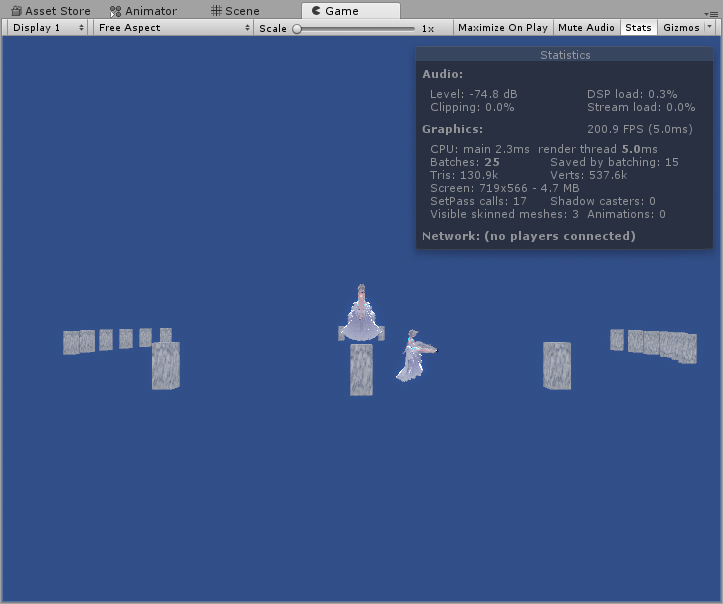
Oh, nevermind. I just fixed it. It was an occlusion issue.
 royal bay
so yea- looking to change the skybox completely via VRC_trigger. haven't found an easy proccess so far.
if at all any proccess.
balmy gate
There's no way, unless you stop using a skybox (set it to none) and apply skybox material to an inverted sphere following the player tracker
you will have to use a shader based method like that if statement I put in #shaders
royal bay
got it.
balmy gate
note that inverted sphere has some potential challenges with render queue and z clipping that can be better or worse depending on world. The actual skybox material is "special" - always renders at queue 2500.5 and as special z buffer semantics
royal bay
hmm... as of right now i've had an inverted sphere with a standard unlit material as a static texture. it works fine, just looking to add dynamic clouds into the world. so this isnt entirely needed to be too complicated and i can't really understand code for the life of me lol
balmy gate
ok, then what 1001 suggested should work
royal bay
the github shader or his own that he sent me that was unfinished?
balmy gate
sorry I was focusing too much on the dynamic skybox part of the question and not on clouds
ugh now we're chatting in 2 groups. move back to #shaders
royal bay
yup. lol my bad.
gaunt minnow
is this all there is to automaticly loading a youtube video on world start?
 deep hamlet
Hey, is there any way to launch VRChat from the Unity SDK in Desktop mode to test worlds? Thanks in advance!
 mild ether
As far as I'm aware the only way is to unplug your VR
Which is a real ballache
So if anyone knows of a better way I'm all ears
deep hamlet
I didn't even think of that, cheers!
sacred warren
No, there's a script to do it
It's pinned, 1 sec
@deep hamlet http://secondstrife.com/vrchat-vbs/
deep hamlet
Thank you!
bold ibex
guys someone know where i can find prefab for the keyboards ?
deep hamlet
Also, what's a good way to reference the size of an avatar when in Blender? I was thinking of using a cube but idk what dimensions to use, also sorry Smart, I've not got a clue
 queen mortar
anychance does any one have a guide or video for making huds in game or atleast a prefab. im trying to advance my skills but i havent stumbled across any good information on making
 vast raft
I just uploaded my world like 10 seconds ago - Private not even submitted to Com Labs.. and it already has a report? wat?
vast raft
ok I mean thats fine. Just weirded me out
queen mortar
yeah your fine lol
vast raft
thanks for the info 🙂
queen mortar
yeah no problem!
bold ibex
Does anyone know why this is happening, the models work fine in my menu, but in my world it dosent
some show up as question makrs of stripes
please @bold ibex me when you figure it out
thanks
kindred thicket
Hello, there is a way to flip a model without setting the scale to -1?
bold ibex
guys what this mean ?
near escarp
console errors
bold ibex
do i need replace sdk bcs i getting this: Assets/VRCSDK/Dependencies/VRChat/Scripts/Validation/Performance/PerformanceScannerSet.cs(4,26): error CS0426: The nested type Performance' does not exist in the type VRCSDK2.Validation'
near escarp
Yes, check the documentation to see how to update your SDK correctly
 frank geyser
i have a question, how does the movie work, its not using youtube, how does it work?
frank geyser
like what other sources can you use?
balmy gate
@kindred thicket you should consider making a separate flipped model in a tool like blender
@frank geyser you can use vrc syncVideoPlayer combined with a unity VideoPlayer with a http url and a unity compatible mp4 file.
Vrc also supports using syncVideoStream with a variety of sources: you can run your own HLS (http live streaming) web server and put a m3u8 file into sync video stream
kindred thicket
OK, I asked for a friend, that should be easy enough
frank geyser
@balmy gate is there any special setup for using the unity video player with the sync videoplayer?
balmy gate
As far as I know, no really special setup... Don't put any url in the SyncVideoPlayer. It will use the unity video player and just do the time syncing
you can't change the url. If you want multiple movies, make a disabled video player for each one and enable the one you want to play
frank geyser
hmm, the video is not playing properly
staying grey
must be doing something wrong with the url
like id be using like the same way for the url like youtube urls?


this looks good?
@balmy gate
balmy gate
Your url slot is blank
Or was that just for screenshot. Does it play in unity play mode? If no, it won't play ingame either
frank geyser
it wont work in either
and i know the host website uses mp4
i did have a url, just removed it for screenshot
balmy gate
If it doesn't work in play mode you need to debug it. Unity is extremely picky
balmy gate
Youtube links don't work in the url slot
frank geyser
ahh
balmy gate
If you want to play youtube use a different video player instance
frank geyser
im not trying to use youtube
frank geyser
ok
 winter oriole
is there a tutorial on how to put a trigger on a video player to paste the link of a video/stream and then use the play button?
you know that little bar that says paste link and press play under the video player screen
frank geyser
@balmy gate unity in the console is giving me an error of videoplayer cannot play url
frank geyser
cant get it
balmy gate
did you try a plain video player with no vrc stuff on it, in play mode?
what if you import a short mp4 file into your assets and play it as a video clip
you need to rule out if it's a problem with the web server / http protocol, or a problem with the mp4 container (set to streaming?), or a problem with the codec selection / codec settings
maybe start with a mp4 file that is known to work in unity and work backward trying to figure out what is the issue with the url
frank geyser
i got it, have to go into inspect element to get the actual mp4 url
just using a normal website url wont work, like youtube
balmy gate
aha! yes the website url never works in the unity video player
balmy gate
the sync video player does something special using a program called youtube-dl for youtube urls
but that's also why you can't put non youtube urls in the sync video player
and instead directly into the unity VideoPlayer
frank geyser
i made a youtube url searcher for inside vrchat
i dont care about the youtube side, have that one figured out
balmy gate
yea just have to keep those two systems separate
frank geyser
yep
 rigid fog
I'm trying to make a scrollable text menu, but for whatever reason i can't get the finger pointer to work with my scrolling menu
Even though I got it working on this sliding button menu
setup is pretty much the same but it doesnt work
on one of them
Anyone got any ideas why?
bold ibex
@balmy gate yes i checked the output log. I even checked the VRCWorld object. looks properly set up to me.
balmy gate
@bold ibex show the Spawns section of the world descriptor. You say it looks properly set up... but If your world is not loading, it's not fine and something will print out in the output log.
Find where it says loading world all the way to where it starts loading your home world
@rigid fog do you have vrc ui shape component on the object with the canvas
also does your canvas have the correct size and contain your whole UI
do you have a box collider?
bold ibex
 stray pivot
So hey, I'm having an issue with uploading my world.
It isnt that crazy of a map, a house with only a few features, but its really hard to actually get it to upload, i usually have to delete alot of things then re-add them for no apparent reason. all of the objects and prefabs in it are in other worlds and i have them set up seemingly properly. But when i upload unity just crashes and the log file doesnt really say much of anything. as an indie dev who uses unity this is a bit confusing.
it runs fine in the test client so I am unsure as to what I am doing wrong.
bold ibex
save the whole thing s a scene. there's nothing wrong with it, even with the most proper setup, unity will crash regardless. So it's a smart move to save the world as a scene before you upload
stray pivot
it is saved as a scene, the first thing i did before i added anything.
should i make multiple scenes of the same thing?
bold ibex
if you have the full completed world saved as a screne then there should be no problems with just reloading it
if unity is constantly crashing, then it's something wrong with unity, not the project.
stray pivot
so i have an unfinished version uploaded to private, its just very finicky, is it because of unity 2017? the last time i used 2017 i remember it being very buggy.
stray pivot
Okay, i'll try to brute force it. I'll come back in a few hours if i cant and post some of the things that i am using see if theres some problem there
rigid fog
@balmy gate yeah i do, but i figured it out, the collider on it was bugged or something
 wheat meteor
So if im making a settings menu in my world, should the entire UI be player local? or just buttons. Like i dont want one person cycling the menu to change for others, but my toggle seems to not be working currently under playerlocal for everything
Found a configuration that works, canvas global, but all sub parts local
kindred thicket
Is there a place where I can make a few suggestions for future release of VRChat SDK?
near escarp
The feedback website
kindred thicket
👍
rugged jolt
i can't find anything on google about it .
i can go in the test version of the world and everything is fine but it wont let me update it
kindred thicket
Hello, I have another question. I have a ogg clapping sound for when my curtains open on my stage. The clapping file needs to play when the curtain opens and when it closes. The issue I am having is when I open the curtains, it plays perfect, but when I close the curtain it's not playing, then when I click open again it doesn't play.
OnInteract Plays it
OnStationExited plays it again
It's like when it plays it doesn't go back to the beginner, but that an uneducated guess.
kindred thicket
Thanks
vast raft
hopefully a quick fix thing. I have post processing working in unity, lighting set to deferred, works in scene and in game mode after I hit play. However it doesn't work in game after upload or in "game" mode before hitting play in Unity
any help is appreciated
near escarp
is your reference camera set correctly ?
 stone temple
i really confuse about pick up object. Box collider don't work the way i want it work. it's keep center itself when i grab the item. is there a trick to do that you can grab and it stay at where i grab it? (sry not good at english)
balmy gate
does increasing the interact distance help?
bold ibex
Hiiii
sacred warren
Pertaining to performance, in the editor, if I turn off literally the entire world, I still only get 600fps, that seems very low. Is that normal for Unity?
(goes up to 3200 if I also disable the camera)
Weirdly enough, if I disable occlusion culling, it goes from 600 to 860fps
 random owl
Occlusion culling does take cpu time for calculations
sacred warren
That's a surprisingly high impact though on something like a i7-8700.
Ah, it's not you, it's Discord.
random owl
Fps in editor honestly isn't the best metric though
sacred warren
What would you recommend?
random owl
Looking at the profiler and batching and so on is much better
sacred warren
The profiler is useless, everything is just listed as N/A.
sacred warren
Sure, let me find a picture I posted the other day.
Normal profile breakdown - https://cdn.discordapp.com/attachments/629302253768933376/660178271958204423/unknown.png

Then the N/A issue - https://cdn.discordapp.com/attachments/361741445352259584/660104060136849408/unknown.png

 random owl
Hmm it does tell you the most you need you can also use the frame debugger that's what I use most in unity
sacred warren
"it does tell you the most you need" Can you clarify what you mean there?
random owl
What I most use the profiler for is seeing the drawcall amount otherwise I'm not that experienced in using it tbh
Unity's profiler is sadly pretty lacking compared to unreal engines
sacred warren
Hmm, I kinda hoped for a breakdown of the actual objects as it could be scripts or anything else, not just GPU draws, as it seems to be CPU restrained more than anything else.
random owl
How big is your occlusion culling file?
sacred warren
11MB
random owl
Oh that could be what's taking so much cpu time possibly
rugged jolt
Im getting this error when trying to upload.
All i did was adjust baked lighting stuff
I teated the world offline and it worked but it wont let me upload it
random owl
Press clear on the console to remove any unnecessary errors
random owl
@sacred warren "When should you use Occludee Static? Completely transparent or translucent objects that do not occlude, as well as small objects that are unlikely to occlude other things, should be marked as Occludees, but not Occluders. This means they will be considered in occlusion by other objects, but will not be considered as occluders themselves, which will help reduce computation." if you haven't done this yet to optimize your occlusion culling it should help bring the file size down
So basically anything small or something that doesn't actually occlude something don't have it as a occluder only as a ocludee
sacred warren
Hmm, I'll make sure my trees and such don't have that enabled.
random owl
@rugged jolt those errors don't really seem to be blocking uploading what actually happens when you try to upload?
rugged jolt
it the builder tab , my world isn't appearing so it's not recognizing the previous version and won't update
random owl
Can you post more screenshots
rugged jolt
random owl
Does it recognize it when you try to build an publish in the dialog where you can enter the name description and so on?
sacred warren
Ugh. Unity is terrible at changing this stuff en-masse.
rugged jolt
no it doesn't it's a blank page with no name and no settings recognized
random owl
Yeah enverex I did it manually on all my objects while working around stuff slowly 😅
@rugged jolt can you dm me the world id or post it here so I can have a look at it
rugged jolt
is that safe to do ???
random owl
The only thing that can happen is people might visit the world they can't do much else
That's why I also offered that you can just dm it to me I'll just see it from the api if there's something weird and that's all
rugged jolt
ok give me a moment , i have to attent to a dog that needs to go out ... ill be back in about 20 minutes
random owl
Alright
rugged jolt
nvm .,.. it finally loaded in the build page....
wtf was my 2 hours with this issue last night...
random owl
Might have been some server issues hard to say
sacred warren
@random owl 2.4MB now, lol
random owl
Yeah that sounds a lot better 😄
sacred warren
But yeah, the framerate just doesn't seem sane given the environment...
random owl
If you look at the frame debugger are there any frames that could be batched with some fiddling around?
Though also if you aren't in playmode it's not gonna try to push that much framerate
sacred warren
No change in playmode
random owl
Now if you bring up frame debugger
Clicking around on the frames it has a text that tells you why it isn't batching with the other stuff
You need to be in playmode with the game view visible for it to work
sacred warren
Ah, this is more useful.
random owl
Also just to make sure you don't have any extra unneeded active cameras in the scene?
sacred warren
No, only the one camera.
I'm not sure what I can really do about this though, I've already merged everything I can.
random owl
Good you don't know how many people have like 4 active cameras in their scene and wonder why they are lagging super much 😅
People don't usually realize just having a active camera in a scene needs to render everything in it plus what the player sees
rustic mantle
Does anyone have the testrun jetpack from vrc prefabs? The link on there doesn't work for me to download the package
random owl
@rustic mantle I might have it laying around I'll check in a bit when I'm my computer
random owl
@rustic mantle
rustic mantle
tyy
 raven cloak
would it be possible to make a mesh slighty transparant but still very visible so you can put a mirror under it to make a realistic and clean looking floor
balmy gate
@raven cloak did you check prefabs database in pinned messages
If you want one that shows up above the vrchat menu, that is ExMenu by chiugame.booth.pm
kindred thicket
I have been getting this error for the last 4 days when I try and upload a world. If I do it enough times it will eventually upload. Any ideas?
Asset bundle upload failed: Failed to upload file. (C:/Users/CL/AppData/Local/Temp/DefaultCompany/Avatar Kailyn/wrld_c1059e2f-ed2b-4d85-aeae-cfaaa6360f6c_103_2017.4.28f1_3_standalonewindows_Release.vrcw) => [id: file_83937dda-9847-4018-8e3b-dadc0293c055; name: World - One Video - Asset bundle - 2017․4․28f1_3_standalonewindows_Release; mimeType: application/x-world; extension: .vrcw; ownerId: usr_aad80e61-4e1b-4f04-9200-b29f575f04ac]
UnityEngine.Debug:LogError(Object)
Could it be a bad internet connection?
This error comes before the one above:
Couldn't verify upload status: Bad Gateway
balmy gate
Log out and log in
If not, Maybe try the steps in #vrchat-support to reinstall the sdk and clear your registry
kindred thicket
ok, Thanks
balmy gate
But logout and login can often fix it
kindred thicket
Will do. is there a trick to making a chair you can sit in and pick-up? If I sit in a chair and accidentally squeeze by hand then I spin wildly.
I tried putting it in a box with the collider behind the back, but when i move it is stretchs
balmy gate
Disable the collider on the pickup while you are sitting in it (theres a trigger for enter) and re enable it in exit
So you can't accidentally do that
Similarly you can disable the sit collider in on pickup, and enable it in on drop
(Disabling colliders is the usual way to disable pickups or interactable objects including stations
kindred thicket
Thanks, I 'm not sure why that didn't occur to me - thanks
balmy gate
Since disabling the pickup script or the whole object can cause trouble
deep hamlet
Hey, I've made some pillows you can pick up and move but they're really laggy, it's like they update their position every several steps, any idea why that's happening?
kindred thicket
So I added a VRC_Trigger with OnEnterCollider, not sure what action to use to disable the collider?
kindred thicket
Would I use an Animation to do that?
mild spade
@kindred thicket You will do that by using Custom Triggers. You then activate those triggers by placing them where the arrows are on my picture.
kindred thicket
Thanks, I'll try it
Is there a way you can send a better picture. I really can't read it well, even when I copy it to my hd.
near escarp
You can zoom in on it
kindred thicket
gets worst, what is the action called? I'm figuring it out.
looks like Set something
mild spade
SetComponentActive
kindred thicket
The 2 customer triggers aren't showing up in the drop down lists for :
On Local Player Enter Station
On Local Player Exit Station
figured it out
do I add the pick up to the VRC_Chair or the chair it's in?
mild spade
I believe you add that to the Parent object (VRC_Chair)
kindred thicket
The picture is becoming more clear, I have it set up wrong.
If I use the chair, I dont' see BoxCollider as shown. If I use VRC-Station it's a different list, will show next
mild spade
Are you using a mesh collider? Remove it and add a box collider instead.
balmy gate
@mild spade if you create a station script, vrchat will put a collider on it for you
You should create your own box collider if you want control over it
mild spade
Interesting! You will put the gameobject that has the pick up script, since that is what you are trying to disable when someone is sitting on it.
kindred thicket
I can put the pickup script on either one right - does it matter?