#world-development
39 messages · Page 1 of 1 (latest)
 cobalt fiber

 frosty goblet
 cosmic oak
How do I turn off shiny grass?
cosmic oak
How do I turn off shiny grass?
Reduce the metallic/increase the roughness on the material
cosmic oak
How do I increase the roughness like where is that at
OK, I just figured it out but still shiny
cosmic oak

Uhh
How do I fix this
I pressed a button where it’s like if I get close to the ground, it just disappears
 storm badger
Is there a way to check if the player deleted their persistence data for a world?
There doesn't appear to be an event for it. I had an idea to check if a key was removed during a "OnPlayerDataUploaded" event, but the docs for the "Removed" state say that "Removing keys is not currently possible."
It's unclear if that also means keys removed due to the player deleting their persistence data.
 opaque mica
Player deleting their data will remove everything, you just cannot selectively remove keys
 violet hornet
storm badger
Is there a way to check if the player deleted their persistence data for a world...
violet hornet
storm badger
Is there a way to check if the player deleted their persistence data for a world...
you could use a version (or just a bool really if you only need to know if they have persisted data)
// Read their version, if they have one
if (PlayerData.TryGetInt(player, VERSION_KEY, out int value))
{

}
else // They have no persistence data
{

}

PlayerData.SetInt(player, VERSION_VALUE);
That's not quite what I mean. I'm trying to detect if the player deletes their persistence data, not if it's initially empty, and not selectively removing keys.
violet hornet
you can't detect that afaik, it's also not something you'd be able to pick up in the scope of a session because clearing the data forces them to leave the world
storm badger
Oh, I didn't know that detail that it boots them from the world. That actually resolves my use case for it.
 versed stump
Does anyone know how to make a claw machine system?
 tender hatch
i have a sun that is far away that only appears when im not looking directly at it


 honest crater
tender hatch
i have a sun that is far away that only appears when im not looking directly at ...
honest crater
tender hatch
i have a sun that is far away that only appears when im not looking directly at ...
Go to your Main Camera and increase the Far Clip Plane value
opaque mica
versed stump
Does anyone know how to make a claw machine system?
yes, there is even one on booth


 lofty spindle
tender hatch
i have a sun that is far away that only appears when im not looking directly at ...
lofty spindle
tender hatch
i have a sun that is far away that only appears when im not looking directly at ...
This looks good
 tender arch
I'm happy with it so far, the trees and ore/rocks spawn randomly on specific parts of the map, and atm you can chop the trees

chopping the trees has sounds too, so you know when you actually hit it
the trees will be synced across players as well
 glad ridge
Hi there, what TV/Video Player prefab do you suggest?
 vague pivot
glad ridge
Hi there, what TV/Video Player prefab do you suggest?
vague pivot
glad ridge
Hi there, what TV/Video Player prefab do you suggest?
yamaplayer & protv are the 2 I use the most
glad ridge
vague pivot
yamaplayer & protv are the 2 I use the most
thank you thank you
 gray trail
Hi there, would anyone know a shader to do this? (Photo taken from GLGenesis' Wheel Of Fortune World)


 eternal tree
where "this" is what exactly?
frosty goblet
yeahh I have no clue what I’m looking at
gray trail
A Renderer Texture (With a Unity camera) material in a sphere, when a VRC camera is put into said sphere you get a full image of said Renderer Texture.
Nvm, I searched in here and found a GitHub page! Very glad I was able to find something lol
 crude birch
heyhey, so im trying to make a dj club venue based in the garage map from Jet Set Radio Future but before i can really continue i was looking for the movement system that Lakuza ( the lead creator of the VRChat world "Jet Set Radio Festival" ) used for their world. iv seen other worlds use the system before but im unsure where to find it. do any one you know?
eternal tree
what does a "movement system" do?
crude birch
im unsure if that the proper term to be honest but thats the best way i can describe it
what im referring to is the way you can grind on rails, wallride, and double jump in the world. other worlds seem to use the same system so id assume that there is a unity package that holds the workings of it and a way to apply wallride/grindability to certain gameobjects within the unity project
eternal tree
ahh
crude birch
since the thing im looking for is movement focused i just called it a "movement system"
 pearl dust
Udon Airtime
 lilac ridge
crude birch
heyhey, so im trying to make a dj club venue based in the garage map from Jet Se...
lilac ridge
crude birch
heyhey, so im trying to make a dj club venue based in the garage map from Jet Se...
Yeah UdonAirtime. At least, according to this old post. #udon-showoff message
crude birch
pearl dust
Udon Airtime
hell yea! thats the one ! thank ya kindly!
thank you both!
now i have everything i need!!
 hasty seal
What is the program or asset that let's us put a 'private access' doorway that will allow only the members of our VRChat community group to enter?
 oblique laurel
hasty seal
What is the program or asset that let's us put a 'private access' doorway that w...
oblique laurel
hasty seal
What is the program or asset that let's us put a 'private access' doorway that w...
there's probably a handful of them, the one i saw listed in the prefab spreadsheet is Hash DoorSys
gray trail
hasty seal
What is the program or asset that let's us put a 'private access' doorway that w...
I’d personally use a Keypad prefab and just whitelist them. Then make the code unsolvable (e.g. Put letters into the code) I have the GitHub for said prefab, want it?
hasty seal
gray trail
I’d personally use a Keypad prefab and just whitelist them. Then make the code u...
Do I have to white list each person separately or can I do an entire VRChat community/group?
gray trail
Separately. That’s the only bummer part about it.
eternal tree
also it's by display name
gray trail
Yeah
hasty seal
gray trail
Separately. That’s the only bummer part about it.
Thanks, that would get a bit overwhelming.. LOL.. this is a group for seniors using VR and believe it or not, we have over 800 people in our facebook group so no telling how many we would have joining this world... LOL.. my fingers couldn't handle that... heehee
eternal tree
surely you can pre-load that if need be
hasty seal
I know I heard of something that can allow 'group' members only, but I am a complete newbie and struggling to just learn unity. I have no idea what the program or asset is that lets groups in.
gray trail
Fair enough. I think now a good option is to look into the Hash Doorsys that was mentioned.
hasty seal
ok, I will sure look at that. Thanks everyone. 😉
 wintry thicket
whenever I try to update my world this message keeps popping up? what does this mean, and how can I resolve it?
 tender hatch
lofty spindle
This looks good
tender hatch
lofty spindle
This looks good
its the opening level of routine if your interested on where it came from
lofty spindle
tender hatch
its the opening level of routine if your interested on where it came from
Imma check it out
 tidal cedar
is there a way to detect when the local player camera enters a trigger collider? OnPlayerTriggerEnter seems to detect the whole player capsule as opposed to just the camera transform
the use case in question is instead of fighting with culling off or using multiple material slots, I want to change the cull mode of an ocean material when underwater
 worn kestrel
@tidal cedar you need to use head transform
The player's position, rotation, and velocity can be accessed and changed with Udon. All of the following nodes require VRCPlayerAPI as an input.
tidal cedar
worn kestrel
https://creators.vrchat.com/worlds/udon/players/player-positions/
like this? what do I attach the vector3 to in order to detect the trigger? 
 worn kestrel
either you track your own (ie normal unity) collider to it and then work with its collisions, or you just compare raw data ie for example if ocean level is y=-1.5 then you can just compare y value of head transform to a constant. both cases it is update event.
in my experience its always good to have an empty object tracking your head and then you just stick other stuff to it, be it colliders, huds, audio sources etc etc
tidal cedar

 drowsy magnet
for some reason when i move an object it snaps instead of smoothly moving, how do i fix that?

 opaque mica
drowsy magnet
for some reason when i move an object it snaps instead of smoothly moving, how d...
opaque mica
drowsy magnet
for some reason when i move an object it snaps instead of smoothly moving, how d...
 drowsy magnet
opaque mica
drowsy magnet
opaque mica
thanks!
hasty seal
A massive spike just happened in my world size again as I was building it. I did do a few changes and put in some plants and when I rebuilt, I had a 40MB jump!!!! I immediately removed the plants and it dropped about 20MB but the other 20MB is still there. This is the second time this has happened near the end of my build and I have been watching the size in the Debugger in the Worldtoolkit and even as I removed things last time, it would bring the size down some but NOT back to where it was before the jump. Last time I gave up and restarted a new world and have been watching this one VERY carefuly and rebuilding regularly to watch the size. Now, I can NOT get it to go back down and I have removed almost everything I had put in there when the size was only showing under 50MB and now it won't go below 75 (and most everything is gone again!!). I did learn last time that the size also includes the items in our assets folder, even if not in the world; so I have cleaned that out also. WHAT IS GOING ON? I don't want to start over again and it looks like this keeps happening at almost the end of my build anyway. Anyone know what I am doing wrong or what I am missing here?
 frosty flicker
hasty seal
A massive spike just happened in my world size again as I was building it. I di...
frosty flicker
hasty seal
A massive spike just happened in my world size again as I was building it. I di...
Make sure that the trees aren't marked for static batching. Static batch make every mesh unique and increase world size.
hasty seal
frosty flicker
Make sure that the trees aren't marked for static batching. Static batch make ev...
Thanks. I have removed EVERY tree, even my texture for low poly grass. I have kept removing items but I am noticing that in the debugger, the items are not being removed from there after I rebuild. To test this, I removed everything fom the Hierarchy except the terrain. It did makek my MB go down to 12 but all the items that were in the Hierarchy and are gone now are still showing in the debugger?
frosty flicker
hasty seal
Thanks. I have removed EVERY tree, even my texture for low poly grass. I have ...
Terrain doesn't have trees and grass shown in hierarchy. If either object prefab are static batch, it still increases world size.
hasty seal
I meant everything else I had in my world. The skybox, assets, etc.. I have been watching closely because of what happened last time. This time I removed everything from the Hierarchy except the terrain, water plane, VRCWorld, Directional Light and eventsystem. When I did a rebuild with only those things, the size did go back down to 12 MB but all the items I had in the world before the republish are still showing up in the debugger.
lofty spindle
@vague pivot can I circle back on a question I asked before the lighting one kinda related to geometry when u got a moment
opaque mica
hasty seal
I meant everything else I had in my world. The skybox, assets, etc.. I have bee...
delete the terrain or remove all its references in inspector
vague pivot
lofty spindle
<@251799317235499008> can I circle back on a question I asked before the lightin...
Sorry forgot abt this ping, post some screenshots & info on the problem, I might not be free to respond straight away but there's definately others who can help
wintry thicket
wintry thicket
whenever I try to update my world this message keeps popping up? what does this ...
would anyone be able help me?
eternal tree
That's a new one to me
frosty goblet
wintry thicket
would anyone be able help me?
Someone else reported this bug a couple days ago and the only fix they came up with was a new Blueprint ID :/
I'm pretty sure you can open a ticket for SDK issues? It might take a while since their response times are in I think 5-10 business days, but in the end you'll have an actual dev looking at the problem
It seems like it happens when you try to push an update during an outage
 shell meadow
is there a performant method of simulating basic cloth physics like flags or curtains? I remember seeing something in an update that made this a possibility but cannot find it again.
eternal tree
Nope, the best we've got is physbones 🙁
tender arch
this is my game's pick and axe for chopping trees and mining rocks

simple models I made in blender xD
 tawdry oar
someone can help me
 eternal tree
is that the only error? It really helps if you don't crop so much so we can see some more context, other errors, etc.
tawdry oar
yes is the only
well I've never actually encountered this error before, and I haven't changed or added anything significant... Could it be a server issue?
tender arch
tawdry oar
someone can help me
have you tried detaching your world's blueprint id to upload to a new world?
tawdry oar
It's an update, I couldn't upload it as a new one.
tender arch
huh...
frosty goblet
tawdry oar
someone can help me
I have no idea what this means. show a picture of the whole console
drowsy magnet
how do i make a button that turns off the world music?
frosty goblet
drowsy magnet
how do i make a button that turns off the world music?
you’ll need to use udon to enable/disable the object then point the button to the udon
tawdry oar
frosty goblet
you’ll need to use udon to enable/disable the object then point the button to th...

 mossy kettle
thanks for your help
 short gulch
Kk cya, no prob :p
Im planning on having a day and a night version of a world im working on. Would the easier route be to make the day version first and then the night version later? Its basically an old styled asylum that was converted into a night club
short gulch
What happened this time?
mossy kettle
whenever i try to join the fixed world it sends me back to home
short gulch
Huh, I heard a couple of people discussing being sent to home when testing a world not too long ago, try scrolling up in this channel, maybe they came up with a solution
mossy kettle
ok
 inner kernel
how come I can see the shadows of my lights even though there is a ceiling between the sun and my light fixtures?
 buoyant hollow
Directional lights pass through everything
inner kernel
Ah okay, so just disregard it or disable my directional light?
buoyant hollow
You can also and should turn off shadows
 bold ibex
I’m unable to upload my world to VRChat, and I’m getting this error message. Any idea what this means?
 near escarp
@bold ibex remove the world ID in the scene descriptor component
short gulch
Wow so is like, everyone having this problem now or something?
near escarp
What problem ?
bold ibex
I don't see a World ID, even with Debug checked.
bold ibex
I just tried it a while ago, same error message
short gulch
Ah okay then
Hmm, thats where my experience ends. That is usually what fixes it for me.
buoyant hollow
Did you import any scripts, even editor scripts
bold ibex
@short gulch tried it again on the upload menu, and that seemed to do the trick. Thank you.
 junior cloak
yo gamers which vrc_trigger do i use to teleport someone using an UI ?
nvm i'm retarded
 rustic cypress
would there be a way to making an object appear after certain amount of time?
buoyant hollow
@rustic cypress yes, can you go into more detail?
rustic cypress
so im planning a map where after a certain time things just appear out of no where
say like a painting
you spawn in the world have a look around nothing there
after 5 min there is a painting on the wall
that enough detail?
buoyant hollow
Yeah, would recommend doing that with a animation. All you need to do is have the animation enable the game objects in question. Could potentially do it with a single animation
rustic cypress
i had that idea
just having the objects randomly outside the map the having the animation just teleport
buoyant hollow
Why would you need to teleport them?
rustic cypress
what was u thinking?
 hardy nest
Can you upload a world with multiple avatars but not have it listed as an avatar world? Because I'll have 10 or so avatars as a reward for completing my map, but the process it take to get there is tedious, so I don't want people to click on my world thinking it's gonna be an avatar world, and then they ask themselves "Where are the avatars??"
buoyant hollow
I would put all the objects in question under a single empty game object. Create a animation on that game object that individually deactivates the game objects on frame 0, and activates them when needed to.
hardy nest
And by tedious I mean https://youtu.be/HvvOY4eF_qE?t=297
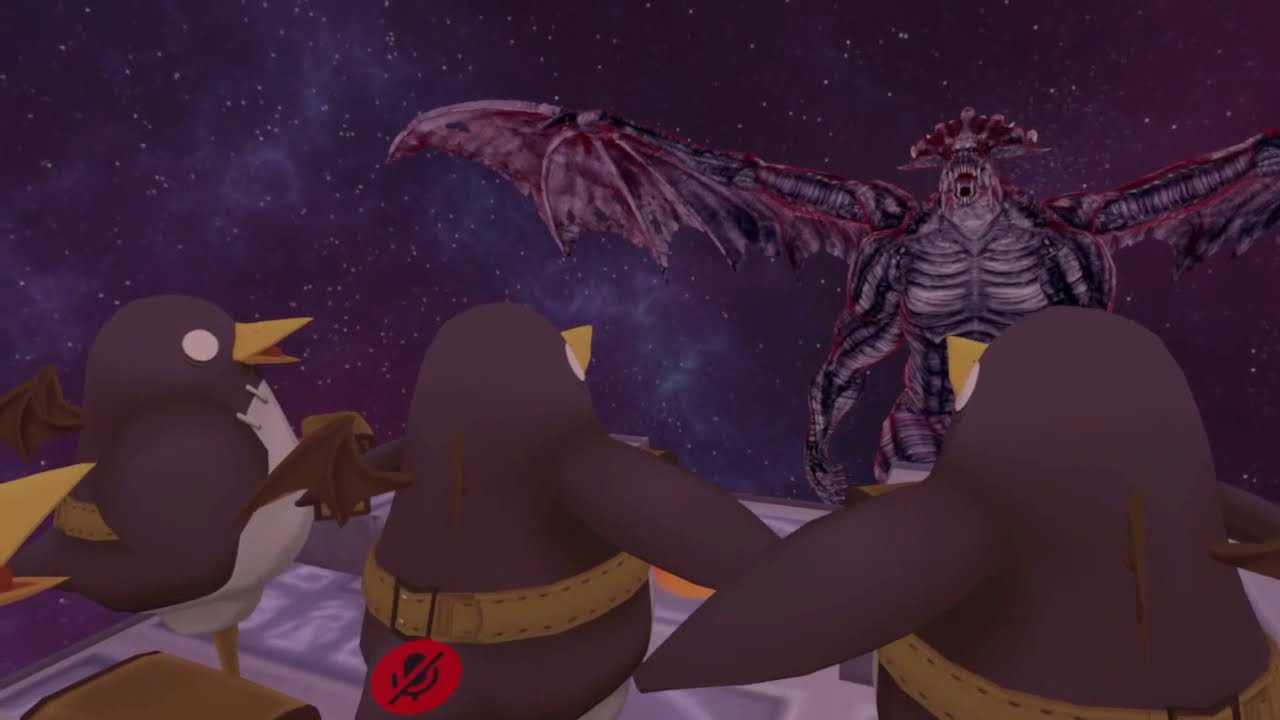
 sacred warren
@hardy nest I believe that's just for the purpose of advertising it as a place to get avatars. So if that's not the purpose, you don't need to set it as an avatar world.
hardy nest
Ok, I was just hoping VRC staff wouldn't see 10 avatars in my world and set it to an avatar world automatically
 supple drift
@rustic cypress I think you could use OnTimer to enable game objects too, but OnTimer starts immediately when the component becomes active afaik. In any case, I think you'll have to figure out how you want the spawn-ins to broadcast and/or sync. Do you want it to spawn just for you 5 mins from when YOU enter the server or 5 minutes from when the earliest joiner (master) enters the room. Basically, who is starting the timer (or animation)?
buoyant hollow
Yep, what I described should start automatically
If it doesn’t feel free to ping me
rustic cypress
will do
 bronze smelt
@hardy nest They don't check the worlds like they used to anymore. You yourself have to set the world as a avatar world
rustic cypress
how do unity animations work wtf
bold ibex
just need a quick answer to a question i have. If i wanted to creat a world am I confined to using Unity? or is unity just the final upload means?
buoyant hollow
For the most part, Final upload means
bold ibex
So i can draw a box and build out a world in maya and just pull it over? cuz i know jack all about unity
junior cloak
... Any idea of why both of my audio sources are actually global ? wtf
buoyant hollow
Yes you can
bold ibex
cool thanks
buoyant hollow
@junior cloak screencap your audio settings
rustic cypress
also @supple drift i have tried doing the OnTimer but i cant seem to get it to work

 buoyant hollow
Your spatial blend is the culprit
junior cloak
roger that thanks gamer
supple drift
@rustic cypress Post a screenshot of how it was setup! (also, hi blurtron - long time, no talk 🌞)
supple drift
Try setting the low range AND high range to the time you want (in seconds). Also make sure the 'pictureframe' game object is actually disabled so it can be enabled by the trigger [because I'm an idiot and have done this more times than I wanna admit]
rustic cypress
so like the low would be 1 and the highest would be like 10 sec (for an example)?
supple drift
Both 10 secs!
supple drift
yeah! The low sets the shortest amount of time before the timer triggers the action, and the high sets the longest time. You have a defined time so you wanna set both to that time (so 10 in this case)
rustic cypress
got it
im taking a break for now but be expecting alot more questions in the future 😉 lol
supple drift
That's fine! We're here to help 
 ripe barn
I followed
 bronze kestrel
Hey, referred here from user-support. Here's the question I posed:
Hey all, I'm getting an odd behavior trying to build a world in Unity. Getting log errors saying my prefabs have missing scripts, but looking at them in the inspector, they don't have any; have seen this error before in other projects so I'm familiar with it and know how to fix it. The world runs find in the editor, just not in VR. Any ideas?
The referenced script on this Behaviour (Game Object 'SimpleWall') is missing!
bold ibex
Okay so whenever soemthing is saying that the referenced script is missing, it is referring to something that should be specified inside of your inspector on an object but actually isn't.
The first thing we need to do to check this out is to go to the console and click on the error message, it should then navigate us to the object in question.
also, if it doesnt then just look for the game object "SimpleWall"
bronze kestrel
I checked that already. The specific prefab it's talking about has the referenced script. I even tried dragging one in-world and it didn't work.
bronze kestrel
Yup, not seeing anything like that.
bold ibex
also bear in mind that the SDK removes scripts that arent whitelisted
bronze kestrel
Ah, is that user controllable?
bold ibex
No.
So, you cant have that script on the wall and upload it to vrchat
from the looks of the values inside of the inspector, its a script that acts as a sliding door?
bronze kestrel
Well shoot. So custom user scripts are basically out the window, it's only what's available in the VR chat SDK then?
bold ibex
Yup
bronze kestrel
Basically a sliding door, except up and down.
bold ibex
And the mass abuse of the animation system
You can achieve that result with an animation
bronze kestrel
The issue is that I want the walls to move up and down based on a programmatic scheme to form a maze that shifts, and the maze controller is itself a custom script.
bold ibex
You can do that with animation too
Have a series of animations that can play out, moving the entire maze around whenever necessary
You can also setup multiple instances of the maze, and toggle between them
bronze kestrel
Yeah, I was hoping it wouldn't come to that though. I wrote this a while back as a fun side-project. The maze is different litterally every time it changes. Baking the maze changes into animations is doable, just a huge and manual re-write.
For example, the way it's written now, to change the size of the maze, I only need to change one number. It spawns the necessary walls, generates a maze, then applies it. Then after a timer goes off, it calculates a new maze and changes the walls accordingly. Right now it's configured to be a 20 x 20 maze and to do that through the animation means I'd have to pre-write and bake in 380 walls worth of animations x).
Regardless thanks for the insight.
bold ibex
table flip
If you want, you can look to have it whitelisted by the vrchat team! If you want to deal with that headache ofcourse
bronze kestrel
Hope you didn't perceive my explanation as trying to be difficult or anything. You gave me exactly the information I needed and I appreciate that. I'm sure you can sympathize with having to go with something that's basically already written to automate a large task like this and having to go to a more restrictive framework that requires a lot of manual re-writing. I had to do something similar when I built this in Second Life years ago.
P.S. For anyone who followed the thread; the resolution to my issue seems to be the implementation of Udon scripting slated for release sometime this year. Guess I just have to wait for that.
mossy kettle
ok i'm having a problem where every time i join my world to test it it boots me back to home
does anyone know how to fix this
mossy kettle
anyone know?
buoyant hollow
the number of reasons this could be is many. I would start with checking the console for errors that appear abnormal
mossy kettle
the console in unity or vrchat, because it's a problem inside of vrchat
buoyant hollow
unity
mossy kettle
ok
i don't really see anything
i saw someone say earlier that you should turn dynamic materials off, do you know how to do that?
buoyant hollow
its in the vrchat world object. Click on it and find it in the inspector
buoyant hollow
if that doesn't work, then my next suggestion is to look for scripts you may have installed via a asset or something.
mossy kettle
ok
 narrow ibex
Hey, I am creating an animation of a fan blade for a fan that is on a tilted angle. Anyone know how to rotate? I can only get it to rotate around X Y or Z
mossy kettle
just do a combination of the rotation axis until it looks good
narrow ibex
Will be hella hard not to make a wobbly fan
mossy kettle
i mean most ceiling fans are wobbly anyway
narrow ibex
Anyone else? lol
supple drift
Elaborate more on what the issue is. When I have to spin something in an animation on a certain axis like a fan, I usually make sure the pivot is set right on the geo before importing it into Unity so I can use the mesh's local pivot.
narrow ibex
Object sits on the side of my ship on an angle
when I rotate around Y it's not "spinning because of the origin orientation
supple drift
Is your handle set to center-global on the top of Unity by your tool selection bar?
narrow ibex
It';s the same if I pick Center or Pivot
supple drift
what about when you change it to pivot-local
supple drift
Ah damn, sometimes you get lucky and the pivot is set properly. You'll have to go in a 3d suite (like Blender) and manually set the pivot/origin for the mesh to be planar with the surface of the ship
narrow ibex
Gonna try going back into Blender and leave the scale and rotate unlocked. I applied my rotation so I could mirror
supple drift
Ah yeah, I've definitely had to go back in geo and fix the origin for cases like this. It can be a pain, but it's worth it relative to any alternative way!
narrow ibex
Just a quick test, replacing .fbx. Will see how it goes
Looks like it will work
Local is on the original angle
 clever yacht
Anybody know why map sounds would not be working with new sdk?
near escarp
You might want to read our medium post on the audio changes and look at the Audio scene included in the latest SDK
clever yacht
I did, and uploaded the new sdk as per usual, and now map sounds are not playing in game
near escarp
Can you post screenshots of your audio setups ?
buoyant hollow
are they not playing at all?
clever yacht
nah, they play in unity play mode but when uploaded, not in game
buoyant hollow
that is really weird
buoyant hollow
what are the import settings for the audio?
clever yacht
? where do I see that?
buoyant hollow
click on the audio file in the project assets and it will bring it up in the inspector.
clever yacht
buoyant hollow
that may be it, its a song right? Not a sound effect
clever yacht
It is a song, yes
buoyant hollow
are you playing just one song?
clever yacht
yes
 rare wraith
anyone have an idea on how to fix this console error "Failed executing external process for 'Bake Visibility' job."
buoyant hollow
you should absolutely change the setting from decompress on load to streaming. I don't know if it will fix it, but it something you should change regardless because the current setting is a RAM hog
clever yacht
I will try that, thank you, we will see if it works
buoyant hollow
also try disabling specialization on the vrc_spatial audio source component
bold ibex
@rare wraith There are a variety of things that can cause that error to appear, but here we go with 2 potential solutions
-
Go to your lighting settings window and toggle on the option for Baked Global Illumination
-
Try using the Progressive lightmapper instead of the Enlighten lightmapper
clever yacht
I was sure we needed that with this update, but I will try
 fresh plover
@narrow ibex
Blender hot key
Crt+A (apply location / apply rotation / scale)
bold ibex
@buoyant hollow better a ram hog than a cpu/frames hog I would think? maybe I'm not reading it right, this is a song playing in the background right?
rare wraith
@bold ibex I feel like progressive doesn't work properly on my world for some reason but i can try that again and see what happens
buoyant hollow
you don't need it, but I recommend keeping the component, just not the spatialization
clever yacht
and yes, the audio source is triggered by a button, but is auto on when you load in
bold ibex
decompress on load would be best
narrow ibex
@fresh plover That was my issue. I did that so I could mirror but it reset the UCS so I could not rotate local in Unity
buoyant hollow
1001 it is indeed back ground music
fresh plover
ya also when you export select the "!EXPERIMENTAL! apply transform" check box
narrow ibex
What does it do?
bold ibex
couple of hundred megs in memory is not even a ram hog
fresh plover
it will keep your reset transform correct
if you dont select it it will jump back to something other
buoyant hollow
got ya 👍
fresh plover
bold ibex
the downside is the one or two seconds of 'initialising world' extra though 😦 @buoyant hollow but ye, it's good to know the differences
narrow ibex
I have it working now. I have been applying many transforms in Blender so I can mirror. Blade was also off center. Reset the part origin to a better center. locally
fresh plover
ya ok just make certain to select that apply transform check box or Unity will not import it correct the way you had it in blendr
narrow ibex
It has been working ok so far. I wonder what I am doing different
supple drift
Think Dawie is referring to the way orientation is different between Unity and Blender. I think Z is up in Blender, but Y is up in Unity. In your case, it shouldn't matter either way.
fresh plover
ya so long as its working but its good practice for future
also it will keep your size 1x1x1 the same as you had in blender scale
mossy kettle
My world still keeps crashing when i load in, I've tried updating my unity, disabling dynamic materials and removing scripts from custom assets
what else should i try?
 idle shell
Can some one help me with VRC i cant publish my world it keeps saying
Last build VRChat scene could not be found
in unity
 cedar nebula
use New Build instead of Last Build
bold ibex
i can't get unity to publish, i click publish, it says its working, then just doesn't go to the next step
all these chat rooms and no one in them
supple drift
Does anything pop up in your console?
supple drift
That's alright! The console should be on a tab on top the project panel, if not you can hit Ctrl+Shift+C
It should pop up the console and list off any errors you may have
bold ibex
b
followed the video that said import file, click archive, the hit upload
tried 2 avatars just to make sure
so either the video is out dated or something is not setup right
supple drift
If it's an avatar, this might be better solved on #avatars-2-general -- but I'd audit your project assets for any scripts
bold ibex
they sent me here
i have 0 unity knowledge or experience
i was following the video to observe the simplicity of taking on my own model
supple drift
The avatar channel sent you to worlds to deal with an SDK issue that prevented you from uploading an avatar? That's weird! Either way, are there any scripts?
bold ibex
tell ya what, i already said twice im not familiar with unity so, i guess i'll just leave it at that
i'll give avatars another shot
narrow ibex
Anyone seen it before that if you click new build it crashes after you get the the check the box and upload. However, if you test build first and then upload last build it works?
ok, now just crashes everytime I try to upload...
bold ibex
I put new spacial audio component on audio source but can only hear a very faint sound.
supple drift
Post a screenshot of your settings!
supple drift
Are you talking in editor or in VRChat?
bold ibex
vrchat, editor is fine
supple drift
This is something I have to test still, but I have a feeling you won't be able to preview audio 1:1 between editor and VRChat without setting your spatializer plugin to 'OculusSpatializer' (in Edit>Project Settings>Audio) and checking off "spatialize" on the audio source components that are spatialized
I'm not sure this will work with the new Spatial Audio Source, but it used to work with ONSP audio source. It's worth a shot if it will help you figure out what's causing your faint audio post-spatialization.
bold ibex
I'll just delete it, not even sure what it's for anyway.
supple drift
I believe if you don't add one then one will be automatically added by the SDK with default settings. I'm unsure if that only applies to avatars, though.
bold ibex
My ONSP components were not converted when i installed the SDK. It just left a message on the ONSP component saying i should use the new one.
supple drift
ONSP scripts are still whitelisted so you should be fine for now! You might run into issues moving forward with upcoming audio updates (the spatial audio source is for future-proofing), but you could just update then
Spatial audio source isn't that different from ONSP so if you get the core concepts of one, it'll translate over. We just gotta get the weird workflow bumps down so we can preview audio between editor and VRChat 1:1 for troubleshooting
 torn hemlock
junior cloak
torn hemlock
junior cloak
I'm currently trying to make my videoplayer having emissive light on the walls around ; is there any tutorials for it ? 👀
 ripe depot
@junior cloak http://thegreatpug.com/vrchat-making-a-theater/

An overview of how the VRChat theater The Vantage works.
junior cloak
ily scruffy
ripe depot
♥
 undone gate
I'm so annoyed currently. I'm trying to upload a world and I keep on getting this error saying "Last built VRChat scene could not be found", I've never encountered this issue before when I uploaded my other two worlds in the past. Plus, I can't find really anything about it online.
And when I go to test the world, it opens my game and logs me in but then it's acts like it tires to load the world for a split second then starts loading my home world.
ripe depot
@undone gate Got any errors in console when you get that error?
undone gate
I'm currently in the process of reinstalling the SDK to see what happens.
I'll try it and check what errors come up.
Thank you though.
ripe depot
👍
undone gate
@ripe depot
ripe depot
normal
undone gate
I noticed, I searched up the previous problems about this in this discord.
@ripe depot
Here's some more
ripe depot
Bottom of last is why
undone gate
ooo
undone gate
@ripe depot Now when I try to upload the world, it starts then gets stuck on a tab called "Building Player" with a loading bar saying "Packaging assets - archive:/BuildPlayer-a/BuildPlayer-a.sharedassets"
ripe depot
Interesting
ripe depot
lmao
 midnight flame
erm why this not displaying?
stats coutner
like i copy everything same just woudnt import in dev build?
junior cloak
https://niyah.eu/i/72111.png
What's this chief ? Also ; is there a way to change the picture of an uploaded world without re-uploading again ?
 supple drift
You can embed Youtube previews into your launch page for your world, and I imagine eventually you'll be able to play that vid within VRChat too (maybe?). No way to update the thumbnail online after upload afaik
junior cloak
Updating a world already in the lab don't take it out of the lab ; right ?
midnight flame
anyone know my issue like i trying add my stats counter ingame and i worked hard get counter work none ingame
supple drift
It shouldn't, nope! Will just update the world - gotta shut down VRChat and relaunch to test the new ver though (unless they fixed that)
How are you doing the stats counter?
supple drift
You can't do that in VRChat unfortunately! No scripts are allowed besides specific whitelisted ones
supple drift
Yeah - it's running off that script and that script is getting scrubbed on upload!
midnight flame
well text will not display so shouldve work, must be i missing something
supple drift
Possibly the scrubbed script is setting the UI text, etc. There was probably an alternative way to do what you want with web panels, but that was removed for security reasons. Maybe when Udon comes out at some point this year, what you wanna do may be possible!
midnight flame
point is i tried this before and does work, just will not display in world
but i leave it out for now
less its Ritch text issue
other 1 just same with no script and that sees it without ritch text
supple drift
It worked in VRChat previously?
midnight flame
same thing when i removed script so guessing something i do wrong
supple drift
If you remove all scripts relating to that asset, does it break when you hit Play in Unity? If you want a static social count that you update periodically, it might be best just to recreate that within the Unity UI system manually
 wicked rapids
Is there any way to interrupt the timer so it wont make actions? For example timer goes on enable its gameobject (so after 5 sec it does something) but meanwhile in those 5 seconds i want to interrupt it and stop it from making anything (so it won't do anything after 5 seconds from enabling its gameobject)
supple drift
Just disable the object or component! That should work
 waxen trellis
so i got a interesting error, and yes i re-installed the new sdk like 10+ times
wicked rapids
i tried it and it doesn't for some reason
it looks like when gameobject is enabled and theres some trigger, the trigger will still work regardless of state of its gameobject
because it was triggered just when gameobject was active
but now when i think about this, i can do timer via animation and interrupt in animation controller under condition
so i'll try this i guess
supple drift
Are you re-enabling it at any point? Maybe double check the mechanic you're using to disable the component, its been a bit since I've used OnTimer but I vaguely remember being able to pause it by disabling.
@waxen trellis You using Post Processing?
midnight flame
i tried it @supple drift and seems updater script disabled because what that thing is was this but i might aswell recreate my own script that seems it. but i try do that but going be fun since im not fan C++ but i am with C#
supple drift
You can't use your own scripts in VRChat because they'll scrub it on upload!
midnight flame
well no other way get my YT counters and stuff without it
supple drift
Unfortunately not, unless you wanna update it manually with an update every week. Maybe with Udon that will be possible but TBD!
midnight flame
manually = too lazy since im not uploading every week (Thats why API more easy do)
but other that i going leave it not on for now
supple drift
I agree, haha. We used to have web panels that would have given you a solution to this, but like I said...there were security implications and it was removed.
waxen trellis
i dabbled in it, i deleted the stuff on my scene for it, maybe its somehow still there?

supple drift
If it's the new version (v2) - peep the latest pin of this channel! That seems to be the common culprit
midnight flame
and anyways is there way get VRCVideoSync work with YT Live videos
since thats my main problem atm and is there way add Radio station too by HTML .mp3 format E.G TruckersFM in VRChat.
like when i look up YT they selling Scripts for it but not free to add in and want simple audio from Radio station
 latent light
Question, how can I make it so that I can have 2 mirrors, low quality and higher quality
my problem is that I don't know how to make it so that the mirrors toggle between each other when changing from high to low, you have to manually turn off the high quality mirror
waxen trellis
ahh, that was it @supple drift thanks
latent light
That simple?
wicked rapids
yea, that is my way of doing it
buoyant hollow
yeah definitely don't want the mirror on my default.
wicked rapids
of course it turned parent object just for a screenshot, so it shows which is on and which is off
buoyant hollow
yee
wicked rapids
yea, it's better to start with them off
 echo flower
So ya the new update.... I updated the SDK and uploaded the world after changing all the audio sources to the new Spatial source. Now it just kicks me back to homeworld on load. Also reuploaded on new ID still does it. This map is really important should I just try to go back to the other SDK
(realized i said that in quest worlds oof)
near escarp
Did you see errors in your log ?
 junior notch
Since updating the SDK, all the 2D audio sources I had set up no longer work, and I've been fighting to get them to act 2D again, but I can't figure out the specific set up. Can someone point out what I have set up wrong? This is the current setup I'm using;
echo flower
i'll check now
buoyant hollow
@junior notch disable spatialization on build window
junior notch
I have, and nothing has changed, they're all still emanating as if they're spatialized.
junior notch
Will try
echo flower
How do I figure out what are errors in the log?
echo flower
2019.08.01 18:41:41 Error - [VRCFlowManagerVRC] Something went wrong finalizing the scene:
System.NullReferenceException: Object reference not set to an instance of an object
Hard max on VRC objects is 80? uh how do I figure out what is and isn't considered that?
hundreds of missing behaviors
oof
junior notch
Using Mimi's 2D audio prefab did not work. The audio is still spatialized.
Current setup with Mimi's 2D audio prefab;
And just to show, I have unchecked the auto-apply spatialization;
junior notch
Okay, will do
buoyant hollow
@junior notch actually before you do throw a random object in your world and see if it is there.
World might not be updating
junior notch
Will try. The world is being redownloaded every time I update it though.
I will perform the check though
Yep, world is updating. Something in the new sdk is just not working on my end. Submitting a support ticket.
echo flower
Perhaps VRC doesn't support Mesh Compression.
echo flower
all worlds start out with one Report notification
probably some kinda auto-generated one on their end with stats?
 night anvil
ok
thanks for letting me know that. I had a bit of panic attack when I first saw it.
echo flower
[VRCFlowManagerVRC] Something went wrong finalizing the scene:
System.NullReferenceException: Object reference not set to an instance of an object
How to track down this issue hmm
near escarp
Any idea what the null refs are for on your side ?
echo flower
I removed the VRC_Player Audio Override and it's working again
so that was the cause
Ruuubick sadly this map has been a year long project and weighs in at like.... 414 gigs atm for the map. the map is absolutely full of things that could be it.
near escarp
414gigs ?
echo flower
been cleaning it up cause he logs though. A lot of the missing things were Scripts like Bakery Lights and Amplify Imposters
Ya
It's a big boy map. Performance is good, we get 90 solid. some people have some issues. Mostly cause the download locks up on their slow net.
supple drift
Wait, your world is a 400GB download or your project?
echo flower
Legit have herbs that can be picked around the world. Caves. Library with 20+ books so far.
near escarp
Wait, four hundred gigabytes ?
echo flower
OH i mean 414MB
supple drift
I have anxiety
echo flower
ooof
near escarp
jesus christ
supple drift
lmao
echo flower
but that's after it's all compressed
near escarp
ok, 400mb isn't that big of a deal, but that definitely means it could be a lot more things
echo flower
the PROJECT is like.... massive though cause all the LODs and Imposters etc I made
i was originally concerned VRC didn't support Compressed meshes but eventually removed the VRC_Player Audio Override
oh i have no audio... don't tell me the audio source needs adjusted range wise too. oof
lovely now i have to adjust hundreds of audio sources in 4 hrs T_T
near escarp
Do you need custom values on all of them ?
echo flower
Well i didn't know audio sources range mattered anymore so set em all to 1min 2max for some
thought the new component took care of the ranges
we have doors that open. plants that get picked make sounds. Voice range is lower and can't adjust. So teaching classes/Speeches are screwed
music changes per area via triggers. Fountains even make sound. oof
just a pain is all. Still a needed change
near escarp
Make sure that very few things happen at room load, and you'll be good
well, fewest amount possible
echo flower
Any clue why it doesn't load due to the Player audio override region thing?
near escarp
Well, if you have hundreds of them, that could be a reason
near escarp
I mean audio sources
echo flower
So can i just have audio sources without the override then?
if using one for every single one is bad
supple drift
Are you talking about the spatial audio source or the override component?
supple drift
I don't think you need it, but I believe the SDK will still assign one at runtime with default settings. I dunno if that happens for just avatars or worlds too, tho tbh
near escarp
For worlds, if you have the box checked on building
near escarp
You should be looking at the audio medium post and the audio test scene provided in the latest SDK
I'm not confident enough about the values and curves to give you pointers
echo flower
Well it says that the curves are ignored unless I check Use AudioSource Volume Curve
so technically having audio sources set to 1min 2 max wouldn't matter cause it's not used. Only the near/far in the Spatial Componet would
near escarp
i believe that is correct
echo flower
So for map music i'll wanna do this.
supple drift
Unity lowers the internal priority of voices/sources based off max distance/audibility (to prevent audible drop outs from too many concurrent voices). Is Unity able to read the far range off the spatial audio source? If not, it might be worth a PSA to mirror your range settings to the native audio source as well if you're dealing with many sources!
night anvil
what is a good way to teleport all players to one point?
echo flower
Also there is no Documentation on what VRChat's LOD range is. I did testing and it seems to be in Desktop Low it's 2. VR Low 1.5 and VRHigh 1. But that's while in Desktop. In VR the VR High settings seems to have LOD Groups switching as if it's 0.7
near escarp
That's possible, has a canny be written about it ?
@night anvil Select a non local type of broadcast for the teleport to
supple drift
I believe I saw a Canny about LOD bias for VR users recently!
echo flower
No I don't really do those much anymore. They seem ignored for the most part.
But i can write one
echo flower
Would that be a feature request? Just want answers really. Cause i use LOD groups massively
supple drift
It's listed as under review in client bug reports
echo flower
How is requesting to know the info on what VRChat's LOD bias is a client bug?
near escarp
Because it seems to be a bug from the way you're describing the differences between the modes ?
@safe rover Any idea ?
echo flower
no that's how games work. Different graphic setting tiers usually have different settings.
Like VR High has 8x MSAA
VR Low has 4x and Desktop Low has 0
near escarp
I'm aware, but are you saying the LOD bias is inconsistent ?
echo flower
I'm saying I just need to know what they are so I can set my unity to use that for proper map creation.
Basically in VR things LOD sooner than in Desktop
in VR this brick would LOD to LOD 1 when this close
echo flower
ah interesting.....
 velvet cipher
If you have a public world and you update it is it suppose to go back into labs? Or is that a bug?
near escarp
@velvet cipher currently a bug
echo flower
so if my window is different it'll effect lod in VR headset?
velvet cipher
Ah gotcha thanks was wondering why it went back to labs
echo flower
it's not the end of the world. I basically got around it by giving some buffer space
i use amplify imposters
fresh plover
@echo flower
A lot of the missing things were Scripts like Bakery Lights and Amplify Imposters
bakery and impostors don't have any scripts that run in runtime
echo flower
to make fakes of objects
 safe rover
The vertical FOV in VR is much higher than it is in desktop, 110° vs 60°.
So objects are much smaller in terms of screen height percentage in VR than on Desktop.
echo flower
Couldn't you have the LOD base itself off what he Desktop window sees instead of the headset? Are they effectively showing two different LOD groups?
safe rover
That Canny links to a post from a Unity dev with a solution to recalculate the LOD Bias based on the camera's FOV compared to the default 60° FOV.
echo flower
So if i look at a rock. Does the Desktop window show it at LOD0 but VR LOD1?
fresh plover
@echo flower
if they used LODs e.g. impostors they should not be baked .. only bake LOD0 and light probes on LOD1 +
if you baked LOD1+ e.g. impostors then they will each have a light map not shared
fresh plover
well global LODs cant share light maps
safe rover
This isn't a lightmapping issue
It's just an issue with LOD Groups and differences in vertical FOV.
echo flower
The map uses no baked lighting. Just ambient lighting. The world is to large for light maps etc. I had to do it another way
fresh plover
its a memory issue more as they will build up very fast .. best to use light probes on LOD1
echo flower
this isn't the conversation anyway.
Was talking about VR vs Desktop LOD consistency and if VR was a different bias
fresh plover
oh i was thinking this was a memory issue topic
echo flower
so basically VR High setting is LOD Bias of 1 but cause the FOV it seems different
safe rover
VRHigh is LOD Bias 2
but it's the same in Desktop and VR with the same setting
Calling it VRHigh is a bit of a misnomer since it's used for Desktop too.
echo flower
So i should set my Unity when working to be 2
safe rover
The Quality settings are pinned in #development-advanced BTW
supple drift
I think they have the full settings pinned in #development-advanced if you wanna mirror it
Jinx
safe rover
Lol
Setting LOD Bias to 2 and calibrating it using a camera with a 60° FOV will give you Desktop results.
echo flower
oh wow this is exactly what i needed thanks!
safe rover
However if you do that it will LOD too early in VR.
echo flower
ah i'll just keep doing what i did then. I kinda learned to Eyeball it
safe rover
You can try an LOD Bias of 0.8 to match VR.
safe rover
0.8 will make it match VR while Desktop won't drop LODs until things are very far away
echo flower
i just gotta figure out why my world crashes to home due to the new Player Override. Tried to make the podium have a region for speaking louder
safe rover
The math is Original_LODBias/(tan(VR_FOV/2)/tan(Desktop_FOV/2))
So 2.0/(tan(110°/2)/tan(60°/2)) = ~0.8
echo flower
My map project is kinda big.
 supple drift
Challenge accepted
I have won the award for the least space efficient
To be fair, I've worked on this thing for over 15 months and stored literally every art pass/texture version, and geo pass in the project because I'm not very smart
 solid helm
@echo flower Unless you only have a few meshes repeated several times, impostors can be really expensive. Amplify impostors use 4 large texture maps which can take a large chunk of space, especially in memory. For anything less complicated than a tree you should consider using a simplified mesh, or even better, a simplified mesh using the same material as every other LOD atlased together
I would really only recommend using impostors if you're rendering a lot of trees, too
echo flower
I have them down to 200kb each texture. I'm using it for buildings etc which are hundreds of meshes
solid helm
From a distance a building is just a box or two
Don't forget that crunched textures still take up space in video memory equal to their uncompressed size
inner kernel
I am using post processing stack v2 and for some reason the post processing bloom wont work in my world
i have the components on my main camera
and I have it on my vrcworld
near escarp
That's not quite how it works

GitLab
A surface shader for Unity providing cel-shading. (Forward rendering only)
Follow the steps
inner kernel
@near escarpGot it working! Thanks!
 teal slate
I was wondering. Is it me or does world audio sound a little more quieter after the update. Does the ONSP audio component still work or is it just a case of readjusting all audio sources for the new spacialisation component?
 sullen lark
Does anyone know why my reflections would be jittery using reflection probes?
sacred warren
So, baking lighting makes everything look worse, clearing baked data goes back to looking OK. Any tips on how to do baked lighting properly on outdoor landscapes?
sacred warren
Oh, OK I needed to enable generate UV maps on the models, now everything's good.
So I have a "thing" in Unity. It's a post and attached to the post is a lamp and a point light. How can I make this a "thing" so that I can place them around the map, but then if I update one of them, it updates all of them? (e.g. the light values for the point light, etc)
 chrome lynx
save as a prefab
 nimble cedar
Is the PostProcessingV2 not working for anybody else? My old maps I haven't touched in months do not have it any more
 vale steeple
It might be because you set it to use one of the VRC reserved layers that got changed in newest update
nimble cedar
(╯°□°)╯︵ ┻━┻
nimble cedar
Strange, though. I don't see anything in regards to layers in the doc notes
waxen trellis
i've been trying to clear this error for 2 days now, i was told my post processing folder had to do with it, so i deleted the test folder, still there, deleted teh whole folder, still there. im so lost at this point on what could cause this error. i re-installed teh sdk more then 10 times at this point. and yes it is the most recent one, i tried the old ones too
sacred warren
Is there any way of telling Unity to just show me "in-use" textures?
buoyant hollow
@sacred warren give me a second there is editor script that does that. Give me a minute to find it
sacred warren
Great, thanks.
waxen trellis
well i figured it out, nvm. somehow a pipeline got hidden on a camera
noclue at all how that happened
buoyant hollow
@sacred warren here you go. This sometimes breaks my uploads, but I never had a problem uploading after removing it. https://github.com/handcircus/Unity-Resource-Checker

GitHub
Editor utility for unity to help check resources in the current scene (including active textures, their sizes, materials, meshes and which objects are using them) - handcircus/Unity-Resource-Checker
sacred warren
Thanks
buoyant hollow
It’s pretty obvious when it does break uploads because the upload bar takes like half a second instead of a actual realistic amount of time
sacred warren
Hmm, is it not possible to have decent lightmaps without making your world size gigantic? (if you have a large map)
near escarp
Yep
Adjust settings, adust scale of objects on the lightmap
You should expect your lightmap to still be at least 30% of your world size i think
sacred warren
Oh really? Ok then. I'll keep that in mind.
Given outdoor environments, is it actually possible to have ambient occlusion create better shaded edges of objects against objects, e.g. in this sort of situation...
Basically I'm just looking for decent baked SSAO I think.
buoyant hollow
Are you using bakery?
sacred warren
No, I've given up on Bakery for now, it kept just locking up. I'm using "Progressive" at the moment.
buoyant hollow
Ok, I’m afraid I’m useless to you then
sacred warren
Could Bakery actually do it well on big landscapes?
near escarp
bakery is magical
buoyant hollow
I suppose it depends on how big, but I’ve been able to do it with medium sized maps
Like that big
sacred warren
Hmm, turns out marking all the textures to be compressed compresses them ALL when you upload your world, even if they're textures that aren't used. This is going to take a while...
 desert elm
I'm making a video playlist that is currently at 60 videos. The more videos I add the slower unity gets (only when editing the video panel) until it's almost unusable. Is this a common problem and does anyone know a way to fix it? It's starting to drive me crazy and I might just give up on finnishing this world if I can't do anything about it.
bold ibex
wasnt vrchat going to add a Summer Category? i saw them mentioning it on twitter a while ago
@near escarp yeah that asset is a true blessing, i used to dread light baking, since it took over an hour or lots of work to optimize it to be shorter. with bakery you can just run it a few times and see what works best without fear
and the creator of it knows it too, used to be like 20 bucks, now its like 50 heh
near escarp
Nah it's always 50, it's just very often on sale
 noble hare
Do you guys know what settings to use to do 2D world audio with the new audio script? (you can @ me)
supple drift
@noble hare It details how to do it in the docs! (but Mimi also has a prefab in the prefab database with it pre-configured). Some people have had some issues with getting 2D audio to work here. Not sure if that's a bug or user error, though.
buoyant hollow
From gg7
near escarp
This is Jetdog's 2D audio prefab btw^
 fluid cipher
What's with everyone and DotA 2 maps
near escarp
there's more than one ?
supple drift
Maybe time for #audio channel? Seeing a lot of audio questions across channels bcs the update + we could pin screenshots of common configs. I'll die on this hill, haha
fluid cipher
Well you posted one and what akalink posted is DotA assets
Haven't seen a DotA map in-game though
buoyant hollow
That is ruuubicks world iirc
fluid cipher
Ah makes sense then, I know ruuubick has a ton of dota stuff but haven't seen anyone else do it
near escarp
yeah that's a screenshot from my world 😄
noble hare
I'll check those when I wake up
Thanks ^^
fluid cipher
Only issue I can see with porting a Dota map is the texture quality up close. At least when I was poking around in crowbar that was one of the biggest things I noticed
supple drift
I've seen some people upscaling textures from classic games using AI for fan restoration, and it looked decent. You could probably do something like that with some tiled detail normal work for super up close stuff
I wonder if there any worlds out in the wild where someone has done AI upscaling on classic textures actually - I'd love to check that out
buoyant hollow
Yeah the software is called waifu2x
supple drift
haha, it tried~
What's the leading software for that now? Topaz or web-based stuff still like waifu
near escarp
i used topaz
supple drift
Nvidia might have some crazy stuff on github too
near escarp
supple drift
ah, so no luck there
fluid cipher
Have you tried the new drow model ruubick? Wondering if the textures are bigger since she's the newest model
near escarp
Yep, she's in my avatar world
supple drift
I mean there's way less aliasing between those
near escarp
texture quality is definitely higher
same for the newest heroes and jakiro's new model
fluid cipher
Her model is straight up A+
I can't wait for them to give the older heroes the same treatment
near escarp
She still had an awful armature though 😄
fluid cipher
Thats realism. I can imagine something like techies would be a mess too
near escarp
Techies wasn't bad, i kept him as generic but a friend of mine has him humanoid
fluid cipher
Use stations and have it actually be 3 players for the ultimate realism
fluid cipher
Do batrider first then easy
near escarp
I did batrider first, and that was awful lol
fluid cipher
Have you done the heroes with no sets or are you doing their items as well?
near escarp
No chance, I've done two custom ones for my friends, but there's thousands of sets
All heroes are available, should be good enough
People can do the set version for themselves if they want
fluid cipher
Yeah that's how Ive looked at with warframes, guess the biggest thing to do instead of entire sets would be the arcanas
near escarp
Yeah arcanas are completely new models, they're not too bad, but the flying ones are a bit annoying
fluid cipher
I can imagine, especially with the particles, going to have to dive back into crowbar at some point
bold ibex
Possible to remove and cut holes in prefabs in unity?
inner kernel
How come on my camera preview it is this
set to 1024x1024
but on the render texture it is
sacred warren
Any ideas why Unity would lock up on this? I left it for 4 hours at this step and it never progressed...
inner kernel
sacred warren
inner kernel
very zoomed in on one park of the camera view
buoyant hollow
Clustering is the thing that always takes the longest
sacred warren
Not 4 hours longest.
Baking lighting normally takes less than 3 minutes, lol
The issue was "Indirect texels per sample" being set too high apparently
 primal mica
anyone know of a good video player for vrchat that will let you enter the url? im currently using the one from the vrc prefab spreadsheet thats called iwaSyncVideo, but when i click on one of the options on the menu it disappears in game.
primal mica
are you asking me or? cause for me when i go click video or live, the whole screen disappears
primal mica
no, i just need a better video player prefab lol
primal mica
even with the url entry ones?
 stoic latch
Yt dont like it when someone stream from externel stzuff
junior cloak
wym lol i'm using one in my world uploaded yesterday without any problems
primal mica
niyah which video palyer do you use?
stoic latch
Change to get it run 0.1%
junior cloak
@primal mica Do you have windows 7 ?
primal mica
8.1 ive made lots of worlds before and this hasnt really happened before
i just am looking for a good video player prefab that lets you enter url
stoic latch
@primal mica Its A Known Problem its Youtube that Block it
thats why we use Own servers
junior cloak
I'm using the one from Jetdogs that I changed a bit but the scripts are still the same.
iwaSyncVideo use the VRCStream and this one do not really work with windows 7 or 8.1 ; Work fine on windows 10, I could litteraly come in right now and put any link as a w10 user.
primal mica
any chance you could link me the jetdog player files? ❤
junior cloak

GitHub
Contribute to jetdog8808/JetDogs-Prefabs development by creating an account on GitHub.
primal mica
thanks
stoic latch
@junior cloak how will that work ?
i mean what we know is that yt block now external streams becours of there new Premium Music shit
junior cloak
No ?
primal mica
youtube doesnt block. its because youtube is the default source set website for the videos
so when you use a alternate address it doesnt have clearance
but thats with vrc's player
junior cloak
There's this and the fact that the youtube-dl for a lot of people is not updated.
stoic latch

NAS Community Avatar World And Hangout
primal mica
btw thanks again niyah. see ya at the blackcat or one of my worlds :3
stoic latch
in this World We Use Own Servers To run Videos Becours We Didnt get any Video (Youtube) to run
junior cloak
added you ; if you're in game you could try to join & just type a random url
primal mica
im sure yours works, lol im just wondering why my whole screen disappeared
it was funny\
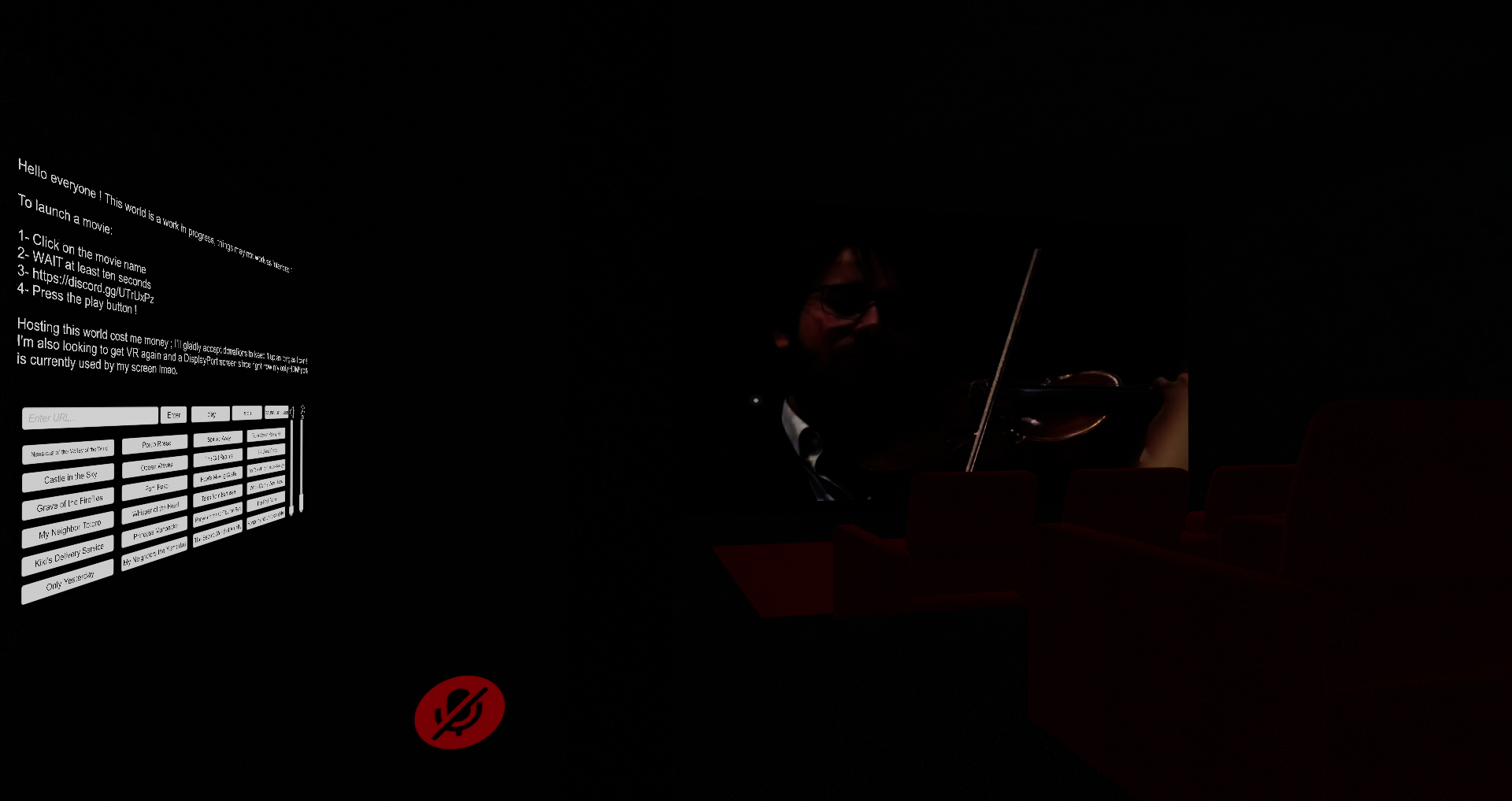 sacred warren
That is... terrifying, lol
stoic latch
@junior cloak WTF
 stoic latch
1 sec play what i give you
stoic latch
You are now listening to: ➜Hippie Sabotage - TRUST NOBODY Download The Song: ➜N/A Donate Here: ➜https://www.paypal.me/Stilijan ➜Use Code "BDZH_STILKATA" In T...
 junior cloak
it's working since at least 3 week
stoic latch
but dint know they put it in a update
junior cloak
since i've been running this player / map since 3 week xD
sacred warren
Isn't the issue that you need to update your client side copy of YouTube-DL?
junior cloak
you don't anymore
they updated it like one or two weeks ago
this PC is a fresh install from 3 days ago
and it's working fine
sacred warren
It breaks randomly, sometimes every other day. It depends when YouTube decide to move around server side content.
junior cloak
yush
sacred warren
I run a copy of Youtube-dl for a site and need to update it nightly to make sure it actually keeps working.
stoic latch
we run it on own hostet servers 24/7 to make sure it work xD
 sacred warren
Ah
junior cloak

sacred warren
Yeah, keeping the stuff on your own server ensures it doesn't break randomly 😛
stoic latch
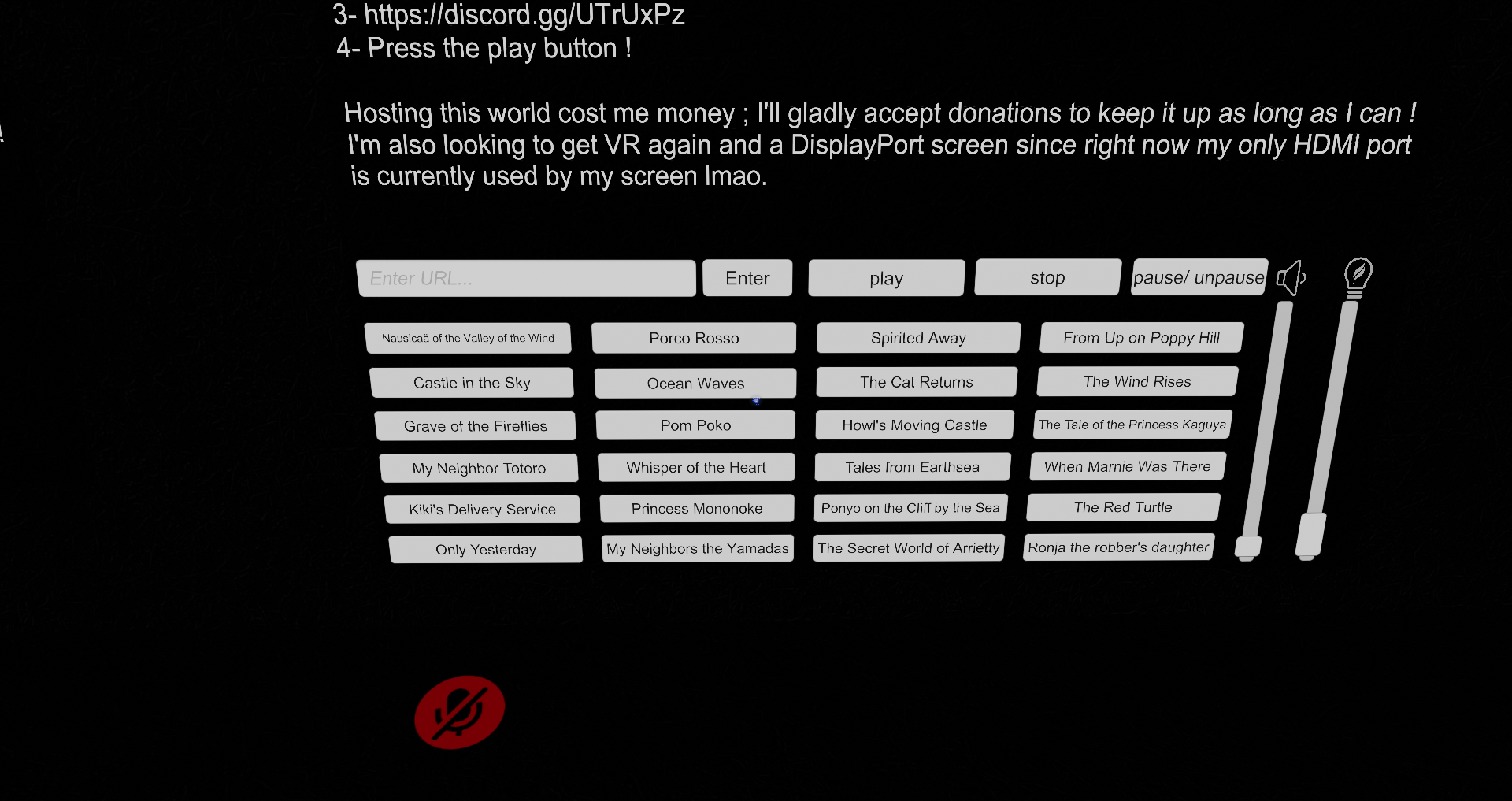
So back to my question do someone know how to load imiges from url ? (So lick clip board whit alot of pics use alot of space to load them after)
junior cloak
GitHub
Contribute to jetdog8808/JetDogs-Prefabs development by creating an account on GitHub.
@stoic latch
image url loader prefab in it
Just play around with it
stoic latch
nop
junior cloak
wym "nop" 🤔
 never Change a running system
 junior cloak
...
I'm talking about the load images from url
pepega
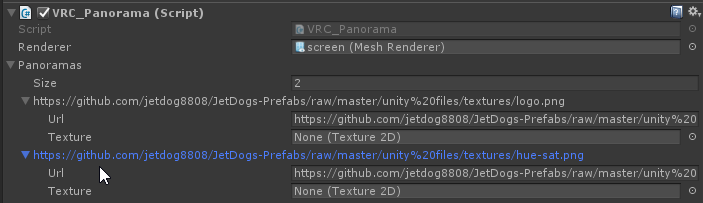

Jetdogs prefab isn't only a player. It's a bunch of useful stuff
 wanton zinc
Hey does anyone wanna join the team and help me make a world with Unity Collab? : D
 wise sedge
I'm unable to interact with UIs in my world, is there a simple setting I might be forgetting?
wise sedge
Figured it out, they were slightly inside a collider.
 somber topaz
Warining: russian language!
Ребята, знаете в видео там Тошика локация такая типо обгщаги и площадка детская
Хочу туда!
Скиньте название!
 raw gust
Is anyone familar to akalink's multi pedestals prefab? I can't figure out how to make the switch local instead of global when it switches between the avatar variations.
Edit: figured it out, under the avatar pedestals, in switch I needed to turn on advanced mode and change the OnInteract to Local
bold ibex
Any ideas why sometimes planes break like this when the world is populated (the "nearest utility" text should be covered completely)?
This has been an issue for a very long time and I'm afraid of using planes in the future.
supple drift
@bold ibex Looks like z-fighting? Assuming it's a pick-up, you could add some extra padding to the colliders to prevent that. I'm not sure why it'd get worse when the world is populated, though.
 summer galleon
I need some help

i set the skybox
like this

but in game i cant see the skybox
bold ibex
@supple drift It looks like z-fighting, but that's not the case here (there's no flashing). It's not a pick-up, but a static plane above a static cube.
bold ibex
@summer galleon Increase far distance in main camera settings.
 broken stream
Hello people,what is the limit of slots in the world for friends?
 dusty sequoia
40 is the soft/portal limit
mossy kettle
this happens every time i try to load in my world, does anyone know how to fix this?
buoyant hollow
@raw gust feel free to tag me if you have trouble with the prefab
bold ibex
is Noe's pen prefab still the best one for worlds?
hardy nest
Ever since the new update, you can barely hear the sound effect in my world unless you're at the center of the object, is there a fix for this?
junior cloak
So uh, did the new SDK break the test new build ? it take minutes to build the world damn
hardy nest
Always took me a solid 3 min, I guess it depends how big the world is
hardy nest
I figured out my audio problem, you have to tick "Use AudioSource Volume Curve" on VRC_Spacitial Audio Source, if only there was a way to edit every single script at once so people like me wouldn't have to spend an hour looking for every single sound effects in their world 👀
 onyx kindle
Does anyone know how to fix my lighting? When ever i look at a certain angle in my scene the floor goes black
hardy nest
If you have Ambient Occlusion on in post processing, turn it off
echo flower
Does a Video source get unloaded when it's disabled? I might be making another video world but it'll have.... a lot of videos linked to a single source so wanna fine the best way to prevent lag/load times.
junior cloak
I have one last question to make my world a bit better gamers
If I use two onInteract in the VRC_Trigger ; will it actually trigger both of them when the player interact with it ?
If so ; @echo flower I may be able to help you concerning this 👀
But nah, disabling the video source make it kinda glitch out last time I tried.
echo flower
cause for example lets say I made an anime world with like 40+ series... and buttons to go through list and episode. That'd all be on same video player sync.... or i'd have to hide them and they'd remain loaded
junior cloak
I currently have a player with 70+ things but i'm not using the video playlist sync
it's garbage
I'm doing one try and if it's working we can talk a bit in dm if you want since i rarely read this discord lul
junior cloak
yep, it's working as I intended, gonna have to upload every buttons but no more pre-caching shit pog
@echo flower hmu in dm sweetheart
junior cloak
yush, not a problem with the way i'm doing it
junior cloak
Is there any ways to replace the picture manually instead of moving the camera ? Or is there a prefab / ez way to have the PERFECT picture ?
I know we can replace pictures of avatar with the API, no idea of the worlds one.
Please @ me if you have any infos about this so it don't get lost when i wake up tomorrow :>
 scarlet needle


 sacred zodiac
Anyone knows what's causing this?
https://cdn.discordapp.com/attachments/546672914502647808/607387942750781449/unknown.png

 sacred zodiac
It's funny cuz when I replaced the the SDL with the new, the Mirror Prefab started showing this.
None of my other world have this problems
 noble ore
so this showed up and i found the script that was causing the issues...should i just detete it? or should i leave it?
(@ me)
pls soon
ok imma just delete it and see what happens
noble ore
ok i deleted the file with some scropts that were causing problems and so far it works
uploading works ....so i guess i fixed it
inner kernel
Does anyone know how to have an object continue to fire while holding down left click?
i have an audio file set to onpickupusedown and looped but it just goes on forever, even when I release the left click
sacred zodiac
Strange in Unity It looks normal.
supple drift
@inner kernel Audio source with play on awake + looping that's disabled. OnPickupUseDown, you enable the audio source game object (+ I usually use AudioTrigger too just to make sure it plays for redundancy). OnPickupUseUp, you disable the audio source game object. Is this what you're doing rn?
solid helm
Is that skybox a mesh or a Unity skybox?
That looks like the camera isn't clearing properly
sacred zodiac
It's a sky dome basically, and I'm not using a skybox.
 wraith field
Hi there, does anyone have any tips for giving the illusion of a world extending farther than it actually does (hiding the fact that the terrain ends somehow)? This will be a forest map for reference
inner kernel
will they be able to get close to the edge?
a fog might be able to give the effect?
wraith field
Yes they will and good idea! Did not think of that
sacred warren
If I've created an island, what's the best way to put water around it?
inner kernel
I wanna say a big plane and use a water shader on the plane but I never used it on large sources of water
only small stuff like fountains
@supple drift Your idea worked great! Thank you.
fresh plover
@wraith field
in addition to the fog you may try also changing the skybox so the bottom half is black not grey .. the only other idea is to see if curved world shaders work in VRchat ?
 alpine spruce
i cant seem to get the directx 11 grass shader to work, it keeps showing up as pink
velvet cipher
How do you setup the thing some worlds have where when you open the in game menu it spawns a menu for the world near the in game menu? Remember someone explained it a while back but I forgot and would like to mess around with it.
 vapid badge
when marking things as static in my world, do I mark any particle systems as static as well?
inner kernel
Does anyone know how to get a pickable object to stick to the player like the hats in the default hub?
velvet cipher
Follow Target maybe? Not sure its in Unity standard assets I think
sacred warren
2017.4.28f1
 open thicket
cool thanks
also i can't see model importer for combined meshes, is there a way i can see the import settings any other way?
supple drift
@inner kernel You could probably modify that prefab, I think it exists in the database! (but the basis should be a follow target (standard asset script) targeting the PlayerHandle of a PlayerTracker (prefab). If you need to lock it on an axis, you'd have to use Lookat Target too (also standard asset)
@limber horizon >1GB would probably be too much for most users to download, target <500MB max. No hard limit that I know of for non-quest worlds, but if it's excessive they can remove it from public. Are you using crunch compression on your textures? It will still load everything uncompressed at runtime, but the download size will be significantly lessened!
inner kernel
are there any downsides to using crunch compression on textures?
junior cloak
Quality of it.
supple drift
Yeah, as long as you're happy with how your textures look when compressed! Crunch compression is really transparent now imo, and the benefits kind of outweigh most perceptual fidelity loss in our use case. Possibly negligible time added onto world initialization (?), but it's really fast to decompress (altho not so much to compress 🙃 )
sacred warren
You can't enable crunch compression without normal compression can you? Is High Quality with 100% crunch actually noticable?
supple drift
You'd have to compress it, yeah. It depends on what the source is tbh. All I usually notice is slight banding in textures with smooth gradients, but sometimes you can dither those out in post processing
 limber horizon
@supple drift it’s the “Outside Environments” pack from the movie “Adam”, so I don’t know how to can’t optimize it. There might be a low def version in the pack though. I said the size would be 1gb because that’s the size of the package, and there is only one environment in the movie. I’ll find out the details when I get home.
supple drift
You could probably crunch compress and get it down quite a bit! (Also you could drop the quality of textures that might not need the fidelity, like you could take a smoothness map or AO map down from 2048 to 1024, etc.)
 polar timber
Anyone have an idea why adding the Player Mods to the world would break it? When I upload it with the jump mod the world loads then goes to black screen and kicks me out
inner kernel
@supple drift What do you mean by standard asset script?
supple drift
All the scripts in Unity's standard assets pack (free on the asset store) are white-listed for use! They're pretty powerful, but you can't edit em besides the parameters that are exposed in the inspector
inner kernel
Can you be more specific which components I should be using? I'm not sure what prefab youre talking about. I can't find a prefab that would track players in VRC nor the standard Assets
alpine spruce
still having issues with the direct x 11 grass shader if anyone can please help
 spiral zodiac
Completely random question, but I just had my world go public (published out of community labs, yay!) about 18 hours ago. I just uploaded a new version of it to fix some stuff, but it seems to have gone back into Community Labs. I was under the impression that once you're "published", it won't revert back. Did I mis-read how it works?
spiral zodiac
Thanks akalink, that's what I thought too. I'll e-mail them in just a moment. 👍
supple drift
@inner kernel It should be in the prefab database that's pinned in this channel! It might actually be a part of Hardlight's Toybox. You can use a Follow Target script from standard assets + target the player handle in that prefab to have things follow a player.
inner kernel
Thanks, I was missing that prefab.
I implimented it and the ball i wanted to stick to people just disappeared?
are my settings ok?
supple drift
I don't have a Unity project open rn + don't remember how the Player Tracker is set up but try swapping the target to the PlayerHandle object (should be a child)
It actually might already be following you, but above you (or inside you  )
)
 spark thunder

 inner kernel
Is there a way to set proximity?
i just want it to stick to people, like how you can stick a piece of gum on someone
spark thunder
can anyone help me in the direction of getting the extract textures to be high lighted or if theres a way to import the textures witht he model
inner kernel
You know like how the hats are. Theyre inert unless placed on you, where it sticks to your head
supple drift
Hmm - I did this with a sticky grenade mechanic a few months back, but I seriously can't remember how I pulled it...I'll check when I'm on my PC with that project!
Actually, I think Cyan made a tutorial for exactly what you wanna do. Let me find that
https://youtu.be/Yik63cfyuD8 @inner kernel (I believe Cyan made that hat mechanic in the hub too)

This tutorial goes over how to create a player tracker and 3 examples of how to use it. The player tracker was first created by HardLight and released in his...
sacred warren
Hmm... (and it's not progressing)
inner kernel
I'll try that, because for whatever reason, when I use the script it fails to upload my map
Oh wait it is probably the same script lol
supple drift
@spark thunder You can click that extract material button and it'll extract the materials into the asset directory. You'll prob have to go through each material and plug in your textures, but those are quite a bit of materials for a single mesh. Probably fine if that one mesh is your entire world, but keep in the mind that mo materials = mo draw calls
Yeah, Cyan's tutorial is using similar standard asset scripts and he shows different advanced use cases. It's failing because of the standard asset scripts?
supple drift
Looked like Enverex was having issues too, I wonder if it's a back-end issue?
inner kernel
You think it is a problem with the asset itself?
spark thunder
What are draw calls?
supple drift
I mean like a server issue with uploading rn! It shouldn't throw you those errors for uploading standard asset scripts. are you using post-processing?
@spark thunder We use draw calls to measure performance (rather than frame rate because that's a relative metric bcs we all have different hardware, etc.). Basically, it's the game talking to your hardware to draw something on screen. Each draw call = another set of instructions
inner kernel
Yes i am, I am using post processing v2
supple drift
Did you delete le tests folder?
inner kernel
I believe i did, but ill double check
I mean, I shouldve because it was working up until i added player tracking
Yes I did
supple drift
Yeah, that's strange. It def shouldn't be a script in Standard Assets causing it because tons of people use em (unless you have another asset that imported some scripts behind yo back). Maybe they're just having some server issues
inner kernel
Not to my knowledge
at the very least, it would tell me in the console if that were true
supple drift
Yeah, usually. Besides that damn tests folder, it always threw vague errors so no one could track it down haha
inner kernel
and I got the toybox from the pins, unless someone did something malicious to it
supple drift
Maybe grab the one from the prefab database rather than the pins. Hardlight might have updated it and fixed something that's causing your issue
inner kernel
Nevermind, nothing is uploading now, whether or not the component is active.
Is anyone else having issues uploading worlds?
supple drift
That's what I figured tbh, they've been having some backend hiccups lately
supple drift
Probably! + no prob!
rare wraith
anyone else having an issue updating the VRChat sdk? i keep trying to update it and it keeps saying there's a new version when i just updated it
also not letting me upload my world
could just be a glitch on my part though
rare wraith
ill check
nothing really shows
just get this in the build
and when i click upload it does nothing
rare wraith
think it's because my SDK isn't updating, whenever i import it all the boxes are checked off and i can't check them on
sacred warren
That doesn't look like my upload menu, you shouldn't have some of those options.
What version of Unity and what version of the SDK?
solid helm
@sacred zodiac Ooh, then you have disabled the skybox? In that case, I would guess the problem is that the sky dome is not writing to the depth buffer, so things rendered aren't being cleared properly. What shader is it using?
rare wraith
@sacred warren I'm using Unity 2017.4.28f1 and the SDK version is 2019.07.31.13.58
apparently the updated version but it still says it needs an update
sacred warren
That's odd. Not sure then, sorry.
rare wraith
ohh okay, thanks anyway dude
sacred zodiac
I see.
near escarp
@rare wraith Which steps did you follow to update your SDK ?
rare wraith
@near escarp Actually let me follow that step by step and see if that fixes it, what i did is i just downloaded the sdk and imported it without removing the previous version
short gulch
Having a problem with vehicles since this newest sdk. The world usually runs at a steady 91 fps, but after adding one vehicle dropped the framerate down to 11-17 fps
Anyone else run into this?
buoyant hollow
which cars are you using? I highly recommend the not bad cars prefab if you aren't using them.
 dull cargo
Which are the "Best" horror maps in vrchat?
Looking for someone experienced in that area and/or Minigame maps to discuss with.
bold ibex
Any ideas why often planes break like this when the world is populated (the "nearest utility" text should be covered completely)? It looks like Z-fighting, but that's not the case, and it only happens when the world is populated.
It also affects only some players and seems to be completely random.
solid helm
What exactly are we looking at?
Planes don't really break
Are you sure there isn't a sync issue or a logic issue displaying two at once?
ripe depot
@vast lantern Bad UVs?
 digital veldt
anyone know how i can make silVR water bigger and still working? when i scale it it stops working. also is there a way to make it clear?
ripe depot
Does it come with instructions to do that?
sacred warren
I tried it last night and it doesn't work at all for me, just seems to be a static reflection and nothing more (although it appears to "set up" properly).
fresh plover
what's the link for silvr water ? who is the DEV on that one
I would suspect if you are scaling the water larger in the inspector it is stretching the UVs so all the settings would all be incorrect from that point .. you should try a new mesh that is more dense for large water areas see if that helps or not
 raven plank
Any idea how to make audio play in a cube or other shape instead of a sphere
have a rectangular room and using the default audio source means the audio spills out of the room because the sphere of the audio source clips out the side
fresh plover
sounds like a problem with thin walls 😋