#development-advanced
1 messages · Page 41 of 1
 drifting egret
 stiff lily
check the layers of your stuff though
 jolly turret
every other object is on default and i have done what you said Rokk
still not working
😦
its still on even if i set the culling mask to nothing
drifting egret
Perhaps it's some Realtime GI thing? Do you have Realtime GI enabled?
You may want to set the indirect multiplier to 0
 sweet crystal
@modern edge A cubemap is more expensive to render than the mirror itself - after all, it has six sides and the mirror only has one. You can update only a single side per frame but that's an additional cost on top of just rendering the mirror from the correct perspective. How dynamic is your environment?
 modern edge
not very at all. It'll have some braziers with fire shaders but that's about it
 barren axle
@warm niche Hey, sorry for the late response! So what kind of physics are you trying to do? pickup objects? Just rigidbody? Probuilder meshes are the same as any other primitive shape, like unities shapes or blender shapes. The meshes themselves take up no space at all, its usually the texturing and baked lighting that takes up a ton of MB. For the Icosahedron, you want to make sure your tool handel is Center/Local
 warm niche
Ohhhh i see. im just doing basic physics for world building such as making walls/stairs/designs/etc. Yeah i was just wondering if they took space like prefabs
barren axle
Oh okay cool! Probuilder is pretty good for basic walls/stairs and primitive shapes. most use it for prototyping. Once you learn all of its tools though you can model some really complex shapes, and you can take it a step further by installing Polybrush from the asset store. This will give you a powerful duo and ability to model complex designs right in unity when you use them together 👍
warm niche
okay perfect! thanks for the help and advice my dude!@barren axle
barren axle
Anytime! 🐭
 dusky drift
I'd say get sabrecsg from github. It's a more powerful Probuilder that can be used for complete level design
barren axle
Oooh really? Definitely have to check it out!
warm niche
Are they using Playmaker in VRChat yet?

The powerful visual scripting solution used in Hearthstone , INSIDE , Hollow Knight , The First Tree , Dreamfall Chapters and more:
Project Showcase
Artists and Designers: Realize your creative vision without coding! Unlock the power of Unity.
Programmers: Add a...

 faint yew
You can test your project with Playmaker though
 summer berry
Not sure what you mean by that, but okay. Playmaker will not be included in VRChat.
If you need to test your worlds, you should do it in game or try naqtn's sdk emulator which can be found in the prefab database.
 topaz jolt
has Udon been released for us to use for VRChat?
summer berry
Nope. Still in development. Hopefully we will get information in next weeks developer stream.
topaz jolt
ah ok thanks
topaz jolt
Has anyone used this prefab https://assetstore.unity.com/packages/vfx/particles/environment/rain-maker-2d-and-3d-rain-particle-system-for-unity-34938 for weather effects? I am trying to use it for my world. It works when viewing the scene but when I test it with VRChat via the New Build button the weather effect does not show up.

View All My Plugins | Web Player Demo
For a full weather system, with improved lighting, time of day, sun, clouds, sky sphere, lightning, etc. please purchase my new Weather Maker asset at https://bit.ly/WeatherMaker
Rain Maker is a highly tuned set of particle systems...
^actually my bad it uses scripting so it wont work with VrChat
 night compass
forgot the name ...but that cowboy bebop map had pretty decent rain and snow in it
 safe musk
You could do something similar though if you have a weather effect with controllable settings. Look into Canvas and UI components in Unity. one of the theater prefabs would be a good place to see some examples and see how they work. Just be sure to add an event system somewhere and a VRC_UI Shape script to your canvas.
Not sure if you could controle like, emission rate over time on a particle system with a slider or not. Worth a shot though.
safe musk
Does the RealtimeEmissiveGamma shader for video players require the screen be static?
Or maybe I need to bake the lighting with Realtime Global Illumination checked.
 mental narwhal
@safe musk you need to add a VRC_Custom Render Behavior to your screen object to make sure it updates the global illumination of the scene.
 upper kiln
Does anyone know how to fix this GlobalRoot error? I've been ripping my world apart trying to figure it out. :x
 frail grove
hey. Youtube-dl has fixd the 'unable to extract channel ID bug' I'm not sure when the next release will come but it will contain the fix and this will fix the videos affected by it. I also found a number of video linkes using the youtu.be short url were coming up as forbidden on the command line when downloading. Ensure you use the long url for your youtube videos in your triggers. https://github.com/ytdl-org/youtube-dl/issues/20982 --bug reference

GitHub
Checklist [ X ] I'm reporting a broken site support issue [ X ] I've verified that I'm running youtube-dl version 2019.04.30 [ X ] I've checked that all provided URL...
The short url error is intermittent btw. Some short urls do work, but using the long url mitigates the forbidden error
 fresh ermine
I've been poking around the ONSP, and have found that dynamic room modeling works (or at least I can visualize the rayc) within VRC -- but I can't seem to get the ONSP Reflection Zone working. It basically lets you fade between mixer snapshots so you can do stuff like occlude or manipulate your world audio mix depending on the room you're in. Anyone have any luck getting this to work?
safe musk
I get that error in the console as well, Koviana. However, the world builds fine and nothing seems broken so I've just been ignoring it. I think it may just pop up when you're publishing, IIRC.
 hot wind
So im trying to make a video player that 1) Is pickupable and 2) is in sync with another video player in the room (like the bedroom theatre world)
Im trying to wrap my head around the part to make it pickupable, i can figure out the syncing part on my own
Looking for some help here with what exactly to do
 stable hazel
@hot wind this is a lot easier than you think. On your main video player, instead of targeting the mesh you can target a Render Texture instead. So just make a render texture, put it on a material, and then give that material to both screens. Making one pickupable is as easy as just giving it a the vrc_pickup script and an object sync
 stoic tapir
if you're using the sync stream player, do note that the vrc_videoscreen component can be finicky if the screen in question isnt enabled when the vrc_syncstream component is enabled. ie. if the object the vrc_videoscreen component is on is disabled when the stream player is enabled and starts playing, turning on the object later wont have the video play on it. I get around this by having the pick up objects with vrc_videoscreen on it always active, and toggling the pickups or the video on it just disables the mesh renderer etc instead of the object itself. If your pick up video screen is always on or you're not using syncstream then theres no issue.
 loud whale
Anyone know the openvr trigger inputs for a script? Trying to do something on trigger press but all i found are steamvr inputs
summer berry
I don't think we have access to trigger press, but I haven't tested in a while. Not all the buttons work
loud whale
Even with just open vr? This is for testing atm
Wait would trigger pull be the pressing not full pressed? I just the actual button pressed
 velvet badger
Does anyone seen any info if old VRC triggers will be still supported with UDON release?
 cold shuttle
I guess we'll know that in two days
velvet badger
It would obviously make no sense to make old trigger system non functional but who knows
cold shuttle
Yeah indeed. I suppose they'll keep the current system functional for some time before deprecating it
velvet badger
It would not make sense to ever make it non functional, maybe stop fixing bugs at worst
cold shuttle
Well it makes sense after some time, like a year or two. It's ok to get rid of a system if the new one is better under every aspect...
 oak pollen
I think it was mentioned in the first livestream they did that the current trigger system is there to stay, its just more of a question how its maintenace will go from that point
drifting egret
Well considering the number of triggers that already get broken almost every update, it can't get that much worse
Has OnTimer actually been fixed yet? And OnEnable on spawned prefabs?
I think I heard the latter was fixed
 latent hemlock
The trigger system is fine for basic use, the VRChat team just need to fix the bugs. I’d honestly prefer it stayed alongside udon and maybe have the two interact
summer berry
Triggers should stay, unless they want to kill all current worlds. If anything, triggers are actually beginner friendly in comparison to Udon. I don’t know how much they will maintain it though since they’ve done a bad job of it now. Supposedly ontimers have been fixed, but how many months did it take? There are still so many other things broken too...
warm niche
So i have multiple 480p youtube and dailymotion videos in a world, all interactive with next/forward buttons etc. Just wondering if the settings in the pic are correct because sometimes the videos stop when other people are present. Or is it because VRChat is playing up at the moment?
I also have a button that disables all the videos which is set locally only, would that somehow affect a sync in this case?
stoic tapir
if the person who is the owner of the video player (defaults to room master) disables their video locally, it will stop working for everyone
this is because the owner of the video is the one that syncs the videos for everyone else
warm niche
Okay thanks, best to disable that button then.
 trail jacinth
How is the random time required to activate an OnTimer Trigger determined? Completely locally?
warm niche
Is there a way to make a particle collide with everything except player local pill?
drifting egret
Just turn the PlayerLocal layer off in collision?
@warm niche
The fun part is that avatar colliders are actually also on the MirrorReflection layer locally
And remotely, they are on the Player layer
Not sure what you're trying to do
If you need cross-avatar animation interaction through particle collision, you will probably need the collider to be on a fixed joint due to the IK executing after particle systems do. And because it's on a fixed joint, you also have to put it on the UiMenu layer so it won't spaz out.
warm niche
Lol I just don't want my particle to hit my own pill 🤠
warm niche
Have you tried cross-avatar animation ? would that be local to the pair of avatars?
drifting egret
Yeah I tried it and it works
Everyone can see it too
It requires a somewhat specific setup on both sides but nothing too complex
Player B generally only needs a fixed jointed collider somewhere which is put on the UiMenu layer
And the fixed joint/UiMenu part is only necessary if the collider is in the armature
warm niche
That's really good
drifting egret
So far I got it to play sounds and it should also work for anything else
It's pretty much just the particle collision animation thing, but instead of killing the particle through the "Trigger" module, you use Collision
warm niche
Uh this would mean you can set up games between avatars
That's so awesome
Wow can you use another avatar to store state?
drifting egret
Technically yeah, but you have to take some liberties with the collider size as desync is still possible
The IK isn't always exactly the same for everyone
I tried it with IK Follower too, but it breaks locally because the mirror copy gets the offsets applied twice
warm niche
This can extend past a pair right? I've always thought it would be neat if you could opt into a pvp mode. Would be nice if you could add something to your avatar that others can shoot and cause a death animation
drifting egret
Yeah it would work with multiple avatars too. The limiting factor is that you can't just assign specific colliders, you can only respond to layers
Actually I'm not sure if something like that would work
The problem is that a collider of yours needs to touch a particle of theirs. That wouldn't be possible with particles alone but you could probably use rigidbodies to achieve it anyway
warm niche
Sounds balanced
Would be fun even if it were just melee
Projectiles being limited to game objects sound really fun
rokk I just wanted to shoot a particle but that's real neat. Will you publish on GitHub?
safe musk
Yee, you can do some fun stuff if you set up the layers in your avatars project. :3 I just added a vrc_world script and had it set up layers/collision and whatnot so I could see the names easily in the culling mask dropdowns.
drifting egret
@warm niche probably yeah
That's a good idea
Although the main interesting part is really just Player B's collider
Player A's particle setup is just any particle collision system, although it should have the Collision module enabled and not Triggers
trail jacinth
Hey, got a bit of an odd question...still dont know how OnTimer behaves synchronisation wise.
How would you make a system with multiple objects that all have a randomised OnTimer trigger, that is however synchronised between everyone, so that the order of the events is the same?
summer berry
You would need to limit it to only one person broadcasting the event. So only one person enables the timer or set it to masterunbuffered.
trail jacinth
Wait so who enables the timer and what broadcasting type would the timer trigger be?
summer berry
Uh, if you have everyone with the trigger on, then you need to gate it somehow so that only one person actually broadcasts it. This can be done with master unbuffered.
Another option would be to not sync it and keep it local. Probably not what you want.
Last option which takes setup work would be to only have the timer enabled by one player and that can be always unbuffered.
trail jacinth
Ahh okay yeah...
warm niche
im wondering if networked ik will have any affect on the final ik stuff people are doing
maybe it will fix the fbt tracking stuff?
 serene folio
I am more concerned high eu pings will make ik behave like shit and game look bad for eu users (if i got how it works correctly)
summer berry
For those who haven't heard, debug menu has changed shortcuts:
- Debug info hotkey combo changed from Menu/Application key to Right Shift+Backquote+number
For those with Norwegian keyboards, here's your canny
https://vrchat.canny.io/bug-reports/p/build-772-debug-info-hotkey-on-norwegian-keyboard-doesnt-work
warm niche
seems like all vrik / execution order stuff is broken now
world fixed ik and ik that doesn't use the armature as a target seems to work still
wouldn't need custom vrik scripts and execution order if ik follower wasn't a frame behind. is that a hard limit?
summer berry
Please make a canny
serene folio
Can they frigging test theur updates... I am pretty sure this is easily detected in tests which prove theyy just use live users as lab rats.
summer berry
Lol, they do test
Just super small and not enough people to get everything
Also Oculus has a deadline for Quest build I think so things were a little rushed this time
cold shuttle
When was the Twitch developer stream about Udon, again? I tought it was a few hours ago but I can't find it apparently
trail jacinth
To my calculations theyre gonna stream in about 14 hours...
 sharp burrow
Ish yeah
sharp burrow
Thursday (May 16, 5PM PST)
cold shuttle
Ah yeah 5PM Thurday 16 is actually 2AM Friday 17 here (CEST), I was wrong with the day
trail jacinth
Time Zones suck am I right? ;^)
 zenith sedge
warm niche
zenith sedge
warm niche
I don't get why my processing stack v2 won't work, i mean it's identical to one set up in another world.
 near bronze
did you delete the tests folder?
warm niche
What test folder?
near bronze
it's a folder in ppv2 that needs to be deleted
warm niche
There is no folder named test in my project
warm niche
I made a new project, it works in that.
warm niche
I've tried everything now, even tried to delete every script in the project. I tried transfering stuff to a new project but same thing happened. None of the OnEnterTriggers or teleport are working either.
8 hours i've been on this now, i just give up.
trail jacinth
Does this work to press the button attached to that gameObject (and only that button)
drifting egret
Technically that should work just fine, although you could just call the Press() method directly
You mean you have two button components on one object? @trail jacinth
trail jacinth
Well...you cant?
drifting egret
I'm not sure what you mean. Is there a reason you're using SendMessage rather than just selecting Press() directly inside the button event?
trail jacinth
This is all you get with buttons...unless Select() means Press() I see no press...or am I confused now?
trail jacinth
I just slapt a Button Clicker Animator on it...
When in doubt, use Animation Events.
fresh ermine
am I going crazy or was Momentum Transfer Method just added to VRC_Pickup? https://i.imgur.com/zQSSavW.png

 gentle aspen
probably or a more recent version considering as of 2018.12.19.17.03 SDK it isn't there
fresh ermine
Hmm, I wonder what it does. It wasn't included as a change in the SDK notes yesterday 🤔
summer berry
@trail jacinth you can get the press method directly by editing the method name in debug mode of the inspector. This is how you can call any private methods on an object.
I recommend picking select() first and then renaming it to press.
 tardy folio
@fresh ermine https://docs.unity3d.com/ScriptReference/ForceMode.html is this I believe

They may actually be VRC docs on it
fresh ermine
Ah yes, that has to be it - the modes are identical
So now we can control how acceleration works in relation to a rigidbody's mass, it seems? Probably to be used with the throw velocity stuff
 balmy zenith
Question: is there a way to store distance as float and use it to control animation playback time?
summer berry
Yes, but it’s super complicated if you want to figure out how to mess with it. Download toybox v2 and mess with HardLights slider.
balmy zenith
this is for storing other variables as well right?
summer berry
It only works with one float value, you would need multiple if you wanted more than one parameter.
balmy zenith
thank. I'll work on it when I wake up
 hexed sun
Does anyone know how does HardLight's Mirror Dimension work?
stiff lily
He explained it to me, but i'm not smart enough to understand, he probably wants to keep it a secret for now
drifting egret
What does the world do?
stiff lily
You have 4 reflections of yourself and everyone else in the room, with correct scale and depth, 4 cubes that are also duplicated, but you can interact with all of them
it's amazing
drifting egret
Interesting
stiff lily
he's also working on making your reflection interactable, so you can grab it
drifting egret
Maybe that's the camera thing?
stiff lily
Definitely camera based
drifting egret
Where a camera with a higher depth is used to essentially render a copy of the scene
stiff lily
just a lot of them
drifting egret
I've seen a similar thing happen in a friends' world
We were on top of a large plane, and in the middle was a unity default cube with a projection of ourselves on the cube
Also using cameras with a larger depth value than the main camera
Opening the stream camera made it go completely insane though
stiff lily
yep it definitely does
hexed sun
The reflection in Mirror Dimension doesn't work well with stereo vision. They look small in VR
 proud meadow
@hexed sun Yes it's due to a limitation in vrchat, maybe possible to workaround, maybe not. It is rendering at 1-to-1 scale, while vrchat will actually scale up the world around you based on a combination of the avatar's height and your setting of real world height
Basically the mirror dimension is creating extra cameras that also render to the screen, however unlike the main camera which was tuned carefully, the extra cameras use default settings and render after or before the main camera which has the adjusted scale.
It's incredible it works as well as it does, and if you use a tall avatar (by vrchat standards) with a similar height to you in the real world, the scale of the clones should match up
@hexed sun the secret for having two cameras work together is setting the Clear Flags to Don't Clear (in other words, the depth buffer stays intact so future objects can test against it)
 proper ore

 round marsh
I've seen an avatar where triggering an emote would show guns appearing on them, and staying there when the emote ends. Anybody know how to do that?
hexed sun
@proud meadow Cool. I didn't know multiple cam can write to the same screen.
I don't think the issue is scaling though. When you watch with only one eye in VR it looks fine, I suppose it's related to stereo.
Do you know how to coordinate the position of the blocks? If you grab one of them, the "reflected" other three will also move. I can tell the other three are real gameobjects because they have colliders.
near bronze
The problem with stereo vision is that while it does automatically scale to match the device's ipd, it does not scale to match the size of your avatar, as that's not something world creators can do
And the blocks are all pickups but when you grab one, it triggers the other three to follow it using generic poser, which is a final ik script that copies local position and rotation relative to their parent.
The cameras are also using generic poser relative to your real camera
hexed sun
great! i reproduced this successfully
The other thing I want to learn is the spray paint in "Just Graffiti" world. I guess this is some kind of particle system.
summer berry
I haven't been to the world yet, but I assume it is mostly shader work using render textures as data storage.
proud meadow
@hexed sun Graffiti is also a fairly "easy" effect: make some cone or whatever shape on a new layer, use a transparent material for a solid color (making an alpha gradient over distance from the tip might require a simple shader)
Now add an orthographic camera on your canvas with very thin dimensions attached to a render texture. Set it to Don't Clear or Depth Only and no background, and set up a layer with only your spraypaint cones on it, and voila you have a canvas.
For the simplest 2d canvas or painting worlds, no custom shaders are needed, just a shape and an orthographic camera pretty much do all the work, same principle classic 80's Solitaire used for its card bounce effect
hexed sun
@proud meadow I have an issue. I made an ortho camera with far plane close to near plan, with render target set to a render texture, and with culling mask set to the layer of the cone. In the camera preview i can see the stroke, but in the render texture the stroke is doubled.
proud meadow
doubled?? if it's partially transparent it is going to add every frame
oh I guess that's where you might want a custom shader: to take the framerate and change the alpha value depending on the average time between frames (alpha * unity_DeltaTime.z) so users with lower framerates see the same picture as those with higher
oh it's more complicated than just *, probably something involving pow. it's like compounding
hexed sun
this is what i got when i moved my brush horizontally
the lower half of the render texture mirrors the upper half
hexed sun
@proud meadow If i set clear flags to solid color, then there is no mirroring but strokes are erased. Is it caused by Single Pass Stereo rendering?
proud meadow
no there's no single pass stereo rendering involved when you use render textures. if you set clear flags to solid color, it will clear with a solid color every frame
if you want to allow drawing you can't allow it to clear at all, except maybe depth buffer. instead, if you want a manual clear, just take a huge double sided cube or something or a shader that fills the screen with a solid color
hexed sun
😐 How can I resolve the double stroke issue under "Don't clear" mode?
Edit: It can be solved by setting render texture's color format to "ARGB Half"
warm niche
@round marsh https://youtu.be/dGRcow4uUXQ
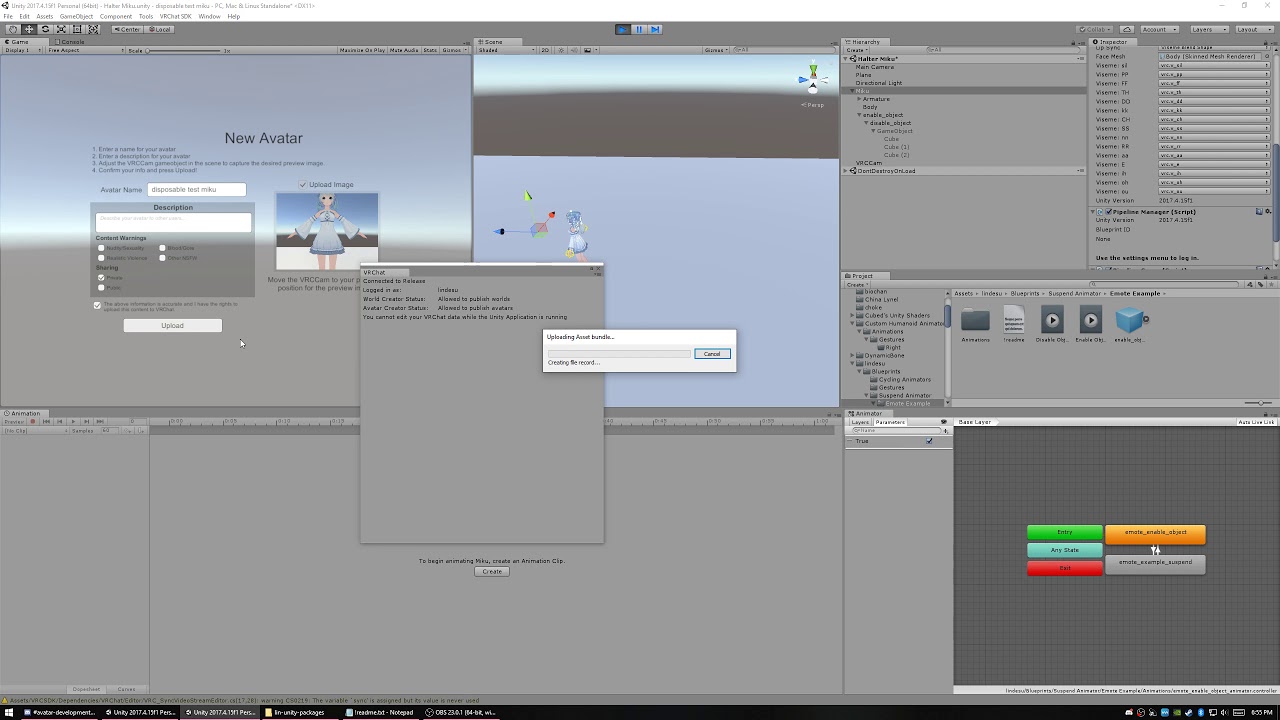

GitHub
Contribute to oofdesu/lin-unity-packages development by creating an account on GitHub.
fresh ermine
Has anyone found a clever (and/or private) method to do Animator.GetInteger + pass that value as a string over to UI text? It seems everything Animator-based is locked away from animation events and button functions.
summer berry
No way to get integer to pass it to ui, but what is your goal? There are methods to display numbers using floats and you can display up to 999,999 without issue. They are complicated though.
I haven't looked at it yet, but I believe that the Japanese community released one in Null's prefabs.
fresh ermine
@summer berry Basically want to start at an integer to signify the max non-eliminated players and then subtract as players get eliminated while pushing that to UI text. I figure the best way without passing the integer itself is to set each elimination up as a separate state then?
summer berry
If using ints, you need to have a state for each form you want to represent.
Each ui text would already exist for each number. You just have states to turn them on or off.
trail jacinth
I have a prefab for a 5-Digit Counter, but I did some changes to it after updating it the last time...maybe Im gonna update it again soon, and upload it.
fresh ermine
It's a shame that we can't pass the value along - We could use the value to wait for enough players to begin rounds, countdown eliminated players and handle scoreboards without having to stack up all these animation states + game objects
summer berry
/udon ...
summer berry
We can still do a lot of things, they just take work to create and understand
fresh ermine
Do we have a method of adding time on to OnTimer (like for instance, an addition of a few seconds after a certain trigger fires) or do you think it'd be best to switch something like that into the animator?
summer berry
You can't really change anything about on timers specifically in game at runtime. If you need to add a delay, that should be something done with animations or triggers. Hard to provide a real solution since I don't even know what you want to do with it.
fresh ermine
Basically, I'm attempting to do a last-player-standing meets hot-potato type of game with an explosive that you can throw and stick to people. I think we actually talked about it forever ago, but I'm just getting around to trying to build it. I recently realized that a player could just hold on to the explosive until the very end of the fuse/timer + then throw it at someone to guarantee their win each round. My ~proposed~ solution is to have each stick add on a few courtesy seconds to see if that solves the issue.
 tidal orchid
anyone want to develop a cornhole game for VR Chat?
warm niche
Hey! I am not very experienced with unity and need help with something. I am wondering if there is any way that I can add a filter to the players camera, to for example make the world look less saturated. Where would I do that? Please help I would really appreciate it
drifting egret
That's exactly what post processing is for. Color grading should do what you need. https://gitlab.com/s-ilent/SCSS/wikis/Other/Post-Processing

GitLab
A surface shader for Unity based off Cubed's Flat Lit Toon shader
trail jacinth
or that
warm niche
Thank you
drifting egret
Probably easier than shaders because that's what PostFX is made for
Although it's the same concept in the end
trail jacinth
Well yeah didnt consider pp
drifting egret
It adds over the whole screen. However, this only works if you are a world creator.
warm niche
ok thanks
drifting egret
So it works on anything but only in your own world
warm niche
just what im looking for :)
drifting egret
If you want to use this effect on your avatar in another world, you would need a shader
warm niche
rly fast answer also thanks to you both
trail jacinth
@drifting egret also according to this guy on reddit (I know my sources are rokk solid nice pun me)
So yeah the PostProcessing stack is just a User-Friendly collection of Shaders
drifting egret
Yeah I know, that's why I said it's the same concept in the end
And it's why it's so bad for mobile
trail jacinth
Well rip PP for Quest
drifting egret
As far as I know, each effect is kinda like a grabpass shader being performed over the same image, in sequence
trail jacinth
What GPU does the Quest even use?
drifting egret
A terrible one?
drifting egret
It's probably good by mobile standards though
near bronze
there are certain things that the post processing stack does through scripts interfacing with shaders that we don't normally have access to
so in normal unity, yes there is no difference. But in vrchat it's pretty much your only option for some things
drifting egret
Ah, interesting
trail jacinth
Weird that a script can interface with a shader
I thought they were strictly seperated
But I guess the CPU has to give the GPU instructions
drifting egret
What that probably means is that the scripts in Post Processing Stack can give additional info to the shaders that a shader alone wouldn't be able to get
near bronze
I don't know this through personal experience and don't remember the particular terms so this is probably not 100% accurate, but yeah shaders interacting with scripts is very common outside of vrchat. Vrchat shaders would use cameras to store data, as opposed to having a script store the data and feed it back to the shader when necessary
graphics.blit is one example
trail jacinth
Would be interesting if you could use some of the PP scripts with your own shaders for some special effects or other things that we dont have access to...
near bronze
that's a good question, on one hand I would hope somebody's tried it but on the other hand shader guys are their own breed and might not think of the same janky shit that world guys come up with
alternatively, it's just not an option for some reason or another
trail jacinth
Or somebody has tried it, but didnt tell anyone, or some japanese guy tried it ;P
 solemn bloom
Anyone know where i can find example of the ui elements I keep seeing in worlds?
trail jacinth
An example is included in Jetdogs prefabs I think, but theyre pretty much just standard Unity UI elements (on which theres plenty Tutorials), only thing that you will have to pay attention for is to add the VRC_Ui Shape script to the Canvas.
drifting egret
You make a world space canvas and put a Vrc_Ui Shape component on it
The rest is Unity UI stuff, but jetdog's prefabs can indeed help a lot
If the UI elements are too low res, increase the resolution or dpi on the canvas components, not by scaling the canvas.
Make sure the Z Pos of every element on the canvas is 0 or you won't be able to click it at all
solemn bloom
so then could that be attached to an object that is a pickup?
trail jacinth
I havent done that yet, but Ive seen it, so yeah probably.
solemn bloom
alright, thankyou~
drifting egret
Yeah you can do that
Just make sure the pickup's colliders don't interfere with the canvas
trail jacinth
Yes colliders will block the raycast neccessary for the Canvas to work.
I would really love to see that DataStorage script... even if its completely useless for us, I would still like to see what it actually does or what its meant for...does anyone know more about it here? xD
This is all the info from the object itself...plus:
All public methods
near bronze
It stores the values of animator parameters, then you can use those in triggers.
Do like setfloat, but instead of a raw number, it takes a datastorage number
trail jacinth
Hmm but still, why is it so akward in doing that? Like why does it expect an int OnDataElementChanged? And whats the SerializeComponent (MonoBehaviour) for?
near bronze
You dont need to use ondataelementchanged, it can be any normal trigger
Not sure about serializecomponent thouh
Also datastorage dies not work with only one player, has to be multiplayer for some reason
trail jacinth
I wasnt planning on using it. I was just curious how it truly works
drifting egret
That's probably meant to store the component data as text so it can be stored and retrieved (deserialized) later
But this whole area of the SDK sounds unfinished
trail jacinth
I like to dive into unknow waters ;P Even if its senseless..
near bronze
Not just unfinished, abandoned
It works good for syncing variables in an animator between players, but it's hard to find a use outside of that due to the bug
warm niche
guys i have an issue, the light from below the floor is somehow lighting the area above the floor too. I tried using a cube to block the light from getting there , didnt work. there is no gap between anything as far as I can see
stiff lily
You tried creating a plane that doesn't cast shadows ?
warm niche
To put above the light?
stiff lily
Yep
warm niche
I tried, but it didnt work
stiff lily
If you really want to stop it, you can put that mesh on another layer, and on the light culling option, remove that layer from it
There's probably a much easier way, but I don't know it
warm niche
heya y'all. I just made a world. I have a few issues.
I have made a post processing camera filter, which I am satisfied with but I want the users to have it on their camera. Currently it can only be seen on the camera in unity. This I still don't know how to do..
I also made a script to make the bubbles in the tanks move, but it doesn't run when I enter the test build. It does run however when I press the play button in unity.
YAY I FIGURED THE POST PROCESSING THING OUT but.. btu the texture animation is still not running
oak pollen
'made a script' - only whitelisted scripts allowed, use particles or animator or animate either vertices or texture directly in shader
warm niche
are there any tutorials on how to animate a texture in the animator?
fresh ermine
@warm niche You can use a sprite sheet + do an animated sprite with an animation if it's something of that nature (like UI). Animating a moving texture on a mesh is going to involve some shader magic so you should ask the wizards in #shaders
warm niche
@warm niche the reason why your script wont work is because vrchat does not allow custom scripts only the scripts that are white listed can be used
 quick heron
@warm niche can you post a short recording of the bubbles perhaps we could have some better suggestions if to make a shader or a particle ... in most cases a particle system for bubbles is the easiest but lets see what your going for

GET THE FULL VERSION HERE
(This Free Version allows up to 10 seconds of capture and has no watermarking!)
Advanced high quality capture/rendering from Unity directly to AVI / MP4 video files
Webpage |
Documentation |
Forum
Features:
- Very easy to...
i just made a boiling water shader for someone but it was more for surface not in the tank .. you can also PM Me the bubble script when you have time
warm niche
I just need a texture that moves horizontally, I found a shader which works but it's unlit which I am not too pleased about. I just want one that's not so bright
quick heron
ok i asked this before but never had a reply that i found
do the following work in VRChat ? any one ever try ?
GPU Instancer
https://assetstore.unity.com/packages/tools/utilities/gpu-instancer-117566
GDOC — Dynamic GPU Occlusion Culling
https://assetstore.unity.com/packages/tools/utilities/gdoc-dynamic-gpu-occlusion-culling-139079

Download Demo Builds (PC, VR, Mac, Android)
Support Forum | Benchmarks | Tutorial Videos | Documentation | F.A.Q.
GPU Instancer is an out of the box solution to display extreme numbers of objects on screen with high performance. With a few mouse clicks, you can ...
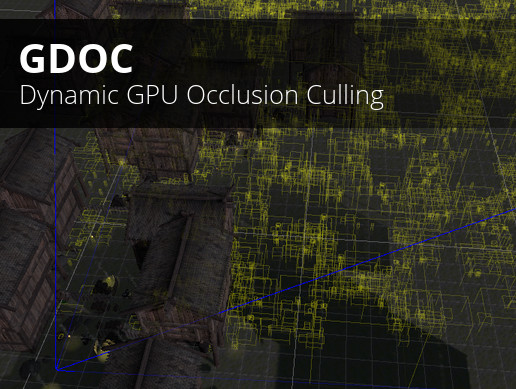
Download demo build | Forum
| Discord
Join Discord to download a demo package to test it in your project!
Note: only DX11 on Windows (x64) is supported right now
GDOC is a dynamic GPU occlusion culling solution that increases FPS by hiding objects that are n...
@warm niche send me the shader if you like
stable hazel
the first one doesn't if I remember, not sure about the first but most likely not if it uses a runtime script
quick heron
ya was just hopping as the unity occlusion system is cancer
sometimes things work when you don't expect in vrchat
fresh ermine
What issues are you having with the native Unity occlusion system?
 devout rock
Does anybody know how to make particles like stay where they spawned but not spawn affected by gravity
devout rock
becouse local doesnt look nice as it is strapped to my gun
warm niche
is it in the armature
warm niche
via joint?
devout rock
no, just plopped in the prefab, since local works but it doesnt look nice
warm niche
if the particle system is in the armature it will emit from wrong location if it's a world particle
devout rock
so you need to join it to the gun
devout rock
do you have any videos detailing this, or even just an explanation?
warm niche
or use ik follower
devout rock
how do you set an ik follower up?
warm niche
 devout rock
thanks dude
devout rock
So you keep the cube that is parented to the prefab (not bones) on , and you enable and disable the things inside of it, never the cube
devout rock
Ive done all this but the cube doesnt follow the weapon.
The cube is fixed joined to the wrist's rigid body
@warm niche
warm niche
Can you screenshot the joint and rigidbody
devout rock
the cubes -
And the hand
is there a problem with any?
Also what i mean is it doesnt follow the hand in the play, not in vrchat, ive not tested
?
Ok, so it was just a glitch involving the animation that was running Thanks a ton for your help
i loaded the main model up, and spun the wrist and the stuff followed so the joint is doing its job
😄
devout rock
and after all this hassle, and that i have to come off
the animation of all messes up.
fresh ermine
I'm working on some game / matchmaking mechanics, and for some reason whenever I teleport more than one client; it's resulting in...uh... astral projection? Has anyone ever encountered this and know how to fix it? Here's a vid showing what I mean: https://streamable.com/ri1bi
 trail jacinth
I think that might be a result of local testing...
Try to upload it and test it with two accounts or a friend
fresh ermine
good point, i'll try that!
summer berry
Yeah, local testing sometimes just fails with multiple clients.
drifting egret
Happens with chairs too
fresh ermine
Are you truly dev-ing for VRChat if you don't have an out of body experience at least once? 🤔
trail jacinth
I definitely had alot of "out of mind" experiences so far...
fresh ermine
For future reference for those who search, testing multiple clients with multiple accounts fixed the astral projection / out-of-body thing I was getting with local testing.
I must have some type of logical error here in the triggers, though - bcs now it seems to only teleport the player who instigates the custom trigger regardless of said trigger being set to AlwaysUnbuffered
 tough orchid
i saw a 2 avatars having a ring and they are connected it has a line between them,so they will know each others location wherever they are,im wondering if anyone know how to do it.It looks like this
i cant send screenshot
fresh ermine
Upload your screenshot to Imgur and post the link!
warm niche
@tough orchid yeah there is a booth shader which does that
tough orchid
booth shader?where can i get that,those are 2 diofferent players and 2 different avatars how those it work o-o
fresh ermine
@tough orchid https://booth.pm/en/items/1130924

本商品(ペアリング)はVRC・Unityでの使用を想定した商品です。ペアになった2つの指輪が同じワールドにあると指輪の色が変わります。 NoUseMemoryバージョンとUseMemoryバージョンとLayLineがあります。UseMemoryバー...
tough orchid
thank you thats so cooll
summer berry
Hm, now how does it work?
fresh ermine
I'm curious too because it's supposed to auto-magically work when the pair of rings are in the same world together. I thought originally it'd be something clever with fixed joints and/or maybe avatar stations. They mention using memory to pull off the mechanism tho. maybe they're using render textures?
summer berry
Oh
Wait, nevermind
Not sure what memory it has to read. Both are from different asset bundles, so they can't share render textures.
warm niche
This too I think

本商品(フレンドリング)はVRC・Unityでの使用を想定した商品です。 8個までの腕輪をセットで使うことで、同じキーを設定した腕輪どうしが光り、互いの場所をレイで示します。 腕輪・指輪・イヤリングの...
fresh ermine
"Change the key value of all the materials (MemoryReset_Lay, VertexPass_Lay, Gem_Lay, MemoryHider_Lay) from 0 to 9999. (Set the same value for all materials.) Share this value with another ring."
Shader-based?
tough orchid

他人の迷惑にならない様に、時と場所を弁えて使ってください。 参考動画(https://twitter.com/kazenainannna/status/1068838178633609216) 画像付きの説明PDFを追加しました。
this is also something similar
oak pollen
Yes, using screenspace and grabPasses
 hexed quiver
all these nice systems. vrchat should support this kind of stuff natively.
tardy folio
But why? lol
 neon warren
hi so i try make bell sound are hit
stable hazel
you might need to be more specific
trail jacinth
and more grammatically correct :P
stable hazel
On the audio sources, make sure you have the Output set to the Master from the VRCSDK and not from standard assets
trail jacinth
Also make sure the layers are setup correctly
neon warren
i not sure work with script
trail jacinth
What? VRChat doesnt allow custom scripts, other than the ones whitelisted on the Documentation.
neon warren
where
trail jacinth
The following is the complete list of scripts usable within worlds, components not in this list will not work. Unity - WindZone - VideoPlayer - Tilemap - TilemapRenderer - Terrain - Tree - SpriteMask - ParticleEmitter - EllipsoidParticleEmitter - MeshParticleEmitter - ...
trail jacinth
Well sorry I dont know what youre trying to do and I never worked with PhysSound, I cant help you
stable hazel
I honestly wouldn't use PhysSound for this, it looks like you're just using an animation so you might as well include the sounds as part of the animation
 jolly frost
Are there any known plans on switching to Unity 2018.4 LTS?
neon warren
no
trail jacinth
They want to update as soon as they feel comfortable with ith. They might skip to the lts version of 2019 tho.
But nothing in short terms no.
jolly frost
I see. Thanks. Was thinking about the shader graph editor released with 20814(?) and if it can be used for VRChat
But maybe that's a 2019 feature?
 sterile cipher
We haven't stated that we're skipping an LTS. Please don't misrepresent info. 😛 During our last Dev Stream we stated we're looking into upgrading to 2018.4 LTS as soon as possible, but it isn't a minor thing. Working on it soon.
quick heron
please don't go to 2019 yet .. so many bugs still and many assets have not worked out the new pipeline yet .. best practice is to stay 1 year behind unless you really feel like having a lot of pain .. 2018 adds shader graph so perfecto relay look forward to it >>
@sterile cipher any time or road map yet ? will this include HDRP LWRP .. any possibility for new support with Bakery .. the question has been out for a long time with no relpy or progress suggested in public
near bronze
I don't think 2019 was even on the table for awhile considering they appear to be sticking with LTS releases, it won't be out for another year anyway
2018 LTS was only just recently released
quick heron
ah perfecto
ya need to wait till the next may sale lol
many assets not going to do a clean upgrade .. they will reset new for 2019+ e.g. more $$
trail jacinth
@sterile cipher I used the word might very carefully there. Thought it would be a sensible thing to consider skipping a version, if the next one is already available, since it would avoid the trouble of having to upgrade again shortly after. Also I dont expect anyone to take my word as fact. Next time I will link your streams/tweets for reference, k? ;P
near bronze
well yeah 2019 is already available, but not the LTS version. That's the whole point
trail jacinth
Well its the middle of 2019 and if it takes alot of time and work to upgrade to the next LTS version, I would rather keep the running system going, and wait a little longer to upgrade with more care and consideration. But yes I see that I didnt differentiate opinion and fact enough there, my bad sorry.
latent hemlock
It’s funny that we haven’t moved to the latest 2017.4 LTS, it should be minimal effort to do
drifting egret
I thought that was the whole point of getting on the LTS releases
There's still a pretty large security flaw in the 15f1 editor after all
The fact that the SDK (or the game, or the website) doesn't even recommend the mitigation tool is beyond irresponsible, from a security standpoint. All we got was a one-time blog post, that you would only know about if you were active in this Discord server at the time. If you joined later or missed the message, you would have no way of knowing.
trail jacinth
Well yeah thats a really tricky situation. Unity did an oopsie, but they made a mitigation tool and they recommend using new versions so they are practically out of responsibility. VRChat uses that version however so they have to either live with the security flaw, or move on to the next version, taking the risk of collateral damage. But I agree, as soon as a security flaw (and really not a small one) is known to the public, you should move on asap, because then people will be able to abuse it.
drifting egret
I don't blame Unity for this one, but VRC really oughta take this more seriously
They should have updated ASAP or put up a warning in the SDK
drifting egret
That too
latent hemlock
Or just yknow, migrate to the latest 2017.4 release, since they should all be compatible, or, even better, make the sdk work with every version of 2017.4.x and put a warning if using an affected version of unity
Since the LTS versions are meant to be compatible with each other nothing should break by uploading an avatar with a slightly different version
I’m surprised that didn’t happen after they went through all that effort to ensure that 5.6.3p1 avatars loaded into the new engine and looked mostly fine
fresh ermine
Gotta cut the devs some slack. It's surely easier to update to the next LTS from the current, but doing that when the vuln was disclosed might have adversely affected their progress with the Quest builds. The attack surface is small (only affects the editor, easily mitigated without impairing function + mitigation was provided before it could be used in the wild) and the threat assessment for VRChat content creators (and even most game developers) is ultimately low.
latent hemlock
They already have a metric ton of slack, moving from one LTS to another is literally so little work you can get by with just saying it’s just a formality. The only thing changed between LTS versions is bug fixes, no functionality changes, I can literally pick up working code, swap out the editor for another LTS on the same branch and not even realize anything changed. And you’re telling me that just doing that would slow down quest builds?
fresh ermine
I can only give you the InfoSec perspective that VRChat is an organization so they'll balance resources like any other organization when it comes to security -- using some form of risk assessment. Nothing will ever be 100% secure.
It's a waste of energy to be bitter at the devs off presumptions of how their dev pipeline works, though. We don't know what goes on there! I think they do deserve slack; they're a small team working on a (free-to-play) game that scaled faster than anyone could predict so there's probably still a lot of catch up happening (but this is probably starting to move off-topic for this channel).
 verbal plume
Hello I would like to ask if anybody knows a way to convert generic [human like model] animation to humanoid animation?
stable hazel
I don't know the specifics, but if you 'attach' the animation to a character fbx, then import that into unity, and set the model as humanoid (maybe remap the bones a little depending on the model), you can then duplicate the animation out of the fbx and it should be ready for humanoid models
verbal plume
Basicly what i want is to convert it between a generic and humanoid rig
https://gfycat.com/VibrantIllinformedHypacrosaurus

left model is generic type
right one is himanoid type
simply moving the animation between em is imposible
 civic coral
Hello everyone, I have a problem that I could not overcome, but maybe you guys have some ideas about it:
Is it doable to have a custom trigger to be triggered locally only for the owner of an object, while letting the owner triggers this one (such as pressing a button) is impossible?
trail jacinth
What?
civic coral
I searched a little bit on this discord server and found out that PapaDad is facing the same problem, as shown in this screenshot
trail jacinth
I didnt get that second part
Well those are two different problems and it depends on how you determine the "owner"
stable hazel
yeah it's possible, you'd have to do an Owner Local setup, where only the owner of the object has certain things enabled
civic coral
Ok, I think this might be the solution, but in case of that the owner isn't determined by OnPickup or OnInteract, how do we achieve this kind of "local enabled object"?
verbal plume
Gotta love when my question is totaly ignored 😂
stable hazel
there's an RPC for TakeOwnership where you can make someone the owner of an object without it being picked up
trail jacinth
You werent being ignored, its just that theres not always someone who knows an answer :P
stable hazel
Oh and sorry WEST I just don't know enough to help your problem, you might have more luck in an avatar related channel?
trail jacinth
@civic coral set OnPickup/OnInteract to local, make it enable a gameObject with a custom trigger. If you now call that custom trigger for everyone, only the owner has it enabled.
civic coral
Ok, to clarify, my setup is already using a randomly moving "trigger" collider to select a random player as the owner. There is still a problem: it is possible to have multiple players colliding with the collider at the same time, so that I cannot safely assume the custom trigger to trigger only for one player
trail jacinth
Why are you doing it a with a trigger collider then?
civic coral
However, as far as I know, the ownership of a sync object is unique, so that every player can come to a consensus on who is the chosen player with this property
trail jacinth
What are you trying to do?
civic coral
Er... it's hard to explain, but you can assume that I'm randomly selecting one player as the host of a game
trail jacinth
And then why do you use a trigger collider for that?
civic coral
I'm trying to add the "randomness" with some chaotic movement of the collider. Maybe there are already more decent solutions for this?
trail jacinth
Thats probably the worst solution xD
civic coral
Oof.
trail jacinth
Ok so you have a gameobject with a trigger that sets the "host". That one is enabled by default.
Then you have gameobject with a trigger that does the random selection. That one is disabled by default.
That trigger needs to be an "OnTimer" trigger with a Min of 0 and a Max of 1.
When you want to select your host, you enable that gameobject for everyone. The first player who triggers the OnTimer will trigger the trigger on the first gameobject which immediately turns itself off and does all the rest that you need to do. So the next person who would trigger it, doesnt because its disabled.
Sounds complicated but isnt.
OnTimer basically has a built-in random function.
civic coral
Ok. However is there any possibilities that two or more players triggers the trigger before the "turn off" message reaches them? (Consider about pings and network lags)
trail jacinth
Hmm well I guess that could happen...you could ofcourse set the max to something higher like 10, to minimize the risk, but then it takes 10 seconds to choose a host, and ofcourse its still possible that more than 1 gets selected.
civic coral
😟
I guess there is no perfect solution in sense of "compete for the owner with some conditions (like timer)"
trail jacinth
No I meant the second method that I would come up with, not like an "official" way
Let me think about it for a second
Okay so basically you would do the random selection one by one
trail jacinth
It is already proposed
trail jacinth
Hmm well Id say for a simple random player selector that method would be okay. But a true random selection is really complicated. Dont know myself how Id do that
civic coral
Ok, I've added some comments on canny.io
Anyway, thanks for your input, and I'm glad to know more about this problem
The same for Igbar 😉
 warped zenith
For the SDK do we have access to all of the monobehavior namespace?
Or do we just have API points for colliders?
(trigger, etc)
trail jacinth
What do you mean "access"?
warped zenith
Can I reference anything in the mono namespace?
Physics, GameObjects, External libraries?
Controllers (input)
trail jacinth
You principally cannot write your own custom scripts. You can however call methods with UI Events
So I dont know how you would try to do that
warped zenith
Ah, so what exactly do we have access to?
Colliders, Transforms?
I'd like to make a level with games in them.
Lets say a card game.
trail jacinth
You have access to all of the functionallity the SDK scripts provide, and all of the Unity Standard components and the "Standard Assets" plus a few other ones listed in the Documentation
warped zenith
I was trying to find the API but couldn't find it, I'll keep looking around then.
drifting egret
I have a feeling UI events are gonna go away soon though, don't rely on them.
drifting egret
VRC_Triggers
warped zenith
Can I get a high concept ?
trail jacinth
@drifting egret Why should they be gone? They are an essential part of Unity and theres not really a reason to remove them?
drifting egret
Exploits
Same reason legacy animations were removed on avatars
VRC_Triggers allow you to enable/disable game objects or components, as well as some other things like setting Animator parameters
There's a list of possible actions that you should look into
warped zenith
Ah, so the components will just run a update while you turn it on and off?
drifting egret
Well you could have the triggers activate when a player enters a certain area, or when they click something, or from an animation, etc
trail jacinth
Hmm I dont think that you can really exploit UI Events since they can only really access methods that arent protected, which means that you cannot interupt the game functionality or anything like that.
drifting egret
I can open a web browser from within a world
warped zenith
Last question, do I have access to the player instance? Can I only display text on a single user and only allow them to see?
drifting egret
I'm already writing up the report and suggesting a possible fix, although the fix would probably involve removing On Click () events entirely and having people use VRC_Triggers instead.
Even for real UI canvas buttons
warped zenith
Even OnClick() for GO?
drifting egret
You can have Local triggers yes, so make sure that something only shows for the local player
warped zenith
Cool, thanks guys.
trail jacinth
Hmm but I dont really think "removing" UI Events is that easy...they would basically have to exclude it from the used libraries inside the VRChat Core, which could mess with UI in general.
drifting egret
I think you can replace built-in Unity components and just make the Press() method not functional, or get all Button components in the scene and manually unset their triggers
trail jacinth
Well its not just Buttons tho Rokk
drifting egret
I know
It's also sliders etc.
The entire Unity Action system or whatever it's called
So also some IK components and maybe some other misc stuff
And all the UI stuff of course
trail jacinth
Yeah thats quite a deep root you would have to dig up
hexed sun
Nooo I don’t want OnClick removed😭
drifting egret
We'll see
I think using VRC_Triggers and patching them into the Unity UI stuff would be the way to go
trail jacinth
If you want you could explain me how that Web Browser exploit works...I already have a suspicion on whos to fault here and how to fix it without removing UI Events entirely xD
civic coral
OnClick is such a crucial thing for VRChat
warped zenith
Do I have access to raycasting?
civic coral
This allow us to call some native functions with parameters
I don't think so, since you cannot use any custom scripts.
trail jacinth
There is ways to do Raycasting, but that is pretty advanced.
drifting egret
Well the web browser thing points to a deeper issue, which is the utter bypass of the world component whitelist
warped zenith
How do poeple have pointers at the end of their remote them?
drifting egret
And being able to call absolutely any component's method in the game with no regard for the whitelist
trail jacinth
Can you DM me about that Rokk?
warped zenith
Me too please!
civic coral
Even if there's premade one in Unity's Standard Assets (these assets are whitelisted), I don't think there is anyway you can pass the raycast info to any other functions.
drifting egret
I will once I get this written up
trail jacinth
The way we do raycasting is not really raycasting. You dont get the information in code form, but in "object" form. As I said, its very advanced.
warped zenith
I'm assuming you mean class data when you say object?
trail jacinth
No it works with a script that is supposed to keep cameras from clipping into walls, when used in third person games. AS I SAID ITS ADVANCED. xD
civic coral
Wow
trail jacinth
You cant work with code at all in VRChat
civic coral
No, he probably means GameObjects
warped zenith
fuk
trail jacinth
you can use scripts. But you cant modify them
warped zenith
I can't even add my own script to say play a youtube video on a material render?
warped zenith
And that's under the VRC namespaces?
So I can't even add a material renderer and set a URI?
civic coral
Check out this one: https://docs.vrchat.com/docs/vrc_syncvideoplayer
Sync Video Player has various features, including: - Allows a Video Player to be synced with others in the instance - Allows playlists - Accepts YouTube, Vimeo, and DailyMotion URLs ## Requires: - [Video Player](https://doc...
You have to solve everything with only what are provided
People usually do game logics with state machines provided by Animators
warped zenith
Oh shit, thank you I didn;t even see these docs.
civic coral
Nevermind
After all disappointments, I'd still like to tell you that you still have a lot of freedom with shaders if you'd like to make some special visualizations
warped zenith
Not a lot of stuff I can do...
trail jacinth
You can do alot. But its not programming. Its a different form of developing.
warped zenith
So say I wanted to have a timer in game that counts down?
trail jacinth
That is already pretty complicated, depending on how you want to use that timer. Easiest would probably be using an Animation.
warped zenith
I'm assuming we at least have forces on objects?
trail jacinth
Yes. You should really check out VRC_Trigger and what you can do with actions.
 polar wagon
Anybody know what RPC portals use?
warped zenith
Awsome just looked through all the API's looks good.
polar wagon
If I wanted to make a trigger based world portal
trail jacinth
What?
polar wagon
If I have a trigger with SendRPC and the portal as the target, what custom method do I need to use to have it trigger a portal
trail jacinth
Trigger a portal? What do you mean?
polar wagon
Exactly that. Have a trigger initiate a world change
For example a button or interactable that changes worlds
trail jacinth
You cannot do that without portals.
polar wagon
I've seen worlds do it
trail jacinth
Hmm I dont know then
polar wagon
for example, that one marketplace world that goes live every so often
stable hazel
there's definitely an RPC for that, I've never played with it though
polar wagon
Any idea what it might be? Lol. I can't find any info on it anywhere
stable hazel
let me dive into unity and look, vrchat's docs are completely useless in these cases and our wiki hasn't covered it yet
polar wagon
when it says in the vrchat docs that debug menu is opened with Menu + 1, menu is the windows key no?
stable hazel
it's been changed, it's Right Shift + ` + 3 now
stable hazel
I don't think you can scroll up on in the game log, you'd have to look at the output log for that
polar wagon
there is a scroll bar but I guess it's useless lol
trail jacinth
Nah its really not obvious xD
trail jacinth
PlayEffect is probably just for the Portal Effect (duh) not for the actual transitioning
You would have to look at what it says when you actually enter the portal
polar wagon
yeah
stable hazel
I actually cannot find it, there's no RPC options for it apparently
trail jacinth
As I said. Transitioning players to other worlds is something that shouldnt be available to Creators for security and other reasons. So I think we cannot use it.
polar wagon
Then the worlds that do it must be using some gimmick
do moving portals force-port people?
trail jacinth
Well the most obvious one would be just having a playerfollowing portal xD
polar wagon
I remember in the death run game there were uganda portals that ported you
yeah lol
ok I'll just have it on an animation to move toward the player?? seems dodgy lmao
thanks for your help guys
trail jacinth
Well no thers other ways to do player following
but that is pretty advanced again xD
Why do you need to send people to another world?
polar wagon
I have a couple worlds I want to link but I hate portals
they're ugly and don't fit my world's aesthetic
trail jacinth
well I would just recommend. Deal with it.
polar wagon
Thanks
it's just weird that there's no world switch rpc because there is an Avatar switch rpc
To force change avatars
trail jacinth
Well that is indeed a bit strange
warped zenith
To develop with the SDK I need to use 2017 right?
trail jacinth
Yes Unity 2017.4.15f1
warped zenith
I'm trying to log in and the UI keeps resetting.
For managing content
This is really unstable.
trail jacinth
Then youre doing something wrong.
trail jacinth
That part of the console looks normal
warped zenith
It shouldn't be updating every 3 seconds
Why does it keep reloading the assembiles?
trail jacinth
I dont know. Never had this problem.
fresh ermine
Possible you have a firewall blocking something?
warped zenith
How would that reload assemblies.
fresh ermine
I thought you said it wasn't letting you log in becuase shit was resetting, thought it might be a network check not going through. No clue on the assemblies - that is strange.
warped zenith
It's resetting because it's reloading the assembiles.
There's some Editor task that is doign it .
trail jacinth
That is normal tho...
warped zenith
To keep setting every second?
trail jacinth
Well that is not normal no
I really dont know xD Make sure youre using all of the correct versions and everything...other than that no idea
fresh ermine
That looks right. Maybe there's an issue with your import of the SDK where a file got corrupted or .meta files got messed. Try deleting + re-importing?
warped zenith
Okay I finally got it working just had to remove the event, last question how long till I can publish something?
fresh ermine
What did you remove to fix it? (Might be helpful for someone who has that issue in the future and searches here). There's no set time until you can publish unfortunately. The only thing they suggest is to spend time in the game and make some friends, etc. + eventually you'll get access. I believe you'll get an email notification when you get it!
warped zenith
For sure,
    static EnvConfig()
    {
        //EditorApplication.update += EditorUpdate;
    }
It shouldn't be updating that much if it's not configured, and the force configure doesn't work.
For development should I be logging into my steam account or the account I use for logging into the SDK?
fresh ermine
VRChat account!
warped zenith
kk good thanks!
warped zenith
Hey guys, one last question, how are buttons handled?
near bronze
You just need a vrc_uishape on the canvas for players to interact with them, and then you can use their functions to call normal triggers in order to do networked events
This video goes over it https://youtu.be/us-yO_E31gU

This tutorial shows you how to make Unity UI Text and Buttons. With the buttons you can activate different functions but these functions will be local to you...
warped zenith
Thank you Phased
warped zenith
Okay one more question for you guys. I need to dynamically update my UI from a list of words, what's the best way to do this? My current hack is to create each UI as a GO and then setting them on and off.
near bronze
I'm not sure what you mean by dynamically update from a list of words
near bronze
animators can't really do anything with strings, but you have some options with buttons
warped zenith
Basically what I need to do is dynamically update UI text.
buttons[i].GetComponentInChildren<Text>().text = words[i];
That's the Unity code that I'd like.
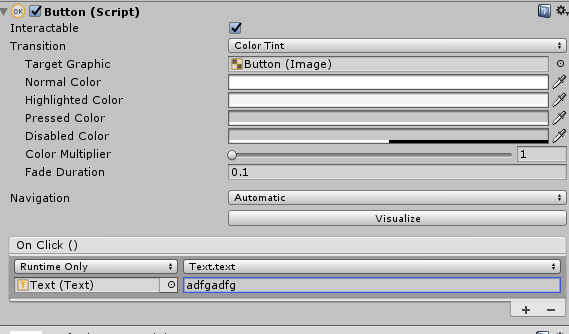 warped zenith
But from my own collection?
warped zenith
Can I do this all in a script?
near bronze
nope
warped zenith
Ah,
near bronze
is it just a text file and you're trying to figure out what to do with it, or do you already have it ingame in some form and need to get it from one thing to another?
warped zenith
I have a text file then I read all lines and toss it into a list.
From there I'd like to be able to use it.
|But if not I'm just creating a editor script to spawn each word as a custom button then setting them active.
near bronze
and by dynamically do you mean like changing individual characters or just swapping out the whole thing at once?
warped zenith
The text yes.
near bronze
then yeah, buttons
warped zenith
And last question, opening a web broweser?
trail jacinth
Shouldnt.
warped zenith
So linking to websites or authors info?
trail jacinth
Well you can type a link in text. But you cant user hyperlinks or anything.
warped zenith
Cool thanks
near bronze
It's not ideal but you can use an input field and players can select them, copy them, and then paste them into their own browser
Which works great in desktop but can be inconvenient in VR
 gilded oracle
Do i ask for SDK help here?
trail jacinth
Depends on what kind of help you need, but ask away
gilded oracle
right so im trying to login to the SDK
to upload something but it wont let me input anything into the boxs
and when it does it doesnt pick up everything and then wipes it
trail jacinth
Maybe its just loading, try to wait a little
gilded oracle
ive waited over 10mins now
the top text keeps changing and removing anything i put in
 light bobcat
hey I'm having an issue testing dynamic bones in Unity after hitting play in unity I can't seem to move my avatar at all
anyone know the issue?
trail jacinth
Are you sure youre in the "Scene" window and not "Game" window? @light bobcat
drifting egret
Weird question maybe, but the last time networked IK was implemented, I noticed that avatars without finger bones suddenly got access to hand gestures.
Is that the case right now, too?
 solemn pendant
Can someone help me make flickering lights for a horror map?
quick heron
do you have a idea how you like it to look
like a candle flicker or paralyzing seizures
warm niche
Should teleport triggers be local for pickups?
near bronze
you mean like teleport player or teleport object?
warm niche
teleport object
near bronze
probably should be, because objectsync will handle syncing anyway. If it's broadcasted then other people will see it teleport, then objectsync will bring it back to it's original position, then objectsync will send it back again to where it got teleported to. Since there's a delay between triggers and objectsync
warm niche
Thanks, that's what i thought.
warm niche
Is the SendRPC (Drop) action broken? I pick up beer object and put it into a collider which is on the bin layer that i created for it. It's mean't to drop the beer object but it doesn't. Any ideas?
near bronze
it's not broken, but it needs to be local on both the trigger setting and the RPC setting
warm niche
near bronze
that should work, is the trigger even firing?
warm niche
The teleport trigger below it works when i throw it into the collider.
near bronze
is the object that you're dropping the same object with pickup on it? It's called tele, are you sure that's not the object you're wanting to teleport it to?
warm niche
The object is called Beer01_2 tele new and that's what the trigger is on. The teleport location is another object
stable hazel
TeleportTo is a pretty icky RPC so that could easily be the problem
 dapper mountain
@warm niche You dont need the Special Layer component. You need to remove that.
warm niche
You mean the player now walks through by default?
dapper mountain
What do you mean? You can change the layers from the Unity layer system. There is one called "Walkthrough" If you assign any gameobject with that layer, players can walk through it.
warm niche
Thank you, removing the special layer and putting it on walkthrough solved my problem.
proud meadow
Is the Layer Collision Matrix in physics set by the SDK to the same one used ingame? Can I change collisions for any of the extra layers? Could a layer like walkthrough be made to collide with playerlocal?
near bronze
you can't change the layers that the SDK sets, but you can do whatever you want with the extra layers
 glossy widget
Any particular reason the current SDK would crash uploading a world with content created with Gaia?
stiff lily
Well it's not whitelisted, so that would probably be the reason
The following is the complete list of scripts usable within worlds, components not in this list will not work. Unity - WindZone - VideoPlayer - Tilemap - TilemapRenderer - Terrain - Tree - SpriteMask - ParticleEmitter - EllipsoidParticleEmitter - MeshParticleEmitter - ...
quick heron
@glossy widget @stiff lily Gaia generates terrain and you can fully delete gaia from the project asset folder and it will still work .. its more likely you used some other asset with script in it .. the demo assets in Gaia such as water may have scripts that VRC is preventing .. you can replace the water shader and remove the offending scripts
 woven vortex
I have a keypad that is supposed to teleport the local player when they press the last button in a sequence. I've tested and it worked fine when I was alone, but when I tried it with other people in the room, sometimes it teleports everyone in the group.
This is my setup:
- Parent object with an Animator (keylock controller)
- Parent object has a VRC_Trigger. Set to Custom > Local. Its name is "Admin teleport". It has two actions, the one that matters is TeleportPlayer. The receiver is a GameObject located where I want to teleport to.
- The parent keylock object contains a Canvas with a VRC_Ui Shape Script and many buttons
- Each button has the On Click () set to Runtime Only, VRC_Trigger.Interact and then is linked to itself.
- Each button has a VRC_Trigger. Set to OnInteract > Local. It has two actions, AnimationInt(Value) (a unique number for the button, this is a full keyboard so it is an ascii value) and AnimationTrigger(Press)
- The Animator is set up to check each button press and works as expected in Unity and in VRC.
- After the last button press there is a transition to a final state. This state has a Motion, "Admin Tele Trigger".
- This motion is an animation with a single Animation Event. Function: ExecuteCustomTrigger(String), Parameters String: "Admin teleport". This is what event is what triggers the VRC_Trigger back in the 2nd step.
All of this works when I test it solo. My problem is that it is a really buggy with more than one person in the room and teleports multiple people.
I can provide screenshots of specific components if that helps.
stable hazel
two things that could be giving a problem:
-all the triggers in this system need to be Local, it sounds like you already have it setup like this but just double check. And I do mean every trigger in that.
-you have an object sync or an animation sync attached to the animator object, forcing it to sync for everyone else
woven vortex
I have a vrc_pickup script on the parent object, would that do it?
stable hazel
yeah probably, I've heard there's been some fuckery with pickups being synced even without an object sync script on it or something like that
woven vortex
is that a new problem? I have another local pickup in the world and though no one else can see when I pick it up (as intended), recently when we were testing, only one person could pick it up at a time
stable hazel
oh here is actually the exact problem you were having https://vrchat.canny.io/bug-reports/p/local-vrcpickup-have-animations-synced
woven vortex
oh I just realized there's an #event-system-sdk2 channel, just let me know if I should report in there
respost*
stable hazel
eh it doesn't matter, they're all pretty much the same thing anyway. Just move the Animator off of the pickup script and your system should work
woven vortex
I'm so glad I asked! This was going to drive me insane
should I just more the animator down to the canvas and keep the pickup on the root? ugh, I have a feeling this is going to break all the object links and make me redo each trigger
stable hazel
yeah just move it down off of the pickup. You will probably have to fix the paths in the animations and the target for the AnimationTriggers but it should otherwise be okay. Just don't multi-select the triggers or they'll default to something else
woven vortex
well the first thing I'm trying is making a new root named Handle and moving the whole prefab under that
woven vortex
thanks for your help @stable hazel , I'll need to test again properly later and see how it goes
stable hazel
the syncing should at least go away, you might have some slight issues with shuffling stuff around though. Just double check everything and it should be good
 eternal mantle
Does anyone know how VRC_Datastorage.cs is linked with VRC_Panorama.cs? I looked in the VRC_Panorama.cs script and do see that they're very dependent on each other. Especially that the data name has to say "display".
hexed sun
Panorama component shows the image specified by the “display” variable in Datastorage. You can find an example in vrchat SDK @eternal mantle
 echo tundra
I posted about this in #user-support-old because I'm not sure if it's a personal issue or not, but when I switch builds to Android something goes wrong with the SDK's scripts and the publish button disappears. All of the errors are either "Object reference not set to an instance of an object" or "You are pushing more GUIClips than you are popping. Make sure they are balanced"
stable hazel
I don't know if this is the same issue, but I get that GUIClips error when I have an avatar with a station and the Enter Location is specified but the Exit Location isn't. Probably isn't your problem but with a mention
echo tundra
The avatar is a very simple one technically, just a standard model with nothing special.
Looking through the console, the error seems to be about the script looking for illegal shaders
which is weird, because I'm using Standard Lite from the latest SDK
trail jacinth
Well its new, so they might have either done something wrong, or theres something with your setup specifically. Could you maybe show what it says?
echo tundra
It does the same with the old shaders too, so it's not the shader specifically.
The console is spitting out hundreds of the same 2 errors:
GUI Error: You are pushing more GUIClips than you are popping. Make sure they are balanced)
ullReferenceException: Object reference not set to an instance of an object
VRCSDK2.Validation+<FindIllegalShadersEnumerator>c__Iterator2+<FindIllegalShadersEnumerator>c__AnonStorey9.<>m__1 (System.String okayShaderName) (at Assets/VRCSDK/Dependencies/VRChat/Scripts/Validation.cs:268)
System.Linq.Enumerable.Any[String] (IEnumerable1 source, System.Func2 predicate)
VRCSDK2.Validation+<FindIllegalShadersEnumerator>c__Iterator2.MoveNext () (at Assets/VRCSDK/Dependencies/VRChat/Scripts/Validation.cs:268)
VRCSDK2.Validation.FindIllegalShaders (UnityEngine.GameObject target, System.String[] whitelist) (at Assets/VRCSDK/Dependencies/VRChat/Scripts/Validation.cs:235)
VRCSDK2.AvatarValidation.FindIllegalShaders (UnityEngine.GameObject target) (at Assets/VRCSDK/Dependencies/VRChat/Scripts/AvatarValidation.cs:880)
VRC_SdkControlPanel.OnGUIAvatarCheck (VRCSDK2.VRC_AvatarDescriptor avatar) (at Assets/VRCSDK/Dependencies/VRChat/Editor/VRC_SdkControlPanel.cs:1033)
VRC_SdkControlPanel.ShowBuildControls () (at Assets/VRCSDK/Dependencies/VRChat/Editor/VRC_SdkControlPanel.cs:262)
trail jacinth
maybe you could have posted a picture instead of a wall of text
echo tundra
Trust me, the picture would be harder to make out
It's all crammed onto one line
Let me see if I can mess with the window size to sort it out
How's this?
trail jacinth
Hmm well the weird thing is that this is something that happens on code level. Only ways I could imagine how you would have caused this, is either by giving it wrong inputs (like leaving a texture empty/null) or by using it in a wrong context
Yeah thats weird...it gives you a NRE which shouldnt happen for what youre doing. Either they didnt consider something pretty specific or youre just doing something wrong :P
echo tundra
I feel like it's the former, since the model itself has nothing special going on.
It's just a mesh with an armature and a descriptor
trail jacinth
Well you could have done something wrong, before even opening Unity :P
echo tundra
To make it even worse, it wasn't doing this yesterday in the same project file
trail jacinth
"Doing something wrong" can be very easy. For example I tried something with another programm before, and I couldnt get it to run. Turns out the reason why it didnt ran, was because it was using a very specific instruction, that was blocked by another program for security reasons. Just to give an example of how abstract "doing something wrong" can be...
echo tundra
oh my god, now it works again
no idea what I did differently, I didn't even change anything or close unity
trail jacinth
Sometimes the SDK takes a while to ready all the assemblies etc., maybe you just didnt wait long enough, before you clicked the button or something idk xD
 manic cloud
close unity, delete sdk folder and vrcsdk.meta, then go to plugins and delete vrcsdk folder if u have
be sure you're not using outdated or modified sdk
it should work
trail jacinth
Ohh yeah did you just "update" the SDK by importing the new one?!
manic cloud
does it happen in completely new project too?
echo tundra
Yeah, it must be something with my PC that VRCSDK doesn't like
trail jacinth
Nah thats very unlikely
manic cloud
well, I've got no clue then
new project, 2017.4.15f1, fresh downloaded sdk, if it still happens then it might be an asset from other package you might be importing, can't think of anything else
trail jacinth
What happens if you only use one shader that was "legal" for quest before?
echo tundra
as in before they added Standard Lite?
trail jacinth
Well yeah just try to use the ones that were okay before
That way you can eliminate that its the SDK itself.
echo tundra
That isn't affecting anything
trail jacinth
Hmm well...the Console error that youre getting is (I think) the Validation Code going through the Shader list and comparing them to an internal list of "okay" shaders. And the fact that youre getting a NullReferenceException means that its trying to reference something that is null (duh). So obviously someone made a mistake. And judging from the fact that I hope the guys over at VRC at least test their stuff once. Its probably you that did the mistake. However I have no idea what exactly you did, Sorry bud xD
woven vortex
Okay, so I have a stream player with playlist of 10+ twitch channels on it. When you enter a world, VRC tries to connect to every twitch channel and posts errors in the output logs for every stream that is currently offline. I have a UI with a button that sets the PlayIndex and calls Play for each item in the playlist. The way I've had to make this work for the last year almost is just make a new world 5 minutes after anyone starts streaming. We run events with live DJs. This works fine for a small event with one DJ, but more and more it's becoming a problem when we have a packed schedule and have to remake the world every 1-2 hours, or a stream temporarily disconnects.
Is there a way to get around this by clearing the playlist and adding individuals back in with a button press? Can I use Clear() and AddUrl() and pass a string saved from somewhere? Would it work better if I made the whole thing a prefab and destroyed it then remade it? What are the steps if I went down that road?
 tight cape
need help, wont let me sign into my vrchat account on unity
tight cape
nevermind, got it
trail jacinth
@woven vortex youre trying to do something pretty specific...could you elaborate a bit more what the goal of your system is and the conditions that it needs to work with?
woven vortex
There is a stream player with lots of streams in the playlist. Each stream only works if the streamer was broadcasting before I made the room. My workaround is asking them to start streaming 5 minutes before an event. However, I sometimes a schedule with a new DJ (streamer) being featured every hour. I have 5 this Saturday and the workaround of remaking the room and getting everyone through the portal every hour is a huge hassle.
Is there an alternate way to hook up all the triggers? The current setup is just a playlist on the stream object, and buttons for each index of the array on the playlist. Is there a way to avoid remaking the room by not using the playlist at all?
trail jacinth
So wait you want to have one Stream Player, that contains all the different streams in a playlist, for what reason?
Again what is your goal? @woven vortex :P
woven vortex
The goal is to hit a button, to switch to a new stream. Without having to remake the world.
trail jacinth
And why isnt adding and removing from the playlist not an option then?
woven vortex
I'm asking if that's a valid alternative because I don't know how to do that with a button
trail jacinth
I havent used the VideoPlayer much, but you should just be able to use the RPCs listed here:
https://docs.vrchat.com/docs/vrc_syncvideoplayer
Sync Video Player has various features, including: - Allows a Video Player to be synced with others in the instance - Allows playlists - Accepts YouTube, Vimeo, and DailyMotion URLs ## Requires: - [Video Player](https://doc...
woven vortex
Like how do I send a string to AddUrl? A hidden InputField somewhere? Sorry I know a bunch about what's documented but not about what kind of hacky workarounds with animation key events I need to employ to work within the restrictions of the sdk
trail jacinth
ok let me see for a second
woven vortex
I'm aware of all the RPC, but I haven't seen a good example of how to add a url other than when you have a custom url input field on a canvas
trail jacinth
There.
Maybe add a "Clear" before the addUrl
Thats just a crude example and wouldnt work very stable, the resources on the VideoSync are pretty bad and the system itself is pretty unstable.
But you could just have different buttons for each streamer
That would switch to each one
If you'd like me to, I would help you in a call, but again I dont have much experience with the VideoSync itself...
woven vortex
oooo
okay @trail jacinth thanks, I'll try that, but I'll have to test it a bunch. This will actually be way easier to maintain because I needed to test each link to verify which index was for which button
I think I need to isolate a separate play button so there is a delay after the add url
trail jacinth
Adding a URL on Stream mode might play it automatically
woven vortex
or I can put the triggers in an animation
trail jacinth
I dont know tho
You could but again the video player is very "strange" in how it owkrs
woven vortex
from the docs:
AddURL RPC
Adding a URL will only work if a video clip is not present in the playlist. Trying to immediately play the video after adding a URL will likely not work, because the video takes time to load. Induce a delay either via a StateMachine or by using a second button press to allow some time for the URL to resolve and the video to load.
woven vortex
yeah the streams are going to be a pain to test because none of the people I need to test against are going to be live until saturday, so I'll need to change everything to random streamers
trail jacinth
I would recommend testing with a 24/7 music stream or something
woven vortex
I think I can find some people to start and stop their own stream for me
 opal canopy
hmm, is there a way with blender scripting to construct UV maps that aren't 2d? (e.g. a "UV map" with coordinates that have 1, 3, or 4 elements)
opal canopy
or for that matter some other way to attach 3-or-4-vector items to vertices?
trail jacinth
Well thats not what UV Maps are meant for tho? I dont know what youre trying to achieve but there is probably a better way of doing it xD
warm niche
Almost there guys; been slowing down due to Video Editing things + the more detailed Knuckles. But I will have 20 done by tonight
I think I should make a convenient Knuckles for Knuckle Users; a Microphone Knuckles (For Interviews) and a Camera Knuckles (Shoulder Rigged one; not the one with the camera in mouth) that way; they can interview people in VRChat as Knuckles.
opal canopy
@trail jacinth looking for ways to pass arbitrary data into the vertex shader in general 😃
I guess I can probably keep adding uv maps for each pair of floats...
or vertex colors for float4s?
I wonder... if I set a UV coordinate outside of 0-1, will it be preserved by blender and unity and make it to the shader?
warm niche
I love this lighting, it' beautiful; however this world still neeeds renovations; more furniture more banners, etc, etc.
warm niche
Mouth not working while speaking! No mouth movement! No lip sync!
Help!!
quick heron
shhhhh
 severe hedge
Could one embed an emulator into a world?
stable hazel
probably not?
trail jacinth
What do you want to do with it anyway?
opal canopy
I mean... triggers are probably turing complete, but good luck with that one.
hexed sun
I’m going to have 200 synced pickup objects in a small world. Are they going to cause lag, in terms of network traffic?
warm niche
Some of my triggers are changing from OnEnable to Oninteract by themselves... ?
That's twice they've done that now.
stable hazel
you usually get that if you multi-select trigger objects. OnInteract AlwaysBufferOne seems to be the 'default' trigger setup if something goes wrong
warm niche
Well, i did multi select to move them outside the master object (which is empty), not sure why that would do it.
summer berry
Multiselect is usually bad with triggers
stoic tapir
if you need to multiselect things with triggers, minimize the component first
trail jacinth
Wow thats actually a pretty neat trick that I never thought about xD
summer berry
Or use the lock in the top right before selecting it, but that's probably not as useful
stoic tapir
I learned my lesson when i had over 250 triggers get changed lol
trail jacinth
Well whatever you were doing with 250 triggers changing them all at once xD
stoic tapir
i just wanted to count how many i had 💦
 prime patio
I have a problem. I want to control a person by first sitting in a chair. I tried to tinker and never came out right. If anyone helps thx :3.
stable hazel
you might need to give more details for what you're trying to do, I'm not sure I understand
prime patio
A user will spawn in a world filled with chairs. The user will sit 1 of these VRC_Chairs, and enables another model that can be controlled by sitting in that chair.
I tried to do it and i control all of them not just one. I want like friend(s) sit by me and enables the other model(s) so they can control 1 of them. Everyone should see all the models that are being used.
Like mind control chairs
 proper prism
any ideas why is stuck like this? i cant update my world cus doesnt load anything, i did a test build and works perfectly, i tryed removing the sdk and meta, i tryed a new scene descriptor nothing works
near bronze
Your sdk is out if date
proper prism
i did the update https://cdn.discordapp.com/attachments/524231634388516865/588212850086903818/unknown.png

still says
that
trail jacinth
What do you mean its "stuck"? You cant press the upload button or what?
proper prism
yes
near bronze
Just downloading is not the same thing as updating. Make sure you follow all the steps here https://docs.vrchat.com/docs/setting-up-the-sdk
Requirements We're going to need a couple things before we can get started. - Unity 2017.4.15f1 - Scroll down to find LTS Release 2017.4.15f1 If you have Unity Hub installed, you...
proper prism
i downloaded and updated the sdk as usual
trail jacinth
Yeah Phase read above
near bronze
Something went wrong with the update or something then. Either way, make sure you follow all the steps in the documentation
proper prism
i removed the sdk and vrc meta and installed the sdk fresh still does that
trail jacinth
Maybe something with the login went wrong? Or you have any kind of script (even tho that should only break after you press upload)?
Try to describe as detailed as you can what goes wrong, or make a short gif showing what happens
near bronze
Did you close unity, then delete the sdk, then open unity and reimport? If you just deleted it from within unity that won't work
proper prism
i tested it in test build everything goes fine just when i do new build to upload it as normal stays like that even the picture doesnt show the camera
yes i did
trail jacinth
So when you click upload, what does it do? Just nothing?
proper prism
i followed the same instructions for updating the avatars from 5.6.1 to 2017
trail jacinth
No console errors, no changes?
near bronze
The main reason I'm so insistent is that you don't have community labs, that's a somewhat new addition to the sdk so if you don't have it, you're outdated
trail jacinth
See that looks different
trail jacinth
The only reason why that could change anything is with the compilation of the scripts
You probably didnt give Unity enough time to compile all of the new SDK scripts...
But usually it compiles all scripts before even going into play mode
So yeah. No idea what you did xD
proper prism
yeah i waited even restarted like 3 times the unity
well thx anyways
what i dont understand is still showing this
trail jacinth
What?
stable hazel
it does that
stable hazel
it won't ever actually say that you're up to date, only tells you what the latest version is
proper prism
oh yeah lol
trail jacinth
On the Build Control Panel
proper prism
trail jacinth
Yeah youre good then
proper prism
cus i remember the msg was ure up to date before
trail jacinth
Apperantly not
proper prism
yeah oh well thx anyways idk what going on with unity haha
stable hazel
if you're still having the uploading error then check the console for an obvious error when you try to upload it. If nothing helpful comes up then duplicate your scene, and start deleting large chunks of it until it works again. Then just use process of elimination to find the source
proper prism
👌 k
trail jacinth
Did you change nothing at all Rust? Like you were just here in chat and it suddenly worked?
proper prism
i remember having that issue before but i just needed to wait 10 seconds i tryed waiting this time that happend but nothing for about 30 mins
trail jacinth
Well I mean your Upload Panel definitely changed
proper prism
yeah
trail jacinth
So that highly suggests that the old SDK was still somewhere in your project
Are you sure you deleted everything?
proper prism
yeah
trail jacinth
Also the VRCSDK Folder in the Plugins folder?
proper prism
the whole folder and the meta
trail jacinth
Hmm...
proper prism
didint touch my project for about a month now that i added a beer pong and master checker and did some optimization i get this problem lol, but thank god it fixed magically 
proper prism
havent turn off my pc in 4 days lol
trail jacinth
Well in this case the "device" was Unity/PlayMode but yeah xD
proper prism
ahh
warm niche
Maybe you need to do a manual uninstall of SDK, registry deleting, etc.
Copy and pasted from #vrchat-support ===== SDK / Unity Editor Issues ======
If you are having problems with the SDK, make sure you are running the latest version of the SDK. Don't assume you are-- go and grab the latest one! Here's how to properly re-install the SDK.
- Please ensure you're using Unity 2017.4.15f1. Download the latest version here: https://vrchat.com/download/sdk
- Close Unity.
- Find your Project folder with Windows Explorer, and find the Assets folder.
- Delete the VRCSDK folder, as well as the VRCSDK.meta file in the Assets folder.
- Go into Plugins, and delete the VRCSDK folder, as well as the VRCSDK.meta file in the Plugins folder.
- Open "regedit". You can do this by typing regedit in your Start menu. Be careful using Regedit!
- If you're running Windows 10, paste this into the top bar: Computer\HKEY_CURRENT_USER\Software\Unity Technologies\Unity Editor 5.x
If you're not running Windows 10, or an older version, go to the path manually. - Delete all keys starting with VRC in that directory. Highlight them, right click, and press delete. ONLY DELETE the keys starting with "VRC". Very important.
- Close Regedit.
- Relaunch Unity, and then re-import the freshly-downloaded SDK. Do so by going to Assets, then Import Package, then Custom Package.
- Select the new SDK (you probably saved it in Downloads)
- Wait a moment, and click "Import" in the bottom left. If any files in the list are greyed out/unchecked, and you can't check them, you didn't delete everything you should have! Start over.
- Wait a minute as the SDK finishes importing.
Under no circumstances should you import a new SDK over an old one, or should you use an old SDK to try to work around issues. Doing either of these will cause major problems.
summer berry
How did you get that?
fresh ermine
Looks like a WIP of a new instance / world browser? Either something mega-bugged out there or someone is poking around where they ain't supposed to...👀
 golden bison
some poke around for the better good. my intentions are made clear
 royal tapir


 drifting egret
Looks like a modded client or unused menu, you could enable those with legacy animations
golden bison
not a modded client*
 lapis wagon
everytime i attempt to upload my world it tells me to test it but when i do it just sends me to my home world anyone know what causes this? I havent made a world in ages and cant seem to find where the issue is coming from
safe musk
Check console log for errors that are preventing the build. https://vrchat.canny.io/feature-requests/p/show-error-and-skip-launching-or-uploading-of-world-if-world-build-fails
warm niche
Usually whenever i get this it's a post processing issue. Remember to delete the tests folder. Also, check your spawn, make sure it's present and above the respawn height.
golden bison
🤔
golden bison
this isnt really acceptable when the team stated security was a priority on stream
 runic rapids
A friend of mine is having trouble creating a drag and drop game for a world......this is her problem. IF anyone has an answer, feel free to Inbox me.
https://stackoverflow.com/questions/56623902/how-can-i-set-the-start-position-in-the-drag-update

Stack Overflow
I want to make drag and drop games. The game can run and play but there is some error. Based on 2 coding below there's an error:-
Full coding:-
Vector3 startposition;
getTarget.transform.position =
warm niche
I'm having such problems with OnTimer 'reset on enable' not working. Is it broken or is it me?
stable hazel
I would not be surprised if it was broken again, because it was broken for ages and supposedly fixed some update ago. The intended behavior for Reset On Enable is that if you disable the objects and re-enable it, the timer should reset, is that not what's happening?
warm niche
Something isn't working right because i have sounds playing randomly. It only behaves like this when i combine it with an On interact button so maybe i have something set wrong. I'll post a few screenshots in a moment.
Here is the button trigger...
This button plays audio1 when it's pressed.
stable hazel
seems okay so far, though if you're just playing sounds I'd recommend using Unbuffered instead unless it's important that late-joiners hear it however much later
warm niche
This one Autoplays the next song after 10 seconds
They both function well individually but when i combine them i get random sounds after i press the button in-game
stable hazel
I think you're missing the point of OnTimer, you can use the Delay in Seconds on any trigger, you don't need OnTimer for that. Low and High Period is the actual part that matters for OnTimer, which you have both set to 0 so it's happening instantly after the Delay wears off. You might as well just use OnEnable with a 10 second delay instead
warm niche
I already tried on enable and also on network ready but it's still the same.
stable hazel
the other thing I'd recommend is just using an animator state machine, because this trigger setup is a mess if you're just trying to disable a bunch of objects and then only enable another. State machines are super easy to setup for mutual exclusion
warm niche
The odd thing is the audio shouldn't play because there's only one sound on at a time.
warm niche
Thanks, i set low and high period time to 10 and it seems to be working now. I see so many broken players i just needed to keep it simple. I'm also not familiar with state machines.
 sand canyon
@warm niche watch this https://m.youtube.com/watch?v=JeZkctmoBPw
Watch this video in context on Unity's learning pages here - http://unity3d.com/learn/tutorials/modules/beginner/animation/animator-controller Animator Contr...
A state machine is just a flowchart —in this case, of animation clips
The parameters are the logic gates. You can do basic if/and/or stuff this way and keep track much easier than enabling/disabling gameobjects and using triggers.
 sleek pecan
is there a way to use the ipd scaling with generic avatars