#development-advanced
1 messages · Page 1 of 1 (latest)
 polar wagon
My assumption is shapekeys but I wanted to check
Oh, this is the wrong channel for this question, my bad.
 cinder grotto
polar wagon
My assumption is shapekeys but I wanted to check
cinder grotto
polar wagon
My assumption is shapekeys but I wanted to check
Shape keys are much more expensive, but yeah #avatar-optimization is the better place to ask that
 proud belfry
Can we try and keep these channels on topic? I'm sure the moderators have their hands full.
When someone is looking for dev help, and this is what they see, ... that's not helping anyone.
 winter basalt
Cause its fun to watch the chaso :)
 lament mango
Is there a way I can interact with a world video player via an external app ?
cinder grotto
winter basalt
Cause its fun to watch the chaso :)
That is true
 severe gulch
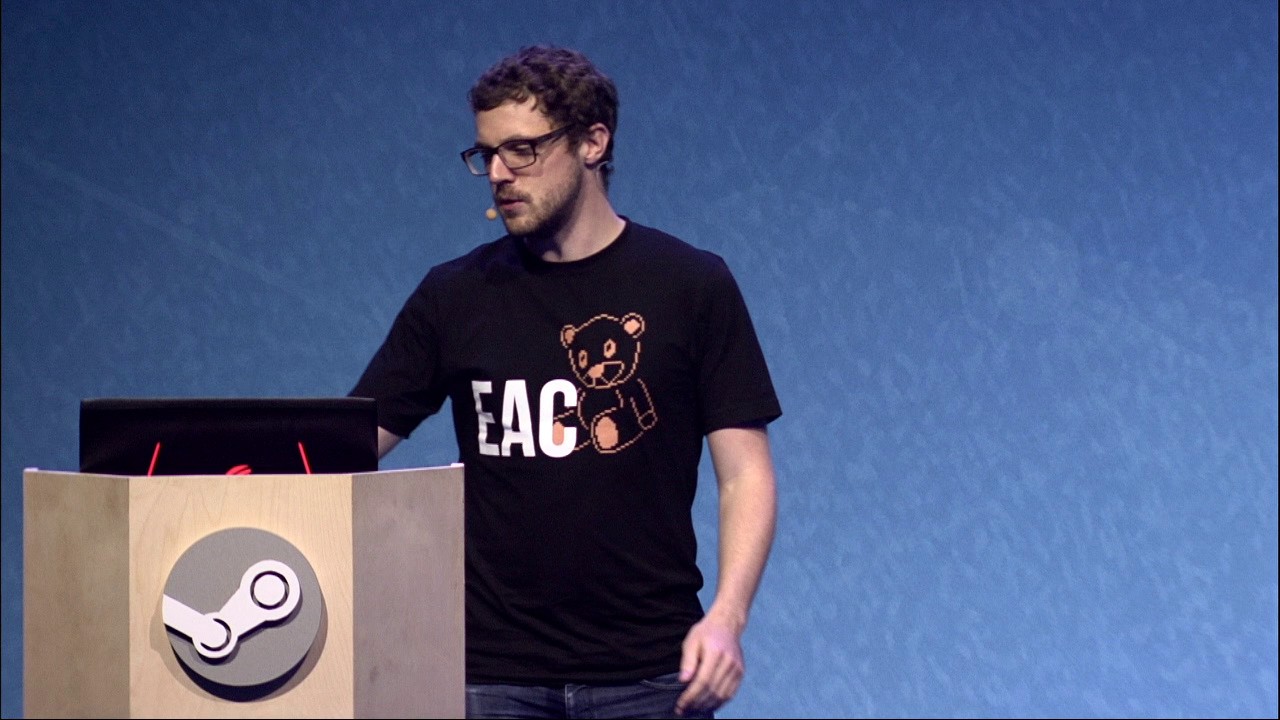
Cheating has become rampant in today's online multiplayer gameplay. Drawing from decades of experience, the talk examines the impact of cheating and suggests both technical and community based strategies to stay in control.
Presented by Simon Allaeys and Aarni Rautava from Easy Anti-Cheat
 opaque coral
very interesting didn't know they started out 3rd party on counter-strike
 unique void
https://www.youtube.com/watch?v=GC6JXAO8sT4 If you want to go further in that concept, watch this

The lesser known 2nd presentation of the Robocalypse Now talk by John McDonald, at GTC (NVIDIA's GPU Technology Conference), 2018-03-26.
The 1st presentation was at GDC, 2018-03-22.
It's updated since then with a lot more data and progress they've made
 ornate hatch
https://feedback.vrchat.com/feature-requests/p/oculus-touch-link-as-trackers-implementation https://github.com/mm0zct/Oculus_Touch_Steam_Link
I am not sure how many people knew about MixedVR Body tracking, but for those who wish to get Vive 1.0 Tracker-quality for $100, you could have used an Oculus RIft CV1 + touch controllers and OpenXR(Steam tool, completely allowed). I want more people to be made aware, because all that it does is add a driver to SteamVR, run 2 executables to keep the Rift from falling asleep and a tracker recognition program, OVR_Dummy, and Run_as_trackers, adn then calibrate and sync the playspaces with OpenXR. If you guys could upvote this, I would be happy to help others set it up. I am not the Original Creator of this program, nor do I have the express blessing of the creators: mm0zct and DeltaNeverUsed, but I am sure they have no problem with me helping others who otherwise could not afford it into the world of FBT.


GitHub
SteamVR driver to enable Oculus Touch controllers with other headsets - GitHub - mm0zct/Oculus_Touch_Steam_Link: SteamVR driver to enable Oculus Touch controllers with other headsets
 unreal orchid
ornate hatch
https://feedback.vrchat.com/feature-requests/p/oculus-touch-link-as-trackers-imp...
unreal orchid
ornate hatch
https://feedback.vrchat.com/feature-requests/p/oculus-touch-link-as-trackers-imp...
Why do you think the extra driver is causing the crashing when exiting the homeworld?
You never specified if it was an error that popped up or something else that let you know how EAC lets you know that it is specifically a "modified driver in steam VR".
Anyhow it works for me and not heard anything relating to a problem in all the various "channels", be it the github, the Driver4vr discord (people come there with touchlink issues quite often), reddit or here. Except for you.
In the past you can easily tell when there is a widespread issue relating to makeshift FBT, because multiple "channels" start reporting it
ornate hatch
It specifies missing drivers upon crash, then when removed from the folder, it runs fine
unreal orchid
ornate hatch
It specifies missing drivers upon crash, then when removed from the folder, it r...
You tried completely reinstalling VRC?
https://help.vrchat.com/hc/en-us/articles/4408235200403-How-can-I-completely-reinstall-VRChat-

VRChat
In many cases, it may be beneficial to completely remove VRChat and all of its files, and reinstall. Here's how you can do this on the platforms that we currently ship on.
Oculus Quest
Press the...
 solid rivet
I need an EAC-proof VM since VRC detected that my computer was fake and blocked me from making avatars or playing the game
 glacial isle
ornate hatch
It specifies missing drivers upon crash, then when removed from the folder, it r...
glacial isle
ornate hatch
It specifies missing drivers upon crash, then when removed from the folder, it r...
i'm not having issues myself, i would recommend trying to reinstall vrchat
ornate hatch
I’ve tryed uninstalling and reinstalling both SteamVR and VRChat. I haven’t tried uninstalling Oculus though
glacial isle
if you have had your game modded, you'll need to delete the vrchat folder since the uninstall button in steam doesn't remove the mod files
but if that doesn't help i'd appreciate some more info incase it's something we can fix on the OTL side
polar wagon
Does anybody have any experience successfully baking different lightmaps and swapping between them? I am wondering about it for the purposes of turning lights on and off, and things like time of day toggles
solid rivet
how viable is it to just make a normal unity game, make a fully functioning marble it up mayhem/super marble blast ultra clone, then convert it to VRC using the CC.exe?
like could I just make all my unity games VRC worlds and the avatars get overwritten? (that session only obviously)
 candid owl
no that's not possible because VRC worlds doesn't use C sharp code
solid rivet
oh
candid owl
you would have to develop your Marble Madness clone with vrchat in mind in the first place if you wanted to be a vrchat map
solid rivet
if I adapt everything and manually replace all my code with udon code and manually replace default shader with VRC default shader and manually than would it make sense? (also obviously disabling HDRP)
candid owl
why would you be wanting to this way instead of just developing a vrchat map if the final product is going to be vrchat anyway
because at that point the only thing you've brought over is the art assets and the level design
solid rivet
because the first final product is going to be just an app
candid owl
and the Creator companion does not have any autocode converters capable of turning c-sharp into udon
solid rivet
I would manually convert it
I only use graphs anyway and VRC has udon graphs, making conversion easier. not automatic, but easier is still something
candid owl
but yeah that would still basically just be making two games that share some assets between each other
solid rivet
ok
I'll prioritize mac development and mabye turn it into a VRC world then
which makes more sense since its based on marble blast ultra
candid owl
like the character controller code would have to be completely different between them and you probably need some different implementations altogether on the camera given the VR
solid rivet
and also I'd need to replace the avatar with a marble, get the friction down so it feels like a marble, and get a sphere collider to work
candid owl
and is your game even designed in a way that multiplayer make sense
candid owl
then at that point you probably would be wanting to consider the vrchat to be a separate game
solid rivet
or just make a mac/windows game
candid owl
yeah that would probably be a better use of your time if you're just making a single-player title so you could have a wider audience than just the folks play vrchat
solid rivet
but should I make it HTML or EXE+APP
 floral drum
I should fix ur problems with us @crude maple
 misty nexus
i hate this ive gotten anti cheat error 5x already. gaddfockng dammit
i never used mod. how the fok am i getting this
 amber notch
Does the vrchat system have a whitelist for URP shaders for the quest?
(its more performance friendly)
candid owl
amber notch
Does the vrchat system have a whitelist for URP shaders for the quest?
it does not and it doesn't help to ask in like free different channels
 lean schooner
quick question, where do I attach the api key on https://api.vrchat.cloud/api/1/users
 lethal monolith
lean schooner
quick question, where do I attach the api key on https://api.vrchat.cloud/api/1/...
lethal monolith
lean schooner
quick question, where do I attach the api key on https://api.vrchat.cloud/api/1/...
you add it to the auth header as a bearer token
lean schooner
alright thanks!
 digital beacon
Did they completely remove the portable mirror reposition thingy?
lethal monolith
digital beacon
Did they completely remove the portable mirror reposition thingy?
no its just overly complicated now
digital beacon
nah it like, worked so well ;~;, it took like 5 mins to figure out but its so fire
just use the thumbsitck and trigger 😄
 alpine rampart
Btw the noise suppressor dont work for shit it mutes ur mic entirely
I couldn't talk when I had the right settings
 old willow
hey I bought a world from booth and wanted to modify it to my personal liking, one of these is also changing the lighting and interior. is it normal that the generating lighting takes so god damn long?
 quiet escarp
Yuuup
If you need something quicker and better you can look at bakery on the asset store, it's discounted rn
old willow
quiet escarp
If you need something quicker and better you can look at bakery on the asset sto...
how much quicker is it?
quiet escarp
With a non raytracing card I went from an hour baking time to around a minute or two with much higher settings
If you have a 20+ series gpu it can use raytracing for a much faster result
quiet escarp
One allows you to preview it in real time if you have a raytracing graphics card however doesn't change the result
I'll get the link

Get the Bakery - GPU Lightmapper package from Mr F and speed up your game development process. Find this & other Level Design options on the Unity Asset Store.
quiet escarp
This video covers it well https://www.youtube.com/watch?v=yDIOze0XndU

This is a force, you will no longer use this points gun at chu jk i love you
Discord: https://discord.gg/METHRMH
Bakery: https://assetstore.unity.com/packages/tools/level-design/bakery-gpu-lightmapper-122218
 narrow snow
@quiet escarp
ok so you're using nvidia right?
because this tool can only works for nvidia graphics cards
but what about amd ati radeon graphic cards
what kind of tools in unity has to optimize those lights?
could you please be able to suggest some free tool for optimizing lightmaps for ati gpu?
quiet escarp
As far as I know bakery is the only alternative to Unity's lightmapper so if you're using an amd card you're stuck with the default one in unity
narrow snow
i heard a rumor's that ATI has auto lightmap optimization but i don't believe in it
because i pretty lag in worlds with to much lights
quiet escarp
what's ATI?
narrow snow
idk any new one including mine rx560 4gb
quiet escarp
Not too sure to be honest, I've only had nvidia cards
narrow snow
ah ok no worry
thanks anyway 😉✌️
quiet escarp
np
 warm root
You mean AMD? lol. ATi hasn't existed for a long time now.
warm root
narrow snow
i heard a rumor's that ATI has auto lightmap optimization but i don't believe in...
Also there's no such thing as "auto lightmap optimization" 😉
narrow snow
@warm root
i someone saying this or similar idk
but they are saying that radeon gpu's has ability to auto optimize or something to deal with heavy lights
warm root
People say random stupid shit all the time, especially on this Discord. Without references, assume it's nonsense.
 molten pier
Anyone know if there's an API way to send messages through VRCs new chat system? It's a nice system but it'd be awesome to be able to intergrade it with external apps. Since imo in-game keyboard still kinda sucks compared to OVRToolkit & XSOverlay.
unreal orchid
molten pier
Anyone know if there's an API way to send messages through VRCs new chat system?...
There is an OSC endpoint.
molten pier
unreal orchid
There is an OSC endpoint.
Yup and that means the power of TTS integration! Let's go!
 silent crater
filesize porn
 silent crater
narrow snow
i heard a rumor's that ATI has auto lightmap optimization but i don't believe in...
silent crater
narrow snow
i heard a rumor's that ATI has auto lightmap optimization but i don't believe in...
also note that lightmaps and lights are different. light lag is usually because of a lack of lightmap. therefore making the lights realtime. You wont lag from lightmaps usually. Also note that a lightmap is a texture which in the context of lightmap optimization makes no sense for any sort of "auto optimization" outside of compression (which we do before the map is uploaded therefore also having no effect in this)
silent crater
quiet escarp
One allows you to preview it in real time if you have a raytracing graphics card...
Also note that the preview is innacurate
narrow snow
@silent crater
ah ok thank you
@silent crater
anyway i know that i could use none real time lights with hard shadows
but many if there is many light i can lag
so do you know any way to compress light's
or make it more performant friendly for not so good pc's?
just dont use what? i didn't see that
silent crater
Try not to use more than one realtime light. And even then that realtime light shouldn’t be calculating on every object
Use lightmaps for most things
Lightmaps won’t lag you if you use them correctly
narrow snow
@silent crater
ah ok i will see what i can do about it
thank you for your suggestion
 blazing axle
old willow
Ill buy it and try it out :)
blazing axle
old willow
Ill buy it and try it out :)
If you want to see some results check out my 3 worlds, low res lightmaps still look great, I could even give you my settings when I get my PC back on the 23rd-24th
warm root
I'm using effectively low res lightmaps too as I have a single 4k lightmap covering the majority of a city. It can work well.
old willow
blazing axle
If you want to see some results check out my 3 worlds, low res lightmaps still l...
That qpuld be nice
 sharp heron
molten pier
Yup and that means the power of TTS integration! Let's go!
sharp heron
molten pier
Yup and that means the power of TTS integration! Let's go!
https://github.com/VRCWizard/TTS-Voice-Wizard my TTS app already takes advantage of the new VRChat Chatboxes if you wanna try it out 👍
GitHub
Speech to Text to Speech app using Microsoft Azure. Sends text as OSC messages to VRChat to display on avatar. (STTTS) (Speech to TTS) (VRC STT System) - GitHub - VRCWizard/TTS-Voice-Wizard: Speec...
molten pier
sharp heron
https://github.com/VRCWizard/TTS-Voice-Wizard my TTS app already takes advantage...
Oh heya! Sure! Been wondering where people get nice voices for TTS too!
sharp heron
mhm, microsoft azure has really good voices
 fathom quest
I posted a message on the help board but haven't got any response online does anyone know why I get an error on importing VRChat SDk3?
I'm using 2019.4.3111
as the docs specify and when I import it I get about 4 different errors
error CS0246: The type or namespace name 'Cinemachine' could not be found
warm root
Install Cinemachine from the package manager.
 warm niche
How to add a parameter to ExpressionParameters ScriptableObject using a script?
 weary condor
silent crater
filesize porn
weary condor
silent crater
filesize porn
You can make the file size be around 6B if you make the texture 2x1px, disable compression, and change filtering fromm bilinear to point 😉
 serene lark
Anyone happen to know the polling rate the client does for notifications? I would like to hit the api less frequently than the client.
 sonic mirage
Hello, I'm trying to send an OSC message from VRChat to my listener but for some reason I can't get it to work and I cant find any documentation on it.
Basically I have a contact receiver with a parameter that will be triggered on the avatar and I'm listening to 127.0.0.1:9001 outside of VRChat but nothing is being recieved. OSC is enabled in VRChat. Am I missing something?
 vague girder
sonic mirage
Hello, I'm trying to send an OSC message from VRChat to my listener but for some...
vague girder
sonic mirage
Hello, I'm trying to send an OSC message from VRChat to my listener but for some...
did you reset your OSC config after adding that receiver?
sonic mirage
vague girder
did you reset your OSC config after adding that receiver?
Yes I did. Checked the file and everything's in there
vague girder
sonic mirage
Yes I did. Checked the file and everything's in there
if you didn't have OSC enabled prior to that session, restart your game
 vapid kraken
Can anyone tech savvy please please help me with my oculus software problem! I’m begging!
warm root
"In the same TOS update, the VRC Team amended their right to sell any of the previously mentioned content" Where does it say this?
I've seen several people say this with no reference or quote. In fact the TOS says the exact opposite. "As between you and VRChat, you retain copyright and any other proprietary rights in the User Content you Post, subject to the licenses granted in this TOS or in any other agreement between you and VRChat."
I can only assume someone misread section 9.2 because they don't understand how hosting, conversion and processing works, now everyone parrots the misinformation without ever thinking to verify it.
 wraith atlas
Or more likely, they were a troll.
 misty wolf
Is it possible to install both the world and avatar SDK in the same Unity project? If I do this, even on a new, blank Unity project, I see the following on trying to publish an avatar (this works until I install the world SDK, versions match, Unity 2019.4.31f1):
NotImplementedException: The method or operation is not implemented.
VRC.SDK3.Editor.Builder.VRCWorldBuilder.ExportAndUploadAvatarBlueprint (UnityEngine.GameObject externalReference) (at <e2393d11be8c4aeeb60ac06f09f81a22>:0)
 wary ingot
*Is it possible to install both the world and avatar SDK in the same Unity project? no

 fluid wren
I need help adding a name tag to a special player follower script
Anyone know how to program cs or udonsharp?
 eternal quartz
Hi, I'm working on some karts, and am running into some weirdness when it comes to their collision.
The karts in question don't use wheel colliders, and are just a collider sitting on the ground, with some logic to make them feel like a vehicle. It is pretty satisfying to drive, and I'm able to get much more consistency with this method. Also makes them more arcade-like in nature, which I feel makes them different compared to some of the other cars being designed by the community.

That being said, I'm currently running into a problem. When the kart is moving and rests on two perpendicular colliders at the same time, there is a chance that it will bounce off of one of them making it fly into the air. Here's an example where I've separated out the cubes, but the same happens if they are put perfectly next to each other, or even if clipping into each other.
That being said, online I saw someone mentioning reducing the 'default collider offset' in the project settings, this works basically perfectly! However, unfortunately vrchat doesn't recognise this change when I go to build and test the world
So, I then went to do this at runtime with udon. By adding some scripts, I was able to change the collision offset of each object. This once again works perfectly in clientsim
The problem is... it only works in clientsim. When I go to do this in vrchat, vrchat doesn't seem to notice the difference.
I did some debug.log's to check if the change has been made, and it says that the offset has indeed been changed for the cubes. The problem is, it doesn't seem to have done anything. So, I have 3 questions:
- What exactly does changing the collision offset actually do? I know it greatly reduces the bouncing, but all the talk online is rather cryptic and I haven't been able to get a good idea of what it actually does.
- Why doesn't it work in VRChat? My first guess was that it was because it wasn't exposed, but it seems to indeed be changing the offset; just it isn't doing anything. Are colliders baked in during the build process?
- Any suggestions on what I should try next? At this point, I'm not sure if this is even fixable. I do have ways of working around it, just that it results in me being less modular in my building process, and the costs that that brings.
Any help is appreciated, even if it's just a small tid bit of information.
 pine depot
If the carts have an object sync script on them that could be causing a disparity between editor/in game behavior.
eternal quartz
pine depot
If the carts have an object sync script on them that could be causing a disparit...
Thanks for the tip! Removed the object sync, and it seems to have fixed the problem. Weird reason for it to fail though, now I have even more questions...
pine depot
Yeah it's undocumented but object sync scripts will override rigidbody settings on start only in game.
It will set interpolation to "Interpolate" and collision detection to "Continuous Speculative"
You can override this manually with your own script/animator as it's only changed once and not forced.
eternal quartz
pine depot
You can override this manually with your own script/animator as it's only change...
interesting... thanks again ^^
Tried the karts with 'interpolate' and 'continuous speculative', and yea... they indeed do become wildly uncontrollable. I'll have to write an override for them. Do you know if this happen before udon's event, start gets called?
pine depot
I think it happens before Udons start event but I have not tested to know for sure when it happens.
eternal quartz
pine depot
I think it happens before Udons start event but I have not tested to know for su...
okay, thanks for the help! ^^
I can always add a delay if not. time to test.. ^^
eternal quartz
pine depot
I think it happens before Udons start event but I have not tested to know for su...
Not sure if this is conclusive proof, but I added a bunch of 'Sync Test Cube's to my world, with a rigidbody and object sync; as well as a script to revert the rigidbody's state. Duplicated them a bunch and placed them in different places in the hierarchy, just to be sure.
They all posted as discrete, so it seems like it happens before udon's event, start node


 warm niche
I'm not sure where to put this, it's just a map creation hardware + software idea:
If Microsoft Hololens and Qualcomm XR 5G becomes a popular product some day, could VR Chat map creators eventually be able to use a kind of software to make 3d maps by walking around slowly and recording their immediate 3d environment from their cameras and then placing the recorded environment into a 3d software like blender and or Unity to make maps using real world textures similar to those real estate panoramic 3d tours but in VR?
candid owl
that could work as long as you can export the photogrammetry models to like fbx
warm root
warm niche
I'm not sure where to put this, it's just a map creation hardware + software ide...
That's already a thing, that's literally what photogrammetry is 😛
 torn lake
warm root
That's already a thing, that's literally what photogrammetry is 😛
torn lake
warm root
That's already a thing, that's literally what photogrammetry is 😛
You can actually do it all on a phone with polycam
warm niche
Cool.
 lunar wedge
Anyone know if sending an empty message to the chatbox (to make it vanish) counts towards the rate limit?
 manic peak
Hi, is there a way to run VRChat in an Android device? Given that Oculus is androie-based and a last-gen should have what it takes to at least try it out
candid owl
there is no stand-alone Android build a vrchat only the quest
 topaz swan
And even though Android is open source, VRChat owns the rights of it's intellectual property.. and they choose to disallowed modifications.
If you really want this to change, there are multiple canny posts.. but I don't think the Dev team really like the idea regardless.
candid owl
like Standalone Android doesn't contribute to to VR at all
topaz swan
candid owl
like Standalone Android doesn't contribute to to VR at all
Nither does VRChats desktop mode lol
If you give people a window into VR regardless of hardware, people want to buy VR.
candid owl
people can upgrade their desktop experience to VR
candid owl
there's a more direct upgrade path on desktop and also the optimization problems of vrchat would be made even worse by Android as you could literally buy a $20 phone to try to connect
topaz swan
Actually no,
Android has different version, your limited to what you can download based on hardware. That is also a very false statement. Quest build of VRChat is Android, and I'm using an Android phone that has more processing power then my Quest 2 and PC combined
candid owl
the quest 2 is fixed Hardware so the developers know what they're working with
topaz swan
Same with android
Lol
The android OS can't work without basic components
Just like a computer
Technically, you can run the Quest os on a normal phone
It will run the same
candid owl
like a question I would have would be what would be the minimum system requirement for the Android version of vrc hypothetically
topaz swan
Easy, Google play gives this information
Just like how a phone without a gyroscope and the proper camera, won't support AR applications
candid owl
I would be more concerned about the CPU & gpu
topaz swan
Of course, this is coming fr a hypothetical standpoint. I'm not a developer so a lot more thought process would go into jt
topaz swan
candid owl
I would be more concerned about the CPU & gpu
Phone specs are kinda like PC specs, I'm not sure why your confused
When you buy a phone, you look at the specs, the hardware,
Just like a computer
candid owl
I'm more asking what would be the minimum spec to see if it's worthwhile for vrchat to pursue the idea
topaz swan
Same goes for downloading application
topaz swan
candid owl
I'm more asking what would be the minimum spec to see if it's worthwhile for vr...
Did you even read what I typed lol?
My phone literally has more processing power than the quest
By like a long shot
candid owl
how much did your phone cost
topaz swan
$1,199 USD
(around the same price as the estimated price of the Cambria)
Specifically, I have a Samsung s21 Ultra 5G
candid owl
a question I would be having his are any phones that are cheaper than the quest 2 able to run vrc at decent frame rate as most of the people that would have used for a Android vrchat are people who can't afford The Quest 2
topaz swan
Well yea.
You can get an OK phone for around $500-300. And an even better phone if it's refurbished
candid owl
that's still too much
topaz swan
Even then, people are going to buy an expensive phone.. that don't mean that they can instantly get a VR.
Let's say I buy a very expensive phone, I've had it for a while and I don't have the money for a VR despite it being cheaper
The access to VR chat would still be nice
And would still persuade me, and many other people to get a VR
I'm not talking Google card board, I'm talking like how rec room has it.
A desktop like Android port, with a joystick and basic movement controls
candid owl
also I wonder how well the current ui would fit on a mobile phone
topaz swan
Very well have you seen the new 2.0 UI
It would snap on to Android just like how it snaps on desktop
It would just need touch compatibility
Hell, even the old UI would work
warm niche
does vrc have anything similar to twitter's oauth/oidc login ?
so if I wanted to use vrc as an identity service for a 3rd party would that be possible
 bleak quail
How haptic devices works ? Is there an api to call a driver ? A memory adress to write to ?
vague girder
bleak quail
How haptic devices works ? Is there an api to call a driver ? A memory adress to...
what do you mean exactly? something like bHaptics stuff?
VRC has no native integration. you need to use an external app that receives OSC info from vrchat to detect when contacts on your avatar are touched, and then use that to talk to your haptics stuff
 autumn hatch
How can I scale a vrc portal prefab so it's more circle shape, instead of the default oval? I tried scaling the prefab but that didn't seem to work. I've seen one or two worlds that have circle shaped portals so I figure it must be possible.
autumn hatch
I ended up parenting the portal prefab to an empty object and used a udon script to change the scale of the empty to get what I wanted.
 tropic fossil
Anyone know of a way to get pixel color from a video player?
I can't seem to find a way to do this that VRChat supports 😅
Any help would be much appreciated ❤️
 lean agate
Is it possible to copy an animator value, animated by setting the animator parameter in a blend tree, and send this over OSC/as a synced parameter?
I guess I could just emulate a blend tree by moving contact points around, but ugh, that's so much effort >_>
vague girder
you can
you can animate float parameters in an animator using Animations
@lean agate
what are you trying to do exactly
lean agate
I already got it working c:
vague girder
still curious as to what you're working on lol
 empty brook
Does the vrchat api offer any sort of "push" notifications when a user on your friends list goes online/offline etc
Ah looks like there is websocket, I'll reverse engineer that and hopefully it'll have what I need.
warm niche
empty brook
Ah looks like there is websocket, I'll reverse engineer that and hopefully it'll...
I had found this community doc maybe you will find something there
VRChat HTTP REST API
warm niche
does anyone know if vrchat has certain aws ip address blacklisted?
 frozen pendant
warm niche
does anyone know if vrchat has certain aws ip address blacklisted?
frozen pendant
warm niche
does anyone know if vrchat has certain aws ip address blacklisted?
well ik that vrchat blocks vpn connections so i assume they would do the same for vps too
warm niche
it was working earlier today then suddenly stopped
unsure if I was making too many requests to the worlds api but I didn't think so
warm niche

GitHub
generate a random world from vrchat and dump link in discord channel - improbability_drive/improbability_drive.sh at main · lith0ps/improbability_drive
I had made this, if anyone might find it useful
vague girder
that's actually pretty cool
 remote frigate
on animation parameters since the type float is an 8 bit mini float does that mean it can only have 256 different values?
 autumn cape
is it possible to have other players pickup and move your ava to another location?
warm niche
yeah and that's already a prefab called player pickup. vrcprefabs has it i think
 thorn tapir
I know that booleans on avatars get synced slower over the network than for the user (I had to introduce artificial delays before so for the animator acts the same for the user and for people obaerving)
Is this the same for floats ?
thorn tapir
I am testing this using local testing of my world using 2 clients. The user sees the correct result in the mirror, but the observing client sees like obscure results that should not been happening
thorn tapir
I have a transition from the base state, that is triggered if the float is greater than 0.99. And for the observer client it seems to hit that value and transition even when the user client adjusts the value using the avatar menu from 0.1 to 0.3 for example. It's weird
Yeah, just tested that it literally jumps to 1 randomly for the observer clients when adjusting the value by the user client. If anybody has like a solution or workaround for this I'd be glad lol
thorn tapir
So I found out that if the user client opens the radial menu to change the value (rotate the % value) on the observer client the value of the float goes 1 briefly and it acts accordingly according to the FX Layer of the avatar that is observed.
Is this intended ?
 silk wave
thorn tapir
So I found out that if the user client opens the radial menu to change the value...
thorn tapir
silk wave
Nope. https://feedback.vrchat.com/avatar-30/p/bug-float-on-a-radial-open-on-wron...
silk wave
thorn tapir
So I found out that if the user client opens the radial menu to change the value...
thorn tapir
silk wave
Nope. https://feedback.vrchat.com/avatar-30/p/bug-float-on-a-radial-open-on-wron...
Thanks. It seems to be tracked internally for a year... So no solution in sight it seems
 vestal bolt
Made this: #shameless-self-promotion message
warm niche
how would i make a character chase after the player and tp them back to a lobby after catching them?
 stark fossil
witch channel do i use to ask what Udon equivalent to if?
Its Branch

How do i invert Brach every time someone touches the input?
Figured it out
 vestal bolt
Just pushed a new somewhat larger update.
https://github.com/Sharrnah/whispering
Main difference is probably that it runs 100% on your machine. No Microsoft Azure required.
Its using the OpenAI Whisper Project and for further translations i now added Argos Translate.
This can also let you auto-translate other people in the room (might need VRC earmuff mode if too many around are talking)
hopefully allowing to communicate with others even if they use different languages.
No text2speech yet.

GitHub
OpenAI's whisper with OSC and Websocket support. Allowing live transcription / translation in VRChat and Overlays in most Streaming Applications - GitHub - Sharrnah/whispering: OpenAI&#...
vestal bolt
 vestal bolt
I was now able to build a standalone release.
So no dependencies should be required anymore.
(CUDA is recommended for GPU Acceleration.)
 terse plover
by chance is Unity Visual Scripting supported in vrchat
proud belfry
terse plover
by chance is Unity Visual Scripting supported in vrchat
No, but VRChat has something similar called the Udon Graph.
It just received a new update yesterday, too!
https://docs.vrchat.com/docs/udon-node-graph
VRChat
Interface The Udon Node Graph is the default interface for creation of Udon programs. This section goes over how to use it. If you want to dive right into examples, take a look at the Udon Example Scene. You can open up the Udon Graph window using the Menu Item under VRChatSDK > Udon Graph, or by...
terse plover
alright been using udon just was curious if could use this as well
vague girder
terse plover
alright been using udon just was curious if could use this as well
only for worlds, to clarify
 remote wasp
is it possible for the world to check to see if a player has a certain menu feature enabled? curious about accessibility tooling for world-building
or like, being able to make a world more accessible for a user w/ certain features enabled or disabled
im new to this and havent been able to do a deep dive into the SDK, but it's been in my head and i wanted to ask 🥺
warm niche
I really doubt because most of menu settings are client only and not even synced with vrchat
 slate mango
Avatar-Based PVP system.

Uses 1 synced int, 4 contacts minimum.
Just need to test if certain things count as motion/speed.
 coral valley
does anyone know what *'NavMeshAgent' does not contain a definition for 'pasPending' and no accessible extension method 'pasPending' accepting a first argument of type 'NavMeshAgent' could be found * means? im working on a horror map and this came up with the script
terse plover
does vrchat support HLOD
candid owl
vrchat can use level of distance
terse plover
alright
warm niche
candid owl
vrchat can use level of distance
you can't use LOD for avatars
this has been a feature request for years and still ignored by vrchat
then people wonder why the game is un-optimised :P
cinder grotto
warm niche
then people wonder why the game is un-optimised :P
It's unoptimized because no creator knows what they're doing in terms of optimization
LODs aren't going to magically improve FPS. We have the hide avatar by distance feature now too
warm niche
LODs are used in many (if not all) games and is an important part of its optimisation. I just dont get why VRChat dont allow creators to use it on their avatars. of course creator can't optimise their work correctly if you disable the most important optimisation feature from all time..
But yea Hide avatar by distance (which was a mod to forcefully workaround the lack of proper LODs implementation) do the same at the end of the day
cinder grotto
warm niche
LODs are used in many (if not all) games and is an important part of its optimis...
It makes a small difference, but it won't affect FPS that much. There are loads of other aspects to content optimization that makes way more impact and most creators don't do it
vague girder
warm niche
But yea Hide avatar by distance (which was a mod to forcefully workaround the la...
that was added officially, btw
you can specify the max range where you see avatars, but also the amount of avatars
so you can do like, the closest 15 avatars
but not past 30 meters
warm niche
vague girder
that was added officially, btw
I know it has been added, but hide by distance is a lazy way to optimise and totally remove the immersion in the game. I am talking about LODs which are forbidden on avatars for some obscure reasons.

I know most people don't care about this, but why don't they let people who want to optimize their work? It's just a bad engineering decision.
vague girder
yea I agree that LODs would be nice
either manually made ones or auto generated ones
mipmaps already help reduce vram usage for avatars at a distance
but proper LODs would help
warm niche
and polygons are also taking vram, not only textures. LODs can helps as well reducing it.
candid owl
but wouldn't that require completely unloading the higher lods from vram which would make it painfully slow to load the LOD back in
warm niche
I would like to LODs for avatars. Maybe a more lax sync at distance could improve cpu usage.
warm niche
candid owl
but wouldn't that require completely unloading the higher lods from vram which ...
I dont think LODs are unloaded from the vram as well as mipmaps because vrchat does not technically use texture streaming so each mipmaps / LODs are stored in memory until you jump to another world, which is ,AFAIK, the only moment where VRChat free up memory.
Even loaded avatars who leave the game wont reduce your memory. You can do a test, go in a world full of very poor avatars, show everyone, wait until everyone is loaded. Hide everyone, see your VRAM keeping everything, even people who may have left the game ^^
vague girder
VRC essentially forces you to enable Streaming mipmaps on all textures before you can upload, so I'm not so sure if what you're saying about all mipmaps being stored in memory is true
 summer flax
has anyone written a compiler for udon assembly?
thorn tapir
Is it possible to override visemes for an avatar using for example in the FX Layer a transition from any state, if the Viseme parameter is X, Y, Z etc... ?
By that I mean adding the global parameter Viseme to the FX Controller
silk wave
You can just set LipSync mode in Avatar descriptor to Viseme parameter only. Then you are in full control of it, the downside being that people who do not show your custom animations will not see them.
warm niche
vague girder
VRC essentially forces you to enable Streaming mipmaps on all textures before yo...
VRChat clearly does not use texture streaming and force disable it for the whole project. I've opened a Canny some time ago about the SDK complaining that you need it on each texture but the game does not use that feature at all.
 vague girder
warm niche
VRChat clearly does not use texture streaming and force disable it for the whole...
vague girder
warm niche
VRChat clearly does not use texture streaming and force disable it for the whole...
is it not possible that the game itself uses texture streaming, even if the asset bundles created by the SDK don't?
warm niche
Visually, you can see if the engine use texture streaming. I've done my tests outside VRChat on my world without the sdk and I can tell, visually, that vrchat ignore any texture streaming settings.
(which means they have disabled it)
btw I can totally understand this because texture streaming is noticeably heavy to compute, its just a mistake in the SDK for avatars because it requires to enable it when the game does not use the feature.
vague girder
warm niche
VRChat clearly does not use texture streaming and force disable it for the whole...
can you link the canny?
vague girder
@thick walrus hey, apologies for the ping, but this issue mentioned above could have pretty big performance implications if true
TL;DR: texture streaming completely disabled in Unity, not sure if that also reflects in game or not
warm niche
vague girder
<@98313818857275392> hey, apologies for the ping, but this issue mentioned above...
Here is a concrete example. I've enabled texture streaming in the editor and made a script which request the mipmap level that is currently loaded by the streaming system. In unity we can see that the number vary between 0 and 7 (7 is the lowest mipmap)
In the second screenshot, VRChat console. We can see that every textures arent affected at all and only the mipmap 0 is used ingame.

 vague girder
uh-oh lol
thorn tapir
This may wary for worlds and avatars I think. I make quite small assets (watches mainly) and I've had the textures being seen as really blurry by remote users, disabling mipmaps fixed the problem, so I suspect they are used on avatars.
warm niche
thorn tapir
This may wary for worlds and avatars I think. I make quite small assets (watches...
mipmaps and streaming mipmaps are two completely different things, streaming mipmaps rely on mipmaps but the difference is that they can be unloaded from the VRam at runtime when regular mipmap are always kept in memory. Btw I dont recommend disabling mipmaps for both performances and visual reasons, if you want sharper mipmaps you can use anisotropic and mipmap filtering on kaiser instead of box.
vague girder
^ disabling mipmaps should only be done in very specific circumstances, and only on low resolution textures
thorn tapir
Ok, did not know that
 tawny geode
why is there no cube / plane contact receiver
 fast lake
I've noticed the particle limiter in VRChat seems to affect more than just particles. Have had it break peoples constraints and things like that. Is this behaviour intended?
silk wave
It disables particle collisions.
fast lake
silk wave
It disables particle collisions.
seems to disable more than just that lol
it definitely breaks components other than particle systems, im able to reproduce the issue on a few avatars. itll break certain features that have no particle systems at all. usually constraints. but only specific things, not all of them, its weird.
warm niche
sorry, I used "READY PLAYER ME" to create the avatar. but I don't know how to put it into play, tell me how to do it please
proud belfry
warm niche
sorry, I used "READY PLAYER ME" to create the avatar. but I don't know how to pu...
You may want to visit the Discord of Ready Player Me for support instead. You can find it on https://blog.readyplayer.me/.
However, here's one of their videos explaining the process. Hope it helps! https://youtu.be/6c1m8va0_Fg?t=44
unreal orchid
Can't figure out where else to ask my question, so I guess I'll put it here.
Even while using max safety in a populated world, performance doesn't improve all that much, why is that?
I have heard that calculating IK costs a bit, but when it comes to audio processing, is it still being processed for people that you have muted?
But that is all that is still being calculated right, whereas it would then be the world that would be the limiting factor for the upper bound of fps?
autumn hatch
You would have to use some diagnostics tool to find out if your CPU, GPU or VRAM are causing the framerate drop and go from there. Could be the world you're in is just a performance nightmare, your pc specs are poor or you're running programs in the background that tanks your frames? If you're hiding avatars then it sounds like either a world or PC issue.
Also the IK is networked, so the game client is only calculating your own and sends the transforms out over the network so IK is pretty cheap performance wise.
unreal orchid
autumn hatch
You would have to use some diagnostics tool to find out if your CPU, GPU or VRAM...
It was a hypothetical question, just trying to get an understanding for why max safety (basically just hiding everyone) doesn't do as much as you would expect it to do.
So which things are still computed when everything is turned off, like, is audio still processed even if everyone is muted?
Should have remembered that IK is networked, so clearly not that.
cinder grotto
unreal orchid
It was a hypothetical question, just trying to get an understanding for why max ...
A lot of the performance loss comes from simply having that many players in the lobby. Having to network that many things at once is not a simple task for your CPU and unless you have a crazy good one it's going to struggle even if you have no avatars shown. Avatars themselves can be performance heavy but it's usually a smaller percentage
unreal orchid
cinder grotto
A lot of the performance loss comes from simply having that many players in the ...
And that is because everything always needs to be networked, wonder if VRChat could add networking zones or something, but thanks this is what I wanted to know.
cinder grotto
unreal orchid
And that is because everything always needs to be networked, wonder if VRChat co...
Everyone has to stay networked somehow or else they would end up desyncing for others. There's things that already lower update rate such as IK updates when you're far away but it's still a lot of data going through
unreal orchid
cinder grotto
Everyone has to stay networked somehow or else they would end up desyncing for o...
However if it can be changed by distance, then I feel like it should be possible to setup zones when making worlds where people pretty much stop existing if you aren't there as well, or at least stopping IK updates.
But suppose it would be pretty complicated to develop.
cinder grotto
unreal orchid
However if it can be changed by distance, then I feel like it should be possible...
If they stop existing they would essentially disconnect from your game instance which would not work. IK updates slow with distance but only stop if you have the Hide By Distance feature on
unreal orchid
cinder grotto
If they stop existing they would essentially disconnect from your game instance ...
Why not?
VRChat's networking is weird since it is p2p, but run through a advanced relay (Photon Bolt, I think the service was called), so to my understanding the client (or Bolt, which advertise scoping) could just discard all packets from players outside of the "scope".
Obviously, only the VRC team would know if this is possible or even a good idea, but I like knowing how things work in the backend so making guesses based on that is interesting.
cinder grotto
unreal orchid
Why not?
VRChat's networking is weird since it is p2p, but run through a advance...
Well if you discard all packets, how is the game going to know when the user presses a button somewhere in the world, or if they pick up and drop an item, or other things similar
unreal orchid
cinder grotto
Well if you discard all packets, how is the game going to know when the user pre...
Selectively dispose of all* packets from players outside of scope, I have to imagine that when Bolt means it can scope entities/players that it can still send some messages and if it was done client side then it could just ignore all packets that aren't world "events".
Although annoyingly, I guess this would once again annoy creators using write defaults since those couldn't be synced. Even if my idea is purely hypothetical it is annoying how write defaults seem to block things, we could have had a better automatic hider.
 rich dagger
I think I got to ask here. How did vrchat.com change for world invite links?
People can't get invites from "Invite me" button anymore for instance in the world.
https://vrchat.com/home/launch?worldId=wrld_747e7258-f804-4414-83f5-b618ebca7471&instanceId=49128~private(USERIDHERE)~canRequestInvite~region(use)~nonce(SOMEIDDUNNOEVEN)
So, why doesn't this work anymore?
Exactly this, this happens on random??? Like, what
Okay, we gonna bump this topic a bit in the service, hope someone can roll a fix
 scenic heart
I don't know if this is the place to ask, but here goes: Can you move a hand using OSC? Such as moving it forward, back, up, down, etc
vague girder
scenic heart
I don't know if this is the place to ask, but here goes: Can you move a hand usi...
sure, but it requires using up some of your parameters and requires per avatar setup
 untold flame
I have custom controllers, but since I can't afford to make my own trackers, I use quest controllers as "trackers", and my custom controllers just use that tracking information.
So I'm emulating index controllers, but... VRChat randomly seems to select the oculus controllers as the default controllers? (Only happened today! I've been using this system all year without issues).
Any way to get vrchat to stop flipping between them each time I launch?
For reference, that's what I have: I want VRChat to consistently pick the (emulated) index controllers, as it has been doing the entire past year.

 jolly notch
hello
im having an issue of cloth disappearing in world, from what i know it's a whitelisted component
i painted constraints, it doesn't seem falling down on spawn, just not existing
also it works in ClientSim
what could be wrong with this?


 bronze thorn
 gentle harbor
anyone know how to fix this? without fixing this it wont let me go into play mode
 proud belfry
gentle harbor
anyone know how to fix this? without fixing this it wont let me go into play mod...
proud belfry
gentle harbor
anyone know how to fix this? without fixing this it wont let me go into play mod...
This appears to be an issue in BlackStarx's Gesture Manager. You may find support on their GitHub page at https://github.com/BlackStartx/VRC-Gesture-Manager
gentle harbor
proud belfry
This appears to be an issue in BlackStarx's Gesture Manager. You may find suppor...
thanks,will try it out
 limber gorge
gentle harbor
anyone know how to fix this? without fixing this it wont let me go into play mod...
limber gorge
gentle harbor
anyone know how to fix this? without fixing this it wont let me go into play mod...
Hi @gentle harbor~
Sorry for the ping, I hope you have already solved the problem!
Otherwise, you can import the latest version of my tool from the GitHub page which fixes the issue ^-^
gentle harbor
limber gorge
Hi <@378940000588529665>~
Sorry for the ping, I hope you have already solved th...
Oh hi,thanks for the ping.
Will let you know once i have time to try it out
 pearl island
Hopefullly this is the right channel to ask for help on this. I'm trying to make it so my clown nose can be grabbed and it will play a little squish animation and play a sound. I have the animation working but for some reason the sound isn't even though they're both using the same transition settings. I'm using the "isgrabbed" parameter from a physbone in the nose


the sound is playing right away when I press play and go to the game tab in unity but not when the nose is grabbed. I tried turning off "Play On Awake" but that just made it so the sound didn't play at all
 shut bane
what, if anything, is your "honk sound" animator state doing?
pearl island
the animator state is the gray box that says honk sound right? It should just be playing an animation file which is set to just turn on the checkmark at the top left of the audiosource

The closest tutorials I found online all triggered sounds with colliders and menus but I did the animation file the same way as a tutorial did
shut bane
ah ok, so you're animating the enabling of the object, and relying on Play on Awake.
pearl island
Yeah I think so. I'm still pretty new to this as you can probably tell
shut bane
have you tried cranking the Min Distance just to make sure the clip isn't being lost due to falloff?
pearl island
I tried it just now and it didn't change anything. Since it's playing normally when I press play I don't think that's the cause. Just now I tried moving the audio source farther and it is quieter when I press play so the distances and volume seem to all be good
Ok I think I'm narrowing it down. While play is pressed and I can interact with the avatar, the audio source is turned on automatically even though I turned it off and only the animation should be turning it on
TLDR for where I am now:
I found the extra animation that was turning on the sound automatically and now I want to turn it on with the "isgrabbed" parameter but it won't turn on even though that parameter is turning on a different animation
pearl island
Welp I finally figured it out myself. I didn't know that I couldn't trigger two animations at once with one parameter so I just had to make the sound and nose squish happen with one animation. It's not perfect since the sound stops when I let go of the nose but it's good enough.
shut bane
you should be able to do that if the states are on different layers. but yeah, your graph can only occupy one state at a time on any given layer
 olive sigil
Is it possible to make a particle only render on a certain layer?
eternal quartz
I've got a project with a bunch of things going on. Was working on an update, and after building and testing something, I changed some things in a script, and now it won't build and test (or upload) anymore.
I've tried reverting my changes, but that didn't work.
Tried deleting all the debug text objects, and that did get rid of the yellow error messages, but nothing else
I've tried exporting out the scene into a different project without any success.
I've also created a blank scene in the same project, with nothing but a cube and spawn point and that does launch, but the other one doesn't
I've tried deleting the temp files where it points to see if that does anything, but alas, no luck.
I do however often find I get an error message popup when I upload, taking about no access or something, but hitting either 'try again' or 'cancel' previously has always seems to open up vrchat anyways, so I don't know if it's related. Have had it fail and the message not pop up
The project does run in clientSim totally fine, just won't upload or build and test.
Any ideas or pointers as to where I can look?
eternal quartz
 pine depot
eternal quartz
pine depot
eternal quartz
Would say save the scene as a new scene file though it looks like you may have already done that? Other than that you could try mark all root objects as EditorOnly and see if that allows you to build and if so start unmarking them until the build fails again to narrow it down.
eternal quartz
pine depot
Would say save the scene as a new scene file though it looks like you may have a...
did a bit more digging, and it seems that this uneventful object is causing the problems... maybe? If I delete it, the project builds.
Also, where would I mark an object as 'EditorOnly'?
 pine depot
eternal quartz
did a bit more digging, and it seems that this uneventful object is causing the ...
pine depot
eternal quartz
did a bit more digging, and it seems that this uneventful object is causing the ...
You set it as a tag right next to the layer dropdown.
eternal quartz
remaking the udon component seems to fix it. Dunno what happened there, but it's good now.
Thanks for the help ^^
 neat moat
Hello! I have project with VRCSDK and now i am trying to install StreamVR, but it seems they conflicted, and StreamVr not working, how to solve it?
proud belfry
Hmmm, are you sure? The VRChat SDK doesn't interact with SteamVR at all.
(Unless you mean 'StreamVR', which I'm unfamiliar with!)
neat moat
proud belfry
(Unless you mean 'St**r**eamVR', which I'm unfamiliar with!)
i can mistake, but i created new clear project and only unstalled the VRCSDK3 and see this
 proud belfry
Oh, no worries! You do not need SteamVR to develop VRChat content.
neat moat
proud belfry
Hmmm, are you sure? The VRChat SDK doesn't interact with SteamVR at all.
and then i installed SteamVr and is is not working, but i need it)
proud belfry
By 'installed SteamVR', do you mean you added a Unity plugin for SteamVR?
neat moat
but if i install only SteamVr it is works perfectly
neat moat
proud belfry
By 'installed SteamVR', do you mean you added a Unity plugin for SteamVR?
yes
proud belfry
Ok! You actually don't need the SteamVR plugin. If you install the VRChat SDK with the Creator Companion, you've already got everything you need.
Make sure to follow this guide, it should contain everything you need.
neat moat
proud belfry
Ok! You actually don't need the SteamVR plugin. If you install the VRChat SDK wi...
ok, but my needs lil specifical)
i set up Avatar and i want to drive it in Unity by Rokoko suit and i want also track my chair and other things with Vive trackers and SteamVr in Unity project)
i dont it need in VRchat, just in Unity, like Vtuber
and separetly all works perfectly, but i cant merge it in one project
proud belfry
Oh. I'm not sure it's possible to combine the VRChat SDK with projects not intended for VRChat!
We can't really provide support for projects unrelated to VRChat. My apologies 🙏
neat moat
proud belfry
Oh. I'm not sure it's possible to combine the VRChat SDK with projects not inten...
ok, it can be for VRCaht, i want to know why VRCSDK not working with STeamVR plugin?
proud belfry
That's because VRChat runs on multiple platforms! The SDK allows you to publish to Steam (and SteamVR), the Oculus store on PC, and the Quest store (which runs Android)
The VRChat SDK doesn't require you (or support) installing the various development toolkits for each of those platforms. That would be a real hassle!
neat moat
proud belfry
That's because VRChat runs on multiple platforms! The SDK allows you to publish ...
I dont get you, i asked about VRCSDK3 plugin and SteamVR plugin for Unity
why the dont work in one project?
proud belfry
The VRChat SDK is made for developing VRChat content - It can't be used for making projects unrelated to VRChat.
neat moat
proud belfry
The VRChat SDK is made for developing VRChat content - It can't be used for maki...
StramVR plugin unrelated for VRChat?
proud belfry
Yep!
neat moat
ok
last question
after install the VRCSDK i cant to remove this SDK's from list by pressing '-', how to remove the,?
 proud belfry
As far ask I know it should be safe to keep the OpenVR SDK in your project - it's there by default.
I'm not sure why you're unable to remove it, as that's not usually part of regular SDK use
neat moat
ok, thanks
neat moat
proud belfry
As far ask I know it should be safe to keep the OpenVR SDK in your project - it'...
one more) how to right remove VRCSDK from Unity project?
proud belfry
neat moat
one more) how to right remove VRCSDK from Unity project?
Are you using the VRChat Creator Companion, or our legacy .unitypackage SDK?
neat moat
proud belfry
Are you using the VRChat Creator Companion, or our legacy `.unitypackage` SDK?
second one
proud belfry
Go into your project's Assets folder and delete the VRCSDK and Udon folders as well as the VRCSDK.meta and Udon.meta files.
tropic fossil
Hey! 😅
I am experiencing an issue, I have converted a project to vrcc.
Whenever I click playmode all scripts loses reference to their objects. The scripting define symbols are that of a regular project, all VRChat and udon related folders were deleted prior to the swap. I am confused on where to go, any help would be appreciated ❤️

 proud belfry
tropic fossil
Hey! 😅
I am experiencing an issue, I have converted a project to vrcc.
Whenever...
proud belfry
tropic fossil
Hey! 😅
I am experiencing an issue, I have converted a project to vrcc.
Whenever...
It looks like your project is using UdonSharp.
There are some known issues that may cause issues during migration.
Are any nested prefabs with UdonSharpBehaviours in your project? Or are you using jagged arrays anywhere?
Here's a page detailing other issues that may occur during migration. https://udonsharp.docs.vrchat.com/migration
UdonSharp 0.x (the .unitypackage version) is deprecated and no longer supported. This new version is easy to get through the Creator Companion, which will help you keep it up-to-date as well.
tropic fossil
Thank you, I will take a look.
proud belfry
If your console shows any errors, make sure to take a look at those as well.
gentle harbor
limber gorge
Hi <@378940000588529665>~
Sorry for the ping, I hope you have already solved th...
Sorry for the late reply.
It did work, thanks again
 strong fulcrum
can somebody help out, i've done not much aside from building the world geometry and setting up protv, a mirror and door trigger, but for some reason i cant build my world
Image
when i test it on the editor is fine
i also got the vrcworld things set up properly

i don't know what to do
proud belfry
Hmmm, is this related to EasyQuest Switch? Are there any other errors unrelated to it?
You could try removing it from your project and seeing what other errors pop up.
strong fulcrum
proud belfry
Hmmm, is this related to EasyQuest Switch? Are there any other errors unrelated ...
i havent done anything with it yet
strong fulcrum
ah, its a script i got, its saying Source C# script from object cant be null, ubt weird, it is assigned to it tho (i'm not a programer btw)
idk what to do tho
proud belfry
Try going into the Unity Package Manager and removing Easy Quest Switch, see if that helps
 night birch
I made a backup and migrated to the VCC. Sadly all my scripts broke and won't compile. For some reason, my custom scripts throw an array out of bounds error, regardless of if my script uses an array or not in code. All the errors look similar to this. I think it says line 6, but line 6 is just the white space after the library declarations at the top. Very confused since it happens with new fresh scripts as well. Maybe my entire project is FUBAR?
 night birch
Try cinemachine, I believe that is included with the basic vrcsdk imports.
proud belfry
night birch
I made a backup and migrated to the VCC. Sadly all my scripts broke and won't co...
Would you mind sharing your PhotoBooth script? It may be doing something that's not supported.
 mental bloom
got kinda curious started to look at my debug log and I found this:
2022.11.28 23:54:20 Log        -  [Behaviour] Fixing materials


2022.11.28 23:54:20 Log        -  [Behaviour] Spent 3.051758E-05s fixing materials.
what does it mean by Fixing materials
proud belfry
Oh, sorry about that!
night birch
ope, I could send the file?
proud belfry
Feel free to DM me the message, our spam bot didn't like you sending that much text.
@night birch You wrote your own interact method instead of overriding VRChat's!
Try
public override void Interact()
instead of
public void Interact(VRCPlayerApi api)
night birch
Thanks! Ill look through my others and make sure I'm using override.
Im surprised, that's been working perfectly for me up until now, maybe I found an unintended loophole lmao
proud belfry
The error appearing incorrectly is definitely a bug in the SDK. I hope we can fix it to make it easier to spot mistakes like that.
Thanks for sending the script! Bug report has been filed.
night birch
proud belfry
The error appearing incorrectly is definitely a bug in the SDK. I hope we can fi...
Thanks so much!! Fixing my methods seems to be clearing up the errors :)) There's no need for me to check who's interacting, you guys fixed that as well! Good stuff thanks again!! Now I just have my work cut out for me after learning I've been using a bug the past 6 months XD
 rotund hare
Can anyone tell me how to replace the monitor output of a VR PC session with selectable cameras? I'm getting pretty good with Cyan Trigger but not so much with Udon. Think of a simple interview set where the host can select different cameras in-game that will then be output to OBS for recording. I'm fine with camera selection and positioning but not routing the output.
Any suggestions are much appreciated.
proud belfry
rotund hare
Can anyone tell me how to replace the monitor output of a VR PC session with sel...
The target display should be set to 'Display 1' and target eye to 'None'. That should make it render above the player camera in VRChat's window.
Make sure 'Depth' is also high enough to override it.
Tweak the other settings as desired. Consider enabling HDR and adding a post-processing layer, if your world has post-processing.
Cinemachine can be useful for more complex camera systems. Hope this helps!
rotund hare
Thank you so much! That 'render above the player camera' thing always perplexed me. I will give this a try today! Thanks again.
 royal rune
Just a really specific question
Will there be or is there a api call to see what the latest version is of the sdk is when vcc releases?
I know api usage is allowed (not malicious).
But yeah api isn't and won't be documented
Since currently there is a api call to get the url for the latest version.
 tight loom
hello!! i'm looking for help with some sound engineering. I have some audio files but I want them to sound like they are being produced inside of a wooden box. Right now they sound too "clean" what would be the best way to do this?
I would need someone that is like 'ah yes!! i have the exact filters/settings/tweaks you need!" because I myself do not know what would sound appropriate.
shut bane
likely what you want is a low pass filter
the lower the gate, the more muffled the sound will seem
 crimson fog
Have a pretty advanced question for engine developers and engineers: Is there a way to get bicubic texture filtering added to Unity as a feature for textures, and not just a standalone shader? I'm making a virtual museum, and a significant portion of the art given to me is low-res. I'm also being conscious of creating a Quest version, and I'd like this to work with Amplify. This could also help lightmaps not have the weird bilinear "video game" blurry texture appearance when zooming in.
If this really isn't an option, I can attempt to upscale textures prior to putting them in Unity, but I really don't like this idea. File sizes will absolutely balloon.
candid owl
couldn't you just apply the same Shader to all the Arts?
crimson fog
Not really. Some are canvas panels with detail occlusion and normals, others are metallic panels, and the big problem is cotton rag, which is just a perfectly smooth appearance with no tiling details to help break up the low-res artwork filling the screen.
I also have custom shaders improving sharpness and clarity for black and white drawings, and a graphite shader that accepts channel-packed vertex colors.
candid owl
but yeah you're not going to be able to tamper with how Unity handles all texture rendering as everybody visiting is not going to be using your modified Unity so that's going to have to go on the shaders
crimson fog
Basically, if I could get bicubic added as a texture feature (so it propagates to shaders appropriately) rather than a shader, that opens the doors for:
- Beautiful lightmaps at lower resolutions
- Beautiful detailed artwork when zooming in at lower resolutions
- Beautiful low-res normal maps
All of these things take TONS of space, and the resolution basically needs to be doubled to make attempts to reduce the problems of low res textures. But fixing the problem at the source will fix absolutely everything.
Here's an example showing the differences, for people who are unaware.

 candid owl
vrchat has base project settings that can't be modified so no you won't be able to change Unity itself to make what you want
it's not that difficult to select every material in the project to swap it over to your standard Shader replacement
crimson fog
But the way textures are handled should be propagated to shaders, right? So if the feature was added at the texture level, it could theoretically output to any system, so long as the code works when the shader is compiled and the algorithms are supported on other platforms.
candid owl
that would be just using a custom Shader
crimson fog
Unfortunately, the lightmap shader isn't exactly a standard shader... At the end of the day it will be a shader, but doing it in the texture means I can just select bicubic as an option and use it for anything. Custom channel-packed shaders in Amplify, or otherwise.
candid owl
that sounds more complicated to try to make a editor tool to go run time modify all of your shaders
crimson fog
If Unity supports it, it would work automatically. But most people are only aware of how to make custom shaders, not change the engine to allow this kind of output.
candid owl
wouldn't like 90% of your environment be using the same standard Shader
https://gitlab.com/s-ilent/filamented like this standard replacement already has light map bicubic filtering

GitLab
A transposal of the shaders from Google's Filament renderer over the framework of Unity's Standard shader to allow for higher quality rendering in Unity.
crimson fog
All of my textures have different filtering methods depending on the situation. Some need trilinear filtering so the mips are blurred to avoid weird aliasing. Others need anisotropy. Some need point filtering, to ID individual tiles on a floor and make sparkling graphite/concrete.
I mean, the problem with doing it in shader means you have no choice. It's all or nothing.
candid owl
then just write one Shader to start and then modify it as you need for the the rest so you only have to implement bicubic once
you cannot touch how the engine operates in vrchat so literally all you could do would just be making an editor tool to modify your shaders
at the end of the day it's just going to be user-uploaded shaders whatever you do
crimson fog
If you don't know how to modify Unity to add bicubic as a dropdown option to textures so it supports those individual texture samples to have it on final output so it works with Amplify and exports to other platforms, I'd like to hear from other engine developers if they have a way to get this specific solution to work. I can't manually script 40 shaders so they have bicubic filtering only in the places where I need it. And while it would be nice to have a shader that uses bicubic on either textures or lightmaps, I already have dozens of custom shaders optimized for the game and performance, I'd be losing memory savings from channel packing, etc. just using an off-the-shelf shader.
Trust me, I CANNOT replace every single shader to use a single standard one. I have a decent shader for most use cases right now, but it doesn't cover everything.
candid owl
at this point you would just be writing a editor script to automatically edit your shaders as you cannot make any modifications to the engine itself that would actually propagate into vrchat
as all that gets uploaded as just a asset bundle with your art assets shaders and udon scripting and the map layout
crimson fog
Rainwolf... VR Chat supports custom shaders. Right?
candid owl
yes but your initial phrasing was "bicubic texture filtering added to Unity as a feature for textures, and not just a standalone shader"
crimson fog
When you set a texture sample in Unity to use point, bicubic, or trilinear, that gets expanded into the final shader. VR Chat doesn't know what option you selected, it only reads the shader.
So if the feature is added the way I described, it will ensure that texture uses bicubic filtering in every instance it's applied. It can be added to Unity. Unless there's some kind of weird optimization I don't know about where texture filtering doesn't appear in shader code and it's handled by a predetermined list.
candid owl
well either way it's still sounds like you're going to have to modify all forty of your shaders just a question of how much can you automate it
crimson fog
No. If it's added as an engine feature to textures, I just select all the textures I want, change to bicubic, and done. When the engine writes the shader, the filtering will be proper, and I won't need to change anything in the shaders themselves. The engine compiles the shader.
And in my case, Amplify does it as well.
candid owl
it would have to be an editor script doing all this as you can't modify the unity source code without buying a license
and question do you even know any c-sharp to be writing any of this in the first place
crimson fog
No, I'm an artist primarily. All my coding and shader work was node-based. This wouldn't be C# though, it'd be a core engine change, and I'm not sure how Unity handles that. I imagine it'd have to be either modified from the source code, or individual files that handle the script for texture interpolation. If someone was able to add bicubic, it would make things a whole lot better. I've discovered ways to do it in shaders, but not on the engine itself. If there's an easy way to just make a texture bicubic, I'd love to see that. If I have to modify shader code I could, but an engine solution would be the best, as any time a shader gets saved, the code would change. For anything made in Amplify, this step would always need to be repeated.
candid owl
you cannot change the source code of unity without a a purchase license so that's a non-starter
and also it sounds like no you wouldn't even have the capabilities to make the change
crimson fog
Not even to add a texture filtering option? WOW. I recall John Carmack wanted bicubic hardware support on Quest, and mentioned how terrible Unity's lightmapper is. Like... wow.
Dude, if someone was able to implement texture filtering so it's easy for devs to plugin and use, that's what I'm trying to figure out.
candid owl
you're the one that keeps going on about core engine modification which is probably complete overkill for this anyway
and if you don't know any c-sharp code you're not going to be able to make a editor extension to automate your tasks
as you're just needing a tool to insert a couple of lines of code in your shaders
crimson fog
Right now the world is 157 MB. I have 4K textures, 2K textures, and low-res textures, all of which just barely function to where I need them to, and many are still blurry. There are hundreds of individual art assets, including series containing dozens of textures on massive atlases, and fairly high lightmap resolution as well. A bicubic function that can operate on Quest means the difference between the project being viable or not.
shut bane
bicubic filtering is a hardware limitation, unity as a whole has no native support for it. quest 2 has it and vulkan has some limited support but it's not universal.
candid owl
so basically you're going to have to write it yourself in the Shader?
shut bane
if you're injecting a bicubic filtering model into the shader, you could probably write it as something you can include so you don't have to constantly be updating shader code as you modify things
definitely expect some overhead though if it's not hardware-driven
crimson fog
Hardware and software support are different, though, right? It's not ideal for performance, but I'm not hitting performance issues right now, memory is ballooning.
shut bane
yeah. you're doing this sampling in the shader so it's naturally going to have a bit more overhead.
crimson fog
If Quest has bicubic support, then that takes care of that. And if I could make it an option in the map, textures being "Ultra" or "Medium," users can adjust performance as they see fit.
Right now the only bottleneck is Unity. It just doesn't include bicubic out-of-the-box on the texture filtering options. Any way to get a plugin for this?
shut bane
the quest has bicubic support but that doesn't necessarily mean that unity is going to give you a good way to interface with that support.
crimson fog
I already know it doesn't. What I'm asking is if there's a way to get it to.
shut bane
ennnhhhhhhh
here's a thread on someone doing it custom, but it's C#, and i don't know that any or all of these classes are within udon's scope
crimson fog
Whenever Unreal doesn't do something, "Hey, here's a plugin! Enable and you're good." Something like that?
shut bane

Unity Forum
If hardware supports cubic texture filtering (https://www.khronos.org/registry/OpenGL/extensions/IMG/IMG_texture_filter_cubic.txt) how can this texture...
well keep in mind you're also limited by udon's virtual machine
as long as this stuff doesn't have to execute at runtime that won't matter, though
crimson fog
Unity dev literally saying what I want is possible. Just with GLES, not with Vulkan.

What's the Quest 2 API? Is it OpenGL 3.1, or Vulkan?
shut bane
vulkan and GLES 3.1 are both supported for quest 2, not sure about vrc specifically
crimson fog
Ehhhhh....
candid owl
so honestly you might be just scoping too big for the quest
but the question is what does vrchat use on the quest
crimson fog
Wait, VR Chat allows many different APIs on Quest?
candid owl
crimson fog
Wait, VR Chat allows many different APIs on Quest?
probably not that sounds like a mess
shut bane
no, it likely doesn't, i'm thinking in terms of overall quest 2 unity support
vulkan was added much more recently so i assume that's not the one VRC is using, given the older build of unity it's linked to
crimson fog
Sometimes engineers peeve me. Like "no, don't use gaussian in the material," but then you show a million things where gaussian is necessary as opposed to mip levels, and crickets. Same with stuff like bicubic filtering, only Engineers will say it's good, and it would be nice to support it... but then, crickets.
candid owl
so sounds like you're still going to have to open up your shaders to modify them
crimson fog
From dev standpoint, just using higher quality texture compression settings and higher res textures and taking the memory/file size hit is preferred to figuring out the intricacies of getting bicubic working on multiple APIs. But seriously, for lightmaps, for technical purposes, to fit size and memory constraints which do still exist somewhat...
shut bane
it's easy to say "just fix it / make the plugin / etc" when you're working on a small team with no dependencies or backwards compatibility issues or whatever, but it's different with an app as large as VRC that's locked to an older version of unity and has to work with a pretty broad range of hardware ¯_(ツ)_/¯
candid owl
like heck they are folks using vrchat on Linux machines where it's Auto converted to Vulcan instead of the directX normally uses on Windows
shut bane
i mean just changing from BIRP to URP/HDRP would completely destroy pretty much any current world or avatar without going back and converting every single shader
crimson fog
That's the thing. Because it's difficult to get bicubic working under the hood for multiple APIs, the answer translates to "use larger textures." But that's not always practical. And what this answer translates to on Quest with a 100 MB limit is "blurry textures," "terrible lightmaps," and "awful bilinear artifacts" everywhere.
If devs want to lower file sizes, they really need to push Bicubic support for a newer version of Unity, and get more VRC users to update their projects to use bicubic filtering as opposed to ludicrously gigantic 4K textures.
Many times in the museum, I'm looking at linework and artwork and I'm just thinking "Damn. Bicubic would've made this look perfect. Even quadrupling the size wouldn't work."
shut bane
yeah i mean what i'm saying to you is "just update literally everything" is kind of a slog
if you remember how much everyone freaked the fuck out when EAC was implemented, now imagine the uproar when everyone has to rebuild their avatars and worlds
without some careful consideration and planning it would backfire
candid owl
the developers would not be willing to break everything in the game just because you're trying to stuff too much in one world
crimson fog
My initial ask was more for a plugin. If any engine dev wants to fix the "blurry textures," "terrible lightmaps," and "awful bilinear artifact" issue, there is a known solution that works on Quest and PC that artists literally can't use because the engine just doesn't support it. Well, we can add it to shaders, but then that makes it harder for people who aren't technical artists who can code in .cg or hlsl or whatever shader language Unity uses to take advantage.
As far as priorities go, bicubic filtering is something that ubiquitously everyone universally can benefit from and would even save memory across the board, and shouldn't be too difficult to implement somehow as a feature. I'm not the only one who wants this, John Carmack does as well. And he programmed Doom and Quake. Devs are always willing to make optimized content, but not everyone can learn how to be a tech artist, nor should they, in order to just get better texture filtering. When the N64 released, bilinear filtering was the hot new thing. It's been 26 years, but Unity still has bilinear as its default. Wow.
shut bane
ok
candid owl
most folks just with use a already made Shader
like this one https://gitlab.com/s-ilent/filamented
GitLab
A transposal of the shaders from Google's Filament renderer over the framework of Unity's Standard shader to allow for higher quality rendering in Unity.
and also it sounds like you're not in a particular position to be making plugins Sotalo given that you only know how to use graph programming
crimson fog
But I am in a pretty good position to be asking if it already exists.
candid owl
from what I've seen no it does not exist already has people just add the support to their shaders instead of trying to make some weird editor extension to Auto modify people Shader code
most people aren't running around with 40 shaders in one project
crimson fog
I just want this to say bicubic. It's not that weird.
 candid owl
well given that someone mentioned the engine doesn't natively supported it yes that is weird
crimson fog
candid owl
most people aren't running around with 40 shaders in one project
Game dev involves a lot more than just one shader. Volumetric lighting, animated water, subsurface scattering for skin, fur shaders, metallic anisotropy, the list goes on and on. You can't get it all done with one shader.
candid owl
crimson fog
I *just* want this to say bicubic. It's not that weird.
and given that you can set your texture filtering independent of what Shader you use that drop down menu would not be transferable if you modified Unity
so that need to live inside the Shader if it actually transfers to vrchat
crimson fog
We've been over this... I'm not gonna repeat myself. If a plugin doesn't exist, then forget about it.
candid owl
it doesn't
crimson fog
OK, then don't worry about it.
warm niche
crimson fog
OK, then don't worry about it.
I never heard about bicubic filtering in any game. What's that and what's the difference with anisotropic filtering?
crimson fog
Basically, filtering determines how the texture is interpolated when you zoom into it.
Point Filtering/None - This is what Doom had. Giant blocky pixels. And a sudden, sharp changes to the next pixel. This is only used nowadays for technical purposes, I.E. pixel art.
Bilinear Filtering - Each pixel blends like a gradient linearly to each other pixel up, down, left, and right. This is what most video games do since the N64. The pattern is obvious, and large texture sizes are needed to eliminate the pixelated look.
Trilinear, and Anisotropic - This only handles how the mip-maps are blended as the texture gets closer and further to the camera. Trilinear blurs smoothly from the largest texture to the smallest so thin lines don't alias in-between mips. And anisotropic filtering renders out mips at oblique angles so ground textures can look better in the distance. Both are still interpolated bilinearly when textures are zoomed in.
Bicubic - This is a "new" world to games. Rather than a straight gradient to only 4 pixels up/down/left/right, many neighboring pixels are considered, typically 9 or 16, and the result is perfectly smooth. Imagine subdividing in Blender, or rescaling an image in Photoshop. Same thing, totally eliminates the appearance of pixels. Higher resolution is not necessary for a smooth result. You can optimize textures by only using what you need for clarity, no need to try and eliminate the pixelated look.
Consider lightmaps, for example. They can be smoothed perfectly. Consider a texture with fine, thin lines, like tattoos and lettering on avatars. Those lines won't look pixelated at all. Consider normal maps: same deal. Instead of artists cranking up textures to 4k and 8k to eliminate pixilation, <2k maps could theoretically cover virtually everything you could ever need on a mesh, with higher values getting even better clarity.
Quest has support to do this in-hardware, as do many GPUs. But Unity doesn't allow us to use it. It's absurd.
 crimson fog
warm niche
I never heard about bicubic filtering in any game. What's that and what's the di...
crimson fog
warm niche
I never heard about bicubic filtering in any game. What's that and what's the di...
This is where to change the filtering in textures, on the texture itself. I'd like to have a Bicubic option added to the dropdown.
If we had it, I swear I could make my project look amazing for a fraction of the download size. I wouldn't need such crazy high resolutions for certain artworks to just work properly.

Here's what a sharp line with bilinear filtering looks like. Terrible! If we had bicubic filtering, this wouldn't be an issue. And if I didn't have the shader render this as a sharp line, it would just look incredibly pixelated and awful.
 warm niche
oh it's like the filtering to make old school games on emulators looks pretty ?
crimson fog
I mean, it's used for a lot. When you zoom in on any image on the internet, there's filtering going on.
warm niche
Well, I just made a research on google and it seems bilinear gives a better results 🤔
 crimson fog
They're scaling down, not scaling up. None of the pictures will look like the original doing that.
 warm niche
wait I see in video game

but I think you can achieve the same result if you apply a bicubic filter directly on the texture?
crimson fog
Bicubic does cause overshoot because it's not a simple linear gradient from one pixel to another, it considers many pixels and does a smooth spline. So rescaling will cause brighter and darker rings around objects.
crimson fog
warm niche
but I think you can achieve the same result if you apply a bicubic filter direct...
No, because ANY texture, ALL textures going into Unity end up coming out as bilinear when zoomed in. That's just the best it can do out of the box. You'd need a custom shader to get a low res texture to look good.
The example in my museum for a sharp line, I'd need a texture infinitely large to generate a clean line, or a shader that applies a gaussian blur after the texture is loaded, or a custom shader that can handle the bicubic interpolation because Unity won't support it. No matter how many times I try to prefilter and blur the texture, I will NEVER be able to eliminate the problems of bilinear interpolation. By design, everything blurs to a diamond. It's impossible to make it perfectly smooth.
warm niche
ok as per unity team they are not using it because it's a limited extension thats only working for some chips and not all hardware are capable of bicubic filtering
crimson fog
But Quest is capable, and all hardware is capable from a software standpoint. It can just come with a recommendation not to use it for the majority of devices. Or there can be fallback filtering methods when porting to different platforms.
warm niche
yea you can do it from a software standpoint, but at what cost? (we all remember Physx software vs hardware 😆)
crimson fog
Every device can play an H.265 video, but hardware-accelerated devices with specific hardware support can run it much, much faster while others will bog down trying to get it done. The prevalence of very popular shaders that use bicubic filtering is all the proof you need this is something Unity should do. Everything else is an excuse not to use it.
Quest has bicubic hardware support. NVIDIA wrote a paper about it for their GPUs as well.
I'm certain AMD has bicubic support, but that kind of specific info is hard to find. This is a niche thing that only some technical artists, engine developers, and hardware designers would understand. The only reason most people even understand these concepts is through image programs asking people what kind of filtering to use when rescaling images. And some people like pixel art, so they know to use Nearest Neighbor, but Photoshop defaults to Bicubic, and Affinity offers Lanczos.
warm niche
I don't have a good knowledge about this new filtering but I could imagine that if bilinear filtering is so popular even in 2022, there may be a good reason for this?
I don't think it's just people not wanting new tech
crimson fog
No one cares about saving memory or being smart with textures. Why bother implementing a better filtering system when you can download 100 GB games without issue?
candid owl
well most people aren't trying to stretch low-resolution textures out so big in like AAA games
crimson fog
Why bother worrying what low-res textures look like when you can just demand artists make 2K and 4K textures for everything?
candid owl
even if you use that texture filtering it would still be relatively low detail a low-res texture
crimson fog
16K virtual texturing is getting more attention than something actually useful, like bicubic support.
Which would make lightmaps and details like tattoos look amazing at a smaller file size.
warm niche
there should be a better reason why developers are not using bicubic filtering if there are only benefits 🤔
warm niche
crimson fog
Which would make lightmaps and details like tattoos look amazing at a smaller fi...
lightmap needs a good texel density to not bleed accross UVs islands
crimson fog
Literally it takes time to develop a feature and work with hardware manufacturers to end up with "hey, bad textures look better now." All the conversation is focused on how to get textures larger.
crimson fog
warm niche
lightmap needs a good texel density to not bleed accross UVs islands
You can count the pixels. And this is a fairly high-res lightmap.
 candid owl
like most developers aren't working on vrram starve devices like the Quest 2
crimson fog

The only excuse not to have it is people don't understand how useful it is. Which is what prompted John Carmack to voice his frustrations on Twitter. There are people who know, and people who don't. Most people don't know, and don't care.
But with bicubic interpolation, you could get perfectly round details on a tattoo for a low res. Let me see if I can demo this...
warm niche
I admit that would be perfect for smooth shadows, but you won't be able to reduce the texel density below a certain limit or else your lightmap will start to "bleed" everywhere and looks terrible. Then you have to compare the performance gain (I assume bicubic filtering is heavier to compute). Then I believe that if bicubic filtering is not used in recents games, there should be a good reason for this. But it's out of my knowledge
crimson fog
As long as hardware support exists, it makes no sense to restrict access to it. It's just an excuse not to make it a feature. Fixing bleed just requires certain padding on UVs for complex objects, that's all. On a flat wall, the only thing that matters is the appearance of pixels. With bilinear filtering, the center of EVERY pixel is the exact color specified in the texture. So you can tell very easily when the lightmap resolution is low. Same for every single texture in the game. But with bicubic filtering, there is no exact center of that color: all pixels are smoothly interpolated with each other, and the apparent peaks and valleys shift all over the place. You could zoom in a great deal and not find where exactly the pixels end and begin. The better the Bicubic filter, the more impossible it will be to know how many pixels were used in the source. It's like asking how many polygons were used to render a Pixar character. Well... in the render it looks like tens of millions, infinite, but the model animators use is only in the tens of thousands. Imagine that concept for textures.


 warm niche
wait, you are showing me bicubic filtering on high resolution textures, that's not fair. Show me the real interest (if it exists) on low res textures
crimson fog
The main reason it's not a priority? Most textures used in games aren't this low-res. You're not gonna be able to appreciate the filtering method unless you get VERY close to VERY low res textures, or you need it for a technical reason. And in the vast majority of cases, the difference will be slight. "Just use higher res and Crunch compression," a Unity dev would say. Memory isn't as big of an issue as processing nowadays, and mobile devices where everything is budgeted to hell and back can't guarantee bicubic filtering at the hardware level, so it's not ubiquitous.
But with better filtering it would be possible to get infinitely clean lines and shapes around tattoos, to the point they almost look like perfectly smooth vectors, without needing that high of a resolution.
warm niche
crimson fog
Also I see you are losing a lot of color information
crimson fog
warm niche
wait, you are showing me bicubic filtering on high resolution textures, that's n...
All my examples show how the filters work taking a low-res source to display clean lines and smooth filtering. The shader toy shows any resolution you want.
This is only a few pixels large, but look at how smooth the bicubic examples look on the right. But bilinear looks like a bunch of diamonds. If this was a lightmap, you'd want the one on the right, not the left two.
 warm niche
crimson fog
This is only a few pixels large, but look at how smooth the bicubic examples loo...
warm niche
crimson fog
This is only a few pixels large, but look at how smooth the bicubic examples loo...
you will never have a lightmap with such a small density
crimson fog
Change "never" to "always" and that will be true. You can never get lightmap density high enough to have many, many pixels to properly cover each small crevice.
We just live with the low res texture "look" because everyone assumes something better doesn't exist.
candid owl
GitLab
A transposal of the shaders from Google's Filament renderer over the framework of Unity's Standard shader to allow for higher quality rendering in Unity.
bicubic lightmap filtering already exists in some standard Shader replacements
warm niche
well, I just made a test in blender. ok I see what you are talking about now.

linear vs cubic
now I want to know what is the performance cost :P
crimson fog
On Quest, should be zilch, because it supports hardware bicubic filtering. That is, there is hardware meant specifically to perform this calculation very fast.
Same for NVIDIA.
And I can only imagine the same would be true for AMD, though I can't find a source that says it has bicubic specifically.
The only devices that don't have it are among the plethora of mobile and legacy devices no one uses anymore. And possibly iOS.
A solution that enables bicubic and reverts to bilinear by platform would be fantastic. Though, in my testing, it seems bicubic really shines where there is detail present in the source, and the result is zoomed in highly. The filamented shader takes care of lightmaps, but not other textures or situations. For VR Chat's purposes, Quest supports it, as well as most modern graphics cards. High quality texture filtering is just not a priority because "just use a larger texture" seems to be the way to go for most purposes.
 candid owl
nothing will be stopping you from modifying the Shader to apply bicubic on everything to test your hypothesis
like 1 Shader should be enough to test in a real world scenario
crimson fog
And most textures clip out before you zoom in too much to make the problem that obvious. But in the 5% of cases where you need high quality filtering, like massive non-tiling terrain textures, alpha masks for leaves and foliage, thresholds for tattoos, detailed artwork being blown up and viewed very large, lightmaps, low-res detailed AO and normal maps, etc. etc, the only solution is "use a larger texture." And I guess Crunch compress to save space.
8K textures on avatars, woo.
candid owl
you would be using Splat maps for Terrain
and honestly most things people do 8K textures for on avatars can be substituted with just tiling detail Maps being controlled by masks
crimson fog
It's impossible to expect every texture to be so detailed and so small you'll never see a pixel. For those situations where it's low res and big, we need something better than bilinear.
crimson fog
candid owl
and honestly most things people do 8K textures for on avatars can be substituted...
Tattoos?
candid owl
honestly I would say if your nose was that close to an avatar for the filtering to make a difference you're too close
crimson fog
 candid owl
crimson fog
Tattoos?
candid owl
crimson fog
Tattoos?
decals
either some transparent geometry or using another U V map
crimson fog
You're really just on a one-track mind to assume there's no benefit to bicubic filtering.
candid owl
well honestly all the time you've done lecturing you could have implemented some bicubic filtering on your shaders
crimson fog
OK, you have your special UV. But the texture is still needed to make that tattoo look good. With bicubic, it would look a lot better.
candid owl
crimson fog
You're really just on a one-track mind to assume there's no benefit to bicubic f...
no I was just pointing out some the ways tattoos are done
crimson fog
I don't think you get the problem here. Everyone is using massive textures, causing massive slowdowns, download issues, etc. etc. etc, and a lot of it could be because we just don't have bicubic as a native option.
If we had it as a feature, any world or avatar creator could use it as an option besides raising the quality of the compression or increasing texture memory. And if the option looks good, you've just saved 2x to 4x the memory and VRAM respectively.
candid owl
even if you were to implement the feature you would need to get people to actually use it and not make everything 4K
that's going to be the much harder part than the technical minutiae of the Shader implementation
warm niche
candid owl
even if you were to implement the feature you would need to get people to actual...
or vrchat can implement masterTextureLimit. 😁
candid owl
you're not going to fix a people problem with tech
crimson fog
It needs to exist and be easy to use before people can actually use it. Hey, if it's fast enough on Quest, make it native for everything and everyone. When people see the textures look good, they may be less tempted.
candid owl
also a lot of the people running around with terribly optimized avatars are using public avatars so they literally can't do anything about it
crimson fog
This is bilinear. A part of a 4K texture atlas. It's already using high quality compression as well. I can't keep upping the resolution to fix this. If it was bicubic, this garbage wouldn't happen.
 candid owl
so go make some shaders as lecturing us isn't going to do anything
warm niche
crimson fog
It needs to exist and be easy to use before people can actually use it. Hey, if ...
all we have now is just theory. Give me a concrete (modern) game what is using this tech for something else than image editiing?
if this tech is so good, why it isn't used in all games / engines?
crimson fog
Well, I could use the filamented shader to improve lightmaps.
crimson fog
warm niche
if this tech is so good, why it isn't used in all games / engines?
LOL, there are many AA solutions better than MSAA, but for VR Chat, this is what we've got. Good things don't just happen because they're good, they need to be paraded, unfortunately.
candid owl
okay just for idle curiosity searched the Discord you're the first person to suggest bicubic on anything that's not light Maps
like go try it on a world that might answer your question why it's not used more
crimson fog
Dude, you're not helping me. Just let someone else who can actually help me speak.
warm niche
if you really want to be heard, you have to bring that idea to unity team and they will give you an answer why they don't use this filtering, vrchat can do nothing
candid owl
what would there to be helping you with that you write the Shader code or you don't
crimson fog
I'm the guy who made the Perfect Tile System in UE4. I used point filtering and masks so you could individually color a square kilometer of individual tiles. None of the assets exceeded 1K, and it looked far higher quality than most materials many times larger. The reason people don't do that was because they just don't know it's an option.
I'm not the guy who can figure out how to access hardware bicubic filtering from a Unity shader, or even if that's possible. And it seems you're not very interested in helping me make that happen.
candid owl
we know it can be done in software because the light map filters so opening up that Shader in a code editor should be helpful for figuring out how to make your Shader filter everything else
warm niche
crimson fog
I'm the guy who made the Perfect Tile System in UE4. I used point filtering and ...
I am not against that solution, which seems to really improve the texture quality and would help to reduce vram and size. I just wondering why it's not heavily used in games? And if it's not, what could be the technical reason?
I don't believe it's just bcs people are "lazy" to implement it
I am currently looking for a shader that does use bicubic filtering or maybe make my own shader and compare with the traditional filtering techniques
candid owl
https://gitlab.com/s-ilent/filamented I suppose you could try modifying this Shader as it already has bicubic filtering
GitLab
A transposal of the shaders from Google's Filament renderer over the framework of Unity's Standard shader to allow for higher quality rendering in Unity.
crimson fog
I already told you: just use larger textures.
By the time hardware got good enough to process bicubic interpolation, memory stopped being an issue. Nobody has to pay for the download size of a massive game. Gone are the days of needing to fit things on cartridges or disks, and the disks themselves can hold 50 GB or more. 8 GB VRAM is ubiquitous nowadays for PC gaming. Even Nintendo supports the download of very large games from their online store.
Very few games have you staring at a low res texture long enough to care. The practical uses of bicubic aren't that high, especially when you consider bicubic hardware support is not ubiquitous. Who wants to make it more difficult to run a texture at 1/4 the memory? For most, that's not an optimization.
...Except for Quest.
I'm making a museum. The textures need to be excellent. The art given to me is not the highest res, and I need to save memory to fit the 100 MB Quest limit. So for me... not having it means the PC version is not going to look its best, and the Quest version is going to look terrible. I know a lot about lighting, rendering, etc. etc, but not enough to code a custom shader with bicubic hardware support on Quest and PC. A month ago I hadn't even made a project in Unity, and now I have a world full of art.
candid owl
any particular reason you couldn't modify the Shader that already uses bicubic filtering
crimson fog
But despite all my efforts in channel-packing, optimizing with crunch, etc. etc, it's not going to be possible to get the Quest version of my world without making serious sacrifices to the quality of all the art.
candid owl
that doesn't answer my question
what's stopping you from modifying a Shader that already has bicubic filtering
crimson fog
1 - I am an artist. Not programmer.
2 - I haven't made a Unity project ever. Last month was my first time making one, and now I have a pretty cool world using a lot of what I've learned from UE4 and college.
3 - The filalmented shader appears to be split across dozens of files, and I can't find the code handling bicubic interpolation anywhere.
You're not helping me by telling me to "just make it myself." So I'm waiting for actual helpful people to give me guidance.
warm niche
well, I just tested it see almost 0 difference in both performances and quality difference, unless you put your nose on a texture
 dawn creek
the Filamented page for texture filtering https://gitlab.com/s-ilent/filamented/-/blob/master/Filamented/SharedFilteringLib.hlsl seems to reference a Core RP function "SampleTexture2DBicubic", which is defined at https://github.com/needle-mirror/com.unity.render-pipelines.core/blob/8c5ce6cedb96222866dfe6dc07b0aab8b13b5cd4/ShaderLibrary/Filtering.hlsl. So it seems to me to get a surface with a bicubic-filtered texture, you could create a surface shader, plop in one of these two include files, call SampleTexture2DBicubic, and assign it to the albedo output.
crimson fog
It makes a great difference, actually, for low-res textures and lightmaps. Here's the standard Unity shader...

And now filamented.

In the top, you can see very clear lines where the lightmap pixels start and ends. It's very obvious the pixel quality is low. But in the bottom, the smooth curves and slopes hide this. It looks as though I had a much higher quality lightmap bake when literally it was JUST an interpolation change.
warm niche

 crimson fog
I wanna see what this looks like on the art assets to eliminate the pixelation. It seems cubic really shines when there are more colors and a smooth result is the end goal.
warm niche
I only tested on the albedo, didn't implemented on every textures
crimson fog
Well, if you have normal maps still on bilinear, that's going to mess with the end result. The filamented shader is fragmented across dozens of files, what should I modify to get it working in albedo?
warm niche
I dont know I use amplify shader editor which does have a bicubic node
but yea you will see good results for low res textures, I don't see any performance cost on an Nvidia GPU (I didn't tested on Quest yet)
 warm niche
yup yup

I learned a lot today about this underrated filtering, thank to you ! But I am more focused on performance rather than quality so I don't know if I will use it extensively on my materials.
I still believe its not so necessary in real world cases 😆
crimson fog
Yeah, I got it working, and it looks absolutely beautiful. There is a cheaper option to use Bicubic Precompute, so I could try that to improve performance.
You can go ahead in your screenshot just use the precompute. Even though getting the texel size right may be tough, it might actually work well to test performance.
warm niche
wait can you share your node setup bcs I didn't managed to use the precompute thing

 warm niche
yes I didn't changed the compression/resolution too
warm niche
yea I had the time to read before the bot delete your message :P
crimson fog
Even the colors look better...
warm niche
so how do you use the bicubic precompute node in ASE?
 warm niche
here is how I did

I dont understand the precompute node xD
BUT
if you move away from the texture, it becomes blurry. So if you wants to keep your textures sharp, bicubic filtering becomes a problem
crimson fog
Does it not play nicely with mips?
warm niche
yea no problems for me, it does not seems to disturb mipmaps


 crimson fog
FYI, when doing a non-square texture, say a rectangle, I needed to multiply the texel size by 1, 2, 1, 0.5.
crimson fog
Thanks, @warm niche for helping me figure this out! Now that the bicubic node has been implemented from Amplify, every single aliasing problem, every color issue, every spec of pixilation is now completely and totally gone! From textural details to the crispness of shaders, everything just looks perfect!


Comparison of the original texture, 1K. The bicubic + sharpen shader I've developed practically turns black and white inking into vectors!
 shut bane
this is literally exactly what we meant by "do it in the shader" lmao
crimson fog
But, like, I can't make lightmaps bicubic from Amplify. And the system I'm using to generate this clean line can't use the Filamented shader, and modifying filamented is a complete and total pain because the files are divided among dozens of different independent CG code. And bicubic is not wanted for everything.
I didn't notice any major performance drop, just a few FPS after making all art textures in my museum bicubic. Having this exposed in Unity means everyone can just make one click and turn everything bicubic: reflection probes, lightmaps, textures, masks, normal maps, etc. And it's unknown if the 4-tap Bicubic solution from Amplify actually uses Quest's hardware bicubic filtering. Having it as a feature would be an absolute Godsend for ALL VRC world and avatar developers, reduce memory, and the performance hit isn't nearly as terrible as you all were making it out to be. From 121 FPS to 118. A small price to pay for perfection.
Also, you guys didn't help me. You just sat there and kept repeating "do it in shader." One guy kept posting Filamented a dozen times, and then toyed with me on whether or not it's actually useful, and most of you dismissed everything I was saying. None of that was cool. I don't expect you all to have professional lighting and modeling skills, or even the level of technical rendering skills I do. You can't expect the entire community to manually code every little thing they need. "Just code it yourself" is not helpful. Only Fairplex actually helped me make this thing a reality.
shut bane
you didn't ask "how is this done in amplify", you just argued
what was bring dismissed was the idea that unity and/or vrchat were going to make it possible to implement this at the hardware level-- a pipe dream especially for someone with no technical grounding. the shader solution was the easiest to implement. but you weren't having it
anyways. glad the shader based sampling is working.
crimson fog
Whatever, dude. This thing doesn't work because you helped me, the only thing you guys gave me was grief and arguments when I was looking for help.
If you want credit, help me figure out a way to get bicubic on lightmaps in Amplify.
crimson fog
OMG, if we can get bicubic lightmaps in Amplify, I'm gonna update all my materials!
crimson fog
For anyone interested in getting this implemented through Amplify:
- Use Bicubic sample Fetch 2D. Derive Texel size from the texture object (object, not sample).
- Set Texel Size to 1,1,1,1 for square textures, .5,1,2,1 for tall rectangles, 1,.5,1,2 for wide rectangles.
- Normal maps don't come through objects unpacked. Import as a default texture with sRGB unchecked, then subtract 0.5 and multiply by 2.
Note this solution uses 4 texture slots. In my very unscientific tests, the performance impact was negligible. About 2-3% decrease in overall framerate. And high quality textures are preferred to eliminate strange offshoots from colors.
Now, if we can get bicubic lightmaps, all will be right with the world.
 crimson fog
And here's the official request for enhanced bicubic filtering support: https://feedback.vrchat.com/feature-requests/p/bicubic-texture-filtering
 cursive fox
de
 hasty jewel
heeey, for some reason I can't use the API anymore, since about an hour ago.
Whenever I trigger something I get a 2FA code via mail but there's no way to enter it using the API.
Anyone has an idea?
Edit: there IS a way to enter 2FA using the api, solved
 alpine hedge
I'm trying to write U# scripts but my VSCode doesn't see the class tree

Feel like I'm missing sth stupid
It all compiles fine in Unity but I don't wanna code without CTRL+Space
lol
alpine hedge
-> Figured it out. Have the right .net version installed
 iron oar
I happen to be ready to bake Occlusion and noticed I can not see the Occlusion Area's? They are invisible in the scene and can not see them.
 dawn creek
you either need to have the occlusion areas selected or be in the "Bake" tab
iron oar
it is, i cant see other things as well
like the boundy of the reflection probes or even the speakers
 rare marsh
Hey how do I set up a bertrum like spin animations and "AI" https://youtu.be/BHou2toTbms?t=112 I been wanting to see if its unity possible

Bertrum Piedmont Boss Fight | Bendy and the Ink Machine | 4K 60 FPS
"Bendy and the Ink Machine™" is a first person puzzle action horror game that begins in the far days past of animation and ends in a very dark future.
Play as Henry as he revisits the demons of his past by exploring the abandoned animator's workshop of Joey Drew Studios. With ...
Please @ me
warm niche
@everyone I need some help. I can't connect my VR headset to my PC anymore. It used to work but I don't it isn't right now. I want to play alien isolation in VR mode
vague girder
warm niche
@everyone I need some help. I can't connect my VR headset to my PC anymore. It u...
did you really just try to ping 300,000 people lol
anyways, this isn't really the channel for that. this is specifically related to VRC development
warm niche
I don't know who to talk to
 sweet crystal
crimson fog
But, like, I can't make lightmaps bicubic from Amplify. And the system I'm using...
sweet crystal
crimson fog
But, like, I can't make lightmaps bicubic from Amplify. And the system I'm using...
The takeaway I'm getting from this is that I should include a "bicubic albedo" template Filamented...
candid owl
would that be difficult to implement?
 silk pier
hey i just had an idea to make a wrist overlay that would allow you to pause or skip a spotify track. But does that sound possible. Im not sure it that can be done
shut bane
you'd probably have to implement this using OSC. the overlay interaction could send a signal via OSC to an application that can communicate with Spotify
here's someone else's implementation https://github.com/Jakhaxz/VRChatSpotifyControler
GitHub
Media controller for Spotify using VRChat OSC Supports now playing text using VRChat chatbox - GitHub - Jakhaxz/VRChatSpotifyControler: Media controller for Spotify using VRChat OSC Supports now pl...
crimson fog
sweet crystal
The takeaway I'm getting from this is that I should include a "bicubic albedo" t...
That would be a benefit for most standard materials that don't need anything special. But virtually all surfaces in my museum world have something special: tiling normals and occlusion maps, CRT shaders, double parallax with multiple normals and masks on a special glossy tile floor, a clear-coat sparkling concrete wall, a vertex-color-channel-packed sparkling graphite shader, etc. etc... I've already implemented bicubic everywhere that I need it in the museum world, so, bicubic albedo on Filamented won't be a tremendous benefit for me personally. I'm actually using your shader for the wall to improve lightmaps, but only with a displacement and normal map, and those are high-res enough bicubic really isn't necessary.
But if you had that option, I'd definitely consider how it can be used!
Bicubic toggles on individual maps and aspects of the shader would allow an artist to determine where to use it and how, especially when they're being used for highly technical purposes. For instance, I have an extremely mirror glossy floor baked in, but the resolution is never high enough because bilinear causes awful CG stretching in the long room. So turning it on for reflections would be great! But bicubic in Amplify would allow me to use it for anything I can dream of.
This is why my initial ask was "let the artist use it on any texture they want." Because literally, there are times I wish it was on occlusion, times I wish it was on reflections, times I wish it was on albedo, or normals, or masks... The usefulness of bicubic filtering never ends. But it is more expensive to use, so it really needs to be controlled per-texture.
silk pier
shut bane
here's someone else's implementation https://github.com/Jakhaxz/VRChatSpotifyCon...
thank you very much. I will look into it
also is there no vrc group for developers. I've been looking for one
 fossil iris
Anyone have a good guide on how to add snow to a map in Unity?
 thorn hedge
Hi, does anyone know of a tutorial somewhere on putting multiple buttons to load different videos on one screen within one scene?
or some prefab
 rough crater
thorn hedge
Hi, does anyone know of a tutorial somewhere on putting multiple buttons to load...
rough crater
thorn hedge
Hi, does anyone know of a tutorial somewhere on putting multiple buttons to load...
Check out ProTv. It has a playlist prefab that you can put as many videos you want into it and click them to play them
thorn hedge
rough crater
Check out ProTv. It has a playlist prefab that you can put as many videos you wa...
Thank you very much, yes, that's exactly what I found today, let's see how it goes.
 latent arch
So random question.
I know unity itself can support access to external camera using the WebCamTexture to output to a RenderTexture onto a (it's a monobehaviour directly on the object) material then on an object to display the camera feed to something in the scene. However is there a way to do something like this on an avatar or world? Or even through the OSC thing? (never messed with that new feature yet)
latent arch
My understanding of OSC is the external program will sync avatar variables so boolean/int/etc. How about gameobjects or something? like syncing a material texture? idk
vague girder
latent arch
My understanding of OSC is the external program will sync avatar variables so bo...
no, only parameters of type bool, int or float
at a max rate of 10hz
that's besides the OSC endpoints for input (walking etc) and chatbox
you can use those parameters to then animate whatever you want, like enabling/disabling objects or animating material properties
but it's still fairly slow in the grand scheme
latent arch
ok so nogo for camera exposure huh
vague girder
nope
the only thing you could do is have a video player in a world streaming from your own server sending a camera feed
latent arch
I have a working example using a simple script for the index external cameras but yeah that's a custom script so nogo on VRC sdks
oh right that's also a thing too
thorn hedge
Could you tell me where I can upload long videos like movies and that the vrchat players can load them? I only get it to load sites like YT or Vimeo.
unreal orchid
thorn hedge
Could you tell me where I can upload long videos like movies and that the vrchat...
I recommend reading this page https://docs.vrchat.com/docs/www-whitelist
VRChat
The following services are on the video player whitelist. If a service is not on this list, it will not play unless "Allow Untrusted URLs" is checked in Settings. VRChat on Android will not play video if the host is not using HTTPS protocol. Whitelisted Services The services listed below are inheren...
thorn hedge
unreal orchid
I recommend reading this page https://docs.vrchat.com/docs/www-whitelist
oh thanks, I'll keep an eye on it
unreal orchid
thorn hedge
oh thanks, I'll keep an eye on it
Forgot to mention as well that people that upload long videos most likely run their own servers to host it.
As long as you have a domain, a valid SSL cert and server hosting knowledge then you could do that as well.
thorn hedge
unreal orchid
Forgot to mention as well that people that upload long videos most likely run th...
I have tried several hosts but without success (streams, mega, pcloud etc) the truth is that I am not sure how to make it play them outside of YT, Vimeo etc.
Streambs* sorry
unreal orchid
thorn hedge
I have tried several hosts but without success (streams, mega, pcloud etc) the t...
Simple way to know if it will work or not, can you get a link that ends in .mp4, or whatever format your video is in?
Playing Google Drive videos I believe relies on yt-dlp, so unless you also run it through a resolver it won't work, but can be made to work at least.
thorn hedge
unreal orchid
Simple way to know if it will work or not, can you get a link that ends in .mp4,...
yes, I have a link that ends in .mp4 (I thought it might be the solution) but maybe the fact that it's a 30gb video doesn't help 😂
unreal orchid
Fairly sure the video player tries to load it all into memory, sooo.
Setting it to stream mode might work better.
unreal orchid
thorn hedge
yes, I have a link that ends in .mp4 (I thought it might be the solution) but ma...
You sure it is also a completely public link?
Check in a private tab.
And if domain is http, it will only work on PC.
thorn hedge
unreal orchid
You sure it is also a completely public link?
Check in a private tab.
I would say yes, look
unreal orchid
Let's encrypt certificates do not work in my testing.
unreal orchid
thorn hedge
I would say yes, look
Your download expired. Try previous step again
thorn hedge
unreal orchid
```Your download expired. Try previous step again```
😯 I'll look
thorn hedge
unreal orchid
```Your download expired. Try previous step again```
It's true, when I look for it to end in .mp4, apparently the link has just expired
Does the new one I sent you work for you?
What I don't quite understand is that http links don't work in quest, my world is going to be adapted to quest
😵
unreal orchid
thorn hedge
What I don't quite understand is that http links don't work in quest, my world i...
Yes, link to documentation says that you require a HTTPS link for Quest.
There is no way around that.
thorn hedge
Really everything else is already controlled, games, decoration, optimization, only the links to video are giving me a lot of problems no matter how much I look for information all over the net
thorn hedge
unreal orchid
Yes, link to documentation says that you require a HTTPS link for Quest.
oh, good to know, more problems to the list from what I see 😂
thorn hedge
looking at the Dailymotion code I have seen that putting the address in .m3u8 does work
thorn hedge
Thank you @unreal orchid , I think I finally got the solution, the help is appreciated
vestal bolt
Can someone explain how to get added to this list? https://github.com/vrchat-community/osc/wiki/Resources
I made a post in Show and Tell months ago and it still did not got added. Just wanting to make it more known since its so quick going under in discord channels.
GitHub
Files and Info on using OSC to communicate with VRChat - Resources · vrchat-community/osc Wiki
 mossy seal
It gets updated every once and a while. You just have to get noticed by the devs first.
 oblique furnace
any call in place to track when you added a friend? im checking the api docs for friends and im guessing that parameter isn't tracked?
thorn hedge
Hi guys
I have the problem that some movies in the video players (in this case Protv) the fx sound is heard but not the voices, I tried to solve it by touching options in unity but I can't find the solution, has it happened to you? do you know how to solve it? 😵😵
thorn hedge
I finally figured out how to fix the problem 🙂
 tacit fulcrum
hey did the format for accepting group join requests change cause i am getting a bad request error from the api with code that i know worked before?
 sudden reef
Can someone tell me how to take eeg data and use osc protocol to connect it to my avatar in realtime in vrc?
nvm chatgpt told me how
vague girder
sudden reef
nvm chatgpt told me how
did it actually? what did you get from it?
sudden reef
The instructions
basically just telling me the pathway id need and how to hook it up
 teal crescent
Hi, I'm trying to transfer my unity files from one computer to another new computer but no matter what method I try, somehow not all of the assets transfer over, including VRCSDK...I've tried a harddrive, google drive and even discord but nothing works. Does anyone know why?
My other avatar model transfers over perfectly so I'm thinking it's cause the one that's not transferring over correctly is bigger?
Can anyone help?
 runic hill
So I have a model that is android supported, but not windows supported. How am I able to have it support both?
warm niche
When "unity" uses animation recording, can it edit the radius and height of the contact receiving and transmitting ends?
I tried to change its radius and height in the animation, but after uploading to "VRC", there was no effect.

 north zinc
warm niche
I tried to change its radius and height in the animation, but after uploading to...
north zinc
warm niche
I tried to change its radius and height in the animation, but after uploading to...
The <animation recording> creates / edits keyframes (the gray diamonds in the animation window).
It should technical work, but if it does not, try changing the objects scale instead. VRChats code multiplies a lot of values with the transforms scale (or so I heard)
north zinc
runic hill
So I have a model that is android supported, but not windows supported. How am I...
In your project, open the avatar build panel, and at the very to should be a button to switch the target platform to Windows. It may take a while to convert the project, but after that, just republish the avatar.
Windows & Quest versions need to be uploaded seperatly. Just keep in mind that Quest avatars have a lot more restrictions than PC avatars, especially in the shader department.
north zinc
teal crescent
Hi, I'm trying to transfer my unity files from one computer to another new compu...
Are you copying the whole project folder, or just what's in the Assets directory?
 plain pasture
I'm having an odd issue where teleporting the player to zero once they move a certain distance away works as expected in the Client Simulator but in test builds it somehow is teleporting between the two extremes rapidly and I'm stumped on the how or why this is happening. I'm using desynced stations and the player exits the station before teleporting then re-enters after teleporting and the station is also moved to zero. Weirder still after a seemingly random amount of time pinging between the two extremes it will eventually teleport to zero. Not sure how to debug this or what could be causing the different behavior.
 sand canyon
teal crescent
Hi, I'm trying to transfer my unity files from one computer to another new compu...
sand canyon
teal crescent
Hi, I'm trying to transfer my unity files from one computer to another new compu...
If this was a VCC project, some things will be in the package manager.
 feral vessel
Anyone know what this means?
 dawn creek
I'd make sure you're using the right Unity version and an up-to-date VRCSDK
north zinc
feral vessel
Anyone know what this means?
Yeah, I think impiaa is right. That's the new Unity icon, probably v2021. You have to use 2019.4.31f1 for VRChat
unityhub://2019.4.31f1/bd5abf232a62
Paste the link above into a browser (chrome, edge, Firefox, etc.). This should open the Unity Hub and prompt the installation of the correct version.
north zinc
If you don't intent to make games yourself, remove the other Unity version to avoid making new projects with the wrong editor
feral vessel
Ight
north zinc
feral vessel
Thank u so much
Np
 near trench
north zinc
Yeah, I think impiaa is right. That's the *new* Unity icon, probably v2021. You ...
near trench
north zinc
Yeah, I think impiaa is right. That's the *new* Unity icon, probably v2021. You ...
You can wrap it in <> to make it clickable: unityhub://2019.4.31f1/bd5abf232a62
north zinc
near trench
You can wrap it in \<\> to make it clickable: <unityhub://2019.4.31f1/bd5abf232a...
Good to know :) thanks
 cinder oar
My invite code:0
 glacial yacht
No, but possibly check on VRC Treaders (#community-servers-old )
 vestal carbon
After adding an outfit in blender this avi becomes a stickman when in animations

 naive peak
vestal carbon
After adding an outfit in blender this avi becomes a stickman when in animations
naive peak
vestal carbon
After adding an outfit in blender this avi becomes a stickman when in animations
Set the rig of the FBX to None then back to humanoid and re-configure. That should fix it if you hadn't already.
 south bronze
this is probably impossible but is there any way to use an animation (just an animation, no AvatarParameterDriver) to set a value on the animator that then gets synced properly to remote clients
I know that you can set a value locally on the animator using an animation but it doesn't get transferred over to the "expression parameters" properly and therefore doesn't get synced
and yes it is possible via contacts or physbones but i'd prefer not to use those as they decrease my avatar's performance rank, if possible a pure-animator solution would be very useful
a 1:1 copy preferably, cuz this would be possible via a large amount of separate states, all with checks to see if X = Y and then set out = Y as an avi param driver on each state
but that wouldn't work fully for floats
north zinc
@south bronze If you want to override synced variables, you have to use the AvatarParameterDriver (or a roundabout way, like you mentioned with the PhysBones). The system using the avatar parameters only syncs the data one way (avatar -> animator), so even if you were to change the variable on the animator itself, it will never sync to other user.
If you want a synced variable to change during an animation, you'll have to split the animation at the point where you want to change the parameter, use 2 states that play one after the other, and have the AvatarParameterDriver on the second state (so that the value get's changed as soon as the state begins). Alternatively you can also put a third state in between the two split states, that has no animation, does not reset the defaults, and only has the AvatarParameterDriver.
south bronze
north zinc
<@573925975138762752> If you want to override synced variables, you have to use ...
This is a much better response than I was expecting to receive, thank you, but sadly I already know all of this information, I was hoping for there to be a way to copy an animator parameter directly to the avatar's parameters without having to decrease the performance rank using physbones or contacts
I wanted to have an animation be used as a "lookup table" of different values that would then be processed and sent over the network depending on a few other variables but it seems the best way to do this would be to have a very large set of states which just set a avatar parameter to a value when the animator parameter is equal to that value, but that is very inefficient
 hollow heron
here's something i've been wondering about blend shapes for a while, i hope i can word it well enough:
naturally, having active blend shapes on a mesh incurs a performance cost. i believe there's an initial cost for the first active blend shape, and then a further cost that scales with the amount of active blend shapes on the mesh, and all of it scales with the amount of vertices in that mesh. that much do i know, and some general advice people like to give is to split one's avatar's body up into two meshes, one for the body without blend shapes and one for the head or face with all the facial blend shapes. that way, the amount of vertices any given blend shape has to be calculated for is drastically reduced, improving performance to some degree, and that alone makes sense...
except, things become complicated when you involve the cost of draw calls. with exceptions, as i understand things, the number of draw calls is by far the most expensive thing to deal with when it comes to rendering just about anything in a scene. when you split your avatar's body into two meshes, this doubles the amount of draw calls for it in the worst case, and in the best it still increases it.
seeing as this is reliant on active blend shape count and mesh vertex count, it's not so simple as saying "this one method is more performant than any other, end of", i know that, so my questions become this:
for a given amount of blend shapes (say 100), of which we can assume at least 1 is active at any given time so that the initial cost of blend shapes is present, how many vertices does the mesh need before it becomes more performant to split it into two and deal with more draw calls? in other words and speaking more broadly, what's the relationship between the costs of blend shape count, vertex count per skinned mesh, and overall draw calls, and how does that factor into one's decision to split meshes? how much does this all depend on the hardware the game is running on?
i found this post on the unity questions forum, but it never got any response. that said, it's from 2018, so i'm not sure how well it applies to the 2019 LTS version vrchat uses
https://answers.unity.com/questions/1578678/performance-impact-of-blend-shapes.html
 elder nymph
hollow heron
here's something i've been wondering about blend shapes for a while, i hope i ca...
elder nymph
hollow heron
here's something i've been wondering about blend shapes for a while, i hope i ca...
VRChat's documentation suggests splitting it at ~32k polygons: https://docs.vrchat.com/docs/avatar-optimizing-tips#-except-when-youre-using-shapekeys
I can't tell you how they determined that number or how effective it actually is.
VRChat
Do you want your avatar to be efficient and be loved by everyone because of all the frames you're saving them? Follow these tips and you should be good! Any recommended numbers or limits in this document are subject to change at any time. Although some of the descriptions provided below are not prec...
 queen glen
If the finding still holds true, there is no point in splitting if you have a single body blendshape active most of the time. Since further blendshapes only incur a tiny performance cost. The reason splitting the head is often recommended it because the head is most likely to have a blendshape active most of the time
 dawn citrus
is there a catch with custom State Machine Behavior Scripts? they seem to work in Unity scene preview, but not in VRC itself
north zinc
dawn citrus
is there a catch with custom State Machine Behavior Scripts? they seem to work i...
Scripts of any nature cannot be uploaded to VRC. When publishing an avatar or world, you are uploading assets (textures, audio, meshes, etc.) and Prefabs. The scripts "attached" to those prefabs are just references, and not the actual scripts. Furthermore, only scripts whitelisted by VRChat can be referenced. It would be a catastrophically huge security risk to allow player's to upload C# scripts without any form of verification or sandbox. That's what UDON's for (even tho it's lacking a lot of important features).
dawn citrus
i know scripts attached as components are not allowed, but is it the same for state machine behavior scripts inside of animation controllers too? the VRC builder doesn't say anything regarding the removal of those so i assumed they can be used, otherwise how else do you suppose to have avatar functionality, like toggling items on/off, sounds, etc?
UDON exists only for worlds
also, why they wouldn't just sync up server-side only Unity game objects and run scripting client-side? since hosting a world is P2P anyway
north zinc
dawn citrus
i know scripts attached as components are not allowed, but is it the same for st...
State Machine Behaviors are treated like any other scripts: It gets referenced, not stored. The fact that it doesn't appear in the creator companion is just an oversight and should probably be reported as a bug.
While UDON is (for whatever reason) only available for Worlds, you can use the Expressions Menu for most cases, and PhysBones for more advanced stuff.
Expression Parameters are synced with the animators parameters, so you can then use those as settings and just branch to the animations that toggle the corresponding objects.
VRC is very much not P2P. Everything goes through their servers at all times. When you connect to a room (session, world, whatever) you contact VRC's servers, and send your data (voice, Position, Expression Parameters, object ownership, etc.)*. The server distributes it to the others, collects their data, and relays those to you.
Plus, VRC is very much against anything (including scripts) they can't control. Literally the only reason they banned mods was because people were able to easily get unlimited avatar favorites without paying for premium.
dawn citrus
i'm not sure if Expression parameters have any ability to implement logic, don't they only control the condition to switch into a state, which is just an animation with VRC playable Layer (if we are talking about action layers)?
either i missed out on something or it may not be the answer
north zinc
dawn citrus
i'm not sure if Expression parameters have any ability to implement logic, don't...
If you have a bit of time for a call, I can show you the example I made and teach you some basics around that topic.
Otherwise, you could look up tutorials on YouTube, read VRChats documentation / tutorials, or I can take some screenshots and write an explanation :P
north zinc
No :/ You'd have to give me a DM call
 maiden atlas
Not exactly sure where to post this so I'm posting it here.
Does anyone know a graceful way to quit vrchat from an external program? I was digging around and the taskkill command seems like my best bet.
For context I want to write an osc program that quits vrchat when an in-game condition is met
glacial yacht
I want to say something powershell but I'm probably the last one to make suggestions about Windows anything 🙂
maiden atlas
That's basically my plan, have the program open powershell/cmd and run taskkill on vrchat
Unless there's another way
glacial yacht
Seems sane enough in my unix brain 🙂
maiden atlas
My maun concern is if it gracefully kills the program and wether or not it kicks me back to steam home like when you normally quit
 safe mortar
maiden atlas
My maun concern is if it gracefully kills the program and wether or not it kicks...
safe mortar
maiden atlas
My maun concern is if it gracefully kills the program and wether or not it kicks...
this should have all the info you need.. the steam-home part you just have to test i guess

PC & Network Downloads - PCWDLD.com
Discover two ways to kill a process using PowerShell; TASKKILL, simple and easy to use & the Stop-Process cmdlet - Step-by-Step Guide
 sinful matrix
Can someone please send me a video/ share screen on what to download for VRC FT and how to set it up. I really would like to edit my friends avatar for their birthday with FT. I just don't know where to get it or how to do it. A simple video that is atleast from this year will be fantastic. I work with the most common Unity. 2019.4.3 or 2019.3.4 ( I'll try and update if I am wrong ) Basically they're getting FT for their birthday. ( Eye and mouth tracking ) and they do not have an avatar that is suited for the tracking yet so I want to be able to surprise them with their edited avatar
north zinc
sinful matrix
Can someone please send me a video/ share screen on what to download for VRC FT ...

GitHub
VRChat OSC App to allow AV3 Avatars to interact with Vive SRanipal Eye and Lip Tracking SDK - GitHub - benaclejames/VRCFaceTracking: VRChat OSC App to allow AV3 Avatars to interact with Vive SRanip...
tropic fossil
Hey! 🙂
If I recall correctly some worlds like VKet is able to open a web page within the browser. Does anyone have an idea of how this is done? Thank you ❤️
unreal orchid
tropic fossil
Hey! 🙂
If I recall correctly some worlds like VKet is able to open a web page w...
For security reasons it is only available to VRChat partners.
tropic fossil
Ah, understandable. Thank you 😄
sinful matrix
north zinc
https://github.com/benaclejames/VRCFaceTracking
Thank you so much!
 twilit mica
is there a api for vrchat avatar sdk?
north zinc
twilit mica
is there a api for vrchat avatar sdk?
Not directly; What do you plan on doing?
twilit mica
north zinc
Not directly; What do you plan on doing?
I was tinking about automate some stuff
north zinc
twilit mica
I was tinking about automate some stuff
Yeah, but like, what specifically?
twilit mica
north zinc
Yeah, but like, what specifically?
Devops pipeline that allows autobuild and auto upload for avatars (on my second pc)
But idont think its agreat idea bacaus if someting is gonna change in the sdk and it has no official api (i dont whan to update this shit like every week XD)
north zinc
twilit mica
Devops pipeline that allows autobuild and auto upload for avatars (on my second ...
Run a headless Unity session on your second PC, with a custom script that has the Avatar SDK already set up.
Write a custom script that can receive either a Unity packages or a update command (which updates the installed SDK version).
Make sure to login in the SDK before making the session headless.
The custom script can then import your avatar from the Unity package, and request/control the build and publish process by interacting with the Avatar SDK from C#.
 faint oasis
Hi, does anyone know how to create a text input in the expression menu and output it through OSC?
 dense kettle
The legs here have rotation constraints for the one on the right. Is there a way to get it to move opposite on the (blender) x and z axis? So the left one's right leg moves to our left, and the right one's left leg moves to our right for example.
I can only get them to move in the same direction, no matter if the model/armature/hips are inverted horizontally.
north zinc
faint oasis
Hi, does anyone know how to create a text input in the expression menu and outpu...
The only thing I can think of is to have an "osc_char" (int) parameter, that you change with sub-menus that contain the alphabet and any other symbols you'd like to have.
The OSC receiver can then read out the character from that integer and build up a string until the "send" character is received (you could make 0 the "send" command, and -1 the "NULL" replament)
 vocal creek
So, with the eye look rotation states, looking up and down can have a blend shape associated with them. Looking left and right cannot. Is it possible to use the rotation state as a parameter to drive a blendshape animation on the FX layer when a specific rotation state is achieved? Alternatively, could I use the y-axis bone rotation as a parameter for the same purpose?
 low furnace
Quick question guys, anyone has any idea why I am getting this error in unity?
 warm root
Because you're not allowed to upload avatars with components like that.
unreal orchid
low furnace
Quick question guys, anyone has any idea why I am getting this error in unity?
VRCFury isn't needed after it has installed something and has to be removed because VRChat only allows certain whitelisted components.
candid owl
quite strange as I've used that tool without having the sdk complain
unreal orchid
candid owl
quite strange as I've used that tool without having the sdk complain
I think it is supposed to remove that component itself.
warm niche
Is there any possible way to display object always ontop? or only using shader with custom Zindex will work
night birch
So my sdk completely broke after exiting my project one or two days ago... I tried reimporting all and it just made it worse... im scared.. was using creator companion and everything.

my base sdk appears to be entirely broken
 warm root
night birch
So my sdk completely broke after exiting my project one or two days ago... I tri...
warm root
night birch
So my sdk completely broke after exiting my project one or two days ago... I tri...
Reinstall Mathematics in the Package Manager, restart Unity, Reimport the SDK, restart Unity. It should eventually be happy.
night birch
warm root
Reinstall Mathematics in the Package Manager, restart Unity, Reimport the SDK, r...
thx that helped. Also found I had some residual VRCSDK and Udon folders in my \Assets that didn't get cleaned up when I migrated. It's honestly a miracle things didn't break earlier
 vapid path
Random question, does VRChat use OpenXR on Quest 2? Or they still using Oculus's old system?
I've also heard that VRChat runs on the Vive Focus 3, is that true? I'm kinda curious about how hard it would be to get it running on a Lynx R1 and/or a regular android device with Monado lol
unreal orchid
vapid path
Random question, does VRChat use OpenXR on Quest 2? Or they still using Oculus's...
They are still working on OpenXR.
And VRChat only runs on PC (Oculus PC Store, Steam, Viveport) and Quest at the moment.
vapid path
unreal orchid
They are still working on OpenXR.
And VRChat only runs on PC (Oculus PC Store, ...
Alright, thanks!
warm niche
Is there any possible way to wait in milliseconds?
 near bronze
warm niche
Is there any possible way to wait in milliseconds?
near bronze
warm niche
Is there any possible way to wait in milliseconds?
ehhh, kinda. You can just sendcustomeventdelayedseconds and divide by 1000. But the real problem is that it is only as precise as your framerate, since it only checks that once per frame. It may be 10s of milliseconds off.
warm niche
near bronze
ehhh, kinda. You can just sendcustomeventdelayedseconds and divide by 1000. But ...
I tried to use the sendcustomeeventdelayedseconds but its not even firing, and when it does its just spamming without any delay :/
Or its because Im trying to call it in Update?
warm niche
Nvm! haha sometimes my brain not here
I did now a recursive method with the customevent inside so now its working non stop when I need it
glacial yacht
low furnace
Quick question guys, anyone has any idea why I am getting this error in unity?
Is that component supposed to be in the scene but not on the avatar itself?
 dull dune
I'm trying to use a direct blend tree to operate my toggles.
I am mismatching types by casting Bools from my VRC Parameters into Floats.
But my values are not changing, This layer is all I have set up, is there more I need to do?
 elder nymph
dull dune
I'm trying to use a direct blend tree to operate my toggles.
I am mismatching ty...
elder nymph
dull dune
I'm trying to use a direct blend tree to operate my toggles.
I am mismatching ty...
writeup on direct blendtrees here: #avatar-optimization message
looks like for your top level direct blendtree, you want to assign all those fields to a "dummy" variable that will always be 1, this effectively acts as a layer weight for the sub-blendtrees which are what actually drive the animations
dull dune
elder nymph
writeup on direct blendtrees here: https://discord.com/channels/1895115675393065...
Yeah, I looked at that but I'm having a hard time picturing what else is being asked of me.
As my attempts to make a constant 1 has it constantly get reset to 0 when testing.
elder nymph
dull dune
Yeah, I looked at that but I'm having a hard time picturing what else is being a...
it needs to be an actual float in the animator's parameters list, it's "dummy" in that it will never change and you just need something to stay at 1
dull dune
elder nymph
it needs to be an actual float in the animator's parameters list, it's "dummy" i...
Yes. I have that.
Even have a parameter driver to force it to 1.
But

When I test it goes back to 0
 elder nymph
dull dune
Yes. I have that.
Even have a parameter driver to force it to 1.
But
elder nymph
dull dune
Yes. I have that.
Even have a parameter driver to force it to 1.
But
Everything looks identical to my setup here. Are Write Defaults on for the direct blendtree's animation state?
dull dune
elder nymph
Everything looks identical to my setup here. Are Write Defaults on for the direc...
Yes it is
elder nymph
Mine doesn't have a parameter driver for the blending float. I'd suggest removing it and trying again. We're very much in the esoteric area where random shit can make stuff stop working.
dull dune
Still goes to 0
elder nymph
Alright. I'll list out my exact configuration and we'll see if anything differs.
- animator parameter "DirectWeight", float, default 1, only exists in animator does not exist in avatar params
- layer, weight 1, single state with WD on, direct blendtree inside
- direct blendtree with multiple sub-blendtrees, all keyed off of "DirectWeight" within the direct blendtree
- sub-blendtrees are 1D blendtrees that blend between two animations, use relevant parameter from toggles, sliders, etc
dull dune
I'm using Blending Float, defaulted to 1. Removes from avatar params and it still isn't working.
Layer weight is 1, default and only state with WD on. Blendtree is set as direct.
All sub trees are set to using Blending Float on my main blendtree.
All sub blendtrees are 1D. (almost thought that was wrong) and they have their own specific bool set and separate animations.
"Keyed off of" is terminology that I'm not sure of.
elder nymph
"keyed off" as in uses it as a parameter
well that all sounds fine, I don't know why its not working for you
here is a free package that contains a working example of a direct blendtree: https://thatfatkidsmom.gumroad.com/l/lxgbv

Gumroad
Avatar dynamics prefab to create avatar props that other players can pick up, rotate, and drop. For better documentation visit here◈ Prerequisite ◈Make sure these are installed prior to my package!VRlabs AV 3.0 managerVRLabs FinalIK stub◈ Credit ◈VRLabsRed#1832little.sophia#1000Dreadrith#3238◈ Contact ◈If you have any other questions, issues, or...
dull dune
Yeah I've been dissecting Razgriz's VRCFT generator's trying to make sure mine matched
dull dune
Maybe the av3 emulator just doesn't do this
elder nymph
I'm able to test mine successfully in the VCC version of av3 emulator.
dull dune
Mine works without av3.
Could be some combination of dread's animator overhauls and av3 emu.
I'll see if I have any updates
elder nymph
For clarity, its working for you in build & test but not the av3 emu?
dull dune
Only been using Play Mode
No Emu Play Mode, my Constant paremeter is not reset and tree works as expected.
With Emu Play Mode, my Constant parameter is constantly forced to 0 and tree does not work as expected
dull dune
elder nymph
I'm able to test mine successfully in the VCC version of av3 emulator.
Where'd you get a creator companion version of av3 emulator?
elder nymph
dull dune
Where'd you get a creator companion version of av3 emulator?
curated packages within VCC interface
 elder nymph
I'm thinking of the wrong thing then
Gesture Manager I think
it works within Gesture Manager
dull dune
Ah, Gesture Manager has a full emulation now, nice.
It also doesn't work in gesture manager for me lmaaaaaao
Well, I have it working without nice emulation, so that's that.
How does one achieve float smoothing though?
elder nymph
dull dune
Well, I have it working without nice emulation, so that's that.
How does one ac...
JustSleighty has a few examples of float smoothing: https://justsleightly.notion.site/3b8c9250ded24d9583f216d1c94d4111?v=323f109b65bb4c628c463e69f85714fe
JustSleightly on Notion
All sample logic below is designed to work regardless of your Write Defaults settings unless otherwise specified, and thus should be ignored in any downloaded samples. Please exercise due diligence to use whichever one is compatible with your Avatar, as well as mask any layers as needed.
All sample logic is designed so that bools use True for O...
dull dune
Perfect. Was wondering where this site went in my bookmarks
Oh boy. It looks like I'm gonna die if I want to smooth these toggles.
elder nymph
If you want a robust blend between multiple states you may just want to do it the normal way in a separate layer for your own sanity
dull dune
Yeah, I was hoping to do this and have an animator that runs better than if it was all separate layers.
Wonderful practice to actually understand it at least.
elder nymph
From other people's testing it is certainly helpful compared to having multiple layers of dead-simple toggles.
Once you go beyond dead-simple, the complexity probably isn't worth it to implement it in a direct blendtree.
 neat folio
Hey there, does the parameter driver only runs ones when you enter the animation?
or will it keep the parameter on the value you set it on?
elder nymph
Runs once when entering the animation
tropic fossil
var texture = new Texture2D((int)_rect.width, (int)_rect.height, TextureFormat.ARGB32, false);
Trying to preserve world size on an asset that I am developing so creating 2d textures in run time would be much preferred. However, creating the 2d texture in run time throws me this.
Not supported..
Does anyone know of a work around or do I just have to create all of the 2d textures ahead of time and sacrifice world size? 😅
 neat folio
can you parent to a parented object without causing twitching when moving?
 ruby wedge
neat folio
can you parent to a parented object without causing twitching when moving?
ruby wedge
neat folio
can you parent to a parented object without causing twitching when moving?
What do you mean "parent to a parented object"?
As in chained parenting? Object A is parented to Object B is parented to Object C?
neat folio
ruby wedge
As in chained parenting? Object A is parented to Object B is parented to Object ...
yes
if that cannot be fixed i will need to redo a day of work, im parenting every bodypart and every part can be removed and be left in the world
the wrist and the upper arm are two separate object and when i want to keep them together the wrist part twitching around when i move the whole arm
ruby wedge
I think parent constraints are the wrong way to go about it, but I'm not sure what the right way would be.
 mystic cape

 jade pendant
Trying to create a c# avatar script to set up some contact sender/receivers for the end user.
I can create the Contact Sender/Receiver scripts, assign radius, position.
But I'm having difficulty adding Collision Tags on the Contact Sender/Receiver
and Changing the Receiver Type on Contact Receiver.
Any help would be appreciated
warm niche
Is it possible to freeze transform on some axis when picking up the object?
shut bane
you would want to use joints for this. you could constrain your object, whatever it is, to the vrc pickup with a fixed joint, then use another joint (hinge or otherwise) to constrain the object to a location in space
then make the pickup itself invisible so it's only acting as a kind of handle
 daring dove
(not sure where this would go to but) I want to generally ask if someone wants to participate in coding on my Unity Tool https://github.com/AnimefanPostUP/PostUpsTools,
the Program is Modular, Menu+Function Classes, the classes need a little cleanup but that will be done soon,
required are Programming skills, little experience with C# or Java syntax and some time :0
this may be also interesting for people who generally wanna dig into Unity Editor GUI
mossy seal
Man.. Why is there like no info on programming a steam vr overlay app, lol.
It's like one good video and a handful of code snippets.
candid owl
probably cuz valve is too busy making the steam deck to make steam vr documentation
mossy seal
You would assume there would be more dev videos on the internet then lol
 past schooner
i made a utility that plays a sound and tells me when my friends are online


 kindred zephyr
So how do you set up a preview image of the avatar before publishing it?
kindred zephyr
Nevermind, I figured it out
iron oar
https://prnt.sc/MMo5du29Er5I anyone get this error with Textmesh Pro

All the text in my world wont appear ingame and seems to be broken
iron oar
Well seemed to fix the errors but it appears now TMP Text wont appear ingame during a build and Test
crimson fog
I have a few interesting requests, if anyone already has already or are willing to tackle:
- Bicubic interpolation on UVs and vertex normals - Fixes UV shearing and low-quality normals across low-poly assets. Would allow a mesh with very few polys to appear just as smooth, round, and robust as the same mesh subdivided an infinite number of times.
- Sync GPU shader Time variable - Allows the GPU to sync objects using vertex deformations. Would be an interesting optimization to allow thousands, hundreds of thousands, or millions of objects to use vertex deformations and allow shaders using GPU time to also be in-sync.
- Oren-Nayar diffuse shader - Allows high quality physically-based diffuse lighting on surfaces with high degrees of roughness, preventing them from appearing as dull and inappropriate as Lambert shaders do.
- Physically correct mirror normal distortion using UVs - Since mirrors are rendered as flat textures without depth information, the simple multiply RG normals to UV method is always going to be errant: objects closer to the surface distort the same as objects further away, and head roll is not accounted for. Also, mirrors need to be blurred. If anyone can create an accurate mirror reflection distortion that can function in Amplify and VR Chat, please let me know.
crimson fog
Here is a demonstration of the shearing/distortion issue, and the results expected. Because UV coordinates are interpreted linearly in typical texture samplers, they cause plenty of distortions on low poly meshes where lines expected to go vertically end up veering sideways as smooth UV coordinates cannot be generated. Subdividing a mesh by an infinite number of times appears to fixes this issue, but the core of the problem is the linear interpolation itself. The same UVs with bicubic interpolation would result in a mesh that looks perfectly smooth with no shearing and requires no extra vertices or physical size to render. Normals appear to have this issue as well where many dark and bright spots will occur across a mesh.


Everyone is aware of the great benefits of GPU particles: by running the transformation code on GPUs instead of CPUs, millions of particles can be drawn easily instead of the cache-bound limit of the CPU, somewhere in the thousands. But this benefit can be had by any object. Running vertex deformations on the GPU, it is possible to bypass the need for draw calls and CPU transforms. This allows tens or hundreds of thousands of meshes revolving and physically displayed as one single mesh and material with barely any extra complexity per-vertex over a static mesh. Allowing proper sync techniques would open the door to those objects not only visually matching every player in the room, but also permitting the CPU to replace those meshes with proper game objects and collision and no difference between the two.
 dawn creek
you can access the current time in a shader with the _Time variable, this is synchronized across all local objects
crimson fog
One of the biggest "widely accepted" problems making CG graphics look the way they do is the universal acceptance of Lambert as a standard diffuse model for every realtime shader and engine. As light moves away from the surface, it gets darker. This leads to edges appearing the darkest, which is never physically correct. All objects have a certain amount of roughness and interreflections where light it caught at the edges moreso than somewhat further down. While surface smoothness affects a surface's reflection and specular component, Lambert diffuse always assumes every object is a perfect mirror, making rough objects look dull and flat. Oren-Nayar fixes this and considers surface roughness in the rendering of materials, bringing objects physically closer to their appearance in real life. Many who experiment with BDRF shader development come to the same conclusion that any time anyone steps away from Lambert, things immediately start looking better. And it's high time we get some of those improvements and developments in games. Burley's Diffuse and Cook-Torrence are other popular diffuse models, but Oren-Nayar would be a start.

 crimson fog
dawn creek
you can access the current time in a shader with the `_Time` variable, this is s...
crimson fog
dawn creek
you can access the current time in a shader with the `_Time` variable, this is s...
Unfortunately, GPU time doesn't sync for all players, and it doesn't sync with the CPU. The exact start and restart of GPU time is largely unknown. But if anyone knows it, it can be corrected using a one-time change to a global variable allowing all materials to be synced to all players very easily and cheaply.
dawn creek
AudioLink synchronizes time across players, you could look at how they do it
shut bane
there's an oren nayar bsdf implemented here in this thread, somewhat simplified for performance: https://answers.unity.com/questions/565422/need-help-with-oren-nayar-lighting-model.html
Unity is the ultimate game development platform. Use Unity to build high-quality 3D and 2D games, deploy them across mobile, desktop, VR/AR, consoles or the Web, and connect with loyal and enthusiastic players and customers.
crimson fog
There are many issues with the way mirrors are handled in video games, but one core issue is they don't feed into Unity's reflection system. As a result, all mirrors are always perfectly sharp, perfectly metallic, and totally disregard all physically based rendering systems. They're also rendered as 2D textures which lock to screen position and don't take normals into proper account: when using the RG UV distortion method, head rolls cause the reflection to rotate in weird ways, while no rotation should occur. And the distance of an object to the surface is not properly considered. In an ideal world, a planar reflection in unity could feed the mirror reflection into the reflection environment at a higher priority than reflection probes so objects appear in the same location, with the same roughness, metallic-ness, and all shader functions work as expected between baked probes and the realtime system. And allowing the layer system would permit neat effects, like player-only reflections across tile floors with indents and bumpy normals, where you can look into the floor and see your own reflection properly (something SSR cannot do), or wet and rainy asphalt where the reflection is smooth and flat over pools of water, bumpy and rougher over asphalt, all physically correct. And this system should be no more expensive to run than player-only mirrors. I've tested a similar system in my world to great success, but it's not totally physically accurate, yet.

 crimson fog
dawn creek
AudioLink synchronizes time across players, you could look at how they do it
crimson fog
dawn creek
AudioLink synchronizes time across players, you could look at how they do it
This node is broken in Amplify. Nestor saw the issue while I worked with it, and I think got the issue logged.
warm niche
crimson fog
I have a few interesting requests, if anyone already has already or are willing ...
Do you mean a mirror distortion like this one ?

The water is a VRC Mirror Reflection with a custom shader made with ASE. Not sure what you mean by "physically correct" bcs it's just a normal map like for any other standard surface
crimson fog
100% physically correct would mean the realtime reflection would use physically based rendering appropriately, with correct smoothness, albedo, metallic, normals, and reflections appropriately. Unfortunately, that's impossible the way planar reflections work at a fundamental level. It's only a flat reflection and texture locked to screenspace: it can't render reflections around spheres or even handle material properties without all those properties being hard-coded: the reflection is rendered flat first, distorted second. SSR fixes this by considering normals appropriately, but those reflections disappear when the item to be reflected isn't shown onscreen. There's only one method truly faithful: raytracing. And raytracing smooth reflections is one of the easiest and cheapest raytracing features to demonstrate. As graphics cards improve, getting raytracing support for reflections would be a Godsend for devs. That means shiny avatars like robots can look appropriate and perfect in any environment, glossy floors can reflect players and objects without fail. In a couple years most gamers will own a GPU capable of running it, and most VR Chat players right now are capable of running it today.
If normals will always be an issue, the next best option is to at least get the rendering right...
warm niche
crimson fog
100% physically correct would mean the realtime reflection would use physically ...
I mean, mirrors are physically correct reflective surfaces compared to Parallax-Corrected Cubemap and Screen Space Reflection, but also the most expensive bcs the internal camera of the mirror will render everything, occlusion culling inside a mirror is totally useless and V̶R̶C̶h̶a̶t̶ ̶d̶o̶s̶n̶'̶t̶ ̶a̶l̶l̶o̶w̶ ̶y̶o̶u̶ ̶t̶o̶ ̶a̶c̶c̶e̶s̶s̶ ̶t̶h̶a̶t̶ ̶i̶n̶t̶e̶r̶n̶a̶l̶ ̶c̶a̶m̶e̶r̶a̶ to modify its clipping planes, hdr, and other settings that could really helps to have optimised mirrors. Raytracing is not even an option when talking about performance. Ok it's beautiful but it's also the most lazy way.
pine depot
warm niche
I mean, mirrors are physically correct reflective surfaces compared to Parallax-...
You actually can access the internal mirror camera https://github.com/Superbstingray/DistanceCullingMirrors
warm niche
pine depot
You actually can access the internal mirror camera https://github.com/Superbstin...
omg 😮
pine depot
Though most the settings are force applied to the camera each time it renders, so there is only a few ones you can actually change
warm niche
far clipping is probably the most important one
pine depot
That's technically what my script is for but it does so by applying Camera.layerCullDistances values
warm niche
Insane, vrchat should really add this option in VRCMirrorReflection by default
warm niche
pine depot
That's technically what my script is for but it does so by applying Camera.layer...
I will definitively use it for all my mirrors and recommend this to my friends, thank you <3
crimson fog
warm niche
I mean, mirrors are physically correct reflective surfaces compared to Parallax-...
We like to think mirrors are physically correct, but they're really not. It just captures the game from a different angle and spits that back out. It only looks good because the surface is always assumed to be perfectly metallic (no albedo, diffuse, or specular, purely the reflection only without color), perfectly smooth (no blurring or roughness calculations), and without normals. The instant you try to do anything interesting with a mirror you start to notice these problems:
1 - All PBR values need to be manually coded into the manipulation of the reflection texture so it can look appropriate while emissive. As far as I'm aware, there's no easy solution to feed something into the reflection environment.
2 - There is no depth information that comes along with the mirror reflection. So it's impossible to set accurate smoothness or normals to make sure objects closer to the surface don't blur or bend as much as objects further away.
3 - The reflection is locked to screen-space, so all you can ever do with normals is shift around that screenspace texture, not actually reflect the new angle. This limitation gets even worse with objects that are round and need something beyond what planar reflection captures can do.
I'm convinced the only way to fix all these problems accurately is with raytracing, and everything else is just going to be a hacky solution. I'd like to be proven wrong, but I just don't see the path forward to fixing all of these issues. Fundamentally, reflections need more information than what planar mirrors can provide. And it's frustrating knowing so many people have hardware dedicated to solving this problem, and we can't use it...
unreal orchid
crimson fog
We like to think mirrors are physically correct, but they're *really* not. It ju...
You sure we've reached the point where it could be usable in VR though?
Sure, my 3060ti might be able to keep up when it is already busy and fps is already super low, but no way could it do 90fps at the Q2 resolution.
quiet escarp
yeah, I think eventually it will be implemented but with the average hardware people use currently it's going to be a while
unreal orchid
We'll also have to wait for a Unity upgrade I believe, as right now the ray tracing cost would be doubled (newer Unity versions not rendering each eye separately).
quiet escarp
Unreal engine update wen?
crimson fog
The easiest thing for GPU raytracing to calculate is reflections on perfectly smooth surfaces. You enable it, and the following benefits happen:
1 - No longer need to add multiple cameras to individual mirrors - any smooth, metallic surface will be a mirror
2 - Reflections provided for smooth surfaces like tiles, as well as perfect reflections on round objects like mirror balls, cars, robots with shiny panels, etc. etc.
3 - Presently unused cores can be utilized, lifting reflection calculations away from vertex processing, which can be severely hindered by processing many large avatars, shadows, dynamic lights, parallax occlusion, anything requiring vertex processing and draw calls.
The implementation Unreal has for DXR sets a specific value in roughness to cut it off and revert to reflection probes. Because the proper way to handle reflections on a rough surface require bouncing many reflections at different angles and averaging together over time, you need many samples to avoid a very noisy look, and that's very expensive to do. Objects with smoothness around 0.7-0.8 fare the worst under raytracing, as they're sharp enough to make out what the reflection should be, but difficult to provide enough samples to resolve as a ground truth. Mistakes are very easy to spot.
But very smooth surfaces don't have this issue: a single raytraced sample works fine for perfect mirrors. With the direction graphics cards are going nowadays, every gamer on Earth will have hardware capable of doing this very soon. I'm certain a special consideration for RTX can be made, and you'll be surprised how well it runs when it's tuned for VR Chat.
crimson fog
You can actually download the Star Wars reflection demo and try it out for yourself. Users reported 24f at 2560x1440 with an RTX 2070 Super, and that's to run the same demo that was first presented on a $70,000 DXG station back in 2018. The demo included RTX AO, textured area lights and area shadows, and cinematic DoF. The denoising was apparently made far more efficient after it released to the public. Strip every expensive RTX feature but keep smooth reflections, and I believe that should run splendidly in VR on virtually any card from the "Super" series on up. So long as it's tuned for VR Chat's purposes: provide smooth, clean reflections with very low samples, step down to reflection probes for anything less smooth, and look into downsampling, or other means like SSR to provide an accurate in-between.
If a $300 card today can buy raytracing and run this stuff, it's only going to get more prevalent and easier to run as time goes on.
tropic fossil
Hey!
I am having an issue with protv, whenever I try accessing a stream I get this error.
WindowsMediaFoundation received empty file. Does anyone know the cause of the issue? 😅

 boreal flame
im confused with the eye tracking thing
so is it going to only be compatible with SDK2 avatars?
because by my assumption, SDK3 avatars pre-update were only given a single blend shape option for blinking and other eyelid movement
if you had bones for blinking it wouldnt be an issue
but does this mean that the eye tracking would only work on those 3 types of avatars?
candid owl
sdk2 is completely deprecated so no they're not setting it up for those avatars
near bronze
SDK3 avatars can pick either bone or blendshape, both will work
though if you have it set to none it won't
 leaden axle
I cant find this anywhere but what does VRChat use for multiplayer? on Photon, Mirror, Unity's build-in system?
near bronze
It uses photon
twilit mica
so i made a short script with python and it has image recognition and i used pyautogui for the player camera to look towards the object that is recognized, but the problem is the cursor is locked in one place. When i go to the menu it releases the cursor from the position it's locked in. is there any way around it?
near bronze
twilit mica
so i made a short script with python and it has image recognition and i used pya...
you can also release the cursor by holding tab
twilit mica
near bronze
you can also release the cursor by holding tab
i know but i want it to look towards the object and not pointing it with a cursor. is there any way to do it? i tried different python library's some let you move the player camera for a pixel.
ruby wedge
Anyone know how to fix "skewing"? I've noticed recently that any time an object is rotated inside a parent that has inequal X/Y/Z scales, it has the effect of skewing said object based on its rotation.
This is easy to fix in world dev with model adjustments in Blender so scale remains 1:1:1, but for avatars it's harder; e.g i use Unity scaling on the wrist of an avatar to make it not only smaller, but more uniform compared to my actual hand - When I tried doing this in Blender by adjusting the actual model, VRChat had trouble lining the hands up with the controller, or had other weird issues with proxy animations. But Unity scaling works 100%, with the side effect of any child object being "skewed".
Interestingly this only happens in VRChat. In Unity there's no skewing. Both in worlds & with avatars.
near bronze
ruby wedge
Anyone know how to fix "skewing"? I've noticed recently that any time an object ...
the answer is: don't do that. It's bad
ruby wedge
Hmm. Noted.
Not sure why it looks normal in Unity but I guess I'll have to figure out why VRC doesn't like the adjustments being done in blender instead. Resizing in Unity is a bit of a bandaid I suppose.
near bronze
you probably need to apply transforms or something in blender
depends how you did it
if you scale the vertices rather than scaling the bone, you won't have to worry about any of that
ruby wedge
near bronze
if you scale the vertices rather than scaling the bone, you won't have to worry ...
Do the bones need to line up with the model? Or will scaling the vertices alone be safe with the bones being mismatched?
I think that's what I was doing last time, editing both the bones and the vertices and it had strange results.
near bronze
the bones need to line up with the model
ruby wedge
Hmm
I'll play around with it, and if I notice the weird behavior again I'll pop back in with a more detailed question on how to fix it.
ruby wedge
near bronze
the bones need to line up with the model
This is what happens when I try resizing the hand (vertices + bones) in blender and realigning them, vs. just resizing them in unity.

The VRC hand animations cause the fingers to become elongated.
This was why I was resizing things in Unity, but there's that weird rendering "bug" of children skewing in VR (but not in the editor)
And now I remember why I didn't just resize the hands without the bones either; the tracking was off for where the hands were supposed to be.
It seems to have to do with how Unity treats humanoid models as it happens in the rig editor too in Unity.
And I'm not sure how to resolve this. I might have figured it out; Unity looks like it was applying an invalid rest pose to the model; using reset post seemed to resolve this in-editor; Hopefully this applies in game.
silk wave
What you should be doing is resizing bones in Pose mode in Blender and applying pose there. Save your changes by overwriting your original model file in Unity project.
In Unity reset rig configuration by changing rig type to none, apply, then back to humanoid, apply again.
ruby wedge
silk wave
What you should be doing is resizing bones in Pose mode in Blender and applying ...
OH so if you reset the rig it counts the scale as 1x?
Because when I tried that without resetting the rig in Unity, it kept the scale from Blender.
silk wave
yeah