#world-ui-design
1 messages · Page 2 of 1
 feral igloo
 polar wolf
but you can use that prefab which does its own raytrace
polar wolf
but you can use that prefab which does its own raytrace
Thanks for the hint. Wow, the script does some advanced raycasting of the smoothed controller tracking data. A assume that's done in parallel to the standard laser pointer. I'm curious if that would work with the non-VR PC mouse cursor? Or the mouse needs its own handling?
 stone herald
Hey if your good at Doing UI Work Please Message Me in a PM I need to pick your brain about somethings Please
polar wolf
 faint glade
What shader do I need to use for the UI text?
faint glade
What shader do I need to use for the UI text?
Eh the default one used by textmeshpro should be just fine
Unity legacy text can look really scuffed when scaled
 scenic egret
Had to do custom sorting for some sprite based UI panels since Unity's sorting is a bit too inaccurate to handle it correctly in all scenarios
 fair cargo
scenic egret
Had to do custom sorting for some sprite based UI panels since Unity's sorting i...
fair cargo
scenic egret
Had to do custom sorting for some sprite based UI panels since Unity's sorting i...
I assume you are changing the sorting layer based on the distance from camera?
I suppose then it comes down to a question on why you wouldn’t just use separate Canvases… unless you are trying to keep your Batches lower.
scenic egret
Canvases suffer from the same sorting issue as sprites, they get sorted based on distance from the camera using the center point of each canvas
Would have to manually calculate their sorting layer order in the same way
I ended up raycasting to the corners of each panel from the camera and keep track of the intersections with other panels then topo sort the objects that way
 glass iron
scenic egret
I ended up raycasting to the corners of each panel from the camera and keep trac...
glass iron
scenic egret
I ended up raycasting to the corners of each panel from the camera and keep trac...
Is that really how you solve this issue? That sounds a bit too insane to me.
I have noticed stuff like that happening with my canvas too, and I usually try to mess with the layer ordering, but that seems to also have weird results sometimes.
 timid garden
how do i create a dropdown menu?
fair cargo
timid garden
how do i create a dropdown menu?
As in like this?
 timid garden
fair cargo
As in like this?
timid garden
fair cargo
As in like this?
yes
timid garden
fair cargo
https://docs.unity3d.com/Packages/com.unity.ugui@1.0/manual/script-Dropdown.html
i use the vrc dropdown but it doesnt even popup and i read that u should use vrc instead of the default dropdown from unity in playmode window from unity it does popup but not in the client simulation but i cant choose one option in there either so it doesnt work for me at all i just created a dropdown menu and changed nothing so what do i need to set it up?
fair cargo
First, ensure you have your options in the Component
Then, ensure that there is a VRC UI Shape and Box Collider on the Canvas
Finally make sure it’s layer is NOT UI
Note, the only big difference between VRC UI GameObjects and the ones you get by defaulting Unity is that they are configured to be plug-n-play setup for VRChat
Meaning the Canvas will start as a World Space UI, it will have a VRC UI Shape on it by default, It will be setup with VRChat’s UI shader made to ease readability in VR, and it will have Navigation OFF.
timid garden
fair cargo
Then, ensure that there is a VRC UI Shape and Box Collider on the Canvas
thanks mate completely forgot about that 😅 its been a while when i started that project
 deep dock
anyone know how to make an event fire when a button is first hovered, and then is stopped being hovered over?
i tried this: #udon-general message
but it doesn’t work in vrchat. only in unity
i want to make a tooltip system, so when you hover over a button it sets an animator bool to on, and when you stop hovering over it, it sets the bool to false
but all i need to know is how to get an event from a button when it’s hovered over and then not hovered over
 still oxide
Can someone explain how so when you click a button it opens a tab
For my case I have a button on a ui canvas and when you click that I want it to come up with this bit what players can read about the world I tried following a tutorial but the code wouldn’t work (not really a programmer more a designer

 tiny whale
still oxide
Can someone explain how so when you click a button it opens a tab
tiny whale
still oxide
Can someone explain how so when you click a button it opens a tab
a tab as in a web browser tab?
that's only available to people who do big events, like VKET
tiny whale
were you following a tutorial specific to VRChat? UI elements are set up a bit differently in order for them to work for VRChat
you could possibly edit what you've got to make it work
still oxide
tiny whale
were you following a tutorial specific to VRChat? UI elements are set up a bit d...
No I tried to find one but do you know of any
tiny whale
I personally don't like video tutorials 😅 so I'm not a good source for those
I usually just find and read the docs
here's the one for UI elements
https://creators.vrchat.com/worlds/components/vrc_uishape/
The VRC Ui Shape component allows you to create Canvas components that players can interact with.
still oxide
Okay thank you I’m going to watch videos on coding basics vrchat as I don’t know much about it
tiny whale
a basic Udon tutorial I can probably find
you'll want to look at Udon and UdonSharp I suggest, and figure out which looks easiest for you
I watched Vowgans tutorials back in the day but they might be outdated...
tiny whale
still oxide
Okay thank you I’m going to watch videos on coding basics vrchat as I don’t know...
usually a "gameobject toggle" script is a good one to start with
https://www.youtube.com/watch?v=ibDu0dCeUE8&t=0s
With the recent Udon updates, some of the basics have changed, so here's my most basic tutorial redone with the new editor, and not recorded at 2am! If I get enough requests, I'll redo my "Contextual Buttons" video as well, which will give me an excuse to just rename them "Event Buttons" which actually makes sense.
00:00 - Intro
00:20 - Udon Gr...
Vowgan is nice bc he'll show it in Udon and U#
if you think outside of the box you can do SO much with just toggling gameobjects. it feels like cheating sometimes
still oxide
@tiny whale I know this is weird but is there a way we can call so I can show you the errors and you tell me how to fix them and answer some of my questions
tiny whale
no just screenshot the errors
still oxide
Okay
I’ll send you the script
So he in the vr hat ui button tut is says his name for the button is button mine is information so I used jnfomation where he uses button but it says it can’t find information


There the errors
tiny whale
yeea so
private infomation _infomation
you're delcaring a private variable of Type infomation (doesn't exist)
oooh also. your Visual Studio is disconnected from Unity
hence why it can't find GameObject (does exist)
usually just have to close the files in VS, then close and reopen it
oh wait no you've misspelled GameObject as GameOject
still oxide
Oops
So how do I connect unity and visual studio neck did wonder why mine wasn’t popping up with names and stuff while his was
tiny whale
usually just have to open the .cs file through Unity (doubleclick it in the file explorer in Unity), but there's also a setting somewhere to specifically tell Unity to use VS as your editor
ah yeah here
go to Edit > Preferences
then to External Tools in this window
at the top of this window you can select your "External Script Editor", which should have Visual Studio selected
 still oxide
Is that it or do I have to regenerate project files ?
tiny whale
no just set the External Script Editor
still oxide
Okay
Is there anything I should change in my script and how do I make it so when you press the button the text appears
tiny whale
yeah
you shouldn't need the private infomation _infomation at all for a GameObject toggle script, just set target as what you are going to toggle
unless you plan to do something specific with the UI button
a custom button also shouldn't be a custom type or class, it should be TMPro.TextMeshProUGUI or the Unity UI equivalent
I think depending on how you set it up, make sure a UI button is configured to call ObjectToggle()
still oxide
So when he write out the name of his button do I write out mine and if what he’s toggling name is like something I write the name of what I’m toggling I’m guessing that’s really confusing
But how do I spot when he using the name of his object
tiny whale
I don't really think so.... you usually don't have to put the button itself in a script in most cases.....
the button is just the "sender" of the function that does other stuff (like toggle a gameobject)
still oxide
I also have these errors but I have deleted the script and I don’t know what the othered are
 tiny whale
something is being set to null (which means it's being set to "nothing") when it's not supposed to be
a lot of times it's Unity being weird and it can be ignored, but if it were to be coming from your own script it might be a problem
that is coming from Unity though so it should be fine
still oxide
Yeah ever since I started ui coding is when I have been getting errors I haven’t had errors in this project since now
tiny whale
yeah you just kinda get used to them at some point tbh
still oxide
I’m going to have to now as I don’t know really how to code
But is there a way of deleting that script fully so I don’t get them errors
tiny whale
delete the component off of anything you put it on, then delete the .cs and .asset file for the script
lemme see if I can make you a better example
still oxide
I have these errors now @tiny whale
 still oxide
 tiny whale
this is how you want it to work yes?
still oxide
Yes
tiny whale
you've still got your "infomation" script in the scene
here's a prefab and the scripts to look at
still oxide
tiny whale
you've still got your "infomation" script in the scene
I deleted everything it was in and it’s still coming up
still oxide
@tiny whale So I was trying to follow everything in that in the prefab (except the green bit) but these errors came up

This is going to be a long project because you don’t even want to know what the other things I have to code
tiny whale
it shouldn't be getting an error as simple as "} expected" if it worked fine for me
if you open it in VS it should tell you exactly where the bracket is missing
my script also doesn't have a "TargetObject" variable. it's only got "targetObject" (case sensitive)
still oxide
I did it and there no errors with script but the button isn’t working so I need that script string

I can’t get the one you use
tiny whale
are you not using the prefab I included....
still oxide
tiny whale
are you not using the prefab I included....
I was going to but I tried putting it onto my canvas but it doesn’t work
Also getting these errors
 tiny whale
regenerate network IDs
tiny whale
still oxide
here you put the script itself into the button's target. this is incorrect. you need to put the GameObject that has the UdonBehaviour on it in that slot

 still oxide
What do I put in each box
 tiny whale
still oxide
What do I put in each box
tiny whale
still oxide
What do I put in each box
in the UI button's slot (where is says OnClick()), you need to put the GameObject that you put the script on. Judging by the screenshot it is also THIS object that you have selected. So drag it in from the Hierarchy
The "Target Object" variable needs to have WHAT you want to toggle. this should be the panel you want to have toggled
oh and in the OnClick() spot, you'll know you've done it right when the dropdown has "UdonBehaviour.SendCustomEvent (string)" as an option
select that, then in the box put the EXACT name of the function you want to have it call. This function also needs to be set public in the script in order to work
still oxide
I will say I am sorry about today I just needed help as I need to do 5 other buttons and this will also help if I need to do anything else
 tiny whale
looks good so far
 still oxide
Right so for some reason it has compiling errors but there others tabs open vs do I close them
tiny whale
uh sure
 tiny whale
the name of the file and the name of the class must be the same
if you rename the files it'll break them
still oxide
What’s a class
 deep dock
is there a way to make the fill of a slider come from the middle?
for example, i have this post processing menu

for all except the bloom, it would make more sense for the fill to originate from the middle, because the values go both negative and positive
still oxide
@tiny whale So the script has been changed the name and everything but still nothing I was thinking that it might be the thing where you put what you want it to do as it’s not working
tiny whale
deep dock
for all except the bloom, it would make more sense for the fill to originate fro...
hmm from what I'm reading, the fill always goes "from the minimum value to the current value"; and there doesn't seem to be a setting to have it all start from the middle
https://docs.unity3d.com/2018.3/Documentation/ScriptReference/UI.Slider.html
It might be possible to disable the fill and move a custom RectTransform yourself
 tiny whale
still oxide
<@235157000676311041> So the script has been changed the name and everything but...
tiny whale
still oxide
<@235157000676311041> So the script has been changed the name and everything but...
are you still getting the error that the names must be the same?
still oxide
Nope
deep dock
tiny whale
hmm from what I'm reading, the fill always goes "from the minimum value to the c...
i suppose i could also use two images, and set the fill value of either one accordingly
tiny whale
still oxide
Nope
what are you getting now then?
still oxide
tiny whale
what are you getting now then?
Nothing just warning about post processing
still oxide
tiny whale
are you still getting the error that the names must be the same?
Might it be because I’m using vrchat ui buttons
tiny whale
oh.... then what is it not doing that it should be doing
tiny whale
still oxide
Might it be because I’m using vrchat ui buttons
you HAVE to use the VRC UI buttons (the premade TextMeshPro ones at least), or follow the docs on how to set them up, otherwise they won't work
still oxide
Let me see which ones I’m using
tiny whale
if you just spawn a basic UI button VRC can't use it. You'll know it's working if your lasterpointer cursor works on it
still oxide
So I made a vrc button and did it all but still nothing working
tiny whale
can you at least click it? like you see your cursor over it and when you click it changes color a little?
tiny whale
then it's not a VRC UI button
deep dock
or, is there a VRC Ui Shape on the canvas?
tiny whale
still oxide
Nothing
you must add the UI button from here
 deep dock
if the pointer doesn't even show up, it's the canvas itself, not the button
still oxide
tiny whale
you *must* add the UI button from here
That’s the one I chose
still oxide
deep dock
if the pointer doesn't even show up, it's the canvas itself, not the button
It’s on a board but it’s not I not on it fully
tiny whale
is it on a canvas? it's supposed to create a canvas for you, but if you have a canvas already it might not make a new one
deep dock
show the full hierarchy of your button
deep dock
still oxide
It’s on a board but it’s not I not on it fully
if the button is not within the bounds of the canvas, you will not be abe to click it
because it's outside the collider the VRCUiShape creates for it
all of your interactable UI elements need to be inside the bounds of the canvas. (sliders, buttons, etc)
still oxide
How do I make sure of these things
tiny whale
it's a big white square when you select it
deep dock
as long as gizmos are turned on, they will always render a white outline to show the bounds
still oxide
 deep dock
okay well it looks like they are fully inside it
can't really tell because you didn't show the entire canvas, but looks like it
still oxide
They are
deep dock
you also didn't necessarily answer my original question. did you add a VRCUiShape component to the Canvas object?
still oxide
What’s that
deep dock
it creates a box collider for your canvas when the game starts, which allows you to interact with it and use your pointer
if you don't have it, you cannot interact with the canvas
still oxide
How do I make one or check for one because we might of found what’s wrong
tiny whale
click on your canvas and look in the Inspector for this
 still oxide
I added it to the canvas
tiny whale
aight now try it
deep dock
can you take a video or clip of you testing it?
it’s really hard to help when we can’t see what’s actually happening, or most of your hierarchy and components
deep dock
is there any sort of collider that’s blocking the canvas?
if it’s inside of your wall collider, or behind any triggers or anything, you won’t be able to use it
so make sure it isn’t being obstructed at all
still oxide
Nothing is obstructing it
tiny whale
you get the cursor when you look at my button, but not yours
so there's a difference between them that's missing
still oxide
We need to find out what
deep dock
can you send a screenshot of the hierarchy of your button and canvas? and also, the inspector of your button and canvas.
quick tip, holding Alt and clicking the arrow of a hierarchy object will expand or close every single child object of that parent
still oxide
 still oxide
There’s the button hierarchy
tiny whale
that's not your hierarchy....
 deep dock
okay so your button doesn’t even have a canvas…..
and you added the UI Shape to the button
which, it’s supposed to be on the canvas
which you don’t have
still oxide
I put it on the canvas but also put it in everting just to make sure 😊
still oxide
How do I connect canvas and buntton together
deep dock
also, in the picture of your hierarchy, i would not even be able to tell you have a canvas
i can only see a couple objects
still oxide
deep dock
okay and then what does the inspector of your canvas look like
still oxide
 deep dock
OH
it’s on the UI layer
that’s bad
put it on default
if it’s on the UI layer, it means you can only interact with it when your quick menu is open, because it’s on the same layer as VRC’s UI
layers aren’t just categories of objects, they change the way collision works, with raycasts, rigidbodies, players, etc.
still oxide
Do I change it for all child objects or just the canvas
tiny whale
so it sounds like when you first created the canvas and buttons, you didn't use the VRC option
deep dock
all children
still oxide
So now will it work
deep dock
test it
still oxide
Okay so now the cursor is popping up but the button isn’t working (not bring up other canvas with text on it)
deep dock
okay progress
can you send a picture of the script on your button?
just so we can see what it currently looks like
make sure it’s correct
still oxide
 deep dock
okay a lot of unnecessary spaces, but should be working
still oxide
The names have been changed this is a old pic of it
deep dock
oh, what names were changed?
 deep dock
okay, can you show a picture of the hierarchy of the “information tab” object, and show what it looks like in the scene too?


 deep dock
why do you have a whole canvas, that is parented to the main canvas
still oxide
deep dock
why do you have a whole canvas, that is parented to the main canvas
I thought that as it’s all connected because it’s going to be duplicated across the world
still oxide
 obsidian sequoia
What happened to your soda tab
obsidian sequoia
What happened to your soda tab
It’s a monster so I had to collect it for call of duty
obsidian sequoia
Yes but where’d the top part go
still oxide
deep dock
why do you have a whole canvas, that is parented to the main canvas
Is that a problem or can that stay how it is
 still oxide
obsidian sequoia
Yes but where’d the top part go
still oxide
obsidian sequoia
Yes but where’d the top part go
I used the cod that’s on the under side for call of duty free items then threw it away
obsidian sequoia
Oh
deep dock
still oxide
Is that a problem or can that stay how it is
it’s an issue. also, i do not understand your explanation tbh
if you have a canvas already, you do not need to parent another canvas under that one
still oxide
I deleted the canvas and it doesn’t work still but it looks simpler anyway
I also just want to point out the the curse is all over the canvas and not just in buttons
still oxide
deep dock
yes, exactly
Deleted it but now we are just having trouble with button
deep dock
your buttons don’t still have the UIShape component do they?
still oxide
No I deleted the component off of it
deep dock
they aren’t placed in front of or behind the canvas at all right? as in, the Z position of them is zero?
still oxide
I set z position to 0 it was on 0.6
deep dock
try it now
still oxide
Still not working
deep dock
the text of your information tab isn’t large enough to cover the buttons is it?
still oxide
I got it working kinda where now when you press it it changes colour and when you hover over it changes colour but the text won’t show up
deep dock
did you type anything in the text’s text box?
still oxide
Yes
deep dock
and are you sure it’s positioned and scaled to be visible?
deep dock
no
can you show what it looks like in the scene?
the info text that isn’t showing up
 deep dock
uh, in the top right of our scene view, there’s the Gizmos button. the icon kinda looks like an atom
click the dropdown arrow next to it, and find the “TMProUGUI” icon, and click on the icon. that’ll toggle those huge images off so you an actually see
still oxide
 deep dock
so where’s the info text that’s supposed to toggle? i’m not seeing it there, unless it’s “welcome to the oasis bar”
still oxide
deep dock
so where’s the info text that’s supposed to toggle? i’m not seeing it there, unl...
It’s the welcome it will be changed but for now
deep dock
alright, and when you go test, it isn’t there on start, and nothing happens when you click the button?
still oxide
It ain’t there at the start and when I click the button it doesn’t pop up but the button works when I click it it changes colour
deep dock
are you sure the “SendCustomEvent (string” that the button is set to, is the exact same name as your “ToggleObject” method in the script? it’s case sensitive, so if anything is slightly wrong it won’t send the event
(well, it would send the event, but if it’s misspelled it sends the wrong event)
still oxide
So what do I change to toggle object
deep dock
still oxide

so if you copy that text, and then paste it into the button’s OnClick event, is it the exact same?
still oxide
Thank thank thank you @deep dock & @tiny whale Sorry for this but I couldn’t do it without you it works
tiny whale
you're almost there I feel
did you double check that the UI button is targeting the object that has the script?
deep dock
i believe he just said it works
tiny whale
oooh I didn't get that implication lol
well good job
I don't really blame you for the troubles VRChat handles UI buttons in a weird and specific way, with many cases that it's difficult to tell if its working or not
still oxide
Also quick question is there a way so when you click the button you can have multiple things pop up
scenic egret
deep dock
is there a way to make the fill of a slider come from the middle?
using UdonSharp;
using UnityEngine;
using UnityEngine.UI;

[RequireComponent(typeof(Slider)), UdonBehaviourSyncMode(BehaviourSyncMode.None)]
public class CenteredSlider : UdonSharpBehaviour
{
    private Slider Slider;

    void Start()
    {
        Slider = GetComponent<Slider>();
        UpdateSlider();
    }

    void OnEnable() => UpdateSlider();

    public void UpdateSlider()
    {
        if(Slider == null) return;
        Slider.fillRect.anchorMin = new Vector2(Mathf.Clamp(Slider.handleRect.anchorMin.x, 0f, 0.5f), 0f);
        Slider.fillRect.anchorMax = new Vector2(Mathf.Clamp(Slider.handleRect.anchorMin.x, 0.5f, 1f), 1f);
    }
}
 still oxide
Sorry @deep dock how do I make it so when you click a button it come up with multiple things pop up
deep dock
that would be a dropdown. but i can’t really help as i haven’t used a dropdown myself
still oxide
What is a panel ?
I’m trying to find out how I can make it when I press a button it brings up more buttons and text and images
 agile dragon
I have been trying to make an HQ and LQ mirror toggle in UI in a way so that when I toggle one of them and then toggle the other one, the first one should disappear, so they dont clip through each other. But for some reason it doesn't work in UI toggle menu, one mirror starts glitching and clipping through another one instead of disappearing when the other one is toggled. It only works if I make a separate 3d object and make it a toggle instead of ui toggle script, any ideas why?


I made one toggle for lq and one for hq in UI
 tiny whale
agile dragon
I have been trying to make an HQ and LQ mirror toggle in UI in a way so that whe...
tiny whale
agile dragon
I have been trying to make an HQ and LQ mirror toggle in UI in a way so that whe...
In your UI button, you aren't calling your script, you're telling just that specific GameObject (LQ Mirror 1) to SetActive
so it won't do your switcheroo that you've scripted
still oxide
Do I have to use ui toolkit to make what I want to make
agile dragon
yea, i already noticed what I did wrong, thanks anyway! xD
tiny whale
still oxide
Do I have to use ui toolkit to make what I want to make
don't think so? were you not able to get working what you were doing yesterday
If all else fails you may just need to recreate the menu with regular buttons instead of UI buttons.
deep dock
tbh i don’t even know what UI Toolkit does, or even is
i only know about it’s existence
so you definitely do not need it for anything UI
afaik it can help you though
glass iron
deep dock
tbh i don’t even know what UI Toolkit does, or even is
It's a whole different UI system that unity made. It works more similar to web dev, with like a markup language and stuff afaik.
I just don't think we can even use it in VRChat though?
polar wolf
glass iron
I just don't think we can even use it in VRChat though?
yeah, its not very usable in worldspace q_q
deep dock
how does the left look compared to the right? and do the icons make sense? also, i'm not sure if the reset buttons have a good place on the left-side UI, but i like it better so i'm not sure what to do about those

 jaunty walrus
deep dock
how does the left look compared to the right? and do the icons make sense? also,...
jaunty walrus
deep dock
how does the left look compared to the right? and do the icons make sense? also,...
I prefer the left one
 toxic scaffold
I am new to making world's and I have just got this to happen and I don't know what to do.
 tiny whale
toxic scaffold
I am new to making world's and I have just got this to happen and I don't know w...
tiny whale
toxic scaffold
I am new to making world's and I have just got this to happen and I don't know w...
Check your Unity console for errors
deep dock
you’d just have to use a Raycast
there’s no built in function for that

A simple Drag-N-Drop prefab that allows players to use two lasers with your World UI. Helpful if you have a keyboard or want to enhance multitasking! Included functions for U# for your own usage.
Bobystar made that prefab, which actually gives you a function to get the raycast of your UI pointer
and, the reason you’d want to use his prefab instead of casting your own ray, is because he includes an offset and motion smoothing for his calculations, like the actual VRC pointer does
if you just use that prefab it basically does all the work for you.
you can use GetPointerRay to access it
deep dock
i don’t think that’s a prefab, it’s probably custom made in each world
 void moth
Having a issue with the ui in VR mostly whenever you get ur controller near it it just highlights the whole canvas and also sliders interfering with other sliders that are near each other when ur clearly pointing at one as u can see in the video a few times happens in vr too
 swift adder
void moth
swift adder
void moth
Sliders interfering with each other is probably the text, or some child object of each slider that's taller than the slider itself. You can uncheck "raycast target" on text or images to make them non-clickable. Or there's "raycast padding" to adjust the size of the touch area. (green box in the screenshot)

I'm not sure about the highlighting the whole canvas issue. It sounds like some object with Interact event, outside a Canvas
fair cargo
void moth
Having a issue with the ui in VR mostly whenever you get ur controller near it i...
That might be that you forgot to turn off navigation.
 shrewd girder
how do I make the text not see through the whole map?
 void moth
fair cargo
That might be that you forgot to turn off navigation.
void moth
fair cargo
That might be that you forgot to turn off navigation.
if i turn off navigation it will stop the highlight?
fair cargo
void moth
if i turn off navigation it will stop the highlight?
It shouldn't
void moth
fair cargo
It shouldn't
well im trying to get rid of the highlight of the canvas when i put my controller near the canvas in vr
this is my canvas
void moth
swift adder
Sliders interfering with each other is probably the text, or some child object o...
The text raycast was the issue thank you!
fair cargo
For the highlights, I don't see what you mean...
Can you send a screenshot of the phenomenon
fair cargo
(Do turn off navigation anyways, as the behavior is not set up properly in VRChat anyways)
void moth
thank you
void moth
yes
fair cargo
The only reason that should be happening is if an UdonBehavior contains an OnInteract call, or something is marked with a VRCPickup
Note that the object also must contain a collider, as that is what VRChat uses to generate the rimglow
fair cargo
 void moth
i think it has to have a box collider
void moth
fair cargo
Can you send that script here
awa
fair cargo
Did you write this?
void moth
my friend did
fair cargo
They used Interact incorrectly
That is only called for interactive objects that are not UI based
Ala the cube that toggles a mirror or something of the like
void moth
ohhh so thats why its highlighting
fair cargo
Yeah
void moth
oh my my my
fair cargo
Is there a way you add to the verifiedUsers[] in game?
void moth
we have that
fair cargo
Or do you set them in the inspector and only the inspector
Ah you guys have a website?
Or disbridge?
void moth
its a txt
void moth
what would u do
fair cargo
I would set the interface to be disabled on Start(), and then AFTER OnStringLoadSuccess() will I re-enable the buttons for verified players
Using Interact like it is causes that glow
void moth
thank you ill have to talk with them once they get up
haha
doing the ui can be difficult i think i never done it before
fair cargo
void moth
doing the ui can be difficult i think i never done it before
Just gotta make it pretty

I made a system that granted players access to objects via an api
So I add and remove them just by looking up their username, and let the api do the rest
void moth
fair cargo
Just gotta make it pretty
That looks so clean!
i wanna add graphics into mine soon
 visual stone
fair cargo
visual stone
fair cargo
interaction text and proximity are broken on prefabs please vote for the fix https://feedback.vrchat.com/sdk-bug-reports/p/udon-interaction-text-wont-save-in-prefabed-object

Setting the interaction text on an Udon Behavior on a prefab object always resets back to default when the scene is loaded (or during build).
fair cargo
visual stone
interaction text and proximity are broken on prefabs please vote for the fix htt...
It's instance bound...
visual stone
that's what I was doing
I had to unpack the prefab in order for it to stop resetting
fair cargo
The beauty of CustomInspector <3
fair cargo
Wrap any and all code to be ignored by UdonCompiler
If you choose to go a seperate file route, ensure there is no attached Udon Assembly Asset
 true thicket
fair cargo
Like making amazing UX/UI
true thicket
fair cargo
Like making amazing UX/UI
The midnight bar place has pretty good ux/ui fr
 alpine socket
I have a world interaction where you can set two target coordinates, on basically an 6 x 80 grid. I can only think of making a huge grid that lets you click a point and assign it to either value, or like, two sets of Letter-Tens-Ones selector reels.
Are there any other ideas on how to do this?
alpine socket
Does standard unity UI drag and drop element functions work, or is there something VRC specific? Does drag and drop UI even work?
 unborn maple
Who you guys recommending to watch to learn coding?
 hearty copper
unborn maple
Who you guys recommending to watch to learn coding?
hearty copper
unborn maple
Who you guys recommending to watch to learn coding?
https://www.codecademy.com is pretty decent in general

Codecademy
Learn the technical skills to get the job you want. Join over 50 million people choosing Codecademy to start a new career (or advance in their current one).
 exotic quarry
How do I make an event triggered in udon graph when my pointer hovers over a UI button?
 carmine panther
exotic quarry
How do I make an event triggered in udon graph when my pointer hovers over a UI ...
carmine panther
exotic quarry
How do I make an event triggered in udon graph when my pointer hovers over a UI ...
Probably with the OnMouseOver event node (but then idk how to invoke it)
Maybe it works by itself, i dont know
alpine socket
Is there a prefab or system to allow In-UI drag and drop elements?
polar wolf
alpine socket
Is there a prefab or system to allow In-UI drag and drop elements?
Don't believe so
alpine socket
Bummer
fair cargo
alpine socket
Bummer
You wanting like windows?
scenic egret
I don't think so
swift adder
I've used them before. I know rich text has to be checked and the sprite asset has to be added to the text. But I assume you already have that or it wouldn't show in editor. Hm

Maybe it has to be written <sprite name="1"> instead of <sprite=1>?
Oh apparently you can also do <sprite index=1> so that might be the one you want. Not sure if 1 is the name or index in your sprite atlas
(I was looking at this guide) https://learn.unity.com/tutorial/textmesh-pro-sprite-assets-1
scenic egret
Ah neat I didn't know they added support for referencing the asset directly
It used to have be in a Resources folder before to be recognized
Maybe then
exotic quarry
Do TextMeshPro Sprites not work on VRChat?
Because, if I put in <sprite=0> it shows in the editor but in VRChat it just shows as the <sprite=0> thing
tiny whale
try Vavassor's suggestion of using <sprite index=1> and see if that does something
exotic quarry
tiny whale
try Vavassor's suggestion of using `<sprite index=1>` and see if that does some...
that unfortunately didn't work either.. it works fine in the editor

Do I have to set the sprite asset somewhere else? I have it set in Project Settings under TMP
if sprites genuinely don't work in vrc like.. 8 of my other systems would be completely fucked.
Okay we're good. You can use global project settings, you have to put it on the actual component.
exotic quarry
Okay.. It's finally time, I really need to fix this. It works for me because I know where to press, but its not gonna work for anyone else. before its asked, no, its NOT the button size, that is completely correct. So.. what could the issue be? I have to press in VERY specific location to trigger these.
swift adder
exotic quarry
Okay.. It's finally time, I really need to fix this. It works for me because I k...
Text or images can block clicks. So probably something outside that's blocking. You can uncheck "raycast target" on anything that isn't supposed to be interactive
alpine socket
fair cargo
You wanting like windows?
The ability to point at a button/element in a UI panel, hold down click to grab that element, and drag it to a different button/element in order to get context info from it
tiny whale
sounds neat but I don't think anyone has done it before, would have to be custom m ade
glass iron
Does OnPointerEnter work properly? From what I remember it doesn't on desktop unless you press tab or something.
I wonder how else one would do custom things like that. 🤔
 errant compass
You might need to do something else w/ Raycasts or like how you can open a door in prison escape while holding something on desktop (my initial thoughts, prob wrong)
 upper tree
I'm designing mobile UI for my VRChat world and I was wondering if there was some sort of safe zone feature to auto-adjust the position of my HUD so it doesn't overlap with the game's controls
fair cargo
alpine socket
The ability to point at a button/element in a UI panel, hold down click to grab ...
You can nab Dual Lasers, it has the code for where VRChats Laser is.
From there, use the raycast math from that, and attach the UI Shape to the hit position
And janjan, you got yourself dragging windows!
Funnily enough, I implemented this in one of my other projects lmaooo
polar wolf
Found this prefab on booth, it's surprisingly good, base prefab is free then they sell module packs as add-ons, but if anyone just wants a simple UI base it's really nice

ワールド統合メニュー (World Integrated Menu / WIM) はVRChat用のワールドギミックです。 「ワールドによくある機能をひとまとめに、簡単に導入出来る」ことを目標として開発しました。 VPMからの導入にも対応しています。 https://vpm.yukineko.dev ◆ サンプルワールド このギミック本体と、現在公開されている全ての拡張モジュールの動作を確認することができます。 https://vrchat.com/home/launch?worldId=wrld_5d12971f-e010-4792-a06a-91342d0e6fc2
Has world/hand menu support out of the box too
As well as translations
Kinda insane value lol
Even has persistence support
 frail shuttle
Neat. I made something similar for my world world years ago. Woulda been nice to have lol
 icy coral
Trying to find a simple button that when the player clicks on it it opens a link 😭
tiny whale
icy coral
Trying to find a simple button that when the player clicks on it it opens a link...
regular world creators can't do this, it's a function only allowed by big events like VKET
most you can do is put a link in a Url field and let the player copy it
icy coral
😭 ok thank you
 tiny whale
love worlds that do this
what's the method of achieving this?
polar wolf
tiny whale
love worlds that do this
what's the method of achieving this?
A lot of cursed math and raycasts
Also toggles and buttons are broken due to jitter on scroll rects so I'm using an incredibly hacky method to make them functional
But yeahhh, vrc really makes it hard to mess with the menu in general lol
swift adder
I kinda started preferring tabs or pages instead of scroll views. Because you can't use sticks or mouse wheel to scroll them. And other clunky stuff like that
polar wolf
You can use the mouse wheel, just need to listen for the events
swift adder
Doesn't it not work when scroll sensitivity is zero to prevent WASD key movement?
I haven't actually tried
polar wolf
Don't know, I manually handled it
errant compass
yeah WASD won't trigger the scroll if u have the sens to 0
 versed robin
The menu I'm slowly working on with Bobystar to be a applet based menu.
 last lake
I need help with trying to get public class elements to show up here.. that Chat UI Controller is a test script.. and nothing is showing up for public classes so i can get the minimessenger to communicate with itself in the canvas.. and yeah its not showing the public class elements
 last lake
polar wolf
They need to be udonbehaviours or they get stripped on build
last lake
polar wolf
They need to be udonbehaviours or they get stripped on build
thanks ill try that
last lake
polar wolf
They need to be udonbehaviours or they get stripped on build
all i did was change it to udonbehavior, you think i should ask chatgpt again?
but for udon?
and it didnt work
..
 robust sluice
just don't use AI in general for coding lol. it will always fail
frail shuttle
Not always. I've used workik.com to great success for debugging. Used it to debug a complex issue with a script of mine that was 900+ lines and it fixed the issue and it worked without error despite me trying to debug the issue for days.
last lake
so i managed to actually get the public ui elements to work.. but now the program asset is not syncing up nor being created appropriately with the event system that now works.. and chat gpt is in a loop... i just got these messages...
hearty copper
polar wolf
Found this prefab on booth, it's surprisingly good, base prefab is free then the...
huh wow that is rather nice for the cost
 oblique plover
UI, using the actual buttons and inputfield objects is such a pain.
I don't know why every time they just don't respond or at very specific angles (desktop mode) but I can't get used to them...At this point it's Unity tutorials I should search not even VRchat related...
Worst art is half of time when I look at a prefab, said prefab works but when I try to remake the button 1:1 mine don't. And I never figured out what is wrong with the very basics of this...Sorry, little random rant because I'm losing a whole afternoon on an inputfield.
errant compass
I've had some weird experiences with UI but I never have had that much of a difficulty...
The only thing that took me a minute to understand was the scaling
oblique plover
you mean how the white frame always start super huge?
or just scaling in general? I wonder if that's a problem like this that mess with the interaction detection on my side...
errant compass
yeah, how you gotta scale the canvas down to 0.01
oblique plover
guess I'll download the thing Haxi shared earlier and study it...It's almost 5pm I literally lost my afternoon on this
polar wolf
oblique plover
guess I'll download the thing Haxi shared earlier and study it...It's almost 5pm...
You might struggle to learn from that, it's fairly heavy dynamically generated
oblique plover
considering what I try to learn is why my buttons don't react to being pressed...I'm hopefully not looking into the complicated part xD
but I still don't understand why the cursor becomes the arrow on their stuff and not my buttons. it's like it's completely ignored
tiny whale
did you set up the buttons specific to how you have to do it for VRChat? If you spawn a default UI object it won't be set up to work for VRChat
https://creators.vrchat.com/worlds/components/vrc_uishape/
The VRC Ui Shape component allows you to create Canvas components that players can interact with.
If you have a canvas that does not make the VRChat pointer show up:
The canvas must have a VRC_UIShape component on it. Make sure that you didn't place it on some other child object.
The layer of the Canvas cannot be UI. Setting the canvas and all it's children to default will work.
The object with the VRC_UIShape must have a box collider. If there is none, one will be added automatically after the world is uploaded. However if you have added a collider yourself, you must make sure that it is the correct size.
Make sure you do not have some other collider blocking the canvas.
these four at the top will be configured correctly
 errant compass
Yeah that part too
I got stuck on scaling and always remembers to use that component
tiny whale
you should see it work in ClientSim
oblique plover
oh wait the parent have to have the box? not the button itself? or one canvas per button?
errant compass
The UI shape is only needed on the canvas
oblique plover
not the UIshape, it's already there
the box collider
Ok I think I see what I'm doing wrong...
I'm too used to not care about the canvas when I used to do box collider + udonbehavior...
tiny whale
it technically does but the collider will automatically be added on play/upload
oblique plover
so for actual buttons they need to stay inside that box
tiny whale
they need to be a child of the canvas, and yeah they need to be inside the area of the canvas (the Rect Transform)
oblique plover
honestly I need to relearn the workflow, I'm too used to just cheat only keeping the visuals on those
oh....
so that's really all that was...
that also explain why it only worked only on a precise spot earlier today... (accientally rotated the button, not whole canvas 🤣 )
ok, well that should make my life way easier then
errant compass
 oblique plover
thanks again for the help, there's...really a different mindset to get in the right workflow for each thing there xD
errant compass
yeah and it doesnt help vrchat does things a bit diff
It took me a few weeks to really get the UI stuff down pat (i was not using my resources properly)
oblique plover
having to select a specific version of the object isn't a problem, but yeah thinking in actual 2D instead of moving the buttons wherever just because they arn't masked will need a bit of constraint xD
I'm too used to kill the problem using graphs on box colliders
 grave dune
Working on some UI's :D
deep dock
i love interpolation animations
 grave cloak
So, Im Wanting To Create A UI Button That Makes It So That When A User Clicks It, The Button Will Take Them To A Predetermined Link For Things Such As: Discord / Group/Websites
 jovial heart
grave cloak
So, Im Wanting To Create A UI Button That Makes It So That When A User Clicks It...
jovial heart
grave cloak
So, Im Wanting To Create A UI Button That Makes It So That When A User Clicks It...
You can’t activate website links to actually visit them from VRChat, your only option would be placing the link text in an input field so players can select and copy/paste out of the game
oblique plover
There is actually a prefab ment to link stuff as credits, but you could use it to link other stuff or study how it works.
It's close to what Zerithax is describing

VRChatのワールド制作用の、使用しているアセットのリストを生成するツールです。 使用したアセットのURLを記入したテキストファイルからアセットリストを生成できます。アセット名はURLから自動取得します。 URLをクリックするとキーボードが表示されてコピーができます。 アセットリストが長くなってもスクロールができます。 VCCのSDK3.7.0以降のみ対応

VRChatのワールドで利用する想定の利用アセットリスト一覧作成ツールです。 Inspectorからリスト形式で入力し、スクロール可能なリストを生成します。 URL入力部分はInputFieldなのでVRでもコピペしやすいかと思います。
Looks like I have two of them in my favs (both free, one just have a support/donation option), pick your poison xD
grave cloak
jovial heart
You can’t activate website links to actually visit them from VRChat, your only o...
I Can Send A Recording But If You Go To The Udon Boxing World, Off To The Side You Have These Small Items Like Its A Store, And There Is A Button You Can Go Uplo And Click It Will Take You To A Booth Website
oblique plover
Arn't those interactions part of creator economy?
grave cloak
They Where There Before The Creator Economy
oblique plover
the best would be to contact the author of that world about it, then
You could still use the prefabs I linked as placeholder while searching for another solution I guess
jovial heart
grave cloak
I Can Send A Recording But If You Go To The Udon Boxing World, Off To The Side Y...
That world creator has special permissions
Normal creators cannot do that
oblique plover
oh well this explains that... xD
jovial heart
Yeah it used to be restricted to VKET only
grave cloak
What Is VKET?
jovial heart
Idk how the boxing guy got access to it unless it’s like a closed beta
oblique plover
How comes it's even avaiable to other things than event venues tho..?
jovial heart
The giant virtual market that’s filled with booths that sell avatar props and stuff like tbat
scenic egret
It's kind of like a partnered content creator only thing for events or if you're part of the VRC inner circle, regular developers can only open up a group page with Store.OpenGroupPage("grp_00000000-0000-0000-0000-000000000000")
jovial heart
So I need to add this system to my game but I’m a bit confused on how to do what I want exactly…
I need a list of players in the instance, but each player name is a toggle. When you click a different button, the currently toggled player is removed from that list and added to a separate one.
Im not sure if that’s easily accomplished with the existing UI toggle or if I should make my own toggle script, I guess
oblique plover
jovial heart
I need a list of players in the instance, but each player name is a toggle. When...
closest thing I can think of (aside of the party system in PA) is FindYourFriends (except that you do the toggle part instead of teleporting to player as your action) since it list the players and have a way to hide them (aka remove from list) so you just need to make a second list and custom action on the names/buttons
Or at least that's be similar to that prefab
 frank swan
how would i make like a radar thing'
carmine panther
frank swan
how would i make like a radar thing'
player API get position
frank swan
carmine panther
player API get position
what
errant compass
There is a radar example in the example central. If I recall correctly, there is an error in it... I believe Legos resolved it a bit ago.
But you would probably wanna use PlayerObjects. If you don't have programming experience, it'll probably be a little tough for your first swing
tiny whale
frank swan
how would i make like a radar thing'
yep check out a "Minimap" example from example central. And as Sondly says it does a have a little bug in it that's easy to fix, but it's a bit older and with the introduction of PlayerObjects, it may be easier to give it a go to make it yourself, maybe based off of the example. Depends on what you want and your schkill level
frank swan
tiny whale
yep check out a "Minimap" example from example central. And as Sondly says it do...
i suck at making stuff
tiny whale
Well the only way you'll make a radar thing is to make it :)
frank swan
tiny whale
Well the only way you'll make a radar thing is to make it :)
where is a good place to learn
frank swan
errant compass
There is a radar example in the example central. If I recall correctly, there is...
where is that?
tiny whale
I'll see if I can find some decent tutorials
I assume you've already got the VRChat Creator Companion, Unity, maybe even a world project already set up?
frank swan
tiny whale
I assume you've already got the VRChat Creator Companion, Unity, maybe even a wo...
i know what im doing ive been doing unity for like 2 years its just this stupid bs with coding stuff
i dont know where to start
and i dont want to learn anything without knowing how it wil help me
tiny whale
well if you like videos: I followed Vowgan's tutorials back in the day. Some are outdated by now but he's edited the videos to say so and link to his newer stuff:
https://www.youtube.com/watch?v=GWv3zloRWY4&list=PLwEtUGCdQX7HMkFCVxiNvO4DS2CmHWbe6
But on top of this I have a background of years of coding, so I don't know how effective the tutorials will be for a complete beginner. YMMV.
If you like reading: VRChat's docs have some pages that showcase the basics
https://creators.vrchat.com/worlds/examples/udon/

This video is antiquated! (Old and Crap) Here's the new video!
https://www.youtube.com/watch?v=ibDu0dCeUE8
This is a short tutorial on getting a simple button toggle working using Udon, the new VRChat scripting system. As an example, we're using it to toggle a mirror on and off. I've also included a segment on doing the same thing in UdonSharp,...
Very simple Udon programs in Udon Graph and UdonSharp.
The "Example Central" we talked about: you can access via the SDK

this lets you download some example projects and import them straight into your current project to play around with
These are good if you like to just pick apart stuff that's already made

there's also a ton of prefabs people have made of some more basic scripts that you could also pick apart
and wether you decide to use the Udon Graph or UdonSharp, I still recommend at least learning a little bit of C#, because the concepts and ideas will be necessary for coding in graph as well.
I like to read so my best source of C# basics is W3Schools
https://www.w3schools.com/cs/index.php

W3Schools offers free online tutorials, references and exercises in all the major languages of the web. Covering popular subjects like HTML, CSS, JavaScript, Python, SQL, Java, and many, many more.
now I hear you saying, "and i dont want to learn anything without knowing how it wil help me". I like the enthusiasm but you'll want to get a good grasp of the basics before jumping into advanced stuff, or you'll just get frustrated in the future.
I promise that anything you'd learn from any of these links, will help you achieve what you're trying to do, and also aid us in assisting you create what you want if you request help with your code
oblique plover
tiny whale
now I hear you saying, "and i dont want to learn anything without knowing how it...
can confirm, good fundamentals WILL help in the long run regardless of the current project. Skipping them just means you don't understand why you hit a wall when something goes wrong, which makes progressing slower (if not having to remake the whole game mechanic because of bad structure) than actually learning the basics
carmine panther
can confirm, udon is just an interface for unity, and unity is an interface for c# (?), and these interface are not perfectly made and sometimes you see weird bugs that cannot be explained by the interface itself, in which case you need to look at underneath to understand what is really going on, or what it is actually doing under the hood
and udon graph is just an interface for udon
not that i know anything about coding
tiny whale
how deep does the rabbit hole go
udon graph -> udon assembly -> udon VM (running C#? idk) -> Unity -> Unity's C# -> actual C# -> assembly -> machine code
carmine panther
chatgpt suggestions->
tiny whale
chatgpy suggestions -> the garbage bin
tiny whale
-> the very small gnomes in your CPU that do the math
swift adder
tiny whale
udon graph -> udon assembly -> udon VM (running C#? idk) -> Unity -> Unity's C# ...
often machine code -> microcode also. Inside the CPU itself it may translate individual x86 or arm instructions into separate steps which are kind of their own "instructions".
tiny whale
ah microcode
I remember having to make a state machine with them to design a computer in college
swift adder
Of course you don't need to go anywhere near that deep most of the time haha. But yeah a bunch of languages translated into other languages
tiny whale
praise whoever invented the concept of abstraction
oblique plover
So there's a whole council of gnomes and their translators (assembly?) that don't even speak the same languages and decides if what you made works or not. No wonder it's buggy! 🤣
tiny whale
and that's where the term "bug" comes from. the gnomes eat bugs
jovial heart
Oh yeah, I ended up manually building the scripts to get it working, but I was able to set up that UI thing I asked about the other day 😊
exotic quarry
why is my UI flipping out like this? It's doing it in play mode too
polar wolf
exotic quarry
why is my UI flipping out like this? It's doing it in play mode too
How close to the wall is it?
 hazy crown
how do i get rid of that little space up there ?
errant compass
hazy crown
how do i get rid of that little space up there ?
Probably something to do with your scroll views padding
hazy crown
errant compass
Probably something to do with your scroll views padding
found out it was the text above that was overlapping , thx the the help tho!
exotic quarry
polar wolf
How close to the wall is it?
There are no walls
exotic quarry
polar wolf
How close to the wall is it?
This is everything
 tiny whale
hm does your world have occlusion culling?
 tiny whale
maybe need to bring your UI elements just a little bit in front of that
polar wolf
very likely
oblique plover
a bit on front if normal object
or check the display order in layer if you use a canvas
completely forgot to reply earlier ._.
 worn pasture
Hi, good evening/day. I've seen in various VRChat places and maps that clicking on it opens the group profile in VRChat. How do I get it to show up on my map? Is there a pre-made one or how do you do that? Also, another thing that shows up is an "entry" and a link to something to copy and paste somewhere else, like when you click on a video producer, sorry for the inconvenience
oblique plover
worn pasture
Hi, good evening/day. I've seen in various VRChat places and maps that clicking ...
For the link copy, you need InputField (it's one of the components you find alongside buttons and text when you search). The trick is to put the string the player wants to copy as the default text, then restore the text if they somehow edit it so it's the same next time they interact with it. fairly simple.
For the group link it's quite recent, check example central for examples.
For actual "redirect on click" you need special permissions from VRchat. So far, only official event venues like Vket and a few select partner creators have access to it since it can quickly becomes a huge can of worms and scammer's dream... 🤣
 hard hollow
tiny whale
> If you have a canvas that does not make the VRChat pointer show up:
>
> T...
hard hollow
tiny whale
> If you have a canvas that does not make the VRChat pointer show up:
>
> T...
I came here for the same problem and finally got it working. Thank you
I'm trying to find an efficient way of adding a book, with chapters and subchapters. I have the layout grid for all my buttons but it's getting to be too much at once. Is there a script I can write or something to handle the invocation of text? I'm trying to make a bible, to be specific. Thanks in advance for your help
oblique plover
hard hollow
I'm trying to find an efficient way of adding a book, with chapters and subchapt...
For chapters, you cold tie the button to the 1st page of the chapter. After all that's what they are, from the programming perspective. You just "jump to page X" instead of "jump +1 page"
Also, the bible just itself is huge...adding all the relevent jumps is...quite the task
 hexed shuttle
If I have UI Sprite that has transparency, is it possible for the raycast not to collide with the Image if the pointer is on a transparent part of the image?
hard hollow
Thank you, @oblique plover
jovial heart
hexed shuttle
If I have UI Sprite that has transparency, is it possible for the raycast not to...
The raycast for UI collision is governed by the colliders on the canvas, not the actual sprite that’s rendered
So as long as your collider comp on the canvas itself reaches your sprites, the raycast will work and they’ll be clickable
 rigid vector
currently im trying to create an avatar menu to kinda just make it a bit easier to locate me and my friends avatars instead of just going through rows on avatars placed everywhere in the world. but my issue is i'm not sure why when i pressed one of my friends avatars (JellyJoy) it doesn't show up what's suppose to be on the toggle (Which is the avatar pedestal and the back button that appears after i press the friends avatar button again shown in the video) i really need some assistance with this as this is my first time with world stuff.
carmine panther
rigid vector
currently im trying to create an avatar menu to kinda just make it a bit easier ...
can u post your script? or a screenshot
rigid vector
its not a script i just put some stuff together with the canvas and buttons. i could show the hierarchy and stuff
rigid vector
carmine panther
can u post your script? or a screenshot
pretty much showed everything i did
errant compass
What is on the Friends Buttons? The UdonBehaviour
rigid vector
errant compass
What is on the Friends Buttons? The UdonBehaviour
on the hierarchy or on the udon graph
errant compass
Inspector and graph
oh and hierarchy I guess
there is a lot of ways for this to break, gotta check em all
rigid vector
errant compass
What is on the Friends Buttons? The UdonBehaviour
oh wait wym friends button? like the other ones? i haven't done them yet only the jellyjoy one
so it's just empty with a canvas and button on it
errant compass
Like all the buttons you have for your friends
Select one, show the inspector
We need to make sure it's wired correctly
rigid vector
grave dune
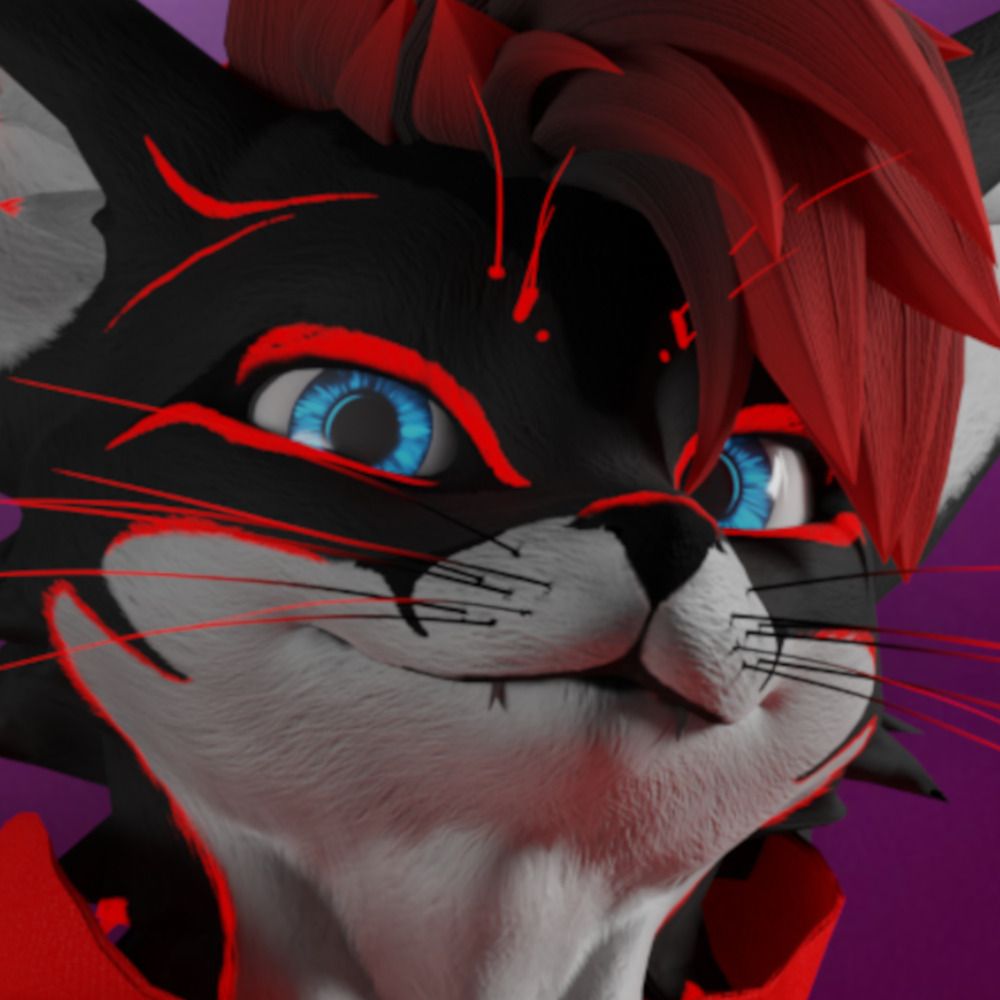
The UI I did for the Furry Hideout is out now!
If you would like to commission me for a UI, send me a DM on Discord :D
@drblackrat

 Bluesky
·
Bluesky
·


 faint hedge
is there a better way to set up RGB sliders? after watching a few videos on sliders i managed to make this myself but it gets really dark if all 3 sliders are moved to far to the right and also after switching visuals it doesn't save the slider values and i have to click each one to activate it again attached with the video is the udon graph im using for the sliders along with the animations set up


 ashen gust
I just want to make sure I'm not going crazy. I swear ages ago for the VRC UI Shape component to work you needed a box collider for the UI to interact properly. I've got a published world from 2023 using this. However, re-reading the docs it looks like you don't need any colliders, VRC UI Shape component seems to handle collision already?
frail shuttle
ashen gust
I just want to make sure I'm not going crazy. I swear ages ago for the VRC UI Sh...
You need a collider. If you don't have one, it simply adds one automatically.
ashen gust
frail shuttle
You *need* a collider. If you don't have one, it simply adds one automatically.
Ah okey. Is it preferred to not add a collider and let VRC handle this or manually add the collider? 🤔
tiny whale
IIRC it will add it automatically on upload
yep
The object with the VRC_UIShape must have a box collider. If there is none, one will be added automatically after the world is uploaded. However if you have added a collider yourself, you must make sure that it is the correct size.
The VRC Ui Shape component allows you to create Canvas components that players can interact with.
 tight furnace
grave dune
https://bsky.app/profile/did:plc:lqj6bm2mqjar7nkmd7tqszhh/post/3lktnqmslbs2p
tight furnace
grave dune
https://bsky.app/profile/did:plc:lqj6bm2mqjar7nkmd7tqszhh/post/3lktnqmslbs2p
UI Wizard
grave dune
 ashen gust
Think this belongs here...
VRC Input Field works with TextMeshPro
VRC URL Input Field Doesn't?
Currently making a UI Theme & I want my Inputs & URL Inputs to look the same but the old Text inputs look trash compared to TextMeshPro
carmine panther
should work, that is how video players get url
ashen gust
carmine panther
u added a text (legacy), that is wrong object, u can choose the other one
ashen gust
carmine panther
u added a text (legacy), that is wrong object, u can choose the other one
I can't, I can only see Legacy text as an option?
ashen gust
I'm already using this in my project
carmine panther
but sdk should come with it
ashen gust
text mesh pro is installed
carmine panther
ok then u must have it
add game object-> UI -> text?
text (textmeshpro) or something
ashen gust
Yep, added those to the prefab, I cannot select them for VRC URL Input Field
carmine panther
drag from heirarchiy?
ashen gust
doesn't work
carmine panther
try add game object -> UI -> input field or something i forgot the name
ashen gust
There is an Input Field TextMeshPro (VRC) option in the dropdown but nothing for VRC URL Input Field
ashen gust
carmine panther
that is where u input text
This is for a VRC URL Input Field. Not a normal Input Field as it is for retrieving VRCUrls
carmine panther
i forgot exactly how it is done but u can just look at the SDK video player url bar
ashen gust
Going to live with Legacy Text at the moment and just make as similar as possible. ( Could probably write a script to sync legacy text to a textmeshpro element)
 tulip canyon
Who recognize the problem where your UI buttons are suddenly empty after click Play for game mode? How can i fix this annoying behaviour of Unity editor?
I just found out i need correct function. Incorrect function will just erased.
 west ibex
This might be an incredibly dumb question but how do I make UI's scale to fit the screen entirely on Quest standalone? I've been fighting this for hours, I can get it to do it fine on pc but whenever I test on my quest it's just a tiny little box- 😭 I'm using a screen space - camera ui. Is there any way to fit it exactly? I need it to be precise
errant compass
west ibex
This might be an incredibly dumb question but how do I make UI's scale to fit th...
Like in their HUD?
You want it to follow the users head?
The VRC Ui Shape component allows you to create Canvas components that players can interact with.
west ibex
errant compass
Like in their HUD?
You want it to follow the users head?
Yes! This
errant compass
You don't use ScreenSpace for VRChat
Instead, you'll have to place the UI an amount away from the head

Here's a tutorial on how to make an object follow either the local player, or a selected player in the scene. That being said, it's more of a how to make an object lock-onto a player, rather than just follow.
You could however use this same script to create a target for your object to try and reach, and then do a lerp on the object itself betwe...
west ibex
errant compass
https://www.youtube.com/watch?v=TlRSzmnDV18
Oh okay thank you!
errant compass
Also I believe screenspace is crap for Quest Performance? IDK.
I handle the drunk fx and UI based on the local players head
and then you can just fine tune it. The issue is you are now fighting a different issue. Different resolution sizes for diff monitors and headsets
So then you may wanna add a system to resize/position it
I read your stuff in Demonshop server. IDK if that is the way to go but it is working
¯_(ツ)_/¯
still oxide
Can someone help me how do I make it so people can put a image url in and it will show up I’m using it as bar menus ?
errant compass
still oxide
Can someone help me how do I make it so people can put a image url in and it wil...
Image Loading allows you to display images from the internet in your VRChat world. When a user visits your world, the image can be downloaded from the internet and used as a texture in your materials. Here are a few examples on how Image Loading can be used:
still oxide
errant compass
https://creators.vrchat.com/worlds/udon/image-loading/
Wait also can users change these in the world ?
errant compass
Technically yes... Depends on how you implement it
grave dune
Just going to post some of my UI stuff in here
hearty copper
ooh that moves nicely
grave dune
Yee that's kinda my thing :D
hearty copper
yeah that looks great
deep dock
for a music player, how does this look?

 zenith forge
deep dock
for a music player, how does this look?
zenith forge
deep dock
for a music player, how does this look?
I like it, but make sure to make the text use a small region that clips overflow, ideally scrolling left to right if it would overflow.
In terms of text resolution, I feel that due to the variation of screen-res in VR, you'll want the play-time to be a bit more legible.
A quick general question. I mainly work with UMG in Unreal for UI.
What is the standard method for spawning a player in with an animated UI? I've read that Unity UI design is more about designing custom tween-components than Unreal is, which is fine. Just wondering how others would handle such a thing.
I'd like to have a little world-bumper before the player spawns that is either not tied to head-rotation, or smoothed.
grave dune
I may have gotten a bit inspired by the Apple Fitness UI
carmine panther
how many fps does it run?
grave dune
All of this is event based so when no one is using it the performance cost is close to nothing. Tabs etc that aren't currently shown aren't rendered as well and most things are batched together. Once you go into play mode or build & upload it all unity layout components are also removed so there is no overhead from using them.
Once you do switch between tabs, turn things on / off there are a few custom update loops running for the animations that's about it. I haven't noticed any performance difference on PC and so far also nothing on Quest.
So the TLDR:
- if not actively interacting close to nothing
- if actively interacting there is a slight overhead due to the animation update loops.
Things that are animated:
- Selector (highlight behind the buttons)
- position
- size
- corner radius
- Buttons
- Size
- corner radius
- text pos
- icon pos
- Tabs
- position
If pressed 4 things happen:
- Selector gets told what button to animate to
- prev selected button gets told to animate into the unselected state
- new selected button gets told to animate into the selected state
- tabs switcher gets told what tab to switch to
The selector also just gabs the data from the button to animate to which allows you to do stuff like this :D
https://cdn.discordapp.com/attachments/853323534624751647/1362157272154771659/20250416-2004-57.7708265.mp4?ex=68094851&is=6807f6d1&hm=97b6bc9596fa7760a8d985f39fe9c6bc5ff8ca514b653f5b0be529d301633f7c&
(sometimes I feel like I care way too much about this stuff lol)
hearty copper
(I don't think this is "too much" at all)
carmine panther
oh so it runs every frame? the video doesnt look like full framerate
i thought it runs like 30 fps
 thin flame
youre gonna need to be more specific
jaunty walrus
 buoyant rapids
Anyone wanna show a rookie the ropes??
buoyant rapids
Anyone wanna show a rookie the ropes??
What are you currently struggling with?
Do you have any examples of UIs you've made?
buoyant rapids
I have not done so yet, but I just got Unity.
thin flame
buoyant rapids
I have not done so yet, but I just got Unity.
why start with UI?
hearty copper
What is your goal?
hearty copper
this channel is a bit more advanced, maybe #world-development and #avatar-general
buoyant rapids
Thanks, I figured so much. 🙂
thin flame
buoyant rapids
I want to make my own worlds and avatars lol
i can redirect you to some good youtube tutorials if thats to your liking
though youll have to choose between worlds or avatars at first
deep dock
deep dock
for a music player, how does this look?
i decided to change it, i think this is a big improvement

the volume slider will show up when you hover over the volume icon, it won't always be there
alpine socket
grave dune
If pressed 4 things happen:
- Selector gets told what button to animate to
- pre...
Is there an update on each distinct element (ex. per button), each component (ex. selector group), or like, a screen manager?
grave dune
alpine socket
Is there an update on each distinct element (ex. per button), each component (ex...
Each button has it's own animation controller as you can override the default for each button / element independently.
So when you press on a button 3 things independently start a custom update loop:
- the Selector
- the newly selected Button
- the previously selected Button
Originally the Selector UI script did the animation for all 3 but that caused a few problems when switching selection before it finished animating and didn't allow for per element overrides.
The performance impact of this is very minimal though, even on mobile or quest.
As usually you don't have more than 3 or 4 (if the button switches tabs) animation systems running at the same time.
None of these use the normal update method btw, they all have custom update loops that start and stop when needed.
alpine socket
Just confirming, the animation controller isn't like the animator controller for the unity system, it's like a U# script that contains the start/end/bezier curves of the motion?
alpine socket
Cool, I've had enough of trying to juggle animator states and params, that stuff never works correctly
grave dune
Yeahhhhh
This also allows for dynamically adding more things
 alpine socket
Neat. Layout components are damn helpful.
grave dune
This is for example what the selector (thingy that moves around) does

 grave dune
alpine socket
Neat. Layout components are damn helpful.
grave dune
alpine socket
Neat. Layout components are damn helpful.
Yeah, I also have a script that can remove them on runtime so you don't end up with a performance overhead
 alpine socket
Ah yes, I love how this is basically old-school js animation logic. No fixed update? RequestAnimationFrame();
 alpine socket
You're syncing the states, but not the progress in animation, I assume? Someone late joins, everything lines up, but if they joined mid animation, it's already finished for them?
grave dune
If they late join it essentially tries the same flow as if the button was just pressed. Same thing goes for persistence
So if you have a quick eye you might see things moving into position for like 2 seconds lol
alpine socket
Ah, makes sense. I need to learn how to do inspector UI
grave dune
Pretty easy!
I followed this guide:
https://www.youtube.com/watch?v=eCIv4i_i9bE
Show your Support & Get Exclusive Benefits on Patreon (Including Access to this tutorial Source Files + Code) - https://www.patreon.com/sasquatchbgames
Join our Discord Community! - https://discord.com/invite/aHjTSBz3jH
--
Editor scripting is FINALLY in a much, much nicer state thanks to UI Toolkit. Creating custom inspectors requires a lot les...
alpine socket

I remember like a year ago someone showing off a UI they were working on, and I immediately thought "hey thats neat, I'm taking that"
grave dune
Not bad looking! I would personally make the parent elements (e.g. backgrounds) more rounded as well to fit the buttons better
alpine socket
Slightly rounder

Motion-summoned user menu, with weightless throw physics, and poofs into a particle cloud at max distance
Being grabable is fun with the FPS counter, since you can check in-world while running around
grave dune
nice!
I've so far only made stationary UIs
Well, they can move to different areas on a map but that's about it
alpine socket
I'm considering making the menus in playerObject, but only enabling the menu content if it's local, just so you can see other players access the menu
It's a tiny bit confusing if they just stare into the void
grave dune
hmmm
that is something you could do
but don't forget that there is a bit of an overhead of having to render everyones UI
hearty copper
I was considering this, but having the other players' thing be a static object without the full UI, so you know what someone is doing but don't actually see the whole UI
alpine socket
Yeah, that's what I mean. You, as local, only see that they opened the black menu canvas, but not the actual menu stuff
hearty copper
right
alpine socket
So it's only +1 canvas draw per additional player
The world makes out at like 250 setPasses anyway, it's not the worst
 deep dock
grave dune
I followed this guide:
https://www.youtube.com/watch?v=eCIv4i_i9bE
deep dock
grave dune
I followed this guide:
https://www.youtube.com/watch?v=eCIv4i_i9bE
interesting tool, i’ve just been writing all my custom inspectors manually
i think i get more customization that way though
huh, so all of unity’s built-in scripts use that for their inspectors? that’s kinda cool
alpine socket
It's all css, which is fun
hearty copper
huh, I've never looked at this, that's really cool
errant compass
I talked about UI in unity with someone and they said it was CSS. I was wondering where it was
I gotta take a peak when I'm back into VR dev
jaunty walrus
errant compass
I gotta take a peak when I'm back into VR dev
You can't use the new UI system to make runtime UIs for your worlds.
errant compass
Oh shame
 prime anchor
hellooo i've got a weird problem and could really use some help. i have a ui in my world that functions perfectly in playtest, but when i load into vrchat in vrpc mode, my cursor hovers in front of the canvas like it's looking at a huge invisible box collider. the buttons still work from this weird super-far-forward collider, though, so i don't know what's up or why it's doing that. my actual collider is correct and nothing is using the z-axis (i double checked), so i dont know why it's doing this
you can see what i mean here, it even seems to have an underside (pic 2)

 prime anchor
nvm. 12 hours after struggling with it i finally checked the biggest empty holding everything and it was misconfigured. my bad -_-
grave dune
Working on some stuff for my whitelist system :p
 desert mauve
Yoooo. Just started to create my own world and I'm following a tutorial to toggle music. I created a button (TMP) and added Udon Behavior but once I click on create new program, I get these error in console and I'm not sure why.
I used latest version of CC to create the project.
 hearty copper
scroll up to the top to find the compile error
desert mauve
This is all the way up.
 hearty copper
clear, see what persists?
desert mauve
The main thing I see is something is null but idk what to do about that? I've tried doing some searches but I haven't found anything that has helped. Might not be looking in the right place but at the same time, super new to all of this.
hearty copper
not really much more we could tell you from here, find the script that won't compile and fix it or remove it
it looks like you have a bunch of udon assets without scripts though, not sure what you did to cause that
hearty copper
I'm just reading the error messages
desert mauve
This is the only thing in the project.
 deep dock
desert mauve
Yoooo. Just started to create my own world and I'm following a tutorial to toggl...
deep dock
desert mauve
Yoooo. Just started to create my own world and I'm following a tutorial to toggl...
when you added an udon behavior and clicked "Create New Program," it automatically had a U# script selected, but i assume you wanted a graph. something broke when it made the U# script, and it has no program source. navigate to your Scene's folder in the assets, go to "(scene name)_UdonProgramSources" and delete any files that are there that are related to "Button"
desert mauve
deep dock
when you added an udon behavior and clicked "Create New Program," it automatical...
Yes, that's exactly what I'm trying to get to is the graph. I'll check now.
deep dock
after you delete the U# script as i instructed, click on your button again, and right next to "Create New Program" should be a dropdown to choose a different asset type. select "Udon Graph Program Asset"
desert mauve
deep dock
after you delete the U# script as i instructed, click on your button again, and ...
Got it working. Thanks!
versed robin
grave dune
I followed this guide:
https://www.youtube.com/watch?v=eCIv4i_i9bE
might look into this as all my editors are manually coded
 noble oxide
how i can continue building the corner here ?

 severe hamlet
anyone good with syncing UI's across clients to where players see an updated ui based on what another player does?
hearty copper
If you don't have too may UI elements, one way I've seen is to make a small script that you drop onto each UI element that'll auto-sync its value. The AudioLink controller does this, for example.
severe hamlet
gotcha, I'm trying to make a scoreboard and its not working well accross clients haha
jovial heart

I’ve built a control panel and layered a canvas over it with transparent buttons over the physical buttons, but I was wondering if I should still try and set up an actual physical button interaction to it as well… I’m a bit nervous that it’ll be a rabbit hole to get into e.e
My question is: would any of you see this and automatically expect to be able to push the buttons? Am I tricking players into trying to push the buttons? Because if that’s the case, I would hate for this to be a consistent disappointment for the players
jaunty walrus
jovial heart
My question is: would any of you see this and automatically expect to be able to...
You should playtest.
jaunty walrus
severe hamlet
anyone good with syncing UI's across clients to where players see an updated ui ...
Let's move this to #udon-networking!
Also, please describe precisely what your scoreboard needs to display, and where that data comes from.
 placid hamlet
is there a way to animate UI image materials?
desert mauve
Is there any reason why this script wouldnt' work for a simple button to play/pause/stop an audio track?

I have the main script on an audio source:

And then I added the script to the onClick section to play the audio but it's not playing the audio:
 desert mauve
How to get rid of Invoke button?

 amber bison
remove the button to test run it?
jaunty walrus
desert mauve
How to get rid of Invoke button?
That Invoke button is probably being drawn by the Unity Editor Drawer for the type UnityEvent<>.
Why do you want to get rid of it??
jaunty walrus
desert mauve
And then I added the script to the onClick section to play the audio but it's no...
The problem is that you're calling the C# function RadioController.PlayAudio (). This doesn't work in Udon.
You need to call the C# function UdonBehaviour.SendCustomEvent (string) and put the text "PlayAudio" in the field.
Like this:
 desert mauve
jaunty walrus
That `Invoke` button is probably being drawn by the Unity Editor Drawer for the ...
desert mauve
jaunty walrus
That `Invoke` button is probably being drawn by the Unity Editor Drawer for the ...
To be honest, I thought it was preventing me from running it since in other videos I've watched, I didn't see that button so I was just curious. Thanks.
desert mauve
jaunty walrus
The problem is that you're calling the C# function `RadioController.PlayAudio ()...
Ok, I will try that. Thank you!
 hollow flicker
I've got a particular vrc UI shape that keeps modifying its collider on start and its causing stuff to break. what are causes for this and ways to prevent it?
In editor

and during runtime
 desert mauve
jaunty walrus
The problem is that you're calling the C# function `RadioController.PlayAudio ()...
desert mauve
jaunty walrus
The problem is that you're calling the C# function `RadioController.PlayAudio ()...
Does this need to be called in the script itself? "UdonBehaviour.SendCustomEvent (string) "
jaunty walrus
desert mauve
Does this need to be called in the script itself? "UdonBehaviour.SendCustomEvent...
No
jaunty walrus
jaunty walrus
The problem is that you're calling the C# function `RadioController.PlayAudio ()...
Your script has the public methods PlayAudio, PauseAudio, and StopAudio.
To call those from a UI button you need to set the OnClick event to UdonBehaviour.SendCustomEvent (string) and put the name of the method you want to call in there.
All method calls (from one script to another) in Udon are the SendCustomEvent extern under the hood.
 fathom zodiac
Uhhh, why does VRChat's supersampled UI shader seem to hate "Vertex Color Always In Gamma Space"?
It made all my UIs extremely brightly coloured...
desert mauve
Trying to use Grok to help build a music player and I'm getting stuck on this one part.
It says to do the following but in my graph, I don't see a way to connect from Start to the Get Program Variable?
Not even sure if I set this up right.

 placid hamlet
Feels like this should be simple to do, but I can't figure out how to make held button events
desert mauve
Grok is saying I need to get an Array Get node instead of Array GetValue but I do not see this listed:
 thin flame
desert mauve
Trying to use Grok to help build a music player and I'm getting stuck on this on...
thin flame
desert mauve
Trying to use Grok to help build a music player and I'm getting stuck on this on...
Im not sure what this tutorial means, but just connect start to the set volume node
Its the only one with a flow intake (the white arrow)
desert mauve
thin flame
Im not sure what this tutorial means, but just connect start to the set volume n...
Do you know anything about this? Grok is telling me to add a Math Modulo node but I do not see it listed:
I also do not see Math Add node
 frail shuttle
Grok, or various models. Might be able to help you with some specific things, but I wouldn't expect it to actually be able to reliably guide you.
If you're unable to make a music player yourself, why not use one of the multiple free prefabs already available? I get if you want to learn to do it yourself, but you're not really learning if you're just mindlessly following an AI.

This is a Music Player for audio files that you can use in your VRChat worlds! It will play like a MP3 player, allowing you to skip songs, repeat one, shuffle, and even has an active visualizer that you're free to color change at any point. The Music Player also uses persistence to remember what
desert mauve
frail shuttle
Grok, or various models. Might be able to help you with some specific things, bu...
I do have a music player that I bought already but I want to be able to make one myself.
and I want to use udon graph - the music player I bought uses C#
frail shuttle
Then I wouldn't use AI at all. It will not teach you anything realistically. Read documentation, and see how pre made assets are made.
If you're just following an AI's hallucination step for step, you won't really know why you're doing anything and won't learn, and it will obviously mislead you
#udon-general might be a good first step
thin flame
desert mauve
Do you know anything about this? Grok is telling me to add a Math Modulo node bu...
Ooh i didnt even realize grok is ai.
Yeah no youre not gonna be able to do much relying on it consistently
hearty copper
... you didn't? Huh.
desert mauve
I'm following a tutorial and for some reason, when I try to set the clip before going to the Play node, I get an error in the console but if I bypass the set clip and go straight from the debug log to Play, it works. What would stop it from playing the audio from this screenshot?

 frail shuttle
hearty copper
frail shuttle
hearty copper
Good way to attract scammers
 marble cedar
I would like to have some way to use my world's menus on-the-go
I also get really annoyed when I hold down on both sticks for half a second and a menu appears
any thoughts on a good way to do this?
It'll definitely be on a toggle
One world I was in had you grab with both triggers and pull apart, like you were stretching a rubber band
That was fun
I like the idea of a menu that appears when you raise your arm like you're checking your watch
swift adder
I watched folks struggle getting the one that stretches between your hands to appear/disappear. Also I made one that you grab like pulling out of a backpack, over your shoulder. And some people kept pulling it out when adjusting their headset or dancing. I think while filming or streaming, so they were pretty annoyed.
So movement gestures seem tricky and I'd probably just do triggers/sticks now. But for movements, checking your watch is pretty easy to explain and perform so that's good
marble cedar
i often wind up ripping at my hair when it try to reach over my shoulder
swift adder
yeah I have wayyy longer hair now. So I'd probably run into that if I replayed my old world lol
marble cedar
I want to make it hard to accidentally open the menu, even when doing a lot of dramatic movements and gestures
raising your arm and staring directly at your wrist for a second would probably do the trick there
swift adder
oh yea, maybe a timing threshold is the key
 glass crown
kinda gave it a try just now, in this case i'm requiring gaze for 1s before it starts to appear and another 1s before it fully appears and is interactive, though i couldn't think of a good way to make it orient properly relative to the arm at all times, so i didn't try
i think in an ideal world the dot product check would be from the menu* to the head assuming you could get a good consistent position/rotation to place it at, so it'd work more like an overlay menu, but i'm not familiar enough with avi bones or tracking data to try to work that out quickly
 glass crown
like a screen space thing that scales up lol? i'm not really sure how you'd translate to vr
marble cedar
okay maybe I just have the pose in mind :p
I also like H3VR's menus -- you just flip your controller over and use your other hand to interact
polar wolf
Bolt it to the player menu :p
jovial heart
Side note for the triggers and sticks, clicking in sticks is annoying for some folks because if you do it too often you wear your sticks out and gain stick drift
My favorite solution to that is pulling the stick down, but that won’t work for left stick since it would move the player back
glass iron
marble cedar
i often wind up ripping at my hair when it try to reach over my shoulder
Really? I never had that issue personally even with longer hair. Maybe the trigger area was too small?
This is particularly relevant because I also want to do a custom UI right now.
And my idea was to use the shoulder grip to take it out. I feel like that's the most sensible and straight forward way to do it. It's very easy to teach that to players too.
glass crown
polar wolf
Bolt it to the player menu :p
how is this done? i've only seen it in japan street
carmine panther
i guess it uses Input.GetKeyDown("escape") to detect menu being opened? idl
alpine socket
I have a decent one for the both-hands-grab-n-stretch
polar wolf
glass crown
how is this done? i've only seen it in japan street
Its a complete pain in the arse.. you have to track it with cursed coliders overlaps
glass crown
polar wolf
Its a complete pain in the arse.. you have to track it with cursed coliders over...
i managed to get something consistently tracking whether i had it open on my left hand using overlap no alloc, from there i positioned something above the menu with tracking data, but i haven't tested whether the offset would be different for different controller types yet
 light sequoia
хуй
 buoyant cedar
so im trying to make a little menu for the world, this is what ive made so far, does anyone have any suggestions on how i can make it look more cyber/futuristic?
 carmine panther
make the background black and make the text neon green or cyan or purple
deep dock
some cool drawn-looking UI i made
 carmine panther
please point the two spotlights at the piece and lit it evenly top to bottom for my ocd
or consider three different spotlights centered for the three objects in here
it is cool but the lighting will take it to next level
deep dock
 jaunty walrus
deep dock
some cool drawn-looking UI i made
jaunty walrus
deep dock
some cool drawn-looking UI i made
very cool!
deep dock
in-action
dunno why that has no game audio, i heard it while clipping that.. Photos just sucks in windows 11 i guess
jaunty walrus
I love how stylized it is!
carmine panther
lol thank you, much better
 weary patrol
deep dock
in-action
weary patrol
deep dock
in-action
I wonder what it'd be like with a pencil sketching sound when you change the settings
carmine panther
i can only hear realistic mouse click sounds, maybe it is recording with your mic
deep dock
yeah for some reason it only included my mic audio, even though the original file had game audio too. trimming with Photos in windows 11 has been causing the audio to break for some reason
hearty copper
deep dock
in-action
I like how they go 🚫 when off
deep dock
thanks, yeah i thought it would be a good indicator that, if a slider is turned down all the way, it's the same as being disabled
plus, the player light slider is disabled by default, and the others aren't, so it helps the player to assume as such
hearty copper
totally - I hate how many worlds have toggles that you have no idea what the state is. Is blue on or is pink on?
Lots of creators are awful UX designers.
 desert vale
Can anyone point me to some resources on how to achieve hover effects on buttons that work both in vr and desktop (with mouse/cursor in desktop and a typical laser in vr)? I cant find any definitive resource/examples for something that feels kind of trivial 
deep dock
normally you would use an EventTrigger component set to listen for OnPointerEnter and OnPointerExit, however it doesn’t work in-game, and it seems nobody else has a solution
desert vale
I think some people might achieve it with a raycast and colliders? If so though do they use Canvas still or avoid it entirely? (Not asking you directly but, if anyone comes along and has insight into that it'd be appreciated).
deep dock
i know Bobystar has a prefab system called Dual Laser, which implements the raycast with correct offsets for you. so theoretically you could use the raycast from that system to have the “on hover” effect
i may also just look around and find a world with a UI hover effect, and contact the creator to ask how they did it
 fresh steeple
deep dock
normally you would use an EventTrigger component set to listen for OnPointerEnte...
fresh steeple
deep dock
normally you would use an EventTrigger component set to listen for OnPointerEnte...
They seem to work in my old EventTrigger test world here. The only thing is that they trigger twice for no good reason.
https://vrchat.com/home/world/wrld_6603228c-519a-469c-af5b-9dd184f73549/info

int_EventTriggerTest
deep dock
i don’t know why, but the every event except the hover ones work
which is dumb, because that’s the only one i usually need from EventTrigger
fresh steeple
Strange.. The ones in green here are all the ones I was just able to trigger by spamming around the square
 deep dock
and that world uses the EventTrigger component, right?
or is there another method to running those events
fresh steeple
Yep, it's driven by an EventTrigger
deep dock
yeah, that’s really weird. PointerEnter/Exit, in two separate projects, have worked in clientsim but not in-game for me. i even tried with and without an EventSystem, to no avail
fresh steeple
Hm.. This may be a tad obvious, so I aplogize, but you're certain they're calling public methods in your scripts, right?
deep dock
i haven’t opened those projects in a while, but i’m sure they were, i don’t usually make my methods private unless i know they can be
fresh steeple
Although if it's working in the editor then I suppose they must be 🤔
deep dock
yeah it always worked in clientsim
fresh steeple
Just checked the project file. The setup in my test world is dead simple: EventTrigger directly to public method (well, directly to SendCustomEvent for the public method) & it seems to work fine. 🤔

 deep dock
maybe i should look over it again.. as far as i remember, that’s all i did too
thin flame
deep dock
normally you would use an EventTrigger component set to listen for OnPointerEnte...
What do you wanna do exactly? I might be able to help
Remind me in a few hours tho cauz rn im not home
deep dock
all i want to do is have a UI button do something when it's being hovered
deep dock
desert vale
Can anyone point me to some resources on how to achieve hover effects on buttons...
someone else as well, up here ^
thin flame
deep dock
all i want to do is have a UI button do something when it's being hovered
Oh ive definitely done that in my world, ill show you in a bit
Ping to remind me if it slips my mind
thin flame
@desert vale @deep dock here's how i have something happen "on ui hover"
 deep dock
yeah that's the same thing Blue Cat was showing, an eventtrigger with PointerEnter and Exit, and the same thing that wasn't working for me
weary patrol
Not sure if anyone's asked yet, but do you have an event system in your scene?
It should get auto-generated but worth checking if you haven't already
deep dock
i already mentioned that i tried with and without adding an event system within unity
it's been a whil since i used eventtrigger, but i'll have to try again and test some more
deep dock
ugh
okay so it calls the event correctly in-game, but the rest of the code doesn't function???


 deep dock
fresh steeple
They seem to work in my old EventTrigger test world here. The only thing is that...
deep dock
fresh steeple
They seem to work in my old EventTrigger test world here. The only thing is that...
oh.. so, it does fire twice
in-VRChat, i get the messages for Pre and Post twice for each event. meaning the thing gets toggled on and off in the same frame

so the issue is not that it doesn't work, it's that the event fires twice for absolutely no reason, breaking anything related to toggling a bool
that's nice.
deep dock

Using an EventTrigger component on a UI element, and telling it to SendCustomEvent (string) to an UdonBehaviour will cause the event to fire twice.
thin flame
deep dock
https://feedback.vrchat.com/bug-reports/p/fix-onpointerenter-and-onpointerexit-f...
in the meantime, you might as well have a little static helper method to filter them
should be pretty easy to patch it i think?
call -> to filter -> back to regular method
deep dock
i'm not sure how i would check, unless something like?:
private int eventCounter = 0;

public void _OnPointerEnter() {
  eventCounter += 1;
  if (eventCounter == 2) {
    _DoSomethingElse();
    eventCounter = 0;
  }
With a reuseable helper you can stick on anything
public void _OnPointerEnter()
{
    S.UIFilterHelper("DoTheThing");
}


bool isOnCooldown;
public static void UIFilterHelper(string MethodName)
{
    if (!isOnCooldown)
    {
        SendCustomEvent(MethodName);
        isOnCooldown = true;
        SendCustomEventDelayedFrames(nameof(_ResetCooldown), 1);
    }
}

public void _ResetCooldown()
{
    isOnCooldown = false;
}
wait a sec
no i misunderstood the whole thing i think?
thin flame
deep dock
https://feedback.vrchat.com/bug-reports/p/fix-onpointerenter-and-onpointerexit-f...
so wait, does it call it in the same frame?
if thats the case, we can leverage SendCustomEventDelayedFrames to give it a cooldown of one frame
deep dock
yeah, according to the video i sent, it seems to be calling the event twice in the same frame
thin flame
then sec, lemme modify the code i just sent
thin flame
thin flame
With a reuseable helper you can stick on anything
```c#
public void _OnPointerE...
@deep dock done
i use this cooldown with a delay concept with a lot of my own things, its very useful
deep dock
that sounds like it'll work
thin flame
 fresh steeple
deep dock
so the issue is not that it doesn't work, it's that the event fires twice for ab...
fresh steeple
deep dock
so the issue is not that it doesn't work, it's that the event fires twice for ab...
Ahhh, yeah. Makes sense, glad it got figured out, tho!
deep dock
hazy crown
you scaled the canvas unsymmetrically
the canvas should be a uniform scale, and to change the shape, you could only ever use the Height and Width
also, the scale of your canvas is really big. it should be 0.001, so the width and height are more like 100-1000
it generally makes more sense since canvases are usually measured in pixels (even though worldspace UI is different)
also, when the scale is too large, the collider the VRCUIShape gives it will cause the pointer to float in front of the UI
 dense sigil
Anyone know what would cause a canvas to disappear? I am trying to use a scroll view and mask to only show a few objects on screen, but if the list has too many objects in it and goes too far off screen the whole thing vanishes. I cant seem to find the right search terms to find a fix
polar wolf
dense sigil
Anyone know what would cause a canvas to disappear? I am trying to use a scroll ...
culling?
hazy crown
thx 🙂 one thing too is , why is Scroll view so jank ,it works slightly in vr but very clunky and bad , am i missing somethin ?
 fallow iris
I'm so confused cuz I've made the Ui many times, but this is the first time I'm having an issue with. Apparently, there's a box that covers the Ui as you can see it in the first pic. I shot the particles at it to show that there's a block.
But in unity, the box collider is completely flat as seen in the second pic. I can press the toggle button just fine when on desktop, but when I'm on VR, I couldn't reach the button.

 polar wolf
hazy crown
thx 🙂 one thing too is , why is Scroll view so jank ,it works slightly in vr bu...
polar wolf
hazy crown
thx 🙂 one thing too is , why is Scroll view so jank ,it works slightly in vr bu...
vrc don't apply deadzones to the scrollview so it acts jank as all hell basically, esp when trying to click a button on a scroll..
hazy crown
polar wolf
vrc don't apply deadzones to the scrollview so it acts jank as all hell basicall...
there is no work around ?
fallow iris
fallow iris
I'm so confused cuz I've made the Ui many times, but this is the first time I'm ...
Pushing this. I hope someone can help me out with this.
I've deleted it and re-created it. I fixed to change the box collider's size. I've put it in different area. The invisible box is still there.
thin flame
fallow iris
Pushing this. I hope someone can help me out with this.
I've deleted it and re-c...
Do you have a vrc ui component on your button?
 sharp flare
Does anyone have a fix for this https://imgur.com/a/ebqnKSr


When i click in escape mode the buttons work, but when i click them with my crosshair they dont
sharp flare
fixed it by changing the layer from UI to DEFAULT
thin flame
Oh yeah that would be why
fallow iris
thin flame
Do you have a vrc ui component on your button?
yes
deep dock
hazy crown
there is no work around ?
yes, there is a workaround. add an Image component to the content, make it fill the entire content area, and place it behind all your actual content. then, make the color invisible, and make sure Raycast Target is enabled
you’ll then be clicking on that “image” whenever you click a deadzone, which will allow you to drag the scroll rect
i also tend to do this when i’m making a scroll rect for read-only content. instead of having each individual element use Raycast Target, i disable it on everything except one Image component which i place over everything else, that way you can drag to scroll when clicking anywhere inside the scrollable area
(UI elements are sorted back-front from their positions in the hierarchy, in case you didn’t know)