#world-ui-design
1 messages · Page 3 of 1
 hazy crown
 grave dune
Currently working on implementing theming support to my UI!
 hearty copper
oh excellent
 astral pivot
 grave dune
yes.
I love that movie
Also, switching between tabs while editing is no longer pain :D
https://cdn.discordapp.com/attachments/1386780499573342298/1392926571190423613/20250710-1749-49.9950075.mp4?ex=68714f75&is=686ffdf5&hm=988af1a19f8fed309c95dce10670aadbb96c3dd05e440f1a75e4fa58b42c7974&
grave dune
What about vertical menu?
 fallow iris
How to make an UI text show up on the VR screen when being toggled on? I've made the canvas and all that, and the toggle is working. But the text doesn't show up on the screen. Hope you can help me. Thanks.
Actually, I would like to mention that it does show up for the desktop users, but nothing for the VR players
hearty copper
screenspace shader?
hearty copper
world space is different than screen space
I was going on your use of the word "screen" here
 frail shuttle
fallow iris
How to make an UI text show up on the VR screen when being toggled on? I've made...
frail shuttle
fallow iris
How to make an UI text show up on the VR screen when being toggled on? I've made...
Depends on the text needing to display. Can be a UI text component tracked to player head location with an offset. Can be sphere with a screenspace shader and the text is a texture. Depends on what you need visually.
 dense sigil
What is the recommended way to control UI animation? For instance I am currently using Udon branches based on a bool to send a trigger to an Animator Controller which works fine for some things, but gets stuck playing the animation until it receives another trigger which my logic for is.. terrible
 thin flame
dense sigil
What is the recommended way to control UI animation? For instance I am currently...
thin flame
dense sigil
What is the recommended way to control UI animation? For instance I am currently...
do you have loop time off?
 wheat tangle
How would one go about making multiple video resync buttons for proTV? I doubt I can just copy and paste them.
hearty copper
basically you can, it's just a canvas button that calls a function
hearty copper
Ok so I'm trying to scale down the ProTV MediaControls V1 (Color) canvas and nothing I do seems to allow it to still be interactive - what dumb thing am I missing?
I'll build a whole UI from scratch if I have to, just really don't want to.
ok what the hell, it wasn't the scaling
hearty copper
oh I should have reported back - I needed to move the canvas from Z=0 to Z=-.001. GRR.
 radiant chasm
Trying to display a cutscene on screen but no idea how to get the UI required to do something like that
 solar thorn
I don't really know where to ask between this server and the unity server but I feel like asking both could help since this is literally the game's official server and the other's the engine' official server
 tiny whale
solar thorn
tiny whale
solar thorn
VRChat requires the UI to be set up in an unusual way, double check that it's set up correctly
This doc page has a "common problems" section that you can go through and help deduce what the problem is
It sounds like you aren't even using the VRC UI Shape component, so that might be a start
https://creators.vrchat.com/worlds/components/vrc_uishape/
The VRC Ui Shape component allows you to create Canvas components that players can interact with.
the SDK also adds a few entries to the Create menu in the Heirarchy. If you select one of these, it should create a UI setup that works out of the box

though you may need to remove your current canvas, I've had times where it won't create a new one if you already have one in the scene
solar thorn
Oh alright thanks, I'll try it out
 upper crown
I was wondering, is it possible to limit the distance of being able to click UI elements?
 jaunty walrus
upper crown
I was wondering, is it possible to limit the distance of being able to click UI ...
jaunty walrus
upper crown
I was wondering, is it possible to limit the distance of being able to click UI ...
Not as far as I know, but what you could do is track an inverted spherical mesh collider to the player's head position.
Make the mesh have the radius you want the max interaction distance to be.
upper crown
jaunty walrus
Not as far as I know, but what you *could* do is track an inverted spherical mes...
thank you!
grave dune
Playing around with a tab bar for my VRC Modern UIs that is inspired by iOS 26 :p
 hollow loom
i keep having to click buttons twice for them to do there actions why?
it seems to only happen on scroll rect stuff
hollow loom
grave dune
Playing around with a tab bar for my VRC Modern UIs that is inspired by iOS 26 :...
damn thats sick
hollow loom
hollow loom
it seems to only happen on scroll rect stuff
okay i think i figured out why, its trying to drag down rather than click the button
but its so sensitive, how do i stop this
 placid pawn
is it possible to get the x y pos of a clicked image
 eager iron
i got problem so i got UI canves collider problem in VRchat build world is gets big vertically whin my canves is -30 angle wtf how i fix it is so odd my laser pointer cant get to buttons
is works fine in Unity editore
 polar wolf
eh..
 deep dock
i have no idea what that means
 marble cedar
Perhaps this is a non-uniform scaling problem?
i.e. you've done this:
- Parent <-- scale of [100, 100, 1]
- Canvas <-- rotated 30 degrees
this will cause all kinds of weirdness for the child object
hollow loom
do i need to do vrc ui shapes for nested canvases?
eager iron
is ok i found it Z scale need be 0.005 because whin Vrchat build world it resize colliders to size of the canves Thanks to AI info 🙂
marble cedar
ah, you didn't have it scaled down uniformly
yeah, if the Z scale isn't changed, the collider it adds will be too thick
deep dock
hollow loom
do i need to do vrc ui shapes for nested canvases?
each canvas needs a collider to be interactable, and the VRCUiShape only adds a collider for you. so i’d say yes
hollow loom
deep dock
each canvas needs a collider to be interactable, and the VRCUiShape only adds a ...
I ended up not needing it but maybe it was because I was in editor but I can't seem to get nested canvases to work they all still regenerate
How do I make them work everything just told me to make them a child of the canvases but that didn't work
hearty copper
(remap it to be a control key)
deep dock
my keyboard's software sucks and clashes with my RGB software :(
hearty copper
I didn't realize you'd need software specific to your keyboard to do that. But I was just being silly, I got used to control there from a Sun keyboard years ago.
deep dock
i think i do, not sure of any other way
before i used my current RGB software, i just disabled it entirely
deep dock
deep dock
my keyboard's software sucks and clashes with my RGB software :(
autohotkey my beloved
CapsLock::Return
hearty copper
that's an interesting idea
deep dock
it works :D
(i actually did what you suggested, and used CapsLock::Ctrl and will see how it goes in games)
 whole oracle
Does anyone know how to stop world space UI using VRC UI Shape component from colliding with players?
Nvm I just had to add my own collider to it, doesn't make its own one if there is one already added, and set the exclude masks lol
 glass crown
whole oracle
~~Does anyone know how to stop world space UI using VRC UI Shape component from ...
glass crown
whole oracle
~~Does anyone know how to stop world space UI using VRC UI Shape component from ...
i typically set it as a trigger collider when adding the component myself, rather than excluding
deep dock
whole oracle
~~Does anyone know how to stop world space UI using VRC UI Shape component from ...
i just change the layer. like, put it on walkthrough or something
 royal cedar
Is it possible to use Text Mesh Pro 3.2 or 4.0 in VRChat? It's compatible with the version of Unity VRChat uses, but when I upgraded TMP, despite looking fine in the editor, TMP elements were all missing from the scene in the client.
I ask because some of the shaders are improved, along with some bug fixes, and there's new tags like <gradient>
-# I successfully downgraded back to 3.0.9 in the meantime
grave dune
You can only use the version the vrchat client uses
polar wolf
Gradient should work in our version, but iirc style files arnt baked into the world properly or something, there was a canny for it somewhere

TextMeshPro style sheets are not uploaded with the world. This leads to discrepencies after updating the world.
 jaunty snow
Why do I have to scale down one of my canvases by a factor of 10 to get the same proportions as the other? What did I screw up?
royal cedar
polar wolf
Gradient should work in our version, but iirc style files arnt baked into the wo...
I'm not using style sheets just TMP Pro Gradient Color assets.
The gradient is included when attached to a TMP's Gradient preset field, but not when a gradient is referenced via the tag.
Do you think creating an udon script that references these assets would force them to be included?
polar wolf
royal cedar
I'm not using style sheets just TMP Pro Gradient Color assets.
The gradient is ...
not sure, its not something ive looked into
royal cedar
polar wolf
Gradient should work in our version, but iirc style files arnt baked into the wo...
Is there a way to force the <color> tag to apply to the vertex color without overriding an embedded gradient?
If I could do that I could just use the one gradient that does work and recolor it.
deep dock
some UI i'm working on

it's kinda temporary, but any ideas on what to replace it with?
i wanted to do the decorative border style like hollowknight, but it's hard to find free UI elements in that same style
deep dock
oh also, the UI on the right for the music player, i don’t really want to change. it’s mainly the UI on the left i want to do something else with
 timid rover
I think I'm using the right channel. I am having trouble with the Mirror Toggles. The tutorial isn't up to date, so what is the correct method? Ya know, "HQ toggles on-->LQ Toggles On, HQ Toggles Off Auto-->LQ Toggles Off, HQ Stays Off too" ya know

Please and thank you.
deep dock
timid rover
I think I'm using the right channel. I am having trouble with the Mirror Toggles...
you need udon to do object toggles, i believe those UI events to not work, because you can't tell it what "(bool)" to use in SetActive.
timid rover
Ah, so basically UDON is necessary and can't be done thorugh Unity?
deep dock
even if you don't need udon, udon is much better and has far more capabilities than those UI methods
timid rover
Alright. That's going to need a whole new tutorial, ugh. The Tutorial I am using shows an outdated function, like "toggle" but I am continue and come back later. Thank you.
deep dock
you can use this tutorial to make a mirror toggle. just modify it in this way to work with your UI button:
- replace
Event InteractwithEvent Custom, and type whatever you want into the text box. then copy that text. - put the button object into the object slot of the OnValueChanged event, right under the "Runtime Only" text
- in your OnValueChanged event, change the method from GameObject.SetActive (bool) to UdonBehaviour > SendCustomEvent (string)
- paste the text into the text box next to that event you just selected

In this tutorial I will show you how to add a high-quality and low-quality mirror with toggles to your VRChat world with the new VRChat SDK3 and the Udon programming system!
Timestamps:
- Intro 00:00
- Set up scene and mirrors 01:16
- Add mirror toggles 02:24
- Programming with Udon 03:20
- Interaction text 05:27
- Test in VRChat 05:52
🌸 3D...
 real zenith
What would be the workflow on how to do the computer ui from the incredibles? Haven’t done world making but would def give it a go.
 deep dock
if yo want it curved, that makes it more difficult, but otherwise it's just regular UI setup with some animations
i don't know how curved UI works, or if it's even possible. you probably need some shader tricks to make it work
timid rover
deep dock
you can use this tutorial to make a mirror toggle. just modify it in this way to...
So I followed, but at 3:03 their Script is different from mine? There is no Open Graph?(Left, Mine. Right, Theirs)

 deep dock
timid rover
So I followed, but at 3:03 their Script is different from mine? There is no Open...
deep dock
timid rover
So I followed, but at 3:03 their Script is different from mine? There is no Open...
when you clicked "Create Program," you accidentally had "Udon Sharp Program Asset" selected, rather than "Udon Graph Program Asset", like it should've been
Udon Sharp Program Asset is the default, but you'd want to use the Graph option
so, you can remove that component, add the UdonBehaviour again, and make sure the correct one is selected before clicking Create Program
timid rover
deep dock
when you clicked "Create Program," you accidentally had "Udon Sharp Program Asse...
"Accidently" I didn't know there was a difference until you pointed it out (Since the tutorial didn't mention it) /Laughing at self tone
Thank you though
Yup, now it looks correct after the change
deep dock
well, the "wrong one" is the default selection, so it's not surprising it happened
timid rover
Mhm
deep dock
lots of people have done the same thing
timid rover
Ha
timid rover
deep dock
you can use this tutorial to make a mirror toggle. just modify it in this way to...
Yippie

 jovial heart
I was suffering from a weird problem where my box collider was being forced by the vrcuishape to a really thick scale in build but running fine in editor
I discovered the cause was having a canvas with the vrcuishipe (and possibly the graphic raycaster too) with another canvas childed while having the same two components
Deleted the unneeded duplicate and it’s fixed
Not really sure why this happens, but figured I’d explain it
deep dock
deep dock
some UI i'm working on
dropdowns aren't done yet, but i found some art nouveau style stuff and i think it looks good. the left looks a little busy though, any ideas?
 polar wolf
timid rover
Yippie
polar wolf
timid rover
Yippie
Nicer mirror toggle setup here if you want it https://github.com/DrBlackRat/VRC-ModernUIs

GitHub
Contribute to DrBlackRat/VRC-ModernUIs development by creating an account on GitHub.
timid rover
Tanks
hollow loom
So I'm trying to drag threshold on the event system but i changed it and it doesnt do anything in play mode, i set it to 10K did nothing so im guess either its not posable with vrc or its a script but i cant find anything to change this for vrc
polar wolf
hollow loom
So I'm trying to drag threshold on the event system but i changed it and it does...
I don't think you can edit the event system, vrc replaces it at runtime iirc
vr drag is all kinds of busted on unity ui anyway
mainly due to the thresholds being wrong iirc
hollow loom
polar wolf
I don't think you can edit the event system, vrc replaces it at runtime iirc
do you have any tips on what i could do as a replacement or ddid vrchat pretty much get rid of all on them
polar wolf
what are you trying to achieve function wise?
hollow loom
i want to have a scroll with all the items in it so no scroll bar and scrolls like an iphone
but it ends up trying to scroll rather than clicking on the buttons
hollow loom
deep dock
some UI i'm working on
damnnnnn thats sick af
polar wolf
hollow loom
but it ends up trying to scroll rather than clicking on the buttons
Yeah.. unfortunetly this is the problem i ran into, i did work around it with some majorly cursed bullshit code that should never see the light of day though lol
there is a canny for it somewhere, something like deadzone ui, i can't recall
hollow loom
polar wolf
Yeah.. unfortunetly this is the problem i ran into, i did work around it with so...
Lol, I think they prob changed it so people don't mess with vrchats ui too. But I'll have to look more I saw a way to do it per scroll rect with a little bit of code but it's with reg unity so idk if it will let me with vrchat
deep dock
hollow loom
but it ends up trying to scroll rather than clicking on the buttons
i’m pretty sure if you just make the scroll rect's scroll sensitivity lower than one, it won't scroll until you drag for a little bit first
which would help a lot with that issue
the scroll sensitivity acts like a sort of deadzone amount
thin flame
hollow loom
but it ends up trying to scroll rather than clicking on the buttons
If its the case im thinking of, it would be only an issue in editor. Try it in game
deep dock
deep dock
dropdowns aren't done yet, but i found some art nouveau style stuff and i think ...
i finished it :)
not my coolest UI i think, but it's pretty nice
deep dock
uhh, anyone know why the UI elements that were initially hidden by a rect mask appear darker than the rest?


and only in-game
oh, so i have this transparent black panel behind everything, but when something is hidden by a rect mask when the game starts, once it's visible it will render behind that panel..
even though it should absolutely not do that
..and i guess if i disable that panel on start, and turn it on after a couple seconds, it renders just fine..
hollow loom
thin flame
If its the case im thinking of, it would be only an issue in editor. Try it in g...
yea i actually checked and it is which was surpsing and idk why they dont just have that in unity editor to
deep dock
it's really not surprising, clientsim is only a simple recreation of the VRChat client in unity. it's well known to have weird differences like that
hollow loom
deep dock
i finished it :)
wow thats actully sick btw
deep dock
i added a hover effect for the desaturation toggle right after i recorded that, the border now turns rainbow when hovering so you can preview what that desaturation actually does
without me having to add any extra UI elements

 opal crescent
Does anyone know what I need to set on the UI text i have floating in the world so that it renders infront of user nameplates? currently user nameplays render over it when they're standing behind it, which of course makes it hard for people to read.
polar wolf
opal crescent
Does anyone know what I need to set on the UI text i have floating in the world ...
The ui layer, or the material render queue
Either or
opal crescent
polar wolf
The ui layer, or the material render queue
Yea in the end there doesn't look to be any settings on the text mesh default shaders tk change the render order so I swapped it to a more standard one and it worked fine 👍
 glass iron
opal crescent
Does anyone know what I need to set on the UI text i have floating in the world ...
glass iron
opal crescent
Does anyone know what I need to set on the UI text i have floating in the world ...
There is this too:

Although I don't remember if it renders over the nameplate too, but I'd assume so.
 thin jewel
Im running into a weird issue with a canvas and VRCUiShape
Whenever I run the world, it changes the box collider component on the canvas to be way too big, making weird issues with actually interacting wtih the ui
I looked on the documentation for vrcuishape, and it says that the box collider needs to be the right size. What dictates the size of this colldier? Is there any way to make it stop becoming so huge whenever I load the world?
deep dock
thin jewel
Im running into a weird issue with a canvas and VRCUiShape
Whenever I run the w...
first of all, what scale is your canvas set to? it should be 0.001
second of all, you do not need a collider and VRCUiShape on your canvas. the only purpose of the VRCUiShape is to allow focus view on mobile, and to automatically add a collider if there is none. so it's not necessary to use it if you make your own, and its not necessary to add a collider if you use VRCUiShape
but your issue sounds like the canvas is scaled too large, therefore entering playmode makes it automatiaclly set the box collider to be too big
thin jewel
deep dock
first of all, what scale is your canvas set to? it *should* be 0.001
second of ...
thanks for the reply! :D I was able to make do with a fix where I moved where the VRCUIshape was- and it seems to be working now
I think the canvas might definitely be too large- Ill definitely need to work on that
thin flame
polar wolf
The ui layer, or the material render queue
is there a way to do this and still render ui images on top of it? preferrably without editing their properties
 zinc shell
I'd like to run ads for my site in a world; how do?
hearty copper
what kind of ads though, images? There's at least one prefab that fetches images off a website and puts them onto a plane
 warm hinge
Anyone know of a responsive way to make rounded rectangles in the UI? Trying to make components with varying widths.
warm hinge
Nvm, found this tutorial which was perfect for my needs: https://www.youtube.com/watch?v=gO4jnaxvMjk

Master Unity UI! Start here ➡️ https://cococode.net/courses/master-unity-ui?utm_source=youtube&utm_medium=video&utm_campaign=107
🎁 Download package for FREE: https://www.patreon.com/posts/54505463?s=yt
This tutorial/guide will show you how to create a nice rounded corners for you Unity project with UI elements like buttons and images/fr...
 outer vine
i want to make music player anybody have tutorial ?
 sturdy folio
fun fact to solve anything ever-
when you are having weird issues with the limitations of the udonsharp compiler, and its integration into events and unity ui,
just proceed to write up your own entire ui raycast and processing system, and force it to do what you want 🙂
if you cant get certain data, do everything that defines it from the ground up in raw logic and math, like a game engine developer,
and if you ever have issues with being unable to access a feature, brute force it and rewrite everything and replace that feature with your own that you have absolute control over 🙂
I am actively murdering myself over udonsharp, but it works enough
ngl though the unity ui systems are already ass enough, so its entirely reasonable to just use your own systems,
you have the raw capabilities of networking basic variables, some types and nearly every basic math operation in c#,
and some access to some rendering features, that is enough to do anything
 robust sluice
sturdy folio
ngl though the unity ui systems are already ass enough, so its entirely reasonab...
robust sluice
sturdy folio
ngl though the unity ui systems are already ass enough, so its entirely reasonab...
Hmm? Unity ui system are fine and can do everything you need it to. You can drive it all using event driven design. And it uses delegates.
Just not in udonsharp. And honestly not so sure it would be worth wasting time trying to recreate it either. Considering it most likely would end up costing more resources in the end. Or just not work
jaunty walrus
Lol
robust sluice
Also i would question to what data you would want from UI in general?
robust sluice
polar wolf
Spoken by someone who hasn't hit the limits of vrcs event stripper yet i see
What do you mean by event stripper?
sturdy folio
i've been neck 'n neck with udonsharp's limitations during this entire project i'm working on,
had to make my own entire system just for serialization as i could not convert to json too,
so now i'm convering some data into a minimal custom format string, and then using a lookup dictionary and array to convert between characters to bytes, and then passing that over the network in chunks,
for a damn spawnmenu system, its so horrible to work with
 tepid prism
Hi. I want to use ScrollRect, but in an actual world, it only seems to work when I drag quite far away from where I clicked. Has anyone solved this issue?
sturdy folio
are there any weird transform offsets to it, like is it scaled by a parent or some other weird scale stuff,
it could be that the collision of clicking it, of how it actually is, is desynced from its visuals, via something like that,
or maybe its a ordering issue, idk how to solve that in unity though, i took a break from unity for years and used other engines
tepid prism
I simply created a Scroll View in the Hierarchy and reduced the Canvas to a size that was convenient to look at. About 0.005.
deep dock
tepid prism
Hi. I want to use ScrollRect, but in an actual world, it only seems to work when...
that's just how it works unfortunately. VRChat seems to have a deadzone when scrolling the content itself
happens to any and every scroll rect i've made afaik
it is really helpful though, if you have clickable elements in the scrollable area. it prevents you from accidentally scrolling instead of clicking
 west warren
deep dock
first of all, what scale is your canvas set to? it *should* be 0.001
second of ...
west warren
deep dock
first of all, what scale is your canvas set to? it *should* be 0.001
second of ...
for reference, i've found that if you're going to use a UI on a pickup, you NEED to specify your own collider and set it as a trigger, otherwise it can interact with the player's hitbox and fling them through the world
i've had even very small ones cause problems, if it's static in the world it doesn't matter, but the default collider prevents you from walking through it
deep dock
well, no, you dont. just set your UI to the Walkthrough or Pickup layer, and you won't collide with it anymore
i pretty much always set my UI to Walkthrough
because i never have a reason for the player to collide with it
west warren
odd that didn't work for me
i had to specifically make the collider a trigger for it to behave
deep dock
just don't set the UI's layer to UI. the UI layer is use for VRChat's own UI like the quick menu and big menu, so if you set your own UI to thatlayer, you will only be able to interact with it when the quick menu is open
west warren
that i know
i'd love a layer we could filter i nthe camera by default, so i can make ui that disappears when you pull out the camera
deep dock
west warren
odd that didn't work for me
that doesn't really make sense that it wouldn't work, because if you set the canvas's layer to Walkthrough and tell it to change all children, then you should not be able to collide with it
west warren
hate seeing clunky ui in picturesque worlds ruining the shot
deep dock
west warren
i'd love a layer we could filter i nthe camera by default, so i can make ui that...
yeah, i think if you do set your UI to the UI layer, it dissappear when a player turns off the UI option in the Mask, but then there's the issue of not being able to interact with it all the time
west warren
yeah
i was hoping there was a layer we could use, but then it doesn't get filtered by the camera
well, i found out why it didn't work for me
deep dock
what was it?
west warren
i didn't apply ot children, and there was another canvas element hidden inside
deep dock
yep, knew it would be something like that
west warren
btw it was a copy of the ui from the usharpvideo prefab
polar wolf
robust sluice
What do you mean by event stripper?
You can only use whitelisted events in ui, you cant have custom calls to your udon scripts with arguments etc, cant override or inherit existing ui components too, makes making anything dynamic horrible
robust sluice
polar wolf
You can only use whitelisted events in ui, you cant have custom calls to your ud...
yea i mean i know that much.
grave dune
I created a notification system for my UI stuff!
 hearty copper
grave dune
I created a notification system for my UI stuff!
hearty copper
grave dune
I created a notification system for my UI stuff!
ooh that's nice
 trim fiber
grave dune
I created a notification system for my UI stuff!
trim fiber
grave dune
I created a notification system for my UI stuff!
what the hell is that ratio? 26:9?
grave dune
that's just a normal 21:9 ultawide
great for Unity, blender etx
or coding
being able to have 2 files open next to each other is great

 proper folio
silly question i have TMP button i have vrc ui shape on it and a collider, the mouse pointer shows up on it but its not clicking when i click the mouse, am i missingsomething?
 drowsy light
proper folio
silly question i have TMP button i have vrc ui shape on it and a collider, the m...
drowsy light
proper folio
silly question i have TMP button i have vrc ui shape on it and a collider, the m...
Theres a bunch of troubleshooting steps you can check here: https://creators.vrchat.com/worlds/components/vrc_uishape/
The VRC Ui Shape component allows you to create Canvas components that players can interact with.
hazy crown
how do i fix it so the child of the dummy button dont scale down when scaling the cell size
drowsy light
hazy crown
how do i fix it so the child of the dummy button dont scale down when scaling th...
The child isnt scaling down, the dummy button is. Cell size is directly controlling the width/height of all the dummy buttons, and then all the dummy buttons have children which are not being scaled because they are set to a fixed size.
hazy crown
drowsy light
The child isnt scaling down, the dummy button is. Cell size is directly controll...
thx , i appreciate , ill try find another solution
 jovial karma
Do people typically have two sets of Canvases for reusable UI (Health bars, player info, etc) for desktop and VR?
deep dock
jovial karma
Do people typically have two sets of Canvases for reusable UI (Health bars, play...
what do you mean? like, if you’re using it as a HUD?
if you have a HUD setup, then it will work for desktop and VR, you may just need different positioning and scaling for VR compared to desktop
(assuming it’s a HUD you’re taking about), you can check out my system if you want an example
jovial karma
deep dock
what do you mean? like, if you’re using it as a HUD?
If I have a health bar
In VR, I'd like to place it in-world
On desktop, I'd like to use screen space (right?)
I'm actually just unsure of the standards for multiplatform
deep dock
personally i would not want my health bar to be statically placed in world
jovial karma
Rather, when I say "in-world" it's like your system above "in-world" but tracking with the player
jovial heart
jovial karma
If I have a health bar
In VR, I'd like to place it in-world
On desktop, I'd lik...
Always wondered what the recommended standards are too tbh
I’ve seen people recommend screenspace for VR but I remember it being unreadable for some reason when I tried it years ago
Project Aincrad uses an “in-world” HUD for VR but in order to allow readability in corners it only follows your face if you’re looking far enough away from its centerpoint
It’s really complex because this is a really hard problem to solve 😅
jaunty walrus
jovial karma
Rather, when I say "in-world" it's like your system above "in-world" but trackin...
World Space UI that follows the player's head will work on desktop too, but if you prefer the look and control screen space UI offers then you could create separate prefabs per platform. You would then make a HUD manager of sorts and that would handle referencing the correct prefab depending on the platform.
jovial karma
I see
How would you go about re-using the same systems (let's say I have a mana bar) for the prefabs?
Is it just a matter of duplication?
jaunty walrus
jovial karma
I see
How would you go about re-using the same systems (let's say I have a mana ...
Try to reuse the same HUD script for both prefabs. If the functionality has to be different for some reason, I would make a HUD base class and then derive a PC HUD, VR HUD, Phone HUD, etc.
If you use an animator to animate your dynamic HUD elements you can make a "template" animator that you inherit from with PC, VR, and Mobile specific animator override controllers.
deep dock
cool new prefab for people who want some quick and easy ui!
https://fixupx.com/Vowgan/status/1990593374404161948?s=20

I just released WorldUI - a fully featured menu builder for your #VRChat worlds! Add object toggles, lighting sliders, quality settings, and more! This was a massive project, so I hope you enjoy! (Links below vvv)

 FixupX
·
FixupX
·


 cerulean path
Having some goofy issues with text, what setting did I mess up 😭
 deep dock
cerulean path
Having some goofy issues with text, what setting did I mess up 😭
deep dock
cerulean path
Having some goofy issues with text, what setting did I mess up 😭
assuming it is not text mesh pro, you must’ve accidentally removed the font. select the text, find the font, and set it to the default. (click the circle next to the field to select one of the defaults)
cerulean path
It is text mesh pro.... I don't know what I did
The font is there too, I added a bevel to it and it showed back up
deep dock
that's the exact issue that happens with unity text when the font is missing. i don't use or like TMP, so i wouldn't know the problem in that case
 full glade
can someone help me figure out why my UI Colliders extend in play mode

 deep dock
full glade
can someone help me figure out why my UI Colliders extend in play mode
deep dock
full glade
can someone help me figure out why my UI Colliders extend in play mode
show the inspector of your canvas object
there could be a couple things, so it would help to know what the setup is
full glade
 deep dock
full glade
deep dock
full glade
the entire inspector please. inclusing the transform
but also, you do not need a VRCUiShape and a box collider. you only need one or the other
full glade
 deep dock
full glade
deep dock
full glade
you canvas scale is totally messed up. canvases should only ever be scale 0.001 (on all axis), and you should only change their size by changing the Width and Height
the box collider ends up being too big, because of the transform's scale
full glade
okay i'll fix now thank you
jovial heart
deep dock
you canvas scale is totally messed up. canvases should only ever be scale 0.001 ...
Wh-why specifically 0.001 o.o
I currently have perfectly fine working canvases with different sizes from that 👀
deep dock
i mean, it's not strictly necessary but it keeps the collider from being generated too large
that's the size i've heard suggested by others too, and maybe even in the docs but i never used the docs on UI
 brazen marten
Can you please have a update where you can pick up people 🙏
hearty copper
what's that got to do with world UI?
jovial heart
Fr 😂
deep dock
and also that’s already a thing you can add to your worlds, it’s a prefab in booth
 main roost
This is something I desperately need to get better at.
I'm starting to dip my toes into vrc game worlds, and I suck at making menu's look half way decent. Mostly because I havent experimented with all the options with Unity UI. ]
main roost
full glade
We've met before. I'm trying to figure out from where.
Saw you in the Encrypt3D group. But, I'm certain we've met even before then. Can't seem to put my finger on it.
main roost
full glade
can someone help me figure out why my UI Colliders extend in play mode
There are two potential reasons for this.
This happens to me when I rotate an object in a way that messes with the shape of the object beyond the intended 'box'. If that makes sense.
For example; A wall, thats up-right will maintain its box collider shape. But, if you were to rotate it in a way where its technically no longer a box-shape, it will then expand in a way that seems odd.
The fix for this is to parent it to an empty, and only rotate the empty - not the object that has the box collider on it.
That should fix the problem.
main roost
full glade
got it was fixed already
No problem, dude. Ded, you're name is super familiar. lol.
Trying to put my finger on it.
 main roost
full glade
https://tenor.com/view/oh-no-homer-simpsons-hide-disappear-gif-16799752
main roost
full glade
https://tenor.com/view/oh-no-homer-simpsons-hide-disappear-gif-16799752
Ah wait. I remember. Met in Horizons I believe. Through Tiger, perhaps.
full glade
i'm everywhere at this point i don't rememeber anything
main roost
full glade
i'm everywhere at this point i don't rememeber anything
Lol Its all good. I have a terrible memory, myself. And I can't imagine we knew each other all that well. 😛
Just got one of those recognizable names, perhaps. lol
jovial karma
deep dock
(assuming it’s a HUD you’re taking about), you can check out my system if you wa...
I've been looking into the system and I have a quick question
What is the purpose of the TextParent? Is it just for easy grouping and moving of text or something else?
deep dock
could you send a screenshot of the hierarchy? i haven't updated that system in a long while so i don't remember what that is
jovial karma
deep dock
could you send a screenshot of the hierarchy? i haven't updated that system in a...
 deep dock
oh yeah, so the text parent is there so that instead of animating the title and text individually, i can just animate the position of the parent and have both texts move
and so that you can add as many UI elements as you want as a child of the text parent, and it won't break the animation
(the animations being for the HUD position/scale sliders on the UI)
 finite sedge
🇽
 oblique plover
deep dock
cool new prefab for people who want some quick and easy ui!
https://fixupx.com/V...
oblique plover
deep dock
cool new prefab for people who want some quick and easy ui!
https://fixupx.com/V...
Oh yeah, saw him work on it a few times, good to see it's finally done.
I'll have to get it, I feel like I don't have a choice at this point.
Somehow UI hates me more than anything, I can't get buttons to do a simple GameObject on/off (that takes me a minute in graph) for the last 5 years...
Either buttons don't react,
or do and don't do what is asked of them...UNLESS I copy-past someeone else's prefab and change the values from there.
But remaking the same thing on a new object? Nope, doesn't work. all components are there and identical somehow it still doesn't.
It's absurd at this point...
So ye thanks for the info this may be a lifesaver for cursed users like me.
Nevermind I can't pay for anything right now, better learn how to ACTUALLY make a button work, someday...
not that I don't, I just don't know why mines don't even when identical to ones that do...
 errant compass
oblique plover
not that I don't, I just don't know why mines don't even when identical to ones ...
errant compass
oblique plover
not that I don't, I just don't know why mines don't even when identical to ones ...
Canvas
Scale -> 0.001 or 0.01
VRCUIShape + Box Collider
Button -> OnClick SendCustomEvent on some script
Is there anything I am missing?
oblique plover
errant compass
Canvas
Scale -> 0.001 or 0.01
VRCUIShape + Box Collider
Button -> OnClick SendCu...
To just turn a few objects on/off can't you just call GameObject.active (bool) directly?
deep dock
oblique plover
To just turn a few objects on/off can't you just call GameObject.active (bool) d...
no
at least, it hasn’t worked for me
i always have my UI buttons call SendCustomEvent (string) to an udon script, and do the functionality in there
plus, you can’t do any sort of networking, persistence, color or text changing, etc. if you don’t use udon
oblique plover
never said I was networking/persistance, etc...Here I just turn a few objects on/off locally.
oblique plover
deep dock
at least, it hasn’t worked for me
So this...just plain don't work?
 errant compass
Nope
Drag your GameObject w/ the UdonSharpBehavior into "Vol" and use the dropdown to find the SendCustomEvent (string) and type whatever public function that will activate on press
 oblique plover
If it was to use Udon I already had a prototype using cubes and a script acting as manager...All I want is turning an object on/off in propper UI not making cubes each with their own Udon on them...
cause at a small scale, sure, it's no problem to have CusomEvent_1, CusomEvent_2, CusomEvent_3, but this thing need to be modular
and not as in "put the group of objects in a parent" modular...
Literally the pic I sent, just need to turn all off, except 1, determined by the button press...nothing else, nothing fancy
tiny whale
You could have just 1 script, that has the target GameObject as a public variable that you can assign to whatever
but those UI events should work, as far as I'm aware. You might need to use SetActive instead of active though
oblique plover
tiny whale
You could have just 1 script, that has the target GameObject as a public variabl...
yeah but I see only SendCustomEvent in buttons there's no SetProgrameVariable somehow...
so how do the script knows which button point at what specifically?
tiny whale
you drag it into the UI event, same way you dragged in the GameObject
that's how it knows what script to send the event to
this works btw, just tested
 oblique plover
tiny whale
but those UI events should work, as far as I'm aware. You might need to use `Set...
oblique plover
tiny whale
but those UI events should work, as far as I'm aware. You might need to use `Set...

ok so THAT is where everything was breaking...
lost the entire damn day (and last 5 years of attempting this kind of menu every now and then) because of something this stupid....
well, if it works
errant compass
I must have been doing the same thing, using Active
tiny whale
btw, the docs have a reference on what UI events are allowed to be used
https://creators.vrchat.com/worlds/udon/ui-events/
You can use Unity UI events to directly call methods for simple interactions, rather than building an UdonBehaviour.
oblique plover
errant compass
I must have been doing the same thing, using Active
yeah cause ain't now way "this just plain don't work"
tiny whale
GameObject only allows SetActive, hence why active wasn't working
 oblique plover
It's always something this silly that gets me and make me lose days trying to debug everything
errant compass
Love when they give you options that aren't applicable 🙂
oblique plover
it's probably useful for something else, like changing the bool without "set" yet so you can run a redundant check before applying the action
it's often the case in security/anticheat checks
oblique plover
ah so it's just obsolete but still there...great xD
errant compass
oblique plover
Uh, 12x12 buttons to edit and that's for a single NPC...the paaaaain
(there's like 30 of them ._.)

 oblique plover
all that because (bool) is at the end so it's all nelow the list instead of with the other active...
man that's SO silly
errant compass
So my assumption is it still exists for compatibility? Like a user could be upgrading from one unity version to another? so it needs to exist for these edge cases
tiny whale
yeah, it's a common thing to do in the programming world
errant compass
I am well aware of it at work. I hate backwards compatibility 😿
oblique plover
ok, time to build&test
Aaand they're all linked to the wrong set of objects, cause of course they are, but that's not an UI problem. They're just pointing at the cubes from the OG menu before I remade it

by the way what's the difference between the VRc and normal versions? cause both seems to work...
errant compass
TMP is just better
tiny whale
they're the same, but the VRC version is pre-configured to be setup how VRChat needs in order for it to work
layers, VRC UI Shape, etc.
oblique plover
errant compass
TMP is just better
they're both TMP
errant compass
I just realized that
oblique plover
xD
oblique plover
tiny whale
layers, VRC UI Shape, etc.
ah, didn't notice since I always put that kind of stuff in "interactive" layer anyway.
but good to know to make workflow slightly faster I guess
Kinda weird SetProgramVariable is mising from the Udon dropdown tho...with how useful it is. It's not like all UI choices want to be a dropdown
I...guess a toggle, with ToggleGroup so only one at a time is active, and in Udon checking the array which one is active (basically Toggle index is target's ID) could...work?
or just turning on/off a bunch of dummy empties then checking their state..
@tiny whale Thanks again for the pointers, it works now
I just have to, uh...deal with the rest of the issues. xD
 tiny whale
lookin great
oblique plover
ppft...yeah really, dunno how this one even broke xD
hopefully it's just visual
Was trying material swap (since I know some people use that, not only mesh swaping, for outfits when they need a "player 2 recolor" for example)

is it another case of remnants?
but I don't see any SetMaterial
(tried both "material.material" and "material.sharedmaterial" they don't work?)
tiny whale
check back at the allowed UI events doc. Those events are not allowlisted
oblique plover
ok that's why...
and for Set.int I see it's only in..animator?
or setting a scrollbar/slider "value" and use that as the reference i guess.
Not allowing material swap (outside of playing an animation I assume?) is weird tho, but VRc being VRc as always
jovial heart
deep dock
is it obvious enough that the general/quality/audio tabs are buttons you can cli...
You might want another variant of the orange arrow above them if you’re not sure
Like a thinner purpley one or something idk
But also if you’re using the unity button script you can set a separate color for “mouseover” so you could just try to make that extra noticeable too
 midnight sparrow
deep dock
is it obvious enough that the general/quality/audio tabs are buttons you can cli...
midnight sparrow
deep dock
is it obvious enough that the general/quality/audio tabs are buttons you can cli...
Maybe make the white un-pressed variants a little darker. Certainly enough to see, but just enough to make them look faded/OFF/unselected and different from the rest.
deep dock
took both suggestions. i made the text a little darker, and added the arrow
 hazy crown
I have been trying for hours to get my UI to show the cursor
but nothing shows up at all
my other panel shows the cursor fine
what am I missing or doing wrong
deep dock
hazy crown
I have been trying for hours to get my UI to show the cursor
but nothing shows u...
do not use the UI layer for your UI
hazy crown
deep dock
do not use the UI layer for your UI
omg , why was it so simple and couldnt find no answers online , lol
anyways , you are goated af , thanks a lot for saving me from more hair tearing
deep dock
ui is my passion
 ripe garden
how am i able to make a canvas with clickable avatar pedestals utilizing the vrc cursor?
deep dock
ripe garden
how am i able to make a canvas with clickable avatar pedestals utilizing the vrc...
i actually just made this for a commission yesterday. what you do is:
have an avatar pedestal component on something
enable "change avatars on use"
have an udon program referencing the pedestal component, and call "SetUseAvatar" (or similar") with the local player
ripe garden
I'll see what I can do, if I can get it working that will be awesome
ripe garden
deep dock
i actually just made this for a commission yesterday. what you do is:
have an av...
I'm not very experienced with udon, is there an exact graph setup i need to get this working?
Or can you share a screenshot of yours?
Also I have another question
How can I swap the button text out for an image?
 deep dock
ripe garden
I'm not very experienced with udon, is there an exact graph setup i need to get ...
deep dock
ripe garden
I'm not very experienced with udon, is there an exact graph setup i need to get ...

 ripe garden
i have it setup exactly like your screenshot but it doesnt work in game, am i supposed to put a pedestal in the public variable?

 ripe garden
i have it setup exactly like your screenshot but it doesnt work in game, am i su...
ripe garden
ripe garden
i have it setup exactly like your screenshot but it doesnt work in game, am i su...
got this working i did have to add a pedestal in,
adding an image ynderneath the canvas heirarchy but cant replace the button with an image
 drowsy wave
Is there a way to have a toggle be global without writing a complicated script? Im looking for tutorials but i caon only find very old ones that require writing an entire udon behavior to slap onto an object when I just want it to be toggled globally with a ui button. Basically, i want a door button that is global as it acts as a collider. Not sure if im writing in the correct spot but any help is appreciated!
tiny whale
drowsy wave
Is there a way to have a toggle be global without writing a complicated script? ...
you won't be able to sync toggling an object without some form of an Udon script
but it's not a particularly complicated Udon script
drowsy wave
tiny whale
you won't be able to sync toggling an object without some form of an Udon script
oh okay. Thank you! I'm not entirely sure how to do it on a ui object, is there a tutorial you know of? its ok if not just thought Id ask. thank you for your help! 🙂
tiny whale
This is a good tutorial to start out with learning how to toggle things; it might not tell you exactly what you need, but it's a good start, I can help you out with the rest with what you're trying to do https://youtu.be/fuDK8fYNuh0
Here is part 2 of my udon 101 tutorials! Part1: https://youtu.be/U-vzE1vafv4
Here's a tutorial covering the fundamentals of udon, and explaining how to make and design your own basic scripts.
In this tutorial, I share how to know what nodes you need to use in your udon scripts, and how you can find their exact name. I also show how to think ab...
drowsy wave
tiny whale
This is a good tutorial to start out with learning how to toggle things; it migh...
Okay! Thanks so much! 🙂 I appreciate it!
 primal glacier
Question is there a way to add avatar pedastal things to Ui
Well I just scrolled up and saw that so I'm going to try to attempt that
primal glacier
Okay I got that working, is there a way I can automatically replace the image so it's the image of the avatar
 torn iron
@jovial heart


First pic is ingame, clicking on it (currently) does nothing.
The latter is in the editor, canvas is visible. Got a panel and some cruide naming but it gets the job done... apart from the click
jovial heart
Show me the inspector for the canvas, and the inspector for the input field
torn iron
jovial heart
Show me the inspector for the canvas, and the inspector for the input field

 jovial heart
I’m kinda at a loss, that all looks right, and I can’t think of any other settings to check rn .-.
I’m sure something’s up, but I’m not sure what it would be
torn iron
jovial heart
What about the Canvas being in -70 z?

That moves it from one side to the other
Collider is inside of the canvas.
 jovial heart
Darn ok
Yeah now I’ve got nothing 😭
Someone will surely chime in later, lots of info here!
torn iron
Any form of development: Pain and suffering, you'll pull your hair out. And it would have probably been the wind
jovial heart
errant compass
I'm a bit lost, what are you trying to do?
he's turning a picture into a link to the ko-fi so players can click the button to see it appear
I've done the same in my own worlds and gotten it to work but afaik look mostly the same as the pics he's sent
torn iron
errant compass
I'm a bit lost, what are you trying to do?
Click on picture, get ko-fi link.
Hiarchy, see second pic
errant compass
Thats inspector, I need the whole hierarchy tree. Sometimes stuff can block buttons. Also, where is the button?
I don't see the method invoked on click or whatever
jovial heart
errant compass
I don't see the method invoked on click or whatever
That’s because it’s an input field…
errant compass
oh mb
well I mean if the click isn't registering, something could be blocking it
and the scale is wonky
jovial karma
Let's say I wanted to give players their own ground indicators
Do you guys think it would be better to use a plane with a material, a sprite renderer, or something else?

 deep dock
jovial karma
Let's say I wanted to give players their own ground indicators
Do you guys think...
deep dock
jovial karma
Let's say I wanted to give players their own ground indicators
Do you guys think...
a shader that projects the texture onto the ground. that way it accounts for non-flat surfaces and won’t clip with anything
i think the unity projector component would work, though i’ve never used that so i wouldn’t know how
glass iron
deep dock
a shader that projects the texture onto the ground. that way it accounts for non...
Can you even do that on quest?
(Yeah never go the projector to work properly tbh)
glass iron
jovial karma
Let's say I wanted to give players their own ground indicators
Do you guys think...
Aren't a plane and a sprite render functionally the same when it comes to rendering?
jovial karma
glass iron
Aren't a plane and a sprite render functionally the same when it comes to render...
At the very least I can say that from my observations one has visible z-fighting issues (mat) and one doesn't (sprite) at the same elevation
I suppose the root of my question was one of both performance and what would be more conventional
tiny whale
a plane and a sprite should "cost" the same in terms of performance
I'd imagine a projector would be more expensive
how do you even get a projector to work? the docs say it needs to use a specific shader, but that shader doesn't come preinstalled, and the download link for it just states it's been removed from the asset store
glass iron
jovial karma
At the very least I can say that from my observations one has visible z-fighting...
The sprite also uses a material, it just has different settings.
jovial karma
Come to think of it
That tracks
tiny whale
hm I think a sprite renderer takes less batches actually
doesn't look as nice as putting it on a plane though
 swift adder
tiny whale
how do you even get a projector to work? the docs say it needs to use a specific...
swift adder
tiny whale
how do you even get a projector to work? the docs say it needs to use a specific...
Yeah, the shader has to use a couple matrix variables for the projecting. I made an example package #world-development message
A projector draws an extra pass of the objects it touches. And you can filter by Unity layer, so you could make it only draw on the ground. But it'd still be very heavy for just player indicators.
tiny whale
I see, very neat
 wind igloo
IDK where should I ask so ...
Do gamepad currently support "show cursor"? Like Tab on PC.
If no, how should I do or any example on pseudo screen-space canvas for gamepad?
I've tried all buttons but can't find any.
tiny whale
I don't think gamepad has that ability
wind igloo
tiny whale
I don't think gamepad has that ability
So the good practice is to make a separate screen space especially for gamepad then 😭.
tiny whale
you'd probably need a different menu yeah, or just some kind of controller bindings to use the menu
deep dock
unless vrchat disabled it for whatever reason, you can still use the navigation option on ui elements
it’s annoying for desktop or vr, but if you can detect when a gamepad is being used, you could probably enable navigation just for that
and if Color Transition is selected for the Transition on the UI elements, the “selected” color is the color of the button when the navigation is highlighting it
 quasi moat
im making a world, i want to make a rules screen by the front door, that u have to click "accept" and then its disabled so you can walk through. can anyone tell me how to do this or send me a video to help? idk what to look up to find out how to do this
a seperate system - i want to make a "verify system" where either the creator of the instance, or moderator is able to verify anyone else who wants to come in via a board with buttons, and a barrier that lets them go in
errant compass
quasi moat
a seperate system - i want to make a "verify system" where either the creator of...

UPDATE v1.3 out now! Main changes: performance relevant changes. New component to control (can send a defined bool to a script) compatible external scripts. If you're upgrading you only need to replace the scripts. This is a permission management system to toggle objects on/off or teleport players
The first thing is something you can make easily. Just look up a toggle video on YouTube
quasi moat
i appreciate you :D
 deft plover
is there some ui guide for idiots? especially screen space?
errant compass
No but what do you need to know? Do you want a UI that follows the player in VR?
Screen space UI is usually only used for desktop players
jovial karma
Any advice for putting Particle Systems on a world space canvas?
I've done some reasearch on the topic and I've come across some packages for it but I've settled with a render texture anddd it worksss . . . I suppose
Just interested on others' solutions or implementations
 earnest mulch
errant compass
No but what do you need to know? Do you want a UI that follows the player in VR?
earnest mulch
errant compass
No but what do you need to know? Do you want a UI that follows the player in VR?
Personally been poking around for a general UI tutorial for making good ones for vrc
Really like zskulls stuff hes been doing for the duck world and I was planning on bugging about that next time I got to that point in a world but I've been too busy with other stuff so far
jovial heart
yeah a nice face following UI prefab would probably sell nicely
I haven't seen anyone share anything related to that whenever folks ask
Me, poor, now wondering if I should finally try and make and sell a prefab xD
errant compass
I have a UI that follows the players face, I can drop the script here
But for UIs in VRC, I recommend following this https://creators.vrchat.com/worlds/components/vrc_uishape/
My earliest issues with UIs in VRC was not knowing the fundamentals of setting it up. But once you do, you can just store a template prefab so you never need to go through this process again.
The VRC Ui Shape component allows you to create Canvas components that players can interact with.
using TMPro;
using UdonSharp;
using UnityEngine;
using UnityEngine.UI;
using VRC.SDKBase;

public class GameHUD : UdonSharpBehaviour
{
  [Header("HUD Panel")]
  public GameObject hudPanel;

  [Header("Positioning")]
  public float distanceFromPlayer = 1.5f;
  public float verticalOffset = -0.4f; // Below eye level
  public float horizontalOffset = 0f;
  public float smoothSpeed = 8f;

  private VRCPlayerApi localPlayer;


  void Start()
  {
      localPlayer = Networking.LocalPlayer;
  }

  void Update()
  {
      UpdateHUDPosition();
  }

  private void UpdateHUDPosition()
  {
      if (hudPanel == null || localPlayer == null) return;

      // Get player head tracking data
      VRCPlayerApi.TrackingData headTracking = localPlayer.GetTrackingData(VRCPlayerApi.TrackingDataType.Head);
      Vector3 headPos = headTracking.position;
      Quaternion headRot = headTracking.rotation;

      // Calculate target position relative to head
      Vector3 forward = headRot * Vector3.forward;
      Vector3 right = headRot * Vector3.right;
      Vector3 up = headRot * Vector3.up;

      Vector3 targetPosition = headPos
          + (forward * distanceFromPlayer)
          + (up * verticalOffset)
          + (right * horizontalOffset);

      // Calculate target rotation (face player)
      Quaternion targetRotation = Quaternion.LookRotation(targetPosition - headPos);

      // Smooth lerp to target
      hudPanel.transform.position = Vector3.Lerp(
          hudPanel.transform.position,
          targetPosition,
          Time.deltaTime * smoothSpeed
      );

      hudPanel.transform.rotation = Quaternion.Slerp(
          hudPanel.transform.rotation,
          targetRotation,
          Time.deltaTime * smoothSpeed
      );
  }
}
I kinda tore this apart from my HUD so I may have missed something, lemme know if I did. This physically moves the hudPanel based on the players location. It does this on Desktop & VR (I didn't know Desktop players could use screen space UI at the time)
 carmine panther
I would it in PostLateUpdate() rather than Update()
errant compass
That's after the frame or?
I remember using PostLateUpdate for bushes follow player object tutorial
carmine panther
That is in the same frame but after VRC does its stuff so the positions are finalized for you to attach the UI in the same frame, otherwise the UI calculations can happen before VRC moves stuff so it appears lagging behind
In other words doing UI in PostLateUpdate() makes it synced up with the other movements
See "execution order" for VRChat and Unity
PostLateUpdate() is VRChat's way of telling you it has done its internal things in Unity's LateUpdate() so you can start doing your Udon stuff
your Udon stuff that depends on finalized positions etc
 zenith forge
I feel gross about it but I'm considering using animators for UI instead of a tweening library due to Udon not being up to code in terms of performance handling. Is this truly better or is there functional tweening libraries for VRChat which are better?
carmine panther
what are you trying to do exactly, just a button or a toggle?
zenith forge
carmine panther
what are you trying to do exactly, just a button or a toggle?
Rather, I'd like to design animations for my UI. I know how to write UI shaders so that part isn't too difficult. Rather, the part I'm struggling with is the tweening/lerping part, where I drive my UI shader parameters and move positions.
Animators have always been quite gross to use for UI animations and I've always preferred Tweens in Unity. But I'm under the impression there are no performant tween libraries in Udon, so I'm noticing the only option.
So I'm asking, do we have any or do I have to suck it up?
carmine panther
if it is simple, the performance impact wont be much
errant compass
I remember seeing some tweening package that was Japanese
GitHub
Udon上で動くTweenアニメーションエンジン. Contribute to nukora/NukoTween development by creating an account on GitHub.
I recall seeing one of the bigger world devs talk about how they use a slightly modified version of this
🤷♂️
zenith forge
Appreciated!
errant compass
Lemme know if this is what you wanted cause I've been eyeing using it but haven't tried yet
deft plover
errant compass
No but what do you need to know? Do you want a UI that follows the player in VR?
I'm just experimenting and can't get to something looking halfway properly, let alone a whole interface without some values that feel too extreme to be right.
Even Vowgan scales in this Video to .001. https://youtu.be/FWU7ckfkUrw?list=PLwEtUGCdQX7HMkFCVxiNvO4DS2CmHWbe6&t=72
I refuse to believe this is how it's supposed to be done.
I would expect someone to fiddle with width and height for example, but people seem to leave it at whatever random value.
errant compass
It is
I always use .001 scale, sometimes even .0001
1 pixel = 1 meter
The VRC Ui Shape component allows you to create Canvas components that players can interact with.
deft plover
is this what they use for those popup menus and tablets?
Is there any explanation how, or why it came to be?
Also seems like no one really understands the interaction between pixel per unit, scale and font size. And people rarely talking about actual width and height.
drowsy light
deft plover
Is there any explanation how, or why it came to be?
Also seems like no one reall...
Unity makes 1 pixel = 1 meter in canvases, that's just how it is. The reason it's all over the place is because the size of your pixels is entirely up to preference
carmine panther
how do i make a world space canvas render over other objects?
so it won't clip into a wall, for example
glass iron
carmine panther
how do i make a world space canvas render over other objects?
Someone correct me if I'm wrong, but I don't think canvases have a setting like that. I simply replace the default UI material with my own that renders it over everything.
Except for TMP, I just use the overlay shader they provide for that.
hearty copper
drowsy light
Unity makes 1 pixel = 1 meter in canvases, that's just how it is. The reason it'...
oh is that why we scale these, I'd been meaning to look up why
carmine panther
Yeah I ended up using the TMP overlay shader
Why having multiple cameras and culling masks dont work tho?
zenith forge
errant compass
Lemme know if this is what you wanted cause I've been eyeing using it but haven'...
NukoTween works quite well!
zenith forge
errant compass
Lemme know if this is what you wanted cause I've been eyeing using it but haven'...
zenith forge
I'd like my UI to be additive to the background but transparent blended to the other elements in the canvas. Any ideas?
The goal is to get my reflections from behind it on the screen into it.
 weary patrol
zenith forge
I'd like my UI to be additive to the background but transparent blended to the o...
weary patrol
zenith forge
I'd like my UI to be additive to the background but transparent blended to the o...
Would putting a smooth transparrent quad in front get the same effect?
earnest mulch
zenith forge
Mind if I ask what resources you used to get here? Mainly "how the hell do i make anything remotely that good"
Past the docs which dont seem all that helpful at a glance I have no idea how to turn a canvas into that
errant compass
My first issue with making UIs look good was understanding the scaling. Not using 0.001 or lower can tend to make UI look blurry.
Also UI gets into design stuff. Design is really hard to master. But the package use for the UI tweening is this https://github.com/nukora/NukoTween
GitHub
Udon上で動くTweenアニメーションエンジン. Contribute to nukora/NukoTween development by creating an account on GitHub.
earnest mulch
At least gotten that far but I wouldnt of known if it wasnt for spookyghostboo's tutorials
But thats about the extent of the knowledge, ive poked at the more recent long-form tutorials for world building and while they're great for most stuff the UI they do is minimal
earnest mulch
errant compass
Also UI gets into design stuff. Design is really hard to master. But the package...
ironically I have a degree in design so I know very well its hard lmao
degree I don't use clearly lol
errant compass
I am not sure how much into UI spooky goes into but for like semi advanced UI
Learn how to use the components Vertical and Horizontal Layout group.
UI design is helpful if you understand common practices used in HTML/CSS, they can help correlate to unity UI
earnest mulch
Ughh I should tbh
Always confused me
Guess I should get more comfortable with it
errant compass
embrace it, once you understand it

everything begins to make sense
But also, you can find a UI kit for unity and just look how they have it setup
carmine panther
Does a canvas in "screen space camera" mode effectively work the same as "world space" and is attached to players head? Does it work in VR?
errant compass
Is Screen Space Camera the canvas default?
tiny whale
if you just spawn in a canvas, I believe so
errant compass
That works in desktop but not VR
tiny whale
but if you do one of the VRC options it makes a worldpsace one
also personal suggestion but I really don't like having a HUD attached to my eyeballs in VR, it's often either way too close or is out of my FOV so I can't read it
and even if it's faked and is a canvas following the head some distance away, it still feels weird to have it follow your view exactly
errant compass
I agree
I like UIs attached to arms in VR
those are clever, or a UI that can be brought up on a keypress like
GitHub
A portable menu for VRChat worlds that can be summoned anywhere by users to control various settings - Reava/PortableWorldMenu
tiny whale
yeah some kind of physical object, or attached to anything but the head
those work better
errant compass
Head UI is ok for like joins
or short term UI like pickups, achievements, unlocks etc
earnest mulch
errant compass
But also, you can find a UI kit for unity and just look how they have it setup
Do those actually translate to vrc? Admittedly not to knowledgeable in unity outside of this
errant compass
For the most part, yes
I just start with an existing VRC base UI that I know works.
Sometimes the way the hierarchy is done in their UI, clicks may not go through
But a UI manager would NOT work. It should just be the raw UI elements
tiny whale
you can do a lot with just the basic button and text fields
so yeah I'd just start from scratch and play around with them
you can use any UI component listed here:
https://creators.vrchat.com/worlds/whitelisted-world-components/#unity-ui
and also mentioning again that the "LayoutGroup" components are super useful
zenith forge
earnest mulch
Mind if I ask what resources you used to get here? Mainly "how the hell do i mak...
So I started with a design on figma.
I exported it as a flat image and set it as the background temporarily. I then rebuilt the heirarchy within Unity. The buttons use the Animation mode and the background is a custom shader.
It's really just taking design and implementing it. There isn't really a secret. Remember that unlike a real game. VRCs language is very weak and slow, so many development standards aren't possible.
Any other animation is coded in Udonsharp with Nukotween.
earnest mulch
Figma my loathed lol (its actually great it just annoys me sometimes)
Do you map out the entire workflow in figma or just do the designs?
zenith forge
earnest mulch
Figma my loathed lol (its actually great it just annoys me sometimes)
Do you ma...
Just designs.
earnest mulch
Gotcha gotcha. Havent thought to use figma to create the designs, is smart.
Probably also need to figure out shaders rereading your stuff lol
No clue how to do custom shaders. Was gonna use my next project to experiment with mochie and bajery
zenith forge
earnest mulch
Gotcha gotcha. Havent thought to use figma to create the designs, is smart.
Pr...
Shaders seem difficult but they're easy.
It's a simple coding language with a base.
The actual language itself can be learned by practically anyone. The important to note thing is that there is no such thing as persistent state.
The difficult of shaders is that GPUs cannot write data quickly enough to maintain high framerates.
So everything must be calculated at runtime, no variables can be set, only read.
If variables are made, they reset back the next frame.
You can grab the default Unity shaders from their website for UI shader creation.
The fragment shader (takes vertex data and writes it to the screen)

My only edit?
                float4 overlay = tex2D(_OverlayTex, _OverlayTex_ST * IN.texcoord + _Time * _OverlaySpeed);
                color = lerp(color, overlay, saturate(overlay.a * _OverlaySpeed.w));
#endif```That's sample texture OverlayTex with the UV Coordinates of texcoord scaled by OverlayTex_stretch and then offset by Unity seconds scaled by speed.
Or in other words, let's say, 1 * 1 + 952 * 0.125 for a single pixel.
1 scaled by 1 + seconds since unity started scaled by a a speed variable.
So it's 1 + 119 for one pixel here.
UVs in shaders are written with a 'FRAC', or in other words, it ignores whole numbers and only takes the decimal number. 0.9242515 is equal to 51513.9242515
Once it reaches 0 or 1, it goes back to 0.0000
earnest mulch
Im very much hitting a "i don't know what I dont know" cause I understand the words and not what youre saying when you put them together
Probably worth going to #shaders for this and then I should find something to get a base level understanding
tiny whale
yeah all of that doesn't.... really make much sense
I'm also interested in getting into shader coding at some point, but I've yet to find a proper "starting point" that actually makes sense
zenith forge
tiny whale
yeah all of that doesn't.... really make much sense
I've sampled a texture and stored it as a float4, an RGBA.
I then set the color, which at the end is output to the screen via a return statement, to a linear interpolate between the color itself and this 'overlay' texture sample we sampled.
The alpha of the lerp is 'Saturate(overlay.a * _OverlaySpeed.w)'
This means,
Cheaply cap it to 0-1, if it goes higher, just bring it back down to 1.
The decider of the blend will be the alpha channel of the overlay texture multiplied by the 4th number in the float4 _OverlaySpeed, just a way to prevent even more variables.
The multiplier just allows me to turn the blend intensity down.
So the even if the maximum alpha in the overlay texture is 1, we multiply it by let's say 0.5 so the maximum number is 0.5, and what was 0.4 before is now 0.2
zenith forge
earnest mulch
Mind if I ask what resources you used to get here? Mainly "how the hell do i mak...
Oh, and.

This is what the tweencode looks like.
It's pretty simple.
 mighty plover
Do you know how to make the Text Different Colors?, whenever I change the Color of one of the Texts it changes the color of the Other Texts.
zenith forge
Depending on the question, it's either 'Vertex Color' for the whole text component per component, and Rich Text for per character.
Changing the Material changes every text color.
mighty plover
Per Component, if you have 2 signs and one is red and the other is blue
I have to assign different Materials for the Texts?
zenith forge
So it'll be 'Vertex Color'.
 mighty plover
zenith forge
So it'll be 'Vertex Color'.
mighty plover
zenith forge
So it'll be 'Vertex Color'.
Okay makes sense
zenith forge
It sounds odd, but it's technical language for how it's driven, it colors the quad.
Then the color per quad vertex is the goal.
mighty plover
zenith forge
Then the color per quad vertex is the goal.
Okay thank you
zenith forge
earnest mulch
Mind if I ask what resources you used to get here? Mainly "how the hell do i mak...
Here's my heirarchy if it helps.

I like to use holders handles and content structures for tweening to help clean up my tween numbers.
To get it this far it's taken me ~4 days.
From initial concept to writing my own code and entire featureset for it.
So it won't be snap quick.
hollow loom
zenith forge
That's sample texture OverlayTex with the UV Coordinates of texcoord scaled by O...
Bros lowkey just trying to flex at this point
thin flame
tiny whale
I'm also interested in getting into shader coding at some point, but I've yet to...
Try out shader graph! Its how i started a week or so ago and its been fun
Youre basically converting math into shapes haha
Id say a good starting point is displaying a color, or changing the shape of your mesh via shader
hearty copper
if you do that, use this one: https://github.com/z3y/ShaderGraphVRC
tiny whale
I did actually try shader graph lol (with z3y's thing of course)
well, I say "try". I followed a Shader Graph tutorial and only had to put in a tiny bit of effort to translate it in a way where it'd work in VRChat. I didn't learn anything.
In the end I was more confused than when I started, but it worked. Still understand zero of any of the math
there's a pretty alright tutorial from Catlike Coding for shaders, one of these days I'm going to just sit down and actually follow it
jovial heart
This greatly defines why I don’t use any visual programming systems- I end up more confused in the end even if I do have a working product
hearty copper
yeah, not a fan either, but then, I'm a software engineer.
thin flame
tiny whale
I did actually try shader graph lol (with z3y's thing of course)
well, I say "tr...
Id happily teach you if you need :)
Least i could do for all your help with udon haha
thin flame
hearty copper
if you do that, use this one: https://github.com/z3y/ShaderGraphVRC
Forgot that existed, thanks for the heads up
hearty copper
np!
tiny whale
thin flame
Id happily teach you if you need :)
Might take you up on that offer someday....
My current issue with learning shaders is, any tutorial I would come across would get really deep in the weeds really fast, or would just be assuming you already have a solid baseline of knowledge
I need like, Blender Donut Tutorial level of intro. But I want to do stuff like raymarching. While Catlike Coding seems to be a pretty alright starting point, I've yet to be able to draw a line from "beginner shader basics" to -> "fancy shader stuff that's actually cool"
Like how does one go from "I've colored a sphere solid red" to "I've got fully GPU instanced snow particles"
hearty copper
it's a pretty big leap between those
thin flame
tiny whale
Might take you up on that offer someday....
My current issue with learning shade...
Yeah that works!
In the end its just like any other programming language, start slow and simple
hearty copper
though GPU instancing isn't too hard
thin flame
Get proficiency
tiny whale
That's really the reality of it. There's not any way around it other than, I've gotta sit down and spend a bunch of time just learning it
But my brain is like "I know how to drive a car. Now I want to fly a plane. It's basically the same right? Should be easy peasy."
hearty copper
hah yep, easy 🙂
zenith forge
tiny whale
Might take you up on that offer someday....
My current issue with learning shade...
The line is drawn once you get comfortable with advanced vertexshaders and sine math.
GPU particles are just taking the vertices from a mesh and placing them deterministically so they always end up at the same place and doing the same motion.
Then motion comes from time converted to a percentage of progress loop where it only reads decimals
"Time counts up from 0-1, for every vertex move this value from origin * timepercent
You can choose to give them more randomization but that's the base concept
tiny whale
you've perfectly illustrated an example of my first problem
zenith forge
tiny whale
you've perfectly illustrated an example of my first problem
It helps a lot to download the GPU particles shader and play with it abstractly.
Identifyinf math and breaking it.
Seeing what is essential and what isn't.
It's important to remember the code written in the vertex shader, math is run per vertex. Same with the fragment shader it's written per fragment. Fragments are a GPU term for fancy optimization but it can be read as a per pixel shader and not make incorrect misunderstanding.
tiny whale
My current issue with learning shaders is, any tutorial... would just be assuming you already have a solid baseline of knowledge
I get it all conceptually. It's just translating those concepts -> shader code that actually does that function
I have that skill perfectly fine for regular coding things, but not for shader coding yet. That's the problem
I only barely understand what a fragment and a vertex program is. Your explanations fall on deaf ears as I cannot yet visualize how your concepts would then become code
tiny whale
zenith forge
It helps a lot to download the GPU particles shader and play with it abstractly.
I am planning this though, I grabbed RED_SIM's thing and plan to try and modify it for a future project
zenith forge
Oh! Look into the directx pipeline.
It will explain to what they are, vertex is the stage that sends data to the fragment (pixel shader)
Data would be vertex positions, uv data, facenormals, that sort.
Pixel shader says "with this data I will draw red on every pixel I have a triangle on." When your fragment is a single line that says (Return float4 1,0,0,1)
 thin flame
tiny whale
> My current issue with learning shaders is, any tutorial... would just be assum...
thin flame
tiny whale
> My current issue with learning shaders is, any tutorial... would just be assum...
basically what Tojo said. Simplying it:
The first part of the shader, the vertex stage, is calculating the geometry itself. Building the "skeleton" of your geometry.
Then the fragment stage, is looking at each of these geometry data points, and asking "Which color is this pixel from the perspective of the camera"
That means in the vertex stage, if you did something like add 1 to x of each vertice, your geometry would be offset by (1,0,0)
Hoping that makes more sense
jovial heart
I’m learning xD I’ve avoided working in the vert/frag functions and only have used surf so far because I didn’t know the difference between those two or what they did 😅
swift adder
Surf is basically a section of a larger fragment program. So that program does setup, calls your surface function, then does lighting and calculates the final color of the pixel.
 cerulean gale
Why is the UI in Editor and Playmode Normal and in VRChat it is bright as hell and Shaders or Colors are fully ignored?

 hearty copper
what are these images even of? it's hard to guess without more of the window for context
cerulean gale
hearty copper
what are these images even of? it's hard to guess without more of the window fo...
it is just a normal Sprite Texture
just a White Sprite Texture with normal Ui Shader and a Black Color that turns into Grey in VRC
carmine panther
What lighting do you have in game?
cerulean gale
carmine panther
What lighting do you have in game?
Can you specify this question more?
Lighting is Baked. The UI is also not affected by lighting at all.
The Ui is fine in:
- Playmode
- Test Builds
- Test Builds without VRC World SDK
The Ui is NOT fine in VRChat (As an Uploaded Build)
The Ui Canva it self is a World Space Ui
The Issue seems not to occur if the Ui is Enabled by Default. If the Ui is disabled in the scene and later is toggled on by a Button the Ui is fully white. This only occurs in VRChat but not in a normal Unity Build. I did make Uis in Unity for years and never had this issue at all just in VRChat builds for some reason. Maybe i did overlook something? feel free to ask me anything ^^
If that may help:
The Ui uses normal Image Components for Backgrounds. It is a Sprite Texture with 30 degree corners using Unitys Sprite Editor. Set to "Slices". The Color has been applied using Unitys Ui Shader.
Color White
Ui Shader Color set to Black (it rewuires the original Img Component to be white to apply the shader color)
I also tried it by changing the color on the Image component itself as well. In both cases the Color is different on a VRChat Upload
jovial karma
Is there an udon tween library for ui yeeeettttt?
errant compass
https://github.com/nukora/NukoTween
Someone else used this and it looked good
GitHub
Udon上で動くTweenアニメーションエンジン. Contribute to nukora/NukoTween development by creating an account on GitHub.
deep dock
that's what i tend to use for tweening in my UI
though, sadly there's no method built-in for the Canvas Group component. i'd probably use that a ton if there was
for some reason, they also use a Vector3 as their input for "RotateTo" instead of a Quaternion, which caused me a lot of headache trying to make it work correctly. but it's not difficult to modify that to take in a Quaternion instead
(i know it's because they use the euler angles of that vector3, but even knowing that it wouldn't work as expected for me)
 gleaming ravine

does anyone know why it's doing that
like in play mode i don't see that
weird
errant compass
Would have to show more (idk what you are trynna show). If it's a prefab, contact the prefab creator
gleaming ravine
errant compass
Would have to show more (idk what you are trynna show). If it's a prefab, contac...
i can't dm him :/
the problem is we can still see the text thought the wall
but when im editing in unity
i don't see it
@rapid pebble
glass iron
cerulean gale
The Issue seems not to occur if the Ui is Enabled by Default. If the Ui is disab...
Your screenshots don't really make the problem clear. You mention a difference when it's enabled by default: Are you setting stuff in a script or something? Maybe if you enable it later it doesn't initialize things? Just shooting in the dark here.
glass iron
deep dock
for some reason, they also use a Vector3 as their input for "RotateTo" instead o...
I modified it by adding this:
        public int CanvasGroupFadeTo(CanvasGroup target, float to, float duration, float delay, int easeId)
        {
            if (!ValidateRegisterAction()) return -1;

            RegisterAction();

            actionCollection[endCollectionIndex] = ActionCanvasGroupFade;
            targetCanvasGroupCollection[endCollectionIndex] = target;
            toFloatCollection[endCollectionIndex] = to;
            durationCollection[endCollectionIndex] = duration;
            startTimeCollection[endCollectionIndex] += delay;
            easeIdCollection[endCollectionIndex] = easeId;

            return currentTweenId;
        }
And this:
        private void ExecuteActionCanvasGroupFade(int index, bool isRequestComplete)
        {
            var startTime = startTimeCollection[index];

            if (Time.time < startTime && !isRequestComplete)
            {
                return;
            }

            var target = targetCanvasGroupCollection[index];

            if (!workingCollection[index])
            {
                workingCollection[index] = true;
                fromFloatCollection[index] = target.alpha;
            }

            var delta = Time.time - startTime;
            var dulation = durationCollection[index];
            if (delta < dulation && !isRequestComplete)
            {
                var ratio = delta / dulation;
                var easeRatio = Ease(easeIdCollection[index], ratio);
                target.alpha = Mathf.LerpUnclamped(fromFloatCollection[index], toFloatCollection[index], easeRatio);
            }
            else
            {
                target.alpha = toFloatCollection[index];

                if (loopCountCollection[index] == 0)
                {
                    UnregisterAction(index);
                }
                else
                {
                    startTimeCollection[index] = startTime + dulation;

                    var loopMode = loopModeCollection[index];

                    if (loopMode == LoopModeRestart)
                    {
                        // Empty
                    }
                    else if (loopMode == LoopModeReverse)
                    {
                        var tmp = fromFloatCollection[index];
                        fromFloatCollection[index] = toFloatCollection[index];
                        toFloatCollection[index] = tmp;
                    }
                    else
                    {
                        UnregisterAction(index);
                    }

                    loopCountCollection[index] = Mathf.Max(-1, loopCountCollection[index] - 1);
                }
            }
        }
(Ended up longer than I thought it would be lol, this is why I kinda want to do my own tweening script at some point)
deep dock
yeah, i was thinking about adding a canvas group method myself, but man was it hard to navigate that script
i also don’t understand why they used individual variables for the tween modes instead of an enum..
but thanks!
cerulean gale
glass iron
Your screenshots don't really make the problem clear. You mention a difference w...
Did you read my test?
In Unity the Background Sprite the color is set to BLACK. when i upload the world the Background Sprite Color turns to WHITE/GREY.
i literally described what happened. It won’t look different if i make photos from different angles.
In Unity Image Component =
BLACK
After Upload : Image Component =
suddenly Grey/White
Also no need to answer i found out why. It is because VRChat does not initialize World Space Canvas correctly when they are turned of in the scene
jovial heart
cerulean gale
Also no need to answer i found out why. It is because VRChat does not initialize...
VRChat doesn’t initialize anything properly if it starts disabled, best to always account for that
cerulean gale
jovial heart
VRChat doesn’t initialize anything properly if it starts disabled, best to alway...
I found out yea. and thats bad practise.
However, i just wrote a simple U# script that initializes everything even if the object is disabled
Also have opened a canny as they should fix that.
Unity 3D does always initialise everything correct even if a Object regardless if Ui Element, Audio, Mesh, Shaders is disabled. However it seems like VRChat has some issues with Ui and Audio Sources and i hope they will fix it
jovial heart
cerulean gale
Also have opened a canny as they should fix that.
Unity 3D does always initiali...
Yeah but you’ll eventually run into 2-3 other things with this behavior. It’s better to learn to accept bad practices are necessary and move on.
cerulean gale
works fine
jovial heart
Dreaming that all weird ways to do things will be patched is definitely nice but I don’t expect all Udon’s flaws to just be fixed anytime soon 😅
 regal star

 errant compass
Any UI component with navigation should always be check to none
 wind pilot
Are there any basic prefabs for UIs? I'm not even talking about menus, like, I just need a static info board with nested panels inside for the various sections of info, and maybe a scrollbar to scroll down to see more text
errant compass
Checkout Example Central in VRChat from the top ribbon.
There should be some UI stuff you can work off of...
 vapid glacier
wind pilot
Are there any basic prefabs for UIs? I'm not even talking about menus, like, I j...
vapid glacier
wind pilot
Are there any basic prefabs for UIs? I'm not even talking about menus, like, I j...
@grave dune, aren't you making one of these?
grave dune
I do have that yes! It’s a paid asset though
 frank hemlock
Does anyone possibly know a good way to make a world loadin intro?
Iust like B-Club for comparison.
jovial heart
frank hemlock
Does anyone possibly know a good way to make a world loadin intro?
Iust like ...
I think they manually programmed in things that enable and update over time, like receiving which rooms are currently set to private etc. so they probably manually coded all of that
I can’t imagine a way to even build a prefab for that to make it so people wouldn’t have to write code
frank hemlock
Noted.
errant compass
frank hemlock
Does anyone possibly know a good way to make a world loadin intro?
Iust like ...
For something like the Just B loading intro,
- Black Sphere over local player attached to local player
- Phase in UI (idk how you do this but lerp/tweening may work)
- Play jingles etc
- Teleport user to where you want the user to actually spawn at (Characters load in at 0,0 so it may be better to keep them there and tp them after, setting their default spawn to the new teleported to location)
- Phase down opacity of black cirles material until gone, then disable it all
 inner bay
Hey, just wondering if anyone is interested in helping me localize UI for my world?
I need Japanese, Chinese, and Spanish translations for now.
ripe garden
how can i use a textmeshpro button to toggle between different panels on a canvas?
like what exactly do i need to specify to be able to do this
also how can i make a canvas scrollable with the pointer?
inner bay
ripe garden
how can i use a textmeshpro button to toggle between different panels on a canva...
You can enable and disable different gameobjects (aka your panels), and increment an int to tell what state it's in so you can click and get the next panel in the list.
And to make a canvas scrollable, use a scroll view :)
ripe garden
Is an int an option in the buttons onclick options?
I've only seen bool and that didn't work
inner bay
ripe garden
Is an int an option in the buttons onclick options?
No, not that, something like this
[SerializeField] private GameObject[] panels;
private int panelState = 0;

public void OnClick() {
  foreach (GameObject panel in panels) {
    panel.SetActive(false);
  }
  if (panelState > panels.length - 1) {
    panelState = 0;
  }
  panels[panelState].SetActive(true);
  panelState++;
}
oh i havent even messed with csharp/udonsharp yet
do i make a new udon C# program asset and drop this in there?
inner bay
You can go Create > U# Script.
I can't help with that exactly right now, because I'm a bit busy, but I'm sure others will be able to help!
But yeah, the code I gave you should basically do what you wanted, it just needs to be put into a UdonSharpBehavior class.
I'd suggest this if you want to know more about UdonSharp: https://creators.vrchat.com/worlds/udon/udonsharp/
UdonSharp allows you to create Udon scripts in C#. UdonSharp is included in the VRChat worlds SDK and compiles your C# to Udon Assembly code.
ripe garden
ill try this out later
thank you
 void moth
hello does someone have a immersive move mirror example it be nice to see how its done
jovial heart
void moth
hello does someone have a immersive move mirror example it be nice to see how it...
What’s an immersive move mirror?
void moth
option on a the personal mirror
tiny whale
that's part of the VRChat client, so no one is going to have a code example for it
void moth
tiny whale
that's part of the VRChat client, so no one is going to have a code example for ...
its not impossible.
tiny whale
you can be optimistic, I'm just being realist
jovial heart
lol
void moth
tiny whale
you can be optimistic, I'm just being realist
yea. i know maybe a dev replys with a example :)
haha
tiny whale
the devs are absolutely not going to share source code for the game. lol
void moth
well not just the vrchat devs. world devs that know how its done in unity that means worlds can do it.
they use it on the menu and the personal mirror ive noticed
void moth
 zealous harness
you mean a mirror that you can drag around and resize at runtime? I mean you can already make a local-only mirror real easy and you're able to move and, I presume, resize it at runtime. And we have access to player inputs. So just combine those things together and you have a mirror you can drag around and resize at runtime. Hell you could make it networked if you want.
 sand knoll
Hello everyone, can someone answer my question
The UI of the map I created uses canvas to nest objects such as botton and text, and all the components required on canvas are also included. But the UI produced has no problems when running on the PC side. When running on VR, the indicator line of the VR controller cannot be correctly attached to the UI, but is like an air wall in front of the UI

 jovial heart
sand knoll
Hello everyone, can someone answer my question
The UI of the map I created uses ...
jovial heart
sand knoll
Hello everyone, can someone answer my question
The UI of the map I created uses ...
Check the box collider. At runtime, it probably gets its scale resized on the Z axis and that’s why your raycast hovers in front.
If this is true, you need to resize the Canvas’ transform on the Z axis to be thinner, instead of trying to shrink the Collider component’s Z axis
sand knoll
jovial heart
Check the box collider. At runtime, it probably gets its scale resized on the Z ...
Thank you very much. Do I need to check in the inspector during runtime?

It does indeed generate a box at runtime
jovial heart
Yeah you need a collider to be able to use the canvas at all
If it doesn’t have one, it adds one with default scale
You’ll want to add the component yourself for that reason, but more than likely you also need to scale the canvas’s transform down in its facing direction to shrink that box collider
If you just change the collider itself, it resets the scale in playmode
sand knoll
scale the canvas’s transform down in its facing direction how can do this?
oh i konw
really thank you,i understand


 placid hamlet
Is there any benefit to using a normal text component over TMP?
deep dock
placid hamlet
Is there any benefit to using a normal text component over TMP?
it’s much easier to use any font you’d like
TMP is really annoying with using custom fonts, because you have to generate a font asset with their tools, and usually the texture ends up having really ugly mipmapping, and you have to tweak the settings a bunch to get that to go away
plus the TMP font assets are a lot bigger in file size than a .ttf file
besides that, not much of a difference
i much prefer the unity text component personally
 vernal gate
Is UI toolkit is available in World sdk3.10 ?
 scenic egret
No, worldspace support would need Unity 6
 torn rock
 earnest mango
I dont know if anyone speaks Japanese, I can read and understand it partially but not fully sorry
carmine panther
What is it saying?
polar wolf
carmine panther
What is it saying?
Just asking if anyone speaks Japanese
 knotty creek
woah this looks pretty cool and smooth
void moth
does anyone know any udon logger for all scripts? cause some client users join and spam all the udon events and we cant see who it is so they just keep doing it.
jovial heart
I don’t think I get what an udon logger for all scripts means
carmine panther
there is one in game called the debug log, you open it with Rshift +` +3
 alpine socket
Is there a prefab or udon system that can handle XY drag movement on a plane, or swiping, or something close like that? Attempting to make a mini-map, and I'd like to be able to spin the drawn map by dragging on the UI panel
jovial heart
alpine socket
Is there a prefab or udon system that can handle XY drag movement on a plane, or...
You can get a draggable 2D object by using a scroll rect (on a canvas)
I made a color picker with that
alpine socket
Got a prefab or an example?
jovial heart
It’s built into unity, you make a canvas and put a scroll whatever in there
Then remove/delete the scroll bars and make sure it has horizontal and vertical both enabled
alpine socket
Are you able to get the XY offset values out of it? I guess you can just get a default position, and check the scroll values after a movement...
Hmm
jovial heart
Yeah you can get those with udon, I do that for the color picker
I’ll report back with that once I get to my pc in a few
jovial heart
yeah it's scrollRect.normalizedPosition
which is a Vector2 of 0-1 values for the X & Y pos of the Content variable relative to the Viewport variable
alpine socket
jovial heart
which is a Vector2 of 0-1 values for the X & Y pos of the `Content` variable rel...
Is there a decent way to check when a player starts and ends dragging the scrollrect?
jovial heart
alpine socket
Is there a decent way to check when a player starts and ends dragging the scroll...
Hook a SendCustomEvent into the OnValueChanged on the scroll component, like you would with a UI button basically
But that only updates when it’s literally moved, I don’t think we get much better than that
alpine socket
bleh
alpine socket
No, wait, I think I have a better way
    {
        if(grabbing_L || grabbing_R)
        {
            _vec2Delta = scrollRect.content.anchoredPosition - _lastValue;
            _lastValue = scrollRect.content.anchoredPosition;

            if(!_vec2Delta.Equals(Vector2.zero))
            {
                Debug.Log(_vec2Delta);
            }
        }
    }

    public override void InputUse(bool value, UdonInputEventArgs args)
    {
        bool hasChanged = false;
        if (args.handType == HandType.RIGHT)
        {
            if (grabbing_R != value)
            {
                grabbing_R = value;
                hasChanged = true;
            }
        }
        else
        {
            if (grabbing_L != value)
            {
                grabbing_L = value;
                hasChanged = true;
            }
        }

        if(!grabbing_L && !grabbing_R)
        {
            _lastValue = new Vector2(0, 0);
        }

        if(hasChanged) Debug.Log($"[UI3DModel - InputUse] hand {args.handType} was {value}");
}```This should also let me do things based on input intensity, and let you swap hands while dragging and stuff. I think this also covers mouse input, but if not, it's an easy tweak
jovial heart
Slooowly
 grave cloak
I Feel Like This Is A Stupid Question, But I Dont Do Much With UI, Buts Its Really Cool And Want To Do Some More With It.
So How Would I Go About Have My Button Lets Say A Start Button For A Timer, Then I Want It To Play A "Begin" Or "Starting Gun Shot" Like A Race Or Something Along Those Lines, I Know I'd Need Some Type Of Udon Behavior Script That Is Toggling And Or Playing The Sound Globally But When It Comes To The Rest Of The Buttons Im Not 100% Sure
carmine panther
you need a button, a udon script, and make the button trigger the udon script, thats it
weary patrol
This capitalisation is like driving over potholes
hearty copper
yeah it's a little hard to read.
grave cloak
Im Sorry 😭 Its A Terrible Habbit And I Just Cant Help It
grave cloak
carmine panther
you need a button, a udon script, and make the button trigger the udon script, t...
I fully undersatnd that! But Im more of a hand on/I have to see it, so how would I take my script and set it up on my UI Button?
 dense garnet
alpine socket
dense garnet
alpine socket
that is so damn cool, good work
frail shuttle
Making a computer desktop themed UI. Supports minimize, maximize, bring to front, etc. built in teleporting, shader editing, and prop spawning. Haven't personally seen this so figured I'd share. Not the most practical UI but I find it fun lol
frail shuttle
Working on a trash can system that lets you delete your PC root drive and if you do, the menu BSODs and stops working.
 karmic cliff
anyone know how to make a summonable menu? I'm using Vowgan's world UI but have no idea how to make it teleport to the player
jovial heart
karmic cliff
anyone know how to make a summonable menu? I'm using Vowgan's world UI but have ...
Udon or udon#?
karmic cliff
jovial heart
Udon or udon#?
its udon#, I found a partial solution by having proximity teleports
jovial heart
karmic cliff
its udon#, I found a partial solution by having proximity teleports
You can get the local player pos and rotation then place the menu at their position + their rotation * (vector3.forward * distanceVariable)
Multiplying a rotation by vector3.forward gets the forward direction of the rotation, so you then apply that + the player pos and whatever distance offset you want
If you want the distance to scale with avatar size just use GetAvatarEyeHeightAsMeters and multiply if you need it larger or smaller
I usually do half of player size as my scale for stuff like that but idk how the menu interacts
zenith forge
frail shuttle
Making a computer desktop themed UI. Supports minimize, maximize, bring to front...
Nukotween can help with the opening closing animations.
 scenic herald
https://canny-assets.io/files/fcafd63ac916e935a1052b11e42c5c9e.mp4
I must have done something wrong, plus this is a vrchat bug (already reported it)
the screens do have vrc ui shape on them, but it doesnt light up.
and the cursor gets stuck in 3d space (10 seconds into the video)
for reference, heres the details about the screen. But it applies to all my custom screens and they all have different materials and shaders
https://canny-assets.io/images/6ad87c8cd13b4f9560e6e789386e66db.png
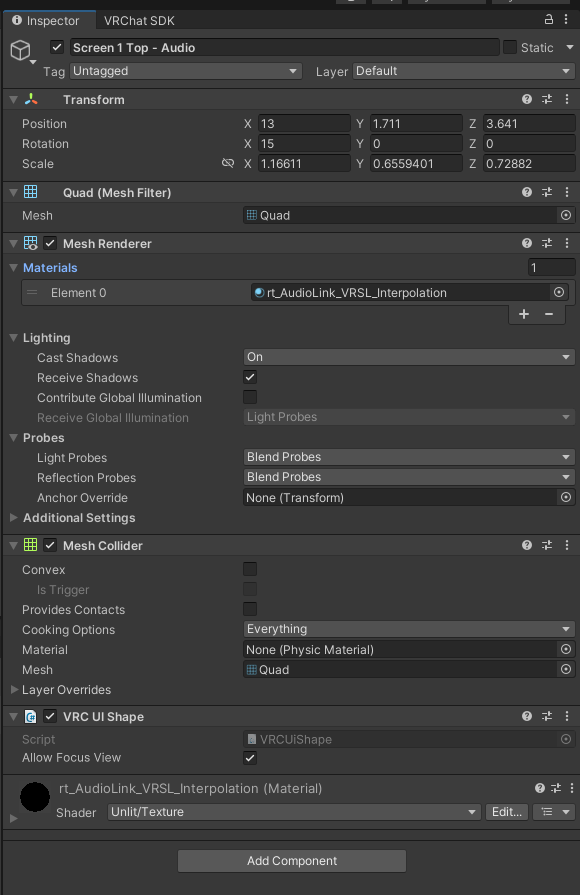 jovial heart
scenic herald
https://canny-assets.io/files/fcafd63ac916e935a1052b11e42c5c9e.mp4
I must have ...
jovial heart
scenic herald
https://canny-assets.io/files/fcafd63ac916e935a1052b11e42c5c9e.mp4
I must have ...
First issue I can see is that your cursor isn’t 1:1 with the object- make sure you’re not resizing the box collider’s thickness to less than 1 on any axis or it’ll be reset to a minimum of 1, to combat this you resize the canvas scale instead and increase the width/height back to your old bounds if needed
scenic herald
it uses a mesh collider, not a box collider.
also this is not a canvas afaik
I copied the VideoTXL screen thing and then put an CRT material onto it
and it used to light up the cursor like normal
but it stopped lighting up not so long ago.
and now the mouse cursor gets stuck in 3d
 tawdry osprey
Is the Sprite Packer whitelisted for use in VRChat? I have been looking into ui and sprites/images.
hearty copper
The list is here, but that might be an editor-only component:
https://creators.vrchat.com/avatars/whitelisted-avatar-components/whitelisted-avatar-components/
You can add features to your avatar by /Documentation/Manual/UsingComponents.html">adding components to it. However, not all components can be used in VRChat.
er, that's avatars, sorry
The following is the complete list of scripts usable within worlds. Components that are not in this list will not work.
tawdry osprey
Ye, cant see it on vrc page but I have no idea if its editor, runtime or both
Looking at Unity docs
Worst case I can just make the atlas externally 🙄
hearty copper
yeah, that's what I do, I use ImageMagick's montage function for this
deep dock
tawdry osprey
Is the Sprite Packer whitelisted for use in VRChat? I have been looking into ui ...
you mean the sprite atlas asset? yes
i've been using it for my worlds lately, and ProTV uses it as well
pretty sure it does al, of the work in-editor and or on-build, so it doesn't need to include anything that would be unsupported in-game
tawdry osprey
deep dock
you mean the sprite atlas asset? yes
Yes, I have several ui textures that should be in a sprite sheet, so if sprite atlas asset just works it would help alot
tawdry osprey
Also, I asked chatGPT and it told me Udon does not support setting an sprite image from an Atlas by just assigned the Atlas in the Inspector and use code, is this true or did the Ai lie to me?
tiny whale
yeah always assume an AI is lying if you ask it Udon questions
deep dock
tawdry osprey
Also, I asked chatGPT and it told me Udon does not support setting an sprite ima...
sprite atlases are 100% supported by udon. use it like this:
- put all your sprites to atlas in one folder
- create a Sprite Atlas asset in that folder
- select the sprite atlas and look at the inspector, tell it what folder to use, and set your settings
- any UI elements in the scene, you will assign the individual textures from the assets. it will automatically use the atlas instead of the original sprites, though there's no visual indication that it does so
errant compass
Yeah u need a really decent base file with examples for AI to do anything half decent else you will be shooting urself in the foot every second
Docs are the best spot for all this
tawdry osprey
deep dock
sprite atlases are 100% supported by udon. use it like this:
1. put all your spr...
Ye, this is how it works, but looking at say a sprite Atlas used by TextMeshPro to do <sprite name ="dog"> and it render the dog sprite instead of a letter. But applied in script to an ui image, was what I was wondering if it was doable
 hazy rose
How to make interactiable world springjoints
hearty copper
Could use Dynamic Bones (non-free)
jovial heart
Each day for the foreseeable future I will add a random furniture prefab out of the slew I've found online to my list so eventually, in a week or two, I'll have 20+ without breaking my back for hours and hours on end
Today my furniture was green, so I iterated with an r/g colorblind friend a couple times and came up with this!
If anyone else here also has vision problems, please lmk if you have any additional pointers 🙏
The sooner I can update my processes, the better!


 harsh flicker
helloo, silly question but how do i make an object that can be clicked like ui (with a lazer)?
i know "vrc ui shape" makes the ui/lazer part but i dont know how to get events from clicking on it
is it OnInteract ? OnPickup?
tiny whale
harsh flicker
helloo, silly question but how do i make an object that can be clicked like ui (...
for UI, you'd need to configure a UI event on the buttons and such
the UI event can be set up so that it calls SendCustomEvent on a script
harsh flicker
i didnt think of buttons, thank you
tiny whale
it sounds like you might have already found it, but make sure when you're creating a button you use the (VRC) versions for them, this automatically sets up the UI components to what they need to be in order to work properly in VRChat
harsh flicker
this one ? doesnt have any indications its from vrc
 tiny whale
nah when you're spawning them in the Heirarchy's create menu
harsh flicker
Ohhh
 harsh flicker
got it ! thanks a lot
frail shuttle
zenith forge
Nukotween can help with the opening closing animations.
Neat. Thx for pointing it out.
zenith forge
Looks great!
scenic herald
frail shuttle
Neat. Thx for pointing it out.
offtopic, but uhhh
Can it run doom? hahaha
 flat pebble
anyone have tips on why this isnt working?
The RecipeProducts are supposed to load unique texts in each button
luckily we (my fiance who does the code and me, who made the idea and made the UI) got it to make an array of buttons out of a button template. But it does not load the names of the RecipeProduct(s)
Any clue what we got wrong in the scripts and where? please dm me


Also, nothing new shows up in OnClick like it is supposedly suppoed to
how do i fix this?
I also tried Event Trigger but I dont know what to choose or how to use a string
tiny whale
flat pebble
Also, nothing new shows up in OnClick like it is supposedly suppoed to
in order for a UI button to talk to a script, you have to use that OnClick() section to add an event
you just click this little plus button to add an entry

Then you just drag in an object that has a script on it into the slot.
The event type you need to select is UdonBehaviour.SendCustomEvent (string)
the (string) part is just the "input" to this function, which is the box on the right of the slot. In this box, you just type in the function name that this button needs to call on that script
your scripts also seem to be crashing at the start, so that will need to be resolved first
flat pebble
Now i get these errors


i dont know of anything that isnt filled in
or null
its onlyl when i press play and it clones my buttons.
I havent added a string because I dont know what event to put on i suppose

is it SetRecipeProduct for onClick ?
my fiance is the one who codes...

 tiny whale
ignore those errors
flat pebble
ok
hm i think this is only on click, im trying to make it so the buttons load the text
tiny whale
flat pebble
is it SetRecipeProduct for onClick ?
no, since SetRecipeProduct has 1 parameter.
One downside of using UI buttons is that they can only do SendCustomEvent, which doesn't allow you to pass argument, you can only call public, parameterless functions with it
flat pebble
whats the solution?
tiny whale
for cases like this, I usually have a small helper script on the button itself. The UI event calls a function on that script, and then the helper script can call a function with a parameter like usual, without the restriction
and this helper script would then store the values that it would send as a parameter
hopefully that makes sense. I can elaborate further if needed
tiny whale
so you'll have 2 scripts: the helper, and the main script.
the helper script just has basically one function:
//parameterless and public, so it can be called by a UI event
public void SetRecipeProduct_Helper()
{
  mainScript.SetRecipeProduct(product);
}
product would be a public variable, or programmatically set to what you want this button to do. You would also have a mainScript variable that stores a reference to the main script
this works well if the parameter is actually something viewable in the Inspector, like an int or string. With it currently being a custom class, RecipeProduct, then you'd either need to set it programmatically or rework the SetRecipeProduct function to take a different type of parameter
actually, if there is a limited amount of options (receipes) in this case, you could also do this slightly differently
the helper functions could also be like this:
public void SetRecipeProduct_Recipe1()
{
  mainScript.SetRecipeProduct(product1);
}
public void SetRecipeProduct_Recipe2()
{
  mainScript.SetRecipeProduct(product2);
}
and so on, for however many recipes there are
flat pebble
So I'll have to make a list for each recipe x.x
There's 401 on my docs lol
At least planned
tiny whale
it'd probably be easiest to rework SetRecipeProduct to work better for that then
the main script could hold the list, and then you could just pass a number to SetReceiptProduct instead to choose which one from the list
so if you want recipe 25, you call SetRecipeProduct(25)
flat pebble
Ah ok
But each recipe has up to 4 ingredients too which I already made in a prefab
Do I have to remake it in the script?
tiny whale
that I don't know, that depends on a lot of things
flat pebble
I was hoping to have each recipe button load a text then load their specific ingredients' onto 4 buttons and their names/proportions on texts
On those 4 buttons
As seen in video
tiny whale
this possibly seems rooted in a data structure issue, where you have to figure out a good way to store the data you need so that it's best optimized to work with Udon
I had to do a similar thing for my Space Jam entry last year...
flat pebble
Yeah we kept running into Udon method not exposed errors which passed off my fiance lol so I'm here asking questions
tiny whale
get used to that 👆
flat pebble
XD
tiny whale
if the recipe list is static, then it doesn't really need to be stored in a List (or a DataList in VRChat's case)
would probably work better if the recipes are codified and stored in an array
flat pebble
Ok
But do you think I should use prefabs at all or does that make it harder to pull from?
I stored the names on a prefab
I don't know how it works
But essentially each ingredient has Product script and each recipe has RecipeProduct for food script
tiny whale
it's not a bad idea for UI components, it's common to instantiate those to "show" them
flat pebble
Our plan was to have the RecipeList script pull the prefab DisplayName from each to apply to the text components
Yeah but it's not showing the text
Apparently
tiny whale
I think that's where the errors I saw coming from
flat pebble
Ah
tiny whale
might be the GetComponentInChildren(Text)?
are you using a basic Text component to display the text, or TextMeshPro?
tiny whale
hmm.... I'd probably recommend using TextMeshPro
flat pebble
It changes the text, it just leaves it blank
Ok. I'll come back later after my appointment and test it after changing it to TMP
I think we tried with it earlier but it did the same thing and that's where we stopped so I tried with basic text so if all else fails I'll try the long way
tiny whale
cool; either way it's these errors you want to investigate further

these runtime errors will halt the scripts from running. So anything you test isn't going to work anymore
error is coming from line 15 in ReccipeButton.cs
flat pebble
Hmm yeah weird that's in old scripts but we reference it
tiny whale
these look to me like it's not getting a valid reference to the text object, so is failing when you try to set the text
flat pebble
Maybe we should redo it
I wrote that one XD
Ty for your help I'll get back to you

tiny whale
flat pebble
Ty for your help I'll get back to you
cool cool; last bit of advice for those errors, if you click on them once, it'll show some more info; this string of text in particular usually tells you exactly why the script crashed there
 flat pebble
switched to TMPro still get these msgs


idk what else i should put i dont think this is the string maybe
jovial heart
flat pebble
idk what else i should put i dont think this is the string maybe
you can’t use events with parameters in buttons, unfortunately
the hacky solution is to hardcode a series of methods for each different parameter that can be passed, then assigning each to the corresponding button
but it’s gross ik 😔
flat pebble
:0 so i have to do it the long way??
tiny whale
flat pebble
this is likely a null reference exception error (you've cut off the actual error text in the screenshot)
you may not have a valid reference to the TextMeshPro object when setting the text
flat pebble
tiny whale
the helper functions could also be like this:
```C#
public void SetRecipeProduct...
like this>
tiny whale
yeah what Zon is describing is what I've already shown
 tiny whale
yeap. "object reference not set to an instance of an object"
if you find the purple errors "start with [UdonSharp]", they'll tell you the line number where the error occurred too
flat pebble
oh crap i didnt see that.
tiny whale
so check line 16 in RecipeButton
flat pebble
ok
GetComponentInChildren<TextMeshProUGUI>().text = recipeProduct._displayName;
i thought it was referencing recipeProduct. or is it because its not capitalized?
i dont code, my fiance wrote it
frail shuttle
The first two warnings stick out to me, aren't these implying a referenced script isn't defined in the behavior asset file? That would always create a no build.
Are these errors the current only hard errors?
Since I don't see it mentioned, clearing your errors, then attempt to enter play mode so we are absolutely sure we're looking at the only current hard errors.
Show the whole list of errors from, the, top.
If you don't start with potential main issues, other errors can seem like the problem but may just be caused by the real issue. Showing us the entire error list can help avoid this. Typically the top errors are where you want to start when drilling down to the exact cause, which could be what has been suggested (as what's been suggested is all valid), but since I didn't see this mentioned I figured I would lol.
flat pebble
the main issue seems to be this and these are all errors

the yellow are from the clone buttons
i dont know where i didnt reference something though
im thinking ill make that long laundry list of recipes
 soft berry
Why it works absolutely different in ClientSim and production?
 knotty creek
soft berry
Why it works absolutely different in ClientSim and production?
knotty creek
soft berry
Why it works absolutely different in ClientSim and production?
What are all the errors in your console
flat pebble
is it possible to have persistent inventory across sessions now? and how?
like in fish!
 chilly vapor
flat pebble
is it possible to have persistent inventory across sessions now? and how?
jovial heart
chilly vapor
flat pebble
is it possible to have persistent inventory across sessions now? and how?
jovial heart
now that I’ve nailed down purchasing and placing furniture, my next task has been finding a way to allow players to earn money. Made great progress today on that! https://media.discordapp.net/attachments/1211050107185791069/1494079634449367130/image.png?ex=69e14d97&is=69dffc17&hm=78d0b737473f6a99fba297d9fd67e04a7c49c9d5bc22e7af70448c1f1f822cc1&=

the backend for this is a bit more complicated than the outcome, but the gist is that you roll your dailies and weeklies then save them in persistence, then save their progress, and the board here picks which description text based on the challenge type and requirements, then fills a bar (none of which are visible here) based on your progress, which is also persistent
the seed is username (and obv weekday) based because I don’t want players to cheese by regenerating their save over and over until they start with something they like
store rotations do the same with your username
knotty creek
Man everytime i see a clean ui like this it makes me upset thinking about how much work goes into the background of an interface that has such a simple user interaction
Reminds me why i hate html 😭
errant compass
knotty creek
Reminds me why i hate html 😭
Def recommend this
https://www.youtube.com/watch?v=G3e-cpL7ofc
It solved like all my issues with how to build interfaces

Get a certificate for this course: https://courses.supersimple.dev/courses/html-css
or Frontend Bundle (React, JS, HTML CSS): https://courses.supersimple.dev/bundles/frontend-bundle
🎓 Includes certificate of completion and better learning experience (smaller videos, ads-free)
✅ Don't worry if you're halfway through or finished the course, y...
knotty creek
I know how to do it!
I just hate it because the work:result ratio feels so off, same reason i dont like video editing
errant compass
Ah, from my pov I always sucked but once I learned it the right way and got used to tailwind, been chillin
knotty creek
i definitely might come to hate it less once i learn it better yah
errant compass
well def consider that video. It has you build a bunch of pieces from other sites (components), and you learn how to flexbox etc which all those things to translate to here pretty well.
Final project is assembling a view of youtube, was def a super good video and made it click, idk
 quaint ginkgo
Hey, could someone send me a ready-made script for displaying a menu under a button (for PC, quest, etc.). It could even be screenshot from Udon Graph, anything. I have a ready menu and I want it to be displayed in front of the player after clicking a button on the keyboard or controller. And another thing: basic Canvas/UI, and there are buttons for two mirrors, for example, you can make it so that when you press the second button, the first one turns off. The only way it works is by clicking the button twice. First, the previous button turns off, and only after the second click does the second button turn on. The idea is to eliminate that second, unruly click and have everything done with a single click. thanks
frail shuttle
quaint ginkgo
Hey, could someone send me a ready-made script for displaying a menu under a but...
Is this a ChatGPT prompt? Lol.
carmine panther
I worry about people who cannot think without ai
jovial heart
quaint ginkgo
Hey, could someone send me a ready-made script for displaying a menu under a but...


 errant compass
Look up VRChat toggles on Utube and VRChat UIs
marble cedar
i'm almost kind of happy with this settings menu
 jovial heart
damn that’s beautiful
marble cedar
the world is very harshly themed (think "john wick nightclub"), so i'm going for lots of sharp corners
thanks (:
getting the layout feeling good takes a while..
having a good understanding of automatic layout helps a lot
jovial heart
been wondering about tooltips and your “just stick em there smaller” vibe works better than I’d expected
marble cedar
jovial heart
been wondering about tooltips and your “just stick em there smaller” vibe works ...
yeah, i was thinking for a while about how i'd do tooltips
and then i just tried cramming the text in there
jovial heart
marble cedar
having a good understanding of automatic layout helps a lot
learning layout groups has been a lifesaver in UI design
makes things look hella good with minimal effort
marble cedar
it's so funny how the default UI settings make auto layout a nightmare 😭
e.g. layout groups defaulting to Force Expand being enabled (and everything else being off)
i toggle every single checkbox
jovial heart
yeah force expand sucks I agree
I wish I had the code to show it off better but I used a content size fitter on text + the button parent to make my tag buttons auto size to the tag text, and calculate the width of each tag when placing the buttons in order to never overflow any button and move on to the next row as needed
whenever I try explaining things here I wish I made like videos explaining my shit for moments like these 😂
marble cedar
content size fitter gets abused so much
people will slap it in random places and then ignore the warnings about being a child of a layout group
 solemn carbon
keep getting this error
 hearty copper
that's a warning
jovial heart
marble cedar
people will slap it in random places and then ignore the warnings about being a ...
I do indeed ignore the warnings 
harsh flicker
solemn carbon
keep getting this error
i have this too when i enter play mode, i dont think its bad..? i never hard issues so i assume its fine
deep dock
harsh flicker
i have this too when i enter play mode, i dont think its bad..? i never hard iss...
that isn’t an error, it’s a warning, so yes it’s fine and you should ignore it
jovial karma
Why is it a warning and not a normal log
 rugged lagoon
This design took me sometimes 🔥
knotty creek
I love this, i need a good map for tutoring sessions
rugged lagoon
knotty creek
I love this, i need a good map for tutoring sessions
I can help you out, dm me