#metahumans
1 messages · Page 18 of 1
 cobalt saddle
 brisk stone
is it possible to create stylized metahumans?
 stark wolf
the secret is LOD9 locking
 plain haven
brisk stone
is it possible to create stylized metahumans?
plain haven
brisk stone
is it possible to create stylized metahumans?
Yes, but you going to need sculpting skills, as MetaHumans as is are aimed for realistic humans.
 blazing swift
Can anyone here model me a custom character? im trying to find someone who is a pro at it. I will pay lol i need it to look exaclty like a real person in real life
 misty quest
brisk stone
is it possible to create stylized metahumans?
misty quest
brisk stone
is it possible to create stylized metahumans?
You may wish to try VRoid for "stylized" or anime humans, also MakeHuman has some 'stylized' presets
plain haven
blazing swift
Can anyone here model me a custom character? im trying to find someone who is a ...
plain haven
misty quest
You may wish to try VRoid for "stylized" or anime humans, also MakeHuman has som...
MakeHuman is kinda shit tho.
I assume what he meant by stylised is similar to Square Enix's stylised realistic characters.
brisk stone
Yeah like ff7
 plucky kelp
What’s the go with metahuman, if I upload say 10 into my scene it freezez up lol, and my pc is good
 frozen bolt
blazing swift
Can anyone here model me a custom character? im trying to find someone who is a ...
frozen bolt
blazing swift
Can anyone here model me a custom character? im trying to find someone who is a ...
lol how much you are willing to pay?
frozen bolt
plucky kelp
What’s the go with metahuman, if I upload say 10 into my scene it freezez up lol...
2 with realistic lighting, 3 at best with the current top gpus (60fps)
plucky kelp
Damn, I had planned to use heaps in my war game but nope
frozen bolt
topology, skeleton and blendshapes are too heavy for a "game"
you can get away with only 1 player controlled metahuman thats it
plucky kelp
Yeah, hopefully they have it working on their full release and with the UE5 release
frozen bolt
I wouldn't expect much (:
it's really hard for current and probably the next gen gpu's to deform that high res topology in realtime and nanite works only in static meshes.
but considering the game assets are mostly clothing and realistic faces, similar results to mh achievable with a custom rig
plucky kelp
frozen bolt
but considering the game assets are mostly clothing and realistic faces, similar...
Yeah man.
Would you say Character creator 3 or Daz studio then if I cannot utilise metahumans?
frozen bolt
cc3 looks promising
plucky kelp
Cheers ! Will go with that.
 hollow arch
1 post on UE4 reddit claim to have manually removed "extra bones" and reimported from maya with game-ready results. however i dont think these posts are being genuine
as their self-described work flow would be game changing
 vague juniper
Hey. My first metahuman looked like trash. How long did you guys take to make a decent one?
 sinful quiver
Hello, does anyone know if we have an alternative application for Live Link Face that works on PC? let's say I have a depth camera on PC and I'm looking for a way to use PC camera rather than a mobile phone, is it possible?
 lusty cape
sinful quiver
Hello, does anyone know if we have an alternative application for Live Link Face...
lusty cape
sinful quiver
Hello, does anyone know if we have an alternative application for Live Link Face...
I think Faceware has a webcam solution https://facewaretech.com/
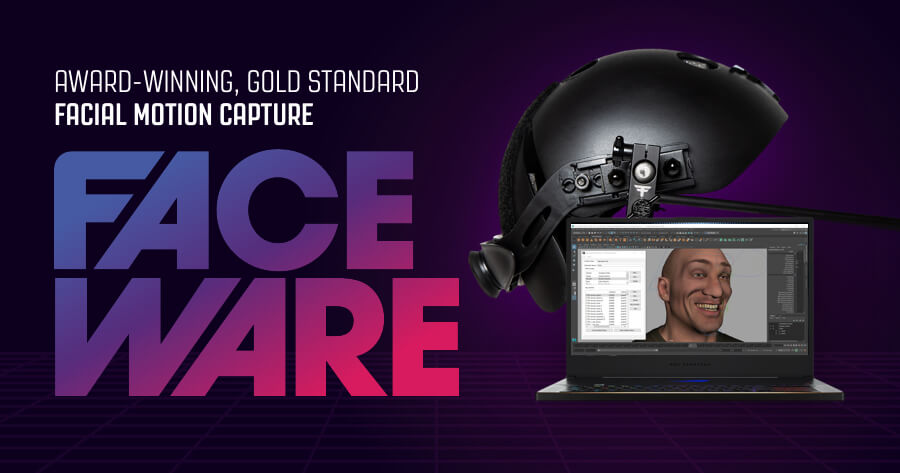
Faceware Technologies, Inc.
Faceware’s facial motion capture hardware and software help professional animators accurately capture facial performances and create believable facial animation quickly and reliably.
 warm cobalt
This is potentially a really stupid question, but is it possible to use MetaHumans with your own models/graphic styles? I'm sure you can apply post and everything to it, but can't go from that uber realistic to stylized is my thought.
If not, is there a system out there already to let you do the standard char creation/avatar stuff?
lusty cape
warm cobalt
This is potentially a really stupid question, but is it possible to use MetaHuma...
def not a stupid question. a lot of people are struggling to do this atm. i've seen a workflow using wrap3d which wraps the metahuman mesh around your custom character mesh.. effectively morphing the metahuman into your character. checkout meshmorpher plugin in unreal marketplace too
warm cobalt
That's interesting, thanks! I'm not married to metahumans either, is there a simpler plugin/tool that even handles something as basic as presets rather than "ultimate customization"
lusty cape
Check out Reallusion's Character Creator software. It has a lot more customization features for stylized characters. CC4 is due Spring 2022, which demos digital humans that look close to metahuman quality.
warm cobalt
This is exactly what I was looking for that my googlefu wasn't returning. Much appreciated!
lusty cape
👍
 sand bronze
warm cobalt
This is potentially a really stupid question, but is it possible to use MetaHuma...
sand bronze
warm cobalt
This is potentially a really stupid question, but is it possible to use MetaHuma...
https://youtu.be/L4DsVa2YK2E we are doing this. You can also play as a skeleton / metahuman. If you have any question, happy to help.

First preview of the character creator in our survival RPG game SolidRiver.
sinful quiver
lusty cape
I think Faceware has a webcam solution https://facewaretech.com/
Thank you very much I will give it a try! hopefully it will work!
 spark flare
Where is the metahuman documentation for the fabric materials models use? What exactly is each RGB mask in its textures affecting, features, etc?
sinful quiver
hello, anyone here tried using iPhone X with Live Link Face? if yes, mine overheats in 2 minutes is that normal?
cobalt saddle
sinful quiver
hello, anyone here tried using iPhone X with Live Link Face? if yes, mine overhe...
I didn’t test it yet, I’ll give it a try and let you know!
sinful quiver
thank you very much! I will wait for your feedback!
sinful quiver
also I have a weird problem here, idk if anyone encountered this before but
this is my original character:

after I try to record it, the result comes out like this:

somehow I end up making Gru out of my totally normal character, what could be the cause here?
 simple forge
sinful quiver
after I try to record it, the result comes out like this:
simple forge
sinful quiver
after I try to record it, the result comes out like this:
what are you recording? body or face data
sinful quiver
I'm selecting the whole character, I should select my character mesh right?
simple forge
sinful quiver
I'm selecting the whole character, I should select my character mesh right?
are you capturing body data right now? If so what mocap solution are you using?
sinful quiver
apologies this is the first time I'm recording something here, I'm using live link face, so the only thing being animated is the face if that is what you are asking about.
simple forge
sinful quiver
apologies this is the first time I'm recording something here, I'm using live li...
oh ok so you just need to record the face data
sinful quiver
correct.
simple forge
sinful quiver
apologies this is the first time I'm recording something here, I'm using live li...
do you need head/neck rotation as well?
sinful quiver
yes.
simple forge
sinful quiver
yes.
Ok and is the face data coming through when you press play?
sinful quiver
yes it does, everything looks normal when I press play, for the whole duration of recording, but when recording is done the character in playback changes like that.
I haven't recorded anything before in Unreal Engine
simple forge
sinful quiver
yes it does, everything looks normal when I press play, for the whole duration o...
ok no worries. Ill open up a project real quick
sinful quiver
thank you very much I appreciate it!
 mossy pecan
Hey there everyone! Any idea why my metahuman textures look like this when importing them into my scene? I moved the Metahumans folder (everything) to a new location in the project. Is that what is causing it? It looks like a mipping problem with the textures

 plain orbit
When retargetting, the hair is not going to the correct position, anyone know how to fix this? Following this tutorial https://docs.metahuman.unrealengine.com/en-US/MetahumansUnrealEngine/MetaHumanThirdPersonCharacter/


Describes how to set up a MetaHuman as a playable third-person character in Unreal Engine.
plain orbit
plain orbit
When retargetting, the hair is not going to the correct position, anyone know ho...
I didn't have the grooming parented correctly. If anyone ever has the same issue lol

 digital atlas
I was doing that same tutorial and got to the bit where you retarget animations and the body parts under the mesh just werent listed at all. Dont know what I missed.
 weary dawn
Assalam u Alaikum everyone.
I'm facing this issue where metahuman face is not syncing up with the rest of the body when integrating with Third Person Template BP, any idea how can I fix it?

 verbal marlin
Youre a legend
verbal marlin
weary dawn
Assalam u Alaikum everyone.
I'm facing this issue where metahuman face is not sy...
The head and the body are separate meshes... have you got 2 different references? If it is one blueprint with both parented to the same mesh i think so they stay together - head attached to head socket as well maybe?
weary dawn
verbal marlin
The head and the body are separate meshes... have you got 2 different references...
I'm not sure have no idea, I was looking at the control rig stuff and want to use default MetaHuman rig as a playable character in game. if there's a way I can instead use other animations working for metahuman rig would be great.
 ivory lava
mossy pecan
Hey there everyone! Any idea why my metahuman textures look like this when impo...
ivory lava
mossy pecan
Hey there everyone! Any idea why my metahuman textures look like this when impo...
sometimes if you click on the texture files it fixes it. but instead of copy and pasting its better to go to bridge and import it into your project straight from there
mossy pecan
ivory lava
sometimes if you click on the texture files it fixes it. but instead of copy and...
I did go straight from bridge, but after importing, moved the Metahumans folder to another location.
sinful quiver
I made an animation using a metahuman for the face only, using Live Link Face, the animation I recorded is fine and it has all the data for the face, but when I add the animation to "Face" in sequencer to "Face\Animation" movement of neck is missing, the character neck is not moving at all, what can be the cause?
ivory lava
mossy pecan
I did go straight from bridge, but after importing, moved the Metahumans folder ...
maybe don't change the metahuman location
sinful quiver
oh no I found the problem I forgot to change the animation mode
but just one question does Live Link Face use those tracking dots on face? is there any point in marking the face of character? I don't see any information about this anywhere.
plucky kelp
mossy pecan
Hey there everyone! Any idea why my metahuman textures look like this when impo...
I’m pretty new to all of it but I ran into that problem, myself. It turned out that it had something to do with texture streaming. I just allocated more memory using “r.streaming.poolsize x” where x is the amount of memory you want. I used 3000 but I had a bunch going on in my scene, though. Like I said, I’m new and I was getting streaming errors. Another idea would be to check your export settings from Bridge. Make sure they’re on the highest quality.
I’ll try to think of other ideas. I’ve been using metahumans a bunch lately and run into issues frequently where I have to discover solutions like this. I’m also still really new and learning the ins and outs of it all.
plucky kelp
sinful quiver
but just one question does Live Link Face use those tracking dots on face? is th...
I haven’t used tracking points. I think live link is only for iPhone because of the depth sensors.
I generally make sure my face is well lit when I use it in case the lighting makes some sort of difference.
sinful quiver
plucky kelp
I haven’t used tracking points. I think live link is only for iPhone because of ...
so tracking points are not working/same technology as what iPhone is using right? I didn't see anyone use tracking points with their iPhone at all.
plucky kelp
sinful quiver
so tracking points are not working/same technology as what iPhone is using right...
Right, tracking points aren’t necessary
Honestly, I don’t think you’d see any improvement whatsoever if you use tracking points because the software doesn’t recognize them
sinful quiver
plucky kelp
Honestly, I don’t think you’d see any improvement whatsoever if you use tracking...
I see, that's what I wanted to know, thank you very much! I appreciate it!
plucky kelp
sinful quiver
I see, that's what I wanted to know, thank you very much! I appreciate it!
Any time, my friend
plain orbit
How do I fix metahuman eyes from doing this?

It only shows in the world viewport, when I view the face mesh it looks fine
 cobalt saddle
Hello, I have a question!
Is it possible to use skeleton mesh from metahuman to another simple character?
 worldly orchid
Yea people have done it, there a bunch of videos on YouTube about it
cobalt saddle
Can you suggest one please?
worldly orchid

in this tutorial, I'm going to show you how you can easily apply the amazing metahuman face rig to any 3d face
this is the link to the model on my Artstation page
https://www.artstation.com/artwork/oOZ204
if you are interested in changing the body of a Metahuman please watch this tutorial
https://www.youtube.com/watch?v=yeUBJ27dhdE
please subs...
Here's one for the face
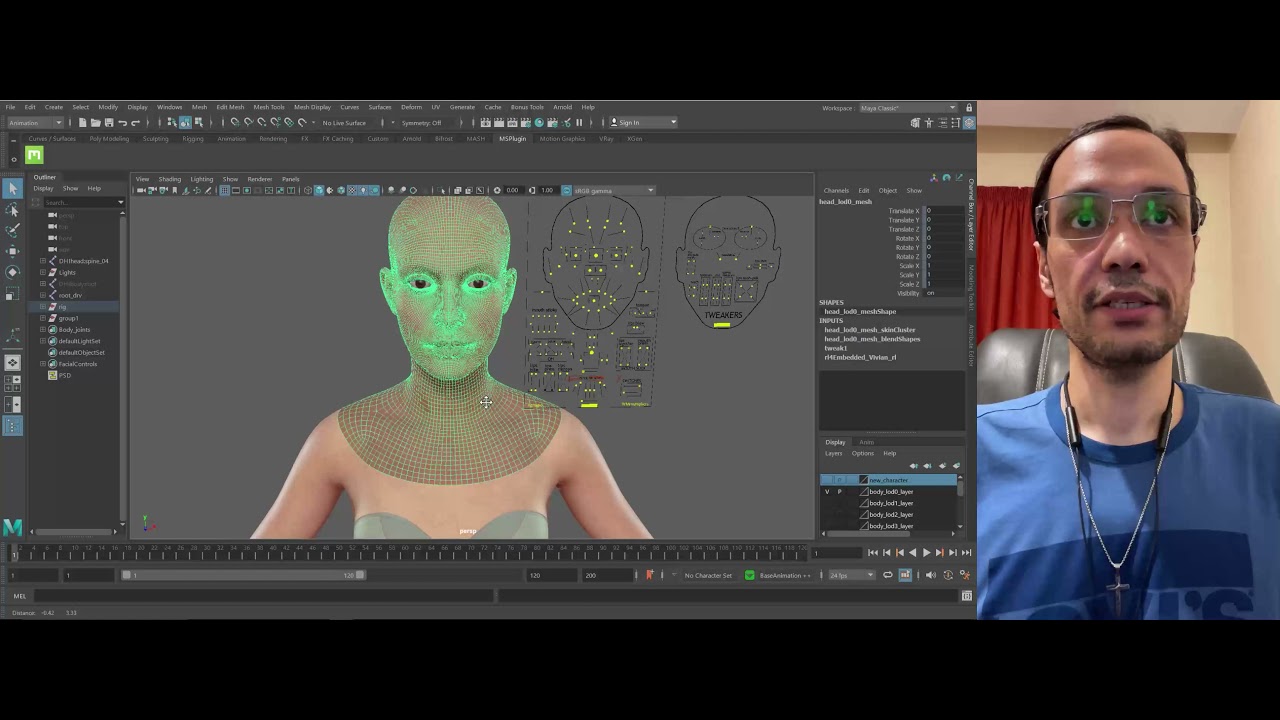
this is a long and detailed tutorial on how to apply a metahuman body rig to a cartoony character.
in the next tutorial, I'll teach you how to add Metahuman facial rig to the character.
facial rigging part 1: https://www.youtube.com/watch?v=-K_jVU6gRZQ
facial rigging part 2: https://www.youtube.com/watch?v=1f_cS2-eUMM
facial rigging part 3: htt...
Kinda the same idea
 slow solstice
Guys I am trying to make character models for a horror game. I was thinking of doing the base model in Blender. Then refining, sculpting it in Zbrush. It turns out Zbrush is paid, is there a good alternative that is free for someone with no prior experience?
plain haven
slow solstice
Guys I am trying to make character models for a horror game. I was thinking of d...
Blender can do sculpting as well.
cobalt saddle
worldly orchid
Here's one for the face
Thanks, I’ll check it
 fervent ivy
Hey guys, I'm in the metahuman base skeleton viewport and for some reason I cannot manipulate the camera at all. I can't change the perspective or anything in the viewport. Any ideas why this might be?
simple forge
fervent ivy
Hey guys, I'm in the metahuman base skeleton viewport and for some reason I cann...
is this in UE5?
fervent ivy
@simple forge yes! I'm actually doing your tutorial for retargeting XSENS FBX onto Metahuman... it appears that i was clicked on the 'anim curves' box instead of 'animation notifies' and that solved it!
fervent ivy
@simple forge I've also had an issue where when importing the FBXs, the thumbnail will initially show a pose that represents my animation but will then convert to a t-pose and when I open the animation FBX in unreal it wont have any animation data. Any ideas on why this might be?
(conversely I tried this same thing in UE4 and did not have the same issue)
fervent ivy
All my FBXs from xsens seem to break as soon as I bring them into UE5 though this does not happen in 4.27. I've also tried migrating them from 4.27 after importing there (where they are working) but the folder shows up empty... any idea as to why this could be?
simple forge
fervent ivy
All my FBXs from xsens seem to break as soon as I bring them into UE5 though thi...
Hey! So I have seen exactly this issue before. What is weird is that it occurs inconsistently. Now, the data is actually not broken. Go ahead and retarget it anyways even if it appears to just be a Tpose on the puppet. Once you retarget, you should see that the animation works on the retargeted character.
 north wedge
Hey guys a small question. Ive followed the docs and tutorials but my animation from a Mannequin to a metahuman still doesnt match up 100% is that just a normal thing that happens?. Im using Mr mannequin for blender to import and export animations for the ue4 mannequin.The animation on the mannequin looks amazing but once i do retargeting the hands seem to be at different locations compared to the mannequin. Any idea where i can look for answers?
plain orbit
I used the control rig to pose my metahuman inside of the level sequence, and when I do this, live link no longer outputs the face, it does the head rotation from ARKit but not the facial ARKit animations
Does anyone know how to fix this?
I am just trying to make it where the MH is posed but can still use live link from iOS to do the facial animation
 green shoal

Luka will showcase a comprehensive workflow for editing facial skin textures of a MetaHuman (how you can add tattoos, edit wrinkles or insert a scar that propagates to all character expressions).
Luka Lakić (SR)
Luka has graduated from the Faculty of Technical Sciences in Novi Sad. Meanwhile, he gained several Autodesk Certific...
fervent ivy
simple forge
Hey! So I have seen exactly this issue before. What is weird is that it occurs i...
Thank you, will try this!
fervent ivy
@simple forge thank you for the hot tip! it worked!
simple forge
green shoal
https://www.youtube.com/watch?v=YQaVtVZ5954
this is really amazing!
green shoal

Unreal Engine
Want your MetaHumans to deliver realistic facial performances? In this course, you’ll learn how to transpose facial movement from traditional video sources to MetaHumans using Faceware Studio.
 strange pecan
green shoal
https://www.unrealengine.com/en-US/onlinelearning-courses/metahuman-workflows-wi...
strange pecan
green shoal
https://www.unrealengine.com/en-US/onlinelearning-courses/metahuman-workflows-wi...
I finished watching this course last night. It was very informative. Now to DIY a helmet and try it out. 🤣
 long violet
whenever i click install on bridge in epic launcher the launcher crashes any suggestions ?
 chilly atlas
Is it possible to adjust texture sizes?
Say I want 1k max for the facial textures. Would I have to batch process textures or is there an ini somewhere?
blazing swift
so what skeleton do i use for a animation blueprint?
is there like a master one for all metahumans?
or do i have to make a new bp for every character that is different than my main character
simple forge
blazing swift
so what skeleton do i use for a animation blueprint?
I would just use the base skeleton. The same animation automatically works for all different sized metahuman skeletons.
simple forge
chilly atlas
Is it possible to adjust texture sizes?
you need to locate the head synthesized material, locate all the texture maps for the base, normal, height, roughness, change the texture size to the quality you want and you should be fine. Otherwise you have the option to download 1K resolution meta in bridge
chilly atlas
simple forge
you need to locate the head synthesized material, locate all the texture maps fo...
Batch processing would work just the same. I'm curious if theres a ini somewhere because metahumans dynamically change texture res depending on the device. So android caps out at 2k for example
 spice plaza
Is it possible to have an exported MetaHuman face animation from Unreal, either in the form of a normal fbx or curves baked down to control rig and tweak the animations using the same face control board in Maya?
My mocap solutions stream directly into Unreal. I know you can edit it using Sequencer but wondering if its possible to edit it within Maya
green shoal

In this video I show how to customize a MetaHuman face mesh using Mesh Morpher and Houdini. If you make anything with this, I'd love to see what you've done.
Links:
My Artstation
https://joeraasch.artstation.com/
Mesh Morpher on the Unreal Marketplace
https://www.unrealengine.com/marketplace/en-US/product/mesh-morph...
Very useful Houdini tips applied to Metahuman
 untold ibex
spice plaza
My mocap solutions stream directly into Unreal. I know you can edit it using Seq...
untold ibex
spice plaza
My mocap solutions stream directly into Unreal. I know you can edit it using Seq...
Try the Maya to UE4 livelink plug-in, you can get it from the marketplace for free
 short pelican
Hey guys! Dropping in on behalf of the Faceware team! In partnership with Epic Games and course author Nick Jushchyshyn... we launched the FIRST-EVER facial solutions partnered Unreal Online Learning course!
(feeling so proud... *heavy sobs)
Course is free with 30-day trials or we have our $179 Indie license. Learn how to execute real-time facial workflows for MetaHumans using Faceware Studio / Unreal Engine! https://www.unrealengine.com/en-US/blog/learn-how-to-create-real-time-facial-animation-for-your-metahumans

Unreal Engine
Ready to make your MetaHumans more realistic? Take the first in our new series of courses on creating facial animation with Faceware Studio.
spice plaza
untold ibex
Try the Maya to UE4 livelink plug-in, you can get it from the marketplace for fr...
Hey I checked it out but I need the other way round...Unreal to Maya
 worn patio
mossy pecan
Hey there everyone! Any idea why my metahuman textures look like this when impo...
worn patio
mossy pecan
Hey there everyone! Any idea why my metahuman textures look like this when impo...
are u looking at it with a engine scalability - low
mossy pecan
worn patio
are u looking at it with a engine scalability - low
It resolved itself. Not sure why.
 simple forge
 bold fable
anyone know how to fix this glitch?
bold fable
anyone know how to fix this glitch?
go into skeleton retargeting options, change everything except the first two to skeleton. In the top left tab go to skeleton tree, use the little arrow to select retargeting options. Leave root and pelvis as is, and right click on the rest and change to skeleton 😉
bold fable
simple forge
go into skeleton retargeting options, change everything except the first two to ...
Wow, it worked, tysm🙌🏽
 quartz chasm
Will metahuman hair ever have strands support on macOS? is it on the roadmap?
 silver current
WIP: 20fps with 4 metas in a scene...yikes 😅


 plucky kelp
has anyone tried to use metahumans on Unreal 5 preview 1?
The controlrig looks broken and the livelink doesn't work.
On 4.27 I have no problems
fervent ivy
Hey guys, im doing a cinematic sequence and I have a wide shot with some Metahumans that have hair w LODs for 0 & 1 and I need the mesh to remain in this shot. Any ideas on how I can keep the mesh for these type of shots?
bold fable
silver current
WIP: 20fps with 4 metas in a scene...yikes 😅
what software did you make the clothes in?
silver current
bold fable
what software did you make the clothes in?
Marvelous Designer
 main hill
will they release a client side application from metahuman rather than making it saas ?
 mellow skiff
Hello, I'm trying to export a metahuman into ue5 preview but I get an error saying that unreal isn't running. Anyone know a solution?
plain haven
main hill
will they release a client side application from metahuman rather than making it...
Doubt. MetaHuman Creator has a lot going on, from 8K textures, tons of morph processors, and then the model baking tools.
I'm sure Epic has thought this through, hence opting for online SaaS
 arctic rivet
@plain haven i also doubt it...but not because of those reasons...because meta human will be paid usage at some point.
plain haven
arctic rivet
<@325627930484932608> i also doubt it...but not because of those reasons...becau...
Eh, I'm sure it will stay free, but only for Unreal Engine users.
This is not owned by Unity Technologies
chilly atlas
Maybe ya'll can help. I made animation sequence using ctrl rig + sequencer. It's a simple closed hand animation. For some reason, the fingers look all jank when applying the baked animation to my character.
I believe the retargetting is setup correctly
chilly atlas
Nvm key was to use a base meta skeli and not my metahumans
 austere prairie
Is it possible to edit the metahuman skeleton inside ue, i mean move bone separate from mech, or replace only skeleton with imported edited skeleton.not using maya.
Second question, any rumors of updated control rig for metahuman. Fotroll etc, know i can do it myself, but better to have it standardiced.
silver current

Still a few issues but character alignment and workflow achieved
Fix remaining mocap issues | Fix remaining cloth issues | Lighting | Facial Performance | Cinematography | Cloth Physics? remaining
Keep me motivated #Like #Comment & #Subscribe
 fresh parcel
Hey guys, anyone has issues with metahumans being buggy, hair is just goes blond/full white out of nowhere, super bad artifact even in final renders, super unusable at this state, me and the guys at the company has the same issue on UE 4.27.2, anyone knows a way to fix that?
silver current
fresh parcel
Hey guys, anyone has issues with metahumans being buggy, hair is just goes blond...
This may or may not help https://www.youtube.com/watch?v=Z7btIrfXMN0
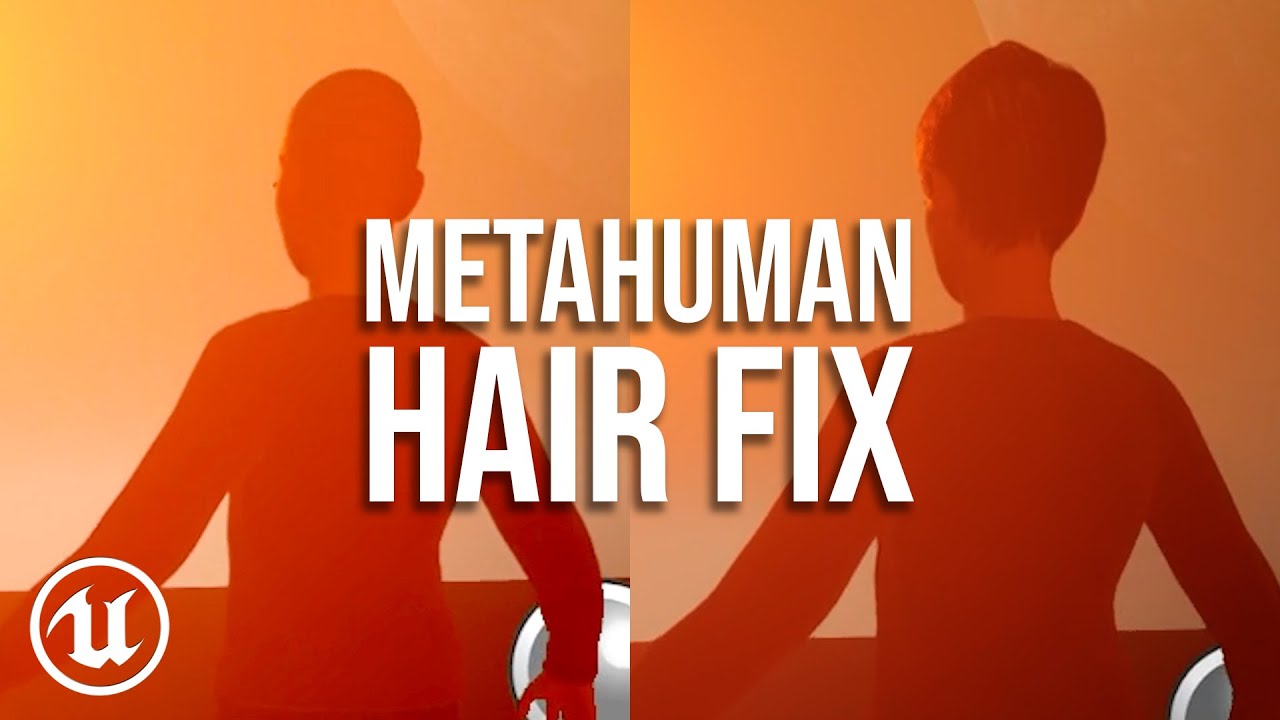
Very quick workaround tip for culling issue with metahuman hair. If you are having an issue with your metahuman hair disappearing too quickly or culling when you don't want it to, follow the steps in the video to troubleshoot. Stop your metahuman going bald!
Follow me on instagram
https://www.instagram.com/flip2ide/
My showreel
https://youtu...
spice plaza
fresh parcel
Hey guys, anyone has issues with metahumans being buggy, hair is just goes blond...
Experienced the same problem before...Do you have multiple metahumans in your scene? It cannot render more than about 4 strand based hairs in the view...try using cards on some of them (lod2+ for the hair)
Anyone know how to export an anim from Maya to get these curves? I believe these are the curves which the face control rig uses. I would like to add my own curve so I could add a control onto the control board and adjust a new blendshape

 junior birch
hey team. just uploaded a new tutorial using move.ai with ue5 preview 1 metahuman https://youtu.be/GtT9VJA6snE

Move Ai to Unreal Engine 5 Preview 1 Metahuman Tutorial
First 100 people gets discount on my UE5 Course
https://www.udemy.com/course/how-to-create-a-movie-in-unreal-engine-5-beginners-edition/?couponCode=15E90C71F87BAF32E4C8
Contact move.ai to use their system
https://www.move.ai/#contact-form
Review the move.ai documentation
https://docs.move...
 fading juniper
Might be a bit weird to ask, but is it somehow possible to remove the shoes from a meta human ?
fresh parcel
spice plaza
Experienced the same problem before...Do you have multiple metahumans in your sc...
Yeah I have like 4 up to 8 metahumans in 1 level sequence, but the strange thing is that, the same scene in ue5 preview 1 is running perfect with metahuman hairs, no issues there, so I don’t know what’s that all about, maybe there is some setting I have to change im ue4 to make it better, no idea
plain haven
fading juniper
Might be a bit weird to ask, but is it somehow possible to remove the shoes from...
Have your MetaHuman wear flip-flop sandals.
fading juniper
plain haven
Have your MetaHuman wear flip-flop sandals.
That's actually what i don't want him to wear 😅
plain haven
fading juniper
That's actually what i don't want him to wear 😅
Except the fact that you can remove the flip-flops once you bring it in UE and have fully functional toes.
fading juniper
Now that changes everything, thanks :D
plain orbit
I am watching a tutorial on how to use Metahumans with Mocap and I am unable to find the body anim blueprint
Anyone know what this might be labeled as now?
 plain orbit
junior birch
hey team. just uploaded a new tutorial using move.ai with ue5 preview 1 metahuma...
plain orbit
junior birch
hey team. just uploaded a new tutorial using move.ai with ue5 preview 1 metahuma...
Do you have a video on how to use PN suits with UE5 metahumans?
plain orbit
junior birch
hey watch this website
Thx! I installed that but it seems idk what animBP to apply to my body inside of my metahumans BP so I am unable to see the mocap inside of UE, do you know what animBP I need to use to enable the mocap? I appreciate the help so much!!
Nevermind I believe I found a solution
 rigid tinsel
plucky kelp
has anyone tried to use metahumans on Unreal 5 preview 1?
The controlrig looks b...
rigid tinsel
plucky kelp
has anyone tried to use metahumans on Unreal 5 preview 1?
The controlrig looks b...
here is the main reason

Those are not default enabled in Preview 1 and some project settings are set "false"
I don't know will there be a better implementation or not but it is diffirent than EA version of UE5
plucky kelp
rigid tinsel
thank you!
 noble light
Hi, i'm trying to record a sequence in take recorder with my meta human, i'm using xsens + live link, i'm getting this error, then i click yes, the recorded sequence comes like this where the head is displaced and the hairs are glitching, does anyone know how to fix this?

 plain orbit
I am having an issue where I am trying to use Perception Neuron and the corrective T pose for metahuman in UE5EA, but whenever I import the fbx file from https://support.neuronmocap.com/hc/en-us/articles/4405690878875-Using-a-Corrective-T-Pose-for-Metahumans-in-Unreal-Engine it just crashes. Anyone know how I can solve this?
simple forge
rigid tinsel
Those are not default enabled in Preview 1 and some project settings are set "fa...
do you know which project settings?
plain orbit
Is it possible to have emission on a groom asset on a metahuman? Trying to make my eyebrows and eyelashes glow
 rigid tinsel
simple forge
do you know which project settings?
rigid tinsel
simple forge
do you know which project settings?
it is in screenshot I showed above.
rigid tinsel
rigid tinsel
here Top Plugins, middle and bottom are project settings about shading and niagara
rigid tinsel
simple forge
do you know which project settings?
I subbed your yt channel. Already watched some of the cool stuff.
 echo oyster
Is there a way to batch import metahuman animations into ue4 from maya? I have about 100 animations that I can't be bothered to import into the sequencer xD
fading juniper
Will it be ever possible to somehow integrate MetaHumans into Unreal itself ?
As in that you can create and adjust your MetaHuman in game time
plain haven
fading juniper
Will it be ever possible to somehow integrate MetaHumans into Unreal itself ?
As...
No.
The data set would be huge, and the baking process would take a lot of time.
fading juniper
Sadge, but i'll just hope for the future where we casually have 1tb RAM, 1tb upload/upload and similar 😹
simple forge
rigid tinsel
it is in screenshot I showed above.
oh wow so all of the plugins necessary are not popping up upon importing a Meta? This might explain why the control rig for the face is completely broken in UE5P
simple forge
rigid tinsel
I subbed your yt channel. Already watched some of the cool stuff.
awww thank you!!!
rigid tinsel
simple forge
oh wow so all of the plugins necessary are not popping up upon importing a Meta?...
Actually it might pop up during import from Bridge (integrated one)
simple forge
rigid tinsel
Actually it might pop up during import from Bridge (integrated one)
yeah mine did pop up in UE5P but you might be onto something as I might have to doublecheck if some plugins are missing from those popups or certain project settings are not activated in this process. There is definitely something not working correctly when MH are imported into UE5P
rigid tinsel
Indeed. I am waiting a better implementation of MH. It is still in very early development.
 lethal minnow
Hi is there a way to get 8k or 4k textures from metahuman ? imported them from ue5 and they're 2k even tried it with bridge app on 8k but still it has 2k textures in the engine the weird thing is the normals are 8k but the FaceColor_Main is set at 2k
cobalt saddle
Hello guys,
Can you please tell me how to render metahuman characters with transparent background?I’ve tried to export it in png format with keeping only the character in the scene and still didn’t work for me!
plucky kelp
Can I use metahuman for commercial use if I publish the game on Epic?
plain haven
plucky kelp
Can I use metahuman for commercial use if I publish the game on Epic?
As long as it's used in Unreal Engine.
It's prhohibited to use it in other engine like Unity, even if you're going to make it Epic Store exclusive.
cobalt saddle
cobalt saddle
Hello guys,
Can you please tell me how to render metahuman characters with tran...
I have a video and I want to add a metahuman character inside it!
 rigid hamlet
Does anybody experienced problem using more then 3 metahumans in one scene. The grooms change color and translucency. I have deleted all the the lods, deleted cards. Metahumans are lod0. I have tried everything regarding lod. It has something to do with world normals. When I debug the scene in world normal display. I see thet the normals change when moving the camera. This does not habe with 2 metahumans
rigid hamlet
Just tried it on ue5 all is good. I think it is a 4.27 issue
 ornate python
Hey guys, has anyone found a solution the UE5P broken facial rig problem?
austere prairie
While we waiting for the new 5 preview documents. Is it possible to import hole or part of control rig from external dcc, is there a struct or json table to use.
 jaunty sable
Is it possible and practical to rig the metahuman to the default Epic skeleton, then just copy the skin weights of metahuman onto the newly rigged character that's using the Epic skeleton? I know the skeletons are similar but I dont want to retarget because I have lots of characters that use the Epic skeleton with lots of anims already. Anyone think it would work if I did it in Maya tonight?
cobalt saddle
cobalt saddle
I have a video and I want to add a metahuman character inside it!
Have anyone tried to render alpha out of metahuman character before?
 clear isle
cobalt saddle
Hello guys,
Can you please tell me how to render metahuman characters with tran...
clear isle
cobalt saddle
Hello guys,
Can you please tell me how to render metahuman characters with tran...
You could try cryptomatte/Object ID render pass, or Stencil Layer

In this video we will be looking at how to render Cryptomatte (Matte ID, Object ID, etc), in Unreal Engine 4. This is a brand new feature which was released in UE4 version 4.26.
00:00 - Intro
00:46 - Plugin Setup
01:35 - Sequencer & Movie Render Queue
02:41 - Adding the Object ID Render Pass, and Rendering
04:01 - Opening Cryptomatte in Pho...
echo oyster
So there is no way of importing a metahuman face-animation into unreal as a regular animation rather than having to go through the sequencer?
cobalt saddle
clear isle
You could try cryptomatte/Object ID render pass, or Stencil Layer
Thanks, I’ll try it now!
cobalt saddle
Unfortunately, didn’t work for me. I’m still getting a black bg behind my character (I think I’m missing something!)
rigid hamlet
cobalt saddle
Unfortunately, didn’t work for me. I’m still getting a black bg behind my charac...
Same here, tried stencil as well, black artifacts around the metahuman
plain haven
cobalt saddle
Unfortunately, didn’t work for me. I’m still getting a black bg behind my charac...
At this point good ol chroma keying might be faster
 abstract reef
anybody knows why metahumans are performing extremely bad on 1K textures in Maya?
when I try to move spine bones, fps drops to 3
best case 5
plain haven
abstract reef
anybody knows why metahumans are performing extremely bad on 1K textures in Maya...
Either disable the textures in Maya, or animate it in engine
cobalt saddle
plain haven
At this point good ol chroma keying might be faster
Yeah, but I don’t want an extra work!
plain haven
cobalt saddle
Yeah, but I don’t want an extra work!
Pfft, lazy 😛
(says a lazy motherfricker)
noble light
noble light
Hi, i'm trying to record a sequence in take recorder with my meta human, i'm usi...
Does anybody know how to fix this? I'm stuck for almost 2 weeks to trying recoding my metahuman. 🙏
simple forge
noble light
Does anybody know how to fix this? I'm stuck for almost 2 weeks to trying recod...
I am not sure but I think either you have to close take recorder and the sequencer take and then try saving, otherwise, you might have to change the animation option in the metahuman BP back to custom
 rigid vapor
Do you guys know why the head isnt reacting to the Controlrig? (Fresh import)
 simple forge
rigid vapor
Do you guys know why the head isnt reacting to the Controlrig? (Fresh import)
simple forge
rigid vapor
Do you guys know why the head isnt reacting to the Controlrig? (Fresh import)
what version of UE? And is this an animation possibly using UE Live Link face with head/neck rotation?
plucky kelp
Hi everyone - I'm stuck on something that should be pretty simple, but I can't figure out.
Regarding groom UV's - I want to change the root color of a metahumn hair driven from a texture map, (like how you might color a tigers fur)
In maya / max this would be pretty easy, can't seem to figure it out in UE.
 craggy root
does anyone know how to use take recorder within a sequence whenever I record using take recording it records the world map rather than within sequencer
 sudden garden
craggy root
does anyone know how to use take recorder within a sequence whenever I record us...
sudden garden
craggy root
does anyone know how to use take recorder within a sequence whenever I record us...
what are you trying to do?
sequences are always associated with a specific map
craggy root
I'm trying to record my metahuman data within a sequence level
sudden garden
when you use take recorder how does it save it?
I'm just trying to understand the issue you are having
sudden garden
the way take recorder works is that it records the list of things you tell it to, then it creates a sequence based on the date or it populates a sequence based on your data depending on how you set it up.
craggy root
thank you for your time by the way
I apologizes for the audio however is there a way I can record within sequencer do I add a level sequence in take recorder how would it be possible
sudden garden
create a clips track within the sequence it recorded to
the take is automatically recording into a new sequence
craggy root
I'll try it out thank you :)) @sudden garden
ornate python
ornate python
Hey guys, has anyone found a solution the UE5P broken facial rig problem?
hey is this fixed in preview 2?
downloading it rn and it's pretty slow download so im curious while i wait, before my facial rig just wouldn't work, editing facial parameters had no effect on the actual mesh
simple forge
ornate python
downloading it rn and it's pretty slow download so im curious while i wait, befo...
unfortunately the face control rig board is not working in the update, there is also some weirdness going on when downloading Preset Metahumans and Custom ones
ornate python
yeah just chceked, still not working, damn
 dusk idol
After recording face mocap in live link app I exported it out now I'm left with this excel table, how do I import this into UE?
 rigid hamlet
You are supposed to use take recorder to record
dusk idol
I didn't have access to a pc with ue where the talent was
junior birch
Metahuman Drake W.I.P https://youtu.be/nktathXrHaU

Unreal Engine 5 Metahuman Drake RTX 3090
First 100 people gets discount on my UE5 Course
https://www.udemy.com/course/how-to-create-a-movie-in-unreal-engine-5-beginners-edition/?couponCode=15E90C71F87BAF32E4C8
Character by @The Glorious Pictures
Buy my courses to support the Channel!
How to make a movie in Unreal Engine 5 Beginners Edition A...
 latent trench
Why does groom hair look so “sparse” ?
 grand cedar
Anyone got any idea how I can get rid of this hoodie string going berserk?

oh I managed to hack it and now it stays like this all the time

just got rid of this node on the hoodie AnimGraph if anyone is curious

 lapis charm
does anyone know how i can add my metahumans face to a mesh and rig a skeleton to it
 gusty storm
Anyone know if 4.27 will get metahuman groom pathtracer ability like ue5 or will they not update 4.27 anymore and it will be 5 all the time?
plain haven
gusty storm
Anyone know if 4.27 will get metahuman groom pathtracer ability like ue5 or will...
4.27 is essentially final
gusty storm
plain haven
4.27 is essentially final
Will we get 4.28?!
plain haven
gusty storm
Will we get 4.28?!
If you want to build master branch of UE4, then yeah. But it's kinda lying, since the commits ended up in 4.27-chaos anyway.
TL;DR: No.
gusty storm
Man I want that pathtracing in 4 if it’s finished why even have it in ue5 preview first
It should have gone to a 4.28
latent trench
gusty storm
Anyone know if 4.27 will get metahuman groom pathtracer ability like ue5 or will...
Is this why my Metahuman hair looks sparse / scalpy and terrible ?
gusty storm
latent trench
Is this why my Metahuman hair looks sparse / scalpy and terrible ?
No lumen helps with grooms a lot
 spring shuttle
Anyone knows if there's a fix for this eyelashes/eyes thing when doing raytraced refractions?

 uncut ledge
Can anyone tell me if Metahumans use Bones or Blendshapes for face animation? Seems they have both set up, what's the use of both?
latent trench
gusty storm
No lumen helps with grooms a lot
I read somewhere that groom doesn’t even use lumen. Is that incorrect
gusty storm
latent trench
I read somewhere that groom doesn’t even use lumen. Is that incorrect
No all grooms are heavy on gpu
 maiden sorrel
i've just tried using metahumans for the first time and i think i'm about to have an identity crisis
plain haven
maiden sorrel
i've just tried using metahumans for the first time and i think i'm about to hav...
How?
gusty storm
anyone notice that metahumans suck in the directional light?
gusty storm
latent trench
Why does groom hair look so “sparse” ?
you need to change lod settings
gusty storm
junior birch
Metahuman Drake W.I.P https://youtu.be/nktathXrHaU
have you noticed metahumans look strange in a map that is like a landscape with a directional light?
junior birch
absolutely
i avoid exterior day shots for a reason with metas
just like real filmmaking avoid noon lighting. heres one i did when metas first came out https://youtu.be/euO-gOFa5kU

Unreal Engine 4 Metahuman Live Link Face App vs Faceware,ue4 metahuman live link face app vs faceware,live link face vs faceware,faceware vs live link face ios app,unreal live link face tutorial for metahuman,faceware tutorial for metahuman,live link face app for android,unreal live link android,live link face ios app,live link face android,live...
uncut ledge
Hey JS. Do you have any idea about transferring metahuman face bones to a different/custom head geo?
gusty storm
junior birch
just like real filmmaking avoid noon lighting. heres one i did when metas first ...
thanks i really just started looking at them for a client.
junior birch
gusty storm
thanks i really just started looking at them for a client.
i would cheat it of u have to absolutely shoot noon lighting. This video i cheated
gusty storm
junior birch
i would cheat it of u have to absolutely shoot noon lighting. This video i cheat...
Yeah I understand for sure.
with raytracing its alright
junior birch
uncut ledge
Hey JS. Do you have any idea about transferring metahuman face bones to a differ...
Epic made ut pretty complicated for the average users I pay a talented artist for mine worth every penny Here is Eminem. Metahuman Internally
 gusty storm
 junior birch
exactly
im actually goin to do a lumen metahuman livestream this weekend i want to see if its improved
gusty storm
I was starting that today and Im just concerned with this right now one sec pls
junior birch
that shot u shared can work ur just gonna have to cinematography the crap out of it
backlight is the way
gusty storm
im a big fan of raytracing
gusty storm
And im so confused as to how raytracing will work if I just want native raytracing with ue5 but its deprecated. The rtx gi plugin is also great.
junior birch
yea u can still use it that deprecated part just means it will be removed in the future. similar to how they marked sequence recorder as deprecated to be removed
gusty storm
right but when its removed will it just be lumen + raytracing? Idk if I make any sense, like i just want regular raytracing
junior birch
@scenic dagger made a course in the unreal learning talking about raytracing with meta although its in 4 i think.
gusty storm
yeah im in four all the time
junior birch
i might take my cyberpunk short to ue5 eventually
gusty storm

Im also finding that one of my monitors is set to a higher brightness and thats annoying
junior birch
u can compensante it in the viewer
but yea judging brightness vs output is one of my kryptonite
gusty storm

just messing around
2.5 lux seems to be a good spot
for directional light
on face
gusty storm


directional light deep shadow then reduce gives more realistic shadow also i did turn up the shadow of the groom
and removed the specular of the m_lacrimal_fluid
also this is 2k


 calm prawn
When baking an animation to control rig (from mocap) the proportions of the Metahuman get distorted. This problem is similar to the one that happens when playing take recorder recordings and that can be solved by setting a retarget asset with the proper proportions in the animation, but this doesn't seem to be used when baking to control rig. Does anyone know a solution to this?

Before the bake:

 gusty storm
calm prawn
When baking an animation to control rig (from mocap) the proportions of the Meta...
gusty storm
calm prawn
When baking an animation to control rig (from mocap) the proportions of the Meta...
sorry, dont know much on that bug
 latent trench
Helpful to see your process of trial and error.
 timber pagoda
Why the metahumans are taking so much time to download?
gusty storm
timber pagoda
Why the metahumans are taking so much time to download?
When you make your own it needs to generate it, but 8k is a big download
timber pagoda
gusty storm
When you make your own it needs to generate it, but 8k is a big download
Ah okay, that's probably why it takes so much time. Because the overall files are around 4.5GB, which is big but shoudn't take an entire day to download XD
gusty storm
Yeah when I see it’s not doing to right I restart the program
 haughty bear
Hi everyone! Does anyone know why the software doesn't work properly on my computer? After being opened it goes black out then when I open any element it's the same window opening showing the software screen ... I hope it's something I can fix... here my settings: NVIDIA GeForce RTX 2070 8GB
 gusty storm
are you on mac?
north wedge
Anyone here know why i keep getting a crash because of hair on metahumans. its gotten abit boring after 90 crashes.
plain haven
haughty bear
Hi everyone! Does anyone know why the software doesn't work properly on my comp...
See pinned message in #ue4-general
It's a common NVIDIA issue with Unreal Editor.
 woeful spire
Does anyone know if metahuman animations made using live link are interchangeable?
Like, can i make one animation in ue4 using a base metahuman head, then pass it into ue5?
and have my worked on head use that animation?
i have a custom head that uses the metahuman rig. So that should be possible right?
haughty bear
gusty storm
are you on mac?
No Windows
haughty bear
plain haven
See pinned message in <#225448446956404738>
It's a common NVIDIA issue with Unr...
Really? Do you know how I can fix it?
plain haven
haughty bear
Really? Do you know how I can fix it?
See the first line of my reply above.
haughty bear
plain haven
See the first line of my reply above.
ah! thanks
haughty bear
plain haven
See the first line of my reply above.
thank you so much ! I hope It will help 🙂
north wedge
anyone know how to stop the whole hair strand crash with metahumans?
plain haven
north wedge
anyone know how to stop the whole hair strand crash with metahumans?
What's your computer specs?
north wedge
plain haven
What's your computer specs?
Even with scalability down, It still happens.
plain haven
north wedge
3070, With a ryzen something.
Had a hunch driver related
north wedge
plain haven
Had a hunch driver related
Hmmm, Ill give a go Updating drivers :D Then ill let ya know. Its been very annoying. Im down to almost a 100crashes. Its gotten abit boring now
plain haven
north wedge
Hmmm, Ill give a go Updating drivers :D Then ill let ya know. Its been very anno...
Maybe downgrading will solve it. NVIDIA drivers have been reportedly being oddballs.
north wedge
plain haven
Maybe downgrading will solve it. NVIDIA drivers have been reportedly being oddba...
Yea i heard the same. Ill get the latest and then start working backwards. Thanks for the idea btw. I appreciate it !
 tepid lion
Hey, hope to get some help here. I am attempting to export a metahuman to 3ds max via unreal. The results I get is very low poly, but statistic says that I got 250k polys.
What am I doing wrong here?

 plain haven
tepid lion
Hey, hope to get some help here. I am attempting to export a metahuman to 3ds ma...
plain haven
tepid lion
Hey, hope to get some help here. I am attempting to export a metahuman to 3ds ma...
You might have the lowest LOD visible but not the rest.
gusty storm
tepid lion
Hey, hope to get some help here. I am attempting to export a metahuman to 3ds ma...
Yeah delete the extra meshes
uncut ledge
Is there a preference between bones vs blendshapes for face animations? Metahuman has hundreds of bones, wondering which is preferable
plain haven
uncut ledge
Is there a preference between bones vs blendshapes for face animations? Metahuma...
Don't crosspost without redirected
tepid lion
plain haven
You might have the lowest LOD visible but not the rest.
@plain haven@gusty stormI cant get the other 3D visible, have tried everything that I can think of. Unhide all, check layers, select all/deselect visible. It is really strange. Try it for your self 🙂
uncut ledge
Got a very different mesh working with metahuman face rig
uncut ledge
Does anyone know how Metahuman faces are handling bones vs blendshapes? I see that it has both but am confused how they are being driven
 cosmic fox
Do you have any resources for implementing other models? Definitely a game changer for me 🙏
junior birch
Was able to merge my Zin Cyberpunk Short Film to UE5 Preview 2 but am getting crashes. Also I thought groom in reflections works now?
 plain orbit
When I import my custom MH from Bridge into UE5 P2 (via the method of copying files downloaded inside of Windows Explorer and pasting into the project's content folder since the plugin doesn't work rn with custom MHs) my metahuman is no longer playing the arkit animation or able to use Live Link, does anyone have any fixes for this? Thanks!
uncut ledge
I can make a video about it if it's successful, @cosmic fox
There's a pretty nice way of doing it in Maya I saw but their method doesn't export to unreal because it uses a deformer
 soft crescent
is there any existing download for retargeted metahuman animation skeletons? I am not a rigger or animator and would like to be able to use animations I find online, but all require me to retarget... which I've read tutorials on and seems like it'd basically be a few hour process with trial and error on it's own
I also looked into livelink but couldn't get it working with ue5 preview
cosmic fox
uncut ledge
I can make a video about it if it's successful, <@!305222993968103425>
I'd really appreciate that 🙏
 uncut ledge
soft crescent
is there any existing download for retargeted metahuman animation skeletons? I a...
uncut ledge
soft crescent
is there any existing download for retargeted metahuman animation skeletons? I a...
It's worth learning the workflow... once you've set it up it should be very quick to reproduce
If you're not aiming to profit from it (or if you have money to spend) I recommend Advanced Skeleton, it makes retargeting to Metahuman very easy
The main premise is pretty simple... you put them both in a common pose, you tell the tool Char A's hand is called CharAHand and Char B's hand is called Hand_L_Character, and then it understands that these two are related, then it connects the rotation of that bone to the other!
So once you've established that link in UE4 you can use that same profile for any clip that comes from the same source (e.g. Mixamo)
 merry barn
Anyone had this problem with flickering eyebrows?
merry barn
Its the RBF interpolation inside the eyebrows, if anyone else encounters it
 sinful nimbus

anyone had these problems?
its lagging my server as hell
multiplayer is impossible with hairstrands plugin active
 north glacier
Has anyone removed the body of the meta human, and used the arms as Fp arms?
Downloading the fbx now and trying this out. I am sick of bad looking arms.
 grizzled basin
Hey folks, has anyone found any solutions to grooms not appearing on the second player in a splitscreen multiplayer game?
grizzled basin
I've tried forcing the LODs to the point where the grooms should always be visible but no luck unfortunately
north glacier
Sorry i cant help you further. I have no idea about split screen. The only thing i can think of is, it might not be replicating if you are not seeing it forced on.
grizzled basin
No worries at all, thanks a bunch for trying to help out! I'll keep prodding it
north glacier
If anyone figures out how to retarget anims to meta humans with the IK rig, please make a tutorial. I have a feeling you have to do every single bone in the IK retargeter.
grizzled basin
north glacier
If anyone figures out how to retarget anims to meta humans with the IK rig, plea...
Do you mean from the base UE rig? there was a tutorial on the official docs for that, not sure if you've seen it or not https://docs.metahuman.unrealengine.com/en-US/MetahumansUnrealEngine/MetaHumanRetargetAnimations/
north glacier
grizzled basin
Do you mean from the base UE rig? there was a tutorial on the official docs for...
this is the old way. the new way is with a IKrig, and Ik retarget. thanks tho

UE5 TUTORIAL - Animation Retargeting.
A BRAND NEW way to retarget your animations.
Recently the "Retargeting Manager" was removed from builds of
Unreal Engine 5 and 5.1 and probably will not be available in the release.
In this video I quickly explore the basics of retargeting animations using the new IK Retargeter.
The IK Retargeter is an i...
example
grizzled basin
Ahh gotcha I'm only just getting to grips with UE myself, plenty to learn!
 steep valve
can anybody say what else should i try.. frustration city, simple sht not working.
It got installed automatically with bridge.
I've tried downloading manually, restarting everything, overwriting the 4.27 version from zip from quixel webpage.. what the f is wrong with it?

 steep valve
"clear support and restart" from help menu ended up in same place, after it reinstalled plugin..
finally got it.. geez.. after clears and stuff, manually deleted megascans folder from plugins and then reinstall and finally it stopped claiming missing plugin.
gusty storm
@junior birch hey! how do you record audio in unreal, ive been looking that up and there isnt anything ive found that simple. Do you do it in post?
junior birch
yea i dont record audio in unreal man
gusty storm
junior birch
yea i dont record audio in unreal man
thanks! i figured
gusty storm
junior birch
yea i dont record audio in unreal man
Im trying to do live work but it looks like its not 100 im using the xsens suit for live work but it does have some lag with the awinda suit, any tips?
junior birch
ur using one machine to do everything?
gusty storm
junior birch
ur using one machine to do everything?
Sorry, had to finish up some work. Yeah we have a ryzen 24 threads and a rtx3090 so it’s doing fine. We have some intense movement style mocap to capture live but after some test today it seems the groom really hurts and creates lag. Making it invisible I’m the blue print and doing the live it’s perfect. So I just enable the groom after the live recording with tape recorder. We are probably going to just recorte in mvn animate pro instead for it. There is some lag that seems to be just latency no matter what we do too. Will keep testing. Only had this awinda for three weeks so lots to do
Grooms are just expensive overall. I’ve created my own but they are never really optimized no matter what we do.
The next thing we need to set up is the audio, would like to to be live as well looking into options
junior birch
hair looks good but yea groom is intense. i can ask miko how shes doin her new hair it looks pretty good idk if its groom though
gusty storm
junior birch
hair looks good but yea groom is intense. i can ask miko how shes doin her new h...
Looks like she has weightpainted mesh or cards. Doesn’t look like groom. My client really wants realism but he will just need to adjust. I doubt grooms will be optimized anytime soon. Unfortunately I can’t show more than this. The project is sensitive atm
junior birch

 elfin tusk
are there any detailed tutorials on how to integrate a metahuman head (that will be mocapped using something like faceware studio) onto a paragon skeleton? i've found this so far: https://www.youtube.com/watch?v=7iCMspltj24
but i also require the paragon character to be used in full body mocap + finger tracking so i'm not sure this will work (im a mechanics and tools programmer dabbling with animation so my understanding of the animation side of things is still somewhat limited)
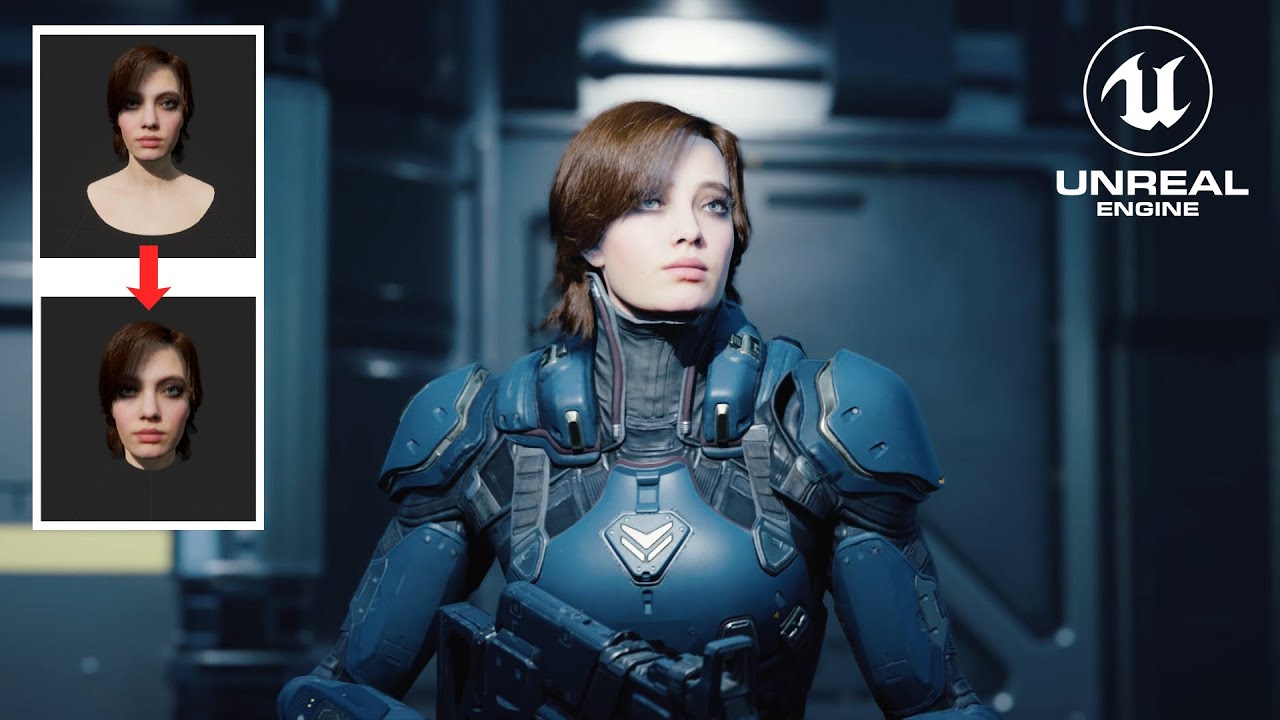
A slightly different method to the one I used in this video:
https://www.youtube.com/watch?v=C7S3vv6-7V0
This one keeps everything in one blueprint. Also, how to hide the neck and shoulders of the Metahuman using opacity masks.
Zip file containing 3 different opacity masks (more black=less neck): https://drive.google.com/file/d/1GnAavFEmSfAlCpqe...
gusty storm
elfin tusk
are there any detailed tutorials on how to integrate a metahuman head (that will...
That’s about it, rokoko has one called hacking metahuman or something and they shrink the parts they don’t need. It’s pretty much the same but you could check it out it’s pretty old already
rigid hamlet
Anyone using metahuman control rig in a sequencer with 4.27. Once I apply the rig to the body, character gets longer and strange deformations occur. Does not happen with 4.26
cobalt saddle
Hello, can you please tell me how to make my metahuman head look like this one. I tried changing it from MHC but still doesn't look like it!

here is what I got

thanks in advance!
gusty storm
look at the groom settings click open the head groom you can shorten tthe hairs
cobalt saddle
Alright, I’ll try it now!
cobalt saddle
It worked, thank you so much for your time!
 neat jasper
I'm having trouble with MetaHuman hair in UE5 Preview 2 sequencer animation.
MetaHuman’s hair disappears at some specific frames in sequencer but because it happens even when the MetaHuman comes close to the camera, it doesn't seem the well-known LOD issue.
I have just moved from EA2 to Preview 2 and am testing to run a copy of an EA2 project now, and EA2 doesn't have this issue.
Do I need to change some setting in Preview 2 to avoid this?
north glacier
@junior birch Hey man do you know what is the correct bone chain for manny anims to meta humans? I watched your Iclone video, but that did not help
junior birch
north glacier
<@!421829807790227489> Hey man do you know what is the correct bone chain for ma...
hey man ill be making new tutorial when documentation comes out but for now check this out https://youtu.be/8yJuZWIZyBU

UE5 TUTORIAL - Animation Retargeting for MetaHumans.
A BRAND NEW way to retarget your animations.
In this video I quickly explore more by retargeting animations onto MetaHumans using the new IK Retargeter.
The third tutorial of the series, this one is slightly more advanced and assumes you already know how to setup IKRigs and the IKRetargeter ...
north glacier
Thanks a lot! I will be trying this out asap
north glacier
Worked perfectly, the only thing that wont work is the pose asset. makes the arms crisscross. (using for a shooter not CGI or other stuff) The anims retarget, without any limbs or bones broken, nothign stretched, everything is a okay. Just those damn arms. lol
junior birch
north glacier
Worked perfectly, the only thing that wont work is the pose asset. makes the arm...
sounds like ur characters have diff pose
north glacier
That is what i was thinking, im going to back back to the marketplace assets and retarget in 4.27 and try it that way
rebuilding source 5.0 rn 😦
 scarlet nymph
Does anyone know how can I make my own custom hair style for metahuman?
plain haven
scarlet nymph
Does anyone know how can I make my own custom hair style for metahuman?
Edit the metahuman with external DCC tool. It can't be done entirely in Unreal Editor.
You can make the hair strands in Blender and export it as alembic data to be converted into groom asset.
cobalt saddle
plain haven
Edit the metahuman with external DCC tool. It can't be done entirely in Unreal E...
Any tutorials please?
 sudden berry
Hey folks , here is the way how "Epic" is doing the IKRigs for UE4 Mannequin and MH Skeleton :


 uncut ledge
Hey guys. I tried to create my own metahuman character with a custom mesh and use a facial animation curve data on him but it's not working. Anyone have any tips?
I tried to match everything exactly.... same skeleton, same blend shape with same shapes and names, added the post process BP, but so far when I play the curve data on my mesh nothing happens!
 craggy verge
I don’t expect any help (as far I tried tons and tons of things), probably I will keep as this. (With some workarounds like suspend/pause rag doll or remplace it with a UE4 Mannequin, all this via CVars)
But any easy solution for this issue?
Probably I could fix it making a Physic Assets and limit the head rotation but I am expecting a work of various days of testing and bug fixes)
(If somebody ask for context, It’s a false suicide because It’s a murder case)
north wedge
Anyone here know Why The animations from a MOCAP on Mannequin dont look 1:1 after retarget. I Know a few of the things are fixable But why does the hands move so differently. The mocap on mannequin Hands are still but after retarget the hands would move around?
 rigid hawk
hi. how can export metahuman face animation from maya to ue4? i wanna use animation like animation montage in game
 karmic sable
Hey guys hope you’re doing fine! I just released my latest short film entirely made in UE4 with motion capture! Hope you like it! - https://youtu.be/iyxZSPHBJpw

CGI 3D Animated Short Film: Till This Day Animated Short Film by Nako Baev. Featured on CGMeetup Gallery https://www.cgmeetup.com/project/till-this-day
A man with a haunted past visits a town where an accident took place that claimed his brother, he returns to face his past, but not all is what it seems.
Realistic CG Animated Short Film ''Til...
worn patio

Basics of retargeting using chains - the new method in UE5
worn patio
tepid lion
Hey, hope to get some help here. I am attempting to export a metahuman to 3ds ma...
try to switch off LOD while exporting
simple forge
worn patio
https://www.youtube.com/watch?v=zoRFNMlgX6A
Pavan, is this your new Youtube channel?
 trim knoll
I take it metas arent crashing everyone's macine... UE4.27 on Mac. disabling groom physics gets my meta in the scene but I don't want a bunch of bald people. . Any known fixes?
plain haven
trim knoll
I take it metas arent crashing everyone's macine... UE4.27 on Mac. disabling gro...
If the MetaHuman's hair has the card version, in the groom asset, switch the mode from strand to card.
trim knoll
plain haven
If the MetaHuman's hair has the card version, in the groom asset, switch the mod...
I'll give that a try thanks! What's the reasoning there if you don't mind?
plain haven
Well, strand based hairs can be quite expensive compared to the older hair card method
trim knoll
plain haven
Well, strand based hairs can be quite expensive compared to the older hair card ...
one of my metas doesn't have any meshes or materials in the cards. The other one does. I swithced all the LOD types from strands to cards and it still crashes. Do I need a better machine?

 amber arrow
does anyone know where i can get the metahuman preview animations?
plain haven
trim knoll
one of my metas doesn't have any meshes or materials in the cards. The other one...
Well... you definitely need a Windows PC.
trim knoll
plain haven
Well... you definitely need a Windows PC.
I wonder if Epic is just going to stop supporting mac altogether. Thanks for your time today
plain haven
trim knoll
I wonder if Epic is just going to stop supporting mac altogether. Thanks for you...
Blame Apple for using Metal AND M1 
tepid lion
Maybe someone have a solution for this new problem that I've run into.
Got the livelink going just fine. But when I choose to record some mimic, it suddenly seem to load the small body instead of the normal one.
Anyone got a possible solution?
worn patio
simple forge
Pavan, is this your new Youtube channel?
Yes my first video 🙂 Not as cool as your videos 🙂 but basics 🙂
worn patio
simple forge
Pavan, is this your new Youtube channel?
Ur a rockstar with all cool stuff 🙂
worn patio
amber arrow
does anyone know where i can get the metahuman preview animations?
do you mean the animation of holding a gun / walking etc - they come from the Mannequin and need to be retargetted
amber arrow
worn patio
do you mean the animation of holding a gun / walking etc - they come from the Ma...
No I mean the preview animations you see in the metahuman creator. Doesn't look like there's a way to export them 😢
simple forge
worn patio
Ur a rockstar with all cool stuff 🙂
Right back at you!
worn patio
amber arrow
No I mean the preview animations you see in the metahuman creator. Doesn't look ...
ah those - I did not see any ways we could get that - would be cool !!
spice plaza
Anyone know how to apply a motion effect setting like in Faceware but using the face live app? I made a small thing for testing purposes (of course you would repeat it for the other poses in the pose asset) i feel its should work but it doesn't.


Once I have access to the values, I can put multipliers onto them, add offsets and so on
plain haven

Unity
Unity is the ultimate game development platform. Use Unity to build high-quality 3D and 2D games, deploy them across mobile, desktop, VR/AR, consoles or the Web, and connect with loyal and enthusiastic players and customers.
 hasty dust
Currently I see iClone, Mocap, livelink as options for lip syncing in Metahumans - there is also an Nvidia tool, I was curious about using? What is the "simplest" method for when you don't need ridiculous fidelity you would recommend to start with?
also, wth is wrong with quixel bridge


 plain haven
hasty dust
also, wth is wrong with quixel bridge
plain haven
hasty dust
also, wth is wrong with quixel bridge
Take the magic bullet!
hasty dust
plain haven
Take the magic bullet!
wat
plain haven
hasty dust
wat
Magic bullet = restart
hasty dust
same error, restarted computer
I can't locate the plugin in the 4.27 folder so it obviously didn't install but how do I reinstall it- there is no option to uninstall it or remove it from Quixewl
plain haven
hasty dust
I can't locate the plugin in the 4.27 folder so it obviously didn't install but ...
Delete the MegascansPlugin folder on where you installed it manually.
 weary bone
Can i get some hintos on how to apply the facial animation in the metahumans sample to a different metahuman?
i cant figure out where the animation is stored or what its stored as
from the sample i see its the Face_controlBoard_CtrlRig
but i dont understand how to plug the facial animation from say the first metahuman in the sample to the second one
 vagrant patio
anybody have issues with lower lods causing something around the pecs to stick through the default clothing?
 hasty dust
What's up with this LOD, how did I import this guy wrong exactly?
craggy root
I'm trying to animate my metahuman however the skeletal mesh is in pieces I created a bp for the head but I didn't mess with the skeletal mesh but the body for some reason it is in parts and I cannot retarg the animation


 merry spoke
karmic sable
Hey guys hope you’re doing fine! I just released my latest short film entirely m...
merry spoke
karmic sable
Hey guys hope you’re doing fine! I just released my latest short film entirely m...
Fantastic movie Nako!
Watched the whole thing and loved it.
plucky kelp
question
Unreal crashes when I try to move MetaHuman bp with transform inside sequencer. Anyone else have this problem?
error message:
Assertion failed: RootLOD == MeshComp->GetPostProcessInstance()->GetRequiredBones().GetCalculatedForLOD()
EDIT
I think i have a work around by forcing the LOD trough the Metahuman_BP. but not sure if this will hold up in the future.
worn patio
hasty dust
also, wth is wrong with quixel bridge
Launch in administrator mode
worn patio
hasty dust
What's up with this LOD, how did I import this guy wrong exactly?
set LOD to 1
worn patio
plucky kelp
`question`
Unreal crashes when I try to move MetaHuman bp with transform inside ...
did you manage to enable the missing plugins when MH are first loaded
 acoustic inlet
I'm pulling my hair out with quixel bridge, bridge reports that the plugin is installed, yet there is not plugin in the folder, and clicking export says the plugin is not installed
I removed all the bridge related things from roaming to try installing again, nothing happens
 rigid palm
Ok, so lets say I want to publish a game on steam using metahuman. Can I do that or is it against the rules?
Do i have to publish the game on Epic Games?
plain haven
rigid palm
Ok, so lets say I want to publish a game on steam using metahuman. Can I do that...
It's allowed as long as final renders made within Unreal Engine.
You can't make renders or any product of it in other renderers, like Unity, even if you publish it on EGS (which is kinda unlikely considering they screen for asset flipping)
rigid palm
Ahaa, well that makes things clear. Thank you!
plucky kelp
worn patio
did you manage to enable the missing plugins when MH are first loaded
Yes, I clicked on all the messages and selected: Enable Missing Plug-Ins
 rose stump
Hey, I'm trying to retarget the postprocess anim bp from metahumans using the IK retargeter in UE5 P2, the anims get correctly retargeted, but the pose assets don't seem to work, has anyone encountered this before? Is Pose Asset retargeting now broken? I successfully did it in UE5EA before.
 ivory belfry
Have you tried to model yourself. I tried but i dont think that what i created look like me
worn patio
rose stump
Hey, I'm trying to retarget the postprocess anim bp from metahumans using the IK...
rose stump
worn patio
https://discordapp.com/channels/187217643009212416/831953010900336712/9581389797...
thx, but I already have a working IK retargeting setup, the problem is the POSE ASSETS don't work, the anims associated with them work fine, but updating from source inside the pose asset does nothing for me
ornate python
Hey guys, is the MetaHumans facial control rig working correctly on release UE5?
 golden girder
neat jasper
I'm having trouble with MetaHuman hair in UE5 Preview 2 sequencer animation.
Met...
golden girder
neat jasper
I'm having trouble with MetaHuman hair in UE5 Preview 2 sequencer animation.
Met...
Hi! I have the same problem! Did you solve it?
 toxic nymph


#UE5's City sample project comes with a pretty cool MetaHuman based character creator called - BP_CrowdCharacter.
 Twitter
·
Twitter
·
 subtle pagoda
is it possible to make a titan from attack on titan with metahuman?
weirdly shaped sort of human looking creatures


 mortal cradle
subtle pagoda
mortal cradle
subtle pagoda
Sorta yea
https://metahuman.unrealengine.com/
 silver badger
Hi folks 🙂 ,
I'm here to ask you about a problem with combining metahumans and physical animations in UE4.27, one I've had a tough time trying to solve for quite some time now.
To summarize it as best as I can : using an animation which implies the rotation of the spine bones, as a physical animation (in the Phat f.i) ends up causing the physical asset skeleton to get some sort of impulse as soon as the simulation starts, offsetting it from the animation skeleton
And this happens when simulating in the phat as well as when in the scene
How to reproduce :
- import any metahuman to your project
- duplicate one of the already existing animations (in this exemple I took one with "thumb_01" in its name I believe), set a new key in the yaw of the spine_04 bone and save it (see image 🇦 )
- open the default physical asset, disable the gravity, and set the rest as I did if you wish (not doing so will have the physical asset spinning out of control when simulating later on I believe, making the problem kinda harder to observe imo) (image 🇧 )
- set the animation ( 🇨 ) and show the animation skeleton to better compare ( 🇩 )
- hit simulate ( 🇪 )
In addition, and I'm not sure how related it is but if in-between 🇨 & 🇪 you check the constraint called "spine_05 : spine_02 Constraint" you can see that it is the only one for which its pivot's position seems to be broken as it does not follow the animation
Thanks for taking the time to read this, and if you happen to have anything that could be of some help, please do share it, I'd be forever grateful 🙏


 plain haven
subtle pagoda
is it possible to make a titan from attack on titan with metahuman?
plain haven
subtle pagoda
is it possible to make a titan from attack on titan with metahuman?
Yes, but you have to sculpt it yourself on external tool.
Use the MetaHuman meshes as starting point.
 slate seal
ok.. long story short.. I'm automatically re-rigging metahumans using Houdini where I have an HDA that can swap out a entire/partial skeletons and re-weigh everything and all. Using that I put the default xSens mocap skeleton into the metahuman body and kept the facial bones/blendshapes in tact. the facebones' root is linked to the xsens head joint, all works fine, I can now use houdini-processed xsens mocap clips in the sequencer without the hassle of retargeting etc. In the image you can see the new setup

Now for the hard part.. how to get ARKit facial mocap to work on this new setup? Facial bones/blendshapes are named identical as the original meta human head but I can't seem to make the face anim blueprint work
I also tried copy-mesh-pose approach, to copy the animated facial bones tranforms of a dummy ctrl head on to the main one. But that doesn't really work well since it always copies the static face restpose

left two are working with arkit face capture, the new right on the right refused to do anthing at all
 rigid palm
My Unreal crashes as I open my metahuman viewport in the blueprint class. I am wondering, what is the recommended LODs for metahumans in games? Currently I am using LOD 3 and it crashes.
plain haven
rigid palm
My Unreal crashes as I open my metahuman viewport in the blueprint class. I am w...
I suspect it's your PC specs. My potato (as in intel GPU only) can do LOD 1 with 2K texture fine
rigid palm
Ryzen 7, 3060
plain haven
Might be driver issue then
ornate python
ornate python
Hey guys, is the MetaHumans facial control rig working correctly on release UE5?
https://www.youtube.com/watch?v=j-iiFctHfEQ I FINALLY found a solution to my problem

UE5 FIX the Metahuman Facial Control Board
In UnrealEngine 5.
#UnrealEngine #UnrealEngine5 #Metahuman
Metahuman Face Control Rig Board Library:-
https://www.youtube.com/watch?v=Ca5jNZu1-3I
➥➥➥ SUBSCRIBE FOR MORE VIDEOS ➥➥➥
Please support my channel and help me bring more content.
Like and subscribe and hit the bell icon for notifications.
Su...
 south fulcrum
plain haven
I suspect it's your PC specs. My potato (as in intel GPU only) can do LOD 1 with...
south fulcrum
plain haven
I suspect it's your PC specs. My potato (as in intel GPU only) can do LOD 1 with...
Really? I have a 1070 and metahuman kill me fps even at low LOD
plain haven
south fulcrum
Really? I have a 1070 and metahuman kill me fps even at low LOD
Well, you didn't mention anything about FPS, but unsurprisingly it hurts the framerate in my potato. But it doesn't crash until I put the 8K texture and LOD 0 on normal screen size
south fulcrum
plain haven
Well, you didn't mention anything about FPS, but unsurprisingly it hurts the fra...
Ah I see
plain haven
I had to modify it with 2K textures, and LOD 0 starts at 2.0, and LOD 1 starts at 1.0
LOD 1 is like the acceptable level
south fulcrum
I don’t understand how the city demo can use so many meta humans I haven’t tried it on my 1070 but I suspect I’ll get like 2 fps
3 if I’m lucky
slate seal
@south fulcrum a low LOD version is quite easy going.. no real hairs, low res mesh etc
 icy cobalt
Hi! I am trying path tracing on metahumans un UE5 stable release, but Hair seems not to be rendered yet, except for textured hairs on the head...any suggestion? Thank you!!
icy cobalt
oooki I have found out that reference depth of field on solves the issue
south fulcrum
slate seal
<@!612738576525950998> a low LOD version is quite easy going.. no real hairs, lo...
I’ll ggive it a shit thanks!
cobalt saddle
Hello!
Can you please tell me how to copy the lightings from the MHCL sample project into my project, because every time I put my metahuman characters into some ready made environment it doesn’t look that realistic! Any suggestions will be appreciated too, thanks!
icy cobalt
icy cobalt
oooki I have found out that reference depth of field on solves the issue
additionally I have noticed that with some metahumans path tracing is not converging: it remains very noisy and does not seem to have any progress... any advice? Thanks!!
Vivian is an example who is not converging...
icy cobalt
issue seems to be connected to hair...changing hair groom asset solve it, although charact remains without hair...
disabling Simulation in the grrom asset solves the issue (but bye bye simulations...)
 quartz hollow
How do I delete these 18000+ pose curves from the Metahuman Skeleton? 😅
 plucky kelp
Am I the only one to run into hair scale problems ?

whenever I scale down the metahuman his hair is all messed up
this does not happen when using lod 5 6 7, but I wanna be able to use lod 2 3 4
plucky kelp
Question
How can I make my MH's Hair react to a WindDirectionalSource? I want to some wind affecting the characters hair, for a cinematic.
 stiff meadow
cobalt saddle
Hello!
Can you please tell me how to copy the lightings from the MHCL sample pr...
stiff meadow
cobalt saddle
Hello!
Can you please tell me how to copy the lightings from the MHCL sample pr...
You need to download it from the epic store, it's called MHC Lighting Presets
cobalt saddle
stiff meadow
You need to download it from the epic store, it's called MHC Lighting Presets
I have the project, I want to copy the lightings into another environment!
plucky kelp
cobalt saddle
I have the project, I want to copy the lightings into another environment!
Check out the Migrating Assets section
https://docs.unrealengine.com/4.27/en-US/Basics/AssetsAndPackages/Migrate/
 uncut harness
Any good tutorial how to export MH ftom Maya to UE5? I have skeleton issues lol. Even if I don't make any changes and import MH to maay and export right away, im getting missing bone error
plain orbit
I am using UE5 and I attached my metahuman's head to a modular character's body inside of a blueprint (attached to the head bone), but when I run mocap on the body, the head is not staying connected to the body.
Is there any way to fix this?
 spice otter
Am I just terrible at Unreal, or is it actually a huge pain to get a Metahuman to be 3rd person controlled/animated for UE5?
I just keep getting either graphics crashes, floating movement, or nonstop animations
plain orbit
UE5 with metahumans is a pain in general i guess
can't get the head movement to stop being so WACK
STILL
 heavy gust
I created a metahuman xter with a hoodie on . And the hoodie is going nuts. Moving on its own and I'm not sure how to stop it .
heavy gust
spice otter
Am I just terrible at Unreal, or is it actually a huge pain to get a Metahuman t...
Same here . For me the root ,top and leg are moving separately
spice otter
The hoodie strings just go wild and whip all around
I found a cheap add on to animate and fix it
heavy gust
spice otter
The hoodie strings just go wild and whip all around
Help , please .😭
 hollow heron
Hello good people!
what is better to use with Live Link, iphone or ipad?
spice otter
iphone, it's the Lidar that they have for faceID that makes it amazing
@heavy gust M Human Character Base Tool is what I used
hollow heron
So... it's the LIDAR that is responsible for the magic behind Live Link... that's interesting and now i know why my Android phone does not work with this app.
thank you @spice otter
spice otter
If you have a pro your ipad may have lidar
heavy gust
spice otter
<@747114342935429270> M Human Character Base Tool is what I used
Thank you . 🙇🏾♂️
green shoal
No, it isn't Lidar, it's the 3d camera and is available from iphone X. Lidar is used for large scan like building and is not accurate, is only quick.
 neat blade
metahuman is ok to use for commercial use correct?
plain haven
neat blade
metahuman is ok to use for commercial use correct?
As long as final renders are made in Unreal Engine.
(e.g. porting it to Unity is prohibited)
neat blade
plain haven
As long as final renders are made in Unreal Engine.
(e.g. porting it to Unity is...
nice ok thanks
 floral loom
can i like convert metahuman people to cardboard cutouts?
plain haven
floral loom
can i like convert metahuman people to cardboard cutouts?
Yes, but FWIW you might as well use a work of art of that of the LOD 8
 steel epoch
Hello! Does anyone here know the easiest way to change clothing of metahumans? apart from the standard clothes provided by UE5? Would really appreciate your help, thank you so much ❤️
plain haven
steel epoch
Hello! Does anyone here know the easiest way to change clothing of metahumans? a...
You'd have to model that yourself elsewhere (which in that case you should start with the base "nude" models)
Export the metahuman mesh from Unreal into your DCC tool of choice, be it Blender or Marvelous Designer
 fresh monolith
Bruce Willis as a Meta Human. Just sharing it, it's made by some other user.

 acoustic sphinx
will meta human retain face 3-5 morph data when downloaded
 graceful rose
is metahuman opening in ur browser? for me i cant open anymore
 coarse stump
had to accept changed contract to it open
 tidal escarp
Hello guys, is there a difference in the integration of metahumans between ue4 and ue5?
 gloomy palm
Will metahumans get updates?
plain haven
tidal escarp
Hello guys, is there a difference in the integration of metahumans between ue4 a...
In the latter, Quixel Bridge is built in.
That's pretty much it.
 dusk topaz
Are there default face poses that you can load onto your metahuman?
dusk topaz
The metahuman creator has a preview animation. Can I load this into my project?
dusk topaz
Yeah, I found it. It's currently working.

Are there any animation libraries available? I'd just like a variety of facial poses.
plain haven
dusk topaz
Are there any animation libraries available? I'd just like a variety of facial p...
Mixamo, but it doesn't even worth mentioning due to its unorthodox rig.
I guess if you know how to hard retarget it to metahuman, then by all means.
dusk topaz
plain haven
Mixamo, but it doesn't even worth mentioning due to its unorthodox rig.
I guess ...
All the face animation are bone based. It would be an fbx animation created for metahuman.
plain haven
Oh wait, you mention facial poses.
Well, in that case you'd have to make it yourself
dusk topaz
 icy cobalt
Hi, is it possible to export an fbx from sequencer with time dilation applied? Thanks!!
 fair wagon
How do I stop the metahuman homepage from redirecting me in a infinite loop?
plain haven
 ripe siren
or is it not allowed
ripe siren
or is it not allowed
Allowed only if it's rendered with Unreal Engine?
plucky kelp
For anyone wandering why they can't package their game after adding metahuman, try disabling mesh distance fields or planar reflections
Can't believe Epic still hasn't fixed this issue when it's known since 12 months at least
 ivory tusk
can we get default metahuman animation in Unreal Engine?
I need Unreal Engine Default Idel Animation in Unreal Engine
ripe siren
plain haven
Allowed only if it's rendered with Unreal Engine?
ok thx
bold fable
I tried adding 3 metas and it made my fps on my custom pc go to 20
is this because of the grooms?

partially yea the grooms are so taxing
ig ill use them for cinematics only
 main flame
Metahumans crashes my game in play mode. I get InstanceCullingContext.cpp Line1152
main flame
I really cant use metahumans
 faint frigate
Relatively new to UE and having a really hard time retargeting animations from the Advanced Locomotion System(ALS) to a metahuman in UE5.
Any resources recommended to check out for this to complete it easier or am I looking at rebuilding the whole skeleton?
 errant beacon
I've had a good experience following this quick guide 🙂
https://dev.epicgames.com/community/learning/tutorials/zvx/quick-easy-mannequin-to-metahuman-retargeting

Epic Developer Community
This quick and easy approach works specifically for UE Mannequin animations and is likely to NOT work for animations from other sources such as Mixamo o...
faint frigate
errant beacon
I've had a good experience following this quick guide 🙂
https://dev.epicgames.c...
Thanks! Haven't seen that one
 little tangle
idk if this is the right place but is there any way to rotate the metahuman editor viewport exactly 90 degrees around the character?
 solid bluff
Any lucky idea how to get rid of crashing of the windows build when I use metahumans with grooms in UE5? without grooms it seems to work fine.
 signal sand
Anyone ever had a problem where all hair on metahuman vanishes on a cooked build?
hollow arch
Retargeted my model & animations from the default model to the Metahuman. my game is now running in slow motion. what could have caused this?
time dilation is printing as 1.0x
character moving slow. and animating slow
plucky kelp
dusk topaz
wow, that’s dope.
 cursive isle
Hi there!
I have a control rig t pose for Metahumans. Is it possible to make a pose asset for the ik retargeter out of it? Bringing the fingers of a MH into tpose is a pain in the ass 😂
Thx a lot 🙂

 fluid locust
Hello everyone. Does anyone know how to put a Tshirt on a naked metahuman? My meta human just walks out of the shirt. And the shirt just floating in space even though I put it in the blueprint.
hollow arch
I just retargeted to a metahuman. My game now runs in slow motion?? I did not change any code
My Global Time Dilation is printing =1.0x
My animations are also playing slow in the editor.
hollow arch
cursive isle
Hi there!
I have a control rig t pose for Metahumans. Is it possible to make a ...
I manually did the hands and fingers and feet. It was worth it. Not too big of a hassle just change tpose slightly and keep trying to retarget the same animation until outcome is desireable
Specifically drawing and shooting a bow! It worked very well. U can do it
cursive isle
@hollow arch thx. I tried that as well. I’m struggling. The fingers are jumping into very odd positions if I try to edit them… I’m very new in unreal, so also the navigation is very strange. It’s different than 3Ds Max 🙂
hollow arch
I came from 3ds Max too 🤣 u can do it! I usually have to change camera speed at top right corner of viewport. Good luck
cursive isle
Thx 😂 it would be much easier if rotating around selection would be a thing. But with alt pressed it’s working only sometimes…
I’ll give it another try tomorrow. If I fail I have to wait for the new live link plug-in of my mocap suit 😂😂
 stoic geode
Hi everyone! I'm tasked to create a talking illustrated character for an explainer. Any tip where to start?
cursive isle
@plucky kelp yep
cursive isle
@stoic geode take a look at audio2face 🙂
 agile gazelle
Is it possible to edit/create a meta human that your pawn is using? Like the runescape/gta appearance editors
cursive isle
WT* is going on here? 😂 🙈
And here? Is that still buggy or am i doing something wrong?
worn patio
bold fable

Test running 60 Unique Meta humans
A test I had done in October 2021
On a Silver draft Machine - 64 cores and a A6000 card
Had to remove all the groom / hair for it to work
 rugged acorn
Anyone know the camera info for the lens they use in Metahuman creator tool, like mm and distance from the head? I'm looking to shoot reference of the real actor I want to match, and overlay that reference on top of the creator app. If anyone knows, or knows where I could find it, like the source code or something it would be appreciated!
plucky kelp
Hi, when I import my Metahuman face mesh to Unreal from Maya, I get these weird shadow glitches on morph targets (blendshapes) around the eyes.
the error is not visible on Metahuman imported from Bridge
(both meshes have the same material and everything in the skeletal mesh settings is set up same)
please any advice to fix the problem? thanks

 cursive isle
@plucky kelp thx, I’ll try that 🙂
 vernal hull
Anyone have any proper fixes for beard lods?
Everything I do when editing the lod settings within the beard grooming it spins up crashes.
I’m about to drop metahumans all together. Headache beyond belief.
Expected result: User sees full beard at all times
Observed result: Beard vanishes when camera changes distance- to no beard at all at times
Some of the options I’ve seen aren’t done correctly and causes the crash, each method I’ve tried
bold fable
worn patio
https://www.youtube.com/watch?v=rVwthNrGhtw
yup and they're all bald headed
 delicate horizon
Guys, where can i create custom clothes?
plain haven
delicate horizon
Guys, where can i create custom clothes?
Marvelous Designer, Blender, Houdini (maybe), ZBrush
Pick your poison.
delicate horizon
thanks. do i have to export MetaHumans to blender (for example) or the exporting only works for unreal?
plain haven
delicate horizon
thanks. do i have to export MetaHumans to blender (for example) or the exporting...
You can only export them via Unreal
delicate horizon
ok thank you
simple forge
cursive isle
WT* is going on here? 😂 🙈
I have had the same thing happen.
simple forge
cursive isle
WT* is going on here? 😂 🙈
The MVN live link plugin has been released for UE5 😉
 cursive isle
@simple forge oh sweet! Can’t wait to try it out 🙂
Thx for the info 🖖
spice otter
So for some reason my head moves withe livelink, but the lips aren’t
I checked the blueprints and it’s the same as ones that normally work
 jovial meteor
I'm trying to download the metahuman + source files, but is stuck at 0%. I tried reinstalling Bridge, restarting the PC... And nothing works, somebody knows what can it be?
Ok, I needed to open Bridge as administrator
 graceful osprey
bridge doesn't export metahumans properly in ue5
it downloads fine and creates the folder in the project folder called metahumans but the folder named after my character is empty
plucky kelp
Hey everyone, we're running into an issue with a project, and have some googling it seems like a lot of people are having the same issue, with no solve, so perhaps someone in here knows how to fix it.
When we are using strand grooms and DOF, there's quite a distinct halo around the strands, and also the strands seem to be in the incorrect focus plane.
An example would be - the neckline of the character is in focus, but the hairline is out of focus, even though they occupy basically the same space.
Has anyone ran into this?
junior birch
testing out the metahuman animation with my custom meta https://youtu.be/pWnbw1YTMy4
Unreal Engine 5 Metahuman Eye Test
My UE5 Course
https://www.udemy.com/course/how-to-create-a-movie-in-unreal-engine-5-beginners-edition/?couponCode=15E90C71F87BAF32E4C8
Buy my courses to support the Channel!
How to make a movie in Unreal Engine 5 Beginners Edition Artstation Link:
https://www.artstation.com/a/7481092
Udemy Link
https://www.ud...
 cosmic hollow
Having issue with groom binding to MH in UE5.0. The hair floats 2 units up when imported via Alembic cache from Maya/XGen.
golden girder
Hi! Is there a way to use the new IK rigging and retargetter of ue5 to animate metahuman with Optitrack live link without mobu?
vernal hull
graceful osprey
bridge doesn't export metahumans properly in ue5
it downloads fine and creates t...
Check your engine directory for source files
 arctic locust
Can anyone point me in the right direction for finding a t shirt for metahumans? Just a regular white tee.
neat jasper
In UE5 sometimes MetaHuman’s face texture is replaced with something else when I finish rendering in MRQ. The replacing texture seems to be randomly selected from other material that is totally different from face texture so when I finish rendering my MetaHuman looks like having some paint on her face.
Has anyone experienced this?
I’m using UE 5.0.1 and if I restart UE5 the texture comes back to normal.
 rose current
When I use meta human with Lyra the hands are not working properly
 eternal cedar
Same journey here. It should be possible to reverse engineer the .dna files, though. Is anyone trying that?
This is where the *.dna reader is implemented and it contains the necessry info I think: https://github.com/EpicGames/UnrealEngine/blob/release/Engine/Plugins/Animation/RigLogic/Source/RigLogicLib/Private/dna/ReaderImpl.h
 nova jewel
Anyone know how to solve this issue? It appears to happen everytime there is a transparent material (like glass etc) behind the character.
 plush gust
Hi guys, I would like to make a Metahuman kid (a 5 years old boy), do you have any idea how and where (which software) change the body type from metahuman creator to achieve child body type? I will be grateful for any ideas/tutorials?
plain haven
plush gust
Hi guys, I would like to make a Metahuman kid (a 5 years old boy), do you have a...
The youngest that MetaHuman got convincing is a 13 year old, so you'd have to bring it from Unreal to a DCC tool and modify it yourself, or make a model of a 5 year old from scratch.
 hallow crest
Hello, I am having an issue with the Metahuman hair LODs. I am aware of how to fix the hair popping in and out of existence because of the LODs, and know how to lock the LOD to 0 or 1. However, the hair disappearing starts up again after I apply an animation to the Metahuman's body. I cannot get the hair to persist without disappearing once an animation has been applied to the body. Anyone else having issues like this?
neat jasper
hallow crest
Hello, I am having an issue with the Metahuman hair LODs. I am aware of how to f...
I’m not sure if the issue I’ve been facing is the same one but my MetaHuman hair disappears in sequencer every time at exact timing. Strangely enough when hair disappears depends on the position of the camera. If I move the camera farther or closer to the MetaHuman, the hair comes back. Because hair disappears even when MetaHuman comes closer, I doubt if this is an LOD issue.
hallow crest
neat jasper
I’m not sure if the issue I’ve been facing is the same one but my MetaHuman hair...
yes
i have the same issue
it only happens once an animation has been applied to the metahuman body
then the hair issues begin
 shrewd badge
I've got an issue, but with something else. I've got an animation playing in the editor correctly and when I package the project it forgets the shirt
anyone came across with this issue?
 vernal hull
Does anyone here know the maximum animation frame allowance for MD?
I have two different mesh/animations I’m doing cloth sim / recording for and around 1200-1400 frames both cloth simulations go absolutely bonkers, artifacting until the animations finish
Doing the sim for metahumans
Animation frames for each run between 4700-5600 frames
 valid knoll
Any one have input with issues binding LogHairStrands: Error: [Groom] Binding asset could not be built. The target skeletal mesh could be missing UVs. LogHairStrands: Error: [Groom] Binding asset could not be built. Some strand roots are not close enough to the target mesh to be projected onto it. This binding asset won't be used.
junior birch
Sneak peak of an upcoming metahuman short. All metahumans. Can anyone guess who the 5th one is?

 sinful prairie
How do you replace the basic 3rd person character in a preset with a metahuman?
While preserving the jump walk animations
hallow crest
junior birch
Sneak peak of an upcoming metahuman short. All metahumans. Can anyone guess who ...
nice dude!
hallow crest
junior birch
Sneak peak of an upcoming metahuman short. All metahumans. Can anyone guess who ...
any idea what this issue is??
Hello, I am having a very strange problem while using Metahumans in UE5. The hair on the Metahuman keeps disappearing and reappearing, seemingly randomly. I don't think it is because of the LODs; I have tried forcing LOD to 0, 1, 2, etc. and that helps the hair disappearing because of LOD issues, but as soon as I apply an animation to the BODY, the hair starts behaving very erratically. I have also noticed a very strange glitch; it seems to be using some VFX from the Matrix City Sample pack, where the hair will disappear using the same effect as when you hit a crowd NPC in the City Sample pack. This is very strange, considering I have not exchanged any assets between the two projects.
Any help would be greatly appreciated
junior birch
im getting this as well its very annoying seems like a bug
junior birch
Been meaning to make this tut but here is how you can use the matrix demo clothes with your own meta. https://www.youtube.com/watch?v=WZfVlI4N3ck
New Unreal Engine 5 Metahuman Clothes
My UE5 Course
https://www.udemy.com/course/how-to-create-a-movie-in-unreal-engine-5-beginners-edition/?couponCode=15E90C71F87BAF32E4C8
Mask Download: https://drive.google.com/file/d/1Cu0zlha5rNlaP82Qtw_74zJ80i61dpln/view?usp=sharing
Buy my courses to support the Channel!
How to make a movie in Unreal Engi...
 graceful storm
anyone run into this issue with Metahumans? Trying to body swap the head onto a custom rigged body. Everything goes well until I parent the face to the body and use the Faceanim_Bp anim blueprint.
Then their necks get broken lmao
 junior birch
yup been battling this issue since release last year lol the neck has excess neck mesh unfortunately. Check this out https://youtu.be/0ueKtuVwtqs

Unreal Engine 5 Custom Metahuman Tutorial,unreal engine 5 metahuman clothes,ue5 metahuman,Unreal Engine 5 Metahuman Animation Tutorial,ue5 Metahuman Animation Tutorial,unreal engine 5 demo rtx 3090,ue5 metahuman animation,ue5 metahuman retarget animation,unreal engine metahuman mocap workflow,Unreal Engine 5 Metahuman Creator Demo,ue5 metahuman ...
 radiant harbor
Having the same camera angle specific disappearing hair as everyone else, I looked back through the thread and it doesn't look like anyone has solved it. Hopefully epic is working on a fix.
junior birch
i found a fix for it ill make video soon
radiant harbor
@junior birch Amazing, You're a life saver
graceful storm
junior birch
yup been battling this issue since release last year lol the neck has excess nec...
IS there no fix or idea to handle the disjointment? Basically two options are Keep it and its broken, or make it disappear?
junior birch
watch the video u can mask it
graceful storm
right, i was just wondering if we could somehow keep it, but it seems right now the only work around it so make it disappear. I was trying to avoid having to use those neck coverings lol.
Every mesh is gonna have to have a chainmail collar lol
junior birch
oh yea dude thats why most metahuman videos have all turtleneck clothes hahhh
graceful storm
Lool okay cool. I guess I'll try to see if I can help the cause and work on something better
 cedar cloud
how to import Metahuman to Unreal Engine 4.25
plain haven
cedar cloud
how to import Metahuman to Unreal Engine 4.25
Upgrade your project to 4.26.
plain haven
Delete 4.25, install 4.26
Also MetaHuman took up 2 GB each, that's just the 2K textures.
cedar cloud
i got big project running on 4.25
elfin tusk
has anyone used the ynnk lip sync plugin before? im trying to apply the lipsync to custom metahuman and im having trouble understanding why the animation sequences arent playing (despite having curves set up)
 hybrid girder
junior birch
Sneak peak of an upcoming metahuman short. All metahumans. Can anyone guess who ...
hybrid girder
junior birch
Sneak peak of an upcoming metahuman short. All metahumans. Can anyone guess who ...
How'd u get the likeness so good
 thin kettle
how to combine the metahuman person into a single skeleton mesh?
rigid hamlet
radiant harbor
Having the same camera angle specific disappearing hair as everyone else, I look...
Having the same exact issue. My LOD is forced to 0 from lod sync. Also the grooms have only one LOD and set to 0. Body and face is also set to custom 0. I do not think it is a LOD issue. I think it is related to somehow root motion since the problem starts occur when the body gets away from the root. If the animation is close to root grooms stay solid. There are many complaints about this case. Also there is long conversation about this on @simple forge ‘s discord as well.
 lunar ore
Does anyone know if pushing metahumans to perforce is possible?
I pushed all files related to the metahuman character onto perforce and downloaded everything on another workspace
but it seems like the character doesnt want to load in properly
 gusty storm
junior birch
i found a fix for it ill make video soon
gusty storm
junior birch
i found a fix for it ill make video soon
https://youtu.be/uYwiep9HmAc having a major groom issue
 junior birch
yea thats an understatement lol groom is so damn problematic but they do look good when they work.
gusty storm
Works perfectly in 4 so guess I’m going back
junior birch
hahahah yea 4.27 is much stable
 bitter crater
Wait, you can place metahuman model into your project? Sorry new to unreal engine
bitter crater
 junior birch
I can't wait to show you all what were making. Metahuman Bats. Which one is your fave
 bitter crater
That one in the left and in the middle
 cold thorn
hey guys, anyone work with marvelous designer? i have some problemt to import simulation
 twilit eagle
Hi
I created a workflow video to show how you can adjust/change metahumans via Maya/Zbrush, fix the blendshape in Maya then export to Unreal and work with the face control rig. There are more steps to make it truly perfect such as adjusting the meshes around the eyes and so on but this actually works well this method. https://youtu.be/Y3WjrWPMMEg
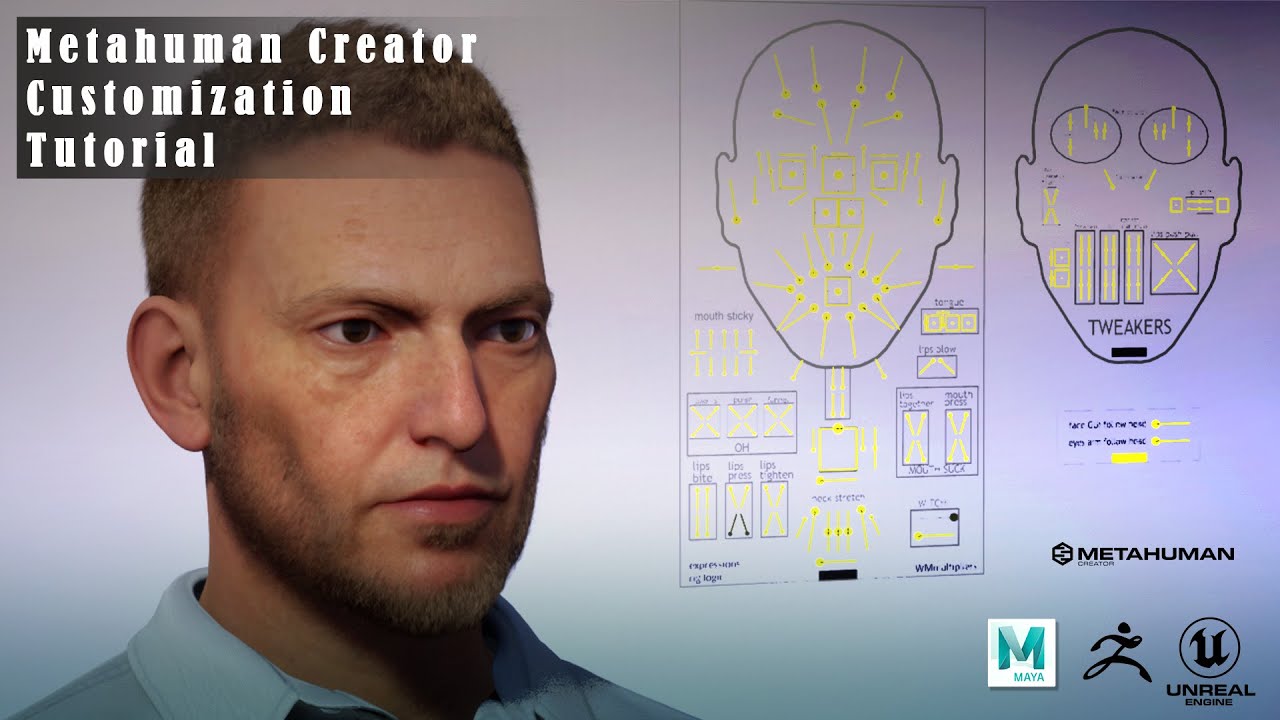
Artstation: https://robertramsay.artstation.com/store/00l9B/metahuman-customization-tutorial
Completely customise your Metahuman heads with more accuracy in this 3-part video. Requires Maya2020, Zbrush(optional), Unreal Engine 4.27 or similar and Quixel Bridge with Epic Games account.
neat jasper
@rigid hamlet
I found that it also depends on focal length of the lens. At the timing my MetaHuman's hair disappears in a sequence, the hair comes back only if I change the lens from 85mm to 50mm. And if I very slightly pan or tilt the camera when I am using 85mm and the hair isn't there, the hair comes back.
I was thinking it depended on the distance between the camera and MetaHuman but it doesn't. It is hard to guess what is causing this problem and I've been unable to find any hint to solve this.
rigid hamlet
neat jasper
<@260522268470411264>
I found that it also depends on focal length of the lens....
Strange times :)))
rigid hamlet
rigid hamlet
Strange times :)))
Here are some more interesting findings. I am sure now it is related to groom. I have generated cards with procedural option. And assigned lod0 to cards. Same thing happens once the body moves away from the root it starts to disapper, BUT if I add a static mesh to metahuman and assign that generated mesh to the static, that card hair never disappears.
craggy verge
Could someone said me which bones is that and which is their parent?

Because I suspecting about Bones removing because LOD
(The removing of some bones delete the attachment of the head)
craggy verge
 edgy tangle
yo i got like.... 5k shaders compiling atm... is there a way to get metahumans that arent 'high quality'? quixel bridge only has the high quality option on everything. i see low and medium quality options on videos and stuff... but its just not there for me?
 craggy verge
edgy tangle
yo i got like.... 5k shaders compiling atm... is there a way to get metahumans t...
craggy verge
edgy tangle
yo i got like.... 5k shaders compiling atm... is there a way to get metahumans t...
Shaders compiling is required.
Hopefully after that is all cached.
The unique way for optimization is lowering the LOD and removing hair related stuff
edgy tangle
yeah but i dont want to be compiling shaders for over an hour everytime i add a metahuman to my project
craggy verge
Some shaders are common between metahumans
edgy tangle
ok buuuuuuuuuuut
i want low quality so it goes faster
everyone else but me seems to have the option for it
well theres only 300 shaders left at this point, if anyone knows why i dont have those options though, please ping me cus this sucks and im not doing it again even if theres slightly less shaders to compile, i want more like... a few hundred, or some other normal number of shaders
simple forge
Is anyone else having a lot of crashes with Metahumans in 4.27 with the body control rig?
plain haven
simple forge
Is anyone else having a lot of crashes with Metahumans in 4.27 with the body con...
What kind of crash?
simple forge
plain haven
What kind of crash?
I think I figured out what my issue was. I am baking an animation to control rig. I go to switch the hand fk to ik on the metahuman. Even if I make a key for it, I have to delete the rest of the keys on the global track. When I do that, it crashes.
lunar ore

hey guys does anyone know how i can download 2k resolution models
I only see an 8k option
 sullen pilot
lunar ore
sullen pilot
lunar ore
you have to create custom metahumans with the metahuman creator. you can dowload those with a lower resolution
 trim roost
Hi
I have a question regarding a metahuman's rigging. Me and my team need a custom animation with an extra bone. The bones, weight painting and animation have been created. My problem now is the export / reintegration back to Unreal.
What I've tried so far: 1) FBX export of the rig with the extra bone selected.
That didn't work at all. The import button was greyed out.
2.) Selected the rig again in Maya+ body mesh. (lod 0) When importing into Unreal, an error occurred -> multiple roots are found in the bone hierarchy. we only support single root bone. (but as you can see in my screenshot the rig has only one root bone)
I'm just stuck does anyone have an idea how to get the rig back to Unreal with that one extra bone.

 rigid hawk
hi. i wanna create some additive head animations like blinking. how can i export head animations like body from maya to ue?
junior birch
 glass ravine
<@421829807790227489> the 2 most right
glass ravine
<@421829807790227489> the 2 most right
mine is bale and keaton havent seen pattinson yet
rigid hamlet
junior birch
mine is bale and keaton havent seen pattinson yet
Bale Rulez and yes Keaton was iconic, cant say the same for pattinson
glass ravine
i didnt even realize it was based on the originals 😛
2 on the right just looks most badass
new series : the batman just started... havent watched any ep yet
lunar ore
sullen pilot
you have to create custom metahumans with the metahuman creator. you can dowload...
thank you dude!
sullen pilot
hey guys, i wanna use multiple metahumans in my level with a low lod level but i noticed that the very existence of those in my content folder consumes a decent amount of ram 👀 🤨
having more than 5 metahumans exported to my project sets my ram usage to 95% whereas having 1 sets the usage just to 45%-50% (i have 16gb)
does anyone have similar experiences or knows how to solve that issue and use many metahumans in your level? 🙏
edit: when starting the project the steps "calculating weights" and "building groom data" seem to bloat it up
twilit eagle
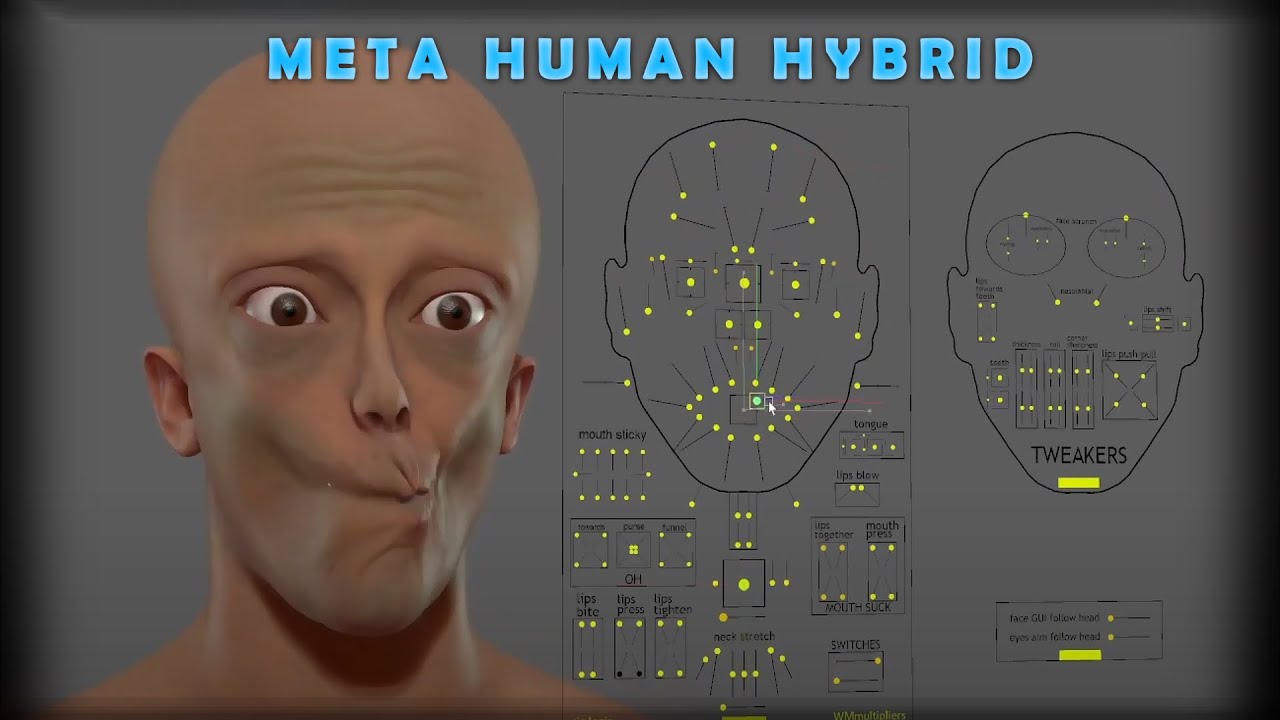
In this video, I prove how far you can push the Metahuman head base with the aid of Zbrush. For the full technical details of this workflow, please support me by purchasing my tutorial. This will enable you to understand the core process and create your own Metahuman customisations. https://robertramsay.artstation.com/store/00l9B/metahuman-custo...
 pale socket
 rigid hawk
hi. i wanna create some additive head animations like blinking. how can i export head animations like body from maya to ue?
cedar cloud
anyone knows where to find hair material for metahuman
 worn oracle
As a Virtamate user, my expectations for MHC were 10 miles too high. Unreal does everything so well, and they namedropped fancy companies allegedly working on this for decades. Well Virtamate was made by one talented guy, and its character customization is hundreds, thousands of times more powerful than this. MHC models are nicer, but come on - we had more customization in Elder Scrolls Oblivion.
Actually correction. MHC models are not nicer. Only the textures are.
plain haven
worn oracle
Actually correction. MHC models are not nicer. Only the textures are.
Use MetaHuman as a reference for making photorealistic characters yourself (materials, rig), not as a final asset as is.
But it doesn't stick out like a sore thumb when used in Matrix Awakens, so it's a good reference.
worn oracle
Yeah, I was hoping for one-stop creation. Virtamate gives you dead-simple control over every tendon, ligament, bone, bit of tissue, fat deposit, facial micro-component. Sounds complicated but it is seriously dead easy. I can make a face and body replica of a real person or character from references in under 2 hours. Oh well. Do you mean importing the model into something like Maya and finishing it there?
plucky kelp
Question: How to create a Adolescent person?
I struggle to find a good mix between all the humans, it's either and adult or a young child (-13,14). For my project I would like to create someone between 16 and 21, but I cant seem to figure out how. Any tips are appreciated.
radiant harbor
To everyone having the camera angle dependent disappearing metahuman groom, I finally have a solution. Go into the metahuman blueprint and under the face search for "include component location into bounds" and check it as true.
cobalt saddle
Hello everyone, I have an issue with face animations. After baking metahuman face animation and exporting it as an fbx file, everything seems good until I import it again. The head keeps shaking!
 gentle zodiac
im animating a MetaHuman character in Sequencer.. just a simple turn around and for some reason the tiny hairs on her face and the eyelashes are falling off? basically not linked to the head?
Also what's a possible reason copying baked animation from one MetaHuman to another would not work? Shouldn't they all just be identical using the same CTRL Rig?
gentle zodiac

 thick rune
gentle zodiac
im animating a MetaHuman character in Sequencer.. just a simple turn around and...
thick rune
gentle zodiac
im animating a MetaHuman character in Sequencer.. just a simple turn around and...
i have the same problem!.
junior birch
my personal custom metahuman vtuber Zion reasy for action
 neat jasper
@radiant harbor This didn’t work for me …
 bright tiger
hey everyone. Anybody had problem with metahumans rootmotion animations? I can't make a montage have rootmotion for the life of me. Same settings with UE4 mannequin and it works. Anyone had a similar problem ?
https://forums.unrealengine.com/t/root-motion-in-ue5-absolutely-does-not-work-in-the-montage-animation/553601 there's more details here... It's been days searching how to fix and I'm out of ideas
 trim hatch
junior birch
my personal custom metahuman vtuber Zion reasy for action
trim hatch
junior birch
my personal custom metahuman vtuber Zion reasy for action
i cant render this my laptop just cant
I wish i could make it myself
junior birch
trim hatch
i cant render this my laptop just cant
i rendered this with a $1100 laptop with 3060 i made video bout it on my channel
trim hatch
Your channel plz
junior birch

cheap laptop for unreal engine 5,cheap laptop for ue5,acer helios 300 unreal engine,acer helios 300 unreal engine 5,cheap laptop for unreal engine,cheap laptop for ue4,budget laptop for unreal engine,budget laptop for unreal engine 5,best laptop for unreal engine 5,best laptop for unreal engine 4,best laptop for unreal engine reddit,best laptop ...
heres video of laptop. im not sponsored but laptop is still runnin good
 lethal jetty
Heya, I'd like to mask out my metahuman's arms, catch is, it's a part of the cloths (torso). I got to the part where I need to make a mask, I just have no clue where to hook it up in the M_fabric_simpler
The purpose is to hide the characters arms, I just want body and legs for the first person game I'm making
And I'm using another static mesh for arms
@ me if you have masked a metahuman's cloths before
plain haven
trim hatch
i cant render this my laptop just cant
Try setting LOD 0 screen size to be on close up (≥ 2.0) and LOD 1 screen size to be the normal one (1.0). Then use cards on the hair grooms as opposed to strands (except the fuzz)
Also limit the texture size to 4K or below.
I think it's a more balanced compromise (I'd say you're getting PS4 quality digital humans with that setup) without shelling out $1000 or more and have nothing to eat for the next few weeks or months
junior birch
plain haven
I think it's a more balanced compromise (I'd say you're getting PS4 quality digi...
yea my entire family were eatin ramen for 6 months sometimes sacrifices need to be made
 trail chasm
Help . I need to set a world space look at target to control a meta human eye / head aim in real time, anyone know how? Basically want them to look at another character and track them.
gentle zodiac
thick rune
i have the same problem!.
I was able to finally fix it by simply reimporting the MetaHuman into my project
lethal jetty
Do you guys know how to fix this dang render warping on metahumans?

Only happens in runtime. When making the animations with the control rig, they played back fine. Once I launch the game, the fingers go ninja turtle mode haha
neat jasper
@radiant harbor
I found turning on “include component location into bounds” works in some cases but not always. It seems MetaHuman hair tends to stay but still it disappears if camera position changes.
radiant harbor
@neat jasperYeah, it fixed all of my shots except two. No idea what makes it not work in those cases but it fixes most of the problems.
Hopefully epic/quixel fixes the groom soon, even when the hair works, they still cast wonky shadows and light weird
neat jasper
@radiant harbor Unfortunately it fixed two shots and most shots still have the problem in my case. Tough problem ... I also hope Epic fixes this as soon as the next release.
 sterile jolt
Is anyone getting a 'no assets here' in the metahumans tab for bridge within unreal 5? Is there a fix for this?
cobalt saddle
Hello everyone,
is there any version of Metahuman lightings project for UE5?
trail chasm
I have asked this question too many times without an answer ☹️ I just want to know how I could use this EYE AIM box In an animbp to look at a player character in real time Because it has the blend shapes . cant find a way to access this value and set its world location.
 plucky kelp
any idea how to fix this shading issue?
 cursive isle
Hi everybody 🙂
i have a couple of issues with mocap and metahumans. i use xsens and faceware.
first of all my hands are looking very creepy, but i think the t pose is correct.
and then, when i apply animations to the metahuman body and head are seperating...
Can anybody give me a hint to fix those issues? i willing to pay for help as well
cheers

 wide gulch
Hi hi! New here! I have a problem with metahuman, it turns out that before the packaging there is hair, after the packaging there is no hair, can someone help me? I need to fix this problem soon

 hasty moon
is metahuman creator downloadable?
wide gulch
hasty moon
is metahuman creator downloadable?
nope (yet)
hasty moon
wide gulch
nope (yet)
Yet? you mean they have plan?
wide gulch
no, but what if they are planning to do it? we dont know
hasty moon
Is there any software like metahuman?
wide gulch
wide gulch
Hi hi! New here! I have a problem with metahuman, it turns out that before the p...
please anyone can help me? I have to show my project in a week
cobalt saddle
cobalt saddle
Hello everyone, I have an issue with face animations. After baking metahuman fac...
Any suggestions please?
plucky kelp
Question: How do I make MetaHumans Hair blow in the wind?
frozen bolt
trim roost
root_drv basically "drives DHI:body and it's children" root_drv is only useful for animation retargeting in maya.
You will be adding your extra joints to** DHIbody and exporting full hierarchy**
simple forge
cobalt saddle
Any suggestions please?
Question, why are you exporting it as an fbx? Are you trying to transfer the animation from one UE project to another? If so, then just copy the uasset of that animation from one project and paste it in the other.
cobalt saddle
simple forge
Question, why are you exporting it as an fbx? Are you trying to transfer the ani...
Yeah, I’ve tried migrating it also. But I didn’t think about transferring it directly, sounds good, I’ll try it!
simple forge
cobalt saddle
Yeah, I’ve tried migrating it also. But I didn’t think about transferring it dir...
definitely try copying the uasset, and pasting it in the content folder of the other project file folder
cobalt saddle
simple forge
definitely try copying the uasset, and pasting it in the content folder of the o...
Thank you so much, I’ll try it asap!
 surreal sigil
Bit of a shot in the dark here lads, but does anyone know where I can find premade pose files? I'm having a really hard time posing my metahuman in a way that doesn't resemble a body horror movie
Wait, scrap that. I was being an idiot and figured it out
trim roost
frozen bolt
root_drv basically "drives DHI:body and it's children" root_drv is only useful f...
thanks mate!
cobalt saddle
simple forge
definitely try copying the uasset, and pasting it in the content folder of the o...
It worked, thank you so much for your time!
 spiral trail
how do you customize metahumans?
plain haven
spiral trail
how do you customize metahumans?
If MetaHuman Creator is not enough, you can export them from Unreal to FBX, then bring it over to external DCC tools like Blender, Zbrush, etc.
spiral trail
plain haven
If MetaHuman Creator is not enough, you can export them from Unreal to FBX, then...
thx
 left lantern
Hey yall, hope these might be helpful for some folks. I was exploring iclone7 for face animation / livelink to metahumans in ue5 and ran into some hurdles, but after reworking faceware's metahuman bp was able to get something sorta decent coming through. I'm only a few days into the livelink free trial, I might be able to get a cleaner result still but figured this could be of more use to anyone who already has the full software or just considering it.
https://youtu.be/5Xn-dB4gZGY
https://youtube.com/playlist?list=PLE38EMV1Ixr3yUFna78mbrgd9Jia35DVw

A quick preview of the iClone 7 Acculips Lewis Demo on Unreal 5.0.1 Metahuman.
I had to do some custom animation blueprint work to get the livelink working, check out the full Animation Blueprint Walkthrough video on the channel for full details.

 cursive wigeon
Is it possible to use Daz Char heads and wrap it in to metahuman Skeleton head ??
trail chasm
HELP . Im setting the Ctrl C eye aim box here.! to the world location of this red box. But Im having a issue with the eyes using zero world location and not the eyes location. to decide if it should look in a direction. And Its clearly having a issue when the The box is at world Z value of 0. Video of issue , https://youtu.be/yYoKTiVv7ZA

 weary bone
anyone know what the cartilage mesh and material are for?
seems to just be completely transparent
 oblique skiff
Ei! Hello!
I'm using a metahuman with a hat but the hair is growing through the hat mesh.
Any advice?
frozen bolt
trail chasm
HELP . Im setting the Ctrl C eye aim box here.! to the world location of this r...
one way I can think of is using ControlRig component + your red box inside Character Blueprint,
Constrain your Red Box to CTRL_C_eyesAim and you can expose that red box component inside your scene outliner.
https://docs.unrealengine.com/5.0/en-US/control-rig-in-blueprints-in-unreal-engine/
trail chasm
frozen bolt
one way I can think of is using ControlRig component + your red box inside Chara...
Hi, thanks for answering. The box is just there to be a tracked actor for testing as the final tracked actor will vary . I am wanting to use the faceboard control rig because it also applies the morph/ blends for the eyelids from the expression curves. I could easily brute force the bones but that only works with the post process bp disabled and then the blend morphs wont work. 😦
trail chasm
frozen bolt
one way I can think of is using ControlRig component + your red box inside Chara...
Also Im not using sequencer for this, this in intended for real time tracking of characters
frozen bolt
trail chasm
Hi, thanks for answering. The box is just there to be a tracked actor for test...
that kind of functionality sounds like RND to me, blueprints, events, vars a lot of stuff to develop and yes, there is a Rig logic behind all of those beautiful deformations. Post Process BP as a driver, RBF solvers and all..
For rig logic to work, you definitely need CTRL Rig.
Your first step should be adding Ctrl Rig as a component inside your blueprint, define CTRL Rig that controls your mh face to it and modify that CTRL Rig to constrain to a scene actor/whatever.
Again this is development. I don't think you can find a tutorial or someone who has the best answer for this scenario (:
trail chasm
frozen bolt
that kind of functionality sounds like RND to me, blueprints, events, vars a lot...
Thanks and yes I do feel like im trying to do something that nobody has thought of trying to do, with this silly zero world space bug . I may try to find a way to control those expression curves in the anim bp and combine them with a bone driven system that already works great, just without the blends. I can see them in the skelmesh But dont know how I could access them in the anim bp graph. If anyone knows Please inform me
frozen bolt
Dear UE5 developers, please give us mortals the "Import Pose Asset" button right there or split orthographic views so that we can pose in peace and retarget them bones (: Thanks a bunch

 round folio
This might be a truly embarrassing question, but metahuman creator always disconnects as soon as I move my mouse. Is there something dumb I’m doing?
 glass sorrel
Hello everyone,
First of all, thanks for having me here. I wonder if someone could help me and my team with our project? We're working on a project where we are tracking eye movement among other things (brows, nose, lips etc.) using metahuman in UE5 while that certain metahuman in sitting inside a car. We simulate facial movement through Faceware Studio stream using our real life camera shots we recorded earlier sometime. The camera inside our car is placed right behind the steering wheel and so is our virtual camera inside the car in our UE5 project. Sadly, we run into some issues:
- For some reason we are unable to calibrate neutral pose for Faceware Studio to use, since our character's head is turned more towards the roof instead of right through the windshield (i.e. straight ahead). Maybe it's because our real life camera isn't place right in front of driver's face? Any advice on fixing that? Retaking the camera shots is not an option, unfortunately, as those are pretty long ones (around an hour and a half usually). Is there a way to "break" the metahumans neck so that they are facing a bit downwards in their neutral pose and to have Faceware Studio stream our motion data at the same time?
- We don't know where to look for a way to export 2D and 3D coordinates from a video footage taken in UE5 from our virtual camera for certain points of our metahuman's face (eye centers and edges, lip centers and edges, etc. for 2D coordinates relative to the bottom left corner of the video screen generated by the in-game camera; eye gaze vector coordinates relative to the neutral position of a metahuman i.e. to see where they're looking, to see their vertical and horizontal rotation values). Any hints?
Thanks in advance for reading our post, possible replies and anything, really. Please let me know if you can help us out.
I apologize if I posted this in a wrong channel, just let me know and I'll move the post to another channel if there's a more appropriate one.
frozen bolt
one click solutions to all of our mocap problems, highly needed inside ue5's new retargeter.
such a killer (:

add reverse solve CTRL Rig on top and it's industry standard animation toolkit easy
simple forge
glass sorrel
Hello everyone,
First of all, thanks for having me here. I wonder if someone co...
Are you doing this live and streaming in body and face data? What do you mean in #1 by not being able to calibrate a neutral pose? A snapshot of what you mean would be helpful.
glass sorrel
@simple forge First of all, thanks for your reply and thank you so much for your tutorials which were immensly helpful when we started our project.
Now, to answer your question: No, we are using pre-recorded real life footage, capturing the motion data from it using Faceware Studio and streaming it back to Unreal Engine 5's metahuman character of ours. As for not being able to calibrate a neutral pose, the camera which is recording our real life driver inside a car while driving is positioned behind the steering wheel so it's not exactly right in front of the face (as it is the case with head-mounted camera for example). Therefore, Faceware thinks sees it as if driver's head is slightly tilted towards back (in other words, driver's looking slightly up) which is correct considering where our camera actually is. We thought about moving the metahuman's head down a bit to compensate for that but haven't found a way to do so yet. I'll send you images so that you can see what it is all about (can't post them here due to some of them having real life pictures).
 wanton sentinel
has anyone been able to make the metahumans rig fit the ue skeleton mesh ?
im working in ue5 and want to use meta humans with my project but when i set the master pose to the meta humans skeletons the backbone and shoulders act really wierd
has anyone been able to use the meta humans meshes with ue5 skeleton ?
this is whats happening
 frozen bolt
that looks weird:)
frozen bolt
kinda looks like body attached to 3rd person while head is 1st
wanton sentinel
yeah hahah even tho i attached it all to the third person

it also has like a wierd tumor on the back of his head 😂
the skin is all streched haah
frozen bolt
post process anim bp active?
wanton sentinel
the quality is great tho Xd
 frozen bolt
a mh is not a mh without post process anim bp:P
but your case is different just make sure you follow that tutorial exactly
wanton sentinel
what tutorial ?
frozen bolt
I mean there are tutorials on doing exactly this
wanton sentinel
yeah i did use this one
https://docs.unrealengine.com/4.26/en-US/Resources/Showcases/MetaHumans/RetargetingAnimationsOntoMetaHumans/
but i could not retarget it

A guide to walk through the requirements, setup, and process of retargeting exisitng animations onto a MetaHuman
my skeletal mesh want even in the list
frozen bolt
ss with bones displayed

 lethal jetty
Hey guys, any of you have this issue where if you use metahuman body skin and retarget it to a UE5 skel, do you guys get this error, if you have a fix, pleas let me know and @ me! Really important I fix this
 lethal jetty
We fixed the problem by deleting the animbp the the metahuman was associated with. I was using my own custom anim bp anyways but it seems like it was still asking for the pose drivers anyways
 fathom mortar
wanton sentinel
this is whats happening
fathom mortar
wanton sentinel
this is whats happening
If you aren't getting good results with retargeting, you can try this tutorial. I tried it and it gave better results than most. It's the current method I use until I can get IK working with ALSv4 Community edition. I was having a lot of issues with IKRetargeting and had to do an engine patch to fix retargeting in UE5. Otherwise, by default it would scale the MH 100x and distort all it's bones and skin. With this method, you can use the UE5 mannequin IKRigs and IK footing works.

https://unrealengine.com/marketplace/en-US/product/lyra?msclkid=df8a7176b91b11ecb8a3df80c750ad7e
An alternative to adding Metahuman to TPS Template.
#Modding
#UE5
0:00 Introduction
0:04 Results
0:22 Create a TPS Project
0:49 Duplicate assets
1:21 Add virtual bones
1:44 Replace IK bones
2:16 Add a character
2:45 Edit Character BP
3:03 They Exp...
wanton sentinel
fathom mortar
If you aren't getting good results with retargeting, you can try this tutorial. ...
thanks ill try that one
wanton sentinel
fathom mortar
If you aren't getting good results with retargeting, you can try this tutorial. ...
the main problem i am facing is that my character has less spine bones
my character has

while meta human has

plus the bone names are difrent
 verbal plume
Hi I am trying to export retargeted animations from a mixamo character to metahuman, I know I had my IK rigs, retargeter, and chainmapping set up correctly since managed to export a few animations. But now whenever I try to export more retargeted animations I get a crash every single time except for once after I changed the export destination to a new animation folder, then it returned instantly. I have tried reimporting the metahuman and mixamo skeleton along with all the animations to no avail, driving me a bit insane!

another error message I have gotten a couple times is this
Assertion failed: Atom1.IsRotationNormalized() [File:D:\build++UE5\Sync\Engine\Source\Runtime\Core\Public\Math\TransformVectorized.h] [Line: 438]
fathom mortar
@wanton sentinel You must still be on UE4? The new UE5 Manny/Quinn skeletons are pretty similar to the MH ones. They both have 5 spines, etc.
wanton sentinel
fathom mortar
<@844310101825290270> You must still be on UE4? The new UE5 Manny/Quinn skeleto...
I switched my project from ue4 to ue5
so i think my char is still on ue4
fathom mortar
wanton sentinel
so i think my char is still on ue4
If you click add in content browser, you can add third person template and it will give you the ue5 skeleton to follow the tutorial above.
fathom mortar
Set master pose works. The tutorial shows how to get it working with ue5 mannequin. If you want to use ue4 skeleton, it's alot of fiddling with ikrigs and ikretargeters and it won't have ik foot.
 runic canopy
Hi, I've tried the whole day getting the Metahuman via bridge to Maya, but it doiesn't work. Is there a goiod tutorial that shows how to export the model from Unreal, so I can work with it on Maya or Blender? I did some clothing for the model, so I need the riggs and the skeleton; so I can rig and skin the clothing.
wanton sentinel
fathom mortar
Set master pose works. The tutorial shows how to get it working with ue5 mannequ...
how would i set masterpose to my current character
i want it to work with my ccurrent ue4 character
cause my system is build upon that
is there a masterpose for child blueprints maybe ?
i think i need something to retarget all my ue4 character stuff over to ue5 char
wanton sentinel
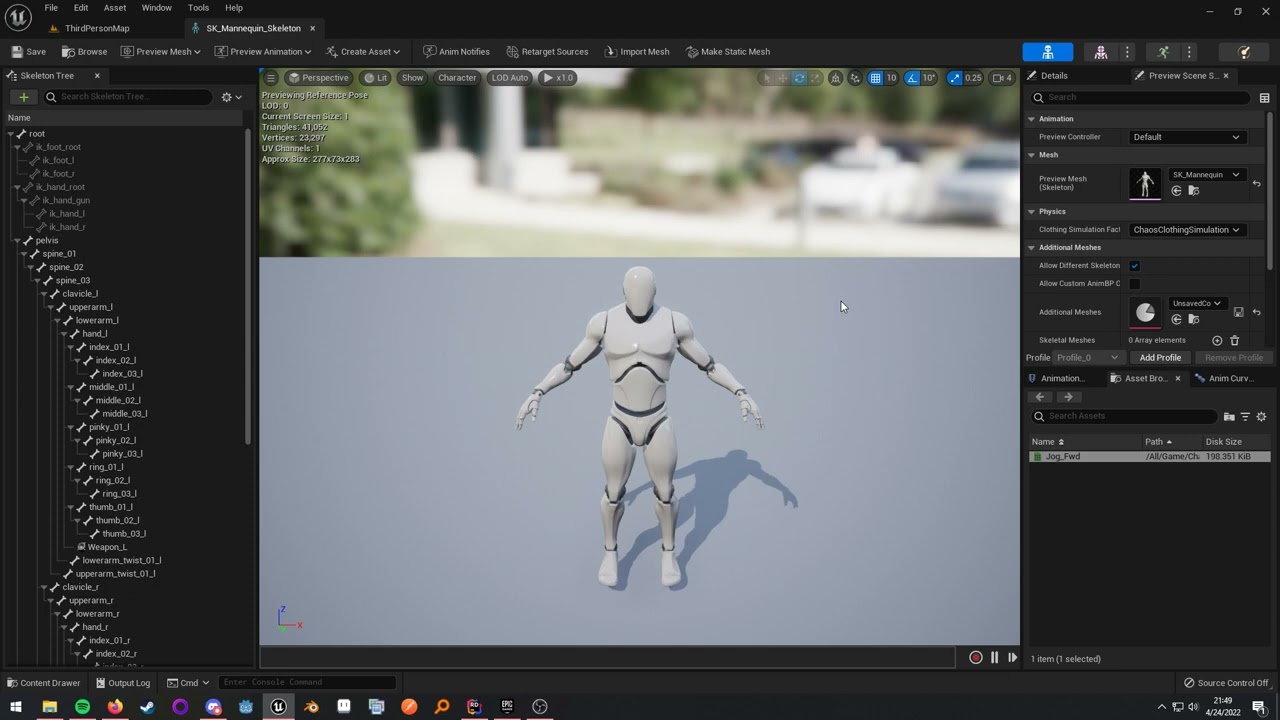
Demonstrates how to share animations between skeleton assets in UE5. Very useful when dealing with a high amount of animation asset packs.
You can add as many compatible skeletons as you want.
Does this actually work ?
cobalt saddle
Hello guys, does anyone please know how to generate lip syncing from opera audio for metahuman?
 ebon falcon
why is it taking ages to download metahuman models
plain haven
ebon falcon
why is it taking ages to download metahuman models
Because your internet is as fast as dial-up from the 90s (probably), and each MetaHumans is at least ±2 GB of download
ebon falcon
plain haven
Because your internet is as fast as dial-up from the 90s (probably), and each Me...
my is 150mbps
a 2gb file should be done in less than 4mins
neat jasper
I'm having trouble to render custom MetaHuman with Movie Render Queue in City Sample project.
I added my custom MetaHumans to City Sample project's Small_City_LvL and created a sequence.
Then I rendered the sequence with MRQ but:
• Only the background is rendered and my custom MetaHumans don't exist in the rendered image though they exist when I play the sequence in the viewport.
•The following error messages are shown in the middle of the sequence to stop rendering.
"Blueprint Runtime Error: "Accessed None trying to read property CallFunc_GetCitySampleGameState_ReturnValue". Node: Bind Event to On Trigger Daytime Graph: EventGraph Function: Execute Ubergraph BP Nightmode Blueprint: BP_nightmode
Blueprint Runtime Error: "Accessed None trying to read property CallFunc_GetCitySampleGameState_ReturnValue". Node: Bind Event to On Trigger Daytime Graph: EventGraph Function: Execute Ubergraph BP Nightmode Blueprint: BP_nightmode"
I'm not sure if this is MetaHuman issue or UE5 issue or the City Sample project issue.
Is some special setting needed to render custom MetaHuman with MRQ in the city environment?
And what do I need to do to fix these errors?
 main tartan
Hi guys! Please, tell me short how to use my clothes with metahumans? what ways? clothes with the meta's skeleton, or attach it to skeletal mesh?
 wispy salmon
main tartan
Hi guys! Please, tell me short how to use my clothes with metahumans? what ways?...
wispy salmon
main tartan
Hi guys! Please, tell me short how to use my clothes with metahumans? what ways?...
Maybe this will help https://www.youtube.com/watch?v=WZfVlI4N3ck
New Unreal Engine 5 Metahuman Clothes
My UE5 Course
https://www.udemy.com/course/how-to-create-a-movie-in-unreal-engine-5-beginners-edition/?couponCode=15E90C71F87BAF32E4C8
Mask Download: https://drive.google.com/file/d/1Cu0zlha5rNlaP82Qtw_74zJ80i61dpln/view?usp=sharing
Buy my courses to support the Channel!
How to make a movie in Unreal Engi...
This is a starting point. And I think I remember seeing another video from him putting custom clothes on them (if that's what you want to achieve)
wispy salmon
plucky kelp
any idea how to fix this shading issue?
Isn't this caused by nanite ? Same as with the megascans ? Otherwise might be linked to some RayTracing sample count. These are only quick guesses
cobalt saddle
Hello, is there a way to convert live link face app csv data to animations inside unreal engine?
I found this script, but I want another way to do it with more engines
https://www.unrealengine.com/marketplace/en-US/product/csv-animation-converter

Unreal Engine
Import animations from apples ar without being connected live
 tidal ermine
Hi everyone--
I want to figure out how much it would cost to pay someone to make a character for my game using metahuman.
For example, a character like this: https://www.youtube.com/watch?v=9ziTeQ6fvRM with custom hair and clothes.
Can anyone estimate time and cost for me?

Take your MetaHuman to the next Level! Learn how to create realistic AAA characters for Unreal Engine, based on the MetaHuman Technology.
The course is available in Early Access:
Gumroad: https://realtimegraphx.gumroad.com/l/fnrfmc
Udemy: https://www.udemy.com/course/custom-metahuman/?referralCode=B47680BC6708F1800CB5
Discord: https://disco...
 primal pilot
: - )
 simple forge
primal pilot
: - )
simple forge
primal pilot
: - )
thats normal
plain haven

plucky kelp
Hey - wanted to apply the metahuman facial rig to a custom mesh. I did a proximity wrap in Maya, but can't seem to get it to export properly. Any tips or tutorials? It has completely different topology and the only tutorials I can seem to find have a similar topology between metahuman from bridge and the changes in Maya.
frozen bolt
plucky kelp
Hey - wanted to apply the metahuman facial rig to a custom mesh. I did a proximi...
different topology body is possible and you can export your own body skeleton with corrective shapes(morph targets in ue) and retarget inside ue etc..
but different topology face is kind of impossible because there is a rig logic file in .DNA format and it is binary. there is no way you can apply metahuman face rig logic and make it work with any other face topo. and if even it was possible, you have to crate at least 500 shape targets for similarly realistic looking face.
your only option is to wrap your generic metahuman face to your own face and go from there, which every custom metahuman tutorial in yt explains step by step
trail chasm
I'm passing a world location the the metahuman face rig. to control where the eyes look. I have it working But Only while the character is at the world origin. If them move from that the eyes stop looking in the correct location. Anyone know why this would happen
 thorn dome
does anyone know if metahumans will become locally rendered app anytime in future? instead of Epic's servers
It's a similar case to Nvidia Canvas/Nvidia GauGan, having it on your own machine is something else
plain haven
thorn dome
does anyone know if metahumans will become locally rendered app anytime in futur...
Likely in the future where every machine is as powerful as Epic's MetaHuman servers
wispy salmon
Does anyone knows how we can "easily" modify the texture so that we can put sweat or more reflection on the metahuman's face ?
For example, my character runs, starts with a default looking face and then starts sweating etc.. over time. No need to focus on the temporal aspect of things, just, how would I get a sweaty character
wispy salmon
thorn dome
does anyone know if metahumans will become locally rendered app anytime in futur...
I think common GPUs can run it, but it's a matter of stability. It's like deploying an App on the App Store. You push an Update and it will take months for your whole userbase to have the last version, so it forces you to support older versions. While when you provide it from your own server, you control the whole pipeline. It's easier for things that are not stable or in dev
wispy salmon
Btw, using Path Tracing with high AA I still get some nice artefacts like this

Most probably because the clothes render faster than the face
But it's piss taking
(If anyone knows of a smooth way to get rid of this, it's very much welcomed)
The part of the collar that is showing is the part that is supposed to grab the most light, the little neck we see is shadowed completely
But it's still not supposed to be visible of course
Clarifying: The neck that we see -> The collar behind is fully black as it's in the shadow. While the neck we don't see is overtaken by the collar that is in the light
Increased the spatial AA count and reduced the temporal to 1 (since I'm rendering 1 frame only) and I get this

This gives me an idea of what is happening there ^^
(Still documenting as it can be useful for some)
I was at 1024 spatial and 1 temporal
And my collar description becomes very clear all of a sudden ^^
trying now with 128 spatial and 10 temporal
wispy salmon
We can see a bit of an improvement on this one

Still not perfect, but it seems that the temporal is key, event though there is no motion
This became a bigger thread than I expected but I hope it's gonna be useful to some of you
2 Spatial, 100 temporal (because why not?) and the artefact is gone

We lose other type of information, so I might need to push the spatial a bit higher, but it's a good path
10 Spatial and 50 temporal is pretty acceptable

The face doesn't look as warm as the others and I might even be able to reduce the temporal by a bit, since the collar is still not showing. That's pretty good
Once again, I don't want to pollute the channel, I really hope this is helpful, as I've been looking for answers around this for days, and couldn't find anything. So I guess some of you might be in the same situation and might benefit from this live process
thorn dome
plain haven
Likely in the future where every machine is as powerful as Epic's MetaHuman serv...
I think a 3080 or less with a decent CPU should be well capable of running it
plucky kelp
frozen bolt
different topology body is possible and you can export your own body skeleton wi...
Hey, thanks for the reply. It was exactly the wrapping procedure I was trying to do. Realism doesn't interest me as we have the real world already ;). Trying to make something weird, that still has the humanoid features.
For me, the problem is rather on the wrap/export fase. As soon as I save and quit the project - all the rigging disappears. Exporting to .FBX gives me only the generic face, not my custom mesh, no matter what I try. Anyone has encountered this before in Maya?
frozen bolt
plucky kelp
Hey, thanks for the reply. It was exactly the wrapping procedure I was trying to...
*if you already added your custom face into blendshapes and done the tricky "bake topology to targets" procedure (this is necessary if you are not using mesh morpher plugin for ue), *
to export your face with correct joint hierarchy do this;
-delete everything past DHIbody:spine_04
-delete DHIbody:thigh_r and thigh_l
-move **DHIhead:**spine_05 under **DHIbody:spine_04
-select DHIbody:**root (as hierarchy) , select your head mesh,
export.
frozen bolt
plucky kelp
Hey, thanks for the reply. It was exactly the wrapping procedure I was trying to...
wait a second.. unreal engine doesn't recognize deformers like proximity wrap if thats what you are trying to export!!! I'd suggest you watch some basic rigging/skinning tutorials ;).
if only things were that easy..
plucky kelp
allright - you pushed me onwards and made me realize my mistakes. Thanks a lot already for your help.
uncut harness
Anyone know why I'm getting weird shadows for metahuman facial hair with raytracing?
Ok, Lumen is flickering it
Any fixes?
uncut harness
frozen bolt
uncut harness
Anyone know why I'm getting weird shadows for metahuman facial hair with raytrac...
more light sources or more samples around it
uncut harness
Didnt fix
frozen bolt
in groom asset there should be an option called scatter scene light or smth similar, try with or without with couple of point lights around the head, just to double check issue.
uncut harness
@frozen bolt Still same problem
 somber stump
Hi guys, sorry if this has been asked to death but I'm struggling to get my Xsens FBX files onto my Metahuman in UE5. I've tried following guides but I believe they're outdated
Does anybody know where I might be able to find a working one?
frozen bolt
uncut harness
<@293667064105664522> Still same problem
in my experience lumen needs good lighting and a well balanced exposure for the scene you are after. it feels like real world shooting where low light leading to noisy/grainy footage etc.
try increasing Final Gather Quality inside your post process volume if you have one
 junior birch
somber stump
Hi guys, sorry if this has been asked to death but I'm struggling to get my Xsen...
junior birch
somber stump
Hi guys, sorry if this has been asked to death but I'm struggling to get my Xsen...
ur better off loading them in 4.27 and just migrating them to 5. Maybe later xsens will create an ik rig for people to download so you can retarget easier but right now its tidious ill try to make a tut if i remember
somber stump
junior birch
ur better off loading them in 4.27 and just migrating them to 5. Maybe later xse...
Amazing, thanks dude! I'll give that a go
dusk topaz
HDRI lighting? How can I render the eyes? Skin looks fine.
 fading juniper
Is there any reason that my meta human has no IK bones ?
 hearty peak
Does anyone know a way how i can put a metahuman control rig on a custom character?
junior birch
hearty peak
Does anyone know a way how i can put a metahuman control rig on a custom charact...
you have to edit DNA code epic prettt much locked it down
hearty peak
damn ok
junior birch
dusk topaz
HDRI lighting? How can I render the eyes? Skin looks fine.
far as i know Hdri is not supported with path brozki
junior birch
For the people having the disappearing hair. Looks like the hotfix today fixed it 5.02
frozen bolt
hearty peak
Does anyone know a way how i can put a metahuman control rig on a custom charact...
There are ways to customize any CTRL Rig to any skeleton but it's just not worth the trouble. Doing your own would be a faster process.
if you are talking about Face CTRL Rig, that basically works with binary file in .dna format as @junior birch was saying.
If you are not doing a player controllable character for games, you can use metahuman to animate with a CTRL Rig and retarget your own custom character to that Metahuman.
hearty peak
ok thank you I think that will help me a lot
plain haven
fading juniper
Is there any reason that my meta human has no IK bones ?
There should be a boolean variable to toggle between FK and IK controls
fading juniper
plain haven
There should be a boolean variable to toggle between FK and IK controls
Not quite sure what you mean
plain haven
So in the metahuman editor utility widget, there should be a toggle for IK/FK controls. In turn that toggles a boolean variable in the control rig, which conventiently is not the same as boolean controls
fading juniper
But that would still not add IK bones to the skeleton or do i misunderstand something here
plain haven
Eh, personally I don't use those so called "IK" bones at all.
I guess it was for legacy reasons they kept it in UE4 mannequin
fading juniper
If i'm not wrong (can't check it due to updating the engine atm) the UE5 mannequin has also those ik bones.
This makes me think it's not legacy
And backwards compatibility is really not a thing UE cares for xD
somber stump
Does anybody know the new way of retargeting Xsens mocap onto Metahumans?
If not, would Mixamo be the next best place to get animations? I've got my deadline tomorrow and I'm in a bit of a hurry!
dusk topaz
junior birch
far as i know Hdri is not supported with path brozki
I'll post here if anyone else has a similar issue. You need to edit the HDRI Skylight to support "Affect Translucent Lighting" and "Transmission" found in the expanded Light settings. This fixed the black eyes for me.
junior birch
yea i also showed in the video i made u can turn of ray tracing shadow in the eye occlusion material the link is just acouple of posts above to get rid of demon eye in path
 modern current
Hello, i tried to add a meta human from the Quixel Bridge. It imported and then had a bunch of "Missing plugin" messages to which i clicked "Enable Missing" on all of them. It then said i need to restart. So i restarted but now I get this error and cannot open my project. What should i do?
 plain haven
modern current
Hello, i tried to add a meta human from the Quixel Bridge. It imported and then...
plain haven
modern current
Hello, i tried to add a meta human from the Quixel Bridge. It imported and then...
Linux?
modern current
Yes
plain haven
Then you have to recompile the project/engine
If it's a C++ project it'd be easier, because source engine build's target files often tied to one particular project
modern current
I think i'm going to try and just undo this; as I was just adding metahuman to see what it was like; didn't bargin for this sort of thing
Hopefully i can remove the files out and restore the project
 deep thistle
Not gonna lie, downloading the MH from quixel bridge is quite the pain in the butt... it's been an hour an it's only 9%... The download doesn't even approach tens of KB... Kinda concerned at this point
plain haven
deep thistle
Not gonna lie, downloading the MH from quixel bridge is quite the pain in the bu...
Is it hanging around in generating phase, or actually tries to download it?
plain haven
The former can take a while, but Quixel servers aren't the greatest either
trail chasm
HELP! i
Help! I have been trying to solve this frustrating issue for weeks ,. I got my metahuman to track this box . by setting the crtl_C_EyesAim TO ITS LOCATION. works great Until I move the MH from the world origin. then it breaks . Strange thing is up down works fine still . just left right seems to be based on world origin ( video of issue: https://youtu.be/C6czUmgPsRQ Really need to solve this or I will have to scrap this idea 😦

 plucky kelp
Hi all! Could someone please help with root motion issues. Made a ticket...but no replies...
ebon falcon
how to do i export the downloaded metahuman from bridge to blender
 tepid rapids
Took me several hours of watching videos and trying various things, but I finally got a metahuman with Manny animations. Its actually much simpler after the fact than trying to piece together 4-5 tutorial's worth of info from UE4. (UE5 not having a Set Up Rig section threw me off, but thats where its actually easier.) Also fixed the glitching hair with LOD0. (My character is bald, but the beard was glitching before fixing)
 sharp elk
is there any way to have a metahuman character without any clothes and accessories ? and is there a way to have the metahuman mesh in fbx or obj files ?
plain haven
sharp elk
is there any way to have a metahuman character without any clothes and accessori...
If you mean completely nude, no.
sharp elk
not completely nude but with just a boxer or something like that so i can add my own stuff later in the game
plain haven
sharp elk
not completely nude but with just a boxer or something like that so i can add my...
You could strip away the clothes in the creator and just left with the sport underwears, and give the character sandals/flip-flops.
That's closest you could get with no clothes out of the box