#metahumans
1 messages · Page 17 of 1
 waxen compass
waxen compass
waxen compass
anyways any help please
waxen compass
fixed it nvm
 north glacier
waxen compass
fixed it nvm
north glacier
waxen compass
fixed it nvm
looking good 🙂 you use the import method from youtube?
waxen compass
i did
waxen compass
 north glacier
you should try and enabling a weight on those pants and cloth physics
so they dont overlap
 north glacier
looking good 🙂
its a pain in the ass
ive been doing this for like a hour
trying to get the seems correct
waxen compass
it is
waxen compass
increase the friction
north glacier
friction you say?
waxen compass
for the character model
 waxen compass
seems must not overlap with the mesh
oh wait
they dont
how much did u set the friction for?
north glacier
5
waxen compass
5 is the default right?
north glacier
yeah
waxen compass
i do not own the plugin but i think there must be a setting for tension i think
i dont know the correct term
 north glacier
hmm
not much work flow on youtube
OH
LOL
i had to increase the scale
xD

much better
waxen compass
that look nice
north glacier
now i can put it together
waxen compass
bro
you can make the mesh look even better
if u do some cuts you know
something like this

makes the model look better
and solidify
north glacier
i just merged it together
one solid collision

oh your talking clothing
ill try that now
im a blender noob, learning this off the rip 😛
 barren hearth
Does anyone know the easiest process I should follow to add additional bones to metahumans ?
waxen compass
weapon bones?!
you add sockets
if you are a beginner i would suggest learning more about sockets
barren hearth
waxen compass
weapon bones?!
Hi Y962al , thank you, basically I'm starting to put animations together for metahumans including sword/shield animations, thought I would start with an animation pack, purchased the pack and found to re-target the animations in the pack to the metahuman 2x weapon bones were required. So I should be able to create sockets within UE for the metahuman instead of bones and retarget weapon and shield to the sockets? Guides I'm following are below except using metahumans, appreciate your help. Retargeting : https://youtu.be/4-HmIAlv1pM
Add weapon bones : https://youtu.be/NePNKmBS3TY
Replacing animations : https://youtu.be/eGvpX8eUr4A
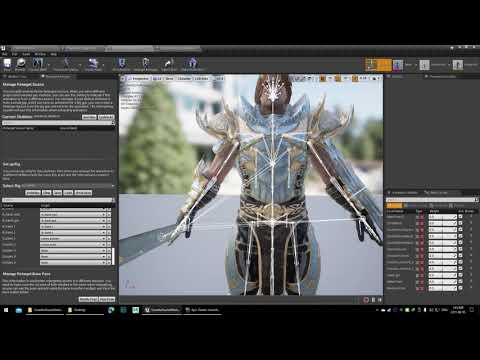
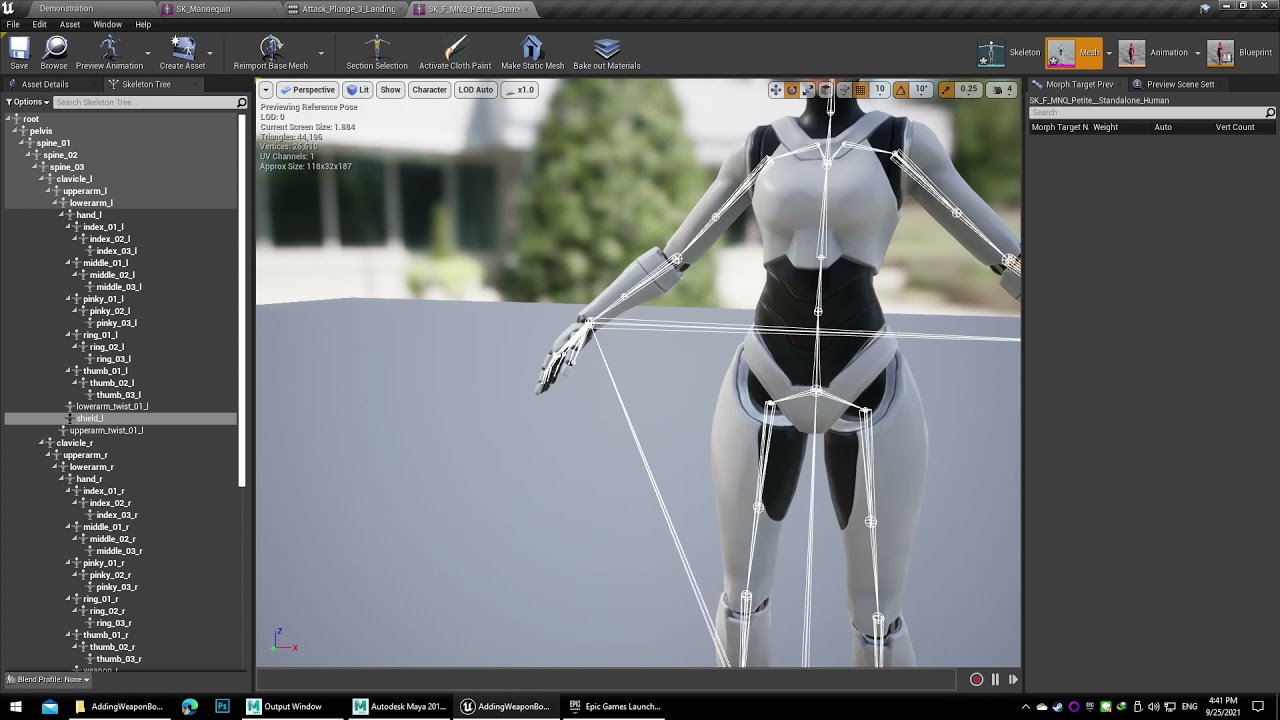
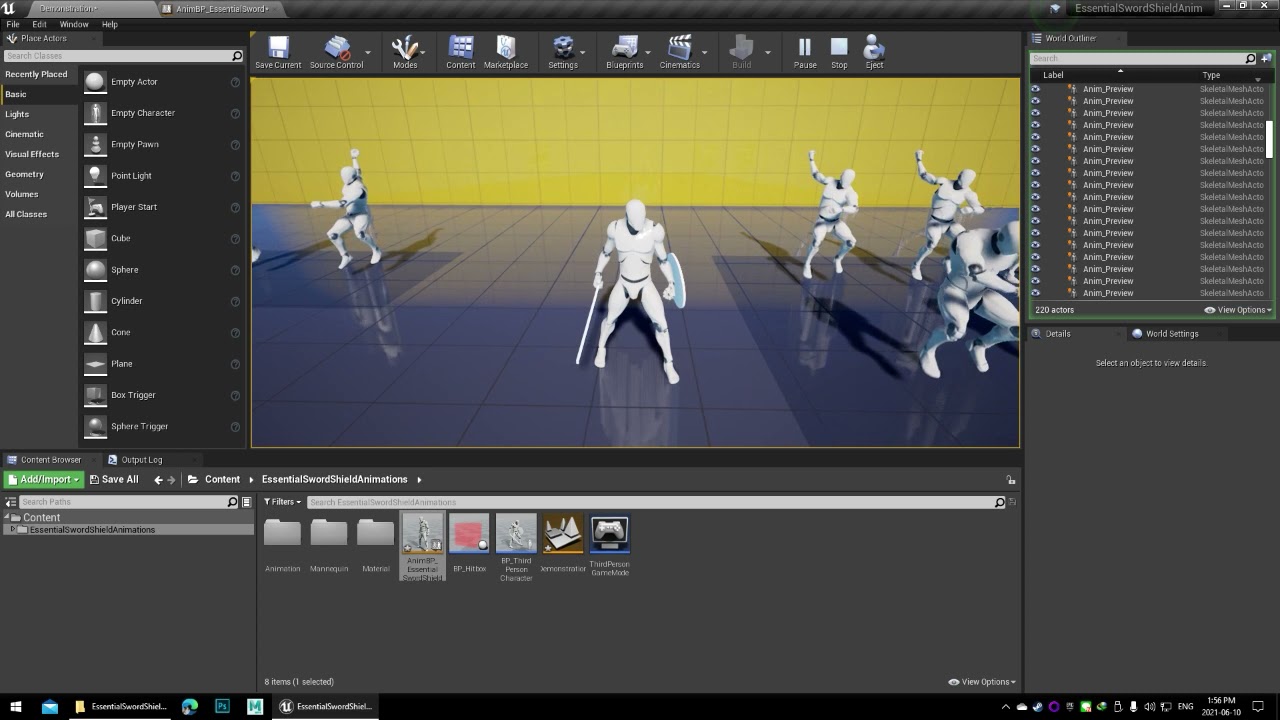 north glacier
barren hearth
Hi Y962al , thank you, basically I'm starting to put animations together for met...
north glacier
barren hearth
Hi Y962al , thank you, basically I'm starting to put animations together for met...
bro you just make a socket, move weapon to socket, play anim montage and add the other anims to bp lol you are over thinking this.
You just retarget the anim to metahuman by editing the spine and adding pose
barren hearth
north glacier
bro you just make a socket, move weapon to socket, play anim montage and add the...
Thanks mate! will give that process a crack 👍
barren hearth
north glacier
bro you just make a socket, move weapon to socket, play anim montage and add the...
Hey Atomik , created the sockets then I found you cannot set a ‘socket’ as a target in retarget manager ?
waxen compass
nathan
i think you are a beginner on the sockets and all
i highly suggest to learn about them
they are easy to use
and you dont need to retarget them
waxen compass
check this out @north glacier
 waxen compass
 north glacier
waxen compass
north glacier
waxen compass
looks good bud 🙂
i gave up lol ill do it some other time or pay someone
waxen compass
you have the cloth plugin and you give up?!
north glacier
lol
waxen compass
what is your problem i might help
north glacier
I dont feel like doing full detailing
waxen compass
detailings?
north glacier
example something like this i need to make
waxen compass
i was just like you yesterday when i first began experimenting with it
then i did the tanktop
and boom it all clicked
 waxen compass
this is hard
north glacier
yeah]
waxen compass
this is modeling not cloth simulation
but you certainly can do something similar, with cloth simulation

unreal engine 5 metahuman custom clothes,Unreal Engine 5 Metahuman Dancer,unreal engine 5 metahuman music video,unreal engine virtual concert,metaverse,xsens awinda starter,xsens gloves by manus,metahuman tiktok,unreal engine 5 music video,unreal engine 5 dance video,unreal engine 5 mocap,intro to ue5,intro to ue4,learn ue5,how to make a movie w...
look at this
north glacier
well you can model it in blender, and add pieces as cloth
waxen compass
send me your women mesh and i will try to make a top
north glacier
your crazy
waxen compass
nah its easy
waxen compass
no no just the bare model
like the top
i still dont know how to make pants with cloth simulation without making it still to the character legs
essentially making leggings
waxen compass
oh your problem is rigging?
waxen compass
i am one too but i try to generalize more
north glacier
look at dms
waxen compass
i essentially developed a little bit of modelling skils back when i first started to develop small scale games
north glacier
i used to be able to 3d model back in 2007 - 2013 when battlefield 1942 and cod4 where a thing still
waxen compass
somewhat working


making a tshirt woulg have been far better
yeah it would
@north glacier
north glacier
damn man your actually really good at this 🙂
waxen compass
working on the female mesh is hard
and the A pose doesnt really help
a t pose is much better
 plain haven
waxen compass
a t pose is much better
plain haven
waxen compass
a t pose is much better
Oh boy.
waxen compass
?
north glacier
that sucks no wonder why
plain haven
I'd like to argue T pose is much more difficult to make cloth pieces for.
north glacier
something is just weird with meta humans female base pose
waxen compass
plain haven
I'd like to argue T pose is much more difficult to make cloth pieces for.
you have more space for sewing
plain haven
waxen compass
you have more space for sewing
For upper body, probably. Not so much with lower body.
waxen compass
lower body wont be a difference
@north glacier

if u have a strong computer i will send you the blender file and you compute it with better quality
waxen compass
😋
waxen compass
@plain haven can you help my man?
north glacier
waxen compass
<@!325627930484932608> can you help my man?
i fixed that issue 😛
waxen compass
oh mb
plain haven
waxen compass
<@!325627930484932608> can you help my man?
No, I actually not working with metahumans, in any serious capacity. 😛
north glacier
plain haven
No, I actually not working with metahumans, in any serious capacity. 😛
why you hate the metas?
waxen compass
they are some serious work tbh
north glacier
truth
plain haven
north glacier
why you hate the metas?
Because there's no option to make more "realistic anime" faces (in the style of Square Enix Visual Works)
plain haven
north glacier
you cant import the head, and morph target it?
wdym? Import the mesh to MHC?
north glacier
plain haven
wdym? Import the mesh to MHC?
Square Visual Works, i thought it was a program but its a studio mybad
plain haven
Oh lol
plain haven
north glacier
you wanna work for them 🙂 awesome goal ngl.
Eh, not really tbh, I just wanted to have something that resembles realistic anime characters akin to their renders.
 maiden pebbleBOT
:triangular_flag_on_post: Aidan#4867 received strike 1. As a result, they were muted for 10 minutes.
 inland marlin
@north glacier hi atomik . How did you import Metahuman to blender ? Is it a simple obj or a FBX ? I want to know how to successfully import Metahuman to blender then from their I can take it to MD . Would appreciate
north glacier
inland marlin
<@887916264188694578> hi atomik . How did you import Metahuman to blender ? Is ...
export the body mesh and head from ue
dont use export from bridge
north glacier
you right clikc and export in ue
f_tal_nrw_body
or what ever your chars body name is
inland marlin
But I use bridge to export Metahuman to UE5 ?
inland marlin
U want me to manually export it to UE5
inland marlin
Will that also export animation ? I have seen people importing into blender and bones are flipped or missing or displaced .
north glacier
open up your meta humans bp, look for body, then click go to
thats because they are not importing correctly
i think its -z, x, y
i cant remember
inland marlin
Let's say I animated my Metahuman with different key poses . Now I want to export them to MD but via blender .
north glacier
the meta might be messed up if you do to much when it comes to that. You need to find a way to export the mesh with morphs.
you need the rigs setting that says
hold on let me open ue
inland marlin
Yes pls
inland marlin
Ohk . So what about morphs ? How to export them to blender ? With bones proper
 inland marlin
So I can pose them or animate them in blender and then export them to MD . Coz I just exported Metahuman to Marvelous designer and it was upside down with skeletal mesh on thr floot
Floor
I can animate in UE5 won't be a problem if needed
 north glacier
but i delete it, do auto rig pro, and reimport to ue and then retarget to meta
the armature
inland marlin
But that won't be the native armature
inland marlin
I want to use Metahumans armature . U know . For posing
north glacier
you can retarget any anim onto the meta
Ohh then you 100% have to use bridge
you need to export to maya
inland marlin
Ah , maya
north glacier
then export from maya to blender
inland marlin
Oh , ohk
I guess someone referred me to maya
Before for marvelous
Btw have u tried posing Metahumans manually ?
north glacier
yeah
inland marlin
Just want to ask . This is a major hurdle I have
north glacier
i tried to do it for daz
inland marlin
No for Metahuman I mean
inland marlin
Have u tried posing Metahumans in UE5 using the Control rig ?
north glacier
I use the control rig for other things like procedural facial expressions
inland marlin
When I try it the legs are stretchy , it's impossible to animate them becoz they dnt stay in proportion . I have disabled stretch but the bones are still unstable .
I wonder how one can animate them in UE5
Without motion cap data . I mean just a walk cycle unknow .
north glacier
this is why i bought every known anim pack out there and key framed each anim to my liking.
lol
if you export the meta human pose
you might gets some luck out of that
inland marlin
The only bone which is the pain in the ass right now and not respecting stretch disabled in Metahuman control rig is the ball_ik .
 inland marlin
No I want to use Metahumans as base for Character comcept art
north glacier
no i know
but its impossible to do.
the only way is retargeting or using motion capture.
inland marlin
Yeah the legs and limbs are super stretchy I dnt know why . It's impossible to move them u know .
inland marlin
In UE
north glacier
you are not copying the code correctly.
inland marlin
U can try them urself . Try switching to IK in the sequencer and move the legs using control rig . They are stretchy
north glacier

master pose needs to be added to everything you do for metas
every functionality you see in the left needs to be added to everything you do or it breaks.
except LL
inland marlin
Oh no I am just trying use Metahuman with basic functionality . Haven't used Blue print before .
north glacier
Ahhh
inland marlin
I m only trying to pose and animate it in ue
north glacier
best option for you is to animate ue4 manny, and retarget aznims to meta
inland marlin
I have noticed that it's an issue but so far no one has addressed coz everyone has been using mocaps u know . So they never noticed atleast never bothered them .
Animate UE4 Manny ?
north glacier
Yeah
create the animation sequence with it
then retaget the anim to the meta
or your looking for real time?
inland marlin
And retarget to meta? Hmm that's a logical turnaround . So you mean I can key down the poses I want and then retarget them to meta ? Seems fair 😁
inland marlin
Yeah I mean how to do that ? U want me to animate in UE5 ?
Or maya ? Coz right now I will do anything to come out from this hole inhave been into lol
inland marlin
So can I animate Metahuman in maya ? And then use the animation to retarget mine in UE5?
Seems cool .
inland marlin
Yeah that's exactly what I want , except just basic key poses for character convept art u know .
inland marlin
Where do you animate ur Metahuman ?
north glacier
i dont
i buy packs

Unreal Engine
Search over 9,000 packs in the Unreal Engine Marketplace.
inland marlin
Ahh I see . I will buy some then .
inland marlin
What the hell lol . So good .
north glacier

MoCap Online
“A” POSE OR “T” POSE - THE UE4 RETARGET MANAGER Some of our older current packs come with a default original Epic “T” pose for the humanoid “Retarget Manager”. This is different from the newer “A” pose from Epic. Since when they were created many users asked if we could provide a “T” that they were already using, we
this took me weeks to understand all of this
lol
inland marlin
So what can I do now ? . For my workflow . I just want basic key pose animations for my Metahuman . Since I am a concept artist I am new to UE5 but familiar with it a bit .
.
.
I want to create an animation for key poses like standing , sitting , punching , jumping so I can scrub them into sequencer and use it for my Concept art character bases . Since Metahumans look so good u know .
inland marlin
Since I can't pose them correctly in unreal engine . Right now .
inland marlin
Oh lol . Unreal engine sequencer . ? U haven't used it ? . Ah I guess u dnt do animation in ue
inland marlin
But let's say I animated my Metahuman in maya . Can I then export those animation with basic keyed poses to unreal engine ?
north glacier
inside the anim bp
inland marlin
Wait , of you can animate in Blue print then u can also pose in blueprint ?
inland marlin
Oh. Btw just let me know how can I export an animation from maya Metahuman to Unreal Metahuman
inland marlin
Okay . And
north glacier
hold on let me ss so you dont f this up
inland marlin
Okay yes i have it


 inland marlin
And export as UA + source asset right ?
north glacier
yupp
then export to maya
from here you would need to delete the facial rig
and thewn you can use the meta body with anims
inland marlin
Ah , let say I did that becoz their are tonnes of tuts out their for doing that . Let's say I have my Metahuman in maya . And I also animated it lets say with key poses which I need . Now I want to export this animation to Metahuman in UE 5 . How to do that .
north glacier
The same way you would with a basic ue4 body rig.
inland marlin
Yeah Metahuman plugin needs to be enabled I am aware of those hinggs . Just a little closer u know hahah . How to export those animations aka keyed poses in my case to UE5 Metahuman
north glacier
characters animation in Maya and bringing that to Unreal scene. In this video I'll show you how you can export your animations from Maya for UE4.
Give this video a BIG THUMBS UP! if it really helps you.
wait wrong one
inland marlin
Haha would love the Metahuman one but if the workflow is same then no problemo .
inland marlin
If that's possible then I dnt need to pose in UE5.
north glacier
to get a keyframed animed
sorry man
i forgot to say this.

click the record button
and when the clip is done end it
😛
the key frame is NOW the base animation.
inland marlin
Yeah but I want to export animation frommaya to UE 5
inland marlin
Will that work for Metahuman ?
north glacier
i did it once before so it should
inland marlin
So what files are animations assigned to Metahumans ? Is it as easy as applying third person animation template to UE4 mannequin?
north glacier
none.
inland marlin
Ohk will watch that haha lol. I guess I would have to use Maya if I dnt want a clunky result .
north glacier
and yeah
just try it all out.
if you have an issue just pm me
its a lot to absorb. lol
inland marlin
Btw never use the sequencer coz omg can't hand animate Metahuman in sequencer using control rig . The stretch was make me to pull my hairs lol .
Yeah sure will do ☺️ . Thank you so much . U gave me a good bypass workflow. Thank you so much
north glacier

Second part of the MetaHuman's walkthrough tutorial. We utilize the Meta Humans project to create a short animation.
Voice files: https://mega.nz/folder/dhkQ0aTL#nUG9OKf_YEHnvUu9LVMvNg
Audacity: https://www.audacityteam.org/
0:00 - Intro create an unreal animation sequence with MetaHuman assets
0:35 - Setting up the project
8:58 - Getting MCO...
this guy knows his shit
taught me everything.
inland marlin
Yeah that's the stuff I am interested in . I want to use Metahumans for concept art unknow . Like oh man . I dnt have a Mocap solution so I can't pursue full blown filmmaking but I can still tell stories in still frmaes in comic bookish shots u know .
And for that I want to learn Metahumans . I am currently using DAz but meh Metahumans are another level .
north glacier
Well you can import anims from daz
retarget to ue4 skel
then retarget to meta
lol
inland marlin
@north glacier I knew you would recommend me his channel coz before this I was followimh his tut on exporting nike shoes to Metahuman lol .
north glacier
his clothing method is wack tho
north glacier

In this tutorial I walk you through the process to import a custom top (jacket) into Unreal Engine. Using any FBX and blender, weight paint and attach clothing on the metahumans skeleton. Intro to blender and weight painting for UE4.
Jacket:
https://www.cgtrader.com/items/2878603/download-page
Metahumans Tutorial & setting up a Third Person Ch...
inland marlin
Oh man I have been avoiding this for so far now . Coz I really wanted to get into clothing but after fixing my rig u know . But I will try this bypass method from maya to retarget in mannequin then Metahuman
north glacier
Just wait for the next meta update.
they will add some kind of fix for this nonsense.
inland marlin
I have created some basic clothes in MD and have bough so many good quality MD files which I can't wait to try on my Metahumans u know .
inland marlin
I hope so they fix it coz it's a pain in the ass . The thing is Metahuman is controlled by Control rig . U can only use control rig through sequencer that's where u animate stuff , the rig is perfevt for ue mannequin but Metahuman holy shit it's super stretchy , not ideal for posing during hand made animations u know
north glacier
im telling you follow a tutorial on the control rig
inland marlin
Yeah artstation sale . So many clothes and bag . Mostly complex clothes like military and tech wear .
north glacier
your doing something wrong which is making that issue
inland marlin
Yeah I was following it to develop my own control rig from scarcth ?
Omg 😃 nonlol I haven't done anything wrong . Lol . It's just , u need to try lol . Metahuman in sequencer try controlling it and u will see hehe
north glacier
alright well i got to go man, hit me up ill be back in like a hour
inland marlin
The necks and the limbs . Usually the rigs have locked proportions but the Metahuman is stretchy with feets extending beyond the floor lol
Ohk 😁 thanks for your valuable time .
 gaunt kraken
I created a Japanese woman.
The metahuman was sculpted and adjusted in Blender, and makeup was applied in SubstancePainter.
Hair was created using particle hair.
I used Koefont for the voice, and lip-synced it with Audio2Face.
I'm still working on the quality, so I'll do my best.
plain haven
gaunt kraken
I created a Japanese woman.
The metahuman was sculpted and adjusted in Blender, ...
すごいね!
I thought it wasn't feasible to get such face style from metahuman, guess it just took super advanced sculpting...
gaunt kraken
plain haven
すごいね!
I thought it wasn't feasible to get such face style from metahuman, guess ...
ありがとうございます…!
I forgot to mention that you can use the "Mesh Morpher" plugin to sculpt.
 whole granite
hello, I'm a mobile game developer, so everything has to have low resolution on mobile, I wonder if it is possible to make metahuman perform well on mobile
plain haven
whole granite
hello, I'm a mobile game developer, so everything has to have low resolution on ...
Yes, but it has to be starting from lower LOD, and you can't use nice things like subsurface scattering in forward rendering (which is the most case with mobile games)
whole granite
plain haven
Yes, but it has to be starting from lower LOD, and you can't use nice things lik...
thanks, i'm just dealing with the survival game, i don't need anything advanced anyway, just make it look realistic, don't worry about the character, the rest is okay, i'm glad to hear that
inland marlin
hi , so i just added metahuman to maya and thought i could be able to pose it but i cant find the control rig , the tutorials are running some script to autocreate the control rigs

@north glacier
north glacier
inland marlin
hi , so i just added metahuman to maya and thought i could be able to pose it bu...
try exporting the head from UE with morphs included
inland marlin
the rig is still stretchy and i have lost all the control rig in maya
its not possible to hand animate this ,
all joints are stretchy
north glacier
damn
this is the issue i was having in daz
so its the same problem
So theoretically. The only way is to use the UE4 rig.
and retarget
inland marlin
@north glacier
 north glacier
Have you tried retargeting your meta to ue4 rig?
inland marlin
meh might as well use the UE5 rig in the sequencer if this is the result i am supposed to work with lol
north glacier
and doing it with that method?
inland marlin
retargetting?
north glacier
Yeah updating the bone structure to Ue4 Skeleton.
inland marlin
what is UE 4 rig ? i am burning up lol , been trying to deal with this issue , so far all the video on animating metahumans involve motion capture files , no hand touch so far
north glacier
ue4 rig = UE4 manny
inland marlin
but if i will update it mannequin then i will be usng the rig of of mannequin
north glacier
only one person in here can solve your prblems
let me try and find his name
You should @ JSFILMZ
He knows.
inland marlin
i want to pose it just as simple as that , using maya has not been any benefit since the rig has some wierd joint stretches .
north glacier
I do not think the pose is the issue
inland marlin
yeah only if he could reply back u know , isppose he is super busy
north glacier
The pose should not affect the body like that in any way
north glacier
inland marlin
<@!887916264188694578>
@junior birch Is there any solution to strechy metahumans, or is this an import issue
inland marlin
i dnt think its an import issue becoz the issue exists both in maya and UE5
i have testde the control rig UE mannequin , it works like a boss , no limbs stretching
but somehow EPIC decided to" NAH lets just give them a rig with stretchy limbs so they cant hand animate or even pose " lol i mean
north glacier
then retarget the metahuman to the epic skel, export the metahumans body and from there import into maya
inland marlin
yeah i can do that but will loose all of that rig u know which is highly detailed with deformation, it wont deform correctly
north glacier
where did you deform it?
inland marlin
@north glacier as u can see , nobody bothers solving it lol , this guy published this way before me
way earlier
north glacier
the reason why the metas don't stretch in ue.... i understand now.
the code.
they really just ghetto rigged the hell out of this
Wait why dont you try using Echos skel
see if that makes a difference.

Unreal Engine
Windwalker Echo, fresh off her starring roles in Lumen in the Land of Nanite, Valley of the Ancient, and Slay is now available as a standalone character asset for both Unreal Engine 4 and 5.
inland marlin
metas do stretch in UE
north glacier
I used her code and i get no strech.
inland marlin
u just have to use the control rig in the sequencer to see it urself
north glacier
ill try rn
inland marlin
is she a metahuman ?
inland marlin
yeah offcourse i am sure it was made with care
since they were looking for hand animating it
inland marlin
add the level sequncer
and then add metahuman to it
then u can pose metahumans using the control rig
north glacier

In this video we go over setting up a custom body for our Metahuman as well as converting the Mannequin Control Rig so that our character can be animated in Unreal Engine.
Requires:
1 Metahuman
A custom character mesh (Greystone Paragon character in this case)
The Mannequin Control rig (https://www.unrealengine.com/marketplace/en-US/product/co...
not even going to attempt this.
i need to worry more about my game code lol
inland marlin
lol ohk
inland marlin
Is anyone a rigger here ?
waxen compass
@north glacier did you retarget the metahuman to ue4 mannequin?
north glacier
waxen compass
<@!887916264188694578> did you retarget the metahuman to ue4 mannequin?
I have been working on my weapon animation blueprint system, i need to finish this before i do anything else lol
i need to stop sidetracking and doing 10 things at once xD
waxen compass
i will try to retarget animations to metahuman
see if i can make a simple controller with my emtahuman
then i will import animation starter pack and work from there
north glacier
if you have any issues with retarget i can help
waxen compass
ok
waxen compass
@north glacier can u help me with retargeting
north glacier
waxen compass
<@!887916264188694578> can u help me with retargeting
issue?
waxen compass
keep crashing when trying to import the assetpose
barren hearth
Can anyone steer me in the right direction to assign a full metahuman preview mesh to the base skeleton? Will help in the animation preview window 🙂

Thought about combining Feet, Body and head meshes in Blender but thought there may be an easier way
inland marlin
@dawn sandal actually i am looking for an fbx export of MH from maya to MD , so i can get some in specific poses u know, to ger the folds
 nocturne grove
The character I made in MHC exported to UE in pieces, head, body, hair, etc.
How can I get it in a single skeletal mesh?
nocturne grove
Jesus, it also has been generating and downloading an update for the last 2 hours
What a fiasco
 rose current
Has anyone had issue where metahuman crashes ios game with them in
plain haven
I would be surprised if MetaHumans actually work on mobile.
rose current
it did when it first came out and its suppose to
waxen compass
barren hearth
it is actually better to let it be as it is right now
try to keep it as modular as possible
north glacier
Don't bother much with meta humans other than just using them. Just learn the base and use them in your project. don't do to much with the editing. Sometime soon they will fix all of this, no reason to spend 10+ hours on something thats almost guaranteed not to work.
waxen compass
north glacier
Don't bother much with meta humans other than just using them. Just learn the ba...
agreed
and the one who designed metahuman's skeletal system is one genius man i gotta say that
waxen compass
even though its not compatible with retargeting to the mannequin skeleton its still a really good skeletal system
waxen compass
north glacier
so many things you can do, so many bones you can modify
exactly
north glacier
You can literally layer every single bone.
only needing about 1 set of animations
lol
 north glacier
I have been working on Aimoffsets, and spine rotations the for last 3 days...
THIS is harder with metas
waxen compass
oh thats a really long time for aimoffsets and spine rotations
waxen compass
tbh i think its pretty much the same steps just more time
 waxen compass
oh you got it working?
north glacier
Yeah
waxen compass
do you know how to retarget the mannequin animations to metahuman?
everytime i try to use the pose imported from epic games metahuman project my project crashes
 waxen compass
what details exactly?
north glacier
spine like this in retarget manager
oops same pic

in pose asset look for your retarget pose of the shape

retarget.
waxen compass
ok
 waxen compass
removing ik hurts bro
north glacier
IK does not work this way with metas
yeah
this is why i have been having issues with spine adjustments with bending
waxen compass
i wanted to try and make a shooter controller with meta
it will be meta asf
metahuman needs more optimization
doing a mobile port is like setting your phones on fire
 winter sphinx
Can someone explain to me how to properly setup the procederal hair cards for groom hair? The gerneration works fine, but I can't get my material work properly... it always looks very ugly:
Strands:

Cards:

 lone hollow
Has anyone ever had the face rig controls lock up on you in UE4? Was just tweaking a face and now I can't change any of the options.
 amber topaz
my metahuman refuses to export into unreal, the program is running and everything is set up right. it literally will not upload.. help please lmao
 dawn ginkgo
north glacier
dawn ginkgo
north glacier
how did u make her naked? kinda need for uhh- gameplay reasons...
plain haven
dawn ginkgo
how did u make her naked? kinda need for uhh- gameplay reasons...
Replace it with your own model of a naked body.
plain haven
And I'm serious, as someone who also dabble with lesser safe for work for actually research and development purposes.
dawn ginkgo
plain haven
And I'm serious, as someone who also dabble with lesser safe for work for actual...
ah, so a right hand exercizer
 round storm
Idk if i should ask it in here, but anyone maybe knows how i export character creator 3 to mixamo? When i try to do it, it has an error.
 remote flower
Hey all, just looking for some opinions from anyone who's used any forms of live full/upper body motion capture with MetaHumans? What was your method or does anyone know of cheaper ways to achieve this than a Rokoko suit? I've got 2 Apple LIDAR devices, a vive and a quest 2 setup. My first thought would be a way to hook up the vive for upper body control, and then recording facial track separately. Has anyone attempted this?
 muted crag
Hi guys , has anyone seen this before ? I get a blond Afro at a distance , something to do with the LOD ing maybe ? I’ve got a heavy LOD bias (4) to keep things running smoothly.

 north glacier
muted crag
Hi guys , has anyone seen this before ? I get a blond Afro at a distance , somet...
north glacier
muted crag
Hi guys , has anyone seen this before ? I get a blond Afro at a distance , somet...
Under LOD change the hair LOD to only 1
or delete the lods in groom
muted crag
north glacier
or delete the lods in groom
Ah great thanks , I’ll check that out. !
north glacier
 north glacier
muted crag
Ah great thanks , I’ll check that out. !
north glacier
muted crag
Ah great thanks , I’ll check that out. !
you can do this as well
just change all the lods to 1
muted crag
Thanks , that’s an easy fix.
 smoky hawk
Hi 🙂 I'm new to this server. I've been using Unreal for a few months and making games for years. I downloaded MetaHuman for a game I'm developing. I set the download & export settings to only download/export LOD1, 3, 5 & 7 to try to keep the file size down and for optimization. However, when exported to Unreal project, it seems to have included all the LOD's. Any suggestions for optimizing MetaHuman for game development? I'm thinking both quality of the model (hair cards instead of groom for example) but also file size since downloading just a few different characters (4 male & 4 female) means 10gb for the project
 clever sedge
Hi @smoky hawk maybe you could force the number of lods to match your needs in these settings in metahuman blueprint
 muted crag
smoky hawk
Hi 🙂 I'm new to this server. I've been using Unreal for a few months and making...
muted crag
smoky hawk
Hi 🙂 I'm new to this server. I've been using Unreal for a few months and making...
Hi , yes I seem to be having the same problem now I’ve checked my settings , and what was actually imported , I’m going to post on their support page.
smoky hawk
clever sedge
Hi <@!543740096860389379> maybe you could force the number of lods to match your...
You mean change Num LODs to 4 and forced LOD to -1? Wouldn't that ignore the lowest LOD's? (I wanted to export every second LOD to allow for a bigger performance change when changing settings)
clever sedge
Yes, I tell you this because I saw this tips yesterday in order to correct some hair glitch. It's not the best if you want to keep lowest lods, that's true...
however maybe you can correct lod settings directly in BP ? Anyway don't delete lods you don't want, I tried this and it crashed my project :/
smoky hawk
Yeah, I scrolled up and saw that comment too, thanks 🙂 However, having 8 characters take up 10gb of data is a problem of its own, which is why I only wanted LOD1, 3, 5 & 7. My P4V AWS cloud service only allows for 30gb and this would be 1/3 of that, which is a problem.
plain haven
smoky hawk
Yeah, I scrolled up and saw that comment too, thanks 🙂 However, having 8 charac...
Isn't there an option for selected LODs in Bridge?
Also I think most of the file size of MetHums are in the textures
Though MetHums being complex rig could be the reason for huge file size. I think Daz models without textures can go up to 100 MB
smoky hawk
plain haven
Isn't there an option for selected LODs in Bridge?
That's what I did. In Bridge I set both download and export to only include LOD1, 3, 5 & 7 and set max texture size to 2k
 wary sphinx
I wonder, will Metahuman ever becomes offline for people with slow internet and sometimes offline at all as whole word never gets super speed internet, even after 100 years i am sure. Or it is just wise to invest time in some other offline character software? Yes i have friend in city who has optics cable internet and there i can use Metahuman sometimes.
I am rock solid sure that after hundreds of years there still will be people who own good powerful pc, but internet is never fast and stable.
plain haven
wary sphinx
I wonder, will Metahuman ever becomes offline for people with slow internet and ...
MetaHuman wasn't really final, and the Creator itself could cost you a lot of storage space and hardware power to store all the possible models and processing them into UE4 asset.
north glacier

Unreal Engine
Automated solution for creating realistic face animation from audio file
plain haven
I thought that was official from Epic lol
north glacier

Unreal Engine
Mesh Morpher allows you to create/remove/modify morph targets easily from within the UE4 Editor.
has anyone tried this with metas?
muted crag
smoky hawk
Hi 🙂 I'm new to this server. I've been using Unreal for a few months and making...
looks like this bug has been around for a while , looking at the forums . I did find a solutions from there tho :
muted crag
smoky hawk
Hi 🙂 I'm new to this server. I've been using Unreal for a few months and making...
"Very late to the party, but I have the solution. What you need to do is find the place where your Megascans library is, BEFORE exporting but AFTER downloading. Next, go through all of the versions and delete all but the LOD you want. After this, export to Unreal. While ill show multiple LODs, using them with foliage gives the result of only one LOD."
smoky hawk
muted crag
"Very late to the party, but I have the solution. What you need to do is find th...
Thanks Ethics! Yeah it was weird the download and export settings weren't working and I really didn't see any additional settings to edit this. I'll delete from project, clean the downloaded version and re-import.
muted crag
smoky hawk
Thanks Ethics! Yeah it was weird the download and export settings weren't workin...
Nw , I’m still running into issues , the fix above was for other mega scans assets but it looks like it’s using the same export code so creating the identical issues. I’ve found the download location , but the individual Lod character meshes are stored in common i think. I’m still working through it , but let me know if you get something working !
smoky hawk
There were several things that I noticed. I downloaded few males & few females, all medium and normal weight because plan was to share a skeleton for the game. However, for some reason, it downloaded all skeletons, height and weight, even though none of the models use them
 narrow spindle
I hope its right here... I made Hair for my Character. Now when i hit simulate the hair jumps in another postion for a sec and dissapears. Anyone know this issue?
 north glacier

This tutorial will demonstrate how you can customize your Metahuman assets only using Quixel Mixer and Unreal Engine. You can alter existing clothing and face assets using this method.
Metahumans Tutorial:
https://www.youtube.com/watch?v=hxs5jatmySE
Alternatives to PhotoShop:
https://krita.org/en/
https://www.gimp.org/
Quixel Mixer:
https://q...
 stoic cargo
anyone sharing an idle animation for metahuman?
north glacier
Has there always been feet mesh?

spine now has all the feet bones
idk if this is new, but i never seen this!
plain haven
There wasn't.
Safe to say this was a new addition.
north glacier
IK now works too if you set it up correctly and remove thumb bones.
gaunt kraken
I created a Japanese woman.
This metahuman model took me six days to make.
I hope you like it.
Modeling : Metahuman Creator, Blender
Hair : Particle hair
Makeup : Substance Painter
UE Plugin : Mesh Morpher
Rendering : Unreal Engine 4
Texture : Metahuman Creator, Texturing xyz

 agile vessel
Is there anyone who can export my meta humans as FBXs so I can load them into blender? My OS currently does not support UE. I will give them to you, than you export them as FBXs
plain haven
agile vessel
Is there anyone who can export my meta humans as FBXs so I can load them into bl...
You have to go through Unreal Engine first.
Are you on Mac, or Linux?
agile vessel
plain haven
You have to go through Unreal Engine first.
Are you on Mac, or Linux?
Linux
plain haven
agile vessel
Linux
Linux can run the Unreal Editor natively, albeit you have to build it from source code.
agile vessel
plain haven
Linux can run the Unreal Editor natively, albeit you have to build it from sourc...
My storage will not allow it, since I run off of 32 gigs,
plain haven
agile vessel
My storage will not allow it, since I run off of 32 gigs,
...are you going to make final render of the MetaHumans in Blender?
plain haven
agile vessel
Yes
Then forget about it. Making final renders of MetaHuman outside of UE is against the EULA.
That includes leeching MetaHumans to be made final renders of them in Blender.
If you want some photorealistic humans in Blender, other solutions are available.
agile vessel
plain haven
Then forget about it. Making final renders of MetaHuman outside of UE is against...
Damn, I didn't know. You think we read the EULA lol
rose current
Does anyone no y binding card meshes dont work on ios but do on mac
 quartz hollow
Can I bake multiple animations at once with the Metahuman control rig? Instead of doing that one per one manually.

 waxen rover
how do i set uo my metahuman to an existing project
plain haven
waxen rover
how do i set uo my metahuman to an existing project
Open your project and bring the methum from Quixel Bridge, with the unreal project still open, it should import right into it
waxen rover
no i mean retarget
i speant a long time on this project and i wanna use my metahuman on it
 noble inlet
my metahuman looks like this in ue4, anyone know how to fix it?

 chilly gulch
waxen rover
no i mean retarget
chilly gulch
waxen rover
no i mean retarget

This video shows a quick and easy approach to copying an animation from the Unreal Engine Mannequin to Metehuman body animations.
Note, that this quick and easy approach works specifically for UE Mannequin animations and is likely to NOT work for animations from other sources such as Mixamo or even Paragon characters.
There is a complete Unre...
youtube exists
 fresh dragon
Hey, can metahumans be used for first person too? Do they come with arms separate?
 wooden timber
chilly gulch
https://www.youtube.com/watch?v=sS6j88-76VI
wooden timber
chilly gulch
https://www.youtube.com/watch?v=sS6j88-76VI
Did this work for y'all? I tried to retarget but I kept bumping against the same problem that legs weren't animated on packaged project
 steel pollen
Can metahumans be used for an in-game character creator? If so, are the resources to learn how?
chilly gulch
wooden timber
Did this work for y'all? I tried to retarget but I kept bumping against the same...
i didnt tried it yet
north glacier
steel pollen
Can metahumans be used for an in-game character creator? If so, are the resource...

Character Editor and Modern MIlitary Bundle support Metahuman tal_nrw anatomy type.
Keep in mind this update is just a beta support of Metahuman costumes.
Things might change when Metahuman creator developes further.
Editor functionality is mainly made for Epic Skeleton support - some sliders like weight/muscular does not apply on the Metahum...
only option for this as of right now.

Unreal Engine
The Character Editor is a ready-to-use character customization system - fitting the technical base of all our products.
Added additional anatomy support for Metahumans - basecostumes have been converted to Metahuman tal nrw. Editor logic is not compatible with Metahuman BP base structure - we are looking into streamline our Ue4 Mannequin with a full release of Ue5. Baseproduct is Ue4 Epic skeleton structure.
 plucky kelp
Why is MetaHumans free? Is there a catch? will it dissapaer soon?
 zealous dagger
catch is that it's unreal engine exclusive
waxen compass
plucky kelp
Why is MetaHumans free? Is there a catch? will it dissapaer soon?
because fortnite
smoky hawk
It's free because Tim Sweeney is building up his empire. Free to use as long as you use his empire products.
plain haven
It's not that conspiratorial lmao
smoky hawk
lol, I know 😂 and not complaining! At my company, it's the products I chose to use
I support his empire. He's taking on Apple. His lower percentage cost for Epic games sales has lowered Steam percentages. I'm just sitting back and enjoying the fruit of his labour
smoky hawk
Exactly! Publishers usually take 30% of profit, Steam used to take 30% of profit, leaving 40% left before tax for the developers. It takes dozens, if not hundreds of people to make a game, and they are often years in development. Publishers come in during last year/last months of development with significantly lower risk. Platforms (steam and Epic) taking on no risk since game has already been published at that point. There's no reason for a platform to take 30%. Epic lowering their take to 12% forced Steam to rethink their cut, allowing game development studios a better chance of recouping development cost. That's just recouping, not profit.
The game I'm making will require me to hire 3 full time and 6 freelancers and development will take 18-24 months. The cost is about £1m on development alone. For me to recoup, I have to sell 100k copies if I sell the game for £25. That's just recoup cost.
 elder oracle
honestly wouldnt be surprised at an epic games metaverse
plucky kelp
I see, yeah i am very happy too
But my PC is not so fast, i made a MetaHuman, and tried to import it. Took almost 60 minutes, and i have the feeling it imported way too much. Is there some good tutorial on how to import a metahuman.
I only need it for Cinematics and intent to mix it with mixamo animations.
smoky hawk
Yeah, when I imported it also imported way too much. I've yet to submit the MetaHuman data to P4V project
plain haven
plucky kelp
But my PC is not so fast, i made a MetaHuman, and tried to import it. Took almos...
MetaHumans aren't light, at least in Editor asset form. It has a shit ton going on underneath, from intensive Groom hair asset, to materials, and it can overwhelm certain setups. Mine started crashing vanilla UE4 for whatever reason.
smoky hawk
I personally haven't tested this, but my guess is you could maybe export to Maya and do a strip in Maya. Then export from Maya to Unreal.
Things to consider would be removing groom and do hair planes instead. Reduce all texture sizes. Reduce max skin weight influence to 8. If no facial animation, remove facial skin weight and paint all to neck and head. Not use highest LOD. Could also simplify shader.
plain haven
Windwalker Echo that uses Groom asset also crashes on me, but not when opening the Groom asset itself.
plucky kelp
smoky hawk
I personally haven't tested this, but my guess is you could maybe export to Maya...
yes i was thinking the same thing, but i thought you needed it in UE first. So you are saying i can import it into maya or blender or c4d and strip it down? that would be great
plain haven
plucky kelp
yes i was thinking the same thing, but i thought you needed it in UE first. So y...
The Maya source file can be downloaded right away, but for everything else, it has to go through exporting to FBX from UE.
plucky kelp
plain haven
The Maya source file can be downloaded right away, but for everything else, it h...
I see, too bad. Also I had no option to choose the resolution, on some tutorials they can choose between 1k,2k,4k an 8k
plain haven
plucky kelp
I see, too bad. Also I had no option to choose the resolution, on some tutorials...
Really? I know 4K resolution is not available.
plucky kelp
I just want the lowest possible/useable
smoky hawk
In Bridge, you can export to different software. The final software needs to be Unreal, but you can export to other software pre Unreal from Bridge
Export Settings in Bridge
 plain haven
smoky hawk
Export Settings in Bridge
plain haven
smoky hawk
Export Settings in Bridge
Isn't this for non-MetaHuman stuff?
smoky hawk
I got a MetaHuman selected when I took the ss
I'm currently prototyping the game, so not personally gone through the process of 3rd party optimization for the MetaHuman stuff
rose current
Has anyone had the issue where hair doesn’t bind on mobile at all
quartz hollow
How can I share one Animation Sequence with different Metahuman characters that have different body types? Small thin and Tal overweight for example.
 opaque compass
Does anyone know why Metahumans through bridge (2K) is incredibly slow to download? its been 1 hour and 30 min and its at 51% now.
 trail chasm
Hey Does anybody know how to control the eye & head Look direction in realtime When I move eye bones nothing happens
 royal gazelle
Is it normal for meta humans to take so long to load in unreal? It took a lot of time to load.
 proud trout
Been trying to sign up for metahumans creator, but the submit button stays none-active. I filled the form in but no luck. Does anyone know solution? and how to fix this? thanks
 plain haven
proud trout
Been trying to sign up for metahumans creator, but the submit button stays none-...
plain haven
proud trout
Been trying to sign up for metahumans creator, but the submit button stays none-...
Try full refreshing the page (Ctrl+F5)
proud trout
Thanks, tried that but nothing 😦
smoky hawk
Try different web browser? Or delete cache/cookies, etc.
proud trout
smoky hawk
Try different web browser? Or delete cache/cookies, etc.
Thanks, I was thinking of that too will try that. It worked open it up with MS Edge browser.. that did it.. Then I tried Chrome and working now:-) must have been some cookie thing. Cheers Kristy
rose current
Does anyone know y
 fresh monolith

#metahuman #zbrush #unrealengine
Morphing Male Meta Human into Female using Morph Targets
Requirements:
Meta Human and Quixel Bridge
UE 4 / 5
Mesh Morpher
Blender
ZBrush
ZWrap
Get Mesh Morpher:
UE Marketplace: https://www.unrealengine.com/marketplace/mesh-morpher
ArtStation: https://www.artstation.com/marketplace/p/BVayx/mesh-morpher
If yo...
 dry wadi
Hi there, does anyone know how to export specifically the roughness texture from UE4 to edit in an external app? I'm only getting the red channel and all the detail seems to be in green which is then weirdly missing from the .tga
 hot kite

Creatures and Magic: Sparks of the source its a role-playing game with a beautiful world, a good story, leveling up your character, the ability to tame animals, and control them, including playing for them :)
A large number of unique skills, abilities and spells. You can combine them and create your own style of game.
⭐⭐⭐⭐⭐⭐⭐⭐⭐⭐⭐⭐⭐⭐⭐⭐⭐⭐⭐⭐⭐
LETS...
 junior birch
how to get realistic facial animation with unreal engine metahuman using facegood https://youtu.be/1_uCxoBDDXE
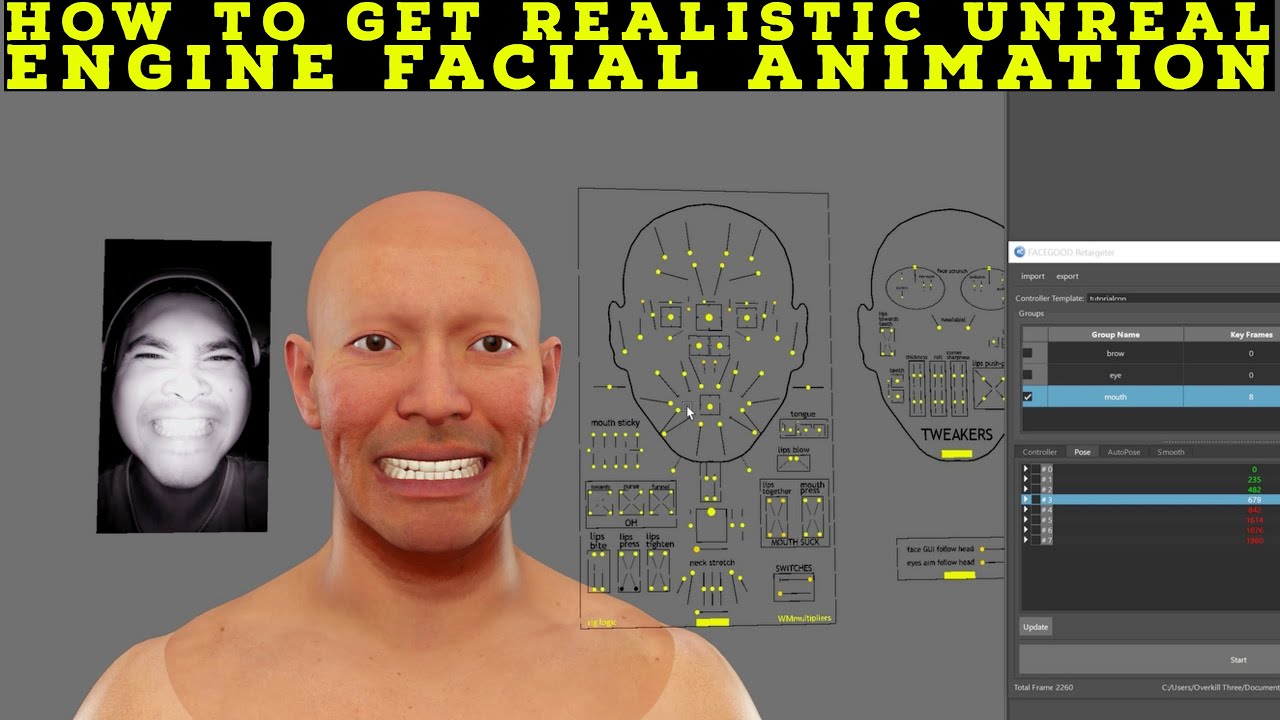
how to get realistic facial animation with unreal engine metahuman,unreal engine 5 realistic facial animation,realistic metahuman facial animation,realistic facial animation using ai,Facegood to Metahuman Tutorial,Facegood to Unreal Engine Metahuman Tutorial,facegood tutorial,facegood metahuman tutorial,facegood facial capture,avatary tutorial,a...
 fossil garnet
@junior birch I love your vids, you’re doing great work
junior birch
@fossil garnet no way bro thanks! i hope i dont get banned for posting tuts here hahahah
 clever citrus
Hello everybody and nice meeting you all virtually.
I currently face an Issue with Rokoko Motion Capture being streamed to Unreal via Live Link from Rokoko Studio to animate a Metahuman. But while the animation looks so far so good in Rokoko Studio the Metahuman looks kind of messed up as the arms are to tight to the body and partly reach through the body even though we made sure that we do not put them to close to the body during recording.
Has anyone an idea on how to offset the arms from the body. The arms look good in Rokoko but end up in the body in unreal. Ideally I would like to modify the curve just like with the lower lip so that the arms are offset from their current position by a few degrees so that they don't end up somewhere in the body or maybe a workaround like collision. Anything you have would be helpful. Thank you.
I followed the standard workflow: https://www.youtube.com/watch?v=cbWYQfXV6k0
- T-Pose uasset
-Metahuman Bonelist - Face Curve modified for the lower shrug
- Retargeting to the right body template of the Metahuman - in this case f_med_unw_body
Ignore the sound in the video

In this episode we'll look at the workflow for using a Metahuman as a VTubing avatar with our Rokoko mocap. We'll cover how to export our Metahuman from Quixel to Unreal, and also how to fix a notorious ARKit / Metahuman issue for facial mocap.
Free Project Files: https://bit.ly/3dhTfG2
VTubing Resource Doc: https://bit.ly/329WHjM
Rokoko Discor...
 cerulean haven
rose current
Does anyone know y
cerulean haven
rose current
Does anyone know y
Did you resolve this? I have a similar issue on export for the entire head
rose current
When build I used the desktop render engine and it works better
 light ingot
clever citrus
Hello everybody and nice meeting you all virtually.
I currently face an Issue ...
light ingot
clever citrus
Hello everybody and nice meeting you all virtually.
I currently face an Issue ...
Sounds like rokoko should be aware made of this? I would imagine they want metahuman to work right out of the box
clever citrus
I am in the Rokoko Discord as well trying to figure this out. So they are aware.
But since we have so many smart minds in here I figured maybe somebody knows issues like that.
 high fox
Has anyone tried to transfer the metahuman rig to a custom head on maya? I followed a YouTube tutorial and I'm stuck.
 simple forge
clever citrus
Hello everybody and nice meeting you all virtually.
I currently face an Issue ...
simple forge
clever citrus
Hello everybody and nice meeting you all virtually.
I currently face an Issue ...
try offsetting the Tpose you are using by raising the left and right arm up by 5 degrees.
 finite finch
anyone know how i can export these lighting setups to ue?
 plain haven
finite finch
anyone know how i can export these lighting setups to ue?
plain haven
finite finch
anyone know how i can export these lighting setups to ue?
Haven't I answer this question before?
Use HDRI Backdrop plugin and snatch whatever HDRI you want to use from Poly Haven.
simple forge
finite finch
anyone know how i can export these lighting setups to ue?
I dont believe you can export the lighting setups
junior birch
Unreal Engine 5 Realistic Custom Metahuman https://www.youtube.com/watch?v=dTYbU-fP_uk

Unreal Engine 5 Realistic Custom Metahuman,unreal engine 5 realistic metahuman,unreal engine 5 next-gen 2022 realistic human,ue5 next gen realistic humans,metahuman creator,metahuman download,metahuman unreal,metahuman to blender tutorial,metahuman export,metahuman release date,metahuman unreal engine 5,metahuman ue5,unreal engine 5 for beginner...
 dusty cairn
Hey Y'all is there a way to export the metahuman's face back into unreal engine ( from blender) and still be able to use the facial animation rig? Whenever I reimport it after sculpting it or doing anything with it the Control rig doesn't do anything anymore. Do I have to work with retargeting or am I just exporting wrong? I also get a lot of missing bones on import but I didn't modify the rig
 plain haven
dusty cairn
Hey Y'all is there a way to export the metahuman's face back into unreal engine ...
plain haven
dusty cairn
Hey Y'all is there a way to export the metahuman's face back into unreal engine ...
I bet your Blender's export settings screw up the rig.
 empty cypress
Is allowed to sell a game that use metahuman characters as NPC, players, etc ?
plain haven
empty cypress
Is allowed to sell a game that use metahuman characters as NPC, players, etc ?
As long as it's Unreal Engine, yes.
empty cypress
Ok, thx
plain haven
See #instructions on how to post to the job boards channel. Don't post job vacancies outside those job boards channels.
 wet badge
@plain haven ok nice nice thanks! I’ll check this now
plain haven
Also consider deleting the post, else you got strike by the mods
wet badge
@plain haven Ok awesome noted!
simple forge
dusty cairn
Hey Y'all is there a way to export the metahuman's face back into unreal engine ...
When you import the head back in, are you assigning it back to the metahuman face archetype skeleton?
dusty cairn
@simple forge Tried both, creating a new skeleton and assigning the control rig, aswell as choosing the archetype skel. Blender seems to mess with the hierarchy of the bones, which isn't a problem for the body skeleton.
Also if you try to replicate it, you need to use an fbx converter just to get the shape keys into blender, otherwise they just get lost on it's way there
But it seems like they don't even do anything 😄
 swift lotus
Anybody experienced with Groom? No matter what I do, I can not get over 40FPS, Even if I reduce resolution, always only 40FPS with VSYNC ON or OFF does not matter. Something its definitely not working right with rendering groom or smth.
plain haven
swift lotus
Anybody experienced with Groom? No matter what I do, I can not get over 40FPS, E...
Groom is normally strand based, of course it's going to be way heavier than hair cards
dusty cairn
@swift lotus Did you create the groom yourself?
I could take a look at it if you send over the groom file
swift lotus
plain haven
Groom is normally strand based, of course it's going to be way heavier than hair...
I created 5 versions every with different amout of verts, still getting the same result, maximaly 1-2fps up, 40 - 42fps in my case
 static delta
Hi all, anybody having anyissues with the deformation of hair with Metahumans? I've attached mocap to the model and the hair goes all funky.

 craggy parrot
Hello! I've created a level sequence with a Metahuman. I captured face animation with LiveLink and manually adjusting the ControlRig for the body. It works perfectly when I play sequence in the sequence editor, but it won't play the facial or body animation in the selected viewport or in stand alone. All the other elements in the sequence play (camera movement, audio, etc) just not the metahuman's animations.
 full flume
Hello everyone !!There are some questions about Groom. I try my best to fix it but do it not good . When my metahuman moving too fast, The hair will be left behind and torn into strips. And I try to debug those parameters to stable it, but my wind is can't working too. I wish I can keep my wind, it is very important to performance speed . Does anyone know how to solve this problem ? Thanks!!


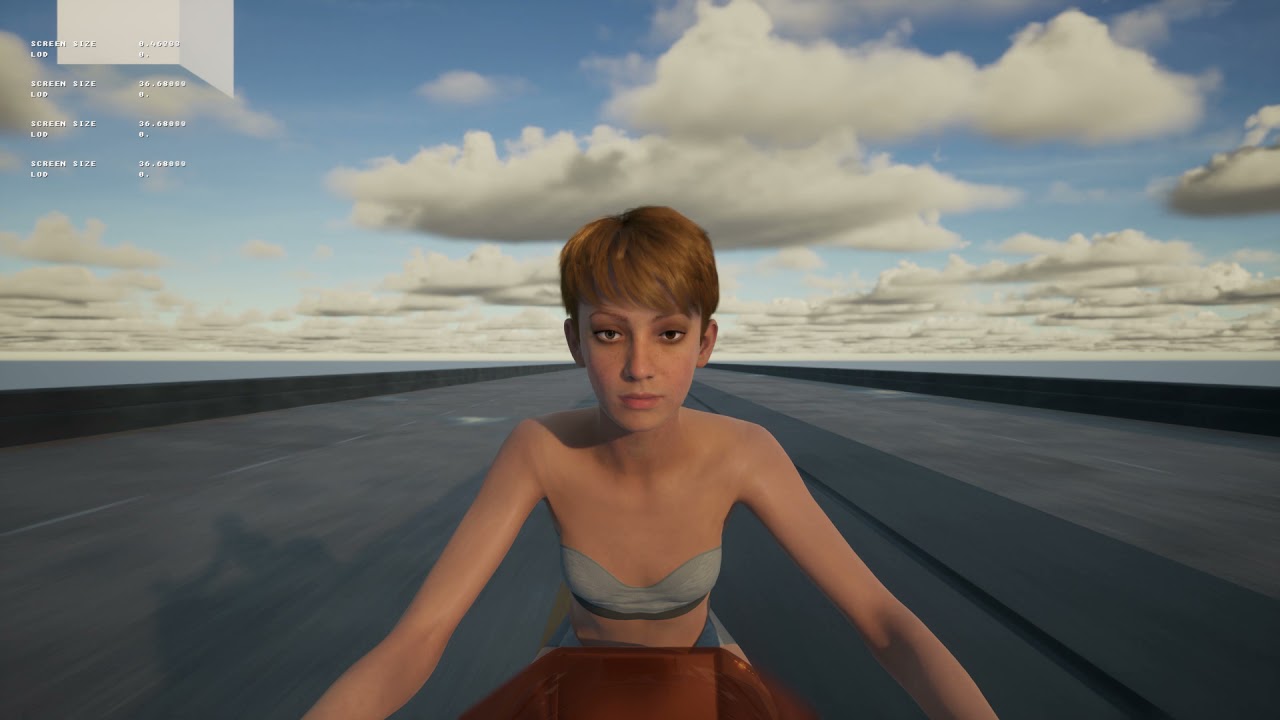
Test B , I try to debug those parameters to stable it, but my wind is can't working too
I modified these parameters on test B

I want to stable it and keep my wind working
simple forge
static delta
Hi all, anybody having anyissues with the deformation of hair with Metahumans? I...
Is this in 4.27 by any chance? And have you used the hair dye option? I have a similar issue but only in 4.27 and my Metahumans eyebrows flutter when face mocap is added. This is happening on the .5 version Meta with Hair Dye enabled.
simple forge
full flume
Hello everyone !!There are some questions about Groom. I try my best to fix it b...
have you tried disabling the physics for the hair?
simple forge
 cloud kiln
its pretty much just a belt
cloud kiln
its pretty much just a belt
Id look at the plugin Trimirror has called Draper. they just released a tutorial showing the pipeline to unreal with metahumans and it works great
simple forge
craggy parrot
Hello! I've created a level sequence with a Metahuman. I captured face animation...
hmm wonder if you might try checking to see what the animation blueprint for the face is set to, perhaps keyframe it if it is in custom mode and see if that works
cloud kiln
simple forge
Id look at the plugin Trimirror has called Draper. they just released a tutorial...
Yeah i took a look at that, looks like it would work, thanks!
junior birch
for you guys interested you can use nvidia audio2face to maya to metahuman https://youtu.be/sru6I0WkCrA

In this video I will show you how to generate facial animation in NVIDIA Omniverse Audio2Face and export it to Maya. I will then show you how you can tweak the animations in Maya then export the animations to an Unreal Engine Metahuman.
More information about the Omniverse:
https://blogs.nvidia.com/blog/2022/01/04/omniverse-available-free-to-cr...
full flume
simple forge
have you tried disabling the physics for the hair?
Thank you for your reply ! Yes i tried , but the wind is not working too .
simple forge
full flume
Thank you for your reply ! Yes i tried , but the wind is not working too .
not sure if I asked but is this happening in 4.27 and do you happen to have enabled the hair dye in the creator?
clever citrus
junior birch
for you guys interested you can use nvidia audio2face to maya to metahuman https...
That's always what I had in mind when I first saw Audio2Face. Do you think there could be the same workflow via Blender?
 dull yoke
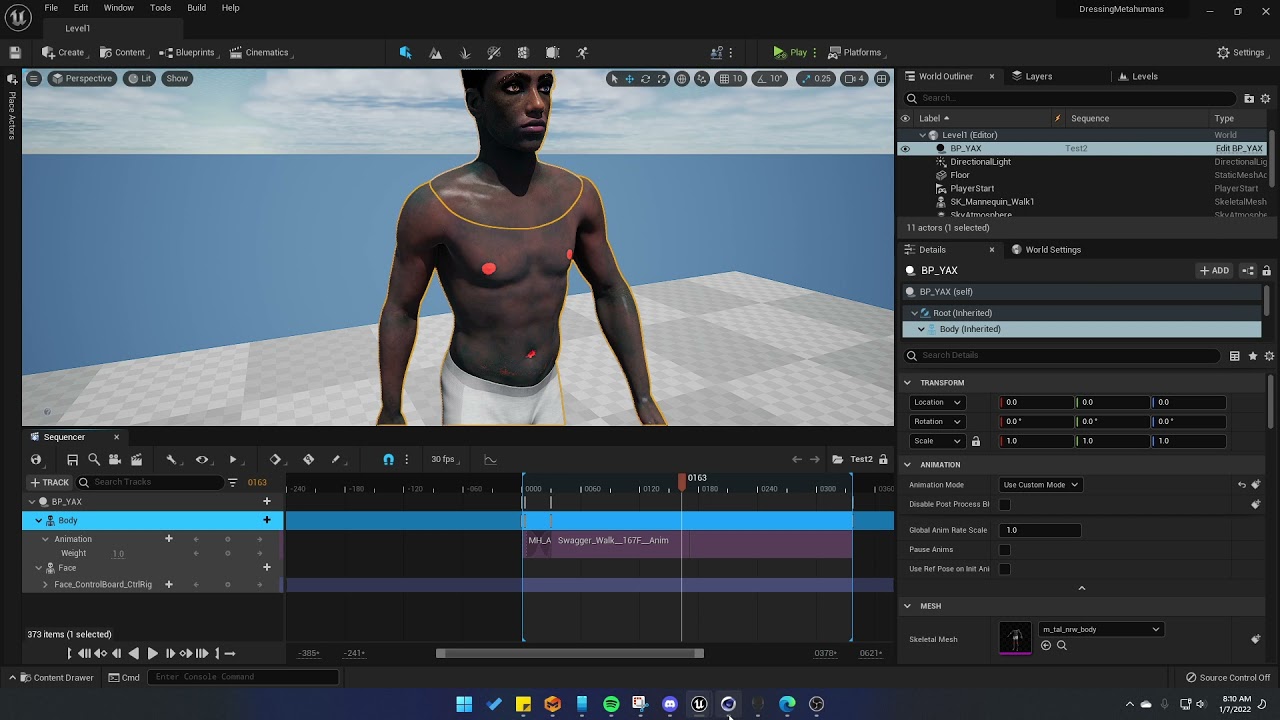
Tutorial coming soon!
junior birch
clever citrus
That's always what I had in mind when I first saw Audio2Face. Do you think there...
whenever or if ever epic games gives us meta in blender im sure u can
clever citrus
junior birch
whenever or if ever epic games gives us meta in blender im sure u can
You mean the control rig and that part that makes it so amazing in Maya?
plain haven
@clever citrus @junior birch
Probably won't be anytime soon, as Blender users could leech off of metahumans to make final renders in Blender without going through Unreal Engine.
Maya don't really have good renderer on its own, so not enough to make good final renders of.
What I'm getting at from the MH project is that Epic wants to make it a benefit/perk for Unreal Engine, not other renderer/engine. Maya don't have a good renderer on its own, good enough for final renders, so Epic is fine with the source files for Maya.
Blender, however, has it, in the form of Eevee and Cycles (X), and if Epic give generated source files for Blender, it could mean a loss for Unreal Engine, as Blender users will inevitably make final renders of the MetaHumans right inside Blender, without getting themselves through Unreal Engine (and let them see with their own eyes who's boss before trying to export the assets to Blender).
At least this is a theory that makes sense the most to me.
junior birch
plain haven
<@792843355670708276> <@421829807790227489>
Probably won't be anytime soon, as ...
yea they arent supposed to render out of ue but people do what they want
plain haven
junior birch
yea they arent supposed to render out of ue but people do what they want
At least with current state of affairs, Blender leeches would still have to go through Unreal Engine first.
clever citrus
plain haven
<@792843355670708276> <@421829807790227489>
Probably won't be anytime soon, as ...
Okay. That definitely makes sense. I mean I have Maya all good but I trying to make my workflows more open source so I'd highly appreciate working in Unreal and Blender without the need for Maya to do this amazing workflow. But for now I'll have to go with the flow of things.
plain haven
Well, Unreal isn't open source, so that's that.
I'm sticking with Blender just because it's free.
 rose sedge
is that metahuman?

 bright coral
I try to recreate shots of the cinema history this is Joan of the Arc (1928) with metahuman, I use photoshop to put the tears
 fresh monolith
bright coral
I try to recreate shots of the cinema history this is Joan of the Arc (1928) wit...
fresh monolith
bright coral
I try to recreate shots of the cinema history this is Joan of the Arc (1928) wit...
It's cool but she's cross-eyed and the tears are too blurred compared with the surrounding skin. Obviously you're trying to hide that the tears are not from there but it's very visible.
Otherwise it's nice
junior birch
bridge broken for u guys too?
fresh monolith
junior birch
bridge broken for u guys too?
No, it looks like it's working fine
junior birch
interesting some people are downloading but its not goin all the way
simple forge
bright coral
I try to recreate shots of the cinema history this is Joan of the Arc (1928) wit...
ooooh love the addition of tears! Curious to know how that can be accomplished in unreal
simple forge
rose sedge
is that metahuman?
looks kind of like the Hudson metahuman
bright coral
junior birch
bridge broken for u guys too?
You need to update,

This version is better, you see direct metahuman
 junior birch
yea its the one i got
 fierce flame
?
 blazing swift
how in the world do you get better fps with the hair?

no matter how low i go in detail its still laggy
yet with other hair models from metahumans that support more than 1 lod it works fine
simple forge
blazing swift
have you disabled physics for the hair?
simple forge
blazing swift
you can also try changing the ones set to strands, to cards instead
 surreal rune
Is there a way to force UE to create a meta humans project for DX11?
 delicate panther
Is metahuman only on the website
or is there a way to use it within the desktop app
surreal rune
Oh, is the Unreal Engine library meta humans just a demo project?
 faint stirrup
surreal rune
Oh, is the Unreal Engine library meta humans just a demo project?
faint stirrup
surreal rune
Oh, is the Unreal Engine library meta humans just a demo project?
Correct. Relevant links to what you wanted in the pinned posts 📌
 last plover
this might be super basic, but has anyone worked out a way of moving the facial rig so it stays with the face? https://i.imgur.com/ldSq3yn.png
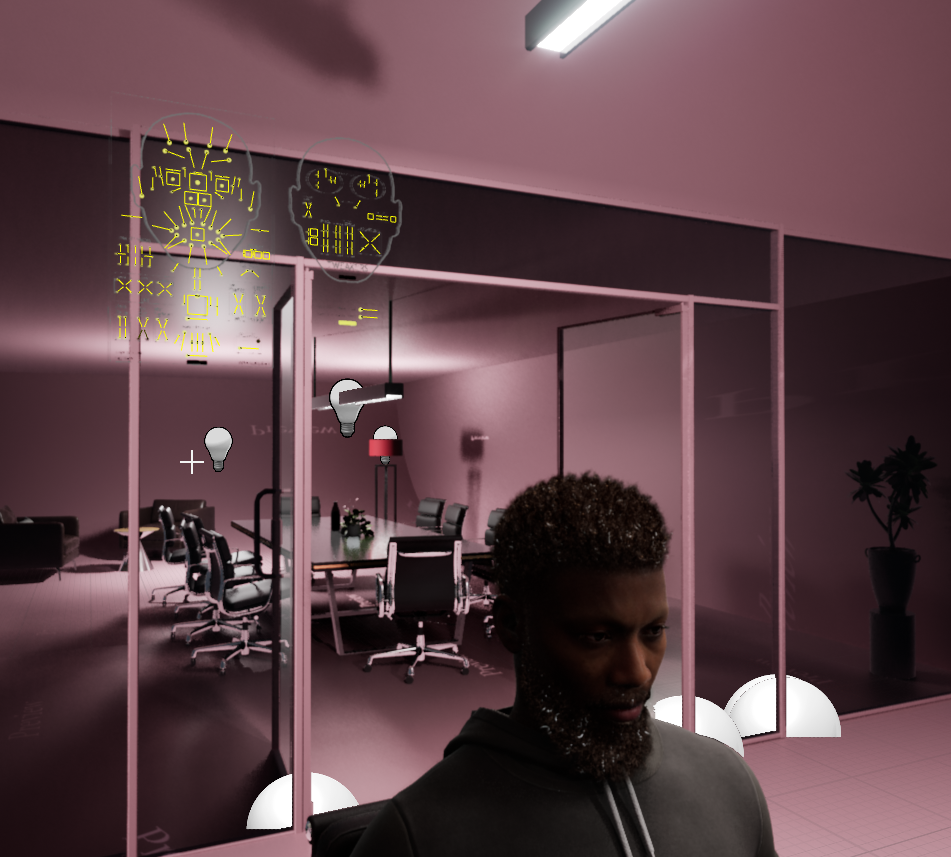
mine always ends up off somewhere more or less useless
 old wave
is there currently any workflow to transfer metahuman's facial rig in maya to your own head mesh without the same topology? All the ones found online seem like there might be issues bringing it back into Unreal
 fading pine


 livid cedar
stronk
simple forge
Has anyone downloaded a metahuman recently and imported into UE4.26. I am noticing the new additional bones (toe and finger bones) are not there. Just want to confirm I am not the only one noticing this.
 worn patio
simple forge
Has anyone downloaded a metahuman recently and imported into UE4.26. I am notici...
worn patio
simple forge
Has anyone downloaded a metahuman recently and imported into UE4.26. I am notici...
yes there seems to be a difference
simple forge
last plover
this might be super basic, but has anyone worked out a way of moving the facial ...
this is very odd, it should stay next to his face. Is this happening when you drop him into sequencer or when you bake to control rig?
 valid stump
plain haven
<@792843355670708276> <@421829807790227489>
Probably won't be anytime soon, as ...
valid stump
plain haven
<@792843355670708276> <@421829807790227489>
Probably won't be anytime soon, as ...
Pretty sure that Arnold in Maya is more then a decent renderer 🙂
plain haven
valid stump
Pretty sure that Arnold in Maya is more then a decent renderer 🙂
Was it built-in though?
AFAIK Arnold is a separate product
valid stump
plain haven
Was it built-in though?
its comes with Maya for free, same for 3ds Max.
plain haven
I guess only the pro versions then, I don't remember Maya LT has Arnold, nor some version of 3ds Max from 2018 or something
valid stump
plain haven
I guess only the pro versions then, I don't remember Maya LT has Arnold, nor som...
Ah, well of course now you mention MayaLT, that's different and that doesn't come with a software renderer. Max has had Arnold (in default install) for the last 3 versions I think. Before that you had a separate installer.
 spice plaza
Hi everyone, I made this not too long ago. Would appreciate if u wanna check it out!
https://youtu.be/8SYam1TvMr4
WATCH THE SIDE-BY-SIDE COMPARISON AND OTHERS HERE: https://youtube.com/playlist?list=PLmCPE88RyNVEHlw7diSRC42goBtTPfM5M
Wasn't sure whether to go peaceful or determined route, so I went 50:50 (determined beginning, peaceful end).
Originally created for the iClone lip-sync animation contest, I went on to improve on the parts already done and fi...
Also a side-by-side comparison with the reference footage which I was trying to duplicate
https://youtu.be/rtaGVHPSk_g

Watch my animation video on its own and others here: https://youtube.com/playlist?list=PLmCPE88RyNVEHlw7diSRC42goBtTPfM5M
A side by side comparison of my animation with the original video from the game. :)
#MetaHuman Creator #Unreal Engine
 coarse crypt
I'm looking into the metahuman thing a bit, and I have a question. From what I can glean it seems the answer is "no" but I want to confirm;
Is there a way to animate metahumans in Blender, by maybe using something like AutoRig Pro?
For example if I use the Unreal Mannequin to create animations in Blender using AutoRig Pro and then retarget that to the Metahuman rig in UE4, or something to that effect.
waxen compass
yes
check if there is a plugin in blender for metahuman rig that may help you animate
surreal rune
Since metahuman is an online webapp. Is it possible that Epic is planning to allow normal gamers to create metahuman characters as part of an epic games profile which can be used in certain supported games? (This is the main reason I can imagine for it being a webapp other than keeping the tech in the backend, or if metahuman requires some sort of render farm to run)
plain haven
surreal rune
Since metahuman is an online webapp. Is it possible that Epic is planning to all...
MetaHuman being a web app is mainly because of the hardware it took to handle the "master" models, being lots of base faces and stuff to go through, before baking it into usable models
surreal rune
But theoretically it could have just been a native program?
 balmy charm
Hi, I cant manage to open metahuman, is it a bad hour for it? Its been stuck on like 50% for almost 30 min already, tried refreshing and adding a new ticket but it didnt help
plain haven
surreal rune
But theoretically it could have just been a native program?
Being a native app = practically nobody can use it.
Practical, as in "your average joe" hardware that might able to render metahumans in decent framerate but not the master project. Not just the entitled rich high end kids.
 bold lake
Is it possible to add character costumization to my game using metahumans ? I am in version 4.27
plain haven
bold lake
Is it possible to add character costumization to my game using metahumans ? I am...
Yes, but it'll took almost the same effort as making making customisable character from scratch.
 ancient hedge
Character customisation is accomplished by morph targets
Two extremes, blend between them
blazing swift
anyone here make custom hair?
need this metahuman to have a mustache like this photo and new hair that is optimized
 last plover
has anyone had an issue where metahuman's heads are in the wrong position relative to their body?
this has happened a couple of times when re-opening my project and opening the level sequence. The first time it seemed to fix itself but this one won't go back.
the animation on the face rig is there but the head isn't attached to the body at all
 grim oracle
What needs setting to make metahuman import to ue4 from MH, default character on play ?
ty
oops sorry https://docs.metahuman.unrealengine.com/en-US/metahumans-unreal-engine/ , if I get stuck I'll ask O_0

Information on using MetaHumans in Unreal Engine.
grim oracle
M
wh y does my BP_me from metaH export, when shown in content in ue4 , have ? , in upper right of icon ?
on play ,metahuman character doesn't have focus , just 3rd person char. how do I fix that
grim oracle
ty found the right howto doc at ue
 rancid lance
Hi guys! What can be teh reason a groom only works with a certain skeletal mesh?


if i change the skeletal mesh the groom goes wild
 mellow skiff
Hello, has anyone else had problems with importing custom clothing for metahumans? I've made an armor in maya lt and transferred the skeleton from the metahuman preview mesh to it. When I try to import the armor into Unreal and select the metahuman skeleton it's incompatible.
static delta
simple forge
Is this in 4.27 by any chance? And have you used the hair dye option? I have a s...
Hi Sorry for the late reply, just got back from a retreat in the mountains. To answer your question, I'm using 2.26.2. Not sure about the hair dye though, don't think so. So a global problem by the looks of it.
grim oracle
Trying to understand what I may have wrong here, sent by docs. unrealengine for importing and working with metahuman, so anyone have any idea what I've got wrong here ? ;00

I copied in from face to feet into BP_metahuman ( duplicated 3rd person), added lod as well so I'm not sure whats up 😉
grim oracle
OK found https://www.bing.com/videos/search?q=youtube+metahumans+import+into+unrealengine&docid=608032640483132725&mid=0E43F549C19196B6F20D0E43F549C19196B6F20D&view=detail&FORM=VIRE, and it looks JUST like the mess I have, too bad epic never covered that in the doc page o_0 sigh
swift lotus
rancid lance
Every groom is using binding for a skeletal mesh, u need to click right on groom and create new binding with new skeletal mesh, this might be your case. New skeletal mesh is not binded with groom.
After I apply my material on a character this happen (right picture)

Normals are OK, vertexes are OK, unwrap is OK
Tesselation on a shader is OFF
Can not find out what is happening
grim oracle
I got metahuman in and working ISH, but 3rd person char still shows on play , with meta OVER it, how do I fix that ? ;0-0
I chose my meta in 3rd person gamemode under 3rd person blueprints so its not that
nvm got it, a few adjustments ( in duplicated 3rd person BP) and redo of gamemode change of default char, and all good ;))
HM my hands are missing 😉
HMMMMM
grim oracle
fixed tho retargeted def'ly needs to happen ;0-0
 royal yoke
Hi there - I’m kind of new here and had a question; is MH open for anyone to use right now? If not will it be anytime soon?
plain haven
royal yoke
Hi there - I’m kind of new here and had a question; is MH open for anyone to use...
Just for Unreal Engine users, and it's very unlikely open for other engine.
royal yoke
Oh ok- so if I install UE can I use it?
Or is that something I would have had to already do?
plain haven
royal yoke
Oh ok- so if I install UE can I use it?
Yes, you can. Just don't leech it to be used on another engine. You can export as FBX from Unreal and made some modifications to it as you see fit, but final renders of MetaHuman derivatives can only be made with Unreal Engine, per the EULA
 hollow merlin
Hey guys. Anyone know why the hair is not moving with the face when I use live link? This is a default metahuman
Looks like the beard is... double?
hollow merlin
Works in ue5 but not ue 4.27. strange
worn patio
mellow skiff
Hello, has anyone else had problems with importing custom clothing for metahuman...
The root skeleton should not be parented to anything in Maya while exporting
worn patio
rancid lance
if i change the skeletal mesh the groom goes wild
the groom is intersecting and trying to simulate with the face / switch off sims and check
worn patio
last plover
has anyone had an issue where metahuman's heads are in the wrong position relati...
select the face component and check if there any transform values set accidentally on it
plucky kelp
Is it possible to downlaod only a certain LOD of metahuman, i dont want to download 8K textures, last time it took me 7 hours to download and 2 to import 😦
I see the Resolution button now in documentation, i jsut woke up
 weary lion
many people asking me about how to retarget Mixamo animations into UE4 MetaHuman
here is how:
https://www.youtube.com/watch?v=ia8VRRhwjCY

this is how you can retarget Mixamo animation into unreal engine Meta Human
marketplace:
https://www.unrealengine.com/marketplace/en-US/product/9d259b25751544f39866975002636836
 hollow arch
As described in this reddit post https://www.reddit.com/r/unrealengine/comments/s0wqfv/metahuman_animation_bottleneck_fix_saved_5ms_on/
reddit
12 votes and 1 comment so far on Reddit
Retargeting is not the issue. I want the extra bones removed
Cant seem to figure out the workflow for metahumans described i this reddit post
 fresh parcel
hi, anyone knows why the mustache is bouncing when trying to record using Live Link Face?
i even have the simulation disabled on the mustache, but that doesnt help
hollow arch
grim oracle
fixed tho retargeted def'ly needs to happen ;0-0
Retargeting is 100% possible and im in the process of converting all mixamo animations. Some will require manual tweaking to fix neck and hand movements but it will be worth it. Only some animations need to be manually improvedm most work just fine and the limitations of the current best "meta" workflow are not visible.
hollow arch
junior birch
<@892550489449836604> no way bro thanks! i hope i dont get banned for posting tu...
Please keep posting! There is so little on the internet about metahumans we need more!
hollow arch
trail chasm
Hey Does anybody know how to control the eye & head Look direction in realtime ...
Have you figured this out?
plain haven
Still in early access v0.5.0
hollow arch
Still pondering if it's possible to do what is outlined in this reddit post
reddit
12 votes and 1 comment so far on Reddit
Well no one else on the internet has claimed to beable to do what they claim and ive tried for 3 days to replicate
Exporting a fully intact, edited metahuman from Maya is like ..impossible. exporting the Animation alone is very easy
You cant just delete bones and call it day...right?
 mental delta
I'm looking into ways to use a webcam to drive a Metahuman in my classroom. Thus far I've come up empty handed. Any help would be, well.... helpful. 🙂
dull yoke
mental delta
I'm looking into ways to use a webcam to drive a Metahuman in my classroom. Thus...
you will need Faceware studio https://youtu.be/FNVN-6jKnqA
 mental delta
dull yoke
you will need Faceware studio https://youtu.be/FNVN-6jKnqA
mental delta
dull yoke
you will need Faceware studio https://youtu.be/FNVN-6jKnqA
Thanx for the tip. 🙂
inland marlin
Silver Fang Armour set and Runner outfit Concept Art.


Unreal Engine 5, Marvelous Designer and Metahuman Creator
grim oracle
Could not find a variable named "Face" in 'BP_Character_Gaillard_C'.
Make sure 'BP_Character_Gaillard_C' has been compiled for Get Face
, anyone know what would cause this error, was working fine the other day...? Thx anyone ;0-
nvm got it tut OP goes a bit fast, anyway so reason is he was copying in ( later) some variables, face included, so all good here .
grim oracle
variable content accidentally pasted into component section of character, won't let me delete it. Is that a bug, or just reboot or something ?
grim oracle
Fixed via reboot o_0
mellow skiff
worn patio
The root skeleton should not be parented to anything in Maya while exporting
I see, thank you very much!
 soft snow
How can I change the metahumans clothes? Because there's almost no option in metahuman app.
Regards,Tomas
plain haven
soft snow
How can I change the metahumans clothes? Because there's almost no option in met...
If the stock clothes are not enough, you'd have to make it yourself, using the (almost) nude base
(But then again, metahumans have no breast adjustments for females smh, hope they add it in next versions)
soft snow
plain haven
If the stock clothes are not enough, you'd have to make it yourself, using the (...
Thx
hollow arch
T pose for metahuman public?
 scarlet zealot
trying to export metahuman but im getting this

 manic pond
Yeah! They updated the shared files, you need to follow those instructions then it will work!
soft snow
i made a metahuman and put als moviment on him but when migrate the bp i cant use on my main project
Anyone know how to migrate the metahuman with als to other project??
scarlet zealot
@manic pondbut like overwrite as in just drag the files in common from D drive into F drive?
manic pond
Yeah! Let it replace them
scarlet zealot
appreciate it, works now
 slim apex
Hey I am new to this site and I am wondering where I can go to find unreal gaming programmers that might be interested in working on an adult oriented metaverse project. We are looking to purchase existing multiplayer game environments and enhance and customize with our own provocative adult oriented characters. We are looking for a few good unreal engine developers, preferably someone that understands blueprint for the game play mechanics.
 obsidian vapor
@slim apex look under Job board section
 warm quartz
Hi everyone who can help why my metahumans hair is working good while playing animation and binded in head in SM5 preview but in Android ES3.1 hair isnt moving with body and its not bind to my character.
 floral gulch
Metahuman can be used to generate basemeshes, right?
 worldly orchid
Hello I'm still fairly new to metahuman but I was wondering if there a way to remove the undergarments on the metahuman I sorta found a method but it's probably not the most effective way to pull it off
I'm currently still trying to experiment with editing the roughness map,
I masked out the undergarments on the normal map itself in photoshop it was pretty quick and dirty
plain haven
worldly orchid
Hello I'm still fairly new to metahuman but I was wondering if there a way to re...
As in make it to be completely nude skin?
worldly orchid
Yep
plain haven
floral gulch
Metahuman can be used to generate basemeshes, right?
Yes, in fact it's encouraged to use it as basis for models
worldly orchid
I don't really want to affect the skin alphas
plain haven
worldly orchid
Yep
Then no, you'd have to sculpt it out yourself in DCC tool or replace it with a nude body mesh.
plain haven
Blender, ZBrush, 3ds Max, those kind of software.
worldly orchid
Ah ok I been doing that
So I need to apply the maps to the model in zbrush and work off of that
I have been testing some methods in that procces
@plain haven Thanks for the reply
floral gulch
plain haven
Yes, in fact it's encouraged to use it as basis for models
Yeah Im going to tear into it today. I just need the basic of the basic base meshes
warm quartz
Hi everyone who know is groom working on mobiles too?For some reason hair attachment(binding asset) isn't working on mobile preview.Is there any tick on project settings which I need enable or what?.Thanks:)
 knotty jolt
Does anyone know if we'll be able to download MetaHumans with a simplified skeleton in the future? This one is not game ready, way too many unnecessary bones. If not, has anyone managed to simplify the skeleton in Blender or similar without screwing up the rig?
hollow arch
knotty jolt
Does anyone know if we'll be able to download MetaHumans with a simplified skele...
1 person claimed to have done this. I've been looking for this solution for weeks
reddit
12 votes and 6 comments so far on Reddit
Not sure if true or not...
Everyone knows how to export animation from Maya
But exporting a skeleton with removed bones that maintains the same mesh transformation? You would need to manually recreate the bone weights I think? Right?
Not 1 video on the internet showing how to do this start to finish.
knotty jolt
@hollow arch I think you could do it without any manual work if you could transfer the bone weights to the parent bone, since all the unnecessary bones are branches from some more important bone.
 wraith trellis
So I'm running into an issue when trying to use this metahumans character. On the right you can see I have it working just fine in certain circumstances, but on the left you can see it's not always correct. I'm using a base mesh which all my animations are using across all characters at the moment with sub meshes to change out the looks. This has worked great up to the point of trying to transition over to metahumans. My question is exactly what is causing the issue on the left? Is it the animation, an issue with retargeting, or something with the weight painting? If I try to retarget the animations and use metahumans as the primary mesh I run into issue across almost everyone of the animations.

 hollow arch
I want to make models that have lower extrmeity extra bones removes. and some with all removed like npcs
but idk how and there is no content on how to do it online
simple forge
wraith trellis
So I'm running into an issue when trying to use this metahumans character. On th...
what method are you using the replace the head?
it could be the way you are adding the head that is causing that
wraith trellis
simple forge
it could be the way you are adding the head that is causing that
https://gyazo.com/27abbace2b0ff2ce06619f8127d98050 Just attaching it.


“Your mesh” being the head in this instance and chest the chest.
simple forge
wraith trellis
“Your mesh” being the head in this instance and chest the chest.
its possible that is happening due to the way its set up in the BP. This has happened to me with non Paragon/custom bodies.
simple forge
wraith trellis
“Your mesh” being the head in this instance and chest the chest.
instead of adding the head in the bp, perhaps try attaching the head to the body in editor by just making the head a child.
 worthy briar
Hello, groovy people
Has anyone of you experimented with importing a custom mesh for metahuman?
I mean completely different vertices and all without morphing and stuff like that
does anyone have some info about this? how does meta-human works internally? does it have all vertices' numbers hardcoded somewhere in it's code?
worthy briar
talking about faces specifically
hollow arch
Modifying the Metahuman is the next big ?
worthy briar
https://youtu.be/X3QILs0tkYs?t=1555, here the epic's tech anim mentioned Unified vertex ids
so if she is talking about face ids, this means that all faces have same vertex count and they just morphed neo/trinity from the base shape,
will double check whether all metahumans chars have the same vertex count
With MetaHuman Creator, game devs can start creating high-fidelity digital humans in minutes, removing months from the production process. In this talk, we’ll offer a closer look at the MetaHuman rigs in Maya and Unreal Engine, including how you can customize and create variations to fit your project’s needs.
Presented by Riham Toulan, Senior ...
although she is probably specifically talks about bodies
 sweet marten
all the metahuman faces are the exact same vert count and order. I'm not sure about Neo and Trinity as they were custom made, but likely they are also the same vert count.
fresh monolith
worthy briar
https://youtu.be/X3QILs0tkYs?t=1555, here the epic's tech anim mentioned `Unifie...
If you have different type of eyelashes it can give you different vertex count
probably teeth as well, they have to be the same
hollow arch
Is there anyone i can pay to make a youtube video on trimming down metahuman bone count? To make it less demanding in a video game context.
floral gulch
Im going to assume you meant the polygon count. Technically you can mess with the LOD but if youre shooting for lower quality, you may want to look at different solutions
 cobalt saddle
Hi guys, I’m animating a Metahuman character using take recorder everything is good just the male hair it seems floating around without following the head movement! Can you please help me or tell me what’s wrong?

You can clearly see his eyebrows not in the right place!
 toxic narwhal
cobalt saddle
Hi guys, I’m animating a Metahuman character using take recorder everything is g...
toxic narwhal
cobalt saddle
Hi guys, I’m animating a Metahuman character using take recorder everything is g...
Hi! Check this parameter.
 cobalt saddle
Alright, I’ll give it a try!
cobalt saddle
toxic narwhal
Hi! Check this parameter.
It’s enabled by default and still the same issue!
simple forge
cobalt saddle
question, what version of ue is this happening in?
cobalt saddle
UE4.27.1
simple forge
cobalt saddle
UE4.27.1
have you tried updating to 4.27.2?
simple forge
cobalt saddle
Not yet
I saw someone had this issue in the new lighting preset project #metahumans message
simple forge
cobalt saddle
I don’t know if my plugins are compatible with UE5 or not!
I would at least try updating to 4.27.2
and then i would check for updates for quixel bridge and see if you have the bridge 4.5 plugin downloaded
cobalt saddle
didn't work
cobalt saddle
hollow merlin
Hey guys. Anyone know why the hair is not moving with the face when I use live l...
I have the same problem, did you fix it?
hollow merlin
cobalt saddle
I have the same problem, did you fix it?
No. I imported two metahumans and only one had the issue. It seems like a bug but it doesn’t happen every time
cobalt saddle
You use iClone live link, right?
 grand prawn
Is his hair floating because of the Groom being Beta?
 simple forge
grand prawn
Is his hair floating because of the Groom being Beta?
simple forge
grand prawn
Is his hair floating because of the Groom being Beta?
interesting that a lot of people are having this issue. Is this a snapshot from the lighting preset project?
grand prawn
simple forge
interesting that a lot of people are having this issue. Is this a snapshot from ...
Yes sir it is. Using UE5. The animation pose comes from the "Animation Starter Pack" by Epic Games.
cobalt saddle
I have disabled the visibility of eyebrows. No eyebrows better than floating ones!
 tawny quail
hollow merlin
Hey guys. Anyone know why the hair is not moving with the face when I use live l...
tawny quail
hollow merlin
Hey guys. Anyone know why the hair is not moving with the face when I use live l...
anyone have any more on this? Looks like its affecting eyebrows, fuzz, eyelashes
tawny quail
tawny quail
anyone have any more on this? Looks like its affecting eyebrows, fuzz, eyelashes
never mind, i've found the fix if its of any interest. Eyebrows, fuzz, and eyelashes are missing their binding asset. Set that back to the relevant asset and its all good.
 simple forge
tawny quail
never mind, i've found the fix if its of any interest. Eyebrows, fuzz, and eyela...
simple forge
tawny quail
never mind, i've found the fix if its of any interest. Eyebrows, fuzz, and eyela...
you are awesome!!
cobalt saddle
tawny quail
never mind, i've found the fix if its of any interest. Eyebrows, fuzz, and eyela...
Thank you so much!!!
 slate jetty
I'm importing some outfits into UE5 to use on metahumans, will I have to bone weight the assets in a 3D app or can I do that within UE?
plain haven
slate jetty
I'm importing some outfits into UE5 to use on metahumans, will I have to bone we...
You'd still have to do the weighting in a DCC tool.
slate jetty
plain haven
You'd still have to do the weighting in a DCC tool.
Thanks!
proud trout
Hi, I'm using movierender but MTH is softly blurred... been rendering antialias at 64, also turned off motion blur post process.. Anyone have ideas what causing this?
 cobalt saddle
proud trout
Hi, I'm using movierender but MTH is softly blurred... been rendering antialia...
cobalt saddle
proud trout
Hi, I'm using movierender but MTH is softly blurred... been rendering antialia...
Try to disable manual focus
Hi guys, can you please tell me how to fix his neck? I’m using iClone for animations!
 hollow arch
cobalt saddle
Hi guys, can you please tell me how to fix his neck? I’m using iClone for animat...
hollow arch
cobalt saddle
Hi guys, can you please tell me how to fix his neck? I’m using iClone for animat...
maybe because metahuman has 2 neck bones?
cobalt saddle
I just figured it out, someone helped me online. I forgot to choose record to possessable object from take recorder options!

Record type too
 dull yoke
https://youtu.be/d2hkfSslHgE More fitted for animations and digital fashion renders so I hope it helps someone or gives them an idea on how to tackle the problem a different way!
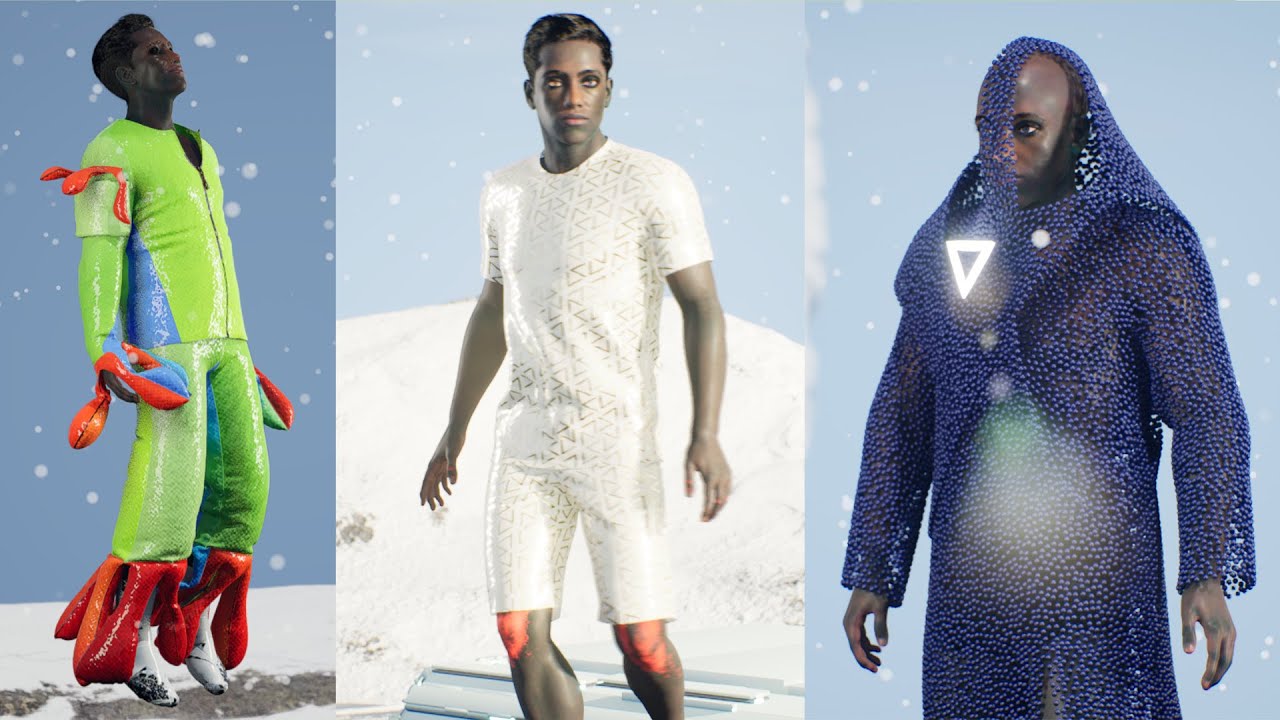
Comment down what you think about this workflow for rendering animations for digital fashion and ways to improve the efficiency and ways to use different software.
cobalt saddle
dull yoke
https://youtu.be/d2hkfSslHgE More fitted for animations and digital fashion rend...
Checking it rn!
 frozen bolt
I was able to sculpt this extraterrestrial humanoid character in zbrush, wrap to mh basemesh, import to maya and have its bones offset ready for mh face controls. it's working %100, as you can see shapes and wrinkle maps also works perfectly. I can make full tutorial on custom metahuman starting with zbrush/maya roundtrip, setting up lips, eyes and cartilage (which was the hardest part) and import to maya, bones offset and shape retargeting.
what I don't know about is roundtripping maya to unreal. I don't know much about unreal rigging and how they setup metahuman rigs in unreal.
any help or suggestion on maya to unreal workflows would be much appreciated!

 copper valley
hi everyone. I try to do mocap i nreal time with ipiMocapRecorder and ipi Mocap Studio with a kinect one sensor. I managed to make the connection via live link, opened the metahuman blueprint that i want to animate in realtime and under components i selected body. On the right side under details i found the skeletal mesh wich i double clicked. In the following window i can select a preview controller to livelink preview and choose my instance under live link subject name. So the preview applies the mocap on the skeleton. But in the viewport itself the charakter is not animated. . What am i missing?


 rich ingot
What are the minimum hardware+software requirements for a metahuman mocap pipeline?
 mild dagger
Hello guys!
I'm trying to customize a Metahuman in Maya to make it seems like a real person i have as reference and reimport the new custom mesh back in UE 4.27. I duplicated the origina MH mesh, unbinded the skinning, modified it and then copied the skin weight to the modified one, now i'm pretty happy with the result i have inside maya, all the blendshapes are there and the new model its working fine. The problem is now i'm stuck couse i dont know how to properly export it from maya, reimport it in UE and assign the new mesh to the original metahuman (that is already loaded in UE).
Has anyone experimented with this kind of workflow? Do you Have some suggestions for this?
Thanks for you time 🙂
mild dagger
frozen bolt
I was able to sculpt this extraterrestrial humanoid character in zbrush, wrap to...
pretty much same problem here
frozen bolt
yeah after 5 hours of work, able to import custom mh from maya to unreal
(eyes missing tho I'll try to find a solution)


 reef saffron
Has anyone had difficulty with getting the mega scans plug-in to work on UE 4.27.2? I’ve tried reinstalling it several times and since I can’t get the plug-in to work, I can’t import the metahuman.
hollow arch
frozen bolt
yeah after 5 hours of work, able to import custom mh from maya to unreal
(eyes m...
Currently no info anywhere on how to do this
Btw
mild dagger
reef saffron
Has anyone had difficulty with getting the mega scans plug-in to work on UE 4.27...
i dont sorry
simple forge
reef saffron
Has anyone had difficulty with getting the mega scans plug-in to work on UE 4.27...
what is happening exactly? Are you getting an error message?
simple forge
reef saffron
🤦🏽♀️
so glad you got it sorted!!
 plain orbit
frozen bolt
plain orbit
frozen bolt
Hey, that model looks really good!! How hard was it to do this custom model? Did you use this tutorial? https://www.youtube.com/watch?v=w7_8bsOOw3E I wanted to try this today but I have only used Maya like 2 times ever
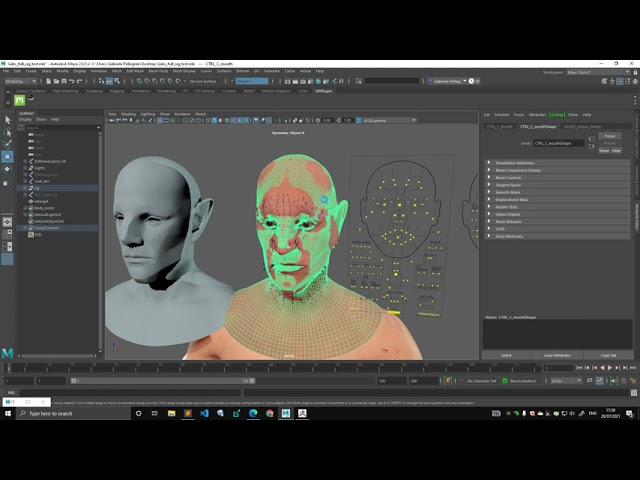
First iteration of a tool to offset deformation starting from a metahuman source file.
I wanted to know if it was really difficult for a beginner in Maya or if it's fairly simple
frozen bolt
I have basically tried every approach, Gabriele's script does its job pretty well but "the rig only works in maya" after the joint offset, things gets messy in unreal side.
There is a way to import your edited rig into unreal engine (search manaforce in ytbe and I think he is here @bitter sparrow ) he had success importing into unreal but the change on mesh was a simple blendshape, if you don't mess around with joints and do just blendshape changes, it works just fine in ue. But too many going under the surface for metahumans and to be specific there is this one asset that comes with each mh source folder with the extension of *.DNA and its in binary, no one knows how to edit or skip that asset.
I got the morph targets/blendshapes working but face skel. wont move when that .dna asset working in relation to anim post process bp so..
I'm very close to give up on custom metahuman roundtrip..
Untill they let us mortals do it with simple import/export operations or some Rigging TD wizard like Gabriele Pellegrini does something, we are out of luck (:
 spiral sierra
copper valley
hi everyone. I try to do mocap i nreal time with ipiMocapRecorder and ipi Mocap ...
spiral sierra
copper valley
hi everyone. I try to do mocap i nreal time with ipiMocapRecorder and ipi Mocap ...
in the details panel of your animation/metahuman blueprint, search for 'Update Animation' - check the box that says Update Animation in Editor. That usually works.
valid stump
copper valley
hi everyone. I try to do mocap i nreal time with ipiMocapRecorder and ipi Mocap ...
check the blueprint details, under skeletal mesh, search for Update Animation in Editor and tick the box
valid stump
knotty jolt
Does anyone know if we'll be able to download MetaHumans with a simplified skele...
tried this? - https://youtu.be/Dimfadg7J5w
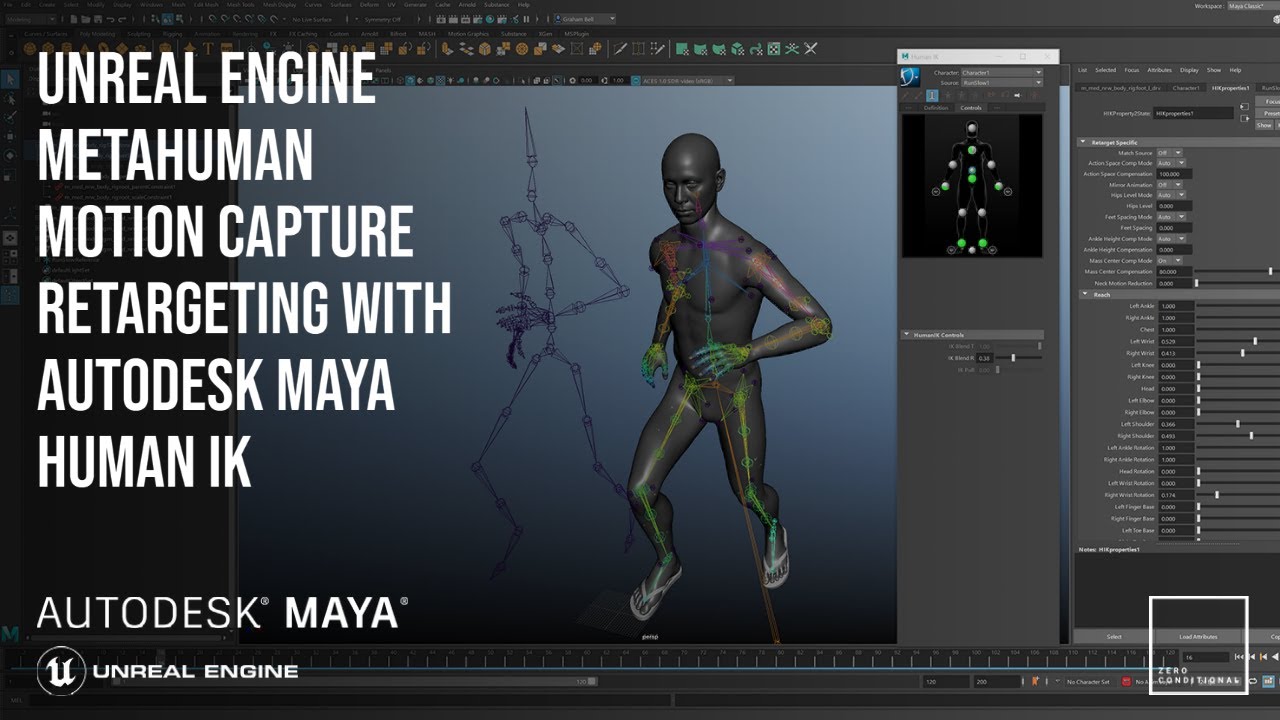
In this video I will show you have to retarget your mocap data onto the Unreal MetaHuman skeleton using Autodesk Maya and the HumanIK system. I will also be demonstrating how to export the mocap to Unreal and put it onto your character without having to use the retargeting system inside Unreal itself.
-------------------------------------------...
 night iron
Does anyone know what would cause the subsurface scattering to create these hot spots on a Metahuman in UE5
 knotty jolt
@valid stump Nope, but I don't use Maya. I think it could be done in Houdini with a node network for automatically transferring weights to other bones before deleting them, that should do the trick. It's not a priority for me right now tho, but I'll look into it in the future
frozen bolt
night iron
looks like the lights sampling or shadow settings on that specific light. try playing with those values. disable/enable lumen or rtx whatever there is
frozen bolt
knotty jolt
Does anyone know if we'll be able to download MetaHumans with a simplified skele...
the body rig is heavy yeah, but it's the RBF solver doing its calculations on corrective bones that makes those beautiful deformations. I don't think there will ever be a "one rig for all kind" of stuff and in games its mostly the clothing that matters anyways.
night iron
frozen bolt
looks like the lights sampling or shadow settings on that specific light. try pl...
Thanks, I've been screwing around with those settings for a while but no luck. I think I found a workaround by putting a high number into the contact shadows like 2-3. The contact shadows basically disappear at that value but so does the noisy transmission/sss. Not ideal but it seems to work.
frozen bolt
yeah thats about it unless pathtraced 👍
 distant token
Sorry for the cursed image but my metahumans facial hair seems to have separated itself from the skin, this happens with all metahumans import. Any ideas?
 frozen bolt
distant token
Sorry for the cursed image but my metahumans facial hair seems to have separated...
frozen bolt
distant token
Sorry for the cursed image but my metahumans facial hair seems to have separated...
thats weird, try opening the groom asset and simulate to see if its good again, if it looks ok save and close. if not, duplicate the groom asset, retarget that dupe to your face mesh, select the duplicated groom on your bp again.
knotty jolt
frozen bolt
the body rig is heavy yeah, but it's the RBF solver doing its calculations on co...
True, it's clear that MetaHuman was made with quality over performance in mind, probably more geared towards virtual production and next gen stuff.
distant token
frozen bolt
thats weird, try opening the groom asset and simulate to see if its good again, ...
Re-simulating did the trick, thanks!
simple forge
night iron
Does anyone know what would cause the subsurface scattering to create these hot ...
i would check my light settings and see if transmission is turned off
simple forge
distant token
Sorry for the cursed image but my metahumans facial hair seems to have separated...
@tawny quail found the solution #metahumans message
night iron
simple forge
i would check my light settings and see if transmission is turned off
That was the first thing I checked. It seems like something is broken in UE5... gonna try 4.27
 digital atlas
Once I finish getting a metahuman into my project and fix the bone mappings, etc, whats the best way for me to make a layer of tattoos that fits the same mesh that I can just paste over the skin? Is it a decal? Can I make one by copying the mesh into blender and drawing on it there?
cobalt saddle
I think you can use mixer for that!