#metahumans
1 messages · Page 7 of 1
 fading quail
 dark swan
yeah totally! I'll post a quick render
 crisp inlet
Hello! I am extremely new to using UE5 and metahumans. I am making an experiment for class and I am trying to get my metahuman to make eye contact with either player start or a camera? I have watched tutorials and I cant find one that actually helps me. Any tips? I would only like the metahuman to make eye contact on specific levels.
 sturdy temple
crisp inlet
Hello! I am extremely new to using UE5 and metahumans. I am making an experiment...
sturdy temple
crisp inlet
Hello! I am extremely new to using UE5 and metahumans. I am making an experiment...
Just implemented a basic eye and head look-at feature. It requires a fair amount of Blueprinting. How familiar are you with that?
crisp inlet
sturdy temple
Just implemented a basic eye and head look-at feature. It requires a fair amount...
Not super familiar. I tried to set up the look at feature to look at player start and when I start my levels it doesn’t run. I think im missing a step
sturdy temple
crisp inlet
Not super familiar. I tried to set up the look at feature to look at player star...
Where did you add this featuure / blueprint?
Metahumans sometimes feature a "Post-Process" blueprint. If you add the look-at code on the regular animBP it can get overridden by the post-process BP is what I've found.
Look on the upper right hand corner to see the BPs associated with this mesh

This is my actual look-at BP:

The "LookAtWeight" is a Float variable that can be set in the editor and animated in the sequencer. Setting it to 0 turns off the look at; setting it to 1.0 turns it on full strength.
"LookAtTarget" is another variable that contains a reference to an Actor on the Stage - can be anything really; I used a Target actor, but it could be the camera for instance.
Both of those variables are set on the Character BP not on the AnimBP
For more realism, you can do a similar thing on the Body BP so that you can get the head turning a bit too
 empty thistle
Hi guys! Trying to do a simple .obj export from a pose. Figured out the "bake to animation" then "create static mesh", but am running into an issue where I can only get the Torso and Head to bake. I have keyframes for Legs and Feet, under the "Body" skeleton in sequencer, but not sure how else to export them. Any help would be greatly appreciated!
 sturdy temple
empty thistle
Hi guys! Trying to do a simple .obj export from a pose. Figured out the "bake to...
sturdy temple
empty thistle
Hi guys! Trying to do a simple .obj export from a pose. Figured out the "bake to...
Some of the MH meshes have the skin removed so it doesn't clip through the clothes. You may need to swap meshes before rendering out. Meshes look like f_med_nrw_body
empty thistle
Ahhh, that would make sense, ty
 native spire
Hey folks, I'm trying to use the "7.5/8 heads to height" rule as shown below, but this requires me to scale the MHC heads down to -1 which just seems really small to me, but I have a feeling it's the neck length that's causing the issue. Has anyone else come across this issue and found a good value (perhaps for each of the body heights) that they use? I don't just want to eyeball it as that could cause us some technical issues later on.

Right now I think -.75 gets a decent result, but I'm not super confident 😄
crisp inlet
sturdy temple
Metahumans sometimes feature a "Post-Process" blueprint. If you add the look-at ...
sorry for the late response, so I am confused. should there be a post process blueprint? it does show. is that where i am making the bp or on the main one? Thanks
@sturdy temple the graph you sent was the event graph correct? how should the animgraph look
 sturdy temple
crisp inlet
<@1097245094479921162> the graph you sent was the event graph correct? how shou...
sturdy temple
crisp inlet
<@1097245094479921162> the graph you sent was the event graph correct? how shou...
Exactly there:
 crisp inlet
okay i got that working. with the event graph, how can i set it to look at player start? @sturdy temple

thats my current event graph, i got to the part where yours says get world location but is that the same for looking at player start?
or should i set up an object for it to look at?
 tiny linden
doees ANYONE know how to put a metahuman head onto a rigged character? i cant seem to figure out how to rig this clothing i have tried everything! including accurig actorcore, i have tried to rig it without a head, i tried to export and inport the metahuman skeleton body and head i have tried and tried please someone im using 5.3.2 give me a hand here point me in the direction how to a rif this clothing?


lol, i have exhausted my brain on this matter, i have the clothing ready for the unreal engine, the body just needs to be rigged so i went to autocore/ accurig and it gives me a hard time, eventually i get it to work, if i use the head and hands it makes my head look up like im bird hunting, and then if i just rig the body it comes out weird and if not that then attaching the head almost seems impossible, even on the same anim class Manny it still fails to allign and trying to manually do it is driving me nutts its not working, i have seen just about every tutorial on youtube regarding this matter, its still failing, the clothing needs to be rigged and i assume that i just attach a metahuman head to it, i tried with sockets too, and its just not working, the worst part is i want to add in multiple outfits LOL
 pearl zodiac
fading quail
Does anyone happen to know if its possible to export metahuman motion capture da...
pearl zodiac
fading quail
Does anyone happen to know if its possible to export metahuman motion capture da...
Yes, I actually export MHA animation from UE and retarget to a Rigify face rig on completely custom characters in Blender.
To export MHA animation from UE, create a level sequence with a MetaHuman + MHA animation, right-click on the Face track and choose Bake Animation Sequence. Save the baked animation sequence and right-click on it, choose Asset Actions > Export, and save it as a FBX. Run it through Autodesk FBX Converter 2013, and then import the converted FBX into Blender. Voila, you have an animated face mesh + armature in Blender that you can retarget or do whatever you like.
There's also MetaReForge plug-in for making custom MetaHumans if that's what you're after, but I find it easier to create and animate fully in Blender using MHA strictly as a facial mocap tool instead of trying to hack together a custom MetaHuman. MetaHumans are great if you're going for realism, but I learned from months of banging my head against the wall that making a stylized MetaHuman is not an easy process regardless of tooling, whereas MHA animation retargets pretty nicely to stylized characters, and it's way easier to rig a character with Auto-Rig Pro / FaceIt and use ARP Remap to retarget MHA facial animation to it than it is to make a custom MH in my experience. The EULA is not clear, but I don't think Epic cares what DCC or additional tooling you use to create and animate characters as long as you render your final result in UE.
fading quail
pearl zodiac
Yes, I actually export MHA animation from UE and retarget to a Rigify face rig o...
Bless you, this is exactly what I was looking for. Would it be okay to DM you with questions if I run into any problems in the future?
sturdy temple
crisp inlet
Nice work! I used an object to look at because that gave me more flexibility in terms of animating the eye movement (you'll discover it gets REALLY creepy if the character looks at you constantly. Talk to someone and look at them the entire time, they'll start to squirm).
I haven't played with Player Start, but anything that has coordinates should do. That look-at target object can be anything I think.
tiny linden
can i export the metahuman BP as a character?

like merge it and bring it into Autocore
hair and textures included?
crisp inlet
sturdy temple
Nice work! I used an object to look at because that gave me more flexibility in ...
Thank you so much! And thanks for helping.
I had one last question I was wondering if you knew the answer to. I’m trying to set up so my meta human only makes eye contact on certain levels. Not on others. Is there a way to set it up to only do it on certain levels?
I’m doing an extremely basic experiment for class to get users brainwave reactions when speaking to meta humans. Some levels will have eye contact while others don’t
 lost orbit
Hello everyone!
I have a question about MH ABP. I need to follow his eyes by moving camera but. I'm following tutorials, but several lessons mention the need to disable "Blueprint Post Processing" for the "Look At" function to work correctly. However, disabling this feature makes my ABP appear incorrect. How I can use my normal skeletal mesh and use "Look At" node for EYES ?

 native spire
Anyone tried going from UE > Blender > UE in 5.4 Preview? You used to have to have the head rotated forward 90 degrees on export from Blender for it to come back into Unreal okay but now it seems to cause problems 😅

About to try it without the forward rotation in Blender to see if it's just fine to export it as-is
Yeah, seems that forward rotation isn't required anymore 🙂
Getting some bone merge issues though
 mild barn
Can anyone help in converting my model to cc4 models
tiny linden
can i export a metahuman and turn it into a regular Mesh like character where its just simple and basic like if i modeled it on blender?
 worn pilot
Hello! Here's a short animated film I did last month in UE5 w/Metathumans: https://youtu.be/ch7fOtwKCC0
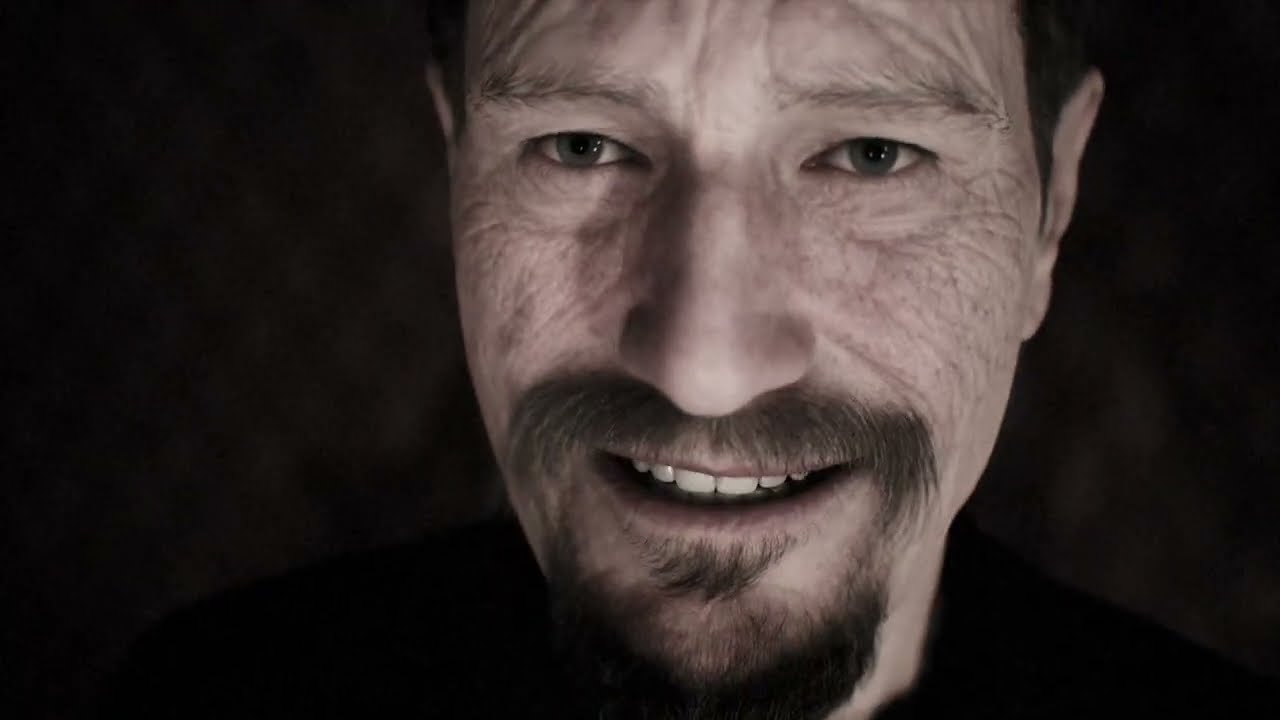
A short animated film based on the short story by Edgar Allen Poe.
sturdy temple
crisp inlet
Thank you so much! And thanks for helping.
I had one last question I was wonder...
100%. The way I have it set up if you set the Blend/alpha value to 0%, then the eyes will look whereever you have themn pointing in the animation. When you set that blend value to 1.0 then it will look straight at the target.
The other thing you can do is, using Sequencer, just animate the target and with the alpha at 1.0 the eyse will follow that.
sturdy temple
worn pilot
Hello! Here's a short animated film I did last month in UE5 w/Metathumans: https...
I'm curious how you did the facial performance. Was it livelink from an iPhone?
crisp inlet
sturdy temple
The other thing you can do is, using Sequencer, just animate the target and with...
Will the sequencer override my other blueprints?
worn pilot
sturdy temple
I'm curious how you did the facial performance. Was it livelink from an iPhone?
NVidia Audio2Face got me there 75% of the way. Once the animation clip saw in unreal I baked to the face rig and adjusted by hand.
sturdy temple
crisp inlet
Will the sequencer override my other blueprints?
Hm, I'm not sure I understand what you're asking. In the sequencer you can move things around and you can animate properties. So in the sense that it can change the values of certain properties that are set in the blueprint then yes.
sturdy temple
worn pilot
NVidia Audio2Face got me there 75% of the way. Once the animation clip saw in un...
Gotcha. So it wasn't live facial capture. Have you played with MH animator yet? You'll find that the performances are captured with a very high degree of fidelity - and will pick up some of the more subtle nuances of the actor's performance.
(even if that actor is you! haha)
worn pilot
sturdy temple
Gotcha. So it wasn't live facial capture. Have you played with MH animator yet? ...
I was originally going to use LiveLink, but the audio was already recorded and there was no way I could match the acting.
sturdy temple
worn pilot
I was originally going to use LiveLink, but the audio was already recorded and t...
Yeah, that was a great voice actor BTW.
worn pilot
That's the late great Basil Rathbone. He died in 1967.
crisp inlet
sturdy temple
Hm, I'm not sure I understand what you're asking. In the sequencer you can move ...
Im basically just asking how to get the eyes pointed downwards a little on only specific levels. I have 12 levels and only want them facing down on half of them. Everytime I do the animations it shows on all levels. I dont need the head to turn or anything fancy I just want the eyes downward a bit. Is this possible?
here is my metahuman, I just want her eyes to be downward a bit ( on this level only) does anyone know how to achieve this the easiest?

This is my first ever UE5 project, so I apologize if this is super simple stuff.
 quartz burrow
i can not get my metahuman to show up in my metahumans ive checked for updates and made sure the it was the same account on both ends but still no character any help would be greatly appreciated ive been at this for hours now
sturdy temple
crisp inlet
here is my metahuman, I just want her eyes to be downward a bit ( on this level ...
I think I was misunderstanding how you're animating the metahuman (I'm assuming it's animated). I guess you're just playing an animation sequence on it then, not using the Level Sequencer? The Level Sequencer would allow you to customize the animation on a per-level basis.
With the look-at script, if you have used an external target object, then just place that object in a different spot in your level scene, and the character will look at that. does that help?
crisp inlet
Yes that’s a great idea idk why I didn’t think of that. Thank you.
crisp inlet
sturdy temple
I think I was misunderstanding how you're animating the metahuman (I'm assuming ...
on your event graph here, what is the blue target?

if I placed an actor for her to look at how would it change this
sturdy temple
crisp inlet
on your event graph here, what is the blue target?
Target is a variable that's on the character's blueprint and exposed to editor. The type of that variable is Actor. So once you've placed your metahuman character on the stage, you can choose any other Actor that's on the stage and apply it to that variable. Then the character looks at that object. I hope that helps.
I'm thinking of creating a short YouTube tutorial for this. If you're still struggling, that might motivate me to do it sooner rather than later.
crisp inlet
so this is supposed to be done in the characters bp? not the face anim event graph?
i would die for a video tutorial there is no clear tutorial online
or even just share my screen and have it explained idk. I feel like im not learning anything I am going in circles
@sturdy temple
 knotty sedge


 native spire
Still a bunch of body/face shapes to go (especially on the femme side), but slowly building up a body/face customisation system using one metahuman base mesh 😅

Morph targets are my favourite thing ever
 pure quiver
tiny linden
doees ANYONE know how to put a metahuman head onto a rigged character? i cant se...
pure quiver
tiny linden
doees ANYONE know how to put a metahuman head onto a rigged character? i cant se...
I'm not 100% sure what you're asking but I think the issue you're having is that the head mesh is attached to both it's own skeleton and the skeleton of the metahuman body.
I would suggest exporting clothing from meta humans and transferring the weights in maya or blender as a starting point. The clothing is weighted in spots the body mesh is not. If you prefer there is also a paid (possible free trial) software that will specifically rig clothing to metahumans
 wintry sorrel
does anyone know if the motion matching animation set that they mentioned at gdc is available yet?

Learn more about the various updates for Unreal Engine 5.4, with the preview for it available today. We get a glimpse of how it affects animation, shaders, building worlds and more.
#ue5 #unrealengine5 #stateofunreal
Timestamps
0:00 Intro
0:20 Unreal Engine 5.4 breakdown
1:04 Rendering
2:06 Animation
5:48 Dev Iteration
7:17 Procedural Content ...
this one
3:36
 winter sphinx
native spire
Still a bunch of body/face shapes to go (especially on the femme side), but slow...
winter sphinx
native spire
Still a bunch of body/face shapes to go (especially on the femme side), but slow...
Awesome are you planning on releasing this on the marketplace?
 junior birch
native spire
Still a bunch of body/face shapes to go (especially on the femme side), but slow...
junior birch
native spire
Still a bunch of body/face shapes to go (especially on the femme side), but slow...
i knew a couple of people whos tried doing this before and tried to sell it. eventually their stuff got taken down. i would definitely check with epic games to see if your allowed to do what youre doing to not waste your resources mang
winter sphinx
junior birch
i knew a couple of people whos tried doing this before and tried to sell it. eve...
I wonder why they are doing that. They should actually try to create a platform similar to DAZ with thousands of creators creating morphs, clothing etc. Right now Metahumans really lack assets
junior birch
winter sphinx
I wonder why they are doing that. They should actually try to create a platform ...
P*rn thats why im guessing after reading the TOS, it states clearly epic has the final say on peeps using metahuman tech
native spire
winter sphinx
Awesome are you planning on releasing this on the marketplace?
Nope, it's against terms 🙂
native spire
junior birch
i knew a couple of people whos tried doing this before and tried to sell it. eve...
It's for our own gamedev project, rather than for a marketplace product 🙂
winter sphinx
junior birch
P*rn thats why im guessing after reading the TOS, it states clearly epic has the...
Interesting... where in the TOS did you read that?
I cant even find the TOS for Metahumans
 hard anvil
hi, so I've exported a metahuman from bridge modified it, and gotten everything back into unreal as a split model (its for a game), and after going through everything, I see that the bones have a prefix "DHIBody:" All of them have this. It works fine in unreal, I use the mannequin skeleton, and it manages to map over to those bones automatically. However, I just don't like the naming. Is there something I can do to get rid of the DHIBody prefix? I use both maya (barely) and blender.
I just found it somewhat weird that the Bridge export to maya has this bone naming, while the bridge export to unreal, is using the cleaner bone names.
junior birch
winter sphinx
Interesting... where in the TOS did you read that?

Unreal Engine
Create unique, high-fidelity digital humans in minutes and download them for use in Unreal Engine.
winter sphinx
junior birch
https://www.unrealengine.com/en-US/eula/mhc
Dont see anything regarding pron 😄
junior birch
winter sphinx
Dont see anything regarding pron 😄
oh trust me its very grey area but this part is the most important part people dont read the paragraph is long but it starts here "While this Agreement is not intended to prevent you from exercising the rights in Downloaded Characters granted to you by Epic under the Epic Content License Agreement, there are certain things you may not do with the MetaHuman Technology"
 long isle
Hey all, not sure if this or the animation channel is the right place to ask this so I will move if not. I'm animating control rigs on my Metahuman directly in UE5.3. Is there a way to select ALL the controls easily and set keys on everything? Marquee select in viewport doesn't select the controls, just the blueprint actor as a whole. When I shift select the controls on the body and face in the graph editor, it won't let me set keys. Are there ways to make selection sets like in Maya?
 broken pasture
long isle
Hey all, not sure if this or the animation channel is the right place to ask thi...
broken pasture
long isle
Hey all, not sure if this or the animation channel is the right place to ask thi...
i think 5.4 fixes this & alot of other anim stuff, best ue build yet imo
long isle
broken pasture
i think 5.4 fixes this & alot of other anim stuff, best ue build yet imo
Aw shoot, good to know for future projects but since I’m making something for a class, I will have to stick to UE 5.3 for now
long isle
Follow up question, is there a way to make the face board (the board itself, not the control sliders) unselectable? I keep accidentally selecting it instead of the tiny controllers!
 hollow robin
long isle
Follow up question, is there a way to make the face board (the board itself, no...
hollow robin
long isle
Follow up question, is there a way to make the face board (the board itself, no...
Haven't had a chance to try this myself. Hope it works. #metahumans message
 alpine current
I have a question for those familiar with Metahuman- I have a client who needs some Rokoko animations retargeted to his character, but hes having problems. after digging around, it looks like he had someone rig the character up for Metahuman, despite it being a low poly, low fidelity character model, NOT made with Metahuman Creator.
It does have 52 simple face blendshapes, but that seems like something that can just be handled as its own animation sequence.
Is there ANY reason for him to be using this Metahuman rig, if its just a simple character that will never take advantage of that photorealism? I'd like to just simiplify the rig entirely, re-import and re-targert the mocap, but if theres some major benefit to using Metahuman for like the IK rig, im open to figuring it out
 noble raft
I'm currently on 5.3 and was wondering if anybody has tested what exactly they changed to drop to cost of Metahumans down so much in 5.4?
 grim oracle
What do you mean by cost?
I was wondering, metaa humans as well. I’m looking at a 5.4 YouTube thing showing a new meta import, but is that only UEFn at the moment?
sturdy temple
crisp inlet
<@1097245094479921162>
Working on something I hope will help. Stand by
sturdy temple
OMFG downloading a MH from Quixel Bridge is soooo sloooooooowwwww.
that is all. Thank you for your attention.
🤪
grim oracle
5.4?
 fast temple
Hello, the unreal marketplace guidelines say marketplace content creators cannot use metahumans but we can use the metahuman skeletal rig to create metahuman assets for the unreal marketplace, does that include the skeleton for the head or can we only use the body? What do you guys think?
fast temple
It doesn't mention whether its just the body skeleton or the head, i guess they mean the entire rig 😅?

 dim belfry
Anyone who's used metahumans for virtual production? I'm toying with the idea of making a shortfilm on an ledwall, with metahumans as a supporting cast, but i'm not sure how well it would be able to be handled - any like bottlenecks, etc?
 steady light
dim belfry
Anyone who's used metahumans for virtual production? I'm toying with the idea of...
steady light
dim belfry
Anyone who's used metahumans for virtual production? I'm toying with the idea of...
In what way ? As bkgd actors sure but what is the goal of using MH for ICVFX ? Your better off rendering MH as comps or cut scenes than trying to shoot to volume work. It wont match up.
dark swan
anyone has any ideas what I'm doing wrong in adjusting eye brow markers of my Metahuman Identity? Left is the marker adjustment in the identity asset. Right is the markers in the performance using that identity.


its like the performance is ignoring any customization in the markers
dim belfry
steady light
In what way ? As bkgd actors sure but what is the goal of using MH for ICVFX ? ...
Yeah. Practically, trying to do a battlescene (With a total of around 20ish metahumans on screen), with metahunans working as the background.
You'd recommend recording the scene with an actual actor infront of the ledwall, then compositing in the metahumans after?
long isle
Hi all, as I was animating my Metahuman Control Rig in sequencer, the rig suddenly 'disconnected' from the mesh and now the mesh is not moving at all (including other shots that I previously animated). It looks like my animation curves are preserved, but how do I 'reattach' the mesh??

 junior jacinth
I accidentally closed the login dialogue prompt now it's stuck here. I've restarted the pc. Nothing still.
Please how do I open the embedded login window again so I can complete my mesh to metahuman.
Thanks

 frosty remnant
junior jacinth
I accidentally closed the login dialogue prompt now it's stuck here. I've restar...
frosty remnant
junior jacinth
I accidentally closed the login dialogue prompt now it's stuck here. I've restar...
Hi, when recording livelink live output to a MH in take recorder, is there a way to capture the sound as well on my pc ? Or do I have to add a mic to the actor to output directly to pc and audio recorder in take recorder ?
frosty remnant
livelink
junior jacinth
frosty remnant
Hi, when recording livelink live output to a MH in take recorder, is there a way...
I don't use those
frosty remnant
junior jacinth
I don't use those
ok
frosty remnant
junior jacinth
I don't use those
I think I'm gonna stick to the meta human animator workflow, even it's longer, since quality is far better than live footage.
junior jacinth
frosty remnant
I think I'm gonna stick to the meta human animator workflow, even it's longer, s...
Lol... I'm still lost...
Are you talking about the iPhone workflow?
frosty remnant
indeed
 hollow arch
Do you still need to use blender to remove bones from a metal human? Or can you use the 5.3 tools to achieve the same thing
 cedar herald
using Animation Assets, does anybody know a simple way to ensure my head animations stick to the body?

setting these additive settings has not helped unfortunately
 hollow arch
cedar herald
using Animation Assets, does anybody know a simple way to ensure my head animati...
hollow arch
cedar herald
using Animation Assets, does anybody know a simple way to ensure my head animati...
try this

this worked for me to "connect" the head to the body. Execution is coming from character BP construction script.
cedar herald
interesting. are mesh and face the respective skinned meshes of the body and head? @hollow arch
hollow arch
I dragged those elements into my blueprint from the side panel

So i click & drag Mesh and Face into the blueprint from this left panel here
this is in my character blueprint, not the animation blueprint
hope it works
 hollow arch
💯
cedar herald

^ accessing the MH from an external BP
i do seem to have lost/overridden the facial animations, but this is a step in the right direction, i think
hollow arch
im checking my Animation BP for any possible missing pieces
check the asset details for the face & what not for the correct settings


i havent ever animated facial - but this may be a possible door to open and check
cedar herald
I'm using Animation Assets (not Anim BPs) by design. My BP hot swaps between animations
sturdy temple
hollow arch
im checking my Animation BP for any possible missing pieces
Do note that MH default comes with both a Face Anim BP and a Face Post-Process Anim BP. So be sure to check both.
hollow arch
ive never touched those so thats not anything i can talk on
cedar herald
hollow arch
ive never touched those so thats not anything i can talk on
you've been super helpful nonetheless 😄
hollow arch
idk - last shot from my experience would be to try "blending" the facial animation over the body animation? cuz every metahuman skeletal mesh references the whole skeleton
sturdy temple
It's strange. I just did a fresh import of a new MH into 5.3, and it just "worked" with one small BP change for the body. Imported FBX mocap for face and body.
Mind you my animations were all done via Sequencer, so maybe that's a difference with your setup
hollow arch
cedar herald
I'm using Animation Assets (not Anim BPs) by design. My BP hot swaps between ani...
he seems to be doing something else with his blueprint inheritance/assignment
good luck !
😘
idea
just an animation asset? like just a singular animation file?
go to animation asset

go to skeleton

check this right side column to see if face is included
might need to add the face anim BP that comes with the metahuman by default - if simply to drive the data - without modifying it?
hollow arch
uhhh

did I manage to remove the bones in 5.3 unreal? there is no way - there must be a setting that im missing that hides them
the curves still exist
 cedar herald
sturdy temple
Mind you my animations were all done via Sequencer, so maybe that's a difference...
cedar herald
sturdy temple
Mind you my animations were all done via Sequencer, so maybe that's a difference...
yup, that is a pretty big difference. most tutorials use sequencer, not a lot in terms of BPs and animation sequence files. yet.
 ruby root
Has anyone ever had random parts of the metahuman's mesh just "pop out" at seemingly random times? I created a vest and weighted it to the metahuman. It deforms just fine when animating. However, during playback in sequencer or even in-game, I'm noticing parts of the vest just seem to shoot off into space at random times, making for some strange shapes. Once I move about the viewport, the vertex snaps back into place. This makes me think it's a LOD issue and not a weight issue. I exported the 4 LOD skeletons that came with the metahuman and just weighted the vest to those skeletons and they worked just fine, except for this random issue when animating. Apologies for the low-res image. The dark blue "triangle" is part of the back of the vest with the light blue being a long-sleeved shirt covering the metahuman's right arm.

 merry pine
Hi everyone. I heard news about MetaHumans being brought to UEFN. Does anyone know if these models are more performance, and therefore fit to be used in games? The existing MetaHuman models I find are way too performance heavy, even on the lowest LODs
 upper imp
Hey, I just wonder why there is a difference on the bone names when exporting from bridge to maya, and importing directly into unreal. when using bridge to maya I get a prefix DHIbody: on all the bones. I use the sk_mannequin skeleton on import to unreal, and that still works fine, it manages to remap, but it still bothers me a bit. Any thoughts on this?
merry pine
I know what you mean, I just wasn't sure whether to say lower or higher given LOD stands for level of detail, and you would think "higher level of detail" would mean less performant model.
They really do look terrible, and the performance is still terrible! Lol
hollow arch
So you can "delete" bones in ue5 now. Not sure about if they are truly deleted-performance wise. Now I need to figure out how to get the bone weights from the high LOD skeleton to the now slimmed down LOD0 skeleton.
Going to try using Python commands to speed up the trial and error process of deleteting the same bones on 5 different meshes.
Or... epic can just give us game ready metahumans from uefn lol
hollow arch
merry pine
Hi everyone. I heard news about MetaHumans being brought to UEFN. Does anyone kn...
Theyre exactly the same. Just with better clothing workflow
 rare ibex
Hey guys, trying to get hair groom to interact with the body of a metahuman. I read that I need to add the body as a collision component for the hair.. But cannot seem to get it to react.. Anyone have a clue? The adjustments to the physics body of the head works fine.


 rare ibex
Also as a side question, why is it that the physics asset is not following logically? I have to make the capsules way larger to affect the hair. Ive reset the groom to accomidate for the scale difference. But I'm assuming I'm doing something wrong here. As it seems like a very odd way to fix the hair

 gleaming atlas
Anyone have any idea how to fix glowing hair in unreal engine 4?

Characters arnt metahuman but I cant find another channel related to characters
tiny linden
is it possible to use metahumans as playable characters? and if so is there a way to optimize it so its not insanely demanding on both the texture streaming pool and others? i already lowered the Texture levels
 soft estuary
tiny linden
is it possible to use metahumans as playable characters? and if so is there a wa...
soft estuary
tiny linden
is it possible to use metahumans as playable characters? and if so is there a wa...
This might help. https://youtu.be/vuhquaUE5HI?si=qtza5YLXiYivpCba

How to use your Metahuman as a ThirdPerson character in UnrealEngine 5.1 and 5.2
#unrealengine #Metahuman #GameCharacter
SUBSCRIBE FOR MORE:
Please support my channel and help me bring more content.
Like and subscribe and hit the bell icon for notifications.
Subscribe:- https://www.youtube.com/c/Jobutsu
Follow Me:
Buy Me A Coffee: https://buy...
hollow arch
tiny linden
is it possible to use metahumans as playable characters? and if so is there a wa...
not yet out-of-the box
whoa
these new MetaHumans have a new component type of their own!

this is from UEFN, the new 3.0 metahumans

i wonder how these help! Im gonna keep testing stuff all night tonight
hollow arch


too bad UEFN has every single profiling tool & the console hard locked...
kid proof
hollow arch
and the new 3.0 metahumans come with 25 simple locomotion animations
hollow arch

need someone smarter than me to look in the source code and see wtf this button is doing exactly
i doubt its the answer to our prayers but it may help
rare ibex
Managed to corrupt my UE5 on a seperate pc, does anybody know how its best to get rid of any corrupted files? Tried uninstalling engines/plugins and doing a fresh start. Nothing helped. I read that projects that have corruption can break the engine. So next test is to delete all engines/projects.. and start fresh https://forums.unrealengine.com/t/metahuman-plugin-suddenly-broken/1776053

Epic Developer Community Forums
Hey guys, been working with metahumans for quite a while now. Recently ran into a very odd issue. Basically when trying to open the Archtype_Face of the metahuman (to alter the physics asset) UE5.3.2 crashed. I can open most of the metahuman assets like body/body physics etc… but anything related to the face is broken and crashes constantly. A...
rare ibex
While trying to troubleshoot, is this the correct version of metahuman for 5.3.2?

 hollow arch

Epic Developer Community Forums
! Right after finishing this post, I updated my 5.4pre & my UE 5.4 pre 2.0 MetaHumans were just toggled as legacy. I am now importing a 3.0 MetaHuman into 5.4pre! I’ll be back soon to let you know if the new component is available in 5.4pre yet. brb
 simple forge
rare ibex
Managed to corrupt my UE5 on a seperate pc, does anybody know how its best to ge...
simple forge
rare ibex
Managed to corrupt my UE5 on a seperate pc, does anybody know how its best to ge...
Not sure if this will help, but in the launcher, when you drop down the arrow next to the engine version, try "Initialize"
rare ibex
simple forge
Not sure if this will help, but in the launcher, when you drop down the arrow ne...
Thank you for assisting, do you mean ''Verify''? If so ive tried that
Sadly I'm worried its a RAM or CPU fault at this point. Found few posts mentioning the same issues
simple forge
rare ibex
Thank you for assisting, do you mean ''Verify''? If so ive tried that
ah sorry, yes Verify. How do you know your engine version is corrupted?
tiny linden
hollow arch
not yet out-of-the box
so does this mean i cant use them in a video game? then what was the purpose of them when unreal released them? was it souly for animations?
hollow arch
tiny linden
so does this mean i cant use them in a video game? then what was the purpose of ...
You can. But you wont get good performance
tiny linden
hollow arch
You can. But you wont get good performance
so what would you recommend? i took the metahuman into blender and started just using the mesh and rebuilding it from a more simple build
hollow arch
You can crank up the LOD and turn hair to cards
But beyond that its the game of modifying it outside unreal and hoping it reimports correctly.
I haven't explored messing with it in blender yet. But that's what i'm gonna start next week
hollow arch
tiny linden
so what would you recommend? i took the metahuman into blender and started just...
If you have blender skills, please post what you find. Many have theorized removing corrective bones, reweighting if neccesary, reimporting to unreal and retargeting anims.
tiny linden
hollow arch
If you have blender skills, please post what you find. Many have theorized remov...
i mostly just realized between the LOD and the hairs and the eyes and the multiple faces and extra materials for skin etc that if you remove it, becomes a bit better
ive just removed everything and there alot of extra thigns materials especially
hollow arch
If you search online, youll find that the issue is the sheer # of bones
Apparently the more bones = the more cpu load during animations, regardless of LOD or vertex weights.
tiny linden
hollow arch
Apparently the more bones = the more cpu load during animations, regardless of L...
yeah i also was planing to make a rig off of the actorcore application
tiny linden
hollow arch
Apparently the more bones = the more cpu load during animations, regardless of L...
the biggest reason i am doing this is because 1 i need the mesh 2 i want to make custom clothing, yet the head mesh fails to allign with anything
hollow arch
Is the head floating while body animates?
You need to add the head mesh to your master pose component in the character blueprint
Ill get u a screenshot soon


Drag mesh and face from left side menu
Start at construction script
 raven trout
tiny linden
the biggest reason i am doing this is because 1 i need the mesh 2 i want to make...
raven trout
tiny linden
the biggest reason i am doing this is because 1 i need the mesh 2 i want to make...
if it's not aligning when exporting into another software, make sure you pick the correct body type mesh for your character. ie: if your character is using the "tall" preset and you try to match their head to the "medium" preview mesh, they won't line up
tiny linden
it would sit like this on the blueprint, but when i attached the head it the rigged clothing then the heady even on the same animation would never allign correctly, so i just tried to move it around manualy almost impossible, and it was laggy and didnt move well, i cant remember all what specifically it was doing its up there somewhere in the chat but it was pretty busy so i think it got lost lol
 tiny linden
raven trout
if it's not aligning when exporting into another software, make sure you pick th...
tiny linden
raven trout
if it's not aligning when exporting into another software, make sure you pick th...
i did attempt to bring it to blender using the med_ body something like this and it was a bit rough still i wanted to use actor core and merge the head instead, but it was too difficult as it only exports the head mesh, and then i realized the body was soooo over built

so i started constructing the head
hollow arch
Be sure to search through the class settings and all that then compare it to the original. There's a lot of different ways. They are connected hidden in random menus.
tiny linden
tiny linden
my mood while doing this extreme effort 😮💨
tiny linden
hollow arch
Be sure to search through the class settings and all that then compare it to the...
is there video on this? i have ADHD super bad and it helps if ican see it
im also a super noob, at Unreal engine yet
but overall rebuilding has been ok so far
 hollow arch
I haven't attempted to replace anything that is stock meta human. Check the different files. Look at the top bar. There should be something that says class defaults. Or class settings. Search through all the little tabs for mesh/skeleton settings.
Or google
tiny linden
sounds good, thanks for those reflections its always nice to bounce ideas
tiny linden
raven trout
if it's not aligning when exporting into another software, make sure you pick th...
thanks for the input 😘
appreciate you guys ❤️
rare ibex
simple forge
ah sorry, yes Verify. How do you know your engine version is corrupted?
Honestly i have no clue atm, it almost seems like my metahuman import or plugin is broken. When making a fresh project and importing a metahuman, even a new one. It does this very fast, like 2second import. But the icons of the assets dont show anything and the moment i try to open anything more then just textures of the MH, unreal crashes. Its worked for months and now suddenly its broken beyond relief
simple forge
rare ibex
Honestly i have no clue atm, it almost seems like my metahuman import or plugin ...
what does your crash report say?
rare ibex
simple forge
what does your crash report say?
Unhandled Exception: EXCEPTION_ACCESS_VIOLATION reading address 0x00007ffe0000011f
I'm so confused, started the project just now and when loading in the face it actually managed to load it in. The project asked for more settings so I accepted them, restarted.. and boom crashed again.
Starting to worry this might be a much deeper problem then expected.. Maybe RAM or CPU.. could overclocking cause any of these issues? I ask because I also have issues with Discord randomly restarting and Chrome tabs sometimes giving Acces Violation issues.


I tried reseating my ram yesterday, even loading one stick at a time. (Got 2x32GB). Crashes still happend similairly
hollow arch
I was getting similar errors until I tried a few different graphics drivers
simple forge
rare ibex
Unhandled Exception: EXCEPTION_ACCESS_VIOLATION reading address 0x00007ffe000001...
so when you first import a metahuman, are you going to the blueprint and opening it up so that the 3 required plugin pop ups are showing up?
rare ibex
hollow arch
I was getting similar errors until I tried a few different graphics drivers
I will try and update my graphics drivers, thanks!
rare ibex
simple forge
so when you first import a metahuman, are you going to the blueprint and opening...
Normally they pop up when the metahuman first gets imported. But indeed this time was only when I opend the face
simple forge
rare ibex
Normally they pop up when the metahuman first gets imported. But indeed this tim...
since 5.2 they dont pop up automatically, you have to open up the BP for them to show up
hollow arch
What were the old MetaHuman device requirements pre March 20, 2024?


These are the new ones.
hollow arch
They just listed the best hardware on the market lmao.
hollow arch
Damn! Does it calculate it simply off 1 pic?
hollow arch
Ahhhhh
hollow arch
Thats what I dislike about the metahuman. They always show some perfectly mocapped/curated point blank shot. What about a moving character making simple facial gestures during gameplay?
Wasnt that live mo cap too? Its too uncanny maybe? Or perhaps its just bad still
She may have been coached by the production manager of the show
To do more than what she normally would. Just to flex the tech
And these tech demos always have cringey, out of context, acting
 weary bone
anyone know how the metahuman hair material works?
especially for hair cards
seems like all the data like UV's comes from this node , but theres no documentation on it

 grand prawn
Question - Is there not a Live Link App solution for Androids? I can't figure out how to get my Android phone to connect to Live Link, and I do not have an iPhone. Any solutions?
rare ibex
grand prawn
Question - Is there not a Live Link App solution for Androids? I can't figure o...
From my previous research Android does not support Live Link, there are some supposed hacky ways to get around it. But quality never seemed very good. Best bet is to lend one from a friend or colleague
 verbal tulip
I mute be crazy but I've seen people saying optimizations for metahumans got shipped to only UEFN?
They must surely have been shipped to 5.4, also?
hollow arch
verbal tulip
I mute be crazy but I've seen people saying optimizations for metahumans got shi...
3.0 Metahumans in uefn are not optimized any more than previous 2.0. The performance increases are thanks to a new component which can disable groups of corrective bones at specified LODs. And in my testing, the performance gains are there. But i want more lol.
verbal tulip

Yahoo Life
Unreal Editor for Fortnite gets Creator and Animator tools.
The new tools allow UEFN creators to create and animate photorealistic digital humans as NPCs for Fortnite islands. And Epic says it's fine-tuned the free online software for quality and efficiency, reducing the average size of a MetaHuman from almost 1GB in Unreal Engine 5 to just 60MB in UEFN
I'm not saying your wrong
just checking we're on the same page?
hollow arch
Quality & efficiency are they keywords they use
The file size is lower because epic consolidated the assets into much fewer uasset files
And quality is nearly the same so idk what that means.

Epic Developer Community Forums
Metahumans are known to cause heavy performance load. They are not, in any sense of the phrase, game-ready. I’ve been chasing a way to make MetaHumans “game-ready” for a while now. They are an amazing tool for creators to use to make their works come alive! But placing more than 3 into a scene destroys any hope of game optimization. The reveal ...
Check my post for details
Theyre being specific with their wording. But never did epic mention better performance.
But im very happy that shipping a game with a few metahumans will be significantly less data! 🥰
grand prawn
rare ibex
From my previous research Android does not support Live Link, there are some sup...
That's sad news. I'm surprised because usually Android keeps up with this type of tech. Guess they thought there isn't much intrest in facial animations. Sad.
hollow arch
its super minor - but the metahuman skeleton comes with the suffixed "dyn" bones, but they are never used by any of the metahuman skeletal meshes. cute little find

Epic Developer Community Forums
In Python, UE 5.3, using the SkeletonModifier method commit_skeleton_to_skeletal_mesh() on any MetaHuman skeletal mesh containing a bone suffixed “dyn” will remove all the bones with suffix “dyn” from the MetaHuman skeleton & all skeletal meshes, without calling any other functions in the script. Turns out, all imported MetaHuman skeletons cont...
 severe reef
is it possible to use valve index controllers for finger tracking with metahumans?
rare ibex
grand prawn
That's sad news. I'm surprised because usually Android keeps up with this type o...
I read its due to Android not having lidar scanner and the app uses it for facial tracking. Sort of makes sense. Guessing the new generation might end up getting it though. Time will tell
Can anyone help me check something. Recently I had issues with Metahumans in 5.3.2, after a bunch of digging I managed to start new projects and import the MH models. Everything seems to be working. But.. does metahumans not need the plugin activated? Only installed in the engine? Is this normal behaviour?
 weary bone
hollow arch
https://forums.unrealengine.com/t/the-new-3-0-metahumans-40-performance-gains/17...
weary bone
hollow arch
https://forums.unrealengine.com/t/the-new-3-0-metahumans-40-performance-gains/17...
is this UEFN only or does it work in unreal engine too?
hollow arch
If you read it, only UEFN
Due to currently unavailable new blueprint component "MetaHuman" which has a box for disabling corrective bones.
The metahumans themselves are exactly the same. Just condensed file system/size
weary bone
I just spent ages doing that myself right before this update 😅 hopefully what I did is still worth using
 hollow aurora
Just wanted to confirm. The new 3.0 Metahumans are for UEFN only, not for UE 5.4?
 dusky shard
Anyone know how to fix this hair issue with a MetaHuman? I've tried forcing to different LOD settings with no luck. Setting the hair to not be visible is the only fix I found but doesn't really solve the problem.
hollow arch
weary bone
I just spent ages doing that myself right before this update 😅 hopefully what I...
Howd you do it
hollow arch
hollow aurora
Just wanted to confirm. The new 3.0 Metahumans are for UEFN only, not for UE 5.4...
No, you can import 3.0 into UE5.4preview but they dont come with the new performance boosting blueprint component yet.
Or maybe never will? We dont know until 5.4 releases fully
 keen berry
So I skinned my custom body to a MH skeleton in Maya and copied the skinweights.
I exported to UE 5.2 and combined my custom body with the MH.
It looks fine when I render it but I get skinning issues in the viewport.
Anyone got an idea for a fix?

 fresh parcel
Hi! Wanted to share our Behance case for our latest cinematic trailer.
UE5 was used for most of the scenes and Metahumans.
Check out our Behance for more! 🩵
https://www.behance.net/gallery/195076921/The-Ascent-IEM-Katowice-2024

 simple forge
fresh parcel
Hi! Wanted to share our Behance case for our latest cinematic trailer.
UE5 was u...
simple forge
fresh parcel
Hi! Wanted to share our Behance case for our latest cinematic trailer.
UE5 was u...
incredible work!
fresh parcel
simple forge
incredible work!
thank you!
 hushed arch
Hello, is the metahuman 5.4 IK/FK switching, snap to pose, broken?
Hello, when “animating” the metahuman IK/FK switch in 5.4 Sequencer, my metahuman arms pop when switching between the IK and FK. Is there a snap to Pose feature so I do not get any popping?
When testing the IK/FK on a single key frame the IK/Fk ‘will not’ show any issues.
However, when animating the IK/FK switch in Sequencer, the switch from IK to FK will reveal a pop. The pose for the FK is different from the pose of the IK.
May I ask, is there a feature similar to the HIK rig in Maya? In Maya’s HIK rig, when I switch between the IK and FK, the poses of the rig match, there is no popping of the poses seen when switch IK/FK, when animating.
In UE 5.4, is there a workflow that I need to use in Sequencer so the IK to FK switch does not pop when animating between poses? For example, how would I do a hand stand flip using IK/FK switch?
hollow arch
some metahuman corrective bones have vertexes weighted to them at a strength of 1, so when these bones are deleted and the vertexes normalize, the vertex has no bones weighted to them, so they automatically get weighted to the root
finally found the python api class which will let me script edit the bones' weights before deleteing them :)
im gonna make it so that people can strip the metahuman down to a more game-ready performance state with 1 button click :)
 sly matrix
my plan was to just wait until PC hardware caught up to use 32 metahumans at once in multiplayer lmfao... but I will take a one-click fix
sturdy temple
While my MH body montages blend nicely into cinematic sequences, the facial montage hard-cuts even though I'm using the very same technique.
Should there be a different approach between these two blends, because the body uses bones and the face uses morphs?
hollow arch
sly matrix
my plan was to just wait until PC hardware caught up to use 32 metahumans at onc...
epic is releasing a bandaid performance fix with 5.4 full relese, but its not enough
sly matrix
good enough for me I bet... I can run the game fine but it's playtesters who complain lmfao
hollow arch
im tryna make cities full of them
but if 5 or less get close to the camera u can crank up the fidelity
weary bone
hollow arch
Howd you do it
Just remade the materials myself. Stripped out a lot of procedural stuff that wasnt needed, packed some textures together. doing the math on how much I managed to take out right now.
dusky shard
dusky shard
Anyone know how to fix this hair issue with a MetaHuman? I've tried forcing to d...
^for anyone else who may encounter this, I discovered removing MH grooms from the face and attaching them elsewhere fixes the issue. Still unsure why that is happening though.
 dull parcel
Hi , how can I transfer my animations from the UE5 Manny to the metahuman? Do all metahumans share the same skeleton ? Because I want these animations to be able to play on all metahumans.
dull parcel
dull parcel
Hi , how can I transfer my animations from the UE5 Manny to the metahuman? Do al...
Can someone answer please?
hollow arch
dull parcel
Hi , how can I transfer my animations from the UE5 Manny to the metahuman? Do al...
Google "UE5 animation retargeting
And try to find a video talking about unreal engine 5.4 preview
.
Update on the metahuman optimization script 🤩
https://forums.unrealengine.com/t/the-new-3-0-metahumans-40-performance-gains/1777726/5?u=some
Epic Developer Community Forums
Update: After some more research, I learned that the MetaHuman performance cost is not due to the raw # of bones, but the # of vertices influenced by a large # of bones. The engine has to “think” of how to move each vertex during one frame of an animation. And if each vertex has a large number of moving bones to pay attention to, it cant think ...
dull parcel
hollow arch
Google "UE5 animation retargeting
But after retargeting , are all those animations applicable on other meta humans too? Because I want to retarget only once?
hollow arch
Yes, all metahumans are backwards compatible
With animation
Because the skeleton is the same
Thank god they are lol
dull parcel
Are metahumans too performance hungry? Because I may use one for my main character all the time and some 5 - 10 people rarely (maybe in cutscenes). I am on GTX 1650 . Can my pc handle them? @hollow arch
hollow arch
dull parcel
Are metahumans too performance hungry? Because I may use one for my main charact...
Yes, they are performance heavy.
I want to use one for my main char all the time too, hence my bloodlust for a performance solution.
I had a gtx 1080 for the longest time. I think you can handle a few, as I believe its mainly a CPU issue (per frame>animation>bone>vertex>deform compute)
Unreal 5.4 full release is coming with a new blueprint component called "metahuman" which allows you to get more performance by "disabling corrective bones". When that comes out it might help people get a few more in their scenes.
Keep in mind: when you cook your game into an .exe file, it will run better than in the Unreal Editor preview.
For now, be sure to follow the basic MetaHuman performance guidelines: crank up the LODs up and force the hair to cards.
dull parcel
hollow arch
For now, be sure to follow the basic MetaHuman performance guidelines: crank up ...
Do all Paragon characters share the same skeleton. Also where are the paragon VFX and prop assets? I don't see them in my paragon wraith folder.
hollow arch
Paragon characters are compatible with UE4/UE5 skeleton
idk about asset locations, only thing I did was steal the bow model from sparrow lol.
@dull parcel and UE5.4pre has a new retargeter that comes with better out of the box results I think
dull parcel
hollow arch
Paragon characters are compatible with UE4/UE5 skeleton
But the manny and the paragon have different skeletons.Isn't it?
dull parcel
hollow arch
<@998178362247888907> and UE5.4pre has a new retargeter that comes with better o...
So they are overhauling the retargeting system?
hollow arch
look into it. many have retargeted paragon before & some have made youtube vids about retageting improvements. not overhaul just more presets i think
 noble dew
dull parcel
Do all Paragon characters share the same skeleton. Also where are the paragon VF...
noble dew
dull parcel
Do all Paragon characters share the same skeleton. Also where are the paragon VF...
Paragon characters have compatible hierarchies but everyone has their own specific bones.
For example, if they have guns, the bones are for those guns. Same for accesories and clothing that has animation.
There may be concrete skins with their own skeleton.
 rose sedge
how do you guys transfer weights in blender from head? i want to put a hoodie into head.
 past linden
Hello, I'm new to customizing MetaHumans and I'm wondering if there's a method to replace body parts. Specifically, I'm interested in adding a sleeve to my character, but I'm unsure of the process. Could someone provide guidance on how to achieve this?


 still oar
Hello @past linden you have to model it, then export your metahuman in fbx and weight paint your model to the metahuman skeleton, you can find some great tutorials on how to do it online 🙂
still oar
rose sedge
how do you guys transfer weights in blender from head? i want to put a hoodie in...
follow the same process as if it was the body and it will work https://www.youtube.com/watch?v=gBEUvLq3Rak&ab_channel=OrtyowAcademy

In this tutorial you will learn how to add Custom Clothes for your Metahuman using Blender and Unreal Engine. You can use any model e.g. from Sketchfab. You can also use your assets, just export them to blender as in this video.
That's just a Beginner tutorial, I have more to share about custom metahuman clothings, please leave a comment if yo...
I've been modifying metahumans for the last month, that's a tedious process but after all it's get's easier with time, and fails 😄
Maybe no one answers because I have the impression that this discord brings together more people looking for answers than people who have them,
however I'm trying my luck:
I want to remove the ctrl of the eyes from the blueprint to be able to retarget them from a mocap file, is there a way to do this ?
Thanks 🙂
@past linden if your shirt is already weight paint you can combine your sleeve with the shirt and that will do the work I think
But you have to weight paint it!
past linden
Thanks I used Metatailor for the pants, socks and shoes that I use for metahuman model. Then went into the BP of the metahuman to add the pads, but couldn't add the sleeves cause the arms overlap the sleeves

 past linden
ok thanks
still oar
If your are wondering how to remove eyes ctrl from the blueprint, you have to go to the skeletal meshes and change this parameter to NONE

 chilly yarrow
Does anyone know what's going on with my hair here?
 dusky shard
chilly yarrow
Does anyone know what's going on with my hair here?
dusky shard
chilly yarrow
Does anyone know what's going on with my hair here?
Looks like it is set LOD7
hushed arch
Sorry for the re-post of this question. Hello, when “animating” the metahuman IK/FK switch in Sequencer, my metahuman arms pop when switching between the IK and FK. Is there a snap to Pose feature so I do not get any popping?
When testing the IK/FK on a single key frame the IK/Fk ‘will not’ show any issues.
However, when animating the IK/FK switch in Sequencer, the switch from IK to FK will reveal a pop. The pose for the FK is different from the pose of the IK.
May I ask, is there a feature similar to the HIK rig in Maya? In Maya’s HIK rig, when I switch between the IK and FK, the poses of the rig match, there is no popping of the poses seen when switch IK/FK, when animating.
In UE, is there a workflow that I need to use in Sequencer so the IK to FK switch does not pop when animating between poses? For example, how would I do a hand stand flip using IK/FK switch?
simple forge
hushed arch
Sorry for the re-post of this question. Hello, when “animating” the metahuman I...
i have seen the popping, but not in such an obvious manner when switching from IK FK. When posing in FK or IK, if you move the arm using IK and set keys, then switch to FK, there are no values for the upper, lower and hand controls.
hushed arch
simple forge
i have seen the popping, but not in such an obvious manner when switching from I...
Hello thank you for the reply. When switch between the metahuman IK and FK, the poses of the FK or IK usually pop if I am animating in Sequencer. There is also a weird twisting when I have a few frames between the FK and IK. Like tis example. I feel there must be a hidden "match to pose" button somewhere that we can use to match the IK or FK poses when switching.
simple forge
hushed arch
Hello thank you for the reply. When switch between the metahuman IK and FK, the ...
if i was dealing with this issue, I would probably end up having to create some keys for the fk and ik switch and then smooth the transition of those in the curve editor. I have encountered a few issues with the hand IK controls in general so I unfortunately avoid using it.
hushed arch
simple forge
hushed arch
Hello thank you for the reply. When switch between the metahuman IK and FK, the ...
it is possible this stretching is being caused by the pole vector shifting as well.
hushed arch
I see, Epic has done such a great job creating these metahuman rigs. I hope there is a hidden switch somewhere
hushed arch
simple forge
it is possible this stretching is being caused by the pole vector shifting as we...
I agree, the elbow pole vector is part of the IK arm that needs to match the bones of the FK arm. really all the arm bones of the IK need to match the arm bones of the FK arm.
That's why I think there is a hidden match to pose button somewhere
IK/FK switch has been a pain for decades
Maya has tools to match the FK and Ik bones when switching
simple forge
hushed arch
I see, Epic has done such a great job creating these metahuman rigs. I hope th...
you could check the controls that are being driven by the IK, and see if there is a checkbox or additional option in its curve. I am always finding little things when really paying attention to what options each control has.
hushed arch
The only FK/IK switch controls I have found are on the Root Hexagon; at the base of the feet.
 simple forge
hushed arch
The only FK/IK switch controls I have found are on the Root Hexagon; at the base...
simple forge
hushed arch
The only FK/IK switch controls I have found are on the Root Hexagon; at the base...
can you take a snapshot of what the upper arm control options are in the curve editor?
 simple forge
hushed arch
simple forge
hushed arch
i wonder what the enum switch is?
hushed arch
Screen shot of the Curve editor when the left arm is selected.
 hushed arch
simple forge
i wonder what the enum switch is?
hushed arch
simple forge
i wonder what the enum switch is?
Sorry, I have no idea what the enum does. but that is a great question
simple forge
hushed arch
Sorry, I have no idea what the enum does. but that is a great question
I had a really hard time using and editing the IK for the hands in general for very subtle poses. The pole vector has to be animated as well and does some weird things. It is possible there are bugs in the current MH body control rig.
hushed arch
Found the hidden switch. "Keep Aligned"

Thank you so much for the converstation "Feeding_Wolves!" You are AWESOME!!!
simple forge
hushed arch
Thank you so much for the converstation "Feeding_Wolves!" You are AWESOME!!!
omg!! no way! so you figured out that the keep aligned is what fixes the pop???
hushed arch
Yep!
Weird the Keep Aligned switch is not situated under the actual Swith IK/FK switch.
I've been looking for this solution for a month. https://forums.unrealengine.com/t/5-4-ik-fk-switching-snap-to-pose-broken/1786390

Epic Developer Community Forums
Hello, when “animating” the metahuman IK/FK switch in 5.4 Sequencer, my metahuman arms pop when switching between the IK and FK. Is there a snap to Pose feature so I do not get any popping? When testing the IK/FK on a single key frame the IK/Fk ‘will not’ show any issues. However, when animating the IK/FK switch in Sequencer, the switch ...
simple forge
hushed arch
I've been looking for this solution for a month. https://forums.unrealengine.com...
haha well you found it! Id update the forum post 😉
hushed arch
👍 just did. 😃
hushed arch
Spoke too soon
The arm switches nicly, however the hand still pops
I'm sure Epic got some inspiration from Maya to set up the IK/FK switch. I'm sure there is a "Match to pose" button somewhere...it is probably just named something different.
hushed arch
If anyone is keyframing in Sequencer and finds a way to do the IK/FK switching without popping, please post a solution.
hushed arch
Question, is there a tutorial that teaches how to bake Mixamo animation onto a Metahuman Control Rig then edit the poses in Sequencer?
dark swan
ok so I have weird and very specific question regarding MHA: I observed that the facial markers move when the background moves, while wearing a head mounted rig using an iPhone. This issue is not showing when the same phone is mounted on a tripod. Is there a way to tell MHA to ignore background movement in the capture footage or similar setting?
hollow arch
alright boys and girls I have a script that does a few different things to the metahuman skeletal mesh (not including head, yet).
We have a few ways of going about optimizing the skin weights with a near identical visual return (omitting 4k point blank cinematic shots), but I need some help when it comes to the "max influences of bones per vertex". I want to make sure I am profiling correctly.
Lots of people online are saying that if you get your skeletal mesh weights no more than 4 bones per vertex, the entire performance overhead of the skeletal mesh will be reduced significantly, due to 1-4 bone weights per vertex uses a different processing "path" compared to 5-8 bones weighted per vertex.
Side note regarding the head/face: getting the head mesh to a max vertex weight influences of <=4 is going to be a near impossible task, just a gut feeling from my noob perspective with facial anim. Even if the result is weird, the script will have multiple arguments for quality & performance trade off. So for face & body, you can make each metahuman meet your needs without overshooting performance cost. For example, the main characters can have a more performant body but a decently detailed face. and NPCs could have near potato bodies with good enough faces.
Is there any profiling tool or flag I can use to check if my skeletal mesh is using this 1-4 path or 5-8 path?
hollow arch

Epic Developer Community
A high-level overview of the rendering paths available for Skeletal Meshes in Unreal Engine.
dark swan
why are you adjusting the skinned weights?
hollow arch
optimization
from epic: Skeletal Meshes with bone influences between 9 and 12 are rendered with the Unlimited Bone Influences path, and bone influences between 0 to 8 are rendered with the fixed 4 / 8 bone influences path.
"The number of bone influences is fixed such that if a skeletal mesh is rendered with four bones per vertex and there is a vertex that only uses one bone, the remaining three slots are filled with zero weights and still used for skinning computation."
so there are caps of 4 and 8 per skeletal mesh. and if unlimited influences is checked it will soft cap at 12.
 hollow arch

Deeper in the tree. The roots
RefreshBoneTransforms
UpdateAnimation
UpdateComponentMaterialParameters
Mostly combination of animation data & materials. But mostly animation stuff.
UpdateCurvesPostAnimation
"Face" is about double the performance draw of "body"
Update anim, anim curves in the face, materials, blueprints "copy pose from mesh".
And hair omg lol
Extremely bloated anim bps
hard anvil
hey, so we are using metahumans for games, and with heavy lod that works quite okay'ish. We run it through the sk mannequin skeleton. We can't use the hair as it's too costly for anything other than inspect, however I'm unable to get the hair cards to show up. I see they are there, but there's some closed off function within the hair m aterial that controls visibility. I could remake a material using the supplied maps, but if anyone knows of a preferred way of using only the cards-only version of the hair, then I'd be glad to hear how.


 gritty slate
Hello, I have a strange bug in my bridged unreal 5 engine. I don't know why my launcher isn't able to detect my metahumans. I only see the ancestors. If anyone has the same problem and knows how to solve it I would be grateful.
Solution attempts have already failed:
- Update the plugin
- Reinstall plugin
- Use the bridge launcher
- Check UE5 functionality
simple forge
gritty slate
Hello, I have a strange bug in my bridged unreal 5 engine. I don't know why my l...
are you signed in and have a megascans download folder assigned?
gritty slate
Yes. I can see other metahumans. The problem is with the updated versions. Ancestral metahumans appear normally
When I transformed the mesh for the metahuman, I was notified that the model was found in an old version. So a duplicate was generated, which I edited. However, it does not appear in the built-in launcher.
My guess is that maybe metahumans upgraded to the 5.4 preview. And as a result I can't see it in 5.3. But I need to download it first to test
gritty slate
that was it. Unfortunately, unreal made an update directly to the preview.🙃 I expected was only for the released version.
hollow arch
Yes. 5.4 pre now wants 3.0 metahumans. 5 3 and esrlier no. Unfortunately the 3.0 metahumans dont come fully equipped with the new Metahuman Blueprint Component yet. 😭.but the hair is now glitch free 🤩
Noticed MetaHumans take a hybrid approach to attatching their modular components: the Torso Legs and Feet are all parented to the Body using Set Leader Pose Component. And the Face is using the Copy Pose From Mesh in Anim BP.
Going to try thr Skeletal Mesh Merging method tomorrow to see what happens. I dont think the face is going to like being void of morph targets...
gritty slate
hollow arch
Yes. 5.4 pre now wants 3.0 metahumans. 5 3 and esrlier no. Unfortunately the 3....
Waiting for the full release to be able to completely migrate the character.
About the hair, I still prefer to do it in haircard, because I like stylized hair like final fantasy, metahuman has very realistically proportioned hair😂
hollow arch
You have good taste
 white gulch
Is there any docs or presentations on orchestration and backend for metahuman creator?
Like how they handle clients connection spinning a session, etc
frosty remnant
Hi, when generating a MH either from mesh or footage, I add 3 key poses (front, 3/4 right and 3/4 left). I get quite good results but feel it could be better. Is it possible to add more ref poses than the 3 already mentioned (would they be used for MH id génération ?)
Also, the list of muscles / features points to use for the poses are quite limited (the list on the right, lips and so on). Since the MH right contains more features and the MH online allows more controls, is there a way to add more facial features control in MH identity in UE ?
past linden
Hi i want to make a crowd simulation, using metahuman but cant because its asking for a skeletal mesh asset anyone know how I turn my metahuman into that. Sorry I'm new. https://www.youtube.com/watch?v=CVBJN4fTzUo&t=390s

PCG is a massive addition to the already impressive UE5 suite. Let me know how I can help!
Website: youtube.ngallist.com
Patreon: https://www.patreon.com/NGallist
LinkedIn: https://www.linkedin.com/in/nilsgallist/
Timestamps:
00:00 Intro
00:50 Overview
01:55 Unreal Setup
02:28 Create Spline
03:40 Create PCG Logic
07:40 Add Second Acto...
 ancient snow
I was able to get a leather mesh outfit onto my metahuman. But when he walks it's stretchy at the bottom. What's the best way to fix this? Have looked at a ton of videos on cloth simulation, weight painting, migrating physics assets from the content example pack. making my own physics assets etc. Can anyone point me in the right direction?

 narrow spear
Simplest way to customize metahumans?
Is there a plugin or do I have to export manually to substance?
hollow arch
narrow spear
Simplest way to customize metahumans?
Is there a plugin or do I have to export...
No simple way, must export
hollow arch
ancient snow
Skin weights for the legs are too strong. Blend them more broadly
narrow spear
hollow arch
No simple way, must export
Thank you!
narrow spear
So the gun I attached to my MH from the sequencer moves away when I save or try to animate the metahuman?
What can I do to make it stay?
 tender zodiac
So I've exported a metahuman from quixel bridge to maya via the plugin and I want to reimport the metahuman model back to unreal how would i do that?
I've tried exporting the face portion back onto my metahuman in unreal but it breaks the livelink blueprint and now the metahuman doesn't work
hollow arch
narrow spear
So the gun I attached to my MH from the sequencer moves away when I save or try ...
Add socket to metahuman skeleton
Attatch component blueprint node from gun to socket.
narrow spear
hollow arch
Add socket to metahuman skeleton
Attatch component blueprint node from gun to so...
Yep, done that, thanks
 rose saddle
 wary nebula
Hey people, I just created a metahuman I will be using in my project v5.3. but I see metahuman creator is asking me to upgrade, will it work in 5.3?
narrow spear
Hello, can't see my metahuman in bridge after exporting it from mhc, just an mhb file downloaded to my PC. How do I get it into unreal please?
 mild inlet
Hi there 🙂
How to move Face Control Rig Board elsewhere? Where to edit it's position?
hollow robin
mild inlet
Hi there 🙂
How to move Face Control Rig Board elsewhere? Where to edit it's po...
It's set in the control rig itself, as an offset from the head bone.. from memory
tender zodiac
narrow spear
Hello, can't see my metahuman in bridge after exporting it from mhc, just an mhb...
Did you download using the quixel built into unreal?
narrow spear
tender zodiac
Did you download using the quixel built into unreal?
Yep
Pressed export from the site, doesn't that download it to the quixel bridge?
tender zodiac
narrow spear
Yep
You don't want to download from site. You want to download from the bridge inside unreal
narrow spear
tender zodiac
You don't want to download from site. You want to download from the bridge insid...
So how do I get it out of the mhc site I customized it in? It refuses to show on Unreal
tender zodiac
Open up your unreal project then navigate to windows then under get content you should see quixel bridge
Also I'd appreciate if anyone can help me with my issue that I mentioned earlier here. It seems difficult to try to modify metahumans and then reimport them back into unreal
narrow spear
tender zodiac
Open up your unreal project then navigate to windows then under get content you ...
Thanks, I'll try that. It keeps downloading an mhc format file to my downloads folder, so I don't know what's up with that
narrow spear
Found a solution to importing metahumans from quixel bridge here, still testing tho

Epic Developer Community Forums
Hi everyone ! Seems that everyone get the same problem here 😬 ! So here is my solution : 1.Take a screenshot of your character (that will be useful later). 2.Later : animate the screenshot by stretching it on a cube 😬 Or you can simply follow those steps and export in FBX from Unreal
hollow arch
wary nebula
Hey people, I just created a metahuman I will be using in my project v5.3. but I...
Yeah its not a big deal
But it will be 5.3 and higher only. No 5.2 or lower unlesa u create a copy
Hello
Are there any free face animations for the metahuman? Like a sample project or something.
Anything.
wary nebula
thanks for the reply
for ur question
I recomend u download the livelink app
u can do it yourself
narrow spear
Metahuman download stuck at 96 percent. Yay
narrow spear
Turns out UE was downloading v5.4 MH into my 5.3 projects. Assumed it'd be smart enough to know what would work and what wouldn't
Taking a break from breaking my back over the issue... Jesus
 weak patio
Is there a way to "bake" the metahuman hair and/or to make it into a static mesh?
hard anvil
I'm working with hair on a custom metahuman, and it looks like I get a problem on my custom metahuman when using a higher LOD. Then the hair disappear. Anyone know what could be the cause for this? I'm using only cards and mesh, no strands. But I might want to use strands later, so that's why I go that route + the card material seems to require the groom setup.
hollow aurora
Anyone know whether the new Marvelous Designer to Unreal feature is working just yet in 5.4? The new Cloth Panel graph. I assume this feature is coming in the actual release, april 20?
hollow arch
weak patio
Is there a way to "bake" the metahuman hair and/or to make it into a static mesh...
it already has that inside of it. look at the hair groom asset. LOD 6 and 7 are neither strands nor cards.


 hollow arch

32 x default metahuman LOD 0 vs 32 x skeletal mesh merged metahuman LOD 0(without hair lol)
 hollow arch
What is your setup
hollow arch
 plucky kelp
Anyone know how I move up the groom stuff ?
plucky kelp
Anyone know how I move up the groom stuff ?
This looks custom, no?
plucky kelp
It's the metahuman pulled out of ue and put back in
Only stuff I changed was removed all face bones and simplified the other bones
hollow arch
No clue. Im guessing deleting all the face bones breaks face related stuff
hollow arch
plucky kelp
Only stuff I changed was removed all face bones and simplified the other bones
Did you measure any performance increases? Did you parent the face above the grooms?
plucky kelp
So I parented grooms to the body as I joined it all together as I don't need separate pieces for my purpose
 errant mauve
is "restore pre-animated state" not working for anyone else in 5.4?
dim belfry
Struggling with importing an Alembic file (Hair from blender.) right now, everything i try keeps giving me 'Failed to import (...)'. Failed to create asset (...)
Please see Output Log for details.' -
In my output log, this is my error:
LogFactory: FactoryCreateFile: StaticMesh with AlembicImportFactory (......)
LogSlate: Window 'Alembic Cache Import Options' being destroyed
AssetTools: New page: Importing (....)
LogSlate: Window 'Message' being destroyed
noble dew
Hey there, I'd like to hear from someone with more experience on the matter what are the fine details with Metahuman's licensing...
Ideally:
- Who owns the model?
- Does the Unreal Only for free apply to taking the model into a 3D modelling software, or a texturing software for animation, modifications, extra texturing, etc. work within the confines of the license, so long it's meant for a game made with Unreal Engine?
- If only rendering the model in Unreal is allowed for the free license, then may I use a render of the model as an image in software such as photoshop for post processing?
hollow arch
hollow arch
You may not do any of the following with respect to the MetaHuman Technology or any of its parts:
(a) copy, reproduce, display, perform, or otherwise use it in a way that is not expressly authorized in this Agreement;
(b) sell, rent, lease, license, distribute, or otherwise transfer it;
(c) allow a third party to use it);
(d) make it available to third parties on a software-as-a-service, hosted service, time-sharing, service bureau or similar basis,
(e) reverse engineer, derive source code from, adapt, translate, decompile, or disassemble it, or otherwise attempt to learn the inner workings, structure, algorithms, or ideas underlying it;
(f) modify or otherwise prepare derivative works of it;
(g) access or use it with a bot or other automated tool;
(h) use it to develop any technology or product that is competitive with the MetaHuman Technology or Unreal Engine;
(i) download more of the Presets or create or download more Generated Characters than reasonably necessary for your projects;
(j) for the purpose of building or enhancing any database or training or testing any artificial intelligence, machine learning, deep learning, neural network or similar technology;
(k) incorporate MetaHuman Creator into any product or service;
(l) remove, disable, circumvent, or modify any proprietary notice or label or security technology included in it;
(m) use it to infringe or violate the rights of any third party, including but not limited to any intellectual property, publicity, or privacy rights; or
(n) use, access, download, release, export, or re-export it in violation of any applicable law or regulation or for any unlawful purpose.
hollow aurora
Is anyone aware of an active Discord channel focusing on MH clothing? Primarilly interested in Marvelous Designer simulation.
noble dew
hollow arch
You may not do any of the following with respect to the MetaHuman Technology or ...
So to sum it up:
A metahuman character model created with metahuman is owned by me, but still bound to the license requirements such as having to have the final product be rendered in Unreal Engine.
The model can be taken to whatever software for modifications or animation so long as a model made from Metahuman as a base is, again, rendered in Unreal.
The likeness / characters / ip are separate from anything related from Metahuman
hollow arch
you never own it
you have a license to use it
so long as u dont try and sell it or any of its parts original or modified. can only transfer from epic property to your sellable content once rendered in ue
but there are many plugins explicity stated for the purpose of modifying metahuman, so idk
but theyre not selling the metahuman, just the tool to use on it?
hollow arch


1 click script to remove 60% of bones from hands
finally got it to stop crashing and causing out of bounds errors
so far it only targets 4 fingers on each hand
excluding the thumbs, went from 176 finger bones down to 64
at LOD 0, still maintains some corrective bones to make the hands looks near exact to the original hand when animating
this already puts the skeleton at 230 bones, below the threshold for "16 bit bone index"
potential for more improvements
noble dew
@hollow arch Hmm... My concern is mostly when trying to expand the utility of metahumans one way or another.
Particularly sculpting onto the mesh to bake new detail, or modify the geometry for specific art styles or designs.
noble dew
hollow arch
1 click script to remove 60% of bones from hands
Interesting... How many bones do the metahuman hands even need?
I assume many games don't show hands that close to warrant super complex rigs...
hollow arch
Need is subjective right
At most they have lotsss
Check my forum update for details

Epic Developer Community Forums
UPDATE: I got the script working. It finally stopped crashing. Not sharing it yet as I’ve not figured out how to use it for the entire skeleton yet, just parts. But the hardest part is done. It works for any skeletal mesh/bones. It’s not Metahuman specific by nature of the script, but of course its compatible. 🙂 Give it a list of Skeletal Mesh...
Lod 1 is bare bones mostly already, but i kept a few finger correctives intact to both maintain cutscene fidelity whilst giving improvements to performance. Lod1+ is for gameplay lol
Goodnight
noble dew
Oh metahumans have skeleton LODs...?
simple forge
hollow arch
https://forums.unrealengine.com/t/the-new-3-0-metahumans-40-performance-gains/17...
your forum post is very insightful!
hollow arch
simple forge
your forum post is very insightful!
Ty, im hoping for results. If not, I simply learned a lot.
hollow arch
noble dew
Oh metahumans have skeleton LODs...?
Yes when u go to LOD 1, weighted bones go from 400+ to <200
noble dew
hollow arch
Yes when u go to LOD 1, weighted bones go from 400+ to <200
Amazing. Well I would love to see this script in a project sometime! Hope you make it available.
hollow arch
I will, just need to finish testing it. prolly make a short youtube video showing how to use it. just got the thumb to work so that all 10 fingers completed...phew FINALLY....
ill make 1 big video showing how to implement all the animation performance improving stuff and how to apply them to metahuman. people can then pick and choose what tools to use. then i can finally move on to something else
noble dew
Doing some good work for many people out there. Can't stress how great it is to see someone help out like that.
hollow arch
im making a cool thing but ive yet to prove it is helping. just to be fully transparent
should though according to people smarter than me
I got the bone deletion script working for the entire body, except for the feet. Each toe is weighted by 1 bone each segment, so there are no nearby bones to automatically soak up the skin weights. I was wanting to avoid skin weight modification, but I'm going to add a few short loops of code which can put a nice finishing bow on the script.
So im
 jagged light
Anyone know how to mask groom hair? both opacity inputs in a hair material are greyed out
found this in a thread but not sure if it's useful:

r.HairStrands.ComposeAfterTranslucency 0
upper imp
hey, did anyone here experience crashes (and have a solution) when skin cache usage is set to Enabled. (Which it has to be because of grooms).
 cloud solstice
isn't there supposed to be some kind of marvelous designer metahuman integration released with 5.4? anybody know about it?
hollow arch
not specific with metahuman
somehow certain people get 1 year free i think. it might be everyone ue related
hollow arch
has anyone found this in their 5.4 metahuman blueprint?
https://d3kjluh73b9h9o.cloudfront.net/original/4X/7/7/a/77a0e5d93660a9fd4df6dbba2d6883d8cabe2239.png

so far. its UEFN locked. cant get it in 5.4 UE
Epic Developer Community Forums
Where is the MetaHuman blueprint component UEFN got months ago? And UEFN MetaHumans also get exclusive locomotion animations? From UEFN 5.4, exists a MetaHuman component to make them run much faster than ever before possible (without modifying the MetaHuman outside of UE). We need this in Unreal Engine please! It is critical for MetaHuma...
cloud solstice
Ok figured it out. Marvelous Designer now has 18 metahuman base bodies and a USD export option and there are 2 new tutorials on learn.unrealengine.com that cover the process.


Epic Developer Community
In the following document, we'll give an overview of the Beta Panel-Based Cloth Editor in Unreal Engine for 5.4. We'll list the updated features of 5.4...

Epic Developer Community
The Beta Chaos Cloth Panel Editor in 5.4 has added new Dataflow nodes for your Chaos cloth setups as well as updated XPBD simulation parameters and new ...
tender zodiac
How are metahuman hair grooms attached to the head?
It does not appear to have a parent socket yet it moves with the head
When I move a metahuman head and its grooms into the default thirdperson controller the grooms seem to have disaapeared
 golden gyro
hello, could anyone please tell me how to put logo on the shirt of metahuman, I am kinda lost and new with ue5?
 heady isle
I am trying to bring a metahuman into an unreal 5.3 project. I went to upgrade my metahuman in the editor to a compatible 5.3 version, but when i do, the editor says it's making it compatable for 5.2, and it doesn't show up in Bridge. Has anyone else had this issue?

 hollow arch
golden gyro
hello, could anyone please tell me how to put logo on the shirt of metahuman, I ...
hollow arch
golden gyro
hello, could anyone please tell me how to put logo on the shirt of metahuman, I ...
google "custom metahuman clothes" *this is an advanced feat
hollow arch
heady isle
I am trying to bring a metahuman into an unreal 5.3 project. I went to upgrade m...
open metahuman creator, and upgrade your metahuman and it will show. make sure to log into bridge and search in the metahumans tab not local files tab
heady isle
hollow arch
open metahuman creator, and upgrade your metahuman and it will show. make sure t...
That’s what I did. I was in the 5.3 editor, upgraded my metahuman, and got the message it was for engine version 5.2.
heady isle
Nvm it sorted itself out when I was fixing some other stuff. But thank you!
 hollow aurora
Help!
I am exporting alembics from Marvelous to Unreal.
A constant issue I have is that sometimes there appears to be 'collision' issues and the character's body shows thru the clothing after importing to Unreal and synchronizing the Metahuman character using the same animation. (attached)
Is it possible to add some 'padding' to the fitting garment in Marvelous so that when simulation occurs this is avoided?
Or would increasing the collision iterations help?
I am using default quality 5 when simulating.
 hollow aurora
Need some help from any retargeting experts. I've been troubleshooting this issue for days without success.
Retargeting ActorCore animation to my Metahuman.
In the attached pay attention to the Metahuman's left knee. There is a 'glitch' 2 or 3 times.
I've doublechecked the Bone Chain mappings (attached).
Any suggestions appreciated!

 covert frost
Any tips to avoid getting pure white hair on render? I only have a DirectionalLight, ExponentialHeightFog, SkyAtmosphere, SkyLight, and VolumetricCloud. No emissive materials.

 hollow arch
hollow aurora
Help!
I am exporting alembics from Marvelous to Unreal.
A constant issue I have ...
hollow arch
hollow aurora
Help!
I am exporting alembics from Marvelous to Unreal.
A constant issue I have ...
is there a version of the metahuman skeletal mesh that does not include leg skin? there are variations depending on the clothes they are wearing on import.
hollow arch
covert frost
Any tips to avoid getting pure white hair on render? I only have a DirectionalLi...
set skylight to static
hollow arch
hollow aurora
Need some help from any retargeting experts. I've been troubleshooting this issu...
have you toggled any IK related settings?
 raw venture
hollow aurora
Need some help from any retargeting experts. I've been troubleshooting this issu...
raw venture
hollow aurora
Need some help from any retargeting experts. I've been troubleshooting this issu...
Yeah this might be caused because of a height differece. As some said, check IK settings as well as your pulls on the feet goals to see if anything is happening there.
covert frost
hollow arch
set skylight to static
Same result. I also tried killing the skylight and got this:
hollow arch
lumen off?
try different shadow/light settings in project settings
directional light > deep shadows [X]
covert frost
no progress yet
I'm open to losing the skylight if I can make it look like his hair isn't moving through a noise pattern
covert frost
for anyone else following, I killed every light and added one rectlight to get this. Now to see if I can light my environment properly and get the same result

 outer cobalt
Help! anyone know why my metahuman is going crazy like this? Its actually flickering, and only for the fingers. (SOLVED: LOD sat to 1 instead of 8)
 covert frost
outer cobalt
Help! anyone know why my metahuman is going crazy like this? Its actually flicke...
covert frost
outer cobalt
Help! anyone know why my metahuman is going crazy like this? Its actually flicke...
my whole head is doing that but it renders fine so I'm not worrying about it for now
hollow aurora
hollow arch
is there a version of the metahuman skeletal mesh that does not include leg skin...
Thanks. Not aware of any.
When playing back after simulating inside Marvelous Designer the issue isn't apparent. So I am wondering if this is a time step alembic import issue in Unreal.
It seems to happen more when cloth is moving quicker on playback in Unreal Sequencer. On importing alembics you are asked to specify a time step. Will try a smaller value.
covert frost
hollow aurora
Thanks. Not aware of any.
When playing back after simulating inside Marvelous D...
I created my metahuman with pants on and the body mesh looks like this. That might fix your issue.
 outer cobalt
covert frost
my whole head is doing that but it renders fine so I'm not worrying about it for...
outer cobalt
covert frost
my whole head is doing that but it renders fine so I'm not worrying about it for...
!Solved Ok, thanks. Well i found that the LOD was on 8 and not 1.
covert frost
outer cobalt
!Solved Ok, thanks. Well i found that the LOD was on 8 and not 1.
Nice! Fixed mine too. Mine was on -1.
hollow aurora
covert frost
I created my metahuman with pants on and the body mesh looks like this. That mig...
Interesting. Could you share a little more info on how you did this? Might be a workaround to make the Metahuman ‘invisible’ under the clothing!
covert frost
When you create the metahuman, put pants on him. The pants are attached as a different mesh that you can remove them from the BP so that he won't have any legs except the ankles
Same with the arms. Mine has the sweater, which makes the hands and wrists the only arm parts
hollow aurora
covert frost
When you create the metahuman, put pants on him. The pants are attached as a dif...
Thanks you mean in MH creator add the clothes before downloading?
hollow aurora
Any Wind-Groom experts here?
Trying to simply add wind force to my Metahuman hair.
The only help I could find is this old 4.26 tutorial
https://youtu.be/fakJzWIZKx4

Since the Unreal Engine Groom system is not effected by wind actors I build a workaround to make wind work...(kinda)
In this video I show you how to do this.
Basic UE4 Groom tutorial:
https://www.youtube.com/watch?v=o5mrMIXhxSQ
ProjectFile:
https://drive.google.com/file/d/1POYYfoFF4sSb4w7tmGZGiq6q8O-4SsAu/view?usp=sharing
My Discord:
https:...
 signal sand
Hey Yall! Anyone knows if theres a way to capture the sample poses from the Metahuman Creator to use in a project?
hollow arch

This was epic's response when I asked why ueFN has a Metahuman optimization tool that unreal Engine doesn't have.
hollow robin
Why isn't there much simulation happening with this hair? The simulation strands (in red) seem to be simulating properly however the actual rendered strands aren't really moving much at all. Does anyone know how to get the rendered strands to match the movement of the simulated strands better? Thanks.
 rare whale
Hi, I'm having this flickering issue with Metahumans in 5.4 and I don't know what is causing it. it shows up when having the face LOD on 2 and above. Anyone has an idea on what might be causing this problem?
pure quiver
Hey hey, I am trying to have my meta human head attach to any of the weight classes for it's height, anyone know if that's possible?
 rose dock
hollow aurora
Help!
I am exporting alembics from Marvelous to Unreal.
A constant issue I have ...
rose dock
hollow aurora
Help!
I am exporting alembics from Marvelous to Unreal.
A constant issue I have ...
Yes, in the properties panel is an offset parameter. Default is 2.5mm I think. also when I was facing the same issue as you, (I worked form Houdini), it helped me to export the MH from the Sequencer as an FBX and enable Morph Targets.
 hollow aurora
rose dock
Yes, in the properties panel is an offset parameter. Default is 2.5mm I think. a...
hollow aurora
rose dock
Yes, in the properties panel is an offset parameter. Default is 2.5mm I think. a...
Thanks! When you say Properties Panel, are you referring to Simulation Properties? Can't seem to find any Offset parameter.
hollow arch
rare whale
Hi, I'm having this flickering issue with Metahumans in 5.4 and I don't know wha...
Is there an overlapping preview mesh? How does it look rendered in preview
rare whale
hollow arch
Is there an overlapping preview mesh? How does it look rendered in preview
the same, however when I add animations to the mesh the flickering disappears.
rare whale
hollow arch
Is there an overlapping preview mesh? How does it look rendered in preview
I solved it by disabling the Skin Cash Usage in the mesh.
 hollow aurora
Why does Disabling Post Process Blueprint affect the shape of your Metahuman?
rose sedge
can anyone tell me why i cant see the joints?
 hollow aurora
rose dock
Yes, in the properties panel is an offset parameter. Default is 2.5mm I think. a...
hollow aurora
rose dock
Yes, in the properties panel is an offset parameter. Default is 2.5mm I think. a...
Also Disabling Post Process Blueprint makes a HUGE difference!
narrow spear
Hey guys, do I have to transfer weights to clothes from my metahuman mesh in blender before exporting to Unreal to make it deform? So far the set leader script isn't working for me
 fluid oriole
hollow aurora
Why does Disabling Post Process Blueprint affect the shape of your Metahuman?
fluid oriole
hollow aurora
Why does Disabling Post Process Blueprint affect the shape of your Metahuman?
Post processing improves deformations, I haven't used the male MH much but I noticed that for female MH areas such as shoulder/under arms deform more realistically with post processing turned on.
 hoary wadi
rose sedge
can anyone tell me why i cant see the joints?
hoary wadi
rose sedge
can anyone tell me why i cant see the joints?
in the viewport go to show - joints
rose sedge
hoary wadi
in the viewport go to show - joints
i only see red wireframe spheres for each body joints
hoary wadi

they are not hidden -

so technically if you go to show and try all
might work
also change th joint scale -
past linden
How do i put these clothes on my metahuman. When i put the skeletal mesh in UE it gives an error.

 neat jasper
In UE5.4, when MetaHuman control rig is active, mouse left button doesn't work to navigate viewport. The button usually works to pan and zoom but when control rig is active, it draws a rectangle and MetaHuman's root gizmo moves.
Is there any way to avoid this and continue to use mouse left button to navigate viewport?
narrow spear
Cloth mesh breaks up when I attach it in the construction script window using set leader pose. Can anyone help with possible suggestions?
sturdy temple
Why is it impossible to blend MH facial animations using Layered Blend per Bone? It just hard cuts even with fractional alpha values
hollow arch
sturdy temple
Why is it impossible to blend MH facial animations using Layered Blend per Bone?...
Youre probably leaving out bones used in corrective animations fed to the anim post process BP.
sturdy temple
hollow arch
Youre probably leaving out bones used in corrective animations fed to the anim p...
That sounds really promising thanks! I only understood some of it though. What are "corrective animations" and how are they being fed to the Post-process Anim BP?
(I should point out that my MH facial animations are all morph targets and not per-bone animation if that matters)
hollow arch
Search metahuman folder with the filter Animation Sequence. You are looking at the short range of motion corrective animations. In the post process anim bp you can see the very large chain of subtle animations beying layered on top of your animation data
sturdy temple
Interesting. I see a crapton of body mesh animation sequences there, but nothing for the head...
 keen osprey
is there any way to control individual controls in metahuman face using blueprint? for example I want to turn off certain controls during runtime in a talk animation.
hollow arch
You could set variables in blueprint, use blueprint interface to send signal to animation BP.
 brisk stone
anyone here know how to implement metahumans with als refactored and still be able to use metahuman animator?
dim belfry
Anyone know to make a clothing component have collision w enviorements?
fast temple
Does anyone know which Iphone is this used in the metahuman animator e3 demo? I would like to purchase 1 specifically for use with metahumans. My best guess is 12 or 12 mini judging from the camera placement? but im no iphone expert.
 hollow robin
fast temple
Does anyone know which Iphone is this used in the metahuman animator e3 demo? I ...
hollow robin
fast temple
Does anyone know which Iphone is this used in the metahuman animator e3 demo? I ...
Not sure which one is used in the e3 demo but I'm sure I read somewhere that 11 had a slightly better depth sensor than 12 and so tracking might be a tiny bit better.
 cunning cloud
Hey guys, I was wondering if there is a way to decouple the eyes in Live link on a metahuman, so using Nvidia Audio2Face I can stream facial animations in real time but for the eyes animate them with a BP as the eye movement in A2F is very sub par.
Currently I have a BP setup for just the eyes however only one works at a time, only streaming data from Audio2Face or the eyes blueprint, not at the same time. Please help!
narrow spear
Thank you so much, just followed this and it helped solve my issues
narrow spear
Hello, Is there a way to use morph targets to animate metahumans for dialog in ue5?
 north atlas
Has anyone had issues with the hair after upgrading their metahumans to 5.4. My hair seems to be stuck on a very low lod. looks terrible and renders that way too.
 livid lagoon
Hi guys I want to create a multiplayer clothing shop to change clothes to my metahuman like in gta how can I do that?
 quasi basin
Hi everyone,
Does anyone have a method or tutorial for using hair cards with the Metahuman hair shader? Most of the tutorials I come across have been for grooms. Is there a workflow to set up hair cards with this shader, I'm looking through the parameters and kind of stumped on how I can import my maps. Super new to unreal engine 5 btw and this discord so apologies if this is wrong section
 iron bobcat
i have different skeleton meshes i don't know how to join them together or how can i do that in unreal engine or i have to do it in blender
 narrow spear
Where can I slot in a custom diffuse map for MH clothes? All I see are AO and NM slots, no diffuse
 hasty citrus
Anyone here updated to 5.4 already and get crashes with Metahumans?
I had constant crashes and finally figured out it was because "compute skin cache" was enabled.
If I disable it, the crashes stop.
But of course that means groom binds don´t work correctly and it also means I can´t use hardware raytracing.
I´d like to know if its maybe some other setting in my ini or anywhere else in my project interfering or if its just that setting, because I´m wondering why there isn´t more people complaining about this.
If you wanna contribute: Here is a thread about it (originally posted in blueprints, as it was occuring first when working on a blueprint actor):
https://discord.com/channels/187217643009212416/1234406400957091840
keen berry
Has anyone got a workflow for scaling a metahuman in the blueprint?
 rustic plover
could someone help me please? i keep getting this error on faceanim_bP: Error LogBlueprint [AssetLog] C:\Users\eskoj\Documents\Unreal Projects\OriginsOfTime\Content\MetaHumans\Common\Face\Face_AnimBP.uasset: [Compiler] In use pin Value no longer exists on node GetPropertyValue . Please refresh node or break links to remove pin.
Error LogBlueprint [AssetLog] C:\Users\eskoj\Documents\Unreal Projects\OriginsOfTime\Content\MetaHumans\Common\Face\Face_AnimBP.uasset: [Compiler] Could not find a function named "GetPropertyValue" in 'Face_AnimBP'.
Error LogBlueprint Make sure 'Face_AnimBP' has been compiled for GetPropertyValue
even i reconnect and do it again, for some reason it does not save
 blissful sedge
iron bobcat
i have different skeleton meshes i don't know how to join them together or how c...
blissful sedge
iron bobcat
i have different skeleton meshes i don't know how to join them together or how c...
You need to create a Blueprint them added the ones you want into that.
 dense forge
Hello, fairly new to UE metahumans, just wondering if there is a guide or decent youtube tutorial helping to export meta humans with quad geometry so that i can then import it to Zbrush and sculpt on top of it. Thank you in advance
iron bobcat
blissful sedge
You need to create a Blueprint them added the ones you want into that.
how can i animate those then
dense forge
nevermind, i solved it by using an older version of maya
 atomic dock
hey there! I just tried to animate a meta human in sequencer. I downloaded a walking animation. The problem is that adding to this walking animation I want the meta human to turn his head to the left. I can do this with the control rig but once I add the control rig back in additionally to the animation clip the animation clip is ignored and meta human junmps back into t-pose
simple forge
atomic dock
hey there! I just tried to animate a meta human in sequencer. I downloaded a wal...
did you bake the animation to the control rig? or are you just adding a control rig track?
atomic dock
Just adding control rig track so that I have control afterwards
 gloomy idol
anybody know how to fix the leg ik for metahumans? I try adding a virtual bone but when I go into Control Rig they don't show up
gloomy idol
i got the virtual bone but it didn't fix the leg ik on my metahuman
 magic matrix
has anyone encountered this weird eye bug with meta humans and volumetric fog?

 loud juniper
Hello there !
We're trying to use baked Face animation, without RigLogic since it is not supported on Android.
It works, but there are glitches with LODs, completely deforming the face as the animation is played.
Forcing LOD-0 is not an option, as we need to optimize performances.
Does anyone have a trick to fix baked animation and LODs ?
 main gorge
Hi i got the weirdest error i have ever saw.. i am using a metahuman head, and the live link face mocap to record a few face animation.. after i finish the process and open the anim sequence the face animation plays automaticly.. and if i move the timeline i can only controll the neck movement.. but the face anim plays once tan it stops.. even if i put it on a sequencer the same thing happening..
 oak basin
my metahumans eyes have turned black? im not sure wtf happenned lol, any ideas fam?

 old fractal
Hello everyone! I’m currently working on a project where I’ve created a custom metahuman and every time I do this window pops up:

I’m not sure if I should be inputting something for the skeletal mesh?
Has anyone come across this?
north atlas
Has anyone had issues with the hair after upgrading their metahumans to 5.4. My hair seems to be stuck on a very low lod. looks terrible and renders that way too.
 mental sluice
Anyone else having issues with detached head in 5.4 after using the new retargeter ?
long isle
magic matrix
has anyone encountered this weird eye bug with meta humans and volumetric fog?
Check your clipping planes. I had this happen as well. You can set clipping planes in individual cine cameras if using sequencer
tender zodiac
How do you make a different lod become lod 0?
After doing some research, looks like this is not possible without a plugin
gloomy idol
alright, anyone know how to get foot ik working for metahuman?
 pale ruin
I'm selling an Xsens Awinda suit (the one with 17 + 1 tracker) DM me if interested
 timid scarab
Hi, I have a hairy problem. I have a sliding mechanic in my game. When you slide, the metahuman follows the floor and not only does the Yaw change, but the Roll and Pitch of the capsule as well. When roll or pitch is not zero, my character looks bald like in the image. This happens even with Hair Simulation disabled on the groom. Does anyone know how to solve this? Should I open a bug?

 prisma oxide
Does anybody know why the editor crashes when I use Aoi in a scene and open up light complexity and prints out the following:
Failed to find shader type FDeferredLightPS in Platform PCD3D_SM6```Thanks! 🙂
Is there a way to use an animation clip for the body but mix the animation with additional manual adjustments over the rig?
long isle
magic matrix
Is there a way to use an animation clip for the body but mix the animation with ...
You can bake animation sequences down to the control rig and then manually adjust on top of that.
prisma oxide
long isle
You can bake animation sequences down to the control rig and then manually adjus...
I could counter this. If you bake the animation to the control rig you always loose part of it's natural movement, if it's from mocap, due to interpolation. I would suggest using additive layer.
Here is a simple example for additive layer https://www.youtube.com/watch?v=Tp241bi8v8U

Animation layers are critical tools for animators. e Learn how to use them in Unreal Engine, including weighting and merging layers.
long isle
That’s true, but I usually like to adjust keys on my end that come from mocap. Otherwise I’m counteranimating and sometimes I don’t want to do that
junior jacinth
https://streamable.com/mhcoe9
I just downloaded MLdeformersample and my control rig is all wonky... SOS
 prisma oxide
long isle
That’s true, but I usually like to adjust keys on my end that come from mocap. O...
prisma oxide
long isle
That’s true, but I usually like to adjust keys on my end that come from mocap. O...
yeah I get what you mean. It really depends of the quality of the mocap and what you really need.
long isle
I come from television animation so I am relatively new to adjusting mocap. Sometimes I just find it a little easier to directly manipulate the keys! (Or key the sequence myself 😅)
hollow arch
gloomy idol
alright, anyone know how to get foot ik working for metahuman?
Plenty of guides.
gloomy idol
hollow arch
Plenty of guides.
None have worked
hollow arch
Took me a lot of trial and error
gloomy idol
Same
hollow arch
Full body ik node worked for me. But in real application i would shoot for a less expensive node
gloomy idol
Assigning the metahuman to Manny skeleton the ik bones go to the pinky
I've tried making virtual bones and doesn't work either
hollow arch
Idk
gloomy idol
I don't understand why metahumans don't come with ik bones
 void lava
Hi i need some help! i am using metahuman for my game but isnt it smart to rig the meshes of the metahuman for example with Accurig and then use that as skeleton mesh to improve performance?
 vital coral
How change default model to Metahuman? I confused because metahuman don't have skeleton like his character does.
New tutorial for how to create the project or port it to an old one. I know the previous ones where quite bad so let me know any ways I can improve for the future.
This product can be found here for $35
https://www.unrealengine.com/marketplace/en-US/product/true-fps
Further documentation can be found here:
https://docs.google.com/document/d/1N...
rustic plover
anyone merging metahuman with skeletelmeshmergeparams? it breaks on build or restart.. but somehow i got it to work for a moment
but then i added stuff to blueprint and now it breaks again
or suggest me some way to play anim montages on metahuman hmmh
rustic plover
okay my backup works, i merge all parts together with skeletalmeshmergeparams and merge meshes so i can use it properly as static mesh and in animation montages, otherwise it works well... but when i add stuff metachar_BP it breaks... any ideas for some kinda workaround?
pale ruin
Hi
I do have an issue with MH animator

I do get this error
But i can't reprocess anything as i imported the takes in Unreal and took them off from the iphone
any fix idea?
 jovial rapids
old fractal
jovial rapids
old fractal
You need to select the base skeletal base of the meta wich has the original DNA file and also the physics asset
rustic plover
can you later change base rotation of skeleton and physics assets of character?
oh sorry wrong channel, anyways i had to make my metahuman .fbx mesh and import it to mixamo, my skeletalmergeparams system broke when i added more code to metahuman blueprint
and i fighted like hell to get that merge thing working so you can play anim montages on that metahuman
maybe it would been easier on blueprint to play those anim moontages on metahuman, but my system used c++ to play those montages
no problem with normal animations, but without merge system it played anim montage with only its body, hands whatever
 languid spire
hey necro post but any chance you solved this? im totally at a loss (and not even using mixamo...just retargeted from robot to metahuman)
 simple forge
 tame agate
lol what did you do?
jovial rapids
rustic plover
and i fighted like hell to get that merge thing working so you can play anim mon...
You mean your problem is based on parent animations between face and body?
 final jetty
jovial rapids
try to use neck ramp
final jetty
jovial rapids
try to use neck ramp
Haha that was from a year ago… I worked it out…
But thanks
jovial rapids
hahahaha I see mate, I´m sorry
I don´t know why it jumped to me if it was from a year ago
final jetty
Haha thanks anyways!
atomic dock
does anyone know how it can be that meta humans use materials that are not findable in the content browser?
 tame agate
tame agate
tame agate
someone can help? I created Modular Control Rig
and this is what happens when I bring my hands too close to my body or face
 torn osprey
Anybody had any issues where you assign a skeletal mesh to your metahumans feet and unreal engine shows it as if nothing is assigned but the shoes are clearly visible in the viewport? The only way to remove it currently is to force delete the shoes from the entire project.
torn osprey
I found a workaround: I have to assign the shoe skeletal mesh onto the torse in the metahuman blueprint. Then I can clear it.
jovial rapids
atomic dock
does anyone know how it can be that meta humans use materials that are not finda...
Thats because you are watching the Material Instance, open the instance go to the bottom till you find the parent, if you want to see where is located just press the magnifier button you have on the right and then you will see it in the content browser
jovial rapids
torn osprey
Anybody had any issues where you assign a skeletal mesh to your metahumans feet ...
You can also hide it in game or uncheck visible tick
Inside the bp
jovial rapids
tame agate
someone can help? I created Modular Control Rig
check the pole vectors
atomic dock
jovial rapids
Thats because you are watching the Material Instance, open the instance go to th...
thanks :D
hollow arch
languid spire
hey necro post but any chance you solved this? im totally at a loss (and not eve...
@languid spire @hollow aurora I have something to try
Upload a different base model to mixamo, then export anims and retarget from that different base model > metahuman.
I used Passive Marker Man and then exported the anims. You need separate file of passive marker man skeletal mesh etc. Then retarget from passive marker man to metahuman base skel.
Helped my f_med_nrw metahuman from hunching too much. Not perfect but an improvement.
languid spire
hollow arch
Helped my f_med_nrw metahuman from hunching too much. Not perfect but an improve...
Interesting thanks. Ill give it a shot. Im using animations from marketplace that were on the robot, for whatever reason. i manually retargeted it to the metahuman and it seems better for some anims but totally unchanged for others
hollow arch
See if u can get the anim data on another skeleton with different proportions
Before retargeting. Which might require retargeting. But not really, just change it in the beginning of the pipeline.
 swift remnant
So, I'm using 5.3's Skeletal Editing Plugin, but when I edit the position of some of my bones, when I press accept it just borks the whole thing, moving bones into the wrong positions. Does anyone know why this is happening?
This person in the forums has had the same issue as me with the Skeletal Mesh Editor, but hasn't got an answer yet: https://forums.unrealengine.com/t/5-3-skeletal-editor-metahuman-bug/1330618


Epic Developer Community Forums
I tried to edit Metahuman skeleton using the new 5.3.1 Skeletal editor plugin. Before I make ANY CHANGES, it will have Accept button. If I press Accept (with or without changes) Metahuman skeleton will be messed up. It is impossible to edit Metahuman skeleton. I want to remove bones from it because it is so heavy. It even has useless toe bones.
 wraith scroll
 dusty wagon
Hey everyone! We are a group of VFX professionals working on a short film in our free time, we are looking for a character artist to create a custom metahuman for the film. The film is called Scars Of War, you can check out the trailer here: https://www.youtube.com/watch?v=SRuqntlaHRA&ab_channel=ScarsOfWar
Please sent me a DM if you are a interested in working with us as a character artist and I'll share more details with you! The person we are looking for should know how to work with ZBrush, Maya (or Blender, 3ds Max etc.), Marvelous Designer, Substance Painter and have at least a basic knowledge of Unreal. Thank you!

“The Ranger” is returning home after spending years in the frontlines. What he will find once he gets there is yet to be discovered…
Scars Of War is an upcoming short film created in Unreal Engine 5. Coming 2024.
Created and Directed by: Salva Gómez & Álvaro Sánchez | https://www.linkedin.com/in/salvagomez90/ | https://www.linkedin.com/in/3dal...
hollow arch
dusty wagon
Hey everyone! We are a group of VFX professionals working on a short film in our...
Sounds cool. Dont forget to ask the hiring/lfw channels
 broken island
hi does anybody know how to edit visiblity for metahumans in game on a widget?
jovial rapids
broken island
hi does anybody know how to edit visiblity for metahumans in game on a widget?
You can bind a button to bp visibility
broken island
jovial rapids
You can bind a button to bp visibility
do you know how i can do that?
broken island
because the meshes of the metahuman are all split up
 jovial rapids
its on clicked
and you need to create a ref of the bp
connect the BP Ace Good to the target
broken island
i wanted it so when you hover it changes but does it have to be clicked
 broken island

ace_god wont connect to set visiblity target
do u know how i can make a reference? i thought it was have it clicked and then if u right click in graph it would be there
jovial rapids
sure
hushed arch
Hello, how can I bake down blended mocap clips into one clip for Metahuman?
jovial rapids
hushed arch
Hello, how can I bake down blended mocap clips into one clip for Metahuman?
Right Click Bake animation track
hushed arch
jovial rapids
Right Click Bake animation track
Thank you
broken island
i have a metahuman actor hidden in my level, on a widget click i'd like it to appear, im not too good with blueprints does anyone know if im going int he right direction please

 vital nacelle
Guys, I need some help w.r.t Metahumans. When I run stat UObjects I see this

Even when I'm standing far away from these particular metahumans, their face mesh is somehow taking 3-4ms idk why.
PS: Metahumans already are on Low quality here. I have adjusted their LODs and Draw distance as well (I'm standing way beyond this distance) still they seem to be "running" and doing something. I did disable StartWithTickEnabled on their face mesh but that didn't help. I do have dialogues' face animations so idk if removing the FaceAnimBP is a good choice or not.
How to fix this? I'm sure fixing this will boost a lot of performance.
hollow arch
vital nacelle
Even when I'm standing far away from these particular metahumans, their face mes...
You can toggle "disable post process bp" there is an exposed function in BP
& the LOD settings for face sometimes dont line up with LODs for body.
Body has 4 LODs, keyed 00112233.
Face has 8 LODs, keyed 01234567.
So I made a 2nd LOD sync asset for just the face
You did turn hair to cards i hope
You can set LOD thresholds inside of the post process anim BP. And disable nodes with variables for manual control.
For my game, I have blueprint logic that disables arm/leg/face post processing depending on context. Cutscene type dialogue or fast gameplay
vital nacelle
hollow arch
You can toggle "disable post process bp" there is an exposed function in BP
For the Face? I did and it stops playing the face Anim so that's not an option.
However I did disconnect the code on BlueprintUpdateAnim node to save some perf
vital nacelle
hollow arch
You did turn hair to cards i hope
Yes I did. Decimated them first then converted from strands to cards. All LODs all Groom assets. I mean this was a one off case to, as I restarted the editor and perf was back the same so its kinda resolved
hollow arch
Did you simply tick the cards box or did u manually convert
 lofty crest
hey, in Unreal 5.4 how do i get the Metahuman mesh to show up in IK retargeter?
I only see the hands and bits of the ankle
 lofty crest
hey, in Unreal 5.4 how do i get the Metahuman mesh to show up in IK retargeter?
...
lofty crest
lofty crest
hey, in Unreal 5.4 how do i get the Metahuman mesh to show up in IK retargeter?
...
ah ok, changed the preview to a different SKM.
Is there a way to get the full mesh (head and clothes) visible as well?

 orchid eagle
Hey guys, any know why when i use custom meshes into metahuman, when i set the mesh into any part of my character body, it mesh is deformed. Example in the picture

 left prism
can anyone help me switch a ALS skletal mesh for a metahuman i have no matter what i do i cant do it als is [advanced locoamotion system]
 waxen flume
hoodie strings are sticking straight out 😜 anyone know how to fix that? It's retargeted to the third person bp
 hollow arch
waxen flume
hoodie strings are sticking straight out 😜 anyone know how to fix that? It's ...
hollow arch
waxen flume
hoodie strings are sticking straight out 😜 anyone know how to fix that? It's ...
Were the strings weighted to any bones in the original animation?Can you identify any bones used in the original animation or skeleton that are not present in the retargeted Skeleton?
hushed arch
May I ask, is there a way of rendering animated metahuman characters from 5.4 sequencer? Are there AOV or something with an alpha background to output?
hollow arch

35 metahumans with LODs on

35 metahumans with LODs on & animation budgeting enabled
1440p no lumen or nanite, no animation sharing
with corrective arm bones good looking elbow/shoulder movements when close up
hollow arch
If i can find a way to enable skeletal mesh merging, in any way whatsoever, performance will be amazing. But im worried about the modularity of it.
I can merge the body, but ill lose all corrective anims i think
The biggest performance bottle neck is now the vast # of skeletal mesh anim ticks happening. I tested skeletal mesh merge and the performance was amazing. But im worried i cant change modular mesh components in game
waxen flume
seems like metahumans really hurt performance. Is this better when the game is packaged? I have them retargeted to a parent class.
hollow arch
Packaging helps but you still have large tick #s. They can work if you put in the time to do a lot of tweaking. And dont plan to make a zombie horde out of them.
For my small RPG, theyre gonna run beautifully.
hollow arch
A good place to start is setting up LODs properly,
you can visualize LODs in the preview
 hollow arch
 hollow arch

For example, I forced body & hair to min LOD 1 & head to min LOD 3.
LOD 3 for the metahuman face still looks fantastic and LOD 1 is more than enough detail for the body.
fyi the body has 4 LODs & the face has 8.
all corrective bones toggleable via blueprints for specific weapons/scenes/situations
You can manually set LOD thresholds per corrective anim area

in my case: I have logic which disables corrective animations when you unequip your weapon
And when you equip a weapon, depending on the weapon, certain corrective bones turn on. for my bow and arrow I make sure to have wrist and elbow turned on. For my sword and shield, entire right arm gets correctives activated & left arm elbow only gets turned on.
Found sooo many ways to help optimize the Metahuman in my search, pretty much done now - just need to make a youtube video showing people how to set this stuff up in an easy way. some scripted, some manual, its not too difficult
 worthy pond
anyone else has this with the new version of meta-human ? only the hair seems to glitch out, I tried turning off shadows, even changing the lighting channel... glitch is still there, so its not a shadow its something else :
didn't have this in the previous version
seems camera related and not directional light related
worthy pond
checking "use cards" seems to fix it completely... sigh
hollow arch
set skylight to static
and set Deep Shadows ON in directional light
and if youre not using cards you are goofy lol
only in case of strands
worthy pond
well.. it didn't come turned on by default, and its not like I been playing with meta-humans for years 😛 first time lol
works perfectly with the cards... no need for changing anything in the lighting setup
I guess people use strands for high quality cinematics only
the default should be then to use cards
worthy pond
Dear Epic... with everyone trying to get the metahumans without the stupid looking flip flops... why is this hidden inside my metahumans folder ?

inside blueprint :

wth...
It was as stupid as removing the mesh in the "feet" why then is everyone talking about taking metahuman inside blender to remove the flip flops ?!

 north minnow
Is it possible to export a metahuman with its rig, everything proper but in a T / A pose instead of the standard arms forward pose?
I’m making an outfit and it would really ease everything if it was in a normal pose

it standard pose has its arms slightly bended forward and its weird. like its not a good base mesh for an outfit
worthy pond
you would probably save time to use a pose asset from the marketplace @north minnow
north minnow
worthy pond
you would probably save time to use a pose asset from the marketplace <@30849226...
how do i do that?
all i want is to change the pose slightly so its easier to model ontop of
worthy pond
yeah search the marketplace for "pose" some assets are made to do exactly that automatically so its standardized
easy pose by TLL seems to be the most popular and its in sale right now
worthy pond
well if you have one model with the A pose you want
you just set them side by side in the asset and click, and the second one will match the first one's pose, no manual editing needed
worthy pond
then you just export/save and you have your A pose
yeah that does it in unreal, as long as you have one skeletal mesh with the wanted pose
north minnow
alright
its so stressfull doing things ive never done before even if there are no consequences lol
north minnow
worthy pond
easy pose by TLL seems to be the most popular and its in sale right now
im sorry i might be stupid but i have no clue how to activate easy pose lol
ive downloaded it and added it to all my projects but its not appearing in my content drawer as the video they linked in the store item
ive barely used unreal engine so this is prob just something ive missed
worthy pond
oh ok, so you added it to the project already
north minnow
yeah and now im getting this when i try and press it again

im on 5.3.2 so it should be fine
 worthy pond
yup for plugins they are not assets, just code snippets
🙂 it should be quick if all is in RAM and you're not switching projects
 coral cobalt
I want to animate a metahuman walk. can i attach a simple unreal animation or do i have to make one? like does the skeletal rig come with preset animations?
north minnow
genuily why is it impossible to export a metahuman with its rig intact to blender?
like what is up with that
i export the fbx and the rig isnt even connected to the model and its all messed up
 earnest cove
did you find a way to export metahumans to blender? I tried using Quixel bridge to export but it won't download metahumans for blender.
 wintry terrace
earnest cove
did you find a way to export metahumans to blender? I tried using Quixel bridge ...
wintry terrace
earnest cove
did you find a way to export metahumans to blender? I tried using Quixel bridge ...
Yh it only exports to Maya
earnest cove
x.X
north minnow
wintry terrace
Yh it only exports to Maya
 earnest cove
north minnow
https://tenor.com/view/crying-emoji-gif-21922016
earnest cove
north minnow
https://tenor.com/view/crying-emoji-gif-21922016
I just weight painted my clothing to the metahuman rig but it appears that every bone on the armature has Deform enabled, making automatic weight painting a nightmare. I'm not sure how Metahumans handle weight painting for their rigs
 north minnow
Fucking shit
This is for a fan game project so I could just figure this all out later on ig 💀
Maybe make someone else do the weight panting lol /hj
earnest cove
I imported the rig with the clothing to unreal with no issues tho. so the workflow works
north minnow
Holdup I just realized we also talked in the blender server lol
north minnow
earnest cove
I imported the rig with the clothing to unreal with no issues tho. so the workfl...
I just feel there’s gotta be a better workflow
 gusty siren
Hello everybody!
I want to make the metahuman blink but I can't, specifically because I use a modular character.
Can someone help me?
Thank you!
hollow arch
gusty siren
Hello everybody!
I want to make the metahuman blink but I can't, specifically be...
How does using a modular character prevent you from making the metahuman blink?
Are you using Skeletal Mesh Merge for the Metahuman face/head?
gusty siren
hollow arch
How does using a modular character prevent you from making the metahuman blink?

 gusty siren
hollow arch
How does using a modular character prevent you from making the metahuman blink?
gusty siren
hollow arch
How does using a modular character prevent you from making the metahuman blink?
If I deselect that option, it works, but the character detaches from the body
 hollow arch
what is this master pose component doing exactly
how are you connecting the skeletal mesh assets
set leader pose component
copy pose from mesh
or skel mesh merge
unless youre using skel mesh merge - it should be doable since you retain corrective anims & curves etc. skel mesh merge is a very intentional thing to do and this removes all anim curves from merged parts
gusty siren
hollow arch
what is this master pose component doing exactly
I bought the asset from the marketplace (MST PRO from hyper), I don't know exactly how it works

 hollow arch
ok so at the core its using set leader pose component
gusty siren
But it's very strange, whatever I want to do to my metahuman character (which is a child of the asset character) doesn't work
hollow arch
this is how the metahuman is originally orchestrated, but not for the head
the head originally uses 'copy pose from mesh' node in animation blueprint
does the head anim blueprint still have this active? you may be confusing the head mesh between the two modular skel mesh solutions.
& what is this AC Master Pose Advnaced variable in the first screen shot
gusty siren
hollow arch
& what is this AC Master Pose Advnaced variable in the first screen shot
in an actor component
 gusty siren
hollow arch
this is how the metahuman is originally orchestrated, but not for the head
gusty siren
hollow arch
this is how the metahuman is originally orchestrated, but not for the head
I tried to change the anim class with the one from metahuman but it still didn't work
 gusty siren
hollow arch
& what is this AC Master Pose Advnaced variable in the first screen shot
gusty siren
hollow arch
& what is this AC Master Pose Advnaced variable in the first screen shot
Here it seems that the same anim class is set everywhere
 hollow arch
idk how youre going to get away using the manny anim bp for the metahuman head
did you rename the metahuman head SK_Head?
some component functions & blueprint nodes require specific names to be typed in manually
when you replace the component - these manual fields cannot auto replace with new reference
such as LOD Sync component & others
gusty siren
hollow arch
did you rename the metahuman head SK_Head?
No, I just made a child of bp character master
hollow arch
sorry Idk
try taking the face out of the set leader pose component you have
ensure animation BP has 'copy pose from mesh' logic
gusty siren
hollow arch
sorry Idk
Now I noticed that I made a child to child (which is the child of the bp character master). Could this be the problem?
hollow arch
too far astray from default MH idk
gusty siren
hollow arch
too far astray from default MH idk
On page 17 in the documentation it says how to add metahuman, maybe you can figure out more?
 gusty siren
hollow arch
for face
gusty siren
hollow arch
for face
yes
 gusty siren
hollow arch
does this node exist in your anim BP
gusty siren
hollow arch
does this node exist in your anim BP
I succeeded. I just deleted the nodes from the head in the leader pose and in the get skeletal mesh.
Thank you very much for your help and for your time 🙏
hollow arch
gusty siren
I succeeded. I just deleted the nodes from the head in the leader pose and in th...
You're welcome. Glad my talking paid off! lol
checked my metahuman and its the same way. no leader pose for head, just copy pose from mesh in anim bp.
 cobalt saddle
My quixel bridge isn't showing my metahumans today!
 hollow arch
login again
cobalt saddle
hollow arch
login again
same!
hollow arch
login to metahuman char creator in browser
cobalt saddle
hollow arch
login to metahuman char creator in browser
I did, all my custom metahumans r there
under the same UE version
hollow arch
idk sry, lotta weird bridge issues out there
cobalt saddle
hollow arch
idk sry, lotta weird bridge issues out there
Oh, wait. There's an issue in the browser too, under UE 5.3

@hollow arch I'll check again tomorrow, thank you for your reply!
 hidden scarab
Hey guys, I got a new computer and when I log in into my Quixel Bridge account, "my metahuman" don't appear, anyone knows why?
How I see other people are having issue
hidden scarab
cobalt saddle
Oh, wait. There's an issue in the browser too, under UE 5.3
I got the same error but I still got them in Unreal Bridge updated to the correct version...
They just dont appear in Bridge
 prime temple
cobalt saddle
My quixel bridge isn't showing my metahumans today!
prime temple
cobalt saddle
My quixel bridge isn't showing my metahumans today!
Even me i having a problem since yesterday.
prime temple
simple forge
my bridge doesnt work either
I guess I'm not alone having this issue since yesterday
cobalt saddle
 obtuse urchin
you want the mods to fix your quixel problems?
obtuse urchin
you want the mods to fix your quixel problems?
No, maybe you know who can address this issue!

 cobalt saddle
obtuse urchin
https://tenor.com/view/it-crowd-it-roy-chris-o-dowd-have-you-tried-gif-114728638...
cobalt saddle
obtuse urchin
https://tenor.com/view/it-crowd-it-roy-chris-o-dowd-have-you-tried-gif-114728638...
we need someone to try turning Bridge servers Off & On again haha
 calm yacht
Guys any idea by any chance how much time will it take to get this issue with bridge will take to resolve?
calm yacht
my studio working on metahuman project since last 2 weeks and we were at the last stage of project and bridge is not loading and that's really annoying bcs it's just wasted our 2 days
simple forge
calm yacht
my studio working on metahuman project since last 2 weeks and we were at the las...
try on a different computer, it is not working for some people, but is working for others
hollow arch
I pull from local menu - I never login to bridge lol
 obtuse flicker
Hey, I am trying to process my performance for my metahuman, but after the audio pass about a quarter way through depth, it crashes unreal every time. I am not sure why, and I would be so grateful if anyone has any insights on this. This is the crash logs but I couldn't decipher them: LoginId:32e4b5ce48a8d48fb110579b5c3f41b8
EpicAccountId:555a9c2e43bb40f49383c7089651bc60
Unhandled Exception: EXCEPTION_ACCESS_VIOLATION writing address 0x000000afa810a3d8
UnrealEditor_MetaHumanMeshTracker!Eigen::internal::dense_assignment_loop<Eigen::internal::generic_dense_assignment_kernel<Eigen::internal::evaluator<Eigen::Block<Eigen::Matrix<float,-1,-1,1,-1,-1>,-1,-1,0> >,Eigen::internal::evaluator<Eigen::CwiseNullaryOp<E()
UnrealEditor_MetaHumanMeshTracker!Eigen::DenseBase<Eigen::Block<Eigen::Matrix<float,-1,-1,1,-1,-1>,-1,-1,0> >::setZero()
UnrealEditor_MetaHumanMeshTracker!epic::nls::RigGeometry<float>::EvaluateSkinningWithJacobians'::2'::<lambda_1>::operator()()
UnrealEditor_MetaHumanMeshTracker!UE::Core::Private::Function::TFunctionRefCaller<epic::carbon::TaskThreadPoolUE::AddTaskRangeAndWait'::10'::<lambda_1>,void __cdecl(void)>::Call()
UnrealEditor_MetaHumanMeshTracker!TGraphTask<TFunctionGraphTaskImpl<void __cdecl(void),0> >::ExecuteTask()
UnrealEditor_Core
UnrealEditor_Core
UnrealEditor_Core
UnrealEditor_Core
UnrealEditor_Core
UnrealEditor_Core
UnrealEditor_Core
UnrealEditor_Core
UnrealEditor_Core
kernel32
ntdll
cobalt saddle
simple forge
try on a different computer, it is not working for some people, but is working f...
I think it's a server side issue, an error message also appears in the MH Creator!
hollow arch
100% their end
cobalt saddle
hollow arch
100% their end
Only for old UE versions, UE5.4 works great!

Both in the engine and the online MH creator
hollow arch
What a predicament
 tame belfry
Hey folks, hoping someone can help, in our packaged game our metahuman player has these black / dark flickering shapes over its face. I am guessing it is to do with our main world light being dynamic but unsure how to solve? Have tried lots of different settings but cannot seem to stop the flickering. Really hope someone can help, issue is only in packaged not in Editor
EDIT: Setting Skin Cache to Off on the head SK mesh stops the flickering but then the hair is not visible so I am guessing its an issue with the grooms maybe?
hollow arch
tame belfry
Hey folks, hoping someone can help, in our packaged game our metahuman player ha...
set sky light to static and direction light > deep shadows ON
or set groom assets use cards ON
 balmy anchor
Is metahuman material optimized?
Can be used as it's for shipping games?
balmy anchor
what parts do you think is too heavy?
Hair?
I really love more detailed explanations if you don't mind.
Isn't metahuman just very detailed 3d mesh without hair groom?
tame belfry
hollow arch
set sky light to static and direction light > deep shadows ON
What if we cannot use static lighting, our game uses dynamic lights (Specifically Ultra Dynamic Skye) for our day / night cycle?
hollow arch
tame belfry
What if we cannot use static lighting, our game uses dynamic lights (Specificall...
Only the skylight static
Directional lights can be moveable
balmy anchor
hmm I made a PS5 package with metahuman, and I think the performance isn't horrible on PS5 devkit.
I really love some elaboration
frosty remnant
cobalt saddle
Oh, wait. There's an issue in the browser too, under UE 5.3
Hi, my metahuman are not showing in bridge either not even in 5.4. Who knows what's going on ? And lot's of errors in webapp since friday
cobalt saddle
frosty remnant
Hi, my metahuman are not showing in bridge either not even in 5.4. Who knows wha...
5.4 works fine for me!
hollow arch
balmy anchor
hmm I made a PS5 package with metahuman, and I think the performance isn't horri...
60fps with 10+ metahumans ticking animation?
native spire
Hey folks, please add your voices to this post if you're suffering with the My Metahuman issues:
https://forums.unrealengine.com/t/my-metahuman-tab-has-disappeared-from-the-quixel-bridge-app/1869291/13

Epic Developer Community Forums
Same here, I can’t access My Metahuman via Quixel Bridge 5.2, 5.3, or 5.4 either. In the Quixel Bridge Standalone version 2024.0.1, there are no more My Metahuman UE4 or My Metahuman UE5 options, and I can’t download any Metahumans from the Metahuman presets anymore. I turned off the firewall and antivirus software (like Norton) and reinstalled ...
Why there hasn't been official word on a downtime like this yet I am not sure, but needless to say it's worrying.
frosty remnant
cobalt saddle
5.4 works fine for me!
on 5.4 in a new project indeed.
native spire
Works in 5.4, but you can't get the Maya export that way 😦
frosty remnant
native spire
Hey folks, please add your voices to this post if you're suffering with the My M...
done. Posted as well
native spire
Are there any Metahuman-related Epic staff in Discord we could cheekily @ in hopes of some kind of update?
frosty remnant
native spire
Are there any Metahuman-related Epic staff in Discord we could cheekily @ in hop...
if only...
native spire
I doubt we'll get anything new on this until Monday, but still
frosty remnant
it might be the corresponding server that has crashed...
native spire
It's the only thing I can think as well, but the MHC app is still online which is the strangest part of it
I suppose they're just separate servers, one system of servers for MHC and another for the asset delivery
Either way, comes at a nightmare time for us 😬
frosty remnant
native spire
It's the only thing I can think as well, but the MHC app is still online which i...
Yes, it's something related to asset delivery for sure. But indeed it's a nightmare. i have a new iteration of a conformed character that has to to be textured and I've no choice but to import it in 5.4 after regenerating a new conformed mesh in 5.4 so at least I can deal with the textures since the UVs are the same no matter the version :/ Great loss of time
native spire
We're totally blocked. Animators waiting to start but can't because we can't get our custom metahumans out to Maya 😭. Made worse because we have custom proportions which none of the presets seem to use by default, so it's not even like we can download a preset and go with that either, not that that seems to work for us anyway haha
frosty remnant
I was also supposed to start animating it
native spire
May be worth submitting a ticket here:
https://support.fab.com/s/?ProductOrigin=Quixeltier1&token=DPs4X1b4BuDVAILWe4yEiqDpOTxAu9e3EQ41
My only assumption is that somehow there aren't eyes on this problem right now, and hopefully we hear something soon.
frosty remnant
native spire
May be worth submitting a ticket here:
https://support.fab.com/s/?ProductOrigin=...
Well since server bugs started to happen on friday afternoon, weekeend and so...
frosty remnant
native spire
May be worth submitting a ticket here:
https://support.fab.com/s/?ProductOrigin=...
sent
 naive marsh
Hello,I am having problems with creating a MHI becaues when creating one wit my footage the footage is black does somebody know a easy fix?
 balmy anchor
hollow arch
60fps with 10+ metahumans ticking animation?
balmy anchor
hollow arch
60fps with 10+ metahumans ticking animation?
FPS hugely depends on other parts.
Imo, stable 60fps is hard for PS5 even without Metahuman if you choose to use Nanite and Lumen with decent resolutions.
I'm simply asking which part you think is particularly heavy for Metahuman other than hair groom.
For me, with proper LOD settings, metahuman seems to be usable, but not sure because I just started to mess around with Metahuman.
hollow arch
Its usable but when you layer in multiple mh the post process anim bp & the modular skel meshes all ticking compute anim
calm yacht
Any idea by when Metahumans will be back to normal ? Anyone Please assist me .....
hushed arch
Hello , has the metahuman capture identity ever "failed" for anyone else? I cannot find a solution to this on the internet. I'm using UE 5.4
 hollow arch
hushed arch
Hello , has the metahuman capture identity ever "failed" for anyone else? I can...
hollow arch
hushed arch
Hello , has the metahuman capture identity ever "failed" for anyone else? I can...
Bridge to Metahuman connectivity has been down for a few days.
Not sure if what you're doing requires internet tubes through bridge
 haughty echo
Does anyone know how to pose the face rig in Unreal according to each blendshape? So basically having animation for the controls that correspond to each shape? This would be a huge deal for me to be able to pose and export all blendshapes from Unreal.
haughty echo
hushed arch
Hello , has the metahuman capture identity ever "failed" for anyone else? I can...
You should take a look at what the icon says is the error, and check the output log and see what it says. For me, I saw this issue because I had periods "." in the filepath name. Once I removed them it processed without issue.
 thin acorn
Hello !!, does anyone knows why when scaling down a metahuman the neck starts to get this type of distortion? scaling up doesn´t have a problem.
I am using a fixed LOD to be sure is not there the problem, in this case the one at the left is at scale of 0.1 and the nex gets crazy. At first I didn´t noticed it, because the rest of the metahuman works perfectly fine.

 jovial rapids
thin acorn
Hello !!, does anyone knows why when scaling down a metahuman the neck starts to...
jovial rapids
thin acorn
Hello !!, does anyone knows why when scaling down a metahuman the neck starts to...
try to use the hide ramp properties in the material instance instead of scaling bones
thin acorn
Thanks @jovial rapids I wil do that...
jovial rapids
much easier mate
thin acorn
but I am not scaling bones..I scaled the whole Blueprint, the whole character (and that scaled the bones of course).. the ramp properties what is going to do?
jovial rapids
yes, if you enter in the material instance
you have a property called hide neck ramp or something like that
is the way to attach heads to bodies
thin acorn
great..I will check it as soon as I can..
 jagged stirrup
I feel like I may be asking this in the wrong place but are all these character creation softwares like daz studio, metahuman, character creator 4 etc only capable of creating a character that follows human anatomy or there able to create something like 4 legged creatures or something completely abnormal and creative?
hollow robin
jagged stirrup
I feel like I may be asking this in the wrong place but are all these character ...
For daz studio, there are many creatures, animals, monsters etc on the marketplace.
prime temple
what the Heck! Quixel Bridge still not Working!
frosty remnant
prime temple
what the Heck! Quixel Bridge still not Working!
And only answers we get is « the problem is investigation »