#metahumans
1 messages · Page 6 of 1
 young heart
were you able to do a beard?
I've had the same problem with custom facial hair back in January and never found a fix
 turbid citrus
 heady maple
can someone help?
heady maple
can someone help?
Hey how did you weight paint the new clothes? In blender?
So the workflow is to take the skeletal mesh into blender, bring in the new clothes, transfer the weights from the Mh clothes onto your custom clothes, then parent your clothes to the Mh skeleton, and export the Mh skeleton with your new clothes
You’re not by chance importing the Mh hands with your clothes back into Ue are you?
 timber pagoda
Have you find a solution? Is it coming from the AO or the shadows?
 desert ocean
timber pagoda
Have you find a solution? Is it coming from the AO or the shadows?
desert ocean
timber pagoda
Have you find a solution? Is it coming from the AO or the shadows?
Hey, yeah there was an Cvar what was boosting Shadow (for cheaper fix) , the other one was another Cvar for boosting resolution but that was very expensive in Performance
timber pagoda
desert ocean
Hey, yeah there was an Cvar what was boosting Shadow (for cheaper fix) , the oth...
Do you remember what Cvar it was?
desert ocean
timber pagoda
Do you remember what Cvar it was?
i can look later for you into it if you want, but it was something from density scale(the cheap one)
timber pagoda
desert ocean
i can look later for you into it if you want, but it was something from density ...
That would be very nice if you can look! I'll be searching a bit on my side as well in the meanwhile
 unreal gorge
timber pagoda
That would be very nice if you can look! I'll be searching a bit on my side as w...
unreal gorge
timber pagoda
That would be very nice if you can look! I'll be searching a bit on my side as w...
I was testing on simple metahuman I saw same noisy shadow, anyone know what can be the Fix?
 heady maple
turbid citrus
Hey how did you weight paint the new clothes? In blender?
So the workflow is t...
heady maple
turbid citrus
Hey how did you weight paint the new clothes? In blender?
So the workflow is t...
thanks for answering. I made these steps you suggested in blender. And no the hands are deleted in blender. I'm just importing the clothes
heady maple
and in output log I have lots of this:
LogPBIKSolver: Warning: PBIK: effector is on bone that is not on or below root bone.
heady maple
have this error too:
AssetCheck: Error: [AssetLog] N:\Actual\RakocziCsata\Content\MetaHumans\MusztiHero\Ruha\musztiClothed.uasset: This skeletal mesh asset has an incompatible Skeleton. Assign a compatible skeleton to this skeletal mesh asset.
AssetCheck: /Game/MetaHumans/MusztiHero/Ruha/musztiClothed contains invalid data.
AssetCheck: Data validation FAILED.
what am I doing wrong?
 desert ocean
timber pagoda
That would be very nice if you can look! I'll be searching a bit on my side as w...
desert ocean
timber pagoda
That would be very nice if you can look! I'll be searching a bit on my side as w...
Yo
i was using:
r.HairStrands.SkyLighting.DistanceThreshold (for this u need set a Skylighting Method).
r.HairStrands.Voxelization.DensityScale.Environment (boosting higher) so the shadow was more dense and not so half density pixelated .
but that was the cheap fix there was a real fix but it was way more expensive too scale Shadow resolution cvar, ( but i dont know exactly) which it was
turbid citrus
heady maple
This is a rotation issue, check in blender that your character is facing x axis (when you export from unreal, check force front face x axis)
Check your rotations in blender that they’re applied
heady maple
turbid citrus
This is a rotation issue, check in blender that your character is facing x axis ...
ok now rotation is ok
thanks
I think I found a bug

When I add a binding asset it dissappears instantly
 rotund zenith
I have a question, I created clothes for a metahuman using an exported metahuman as a template. I added weights to my clothes using the exported metahuman bones but when I bring the clothes into Unreal, I get an error that the bone hierechy is different. I'm using the exported metahuman bones so how is this error occuring? should I delete unused bones from the weight groups in the clothes?
 jade zealot
AYO. Can somebody tell me if it's just me or everyone that can't do pretty actress worthy faces? Like ok I can do pretty but no way to make Ana de Armas type pretty. I feel like the system is extremely limited.
turbid citrus
rotund zenith
I have a question, I created clothes for a metahuman using an exported metahuman...
Check your root name in the blender hierarchy. If there are multiple, it will add suffixes to them (.001, .002)
Just rename it back to root
If I recall I had something similar. Search under the details panel in the skeletal mesh asset in the blueprint for skin cache usage, add one item to the array and Change it from auto to enabled
rotund zenith
turbid citrus
Check your root name in the blender hierarchy. If there are multiple, it will ad...
Ty
 hollow aurora
Many of the Mixamo animations I've downloaded and retargeted are great except my character turns in the wrong direction.
For example the character looks over his right shoulder.
I need him to look over his left shoulder instead.
Is there a way to easily mirror movement inside Sequencer, perhaps with an FK rig or?
heady maple
 heady maple
hollow aurora
Many of the Mixamo animations I've downloaded and retargeted are great except my...
heady maple
hollow aurora
Many of the Mixamo animations I've downloaded and retargeted are great except my...
you could mirror the animation in mixamo
 north fractal
heady maple
When I add a binding asset it dissappears instantly
north fractal
heady maple
When I add a binding asset it dissappears instantly
I have the same problem, for me it's just the beard that doesn't work. Everything else works fine... It's a standard groom from the metahuman creator, so it should work...
heady maple
I found some sort of solution for this
heady maple
north fractal
I have the same problem, for me it's just the beard that doesn't work. Everythin...

create a second binding
 wintry terrace
Want to ask is there any sitting down pose I can use in metahumans that I can retarget to a metahuman
heady maple
wintry terrace
Want to ask is there any sitting down pose I can use in metahumans that I can re...
these are all free animations
north fractal
heady maple
create a second binding
Perfect, thanks!
wintry terrace
heady maple
https://www.mixamo.com/#/?page=1&query=sit&type=Motion%2CMotionPack
Thanks! Are they easy to retarget to metahuman
heady maple
wintry terrace
Thanks! Are they easy to retarget to metahuman
Search for mixamo to metahuman
On YouTube
 shut stag
I have a modular set-up. The Body and underwear are their own slots. However - the bra clips through the shirt. What would be the ideal fix?

 wintry terrace
Also is it easy to blend animations together in unreal
I mean blending mixamo animations like start with a walk cycle then have the character sit down
heady maple
everything is easy once you learned it 😄
wintry terrace
Also is there anywhere to download custom metahuman hairstyles and clothes?
turbid citrus
shut stag
I have a modular set-up. The Body and underwear are their own slots. However - ...
I would suggest deleting any geometry underneath the shirt that wont be seen. That way there's nothing to clip through the shirt mesh at all!
turbid citrus
heady maple
When I add a binding asset it dissappears instantly
Under details of the Skeletal Mesh with the groom, in the MH blueprint, search for Include, and check Include Component Location
 winged mortar
Hey folks. For some reason the eyebrows on my metahuman moved away from the face. The beard did that before and I just deleted it, now the eyebrows did the same thing. Any idea why this is happening/how to fix it?
 shut stag
turbid citrus
I would suggest deleting any geometry underneath the shirt that wont be seen. Th...
shut stag
turbid citrus
I would suggest deleting any geometry underneath the shirt that wont be seen. Th...
Thank you for replying 🙂
Could that theoretically do it with different modular slots? Mines being the underwear (top) and Upperbody slot?
 turbid citrus
Oh perhaps, just create a new mesh for the underwear (I'm not familiar with whatever that modular screenshot is). regular underwear mesh for when there are no pants, and another underwear mesh that only has whats visible above the edge of the pants
hollow aurora
Why can't I paste keyframe presets from the face Pose library to my sequence?
Pretty straightforward.
- Select Controls and confirm tracks are highlighted in Sequencer
- Paste Pose. I usually have Key enabled.
But I'm not able to paste any keyframes to Sequencer!

In case anyone else encounters the same issue.
You need to parent the Face_ControlBoard_CtrlRig to a Metahuman_FaceMesh component in Sequencer.
 willow stag
Did you find a solution? Having the same issue.
 cloud verge
Does anyone know how to make higher quality metahumans? I tried the old photogrammetry > RC > UE5 method but it doesnt get that hyper realistic look.
some reference

Here is mine... it still look too 'clayey'

 simple forge
cloud verge
Does anyone know how to make higher quality metahumans? I tried the old photogra...
simple forge
cloud verge
Does anyone know how to make higher quality metahumans? I tried the old photogra...
you might find it helpful to watch the UE Fest talk that covered this project in more depth https://www.youtube.com/live/J4gAu1w6Dow?si=957TXxaB-R18Txij

Tune into the Unreal Fest 2023 Livestream coming direct to you from New Orleans!Schedule (In Central Daylight Time)Thursday, October 500:00 Day 3 Schedule00:...
cloud verge
simple forge
you might find it helpful to watch the UE Fest talk that covered this project in...
oh thanks! i'll definitely take a look at it! thanks a bunch
 teal trellis
cloud verge
Does anyone know how to make higher quality metahumans? I tried the old photogra...
teal trellis
cloud verge
Does anyone know how to make higher quality metahumans? I tried the old photogra...
pretty sure they did a lot of post capture texture work there...
 scarlet sleet
willow stag
Did you find a solution? Having the same issue.
scarlet sleet
willow stag
Did you find a solution? Having the same issue.
Hello, I‘m currently out of office. But I found a quick fix in the UE forums. You need to set the SpeechToFace in the project file of the Metahuman plugin from Runtime to Editor…and you will be able to build your project.
desert ocean
teal trellis
pretty sure they did a lot of post capture texture work there...
what u mean with that? Post Processing?
wintry terrace
Want to ask why is the hair on my metahuman so noisy when rendering whereas in the sample render it’s silky smooth, how do I fix this?

Everything else has no noise
cloud verge
teal trellis
pretty sure they did a lot of post capture texture work there...
Yes are right… but im not sure how can i also achieve the same quality
desert ocean
wintry terrace
Want to ask why is the hair on my metahuman so noisy when rendering whereas in t...
which skylighting Method are u using for Groom? , and what is your Light Setups that affects Groom
 frigid dagger
I have an issue. I've been trying to export Metahuman to Blender but I'm unable to get the Hair Cards. How do I export Hair Cards? Can someone help?
 burnt trench
would anyone know why the metahuman hair is doing this?

I've messed with all the LOD settings and material properties but I can't get it to resume the natural pose it was in and get rid of the transperency
 empty mist
burnt trench
I've messed with all the LOD settings and material properties but I can't get it...
empty mist
burnt trench
I've messed with all the LOD settings and material properties but I can't get it...
For hair cards playing around with those two values usually fixed transparency issues for me
 empty mist
frigid dagger
I have an issue. I've been trying to export Metahuman to Blender but I'm unable ...
empty mist
frigid dagger
I have an issue. I've been trying to export Metahuman to Blender but I'm unable ...
I guess if you're just missing the hair cards you could export it manually from the content browser
 wintry terrace
desert ocean
which skylighting Method are u using for Groom? , and what is your Light Setups ...
wintry terrace
desert ocean
which skylighting Method are u using for Groom? , and what is your Light Setups ...
This is the default
teal trellis
anybody tried to do a recent MH creation with a kid or teen? previously it always seemed to 'age them up'
desert ocean
wintry terrace
This is the default
i only get this noise with Skylight Lighting on Groom, when not enough samples, but at default it shouldnt be enabled so
wintry terrace
And why is my message red lel
desert ocean
wintry terrace
And why is my message red lel
had this also on different Discords, guess discord have issues
teal trellis
hey all quick q. so i put a decent amoutn of $ into some reallusion stuff as well as UE stuff. the intent was that it was easier to capture stuff especially stuff i made in CC. but it seems like that gap is narrowing. is there any compelling reason to use livelink / iclone vs just doing everything in house in ue?
specifically meaning for MH animation
gonna watch thise whole unrealfest blue dot discussion to see if it gives me any insights as well 🙂
 grim oracle
after exporting metah 5.3 into 5.3 project on play old robot player is active, how do I get metahuman which is in game on terrain to be default
 violet sparrow
Hi guys my metahuman while downloading stucks at 0 percent how can i fix it?
empty mist
violet sparrow
Hi guys my metahuman while downloading stucks at 0 percent how can i fix it?
Restarting the editor fixed downloading issues for me most of the time
violet sparrow
empty mist
Restarting the editor fixed downloading issues for me most of the time
it's been a year I have this problem
never could download metahuman
It just keep saying waiting
empty mist
violet sparrow
never could download metahuman
Only metahumans or also megascans?
teal trellis
so you don't have an issue with the creation, it's downloading it into your library? do you have something like pi-hole or something that could be blocking the requests?
violet sparrow
empty mist
Only metahumans or also megascans?
no I can download megascans
violet sparrow
teal trellis
so you don't have an issue with the creation, it's downloading it into your libr...
I checked my firewall but didn't found anything about metahuman what setting should be change do you know?
empty mist
violet sparrow
I checked my firewall but didn't found anything about metahuman what setting sho...
Maybe first try to temporarily disable firewall completely, to see if it even is the issue
violet sparrow
empty mist
Maybe first try to temporarily disable firewall completely, to see if it even is...
no it's not about firewall
still can download other things but meta human
still just showing waiting in download tab
waiting for what lol
teal trellis
the problem is, there are a lot of specific network/pc issues and it's really hard to know without getting in there
is this on a laptop? are you able to get off your network and try another connection? if issue repeats, sometimes troubleshooting is ruling what something is not
tether phone, etc
look at your network traffic in perfmon, etc. see if you see the calls to metahuman, i don't know all the addresses offhand
also, most of that stuff is likely served off a cdn like cloudflare/akamai, maybe you're in a block list for some reason 😄
simple forge
violet sparrow
no it's not about firewall
Can you try downloading a preset Metahuman first and then download your custom one?
wintry terrace
BTW I am having an issue where when i turn anti aliasing on this happens with the hair...what is the reason for this happening? This seems to happen after around 20 samples...

And also in general whats the best way to make this look more realistic
simple forge
wintry terrace
BTW I am having an issue where when i turn anti aliasing on this happens with th...
from what I have experienced, groom physics and AA do not play well together. Disabling groom physics will get rid of that though.
wintry terrace
simple forge
from what I have experienced, groom physics and AA do not play well together. Di...
but then the hair will stay static?
simple forge
wintry terrace
but then the hair will stay static?
I know, not the best option. And for some reason the hair has been even more buggy in 5.3. I would love to know as well if anyone has rendered with high AA and the standard MH groom physics enabled without issues.
wintry terrace
And when i have any kind of skylight why does the hair look like this

very noisy
how do i fix this
its very noisy and very bright
And how do i make the scene in general look less cartoony
simple forge
wintry terrace
And how do i make the scene in general look less cartoony
It really depends on the look you are going for in this scene. There is a simple setup used by this guy named Civar who created nice lighting with only three lights. https://dev.epicgames.com/community/learning/tutorials/yXBB/unreal-engine-how-i-ve-lighted-metahuman

Epic Developer Community
In this video, you'll gonna learn a quick way to render realistic and cinematic Metahumans with Unreal Engine 5. This process not only make your renders...
wintry terrace
simple forge
It really depends on the look you are going for in this scene. There is a simple...
Also what about the noise
And would this work for outdoor lighting
teal trellis
you guys see this lol

8 RTX 6000 ADA NVIDIA Omniverse Path Tracing
Molecule Air
8x RTX 6000
Threadripper Pro
512GB DDR4 ECC
4TB Gen 4 NVMe
3x 1500w platinum PSU
£90K
https://www.renderboxes.com/product/customise-your-molecule-air/
@NVIDIAOmniverse @Renderboxes #nvidiaomniverse #rtx6000ada #renderboxes #pathtracing
8 GPU. not sure how they are doing it on these renderboxes
7 hours for 1000 frames path traced 4k
violet sparrow
simple forge
Can you try downloading a preset Metahuman first and then download your custom o...
Perset metahuman in bridge have the same problem keep stucking at 0 but from bridge app I can download ue4 metahumans
 buoyant stump
Hi guys. I have a retargeting issue.
When Im using the premade IK retargeter for Mannequin and Metahuman, the arms doesnt retarget properbly. I tried to create custom retarget pose, but it is not exact and even then the transfer is not perfect. Any tips would be deeply appreciated 🙂
Like here for instance. The quinn is almost perfectly alligned with the footage, yet metahuman arms are not the same.
 violet sparrow
is there anyvon for metahuman that works?
buoyant stump
violet sparrow
is there anyvon for metahuman that works?
What do you mean?
violet sparrow
buoyant stump
What do you mean?
lol what did I wrote I mean is there anyplace can download metahuman without using brdge plugin and import it to ue5?
buoyant stump
You can try to use the standalone bridge application. This approach has the benefit of getting some of the almost source assets, if you wish to modify it in another software.
I used to have some issues with bridge, but that was in version 5.0.x. Lately I have not seen any issues. Did you try to login to another account and download the metahuman from there?
violet sparrow
buoyant stump
You can try to use the standalone bridge application. This approach has the bene...
no I didn't try I'll give it a try btw I'm living in Iran but my sister is in Turkey maybe if she create a account from there it will fix
buoyant stump
I have no information about Epic blocking any content in Iran. This seems to be some sort of annoying bug you are experiencing.
Greetings from Prague dude 🙂
violet sparrow
buoyant stump
Greetings from Prague dude 🙂
<3333
buoyant stump
OK, did not know that. Makes sense to be honest. Still feel bad for Obito here.
violet sparrow
lol I'll find a way
btw we have worst goverment who bring people to jail for making games
(If women body is visible)
buoyant stump
violet sparrow
btw we have worst goverment who bring people to jail for making games
I feel you man. Hope you are OK!
desert ocean
https://puu.sh/JU1Nw/5ec1b9022b.png
i get Problems on the Ear-area , it looks like the hair are Thin, but they are not and also have a high density how i can see the Ears through, looks like wrong lighting?
im not sure if its an Lumen Problem, or an Hairstrands Skylighting problem
 violet sparrow
buoyant stump
I feel you man. Hope you are OK!
violet sparrow
buoyant stump
I feel you man. Hope you are OK!
bro one of my teachers showed me how to fix it XD
buoyant stump
violet sparrow
bro one of my teachers showed me how to fix it XD
Good to hear!
simple forge
violet sparrow
Perset metahuman in bridge have the same problem keep stucking at 0 but from bri...
can you try directing your UE5 downloads to a new Megascans folder (keeping the name the same of course 😉 ?
violet sparrow
simple forge
can you try directing your UE5 downloads to a new Megascans folder (keeping the ...
it just needed a new vpn tysm for answering ❤️
simple forge
wintry terrace
Also what about the noise
depends on the render settings. Are you using Lumen, lumen + RT or just ray trace? I would start adding one light at a time and seeing how it affects the MH. You might also want to try adjust the material parameters of the hair if you find a lighting setup you like.
buoyant stump
wintry terrace
And when i have any kind of skylight why does the hair look like this
IDK if this helps you, but check out this video about hair and lights.
How to set up lighting when rendering a MetaHuman hair groom in Unreal Engine 5 Lumen. We also show what causes some nasty looking hair. UPDATE: We noticed similar problems in UE4 as well (thanks to Virtual Filmer for the tip), although they appear slightly different than in UE5 Lumen.
♣ Our Website: https://newmanimotion.com/
♣ Discord: https:...
wintry terrace
simple forge
depends on the render settings. Are you using Lumen, lumen + RT or just ray trac...
Already tried that. Normal lights like directionals and spot lights etc dont affect it but the moment i add a skylight or hdri it does...
simple forge
wintry terrace
Already tried that. Normal lights like directionals and spot lights etc dont aff...
I believe there is a setting in the skylight you can adjust. I do not recall which one but i would try testing with just that and go through the options in the details panel.
wintry terrace
Guess its same with HDRI
wintry terrace
Following that tutorial, only issue is ray traced shadows look like this, why is that?

Quite noisy
 astral holly
hI, i.M ON ue 5.3. Amd made some test on animator to capture face movment. I follow this tutorial https://www.youtube.com/watch?v=Rym1QpD_Wr4&ab_channel=iBrews
but at the end, my head is following the body (rotation) but in the animation I'm loosing the face expression (no mouth, no eyes..). In my baked anim, all is correct, and If in my main sequencer, I turn off : Disable Post Process Blueprint, I have the face moving (expressions) but lose the neck following the body.
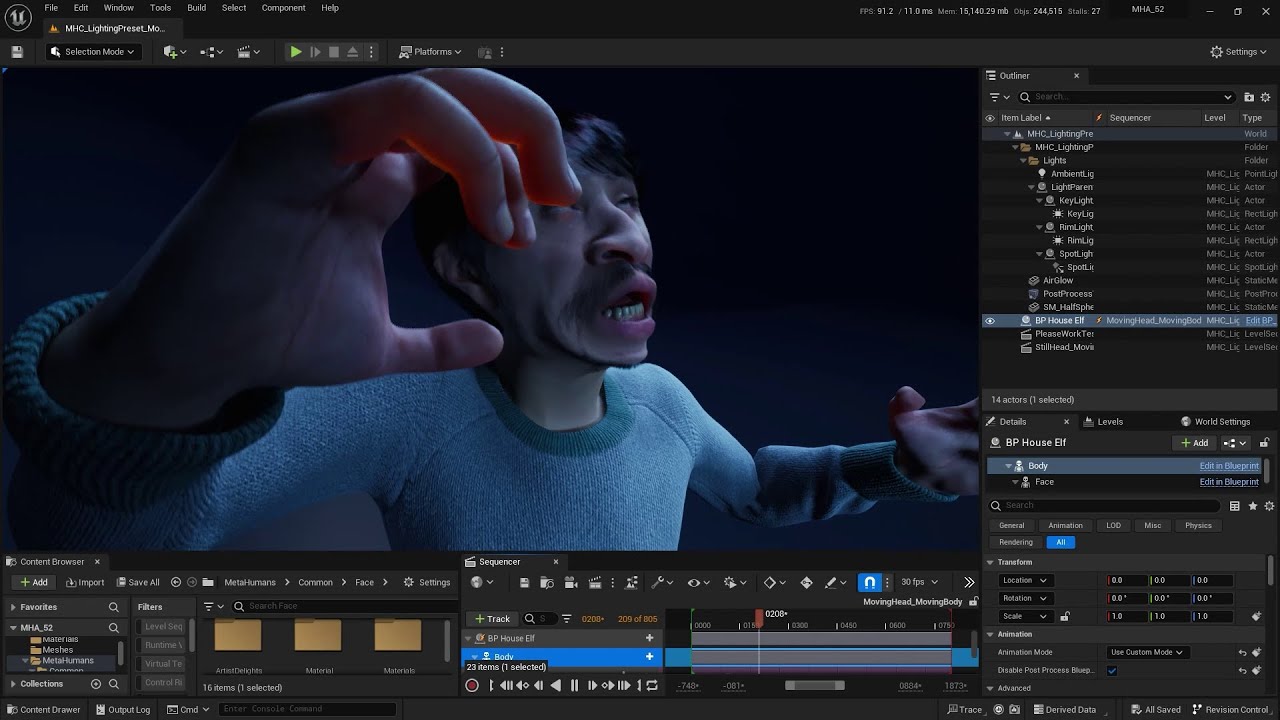
Topics:
- the importance of using upgraded 5.2 MetaHumans
- how to export a head animations for standalone use with and without head rotation
- how to attach a head animation to a body with and without head rotation
- bonus: using neck data from MHA instead of just the head rotation
NOTE! You can use Compatible Skeletons instead of dealing ...
wintry terrace
How do i remove this noise
 simple forge
wintry terrace
Following that tutorial, only issue is ray traced shadows look like this, why is...
simple forge
wintry terrace
Following that tutorial, only issue is ray traced shadows look like this, why is...
hmm, did you enable ray trace reflections in the post process? what did you enable?
wintry terrace
simple forge
hmm, did you enable ray trace reflections in the post process? what did you enab...
I enabled ray traced shadows which gets shadows more realistic but does this...
simple forge
wintry terrace
I enabled ray traced shadows which gets shadows more realistic but does this...
did you try this?
 wintry terrace
simple forge
did you try this?
wintry terrace
simple forge
did you try this?
Whats this in
Tried that and doesnt appear to make much difference
Also tried anti aliasing to see if thats the issue, still noisy
Also denoise is enabled
simple forge
astral holly
hI, i.M ON ue 5.3. Amd made some test on animator to capture face movment. I fol...
A different approach to working with head movement from MetaHuman Animator is shown in this video if you skip to 28:58, hope it helps https://youtu.be/Nkb4DEoZ_NY?si=2nmX-rqZUEHM0ryV

Learn how to work with MetaHuman Animator data in your Unreal Engine projects in part four of this new video tutorial series.
In this video, Gabriella Krousanio (of Feeding_Wolves) will explain how to move from MetaHuman Animator to Unreal Engine when you want to start using your animation data in games or production. This lesson includes an in...
buoyant stump
astral holly
hI, i.M ON ue 5.3. Amd made some test on animator to capture face movment. I fol...
In order for the head to follow the body and inherit its animations, you need to enable the animation blueprint for the head. I usually add this as a track to a sequncer. But beware, there is a bug in sequencer regarding this. If you add the Use animation blueprint track, sometimes you cant see the keyframes of a control rig.
astral holly
simple forge
A different approach to working with head movement from MetaHuman Animator is sh...
I will try it today, and will tell you if it's working. The other thing is to be able to use animator, without spending more time trying to solve all the problems. Will let you know.
astral holly
buoyant stump
In order for the head to follow the body and inherit its animations, you need to...
this is what it is explain in the video I had follow, but It's not working in 5.3 => head follow the body but i loose all expression (i'm not the only one in this case)
buoyant stump
astral holly
this is what it is explain in the video I had follow, but It's not working in 5....
Im still working in 5.2 (I use Metahuman SDK very often a plugin is not yet released for the latest version). I will try to do a test in 5.3.x and let you know.
OK, so I've opened a project for 5.3 and it works just fine.
Here is a sample frame from sequence, as you can see there is a body and head animation at the same time. In my sequencer it looks like the other pic. The animation BP is the default one for metahuman.

 astral holly
buoyant stump
OK, so I've opened a project for 5.3 and it works just fine.
Here is a sample f...
astral holly
buoyant stump
OK, so I've opened a project for 5.3 and it works just fine.
Here is a sample f...
You did as they said in video = from performance, export animation sequencer (with control rig option) than bake animation in performance sequencer (using a metahuman head), Tweak the Face blue print, than add this animation in the main sequencer, disabling Post Process Blueprint for face and body. and you don't have any problem if you import animation on body (like idle or jump ) ?
This is what I have, when blueprint diable, head is following but no expression.

 buoyant stump
I have a one sequence for face and other for body animation. Once Im done with the edits, I bake them to animations assets. In third sequence, lets call it combined, I have a metahuman with body and facial animation. The only thing I did was adding the Animation mode track to my combined sequencer. You need to replace the Custom mode with Use animbp like in my screenshot. Otherwise it will not work.
I cant tell you WHY this works like this, I do mainly animations and I do not work with blueprints that much. If I need something, I will ask a colegue or a friend who knows this magic >]
astral holly
buoyant stump
I have a one sequence for face and other for body animation. Once Im done with t...
So you baked both body animation and face animation (coming from animator performance ?). but you don't change the blueprint of Face_AnimBP_C as it said in video (I revert It to the default setting and it change nothing !) ?
.
This is roughly what I'm doing : for face I have a baked animation (using sequencer coming from performance) and for the body I'm using a Idle (from third person content).
what do you mean by Adding animation mode track ?
 buoyant stump
Yes, I did not modify the AnimBP at all.
The Animation mode track is at the face. You click the plus icon and scroll a little down and add the Animation mode track. From there you can control in the sequncer this property.
 astral holly
buoyant stump
Yes, I did not modify the AnimBP at all.
The Animation mode track is at the fac...
astral holly
buoyant stump
Yes, I did not modify the AnimBP at all.
The Animation mode track is at the fac...
thanks, I already have done this. but it still not working. when I bake the anim to control rig, I see that the rig is animated but the face is no more control by it
I made the tuto Adjusting animation using the MetaHuman, and even if it's a tedious process of double baking and copy pasting some anim, it's working like a charm.
I think I will give the other solution, too complex to understand whats going on. THX for help

 atomic trail
metahuman's groom keep detaching themselves after i reopen the project. I set the binding asset and fixed it and saved a dozen times but it keeps happening
these are migrated from another project, although i don't see how that would matter
astral holly
atomic trail
metahuman's groom keep detaching themselves after i reopen the project. I set th...
did you try forcing LOD to 0, and disbling simulation
atomic trail
astral holly
did you try forcing LOD to 0, and disbling simulation
i did force lod to 0, not sure about the simulation, but i don't think that's it, it doesn't dissapear because of the LOD thing, i can see it floating, separate from the mesh. it's a binding asset thing, it keeps being set to "none" when i close the project, despite fixing and saving it to the correct thing
i could always do the fix every single time i open the project since it's a project made for rendering and such... but it's super annyoing
 tiny arch
anyway to get a metahuman as the body in vr on ue5 5.3?
grim oracle
metahuman I made sometime ago was converted to 5.3, but no directions I've seen or attempts I've made in 5.3 world settings have worked or given me any hints as to how to make metahuman replace 3rd person chaacter, so how is that done ? ;))
 hollow arch
grim oracle
metahuman I made sometime ago was converted to 5.3, but no directions I've seen...
hollow arch
grim oracle
metahuman I made sometime ago was converted to 5.3, but no directions I've seen...
Very carefully. Start with skeleton & animations. If you search online enough, youll find it.
grim oracle
well I know about that, but ya I'd like at that later, I want to know how to choose that char as player in game, instead of 3rd person robot, when I try, engines lag and nothing is replaced.
wintry terrace
Much better lighting now

Basically the way i did this was i put rectangular lights to the width and height of all the windows of the car and played with the intensity of all to make it look like the sun coming in from the side
wintry terrace
My next question is how do you smooth animation curves as my head movement is a little jittery and I looked at the curve and it’s not that smooth it’s got a few zig zags I want to get out but I want to preserve the shape
The basic shape
grim oracle
I guess ( never having done what you are atm), add more keys assuming it works anything like seq ed
you said anim so ..
wintry terrace
I mean it’s a recorded animation but there’s a bit of jitter I simply want to smooth out
Basically want to smooth the line
wintry terrace
Yes
grim oracle
Have you tried here https://docs.unrealengine.com/5.3/en-US/animation-editor-mode-in-unreal-engine/

Enable Animation Mode to provide an animator-friendly workspace and tools in Unreal Engine.
desert ocean
so everytime,(really everytime when i want Light Metahuman or any other "character" i get Specular in Noseholes, but there shouldnt be? and its only on directional Light
anyone know why this is? all other Lights Works as expected, my guess is it only will Work for that when making a Mask and make it Unlit?
Yeah nvm i fixed it with exactly this Way.
grim oracle
in case this happens here, not sure I grasp, it was masked and unlit so it was specular ?
desert ocean
grim oracle
in case this happens here, not sure I grasp, it was masked and unlit so it was s...
na i had just take the Roughness Map, cuttet off the nosehole, and make Roughness x10 mutlipy* with an Lerp , that works, fine , i replaced the different shading Model method because this is much more clean and easy,
guess main problem is that Directional Lights are different and its Higher Exposure, and somehow the light gets on the extreme angle on the noseholes and its shiny(what shouldnt be at all)
 broken pulsar
I've been dabbling with editing the SK_mannequin with the new skeletal editing tool - but for some reason adding a couple bones seems to break the metahuman mesh in multiple other places and I can't quite figure out why


 broken pulsar
Oh and the mesh seems to be fine until it's used as the BP_Thirpersoncharacter mesh
 wintry terrace
Want to ask i attached some earrings to my character in other projects its fine but in this project they are flailing around in a weird way how do i fix this simulation

 crude wren
Ok so I am confused. Whenever I put my metahuman into a scene. My fps drops from 120+ to like 20 fps. How can I optimize the performance of my metahumans in a scene?
I tried Bulk editing the dimensions of the textures and changed them to 512 but that did absolutely nothing so something else is affecting the performance
 junior birch
my first test with the most affordable stereo hmc solution for metahumans https://youtu.be/0ybht7c33Bk?feature=shared

Unreal Engine 5 Metahuman Animator Stereo Camera
Course Link: https://www.artstation.com/a/30943404
Support the channel by buying my mocap helmet!
JSFILMZ Mocap Helmet: https://youtu.be/1mMSdhV6g9s
JSFILMZ Mocap Stock:
Adjustable USA
https://www.amazon.com/JSFILMZ-Mocap-Helmet-Adjustable-Version/dp/B0CGS1874S
htt...
desert ocean
so i still get Hard Lighting Issues when using Groom, i have not smooth Shadows at all, i also use Skylighting Method "1", so it should better result for Lighting but i dont get it. there are some angles that are Pitch black, especially at the End of the Groom, is there any setting, or workaround?
its not my Lighting setup at all , its good balanced, and it also should include that this Pitch Black Spots shouldnt be there, and i only have it on "longer groom" . and its always , really always only on the left Side of the Groom. it looks like that the Skylighting Stuff of the Groom doesnt reach some wrinkles.

 lunar hazel
about MLDeformer.....it's the same fucking blender file that i used to make the exports....its exactly the same mesh.....have a clue guys?
 simple forge
lunar hazel
about MLDeformer.....it's the same fucking blender file that i used to make the ...
simple forge
lunar hazel
about MLDeformer.....it's the same fucking blender file that i used to make the ...
you can use blender with this?
 rugged flint
Hey y'all, sorry n00b here. I made a metahuman in creator and imported it thru bridge in ue5 to my project. made a new sequence, added track for my BP and ran utility widget MH_CR_Picker. all good up to here, however once I Selected the Metahuman from the drop down (there are 2 options for some reason) the control rig picker is NOT working. I can't seem to find the fix anywhere. For example, when I click a body part say arm in the picker, it won't select it and if i try to move it without using the control rig, which IS possible it stretches it out. (i think cuz IKFK is not selected, but that seems to only be an option in the control rig picker?) Any help is greatly appreciated.
wintry terrace
Does anyone know if there’s any discord or support place for avatary facegood? I’ve been using it recently for metahumans but my trial for autodesk Maya is about to run out and I need to know how to get it working in blender and also I need to know how I can get proper head movements from avatary facegood that match my source
teal trellis
anybody know if there is any compelling reason to continue to use cc4/iclone integration with MH or is it fairly self contained now?
wintry terrace
Is there any animations mixamo or not that will fit onto any facial talking animation and look right?
wintry terrace
In the sense where the head movement doesn’t look out of place with the talking
wintry terrace
I want to say to everyone I do really recommend facegood as an animation tool, the free version is great and yes you have to create poses but when you solve it if automatically looks for similar poses of that type so it’s not like frame by frame animation and once you have a good amount of keyframes you get a very good result
Just need to find a way to get it working in blender
 pearl zodiac
wintry terrace
I want to say to everyone I do really recommend facegood as an animation tool, t...
pearl zodiac
wintry terrace
I want to say to everyone I do really recommend facegood as an animation tool, t...
I’ve also been looking into Facegood Avatary lately. My main interest in MetaHumans was using the rig with custom, stylized characters in order to use MHA, but Facegood Avatary seems at least on par with MHA, though it’s more work out of the box. It’s also a lot of work to create hacked, custom MetaHumans when I don’t need anything but the rig. My current thought is to not bother with UE and stick with Blender, with perhaps EEVEE Next or Omniverse as an alternative to Lumen for rendering.
I haven’t found a Discord server or much info on how to get the best results with Avatary, though. Also a shame that 2.93 is the latest supported Blender version, though not a deal breaker to use 2.93 for exporting facial animation, I suppose.
The other downside of Facegood is the horrible privacy policy where they can collect all of your mocap data, raw video, etc. It’s usable with a good firewall, I suppose, though you have to temporarily unblock and re-block each executable in order to launch them. I suppose that’s why there’s a free version—to collect data for building paid products like Seattle.
wintry terrace
pearl zodiac
I’ve also been looking into Facegood Avatary lately. My main interest in MetaHum...
In terms of the collecting data, tracker is offline so data wont be tracked there... and thats what i use
pearl zodiac
wintry terrace
In terms of the collecting data, tracker is offline so data wont be tracked ther...
The privacy policy is ambiguous and every exe needs connectivity to start, so it’s quite possible they’re collecting data for “offline” tracking as well. I’ve used a packet sniffer and have verified that hardware info is collected during startup, but haven’t run it with connectivity after that to verify anything else is collected.
wintry terrace
Another thing I want to ask is what’s the best free way of making your own metahuman hairstyle
And clothes
junior birch
i dont usually post here unless its game changing. custom clothes for metahumans has never been easier https://youtu.be/7YtnS1ihVxs?feature=shared

Unreal Engine 5 MetaTailor App
Website: https://metatailor.app/
@UnrealEngine #unrealengine5 #ue5 @METATAILOR #metahuman
 fluid oriole
junior birch
i dont usually post here unless its game changing. custom clothes for metahumans...
fluid oriole
junior birch
i dont usually post here unless its game changing. custom clothes for metahumans...
Interesting, The word "Tailor" is what caught my attention but looks like they're all premade assets so no use for me personally. I am Interested in seeing how they're clothing library grows though.
junior birch
u can import ur own
fluid oriole
junior birch
u can import ur own
Nice
Here's an early preview of my next clothing pack (Cyberpunk), its work in progress so this isn't the final quality, and since we can modify metahuman heads/bodies for the marketplace expect some outlandish headgear and props inplace of augments.
junior birch
it also works on animals not just humans either pretty much any avatar
fluid oriole
junior birch
it also works on animals not just humans either pretty much any avatar
🧐 Guess I need to take a closer look
 shy kettle
Does anybody have any idea why my weights are messed up after importing to unreal?
I deliberately set the weights for the jacket to ignore anything on the skeleton below the waist as I plan on adding cloth physics to the bottom half in unreal. However I have what looks like a weight issue stopping me from doing that.

I feel like I have messed up the import setting this is what I used.
https://www.youtube.com/watch?v=mu-VG7POKlU&ab_channel=AbductionProductions

 warm frost
shy kettle
https://streamable.com/ztwll8
Does anybody have any idea why my weights are mes...
warm frost
shy kettle
https://streamable.com/ztwll8
Does anybody have any idea why my weights are mes...
I am having similar problems with a metahuman I am dressing, following this thread
wintry terrace
Want to ask regarding the earring dangling issue I had, in the sample project it’s all fine so it’s probably some setting within the project making the simulation not work correctly… what settings in the project dictate that?
fluid oriole
junior birch
u can import ur own
Just had a look at this feature on they're channel, I watched your whole video but I only noticed you mention this the second time around when checking the pricing, or maybe it just didnt click in my mind that it would be useful until I saw in action. "Tailor" definitely fits cause I usually create outfits for tall medium weight body types, I now imagine using this feature to fit the clothing I design to all metahuman body types as well as my own characters cause not everyone who uses UE is sold on metahumans due to the heavy requirements. I might just give it a go.
fluid oriole
junior birch
u can import ur own
Quick question though, have you tried importing Armor or any other objects that shouldn't stretch like cloth?
 dusky gate
shy kettle
https://streamable.com/ztwll8
Does anybody have any idea why my weights are mes...
dusky gate
shy kettle
https://streamable.com/ztwll8
Does anybody have any idea why my weights are mes...
I think the vertices are still assigned to one or more bones with zero weights which are then normalized on export or import causing the issue. In Blender, in edit mode, can you click one of the vertices and check the vertex groups it is assigned to and the corresponding weights. You can do that by checking the Vertex Weights panel under Items as shown in the attached screenshot.
I understand that you want to remove jacket vertices below the waist from all vertex groups. If this doesn't work, the approach I would follow is to assign them all a weight of one to the root or pelvis bone. This will make them follow that bone, and any other movement will be done through cloth simulation.
 shy kettle
dusky gate
I think the vertices are still assigned to one or more bones with zero weights w...
shy kettle
dusky gate
I think the vertices are still assigned to one or more bones with zero weights w...
Thanks for the detailed response! This is a very promising theory I will get back to you with the results when i get the chance to test this out. If this is true what a guess haha
shy kettle
dusky gate
I think the vertices are still assigned to one or more bones with zero weights w...
Is this not correct?
I tried deleteing everything but the spine and pelvis weights and importing and still had the same issue I am not sure how I would assign them all to the root bone to try this method could you elaborate please?
 dusky gate
shy kettle
Is this not correct?
I tried deleteing everything but the spine and pelvis wei...
dusky gate
shy kettle
Is this not correct?
I tried deleteing everything but the spine and pelvis wei...
Can you select one vertex only from the lower side of the jacket? The Vertex Weights panel only shows the data of the active vertex which is not clear when you have everything selected. Anyway, from what I see, the active vertex in the current selection belongs to many vertex groups, so it's safe to assume that the same applies to the lower vertices.
To assign them to the root (or better to the pelvis), activate the respective vertex group (by clicking its name in the list of vertex groups) and paint a weight of one using Weight Paint mode. I attached a screenshot with the setting I typically use in this situation. The most important is auto-normalize which will reduce the weights of other bones while you add weights to the active bone so they add up to one.
Feel free to let me know if something is not clear.
 shy kettle
dusky gate
Can you select one vertex only from the lower side of the jacket? The Vertex Wei...
shy kettle
dusky gate
Can you select one vertex only from the lower side of the jacket? The Vertex Wei...
This worked but didn't solve my issue ultimately.
The weight painting to the pelvis + Unreal cloth sim looked really bad it was way too light and erratic and other than lowering the vertex count in post, which wouldn't be possible, I dunno how I could have fixed this.
I tried a more simplistic approach of blending the robe in qaurters with the left calf controlling the bottom left quarter, left thigh controlling the top left quarter etc. with some smoothing and overlap but I still got issues of the torso clipping through the back of the jacket and the legs clipping through the robe below the waist when animating and running etc.
It seems extremely fiddly and technical to get any sort of garment to animate that isn't basically glued to the characters limbs directly and are just an extrusion of the mesh essentially.
I think I will just have to rethink my clothing and stick with simple trousers/shirts/upperbody jackets etc.
After like 3-4 hours of trial and error on this I am ready to paint a T-Shirt onto my guys UV map lol
The way the unreal skeleton is set up makes the physics assets really awkward to work with and it generates into an absolute mess and it also make weight painting a nightmare in Blender if I was using my own simpler skeleton without all the twist bones etc. it would be alot lot easier
dusky gate
shy kettle
This worked but didn't solve my issue ultimately.
The weight painting to the p...
Cloth simulation can be a bit complex and heavy. There are many ways to go about it.
- The most realistic simulation would be run on the actual geometry where the cloth layers interact against each other. This is too heavy for real-time use.
- Another option is to run the simulation on a simplified proxy geometry which would deform the original mesh. Additionally, instead of simulating cloth layers interactions, simplified collision shapes are used. For example, two cylinders can represent the upper legs.
- It is also possible to simplify this further by rigging the cloth to bones. A few bone chains would be added to each side, and the simulation will be run on them. Collision shapes would be used to represent the legs.
- The simplest approach is to run the simulation offline while animating the model. This won't be the most realistic, since effects like wind can't be predicted, and therefore, can't be baked in.
To reduce clipping, you can make the collision shapes a bit bigger. You can also delete the problematic geometry if it will never be seen. This can help with the torso.
Anyway, I agree that it may be best to avoid this complex setup altogether if possible. Wishing you the best! 👍
shy kettle
This is the best I got before I finally give up for today haha
I still can't seem to get the shoulders to work properly after multiple iterations and I have a few annoying vertices lost in the mess of the armpit folds that are ruining the overall weighting which I am unsure how to access to weight properly either via vertice weights in edit mode of weight paint mode.
I might try and recreate something similar but lower poly in blender rather than marvelous designer which I used for the outfit initially

 wraith scroll
Hi! any advice on how to get rid of those artifacts? (im rendering with pathtracing)
 desert ocean
wraith scroll
Hi! any advice on how to get rid of those artifacts? (im rendering with pathtrac...
desert ocean
wraith scroll
Hi! any advice on how to get rid of those artifacts? (im rendering with pathtrac...
looks like fireflies
teal trellis
@junior birch i showed my wife your addicted to shaders video and she laughed pretty hard heh
junior birch
teal trellis
<@421829807790227489> i showed my wife your addicted to shaders video and she la...
many people are too embarassed to admit man
dusky gate
shy kettle
https://streamable.com/lbk1um
This is the best I got before I finally give up f...
There is an easy way to transfer the weights from the character to outfits. I attached one video as an example, but you can find a lot more on YouTube.
https://www.youtube.com/watch?v=yEAvSDrS_n0
We typically model the outer layer (outfits) only to avoid the clipping issues you see, but it is possible to minimize them if the weights of the outfit agree with the weights of the character,and if the edge loops of the two layers are mostly aligned.

Weight transfer from body to cloth a short and quick tutorial
Discord :- https://discord.gg/g8kMPmh
Instagram :- https://www.instagram.com/techlyfzone/
Telegram :- https://t.me/Techlyf
FPAGE :- https://www.facebook.com/tech2lyf/
shy kettle
dusky gate
There is an easy way to transfer the weights from the character to outfits. I at...
I used this method initially before changing the weights to the pelvis for everything below the waist.
The issue is the complexity of my jacket I think when transferring weights like this it was like 90% accurate but it had sloppy parts like the upper arm twist having weights applied to the side of the chest etc.
My torso was needlessly complex so I deleted it and am in the process of remodeling it and I am gonna extrude the clothes from there and try and do it all on Blender as I am still new to Marvelous designer and it seems like it's made for more complex sims and designs
Thanks for your help though you were right about my original issue and helped me realize where I need to go with it
shy kettle
dusky gate
There is an easy way to transfer the weights from the character to outfits. I at...
Gonna just stick with something like this for now. I am going for a PS1/PS2 style aesthetic in the end product anyway so the clothes dont have to be nuts I woud love to learn more about making simple stylistic clothes for characters. Most of the tutorials are cloth sim related I need some early 2000's pipeline for an example haha
Making an overcoat has been more difficult then replicating dark souls style combat and doing my combat AI lol.
Extruding from the mesh is a massive advantage if you weight paint the character before making the clothes as it matches the weights verbatim 100% so there are no overlap issues even though they are seperate meshes

 earnest glen
Trying to export a MetaHuman 5.3.1 to Maya 2023 using Standalone Bridge 2023.1.0
Standalone Bridge's "Download Plugin" button just runs for eternity without ever downloading
I then tried to download Maya Plugin 7.1.5 from the Quixel link: https://quixel-megascans-static.s3.us-west-2.amazonaws.com/bridge/plugins_12/maya/win/7.1.zip
I added the 7.1 folder to the Megascans install: C:\Megascans\support\plugins\maya\7.1
I added the quixel.mod file to \Documents\maya\modules with the necessary pathing to:  "+ Megascans 7.1 C:\Megascans\support\plugins\maya\7.1\MSLiveLink
scripts: C:\Megascans\support\plugins\maya\7.1\MSLiveLink"
When I open Standalone Bridge it does not recognize the plugin's installation.
Maya understands the plugin no problem.
So neither the built-in "Download Plugin" nor the manual download and copy files seems to be working for Standalone Bridge....
What am I doing wrong?


 mental flame
I've got some custom clothing for my metahuman made in blender. Although i haven't weight painted yet, I was wondering if I needed to or is that doable inside of Unreal?
teal trellis
I'm struggling a bit to figure out the workflow for cc4 to MH. My understanding is I need to make a MH first, then pull in the CC4 head/skin (which also does for body if you don't want MH), but then do I need cc4 or iclone anymore to do the takes with my camera? the hope is that i can easily swap out MH. i have cc4/iclone as well so what's the best way to do this?
 fast temple
Hi guys, I have a quick question. I'm quite aware that were not allowed to sell metahuman characters but I would like to find out if we allowed to share unreal engine project files that contain metahumans online with others?
I've tried emailing the unreal engine team over the same question on 2 different emails but it's been 5 days and no response.
dusky gate
mental flame
I've got some custom clothing for my metahuman made in blender. Although i haven...
I think the weighting tools in Blender are going to make your job easier. It's relatively easy to transfer the weights from the character to the outfit and do some clean up (you can find a lot of tutorials on YouTube) than to start from scratch. Weight painting has been added to Unreal Engine, but in your case, since you already started outside the engine, I would say just finish that part outside as well.
earnest glen
earnest glen
Trying to export a MetaHuman 5.3.1 to Maya 2023 using Standalone Bridge 2023.1.0...
so stupid... i needed to be running Bridge as Administrator... well lesson learned on that haha
teal trellis
wow i was experimenting with some AI people using a new model. headshot plugin in CC4 does a decent job but I'm still getting better with it. then will move to UE5 metahuman,

can't believe this is a fake person lol
 hollow robin
Does anyone know if there are any free sample metahuman facial animations I could use to test out a workflow, besides the one that comes with the MH demo project? I don't currently have access to a suitable iPhone to record my own. Thanks
teal trellis
all if i update a metahuman in the editor AFTER i brought it into my project, do i just need to redownload it, or also click 'add' again? i'm worried about duplication of files
or does it just import the diffs
 deep field
everytime I try and bind my hair from xgen to metahuman, I get this error

 dense oyster
Good afternoon, I try to import a metahuman in maya 2024, but it doesn't seems to appear. When I look in the maya script editor, it shows me this:

if someone knows the solution
 frozen bolt
dense oyster
Good afternoon, I try to import a metahuman in maya 2024, but it doesn't seems t...
frozen bolt
dense oyster
Good afternoon, I try to import a metahuman in maya 2024, but it doesn't seems t...
source asset compatible up to maya 2023 at the moment
 swift bluff
Does anyone know of any issues with custom made grooms getting messed up when creating a groom binding? ... please ignore other problems you see in this picture xD

 frozen bolt
swift bluff
Does anyone know of any issues with custom made grooms getting messed up when cr...
frozen bolt
swift bluff
Does anyone know of any issues with custom made grooms getting messed up when cr...
this is not new and have been discussed numerous times but,
turn off auto LOD levels or keep it on LOD 0 at all times because you bind the groom splines to LOD 0 in your DCC software and when it auto switches between LOD levels, you get the idea.
after the bind, unreal editor sometimes needs restart, so
good luck
swift bluff
frozen bolt
this is not new and have been discussed numerous times but,
turn off auto LOD le...
So on forcing LOD 0, and recreating the binding. Ther problem still persists. My thought was that it was that Blender requires me to unwrap the UVs to create the groom, but then some grooms work perfectly. This is an irregular groom since it's a hood down version with short hair at the back.
frozen bolt
swift bluff
So on forcing LOD 0, and recreating the binding. Ther problem still persists. My...
when you unwrap UV's you will break the textures, I'm not a blender user I can't comment on that
and best way to bind groom for basically any character rig, not just metahumans would be to create a head scalp geometry, transfer skinning weights from metahuman's head to that new geometry, create the groom on that geometry and import it just like any other skeletal mesh for your metahuman, bind the groom.
this way you might also get away with LOD 1 and maybe LOD 2 as well without it looking weird.
deep field
swift bluff
Does anyone know of any issues with custom made grooms getting messed up when cr...
is this from xgen? as I state above, I can't bind the groom from xgen and it gives me that error, not the slightest clue why
frozen bolt
@swift bluff @deep field join me on voice chat Fort Fivus, lets troubleshoot these.
deep field
I'll be able to join in a few minutes!
swift bluff
sorry, stepped out for a minute
 plucky kelp
can i like "downscale" metahuman models to make them less detailed or like "retro"?
teal trellis
hi all. is it normal all of a sudden to do the long download process for a metahuman, just for it to finish and show it needs to be updated, which takes a while as well? why not just fully complete and say done?
i don't recall this pre 5.3
 weak hatch
shy kettle
I used this method initially before changing the weights to the pelvis for every...
weak hatch
shy kettle
I used this method initially before changing the weights to the pelvis for every...
I might be a bit late to the party. But this is releasing in the very near future and may just cut down on hours of frustration.
Definitely a game changer if it does what it says on the tin.
https://metatailor.app/#why
fast temple
Is it a must that I use an iphone for live facial motion capture with metahumans or is there any reasonable alternative software that would allow me to use an android?
pearl zodiac
fast temple
Is it a must that I use an iphone for live facial motion capture with metahumans...
Someone posted this the other day and it looks interesting as an alternative to ARKit: https://www.youtube.com/watch?v=1Ygq9052RSk. I’ve also seen Facegood Avatary used with MetaHumans as an alternative to MHA. Otherwise, I’ve heard of people buying a $250 iPhone 12 on eBay specifically for MHA.

❖Get all CGDive courses for just $5.99 per month!❖
https://academy.cgdive.com/courses
Note: This is like Patreon but much better :)
Creating face mocap is straightforward...
swift bluff
frozen bolt
<@706802213120376862> <@442425669276663809> join me on voice chat Fort Fivus, le...
Hey thanks for that livestream yesterday, was super interesting. Please let me know if you're doing this kind of feedback session again. I would love to sit in to just learn more if that's ok.
buoyant stump
Hello everyone, any idea what causes this glitch in eyeleashes?
 fast temple
pearl zodiac
Someone posted this the other day and it looks interesting as an alternative to ...
fast temple
pearl zodiac
Someone posted this the other day and it looks interesting as an alternative to ...
Thanks
 hushed orbit
Metahuman Animator downgrades 60fps source to 30fps
Does anybody know if its possible to process Live Link Face recordings with Metahuman Animator at 60fps?
As soon as we have ingested the footage (which was recorded @60fps) it is pre processed by the Capture Manager to 30fps.
Any setup or setting we are missing?

 deep field
buoyant stump
Hello everyone, any idea what causes this glitch in eyeleashes?
deep field
buoyant stump
Hello everyone, any idea what causes this glitch in eyeleashes?
did you end up solving this?
buoyant stump
deep field
did you end up solving this?
Well sort of. I just changed the eyelashes for different one and the glitch was gone. Before that I did try to create custom binding asset, but that did not work. This particular eyelashes does not have hair cards, so I just omitted it and move to another one.
 safe kettle
hushed orbit
**Metahuman Animator downgrades 60fps source to 30fps**
Does anybody know if its...
safe kettle
hushed orbit
**Metahuman Animator downgrades 60fps source to 30fps**
Does anybody know if its...
This is because LiveLink Face captures video at 60fps but the depth is only acquired at 30fps. The processing is bound by the lower of these two so is done at 30fps. This is a hardware limitation of the iPhone.
hushed orbit
safe kettle
This is because LiveLink Face captures video at 60fps but the depth is only acqu...
This makes a lot of sense. Thank you very much for this inside. 🙂
 subtle sluice
Hello! I'm following this tutorial: https://youtu.be/hZ2mkcd4C7M?si=re5PQ6RAhaFbDhof&t=695
But when I get to the part of attaching the head to body the body, I am unable to get the same results as in the video, even if I recreate the exact same steps. If tried tweaking the settings differently and all I can get is either the head following the body without the facial animation, or the head detached with the facial animation. I'm using Unreal 5.3. (I've included the timestamp in the link for the part I'm having trouble with)

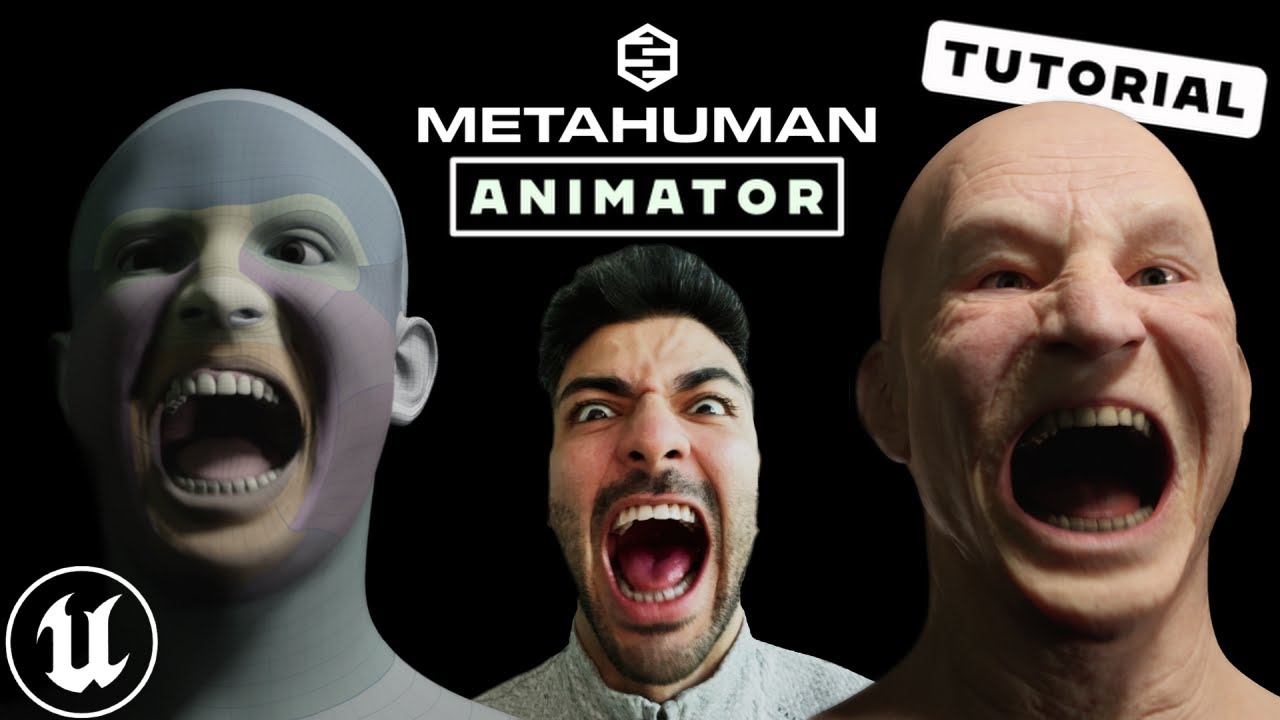
Step by step guide for Unreal Engine's MetaHuman Animator, the latest update for high fidelity facial motion capture. In this video, we are going to show you how to setup your iphone with the LiveLink app to capture your facial motion, then bring the footage into Unreal Engine 5 to Calibrate, Process and then transfer that facial animation to yo...
 grave epoch
Hi, Is anyone familiar with a fix for how depth of field affects the metahuman characters hair? I will send an image so that you can see the effect but either there is what looks like glitching or I can turn depth of field off with strands and it looks like the attached image I just want the DOF to look normal 😅

 finite anchor
grave epoch
finite anchor
grave epoch
Ooh okay it's something I can handle for you perfectly
 tame agate
hi, Will it be possible to create MetaHuman directly in the engine, by players?
wintry terrace
Want to ask whats the best free tool for capturing head movement from any video to match my avatary facegood animation (obviously cant use the metahuman animator for this...)
grave epoch
finite anchor
Ooh okay it's something I can handle for you perfectly
I sent you a reply
desert ocean
grave epoch
Hi, Is anyone familiar with a fix for how depth of field affects the metahuman c...
looks for me u didnt enabled DOF for hairstrands at all i mean GROOM DOF is kinda LQ, but not like ur Picture
grave epoch
desert ocean
looks for me u didnt enabled DOF for hairstrands at all i mean GROOM DOF is kind...
Yeah I was required to blur the background of the image thats probably why it looks that way
desert ocean
grave epoch
Yeah I was required to blur the background of the image thats probably why it lo...
with Custom DOF ? thats not gonna Work, everything PP like u need seperate with Groom , Human etc, gives u Bad Quality , and when u dont touch Source files u cant fix it . because its the Depth Buffer that makes this issue.
grave epoch
desert ocean
with Custom DOF ? thats not gonna Work, everything PP like u need seperate with...
all we did was change the focus of the camera, and changed r.hairstrandsDOFDepth to 0
we don't have a custom DOF
desert ocean
grave epoch
all we did was change the focus of the camera, and changed r.hairstrandsDOFDepth...
Okay than set it back to 1, than u have DOF on your groom.
why u changed it to 0 at all?
grave epoch
Here it is at DOF depth 1 it causes the ends of the hair to be out of focus which it shouldn't do
 desert ocean
grave epoch
Here it is at DOF depth 1 it causes the ends of the hair to be out of focus whic...
desert ocean
grave epoch
Here it is at DOF depth 1 it causes the ends of the hair to be out of focus whic...
yeah but atleast it dont have the Sharp Borders , but i know already that Groom DOF is very LQ.
 sturdy crest
Hi! Maybe someone could answer. I have Third Person game project. I want to use metahuman as character. Could I use BP_ThirdPersonCharacter (class Character) and simply change meshes or it's important to use metahuman BP_... (class Actor)?
desert ocean
sturdy crest
Hi! Maybe someone could answer. I have Third Person game project. I want to use ...
Well If u want it for Moving with Input Character should be more Ideal(or Pawn) , a Actor just means u can Place them on the Map at all.
But probably the Main Metahuman BP Actor have a lot of Complex stuff Included u dont want to miss . so instead of changing Meshes prob change the BP Type
sturdy crest
desert ocean
Well If u want it for Moving with Input Character should be more Ideal(or Pawn) ...
Thanks!!! 🙏
broken pulsar
Anyone know of a good tutorial for customising grooms?
I've got a metahuman I've customised to have a cybernetic implant on the sides of her head and simply want to remove the hair from those locations
desert ocean
broken pulsar
Anyone know of a good tutorial for customising grooms?
Well i dont know a way to Export Metahuman groom, so u need made ur Own
pearl zodiac
wintry terrace
Want to ask whats the best free tool for capturing head movement from any video ...
Not sure Avatary works well if there are head movements in the video. My setup is the JSFilmz mocap helmet, which worked well with my tests with with Avatary and Live Link Face to record and ingest the video. I also use Mocap Fusion VR for the head and body tracking, which can be used at no cost if you have the Vive trackers, though buying the UE plug-in for real-time is useful. I’m back to MetaHuman Animator over Facegood myself, though, since it’s incredibly time-consuming to train Avatary whereas MHA just works and I need UE for Lumen’s speed anyway.
Edit:
MediaPipe is free and open source, which is what is powering the facial mocap solution I linked above. It’s possible that could do what you need with some work, or it’s possible there’s another tool built on top of it that might do head tracking from video.
broken pulsar
desert ocean
Well i dont know a way to Export Metahuman groom, so u need made ur Own
aha, that would explain why I can't find any useful resources on editing the existing ones. Thanks!
desert ocean
broken pulsar
aha, that would explain why I can't find any useful resources on editing the exi...
For my Knowledge Ornatrix is a WAY but u need pay for it to Export grooms on UE
broken pulsar
I've been trying to attach a metahuman head to another body but it's breaking and I can't for the life of me figure out the cause

in this instance the neck seems to be deforming and stretching
I'm using the method where you set the leader on event construct. Is this not the way to do it anymore?
 broken pulsar
replicated the issue accross 2 machines with several different metahuman heads 🤔. Anyone else experiencing this?


wintry terrace
pearl zodiac
Not sure Avatary works well if there are head movements in the video. My setup i...
Where can I get mediapipe
pearl zodiac
wintry terrace
Where can I get mediapipe

GitHub
Cross-platform, customizable ML solutions for live and streaming media. - GitHub - google/mediapipe: Cross-platform, customizable ML solutions for live and streaming media.
wintry terrace
pearl zodiac
https://github.com/google/mediapipe
Also does it use live drive if so I have an issue where I try to bake the animation I lose that head movement when I do so…
And of course I need to be able to bake it to combine it with the face motion
pearl zodiac
Mediapipe is more of a tool for devs to build on top of, though some clever Pythoning might go a long way, or there may be other tools existing built in top of it that do cool stuff.
wintry terrace
One other thing for anyone who uses Avatary Facegood, how do you get the most accurate results without robotic jitter? I’ve done everything such as manual tracking etc and I have 608 keyframes in like a 2 minute animation using 120fps. The face motion itself is good but the blending is still jittery and the only way I can get rid of the jitter is to smooth or butterworth it to the point where I lose some of the motion.
wintry terrace
pearl zodiac
Mediapipe is more of a tool for devs to build on top of, though some clever Pyth...
I have seen other tools I think that can do this with head movement but the issue I have is baking the head movement
wintry terrace
wintry terrace
One other thing for anyone who uses Avatary Facegood, how do you get the most ac...
Others have got hyper realistic results from facegood so want to know how to achieve that
pearl zodiac
I personally haven’t spent enough time with Avatary to get good results, and found the retargeting step particularly time-consuming. I can imagine having a decent mocap helmet helps with lessen jitter. My JSFilmz helmet had a fair amount of frames where my phone moved and the frames were blurry. By default, the model puts the landmarks where they would be if the camera had not moved, which I’m guessing is one way to reduce jitter?
wintry terrace
Wish there was a discord specifically for Avatary
Could be but the camera isn’t moving the subject is but not much from what I can see the track is very good
Have I maybe got too many keyframes or something?
pearl zodiac
Yeah, I wish some of the folks who have gotten amazing results with Avatary would do a tutorial.
With the new MetaReForge plug-in for Blender just released for making custom MetaHumans, I’m back to MetaHuman Animator at the moment. I’m at least happy to see there are emerging options for creating custom MetaHumans that don’t require Maya, or don’t require a subscription / $1000 for a perpetual license (i.e. Mesh Morpher).

ArtStation
Resources - MetaReForge, USD $49.00. NoteThis is only the first version of our add-on. Please be patient if you encounter any problems. Contact us on Discord, and we will try to help find solutions. Also, if you have...
wintry terrace
pearl zodiac
Yeah, I wish some of the folks who have gotten amazing results with Avatary woul...
What is the optimal number of keyframes is it the more the better
pearl zodiac
In my experience so far, yes. I ended up with over 100 during the tracking phase before it was reasonably accurate. I haven’t done that many in the retargeter because it takes more time per frame and I ended up setting it aside for now.
wintry terrace
pearl zodiac
Mediapipe is more of a tool for devs to build on top of, though some clever Pyth...
OK I have found a great way of recording head movement from a video and the recording I get is good. It exports as a CSV file to play with Arkit and when I open the CSV in Unreal Engine, all is good and the animation is what I want it to be, and the animation is stored to a blend shape control rig whatever it is which I have pictured. However when I bake it to animation sequence which I need to do to be able to blend it properly with the body, it does bake animation to the head rotation, however whilst the values from the blend shape control rig transfer to the control rig, it seems the values of head rotation are interpreted differently on a normal metahuman control rig as i basically lose most the head movement, the values are too small for the rig so theres basically not much head movement... Is there a way the movements can be made to bake what the head is actually doing rather than just transfer the numbers from the CSV control rig
Does anyone know?
And why is it that when the head looks to the side in the video it looks down
https://youtu.be/X_TdTvXwwiQ?si=7JxToyU1p5B2ZXbp I’m following this tutorial

Face_Landmarker_Link 0.2:
https://github.com/Qaanaaq/Face_Landmark_Link/releases/tag/v0.2
On how to use it with blender:
https://www.youtube.com/watch?v=1Ygq9052RSk&t=149s
You can generate arkit blendshapes with audio2face:
https://www.youtube.com/watch?v=203ll6SVzus
frozen bolt
wintry terrace
OK I have found a great way of recording head movement from a video and the reco...
unless you are using a full body mocap system, there is not much you can do about it.
you can record the exact same speech in a body capture and try to sync with facial capture data, thats it.
the open source trackers/solvers out there can capture slight "rotations" of the head and not "movement".
 stone tusk
Hello there ! please dont you know why is my metahuman have this wierd shadows on face ??
 wintry terrace
frozen bolt
unless you are using a full body mocap system, there is not much you can do abou...
wintry terrace
frozen bolt
unless you are using a full body mocap system, there is not much you can do abou...
It is capturing rotation it’s baking that rotation it’s capturing into a metahuman control rig I need to do
Looking at the rotation what it seems is that it’s mixing up yaw pitch and roll maybe
wintry terrace
The actual capture is good when watching it it does what I want
frozen bolt
wintry terrace
It is capturing rotation it’s baking that rotation it’s capturing into a metahum...
so when you reverse bake the animation data to metahuman CTRL rig, are you sure it's baking rotation to head ctrl? the yellow one thats looking like a crown, on top of the head of your metahuman?
I don't think so.. The only values you can get from this video based mocap tool is the ARKit shapes data.
frozen bolt
wintry terrace
The actual capture is good when watching it it does what I want
for facial mocap its fine,
head joint and its controller belong to body rig
specifically the parent joint named DHIhead:spine_04
wintry terrace
It is but the values are not adapted to the metahuman control rig it just copied from the other control rig rather than baked the animation. Also when I bake animation it bakes onto the face animation
frozen bolt
wintry terrace
It is but the values are not adapted to the metahuman control rig it just copied...
as I said earlier there is no head rotation data.
good luck (:
wintry terrace
frozen bolt
as I said earlier there is no head rotation data.
good luck (:
But how’s it playing fine with the csv but when I bake it it doesn’t…
Basically all I want to know is how to get the ARKit head rotation animation that’s there onto the metahuman control rig exactly as it is…
wintry terrace
frozen bolt
as I said earlier there is no head rotation data.
good luck (:
I know its possible to bake it on because others on YT managed to transfer it (and didnt say how they did it)
frozen bolt
wintry terrace
Basically all I want to know is how to get the ARKit head rotation animation tha...
I understand that whatever you think is happening on ARKit shapes data looks enough for your use case and I don't know how others were able to convert a blendshape data to joint transforms.
It can be possible with simple python script that averages overall shape of the face(base shape) to the lets say tip of the nose relative to the camera position and does the math to calculate approx values for head joint etc..
what boggles my mind is there is no calibration going on to say that "this specific frame of the video has the rest pose for the head joint" rotation:0.0.0, so that when the head moves or rotates around, the defined head joint gets the actual +/- values.
what plays fine with csv is the ARKit blendshapes and they are universal, every facial rig that utilizes ARKit has to have the same naming structure etc.
metahumans are a mix of blendshapes + joints. (head is a joint, facial features are joints+blendshapes combination)
wintry terrace
frozen bolt
I understand that whatever you think is happening on ARKit shapes data looks eno...
Thing is when i click bake it bakes the facial animation data fine
why does it not do the same with head movement
wintry terrace
Weirdly if i bake animation sequence it bakes as it should...
broken pulsar
I'm still battling to figure out why my character goes nuts in various ways when I try to parent the head to another body

 broken pulsar
Rerigging the whole armoured body to the UE5 skeleton fixes it, in case anyone has a similar issue
Ill need to do some weight painting but it's headed in the correct direction
 wintry terrace
OK I have found a workaround to manually transfer arkit head movement data to metahuman and im not gonna be that guy who finds a fix and doesnt tell everyone how i did it... i was initally having trouble because arkit interprets yaw/pitch/roll differently. This is what it is...
Yaw (Metahuman) = Pitch (Arkit)
Pitch (Metahuman) = Roll (Arkit)
Roll (Metahuman) = Yaw (Arkit)
So transfer Pitch to Yaw, Roll to Pitch and Yaw to Roll, and then expand each in the graph to match the arkit animation
And that open source software i was using put up and down and side to side the wrong way round so just needed to switch those around
So anyone else who has this problem i hope this helps
 vernal oracle
Does anyone have a definitive process/workflow for combining mixamo body animations with metahuman 2 livelink performances AND protect head rotation from metahuman performance?
I feel like I've tried every process out there, but no matter what it just results in either the head completely detached form the body, or if it does attach, a lot of the nuances of the facial performance is just lost.
- Some people say to add a blend mask in the FaceAnim metahumans blueprint
- Some people say bake the animation into a control rig then manuall reposition
- Some people say to disable post-processing in metahumans as a key step
I am pretty much freefalling now with no process/clue which is the correct way to go.
Can anyone point me in the direction of a process that they recommend?
 median wyvern
I created a very simple game only with blueprints in Unreal Engine 5.2. My project doesnt use c++ at all and it uses the metahuman plugin very extensively as a foundational piece.
I have tried to package my project many times so far and I keep getting the same thing:
fatal error LNK1120: 3 unresolved externals.
I am writing this because the issue I am having is way above my skill level.
So thats where you brilliant minds come in. I have had no success using google, youtube, chatgpt, bard, claude to solve this rather complicated problem
Here is the problem in detail. I would greatly appreciate for any help, tips, guidance you can give me on this. You are the only resort I have left.
Upon closer investigation of the complete log that you can find here:
https://docs.google.com/document/d/1uzlvysUKktsgIxPKc0dJ_DkeEPRTKI3VUPcV6BgIxRQ/edit?fbclid=IwAR32eN1joDECjw_vYH4ny3PT5DYdDxwu8ZQWXraObaeg8gWkMVa7cpKWSPU
I discovered these lines:
FaceMeshSolve.cpp.obj : error LNK2001: unresolved external symbol __std_find_trivial_2
FaceTracking.cpp.obj : error LNK2001: unresolved external symbol __std_find_trivial_2
PCARigCreator.cpp.obj : error LNK2001: unresolved external symbol __std_find_trivial_2
ImageIO.cpp.obj : error LNK2001: unresolved external symbol __std_find_trivial_2
VertexWeights.cpp.obj : error LNK2001: unresolved external symbol __std_find_trivial_2
solver_utils.cpp.obj : error LNK2001: unresolved external symbol __std_find_trivial_2
string_functions.cpp.obj : error LNK2001: unresolved external symbol __std_find_trivial_2
fatal error LNK1120: 3 unresolved externals
After investigating all these errors further I discovered every single error has to do with the MetaHuman plugin.

Google Docs
Log started at 11/27/2023 00:51:12 (2023-11-27T06:51:12Z) Adding event matcher: CompileEventMatcher Adding event matcher: LinkEventMatcher Adding event matcher: MicrosoftEventMatcher Adding event matcher: XoreaxEventMatcher No config file at C:\Users\hamid\Documents\Unreal Engine\UnrealBuildTool...
There is only one place online that someobdy had the same issue the way they resolved the problem is that they removed the metahuman plugin.
Except I can’t do that. My whole game is based on metahuman, everything. To remove metahuman for me is like trying the foundation of a house.
So I am trying to find a solution.
The best solution I found is this.
So I have to do this, as mentioned in this article:
“LNK2001 error is thrown by Visual Studio Linker after the developer has attempted to inherit from or use a class that’s not in the module dependency list. It is a C++ Linker error meaning that the linker failed to find either the .cpp or .obj needed to link. The developer has to make sure to include all the modules containing the code that is referenced by his CPP files. Follow this simple step-by-step tutorial to solve it.”
Except I can’t do this. My whole project is using blueprints. I dont know how to code in c++.
Granted I can read c++ and make sense of some logic. I am good at following step by step instructions. But I can’t find any on this particular issue. And the article I mentioned above doesn’t really address my issue given my level of knowledge, skill and understanding in c++.
So thats where you brilliant minds come in. I have had no success using google, youtube, chatgpt, bard, claude to solve this rather complicated problem, way above my skill level. I need a way to solve the following problem:
need to ensure that the linker has access to the required modules containing the referenced code used within the MetaHuman plugin's code.
I would greatly appreciate for any help, tips, guidance you can give me on this. You are the only resort I have left.
Thank you so much for your attention and help!

Algosyntax Store
Here's how to solve unreal engine unresolved external symbol error:
 sly sparrow
Correct me if I’m wrong, but isn’t the metahuman plugin just used for animation and mesh to metahuman? The engine will still render and animate metahumans just fine without it
Also converting a blueprint project to a c++ project is pretty easy
It looks like some of those symbols you’re missing are from the c++ standard library, which could mean you just need to update your compiler tool chain (which will also update the std symbols)
You can do that through visual studio
Also this should probably go in #packaging
 cursive fable
The obj files are located in Engine\Plugins\Marketplace\MetaHuman\Intermediate\Build\Win64\x64\UnrealGame\Shipping\MetaHumanMeshTracker
Are they in this location relative to your UE version? If not, it probably explains the errors.
Also as Devan mentioned, what happens if you disable metahuman plugin? I'm not very knowledgable but as far as my project concerned, I use a metahuman and successfully packaged without metahuman plugin enabled.
fast temple
Where can I find quixel bridge in ue5.3.2? I just updated from 5.1 and I can't see it anywhere, not even among the plugins.

Nevermind, for reason the plugin isnt downloading, just says queued even after restart. I'll probably have to reinstall the launcher.
junior birch
getting custom clothes into a metahuman has never been easier. Metahuman Metatailor App tutorial. Finally! https://youtu.be/0tmVOIeS4LI

Unreal Engine 5.3 Metatailor App Tutorial
Discord FAQ: https://discord.com/channels/892428863626428506/1126234661731962971
Website: https://metatailor.app/
Pose asset: https://drive.google.com/file/d/15j0wDDxJS7pgwOn6trg2vXfyBLqAaDTu/view?usp=sharing
@UnrealEngine @METATAILOR #unrealengine5 #ue5 #metahuman #metatailor
 livid badge
Does anyone know why the hair of my metahuman character appears grainy like this?
 hollow aurora
Anyone have tips for creating an advanced Hair Material?
This is for a cinematic so performance is not so much a concern.
desert ocean
hollow aurora
Anyone have tips for creating an advanced Hair Material?
This is for a cinematic...
meta human example one is more than enough
desert ocean
livid badge
Does anyone know why the hair of my metahuman character appears grainy like this...
i would say bad Lighting Setup, because , looks like too much Specular on Groom Assets, also on Eyelash (which is also a groom), makes the most noise ig, some noise is expected on Default settings and u can boost the Samples with an Cvar
 slim summit
Has anyone tried to create animation montage for face and body seperate?
I'm trying to trigger an animation by pressing a certain key, I have seperate body and face montage. But I only get the face animation when I play...


 hard lance
this might seems a dumb question, but can you use mixamo animations on metahuman, or is the rig completely different?
 hazy condor
Hi there, i have a problem with my metahuman character as metahuman character hair and eyebrows kept disappearing when Zooming in to the character as shown. I also set Forced LOD to 0 & 1. I also downloaded another metahuman character but in her case , the hair doesnot disappear.


 solemn rampart
anyone knows why my engine crashes when i am trying to create and open a ''newmetahumanidentity'' its says loading trackers on bottom left but then crashes with d3d some thing. my gpus drivers already updated also in 5.1 i dont get this problem but i need 5.3 because i have to capture data from video.
desert ocean
so i reworked my Lighting from Scratch for my Human Models, and i get an Kinda Good Lighting For Groom , aswell other Shading Models, but i dont know why my Eyebrow kinda glows Orange (?)
https://puu.sh/JVJ5z/8cfad7d49f.png
https://puu.sh/JVJ6a/8781437aca.png // super close
Its kinda 0 Specular, and i dont know what exactly is going on because its only on the Eyebrows, and it have the Same Material than eyelashes so. if anyone had this and fixed it i would be thankfully for this Information


 compact flint
Hello, I have a weird performance problem with Metahumans, I have my house with lights in it, and when I import (Low Quality) Metahuman into the house, and I come very close to the character, it absolutely freeze the editor to like 0.3fps and I need to press ALT+3 for Unlit mode to get out of the freeze... weird is that this is not hapenning in the new level scene with nothing in there, only in my scene with the house and props, also noting that if I enable LOD 7 for all distance, the issue is gone, but the character looks horrible in LOD 7, and I don't think my hardware is the issue (13600K, RTX 3090, 32GB RAM)
did anyone experience this?
in a build game, I can be even far from the metahuman, but everytime the metahuman just comes to the edge of my FOV, it completely freezes
desert ocean
compact flint
Hello, I have a weird performance problem with Metahumans, I have my house with ...
try disabling hairstrands just for test, probably too much groom, and bodyhairparts, thats expensive af
compact flint
desert ocean
try disabling hairstrands just for test, probably too much groom, and bodyhairpa...
is it just disconencting this node?

in contains the hairstrands

with r.hairstrands.enable 0 it deletes hair and fixes the issue thanks! so its hair, i have to fix it somehow
desert ocean
compact flint
is it just disconencting this node?
yeah u fine when u just disable groom, like the cvar, u seen there, A lot of groom in one View is super expensive. and yw!
plucky kelp
any free softwares like metahuman but more for retro or low poly characters?
hollow aurora
Any groom experts able to suggest solutions for a disappearing custom groom?
The moment I simulate it disappears!
 dusk ingot
Hello. How to solve that device removed error when try to use metahuman identity? Ue crashes when open the identity
hollow aurora
Does anyone know if there is a way to export an existing Unreal groom asset and make further edits to the groom in another DCC?
desert ocean
hollow aurora
Does anyone know if there is a way to export an existing Unreal groom asset and ...
Yes if u want to Pay, Ornatrix For Unreal can doo this , and thats the only way i know .
cursive fable
hard lance
this might seems a dumb question, but can you use mixamo animations on metahuman...
Yes it's possible. You have to retarget the animation from mixamo to metahuman rig. I don't have tutorials on hand but I usually search for 'mixamo metahuman retarget'
hard lance
cursive fable
Yes it's possible. You have to retarget the animation from mixamo to metahuman r...
onay cool, thaks for the info 👍
 hasty citrus
So, just coming back here to check back in, if there is still no workflow for using 3ds max to fully customize body and face of a metahuman...?
Right now it seems like the "mesh morpher" plugin would be my best option, but thats quite pricey and then I might still need the Zwrap plugin or somthing similar on top of that...
pearl zodiac
hasty citrus
So, just coming back here to check back in, if there is still no workflow for us...
I’ve been testing out MetaReForge for Blender lately, which can edit the bone placement in a modified MH mesh, and also simplifies the process of importing and exporting MHs in Blender. It also fixes the normals so the head and body don’t have a seam. It gives you a mesh to edit in Blender, or otherwise, you can do a round trip to ZWrap, R3DS Wrap, Max etc., then export the FBX files for UE.
Agreed about Mesh Morpher pricing. I’m a hobbyist, so a subscription isn’t ideal because I can’t predict how much hobby time I’ll get in a month, and then $1000 for a perpetual license isn’t really doable. MM does have Wrap-like functionality if I’m not mistaken, but I’m not sure how good the results are.
MRF was just released and still has rough edges. It’s probably going to evolve rapidly, but anyone buying it now should do so with the understanding that you're an early backer.
 merry pine
I'm using a MetaHuman for an NPC character in my project. I have min LOD set at 6, and I've removed the MetaHuman's hair. Still, there is stuttering when I'm near the MetaHuman and it's walking around. I have raytracing in the project turned off. Does anyone have any other ideas as to what could cause this?
 shy roost
merry pine
I'm using a MetaHuman for an NPC character in my project. I have min LOD set at ...
shy roost
merry pine
I'm using a MetaHuman for an NPC character in my project. I have min LOD set at ...
There could be a lot of factors at play here, but I’d guess the source of the problem would be the number of material slots as well as the large shader instruction count. Also like to point out that LOD’s are more beneficial when the camera is further from the character. When the camera is close, LOD0 will be used on the character.
hollow aurora
Researching third party clothing options for Metahumans.
UDrapper vs Marvelous Designer to start.
Anyone care to share their preferences?
buoyant stump
Hello, I did some recording with Live Link Face app, processed the data inside unreal and the resulted animation assets cant be put onto other metahuman. What did I do wrong?
UE 5.2.x
warm frost
hollow aurora
Researching third party clothing options for Metahumans.
UDrapper vs Marvelous D...
I am in a similar situation but I took the leap and I am trying simply cloth pro in Blender.
Still learning how it works, so don’t have to report yet besides it’s very affordable and has a rather large presets
pearl zodiac
hasty citrus
So, just coming back here to check back in, if there is still no workflow for us...
Also, you may or may not need a tool like Wrap or ZWrap because Mesh to MetaHuman has a mode where it can keep your face mesh 100% the same from the middle of the neck and up, though it does modify the head mesh from the middle of the neck and down so it’ll fit to the body: https://forums.unrealengine.com/t/new-mesh-to-metahuman-workflow-for-custom-characters/1275923/7
This does require a mesh with the MH topology, so depending on what you’re doing, you may have to use Wrap still to retopologize your mesh.

Epic Developer Community Forums
Thanks, @The_Distiller, that works! For anyone not sure what to do, here are more detailed steps: Obtaining a conformed base mesh for future use: In UE5, “mh.Identity.ExportMeshes 1” Get what you would consider a base mesh and import it into UE Create a MetaHuman Identity following the normal process After you complete the process, you’ll fi...
pearl zodiac
hollow aurora
Researching third party clothing options for Metahumans.
UDrapper vs Marvelous D...
I found this tutorial the other day showing a fairly easy way to sculpt clothes in Blender that may be a viable alternative to tools like MD or Blender clothing plug-ins in some cases: https://m.youtube.com/watch?v=0gLJlr_r3TE&pp=ygUWQmxlbmRlciBzY3VscHQgY2xvdGhlcw%3D%3D
Edit:
From my past experiences with Blender’s wonky cloth sim, I’d prefer sculpting in my own wrinkles over plug-ins that are built on top of Blender’s cloth system at least. Even from videos I’ve seen of Simply Cloth Pro, the seams never seem to fully connect and require manual cleanup. For me, it’s either something like this, or MD, and I really hate subscriptions, so yeah.
This method shown in the video does use Quad Remesher, which is like $110. Still better than a MD subscription, I suppose.

Guys in this video, I sculpted all these base meshes for the clothes in Blender using an easy method and then I explained how to sculpt folds and details! Let’s learn quickly!
guys, I made a new channel for my Tech videos. I'd love to have you there😍 check it out:👇
https://youtube.com/@aramtorkantech
📸 My Setup Products
Main Camera | htt...
hasty citrus
pearl zodiac
I’ve been testing out MetaReForge for Blender lately, which can edit the bone pl...
Thanks, soneone else also mentioned blender. I´ll see if I can find a decent tutorial that shows the whole workflow, so I can decide if thats finallys something worth trying blender for...:)
Does it also handle the wrapping process and can you import a mesh from Zbrush instead? I know about zwrap, but thats also quite pricey, but I would prefer to do any customization on the head or body in Zbrush (although I´ve also had problems there, when using a welded mesh for that it always messed up my vertex order, when I split the mesh into face and body back in3ds max for example).
I wouldn´t mind being an early backer, because its the cheapest alternative right now, I just need to know if I could handle the whole process with just that and maybe Zbrush, or if would need another tool for the wrapping for example.
I would probably be fine to just start with a metahuman body/face in general and then sculpt any changes directly on that, so that might get rid of the need to use any wrapper, if the blender plugin can handle everything else then...
pearl zodiac
hasty citrus
Thanks, soneone else also mentioned blender. I´ll see if I can find a decent tut...
That plug-in doesn’t do Wrapping, but if you’re ok sculpting directly on the MetaHuman mesh, the plug-in gives you a version of the mesh with the head and body combined to sculpt in Blender, or you can do export to ZBrush and reimport. Blender’s sculpting tools are pretty good, IMO.
Here’s a full tutorial that includes sculpting in Blender: https://m.youtube.com/watch?v=32PLLmDs9wE

Metahumans are known for their advanced and intricate design, but editing them in external applications like Blender can be a complex task. These characters are not only defined by their FBX files but also have numerous dependencies, including DNA files that significantly influence their behavior during animation. Fortunately, Epic Games has dev...
 solar mulch
Does anyone know why the hair is glowing on my metahuman? I am using ultra dynamic sky. There are no emissive materials active in the scene. There is a rect light providing rim light to the body, but it happens still with that turned off. Rendering with lumen.

 native spire
Question about grooms, or rather card based hair...
The groom binding feature, does this work with custom hairstyles made only using the card method, or is the groom binding only for strand based grooms?
I guess what I'm asking is, if I have no interest in strand based grooms, can I still use the binding method, or do I need to fall back to transferring all head morph targets to each card hair asset?
buoyant stump
Hello, is it only me, or is downloading a metahuman today very slow? After about 15 mins I see 5 % downloaded
hollow aurora
Thanks for the clothing feedback.
Meta tailor the new kid on the block. Just need to find out how it compares with MD!
pearl zodiac
hollow aurora
Thanks for the clothing feedback.
Meta tailor the new kid on the block. Just nee...
Yeah, it looks cool, but it’s yet another subscription. 😞
 desert ocean
pearl zodiac
Yeah, it looks cool, but it’s yet another subscription. 😞
desert ocean
pearl zodiac
Yeah, it looks cool, but it’s yet another subscription. 😞
thats how to bypass the Mind of People
compact flint
dusk ingot
Hello. How to solve that device removed error when try to use metahuman identity...
D3D removed? for me it fixed when I added move voltage to the GPU
native spire
Managed to get some custom body shape morphs in and working. Feeling accomplished after many many hours of trial and error 🤣. Lots left to do/fix, but anyway. Progress, is progress.
Just Blender and Unreal, no plugins/Maya necessary 😮
wintry terrace
Seriously does anyone know why in some types of lighting the metahuman hair gets all noisy and in general doesnt look very good particularly when i use a skylight or turn lumen reflections on (which I need)... I know there is a fix to this as others have managed to do so... but I cannot find anything on the internet on how to do so... Surely someone here has fixed it if so what did you do...

Also this is only an issue in rendering in viewport it’s fine
I’ve seen many who have the same problem post on various forums and not get responses why aren’t those who’ve fixed it and clearly got it working replying to them?
wintry terrace
Anyone know it’s the one issue I still have with my film and need to fix it soon
pearl zodiac
wintry terrace
Anyone know it’s the one issue I still have with my film and need to fix it soon
In the past, I’ve had this type of issue when relying too much on indirect lighting, and I’ve seen adding additional lights fix this type of issue. Doesn’t hurt to have key, fill, and kickers anyhow for a more cinematic look, though I wish I knew of a way to fix this type of issue other than “make it brighter”. Maybe someone else knows a better answer. 🤷♂️
wintry terrace
Wdym add more lights
wintry terrace
pearl zodiac
In the past, I’ve had this type of issue when relying too much on indirect light...
What sort of additional lights and how do you make it so it looks like the render in viewport as that makes it a little tricky to fix, that its not visible in viewport
the issue isnt visible in viewport
pearl zodiac
wintry terrace
What sort of additional lights and how do you make it so it looks like the rende...
I don’t think light type matters; just trying to get more direct light instead of indirect. Not sure what different settings you have in the render vs editor—does the issue occur at medium, high, epic and cinematic scalability settings in the editor? If you can mess with the settings in the viewport and reproduce the issue outside of a render, then might be worth experimenting with just one light initially and the exposure in your post process volume to see if the issue goes away.
wintry terrace
pearl zodiac
I don’t think light type matters; just trying to get more direct light instead o...
How do you change those scalability settings im still fairly new to this
pearl zodiac
wintry terrace
How do you change those scalability settings im still fairly new to this
On the right side of the main toolbar, go to settings > engine scalability settings
 bitter haven
desert ocean
wintry terrace
Wdym add more lights
bitter haven
desert ocean
wintry terrace
Wdym add more lights
how much emissive Lights u use?
wintry terrace
desert ocean
how much emissive Lights u use?
In this shot none...
desert ocean
wintry terrace
In this shot none...
Ok than i cant help you, i get this insane amount of Noise only when Using Emissive Light Source, it works kinda fine for most geometry or Shading Models, but on Groom , hardly noisy
wintry terrace
desert ocean
Ok than i cant help you, i get this insane amount of Noise only when Using Emiss...
It has a directional light and ray tracing
desert ocean
wintry terrace
It has a directional light and ray tracing
ray tracing shadows, and Lumen?
wintry terrace
Ray tracing reflections and Lumen
desert ocean
wintry terrace
Ray tracing reflections and Lumen
than idk that noise looks very strange because its kinda glowy at all so its not Normal Noise.
wintry terrace
It started when i turned hardware ray traced reflections on
desert ocean
wintry terrace
It started when i turned hardware ray traced reflections on
probably u should use Lumen reflections
wintry terrace
desert ocean
probably u should use Lumen reflections
this is with lumen reflections these are lumen settings

Unreal Engine 5.3 New Lumen Reflection Settings
Need me to Consult/Troubleshoot your Unreal Project? Email me at JSFILMZSUB@gmail dot com for more info or fiverr https://www.fiverr.com/share/e3wL84
Join this channel to get access to perks:
https://www.youtube.com/channel/UCoJun_nF0I90wzXq5t4SdqA/join
Grab my new Unreal Engine 5.1 Course here!...
this is what i followed
desert ocean
so u use lumen reflections hit lighting?
wintry terrace
yup
weak hatch
hollow aurora
Thanks for the clothing feedback.
Meta tailor the new kid on the block. Just nee...
You don't compare them. You use them together. Basically you can do your clothes in MD in T pose and then export clothing (each item as separate FBX), then import clothes into Metatailor rig them to the default T pose character in metatailor and then import metahuman character (unclothed) into Metatailor and switch defaut avatar to metahuman, bam! Done! Then just export clothing out and import into unreal with the Metahuman skeleton as base. You can switch between many avatars and fit the same clothing or make small tweaks in seconds.
plucky kelp
Hello, I was following a tutorial on how to use a metahuman as a playable character in third person. Everything was going great until I realized my metahuman doesn't have a skeletal mesh so I can't animate it. I think it's because of the metahuman clothing but I'm not sure.. any ideas please?
pearl zodiac
weak hatch
You don't compare them. You use them together. Basically you can do your clothes...
Indeed, it does seem like it’s good with skinning. If they offered a base version just for skinning with no access to the clothing library with a 1-time fee competitive with something like Voxel Heat Diffuse Skinning for Blender, I could probably go for that.
Not sure how the results compare to Voxel Heat Diffuse Skinning, though.
native spire
Hey folks, I was hoping to set up some customisation for eye position, but noticed that the eye bones only control the eyeball (I guess that makes sense if you think about it for a few seconds), but is there a way to shift the entire eye socket/area around in the AnimBP?

Wanted to do it with bones instead of shapekeys for this particular part of the face to avoid some other issues that could occur otherwise
warm frost
Hi all!
I recently got into making garments and clothes for my characters and I am stuck.
I have modelled and textured a dress from my metahuman in blender (but I did in a T-pose because I was struggling with the sleeves.
I am struggling to change the Unreal metahuman pose to a T-pose so my dress works.
Should I re model the dress from an A-pose or is there some sort of workaround I don’t know yet?
Thanks a lot
 turbid citrus
hollow aurora
Researching third party clothing options for Metahumans.
UDrapper vs Marvelous D...
turbid citrus
hollow aurora
Researching third party clothing options for Metahumans.
UDrapper vs Marvelous D...
They have a cinematic tool now for UDraper, I’ve been using it and I think it’s pretty good, affordable too. Learning curve with the design process though
Here’s my thought for the day. Metahuman chest or arm hair. All these guys are as hairless as a baby’s bottom. Any method out there? Groom made in blender the same way head hair is made but attached to torso?
wintry terrace
Btw anyone who wants better metahuman lighting in any conditions I recommend you use the sample project as a base but change the lighting to lumen
 velvet fog
hey there! first time using metahumans ever, is it possible to only get the head of the model? I don't need to rig/animate/change anything, mostly
 hasty notch
hey does anyone get this page whenlaunching meta human? i cannot launch the app it takes me here and i cant select the last two options
 hollow aurora
weak hatch
You don't compare them. You use them together. Basically you can do your clothes...
hollow aurora
weak hatch
You don't compare them. You use them together. Basically you can do your clothes...
If using MD can’t you just rig your MH and export from there?
weak hatch
hollow aurora
If using MD can’t you just rig your MH and export from there?
Yes you could. However MT gives you the convenience of setting up clothing for any body type just by configuring your clothing once.
Say you rigged your clothing for the short underweight MH in MD and then the decision is made to go with the Tall, medium MH, you then have to go back into MD and redo the fitting etc.
In MT all you need to do is open the project with old MH avatar, import new MH from UE and make sure it configures correctly (less than 1 minute on average) and then just switch avatars, MT reconfigures the clothing automatically and then you just re-export the clothing to UE.
You might want to research Metatailor, it's a game changer as far as time saving goes when working with multiple avatars of different shapes and sizes.
PS. Exporting a Metahuman to metatailor is made easier than current workflows I know of. Just drag the MH blueprint into your UE scene and then with it selected click on file then export (just make LOD's are unselected) and it's ready for Metatailor. No need to export individual parts and combine them.
junior birch
my second attempt at using cheap stereo helmet camera (facegood d4) \with metahuman animator. the process is tidious for now but the helmet works well, i still need to calibrate it better though, stereo workflow is def different than iphone. https://www.youtube.com/watch?v=3Ai8-FNb-h4

Unreal Engine 5.3 Metahuman Animator Stereo Camera
Course Link: https://www.artstation.com/a/30943404
Support the channel by buying my mocap helmet!
JSFILMZ Mocap Helmet: https://youtu.be/1mMSdhV6g9s
JSFILMZ Mocap Stock:
Adjustable USA
https://www.amazon.com/JSFILMZ-Mocap-Helmet-Adjustable-Version/dp/B0CGS1874S
h...
hollow aurora
Any users of Marvelous Designer?
Finding the UI a bit quirky, like the need to double click menu items to effect changes even though after a single click they remain selected. Confusing!
pearl zodiac
junior birch
my second attempt at using cheap stereo helmet camera (facegood d4) \with metahu...
That looks nice! How does the quality of Facegood Avatary and MHA compare in your opinion?
junior birch
pearl zodiac
That looks nice! How does the quality of Facegood Avatary and MHA compare in you...
which facegood method like the manual? solve?
pearl zodiac
junior birch
which facegood method like the manual? solve?
Yeah, manual.
junior birch
pearl zodiac
Yeah, manual.
it depends on the person doin the solve i think if youre good at solving avatary manual can beat mha since u can go 120fps solves but the time it takes to solve vs automatic mha you will have to decide
pearl zodiac
junior birch
it depends on the person doin the solve i think if youre good at solving avatary...
Thanks! Heh, I bought your mocap helmet, and I'm actually testing Avatary with that. I'm trying to figure out whether to spend time getting custom MetaHumans working mainly for the face rig and MHA, or whether to use Avatary with Blender and skip UE altogether. Avatary quality seems good from demos I've seen, but it's time-consuming to get good results out of it. Also time-consuming to use tools like MetaReForge and get custom MetaHumans that animate well to use MHA. Avatary's Retargeter is definitely more flexible than MHA.
junior birch
my 2 cents from people ive consulted metahumans will become standard eventually id say jump on it now, even hideo kojima is using metahumans for OD and DS2. Metahuman heads have 800 bones + 780ish blendshapes iirc
 clear torrent
Anyone in here good with face and body animations clashing? My idle body animation works in simulation with the head perfectly, but when I add face animation, the neck gets a bit weird. One tip I saw in a video is to change the settings in the animation (as you can see in my screen recording) but then, the neck is still a bit too long and the jaw locks instead.
Suggestions? 🙏
hollow aurora
Any users of Marvelous Designer?
Looking for a thorough workflow - walk thru involving Metahumans and Unreal.
pearl zodiac
hollow aurora
Any users of Marvelous Designer?
Looking for a thorough workflow - walk thru inv...
This one is pretty decent: https://m.youtube.com/watch?v=12k1gs65tlA&pp=ygUYTWV0YWh1bWFuIGN1c3RvbSBjbG90aGVz

For the past couple of days, I have struggled to find a suitable workflow for adding custom clothes to my Metahuman characters. It frustrates me to sit through hour-long videos that could have been easily condensed down to 10 minutes.
Keep in mind, this is just a step-by-step clickthrough and not a tutorial about "How to create clothes in Marve...
hollow aurora
pearl zodiac
This one is pretty decent: https://m.youtube.com/watch?v=12k1gs65tlA&pp=ygUYTWV0...
Thanks!
wintry terrace
Want to ask is there a way you can stop body parts protruding each other, eg if a hand comes into contact with a knee is it possible to make the hand and the knee collide in any realistic way rather than just go straight through it or do you need to animate it to avoid it…
hollow aurora
Anyone using the new Chaos cloth system?
Especially for cinematics I’m interested in seeing the level of quality that can be achieved.
hollow aurora
Animation question. Has anyone used any of the mocap from actor core with Metahumans? What retargeting is required?
https://actorcore.reallusion.com/3d-motion
 warm frost
hollow aurora
Anyone using the new Chaos cloth system?
Especially for cinematics I’m intereste...
warm frost
hollow aurora
Anyone using the new Chaos cloth system?
Especially for cinematics I’m intereste...
I too am interested in it!
 fathom galleon
how can I get some glowy subsurface look with MH in 5.3?
you know.. like if you put your hand in front of a light source
wintry terrace
wintry terrace
Want to ask is there a way you can stop body parts protruding each other, eg if ...
Any ideas on this?
wintry terrace
wintry terrace
Want to ask is there a way you can stop body parts protruding each other, eg if ...
Again lots of people have managed this but I can’t find any tutorials online of how to do this, basically all I want to do is make it so body parts are stopped by each other or collide with each other rather than just go straight through each other, mainly cos I have a scene where two characters hold hands and it’s impossible to get an animation without any protruding so I’m guessing the way to do it is use some form of physics…
 steep kernel

Can someone help me, I don't know what I'm missing, when I put the character's shirt in the slot torso, it all shrinks as you can see. The shirt was previously connected to the character rig in Blender and I nicely cleaned the weight paint and imported it, during the import I selected the character skeleton
hollow aurora
Just reimported my Metahuman from Bridge. Dragged to Sequencer. But for some reason my Control Rig has become detached from my body.
Can anyone explain how to correct this?
 shadow arrow
In 5.3, my MetaHuman's hair is glowing...? Any idea why? I switched to using Substrate, but I'm positive that issue was there before too. Changing "Scraggle" seems to affect it the most...
 shadow arrow
solar mulch
Does anyone know why the hair is glowing on my metahuman? I am using ultra dynam...
shadow arrow
solar mulch
Does anyone know why the hair is glowing on my metahuman? I am using ultra dynam...
Did you find this fix?
solar mulch
shadow arrow
Did you find this fix?
Unfortunately not yet 😅 based on your image and mine it seems to be a problem that happens when the metahumans are in dimly lit interior spaces. I’ve tried ticking the “scatter light option” or whatever in the hair settings, and I made sure all of my emissive materials were turned off neither of those worked. Some say if you make the hair black it doesn’t happen, but in my case the hair needs to match a person in real life. At a loss, hopefully someone sees this today that knows. Part of me wonders if it would go away if I just took a rect light and shined it on the hair at low light levels. And tried to match the color of the light to the background. Problem for me there is my figure is supposed to be silhouetted and black from the camera angle.
shadow arrow
solar mulch
Unfortunately not yet 😅 based on your image and mine it seems to be a problem t...
Hmm I don't think it does, but maybe our issues are different. Are you using Substrate or no?
solar mulch
shadow arrow
Hmm I don't think it does, but maybe our issues are different. Are you using Sub...
No I have not tried using substrate.
shadow arrow
solar mulch
No I have not tried using substrate.
Okay, that's good, that sort of rules that out as being the issue/fix
desert ocean
shadow arrow
In 5.3, my MetaHuman's hair is glowing...? Any idea why? I switched to using Sub...
whats your Skylight intensity?
atomic trail

Epic Developer Community Forums
Hi, everyone. I’m having an issue with keeping binding assets attached for grooms. Every time I reopen my file the grooms are detached. Usually I would just reassign the binding assets, render and call it a day. Unfortunately even if I re attach the binding assets, it still appears broken in my render. Some will be attached and some won’t....
this is the solution to an issue i been having since a month ago. Somehow i had the idea to check the output log, then google some line about binding assets, and with that i reached this link. I guess with unreal it's like that, there's barely any support, and forums like this one are full of questions but very few answers... i miss 2018's Unity (because unity sucks now too)
shadow arrow
desert ocean
whats your Skylight intensity?
Currently, I’m using UDS (Ultra Dynamic Sky). I will check when I arrive at work. It is lighting, and it’s almost like a screen space effect because it changes based on the angle you look at the hair. I will record a vid when I get to work.
desert ocean
shadow arrow
Currently, I’m using UDS (Ultra Dynamic Sky). I will check when I arrive at work...
Yeah , i dont know why but Skylight , Boosting can break Groom very Fast, if u dont take care on Some Things. , and than it looks like your Picture.
shadow arrow
desert ocean
Yeah , i dont know why but Skylight , Boosting can break Groom very Fast, if u d...
https://www.loom.com/share/e202d865a03446948b41eb49e1f300f0?sid=801c931f-bfeb-44ea-be0b-5d27fcf6b368
This is a video example if anyone has a sec to look at it. Thanks in advance 👍
Hey there! In this video, I'm addressing an issue with the hair color of a metahuman model. As I move around, the hair color appears to change drastically, and it seems to be related to lighting. I'm seeking help to understand what's causing this and how to fix it. Any insights would be greatly appreciated!
wintry terrace
Does anyone here know the best way to export Metahuman hair to blender without having to pay for plugins as i am struggling to find any tutorial...
 pearl cliff
Hey everyone, do you have any advice on attaching a metahuman head to another asset? the only way to prevent the head clipping through the body is to attach it to the neck bone but then the animations are off. i could try to attach it in blender but im guessing the face rig will be completely useless then?
 thorny flicker
pearl cliff
Hey everyone, do you have any advice on attaching a metahuman head to another as...
thorny flicker
pearl cliff
Hey everyone, do you have any advice on attaching a metahuman head to another as...
Maybe this tutorial can help you out. It's a very detailed tutorial about changing the metahuman in Blender, which also has a part of attaching assets to the metahuman. Maybe that also counts for attaching the head to something else. https://www.youtube.com/watch?v=b_ZjsUg2XCc&t=2958s
Ultimate MetaHuman Customisation guide using Unreal Engine 5, Blender and Adobe Substance Painter. This is the fastest and most effective workflow to customise a MetaHuman outside Unreal Engine without additional paid plugins.
What will you learn at the end of this video:
- Customise MetaHuman Mesh
- Customise MetaHuman Skin Texture
- Cust...
thorny flicker
Anyone is here with experience with custom metahuman. I followed a tutorial multiply times but i have troubles with the face morph. The body is working but the face won't change. The new face is selected in the blue print at the Skeletal Mesh Asset. I have added the morph target in the event graph as well in the construction script. But nothing changed
 trail chasm
Is it me or are the default PA's broken ( Newest MH download ) as they just collapse in terrible ways when simulate is active

 stone tusk
Hello tehre. iam quite struggling with wierd shadows on metahuman body and heads.

it casting random shadows
please, any help will be appreciated 🙂 we wan to show some realtime demo but those shadows are somehow ruining it 😄
Fixed. I had hidden shadows turned on at BP_playercharacter . Have a nice day
 thorny flicker
Can you upload your own OcclusionRoughnessMetallic Texture for MetaHuman. I tried to replay the existing one but that doesn't work. I have a texture made in substance painter with blood which now looks very flat in UE5 since the blood is not shiny.
 quasi smelt
hello anyone know differense bitween nrw and unw of the metahumans
 frigid vortex
Hey good folks!
Background: I'm currently doing some facial mocap using the Live Link app on an iPhone 13. I'm using the MHC Archives format and intend to use the animations in MetaHuman Animator.
However, I'm experiencing some issues with the animations after footage processing. It kind of looks like the distortion in the video is being improperly applied to the resulting animations. (e.g. if eyes are too big in the video, then the lower face is too enlarged in the animation result)
Issue: So from this hunch, I looked at the Lens File provided in the data from Live Link. Except for sensor size, almost all the fields in it are empty/0. Checking "undistort" in the MH Performance preview also doesn't change the preview frame.
Do I need to run some sort of camera calibration for that iPhone first and apply that data in the Lens File to fix this?
frigid vortex
quasi smelt
hello anyone know differense bitween nrw and unw of the metahumans
nrw = normal weight
unw = underweight
 river gull
Hey guys, groom lods are not working ... any ideas?
 twilit gale
Hello, Im building for Android in OpenGL but I'm getting the warning "Cooking a material resource (in M_fabric_simpler hierarchy) that doesn't have a valid ShaderMap! Shadermap pointer is null." and the shirt and jean material is being ignored. Inplace of it, the default material is being used (the grid one). Anyone have anyidea how to solve this?
 icy needle
Hey, is there anyway you can remove all the additional bones from the metahuman head skeleton? I want to use the metahuman body + head but with the the normal UE5 manny skeleton
twilit gale
twilit gale
Hello, Im building for Android in OpenGL but I'm getting the warning "Cooking a ...
Another question, my groom assets are lookig very weird on mobile and some of them are not even rendering, does anyone have an experience regarding this?
quasi smelt
frigid vortex
nrw = normal weight
unw = underweight
thank you❤️
hello,anyone know how to active boob physics in metahumans.i tried anim bp with spring controllers.it didnt work to (BoneName="clavicle_pec_l") but it works with other bones example- thigh bones
plucky kelp
Hello everyone, I have to learn how to dress a metahuman in order to create a healthcare professional avatar. I downloaded some 3D cloths models from Sketchfab and Turbosquid and tried to add them to the metahuman using Blender. Does anyone know how to adapt the T-pose cloth to a metahuman (A default pose)?
pearl zodiac
plucky kelp
Hello everyone, I have to learn how to dress a metahuman in order to create a he...
Sculpting tools usually work pretty well for moving clothes to fit to a character, like the Grab tool in Blender.
hollow aurora
Can anyone recommend any Marvelous Designer courses on Udemy or Patreon that aren't a waste of money? I'm interested primarily in high quality Unreal integration for cinematics.
twilit gale
Hey, I wanted to ask if Groom Assets were supported on Android.
The thicker hair is in editor while the other one is on mobile.


 low ginkgo
Is it possible (or legal) to download metahuman on my own computer to later edit it?
 small cliff
I think so, but I believe you can only use it for project made with Unreal Engine?
You can of course download your Metahuman from Quixel Bridge and export it to blender, Substance Painter 3D or Maya to do some further edits then import back to Unreal
small cliff
twilit gale
Hey, I wanted to ask if Groom Assets were supported on Android.
The thicker hai...
I think it do support, but metahuman groom asset need a very good phone to achieve the best performance, so it might be because it's trying to balance the performance
 slim field
hiya, im trying to create the colour #715c48 in the metahuman skin colour selector
is there a easy way to find the U and V values to set
fathom galleon
metahuman material instance is all blurred unless it refreshes as change a value.. whats up
 tiny hedge
does anybody know what causes the reflection of the eyes to look this way?
i also have to fix the clipping eyes, any ideas? region influence in the metahuman editor doesn't fix the issue
 raven root
hi guys, I'm a newbie, does anyone knows how to clean mocap data in maya pipeline? thanks
 warm willow
Hey guys, I want to animate my metahuman model via webcam and I was following this tutorial:
https://youtu.be/LT1DBMCOxOI?list=LL&t=447
Unfortunately, at the very end where I need to set my Mop Receiver to actual blueprint, I can not find it there.
Screenshot: https://prnt.sc/-NM0TnuKfKLl
I'm using the latest 5.3.2 version.
Unfortunately, at the very end where I need to set my Mop Receiver to the actual blueprint, I can not find it there.
If there is another way I could do it, please let me know.

Metahuman (UE 4.26) Realtime mocap, using Machine Learning models (TDPT app). Run locally in realtime on your PC or iphone, no need for uploading prerecorded video to cloud or subscription.
Performs better with a clean background (empty wall or green screen), and full body in the video feed
00:00 intro
00:18 What you will need
01:21 Workf...

 white gulch
Hello all,
Metahuman has a blend method... Which basically morphs geometry between presets, does anyone have any resource or further info or buzz words to search for on how this is implemented in order to do a simple version of this with simple geometrye
 hollow aurora
Attempting to bulk convert the Translation Retargeting for the bones in my MH from Animation to Skeleton.
However, even when I multiple select several bones and change the retargeting, I can only change 1 bone at a time!
How many bones in a MH? This could take a full day!
 wintry terrace
Want to ask what’s the best way to do audio to tongue as a stand-alone? The metahuman animator does it well obviously but I can’t seem to find a way to do it without having to record some animation first and I already have the animation I need with facegood and stuff… any ideas?
clear torrent
warm willow
Hey guys, I want to animate my metahuman model via webcam and I was following th...
If you got an iPhone, I'd recommend using the Face Live Link app instead 🙂
clear torrent
Big tip for everyone here: I've seen many (including myself) with questions around face animation and not attaching to body correctly etc. etc.
This video explains it all (especially the second half) and it is from Unreal: https://youtu.be/Nkb4DEoZ_NY?si=zsYxrHbv92RzVlJh
They are just crappy with their titles so it was hard to find 😄 Hope this help anyone struggling with combining face, head and body movements
Learn how to work with MetaHuman Animator data in your Unreal Engine projects in part four of this new video tutorial series.
In this video, Gabriella Krousanio (of Feeding_Wolves) will explain how to move from MetaHuman Animator to Unreal Engine when you want to start using your animation data in games or production. This lesson includes an in...
cloud verge
clear torrent
Big tip for everyone here: I've seen many (including myself) with questions arou...
Thank you man. Was looking for one!!!!
 night iron
I updated bridge recently and now my metahumans downloads hang at 99%,,, anyone have any ideas? Thanks.
junior birch
if epic gives us new teeth, eyes and hair i think i can really start fooling people https://youtu.be/Oa38ATgfdGY?t=119
JSFILMZ New mic test
@UnrealEngine #unrealengine5 #ue5 #metahuman
 solar flame
hey everyone. I'm facing hair, beard, mustache issue while loading meta in MASS AI using city sample crowd from market place. I've replace mesh but still getting error and character is not visible because these 3 are missing. Please check image. I'm new in unreal and just started learning.

 prisma trellis
Is there something like metahumans but for procedural animals or other creatures that aren't humans?
 icy ember
Hello there everyone!
I posted about an issue I’m having with the DNA Python API. Please let me know if you’ve hit a similar issue, I’d be glad to discuss about it.
https://github.com/EpicGames/MetaHuman-DNA-Calibration/issues/38
GitHub
Hi Epic-3Lateral! I'm working my way to be able to read/write from the values matrices for the different joint groups and expressions using the Python DNA API. The initial assumption is that th...
teal trellis
anybody seen this? lots of people in here asking about more realistic textures for MH. https://www.youtube.com/watch?v=Lotc5Y_YBGc
Elevate your Metahuman creations to the next level with our ultra-high-resolution Metahuman textures and seamless mesh-to-Metahuman transformations. 40% OFF INTRODUCTORY OFFER
Available now :: https://www.3dscanstore.com/
00:00 Intro
00:25 Getting Started
01:05 Select your Identity
01:56 Unreal engine setup
03:01 Mesh to Metahuman
05:40 Metahu...
the only other great alternative was reallusion or something
hollow aurora
I've never seen this type of distortion before on a Metahuman. Anyone care to suggest what is happening?
 hollow aurora
Something to do with LODs. If I change the Min Load Model to 2 it seems to solve the issue. But my question is, Why does this happen in the first place?
 ornate vector
anyone know the best method to take the metahuman head and place it on an ue4 mannequin ?
teal trellis
hollow aurora
I've never seen this type of distortion before on a Metahuman. Anyone care to s...
lmao wtf
finite anchor
teal trellis
lmao wtf
Yes sure
finite anchor
prisma trellis
Is there something like metahumans but for procedural animals or other creatures...
Ooh yes, I am glad to help you with it and get it done for you
prisma trellis
finite anchor
Ooh yes, I am glad to help you with it and get it done for you
Is this an automated reply?
 iron forge
I am trying to add the ik bones to a metahuman to match ue5 manny skel. Can i only add those per skel mesh or is there a way to add it to the skeleton for all meshes?
icy ember
iron forge
I am trying to add the ik bones to a metahuman to match ue5 manny skel. Can i on...
You could have a Base Skeleton setup and reuse that in all your skeletal meshes so all of them stay up to date and you only have to work with one rig.
merry pine
Hi everyone. Question:
I'm creating NPCs using MetaHuman. I'm testing the performance of a MetaHuman executing a behavior tree compared to a default mannequin. When the MetaHuman is in frame, the game thread execution time per frame goes from ~2 ms to ~5 ms, while the default mannequin stays at ~2ms. I've removed the head from the MetaHuman, set the forced LOD at 7, and still I'm seeing the same thing. From what I'm reading, and after profiling the game thread, it seems to be related to the complexity of the skeleton. I was wondering if anyone else has dealt with this issue?
desert ocean
found a New Great Bug in Groom , i call it Strange Fireflies of Doom, anyone got that before?

 lime gorge
Hey guys, so i hope someone can send me to the right place or channel, but first i made my metahuman, i've downloaded, install and imported my charafter into my level, then hes not skinned the way i iniitally designed but was hoping thats due to basic lighting currently. but when what i care most about is the hair and beard, i've porvided screen shots of what my character is suppose to look like and what he looks like in unreal... i tried doing the LOD in all different numbers doesnt work, actually just makes the hair disspear. (i also did the groom plugin) please help :"(


 simple forge
lime gorge
Hey guys, so i hope someone can send me to the right place or channel, but first...
simple forge
lime gorge
Hey guys, so i hope someone can send me to the right place or channel, but first...
Not sure here but is it possible the grooms are not supported on a mac?
 obtuse sun
Is it possible to use the animations from the metahuman creator? One of those would be perfect for my project 🤔
lime gorge
simple forge
Not sure here but is it possible the grooms are not supported on a mac?
going to try the same method on parralel (the windows app) hopefully that helps! i hope so! ;'( lol
lime gorge
simple forge
Not sure here but is it possible the grooms are not supported on a mac?
been trying to figure it out all day -- do you think thats the issue still even tho the mustach is there?
simple forge
lime gorge
been trying to figure it out all day -- do you think thats the issue still even ...
I would first make sure I enabled all 3 plugin pop ups that show up when you open the MH Blueprint in Engine. If that is not the case, you might want to look at this video https://youtu.be/bPMEASc1rbo . Sometimes changing from DX12 to DX11 can help.

In this presentation, Lead Technical Animator Chris Evans of Cubic Motion shows you how to get the best performance out of your MetaHumans in Unreal Engine, depending on your hardware. He takes you through all the scalability settings, including how to use the included LODs together with the LODSync component, how to switch from strand-based hai...
stone tusk
Hello there. please dont anyone have idea why my metahuman have incorrect shadows when used together with Niagara system torch flame. It looks like that light is shading trought metahuman skin and i cannot find it out how to set it correctly. thank you for any help.

I got it. It was needed to set material propertyoverrides shading model as Default lit from subsurface.
 merry pine
Has anyone tried removing bones from the MetaHuman skeleton to improve performance?
hollow aurora
Cloth simulation study. https://vimeo.com/899270646

Cloth simulation study in Unreal Engine. Real time playback and deferred render.
clear torrent
Hi guys 🙂 you got good suggestion for video on how to make Metahuman look very close to original? I do face scan with reality capture but feel the result in Unreal is like a distant cousin rather than digital twin 😄
The scan itself is good and look good
 narrow spindle
HI guys, i go crazy.. my metahuman i he walks, i made hima walkable ai. Works good, but on distance his bones are a little distorted , on close its perfect. i already set lod to 1 forced and all but stillhappens all the time
pearl zodiac
clear torrent
Hi guys 🙂 you got good suggestion for video on how to make Metahuman look very ...
Rather than doing a face scan and going through Mesh to MetaHuman, you may have possibly get better results with the MetaHuman Animator calibration process where you create a MetaHuman Identity from your iPhone footage of your face, choose a body type, and then send it to MetaHuman Creator. If MHC doesn’t have the appropriate clothing and hair, you might have to make those yourself.
clear torrent
pearl zodiac
Rather than doing a face scan and going through Mesh to MetaHuman, you may have ...
I’ve done that too to compare. Get about same result since the identity is made from just that one neutral pose frame.
Not actually sure how or why a mesh 3D scan would be better since MH identity still only builds from that one neutral frame.
Maybe someone knows
pearl zodiac
clear torrent
I’ve done that too to compare. Get about same result since the identity is made ...
If you’re satisfied with the 3d scan, but Mesh to MetaHuman is modifying it too much, you could use something like R3DS Wrap to retopologize your scan to the base MH mesh and then run that mesh through the advanced Mesh to MH workflow that keeps the mesh as-is as from the middle of the neck up. See this thread: https://forums.unrealengine.com/t/new-mesh-to-metahuman-workflow-for-custom-characters/1275923.
pearl zodiac
clear torrent
I’ve done that too to compare. Get about same result since the identity is made ...
Or if you need even more control than the advanced M2MH workflow provides, MetaReForge is a Blender plug-in that allows you to take a base MH mesh and edit the full combined head and body mesh in Blender or export to another program like Wrap, and MRF will then adjust the face and body bones to the modified mesh and export to FBX to bring into UE.
clear torrent
pearl zodiac
Or if you need even more control than the advanced M2MH workflow provides, MetaR...
Thank you for the tips 🙂 Will look this up.
Also, @pearl zodiac do you know how one creates like normal, albedo and cavity maps from a photo/3d scan? Could not find anything in my search.
Basically, I've seen companies like 3D Scan Store and wonder if I can do the same with my face to get more realistic textures.
 pearl zodiac
clear torrent
Also, <@980572112253243423> do you know how one creates like normal, albedo and ...
pearl zodiac
clear torrent
Also, <@980572112253243423> do you know how one creates like normal, albedo and ...
Wrap has a node that can transfer textures, which will take care of albedo at least and rearrange the texture to fit the MH mesh UVs, assuming your scan is UV unwrapped with the scanned texture applied already. Not sure how to generate the others. I’d suggest maybe getting some off the shelf realistic textures instead, perhaps, or just use the MetaHuman ones maybe?
obtuse sun
I found Mixamo for some basic movement animations which is great, is there something similar (a library like website) for facial expressions? 🤔
pearl zodiac
obtuse sun
I found Mixamo for some basic movement animations which is great, is there somet...
The problem with facial mocap is the complexity of the rig required to achieve good results, so I don’t believe it would be simple to retarget off the shelf facial animation to MH facial rig even if there were such a website. Body mocap is much simpler since you’re retargeting to a relatively small number of bones and controllers, whereas the MH facial rig is composed of 200+ bones and a huge number of corrective shape keys. My suggestion would be to make your own facial animation with MHA.
obtuse sun
pearl zodiac
The problem with facial mocap is the complexity of the rig required to achieve g...
Fair enough. So should I just get an (🤢) iphone to make use of livelink for facial expressions? 😛
narrow spindle
IS it a good idea to use metahumans in a game? OR is it a performance killer?
like 4 or 5
 rocky tinsel
Hey, in UE4 I've a custom groom asset and when it's out of sight of the camera its shadow disappears but I can't find any culling settings for its shadow/ groom asset - Does someone know how to fix this?
pearl zodiac
obtuse sun
Fair enough. So should I just get an (🤢) iphone to make use of livelink for fac...
Not an Apple fan it sounds like? Luckily, a used iPhone 12 from eBay for like $250 is cheap enough to be dedicated mocap equipment instead of your primary phone.
Edit:
I have an iPhone 11 and I’ve never had a problem with MHA, so not positive why 12 is even considered the minimum spec. If you just want Live Link / ARKit quality instead of MHA, then even a 10 would do.
obtuse sun
pearl zodiac
Not an Apple fan it sounds like? Luckily, a used iPhone 12 from eBay for like $2...
Not really no 😅 i thought that iPhone X or higher should suffice and i agree thats a great investment compared to mocap hardware
buoyant stump
Hi, I have this strange bug in 5.1. I have an animation asset with a default pose for a face. But when I bake it to control rig, values are not the same. For instance in the anim asset there is a value -0,3 on both eyeBlink. But when I bake it the value changes to -0,6.
WTF?

 simple forge
buoyant stump
Hi, I have this strange bug in 5.1. I have an animation asset with a default pos...
simple forge
buoyant stump
Hi, I have this strange bug in 5.1. I have an animation asset with a default pos...
curious to know if apart from seeing the value difference, does the blink itself look different when viewing the face?
 tame thorn
How does one improve performance using metahumans? I got mine up and running around but takes a noticeable hit to fps (using less taxing lod helps some on forced lod setting)
merry pine
tame thorn
How does one improve performance using metahumans? I got mine up and running aro...
Question for you -- are you noticing stuttering when your MetaHuman switches LODs? Along with the framerate drop you mentioned
merry pine
tame thorn
How does one improve performance using metahumans? I got mine up and running aro...
I'm also in the process of trying to improve MetaHuman performance
tame thorn
Yes in the details I forced lod 3 I think anything further I get a lobster hand. Myte try reimporting a lower quality and see what happens
But any lod switching with my metahuman takes a second
 bright cloak
Does anyone know what's up with this? I'm trying to set up basic locomotion on the meta human but all of their different components are disjoineted.
 tame thorn
bright cloak
Does anyone know what's up with this? I'm trying to set up basic locomotion on t...
tame thorn
bright cloak
Does anyone know what's up with this? I'm trying to set up basic locomotion on t...
From construct script have you ran a set leader pose an attached the feet torso and legs? And mesh to its node*
bright cloak
Hey thanks for responding. I have not, I'll try and figure out how to do that.
tame thorn
From functions double click the construct, then drag your legs feet and torso from your bones into the construct script graph, from one of those set leader pose then plug in the rest of the pieces and lastly drag out your skeletal mesh and plug it into mesh, hook up the line from construct and good to go  if you end up with a wiggle let me know
 peak pine
I'm trying to Set Skeletal Mesh Asset at runtime, but the mesh doesn't change? Does anyone know how to change the skeletal mesh at runtime?
 hallow sage
Can anyone create character by photo only ?
unreal gorge

As we launch our news website in collaboration from Paris/Shanghai! We've used cutting-edge photogrammetry with a single camera to create unique profile pictures for each of us with my collaborator.
Check out our personalized results at the following link: https://electricnoodles.xyz/
Custom MH One Camera #photogrammetry, with some sneak peek d...
 coral stump
Hello, I am using Metahuman SDK plugin. In editor it works well, but in packager build when i sending request i receive error 408. This is full log: LogMetahumanSDKAPIManager: Error: ATL request error: {"error":{"status":408,"source":"","title":"Audio processing failed","detail":"Audio processing failed"}}
I don't know how to fix it, please help. I package build in development mode.
 strange coral
is anyone having issues with bridge not syncing?
I can't see the metahumans I edited in creator in bridge
wondering if it's just me
 static dove
Question time: does LiveLinkFaceImporter plugin not work in 5.3? I'm trying to import a .csv file from LiveLink app provided by a client, but it always shows up as a data table
 fierce reef
Anyone know can I make a character with real world pictures/ videos ?
fierce reef
static dove
Question time: does LiveLinkFaceImporter plugin not work in 5.3? I'm trying to i...
Sounds like I could be a new client lol
buoyant stump
simple forge
curious to know if apart from seeing the value difference, does the blink itself...
Yes, the eyes are much more open. No other value is affected by this.
Sorry for the late response and thank you 🙂
simple forge
buoyant stump
Yes, the eyes are much more open. No other value is affected by this.
Sorry fo...
What version of Ue are you in?
buoyant stump
simple forge
What version of Ue are you in?
This is happening in 5.1.x and 5.2.x as well. I am not using 5.3.x at my curent project so far, so IDK if this bug is still there.
Strange is that this behaviour is not always. Sometimes it bakes just fine, other cases it does that.
 blissful shoal
Im trying to Use a Material Mirror, but Only the Hair is rendering, and only when is close enough, I try to search, but found nothing, All the meshes are visible to Reflection, already using planar Reflection with Project settings
 blissful shoal
yes
junior birch
Hey all been seeing some custom metahumans being sold in the epic marketplace i thought its not allowed to resell metahumans? Can any epic peeps chime in?
 shadow stump
Tutorial links request : I am looking for how to build a good lighting setup to scan myself in high quality to eventually convert into a metahuman. I want to make as high quality of a scan (textures and geometry) as I can with my iPhone 13 pro, because I am trying to scan myself at my lightest weight (from being sick) since I was a teenager about 25 years ago. It may sound a bit odd, but I have a short film concept I’d like this version of me to be in, so time is short. I have until the end of the month before I see the next doctor and will likely be putting on 15-20 pounds after that once I get my gut sorted out.
Are there any good, detailed tutorials that walk through the scanning for Metahuman workflow using something like Polycam or Qlone? What kind of lighting do I need for studio quality set up so I can get high quality textures from the apps? I have a couple of Aputure 120D Mark 2’s, but do you need a ring light mounted on the phone or similar for fill and to even out shadows? And how do you avoid the camera person casting shadows as they scan you? Anyone have photos of their setup with results? Would love ideas, input, or to chat with someone so I can get this set up. Thanks!
 frail idol
pearl cliff
Hey everyone, do you have any advice on attaching a metahuman head to another as...
frail idol
pearl cliff
Hey everyone, do you have any advice on attaching a metahuman head to another as...
Any luck with that ? I cant fix the neck and the head is not properly attached !
frail idol
broken pulsar
replicated the issue accross 2 machines with several different metahuman heads �...
yes, do you have a clue on how to fix this ?
pearl cliff
frail idol
Any luck with that ? I cant fix the neck and the head is not properly attached !
yeah i got it working great. i had to do something in blueprints. ill just check for you, its leader pose or something
pearl cliff
frail idol
Any luck with that ? I cant fix the neck and the head is not properly attached !

it makes the head follow the animation of the body properly
then i just have the head as a child of the body with no parent socket
 upbeat arrow
I'm facing an issue with a retargeting animation. My main animation is quite accurate but when applied to my Metahuman the precision is not here at all. I'm struggling to find a proper solution... Any idea?

 mental seal
Can somebody take a look at this link and let me know whats going on? https://www.dropbox.com/scl/fi/54kdee0udv3iio685oef6/2024-01-16-01-59-36.mp4?rlkey=gv0botznswghopce8w85n9sjk&dl=0

 ruby ore
Hello Guys,
For Game(VR)
Do you suggest Meta human creator or Reallusion CC4 & iclone 8 ?
 long trellis
Anyone have good documentation on what the switches in the Metahuman Performance editor are for? They have a bunch of Skip XXX options, but outside of the Pixel Solver and Tongue Solver, it's not clear what the ramifications of each one are. For example, Preview solver and Filtering.
long trellis
long trellis
Anyone have good documentation on what the switches in the Metahuman Performance...
Found what I was looking for here: https://dev.epicgames.com/documentation/en-us/metahuman/metahuman-for-unreal-engine/assets/performance-asset

Epic Developer Community
Performance Asset specifications for MetaHuman Animator.
 daring gorge
can someone help? i’m tryna export my metahuman to maya from bridge but its saying could not send data over port 13291
daring gorge
NOW it’s saying exported successfully but not loading the rig??
simple forge
daring gorge
can someone help? i’m tryna export my metahuman to maya from bridge but its sayi...
what version of Maya are you using? documentation says it supports up to 2023 https://help.quixel.com/hc/en-us/articles/360002422357-User-Guide-Megascans-Plugin-for-Autodesk-Maya
Quixel
Overview
The Megascans plugin for Autodesk Maya allows you to connect Quixel Bridge and Maya, giving you a one-click solution for importing your Megascans, Mixer and custom assets straight into May...

 daring gorge
simple forge
what version of Maya are you using? documentation says it supports up to 2023 ht...
daring gorge
simple forge
what version of Maya are you using? documentation says it supports up to 2023 ht...
i’m using 24 but ive heard it works on 24 too
simple forge
daring gorge
i’m using 24 but ive heard it works on 24 too
double check this documentation https://dev.epicgames.com/documentation/en-us/metahuman/downloading-and-exporting-metahumans/maya
Epic Developer Community
Guide for exporting a MetaHuman to Autodesk Maya.
simple forge
simple forge
double check this documentation https://dev.epicgames.com/documentation/en-us/me...
I am only seeing the body rig in my downloaded folder from standalone.
daring gorge
huh
i mean i tried loading into the head file
like head right
of my custom mh
but it loaded in the default man rig instead
simple forge
daring gorge
but it loaded in the default man rig instead
so if you are in bridge standalone with Maya open are you hitting export in Bridge?
 worn pilot
Is there an easy way to reset all the bones in a control rig to original transform?
simple forge
worn pilot
Is there an easy way to reset all the bones in a control rig to original transfo...
control shift G
 ashen cosmos
Has anyone ever tried to import animation that translates MeatHuman face joints? I've been trying to, but inside UE when viewing the animation asset the results are different than in Maya. In UE all the animation seems skewed to the character's front right at pretty much a 45 degree angle. If I import the animation in on a new skeleton it looks correct. Kind of confused by this. Anyone have any ideas? Thanks in advance!
 orchid anchor
anyone here
i'm looking for ways to improve the quality of my metahumans
quick model i made (hair is not final)
 worn pilot
simple forge
control shift G
worn pilot
simple forge
control shift G
thank you!
finite anchor
orchid anchor
quick model i made (hair is not final)
Ooh it's something I can help you with, to make it be more quality that going to meet your needs
orchid anchor
finite anchor
Ooh it's something I can help you with, to make it be more quality that going to...
sure why not! i want to make this a game character but i have no idea o how to make good looking mesh cards hair, the few tries i did were shit or average at best
finite anchor
orchid anchor
sure why not! i want to make this a game character but i have no idea o how to ...
Well I'm going to get everything done ✅
orchid anchor
finite anchor
Well I'm going to get everything done ✅
i'm too broke to hire someone ;-;
 compact siren
junior birch
Hey all been seeing some custom metahumans being sold in the epic marketplace i ...
compact siren
junior birch
Hey all been seeing some custom metahumans being sold in the epic marketplace i ...
Have a link? I can't find any on Marketplace.
junior birch
From my understanding the skeleton itself was protected so we cant sell custom metahumans. If this is allowed Ill be selling custom bodies also lop
http://marketplace-website-node-launcher-prod.ol.epicgames.com/ue/marketplace/en-US/product/metabeast-1

Unreal Engine
MetaBeast 1 is a custom 2 Meshes (Body and Head) fully rigged to metahuman skeleton
frail idol
pearl cliff
yeah i got it working great. i had to do something in blueprints. ill just check...
hey there how are you doing
pearl cliff
frail idol
hey there how are you doing
hello
frail idol
pearl cliff
hello
let me send you a dm
worn pilot
Hello - I have a metahuman with a control rig on the body and an animation for the face - I want to bake the animation to a face control rig so that I can change it but when I do that the body control rig no longer moves the head - the face animations on the baked face rig works but the head/neck animations are not effecting the head any longer. I know they are still working as I can see the bones moving. Any ideas?
hollow aurora
One more issue. For some reason my fingers are messed up in a simple Mixamo to MH retarget. I checked by Chain Mapping and it seems correct.
I assume the issue is with my Metahuman IKRig??
 orchid anchor
hollow aurora
One more issue. For some reason my fingers are messed up in a simple Mixamo to M...
orchid anchor
hollow aurora
One more issue. For some reason my fingers are messed up in a simple Mixamo to M...
can you show the chain mapping for the fingers?
what happens if u set the fk mode of the fingers on "one to one"? and what happens if the value is 0?
hollow aurora
Thanks. There is also the retarget goal which I usually ignore. Dunno, will try a few things. First time this has heppened though and I've done this many times.
 vital relic
Hi there - I've added my metahuman to the playable character in my game, but the hair is being rendered completely wrong.
In my screenshot, I have my playable character stood next to the metahuman's BP - where the hair is somehow being rendered correctly.

(although that being said, the beard is entirely too shiny)
vital relic
It looks fine in the BP viewport, but whenever I play in editor I get this result
 west flame
Hi everyone ! I am not able to export a Metahuman face animation in 5.3.2, not sure why ? I export the animation as an FBX, but Blender returns me an error that I didn't have a few versions prior. The mesh gets imported, but no animation data. Any idea where this might be coming from ?
west flame
The error is fixed unticking Export Morph Targets, BUT still the animation is not there, I only get keyframes equal to each other and the face is not moving
Nevermind, I had to Bake to a Control Rig first and export the fbx from there
hollow aurora
Trying to create an eye catchlight using light channels.
I can define a channel for the entire face mesh, but how do you ONLY create a channel for the eyes?
In the attached I want to keep the eye highlites but not have the light illuminate the face.
 hollow aurora
Another MH issue.
How do you force LOD 0 on your Metahuman?
hollow aurora
 hollow aurora
Question about MH quality. Is there any noticeable difference between Medium and Highest quality for closeup shots?
What exactly is the difference? Are textures simply larger for Highest Quality?
 lament sedge
Hi guys does someone tried importing or creating a metahuman control rig for blender?
worn pilot
facial hair on my metahumans jumps areaound alot. ANy clues how to fix that?
worn pilot
Specifically hair flickering...
sly sparrow
worn pilot
Specifically hair flickering...
If it's flickering because of an LOD issue a proper LOD Sync component like the one on the default blueprint you get fixes it I belive
lament sedge
Hi guys does someone tried importing or creating a metahuman control rig for blender?
 calm chasm
hi guys, hope you're doing well,
The inside of my MH's mouth looks kind of reflective, does anyone know how to solve this problem?
Thank you


this is how it looks inside
 calm chasm
if i change the material of the teeth, it only change this part, the part who looks metallic doesn't change

 rose sedge
any idea why am i getting this after pressing solve?

 turbid kestrel

My player has regular brown hair and it isn’t an afro. But after I play the radio. I think the camera switch gives my guy a pink afro. How do I fix this?
worn pilot
@sly sparrow Thanks Devan - I'm looking in the LODSync but fiddling with settings, I still get flickering....
hollow aurora
Getting weird depth of field issues with my Metahuman.
This is in the viewport but assume it will show up in my render.
Does anyone know what is happening?
Seems to only happen over translucent materials.

 foggy panther
Hey everyone, happy to report that I was able to get Lumen and a Metahuman working in VR (in the GDXR framework) with not too much trouble
Only catch is grooms crash VR so I had to lock the little lady at LOD 2:

Can anyone recommend a youtube/tute that shows how to attach non groom hair (i.e. hair cards) based hair to a metahuman?
Had a bit of google last night but everything seems to be groom centric
I'm comfortable making hair models, just not sure how to get them working properly with the metahuman
 brittle comet
I am having this strange issue wondering if its just glitching or if there is a reason this is happening?
 rough thicket
Hello. Does anyone know how to generate random metahumans programatically?
With the DNA libraries, it is possible to edit the base mesh. But how do we use this to create an entirely different metahuman?
 dull bay
Hey everyone, I'm a beginner in unreal and am having a problem with the eyebrows/eyelashes on a metahuman head that I've added to a separate body. The eyebrows/lashes only show at specific angles and distances. I've experimented with trial and error on the LOD/Scale settings. Nothing seems to work. Has anyone else run into this before? I can't find any solution online.

 azure jetty
Hello, everyone! Just dropping in to say hi and gather feedback on our latest project. A few of us have teamed up to create something intriguing using the metahuman rig. We're eager to hear what you think!
https://youtu.be/h2bXa6tGbqI
You can learn more as we post updates here if somebody is interested : https://www.linkedin.com/company/2dnac/

Utilizing a SINGLE camera to capture data, we successfully reconstructed over 40 scans, employing them to create a lifelike digital double. The incorporation of blood flow maps influenced the rig, revealing specific details hidden within various expressions. Experience a demonstration to witness the exceptional level of detail we can achieve and...
 elder cipher
Helloo
Does anyone know if its possible to use Unreal's live link without using metahumans?
I'm trying to breath some life back into this project I worked on a few years ago - originally built in unity, but the face tracking SDK I used at the time has since been depracated/the company was sold. The idea is to do face filters outside of a mobile device and have it as a webcam/desktop experience.
Basically I need a face mesh on to which I can put a material, onto which I can put a shader and attach objects (as seen in the video here:)
 magic sun
I really hope I am asking on the right channel here. May anyone help me with understand the licensing on MetaHumans? I am working on a video game outside of Unreal Engine and would like to use stills/video renders of MetaHumans in the project. Since it is 2D, I thought that Unreal may not be fully suitable for it. I read Unreal's EULA and it seems to allow such use case (for rendering purposes), under section 3, a, i. I am not sure about MetaHuman though, any ideas?
I'll also mention that I have read MetaHuman's EULA as well, but have trouble understanding what it means
Not really good with this type of documents
orchid anchor
magic sun
I'll also mention that I have read MetaHuman's EULA as well, but have trouble un...
i think you can use renders as long as you'r not using the actual metahumans in an other engine
not sure tho but if renders are allowed then you should be good
shadow stump
So I just updated the Metahuman plugin from inside the launcher after installing UE 5.3.2's update, rebooted my computer, but it still says the plugin is not compatible with 5.3.2 and I need to download the latest compatible version which is 4.26 Any idea what's wrong with it? Do I need to completely uninstall and reinstall the plugin from the earlier 5.0.3 I have as well and start over with installing it into 5.3.2? Or will it only run with UE 5.3.0
It's the Metahuman 5.3.0 plugin
hollow aurora
Getting weird animated patterns on my Metahuman after migrating to a new project.
Anyone experience this?
calm chasm
calm chasm
hi guys, hope you're doing well,
The inside of my MH's mouth looks kind of refle...
no one? 
 eager dew
Any ideas what's causing the metahuman meshes to melt down like this on the high LOD's 😅

 rose saddle
Hi! Need some help gauging if there’s a need for mocap actors for metahuman?
rose saddle
I’m not entirely sure how developers use it. Are there premade expressions and stuff to choose from? Or are developers recording their own using Live Link Face?
 golden cargo
Another project to test out my a new mount for my custom stereo head mounted camera in Unreal Engine.
Facial motion capture was processed with Metahuman Animator.
Full body motion capture with MOVE.AI
Rendered with pathtracer in Unreal Engine
Making of
https://youtu.be/TmOdSWcqZKg?si=DcpqF-wvtJfn0HUH
Also the first test of HMC and production blog
https://youtu.be/22VBzUjcyEY
https://mikedunn.com.au/do-not-go-gentle/

Another project to test out my a new mount for my custom stereo head mounted camera in Unreal Engine. Facial motion capture was processed with Metahuman Animator. Full body motion capture with MOVE.AI
Rendered with pathtracer in Unreal Engine
More info here
https://mikedunn.com.au/if-i-could-tell-you/
Making of video
https://youtu.be/lW...


This was a small project to test out my custom stereo head mounted camera in Unreal Engine. Facial motion capture was processed with Metahuman Animator. Full body motion capture with MOVE.AI
Rendered with pathtracer in Unreal Engine
More info here
https://mikedunn.com.au/do-not-go-gentle/
#MetaHumanAnimator, #3DCharacters, #FacialAnimati...
hollow aurora
I'm undecided whether I should be using 'Medium' or 'Highest' quality settings when downloading.
This is for a CInematic.
AFAIK the different quality settings affect polygons, textures, and blend shapes.
I've seen visual references online of low vs high and just high but nothing comparing 'Medium' to 'High'.
 sand spire
Hey guys! Can anybody explain why this is happening to my MetaHuman? It looks fine in my viewport but looks like this in the render 😦 If I delete the control rig to rebake it the head permanently disconnects from the body and I've to add the MetaHuman back into the world and sequencer all over again which is an issue as I've already done so much work on the keyframes. Any help/advice much appreciated!
 hollow aurora
Ok so after a day of troubleshooting I've narrowed the issue down to my Animation Sequence!
More specifically the face static mesh in the migrated Metahuman.
Still no idea what is causing it though!
Update Solved
r.SkinCache.RecomputeTangentsParallelDispatch should be zero.
 timid anvil
Hi everyone!
Did anyone know some good tutorial how to set your metahuman to the firstperson game?
The one that I did today broke almost every mechanic I have ;-;
 frosty remnant
Hi, I cannot see the manipulators / control rigs. My bp MH is in the sequencer (hide control shapes is not ticked). Any Idea ? I'm not a frequent user of MH, and do not remember having any problem with this before (using 5.3.x)
 pseudo hamlet
Hi I have a question about scalability/detail settings of the engine and metahumans. I read that the max detail a character can be set to is less than engine scalability detail, but i have the engine set to cinematic and if i set metahuman to epic it disappears
I am trying to get to max detail in a cinematic sequence
frosty remnant
Is it possible to turn blendshape ARkit files to animation sequence ?
 velvet remnant
Can metahumans be generated at runtime with random faces ?
And why is there only highest quality download? I saw on picture more options.
 gentle zodiac
Ok How do I stop this from happening? This is the viewport sitting idle. My Metahuman won't stop flickering and jumping front and back in space. His face is all smeared too. When I render with Movie Render Que then it's fine https://youtu.be/bkKbXRhGCXE
frail idol
Hi there I am trying to use a metahuman head on UE4 body... but I see this deformation for some reason...
The only problem so far is with Spine05 that seems to have weight paint on the chest and the under the neck
maybe someone knows about this ?
I am trying to export it and fix it using blender, but once I fix the issue when importing again into unreal it says the bones are not right
Can somebody help us a bit ? on how to fix this ?


 steel lava
@junior birch ty so much for this video and don't know why it isn't pinned on this channel

midjourney to metahuman tutorial
Website: https://hyperhuman.deemos.com/imageto3d
Support the channel by buying my mocap helmet and Unreal Courses!
Grab my new Unreal Engine 5 Course here! Be sure to share it with everyone!
Link to lighting course: https://www.artstation.com/a/25961360
Link to How to make a movie in UE5.1 https://www.artstati...
junior birch
steel lava
<@421829807790227489> ty so much for this video and don't know why it isn't pinn...
because people think its self promotion thats why i dont post much here
steel lava
I think that and the recent one from bad decisions ought to be pinned, surprised pins don’t have any links for custom meta humans
 twilit mica
Question: Developing Maya tools around DNA Calibration tools to create Custom Metahumans on meshes that would not work in Mesh to Metahuman. I'm trying to wrap my head around Behavior layer data, looking at the DNA file as JSON, reading the white paper on rig logic and documentation,
I have learned a lot but am still unclear on the exact nature of i
nput indices (contains expression index and other data?),
output indices (same question as input indices)
How to find specific data in it? Do I look at JointRowCount and JointColumnCount to help determine where the value for a particular expression or control resides etc?
I have some workarounds to get most of the data I need but do need to figure out jointgroup values at the very least so that I can save the resulting updates to control triggered joint positions.
jointgroup values (I think based on y=kx or is it y=kx+b?
my understanding is that:
y is the resulting stored value
k is the delta (triggered transform - neutral transform) * x which is the control value, in the case of stored values, always 1.
b would be adding the neutral value again for the actual scene transform value I think
Any help in clarifying this data would be appreciated.
 hollow aurora
What are some options for real-time MH clothing? Attempting to create a small real-time crowds using Metahumans.
I'm quite familiar with Marvelous Designer but AFAIK only useful for prerendered or simulated garments which are imported as alembics.
 frigid rock
Anyone know how to get rig control shapes to come back when they disappear? Tried reopening sequencer and toggling the hide controls but nothing works it’s a bigger problem with two character
hollow aurora
Has anyone had to upgrade a 5.1 project containing metahumans to 5.3?
Any issues encountered?
twilit mica
hollow aurora
Has anyone had to upgrade a 5.1 project containing metahumans to 5.3?
Any issues...
Always backup your project before updating. You may need to update your metahumans as well as there have been significant changes between these versions.
twilit mica
hollow aurora
What are some options for real-time MH clothing? Attempting to create a small re...
I don't have personal experience with these methods, but udraper, also there is built in cloth sim in 5.3 though in early stages and ML Deformer would all be methods worth looking into
hollow aurora
twilit mica
I don't have personal experience with these methods, but udraper, also there is ...
Thanks!
hollow aurora
The Metahumans in the City Sample Crowd project are apparently "simplified" quite a bit for performance considerations. Does anyone know exactly what optimizations were done?
 trim vortex
I am getting this error every 3 seconds and it is making it really hard to work does anyone know how to fix it?
 twilit mica
trim vortex
I am getting this error every 3 seconds and it is making it really hard to work ...
twilit mica
trim vortex
I am getting this error every 3 seconds and it is making it really hard to work ...
either your metahumans are old and need to be updated via bridge or you have imported a body that has additional joints that you have to click yes to add to metahuman_skeleton definition
trim vortex
how do I click yes
young heart


I've been trying to figure out why this won't bind for over a year
if anyone knows why it won't please let me know
I'm trying to bind facial hair
twilit mica
trim vortex
how do I click yes
it would be an option/prompt when you import the skeleton or skeletal mesh that has those updated joitns. you could try reimporting
 civic tree
Hi anyone know if the customization options that metahuman brings, hairstyles, clothes, etc are just the ones that exist? or can be downloaded more externally
native spire
hollow aurora
Getting weird animated patterns on my Metahuman after migrating to a new project...
That's strange, just came here to post about this same issue and saw your post as the first thing in the channel 🤣. Did you find a solution?
Also, anyone else noticed a hitching/frame loss when the LOD ranges are crossed?
native spire
hollow aurora
Ok so after a day of troubleshooting I've narrowed the issue down to my Animatio...
Ahh, will try this
Yep, solved it 😄
Though I'm still getting the LOD switching freeze up/frame loss
young heart
I made a bind for the mustache and it says that it is but it's still clipping and I'm not sure why
when I move the object the mustache moves with the model too
dusk ingot
Is it the hair what makes the game lag when go near metahuman ? Or just pass metahuman the game stutters a little
 weary bone
Does bridge seriously need to redownload metahumans just to add them to a new project
theyre ones ive already downloaded and added to a different project, but its not giving me the option to just add them, its downloading instead
young heart
weary bone
Does bridge seriously need to redownload metahumans just to add them to a new pr...
there should be a downloaded tab that you can import from
pretty sure you don't need to import every time
 raven escarp
Speaking of downloading. I created a custom metahuman, edited it in Bridge etc. But it is not showing up in my 5.3 quixel bridge. I can't find a download button via the MHC page either. Trying to download the metahuman from the standalone Bridge app, it just gives me the error that the metahuman isn't available for ue4 and that I have to download it for ue5..
weary bone
lipstick, eye makeup, etc sliders dont seem to work in unreal unless those options were sleected in metahuman creator
steel lava
Are there any tutorial videos on attaching meta human bones and morph targets to a custom face mesh I made the meta human identity from?
I see lots of videos showing how to send meta human to blender to customize but none for bone transfer to a face already sculpted in blender
young heart
anyone know why my metahuman starts bugging out when I add a camera?
 frank depot
young heart
anyone know why my metahuman starts bugging out when I add a camera?
frank depot
young heart
anyone know why my metahuman starts bugging out when I add a camera?
Have you checked the collision settings and camera constraints to ensure they're compatible with your MetaHuman rig?
 rich fern
I'd like to export a custom metahuman built in metahuman creator to a third party to use in their UE 5 project. Is it supposed to be as simple exporting the body and head meshes as individual fbx's? I've tried to do this importing directly into a blank build and get a string of error messages all around, ie: "FBX Scene Loading: Found material name clash, name clash can be wrongly reassign at reimport"
 shut zinc
Hello all !
🦊🏴☠️ Our latest research around Metahuman, MetaPipe and Unreal is out.
We took our Chase character and convert it to a Metahuman through a mix of different techniques.
Now he is compatible with any animation made for metahumans, but also motion capture and « Metahuman Animation ».
We are looking in ways to improve it, but we are glad of this first test.
We will be releasing other videos soon..

🌟 Immerse Yourself in the Extraordinary Tale of Snow and Chase! 🦊🏴☠️✨
Embark on a thrilling journey as Snow and Chase, our cunning Metahuman Creatures, hack through the Metahuman Sample Demo using the incredible power of @UnrealEngine! 🌐🦊✨
🌟 Key Highlights:
Experience the seamless animation of Snow and Chase, redefining the concept of MetaHu...
hollow aurora
Hoping any performance wizards can help me understand the following.
Doing a quick performance test with 10 Metahumans the performance is always much better in PIE mode than in the standalone editor.
Why?
I would think the opposite to be the case since in PIE you also have the body animations running.

 mystic oracle
anyone has good sources on how to work with metahumans?
mystic oracle
im using the live retarget feature on metahumans to apply an ABP i made for the ue5 manny, but for some reason it is not resulting in precise results, what might i be doing wrong?
notice the hands and fingers


 cunning cloud
Hey guys, does anyone have any idea about Metahuman eye movement at real time???
I cant find anyhting!!! TIA!!
 prisma jacinth
Hello guys ! I am using metahumans and I would like to know how do I position my camera so it looks like CS:GO. The gun needs to point in line with the eyesight. I cant manage to get the same thing. Do you have a tutorial for this or somethin ?


 shut crane

Discover the transformative journey from traditional clay sculpture to cutting-edge digital art in the heart of Carrara, Italy! Join me as I unveil a groundbreaking collaboration between two artists, blending centuries-old techniques with modern innovation.
Meet Lorenzo, a gifted sculptor, and witness our shared fascination as we merge our res...
 tawdry cargo
prisma jacinth
Hello guys ! I am using metahumans and I would like to know how do I position my...
tawdry cargo
prisma jacinth
Hello guys ! I am using metahumans and I would like to know how do I position my...
you can work with "FOV" or changing focal length
and rotating the camera from player perspective
prisma jacinth
tawdry cargo
you can work with "FOV" or changing focal length
Thank you !
 wary nebula
Quesiton guys, any help is welcome.
If I wanted to use this body instead of the metahuman body and still use the hands, feet and head.
Would the process be, rig this custom body, and attach the metahuman hands and feet to their correspondent joints of the custom body skeleton? and I guess make a Body Map data for this mix of skeletons? does this make sense?

 old fractal
Hello All, I have a question in regards to using MetaHumans for a public event. The plan is to re-create my VP and use the MetaHuman for her presentation. Does anyone know if I would require a license for this or am I free to do so as I just want to use it as a presentation tool.
 peak canopy
young heart
anyone know why my metahuman starts bugging out when I add a camera?
peak canopy
young heart
anyone know why my metahuman starts bugging out when I add a camera?
This could be the LOD jumping around - If you go into LOD settings for the BP and change it from -1 to 0
 echo lichen
Putting metahuman heads on other characters (while still using livelink to drive their faces) is something people do, yes?
young heart
echo lichen
Putting metahuman heads on other characters (while still using livelink to drive...
it should create a mesh of your head from your source video
and then all you need to do is change that mesh to the model you want to animate
if you are referring to doing the live transfer then I'm not positive
but I'd recommend the non live version since the quality will be higher
 calm prawn
why is that the mustache of this Metahuman is constantly flickering when animating in Sequencer? Physics simulation is disabled in the groom asset.
LODSync is set to forced LOD 0
Switching to using cards doesn't fix it (the cards keep flickering too)
simple forge
calm prawn
why is that the mustache of this Metahuman is constantly flickering when animati...
you migth want to try opening up the mustache groom component, and unchecking RBF interpolation, someone shared that tip a while ago and it has saved me many times.
calm prawn
simple forge
you migth want to try opening up the mustache groom component, and unchecking RB...
Thanks, I'll give it a try


 low cobalt
Hey does someone of you guys want to work in a startup, creating and animation highly realistic metahumans?
just message me - california preferred, but can be remote
 ruby osprey
hi guys, how are you?
I have an issue with the metahuman animator, I don't know why the eyes in the animation look good, but when I use this animation on my metahuman, which has the same face mesh that I used to override in metahuman performance, the eyes don't look same
what can I do? why the animator animation doesn't work well?


not only the eyes, it seems that the animation has been smoothed, even the mouth is less pronounced
ruby osprey
resolved
wintry terrace
Want to ask why does my metahuman's face look different in bridge/metahuman creator to what it does in unreal? In both these pictures its the same character and like these are neutral expressions but on the right the face looks different in ways the one on the left doesnt and its not just the lighting, like the face on the right looks more i dont know, relaxed etc, dont know how to describe it and when the face is in motion it looks different to the animations in the creator... Why are they different? Is it simply because of the facial expressions in the idle animation on creator, if so is there a way I can get that animation into Unreal?

 wintry terrace
Any ideas?
 fair apex
Hey, my meta Tracking Markers (Active Frame) does not detect features. Character is made out of lines and does not resemble a clear human face. How do I manually draw the eye, lips guide-lines for the Identity Solve Stage?
hollow aurora
Is there a way to create one full body mesh that uses all the bones with Metahumans?
 fading quail
I'm running into an issue where the hair components aren't showing up in the BP; anyone else experience this before?
 kind stirrup
Hi, with Metahuman Animator i created identity and perform, but my metahuman character's lips and teeth changed. Is it possible to use same animation with character's default facial features like lips and teeth?
wintry terrace
Want to ask with previous version of unreal engine you can export metahumans to Maya but you can’t with the current 5.3, how do you export metahumans to older versions of unreal engine and vice versa
If this isn’t possible is there a way to export unreal engine 5.3 metahuman with control rig to Maya
 red niche
fading quail
I'm running into an issue where the hair components aren't showing up in the BP;...
red niche
fading quail
I'm running into an issue where the hair components aren't showing up in the BP;...
did you enable the groom plugin?
fading quail
red niche
did you enable the groom plugin?
Yup, it was on
red niche
is the hair on the ground?
fluid oriole
Hi guys, the Meta Body Customization Tool is now available on the Unreal Engine Marketplace, it allows you to change the shape of your metahumans as well as other unreal engine skeletal meshes. Here's a full video on how it works https://www.youtube.com/watch?v=gaJgBaxyFh8
finite anchor
Hello guys 🤗, how are you doing i hope everything was gud, actually is there anyone have a issues to solve with is Metahuman character or is there anyone want a custom Metahuman character for purposes?
weary bone
Grooms set to use cards don't appear
Or rather they are invisible, the mesh is loaded, but only visible in wireframe view, anyone know a fix?
hollow aurora
Anyone know of a source for random talking facial animations? I don't have the latest iPhone nor access to any sort of facial capture rig.
To create these manually by adding keyframes even on a few Metahumans would probably take me days!
These talking facial animations are for background crowd characters so accuracy isn't really important.
 tough nebula
Hey i feel like im going crazy😖 , my animation montages play without root motion, or they dont play but the character will slide around matching the root motion movement
I’ve set up animation montages to play when I left-click. But with Metahumans the weapon only works properly if parented to the body not the mesh. so i thought similar would apply for playing the attack montages
When I connect the body to the play montage node (as the skeletal mesh component), animations play but without root motion
But when I connect the character mesh the character slides around (which i imagine is the roomotion) but no animation.
Any help would be greatly appreciated

 solemn owl
Hi all, anyone else ever get an issue with the hair that does stuff like this? I'm using Lyra with a pretty generic metahuman. No idea why this has suddenly started happening, so would really appreciate any suggestions.
 sly sparrow
solemn owl
Hi all, anyone else ever get an issue with the hair that does stuff like this? I...
sly sparrow
solemn owl
Hi all, anyone else ever get an issue with the hair that does stuff like this? I...
probably something with the collision settings on the hair simulation maybe?
 clear isle
hollow aurora
Anyone know of a source for random talking facial animations? I don't have the l...
clear isle
hollow aurora
Anyone know of a source for random talking facial animations? I don't have the l...
I would use Audio2Face for something like this. All you need is some audio files of people talking. Jsfilmz on YouTube has a good tutorial on how to use it
 tawny sparrow
Finally managed to get my boy Apolo a locomotion lol Motion Matching with Animations of Motorica, one question what advices can i get on approaching foot lock with Motion Matching? 🙏🏾🙏🏾
hollow aurora
clear isle
I would use Audio2Face for something like this. All you need is some audio files...
Thanks!!!
 quick tree
Hi guys. Can somebody help me, please? I'm having some issues my metahuman characters. I got some kind of Invisible/visible stripes that mess up the groom assets of my characters. It's hard to explain so I'll send a video of what I mean.
quick tree
quick tree
I got the Lod at 0 inside LODSync. Which is how I want it to be. But the problem insists up the Lod 2.
 dapper lion
Hi Guys, While animating the metahuman face, I keep selecting the facial board controls which shouldn't be selectable.
I checked the same file (metahuman sample file) in different versions and until v5.0.3 the board is not selectable, from there it is.
Is there a way to fix this?
Thank you in advance
red niche
is there a live link app for android yet??
simple forge
dapper lion
Hi Guys, While animating the metahuman face, I keep selecting the facial board c...
I have noticed issues in 5.3 specifically with the faceboard. You also cannot select multiple controls at the same time with alt ctrl shift, as it selects the entire board....
 bitter ice
Hi everyone, i'm strugling with metahumans hair currently making a lot of flickering. i manage to find that it come from hair shadows. i find someone fixing it with the deepshadow parametter on the lighting but it doesnt look very good for me, anyone got a better way to deal with groom hair shadows ? maybe a voxel size parameter somewhere ? im working with precal render so no real time constrain
fluid oriole
The Escape
dapper lion
simple forge
I have noticed issues in 5.3 specifically with the faceboard. You also cannot se...
yeah totally, It's nerve wracking to do keyframe animation with the face board. I basically gave up and moved to Maya! This happens since 5.1.
BTW You can activate left mouse drag marquee selection on the editor settings, this way you don't need to use ctrl+shift for multiple selections
dapper lion
bitter ice
Hi everyone, i'm strugling with metahumans hair currently making a lot of flicke...
what do mean about flickering? Disappear when you zoom?
bitter ice
dapper lion
what do mean about flickering? Disappear when you zoom?
No its really juste the shadows but just the groom ones
 slender hull
bitter ice
No its really juste the shadows but just the groom ones
slender hull
bitter ice
No its really juste the shadows but just the groom ones
what are your LOD settings at?
bitter ice
slender hull
what are your LOD settings at?
all forced to 0 it really is a question of shadow specific to the groom though. even with huge render setting it still do that, ill tryed in pathtracer too since i'm not in real time and same. i note that it is more visible with close up shot, like if the distance shadows fade them and it make sense, but i dont know how to force a good shadow quality specific to a groom asset. when trying without hairs or beard every is absolutly clean no shadow flicker at all.
i also tryed some command setting in render that usualy bug fixe a lot of foliage / shadow and flickering issue presented in William faucher's videos
simple forge
dapper lion
yeah totally, It's nerve wracking to do keyframe animation with the face board. ...
I have not had this issue in 5.0, 5.1 or 5.2 only 5.3. And thank you for the suggestion to change the editor settings. It has become a bit of a reflex to use the ctrl shift at this point lol
dapper lion
simple forge
I have not had this issue in 5.0, 5.1 or 5.2 only 5.3. And thank you for the sug...
I tested with 5.1.3 and had the same issue! 😵💫
quick tree
quick tree
Hi guys. Can somebody help me, please? I'm having some issues my metahuman chara...
Hi guys. I need help, please. Do you know something about this issue I'm having that I posted a couple days ago? I'm really struggling to solve it.
dapper lion
quick tree
Hi guys. I need help, please. Do you know something about this issue I'm having ...
It almost seems that you have some kind of mask on the lights, or even some mesh causing it! did you tried rebuild the lights, or even delete all the lights and create new ones?
quick tree
Inside the Metahuman blueprint? I don't have any lights in there, nor any other mesh that is not the body itself.
quick tree
dapper lion
It almost seems that you have some kind of mask on the lights, or even some mesh...
I also thought that it could have been some kind of lighting issue. But I tried to see if it happened while in Unlit view and it still happens.
 crude thistle
Need help with Custom Metahuman clothing. I trying to apply some custom clothing to my Metahuman and I followed the steps of this video and the clothing imports as directed but does not move with the Metahuman. https://www.youtube.com/watch?v=bvhxDVii2Vw

I have tried every method to get Metahuman to behave correctly and this is the easiest, quickest and most bug free way to rig any article of clothing to the metahuman. It requires very little skill as well. Anyone can do it!
hollow aurora
Calling all Metahuman experts. I'm trying to increase the quality of my clothing simulation for a cinematic.
Can anyone tell me the difference between the Cloth Simulation Factory options?
Are there any other settings I might change for quality over performance?
 hollow aurora
Another Metahuman question. Not sure if I should post in Cinematics. I'm trying to understand why under certain conditions my MH head becomes detached from the body?
This usually happens shortly after I've added an Animation Sequence track to the Face. Both the MH and Face Control Rigs are deleted in Sequencer.
Why does this occur and is there any way to fix?
quick tree
quick tree
Hi guys. Can somebody help me, please? I'm having some issues my metahuman chara...
Hi guys, just in case someone else has this problem with those weird stripes for the facial hair. I finally found the solution.
I changed the anti-aliasing method. It was on MXAA and I changed it to FXAA. That solved the issue.
 sturdy temple
bitter ice
all forced to 0 it really is a question of shadow specific to the groom though. ...
sturdy temple
bitter ice
all forced to 0 it really is a question of shadow specific to the groom though. ...
I've got a similar issue right now that I've traced back to Substrate and the use of Box lights. Are you using Box lights in your illumination scheme? If so, consider switching it to point or spot and see if it makes a difference.
bitter ice
sturdy temple
I've got a similar issue right now that I've traced back to Substrate and the us...
I have to switch on another project for few days but i think i had the probleme with any kind of lights but maybe i need to verify that, my scene have box lights and spots
sturdy temple
hollow aurora
Another Metahuman question. Not sure if I should post in Cinematics. I'm trying ...
It's a pretty common issue and appears on both these forums and YouTube fairly frquently. It also happened to me quite a bit in the beginning, not so much now.
One thing I did notice when it does happen to me lately is that it's just a sequencer bug. and goes away sometimes when you save and restart your project. Also don't trust Play in Editor - sometimes I just throw "simulate" on when I'm working in Sequencer as it tends to be less glitchy.
sturdy temple
hollow aurora
Calling all Metahuman experts. I'm trying to increase the quality of my clothing...
I'd be eager to hear the answers as well!
hollow aurora
sturdy temple
It's a pretty common issue and appears on both these forums and YouTube fairly f...
Thanks! Puzzling that it seems random. I think this solution works!
https://youtu.be/raenBW74oNM

Metahuman Animator Floating Head Fix Part 2
JSFILZM Mocap Helmet: https://youtu.be/1mMSdhV6g9s
Mocap Waitlist: JSFILMZMOCAP AT GMAIL DOT COM
Grab my new Unreal Engine 5.1 Course here! Be sure to share it with everyone!
Link to lighting course: https://www.artstation.com/a/25961360
Link to How to make a movie in UE5.1 https://www.artstation.com...
hollow aurora
Groom question. How do you get your head hair to respond more accurately to gravity? When my MH character's head turns, the hair sticks out instead of falling due to gravity.
 flint horizon
Anyone know what causes my metahumans to become deformed like this? Im not sure what happened but I restarted UE and when I reopned my project all the metahumans have this weird distortion issue
hollow aurora
sturdy temple
I'd be eager to hear the answers as well!
I think that Chaos option should normally be used for correct clothing simulation.
Any clothing experts here? How do you correct clothing collision issues when your MH moves?
I am using City Crowd character clothes on my MH so perhaps that is part of the issue but it should work.
In the attached you can see that the jeans appear to have a hole. Also an issue with the loafers.
 raven root
hey guys, I have a question, have you guys have a problem with the eyelids? I have a dark things on the lids. It darkens when I export using Blender


but when I use original mesh it didnt happen
 fallen cedar
Hello everyone, so I've been learning UE5 for the past couple of months and am currently building and environment, am getting somewhere around 50-60 FPS in the editor (I have a low end Laptop 3050ti) anyway I've recently added metahuman character to my project, and weirdly it tank my FPS all the way down to 26. Even when I'm using LOD5 , weirdly I have the same project in 5.1 and don't have that issue however in 5.3.2 this problem shows up. Does anyone has any idea of what can be causing this issue?
 flat flint
🌟 Immerse Yourself in the Extraordinary Tale of Snow and Chase! 🦊🏴☠️✨
Embark on a thrilling journey as Snow and Chase, our cunning Metahuman Creatures, hack through the Metahuman Sample Demo using the incredible power of @UnrealEngine! 🌐🦊🏴☠️✨
🌟 Key Highlights:
Experience the seamless animation of Snow and Chase, redefining the concept of Me...
hollow aurora
Any clothing experts? I'm trying to fix a collision issue with the jeans my Metahuman is wearing (attached)
I assume that somehow I need to adjust the weights on the jeans?
I open the jeans Skeletal Mesh, enable Activate Cloth Paint but then what? I'm not able to populate the Clothing Data list in the popup.

 sturdy temple
hollow aurora
Any clothing experts here? How do you correct clothing collision issues when you...
sturdy temple
hollow aurora
Any clothing experts here? How do you correct clothing collision issues when you...
I'm not the MH guy on the team, but what has been done is to paint away (make transparent) the skin texture at those locations where clipping occurs.
Feels more like a workaround, but has been sufficient to our needs.
hollow aurora
Thanks.
worn pilot
Hello! Is it possible to blend and animation and a face control rig on the Face of a metahuman in the sequencer?
I have an animation but it lacks eye movement - I'd like to add that by adding a control rig, but when I do that Ithe animation layer no longers works.
I tried baking the animation to a face control rig so that I could add the eye movement to that, but baking the animation seems to reduce the vibrance of the original animation - it seems to reduce all the movements significantly.
 mossy fulcrum
hollow aurora
Any clothing experts? I'm trying to fix a collision issue with the jeans my Meta...
mossy fulcrum
hollow aurora
Any clothing experts? I'm trying to fix a collision issue with the jeans my Meta...
One approach I've utilized is using morph/shape targets, but this might be a lot more involved. You have to export your mesh to blender/maya and reimport it back in which can be a pain.
Does anyone know if theres a way to convert groom assets to skeletal meshes?
 wild quartz
Metahuman hair still react to some wind even when physic simulation for groom is turned off? I'm trying to use it in sequence to set up poses for high res screenshots but I'm having some trouble with it. Even when there is no wind source in scene and physic simulation on groom asset is turned off, hair still react to some "wind" that is not present anywhere. I have seen bunch of tutorials that enable wind but none of then talks about how to actually turn it off.
simple forge
wild quartz
Metahuman hair still react to some wind even when physic simulation for groom is...
are you in 5.3? Grooms act very strange in that version. Try going into the groom components and turning off RBF interpolation..
hollow aurora
simple forge
are you in 5.3? Grooms act very strange in that version. Try going into the groo...
Thanks for sharing. Would this be the cause of random’spikes’ in my MH hair in a cinematic?
I’m looking for a good resource on all things clothing related. Options for adding clothing to Metahumans, Chaos vs non Chaos solutions pros and cons, weight painting inside Unreal, etc.
hollow aurora
Turning off RBF interpolation didn't help in my case.
This is UE 5.3.2
Anyone experience this?


And its not consistent! If I scrub thru Sequencer sometimes it appears on the opposite side.
 clear torrent
yeah I got same issue when I render out sequences. and yeah sometimes with sequencer, depending on the animation
I tried the 2 things above (turn off simulation) and (disable RBF) and looks like its working. not sure which one was the solution but will test once ive rendered out 😄
 fresh dragon
Hi, is it possible to force LOD 0 but have eyebrows and eyelashes use cards? at least for the eyebrows when i set them to use cards they just disappear completely, ive opened up the groom asset and set the geometry type to cards on LOD 0, but they just disappear unless its set to strands?
 dark swan
hey guys, i'm testing the D4 stereo HMC from Facegood and would like some insight into the quality of the depth map I'm getting out. Does this look fine/normal to people with more experience?

mse score was 0.3144
 naive marsh
do these 2 people look similare if not what can i change so the methahuman looks like to image


 prisma oxide
Hey! Are there any good resources or tutorials on how to attached a MetaHuman Head to a Epic compatible Body? the shoulders & neck always clip through the body mesh
plucky kelp
naive marsh
The top one's skull looks too thick, eyebrows are much thinner and in a different shape. Nose should be more deformed down. Lips narrower horizontally and a little wider vertically. Ears just a tiny bit smaller, and tiny bit more away from the skull.
merry pine
Does anyone have any tips for improving the performance of MetaHuman faces? Even at a low LOD, they seem to be tanking my performance
prisma oxide
merry pine
Does anyone have any tips for improving the performance of MetaHuman faces? Even...
Did you remove the facial hair?
merry pine
prisma oxide
Did you remove the facial hair?
I did
merry pine
prisma oxide
Did you remove the facial hair?
Wait, whoa - I thought I already tried this, but I just tried remove all the hair, and it seems to make a gigantic difference, even on the lowest LOD?
prisma oxide
merry pine
Wait, whoa - I thought I already tried this, but I just tried remove all the hai...
I’ve also experimented with replacing the strands of the hair. These seem to be not really optimized. There is also a cvar for this. Do you know the article about metahuman optimization from the dev epic games portal?
Here is the link https://dev.epicgames.com/community/learning/tutorials/K8Ok/unreal-engine-metahuman-performance-and-scalability-settings

Epic Developer Community
In this presentation, Lead Technical Animator Chris Evans of Cubic Motion shows you how to get the best performance out of your MetaHumans in Unreal Eng...
weary bone
Anyone use the DNA calibration plugin?
I'm getting this error:
"Line 73: cannot import name 'rotatecommand' from 'dnacalib'
simple forge
weary bone
Anyone use the DNA calibration plugin?
when you say plugin, what do you mean?
plucky kelp
Blueprint viewport:
in-game
The bust does move with the animation. Like if the arm is animated, the bust deforms with the arm. But it's not watertight.
I have not changed any weights or anything
plucky kelp
Also scratch it looking fine in the viewport. It was looking fine because it was in A-pose always in the viewport, and not animating. When I set it to animate in the viewport too, it still has the same issue.
plucky kelp
Fuck this man, one of the main features of a company shouldn't come with this many bugs, that have been around for years. I'll just use a custom character.
weary bone
simple forge
when you say plugin, what do you mean?
I guess it's not a plugin but tools and scripts they've released for editing metahumans
Anyone that has experience with DNA calibration tools please DM me
weak hatch
I just looked at the video you referenced. It's not for fixing your problem, it's for bringing in clothing to Unreal.
Start with one of these. https://www.youtube.com/watch?v=lERKslkPKYg https://www.youtube.com/watch?v=lERKslkPKYg
Then once you've fixed that go look at some other Youtube channels like Jobutsu, jsfilmz just to name a couple, you'll learn a lot about metahumans. I can tell you're newish to metahumans otherwise you would not have referenced the video you did, so please make sure you take your time and learn.

The RIGHT way! Did you capture a performance with Live Link, only to have your head detach? Let's fix it!
Welcome back to Unreal Apprentice. In this video, I'll show you how to get your Metahuman's head connected to its body again. When you capture a performance with Live Link on your iPhone and play that performance in the sequencer, it will ...
 frosty vale
I've been trying for days to get per poly collision working on my metahuman. But whenever I enable it (in all 3 places it can be enabled) it seems to just disable collision entirely. Does anyone know how to make it work please?
 small ridge
Can someone please help me figure out what the problem with my braid is during animation? I have all physics off for it but it still falls apart...
 dark swan
anyone knows if the video recording quality setting in live link face makes any difference in the solved animation quality of MHA?
hollow aurora
small ridge
Can someone please help me figure out what the problem with my braid is during a...
Try downloading and reimporting.
small ridge
hollow aurora
Try downloading and reimporting.
This is custom made hair, not from the library. The rest of the hair works, it is just the braids that make me want to tear my own hair out 😅
sturdy temple
Does anyone have an issue with Metahuman eyes looking in the wrong direction?
The first image shows the imported FBX data - eyes looking straight ahead.
When placed in the level however (image 2), even before any animation is applied, eyes are looking to the character's right (our left) a little.
Image 3 shows the FaceMesh - again, the eyes appear perfectly centered.
I can correct in the animation by adding an Eye_L_Look_L and Eye_R_Look_R constant curve of 0.25, but that's nuts.
I don't see anything in any post-process BP or anim BP or anything else that could be causing the character's eyes to stray from 0,0...
Anyone run into this? have any idea where I can continue my investigation?


 dark swan
whats the image on your reference footage? I think its a common thing with MHA. I can try with an adjusted camera position during capture
frosty vale
sturdy temple
Does anyone have an issue with Metahuman eyes looking in the wrong direction?
...
Have you got the "look at" switch on or off?
frosty vale
I need a really accurate physics asset for my metahuman. I am using it for collisions with a cuban chain necklace on the metahumans exposed skin and capsules dont seem to work well for this at all. Can anyone suggest a way to get complex collision (or something similar) on a metahuman
dark swan
parent it to some bone and then hand animate/corrrections ontop of it?
frosty vale
dark swan
parent it to some bone and then hand animate/corrrections ontop of it?
I can't tell if that was an answer to my question or the previous one
dark swan
😄 sorry, its regarding the necklace
fresh dragon
Hi, ive just updated my metahuman to 5.3 and reimported it, now im getting this issue with the yoga pants, any ideas why? they should look how they do in the metahuman creator not the way they appear in engine

 sturdy temple
frosty vale
Have you got the "look at" switch on or off?
sturdy temple
frosty vale
Have you got the "look at" switch on or off?
There's a "Look At Switch" lol? Where would that be?
native spire
Just wondering - I've always felt the head size in MH is too large by default. Anyone out there settled on a good value in the Head Scale setting in Creator? I feel like reducing it slightly but I'm also super aware that changing it even slightly too much could have the absolute opposite effect
frosty vale
sturdy temple
There's a "Look At Switch" lol? Where would that be?
in the control rig
frosty vale
native spire
Just wondering - I've always felt the head size in MH is too large by default. A...
I reduced it slightly, just by eye. Looks fine to me. Kinda depends on the body type anyway right?
 thick osprey
Anyone having issues getting their metahumans to show up in mhc?
thick osprey
 thick osprey
This is infuriating
thick osprey
Solved, ad service sentry is tied to metahumans, if your network blocks this it blocks access to metahumans
merry pine
Question: I'm seeing people who have used MetaHumans for their mobile projects, such as Android -- how does one accomplish this? Even when using a low LOD they are having a significant performance impact on my PC
 weary lynx
We had a little singing lesson in the Korbstudio. Unfortunately with a bad recording. But the glitches fit the text. 😉 https://www.youtube.com/watch?v=_WE0bPzyg3Q
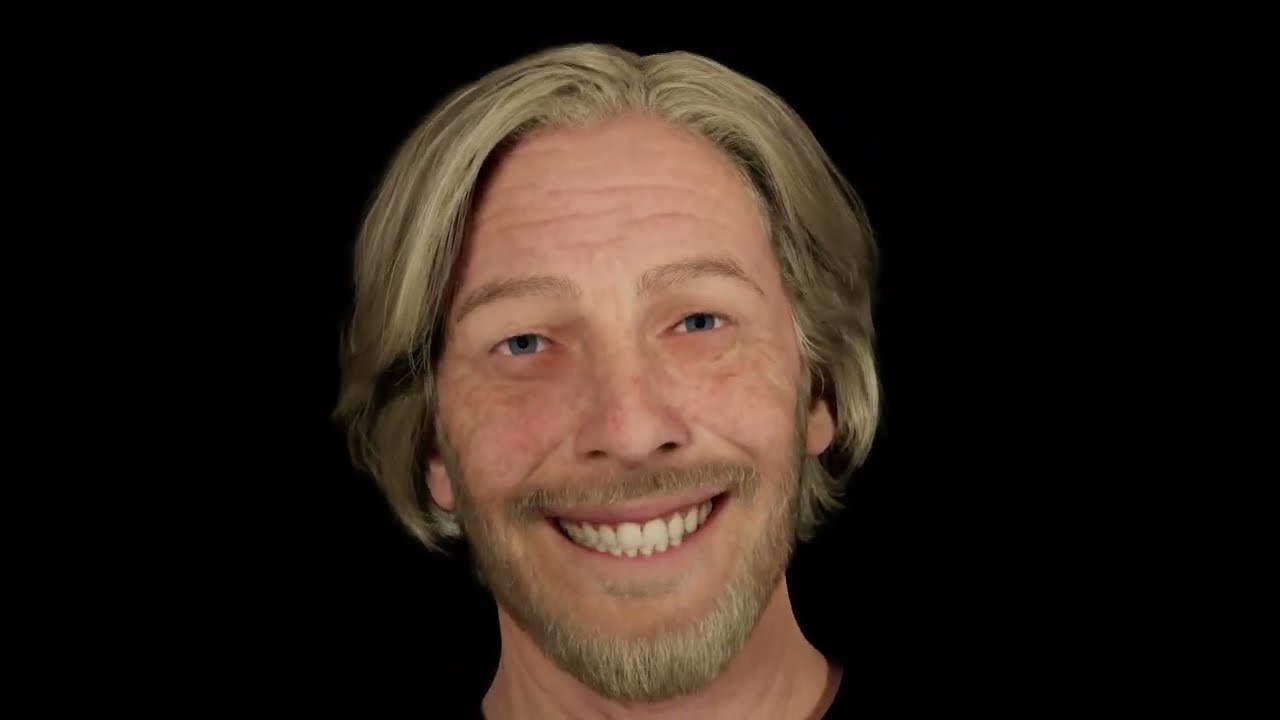
Music: Teddy Swims - Lose Control
 woven jetty
Hello, I have an issue with my metahuman eyes there is some colors who pop up in the eyes, do you know how to fix this ?
 woven jetty
Hello, I have an issue with my metahuman eyes there is some colors who pop up in...
woven jetty
woven jetty
Hello, I have an issue with my metahuman eyes there is some colors who pop up in...
Never mind I found the solution I forgot to activate Lumen in the project settings 😄
sturdy temple
frosty vale
in the control rig
Ah, right. We're using MoCap, not Control Rig, so that is not an option in this case.
 cobalt saddle
woven jetty
Never mind I found the solution I forgot to activate Lumen in the project settin...
cobalt saddle
woven jetty
Never mind I found the solution I forgot to activate Lumen in the project settin...
Well, I'm looking for a way to achieve scene reflection in the eyes. something like that! Is there a way to do it? Reflecting fire for example.
woven jetty
cobalt saddle
Well, I'm looking for a way to achieve scene reflection in the eyes. something l...
I have no idea how you could achieve that tbh.
cobalt saddle
woven jetty
I have no idea how you could achieve that tbh.
It’s okay, I’ll keep tweaking the eyes material until I achieve it. Thanks for your reply!
merry pine
Is anyone using MetaHumans for their game?
dapper lion
simple forge
I have noticed issues in 5.3 specifically with the faceboard. You also cannot se...
Hey! I found the solution for the issue, I've published a video with the explanation:
https://youtu.be/wf9UgMFS8yA
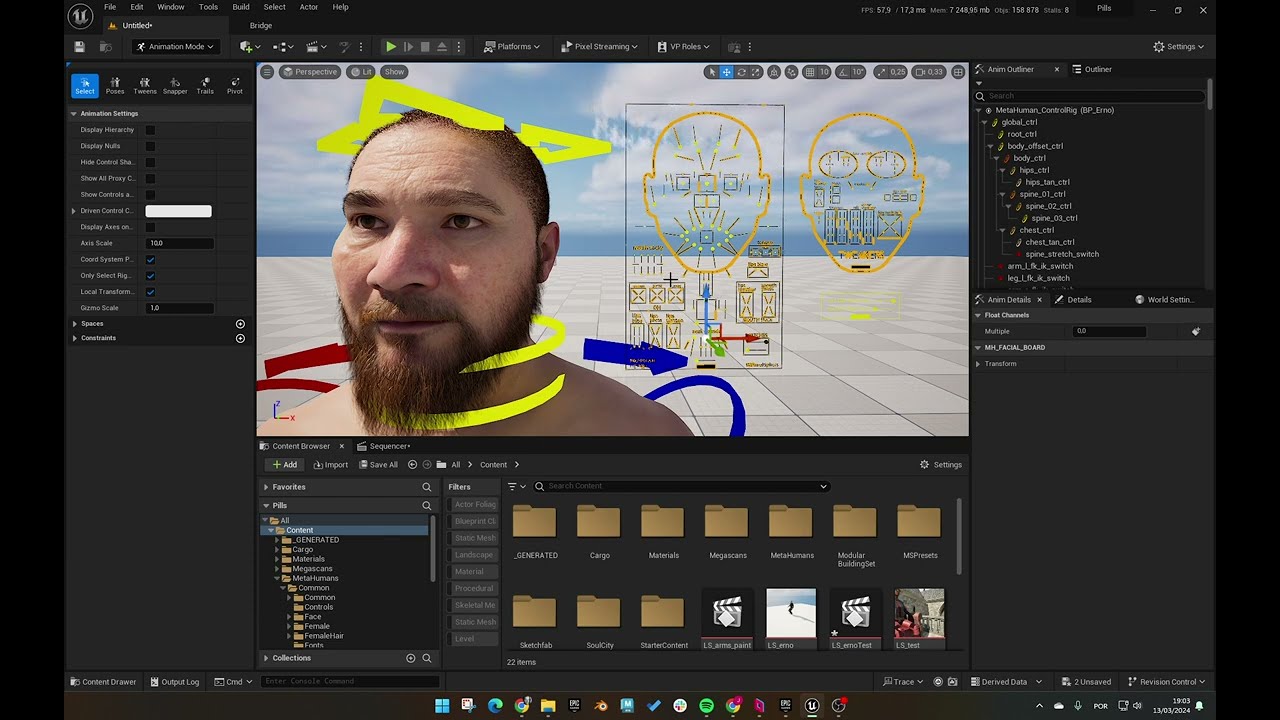
From UE 5.1 and beyond, the template of the Metahuman face control board is selectable, which is very annoying when trying to select multiple controls, Here's a quick fix.
 soft estuary
sturdy temple
Ah, right. We're using MoCap, not Control Rig, so that is not an option in this ...
soft estuary
sturdy temple
Ah, right. We're using MoCap, not Control Rig, so that is not an option in this ...
Bake to control rig and then add an additive control rig.
crude thistle
Need help! UE5 crashes when importing my metahuman into my viewport/scene. I can see that the hair is causing the crash. Here is the error message: Fatal error: [File:D:\build++UE5\Sync\Engine\Source\Runtime\RenderCore\Private\ShaderParameterStruct.cpp] [Line: 460] FHairEnvironmentAO's required shader parameter FParameters::SceneTextures::GBufferATexture was not set.
If anyone can point me in the right direction to trouble shoot this I appreciate it!!!
 pure quiver
I want to learn more about how the head and body mesh seamlessly merge in the default metahuman blueprint, what should I search for?
For that matter I’m also looking for documentation on how the body pose updates from the normal weight female to all the other body types
weary lynx
pure quiver
For that matter I’m also looking for documentation on how the body pose updates ...
there is a youtube tutorial for almost everything. just watch metahuman tutorials
weary lynx
crude thistle
Need help! UE5 crashes when importing my metahuman into my viewport/scene. I can...
do you have the necessary hardware?
pure quiver
weary lynx
there is a youtube tutorial for almost everything. just watch metahuman tutorial...
Yeah sure but the volume of information available and the specificity of what I’m looking for lead me to think I’m better off asking here than parsing through countless hours of irrelevant content
Surely someone has already done that?
crude thistle
weary lynx
do you have the necessary hardware?
i am running a 4090
if I import the same metahuman in another project it works there
the project that I am trying to import my metahuman into not sure if this the cause of the issue is using perforce as source control
weary lynx
crude thistle
i am running a 4090
does the metahuman model fit the engine version (project version)? maybe you try to import a mh 5.3 into a 5.2 project?
weary lynx
pure quiver
Yeah sure but the volume of information available and the specificity of what I’...
can you describe the problem a bit more specific? that may help to help you. screenshot? video? i always recommend to write very specific questions, so others exactly know what it´s all about. sometimes a screenshot of the workspace helps.
crude thistle
I will try that but the hair I can see is the issue and I am just trying to see if there is a fix for it
pure quiver
weary lynx
can you describe the problem a bit more specific? that may help to help you. scr...
I’m just looking for documentation on how the meta human head and body merge with no seam or light permeation. I’m also looking for documentation on how the body type is procedurally updated…
If I have a problem to solve it’s that I don’t know the nomenclature for what I’m looking for… skeletal mesh merge function metahumans?
Unreal pose update procedural?
weary lynx
pure quiver
I’m just looking for documentation on how the meta human head and body merge wit...

Epic Developer Community
Learn how to create, download, and use MetaHumans, a new generation of hyper-realistic digital humans from Epic Games.
weary lynx
pure quiver
I’m just looking for documentation on how the meta human head and body merge wit...
can you specify what you want to achive? i don´t get what the problem is - you want to look at the code? or do you want to learn how to change a body?
owh, i mixed up the problems 😉
weary lynx
crude thistle
I will try that but the hair I can see is the issue and I am just trying to see ...
check also the lodsync settings in the mh blueprint
pure quiver
My intentions are complicated, I want to make limb caps for dismemberment without seams that cause light permeation and also update with the body types so I don’t need a unique set up for each one.
For the purpose of this chat tho I just want to understand how those two things are being done in engine further
I imagine the pose update has something to do with the live retargeting but I’m at a loss for how they are merging the head and body
weary lynx
pure quiver
My intentions are complicated, I want to make limb caps for dismemberment withou...
no clue. sorry.
 sudden agate
why my char's hair, eyebrow, eyelashes, fuzz falls to the ground when I play in standalone mode. works fine while I play in editor viewport. Any help!
 weary bone
ANyone know how to fix this?
 sturdy temple
soft estuary
Bake to control rig and then add an additive control rig.
sturdy temple
soft estuary
Bake to control rig and then add an additive control rig.
For sure, but UGH.
pure quiver
sudden agate
why my char's hair, eyebrow, eyelashes, fuzz falls to the ground when I play in...
I haven’t actually watched this video but I have a feeling this is your issue

In this short tutorial I'll show you how to fix the Metahuman Groom Binding Bug in Unreal Engine v5.3.
Subreddit: https://www.reddit.com/r/MizzoFrizzo_Tutorials/
Facebook: https://www.facebook.com/groups/884349679908510/
Timestamps:
0:00 - Intro
0:37 - Binding asset bug
1:12 - Fix
4:28 - Restart the editor
5:12 - Outro
pure quiver
weary bone
ANyone know how to fix this?
Your head likely has a different translation value in your blueprint
 broken quarry
I have a bunch a metahuman characters that I have made custom. Mostly milarty style characters. What I want to do now is make a tool that would allow me to mix and match different parts from different metahumans to create a new character. For example I want a libary of just the heads, then a libary of just the bodies, just the helmets, just the weapons etc etc. Then once I have those libaries setup I can create a new metahuman by choosing a head, body, helmet, weapon and create a custome new character from mixing and matching the existing assets that I already have.
Can anyone point me in the right direction to start to make this or is there a tool that exist already that does this?
Thanks!
 fathom mural
is it possible to combine metahuman parts? it annoys me that the body, face etc. are separate
hollow aurora
Any Metahuman experts familiar with the CityScene Crowd characters?
What would be the City Scene equivalent to the Metahuman
f_med_nrw_preview
and
m_med_nrw_preview
Skeletal meshes?
I need a mesh with all the bone influences.
thick osprey
broken quarry
I have a bunch a metahuman characters that I have made custom. Mostly milarty st...
Look at how crowd does this
sudden agate
pure quiver
I haven’t actually watched this video but I have a feeling this is your issue
...
This didnt work. 😦 What else might be the problem?
pure quiver
sudden agate
This didnt work. 😦 What else might be the problem?
Is the groom component at the same transformation coordinates as your character head in the blueprint?
pure quiver
sudden agate
why my char's hair, eyebrow, eyelashes, fuzz falls to the ground when I play in...
Are the groom components children of the face and is the face visible in the blueprint?
sudden agate
pure quiver
Are the groom components children of the face and is the face visible in the blu...
yes it is.
 sudden agate
pure quiver
Is the groom component at the same transformation coordinates as your character ...
sudden agate
pure quiver
Is the groom component at the same transformation coordinates as your character ...
In the Char viewport. This is how the Hair and the rest looks like. when the char is in idle motion, Hair, facial hair all stays still.

But in the project. The hair, facial hair, eyelashes, eyebrow is in the floor.👀

This is how I have added the groom components on the char blueprint.

 knotty birch
sudden agate
This is how I have added the groom components on the char blueprint.
knotty birch
sudden agate
This is how I have added the groom components on the char blueprint.
Do you actually need the binding stuff? If you attach the assets to the head bone, they should stay in place unless the head actually deforms, no?
sudden agate
knotty birch
Do you actually need the binding stuff? If you attach the assets to the head bon...
Actually no. This was something new. I faced this issue, after adding the animation. I followed this video (https://youtu.be/UbqHG4o1ro0?si=OUWTM-Lt5J6cTMxm sent by GWII)
In this short tutorial I'll show you how to fix the Metahuman Groom Binding Bug in Unreal Engine v5.3.
Subreddit: https://www.reddit.com/r/MizzoFrizzo_Tutorials/
Facebook: https://www.facebook.com/groups/884349679908510/
Timestamps:
0:00 - Intro
0:37 - Binding asset bug
1:12 - Fix
4:28 - Restart the editor
5:12 - Outro
sudden agate
knotty birch
Do you actually need the binding stuff? If you attach the assets to the head bon...
(attach the assets to the head bone) how can i do that.
knotty birch
There's a socket in your groom scene component
knotty birch
I'm having groom hair performance problems. One character is actually perfectly fine and costs a handful of fps, but add a second character and performance crashes to 2 fps. What is going on here? 😦
sudden agate
knotty birch
There's a socket in your groom scene component
can you provide a screenshot of where exactly the socket is.
pure quiver
sudden agate
This is how I have added the groom components on the char blueprint.
You shouldn’t need those nodes, if you want to set up a screen share in a Voice chat I can try to help you
naive marsh
Can somebody help me display the conroll rig,it should automaticly pop up when adding it to the sequencer.Is there a plugin that i would have to enable?
 dark swan
The behind the scene showcase for 'Blue Dot' shows the facial landmark trackers/markers visible in the performance review window. How can I enable these? I didn't find anything online....
 knotty birch
I added a strand based groom hair to my game. Everything is flawless as long as there is just the player character on screen. Add just 1-2 NPCs with this hair and performance completely dies. What is going on? 😦
 simple forge
dark swan
The behind the scene showcase for 'Blue Dot' shows the facial landmark trackers/...
simple forge
dark swan
The behind the scene showcase for 'Blue Dot' shows the facial landmark trackers/...
uncheck Undistort in the A tab drop down
sudden agate
pure quiver
You shouldn’t need those nodes, if you want to set up a screen share in a Voice ...
Thanks for the update. I feel like it might be a unreal software issue. I face that issue only when I run it in Standalone mode. But when I build it to windows, It works just fine.
crude thistle
anyone know how to fix this crash with Grooms.

I tried verifying UE 5.3.2 and disabled and re-enabled metahumans plugin still crashes. The weird thing is, if I import the groom and apply it to the same metahuman in another project it works fine with no crashes.
dark swan
simple forge
uncheck Undistort in the A tab drop down
thank you, however its still not visible. What am I missing?
 knotty birch
I made some progress on invisible generated hair cards but I'm stuck now.
Problem: I want to generate hair cards that would use the metahuman hair material, and my generated cards are invisible.
Findings:
This is because the entire texture gets opacity masked.
Masking is handled by the Coverage Texture.
If I put any other texture into the Coverage Texture field in the Cards tab of my groom instead of the autogenerated one, the opacity mask works and the hair looks as expected as long as the texture is bright enough. (The default coverage texture is very dim.)
- However, if this other texture is a brightened version of the default coverage texture, it does not work and I have no idea why not. If I scribble all over it with a white brush, then I get results.
If I go to M_hair_v4, disconnect the Coverage input from Hair Attributes and hardcode a texture sample of my coverage texture instead:
- The opacity mask works, but looks awful because the last step in the graph is to dither the opacity mask for some reason (see screen).
- If I bypass that area of the graph, I get proper sharp edges, but only a few strands of hair are visible because the coverage texture is very dim.
- If I also multiply the coverage texture by 10, it looks good.
- Multiplying the output of the Coverage input by 10 results in an invisible hair.
This is very strange for something that should work out of the box.
My current theory is that the Coverage Texture in the Cards tab gets an offset from somewhere before it arrives in the Hair Attributes, which would explain why brightening it doesn't work but using a whole white texture does. But even if I bypass all this by hardcoding the texture into the hair shader, the hair looks like trash unless I brighten the texture and remove the weird dithering.
If I can't figure it out, I'll just make the Coverage texture a property of the hair material and make 100 material instances, one for each hair. Maybe someone has an idea what's up though?

^the weird dithering from the hair shader
knotty birch
Update: Coverage texture only works properly if the resolution of generated textures is 512x512.
broken quarry
thick osprey
Look at how crowd does this
Crowd? Is that a company or a person. Sorry not familiar with that.
knotty birch
Update: Reducing the default opacity cutoff value to 0.1 works, but of course results in hard edges. The dithering is supposed to help out with TAA but it does nothing of the sort.
 bitter kayak
I have some issues with Groom bindings when playing back my sequence (see below).
Has anyone solved this yet?

This video did not help me (only for gameplay?)
https://youtu.be/UbqHG4o1ro0?si=OUWTM-Lt5J6cTMxm
In this short tutorial I'll show you how to fix the Metahuman Groom Binding Bug in Unreal Engine v5.3.
Subreddit: https://www.reddit.com/r/MizzoFrizzo_Tutorials/
Facebook: https://www.facebook.com/groups/884349679908510/
Timestamps:
0:00 - Intro
0:37 - Binding asset bug
1:12 - Fix
4:28 - Restart the editor
5:12 - Outro
Correction:
The groom binding video above does work for me... Actually there seems to be some weird translation issue on the headbone which makes this flickering happen
I have imported my animation from Maya into UE 5.3 (first time) .
If I animate in the sequencer the eyebrows dont jump around like that.
Does anyone have a clue of what it could be?
simple forge
dark swan
thank you, however its still not visible. What am I missing?
have you processed the data yet?
simple forge
bitter kayak
I have some issues with Groom bindings when playing back my sequence (see below)...
is it just the brows acting funny?
dark swan
simple forge
have you processed the data yet?
Yeah I did. Is something only showing pre-processing?
simple forge
dark swan
thank you, however its still not visible. What am I missing?
6:32 https://youtu.be/d3k9rfA9xjs?si=iB9KLQed9qGVZRIX
When you do this, they are not showing up on already processed data?
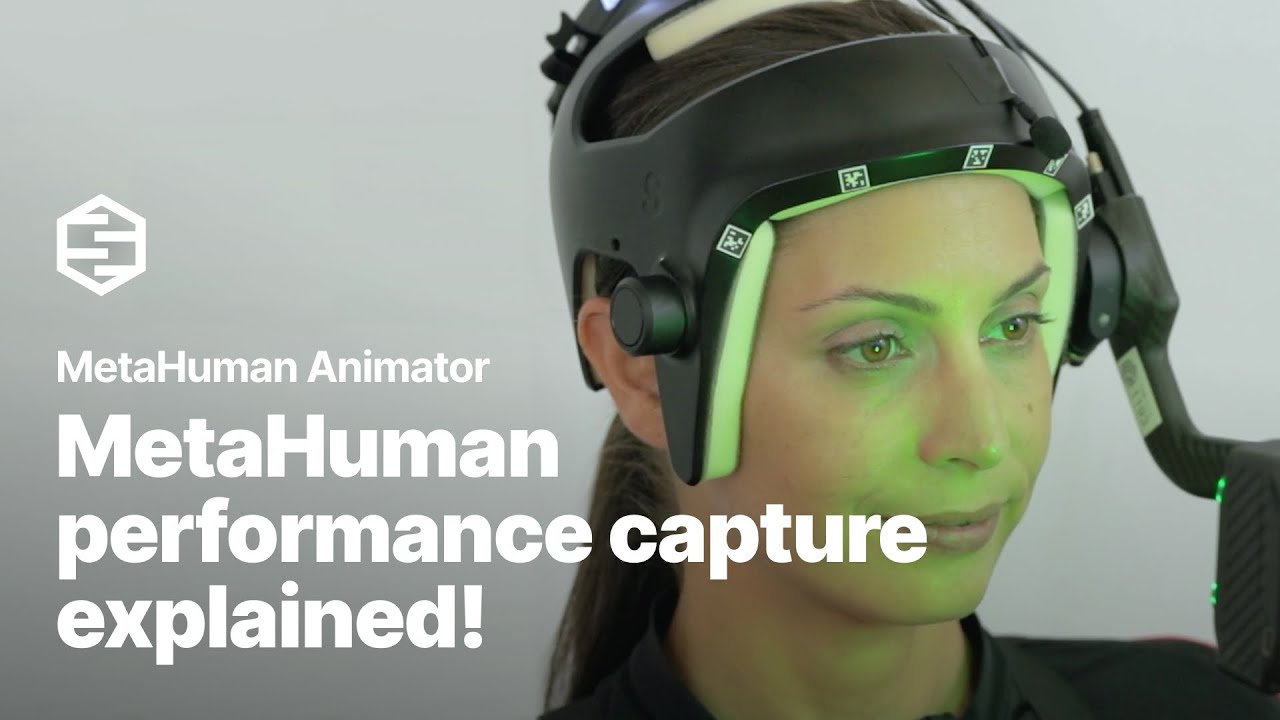
Learn how to start turning an actor’s performance into an animated MetaHuman in part two of this new video tutorial series.
In this video, Gabriella Krousanio (of Feeding_Wolves) will cover how to capture performance footage using MetaHuman Animator. Gabriella will get into framing, head-mounted camera workflows, tongue animation, audio, timeco...
thick osprey
broken quarry
Crowd? Is that a company or a person. Sorry not familiar with that.
Crowd sample
bitter kayak
simple forge
is it just the brows acting funny?
Yes, very weird. I tried it all out in Unreal 5.2 now and it works as it should, just 5.3 that is acting funny..sad
simple forge
bitter kayak
Yes, very weird. I tried it all out in Unreal 5.2 now and it works as it should,...
Locate the brow groom, turn off RBF interpolation
bitter kayak
simple forge
Locate the brow groom, turn off RBF interpolation
Amazing! That solves it!
Thank you so much! 🙌 🤩
simple forge
bitter kayak
Amazing! That solves it!
Thank you so much! 🙌 🤩
haha awesome! I had the same issue and someone shared that fix so I cant take credit for it 😉
dark swan
simple forge
6:32 https://youtu.be/d3k9rfA9xjs?si=iB9KLQed9qGVZRIX
When you do this, they ar...
ok, figured out the issue. I had a different camera selected in my stereo footage then the one the processing was solved upon. Changing back to the processed camera, or processing again made the markers visible again. Thanks for the help @simple forge !
simple forge
dark swan
ok, figured out the issue. I had a different camera selected in my stereo footag...
amazing, question how did you have a different camera selected? Did you use the top or bot cam?
dark swan
it selected the bot cam by default and I switched to the top cam because I thought its a more natural view. But looks like only one camera is solved for solving with stereo setups? In this case do you know which camera is the recommended one to be used?
there is a drop down in the Details panel where you can switch the camera
simple forge
dark swan
it selected the bot cam by default and I switched to the top cam because I thoug...
interesting you used the top cam for solving. Usually the bot is the one that is suggested in the documentation.
dark swan
yeah just trying things out and wrapping my head around MHA
hows the depth map data from Cubic Motion HMC from your experience?
simple forge
dark swan
yeah just trying things out and wrapping my head around MHA
it is quite exciting isnt it? I am very curious to know if there are any differences between the data you got using top cam vs bot cam.