#metahumans
1 messages · Page 5 of 1
 outer pagoda
Anyone that knows why the metahuman hair goes insane / red whenever I change the LOD from -1 to 0 or 1? (Trying to make the hair permanent)
However the hair is correct on the -1 LOD
 gaunt quail
Anyone need help on metahuman you can dm me
 swift blade
outer pagoda
swift blade
outer pagoda
Sorry for out of topic but I quite like the design of the character with that bug😛
 south harness
Hey, could u link the tutorial or technique u used to make the hair?

 limber spear
is there a way to use BVH motion files on existing characters in UE 5?
 final jetty
hi all, anyone has had issues with this seam appearing between head and torso?

 young heart
south harness
Hey, could u link the tutorial or technique u used to make the hair?
young heart
south harness
Hey, could u link the tutorial or technique u used to make the hair?
Modeled in blender and imported over
I couldn’t figure out how to make the dreads work with a particle system so it’s just a mesh

Put any hair style on your character in UE5! Fully attached, with physics and everything. I was shocked by how easy it was to do lol
Check out Unreal Magic channel, where I learned how to transfer hair from Blender to UE5: https://youtu.be/RojXtjhMSgo
Support Ukraine:
https://razomforukraine.org/donate/ - Razom For Ukraine, donate for medical ...
This is a tutorial I used to import hair though
But I still have no clue how to bind custom facial hair
There is very little out there talking about it
 native spire
Hey folks. I'm importing a custom head and for whatever reason, even though I've made sure all of the morphs imported, the skeletal mesh settings are the same, and the face control rig controls show in Sequencer, I can't get the face to actually animate?
The Control Rig seems to control values, I can select the controls and move them around but nothing seems to change on the face? All of the morphs are there, and there is no import error of missing bones or incorrect skeletal structure...
Anyone have any ideas? So close to having our custom Metahuman head ready but this is the last real blocker for us 😦


To be clear, this is a head that has been...
Bridge > Maya Indie > FBX > Unreal
Bridge > Maya Indie > FBX > Blender > Unreal
Both have the same problem. The eventual plan is to stay in Blender entirely, so I'd rather get this more recent import (the one shown in the images above) working 🙂
The same Metahuman from Bridge > Unreal works fine (dropping the BP into the scene):

And dropping the skeletal mesh only into the scene/sequencer:

Now this is the crazy bit...
Creating a duplicate of the Blueprint from Bridge > Unreal and dropping in my custom inported head works...

The material IDs are out of order, so I figure if I go through and adjust a few things in the blueprint (Disable "HairLODSetup" function, remove the groom components, remove the eyelash MID setup)...
It still works

But then if I reassign my custom imported head again inside that Blueprint's "Face" component to fix the materials... It's broken.

The controls no longer influence the face...
I don't understand 😭
This is how the Blueprint looks after my changes:


And now if I browse to the currently assigned head mesh, and then reassign it to that same Skeletal Mesh Asset slot, the whole thing breaks (as shown above).
Just for completeness sake, here is how it looks in Blender, no triangulation (like when exporting MH's from Unreal > Blender), the shapekeys are there without needing to go through FBX Converter, and the rig is set up to import without errors in Unreal:

I feel like we're so close to a nice Blender workflow, so any assistance would be super appreciated.
Oooo
I just imported the .dna file into Unreal and selected my custom import from Blender and now I have this.... The face anim works again, but for some reason the shoulders are messed up and the right eye has some strange dark patch?

Hmm, I guess maybe it's just the textures from MHC causing the eye issue. Certainly seems texture-related so I'm not so worried about that.

Main concern is the shoulders, seems like "Neck_01_ctrl" has to have a Z=2 offset to look "correct", but then it's still disconnected from the torso...


Adding a -2 offset in the blueprint, and an +2 offset to "Neck_01_ctrl" seems to have 'solved' it, but I'm not convinced that is a solution.

 south harness
Hey I’m trying to export some hair I made in blender with new system (geo nodes) but can’t find a way to make it work
Even with send2unreal it doesn’t work

 vestal lance
Hi there..
Today i tried to add the metaHuman Plugin (marketplace:https://www.unrealengine.com/marketplace/en-US/product/metahuman-plugin) to the 5.2 Source version of the Engine..
And get this Erros on Compile... And can´t start the engine with that...
Is there a special version for the Engine Source?

 manic agate
Hey guys, maybe you can help, I have a custom xgen groom on my MH character but my hair on the head is not colliding with the body mesh and is floating right through. I tried creating a custom physics asset which has a full body geometry (head and body) but it didn't have any affect on the collisions or the groom. Only new created primitives shapes have affect on the groom collision which I'm trying to avoid hand placing physics primitives, if anyone would have an idea what can help I would really appreciate some info.


 buoyant stump
Hi, I'm having some issues with baking facial animation into control rig. Not everytime, but simetimes the bake is way different from the actual pose. Especialy the beginnig. So I have this blending anim pose, where there is no animation. Its just 30 frames of the same expression. But when I bake it to control rig, the expression is different. Anybody knows why? See the attached pics, the one with the eyes wide open is the one from the bake. Thanks.

 buoyant stump
manic agate
Hey guys, maybe you can help, I have a custom xgen groom on my MH character but ...
buoyant stump
manic agate
Hey guys, maybe you can help, I have a custom xgen groom on my MH character but ...
Yeah you have the place them by hand or try to use the physical asset for your metahuman. The collision in unreal doesnt work with meshes (well for simulation) and you have to make the physics asset in order for the simulation to work. Sorry for that bad news mate.
manic agate
buoyant stump
Yeah you have the place them by hand or try to use the physical asset for your m...
Damn that's a shame, but thank you for the info, MH physics asset doesn't collide with the body either so my last resort will be hand placing primitives. Thanks again !
buoyant stump
manic agate
Damn that's a shame, but thank you for the info, MH physics asset doesn't collid...
I did this couple monhts ago for cloth simulation. I too was very sad by this :] But that is the way how collisions for simulation works in game engine. You simply dont have the time in realtime application to evaluate every single vertex on mesh like the metahuman. Thus you need to use the "spheres" and make physics asset :]
manic agate
I do have a generated physics asset from the MH skeletal mesh, but the generated bodies in this case (Multi Convex Hulls) with collisions enabled which should in theory allow me to modify them or move them affecting the groom but only hand placed shaped (spheres, cubes, capsules) have direct affect on the groom which is the confusing part
 buoyant stump
Holy shit this looks like something from nightmare :]
manic agate
yeah it makes me feel like i'm living one too 🙂
vestal lance
#metahumans message
Has anyone an idea?
i now tried to reinstall the MetaHuman in my 5.2 launcher version.. works perfectly.. copying the plugin over to the source version.. it won't compile...
 rare whale
Have you tried to change the candles' lighting channel?
 junior birch
nah i fixed it i think hahaha well see
 hollow aurora
Hard to tell from that screen grab. Could you zoom in? Are you sure it's not a material specular issue? Does it appear only in render or in viewport as well? If latter check the various Buffer previz modes to isolate.
junior birch
hollow aurora
Hard to tell from that screen grab. Could you zoom in? Are you sure it's not a m...
i thinm i fixed it well see hahaha
 errant mauve
anyone metahumans in 5.2 stuttering after making edits?, so the viewport will hang for a split second after moving for example
 quartz fable
Hey everyone! Kinda new to UE so bear with me if this is a simple solution 😅 couldn’t find anyone else with the same issue…the iris on my character doesn’t show properly when looking in a certain direction and I’m not sure why, easier to understand in the video below. Any ideas what could fix it?
errant mauve
quartz fable
Hey everyone! Kinda new to UE so bear with me if this is a simple solution 😅 co...
is it a keyframed animation or mocap? either way youll likely have to adjust the look target (i forget what the control is called in control rig) manually
quartz fable
It’s mocap, weird thing is it wasn’t happening before so I probably clicked on some setting and now i can’t figure it out :/ I’ll check that look target option, thanks!
errant mauve
quartz fable
It’s mocap, weird thing is it wasn’t happening before so I probably clicked on s...
story of my life
 native blaze
hi want to make a tear for metahuman. can you suggest how to do that with particles?
 teal trellis
so quick q, is the general best case workflow is to make a char in CC4, then pull it into ue THEN use MH animator? or is there still a strong usecase for iclone as well? i am about to start with some of my dialogue scenes after dealing with lots of other little issues and just wanna get this locked down. i have all the reallusion apps and plugins
I know you can do it in cc4. "eye wetness" or somethign and has an option to make it look like post crying, as well as the realistic skin has a liquid/tear layer
young heart
manic agate
Hey guys, maybe you can help, I have a custom xgen groom on my MH character but ...
Had the same exact issue trying to do custom facial hair
Never found an answer but I’m also really new to unreal
teal trellis
hair has always been a PITA
native blaze
teal trellis
I know you can do it in cc4. "eye wetness" or somethign and has an option to mak...
what is CC4?
 weary ferry
whats the secret sauce to exporting control expression curves from Maya? I'm not getting the "CTRL_expressions_" prefix that I see in working examples. latest Bridge Maya plugin, MH 5.2
 hollow aurora
Not sure what is causing this but my Metahuman's eyes suddenly acquired 'eye makeup' Especially noticeable when the eyses are closed. Is this a shader issue? Definitely not the way I created.


 coarse stump
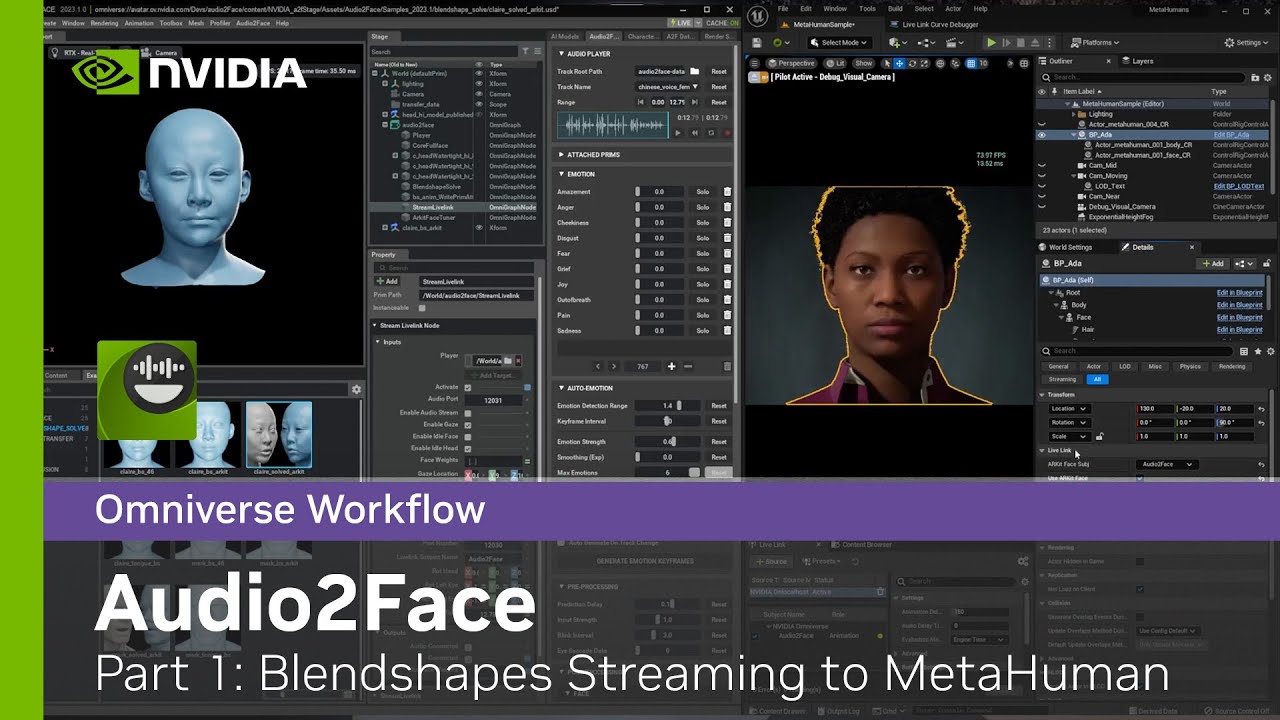
In this series, we will cover how to use BlendShapes from Audio2Fact to Unreal Metahuman.
In part 1 video, we will go through the requirements and showcase with a quick demo.
NVIDIA Omniverse is a scalable development platform for building and operating custom 3D pipelines and industri...
 junior jacinth
Hello, do cloth collide with each other? I have a jacket and a skirt and I'm wondering if cloth collision happens automatically.
junior jacinth
junior jacinth
Hello, do cloth collide with each other? I have a jacket and a skirt and I'm won...
apparently not
 hexed pawn
heya guys 👋 what software do you recomend to make a scan of my face for the metahumans ?
 left plank
hexed pawn
heya guys 👋 what software do you recomend to make a scan of my face for the me...
left plank
hexed pawn
heya guys 👋 what software do you recomend to make a scan of my face for the me...

Step by step guide to create a custom MetaHuman using Unreal Engine 5. Using mesh to MetaHuman, we turned our friend into her digital avatar.
This is just part ONE of this series. As you see, the result is not yet a perfect clone as the MetaHuman creator has limitation. In the next video, we are going to customize the mesh further in Blender, ...
Both guys init are over excited for some reason but tutorial is good
 tame quail
I think they used Polycam in that video. Both guys being overexcited for some reason is the same feeling I got 😂 At least the guy with shorter hair
hollow aurora
Exploring real-time reflected water caustics.
 teal trellis
i had tons of issues with polycam
i just use reality capture and spent like $20 in credits which will give me like 30 captures
 simple forge
hollow aurora
Exploring real-time reflected water caustics.
https://youtu.be/DdZB9ybAo1Y
simple forge
hollow aurora
Exploring real-time reflected water caustics.
https://youtu.be/DdZB9ybAo1Y
I love these caustics!! do you have a tutorial you can recommend for these
 rapid sentinel
Hi, I need some advice. I am working on making clothing for metahumans. I export the character model into Draper, design the clothes, send my stuff to blender, do all my weight painting and fixes, export as FBX --> UE5 but my scaling off or weights not being respected properly. I followed the FBX export pipeline from the UE documentation but it has not resolved my issue. Does anyone have any pointers?
 cunning cloud
hey guys!
does anyone know how i can take input of audio on livelink??
im trying to take an animation of a voice clip and cant see where the audio is put into in unreal
 restive estuary
 junior hound
- No spam. This includes phishing, scams, unsolicited Discord invites, unsolicited direct messages asking for help, cross-posting in multiple channels, and use of excessive mentions, emoji, or repeated messages.
stares
restive estuary
Sorry, was just about to ask if you're interested in this MetaHuman Event that will take place in about 50 Minutes from now 😇
It's free to attend and open for anyone
No Intention of spamming or anything. Just thought that event would be a good fit here
 worldly pebble
How are you guys using the MH animator with custom bodies? As soon as I attach the head to the body via the leader pose component, I can't play any face animations. Then again, if I detach the face, the animation plays but the head movement is completely off - not really solvable by using sockets. I think it has something to do with the Face Anim BP.
 plucky kelp
hollow aurora
Exploring real-time reflected water caustics.
https://youtu.be/DdZB9ybAo1Y
plucky kelp
hollow aurora
Exploring real-time reflected water caustics.
https://youtu.be/DdZB9ybAo1Y
One message removed from a suspended account.
 sharp quarry
Hi everyone, quick question, how can I change my metahuman from standing position to sitting in unreal engine 5, it doesnt have to be animated, it just has to sit statically
 wild badger
This might be a dumb question but, can the new metahuman animator be used for performance capture?
My team and I are looking for alternatives for mocap for our game scenes
worldly pebble
wild badger
This might be a dumb question but, can the new metahuman animator be used for pe...
no.
final jetty
anyone knows if theres a way to export a metahuman animator animation sequence to blender to use the facial mocap and retarget to a custom character in blender?
 late onyx
hi there how hard is it to create a metahuman with your own face ? from the ue5.2 live it seems pretty simlple, like it would photoscan your face.. but after looking at the tutorials it doesnt seem taht easy
 foggy ridge
its not that bad if you understand some Photogrammetry, and a little bit of Zbrush/Blender.
if your using Mesh to MetaHuman for Unreal Engine 5, that made it way easier, it used to be a bit more work .
 mossy bane
late onyx
hi there how hard is it to create a metahuman with your own face ? from the ue5....
mossy bane
late onyx
hi there how hard is it to create a metahuman with your own face ? from the ue5....
Just follow a tutorial. I can take a look to see which one I used. I recently made a metahuman and animated it with metahuman animator.
First you'll need a face scan, preferably cleaned up so you only have the face (no ears or hair, just the face). Then you import that into UE5.2 and create a new metahuman identity in the content browser (make sure you have the metahuman plugin checked, because you'll need to restart if you haven't).
From that point, double click on the new metahuman identity. It will open a new window and there should be an option to choose from what kind of source you want to generate a metahuman. I'm not behind my PC right now, so I'm not sure, but I think you can choose between "from mesh" and "from footage". The option should be on the top left corner of the window.
Not sure if there were manny steps after that. I don't think so. I think you press the mesh to metahuman button at the top after that and it will connect with the metahuman backend to generate your metahuman.
Once that happend, you have to continue in the browser with metahuman creator where you can further customise your metahuman by choosing a skin color, color for the eyes, hairstyle and color, clothes etc.
I've tried to create different metahumans based on people I know, and it works better for some people than for others. I made one form my friend, and he looks a lot like it in onlt one try. I created 3 metahumans for myself and none of them really look like me.
The options in metahuman creator are also limited. If you need a custom hairstyle, you'll have to do it yourself and import it again.
late onyx
@mossy bane amazing thank you so much I'll follow what you said !
mossy bane
late onyx
<@658316717428178949> amazing thank you so much I'll follow what you said !
this is the tutorial I followed: https://www.youtube.com/watch?v=7lAWhk_aVvc&t=609s
Step by step guide to create a custom MetaHuman using Unreal Engine 5. Using mesh to MetaHuman, we turned our friend into her digital avatar.
This is just part ONE of this series. As you see, the result is not yet a perfect clone as the MetaHuman creator has limitation. In the next video, we are going to customize the mesh further in Blender, ...
I even used the same app they did. It's called polycam and you can use it a while for free. It has a free trial.
are you going to animate the metahuman as well?
late onyx
mossy bane
are you going to animate the metahuman as well?
Yeah I want it to speak + maybe move arms but most likely just the mouth so no real animation
mossy bane
late onyx
Yeah I want it to speak + maybe move arms but most likely just the mouth so no r...
I litterly did a test yesterday with that haha. I used the livelink app from unreal for the face capture and rokoko AI for the body mocap
I'm pretty new to animation, and animating myself is something I know nothing about. So metahuman animator is supercool
late onyx
Ah ah wow amazing and how did it work? What setup do you have ? Just an iphone?
mossy bane
yeah, I've used an iphone 11 and an iphone 14
but you could also just shoot a video yourself I think and use that
this is the tutorial I used for that: https://www.youtube.com/watch?v=hZ2mkcd4C7M&t=721s
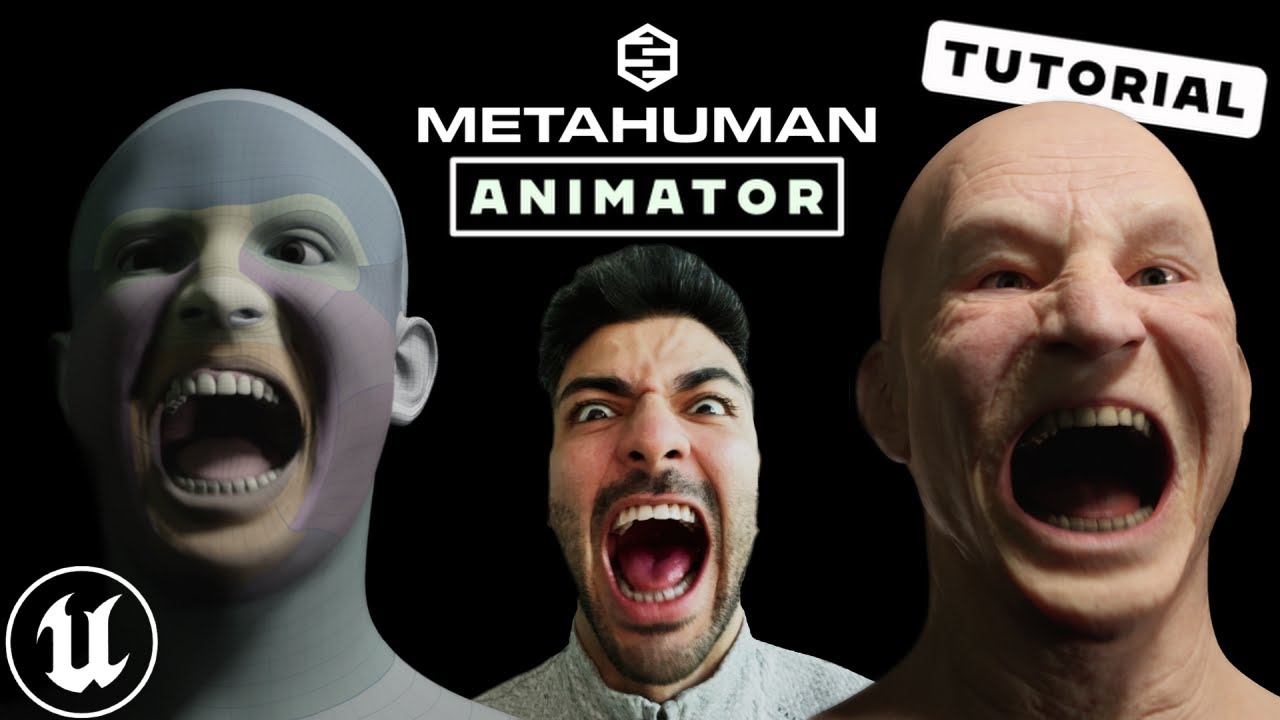
Step by step guide for Unreal Engine's MetaHuman Animator, the latest update for high fidelity facial motion capture. In this video, we are going to show you how to setup your iphone with the LiveLink app to capture your facial motion, then bring the footage into Unreal Engine 5 to Calibrate, Process and then transfer that facial animation to yo...
and I found another tutorial showing how to use rokoko ai and importing an fbx with the mocap data into unreal and to retarget that animation
because this tutorial just shows how to set some basic body animations
I did have to watch it a couple of times and try a couple of times to get a good result
but once you get the hang of it, it's not that hard and fun to do
the thing I did notice, if you're making a face capture with your own face, and you use that footage on a skeletal mesh from another person, the results are really weird. So best thing to do is to have a metahuman mesh that looks like you to do the face animations. You can later put that animation on a different head. The guy explains it in the video
metahumans be crazy. I'm even thinking of buying a mocap suit
teal trellis
hi all, anybody know wher this asset comes from https://youtu.be/ts9GQCvkJR8?t=93
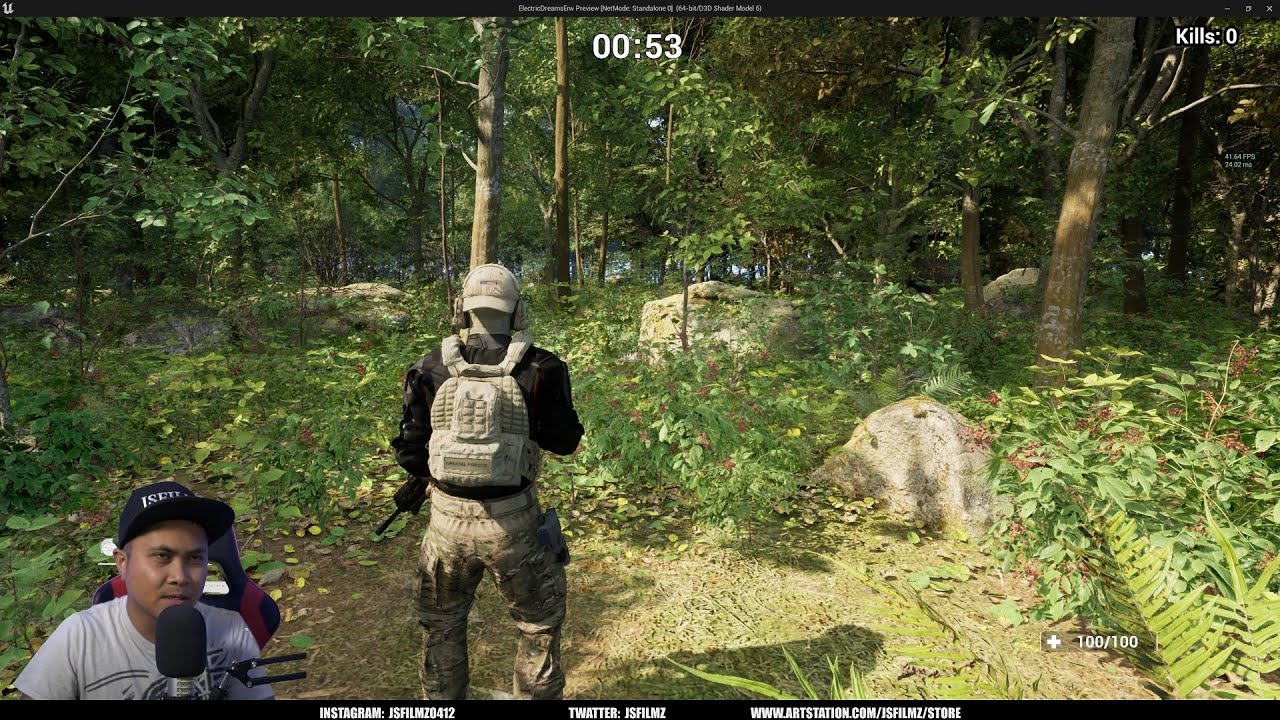
Unreal Engine 5 Megascans Trees Norway Maple
JSFILZM Mocap Helmet: https://youtu.be/1mMSdhV6g9s
JSFILMZ Mocap Stock:
Amazon USA only: https://www.amazon.com/dp/B0C9WN7LWD
Ebay USA AND EU:https://tinyurl.com/jsfilmz
Download files
Electric Dreams in VR: https://www.artstation.com/a/28872309
Electric Dreams with DLSS 3: https://www.artstation.c...
the marketplace has 400 hits for soldiers. many look very stylized
but this looks real and compatible with 5.2 but the author hasn't responded to the many questions about where this came from
 latent brook
worldly pebble
How are you guys using the MH animator with custom bodies? As soon as I attach t...
latent brook
worldly pebble
How are you guys using the MH animator with custom bodies? As soon as I attach t...
This tutorial fixed it for me yesterday https://www.youtube.com/watch?v=sZRIZrRWmjU&t=92s
Metahuman Animator Floating Head\
JSFILZM Mocap Helmet: https://youtu.be/1mMSdhV6g9s
Mocap Waitlist: JSFILMZMOCAP AT GMAIL DOT COM
Grab my new Unreal Engine 5.1 Course here! Be sure to share it with everyone!
Link to lighting course: https://www.artstation.com/a/25961360
Link to How to make a movie in UE5.1 https://www.artstation.com/a/2229953...
I had to mess around with it a little, every time I moved the metahuman in editor i had to reset the body animation blueprint keyframe, so make sure all your edits stay in sequencer 🙂
worldly pebble
latent brook
This tutorial fixed it for me yesterday https://www.youtube.com/watch?v=sZRIZrRW...
Thanks. This is only applicable to metahuman bodies though, not custom ones.
latent brook
worldly pebble
Thanks. This is only applicable to metahuman bodies though, not custom ones.
works the same if you have it on the same rig though
I have a custom mesh on my metahuman rig and worked fine
In theory the keyframe setting of the animation bp should still resolve the issue
latent brook
worldly pebble
Thanks. This is only applicable to metahuman bodies though, not custom ones.
Try this setup then 🙂
https://www.youtube.com/watch?v=7iCMspltj24
For enquiries about work/product promotion, email me at: jonwoodgraphics@gmail.com
A slightly different method to the one I used in this video:
https://www.youtube.com/watch?v=C7S3vv6-7V0
This one keeps everything in one blueprint. Also, how to hide the neck and shoulders of the Metahuman using opacity masks.
Zip file containing 3 different opa...
worldly pebble
latent brook
Try this setup then 🙂
https://www.youtube.com/watch?v=7iCMspltj24
Yeah I know this one. Head still keeps floating away. Doesn't matter whether I pick head or neck socket.
worldly pebble
latent brook
In theory the keyframe setting of the animation bp should still resolve the issu...
I know right? Unfortunately it doesn't do anything
mossy bane
Hey guys, I tried to create a metahuman of myself with a facescan. But sadly, it doesn't really look like me. What would be some other options? Is it possible to sculpt my own head and attach that to a metahuman body? Because I just want my metahuman to really look like me, but I'm not sure how custom I can go with it. Been loving metahumans so much, I really want a good digital double I can use to create videos for my music.
so the questions really is if it's possible to add a fully custom head to a metahuman?
 warm zenith
Hey everyone, we are looking to hire a remote Metahuman expert to help with a TV show pilot episode, starting production next week.
Ideally the person is able to work in between Maya and Unreal, and is able to help setup the pipeline and support on production.
email me at warren@untitledproject.sg and we can take from there.
latent brook
mossy bane
Hey guys, I tried to create a metahuman of myself with a facescan. But sadly, it...
can't you just position a hand in front of the face and reveal 1 eye? I'm sure it would look like you that way 🤷🏻♂️
 weak mason
Hi guys, any idea whats going on with the eyelashes? I haven't really modified this metahuman. Is it something Animation/Skeleton/Material/Groom based?
mossy bane
latent brook
can't you just position a hand in front of the face and reveal 1 eye? I'm sure i...
🤔 really helpful
teal trellis
mossy bane
Hey guys, I tried to create a metahuman of myself with a facescan. But sadly, it...
may want to try headshot plugin with cc4 and pull into unreal. the main issue is skin textures. but you can do some deformations to face/skull even within unreal
mossy bane
teal trellis
may want to try headshot plugin with cc4 and pull into unreal. the main issue is...
But would it be possible to create myself in 3D with other software, so it would look identical to me and use that in metahuman animator to animate the face? So basically not really using a metahuman per se.
teal trellis
mossy bane
But would it be possible to create myself in 3D with other software, so it would...
well thats what i meant, headshot plugin+cc4 is pretty darn close. it takes a bit more work directly in unreal and still likely need to edit textures externally but it's bette rthan it was like a year ago
mossy bane
teal trellis
well thats what i meant, headshot plugin+cc4 is pretty darn close. it takes a bi...
Thanks! At least I know it would be possible!
 fierce haven
 rare whale
weak mason
Hi guys, any idea whats going on with the eyelashes? I haven't really modified t...
rare whale
weak mason
Hi guys, any idea whats going on with the eyelashes? I haven't really modified t...
Open the eyelashes Binding Asset and set the Source Skeletal Mesh to the same face mesh you're using on your character.
 open pike
Why does having a few metahumans just standing idle in my environment tank my FPS? Is this normal?

 sly sparrow
They probably have high hair LODs and simulation running
That can really tank performance
open pike
I'll dig into that, thanks
 spiral eagle
hey, guys, i need some help with pose asset
So. Look at the picture:
when “base” slider is 0, its ok, it doesnt change anything
when its 1, its ok, it fully come to the pose
but when its -1, it doesnt “go back” from pose.
As you can see, month will be closed on -1, and thats what i need, but i dont know, how to make that.

 final prairie
The thing that I want to do is this: I have a mask model and a metahuman, I want to create a material that makes the mask vertices more "tight" to the nearest surface (in my case the face of the meta human) I tried to do something on my own but it's a mess, any help?
hollow aurora
plucky kelp
One message removed from a suspended account.
Thanks. For blinking it’s just the timing. You close your eyes much quicker than opening.
south harness
Hey guys, I’m making some custom clothes in MD12 for my metahuman mocap animation project and my character legs are poking thru the fabric constantly, does someone know how can I fix this?
 gaunt lance
I'm wondering if there is a workaround of creating your metahuman selfie on MacBook Pro M2? Obviously there is no metahuman plugin in UE5 for mac - which really sucks. I can do the 3d scanning and 3D model (eg in Blender) - just dont have a PC 😕
 hollow arch
Finally fitted these weapon animations to my metahuman. Very nice if you spend time fine tuning the ik of the feet and hands. Feels goooood
final prairie
Guys
How can I make a fabric medical mask model act like a cloth inside unreal?
I searched all over on youtube for tutorials and haven't found that much
 rugged flint
Any help I can get on this is appreciated cuz I keep landing on very complicated or not quite exactly it tutorials. I am trying to pose a metahuman body AND face in one locked position in my scene (not just in sequencer). Its just to create a static scene and the fly the camera around it. I managed to retarget a Mixamo to get the body pose and then freeze that pose but it just puts the face in a neutral state and seemingly wont let me add a face pose (from the library). I must be missing something... basically looking for simplest solution to Metahuman + Mixamo + freeze pose (body and face).
hollow arch
Add face/head mesh to default pose? Something like that?
 rocky sandal
Hey guys, Is there a fullbody mesh of Metahuman avaliable for content creation in blender? I have the body preview mesh but i have no preview head mesh and I want to make clothing.
Any search online and on forums is just giving me links to mesh to metahuman plugin, so I'm quite desperate for a clear answer and direction, can anyone help me out?
 mossy heath
rocky sandal
Hey guys, Is there a fullbody mesh of Metahuman avaliable for content creation i...
mossy heath
rocky sandal
Hey guys, Is there a fullbody mesh of Metahuman avaliable for content creation i...
You can export the head and body meshes from UE, and then combine the meshes in Blender.
latent brook
I have a question, I have been messing with cusom meta humans for a week and trying to figure out how to do something specific.
I want a barbarian only wearing a loincloth. I have a custom body and face made for me in zbrush and modeled a basic loincloth in blender.
I have used mesh to metahuman for the face rig which turned out great and I have also edited the body mesh in blender to align with the metahuman rig - then used the datatransfer and armature modifiers to get the body rigged. the body rig is ok, most animations work well but I am still learning how to retarget animations correctly.
My question is how to add a loincloth to the rig with simulated cloth, I have tried joining the loincloth to the body mesh but that didn't work, I tried adding it as a separate mesh to the legs part of the metahuman rig but that didn't work either
plucky kelp

I install metahuman plugin in ue5.2
I want to animate metahuman face of character from video
Maybe it's need face wire link app that is only available in ios
😢
I use android any solutions

Epic Developer Community
Watch this video and learn how to use MetaHuman Animator to produce facial animation for your digital human in minutes.
MetaHuman Animator enables you ...
 plain igloo
latent brook
I have a question, I have been messing with cusom meta humans for a week and try...
plain igloo
latent brook
I have a question, I have been messing with cusom meta humans for a week and try...
Export the cloth with the rig attached as a separate skeletal mesh then add the cloth skeletal mesh to the metahuman in the construction event
Look up modular characters
junior jacinth
who knows where I can get help about cloth collision?
hollow aurora
Just dropped a MH with an idle animation in my scene. What causes the hair and eyebrows to be detached from the animated SKM?

 coral cobalt
can i attach an animation i made on manny to metahumans?
 cobalt saddle
hollow aurora
Just dropped a MH with an idle animation in my scene. What causes the hair and e...
cobalt saddle
hollow aurora
Just dropped a MH with an idle animation in my scene. What causes the hair and e...
Make sure to bind the grooms again
 ripe hill
Does meta human work with anthropromorphic creatures/characters with remapped facial rigs?
cobalt saddle
hollow aurora
Just dropped a MH with an idle animation in my scene. What causes the hair and e...


 ripe hill
hollow aurora
Just dropped a MH with an idle animation in my scene. What causes the hair and e...
ripe hill
hollow aurora
Just dropped a MH with an idle animation in my scene. What causes the hair and e...
You need to make sure if you have seperate SKM (such as hair etc.) that they havea proper constructor script or properties that inherit animation from the 'master skm' or however you're managing multiple skms
 gusty drift
anybody got a hint how to project textures on a metahuman?
When I load the albedo into the mh shader it looks like a wrong gamma is applied

 cobalt saddle
cobalt saddle
cobalt saddle
sometimes it happens when you have more than one MH in your project
gusty drift
The maps are simply exported as 8bit srgb pngs.
I am suspecting there is something in the shader that is influencing the color rendering. Anybody got at tip?
plucky kelp
Hello, anybody had issue with "metahuman identity solve" not working? I have mesh prepared, template mesh is aligned well but when I press identity solve button, it does not send anything to metahuman creator
It shows progress bar tho, just does not do anything.
SOLVED
gusty drift
plucky kelp
Hello, anybody had issue with "metahuman identity solve" not working? I have mes...
have you selected the frame?
plucky kelp
gusty drift
have you selected the frame?
yes, the issue was that unlike in tutorials I have seen I had to click on this to bring it into the bridge/creator

 loud python
I've been trying to do a Mesh2Meta thing, and I'm facing this issue..
Please help me, I have a very close deadline


Anyone?
 west flame
loud python
Anyone?
west flame
loud python
Anyone?
I'm not sure what issue you're refering to ?
loud python
The eyes are gone. There's a whole new head another the right side

 safe kettle
loud python
The eyes are gone. There's a whole new head another the right side
safe kettle
loud python
The eyes are gone. There's a whole new head another the right side
The 'other head' is because you are showing both the Template Mesh and the Skeletal Mesh but you have only completed the 'MetaHuman Identity Solve' step. Once you complete the 'Mesh to MetaHuman' both meshes will be correctly aligned. You can toggle them in the drop down.
 loud python
Thank you so much, sir!! I'll try this right away!!!
safe kettle
loud python
Thank you so much, sir!! I'll try this right away!!!
No problem. From the image it looks like a good result!
loud python
@safe kettle IT WORKED!!!
You're a lifesaver, sir!
I had a 2 hour deadline..
One small issue though, is there a chance to push the eyes a little bit inside the eye lids??
 west flame
loud python
One small issue though, is there a chance to push the eyes a little bit inside t...
west flame
loud python
One small issue though, is there a chance to push the eyes a little bit inside t...
looks like you have your two meshes toggled and visible, and appearing on top of each other
i'm sure if you turn one off it will be fine
 west flame
mmh, weird
 supple prairie
anybody kow why the metahuman lighting sampel project when switched to path tracing is constatly refreshing th epath tracer? Its as though there is some background animation loop.
west flame
Anyone got actual experience working with tracking dots on an actor's face with iPhone capture ? I'm wondering if it's worth placing some, if it really gives extra accuracy (or not, and the iPhone alone is enough)
west flame
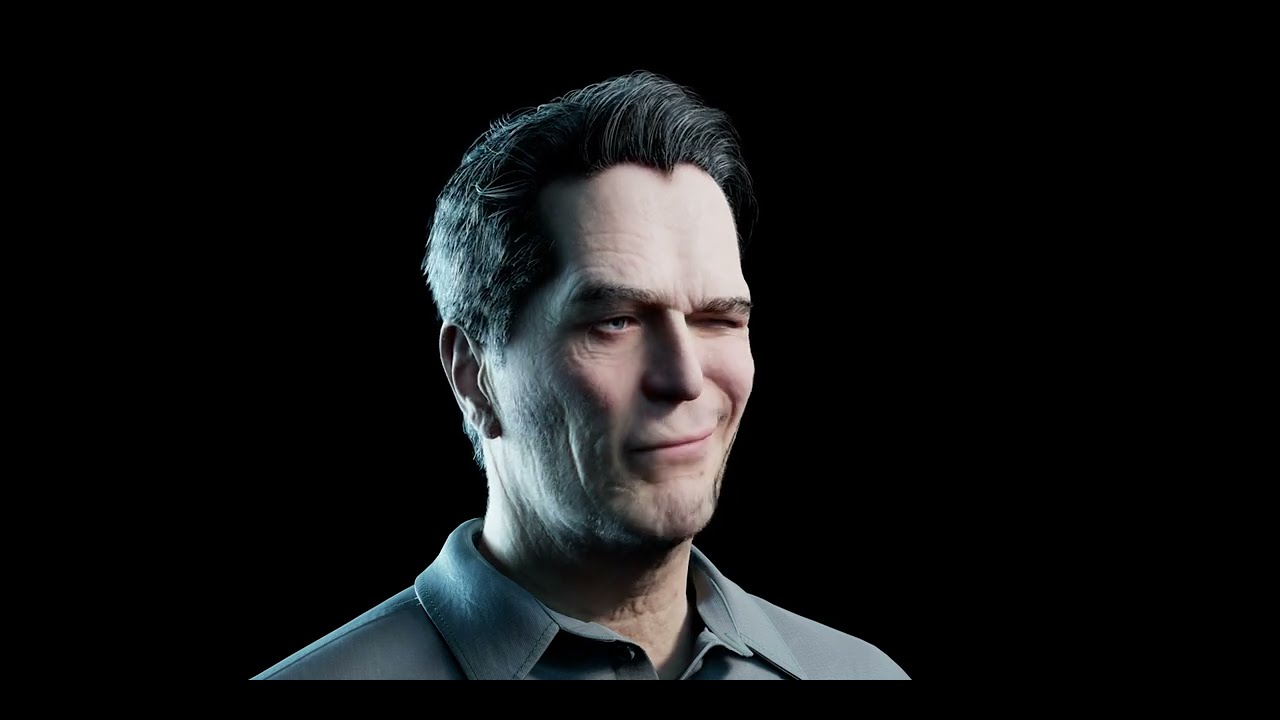
Converted the gman model from Half Life alyx into a metahuman and applied my livelink take. Process was quite fast, I'm really impressed 😮 https://www.youtube.com/watch?v=Zro3tznqG48

 plucky night
bones
west flame
Is it possible to import only a metahuman's head and its textures with Quixel ? Instead of the whole body and clothes.
final jetty
hi all, why can't i find the ik switches in the sequencer after the new 5.2 metahuman update?

 rough zealot
hey is it true that UE 5.2 does NOT support metahuman?
rough zealot
west flame
Is it possible to import only a metahuman's head and its textures with Quixel ? ...
Yes and you can do it without using Quixel
Step by step guide to create a custom MetaHuman using Unreal Engine 5. Using mesh to MetaHuman, we turned our friend into her digital avatar.
This is just part ONE of this series. As you see, the result is not yet a perfect clone as the MetaHuman creator has limitation. In the next video, we are going to customize the mesh further in Blender, ...
west flame
rough zealot
https://www.youtube.com/watch?v=7lAWhk_aVvc&t=44s
You misunderstood, that's not what I meant :/ I know how to use a custom mesh, what I need is just loading the head part in UE, instead of having to download the whole body everytime I make a new character. I just need the face and textures, no torso/arm/legs
west flame
rough zealot
hey is it true that UE 5.2 does NOT support metahuman?
Not true at all, not sure where you saw this ? I'm using them right now.
rough zealot
west flame
Not true at all, not sure where you saw this ? I'm using them right now.
thanks for confirming
 still sand
Well you can do that but eventually you will have to bring it into Unreal using Quixel Bridge. @atomic kayak Remy you can use Unreal 5.2 and inside the identity solver you can choose only head
 dry wadi
weird question, but does anyone know if its possible to attach both ends of a groom strand to a skeletal mesh and then simulate the points in between?
west flame
still sand
Well you can do that but eventually you will have to bring it into Unreal using ...
But when you choose to export to a head only skeletal mesh, it doesn't send it to the metahuman creator interface and you can't texture it or choose grooms, you have to export the full body for it to appear in the creator
I wouldn't mind getting the full body and deleting what I don't need, but the download process for a full metahuman in craaaazy slow
late onyx
hi there are like finance and budget questions authorized here ?
I was wondering how much would you charge for a custom metahuman walking and talking on different backgrounds
plucky kelp
Is there any effective way of animating metahuman breathing - the chest rig / animation? Any tutorial for that?
 still sand
If you need it for real time then not that I know of. If it is for sequencer you can drop your metahuman in there and it gives you control rig options
I suppose the only way for real time is to find an animation, retarget it and then edit that animation
 slate onyx
https://twitter.com/badlerstudios/status/1686409970739527681?s=61&t=4dvj2awT6bBgbe4NwYmArA
Cel shaded metahuman



 latent python
I'm pretty new to Metahuman and looking for some advice in similar regards. Is there someone who can spare time to help me clear doubts related to Metahuman characters please?
still sand
@latent python What is it that you want to know?
@slate onyx What is the point of doing Cel shading on a Metahuman? LOL seems like it defeats the purpose
slate onyx
Why does it defeat the purpose? Stylistically I think it looks better than a premade stylized character - There is tons of epic support for metahuman within unreal and it is basically 0 additional work with the shaders I’ve got going. It’s likely metahuman will continue to have features added. Seems to me to be a good investment of time and workflow. I can customize and replace with ease, and my animations are largely coming from mocap sources designed for metahuman too or that have existing retargeter options for it . My entire animation/mocap capture workflow on this particular project running via metahuman. Faceware seems to get better results with metahuman in my limited experience. Unclear why you think this defeats the purpose?
@still sand
still sand
Metahumans are intended to be more a of realistic character that show a high level of detail. If you wanted to make something stylized it would make sense to just make something from scratch that is more suitable for a real time application
slate onyx
Wouldn’t want to use metahuman for something the epic gods did not intend. This is for a film so there’s no need for actual functionality it is 100% about how it looks and ease of motion capture both face and body for cinematics.
For this look I am running the metahuman at LOD1 the LOD0 is the same exact look with the shaders so in that sense you’re probably right. The ease of motion capture outweighs any performance issues I’m having getting my renders, of which there’s very little running these at LOD1.
Plus it’s nice to wake up to a post from Unreal Engine about how they’ve made XYZ feature basically a button push with metahuman. I think it’s a solid system and shouldn’t be limited to a specific aesthetic. If it works it works.
still sand
Well I guess it is fine if that is what you want. Perhaps you are not an artist and cannot create characters. I have no idea. To each his own I guess
slate onyx
I’m a filmmaker first not a 3D artist. If there’s a system that allows me this much flexibility and consistency of use then I’d happily consider it. I’ve thought about using CC4 but find it to be a bit wonkier to work with and generally lower quality results than metahuman but obviously project dependent
What I want though is to be using one workflow as I deal with actors and a variety of different working elements and team members
Metahuman let’s me create a profile for each performer which is also huge
still sand
Yeah it does seem like a good solution in that instance
 half yarrow
Got some really weird behaviour here, I have my base npc character class setup with the body of a male metahuman I have in the project, but when I try to swap out his body parts to my female character in the scene view often material changes or skeleton changes simply won't apply.
Any help would be amazing! 😄
latent python
still sand
<@1055125815077126214> What is it that you want to know?
There are some series of related questions. Please check your inbox.
slate onyx
half yarrow
Got some really weird behaviour here, I have my base npc character class setup w...
Could be because the animation modes don't match - some are set to animation blueprint, some animation asset or custom mode. Might have to change it in the BP Editor to make it consistent... I could be wrong too tho not sure that would have anything to do with it but messes with my changes a lot
half yarrow
slate onyx
Could be because the animation modes don't match - some are set to animation blu...
Hmm cheers, will give that a go
west flame
plucky kelp
https://tenor.com/view/the-big-bang-theory-jim-parsons-sheldon-cooper-hyperventi...
That wouldn't be too complicated, just add a bone to the rig with the chest parented to it, animate a loop of the bone scaling/moving the chest
Will be even easier all inside unreal with 5.3
plucky kelp
west flame
That wouldn't be too complicated, just add a bone to the rig with the chest pare...
Any recommendation on type of bone / setup? Also why will it be easier in 5.3?
west flame
plucky kelp
Any recommendation on type of bone / setup? Also why will it be easier in 5.3?
5.3 will have built in tools to create skeletons or modify existing ones. For the type of bone, just use whatever you prefer, they all do the same
plucky kelp
west flame
5.3 will have built in tools to create skeletons or modify existing ones. For th...
Is it in preview?
west flame
Preview 1 is available yes 😄
plucky kelp
I meant if it works there. Wonder if I should use 5.2 or straight 5.3 xD
plucky kelp
west flame
Preview 1 is available yes 😄
Could you just point me towards the technique / category I should read through? Is it somewhere here?: https://portal.productboard.com/epicgames/1-unreal-engine-public-roadmap/tabs/88-unreal-engine-5-3-in-progress ?
I dont have much experience in rigging/ none in ue
west flame
If you've never done it before, I'd suggest following a few basic rigging tutorials for Blender, it will give you the basics understanding ! Things like Weight Painting, Bone Parenting
plucky kelp
I have the basics from 3ds max / blender. I need to learn more about editing in UE / metahuman rig specifically
west flame
plucky kelp
I have the basics from 3ds max / blender. I need to learn more about editing in ...
It's a brand new feature so there's no clear documentation yet I think, but a few youtubers already made videos about it. AskNK did one https://www.youtube.com/watch?v=mkFY-EN1aEs

Unreal Engine 5.3 is now available in preview and this ships with a character rigging system, which is absolutely brilliant.
Unreal 5.3 Features/Roadmap: https://portal.productboard.com/epicgames/1-unreal-engine-public-roadmap/tabs/88-unreal-engine-5-3-in-progress
Free Stylized Base Mesh: https://www.artstation.com/a/29804602
Get Free Material ...
I personnally haven't tried it yet, so I can't really help you besides linking tutorials :p
plucky kelp
Ok, that looks like good intro.
For the breathing it would be animating scale I guess?
west flame
plucky kelp
For the breathing it would be animating scale I guess?
That's what I'd do
Maybe changing location depending on the result
Scale might do more of a "bubble" effect, in the end I think moving the bone forward might be a better solution
plucky kelp
Yeah true, probably some combination of moving and small expanding of bone forward.
Anyway, thx alot for tips!
west flame
No prob ! Have fun
 fathom dawn
I have a strange problem where I can't attach the groom binding to the mustache in my metahuman, all the other grooms are working fine, only the mustache won't be added, any fix ?
 still sand
The new rigging looks basically like setting up a skeleton and painting weights in Maya. That migh prove useful in some instances
@fathom dawn Try reimporting the Groom. If that does not work you can parent the hair to the head joint and it will work
fathom dawn
still sand
<@237337124074946562> Try reimporting the Groom. If that does not work you can p...
how to reimport it exactly ?!
still sand
If its a custom groom you can reimport. If its from the creator then you might have to reimport the entire metahuman. Have you tried using different grooms?
fathom dawn
nope it's the one that comes with the MH
all the other grooms are working fine
I tried duplicating the groom asset and build a bind asset for it still not working
still sand
Yeah I would go back to QB and add it again and see if that fixes it. If not then just attach to head socket
fathom dawn
still sand
Yeah I would go back to QB and add it again and see if that fixes it. If not the...
attaching it to the head socket isn't a great solution
when the mouth is moving there will be some issues with the mustache position
I'll try to reimport it from the QB
 astral verge
Hey guys. I have a 3060ti and I"m trying to animate a metahuman using livelink process etc. BUt everytime i go to process performance UE5 crashes and it says my video has been exahusted and exremely poor performance...I have no objects in my level just a plane and my metahuman..what am i doing wrong?
this is literally all i have

"your machi8ne has les than 65gb of memory required to run performance prepration at maximum speed" when click Prepare for performance
fathom dawn
fathom dawn
still can't add it
A video of the issue
UPDATE: I imported another MH (from the presets) and it seems to have the same specific issue
apparently it's a universal bug with MH ?
still sand
Yeah it takes a lot of ram to animate at LOD 0. You can lower the Lod's or get more ram or a better GPU
astral verge
Hey guys so I've exported my animation animation and then I went to my metahuman and click animation - and animation mode to animation asset and under th drop drown clicked my animation. As you can see in the below picture

How do I now take a video that has audio to and export it ?
still sand
You can do this in realtime with a screen recorder program... might be better to setup a scene and lighting and use Sequencer and output to video there
However I am not sure how the animation would look and or work as you would have to have it set to use animation asset and then just loop it
Sequencer seems like the better option
 abstract tiger
still sand
You can do this in realtime with a screen recorder program... might be better to...
abstract tiger
still sand
You can do this in realtime with a screen recorder program... might be better to...
Are there no tutorials? On how to do this
still sand
What exactly do you need a tutorial for? How to output to video from Sequencer?
astral verge
@still sand I've used a level sequence and selected my Metahuman and included the face animation as well as add add camera. Problem is the audio isn't coming through...how do i enable this?

I intially used livelink to capture my footage and then did the process
astral verge
anyone else have problem for livelink arkit ? It isnt connecting to arrkit face subj..i cant find my iphone
errant mauve
are yall finding that perf drops around 20-30fps per MH added to sequencer?
 golden crest

Does anyone know why my metahumans hair keeps showing up in front of my niagara blueprint?
This is the video of the shot for reference
For some reason the hair shows up in front of the fire
Not sure how to fix this...any help would be very very appreciated
simple forge
golden crest
Try going into Simulate and then selecting that hair and seeing where it is located in your world outliner
golden crest
Okay I tried it, it's located on his the metahumans head still

This is what the outliner looks like
Oooooh yknow
I do have the LOD forced to 0 right now
maybe that might be the issue
let me try something else
Nope didnt work
I think it might be due to the LOD tho
something with the material
hmmmm but in the viewport it looks fine, only in sequencer is there a noticeable layering issue
Potentially postprocessing or some blueprint depth of field setting
I dont think its postprocessing
astral verge
When using metahuman animator my animation always has the teeth closed..Anyone have a clue how to fix?
 wicked turtle
Hey, trying to get into animation in UE5 and see some models for sale. Is there a way to animate any model's face with a camera? I see metahuman animator but is that only for metahumans?
simple forge
golden crest
sorry i just rewatched and thought the hair was floating around
golden crest
simple forge
sorry i just rewatched and thought the hair was floating around
No worries, thanks for trying to help!
 cunning zenith
Does anybody know the approximate FOV/focal length of the camera in the online metahuman creator?
It's quite hard to match a photo without having a match for the camera lens
abstract tiger
The issue is regarding audio not syncing well to the rendered image sequence on DaVinci resolve(any editing program).
-
I render out my meta human animation using movers based queue and selecting the image sequence(png).
-
I put the image sequence into DaVinci resolve and it compiles it into one video file I can use to edit.
-
I use the original videos audio and put it below the video but it’s out of sync. Either to slow.
I’ve even rendered the audio wav using movie based que but same issue. First 2 seconds Match but the rest doesn’t.
Wonder what I am doing wrong. FYI I am following the meta human animator tutorial
simple forge
abstract tiger
The issue is regarding audio not syncing well to the rendered image sequence on ...
When you import the image sequence into davinci, check that it is the correct frame rate. If I export a 60fps sequence with correctly synced dialogie as a png, and bring it into premiere, I have to then assign the correct frame rate to that new image sequence in premiere. By default premiere reads it as 29.99 fps.
 rain pewter
Having an issue with a metahuman I imported into a project. The mesh came in fine, but for some reason the hair just flatly doesn't show up. It's not even listed as a component in the blueprint. Is there any way to fix this?
It says "Component class is not set for 'Hair' - this component will not be instanced, and additional warnings or errors may occur when compiling Blueprint 'BP_NewMetaHumanIdentity1'."
Is there a way to forcibly add it manually?

Looking at tutorials, there's supposed to be a bunch of hair assets under face
plucky kelp
rain pewter
Having an issue with a metahuman I imported into a project. The mesh came in fin...
Do you have groom enabled<
rain pewter
plucky kelp
Do you have groom enabled<
Where do I do that
plucky kelp
rain pewter
Where do I do that
Plugins
rain pewter
I'll check
plucky kelp
 rain pewter
Gotta go to bed I'll try in the morning lol
plucky kelp
Anybody knows how to "merge" body rig with head? I need to paint weights for both of these, but upper torso is missing:
 plucky kelp
Also how to make bone edits appear in control rig skeleton hierarchy
rain pewter
plucky kelp
Did it. That worked. Thanks, man!
 vestal badger
Testing facial expression

 valid ingot
Would I need to worry about anything breaking if I imported my metahuman into blender and cut off the top of its scalp for a body horror scene?
 tame agate
I have 1 clothes for a metahuman and, for example, i have fat and thin person, question is how to make the clothes fit the character ;p
 granite kraken
Hey guys! How come the only info about UE5.4 comes from JSFILMZ? His Metahumans on 5.4 are pretty impressive
 tulip otter
Im using 5.2.1 where did RL Root Transform go?
tulip otter
or what am i supposed to use instead of Root Transform
vestal lance
Ok.. still can´t compile 5.2 source with the MetaHuman Plugin from the launcher..
Something of the meshTracker can´t be found... Is there anything in need to be setup instead of just copy&paste the MetaHuman Folder from launcher marketplace to source Marketplace Folder of the Engine Plugins?
 stoic wedge
Does anybody else get constant crashing using metahumans in sequencer with this flag?
Assertion failed: !AllocationFlags[Index] [File:D:\build++UE5\Sync\Engine\Source\Runtime\Core\Public\Containers\SparseArray.h] [Line: 94]
stoic wedge
So far the only temporary fix I've found is to delete all metahumans before opening the sequencer, open the sequencer then undo delete, this works for a while at least
 normal coyote
id like the eyes of the character to line up wit the socket, I know you can use the region influence in the metahuman creator but it makes the character look really silly. is there an easy way to fix this?

 viral magnet
Hey guys, so I'm making a shooter game and while using metahuman characters, I wanna know how to make them stop lagging off the mesh?
Can anybody help
 plush oar
Hi! I'm following this tutorial, and I don't get the "Apply CC Textures" button at all.
I have the Metahuman Pluging installed, also Auto-setup, both enabled in Unreal.
Any advice why that button is missing?
Thank you all!!
PS. Is a mesh to metahuman based on CC4. Now I need to apply the original cc4 textures to it.

 normal sorrel
Hi! Any idea how I can disable the hair physics? I have the simulation box unchecked but the hair keeps moving. Thanks!
 simple forge
normal sorrel
Hi! Any idea how I can disable the hair physics? I have the simulation box unche...
simple forge
normal sorrel
Hi! Any idea how I can disable the hair physics? I have the simulation box unche...
there are two solver settings. Drop down the one below the pink line and disable that one too
 desert ocean
normal sorrel
Hi! Any idea how I can disable the hair physics? I have the simulation box unche...
desert ocean
normal sorrel
Hi! Any idea how I can disable the hair physics? I have the simulation box unche...
as Feeding_Wolves said u had more Groups and they have all seperated Settings , or u go in BP and clan Globally Disable it
normal sorrel
ok thank you! I will try 🙂
viral magnet
How to make my metahumans float less
 night horizon
Hi.. so I have a problem. I have a metahuman, animated, in unreal and I would like to export it to blender for rendering. I dont want to edit this animation, I just want to render it. The only way I see would be to export this to maya and then export an alembic from maya to blender. But how? exporting the entire rig in the level sequence leaves the mesh in a T pose in maya, without animation. I would REALLY appreciate any pointers, as I am on a deadline and didn't foresee this problem 😦
west flame
Just saw this new tutorial from Faceform: https://youtu.be/wtlWMwdI2S4
Where can I find that Metahuman basemesh and texture ? Is there a place where Unreal provides it ?
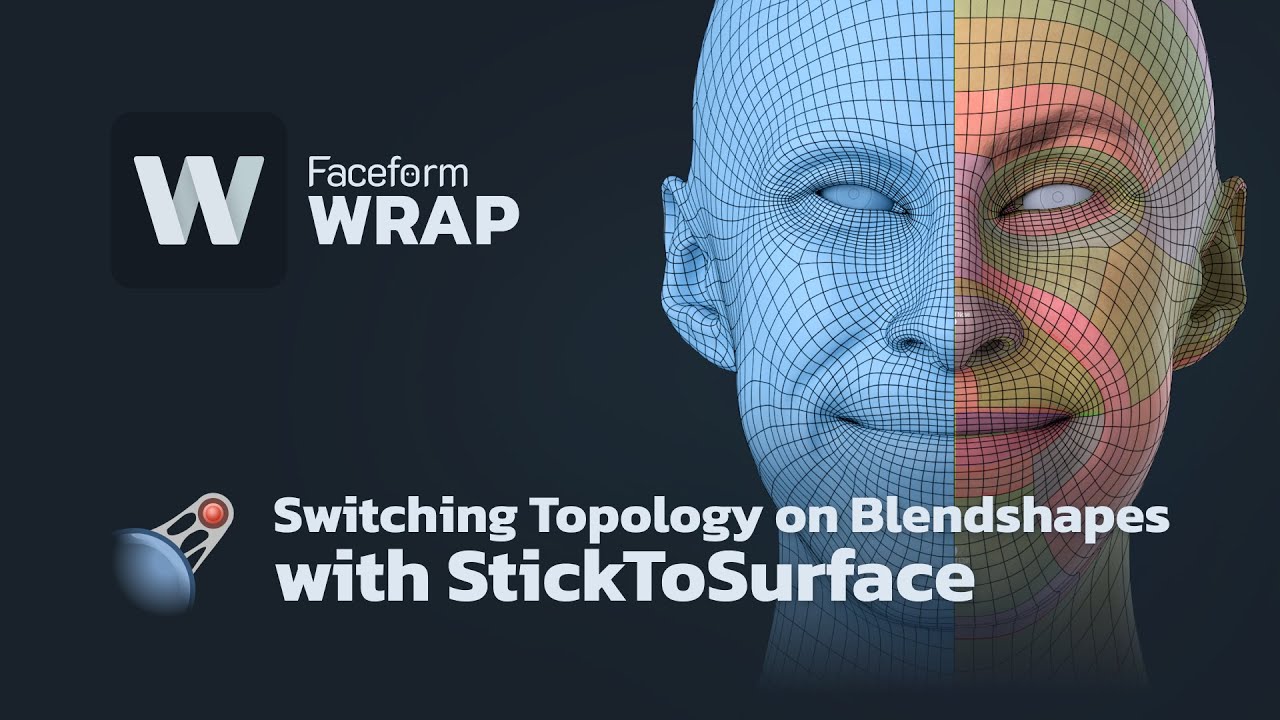
In this video, we will show you how to change topology on dozens of blendshapes automatically using the new StickToSurface node.
Imagine you have a set of blendshapes or characters created in one topology and later you decide to modify or completely change the topology on all the models. You will learn how to make it automatically in minutes wi...
I'd love to use a custom mesh with the proper topology for metahuman use, so far my workflow has been this way:
3D Scan => Faceform to get clean topology and the exact same head shape => Mesh to Metahuman
But the metahuman creator always modify my head a bit and it's not 100% accurate, and apparently according to this tutorial I could export a perfectly recreated face with the proper topology ready for metahuman use in editor without any modifications from the Metahuman Editor to my face's shape.
 granite stirrup
Hey, anyone try to make zombies with metahuman?
 fiery verge
west flame
I'd love to use a custom mesh with the proper topology for metahuman use, so far...
fiery verge
west flame
I'd love to use a custom mesh with the proper topology for metahuman use, so far...
wouldn't that mean you'd need to create your own control rig for the face animations?
west flame
fiery verge
wouldn't that mean you'd need to create your own control rig for the face animat...
If the topology and naming conventions are the same, I guess I could just slap the base metahuman control rig on my custom character ?
Or is the rig slightly different for every character, I’m not sure
 fringe kindle
Anyone know how to stop this white santa claus effect. It didnt look like it in Creator or when in Epic quality but Cinematic and any rendering result in this Santa claus white hair. I want it to look like normal how it looks in epic mode (on the right) and the editor and creator.


 wise turtle
Looks like you're superposing 2 skeletal meshes, a MetaHuman preview + your real MH
 ionic sonnet
I deleted the sandals to make him have just feet how do i make him not float like that?

it seems to work when using my idle animation and going to ragdoll then getting back up from the ragdoll but not if i spawn or use a dif idle animation when switching weapons
 soft estuary
Has anyone tried running Metahuman Animator on their iPhone simultaneously with Sony Mocopi?
stoic wedge
anyone know how to fix metahuman glowing hair? This happens when I render
 stoic wedge
fringe kindle
Anyone know how to stop this white santa claus effect. It didnt look like it in ...
stoic wedge
fringe kindle
Anyone know how to stop this white santa claus effect. It didnt look like it in ...
I'm having the same problem right now, would love to know if you find a solution! I'll report back if I find one
stoic wedge
fringe kindle
Anyone know how to stop this white santa claus effect. It didnt look like it in ...
only thing I've found so far that helps is bringing the roughness all the way down, but then the hair gets all sparkly
late onyx
Hi ! i need to use 5.2 capabilities for creating a metahuman that i will then add to a 5.1 project how would you recommend doing this ? thanks a lot
fringe kindle
stoic wedge
I'm having the same problem right now, would love to know if you find a solution...
yes, its caused by any "emissive materials" in the scene. The only solution is a workaround: either avoid letting your MHuman go near the assets emitting light, or turn them off. I chose to turn them off. I had about 5 items causing it. the way I found them was to select all assets and hide them until I found the culprits. I dont think the issue has been solved so there is no fix currently, just workarounds that I could find.
 silent chasm
Does anyone know how tall the "Average" heights are in inches/centimeters for the male and female proportions?
 opal narwhal
does anyone know a solution for groom disappearing due to camera getting close to it?
rare whale
opal narwhal
does anyone know a solution for groom disappearing due to camera getting close t...
try changing the LODs to 1 or -7.
that will fix the LODs to the highest quality tho.
opal narwhal
rare whale
try changing the LODs to 1 or -7.
after changed the Lod sync to 1, there's a rgb blinking when it disappeared
 eager ore
does anyone know why my metahuman is imported into unreal engine without hair and how to fix it?
late onyx
Hi there
What's your technic for importing a metahuman made in 5.2 into a 5.1 project ?
 viral pewter
Hello everyone! Hope you have a nice day 🙂
I was wondering if anyone have and know how to fix issue with viewport being bugged when using Metahuman Identity when following the Mesh to Metahuman pipeline.
- When I wanna check side by side the original mesh and the metahuman mesh, it wont split as it should. They just overlap on each side ( on A and B side ) as visible on the picture.
- when I try zoom in\out to the frames, it wont zoom the mesh, I can see black screen showing in, my tracking point moves as well, but the mesh is still same. When I switch to free and that frame camera again its back as it was when I locked the camera.
Any help would be amazing ❤️

 late onyx
hi ! Do you knwo where i could find nice hands animations for a metahuman ? it's just to animate a speech.. thanks
late onyx
viral pewter
Hello everyone! Hope you have a nice day 🙂
I was wondering if anyone have and ...
hi there !
I had the same problem a couple a hours ago have you tried left click plus moving around ?
late onyx
viral pewter
Hello everyone! Hope you have a nice day 🙂
I was wondering if anyone have and ...
did you switch stuff here ?
 viral pewter
Yes I tried it all
opal narwhal
late onyx
hi ! Do you knwo where i could find nice hands animations for a metahuman ? it's...
you can use mixamo
late onyx
thanks yeah i tried but i can't find an animation of just someone giving a speech it's all people shooting everywhere ahah
opal narwhal
oh yeah that's right, you can also find these two in marketplace

 late onyx
opal narwhal
oh yeah that's right, you can also find these two in marketplace
late onyx
opal narwhal
oh yeah that's right, you can also find these two in marketplace
thanks !!
late onyx
opal narwhal
oh yeah that's right, you can also find these two in marketplace
have you tried city sample crowd ? i just need a few animations from there but it's 5gb can i just keep the animations so i don't overload my project ? thanks again
and also i'd like to add a doctor's blouse to my character what would be the best solution
cunning cloud
hey guys! does anyone know how i can get an fbx of a metahuman out of ue?
the only ways i can see currently are exporting in to blender without textures or maya without the hair
plucky night
Hey guys! Does anyone know of any methods to simplify/bake the material blueprint down so its less resource intensive? Or does that kind of defeat the purpose of using metahumans
 fluid oriole
Hi guys, how do I make my metahuman's live retargeting synchronize properly with a parent bp? the third person character template is the parent blueprint, its using the ue5 mannequin skeleton and animbp with an Armor skeletal mesh.
fluid oriole
fluid oriole
Hi guys, how do I make my metahuman's live retargeting synchronize properly with...
The easiest solution would be retargeting the AnimBP to the metahuman skeleton and using that instead but I want to be using a single AnimBP because I will be switching between metahumans and none metahuman characters, which is why getting live retarget to sync properly is much more convinient than having multiple animbp's.
fluid oriole
Solved, instead if synchronizing the metahuman to the parent bp I've just grabbed the armor components in the parent bp and syncronized them to the metahuman body in the metahuman bp. The delay node was removed, its not necessary.

Looks like his nose is too big though.
 knotty jolt
Has anyone successfully retargeted the Metahuman mesh to the UE5 skeleton to get a more optimized asset? I really only need the mesh and materials as I won't be using any advanced facial rigging. Alternatively, if it's possible to change the skeleton LOD without changing the mesh LOD that would work as well.
cunning cloud
Hey guys... ive had this problem on different renders and machines and got no idea what it is... has anyone seen this before?!?? These are all sequential frames with different colours randomly


 willow ivy
west flame
I'd love to use a custom mesh with the proper topology for metahuman use, so far...
willow ivy
west flame
I'd love to use a custom mesh with the proper topology for metahuman use, so far...
Hey there - I ran into this same problem trying to apply a Metahuman Control Rig to a stylized character head with Mesh to Metahuman
Eventually figured out a workflow based on Joe Raasch's custom morph technique - I use Faceform Wrap too. It's described in this video (look at the video description for a detailed breakdown step by step) https://www.youtube.com/watch?v=HOSPDn1j9Jw&t=6s

Here is the first part of my current character workflow for custom stylized Metahumans - I developed it for the short film I’m working on (‘Raj Pai, Gentleman Spy’). This part prepares a Metahuman head based on an unrigged stylized basemesh, and then textures it in a painterly style using Midjourney to speed things up.
This workflow owes a lot...
willow ivy
west flame
I'd love to use a custom mesh with the proper topology for metahuman use, so far...
And here's an even more detailed breakdown of an earlier version of the workflow: https://medium.com/locodrome/unreal-filmmaking-building-a-stylized-custom-metahuman-33316cd5e4a6
Medium
In my last diary entry I described my character workflow problem statement as: How to (A) keep a distinctive and stylized shape for the…
sly sparrow
knotty jolt
Has anyone successfully retargeted the Metahuman mesh to the UE5 skeleton to get...
it's possible but probably not inside unreal, you'll have to go into blender or maya and rerig everything
there's probably some auto rigging software you can look into
anybody know if there's any plans to change the metahuman skeleton again? I want to get started, but I'm scared a better version with a changed skeleton is gonna come out, and then I'll have to do all the work over again to recreate animation
simple forge
cunning cloud
Hey guys... ive had this problem on different renders and machines and got no id...
what kind of light are you using? And are you using lumen, ray trace or both?
west flame
willow ivy
Hey there - I ran into this same problem trying to apply a Metahuman Control Rig...
Awesome, i'll give it a look. Thank you !
cunning cloud
simple forge
what kind of light are you using? And are you using lumen, ray trace or both?
Both, the project is using lumen but I have a few rect lights with ray traced shadows enabled lighting the scene
simple forge
cunning cloud
Both, the project is using lumen but I have a few rect lights with ray traced sh...
is the metahuman moving at all during that section of the render?
cunning cloud
simple forge
is the metahuman moving at all during that section of the render?
On this render no, but I have also had the same problem with a previous render on a different machine with animation on the metahuman
simple forge
cunning cloud
On this render no, but I have also had the same problem with a previous render o...
it could be your render settings. Not sure if those first 3 frames are the first of your render.
simple forge
cunning cloud
On this render no, but I have also had the same problem with a previous render o...
But I would check my lights first. take like 30 frames from the sequence where this is happening and start the process of elimination. Could also be that the metalic part on the collar is causing a lens flare/reflection
 inner falcon
Assertion failed: WeightCount == InteroplationWeightCount [File:D:\build\++UE5\Sync\Engine\Plugins\Runtime\HairStrands\Source\HairStrandsCore\Private\GroomResources.cpp] [Line: 1466]
MHs are crashing in 5.3, any fixes?
golden crest
If anyone is curious
I solved the problem with the hair being rendered behind my niagara particle

It's a translucency issue with unreal, but translucency sort priority will not work
you'll have to type in a command
either
r.HairStrands.ComposeAfterTranslucency - 0
or
r.HairStrands.DOFDepth - 1
 lean bolt
I made Gman from Half life in UE5


 junior jacinth
please, guys. Are these metahuman animator files? https://drive.google.com/drive/folders/1AjVmYfGMSimfHq8di3dBfLRI_2kb_Uxz?usp=drive_link


and how do I use them?
 ionic fox
Does anyone have any idea what is going on here? Setting the graphics scalability to anything lower than 'High' completely deforms the metahumans.
No issues at all when at High/Epic, and LODs are already being forced to 0 etc.
Pulling my hair out trying to get this fixed! Any help hugely appreciated😔

 simple forge
ionic fox
Does anyone have any idea what is going on here? Setting the graphics scalabilit...
simple forge
ionic fox
Does anyone have any idea what is going on here? Setting the graphics scalabilit...
You nprobably need to open up the MetaHuman base skeleton, go to the skeleton tree, select show retargeting options, and change everything but the root and pelvis to skeleton
ionic fox
simple forge
You nprobably need to open up the MetaHuman base skeleton, go to the skeleton tr...
Thanks @simple forge, appreciate any help! Unfortunately that doesn't appear to have made any difference though. Gutted
 feral gulch
hey, got a problem Im stuck with since last night, I have this MetaHumanBP human as a child actor and the third person character as the parent, so that the meta uses the anims from the parent, my code and variables are on the MetaHumanBP, how would I get the variables to the AnimBP that the thirdperson uses? so that i can start animate the metahuman?
Hopes this make any sence , many thanks in advance!!
ionic fox
ionic fox
Thanks <@755265182334320711>, appreciate any help! Unfortunately that doesn't ap...
Just to add, narrowed it down to Draw Distance specifically. Setting this to Medium or Low causes this issue...
 gentle zodiac
I'm trying to retarget older UE4 Mannequin animations that were originally created for use in UE4 to work in UE5.2 and Metahumans I was able to successfully to retarget newer UE4 Mannequin animation that are using the UE5 version of the UE4 Mannequinn no problem using the documentation.
What do I need to do differently to get these older UE4 Mannequin animations to work with Metahuman in UE5.2?

Epic Developer Community
Animation retargeting guides for MetaHumans in Unreal Engine 5.
 jovial ruin
Hey friends, anyone know how to rotate MH animator capture sources if you shot your iphone footage U P S I D E D O W N ?

 lament forge
Anyone here who might have an intuition why a hair groom might disappear in the middle of a level sequence? LOD is forced to 0; the asset binding to the head skeleton is correct, etc.
 fading wedge
I am trying to use some metahuman assets on a modular character based on a UE5 Manny skeleton, I have it mostly working except for the head attachment - I do see other issues with this online but have not found a solution that works for me yet. The neck seems to be stretched down to the pelvis and when the character walks the bottom of the stretched neck pokes through the body like shown.
What is the issue here? Any pointers?

 pearl zodiac
willow ivy
And here's an even more detailed breakdown of an earlier version of the workflow...
pearl zodiac
willow ivy
And here's an even more detailed breakdown of an earlier version of the workflow...
This is a fantastic tutorial! I’ve been looking for something like this for quite a while, so thanks for sharing!
I did see that the author of FaceIt (Blender plug-in that automatically generates shape keys for ARKit, etc. on any model) is looking into Metahuman Animator. I’m intrigued with the idea of rigging a custom character in Blender with FaceIt and Auto-Rig Pro, then exporting it to UE without messing with Metahumans at all. The docs below say that any character setup with the right control curves will work with MHA, so seems one could have a re-usable set of Blueprints, Pose Assets, etc. to hook up to any exported character, similar to re-using existing control rigs with any skeletal mesh.
https://dev.epicgames.com/documentation/en-us/metahuman/control-curves-driven-by-metahuman-animator
My experience with ARP and FaceIt is that they make fairly quick work of rigging the body and face respectively, and it seems it could potentially be an easier workflow than the one described in the article. The results might also be better, since FaceIt allows custom sculpting of the various shape keys for fine-tuning. It would also be possible to have a single mesh, whereas I usually need to have clothing of some sort covering the seam between a customized MH head and body, limiting character design choices. In addition, the Metahuman topology is pretty limiting of design choices.
Epic Developer Community
The list of Control Curves that MetaHuman Animator generates animation for. If a character's face is driven by any of these named curves, that character...
willow ivy
pearl zodiac
This is a fantastic tutorial! I’ve been looking for something like this for quit...
Glad it was helpful! If they can get Metahuman Animator working, that would be great. My workflow is pretty labor intensive, and I'd love a shortcut.
pearl zodiac
I noticed today that the latest Metahuman release notes say,
“With this release, you can set the template mesh and, provided it strictly adheres to the MetaHuman topology, you will get exactly that mesh rigged—not an approximation.” It seems this could be a shortcut to creating stylized Metahumans where sculpting or R3DS Wrap could be used to create the stylized character directly on the MH mesh before Mesh to MH, with no need for Mesh Morpher afterwards.
However, I haven’t been able to get this to work, and also haven’t been able to find any documentation. When I export the face mesh as FBX as a supposed correct topology for sculpting, it has eyelashes even though my Metahuman has none, so not sure if this is the issue, and it needs the bare face mesh, or maybe other components need to be removed. Also not sure if the body mesh is expected as well, which would be great if it were and a custom body were rigged as well.
sly sparrow
pearl zodiac
I noticed today that the latest Metahuman release notes say,
“With this release...
where did you see this
pearl zodiac
sly sparrow
where did you see this
It's here: https://www.unrealengine.com/en-US/blog/delivering-high-quality-facial-animation-in-minutes-metahuman-animator-is-now-available. Look under the heading "New Mesh to MetaHuman workflow for custom characters".
 junior inlet
Hey guys and I have a question. Can we use meta humans in AR?
 soft jetty
Weird question. In blender, this is all good and its moving, weights are transferred. I can move it. Its tied to the metahuman rig itself in blender. I export it
with the settings in the second image and when I import and pick the mesh for the metahuman it looks like uhhh this.


Any suggestions perhaps?
final jetty
hi all, im having a problem where i can't seem to render motion blur and metahuman hair at the same time due to temporal sampling. the hair isn't being simulated but still it's coming out like this. anyone has any tips? the metahuman is on a fast moving object, but that doesn't seem to be a problem for anything except for the hair. would be super grateful for any tips!

 bold bay
Hie, down anyone know what causes these to be crossed out? Cant seem to use these Anim Curves unless they are checked green, but I also have no idea what causes them to be checked 'X'

 mental compass
What is the best way to make custom clothing for metahumans? Should I use a app like marvelous designer or another way?
pearl zodiac
mental compass
What is the best way to make custom clothing for metahumans? Should I use a app ...
This is an excellent tutorial that uses Blender and MD. I guess MD is kind of an industry standard and produces good results for less effort than many other tools, but there are other options like Blender plug-ins that IMO aren’t as good as MD, but are workable. I’ve also had success with taking clothes from Sketchfab and other places, then sculpting them to fit a particular character (mainly using the Grab tool in Blender sculpting).
https://m.youtube.com/watch?v=12k1gs65tlA&pp=ygUZbWV0YWh1bWFuIGN1c3RvbSBjbG90aGVzIA%3D%3D

For the past couple of days, I have struggled to find a suitable workflow for adding custom clothes to my Metahuman characters. It frustrates me to sit through hour-long videos that could have been easily condensed down to 10 minutes.
Keep in mind, this is just a step-by-step clickthrough and not a tutorial about "How to create clothes in Marve...
mental compass
pearl zodiac
This is an excellent tutorial that uses Blender and MD. I guess MD is kind of an...
Okay, I think I saw that a while back on epics learn website. I’ll check it out. Thanks
Marvelous designer looks good and I think it’s only like 30 bucks for a single month which is all I will need
pearl zodiac
I will add that the weight painting can be a challenge, although transferring weights in Blender gets it somewhat close. Not sure what your DCC of choice is, but the Blender Voxel Heat Diffuse Skinning plug-in is great for automatically weighting clothes. I’ve not specifically used it with the exported Metahuman skeleton, which has extra bones that may cause issues for automatic weighting. It might be simpler to use that plug-in in combination with Auto-Rig Pro to rig and weight the body and clothes, and then use ARP’s UE5 export. If you then go into UE, delete the skeletal mesh for your MetaHuman’s body, and then in the delete dialog, choose your mesh exported from ARP as a replacement, it’ll automatically update everything so that custom body with clothes will work with the MH control rig, etc.
Edit:
If you’re using automatic weighting on the clothes and not the body, the body may deform differently and protrude through the clothes, etc., unless you do a lot of manual tweaking of the weights. Also might want to delete parts of the body mesh that are covered with clothing.
mental compass
I was looking at the metahuman content pack from the marketplace that epic made and I noticed that they basically were mix and matching sets of torso, legs, hands/feet, and heads. is this a good practice for metahumans or is there another way that is better?
they just had paramaters like skin color and build to make sure it wasnt wonky
knotty jolt
After exporting a Metahuman head to Blender and doing some editing, I get this seam when I re-import it into Unreal... anyone knows how to get rid of it?

 hollow robin
Why is there nothing in a Metahumans face post-process anim blueprint? How are the curves set by the face control rig being applied to drive the pose assets? Is this all black-boxed in c++ somewhere?
soft jetty
Hey all! I seem to be stumped. The issue im having is the mesh on the left I am applying to the body of the metahuman (hidden) on the right and as soon as I do the mesh deforms. Some info:
Metahuman Skele Exported to Blender
Added Cloth to Blender. Made it fit Body, etc. Transfered all weights.
Import into unreal. II can move the body and it looks fine (See left image.)
I apply the skeletal mesh to the metahuman and then poof. Deform.
Any thoughts?
 soft jetty
A video also showing my import process, etc. Any thoughts would be a godsend.
soft jetty
I got it fixed. For those wondering.
Metahuman is a little complex. You must select and use a clothing assest from metahuman an export that skeletel mesh. Do not use the full body meta human skeletel mesh. You will have problemos.
 somber latch
Guys, heelelp, --- I am trying to use metahuman as my character in top down game, but the file sizes are crazy, especially face mesh for example which i will never animate. Do you know any tutorial that can help me solve this issue ? or maybe someone could drop me DM and help ?? 😞 🥺
 proud coyote
somber latch
Guys, heelelp, --- I am trying to use metahuman as my character in top down game...
proud coyote
somber latch
Guys, heelelp, --- I am trying to use metahuman as my character in top down game...
I'm interested in hearing more about this also. I'd like to reduce file size and mesh complexity for lower detail in UEFN, while still preserving ability to use facial rig.
sly sparrow
There is a quality option I thought for exporting inside bridge
Also there is an operation you can do for static meshs, but idk if you can do it with skeletal
Also this won’t help with file size, but you can just generate auto LODs and then set the max LOD to a specific lower quality LOD
 sly matrix
anybody else getting tons of hairstrands crashes on 5.2.1?
fluid oriole
knotty jolt
After exporting a Metahuman head to Blender and doing some editing, I get this s...
Hi, did you ever manage to fix this?
knotty jolt
fluid oriole
Hi, did you ever manage to fix this?
Unfortunately not
late onyx
hi there any idea why my metahuman has it's head like this ? i just used live link + added body anim

ok i found a solution but now my body anim just won't play in game
native blaze
hello guys! i did metahuman animator and face looks great. now i backed it to adjust keys, but then how to attach what i backed to body? head floating on top of the body
thank you
 rigid hamlet
Hey, It is not a metahuman problem but a groom problem. Any idea why I am getting these moiré pattern ?


 fallow ledge
Is there a way to use the UE4 Mannequin for Metahumans ? 🤔
 tulip relic
anyone know why live link face wouldn't be showing up in my privacy/perms settings in ios? iPhone 12 pro max. The app's installed, and I used it a long time ago, but the app is telling me to go to my permissions settings and I'm not seeing Live Link Face in the list (Live Link VCAM is there)
i'm running ios 16.6
deleted and reinstalled app - works now 🤷
 frosty folio
fallow ledge
Is there a way to use the UE4 Mannequin for Metahumans ? 🤔
frosty folio
fallow ledge
Is there a way to use the UE4 Mannequin for Metahumans ? 🤔
Yes
frosty folio
rigid hamlet
Hey, It is not a metahuman problem but a groom problem. Any idea why I am gettin...
Do you want the Metahuman?
frosty folio
native blaze
hello guys! i did metahuman animator and face looks great. now i backed it to ad...
It's something we can help you out with
rigid hamlet
frosty folio
Do you want the Metahuman?
What do u mean ?
 fallen pond
Hey guys. Quick question as I’ve been out of Unreal for 2 months. Is Metahuman not working for 5.3?
 dark compass
What does skin compute cache do?
 fervent ibex
Does anyone knows this texture with the edge loops is available somewhere in the engine ?
 frosty folio
fervent ibex
Does anyone knows this texture with the edge loops is available somewhere in the...
frosty folio
fervent ibex
Does anyone knows this texture with the edge loops is available somewhere in the...
Yes sure
frosty folio
rigid hamlet
What do u mean ?
What I mean is that, I can help you out with it
fallow ledge
Yeah sorry but I don't trust this, I figured it out myself anyway
I'm pretty sure it's someone even trying to rip you off one way or another
 little pike
Is it possible to give a Metahuman a haircut? If so, how??
rigid hamlet
frosty folio
What I mean is that, I can help you out with it
🙂 nice. You can start helping me with the question I asked
 sleek gust
Might be the wrong place but I'm trying to figure out how to do just EyeBlink tracking from a webcam (like the game Before Your Eyes), do anyone here happen to have tried something similar? Anyone know if it's possible to use Metahumans but with an webcam? (would survive the low quality if I just need to find eye poses)
frosty folio
rigid hamlet
🙂 nice. You can start helping me with the question I asked
Okay
frosty folio
little pike
Is it possible to give a Metahuman a haircut? If so, how??
Yes there is a way
And I can do it
little pike
FOLDKASH TEAM — Today at 3:08 PM
Yes there is a way Could you please tell me how?
frosty folio
little pike
*FOLDKASH TEAM — Today at 3:08 PM
Yes there is a way* Could you please tell ...
Check your inbox
 lethal orchid
Friendly reminder, this server is for peers, not farming potential clientele through deception and misleading to bait people into solicitation.
 broken pasture
added the 16k texturing.xyz Vface maps to metahumans. I turned virtual texturing off for max quality.


 dense raptor
knotty jolt
After exporting a Metahuman head to Blender and doing some editing, I get this s...
dense raptor
knotty jolt
After exporting a Metahuman head to Blender and doing some editing, I get this s...
It's because the normals are smooth and implicit (i.e. shade smooth in blender). So at the edge seam of the head mesh it is not actually connected to the body and so it does not smoothly blend normals into the body. To fix this, make a copy of your face mesh and actually join it to a body mesh, and then use mesh data modifier to copy the normals from the joined mesh to the original head.
knotty jolt
dense raptor
It's because the normals are smooth and implicit (i.e. shade smooth in blender)....
Ahh that makes sense, thanks a lot!
 broken pulsar
I'm trying to make a system where the player can switch between different metahumans
The default bodies are fairly simple - so I'm planning to alter them in blender and substance painter so ideally being able to change the material for the bodies skeletal mesh would be useful, but I'm having trouble figuring out how to achieve this 🤔
 hallow hazel
I made a retargeter and retarget animations from the base manny/quinn to metahuman skeleton, but they become root motion animations for some reason and break everything. How do keep them as in place animations (Video included to show what)
https://youtu.be/6H3MHZXmVH8

 wicked schooner
i read something about that... cant remember but it sounded like root motion was an important feature for retargeting? god i might've read that this morning even
wish i could help more
oh an apparently 5.3 has new retargeting system? i find that hard to believe but thats something i heard
hallow hazel
Hmm
Should I restart in a new version?
I'm using 5.3 and the tutorial I'm following is using like 5.1 or 5.0 or smth
hallow hazel
wicked schooner
oh an apparently 5.3 has new retargeting system? i find that hard to believe but...
Holy cow I can't explain exactly why but this was the answer the whole time thank you so much
wicked schooner
i have no idea how but you're welcome
sly sparrow
Wait what, does 5.3 actually have a new retargeter? I thought it was just quality of life improvements
 halcyon hound
@gilded valvewe have dedicated channels for showcasing your services. Please read the #rules
 heavy ibex
Hey can someone tell me why i get this error?
 simple forge
heavy ibex
Hey can someone tell me why i get this error?
simple forge
heavy ibex
Hey can someone tell me why i get this error?
when you open up the blueprint, did you enable all three plugin pop ups and then restart?
heavy ibex
simple forge
when you open up the blueprint, did you enable all three plugin pop ups and then...
i already enabled them months ago but i haver another question afte ri imported a meta human it asked me to enter a dna data
 long quiver
I am using a mocap system, the animation is fine but there's a little bit of jitter around the jaw area and head rotation. I tried to clean it up in the curve editor by using FFT filters in low pass, but maybe someone here is more experienced than I am on this. Would be really cool if someone has done something succesful to smooth mocap animations on metahumans.
simple forge
heavy ibex
i already enabled them months ago but i haver another question afte ri imported ...
what version of UE are you in?
heavy ibex
simple forge
what version of UE are you in?
5.1.1
simple forge
heavy ibex
5.1.1
and did you import a 5.1 Metahuman?
heavy ibex
I tried adding meta Human inside another project and everything was fine
simple forge
heavy ibex
I tried adding meta Human inside another project and everything was fine
ive had a bad blueprint before. Creating a new project and reimporting one is probably the way to go.
heavy ibex
simple forge
ive had a bad blueprint before. Creating a new project and reimporting one is pr...
What do you mean by reimporting one?
simple forge
heavy ibex
What do you mean by reimporting one?
Add a newly downloaded MH into a new project. I would redownload one from bridge.
heavy ibex
simple forge
Add a newly downloaded MH into a new project. I would redownload one from bridge...
Okay so I need a new project Import a MH from bridge and then? I already tried to delete a MH and then I tried to reimport it inside my project but still no progress
simple forge
heavy ibex
Okay so I need a new project Import a MH from bridge and then? I already tried t...
I sort of suspect some plugins didnt get properly enabled. It has happened to me before. Usually you should only see the first three warnings in the blueprint but not all those red labled errors, when using 5.1
I would make sure I have created the Metahuman with the 5.1 version of Metahuman creator as well.
 upbeat kernel
Has anyone successfully used the MetaHuman plugin for 5.3 with a cpp source build?
If i use it with 5.3 cpp launcher build it works perfectly fine. If i try to build with with source for 5.3 it dies with:
[1/11] Link [x64] UnrealEditor-AutoRigService.dll
10>LINK: Error LNK2001 : unresolved external symbol _DllMainCRTStartup
10>UnrealEditor-AutoRigService.dll: Error LNK1120 : 1 unresolved externals
[2/11] Compile [x64] PCH.MetaHumanMeshTracker.cpp
10>PCH.MetaHumanMeshTracker.h(3): Error C1083 : Cannot open include file: 'E:/MyGameNameHere/Plugins/MetaHuman/Source/MetaHumanMeshTracker/Private/MetaHumanMeshTrackerPrivatePCH.h': No such file or directory
 upper imp
whats the recommended approach when using medium sized metahumans on the mannequin rig. The tall metahuman fits, but the medium one does not. Do I have to retarget all animations? Or is there a runtime solution that is viable?
sly sparrow
upper imp
whats the recommended approach when using medium sized metahumans on the mannequ...
When you say fits, do you mean it looks okay after using the retargeter?
Or did you actually rerig the tall metahuman to match the ue4/ue5 rig
 polar lynx
soft jetty
I got it fixed. For those wondering.
Metahuman is a little complex. You must s...
polar lynx
soft jetty
I got it fixed. For those wondering.
Metahuman is a little complex. You must s...
Where is that file ? Also. I am stuck at pairing cloth mesh to body root in blender.
No matter what I do. The skeleton of meta human just won’t go on to the cloth. Which I can’t do the weight paint transfer :.(
polar lynx
Hi guys. I followed this video try to refit a jacket from sketchfab. https://m.youtube.com/watch?v=12k1gs65tlA&pp=ygUZbWV0YWh1bWFuIGN1c3RvbSBjbG90aGVzIA%3D%3D
For the past couple of days, I have struggled to find a suitable workflow for adding custom clothes to my Metahuman characters. It frustrates me to sit through hour-long videos that could have been easily condensed down to 10 minutes.
Keep in mind, this is just a step-by-step clickthrough and not a tutorial about "How to create clothes in Marve...
However. I can’t not drag the jacket with shift click to under the body root.
soft jetty
polar lynx
Hi guys. I followed this video try to refit a jacket from sketchfab. https://m.y...
Ill hit you up in the morning with the tuts I used.
Im legit in bed atm lmao
polar lynx
Thanks heaps. I am banging my head. Not sure what I did. But just issue after issue
 hard anvil
hey! So, I have a quick question. I'm trying to use the hair cards from the metahuman directly, but the hair is invisible. The hair cards material is pretty complex, so I wonder what I need to set. Thanks!
hard anvil
sly sparrow
Or did you actually rerig the tall metahuman to match the ue4/ue5 rig
No, I did not do any re-rig. I did use pose match and the retarget animation blueprint. pose match seems to scale the character up, while retarget plays the anim in relation to the mesh skeleton. Which is what I guess.
sly sparrow
hard anvil
No, I did not do any re-rig. I did use pose match and the retarget animation blu...
Pose match as in, you just aligned the A pose, or did you use an external tool to match it exactly
Cause from what I’ve seen that can make a big difference
plucky kelp
Anyone know how to set up conversations? I have a game and I use metahuman, I want them to be able to talk and say lines, I do not have a mocap video does anyone have a tutorial video on it?
 oak basin
I see that video above / watched it yesterday but does anyone have any tips for getting clothes from marvelous designer rigged for the meta humans skeleton?
because rn my clothing behaves like this when using clothing simulation
long quiver
oak basin
I see that video above / watched it yesterday but does anyone have any tips for ...
from what I've seen the best approach for cinematics is to render the animation inside MD and then exporting it as allembic file into unreal, but it's heavy and expensive for GPU
oak basin
hmm what about gameplay assets? the geometry cache import (from alembic) seemingly only works for cinematics
long quiver
in that case, I think you might have to use different approach, I'm currently exploring a free alternative for MD, if you want DM me and we can see it together, even though I just do cinematics
but I think that simulates within the engine perfectly fine
fluid oriole
Hi guys, this is my latest pack for the marketplace ~ Modular Sci-Fi Warriors, compatible with both metahumans and the UE Skeleton.
 polar lynx
for people has issue with their costume metahuaman cloth refit

In this tutorial I walk you through the process to import a custom top (jacket) into Unreal Engine. Using any FBX and blender, weight paint and attach clothing on the metahumans skeleton. Intro to blender and weight painting for UE4.
Jacket:
https://www.cgtrader.com/items/2878603/download-page
Metahumans Tutorial & setting up a Third Person Ch...
i followed this video and finally things worked
pearl zodiac
willow ivy
Glad it was helpful! If they can get Metahuman Animator working, that would be g...
So to provide an update on my recent experiments:
I did spend some time building the 168 MHA expressions as a shape key expression set in FaceIt, but it turned out that even small differences in individual expressions result in a really bad final result where subtle eyebrow movements turn into eyebrows bouncing around and accurate mouth shapes turn into lips flapping all over the place and wrong mouth shapes. The animation will only be usable with a lot more precision in building the expressions than I have been able to achieve so far. Replicating the 168 MHA expressions accurately on a custom character is a rather challenging undertaking that requires a lot of attention to detail, though not impossible.
In another line of experimentation, with some help from the Epic forums, I was able to get the new Mesh to Metahuman workflow for custom characters working: https://forums.unrealengine.com/t/new-mesh-to-metahuman-workflow-for-custom-characters/1275923. TL;DR - you can take the MH conformed base mesh, edit it in a DCC, Wrap, etc., and run it through Mesh to Metahuman without losing facial details. The problem is that everything below the lower neck is still smoothed in order to attach correctly to the body from my tests. So, if you have a custom body or neck shape, you still have to do some work afterwards. For example, I have a really fat character, so the bottom of the double chin is moved inwards, and the bust details are modified so it doesn't fit on the obese body. It's possible I'm still doing something wrong and it's still not working as designed. I made a mini tutorial in that post describing the process if anyone is interested. This is still a "shortcut" in many cases, I suppose. I still haven't experimented with fixing the neck and bust shapes and seeing if it still works without needing to use Mesh Morpher.
 shut crane
pearl zodiac
So to provide an update on my recent experiments:
I did spend some time buildin...
shut crane
pearl zodiac
So to provide an update on my recent experiments:
I did spend some time buildin...
You don't NEED Mesh Morpher. You can always use Maya like in all tutorials made by epic. Mesh Morpher is one of those shortcuts.
pearl zodiac
shut crane
You don't *NEED* Mesh Morpher. You can always use Maya like in all tutorials mad...
Yeah, Metapipe would be perfect if there were a Blender version, but I don’t use Maya, and it is also extremely expensive.
shut crane
You don't need MetaPipe either, which is just a python script. You can do it in plain Maya. Looks like spending money is not a thing you're willing to do, so maybe you come up with that Blender thing and give it away for free. 😉
pearl zodiac
I’m willing to spend some money, but not $1800 per year. $370 as a one time fee for R3DS Wrap is probably doable, although $300 per year for Mesh Morpher is absurd.
shut crane
Good thing is that it's an optional thing.
But all these experiments that work only half way or not at all, costs more time than it would take you to make the money to buy a license for a software that does it already. For most, time is money, 300 or even 1800 dollars per year is nothing if you can achieve what you need within few minutes. If you're just a hobbyist, good luck, but for professionals that's how it goes.
pearl zodiac
shut crane
But all these experiments that work only half way or not at all, costs more time...
This is a hobby that doesn’t produce income. To your point, though, I’ve probably already spent about a year’s subscription of Maya’s worth of my time jacking around so far, and it may be worth me at least me following some tutorials in a trial with Maya to see if a couple month’s subscription would get me where I need to be.
pearl zodiac
shut crane
But all these experiments that work only half way or not at all, costs more time...
Metapipe is the main tool I’m aware of for rigging custom MetaHumans in Maya, but any tutorials you can recommend for accomplishing it without Metapipe? You’ve piqued my curiosity as to whether it is just that easy to throw money at the problem, or whether it’s a complex problem to solve no matter what.
shut crane
I just use Mesh Morpher with zbrush and blender. problem solved.
pearl zodiac
Eh, it’s possible I’m discounting the value of Mesh Morpher and perhaps it is actually worth the money 🤷♂️
shut crane
pearl zodiac
Eh, it’s possible I’m discounting the value of Mesh Morpher and perhaps it is ac...
I guess it's subjective if it's worth the money or not. In my case it does worth the money.
pearl zodiac
Yeah, I see it also has a new Wrap feature, and may eventually be able to replace R3DS Wrap. If it were still a 1-time $250, it’d be a no-brainer, but the new subscription pricing is much less compelling. Anyhow, appreciate all the input!
shut crane
You're welcome, just my two cents on the topic.
 mild inlet
Hi there,
I hope this is the right section to ask. I'm doing LiveLink captures, and I have a question regarding Metahuman_Performance capture. Is is possible to fix the capture inside it?
Because I can add on top of the processed animation a layer, with additive or absolute option, but I can't animate there. Which will be much better to do than in adding it to sequencer.
 daring gorge
Hi i’ve been getting this issue a lot

I havent been able to use the metahuman plugin without this happening
pearl zodiac
pearl zodiac
Eh, it’s possible I’m discounting the value of Mesh Morpher and perhaps it is ac...
It appears I did misunderstand the full extent of what Mesh Morpher can do and why it’s valuable. After learning more, it has a lot of valuable features for creating and rigging custom MetaHumans beyond just being a final tweaker, and can be rented for the period of time you’re making the characters and the results baked. This overview from their blog sums it up nicely:
- You export your Meta Human to an OBJ/FBX file
- You modify the file in your favorite DCC
- You bring back the file in Mesh Morpher
- Fit the Meta Human skeleton to your sculpting
- Permanently bake the changes
 jovial plover
Hi there,
since I updated from UE 5.2 to 5.3 the hair, groom etc is not following the head anymore.
Any advice how to fix that or is that a bug?

 timber nacelle
Hi!
I have an issue with using the MHA head animation while it is attached to a MH body.
I want to use the head animation from MHA with the head attached to the body, while the body has a separate animation.
I have followed this tutorial exactly: https://www.youtube.com/watch?v=hZ2mkcd4C7M
And its not working.
Anyone have experience with this process who has experienced similar issues?
Step by step guide for Unreal Engine's MetaHuman Animator, the latest update for high fidelity facial motion capture. In this video, we are going to show you how to setup your iphone with the LiveLink app to capture your facial motion, then bring the footage into Unreal Engine 5 to Calibrate, Process and then transfer that facial animation to yo...
 sharp estuary
Guys , I am having trouble using hair cards in the meta human , we I am working on mega jam and am using metahumans as base , the hair card texture does not seems to work , I checked it on the original material , it’s has a big graph but even the preview seems empty , anyone knows how to fix ?
I guess we can’t just proceed with the groom , alembic groom to the game as it would kill the performance 🥲
long quiver
timber nacelle
Hi!
I have an issue with using the MHA head animation while it is attached to a ...
Yes, that method in my opinion is WRONG, since it blends the facial animation in a way that loses a bit of facial expression. I believe the post process blueprint has to be disabled. The way I do it with metahumans is following a different approach, I cant paste it here but I can link it to you if you DM, since it's in my personal notion
timber nacelle
long quiver
Yes, that method in my opinion is WRONG, since it blends the facial animation in...
Yep! sure Plz . Sending you a dm. plz dorp it there . It would be really hepful.
plucky night
Is there a difference in facial mocap accuracy between metahumans 5.1 and 5.2 when using the original ARKIT? Streaming the facial capture live rather than recording so metahuman animator wont work
jovial plover
jovial plover
Hi there,
since I updated from UE 5.2 to 5.3 the hair, groom etc is not followi...
Anyone experienced the same ?
 lapis charm
does anyone know why my facial recording works when i check it in the save but in sequencer the mouth doesnt open


 hasty dust
If I wanted to make some quick NPCS and I didn't need metahuman detail, what would be the process - can someone link a video for this if possible? I checked the pins but didn't see anything like that

 tough flower
lapis charm
does anyone know why my facial recording works when i check it in the save but i...
tough flower
lapis charm
does anyone know why my facial recording works when i check it in the save but i...
It's because you haven't rigged the mouth
 weak hatch
lapis charm
does anyone know why my facial recording works when i check it in the save but i...
weak hatch
lapis charm
does anyone know why my facial recording works when i check it in the save but i...
You have to add your characters and animations into the sequencer list.
lapis charm
weak hatch
You have to add your characters and animations into the sequencer list.
I did but that didn’t do anything but I got it figured out now
mental compass
The metahuman creator has a warning on the 5.1 version saying if I update my engine I will have to remake the metahumans, if they are already setup and coded in my project is this true?
or will they work if already in project?
native blaze
hi please help.. when i capture with Metahuman Animator live link.. sometimes eyes when blinking not closing completly? is there way to adjust it without doing that key by key?
daring gorge
Hi, I was wondering if anyone would possibly be able to turn my mesh into a metahuman and provide the fbx & textures? thanks :)
tough flower
daring gorge
Hi, I was wondering if anyone would possibly be able to turn my mesh into a meta...
Yeah I will help you out on it
 chrome ridge
Hi, does anybody knows how to fix retargeting animation issues if skeletons are not the same height and hands are not equal and not placed with exact angles? Please help
hollow robin
This page suggests that it should be possible to use Metahuman animator on a custom face rig: "The list of Control Curves that MetaHuman Animator generates animation for. If a character's face is driven by any of these named curves, that character will work with MetaHuman Animator" https://dev.epicgames.com/documentation/en-us/metahuman/control-curves-driven-by-metahuman-animator has anyone tried this? Sadly I don't own an iPhone otherwise I'd try it myself.
Epic Developer Community
The list of Control Curves that MetaHuman Animator generates animation for. If a character's face is driven by any of these named curves, that character...
pearl zodiac
hollow robin
This page suggests that it should be possible to use Metahuman animator on a cus...
I found that if you import a mesh with 168 correctly names shape keys and replace an existing Metahuman head used in a sequence with the MHA animation baked to control rig, the animation seems to work. I wasn’t able to apply that animation sequence to that head directly because it didn’t have the right skeleton. The main challenge I ran into was trying to replicate the 168 expressions with enough precision that it was usable. My results were pretty bad.
hollow robin
pearl zodiac
I found that if you import a mesh with 168 correctly names shape keys and replac...
Thanks for the info. I was hoping there was a way to bake the animation directly onto any skeleton that had the necessary control curves but it doesn't sound that easy 🙂
pearl zodiac
hollow robin
Thanks for the info. I was hoping there was a way to bake the animation directl...
I’m currently doing a trial of R3DS Wrap to wrap the Metahuman mesh around a custom, stylized mesh. From there, Mesh Morpher can basically take that wrapped mesh and create a rigged custom MetaHuman, and it appears to have a lot of tools to tweak the rig to produce quality results. Seems like a better route than using a custom mesh with custom shape keys. Also, if you don’t have an iPhone, you might consider buying a used iPhone 12 on eBay in the range of $250. I have an iPhone 11 and it works fairly well with MHA, though.
 fresh monolith
pearl zodiac
I’m currently doing a trial of R3DS Wrap to wrap the Metahuman mesh around a cus...
fresh monolith
pearl zodiac
I’m currently doing a trial of R3DS Wrap to wrap the Metahuman mesh around a cus...
i sent you a dm
hollow robin
pearl zodiac
I’m currently doing a trial of R3DS Wrap to wrap the Metahuman mesh around a cus...
Yes I've seen the R3DS Wrap workflow but it's not really what I'm looking for. In my case I'm trying to transfer facial animations from a Metahuman onto a Daz Genesis 9 figure, not just a head swap. Daz Genesis 9 figures have very similar blendshapes/expressions to Metahumans so I think there should be a way. It might not be possible in UE alone though, but maybe via a Houdini I could get it to work. Good tip about getting a used iPhone! I will look around for one. Thanks.
 west silo
has anyone figured out a way to add hats/caps to metahumans with grooms? Or is the topic still challenging
since groom cant use opacity masks, and there's no way to export groom from unreal to DCC for edit, nor are there built in tools to edit grooms runtime/editor time
pearl zodiac
hollow robin
Yes I've seen the R3DS Wrap workflow but it's not really what I'm looking for. I...
You may have seen this kind of thing already, but there are tutorials like this one for making a full Daz character into a MetaHuman like this one: https://m.youtube.com/watch?v=itEaKemD_vg&pp=ygUQbWVzaCBtb3JwaGVyIGRheg%3D%3D. It’s not just a head swap, it’s the full mesh.
I was also using this Python script shown here to export MHA morph target animation to CSV and then import to Blender via a quick and dirty Python script I made Blender to apply the animation to a model with blend shapes. This may be along the lines of what you’re seeking. My blend shapes weren’t accurate enough, but you might have more luck retargeting to Daz blend shapes. https://m.youtube.com/watch?v=3OB2F_zTfr4

How to pimp a Meta Human Body
Used Mesh Morpher & Wrap
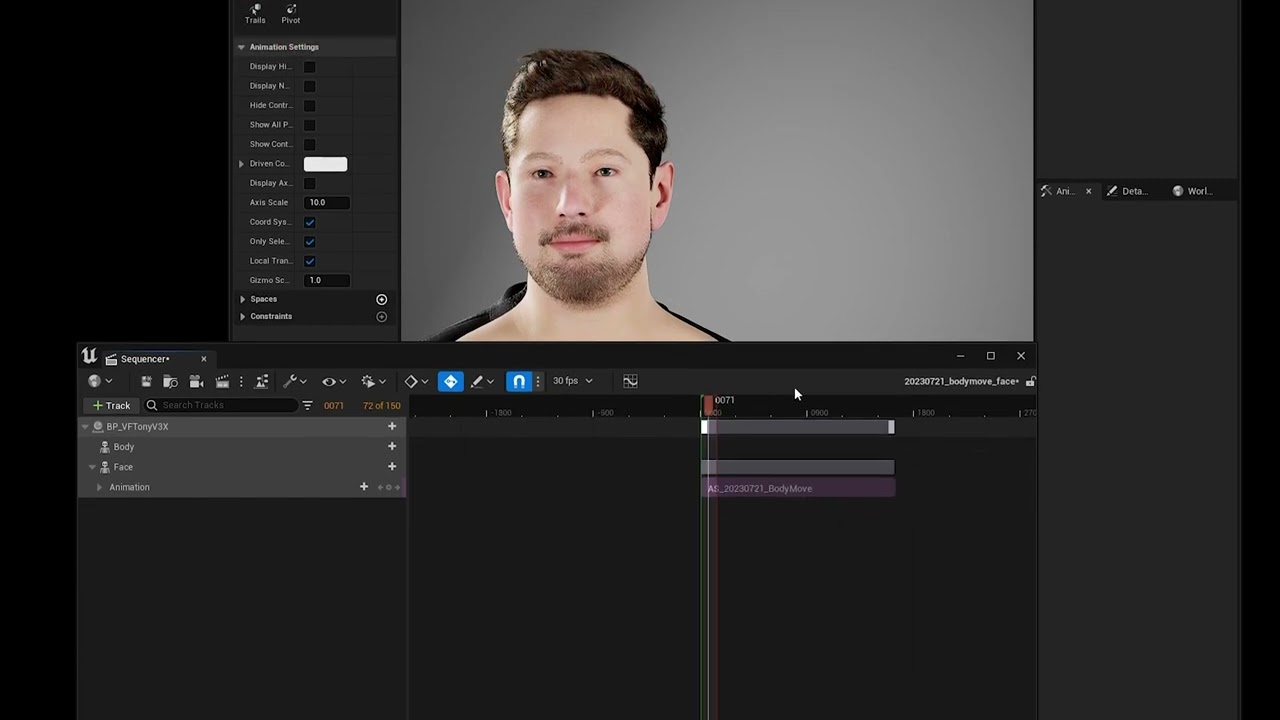
Just a quick very rough video on how to export MetaHuman Animator animation from Unreal as a CSV file, for use in my FACE ANIMATION IMPORTER plugin for iClone.
To use this YOU MUST HAVE THE "FACE ANIMATION IMPORTER" BETA DOWNLOADED. This process REQUIRES a script that in those files. You can sign up FREE at https://www.virtualfilmer.com
The fu...
hollow robin
pearl zodiac
You may have seen this kind of thing already, but there are tutorials like this ...
For various reasons, I'd prefer to keep the original Daz geometry and my custom skeleton. However, I think I've found a process that should work. I haven't mapped/perfected all of the expressions yet but here is a very early test.
pearl zodiac
hollow robin
For various reasons, I'd prefer to keep the original Daz geometry and my custom ...
Very cool! Maybe you can share your process once you’re further along.
 tropic flume
Hi Guys, Im working on this metahuman and I've been animating the face with LiveLink for facial tracking. But when I blink or move the eyes around, the eyelashes starts to stretch .
Here is how it looks like..


Hope someone can help me on this u.u
chrome ridge
Does anybody knows, when we export meta humans in fbx and then import it in blender, why all bones are not connects with other bones visually, even if we select auto align bones? How to solve this issue and get right skeleton for blender? Which I can later export to ue5
 worn mirage
rigid hamlet
Hey, It is not a metahuman problem but a groom problem. Any idea why I am gettin...
worn mirage
rigid hamlet
Hey, It is not a metahuman problem but a groom problem. Any idea why I am gettin...
Do we have any solution for this? I'm also facing the same problem.
desert ocean
worn mirage
Do we have any solution for this? I'm also facing the same problem.
tbh it something about the Mask, of the Groom, look in the Material Editor, i worked a lot with Groom but .. i never seen this before tbh, that looks really weird
 fathom mural
I want to use metahuman in my character, but I adjusted the animations according to quinn and since the entire body of the metahuman is in pieces, bugs occur. Is it possible to combine all the parts of the metahuman (torso, eyebrows etc.) and make them into a whole like SKM_Quinn?
the body works fine but the clothes ruin the animation
sorry for the google translate translation
 lime mango
broken pasture
added the 16k texturing.xyz Vface maps to metahumans. I turned virtual texturing...
lime mango
broken pasture
added the 16k texturing.xyz Vface maps to metahumans. I turned virtual texturing...
Good really love it where do u get your texture from
late onyx
hi there i have a scan from someone i need to get into metahuman but he has kind of an original face and it's not working.. how can i create a good copy ? maybe in blender or something ? thanks a lot
broken pasture
lime mango
Good really love it where do u get your texture from
Texturing.xyz
fathom mural
How can I assign a metahuman to quinn as a mesh? I am encountering such a problem.
 exotic turret
i mocap facial using metahuman animator and i import it into another project and i also assign retartget source to skm which animator was generated, but it doesn't work
anyidea
long quiver
Does anyone know if there are free animations for metahumans with simple actions such as walking, etc? I don't mind since I have a mocap suit but I have a pretty standard take in which I could use a basic animation without my own recording and putting it on
chrome ridge
How do you fix animations if for example ALS skeleton do not match metahuman because of height, the animation for aiming for example do not correctly retargeted and also weapons are in the air because of short hands, how do you fix it?
 visual wraith
Did anyone try to work with metahuman on mac? I couldn't find any helpful answer and I'm afraid that I have to migrate my whole project to windows because of this part.
native spire
Really wish Epic would move away from the Metahuman Creator. Trying to do literally anything except use a specifically designed character is so time consuming. Having to download a whole character for each groom so that I can swap between grooms on one character is just the worst possible (and wasteful bandwidth/storage) workflow.
Wish they'd just upload a metahuman pack on the marketplace which had all the grooms/clothing/body types/complexion textures/etc.
 hazy sentinel
tropic flume
Hope someone can help me on this u.u
hazy sentinel
tropic flume
Hope someone can help me on this u.u
Yes sure I can help you
tough flower
tropic flume
Hi Guys, Im working on this metahuman and I've been animating the face with Live...
Yes sure
late onyx
long quiver
Does anyone know if there are free animations for metahumans with simple actions...
look on the asset store there are some free
 final hull
hi everyone, im pretty new to unreal and i need some help with metahumans.
im on unreal 5.1, recorded facial expressions using live link and the saved facial animations turn out fine. I placed the metahuman actor inside sequence and apply the facial expressions that was recorded, turns out okay however the face movement is not moving. What was moving was just the facial expressions. Any idea what I may have missed out? Thanks a bunch!
long quiver
late onyx
look on the asset store there are some free
Thanks
Hey guys, I also would like to ask you if you know a way to change the way MH hair physics behave. I want to exaggerate a little bit the movement of my character's hair. Thanks in advance!!+
tough flower
final hull
hi everyone, im pretty new to unreal and i need some help with metahumans.
im o...
Okay, it's something I can help you with
tough flower
long quiver
Hey guys, I also would like to ask you if you know a way to change the way MH ha...
Yeah, it's something I will help you with
desert ocean
xD
lethal orchid
@final hull @long quiver @tropic flume are you receiving DMs from users regarding hiring them to help you with these questions?
lethal orchid
Yea we've been seeing a lot of this recently, we're cracking down harder now that we understand the pattern better
long quiver
long quiver
Hey guys, I also would like to ask you if you know a way to change the way MH ha...
there's two scalar parameters within the hair option of the BP_Metahuman actor inside the scene: angular velocity and linear velocity. Increasing both from 0.5 to 0.75 gives me the results I wanted
south harness
Hi, Ive followed a tutorial on how to get clothes from blender to UE5 and I sucessfully did it on the first time but wasnt happy with my clothes position. Tried again and now looks like my preview mesh or something is always poking thrue my metahuman... Ive imported the clothes as a skeletal mesh but the body material is set to translucent and it doesnt show on viewport. Does someone knows how to fix this?


 obtuse urchin
How can I attach a skeletal mesh card beard to a metahuman face? I have a mesh bound to the chin facial bones, but when I set it to follow the face as leader pose it looks like this...
 hard anvil
sly sparrow
Pose match as in, you just aligned the A pose, or did you use an external tool t...
hard anvil
sly sparrow
Pose match as in, you just aligned the A pose, or did you use an external tool t...
Sorry, I did not seen this sooner. Thank you for the reply, so, I meant I use "Copy Pose From Mesh" Node, as animation runtime retargeting script. I have not re-rigged, the bone names are the same, and the skeleton is "mostly" the same, just some extra bones on the metahuman skeleton. But I am thinking of reskinning onto the ue5 rig, just to make it easier when making clothes and such.
sly sparrow
Oh ok, gotcha
final hull
lethal orchid
<@318067657838690306> <@334317093308858368> <@743622577808736326> are you receiv...
yes i am, anything i should look out for?
 weary bone
Anyone know how metahuman haircards conform to the head meshes?
All of the hair card assets are static meshes so I dont get how they animate with the face let alone conform
 acoustic spade
does anyone know if there is a corrected version of the metahuman plugin for ue5.3 coming out that will allow the project to cook / package successfully? or should i accept that ue5.3 cannot be used
long quiver
Does anybody know how to use Blender Hair in a metahuman? And behave like native metahuman hair?
acoustic spade
long quiver
Does anybody know how to use Blender Hair in a metahuman? And behave like native...
Put any hair style on your character in UE5! Fully attached, with physics and everything. I was shocked by how easy it was to do lol
Check out Unreal Magic channel, where I learned how to transfer hair from Blender to UE5: https://youtu.be/RojXtjhMSgo
Support Ukraine:
https://razomforukraine.org/donate/ - Razom For Ukraine, donate for medical ...
long quiver
Cheers! Have you ever tried it yourself?
acoustic spade
long quiver
Cheers! Have you ever tried it yourself?
No, so far I used the default groom. I've been focused on coding the game and haven't gotten around to remaking or adjusting a lot of the art content. I found that in google just now.
lethal orchid
final hull
yes i am, anything i should look out for?
Report unsolicited DMs to the staff here
 normal acorn
anyone know how to package mh with lvie link?
fathom mural
I want to use my third person character I just want to change how it looks how can I do it
I want to set a random appearance for my character, but I couldn't achieve this with metahuman.
sorry for google translate translation
worn mirage
desert ocean
tbh it something about the Mask, of the Groom, look in the Material Editor, i wo...
Thanks for the reply. It's fixed and It's a LOD issue.
 hidden scarab
Is there some free facial animation somewhere, just idle or r animation to test our face rig?
long quiver
no but I got some animations i recorded with animator that if you want i can give it to you
 warm solar
Has anyone had the issue of the metahuman hair not showing up (only seeing the shadows) but when I click on the metahuman BP in viewport the hair shows back up, as soon as I click away the hair disappears again only showing the shadow of the hair
I have already forced LOD 0 and enabled the alembic groom plugins etc.
for further info, how I came accross this issue was I reimported the skeletal mesh of the metahuman after tweaking it in blender and rebinded the groom assets
hidden scarab
long quiver
no but I got some animations i recorded with animator that if you want i can giv...
That would be awesome is it in Maya or just Unreal?
somber latch
Can anyone here help me with issue with metahuman character ???
rain pewter
I'm having a weird issue with the hair. I use one of the defaul hairs from the metahuman creator, and for some reason when I import it into my project, only the very top of the head has the hair visible. The sides and any other place where the hair is thinner has some weird flickering on it. Has anyone seen this before? I only started having this issue today, and it definitely wasn't happening before in the same version of the engine
I'm currently downloading a lower version of the asset to see if it has the same problem, and I started wondering if maybe one of the plugins got updated? I had to reinstall them to the engine because this was in a new project file.
Just got a lower detail version of it. It has the same problem
long quiver
has anyone here tried the mesh to metahuman? or is proficient about it?
long quiver
hidden scarab
That would be awesome is it in Maya or just Unreal?
just unreal
I have rokoko mocap and iphone so I can give you any faceanim u need
i am no scammer i mean for free xD as long as you dont ask me to be shakespeare, if its just for testing purposes
long quiver
long quiver
has anyone here tried the mesh to metahuman? or is proficient about it?
I sculpted what imo is a really good mesh, but the trackers are all over the place when I hit "track markers, active frame"

this is what I prepared for the metahuman, and somehow I don't know why it wont detect the eyes well
it does this, wether i apply the eyeballs or not
 long quiver
I somehow sorted it with manual placing of the eyes and removing the iris or pupil parts...but would still love the help

 ornate maple
Does anyone know if the lipsync or facial blendshapes for metahuman (which can be generated using various marketplace assets or plugins such as nvidia's audio2face) work with the regular ue mannequin ? Or to utilize this stuff we need to actually convert a character to a metahuman ( and convert the clothes and everything, etc ) ?
south harness
Followed this tutorial to add live link mocap to my metahuman but everything I add my mocap to the sequencer my metahumans face starts to morph into some weird sort of witch face...
https://ibb.co/qDXXQvs - u can see it here left side is the bug, right side is what it should be
Does someone know how to fix it?
Ps: If I open my animation sequence of the mocap everything is fine it only doesnt work in sequencer

Step by step guide for Unreal Engine's MetaHuman Animator, the latest update for high fidelity facial motion capture. In this video, we are going to show you how to setup your iphone with the LiveLink app to capture your facial motion, then bring the footage into Unreal Engine 5 to Calibrate, Process and then transfer that facial animation to yo...
 brittle crane
Hi! I'm just starting to play with MetaHumans, and I noticed that the standalone Quixel Bridge app gives way more options when it comes to exporting the character (texture resolution, LODs, etc., etc.) that the Bridge plugin for UE5, which is a shame because the standalone app is restructed for MetaHumans for UE4. Could I be missing something to enable those options in the UE5 plugin?
 long storm
ornate maple
Does anyone know if the lipsync or facial blendshapes for metahuman (which can b...
long storm
ornate maple
Does anyone know if the lipsync or facial blendshapes for metahuman (which can b...
lol I've run into the exact same confusion. Going to be working through the process of figuring this ish out, so I'll post my methods on here as I discover them lmao
I think I may be using an outdated method for getting real-time lipsync using audio2face, Ill be using audio2face, linked to an OSC server that I have in a blueprint on UE5, and using arkkit to animate facial expressions. I have the sneaking suspicion that the audio2face livelink plugin support real-time blending synchronization now, but I just dont know how to configure the blueprinting for it, so I'm opting for a likely outdated solution until I learn more. Please let me know if you guys have any tips or resources on doing this better.
long storm
is there a metahuman discord?
long quiver
I don't know tbh
I think this is where people talk about them
speaking of which, whenever I export my head mesh from metahumans to blender, the UV's are extremely overlapped, do you know how to avoid that? there's like multiple items overlapping on the uv square
long storm
ahhh thanks. And not sure, I've never put a metahuman into blender lol only the other way around
long quiver
yeah, this is what it shows, I don't really need to do anything in blender other than create a haircut for the mesh, but for that using the hair tools I need the islands not to overlap
 long quiver
Nevermind, I was stupid. I'd imported eyes, lashes, teeth, gum and everything else, and of course, all of the items together were overlapping uvs, as each one contains individual uvs. Excuse my silly question!
long storm
Does anyone know if there is any resources on creating metahuman faces that are not realistic?
long quiver
I seen a video of creating stylized faces

Unreal Engine 5 Meta Human with Hi- Fidelity digital human is a real game changer, this is a character rig with Meta-Human.
Watch more here: https://www.youtube.com/playlist?list=PLAEjLkIwrn033Uw-1oEtrf3sIttG49M-z
Follow me on Facebook
https://www.facebook.com/AllCGStuff/
this guy is a really talented individual
I haven't seen it fully myself, but take a look at it
long storm
that is exactly what I was looking for! Thank you! This is turning out to be much more challenging than I initially expected lmao. I just want my mesh to do lipsync to real-time audio lmfao
it sounds so simple, yet it's so damn hard
long storm
I need to figure out how he gets such a customized mesh to import to metahuman correctly. I tried doing it with mesh to metahuman in UE5 and it doesn't look the same at all, anyone know how to do this properly? Attached are images of the mesh, then the metahuman that got created


 median tulip
long quiver
Nevermind, I was stupid. I'd imported eyes, lashes, teeth, gum and everything el...
median tulip
long quiver
Nevermind, I was stupid. I'd imported eyes, lashes, teeth, gum and everything el...
you could of used udims aswell
long quiver
median tulip
you could of used udims aswell
@mippithedork I heard about them but I dont know anything about it
 urban silo
I'm basically using unreal engine 5 for the first time so idk how to search for this info. But I'm trying to rig my metahuman to do an animation. But for some reason the right leg isn't connected all the way and I have no idea how to connect it

Does anyone know what to do?
like this is left leg

nvm i solved it xd
 bleak lodge
Is there an actual downloadable software for the Metahuman Creator? Bc the only method I'm seeing so far is the creator on the browser and it's blurry, somewhat low FPS, and not the best of quality for me.
gentle zodiac
I've run into a little problem retargeting animation from Manny to Metahuman.
For some reason the Body Offset Control gets left behind and the arms are pulled foward?
I use the RTG_Metahuman in the retargeting options going from SKM_Manny to m_nrv_metahuman


 tribal plume

 lofty geyser
the maths say yes
 tame grove
Has anyone suceeded in getting the Metahumans Plugin to cook on 5.3.1? Even having it in my project causes cook to fail.
EDIT: I guess all I needed to do was post in here. Fix for this was being extra strict on what gets cooked, specifying only the specific maps I want cooked. Something in the Plugin is breaking the cook process that doesn't get dragged in.
 outer yoke
So
What's everyone's experience with performance when using metahumans
what bottle necks and major resource issues are there
I'm wondering how far i can push having 1-2 full mocapped metahumans in a scene for a game, and i'm wondering how feesable that would be
 grave epoch
Hi I was wondering if anyone knew how I could fix some clipping with metahuman hair through clothes? I can fix it sort of by applying a physics asset to the groom and shifting the capsules/spheres around but this goes away whenever the project is re-opened.

 soft ferry
I have a website where I post a lot of my experiments with Metahumans. I published a tutorial yesterday about customizing Metahumans with Metapipe and adding a secondary skeleton for specific body parts.
https://www.joeraasch.com/projects/metahumanizing-twinblast

Joe Raasch
 shut plover
guys, how do I convert groom asset to fbx? Groom is just too performance expensive
obtuse urchin
soft ferry
I have a website where I post a lot of my experiments with Metahumans. I publis...
can you explain why in this screenshot the facial bones stretch down to the root? I've been trying really hard to attach a bound mesh to the face (wqith set leader pose) and it stretches to the root like this

and I can't find anyone discussing this topic
soft ferry
obtuse urchin
can you explain why in this screenshot the facial bones stretch down to the root...
I don't know. What I did was have any 'child' skeleton have similar bones up to the new area. So for the head, you need to have root, pelvis, spine01 to spint05, neck01, neck02, head. Then after Head, you can have the child skeleton take over.
This video helped a lot, as well as looking at examples of Metahumans.
https://www.youtube.com/watch?v=7IUpa3Pxqug&pp=ygUpdW5yZWFsIG1ha2UgbW9kdWxhciBjaGFyYWN0ZXJzIHVucmVhbGZlc3Q%3D

The stories you create aren't static, so why should the look of your characters be? Using the UE5 Lyra Sample Project as a starting point, this session will discuss various techniques available to add, swap, and customize your characters.
We’re excited to bring you sessions from Unreal Fest 2022, available to watch on demand: https://www.unreal...
shut plover
how to convert groom asset to fbx?
 light warren
Are there any out of the box solutions (like a plugin) for basic metahuman player awareness? I'm talking things like eye contact and avoidance.
obtuse urchin
soft ferry
I don't know. What I did was have any 'child' skeleton have similar bones up to...
oh wow I just figured it out... I added all the "extras" to the skeletal mesh I'm using that is bound to the face: Anim Rig, Post Process AnimBP, Asset User Data, LOD settings... stopped using set leader pose and set the skmesh component's animclass to the face_animbp
simple forge
soft ferry
I have a website where I post a lot of my experiments with Metahumans. I publis...
this is an amazing resource!
 wintry terrace
Hi everyone. I’m having a real issue with Metahuman with Live Link, you all are gonna find this big hilarious but I am finding it bloody annoying as nothing seems to fix the problem… Basically my metahuman character won’t cheer up when transferring mesh from the identity to the character. In technical terms what I mean is it’s not transferring as it should from identity to another mesh and the character is angry. I’ve tried many things including recording closer to the camera and stuff but nothing seems to work and I don’t see what I am doing wrong when I watch tutorials…
Here’s a screenshot and this happens when I transfer it to any character… how do I cheer the one on the right up…


And this is what it looks like when talking
I know your gonna laugh a lot when reading this but I do actually need this fixed asap
It seems for some reason the sides of the lips are sagging
What am I doing wrong, is it the calibration? Is it the poses?
fresh monolith
obtuse urchin
can you explain why in this screenshot the facial bones stretch down to the root...
Based on how the Skeletal mesh scene proxy renders that, it appears that those bones have no parent. They most likely have no weighted vertices either. Could be that they`re some obsolete bones or they have some magic behind them. They don't appear to be referenced in the rig either. They don't stretch down to root bone, they stretch to the component's position. Could be some DNA bones that the engine doesn't require and they would make sense only outside the engine.
long quiver
wintry terrace
Hi everyone. I’m having a real issue with Metahuman with Live Link, you all are ...
when you record yourself, the animations are perfect? in the metahuman performance?
wintry terrace
long quiver
when you record yourself, the animations are perfect? in the metahuman performan...
Yes they are more or less what I want them to be with my identity
Only when they transfer it’s wrong
long quiver
I managed to transfer so many takes from my face to a new character, so i would need more details about the pipeline to help you
wintry terrace
What sort of details
wintry terrace
I’m using export to sequencer and then switching the mesh
long quiver
is the head attached to the body of the metahuman?
wintry terrace
Not atm
long quiver
because I found that using the animation blueprint sometimes softened so much my animations that the expressions became so soft
and I had to find a workaround for that
wintry terrace
Whenever I switch the display head in performance mode I have the same problem
wintry terrace
long quiver
and I had to find a workaround for that
Wdym animations softened and what sort of workaround
long quiver
Some people on youtube suggest to create layered per blond nodes inside the metahuman blueprint to attach the head movement to the body movement, but that is like applying a 50% reduction on the animation output
so what I do is manually delete the neck movement keyframes and just attach them to the body in a different way, I can tell you if you ever face that problem
long quiver
long quiver
Some people on youtube suggest to create layered per blond nodes inside the meta...
I meant layered per bone xD
wintry terrace
The issue here is not blending head to body
long quiver
yeah I know, I was asking in case that was the problem
but it's obviously not
how many metahumans have you tried it with?
wintry terrace
You mean how many metahumans I’ve tried the animation on?
wintry terrace
Pretty much every other Metahuman I have and I have the same problem
long quiver
alright so then it's not a specific metahuman issue then
it only works on the metahuman identity that receives the animation capture
desert ocean
shut plover
how to convert groom asset to fbx?
learn how to make it Polyhair , i mean there are some Ways tis could work, but Groom> FBX is not straightforward.
u could try to Export it as Curves/Splines/Lines whatever and than try too make it Geometry per Particle than , but i doubt that works well, and you would need Nanite for that amount, and than its just static no animation at all.
wintry terrace
Well it works on every metahuman just not correctly
long quiver
I have never exported the capture to a sequence directly, I export the animation to the base of metahuman skeleton and then apply it in a sequence by hand
do you ever do that?
I doubt that's the problem but man, I've seen SO many bugs in unreal engine that you wouldn't believe me and I work only with metahumans
wintry terrace
 wintry terrace
long quiver
do you ever do that?
wintry terrace
long quiver
do you ever do that?
Yes and same issue
long quiver
show me your export options when you bake the performance to an animation please
wintry terrace
I will when I get home do you mean the window that comes up when export
long quiver
yeah exactly
let me show you how I do that
brb I need to load my previous project
what version of unreal are you using
in the project I'm loading I used 5.2.1. For 5.3 I've not used it yet
do you select this skeleton when you export the animation?
 shut plover
desert ocean
learn how to make it Polyhair , i mean there are some Ways tis could work, but G...
shut plover
desert ocean
learn how to make it Polyhair , i mean there are some Ways tis could work, but G...
Ok gonna try polyhair then
Or if i could just fix a bug where if i change from first person to third person camera the hair is a big red sphere until it loads then I could just use that groom asset
wintry terrace
long quiver
do you select this skeleton when you export the animation?
Yes
long quiver
I need then to see how you apply the animation to the metahuman
can you show me a few screenshots of how you do it?
wintry terrace
long quiver
can you show me a few screenshots of how you do it?
Yes I can what screenshots do you want to see
I’ll do that when I get home
@long quiver If I can’t find a fix is there a workaround such as manually moving the control points of the problem part on the x axis
long quiver
if you want dm me
and we can find a solution dont worry i will try to help u
i know how bad it is to struggle with something and get stuck xD happens to me all the time
but moving the control points is not the most efficient solution, we have to go for the root of the problem
though if we add a new layer on top of the control rig we can do that if there's no other way
but imo it should work by default
wintry terrace
It’s very annoying as there are no leads and as far as I’m concerned I’m following all the instructions
long quiver
yeah its deffo weird as I've got over 20 animations for my shortfilm without any problem
wintry terrace
I’ll message you the screenshots when I’m able to take them
long quiver
sure
wintry terrace
Could it possibly be that I have a unique face that is hard for metahuman to transfer to other meshes lel
wintry terrace
long quiver
though if we add a new layer on top of the control rig we can do that if there's...
Wdym by this
long quiver
When you import an animation into a metahuman (head, or body, doesn't matter), you can then control it using the control rig (the skeleton). inside the skeleton, all the animation is keyframed, so it's hard to edit that, but you can add a new "layer" which is like an empty animation, that adds to the other one, so let's say if I want your character your smile, I'd have the first layer with your animation that is serious and in the second one I'd just keyframe the smiles when I want to exaggerate them
it's quite simple, really
but still, I insist, your animation should work just fine man, by default, just by using your recording, so let's leave that for the final choice if nothing else works
wintry terrace
long quiver
but still, I insist, your animation should work just fine man, by default, just ...
But at least that’s a backup for if I can’t fix it
long quiver
yep
wintry terrace
long quiver
When you import an animation into a metahuman (head, or body, doesn't matter), y...
I guess here I would simply raise the sides of the lip on the z axis, would it not blend into the animation and dilute it?
Also I’m guessing from what you can see there’s nothing wrong with my frontal pose
long quiver
I dont think youd have problems with it like that
no, your pose is good enough
in the preview mesh of the animation receiver it works just fine right_
?
wintry terrace
I mean it’s a different one now but it follows the same principle
Yes
I’ll have a look at what it looks like when I open the animation in unreal when I get back too
long quiver
sure
wintry terrace
Hope I can fix this soon with this ability to track yourself onto a metahuman and rvc voice swap I can basically play any character I want lel
wintry terrace
long quiver
that-s more or less what I do
what voice swap do you use
long quiver
voiceai
I have to head out, if you want, DM me and Ill try to help you as soon as i read it
wintry terrace
This is what it looks like with the Identity Mesh

And this is what it looks like with any other mesh
 wintry terrace
Does using livelink typically do more real results
long quiver
Not really, i rarely do livelink
wintry terrace
From what I’ve seen livelink does good results
wintry terrace
Ok for now I am using live link whilst I figure out what I’m doing wrong with the captures… I have 3 questions.
-
When I bake the animation to control rig, I lose the neck animation and head rotation. Why is that?
-
Is live link animation in general as good as captures if done right?
-
Is it possible to blend animations, like I know it’s possible to do two control rigs, is it possible to record the talking as the main control rig, but then add another control rig for emotions and stuff, thinking that would make stuff a lot easier as I don’t have to multitask I can do one take where I do the talking and the other where I can focus on emotions lel, quite hard to act both at the same time, I’m not the best actor
 shrewd igloo
Any idea what causes these black splotches? I'm using the Crowd Character asset.

 nocturne solstice
anyone having any experience on linking the metahuman with motion capture system?
 south bridge
shrewd igloo
Any idea what causes these black splotches? I'm using the Crowd Character asset.
south bridge
shrewd igloo
Any idea what causes these black splotches? I'm using the Crowd Character asset.
Sun exposure
chrome ridge
Why when I export metahuman from ue5 to fbx and then import it in blender it has not aligned and not correct representation of bones in blender? How to fix it? Please help
fathom mural
how can I merge metahumans body parts
 onyx stirrup
this is my metahuman which is on queen mesh idk what is problem but it cant show my animation montages, if you guys know smth about it please let me know
fathom mural
I have same problem
shut plover
onyx stirrup
this is my metahuman which is on queen mesh idk what is problem but it cant show...
did you retarget your animations?
metahumans have a lot of unnecessary bones
onyx stirrup
it plays good with queen all of my anims
onyx stirrup
shut plover
did you retarget your animations?
should i retarget them again
shut plover
onyx stirrup
should i retarget them again
well did you retarget them correctly? did you assign the retarget chains correctly?
onyx stirrup
as i said it looks very good with queen
onyx stirrup
also like my blend spaces plays good
shut plover
metahumans have different bones than queen
onyx stirrup
all of plays well exept anim montages
onyx stirrup
shut plover
metahumans have different bones than queen
hmm
so
if i retarget for my mh and anims it ll be good like you said
or at least anim montages
shut plover
onyx stirrup
or at least anim montages
not sure, never really played with animation montages
dont waste time and just try to post on unreal forums
im sure they will help out
shut plover
onyx stirrup
at least you said smth i can waste my time tbh
yea well when that happens to me i just post to unreal forums and go play games for a little or make stuff in visual studio
or just make different stuff like ui and that
until I know how to fix it
onyx stirrup
thanks for the advice
shut plover
onyx stirrup
thanks for the advice
yea, np
 swift bluff
Hello, so Metahuman use a Post-process Animation Blueprint which uses a bunch of animation poses, the reason for this is not clear to me yet.
My question is about the pose assets that get added to /Game/MetaHumans/Common/<Sex>/<Height>/<BodyType>/Poses/, for example:
/Game/MetaHumans/Common/Male/Tall/UnderWeight/Poses/m_tal_ovw_middle_01_l_pose.m_tal_ovw_middle_01_l_pose. I'm guessing here, because I don't fully understand what's actually happening under the hood, and documentation is sparse at best, but shouldn't there only be one set of poses? In this example, shouldn't m_tal_ovw_middle_01_l_pose.m_tal_ovw_middle_01_l_pose be replaceable by f_srt_unw_middle_01_l_pose.f_srt_unw_middle_01_l_pose or any other corresponding pose for other skeletal meshes for this joint?? All info appreciated.
wintry terrace
I have a question. How do I go about animating a Metahuman to eg a YouTube video? I know it relies on things like depth maps to work and I know how to make depth maps from videos. Its just how do I make it so Metahuman understands it, do i simply find a take and replace the files with the files from the video?
Asking cos my face movement is so unusual that it makes my animations look a little weird
wintry terrace
In case anyone’s wondering how I get my character to say what I want, I know how to do deepfakes
 scarlet sleet
Can't packaging an Metahuman project in UE5.3. Looks like a few objects files of the Metahuman plugin are missing in 5.3.
AutoRigService
MetaHumanSpeech2Face
MetaHumanPipeline
Any idea how to get packaging to work with Metahuman plugin enabled in 5.3?
wintry terrace
wintry terrace
In case anyone’s wondering how I get my character to say what I want, I know how...
To say this. I want the facial expressions to be the same as the sample project, when i changed metahuman it was exactly what i want. When i use my facial animation it looks completely different cos my lips are massive and open in a weird way and no matter what i do in the footage, forcing expressions helps but doesnt do it as much as I want theres still a noticeable difference
https://www.youtube.com/watch?v=6mAF5dWZXcI Like the guy on the end is the mouth movement i want to achieve

These two high-quality, fully rigged sample characters represent the current state of the art for real-time digital humans and they’re yours to explore, modify, and use in your Unreal Engine 4.26.1 or later projects. They serve as a showcase of what’s achievable with MetaHuman Creator: an innovative new tool that will soon be available for you t...
But this is what it looks like on the same character
 vital marsh
wintry terrace
But this is what it looks like on the same character
vital marsh
wintry terrace
But this is what it looks like on the same character
did you create this facial expression manually with keyframe? or any plugin?
wintry terrace
vital marsh
did you create this facial expression manually with keyframe? or any plugin?
No I recorded it
vital marsh
wintry terrace
No I recorded it
how? is it free?
wintry terrace
vital marsh
how? is it free?
Metahuman animator
vital marsh
How can I fix this issue with the Metahuman? It looks like it's floating while walking, and the feet are going under the landscape.
simple forge
vital marsh
How can I fix this issue with the Metahuman? It looks like it's floating while w...
Looks like foot sliding. Sometimes it happens from retargeting or just the actual raw data does not have solid foot planting.
wintry terrace
A question I have now. What is the best audio to lip animation program to use when it comes to using speech from audio, like which software can create speech from audio and get it looking the most real
wintry terrace
Is there anything i can use with this that looks natural
 uncut token
I am using metahuman animator with a custom head and whenever I apply the .dna file it sligtly deforms the head (when the post proces anim bp is enabled) is there like a neutral .dna file? I don't want the dna file to move anything
the dna embeded in the skeletal mesh after creating it works, is there a way to extract/export it?
it has this path "I:\Epic_DHI\database\004\Epic_DHI_2023_04_01\aFsh_LF\average_archetype.dna" sadly this is a path from epic not from my pc
 wintry terrace
OK I am almost there, i have figured out a way to stop my large mouth negatively affecting the animation was by exaggerating the feature in the rest pose like this which cancels out the shape of my mouth looking odd on other characters...

i also exaggerated it with the controls as well
may have hurt my face doing this but im getting better results, bar a few things that can probably be fixed with additives
The additives i am looking for is what value clenches the teeth together more and what value reduces the size of the lip, the upper lip is fine but the lower lip is too large, anyone know what additive value reduces that?

The lower lip is sagging a bit which is the issue
 vital nacelle
Hey everyone.
I have a good few metahumans in my game as it's a single player game, focusing on story hence multiple characters.
When I added them, perf went to the ground. Constant messages of "VRAM exhausted" and even proper crashes saying "DXGI_Device_Hang.." or something. My project never crashed before this.
So I looked up and adjusted the LODSync Component of all characters, while downloading them on lowest quality. (Setting just 1 LOD or forcing LOD 1/2)
That was not enough. So I found a video that mentioned using "r.HairStrand.Strands 0" to toggle b/w Strands and cards which saved performance but still not close to original perf. The problem is, on some Characters, this command makes the hair black instead of their actual color (blonde/red etc), while making it look flat (but that is accepted from HairCards I guess)
I wanna know, is there any other way to save performance on metahumans and still have decent looking Characters?
I can go so far and adjust a few of them to use the not-so-taxing groom components inside MH_Creator but is there anything else? (Like the Hair styles that don't say "ONLY AVAILABLE IN LOD 0/1")
Thanks.
 coral umbra
hey i have one issue can someone help me out please im using metahuman rig with custom cloths now i want to hide selected faces inside the body mesh due to skin penetration does it possible and how to make like that ?
 severe reef
okay i have a custom fbx animation in unreal, and i want to add this to a metahuman, how would i go about doing this?
 echo river
Hello everyone! I am doing virtual production with a metahuman. And I encountered an issue I hope you guys can guide me through since I am not an expert with Unreal. I want to be able to switch the head of my metahuman with an event(on overlap). So far I created another face using mesh morpher. But I realized that the deformation takes place in the animation blue print. Is it possible to bake that to the skeletal mesh? Cuz I can't use 2 animation blueprints since each time I try there is an error inside the metahuman arkit function that states that the animation BP is not valid. I am using an overlap event inside the metahuman to set the skeletal mesh or the animation blue print. But we'll since the transformation is not in the skeletal mesh I can't use that method because it always returns the same basic mesh and l can use only one face_animBP so that doesn't work either. The other way I could achieve it is blending directly inside the animation graph between the morphed head and the regular head for it to work properly. Here is where my knowledge hits the wall. Since I need a way to bring the event information inside the animation graph of the face_anim BP. But the animation graph doesn't support events in that context. So I wonder if someone can point me in the right direction about how to get a variable that feeds on the data generated by an event. The metahuman is not a playable character I have it inside the scene just as an default metahuman actor class that receives the mocap data . So is not a character BP. I wonder if anyone would know how to tackle this issue or find a better way to solve it. May there is a way to bake the deformed head as a skeletal mesh. Or bringing event data inside an animation BP . Cheers!
 main gorge
Hi.. i hope i write to the right place.. i wonder is MHC is down? I been trying to reach the website and i got error500 ... can someone please confirm if its really down or is it my internet connections fault ?
 spice shard
main gorge
Hi.. i hope i write to the right place.. i wonder is MHC is down? I been trying ...
spice shard
main gorge
Hi.. i hope i write to the right place.. i wonder is MHC is down? I been trying ...
gimme the link you got an issue with,imma check for you(tag me in response)
 proven herald
having some issues with clipping


over in blender I dont have none but thats because of the preserve volume modifier and the smooth corrective
im dum and thought it would transfer
inside of unreal is there a way to tell clothing not to touch the skin, like a "shrinkwrap" modifier in blender but for unreal
main gorge
spice shard
gimme the link you got an issue with,imma check for you(tag me in response)
Thank you it works now.. but others confirmed that it was down for like an hour.. but thanks anyway
hollow robin
Apologies if this is not the right place to put this. I've been spending a lot of time trying to get facial controls for Daz Genesis 9 figures to match those of Metahumans as closely as possible. While I'm fairly happy with the results to date, I feel like I could really improve things if I could actually see what the "RigLogic" node in the Metahuman's Anim BP is doing under the hood. I have access to the Unreal Engine source code but couldn't see it in there.. probably as it's a plugin. Does anyone know if the RigLogic code is publicly available anywhere? Thanks https://www.youtube.com/watch?v=k4lLXlFdepc

I'm starting to bring together everything that I've been slowly working out in past videos. Procedural control rigs, custom face boards with backward solving, custom skin materials with wrinkle maps for Daz figures. There are still some areas I'm not happy with which need more work. Mainly around the solving of face morphs and animation curves....
native blaze
hello, can you help me to solve shadow flickering, no matter what i do no matter what set it is still flickering. but again it is only hair shadow
south bridge
hollow robin
Apologies if this is not the right place to put this. I've been spending a lot o...
/Engine/Plugins/Animation/RigLogic/Source
 sinful anvil
Hii
I am creating a movie with 10 characters
I am a only person working on this project
How can I get different voices
 cinder umbra
Try to voice act all 10? go on fiver and hire some voice actors? Use some voice generation website?
 tropic sage
hi there - how do i change a metahuman's hair? can i just change it in metahuman creator and update it in unreal?
south bridge
sinful anvil
How can I get different voices
Ai
plucky kelp
Dude holy shit
metahumans are CRAZY
Any good starting points, and or stuff I should now about using them for players before diving in?
pearl zodiac
proven herald
having some issues with clipping
Nice stylized MetaHuman! AFAIK, there’s no equivalent to preserve volume in UE, but you might check out the Voxel Heat Diffuse Skinning plug-in for Blender, which does a really good job with automatic weights for clothing.
hollow robin
south bridge
/Engine/Plugins/Animation/RigLogic/Source
Perfect. Thanks!
 nocturne moss
scarlet sleet
Can't packaging an Metahuman project in UE5.3. Looks like a few objects files of...
nocturne moss
scarlet sleet
Can't packaging an Metahuman project in UE5.3. Looks like a few objects files of...
@scarlet sleet Did you find a solution ? I have the same error. Thanks
scarlet sleet
Unfortunately I haven't found a solution yet. It seems the data structure in Metahuman for UE 5.3 is different...so it's not possible to simply copy the missing files from UE 5.2.
wintry terrace
Want to ask I’ve been looking at the depth map frames to analyse how I can get the data from a video using ai so I can animate metahumans from any video (since I’m unhappy with my facial movements lel) what sort of exr files are used and why are they black and white surely that’s not very good quality depth map data
As from what I can see the face is all white in the file whereas the background is black
wintry terrace
Like there’s many compression types but I can’t seem to find how to check the type for a picture
hollow aurora
Can't log in to Metahuman Creator!
Session keeps timing out. Huge showstopper!
Anyone else experience this?
Simply a question of too many users?
Is there a preferred day-time (EST) to log in?
 hearty canopy
how do i stop this from happening? the head is parented to the body in the main outliner

it's funny because the glasses are in the exact place they should be
wintry terrace
wintry terrace
Want to ask I’ve been looking at the depth map frames to analyse how I can get t...
Does anyone know what compression type the EXR files use
desert ocean
https://puu.sh/JS9lI/2a946d33f8.png
any MTH Pro here that can tell me why The AO/Shadow looks so Low Quality on the Skin? but only right side
 light warren
I'm getting an odd light pattern on my MetaHumans heads. Has anyone run into this before?

 light warren
shrewd igloo
Any idea what causes these black splotches? I'm using the Crowd Character asset.
light warren
shrewd igloo
Any idea what causes these black splotches? I'm using the Crowd Character asset.
@shrewd igloo this might be in the same realm of what you posted here. Did you ever find a solution?
wintry terrace
Hi. Ive been trying to find ways I can create an animation from a pre-existing video rather than a live link face (because my personal facial movements are terrible for it lel) by using AI to generate a depth map. I extracted jpeg and exr frames, copied it into the ingested frames of a video I’ve already imported, replacing the previous ones. When I copy the jpeg frames in it works fine and changes them without any errors but when I paste the depth map frames in I get an error when I create the mesh. After a lot of digging I have since found that the issue is likely that the .exr files are different, however I need to know what type of exr file/compression metahuman understands, does anyone know?
viral pewter
Hey guys, I have my Metahuman in Maya and added extra horns at the top of its head, with skinning to the head. It fits well 1:1 with the head, but when I export it into Unreal, the horns just... dont fit anymore. Even exporting Head and Horn mesh separetely it wont fit in UE no matter what. Anyone know why please ?
Edit :
After testing for a while I notice its the PostProcess_Anim_BP for MH :/ No idea what to do now tbf 😅

 wintry terrace
Hi. Ive been trying to find ways I can create an animation from a pre-existing v...
wintry terrace
wintry terrace
Hi. Ive been trying to find ways I can create an animation from a pre-existing v...
Anyone know?
 gilded badger
Hey hey, someone here who maybe can help with grooms not dissapearing or not displayed at all (depending on the situation)? Already tried forced LOD and the include option... nothing works
wintry terrace
OK I am now trying to export Quixel assets to Autodesk Maya. However the plugin is not showing up when I start the program. Why is that, is there a way I can manually download the Maya plugin?
 viral spruce
Quick question, is the metahuman identity only capturing front view? I tried to do a front side and back i don't know if it's making a tangible difference.
hollow aurora
Challenging metahuman animation issue.
I've successfully created a hybrid character by cutting pasting a Metahuman head (Skeletal Mesh) to another character blueprint and simply reparenting to the correct Socket bone.
The problem is I've lost the Face Control Rig in the process and there is no way to add blinking or facial expressions to my hybrid character.
Has anyone created MH hybrid characters? How did you handle facial animation?
cunning cloud
hey guys... has anyone had any experience with metahumans and anim state machines?? Currently struggling to cast to the metahuman body and unsure how to overcome this
 chrome ridge
How do you use Unreal Insights for metahuman debugging? I have much of lagging during LODs changing but do not know how to find functions or problem where it happens.... Can someone tell me how to use Unreal Insights to find most time consuming function?
wintry terrace
One thing I want to ask how do you export individual facial expressions as a pose so they can be imported to make a keyframe in either unreal, Maya or blender, and is there a way you can export the animation into Maya?
wintry terrace
Also is there any more animations other than the sample that are downloadable so I can study facial expressions
slate onyx
https://drive.google.com/file/d/1uINStzpTzK4MrjstymjAY5zL4n2KQMoU/view?pli=1
This is using CC4/iClone and I'm generally wondering if it's worth it to keep going this route or if I should give the metahuman + iclone live link a try. My metahuman hestitence is that in the past i've gotten good results but A. customization is extremely limtied and most workarounds are a pretty serious hassle for less than stellar results, and B. seems like there's not a ton of variety in metahuman aesthetic. You can really vary any number of features and it always seems to have that same look which is tough to put my finger on.
Also have never had a live link experience that i've enjoyed it's always a hassle so if i'm picking a workflow for a long haul here that's something i want to consider too
Google Docs
wintry terrace
wintry terrace
Also is there any more animations other than the sample that are downloadable so...
Is there any?
Anything other than the sample
 grim tundra
Hello, I have been beginning my journey With MH and skeletal meshes. I was wondering if someone could give me insights on efficient ways transforming free assets from sites like sketchfab to fit properly due to pose differences etc. I've done a lot of importing/exporting with blender and break a lot of things. if someone has the time to kinda nudge me in the right direction and answer a few questiosn that would be awesome!
 limber thistle
Does anyone know the solve for this issue? MH hair on export is white and in editor it is black! bizarrrrr. I am not using any emissive materials in my scene.

 wintry terrace
I just want to ask very quickly, how do you export a control rig pose, what do you click for that? I want to save my own expressions
its alright ive got it now
 vale locust
Anyone that can tell me the reason of this when replicating?

when not replicating the head is there

 slim summit
Hey guys I need some help in creating a seamless transition of a metahuman character
Hi! I’d like to have my metahuman express 3 different facial expressions animated in one sequence. I want the animation to play in random order so the transition between those 3 animations have to be seamless. How would be some approaches to achieve this? any tutorial ideas? thanks!
desert ocean
I get some very Weird reflections / Shading issues on the Middle of the Nose Ridge anyone know how i can solve this?
yep it was the diffuse integral method (for anyone who have same problem) .
 timber pagoda
Question: Is it posible to use live link anims with an iPhone in a packaged build?
Or is it exclusively doable in PIE?
oak basin
is there an easy way to get a tpose from the meta humans?
timber pagoda
Hey! Is it possible to bind the same hair asset on two different characters with different height?
On my screenshot, the blue character is the one I created the hair for, and I want the yellow to share the same hair. I created a binding for both, but the hair doesn't go on the head of the yellow character.
Do I absolutely have to reexport the same hair asset positioned correctly on the other character in order for it to work? Or is there a way in Unreal to share hair asset between characters of different sizes?

I ended up removing the binding and attaching it to a socket. Not sure if that's gonna work with animations though. I'll let you know when I try it.
 south bridge
timber pagoda
Hey! Is it possible to bind the same hair asset on two different characters with...
south bridge
timber pagoda
Hey! Is it possible to bind the same hair asset on two different characters with...
yes
you need to specify the source on the bind asset as the "correct height" skeletalmesh and the target as the new height one
using socket is a dirty move, dont use it
 river gull
does anyone know why my metahuman hair turn like this when looked at specific angles ? it should be black

it looks normal when you look from the front or the side
but when you look from above or back it gets like this
vale locust
Hi! So have anyone here succeeded in making Foot IK for metahumans? without using the third person template
since Im using the metahuman character rig completely
desert ocean
river gull
does anyone know why my metahuman hair turn like this when looked at specific an...
Which Skylighting Method you using?
vale locust
river gull
does anyone know why my metahuman hair turn like this when looked at specific an...
its because of what tint you are using
river gull
vale locust
its because of what tint you are using
I’m not using any tint
I found that the skylight, direction light and atmospheric fog affect this
If I disable skylight or direction light, it gets fixed
river gull
desert ocean
Which Skylighting Method you using?
Not sure just a normal skylight. But when I disable it, the hair looks fine
desert ocean
river gull
Not sure just a normal skylight. But when I disable it, the hair looks fine
its the Specularity of the Skylight, u could use an Skylighting Method on Cvar , but on some angles u kinda have that
https://puu.sh/JSVSa/ca8c8cf0ac.png
have the Same it looks Normal on 95% off the angles but on some specified angles its like 100% Specular Boost, i guess its one of the Groom Bugs they still have.
try to change Spec to 0 , If it resolves than its just an Groom issue . and btw i use an Skylighting Method so i guess it makes more Suitable but yeah.. you could use some CVARS fron the Density Stuff too make it less, but u still have it so Basically the Groom brightness changes kinda on some Angles and thats Sad.
 river gull
desert ocean
its the Specularity of the Skylight, u could use an Skylighting Method on Cvar ,...
river gull
desert ocean
its the Specularity of the Skylight, u could use an Skylighting Method on Cvar ,...
the thing is that if I put the metahuman on another map ( with different skylight, dir light) it looks completely normal
so it's something in the lights of that current map that is causing it
desert ocean
river gull
the thing is that if I put the metahuman on another map ( with different skyligh...
Well If u tell me ur Setup for the Lights i can explain to you, if you Just would use Skylight you would have it, IF Directional Light Light it and makes the Skylight "Invisible because of its stronger exposure" than u dont have it . its about Skylights
river gull
desert ocean
Well If u tell me ur Setup for the Lights i can explain to you, if you Just wou...
here are my skylight settings


and my sun settings
reducing the intensity improves the hair, but then I don't get the wanted results for the exterior
desert ocean
river gull
here are my skylight settings
you got me Wrong. I mean IF u mostly get Shading by Skylight u will have the issue . if its more lighted by DL , u wont have it .
river gull
desert ocean
you got me Wrong. I mean IF u mostly get Shading by Skylight u will have the iss...
well skylight intensity is just 3
desert ocean
river gull
well skylight intensity is just 3
did u get rid of it when u made 0 Specular on the Groom ?
river gull
it's still there
desert ocean
river gull
it's still there
Show it how the groom looks Normally from Front
timber pagoda
How can I bring back the body control rig in the sequencer after deleting it?
heavy ibex
Hey i got this error Face Anim BP no longer exists on node Bad cast node how can i fix this
 turbid citrus
Hello good evening!
I'm trying and failing to get a cape on a MH character. Ive done the roundabout to Blender and back by transferring the weights, whenever I add the skeletal component to the MH and attach it via the construction script (Enable Mast Pose node) it gets deformed.
I've seemingly seen every metahuman tutorial on google, most seem related to swapping out the body clothes, not much on capes. Any tuts Ive missed?


 acoustic plover
Can VR devices replace iphones for tracking metahuman?
 pale zealot
Hello! good afternoon, I have a posed metahuman (with custom body and face) inside unreal (posed with the control rig and animation sequencer), and now I just want to export this posed character (as a geometry) to marvelous designer so I can put some clothing. The issue is, when I click on the "body", then "bake animation sequence", and I try to export that as an FBX to keep my bones and little animation from T pose to my current pose; when I import my body to blender, the geometr is actually different, like you can see there are deformations in the knees and arms that are not present in my posed character in unreal, at first I thought it was because of the animation blueprint, but even disabling it inside UE I don't get those weird deformations.
The weirdest thing is, if I open the baked animation sequence, and export it as a static mesh, then it works fine, but for the life of me I can't understand why exporting it as an FBX with the anim doesn't match what I have in UE, any clues anyone?
thanks for any help.
 outer cobalt
Hi, Anyone know a good workflow for cloth from Houdini to UE (Metahumans) I attatches it to the body slot in the blueprint, but the cloth dont seem to collide with the body still i have enabled "Collide with env" any clues? going crazy here..


 pale zealot
outer cobalt
Hi, Anyone know a good workflow for cloth from Houdini to UE (Metahumans) I atta...
pale zealot
outer cobalt
Hi, Anyone know a good workflow for cloth from Houdini to UE (Metahumans) I atta...
are you using the physics asset? afaik you cannot use the skeletal mesh as a collider but you need to create those colliders from simple meshes (cylinders/capsules/ or even convex hull meshes) via the physical asset, and then work with that cloth and that physical asset for the collisions
outer cobalt
@pale zealot Hi, thanks. So i cant attatch the cloth to the BP_Metahuman asset as is? You mean like this for the colliders?

 plucky kelp
I saw this issue mentioned earlier, but wanted to ask. Has anyone gotten a 5.3 project with metahuman enabled to build? I'm getting the same missing resource error. Missing object file G:\UnrealDev\test53b\Plugins\MetaHuman\Intermediate\Build\Win64\x64\UnrealGame\Development\MetaHumanSpeech2Face\Module.MetaHumanSpeech2Face.cpp.obj listed in G:\UnrealDev\test53b\Plugins\MetaHuman\Intermediate\Build\Win64\UnrealGame\Development\MetaHumanSpeech2Face\MetaHumanSpeech2Face.precompiled
UATHelper: Packaging (Windows): Took 25.74s to run dotnet.exe, ExitCode=6. I've tried a few things. updating SDK, Moving the plugin to my Project/Plugins dir, setting metahuman.uplugin MetaHumanIdentity attribute to Editor. I'm suspicious I have something installed incorrectly. Has Anybody gotten it working without issue?
pale zealot
outer cobalt
<@800199474664046632> Hi, thanks. So i cant attatch the cloth to the BP_Metahuma...
yes, you should use the one on the right for the collisions of the cape, usually you'll want to rig the cape to the main mesh, and then inside unreal you paint all the cape to be "cloth" except the area around the neck, which will be still "rigged" to the actual skeletal mesh to move with it, and the rest that you painted as cloth will simply be simulated
outer cobalt
Ah. ok, thanks. I cant figure out how to do that in Houdini.. not really much tutorials out there on this yet it seems..
simple forge
pale zealot
Hello! good afternoon, I have a posed metahuman (with custom body and face) insi...
I exported the body and head together in a specific pose as a static mesh with the animation assigned in sequencer and I show how I did that if you skip to 1:09 https://youtu.be/IITbFjy1w6g?si=ZhKJrKJtYFgr6MgK

This is the twelfth and final behind the scenes of Enzo where @tomassackmann9687 and I share how the Vitruvian Metahuman Statue was created. I also show you how I converted this to nanite and imported the UDIMs Tomas created.
To create a reference for the scale and position of the Metahuman body, I captured the two Vitruvian Man poses using th...
simple forge
pale zealot
Hello! good afternoon, I have a posed metahuman (with custom body and face) insi...
Also if you are trying to export it as an fbx perhaps try checking on export preview mesh in the fbx export settings
turbid citrus
outer cobalt
Hi, Anyone know a good workflow for cloth from Houdini to UE (Metahumans) I atta...
Hey mjx, can I ask how you’re attaching the cape mesh in the blueprint? Specifically I mean, are you adding it as a skeletal mesh component under the body and referencing it in the construction script ?
outer cobalt
@turbid citrus Hi, Thanks for asking. Well, i am putting the cloth into the Metahuman BP. And attatching the cloth mesh to the head etc. and then using slots to attach it. I saw a couple of tutorials where they used the metahuman bone rig on the cloths, but i could`t get that to work from Houdini. But there is better ways i hope? Seems i cant render it either now, just crashes completely each time. Wish there was a way to cache the cloth in sequencer or something /
pale zealot
simple forge
Also if you are trying to export it as an fbx perhaps try checking on export pre...
yes! I have no issue exporting as static mesh, it works flawlesly, however, what I want is the animation/transition from T pose to my desired pose, in order to perform the simulation of clothing effectively, however, when I export it like this, then the mesh is totally different to what I visually see inside UE, and I've tried the export preview mesh, same results, its wrong 😦
So far the only way I could export the exact mesh I have in UE is via static mesh export, but I cant find any way to export animation right, even as a cache or something, I can't even find anything online regarding this specific thing 😦
pale zealot
outer cobalt
<@799788521803743272> Hi, Thanks for asking. Well, i am putting the cloth into t...
You are going to need to rig it in an outside software, like houdini or blender, otherwise, without weight painting, the cloth won't have any instructions as to where to "stick" to the character
 wind apex
Hello everybody! I just joined this server to ask something specific real quick: is there any way to smooth the transition between IK and FK rig controls? I get it's a binary SWITCH so i'm kind of defeated already, but it would really help me with an animation i'm workin on atm.
 outer cobalt
pale zealot
You are going to need to rig it in an outside software, like houdini or blender,...
outer cobalt
pale zealot
You are going to need to rig it in an outside software, like houdini or blender,...
Ok, i see.. but thats what i really cant find any good documentation on how to do it correctly. It just gives me a error everytime i try to import it into UE
turbid citrus
Yeah same, I notice when i weight paint to a certain bone on the mh, it comes in all distorted
specifically i am adding a skeletal mesh component to the mh body, adding my cape to it.
this generally looks fine, but it doesn't move with the animation.
so i believe i need to add it to the construction script in some way, i expsct with the same node the other feet head torso are etc, but then the orientation goes whacky
if this were the manny it would be simple; add the mesh to it in blender, paint it to a joint, export to unreal and paint the cloth. But MH seem to have something else going on
pale zealot
outer cobalt
Ok, i see.. but thats what i really cant find any good documentation on how to d...
how are you trying to import it? a simple FBX should work flawlesly. Basically export the skeletal mesh from unreal into houdini or whatever program you use, then rig the cape to that same skeleton, and bring that cape rigged to unreal through an FBX, on import you can select the skeleton you want to use for that mesh, you select the one you already have in unreal which is the metahuman skeleton, and it should work
simple forge
wind apex
Hello everybody! I just joined this server to ask something specific real quick:...
Maybe open up the curve editor and adjust the key frame curves, give them more of a smooth transition that way?
simple forge
simple forge
Maybe open up the curve editor and adjust the key frame curves, give them more o...
Or maybe adjust the values of the controls being switched over to during that transition
turbid citrus
pale zealot
how are you trying to import it? a simple FBX should work flawlesly. Basically e...
That’s exactly what I’ve been trying to do yes, it imports without issue. I’ve weight painted it In blender before export, and I’ve tried weight painting just the shoulder area to the spine05 bone, and I’ve tried painting the entire cape mesh to the spine 05 bone.
When I add it as a component to the Body, it seems to line up but won’t follow the character during animation.
So this is where I’m unclear how to proceed with metahumans and it seems to deviate from a standard sk mesh character. In the construction script I’m adding the cape as a reference to the enable master pose (same as the Mh legs, torso, feet, etc.
my mesh turns upside down and 180 around front to back.
So this is where it’s breaking.
(I’ve made sure to apply the rotation and location in blender before export)
outer cobalt
pale zealot
how are you trying to import it? a simple FBX should work flawlesly. Basically e...
Well, maybe its easier in Blender or what not. Im using Kinefx in Houdini.. Maybe thats just to new or works a bit different than other softwares. But ill do some more experimenting. Thanks 🙂 EDIT: I figured out the bones thing from Houdini. Was just thinking wrong. Will do more tests now. And the crashing while rendering stuff was actually the level i bought from the Epic store`s fault.
 lethal jetty
Hey guys, my game build keeps insta crashing. I'm getting these errors in the logs
[2023.10.27-17.08.14:523][  0]LogSlate: Could not find file for Slate resource: ../../../Engine/Plugins/Marketplace/MetaHuman/Content/Icons/IdentityBody_010.png
[2023.10.27-17.08.14:523][  0]LogStreaming: Warning: Failed to read file '../../../Engine/Plugins/Marketplace/MetaHuman/Content/Icons/IdentityBody_011.png' error.
[2023.10.27-17.08.14:523][  0]LogSlate: Could not find file for Slate resource: ../../../Engine/Plugins/Marketplace/MetaHuman/Content/Icons/IdentityBody_011.png
[2023.10.27-17.08.14:523][  0]LogStreaming: Warning: Failed to read file '../../../Engine/Plugins/Marketplace/MetaHuman/Content/Icons/IdentityBody_001.png' error.
[2023.10.27-17.08.14:523][  0]LogSlate: Could not find file for Slate resource: ../../../Engine/Plugins/Marketplace/MetaHuman/Content/Icons/IdentityBody_001.png
[2023.10.27-17.08.14:523][  0]LogStreaming: Warning: Failed to read file '../../../Engine/Plugins/Marketplace/MetaHuman/Content/Icons/IdentityBody_100.png' error.```
How the heck do I fix this? I verified the plugins and files already. Any tips?Anyone got a clue how to fix this? The colliders are just too big. It is a of a metahuman rig to Houdini and back.. It messes up the cloth collisions

 short frigate
anyone know why metahuman repliaction animations the bones are not realistic like the arms and annd and
 wintry terrace
Want to ask what’s the best way to animate head movement from videos? I’ve found Avatary Facegood is great for animating facial movement from videos but it doesn’t do head movement
The animator you need to record stuff
 maiden geode
Hi, I'm playing around making a multiplayer project. I want it to be multiplayer and use metahumans as players.
It's also TrueFPS so my camera is sitting right on the face of the player character.
My FPS is 10. When I get further away with camera, LOD changes and I get 70.
What could be the reason for such poor performance, I'm pretty sure yesterday when I worked on this project I had way more fps?
I mean I am sure yesterday my performance was way better and now after opening the project again I get 10 FPS when I get too close.
Okay so now I started restarted the editor, started the game twice getting nice and high FPS and after third time it's back to 10?
I don't get what is happening
Okay so it was hair strands, I disabled using the console command and I get normal fps
 rose orchid
Anyone know of a way to batch export animations in metahuman animator? Currently I have to open each video one by one and export each animation one at a time
wintry terrace
wintry terrace
Want to ask what’s the best way to animate head movement from videos? I’ve found...
Bump
 dim belfry
I've been struggling w this for longer than i'd like to admit.
I'm working on getting some mixamo animations onto my metahumans.
I've tried a few methods, however they all come up short.
Would anyone be able to guide me through the process? I've followed two youtube tutorials, however i (probably) make a mistake along the way, and i just can't find it.
Any help would be appreciated!
maiden geode
IK Retargeting
turbid citrus
outer cobalt
Anyone got a clue how to fix this? The colliders are just too big. It is a of a...
Is there any scaling going on? This was an issue when rigging in Blender and not having the scale set specifically before exporting for unreal, the collisions would be massive and wouldnt scale smaller
timber pagoda
Hey there, when I try to build my project, I get an error message that I think is linked to metahuman. Can someone tell me if this is a possibility?
UATHelper: Packaging (Windows): FaceTracking.cpp.obj : error LNK2001: unresolved external symbol __std_find_trivial_2
UATHelper: Packaging (Windows): PCARigCreator.cpp.obj : error LNK2001: unresolved external symbol __std_find_trivial_2
UATHelper: Packaging (Windows): ImageIO.cpp.obj : error LNK2001: unresolved external symbol __std_find_trivial_2
UATHelper: Packaging (Windows): VertexWeights.cpp.obj : error LNK2001: unresolved external symbol __std_find_trivial_2
UATHelper: Packaging (Windows): solver_utils.cpp.obj : error LNK2001: unresolved external symbol __std_find_trivial_2
UATHelper: Packaging (Windows): string_functions.cpp.obj : error LNK2001: unresolved external symbol __std_find_trivial_2
UATHelper: Packaging (Windows): JointRigOptimization.cpp.obj : error LNK2019: unresolved external symbol __std_find_trivial_8 referenced in function "class epic::nls::Joint<class epic::nls::DiffDataAffine<float,3,3,void> > * * __cdecl __std_find_trivial<class epic::nls::Joint<class epic::nls::DiffDataAffine<float,3,3,void> > *,class epic::nls::Joint<class epic::nls::DiffDataAffine<float,3,3,void> > *>(class epic::nls::Joint<class epic::nls::DiffDataAffine<float,3,3,void> > * *,class epic::nls::Joint<class epic::nls::DiffDataAffine<float,3,3,void> > * *,class epic::nls::Joint<class epic::nls::D
iffDataAffine<float,3,3,void> > * const)" (??$__std_find_trivial@PEAV?$Joint@V?$DiffDataAffine@M$02$02X@nls@epic@@@nls@epic@@PEAV123@@@YAPEAPEAV?$Joint@V?$DiffDataAffine@M$02$02X@nls@epic@@@nls@epic@@PEAPEAV012@0QEAV012@@Z)
UATHelper: Packaging (Windows): RigGenerateTrainingData.cpp.obj : error LNK2019: unresolved external symbol __std_find_trivial_4 referenced in function "unsigned int const * __cdecl __std_find_trivial<unsigned int const ,unsigned int>(unsigned int const *,unsigned int const *,unsigned int)" (??$__std_find_trivial@$$CBII@@YAPEBIPEBI0I@Z)```i was having the same issue. go into the blueprints find the hair material and mess around with the settings. and try to lower the day light power if it still persists. these settings worked for me.
 timber pagoda
Does someone know how to fix these ugly shadows? Is it because my scene is running at 16fps?

 heady maple


