
#metahumans
1 messages · Page 2 of 1
 valid goblet
 midnight axle
valid goblet
Hi, guys Any idea how to solve this problem. I was uploaded Metahuman from quixe...
midnight axle
valid goblet
Hi, guys Any idea how to solve this problem. I was uploaded Metahuman from quixe...
My guess is, turn on the Live Link plugin
or remove the references to it
 feral patrol
How do I get more clothing and accessories? I want to give him glasses

 atomic turtle
how to make teeth-gap in metahumans?
 plain haven
feral patrol
How do I get more clothing and accessories? I want to give him glasses
plain haven
feral patrol
How do I get more clothing and accessories? I want to give him glasses
Make one yourself after you bring it to your UE project.
atomic turtle
why i cant import my metahuman?
i wanna import left one to game

i cant
he isnt in menu
nvmd i found em
 gentle cave
anyone know why metahuman plugin is gone in 5.1?
 simple forge
gentle cave
anyone know why metahuman plugin is gone in 5.1?
simple forge
gentle cave
anyone know why metahuman plugin is gone in 5.1?
Odd, on Marketplace it only shows 5.0 compatibility....
 agile niche
simple forge
Odd, on Marketplace it only shows 5.0 compatibility....
agile niche
simple forge
Odd, on Marketplace it only shows 5.0 compatibility....
probably will be updated soon
 past ice
Can the MetaHuman plugin pls be updated to be compatible with UE5.1? Currently it cannot be installed into the engine from epic launcher.🙏
Also City Sample Vechicles from Epic can't be added to project for 5.1. Wanted to study the models and their materials.
plain haven
Apparently MetaHuman plugin files doesn't show up in the usual Marketplace folder in the engine 🤔
I don't want to download 10 GB of vanilla builds just to use the plugin...
 little beacon
Adding samples to the render makes the hair simulation stiffer and rigid. Is there a way we can add the samples during the render and avoid the hair stifness?
 shadow arrow
Is there a way to just record a MetaHuman's body with Live Link and not all of the other tracks? Is there a way to save those settings for the future?
 trail chasm
Warning! There is Currently **NO COMPATIBLE METAHUMAN PLUGIN **for 5.1 😦 
feral patrol
What are some ways similar to Marvelous Designer to make clothing for Metahuman that are free?
 swift burrow
Is lightning on your MetaHumans also looking weird after 5.1 update? Especially Hair.
past ice
agile niche
probably will be updated soon
So they will have to make a ue5.1 update version on the epic launcher that comes with the fix?
agile niche
Yes they have to update the plugins. Its likely that there were bigger changes here and there so the plugin doesnt just translate. Even if it does, the people who manage the plugin have to checkbox it for 5.1 manually. Should take a few days in my esitmate
atomic turtle
trail chasm
**Warning!** There is Currently **NO COMPATIBLE METAHUMAN PLUGIN **for 5.1 😦 <...
but will be?
atomic turtle
gentle cave
anyone know why metahuman plugin is gone in 5.1?
not gonna update unreal till they fix it
gentle cave
atomic turtle
not gonna update unreal till they fix it
Managed to set up the character in 5.0.3 and then migrate it over to 5.1. works ok
atomic turtle
gentle cave
Managed to set up the character in 5.0.3 and then migrate it over to 5.1. works ...
well i wanna to firstly make another project just to learn metahumans
gentle cave
atomic turtle
well i wanna to firstly make another project just to learn metahumans
yeah do that in 5.0.3
atomic turtle
atomic turtle
i wanna import left one to game
added him yesss

xddd
do someone tried that thing to convert from clip to animation?
 mellow granite
Hello guys, quick question, I have created a metahuman with the Mesh To Metahuman tool and then imported the MH in Unreal. When I open the Face Skeletal Mesh I see some artefact on the right eye. Is it 'normal', should I correct something before going further in the workflow to avoid problems? These artefacts were not visible in the MH creator so Im wondering... Thanks

 simple forge
mellow granite
Hello guys, quick question, I have created a metahuman with the Mesh To Metahuma...
simple forge
mellow granite
Hello guys, quick question, I have created a metahuman with the Mesh To Metahuma...
Can you test this by dropping the metahuman into a scene and use the face control rig blink controls to make sure its not just happening in the head mesh tab?
mellow granite
simple forge
Can you test this by dropping the metahuman into a scene and use the face contro...
its happening as well. I think I have no choice to go back to MH creator and slighly pull back the eyes areas to their original state, right?
 simple forge
mellow granite
its happening as well. I think I have no choice to go back to MH creator and sli...
simple forge
mellow granite
its happening as well. I think I have no choice to go back to MH creator and sli...
is it just this eye lid clipping? What about the material on the eye? First top image you shared?
simple forge
mellow granite
Hello guys, quick question, I have created a metahuman with the Mesh To Metahuma...
One more question, did you add additional trackers like eye crease, etc?
mellow granite
simple forge
is it just this eye lid clipping? What about the material on the eye? First top ...
it seems same, but I cant get closer to check out cause the viewport is clipping the view
mellow granite
simple forge
One more question, did you add additional trackers like eye crease, etc?
yes exactly I did that
simple forge
mellow granite
yes exactly I did that
ah ok, then can you rerun the identity solve and turn the eye crease tracker off?
mellow granite
simple forge
ah ok, then can you rerun the identity solve and turn the eye crease tracker off...
But if I do this my MH will have a different look
simple forge
mellow granite
But if I do this my MH will have a different look
I had a similar issue with the eye crease tracker.
simple forge
mellow granite
But if I do this my MH will have a different look
Maybe modify or adjust the trackers then for the crease. You can keep running the Identity solve until you find the issue goes away.
 daring frost
someone wake me up when metahuman plugin works with 5.1
mellow granite
simple forge
Maybe modify or adjust the trackers then for the crease. You can keep running th...
I managed to fix the issue by reducing a bit the influence of the eye areas. But of course it changes a bit the look of the MH 😦
 atomic turtle
i animated my metahuman

 wise turtle
atomic turtle
i animated my metahuman
wise turtle
atomic turtle
i animated my metahuman
Coool! Which animations did you use?
atomic turtle
wise turtle
Coool! Which animations did you use?
default ones
for Manny
rn im trying to live link face to metahuman face
but i dont know if that app is only for iphones? and is it trusted?
wise turtle
It looks great!
atomic turtle
wise turtle
It looks great!
well i can send tutorials here
https://www.youtube.com/watch?v=VEhSX04mxOY this was great

Hello guys, in this quick and simple tutorial we are going to make a simple enemy AI, which will follow the player, have its own vision area, and attack when it's near the player in Unreal Engine 5.
Follow me on Twitter: https://twitter.com/GorkaGames
Subscribe to the channel: https://www.youtube.com/channel/UCv_n9oioNF6OpzR2dt6E4xg?sub_confirm...
wise turtle
Oh thank you for that, I'll check it!
I used the ALS anim, but the result doesn't looks very realistic, so I'm gonna try that
 sudden berry
mellow granite
I managed to fix the issue by reducing a bit the influence of the eye areas. But...
sudden berry
mellow granite
I managed to fix the issue by reducing a bit the influence of the eye areas. But...
With the Mesh Morpher Plugin you can fix those things , there is a free Version too.
mellow granite
sudden berry
With the Mesh Morpher Plugin you can fix those things , there is a free Version ...
Do you have any more information on how Mesh Morpher can fix those issues? Do we have to correct the shapes in a 3D software and then use Mesh Morpher in UE to fix it? Or does Mesh Morpher fix it automatically before creating a custom mesh? Its a bit obscure to me Im learning 🙂
sudden berry
mellow granite
Do you have any more information on how Mesh Morpher can fix those issues? Do we...
You can add/create a fix morph to the MH in Mesh Morpher , Sculpt or smooth the fix for the eyelid and bake it (all in MM). It is also possible to load animations to fix the eyelid when it is closed. No need for external DCC's . Here are a lot of tutorials 🤪 : https://www.youtube.com/c/PugLifeStudio/videos
 mellow granite
sudden berry
You can add/create a fix morph to the MH in Mesh Morpher , Sculpt or smooth the ...
mellow granite
sudden berry
You can add/create a fix morph to the MH in Mesh Morpher , Sculpt or smooth the ...
Thank you I will have a look! But after looking more closely my issue was not only the eyelid, it was all the eye parts that were shifted and penetrating as well. Sculpting and smoothing those in a 3D program without being able to test the animation on the fly seems a very time consuming task :/
plain haven
sudden berry
With the Mesh Morpher Plugin you can fix those things , there is a free Version ...
Free version got 1 star rating, probably crippled so much
sudden berry
mellow granite
Thank you I will have a look! But after looking more closely my issue was not on...
That is true , that is why I use MM 😁
sudden berry
plain haven
Free version got 1 star rating, probably crippled so much
Yeah , the free version for UE5 was added 1 month ago , the 1 star is old UE4 stuff....
plain haven
I'm going to find a way to customize MetaHumans without using Mesh Morpher at all (or other paid tools, really)
Challenge would be customizing MetaHuman without spending a dime and actually works
sudden berry
plain haven
Challenge would be customizing MetaHuman without spending a dime and actually wo...
The Meta Human Creator updates will show ...
mellow granite
sudden berry
That is true , that is why I use MM 😁
But in the end isnt it the same result as reducing the influence of some areas in the MH creator? Repositioning the eye globes and smoothing the eyelid in MM or reducing the morph influence directly in MH creator may give the same result no?
sudden berry
mellow granite
But in the end isnt it the same result as reducing the influence of some areas i...
Yes and No , in MM you can "move,sculpt,smooth ... a.s.o meshes , it is also possible to restore your sculpt , so it influences the mesh. Reducing in MHC is like restoring in MM.
mellow granite
sudden berry
Yes and No , in MM you can "move,sculpt,smooth ... a.s.o meshes , it is also pos...
I see, thanks for all those infos. Are those tools available in the free version of MM?
sudden berry
Have a look : https://youtu.be/ZEKGODH218I

#UE4 #meshmorpher #metahumans
Updated Tutorial on how to use Masking in Mesh Morpher. The goal of this video is to create Vampire Fangs(teeth) Morph Target and to explain a little bit more how Masking works in Mesh Morpher.
Get Mesh Morpher:
UE Marketplace: https://www.unrealengine.com/marketplace/mesh-morpher
ArtStation: https://www.artstation...
mellow granite
sudden berry
Have a look : https://youtu.be/ZEKGODH218I
Thats very impressive! There are too many videos on his channel lol thank you for pointing me on this one.
sudden berry
mellow granite
I see, thanks for all those infos. Are those tools available in the free version...
No , not all tools will be available in the free version , unfortunately ...free Version is good for testing or small interventions ...
mellow granite
I’ll have a look more closely on the plugin, but its a bit scary to touch the eyes part by hand, im not a great sculptor so I may end up just using the MHC areas influence for more safety.
sudden berry
Sure , I am a bad Sculptor too , maybe it is the easier way to fix it in MHC , but as I said you can always restore what you have done in MM 😁
mellow granite
The problem is that I dont know if the issue is due to mesh deformation or slight mesh position offset. And i dont want to mess things up more 😂. Big thanks for today’s chat anyway!
sudden berry
mellow granite
The problem is that I dont know if the issue is due to mesh deformation or sligh...
👍 Good Luck ! 😁
 pale ruin

done using xsens mocap suit and iphone + helmet
Special thanks to @frozen bolt because if he doesnt exist i doesnt either lol
any advice would be welcome, i'll improve sync (head/face/body/sound) better soudn design and also better rendering.
pale ruin
also thanks to @simple forge for the tutorials, i wouldnt even done 1/10 of it without the tuorials she made
 glacial mauve
atomic turtle
i animated my metahuman
glacial mauve
atomic turtle
i animated my metahuman
here's a tutorial someone else posted that I just used to make a custom animation...has some limits but its a good start. https://www.youtube.com/watch?v=w9mijf-gKOg&t=2319s

Learn how to use Control Rig in Unreal Engine 5 (UE5) to rig and animate a character in engine with this tutorial that works as a complete introduction guide to Control Rig in Unreal Engine 5 (UE5). By the end of this Control Rig Tutorial you'll learn how to create animation sequences for any skeletal mesh using Control Rig in Unreal Engine 5 (U...
 atomic turtle
glacial mauve
here's a tutorial someone else posted that I just used to make a custom animatio...
atomic turtle
glacial mauve
here's a tutorial someone else posted that I just used to make a custom animatio...
thx gonna check it out
but deepanimator has that advantage that AI do work for u
 vapid flare
Hello guys, does anyone know about how to export 'groom_group_name' 'groom_closest_guides' and 'groom_guide_weights' to unreal 5.1?
wise turtle
It is possible to change the destination folder when I import a MetaHuman in UE? Currently, it creates a MetaHumans folder (in the content folder of the project), and if I move it then I reimport some MHs, it will create a second skeleton, etc... and I don't want this
swift burrow
Is anybody working with MH in UE 5:1 and groom assets looks jusk like in 5.0? I have problems with very bad lighting
swift burrow
For a reference:

 sly lake
how can I fix my metahuman going bald after packaging

 summer furnace
My metahuman has cancer(sry for the dark joke) after 5.1, all face and head hair disapperead
 cobalt saddle
summer furnace
My metahuman has cancer(sry for the dark joke) after 5.1, all face and head hair...
cobalt saddle
summer furnace
My metahuman has cancer(sry for the dark joke) after 5.1, all face and head hair...
Check your lod settings (Make sure it's "0" so it's never switching) or assets bindings!
 dark pasture
Hey are meta humans, good for NPC in game ? I saw that when I have 10 metahumans in the same place, my FPS drops like -50 fps
 tame badger
I just downloaded the MetaHumans sample project on UE5.0 and opened up the project but the sample humans are missing. Am I missing something?
I was hoping I could get going with at least one sample metahuman and even checked videos online that walk through the sample project but looks like they updated the project files not long ago, and I just can't seem to find the sample characters anymore.
 plain haven
dark pasture
Hey are meta humans, good for NPC in game ? I saw that when I have 10 metahumans...
plain haven
dark pasture
Hey are meta humans, good for NPC in game ? I saw that when I have 10 metahumans...
The matrix City Sample things have lots of peds at once, though I don't know how they do it.
dark pasture
plain haven
The matrix City Sample things have lots of peds at once, though I don't know how...
Yeah exactly I want to know it too
 clear isle
I believe they use the experimental plugin mass? I know there's some vertex animation wizardry going on too in the city sample, where at certain LOD they use vertex anim but up close it switches to the skeletal mesh
past ice
clear isle
I believe they use the experimental plugin mass? I know there's some vertex anim...
Yeah they use vertex animation for the meta humans at a distance. I think there is a video about it on ue official yt chanel.
swift burrow
On the left its a fresh new project where I imported a MetaHuman, on the right is a project that is well into development and I also imported the same MetaHuman. Could anybody please tell me why the hair on the right is just completely messy, where on the left it's smooth? And how could I set it up to be as smooth as the hair on the left 😅
 pale ruin
Hi there
any fix for Head being detached from body in sequencer with 5.1?
First one i had the issue, head isnt following the body animation
 severe brook
solved
 karmic whale
I got a question about metahumans, are they supposed to be hot-swappable on the body parts? I am used to characters models being 1 full body. The metahumans seem to come with a rig for hands and feet then the other parts of the body are individual pieces that are assembled in a blueprint.
 tall coral

 stone wave

Using #Metahuman, #GPT3 and #Codex. Originally posted on Twitter at: https://twitter.com/imcharleslo/status/1594020413843333120
 lunar ore
Hey guys, does anyone know why I’m seeing two different textures on my metahuman based on which eye lens I’m looking through in VR?


 vernal crater
Anybody know why I can't install Metahuman for UE5.1? I have it working fine for all previous versions, but 5.1 makes it look like it isn't supported yet.
 fallen pond
vernal crater
Anybody know why I can't install Metahuman for UE5.1? I have it working fine for...
fallen pond
vernal crater
Anybody know why I can't install Metahuman for UE5.1? I have it working fine for...
They will need to update metahumans to be compatible. You can still create a metahuman in the previous version and open the project in 5.1.
I am new to unreal and I would like to create custom armor and clothing for my metahuman unreal project in blender. Anyone have any info or tutorials on the best way to go about that?
shadow arrow
Does anyone know why I have this seam? I've downloaded the exact same MetaHuman as a clothed version (a duplicate of it). However, I get this gap when I substitute its old body with its new one. Everything should be the exact same proportions so I don't understand. Cheers!
 sly lake
why do the pants get removed when I do an animation?
 sly lake
works on animation sequences in game
wise turtle
shadow arrow
Does anyone know why I have this seam? I've downloaded the exact same MetaHuman ...
Check out the body material, the HideNeck param
 dark compass
The metahuman gets bald at some camera angles in the packaged Lyra game but okay in the editor. How to fix this?
 summer furnace
Hey guys, i downloaded my metahuman back in UE 5 EA. i guess the new ones come with an already made IkRig for the new retarget system(like mannequins do). How to "update" the metahuman and get the IkRig?
shadow arrow
dark compass
The metahuman gets bald at some camera angles in the packaged Lyra game but okay...
It is likely due to either Console Variables or the LODSync component on the MetaHuman's Blueprint
shadow arrow
dark compass
The metahuman gets bald at some camera angles in the packaged Lyra game but okay...
I have seen YouTube tuts on this problem so perhaps check there
shadow arrow
sly lake
why do the pants get removed when I do an animation?
I believe that the clothes follow the same skeleton as the body and so just make sure that all is good there
sly lake
shadow arrow
I believe that the clothes follow the same skeleton as the body and so just make...
The pants play the normal animations, is there a way to force them to specifically follow the animations I call?
shadow arrow
sly lake
The pants play the normal animations, is there a way to force them to specifical...
It sounds like you're trying to do something that's not the best practice way of doing it
Try and watch a video or read the documentation for the MetaHuman for playing animations and then apply it to your situation. I'm sure something in there will solve your problem 😀
sly lake
👍 will do
dark compass
@shadow arrow I can't find any, they all say to make LOD's fixed but the LOD's are okay.. does this have to do with 5.1 or camera angle (not distance)?
@shadow arrow I tried with fixed LOD's but doesn't work. Some videos say to set hair groom LOD's to GPU compute but this option doesn't exist anymore either.
shadow arrow
dark compass
<@382237171395854349> I can't find any, they all say to make LOD's fixed but the...
I haven't tried 5.1 yet so I'm not sure. I would use the Forced LOD value and set it to a value between 0 to 2.
dark compass
@shadow arrow it's not the LOD issue.. LODs work fine. It only happens at certain camera angles in the packaged game only, not at camera distances.
@shadow arrow I tried this anyways and it didn't work.
shadow arrow
dark compass
<@382237171395854349> it's not the LOD issue.. LODs work fine. It only happens a...
Maybe it's a Console Variable then
dark compass
@shadow arrow any idea which one?
shadow arrow
Something to with hair ahaha
In UE go to the top toolbar and click "Help" and then select "Console Variables"
dark compass
Oh I found it r.HairGroom.RemoveBaldSpot 1
shadow arrow
Did it work?
dark compass
The hair is being placed on the wrong spot sometimes it seems. Haven't found a proper solution yet.
shadow arrow
dark compass
The hair is being placed on the wrong spot sometimes it seems. Haven't found a p...
I'm sorry I can't help! I swear I had this exact problem at one point. I forget how I fixed it...
shadow arrow
Has anyone had success fading a MetaHuman in and out?
simple forge
shadow arrow
Does anyone know why I have this seam? I've downloaded the exact same MetaHuman ...
I recognize this seam, when you say "substitute its old body with its new one" what do you mean?
shadow arrow
simple forge
I recognize this seam, when you say "substitute its old body with its new one" w...
Like I've duplicated the same MetaHuman in MetaHuman Creator, but I've changed its clothes so that I have some additional skeletal meshes I can use in my project. For example, I've taken my initial MetaHuman Blueprint that's in my scene, and I've changed its "Torso", "Legs", "Body" and "Feet" skeletal meshes to the new ones I've downloaded from the duplicated version (basically I've made him naked). Now, everything is fine except that the head and body don't line up (like the picture). It doesn't make sense to me, however, because I haven't changed either the head, its proportions, or its textures, and neither have I changed the MetaHuman body type or its textures. The only difference is this new body is the "naked" version, so it has the missing geometry and texture information I need to make the MetaHuman "naked."
summer furnace
how can i see the bodytype of my metahuman?i only see its body pieces(torso, legs, etc.) in its blueprints each without a skeletal mesh asset
by bodytype i basically mean the skeletal mesh you can choose when you retarget to metahuman
simple forge
shadow arrow
Like I've duplicated the same MetaHuman in MetaHuman Creator, but I've changed i...
and are you seeing this seam in the actual blueprint? or only when an animation is applied?
shadow arrow
simple forge
and are you seeing this seam in the actual blueprint? or only when an animation ...
In its default Blueprint, it's fine, but I don't want to add an entire instance of a new MetaHuman to the project. It shouldn't matter since they're the same Metahumans just with different clothes. I've checked their body and face materials, and they're both the same as well.
past ice
UE5.1 is still not compatible with the MetaHuman plugin. Hoping it gets fixed soon.
wise turtle
shadow arrow
In its default Blueprint, it's fine, but I don't want to add an entire instance ...
Do you still have the issue? Idk if you checked my previous comment, but there is a material param named "HideNeck" (I think) used to move the neck part in the case your MH wears cloth for the upper body (to prevent the neck to pass through the cloth)
I had this issue too, and I solved it by setting this param to 0
shadow arrow
wise turtle
Do you still have the issue? Idk if you checked my previous comment, but there i...
Yeah, I've tried this, but it doesn't make sense. That param also scales the other parts of the Metahuman's extremities. It's also weird because the default Blueprint is fine, but when I substitute things, I have this problem. I will ask on the Epic Developer Community site.
dark compass
Anyone know why the hair is being placed inside the skull sometimes in 5.1 packaged game?

 frigid pond
Still no metahumans plugin for 5.1 a week after release... anyone know how long this usually takes??
 desert ocean
Hey its not Metahuman , but i guess a Lot PPL using Groom with metahuman had anyone the same Problem on groom? , like my DOF gets fucked up so hard, and no no Custom Stencil Depth etc
https://puu.sh/JsskX/b813c1d3fd.jpg

 scarlet siren
quick question, is metahuman only available on the web UI right now or is there a standalone program?
plain haven
scarlet siren
quick question, is metahuman only available on the web UI right now or is there ...
If you're talking about the Creator, then the former. What the blurb you screenshotted referring to is that the MetaHumans themselves are ready to download from the built in Quixel Bridge as opposed to the standalone version of it like you would for UE4
scarlet siren
Fair enough, yeah I just kinda hate web tools but if that's all we got then I guess it is what it is
scarlet siren
What's the easiest way to get a "clean" screenshot of a Metahuman character for in-game use, like character portraits?
shadow arrow
Has anyone had this issue with MetaHuman hair? Does it have to do with Lumen?
 past ice
I am wondering if the MetaHuman plugin can have a new feature added where you can upload an orthographic picture of both front and side view of a character and maybe using Ai, it generates the full 3d head or you line up the features as you do using a full 3d imported head and the plugin generates the full 3d head. I am wondering if that is possible.
plain haven
past ice
I am wondering if the MetaHuman plugin can have a new feature added where you ca...
No, but tools like Keentools Facebuilder can do it
 stark bramble
Hi all - not sure if this is the right spot, but would someone been keen to give me a hand swapping out the default mannequin for a metahuman? Keen to do it, but don't have the time myself to work this out. If it helps, can swap assets in return or $$
 tribal nexus
shadow arrow
Has anyone had this issue with MetaHuman hair? Does it have to do with Lumen?
tribal nexus
shadow arrow
Has anyone had this issue with MetaHuman hair? Does it have to do with Lumen?
Did you set up the groom plugins?
desert ocean
shadow arrow
Has anyone had this issue with MetaHuman hair? Does it have to do with Lumen?
have the same things When u go more far away from groom, and i dont Use MEtahuman just Groom.
past ice
plain haven
No, but tools like Keentools Facebuilder can do it
Yeah, I know of it but it is paid after 15 days. Ue5 MetaHuman is free for Unreal Engine users. 🙂
tribal nexus
desert ocean
have the same things When u go more far away from groom, and i dont Use MEtahuma...
In Unreal 5.1, lighting and shadow anomalies when shading model is hair when using lumens and virtual shadows. It has nothing to do with groom assets.
shadow arrow
tribal nexus
Did you set up the groom plugins?
Hmm, maybe not! What's this plugin called? Is it something that's not automatically enabled when you first import a MH?
shadow arrow
shadow arrow
Hmm, maybe not! What's this plugin called? Is it something that's not automatica...
Somehow it's been fixed magically
Does anyone know what's causing these dandruff like artifacts?

 plucky kelp
shadow arrow
Does anyone know what's causing these dandruff like artifacts?
plucky kelp
shadow arrow
Does anyone know what's causing these dandruff like artifacts?
💀
man
thats unique
wise turtle
Do you knows guys how to modify/force the minimum LOD of a groom asset?
In the groom asset editor, the property "Minimum LOD" doesn't change anything for me
EDIT: Just found the amazing LODSyncComponent!
 pallid aurora
Dream filters are coming!


 gusty atlas
When retargeting to put Mixamo animation in Metahuman, the avatar's height does not fit, so the avatar bends its legs or arms. Does anyone know how to solve this problem?

 supple sapphire
good morning, is there a cvar or something I can use to tell the hair system to not calculate hairstrands at all, only hair cards? I noticed bad performance when I get close enough to a metahuman that it switches to strands (stat gpu tells me it's the hair guide calculation or something)
 knotty cipher
Hey guys, need a help - I am using metahuman for a character in game. I was able to get the hair working and stable in editor but when I package the same for Android the hair, eyebrows, and eyelash aren't visible.
I tried searching over internet couldn't find anything useful.
UE 5.0,
Hair are groom component type (default of metahuman)
 elfin edge
How come this is not for sale currently in the marketplace? I would love to get this file for my feature film. Is there a way to get this?
 junior birch
elfin edge
How come this is not for sale currently in the marketplace? I would love to get ...
junior birch
elfin edge
How come this is not for sale currently in the marketplace? I would love to get ...
epic asked for it to be taken down i think. but i think it will come back eventually
elfin edge
Darn. If anyone has it and can email me it in a zipped file, I would be eternally grateful, this is something I desperately need.
 shut pike
Hi all. Character art is a hobby of mine. Specifically with custom clothing and accessories. I was super excited for clothing out some metahumans but I get weird glitches in the editor when I animate them. When they stop moving the clothing sits right, but when they move it slides around like there's a windstorm like the MHs are ethereal but definitely following the same animations with a lag. Have any of you encountered this? Maybe an issue with my Pawn BP.
shut pike
gusty atlas
When retargeting to put Mixamo animation in Metahuman, the avatar's height does ...
I believe in the details panel you can set what percentage the retargeted mesh matches the original pose. You can fiddle with that amount and get something more pleasing if I'm not mistaken.
You probably have seen this and it doesn't mention anything about exporting an abc but if you missed it maybe it will help generally with working with metahumans in Marvelous Designer. https://youtu.be/gH_kExD4fFM

This tutorial will show you how to fix clipping and skin protrusions when clothing your animated MetaHuman using Marvelous Designer. We animated Rocky using Reallusion's ActorCore inside iClone.
METAHUMAN PREVIEW MESH DOWNLOAD
https://drive.google.com/drive/folders/1SNLa38CeMLmYq8KLQn67f6xFxM_7zkpa?usp=sharing
Discord: https://discord.gg...
this comment is coming a bit late, but if it can help at all: The link 2019 error has to do with the CPP compilation. It can definitely be fixed, but it is an irritating error to debug sometimes. May I suggest trying a BP project first with the metahumans in 5.1 and if it works, converting it to a cpp project afterwards? If you try it I'm really curious to hear how it goes.
 native blaze
shut pike
You probably have seen this and it doesn't mention anything about exporting an a...
native blaze
shut pike
You probably have seen this and it doesn't mention anything about exporting an a...
thank you ! yes great tutorial.. but i finally went uDraper way.. it is much simpler and less back and forth.. also i have simple dress animation, and a lot of shots, so it should do the thing
shut pike
native blaze
thank you ! yes great tutorial.. but i finally went uDraper way.. it is much sim...
uDraper is impressive indeed. Is it any more difficult with 5.1? I have some issues with it not working when I follow their tutorials verbatim.
native blaze
not difficult at all similar hard as Marvelous, but no heavy files no export import.. what is the problem?
shadow arrow
plucky kelp
thats unique
Fixed it! It was just the grey hairs mixed with some AA rendering artifacts far away. To fix it, edit the MetaHuman's hair and make them look younger than they actually are 😉
 mint oriole
it looks okay within level sequencer camera cuts, but why it renders like this? it is so randomly idk why, sometimes it is without hair, sometimes with, also look at the sprained limbs, how to fix this? looks like render/engine warm up settings in Anti-Aliasing settings fix it a little bit, but not completely


 past ice
Still no metahuman plugin support for 5.1 yet?
plucky kelp
mint oriole
it looks okay within level sequencer camera cuts, but why it renders like this? ...
what AA are you using? looks like a bad setting for DOF (blur) in the cine cam...
 pine walrus
past ice
Still no metahuman plugin support for 5.1 yet?
pine walrus
past ice
Still no metahuman plugin support for 5.1 yet?
Unfortunately not yet
karmic whale
I got a question about how methumans work, so they come with 4 skeletons. body, legs, torso, and feet.
With it having 4 different skeletons how would you retarget animations to make sure it works with all of them? and would they all need different anim bps/ animation files?
all of the tutorials I am seeing online are saying you need to use the quinn skeleton and its anim bp to use metahumans, is this true?
simple forge
karmic whale
I got a question about how methumans work, so they come with 4 skeletons. body, ...
Animations are shared amongst various proportionally different Metahumans as they all share one base skeleton for the body. I personally use the female medium normal body weight for all retargeting as that is the base skeleton.
past ice
pine walrus
Unfortunately not yet
Yeah, still hoping
shut pike
native blaze
not difficult at all similar hard as Marvelous, but no heavy files no export imp...
I had trouble getting it simulating. It could be a GPU issue maybe, but more likely I just didn't spend enough time working on it.
shut pike
karmic whale
all of the tutorials I am seeing online are saying you need to use the quinn ske...
It's more versatile than that. It will give warnings if the skeleton hierarchy isn't suitable or compatible when you try to assign it. Might be best to make backups and try some stuff out.
karmic whale
shut pike
It's more versatile than that. It will give warnings if the skeleton hierarchy i...
An okay, when I start getting into setting up the AI that will use metahumans I will do a deep dive into them and how they work.
I am just used to single full body skeletal meshes, my understanding is epic did it this way so you can make tons of character types with minimal work by hot swapping the body parts.
shut pike
That's a fair point. They work in a very paticular way, but they seem to be designed extremely well.
karmic whale
shut pike
That's a fair point. They work in a very paticular way, but they seem to be desi...
Do they come with their own skeleton? I was really confused as to why every tutorial was reassigning the skeleton the ue mannequin
They were treating it like it wasn’t assigned to anything
shut pike
They do have their own skeleton. Most of the tutorials assign the mannequin skeleton because the third person BP uses it in its animation BP. This way they can skip making a custom animation BP. To be honest, this isn't doing things properly but just for getting the Metahuman as a Pawn it works. They are far from optimized when they're used this way, but I see the appeal for sure.
There is a much easier quick and dirty way of getting a custom metahuman as a playable pawn, but the animations are slightly less high quality. Retargeting with different skeletons can degrade them slightly but with some tweaks it isn't noticeable.
karmic whale
shut pike
They do have their own skeleton. Most of the tutorials assign the mannequin skel...
Okay, that’s what I thought they were doing it. I’ve even seen some just change the meta human actor to inherit from the third person template for a quick video but it’s not ideal for existing projects
karmic whale
shut pike
There is a much easier quick and dirty way of getting a custom metahuman as a pl...
So would I just use a standard anim bp creation process and then just use master pose to connect the body, torso, legs, and feet skeletons together?
The concept of hot swapping the body parts really does open a lot of doors tbh
 tulip acorn
good morning slackers, anyone know why my livelink on ios is so jumpy. makes my animations really shaky
shut pike
karmic whale
So would I just use a standard anim bp creation process and then just use master...
I believe we're on the same page. I'm working on a video for my YouTube channel that might assist
karmic whale
shut pike
I believe we're on the same page. I'm working on a video for my YouTube channel ...
oh for sure tag me when its uploaded, I might make one once I get it figured out. it really sucks all the tutorials are just using dirty methods that only work on the third person template
does anyone know if you can record keyframes on a methuman head via livelink and then just play it like a normal montage? I have never worked with facial animations before
clear isle
karmic whale
does anyone know if you can record keyframes on a methuman head via livelink and...
Yes use Take Recorder plugin and set it to track the BP you are trying to record. It will then save a level sequence and anim sequence of your "take."
native blaze
shut pike
I had trouble getting it simulating. It could be a GPU issue maybe, but more lik...
its ok .. i struggle too but then i got to there discord and they helped me a lot
karmic whale
clear isle
Yes use Take Recorder plugin and set it to track the BP you are trying to record...
is that marketplace or part of unreal engines plugin window?
clear isle
karmic whale
is that marketplace or part of unreal engines plugin window?
Built in plugin, search enable and restart project
karmic whale
thank you for that info, I noted it for later when I will start with metahuman AI work
clear isle
Then look in Window > Cinematics to find the Take Recorder panel
native blaze
guys where is metahuman identity in 5.1?
 solar mulch
Do you think that the new RealityScan App will work well for Mesh to Metahuman?
 edgy gulch
Greetings Slackers! 🛩️
For a few days now I have been not slacking and trying to find a way to access Meta Human Plugin. It seems that UE 5.0 is not on the list of Epic Games install versions.
So I tried my hand in the whole process of building it from the source. (Didn't work out well for me.) So here to slack and ask humbly: 🙏
Anyone has any knowledge on whether or not if there is a way to use Meta Human Plugin on 5.1 or 5.0.3? Or any other version install-able from the normal ways? 👀
 next valve
gusty atlas
When retargeting to put Mixamo animation in Metahuman, the avatar's height does ...
next valve
gusty atlas
When retargeting to put Mixamo animation in Metahuman, the avatar's height does ...
to save you some sanity theres an addon that converts mixamo animations to ue4 and 5 mannequins, and then you just link the metahuman to ue5 manny https://terribilisstudio.fr/?section=MC

Terribilis Studio creates games, softwares and Unreal Engine assets.
shut pike
edgy gulch
Greetings Slackers! 🛩️
For a few days now I have been not slacking and trying...
I have been using metahumans onto in 5 with no issue, but if it isn't working well for you, you could try getting the version that does work for you and migrating the metahuman to your new version. I don't know for sure that it will work, but it's the first thing I'd try.
 frozen bolt
By the way, finally the DNA asset is editable!
Finally realtime, lightweight game ready rigs are a possibility.
You guys are EPIC!
https://github.com/EpicGames/MetaHuman-DNA-Calibration

GitHub
Contribute to EpicGames/MetaHuman-DNA-Calibration development by creating an account on GitHub.
edgy gulch
shut pike
I have been using metahumans onto in 5 with no issue, but if it isn't working we...
Thanks allot! I just gave 5.0.3 a try and it seems to be working now! Thank you so much!
shut pike
edgy gulch
Thanks allot! I just gave 5.0.3 a try and it seems to be working now! Thank you ...
Well done mate.
 rare lark
Quick question: Is v. 5.1 already compatible with Metahumans? The plugin doesn't seem to work, but will migrating it from 5.0 work?
plain haven
frozen bolt
By the way, finally the DNA asset is editable!
Finally realtime, lightweight ga...
Damn, shame that this isn't directly available for Blender.
(I'd partially blame GPL for that, but Send to Unreal addon wasn't licensed in GPL)
 glacial flax
question for other Slackers using (fighting with/going mad because of) MetaHumans. I'm in UE5.0.3 as a note. I am using a fairly brute force character select approach for prefab MH playable characters which allows the player to essentially construct their chosen look on character creation. I give them a dynamic view of possible playable characters using the MH bits slapped onto a Quinn skeleton with a SCeneCaptureComponent 2D camera on a spring arm aimed at the MH's faces. Getting a few frustations out of this so far:
in one case, a MH has hair dye going on (not my only one to do so but the only one this problem is happening for) and while the MH blueprint and the charselect dummy both show the two-tone hair, on construct, the PC version has no dye in the hair. I checked the material multiple times and it's the right one. Only one material slot too.


the construction method that works on almost all of them (just this one single MH being irksome) is basically like this, with every element constructed on char select:


I'm also still getting that odd thing where the MH looks almost bald under certain lights - wondering if that might be a hint as to what's up. I'm out of ideas to solve it though
 dusty rain
Hi, when using Set Master Pose Component on a metahuman face -> body, the face anim BP no longer ticks while the body animates correctly. Is there a way to propagate animation ticks to the face in this scenario?
frozen bolt
dusty rain
Hi, when using `Set Master Pose Component` on a metahuman face -> body, the face...
what is "metahuman face -> body" ?
can you screenshot the constr. script
dusty rain
frozen bolt
what is "metahuman face -> body" ?
can you screenshot the constr. script
I am spawning a metahuman actor and applying a face animation BP. When setting the master pose component of the face, only the body animates. Without setting the master pose, the body and face animate but the face detaches from the body.

 frozen bolt
dusty rain
I am spawning a metahuman actor and applying a face animation BP. When setting t...
frozen bolt
dusty rain
I am spawning a metahuman actor and applying a face animation BP. When setting t...
it's not a good idea to use face and body together in set master pose component.
reason is that the limitation of that node which is very specific: any children of the master bone component(face in your case) has to have exact matching skeletal structure. you can't have any extra joints or have less joints than the body. however you can use any other component like shoes or torso with this master bone component (body) because they have exact same structure.
dusty rain
frozen bolt
it's not a good idea to use face and body together in set master pose component....
I see, I resolved face detaching when setting a custom face animation blueprint by extending the included FaceAnim_BP.
Thanks for the help!!
 dreamy iron
metahumans tank my fps real bad, what can i do to optimize them?
please ping me if you have an answer :))
wise turtle
dreamy iron
metahumans tank my fps real bad, what can i do to optimize them?
You can changes the LOD settings, especially for the groom assets
wise turtle
Has anyone ever had this problem? I use LODSyncComponent, and it seems that the LOD of the hair is switching every frame
frozen bolt
wise turtle
Has anyone ever had this problem? I use LODSyncComponent, and it seems that the ...
are you sure it's an LOD problem? limiting or disabling does anything?
wise turtle
Yes I think, because when I force the LOD to 1, the problem disappears
frozen bolt
I'd try rebinding groom first, before further troubleshooting. Haven't seen anything like this. It could even be a tick issue because of the idle animation..
is it dynamic hair?
wise turtle
The thing is that I create the groom component in C++, maybe I'm missing something
UGroomComponent* GroomComponent = NewObject<UGroomComponent>(FaceComponent, GroomName);
GroomComponent->SetGroomAsset(GroomAsset);
GroomComponent->SetBindingAsset(BindingAsset);
GroomComponent->SetupAttachment(FaceComponent);
GroomComponent->RegisterComponent();
GroomComponent->AttachmentName = "FACIAL_C_FacialRoot";
Yes, the simulation of the hair is enable
 tawdry olive
I have a metahuman on the right with the white strings working correctly. Then I have the metahuman on the left integrated with ALS, and his strings are bugged. The way I figured out that the way this is somehow bugged is that the strings work correctly on the metahuman itself, as long as I do not pause anims. So ALS is somehow stopping the anim of those strings, any ideas? Also, if I change the LOD to 4, then the animation is no longer happening, so it seems only LOD 0-3 are handled differently.
 frozen bolt
creating groom comp in C++ looks a bit experimental to me.
GroomComponent->AttachmentName = "FACIAL_C_FacialRoot";
is it something you came up with or is it how it's done for metahumans?
wise turtle
I'm trying that because I saw it in the original MH blueprint, the AttachmentName variable is set to "FACIAL_C_FacialRoot"
But not sure if this is useful
frozen bolt
wise turtle
Yes, the simulation of the hair is enable
try disabling sim. if it stabilizes the flickering I'd say it's missing or wrong usage of some C++ functions
wise turtle
frozen bolt
try disabling sim. if it stabilizes the flickering I'd say it's missing or wrong...
Thank you for that, I will
wise turtle
tawdry olive
I have a metahuman on the right with the white strings working correctly. Then I...
The hoodie has its own skeleton with bones specially made for the strings. So if you use "SetMasterPose", the strings bones will be ignored and will not move. But if you use the AnimBP that comes with the hoodie, it will be fine.
And I think the strings does not move at LOD 3+ because we are not supposed to see them move at this distance
tawdry olive
wise turtle
The hoodie has its own skeleton with bones specially made for the strings. So if...
I tried using the AnimBP that comes with the hoodie, but that didn't fix it.
tawdry olive
I am using Set Leader Pose, but that is probably the same huh
wise turtle
Idk, but you definitely should let the AnimBP copy the animation from the parent mesh, and not using these functions
tawdry olive
Yeah, tried removing it and it fixed the problem, but it also removed the animation of the character xD
Ain't much of a fix xD
wise turtle
look at the node "Copy Pose From Mesh" in your AnimBP
and be sure it's the right mesh
by default, it's using the parent mesh
tawdry olive
wise turtle
look at the node "Copy Pose From Mesh" in your AnimBP
I don't even have this
xD
I am using retarget
 tawdry olive
wise turtle
tawdry olive
wise turtle
This is the same thing I got there
tawdry olive
wise turtle
in the animBP of the hoodie?
in the animBP of the hoodie
wise turtle
so you can look at the node "Copy Pose From Mesh"
and set the right mesh to recopy the animation from
dreamy iron
wise turtle
You can changes the LOD settings, especially for the groom assets
I did, but it barely helped while significantly looking worse
tawdry olive
I mean, I found a kinda, not so great fix.
If I use it, I just gotta wait till I find a different bug again.
If I just delete the Torso from the Leader Pose, everything seems to work fine.
desert ocean
anyone here are Pro with Groom?; my Groom get way too Dark in only Some areas, and i dont want to Use fake lights for it because that Would cost Performance, and the overall Shadow Strength Intensity would be also the Shadow on the Skin, anyone knows some Magic Cvars for Shadow of Groom?.
https://puu.sh/JtfyF/c8226e22ae.png

 low sky
Hey 👋 so Im having a problem with importing a metahuman facial rig to ue5. For a uni project we want to use the facial rig on our own characters & so far we've managed to detach the head joint and reattach it to a new root joint at the center of the world. I baked some animation onto the joints but when importing it comes up with a multiple root bone error even though all the joints are in a hierarchy and I made sure to rename any joints with 'root' in them so ue wouldn't get confused. Anyone know how to solve this problem?
 unreal gorge

This is a Unreal Engine 5 Metahuman Music Video short.
Virtual production using two iOS device with UE5 Unremote and Live Link VCAM.
PRIMATE NGGZ - LA MOUKATE: https://www.youtube.com/watch?v=VYZGq1RNmss Original | Channel : https://www.youtube.com/channel/UCXuy3Npba880v2BYPVja9Cg
#primatenggz #films #virtualreality #video #feedfeed #production...
Tried Unremote + Live Link VCAM this afternoon. Enjoy!
 lapis charm
does anyone know how to fix a metahuman head doing this when i attach it to a body
 shut pike
rare lark
Quick question: Is v. 5.1 already compatible with Metahumans? The plugin doesn't...
shut pike
rare lark
Quick question: Is v. 5.1 already compatible with Metahumans? The plugin doesn't...
Seems like it may. #metahumans message
shut pike
lapis charm
does anyone know how to fix a metahuman head doing this when i attach it to a bo...
That's disturbing. Is there any other info we should be aware of, like difference in skeletons/what the use case is? It definitely looks like a skinning problem so ()as a guess) maybe it is assigning an incorrect skeleton or something but some more information will help us give a smarter and more helpful answer.
frozen bolt
lapis charm
does anyone know how to fix a metahuman head doing this when i attach it to a bo...
the body you attach to seems to have different world orientation or some negative transform value.
or if this is a modified head in a dcc package, you might have exported with wrong world rot. axis
rare lark
shut pike
Seems like it may. https://discord.com/channels/187217643009212416/8319530109003...
not quite sure, currently there seems to be no way to activate the Metahuman plugin in 5.1
 thorn nacelle
Hi - Is there anyway to use UE5 mannequin as a base character in Metahuman so that the spec is exact?
shut pike
You can retarget a metahuman to the base UE5 mannequin skeleton if that's what you would like to do. Do you have any specific specifications for it other than that?
thorn nacelle
shut pike
You can retarget a metahuman to the base UE5 mannequin skeleton if that's what y...
No, I want to create a metahuman body based on exact spec of ue5 mannequin so that marketplace purchased clothes fits perfectly.
So if there a way to import UE5 mannequin in metahuman than apply skin to it would be ideal.
shut pike
thorn nacelle
So if there a way to import UE5 mannequin in metahuman than apply skin to it wou...
As far as I know adding custom clothes to a metahuman has to be done in an external DCC program.
thorn nacelle
shut pike
As far as I know adding custom clothes to a metahuman has to be done in an exter...
I only need the body mesh from metahuman that's all.
shut pike
But if you export a manequin skeleton you can definitely apply that in a DCC
shut pike
thorn nacelle
I only need the body mesh from metahuman that's all.
You can get ahold of the preview mesh in the content folder
When you export that, you can add anything in a separate program. There are tutorials on how to do it on YouTube with blender or your favorite DCC. Is that helpful at all? If not, do you have any other particular needs related to your desired outcome?
thorn nacelle
I wanted to use metahuman not other program.
shut pike
Metahuman has an extreme lack of custom clothing, so you'll have to fit it in a DCC at the moment. Metahuman is still young in terms of extra content.
Perhaps someone else has more info on it than I do though. There are some clothes on the marketplace but very few.
plain haven
FWIW using MetaHumans as stop gap is very limiting, than using it as a starting point or reference.
shut pike
thorn nacelle
I wanted to use metahuman not other program.
Do you have clothes assets you want to apply to a specific MH skeleton?
thorn nacelle
shut pike
Do you have clothes assets you want to apply to a specific MH skeleton?
I have clothes from epic marketplace which fits perfectly on ue5 mannequin. That's why I wanted to create a metahuman body based on ue5 mannequin body mesh spec. So that with the same exact body spec I will be able to create many character heads and still make the clothes fit perfectly
shut pike
Okay, I understand. This is definitely doable, and though I can't gaurantee how well your results will turn out. It's worth a shot anyway, and it will probably be nice. Have a look and consider this video: https://www.youtube.com/watch?v=VEhSX04mxOY&t=29s
Hello guys, in this quick and simple tutorial we are going to make a simple enemy AI, which will follow the player, have its own vision area, and attack when it's near the player in Unreal Engine 5.
Follow me on Twitter: https://twitter.com/GorkaGames
Subscribe to the channel: https://www.youtube.com/channel/UCv_n9oioNF6OpzR2dt6E4xg?sub_confirm...
So after you replace the third person player pawn with the metahuman, you should be able to drop your clothes in place of the torso or corresponding part of the metahuman. Sorry I didn't understand your question initially.
 rough wharf
Hey people, does anyone know why I can't select "Metahuman Control Mappings " ? I get this window after selecting Import control rig fbx on the face in sequencer
 lapis charm
frozen bolt
the body you attach to seems to have different world orientation or some negativ...
lapis charm
frozen bolt
the body you attach to seems to have different world orientation or some negativ...
how do i fix that
 wraith raft
Did anyone manage to make MetaHuman work with VR?
I put my MetaHuman character to a VR template based project, and if I put the character into a level, the editor crashes after some time with DepthStencilRenderTarget.DepthStencilTarget->GetNumSamples() == NumSamples error
wise turtle
wraith raft
I put my MetaHuman character to a VR template based project, and if I put the ch...
I did the same and it works for me
wraith raft
wise turtle
I did the same and it works for me
in what version? I found that it works fine in 5.1 but it crashes in 5.0
 spring garden
i have a metahuman character for the character customization , and using animgraph for scaling the thickness off the body parts , and have a master pose , and all other body part are created with the same root bone , but the problem is for the Head part master pose's animation is overriding the animation of that individual part , any idea how to stop master poses animation from overriding it.
frozen bolt
spring garden
i have a metahuman character for the character customization , and using animg...
rule of thumb: don't scale joints, even better lock that scale value (:
 dark walrus
Hello, does somebody please know why I have this
"noise" in face? The screenshot is taken from sequencer during face animation.
 dark walrus
Hello, does somebody please know why I have this
"noise" in face? The screensho...
dark walrus
dark walrus
Hello, does somebody please know why I have this
"noise" in face? The screensho...
I didnt render it properly, sorry
spring garden
frozen bolt
rule of thumb: don't scale joints, even better lock that scale value (:
can you elaborate more? why this is happening
frozen bolt
spring garden
can you elaborate more? why this is happening
this is basic rigging/skinning topic and to explain it to a non-rigger is a week long tutorial but,
simply when you scale a joint you are affecting skinning and every vertex thats weighted to that joint and that means deformation.
say when you scale a parent joint, it's child joints are also scaled and everything skinned to those childs also gets deformed etc.
in metahumans case, things get a little bit complicated as well because metahuman rigs are also running a RBF solver which is basically telling if this joint rotates 45degrees, push these helper joints forward and rotate those joints 10degrees etc.. just to compansate for volume loss around elbows, back of a knee, fingers chest etc. these extra joints get rotatedwith RBF solvers pre-set rules so even when you scale a non RBF joint you are destroying the angles that those helper joints depend on and they are trying to fix these new deformations overridden by scaling and it is a mess. (this is not exactly whats happening but I tried to simplify for you)
in your case the best way to scale parts of geometry would be blendshapes (morph targets in UE, shapes in blender).
thorn nacelle
Hi - Anybody tried the City Sample Crowed? Why randomizing character during runtime freezes for a sex. I found that SetCharacterDefinition function is very expensive during runtime. In that function it's setting skeletal mesh and some other things. So it seems in that function setting Body skeletal mesh causes the issue. Anyway to optimize that?
spring garden
frozen bolt
this is basic rigging/skinning topic and to explain it to a non-rigger is a week...
we do use morph target for scaling of cheeks, jawline etc , but main problem is i am trying to change the position of the eyes ,eye lashes that are different meshes as i also want to have functionality of changing them , the master pose has chest hips hands and legs, but head in not the part of it, and i use animgraph of master pose to animate these parts
current work around is that i have same head bones in the master pose and i have created control rig for both head ans master pose and after animating the master pose , i coppy and assign values to head controll-rig
but there should be a better way
frozen bolt
spring garden
we do use morph target for scaling of cheeks, jawline etc , but main problem is ...
I don't belive metahumans are suitable for that kind of customization in engine. There is a face rig logic asset known as .DNA file and EPIC just recently made it customizable with 5.1 but you have to use their new released tools to modify before even importing to engine and it's very technical. what you are trying to do is a pipeline work and there are no workarounds or hacky ways to make those customizations just because metahumans built in very specific way.
good luck
spring garden
frozen bolt
I don't belive metahumans are suitable for that kind of customization in engine....
thanks for the help
spring garden
I want to move tattoo around my character body so I use decal component, but its not working because it does not move around the character it goes left, right, up and down. Any suggestions?
frozen bolt
what happens when that character body deforms? do you expect the decal to bend and stick to the skin? (: think of decals like laser projections to objects.
plain haven
spring garden
I want to move tattoo around my character body so I use decal component, but its...
deferred decals are not the right thing for the job
You better off modifying the material and put in the tattoo texture in it.
spring garden
plain haven
You better off modifying the material and put in the tattoo texture in it.
i am working on character customization ,i have a modular character and its madeup of diffrent mesh and material so .
now i have to visualize where the tatto is and when material changes dute to now it should be on diffrent part of body and what if client wants a tatto that is half on one mesh and half on other
 wet siren
Hi Everyone, is any one here know how to combine Metahumans body parts (Body-Tors-Face-Feet-Leg) into one Skeletal mesh !
thorn nacelle
Where's the edit mesh option in IK Retargeter in UE5.1?
frozen bolt
thorn nacelle
Where's the edit mesh option in IK Retargeter in UE5.1?
there is no mesh editing inside Retargeter but are you after something like this?
https://youtu.be/kLh8M-TsIWg?t=150

An in-depth tutorial on how to import the "Metahuman T Pose Asset" into Unreal Engine 5 and generate a Pose Asset to use with the new IK Retargeter for perfect Motion Capture Retargeting.
Also utilizing UE5.1 New Pose Importing Feature inside IK Retargeter.
XSENS, Rokoko and Mixamo compatible.
Metahuman T Pose Asset is available at Gumroad / ...
past ice
Wish Epic devs would make an offline metahuman version 🙂
thorn nacelle
frozen bolt
there is no mesh editing inside Retargeter but are you after something like this...
Nice thanks
wise turtle
Do you guys recommend some realistic animations to use with MetaHumans? I tried ALS but I think it looks bad
desert ocean
Hey Guys is Groom physics only working with Spheres?
Convex Hull isnt working at all
plain haven
wise turtle
Do you guys recommend some realistic animations to use with MetaHumans? I tried ...
Look for mocap animations, or you could mocap it yourself.
ALS animations are animated by hand.
pallid aurora
Dream filters for metahumans! Almost ready

 frozen bolt
pallid aurora
Dream filters for metahumans! Almost ready
frozen bolt
pallid aurora
Dream filters for metahumans! Almost ready
is it doing more than still image diffusion?
what do you mean by filters
and you make it sound like metahuman exclusive can you explain further about this project? I'm interested (:


 pallid rivet
anyone have a recent live link tutorial? Ive watched the most recent ones I can find and theres no option to connect my iphone to the character in the details tab, I also cant find any recent tutorials for the Livelink window
 agile lagoon
I'm stuck on the reload loop for metahumans, anyone have any ideas on how to get through to the webapp?
 tawdry olive
agile lagoon
I'm stuck on the reload loop for metahumans, anyone have any ideas on how to get...
tawdry olive
agile lagoon
I'm stuck on the reload loop for metahumans, anyone have any ideas on how to get...
Have you tried going there directly?
agile lagoon
tawdry olive
Have you tried going there directly?
Yah both from the website and directly
Didn't work either time, i tried Chrome and Firefox as well 🥲
agile lagoon
tawdry olive
Have you tried going there directly?
I even have enough ram as well but idk if my browser is limiting it
dark compass
@agile lagoon Clear cache?
agile lagoon
Yah did that to
glacial flax
Do folks have any tips for optimizing MetaHumans more? I've switched from strands to haircards and clawed back 10 fps but even with LODs going, my fps is steadily around 35-42 with a MetaHuman in scene, in this case in a custom blueprint over the Quinn Mannequin skeleton, running on a 3080ti GPU
plain haven
glacial flax
Do folks have any tips for optimizing MetaHumans more? I've switched from strand...
Even with LOD1?
glacial flax
plain haven
Even with LOD1?
Sadly so. I actually removed the Metahumans from the scene and popped in Quinn, and went from average 35fps in one level to 90 fps, and from 32 in my dense foliage scene to 60 fps. Those earlier averages were on LOD 1 with hair cards, not strands.
dark compass
@glacial flax Download in lower quality or reduce texture sizes will fix the issue.
glacial flax
dark compass
<@160529318177406976> Download in lower quality or reduce texture sizes will fix...
Thank you!
shut pike
agile lagoon
Yah did that to
What's your hardware like, and where does the page stop working at? Is it even before you sign in?
agile lagoon
shut pike
What's your hardware like, and where does the page stop working at? Is it even b...
24 gig ddr4 ram, 1st gen ryzen 7 1700, 1050ti
the page keeps reloading after i sign in and launch the metahuman webapp and i get this screen and it starts a reload loop, even checked with a VPN to see if its region locked(its not)
 plain haven
Honestly the hardware shouldn't even matter as the hard work of rendering was done on Epic's data center.
plain haven
agile lagoon
Do you have extensions that spoof fingerprints/User Agents?
UA spoofers usually don't play well with DDoS blockers
shut pike
I agree, though some hardware isn't compatible, normally it would show that error on the first page. Do you have a laptop or separate OC you can try so the network can be ruled out?
 harsh idol
Is there an apple device support list to use the live link face program?
do we have a chance to make face animations on android phone?
agile lagoon
plain haven
Do you have extensions that spoof fingerprints/User Agents?
tried it with a browser without any extensions installed(chrome)
agile lagoon
shut pike
I agree, though some hardware isn't compatible, normally it would show that erro...
unfortunately i don't 🥲
 rose pond
Hello, is there a way to delete all morph targets from a meta human mesh without getting a crash?
 agile lagoon
shut pike
I agree, though some hardware isn't compatible, normally it would show that erro...
agile lagoon
shut pike
I agree, though some hardware isn't compatible, normally it would show that erro...
i tried it on the ipad pro as well(on the same network and on my mobile network), same result
plain haven
rose pond
Hello, is there a way to delete all morph targets from a meta human mesh without...
Why do you want to delete them?
rose pond
plain haven
Why do you want to delete them?
because I don't need them and I think this is making the asset over 100mb, and I need it under 100mb
plain haven
Well, Git LFS is a thing.
rose pond
it is but it's limited
plain haven
Git LFS is supposed to break from 100 MB individual file commits.
plain haven
rose pond
but it's limited at 1GB per month
Azure DevOps have free Git LFS
Git LFS is is fully supported and free in Azure DevOps Services.
https://learn.microsoft.com/en-us/azure/devops/repos/git/manage-large-files?view=azure-devops
You only have to pay after 5 members in your team
Also Git LFS itself is free, but the cloud hosting may charge you for it, which is the case with GitHub.
tulip acorn
my metahuman website has been running like crap recently
plain haven
Seem to work fine on my end
 tulip acorn
beast!
past ice
Still no MetaHuman support for 5.1?
shut pike
Do you guys know why enabling the metahuman plugin instantly keeps my project from opening? I am able to fix it easily, but I have to remove the plugin and the metahuman advanced context menu item never shows up so I can't convert my latest character heads. I'm on 5.0 it used to work as well. Maybe it is my visual studios version causing the issue.
shut pike
It says the modules were compiled with a different version of unreal.
plain haven
past ice
Still no MetaHuman support for 5.1?
Maybe until March when the winter holidays are over.
 unborn sparrow
Anyone with tips on keeping frame rates up while using metahumans in ndisplay? Using low quality metahumans with LOD1 but still tanking frame rates in the wall
past ice
plain haven
Maybe until March when the winter holidays are over.
That would be too far tbh. I think I will just download 5.0 and use the plugin, then update project to 5.1 🙂 Hopefully there won't be issues.
plain haven
past ice
That would be too far tbh. I think I will just download 5.0 and use the plugin, ...
Or you can just keep a 5.0 project and migrate stuff to your master 5.1 project
past ice
plain haven
Or you can just keep a 5.0 project and migrate stuff to your master 5.1 project
Yeah, good idea. Thanks.
 calm lodge
So, seeing as the metahuman plugin isn't available for 5.1, there is no way to use metahumans in 5.1?
Forgive my ignorance as metahumans are a new thing for me
simple forge
unborn sparrow
Anyone with tips on keeping frame rates up while using metahumans in ndisplay? U...
Are you doing anything to optimize the grooms?
tulip acorn
when i add a camera to level sequence and render it falls under my map
unborn sparrow
@simple forge no, just currently using the standard grooms from site download on Low quality. I’ll look for some tutorials
plain haven
calm lodge
So, seeing as the metahuman plugin isn't available for 5.1, there is no way to u...
No, MetaHumans can still be downloadable through Bridge in 5.1, only the Mesh to Metahuman plugin which deals with converting existing head model to MH still has yet to be ported over from 5.0.
calm lodge
plain haven
No, MetaHumans can still be downloadable through Bridge in 5.1, only the Mesh to...
Cheers! What is Bridge? A plugin? I only know of Quixel Bridge😅
plain haven
calm lodge
Cheers! What is Bridge? A plugin? I only know of Quixel Bridge😅
Those are the same thing, UE5 has it built in
 tacit garden
Hi, I’m considering trying out Metahumans to create a character for a UE4 project I’m working on. Before I sink any time into it, can anyone tell me if I should expect any problems when deploying on iOS? Is a MetaHuman too complex to supported on a mobile device, or does it gracefully degrade to a simpler LOD etc for less performant endpoint devices?
plain haven
tacit garden
Hi, I’m considering trying out Metahumans to create a character for a UE4 projec...
MetaHuman for UE4 is outdated though
But for mobile, generally you want to use 1K texture and tweak the LOD bias.
 river gull
To replace the main metahuman in the matrix demo , do I need to use another metahuman or a CC character can be used too ?
 dusk gyro
What's the best way to retarget UE4 Animations to Metahuman ? when i do it it usually gives some bone error and then the animations look horrible

Okay I think I got it,
- open a third person template [UE5] [ you will use this to retarget the animations to your metahuman/skeleton]
- open your personal project [ and find the ( IK_Metahuman ) and the Body preview mesh A.K.A Skeletal mesh of the Metahuman
- Import them into the Third person template and inside the template you can find in [ Character --> Mannequin_UE4 --> Rigs --> RTG_UE4Manny_UE5Manny
- Open it and in the details panel choose your TARGET which is your IK_metahuman and the skeletal mesh
- chose the animations on the bottom right and export them and done
dusk gyro
Update : i cannot save the animations otherwise my engine crashes ( once you import the animations into my main project ) idk if its just my project or my steps were incorrect
desert ocean
Hey Guys, my Hair makes waay to much Shadow on my Skin, waaay too much, like theres no ambient Light at all..., is there any Cvar what can Fix the Black hole of doom?
https://puu.sh/JukYB/1f3e388ae2.png , and yes u can reduce Shadow Groom, BUT, than the Overall Shadow gets away

or should i need Fake it With an Emissive Overlay, to Lighten it on the Neck.. i mean sounds weirdo but could Work
dusk gyro
how can i remove the two things on bottom and one on top ?
 desert ocean
dusk gyro
how can i remove the two things on bottom and one on top ?
desert ocean
dusk gyro
how can i remove the two things on bottom and one on top ?
edit skeletal, or the Easiest Way use an Alpha mask, for Get them away
dusk gyro
desert ocean
edit skeletal, or the Easiest Way use an Alpha mask, for Get them away
Okay thanks
 winged ridge
I need help retargeting a simple Miximo to the mannequin in UE 5.1. can anyone help please
plucky kelp
does metahuman support mobile can I use metahuman in ue4 can I use the hair too?
 long grove
Hi, I'd like to share several tips and tricks related to MetaHuman creation. I'm not sure if it's better to post it here or just paste the link to my post. It's pretty long, so I'll try the latter: https://forums.unrealengine.com/t/metahuman-tips-tricks/717924

Epic Developer Community Forums
I’d like to share a couple of tips&tricks related to Mesh 2 MetaHuman workflow for all of you who’d like to experiment with the technology a little deeper than a simple Promote Frame->Track Active Frame->Identity Solve-> Mesh to MetaHuman wizard-like style. Read below how to overcome MHC limitations (e.g., my avatar has a haircut that isn’t avai...
plain haven
plucky kelp
does metahuman support mobile can I use metahuman in ue4 can I use the hair too?
Yes, but you're going to cut a lot of corners, and no strand hairs, only hair cards.
Some hairstyles in MHC are still strands only
 timber pagoda
where's the metahuman plugin in 5.1?
 plain haven
timber pagoda
where's the metahuman plugin in 5.1?
plain haven
timber pagoda
where's the metahuman plugin in 5.1?
Yet to be ported. It's still 5.0 only
timber pagoda
plain haven
Yet to be ported. It's still 5.0 only
Oh okay, where did you get that info?
plain haven
Also the only reason I keep vanilla 5.0 around lol
plain haven
timber pagoda
Oh okay, where did you get that info?
It's in the marketplace page
timber pagoda
Are you sure it will be ported? It doesn't say anywhere, just that it's only compatible with 5.0
Now I have to keep UE5 early access for soft shadows with the sun angle, 5.0 for metahuman, and 5.1 for newest features XD WTF
plain haven
timber pagoda
Are you sure it will be ported? It doesn't say anywhere, just that it's only com...
Probably, just pure speculation.
timber pagoda
I hope you're right then XD Or maybe they're working on some better solution and don't want to hype us out yet
calm lodge
plain haven
Those are the same thing, UE5 has it built in
Thxxxx
 grizzled sedge
Has anyone been able to add custom blend poses to the metahumans?
long grove
grizzled sedge
Has anyone been able to add custom blend poses to the metahumans?
Do you mean blending poses or custom blend shapes? You have to be very careful with custom blend shapes not to mess up with the Rig Logic. Metahumans are driven by FACS-compatible controls. Based on their values the Rig Logic (running in Post Processing Anim BP) animates the bones, blend shapes and material parameters (to blend blood flow textures and normal maps for particular parts of the face). It's quite easy to get into trouble with facial expressions with custom blend shapes.
 hidden sable
Has anyone attempted to use the Skeletal Merging plugin in UE 5.1 with metahumans? I am trying to use it without stripping any of the LOD's from the characters but this ends up being the result. It does much better even setting Strip Top LODS to 1.

 grizzled sedge
long grove
Do you mean blending poses or custom blend shapes? You have to be very careful w...
grizzled sedge
long grove
Do you mean blending poses or custom blend shapes? You have to be very careful w...
Let me clarify. I have the body skeleton imported into Maya using bridge. I created a new attribute and imported it into UE5. Currently I’m trying to drive the curve using the modify curve node.
 valid chasm
is there anyway to use the metahuman char creator on runtime in a game and translate the char to the player character?
i feel like there might be a solution with the metahuman DNA but i dont understand a lot about it so thought maybe someone here could help me out in understanding that too
 jaunty roost
I have a question in a similar vein as @valid chasm , does anybody have any resources for character customization using Metahumans?
Even if its just something more basic, such as hair/facial hair/skin/clothes adjustments for a character creator system
(project context: making a multiplayer shooter based off the Lyra project, would like an out of game character customizer)
tulip acorn
my metahuman when placed in sequencer does not have the animation options. face rig and body rig only options
jaunty roost
glacial flax
Do folks have any tips for optimizing MetaHumans more? I've switched from strand...
Jeez, did you ever figure out a solution to using metahumans without them being so intensive?
glacial flax
jaunty roost
Jeez, did you ever figure out a solution to using metahumans without them being ...
Not really. I updated the project to 5.1, which helped some, and they're at low quality, which helped a little more, but for some reason they now have their hair flying in on level transitions, and I still see a notable hit when they're in the scene
jaunty roost
interesting, thats a character creator?
do you still get the same performance drop if you just bring in a regular metahuman?
glacial flax
yup. ALl it does is stream in sublevels with the appropriate character in it, and has a material brush calling the rendercomponent
worse if it's anything better than low quality
and no real change across any and all of the 28 MetaHumans I generated
jaunty roost
interesting
glacial flax
on my 3080ti system, I average 20 fps when the MetaHuman is on screen on the characterselect, dipping from 100, then average 80 in the tutorial level, and 25-40 in the dense foliage level
jaunty roost
huge bummer. I wonder if that's typical - like metahumans just aren't game ready yet
jaunty roost
glacial flax
on my 3080ti system, I average 20 fps when the MetaHuman is on screen on the cha...
have you tried City Sample before?
glacial flax
I wish I knew. I managed to make it reasonably playable on my spouse's 1660 ti system..
I should reload and check it some more
like it seems like there has to be a workaround here
jaunty roost
try out city sample, which is free and has metahumans all over
I'm curious if your system struggles
glacial flax
yeah.. it shouldn't, but will create a project and check
Let me launch a packaged version and check
I just have one on hand is all 😄
I tend to repackage with any major changes I do just in case
the top issue is hair strands on the char select dummy

unaccounted is right after
on the played character, still seeing hairstrands as a major issue. Which is odd since I have it set to cards

I also can't figure out the dumb texture thing. In the widget UI, the MetaHuman is low res. If I do ANYTHING to her LOD, it resets to crisp and clean. But on package? Low res and fuzzy again
which sucks since I'm trying to show her Inuit traditional tattoos

 jaunty roost
how to fix?
harsh idol
There are too many joints in the skeleton structure in metahuman projects, can I increase the fps by deleting the joints that I do not use? and how can i do this
river gull

what would be the best way to record my voice and facial movements on this metahuman ?
I'm trying with the iphone app
river gull
everyone is sleeping
shadow arrow
Does anyone have ballpark estimate on how many ms/frames you might save using MetaHuman's "medium" quality versus "high quality" texture sets? I have two in my scene. Will it make a drastic difference? There's not much else going on performance wise other then Lumen stuff.
shadow arrow
river gull
I'm trying with the iphone app
Are you a beginner? I would YouTube this. There's many different ways to do it.
 round ether
Can someone point me to a tutorial for custom bodys for metahumans? I found a few on yt but only for ue4 looking for a ue5 tut
shadow arrow
round ether
Can someone point me to a tutorial for custom bodys for metahumans? I found a fe...
You want to add the MetaHuman head to another body? There wouldn't be much of a difference in doing it from UE4 to UE5 though.
 fierce bolt


 opaque ermine
Hey guys im currently using an AI mocap app. and is it possible to do pre-made animations (jumping, dancing etc.) while using mocap? feel free to ping me
 marsh nacelle
currently trying to make a scene, using the Movie Render Queu, with a metahuman driving a motorcycle.
For some reaosn, the hair simulation restarts every simgle frame anmd it's making it near impossible to get something that will look good.
Any ideas on how to ensure the hair sim continues between frames?
river gull
shadow arrow
Are you a beginner? I would YouTube this. There's many different ways to do it.
I don't see a way to input sound directly from my phone to the sequencer
shadow arrow
river gull
I don't see a way to input sound directly from my phone to the sequencer

Epic Developer Community Forums
You need to modify the Audio Recording settings in the Sequence Recorder. By default it will not record audio, you will have to set it to Into Audio Track and set the Audio Gain to a non-zero scalar (1.0 is a good starting point). You can set other parameters for the generated wave assets there as well. You can find out more about Sequence ...
 upbeat hedge
Is there a way I can hide the big control rig interface bits for the body, so I can focus on the face?
 plucky kelp
Everytime i enable Hair on my MH it crashes wit han Assertion Failed, but i cannot find anything about it online

 simple forge
upbeat hedge
Is there a way I can hide the big control rig interface bits for the body, so I ...
simple forge
upbeat hedge
Is there a way I can hide the big control rig interface bits for the body, so I ...
right click on the body control rig track and select mute
upbeat hedge
simple forge
right click on the body control rig track and select mute
thank you!
 wanton forge
Happy Holidays!


 whole harness
Hi! Does anyone know how you can affect MetaHuman hair with a fan?
 gilded oasis
Is there a way to generate a metahuman facial rig for a Paragon asset?
river gull
so I received a project containing a metahuman, I tried to use live link app for the face but it doesn't work. The plugins are enabled. What could be the problem?
 junior tangle
long grove
Hi, I'd like to share several tips and tricks related to MetaHuman creation. I'm...
junior tangle
long grove
Hi, I'd like to share several tips and tricks related to MetaHuman creation. I'm...
Absolutely fantastic information you've shared here... thanks!
 graceful storm
Im sure this is probably a simple process, but has anyone been able to successfully Retarget animations to a metahuman, then add it in sequencer and modify it with ControlRig?
For some reason, (i think its related to missing bones or just specific skeletons) when i try to use retargeted animations, they never appear in the list under the Bake to Control Rig option

 spring garden
anyone had issue like when using control-rig with large number of parameters in the node some parameter pins are showing multiple times
simple forge
graceful storm
Im sure this is probably a simple process, but has anyone been able to successfu...
has this metahuman skeleton been modified in any way?
simple forge
graceful storm
I would delete the default control rig body track first.
graceful storm
I somewhat got to the bottom of it. I was filtering by skeleton, and I’m guessing because it was retargeted that’s what filtered it out
 steep kernel
Hey! I made a costume cloth for a metahuman character. Can I link for the metahuman character in the editor or to do it in a program like Blender or Maya?
 sly matrix
I hope this question hasn't been done to death. I've searched a bit and think I have an idea.
How do we download ALL the clothing from the metahuman creator?
In my game, I want to be able to dynamically switch the body shape and arbitrarily any/all clothing from the creator. Do I have to export a new metahuman witch each variation and then extract them that way? Are all the clothing colours/graphics going to be baked into a texture that way?
 rotund turtle
can anyone link me to a tutorial of editting metahuman in blender? I want to add features & edit past the MH parameters - with intention to bring it back to UE.
wise turtle
sly matrix
I hope this question hasn't been done to death. I've searched a bit and think I ...
Unfortunately yes, you have to do that...
sly lake
How can I get clothes exported from marvelous designer to fit my metahuman?
 sly matrix
wise turtle
Unfortunately yes, you have to do that...
sly matrix
wise turtle
Unfortunately yes, you have to do that...
thanks. they don't make it easy. Or, does bridge not have the 1 hour session time limit?
wanton forge
sly lake
How can I get clothes exported from marvelous designer to fit my metahuman?
You need to weight paint in a DCC (maya or blender)
past ice
Are there any plans by UE devs to release a installable offline version of MetaHuman?
plain haven
past ice
Are there any plans by UE devs to release a installable offline version of MetaH...
Nope.
past ice
plain haven
Nope.
I am hoping they consider it but then I was thinking the file size might be very huge?
 ashen quail
sly lake
How can I get clothes exported from marvelous designer to fit my metahuman?
ashen quail
sly lake
How can I get clothes exported from marvelous designer to fit my metahuman?
Wondering if you were able to figure out the solution to this problem.
The top (cloth) mesh doesn't animate properly at a certain distance. Does anyone know what might be the issue here?
 long grove
junior tangle
Absolutely fantastic information you've shared here... thanks!
long grove
junior tangle
Absolutely fantastic information you've shared here... thanks!
Thank you, I'm glad I could help
 urban quartz
how would I get my hetahuman rig into blender do that I can make my own animations for a short film I am making in UE5???
 grave sandal
ashen quail
The top (cloth) mesh doesn't animate properly at a certain distance. Does anyone...
grave sandal
ashen quail
The top (cloth) mesh doesn't animate properly at a certain distance. Does anyone...
Set LOD1 of the clothing to appear at a much further distance so that it isnt noticable. Or set LOD1 to reduce triangle count by a smaller percentage.
ashen quail
grave sandal
Set LOD1 of the clothing to appear at a much further distance so that it isnt no...
Thanks for the clarification!
sly lake
ashen quail
Wondering if you were able to figure out the solution to this problem.
better weight painting
the weights I had were very shit
sudden berry
whole harness
Hi! Does anyone know how you can affect MetaHuman hair with a fan?
Should work with this BP ( see video description ) : https://youtu.be/Bta9FbI_SqA , here is the DL link : https://trimirror.com/downloads/HairWindSource.zip
You can download the BP in the description of this video :
https://youtu.be/kJE3KC7xdRo
Character : CC4 HD
Hair : Groom
 rigid hawk
hi, using a lot of metahuman characters (like 40 in one scene) is very heavy for games?
plain haven
rigid hawk
hi, using a lot of metahuman characters (like 40 in one scene) is very heavy for...
For games, yes.
At least if you don't tweak the LOD settings
rigid hawk
plain haven
At least if you don't tweak the LOD settings
whats wrong with metahumans chracters? grooms? what about city sample crowds?
 obtuse yoke
Seems like the best place to ask this, What would be the best way to get fur on an animal in such a way that it would still run decent during runtime? I think it's safe to rule at a straight groom alembic simulation...from my tests in an empty scene with Particle Fur imported as groom and only that and the character in the scene....depending on the thickness of the fur it consumes 50-90% of my 3080 Ti GPU utilization.

Any insight would be appreciated...I was thinking hair cards but I'm not sure if I can get it to look that thick without making the fur longer? I don't have any experience making them either.
 swift socket
I have a question:
I am trying to import my metahuman and I have some LOD 0-1 hair grooms (beard and hair). When I go to the Metahuman tab to import into my production, I get this warning, "This Metahuman uses grooms that are only available at LODs 0 & 1, requiring a hire spec machine". My goal is to simply make some virtual production videos (not a game) which will be rendered out to be viewed. I have a pretty well off machine so my question is; is this just a warning for me or will the Metahuman not work for me?
plain haven
swift socket
I have a question:
I am trying to import my metahuman and I have some LOD 0-1 ...
Since you're working for virtual production, I assume you already have top of the line hardware, so you can dismiss it and tweak the LOD bias to be at level 1 only at very far distance.
swift socket
plain haven
Since you're working for virtual production, I assume you already have top of th...
okay great thanks!
swift socket
plain haven
Since you're working for virtual production, I assume you already have top of th...
I have another question if you can help, so when I try to download the "highest quality" version of my metahuman, it generates and then the option to add disappears. Is there something I am doing?
swift socket
I am making my meta human and mapping the face using Live Link and and iPhone. I have followed a YT video and the instructions to calibrate the face is to watch the standard animation curve come in, then use a Modify Curve node on any value about 0.09. I have done this but for some reason no matter what I do, the left side of my face (most parts) does not map properly. What am I missing here?

 wraith isle
Hey guys, does anyone know if there exists an ai type tool that will take one or several photos and generate a metahuman from it. Im not talking scan data. Seems very possible considering what AI's are already doing today.
swift socket
Does anyone here think they could help me with the issue that I posted about yesterday?? ^^^^
I still can not get the left (metahuman right) side of my face to react to the incoming data coming in. I have recalibrated my face via the Live Link calibration method. To my knowledge all data is coming in. At the start, all data is basically 0.0 and when I move the facial groups in question the values jump. If I examine "mh_arkit_mapping" animation I can see that all values to move the mouth and eye-brow are possible but when I stream the data to the character, nothing happens. As seen with the videos I posted yesterday, parts of the mouth corner seem stuck and one eye brow seems to not respond at all.
swift socket
so I shaved my bread off.... It did not help with this issue.... Pray for me
QUESTION: Does anyone know a free alternative to the Live link method of face mocap?
 drifting crow
Hello. Im trying to assign the metahuman to SK_Mannequin, which I have opened in the tab. However I dont see that in my assign skeleton window. What needs to be done to make the proper skeleton appear?

 verbal mantle
anyone in here know of a faster way to retarget a metahuman to ALS?
 mortal wedge
I imported a Metahuman, but when the camera gets close, this happens. Anyone knows why?
 whole harness
Hi! Why when I add MetaHuman to LevelSequence, does he lose his lips and just has a red outline?

 whole harness
I noticed that this only happens in scenes not created by me.
For example, City by Epic Games
 golden pulsar
Are there any tutorials out there that show how to at runtime set the hand IK target for a metahuman control rig, such as the one in lyra?
I am doing a swipe animation and I want it to land on the target
river gull
Does anyone know why is live link not finding my phone on some metahumans, but on other it does ?
whole harness
river gull
Does anyone know why is live link not finding my phone on some metahumans, but o...
Is this in the same project? Or in different projects?
river gull
whole harness
Is this in the same project? Or in different projects?
I think the problem was when I have 2 projects opened at the same time, it was not working in one
tulip acorn
How do fix clipping at the legs? This is in place of the sweater. The sweater had it own leg weights which were changed slightly to accommodate the length.
 river gull
is it possible to edit the face mesh of a metahuman in 3ds max ? Without breaking it

 uncut harness
We can't do mesh to mh in 5.1?
 west silo
has anyone tried to use Control Rig Component to procedurally control facial animation at runtime in blueprint? I experience extreme lag from just setting 2-3 controls from the rig using SetControl2D and SetControlFloat
 fresh parcel

Created a Metahuman of @theweeknd using @UnrealEngine's Mesh to Metahuman Plugin.
Working on a short clip to showcase this in action. Stay tuned :)
#TheWeeknd #UnrealEngine #UE5 #UnrealEngine5 #MetaHuman
 Twitter
·
Twitter
·

 whole harness
uncut harness
We can't do mesh to mh in 5.1?
whole harness
uncut harness
We can't do mesh to mh in 5.1?
Yes, only 5.0.3((
 warm cove
fresh parcel
https://twitter.com/dysnxo/status/1612774435613822976?s=20
warm cove
fresh parcel
https://twitter.com/dysnxo/status/1612774435613822976?s=20
Nice one
 plush fractal
hello guys, i was wondering if someone here successfully retargetd City Sample Crowd animation into a MetaHuman ? I Cant find any topic on this, for cinematic/sequencer purpose
 lucid gyro
hello people, is there any (preferably in-engine) fast way of downscaling / compressing metahumans to reduce the file size? loss of quality wouldn't be too much of a problem, thanks ^^
native blaze
is there a way to make metahuman as crowd?
not from collection of city crowd.. i need my own metahuman what i did .. to use it as crowd.
plain haven
lucid gyro
hello people, is there any (preferably in-engine) fast way of downscaling / comp...
Download the 2K texture version of metahuman (or 1K if you're working for mobile)
native blaze
can i add to City Crowd my own metahuman?
lucid gyro
plain haven
Download the 2K texture version of metahuman (or 1K if you're working for mobile...
where exactly can I do that? haven't found the option for something as specific as that, only the low / medium / high quality stuff in quixel bridge
 grand bluff
anyone knows how to fix this error when I hit download?
I downloaded Bridge Desktop app and trying to import this metahuman into maya or 3ds max.
Steps I've taken
-Uninstall all bridge plugins and desktop
_Re installed Bridge with new directory path
appreciate the help
 past ice
Ah..MetaHuman plugin updated for 5.1. Thanks ue5 devs 👍

 light magnet
grand bluff
anyone knows how to fix this error when I hit download?
I downloaded Bridge Desk...
light magnet
grand bluff
anyone knows how to fix this error when I hit download?
I downloaded Bridge Desk...
Make sure the download settings are set to "uAsset + Source"
grand bluff
ahhh seems like downloading now, much appreciated
light magnet
If you want the uasset you have to use Bridge on UE but that should allow you to download the source, then you can use the export button.
graceful storm
Anyone run into an issue with Attaching clothing to metahumans and their grooms detaching?
I’m using Leader Pose Component
river gull

I'm having troubles with connecting my phone with the face live link app
it's not showing up
any ideas ?
 pliant patrol
Hello
 wintry zephyr
Any tips on where to find custom outfits for the Metahumans?
I haven't found anything crazy on Epic Marketplace
plain haven
wintry zephyr
Any tips on where to find custom outfits for the Metahumans?
I haven't found an...
Make one yourself.
wintry zephyr
im not too familiar with the process and don't own a Marvelous Designer license. Looking into a way to convert MV files to UE5.
@plain haven is it what you use?
plain haven
wintry zephyr
im not too familiar with the process and don't own a Marvelous Designer license....
Nope
whole harness
river gull
any ideas ?
- iPhone and computer must be connected to the same Wi-Fi
- VPN should not be active, I had a case where it got in the way
- Check the IP settings in Live Link Face
- The firewall or antivirus may have blocked the connection
Basically, that's it.
tall coral
I don't know if anyone has figured this out yet. But I found a better fix for the eyes in path Tracing
Without turning off eye occlusion
 native spire
Hey folks, I'm repurposing the 'Peach Fuzz / Vellus' material from the Metahuman content, but for some reason I can't seem to get that transparent, faint effect with my grooms. They're incredibly harsh/sharp in general , but this test vellus groom is just dreadful 😦
Any ideas on how to get softer looking hair strands?

If I colour-match it to the skin, it'll be too bright in the shadows, etc.
I can't seem to find any way to input an opacity or any level of translucency with these groom hairs
native spire
Hmm, seems the only way is to edit the strand width parameters in the groom. If anyone knows of a better way please @ me 😄
sudden berry
tall coral
Without turning off eye occlusion
please let us see 😁
tall coral
I went in to the parent eye occlusion material then turned the 1 into .25
 sudden berry
tall coral
I went in to the parent eye occlusion material then turned the 1 into .25
sudden berry
tall coral
I went in to the parent eye occlusion material then turned the 1 into .25
thanx ! Will test it , looks like a solution 👍
wintry zephyr
@plain haven Thanks for your valuable input! 👍
sudden berry
tall coral
I went in to the parent eye occlusion material then turned the 1 into .25
Thanx for sharing , your solution looks much better than turning off eye occlusion 👍
 tall coral
sudden berry
Thanx for sharing , your solution looks much better than turning off eye occlusi...
tall coral
sudden berry
Thanx for sharing , your solution looks much better than turning off eye occlusi...
No prob
tall coral
I'm sure you can make that number anything you want. I just chose . 25
sudden berry
tall coral
I'm sure you can make that number anything you want. I just chose . 25
Right , depends on the light but it looks awesome 😁 , here I used 0.3.
 tall coral
 supple sapphire
hello, good morning. Let's say, we have quite a few metahumans (like 50), and we'd like to animate their faces for dialogues. The standard metahuman faces use a control rig, and the rig logic (in post process anim bp) costs us like 2ms per face. This would be fine for one or maybe two faces, but not 20-50 obviously. How can we reduce that time?
plain haven
supple sapphire
hello, good morning. Let's say, we have quite a few metahumans (like 50), and we...
Do you need them to be accurate to whatever they're speaking?
In crowds, lip syncing accuracy matter far less, considering how saturated crowd voices that aren't in unison are.
supple sapphire
we're not talking about crowds here, just characters you can talk to
so lip sync is important, but we only need it for LOD0-3 or 4 with that accuracy.
however, the biggest issue currently is that we need the Rig Logic node, otherwise our animations just don't work at all
supple sapphire
perhaps, can you tell me what the RigLogic evaluates if I don't add a control rig? because somehow the animations work although they only modify curves (where do they come from?)
plain haven
supple sapphire
we're not talking about crowds here, just characters you can talk to
Why not just swap the one you're talking with with the full facial rig, then go back to more generic VAT setup?
Or are all of them saying something in unison?
supple sapphire
Hm... That could be an option actually...
supple sapphire
The biggest concern I have with that is, that more than just one or two people will have facial expressions. They'll not all be talking at the same time, but their faces will move. If I would guess, it would be ca 10 people who would show facial expressions at the same time
supple sapphire
Also, it must be possible. I can put one of our animations on the face of a crowd metahuman from the city sample and it just costs a few microseconds while the same animation on our faces cost almost 2ms
 shrewd lake
is there any way to view polycount of the current LOD in the metahuman creator?
glacial flax
Hi all!
Has anyone else run into having their MetaHumans grooms flying off them on level transition? It's as if the binding is unloading or something.
It happens on all my MHs, which have been created in the updated version, imported at Low Quality through Quixel, with hair as possible made to be cards on the basis of reducing the crazy ms hit I face with a MH on screen.
On load, the grooms fly on. Unload or opening a new level, they fly off.
 violet niche
Is Mesh to Metahuman the way to get the most photorealistic Metahumans possible? I'm thinking Daz3D Genesis 9 -> Mesh to Metahuman will be higher quality than the Metahuman creator
supple sapphire
Btw we figured out that having the morph targets seems to cause those crazy frame times, which makes sense after a second thought. Sadly I didn't find a way to remove morph targets inside the engine, although that would be wonderful. So for now we probably have to export and reimport the reduced mesh. Thinking that the morph targets don't do much it's probably better to only have a few ones and fake the others using normal maps, if that's even necessary.
plain haven
violet niche
Is Mesh to Metahuman the way to get the most photorealistic Metahumans possible?...
Yes, but that's just the face part.
The body part of MetaHuman Creator is still lacking options and granular adjustments. e.g. woman with larger breasts
Ideally you want to stich M2MH (Mesh to MetaHuman) head with custom body you already have from Daz (with necessary adjustment) and custom hairstyles if necessary
 warped sluice
Hello. I need animated people for architectural visualisation. What is the easyest way to make them?
plain haven
warped sluice
Hello. I need animated people for architectural visualisation. What is the easye...
Mocap them yourself if you have the tools to do so
 scenic forge
Which skeletal mesh should I be selecting when importing a Metahuman to UE5.1?
supple sapphire
warped sluice
Hello. I need animated people for architectural visualisation. What is the easye...
There are a few tools that can help you generate people in a compatible way (e.g metahuman, but also makehuman if it should be faster and much lower quality, I hope it's fine to mention it here). Then, there are a few online libraries with animations, like mixamo. I think you can retarget the animations to your skeleton.
But of course there are other ways, as well as packs on marketplace with ready-made people
 devout summit
Hi all! Does anyone have an idea why I can't render metahuman hair in a planar reflection capture? I´m worcking on UE 4.26
 heady siren
Anyone got any tips on how to reduce the Hair Strands Visibility GPU profile stat?
warped sluice
supple sapphire
But of course there are other ways, as well as packs on marketplace with ready-m...
thanks. all i need to just put some life in the interiors with moving characters.
anima axyz looks interesting too, but way too expensive for the full version
 gusty zealot

Udemy
Created in collaboration with Epic Games. Learn C++ from basics while making your first 5 video games in Unreal
scarlet siren
What's the best place to find clothes that work with metahumans? I checked the unreal marketplace and couldn't find much
violet niche
plain haven
Ideally you want to stich M2MH (Mesh to MetaHuman) head with custom body you alr...
Does the Daz to Unreal Bridge plugin negate the need for M2MH?
plain haven
violet niche
Does the Daz to Unreal Bridge plugin negate the need for M2MH?
Nope
Let's just say Daz rigs will cause huge amount of heartburn
glacial flax
scarlet siren
What's the best place to find clothes that work with metahumans? I checked the u...
From everything I gather, you'll need Marvellous Designer or similar.
 maiden cape
guys anybody know hot to edit metahuman faces in blender and import again with working face animation? found some tutorial but when i import face back to unreal eyes and lip are not working anymore with LiveLink
 rich glen
Anyone know why at certain angles this hair is showing what's behind it instead of the groom?


There are overlapping sky spheres which seem to be the culprit since when I hide them the issue goes away. Any reason the groom itself is doing this though?
 dapper oar
Hi all, is there a way to import a metahuman to blender or c4d to be able to sculpt prop like glasses or mask or whatever to be sure it s perfectly scaled and fitting ?
 undone cloud
if i wanted to have around 12 characters in a scene all metahumans should i download all 12 in 8k or less, what is the difference between ks.. does it even make a difference
plain haven
undone cloud
if i wanted to have around 12 characters in a scene all metahumans should i down...
Depends on whether you're working on a game or filmmaking cinematics
undone cloud
what would you suggest for a game
river gull
any ideas about that warning ?
 pine walrus
Why does hair physics not work with the Live link animation app? or not work in general. Yes Simulation is enabled and im using the correct LOD
undone cloud
whole harness
Hi! Why when I add MetaHuman to LevelSequence, does he lose his lips and just ha...
I am having the same issue, how to fix the lips to a normal color? when up close the lips of the metahuman are deep maroon color and not the real color
undone cloud

In today's very quick video I will show you how to keep the same LOD (Level of detail) on your metahuman in Unreal Engine.
Join us on Discord: https://discord.gg/9CDyDPb
Our Unreal Engine Architectural Masterclass
https://gum.co/uearchviz
I hope you find this video useful, your feedback is super appreciated ❤☕
Use our Skillshare referral c...
this worked but will it change the lods of metahuman now with this kinda setting? does anyone know?
 whole harness
undone cloud
I am having the same issue, how to fix the lips to a normal color? when up close...
whole harness
undone cloud
I am having the same issue, how to fix the lips to a normal color? when up close...
I still can't restore the lip color if MetaHuman is in a scene from the Epic Store. I set the LOD to 1
whole harness
undone cloud
1
0
0
pale ruin
 Instagram
clip made and only possible because of the talented @frozen bolt who made possible to have a custom metahuman like this. We know the issue with mocap but the client wanted to do it.Next ones coming we do the mocap so this is one trouble that will not try to be hidden in the final render.
undone cloud
so i wanna dress up my metahumans. My Marvelous Designer 8 Perpetual doesn't work/ won't log me in on a new machine, tried a whole bunch of stuff. Does anyone know how to solve this? Also, fuck MD and their predatory 50 euro a month, removing perpetual shit. and what would your alternative be? What do you guys use to create clothes?
plain haven
undone cloud
so i wanna dress up my metahumans. My Marvelous Designer 8 Perpetual doesn't wor...
Blender
undone cloud
plain haven
Blender
is there a plugin to speed it up or make the workflow better
plain haven
undone cloud
is there a plugin to speed it up or make the workflow better
There is a free Modeling Cloth addon that can get you close to MD (but not curve based)
violet niche
Anyone know how to get Mesh to Metahuman to stop saying "There is no geometry information in mesh" on import? I'm exporting from Daz and only have the head and neck visible.
 clever anchor
Hey all! Weird issue is happening with some edges on a Metahuman character I'm using when re-importing it from Maya. The mesh is fine in Unreal and Blender, though opening the same mesh in Maya creates this ugly hard line in the hand, and in other areas separating the body. Anyone have any idea what could potentially cause this? Any help would be greatly appreciated! Thanks

 sudden berry
clever anchor
Hey all! Weird issue is happening with some edges on a Metahuman character I'm u...
sudden berry
clever anchor
Hey all! Weird issue is happening with some edges on a Metahuman character I'm u...
Link to our short film Enzo: https://youtu.be/psw2M94h_aA
This is the tenth behind the scenes, where I walk you through the process of bringing Enzo's body morph into Unreal and how I modified Enzo's face and body textures by using the metahuman material parameters.
A special thank you goes to Unreal Artist and Metahuman Animator Sergey Veres...
https://youtu.be/Dk1t098Lj0M?t=763 - how to fix :

I recently had to delete some faces on a MetaHuman body and bring that skeletal mesh back into Unreal. Along the way I ran into some issues and thought I would share the solutions.
clever anchor
sudden berry
https://youtu.be/Dk1t098Lj0M?t=763 - how to fix :
Thanks a ton!
 jovial jewel
is it posssible to attach the metahuman head to a different body in blender, re-import to unreal 5 and retain the meta human control rig for the face?
 late pivot
Hey folks, anyone have an idea how to make a niagara system that is generated from a metahuman? Like what you would see would be a metahuman that consists entirely of particles. I'm having a number of issues... for one, metahumans have a number of skeletal meshes, the hair is a groom system that doesnt seem to play with niagara...
I tried using a 2D cam projection as the emitter (as seen in hologram tutorials) but its not exactly what I want
frozen bolt
late pivot
Hey folks, anyone have an idea how to make a niagara system that is generated fr...
animating first and flipbooking (or in some cases converting to vertex anim.) the character, then niagara on top might work on hair
the idea is to capture textures on particles initial state and capturing hair, face, body might get complicated
late pivot
frozen bolt
the idea is to capture textures on particles initial state and capturing hair, f...
Cool, thx I'll give that a go
 peak solar
Do you know if the modeling tool displacement on metah works?
frozen bolt
late pivot
Cool, thx I'll give that a go
👍 also take a look at this https://youtu.be/DTBHTeja66k
late pivot
frozen bolt
👍 also take a look at this https://youtu.be/DTBHTeja66k
nice. Yeh the flipbook solution would be rather 2D it seems, (trying to make something interactive for VR), can't find alot of documentation on vertex anim caching within unreal
 true trellis
I imported my MetaHuman character, assigned the SK to Quinn and setup the animations. Everything looks correct. However, when I position the camera to facing the character and running towards the camera, I’ve noticed the character body bleeds through the shirt mesh. How do I correct that? Am I repositioning the body mesh back or is there a setting on the shirt mesh that needs to change?
glacial flax
Just to check back in again - is anyone else having groom binding issues with their MetaHumans? Whenever I load/Unload a streaming sublevel, or open a new level, my MetaHuman's grooms fly off. No freaking clue why and it's driving me a bit nuts...
shadow arrow
Has anyone had issues with the eyebrow cards not appearing at LOD 0 & 1? I am forcing cards, and it's just one set of eyebrows that doesn't seem to appear at LOD 0 & 1 even though those cards appear in MetaHuman Creator.
 midnight bloom
Is there a metahuman app for android like live link?
 tiny juniper
If I use the mesh to metahuman and then take the face with rig can I use that in a product/commercial project
 oak flare
AI + Metahumans is great! unlimited possibilities https://youtu.be/ubgHHCU_b7c

Lets Introduce your product to a new world! The metaverse is here! Hellboy knows!
plain haven
tiny juniper
If I use the mesh to metahuman and then take the face with rig can I use that i...
As long as you render it with Unreal Engine, yes.
Otherwise, no.
wintry zephyr
any tips to improve the painful Marvelous designer to UE5 Meatahuman workflow?
 sleek radish
How can I get the yellow/red/blue controls to rotate the limbs? I can only see these small grey lines.

 tiny juniper
plain haven
As long as you render it with Unreal Engine, yes.
Otherwise, no.
tiny juniper
plain haven
As long as you render it with Unreal Engine, yes.
Otherwise, no.
Great Thanks
desert ocean
Hey Guys anyone Know an way to change the Light Intensity what Groom is absorbing on Skylighting? there are CVARS but no one have an effect on it
wintry zephyr
Is there an alterntive to mesh morpher, to modify metahuman?
simple forge
sleek radish
How can I get the yellow/red/blue controls to rotate the limbs? I can only see t...
does your animation tab look like this with everything checked off, except for the ones checked on by default?
 sleek radish
simple forge
does your animation tab look like this with everything checked off, except for t...
sleek radish
simple forge
does your animation tab look like this with everything checked off, except for t...
Yep, it is
 simple forge
sleek radish
Yep, it is
simple forge
sleek radish
Yep, it is
is this baked to the metahuman control rig or did you select Edit with FK?
sleek radish
simple forge
is this baked to the metahuman control rig or did you select Edit with FK?
I believe I chose edit with fk!
simple forge
sleek radish
I believe I chose edit with fk!
so that is probably why they are not showing up. The default FK does not have any controls visible. You would need to bake to the MH control rig. What you can do for now, is bake what you have to an animation sequence, and then take the current animation and bake it to the MH control rig so you do not have to start over.
sleek radish
simple forge
so that is probably why they are not showing up. The default FK does not have an...
Ah I see, I'll give it a shot. Thank you!
 idle smelt
Hey folks. Got a metahuman/groom question. If I want to have multiple face options in a character customization system, do I need to make a new hair asset for each head or can I model a hairstyle one time and bind it to multiple head meshes?
 raw chasm
Please help! Metahuman plug-in isn’t available with 5.1. Do I have to clone the old repo to access it?

 raw chasm
Does anyone know how to get the metahuman plugin to appear UE5??
 sacred peak
you need to use 5.0
it hasn't been updated to 5.1 yet
i removed 5.0 from my system when i got 5.1, but then had to get it again for this reason
my metahuman-authoring unreal project is 5.0
clear isle
not sure when it was updated, but I'm seeing the Metahuman plugin available for 5.1 in my Launcher
 rancid elbow
idle smelt
Hey folks. Got a metahuman/groom question. If I want to have multiple face optio...
rancid elbow
idle smelt
Hey folks. Got a metahuman/groom question. If I want to have multiple face optio...
If you need help with hair asset you can message me
plucky kelp
Has anyone found a solution to getting this error when running identity solve on metahumans? DnaDatabaseDescription.cpp, l40): DNA Database description does not contain blend_identity model.
(DnaDatabaseDescription.cpp, l46): DNA Database description does not contain DNA database folder.
(DnaDatabaseDescription.cpp, l52): DNA Database description does not contain archetype DNA.
plain haven
sacred peak
it hasn't been updated to 5.1 yet
It's already updated for 5.1
idle smelt
What's up smart metahuman people. I was wondering, and please point me in the right direction if this has already been answered, but I wondered if there was a way to batch import things from metahuman. Like if I want to take advantage of the skin texture options and all the eyebrows for instance, do I have to import my character over and over with those options built into them and then delete the meshes and keep the grooms/textures?
 fair hemlock
idle smelt
What's up smart metahuman people. I was wondering, and please point me in the ri...
fair hemlock
idle smelt
What's up smart metahuman people. I was wondering, and please point me in the ri...
also wondering this
 mighty cloak
Possibly dumb question: how does one go about correlating Viseme animations to real-time audio? Like for example, if I'm getting output from Google TTS and wanting a Metahumans character to lip sync - where the output audio could literally be saying anything - what's the best way to do that? Is there a plugin?
 supple prairie
any reason that quixel bridge will not display "MY Metahumans" from UE 5.1? Hoe do I download my metahumans I created?
I did this from all point versions of 5.0x and they displayed
disregard - duhh, quixel not signed in <<<sigh>>>
 mortal burrow
i keep coming to this type of issue with MetaHumans that seems to do with LOD settings. i have tried many LOD setting changes and nothing has worked. does anyone know what may be causing this?
rancid elbow
mighty cloak
Possibly dumb question: how does one go about correlating Viseme animations to r...
Could do that
rancid elbow
 viscid moth
when importing a metahuman from quixel, it looks like that
viscid moth
when importing a metahuman from quixel, it looks like that
Do some character retargeting
 young heart
working on a custom metahuman right now and was wondering how I can get facial hair from blender to move with the face
the beard and mustache are two different 3d models
plucky kelp
Hello lovely people. I am currently looking for ways to make refinements to my metahuman facial recordings. I came across the Facial Expressions repository in the Metahumans folder. Unfortunately, I am currently only able to completely replace the animation with pasting keyframes of the expression. Is there a way to blend these expressions with my recordings from live link face for more subtle and natural movement? Or is there any other better way to improve my facial recordings? https://www.youtube.com/watch?v=9E1Jpfen6RU&list=PL7jGfpdQfnOeDD2ED4qqqhe68Xj8ax25r&index=5&ab_channel=ShaunFoster This is the facial expressions repository I was referring to

Is "Previz poker face" a problem? Quickly apply facial expressions on your MetaHumans in under 4 minutes! (at 1:23 I misspoke - Press SHIFT+8 to pull up the correct menu!)
Fascinating! FACs (Facial Action Coding Systems)
https://www.paulekman.com/facial-action-coding-system/
(Intermediate) Next Steps: Facial Expression Sharing
https://docs....
plucky kelp
young heart
working on a custom metahuman right now and was wondering how I can get facial h...
One way I know would be to parent the hair with the head bone after placing it on the exact position. I never did it myself so I can't give you specifics
Maybe search for something like "putting hat on character in ue5"
plucky kelp
young heart
working on a custom metahuman right now and was wondering how I can get facial h...
Oh sorry you were referring to facial hair. When you click on your metahuman in outliner, you should be able to click on Mustache under the Face menu. In there in the details panel, you have to settle the option with a binding asset. There is a bug that clears this field of the binding asset.
 idle smelt
What's up smart metahuman people. I was wondering if there was a way to batch import things from metahuman. Like if I want to take advantage of the skin texture options and all the eyebrows for instance, do I have to import my character over and over with those options built into them and then delete the meshes and keep the grooms/textures?
idle smelt
And if I redownload the same character from bridge with different eybrows/textures, will it just add the stuff that wasn't there before or is it going to download a whole new copy of the full set of assets?
 viscid wadi
Hey! 🙂
Does somebody know, how to export Animation from face control rig of Metahuman and apply it on the Neck_CtrlRig in Unreal Engine?
The problem is, the anim curve names that I extract with the control rig in maya does not match with the anim curve names of Neck_CtrlRig.
So probably there is the script to match the Names.
Somebody knows a solution for it?
 atomic osprey
Is there a way to set metahuman face position by Viseme ID? For instance I am using a text to speech generator that provides viseme id's during audio playback, but every example i've seen requires every viseme to be manually created, which just seems a bit illogical to me.
young heart
plucky kelp
Oh sorry you were referring to facial hair. When you click on your metahuman in ...
Thank you, do you know if the mustache will warp to the face if it’s just a static object? Since it’s just a mesh exported from blender
I also might be able to import te particle system so that may help as well
also I haven't been able to find much for clothes so if anyone could let me know good places to find some that'd be appreciated
idle smelt
Well I'm just doing one eyebrow groom at a time and changing the variation of the skin texture, duplicating my FaceColor_MAIN and saving it as a face texture variation for anyone who's interested in the answer to my earlier question. Still haven't found a way to bulk export metahuman grooms.
simple forge
young heart
working on a custom metahuman right now and was wondering how I can get facial h...
This is really cool. So metahumans come with their own peach fuzz. That should already be there no?
simple forge
young heart
also I haven't been able to find much for clothes so if anyone could let me know...
Check out uDraper for clothes
 fierce haven
hello, anyone have a problmem like this before? how to fix it
 young heart
simple forge
Check out uDraper for clothes
young heart
simple forge
Check out uDraper for clothes
I'll check that out thanks
plain haven
fierce haven
hello, anyone have a problmem like this before? how to fix it
Keep it as new tattoo.
Probably a texture for the body got assigned to the face, at least guessing by the pattern
fierce haven
plain haven
Probably a texture for the body got assigned to the face, at least guessing by t...
i dont think its cause by texture
young heart
plucky kelp
Oh sorry you were referring to facial hair. When you click on your metahuman in ...
do you know how I could make a binding asset?

the mustache is a particle system imported from blender
 muted crag
hi , does anyone know how I stop my hair looking like this ? It seems to have crazy physics or no gravity. Thanks !

 eager coral
Do you know anyone who has knowledge on how to import Metahuman characters with their costumes into Maya ?
I can import the Metahuman character into Maya, but the costumes are not coming along
Can you help
clear isle
eager coral
Do you know anyone who has knowledge on how to import Metahuman characters with ...
Each piece of clothing of the metahuman is a separate skeletal mesh. Export each mesh the same way you exported the character
 broken shadow
there someone here i can hire to teach me this on screen share - https://www.youtube.com/watch?v=no3wvt8S7E4

Take your own sculpt or face scan and export to fully rigged MetaHuman skeleton in under 10 minutes!
Mesh to MetaHuman for Unreal Engine 5
Special Thanks to :
Gaby - https://www.youtube.com/c/FeedingWolves
Gabriel - https://www.youtube.com/channel/UC0Zy6gW9_xGnxGhq-QHK8VQ
Jet, Sky and Nick - https://www.youtube.com/c/TheSecretHideout
0:00 - I...
 green marten
Hi guys, do you know why is the hair not appearing when I add the metahuman to my project?


 south bridge
broken shadow
there someone here i can hire to teach me this on screen share - https://www.you...
south bridge
broken shadow
there someone here i can hire to teach me this on screen share - https://www.you...
I can
broken shadow
@south bridge have a cv or a set of skills you can share, sent ya adm
eager coral
I am exporting my Metahuman character from Maya to Unreal, but it's not coming in one piece, the head and body are coming as separate meshes. How can I fix this ?

 stable prawn
Hey, everyone! I’ve just done my first mesh to metahuman from a Character Creator 4 character. Is there a way to use my head texture created in CC4 in a Metahuman?
 green minnow
Hi everyone!
I am having problems with metahuman retargeting, the arms looks kinda dinosaur here. I do believe its related to the size of my avatar, how could I fix this?

 stable prawn
It seems my texture from Character Creator 4 is slightly smaller in the face than the ones used by Metahumans. Is there a fix for this?


 somber musk
stable prawn
It seems my texture from Character Creator 4 is slightly smaller in the face tha...
somber musk
stable prawn
It seems my texture from Character Creator 4 is slightly smaller in the face tha...
maybe overlay it on top of the original meta human face texture in photoshop, and then distort it until it matches
 cerulean gazelle
I've got a meta human in my level but they're scary looking. The hair is thin and doesn't look quite right. Anyone have any thoughts?
 stable prawn
somber musk
maybe overlay it on top of the original meta human face texture in photoshop, an...
stable prawn
somber musk
maybe overlay it on top of the original meta human face texture in photoshop, an...
Thanks! I’ll try that
 lunar mirage
Anyone run into this issue? I have metahuman animation (imported onto base skeleton mesh) and it's set to evaluate Root and Pelvis using Animation with all other bones set to Skeleton. The animation looks as expected... but when put into sequencer it seems to lose the retarget options that I set on the asset. This happens in clean projects, and on different metahumans. It's easily replicated. It's driving me crazy! Is there a fix for this?
 stable prawn
When I add my metahuman via bridge, it only comes with gray textures into Unreal. Any thoughts?
 agile vine
I should shave to get myself scanned into the metahuman workflow right? Anyone just do it without and get good results?
Future search tags: Beard, Facial Hair
 sage narwhal
Hi! Has anyone dealt with MetaHumans stretching proportions in UE5? I used to be able to fix it with setting the pelvis bone to animation and everything else to skeleton in the retargeting options in the skeleton but that doesn't seem to work anymore
 simple forge
sage narwhal
Hi! Has anyone dealt with MetaHumans stretching proportions in UE5? I used to be...
simple forge
sage narwhal
Hi! Has anyone dealt with MetaHumans stretching proportions in UE5? I used to be...
try changing root to animation, pelvis animation scaled and everything else to skeleton
 formal carbon
when you start a new project in meta human are you supposed to have 2 characters overlapping? my editor keeps black screening and it seems bugged
plucky kelp
Hi!, Anybody knows how to avoid this circular flickering on groom (beard, hair, etc). If I move the camera the circular patterns seems to move and sometimes part of groom disappear! How can I fix that issue? Is about the groom asset or Rendering/Illumination?

here is another example how flicks appears when camera moves


exists a fix for this issue?
dreamy iron
can someone tell me what is going on here?

 small cradle
dreamy iron
can someone tell me what is going on here?
small cradle
dreamy iron
can someone tell me what is going on here?
Your project dead
small cradle
dreamy iron
elaborate please 😭
What is GroomComponent class?
dreamy iron
I have no idea
I made metahumans and brought them in
and started using them
probably related to hair tho
small cradle
dreamy iron
I made metahumans and brought them in
Yes metahumans
dreamy iron
huh?
small cradle
dreamy iron
huh?
This is where this component is missing
dreamy iron
small cradle
This is where this component is missing
how do I get it back? reimport?
small cradle
try reimport metahuman
dreamy iron
yeah I'll do that
dreamy iron
small cradle
try reimport metahuman
thanks
 normal sorrel
Hi! (my question is not directly with metahuman but I don't know where to categorise it) I am having problems with this coat (it´s a skeletal mesh). When I get too close with the camera it disappears and I don't know why. Any ideas? thanks!

 carmine basin

Weird shadows using path-tracer & metahuman
Anybody have experience with this?
Exported exr 16bit, anti alias 16x16, path traced
I had to disable simulation with the grooms to get path tracer not to freak out
 broken pulsar
Having an issue where hair colour is going dark at a short distance. Anyone familiar with the cause?


Sorry for the oddly cropped screenshots. Clyde didn't like a metahuman in a bra - deciding it was too explicit 🤦♂️
carmine basin

Depth of field looking like doo doo for grooms
Somebody please rescue me I can't find a fix anywhere
 quiet sigil
Hi guys! Do I need RTX graphic card to work with Metahumans?
Also, when I add to project some other assets with metahuman characters, I don't have Hair, Mustache and Beard objects on them, but in tutorial videos they have
junior birch
Hey folks, look i dont usually post alot of stuff on here but I recently did a facial animation ROM test with metahumans using Facegood data, I think its worth looking at, The free facegood can compliment the metahuman face rig so well. I do ROM test for every character I make to see where it breaks and man this test broke my new meta https://www.youtube.com/watch?v=Rd60ZRTmstY
Unreal Engine 5.1 Metahuman Facegood ROM Test
Big thanks to https://vimeo.com/user54654004 and Lee Adams for collaborating me with on this
Join this channel to get access to perks:
https://www.youtube.com/channel/UCoJun_nF0I90wzXq5t4SdqA/join
Grab my new Unreal Engine 5.1 Course here! Be sure to share it with everyone!
https://www.artstation....
past ice
Any chance we might get an offline MetaHuman Version in future? Internet speed might not be the best for those of us in third world countries.
green marten
Hello, idk if I should ask this on animation or here but by chance does anyone know why you can see the separation between the head and the body in the metahuman? Before animating the character, that did not happen. First I did a retarget animation of the body (only the body but in the animations, you can see that the head moves with everything, totally normal as you can see in the third image (it's in idle animation). Then I did a bp animation and the same, Everything is normal. The only place you see a separation is in the character's BP and therefore within the gameplay. Do you know how to fix it?


 junior birch
green marten
Hello, idk if I should ask this on animation or here but by chance does anyone k...
junior birch
green marten
Hello, idk if I should ask this on animation or here but by chance does anyone k...
i was able to fix this by deleting the metahuman local files and redownloading it, its an annoying bug that comes in and out GL man
green marten
how can I do that?
junior birch
green marten
how can I do that?
find the folder u downloaded all ur metas in, mine is different than urs
green marten
u mean here or here

 junior birch
neither, your actual local files go to bridge and see where its located
green marten
this one?
 junior birch
yea i usually delete that downloaded folder every so often
green marten
so delete it and then go to bridge and update it?
junior birch
yup, delete it, close everything
then redownload ur metahuman, thats going to download new common folder
junior birch
and trust me bro, metahumans are alot better now than when i started using it in beta hahahah
if all fails my guy, have him wear a scarf
 to be in prison
junior birch
green marten
he is suppose<:sweeney_activate:989354162393346048> to be in prison
to be in prison
junior birch
green marten
he is suppose<:sweeney_activate:989354162393346048> to be in prison
cover him up in tattoo, across his chest
green marten
He has his prison clothes but I need to retarget them I think, I have to search for a solution for that 2 xd
green marten
junior birch
yup, delete it, close everything
the metahu was still there, but I have the option to download it again. So just assign again what I had in the meta before?
junior birch
yup it will still be in ur bridge just not locally
u just have to download it again
junior birch
green marten
<:old_man_yells_at_unreal:989354160925327400>
you tried packaging your game to see if it shows up? if not dude start lookin at scarf models online
green marten
junior birch
you tried packaging your game to see if it shows up? if not dude start lookin at...
I'm going to try that, that's actually a good idea xd
Btw are u the real jsfilmz? Or you just have the pic and the name? Xd
sudden berry
green marten
Btw are u the real jsfilmz? Or you just have the pic and the name? Xd
He is the real "TuT Duuude" 😁
MH Pimping :
 broken pulsar
Having an issue where hair colour is going dark at a short distance. Anyone fami...
broken pulsar
broken pulsar
Having an issue where hair colour is going dark at a short distance. Anyone fami...
5.1.1 fixed it!
green marten
why does the resolution decrease? i didn't do anything
 green marten
why does the resolution decrease? i didn't do anything
green marten
green marten
why does the resolution decrease? i didn't do anything
it returned to high resolution now
idk why it decreases sometimes
sleek radish
How can I disable hair simulation on the metahuman? I noticed that in my cinematic renders the hair goes crazy.
junior birch
sleek radish
How can I disable hair simulation on the metahuman? I noticed that in my cinemat...
ive been seeing this question alot on here i might make short tutorial on this
sleek radish
junior birch
ive been seeing this question alot on here i might make short tutorial on this
That would be great! 🙏
I'm working with path tracer, mostly seeing the issue there
junior birch
sleek radish
I'm working with path tracer, mostly seeing the issue there
well they did just update that recently so its prolly not stable yet 🙂 but yea i turn off hair physics alot hair shouldnt he bouncin up and down lol
supple prairie
has anyone seen any technique of lengthening and coloring fingernails? Working on a character that is ballroom dancing and she will no doubt have longer nails.
shadow arrow
In MetaHuman creator is shows my MetaHuman with hair cards for eyebrows and eyelashes, but in Unreal there isn't any. Does anyone know what might be going on?
 broken pasture
For some reason & only in this project all my animations for this metahuman don't move the head with it. Any ideas how to fix? All the anims work in other projects
 pallid rivet
Hey! is there any way to copy a live link animation afterwards to a different metahuman to the one I recorded with originally?
junior birch
pallid rivet
Hey! is there any way to copy a live link animation afterwards to a different me...
bake it to an animation sequence
pallid rivet
junior birch
bake it to an animation sequence
fixed! thank you 😄
carmine basin
did you ever find a fix for this?
carmine basin
desert ocean
Hey its not Metahuman , but i guess a Lot PPL using Groom with metahuman had any...
did you ever find a fix for this?
young heart
were you able to figure out the binding asset? I'm trying to import custom facial hair right now and keep having issues with it
 halcyon stream
young heart
were you able to figure out the binding asset? I'm trying to import custom facia...
halcyon stream
young heart
were you able to figure out the binding asset? I'm trying to import custom facia...
not really ... I remember on that specific project, what I did was I just dragged a new copy of the metahuman to the scene, and delete it right away. from then on, the bindings on the main one worked.
this is not a solution of course ... but I never messed much with metahumans more afterwards 😅
desert ocean
carmine basin
did you ever find a fix for this?
Hey, did you use PP Materials?, and what Exposure?, i fixed it when i normalized my Lighting, https://puu.sh/Jza7H/441aa7501c.png, its still kinda Not Perfect but it matches now way more.
you should take care if you using Post Process Materials, , Custom Depth, or too bright Materials/exposure at all it can make DOF on groom super Bad Quality

 pale laurel
Hello Fellow Developers! I am relatively new to MetaHuman creations, and I was wondering if there was any chance anyone tried to make a MH higher / shorter? I got a 190cm motion capture actor who I am trying to make a metahuman for, i got his scan and made a mesh but cannot figure out how to make him higher. Scaling him up does a relatively good job, but there are some problems with it. Any ideas on how to tackle this problem? Retargeting a higher actor on a shorter model makes errors with handling, picking up objects :/
pallid rivet
junior birch
bake it to an animation sequence
Hi! When I bake the animation the tracks are completely flat and the face doesnt move is there something I'm doing wrong? I added the character below the iphone keyframes in sequencer then right clicked the character face and baked animation and nothing happened, thanks

 clear isle
 fallen perch
Does anyone know how to fix this blur and bloom around the beard and hair ?
fallen perch
Does anyone know how to fix this blur and bloom around the beard and hair ?
Try r.HairStrands.DOFDepth 0 in the console
fallen perch
You saved me thank you so much man
young heart
I made custom facial hair and can't for the life of me figure out the binding
do you think it might work if I added facial hair from the metahuman templates and then replaced the groom asset?
 fallow ledge
I'm trying to get access to MetaHumans Creator but the page keeps reloading (looping).
The only fix I read online is people telling you to create a new account and then you do get access.
I prefer not to have 2 accounts because I'd like to Bridge too
Any clues?
pallid rivet
Hi, the head on my metahuman gets way too small when I add an imported body animation. any ideas on how to fix this?
native blaze
guys i need to retartget 20 metahumans to fit my scene is there a fast way to do it?
elfin edge
Does anyone know how to fix this light that appears above the metahuman's head? It's similar to the issue I had when water was behind him. https://youtu.be/wJJidv3FLgY?t=27

I'm also getting these strange boxes appearing:
 elfin edge
Also, the metahuman has some gray hair that is turning blue in these lights - more than it would in real life (looks like blue streaks) any suggestion on how to maintain the gray look would be appreciated
native blaze
guys how to make sure that when it is render hairs not desapears.. and it is stay with hights lod?
junior birch
this is quite old but see if it helps https://youtu.be/SVugMixynnc

how to fix metahuman hair disappearing in Unreal Engine 5
Buy my courses to support the Channel!
https://jsfilmz.gumroad.com/l/mdwrk
https://www.artstation.com/a/7481092
Sign up with Artlist and get two extra months free when using my link below.
Artlist
https://artlist.io/artlist-70446/?artlist_aid=Jsfilmz_1682&utm_source=affiliate_p&utm_med...
 nova aurora
Hey all, what's a good way to effectively partition a metahuman mesh so additional parts can be hidden to prevent overlap artifacts with different apparel/equipment that cover different parts of the body? Metahumans have Feet, Legs, Torso, and Face. But then I can't hide the hands separate from the arms if I want to put gloves on as one of many examples. In fact, there's a resource I would like to use that may serve as a useful target- this resource breaks the mesh into head, chest, arms, hands, legs, feet.
I'm a long time developer but am fairly new to skeletal meshes and animations. Here are a couple naive ideas that I welcome feedback on or alternatives to:
- Export the metahuman to a 3d modeling tool and break it down into separate pieces. I'd have to figure out how to break up the materials as well.
- Create a mask in the shape of the equipment. Make the body mesh transparent where the mask is. Apply the appropriate masks according to the appropriate equipment/apparel.
target:

example:
 nova aurora
I would use this in an RPG context where gear will change at runtime and won't always take the same shape.
 worldly pebble
Hey guys. So, I'm using Ultra Dynamic Sky as a weather system. It comes with a material shader function to simulate drips. Now I'd love to add those drips to my Metahumans skin. Unfortunately it doesn't work out of the box. In order to do that I need to unwrap the Mesh and align the UV shells. Easier said than done. I've googled it, asked 4 (!) people on fiverr. So far nobody was able to do it. At this point I'm even willing to pay for someone who is able to do it.
 river heath
worldly pebble
Hey guys. So, I'm using Ultra Dynamic Sky as a weather system. It comes with a m...
river heath
worldly pebble
Hey guys. So, I'm using Ultra Dynamic Sky as a weather system. It comes with a m...
You could look into using the pre-skinned local position and pre-skinned local normal nodes. You can do triplaner projection with those nodes pre deformation and could map those in a similar fashion to doing it with UVs.
nova aurora
nova aurora
Hey all, what's a good way to effectively partition a metahuman mesh so addition...
Any ideas/critiques? Thanks!
 verbal osprey
nova aurora
Any ideas/critiques? Thanks!
verbal osprey
nova aurora
Any ideas/critiques? Thanks!
I would try the second solution first, but you could try to look into mesh distance field masking (not sure it would work correctly for this setup) : https://subscription.packtpub.com/book/game-development/9781789538540/6/ch06lvl1sec53/proximity-based-masking-with-mesh-distance-fields

Packt
You could say that each different recipe we've tackled so far has explored something new within Unreal's material creation pipeline. We sometimes talk about new
verbal osprey
nova aurora
Any ideas/critiques? Thanks!
You could then mask dynamically your body depending on the mesh that are present but it can be quite tricky for a number of reasons your second solution is safer you could automate a bit the process by baking an ambiant occlusion of the part onto the body
nova aurora
that's super helpful, thank you!
 obtuse urchin
worldly pebble
Hey guys. So, I'm using Ultra Dynamic Sky as a weather system. It comes with a m...
obtuse urchin
worldly pebble
Hey guys. So, I'm using Ultra Dynamic Sky as a weather system. It comes with a m...
I would probably do anything else to avoid having to change the UVs... there's gotta be another solution
you would have to transfer all the textures after and you're lowering the texel density having to move them like that and you'll never get them perfectly aligned
it does look like doing a triplanar would be best solution, only just glancing at the material function though
wait it already has a world space switch
try this

this is better for a deforming mesh anyways, even with aligned UVs your surfaces will never be aligned physically correctly
wait I'm confused now, the default for that is true...
worldly pebble
obtuse urchin
try this
Thanks. Tried that already. Unfortunately that doesn't work 😦 I really have to look into triplanar projection. Seems quite complicated though
worldly pebble
Yo, anybody had that issue with Metahumans and Mixamo animations where the sequence suddenly jumps inbetween Keyframes?
sudden berry
Meta Beast 🤪 : https://youtu.be/UeUIIUIjZEo
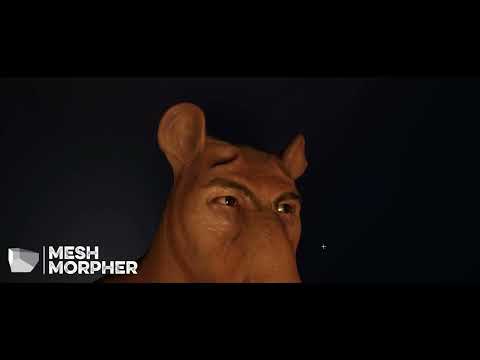
#UE5 #metahumans #meshmorpher
thanks @StyleMarshall for the wrapping.
Get Mesh Morpher:
https://meshmorpher.com
If you have any question let us know!
Like and subscribe to see all our upcoming tutorials.
https://puglifestudio.com
https://www.linkedin.com/company/pug-life-studio
https://twitter.com/puglifestudio
junior birch
wheres the mouth? lol
 fresh monolith

 sand knoll
Making character customisation . Have morphs on head . Hairs in separate skeletal mesh and don't fit to the head . Any ideas how to solve the issue except making morphs for each hair style ?
 sour mango
I'm extremely new to this. This skin phasing thru shirt is driving me crazy!! Anyone have any tips?

Will do. Sounds like a big issue
true trellis
I have the same issue @sour mango. When my character is running, I notice large sections of his upper torso phase through his shirt. Would love to find a solution.
obtuse urchin
👀
 cobalt saddle
Hello, I dunno why most people use metahuman characters with the the third person BP, isn’t possible to make MH your main character from scratch?
Or a better way to do it!
 green stirrup
Hi y'all, looking to get started with metahuman. Is there a recommend way to do animations, especially facial ones?
Right now I have the metahuman, as well as recorded voice dialogue as audio files. Ideally I'd like it to be procedural so I don't need to mocap each one
shadow arrow
How do I make the MetaHuman's hair appear more like it does in MetaHuman Creator?
shadow arrow
shadow arrow
How do I make the MetaHuman's hair appear more like it does in MetaHuman Creator...
I'm using the MetaHuman in a real-time setting (not just for renders) where my main light source is just a Directional Light
 lucid coral
Hey ya'll - am insane or did the Metahuman 5.1 plug-in come out and then get pulled from the asset store?
lucid coral
clear isle
not sure when it was updated, but I'm seeing the Metahuman plugin available for ...
Did you manage to get it downloaded?
 foggy sage
Hello everyone! Does anybody have experience with the MetahumanSDK Plug-in for Unreal 4.27? This Plugin lets you generate facial animations for metahumans via audiofiles and it seems to be a good solution for us. I have four questions regarding this plugin.
-
We are making a game in UE4.27 that contains a lot of dialogue and we want to let MHSDK generate most of the facial animations on runtime. Will this work in the packaged game?
-
I managed to generate some animations on runtime in a testlevel. It worked out but the face detached from the body the moment the animation started playing. It is a third-person Metahuman Character. This seems to be a common issue but still I couldn’t find a solution for that problem. Is it possible in 4.27?
-
I don’t know how to update MetahumanSDK. How do you update it? Now I’m stuck with version v1.2.4 but I would like to use v1.5.2 because that seems to be the latest version for UE4.27. I already uninstalled it and reinstalled it from the marketplace but all I get is v1.2.4 again. I see that you can download v1.5.2 on their website, but how would you install it manually?
-
Do you know of any other way to generate facial animations via soundfiles on runtime? Or without having to bake hundreds of animation files by hand?
Thanks in advance!
shadow arrow
Does anyone know a simple fix to fix MetaHuman "poking" through clothing?
 shadow arrow
Does anyone know a simple fix to fix MetaHuman "poking" through clothing?
shadow arrow
shadow arrow
Does anyone know a simple fix to fix MetaHuman "poking" through clothing?
Currently, doing minor adjustments to the "NeckHide" parameters seems to work, but I'm not sure this is the best long term solution. Please let me know if you have other, better, suggestions.
 gloomy raven
Anyone know what the fock is going on with my unreal engine?


 foggy ridge
shadow arrow
Currently, doing minor adjustments to the "NeckHide" parameters seems to work, b...
foggy ridge
shadow arrow
Currently, doing minor adjustments to the "NeckHide" parameters seems to work, b...
You can always toss it in Blender, Maya or any 3d software and adjust the skinning. ( This is what I always do)
Other option would be to adjust the clothing verts or adjust the scale, slightly of the shirt.
halcyon stream
hello ppl ... I don't know if this is a common/known problem or just something wrong in this specific project ... fresh project, freshly imported metahuman ... the IK rig for retargeting is empty
is this a common problem? any solution?
desert ocean
hey what material is this?
sand knoll
@desert ocean The name of material functionality is above
desert ocean
sand knoll
<@143780188814049280> The name of material functionality is above
yeah but are this in some Metahumans Defaults Mat?, im intrested in Compare Color Node
sand knoll
As I know it's not metahuman and not mine code , so can't tell details
desert ocean
sand knoll
As I know it's not metahuman and not mine code , so can't tell details
Where can i get it?
sand knoll
I asked for from one person and he answered by this image . Also will search more info - tutorials
desert ocean
sand knoll
I asked for from one person and he answered by this image . Also will search mor...
Who is it?, i never seen this material before looks super Intresting
sand knoll
Game / animation developer
desert ocean
sand knoll
Game / animation developer
but whats his Name?
sand knoll
Can't tell it's a privet
desert ocean
sand knoll
Can't tell it's a privet
Can you ask for me , if he please can share the Custom Node Compare Colors?, Thanks
sand knoll
desert ocean
shadow arrow
Does anyone know a simple fix to fix MetaHuman "poking" through clothing?
easiert way would be an Opacity Mask, Lerping , theres no need to have that much of ur Arm under ur Cloth
uncut harness
Anyone knows how to properly export Face mesh from Maya file? I exported body with no problem ,but face is giving me a problem, idk what I'm missing in selection
Whenever I use "Reimport Base Mesh" I'm getting missing bone errors
shadow arrow
foggy ridge
You can always toss it in Blender, Maya or any 3d software and adjust the skinni...
I see! In the end I think what I did is what that material parameter I mentioned is actually designed for, and it's non-destructive which is the advantage of it. Worked really well IMO! Thank you for the other options to consider as well.
shadow arrow
desert ocean
easiert way would be an Opacity Mask, Lerping , theres no need to have that much...
Thank you. This is what I did in the end. There's actually a material parameters exposed on the MetaHuman's body material for this (I'm pretty sure that's what it's designed for at least), which is great help.
 boreal sentinel
Just want to share that applying animations to metahumans is a really pain in the ass but worth it xd
foggy ridge
shadow arrow
I see! In the end I think what I did is what that material parameter I mentioned...
Yup using a mask helps as well.
worldly pebble
Okay, I'm literally losing my mind right now. Imported a sequence from live link as a csv file. Deleted the FaceRig. Switched to the corresponding csv file in the live link details panel. Plays perfect in the editor and in simulation mode. But in the final render the face animation bugs out and stays static at the exact same spot where I've left the timeline cursor. What the heck? I'm trying to fix this s**t for 3 hours now!?
//Update: A guy in the Facebook group managed to help me. It's the weirdest bug. So, in order to solve it you need to close the Sequencer BEFORE rendering via MRQ. I never had this issue before but well, here we are... ):
worldly pebble
//Update: A guy in the Facebook group managed to help me. It's the weirdest bug. So, in order to solve it you need to close the Sequencer BEFORE rendering via MRQ. I never had this issue before but well, here we are... ):
 wheat sentinel
Is there a reason MetaHuman skeletons dont come with IK Bones?
Update: You can add them via Virtual Bones
obtuse urchin
anyone else getting terrible framerate when strands are rendering sometimes in 5.1.1? It just completely tanks my FPS, have to use only cards or LOD3
desert ocean
obtuse urchin
anyone else getting terrible framerate when strands are rendering sometimes in 5...
Grooms are Super Expensive, thats Normal , + Lumen its get very Hard, but its future Tech,
Especially Closeups, u could lower the amount of Strands , than it should be better
 fathom fractal
Anyway to force the grooms to be lod0 when rendering out a sequence? The groom I'm using on my character uses experimental groom, so there's no Hlod available.
At a distance it's just bald unless the camera is right up it
clear isle
fathom fractal
Anyway to force the grooms to be lod0 when rendering out a sequence? The groom I...
In the character BP there should be a LOD Sync component, set it to 0 instead of -1 and it'll force it
whole harness
Hi! Why does the hair come off the MetaHuman? Sometimes they stop working and follow the position of the head clearly
 bold acorn
Would love to chat with someone well versed with metahumans. I have experience using them, but am looking to hire an artist to customize a few characters based on actual people. Please message if discussing further.
 final prairie
guys i have a pretty legal question, could i use a metahuman in blender and then idk maybe make a render of it and using that image on premiere pro and publishing the video on youtube? Or maybe, make a render in unreal engine of the metahuman and use it on premiere pro?
because the license isn't really clear
im not a lawyer yk
 junior jacinth
bold acorn
Would love to chat with someone well versed with metahumans. I have experience u...
junior jacinth
bold acorn
Would love to chat with someone well versed with metahumans. I have experience u...
I can help you with your character dilemma, if only you'll look in your d.message req
rancid elbow
Hello
I rigged the character in blender and import it through fbx the rig is not in unreal engine skeleton

 barren glacier
When I try to launch the meta-humans app, it just keeps reloading the page. I’ve tried it on two different browsers and turned off. Add blocker. Any ideas what to do please?
 thin kettle
Why is he in the air?)

 native blaze
can i export animated metahuman as Alembic or FBX with textures and hairs?
 tiny arch
Hi, New to the group, just wondering is there an easy way to export metahuman to blender ? seems to not be able to export to blender on Quixel, well says there an export to blender option but it doesnt work
 golden sky
Hi! Can i somehow set pose with variable? I found that i can control CTRL expressions, but can't control pose. (yes i can repeat all poses with expressions, but it will be much easier to do this with pose directly)


 tardy aurora
hello everyone! i have uploaded my metahuman in ue5.1 several times now in the thirs person mode. i followed the video. however, my legs are crooked. as if i were bent over.
 glossy onyx
Hi, I’m doing some character rigging in maya with the metahuman skeleton. Does anyone know why they’re using a _drv skeleton for the rbfs? Why not ditch the _drv skeleton and put the rbfs straight in the export skeleton?
In short, what is the _dev skeleton benefit and why not just delete it and straight use the export skeleton?
Hmmm, scrolling up it looks like there’s a lot of questions and not a lot of answers 🤔
summer furnace
I notice my metahuman has snake like arms when camera is far away from him, anyone knows what that could be?
 grim oracle
maybe you set lod to high value on distance
so anyone know where I go, to make sure anims work on manny char in ue5, I changed it to manny in bp char file, but onplay it just moves wit no anims at all,I forget where to change this
 wary spear
can I use my metahuman as a third person player?
 hardy sage
hey everyone, I have a quick question about metahuman - I'm trying to import my facial animation into unreal but i cant select this option

does anyone know if there is any other way to import facial anim from maya into unreal and having it working?
grim oracle
@wary spear yup
glossy onyx
glossy onyx
Hi, I’m doing some character rigging in maya with the metahuman skeleton. Does a...
The answer is it uses two skeletons because the rbf manager adds rotations to the driven joints if there’s no offset join in between. So they add more joints on the _drv skeleton and constrain it to the export skeleton
wary spear
grim oracle
<@648746468781457419> yup
how?
wanton forge
 tiny bane
Hello everyone! Has anyone tried dipping groom inside Unreal's water system? Wanted to know if the Hair would float. If not, wondering if there's a way to mimic hair buoyancy. Cheers ✌️
 obsidian bone
tiny bane
Hello everyone! Has anyone tried dipping groom inside Unreal's water system? Wan...
obsidian bone
tiny bane
Hello everyone! Has anyone tried dipping groom inside Unreal's water system? Wan...
Yes, you can add that in niagara, as it has data interface for water systems.
tiny bane
obsidian bone
Yes, you can add that in niagara, as it has data interface for water systems.
Awesome! Thanks. Are there any tutorials associated with this?


 simple forge
river gull
Hello, when I try to migrate a metahuman I get this error
simple forge
river gull
Hello, when I try to migrate a metahuman I get this error
I wouldn’t migrate unless you’ve already enabled the mh plugins in that project. You also will have to migrate the entire MH folder I’m guessing to the content folder and not a subfolder
 copper silo
Hello is there any way I can import metahumans directly into ue without quixel bridge?
Mhb files dowanloaded form metahuman creator online
Need to import about 200 metahumans
copper silo
Any approach to do this fast will work
 late onyx
hi any idea why is my meta human glowing?
 late onyx
copper silo
Need to import about 200 metahumans
late onyx
copper silo
Need to import about 200 metahumans
you can try the crowd from the marketplace maybe ?
 loud hazel
late onyx
hi any idea why is my meta human glowing?
loud hazel
late onyx
hi any idea why is my meta human glowing?
Isn't that the selection highlight?
late onyx
nope sadly :/ but thanks 🙂
 tribal sonnet
this might be the wrong channel, but I was trying to find the hair-card material from the Digital Human project, and it looks like it's no longer included in the project?
Has everything basically moved to grooms in 5.1?
green stirrup
Does anyone know how to fix hair from not rendering at distances? I think it's a LOD thing
is it possible to force lod 0 on all metahumans
tall coral
green stirrup
Does anyone know how to fix hair from not rendering at distances? I think it's a...
You'll have to manually do it to all of them individually
desert ocean
late onyx
hi any idea why is my meta human glowing?
u mean the Reflection like its glass, or the orange outline?
late onyx
desert ocean
u mean the Reflection like its glass, or the orange outline?
No yeah the reflection sorry I should have removed the outline
desert ocean
late onyx
No yeah the reflection sorry I should have removed the outline
I had this before also, check cubemap in Post process, or Skylight itnensity is too high with Lumen than also i have this, or make it more roughness
late onyx
desert ocean
I had this before also, check cubemap in Post process, or Skylight itnensity is ...
Thanks à lot I will try that !!
 hot wolf
green stirrup
Does anyone know how to fix hair from not rendering at distances? I think it's a...
hot wolf
green stirrup
Does anyone know how to fix hair from not rendering at distances? I think it's a...
yeah about that, does anyone know how to increase the range of the lods on metahumans?
green stirrup
hot wolf
yeah about that, does anyone know how to increase the range of the lods on metah...
I ended up forcing lod 0 on my metahumans at all distances to fix the pop-in issue
hot wolf
Yeah that works, but i still want lods, just not them changing every meter
 fluid wasp
Hey Slackers, I've recently went to compile my metahuman when I got these errors linking to these nodes. I have no idea how to fix it. I have been customizing my metahuman, adding new textures & messing with the 'LOD' settings in the face-mesh a bit. Although even after reverting back to normal settings. It still won't compile properly. It started to occur when I added a static mesh component to the torso in Blueprint. I do get GPU memory corruption sometimes as it struggles to cool. Could this be related? theoretically would I need to have a successful compile if I wanted to go on and animate with live-link and within sequencer. Any help would be greatly appreciated. Thanks!


 shrewd pagoda
How difficult would it be to re-create Sam Fisher with Meta Human?

A lot of skin painting?
desert ocean
Anyone had Bad lighting with Groom? looks like the Shadows are way to dark on sometimes https://puu.sh/JBrs1/b464236075.png

its 100% Screentrace of Lumen, / and the Skylighting of Hairstrands but a way to fix it?
 shrewd pagoda
desert ocean
Anyone had Bad lighting with Groom? looks like the Shadows are way to dark on so...
shrewd pagoda
desert ocean
Anyone had Bad lighting with Groom? looks like the Shadows are way to dark on so...
Can you increase ambient light, possibly with a skylight. Might have to use Color Grading in Post Process Vol. but all it really needs is highlights, midtones, and shadows adjustments.
desert ocean
shrewd pagoda
Can you increase ambient light, possibly with a skylight. Might have to use Colo...
Its only on Grooms , When i increase Skylight overall increasing Skylight and it gets to bright, there are no adjustments , and its Only from the Screentrace of Lumen, and Skylighting of hairstrands, i could fix it by changing skylight for hairstrand methods but that cost a lot of FPS . we speak about 5-7 FPS on a 3080Ti.
I really hope Epic games get fixed this soon.
The thing is even Colograde is on the overall Scene not only Hairs and 85% of hair are fine but The black parts destroying it
desert ocean
The thing is i can change exposure only on hair etc to get it bright, but The problem isnt The Hair Color, its the shadow they are casting. like here brightener Hair but The Tips are to Dark shadow casting and its only the Tips. https://puu.sh/JBvIV/51a422990c.png, 90% of hair looks right but some Spots are wrong, and The Shadow will be casted on the Skin , so even if i bright it as example 200% if would get the Dark shadows there on my Skin.


to be fair its not metahuman, Its my Own Hair and Character, but the reason why i post here because the Most Metahuman user works with Groom, prob they know a fix was in my Mind.
 mystic dawn
Does anyone know the easiest way to edit metahuman clothing?
Do I still need to install 4.27 version of unreal engine to get quixel mixer or is there a better way?
desert ocean
mystic dawn
Does anyone know the easiest way to edit metahuman clothing?
Do I still need to ...
what exactly do u mean by editing?
mystic dawn
desert ocean
what exactly do u mean by editing?
https://www.youtube.com/watch?v=YjOpCdWg4_c like this with quixel mixer , unless there is a better way?

This tutorial will demonstrate how you can customize your Metahuman assets only using Quixel Mixer and Unreal Engine. You can alter existing clothing and face assets using this method.
Metahumans Tutorial:
https://www.youtube.com/watch?v=hxs5jatmySE
Alternatives to PhotoShop:
https://krita.org/en/
https://www.gimp.org/
Quixel Mixer:
https://q...
mystic dawn
like, do people just use substance painter? blender?
normal sorrel
Hi, I'm trying to render with path tracing my metahuman but the result is like without detail. I rendered it with 512 samples. Any idea how to render metahuman with path tracing? thanks!

 nova kiln
What is Metahuman, i know nothing about it, can someone explain please
solar mulch
anyone know how to make metahuman eyes emissive? Basically trying to have the entire scelera a solid emissive color and then replace the iris with a basic black shape.
-I have my custom shape in the iris masks already
-I am trying to completly get rid of the orginal brown eye color surrounding it
-Last step is making the scelera to be all emissive. Usually I would open the material and set up a simple emissive with the miltiple and paremeter to control brightness, but once I get into the parent i am in the weeds a bit.
 crystal oxide
nova kiln
What is Metahuman, i know nothing about it, can someone explain please
crystal oxide
nova kiln
What is Metahuman, i know nothing about it, can someone explain please
Metahumans are approximately photorealistic static meshes which use the UE5 mannequin skeleton (or a really similar variant thereof), which has a lot more bones than the UE4 mannequin.
So basically you're creating a fully rigged, pretty real-looking, animatable human to use in your project.
nova kiln
crystal oxide
So basically you're creating a fully rigged, pretty real-looking, animatable hum...
Can i use those humans in blender?
And is this free?
crystal oxide
nova kiln
And is this free?
Yes, Metahuman Creator is free to use as are the Metahumans you make with it (I presume the usual Epic Games terms of service apply).
I don't know enough about Blender to know if Metahumans will work with it, but I'm sure someone else can answer your question.
nova kiln
crystal oxide
Yes, Metahuman Creator is free to use as are the Metahumans you make with it (I ...
I see,
But can i use the humans generated from metahumans for commercial purposes or like using in a film, I'm trying to make a shrotfilm