#hardware
1 messages · Page 36 of 1
 grave sundial
Like each letter for a fraction of the money.
Can we have an N for $100 please?
I'll pick up the V and the A for $200 next week.
 naive cloak
we can mine it... if we dig under the manufacturing factory and take it from there 🤣
grave sundial
tbh, it's probably easier to just hijack a supply truck.
naive cloak
btw they blame scalper bots but its not true
grave sundial
blame them for?
naive cloak
they say that "bots bought all the cards before the launch" lol
there is no point in hijacking truck because each truck probably carry single GPU if we look at the number of the "available" cards 😅
grave sundial
You could steal the driver's attire, drive back to the factory, and just pick up a new one.
Well, the Indian government is going to order 18,693 GPUs - reportedly - to power a compute facility for our own foundational models.
So, there's going to be supply headed in THAT direction somewhere down the line.
naive cloak
something like this:
 grave sundial
and we MIGHT manufacture GPUs here itself.
So, the price MIGHT drop.
Hopefully, it won't turn out to be wishful thinking.
naive cloak
gov will buy different GPUs probably, I forgot the name something with 100 in the name iirc
I dont think it will be possible to buy 5090 for less than 3000$ at any time during it lifetime
and I am being naive again probably, when will I learn 😢
grave sundial
I honestly don't want one though.
Personally, I don't see myself utilising anywhere near its potential.
MSI's 4090 24GB dropped to 2,900USD here.
naive cloak
its not about utilizing or not, its about overpriced products that have artificial scarcity to steal our money
grave sundial
Yeah, but that's capitalism at its finest horribleness.
We can be smart and just buy what we need.
naive cloak
grave sundial
MSI's 4090 24GB dropped to 2,900USD here.
I dont think it can be considered as "dropped" 🥲
grave sundial
It was 3,400 something before, though.
It's an improvement. 😄
BUT the RTX A6000 is available for $4,600 with 48GB.
So, if I really want to splurge.....
I assume it can run Minesweeper.
 orchid iron
fun fact, the 5090 has 16 ram modules of 2gb each, so when 3gb modules are available, it'll be possible to swap them to make a 5090 48gb , and when 4gb modules come out, you'll be able to have a 5090 64gb
grave sundial
orchid iron
fun fact, the 5090 has 16 ram modules of 2gb each, so when 3gb modules are avail...
So, what you are implying is that NVidia will be || bought by Lego || and that we should || buy Lego shares || in preparation.
orchid iron
grave sundial
So, what you are implying is that NVidia will be || bought by Lego || and that w...
I'd say that if Lego was a public company, but it isn't, it is private and it explains why it's been still so neutral
no investors
naive cloak
I am pretty sure they learned from Apple and made sure that you will not be able to replace parts
 plush turret
now to find a wifi extender that fits inside this box next to a fiber translater https://www.amazon.com/gp/product/B0D3DVQGZ9

【Wide Applicable Cord Range】 - There are total 6 cord holes on the outdoor electrical box, each hole will be equiped with a seal plug and a cord plug, which help you easily and conveniently organize the wires, suitable for 14/16/18 AWG wire installation.
 wise elbow
you can replace a memory module on a GPU with an equal one but I have a feeling you can't just put a bigger memory module on it and have it work
orchid iron
wise elbow
you can replace a memory module on a GPU with an equal one but I have a feeling ...
some do that service
 agile lodge
the GPU what got scalped from this build https://www.youtube.com/watch?v=rT5PKtq_zZQ

We checked out the 50 Series launch day at Micro Center in Tustin. The 5080 and 5090 is arguably the highest demand launch we have seen in a LONG time. While we were there we did a build utilizing the 5090 Zotac Solid OC which we will be doing a full review on.
Check out Micro Center’s BYO Month: https://micro.center/blre
Sign up for Early A...
plush turret
does anyone have experience with throat mics? my GF is mute, but wants to join me for streams. her medical throat mic is not compatible with most computers (built in speaker and self contained)
All the ones i can find only work with specific radios
 fallen oasis
As a backup, can you use a headset with the mic next to the speaker?
plush turret
we tried, and its super staticy
problem seems to be that the speaker on her thing is apparently exceptionally directional.
any time she turns her head the speaker seems to move out of range and it sounds like your on speakerphone with someone who is using one of those boardroom things
https://www.amazon.com/gp/product/B0CY8RBQ8T/ this one seems to be close to what we want but dont really like the PTT

*Alan 39/ Alan 507/ Alan 607/ Alan 643/ Alan 654/ Alan 95 Plus/ Atlantic-i/ CT-22
*Alan Midland G5/ G6/ G7/ G8/ G9/ G10/ G12/ M24/ M48/ M99
*G Series: G223/ G225/ G226/ G227/ G227C2/ G300/ G300C2/ G300M/ G300MC2
*GXT Series: GXT250/ GXT300/ GXT300VP3/ GXT310/ GXT310VP/ GXT325/ GXT400/ GXT...
gaming + dedicated PTT isnt exactly the sort of thing you use while streaming
wise elbow
you could maybe get a lapel mic and mount it to the speaker?
non-medical throatmics seet to kinda be a tacticool thing so a lot of the products are airsoft larper crap
 fallen oasis
Ouch
plush turret
wise elbow
non-medical throatmics seet to kinda be a tacticool thing so a lot of the produc...
crap is better than echoing stuff
 violet spade
lol the zotac 4080 super was roughly $1300 CAD on average, now it’s $2400
They can take their card and shove it at this point
 median marsh
https://9gag.com/gag/a9yzP7D 😄 (How to spot new RTX5090 owner) because 9gag isn't able to embed fine...


 vivid skiff
Coming from 3060 laptop, is it worth looking into a 5080, or should I get a small 4070? I'm aiming for SFF/mini ITX build, and I don't care much about AI frame gen stuff (so mostly DLSS 3 stuff) especially for dev
grave sundial
I think you should approach it strictly from a money point of view.
3060 is a fine card. If it's a question of VRAM, you can go for the next highest VRAM card at the cheapest rate.
The 3060 at 12GB and 7600 xt Radeon at 16GB are both cheaply available - $270-280 - even in India, at the moment. It'll probably be easy to keep them cool in a mini ITX, too.
Unless you have a project in mind that is going to use a lot of ray-tracing and high-end graphics features, you'll probably save a lot of money with either of those. Unreal likes VRAM, so the 16GB will help.
wise elbow
buy whatever you can afford
7600xt is a weak card and will struggle to ever use 16gb...
size isn't really a concern with a 5080. they're normal sized
orchid iron
vivid skiff
Coming from 3060 laptop, is it worth looking into a 5080, or should I get a smal...
just wait until the 9070xt or 9070 from amd, not like the 5080 has proper supply until march
 frank glade
wise elbow
7600xt is a weak card and will struggle to ever use 16gb...
frank glade
wise elbow
7600xt is a weak card and will struggle to ever use 16gb...
Yeah but for dev work you will use that up so fast
 primal flame
My laptop specs:
Dell latitude 5580
16gb ram
I7-7820hq
nvidia geforce 940mx
Can I use unreal engine?
orchid iron
primal flame
My laptop specs:
Dell latitude 5580
16gb ram
I7-7820hq
nvidia geforce 940mx
Ca...
likely, I have super similar specs to yours and it runs pretty well, DM me if you are having issues
wise elbow
940mx and unreal would probably require you to turn everything down to the lowest possible
orchid iron
wise elbow
940mx and unreal would probably require you to turn everything down to the lowes...
those are my settings xD
vivid skiff
orchid iron
just wait until the 9070xt or 9070 from amd, not like the 5080 has proper supply...
No AMD GPUs, NVIDIA is a must for maximum compatibility.
wise elbow
vivid skiff
No AMD GPUs, NVIDIA is a must for maximum compatibility.
?????
orchid iron
vivid skiff
No AMD GPUs, NVIDIA is a must for maximum compatibility.
?????
if you are referencing superior nvidia ray tracing, the 9000 series of graphics cards actually comes really close to nvidia for the price you are spending
UE 5 doesn't use the cuda software suite if you are thinking that
wise elbow
allegedly*
orchid iron
wise elbow
allegedly*
the leaker was very reliable in the past, plus the 9000 series cards are all in stores just vibing, so employees could just grab them xD
wise elbow
i really hope they aren't abysmal dogshit
orchid iron
wise elbow
i really hope they aren't abysmal dogshit
the 9070xt actually goes toe to toe against the 4080 for half the price almost
wise elbow
hopefully fsr4 is good and rt performance is comparable
orchid iron
wise elbow
hopefully fsr4 is good and rt performance is comparable
they changed they strategy after they noticed nvidia's launch will be how it turned out
 delicate crystal
How mich do you think the 9070s woukd make the 7900s drop
orchid iron
delicate crystal
How mich do you think the 9070s woukd make the 7900s drop
Already dropped by a lot, AMD had to discount the 7900s as much as possible before releasing their stock which was made in large amount way earlier
But because there was still so much 7900 xt and 7900 xtx still in the market, they would of been crushed by the 9070s value, so they pushed back the launch...And then Nvidia focused on made up performance along with having basically no stock for these cards, so why rush when the competition isn't done cooking and the 7900s is still selling through
Ever since beginning of this year I've seen so many people in YouTube comments say they have a 7900 xtx, like wtf, I thought it was a niche card
Steam hardware said that the 7900 xtx was at 0.36% in September 2024 then it went all the way up to 0.51% in December 2024
vivid skiff
orchid iron
?????
I'm talking about upscaler compatibility, NVIDIA can do all three.
Also I'm only concerned about getting AMD GPU once I get 2 test rigs.
Unless the trend in 2024 onwards is main dev on NVIDIA GPU is somehow problematic and should be ignored, even with native resolution measuring
orchid iron
vivid skiff
I'm talking about upscaler compatibility, NVIDIA can do all three.
Also I'm onl...
so will FSR 4? It'll be AI based just like nvidia's if that's what you'd want
orchid iron
vivid skiff
Unless the trend in 2024 onwards is main dev on NVIDIA GPU is somehow problemati...
it is a trend because money is not that much of an issue if the income is good enough to ignore the Green tax
But if you care about price to performance, you'd look at the 2nd place player's offerings since they'd usually have lower margins to gain market shares
vivid skiff
orchid iron
it is a trend because money is not that much of an issue if the income is good e...
I only ask should I get 4070 or 5080 for SFF workstation, not AMD GPU sales pitch (which I will eventually get for testing rig)
That's all I ask.
If it's hard to not get out of scope, then I'd rather trust primal instincts.
median marsh
with current prices i would probably get a 4070S 16GB
unless you really need top performance
orchid iron
Yeah, good luck finding a 5080 at MSRP, you'd be better off getting a 4070 with 16gb as mentioned by Ben
vivid skiff
median marsh
with current prices i would probably get a 4070S 16GB
THANK YOU
orchid iron
I'm still confused about that "for Maximum compatibility I pick nvidia" concept
If the CUDA software suite or their av1 encoders was mentioned then yeah fair
grave sundial
By the way, a couple of days ago, we were talking about using dual GPUs for UE. Turns out that since UE 5.2, the rendering option to use dual GPUs was removed, according to a thread on the UE forums.
You can still do it with some eat-through-the-nose workaround, apparently.
orchid iron
grave sundial
By the way, a couple of days ago, we were talking about using dual GPUs for UE. ...
Is it SLI / Cross fire or any GPUs would of been able to dual render?
grave sundial
The use cases mentioned in that thread were for dual GPUs. They didn't talk about SLI.
According to them, prior to 5.2, you had an option in Rendering in UE, to choose SME and DX 12 instead of just SME (or SMC, I might have that wrong).
That made UE use both GPUs. I haven't tested this myself.
orchid iron
Oh that's cool, I didn't know it was even possible
grave sundial
Yeah, I googled it on a hunch.
Now, the interesting bit is, with post 5.2 versions, there is some wire rendering or some such feature in UE that does use dual GPUs, but ONLY that.
Either way, the posters were ticked off that Epic pulled dual GPU support.
orchid iron
I'd guess this system would be really hard to maintain due to its complexity
grave sundial
Seems like it. Btw, I linked an AMD FSR update for UE 5.5 in the Lounge.
orchid iron
Yoink, thank you very much
primal flame
wise elbow
940mx and unreal would probably require you to turn everything down to the lowes...
Will it still be useable and can make big projects?
wise elbow
primal flame
Will it still be useable and can make big projects?
define "large project"
primal flame
wise elbow
define "large project"
For an example an online mmorpg openworld game
wise elbow
i would start small
and if your target hardware can't run your game, I doubt you would be able to in editor
naive cloak
PCs that can really run UE5 are like unicorns, maybe they exists but no one ever saw one...
if your game will have ~20 fps it can be considered success because you will triple it with fake DLSS frames and call it a day, same as all the "AAA" companies do
wise elbow
unsurprisingly, games running at 4k with raytracing struggle to get 144fps
who could've guessed???
 fresh fog
primal flame
For an example an online mmorpg openworld game
fresh fog
primal flame
For an example an online mmorpg openworld game
No. Though if you can make an open world mmorpg you can take a couple of grand out of the millions of funding you have to build a really good machine :P
 open sentinel
Hello there. I want to make an animated movie within UE5 using Metahumans as the characters. Can anyone recommend good PC specs for a £1000 budget
fallen oasis
Get a graphics card with a lot of vram.
open sentinel
fallen oasis
Get a graphics card with a lot of vram.
I kinda already figured out that. Am looking for specs. Good GPU + CPU combo etc
orchid iron
open sentinel
Hello there. I want to make an animated movie within UE5 using Metahumans as the...
in the UK I presume?
open sentinel
orchid iron
in the UK I presume?
Yep
orchid iron
primal flame
For an example an online mmorpg openworld game
start small, learn the basics first, many people burn out because they can't even do 1 game after months
primal flame
orchid iron
start small, learn the basics first, many people burn out because they can't eve...
I have some experience using godot and unity I think I can do it
I have c++ experience too
wise elbow
openworld MMO is the kinda project to have dozens or hundreds of people on and mass amounts of hardware
orchid iron
@open sentinel

this is a quick build, feel free to ask about components and maybe mention what you'd like to use the build for
(the cpu cooler and thermal paste is included in the cpu box)
orchid iron
primal flame
I have some experience using godot and unity I think I can do it
did you ever finish a game?
open sentinel
orchid iron
<@1092800000234360844>
What about ssd?
Is there something that I can decrease to fit in a ssd
How much ram does the GPU have
Does it support raytracing
Whats my expected FPS
Sorry for all these questions, trying to understand the best before I make such a purchase
orchid iron
open sentinel
What about ssd?
oh sorry, I forgot about that because I'm used to rebuilding a full system but keeping old drives until upgrading them later
orchid iron
open sentinel
How much ram does the GPU have
the 7600 xt has 16gb
orchid iron
open sentinel
Does it support raytracing
yes, but it is not great at all, if you want ray tracing at a such a low price, then the nvidia 3060 which has 12gb should be enough
if you go for the 3060 instead of the 7600 xt, you'll be able to add a Crucial P3 Plus SSD 1TB for 57 pounds and remain in budget
orchid iron
open sentinel
Whats my expected FPS
I have no idea, because I have no idea what you'll be putting on the scene and what settings you'll be using
orchid iron
open sentinel
Sorry for all these questions, trying to understand the best before I make such ...
of course, it is quite important to know what you'll be spending money into
open sentinel
Ray tracking isnt a must TBH
So what is by best option including ssd
And leave ray tracing
orchid iron
open sentinel
Ray tracking isnt a must TBH
if you are doing movies, are you sure you won't be doing ray tracing?
orchid iron
then go for 3060, for its price it is quite a solid pick
with a Crucial P3 Plus SSD 1TB for 57 pounds, the total should be closer to 1000 than the og picks
open sentinel
Other same part?
open sentinel
orchid iron
then go for 3060, for its price it is quite a solid pick
Nvidia?
 orchid iron
open sentinel
Nvidia?
orchid iron
open sentinel
Nvidia?
yup
open sentinel
Last question
open sentinel
orchid iron
yup
Is the motherboard wifi
I need WiFi for the time being
Ethernet isn't an option for me for now
orchid iron
the mobo has wifi 6E
open sentinel
Ty for your help then
orchid iron
no problem
naive cloak
check MINISFORUM BD790i it has AMD Ryzen 9 7945HX mobile CPU, it is ITX motherboard with mobile CPU and heatsink built it, you will have to add SSD, 2 Sodimm RAM, 12cm CPU fan, GPU (if needed) PSU and case, I use this board, I can only recommend it if you have limited budget, but if you like it, before you buy it make sure you know all the limitations such as custom bios with less functions, CPU fan can be controlled only from BIOS. limited IO/USB ports etc. they have updated version afaik with metal PCIe slot support etc. or maybe even newer versions, but afaik BD790i is the best version.
other versions (such as SE) dont have PCIe 5 and no wifi afaik
and its made in China so idk if you will get any support/replacement if something happens 😢
wise elbow
imo the 7600xt is a waste. the extra memory will never get used
would definitely prefer a ryzen 7 or 9 if doing anything development related
orchid iron
wise elbow
would definitely prefer a ryzen 7 or 9 if doing anything development related
he'll be able to upgrade to that plus a much better cpu cooler that'll be able to handle that class of CPUs
naive cloak
save more money and buy better parts if you can 🤷♂️
wise elbow
also 32gb is probably more than enough ram
wise elbow
naive cloak
check **MINISFORUM BD790i** it has AMD Ryzen 9 7945HX mobile CPU, it is ITX moth...
that mobile cpu board looks interesting
what kinda performance does that cpu get compared to its desktop equal?
orchid iron
wise elbow
also 32gb is probably more than enough ram
He doesn't save much money downgrading from 64gb to 32gb, plus when he upgrades other stuff in the future, ram upgrades won't be needed at all
And besides, having a lot of ram is just useful in general
open sentinel
orchid iron
He doesn't save much money downgrading from 64gb to 32gb, plus when he upgrades ...
true
plush turret
why does every ethernet splitter need additional power?
naive cloak
wise elbow
what kinda performance does that cpu get compared to its desktop equal?
idk I never tested it, some people even OC it, they have Discord channel, someone there writing custom BIOS to boost CPU speed, also sometimes users post benchmarks
also its possible to use 96GB, they say up to 64 but 96 is detected
wise elbow
naive cloak
also its possible to use 96GB, they say up to 64 but 96 is detected
memory controller probably got an update
naive cloak
wise elbow
what kinda performance does that cpu get compared to its desktop equal?
user from Minisforum discord testing BD790i overclocking possibilities, this is what he posted, but I think he has custom heatsink
 orchid iron
naive cloak
user from Minisforum discord testing BD790i overclocking possibilities, this is ...
orchid iron
naive cloak
user from Minisforum discord testing BD790i overclocking possibilities, this is ...
Wow, it crushes my current CPU
A 7th gen i7 xD
 royal pasture
can anyone tell me
ASUS ROG Strix G15 Advantage Edition with AMD Ryzen 9 5980HX and Radeon RX 6800m
trying to think of the right way to ask this question but essentially is this a good laptop for Unreal?
orchid iron
royal pasture
trying to think of the right way to ask this question but essentially is this a ...
Depends what projects you want to do with it
I have a 10 year old Laptop and I'm developing a game in unreal engine 5.5.2 xD
royal pasture
orchid iron
Depends what projects you want to do with it
make a good indie game haha
and not be too constrained by my machine
in the process
right now i'm learning 2d stuff in unreal
orchid iron
royal pasture
and not be too constrained by my machine
That's a vague statement
But could you theoretically make a good indie game with it? Yes absolutely, I'm making one with a way worst one xD
royal pasture
nice
well i mean i'd like to be able to work on something with low poly stylized
or hd2d games
or large games
but it sounds like i should have no problem
orchid iron
It all depends on you and how demanding the assets are on your level
There is a tone of great looking stuff which are super light
Plus, if you build your game using some hardware constraints, you'll be able to more easily test what is the user experience on other low end machines and get as many customers as possible
Palworld for example, looks nice, assets aren't overly complicated, great indie game (besides the heavy inspirations from many other games)
wise elbow
royal pasture
ASUS ROG Strix G15 Advantage Edition with AMD Ryzen 9 5980HX and Radeon RX 6800...
laptop is more than powerful enough
orchid iron
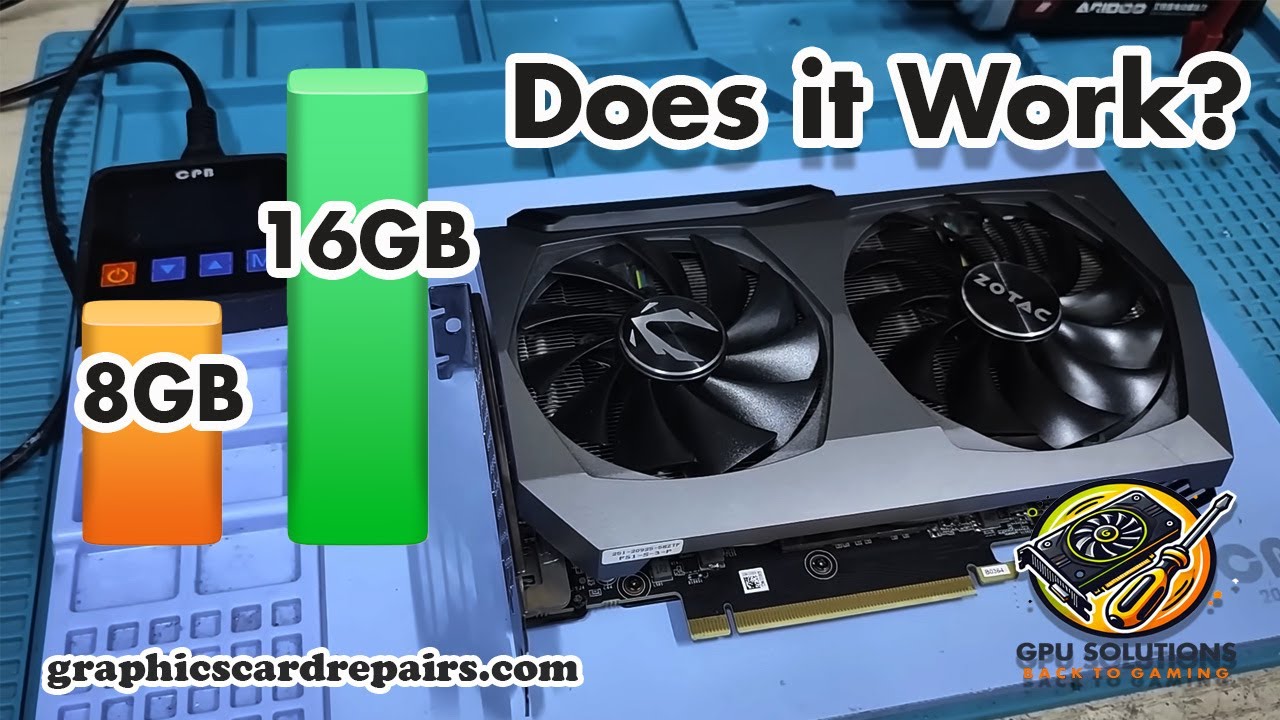
In this exciting first part of our series, we dive into the process of upgrading the NVIDIA RTX 3070 graphics card from 8GB to 16GB of memory! Join us as we explore the benefits of this upgrade, the tools needed, and the step-by-step process to enhance your gaming and productivity experience. Discover how increasing the VRAM can impact performan...
When you upgrade the GPU literally
open sentinel
https://uk.pcpartpicker.com/list/ZXfqBq
Is this a good setup for UE5 animating? Will be using Raytracing and Metahuman. I only have a budget of £1000
Part List - Intel Core i5-12600K, GeForce RTX 4060 Ti, Deepcool CG560 ATX Mid Tower
wise elbow
open sentinel
https://uk.pcpartpicker.com/list/ZXfqBq
Is this a good setup for UE5 animating? ...
I wouldn't get a 4060ti, they're some of the worst possible value for a card. You can probably get a 7700xt for the same price.
That memory is also incredibly slow for the price. The latency is awful and you will see negative performance impacts
median marsh
and 1TB ssd wont get you far, get at least a 2TB ssd
wise elbow
Also IMO prefer to get an AMD CPU using the AM5 socket as you will be able to get a new CPU in the future if you want
Unsure if raytracing will even be done on dedicated hardware
orchid iron
wise elbow
Also IMO prefer to get an AMD CPU using the AM5 socket as you will be able to ge...
Yeah, my thoughts exactly
orchid iron
open sentinel
https://uk.pcpartpicker.com/list/ZXfqBq
Is this a good setup for UE5 animating? ...
The 550w PSU will hold you back a lot, normally you'd get a PC to upgrade it later, so by spending less early you actually spend more over all because that PSU will have to go when you want better GPU in the future
Plus also it is supposed to protect your hardware, so you really should NOT cheap out on it
wise elbow
Might be able to get a 6800xt for less than the 4060ti 16gb
I wouldn't worry about raytracing; no low end card is even going to remotely be able to do it efficiently
orchid iron
wise elbow
Might be able to get a 6800xt for less than the 4060ti 16gb
I'm pretty sure the 6000 series doesn't even have ray tracing cores
orchid iron
wise elbow
I wouldn't worry about raytracing; no low end card is even going to remotely be ...
What about the 3060? For 200-250 seems okay
wise elbow
Isn't it a 8gb card?
orchid iron
@wise elbow it is a 12gb card
wise elbow
I'd be hesitant to take one over a 4060 because it's just in general slower
NGL at this price point I would just design a good gaming PC and then also do animation on it
orchid iron
wise elbow
NGL at this price point I would just design a good gaming PC and then also do an...
It feels weird to say that 1000 is too low to get into PC when years ago you could get high end computers for this price
wise elbow
Thats what happens when everything doubled in price
You can honestly still get a really nice computer for 1000 if you buy things on sale and buy smart
orchid iron
wise elbow
Thats what happens when everything doubled in price
Maybe our standards are too high xD
orchid iron
wise elbow
You can honestly still get a really nice computer for 1000 if you buy things on ...
Like the thermaltake smart PSU series xD
wise elbow
Right now is probably the worst possible time to build a PC. Nothing is on sale and everything that's out is about to be a generation behind
orchid iron
wise elbow
Right now is probably the worst possible time to build a PC. Nothing is on sale ...
But aren't the best prices for parts 1 or 2 generations behind anyways?
wise elbow
I rarely see graphics cards change in price unless it's a sale
CPUs do consistently change but I wouldn't recommend anything older than a 7000 series Ryzen unless you're really budget constrained
orchid iron
wise elbow
CPUs do consistently change but I wouldn't recommend anything older than a 7000 ...
TBF, the 5000 CPU series from AMD has some of the best value because most people still view Intel as the best pick, so prices for these parts go up
But no one buying anything older than 7000 series xD
So they get cheaper
wise elbow
Oh no, 5000 Ryzen are some of the most sold CPUs
Really their only downside is their socket and they use ddr4
orchid iron
wise elbow
Oh no, 5000 Ryzen are some of the most sold CPUs
Sold in the past, but not in the present
Everyone is recommending am5 stuff xD
wise elbow
orchid iron
Sold in the past, but not in the present
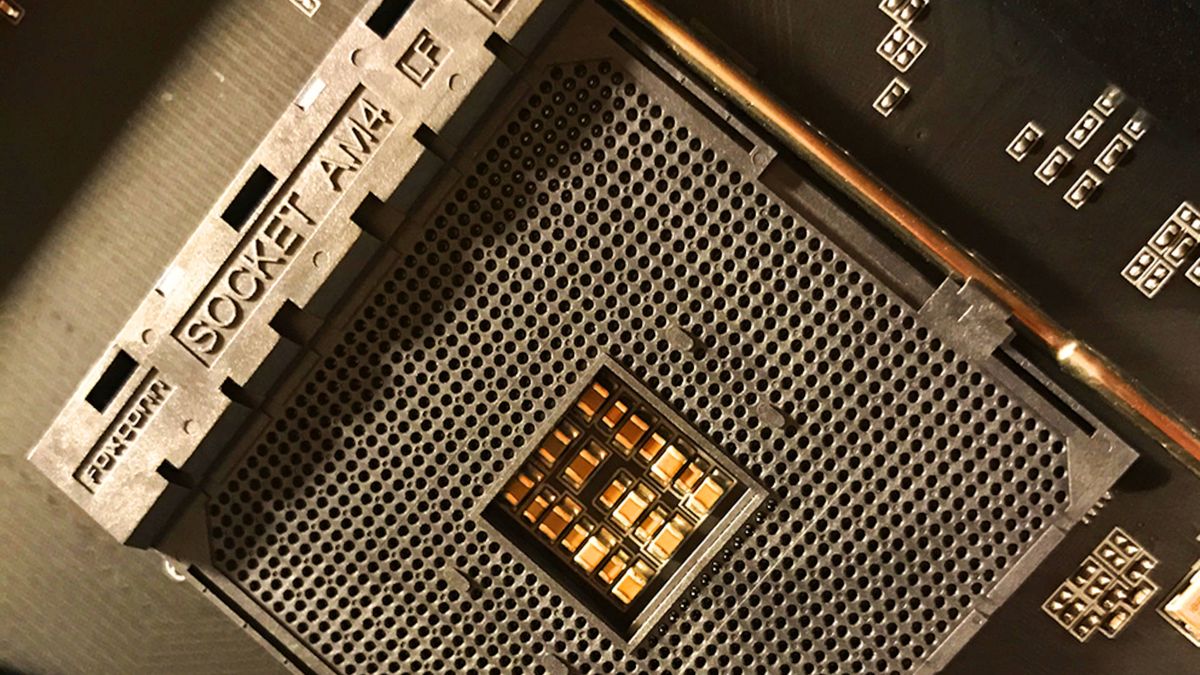
pcgamer
The PC isn't all about the latest tech.
orchid iron
Oh right, forgot about the prebuild market
You find some really old CPUs in prebuilds with recent GPUs xD
wise elbow
Eh, CPU doesn't really matter for gaming when compared to gpu
orchid iron
Yeah, unfortunately for us, it does matter in our use cases
wise elbow
Even then it's really only core count
orchid iron
Alright, Imma build a dual CPU intel xeon rig, brb
plush turret
I am looking to eventually switch almost entirely to fiber. with LC/LC plugs. would this work with fiber in then fiber + ethernet out?
this would go in a spot where i need both ethernet and fiber out. with a fiber line coming in.
https://www.amazon.com/Open-Slot-Cat5e-Copper-Ports/dp/B078LW6B9F/

What if 1 Fiber port is not enough, but dozens of ports are too much, and you are still looking for an inexpensive and simple but reliable plug-and-play fiber device with the best features from both the mini switch and fiber optic media converter? What if you need to connect more than 1 Gigabit...
 mighty patrol

Widespread reports indicate there could be something wrong with the RTX 5090 and RTX 5090D driver causing black screens and other permanent issue with the new 50 series monster gpu... Is this something to worry about?
Sponsored Links:
New Users sign up for a Free World of Warships Account and receive the following! 7 Days Premium Time
300 Doubl...
Careful guys
grave sundial
mighty patrol
https://www.youtube.com/watch?v=gIK7iUwRgaE
So, is this bricking because of that connection overheating issue like with the 4090s?
Oh.... because of drivers?!
grave sundial
Well, that's an achievement.
grave sundial
Okay, so if this is a driver caused bricking, is it soft or hard?
Like, can they recover the GPU with the right drivers?
grave sundial
okay. It would be real shitty if the hardware itself was affected.
mighty patrol
For real
grave sundial
Why redundancy drivers weren't made ready before the launch, is a testament to a lack of common sense - or poor planning.
orchid iron
or rushing
grave sundial
If it was my company, I'd have three drivers ready to roll with my GPUs.
- Barebones drivers to ensure minimal functionality.
- Earlier iteration drivers to be a backup.
mighty patrol
I don't think they have that many driver devs anymore
grave sundial
- The main drivers.
mighty patrol
I could be wrong
mighty patrol
😂
Just asked deepseek to write some nvidia gpu driver code
Probably will be jibberish
grave sundial
If it beings with an admonishment against spending your retirement moolah on an overpriced brick, the AI has my endorsement.
mighty patrol
This thing still writing code
To be fair my model may be a bit much for my system but hey it's trucking
orchid iron
I'm so salty my country is part of the bootlicking countries who banned deepseek
mighty patrol
Everyone
orchid iron
vpn time
grave sundial
Find out if it makes the $10,000 brick explode for reals.
orchid iron
oh yeah, they even warn you flashing custom vBIOS may brick the card
mighty patrol
Yup
orchid iron
they warned me flashing custom roms on my phone may brick it, but I did it anyways xD
 grave sundial
orchid iron
they warned me flashing custom roms on my phone may brick it, but I did it anywa...
grave sundial
orchid iron
they warned me flashing custom roms on my phone may brick it, but I did it anywa...
Oh yeah, I've flashed quite a few old phones, translating Chinese with Google translate to use their software. 😄
I certainly collected many types of USB wires thanks to that.
orchid iron
grave sundial
Oh yeah, I've flashed quite a few old phones, translating Chinese with Google tr...
noice
orchid iron

How did DeepSeek R1 stand out in the AI Market when it's built on old Nvidia chips? The answer is smart load balancing, and assembly code. Alex explains DeepSeek's load balancing advantage, AI training, and how this affects Nvidia stock.
CUDA ❌
Assembly ✅
open sentinel
Could anyone suggest some improvements if needed in this build?
https://uk.pcpartpicker.com/list/XHZsnp
It's for making animated movies in Unreal Engine. Raytracing is preferred, and I only have around £1000 in budget
Part List - AMD Ryzen 5 7600, Radeon RX 7700 XT, Deepcool CC560 ARGB V2 ATX Mid Tower
wise elbow
open sentinel
Could anyone suggest some improvements if needed in this build?
https://uk.pcpar...
solid build IMO
maybe a 2tb SSD instead of a 1tb if you get swing it
unreal engine is massive
open sentinel
wise elbow
maybe a 2tb SSD instead of a 1tb if you get swing it
Yea was thing about that
Is the GPU + RAM sufficient
wise elbow
GPU is pretty good, 32gb of memory is probably more than enough
you can always add more memory
open sentinel
wise elbow
you can always add more memory
Do you think it would be requred?
And whats a good 2TB ssd?
wise elbow
ive personally always had good luck with Samsung SSDs, but team group, Kingston, and a few others have decent ones. the actual chip is the same in all of them IIRC
wise elbow
open sentinel
Do you think it would be requred?
no, I rarely use all 64gb of memory unless I have like 3 IDEs open while also running a virtual machine
open sentinel
And how good does the RX 7700 XT perform in UE5?
wise elbow
it'll be good. the ray tracing is worse, but from my experience will still be completely fine, especially at 1080p
unless you get a really expensive card the ray tracing is going to suck regardless
open sentinel
TBH Ray tracing is optional and basic, like global illumination, is good but not required, so I think this build looks good in all angles
wise elbow
i will say, there are new AMD and Nvidia cards releasing in the next month or two
so maybe just buy things if they are on sale
open sentinel
Is the Wraith Stealth Cooler better then the ID-COOLING SE-214-XT?
wise elbow
no, it's actually really bad. but with your CPU you might not need a better cooler tbh
ive heard thermalright is really good for the price
actually definitely get a cooler, stock one is insufficient even for your CPU lmao
open sentinel
Ik
orchid iron

The AMD Ryzen 7 10800X3D should be INSANE!!!
#shorts #gaming #amd #ryzen #zen #performance #core
MAJOR SPONSORS:
Get BIG DEALS if you support MLID at Microcenter: https://micro.center/brokensilicon
CDkeyoffer Cheap Windows & Gaming Keys:
Win 11 Pro ($23): https://www.cdkeyoffer.com/cko/Moore11
Win 10 Pro ($17): https://www.cdkeyoffer.com/cko...
mighty patrol

The Home Office served the notice to the tech giant under the Investigatory Powers Act.
wise elbow
Classic
orchid iron
I remember when governments asked signal about user data, and all it gave was a bunch of usernames and phone numbers xD
grave sundial
I just read an article that said the writer found the 5080 stock to be heavily underclocked, or severely unoptimised to put it another way.
Apparently, he was able to overclock it to a great extent and he found it surprising.
mighty patrol
Source?
grave sundial

pcgamer
Maybe I won the silicon lottery, but the GB203 sure looks like there was a lot of performance left on the table.
On the other hand, Nvidia has apparently 'taken note' of the failed GPU reports that are 'piling up'.
So..... 🤷
mighty patrol
Guess we shall see
grave sundial
Lol. I feel like the 5x series from NVidia is like a Bethesda game.
Modders will fix. Overclockers will optimise.
They might as well ask opensource devs to make the drivers that actually work.
mighty patrol
Haha getting to be that time works for amd
I'm watching this rn lol. https://www.youtube.com/watch?v=2IekrJ1yjzQ

In this video, gaming PCs fly.
Shoutout to the @SamsungUS 990 PRO NVMe M.2 SSD making this possible with its read and write speeds of up to 7450/6900 MB/s² - https://www.samsung.com/us/computing/memory-storage/solid-state-drives/990-pro-pcie-4-0-nvme-ssd-4tb-mz-v9p4t0b-am/
#SamsungPartner
Chapters / Timestamps:
00:00 World's First Flying Gam...
grave sundial
If those propellers could be reoriented, it'd make one heck of a cooling system.
grave sundial
We should hurriedly develop an all-in-one CPU.
5GHz CPU with 32GB VRAM and 8TB storage, and 64GB DDR5 RAM.
Just one fat block.
Stick a drone.... er, air cooler on top and you're good to go.
mighty patrol
Agreed
grave sundial
Also, said block should come with a detachable Mjolnir hilt, which you can quickly attach to the block and use it to smash home intruders in the face.
All-in-one productivity+defence system.
mighty patrol
Make it modular but aio
grave sundial
When you attach the hilt, the air cooler splits into multiple blades that become autonomous drones.
mighty patrol
repairability sake
grave sundial
They'll deal with the accomplices, while you kill the main villain.
mighty patrol
Like when a bard charms his foes
grave sundial
Who ya gonna call? AMDMAN!
If this is legit, 8TB nvme for $1,000 essentially is awesome.

It used to be $2,000.
Also that TBW, 4800, nice! My 4TB MSI has 3,600 TBW.
👀 Adata XPG 8TB Nvme is slightly cheaper than that. About 850-900 dollars.
🤔 I wonder why the prices have begun to fall.
Well, this makes me happy. I might grab one sometime next year. Then, I can install the other 500 odd games I have lying around.
I LOVE SPACE!!!! 👾
mighty patrol
Gen5
orchid iron
grave sundial
Also that TBW, 4800, nice! My 4TB MSI has 3,600 TBW.
Isn't that pretty bad? With 3600tbw per 4T, that gets around 900tbw per terrabyte
Whereas 4800tbw per 8T is about 600tbw per terrabyte, which is average I guess
grave sundial
orchid iron
Isn't that pretty bad? With 3600tbw per 4T, that gets around 900tbw per terrabyt...
Assuming you don't read-write much, it's a bit of an improvement.
But yes, for very active users, it's fewer TBW than before.
On the bronze lining side, at least they didn't sell it at 3,600 TBW.
orchid iron
True
grave sundial
🤔 We should combine RAM and Nvme.
4.64TB drive. 64GB for RAM and 4TB for storage.
Bring the world together! In unity we trust... not the engine, the philosophy.
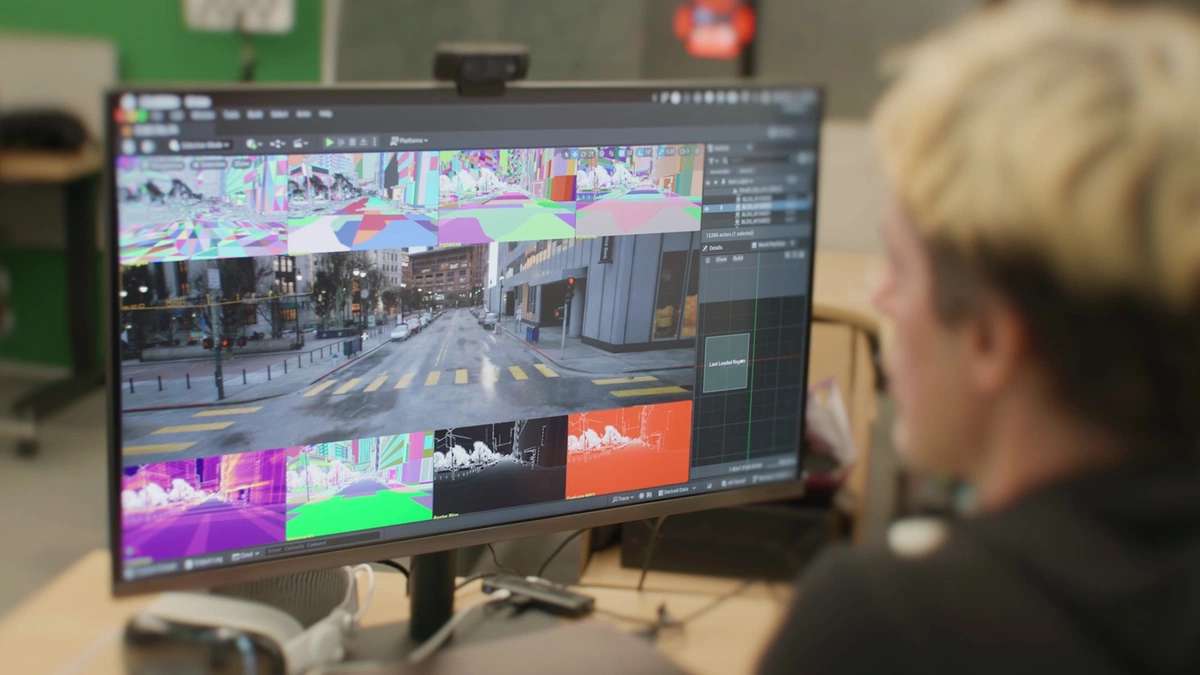
Unreal Engine is looking good enough on macOS that Epic is starting to brag about it. That'll still depend on which Apple Silicon machine you've got, though - which brings us to why the M4 Mac mini is starting to look like a serious live visual machine.
Meanwhile, for MAC users.
wise elbow
grave sundial
🤔 We should combine RAM and Nvme.
isn't that basically what optane is?
grave sundial
Perhaps; seems like nascent tech at the moment.
👀 Apparently, Radeon is also the name of a motorcycle.
Cool; very cool.
 opaque pond
is there any chance unreal might be having a hard time due to a computer spec issue?
grave sundial
sure. shoot us the specs.
opaque pond
 wise elbow
do you have a gpu?
opaque pond
what rest
orchid iron
opaque pond
looking at cpu and ram, you'll have no issues regarding them, but what about your GPU since that's the component that does the most work (assuming you aren't using integrated graphics)
opaque pond
grave sundial
GPU, hard drive, OS, etc. etc.
RX 6000 , ADATA SX 8200 PNP , Windows 10 Pro
grave sundial
The RX6000 is a GPU series.
We need to know the specific GPU.
Is it 6600, 6700XT, 6750?
The ADATA nvme seems fine.
opaque pond
6600
grave sundial
Ok. So what problem are you facing with Unreal Engine?
Is it slow? Is it crashing?
wise elbow
specs seem fine
orchid iron
opaque pond
6600
It is a fine GPU for starting out, shouldn't have problems unless you put very heavy assets in your scene
opaque pond
like its very slow
it feels like i am using a pc from 2005
everything in the UE UI is very slow to interact with
orchid iron
opaque pond
everything in the UE UI is very slow to interact with
wait, how full is your ssd?
is it almost full or like halfway
grave sundial
And when did you buy your nvme? How old is it?
opaque pond
i have no idea how old it is
grave sundial
Ok. And about what Lab asked.
opaque pond
its uhh this full
 grave sundial
How full is your drive?
grave sundial
Ok. Is Unreal slow with a blank, empty project?
orchid iron
or very basic one?
opaque pond
its slow with my current project
orchid iron
because hardware specs are fine and shouldn't cause issues with light projects
opaque pond
like when editing blank blueprints or other assets
orchid iron
try making a new blank project, and make blueprint stuff, might be the project
grave sundial
Ok. One more question.
Is Unreal slow when you open up your project; like immediately after loading?
Or does it become slow after you do something or move around?

And do you see red text like this when UE is slow?
opaque pond
no tho i see something else related to nanite
grave sundial
Could you please tell us what that is? What do you see about nanite?
orchid iron
grave sundial
Could you please tell us what that is? What do you see about nanite?
probably the gpu not supporting some nanite features, I doubt it would cause issues because I also get warnings
orchid iron
I feel ya xD
opaque pond
the empty project
orchid iron
yeah, I know, I also get similar loading times
after it finished loading, just let it vibe for a few extra minutes and then start checking things out
if EU is fine with blank project, then that means the issue is with your current project and you'll have to optimise it / use lighter assets
grave sundial
Also, are you using Unreal 5 or Unreal 4? Which version?
orchid iron
grave sundial
Also, are you using Unreal 5 or Unreal 4? Which version?
I don't think it matters much since I'm using unreal engine 5.5.2 with way worse specs and I don't have the issue he is mentioning
grave sundial
There's a problem with UE 4 and his graphics card.
Apparently, the issue was fixed with UE 5.
orchid iron
oh really? That's interesting
grave sundial
In UE 4, if you had your windows taskbar NOT set to auto-hide, UE 4 would lag hard.
Apparently, the taskbar created some kind of overlay that UE 4 did not like.
Setting to auto-hide magically solved the issue. 🤣 And they fixed the problem with UE 5.
orchid iron
magic software moment
grave sundial
And UE 5.2 has a problem with AMD graphics drivers too.
I am still trying to understand it, but something to do with High DPI mouse.
orchid iron
extra magical software moment
grave sundial
AND, another user solved his laggy UE by quitting MSI's Afterburner Riva Tuner software.
This was in UE 5.3.2.
And another by disabling MSI's whisper mode.
😓
orchid iron
I love it when software issues are really vague and bizarre, and solving the issue is even weirder xD
delicate crystal
orchid iron
I love it when software issues are really vague and bizarre, and solving the iss...
My day job in a nutshell
grave sundial
I wish that Russian wrench/spanner worked for everything.
delicate crystal
mighty patrol
https://www.bbc.com/news/articles/c20g288yldko
Tge uk really wants to take tge lead in tge 1984 sweepstakes
orchid iron
delicate crystal
My day job in a nutshell
the fate of any coding job, random issues and even more random fixes
delicate crystal
orchid iron
the fate of any coding job, random issues and even more random fixes
Its why we get the big bucks....well used too anyways
opaque pond
orchid iron
I don't think it matters much since I'm using unreal engine 5.5.2 with way worse...
not a he but i am using 5.5.3
opaque pond
grave sundial
AND, another user solved his laggy UE by quitting MSI's Afterburner Riva Tuner s...
i am going to try that
orchid iron
opaque pond
i am going to try that
so which UE version do you have?
grave sundial
5.5.3.
If shutting down MSI software solves the problem, I'll totally believe the anti-MSI AI threads I see on Reddit. 😄
orchid iron
MSI after burner isn't even from MSI (I think)
grave sundial
They are offering 4.6.5 and 4.6.6. on their website.
Whether they developed it originally, I don't know.
grave sundial
Dang. Nice. 🙂
orchid iron
lmao
opaque pond
btw this is the error
 orchid iron
the issue was weird, and the fix was weirder, very software moment
grave sundial
Okay, you can also do what #hardware message - this gentle person said.
opaque pond
the nanite one
grave sundial
🤔 That shouldn't cause slowdowns, no.
Reducing hardware scalability might improve UE's performance even more, like plinyvic said.
opaque pond
like now its very fine
grave sundial
Congrats. 🙂 I am glad you can now grind hours, and hours, and hours......... AND HOURS with your project.
⚙️
grave sundial
orchid iron
the issue was weird, and the fix was weirder, very software moment
I always took that 'MSI software is crap' stuff on Reddit with a large grain of salt. But then again, I never let MSI run in the background on my system. 😄
Interesting to know Reddit got that right.
Apparently, their AI monitoring software is really draining on the system.
orchid iron
grave sundial
I always took that 'MSI software is crap' stuff on Reddit with a large grain of ...
I never let unused programs run in the background, so that's something I'd have never known
grave sundial
orchid iron
I never let unused programs run in the background, so that's something I'd have ...
https://www.reddit.com/r/hardware/comments/107enhm/msi_afterburner_developer_hasnt_been_paid_for_a/ - you'll laugh at this one. 😄
2.6K votes, 261 comments. 4.3M subscribers in the hardware community. /r/hardware is a place for quality computer hardware news, reviews, and…
Tragicomedy. 😄
orchid iron
oof
grave sundial
Given they are offering updated versions, MSI probably found another poor sap to work in their dungeon.
orchid iron
sad
grave sundial
👀 Interesting find. Apparently, Twinmotion crashes if Afterburner and RivaTuner are running.
I haven't used Twinmotion myself, but I am suddenly VERY thankful I didn't get a Radeon for my new PC.
That's me being unfair to the GPU itself. It is a crap software issue.
orchid iron
ye

Learn about vapor chambers and what to be cautious of when orienting your graphics card if it utilizes a vapor chamber for cooling.
did anyone got this issue?
grave sundial
I haven't. Now, you've made me curious about what a vapour chamber is.
orchid iron
widely used in high heat cases that doesn't involve water cooling
the 5090 FE has one
grave sundial
Is it meant for laptops?
orchid iron
idk, never heard of a vapor chamber for laptops
grave sundial
Very interesting.
Off the top of my head, where liquid of any kind is involved, I'd say orientation and flow direction play somewhat important to very important roles in efficiency.
So, what's happening here is that a vertical orientation is causing the evaporated heat to pile back on to the GPU and increase temps?
orchid iron
grave sundial
So, what's happening here is that a vertical orientation is causing the evaporat...
basically how a vapor chamber is supposed to work is that
It is placed right next to a heat source (example a CPU/GPU) and it heats up a liquid
The liquid evaporates and travels in heat pipes
Then after cooling it becomes a liquid again
The issue here is that it becomes a liquid and accumulates in the wrong area, so there isn't any next to the GPU die
grave sundial
🤔
One of the reasons I stick with nice air cooling is that I don't want to touch water.
There shall be no water shenanigans in my system, no sirrie bob!
orchid iron
what cpu cooler do you have?
 orchid iron
put it upside down, so the heat pipes heat towards the ground, and the contact with the cpu is towards the sky
as a fun test
grave sundial
Perhaps if I disconnect the mobo from the case.
This case is heavy enough to withstand rocket thrusters.
orchid iron
lol
orchid iron
yeaaaaaaaaa
fallen oasis
grave sundial
Just hope you don't see any planes.
grave sundial
fallen oasis
Just hope you don't see any planes.
I only see the occasional holy warrior spider spinning webs all over my desk.
wise elbow
iirc the orientation of a GPU wont cause significant effects. vapor chamber flow is almost exclusively due to pressure changes and not passive air flow
they are standard in coolers these days
they function closer to how water wicks through paper than anything else
orchid iron
wise elbow
iirc the orientation of a GPU wont cause significant effects. vapor chamber flow...
meanwhile the video
wise elbow
orchid iron
meanwhile the video
i dont see any numerical values and its in a closed case? airflow will be different in the case depending on orientation...
the OP even states in comments that hes not convinced the orientation of the heat pipes is what was causing that
i could only see it being an issue at really low loads where cooling doesnt even really matter
orchid iron
wise elbow
the OP even states in comments that hes not convinced the orientation of the hea...
where did you see that? I can't find it in the comments
naive cloak
orchid iron
https://m.youtube.com/watch?v=3yG-t3S_8gM
Rich people problems...
I dont think vapor chambers like this care about the orientation, vapor will push the condensation back to the heat plate
is ASUS Dual GeForce RTX 4060 EVO OC Edition 8GB GDDR6 worth it for 260$?
or ASUS ProArt GeForce RTX 4060 Ti OC Edition 16 GB GDDR6 for 512$?
grave sundial
naive cloak
or `ASUS ProArt GeForce RTX 4060 Ti OC Edition 16 GB GDDR6` for 512$?
Get the OC edition for 16GB.
I am using MSI's Ventus OC version.
So far, no problems. Performance has also been good.
For reference, I am using a WQHD resolution.
naive cloak
but then if I add ~100$ I can find 4070 probably
grave sundial
Sure. 👍
naive cloak
its too complicated
grave sundial
I wasn't being sarcastic.
You should buy whatever you can afford.
For UE specifically, more VRAM is good VRAM.
So getting 12-16GB is better than 8.
Considering I can run those sample projects in UE rather nicely at my WQHD resolution, I am happy with my gpu. 😄
naive cloak
if I will ever start to work on video game I think I will use other engine, there is no way I will ever be able to run UE5...
naive cloak
if I will buy new GPU I will give it one last chance
grave sundial
what's your current gpu?
naive cloak
iGPU AMD 610M
grave sundial
Ah, I see.
Well, I can assure you of one thing.
The 4060ti is infinitely better than the 610m. 😄
And you can run UE just fine, no worries.
By the way, you may not prefer to do so, but you can also buy an NVidia 3x series card, if they are available cheaply.
naive cloak
they cost almost the same
grave sundial
3070, 3080, 3090 - those are still very good even today.
Right, but if you get a sweet deal somewhere for one of those, you can settle for them too.
Coming from your existing gpu, they're great upgrades and you can make a UE project easily.
naive cloak
3090 cost 3000$+ 🤣
grave sundial
huh? $1200 here. 24GB 3090.
Are you buying a Trump GPU by any chance?
Inflated by tariffs?
naive cloak
I am looking on Amazon 🤷♂️
grave sundial
Noob, I've got something amazing for you.
naive cloak
most of the cards are renewed
grave sundial
The Zotac 3090 24GB is under $1000.
Check in your country.
Zotac specifically.
who cares if it's renewed? if it works, that's fine. 😄
naive cloak
but even then it cost more than MSRP 😱 💸
naive cloak
I think I will wait, maybe 50 series will finally appear and 40 will be cheaper (🤣 )
grave sundial
Don't bet on it.
Unless China's indigenous GPU becomes hyper-competitive against NVidia, the chances are slim.
OR Intel fixes the bugs with Arc (as it is doing) quicker and brings it on par with mid-high tier NVidia cards.
Btw, I assume you are using a laptop?
The UK markets often have used laptops for sale which are in good condition.
naive cloak
then Arc will also cost the x3 MSRP and will not be available to buy...
grave sundial
My friend there purchased one for $1,000-ish and it had TWO NVidia 970M cards. You might find a similarly sweet deal.
naive cloak
I have mobile CPU but on ITX motherboard
grave sundial
either way, look at used PCs.
Given how 'primitive' your iGPU is, even a nice cheap deal will leapfrog your capacity to do awesome stuff.
naive cloak
I dont want to deal with used parts, too risky

 grave sundial
open the site in two windows.
use one base model and set up two comparisons, covering all the models, one in each window, side by side.
Are those models in stock? I feel it's sus.
naive cloak
no, just catalog of all the models
grave sundial
Aha!
naive cloak
ASUS Global
In ASUS 「All series」 - Motherboards / Components , you could find most appropriate Motherboards / Components based on product features, specification or price. And you also could get product's detail information and comparsion, even add it into the wish list in buy page.
naive cloak
I dont understand why they make 12GB version, they are wasting GPU chip that way
grave sundial
It's to appeal to those who like compromises.
Customers who don't want to buy 8, but can't afford 16, but want to feel like they are getting a good number with a bit more cash than 8.
Those are usually not people who read technical info and performance analyses.
naive cloak
if they get 100 5070 GPU chips for example, 16GB should not cost much more than 12GB, but now they make 50 of 16GB and 50 of 12GB, so we have scarcity of 16GB cards and the price goes up
btw if they really wanted to stop scalpers they could have done it easily buy asking for buyer id 🤷♂️
naive cloak
they are the "scalpers"...
grave sundial
If an alien buys 1,000 5090's to destroy Earth, they'd happily sell the GPUs to said alien.
naive cloak
must be very rich alien
grave sundial
nah. the alien would just use its poop.
The poop's extra-terrestrial properties would make it equivalent to our gold.
easy cash.
naive cloak
brown gold
grave sundial
could be purple. alien, remember?
Ok. This is not an equivalent comparison, but right now, in India, the 3060 12GB is roughly $300 and the 7600 XT 16GB is roughly $450.
Yes, the latter released 2 years later and is 18%-ish better than the former, but yeah, there does seem to be a price difference, depending on the region.
If you are a bit of a casual customer, who doesn't look too deeply, you'd prefer the cheaper version with a two digit VRAM count. 😄
naive cloak
I want Nvidia card because it has better/native support for all the AI stuff
grave sundial
Yeah, but I don't think you are a casual customer. 🙂
Those 12s aren't aimed at ya. 😄
naive cloak
also my case can only support 3 slot GPU
grave sundial
4070ti 16GB is roughly $1,000.
Ahhh, a more equivalent comparison. The 4070 super with 12GB is roughly $900.
Thank you.
naive cloak
is it possible to setup bot or something that will automatically remove all messages with links that have steamcommunity in them?
naive cloak
use regex to make sure its valid steam community link
grave sundial
Ok. Get to work then. 😛
Holy Mother of Inflation!!!!

i9-14900KF | 32GB DDR5 | 1TB SSD | Win 11 + Office H&S 2021 | NVIDIA® GeForce RTX™ 4090, 24 GB GDDR6X | None | None | 3 Yr Basic Onsite Service after remote diagnosis with Hardware-Only Support-Retail | NA | Basalt Black
$4,937.85
naive cloak
if it has 4090, its actually cheap 😂 , you buy the card and get the rest for free
grave sundial
EXCEPT, they are offering 32GB instead of 64GB RAM. Given how cheap RAM is, that's inexcusable.
Especially when you are charging the prices of medical treatments.
I wish AMD leapfrogs its iGPU tech swiftly.
They have an iGPU which is good for 1080p gaming now, but if they make one more leap, we can probably use it for half-decent UE work.
naive cloak
what iGPU model is it?
grave sundial
naive cloak
what iGPU model is it?
Radeon 8060S, I THINK.

Wccftech
AMD has shared more gaming benchmarks of its Ryzen AI Max+ 395 "Strix Halo" APU and its integrated Radeon 8060S GPU.
This article has some info.
If I understand this correctly, the ASUS ROG Flow Z13 has it.
naive cloak
they have PC version of this CPU?
grave sundial
no idea. AMD's marketing and communication leaves a bit to be desired.
ok, it's the Rog Flow X16.
Comes with the AMD Ryzen 9 6900HS CPU.
naive cloak
I dont need laptop, maybe if Minisforum will make barebone motherboard with that CPU with sane price I will buy it
grave sundial
yeah. that's why I wish AMD would get a move on and leapfrog that tech.
If they make a cool CPU with a powerful iGPU, indie devs can afford cheaper, quality hardware.
naive cloak
Radeon 8060S: New iGPU from AMD is comparable to GeForce RTX 3060
orchid iron
naive cloak
if I will ever start to work on video game I think I will use other engine, ther...
meanwhile me on UE 5.5 with a 960m 3gb
"ah yes, rich people problems"
naive cloak
how much FPS you have in editor? is it single digit number?
orchid iron
naive cloak
how much FPS you have in editor? is it single digit number?
idk, I capped the fps at 60, so more than 60 ig
naive cloak
how?
orchid iron
UE 5.5 is quite well optimised
grave sundial
yeah. and the 960-970-980 series, both desktop and M variants, were good GPUs by Nvidia.
I still have my laptop with 970m and it works very well.
grave sundial
those were the times before replacement consumerism took over.
 Things were built to last back then, young'uns.
median marsh
naive cloak
> Radeon 8060S: New iGPU from AMD is comparable to GeForce RTX 3060
that's still pretty wild tho
if they scale it they might compete with nvidia again 🤷
median marsh
i don't think so, they probably just focus on AI right now (but guess whatever they do there may benefit their GPUs, too)
grave sundial
I mean.... energiser bunnies.
🤷 sadly, many golden opportunities are missed by Perception stat being less than 1. 😄
If they don't, I hope that Chinese company developing its own GPU does. I forget its name. Begins with L, if I recall.
agile lodge

Check out all products and services that Hetzner has to offer:
https://htznr.li/der8auer/250102_en
Give us feedback about the block:
https://forms.gle/7EYwQs4NDizvP1WCA
Music / Credits:
Outro:
1998 Beats - Strange Things
------...
 orchid iron

From the moment we build Phil his watercooled RTX 4080 System over a year ago, he has been dealing with GPU throttling and bad Hot Spot temps... We did a full tear down and discovered a few issues...
- Learn more about the Phanteks Evolv X2 here! - https://phanteks.com/product/evolv-x2-black/
- Evolv X2 available on Amazon - https://amzn.to/42z...
Water cooling L for Jay
orchid iron

TL;DR: Nvidia should add extra shunts to monitor the current balance of the connector(like ASUS is doing on their cards).
Patreon: https://www.patreon.com/buildzoid
Twitch(mainly gaming streams): https://www.twitch.tv/buildzoid
AHOC Shirts: https://actually-hardcore-overclocking.creator-spring.com/
Bandcamp: https://machineforscreams.bandcamp.c...
Here we go again
median marsh
is that a video about ONE reddit post?
where it more looks like the connector of the PSU blew up as weak spot, since the connector on the GPU side doesn't look too damaged
wise elbow
apparently a third party cable was unhappy
i didnt think you were ever supposed to plug a 3rd party cable into your PSU. pretty sure the pins out of the PSU are not standardized at all
not ruling out square peg into round hole...
orchid iron
While the first few minutes go over how it happened (3rd party cable that was used previously by a 4090 for a long while)
The rest of the video goes over how Nvidia doesn't do proper work to actually make sure this stops being an issue
And even shows easy ways to prevent these events from happening (funny enough ASUS put a decent system to detect when there is an issue...but as he mentions, if the GPU suspects the cable may not be seated properly it should just shut off)
wise elbow
really maybe they just shouldn't be making a GPU that eats 600W
orchid iron
wise elbow
really maybe they just shouldn't be making a GPU that eats 600W
That's fair, but main issue is mostly the fact that the connector itself is just worse than the standard 8pin that everyone else was using
mighty patrol
orchid iron
https://m.youtube.com/watch?v=41eZsOYUVx0
Did they forget to plug it in all the way 😮
Hopefully it's 5090d's
agile lodge
Widespread reports indicate there could be something wrong with the RTX 5090 and RTX 5090D driver causing black screens and other permanent issue with the new 50 series monster gpu... Is this something to worry about?
Sponsored Links:
New Users sign up for a Free World of Warships Account and receive the following! 7 Days Premium Time
300 Doubl...
orchid iron
the 5090 Super is already out?
naive cloak
RTX 50 series cards are like Schrödinger's cat, its both released and not released at the same time 🤷♂️
mighty patrol
Backordered till 21st here
plush turret
are these essentially the same?
https://www.amazon.com/Outdoor-Armored-Industrial-Multimode-Installed/dp/B0CYGJ35GP/
https://www.amazon.com/Outdoor-Industrial-Multimode-Installed-𝙍𝙖𝙢𝙗𝙤𝘾𝙖𝙗𝙡𝙚𝙨/dp/B0D99XR3HJ/

FLYPROFiber- Outdoor Armored Fiber Patch Cable, OM3 LC Fiber Industrial TPU, Direct Burial, Duplex Multimode Fiber, 10GB/40GB 50/125um, Uniboot LC-LC Fiber with Pulling Eye Kit, OD-5mm, 100m/326ft

100m/330ft OM3 LC to LC Outdoor Armored Fiber Patch Cable, Direct Burial Industrial TPU, Multimode (50/125) with Pulling Eye Kit Installed on one end, OD 3mm 𝙍𝙖𝙢𝙗𝙤𝘾𝙖𝙗𝙡𝙚𝙨
orchid iron
naive cloak
RTX 50 series cards are like Schrödinger's cat, its both released and not releas...
That's what a paper launch is, we know the specs, we have the cardboard boxes of the cards, but we don't have the actual GPU
Anyways I'm now looking up how to install a cardboard box in my computer case to make me feel better xD
orchid iron

Der8auer's video: https://www.youtube.com/watch?v=Ndmoi1s0ZaY
Patreon: https://www.patreon.com/buildzoid
Twitch(mainly gaming streams): https://www.twitch.tv/buildzoid
AHOC Shirts: https://actually-hardcore-overclocking.creator-spring.com/
Bandcamp: https://machineforscreams.bandcamp.com/music
My FPS game: https://buildzoid.itch.io/hv-shooter
B...
orchid iron
 mighty patrol
Too hot
orchid iron
From debauer video, he uses a high end Corsair PSU plugged to a 5090
grave sundial
holy....
mighty patrol
Oh
grave sundial
If that's legit, just run your 5090s in a forge or something. 😄
Might as well make some smithy tools while gaming. 😄
mighty patrol
Yo new goal for basically homeless
Turn his pc into a forge
He already did an oven
orchid iron
No "3rd party" cables, just high end Corsair cables made for this...I don't think it is physically realistic though xD
mighty patrol
Still worry about my 4090 lol
orchid iron
Btw, he just did 5 minutes of furmark
mighty patrol
Rip
grave sundial
well, homeless employment scheme.
along with entertainment.
Make metal tools, sell them with drugs on the sidewalk.
Enjoy your life. Become productive.
Pay 500% taxes.
Government will fund your 5090.
orchid iron
Debauer straight up said he is afraid to run furmark for an hour with the 5090 lmao
mighty patrol
I wouldn't do 10 mins
Not on those drivers
Too many things can go wrong with software
orchid iron
A single cable out of 12 was carrying 20 amps, when it is rated for lower, yikes
orchid iron
The best part is that debauer didn't even do anything special, just run the 5090 on furmark with a high end PSU for 5 minutes
plush turret
Is there a reason to unspool fiber cable when testing? I know spooled ethernet has serious impedance
wise elbow
plush turret
Is there a reason to unspool fiber cable when testing? I know spooled ethernet h...
probably not unless it's coiled so tightly that it's broken
mighty patrol
Na it bounces at a 45 degree angle or something so it can travel quicker
wise elbow
lol
mighty patrol

Encyclopedia Britannica
Fiber optics, the science of transmitting data, voice, and images by the passage of light through thin, transparent fibers. In telecommunications, fiber optic technology is used to link computers within local area networks. Fiber optics is also the basis of the fiberscopes used in examining internal parts of the body.
wise elbow
what about it?
mighty patrol
Fiber Optics Prisms
Reflecting prisms in fiber optics are used to redirect light beams and change their orientation without inverting the image, which is useful in various optical systems. These prisms can replace mirror assemblies and are often used in applications such as binoculars, periscopes, and surveying equipment.

So it can bend
wise elbow
yeah it can bend up until you break the fibers and destroy the cable
mighty patrol
Ofc
plush turret
wise elbow
probably not unless it's coiled so tightly that it's broken
Shipping coil
wise elbow
plush turret
Shipping coil
can't imagine it would change anything if you uncoiled it then
plush turret
Just plugging it into the converters and putting it in the hardwire line to test speed before i bury it
Once i bury it, i cant really replace it easy
mighty patrol
Just mark off where you bury to make it easier
plush turret
Digging up isnt the issue insomuch as digging it up from almost a meter under ground
wise elbow
hole digging hard!
mighty patrol
True most people can't get these, https://www.panduit.com/content/dam/panduit/en/products/media/5/85/185/4185/110974185.pdf
plush turret
wise elbow
hole digging hard!
80 meters of hole digging hard

 timber cobalt
plush turret
Once i bury it, i cant really replace it easy
timber cobalt
plush turret
Once i bury it, i cant really replace it easy
I would lay a conduit in the ground. We can get away with simple hdpe water pipe as well.
So if there is an issue the wire can be replaced
plush turret
its only 12% speed loss
which i attribute to the fact that it went from 2 ports to 8 ports in the connection
naive cloak
orchid iron
omg, I hoped it was in F units but then you said that its from debauer video, I think its time to use terminal connector on GPUs 🥲
 violet spade
lol here we go again with the faulty high power adapters https://youtu.be/Ndmoi1s0ZaY?si=Rv4-pgS1r8j6Nkyd

Check out the new Thermal Grizzly Duronaut:
https://www.thermal-grizzly.com/en/duronaut/s-tg-d-002
Music / Credits:
Outro:
1998 Beats - Strange Things
Paid content in this video:
- Thermal Grizzly Spot
Samples used in this vid...
grave sundial
violet spade
lol here we go again with the faulty high power adapters https://youtu.be/Ndmoi1...
It's a feature.
Be nice.
violet spade
Ah so that’s why it’s premium pricing, for the bonfire featurette
grave sundial
Also a makeshift tinderbox, in case you need to light said bonfire, in the middle of the woods.
plush turret
how the fck have they not fixed this problem, like by changing how it connects a TINY bit
mighty patrol
It's not their gpus burning it's customers
grave sundial
Don't worry. Wait for the 5090 Super Ti Express, which will connect to your wall outlet directly.
It'll blow your main fuses reliably and conserve valuable energy for the environment.
grave sundial
whenever they fix it, they'll probably issue replacements to people who purchased it.
It costs too much and if people sue them, they'll be liable for a LOT of money.
So, the best thing to do is wait and waste money on something else - for those who purchased this.
plush turret
is there an audio nuts discord? i know theres a monitor nut discord
grave sundial
By that, I assume you're asking about a server for audiophiles?
There's a discord by Sound Design, that's supposed to be for audio enthusiasts.
There's also Noise podcast server and The Green Room server, for audio tech related stuff.
I haven't joined them myself, so you'll have to check on their status.
mighty patrol
This comment Are you kidding? Discord is mono. Not even the crosstalk worshiping vinyl listeners would stoop to that level. ;-)
plush turret
tbh reddit is usually really damned slow for answers
plush turret
discord you can sit and have a convo not trade forum board messages
which are annoying
naive cloak
I get ~30 fps in editor when running 3rd person sample, but if I remove volumetric cloud fps increase to ~70 🤯
grave sundial
naive cloak
I get ~30 fps in editor when running 3rd person sample, but if I remove volumetr...
If you have any MSI software running in the background, disable them.
 mellow galleon
violet spade
lol here we go again with the faulty high power adapters https://youtu.be/Ndmoi1...
mellow galleon
violet spade
lol here we go again with the faulty high power adapters https://youtu.be/Ndmoi1...
thats just silly, trying to push over 50A over few thin cables. saw charts that 5090 sometimes can peak 900W power consumption which is way over the spec and cable capacity
expecting 6090 would feature 2x 12VHP connectors
😄
orchid iron
mellow galleon
thats just silly, trying to push over 50A over few thin cables. saw charts that ...
Der8auer's video: https://www.youtube.com/watch?v=Ndmoi1s0ZaY
Patreon: https://www.patreon.com/buildzoid
Twitch(mainly gaming streams): https://www.twitch.tv/buildzoid
AHOC Shirts: https://actually-hardcore-overclocking.creator-spring.com/
Bandcamp: https://machineforscreams.bandcamp.com/music
My FPS game: https://buildzoid.itch.io/hv-shooter
B...
this is the real problem

which creates this...under full load (no Overclocking, the PSU used is a high end corsair model)
this is 570 watts
...in 4 minutes...
mighty patrol
Are they not pushing it in all the way?
orchid iron
mighty patrol
Are they not pushing it in all the way?
Nope
mighty patrol
Noobs
orchid iron
But because of lack of safety features 2 out of 6 power cables get over the amp limit, and the other 4 barely gets any amps
So this issue can happen to anyone that has this cable
4090, 5090, 4080, 5080
Even if they don't overclock
orchid iron
Imagine being forced into power limiting the 4090 or 5090 to 300 watts because the connector was poorly designed
mighty patrol
Need zotac connectors
orchid iron
Zotac has actually been getting to a good quality, which is surprising
naive cloak
Asus BTF GPU connector can provide up to 600W, next version should be able to handle 1000W, maybe it will work better than the melting cable
 wind egret
You're still plugging in a 12VHPWR cable, that it's going into the back of the motherboard instead of the GPU. Can the motherboard do the load balancing that way?
 tough owl
wind egret
You're still plugging in a 12VHPWR cable, that it's going into the back of the m...
tough owl
wind egret
You're still plugging in a 12VHPWR cable, that it's going into the back of the m...
not really, PCIE spec only goes up to 175W I believe
wind egret
The BTF connector goes from GPU to motherboard, and the motherboard (at least of the ones asus is advertising) has a 12VHP and 3 PCIE 8pins on the back. I suppose you'd plug in all four if you wanted 1000 watts.
either you get the motherboard burning out the 12vhp connector, or the motherboard does the load balancing that the 5090 won't when the connector is poorly seated.
orchid iron
wind egret
either you get the motherboard burning out the 12vhp connector, or the motherboa...
Main issue of the Nvidia connector is the lack of load balancing of any kind, allowing 1 wire to carry the load of 600 watts instead of evening dividing it among 6 wires
And well, a load distribution system would also very easily detect any improper cable seating
orchid iron
It seems Nova lake will likely have a 16p+32e core configuration 0.0
Hopefully one day they'll get rid of that useless NPU, the GPU is enough and better
orchid iron
I'm designing a custom chassis and I was wondering how much bend can Thermaltake premium riser cables 4.0×16 can take?
And same with 3x8pin cables
What's the largest angle you guys have taken these cables through?
 north arch
angle is the wrong unit there, you care about bend radius
delicate crystal
just was asked if I know anyone that wanted a threadripper 3970x with a gigabyte trx40 board for ~1000 USD
delicate crystal
that sounds really low, at least to me
mighty patrol

In just 13 days, there has been more drama for one launch than I have ever seen... lets go through the timeline...
Sponsored Links
Falcon Northwest has been building high end systems for gamers since 1992! Learn more about what Falcon Northwest has to offer at https://www.falcon-nw.com/
○ Get your JayzTwoCents Merch Here! - https://www.jayzt...
plush turret
if you were going to put 2 ceiling speakers where in here would you put them?
red: in wall amp
blue: main pc
 orchid iron
delicate crystal
just was asked if I know anyone that wanted a threadripper 3970x with a gigabyte...
orchid iron
delicate crystal
just was asked if I know anyone that wanted a threadripper 3970x with a gigabyte...
I'm guessing they are located in the US?
wise elbow
the current 12vhpwr cables are just funny
technically any power over 600W through them is out of spec
i get that the only way board partners could increase performance was with a massive overclock, but exceeding that spec by 300W is just irresponsible
 mighty cosmos
I wonder if the power spikes over 600W are through the power connector alone and how much of it is through the PCIE
mellow galleon
afaik PCIE standard has a fixed upper power output of 175W
thats why extra power cables being used
orchid iron
just look at "Actually Hardcore Overclocking" 's video, he explains how running these cables over 300 watts (not over 300 watts over the spec limit, just over 300 watts peroid) is a fire hazard waiting to happen
tough owl
at least it's not 4090 shunt-mod level consumption yet
that boi can suck up well over 1kW
agile lodge
transient spikes what show on spikes on very short term on power graphs
delicate crystal
orchid iron
I'm guessing they are located in the US?
Canada. Tge price is us since most here are from there
 fervent jolt
i mean can't you buy a substantially faster CPU/mobo for about the same amount, and it's brand new?
mighty patrol
Not a 3970x threadripper
wise elbow
^
mighty patrol
Those are like 3-4k lol
Depending on where you live
Can find used ones for like 1200 usd
fervent jolt
my point is that you would be an idiot to buy a 3970x over a 9950x?
wise elbow
3970x is double the core count of a 9950x
mighty patrol
If you do lots of compiling etc you will want threadripper
fervent jolt
and probably like half the speed of every core since it's old as balls
wise elbow
it's fairly old
mighty patrol
For unreal that's not that bad
wise elbow
though it'll probably still annihilate a 9950x in multicore
mighty patrol
Not amazing
wise elbow
unless you're running lots of vms and only use multicore, 9950x is probably better in modern day
fervent jolt
people build all of UE5 in a 9950x in like 20 minutes... maybe a 3970x gives you 15 minutes, and is way worse in single core usage
anyway
wise elbow
biggest advantage is PCIE lanes
mighty patrol
New thread rippers should be a better advantage regardless
wise elbow
they would suck in anything single core
mighty patrol


 mighty cosmos
wise elbow
3970x is double the core count of a 9950x
mighty cosmos
wise elbow
3970x is double the core count of a 9950x
9950x is gonna be faster even in multithreading in most cases
That threadripper is prehistoric
fallen oasis
protects the ears of his 3 series tr
delicate crystal
fallen oasis
_protects the ears of his 3 series tr_
I mean I'm running a 1920 TR so 😄
but ya i do a lot of coding and VM work, it's just that my current setup isn't happy with Unreal (which i'm not surprised, there's some components that are junk, like the OS and vid card is only 8gb
just thought the price for that was "that's....low"
orchid iron
 agile lodge

DerBauer showed that 2 of his leads in his 12V2x6 cable were overheating and that his connector WAS seated all the way... I suspect that I have figured out a reason why that may be and I REALLY need the expert labs to investigate this...
Sponsored Links
Falcon Northwest has been building high end systems for gamers since 1992! Learn more about...
grave sundial
orchid iron
https://m.youtube.com/watch?v=qt4RhFwTMhw
Is it just me, or does that thumbnail look like a damaged Mechwarrior chassis?
median marsh
I still can't get over how ANYONE with even a basic understanding of electricity could look at a 12vhp plug and say "yeah that's totally safe"
that's so true 😄
orchid iron
grave sundial
Is it just me, or does that thumbnail look like a damaged Mechwarrior chassis?
It fought a hard battle despite the designer making a really poor job
In the end it lost, but it fought bravely, we shall remember it forever as a shit cable
grave sundial
An L Laser Cable that suffered from overridden overheating.
 open lintel
I'm not usually active here, but i don't know where to seek help and clarity for internal hdd problem even after googling it. My local drive partition has turned raw, a SMART tool helped me see some problems with sectors which i don't understand at all. I'd appreciate if someone could help me go through my options, other than getting a new hdd which i eventually will.
grave sundial
Is this an HDD/SSD, internal or external? How old is it? Which company's? What's the capacity? How full was it before it failed / the errors occurred?
north arch
orchid iron
It fought a hard battle despite the designer making a really poor job
In the end...
just like an urbie
open lintel
Internal hdd WD10EZEX, about a decade old, 1 TB, 3 partitons C: D: and E: While C: and E: are being accessed without problems, only D: isn't, asked to format.
C: is 100gb with 38gb free, E: is 366gb with 266gb free, D: might have had 100gb free space but inaccessible now.
Before this, over year and a half ago I had slow booting problems, but that was "fixed" and i was able to use my pc without any hdd related problems. However I did get high disk usage, mostly in recent days.
grave sundial
What was on D:?
Were you accessing something on it when it failed?
open lintel
The last time I successfully accessed was 2 days ago. My pc suddenly shut down. I didn't get enough time to check it yesterday, pc booted slow, I let the pending windows updates run in background. After all updates and reboots, then I noticed D: wasn't accessible.
D: had my personal stuff mostly, although i do have backup on a laptop, I still needed to be sure if I'm missing, coz it had quite some hobby related stuff regarding music. The projects are in that drive.
grave sundial
open lintel
D: had my personal stuff mostly, although i do have backup on a laptop, I still...
Well, from everything you have said, it seems to me that the hard disk is slowly failing. I had the same problem with an external HDD, which after MANY years began to work slowly, couldn't access data and eventually, the partition failed.
You can use software to try and retrieve the data from the broken partitions (unless you have already formatted the RAW partition). It is a LONG process and some or many files will be in an unusable state. However, software can get you some of your files back.
Next, you CAN format the RAW partition and create a new one, and keep using the drive. See if it becomes slow again, has trouble accessing files, etc. It probably will and that'll confirm that it's basically dying.
You can also use software to defragment the drive and move the 'bad sectors' outside the partitions, resulting in LESS overall space available. That'll give your HDD some 'extra' life, BUT the problem will eventually spread to the good sectors too.
At the end of the day though, you will have to buy a new hard drive.
Remember that file retrieval software won't work if you have already formatted the RAW partition or done something with it, after it failed.
open lintel
grave sundial
Remember that file retrieval software won't work if you have already formatted t...
Understood. I haven't formatted it yet, won't at least i get to access it and confirm if some of absolute necessary files can be recovered which are my projects and can't be redownloaded from the internet. I found softwares such as Easeus and some other for recovery, available on trial but not sure which one to pick.
grave sundial
I have used EaseUS for moving partitions around. It is good.
I am not sure if file recovery is available with the demo, though.
 mint lichen
Hi Im using MSI Pro B650 S wifi motherboard, so how to Update Bios on it please guide me!?
wise elbow
read the manual
grave sundial
You can find said manual on MSI's website.
In fact, everything you need to update the BIOS is also found there.
Check the SUPPORT section on their site.
median marsh
and throw the board away if it's not like this...
- Download firmware and put it on fat32 formated USB stick
- go to bios and select bios update
 viral seal
Anyone have any experience with Dell XPS 16 9640 laptop with a 4070gpu and terrible unreal performance? Guessing its a drivers thing?
tough owl
check which gpu is it using
violet spade
And with laptops make sure it’s actually charging so it doesn’t go into potato performance mode
viral seal
The lapto doesn't seem to want to swap away from the Intel arc gpu
violet spade
lol Intel Arc
viral seal
Haha
violet spade
I’d say you’ve found your problem
viral seal
It's a new work laptop
violet spade
Bios should allow you to switch to the Nvidia one unless there’s something wrong with the hardware or you’re bios locked
viral seal
We tried to disable it
Ohhh
Bios
Yeah
this laptop doesnt even have real function keys
have to gigure out how to get into the bios
viral seal
Admin hooked me up and I got into the bios. I disabled the intel GPU
tough owl
I dont recommend that
because drumroll the internal display is hooked to the intel gpu
tough owl
and you will have a terrible battery life unplugged
viral seal
probably
bun unreal is working!
its supposed to be a workstation replacement, were not doing anything too grazy in UE and most likely this thing will be plugged to a monitor and charging while I work.
tough owl
you'll run into trouble later on
violet spade
Fun
plush turret
I am overkilling the "smurf tubing" in my new house
the main PC plugins to go to the rest of the house has 16 ports, and has a full 2 inch diameter pipe going into the attic, glued into the electrical box.
i think i can toss plenty of cables down it before its clogged
plush turret
do i need multiple zone audio systems if i want the same music to my whole house/areas i want to put speakers to the same amp?
channels being the simple ability to turn off a specific room/area if setup properly
grave sundial

The Times of India
TECH NEWS : Intel has highlighted security concerns regarding AMD and Nvidia products, claiming they have significantly more vulnerabilities. AMD allegedly has ov
Okay...
I assume they'll patch all this, no?
@naive cloak https://wccftech.com/amd-ryzen-ai-max-395-strix-halo-mini-pc-tested-powerful-apu-up-to-140w-power-128-gb-variable-memory-igpu/ - A test of the AI MAX CPU with that cool iGPU we chatted about before.

Wccftech
AMD's Ryzen AI MAX+ 395 "Strix Halo" Mini PC breaks the cover, revealing great specs and lots of AI capabilities with this powerful APU.
mighty patrol
This is probably a better reference for vulnerabilities. https://www.cvedetails.com/vulnerability-list/vendor_id-238/Intel.html
Security vulnerabilities related to Intel : List of vulnerabilities affecting any product of this vendor
amd had 12 pages
grave sundial
mighty patrol
This is probably a better reference for vulnerabilities. https://www.cvedetails....
Yeah, but that article was about Intel screaming at NVidia and AMD.
This one is about Intel's flaws.
😄
grave sundial
Yes, but we are pointing the fingers at 'others' first. 😛
mighty patrol
AMD products and CVEs, security vulnerabilities, affecting the products with detailed CVSS, EPSS score information and exploits
280 vulnerabilities
vs 1719
on intels side
I will trust amd lol
grave sundial
I just hope ALL of them with patch their stuff quick, quick.
mighty patrol
Doubt it
A lot of these are zero days
With bug bounties going to this day
At least enough to matter
grave sundial
We should put AI to work on them.
mighty patrol
Lol
I don't think we really want that
They will get lost in the code bases
Computers arent powerful enough to read entire repos
mighty patrol
Think I saw something recently that google dismantled their super computer
grave sundial
Watson?
mighty patrol
Idk I just remember they had Ryan Montgomery on the clip https://www.youtube.com/watch?v=h6w4SX7ZJMQ

Initially celebrated for its groundbreaking speed and unmatched computational power, Willow suddenly became the center of mystery, speculation, and fear. Sources claim that scientists spotted something strange in its final data streams - anomalies that defied explanation. Then, an ethical hacker uncovered something even more chilling: a hidden v...
Major Ralph Wiggum vibes
grave sundial
I like the advances AMD made with the Radeon 8060S.
mighty patrol
I been leaning more amd daily, my cpu has been amd for a while
grave sundial
Honestly, if I could reverse time and re-buy a PC, I might choose this Strix laptop instead.
Would save me $1,500-ish.
mighty patrol
What you running
grave sundial
7800x3d, 4060ti 16gb, 64gb Vengeance RAM, 4TB MSI Nvme.
Plus all the peripherals and WQHD monitor.
mighty patrol
Nice
grave sundial
For what it's worth....

I'll always compare stuff to my GTX 970m.
Used it for such a long time. 😄
grave sundial
Btw, the 8060s is supporting 2560x resolution.
mighty patrol
Replaced it with a 1050 ti
mighty patrol
I liked it when it worked
mighty patrol
1050 ti phoenix works good as a sub though
I want to get a battlemage though
Just for testing purposes
grave sundial
It's priced nicely, the b580
mighty patrol
Agreed
Comparing NVIDIA RTX 2080 with Intel Arc B580: technical specs, games and benchmarks.
grave sundial
Do you think that TDP will still be 55W, when the boost clock kicks in and the GPU goes to 2,900MHz?

This is the 8060S.
mighty patrol
Possible afaik
grave sundial
that's cool.
mighty patrol
Won't be by much
If it does increase
In all my benchmarking of my systems i've never actually exceeded my tdp
Furmark, heavyload, etc
grave sundial
2560x resolution for that TDP and high gaming performance.
Nicely done AMD.
I bet we can drop the res to 1080p and run UE like bosses.
Even sculpting software on drawing monitors.
mighty patrol
I wanna find a good sculpting tablet
grave sundial
Huions?