
#hardware
1 messages · Page 31 of 1
 unborn pike
 mellow vessel
unborn pike
my PC is now so quiet that I can hear my PSU fan spinning up 😐
mellow vessel
unborn pike
my PC is now so quiet that I can hear my PSU fan spinning up 😐
at boot? is that a problem? if you have a decent PSU it might even work passively most of the time when in OS
unborn pike
nah, I was just trying to seem funny
it's so quiet
that the only audible thing is the PSU now
some 800W corsair (80 plus gold iirc)
mellow vessel
water cool it
micro pipe to every component that might heat up
what a fun project
 orchid iron
unborn pike
some 800W corsair (80 plus gold iirc)
orchid iron
unborn pike
some 800W corsair (80 plus gold iirc)
Go Seasonic x Noctua PSU
It's a 1600w PSU which is hella good
You'll hear your neighbour's PC better than you hear yours
 fallen oasis
I wonder what the carbon footprint is of all the useless leds in teh world.
unborn pike
probably less than my farts
 frank glade
orchid iron
You'll hear your neighbour's PC better than you hear yours
frank glade
orchid iron
You'll hear your neighbour's PC better than you hear yours
I spent all this time optimizing fan curves and positions and everything
But the fridge is next to me
So its always noisy lol
orchid iron
frank glade
But the fridge is next to me
Put noctua fans in the fridge
 fervent jolt
at my last house i literally put my PC behind a wall, in a back basement (had a half-developed basement office on one side and mech room on the other) and it was soooo nice, 100% silence
 violet spade
And as bonus if it catches on fire you won’t even realize
 median marsh
honestly it's my dream, too
unborn pike
get a fridge with a linear inverter compressor or whatever they are called
orchid iron
unborn pike
get a fridge with a linear inverter compressor or whatever they are called
and put Noctua fans on it
 daring sail
Hey… I’m into programming but don’t know design and art… How can i learn unreal and get a job? Also i’m a beginner and don’t know much about anything… guide me to buy a machine as well…
Thank u in advance
 plush turret
Looking for a budget but reliable 4TB NVMe ssd. Any suggestions?
Budget is at or around $250 + tax
And how would i transfer my windows os into the new ssd
plush turret
trying to choose between these 2:
https://www.amazon.com/gp/product/B0B25M8FXX/
https://www.amazon.com/gp/product/B0BRQ1GPZQ/

Valuable Gen4 performance is here. Introducing the Crucial P3 Plus Gen4 NVMe SSD, delivering impressive speed with sequential reads/writes up to 5000/4200MB/s. Including dynamic write acceleration and adaptive thermal protection to keep your data safe while enhancing system reliability, the P3 Pl...

LEVEN JPS800 4TB PCIe Gen4 Speed up to 5,000MB/s 3D NAND NVMe M.2 SSD with Thermal Pad and Heat Sink
orchid iron
plush turret
trying to choose between these 2:
https://www.amazon.com/gp/product/B0B25M8FXX/
...
I'd recommend Crucial, they have their own fabs and they've been very reliable
orchid iron
plush turret
And how would i transfer my windows os into the new ssd
there are quite a lot of tutorials online, however I'd recommend just doing a clean install, much less bloat and junk from the previous one, and if I remember correctly your windows actiavation key is stored on your motherboard, not on ssd, so it should be already activated when you install windows
orchid iron
daring sail
Hey… I’m into programming but don’t know design and art… How can i learn unreal ...
this is #hardware we can help out with hardware, what's your machine budget and for what purposes / programs do you want to use your machine?
mellow vessel
and what's your current setup @daring sail
maybe it's just fine to start?
mellow vessel
@plush turret look at Silicon Power US75. Lacks in some areas (no DRAM), but will most likely outlive whatever that LEVEN thing is. And vs Crucial, which is not a bad choice itself, has an advantage of TLC vs QLC. That is if they haven't silently switched the chips to QLC...
plush turret
my current drive is this: https://www.memory4less.com/samsung-ssd-mzvlw512hmjp-000l2

Memory4Less.com
its been swapped through like 5 different devices, dropped in water, accidentally played with, and yet still has zero issues
 grave sundial
Samsung PROs are pretty good. I bought an MSI myself and with the LARGE TBW on it, I think it'll be fine for awhile.
plush turret
yeah, i really just game on my stuff
so its more an endurance issue
I plan to put the PM961 as my Unreal dedicated drive once i swap to the larger one
i also have a 1TB WD black, but its not even close to the same reliability class as the PM961
grave sundial
I checked the sizes of all the assets I'd end up hoarding. I've concluded I'd probably need an 8TB drive for UE crap.
grave sundial
cool!
plush turret
or well they are inbound
grave sundial
STORAGE 💪
 naive cloak
I am pretty sure soon it will be possible to just use AI that will make game ready assets
plush turret
I want more SATA desktop drive slots but, I may just move to one of those RAID storage boxes
grave sundial
You can already, but the higher resolutions aren't great yet.
plush turret
so... i store a LOT of movies and shows and such, and then my family streams them from my computer (cause gigbit internet FTW) so i need a LOT of drive space
already using up like 3.2TB of space
grave sundial
🤔 We need to have diamond storage.
plush turret
crystal based storage?
grave sundial
100TB diamonds that shine bright and store shit.
plush turret
babylon 5 goes brrr
grave sundial
I imagine blood diamonds will acquire whole new perspectives.
plush turret
tbh natural diamonds wouldnt be useful for data storage compared to lab made
easier to control any imperfections in lab made
grave sundial
The Japanese already made a breakthrough in using diamonds in semi-conductors or something.
They said far lower temperatures, massive overclocking, and other shit will be possible with the tech.
plush turret
and imperfections or contaminates would be essentially like bad sectors on a drive
plush turret
😂
but honestly
well im on fixed income which just barely meets my monthly needs atm, so to afford any drives i have to go sell blood plasma
to overhaul all my drives im gonna need to get stuck twice a week every week essentially until cristmas
naive cloak
so basically we will use stone to store information? like ancient Egyptians?
grave sundial
Yes, assuming the Egyptians built diamond pyramids.
plush turret

the 16tb drives i ordered: https://serverpartdeals.com/products/toshiba-md08-md08aca16tr-16tb-7-2k-rpm-sata-6gb-s-512e-desktop-3-5-recertified-hard-drive?variant=48033785643286

ServerPartDeals.com
Buy the Toshiba MD08 16TB SATA 3.5" HDD MD08ACA16TR at the lowest price with free & fast shipping. Get volume discounts and excellent customer service. Shop now!
they do replace any drive if it comes damaged or non working so thats good
and half the new list price keeps me from getting stuck by a transfusion needle
grave sundial
I wonder what the largest storage drive around is.
plush turret
like as in period or "the average person can get ahold of"
grave sundial
Seagate 32TB, commercially.
plush turret
im pretty sure the largest period i think are those mamoth exobyte drives nasa uses
but they are like 80 grand
grave sundial
a few kidneys then?
plush turret
plush turret
the 16tb drives i ordered: https://serverpartdeals.com/products/toshiba-md08-md0...
2 of these
2 4TB SATA SSD's
4, 4TB NVMe's and poof ill have all the storage i should want
do they make solid state RAID boxes?
grave sundial

Specification Material: Aluminum External Interface: USB 3.0/USB C OS Support: Windows, Mac OS, and Linux Max Transfer Rate: 5Gbps (USB 3.0), 480Mbps(USB 2.0) Support Device: 2.5/3.5 Inch SATA HDD Support Capacity: Max 18TB Plug and Play: Support UASP: Support Four RAID mode for you to choose Nor...
This one?
plush turret
more NVMe
grave sundial
plush turret
more NVMe

HighPoint SSD6200 Series NVMe RAID Controllers are ideal for professional applications that require a bootable storage solution with host-level redundant RAID capability and native in-box driver support. SSD6200 Series controllers were designed to maximize uptime of the host platform and ease the...
This one?
plush turret
not really, i mean like a box like you first showed me (stand alone) but i can throw a few NVMe drives in it then USB 3.2 it into my pc
plush turret
I have had multiple toshiba drives, they actually work really good
I still use a few
and never had a Western digital drive crap out on me either
their blue, black and gold models work well, but had slow write times on their red
but im pretty sure those are camera surveillance drives
they are cheap as hell
mellow vessel
wd red? they are NAS-oriented and higher in the stack. greens and blues are lower tier, normal drives. and purples are the surveillance ones
grave sundial
plush turret
not really, i mean like a box like you first showed me (stand alone) but i can t...
This one, then?
Supports 4 NVMes.
But, there's a speed limitation of 2,800MB/s.
orchid iron
grave sundial
I wish I could store the assets in my DNA.
it got that low read and write speed though xD
orchid iron
grave sundial
Seagate 32TB, commercially.
Seagate has historically been pretty unreliable comapred to others
grave sundial
It's the only option you have for 32TB commercially. Apparently, the largest one on the market atm.
orchid iron
yup, that's the unreliablility I'm talking about
mellow vessel
could've been a shipping issue. exos drives are rather reliant
not sure about lower tiers
plush turret
i got it from micro center
which means they had normal factory to retailer shipping
which the WD blue drive i bought had zero issues
like the next day
mellow vessel
this shows though that "it depends"
https://www.backblaze.com/blog/backblaze-drive-stats-for-q2-2024/
mellow vessel
plush turret
which the WD blue drive i bought had zero issues
well, if a carrier drops one package but not the other...
orchid iron
all I found about WD is that they are trying some scummy things with their software like maybe planned obsolescence, but it may have been a bug :D
Also making some cheap black drives that aren't actually all that good or even deserve to be black...That's a sentence
mellow vessel

orchid iron
"there are high standards to be black" -WD's customers
plush turret
WD's black line is supposed to be their best
orchid iron
it is the gaming one, which is what people like, so it is black? Company marketing is odd imo
gold is enterprise, so for durability it might be worth looking at those
plush turret
oh yes, i have
but they tend to be 20%+ more in cost
which is great if your going to do enough to need enterprise grade stuff
median marsh
there is no best imho
they have those "colors" as they serve different use cases
e.g.a DVR doesn't need high rpm datarates, but a drive which doesn't run hot when working 24/7
in most data centers heat isn't a problem, so they can run a little hotter because the heat will get transfered out real quick
grave sundial
Today, I read that AMD is releasing a BIOS update for Ryzen 9 users. Just a heads up.
It's aimed at ASUS motherboards first, but I think MSI is also porting the update to its boards.
You allegedly get performance improvements. It's a BETA update though, so use with caution.
daring sail
mellow vessel
and what's your current setup <@533567267015884800>
maybe it's just fine to sta...
Currently I have macbook air m1…
daring sail
orchid iron
this is <#821821368017485885> we can help out with hardware, what's your machin...
I want to make games using unreal… but don’t know where to start and what to do… what kind of machine do I need!
orchid iron
grave sundial
Today, I read that AMD is releasing a BIOS update for Ryzen 9 users. Just a head...
is it the one that makes 130 ns cross ccd latency into 70-80ns?
orchid iron
daring sail
I want to make games using unreal… but don’t know where to start and what to do…...
yeah, macbook air m1 kinda difficult to work with (I don't think it is impossible though)
Like I asked, what is your budget?
daring sail
orchid iron
yeah, macbook air m1 kinda difficult to work with (I don't think it is impossibl...
I can spend like 1 lakh rupees… or 1000 dollars
orchid iron
daring sail
I can spend like 1 lakh rupees… or 1000 dollars
alright, you can get something quite good with that, so next up, budget management, what games do you wanna make? Do you want to focus more on gameplay or the visuals?
daring sail
orchid iron
alright, you can get something quite good with that, so next up, budget manageme...
Thats the point where I fell blank… I just know programming… No idea of visuals, art and designs…
orchid iron
daring sail
Thats the point where I fell blank… I just know programming… No idea of visuals,...
ah a man of culture, programming is best, just start with gameplay then, what gameplay to you enjoy playing/coding for?
daring sail
Very new to this gaming field… I just wanna make games… but don’t know how
daring sail
orchid iron
ah a man of culture, programming is best, just start with gameplay then, what ga...
I like games with puzzles n all… small games but very interactive…
I like playing tomb raider
orchid iron
daring sail
I like games with puzzles n all… small games but very interactive…
oh nice, based opinion, okay so think about some game ideas, i gtg for around 30 minutes, once I'm back we can be in a vc and I can tell you more about part picking if you are up for it
grave sundial
orchid iron
is it the one that makes 130 ns cross ccd latency into 70-80ns?
When it said 'for Ryzen 9', I skipped the changelog. 😄
I initially thought it'd include the Ryzen 7 series.
orchid iron
grave sundial
When it said 'for Ryzen 9', I skipped the changelog. 😄
yeah only ryzen 9 has ccd issues
ryzen 7 only has one ccd
daring sail
orchid iron
oh nice, based opinion, okay so think about some game ideas, i gtg for around 30...
Sure I’m totally up for it…
grave sundial
Aye, but I only love upgrades that help me. 😄
So, I didn't read the log in detail.
orchid iron
@daring sail alright I'm in a vc
daring sail
!stream
 sleek grove
Took out old drives from an external enclosure and dediced to check their SMART data since I can't check it over the USB

That one drive pulled from WD external certainly wasn't among the best
plush turret
1tb
sleek grove
Yes
the left one is from my first pc
ironically, the last piece remaining from it
I also have a couple of 3TB Reds with like 50k hours on them
should probably buy a pair of exos or something
just wondering how loud they might be
plush turret
I have a 30gb notebook disk drive from before i was born i still use.
My largest drive has 1,143 days of up time on it
sleek grove
I haven't had great luck with 2.5 drives
I have some sony with a password protection thingy on it and it's sluggish as hell
plush turret
The 30gb is IDE too
Has mb range read write speeds
But its compatible with 16bit programs so i can play old games
Im replacing all my desktop drives with 16tb ones
And 4, 4tb nvme
sleek grove
not much of a datahoarder but thought about getting 16tb to put all the megascans on it
idk if i ever use it tbh
all my extra data fits on a 3TB WD
plush turret
Its one of those "eh i wont have to worry
sleek grove
if you buy HDDs now it's not really worth it to buy any smaller
sleek grove
i have 50mbit symmetrical
plush turret
Now i have 1gbit
sleek grove
i could pay 30€ a month more for 1gbit
plush turret
I used to just download EVERYTHING
sleek grove
makes sense
orchid iron
plush turret
I used to just download EVERYTHING
I'm still in that boat xD
orchid iron

Shop Micro Center’s Clearance Savings Event: https://micro.center/59a0ba
Shop Micro Center’s Top Deals: https://micro.center/a6a522
Check Out Micro Center Miami: https://micro.center/ecc916
Build Your PC with Micro Center’s Custom PC Builder: https://micro.center/db75d4
AMD's releasing Ryzen Max, Intel could actually be bought out, the 4090 is ...
Ryzen AI Max+ 395
That's a product name
grave sundial
Is it max bugs, max price, max problems, max speed , or max headaches?
orchid iron
Max+ everything
Up to 96 GB that the GPU/NPU can use (the product is an APU) and access to the open source ROCm stack
AI MAX+ BOIII
10 years from now, we'll think these names were pretty tame compared to what is ahead
grave sundial
GO MAX! PLUS ULTRA!!!! ✊
orchid iron
PLUS ULTRA INSTINCT !!!
mellow vessel
sleek grove
not much of a datahoarder but thought about getting 16tb to put all the megascan...
since they will be available on Fab, there is no need to store them right now
plus you say you might not even use them, then what's the point? keep that $200-250 and spend on actual assets you might need later from the Fab
sleek grove
I read as if the megascans assets on Fab will not be the same as they are on Quixel, no?
Though realistically I doubt I work on anything hyper realistic
There will simply be a free promotion of sorts once fab is out and the quixel megascans library is not necessarily the same thing from what I could tell
I mean if it really was as simple as you'd get the same assets on a superior license they would probably instantly tell that to everyone no? Would probably stop the hoarding some people are doing
mellow vessel
hmm. at least by the end of year it will be free from Fab with even more lenient licensing. so I would say get some stuff then, not now, if you really want
 sleek grove
But wasn't the previously acquired assets thing for those that paid and not went along with the UE License
mellow vessel
would be nice to get info from someone who downloaded it all, how much space it actually takes (in nanite quality)
then I would personally pick some hard to get or potentially more expensive assets like pivot painted trees
and I wonder what's going to remain free. maybe some smaller pieces still, like smaller rocks, small props and clutter?
sleek grove
The way I read it was that the Quixel / Megascans assets that there are now, if you download them locally, they are yours to keep on the UE license. Only if you had a separately paid license, you will get to redeem those assets later on fab. And then, at fab launch there will be some form of a limited promotion of Megascans assets that may not even be the same library.
And another question is what happens to those assets redeemed on the Unreal Engine Marketplace, will they stick to the vault or go poof.
And idk about the quantity, but there are something like 18k assets, and that times something like 800mb average would fit in a 16tb drive
But maybe the bigger nanite meshes are even more oppressive, I only checked a couple - I'm mostly interested in stuff like decals and certain textures anyway, rather than wholesale assets that would anchor me to using other photoscanned assets or otherwise it would not stay consistent
mellow vessel
they are yours to keep on the UE license
was there an issue raised about a Fab's license?
Only if you had a separately paid license, you will get to redeem those assets later on fab
But they are moving everything anyway and what's free now will be for free too on Fab till end of the year, no? So just claiming it there (if won't be automatically) before the year ends seems enough of an action.
sleek grove
If that library is the same 🙂 It could be more limited in size or different assets
and I don't really know about the fab license, since the standard license has both personal and professional tiers
Whether if only your standing at the time of asset acquisition matters or if you are forced to update the license to the more expensive one later down the road when you hit 100k is also something
The 100k limit really suggests to me they're heavily trying to push it into more "sketch-fab-ish" direction than something like Unreal Engine Marketplace
Even if I did not end up using the assets it would at least be nice to have some actual download space for the marketplace and other assets so I don't need to purge the vault cache every now and then when I have 4 versions of some random asset for different engine versions
It is also very likely that Megascans asset will be updated to accommodate some new feature as they make clear that existing assets won't get updated. And if bridge goes poof altogether and does no longer work as a local library browser, managing those assets would be a big spring cleaning operation
 celest zephyr
Is it possible to reliably use UE5 on an external SSD? I'm talking about an NVME drive with one of these enclosures.
Are speeds gonna be so low that i can't use the engine?
Anyone has a setup like this?
 naive cloak
30$? 🤔
fallen oasis
celest zephyr
Is it possible to reliably use UE5 on an external SSD? I'm talking about an NVME...
I use UE on an external SSD and do not recommend.
orchid iron
celest zephyr
Is it possible to reliably use UE5 on an external SSD? I'm talking about an NVME...
USB 3.2 make it feel like you are using a HDD instead
An upside is that it is so slow, no matter the speed the SSD has it is so slow it won't be able to heat up enough to damage it
fallen oasis
orchid iron
USB 3.2 make it feel like you are using a HDD instead
I have a USB 3.2 SSD and it's considerably slower than my NVMe.
orchid iron
fallen oasis
I have a USB 3.2 SSD and it's _considerably_ slower than my NVMe.
I have USB 3.0 ports on my laptop, so I couldn't tell you just how slow it feels compared to what you have
fallen oasis
I have a pc fast enough where the bottleneck is definitely the hd speed.
And I can tell you an external drive is considerably slower. That is all.
celest zephyr
Alright, i got it, no external ssd, thanks!
median marsh
also may depend on the controller that is used on the adapter
also raw transferrate isn't everything
random accessing small chunks is more important usually, and i guess that's where their main bottleneck is
sleek grove
Using USB adds latency. If you really need an external solution, you could use eSata which woul dbe considerably better, good luck with that though
 vocal cloak
sleek grove
And idk about the quantity, but there are something like 18k assets, and that ti...
vocal cloak
sleek grove
And idk about the quantity, but there are something like 18k assets, and that ti...
I'd say it's way over 20TB, the problem is how do you download them when their server throttles and timeouts sessions?
(Even if you attempt to download them by hand you can't queue because the URLs expire and sometimes they do so while mid-download, regardless of your ISP / speed)
vocal cloak
It's so bad 😦
sleek grove
It is, but I'd rather deal with the assets later that way rather than try to directly download from the website
vocal cloak
I think it will still try to download files even if there's no disk space left, while counting over 100% progress 😂
sleek grove
Also, realistically, just prioritize the generally most useful assets like vegetation and generally usable textures
sleek grove
I wonder what will have with the Megascans asset packs on the Unreal Engine Marketplace though
Anyway that's not hardware, so I guess this isn't the place to discuss any of it
vocal cloak
sleek grove
I wonder what will have with the Megascans asset packs on the Unreal Engine Mark...
Not sure, but just FYI the reason I was trying to do it from the site is that you get the source files instead of the uassets
I guess for size reasons they went with jpeg for most textures sadly
sleek grove
Well, I guess - but the license is Unreal Engine only, so you'd still have to be mindful with how you use it
vocal cloak
That may change given they will cater to Unity, etc. But that's correct "as of now"
sleek grove
I've seen a lot of third-party websites with CC0 textures popping up with respectably quality, I wonder if AI gen has something to do with it
vocal cloak
sleek grove
Well, I guess - but the license is Unreal Engine only, so you'd still have to be...
I've had to modify some of these in the past, not sure where this stands regarding the license agreement, I figured as long as it's still being used in UE...
vocal cloak
sleek grove
I've seen a lot of third-party websites with CC0 textures popping up with respec...
I'm only aware of https://cc0-textures.com/ and https://ambientcg.com/
sleek grove
I'm not a lawyer but that should be fine as long as whatever you end up using stays in unreal engine
polyhaven
vocal cloak
The marketplace vault will remain available through the launcher but the site will no longer be available from what I gathered....
One reason to try and get the fbx / jpegs is that you are not forced to migrate versions / whatever.
It's always been an issue with UE
when you just have a uasset...
Another reason is that you lose the names of the assets if you just want to browse them outside of a project, not sure if the metadata is somewhere else
(There's no directory structure with proper names, that's what I mean)
sleek grove
There is a .json file with the relevant data, it would be possible to build a batch export script, but honestly not relevant to me
vocal cloak
sleek grove
There is a .json file with the relevant data, it would be possible to build a ba...
Oh yeah just noticed, thanks
Also a thumbnail
orchid iron
@vocal cloaknice pfp btw xD
vocal cloak
🥲
orchid iron
anyone tried to max out your RAM capacity?
vocal cloak
orchid iron
anyone tried to max out your RAM capacity?
With UE alone? never could, but the city demo plus another project got close.
vocal cloak
orchid iron
like 128 gb or 192 gb
Sure, 128 in this case.
Would be 256 for the next build.
However unless you work with video editing, VMs, etc. Strictly on UE alone (unless it's a very specific project) I could never get past 80~
orchid iron
vocal cloak
Would be 256 for the next build.
amd or intel? Cause zen5 only goes up to 192 gb, maybe zen6 goes to 256gb
vocal cloak
You're thinking desktop / soho builds perhaps 😛
But anyway, that's such a specific requirement it depends on your use case.
orchid iron
my use case is big numbers
vocal cloak
If you go with amd / threadripper series the maximum logical limit is 2TB of RAM by the way, as per the platform specification. The rest is up to your motherboard and the speed you chose for your RAM. Most small form factor mobos are 256 capable anyway. Then you'd have to worry about whether you'd require ECC or not.
Just analyze the cost / benefit.
orchid iron
my use case doesn't have many dollars
vocal cloak
Maybe factor in running cost as well
vocal cloak
orchid iron
my use case doesn't have many dollars
Then stick to desktop sockets and aim for 128?
vocal cloak
Figure out at which speeds you can properly run that amount of ram at, given your desired cpu though, then.
Based on this information you can decide on what to actually buy.
orchid iron
yeah, I have, it is about 2000 MT/s
vocal cloak
Sadly and quite often the bigger "sticks" the slower they tend to be in terms of latency / speed
2000 is rather low these days 😦
If you can compromise for less capacity vs more speed....
orchid iron
my use case is big numbers over speed
vocal cloak
Alright but also consider the cpu caches and the software you're using.
Speed is always something we need for any particular case since the only thing we cannot buy is time.
orchid iron
my goal with the build is basically a "cheap threadripper" that can handle 2 GPUs
so cpu will be 9950x3D
violet spade
A cheap threadripper eh?
orchid iron
that souunds like two words that shouldn't be together in a sentence xD
plush turret
hey, i know most of yall hate laptops, but im trying to get a basic one for my dad, he rarely uses his desktop anymore (its also really freaking old) and I think a decent laptop would be nice, were not looking to spend more than like $450usd.
His primary uses are email checking, using spreadsheets, and things like booking travel stuff, so any old CPU is fine, but he would need at least 1TB of space as he has been storing all the photos he has ever taken since like 2005
no chrome books
aside from simply walking into best buy or walmart and grabbing whatever is there i though id ask yall for advice
something like this, but likely without the 13900 i9 and 4060 gpu: https://www.amazon.com/gp/product/B0C9GLR7YF/

acer Nitro V Gaming Laptop - 15.6" 144Hz IPS Display, Intel 14-Core i9-13900H, NVIDIA GeForce RTX 4060 8GB GDDR6, 64GB DDR5, 1TB SSD, Windows 11 Pro, Microsoft Office Lifetime License & Designed Mouse
the 1tb SSD, 15 inch screen, and touch capability should fit him
orchid iron
plush turret
hey, i know most of yall hate laptops, but im trying to get a basic one for my d...
~~it has a 4060 and a 14 core gen 13 intel cpu, bro does not need that much according to just "internet browsing" ~~
Nvm, just finished reading what you commented on it
maybe get a laptop where you could upgrade the SSD, because space is generally something you'd run out of even as an avreage user
as a general run, avoid 13/14 because cooling those is a nightmare, I have a 13th gen mini pc and I destroyed all hope this thing has to perform well with the BIOS tweaks I did and it STILL HAS 60 °C AT IDLE
I'm even running a lightweight linux installation, that's how bad this is
plush turret
Yeah it also seems like it might be a scam pc
plush turret
But yeah, 15 inch screen, wifi 6 compatible, and preferably ssd are kinda the only requirement
orchid iron
orchid iron
as a general run, avoid 13/14 because cooling those is a nightmare, I have a 13t...
also I'm clocking 1000/500 MHz on P/E cores for these kinda temps
orchid iron
plush turret
But yeah, 15 inch screen, wifi 6 compatible, and preferably ssd are kinda the on...
does battery life matter?
plush turret
An 8th gen i7 wouldnt be too bad. I used to game on a laptop with that
Not really
But also not wanting an ultrathin
They break so easy
Touch screen would be nice, but not required
Ive had several and sometimes you just wanna poke the screen
Plus he loves all manner of crazy gadgets
orchid iron
oh btw 11th gen has a high failure rate
plush turret
Learned our tv has bixby, and now he uses voice command for everything
Even if its like 10x slower than just using the remote
orchid iron
Online shopping from a great selection at Electronics Store.
here is a search with your filters applied
plush turret
Yeah i seemed to be lucky picking a 12700k for my main desktop
orchid iron
dude amazon has some sketchy sellers
plush turret
The inspiron looks great but jeezus the price for just the dual drive feature
It does
I checked microcenter but but they only have 1 pc below 500
*laptop
orchid iron
just go to a store irl and pick one that doesn't have intel 11/13/14th gen or any amd one since there isn't any known issues with those really
maybe ask for swappable ssd too
plush turret
Yeah
orchid iron
so you could swap his ssd with up to 4T one
orchid iron
yeah but laptop makes still charge you for it
so even being able to swap it is enough
plush turret
Because they can
orchid iron
no need for dual slot
plush turret
Yeah
If its nvme i can probably pull my spare 1tb nvme out when i get another 4tb one and give it too him
orchid iron
you'll see
tbh nvme kinda overkill for everyday browsing
perf increase from sata to nvme isn't as big as hdd to ssd
plush turret
Oh agreed, but im always going to use nvme until something demonstratably faster comes out so if i get bigger drives i can always give him the old ones to increase his storage
My current C drive is actually the smallest drive i have
But its an uber drive, its been mildly singed by a weak fire around the og laptop, spent the night at the bottom of a lake, and even been chewed on by a cat
Still works flawlessly
orchid iron
HP min/maxing a health build I see
 opaque pond
plush turret
https://www.bestbuy.com/site/hp-15-6-touch-screen-laptop-amd-ryzen-5-8gb-memory-...
opaque pond
plush turret
https://www.bestbuy.com/site/hp-15-6-touch-screen-laptop-amd-ryzen-5-8gb-memory-...
i have this and its kinda bad
plush turret
but do you only look at photos and check emails on it?
opaque pond
even for that it feels like total shit
 terse silo
Hi, I'm using i7-8700k,3060ti, and 32gb RAM right now. Thinking about upgrading my CPU and Motherboard.
What should I go for?
Ryzen 7 5700x
or i5 12600K with DDR4 motherboard? (because DDR5 still expensive)
Thank you.
orchid iron
terse silo
Hi, I'm using i7-8700k,3060ti, and 32gb RAM right now. Thinking about upgrading ...
Both are good however, Intel's memory controller is worse than AMD's, for some odd reason the dual stick configuration spec also factors in that your mobo only has 2 slot, so you'd have to tone down speeds if you want to use 2 ram sticks on a 4 slot mobo
Unlike AMD where it only takes into consideration ram sticks
terse silo
orchid iron
Both are good however, Intel's memory controller is worse than AMD's, for some o...
i use 2x16 3200. if i go with 5700x i will pair it with b550m steel legend.
and for 12600k with B760M Pro RS/D4 WIFI.
is integrated graphic from the cpu make any difference in unreal performance?
orchid iron
terse silo
is integrated graphic from the cpu make any difference in unreal performance?
Unreal engine won't start, it will say VRAM is missing and basically you have to have a GPU
Oh you mean if you have an extra integrated, would it improve GPU?
terse silo
orchid iron
Oh you mean if you have an extra integrated, would it improve GPU?
yes, will it improved the viewport/render process/etc?
orchid iron
I'm not sure how well it is optimised for that, but best case scenario, it won't be noticeable because whatever integrated graphics are far weaker next to a 3060 Ti
Only usage for those is debugging your build or general internet browser usage, not 3d rendering
Unless we are talking about APUs, but that's a different topic
orchid iron
terse silo
Hi, I'm using i7-8700k,3060ti, and 32gb RAM right now. Thinking about upgrading ...
If you have the budget, try to go for a 5700x3d or 5800x3d, that will make the rendering feel noticeably better
terse silo
orchid iron
If you have the budget, try to go for a 5700x3d or 5800x3d, that will make the r...
i see, will consider it.
the intel have Performance-core & Efficient-core nowadays. Is unreal "detect" those efficient core as a "normal" cpu cores?
in this case 12600k have 10cores, 6p+4e. will unreal see it as 10cores or just 6 cores?
orchid iron
terse silo
in this case 12600k have 10cores, 6p+4e. will unreal see it as 10cores or just 6...
10 cores, but it is the OS that can change which threads are used for what, but ignore the core count, that doesn't matter compared to the thread count
6p+4e will give 16 threads
8 ryzen cores will give 16 threads
So they are basically same except in super niche scenarios, however that 3D V-cache from amd is what makes a difference for 3d render beyond the cores
terse silo
orchid iron
10 cores, but it is the OS that can change which threads are used for what, but ...
thank you lab for your insight, now i have more understanding and know what i will go for the upgrade! 🫡
would you mind to share your pc build?
orchid iron
terse silo
would you mind to share your pc build?
are you sure about that?
terse silo
orchid iron
are you sure about that?
just curious tho
orchid iron
look up dell Inspiron 7559
terse silo
orchid iron
look up dell Inspiron 7559
my laptop when in college
orchid iron
terse silo
my laptop when in college
yeah, I'm saving up to get a better build in like half a year
vocal cloak
orchid iron
I'm not sure how well it is optimised for that, but best case scenario, it won't...
It won't, the context is just for one GPU.
So it better be the primary / faster option.
opaque pond
terse silo
Hi, I'm using i7-8700k,3060ti, and 32gb RAM right now. Thinking about upgrading ...
are you having any issues with the 8700k? cause it should still be very capable for ue
terse silo
opaque pond
are you having any issues with the 8700k? cause it should still be very capable ...
not really, but I want to give the 8700k pc for my brother, he also want to learn ue.
orchid iron
opaque pond
well the 12600k would be better (even with a ddr4 setup)
but why?
opaque pond
because it has a better multithread performance that would benefit the i5
orchid iron
opaque pond
because it has a better multithread performance that would benefit the i5
but they have same thread count, between 5700x, do you have some benchmarks?
opaque pond
well yes indeed tho the 12600k has the 6 performance cores (themselves stronger core - core) that are hyperthreaded and the 4 efficiency cores that also add into the multithreading performance
its definately not an apples to apples thread comparison
this shows in the cinebench r23 benchmark where the 5700x does around ~14k multicore score while the 12600k does around ~17,3K
terse silo
opaque pond
this shows in the cinebench r23 benchmark where the 5700x does around ~14k multi...
https://nanoreview.net/en/cpu-compare/intel-core-i5-12600k-vs-amd-ryzen-7-5700x
thanks for the mention of cinebench benchmark
NanoReview.net
We compared Intel Core i5 12600K (3.7 GHz) against AMD Ryzen 7 5700X (3.4 GHz) in games and benchmarks. Find out which CPU has better performance.
orchid iron
opaque pond
this shows in the cinebench r23 benchmark where the 5700x does around ~14k multi...
do you know what ram set up they had?
opaque pond
if i am not wrong these are just averages
orchid iron
opaque pond
if i am not wrong these are just averages
what about the 5800x3D?
orchid iron
opaque pond
about about 14,8K
it has 20% higher score but it has double the wattage of the 5700x, that's the main difference between their scores
vocal cloak
consider spending more on your cooling system :p
plush turret
this is basically a windows based rasbery pi isnt it? https://www.amazon.com/GMKtec-Preinstalled-G5-Computer-Business/dp/B0D3HLQ37L/

Why Choose GMKtec Mini PC? The mini pc all-in-one computer will transform your life! Our small computer takes up less space and the fast processor loads up software and application in seconds! Perfect pc for work, study, office, business, htpc and server use. Specifications Model: Intel Alder Lak...
mellow vessel
plush turret
this is basically a windows based rasbery pi isnt it? https://www.amazon.com/GMK...
no GPIO or otherwise tinker-board approach, 2x faster CPU, totally different architecture and purpose. so...no?
median marsh
that's pretty much a thin client in cube shape
 fresh fog
Those thin clients are pretty neat?
Isn't their whole purpose to just function as a cheap little thing for office tasks, and to connect into a larger central server for beefier things?
Also the reviews on that cube are amazing

 mellow vessel
for typical development I'd say it's good enough
median marsh
there are better ones tho
e.g. Lenovo ThinkCentre with an i7 instead of that atom like cpu
 final mortar

PCGamesN
After several months of pain, Intel says it's determined the root cause behind its crashing Raptor Lake CPUs and is releasing a final update.
orchid iron
yup, and if cpu already degraded, it won't fix anything
But intel can't mention degradation or else
violet spade
With all the money they have they can afford to just RMA swap
 mighty patrol
But that means they have to admit they are at fault.
orchid iron
exactly, which enables many law suits on them
vocal cloak
violet spade
With all the money they have they can afford to just RMA swap
It would be ideal... as it stands I would not get an Intel processor any time soon.
median marsh
huh, i thought the degradation was acknowledged by Intel?!
orchid iron
maybe it degredatedn't
 wispy monolith
hi, I want to buy the AMD Ryzen 7 5700X3D processor, but I currently have G.SKILL Trident Z RGB 64GB [4x16GB 3000MHz DDR4 CL14 DIMM] RAM sticks in the DDR4-3000 (PC4-24000) standard, while the processor’s specifications only list supported memory types as:
- DDR4-3200 (PC4-25600)
- DDR4-2933 (PC4-23466)
- DDR4-2667
Will this processor be compatible with my RAM sticks?
Motherboard i got is MSI X470 GAMING PLUS
grave sundial
orchid iron
maybe it degredatedn't
Perhaps it meltedn't either.
orchid iron
wispy monolith
hi, I want to buy the AMD Ryzen 7 5700X3D processor, but I currently have G.SKIL...
check your CPU specs to see what 4 stick configuration the max rated speed is at, you'll have to check if the speed is set correctly in BIOS
Also the main compatibility you'll find will be between your ram kit and your mobo, check the mobo's compatible ram kits
Besides that you are good
wispy monolith
orchid iron
check your CPU specs to see what 4 stick configuration the max rated speed is at...
Where should i look for the info of max rate speed with 4 stick config? I already have ryzen 7 2700 with same RAM Sticks and board.
Board supports the sticks and you cpu, and the cpu supports RAM up to 3200 MT/s
orchid iron
wispy monolith
Where should i look for the info of max rate speed with 4 stick config? I alread...

I couldn't find the cpu, so I just looked for one in the same family, this is the 5800x3D
they should have same memory controller, so rated speeds for 4 sticks config isDDR4-2933 if they are sticks with only one row or DDR4-2667 with sticks with 2 rows
but by default, it should pre select one of these depending on the kit (again, make sure ram kit is compatible with mobo)
so you technically don't have to do anything
mellow vessel
orchid iron
they should have same memory controller, so rated speeds for 4 sticks config isD...
RAM ranks are not necessarily equal to the number of rows/sides. should always check specific sticks to not be surprised
orchid iron
mellow vessel
RAM ranks are not necessarily equal to the number of rows/sides. should always c...
interesting good to know, although I still believe the motherboard should detect that by default if the RAM stick is supported
mellow vessel
orchid iron
interesting good to know, although I still believe the motherboard should detect...
yes, the setup will probably end up at 2667, no OC. higher if OC will be tried first (not sure if every mobo forces OC first) and proves to be stable
grave sundial
wispy monolith
hi, I want to buy the AMD Ryzen 7 5700X3D processor, but I currently have G.SKIL...
I am sorry I didn't read your motherboard's model earlier, or I would've answered.
Check here - https://www.msi.com/Motherboard/X470-GAMING-PLUS/support#mem
The compatible RAM sticks are listed there.
You can check if your RAM sticks have similarities to any of the sticks listed in those tables.
If they do, you can go ahead and try your existing RAM chips.
But, as someone else said, those RAM sticks are quite cheap these days and you can easily buy a set of new ones that are compatible from that list. 🙂
wispy monolith
I know that RAM is compatible with Motherboard but i was wonder about CPU+ MOBO + RAM (lot of staff changed from when i was on top of all this specs and staff) So if i i got this right, it should work together. So thanks :)) but if you spent some time helping me (i'm greatful 🎊) i have some question - i start thinking of new cpu because of some performence issues with UE5 last week. when i play my simulations or start to paint foliage my ue5 stacks (fps drops, brush not moving etc) - is this a CPU issue?
i got
ryzen 7 2700
64 RAM
GPU RTX 3060 12GB
grave sundial
If the RAM stick is compatible with the motherboard, then it will run with the CPU, but at the maximum possible frequency of the least powerful hardware.
Meaning, if your CPU supports a higher frequency, but the RAM does not, then default clockspeed will be the lower one and vice versa.
Also, because you are using four sticks - if I understood correctly - your overall clock speed will be the lower one specified on the processor speed.
grave sundial
wispy monolith
I know that RAM is compatible with Motherboard but i was wonder about CPU+ MOBO ...
How much VRAM does your GPU have?
Unreal Engine is VRAM hungry and running out of VRAM causes slowdowns, stuttering, etc. etc.
That isn't connected to how powerful the card is directly. UE simply wants more VRAM. MOARRRRRRR!!!!!
wispy monolith
12gb
orchid iron
wispy monolith
I know that RAM is compatible with Motherboard but i was wonder about CPU+ MOBO ...
the easiest way to know which hardware component is at fault is by opening a hardware monitor program (or windows task manager) and looking at which thing struggles the most
wispy monolith
it's definitly showing GPU but i thouth that maybe it's because of old CPU
orchid iron
so the GPU is always at 100% specifically when the frame drops?
wispy monolith
yes, CPU is going up to 50-60% top
grave sundial
🤔 Once you assemble the new computer, see if the problem recurs. Otherwise, more VRAM will probably be required.
orchid iron
okay, so you aren't bottlenecked by your CPU, one last check would be to check each core to see if 1 or 2 aren't used to the max while the others aren't being used at all, that could be an issue
if they are all mostly moderately used, then your CPU is fine
a quick fix would just be to heavily tone down the UE 5 graphics, ray tracing, lumen light bounce etc
mellow vessel
disable realtime
at least it won't try to re-render everything over and over again. the hitch might still be there, but smaller
wispy monolith
okey, then i'll check that all today, i hoped that my gpu will least more then for 3 years
mellow vessel
and 12 GB VRAM should be plenty, unless the density and variety of meshes is crazy high
wispy monolith
but as whole, is my hardware good for doing some game dev as a hobby or it's old and i should get new staff?
ryzen 7 2700
64 RAM
GPU RTX 3060 12GB
wispy monolith
mellow vessel
and 12 GB VRAM should be plenty, unless the density and variety of meshes is cra...
it's not really that high - a lot of foliage but i guess thats normal
orchid iron
wispy monolith
but as whole, is my hardware good for doing some game dev as a hobby or it's old...
unless you actually have issues specifically due to hardware then yeah
But in this case the CPU isn't holding you back, and after some UE 5 setting tuning your GPU will be quite thankful, so overall you are fine
you should wait maybe 3 years before buy a GPU, nvidia and amd are about to clash with their new GPU series which will come out in a few months
wispy monolith
orchid iron
unless you actually have issues specifically due to hardware then yeah
But in t...
i'll look on some tutorials on how to set UE5 🙂 Thx
grave sundial
orchid iron
you should wait maybe 3 years before buy a GPU, nvidia and amd are about to clas...
Behold the Great War of the Chapter of GPUs! ✊ I'm in a WH40k mood, today.
orchid iron
grave sundial
Behold the Great War of the Chapter of GPUs! ✊ I'm in a WH40k mood, today.
oh yeah, low to mid end will be fierce, the eternal rivals AMD and Nvidia, with a brand new challenger Intel joining the battle field with their battlemage
(we don't talk about arc)
grave sundial
That which shall not be named isn't all that bad. They are catching up and doing okay, especially with their price point.
But, unstable as heck that which shall not be named is.
orchid iron
yeah, ik...But man that "screw-less design" had so much no in terms of "dyi fixing"
grave sundial
not to mention 'rebar must be enabled' or performance tanks.
naive cloak
I think 5090 will cost 3000$ or more 😢
 mighty cosmos
I don't think the msrp will be higher than the current one, or that much higher
naive cloak
I hope I am wrong
 wind egret
Such a pessimist. It could always be $2799.
orchid iron
I'm looking forward to the 4090 Ti Super GDDR5 edition
terse silo
naive cloak
I think 5090 will cost 3000$ or more 😢
or you can just buy balaclava & bb for $200 
vocal cloak
terse silo
or you can just buy balaclava & bb for $200 <:kappa:230139910307315712>
Imagine getting shot for attempting to steal a 5090 with a bb... That's a new low.
terse silo
vocal cloak
Imagine getting shot for attempting to steal a 5090 with a bb... That's a new lo...
Will "A man get shot after trying to steal a new released nvidia graphic card" be a headline news trend in a few months? 
vocal cloak
terse silo
Will "A man get shot after trying to steal a new released nvidia graphic card" b...
The funny bit is that the box was empty.
Even funnier, his PSU couldn't pull that GPU anyway.
"the shooter allegedly owned a mac"
median marsh
vocal cloak
Imagine getting shot for attempting to steal a 5090 with a bb... That's a new lo...
people got shot for less!?
vocal cloak
median marsh
people got shot for less!?
True.
But in this case we imagine they are either gamedevs or gamers
When you value your life at the price of the current GPU -- There's a problem lol
naive cloak
no, you go to one of Asus manufacturing plants, get job as janitor, steal 5090 from packaging floor, put it in the trash bin, get out, profit 🧠

only to discover that your card has manufacturing defect and it self destructs with your entire motherboard because Asus dont do QA anymore...
violet spade
Sounds like you’ve done this yourself
orchid iron
naive cloak
no, you go to one of Asus manufacturing plants, get job as janitor, steal 5090 f...
saw some trash on your shelfs, so I did you guys a favour
plush turret
naive cloak
no, you go to one of Asus manufacturing plants, get job as janitor, steal 5090 f...
 orchid iron
PC parts to build my dream PC:
CPU: Ryzen 4070
GPU: the Ryzen 4070 doesn't need a GPU
PSU: XFX Ultra AI Max+ Pro Prime X
Case: Cardboard Box With Wheels X420
Motherboard: A Sus K9 Impostor Red
Ram: Corsair Dominated 4200 MT/s 69GB
Storage: Intel Radeon GTX AI 9001 X AI+ 4.20T X AI
 obtuse rapids
How much performance difference is there from the mobile CPUs from the desktop? Is just a matter of having more thermal throttling?
I'm toying with the idea of getting a light on i9 gaming laptop to do some development on the road and snatching up a GPU enclosure. (I keep seeing some good ones on sale on FB marketplace) ... That way I would have the best of both worlds, If I want to do some light editing on a plane I can just use the onboard GPU. Then where I get to when I'm being I can plug in the GPU and closure and have a near desktop experience... (Without paying twice as much) ...
grave sundial
obtuse rapids
How much performance difference is there from the mobile CPUs from the desktop? ...
If you want to do 2D work, then notebooks will work fine.
If you want to do any worthwhile 3D work, then a proper desktop is essential.
A laptop workstation might also be okay, but not for heavy-duty 3D work.
obtuse rapids
Why? I'm literally using a desktop GPU in this scenario
grave sundial
eGPUs have their own limitations, especially in terms of compatibility and you lose out on 10% of the direct-connection performance right off the bat.
obtuse rapids
Even with thunderbolt 4?
grave sundial
TB4 is minimum for using it these days. The Omni-something connection is a newer type, allowing higher bandwidth, but yes.
10% minimum performance loss.
That might be fine if you have purchased a 4070, 4080, 4090, but then you'd be spending a lot of money regardless.
This is also assuming you have tested the TB4 on your laptop and it's functioning.
I tried an eGPU recently, before buying my desktop.
My laptop was old enough that the TB4 port on it had stopped working properly - due to underutilisation or old drivers, w.e.
obtuse rapids
Well no this is me speccing out a potential mobile solution so I don't even have the laptop yet so I can be very intentional about what I get to avoid mix-ups like getting an older generation thunderbolt connection
grave sundial
I'd say don't do the eGPU thing, having done it myself.
Unless you have a GPU lying around to try with it.
obtuse rapids
Interesting - I was hoping I'd be able to use the same GPU when I go mobile and then just plug it into the desktop when I get home
grave sundial
Yep. That was my idea, too.
If you don't mind spending money and still want a mobile solution, then a laptop workstation is better.
Yes, they are expensive, but they do come with the RTX 4090 16GB mobile GPU.
obtuse rapids
And you were literally on thunderbolt 4? You say old drivers - so it sounds like I need to find an actual laptop with some type of proven record of performance with EGPUs at the very minimum
Yeah I've seen that I can actually get a decent deal on one
grave sundial
Yes, my laptop had TB4, but I think because I didn't use it in the eight years it was with me, either the port stopped functioning properly, or the software on the Mobo became outdated.
obtuse rapids
https://www.facebook.com/share/DDkp8RYubTogA6pR/ assuming I can upgrade the RAM in this, that seems like a pretty damn good deal as long as it's legit
See posts, photos and more on Facebook.
grave sundial
The eGPU was detected, but the laptop couldn't go through with a FULL thunderbolt connection.
🤷
obtuse rapids
grave sundial
The eGPU was detected, but the laptop couldn't go through with a FULL thunderbol...
And the problem can be also the enclosure compatibility I guess too not just the laptops thunderbolt connection
grave sundial
could be. I haven't tried it yet on a modern laptop. 😄
obtuse rapids
Puget will charge 5k for that similar workstation...
grave sundial
https://xco.one/ - This is an Indian assembler, but you can check the specs and prices.
obtuse rapids
I wouldn't pay there inflated rate unless I talk to someone who literally could prove to me that they somehow magically produce less crashes in the engine because of some hardware tuning they do. They talk about it for certain workflows but I don't think they are relevant for what I actually do
 torpid shadow
My laptop may be screwed, has been doing this since hurricane helene.


 obtuse rapids
You need to look into doing a USB rescue stick
grave sundial
That video seems like a power surge occurred.
obtuse rapids
Medicat I think was one of them...
torpid shadow
obtuse rapids
You need to look into doing a USB rescue stick
This is my only working form of pc
torpid shadow
obtuse rapids
You need to look into doing a USB rescue stick
I gotta rescue it
obtuse rapids
And you sure it wasn't dropped ?- it almost looks like a video connection is loose
 thorn horizon
obtuse rapids
Medicat I think was one of them...
thorn horizon
obtuse rapids
Medicat I think was one of them...
medicat is great
thorn horizon
torpid shadow
My laptop may be screwed, has been doing this since hurricane helene.
this honestly looks more like a hardware issue than anything else
dieing gpu/cpu
torpid shadow
thorn horizon
this honestly looks more like a hardware issue than anything else
It was all good until now
torpid shadow
grave sundial
Can you boot into safe mode?
Idk how i dont work with laptops much since im a begginer
grave sundial
Then, I recommend heading to a service centre.
thorn horizon
is the laptop still under warranty?
torpid shadow
thorn horizon
is the laptop still under warranty?
No, it was fixed from a destroyed screen by my dog a few months back
obtuse rapids
Oh that's the problem
grave sundial
ouch
thorn horizon
oof
obtuse rapids
The connection in the video is loose
thorn horizon
bad dog
torpid shadow
I actually need this laptop man
obtuse rapids
Does it have an HDMI port?
torpid shadow
Im a kid and have online classes 😭
torpid shadow
obtuse rapids
Does it have an HDMI port?
Yes i believe
thorn horizon
obtuse rapids
The connection in the video is loose
that doesn't really explain the BSOD's tho
unless its like shorting out
torpid shadow
thorn horizon
unless its like shorting out
Maybe ...
obtuse rapids
No, but it could be both
grave sundial
Take it to a service centre a.s.a.p.
Try to rent a laptop in the meantime, if you can.
thorn horizon
either way i'd have it looked at by someone who knows what they're doing
torpid shadow
thorn horizon
either way i'd have it looked at by someone who knows what they're doing
Was an issue with memory management yesterday and the wallpaper wouldnt load on homescreen like when blender crashes for me
obtuse rapids
How are you on discord? Your phone?
torpid shadow
grave sundial
Take it to a service centre a.s.a.p.
Try to rent a laptop in the meantime, if yo...
I cant lie man my family does not have very much money, i cant
torpid shadow
obtuse rapids
How are you on discord? Your phone?
Yes
obtuse rapids
Have you ever tried hooking up your phone to a monitor and keyboard?
torpid shadow
obtuse rapids
Have you ever tried hooking up your phone to a monitor and keyboard?
Nah man
torpid shadow
obtuse rapids
Have you ever tried hooking up your phone to a monitor and keyboard?
I could with usb-c to hdmi cable
Bro i am actually fucking in trouble so bad and i didnt do anything
I need this laptop for school and repairs would be 200$+ even for sumin this "basic"
obtuse rapids
Lol get your parents on discord and I'll drop on a voice call with them
thorn horizon
torpid shadow
I cant lie man my family does not have very much money, i cant
you could look for people who volunteer to fix broken tech, often times you can also find people through local facebook groups that might be able to have a look for you. would not normally be my advice, but if you can't pay anyone, and don't know people in your social circles that could potentially fix it that would be my best guess
obtuse rapids
Plenty of developers here will explain the realities of computer hardware
torpid shadow
obtuse rapids
Lol get your parents on discord and I'll drop on a voice call with them
My mom has discord, she was tech litterate when c+ was around but doesnt know how to open the vast file manager now
torpid shadow
thorn horizon
you could look for people who volunteer to fix broken tech, often times you can ...
I will check but i only use facebook for trading and buying plants unoften
plush turret
is it a disk drive or solid state?
used to get a LOT of BSOD's on disk drive laptops because their reader heads can get smacked around and cause issues that simulate a dead PC until either you replace the drive, or somehow repair it
torpid shadow
plush turret
is it a disk drive or solid state?
Im assuming this is bad
plush turret
 orchid iron
tbf, it may still be a storage issue, potentially corrupting the drivers, that's your best bet
@torpid shadow when installing a Linux distribution like Linux Mint or Nobara, you can try out the OS without installing it, and this process uses the USB stick as storage that way you can't accidentally affect your computer's files
I reccomend you try it out, if you have no issues just using the DEMO, then that means it is a problem mostly in your storage...Which would be the best case senario as that is somewhat easy to replace...Other things not so much
torpid shadow
orchid iron
tbf, it may still be a storage issue, potentially corrupting the drivers, that's...
This is pure windows os
orchid iron
read
median marsh
idk if a rescue stick would help them
that looks like a bitlocker bluescreen? so the drive might be encrypted
 wild zodiac
have you seen this one yet? https://www.youtube.com/watch?v=IpLTiK-Rqjg
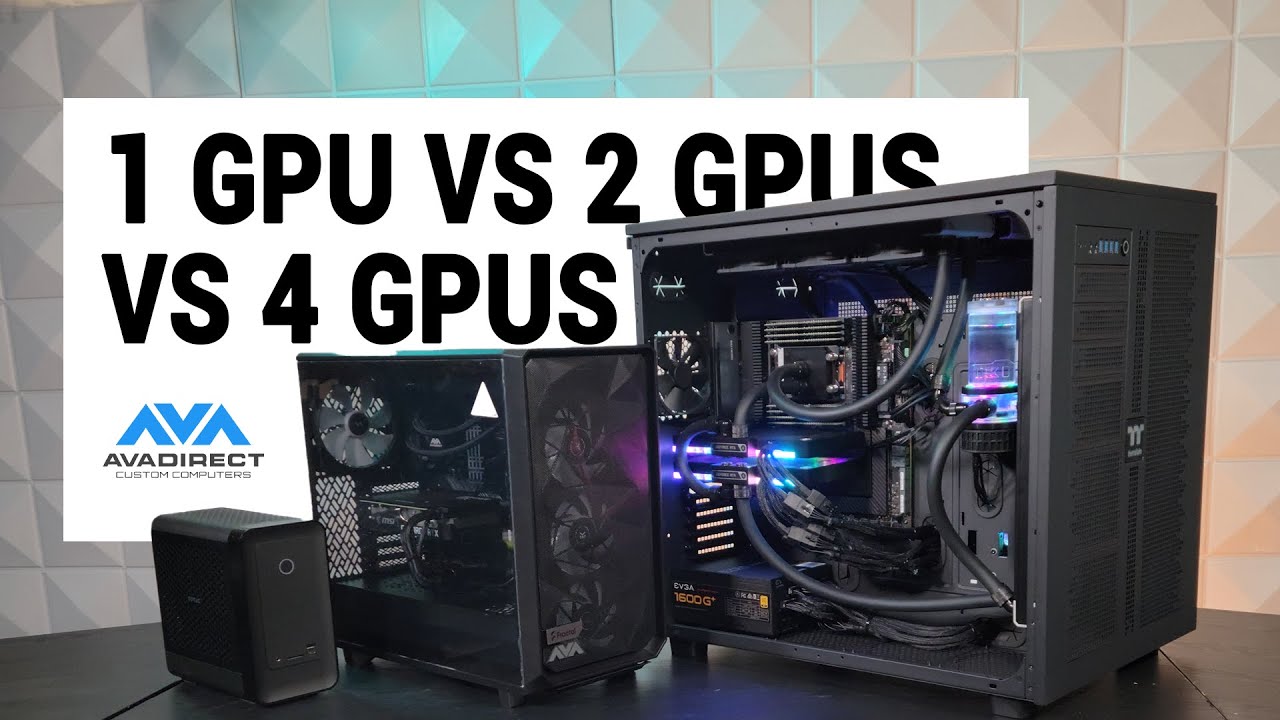
Join Joe as we review this quad RTX 4090 workstation PC. Featuring 4 RTX 4090s and 256GB of RAM, we put this bad boy up against a single RTX 4090, and a dual RTX 4090 setup to see if multiple GPUs are worth it in 2023.
*The PCs featured in the thumbnail are not the test PCs. They are there to show the Thermaltake Core W200 case size compared t...
orchid iron
wild zodiac
have you seen this one yet? https://www.youtube.com/watch?v=IpLTiK-Rqjg
these guys do some nice content 10/10 would reccomend, jyst be aware they are bias towards you buying their stuff
naive cloak
we all have this problem... one 4090 or more than one 4090... 🤣 🥲
plush turret
ok, so question about cables. were building my ADU, and i wanna bury an ethernet cable from the main house, do i need to add extra shielding if im sticking it right next to a 100 amp line in the same trench
im already looking at burying proper direct bury cat 7
naive cloak
chatgpt says: Maintain at least 1 to 2 feet of separation between the Cat 7 cable and the 110V power cable. 🤔
violet spade
Maintain at least 2 paws
grave sundial
If you can't meow properly between the two cables, the space is insufficient.
plush turret
well time to get shielding
cause im NOT trenching 75 feet through a gravel driveway at 2 seperate spaces
mighty patrol
Why not
 hidden gyro
Hi! I have a question, my friend is searching for a PC to create games with UE5, he need a comfortable configuration but for the GPU, is it better to take an RTX 4070 or an AMD 7800xt ?
fallen oasis
Whichever has more vram.
orchid iron
hidden gyro
Hi! I have a question, my friend is searching for a PC to create games with UE5,...
Yeah, UE, and a lot of other development tool really enjoy the VRAM, you could tell him to wait until black Friday and snipe the card with the most VRAM with his budget
I hear rumours of the 7900 xt and 7900 xtx potentially going in bigger discounts because the 8000 series is just that good in price to performance
fallen oasis
That's a point. I wonder if anything will be cheap on "prime day". I potentially need a non-work machine.
orchid iron

Click to see pics of Zen 5 X3D, confirmation of release date, and GPU news!
[SPON: Use "brokensilicon“ at CDKeyOffer to get Win 11 Pro for $23: https://www.cdkeyoffer.com/cko/Moore11
Win 10 Pro ($17): https://www.cdkeyoffer.com/cko/Moore10
Win10 Home ($15): https://www.cdkeyoffer.com/cko/Moore10h
Office 2016 ($29): https://www.cdkeyoffer.com/cko...
orchid iron
fallen oasis
That's a point. I wonder if anything will be cheap on "prime day". I potentially...
According to this, AMD is facing the consequence of pricing the 7900 xt(x) as high as they did
fallen oasis
What's that got to do with amazon prime?
orchid iron
fallen oasis
What's that got to do with amazon prime?
oh, I thought you meant black friday or cyber monday, my bad
fallen oasis
Same problem. How is that relevant to what I said. "According to this" has nothing to do with my ponderance.
orchid iron
according to this, it is likely you'll have good deals for the mentioned gpu?
sleek grove
The biggest issue with AMD is that if you want to use GPU lightmass, it won't work. But, for everything else, it's a great VRAM / € value, especially considering what nVidia is offering.
I ended up buying a 7800XT when i did, only for 7900GRE to release almost instantly afterwards as the more sensible card D:
Not that bad though, it's a good card, and definitely does the job unlike the 1070 Ti I had
grave sundial
How are the AMD cards with raytracing?
violet spade
fallen oasis
That's a point. I wonder if anything will be cheap on "prime day". I potentially...
I’m hoping for a nice prime deal on 4090. Unless ofc the price skyrockets now that 5090 is coming out and production is rumoured to have stopped on the 4090
grave sundial
🤮
It costs as much as a new PC by itself.
I suggest censored a supply truck and censored it and censored a unit for yourself.
orchid iron
grave sundial
How are the AMD cards with raytracing?
The 8000 series is set to fix their mediocre ray tracing performance next to NVIDIA
median marsh
oO they said they wont compete with high end nvidia for the next series
naive cloak
smells like teen spirit collusion between Nvidia and AMD
mighty cosmos
sleek grove
The biggest issue with AMD is that if you want to use GPU lightmass, it won't wo...
gpu lightmass works on AMD, on any card that supports raytracing as it doesn't rely on RTX but DXR
mighty cosmos
median marsh
how did someone make it work on linux then?
the point is that it doesn't depend on proprietary raytracing solutions like RTX, I relies on the graphics API RT support, so dxr for directx and whatever vulkan and other APIs have
median marsh
ah okay, so guess they added the necessary vulkan features and that person just enabled them (as the patch is really smol)
plush turret
naive cloak
chatgpt says: Maintain at least 1 to 2 feet of separation between the Cat 7 cab...
110 line is SO much less powerful than what im putting down
im going to essentially be running a main power cable for a house
orchid iron
naive cloak
smells like ~~teen spirit~~ collusion between Nvidia and AMD
Key difference between AMD and Nvidia high end GPU, is that Nvidia can just make a lot of supply and even if gamers won't buy them, they can just sell them off as "Cryptomining" or "AI" cards, etc
Where as AMD's high end...well...they can't even sell their stock all that well (mostly due to being overpriced) , 8000 series is more of a "safe bet" because there will always be buyers in low to mid end
But plot twist, they are preparing their new UDNA GPUs which those will be able to be sold off for AI and Crypto in the higher end, so maybe AMD comeback soon in 2027?
wind egret
AMD seems to be getting more mileage out of their CPU division. Competing with Intel and Nvidia at the same time was hard enough before Nvidia became a three trillion USD company.
naive cloak
orchid iron
Key difference between AMD and Nvidia high end GPU, is that Nvidia can just make...
yes but it can also be that AMD will not compete with Nvidia at high end cards so Nvidia can set any price the want, and Nvidia will let them take the mid end market
mighty cosmos
If any VR "enthusiasts" are around... What desktop VR headset would you recommend, preferably below like 1.2-1.5k usd
Haven't really followed the vr market lately but got an itch to get into VR
median marsh
i have a quest3 which is neat, and not too expensive to get started with VR
the neat thing is that it can run native games, too. so you can even play without PC
and native unreal stuff works also kinda well on it
median marsh
but hands down, i'm not a big fan and play pretty much only eleven labs table tennis with it 😄
orchid iron
mighty cosmos
If any VR "enthusiasts" are around... What desktop VR headset would you recommen...
Valve Index, really good one and it even includes one of the best VR games: Half Life Alyx, highly recommend
median marsh
isn't that pretty... outdated?
the most interesting part about it is probably the body tracking with vive trackers (which you can afaik use with other headsets, too)
orchid iron
median marsh
isn't that pretty... outdated?
still works like a charm even today ^^
median marsh
yea but still, double the price for worse specs (and you can get the tracking separate if you want to dive deeper into VR)
orchid iron
that's the only one I know of, and it is below the budget he mentioned
but I'm personally really liking it
median marsh
yea it's not bad considering it's age, but it got succeeded by more recent headsets
so when buying new, i wouldn't recommend the index in the first place
but double the price for double the weight, half the resolution and no air link? nah
orchid iron
hmmm, I wonder if it's possible to install Linux on it
median marsh
does it run android?
orchid iron
idk, haven't checked
I'm pretty sure it doesn't matter, because it is PC-powered, so the OS should be on the PC
yeah, it doesn't have CPU cores or Ram
then in the future once phones are actually quite good for each, I'll try to plug it in the Index xD
median marsh
another point for the quest, which pretty much has a phone in it 😛
orchid iron
must be quite heavy
median marsh
half the weight of the index
orchid iron
noice
median marsh
and you can just lay down, watch netflix, browse or whatever without any cable stuff
mighty cosmos
median marsh
i have a quest3 which is neat, and not too expensive to get started with VR
Thanks, will check it out
fallen oasis
There's a lot of them on teh 2nd hand market around here.
mighty cosmos
orchid iron
Valve Index, really good one and it even includes one of the best VR games: Half...
Yeah index was one of the ones I looked into because I keep seeing it recommended everywhere
naive cloak
fallen oasis
There's a lot of them on teh 2nd hand market around here.
2nd face market... 🤷♂️
mighty cosmos
Oh a new one is coming out, it's up for preorders https://www.vive.com/us/product/vive-focus-vision/specs/
DisplayPort mode. Eye tracking. Total 5K resolution. Stereo color passthrough. And more. View specifications for the new mixed reality headset by HTC VIVE.
naive cloak
1000$ 😢
median marsh
that one looks more up to todays standards
only slightly slower CPU compared to the Quest3, but that will only affect native stuff (if noticable at all) everything else seems to be way better, especially the hotswapable batteries are nice
mighty cosmos
now... is it worth pre ordering 😆
median marsh
mighty cosmos
now... is it worth pre ordering 😆
i can't tell you... depends on how much you use it, which is imho hard to tell
mine is pretty much in the box and i've only used it a few hours
it's just that i don't game too much and that i rather watch some netflix stuff on another screen while working to have background noise 😄
if you know VR is your thing and you gonna use it a lot, i would pick the new Vive for sure, it's just better than the Quest3
orchid iron
mighty cosmos
now... is it worth pre ordering 😆
I'd wait until reviews come out
fallen oasis
Never pre-order.
mighty cosmos
fair point
but what about those extra 7 games or however many that I will probably never play and that extra streaming cable that costs 150$ that they are giving for free with preorders 
||/s||
violet spade
fallen oasis
Never pre-order.
Haven’t since before SWBFII
@mighty cosmos are you using 12VHP for your 4090? https://youtu.be/Y36LMS5y34A?si=P5VL0NxH8jNNzDlo

Sponsor: Antec C8 with fans on Newegg https://howl.me/cmXtq5tnNJ7 - and without fans on Newegg https://howl.me/cmXtsXoSlzL
This investigation digs deep into the 12VHPWR and 12V-2x6 specifications, highlighting the contradictory design documents leading to confusion as manufacturers cut corners. We talk about the CableMod recall of its angled ada...
grave sundial
mighty cosmos
now... is it worth pre ordering 😆
Pre-ordering is sooooo yester-year, IMO.
Prescient-ordering will be the new trend.
🔮
orchid iron
violet spade
<@261183265438695424> are you using 12VHP for your 4090? https://youtu.be/Y36LMS...
I saw it, it is hilarious from a behind the scene point of view, and surprisingly the failure rate isn't that high compared to the normal cables, but when it fails, it takes out a really expensive component with it, which is probably why it gets so talked about
grave sundial
Is the problem different from 'the user didn't push the cable in properly' issue?
violet spade
orchid iron
I saw it, it is hilarious from a *behind the scene* point of view, and surprisin...
Yeah, 2.5K is a lot to go up in flames
I like the adapter that has an audible alarm for temp or improper cable placement just in case
orchid iron
violet spade
I like the adapter that has an audible alarm for temp or improper cable placemen...
Thermal grizzly for the win ^^
orchid iron
grave sundial
Is the problem different from 'the user didn't push the cable in properly' issue...
It's more of the design itself is very likely to create user error
And also sometimes the design itself because such high amount of Amps on these cables shouldn't exist in the first place
violet spade
Yeah 300+ W going through one connector is rough
grave sundial
controls the urge to generate an AI image of an RTX 4090 with built in electricity generators and solar planels
orchid iron
grave sundial
*controls the urge to generate an AI image of an RTX 4090 with built in electric...
It should have a built in PSU that converts 48 Volts to however it needs internally, would make it way better
grave sundial
I will presciently order AMD's CPU-GPU sandwich.
One component to bring them all and in the motherboard bind them.
orchid iron
Oh yeah, we haven't heard of them burning their GPUs often
 tired oracle
hello is this where i can ask questions about unreal build issues?
tired oracle
we were using the visual novel framework for unreal 4. however my other teammates at the time had to use unreal 5 and could not have both versions installed at the same time.
seeing that the visual novel framework gave no errors while running in unreal 5 the choice was made to make our game in Unreal 5.4.
flash forward to now where we are two weeks away from attending a showcase event run by our college.
I'm trying to package our project but the package fails


the creators of the framework cannot be contacted anymore. the documentation is old.
seemingly nobody else is trying to use this framework for unreal 5 to say post about it in the unreal forums.
apologies if this isnt the appropriate place for this i could never seem to find the build issues chat here.
tired oracle
i finally found the packaging channel my bad guys
violet spade
You can always delete those posts here
orchid iron
yeah would be nice ^^

 sharp pumice
Do you guys use gpu supports of some sorts for heavier GPUs? I'm planning to buy 4080 super and was considering such GPU support.
Then I encountered this: https://www.youtube.com/watch?v=uEdFTmOAT58
where a guy talks how gpu supports can have the opposite effect. Instead of preventing sag and damage, they may actively damage your card 🤔
mighty patrol
My asus gpu came with one had zero issues with it so far without it theres clear sag of the card. It's a 4090 also.
I feel it could be setup poorly and cause damage by user error however.
sharp pumice
mighty patrol
I feel it could be setup poorly and cause damage by user error however.
Yea I have similar thoughts. The author of the YT video argues that such big cards have to be mounted vertically, because of the hot&cold cycles and what not. Makes me kinda on the line whether I should get a new case 🤔 .
mighty patrol
I had to get a new case myself left horizontal mount also. To be fair I could probably use a bit more room between glass and cable but it stays seated so no risk of cable melting.
Saw so many horror stories of the 12VHPWR connectors.
orchid iron
sharp pumice
Do you guys use gpu supports of some sorts for heavier GPUs? I'm planning to buy...
if the card is so dang heavy, it should have multiple supports that are perfect height
There are multiple 3D printed support that look pretty neat
Also even if it is mounted horizontally, vertically or on a rotated mother board like the Thermaltake cte c750
If the weight of the cooler of the card is too big, gravity will wreck that board unless they change the design
orchid iron
mighty patrol
My asus gpu came with one had zero issues with it so far without it theres clear...
alright, give it like 3 years and update us on its health please ^^
mighty patrol
I'll have a new card by the probably who knows.
orchid iron
mighty patrol
I'll have a new card by the probably who knows.
upgrading to a 5090? or a 6090?
mighty patrol
Depends was considering 5090 ti had chonky possible vram haha
orchid iron
mighty patrol
Depends was considering 5090 ti had chonky possible vram haha
okay, here is my based two cents on the matter:
Once we get pcie 5 GPUs with pcie 5 motherboards, VRAM and RAM will have very little difference, and people will use bigger capacity and faster ram for their GPUs no matter how BS the VRAM amount is for a 2.5K card
now that I think about it, the new 8000 MT/s ddr5 ram may be for the GPUs, because few CPUs could even use that speed
mighty cosmos
violet spade
<@261183265438695424> are you using 12VHP for your 4090? https://youtu.be/Y36LMS...
Yeah I'm using the 12pin but with the adapter from multiple 8 pins
orchid iron

Click to see what pricing Nvidia's cooking up for their (Expensive) 50 Series!
[SPON: Use "brokensilicon“ at CDKeyOffer to get Win 11 Pro for $23: https://www.cdkeyoffer.com/cko/Moore11
Win 10 Pro ($17): https://www.cdkeyoffer.com/cko/Moore10
Win10 Home ($15): https://www.cdkeyoffer.com/cko/Moore10h
Office 2016 ($29): https://www.cdkeyoffer.com/...
this ain't looking too good for us ngl
frank glade
2500 right?
 agile lodge

Intel Core Ultra 200S series processors, formerly codenamed Arrow Lake, offer incredibly competitive performance at markedly lower power compared to our previous generation enthusiast desktop processors. In this video, Intel VP and GM of Enthusiast PC & Workstations Roger Chandler, along with VP and GM of AI & Technical Marketing Robert Hallock,...
orchid iron
frank glade
2500 right?
the numbers aren't "finalised" but yeah close to 2500 for a 5090...and the 5080 and 5070 will also be priced insanely high for their class and VRAM amount
 mellow galleon
Anyone got some experience in data recovery:
got a faulty wd 4tb hdd
drive is detected by bios, smart can be queried, data shows fine but flags always show random values across different attributes.
0 pending/reallocated sectors
windows displays 'atapi controller fault' in windows error log, windows storage control shows drive as unformatted.
reading data from drive is problematic too, while using acronis drive data editor - reading sectors takes 3-4 attempts but data can be read.
naive cloak
orchid iron
https://www.youtube.com/watch?v=EbEPwJvtA5M
if we all will stand our ground once and will not buy it they will lower the prices 🧠
but people are weak...
median marsh
they could/would do the same to the 4090
which is already way too expensive
and i feel like that 5090 price speculation is already bad for 4090 prices, which seem to have been gone up by $100 in the last week
 weak schooner
I'm building a new work PC for UE5, and can't decide on a processor, I'm caught between:
AMD Ryzen 9 9900X 12 Core or a
AMD Ryzen 9 7950X 16 Core
Both are around £430 at the moment. I'm a programmer so lots of code compilation so the extra cores might make a difference over the faster newer model...
Any opinions?
median marsh
unless you have a really large project i doubt that they give much benefit
i would pick the one with the better single thread performance, because that's the more annoying bottleneck in UE work 😄
(unless you maintain a custom engine which get's changed often, then more than 12 cores may be something to consider, otherwise (imho) it's overrated)
weak schooner
Yeah custom engine but the aim is always to not make too many changes and not often.
mellow galleon
i'd go for 7950, more cores and more ram for the compiler
the overall difference in build time per core would be very small so more cores would give more benefit than little extra perf imo
orchid iron
weak schooner
I'm building a new work PC for UE5, and can't decide on a processor, I'm caught...
differences between zen4 and zen5 aren't large enough to justify losing 4 cores over them
orchid iron
weak schooner
I'm building a new work PC for UE5, and can't decide on a processor, I'm caught...
although, if you wanted an insane amount of RAM, you'd be comparing a CPU with a memory controller for 128gb and a CPU for 192gb, which are both a completly over kill amount of RAM
also, related to cpu memory controller...Both of them have their best performance at 6000 MT/s which both support, you can ignore the 8000 MT/s marketing for zen5, the 9000 has to internally clock some components down when the ram ememory is over 6000, which make the benefits almost insignificant of more expensive ram
(well they both support 6000 MT/s in non-legally binding way for the warranty, but everyone uses it for benchmarks anyways)
obtuse rapids
So what monitor/monitors setup would we prefer to use developer Unreal with? Just curious on different perspectives
median marsh
i use 80% of the time one, 19% two and 1% three
with this chaotic layout

but #2 is the one i only use 1% of the time, if at all
obtuse rapids
Anyone have monitor recommendations? The one thing I've never used was a 4K for development
orchid iron
obtuse rapids
Anyone have monitor recommendations? The one thing I've never used was a 4K for ...
meanwhile me with 2 monitors at 720p
violet spade
Long as you have 2 monitors tbh. My second one is a cheap Samsung and it does the job
 grave sundial
My MSI ultrawide monitor has been working out quite well. FancyZones has let me organise windows real quick.
The second monitor I will buy is a drawing monitor.
mellow galleon
median marsh
with this chaotic layout
thats chaotic indeed, my workstation had 2 25" at 1440p side by side
median marsh
yea, i used to have the 27" and a 17" in pivot mode on each side, then i got the others for free and this setup "evolved" 😄
17" is a pretty nice size for pivot secondary screens imho, goes well with the height of 27" and they have a kinda high resolution with 1024x1280 so that also almost matches 1440p
 lucid dawn
Hi, I'd need suggestions for a VR headset
I'd like to get a "cheap" (~$500) one for my brother plus accessories
The main difficulty being that I don't want one just for playing, but something that is development ready (like Valve's Index, minus the prohibitive expensiveness)
That and if possible without the mandatory login absurdity Meta's headsets got
Anyone well versed in VR got a few model names?
median marsh
just get a quest3
enable side loading and call it a day, you don't need active internet connection to use the headset
lucid dawn
I'll look into that then
Thanks!
obtuse rapids
.
 lean juniper
how important is CPU to editor performance and/or build time?
I'm new to UE and I'm building a workstation for development...from everything I'm reading, it seems like spending more $$ on RAM and VRAM (graphics card) is gonna give me more bang for my buck as opposed to buying a super expensive CPU...
the CPU I'm looking at getting right now is the Ryzen 5 7600X (38 MB cache, 6 cores + 12 threads)
🤔 🤔
mighty patrol
More Cores/Threads speed up parallel tasks like C++ compiling, Shader Compilation, CPU Light baking.
Check pins for other info
lean juniper
@mighty patrol thanks!
orchid iron
lean juniper
how important is CPU to editor performance and/or build time?
I'm new to UE and ...
It depends what you are doing, the cpu may not be as important or it may be the most important component
If you are often doing the stuff mentioned by Lucifer Dawn then yes, the CPU is important
If you are mostly designing levels and making videos, editing etc, it may not have such a great impact
lean juniper
mighty patrol
More Cores/Threads speed up parallel tasks like C++ compiling, Shader Compilatio...
but these are mostly concerns when building, right? at run-time or when I'm working in the editor CPU performance is less of a concern...right?
if having a more powerful CPU just means my builds take less time I'll probably make that trade-off and spend more on my GPU
orchid iron
lean juniper
but these are mostly concerns when building, right? at run-time or when I'm work...
It depends what do you do when working, if you use complex geometry tools to create landscapes, or you have a tone of ray tracing enabled, you'll want at least 8 cores 16 threads
mighty patrol
I'd still say a more healthy balance of the two tbh
mighty patrol
Lab helped too
orchid iron
 lean juniper
how often are new updates to UE released that significantly increase the minimum or recommended hardware specs?
...is it only when they release major versions like UE 4 to UE 5?
or do the point releases sometimes bump the minimum requirements up substantially?
should 8 cores/16 threads mean I'm good for a while?
or will that be obsolete in a year or two?
...sorry, I know ya'll don't have a crystal ball but asking in case the recent past helps give us an idea
violet spade
The most impact was prly from 4 to 5. But it really depends on what features you’re using too. Nanite, Lumen and others take more processing power for sure
orchid iron
lean juniper
how often are new updates to UE released that significantly increase the minimum...
I got a Intel® Core™ i7-6700HQ CPU @ 2.60GHz
with 16 gb of RAM
And a 960m with 3gb of Vram
And I'm still able to use unreal engine 5.3, but the reason why I say "it depends" is because I don't use the features that make UE so heavy, nor do I use it for a massive project
Fun fact look at the fortnite minimum hardware requirement, it's hella old
median marsh
mostly depends on the features used
 short bramble
Hi all
Anyone has advices for a monitor "eye care" ?
I mean, I'm working very long sessions in UE5, and modeling / sculpting softwares and I feel like headaches, eye strain etc..
I don't know what's causing the problem. My brightness is at minimum. I guess I need a "better" monitor?
naive cloak
take breaks during your work, go to the window and look at the distance so your eyes can "relax"
grave sundial
short bramble
I don't know what's causing the problem. My brightness is at minimum. I guess I ...
Make sure you are sitting at one arm's length distance from the monitor at all times, even when you are leaning towards it (especially at that time).
Every 15 minutes, look away from the monitor (at a wall maybe) for ten to twenty seconds and blink. Use a Focus software (there are many apps available) to set 15-minute, repeating timers.
Make sure to wash your eyes every half an hour and use refresher eye drops every six hours or twelve hours, to keep your eyes hydrated.
Check your ambient temperature and humidity. Your cabinet is adding four to five degrees to the nearby temperature with all the heat that's being thrown out. If the humidity is very low, the dryness will cause your eyes to become dry faster. You have to keep it hydrated.
Also, go to an ophthalmologist and get an eye-checkup; a detailed one, not the simple 'check your prescription power' type.
orchid iron
short bramble
I don't know what's causing the problem. My brightness is at minimum. I guess I ...
it's not so much about having the brightness at the minimum, it is about reducing the effort your eyes have to make
Eyes are used to being used outside, where there is a lot of sunlight and it is very bright, so brightness won't harm you, the sun light has a very large spectrum of colours, even some we can't even see, so any blue light nonsense won't harm you either
Main thing I've seen people messing up is how's your monitor's brightness relative to your room
Because if you are constantly looking at different brightness, very high contrast colours which aren't usually found out in the wild, your eyes will have to do more efforts to focus in and get as much details as possible, again the more effort your eyes have to make basically means the muscles in your eyes are working out a lot, so it's like going to the gym and over-using your muscles, you'll feel pain
so try to make sure both your screen and room have as similar of a colour and brightness as possible
Also make sure there is a wall right behind your monitor, because if you don't, your eyes will auto adjust the focus distance like a camera, look at the screen (close by) and behind it (probably several meters away), and you guessed it, that's eye muscle effort
however if you have your screen up against a wall, make extra sure your room light isn't reflecting on your screen into your eyes, because if you see your room lights from your screen, it'll be like there is a bright light on your screen, so different brightness so more effort
you can just make sure the light's reflection isn't pointing at your eyes, so maybe putting your monitor parallel to the walls, but close to one of the angles of your room, that way the light would reflect elsewhere
oh yeah, make sure whatever you are working on also doesn't have high contrast of colours, but if you do, you could lower your monitor's colour contrast
final mortar
orchid iron
it's not so much about having the brightness at the minimum, it is about reducin...
Main thing l've seen people messing up is how's your monitor's brightness relative to your room
this-- a lot of people sit in a dark room and wonder why eye strain is so bad.
orchid iron
final mortar
> Main thing l've seen people messing up is how's your monitor's brightness rela...
ikr xD
short bramble
Thank you so much all for your advices, I will do all of it ! You are very very kind to take time for helping me, thank you !
plush turret
is there a wifi projector that would cover 100 meters range? but not directional? im doing a bunch of landscaping for a friend, and they want to have wifi cover their whole firepit/deck area which is about 100 feet across
wind egret
feet or meters?
plush turret
space is 100 feet (~30 meters), but they want strong signal across all of it
which 100 meter range should cover
and i know most tech is metric
the unit will be "outside" its a sealed porch so its not going to get wet or anything, but its not climate controlled
I know stuff like this exists cause a ton of spaces around me have them
directional stuff is easy to find, but when we tried one, its VERY directional
this seems sort of what im looking for, but no clue how i connect it to an existing router: https://www.amazon.com/gp/product/B08Y6MBHV9

☆☆Specifications☆☆. Frequency Range-MHz : 2400-2500/5150-5850.. Gain-dBi : 11 and 12. Vertical Beamwidth-°: 7. VSWR : 2.0. Nominal Impedance-Ω : 50. Polarization : Vertical. Maximum Power-W : 100. Length-cm : Φ32x75. Weight-kg : 1. Rated Wind Velocity-m/s: 60. Connertor : N female. Working temper...
naive cloak
what router you have?
plush turret
currently the big default one that comes with AT&T fiber, its not bad, as it has a good probably 40 feet of range
but that really only covers the main house
naive cloak
you rent that router? you pay monthly fee for it?
orchid iron
plush turret
is there a wifi projector that would cover 100 meters range? but not directional...
They could just use 5G and use WiFi from their phone, unless it is in an area with low signal, in which case how'd you even get a WiFi router in the wilderness?
plush turret
they dont have one of those higher end plans, they pay $20 a month for their phone and are happy, they work from home so the low data limit isnt the issue
plush turret
naive cloak
you rent that router? you pay monthly fee for it?
we own it
orchid iron
plush turret
we own it
Chad
plush turret
they give you a set of options when you want to install fiber now, and we picked one that fit our house size and connection number needs
orchid iron
Do 100m length cables even exist?
plush turret
the big thing though is while it covers the house its not strong enough to cover anything really beyond it
oh yeah

The XXONE Cat 7 Ethernet Cables are capable of transmitting data at speeds of up to 10,000 Mbps (or to 10 Gigabit per second)—10 times faster than Cat 6 cables. Whether it’s server applications, cloud computing, or HD video streaming, the Cat7 Ethernet patch cable promotes a fast, consistent conn...
distance drops dont really start until your hitting 600 or so
but you can instal signal boosters at that point
I put a 100 foot direct bury cable in my yard for my house to get ethernet from the main house
 worldly lagoon
I'd go for something like this. https://m.media-amazon.com/images/I/81NDMmHxGdL.jpg https://www.tp-link.com/uk/home-networking/deco/deco-x50-outdoor/


AX3000 Outdoor / Indoor Whole Home Mesh WiFi 6 Unit
naive cloak
you can try to relocate the router as close as possible to the porch, to have as less walls as possible, idk your router model but its probably not high end router so it has weak signal, go to router admin panel and set antenna strength to max (if its not already), if nothing helps you can use what lexx suggested or if its sealed porch you can also use TP-Link EAP access point, they have wall and ceiling versions, but then you will have to run POE cable to the porch
violet spade
worldly lagoon
I'd go for something like this. https://m.media-amazon.com/images/I/81NDMmHxGdL....
I’d like to see that thing survive a winter in Canada lol
naive cloak
Operating Temperature: -30°C~60°C (-22°F~140°F)
Operating Humidity: 10%~90% RH
violet spade
So they say
naive cloak
on Amazon Canada 🤷♂️ so I guess it works
 violet spade
It’s an indoor/outdoor router
worldly lagoon
violet spade
I’d like to see that thing survive a winter in Canada lol
Those are priced pretty low, for the features.
naive cloak
Tp-Link make good products (from my experience)
worldly lagoon
For value, I'll use them, I'd prefer to get some Ubiquiti gear.
This is actually cheaper than I expected, pretty competitive with the TP-Link https://store.ui.com/us/en/products/u7-outdoor

Ubiquiti Store
All-weather WiFi 7 AP with 4 spatial streams, an integrated directional super antenna, and versatile mounting options.
naive cloak
Ubiquiti products are known for their well-thought-out and aesthetically pleasing designs. This is no surprise, as the company's founder, Robert Pera, came from Apple and Tesla.
you pay overpriced brand fee... same as with Apple and Tesla
 barren goblet
They are pretty good for what you get. You get some decent advanced networking with them which is kinda hard to find at lower price points
violet spade
Fired from Apple and Tesla, this guy is now trying his luck with routers 😀
plush turret
naive cloak
you can try to relocate the router as close as possible to the porch, to have as...
the router is pretty much stuck where it is as thats where the fiber comes out of the wall
its modem/router that converts the gigbit fiber to wifi
and the space we WANT it to go is like 100 feet further than the porch
as it stands, the porch currently gets fairly good signal
 devout pendant
need to build a pc but the last time i built was when the gtx 980 came out 💀
wtf is ultra 9 285k?? is that supposed to be a 15900k?
im hearing shit about intel stability issues?
and 12/13/14th/ultra cpus all seem to have the same performance??
and the 9950x is being compared with the 7950x3d despite being 3 generations apart??
and nvidia has 4070/4070s/4070ti/4070tis/4080/4080s/4090???
what the fuck is going on
anyway
i need help picking a top tier cpu and gpu
i want the best, but still being price conscious, i dont want to spend 200% for a 10% performance gain etc
or should i just wait for 50 series to drop in jan
idk
devout pendant
for context these are local prices
4090 = $3400
4080 Super = $1700
based on my research it looks like the 4090 is significantly better
but is it worth literally double the price??
also the 700xtx is $1400 and can potentially run 2 of them later down the track and still cheaper than a 4090
9950x = $1099
7950x = $829
ultra 9 285k = $1099
13900k = $699
14900k = $749
for cpu my choice would have been 14900k but im hearing stability issues, does that mean i should with a 13900k(theyre the same price) or go lower 14700k OR go amd
my preference would be intel but i guess the question comes down to
9950x vs 14900k vs ultra 9 285k
OR save some money and go with a 14700k or 7950X
the benchmarks seem all over the place, its like the 14900k/ultra 285k and 9950x are all in the same class and all lead in one test or another
and the 14700k and 7950x arent far behind
orchid iron
devout pendant
for context these are local prices
4090 = $3400
4080 Super = $1700
based on my ...
yes the ultra 9 285k is basically a 15900k
"the 9950x is being compared with the 7950x3d despite being 3 generations apart??"
No, it is last gen but one has 3D V-cache and one doesn't
so it depends when you want to build your pc, if it is like now now or later, because when the nvidia 50 series drop, and the radeon 8000 drop, there will be significant price drops, more so in AMD than in Nvidia though
So a 7900xt / 7900xtx could be at a far more acceptable price once the 8800XT comes out (for reference it is basically same performance as the 7900XT but for almost half the price acording to leakers)
Although Intel 13th and 14th gen issues are fixed thanks to BIOS updates, existing intel CPUs that were degrated due to unintended (cough cough gotta beat AMD) elevated voltages, I highly reccomend to avoid used parts when it comes to intel CPUs
devout pendant
orchid iron
yes the ultra 9 285k is basically a 15900k
"the 9950x is being compared with th...
i see so if i buy a cpu now (new ofc) i should have stability issues?
orchid iron
devout pendant
i see so if i buy a cpu now (new ofc) i should have stability issues?
nah, they've been mostly fixed
devout pendant
do you know when radeon 8k is supposed to drop?
orchid iron
stability issues came from bad overclock from motherboard partners and intel removing power limits
orchid iron
devout pendant
do you know when radeon 8k is supposed to drop?
this winter
devout pendant
from the rumours i saw 50 series is late jan
idm waiting 2-3 months tbh
either for cheaper old gen, or similar priced new gen
orchid iron
yeah, that would be best for much better performance to price
orchid iron
devout pendant
either for cheaper old gen, or similar priced new gen
nah, forget the concept that new gens will be priced fairly, they all have absurd pricing
devout pendant
orchid iron
this winter
what is that like quarter/month wise
orchid iron
devout pendant
what is that like quarter/month wise
all companies aim for that sweet sweet Christmas money, do what you want with that information :D
orchid iron
although, AMD has a 7900 xt and 7900 xtx oversupply issues, so they'll really want to get them out quick because the 8000 series will be priced way more aggressively
devout pendant
i can literally get 2x 7900xtx and a 9950x for the cheaper than 14900k + 4090
orchid iron
and ryzen 9000 which is zen5 is now being called zen5% due to really low increase in performance in gaming workloads but massive price increase
devout pendant
i know amd supports multi gpu but not sure if it scales well for UE
orchid iron
devout pendant
i know amd supports multi gpu but not sure if it scales well for UE
you'll be better off with only one GPU for EU, unless you do multiple projects, or compile blender/adobe/anthing else in the background while working on EU
devout pendant
nah im usually only doing one thing at a time
tbh might just wait for radeo 8000 and rtx 50 launch
im more confused by the CPUs though
285k and 14900k every alternate source is "utlra 9 destroys 14th gen" or "ultra 9 is the same/worse than 14th gen"
orchid iron
devout pendant
im more confused by the CPUs though
285k and 14900k every alternate source is "u...
marketing, you can ignore it
basically the 15th gen cuts down on power and removes multithreading, so now 1 P core = 1 thread, making them have way less threads than an amd cpu, but almost same perf
also they claim power efficiency, but their slides were using only slightly less power than the 14900k
you'll still need a water cooler to not worry about it
devout pendant
https://www.cpubenchmark.net/singleThread.html
https://www.cpubenchmark.net/high_end_cpus.html
the ultra 9 shows better single thread perf but otherwise the same as 14900k tbh
285k cpu price and mobo pricing is the same as 9950x and x670e/870e motherboards
so the 14900k is actually the budget option, 25% cheaper cpu+mobo combination

Benchmarks of the single thread performance of CPUs. This chart comparing CPUs single thread performance is made using thousands of PerformanceTest benchmark results and is updated daily.
PassMark Software - CPU Benchmarks - Over 1 million CPUs and 1,000 models benchmarked and compared in graph form, updated daily!
orchid iron
keep in mind, Nvidia doesn't care about making their GPUs sell at super high price because of cryptomining and now new AI stuff, so if you care about performance to price, I'd look at AMD because they aren't good in those bitcoin/AI workloads comapred to NVIDIA
orchid iron
devout pendant
https://www.cpubenchmark.net/singleThread.html
https://www.cpubenchmark.net/high...
compare the 14900k to the 7950x because both new gens from amd and intel are incredibly disappointing and overpriced, also look at the motherboard they released with because newer boards are way overpriced as FUDGE
devout pendant
yeah gpu i will just wait for 50 series pricing and radeon 8 benchmarks
devout pendant
orchid iron
compare the 14900k to the 7950x because both new gens from amd and intel are inc...
am5 boards are crazy expensive here
cheapest x670e is $480
cheapest z790 $300
also the 7950x costs more than 14900k
the ram costs more cause EXPO support
the motherboard cost more too
and 14900k>7950x in every benchmark
orchid iron
devout pendant
am5 boards are crazy expensive here
cheapest x670e is $480
cheapest z790 $300
how much is the x670e taichi over there?
devout pendant
orchid iron
how much is the x670e taichi over there?
not even stocked by the main retailers
but $730 aud on newegg
like 460 usd
- 10% gst for imports lol
orchid iron
devout pendant
also the 7950x costs more than 14900k
the ram costs more cause EXPO support
the ...
expo support isn't needed since you'll mostly be aiming for larger storage dimms than faster ones, same with intel xmp, aim for like 64gb of ram at minimum
devout pendant
yeah 2 x 32gb is what im going with
its $230 normal and $290 for expo support
orchid iron
unless 64 gb of expo ram is actually more expensive than 64 gb of intel xmp
that would be a sus moment from ram makers
orchid iron
devout pendant
also the 7950x costs more than 14900k
the ram costs more cause EXPO support
the ...
in any case, I'd recommend the cheapest of the 2 options since they are both really good products
 orchid iron
devout pendant
orchid iron
devout pendant
now that's what I call a sus moment
devout pendant
tbh i should probably be checking newegg pricing, it might be more stable
and theres black friday coming soon
orchid iron
devout pendant
tbh i should probably be checking newegg pricing, it might be more stable
and th...
ye, black friday hopefully has some good deals
devout pendant
ill probably buy the whole pc then and wait till 50 series launch before buying a gpu
orchid iron
devout pendant
ill probably buy the whole pc then and wait till 50 series launch before buying ...
use a nvidia 980 in it the meantime xD
devout pendant
im on intel iris xe mobile integrated graphics 💀
orchid iron
my man, why u gotta hurt yourself like that
devout pendant
samsung galaxy book2 pro
i get temp spikes to 99 degrees C randomy despite being at 20% cpu usage
devout pendant
orchid iron
my man, why u gotta hurt yourself like that

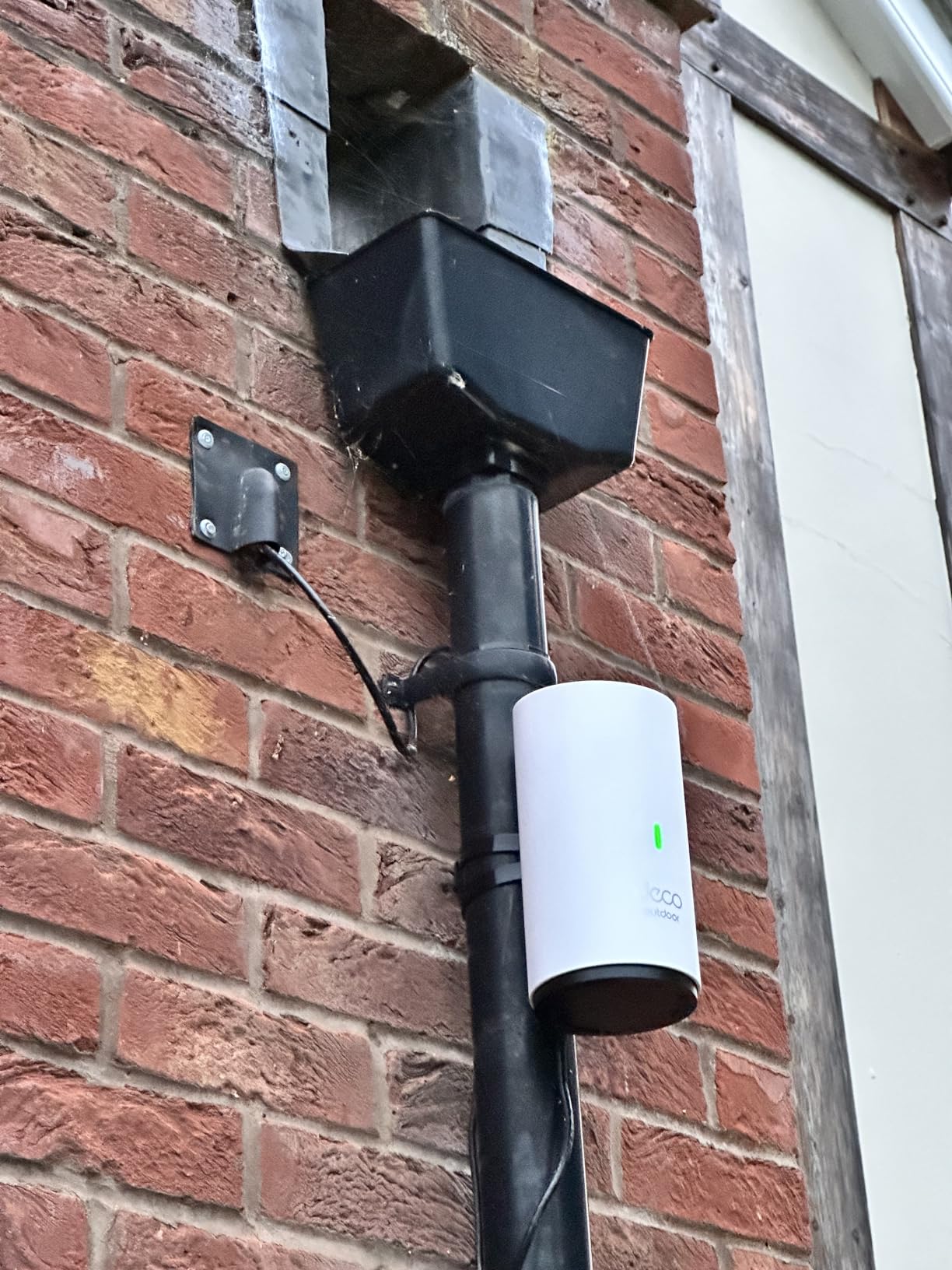 orchid iron
devout pendant
samsung galaxy book2 pro
i get temp spikes to 99 degrees C randomy despite being...
orchid iron
devout pendant
samsung galaxy book2 pro
i get temp spikes to 99 degrees C randomy despite being...
the iGPU doing all the work xD
devout pendant
oh no i mean when im browsing chrome and using discord
not even when im using unreal
orchid iron
devout pendant
oh no i mean when im browsing chrome and using discord
not even when im using un...
FFFFFFFFFFFFFFFF
F
F
F
FFFFFFF
F
F
F
F
F
F
devout pendant
it sits around 50 and spikes to 90 randomly when doing nothing
if i have ue4 open it sits at 70 and spikes to 101 when i compile lol
orchid iron
devout pendant
it sits around 50 and spikes to 90 randomly when doing nothing
if i have ue4 op...
wait, what gen?
devout pendant
intel 1260P
devout pendant
i looked it up, its a samsung qc issue
theyre sayng i should open it up and reapply thermal paste
samsung is worse than apply lowkey
so much bloatware
and the firmware/bios is so unfriendly
theres literally no way to control fan speed
orchid iron
good ridance
devout pendant
nvm apparently amd is not doing a top tier gpu
so no 8900xt only 8700 which is 16gb vram
orchid iron
devout pendant
nvm apparently amd is not doing a top tier gpu
so no 8900xt only 8700 which is 1...
ye
it's only for the price drops of the 7900xtx or 40 series nvidia cards
devout pendant
so ig i just have to wait and hope the nvidia gods drop a 5080/5090 without a big price jump
orchid iron
devout pendant
so ig i just have to wait and hope the nvidia gods drop a 5080/5090 without a bi...
leakers already leaked the prices
devout pendant
orchid iron
leakers already leaked the prices
leaked price was not a big diff
orchid iron
Click to see what pricing Nvidia's cooking up for their (Expensive) 50 Series!
[SPON: Use "brokensilicon“ at CDKeyOffer to get Win 11 Pro for $23: https://www.cdkeyoffer.com/cko/Moore11
Win 10 Pro ($17): https://www.cdkeyoffer.com/cko/Moore10
Win10 Home ($15): https://www.cdkeyoffer.com/cko/Moore10h
Office 2016 ($29): https://www.cdkeyoffer.com/...
are you sure about that?
devout pendant
@mustyovski @anthony256 @mooreslawisdead I don't believe there will be a significant price increase for RTX 5090.
 Twitter
·
orchid iron
devout pendant
https://x.com/kopite7kimi/status/1844349747676709204
Twitter
·
orchid iron
devout pendant
https://x.com/kopite7kimi/status/1844349747676709204
yes, that's called copium
devout pendant
kopite7kimi is a legit leaker hes been around for ages and is usually right
orchid iron
they have no reason to price their stuff fairly
devout pendant
gonna have to wait and see
orchid iron
notice the wording "I don't believe", only time will tell
devout pendant
orchid iron
they have no reason to price their stuff fairly
its overpriced as fuck already lmao
orchid iron
devout pendant
its overpriced as fuck already lmao
ikr
devout pendant
lol i just realised
4090s are priced from $3200 - $3700 here
which is already $2150-2450 USD
so if that leak is right, its the same price for me 😂
orchid iron
msrp of 4090 was 1500
devout pendant
i think it is actually cheaper to fly to USA, buy pc parts, fly back to aus
devout pendant
orchid iron
msrp of 4090 was 1500
tbh the cheapest 4090 on pcpartpicker (location set to US) is $1950
lol same build is $1200 aud (670 USD) cheaper in the USA
round trip flight to LAX costs $1300 aud
i should just go and black friday shop in cali 😂
median marsh
for some reason, every other week amazon has a 3090TI (same model) for ~$1300
i wonder if the same card always gets returned oO
or if they sell off evga stock
devout pendant
maybe theyre just relisting the same one
median marsh
or evga is still producing 3090's as long as there's demand?! 🤔
devout pendant
i wish
its been over a year since they dropped out
evga was 🔥
holy shit its been 2 years
wtf its been 10 years since the 980 came out
median marsh
didn't they had a design flaw which made them fail under some circumstances
which they blamed on a game
devout pendant
never heard about that
the 980 was a goated card
orchid iron

Unfortunately google search results lead pc builders into a bunch of bad information on a particular website when researching which parts to buy.
What equipment do I use to make my videos?
Camera: Sony a6100 https://amzn.to/3wmDtR9
Camera Lens: Sigma 16mm f/1.4 https://amzn.to/36i0t9t
Camera Capture Card: Elgato CamLink 4K https://amzn.to/3A...
fallen oasis
I like when he's on teh search results page, not only does userbenchmark rate the 14700k higher, so do the next 2 results.
Including techradar.
mighty cosmos
median marsh
didn't they had a design flaw which made them fail under some circumstances
Yeah wasn't it something like capacitors or something blowing up when a game had uncapped fps in a menu
median marsh
maybe the guy is part of AMDs marketing team 🤷
with that title picture he could aswell make a "Tick = Bad" video
fallen oasis
Heh
devout pendant
orchid iron
https://www.youtube.com/watch?v=YzNR2B7vA1k
Tbh userbenchmark is ass
Cpubenchmark and videocardbenchmark are better
median marsh
its good enough to get a first impression
devout pendant
Also the 14700k is miles better than the 7800x3d so
devout pendant
15% single core 35% multi
According to Cpubenchmark
That's miles
Considering the 7800x3d costs more lol
orchid iron
7800x3D is for gaming mostly
median marsh
i don't think that it's better there either
intel just catched up in that regard by making good cpu's again
devout pendant
Man the 4090 is so far ahead of everything else incl 4080 super
It makes the nearly 2x cost almost feel worth it
median marsh
oO
mighty patrol
Idk about that..
devout pendant
30% for 2x price is not good
But 30% is a lot
The entire 4070/s/ti/sti/4080/4080s range differ by like 30% lol
devout pendant
mighty patrol
5090 ti is where it will be at
I don't think there's a ti card coming
mighty patrol
Saw one with more
devout pendant
I'll be happy if I can get a 5090 for $3400 at launch
median marsh
it's a shame that nvidia doesn't have reasonable priced cards with high vram available, like AMD
devout pendant
Yeah the 7900xtx is good value
median marsh
i don't even understand why AMD made the XTX, games don't profit much from it, and most content creators pick nvidia because it's usually less of a driver shit show
devout pendant
That's why they're quitting
mighty patrol
Community made drivers ftw
median marsh
i would prefer them making good drivers 😄
devout pendant
I hope they come back
With some real competition
mighty patrol
Wasn't amds drivers open source?
devout pendant
NVIDIA monopoly is cringe
median marsh
i hope they come back without driver issues
but afaik AMD said, they don't want to compete with high end nvidia anymore
devout pendant
NVIDIA literally gonna be top fragging the market cap leaderboard soon
median marsh

Tom's Hardware
The battle seems to be over before it starts.
devout pendant
What do you think the profit margins are on a 4080S / 4090
mighty patrol
As long as they keep making good cpus i'm fine.
Don't need a micro code issue like intel.
devout pendant
I remember my first build
I think the 980 was $300 USD at the time
violet spade
devout pendant
What do you think the profit margins are on a 4080S / 4090
400%
For 5090 it’ll be 500%
devout pendant
Sounds about right
mighty patrol
I hope so
violet spade
When you have nothing in your life, spending all your money on a video card is prly acceptable
median marsh
you got nvidia stock? 😄
devout pendant
https://x.com/kopite7kimi/status/1839343725727941060
This is the only leaker I trust btw
GeForce RTX 5090
PG144/145-SKU30
GB202-300-A1
21760FP32
512-bit GDDR7 32G
600W
Twitter
·
median marsh
i think the margin highly depends on the sales count
and after all, my guess is that the cost for a 4090 is almost the same as for a 4080 (except for the extra vram)
if the production process is reliable enough, which i guess it is
devout pendant
violet spade
When you have nothing in your life, spending all your money on a video card is p...
I'm in debt
violet spade
Most people are
devout pendant
Not student debt
40k personal loan in collections 💀
median marsh
in what?
violet spade
devout pendant
Not student debt
40k personal loan in collections 💀
Ok most people don’t have a gambling addiction, I stand corrected
devout pendant
Also broke
And no job
💀💀
But yes if I had $10k I'd blow it all on a 5090ti build with 192gigs of ram and some crazy monitor
plush turret
only debt im in is to my friend, though thats on the level of owing him lunch the handful of times i forget my wallet
orchid iron
median marsh
https://www.tomshardware.com/pc-components/gpus/amd-deprioritizing-flagship-gami...
yeah, they realised it wasn't making enough profit to make gaming mostly focus GPU, so next gen after 8000 series will be more similar to nvidia's gpus
 nova moss
some of the developer i speak to use the RTX 4070, i might think of 4090 at future
orchid iron
nova moss
some of the developer i speak to use the RTX 4070, i might think of 4090 at fu...
Depends on your workloads and if you can make back the massive money it costs
The nvidia 4070 super is the only card that's still in the "buyable" range for most people
devout pendant
I think even the 4080 super is not a huge increase
But the 4090 is literally 2x the 4080S which is absolutely fucked