#hardware
1 messages · Page 29 of 1
 median marsh
 mortal flame
That's a good question
It might have. I'm not seeing any wifi stuff anymore
at least I think
I use the wifi card so rarely that I honestly don't know how to check
I don't see it in Network Connections
Probably Device Manager would be where to look, huh?
Yeah, Elgato Game Capture says no capture device found
 violet spade
Hah, El Gato = The Cat no?
 naive cloak
is it possible that AMD is paying tech youtubers to make it look like all Intel CPUs are defective?
 fallen oasis
Anything is possible.
median marsh
it's not only youtubers which claim that tho
i wouldn't get an intel at the moment primary because of the energy consumption
AMD seems to be way more efficient
AnandTech Forums: Technology, Hardware, Software, and Deals
Page 643 - Seeking answers? Join the AnandTech community: where nearly half-a-million members share solutions and discuss the latest tech.
200W on AMD for the same performance as intel which takes 400W
violet spade
naive cloak
is it possible that AMD is paying tech youtubers to make it look like all Intel ...
Idk. GN had level 1 tech on their show and they’re usually pretty reputable in terms of impartiality if nothing else
naive cloak
they probably dont lie about CPU problems but they may just take it out of proportion to make it seem like all CPUs are defective
I am 99% sure that AMD is bribing top tech youtubers to make them advertise AMD without telling people that they got paid to do so and instead make it look like they just like AMD all of a sudden...
 mighty cosmos
naive cloak
they probably dont lie about CPU problems but they may just take it out of propo...
mighty cosmos
naive cloak
they probably dont lie about CPU problems but they may just take it out of propo...
I've seen way too many reports of intel cpus causing problems to considering it overblown
It's not a secret that intel has been dumping way too much power into their CPUs to catch up to amd
Which is probably why they are so unstable
 grave sundial
mighty cosmos
It's not a secret that intel has been dumping way too much power into their CPUs...
grave sundial
mighty cosmos
It's not a secret that intel has been dumping way too much power into their CPUs...
Undervolting them slightly seems to stabilise them, no?
naive cloak
yes but what is the point? also why I have to pay 700$ and then deal with all that?
grave sundial
My understanding is that you don't lose much performance by undervolting, so if you absolutely need all that performance, then sure. But yeah, for 90% users, AMD is probably the better way to go.
mighty cosmos
grave sundial
Undervolting them slightly seems to stabilise them, no?
Yeah it seems to help
 wind egret
Undervolting doesn't lose performance, reduces heat and power consumption, but risks stability. It also reduces wear, at least marginally.
It's sort of the counterpart to overclocking. Now that Intel/AMD have innate overclocking firmware ('boost'), undervolting is most of what you have left to improve on.
 gaunt musk
wind egret
Undervolting doesn't lose performance, reduces heat and power consumption, but r...
gaunt musk
wind egret
Undervolting doesn't lose performance, reduces heat and power consumption, but r...
I had a custom-built mobile dev workstation built on an MSI chassis, and ran with undervolting for several years. It took a couple weeks of tweaking (calendar elapsed time -- not that many hours constant work!) to optimize between clock speed and voltage to get max performance within acceptable temps. It was rock-solid stable once I got it dialed in, though. The main thing I'd say about undervolting is that you have to be willing to invest the effort up front to carefully tune your machine, because there isn't a single recipe that will work for every unit of the same model, let alone across different models and brands and builds. And the settings have to match your usage of the machine. Gaming != Compiling != Cinenatic Rendering != Level Design != Code Editing .... et cetera.
A good CPU and GPU pasting is critical, in my experience, no matter if you're overclocking or not, undervolting or not. I've just moved to a new Dell Precision 7780 from a Dell Precision 7740, and this time the stock paste seems to be of much higher quality. I had to repaste my 7740 after it came back from Dell repair depot because performance had plummeted. The repaste brought it right back to normal. The stock paste job on the 7740 was "okay" but not as good as it was after I repasted. On the 7780, I am able to push all the cores most of the way to max clock speed. It's close enough to max that I've decided the small margin I could gain isn't worth the disruption and risk of repasting.
(Dell is really great about warranty coverage, btw -- you don't void the warranty by opening the chassis. They just won't cover things they didn't sell you, which is IMO quite reasonable.)
 dense granite
Hello there! i am planning to build a workstation/ gaming pc, I have a dilemma between 7900X and 7950x, if i choose 7900x i can go for a much better gpu than 4070 super, so is they any major difference of performance in unreal between these two processors?
naive cloak
Ryzen 9 7940HS has better iGPU than 7945HX?
so basically they removed half of the cores to add AI and better iGPU? but they switched to 4nm so they could add more cores probably at least 12 cores 🤔
 plush turret

WD Blue internal hard drives deliver reliability for office and web applications. They are ideal for use as primary drives in desktop PCs and for office applications. With a range of capacities and cache sizes, there’s a WD Blue internal hard drive that’s just right for you.
just for use for media
videos and such
naive cloak
I think rpm is low...
plush turret
Yeah but the price aint bad
And its only going to play 1-2 instances of a VLC equivalent media player
The program will be on an SSD, this is just a mass storage
naive cloak
is it possible that in the future you will want to use this HDD for something else?
plush turret
Not likely
I have a 4TB SSD that runs everything else, backed up by a 1tb secondary ssd, and 4tb hdd for older games that dont need an ssd.
With a 12700k i7, 3060 12gb gpu to power it
 loud flame
So... my 3070ti card dies, somehow. I would like to do an upgrade while I'm at it, thinking getting either RX 7800 XT or RTX 4070. While I never had Radeon cards in context of Unreal development, I'd like to ask people here if there are any issue or drawback in using Radeon cards compared to NVIDIA for Unreal development since 7800 XT is quite cheaper where I live right now. Any suggestion and pointer is appreciated, much thanks in advance!
plush turret
8 or 16gb 4070
loud flame
plush turret
8 or 16gb 4070
Thanks! Is it so much faster in Unreal compared to Radeon's?
plush turret
idk, i have the 3060 12gb and its noice
 fresh fog
There isn't much drawback. You'll obviously have worse performance in things that like CUDA, or for things like training LLM's
Though for general use both are good. I'd personally go with the cheaper VRAM
loud flame
fresh fog
There isn't much drawback. You'll obviously have worse performance in things tha...
Thanks, I don't work with CUDA or training LLM atm.
Also, may I ask why go with the cheaper VRAM? Wasn't VRAM is great especially if you have big scenes in UE?
fresh fog
Yes, VRAM is super important. That's why you go for the cheapest option that gets you the most :P
fresh fog
Just my 2 cents. I've never had any issues working with AMD cards on unreal. Have had NVidia driver issues though
Though AFAIK both are pretty solid cards
loud flame
Awesome!
violet spade
Bus speed is also important but yeah, whatever you can afford
naive cloak
there is also 4070 Super 😄 etc.

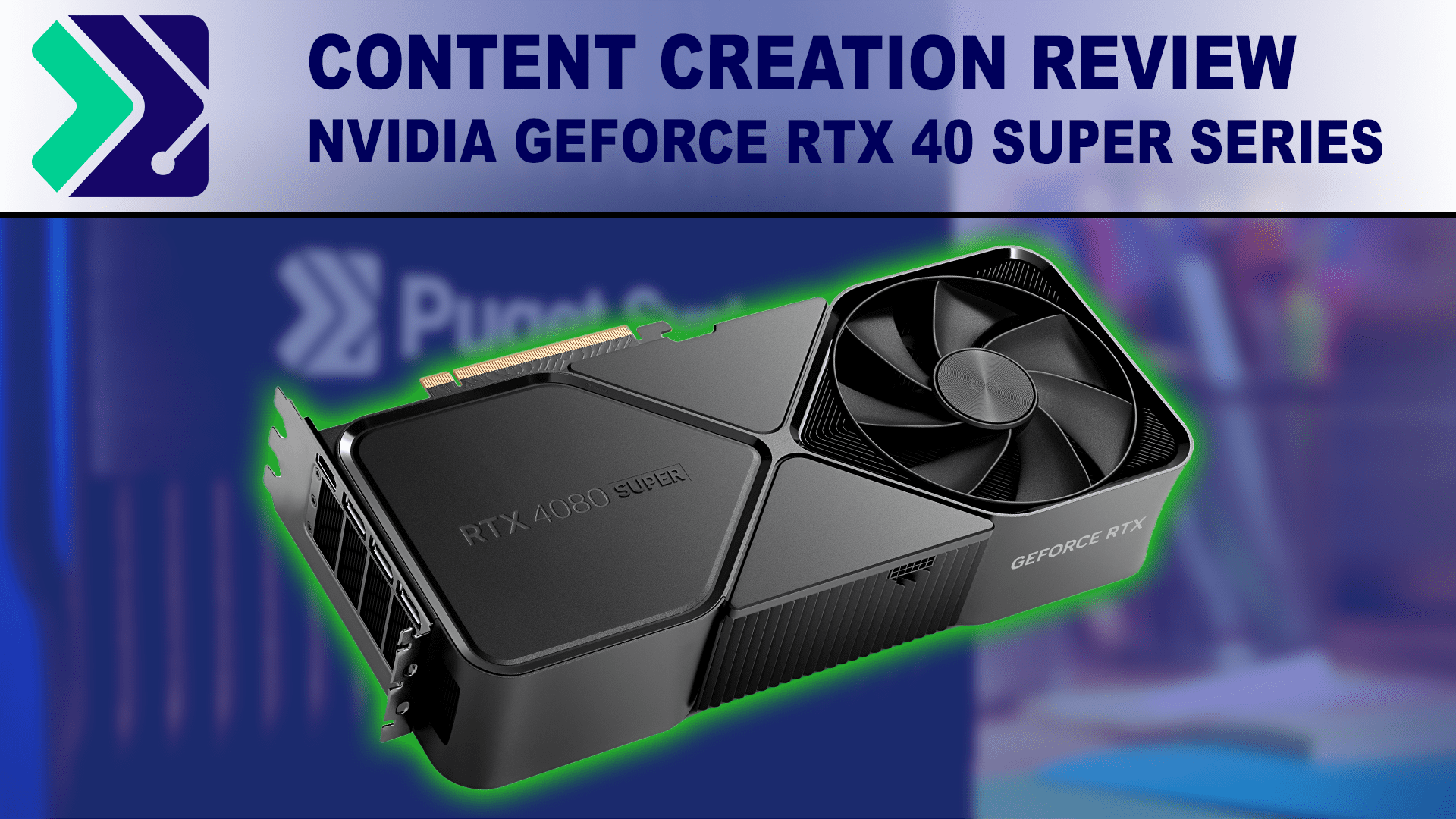
NVIDIA has released the SUPER variants of their RTX 4080, 4070 Ti, and 4070 consumer GPUs. How do they compare to their non-SUPER counterparts?
what is your budget for GPU?
will it kill them to name it 4071, 72 etc? instead of Super TI OC?
btw you should probably wait because they say that 5000 series is coming soon so maybe 4000 series will become cheaper 🤷♂️
plush turret

naive cloak
and they will probably go full Intel and just "refresh" the 4000 cards to make them finally reach 1000W 🤗
wind egret
I want to see them cool 1000W with only 3 ~120mm fans
naive cloak
no 1000W cards then? 😔
plush turret
why do you want to have a kw+ pc?
 fervent jolt
It would help reduce my gas heating bill through winter
 frank glade
what about summer?
plush turret
your just fcked then
naive cloak
I want 1KW GPU so people will start installing fire extinguishing systems into their PC cases and I will laugh at them 🙂
median marsh
why laugh at them?
 mellow galleon
naive cloak
I think rpm is low...
mellow galleon
naive cloak
I think rpm is low...
low rpm is fine if you not going to heavily use it, for large media storages or viewing videos it is good
plush turret
system im using: https://jellyfin.org/

The volunteer-built media solution that puts you in control of your media. Stream to any device from your own server, with no strings attached.
 gaunt carbon
Hi,
Any tips for a laptop that can run UE5 with a slim chance of bluescreening and low compile times. Im not using any external programs and I'm not using VS to compile
(No msi)
Budget up to 2200 Eur
Im running blueprint only projects, with Github and (not very effecient architecture) also low poly graphics
mellow galleon
gaunt carbon
Hi,
Any tips for a laptop that can run UE5 with a slim chance of bluescreening a...
cpu 6 cores or better
ram 32/64gb or better
nvidia graphics gtx 1650 or rtx anything
a place for ssd and hdd (500gb ssd + 2tb hdd is perfect imo, if you have hdd in optibay or extra)
2 of 3 of laptops i had asus (even the one i currently use for ue)
gaunt carbon
Ty 
Asus has great options and its not even above 1.5k eur
Is Asus reliable or does its low price come with a cost of durability?
Last time I bought a laptop for work was during the gtx 1080 era so maybe stuff just got cheaper
mellow galleon
it depends how you travel / handle laptop. i used mine very extensively during university years and it is still in nearly perfect shape (aside from fan that got quite noisy after so long)
gaunt carbon
Thats the laptop you've been using for 14 yrs?
mellow galleon
ye
mellow galleon
the bigger screen the better (well weight higher obv 😄 )
if there is a 16gb model and a free slot - you can right away get an extra 16gb ram module to bump to 32
well, it is up to you. they all are about 1.5-2k range from what i see right now on newegg
gaunt carbon
ASUS TUF A15 FA507NV-LP110W
This only needs a 16gb module and it fits all reqs I think for obly 1k
naive cloak
they did what I asked Nvidia to do and added 1 to the model number 😄
 violet spade
And what’s the chance of the chips failing? Cause rn 13th and 14th gens are f-ed
 dim scroll
م
plush turret
whats the difference here
 grave sundial
plush turret
whats the difference here
grave sundial
plush turret
whats the difference here
The AAZ model has a 256MB cache. The AZZ model has a 128MB cache.
https://www.westerndigital.com/en-ie/products/internal-drives/wd-blue-desktop-sata-hdd?sku=WD80EAZZ - You can switch between the two caches on this page.
grave sundial
median marsh
and therefor some of the specs most likely
The one... the one... THE ONE spec.

 mighty patrol
But the one with more cache is on sale 😛
grave sundial
They're probably dumping stock.
We've got some cheap SSDs and HDDs here, too. It's the big switch to nvmes.
Speaking of, the 8TB nvmes have become cheaper.
Sabrent Rocket's dropped by 40% at least, the Q version specifically.
🤔 Meanwhile, the 4090 gpus have become more expensive here.
The 4060ti I am going to buy has become ever-so-slightly cheaper.
mighty patrol
Havn't looked at pc parts here probably bad lol
 orchid iron
violet spade
And what’s the chance of the chips failing? Cause rn 13th and 14th gens are f-ed
orchid iron
violet spade
And what’s the chance of the chips failing? Cause rn 13th and 14th gens are f-ed
From what Intel was forced to say, they had to acknowledge some 13th gen had manufacturing issues in 2023 and both had improper voltage
Clearly a case of user failure since they didn't undervolt their CPU to lose over 10% perf when they got it out of the box
(Also rumours by servers (intel clients) saying the memory controller for dual slots only goes up 4000 mhrz, beyond that they are having issues )
violet spade
orchid iron
From what Intel was forced to say, they had to acknowledge some 13th gen had man...
The undervolting’s only half the story since they’re trying hard to avoid a full recall because of the oxidation issue

Sponsor: Thermalright Frozen Prism 360 on Amazon - https://geni.us/FUqbQC
Intel has finally published a statement about the instability of its Raptor Lake and Raptor Lake Refresh CPUs in the 13th & 14th Gen families of CPUs. The Intel 14900K, 13900K, and their alternative CPUs in the same generations now have a confirmed set of issues. Intel has...
orchid iron
violet spade
The undervolting’s only half the story since they’re trying hard to avoid a full...
yeah, can't wait to see what more investigation will lead to
oddly enough the intel fan boys seem to be quite during this time
naive cloak
Intel fan boys cry in E-core...
violet spade
I’m just glad I got a 12th gen when I upgraded
orchid iron
violet spade
I’m just glad I got a 12th gen when I upgraded
Dodged a big bullet, now when you upgrade you can potentially get CPU with only P-Cores for massive PP energy
fallen oasis
Or just get amd
naive cloak
when Intel released the "big little" architecture I knew they are going down... it was the first warning
also I understood that my days as Intel fanboy are numbered 😢
violet spade
fallen oasis
Or just get amd
I lost my trust in them shortly before Ryzen 5 or w/e came out
I’m curious why Intel went for E-cores and now they’re like “you know what tho, let’s scrap it”
fallen oasis
At least they haven't made sand cpus for the last 3 generations.
violet spade
 orchid iron
E-cores on XEON is pretty good
 opaque pond
fallen oasis
At least they haven't made sand cpus for the last 3 generations.
opaque pond
fallen oasis
At least they haven't made sand cpus for the last 3 generations.
ehh 13th and 14th gen debatable
especially with the stability issues
opaque pond
yeah intel
its disasterous to sell cpus that degrade from overvoltage/overfreq/above what it can handle in power
like there was a screenshot of an intel cpu sending 60W 1.53V into a single core under full load
thats nuts
fallen oasis
That's why I'm saying you should buy AMD!
opaque pond
fallen oasis
That's why I'm saying you should buy AMD!
so 7000/9000 series?
fallen oasis
💯
wind egret
Even the 9 ghz record was at only 1.36V. (We won't mention the liquid helium.)
orchid iron
wild how world records are done undervolting now xD
opaque pond
fallen oasis
💯
ehh i wouldnt
used 3000/5000 or used intel 10/11/12th gen
esp 3000 for example 3700x/3800x/3900x can be found used for dirt prices
fallen oasis
Depends if you have money to burn. 🙂
naive cloak
I wonder if its possible that Asus BTF boards will have some issues because of the high voltage that is required to power the GPU that will now pass thru the board instead of separate cables 🤔
orchid iron
The used market is always a gamble, you never know what you'll get
frank glade
Like a box of chocolates
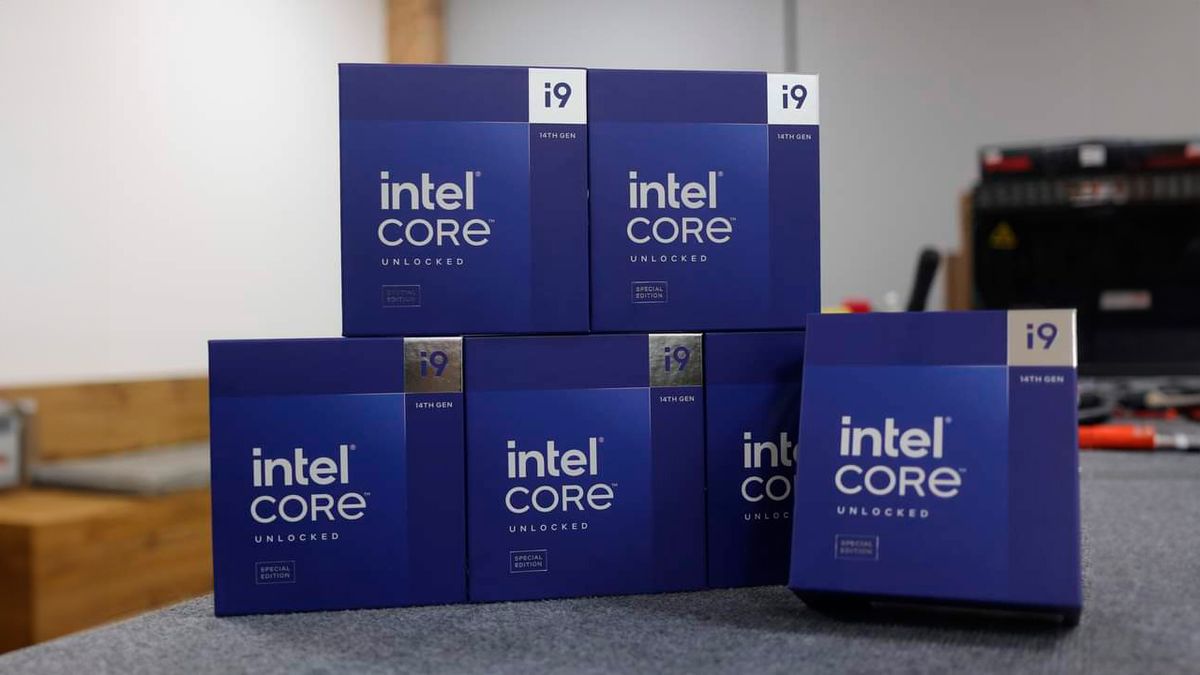 median marsh
The report represents yet another piece of unwelcome news for Intel, which announced yesterday that it had found the root cause of the issues and will issue a microcode mitigation in mid-August. (This isn't a 'fix' for CPUs experiencing the issue — impacted processors are irreversibly damaged and must be replaced.)
huh? i thought the point of a microcode update is to FIX the issue
that sounds more like that's an actual hardware fault which even a microcode update cant "fix"
However, the microcode patch to address the problem isn’t expected to arrive until mid-August, so we’re unsure if this will truly stop the crashes. Nevertheless, businesses cannot wait that long for a system that doesn’t suffer from this issue, and Browne said that any new machines for the studio he’s working at will use AMD Ryzen 9950X chips.
9950x releases 15th august
grave sundial
I am speculating here, but I think what Intel means is that new stocks of the CPU will be fixed.... maybe.
median marsh
so they have to wait the same time
what is this weird article?
did they write that drunk?
grave sundial
He might not have to wait.
They can contact AMD and get advance shipments.
It's all about money, after all.
Same way those benchmark testers get their hands on the chips in advance.
grave sundial
Hehe.
median marsh
not saying that the AMD CPUs are bad, but for the general customer it's all totally irrelevant until the microcode update was released and tested by 3rd parties
grave sundial
But, the issue has been posted on another news site as well.
So, it might not be just an advertisement.
--- Game studios such as Alderon Games, Warframe, and even Epic Games have communicated the problem to their users through blog posts, urging them to either implement Intel's directed fix or switch to alternatives likely from AMD. ---
median marsh
yea but "we migrate to AMD because [reason that doesn't apply to normal customers]" isn't a good news article imho
median marsh
but well, they want viewers on their "news" page to generate ad revenue 😄
so they post shit that people click
grave sundial
The microcode fix is coming by mid-August, says the news.
median marsh
also interesting....
 grave sundial
To be fair, his LinkedIn post might be about his personal PC?
and this one is about the entire studio?
But, no matter what he does, those Threadrippers ARE expensive. Very.
median marsh
yea
a wise decesion from a business POV would still be to wait for the microcode update and then decide to buy or not
i doubt that they get them much earlier
grave sundial
How would you implement the update? BIOS flash?
median marsh
windows update contains them afaik
grave sundial
Well...

The Times of India
TECH NEWS : AMD postponed the launch of Ryzen 9000 processors due to a quality issue detected during final inspections. The Ryzen 7 9700X and Ryzen 5 9600X will n
Seems like AMD has its own fair share of problems.
median marsh
or excellent marketing
grave sundial
This quality issue is undisclosed.
median marsh
"see we fix our shit before we ship it"
grave sundial
🥁
median marsh
ah, apparently broken CPUs are already degraded and the microcode update tries to migate the degradation
which is why it wont fix already affected CPUs
grave sundial
So, it's your fault for making bad sandwiches? 🥪
median marsh
i dont make sandwiches often, don't blame me
grave sundial
Interesting; they overclocked the 9950X to 6 GHz and it's 20% faster than stock.
Now, I'd like to know how much life that shaves off the processor.
median marsh
press usually gets selected samples, especially when they are known for overclocking
grave sundial
And AMD's staff overclocked it to 6.6 GHz.
median marsh
so amd/intel picks the best one out of a set to get good results
grave sundial
I hope my eGPU works out, whenever the courier company decides to deliver it. I won't have to buy any new CPUs or motherboards for several years, then.
grave sundial
Everything must fail, so we can take the credit for fixing it and charge even MOAR money.
I wonder whether the normal user will ever need 6 GHz of CPU power, or even one of those 4090 monstrosities.
median marsh
yes! if @thin elk keeps using 1k textures for his mouse cursor
grave sundial
Intel will make someone play that game and blame him when the processor explodes due to over-voltage.
Easiest scapegoat ever.
🐐
orchid iron
grave sundial
It's all about money, after all.
An Italian youtuber got his hands on a 9900x and reviewed it on YouTube, the video is public and compares it to the 7800x3d
fallen oasis
median marsh
ah, apparently broken CPUs are already degraded and the microcode update tries t...
Is that amd or Intel chips?
grave sundial
fallen oasis
Is that amd or Intel chips?
Intel
grave sundial
orchid iron
An Italian youtuber got his hands on a 9900x and reviewed it on YouTube, the vid...
What were the results?
orchid iron
"recensione 9900x"
orchid iron
grave sundial
What were the results?
Gaming only benchmark, he makes it go against the 7800x3d and it actually loses by a bit...but uses twice the watts of the 7800x3d, but he makes it clear that the 9900x isn't supposed to be a "gaming CPU"

Prima recensione dei nuovi Ryzen 9000, oggi abbiamo il Ryzen 9 9900X! La recensione di oggi è basata sul GAMING che sicuramente interessa molto di voi e verrà confrontato con la CPU regina del GAMING, il Ryzen 7 7800X3D! Chi vincerà?
VIDEO @rama_95yt : https://youtu.be/xbDGdftC7cM
🎬 ISCRIVITI 🔔 CLICCA LA CAMPANELLA 💬 COMMENTA
📸 Seguimi su In...
But he did say he would do production benchmarks next
violet spade
orchid iron
An Italian youtuber got his hands on a 9900x and reviewed it on YouTube, the vid...
Clearly he didn’t get the memo that all of those are being recalled
orchid iron
violet spade
Clearly he didn’t get the memo that all of those are being recalled
I don't think he cares lol
He got the view and attention
violet spade
orchid iron
I don't think he cares lol
He got the view and attention
And likely provided inaccurate benchmarks as a result
And now you’re sharing his findings, misinforming everyone 😀
orchid iron
violet spade
And now you’re sharing his findings, misinforming everyone 😀
yay misinformation! CPU made for production workloads isn't great for gaming wow, I couldn't of guessed
violet spade
It might very well be just fine, won’t know until after Aug15th
orchid iron
yeah, even if it isn't accurate, it wouldn't be by that much, if we compare the 7900x and 7800x3D we already get similar results as him
median marsh
game may have just not been bottlenecked by the 7800x3d either
and so the faster cache paid off?
orchid iron
median marsh
and so the faster cache paid off?
btw, game nexus did a revisit of older CPUs, and in the chromium compile benchmark, the 7950x3D was slightly faster than the 7950x so it may help with code compiling too
 sick cedar
whats the CPU with most cores we got right now on the market to the consumers ?
Noticed the "AMD Ryzen Threadripper PRO 7995WX 2.5/5.1GHz Box" but is like 12k lol
Is there some with a decent amount of cores under 1k ?
orchid iron
sick cedar
Noticed the "AMD Ryzen Threadripper PRO 7995WX 2.5/5.1GHz Box" but is like 12k l...
for pure core count go for a 14900k that you'd tone down by a lot, but I'd reccomend the 7950x
sick cedar
but the 14900 is just 8 cores
seems like the 7950x still technically the same of the 5950 then
 nova moss
So which one is better?
sick cedar
depends on what you need it
sick cedar
oh is 24 and 32 threads
orchid iron
do you want cores or threads
sick cedar
for some reason I did read 8 and then 16
orchid iron
yeah 8 perf cores and 16 eff
sick cedar
yep
sick cedar
orchid iron
do you want cores or threads
well usually the more cores the more threads so
but better cores, wanted some brute force image editing
orchid iron
efficiency cores only have 1 thread
keep in mind to tone it down, so basically a 7950x would match it or be better
 celest jungle
I feel personally attacked by this intel nonsense lmao, as it deeply affects Unreal users. Hopefully intel is not lying through their teeth about the mobile editions of the CPU not being affected.
orchid iron
celest jungle
I feel personally attacked by this intel nonsense lmao, as it deeply affects Unr...
from moore's law is dead, internal sources at intel say that the engineers that made 12th gen were very concerned about a specific component in the CPU having over around 1.5 volts because of how fragile it was
Combined with the fact that 13th gen and 14th gen were rushed both in design and QA
Fun fact older BIOS version had the 13th and 14th gen high end CPUs at 1.6 volts in idle
celest jungle
I had to go back and look at some of my UE crash logs luckily they were all "assert failed" and not the oodle decompression thing so I hope that means my 13900hx is not affected
orchid iron
celest jungle
I had to go back and look at some of my UE crash logs luckily they were all "ass...
just make sure your cpu isn't recieving over 1.4 volts under load and you'll be fine
celest jungle
eeep
orchid iron
celest jungle
I feel personally attacked by this intel nonsense lmao, as it deeply affects Unr...
bruh, I just found out today, the mini pc I bought a year ago has a 13th gen mobile processor xD
The Intel i7 1360P, and before I even heard about the whole 13/14th issues, I was struggling to keep this thing cooled with the minimalistic single fan that goes up to 3500 rpm
Sadly I can't set the voltage in the BIOS, but I had to go through so many locked options to even try to bring this thing's temps to be somewhat normal at idle (60°C)
thankfully I'm not using this for high load tasks, and I played warframe a few times on it, goes between 80-90°C
 ripe ravine
I'm currently using 2 32" monitors for UE (I also use the pc for music production and some other things), and it works nice except that the desk and space around it feels quite cramped because of them. I'm thinking about downgrading to 2 27" or maybe just a single 32" to free up the space (which I believe should make the experience of using the setup cleaner and therefore nicer to use).
Does anyone have experience switching from 32" to 27"? Do you miss the larger display size?
orchid iron
ripe ravine
I'm currently using 2 32" monitors for UE (I also use the pc for music productio...
what about upgrading your desk since it seems like the only bottleneck here
maybe running a dual desk setup
violet spade
Yeah like shelling out to downgrade monitors seems like the most ass-backwards solution you could come up with lol
fervent jolt
run a quad desk setup. two desks in front of you and two desks on the ceiling
orchid iron
What about digging a hole through the floor and using the remaining floor as a desk
median marsh
or just remove the desk and sit on the ground?!
celest jungle
move the monitors to the ground and sit on the desk?
violet spade
Get rid of the old monitors and buy new ones, identical to them
celest jungle
yup, send the old ones to po box 90210 los angeles california amsterdam

 jaunty isle
Please check my computer specifications
CPU AMD 9-5gen 7950X
RAM T-Force DDR5-5600 CL36 128GB(32GBX4)
MBD X670 AORUS ELITE AX
VGA RTX4090 GAMING OC D6X 24GB
HDD IRONWOLF 7200/756M (8TB)
POW NeoECO 1300W 80PLUS GOLD ATX 3.0
SSD SN850X M.2 NVMe (4TB)
CLR GL360 ARGB
I'm going to use it in a VFX studio.
enough? OR Not
fallen oasis
You really don't need a 1300W PSU
wind egret
Considering PSUs peak efficiency at around 50-60% load, it's not a bad idea.
The only things that aren't top of the line in that list are the DDR5-5600 and the 8TB hard drive. (Though that's about as much as I'd trust to a stack of platters.)
fallen oasis
If you say so.
80 Plus Gold certification is a higher level of efficiency than Silver and Bronze, indicating that the PSU has an efficiency of at least 87% at 20% load, 90% at 50% load, and 87% at 100% load.
Such power saving!
orchid iron
wind egret
The only things that aren't top of the line in that list are the DDR5-5600 and t...
that's normal, he is using a 4 slot config, so it is actually around double the spec speed for the memory controller of the 7950x
orchid iron
jaunty isle
Please check my computer specifications
CPU AMD 9-5gen 7950X
RAM T-Force DD...
the 4090 is quite overkill, you can use a 4080 super or 7900 xtx if you'd want to save up on a bit of money
Also for the 7950x I would reccomend a (2x48gb) slot configuration instead of a (4x32gb) because using 4 dimms on a dual channel tanks ram speed
Plus you'd go from 128gb to 96gb, so in term of RAM, you wouldn't see capacity issues, but you'll likely notice the speed increase
also, you could wait like 2 weeks and get the 9950x instead of the 7950x
That way in the future you could even run a 4x48gb config
 harsh pine
What are recommended budget gpus? Nvidia or amd? 12 or 16 gb vram?
orchid iron
harsh pine
What are recommended budget gpus? Nvidia or amd? 12 or 16 gb vram?
depends on the budget
do you have 200 or 500 to spare?
and which features do you care about? Is ray tracing or AI workloads important to you?
harsh pine
Ray tracing - no, ai -no. 400-600
Just for like terrain design with environments and stuff
~7800xt 16gb/4070 12 gb
orchid iron
harsh pine
Just for like terrain design with environments and stuff
then aim for the 7800 xt if you find it at a good price
harsh pine
Ty
naive cloak
idk how it is nowadays but usually Nvidia cards performed better for content creation and UE
orchid iron
naive cloak
idk how it is nowadays but usually Nvidia cards performed better for content cre...
"Content creation" and "UE" are incredibly vague, can you be more specific?
naive cloak
Radeon users usually had problems that Nvidia users didn't also Nvidia cards perform better in UE and other 3d software
orchid iron
naive cloak
Radeon users usually had problems that Nvidia users didn't also Nvidia cards per...
In the past radeon drivers were more unstable compared to NVIDIA yes, however after more time and maturity, drivers from both sides have around the same amount of issues, just on different aspects
Also, in the past Intel's CPUs were classified as "better for content creation than AMD", yet 13th and 14th gen have failed many customers
I wouldn't stick with a single opinion forever, since the market is always in a constant state of change
naive cloak
also afaik Radeon has no alternative to RTX 4090 in consumer cards...
orchid iron
naive cloak
also afaik Radeon has no alternative to RTX 4090 in consumer cards...
Radeon 7000 doesn't have a card to match the 4090, radeon 8000 won't have a card to match the 4090 or/and 5090
But beyond that AMD will change their GPU design to be a chiplet based die instead of a monolithic die (like NVIDIA and Intel GPUs)
Which means they'll be able to make higher end GPUs much more reliably and make mid tier cards for far cheaper
Also, I heard Radeon 8000 has significant ray tracing and AI improvement compared to current gen, maybe the chiplet based GPU will also have another improvement as well, especially with ray tracing combined with nanite
naive cloak
I think I heard that 5000 series will also have some kind chiplet/modular design
orchid iron
naive cloak
I think I heard that 5000 series will also have some kind chiplet/modular design
Unfortunately no, and NVIDIA themself aren't a fan of the chiplet based design due to the challenges it has, to the point where in the servers, they use SLI to connect two monolithic dies together

Get a 15-day free trial for unlimited backup at https://www.backblaze.com/landing/podcast-ltt.html
Check out Ridge’s Father’s Day sale at https://www.ridge.com/LINUS and enjoy up to 40% off!
Linus explores the NVIDIA booth at Computex 2024 looking at one of the LARGEST GPUs we have ever seen, well since its the size of a Server Rack. They also...
"We all know this is how a GPU looks like"
naive cloak
Linus Tech Tips = 💩
violet spade
This was further proven by their response when they were called out on their many mistakes due to rushing to make the next video and not spending the time and resources to verify the information in their video, plus the entire situation where they fucked over a supplier
naive cloak
I stopped watching ltt long time ago, unsubscribed and set youtube to not recommend that channel
Linus became unbearable... probably fame "got to his head"
violet spade
I nvr really watched them but I’d seen them around
violet spade
naive cloak
Linus became unbearable... probably fame "got to his head"
Sounds about right
naive cloak
I started watching ltt in ~2010, it was ok, I wanted to buy PC so I had to learn, then I liked the PC wars series that they made, then when he "shadow banned" Luke because viewers liked him more (probably), and the disrespect that Linus started to show when reviewing components etc. made me understand that its time to leave
 silent cape
I'm thinking of buying a new laptop since I've had my current one for four years. It has been upgraded for better performance with Unreal Engine, but the program still tends to go over the visual memory budget. So what kinds of laptops that aren't too expensive would anyone recommend?
celest jungle
none, they are all too expensive lmao. Lenovo Legions are badass tho, but usually gotta upgrade the ram to get enough.
silent cape
celest jungle
none, they are all too expensive lmao. Lenovo Legions are badass tho, but usuall...
Ain't that the truth. But I have considered a Lenovo model. What kinds are best? And how many gigs of RAM are we talking about?
celest jungle
TBH if u r developing a ue5 game u will basically want the highest end specs u can find. Legion 7 or 9. They usually come with only max 32 GB which is definitely not sufficient usually. I went with 64 GB after upgrading but that honestly feels low still. You could theoretically put 96 GB in some laptops, which would be better and at that point u r spending a lot of money.
silent cape
celest jungle
TBH if u r developing a ue5 game u will basically want the highest end specs u c...
Okay. When I’m able, I’ll go look up the prices for the laptop and for the upgrade.
silent cape
Yikes...we're looking at at least $3,000 USD. Is there something that's not as pricy but still reliable, I don't guess?
celest jungle
I hear they are having some hot sales on intel chips
like VERY hot
almost too hot
fallen oasis
So hot it's degrading.
celest jungle
yup it makes me wish i didn't buy intel until knowing about this fire sale
or after it
silent cape
I need a laptop so I can carry it wherever I go, for one.
celest jungle
Yeah I chose to get a laptop too for that reason, but it's loud.
naive cloak
Intel will not recall 13,14 gen CPUs also they will not stop selling defective CPUs 🤗
but they will release "microcode" in mid August that should "fix" defective CPUs
orchid iron
orchid iron
https://m.youtube.com/watch?v=7a0UGHvxrLw
only reason I linked the vid was to reference the fact that SLI was used today for servers
orchid iron
naive cloak
but they will release "microcode" in mid August that should "fix" defective CPUs
apparently they forgot that the 12th gen engineers were worried of a specific CPU component receiving too much voltage from the same rails as the cores, the issue probably wouldn't have been so massive had they read the docs smh
 swift light
How do you decipher the AMD processors capbility from the names? their naming convention is noodles
median marsh
data sheets
orchid iron
swift light
How do you decipher the AMD processors capbility from the names? their naming co...
from experience, just learn how to read processor specs, the marketing people from AMD have several strokes, while being high when making these
swift light
orchid iron
from experience, just learn how to read processor specs, the marketing people fr...
well raw ghz doesn't mean shit anymore , should look for FLOPS or what?
orchid iron
swift light
well raw ghz doesn't mean shit anymore , should look for FLOPS or what?
yeah, pretty much number of transistors, flops, tops, ropes, although it would more simple to find benchmarks that are similar to your targeted workload
orchid iron


"work in progress" xD
available for sale in Italy, if you don't see price it is because no italian vpn
 bright lodge
i have the best pc ever, 128mb ram, pentium 4, and geforce 256
and i am getting 12940349 fps on unreal engine 5 with maximum graphics
for real bro
definately
orchid iron
I just find it funny a distributor is just like:"whatever" and just sells it way earlier and potentially consumers getting screwed by beta BIOS which are before day 1 BIOS
not to mention the "issue" AMD is supposedly having with them
orchid iron
bright lodge
and i am getting 12940349 fps on unreal engine 5 with maximum graphics
sounds like an engine cap to me, you may have more FPS if they removed that low cap
bright lodge
good point
maybe if i pissed in the watercooling i could get it a bit faster
and got rgb lights
orchid iron
bright lodge
wait ur also a ddlc fan <@229158656208273408>?
Yeah dude, one of my favourite games
bright lodge
same
 unkempt coral
swift light
well raw ghz doesn't mean shit anymore , should look for FLOPS or what?
unkempt coral
swift light
well raw ghz doesn't mean shit anymore , should look for FLOPS or what?
Always compare real benchmarks on userbenchmark.com before buying
orchid iron
unkempt coral
Always compare real benchmarks on userbenchmark.com before buying
LOL, ah, such an amazing meme
10/10
naive cloak
everyone is saying that userbenchmark is fake but no one has any proof...
probably AMD made that rumor and spread it on Reddit
orchid iron
naive cloak
everyone is saying that userbenchmark is fake but no one has any proof...
oh very simple, just look up on youtube "Userbenchmark reviews", you'll find quite a lot of youtubers who do real benchmarks disagreeing with it
(also people aren't allowed to link userbenchmark pages in both r/AMD and r/Intel)
fresh fog
I think we found the creator of userbenchmark right here
Do you by any chance refer to AMD as Advanced Marketing Devices?
orchid iron
fresh fog
I think we found the creator of userbenchmark right here
I think so too
naive cloak
what I learned is that when too many people say that something is bad it is actually good.
most people rent opinions they dont have their own...
mighty cosmos
Interesting thing to say about a website known to be horrendous
fresh fog
But, no, userbenchmark is obviously biased
I'm still wondering how you draw "multiple say bad = good"
naive cloak
I dont know any website that can be trusted 🤷♂️ so idk why I should listen to Reddit user "opinion"
orchid iron
EA, Blizzard, tencent, Microsoft, Sony are all amazing companies and are currently at their peak quality
orchid iron

In this video I explain the Cooling Technologies of the Future.
Check out HotChips Conference ➜ https://hotchips.org/advance-program/
The video I mentioned ➜ https://youtu.be/FBz0lUP-A9s
Support me at Patreon ➜ https://www.patreon.com/AnastasiInTech
Let's connect on LinkedIn ➜ https://www.linkedin.com/in/anastasiintech/
My Deep In Tech Newslet...
overclockers:
liquid nitrogene and direct die contact
interprice:
putting whole computer in non conductive water and is working on water cooling the die itself
violet spade
Yeah you go ahead and dunk your pc in non-conductive water 😀
median marsh
does it really work better?
like you need at least some pump which moves the liquid around i guess
orchid iron
median marsh
like you need at least some pump which moves the liquid around i guess
yup, but still, I thought it was a meme, but some servers actually do it
median marsh
the whole thing?
i'm not gonna watch that 20min video to get 1min worth of informations
orchid iron
median marsh
i'm not gonna watch that 20min video to get 1min worth of informations
15:20-17:00
mellow galleon
orchid iron
overclockers:
liquid nitrogene and direct die contact
interprice:
putting whole...
water? no.
oil? yes. there are data centers with all servers being in large oil tanks
 outer moon
CPU: AMD Ryzen 7 7700X 4.5 GHz 8-Core Processor
Mother Board: MSI B760 GAMING PLUS WIFI ATX LGA1700 Motherboard
GPU: Acer Predator BiFrost OC Radeon RX 7900 GRE 16 GB Video Card
is this good for unreal engine? or should I go for rtx 4070 super 12gb?
outer moon
64gb
outer moon
fallen oasis
16gb is better for making games.
so gpu okay then?
orchid iron
outer moon
CPU: AMD Ryzen 7 7700X 4.5 GHz 8-Core Processor
Mother Board: MSI B760 GAMING PL...
looks like a good choice for UE yeah
orchid iron
mellow galleon
water? no.
oil? yes. there are data centers with all servers being in large oil...
flamable oil I hope xD
outer moon
🙂
orchid iron
as someone with an almost 10 year old gpu with 3 gb, I can tell you your stuff is good
outer moon
👀
orchid iron
Programming and making system in unreal isn't very demanding on the gpu, neither on the cpu since mine is from the intel 6000 series
orchid iron
3d rendering with ray tracing?
outer moon
yess, I think : )
 small stratus
Hello, Hope someone can help me with troubleshooting. I am getting Unreal Engine-related programs crashing. I have built a new computer, however at first, I installed an Intel Core i7-14700K processor then heard that there are a few issues with them so just recently installed an Intel Core i9 12900K. I am still having the same issues. I have stressed test my GPU, CPU and run windows memory tester, but nothing is crashing or coming up with a fault. I have swapped a different GPU around and taken ram out and swapped around etc. Anyone had something simular too? I am really puzzled of what it could be when its unreal engine related stuff that crashes
orchid iron
small stratus
Hello, Hope someone can help me with troubleshooting. I am getting Unreal Engi...
what do the crash logs say?
small stratus
I just reinstalled windows and added drivers etc. And ran Fortnite. Here is the game log from it. Only see these errors
Unhandled Exception: EXCEPTION_ACCESS_VIOLATION reading address 0x0000000000000114
Error: [Callstack] 0x00007ff690aac526 FortniteClient-Win64-Shipping.exe!UnknownFunction []
LogWindows: Error: Crash in runnable thread Background Worker #2
orchid iron
small stratus
I just reinstalled windows and added drivers etc. And ran Fortnite. Here is the...
from a quick look, many files seems to be missing, do you have any other UE games to test if they work?
small stratus
orchid iron
from a quick look, many files seems to be missing, do you have any other UE game...
I dont have anything else yet but can download something else
orchid iron
small stratus
I dont have anything else yet but can download something else
The First Descendant is free and made with unreal, you could also look up other games
small stratus
orchid iron
The First Descendant is free and made with unreal, you could also look up other ...
okay thanks, I am installing one called once human too
fresh fog
small stratus
okay thanks, I am installing one called once human too
We can't really offer help with made unreal games. We only really offer help if these issues are occurring in games you're making.
There's too many variables at play with other people's stuff, variables that we have no way of knowing
small stratus
fresh fog
We can't really offer help with made unreal games. We only really offer help if ...
I am also having these crashes with doing unreal engine renders. But i have been getting crashes with games faster
median marsh
then show an crash log of unreal editor
small stratus
median marsh
then show an crash log of unreal editor
Yep will do just reinstalling everything as i go after a fresh install of windows .
plush turret
Is there a max number of drives my PC can support?
it has MB ports for 4 NVME's and up to 6 SATA ports
median marsh
depends on the mainboard
plush turret
MB currently in rig: https://www.amazon.com/gp/product/B09KKYXXQB/

PRO series helps users work smarter by delivering an efficient and productive experience. Featuring stable functionality and high-quality assembly, PRO series motherboards provide not only optimized professional workflows but also less troubleshooting and longevity.
plush turret
Manual says noting about how many i can plug in other than 6x sata ports and 4x NVME ports
median marsh
it may say something about pci express lane usage
and that some stuff may get disabled when doing certain configurations
read the NVME, SATA and PCI Express section of the manual


 median marsh
then the manual sucks
plush turret
its only 30 pages from MSI
well guess its time to install a bunch of drives
i already have 4
whats 6 more
i have plenty of sata drives, as i never threw my old ones out
so i can at least test that
but both my NVME's are plugged in
orchid iron
small stratus
Yep will do just reinstalling everything as i go after a fresh install of window...
look in your BIOS, and check if your PC power limits are around 200 watts, if it is something like 4000 you may want to try to look online which power settings are most stable
Also try to run your RAM at 4000 MHz (in case your CPU's memory controller is defective, very unlikely but might as well reduce variables)
oh and make sure your CPU's voltage never goes above 1.45, there is a component in intel's chip which uses the same rails as CPU cores which is very weak to anything above that (preferably only at 1.3 max)
fallen oasis
If your pc is using 4000 watts, you may have a problem.
plush turret
assuming its not a server farm
naive cloak
Intel to Cut 10,000 Jobs Across the Globe, Projected to Save $10 Billion

Now we will finally be able to call them "small CPU manufacturer" so it will not be so shocking when they release such awful CPUs...
orchid iron
fallen oasis
If your pc is using 4000 watts, you may have a problem.

Hardware Busters - Checking Intel's Power Profiles: Baseline, Performance, and Extreme - CPU
the insane profile used to be the "default" for a while
and now people wonder where instability came from
 mental timber
A source on the @intel employee all hands call:
-Asking for voluntary exits first.
-If they can't get to 15% reduction will move to layoffs.
-Canceling free coffee (standard drip system) and free bananas.
-4 week sabbatical going from every 4 years to every 7 years.
 Twitter
·
fervent jolt
Twitter
·
fervent jolt
No more free bananas... What's next, bring your own toilet paper?!?
orchid iron
odd to see a leak from a political x account lol
mental timber
orchid iron
odd to see a leak from a political x account lol
Yeah agreed
median marsh
yea, take the caffeine from devs/engineers, what could go wrong...
don't give them ideas ^^
fallen oasis
Bright ideas*
plush turret
nah next they take away the chairs
force them to stand the entire time like fast food employees
violet spade
I mean free coffee is always dogshit anyways
They get that cheap stuff Nabob or whatever that tastes like liquid cancer
Bananas are not that cheap tho, years of wasting that money prly had its own contribution
violet spade

Watch the stream here:
https://piratesoftware.live
Join the community here:
https://discord.gg/piratesoftware
#Shorts #Twitch #PirateSoftware
Maybe the bananas and coffee were causing them to output bad microcode 😀
wind egret
Theory: Bad coffee and brown bananas killed the microcode team's enthusiasm.
orchid iron
wind egret
Theory: Bad coffee and brown bananas killed the microcode team's enthusiasm.
that would kill my enthusiasm for sure
orchid iron

oh no, the employees won't have access to wifi any more, or they'll have really low tier one xD
also, the fruits and bevreage were apparently for the corpo, not the employees

SUPPORT US! Grab our NEW colorful Project & Solder Mats: https://store.gamersnexus.net/products/gn-project-soldering-mat or our copper-plated mule mugs! https://store.gamersnexus.net/products/gn-copper-plated-stainless-steel-mule-mug-thermal-conductivity-of-copper (use code THISISFINE for 10% off until August 14).
This video covers Intel's terri...
violet spade
orchid iron
Hard to believe the post chose to highlight those, rather than what looks like it would be excessive spending, things like “air shuttle” “fitness coaching programs” and reimbursement for car etc lol
orchid iron
yeah, I'm very sus of that post after watching the video now
violet spade
Tbh it’s both disheartening to see employees suffer and delectable to see the company suffer. There’s a telecom company here that used to do similar stuff with lavish corporate excursions and all kinds of stupid shit and now they’ve been having to cut all of those things out but also cutting hundreds of jobs, as the tech bubble burst.
orchid iron
indeed
orchid iron
I just realised intel is earning around twice as much as AMD, with 5 times the head count, I think we gonna see a tone of lay offs from intel soon and a lot of leaks from how bad the situation was
grave sundial
That's assuming they're not (secretly) replacing their employees with Optimus(es) to do the job instead. It's a robo-world we are running off to! 🙂
wind egret
Did AMD ever suffer this publicly with Bulldozer? (the only other 250W CPU gen I can think of)
grave sundial
There're articles about how that chip was disappointing and how AMD came close to bankruptcy. So, I guess the answer is yes.
orchid iron
Bulldozer had its issues, but not to the level of 13/14th gen, main problem was that it just couldn't compete with intel's products at the time
 delicate crystal
does unreal work better on windows 10 or 11?
naive cloak
win 11 has way too much "telemetry"
 neat schooner
nothing works better on 11
delicate crystal
Well thats good. Saves mr about 150 bucks on my build
violet spade
These are exaggerations, UE works fine on 11
delicate crystal
Anyone familiar with the Quadro chipset? Saw this for less then a grand and figured I'd ask if this is a good or bad choice
https://ca.pcpartpicker.com/product/fqmxFT/pny-video-card-vcqm600024gbpb

PNY VCQM6000-24GB-PB Quadro M6000 24 GB Video Card (VCQM6000-24GB-PB)
orchid iron
delicate crystal
Anyone familiar with the Quadro chipset? Saw this for less then a grand and figu...
"The Quadro M6000 24 GB was an enthusiast-class professional graphics card by NVIDIA, launched on March 5th, 2016"
I don't think you'd want an 8 year old production GPU for your build
if you are looking for things at less than a grand, maybe the 7900 xtx or the 4070 Ti super are more what you'd want to be interested in
lmao, this thing is SLI compatible, that's how old this is
grave sundial
A new one of that is still expensive. Used ones are cheaper, but yeah, why bother?
orchid iron
the whole purpose of buying new would be that you'd buy the latest one, so that it would theoretically last you a really long time
if you'd buy used, you'd buy from around 2 generations ago to get some sweet deals, but keep in mind some features you'd be interested in might be missing from the latest ones
 delicate crystal
orchid iron
"The Quadro M6000 24 GB was an enthusiast-class professional graphics card by NV...
delicate crystal
orchid iron
"The Quadro M6000 24 GB was an enthusiast-class professional graphics card by NV...
oof thanks for catching that. Explains the price then. Also that's a good reason to not be shopping for computer parts at midnight 😄
orchid iron
delicate crystal
oof thanks for catching that. Explains the price then. Also that's a good reason...
any form of money management should not be done at midnight xD
orchid iron
small stratus
I am also having these crashes with doing unreal engine renders. But i have bee...
did you end up solving your issues?
small stratus
orchid iron
did you end up solving your issues?
Nope, its getting weirder and weirder. Replaced pretty much all components and now the GPU has failed 🤦♂️
orchid iron
small stratus
Nope, its getting weirder and weirder. Replaced pretty much all components and ...
so you did part swapping, and you still couldn't find the issue?
small stratus
Swapped CPU, Motherboard and PSU. Now my 4090 is dead so got a spare 4070 TI which still crashes
orchid iron
small stratus
Swapped CPU, Motherboard and PSU. Now my 4090 is dead so got a spare 4070 TI wh...
wait, how did your 4090 die?
orchid iron
small stratus
Turned it on and not posting
have you watched a youtube series called "fix or flop" before?
small stratus
orchid iron
have you watched a youtube series called "fix or flop" before?
No I havn't
orchid iron
small stratus
No I havn't
look it up on youtube, it has over 80 videos on it, it is a series with a lot of hardware debugging information that may be highly important for you
since you did so many windows clean installs, then your problem is a hardware one no doubt about it
small stratus
orchid iron
look it up on youtube, it has over 80 videos on it, it is a series with a lot of...
Okay thanks will look at that. I did get an LED on the motherboard indicating graphics error so
just odd to work out what hardware
downgraded to DirectX 11 and it was stable for longer until it crashed. Just trying out UE4.7 to see.
orchid iron
small stratus
just odd to work out what hardware
the whole series is dedicated to locating which hardware is causing issues
small stratus
but then its only unreal games has crashed
orchid iron
unreal engine is perhaps more demanding than any other game, thus pushing your hardware futher
small stratus
Hmm yeah.
orchid iron
have you tried running stress tests on both cpu and gpu before? Or only 1 at a time?
small stratus
Yeah done a CPU and GPU stress test at different times ran it for 1 hour each. Did a game stress test too
no crash for each
orchid iron
small stratus
no crash for each
what is your psu again?
small stratus
Be Quiet! Straight Power 12 1200W Modular 80+ Platinum PSU
orchid iron
small stratus
Be Quiet! Straight Power 12 1200W Modular 80+ Platinum PSU
yeah, it would be odd if that failed, have you checked your psy cables connected to your GPU or power dilevery on the GPU? Do they seem like they were burned or melted a tiny bit
small stratus
No all seem fine. New PSU too. but yeah they are all good. I unplugged and replugged all cables too
small stratus
orchid iron
yeah, it would be odd if that failed, have you checked your psy cables connected...
got the GPU working. Think there must have been some grit or something on the contacts. Gave it a bit of compressed air (its only a couple of weeks old)
orchid iron
small stratus
got the GPU working. Think there must have been some grit or something on the co...
Nice, please do check out the series I mentioned, I'm sure you'll be able to fix your computer's issues
small stratus
Yeah im watching now
naive cloak
Intel dont want to RMA tray CPUs from Amazon and Micro Center, they say they are fake 🤣
so someone managed create fake 14900K but failed to create fake box for it?
plush turret
I like my 12th gen i7
glad i bought it not the 13th gen like everyone here wanted me too
plush turret
a clicking hdd is still a fatal issue right?
fallen oasis
That or it's trying to speak Khoisan.
naive cloak
my hdd clicks sometimes, I do optimize and defragment and after some time it stops, but idk if it stops because this 🤷♂️
violet spade
Idk if this has been already posted, but here’s another update https://youtu.be/b6vQlvefGxk?si=14BHv15eWTe_ZUI1
SUPPORT US! Grab our NEW colorful Project & Solder Mats: https://store.gamersnexus.net/products/gn-project-soldering-mat or our copper-plated mule mugs! https://store.gamersnexus.net/products/gn-copper-plated-stainless-steel-mule-mug-thermal-conductivity-of-copper (use code THISISFINE for 10% off until August 14).
This video covers Intel's terri...
orchid iron
the 9600x and 9700x are coming out tomorrow, which means today is review day!
 agile lodge


CNN
Japanese shares soared Tuesday, clawing back some of their record losses from the previous day and underpinning a patchy recovery on global markets.
 minor veldt
agile lodge
minor veldt
agile lodge
AMD the champ.
agile lodge
this come in waves it seems amd seems have it issues but they have launnch of new cpus so it keep it hopeful for them
orchid iron
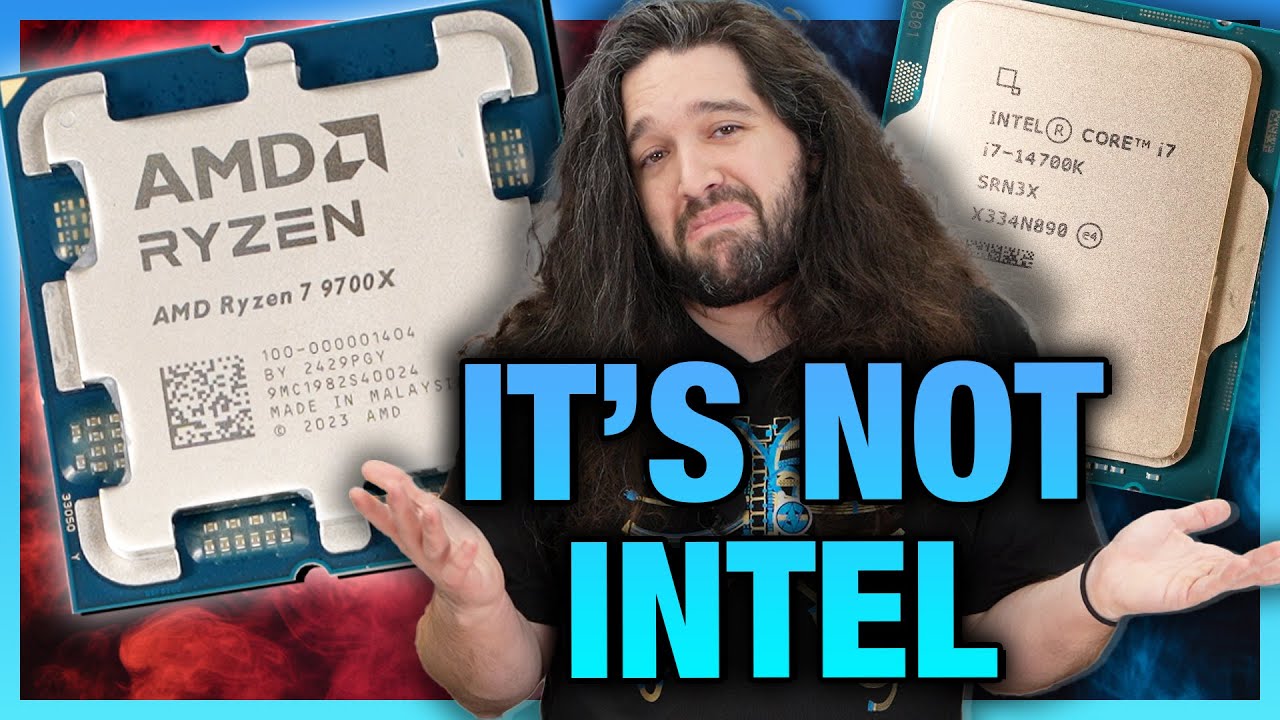
Sponsor: Hyte Y70 Case on Amazon https://geni.us/p2lWP
AMD's Zen 5 Ryzen 7 9700X has now launched. This benchmark and review compares the AMD R7 9700X vs. the R7 7800X3D, R7 7700X, Intel i9-14900K, 14700K, 5800X3D, and more. The benchmarks include gaming benchmarks, production workloads, power, efficiency, thermals, and more.
We have brand new ...
reviews are droppin' boyz
minor veldt
👍 👎 so far?
orchid iron
minor veldt
👍 👎 so far?
matches the 7700x at almost half the power EDIT: in specific senarios, in most it looks like it is just slightly less
that's about it
it basically means that the enthusiast level CPUs which have same power as previous generation will be better in the double digit %
The EPYC and threadrippers with zen5 will be absolute monsters and will roll previous gen
orchid iron

AMD has released their newest Desktop Class CPUs and Wendell is here to show you what's up!
Check out the Linux Video here: https://youtu.be/A9wulvhU1Ls
Check out our article for USB flash updating your motherboard BIOS to support the 9000 series: https://forum.level1techs.com/t/how-to-usb-bios-flash-motherboards-for-9000-series-cpus/214583?u=...
this review is much more detailed and explains the real differences
mighty cosmos
Really curious about the 9950x
orchid iron
that's gonna be very awesome to see...Plagued with D1 problems as any cpu xD
fallen oasis
orchid iron
it basically means that the enthusiast level CPUs which have same power as previ...
wtb new tr
orchid iron
fallen oasis
wtb new tr
you should see the amazon Xeon, TR and EPYC reviews, they are some of the funniest things I even seen
fallen oasis
Oh?


 orchid iron
naive cloak
is it a good idea?
orchid iron
naive cloak
is it a good idea?
Technically you are using the same amount of lanes as an NVMe, so there is nothing wrong, and if you need something in between large storage and fast storage, several SSDs will be quite handy
Just make sure the NVMe expand to 6 ports is of high quality
naive cloak
can it damage the MB or M2 port?
if I will buy it I will use it to connect SSD and HDD drives
I have no way to make sure its high quality because I will order it from aliexpress or amazon 🤷♂️
fallen oasis
It's not gonna damage it
It's kinda worrying that it's port 3, 4, 5, 6, 1, 0... why the random order?
naive cloak
maybe because of the chip pinout
 void palm
Rate this build, for indie dev
 fallen oasis
Intel CPUs are pretty fucked
void palm
fallen oasis
Intel CPUs are pretty fucked
i read that also. is that one in particular known to have problems?
void palm
fallen oasis
_All_ of them.
do you have any links on this
fallen oasis
violet spade
Idk if this has been already posted, but here’s another update https://youtu.be/...
Like this?
fallen oasis
violet spade
https://youtube.com/shorts/EJIM_oqvXD8?si=S0aVaRMHqvSWn20M
Or this?
orchid iron
void palm
Rate this build, for indie dev
This is also heavily bottlenecked by RAM, 32gb is fine for any gamers, it isn't for content creation
You have 24 cores and only 32gb for them
Also the 13th and 14th gen situation is so bad all RMAs are currently getting rejected or delayed, would you like for the CPU to random not work and have no other option than buying more and more unstable hardware as a fix? Well that was the situation for a year until people spoke out about it
void palm
orchid iron
This is also heavily bottlenecked by RAM, 32gb is fine for any gamers, it isn't ...
good point
orchid iron
void palm
good point
Wait, only 1 TB aswell? You need to consider a lot more than that depending on your project size or if you already have storage
void palm
orchid iron
This is also heavily bottlenecked by RAM, 32gb is fine for any gamers, it isn't ...
wait since when does RAM and core-count cause bottleneck potential? can you explain this more?
orchid iron
void palm
wait since when does RAM and core-count cause bottleneck potential? can you expl...
Well this is more in the case of code compilation, you'd want around 2-3 GB of ram per thread
However if you do video editing, scene rendering, Photoshop, etc...yeah that ram will fill up so fast regardless of core count
void palm
orchid iron
Well this is more in the case of code compilation, you'd want around 2-3 GB of r...
gotcha
naive cloak
I think AMD CPU are more affected from that
orchid iron
naive cloak
I think AMD CPU are more affected from that
From?
naive cloak
RAM amount
orchid iron
Ah, so Intel is like Mac and 8gb in Intel is like 16 in amd, okay got it user benchmark admin
@void palm also, if your VRAM from your GPU fills up, (which btw, if you you are paying almost 1k for a GPU, it should at least have 16gb of vram since 12gb is current console gen vram amount) then instead of placing more data in VRAM it puts it in RAM so that the GPU can still access it relatively quickly
naive cloak
afaik its easier to cause bottleneck on AMD by using "wrong" RAM
naive cloak
void palm
Rate this build, for indie dev
btw have you noticed that this PC is out of stock?
also I would not buy from them, they gave more info about the case than the motherboard... Motheboard: Z790 DDR5 what is that?
orchid iron
naive cloak
also I would not buy from them, they gave more info about the case than the moth...
Probably sketchy custom made mobo with custom BIOS
OEMs do that a lot
naive cloak
probably, I think its ITX
I would use Amazon or some other store and build similar spec PC to see if its worth it, unless you dont want to assemble yourself, but I think there are stores that can do it for you or maybe ask a friend
also they did not specify any brand names...
violet spade
fallen oasis
Or this?
I’m not sure what you’re asking me lol
violet spade
fallen oasis
Im not talking to you.
Yeah well… I didn’t realize 😅
violet spade
void palm
i read that also. is that one in particular known to have problems?
Any 13th or 14th gen are at risk
violet spade
orchid iron
This is also heavily bottlenecked by RAM, 32gb is fine for any gamers, it isn't ...
Based on GN’s research, Intel was aware of it 18-24 months ago
 devout pendant
I've just updated the bios. Something about AMD Ryzen security and logofail.
So windows 11 asks to change the PIN after changing the hardware? in this case, updated the bios.
void palm
violet spade
Any 13th or 14th gen are at risk
kind of insane to think about
the amount of vendors that still advertise those cpus that are faulty
void palm
orchid iron
<@692111955498106951> also, if your VRAM from your GPU fills up, (which btw, if...
its 16gb
void palm
fallen oasis
Like this?
sheesh didn't realize it was on this level
violet spade
Yeah it’s extremely problematic, their major customers are pissed
Cause those things go in servers
orchid iron
violet spade
Based on GN’s research, Intel was aware of it 18-24 months ago
oh yeah sorry I didn't specify more, Moore's law is dead made a podcast with the dino game's CEO which is also mostly a programmer, and he told how ridiculous the situation was as a game developer and and a server manager, Intel constantly gaslighting you so you'd ignore the issue
orchid iron
naive cloak
also they did not specify any brand names...
@void palm
no specific brand specification = sketchy custom OEM part or really low quality one
orchid iron
devout pendant
I've just updated the bios. Something about AMD Ryzen security and logofail.
logofail is an exploit that mostly target high value people, unless you are worth millions it is highly unlikely you'd come across it
orchid iron
devout pendant
So windows 11 asks to change the PIN after changing the hardware? in this case, ...

Tom's Hardware
Individual BIOS Vendors are scrambling to release UEFI patches to OEMs and motherboard manufacturers.
grave sundial
My eGPU has arrived! 😄


I am leaving it running for two days to see if it blows up, short-circuits, or simply goes on a strike because it came from the UK and doesn't like immigrants. The PSU is 550w.
I managed to connect the electrical connections for the PCI cables without causing a fire. So, there's that. 😄
If everything works out, I will order a 4060ti or 4070ti; I haven't finalised that yet. 😄
frank glade
you were clearly scammed, that is just an external gpu, not an electronic gpu
grave sundial
frank glade
you were clearly scammed, that is just an external gpu, not an electronic gpu
I know. I was expecting a neuralink gpu. But, it came from the UK, so I don't expect equality. 😛
But, I do have a bit of a logistical conundrum on my hands right now. The way I'd have to position the eGPU will interfere with my water bottle next to my laptop, not to mention the gaming half-keyboard and the USB fan next to it.
Also, there needs to be space to shove a monitor next to it, because I don't think this will override the internal gtx 970m connected to the laptop's display.
orchid iron
grave sundial
Also, there needs to be space to shove a monitor next to it, because I don't thi...
what about using both?
grave sundial
orchid iron
what about using both?
I think that should be fine, although I am totally new at this. I'll need to see how screwed up the laptop becomes. 😄
My first thought is whether this will boot the computer using the eGPU, or default to the 970m first.
So far, nothing's exploded.
orchid iron
grave sundial
My first thought is whether this will boot the computer using the eGPU, or defau...
computers can use multiple GPUs, the question is what will you do with them
most laptops with GPUs like nvidia 4060 use hybrid graphics which also make use of the CPU integrated graphics
grave sundial
Depends on which computer. This one is old, so is the BIOS. It doesn't have integrated graphics.
I'll probably keep the 970m disabled. If the eGPU works, I probably won't need the 970m except maybe to boot.
and so far, no explosions.
💣
grave sundial
4060ti ordered.
MSI curved gaming monitor ordered.
Next up: Clean dust off table and prepare to reorganise all the wires and thingamajigs.
devout pendant
updating the motherboard caused windows to ask for a new pin. Why?
orchid iron
devout pendant
updating the motherboard caused windows to ask for a new pin. Why?
windows being paranoid
median marsh
devout pendant
updating the motherboard caused windows to ask for a new pin. Why?
assumed someone put your HDD in another PC to steal your data
now it wants confirmation that the new "PC" belongs to the owner of the data
violet spade
And Windows 11 cares about you your data
median marsh
yea, they really put effort into it that only you and MS can access it 😄
orchid iron

Intel's new Microcode fix for 13th and 14th gen processors just dropped for ASUS and MSI Motherboards... we just tested the performance impact of the new code and here are our results.
Sponsored Links
Falcon Northwest has been building high end systems for gamers since 1992! Learn more about what Falcon Northwest has to offer at https://www.fa...
Microcode doesn't appear to be a nerf
grave sundial
If the last news article about it was true, then the processors already impacted by that 'degradation' wouldn't benefit from this. You'd have to get new processors. Something about - 'the damage was already done on the old ones, so...'
On the flip-side, I assume processors that haven't yet degraded - maybe because they were undervolted - would benefit from this patch. Maybe...
AMD Ryzen 7 9700X - is this one of the new processors from AMD?
orchid iron
grave sundial
If the last news article about it was true, then the processors already impacted...
yeah, he says that at beginning of video
orchid iron
grave sundial
AMD Ryzen 7 9700X - is this one of the new processors from AMD?
yup, 9600x and 9700x are new, 9900x 9950x will come aug 15th
wind egret
It's not cheap for a new 65W processor and it's a token improvement over the 7700x. The power savings are nice... but only if you're a datacenter or a laptop.
Still a win for AMD because it's going to sell a ton of AM4 CPUs.
grave sundial
It's cheap compared to how they normally price them. Especially in India, with the import duties, I am surprised they aren't charging 50,000 for it. Even the 9950 whatever is pegged at just 50,000 - although it might rise on the actual release date.
I expect the starting price to be 45,000 and go up to 60-70k, but the range seems to be 33-50 instead.
However, the MSI AM5 motherboard is expensive AF.... ✊
grave sundial
wind egret
It's not cheap for a new 65W processor and it's a token improvement over the 770...
🤔 Do you think 7800x3Ds will become dirt cheap?
That'd make me happy. 👏
wind egret
No. Even the 5800X3D is retaining its price. (#!@ing gamers.)
grave sundial
dang.
wind egret
The 9600X looks like a deal for anyone who doesn't need a 16 core CPU.
grave sundial
I'd combine the 9600X with the X670 Aorus Elite motherboard, I think, just in terms of price.
naive cloak
orchid iron
https://www.youtube.com/watch?v=1bEv74JrHQo
look at the difference between Intel and AMD, Intel is at least 20% faster 🤔
mighty patrol
AMD has released their newest Desktop Class CPUs and Wendell is here to show you what's up!
FIXED GRAPHS HERE: https://youtu.be/iJo4mrogJ4g
Check out the Linux Video here: https://youtu.be/A9wulvhU1Ls
Check out our article for all benchmarking results & how to USB flash update your motherboard BIOS to support the 9000 series: https://forum.lev...
grave sundial
Turns out it was a good thing that I decided to test the eGPU enclosure for two days.
I heard a bit of sparking sound from the wall outlet, probably because of a loose contact.
I played with the plug a bit and I'll test it some more; if I hear it again, my electrician will have to replace the plug.
grave sundial
I purchased a tester that arrived today - #lounge message
Not receiving enough power can totally be a thing, depending on where you live.
I remember one of my students in Japan telling me that they had to talk to the power company in their area, in order to receive more power to their apartment - like adding phases or something.
In my house, in India, we had to include a 3-phase connection, because we have air conditioners.
If all that is fine, then it can be faulty wiring or bad connections.
orchid iron
wind egret
It's not cheap for a new 65W processor and it's a token improvement over the 770...
AMD purposefully sandbagged their normal variant by starving them of power, if you want to see an improvement turn PBO on both 7700x and 9700x
orchid iron
mighty patrol
https://www.youtube.com/watch?v=JZuV35LgjxU
I saw that, his video about the 9000 series and Linux had also a lot of highly detailed information, it is 100% a solid foundation for zen 6 and zen 7
Also I've heard some leaks about AMD making a 32 core CCD for their massive core count processors, I wonder if a 32 core desktop CPU with 3d v-cache will ever come to consumer market
Intel had to cancel theirs
 frigid sorrel
i Got these specs , and dont know what to do with it . processor: i9-13900k
RAM: DDR-5 64GB 6000MHz
Storage: 2TB SSD 7000MBPS
Motherboard: ROG STRIX Z790
Graphics Card: ROG STRIX 4090
median marsh
you can give it to me
plush turret
still bothers me ram is in mhz not ghz
fresh fog
I mean it makes sense when you have speeds like 2333MHz
fresh fog
I mean true, and there's an argument to be said we don't really use those odd speeds anymorw
I guess it's just what people.are used to :P
plush turret
we got used to mircousb and now usb c we can accept ghz labeled ram
grave sundial
No.
We must degrade it further.
64GB 6,000,000 BHz sounds far better.
"Look at those zeroes, grandma! GIMME YOUR CREDIT CARD, NAOW!!!!"
orchid iron
frigid sorrel
i Got these specs , and dont know what to do with it . processor: i9-13900k
RAM:...
make sure to use it very little until mid august and then look up tutorial on how to update your BIOS and CPU Microcode to reduce your 13900k from accelerated degradation
grave sundial
I think he could also undervolt it in the BIOS until the patch is applied, no?
orchid iron
grave sundial
I think he could also undervolt it in the BIOS until the patch is applied, no?
It all depends on the skill level of the user
On the lowest end he could just use the intel baseline
On the highest end he could set very specific values
But apparently that may not stop the intel boosts to go over the set voltages, which is what the microcode is for
grave sundial
🤔 I thought undervolting prevented the issue.
If not, then.... fck.
Better to wait for the patch then.
orchid iron
Isn't it lovely when a big company remains vague about what issues are present in their products
orchid iron
grave sundial
🤔 I thought undervolting prevented the issue.
If not, then.... fck.
You could deactivate all options that increases performance and do an undervolt and power limits on top which would nerf an i9 to an i5
grave sundial
orchid iron
Isn't it lovely when a big company remains vague about what issues are present i...
Assuming humans at Intel are manufacturing anything.
I imagine Skynet is guiding everyone, controlling their minds with brain chips, forcing them to supercharge chips to leapfrog technology, so that it can create the first terminator.
Let's assume Elon's Optimus is the first T-100.
 orchid iron
grave sundial
Assuming humans at Intel are manufacturing anything.
I imagine Skynet is guiding...
orchid iron
grave sundial
Assuming humans at Intel are manufacturing anything.
I imagine Skynet is guiding...
never underestimate human stupidity
grave sundial
Before thou shalt click this sacred record,
Sing thou the psalms to the Emperor of Man.
Cleanse thyself of chaos and corruption,
Sing thou the psalms of the sacred Omnissiah.

MSI RTX 4060Ti 16GB OC edition
orchid iron
BEEG
violet spade
Smol bus but nice either way
naive cloak
if display port supports 4k@60hz can it support 2 monitors 1920x1200@100hz using daisy chain?
frigid sorrel
median marsh
you can give it to me
sure bro. if you want it. why not. ping me.
frigid sorrel
plush turret
still bothers me ram is in mhz not ghz
yea, i wish too bro.
frigid sorrel
median marsh
<@1100493285769871400>
nah man seriously , if you have any work , just ping me
median marsh
you're also doing work for free? Nice, i'll keep it in mind
frigid sorrel
median marsh
you're also doing work for free? Nice, i'll keep it in mind
Nopeee... dont expect too much bro . ill just give you my pc for one project
for renders and stuff
median marsh
are you sure? one project can take a long time....
naive cloak

► https://framechasers.org/ - Discord and Support
► https://framechasers.org/consulting - Consulting
► https://framechasers.org/ready-to-ship/ - Max OC Bundles
► https://twitter....
orchid iron
oh my
orchid iron
Okay, so I have a question that makes me feel like I was gaslit for years:
On the CPU specs, when you read the "Max supported speeds" is it the motherboard amount of slots that is to take into consideration or the number of ram sticks you insert?
Because this document along with 14900k specs are saying it is the motherboard
Is it the same with AMD?
grave sundial
orchid iron
Okay, so I have a question that makes me feel like I was gaslit for years:
On t...
I assume you are asking about RAM sticks.
Basically, if you insert only two RAM sticks, you get higher speeds and if you enter more than that, you get slower speeds. For example: two RAM sticks in slots 1 and 2 get you 5000MHz (an example) and putting more sticks in slots 3 and 4 get you 2100MHz for all the slots.
I think that's why all the gaming RAM sellers sell in combos of two sticks per kit, instead of four. I am not sure why more than two sticks encounter that limitation though.
 gilded bluff
Hi everyone. I am wondering if i7-12th generation or greater, RTX 4070 Lap Top GPU (whichis equivalent to RTX 2080 super) and 32 GB ddr5 Ram memory is enough for unreal engine 5.4 to create a game similarly to Call of Duty Cold War game? It is a laptop. Are these specs are good enough for smoothness? Any tips?
orchid iron
grave sundial
I assume you are asking about RAM sticks.
Basically, if you insert only two RAM ...
That's the thing, the document says otherwise, which is why I'm so confused and feel gaslighted
grave sundial
🤷 I haven't read much into WHY that's the case. I am not sure whether there's a negative performance impact, or the workload is just split between four chips and everything's kosher.
orchid iron
gilded bluff
Hi everyone. I am wondering if i7-12th generation or greater, RTX 4070 Lap Top G...
Go for only 12th gen for now, 13th and 14th gen are currently in a very unstable spot
Edit: also to answer your question that is sufficient, the challenge is cooling your laptop to make sure you can actually use your hardware
orchid iron
grave sundial
🤷 I haven't read much into WHY that's the case. I am not sure whether there's a...
From level 1 tech and Moore's law is dead, apparently servers have to clock down their memories to the "actual memory specs" otherwise running intensive tasks everyday will increase the failure rates
But it is so wild to think that if you have a 14th gen CPU and put 2 ram sticks on a motherboard with 4 dimm slots, the first boot will run 4800 on both and that's over spec
fallen oasis
They only rate it up to something like 4400 or something if there's 4 dimm sockets?
orchid iron
fallen oasis
They only rate it up to something like 4400 or something if there's 4 dimm socke...
That's if you put 2 ram sticks into those 4 dimms
If you put 4 it is even lower

Check out Seasonic Prime TX PSUs:
https://seasonic.com/prime-tx
Support me on Patreon:
https://www.patreon.com/der8auer
Music / Credits:
Outro:
Dylan Sitts feat. HDBeenDope - For The Record (Dylan Sitts Remix)
----------------...
I linked the time at which it references what I'm discussing, and I put the doc he mentioned next to my question above
gilded bluff
orchid iron
Go for only 12th gen for now, 13th and 14th gen are currently in a very unstable...
What is that mean they are unstable? They work bad? If the hardware is cooled enough will that characteristics be enough for my purposes in ue 5.4? It is gonna be gaming lap top
orchid iron
gilded bluff
What is that mean they are unstable? They work bad? If the hardware is cooled en...

Intel's 13900k's and 14900k's are crashing at an alarming rate? Why isn't anyone talking about it and what is Intel's solution?
Forum Thread here: https://forum.level1techs.com/t/intels-got-a-problem-13900k-ks-kf-14900k-ks-kf-crashing/213008?u=autumn
0:00 Intro
1:07 The Data
5:08 Data Breakdown
10:17 What's Causing the Problem?
13:30 What's Be...
right now the most respected hardware reviews don't recommend 13/14th gen, the situation may be resolved later but for now 12Th gen is completly fine
mighty patrol
Also on ue a lot of users experience crashes on current intel
naive cloak
if you already have 13/14 CPU you should RMA it (if you have problems with it) and when you get new CPU you have to limit the voltages etc. Frame Chasers posted multiple videos on how to do it
naive cloak
idk if mobile CPU affected by that
plush turret
Im happy with my 12th gen
violet spade
I think the via oxidation issue might be resolved but that’s according to Intel so who knows. Microcode is still a ways to go before it gets properly peer reviewed
orchid iron
violet spade
I think the via oxidation issue might be resolved but that’s according to Intel ...
some BIOS vendors released it earlier than announced, and oh boy it does not inspire confidence, Frame Chasers and JayTwocents made videos about it
violet spade
GN prly still testing
orchid iron
violet spade
GN prly still testing
GN is currently struggling to test 9900x and 9950x because of day 1 issues
violet spade
orchid iron
GN is currently struggling to test 9900x and 9950x because of day 1 issues
Didn’t AMD say it was delaying release because quality didn’t meet expectations? Did they just say ah f it ?😀
orchid iron
violet spade
Didn’t AMD say it was delaying release because quality didn’t meet expectations?...
according to Moore's law is dead, they kept changing testing methodology even a few weeks before launch, and when they noticed early batches of 9950x etc didn't all passed, they were scared and pulled back
they could of ignored it since the few that didn't pass newer test, passed previous tests, but hey, AMD isn't called Advanced Marketing Disasters for nothing
naive cloak
seems like CPU manufacturers hit some kind of limit and they cant advance anymore... or maybe they are just too lazy to advance when they can sell the same stuff again and again
grave sundial
violet spade
there's only so much you can stretch a silicon wafer
What if you tied it to a rope with its two very long ends being pulled in opposite directions by two five-man teams?
violet spade
grave sundial
What if you tied it to a rope with its two very long ends being pulled in opposi...
it's too small to attach rope to it
but good thinking
grave sundial
Fine. Nano-thread then.
AND the men pulling it have bionic arms, so the thread won't slice off their fingers.
plush turret
is this an acceptable drive? https://serverpartdeals.com/products/western-digital-ultrastar-dc-hc550-wuh721816ale6l1-0f38461-16tb-7200-rpm-sata-6gb-s-512e-3-5-recertified-hard-drive?variant=44171900256534

ServerPartDeals.com
Buy the Western Digital Ultrastar DC HC550 16TB SATA 3.5" HDD WUH721816ALE6L1 at the lowest price with free & fast shipping. Get volume discounts and excellent customer service. Shop now!
long term and media storage
fresh fog
plush turret
is this an acceptable drive? https://serverpartdeals.com/products/western-digita...
It's a server drive so it's probably going to be loud as hell. I also wouldn't trust refurbished storage
violet spade
2nd part is more concerning
mighty patrol
Yeah imagine how much data has been written to it
delicate crystal
would there be any reason to wait a month or two for buying a new system? Wondering if waiting until October would make any difference price or offering wise. Mainly CPU's
mighty patrol
Possible sales when next gen gets pumped and dumped.
Also cyber monday still a ways yet but.
delicate crystal
makes sense. was looking at a 7950x3d with DDR5-5600 128gig ram, and a raedon 7900 16 gb vid card. Figured at least oen of those will be discounted by october/november
mighty patrol
if you hold out till december 2nd may get killer deals
delicate crystal
mighty patrol
if you hold out till december 2nd may get killer deals
oh? That's good to know. What's then?
delicate crystal
oh nice. I thought that was after american thanksgiving
delicate crystal
either way I can wait. Kind of sucks because my current rig crashes on UE5, but eh
mighty patrol
intel?
delicate crystal
amd
mighty patrol
😮
delicate crystal
the hardware's from 2019 and it's running windows 10 if that helps get a ballpark.
delicate crystal
i dont. Never got into that much. The motherboards an ASUS. vid card's an MSI.
delicate crystal
possibly. I know the nvidia drivers on this thing seem to be unstable sometimes
i'll play high def video and it'll artifact like mad
mighty patrol
delicate crystal
i'll play high def video and it'll artifact like mad
Could be gpu failing have you tried benchmarks?
Things like heaven etc
delicate crystal
mighty patrol
Could be gpu failing have you tried benchmarks?
I haven't actually
MSI - GeForce GTX 1070 Ti 8 GB
That's the gpu card
delicate crystal
will give it a shot. Don't really have much to lose
mighty patrol
Worst case it crashes
delicate crystal
mighty patrol
Worst case it crashes
yep. Fwiw it's the only time it's done a blue screen (knock on wood) in years.
mighty patrol
At least could be closer to isolating the issue though
 noble brook
Hello all i have just a general question and I thought this channel would be appropriate for it. Im looking to buy a laptop for Unreal development, I was thinking about a gaming laptop because the projects that i am working on are quite detailed and memory intensive. I dont know if any of you develop with a laptop, looking for any recommendations. Thanks
delicate crystal
mighty patrol
Could be gpu failing have you tried benchmarks?
so I think I'm getting the wrong hits on google. one wants you to connect to a sever. Another wants 35$ for windows
mighty patrol
delicate crystal
so I think I'm getting the wrong hits on google. one wants you to connect to a s...
delicate crystal
wild. set graphics to high, full resolution, ran at almost 60 fps without a hitch
delicate crystal
probably. i'm sure it's how it is right out of the box
opaque pond
hey what can i do with these specs?
 fallen oasis
Buy a new laptop.
opaque pond
fallen oasis
Buy a new laptop.
is it THAT bad?
fallen oasis
It's not great. How much ram and vram do you have?
The fact it's an integrated gpu as well is a big red flag.
opaque pond
fallen oasis
It's not great. How much ram and vram do you have?
15gb and 512mb i think
fallen oasis
I'm surprised it can load windows.
fallen oasis
I'm exaggerating. 😛
opaque pond
fallen oasis
I'm exaggerating. 😛
ughghh
grave sundial
fallen oasis
I'm surprised it can load windows.
What matters is whether or not it can open Doors ™️ .
It's the next best OS, you know.
opaque pond
well i am not even running windows
median marsh
then you can do even less (unreal related)
with 512MB VRAM you can watch the splash screen
opaque pond
It actually loads up my project
grave sundial
median marsh
with 512MB VRAM you can watch the splash screen
This'd be a great exercise in building patience.
I built mine on 128MB VRAM.
HA!
😛
fervent jolt
you can also use a laptop like that just fine to RDP into a desktop that you hopefully have instead
 short bramble
Hi all ! Anyone has any advice for buying an External SSD disk ?
fresh fog
What's the main reason for use? Taking portable apps and stuff across machines, taking projects across machines, or just to extend your storage
short bramble
fresh fog
What's the main reason for use? Taking portable apps and stuff across machines, ...
To extend my storage. I want something solid and safe about data loss
fresh fog
I would consider going for an internal 2.5" drive then. If you can squeeze one in, they don't even need mounting
You're likely going to get much better speeds afaik
Used to be the case at least :P
violet spade
fresh fog
I would consider going for an internal 2.5" drive then. If you can squeeze one i...
You just let it hang off the SATA or what 😛
short bramble
I need to install it in the computer itself ?
fresh fog
violet spade
You just let it hang off the SATA or what 😛
my sata cable gets routed to the back, and i just let it rest free on something in the back.
had it installed for a few years, no issues
the main reason to mount drives is to dampen noise, but ssd's are silent
fresh fog
short bramble
I need to install it in the computer itself ?
yes, but it's pretty easy
violet spade
Internal drives, yes
fresh fog
plug a sata cable in both ends
violet spade
External drives will always be slower just fyi, USB can’t handle the same xfer speeds
fresh fog
which is going to be an issue for unreal. You want that speeeeed
short bramble
What do you mean "the main reason to mount drives" ?
fresh fog
worked with unreal off external storage before, it's ass
 solid juniper
short bramble
To extend my storage. I want something solid and safe about data loss
solid juniper
short bramble
To extend my storage. I want something solid and safe about data loss
A SSD is not safe to store data. SSD have a lifetime of their cells. HDDs are good for simple Backups
fresh fog
short bramble
What do you mean "the main reason to `mount` drives" ?
mounting, as in screwing them into the case
short bramble
fresh fog
mounting, as in screwing them into the case
Oh ok thanks
fresh fog
mounted ssds:
 short bramble
solid juniper
A SSD is not safe to store data. SSD have a lifetime of their cells. HDDs are go...
short bramble
solid juniper
A SSD is not safe to store data. SSD have a lifetime of their cells. HDDs are go...
Omg you sure SSD is not safe ? My whole computer has only SSD..
fresh fog
that's not true
ssd's are perfectly safe
they have lifetimes, normally around a decade
HDD's also fail, so you always use proper backup procedures
solid juniper
short bramble
Omg you sure SSD is not safe ? My whole computer has only SSD..
It depends on use case. For Backups SSD are bad but for runtime usage there are far better. HDDs are a way to slow for Game Engines or Games
short bramble
fresh fog
worked with unreal off external storage before, it's ass
I guess to work with Unreal I will use my internal SSD (my main disk) that's better. But I want to move out all of my "Backups" and other things like content creations etc... into another safe disk
fresh fog
generally the 3 2 1 rule.
3 copies, on 2 different types of media and 1 offsite backup
any drive is going to fail eventually, just be smart with your data and take semi regular images and backups
fresh fog
short bramble
I guess to work with Unreal I will use my internal SSD (my main disk) that's bet...
Consider a HDD for that, or even some simple offsite cloud storage.
solid juniper
So use SSDs foryour System, Games and Projects and external HDDs for Backups
fresh fog
If it's relatively unused and just a backup drive, use HDD's purely because they're cheaper
short bramble
So you mean I need to buy a new HDD every 10 years to "save" my projects / games ?
fresh fog
No
You just follow the above rule so that when a drive fails you're not shit outta luck
keep regular backups, on different types of media, and an extra backup offsite
It's the golden rule for any serious data storage
short bramble
Ok so to resume : I need a SSD for my System / Unreal - Then a HDD for my backups and finally another drive offsite ?
fresh fog
That's the general rule. Typically you don't own the other drive, and go for some external storage
short bramble
Like a 128gb USB drive ?
fresh fog
No
You own a ssd for working from, a hdd for backups, and rent some storage from a cloud provider
fresh fog
Np
When I say "a drive" it can mean multiple.
You might have 3 ssds you work off, a couple hdda for backup, and rent from a cloud provider
short bramble
Now any advices for a HDD to buy ?
fresh fog
I work from 2 ssds and still need another :P
short bramble
And the 2 SSDs are internal ?
So any brand advices for SSD (work) and HDD (backups) ?
fresh fog
short bramble
Now any advices for a HDD to buy ?
I hear the seagate barracuda and wd blue are popular, depends if you want a NAS drive or not
SSD I never go wrong with the crucial mx500
fresh fog
short bramble
And the 2 SSDs are internal ?
I don't really use external storage.
If it's a project, it's on a remote repo, anything else I don't really need to take places
short bramble
fresh fog
I hear the seagate barracuda and wd blue are popular, depends if you want a NAS ...
I don't need to plug it in multiple computers
short bramble
fresh fog
SSD I never go wrong with the crucial mx500
I read that the Samsung T7 is good
short bramble
fresh fog
Then just use internal storage
Ok so I should use internal SSD for work and external HDD for backups ? right?
short bramble
Oh ok
fresh fog
I mean you could use external hdd, I prefer not to
short bramble
No external because of speed ?
fresh fog
Indeed
Less important for backups, but hdds are also commonly used to say, store your pictures, word documents etc. Not just backups
short bramble
Ok I understand. Thanks a lot !
mellow galleon
fresh fog
mounted ssds:
i strongly dislike such mounted on a backplate ssds, they tend to heat up a lot. they don't get any air flow and residual heat from cpu heats them up as well
fresh fog
I've never been a huge fan of them. If I ever mount mine they most certainly don't go there
For pretty much the same reason
Mine gets some much better airflow where it is "loose"
minor veldt
Where do you put your SSDs then?
fresh fog
I put them loose in the back. There's a little space of no cable, so they go there.
Sometimes if I'm not comfortable with where it is, it gets some double sides tape on it, because I don't have any great mounting points
mellow galleon
minor veldt
Where do you put your SSDs then?
in my case 2 140mm frontal fans cool the hdds (above) /ssds (bwlow)
 fresh fog
Looks pretty good.
Whenever I build my next rig I definitely need to make better case decisions 😆
Had to pull the drive cage out, hence the loose ssds
What case is that?
mellow galleon
Aresze Enclave 8002
idk if you ever find one on sale, i got mine in 2014
just changing filling when upgrading
fresh fog
Yeah, doesn't even appear to be a brand we can get in the UK :P
Pretty nice case though, plenty of drive bays.
median marsh
https://www.amazon.co.uk/quiet-Black-Mid-Tower-preinstalled-BG034/dp/B07TSG8D54 i'm kinda happy with that one
afaik only got 2x 2,5" mounting points tho
and i think it can get a bit tight with an AIO and large GPU
mellow galleon
is front panel solid or just looks like it? definetly doesnt look for air cooling imo
median marsh
it is, there's mesh on the sides tho
fresh fog
I'm probably going to end up with one of the many fractal design ones when I rebuild.
Very very airflow friendly.
Though my work rig was built in a PopAir, and they replaced the mesh front with solid panel for some reason, so it was a little space heater.
Nice toasty 90ºC compilations in summer :P
median marsh

be quiet! Pure Base 500DX Midi Tower Noir
if you can deal with a glass sidepanel
now i wonder if i could replace my front panel with the DX one :>
i had a fractal before, and that thing was heavy AF
agile lodge
any tower cases?
median marsh
oh cool, they sell that stuff separate, 45euro tho -_-
should've bought the DX to begin with and the steel panel for 15 bucks 😦
mellow galleon
nowadays finding good cases with 1 slot for 5.25 / 4+ 3.5 and 1+ 2.5+ is a pain
median marsh
why do you want that even?
mellow galleon
i did look a lot when trying to find similar but they all had terrible aiflow choises
fresh fog
Hard enough to find a 5.25 lol.
I kinda get it tho, optical is a dying medium as sad as it is.
median marsh
no, it's good
fresh fog
Kinda want a floppy drive for funsies tho
median marsh
there hasn't been any innovation since BR
mellow galleon
i need bdrom drive
fresh fog
median marsh
no, it's good
I never said it was bad, just that it's dying, which is true
mellow galleon
because you get more money by selling subscriptions on a website compared to selling single dvd per user
user would be afraid loosing everything subscribed, while dvd is nearly eternal
median marsh
i had lot's of CDs which got bad over the years
idk if DVD/BR is less prone to that
mellow galleon
yea, depends on a brand
median marsh
there's M-DISC tho, they advertise it as really reliable (and most modern BR drives can write them)
agile lodge
there is some innovation reseach for quartz glass and some have being using that but not on consumer use yet
mellow galleon
median marsh
i had lot's of CDs which got bad over the years
when i tried to boost my c&c collection cd drive it failed to read, i was very sad. 3% of unreadable sectors
original gold disc from 2003
agile lodge
ms thing for that field https://www.microsoft.com/en-us/research/project/project-silica/?msockid=20e7339f1b31646b14d2201d1abe65e8
Project Silica is developing the first-ever storage technology designed and built from the ground up for the cloud, using femtosecond lasers to store data.
fresh fog
mellow galleon
when i tried to boost my c&c collection cd drive it failed to read, i was very s...
Ouch 😔
I've still got my generals: zero hour disk around here somewhere
Not that I could use the disk, don't have an optical drive 😆
fallen oasis
I still have my wc2 and btdp expansion boxes and cds.
delicate crystal
anyone have any case recommendations in the mini or micro atx world? Looking to avoid getting a system that weighs a ton
grave sundial
median marsh
i had a fractal before, and that thing was heavy AF
My new CPU cabinet has been made by Fractal. A full 13 KG. 😄
fallen oasis
Only 13kg? Weaksauce!
grave sundial
https://www.amd.com/en/resources/product-security/bulletin/amd-sb-7014.html - This came in the Indian news a few days ago. If you're using AMD, make sure you've got the necessary updates AND check your motherboard's manufacturer's website for BIOS updates.
agile lodge
new amd cpus seems not perform as expected by reviews
grave sundial
I think those review CPUs are usually 'rigged' by the manufacturer, so to speak. They perform better than the every day product, especially with specific software.
Regardless, I'd wait for more testing. Didn't those new thingies just release?
agile lodge

We tested 21 CPUs in this round of CPU testing to see whether or not the new 9000 series CPUs from AMD are worth it... spoiler... they aren't.
Sponsored Links:
“Prepare for school with 15% off Driver Kits from August 13 to Sept 3”
Head to iFixit at https://ifix.gd/JayzTwoCents to get yours today!
Get your JayzTwoCents Merch Here! - https://ww...
grave sundial
Yeah, those are the new ones, no?
Give them a few weeks to see all the crappiness and awesomeness in them.
BUT, if they truly are crappy, maybe those 'enthusiasts' will skip them entirely and we'll get to buy them at rock-bottom prices.
😄
mighty cosmos
That is a bit of a clickbait lol
From the benchmarks I'm watching at the moment it's actually a pretty decent bump, probably can skip if you are on a 7950x tho
that's a pretty major upgrade for me from a 5950x

 agile lodge

Check out Seasonic MagFlow Fans:
https://seasonic.com/magflow-120mm
Support me on Patreon:
https://www.patreon.com/der8auer
Music / Credits:
Outro:
Dylan Sitts feat. HDBeenDope - For The Record (Dylan Sitts Remix)
------------...
mighty cosmos
Apparently 9950x requires core parking to be enabled, and a lot of reviewers weren't informed of this which results in drastically lower performance
source: gamers nexus video
violet spade
 mighty cosmos
grave sundial
How do you enable it and where is it?
mighty cosmos
grave sundial
How do you enable it and where is it?

Sponsor: Hyte Y70 Case on Amazon https://geni.us/p2lWP
The AMD R9 9950X (R9) CPU's release date is August 15, 2024, and this review and benchmark tests the new CPU vs. the R9 7950X, the R7 7800X3D, the R7 9700X, and more. Intel comparisons include the 14900K and 14700K, and we hope to soon evaluate Intel's new microcode. The R9 9950X will be joi...
basically the exact same thing that x3d cpus need
grave sundial
My x3d CPU is arriving tomorrow, probably.
I didn't know this. Thanks for pointing it out.
@mighty cosmos I think I might not have to do that. I ordered a 7800x3D.
I wonder if there's a secret circuit I have to press that will instantly get me 500% performance gain, but requires a nano-tech screwdriver to touch.
small stratus
orchid iron
Nice, please do check out the series I mentioned, I'm sure you'll be able to fix...
Just an update to my problem. Works fine using Ubuntu OS and i have found someone with pretty much the same specs and also getting the same crash
mighty cosmos
grave sundial
I wonder if there's a secret circuit I have to press that will instantly get me ...
🤣
short bramble
Anyone is using trackball to work ?
Is it better than a "light" mouse ?
I'm looking for changing my mouse but I don't know if it's better to use a trackball or not, to be more relaxed and work longer
mighty cosmos
if you value your sanity please use an actual mouse with an optical sensor or laser at minimum
short bramble
mighty cosmos
if you value your sanity please use an actual mouse with an optical sensor or la...
Lol why sainty ? I have like a shoulder pain coming and I don't know if it's the mouse the problem..
mighty cosmos
It might be just me but the lack of accuracy that would come from a trackball would drive me absolutely insane lol
Might wanna take a lot into some of those ergonomic vertical mice, if that's something that would help you
short bramble
I tried vertical mice but it did not help unfortunately =/
I don't know if it's a chair/desk problem or mice 😦
mighty cosmos
ah, haven't really used any of the ergonomic ones so can't really recommend anything
short bramble
Ok thank you, I will wait if somebody else has any experiences
wind egret
I once used one of these:

Pretty bad for desktop use, but surprisingly adequate for shooters.
short bramble
I saw the trackball for thumbs like this one but many people said that they got thumbs pain
But with the trackball "pad" (for fingers) they said it's very comfortable
wind egret
Would probably hurt if your instinct is to press on it.
I've always wanted to try a full size trackball, but the quality on the cheaper ones is dubious.
short bramble
I guess you have to put like 160$ minimum to have a good quality trackball, right ?
short bramble
wind egret
Would probably hurt if your instinct is to press on it.
I've always wanted to t...
I think in one week I can get used to it
wind egret
short bramble
I guess you have to put like 160$ minimum to have a good quality trackball, righ...
I mostly built that opinion from an in-store demo of the logitech trackballs. The more expensive option felt much smoother.
grave sundial
If you feel a shoulder pain coming along, stretching exercises will do you a lot of good.
Google physiotherapy shoulder, arm, and wrist exercises. Don't follow the muscle building ones at first.
You can also look up Athlean-X - Jeff Cavalier on YouTube, he's an actual physiotherapist.
For your wrist, you can buy a mousepad with a wristguard or wristbrace. They are very cheap, not very durable, but you can manage them well enough to give your wrist the rest it needs.
For the shoulder, there's not much you can do. It starts cramping because it's in one position for a long time, especially the mouse arm. So, stretching and resting is the way to go.
short bramble
grave sundial
If you feel a shoulder pain coming along, stretching exercises will do you a lot...
My wrist is ok. I only have this shoulder pain. So I need to work out my shoulders to make them stronger and do shoulder stretching exercises ?
And yes it's only the mouse shoulder, not the kb
grave sundial
Just physiotherapy shoulder exercises.
You'll have to do it lightly and regularly.
Then, the pain will go away and never return.
Basically, you activate all the muscles in the shoulder and let them know you're not ignoring them and keeping them stuck in one position, thereby cramping them.
The physio exercises also activate your back muscles, providing more support to your shoulder.
short bramble
How regularly do I have to do these exercises ? Every morning or every 2-3 hours ?
grave sundial
Once a day usually works. But, you can do it twice or thrice, if you feel any benefit from them.
short bramble
Ok thank you very much, I will try these exercises when I wake up before working
grave sundial
You'll have to eventually get the wrist support, too. The whole arm-shoulder-back is one system. So, one thing going bonkers won't necessarily reflect on that site itself. The problem can manifest in another part of the body. Such as back and shoulder aching BECAUSE the wrist is being pressured.
grave sundial
one second.

Brand New and High Quality Wrist support mouse mat Ergonomically Designed for ease of motion and relief of Joint Stress Wirst Rest design helps to reduce wrist stress & fatigue Backed with a Neoprene rubber non slip surface, stopping the mat from sliding Helps increase the accuracy of tracking & ...
I use this.
short bramble
But I already have a mouse pad
grave sundial
You can place a handkerchief or thick GSM tissue paper - folded - on the wrist rest area, so that the cloth doesn't wear out quickly. Quality isn't great on these, but they do the job.
Do you have a mouse pad with a bump rest for your wrist?
short bramble
No but I really love my actual mouse pad. Can't I just buy the wrist support alone ?
grave sundial
No. But you can DIY.
Fold thick tissues - the ones that don't tear - and create a bump.
You can tie it to your wrist, or glue it to the mousepad.
You can also use multiple armbands - layered - to create a support, but it might heat up your wrist in the long-term.
short bramble
grave sundial
You can also use multiple armbands - layered - to create a support, but it might...

Vaydeer Wrist Rest for Keyboard and Mouse, Computer Ergonomic Wrist Support Pad, Soft Memory Foam Arm Cushion for Desk, Palm Hand Office Laptop Typing
grave sundial
You can try it out. The end result should be that your wrist is level with your fingers when you place them on your mouse.
To put it simpler, your hand should be straight while on the mouse, not slanted upwards - fingers pointed upwards.
short bramble
Ok I guess I'll try this + the exercises. Thank you so much!