#hardware
1 messages · Page 25 of 1
 median marsh
 plush turret
if im going to build a server qualified for home hosting (and had good internet) what would be an ideal roughly budget CPU
plush turret
minecraft, rust, avorion
maybe space engineers
i know space engineers is by far the most CPU intensive
and runs fine with the 12700k i have but couldnt run on a ryzen 2500u
also a plex/jellyfin server so my family and friends can watch my collection
i have converted like 3.4tb of vhs and dvd stuff from the 50's-2006
ideal is 256gb ram, so cpu would need to be able to handle that
im aware the cpu can limit ram capacity
the servers im running currently run on an E5 2630v3, so looking for something roughly on that level or maybe a little better
im looking to put it in a mid tower case as well
plush turret
its going to sit in a corner and pretty much never shut down
 slim heart
Finally got it all together.


17 Fans and LOTS of airflow
Case: Corsair 5000D Airflow Elite
ROG Strix Z790-A
i9 149000kf
192GB DDR5 5600
GeForce RTX 4090 Windforce II
(2) 4TB WD SN850X
iCue H150 Liquid CPU Cooler
DDR Cooler
plush turret
slim heart
Finally got it all together.

looks like mine with some steroids
and rgb
how tall is that tower?
slim heart
plush turret
how tall is that tower?
52cm
 little granite
anyone here knowledgable about display tablets (wacoms, huions, etc?)
 timber cobalt
I just bought a huion few months ago, but I am a noobie with that.
 opaque pond
little granite
anyone here knowledgable about display tablets (wacoms, huions, etc?)
opaque pond
little granite
anyone here knowledgable about display tablets (wacoms, huions, etc?)
what do you want to ask?
little granite
opaque pond
what do you want to ask?
Srry , shouldve deleted this, got given purchase advice by mod
plush turret
is it a bad thing sections of the screen are having black pixel glitches?
like once in a while i see like a 20% chunk of the screen checkerboard
idk if this is the pc, the adaptor, or the screen itself
the screen sucks, and is feed via DP to HDMI
the other secondary screen isnt showing the pixels and its fed from the GPU only with direct HDMI
seems to have vanished and this is first ive seen it
it also only shows up in chrome
 frank glade
One of my monitors does this, like a fine pixel mesh. But I just turn it off and on again, it's been fine for like 8 years now
plush turret
yeah it seems to be monitor related
and this thing was like $90 security monitor 4 years ago
got it free cause i was super helpful at a job and saved my boss like thousands in fines because i helped make sure he got the right safety equipment and signs so the city inspector wouldnt shut him down on his very first store
720p 75hz
plush turret
almost certainly a monitor problem, the second monitor showed no glitch and they are plugged into the same hardware
 gilded bluff
Hey guys, I have found another lap top, is AMD® Ryzen™ 9-7940HS
(8-cores; 16-threads)
32GB DDR5
512GB SSD NVMe M.2
15.6” WQHD IPS 165Hz
GeForce® RTX4070 8GB 140W (lap top gpu) good enough to run unreal engine 5.3 smoothly with good amounts of fps? Can I make good visualised games with it?
yes
ok
The problem is I am still looking for the best lap top for my budget and looking a lot of videos of benchmark gpus in unreal engine and some videos have 30 fps with rtx 3060, and others have 30 fps with rtx 4070. Moreover some have 40-50 fps with rtx 3060.
Can it be 40-50 fps?
frank glade
gilded bluff
The problem is I am still looking for the best lap top for my budget and looking...
Are they with desktop 3060 or laptops 3060?
I would just get one with a 4060 , still 8gb of vram, budget friendly, it matches (almost) a desktop 3060
 celest jungle
honestly, if you are getting a laptop for ue dev work and you want it to be useful in the future, you should probably go for the laptop 4080 or 4090. The 4070, while having a "140 W" power limit, has a voltage limit that prevents it form actually achieving more than like 100-115 W in most scenarios otyher than some synthetic benchmarks
frank glade
Yeah but 4090 laptop version is about a 4070 level....and those laptops are insanely expensive...not worth it...run at 50% screen percentage and done
celest jungle
they are worth it if u just want a laptop tho. Like...
and a laptop 4090 is about as good as a 3090 ti in games. just below a 4070 ti. But it has the gpu and ram of a 4080. So, cuda cores galore and 16 GB of vram. It's solid.
the laptop 4090 is literally just an underclocked desktop 4080 it is identical;
celest jungle
🤣
since u reacted with "X" to a factual statement I can't help but just laugh. The laptop 4090 is the exact same gpu die as the 4080. same cuda cores, same everything it is the same chip.
 thorny oak
The same chip, but not the same GPU. Less than half the tdp and significantly less memory bandwidth in a form factor that is likely to steadily lose cooling efficiency over time.
It's bad advice, you can argue about it with someone else.
celest jungle
if you need a laptop it is literally the best GPU you can get. notice that it's a reccomendation for a laptop gpu... so... what is your problem exactly? You think laptops serve no purpose? LMFAO wtf
celest jungle
thorny oak
The same chip, but not the same GPU. Less than half the tdp and significantly le...
gpu is the chip like the cpu is the chip. Power limits and underclock are obvious and stated... it is still the same chip with the same memory and bandwidth. Not all uses of a GPU need the full power. Using those cuda cores is one example. 4090 laptop gpu is wild for inferencing... with a laptop.
We are talking about laptops, remember...
175 is not less than half of 320 btw
Compare it to one of those enterprise RTX quadro cards
thorny oak
A GPU is a GPU... it can have the same chip with difference specification. You failed to mention anything besides 'downclock;. Nowhere do I see 175 watt as an official TDP, let alone an amount that can be dissipated continuiously or concurrently with CPU load.
'compare it to an rtx quadro card' which are and always have been bad value?
celest jungle
"bad value" unless you need one
thorny oak
inference workloads are neither here nor there. Buying top of the range silicon in a mobile formfactor is always bad value.
celest jungle
clearly you don't
thorny oak
'need'
celest jungle
nor do you need a laptop. you have no point here
the 4090 is the best laptop gpu u can possibly get
thorny oak
tell me what exactly is being done that requires a 4090 laptop GPU but cannot be done on less?
celest jungle
so if u want a laptop lmfao
celest jungle
thorny oak
tell me what exactly is being done that requires a 4090 laptop GPU but cannot be...
having 16 GB of ram
for one
that is huge
vram
having the same number of cuda cores as a desktop 4080
huge
thorny oak
Number bigger better?
celest jungle
bro yes lmfao
do u ever use cuda cores?
I do
all day
literally the 4090 laptop is more than twice as fast as the 3070 desktop card I have
about twice as many cuda cores
thorny oak
what's the workload?
celest jungle
(generating voice clips with tortoise-tts)
median marsh
celest jungle
literally the 4090 laptop is more than twice as fast as the 3070 desktop card I ...
but not for the same time
thorny oak
great, is the person in the UE5 discord doing that?
celest jungle
median marsh
but not for the same time
wdym?
median marsh
the laptop gpu will throttle (because of heat as test pointed out)
thorny oak
sustained workloads
celest jungle
thorny oak
great, is the person in the UE5 discord doing that?
yes gamedev uses a lot of ai voice generation these days
in fact I bet it is more common to use it than not. computing locally is not common perhaps
celest jungle
median marsh
the laptop gpu will throttle (because of heat as test pointed out)
oh... not if you have a good laptop lkmao
the legion has liquid metal
and badass cooling
it is twice as fast sustained
it is not at all a desktop 4090
nor a desktop 4080
in gaming
sure
but it opens the matrix demo fuill size city in no time
and plays it in a snap
fluid framerate in-editor
just be practical
thorny oak
these aren't real performance metrics
thorny oak
it's just anecdotal noise
celest jungle
usability in real world
lmfao
go buy ur desktop 4090
and stay stuck to ur desk
have fun
median marsh
if you can concentrate while that jet turbine is running, fine
celest jungle
median marsh
if you can concentrate while that jet turbine is running, fine
fr
this is the only valid criticism
lmfao
again tho the legion is not bad
I can test my ue5 lumen game fine, 240Hz screen and it looks nice and works well
I don't sit here doing benchmarks all day and cry about faster desktop cards
median marsh
i think you can be fine with a 4060 on the laptop and a good desktop for real workloads
celest jungle
if that works yes
if u just need a laptop
imo the 4070 and lower are not viable long term
because of the voltage limit i mentioned
whereas in a good chassis the 4080 and 4090 laptop gpus are poerfectly serviceable long term solutions
thorny oak
so you recommend the mobile 4090 specifically with the legion for generating voice clips with tortoise-tts rather than just a blanket 'get the mobile 4090'?
celest jungle
no I do not only generate voice clips with the legion
it is mainly for in-editor development
I have two desktops already that work fine too
but they are old
this laptop is by far better than both
and I had no room for a new desktop
so again... if u need or want to get a laptop
median marsh
i'm sorry that no one told you before, but you aren't forced to keep them
they are not like childs 😄
thorny oak
you're talking about the speed at which a UE5 level opens in the context of the mobile 4090 being a good choice though...it doesn't really make sense
median marsh
you can just dump them
celest jungle
median marsh
i'm sorry that no one told you before, but you aren't forced to keep them
well I mean I don't wanna get rid of them I just use them all
one with 3060 one with 3070
thorny oak
median marsh
they are not like childs 😄
sentimental value
celest jungle
nothin wrong with them
one is my daughters!!
now I don't have to compile on her pc
thorny oak
ah gotcha yeah
celest jungle
main thing for me was being able to pick up and go somewhere with the ENTIRE project
perforce server still at home
but entire game on the go
median marsh
it also depends on the game you work on
celest jungle
and fr 24 core monster cpu (with power limitations) is nice
median marsh
i doubt that anyone sane would develop a city sample scale game on a laptop
celest jungle
median marsh
i doubt that anyone sane would develop a city sample scale game on a laptop
yeah no i would not
lmfao
mine is small scale but full ue5 feature set
except mass
so not full scale really but anyway i digress
honestly
I got jealous when I sae epic employees opening unreal projects on their laptops during presenntations at unreal fest
I was like wtf u can do that
I kinda just wanted a laptop that could destroy my desktop lmao
sorry not sorry
celest jungle
celest jungle
yeah no i would not
I would not, because it's not a one-man job. I would certainly develop it on a dozen legions with a dozen devs in an office with external monitors and keyboards and such
u could have a game studio in a coworking spot
always on the move lmao
the monitor on the legion is amazing as hell tho so I usually use it when in-game
use coupoin code.... jk lmfao
celest jungle
thorny oak
you're talking about the speed at which a UE5 level opens in the context of the ...
I would say vram does play a role in editor load time. But yeah a lot of that is the core count and improved memory specs on the laptop, being newer than my desktops. But the performance of the in-editor playing, and the real-time loading of the world partition regions definitely is a lot to do with the gpu
but yeah mostly the cpu is the difference you are right.
honestly tho the differnce between 16 GB and 8 GB is massive these days. Even the improvement from 12 GB is noticeable.
If I was gonna get a monster desktop and have a sattelite laptop, I wouldn't even get an rtx laptop. I would just do remote desktop or something.
igpu and battery life
plush turret
is it possible to have audio come out of multiple speakers? both my screens have built in speakers on top of my normal one and im curious if theres a way to make them all be one meshed sound source
plush turret
how
i know i can use a splitter for audio jacks
but the audio for the screens is through the HDMI cables
median marsh
probably some setting in the windows mixer or smth
but don't expect it too sound good at all, i could imagine that the latency for both paths is different
frank glade

GoogleThatForYou.com
Passive-aggressively teach your friends how to Google. For all those people who find it more convenient to ask you rather than search it themselves. Not associated with Google.
but no search results...another great site dead
 obtuse rapids
Wasn't sure if I should check in #industry or not - but is Windows 11 stable now for development services? I'm sure it's fine but there's always some little weird quirk that ends up biting me the ass
 patent ferry
Hello, may I get a suggestion please? I'll need a laptop for university. I've shortlisted these. Which one could be the best option for using unreal?
I am leaning towards the Acer Nitro 5 considering 3070ti has more raw power than 4060 (even tho both have 8gb vram). But it does have some heating and battery life issues compared to the others.
 patent ferry
Thanks for the suggestion. I will add 16gigs more ram anyways, but as for vram I cant do much about that. These are the best (laptop)gpus I can get for my budget so ...
opaque pond
patent ferry
Hello, may I get a suggestion please? I'll need a laptop for university. I've s...
do you need to use it for uni and unreal at the same time?
or do you have a desktop ?
patent ferry
opaque pond
do you need to use it for uni and unreal at the same time?
We will be using unreal in Uni. I do have a desktop but I can't use it considering I will move to a different country
So have to use a laptop
opaque pond
patent ferry
We will be using unreal in Uni. I do have a desktop but I can't use it consideri...
ahhh
little granite
@restive junco the plus came. the pen is amazing, vibrancy is outstanding
but it is just plain too big for me
afraid im gonna have to eat the cost of a return and go to 16
i know its less colour gamut, but its hurting my eyes in size
infact

i might even keep at 13 inch
 restive junco
little granite
<@84656708814659584> the plus came. the pen is amazing, vibrancy is outstanding
restive junco
little granite
<@84656708814659584> the plus came. the pen is amazing, vibrancy is outstanding
that's unfortunate, sorry to hear that, does turning down the brightness help?
little granite
Its on 20 atm
Gonna try 10 tommorow.
I really appreciated your advice, and the colours are amazingly vibrant, but its just a question of scale
Im gonna get some paper and measure out the dimensions tommorow. Missed the winter sale now as thats ended, but i could always wait till next sale or something
13s def the safest bet rn as i know that scale, but im being open minded
plush turret
null im assuming you mean 16 as the screen size
cause i have a 16 inch screen at my desk, its not bad
timber cobalt
I am having an issue with the 16 pro when I am making some quick lines after each other, some of the lines were missing. Is that a common issue, or maybe I have a faulty model?
 devout pendant
Hello, anyone have any insight on which CPU would be better for UE5?
Currently stuck with a
B550 mobo on the r7 3800x cpu, but I want to upgrade to either r7 5800x3d or r9 5950x Im kinda conflicted on which one I should buy because $$$ I dont care about, i just want absolute best performance with Unreal Engine. I do a lot of stuff with terrain lanscapes, prototyping, and then data tables with blueprints and C++ for custom inventory systems for RPG games.
oh I thought 5950x worked on the AM4 my mistake, somewhere on le reddite someone said B550 supports up to 5950x
ahhh thank you
my next build will definitely be on a newer mobo, I think that should hold me over a few months then
median marsh
imho you only have benefits of the 5950x if you do a lot of tasks which require multithreading
most dev work should be fine on 5800 either
 flint wave
i have a 5900x, upgrade still doesnt make sense i guess
i mean sure i could get a 5950x, the i9 is faster i guess
whats the fastest cpu in that range now?
median marsh
i wouldn't upgrade from a 5900x to a 5950x either
 rotund socket
Guys how many fps can give PC in unreal engine 5 latest version? In 4090 rtx (max graphics card) I9(14900k) it's also max , then NVMe 22 GB SSD+ NVMe 22GB SSD(2 slots ) , 192 Gb ram(4*48) (it's also max ) then everything max like Motherboard and all ....
?
celest jungle
u might get 30 fps
 mossy chasm
Can i play UE 5 games in 1080p 60fps with https://www.gigabyte.com/Graphics-Card/GV-N3060WF2OC-12GD-rev-20#kf Thanks!
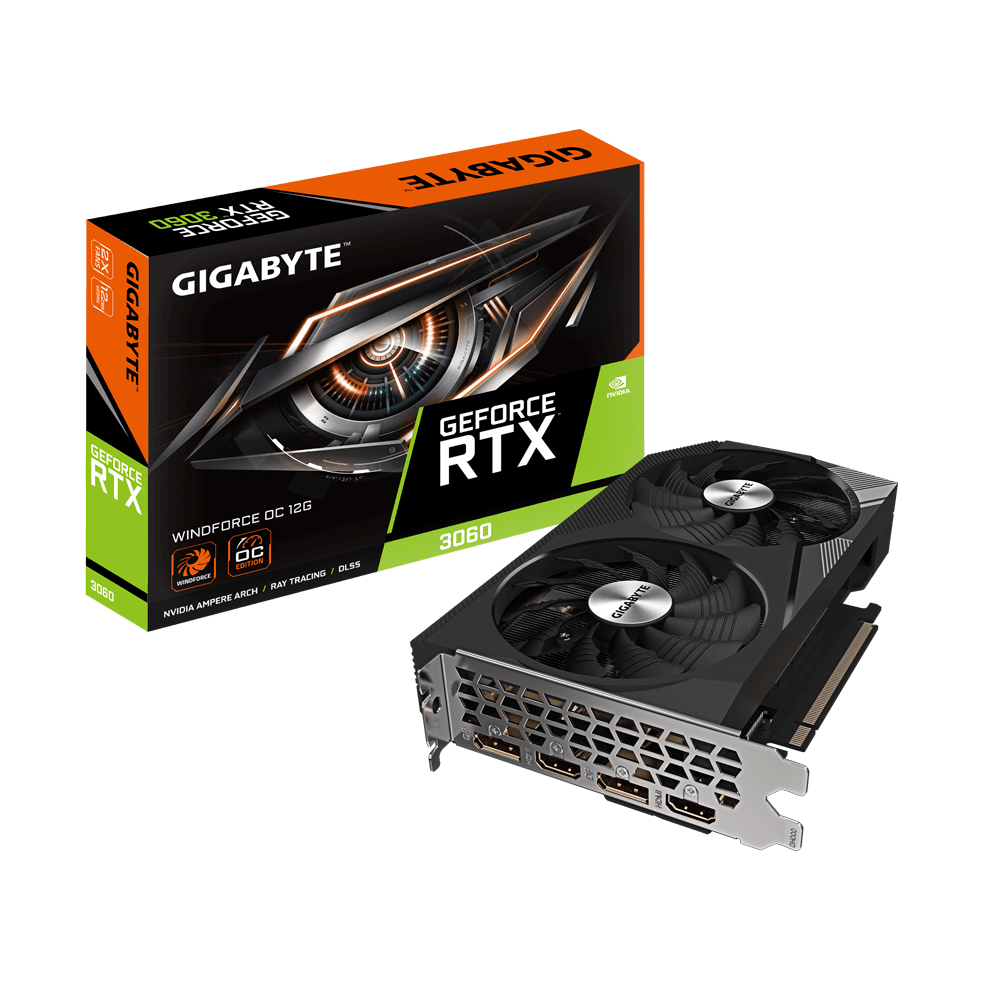
GIGABYTE
Discover AORUS premium graphics cards, ft. WINDFORCE cooling, RGB lighting, PCB protection, and VR friendly features for the best gaming and VR experience!
mossy chasm
Max settings
 analog wraith
anyone have recent experience buying a Founders Edition card in the US? Looks like Best buy or Nvidia website right. Thinking of trying to snag a 4080 SUPER if you have any tips on the process
Haven't tried buying a card since the peak of crypto boom so wasn't sure how bad these launches are stock-wise lol
 fervent jolt
rotund socket
Guys how many fps can give PC in unreal engine 5 latest version? In 4090 rtx (m...
fervent jolt
rotund socket
Guys how many fps can give PC in unreal engine 5 latest version? In 4090 rtx (m...
you will get 7 fps
i'm not saying this is the max you will get, i'm just confident you will be able to get it
 fresh fog
come on, that's at least a 7.5
celest jungle
It could be as low as 0.1 fps too if someone tried hard enough.
plush turret
what is the server equivalent of a 12700k?
like i know server CPU's tend to be geared toward different uses than personal desktop ones
current server unit i have has a Intel Xeon E5-1650 v4
plush turret
mossy chasm
Can i play UE 5 games in 1080p 60fps with https://www.gigabyte.com/Graphics-Card...
i have the MSI version of this, and for the most parts i really have no complaints playing games. it does lack in the development department
GTAV and RDR2 are about the most mainstream "GPU heavy" games i have and neither uses more than about 4gb vram and looks stunning at 1080p
i also have "no one survived" which is really GPU heavy because its a massive asset flip with unreal with zero of the optimizations the original map asset used enabled
that uses about 7gb VRAM
frank glade
How does ue5 handle dpi scaling and high res monitors? Any issues?
frank glade
Ah pretty good then
 stark slate
anyway, I am back to trouble you guys, taking i am done with the deadline will be going back to see what multiplayer crap i can build. My main question is that now i have updated my RAM to 32GB on my laptop that makes
512 on the SSD,
32GB DDR4 2666 Ram
An I7 8750H and a
full 1070 GFX card there is no way I face any bottle necks now in small to medium size projects on my laptop right ?
stark slate
meh, I wanted to make a 2v2 for portfolio purposes, I don't seem to work on deployment yet
fresh fog
who said deployment?
the issue is needing to compile C++ code for a multiplayer game
And you want 32GB RAM for that
analog wraith
That’s almost the exact specs of my laptop (except a 9750H and 1660Ti) and it does surprisingly well for simple UE5 projects, Lyra etc
Initially compiling shaders and large C++ codebase definitely sucks though.
You’re going to fill that 512 GB drive in an instant, I went to a 4 TB lol
These SiliconPower drives are a pretty crazy value, even though they are DRAM-less they are still very fast https://a.co/d/hXYsVGm

Give your system the power of PCIe 4.0 with the budget-friendly UD90. Providing the best bang for your buck, it reaches read speeds up to 5,000MB/s and write speeds up to 4,500MB/s. It also boasts 2x faster data transfer rates than its predecessor, PCIe 3.0, for sustained use and dependable perfo...
Does anyone have a clue what time of day 4080 Supers will drop tomorrow @ Nvidia website or BB?
frank glade
Thats almost my setup, but I have 64gb of ram and 3080 Ti 12gb. No probs with Unreal or ram usage, but vram sometimes runs out
 dawn phoenix
Hi🙂
I'm just taking my first steps in the EU5. I want to use this tool for video production and special effects.
I noticed that not all add-ons are available on macOS in the marketplace. Not all features in UE5 have full support for this platform. MetaHuman is also currently unavailable.
I am currently working on a MacBook Pro 14" M2 Max (12-core CPU, 30-core GPU), 32GB RAM. I am considering switching to M3 Ultra (as it will appear in the middle of the year) for hardware-accelerated ray tracing / mesh shading. And here comes the question macOS vs windows?
I have an expanded ecosystem. I have a lot of applications, UE5 has camera support from the iPad. I know there is an iPhone app for MetaHuman, it would be logical to stay in this system.
There are a lot of voices on the Internet that EU5 supports users who work on this system quite poorly. Windows is better.
That's why I wanted to ask about your experience, ideas. Maybe you yourself had such dilemmas and found a solution. It is always worth listening to the more experienced. Maybe there is someone from UE5 here🤔
dawn phoenix
Eh... it doesn't sound good☹️ I don't feel like buying a PC, but I can see that I will simply be forced to do so.
Thx Laura for finding a moment to share your opinion😉
I test and encounter problems. That's why I decided to ask the more experienced how this mac - UE5 relationship is.
Hahaha I know😉 but if I have to work on it and create, the comfort of work is more important.
It is better to create than to waste time looking for further solutions
dawn phoenix
From your experience, can you tell me what to look for when setting up a PC for UE5? Maybe avoid something? I haven't worked on windows for 15 years so I have shortages 😂
I think about animation, use it for post-production with video - greenbox, etc.
 violet spade
As much VRAM as you can afford, a decent cpu and 64GB + of RAM
 oblique hare
I have an I9-13900KF and 64gb ram, and a freaking 2060 😭
I do have an MSI Z790I motherboard though 👌
plush turret
While i know pluging into the MB is a bad idea with a gpu, the TV (42" 720p tv) im pluging in will only be displaying VLC is there an issue with this?
Yes i know gpu better, but its hdmi port is already in use and i dont have the budget for a decent dp>hdmi cable atm
opaque pond
violet spade
2060 is sadly not enough for some parts of the engine
not enough?
 distant cosmos
it is definitely stretching it sadly
opaque pond
distant cosmos
it is definitely stretching it sadly
its fine
distant cosmos
opaque pond
its fine
I also have a 2070 though, so I understand, but if it isn't a bigger scale it should be okay.
devout pendant
In case I move to EU. 50hz vs 60hz, is this a problem for computers?
opaque pond
devout pendant
In case I move to EU. 50hz vs 60hz, is this a problem for computers?
most psus can do both but check just in case
violet spade
opaque pond
not enough?
It’s fine for some parts of the engine. But try using a Niagara 3D FLIP for example and you’ll feel the pain
violet spade
violet spade
2060 is sadly not enough for some parts of the engine
I phrased it this way specifically to avoid pointless rhetoric lol
little granite
Anyone know a good brand of screen protector for a huion kamvas 16?
 fallen bough
I have no idea how can I detect if a motherboard is good or not
any recommendatations?
I want something with 4 ram slots and 3+ ssd/nvme slots
violet spade
fallen bough
I have no idea how can I detect if a motherboard is good or not
If you’re talking about buying one, pcpartpicker.com helped a lot with compatibility checks and all
opaque pond
fallen bough
any recommendatations?
socket?
celest jungle
lmao coerced by a fanboy... fanboys are the worst.
 mighty cosmos
On one of our machines with an Asus MB we had an issue where the 2nd GPU was drastically slower and we found out that it was using half of the PCI lanes it was supposed to... switched a MB to another one and everything was fine
Asrock has been my go to brand for MBs
Never had issues with any of their stuff

median marsh
mighty cosmos
On one of our machines with an Asus MB we had an issue where the 2nd GPU was dra...
???
best you get on consumer grade is 2x x8 for gpu
mighty cosmos
median marsh
best you get on consumer grade is 2x x8 for gpu
yes, but one was running 4x
median marsh
and at least Asus documents in the manual how the pci ex slot's are connected (cpu/chipset)
mighty cosmos
switched MBs and it was 2x 8x
median marsh
luck, unless you specifically looked for mainboards which support that
mighty cosmos
median marsh
luck, unless you specifically looked for mainboards which support that
our other dozen machines use different MBs and asus one was only one with this issue
We now actively avoid Asus MBs
median marsh
wouldn't be a problem if you would read the manual tho 😛
eventually it was even possible on the Asus Board 🤷
mighty cosmos
median marsh
wouldn't be a problem if you would read the manual tho 😛
we did, we spent a week troubleshooting this and in the end just replaced the MB
median marsh
well, i know that it sucks for consumers... there's probably less of 1% aware of the fact of how the pci ex lane stuff works
mighty cosmos
median marsh
well, i know that it sucks for consumers... there's probably less of 1% aware of...
I mean I know how lanes work and I know it was supposed to work according to their manual but it didn't
Every single other MB had 0 issues and we haven't done anything special for them
median marsh
ok, if it was supposed to work according to the manual, then it sucks
but often enough i've seen boards where the 2nd pci x16 slot is hooked to the chipset
and just an x16 slot for mechanical compatibility
mighty cosmos
we tried removing NVMEs, different obscure bios settings, nothing
New MB, all issues went away
welp, that's a pain lol
median marsh
there's no way that you get 2x pci x8 and an nvme afaik nvm should work, 2x 8 + 4 = 20 😄
mighty cosmos
median marsh
~~there's no way that you get 2x pci x8 and an nvme afaik~~ nvm should work, 2x ...
was about to throw "AcTuALLy" at you 😆
mighty cosmos
I'm not looking forward to upgrading, it's why I'm still on my 5950x
Will upgrade when new AMD cpus are out but I'm not looking forward to it
DDR5 has serious degradation issues
On our systems that are running 24/7 we have to tweak the voltages pretty much every month because the sticks and the memory controllers are degrading
It's basically every single system we have
violet spade
I think when I was as researching I used some jayz2cents build guide and modified it from there based on my needs
my MSI mobo’s been good to me so far
mighty cosmos
tho the systems we have are literally running in worst possible scenario, 24/7, no downtime
it probably wouldn't happen with normal use
mighty cosmos
honestly not sure, I only have experience with DDR5 on these systems we are abusing pretty badly
If this will happen with normal use I have no clue
mighty cosmos
violet spade
Shouldn’t you have some redundancies?
it's a bit weird when it happens, it starts with random program crashes until it gets to full systems restarts out of nowehere and BSODs
violet spade
mighty cosmos
it's a bit weird when it happens, it starts with random program crashes until it...
Sure it’s not just Unreal Engine memory leaks draining it? 😀
mighty cosmos
violet spade
Sure it’s not just Unreal Engine memory leaks draining it? 😀
it's not UE 😅
haha sorry 😆
 serene dome
Mismatched memory kits?
mighty cosmos
pretty sure it's just stock speeds (and xmp)
little granite
@restive junco got the 16 inch 2.5k, works great. Is it worth getting the huion screen protector too?
restive junco
little granite
<@84656708814659584> got the 16 inch 2.5k, works great. Is it worth getting the ...
if it's the etched glass display, then no don't get the protector, but if it's plastic one, then maybe? I dunno
little granite
restive junco
if it's the etched glass display, then no don't get the protector, but if it's p...
Screen FinishAnti-glare Etched Glass
so im good, especially since im using the felt tips
thank you again for all your help
restive junco
np
plush turret
do more displays cause any major uptick in resource usage? all would be 1080p or lower
plush turret
1 into mb 2 into 3060
pretty much all 3's setup

2 of them are TV's so idk how that will affect how much resource they drag
24 inch 720p 75hz (primary)
16 inch and 1080p 60hz
42 inch 1080p
idk refresh of the 42 inch, its an old smart tv
 vocal zealot
Which motherboard you got?
violet spade
Who uses SD cards anymore tho 😛
Oh I’m not defending Asus make no mistake 😀
My Asus monitor needs to be fully unplugged for 30s if I leave it running for too long and Windows puts it to sleep. From what I’ve read, the capacitors get overfilled so you need to manually drain them or something like that lol
Good monitor otherwise but yeah
frank glade
violet spade
Who uses SD cards anymore tho 😛
Photographers, but full size cards
celest jungle
www.asus.cops/😱
devout pendant
vocal zealot
Got any recommendation on a motherboard brand?
Gigabyte, msi
fresh fog
Do be warned about gigabyte if you're planning on overclocking though.
I run an Aorus Elite, and it's great, though I've heard it's VRM's aren't so great.
Not a board I would consider overclocking on, but for day to day regular use it's a great value. Though I can't personally speak for the latest chipsets.
MSI always seem to be solid.
 reef quartz
Generic question: if you were to recommend a pre built PC to someone for work in Unreal engine 5 games dev which would you recommend and why
fresh fog
I personally wouldn't. For the specs you'd want to fully utilise the engine, you get astronomical upcharges on prebuilt systems
Yeah, and still quite a large upcharge compared to self building
 forest jay
Hey what channel should I direct a question about unreal install issues? I had my versions of unreal on an external HD I ran off of but when I clean swiped my pc and reinstalled epic launcher it can’t locate the versions I have on my external 😏
And same thing w my games I had on the external. I want my epic launcher to point to the external but it’s not for some reason…
forest jay
Ahh ok damn so I should prolly just delete the old installs on my external and reinstall right ?
Thank you for confirming !
Already was starting on that path of reinstalls and deleting but just wanted to be sure
Also it’d be a huge ui improvement if games and unreal in epic launcher had a different name for storage than library I can’t say how many times I’ve clicked on my games library when I meant to click my unreal library
It kills me everytime. I think Sweeney just tossed money into the wind for so many years and no one ironed anything out design wise
 vestal tundra
I turned the game part off because I never use epic launcher for games
 fallen oasis
You can turn off parts?
forest jay
Yea you can turn it off but that’s also a bad design solution
I think I found a use case for a cooler for my gpu. I’m trying to not get divorced with an airplane pc build since my office is shared w my wife. And I wanna make the thing quiet as heck. Hybrid gpus all in one would be the solution or like a Corsair icue link xg3 rgb hybrid gpu water block 💦💪
Am I rite ?
mighty cosmos
tbf I don't have any limits and I can't hear it either, it's silent even when it's being maxed out
You using the founders edition?
Mine is fully silent until it starts pulling 420-450W and then you can hear something
And basically doesn't happen while gaming, using UE, etc...
there is basically like 5% perf difference between 450W and 300W limit lol
if even that much
 worthy kernel
Hey guys, building a new PC for motion graphics and 3D modeling and UE5 etc.
What CPU/GPU would you guys recommend?
I've a budget of 6k euros
I've been eyeing up those two CPU's indeed but not sure if I should go with AMD or Intel on this one.
I do want to play some videogames on it occasionally too
Threadripper might be overkill, I cba dealing with all that cooling it needs, those things run hella hot
Do they compare it to the AMD?
Solid, tnx Laura
Always very helpful, I appreciate you 😄
I'm gonna give that link a quick read
Intel seems to be the clear winner in (almost) all of those benchmarks, I'm quite surprised to see that
With a much lower TDP aswell 😮
What CPU do you use? I'm reading that the 14900K struggles with proper cooling aswell :/ People are making custom loops for it. I guess I could do that but it's alot of extra effort 😄
That's an excellent cooler, I'm using a similiar for my Threadripper 3970x in my server build. What temps are you getting on idle/full load?
ah kk
Solid temps, and from what I'm reading the 13900k isn't that different from the 14900k
Oh I thought that’s the only way of doing it?
Or are you doing it via other software?
Aaaah
Ty
That’s how it be sometimes 😛
I think the i3900k/4900k’s are the best CPUs to buy for this type of workload (excluding threadrippers etc) would you agree?
If so then I’m gonna go ahead and grab me one of the two
Hmmmm I see
So if you had to redo it would you still opt for the 4900k or the 7950x?
(Sorry for asking redundant questions) 😂
Yeah that’s what I meant mn
Mb*
I’m in the process of learning cpp, you’ve helped me there too quite a bit
Okay so you’re saying you would opt for the 7950x if you could redo it right?
ah right! gotcha
plush turret
trying to build my dad a new desktop. his needs are almost exclusively emails, printing, surfing 3 decades of photos, and occasionally watching movies (he refuses to get a laptop for whatever reason)
was thinking an i3/i5, and a 2tb sata SSD (NVMe seems more costly for 2tb), a simple MB, and probably a 350w PSu
cheap cpu cooler, and a lower end mid size tower
fresh fog
For a budget pricepoint I'd also consider something like a Ryzen 2200G or 3200G
Those should also come with competent coolers
MicroATX board, and a case to match
plush turret
yeah not needing anything too custom and pricepoint is like up to $700
main thing is large and relaible storage, win11 compatible, and with wifi ability (prefer built into the board vs a dongle)
median marsh
Lenovo ThinkCentre barebone
you get those refurbished for ~$200, then add a larger SSD and you are good to go
there's probably even vesa mount adapters to mount it on the back of the screen
fresh fog
for just doing the above you can get dell optiplex machines refurbished for quite cheap and they're really really solid machines
median marsh
or buy a new one, they start around $500 bucks + 2TB SSD then you are still within budget
fresh fog
for a dell prebuilt they're surprisingly expandable too
median marsh
fresh fog
for just doing the above you can get dell optiplex machines refurbished for quit...
seems like they are kinda the same 😄
fresh fog
though a 3200G machine with built in wifi will set you back around 400-500 bucks and will be a really solid rig for a lot of things. Even entry level gaming, the APU's in them are extremely capable.
frank glade
https://www.youtube.com/shorts/KOgYCeMMpuc damn that is pretty cool

MNT Reform open hardware laptop: https://mntre.com
Full video: https://www.youtube.com/watch?v=_DA0Jr4WH-4
The MNT Reform in this video was provided by MNT, and I am not keeping it, nor did they have any input into the content of this short.
Support me on Patreon: https://www.patreon.com/geerlingguy
Sponsor me on GitHub: https://github.com/sp...
plush turret
is there a good program for searching for duplicate files on a drive/folder?
ive had this 4tb external for years now and its filled with all sorts of backups
just wanna have it comb through and find files that are doubles in the like 3.8tb of used space
plush turret
frank glade
https://www.youtube.com/shorts/KOgYCeMMpuc damn that is pretty cool
i can hear my wallet crying just watching
plush turret
whats the best option for an 8tb disk? no way is an 8tb SSD in our price range, but looking for reliability, its going to be plugged into a tv/pc and loaded up with a LOT of media
we have a 2TB currently thats not big enough, its lasted 8 years (and its a seagate)
almost exclusively visual and audio media
 hollow mist
https://www.backblaze.com/blog/backblaze-drive-stats-for-q3-2023/ some stats if you want to pick based on that
 naive cloak
has anyone tried to use UE5 with all the advanced features such as Lumen etc. on the built in Intel® UHD Graphics 770 GPU?
😭
ok, Thank you for the info.
violet spade
Download a better potato
plush turret
plush turret
is there a good program for searching for duplicate files on a drive/folder?
any ideas for this? cant be the only one thats wanted this? only ones i can find are "wondershare" grade and reek of malware
median marsh
code one yourself :>
plush turret
my code skills break things... why i partner with coders using my writing and marketing skills
violet spade
Partner with a coder to make one
 serene scaffold
or code a marketer
violet spade
Code a coder that codes it for you
hollow mist
plush turret
any ideas for this? cant be the only one thats wanted this? only ones i can find...
dump them to btrfs and hope deduplication and/or compression does magic for you 😀 https://btrfs.readthedocs.io/en/latest/Deduplication.html
Copying them out might be trouble as the uncompressed size could be much larger
 solid scaffold
Hi guys, is the RTX 4060 ti card good for Unreal Engine, how important is vram ? also does having vram help with handling alembic files and grooms in unreal?
frank glade
get at least 16gb of vram
plush turret
hollow mist
dump them to btrfs and hope deduplication and/or compression does magic for you ...
I dont have a drive currently big enough to copy all my files too, let alone actually zip... assuming you can make a 6.8TB zip file in the first place

 untold notch
Hi, I'm seeking for tips on the most important specs to create a game on unreal engine, learning/using blender, and using my DAW (studio one, with virtual instruments needing a lot of RAM). At the moment, I'm looking to build a pc with a budget mindset, like buying the maximum of second hand parts. The first goal is not to play game with it but learning to create games. Obviously, with a budget mindset, it will not possible to buy the latest best consumer multicore CPU, like a ryzen 7950 😉 So after digging the web it seems there are some different paths : building upon two dual xeon (like two 2697 v3) , building on an 5600, building on a 3950. What are your advices ?
ok so minimum 2Tb SSD for the main OS drive ? I read that unreal is more stable when everything is on the C/ drive ? As for the VRAM, 12 or 16Gb is a must in the editor ?
Great, thanks for your feedback ! Is Arc 770 a great opportunity in that case ? I know there are sometimes drivers troubles but it seems that Intel is constantly updating it ?
fresh fog
Check the pins for a good entry level build
Ooh did I miss that criteria
But yeah, that's a very good point
untold notch
fresh fog
Check the pins for a good entry level build
sorry i don't understand, what do you mean by checking the pins ? (I'm sorry, english is not my first language)
fresh fog
The little 📌 icon in the channel. Laura did make a good point if you're considering used parts though.
Otherwise, it's a pretty decent build if you don't want the absolute maximum.
Of course you can get away with under those specs, but you end up making sacrifices
untold notch
Oh great, thanks ! I'll check that 😊
naive cloak
will Intel release normal core CPU such as Intel Core i9-10980XE? it has 18 cores
I dont like the P core and E core
NO
I dont understand why we need that architecture...
yes but ARM CPUs designed for it, they are used for different tasks
people who want efficient CPU can buy other models, they should release high performance CPU with 18 (or more) P cores only
I dont trust AMD
because they manufacture CPUs, they create efficient CPU, low end CPU so why they dont create high end CPU?
afaik Xeon is better for server workloads
I have Xeon CPU in this PC, X5690 😳
another questionable thing they do is the 13 vs 14 series CPU, its basically the same CPU, is it because the manufacturing process is different?
ah and I forgot to yesterday, Intel Arc A770 16GB GPU will run UE5 with all the features?
Intel Arc A770 is at least 100$ cheaper than 4060...
I dont like AMD
violet spade
Look I love me some Intel CPUs but ARC is a waste of silicone wafer right now
frank glade
guys! my pc started restarting when something graphically intensive starts (99% reproducible) - running a game or just working in 3dsmax after a while. faulty gpu or psu?
median marsh
could also be a faulty mb which isn't able to keep up voltage with higher demand
frank glade
the oldest part is the psu, but it's a corsair sf750, while the mb is bought last year
median marsh
BM just said that they have some systems with DDR5 where they had to increase memory voltage to keep them stable
eventually there's even something in the system logs 🤷 and afaik windows now tends to reboot instead of showing bluescreens on every crash?! and i think there was an option to turn on bluescreens again
frank glade
I did get some bluescreens but I couldn't find any trace of them in the logs
frank glade
But usually there's a sudden reboot (or shutdown)
median marsh
run a stress test on CPU/GPU standalone to kind of exclude those maybe?
 frosty rapids
Hey guys, does path tracing work/run on an AMD 7800 XT?
opaque pond
frosty rapids
Hey guys, does path tracing work/run on an AMD 7800 XT?
yes it works on my 6600
frosty rapids
weird somehow I had the idea that amd didn't have the tech in its gpus to run it
thanks!
frosty rapids
opaque pond
yes it works on my 6600
do you know if there's any key advantages to nvidea in unreal specifically? I'm considering a 7800 XT, never had a amd gpu in my pc, expect for a 6600S on my laptop.
opaque pond
better perf
opaque pond
frosty rapids
weird somehow I had the idea that amd didn't have the tech in its gpus to run it
yes since the 6000 series have dedicated RT cores
even the rx 6300
frosty rapids
ok cool. and how come it had better pref?
opaque pond
even the iGPUs for the 6800u , 7735u
even i think the amd gpus on the most recent samsung phones have RT cores
frosty rapids
ye that's my objective. I'll be switching from a 3070
devout pendant
what casues this? Sometimes, at the morning, my computer is unable to connect to the local 5G. It only works after I reboot the ISP's modem.
violet spade
devout pendant
what casues this? Sometimes, at the morning, my computer is unable to connect to...
🤷♂️ contact your ISP?
devout pendant
somebody told me that it's related to the 5G channels
violet spade
devout pendant
somebody told me that it's related to the 5G channels
Could be. Afaik the 5G band is narrower and might not be as strong at penetrating through your walls. Easy to find out by switching to 2.4 if you have that option or just do what us pros do and hook yourself directly into the Ethernet
In either scenario if you need to use wifi you might need boosters
 wind egret
5g cellular on a modem sounds snazzy
violet spade
What third world country was that? 🙂
forest jay
I remember ppl saying coolers are useless but I’m trying to make my machine silent like a ninja 🥷 instead of an airplane since I share my office space. anyone heard any good results w this keeping gpu fans quieter ? https://www.corsair.com/us/en/explorer/diy-builder/custom-cooling/corsair-icue-link-xg3-rgb-hybrid-gpu-water-block-everything-you-need-to-know/
GPU water cooling has finally had the iCUE LINK treatment. Here's what you need to know
If they still made hybrids I would go that route but seems this one gives more options on different gpu possibilities, no?
frank glade
Custom loop sounds way too complex, there's plenty of options of single slot gpus with aios (4080s and 4090s i think)
mighty cosmos
Not only FE but almost all variants of the 4090 have oversized coolers and run quietly
I can play some less demanding games without the fan even turning on at any point
untold notch
Hi, I can get a Radeon VII Pro new for 300 €, is it great on unreal ? It’s the pro version, the blue one
violet spade
Oh well if it’s the pro version… 🙃
I didn’t even know they still made Radeons, I haven’t touched that stuff for over a decade
frank glade
They're actually great on paper, much cheaper than rtx ada, ton of vram. W6800 32gb for relatively cheap, w7800 and w7900 for much more
frank glade
I mean not that good of a performance for UE and other workloads
fresh fog
How much does memory bandwidth actually matter.
Since downloading 5.3 I've been feeling the limits of my poor 16GB, especially in compilation times. I was thinking of just another 2x8GB kit which would take me up to 4x8GB.
How much realistically would it matter to just start fresh from 2x16GB
Well yeah, I know that, that's why I was asking about the upgrade options from 16GB
And how much, realistically will the no gain on memory bandwidth affect me
I'm not asking about quad channel vs dual channel though
My board is dual channel. With 4 sticks, I'm not gaining any benefit in memory bandwidth, and want to know how realistically that will affect my performance with the editor
I didn't think it would be that big of a deal to be honest.
But yeah, I definitely need amount
Hell I really should be going for 64GB with my CPU.
But 32GB gives me a little more room to play with.
I probably wouldn't go all out without upgrading the rest of it.
Though by the same token, the Ryzen 5 2600 is fairly capable. I don't suppose a 3060 12GB and 64GB RAM would be a bad thing
damn.
I know the third gen ryzens were a huge jump.
Stopped really keeping up after that, not going to lie
vocal zealot
Im looking for a quest2
I got an opportunity for a cheap one but its 64gb, does it change something for ue5 apk constant build?
I will use it only for my apk game file
Ah i thought it was the good channel sry Laura
I know, you sound savvy in this server so I'll follow your advices the other time i was asking hardware questions in virtual reality and you directed me here
Guess im still confused a little bit🤣
Aahhhh thats what I thought just want to follow the rules..haha
_
About your nvme raid 0 im thinking about it now for my pc built (windows os + ue5)
Backup files would be done on another ssd
Is the gain really worth it youtube is no help some say yes other no
So i go with evo pro or wd black? Got any preference?
untold notch
violet spade
I didn’t even know they still made Radeons, I haven’t touched that stuff for ove...
Ok so you also don't recommend it ?
violet spade
untold notch
Ok so you also don't recommend it ?
Laura is the expert here but yeah there are better options
naive cloak
is it true that Asus quality is not what it used to be (very bad now)?
violet spade
Little incentive when they’ve established a brand and people are still buying their products
fresh fog
Asus were known for quality?
I've always known them as a slightly underperfoming brand that gets by by gamer-izing everything
fresh fog
Oh yeah, no doubt they were known
violet spade
fresh fog
I've always known them as a slightly underperfoming brand that gets by by gamer-...
Basically Logitech. Unless you’re paying top dollar you’re getting average product
median marsh
naive cloak
is it true that Asus quality is not what it used to be (very bad now)?
i had an asus 1660 and now an asus board for my ryzen 5xxx, can't complain
also had a lot of asus products before in the company and at home and everything was flawless from what i can tell
yea, logitech sucks now... their mices <$50 are just products which are designed to only last few years
naive cloak
fresh fog
I've always known them as a slightly underperfoming brand that gets by by gamer-...
when Amazon game used to burn 4090 GPUs (iirc), Asus cards were not affected because they "over spec" them with high quality components
but then they also released top tier MB that had some components soldered backwards, also they have bad BIOS and they dont provide warranty for updating BIOS 😭
I found a lot of bad reviews on Amazon, JayzTwoCents said he will not work with Asus again, its seems like it all started after the plandemic
panic.
frank glade
median marsh
i had an asus 1660 and now an asus board for my ryzen 5xxx, can't complain
I have an Asus motherboard too and it's good, however their software sucks (like armoury crate)
timber cobalt
Hey Laura, I believe you linked a page about methods to declutter Windows 11 to make it look and behave like 10, what was it?
was it that one ? https://www.startallback.com/
StartAllBack restores taskbar, start menu, context menus, explorer, sanity, style and order!
does it work nicely along with updates, or is it have to be updated/reinstall time to time?
yeah, methods was not a good word for that
that is cool of him/her
thanks, that is promising
"it will still work, but in limited mode: Start Menu will be blank and sad"
we can't have the start menu sad
amazing
yeah :D
that 5-9 usd for a lifetime license is more than reasonable
timber cobalt
I will check that after reinstall, thanks!
now I just have to gather energy and reinstall the system and everything work related :sigh:
I think I changed the hardware under that system 2 times (full cpu/mobo) and I would change the system ssd for a bigger one. So no real reason, but a fresh start could be good idea now.
amd was before/after, so it worked out well fortunately
and work is a bit relaxed now, so I can spend a day with that
otherwise I would postpone it until 2025 again as I know myself
and I can play some games meanwhile on my laptop and I call it productivity
naive cloak
every time they release new Windows and ruin the UI with unwanted changes 🤦♂️ block telemetry while you are at it...
devout pendant
Help
I got a new pc and a new display
These are the only 2 connectors that came with it, an Hdmi on both ends, and the other thing
I do
Whats the gpu? The pc is pre built
Didnt see it
Thanks 😄
naive cloak
if its pre built by third party you should run stress test and also check temperatures in case they forgot to put thermal paste, also check if case fans are spinning or have led to make sure they connected them...
fresh fog
If your third party builder forgot thermal paste you've got bigger issues
You could just, you know, use the computer and see if it works
naive cloak
yes but it may shorten components life... and components nowadays not so good to begin with
at least it seems like it
plush turret
any known issues with this? https://www.amazon.com/Fantom-Drives-7200RPM-External-Drive/dp/B07MNTYSSK/

GFORCE 3 is a market tested product and is proven for reliability and quality. The Pro version of GFORCE 3 uses 7200RPM hard drives that are generally 33% faster than 5400RPM drives. Using high quality aluminum, the GFORCE 3 does not need a fan and as it doubles at a heat sink. Versatile sleek de...
never heard of the MFG
naive cloak
uses 7200RPM hard drives that are generally 33% faster than 5400RPM drives
🧠
why not Western Digital?
violet spade
Has WD even been relevant since SSDs became mainstream ?
fresh fog
Checkmate

So it's even better 🥳
Ooh I just found a 64TB for £1.01
Definitely real no scam
 winter quail
I have the Burned Forest Biome demo from MWI, when I run it on max settings at 2560x1440 I get around 40-50FPS. I am on 7950X and 4090. Cpu utilisation is around 10% GPU around 20% occasional jumps for a fraction of a second to 40%. Temps are very good, all liquid cooled.
Why is it not pushing for more FPS? 
All vanilla setting
I can switch on gamee mode and it puts half of the cores to sleep
what I find weird is the GPU underutilisation
I was expecting it to cook at 90C fans at max
vsync off, max fps set to 120

It looks like the CPU is not evey trying
In ryzen Master I can see it using like 2 cores at 2.5Ghz and the rest around 800hmz
Is it my fault or just the evironment demo sucks?
Like how do I troubleshoot this?
There is so much stuff on this channel 😄
discord
naive cloak
its probably one of the biggest channels on discord... 🤷♂️
median marsh
a weird question to ask without giving use cases
winter quail
median marsh
a weird question to ask without giving use cases
What do you mean?
mighty cosmos
mighty cosmos
I'm not looking forward to upgrading, it's why I'm still on my 5950x
Will upgrad...
and it just happened again, each time requiring a voltage bump
I mean this is pretty insane, and it's not only one system... it's all of them that are on DDR5 and all of them have different components
all of them stock speeds, some even lower than stock to hopefully help with degradation (just confirmed that)
we are not 100% sure if it's the sticks themselves or the motherboard that's degrading tho
mighty cosmos
mighty cosmos
and it just happened again, each time requiring a voltage bump
I mean this is pr...
it goes something along the lines of
- runs fine for months
- random restarts
- windows api randomly failing
- random application crashes
- corrupted windows files
- bump voltage
- all fine
median marsh
winter quail
What do you mean?
there was another question which got deleted apparently
fresh fog
Inb4 Asus mobo
timber cobalt
ground loop is a bitch
devout pendant
How do I pick ones that wont?
Looking for cheap options
I guess Ill just trust the reviews and cross my fingers.
Thanks
median marsh
get a 2.1 with sub, the sub allows them to squeeze in a bigger power supply which may be better
i'm still rocking an almost 20years old logitech z4 system xD
had to fix the amplifier tho, which broke after 10years or smth
median marsh
3.5mm jack or smth
this seems to have 3 channels tho, so better watchout when you get a new cable
devout pendant
Jack mini jack and micro jack are the options
median marsh
well, measure it
devout pendant
Seems to be a mini jack
fervent jolt
median marsh
i'm still rocking an almost 20years old logitech z4 system xD
Awww ye I still have my Z-5300e system somewhere in a box lol refuse to get rid of it 😂
 rain ember
so my PSU is fucked, 0 outputs, MB was not distributing power good, my ryzen 9 5950X pins fried
minus 800 euro, just tought id share the pain
happy valentines day
6 months old rig, all brand new parts, i won the cheap lotery today
mighty cosmos
Would have to ask because it's like 15 different systems, not sure about the details for each one, all having the same issue tho
Some are running 7950x3d, some 13900k
I know we have a few Asus MBs but it isn't isolated to them, all have the issue
mighty cosmos
Trust me it's not making my inevitable switch to ddr5 for my personal/work pc any easier 😅
I can't find any widespread documented cases of this, so it's likely because of how these systems are running, they are 24/7 under full load


Tom's Hardware
Disappearing XMP/EXPO profiles, absurd capacities (384GB), and crazy memory timings (1-36-104-194).
plush turret
how do i test mine? i went ddr5 out the box
i havent seen any issues with mine so far, other than occasional pixel glitches on a single monitor
plush turret
tbh i like how quiet my rig is, at least until im putting stuff on the disk drives, nearly doubles the volume of the whole thing
analog wraith
mighty cosmos
Would have to ask because it's like 15 different systems, not sure about the det...
How’s the power quality in your building?
Are any of those systems on quality UPS or other power filtering? Never heard of power issues causing RAM issues but it’s all electrons in the end lol
mighty cosmos
analog wraith
Are any of those systems on quality UPS or other power filtering? Never heard of...
Yeah all are on UPSs
We are trying bios updates now to see if it does anything
plush turret
I hit my desk a little too hard, desk not the desktop, and now it seems stuck in boot loop
plush turret
How does it happen? The only light on the mb now only glows red
plush turret
How does the computer break from moderate shake?
Like none of the connections feel loose
violet spade
The housing on my previous SSD broke while I was installing it, because it was super fragile. If the connector wasn’t in the perfect position, it would boot loop/recovery screen. Which included accidentally hitting the tower even a little bit. It was a nightmare
devout pendant
Windows 10
 crimson whale
so
Im PC shopping and
I come across the realiziation that an RTX 3080 > RTX 4060?
was this intentional? Why did I automatically assume that a more recent card would be better? Is there any advantage a 4060 has over a 3080?
how can u 'sell' the idea of a 'newer' card that is worse than its predecessor? so confused rn
crimson whale
one of the specs im looking at says :" Cpu Family apple ci7"
its not a mac though, im confused as to what this means. Its a windows pc w intel processor, but what is this apple cpu family about?
plush turret
Tech support says its possible its the ram...
But how the fk does ram go bad from a minor shake? Thing gets more shaken moving between houses every 2 weeks
rain ember
plush turret
But how the fk does ram go bad from a minor shake? Thing gets more shaken moving...
i think you must be unlucky i put my pc into roller baggage and and traveled with it from Netherlands to Slovakia and the RAMs were just fine
rain ember
plush turret
But how the fk does ram go bad from a minor shake? Thing gets more shaken moving...
i guess its because it was turned off
plush turret
luckily it should still be under warranty
but holy crap how does ram fail
and its not some second brand ram, straight corsair vengeance ddr5
serene dome
plush turret
Tech support says its possible its the ram...
What have you done to troubleshoot the problem?
timber cobalt
What is a recommended nvme ssd brand/type these days?
I read Samsung 980/990 Pro had issues, but I have not followed closely after that.
I have a bunch of 970 Pro with a X570 mobo, would I profit of faster drives?
Fair point!
I was just thinking about some futureproofing
That is sad.
Again, solid point.

 forest meteor
Is this worth 450€ ?
I5 9400f
16gb DDR4 2666mhz
RTX 3050
Water cooled cpu
1TB Kingston SSD
Used only for gaming
Do you think it is a good pc for UE5 beginners
little granite
Can anyone recommend a good screen cover for a huion pro 16 that'll make the surface more paper like? I keep sliding on the glass, even with a felt nib, and its really effecting my fine control
rain ember
forest meteor
Is this worth 450€ ?
I5 9400f
16gb DDR4 2666mhz
RTX 3050
Water cooled cpu
1TB Ki...
my friend has simmiliar setup but he uses it for 2d games in godot
rain ember
forest meteor
Is this worth 450€ ?
I5 9400f
16gb DDR4 2666mhz
RTX 3050
Water cooled cpu
1TB Ki...
if you change the cpu and go DDR5 you have solid setup for UE5
rain ember
fresh fog
Not really, the GPU is quite weak
he is begginer, he will not be building unrecord 2 propably
if you cant tinker around, then yes its finaly product, but changing components is just reading or watching some stuff and you know, if you cant learn how to build PC then there is no point in learning unreal, the curve is much higher
fresh fog
if you're buying a used pc then just buying some new components to go in it, you might as well just buy the pc at that point, you're probably not saving all too much money
a cpu change means a motherboard change, especially for the ram. That could mean a socket change, which might mean a cooler change.
then afterwards you've just got a gpu and some used storage
fresh fog
rain ember
he is begginer, he will not be building unrecord 2 propably
No, but that doesn't make the build "solid"
Even as a beginner those specs can hurt.
See above about the whole "but for that price, you're looking for good value, not overall good"
rain ember
oh yeah the socket is a dealbreaker, going from 4 to 5 means old RAM and cooler and MB is useless
 vague shale
Building a new PC, should I go with RTX 4080 S or RX 7900 XTX ?
 pseudo plinth
Hello, i have a strange issue where ue5.3 is frozen on startup and using 100% of my ram and vram, is anyone familliar whit this issue?
opaque pond
vague shale
Building a new PC, should I go with RTX 4080 S or RX 7900 XTX ?
4080s
vague shale
I'm getting a 1200w 80+ Plat power supply so I should be fine, but I made a bunch of research and maybe CUDA would be better? It will be used mostly to build a massive open world
vague shale
Not that I know I'm basically running in the dark and fixing things along the way.
Part List - AMD Ryzen 9 7900X3D, GeForce RTX 4080 SUPER, Phanteks Enthoo Pro ATX Full Tower
that would be the build right now
vague shale
also playing game but unreal is the priority
vague shale
its just 10$ difference for the 1TB with heatsink, which cooler do you suggest?
There's a nice deal on the 4070, maybe I should just go with that for now ?
vague shale
MSI RTX 4070 VENTUS 2X 12G OC Ventus GeForce RTX 4070 Video Card only for 550$ usd
vague shale
4tb doesn't have heatsink, so my guess is that heatsink isn't worth it on memory?
ah, yeah that make sense, i guess at that point you have to run test, I said memory but I was talking about the SSD my bad.
yeah definitly don't need more
2 drivers is just an old habit when mixing SSD and HD
Part List - AMD Ryzen 9 7900X3D, GeForce RTX 4070, Phanteks Enthoo Pro ATX Full Tower
alright, looks like that now, will go for 128gb ram,
vague shale
7950x3d support 128gb, I read that the 3D is better then the regular one
vague shale
7950x it is then
mighty cosmos
https://www.pcgamer.com/there-are-increased-reports-of-crashing-in-unreal-engine-games-etc-and-epic-is-blaming-intel-chips/
https://www.radgametools.com/oodleintel.htm

pcgamer
Power-hungry, high-clocked CPUs can be a tad unstable if they're not given the right BIOS settings.
RAD Game Tools' web page. RAD makes Bink
Video, the Telemetry Performance Visualization System, and Oodle Data Compression - all popular video game middleware.
 agile lodge

NVIDIA
The NVIDIA app is the easiest way to keep your drivers up to date, discover NVIDIA applications, capture your greatest moments, and configure GPU settings.
 worldly kettle
gross! I don't want to redeem offers, I just want to change my refresh rate
forest jay
Ok folks considering to up the ante and go throw down for a 4090 since tax returns are seeming more promising than I’d thought. Looking at some water cooled options msi suprim liquid x GeForce rtx 4090 or gigabyte aorus GeForce rtx 4090 any initial thoughts w either of these compared to other options out there ?
forest jay
FE cooler is standard on other typical 4090 models I’m assuming is what you’re saying right ?
Ok so then I can likely abort this thought on extra gpu cooler then
mighty cosmos
forest jay
Ok so then I can likely abort this thought on extra gpu cooler then
you can't go wrong with pretty much any 4090 (or at least the popular models or FE), all of them have oversized coolers
forest jay
Ok so now I gotta dive into FE any highly sought after ones I should prioritize checking out ?
forest jay
What’s a competitive model non 4090 FE then ? Just to compare 😀
forest jay
And is it true the FE has coil whine? I’d imagine it wouldn’t if it’s 🔝 🔝 and I’m trying to avoid that for sure 🙏
devout pendant
Apparently automatically my Microsoft Defender has been replaced by Norton 360.
Microsoft Defender is uninstalled somehow.
Should I keep the Norton, or uninstall it and install Microsoft Defender?
 plush turret
anything thats regularly packaged with questionable software usually is
especially when the software installing it tries and tricks you into saying yes
forest jay
anyone know if I can utilize say a manufactures warranty when I buy a part off a 3rd party like say Amazon for instance ?
violet spade
And also if the mfr offers warranty for products sold through that vendor. That stuff should be in the item’s description though
plush turret
was the case in any way left off for a prolonged period where dust might build up?
i know when i power up my secondary desktop once in a blue moon it gives the same smell and the air quality meter i have reads what you would expect from burning dust
 cobalt kindle
Good day/eve! 🪻🫶
My guardian will be funding me for a good long-term substantially future-proof laptop, for my
pursuit of learning game development|3d-rendering, also to bring to college for Computer Science &
💪('ω'💪) game-making competitions (if ever courage strikes😶🌫️). Been trying my best to research for a good value laptop and found one that seemed promising!
🐥✨
Please help me with thy well-versed knowledge, older siblings of the UE5 dev community
Is this an okay laptop for my goals?
MSI Stealth 17 Studio
It has :
Hard disk size -> 1 TB
Processor -> i9-13900H
Computer memory -> 32 GB DDR5
(I still dont know much about what "DDR5" is Help me Earth I hope it's not too significant🙉)
Graphics -> RTX 4080
Screen -> 17.3 inches
(Toned-down emojis edition >•<)
Omaigad the emojis were smaller in reddit 😶🌫️ shesh dem colors Sorry if the styling's too intrusive T^T
frank glade
That looks ok 👌 but get a bigger ssd 💁 like at least 2 tb 2️⃣
cobalt kindle
frank glade
That looks ok 👌 but get a bigger ssd 💁 like at least 2 tb 2️⃣
Ooo! Okioki 🤗 THANKS SO MUCHH!!
I feel less worried
its so intimdating researching so many terms and seeing so many different takes 😭
O! Btw may i know insight on the significance of a bigger ssd size? So that i may know more about its importance 🌻!
😭I JUST REALIZED YOU MATCHED MY ENERGY WID THE EMOJIS THERE AHHSHS 😶🌫️🐥
violet spade
what the hell there's so many emojis, what happened here?
cobalt kindle
😭MY CHATTING HABITS ARE EXPLORING THE INTERNET ✨HAHAHSH
cobalt kindle
Owhp 😶🌫 definitely
Thanks for the headsup!
Owemji Spotted the term 'excessive'
Thanks for the gentle nudge V-V <3
cobalt kindle
Ohh :0
May I know what amount i should go for instead?
I see >< Thanks so much for the help! <3
plush turret
why not get that, but in a laptop that lets them change the ram out?
only one of my laptops -and all were cheap as sin- didnt let you change out the RAM.
the one that didnt was a chromebook
wild
why?
tbh never really got the crazy drive towards being ultra thin
like i get being lighter than the 00's laptops which were bricks, but damn those things could take a beating. I have an old school 8 inch clamshell laptop from some random company, thing is almost as old as I am and it has survived multiple 2 story drops
half the laptops ive seen break if it slides off your chair or you simply hold it wrong
fallen oasis
If you can upgrade your current system, why do you need to buy a new one?
Will read the rest of the discussion before replying one day
naive cloak
there is Framework Laptop but when you think about it, its not worth it...
The Framework Laptop 13 has an extremely modular design that gives you full control. Order the DIY Edition and build it yourself, or choose pre-built to have a system ready to go out of the box. Replace any part, upgrade key components, and customize like never before.
also manufacturers probably know that the number of users who will upgrade RAM is like 5% so they prefer to remove that option and get higher profit margin
forest jay
W my upcoming purchases; 4090 and most likely a cooler attached would i want a 1000w instead of 850 for power from prior build ? 🙌
 plush turret
forest jay
W my upcoming purchases; 4090 and most likely a cooler attached would i want a 1...
plush turret
forest jay
W my upcoming purchases; 4090 and most likely a cooler attached would i want a 1...
if your wanting better efficiency yeas, as the best power efficiency from PSU's is roughly middle of the curve but yeah you could get by with the 850 assuming your willing to do some power limiting setup
forest jay
Ok got it that makes sense I’d figured I would get by w it but wasn’t sure if it’d slow my machine burn something out faster er what
plush turret
nah you should be fine with an 850, id say poke around at volt limiting things just for safe
i have a 1kw PSU atm and its below efficiency rating because even allowed max it doesnt come close to 1kw
beware corsairs 1kw PSU i tried 2 and both had issues
1 threw a capacitor early in, and the other came physically damaged
forest jay
Im giving it to a shop to build lol id strip a screw. Im going w nox hummer gold 850
And crucial ram 96 ddr5 kinda afraid of some friends that had bad 980 Samsung HD issues but I think it’s a firmware thing so thinking to roll w 990
 forest jay
Would running w the 850 be louder in comparison?
Im trying to make my machine super quiet as possible
Got my eyes on a gigabyte aorus 4090 waterforce
forest jay
🙌
plush turret
all i can comment on is what i have and what ive messed with
forest jay
Word I appreciate all input😀 everyone has their own unique situation so all are important to consider
plush turret
im in one of those "if its loud it must be chugging down loads of power" households
the fact the desktop running RDR2 at max sounds like my last HP slim from best buy in idle it passes the old guy test
but im probably not your average user as i still regularly use dvd's and floppy disks for my works
plush turret
plush turret
what is this connector called?
that and this are compatible right?
 fervent jolt
Molex has pretty simple male/female plugs... i've never seen a female one that looks like exactly that with the long sides coming out of it
weird long sides aside, both your photos (appear to) have female molex
so purely in a will they plug into each other way, no, not compatible
@plush turret
plush turret
plush turret
what is this connector called?
looks like these are stackable
like they were designed as flow through
the "weird sides" seem to be MSI's method of disconnecting the molex
fervent jolt
yeah might just be grips or whatever
plush turret
when you squeeze they push 2 tabs forward
like to dislodge the thing attached
now onto the next hardware issue, ancient joystick
i have the first MS sidewinder joystick but no game recognizes it
microsoft sidewinder x05-92626
apparently its from windows 98 era
fervent jolt
if it's not USB i think it either goes in a display case or the landfill
fervent jolt
not even winblows?
plush turret
nope
normally i get a bing when i plug it in
volt meter says theres a closed circuit
fallen oasis
It's a 4 pin molex connector. Never mind.
plush turret
fallen oasis
~~It's a 4 pin molex connector.~~ Never mind.
is there any issue with using molex for LED?
i didnt know it was an option really
id have expected something to use the SATA power connectors
fallen oasis
Why?
plush turret
more because of the power requirement levels
id have expected drives and strips to use roughly the same power
fallen oasis
Being high? Low?
plush turret
low LEDs are pretty low on power draw
fallen oasis
It's not like sata power connectors are any different. You can get molex to sata converters.
fallen oasis
 plush turret
is there likely any issues with using magnetic led strips like that?
i know sensitive electronics dont like magnets in general but im assuming these are low power enough
fallen oasis
Other than a chronic case of "try hard", not really?
plush turret
what you mean try hard?
fallen oasis
I highly disapprove of random led lights and think it's a complete waste of time.
plush turret
yeah, 100% these are the magpie section of my brain
nothing else in my rig lights up (aside from the MB diagnostic led)
fallen oasis
I have lights on my AIO cooler. The only reason I half like this is because my case shows sign of activity when it's turned on.
I can't see the normal leds. Just the glow through the case vents.
fervent jolt
i would not expect a magnetic led strip to cause any risk unless you literally wrapped a drive in it. just "keep it a bit away" from stuff
timber cobalt
I would mentioned there is a pretty strong magnet in every HDD
forest jay
Here’s my current setup I was advised I should go with i9 13900 cpu and up it to 128 ram instead w this build are they right or unnecessary?
Nox Hummer ZX - NXHUMMERZX - Semitorre ATX - micro ATX, ventana lateral transparente, incluye 3 ventiladores 120mm, espacio para hasta 5 ventiladores, opción para refrigeración liquida, color negro
ASUS TUF GAMING Z790-PLUS WIFI 6E - Placa base Intel Z790 LGA 1700 ATX (PCIe 5.0, cuatro M.2, 16+1 DrMOS, DDR5, 2.5Gb Ethernet, USB 3.2 Gen 2x2 Tipo C, Thunderbolt (USB4), Aura Sync, AEMP II)
Intel® Core™ i7-13700K, procesador para equipos de sobremesa, 16 núcleos (8 P-core + 8 E-cores) 30 MB de caché, hasta 5,4 GHz
SAMSUNG SSD Memoria Interno 990 Pro 2TB NVME
NOX Hummer X 1000W 80 Plus Gold -NXHUMMERX1000WGD
GIGABYTE AORUS GeForce RTX 4090 XTREME WATERFORCE 24GB Targeta gráfica - 24GB GDDR6X, WATERFORCE cooler, Metal back plate, 360mm radiator,DP 1.4, HDMI 2.1a, NVIDIA DLSS 3, GV-N4090EAORUSX W-24GD
Crucial Pro RAM DDR5 96GB Kit (2x48GB) 5600MHz, Intel XMP 3.0, Memoria RAM de Escritorio - CP2K48G56C46U5
forest jay
Ok what alt motherboard option would be better I was liking that one because of how many usb-c ports it had but I’m sure others would be able to accommodate ?
Ahh and to reiterate you mean if I were to get a 13900 over an i7 13700 you are saying you would advise not going w asus mb?
Or in general
fresh fog
in general
forest jay
Ahhh yea trying to avoid that ! How bout msi?
🙏 and down the line I could add another 64 or even 96 if I’m feeling fancy I assume. I work in after effects a lot too which is a ram consumer as well
Looking at msi z690 and z790 series mbs I wonder if they have the similar frying issue of cpus
Geez so says 13700 isn’t really effected or less atleast
Hmmm
Seems like it says I can go asus, gigabyte or msi 🤷♀️
But with special steps
Tweaker tab for gigabyte sounds sus 🤣
Im having a shop install everything but I’ll prolly relay to them to do this
Im choosing the part but maybe there’s a better option?
Ok ok. Cool! And I realized my asus mb was limited to 128 in case I wanna go over that I think I want more capacity
forest jay
Corsair rm1000x 80 plus hit or miss?
forest jay
Or seasonic focus go-1000 at. 3.0 beter?
 full flare
About to build a new pc stuck on the motherboard I should get. I’m getting the i9 4900k and a 4090. I want to keep the motherboard around $600 or less. Not sure what the best options are. The proart I’ve read some bad reviews on and same with the aero G. The nova seams to have some good reviews and haven’t read much bad about that MB. What is really the best value/performance wise. Is there anything recommended over those boards
Lol 14900
fresh fog
I didn't even know Asus did a proart motherboard
I bought that was exclusively their monitor range
full flare
Those are the actual names of the motherboards proart by asus and aero g by Gigi
fresh fog
Must be trying to go for another ROG type thing
full flare
I didn’t state the brands because I assumed the one that would know what is best value would already have knowledge on these motherboards
fresh fog
Knowing a good value motherboard doesn't mean you know every male from every company
God damn autocorrect
Screw it I'm not even fixing it
I'm now chuckling at the thought of shelling out for an Ryzen 9 7950X3D and sticking it in an A620m board
full flare
@iron zenith thanks
forest jay
I just fixed my os on my older razer laptop and it’s working great w windows 10 but my one thing is it’s now constantly trying to update unless I go into system preferences and stop it every time I reboot is there a fix for this so it doesn’t update and if I get an i7 13700k or what have you it states it’s meant for windows 10 is that bs ?
*before it couldn’t update so it solved the auto update issue 😆
forest jay
Ok thanks @iron zenith you rule 🙌
plush turret
laura always rules
plush turret
fresh fog
I'm now chuckling at the thought of shelling out for an Ryzen 9 7950X3D and stic...
*grabs a 400mhz pentium 2 and makes it somehow compatible with a z690 board....
fallen bough
G.Skill Trident Z5 Neo RGB 64 GB (2x32) 6000 MHz
Gigabyte RTX 3060 TI Gaming OC 256 Bit GDDR6X 8 GB
MSI Z790 Gaming Plus Wi-Fi Intel LGA1700 DDR5 ATX
Intel Core i5 14600KF Socket 1700 14th Gen 5.30GHz 20MB Cache
this is what I'm planning to buy next month, any feedback?
previous setup is:
RX570
Ryzen 2600
32GB DDR4 ram
cant say I like intel but just going to buy i5 instead of 5950x so I can use vtune
and as long as 3060ti lets me work on lumen/nanite stuff, its more than fine, I dont play games on PC
fresh fog
You might want the non ti 3060
 mellow galleon
i'd stay away from gigabyte gpus and psus, msi mvp
fresh fog
For that juicy 4gb vram extra
Yeah the AMD cards are killer vram value, if you don't need to pay the Nvidia tax
 lethal leaf
fresh fog
Yeah the AMD cards are killer vram value, if you don't need to pay the Nvidia ta...
lethal leaf
fresh fog
Yeah the AMD cards are killer vram value, if you don't need to pay the Nvidia ta...
just cross your fingers epic doesn't break UE for AMD cards in the future like they did in 5.1
yea but if you're doing the developing at least having a gpu that works with UE would be nice
fallen bough
does RX support ray tracing?
nvidia's marketing made me forgot AMD even has RT support
why?
lethal leaf
physx 🥲
mellow galleon
because others will feel preferrential treatment and be wary of producs
which can be a problem for an engine makers
fallen bough
alright then
so only drawbacks are ti las lesser vram
but for some reason i found non-ti version for exact same price
so i got that covered
and I should preferably avoid gigabyte
but its cheap af 
would I need a specific cooler for this?
or regular fans are ok?
mellow galleon
fallen bough
but its cheap af <:sad:830665992081637376>
cheap but you have to pray it wont explode or brick itself in a month
😄
lethal leaf
the only gigabyte card I had was an old radeon, and it did indeed broke in about 2 to 3 months
this was ages ago though
fallen bough
insurance?
mellow galleon
our office bought 8 gpus one and half year ago, 3 died in a month. sent them back
fallen bough
found msi version of 3060 for a cheap price
MSI GEFORCE RTX 3060 VENTUS 2X OC 12GB GDDR6 192Bit
lethal leaf
fallen bough
insurance?
I bought it in small store close to my house when I was a kid, they refunded me and I ended up buying an nvidia 8600GT (still working to this day)
fallen bough
appearently RX is way better
fresh fog
If you are going AMD I'd consider a sapphire card if you can find one for cheap. They're a pretty great manufacturer :D
fallen bough
for some esoteric reason RX is 1.5 more expensive* in Turkey
probably because of some tax or out of stock thingy
no idea
mellow galleon
mining operations
for example in ukraine we had 30% import tax (eu tax plus ua tax combined)
plush turret
am i going to run into any issue with these? https://www.amazon.com/Antec-120mm-Case-Packs-4-PIN/dp/B08JPYK876/ref=asc_df_B08JPYK876/

Antec 120mm Case Fan, RGB Case Fans, 5 Packs RGB Fans, PC Fan, 4-PIN RGB, F12 Series
fresh fog
Shouldn't do. Though if you don't fancy RGB fans, I'd look into Arctic fans. They're pretty good and cheap.
Not as good as the gold standard noctuas but eh.
plush turret
any suggestions on a low cost GPU? not for game dev, but i got my dad hooked on MS flight sim somehow and i really wanna put a gpu in his computer so he doesnt always use mine
MS flight and Project wingman are the 2 he's addicted too
not looking to spend more than like $250usd on it at most
forest jay
Considering to go w i9 14900kf or i9-13900f over i7 because I realized in hindsight I do use a lot of cpu intensive apps like after effects and photoshops plus 3d sims and unreal and price difference isn’t much. Would there be any potential issues to consider w this move ?
median marsh
yea look at intel and then buy an amd or nvidia xD
forest jay
I’m gonna be running 96gb to start out and I was planning to underclock my cpu for time being
Slightly*
plush turret
hm i also need to check dads PSU
forest jay
13900f and 96gb ram w 1000w ps and 4090 and decent enough cooling fan stock should be able to handle ? Why would I need to heat the room ? 🥶
Ok my case fan has a decent flow system. So I’d need to ac to cool the room not heat right ?
Got it. 14900kf doesn’t have a stock cooler either ?
Damn lol ok
The worst thing that can happen is shutdown from overheating right ? Would an i9 12900 be more manageable or can I just get by with underclocking a slightly higher model til I dial stuff in more later ?
What’s the difference between K and F w these ?
It yours also supports windows 11 I imagine no?
Totally I just wanted to confirm hehe I see a product descript saying windows 10 for it I think it’s bs
Nah I’m all about being nostalgic of the past but moving towards future 😀
Other question one of my potential radiators for gpu cooler is 14 inches long and my top vent on case where I imagine it’d sit is around 12 inches this is a problem that likely rules out this model right ?
Unless I roll w a different case I imagine*
It was mm I converted
To inches because I’m allergic to metric
Length of the radiator ?
Ahh Got it. Yea it’s for the gigabyte waterforce 4090 radiator
But I’m currently considering going with Msi suprim liquid instead
Mainly because size
 grave sundial
Laura, does the setup you have draw a lot of power monthly? I mean in terms of electricity bills.
Power tuned as in?
Underclocked?
Right. By how much did you underclock it?
Both CPU and GPU, I mean.
grave sundial
Oh, sorry to hear that. No worries. Take your time.
grave sundial
Does Unreal dev work go smoothly? Same for other 3D applications.
By the way, is there any benefit to buying a processor with integrated graphics for a desktop, other than as a backup for when the dedicated card fries?
Hmm, I am tempted to desire one of those S-Super cards, just so I can turn on my computer wearing Superman spandex and go, "Super, super, SUPER!!!!"
Yes, but the S is the symbol of the House of El. 😛
The NV Control Panel leaves a lot to be desired.
plush turret
arent they like trying to update some part of the nvidia stuff?
 naive cloak
just yesterday I watched JayzTwoCents video where he said that FE GPU has enough cooling to work fine and all the extra titles are just ways to make the card cost more and probably will be unnoticeable...
violet spade
He is correct
Laura said FE cooler is perfect
Who’d have thought we didn’t need to install car fans on gpu cards f-ing Asus?
naive cloak
violet spade
Laura said FE cooler is perfect
yes, and that reminded me about that video
violet spade
Advanced reviewer then
naive cloak
daredevil 😄
I would probably use it at 30% power after paying 2k for it 😅
afaik there is new standard for 12vhpwr it has ++ instead of + 🥲 its "safer"
also I heard that 13900 and 14900 have power issues, and user have to decrease clock/power in BIOS or something like that 😢
chaos...
they should just install Type C socket on the GPU and that will fix all the problems
but will create new problem for people is US who have Type A sockets 😅
but it should manage power usage by itself
 orchid iron
does unreal engine work on Interl GPUs?
naive cloak
naive cloak
I think that the normal reaction for: debugging drivers 😄
also if you want to use UE and build something spending time on debugging Intel driver will waste time that can be used to make your project better, or debug it
"time management" basically
orchid iron
I use Linux, so you aren't giving advice to the right person xD
debugging hardware and software issues is part of the fun
Like for example Intel will release their battle mage GPUs soon, I'm hoping they got a lotta bugs to have more fun
naive cloak
good to know that if it will happen at least someone will have fun 😅
orchid iron
🍻
plush turret
Confirmation that some people have warped brains...
 limpid wave
for a B760 motherboard and C++ compiling, blueprints and heavy shader compiling should I go to a 14600KF or an 14500 (I would undervolt it with the B760 board using the old 104 microcode)? Would also DDR5 ram vs DDR4 Ram make a noticeable difference in c++ compiling or shader compiling?
ddr4 ram + 14500 + B760 board vs ddr5 ram + 14600K + B760 board would have a price difference of around 120€... is it worth it?
ddr4 + 14500 + B760:
https://fr.pcpartpicker.com/list/dCrtbL
ddr5 + 14600KF + B760:
https://fr.pcpartpicker.com/list/BFsjCd
Part List - Intel Core i5-14500, GeForce RTX 4070 SUPER, ENDORFY Ventum 200 ARGB ATX Mid Tower
Part List - Intel Core i5-14600KF, GeForce RTX 4070 SUPER, ENDORFY Ventum 200 ARGB ATX Mid Tower
frank glade
huh just found out arctic freezer III is out, and looks like it's great(er)
naive cloak
Intel will release LGA1851 socket soon, and it will solve the PCI5 GPU vs SSD issue, so GPU will have PCIe x16
afaik when installing M2 SSD in main ssd slot it will make GPU PCIe work at x8 and second PCIe will be disabled because they have to share bandwidth, 3 users share it and it can only support 2
maybe it only happens on some MBs 🤷♂️
yes, idk what Intel is doing since they "lost" to AMD...
ASUS just released a refreshed Z790 powered HERO for the brand new 14th generation of Intel Core processors and does a rather good job at making it much more interesting, and desirable!
Enjoy! 😊
BUY THE ROG MAXIMUS Z790 DARK HERO : https://amzn.to/3N07r8T
BUY THE EK-QUANTUM MOMENTUM² MONOBLOCK: https://amzn.to/3sNGGO3
NOTE: the EKWB EK-QUANTUM...
idk what is going on, all components have problems, everything is overpriced, instead of just installing CPU user have to also "OC" it to make it work right 😡 , market is full of garbage models that give 3% increase in performance over the base model for 300$ more etc. 🤦♂️
also I am pretty sure that they design components to only last for ~4 years
I mean that user have to mess with all that stuff to make CPU work right, 14900 CPU for example
but I am Asus fan! I only by Asus 😭
I have Rampage 2 Extreme 🥰
frank glade
I have an Asus board too, no issues
naive cloak
that you know of yet 😅
agile lodge

PCWorld
Users on the Overclock.net forum already have their hands on the Core i9-14900KS, with a maximum clock speed of 6.2GHz.
fervent jolt
i'm currently on an MSI mobo. my last one was GB. one before that was ASUS. do i get a steam achievement for this
serene dome
I'm curious why you think that because I was looking forward to it. The only disappointment I've read so far has been the discontinuation of the Hyper-threading feature, but I'm not sure if that's been confirmed by Intel or remains to be a rumor.
 quick wren
Hope this is the right place to post this - I am looking to purchase a new laptop to use with UE5. I have always been a Dell fan, so I was thinking about this one https://www.dell.com/en-ca/shop/game-laptops/new-m18/spd/alienware-m18-r2-laptop/caeashctom18r201 Dell because of financing, and they have great customer service.

Dell
Shop the Alienware 18-inch Gaming Laptop with advanced Cryo-tech Cooling, 14th Gen Intel Core, and NVIDIA RTX 40 Series.
Any thoughts on this or any other options?
plush turret
so kinda not related, but for things like a drawing tablet, whould it be better to directly plug into the desktop? or is it fine to plug it into a usb strip (strip is 3.2 v2 5gb both each plug and the desktop plug)
 mighty patrol
Is it all their mobos or just a select few?
mighty patrol
Ty appreciate it.
fallen oasis
Knew there was a reason I liked amd!
agile lodge
more of the new intel one https://www.hardwaretimes.com/intel-15th-gen-15700k-15900k/

Hardware Times
Intel has repeatedly confirmed that the 15th Gen Arrow Lake processors will arrive by the year's end, leveraging its cutting-edge 20A process
devout pendant
Is there something I'm missing?
mighty patrol
I have had no issues with xbox myself, and have friends that swear by playstation controller also. That being said over use I have had xbox last quite long being durable. Idk about steam controller or anything like that but the two main I suppose.
That
Plus so many people make custom layouts on steam for xbox
Also xbox controller works on unreal out of the box
and connects to my pc with bluetooth (anything basically with bluetooth)
and steam deck
naive cloak
no, you should tell your friends to play on PC with real mouse, or you should find new friends.
devout pendant
From an offbrand joystick pair I have. It was for a specific device (don't remember the name), that connects to the TV. It has the PS joystick layout, but isn't actually a PS joystick.
2 joysticks connect with 1 USB.
But I guess it's not the norm.
Also played XBox in a lounge, where one of the workers always set up the joysticks for us, and I thought he was connecting both at the same time.
Yeah this, the joysticks I have that I'm talking about are connecting via wireless usb
Something like this
I plug 1 this thing, and both joysticks connect
plush turret
what about this is worth $3499? https://www.microcenter.com/product/665097/dell-poweredge-t350-server
usually mircocenter has good prices for prebuilts but this seems weird
that seems a little excessive for this
what aside from server software and swapable drive bays is different/better than my 12700k, 64gb ram, 3060?
like a repeat computer seems more capable
than this tower
median marsh
huh, does the microcenter link work for anyone actually? I'm getting a forbidden...
plush turret
might be region based?