#hardware
1 messages · Page 9 of 1
 obtuse rapids
 spice girder
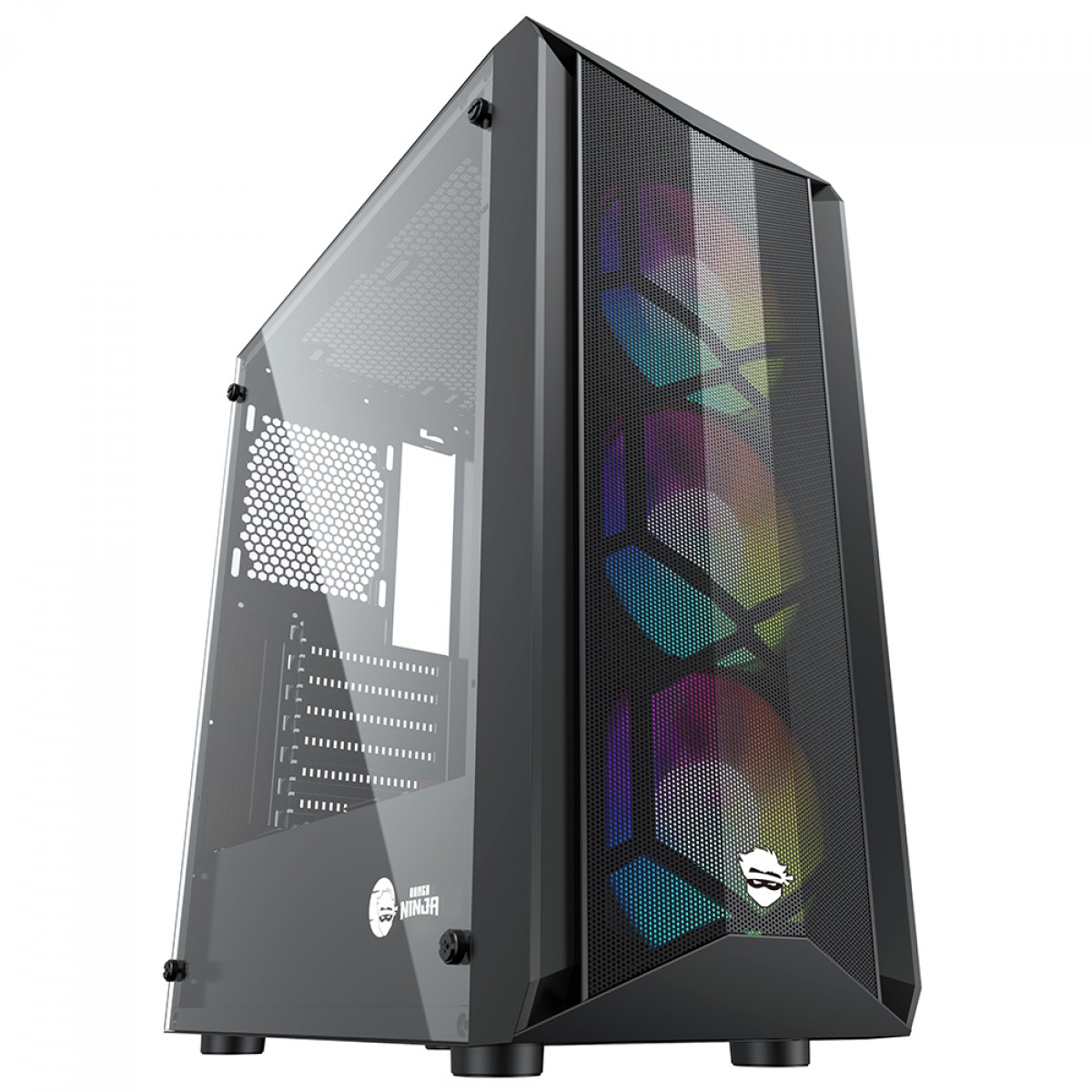
hyte y60 is a computer case
 fallen oasis
I figured 😛
 frank glade
https://www.theverge.com/2023/1/3/23530833/razer-blade-16-18-gaming-laptops-specs-price wild, coming with 4090s
The Verge
Razer isn’t the only company going bigger for CES 2023.

 sick dirge
you should probably stop using the battery it might be dangerous to be plugged in tbh
I've had laptop batteries fail and then start expanding inside the laptop
 vivid skiff
 west quail
Do what it says to do, really
Also reminds me of my old old netbook had the battery "exploded", I haven't used it since 2013 lol
 tame cargo
hi there. I am doing a new pc build and I have an M.2 Nvme to use and just wondering if it would be better to use it for the system+ unreal engine or use it for projects. I am not sure what would be best
vivid skiff
tame cargo
hi there. I am doing a new pc build and I have an M.2 Nvme to use and just wonde...
What size?
tame cargo
1tb
vivid skiff
You can split it to 1:4 for OS and rest goes for anything else.
tame cargo
ok I am just wondering what is better...having unreal engine on the drive or my projects. I will upgrade to another M.2 soon but I need to sort out all my ssd/hdd drives as M.2 steals 2 sata ports per 1 drive
vivid skiff
tame cargo
ok I am just wondering what is better...having unreal engine on the drive or my ...
FWIW you should go M.2 SSD all the way
You'll benefit higher storage I/O which is crucial for development work
If you have another system or HDD enclosure, you should relegate it to backups
tame cargo
ok thank you for your help
fallen oasis
1000x better to have UE on your drive at this point.
 fierce jackal
Hello 👋 Does anyone have some tales to tell about using an amd RX 7900 XTX gpu with Unreal Engine 5.1 for video game editing? The figures on this page look pretty disappointing, but it is for Unreal Engine 4: https://www.pugetsystems.com/labs/articles/amd-radeon-rx-7900-xtx-24gb-content-creation-review/#Game_DevVirtual_Production_Unreal_Engine . With all the war going on between AMD and Nvidia at the moment, I don't know what to think... I saw that AMD worked with Epic Games on Unreal Engine 5. I'm beeing curious there!
Also, do you think the 24 GB of VRAM is overkill for independent, small editing? My actual GPU has 4GB of RAM and I'm always exhausting video memory, so I have no idea how it scales beyond that...
And a last question: on the same web page, the Blender results for AMD are... huf... Do you think it may get better in near future? Or is Blender just focusing on optimizing for Nvidia hardware?
(I am not trying to bring a debate on the table. Just trying to have some feedback and thoughts/explanations from knowledgeable people from the video game industry)
 wanton hollow
The Cheapest pc (Can work with UE5.1) is have which requirements?
Like what gpu is better & cpu
i know 16GB ram
but idk GPU or CPU
about price of pc
i gonna buy stock pc
and i have near 600$
vivid skiff
wanton hollow
The Cheapest pc (Can work with UE5.1) is have which requirements?
Like what gpu...
Ideally both
vivid skiff
wanton hollow
about price of pc
i gonna buy stock pc
and i have near 600$
Though given your budget, it depends on which part you want to sacrifice:
- weaker CPU: Slower compile and build times
- weaker GPU: Lower framerate and missing rendering feature
obtuse rapids
whew, this has been a lot harder of a build than I anticipated
vivid skiff
wanton hollow
about price of pc
i gonna buy stock pc
and i have near 600$
Storage also play huge role, because SSD can give higher I/O speed, in turn speeding up project load times and cutting down compile times, but it's more expensive than slower HDDs.
fierce jackal
@wanton hollow To have an idea of the "sacrificed" rendering features for the GPU, scroll down on this page: https://docs.unrealengine.com/5.1/en-US/hardware-and-software-specifications-for-unreal-engine/
As of today I have a GTX 970 with 4GB of VRAM, meaning that I lack hardware ray tracing, and editing above "medium" scaling is terrible. Aim for at least 8GB of VRAM. A second hand 2080 might be OK and reasonably cheap to get access to all rendering features
If you don't care about hardware RT, just get the cheapest old GPU you can find, but with more than 4GB of VRAM (this really is not enough), while supporting directx 12
vivid skiff
I'd say second hand market depends on where you live - on developing countries it's either same as retail price in good condition, or cheaper but in near death condition
I'm not keen on suggesting second hand market as developing country inhabitant myself
fierce jackal
vivid skiff
I'd say second hand market depends on where you live - on developing countries i...
Ah right, I didn't considered that point, idk about second hand market there. Sorry
wanton hollow
vivid skiff
Though given your budget, it depends on which part you want to sacrifice:
- wea...
oooo
wanton hollow
vivid skiff
Storage also play huge role, because SSD can give higher I/O speed, in turn spee...
I got good ssd
Also why gpu not going to be amd?
 devout pendant
is a mouse with a trackball suited for 3D?
vivid skiff
devout pendant
is a mouse with a trackball suited for 3D?
If you're comfortable with it, then go ahead.
devout pendant
https://www.ebay.com/itm/164894428905 this one seems a clone of the logitech's design. 39.99$

eBay
SpecificationModel: M618D. 2.4 Ghz Wireless. Rainbow light effect on the top of mouse, colorful and fashion. On the top of the mouse, colorful and fashion. Connection: 2.4 Ghz Wireless. Built-in 500mA Li-ion battery, long battery life.
obtuse rapids
Using the iGPU multi monitor setting enabled won't degrade editor performance right? I know sometimes having integrated screws up certain games but I shouldn't expect the performance loss on the CPU since it's a different section of it?
 bright tendon
is 1200W PSU good enough for 4090+ i9-13900k at peak power draw?
bright tendon
Any reason to choose gold or platinum , one over other ?
bright tendon
yeah , I guess I'll go with "Corsair HX1200 1200 Watt 80 Plus Platinum SMPS"
fallen oasis
I have something similar, a 1200W platinum, but it's by bequiet!
bright tendon
What to look for in motherboard that isn't always obvious?
bright tendon
Asus Prime Z790 vs Asus ROG Strix Z790 ?
The only major difference I see is there are more pcie 4.0 on the second one
vivid skiff
Well, more slots = more room for upgrades
vivid skiff
 karmic trout
What keyboard is your favorite?
karmic trout
What keyboard is your favorite?
Anything that has no RGB lighting and no crappy matrix with ghosting
karmic trout
vivid skiff
Anything that has no RGB lighting and no crappy matrix with ghosting
what are you using currently?
spice girder
karmic trout
What keyboard is your favorite?
keychron Q or V series
frank glade
Keychron gang
karmic trout
frank glade
Keychron gang
What's good about Keychron?
frank glade
I spilled water a few times and it's still working
spice girder
karmic trout
What's good about Keychron?
Quality, fully Customizability and no useless software the you have to keep on your PC. If you want to change a key or add a macro, you can use QMK or VIA and can remove it from the PC without loosing what you add / changed, because it is saved on the keyboard and not on the PC.
 rough spindle
karmic trout
What keyboard is your favorite?
rough spindle
karmic trout
What keyboard is your favorite?
Microsoft Ergonomic
 mighty cosmos
karmic trout
What keyboard is your favorite?
mighty cosmos
karmic trout
What keyboard is your favorite?
Glorious GMMK2
 agile lodge
RTX 6000 Ada Lovelace the professional card
what i saw the euro price come on just over 6k to 12k
fierce jackal
When editing projects such as the City Sample for UE 5.1 (open world with high quality textures, lot of Nanite meshes, Lumen), how much VRAM do you guys consume on your GPU? I'm trying to understand how VRAM allocation scales on big projects. (I currently have 4GB VRAM and it is always exhausted on very small scenes at high scalability settings)
frank glade
I would try to get at least 16...24 sounds best though
fierce jackal
Damn yeah, so a second hand 3090 or a 7900xt(x) sounds like good options. Any feedback from using a 7900xtx with UE 5.1? Figures on pugetsystems are pretty bad, but it's rated for UE 4.
(Already asked the question couple days ago, but I understand if nobody has this hardware to give feedback 😅 )
fallen oasis
Never had one. I have 60, 120 and 144.
 astral shell
Alright. good about to buy 3 new 60 htz, and one 360
astral shell
i get an average fps in most games, 300 - 400 fps on my pc
fallen oasis
120 is enough, really, 144 is you wanna push it.
Cap your fps to your refresh rate
And even if it's 360hz, it might not have a good grey to grey speed.
astral shell
im overdoing it with 4 zowie's 240 htz. about to sell all four and down grade 3 and upgrade 1.
this monitor is just so. blah to me, i liked my LG's so much better back in the day
mighty cosmos
fallen oasis
Save on your power bill lol
144Hz is about perfect, I upgraded from 144Hz to 170Hz and while I can see some difference it's very small
It gets even more difficult to notice from there
My main one is 170Hz and my 2nd monitor is 144Hz
ahh replied to the wrong message....
fallen oasis
Apparently.
 median marsh
why is that?
fallen oasis
Going above your refresh rate disables something or other
Which is good to have?
There's definitely a reason.
devout pendant
the general rule is cap it 2 fps below monitor refresh rate.
but some games work better at 300fps for example, and on Nvidia you still do not get tearing, above monitor refresh rate it uses fast sync.
devout pendant
fierce jackal
When editing projects such as the City Sample for UE 5.1 (open world with high q...
i made a environment with landscape, nanite meshed and foliage. 15gb vram usage for me, 16 should get you far if you optimize and lower settings. 24gb vram if you want to less limited.
fierce jackal
devout pendant
i made a environment with landscape, nanite meshed and foliage. 15gb vram usage...
Hey, thanks for the feedback! What size is your landscape?
devout pendant
fierce jackal
Hey, thanks for the feedback! What size is your landscape?
section size 63x64 quads, overall resolution 505x505.
some nanite meshes and mountain in the background.
obtuse rapids
Anyone here use an ergonomic mouse?
west quail
I need a laptop battery for a Dell Inspiron 5755 Battery, will this work? https://www.amazon.com/M5Y1K-14-8V-Battery-Inspiron-453-BBBQ/dp/B08QJ7QP5F/ref=asc_df_B08QJ7QP5F/?tag=hyprod-20&linkCode=df0&hvadid=475750632217&hvpos=&hvnetw=g&hvrand=11213462578557601839&hvpone=&hvptwo=&hvqmt=&hvdev=c&hvdvcmdl=&hvlocint=&hvlocphy=9017523&hvtargid=pla-1114642650202&psc=1
west quail
lmao
fallen oasis
Did you check the model # of your battery?
west quail
west quail
@fallen oasis this is all ik
west quail
Alright I'll do when I'm home

 devout pendant
How much is that 4090 gonna cost you
fallen oasis
Answer is in the question!
astral shell
2,000 USD plus tax sorry i was sleeping, i just got some money and why not treat myself to something really nice that i will use every day 😄
fallen oasis
I had a friend who said something similar.
He bought a $2,000 USD chair for working at home on his pc.
astral shell
no way
2 out of 4 monitors wont turn on.. hmm i really think this video card is dying
 astral shell
i dont think i would even pay 100 for that
fallen oasis
His one was more like https://sarahscoop.com/wp-content/uploads/2022/08/ERGOUP-Ergonomic-Office-Chair-most-expensive-office-chair-735x612.jpg
 fallen oasis
I think it might ahve been a Herman Miller Aeron
astral shell
yeah, those are really expensive chairs. I never sat in one so i don't know if they are as good as they say
fallen oasis
Doens't really matter if they are or not. People with money will buy them because they have money.
devout pendant
fallen oasis
https://sarahscoop.com/wp-content/uploads/2022/08/most-expensive-office-chair-Ge...
Gaming chair for fat people
Needs the extra support
 north arch
full mesh chairs are the best
agile lodge
asus rog chair is cool
fallen oasis
north arch
full mesh chairs are the best
Why?
fallen oasis
My arse stays pretty sweatless.
north arch
not forced support but conforming
agile lodge
ROG Destrier Ergo Gaming Chair with cyborg aesthetic, versatile seat adjustments, mobile gaming arm support and detachable acoustic panel for minimum distraction and maximum audio enjoyment
fallen oasis
If I were to mobile game, I'd lie in bed.
median marsh
what's the purpose of the "shield" around the headrest?
fallen oasis
To look cool.
median marsh
ok, so no purpose
fallen oasis
"Enhanced Noise Reduction And Deeper Immersion"
The detachable acoustic panel blocks distractions from the sides for deeper gaming immersion.
median marsh
yea just scrolled that far down, too...
north arch
my wife's m.2 drive is failing to boot in either slot, her bios indicates it's an adata chipset...
fallen oasis
She had backups, right?
north arch
it's less than a year old and barely used
it's all the game downloads at 8Mbs or worse and lost save games and os that hurt
 serene dome
Failing to boot into Windows doesn't necessarily mean the drive has gone bad. Have you ran more diagnostics?
north arch
the boot error is "no media detected"
and the bios has stopped seeing the drive
the solder looks pretty crappy so I'll probably get some flux and reflow it
devout pendant
I think that my mouse is suffering from double clicks.
Everytime I'm going to select and drag something, it seems to double click and drag when I don't want to. I want to move the camera but it selects and drags.
I'm moving the camera and suddenly some mesh is selected
 timber cobalt
I have not seen that issue for a while, but that can be a sign of a dying microswitch @devout pendant
devout pendant
Hi, does Nvidia 3070 or 4070 12 GB has better rendering and lighting than 1070 8GB. Of course, not asking for speed as its obviously faster both, but is quality of graphics better also? so would scene look better. I am looking to buy one of these 2, 4070 is much faster
mighty cosmos
The final rendered result dies depend on the GPU, all of them will produce the same final image on the same settings
fallen oasis
Later cards might have more features, though, support for better dx and such.
median marsh
yea, but 1070 does support dx12 and lumen etc.
but quite possible that in the future a 1070 might not support the latest additions
 cosmic root
Building a new pc to start UE5, could anyone tell me if I would see much difference in a Ryzen 8,12,16 core cpu with UE5. Would I need something better?
vivid skiff
cosmic root
Building a new pc to start UE5, could anyone tell me if I would see much differe...
Higher cores can mean faster compile times, but you'd also need more RAM for each thread compiling your code. Also SSD to make read/write speed quicker
cosmic root
vivid skiff
Higher cores can mean faster compile times, but you'd also need more RAM for eac...
Thanks have 32gb but upgrading to 64gb, I've not chosen cpu yet, would an 8,12 or 16 do? would any of these be sufficient ? would only difference be compile times?
median marsh
mainly (shader) compile times
vivid skiff
cosmic root
Thanks have 32gb but upgrading to 64gb, I've not chosen cpu yet, would an 8,12 o...
If you have tight budget, 8 core (16 thread) is fine. Compiling Unreal C++ code takes around 1.5 GB for each thread. Otherwise, go for 16 cores
median marsh
8 core usually should do the job for the usual stuff within UE
vivid skiff
Though I will say storage I/O speed is the largest bottleneck when it comes to compiling code. In short, doing it in SSD is much faster
agile lodge
 devout pendant
fallen oasis
48gb of ram.
devout pendant
fallen oasis
48gb of ram.
than you test game, all works great, and you wonder why does it have 3 FPS on other computers
devout pendant
mighty cosmos
The final rendered result dies depend on the GPU, all of them will produce the s...
yes, except for the fact if you cant run 60 fps your scene may look slugish
mighty cosmos
But you asked about the quality of the final image which is going to be the same
Not speed/framerate
devout pendant
mighty cosmos
But you asked about the quality of the final image which is going to be the same...
yes
though for video quality it wont be same because I cant run in Cinematic video on 1070 8GB with 60 FPS
 flat glade

 wind egret
only the 2TB 980 Pro on certain firmware versions
(though maybe puget doesn't use 1TB 980 Pro drives?)
devout pendant
AMD Radeon RX7900XT Gaming, 20GB GDDR6
yummy
this like sounds better than Nvidia 4070 12 GB, price difference is around 130 EUR
at least on paper. I think there are pros and cons for both. 4070 seems to have a bit higher game performance
 lapis knot
but more vram
honestly depends on what resolution you're rocking
both are solid choices though
what about the xtx version though
Nvidia imo is also beneficial because they're further ahead with Ray tracing and dlss if that matters to you
I think it really depends on what resolutions you're trying to hit because both are probably fine at qhd
but the xt is probably better at 4k
devout pendant
I am still at full hd
1920x1080
I have to upgrade as I am having around 32 fps on my scene
lapis knot
I would probably choose the 4070 ti myself
and save the 130 euros especially if resolution isn't a big deal to you
performance will be negligible
oh the other one is 130 euros cheaper
idk up to you
weigh pros n cons
devout pendant
some youtubers are calling RTX 4000 a scam, because DLSS3 increases latency
the 3x FPS has a hidden trade off
devout pendant
devout pendant
the 3x FPS has a hidden trade off
you should have all the information to decide of the 4000 series is worth it to you. it just takes a few hours of research, anyone yelling scam just avoid them.
the frame generation feature only gives 80 to 90% more frames, at a 15% higher latency, from base framerate that is.
the official NVidia performance fps charts are scam, but no one should look at those, only 3rd party reviews.
mighty cosmos
Only card worth getting from the 4000 series is 4090
anything else is if you don't really have any other choice imo
 blazing shard
The 4070 is fine if that's all you can afford but if you can afford the 4080, why not 4090
devout pendant
who needs 24GB?
devout pendant
the 4090 sells more because it has 24GB?
north arch
probably sells more because 4090 is the biggest number nvidia makes
mighty cosmos
sells more because it's the only card that makes any sense in that series, 4080 is a scam at that price point
wanton hollow
Guys is graphic on board is important?
i mean graphic of the cpu
fallen oasis
No
Someone once said, "having the integrated gpu is nice if your graphics card breaks"
wanton hollow
fallen oasis
Someone once said, "having the integrated gpu is nice if your graphics card brea...
So it not important to have cpu with on board gpu
devout pendant
I am buying 3070 Nvidia, it will be sufficient for my needs as my 1070 experiences bottleneck performance 30 fps

so according to this chart, I will have massive boost in performance over my 1070 card
fallen oasis
wanton hollow
So it not important to have cpu with on board gpu
No. Unless you need it for additional monitors or something.
devout pendant
another performance view

it seems that 1070 card is basically obsolete. 3070 offers at least 3x performance jump
4070 is even better
I will first go with 3070 and than I when I get some funds will jump to 4090 24GB with some serious PC
wind egret
I feel bad for the 2080 super in that benchmark.
lapis knot
my 2080ti still holding on lmao
vivid skiff
GTX 1080 Ti getting left behind somehow makes me weep
median marsh
i wouldn't recommend a 8GB vram card for gamedev
if you are already concerned about performance
frank glade
devout pendant
I will first go with 3070 and than I when I get some funds will jump to 4090 24G...
Yes but there's another puget chart where the UE scene doesn't fit in the Vram and 3070 gets 2 fps while 3060 12gb keeps going on at a manageable rage
wind egret
Nvidia really needs to dump its extra 3070s, though, so if you could just do them this one favor...
median marsh
this for example?!

if you are on budget and gamedev is your main task get a 3060 (with 12GB), if you have some cash to spend, get a 3090/4090
 unkempt pelican
Would it be better to get a 3060 or a 6700xt? Assuming you don't need cuda, optix for blender etc
wind egret
They're very close, but you never know what strange new tool will use cuda.
median marsh
and what strange new issues you run into with an AMD GPU
overall nvidia seems to receive better "support"
agile lodge
intel arc driver boost is nice

We’ve got a lot to update everyone on when it comes to Intel Arc GPUs. We’ve got massive performance gains on DirectX 9, a new price point for Intel Arc A750 GPUs, expanded XeSS support, progress updates on DirectX 11 and DirectX 12, plus game driver updates and more!
Read the blog here: https://game.intel.com/story/intel-arc-graphics-unleashi...
tame cargo
Hi. I have just built a new pc and I have installed a PCIe Gen 4 NVMe M.2 drive which takes up 2 sata ports. I was looking into getting a NVMe M.2 SSD to PCIe and I cannot find info about if it takes up sata ports. I still need my sata ports for other drives so I would like the m2 drives but not if they steal all my sata ports
does the pcie M2 work without stealing sata ports
for anyone who does not know. 1 M2 drive requires 2 sata ports no5&6 which cannot be used so we only have 4 sata ports if u install an M2 drive
frank glade
that depends on your motherboard, check your manual
tame cargo
ok well I know that each M2 drive and my board has 2 requires 2 sata ports per drive....but PCIe I do not know if it bypasses that
frank glade
it has to be in the manual
median marsh
that also depends on your board
frank glade
my old asrock board would disable one sata port if the 2nd m2 slot was used
tame cargo
ok ill give it another going over
frank glade
ddidn't matter what kind of m2 drive it was
median marsh
check if it would disable sata if you use pci ex lanes from the slots
tame cargo
oh so its not universal
ok i did not know that
thanks
using a MSI MAG B550 TOMAHAWK Motherboard
median marsh
why do you need 6 sata ports tho Oo
tame cargo
lol well I have only upgraded my pc and I was living in the stone age for a while....got a lot of music/3d/personal drives
median marsh
well, i would rather consider getting an external case for one/two of them
usb 3 should be fast enough for the HDD speed
tame cargo
yea i got a case that has the sata/power input on the top which i can use for drives in the future that i don't really need installed
just trying to figure out all the new goodies
got a ryzen 9 5950x which compiles shaders in 15min where my old system took 24hours so thats a big step
median marsh
or a NAS
tame cargo
no information on the motherboard about M2/sata port usage....anyone else know what the story is? I know M2 on my board takes 2 sata ports per M2 but I dont know what an M2 / PCIe port takes
median marsh
???
are you sure that it takes 2 ports when you plug in an pci ex nvme?
or is your M2 sata?
tame cargo
yes...I watched a tutorial on it and they said it take sata ports 5&6 for each M2
well for the first
and then sata p[orts 3/4 for the 2nd but no idea if it requires sata ports for PCIe
median marsh
i wouldn't trust a random tutorial
tame cargo
yea im just trying to find out info on this as I do not know anything about it
median marsh
people out there are bored and want to be famous on YT and push out shit for the sake of it
RTFM...
tame cargo
?
median marsh
A reply to when people go on internet message boards asking for technical advice on subjects where the obvious solution is usually given in products user manual
"Read the fucking manual." The most obvious solution to most tech problems. Also the most overlooked solution.
tame cargo
WTF are you blind...I read the fucking manual
median marsh
then idk what the problem is
median marsh
it is all written in the manual
median marsh
then the manual is bad
tame cargo
now your going off on me when you know nothinfg
median marsh
...
RTFM is an initialism and internet slang for the expression "read the fucking manual" – typically used to reply to a basic question where the answer is easily found in the documentation, user guide, owner's manual, man page, online help, internet forum, software documentation or FAQ.
Usage is variously viewed as a pointed reminder of etiquette t...
this even has an wiki entry
don't take it to personal
tame cargo
dont take it personally....but you tell me to READ THE FUCKING MANUAL
median marsh
yea, or link it here
tame cargo
and i told you i already did
median marsh
and hope that some tech experienced person takes a look
tame cargo
right well calm down on the abuse
devout pendant
Looking to buy a monitor really confused 😕
lapis knot
devout pendant
Looking to buy a monitor really confused 😕
it will be hard to buy a monitor if you're really confused
jokes aside what is confusing about it
median marsh
there's too much choice^
devout pendant
Should I go for 27 or ultrawide or 32
lapis knot
ultra wide is preference I dislike them personally
27 is big enough
32 is too much
imo
devout pendant
Oh 27inch and 4k would be a cool thing
devout pendant
Can u suggest me the best one
lapis knot
they asked 27 or ultrawide
median marsh
and 1440p is enough in my experience, but i'm old and should probably wear glasses
devout pendant
So in your opinion 27inch and 2k is good enough
median marsh
yea, if you don't game much, 27" and a 2nd screen is a good pick imho
if you mean 2540x1440px by 2k, then yea
lapis knot
I own a 27" and it's almost too big lol
median marsh
but that's my personal opinion
lapis knot
I also have 1440p
median marsh
if you are really confused you might go to a store, check them out and buy one there
lapis knot
agreed
median marsh
that way you see what you get
lapis knot
you could go to a physical store and find out what you like
if not I suggest not getting an ultrawide or curved
devout pendant
lapis knot
if not I suggest not getting an ultrawide or curved
Oh glad u mentioned it
Like I am using laptop so can I connect my monitor on my laptop
 devout pendant
Ohh like good for multitasking and all
lapis knot
I mean I'd still prefer a 2nd monitor but it got dropped when I was moving
devout pendant
Because I use blender and Unreal so I thought of ultrawide would help me
lapis knot
honestly just read reviews
and know there's differences in panels

HDR is always a bonus
most monitors nowadays should have free sync
also what kind of hardware are you rocking
devout pendant
Currently laptop
lapis knot
what are the specs?
devout pendant
I am planning to build PC
lapis knot
just be aware higher resolution requires more vram
and also
when looking for monitors
devout pendant
Ohh
lapis knot
refresh rate only matters if you can hit said frame rate
Not that it couldn't be a future investment
if you do build a pc
lapis knot
Do you play games a lot?
a good in-between is 1440p / qhd with 120 - 144 refresh rate
 devout pendant
240 looks nice
lapis knot
so imo best for you would probably be a 27" qhd / 1440p monitor with HDR and 144hz refresh rate
lapis knot
devout pendant
240 looks nice
so keep in mind even if you monitor supports high refresh rate if you don't actually have adequate fps in said game or unreal it will still not be as smooth
devout pendant
And I don't know which offers the best quality
 minor veldt
Just to get another perspective in, I really prefer 32" 4k over 27" 1440p. The extra space is valuable. And 60 Hz is good enough for me.
lapis knot
most people with 240hz monitors play at 1080p
devout pendant
lapis knot
most people with 240hz monitors play at 1080p
Ohh
lapis knot
it's better for gaming
devout pendant
More smooth and and less resolution
lapis knot
yes cause you need to hit the fps
to get said frames
high refresh rate means nothing if you don't get high fps
devout pendant
Yes
lapis knot
ideally take the time to look at monitors at bestbuy
atleast for the visual experience
devout pendant
Okay
lapis knot
to see what you prefer even if you end up buying online
also I don't really have suggestions
most brands are pretty reputable and you can always read reviews and specifications
on amazon
devout pendant
Thanks for clearing my doubt
I was confused with the size
And ultrawide one
Hearing you I can say 27inch is perfect for me
lapis knot
you can always return it if you dislike it atleast on Amazon lol
devout pendant
Yes
median marsh
@tame cargo where in the manual does it say that sata ports get disabled?
i cant find it
lapis knot
usually SATA ports get disabled if you're using extra pcie slots
or using nvme ssds
atleast that was my experience on my Asus mobo
median marsh
that all depends on the mainboard
and what sata chipset they use, and how they decide to distribute pci ex lanes
lapis knot
yeah sometimes there's bios settings
idk each mobo is different
you really only can read the manual
median marsh
don't dare to tell anyone to read the manual
that's abuse!
i mean, it's quite possible that 5&6 get disabled if they use a separate chipset
which is quite possible looking at the mainboard layout
but the manual isn't clear about that
devout pendant
lapis knot
you can always return it if you dislike it atleast on Amazon lol
Should I go for Lg or Philips or other really confusing this is everyone monitor got decent reviews
median marsh
or does the B550 chipset have an integrated sata controller? apparently it has 4+2
lapis knot
devout pendant
Should I go for Lg or Philips or other really confusing this is everyone monitor...
That's cause there's lots of good options lol I really don't know
find a few
devout pendant
🥺
lapis knot
and read the specifications and compare them
monitor shopping is honestly harder than most things
it took me longer than buying all me PC parts
I never knew there was so much shit to know about them
devout pendant
Yes
median marsh
i think it's kinda easy if you have the option to look at them in a physical store
compared to other hardware
either you like what you see, or you dont
but our local electronics store here really went down hill in the past years
guess they wont survive amazon much longer
lapis knot
yeah even bestbuy has been keeping less in the physical store
median marsh
yea, but that store over here used to be neat, now it looks like you are shopping in a warehouse 😄
lapis knot
i like shopping in warehouses
median marsh
in a messy warehouse*
a warehouse can be neat, too. yea
but same happened to a lot of stores around here 😭
lapis knot
how do you beat Amazon though
median marsh
you can't
lapis knot
it's like impossible to compete with their sales too
median marsh
indeed, and for most of things it's reasonable
amazon is probably just more efficient in every matter
their warehouses probably look better than shops these days 😄
yea there are some videos on YT, they are really advanced
automated a lot of stuff
devout pendant
my laptop is missing one screw and found it in China's shopee for 2 bucks. The thing is, the shipment costs > price to buy.
median marsh
not only your laptop if you really consider ordering a screw
is it essential? if it's just one of many to hold the case together it might not be that bad
frank glade
Replace it with one from another piece of hardware?
median marsh
if it's one which has another similar in there, get the similar out to get an idea of the ideal length
it can probably be a bit shorter, but wouldn't risk to put in a longer one
devout pendant
 restive notch
Is it possible to run lutris on steam to run a game
I’m after 007 bloodstone
On my steamdeck
devout pendant
RTX 3070 is freakin good
compared to 1070 my FPS doubled but not only that. No matter how many meshes I add it did not dropped
later my end pc will be 4090 24 GB, 16 cores proc, 64 GB ram, 2 TB Samsung ssd
till than this will be fine 🙂
devout pendant
https://www.redferret.net/the-logitech-mouse-double-click-problem-and-how-to-fix-it/ had to do this again

We’ve long had a love hate relationship with Logitech mice. On the one hand they’re ergonomically designed and feature the wonderfully useful hyperscroll wheel for sweeping through documents and web pages, but on the other they suffer from a fundamental fault after a few years of use, when the mouse buttons start to fail (note that other mice al...
 frigid heath
i use a drakonia sharkoon
its allready a really wide mouse.. wish it was a tad more wide tho
devout pendant
I was going crazy thinking it was happening more often inside unreal
 fluid kernel
devout pendant
later my end pc will be 4090 24 GB, 16 cores proc, 64 GB ram, 2 TB Samsung ssd
fluid kernel
devout pendant
later my end pc will be 4090 24 GB, 16 cores proc, 64 GB ram, 2 TB Samsung ssd
24 cores will be ideal, and 128gb of Ram if your going to really do some complex fractures. I have your ideal setup but with 24core cpu and thensome. but with 64gb of ram. To do some really gnarly stuff in engine, Its not enough. (ddr5 ram even)
though for 90% of your work flow 64gb of ram will be enough. But the 24core cpu really helps out, the i9-13900kf is an absolute monster for compiling shaders. Effortlessly and quickly compiles 2k+ shaders probably takes about 30seconds
fluid kernel
lapis knot
While this is accurate it also depends on what the actual animation FPS is
 pseudo brook
3080ti or 3090 for ue5?
spice girder
pseudo brook
3080ti or 3090 for ue5?
3090, because has more vram
pseudo brook
thank u
devout pendant
if I buy a desktop, is it a waste to have integrated gpu?
 grizzled zinc
Not sure how old this is but good to see they also make good use of Xeons from around 2011

They use Sandy Xeons because of ECC?
devout pendant
server cpu also supports more ram than desktop cpu
grizzled zinc
fair enough
four memory channels is nice
I have 64GB with 16GB per DIMM on an E5-1680 v2 desktop.
ECC is supported on more Ryzen boards than I thought
 grizzled zinc
On my RX 580, UE editor immediately uses all 4GB of graphics RAM, how much video memory is recommended?
devout pendant
if I buy a desktop with a cpu with igpu, can the igpu boost performance or is it just wasting power?
grizzled zinc
devout pendant
if I buy a desktop with a cpu with igpu, can the igpu boost performance or is it...
it does not boost performance
devout pendant
I was thinking about using the igpu to process physics or something like that. I remember that DX12 allowed for multi gpu processing
grizzled zinc
maybe
grizzled zinc
grizzled zinc
Not sure how old this is but good to see they also make good use of Xeons from a...
In that case I might just put a 6700 XT or something in in the X9SRA desktop and use that for Unreal
median marsh
grizzled zinc
Not sure how old this is but good to see they also make good use of Xeons from a...
it's really really old, and i doubt that they still buy that kind of workstations
as said, every ryzen has ECC support and outperforms those xeons by a margin
devout pendant
grizzled zinc
On my RX 580, UE editor immediately uses all 4GB of graphics RAM, how much video...
maximum
unkempt pelican
grizzled zinc
On my RX 580, UE editor immediately uses all 4GB of graphics RAM, how much video...
Around at least 12 is recommended. You can turn down the engine scalability settings to make it more usable for now
fallen oasis
grizzled zinc
On my RX 580, UE editor immediately uses all 4GB of graphics RAM, how much video...
12gb+
grizzled zinc
unkempt pelican
Around at least 12 is recommended. You can turn down the engine scalability sett...
where is that, still a total noob and started yesterday
unkempt pelican
grizzled zinc
where is that, still a total noob and started yesterday
In the main editor, on the top right corner, there should be a settings drop-down that has a tab for engine scalability settings
Quick question, if I want to use the all available threads to compile, do I need 1.5gigs * number of threads or number of physical cores?
I thought it was threads but I noticed it compares it to physical cores instead
median marsh
1.5gb/thread (is a rule of thumb)
grizzled zinc
Does Unreal need AVX? May consider using a dual socket machine but it has Westmere Xeons which did not get AVX yet.
probably swap the board for a KCMA-D8 which Opteron Piledriver has support for those instructions if it benefits from AVX
fallen oasis
For what purpose, exactly?
grizzled zinc
Compilation, map editing
fallen oasis
Do you intend to compile the engine source on a daily basis?
Dual sockets seem a bit extreme.
grizzled zinc
Not really, I just have the parts on hand already
fallen oasis
Install ue5 and test it then. 🙂
Probably quicker than actually getting an answer about AVX
grizzled zinc
Might swap out the dual-socket machine's board anyway since I could not get IOMMU working on the current board which is important for getting GPU acceleration on guest VMs
Matter of getting Windows on it
actually, the editor supports Linux afaik
grizzled zinc
unkempt pelican
In the main editor, on the top right corner, there should be a settings drop-dow...
alright, nice, I'm used to Source engine so visual quality is not really a priority
grizzled zinc
time to bring that thing to 128GB
 wind egret
If you can fit 128 gigs of ddr3 you're probably on a server motherboard
serene dome
grizzled zinc
probably swap the board for a KCMA-D8 which Opteron Piledriver has support for t...
It's been talked about in a few scrolls up...
grizzled zinc
@unkempt pelican @wind egret This is a Supermicro X9SRA which does support Registered ECC
Already have a 8x8 kit in the KCMA-D8
devout pendant
checked the prices. AM5 platform, DDR5 and PCI5 are too expensive. I'll have to go for AM4, DDR4 and PCI4.
devout pendant
would it be a bad idea to expend more on AM5, DDR5 and use the integrated graphics, saving some $ by not using a discrete GPU?
grizzled zinc
... well, that was a painful last five hours with server hardware
unkempt pelican
devout pendant
would it be a bad idea to expend more on AM5, DDR5 and use the integrated graphi...
For unreal, probably. I would rather stick to ddr4, and get more ram or put it into the gpu
grizzled zinc
unkempt pelican
For unreal, probably. I would rather stick to ddr4, and get more ram or put it i...
seconded, much better with a dedicated GPU
devout pendant
I was thinking on adding a GPU later
unkempt pelican
Well, I have not used unreal with an igpu and I don't there are any benchmarks for that at Puget, so you'll have to test to find out
I don't expect it to work well though
devout pendant
I already came to conclude that it's not worth it. Every hardware gets outdated with time, buying the latest gen for the sake of being the latest gen means spending more
devout pendant
Ryzen 5 5600X, 550W PSU, 16GB DDR4 3200MHZ, Asus MB, 5600 RX 6GB, SSD 512GB, Monitor, cabinet, fans, cooler. That's more or less it. Unless I buy second hand parts or some miracle happens, a high end setup is too expensive.
devout pendant
with DDR4 being cheap I could go for 32GB
unkempt pelican
Is there a point in getting a K intel cpu if I don't plan on overclocking? This is for unreal and I'm thinking either the 12600 or the 12700.
devout pendant
found out what causes huge lag in UE. Open one asset in the editor and that's a huge performance drain
 stone olive
I am curious as to where the difference of 700 dollars...
 devout pendant
it cost more to get one sooner, none of them is available right now so do not take the chance.
spice girder
expensive color difference
serene dome
stone olive
I am curious as to where the difference of 700 dollars...
You may want to check the full spec on their website for the subtle differences... majority of the cost difference is likely due to the Titan's mini-LED screen
grizzled zinc
devout pendant
Ryzen 5 5600X, 550W PSU, 16GB DDR4 3200MHZ, Asus MB, 5600 RX 6GB, SSD 512GB, Mon...
second hand saves a lot of money
frigid heath
stone olive
I am curious as to where the difference of 700 dollars...
.3 inch 😛
devout pendant
there are some chinese brands selling RTX 3000 for like half the price? Wtf? how do they do that?
median marsh
devout pendant
there are some chinese brands selling RTX 3000 for like half the price? Wtf? how...
by loading fake firmware on old GPUs

Sign up for Private Internet Access VPN at https://lmg.gg/pialinus2
Antlion Audio ModMic USB: https://lmg.gg/FY2cj
Antlion Audio ModMic Uni: https://lmg.gg/Ute7a
Antlion Audio ModMic Wireless: https://lmg.gg/LgWsR
Why did we buy 5 graphics cards from Wish.com that seemed too good to be true? Because we felt it was important to waste our mo...
wind egret
It's a video on autoplay
median marsh
3060 with 6GB is sus to begin with
they could be using laptop gpu's
and then it's questionable how well they really perform (even with proper cooling)
devout pendant
is dual bios a safety measure or just something to make the board more expensive?
wind egret
both
median marsh
also it shouldn't change much on the actual price
fallen oasis
wind egret
It's a video on autoplay
Bad website is bad.
devout pendant
so, it seems that the low price is not exactly a scam as in selling a GPU with fake bios. But second hand, rebranded and/or some coating to hide that it was used for mining or that it's not brand new
wind egret
They plainly said "refurbished".
devout pendant
oh dang! Forgot that if I buy a new desktop with no brand, what about the OS? Windows for the end user is much more expensive than windows for OEM
grizzled zinc
devout pendant
oh dang! Forgot that if I buy a new desktop with no brand, what about the OS? Wi...
don't actually have to pay full or anything for Windows nowadays
unkempt pelican
So this might be dumb question, but I'm putting together a PC for the first time. If my mobo has 4 usb front io slots, but my case only has two, then those slots are useless, right?
wind egret
Each USB front header supports two USB slots, so that could be interesting. They can be useful, but not for your case. E.g. An rgb device inside of the case, or an expansion card that uses a usb header for some inconceivable reason.
unkempt pelican
I see
What are some cases that prioritize airflow and enough front io? I'm not really interested in rgb and I'm going for a MSI PRO z690-A mobo.
wind egret
If you have 3.5" expansion slots (a la DVD drives) there are front usb slot expanders you can place in there.
unkempt pelican
So when it says it has these many front io ports, does it mean I need a case with 4 io slots to use them all?

4 Type A and 1 Type C?
median marsh
you dont need to, it's an optional thing
grizzled zinc
headers are there for other things too
I pulled a USB header flash drive out of a point of sale system once
devout pendant
how is this possible? Sites selling windows keys for cheap. Like, 10x cheaper than the box
median marsh
most likely selling keys that are supposed to be used by OEMs for installations on systems before sale
devout pendant
"original key" 80, COEM 800. Local currency
devout pendant
thermal paste, one costs 12 the other 99 and there is one for 125. Huge difference
north arch
devout pendant
"original key" 80, COEM 800. Local currency
COEM, it's not a private individual key
grizzled zinc
Is the 5800X3D much of an upgrade to a 5600?
not sure if I should put money to workstation upgrades or server upgrades
grizzled zinc
Thinking more about single-core performance
devout pendant
maybe higher ghz is better
grizzled zinc
EPYC Rome and Supermicro H11/H12 prices have gone down a lot within the last six months... server stuff has been due for an upgrade for a while
devout pendant
is HDR and high quality screen important for modelling and level design?
grizzled zinc
devout pendant
is HDR and high quality screen important for modelling and level design?
not really
Done it before on a Dell LCD monitor from 2006
serene dome
grizzled zinc
Is the 5800X3D much of an upgrade to a 5600?
Depends on what you'll be using it for and what you consider to be of an upgrade. In the scope of this server, the answer to that question is likely to be "not really," at least based on benchmarks done by Puget.
grizzled zinc
serene dome
Depends on what you'll be using it for and what you consider to be of an upgrade...
for single core or multi-core workloads like Unreal?
serene dome
grizzled zinc
for single core or multi-core workloads like Unreal?
For both considering for single core it's just 100 MHz higher and more cache (which doesn't really translate to higher gains in UE relevant workflows) and for multi-core the 2C/4T does help but not significantly so...
grizzled zinc
devout pendant
I'm checking the chipsets. X570 is the top
Depending on what it is used for, most likely X570 would not be needed
devout pendant
there is a considerable price gap between X570 and B550
Also, was looking for the USB4 specs but I wouldn't transfer terabytes of data likely ever
is realtek audio a real audio processor?
grizzled zinc
just the vendor of the audio chip
devout pendant
Ryzen 3600 is one gen older than 5600, same core count. Maybe save some $$ by going for an older cpu?
spice girder
devout pendant
Ryzen 3600 is one gen older than 5600, same core count. Maybe save some $$ by go...
the lowest spec pc I would buy/build
CPU: Ryzen 5700/7700
RAM: 32 GB
GPU: RTX 3060 12GB VRAM
PSU: 1000W GOLD
Storage: 1TB M.2 SSD (Kingston Seagate or Samsung )
With that I feel like I would get a good compromise of price and PC Power to get the thing done and be able to upgrade individual parts if/when needed without replacing everything.
grizzled zinc
devout pendant
Ryzen 3600 is one gen older than 5600, same core count. Maybe save some $$ by go...
Depending on country, going for 5600 (Zen 3) over 3600 (Zen 2) is worth the extra cost
 marble nebula
I have Ryzen 5 3600 with 16 GB Ram and RTX 3700 Ti, I think it's time to upgrade as my setup couldn't handle the city simple project! Do you think Ryzen 7 7700 or 5 7600 will be a good choice since I'm not thinking about upgrading my gpu?
median marsh
i think the gpu is your main bottleneck
considering that it only has 8GB VRAM
and as you are on AM4 i would rather consider an 5900/5950x and more memory, if you really dont want to upgrade the GPU for whatever reason...
spice girder
marble nebula
I have Ryzen 5 3600 with 16 GB Ram and RTX 3700 Ti, I think it's time to upgrade...
you main main bottleneck is the 16 GB memory. Going AMD Ryzen 9 and 32 or 64 GB memory is probably the way to go for you.
median marsh
i rather think the GPU is the main issue
the demo requires ~12GB vram
otherwise it starts streaming stuff in/out which is bad for performance
or even worse it starts to use system memory
marble nebula
median marsh
and as you are on AM4 i would rather consider an 5900/5950x and more memory, if ...
the reason why I'm not going to change it (for the moment), is because its price dropped down and I am not considering getting a new one yet
I'm thing about 4000 series, but not now
marble nebula
spice girder
you main main bottleneck is the 16 GB memory. Going AMD Ryzen 9 and 32 or 64 GB...
does that make it smoother?
or for unreal engine in general?
median marsh
that depends
load the demo and check what is bottlenecking
the task manager should show you memory usage
marble nebula
Alright, I will do it now!
spice girder
that is what the docs of the city sample project say:
https://docs.unrealengine.com/5.1/en-US/city-sample-project-unreal-engine-demonstration/


An overview of the features used to create the City Sample learning example.
marble nebula
spice girder
that is what the docs of the city sample project say:
https://docs.unrealengine...
seems like it's related to my cpu and memory!
that's good for me, since I'm not considering replacing my gpu!
marble nebula
median marsh
and as you are on AM4 i would rather consider an 5900/5950x and more memory, if ...
I'm going to upgrade the whole kit, because I'm going to give this to my brother and he has GTX 1060. I'll just keep my gpu!
I was thinking about i7 12700k, but I heard that Ryzen is good for unreal engine
frank glade
if you're getting a new MB just get 13th gen intel
marble nebula
My budget is limited, I'm trying to pick what I can
this won't be my final upgrade, Rtx 4000 and new gen cpu are planned
marble nebula
spice girder
you main main bottleneck is the 16 GB memory. Going AMD Ryzen 9 and 32 or 64 GB...
I think you are right, this right after hitting play

it's frozen now
frank glade
yes but 13600k is faster than the 12700k (and cheaper at least here)
marble nebula
does it work with older rams?
frank glade
Yes, you can get a ddr4 board
marble nebula
Oh, that's cool
marble nebula
marble nebula
I think you are right, this right after hitting play

low settings
after trying to switch to medium. I think memory is the main issue

thank you so much guys for your time 😊
obtuse rapids
Should I expect a 10th gen i9 10850k to bottleneck a 4090?

Use case would be 4k VR
or thereabouts
median marsh
that depends on a lot of things
if you throw a lot of singlecore load on it, it'll most likely bottleneck
devout pendant
So Asus have ROG and TUF
median marsh
see, you would be better off telling your budget, and ask if someone can throw you together some system
devout pendant
currency conversion, I'd say around 840$
median marsh
for which parts?
devout pendant
all
median marsh
full desktop with mouse/keyboard/screen?
devout pendant
no keyboard and mouse, already have
median marsh
and you want to use it for unreal or primary gaming?
grizzled zinc
Is the 6700 XT good for general use and Unreal? AMD drivers are easier on Linux
median marsh
that's not true
also a few people in #linux which bought AMD went back to nvidia because it worked better overall
grizzled zinc
median marsh
also a few people in <#375022233875382274> which bought AMD went back to nvidia ...
huh, from my experience it has been different, maybe since the cards I have been using are so old
Unreal is fine on AMD though?
median marsh
are you using unreal with amd on linux?
grizzled zinc
Unreal on Windows but general use on Linux since dualboot
median marsh
so you dont
grizzled zinc
no
devout pendant
is there a way to compare asus motherboards on a single table?
devout pendant
https://docs.google.com/spreadsheets/d/1-cw7A2MDHPvA-oB3OKXivdUo9BbTcsss1Rzy3J4hRyA/edit#gid=2112472504 yes somebody table a spreadsheet with 400+ models

Google Docs
AM4 MB Comparison @2017-2022 raisonjohn b.
AM4-socket MOTHERBOARD COMPARISON,SUBJECTIVE TIERS:,HOW TO SORT/FILTER MOTHERBOARDS YOU ONLY NEED TO COMPARE:
| Step 1: Select entire Row 11 by clicking "11" at left side of your screen.
| Step 2: Click the Filter Icon at the above toolbar, just beside ...
unkempt pelican
Is a 12600k enough for shader compilation and building source code? I have seen the benchmarks on puget, but I'm not sure if jumping ahead to a 13600k is worth it. I'm budget constrained
frank glade
it's only 20-30$ more expensive depending on the shop
devout pendant
is UE's source code heavy to compile?
fallen oasis
Very
spice girder
devout pendant
is UE's source code heavy to compile?
you are probably better of asking people what they would buy for PC parts within your budget and for your use case. And ask why they pick what they pocked, so you can learn
fallen oasis
He said he had no budget the other day.
stone olive
Because the desktop is very troublesome for me, I may move frequently in the future, so I want to buy a 40-series laptop. I am not interested in overclocking, but I need performance and durability. I want to choose a brand with less chance of failure. I seem to be unable Find the repair rate of notebooks from various manufacturers...According to your experience, or the people around you, which brand is reliable?
“Durability”..I means that it is not easy to get problem and needed to be repair..
 nimble mica
finally found from tiny experimentation, that tho my gtx 950 is OLD ish, the rx6600 non xt card I just6 got- gpu is timing OUT, where the gtx i put back in just now is not, with just 2gb gpu ram its hanging in there
should I got with rtx 260 or gtx 3060
really sad about rx card, it was a great price, but its NOT holding up under real world
@alex Id go msi
Ive had this same msi gtx 950 2gb which now is OLD ashills for ue, but its HOLDING up decently, ive had it 5 or so years andits kicking :))
ive used it with various mtb's, and its never failed meand iove put it through a LOT, tho never overclocking
stone olive
thank you for shareing
nimble mica
yw ;L)👌
the new rx6600, to me anywsay, is msi, but its amd andits just not stable
close, but I need perfection like the gtx has been all along-
also an msi as noted
median marsh
nimble mica
should I got with rtx 260 or gtx 3060
3060 has 12GB VRAM which is pretty good in that class
nimble mica
yup
 vagrant anvil
unkempt pelican
Is a 12600k enough for shader compilation and building source code? I have seen ...
vagrant anvil
unkempt pelican
Is a 12600k enough for shader compilation and building source code? I have seen ...
it will compile shaders and source code no problem, you'll just have to be patient. I've worked on much worse CPUs. just plan around lunch breaks 😆
north arch
vagrant anvil
it will compile shaders and source code no problem, you'll just have to be patie...
so, you're saying don't plan on "compile and see if it works" workflows?
vagrant anvil
I'm just saying it will just take longer to see if you use a slower CPU. It wasn't all that long ago that a 10 core/16 thread CPU would have been a dream to developers, so the 12600k is capable, even if there are significantly faster options.
nimble mica
and beware if you are inclined to, assumingh I see this clearly, haven't thought about such things for sometime, but anyway having said that, it has onboard gpu which you are paying for assuming you are looking at one that has this, not sure how much one without would be, but it might be worth checking out- if you have no desire to use an onboard gpu which I suspect you don't.
again not sure, out of my league recently but my ryzen 5 3600 seems fairely close to this aned Idont have a onboard gpu,working great overall for what I need atm, and was < $180 I think
new now from $130
if you are on a 'budget' that may make a big diff. to amd intel war here btw.
no ...as in
vagrant anvil
I only look at onboard GPU as backup. day to day its of no use, but if your main GPU dies, at least you can still get into your computer. but if you aren't worried, or have an old spare gpu, its not a bad way to save some money
nimble mica
of course
the intel is faster no doubt,but its also twice the price
and onboard gpu is going to be useless for a dev
short of emergency browsing ;)))
anyway things to consider, given your budget or not ;))
vagrant anvil
oh, I should have clarified, I just meant I was comparing the exact same CPU, just with or without iGPU. going between Intel and AMD just ads a lot more things to consider
devout pendant
according to the docs, UE takes 40 minutes to compile with a six core cpu
I was expecting many hours with a quad core
I'm not buying a PC to work with the engine. It was just that I thought that a whole game engine would require some serious hardware to compile
mighty cosmos
devout pendant
according to the docs, UE takes 40 minutes to compile with a six core cpu
that must be some outdated docs because on my 5950x with 32 threads it takes me right around 40 minutes
with a 6 core cpu you are looking at around 1.5-2 hours for UE5
fallen oasis
UE compilation time has gone up like 50% from 5.0 to 5.3
 meager escarp
A 5995WX takes 14 minutes to compile from source. A 13900KS does it in 22 minutes. 7950X does it in 24 minutes. Having 32GB only reduces the compilation performance to 30 minutes with these (1.5GB per core needs to be free). Back in the days of 4.x (4.25-4.27) it was taking about 5 minutes on the same 5995WX so effectively it went up 200% with 5.x.
fallen oasis
I'd love an uprade to a 5995WX. I only have a 3975WX 😦
Not worth like £5k for a couple of minutes on compile time, though.
fallen oasis
Just compiled 5.3 in 660.6s! Not so bad.
meager escarp
"5.3"? You mean dev-main stream? They call it 5.3 in the tag?
11 minutes for it is nice, but unusually fast. That's without NDA platforms, right? Way too fast for 3975WX for a full rebuild.
fallen oasis
Just the latest /ue5/main
And, yes, without NDA platforms
3600 or so actions.
Quite honestly it may not have been a full rebuild, it seems like it's quite a few actions short.
I just hadn't updated in a while so it recompiled a lot of it.
Though I'm sure I did a clean, too, so that would have gotten rid of any previously compiled stuff.
shrug
meager escarp
Ohh, 6400 or so actions is a full engine with all the platforms. The 3600 fully explains the difference.
fallen oasis
Yeah screw that. 😛
meager escarp
Now, how long would that run on a Mac... 😄
fallen oasis
Why would you ever build the entire engine, though?
So many people build the entire solution for no reason
meager escarp
You need to do it if you build from source, have engine plugins to build, etc.
You don't have public version of the engine for NDA consoles.
fallen oasis
But you don't need to build all the plugins.
meager escarp
Build em all, let scheduler sort em out.
fallen oasis
😛
Oh man, I'm currently doing a clang build for extra errors that nobody cares about and this room is getting very hot.
fallen oasis
ye
meager escarp
I'm over here in Cali and we have it a bit chilly at this hour (7AM).
meager escarp
I'm used to daily 70°F (20°C).
My Threadripper is extremely cool itself, but it nicely heats the room.
fallen oasis
It's a lovely 49F right now. (9C)
Yeah, I have the heating off in this room.
My dad has some stupid 70" plasma tv that heats his entire flat/apartment.
meager escarp
Full load building at 4.3GHz reaches about 75°C and thankfully it takes only about 15 minutes to build it all.
Oh yes, Panny plasmas! 🙂
You stand next to it and get sunburn.
fallen oasis
Hah exactly!
meager escarp
Had one of those. Lasted much longer than OLEDs.
fallen oasis
I feel clang is not destroying my system enough. Max temp about 80 and max mem usage about 44% - it's using 62 processes.
devout pendant
wit it taking so much time to compile. In case you are developing something, that's like one or two compiles per day at most?
fallen oasis
You rarely compile the entire engine unless you have a very good reason.
Like even if you want to stay on the bleeding edge you might do it once or twice a week.
It doesn't take very long to compile just your own project.
Unfortunately with the amount of times /main doesn't compile, doing it every day is probably a bad idea!
meager escarp
Do you have a good resource on how to do this new minimum compilation thing? One that explains in detail the system.
I had UE4 at my university last year, but we never touched that part and the internet seems a bit scarce on the topic.
You've said main is 5.3? Where did 5.2 go? 5.1.1 is the latest public and stable.
fallen oasis
New minimum compilation thing?
Not sure that's really new.
You just don't build the engine. You build your project while it's associated with your source build and it will only build the things your project needs.
Never build the engine directly unless you don't have a project!
meager escarp
I'm talking about when making your project includes. There is a new way of defining modules in 5.0 or newer.
fallen oasis
The IWYU stuff?
median marsh
IWYU isn't new tho!? (or was that only added in 5.x?)
fallen oasis
meager escarp
You've said main is 5.3? Where did 5.2 go? 5.1.1 is the latest public and stable...
On Epic's perforce, main is now 5.3 and 5.2 has its own stream.
I'm not sure I've heard about a new way to make modules then.
meager escarp
You have access to Perforce? Big company licensee?
fallen oasis
Company I work for is a 3rd party contractor.
meager escarp
I get the engine source from our company server, don't have direct access. Only Github.
fallen oasis
Artists might. For coders, it's just a pain in the arse.
meager escarp
Never used it at company, I guess for the better. They use it extensively at uni and I was forced to.
fallen oasis
Well, it's valuable experience, I suppose.
meager escarp
Hardware channel, let's not disrupt it and get banned. 🙂
So, I need 96 GB of memory if I am to use Unreal on Mac? 🙂
fallen oasis
Why would you ever use a Mac for game dev?!
meager escarp
To do it on the go? I'm a student and live in two places, SoCA and NoCA, travel a lot in the Summer and need it portable. No Windows laptop is usable on battery.
karmic trout
Hi guys
I read somewhere that people use Mac only to package and publish games for iOS but development is done entirely in Windows PC.
Why is that?
And what's your thoughts on using Mac as a main development PC?
devout pendant
are there battery addons to expand the laptop's internal battery?
meager escarp
Windows laptops are heavy already as they are. Considering they are faster on battery than Windows laptops, why not develop on them?
fallen oasis
meager escarp
To do it on the go? I'm a student and live in two places, SoCA and NoCA, travel ...
Get a GhostBusters backpack with it's small nuclear reactor...
 astral robin
Anyone using an Intel Arc A770 GPU? How good is it for UE5? I'm currently looking to upgrade from a GTX 1060 6GB to something with quite a bit more VRAM and I've been hearing a lot of good things about the A770 lately.
 plush frigate
hey guys i have a question for the people that works in the 3d industry (more for the 3d modellers) what pc specs do you have? Because i want to upgrade my pc because i have an 1050ti and 16gb of ram at 2400mhz and an i5 10400 and a lot of times i feel the lack of ram and gpu, i started to work and gain money doing 3d so i want to upgrade my pc, i have time to save money so i dont have a limit money to spend would be just more time to wait but i dont know buying a 4090 is worthit or with a 3080 is enought? i should buy ddr5 ram or ddr4 with high speed and 32gb is enought? would be worth to buy an new entire pc with a new better processor aswell? any one knows?
devout pendant
I'm going to sotp using firefox.... for some reason it's closing without any error messages, specially during youtube play
I added 8GB of RAM, 4GB soldered + 8GB. I don't think this is causing firefox and discord to randomly close for no reason
median marsh
didn't you buy the memory cheap from some weirdo vendor? might be worth to run a memory check
 feral crane
Has anyone tried Windows Surface for Unreal dev?
north arch
that sounds like a miserable experience
cosmic root
Bought parts for a new pc, Ryzen 9 7950x, 32gb ddr5 upgrading to 64gb 1tb ssd, 4tb hdd, have an RTX 2060 but getting something better. Should these do for UE5.? Thinking 4070 ti or 4080 but would I need a card of this price?
unkempt pelican
cosmic root
Bought parts for a new pc, Ryzen 9 7950x, 32gb ddr5 `upgrading to 64gb` 1tb ssd,...
You might run into VRAM issues depending on what you're doing but otherwise this looks good. You should ensure you have enough RAM for all your threads (1.5gigs per thread) and get a GPU with more VRAM if yours starts giving you trouble
devout pendant
RTX 2060 12GB? or the 6GB?
blazing shard
More vram more better
grizzled zinc
fallen oasis
I'd love an uprade to a 5995WX. I only have a 3975WX 😦
for nearly 7K would an EPYC be better?
grizzled zinc
meager escarp
A 5995WX takes 14 minutes to compile from source. A 13900KS does it in 22 minute...
wish I could actually afford that
When I could someday, I may do dual 75F3, assuming that the 7003 series isn't like ten years old by then
 hoary lintel
which platform is best to look up to see which mainboard is compatible with my ryzen 7 and is capable of ddr5 ?
median marsh
i don't think that ryzen 7 supports DDR5 on any board
unless you mean a ryzen 7xxx, which all require DDR5
hoary lintel
thats what i wanted to look up yeah shit
different question, i watched some youtubers switch to arc for gaming
does anybody here have experience with Arc and UE?
unkempt pelican
hoary lintel
different question, i watched some youtubers switch to arc for gaming
does anybo...
Nanite and Lumen require amd/nvidia gpus for now
devout pendant
are the intel arc drivers still falling behind the competition?
Intel's RT seems to be better than AMD's RDNA2
devout pendant

With the new map update to Fortnite, DirectX 12 no longer works on Intel Iris Xe graphics because of Unreal Engine 5.1, says that "DX12 is not supported for your system" if you try to force it via command line arguments. DX11 and Performance mode works fine but "performance mode" performance still ...
median marsh
banana hardware
which leads to "we are the fastest, but when you can use it stable the concurrency will have released competing products which are as good"
 lone sand
Gm
I'm struggling choosing the right CPU for my new PC
Which one is best ? Intel or AMD ?
i 9 12900k , i9 13900k or maybe the Ryzen 9 7xxx series
fallen oasis
It's largely irrelevant if you go amd or intel.
devout pendant
https://pastebin.com/FCwMg6e6 these are my options
Pastebin
Pastebin.com is the number one paste tool since 2002. Pastebin is a website where you can store text online for a set period of time.
spice girder
lone sand
Gm
if you go intel look at contact frames for better cooling and no bending of the IHS because uneven cooling pressure
devout pendant
checked i5-12400 and DDR5. If I do that and to keep the same budget, the only way is to swap the RTX 2060 for GTX 1660 or RX 5600. Or even lower, GTX 1060 / RX 560
lone sand
spice girder
if you go intel look at contact frames for better cooling and no bending of the ...
Thank you 😊
obtuse rapids
I thought 128 GB of DD5 might be overkill - but since I've got my new machine online and project loaded up (a big project) I've been doing things like editing structures/data tables, and though it hung up a few times for a few seconds, it has yet to crash. No one will convince me it's not related (I was using 64 gb before)
 vestal tundra
PCIE3 vs PCIE4 NVME drives? Or just speed in general. I can get a good bit more storage for the same price with cheaper slower drives, but I'm not sure how much of an impact that would be vs the faster ones
 lyric shard
vestal tundra
PCIE3 vs PCIE4 NVME drives? Or just speed in general. I can get a good bit mor...
lyric shard
vestal tundra
PCIE3 vs PCIE4 NVME drives? Or just speed in general. I can get a good bit mor...
you reading large sequential files? or stuff like small textures 1000s of times over?
vestal tundra
No idea, really. Just normal UE5 solo makin game stuffs. So it probably isn't really that big of a deal?
lyric shard
for simple tasks for normal use cases, its VERY rare to see an actual differance in the speed, unless reading very large sequential data
ALTHOUGH, if direct storage becomes a thing it would be better to have the capability of that (which is PCIE4 NVME only)
but in the current climate they are interchangeable
vestal tundra
You're absolutely right. I totally forgot my whole reason for even downloading UE5 in the first place, lol
It was to play with that kinda stuff
agile lodge
some say workstation like pro way with intel xeon W with nvidia rtx A6000 with nvlink connected 5 could be great ue5 machine
 left solar
Hey guys, if you have 3950x then what RAM do you use? Interested in knowing your RAM frequency, volume and CL
fallen oasis
You want roughly 1.5gb per thread +10gb or so if you want to compile effectively.
left solar
per physical thread?
I have 32GB 2600Mhz but I am planning an upgrade to 3200/3600 CL14/CL16
fallen oasis
Per virtual core, not physical.
left solar
so knowing peoples' configurations is super beneficial not to fuck up 😄
fallen oasis
You'll see a benefit to that upgrade, for sure, but it might not be as earthshattering as you'd hope. 😛
vagrant anvil
the ram frequency doesn't make much difference in the editor. Just going from 32gb to 64 could help with larger projects, or if you have tons of things open at a time
like two or more chrome tabs 😆
left solar
Yeah, I know, it is more like a QoL update, plus I'm doing some pretty extensive rendering these days (Path Tracing + 5.1.1) so my RAM is being quickly eaten by the engine..
to be honest, bringing a ton of hig-res content (what archvis studios do these days in 5.0/5.1) leads to memory overflow super easily. Just try to render their stuff using Path Tracing and you are doomed 😄
so.. maybe not a QoL upgrade lol
vagrant anvil
what GPU?
vagrant anvil
yeah, the 8GB VRAM is tight when doing that stuff
left solar
I am negotiating RTX3090 with my client 😄 😄 I hope I win this game
Do you guys have any benchmark data towards compiling source 5.0/5.1 using 3950x and 32/64 GB RAM + fast SSD from the scratch?
vagrant anvil
nothing that specific. working on updating my benchmarks to 5.1
fallen oasis
You're probably looking at something like 30m if you have 64gb of ram. Maybe 45m with 32? That's a massive guestimate.
left solar
I think it is still okay for most cases but single core performance definitely sucks
3950X -> it is 16 physical cores
left solar
You're probably looking at something like 30m if you have 64gb of ram
This sounds way too unreal/fast to me with 5.0/5.1 even having 16 cores and a ton of RAM + fast SSD. I think the engine grew quite a lot when talking about 4.27 -> 5.0 transition.
Is that something you currently have with you setup though?
fallen oasis
I have a 3975WX and a lot of ram and it takes about 15m.
Well, it took about 11 minutes last compile actually, for about 3600 actions. They've done some optimising since 5.1 it seems.
left solar
oh, that is 32 cores though, I wish I had invested into such cpu 2-3 years ago too 😄
fallen oasis
I've had it for about a year. No regrets.
vagrant anvil
my day to day system is a 5950X, sometimes I get annoyed at shaders. but I'm also jumping between projects often, messing with settings, etc causing them to recompile couple times a day
fallen oasis
Dang.
Apparently the 6000 series AMD cards got some sort of monumental 40% ray tracing boost with the latest drivers.
 sinful thicket
fallen oasis
Well, it took about 11 minutes last compile actually, for about 3600 actions. Th...
sinful thicket
fallen oasis
Well, it took about 11 minutes last compile actually, for about 3600 actions. Th...
That's not a full build.
fallen oasis
If you're doing a "full build" of the engine, you're probably doing it wrong.
There's rarely ever a need to build the entire solution.
sinful thicket
None of that is relevant. When he said 1-2 hours for compiling the source that's what he was referring to.
So doesn't make sense to compare it to a time for a half build.
fallen oasis
It should be relevant. You don't ever wanna do it. :/
fallen oasis
5.2 entire solution: 32:36 / ue5 project (no project) [6203]: 22:13 / our project [3249(~400)]: 14:51 (this is all that's required)
5.3 entire solution: 22:26 / ue5 project (no project) [5992]: 14:24 / our project [3701(~400)]: 10:18 (this is all that's required)
Just a comparison on compile times in various scenarios.
Never compile the entire solution or the whole ue5 project.
vagrant anvil
fallen oasis
Apparently the 6000 series AMD cards got some sort of monumental 40% ray tracing...
interesting. I'll have to do some tests (if I can find the time). In just rasterized, they are so good, a bump to RT would be great.
I work with some people the recompile every day. of course its a huge studio doing nightly builds and a bunch of automation on some servers after hours.
fallen oasis
Even so, it's a waste of money to build what you don't need, even if you don't care about the time because it's overnight!
vestal tundra
Putting together a new build and am between a few parts. I feel like the 7950x would be just as good as a 7950x3d (and a bit cheaper), especially if I properly tune ram.
32gb of Hynix M-die seems okay, but some say that 64gb would be better to have, not sure on if it's that big of a deal or not
VRAM and memory bandwidth on the 4070ti scares me, but I'm not sure if that's really an issue or not
median marsh
for dev work i would pick an 3090(TI) over an 4070
but that depends on your project, if you only do simple stuff you might be fine with 12GB VRAM for a while
devout pendant
is there a huge difference between headphones and speakers regarding P2 x USB x BT ?
fallen oasis
The "issue" with speakers will be they need power. That can either be from USB, batteries or a wall socket.
Other than that there's like no difference.
 knotty gorge
I'm kinda dumb when it comes to PC parts and stuff and I'm planning to upgrade my PC in a few months. I'm thinking of upgrading from an Intel i7-8700k to an Intel i7-13700k, and from a 1080Ti to a 4090 and was wondering how substantial the difference will be in terms of doing stuff in Unreal Engine. Does UE primarily utilize the CPU for doing things in the viewport?
I mostly just do level art stuff.
knotty gorge
Thank you
sinful thicket
fallen oasis
_Never_ compile the entire solution or the whole ue5 project.
Never say never.
fallen oasis
Never!
vestal tundra
What else is my PC supposed to do while I sleep?
fallen oasis
Power down to save the earth?
frank glade
You sleep it sleeps, only fair
lapis knot
lol i just leave mine on but monitor shuts off
fallen oasis
When I do that it constantly makes the hardware disconnect/connect sound and never goes to sleep.
median marsh
make; echo mem > /sys/power/state
but well, the well advanced superior OS will probably also have an solution for that
 pearl quartz
Finally fixed my USB problem, turns out there is a limit on how many TT devices you can have on the USB 2.0 bridge. They dont make a USB 3 hub so I went with their SATA one with Mobo sync
devout pendant
I began to build my PC. Some parts in local stores, other from China. I can't believe in RTX 3060 from Soyo in Aliexpress. How can this card cost 120$ less in there compared to a local store?
is less VRAM but faster better for UE5? RTX 3060 Ti has a very small price gap to the 12GB version.
at least in USD, in local currency it's absurd for whatever reason
median marsh
if you want to release a game in a few years, yea maybe. it may be nice to have a highend card, but keep in mind that your customers probably don't. and the 3090TI imho has currently the better price/value ratio for dev stuff
devout pendant
for dev stuff isn't the A series better?
 stiff rampart
Well the raytracing performance can never be worse than hogwarts legacy 🥲or performance in general
Ah the ubisoft way, show a good looking game and give something different to the people.
median marsh
wouldn't you render the trailer anyways with movie renderer?
stiff rampart
Transparency is more appreciated by the people at least that's i would want buying anything. Else you get shit on by reviewers hello games style.
Yeah that's what i'd do as well i mean you aren't lying that way, just need a good computer.
median marsh
that's why you would render it anyways
also to avoid frame drops and keep a consistent frame rate
gameplay footage is another thing (and people will create it anyways on YT, etc)
stiff rampart
Just take hogwarts as an example they did the same
median marsh
well, stop preordering games then
stiff rampart
No shame in doing so it shows the game at its best
median marsh
and wait for reviews
it's no news that games run very different on different hardware
stiff rampart
Tbh i'm just joking about it, it's not even too bad on my laptop 3080
stiff rampart
Just weird the cpu and gpu at 40% while the game is shitting bricks 😂
stiff rampart
median marsh
tell me one company that does that
Yes.
median marsh
because then the usual pc nut still can't tell how it would look on their machine
how about releasing a demo, so that people can figure it out themself?
and steam has refund stuff anyways...
i feel like all this drama is either a good marketing campaign, or people really don't have any real problems anymore
devout pendant
RTX 3060 Ti from Soyo, with limit on hr is so cheap compared to local stores. I'm seriously considering it over the 12GB version. Is 12GB better for dev?
stiff rampart
@silk loom just take good quality screenshots etc, all i was saying is that showing fake graphics is frowned upon (cough "watch dogs 1"). If you just take pictures/render using max settings then that is what the game looks like.
pearl quartz
I feel like we need a setting above Ultra called Beast which cant be played with any current hardware
median marsh
pearl quartz
I feel like we need a setting above Ultra called Beast which cant be played with...
i feel like a lot of games already cover that with epic/ultra setting
stiff rampart
Well if that's your decision.
pearl quartz
median marsh
i feel like a lot of games already cover that with epic/ultra setting
Maybe but theres usually not a huge visual gain, when you compare a 4090 to a 3090 theres a fair bit of difference in just a single generation. I guess you dont wanna go too far or else you wont get the benefit of rereleasing your game for the next 2 decades
tweak settings menu, rerelease, profit
16K ultra combo thiccscreen
stiff rampart
pearl quartz
16K ultra combo thiccscreen
 devout pendant
so that's it. I'm going to buy Ryzen 5700X without box and cooler from Aliexpress and then a budget cooler from a local store. Just a bit more expensive than 5600 box at a local store
devout pendant
Is Ryzen 5800X3D better than having 16 cores compared to Ryzen 5950?
half the cores but with a huge stacked cache is better?
3D cache doesn't matter to compile code?
mighty cosmos
not that much where it would be faster than a 5950x
it's the threads that matter more
fallen oasis
Threads, memory, ssd
 hoary urchin
Not sure if someone posted this before but it's important.
These 7 Gb/s M.2 drives are insanely good for UE5 dev. If you have this particular one, you need to apply this firmware update ASAP:
https://www.tomshardware.com/news/samsung-990-pro-firmware-update-released-ssd-health
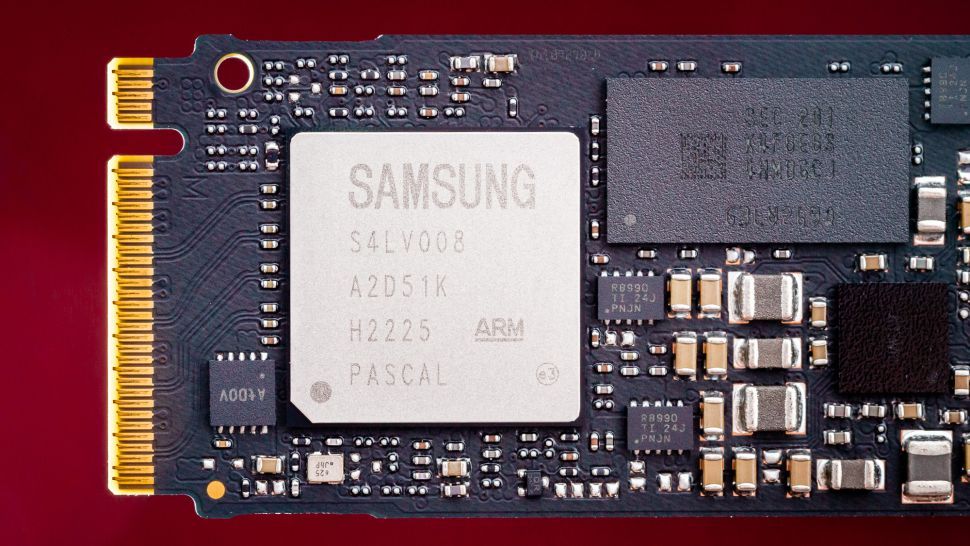
Tom's Hardware
The update fixes the underlying cause of the rapid health declines, but it's not all good news.
hoary urchin
990 is 38% faster than 980. Both are very good options. 👍
Corsair makes some good M.2 drives as well at comparable speed/price.
devout pendant
38% faster on what? booting?
fallen oasis
Reading and writing probably...
devout pendant
loading UE5 takes 3 seconds less?
devout pendant
Almost got scammed
lots of fake SAmsung SSDs. Half the price, but they are selling Kingston disguised as Samsung
devout pendant
is DDR4 3200 cl22 bad?
fallen oasis
Your CL coudl be lower.
fallen oasis
A little.
wind egret
For an SODIMM it's normal. When you use less power, something has to give. Would be odd for a recently released desktop DIMM.
median marsh
devout pendant
I'm going to build my PC with Samsung 980
980 is also affected by the firmware bug
devout pendant
https://www.coolblue.nl/en/advice/compare-the-samsung-980-to-samsung-980-pro.html so the Pro is faster
Read everything on the differences and similarities between a Samsung 980 and a 980 PRO internal M.2 NVMe SSD here.
that's why I'm finding price differences of 90%
agile lodge
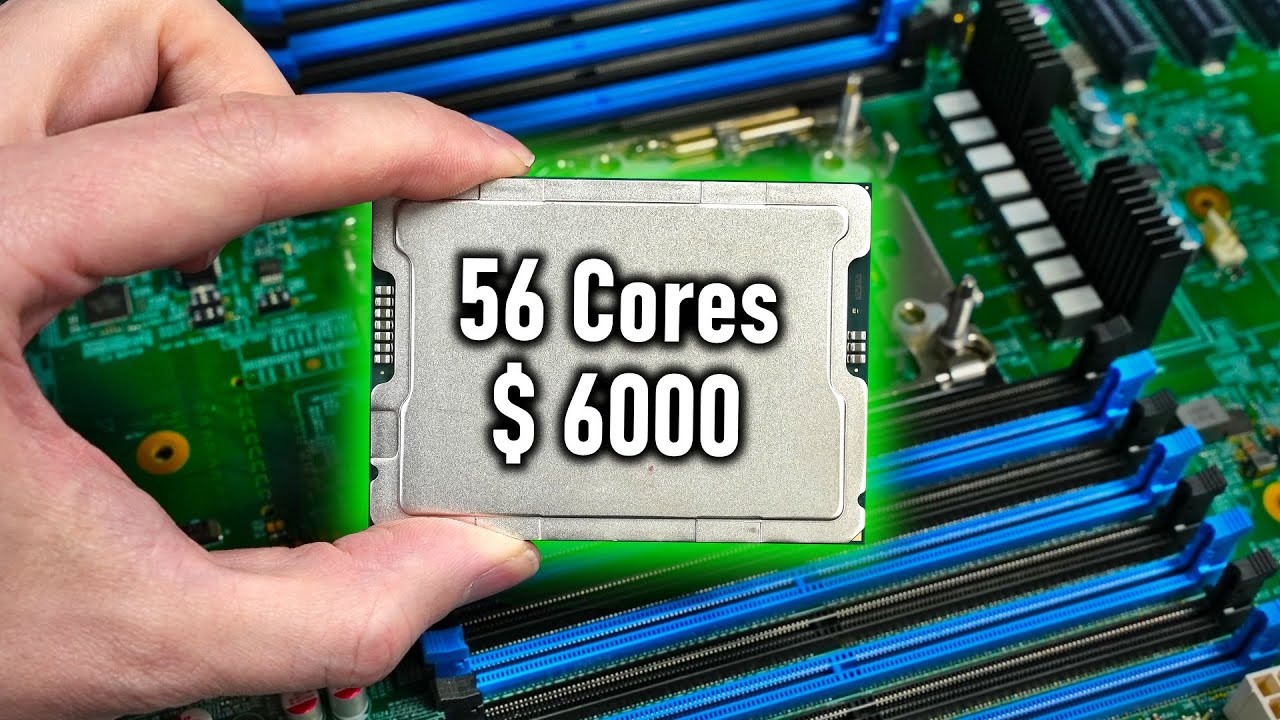
More Information about Hetzner AX41 Servers:
https://derbauer.hetzner.com/en/ax41-nvme/
Support me on Patreon:
https://www.patreon.com/der8auer
Music / Credits:
Outro:
Dylan Sitts feat. HDBeenDope - For The Record (Dylan Sitts...
devout pendant
AMD offers more cores than Intel. To compile shaders, is more cores always better?
vagrant anvil
in the case of shaders, usually, but not always. there is a balance between clock speed, IPC, and number of cores. usually, as core count goes up, clock speeds go down. so if the individual cores on Intel's 56-core can compile shaders faster than the individual cores on the 64-core threadripper, they could in theory outperform with fewer cores. However, in my tests they do not, but did get close. https://www.pugetsystems.com/labs/articles/intel-xeon-w-3400-content-creation-preview/
Intel has announced their latest Xeon processor families, including the W-2400 and W-3400 lines. While there is still several months to go before the sales embargo, we are able to give a preview of how these processors perform in various content creation applications.
fallen oasis
You know, I think one of the biggest advantages of those xeons of trs is just the ram spec.
vagrant anvil
yep
fallen oasis
It does make me wonder how effective it is at running ddr5 4800 with more than 2 sticks, though.
vagrant anvil
there are some advantages to the platform as a whole, but pure CPU performance doesn't quite match up to TR yet
fallen oasis
That's a shame
vagrant anvil
oh, and it wouldn't post with most of our NVIDIA 4000 series gpus. so that was fun
fallen oasis
Lol
vagrant anvil
on a per core basis, they actually are pretty close to TR. so its good to have some competition to TR again
fallen oasis
Why is the balanced performance so much worse on the xeons? Do the TRs just not know what balance means? 😛
vagrant anvil
excelent question, wo dont know
its always been the case though
for Unreal, only the 56-core had a difference with balanced vs Performance, and only in shade compile
CPU rendering saw no differences, so we didn't include them on that chart
fallen oasis
Odd.
agile lodge



 mental timber
Bit of a question for people here. How are intel ARC GPUs performing with UE5?
unkempt pelican
They aren't yet supported for Nanite and Lumen afaik
north arch
I've heard games made with UE tend to perform more poorly than expected, and some engine features are non-functional
devout pendant
A750 is the same price of RTX 3060 Ti. I'm not going for Intel this time. Their drivers are very much requiring some heavy work
north arch
first gen issues
 gleaming yoke
Noob question incoming: What do you guys use as backup solutions? I'm not in a serious production environment, but I want to develop best practices during my education. Currently I save my project to two harddrives on my PC (one ssd, other HDD) and I plan to start using an external as well. Am I covering all my bases?
frank glade
I just stick everything in my onedrive folder (it even has file history, saved me a few times). If it's old I will move it to an external hdd
Chances are 99.99% I will never touch those things again though
median marsh
yea but when you hit that 0,01% worst case, you'll be happy to have it 😄
minor veldt
gleaming yoke
Noob question incoming: What do you guys use as backup solutions? I'm not in a s...
The levels of things that can go wrong:
- Primary drive dies, so keep a backup on a second drive. Easy to access.
- Computer dies (Hit by lightning, encrypted by ransomware, stolen, etc), so keep a backup on NAS and a non-connected device such as a USB drive.
- House dies (Fire, flooding, collapse in earthquake, all electronics stolen, etc), so keep a nearby off-site backup such as with a friend or a family member.
- City dies (Meteor strike, military invasion, nuclear power-plant accident, tsunami, volcano eruption, etc.), so keep a backup on a far away site such as OneDrive, Google Drive, rsync.net, Backblaze, etc.
Any worse than that last one and you probably have bigger issues to deal with than your Unreal Engine project.
Not every level is necessary if you have one below it, so the "stick it in a onedrive folder" advice isn't terrible, if you trust the service. And be sure to test-restore your backups from time to time.
median marsh
for the offsite backup you can use 2 drives, and when you visit the offsite you swap them
which basically let's you combine it with the NAS/Whatever solution. just go with 2 drives (e.g. 2x 2TB isn't super expensive and should be sufficient for most personal data)
devout pendant
can ramsomware attack files stored on a synchronised remote folder?
median marsh
yes, especially if it's synchronized
devout pendant
lowered the cost of my build a bit. The local store is charging more for the DeepCool CC560 case but they don't include the fans.
https://img.terabyteshop.com.br/produto/g/gabinete-gamer-ninja-folha-rgb-mid-tower-vidro-temperado-atx-sem-fonte-com-3-fans_162290.jpg this one is 25$ less and does include fans

ax vga size is 320mm. Enough for triple fan VGAs
frank glade
that's pretty short for today's standards
devout pendant
I don't have any plans for high end VGAs longer than 320mm
devout pendant
https://m.media-amazon.com/images/I/51GZLOWn8ML._AC_SX679_.jpg this one has a limit of 340mm for the VGA and was more expensive. But I didn't like it.
 spice girder
the first on has worse air flow for cooling
devout pendant
worse?
in any case, the store offers one week to regret and give it back
the first one has a mesh, the second a dragon scale pattern
spice girder
devout pendant
the first one has a mesh, the second a dragon scale pattern
sorry I'm wrong. At First it looked to me like transparent plastic
devout pendant
so I bought everything
1230$ with currency conversion
Ryzen 5700x, msi b550m pro vdh, 16 x 2 GB Corsair Vengeance LPX, DeepCool AG300, Thermal Paste Cooler Master, Case with 3 fans, one extra aerocool blue led fan, LG 26 ultrawide, RTX 3060 Ti Soyo, 500GB WD SN570, Corsair CX550W
now I have to wait for the parts
 cinder latch