#hardware
1 messages · Page 7 of 1
 vivid skiff
You might be bottlenecked on RAM loading all the chunks for the editor, though it's fairly generous in 16 GB of RAM, as long as you don't have much overhead from background apps
Multiple screens.
Use one for reference or putting code/BP editor aside.
 agile lodge

 dreamy sphinx
um got any links to a laptop sorry im not that good with hardware
 median marsh
lenovo legion 5 is a popular choice here
 crimson whale
my pc is coming today
vivid skiff
dreamy sphinx
um got any links to a laptop sorry im not that good with hardware

Jump right into the action with the TUF Gaming A15 gaming laptops. Stream and multitask with ease thanks to the Ryzen 6800H CPU and blisteringly fast 4800MHz DDR5 RAM on Windows 11. Leverage the full gaming performance of the GeForce RTX™ 30 series GPU with a dedicated MUX Switch.
 vagrant anvil
so far, not having a great time with the 7900 XTX in 5.1 https://twitter.com/kwshipman/status/1603501605986664449


trying one of my @UnrealEngine 5.1 projects on with the new @amdradeon 7900 XTX and.... uh... there is something wrong. 😆 other projects seemed ok.
 Twitter
·
Twitter
·
4.26 was mostly on par with gaming reviews. really good with rasterized, not as good with ray tracing. Though one rasterized project was as fast as a 4080, a different rasterized project was slower than a 3080 and I can't figure out the difference
hopefully a driver update will help
vagrant anvil
I did not take that into consideration. I'll reach out to some of the partners and see if they have any spare Xes laying around. Maybe I can just download them...
dreamy sphinx
vivid skiff
https://www.amazon.com/ASUS-Display-GeForce-Windows-FA507RM-ES73/dp/B0B7QZSFS3
oh okay
 foggy rampart
vagrant anvil
so far, not having a great time with the 7900 XTX in 5.1 https://twitter.com/kws...
foggy rampart
vagrant anvil
so far, not having a great time with the 7900 XTX in 5.1 https://twitter.com/kws...
well that's surprising considering the fact that AMD is working with Epic closely. I'm aiming for xtx too, but still not availabe in shops
 pallid flume
What sort of hardware related problems could be causing 17FPS on a blank level in a new project?
median marsh
using the wrong GPU, e.g. integrated vs. dedicated on a laptop or desktop which has an cpu with gpu
or the usual bottlenecks where there's just not enough system memory / etc.
pallid flume
median marsh
using the wrong GPU, e.g. integrated vs. dedicated on a laptop or desktop which ...
so what if performance was fine at 60FPS for weeks but now all of a sudden everything is slow?
median marsh
could be like 10 different things
what does the taskmanager say, where's the bottleneck?
pallid flume
median marsh
could be like 10 different things
I ran a test with the windows application version of Userbenchmark and it kept showing that the GPU was underperforming.
So....?
median marsh
so should i keep guessing?
WHAT is at 100% in the taskmanager?
CPU/GPU/Memory
one of them will be most likely at 100%

 median marsh
is the 2060 the only GPU?
pallid flume
it's the only one in task manager
 median marsh
this is while UE is running at 16fps?
this cpu apparently has an iGPU
check your unreal logs, to see which one unreal picked up at startup
pallid flume
Sounds good, but real quick all off my applications are defaulting to GPU 0, which is the 2060

 frank glade
I think that should show up in task manager if used
 pallid flume
median marsh
could be like 10 different things
pallid flume
median marsh
could be like 10 different things
Please list all of these possibility's for the sake of my own sanity.
I have messed with the BIOS
I have changed my Nvidia driver version multiple times
I have made sure both fans are spinning
I ran the Laptop with the back off for air flow
I just today got the laptop back after being professionally cleaned internally as well as a reapplication of the thermal paste. Which cost me like 120+ filipin dollars.
Absolutely nothing is working...
A new unreal Engine 5.0 and 5.1 level, literally a blank boring canvas of nothing but a floor plane and directional light rendered with an i7 10750H and an RTX 2060..... 16FPS.....
what tf do I do?
median marsh
check the startup logs, which gpu it picked...
 fallen oasis
Do you have problems with playing actual games?
median marsh
you just now said it's a laptop, which might behave a bit different than a desktop with igpu
pallid flume
fallen oasis
Do you have problems with playing actual games?
yes
pallid flume
fallen oasis
Do you have problems with playing actual games?
16 FPS with one vehicle spawned in on Beam.ng drive
16 FPS customizing character in halo reach
fallen oasis
Is it always 16 fps? Not below or above?
median marsh
that almost sounds like you installed yourself a fps limiter
pallid flume
fallen oasis
Is it always 16 fps? Not below or above?
pretty much around that amount.
my nanite scene is at 22FPS
Halo is at around 15-18
Beam.ng is pretty much always 16
fallen oasis
Ah so not always 16 fps.
I was thinking you might have some ridiculous 16 hz refresh rate and it's capping the fps there.
When you run these games, does your performance in task manager change? Does it cap the cpu or gpu?
pallid flume
fallen oasis
When you run these games, does your performance in task manager change? Does it ...
by cap do you mean temps?
because the GPU has never gone above 53 Celcius
fallen oasis
No. I mean performance utilisation.
median marsh
the thing is, in laptops the data somehow always goes through the igpu, not?
fallen oasis
pallid flume
These
fallen oasis
pallid flume
And this


 pallid flume
 fallen oasis
Your gpu isn't good enough.
median marsh
also that's not an empty scene ....
pallid flume
 median marsh
but i don't accept "your gpu isn't good enough"
and i wont accept anymore screenshot until you checked your damn unreal logs for the GPU
fallen oasis
I think there's a "stat render" or something.
It should autocomplete.
But, yes, do what Ben is saying.
pallid flume
median marsh
and i wont accept anymore screenshot until you checked your damn unreal logs for...
I'll get one right now
fallen oasis
You may have to disable the cpu igpu in the bios.
median marsh
fallen oasis
You may have to disable the cpu igpu in the bios.
i think you cant on a laptop?
fallen oasis
Shrug
median marsh
since they somehow share the same display?!
fallen oasis
I don't do laptops.
pallid flume
by log you mean this?
 median marsh
so i think dedicated gpu fills framebuffer in igpu, and igpu sends image to display
 median marsh
search for UHD please
pallid flume
median marsh
search for UHD please
no results
 median marsh
ok
so it picks the 2060 then
i guess your problem isn't unreal related then
specially since you said other stuff also performs bad
pallid flume
median marsh
specially since you said other stuff also performs bad
yea, thats whats annoying.
fallen oasis
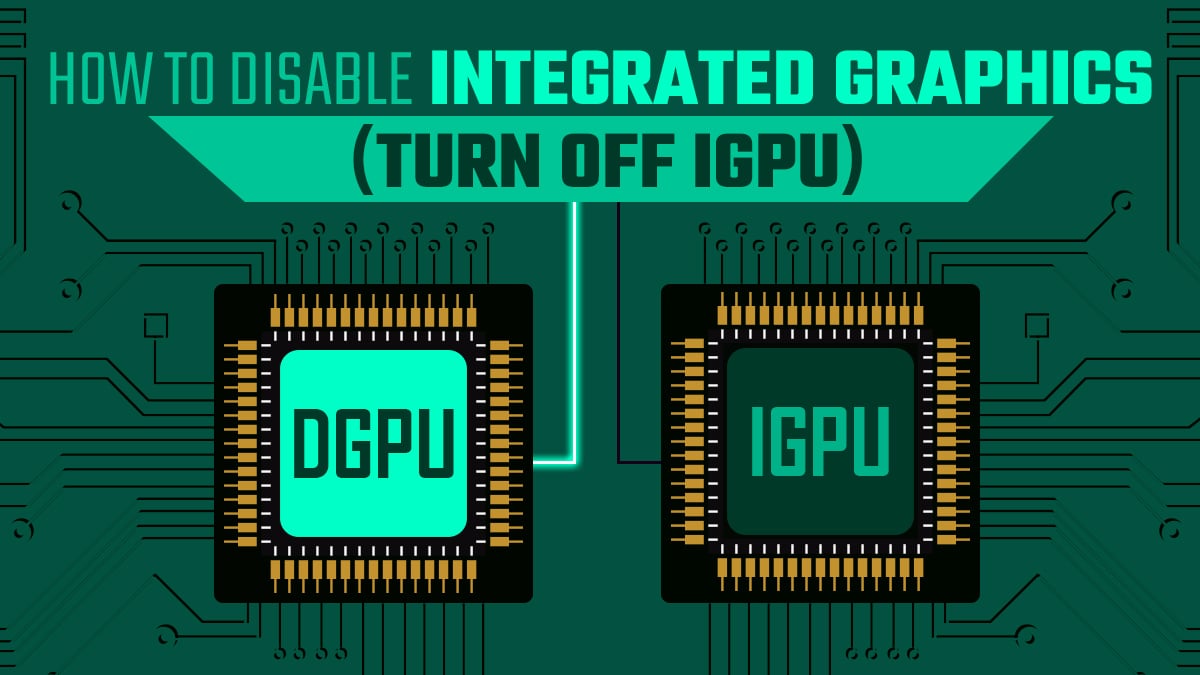
iGPUs often cause issues in GPU-intensive Applications. Here's how to disable your iGPU once and for all.
I would try this.
It may not be relevant to your system, but it can't hurt to give it a go.
pallid flume
median marsh
i guess your problem isn't unreal related then
thought it was a bloated windows drive issue, I only had like 5GB left on the drive.
Just moved space off earlier to today and no improvement.
 pallid flume
fallen oasis
It may not be relevant to your system, but it can't hurt to give it a go.
pallid flume
fallen oasis
It may not be relevant to your system, but it can't hurt to give it a go.
thanks, I'll check this out
@fallen oasis, @median marsh One last piece of info, (sorry to bother)
I talked to the repair guy in town and he said he completely cleaned out the inside and re-applied thermal paste.
Then said "if that doesn't help the next move is to replace the fans and heatsink"
what do you guys think of that?
median marsh
i think that fool should have checked the fans in the first place
fallen oasis
I think if it's not a heat problem, he's trying to scam you.
pallid flume
damn
fallen oasis
You can check your heat with something like motherboard monitor.
median marsh
task manager said gpu was at 50°C which is fine
and cpu wasn't throttling either
so i also dont think that its a thermal issue
pallid flume
median marsh
so i also dont think that its a thermal issue
I keep thinking this but the weird thing is I turned the laptop on it's side and removed the back and it seemed to fix all the problems but only for like 20-30 mins. Then it went right back to terrible performance
I have a hard time thinking it isnt a thermal issue because when It had more air to breathe it functioned as expected.
pallid flume
It just makes no damn sense,
The GPU has never gone above 53 Celcius
but yet more airlfow seemed to help.....
fallen oasis
The guy at the shop replacing your thermal paste will have been doing that to your cpu, not your gpu.
So you probably wasted money on that.
pallid flume
damn
pallid flume
median marsh
after wasting 15 minutes...
Is this info any more helpful?
it's not like I withheld the answer from you
C'mon man
median marsh
yes it is, because that makes it sound more like a hardware than a software problem
as long as you didnt forget to mention anything else...
pallid flume
median marsh
yes it is, because that makes it sound more like a hardware than a software prob...
Ok, But My first question was ↓
("What sort of hardware related problems could be causing 17FPS on a blank level in a new project?")
I had already assumed that it was hardware, thats what I lead on with.
and no theres nothing else I have for info.
Lenovo Is just a slab of sun dried cow dung.
1,200 Laptop and yet it has cost me 0ver 400$ to repair over like a 4 year period.
fallen oasis
Laptops are bad.
You could have gotten a dekstop twice as powerful for $1600.
And not had to rpeair it.
pallid flume
fallen oasis
You could have gotten a dekstop twice as powerful for $1600.
yea well thats my next god damn move.
RTX 3070's and those Ryzen GPU's are lookin pretty tasty.
A hell of a lot more tasty than this moldy peice of bread im typing on...
fallen oasis
Was there a reason you want for a laptop?
median marsh
laura is just sitting there eating popcorn
pallid flume
median marsh
laura is just sitting there eating popcorn
lol
fallen oasis
Isn't that the glass stuff from w7?
pallid flume
I love how out of every picture I sent you so easily read between the lines and some how realized the background was transparent. lol
To be honest..... I forgot until you reminded me..
it's 3rd party windows software.
it was a software package for $30,
(cant confirm whether or not it works with Win11 OS)
pallid flume
I don't remember all of the software features but one of them looks like this
 fallen oasis
Also, there's a reply button?
pallid flume
It was a software package
fallen oasis
Oh. That. I just right click.
I was more hoping for a reply keybind for the last sent message.
pallid flume
You thought that transparent file explorer was cool, wait until you see my tool bar
 fallen oasis
That just looks like glass from w7
pallid flume
(I know it's almost the same)
Well then get a load of this desktop screen!

I know, A+ in organisation
 fallen oasis
You have to select hte message first.
Which is just a ballache
Shift+tab -> up
Indeed.
pallid flume
 fallen oasis
A simple ctrl+r would be lovely. Except that appears to be refresh.
Actually, just tab -> up -> r doe sit.
No need for shift.
Just remembering it is annoying.
vagrant anvil
foggy rampart
well that's surprising considering the fact that AMD is working with Epic closel...
I'm sure this can be fixed by changing some project settings, or worst case in a driver update. when the 6900 XT launched I saw some issues in Unreal that were eventually fixed.
fallen oasis
There were massive issues with those amd cards back in the day
vagrant anvil
I saw that issue in that one project in 5.1. the same project in 4.26 was fine. Also City Sample and Valley of the Ancient both seemed fine. If you do go AMD, just be prepared to find a work around or wait for driver updates
and if you want Ray Tracing, just go Nvidia
I missed a 2. fixed 😆
pallid flume
I'm getting 14FPS on a literal blank Unreal Engine level and project.
There's nothing here, yet I'm at such low performance.
I was just at 60FPS with nanite scenes the other day.
MSI afterburner is displaying GPU clock speeds at 300MHz
any idea how to solve this problem?

(in the Unreal Editor detail stats that you can display on the screen)
all of the bottlenecking is coming from the GPU
(it's an RTX2060 btw)
(laptop)
vivid skiff
Finally got myself some new hardware
Can't wait to bring her to work more 

 devout pendant
I just bought 8GB DDR3L 1600 Samsung in shopee. ~10$ USD
my laptop has 4GB soldered and 4GB removable.
fallen oasis
DDR3 ?!
vivid skiff
DDR3 might be a little more painful for UE work 🤔
Haven't made my own comparison with DDR4 though, which I now have
Also different model could mess up dual channel (though I doubt it's the case if the other RAM is soldered in)
vivid skiff
I'd say not as huge margin as HDD and SSD
Also CPU grunt
Those two IMO are the most defining factors for compile time
pallid flume
Just talked to someone on discord last night that discovered my GPU is locking at a max Core Clock Speed of 300MHz
MSI Afterburner seems unable to move the clock speed in any direction.
I am almost certain now that something is forcing my GPU to a Core Clock Speed of 300MHz and is overwriting any attempt to change it.
(been having problems with performance for weeks)
any ideas?
fallen oasis
Sounds like thermal throttling, given your other input.
pallid flume
fallen oasis
Sounds like thermal throttling, given your other input.
even though the gpu has never gone above 53 Celsius?
median marsh
well, you said it's fixed when turning the laptop
maybe it tries to enable the fan, but notices that the fan doesn't spin (because it's damaged) and therefor it wont clock higher
so first thing i would check is if the GPU fan is working
 sterile bobcat
 fallen oasis
The answer to that question is always yes.
The real question is, can you afford one?
And fi you can, is it worth it for what you do?
vivid skiff
If budget is not an issue, top of the line CPUs like Threadripper would be suggested
fallen oasis
Epyc Genoa?
Per core?!
😛
Jesus.
12 hcannels of DDR5-4800 memory, up to a total of 6gb.
 zinc lintel
Built a new pc, installed steam, the pc turned off and doesn't want to turn on. Any tips how to approach it?
Power button does nothing. The one on board does nothing either
Reset CMOS. Its on. Another try, hope it won't crash. My pressure jumped th moment it went off 😱
They should be. My fingers still ache from trying to push the ATX cable in to a click
thanks, will do so
zinc lintel
looks like it was caused by OpenHardwareMonitor, just a speculation
The system crashed multiple times requiring CMOS clear to post, each time OHM was running. This time I tried hwinfo and no crash in the last 30 minutes
fallen oasis
Fuck that's it.
I knew I had a thing like that installed.
I can never remember what it's called.
pallid flume
attention everyone in this goddamn discord.
I have not done anything on my computer for 2 weeks.
Every waking hour of my life has been getting my GPU clock speed to not be locked at 300MHz.
It's completely un-usable.
GPU power throttling is completely ruining my laptop and work.
Something inside the laptop is screwing with the GPU and is forcing the Clock speed of an RTX2060 down to 300MHz and it is calling it a "Performance Limit due to power"
how do I %1000 remove GPU power throttling?
fallen oasis
Is your laptop on battery power?
pallid flume
fallen oasis
Is your laptop on battery power?
im plogged in and the device is on thermal mode
pallid flume
(performance)
fallen oasis
I would check your advanced power saving settings.
There's definitely one to limit gpu power.
pallid flume
fallen oasis
I would check your advanced power saving settings.
every setting I have seen so far is set to change the GPU and CPU as little as possible
how do I tell if the cooling is working though?
do you mean the CPU and GPU temps?
GPU temps have never been above 60
(except for once, it was at 84 for a few seconds)
GPU temps have never, not even once cause "thermal" throttling
But something keeps forcing the GPU to be power throttled/
well that's a really good Idea,
Had I known that laptop hardware and monitoring laptop hardware was as hard and "anti-consumer" as this. I would have bought a Gameboy made with radioactive materials before I even looked at this old useless slab of sun dried cow dung.
fallen oasis
Laptop hardware isn't anti-consumer. Cheap/bad hardware is anti-consumer.
I'm sure there are plenty of good laptops.
It's also a lot easier to break laptops. They're more mobile, so more vulnerable to being moved and taking kinetic damage.
To use a gamer term.
Also wildly more vulnerable to thermal damage.
pallid flume
yea its just absolutely ridiculous.
$1200 laptop, $500's worth of repairs
still doesn't work.
I'm so pissed I'm about to ruin my life and bankrupt myself and go buy some disgusting decepticon lookin Desktop that can fart in the general direction of any Quantum Computer in a lab and can render Blender scenes in less time than my neural synapses can fire...
had enough
fallen oasis
Don't buy a flashy looking desktop.
pallid flume
here's the idea folks...
ask a meaningful family member if they are considering buying a laptop for anything other than google chrome.
if they say no, let them live.
If they say yes, never talk to them again...
 north arch
if they use chrome, disown them
also note that your reported gpu temperature is only accurate where the sensor is, and not elsewhere on the die or in the cooling system
fallen oasis
Plus it may just be wrong.
vivid skiff
pallid flume
attention everyone in this goddamn discord.
I have not done anything on my comp...
Does HWInfo put out any sus stats?
 wind egret
fallen oasis
Laptop hardware isn't anti-consumer. Cheap/bad hardware is anti-consumer.
wind egret
fallen oasis
Laptop hardware isn't anti-consumer. Cheap/bad hardware is anti-consumer.
But cheap/bad hardware is pro-consumer... you become a more consuming consumer because of it. 🎂
vivid skiff
HWInfo is handy to look through more detailed hardware stats and narrow down the root cause
pallid flume
I am monitoring my GPU stats in HWINFO64, and I have discovered that each time my gpu turns to TRUE for "Performance Limit - Power"
The GPU clock speed is forced down to 300MHz
Any way to stop this?
(look at this graph, you can see the clock speed graph is perfectly contrasted with the Power throttling graph)
("Performance Limit - Power" turns to true, the GPU clock speed falls to 300MHz)

here's another pic but from a few sec's ago.
GPU speeds are higher, waiting to go under load, but also you can see in this one the Performance limit is off

there some form of a correlation here
pallid flume
vivid skiff
Does HWInfo put out any sus stats?
also @vivid skiff, I believe this is what you were referring to earlier about suspicious stats.
pallid flume
Performance Limit - Power just turned on and took full effect a few seconds ago.
Wattage is within 70 - 85
GPU just got forced again down to 300MHz
see what I mean?

GPU is still being limited by power limit even though wattage is at 65...
So why power throttle the card if it's only at 60-65?
 pallid flume
ok you have brought up fan speed but how do I get the speed.
I have been looking for it and I'm trying to see if they are underperforming but I have not been able to tell because I cant find the stat.
laura, you brought up about fan speed, do you no where to look to see the speeds?
vivid skiff
pallid flume
laura, you brought up about fan speed, do you no where to look to see the speeds...
IIRC HWInfo list fan speed as well
pallid flume
vivid skiff
Does HWInfo put out any sus stats?
ok, got new info.
The following is a screen shot of the GPU stats directly after closing a game.
so i suppose this would be a a way to simulate a laptop underload and then suddenly not under load and idling.
obviously pretty common since that's what happens when you exit games but look at the craziness in the graph.
the moment I close the game, the GPU wattage shoots way up to 130W+
as soon as this happens, the power throttling kicks in, in turn lowering the the clock speed
I have been able to reproduce this issue twice now.

any ideas?
 flint lichen
Yo I'm going to help my family buy and assemble gaming build for my cousin, I already got GeForce 970 4gb and I have about 1000$ to spend for the rest of the box + some monitor
Where would u start?
My only experience was building high end pc so I'm not sure on what should I spend the most and where should I save with limited budget
vivid skiff
flint lichen
Yo I'm going to help my family buy and assemble gaming build for my cousin, I al...
GTX 970 could be paired with 16 GB of RAM, an SSD, and a modest mid range 4 core CPU, and a modest 1080p 60 Hz (or 75 Hz) monitor
That is of course implying he/she's only going to use it for playing games as opposed to doing gamedev work
flint lichen
ye he is eleven
vivid skiff
Those alone could spare few more hundred bucks, though I'd suggest getting newer GPU like GTX 10xx or GTX 16xx if you still have the remaining money. Otherwise GTX 970 will still play latest games at playable framerates
flint lichen
We have this spare 970 so I thought let's start with that, get some good setup besides that so then he can upgrade GPU when he needs better one, so that he won't have to care too much about other parts later
vivid skiff
Yeah, then the specs I suggested would be a good start, and taken care well, can hold up to newer mid range GPUs
frank glade
970 was great...mine died and replaced it with a 1060 with similar performance and it kept me going for years
flint lichen
well that may sound stupid but do I need any cooling besides case fans?
vivid skiff
flint lichen
well that may sound stupid but do I need any cooling besides case fans?
CPU coolers.
Though water cooler would be overkill for mid range 4 core CPU
flint lichen
lmk if you'd change anything here https://pcpartpicker.com/list/vvmXqm
Part List - AMD Ryzen 5 5600X, GeForce GTX 970, Lian Li LANCOOL 215 ATX Mid Tower
median marsh
i would change whatever limits your productivity
vivid skiff
flint lichen
lmk if you'd change anything here https://pcpartpicker.com/list/vvmXqm
Those looks good.
vivid skiff
median marsh
i would change whatever limits your productivity
Context:
#hardware message
median marsh
i would remove the HDD and use a 2TB SSD instead
or rather, if it's an annoying kid, keep the HDD
so he is busy waiting on loading screens
flint lichen
xD
i thought that kids can download risky things so it would be better to place his download folder on hdd
flint lichen
okay seems legit
vivid skiff
flint lichen
i thought that kids can download risky things so it would be better to place his...
You can also replace the HDD with 3.5" SSD
It's less expensive than the PCIe / bubble gum form factor counterparts
flint lichen
I've found 2TB Kingston KC3000 in my store at discount so I think ill take this one
 opaque pond
How would someone rank the following gpus for unreal?
Rx 6600
Rtx 3060
Rx 6700xt
Rtx3060ti
Rtx 3080 10gb
Rtx 3090
Rx 6900xt
Rtx 4080
Rtx 4090
Rx 7900xt
Rx 7900xtx?
median marsh
some would say you should sort them by the amount of Xs
for me, it's 3060, 3090, then the rest
because you cant have enough vram and they offer the best price/vram value from nvidia
vivid skiff
Also for development, NVIDIA GPU has the most compatibility to test rendering features with (just because some of them are RTX exclusive)
frank glade
And 4090s can't even fit in my case, def last place
opaque pond
Well there aren't any benchmarks for unreal
vivid skiff
Mid range 3060 should be enough to know whether ray tracing features working in your game or not.
opaque pond
vivid skiff
Mid range 3060 should be enough to know whether ray tracing features working in ...
well i can test that with my current gpu too
so uhh
vivid skiff
I don't know, but AMD GPUs are kinda stagnant IMO.
I mean, yeah, AMD made GPUs for consoles (except Switch) but not as accelerated for ray tracing
opaque pond
amd gpus do support raytracing fully
 mighty cosmos
Rsytracing is still not much more than a gimmick, and it's gonna stay that for at least another 2 generations of GPUs
vivid skiff
mighty cosmos
Rsytracing is still not much more than a gimmick, and it's gonna stay that for a...
B-but how can I make good use of the RTX 😦
frank glade
Path tracer for renders?
vivid skiff
Path Tracer in UE5 seem to be quite promising
I'll mess around with it once I got UE5 installed
frank glade
You can play portal rtx 😆
I liked the rtx in metro exodus
Really pushed some levels
vivid skiff
frank glade
You can play portal rtx 😆
Not sure if mid range RTX can handle full path traced RTX Remix 
north arch
quake rtx
frank glade
vivid skiff
Not sure if mid range RTX can handle full path traced RTX Remix <:HaruThink:9596...
Low settings, dlss?
 vivid skiff
RTX 3060 : 17 FPS
Well, that's the GPU that I have, so...
Oh wait, DLSS Balanced at 41 FPS
fallen oasis
Would DLSS off make it prettier?
Not by much, if anything.
I need to try this shit.
agile lodge
 vivid skiff
I think Intel caters on low budget ones, even their iGPU is a bit dwarfed by AMD APUs
pallid flume
Do you think this PC can be built for $1200?
RTX 3070
good i9
32GB DDR5 Ram
DDR5 Capable mother board
frank glade
Probably not. The only "good" i9 is the 13th gen since even the 13600k gets close in many benchmarks to the 12900k
median marsh
rather go for a good i7 then^^
pallid flume
frank glade
Probably not. The only "good" i9 is the 13th gen since even the 13600k gets clos...
I was under the impression that i9's are better than i7's just like how the 20 series gpus are better than the 10 series
So for $1200
can I build a desktop that is any amount better than these specs:
i7 10750H
RTX2060
16GB - 2933
fallen oasis
This is why I always do price per performance point analyses.
pallid flume
also what is the difference between desktop GPU's with 2 fans or 3?
im guessing 3 is just more powerful?
fallen oasis
More woosh
pallid flume
so theres no change in performance?
fallen oasis
The only change you might see is when it's hitting the thermal limit, 3 fans might be better at cooling it. For a few % performance.
But it really depends more on the airflow around the case than 2 fans vs 3 fans I expect. And having your case off will probabyl trump the difference made by either of those things.
pallid flume
pallid flume
I am looking at my GPU stats in NVInspector for my laptop RTX 2060.
I just noticed that all the sensor stats are green except for one
What does this mean and why is it in the red?
 fallen oasis
It doesn't mean anything bad.
Just that you gpu is using all the power it's allotted.
pallid flume
if want to flash my VBIOS and i have an rtx2060 (laptop)
since the GPU displays GDDR6, does this mean I cant use a VBIOS with GDDR5?
fallen oasis
Get the version that matches your gpu or destroy your card.
Simple as.
Even if it's an exact match, you still might destroy your card.
 jade trout
We have two identical win10 machines with intel i9s, except one has a 2080ti and one has 3090. The 2080ti machine runs UE5.03 no problem. We just tried installing it on the 3090 machine and it only crashes when UE is launched. The error log mentions adProf.dll and VtuneApi.dll missing. Does anyone know how to resolve. Thanks
Have uninstalled/installed UE twice.
Also have updated the 3090 drivers as well. Thanks
Thanks
thanks.
do you mind sharing idea on repairing installation? we've installed/uninstalled UE5 twice already
🙏
 serene dome
pallid flume
if want to flash my VBIOS and i have an rtx2060 (laptop)
since the GPU display...
serene dome
pallid flume
if want to flash my VBIOS and i have an rtx2060 (laptop)
since the GPU display...
Why are you messing with your GPU's VBIOS?
pallid flume
serene dome
Why are you messing with your GPU's VBIOS?
its the only thing left I have to try to fix my problem.
I have spent every waking hour of my life for 2 weeks trying to get my laptop to a playable state.
I mapped out a whole plan to build a small environment that my brother can walk around in with his favorite character in UE5. It was supposed to be a Christmas present to him but now the present is ruined because every software and application that involves rendering is un-usable.
My GPU is being forced down to 300MHz and is not being allowed to breathe.
I am almost 135% certain it is from power throttling.
 serene dome
Uhh... laptop specs and the list of things you've done.
pallid flume
serene dome
Uhh... laptop specs and the list of things you've done.
K one sec.
Finally someone who is willing to engage 1 on 1 about this and doesn't just hop in the chat say "Omg, UpDatE DriVeRs!!!" and then leave.
I swear to god if you figure this out, I am gifting you the max option of nitro.
pallid flume
serene dome
Uhh... laptop specs and the list of things you've done.
I have: ↓
tried performance modes / options in Nvidia Control Panel
Reinstalled drivers using Geforce Experience
Reinstalled drivers using DDU
Uninstalled Geforce Experience
overclocked and undervolted in MSI and Throttlestop
reset battery in BIOS
Dislodged battery from motherboard and ran directly off the cord.
Cleaned all fans and heatsinks
reapplied thermal paste
(still not working)
Specs :
RTX2060
i7 10750
16GB Ram
Win 10
name = Lenovo Legion i5
@serene dome my Windows 10 UI has stopped working and I need to restart, be back in a min.
alright, im back
serene dome
pallid flume
<@93038503591415808> my Windows 10 UI has stopped working and I need to restart,...
Is this bit related to your problem or is it because of all the things you've tried/attempted?
pallid flume
serene dome
Is this bit related to your problem or is it because of all the things you've tr...
No that win 10 issue was a weird one time thing, never seen it before.
This main problem definitely seems to be the GPU's power and it's relationship to the GPU clock speed
let me get a pic from last night for you that shows how a power limiter somewhere in the PC is fighting with the GPU speed.
This performance graph is perfectly contrasted (as in opposite) to the graph displaying current clock speed.
Performance Limit - Power is set to TRUE, clock speed falls to 300MHz
Performance Limit - Power is set to False, clock speed rises to normal.

(another pic for reference)
 serene dome
A quick search on your laptop's model and the problem, it seems this is somewhat common...
How sure are you that you did this correctly:
reset battery in BIOS
Dislodged battery from motherboard and ran directly off the cord.
?
pallid flume
serene dome
A quick search on your laptop's model and the problem, it seems this is somewhat...
-
In my BIOS it does not say "reset battery" that's just what i called it that way others can interpret it better.
In my BIOS it is called "Disable Built In Battery". -
as for dislodged the battery, I unplugged the main wire that lead to the motherboard. It must have dislodged it because the computer turned on and powered, yet it said "no battery detected".
(disable built in battery rebooted the system but it did not help).
(seems like your typing a lot, don't write too much because Unreal discord has a character and paragraph size limit)
if you send a message over the limit it will delete it.
happened to me yesterday and I freaked out
serene dome
I'm going to assume you didn't power cycle properly... You want to:
- Reset your BIOS settings to default because I'm not sure what else you've tried or remembered what you've tried.
- Turn off the laptop.
- Unplug everything from the laptop.
- Remove the battery if it's removable (which sounds like it?)
- Hold the power button down for awhile. Longer the better but a minute is more than fine.
Purpose of a power cycle is to discharge all the voltage stored in the capacitors
pallid flume
serene dome
I'm going to assume you didn't power cycle properly... You want to:
1. Reset yo...
I have truly only done the battery reset option in BIOS but where do I go to reset the BIOS.
Is that just an option in the BIOS
serene dome
There should be a setting to load the defaults. Usually in the same menu when saving/discarding any setting changes
pallid flume
serene dome
There should be a setting to load the defaults. Usually in the same menu when sa...
but where?, is this something I can do from a windows UI or do I need to enter BIOS first to reset.
serene dome
You need to enter BIOS first
pallid flume
serene dome
You need to enter BIOS first
k, I'll be back in a few.
I don't know how confident I am that this is going to work but I'm crossing my fingers.

 serene dome
Well, that seemed to have been the fix for other Legion owners that were plagued with the same/similar problem. There was something else regarding Win10's Memory Integrity feature under Windows Security -> Device Security -> Core Isolation but that seemed farfetched to me
pallid flume
serene dome
Well, that seemed to have been the fix for other Legion owners that were plagued...
I'll look into it.
I mean the idea of flashing the VBIOS is pretty much the next step for me.
anything is worth pursuing at this point.
also If your wondering why I considered flashing the VBIOS in the first place, here is the article that claimed a VBIOS flash is a possible solution.
https://linustechtips.com/topic/1143524-laptop-gpu-stuck-at-300150-mhz-unpluggedbattery-power-fix/
Linus Tech Tips
I have a Dell G7 7790, i7 9750H with an NVIDIA RTX 2070 Max-Q Design. It runs flawlessly on AC power/plugged in. Whenever you use the laptop on battery power/unplugged, the GPU core clock plummets to 300 MHZ and memory clock to 150 MHZ. For example, MSI Kombuster was reaching 6 FPS with 720 resol...
serene dome
Yeah... I wouldn't do that especially since it's trying to get you to flash to a different VBIOS of a different GPU and hoping it'd be compatible
That's just asking for your GPU to be bricked
pallid flume
serene dome
That's just asking for your GPU to be bricked
I found a VBIOS that is for a RTX2060 like mine and has 6144MB Memory and GDDR6 like mine and also perfectly matches the Clock Speed and Boost speed.
only one problem... the Memory speed of my card is 1375 and the memory speed on that VBIOS is 1700...
despite the fact that almost everything matches up, do you still think the memory speed alone is enough to completely destroy the laptop?
I also found what I believe to be a complete VBIOS match
https://www.techpowerup.com/vgabios/227977/227977
 serene dome
Imo, it's not worth the risk...
pallid flume
serene dome
Imo, it's not worth the risk...
if i install some wild VBIOS and it does work, aren't I always able to revert back to my backup of the original old VBIOS?
serene dome
You're assuming IF it does work. It's that if that's the problem
pallid flume
well what other options do we have?
frank glade
email the manufacturer?
pallid flume
frank glade
email the manufacturer?
even though the warranty is expired?
frank glade
why not, maybe they have some ideas
serene dome
What's your CPU temp at when you experience the problem?
40 C seems toasty for me when near idle but that could just be terrible cooling...
 pallid flume
serene dome
What's your CPU temp at when you experience the problem?
pallid flume
serene dome
What's your CPU temp at when you experience the problem?
it usually gets up to like 75 - 85 C while underload.
agile lodge
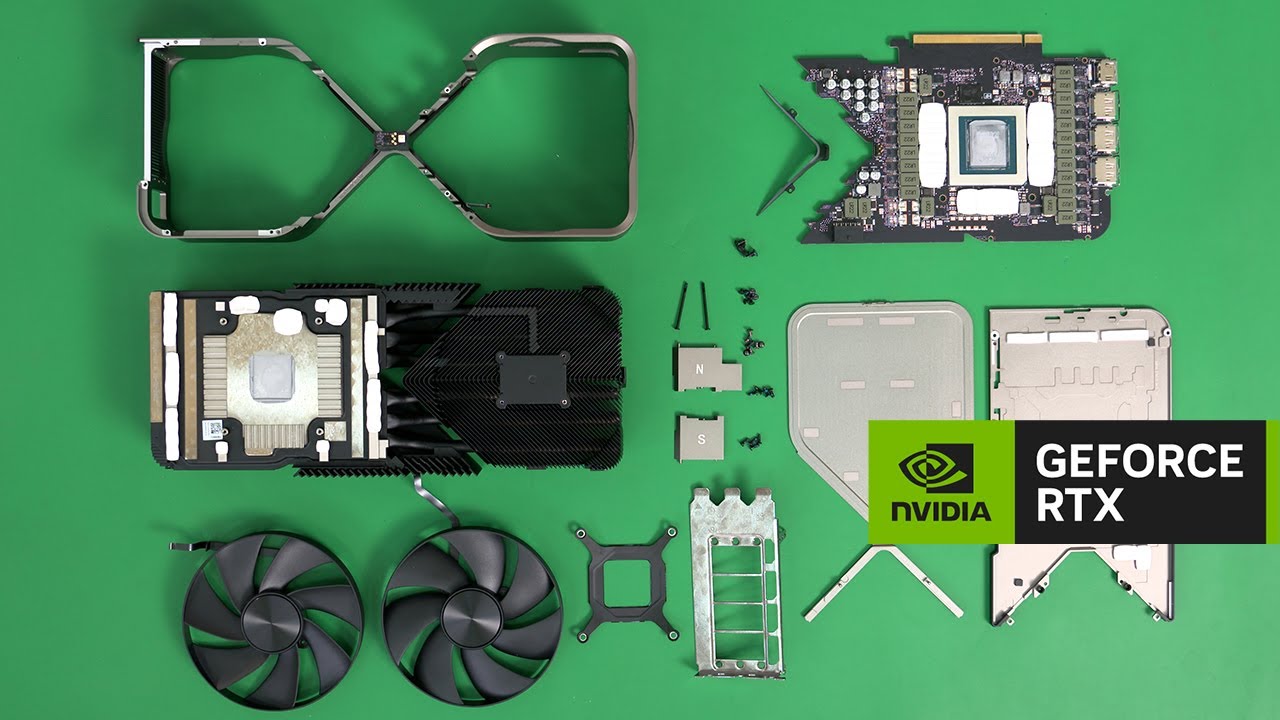
Albert Yunseok Kim of the NVIDIA Mechanical Engineering team tears down the #BeyondFast GeForce RTX 4090 Founders Edition graphics card to the sub-component level. Learn More about the GeForce RTX 4090: https://www.nvidia.com/en-us/geforce/graphics-cards/40-series/rtx-4090/
Subscribe to GeForce! https://www.youtube.com/channel/UCL-g3eGJi1omSDS...
 obtuse rapids
I've got the budget in my new build for a 4090 - but I'm wondering if I will regret getting it or not - mainly for dev work building a simulator
And if I end up using it that pushes my hardware requirements for all machines (since we provide hardware too) up - but if the features are worth it (and it's VR)
median marsh
i would say, go for it
until your simulator is finished, prices may have dropped anyways
frank glade
I regret getting a 3080 Ti instead of the 3090 at the time, would def have used the vram
median marsh
also editor requirements are usually higher than runtime requirements, unless you plan to run the simulation in the editor...
also 3090 is still a good choice for dev work imho, if you just want the extra vram
obtuse rapids
median marsh
i would say, go for it
This is true - I originally started with specing out a 1080 TI
obtuse rapids
frank glade
I regret getting a 3080 Ti instead of the 3090 at the time, would def have used ...
Current main rig has a 3080 TI and I've experienced the same problem
median marsh
33% is probably still faster than my 3060 😄
obtuse rapids
Looking at one of the AIO 4090s, MSI has one - I prefer separate aios than a custom loop
median marsh
you or the case?
obtuse rapids
Are those in stock anywhere non scalped?
median marsh
the AIO cards might be shorter? from what i've seen (but then you still need place for the radiator...)
lucky you... isn't MSRP like $1400?
they cost almost twice that here :/
obtuse rapids
I see non-fe 4090s in stock on Amazon
Lol
Last year I bought a PC bc it has a 3080ti included - it was a nonscalp Price but I had to meet them at 11pm at a gas station
It was like I was buying drugs
median marsh
i never bought drugs at a gas station tho 😄
vivid skiff
Hello, merchant from Resident Evil 4
median marsh
sounds better than getting scammed out of emeralds
vagrant anvil
vagrant anvil
so far, not having a great time with the 7900 XTX in 5.1 https://twitter.com/kws...
Found the cause of the sparkly reflections. In Project Settings > Lumen, Enable Use Hadware Ray Tracing when available. Then enable Ray Traced Shadows, and everythign gets sparkly. But only on my AMD 7900XTX. everything looks fine on my NVIDIA cards
I'll see if I can get someone can set up my test bed (i'm working remote)
obtuse rapids
I'm looking at these system integrators - our any of them selling the founders edition version of the 4090?
They don't actually list which brand of the 4090 they are selling
obtuse rapids
I do live in the US - is there a general pattern at the supply drops occur? I just swapped out a new key cap for my F5
 reef meadow
Hey all, looking to build a pc that will make using unreal, substance painter and blender significantly easier lol
pallid flume
Is it possible to run Nanite and Lumen on something like a GTX1650(laptop)
and "run" not as in perfect frame rate, I mean as in compatible with the hardware.
does nanite and lumen even work at all on hardware that is not 20series GPU's and up?
vivid skiff
reef meadow
Hey all, looking to build a pc that will make using unreal, substance painter an...
What's your budget?
 lethal geode
Anyone know why my laptops eternal hard drive is 2 Terabytes, but i only have 400 Gigabytes of storage? (Not 400 that i have used, just the overall capacity.)
How do i change it?
serene dome
lethal geode
How do i change it?
Run Disk Management
lethal geode
serene dome
Run Disk Management
how?
serene dome
Either:
- Right click Start Menu -> Disk Management
- Search for Disk Management
- Search for diskmgmt.msc
lethal geode
ok
lethal geode
serene dome
Either:
1) Right click Start Menu -> Disk Management
2) Search for Disk Manage...
ok its open
now what @serene dome ?
i have 3 drives for some reason.
(C:) 465GB
(Disk 0 partition 1) 100MB
(Disk 0 partition 4)549MB
serene dome
Top portion with the list is displaying Volumes
Bottom portion should be displaying your drives/disks
lethal geode
 serene dome
From the looks of it you have 1 drive with multiple partitions
lethal geode
what does that mean?
like where is the 2 Terabytes one
thats what my hard drive has
serene dome
Is it connected? Your "C:" drive is only 500~ GB
lethal geode
how do i see if its connected
serene dome
If the 2 TB drive is an external, usually have to connect that to your laptop with a cable
lethal geode
serene dome
If the 2 TB drive is an external, usually have to connect that to your laptop wi...
no its inside
it came with it
serene dome
Then you need to take a look inside if it's internal which may be difficult if it's a laptop
serene dome
Do you know how to do that?
 thorn mist

 vivid skiff
Oh, this is fun...
 thorn mist
Just update to new version with geforce experience
vivid skiff
Nope, going to download it manually
thorn mist
You know
vivid skiff
They said it's pre-upgraded before I bought the laptop... Should've known better
vivid skiff
thorn mist
Which game?
My own game, in Unreal Editor 5.1
thorn mist
sometimes you cant even play the game you made yourself because the system is not enough
So use unity solution 😅
vivid skiff
Almost bit the dust, thanks for the heads up 
 thin grail
Crucial it is then
median marsh
they're all scam
thin grail
I saw some stuff about Corsair thus I had to ask
 pearl quartz

NVIDIA TITAN RTX “Ada” The rumors about NVIDIA cancelled (or shelved) project of next-gen TITAN GPU resurface every few weeks. This time, however, Moore’s Law is Dead is claiming to have real photos of the engineering sample which were used to create detailed renders. NVIDIA TITAN RTX “ADA” Engineering Sample Render, Source: MLID NVIDIA is […]
Yeah looks like it but it has the curve sides on the cooler
Maybe the cooler is overall larger than the 4090
Yeah thats what I mean, it looks based on the newer design not the 3000 series
Fan might not reach the edges like it does on the 4090
median marsh
are the FE cards actually comparable good to the 3rd party cards?
or do they use cheap/loud fans / inefficient cooling design?
pearl quartz
There was a Galax with the dual 12x4pin, the Hall of Fame card
Thats a max of what like 1200w, crazy power
reef meadow
vivid skiff
What's your budget?
probably 1.5k - 2k.
vagrant anvil
obtuse rapids
I'm looking at these system integrators - our any of them selling the founders e...
we prefer to sell FE, but supply has been very tight. I'd recommend whoever you go with you call them and explain you want a specific model and are willing to wait a bit if needed.
vivid skiff
NVMe SSD, Samsung or WD?
frank glade
I think both are good, but I usually stick to WD
 rotund moth
I use Samsung for all my SSDs. I've had the best experience with them.
Solid performance and reliability from every Samsung drive I've used in the past 5 years.
mighty cosmos
Same here, actually never had any Samsung drive fail
(I mean they will eventually but some are going strong after 5+ years)
frank glade
I did have a 970 pro fail after a few weeks. could not figure out what was happening with random blue screens and freezes. replaced under warrany and the new one is fine
 blissful forge
what about g skill?
blissful forge
What would ya'll recommend for animation, an AMD or Intel CPU? If i were to invest in a great graphics card, would that also change the decision making in terms of rendering or is cpu generally always better quality wise (i know that gpu's render faster)?
blissful forge
I currently have a 12900h and i still have time to return it, considering if i should switch to AMD for more cores or let my 3070ti do the rendering for me?
vivid skiff
blissful forge
What would ya'll recommend for animation, an AMD or Intel CPU? If i were to inve...
CPU matters more on compile times (code, shaders) as opposed to rendering alone
When it comes to rendering, the GPU is the main factor
blissful forge
vivid skiff
CPU matters more on compile times (code, shaders) as opposed to rendering alone
in that case, would i need a lot of cores still or can i stick to 1-2 powerful cores?
blissful forge
nvm i found my answer, ideally it would be better to stick with a faster single core processor than multi-core processor for modelling/animation. Multi-core performance is really just for rendering. I'll let my gpu take of that
correct me if im wrong @vivid skiff
blissful forge
@iron zenith What i mean is - GPUs tend to be very bad at doing floating point math, and so they're not ideal for rendering or simulations that require a lot of floating-point operations.
fallen oasis
Lol
GPUs basically only do floating point math and they do a lot of it, simultaneously, making them extremely good at rendering and simulations.
vivid skiff
blissful forge
<@971879383373578310> What i mean is - GPUs tend to be very bad at doing floatin...
That is just plain wrong, and ideally you shouldn't hold back on the specs as long as your budget alllows.
Go for a good multi-core processors for faster shader compiling (you're going to need it a LOT), and go for a good GPU for faster render time.
vivid skiff
fallen oasis
BItcoin? 😛
EXACTLY
Make it seem like you're earning money, when you actually bleeding money paying electrical bills and scalp for new GPU
After all GPU stands for Gcryptocoin Processing Unit
agile lodge

Intel
4th Gen Intel Xeon Scalable and Max Series drive impact.
blissful forge
I got that information from this website https://www.cgdirector.com/cpu-vs-gpu-rendering/
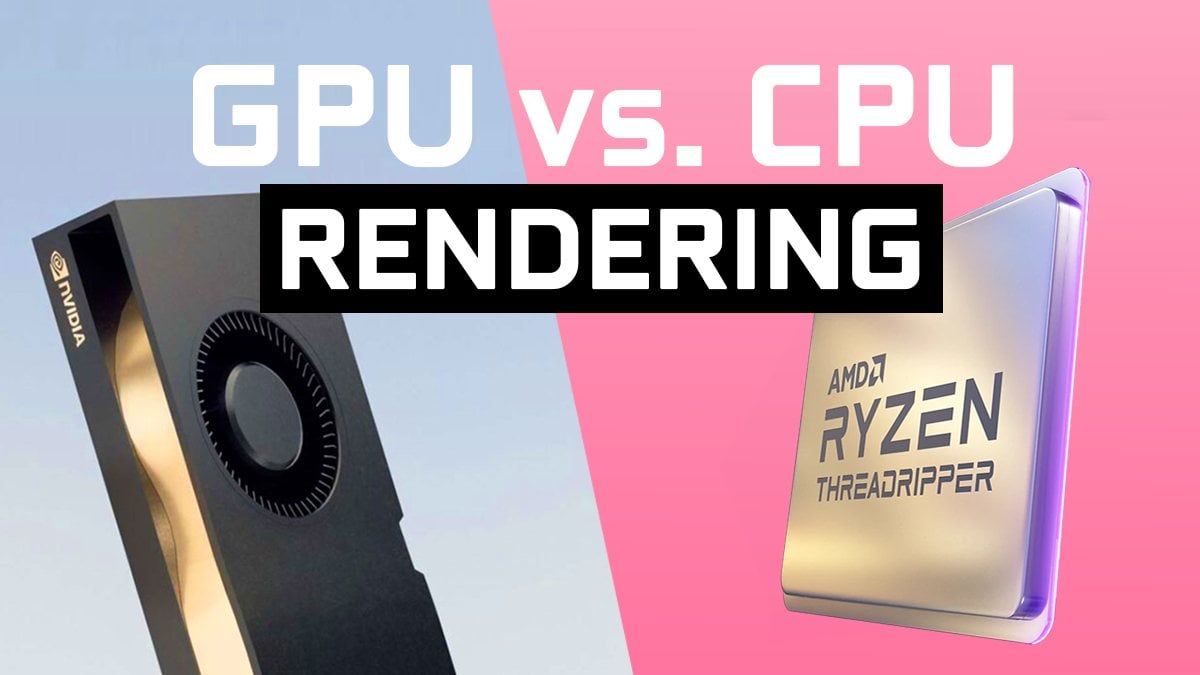
There are the right kind of CPU and GPU Render Engines for any type of 3D Projects. But what are the differences between them and which one should you choose?
median marsh
and i'm not aware of any renderer that is faster on CPU than GPU
blissful forge
Well I’m glad that’s the case, idk why this person was claiming their bad
fallen oasis
Also that website basically says that cpu rendering is good for applications that do cpu rendering and you should spec your system to your needs.
blissful forge
vivid skiff
That is just plain wrong, and ideally you shouldn't hold back on the specs as lo...
Gpu’s can shader compile as well though correct ?
So does the cpu compiles the shaders in order for the gpu to render?
Aye I finally got it
But if I get a processor that specializes in multi-core processing, wouldn’t I lose the benefit of a faster 3d modeling/animation production time when going with a 12900H?
I’m fairly new at animation so I didn’t want to use a lot of money for a desktop build just yet
Do you know affordable desktop builds I could view?
Last question, I know I may be bugging you with my ignorance. Why would you choose a multi-core specialized processor over a single-threaded specialized processor?
fallen oasis
Any laptop you buy will be worse than its desktop equivalent for the same price.
And it won't be as upgradeable.
blissful forge
I’m just an animator I don’t make games, but when comparing my 12900h cpu with its 1-2 core performance it outperforms a lot of amd’s which in return have better Oc memory performance than my intel
fallen oasis
Some people do have more money than sense!
blissful forge
So what amd would you recommend?
Just throw me a couple with various price ranges
frank glade
are you rendering or just doing modeling/animating?
fallen oasis
It might help to know exactly what programs you'll be using.
blissful forge
Yeah of course, so blender and cinema 4d with Redshift
north arch
blissful forge
I’m just an animator I don’t make games, but when comparing my 12900h cpu with i...
if your source is userbenchmark, throw out your data set and use a decent benchmark site
blissful forge
north arch
if your source is userbenchmark, throw out your data set and use a decent benchm...
👉👈 yeaah it was userbencmark lol
What site would you recommend?
fallen oasis
puget is pretty good?
north arch
basically anything else
median marsh
does redshift support gpu rendering?
blissful forge
median marsh
does redshift support gpu rendering?
Yup
median marsh
well, then any modern cpu should do just fine
doesn't even need an insane amount of cores
since at least blender doesnt make use of them
idk about cinema4d tho
frank glade
isn't redshift a GPU only renderer?
blissful forge
frank glade
isn't redshift a GPU only renderer?
Yes
frank glade
blissful forge
Yes
so are you rendering with your gpu mostly then?
blissful forge
frank glade
so are you rendering with your gpu mostly then?
Entirely yes
It’s gpu exclusive
fallen oasis
Are they the ones that shit on Intel (or was it AMD?) for no reason in particular?
blissful forge
I’m glad I joined this discord, I have NO animation friends
Look where that got me
frank glade
blissful forge
Entirely yes
then just compare single thread performance and pick something in the top. I got the 13600k because single thread is very close to the top, almost as good as 12900k from last year. 7900x was also good but also scored higher in multi-thread tasks (which I don't need)
what exactly is the loss though?
I mean how big we talking
blissful forge
frank glade
then just compare single thread performance and pick something in the top. I got...
That’s why I wanted to go with a CPU that specialized more in Single threaded performance, but @iron zenith was saying she’d recommend a multi-core because of shader compiling
Oops I’m sorry
I assumed your gender
frank glade
I thought you were doing modeling, animation and only GPU rendering
blissful forge
frank glade
I thought you were doing modeling, animation and only GPU rendering
I am
fallen oasis
Specialising in multi-core is shooting yourself in teh foot, unless you're a server, in 99% of cases.
You don't need to spend $10k on a cpu that will compile shaders faster once every 6 motnhs.
blissful forge
Why would you say that 🥺?
It was more a joke lol, but It’s a trade off isn’t it? You either have faster rendering or faster modeling?
fallen oasis
Or you have both because nobody does rendering on CPU any more.
blissful forge
Oh
Well then I’ll stick to a 12900k or 13900k then
(That’s if I get a desktop, which now with all this feedback - I think I should )
What would you recommend ?
Thank you, and thank you all for your patience with me
Also what GPU would y’all recommend?
frank glade
blissful forge
It was more a joke lol, but It’s a trade off isn’t it? You either have faster r...
No, fast modeling with fast rendering or fast modeling with very fast rendering 😆
But since you do gpu renderings you don't need anything higher than a 13600k equivalent
agile lodge
snowy white 4090
blissful forge
Ah vram that’s important I forgot, what would be the minimum requirement for vram?
Sheeesh what were you running?
Oh that explains it, I wont need that kind of performance. What processor do you use ?
Oh I know, just curious
blissful forge
Would you recommend a 16 core processor or 24 for my situation ?
Well I’m currently trying to make cinematic animated skits on Blender or cinema 4D (still deciding which one is best for me). I’d like to be able to create battle scenes, as well as very aesthetically pleasing quality skits (1080p for now)
I’d be using Redshift for rendering like I said before, photoshop and adobe premier
As well as adobe after effects, but cinema 4d offers VFX so not sure just yet
Thank you, and is there a benchmark website you know where you can directly compare two different CPU’s, GPU’s, etc?
A table chart is nice and all but sometimes I like to get specific
fallen oasis
The one she literally just linked
Has a lot of charts!
I dunno if they have "compare x and y" section.
blissful forge
I’ll have to research what those are about I have no idea
blissful forge
What would p+e be helpful for ?
blissful forge
To my understanding, the e-cores help with background tasks without sucking up a lot of power
But how is that beneficial compared to a hyper thread which is also helpful with running multiple tasks at the same time?
wind egret
They're space efficient so Intel can manufacture many more E cores than P cores. As for performance/power efficiency, you should judge by review benchmarks (as opposed to benchmark software or technical stats).
blissful forge
If you were an animator using blender and redshift (exclusively gpu render application) what would typically aim for, a p+e core or a hyper threading cpu?
Let me know if that isn’t enough background information
mighty cosmos
AMD with hyperthreading and intel's P+E setup will perform roughly the same if you are on windows 11 with the new scheduler
frank glade
blissful forge
If you were an animator using blender and redshift (exclusively gpu render appli...
P cores also offer hyperthreading
blissful forge
So I could get a p core with hyper threading plus e cores ? @frank glade
frank glade
New intel cpus are all P+E
There's a core difference between them too, 13700k has +2 P cores versus 13600k, 13900K has that and more E cores I think
blissful forge
frank glade
New intel cpus are all P+E
Ooooh I see, all p cores have hyper threading
frank glade
yes
blissful forge
So this is intels way of competing with amds hyper threading
wind egret
laugh
mighty cosmos
blissful forge
So this is intels way of competing with amds hyper threading
More like a desperate attempt at competing that actually ended up working
With their terrible power efficiency there is no way intel would be able to compete with the traditional core setup
But hey it worked
 next scroll
Could someone tell me a good reason till why the Z790 ACE is like $200-300 more then any other motherboard in the same category, or i'm missing something crucial here?
blissful forge
Speaking of motherboards, what should I look out for? Let’s say for a 13900k with a 3070
I don’t know crap about motherboards, I’m a laptop peasant
What kind of ddr5’s do you recommend
Also should I go for a pre-built customized desktop for the warranty benefits or should I just buy everything separate?
I’m aware pre-builts can be more expensive, but what are the other disadvantages?
blissful forge
Do y’all know any notable ones online?
I’m not super opposed to pre-builds. A warranty would be nice to have
blissful forge
Puget actually does pre-builds
blissful forge
would 10 gb of vram be ok or should i still aim for 16?
vivid skiff
blissful forge
would 10 gb of vram be ok or should i still aim for 16?
Depends on your budget
If you can reach RTX 4090 with 24 GB VRAM, then go for it
blissful forge
vivid skiff
Depends on your budget
If you can reach RTX 4090 with 24 GB VRAM, then go for i...
for core and boost clocking speeds what would be the ideal requirments (mhz or ghz)?
blissful forge
I’m deciding on wether to get the 3090ti 24 ram or the Radeon 6950x 16 ram (Radeon has higher mhz)
What would y’all go for? I don’t think I’ll be needing 24 ram anytime soon unless y’all think it’s highly recommend to aim for a 24
vivid skiff
blissful forge
What would y’all go for? I don’t think I’ll be needing 24 ram anytime soon unle...
3090 Ti can do RTX stuff (and NVIDIA in general has the higher market share). If you want to leverage speed ray tracing and if you can afford more VRAM, go for it.
north arch
blissful forge
What would y’all go for? I don’t think I’ll be needing 24 ram anytime soon unle...
Unless you're doing very fancy shader stuff or gpu computing, speed won't matter as much as you think.
obtuse rapids
I've always heard water cooling ram is a complete waste of money but has that changed with DDR5 and some of the higher frequencies? I know the dies get pretty toasty - I'm assuming it's not the case or I would see more content on YouTube for it
blissful forge
what operating system should i get?
vivid skiff
blissful forge
what operating system should i get?
Windows 10 or 11.
Or Linux if you feel patriotic, at the cost of compatibility with many productivity software.
blissful forge
im not prepared to walk the path of linux, it seems very engineer based
 vivid skiff
 haughty mica
intel or amd for ue5?
haughty mica
intel or amd for ue5?
https://www.pugetsystems.com/labs/articles/Unreal-Engine-13th-Gen-Intel-Core-vs-AMD-Ryzen-7000-2377/
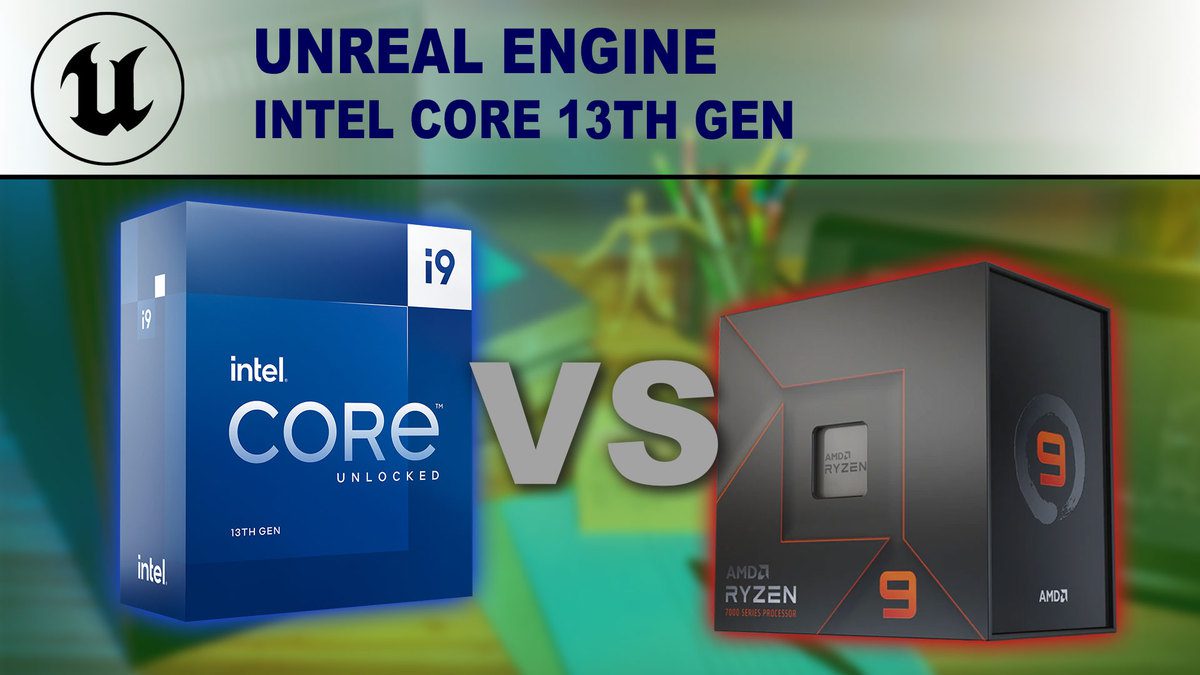
Intel's new 13th Gen processors have just launched, hard on the heels of AMD's recent release of their Ryzen 7000 Series. AMD has long held the lead with Unreal Engine workflows. Will the new 13th Gen processors allow Intel to overtake AMD and become the best choice for Unreal Engine?
opaque pond
vivid skiff
https://www.pugetsystems.com/labs/articles/Unreal-Engine-13th-Gen-Intel-Core-vs-...
what about am4?
and the 5900/50x
vivid skiff
opaque pond
and the 5900/50x
They did fare better than last gen Intel CPUs
opaque pond
yeah cause like these would be plug and play
i wonder what the improvement would be over the 3700x @vivid skiff
 muted plinth
yo guys, first custom pc build. I'm pretty proud of it, tho it cost about $1500 for all the components. heres the specs:
RTX 3070 graphics card
intel i5-13600k cpu
enermex ets f40 cpu cooler
rog strix z690-A motherboard
corsair RM750 psu (750W)
3x MF120 halo case fans
48 GB RAM (2x 16 GB and 2 x 8 GB, all DDR4, 4000 Mhz)
jonsbo mod3 case


 blissful forge
That’s a pretty cool case
fallen oasis
That's one word for it.
vivid skiff
muted plinth
yo guys, first custom pc build. I'm pretty proud of it, tho it cost about $1500 ...
Congrats on the build!
Not a big fan of that case tho
||no pun intended||
blissful forge
Id just tidy up the wires with some zip ties or something, with the transparent case it doesn’t accommodate well in my humble opinion
Also merry Christmas mates! Hope it’s cozy
obtuse rapids
Anyone here run a custom loop? 🌊
haughty mica
Corsair Vengeance 64GB DDR5 5600mhz cl38 4x16gb
Ryzen 7950X 16 cores / 32 Threads
GIGABYTE B650 AORUS ELITE AX
ARCTIC Liquid Freezer II 420mm (AIO CPU Cooler)
good combo for unreal?
mighty cosmos
I would probably go for 128GB of ram but yeah that's good
mighty cosmos
obtuse rapids
Anyone here run a custom loop? 🌊
Eh I never bothered with it
Looks like too much pain for little benefit
median marsh
at least pick 2x32GB so you have future room for upgrade
also might run faster than 4x16GB
blissful forge
Is there a pcpartpicker build y’all found to be very optimal for the 4090 with the 3900k?
I wanna use a guide to reference my desktop off of
Or if any of y’all got a build with those components yourself that works too
haughty mica
haughty mica
Corsair Vengeance 64GB DDR5 5600mhz cl38 4x16gb
Ryzen 7950X 16 cores / 32 Thread...
i guess 2x32gb will be good
 blissful forge
so i dont think id be needing 24 cores for my cpu, so between the 7950x and the 13900k - what would yall settle for?
i've checked over blender and cinema's bencmarks and its honestly a tie generally
the 7950x has 4.5 core clock while the 13900k has 3
frank glade
blissful forge
so i dont think id be needing 24 cores for my cpu, so between the 7950x and the ...
I thought you settled on a 13600k since you won't be rendering on it!
blissful forge
i thought since the cpu is used to compile the rendering its still good to invest in a 13900k
frank glade
It sounds like a waste. If you're not compiling, rendering on the CPU or video editing what is the point of getting one of the best cpu for multithread tasks right now?
blissful forge
does compiling the rendering another word for just rendering?
mighty cosmos
They are 2 different things
frank glade
Here's a better investment, get the 13600k for half price, then get the next mid-range one in 2 years. You'd be using it fully for your workflows and have saved some cash
blissful forge
blissful forge
So does the cpu compiles the shaders in order for the gpu to render?
this is what im referencing
blissful forge
blissful forge
does compiling the rendering another word for just rendering?
i meant to say compile the rendering
can you please relax
mighty cosmos
frank glade
Here's a better investment, get the 13600k for half price, then get the next mid...
If they can get the best there is no reason no to tho
Especially if they plan on dealing with materials/shaders
vivid skiff
blissful forge
i thought since the cpu is used to compile the rendering its still good to inves...
I said compiling code and shaders, not the rendering.
Ultimately those two are what the GPU would use to render stuff on screen.
blissful forge
vivid skiff
I said compiling code and shaders, not the rendering.
Ultimately those two are ...
shaders my mistake, its late so i misread
vivid skiff
CPU compile those shaders, GPU renders something with it.
north arch
blissful forge
the 7950x has 4.5 core clock while the 13900k has 3
These are CISC architectures, not RISC, instructions take multiple (sometimes input-dependent) cycles to complete, so raw MHz ratings mean nothing.
vivid skiff
Also bear in mind that offline renderers like those in Blender and Cinema4D can resort to CPU at longer render times. I don't know about C4D, but if you have the capable GPU, you can set Blender to use the GPU to cut down the render times
blissful forge
im investing in a 4090
vivid skiff
If you can afford to reach for the top of the line specs, then you shouldn't half measure on them
blissful forge
wdym by "half measure"?
vivid skiff
Think of it like a PC having RTX 4090 but everything else inside it is low end average office components
blissful forge
ah ok like bottlenecking ?
north arch
consecutive ram reads to the same address even can take different durations due to ram refresh cycles, and that's not even taking into account cacheing, prefetches, and execution pipelines, or delays imposed by the OS's task switching system and kernel overhead
mighty cosmos
blissful forge
im investing in a 4090
Then go 7950x or 13900k, doesn't matter, they are almost the same in terms of performance
If you don want win11 tho avoid intel, their architecture doesn't work correctly without the updated scheduler in win11
north arch
vivid skiff
Think of it like a PC having RTX 4090 but everything else inside it is low end a...
I once built a pc with a slow I3 and a fast 670gtx. But I specced it for s very specific job: CUDA parallel processing cryptographic R&D, so the cpu was almost always idle, waiting to pull data from the gpu to ram and from ram to gpu
it was intentionally cpu-bottlenecked as performance loss was small for the significant cost savings for the very specific task at hand
blissful forge
mighty cosmos
Then go 7950x or 13900k, doesn't matter, they are almost the same in terms of pe...
what OS should i get in that case?
mighty cosmos
Win 10 or 11
For intel win 11 only
 royal rapids
Best LAPTOP for Unreal Engine and 3D?
thorn mist
There is such a problem due to Geforce Experience, does anyone know?

 narrow berry

With TSMCs upcoming N3E process node shrink, SRAM cells are not scaling in size for the first time ever. In this video I will discuss why SRAM is so important for all modern CPUs & GPUs, how it will affect basically everyone, including AMD, Nvidia, Intel and Apple, and why chiplets are a possible work around.
Follow me on Twitter: https://twitt...
vivid skiff
royal rapids
Best LAPTOP for Unreal Engine and 3D?
Depends on your budget
blissful forge
Would y’all go for the Asus ROG STRIX GAMING OC GeForce RTX 4090 24 GB Video Card, or the Asus TUF GAMING OC GeForce RTX 4090 24 GB Video Card
Price difference is about $200 dollars more for the Asus Rog
 prime loom
blissful forge
Would y’all go for the Asus ROG STRIX GAMING OC GeForce RTX 4090 24 GB Video Car...
prime loom
blissful forge
Would y’all go for the Asus ROG STRIX GAMING OC GeForce RTX 4090 24 GB Video Car...
You are basically paying $200 for a Clock increase you could do yourself. Its a scam. Buy the cheaper one.
Its likely the card itself will fit in the case, but the Power cable will be what limits you from putting the side panel back on.
I will be buying one of these, as I have this exact problem.
My Gigabyte 4090 fits great, the cables poke out a lot though, which stops me from putting the side panel back on 😦
blissful forge
prime loom
You are basically paying $200 for a Clock increase you could do yourself. Its a ...
A friend was saying the quality is better as well though
blissful forge
prime loom
You are basically paying $200 for a Clock increase you could do yourself. Its a ...
Also how can I clock it myself ?
prime loom
With their overclocking software?
prime loom
blissful forge
A friend was saying the quality is better as well though
They are literally the same card, with a similar cooler, with slightly higher clocks.
Not worth the money to get the expensive card.
blissful forge
prime loom
With their overclocking software?
Ah ok
obtuse rapids
There's been little stock performance differences in all the aib cards vs fe right? Just in case I can't snag a Founder's edition after news years
obtuse rapids
I can just get a bigger case If I'm stuck with one of those cards I guess
blissful forge
@mighty cosmos your work is amazing by the way
mighty cosmos
Thanks 💙
 muted plinth
hey guys, so I tried to put in 4 RAM sticks in my new pc, 2x 8 GB (DDR4, CL18), and 2x 16 GB (DDR4, CL16). The PC will boot with all 4 in, and task manager shows the available 48 GB, however, whenever running a process with high memory, I get bluescreened with code "MEMORY_MANAGEMENT". After taking out the 2x 16 GB, I no longer get this error, and everything runs smoothly. I believe this has something to do with the latency difference, but I really want these 4 ram to work together. Any way I can make them work together or would I have to get different RAM?
muted plinth
I have it disabled, and I have the ram seated as 16 - 8 - 16 - 8
16 is in channel A, 8 is in channel B
hwinfo?
obtuse rapids
I don't believe you - go ahead and ship me yours, I will verify and return promptly
What's a good 8 slot motherboard for ddr5? I'm playing with the cost of 128 gb and though DDR5 isn't as bad priced as it used to be, it is a lot cheaper to run 128 in 8 slots instead of just 4
Plus many of these motherboards have 3 or even 5 m.2 slots
boiling as in, wow, their performance is so good these cards are hot as fire ?
hopefully that's just a bios problem
consensus seems to be nvidia needs to be taken down a peg
indeed
blissful forge
They’re ridiculously over priced GPU’s though. If it wasn’t for the silicone issue and Nvidia being kinda greedy, the 4090 would be going for around 800-1000 USD
 wispy flare
I actually bought 7900 XTX
All I can tell I at least don't have stutters in dx 12 games
median marsh
wispy flare
All I can tell I at least don't have stutters in dx 12 games
does it run crysis, tho?
north arch
blissful forge
They’re ridiculously over priced GPU’s though. If it wasn’t for the silicone ...
Silicon. Silicone is used for things like spatulas and implants.
blissful forge
north arch
Silicon. Silicone is used for things like spatulas and implants.
It’s used for GPU’s and CPUs
blissful forge
It was a typo
opaque pond
uhh just wondering would underclocking be a good way to make the gpu match another lower end gpu?
how can i do that?
well how do i do the other?
i can do that from the amd tool
tho how low should it be?
obtuse rapids
https://www.amazon.com/Express-Expansion-Asmedia-Chipset-Windows/dp/B074QK68XS/ref=sr_1_69?crid=6SZOD1T96OPY&keywords=video+card+pc+cheap+type+c&qid=1672199825&s=electronics&sprefix=video+card+pc+cheap+type+c%2Celectronics%2C102&sr=1-69 Anyone tell me if this will let me pass in cables from a portable monitor using Type C (gen 2) ? Want to try a mod using portable monitors - can't use any of the video ports on the GPU

TOTOVIN PCI-E PCI Express to USB 3.1 Gen 2 (10 Gbps) Type A+Type C Expansion Card Asmedia Chipset for Windows 7 /8/8.1/10/Linux Kernel (Type A+Type C)
I'm treating it like a step-up from the crappy USB video monitors - so I don't expect much performance through this like I would hdmi/DP
 fringe sonnet

yo guys!
today ima gone buy my computer! 😄
im doing last configurations to see whats best
can i get some help by you guys getting my computer ready to buy for my first build computer? <
❤️
if you guys can make something better on the website https://www.megekko.nl/ for less then 2700 euro then i made me the hapiest man on unreal slackers

Megekko
Jij hebt er duidelijk verstand van. Dat is niet zomaar een slogan, want Megekko is er voor iedereen die precies weet wat hij of zij zoekt.
https://www.megekko.nl/wl/QPB7X6S9 this is my amd build
https://www.megekko.nl/wl/NQEB2P3X and this is my intel build
on the amd side the amd ryzen 9 7950x is on it to
devout pendant
I bought 8GB DDR3L for my laptop. 4GB is soldered the other 4GB is removable. It seems that 16GB DDR3L doesn't exist, rendering 12GB de maximum I can install
got it from a chinese seller. 82.5% discount
median marsh
are those CPUs with cooler? otherwise you are missing it.....
and the 850W PSU should be sufficient for both systems, would rather pick a semi modular seasonic ~850W
also would consider getting less cpu cores but an 3090, but thats personal preference
obtuse rapids
There aren't any eight slot DdR 5 boards reasonably priced are there?
I wonder if a two year old threadripper would be faster than a 13900k
fallen oasis
Depends what you're doing.
obtuse rapids
fallen oasis
Depends what you're doing.
compiling shaders
obtuse rapids
Um...wat?
I have the plugin that basically auto does that for you I think
I am looking for a good z690 board recommendation (Unless someone can convince z790 is somehow worth it)
what did puget say, if anything about ram speed when working in Unreal
yuck - though the first one, if I were to just get the same ram would not be an issue
good point
fallen oasis
Prestige-factor.
Like owning anything made by Apple.
The point of Apple is to say, "I can afford a slightly more expensive phone than you. I'm a member of this exclusive club."
The fact that phone/laptop/whatever might be worse (or better) is besides the point.
But you can brag about owning it.
I'm sure it comes with a sticker or something.
devout pendant
RAM just arrived from China. 3 weeks earlier for some reason. Now with 12GB of RAM I have more free ram than ram in use
should be better to use unreal engine
vivid skiff
devout pendant
RAM just arrived from China. 3 weeks earlier for some reason. Now with 12GB of R...
Laptop RAM?
I mean, it's odd that (I assume) you order single 4 GB RAM stick, though it's fine if you only want to use single channel setup as opposed to dual channel setup
obtuse rapids
how hard are the 13900k's to cool?
obtuse rapids
jfc that's hot
what's the AIO you keep recommending - I can't decide to do a custom loop or not - i have the budget to do it but it's another complexity I'll have to manage and admittedly, I've never done a custom loop before.
mighty cosmos
My biggest issue with custom loops is that when you wanna upgrade again or do anything inside the pc it is a huge pain to disconnect the whole thing and put it back together, compared to slapping on an aio and be done with it
obtuse rapids
No, no, I will come back and demand why didn't you recommend something better and ask what am I paying you for lol
If you had a few extra thousand, would you look into using an older threadripper? Or would that not be worth the performance increase in Unreal
fallen oasis
Threadrippers are great if you don't intend to actually play the games you make.
Single thread performance lags behind regular desktop cpu performance considerably.
obtuse rapids
fallen oasis
Threadrippers are great if you don't intend to actually _play_ the games you mak...
anyway for me to approximate that? Puget has some stuff but I'm trying to see the actual packaged game difference - granted, this IS for a dev machine, the actual specs won't have threadripper in it, just a high end consumer CPU
fallen oasis
TRs won't help your packaged game at all. It iwll just run like a mid-range desktop cpu.
obtuse rapids
fallen oasis
TRs won't help your packaged game at all. It iwll just run like a mid-range desk...
well that kind of makes up my mind for me
fallen oasis
Going by the naming scheme alone (I haven't confirmed this) the TRs are kind of last gen tech, but just stuffed with more cores and cache.
So your 7950X is going to perform a lot better than your 5995WX TR on single thread, it's got better tech and faster core speeds.
fallen oasis
I'm not sure it's worth even bothering targetting those types of machines, unless you're releasing to limited clientele you know will have them.
obtuse rapids
fallen oasis
I'm not sure it's worth even bothering targetting those types of machines, unles...
for my product, I DO control the specs, so I don't have to worry about low end hardware - granted, I don't make any profit on selling the hardware, they just need it to run it
obtuse rapids
it could run a lot better, need to do more optimization
obtuse rapids
nothing like buying a GPU at a gas station late at night
mighty cosmos
obtuse rapids
nothing like buying a GPU at a gas station late at night
You sure it's the GPU you are buying? 😅
north arch
in the parking lot or at the register?
devout pendant
vivid skiff
Laptop RAM?
4GB soldered and just one available slot to use
vivid skiff
No hope for dual channel RAM setup then
devout pendant
for some reason Virtual Router crashed and won't open. I does, but the window closes itself while the exe is still running according to task manager.
when I try to install net 3.5 the same thing, it opens and then the install window closes
devout pendant
vivid skiff
No hope for dual channel RAM setup then
according to cpu-z it is in dual channel
vivid skiff
Out of curiosity, what laptop is it?
 hollow jasper
I recently repaired my laptop and found that my technician swapped out my single terabyte SSD for two 500GB SSDs. What should I use the second one for?
hollow jasper

For context this is what it looks like
I heard you can set up RAID 0 to get the two to work together as one unit. Should I do that? My laptop was gone for two weeks before getting it back and I really cant afford to send it back in again.
north arch
the big loss is the second port that can't be used to expand storage again
hollow jasper
What do you mean?
I'm not really good with computer hardware stuff I only know the basics
north arch
where you had a single drive and an empty spot to add a second, you now have two drives and no empty spot
plus 2x 500gb is cheaper than 1x 1tb
and 1024gb/mb, so you wound up with less, even neglecting file system overhead
hollow jasper
I'm really not sure if its worth it to sue
Would it impact performance at all if I put unreal engine on a different drive than the operating system?
I'm considering just putting all my game projects on the second drive and using the first for regular stuff
Ok so I won't do it then lol
north arch
call them up, say manager like they're a voice sysyem that can't understand what you said until you get a manager, tell them you got a downgrade, which is unacceptable, and you can't be without your laptop and it's data for more than 24 hours on as it's part of your business, and at that only on a weekend, so they'd better be contracting a local shop to resolve it at no cost to you within 5 business days
watch them fret
if they won't help, raise the issue on social media
and yes, I've been customer support before
 ashen current
hey , ive been trying to find a website in america to buy a
1080 ti , but seems like i cant find the card on Amazon or Best buy , ebay but i dont trust it much , is there any other platforms to buy that card on thats safe
north arch
newegg but not marketplace items
ashen current
north arch
newegg but not marketplace items
So used cards ?
north arch
no
newegg is a pc parts site with a long history
they recently added a marketplace feature like amazon or walmart where anyone can sell objects with little vetting or quality control
so avoid marketplace and buy direct from newegg
ashen current
but the price is too high man , i want a 1080 ti which is almost a 6 year old card , its not worth more than 150 $ or 200 $ but the price on newegg is 741$
north arch
oof
ashen current
ebay is giving more reasonable prices but idk if i can trust it
im even willing to buy it from anyone here
wind egret
Crazy innit.
Although it's also crazy that a 6 year old card is still worth buying.
ashen current
i mean tbh the reason im buying is cuz it performs better than a rtx 3060 or a rtx 2070
north arch
how so?
vivid skiff
Wasn't RTX 3060 give more power than GTX 1080?
Okay, slightly less power than 1080 Ti, but RTX 3060 has better hardware accelerated raytracing

FWIW software assisted RT is far slower in 1080 Ti
wind egret
True, but not using RT at all is perfectly viable.
vivid skiff
And only slightly less powerful than 1080 Ti with fraction of the price
ashen current
or work in unreal 5
ashen current
vivid skiff
And only slightly less powerful than 1080 Ti with fraction of the price
exactly
north arch
wind egret
True, but not using RT at all is perfectly viable.
how does it compare in cuda cores, kernel and warp sizes, and compute and shader models?
vivid skiff
north arch
how does it compare in cuda cores, kernel and warp sizes, and compute and shader...
RTX 3060 seem to have higher numbers on that regards, at least according to TechPowerUp
median marsh
vivid skiff
And only slightly less powerful than 1080 Ti with fraction of the price
also more vram?!
isn't 1080ti only 8gb or something
wind egret
11gb
median marsh
ok, then it's almost irrelevant
 radiant carbon
is 4080 and 64gb ram and 9900K good? or CPU will cause issues
vivid skiff
radiant carbon
is 4080 and 64gb ram and 9900K good? or CPU will cause issues
Why not go for 13th gen Intel?
radiant carbon
vivid skiff
Why not go for 13th gen Intel?
Expensive.
I might get a 3080 and 12th gen?
but i need that 4080, its really fast
wind egret
For a last-gen 8-core CPU it's fine, but 8-cores are a bit underwhelming for people who are in the budget for a 4080.
vivid skiff
radiant carbon
but i need that 4080, its really fast
Well, you're going to need faster CPU for compiling stuff tho
vivid skiff
Slightly weaker GPU is more tolerable than slower compile times
frank glade
radiant carbon
is 4080 and 64gb ram and 9900K good? or CPU will cause issues
I sold my 9900k for a 13600k and it's A LOT faster
vivid skiff
According to Puget benchmarks, 13th Gen Intel slightly excels over AMD 7000 series
https://www.pugetsystems.com/labs/articles/unreal-engine-13th-gen-intel-core-vs-amd-ryzen-7000-2377/
Intel's new 13th Gen processors have just launched, hard on the heels of AMD's recent release of their Ryzen 7000 Series. AMD has long held the lead with Unreal Engine workflows. Will the new 13th Gen processors allow Intel to overtake AMD and become the best choice for Unreal Engine?
radiant carbon
vivid skiff
According to Puget benchmarks, 13th Gen Intel *slightly* excels over AMD 7000 se...
Ok
Thanks
wind egret
I'm confused.
Ah, the images from the puget benchmark don't all flow in the same direction.
vivid skiff
AMD’s Ryzen 5000 series previously held the lead in these tasks.
My Ryzen 7 5800H and SSD compiles UE5 source code in around 2 hours, which isn't bad for laptop CPU and can be done in breakfast (and I'm not modifying the engine code that much yet). Building the game project took about 1 hour as it also compiles UnrealGame target
radiant carbon
vivid skiff
My Ryzen 7 5800H and SSD compiles UE5 source code in around 2 hours, which isn't...
How good is your 5800H?
in packaging/exporting your game
vivid skiff
Pretty good, much better than my old potato that's for sure
vivid skiff
RTX 3060
vivid skiff
It was a risky investment, but I can't get development done and accepting remote work with my old potato, so yeah
radiant carbon
why risky?
vivid skiff
It took off huge chunk of my current daytime job's payment (developing country standards), and paying it over time.
radiant carbon
Ah isee
obtuse rapids
People have reported undervolting the 13th gen series with very minimal impact on performance - but what utility are you using&/what settings?
devout pendant
so probably going to have to upgrade my 1060ti for unreal 5, whats something that will do the job but isnt crazy expensive
like im not going to be making big fuck off worlds either
median marsh
devout pendant
so probably going to have to upgrade my 1060ti for unreal 5, whats something tha...
3060, if you want to spend more... 3090
 brave hedge
I found a really good priced 3090 today
but I bought a 3070 Ti just a couple months ago ;-;
obtuse rapids
anyone recommend a z690 or z790 card for 13th gen?
obtuse rapids
except if you go to buildapc where they are adamant that the pci gen 5 stuff is right around the corner
"Why don't I just buy a 790 board in a year or two when the prices are down on both the boards AND the gen 5 ssds?"
"because then you would be wasting your money on a motherboard you don't need!
median marsh
pci ex ssds and insane core count have been the biggest break throughs in the last years
median marsh
well, or you dont notice 😄
still, it's a difference to load 100mb in a second or in 0.33 seconds
obtuse rapids
I'm all about decreased loading times because I'm going to be crashing the engine a lot
median marsh
just because you don't copy stuff around, doesnt mean that you dont utilize it's read speed
obtuse rapids
I just don't know enough about the bottlenecking - like is gen 5 bottlenecked by dd5 running at 5000 mhz, so I'd need at least 6500 mhz ram?
I want to make a "just crashed engine" button that boosts the CPU clock to the max I can push before thermal cut off, then as soon as engine loads just restore it
It has to read the m.2 into the RAM, so if the ram write speed is limited?
so it's like 80% CPU single thread speed?
need to do one of those phase cooling things and hit like 8 ghz
checking some community colleges to see if I can rob some lab of liquid N
brave hedge
I bought a big NVMe only because I don't like waiting for things to boot up
also speedruns
obtuse rapids
but if you are working in a big level, what controls load times primarily?
brave hedge
obtuse rapids
but if you are working in a big level, what controls load times primarily?
what is actually loading in lol
use level streaming, it's good
obtuse rapids
I do, but I do have area levels
I need to figure out how to stuff the loading hitches that come from the visibility calls, whatever the insights thing told me
obtuse rapids
anyone know of anyone is using m.2s in raid to gain extra speed?
agile lodge
some home users build server rack for mastodon for example
median marsh
it's unnecessary as home user, you mostly gain an extra chance of data loss with raid0
 dusty heron
does anyone have fairly budget recommendations for a usable laptop? under 1000? max like 1500.
vivid skiff
dusty heron
does anyone have fairly budget recommendations for a usable laptop? under 1000? ...
This is similar to what I have, has good spec for on the go UE development and can play recent titles
https://www.amazon.com/ASUS-Display-GeForce-Windows-FA507RM-ES73/dp/B0B7QZSFS3

Jump right into the action with the TUF Gaming A15 gaming laptops. Stream and multitask with ease thanks to the Ryzen 6800H CPU and blisteringly fast 4800MHz DDR5 RAM on Windows 11. Leverage the full gaming performance of the GeForce RTX™ 30 series GPU with a dedicated MUX Switch.
pearl quartz
Oh no, looks like AMD might have screwed up the vapor chambers on their reference coolers
I dunno who buys reference coolers but you might want to not do that :p
Thats why EVGA rage quit
Ive never seen an Nvidia reference cooler lol
Theyre magical beasts that hide in the northern hemisphere
Maybe EVGA should jump on making AMD reference coolers that work 😂
Yeah but going Nvidia means you get completely shafted on price
Its funny all the reviewers Ive seen, theyre subtly hinting at buying second hand or last gen if you can find new stock
Its like buy a 4090 for the one game you actually need it for 😛
Would be cool to have tech reviewers for games industry peeps but I guess most would just use whatever hardware their company gives
 errant crypt
Think amd will do a fix for their cooler or just business as usual?
pearl quartz
errant crypt
Think amd will do a fix for their cooler or just business as usual?
Der8auer suggests AMD need to do better than RMAs or it could be a problem. Here in Australia something like this and not giving refunds is a breach of consumer law
I did actually, cheers. Hmm, this one only includes newer processors, wonder where mine stacks up now in comparison. Typically its still competitive
Not sure I can compare scores, might be a different engine version
Yeah I just wondered where last gen Ryzen was in comparison to this gen
Yeah but it depends on the engine version to how long compiling takes
I guess thats why that data isnt here
according to this only the two top tier CPUs from Intel or AMD beat my last gen
yup but they dont beat the previous Threadripper
new Threadripper incoming too 😛
3000 series, 3960x, 3970x, 3990x
yup compiling scales well across cores
the new Threadrippers are 7000 series too, so if 7950X is anything to go by
we might see compile times under 400s for a 32 core
infact if I use percentages 24 core could be halved to ~370s, sounds like a best case scenario
64 core could be as low as 3 mins compile time lol
I dont think its a linear percentage either, I think its probably closer to exponential where when you get lower you gotta crunch way faster to improve speeds
Im just comparing times directly as you suggested but who knows what difference newer VS or engine source could make.

 balmy gulch
Is 8gb memory and 8 core cpu enough for ue4 to make 2d games?
 wet ore
balmy gulch
Is 8gb memory and 8 core cpu enough for ue4 to make 2d games?
wet ore
balmy gulch
Is 8gb memory and 8 core cpu enough for ue4 to make 2d games?
while a 2D packaged game can be very light, even if your just making a 2D game the editor is very heavy, and testing the game in editor mode is way heaver then packaged. Try to hit 16g if you can
vivid skiff
balmy gulch
Mines is like 3 yo old
If you can upgrade the RAM to 16 GB, you're more in the clear.
I had to deal with 8 GB of RAM to develop with UE4, it was not very pleasant tbh
4 GB of RAM is already used for Windows and background processes, and even then still subject to heavy virtual memory usage, you'd spend more time waiting and waiting as opposed to getting the job done
Also upgrade your storage to SSD if you can and still using HDD. At least moving the OS, Visual Studio, and UE to SSD makes a night and day difference, and your project files could stay in the secondary HDD
obtuse rapids
Do you think having 128 gb memory is a waste? and what's the cutoff point, if any, between having really fast ram vs. having 128 but slower?
Didn't mean to reference that , sorry, question still stands
what are you hitting 32 threads on?
and what ram did you go for?
what speed? 5600?
if you had to buy today on a z790 what would you get?
i thought ddr5 on it could do 5600?
well, shit

I don't know enough about the jump from dd4 to dd5 to know how the speed is different?
like why wouldn't I get 4 sticks of ddr4 rated at 4800 instead of the same but for ddr5?
what about using optane?
as an OS drive I mean
they killed it as a business, the drives are still really good
and that 4800 speed is a hard limit? shouldn't expect some fairy unicorn bios update to improve it in that chipset?
obtuse rapids
ugh, what a crappy time but I can't wait another year to build a new rig
BUT WILL IT RUN CRYSIS???
obtuse rapids
Next build should be a Steam Deck, that APU is something else
serene dome
obtuse rapids
and that 4800 speed is a hard limit? shouldn't expect some fairy unicorn bios up...
It's limited by the CPU's Integrated Memory Controller (IMC) and not by the chipset
Also, what are you doing that you're being bottlenecked by memory bandwidth?
obtuse rapids
serene dome
It's limited by the CPU's Integrated Memory Controller (IMC) and not by the chip...
@iron zenith Can I send you a pcpartpicker list?
obtuse rapids
sorry meant to at her but reply to you something else
essentially though the editor and the DCC tools CAN gobble up 64 gb of memory
serene dome
I'm aware...
obtuse rapids
serene dome
I'm aware...
I'm not bottlenecked by the memory bandwidth - but I'm trying to find the right speed to get of ddr5, or I should just default to 4800
serene dome
Define "right" speed
If we're talking about Intel here, their processors (Alder Lake/Raptor Lake) are not as sensitive to DDR4/5 speeds due to Intel still using a monolithic design. It's different for AMD and their processors (Ryzen 2-4) because they've switched to using a more advanced packaging process that allows them to implement a Multi-Chip Module (MCM) or chiplet design.
fringe sonnet
hi !
i got an ryzen 9 7950x cpu on a b650e motherboard
i found that there are 2 rams that are doable for me
the one is 5200mhz with 28 timings the other one is 6400 mhz with 32 timings
what to do ?
wind egret
not if DMs are disabled, etc.
agile lodge


Though CPU dies may look the same, natural manufacturing variance makes each one unique. We sit down with Intel Fellow Guy Therien to learn about the “binning” process that categorizes processors fresh from the factory floor: https://t.co/0unFFVZRRR
Twitter
·
was interesting video to watch great insight too
obtuse rapids
https://pcpartpicker.com/list/RzZFLs more or less
Part List - Intel Core i9-13900K, GeForce RTX 4090, Corsair 7000D AIRFLOW ATX Full Tower
though I caved and got the Hyte y60 case instead
agile lodge
Geforce RTX 4070Ti seems to be former RTX 4080 less mem
serene dome
Less memory?
agile lodge
the 4080 12GB model is now 4070Ti
agile lodge
laptops get 4070 4060 and 4050


the flagship is flagship for laptops too from those specs
obtuse rapids
Couldn't find any ram kits that were cheaper
ended up with Corsair ddr 5200
yeah, it was two of the 64 kits
and from the same vendor, with any luck it will be off the same lot number
ah yes
yeah I swapped out the ssds, I was just seeing how cheap I could go on them - the case has traditional ssd mounts and I hate leaving things empty
7000d should fit an eatx they just don't have standoffs for it
same thing with the hyte I believe
that's what I ended up doing
already ordered /shrug
That sensor panel has nothing to with performance, efficiency, or making me a better development but I am a sucker for it
 agile lodge
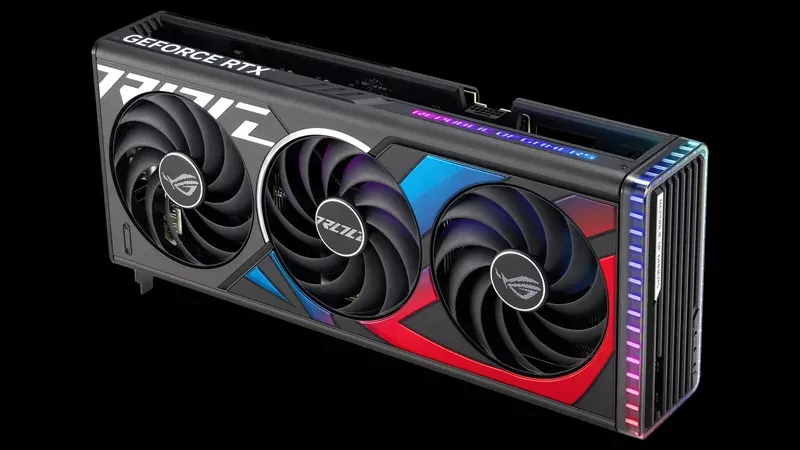
Elevate your gameplay with the new ROG Strix GeForce RTX 4070 Ti and TUF Gaming RTX 4070 Ti | ROG - Republic of Gamers Global
becauyse its best
fallen oasis
The real question is why they have an 11 series with a 4090.
agile lodge
intel with 24core mobile processor
 lyric stump
obtuse rapids
That sensor panel has nothing to with performance, efficiency, or making me a be...
lyric stump
obtuse rapids
That sensor panel has nothing to with performance, efficiency, or making me a be...
this is so sick holy
median marsh
yea this display is integrated in a nice way
north arch
aye
 valid sentinel
Whenever I do go to a walmart.
I tend to look at the laptops and wonder...."Would a game with a Wii level of graphical fidelity run in any of them well??"
vivid skiff
valid sentinel
Whenever I do go to a walmart.
I tend to look at the laptops and wonder...."Woul...
I don't know much about walmart, but from what I've seen, at best it run HLE PS1 emulation
 west quail
Hi, I am trying to buy a laptop around 220 or lower. I want to use it for Godot & Unity and other and stuff like discord when im not home. I see this laptop has 4 cores but it's base clockrate is 1.1, HOWEVER it's "burst frequency" is 2.7, is this worth?