#packaging
1 messages · Page 47 of 1
 mellow bane
 mellow bane
Sounds like you actually use it
 mellow bane
Maybe try to understand the problem first, what do you use GA for, do you actually want it, why is it not working ?
 neon rivet
Idk it is not really my project
and the stupid part it it doesn't work with the plugin on
is there any way so see where is it refrenced
it is saying in the .uproject @mellow bane
 neon rivet
neon rivet
neon rivet
and if I say false or delete the block it says the replied message
@mellow bane
And BTW sorry for annoying you
but you're my only hope for this
mellow bane
There is no need to keep tagging me if you have no new information on the issue - you need to actually understand what you're doing here and get a lot more detail. There is simply no way to help you with anything here because there is zero information whatsoever
For example, upload the full packaging log on pastebin, to start with
And confirm whether your current platform is supported by this plugin
neon rivet
it is really old
it is "not for sale" in the ue4 market
and it only says it is referenced in the .uproject
mellow bane
I've explained what you need to share, so I'll wait for that information
neon rivet
ok
neon rivet
@mellow bane https://pastebin.com/dyHAhg00
Pastebin
Pastebin.com is the number one paste tool since 2002. Pastebin is a website where you can store text online for a set period of time.
and yes the plugin is fine with windows
 mint leaf
my guess is its a missing thing in build.target.cs, module/engine incompatibility
but until he gives people the info they need to debug, he probably wont get so far
neon rivet
@mellow bane Sorry for the delay! https://www.unrealengine.com/marketplace/en-US/product/google-analytics-plugin

Unreal Engine
The Google Analytics Provider plugin lets you integrate out-of-the-box Google Analytics into your Unreal Engine project (compatible with all platforms).
that is the link for it on the marketplace

I am using 4.20.3 for it so it is OK! 🙂
And the platform I am packaging is windows
mellow bane
So install it in the project directory
 mellow bane
Yes, there
 mellow bane
So try to compile in VS and see what happens
 neon rivet
 neon rivet
???
neon rivet
neon rivet
???
look if I don the first one
mellow bane
Which platform are you compiling for
neon rivet
win64
mellow bane
So you can't package the project for Windows ?
 mellow bane
Suspecting your project needs to be C++ to package C++ plugins here
mellow bane
Yes, I'm saying your project might need to be a C++ project for this to work. Other than that, no idea
 ebon pendant


i deleted some files before cooking for reducing the cooked files
but its giving this error
ebon pendant
 simple eagle
I'm getting an unknown cook failure, I don't really know how to read the log, can someone help please.
Pastebin
Pastebin.com is the number one paste tool since 2002. Pastebin is a website where you can store text online for a set period of time.
mint leaf
@simple eagle UATHelper: Packaging (Windows (64-bit)): LogInit: Display: LogOutputDevice: Error: Cannot create SoftObjectPath with short package name 'False'! You must pass in fully qualified package names
Just Ctrl+F "Error:"
neon rivet
@mellow bane Hi
I made some progress but it can't build
1>------ Rebuild All started: Project: HelloNeighbor, Configuration: Development_Editor x64 ------
1>Cleaning HelloNeighborEditor Binaries...
1>Creating makefile for HelloNeighborEditor (no existing makefile)
1>Performing full C++ include scan (no include cache file)
1>Using Visual Studio 2017 14.27.29110 toolchain (C:\Program Files (x86)\Microsoft Visual Studio\2019\Community\VC\Tools\MSVC\14.27.29110) and Windows 10.0.18362.0 SDK (C:\Program Files (x86)\Windows Kits\10).
1>UnrealBuildTool : error : Could not find definition for module 'GoogleAnalytics' (referenced via HelloNeighbor.uproject -> GoogleAnalytics.uplugin)
1> (see ../Programs/UnrealBuildTool/Log.txt for full exception trace)
1>C:\Program Files (x86)\Microsoft Visual Studio\2019\Professional\MSBuild\Microsoft\VC\v160\Microsoft.MakeFile.Targets(54,5): error MSB3073: The command "chcp 65001 >NUL && D:\HelloNeighborModKit\Engine\Build\BatchFiles\Rebuild.bat HelloNeighborEditor Win64 Development "D:\HelloNeighborModKit\HelloNeighbor\HelloNeighbor.uproject" -WaitMutex -FromMsBuild" exited with code -1.
1>Done building project "HelloNeighbor.vcxproj" -- FAILED.
========== Rebuild All: 0 succeeded, 1 failed, 0 skipped ==========
like when I say build it says this:
simple eagle
mint leaf
<@!435793626438696972> ```UATHelper: Packaging (Windows (64-bit)): LogInit: Di...
Okay, I'll have a look into it, also anything in the log that could potentially stop the build also? thank you very much!
mint leaf
quite a few bits 🙂 just read through
mellow bane
neon rivet
<@!223305281700888576> Hi
No idea what's happening here, try recreating the project and migrating the content and copying settings.
neon rivet

look maybe I can change something in this?
I tried migrate it is just not working
like the windows are missing and like everything is sh*t
 astral ice
Please can anyone Help or have an Idea
 rare relic
astral ice
Please can anyone Help or have an Idea
rare relic
astral ice
Please can anyone Help or have an Idea
Reading the message, looks like there's a problem with the Building BP asset, specifically the mesh/collider attached to it, but you've cut the error message off so it's impossible to know for sure.
Try rebuilding the collision for the static mesh.
 radiant pond
LogWindows: Error: Ran out of memory allocating 18446744071764127606 bytes with alignment 0
Any ideas on how can I figure out what asset is causing this crazy memory allocation?
I cannot package
 light pumice
Iv been trying to package my project since yesterday and no matter what build type i pick, shipping, development or debuggame, i get these linker errors and from what i can tell there linker errors for plugins and some way related to the binaries, iv tried migrating the project to a new one, tried multiple pcs and deleting the saved, intermediate and binary folders and rebuilding them but these errors keep coming up, does anyone know what they are or why they are showing up now and not in the past when i packaged this same project

 median minnow
Hi there, is somewhere a Tutorial how to set up a Game for Steam? I found after 2 hours search a 2 year old one
mellow bane
Should be the same
Steam backend didn't change much, nor did Unreal
Set up your Steam repo, do file -> package in Unreal, upload to Steam
 devout wind
hey guys
i successfuly relreased my game on itch.io
is there a proper process on how to make a steam thing so i can release it on steam? it's single player
 winged moss
"make a steam thing"?
if it's single player, has no DRM, and doesn't integrate any online features, then you could just upload the same build
devout wind
oh snap that's cool
i'll start w the steam page
and make it perfect then upload and annoy valve w my build
 vapid coral
im getting an error everytime I try to package
 wise cliff
hi! my issue more than with packaging comes with the installed version.
I've done a installer for my game and in the installed version I am having issues with 2 things: saved files are not being generated (therefore the "continue" option does not work) and I can't change the language on the game. I've got a data table with ids and phrases for different languages and for some reason it does not work on the installed version. I figured out it has something to do with read/write permissions but I can't figure out the way to solve it.
Can anybody give me a hand on this?
 elfin badger
Hello, does exists a way to generate patches based on a release with another patch already in?
 heady palm
Any idea why this is happening?
"PackagingResults: Error: Unhandled exception: System.IO.FileLoadException: Could not load file or assembly 'file:///C:\Users\jayun\OneDrive\Documents\Unreal Projects(Gamename)\Intermediate\Build\BuildRules(GameName)ModuleRules.dll' or one of its dependencies. Operation is not supported. (Exception from HRESULT: 0x80131515)"
I will literally pay you if you can help me fix this
I've never had this happen before though and I'm like 10 builds in?
Okay trying now
Moving it fixed it wow
Thanks SO much
Can I send you a tip or something I'd have never figured that out
 ivory lily
@heady palm don't use OneDrive for this, you want to use some sort of VCS
heady palm
Ahh it's just the way my PC was set up accidentally clicked it and was too lazy to change it 😐
 sturdy fable

Not sure what do do about this, i did try deleting intermediate folder and that didnt work.
 grim oxide
Hello
We have a project that runs greatly, we are trying to package it and export for windows, problem is that faceAR is not running, in standalone player or exported exe file. It runs perfectly in viewport play, other than that nowhere. I use the live link app and iPhone 11
wise cliff
hi! can anyone tell me how to move the saved folder to documents when packaging the game when shipping?
mellow bane
@wise cliff Build the engine from source and edit the folder used
 high nexus
What would cause a packaged game to only show a black screen when loading into a level? The main menu is fine..
winged moss
high nexus
What would cause a packaged game to only show a black screen when loading into a...
Did you actually package your levels by adding them to the cook list?
 tired spindle
Hello, has anyone experienced an issue where the child actors are not attached to the socket of a skeletal mesh in a packaged build?
high nexus
winged moss
Did you actually package your levels by adding them to the cook list?
I figure out the issue - I forgot to make sure the assets were in the ./movies/ folder. I forget that that won't package if they are not in that location.
winged moss
Oh right by black screen I thought you meant it would never load into the level
 abstract escarp
Is it possible to have a DefaultEngine.ini when the game builds and you are able to change networking settings there for the game build?
For instance, I would want to change the native platform "configuration" depending on the build I am uploading. If I am uploading to the "Steam" platform, I want to put that as the NativeSubsystem, and for Oculus, Playstation, etc..
But I don't want to rebuild everytime to just change that in the DefaultEngine.ini file
iirc that's not exposed by default
tired spindle
tired spindle
Hello, has anyone experienced an issue where the child actors are not attached t...
If someone comes across the same problem that I had:
Basically i was using Skeletal mesh merging to create modular characters and the bone sockets doesn't work properly after the merge. So you just have to run USkeletalMesh::RebuildSocketMap() on the mesh created from the merge.
winged moss
abstract escarp
For instance, I would want to change the native platform "configuration" dependi...
well this is possible through INIs per-platform anyway. if you have UDN access, some ideas are discussed here: https://udn.unrealengine.com/s/question/0D52L00004lunbESAQ/steam-subsystem-for-steam-builds-only
that's more if you want to make changes per-PC platform
abstract escarp
winged moss
well this is possible through INIs per-platform anyway. if you have UDN access, ...
UDN? I have an EOS account, never heard of UDN
I am aware of INI platforms, but granted, haven't produced a build that differentiates between all of them yet.
Also, with something like Steam vs Oculus vs Epic Games - how would you differentiate that since they are both "Windows" platforms? Technically you could load both, but if you're uploading on separate stores, that could be a problem.
winged moss
abstract escarp
UDN? I have an EOS account, never heard of UDN
So you're not a licensee so therefore don't have UDN access? Alright, the two things suggested are using the CommandLine atribute in Target.cs and passing that via BuildCookRun, or staging an INI file with your build in /Config/NoRedist/DefaultEngine.ini
elfin badger
Can we use Amazon aws for chunk Downloader? Or other free website?
abstract escarp
winged moss
So you're not a licensee so therefore don't have UDN access? Alright, the two th...
I am a licensee, don't know why I can't access the page. So for the latter, do I just do this:
[Staging]
+WhitelistConfigFiles=ProjectCore/Config/NoRedist/DefaultEngine.ini```You should get UDN access as part of your licensee onboarding, alongside Perforce access. By staging I mean copying a file to your build
If you’re a custom licensee UDN is the private support forums and it definitely comes in handy with trickier engine issues
abstract escarp
winged moss
You should get UDN access as part of your licensee onboarding, alongside Perforc...
I will look into it, thx.
 formal comet
does anyone know which folders are needed at runtime by UE editor / the sdk tools? it's not clear to me which parts are the source tree and which parts are the build tree, and which folder maybe contain resource which are needed for UE editor to function. I am trying to package up a build of just the unreal engine things.
it might be a lot less stupider if any build output was all below some kind of ./build path or similar, and then any resources might be under some kind of ./resources folder maybe. but maybe i'm just the stupid one because i'm not understanding the structure of this huge engine.
 fickle cairn
I've packaged my project for WIndows to test, but on launching the game I get this error message:

Any tips?
winged moss
does the log have more info?
fickle cairn
I'm going to make a dev build and see if that gives me more info...
fickle cairn
Not sure if this means anything
That's the last section of the log
It seems to be an issue with nativizing blueprints, if I build a project without nativization, it works.
mellow bane
Nativization is a common cause of packaging problems. It's an incredibly difficult problem, and it doesn't really work well
fickle cairn
I guess I could do "exclusive" nativization and try to narrow down which blueprint/s cause issues...
mellow bane
If you're going to use nativization you should only apply it to specific Blueprints you've narrowed down as computationally demanding
(through profiling)
fickle cairn
Also the first time I launched the game it was quite "wonky" the rendering after loading a level didn't work and on second try, the audio launched with an audio clip playing from a level that wasn't supposed to be loaded, until I fiddled with my audio settings volume controls, then it stopped playing... if this is how first time experience is going to be for players... it's trouble.
third launch, audio is fine
Are there some extra config files or some other things the game needs to write after launch? That it doesn't have on first launch?
mellow bane
It's more likely that there are issues with your game - package in development and check the logs.
fickle cairn
I guess the first time it launches it doesn't have any saved settings, some of those settings are written by the engine to ini files...
I guess I have to fiddle around with defaults, or no settings scenarios and have some work arounds
mellow bane
There is no workaround necessary, this is a game issue
fickle cairn
Yeah, I mean, have some rules for how to deal with it
mellow bane
There is no need for that either, other than making sure your game works when the save file isn't found
fickle cairn
that's what I mean
mellow bane
Doesn't have anything to do with engine settings or inis, though
These are perfectly fine on first launch
fickle cairn
How so?
Well, I don't know what it could be then, 3rd launch is fine, and the only different things that I can see is that at first it didn't have any settings saved, like screen resolution or audio volume... after they are there it works as expected...
mellow bane
Simply put there is zero difference between a first run of your game and any subsequent runs, until the user actively changes and saves engine settings through your game's settings menu. That the .ini files aren't written initially has zero impact at all - the engine will just return your project defaults instead, which is likely what you're working with yourself.
The behaviour your are seeing is likely to be errors in your Blueprints or C++ code
fickle cairn
Are there any tutorials or documentation on how to set up the Project - Description section, or any other fields when packaging? I wonder about fields like "Legal" Copyright/Licensing/Privacy Policy... not rally sure where these would appear or how they are used by the game?
mellow bane
They show up in the details panel of your .exe's properties
This is Remnant's From the Ashes's :

It's completely pointless, basically
Copyright is an automatic right that requires zero action on your part
fickle cairn
ok, thanks
 modern arrow
Hello, When I package my game as "Shipping" my compiler throws me an Error "LNK2005". I found out that the reason is that I defined two modules inside MyGame.Target.cs. Now I was under the impression, that a modular architecture is the way to go. Any Idea how I could package two or more modules inside the same Target?
mellow bane
modern arrow
Hello, When I package my game as "Shipping" my compiler throws me an Error "LNK2...
Show the log
But yeah I'm pretty sure it's one module per project / plugin /etc
modern arrow
mellow bane
Show the log
Right now I can't. I fixed it by putting everything into one module.
But this is my Setup

As you can see I put two modules inside my main game source folder and added the two modules to target. Is this correct?
modern arrow
mellow bane
But yeah I'm pretty sure it's one module per project / plugin /etc
If this is true. How do you build the architecture for big projects so that it remains scaleable and modular?
mellow bane
https://docs.unrealengine.com/en-US/ProgrammingAndScripting/GameplayArchitecture/Gameplay/index.html
Collections of gameplay classes belonging to a game project compiled into DLLs.
You can use multiple modules per project, but there's a bit of setup
Your error is likely forgetting the dependencies in build.cs
modern arrow
mellow bane
https://docs.unrealengine.com/en-US/ProgrammingAndScripting/GameplayArchitecture...
Do I need to reference each module in the build of the other Module?
I am recompiling my project with two modules, so I can reproduce the error.
mellow bane
You can't have circular dependencies
One module can link to others, but both cannot link to eachother
modern arrow
modern arrow
But this is my Setup
The only solution I found so far was to build one big game module and put everything inside of it, which is not a clean solution. As you can see from the picture, I have separated them both and set them as modules in the Target.cs
mellow bane
Make sure to follow the doc I linked
modern arrow
I think I found the error. I declared IMPLEMENT_PRIMARY_GAME_MODULE twice. Thanks @mellow bane
I have yet to test it.
modern arrow
modern arrow
I think I found the error. I declared IMPLEMENT_PRIMARY_GAME_MODULE twice. Thank...
@mellow bane That was the problem!
 rocky flicker
Im having an issue launching/building my game. Now this issue is probably comming from a editor-only feature being used. But I don't know what would be causing it.
As this is the only class using a editor only function and the blueprints are also marked editor only

Also the modules itself in the build.cs are not spectacular i believe
 mellow bane
rocky flicker
Im having an issue launching/building my game. Now this issue is probably commin...
mellow bane
rocky flicker
Im having an issue launching/building my game. Now this issue is probably commin...
Check whether a plugin, or the .uproject file, has UnrealEd or another editor only thing as a dependency
rocky flicker
That was my guess aswell but from my understanding due to various forum posts ive read I thought it would change this line: (referenced via Target -> Overgrown.Build.cs) to the plugin line or something but I guess I should double check it
    "Plugins": [
        {
            "Name": "GameplayAbilities",
            "Enabled": true
        },
        {
            "Name": "SmoothSyncPlugin",
            "Enabled": true,
            "MarketplaceURL": "com.epicgames.launcher://ue/marketplace/content/c8f61b007fb44f4abcb7b0974cebff6b"
        },
        {
            "Name": "EnhancedInput",
            "Enabled": true
        }
    ]
Could it be smoothsyncplugin causing these issues?
As the other 2 are made by Epic themselves and low chances they are the ones causing the problem
mellow bane
You can always check the build.cs for each plugin, but.... it's unlikely
Check in the .uproject that it's not set to "enterprise" either
rocky flicker
yeah this is the whole uproject but nothing to special here i believe
mellow bane
Well there you go, UnrealEd in dependencies
rocky flicker
Wait thats actually what causes it? But thats auto generated is it not?
mellow bane
I've no idea where those come from, to be completely honest. It's the Blueprint-project-only version of build.cs dependencies
Move that to the .build.cs if you need it, and only when the current build target is editor
rocky flicker
That fixed it thanks!
 slate jetty
was suggested to run https://docs.unrealengine.com/en-US/API/Editor/UnrealEd/Commandlets/UResavePackagesCommandlet/index.html before packaging, but how do you run it in the bat?
Log category should be accessible by derived classes.
 glossy haven
slate jetty
was suggested to run https://docs.unrealengine.com/en-US/API/Editor/UnrealEd/Com...
glossy haven
slate jetty
was suggested to run https://docs.unrealengine.com/en-US/API/Editor/UnrealEd/Com...
call c:\Work\UE4Source_425\Engine\Binaries\Win64\UE4Editor-Cmd.exe "c:\Work\Horu\Horu\Horu.uproject" -run=resavepackages``` viscid hatch
Hello everyone, I'm nearing shipping my Android mobile game and I am currently trying to get Google play services to work correctly and can't figure out where the problem is for the life of me. If anyone could give me hand I would appreciate it.
The issue is when I open the game, Google play services pops-up and says welcome back with my username so I figured that means my keystore and app ID and all of that is working correctly, however, leaderboards and Achievements aren't updating.
modern arrow
Hello, from what I understand you cannot log in "Shipping" builds. I however activated it in my ".Target.cs" with the bUseLoggingInShipping (thingy) to true. However still no logs. Also the was no Saved/Logs folder in the shipping folder. What am I missing?
mellow bane
Did you build the engine from source ?
mellow bane
modern arrow
<@!223305281700888576> Is that a requirement?
Yeah it is
Prebuilt shipping engine doesn't have the logging feature at all in the code
modern arrow
mellow bane
Prebuilt shipping engine doesn't have the logging feature at all in the code
Thanks for the answer!
modern arrow
mellow bane
Prebuilt shipping engine doesn't have the logging feature at all in the code
So that is also the reason why I got a Linking Error, when I left my "UE_LOG" Macro in my code. Gotcha.
modern arrow
So, I am having a very specific problem, and I am sorry if I cannot provide enough background context. By launching multiple EXEs and connecting them with Client-Server model I want to create a multiscreen setup. For that I use the GameMode postlogin to register the controllers and execute a custom C++ Blueprint Function that uses Window::ReshapeWindow(). Now this works when launched from the Editor and in the Development build. However it does not work in the Shipping build. And since I cannot log in the shipping build, my hands are tied. @mellow bane would you see any reason for this not working in the Shipping build? Also, in the shipping build the Windows launch in Fullscreen-Mode it seems. If that is any help. I am very lost at the moment and kinda desperate D:
mellow bane
I guess reshaping windows doesn't work in fullscreen, so I'd start with that.
modern arrow
It actually does. Just tried it. I however found out another problem, which I couldn't detect because of the missing logs.
 open rapids
i'm trying package with shipping version, but it's generating a old project package, like from 1 week ago of my assets. I already tried delete saved, intermeditate, binaries and launcher settings: changed stagedbuilds folder, changed interactive cooking setting, changed compress setting, changed saved package without version setting. None of this work, i tried delete temp folder of windows and app data still not work... some ideia of how i could fix it?
with development build it work normal for me
 remote lava
is there a way to package without actually opening the editor? it would be a big time saver if i could package directly on a windows test server
mellow bane
Yeah sure, just run UAT directly
remote lava
thanks! if you had some more keywords for me to research on, i would appreciate it, but i can make do without if not. 🙂
mellow bane
GitHub
HELIUM RAIN - Full sources for Helium Rain, a realistic space opera using Unreal Engine 4 - arbonagw/HeliumRain
Python example
heady palm
Does anyone know Steam required prerequisites for UE4?
mellow bane
The VS version used to compile the game, June 2010 DX SDK
 wanton orchid
@grizzled spire
 lapis pumice
Alright guys I'm here, I'm ready to package my first build, which option should I choose in VS for the editor to still have console functionality?
Test Client?
 vernal marsh
I’m getting stuck packaging from UE5 to windows, my PC stops at this command “LogCook: Display: Checking global shaders for platform Windows” it doesn’t go anywhere after that?
 warm sigil
so i left my DDC building over night, and its still going this morning (odd). my ram usage is pegged and the sysem is not 100% responsive so its obviously doing something. But has it stalled?
 slate jetty
is this a silent warning or I need to resave it for the cooker to continue?
LogStaticMesh: Warning: Mesh HillTree_Tall_02 is recomputing physics on load. It must be resaved before it will cook deterministically. Please resave /Game/KiteDemo/Environments/Trees/HillTree_Tall_02/HillTree_Tall_02.HillTree_Tall_02.
not sure what you mean, it'll only block cooking if it's an error rather than a warning
slate jetty
my bat seems to stuck there for over 30 mins with no CPU usage
winged moss
well if that's the case, I would say it's worth trying to resave to rule it out
 solar nymph
Has anyone packaged for shipping build with AiModule in 4.26? I am getting a "Expecting to find a type to be declared in a module rules named 'AIMODULE' in UE4Rules..." error.
solar nymph
solar nymph
Has anyone packaged for shipping build with AiModule in 4.26? I am getting a "Ex...
nm, solved. "AIMODULE" should be "AIModule"
open rapids
Hey folks, I did not package a game with the unreal engine yet and currently work on a plugin which access some files within it's project folder. To ensure that the stuff I do works for the final game packaging too, I would like to know whether the packaged game version contains the same folder structure as the original project or what does the unreal engine make out of game project?
 hearty crypt
Hello, I have trouble with water material. Water material is not rendering in packed version. How can I fix this? I have decribed my trouble here https://forums.unrealengine.com/t/water-material-is-no-rendering-in-packed-version/232323/4

Unreal Engine Forums
I rebuilded level. Now material in packed version is invisible. I’m using UE water plugin.
 haughty depot
open rapids
Hey folks, I did not package a game with the unreal engine yet and currently wor...
haughty depot
open rapids
Hey folks, I did not package a game with the unreal engine yet and currently wor...
everything is generally packaged up, but if you look in the package settings and expand the first section (Packaging), you will see you can add non-asset directories, etc. these will keep the same relative directory structure. you should just test it out in an empty project quick, it takes a couple minutes to setup
open rapids
@haughty depot many thanks for the help and the info 🙂 Good to know have a clue about what happens
 kind reef
Hey ! Does anyone have experience packaging games with custom engine builds ? I've built the engine from source and made a an Installed engine to share with the team but I can't package our project with this engine. I'm sure I've missed something in the InstalledEngineBuild.xml but I can't find much info on it. Any help appreciated !
 toxic pier
How do I copy something to the staging output directory? I want to copy a file to the root directory (i.e. PackagedFolder/WindowsNoEditor/). Right now it lives in the project root path
 tawdry obsidian
I have an Android 4.25 game I upgraded to 4.26. I tried to repackage and got errors. I ran into an error where the AAB version couldn't install the OBB when I tried with internal testing. I'm trying the old way (uncheck Generate bundle (AAB) in project settings). I remember in 4.25 to specifically not use AAB. Has AAB replaced APK+OBB for the playstore? Am I missing something?
mint leaf
kind reef
Hey ! Does anyone have experience packaging games with custom engine builds ? I'...
plenty, what configuration are you trying to build - at worst they should be able to clone the engine, build it and then use that to build what they want - if you do via buildgraph you need to allow it to compile configurations etc
kind reef
Hey ! Yeah I used buildgraph to distribute our engine build but yeah, there's no compile configuration available. I'll try to package using the source build before rebuilding the engine 😅
 cosmic hound
I have a question about UGC. Is it possible to use it on Android? Also is it possible to use with a launcher build if I use a source engine build to create a new Automator program? For context, I'm teaching a class in VR using Oculus Quest headsets and thinking about using the UGC mod system to let the students submit the maps that they are making whilst I maintain a core project that contains the VR behaviors. Ideally I would prefer it if the students used a copy of UE4 obtained from the launcher instead of having them compile a source version so I'm looking for a way of getting the required Automator build scripts that are needed to them in a drag'n'drop format.
 fierce garnet
Hi! Can anyone point me in the right direction to ship my game on steam? I already have my Steamworks account created, how does it work from the engine perspective?
mellow bane
The engine is somewhat unrelated
Package the game, use Steam's uploading tool to put it in a depot
tell Steam about the VS version used and you're pretty much good to go
fierce garnet
mellow bane
tell Steam about the VS version used and you're pretty much good to go
Amazing thank you
abstract escarp
winged moss
You should get UDN access as part of your licensee onboarding, alongside Perforc...
I am trying to do what you said - I am trying to change the NativeSubsystem in the DefaultEngine.ini and copying it into Config/NoRedist, but how do I get it to recognize that I changed values in that file?
winged moss
???
abstract escarp
So I packaged the project and I have the Config subfolder now
winged moss
yes but what does "but how do I get it to recognize that I changed values in that file?" mean
abstract escarp
I made a 'NoRedist' folder in there as well
winged moss
it's just an INI file
abstract escarp
I want to change those values for the build, right? That's the whole point of staging that particular file
from my understanding
abstract escarp
Yes, that is what I am saying
I packaged the build to a staging directory and I am supposed to make a new folder called 'NoRedist,' right?
winged moss
I'm not sure how I could word it simpler than stated, but when you download your game on your platform of choice, that file should be there in that location
as that was stated on the UDN ticket
abstract escarp
From your instructions, I gathered the following:
(1) - Build with either a commandline attribute target.cs or staging a file with INI, which you stated is copying that file into the new staging directory.
(2) - Since I am trying to do the latter, I make a folder called "NoRedist." I assumed I would have to make this myself after the build
winged moss
well I'm just telling you what I read, this wasn't my ticket, it's just one I bookmarked as I had something similar but we did it through Target.cs
I would recommend looking at custom licensing so you could look at that ticket and possibly bump it
abstract escarp
Yea, applying now. I will try the Target option since the latter wasn't working
 karmic elm
if you ]put a single persistent file into the list of maps to include, will it include the child maps automatically?
winged moss
if you mean sublevels then yeah
the maps to cook only needs to reference the persistent level
karmic elm
ah ok, thank you]
 stark python
anybody know what this error during packaging for android means?
Requested array size exceeds VM limit
stark python
Ok figured that one out. Here's another. PicoVR needs this specifically added to the manifest, but adding it to the activity Extra Settings doesn't work, nor does extra Tags.
<category android:name="android.intent.category.LAUNCHER" />
Anyone have luck editing the manifest?
 timber inlet
Hi there - Anyone know if audio files could cause a build to crash? I recently updated my build with mastered, 24bit wav tracks and now I'm getting the occasional Fatal Error! crash after playing for around 3-4 hours (on a RTX3070, 16gig ram). Before this recent build this never happened and nothing else was changed except an Nvidia driver update...rolled that back and still getting the crashes. Thanks for any info!! On Ue4.25
winged moss
well it would help to actually see the callstack and a log file
timber inlet
it's a shipping build...is there anyway to get a callstack from that?
winged moss
yes? I'm not sure how a shipping build is anything to do with that but you won't get a log file unless you enable logging in shipping through the Target.cs file
you could see if it happens in a Dev or Test build
 forest ocean
is there any way to reduce the size of the packaged exe file? (i mean the one in Binaries, not the redirector) mine is close to 200mb and downloading the DRM-wrapped version from the steam backend takes about an hour because their servers are crap...
 viscid girder
i am working on packaging my game, i've got some default engine options that need to be changed for a shipping release, what do i need to learn about to handle the shipping config
open rapids
anyone got knows whether I can generate a project file for my unreal plugin directly from the Build.cs file?
I'm trying to find a way to generate project files for the plugin without having it to be attached to a game project.
ok maybe better asked in #plugin-dev
 bitter inlet
hi did anyone encounter this error before in a successful package? I ran the package and got this error
Missing global shader FVelocityCombineCS's permutation 0, Please make sure cooking was successful
 sly herald
It was working the night before but now I cant find Java home

 south jacinth
Enabled nativization for some files, but now I get an error..
UATHelper: Packaging (Android (ASTC)):   D:/UE4/Projects/Marble-Strike/Intermediate/Plugins/NativizedAssets/Android/Game/Source/NativizedAssets/Public/BP_AISubController_AttackEnemy__pf2037144425.h(11): Error: #include found after .generated.h file - the .generated.h file should always be the last #include in a header
UATHelper: Packaging (Android (ASTC)):   D:/UE4/Projects/Marble-Strike/Intermediate/Plugins/NativizedAssets/Android/Game/Source/NativizedAssets/Public/BP_AISubController_Follow__pf2037144425.h(9): Error: #include found after .generated.h file - the .generated.h file should always be the last #include in a header
I did not set those assets to be nativized.. Do I really have to go and manually fix it, or any other way to get rid of this error?
 blissful dove
Can someone please help me sort this? It was fine earlier, idk what happened now. :/

I even ticked full rebuild on packaging settings
blissful dove
Okay, I went ahead and hit build on the project, now it's saying stuff is missing.... I did rename it though. Maybe that's why?
south jacinth
Guys, I have a cpp module in my project, but when I try to build a packaged game, it cannot open the dll of it.
LogModuleManager: Warning: ModuleManager: Unable to load module 'C:/Users/Flakky/AppData/Local/Jenkins/.jenkins/workspace/Marble_Strike_Android_master/Plugins/PsFacebookMobile-develop/Binaries/Win64/UE4Editor-PsFacebookMobile.dll' because the file couldn't be loaded by the OS.
What may be the reason?
Btw, I also tried to start without jenkins, same error..
 slow shell
whats the purpose of .pak chunking? Does it improve performance somehow? if so, is it better to just not use the .pak at all for performance?
 teal cipher
Is there some (working) docs on how to build & pack server headless for linux ?
 simple aurora
Hello everyone
I want to ask about packaging with Nanite vs packaging without it, does it make any difference size wise?
 vestal widget
Does anyone have any suggestion on how to fix this error?
"Ensure condition failed: ClassDefaultObject [File:D:/Build/++UE4/Sync/Engine/Source/Runtime/Engine/Private/BlueprintGeneratedClass.cpp] [Line: 1523]"
I've been told it has to do with circular dependencies in the blueprints, but I fixed those and it keeps showing. Everything works fine when I play in the editor/standalone version, but I can't package the project. Using version 4.26.2
 cobalt pine
Is there a quick way to exclude all unused assets in a packaged build?
 vital creek
That's how packaging already works.
cobalt pine
doesn't seem like it in my output log
vital creek
By default all levels (and everything they reference) are packaged - check your packaging settings and tell it to only use a specific list of levels instead.
Sorry, I think I got that slightly wrong - by default everything is packaged. If you go to packaging settings and tell it to only package specific levels then only those levels will be packaged.
winged moss
Also depends on how things are referenced and if you have a chain of asset references going on
 green gorge
im getting this error when trying to package the game UATHelper: Packaging (Windows (64-bit)): C:\UnrealEngine-4.25\Engine\Source\Programs\AutomationTool\Gauntlet\Platform\Android\Gauntlet.TargetDeviceAndroid.cs(845,40): error CS0122: 'AndroidPlatform' is inaccessible due to its protection level [C:\UnrealEngine-4.25\Engine\Source\Programs\AutomationTool\Gauntlet\Gauntlet.Automation.csproj] UATHelper: Packaging (Windows (64-bit)): C:\UnrealEngine-4.25\Engine\Source\Programs\AutomationTool\Gauntlet\Platform\Android\Gauntlet.TargetDeviceAndroid.cs(1056,28): error CS0122: 'AndroidPlatform' is inaccessible due to its protection level [C:\UnrealEngine-4.25\Engine\Source\Programs\AutomationTool\Gauntlet\Gauntlet.Automation.csproj] UATHelper: Packaging (Windows (64-bit)): C:\UnrealEngine-4.25\Engine\Source\Programs\AutomationTool\Gauntlet\Platform\Android\Gauntlet.TargetDeviceAndroid.cs(1142,15): error CS0122: 'AndroidPlatform' is inaccessible due to its protection level [C:\UnrealEngine-4.25\Engine\Source\Programs\AutomationTool\Gauntlet\Gauntlet.Automation.csproj] UATHelper: Packaging (Windows (64-bit)): C:\Program Files (x86)\Microsoft Visual Studio\2019\Community\MSBuild\Current\Bin\Microsoft.Common.CurrentVersion.targets(2202,5): warning MSB3274: The primary reference "MobileDeviceInterface" could not be resolved because it was built against the ".NETFramework,Version=v4.6.2" framework. This is a higher version t han the currently targeted framework ".NETFramework,Version=v4.6.1". [C:\UnrealEngine-4.25\Engine\Source\Programs\AutomationTool\IOS\IOS.Automation.csproj] UATHelper: Packaging (Windows (64-bit)): Took 2.1238669s to run MSBuild.exe, ExitCode=1 UATHelper: Packaging (Windows (64-bit)): ERROR: Failed to build "C:/UnrealEngine-4.25/Engine/Programs/AutomationTool/Saved\UATTempProj.proj":
anyone knows how to fix it ?
 cosmic sigil
green gorge
im getting this error when trying to package the game ```UATHelper: Packaging (W...
cosmic sigil
green gorge
im getting this error when trying to package the game ```UATHelper: Packaging (W...
are you using a source built engine?
 wooden prairie
Does anyone know how to package for xbox series consoles?
Like do I need a plugin orso? Or does it work out of the box?
vital creek
You cannot without being a registered Xbox developer with an agreement with Microsoft. After which you need to talk to epic about getting access to the Xbox platform for unreal.
wooden prairie
Ah okay, yeah I am registered as An Xbox/Windows 10 store developer
vital creek
That's not the same thing, unless you're asking about UWP
Microsoft maintained a separate branch of unreal for UWP support. I don't believe it is actively maintained anymore, though, and you are severely limited on hardware resources when running on Xbox. Only "true" games get full access to the system but that requires being in the actual Xbox developer program and not just registered for the Microsoft store.
open rapids
how do you enable cheat manager in a shipping package anyone know?
wooden prairie
vital creek
Microsoft maintained a separate branch of unreal for UWP support. I don't believ...
Hmff okay. I submitted a console code request on epic games, Lets see what this gets me
wooden prairie
open rapids
how do you enable cheat manager in a shipping package anyone know?
It is activated in development builds, but I guess you want it in the shipping build?
vital creek
wooden prairie
Hmff okay. I submitted a console code request on epic games, Lets see what this ...
Unless you have a proper agreement with Microsoft, nothing. As an individual or indie you need to apply via https://www.xbox.com/en-US/developers/id

Xbox.com
The ID@Xbox program enables qualified game developers of all sizes to unleash their creativity by self-publishing digital games on Xbox One.
open rapids
yeah i am trying to use ghost/walk in shipping builds. I tried using them in blueprints with execute console command as well as cheat manager. They work in the editor and standalone game but not when i package ]: @wooden prairie
i thnk i'll just have to recreate the ghost/walk experience
winged moss
yeah, you have to override them in your own pawn class to duplicate the functionality without the shipping guards
I think the function is actually virtual
 crystal mulch
Hello Guys! Has anyone of you noticed that when you compile the Engine from source with BuildGraph - InstalledEngineBuild configuration, that the PNG files inside the content folder of the various Platforms are not copied correctly inside the LocalBuilds folder? They are pngs related to the [Platform]\Content\Editor\Slate folder, it seems strange to me to have to copy them by hand from Engine to LocalBuilds.
Do any of you know why?
cosmic hound
Not a question but more a celebration; I just managed to get a mod built with the Simple UGC plugin from Epic running on Android (Quest)!
Only took me a week 
But it doesn't work like the Quickstart guide describes where you can just copy the mod across and run it - I have to manually load the mod's pak file, mount the paths and load AssetRegistry.bin into the asset registry.
Anyone had any luck just getting mods working by dropping them into their mods directory in their packaged project?
 slim sand
hi guys, can anyone help me with String Tables? in packaged project some entries are not found. In editor every source string is fetched properly. What can be the cause? I added the localization folder to Additional Asset Directories to Cook in Project Settings. Still nothing
slim sand

 past prawn
Anyone have experience using the RunBuildCook automation to produce multiple configurations at a time? IE: Shipping+Development. How does it handle the PAK output? Couldn't the configurations produce slightly different PAK files?
 grand geyser
Hi, anyone know why some BPs would be missing from the package ? Then when I launch the game I get a CDO error BP missing even though it's fine in the editor I can play and everything
 true heart
Can someone point me in the direction of how to implement crossplay between oculus quest and PC oculus? I've been googling my ass off but can't seem to find anything. I have a multiplayer game that works on quest and on PC but I cant seem to find how to link them
 subtle cape
Hey awesome devs. I've been trying to package my game for the past two days with constant errors. I keep getting this
"ProcessResult.StdOut: LogInit: Display: LogOutputDevice: Error: Ensure condition failed: BP->SkeletonGeneratedClass [File:D:/Build/++UE4/Sync/Engine/Source/Editor/Kismet/Private/BlueprintCompilationManager.cpp] [Line: 2283]
"
It's a BP only project and I've done everything you can imagine to solve the issue but it still shows up. I don't even know where to look anymore so any help would be immensely appreciated
 lone cipher
I have a number of asset packs in our project, but we're only using a few of pieces of them within our project directly. When packaging, what is included (all, or those used?). Is there an agreed or usable workflow that people adopt when doing this if all are automatically included?
 compact rampart
Hi everybody here, sorry but i really am getting desperate to getting my demo game packaged and playable. Hopefully someone here can help me with this everlasting problem here.
if this is the wrong place, please tell me where i should post it
i have a demo game. everything works fine in editor.
there are only two warnings on opening the level, no errors:
LogConfig: Setting CVar [[r.PrecomputedVisibilityWarning:0]]
and
LogPhysics: Warning: FConstraintInstance::GetRefFrame : Contained scale.
about 40 times in a row
when buidling everything works fine. Build is succesfull only with these warnings, still no errors:
UATHelper: Packaging (Windows (64-bit)): LogPhysics: Warning: FConstraintInstance::GetRefFrame : Contained scale.
about 40 times in a row
and
PackagingResults: Warning: FConstraintInstance::GetRefFrame : Contained scale.
about 40 times in a row
and
UATHelper: Packaging (Windows (64-bit)): LogInit: Display: LogPhysics: Warning: FConstraintInstance::GetRefFrame : Contained scale.
when starting the packaged build i get this error message:
LoginId:328b34bb469d2255dcb20db1246ca6cb
EpicAccountId:2b2e7bdcb8304d79a97c21bb1a9a081a
LowLevelFatalError [File:Unknown] [Line: 103] Max UObject count is invalid. It must be a number that is greater than 0.
opaks_Demo_V_0_71_Win64_Shipping!UObjectBaseInit()
opaks_Demo_V_0_71_Win64_Shipping!InitUObject()
opaks_Demo_V_0_71_Win64_Shipping!TBaseStaticDelegateInstance<FNavDataConfig const & __ptr64 __cdecl(void),FDefaultDelegateUserPolicy>::ExecuteIfSafe()
opaks_Demo_V_0_71_Win64_Shipping!TMulticastDelegate<void __cdecl(void),FDefaultDelegateUserPolicy>::Broadcast()
opaks_Demo_V_0_71_Win64_Shipping!FEngineLoop::AppInit()
opaks_Demo_V_0_71_Win64_Shipping!FEngineLoop::PreInitPreStartupScreen()
opaks_Demo_V_0_71_Win64_Shipping!GuardedMain()
opaks_Demo_V_0_71_Win64_Shipping!GuardedMainWrapper()
opaks_Demo_V_0_71_Win64_Shipping!WinMain()
opaks_Demo_V_0_71_Win64_Shipping!__scrt_common_main_seh() [d:\agent_work\1\s\src\vctools\crt\vcstartup\src\startup\exe_common.inl:288]
kernel32
ntdll
Does anybody have an idea ? I am absolutely frustrated right now ....
compact rampart
UPDATE: i managed to even erase all warnings except
LogConfig: Setting CVar [[r.PrecomputedVisibilityWarning:0]] in the editor on startup of the level.
On building i got no warnings and no errors at all, now.
still on starting the packaged game i get this crash:
LoginId:328b34bb469d2255dcb20db1246ca6cb EpicAccountId:2b2e7bdcb8304d79a97c21bb1a9a081a LowLevelFatalError [File:Unknown] [Line: 103] Max UObject count is invalid. It must be a number that is greater than 0. opaks_Demo_V_0_71_Win64_Shipping!UObjectBaseInit() opaks_Demo_V_0_71_Win64_Shipping!InitUObject() opaks_Demo_V_0_71_Win64_Shipping!TBaseStaticDelegateInstance<FNavDataConfig const & ptr64 cdecl(void),FDefaultDelegateUserPolicy>::ExecuteIfSafe() opaks_Demo_V_0_71_Win64_Shipping!TMulticastDelegate<void cdecl(void),FDefaultDelegateUserPolicy>::Broadcast() opaks_Demo_V_0_71_Win64_Shipping!FEngineLoop::AppInit() opaks_Demo_V_0_71_Win64_Shipping!FEngineLoop::PreInitPreStartupScreen() opaks_Demo_V_0_71_Win64_Shipping!GuardedMain() opaks_Demo_V_0_71_Win64_Shipping!GuardedMainWrapper() opaks_Demo_V_0_71_Win64_Shipping!WinMain() opaks_Demo_V_0_71_Win64_Shipping!scrt_common_main_seh() [d:\agent_work\1\s\src\vctools\crt\vcstartup\src\startup\exe_common.inl:288] kernel32 ntdll
 dreamy panther
Hi all - is there a way to get better debug info out of the UAT cook?
Currently got a critical error "Unhandled Exception: EXCEPTION_ACCESS_VIOLATION reading address {...}" with a callstack of unknown functions in the engine.
 strong ferry
Does anyone know how to package a specific DerivedDataCache folder? I already use the SyncDDC command for RunUAT to make a DDC that's 512MB large with the latest files, but I'd like to package specifically that DDC into a DDC.ddp and submit that to perforce.
 silent axle
Hello, anyone know how to publish unreal game to oculus app lab, I can't seem to compile prod build. any help will be greatly appreciated
wise cliff
hi! I have a weird issue with my shipping package, the window doesn.t have any name. I can only see the icon. can anyone give me a hand on this?
astral ice
Hey does anyone knows wich license i can use for my game i will try to publish on steam or anywhere else , because its very weird to use mit, apache or else License when the game is an packaged state

 lean valley
I'm having issues packaging. I even tried just creating an entirely new project of a default blueprint just to see. I'm trying to export to android but get this error.

 quiet mica
So it tells me that one of my maps isn't there which is true but I only renamed it so why does it keep telling me this.
The map is World1_Village
astral ice
astral ice
Hey does anyone knows wich license i can use for my game i will try to publish o...
Its a simple Question does anyone know wich license i can took , please
mellow bane
Are you releasing the game's source code ?
Because licences only really make sense in that context - the sale of the packaged game is covered by Steam's EULA
You only need another one if you want to add different conditions
open rapids
hey i am using blueprint system on my game and i want to know some tips to host a client server in a mac
the game i am working on is in mac but it will be available for windows and mac both
please help me
reply me
please tell me
mellow bane
Pretty much start your game with ?listen, ideally using sessions
Not really a packaging question
Try #multiplayer
And don't multi-post across channels 🙂
 versed smelt
Hi everybody! Trying to package a project made only with blueprints on UE4.25 and getting "PackagingResults: Error: Visual Studio 2019 must be installed in order to build this target.". Why do I get this message if my project was done using only blueprints?
I never had an issue like this when packaging the same project on 4.17
astral ice
mellow bane
You only need another one if you want to add different conditions
Thank you much Stranger Steam looks good i see, just a question by the side i hear you can add your Game first to Itch, Gamejolt or else before you can add it to Steam , because when you start with Steam they have the 30 Days time before they released your Game, in this time you cant add a Game anywhere , any Statement or experience please , thanks again finally i hope be my last question .
astral ice
versed smelt
Hi everybody! Trying to package a project made only with blueprints on UE4.25 an...
maybe you set Cook Game with nativization to true in the Package Settings .if this isnt be the reason try to Install VS 2019 in the Future you will need it sure.
lean valley
Has anyone put their game on ps4 or nintendo switch network? Is such a thing even possible
mellow bane
astral ice
Thank you much Stranger Steam looks good i see, just a question by the side i h...
First time I hear about this.
versed smelt
astral ice
maybe you set Cook Game with nativization to true in the Package Settings .if th...
Thanks Kota! Based on your comment I went in detail on every setting but that wasn't the case. Then I tried packaging the default VR template with same settings, and no error. However; during this trial I stumbled upon what was causing the error; it was the Apex Destruction plug-in. When I enabled the Apex Destruction plug-in in the default VR template I was able to replicate the same error. On my project, I have destructible meshes and have the Apex Destruction plug-in enabled because of this. Is there a way to have destructible meshes in your project without the Apex Destruction plug-in (because I don't remember enabling this plug-in in 4.17)? If not, any ideas on how to resolve the issue with the Apex plug-in enabled?
mellow bane
Nah
Apex was spun into a plugin
Resolve the issue by installing VS and the Win10 SDK
versed smelt
mellow bane
Nah
Will installing VS2019 cause any compatibility issues with my 4.17 projects?
versed smelt
So installing VS2019 doesn't replace VS2017? It's just added as a seperate application?
I'm very inexperienced on this subject
mellow bane
If you already have VS 2017 installed with C++ support (MSVC, Win10 SDK) then UE4 can use that
It suggest VS 2019 because it's the default, but as of 4.26 2017 is still supported
And yes 2019 is a separate app
versed smelt
I'm going to install VS 2019 and try packaging again. The help is very appreciated, thank you 😄
mellow bane
If you already have 2017 it might be easier to just confirm you have C++ support installed for it
versed smelt
I'm assuming I have it since I never had any issues packaging projects on 4.17
mellow bane
The reason it wasn't required is that you didn't have any C++ plugin or code
You now do (since Apex was made a plugin I guess)
versed smelt
Just checked and I have visual studio installer only, it doesn't look like it's installed.
mellow bane
Open that if you want to be sure
versed smelt
Just opened it, it's not installed.
mellow bane
👍
versed smelt
Thank you again, really appreciate the help 🙂
 odd bloom
Hi. Does anybody know how to debug these errors? I have full blueprint project.
 teal cipher
Is there some (working) docs on how to build & pack server headless for linux ?
teal cipher
teal cipher
Is there some (working) docs on how to build & pack server headless for linux ?
👋
crystal mulch
Hello Guys! Has anyone of you noticed that when you compile the Engine from source with BuildGraph - InstalledEngineBuild configuration, that the PNG files inside the content folder of the various Platforms are not copied correctly inside the LocalBuilds folder? They are pngs related to the [Platform]\Content\Editor\Slate folder, it seems strange to me to have to copy them by hand from Engine to LocalBuilds.
Do any of you know why?
 pearl vale
Unhandled Exception: EXCEPTION_ACCESS_VIOLATION reading address 0x0000000000000010
WorseThanWar_Win64_Shipping!SetShaderParameters<FRHICommandList,FComputeDistanceFieldNormalCS,FRHIComputeShader>()
WorseThanWar_Win64_Shipping!FComputeShaderUtils::Dispatch<RuntimeVirtualTexture::FShader_VirtualTextureCompress_CS<2> >()
WorseThanWar_Win64_Shipping!TRDGLambdaPass<void,<lambda_0038b01088c961bcb537f384b23476d9> >::ExecuteImpl()
WorseThanWar_Win64_Shipping!FRDGBuilder::ExecutePass()
WorseThanWar_Win64_Shipping!FRDGBuilder::Execute()
WorseThanWar_Win64_Shipping!FRelevancePacket::RenderThreadFinalize()
WorseThanWar_Win64_Shipping!FTemporalAAHistory::operator=()
WorseThanWar_Win64_Shipping!TRDGLambdaPass<FHZBBuildPS::FParameters,<lambda_2194d7bf6672df73b253549881d76562> >::ExecuteImpl()
WorseThanWar_Win64_Shipping!FNamedTaskThread::ProcessTasksUntilQuit()
WorseThanWar_Win64_Shipping!RenderingThreadMain()
WorseThanWar_Win64_Shipping!FRenderingThread::Run()
WorseThanWar_Win64_Shipping!FRunnableThreadWin::Run()
can someone explain me why i cant run the game i packaged?
mint leaf
looks like a null ptr
pearl vale
Assertion failed: Instance->Guides.DeformedRootResource->IsValid(MeshLODIndex) [File:D:/build/++UE5/Sync/Engine/Plugins/Runtime/HairStrands/Source/HairStrandsCore/Private/HairStrandsRendering.cpp] [Line: 1744]
WorseThanWar!ComputeHairStrandsInterpolation()
WorseThanWar!RunHairStrandsTexturesQueries()
WorseThanWar!RunHairStrandsFolliculeMaskQueries()
WorseThanWar!ProcessHairStrandsBookmark()
WorseThanWar!FDeferredShadingSceneRenderer::Render()
WorseThanWar!FRelevancePacket::RenderThreadFinalize()
WorseThanWar!<lambda_2194d7bf6672df73b253549881d76562>::operator()()
WorseThanWar!FSceneRenderer::DoOcclusionQueries()
WorseThanWar!TRDGLambdaPass<void,<lambda_a2b9cff862af62d769ba7f2e84b13740> >::ExecuteImpl()
WorseThanWar!FNamedTaskThread::ProcessTasksNamedThread()
WorseThanWar!FNamedTaskThread::ProcessTasksUntilQuit()
WorseThanWar!FTaskGraphCompatibilityImplementation::ProcessThreadUntilRequestReturn()
WorseThanWar!RenderingThreadMain()
WorseThanWar!FRenderingThread::Run()
WorseThanWar!FRunnableThreadWin::Run()
okey got tihs now
whats the problem with hair strands?
mint leaf
crystal mulch
Hello Guys! Has anyone of you noticed that when you compile the Engine from sour...
havent noticed, I will check editor build tomorrow and see
crystal mulch
mint leaf
havent noticed, I will check editor build tomorrow and see
Thanks! I used to build with
".\Engine\Build\BatchFiles\RunUAT.bat" BuildGraph -WaitMutex -Clean ^
-script="Engine/Build/InstalledEngineBuild.xml" ^
-script="Engine/Platforms/«Platform1»/Build/InstalledEngineBuild.xml" ^
-script="Engine/Platforms/«Platform2»/Build/InstalledEngineBuild.xml" ^
-script="Engine/Platforms/«Platform3»/Build/InstalledEngineBuild.xml" ^
-script="Engine/Platforms/«Platform4»/Build/InstalledEngineBuild.xml" ^
-target="Make Installed Build Win64" ^
-set:VS2019=true -set:WithDDC=false ^
-set:HostPlatformOnly=false -set:HostPlatformEditorOnly=true ^
-set:WithClient=false -set:WithServer=false -set:SignExecutables=false ^
-set:WithWin32=false -set:WithWin64=true -set:WithHoloLens=false ^
-set:WithLinux=false -set:WithLinuxAArch64=false -set:WithAndroid=false ^
-set:WithMac=false -set:WithIOS=false -set:WithTVOS=false ^
-set:WithSwitch=true -set:WithLumin=false -set:WithLuminMac=false ^
-set:WithXBoxOne=true -set:WithGDK=true ^
-set:WithPS4=true -set:WithPS5=true ^
-set:GameConfigurations=DebugGame;Development;Shipping -set:WithFullDebugInfo=true
Maybe can help
 scenic bone
Hi, I'm new to Unreal blueprints, I followed a tutorial and when it came to packaging, this happened. What do I do?
 open rapids
Hello guys, is there any way to automate level building and game package ?
For example:
i have 10 levels in my game, big levels, level build takes 10 min each, thats 2 h of my work time, and then when i finish i package my game as shipping build and it takes 1,5h, so i would like to automate this, i would like to use a tool that builds light,paths ext. on all my levels and when it is finished it starts a shipping package, so i can leave my office and when i come back the next day i will have exe ready to play.
 plain lodge
Hello. I'm trying to optimize the build speed of our project. I'm trying to figure out how the map inclusion works. We're using Unreal Frontend and most tutorial and documentation is for in editor settings. What is the proper way to select which levels need to be cooked using the Unreal Frontend tool?
 runic stump
plain lodge
Hello. I'm trying to optimize the build speed of our project. I'm trying to figu...
runic stump
plain lodge
Hello. I'm trying to optimize the build speed of our project. I'm trying to figu...
What is the proper way to select which levels need to be cooked using the Unreal Frontend tool?
The proper way to select which levels need to be cooked in not using Unreal Frontend tool, but instead going to Project Settings -> Packaging -> List of maps to include in a packaged build. That setting will be written to Config/DefaultGame.ini
[/Script/UnrealEd.ProjectPackagingSettings]
+MapsToCook=(FilePath="/Game/Map1")
+MapsToCook=(FilePath="/Game/Map2")
What you're asking is a classical XY problem (https://en.wikipedia.org/wiki/XY_problem):
Q: How can I use X to do Y?
A: If what you want is to do Y, you should ask that question without pre-supposing the use of a method that may not be appropriate. Questions of this form often indicate a person who is not merely ignorant about X, but confused about what problem Y they are solving and too fixated on the details of their particular situation.
plain lodge
Thanks. When I add a level to the list, will the sub levels be cooked as well (as they are referenced) or not?
 next dust
Everything referenced will be cooked
astral ice
Hey People does anyone publish games on Multiple Plattforms as Steam , Itch , Gog etc. is there any Restriction about and what about wich license the best one
mint leaf
open rapids
Hello guys, is there any way to automate level building and game package ?
For e...
Yes its possible, takes some time and effort to setup tho
If you only want to do nightly, you can just manually trigger UE frontend before you leave
open rapids
Guys, does packageing my game as shipping builds lights and paths on level ?
mellow bane
No, it doesn't
crystal mulch
mint leaf
havent noticed, I will check editor build tomorrow and see
Hello Fuego! Have you tried?
mint leaf
it will be running in an hour or 2
crystal mulch
mint leaf
it will be running in an hour or 2
Okay 😄 let me know
mint leaf
open rapids
Guys, does packageing my game as shipping builds lights and paths on level ?
not by default no
mint leaf
Did you nuke a UE4 inbuilt class?
mint leaf
its probably worth stepping back a few revisions and seeing if you made a change to a UE4 baseclass
mint leaf
crystal mulch
Hello Guys! Has anyone of you noticed that when you compile the Engine from sour...
what path should they be at?
{platform}\Engine\Content\Editor\Slate* has pngs in diff folders for me @crystal mulch
crystal mulch
mint leaf
what path should they be at?
Where?
mint leaf
You can inherit and change a class in your code?
mint leaf
crystal mulch
Where?
You said slate PNGs, I see slate PNGs on my LocalBuild
at this path
{platform}\Engine\Content\Editor\Slate\**
if you give me the path of one you are copying I can check
crystal mulch
did you compile with buildgraph installedengine and it created those folders in LocalBuilds for you?
which platform have you tried?
PS5? PS4? XSX?
crystal mulch
mint leaf
`{platform}\Engine\Content\Editor\Slate\**`
In Slate, for PS4 for example, in Engine/Platforms/PS4/Content/Editor/Slate I have two folders, one called Launcher with two PNGs
crystal mulch
crystal mulch
Thanks! I used to build with
".\Engine\Build\BatchFiles\RunUAT.bat" BuildGraph ...
when i built with that command, this folder is not copied correctly to LocalBuilds/Windowsetc./Engine/Platforms/PS4/Content/Editor/Slate
indeed, the Slate folder does not exist completely
mint leaf
I havent got console access on this machine
will have to check on another one, but that will be a while
crystal mulch
which platform did you built?
check in that platform the Slate folder
first check that it exists inside the Engine folder, Engine/Platforms/{Platform}/Content/Editor/Slate. If exist here, it must also exist within the respective LocalBuilds folder
mint leaf
crystal mulch
which platform did you built?
Win64
crystal mulch
....
mint leaf
I dont have an engine/platforms
mint leaf
crystal mulch
....
its still a binary build?
used for their artists?
to do it on a repo with console access will be a while as I am not near those machines atm
crystal mulch
I create a single completed build of the Engine with all the console platforms we use to package our projects, then I create multiple archives in a different way
- only Win64 and UnrealEditor for artists
- Win64 and all platforms for buildmachines
- Win64, UnrealEditor and debug symbols for developers
I'm experiencing the problem only in the folders of the various platforms to be integrated
mint leaf
Cant say ive noticed the problem, but for platform builds I do a different way anyway
crystal mulch
why? And how?
scenic bone
Hi, I'm new to Unreal and never coded before. Can anyone guide me on how to install SDK to package my game? A video/documentation or direct instructions will be much appreciated. Ping me when replying.
Also do we need different SDK for packaging for different platforms?
Thank you in advance.
 hollow finch
im getting LogOutputDevice: Error: begin: stack for UAT, anyone know whats happening
astral ice
scenic bone
Hi, I'm new to Unreal and never coded before. Can anyone guide me on how to inst...
Hey Klaus , for Packaging a Game you just need Unreal Engine 4 and Visual Studio 2019 recomended for a PC Game , i have been package my PC Game in 1 or 2 Weeks every day 5 Hours at each Day ,and i watch Tons of Videos and read Tons in Community to find my mistake it was just one Building to delete that made problems at least but i didnt realize before i try anything what they Suggest , to finally package my Game . Instructions are many i begin with Devsquad but there are many outside , my Advice try to package your Game every Week to have an better overview about Errors otherwise you searching like me till get crazy 😀 https://www.youtube.com/watch?v=Wjzjnv9E5SU and https://www.youtube.com/watch?v=MatkFIvCKMY

This is episode 61 of my unreal engine 4 beginner tutorial series, in today's episode we use the settings shown in the previous video to package our game into an executable game folder allowing us to run the game outside of the editor.
We target the windows platform however this tutorial can be used to package and publish onto Android, Mac, PS4...

Hey guys, in today's video I'm going to be showing you how to properly package and export your game from Unreal Engine 4. Before this is also building the game and changing all the settings for your project.
Unreal Engine 4 Tutorials Playlist: https://www.youtube.com/playlist?list=PLQN3U_-lMANOnnjfvEEVeAPE8mfrGr_VH
Blender Tutorials Playlist: ...
dreamy panther
hollow finch
im getting LogOutputDevice: Error: begin: stack for UAT, anyone know whats happe...
That "begin stack" is the first line of the log that's about to start printings the call stack of where the UAT (Unreal Automated Tool) failed. Paste the lines that come after it so people can help
open rapids
I'd like to Launch a Project Launcher profile, from cmd is there a command or a .bat for it?
 bold iris
is it possible to pack videos in game files? (not in the movies folder)
slow shell
when i use the command line automation tool for a dedi build, seems like it ignores the GameServer.Target.cs module exclusions and only looks at Game.Target.cs even with the -server option. How do you force it to look at the correct target.cs?
builds normally from VS
hollow finch
 sweet crescent
Im able to play my game in editor but when i package it and try to play, i get this error
Assertion failed: (Index >= 0) & (Index < ArrayNum) [File:Runtime\Core\Public\Containers/Array.h] [Line: 707]
Array index out of bounds: 0 from an array of size 0


0x00007ff6798ed025 MyProject.exe!Chaos::FTriangleMeshImplicitObject::FTriangleMeshImplicitObject<unsigned short>() []
0x00007ff6798eefff MyProject.exe!TPairInitializer<UPrimitiveComponent * __ptr64 const & __ptr64,TArray<IPhysicsProxyBase * __ptr64,TSizedDefaultAllocator<32> > const & __ptr64>::operator<UPrimitiveComponent * __ptr64,TArray<IPhysicsProxyBase * __ptr64,TSizedDefaultAllocator<32> > > TTuple<UPrimitiveComponent * __ptr64,TArray<IPhysicsProxyBase * __ptr64,TSizedDefaultAllocator<32> > >() []
0x00007ff679a9d74e MyProject.exe!Chaos::Cooking::BuildTriangleMeshes() []
0x00007ff679aa1987 MyProject.exe!Chaos::FCookHelper::Cook() []
0x00007ff679aa4b7e MyProject.exe!UBodySetup::CreatePhysicsMeshes() []
0x00007ff675afd4dc MyProject.exe!UObject::ConditionalPostLoad() []
0x00007ff675c60b38 MyProject.exe!StaticDuplicateObjectEx() []
0x00007ff675c5fc9e MyProject.exe!StaticDuplicateObject() []
0x00007ff6792bb8dc MyProject.exe!USplineMeshComponent::RecreateCollision() []
0x00007ff6792ba4cd MyProject.exe!USplineMeshComponent::OnCreatePhysicsState() []
0x00007ff6791a5851 MyProject.exe!UActorComponent::CreatePhysicsState() []
0x00007ff67921805f MyProject.exe!UPrimitiveComponent::EnsurePhysicsStateCreated() []
0x00007ff679b5478d MyProject.exe!UPrimitiveComponent::SetCollisionEnabled() []
0x00007ff67a319f04 MyProject.exe!UPrimitiveComponent::execSetCollisionEnabled() []
0x00007ff675989f99 MyProject.exe!UFunction::Invoke() []
0x00007ff675bedf3a MyProject.exe!UObject::CallFunction() []
0x00007ff675c071d5 MyProject.exe!UObject::ProcessContextOpcode() []
0x00007ff675c0a3b2 MyProject.exe!ProcessLocalScriptFunction() []
0x00007ff675be2337 MyProject.exe!ProcessScriptFunction<void (__cdecl*)(UObject * __ptr64,FFrame & __ptr64,void * __ptr64)>() []
0x00007ff675c09e7f MyProject.exe!ProcessLocalFunction() []
0x00007ff675c0a3b2 MyProject.exe!ProcessLocalScriptFunction() []
0x00007ff675be2337 MyProject.exe!ProcessScriptFunction<void (__cdecl*)(UObject * __ptr64,FFrame & __ptr64,void * __ptr64)>() []
0x00007ff675c09e7f MyProject.exe!ProcessLocalFunction() []
0x00007ff675c0a3b2 MyProject.exe!ProcessLocalScriptFunction() []
0x00007ff675c096c1 MyProject.exe!UObject::ProcessInternal() []
0x00007ff675989f99 MyProject.exe!UFunction::Invoke() []
0x00007ff675c08be0 MyProject.exe!UObject::ProcessEvent() []
0x00007ff678f08b3a MyProject.exe!AActor::ProcessEvent() []
0x00007ff678ee6434 MyProject.exe!AActor::BeginPlay() []
0x00007ff678eec0f7 MyProject.exe!AActor::DispatchBeginPlay() []
0x00007ff67a096234 MyProject.exe!AWorldSettings::NotifyBeginPlay() []
0x00007ff6794750e1 MyProject.exe!AGameStateBase::HandleBeginPlay() []
0x00007ff67a0360ee MyProject.exe!UWorld::BeginPlay() []
0x00007ff679f5ce4e MyProject.exe!UEngine::LoadMap() []
0x00007ff679f06f38 MyProject.exe!UEngine::Browse() []
0x00007ff679495171 MyProject.exe!UGameInstance::StartGameInstance() []
0x00007ff673fe1151 MyProject.exe!FEngineLoop::Init() []
0x00007ff673ffde77 MyProject.exe!GuardedMain() []
0x00007ff673ffe03a MyProject.exe!GuardedMainWrapper() []
0x00007ff674011350 MyProject.exe!WinMain() []
0x00007ff67af880fe MyProject.exe!__scrt_common_main_seh() [D:\agent\_work\13\s\src\vctools\crt\vcstartup\src\startup\exe_common.inl:288]
0x00007fffabae7034 KERNEL32.DLL!UnknownFunction []
0x00007fffac302651 ntdll.dll!UnknownFunction []
Im normally good with stacktraces, but im not using c+, im using blueprints.
mellow bane
Looks like a Chaos crash on cook
You can try debugging the packaging to see which asset causes it so that you can report it to Epic and remove that mesh
 violet otter
I can't find anything on answerhub or google about the Packaging error "Unable to find package for cooking"?
Some of these are for assets I moved or deleted, but I fixed up redirectors and even re-created them sometimes and it still happens.
I also deleted Intermediate and Saved folders and Generated Project Files again.
Furthermore, some of these missing assets prevent me from creating a new one with their same name at the same folder path, even though they don't exist anymore.
How do I resolve these warnings (and some errors)?
hollow finch
anyone know whats happening?
 novel hollow
packaged my game as debug, development, and shipping, and each time it works without error (or warning) and then when I try to actually run the exe file absolutely nothing happens. no logs are generated (there isn't even a saved folder). I searched through this channel and multiple people have had the same issue, been told to look at the log, they say there isn't a log, and then there's no response. does anyone actually have a solution for this? am i missing something simple? game works fine in the editor
 orchid star
is it normal for packaged games to not allow saving? can save my game in the editor, but never when packaged
mellow bane
Packaged games save just fine. How did you check it didn't ?
orchid star
I test it by literally binding a key to make a named savegame object, and a file never gets created in the savegames folder location
mellow bane
Are you sure that folder is correct ? %LOCALAPPDATA%/GameName/Saved in Shipping
orchid star
yes, I even have other widgets that check if x savegame exists, if yes, theyre visible, if no, they hide themselves
mellow bane
Are you sure the key binding is correctly called ?
orchid star
yes, i run a print string with it too
mellow bane
Failing that the saving logic is probably wrong - a common error is that failing to initially read the file means you don't create it
Show your saving logic
(And more to the point, test in editor with no existing save file)

 strange ledge
violet otter
I can't find anything on answerhub or google about the Packaging error "Unable t...
strange ledge
violet otter
I can't find anything on answerhub or google about the Packaging error "Unable t...
- did you use List of maps...? if yes , is it correct ?
- try to use some searching software (like https://en.wikipedia.org/wiki/Everything_(software)) and inspect your content folder for files named in "Unable to find package for cooking". If you have such files - you will not see it through ue4 editor - delete them and try to rebuild.
orchid star
this is the initial setter for the savegame object
mellow bane
What's the saving like ?
orchid star
then this runs directly after the previous function
 orchid star
most load calls look like this

yes, its in shipping
and this is the load save data function, setting up the saved vars
 mellow bane
Assuming you've logged everything and the correct path is taken, everything should be saved just fine into local app data
orchid star
I think part of the issue may be with my gameInstance variable
hmm yeah the issue is that when i cast to my gameinstance, it fails?
strange ledge
novel hollow
packaged my game as debug, development, and shipping, and each time it works wit...
when does it happen? are you using any ci/cd solution? is it possible to upload broken packaged game ?
novel hollow
I can upload it after work today. It happens any time I run the packaged game.
strange ledge
novel hollow
I can upload it after work today. It happens any time I run the packaged game.
nice. share the link
violet otter
@strange ledge thank you. I have tried the search and delete method for one of the assets but it didnt help. I have not tried a list of maps because the first asset causing this problem is not an actor referenced by a map and likely not referenced by anything else that is in any map but I could try it just in case
violet otter
@strange ledge I tried deleting Config as well as Intermediate and Saved folders this time, generating project files again, then recompiling the project in Visual Studio. This removed some of the warnings for one or two assets, but most are still throwing warnings and errors. Then I tried making a map list in the project settings, and no change. Same warnings and errors when packaging.
It appears that ALL the errors and warnings now are related to UMG assets
Digging deeper, I see that one of my UMG widget assets appears in the file explorer, but NOT any longer (it used to) in the Content Browser at the same folder path
how do I get that .uasset back into the content browser?
Also I wonder why it disappeared from the content browser
strange ledge
violet otter
Digging deeper, I see that one of my UMG widget assets appears in the file explo...
its all about 2. I've mentioned before.
strange ledge
violet otter
Also I wonder why it disappeared from the content browser
its broken or redirector was lost . Do you use source control? Are you working alone?
violet otter
I am working alone and not using source control
I fixed up redirectors for the whole project
strange ledge
violet otter
I am working alone and not using source control
nice. bp only?
violet otter
strange ledge
nice. bp only?
No, I have some C++ classes
So I always launcher the editor from Visual Studio
My C++ classes include a game instance, a gamemodebase, and an unused stub class "MyClass" just to get the C++ started.
I have some plugins but none that reference UMG
or slate
strange ledge
try to copy code to blank C++ project and migrate all maps (It will migrate all relevant stuff as well). Ensure blank C++ project has no package errors + copy plugins @violet otter
violet otter
strange ledge
try to copy code to blank C++ project and migrate all maps (It will migrate all ...
Yeah I was afraid I might need to do that. I wish there was some way to fix these things without having to migrate.
novel hollow
@strange ledge re-packaging my game, what's the best way to upload this so you can look at it?
hollow finch
installed the editor symbols for debugging, but i still dont understand what the issue is
strange ledge
violet otter
Yeah I was afraid I might need to do that. I wish there was some way to fix thes...
I think it will work. It will migrate only relevant stuff. Garbage away )
 pliant sentinel
guys i need help quick please the project used to work just fine now I get this error and im supposed to demonstrate it in a few hours

is it safe to delete the gradle folder because someone on the net says it can fix it
- deleting intermidate
strange ledge
hollow finch
installed the editor symbols for debugging, but i still dont understand what the...
check all your bp very carefully . one of them is broken or corrupted. I think you can't compile it. Fix it to be able to compiled or recreate it and fix all links.
 grave mesa
Hey, can anyone help me on this ?
It's for an Android packaging
UATHelper: Packaging (Android (ASTC)): FAILURE: Build failed with an exception.
UATHelper: Packaging (Android (ASTC)): * What went wrong:
UATHelper: Packaging (Android (ASTC)): Could not initialize class org.codehaus.groovy.reflection.ReflectionCache
UATHelper: Packaging (Android (ASTC)): * Try:
UATHelper: Packaging (Android (ASTC)): Run with --stacktrace option to get the stack trace. Run with --info or --debug option to get more log output. Run with --scan to get full insights.
UATHelper: Packaging (Android (ASTC)): * Get more help at https://help.gradle.org
UATHelper: Packaging (Android (ASTC)): BUILD FAILED in 2s
UATHelper: Packaging (Android (ASTC)): ERROR: cmd.exe failed with args /c "M:\Tactical Gacha\TacticalGacha\Intermediate\Android\armv7\gradle\rungradle.bat" :app:assembleRelease
UATHelper: Packaging (Android (ASTC)): (see C:\Users\skite\AppData\Roaming\Unreal Engine\AutomationTool\Logs\C+Program+Files+Epic+Games+UE_4.26\Log.txt for full exception trace)
UATHelper: Packaging (Android (ASTC)): AutomationTool exiting with ExitCode=1 (Error_Unknown)
UATHelper: Packaging (Android (ASTC)): BUILD FAILED
PackagingResults: Error: Unknown Error
 grave mesa
pliant sentinel
guys i need help quick please the project used to work just fine now I get this ...
grave mesa
pliant sentinel
guys i need help quick please the project used to work just fine now I get this ...
I have the same issue kinda
Basically this
ERROR: cmd.exe failed with args /c "M:\Tactical Gacha\TacticalGacha\Intermediate\Android\armv7\gradle\rungradle.bat" :app:assembleRelease
 sturdy drum
i try to packaging my game but i got this error
UATHelper: Packaging (Windows (64-bit)): LogInit: Display: LogRigVM: Error: Struct '/Script/RigLogicModule.RigUnit_RigLogic_Data' cannot be found. Asset '../../../../../../Users/Benja/Documents/Unreal Projects/Rpg_new_ground 4.26/Content/MetaHumans/Common/Face/Neck_CtrlRig.uasset' no longer functional.
its something from metahuman if i go to the control rig its compiled and i dont find the reson for the error
pliant sentinel
@grave mesa i managed to fix that with adding a list of the maps but now the app crashes when i open it. Try going into packaging and type maps up and add the maps u are gonna be using that will fix the problem but might end up crashing the app on startup like it happened with me
strange ledge
grave mesa
ERROR: cmd.exe failed with args /c "M:\Tactical Gacha\TacticalGacha\Intermediate...
how did you build it? via cmd?
grave mesa
yes
grave mesa
pliant sentinel
<@295360338092752897> i managed to fix that with adding a list of the maps but ...
Thank you for the warning
strange ledge
grave mesa
yes
are you able to package blank project on your machine with exactly the same params? p.s. project path not included
violet otter
@strange ledge I finally got a spare moment to migrate to a new project, but in the new project, the .uasset for one of my UMG widgets appears in windows file explorer, but not in the content browser, just like in the old project.
I migrated by right-clicking the older project's Content folder within Unreal Editor and choosing the Migrate option
strange ledge
violet otter
<@!546242515393576970> I finally got a spare moment to migrate to a new project,...
its broken. try to recreate it and update all refs.
violet otter
Then chose the new project's Content folder as the target
the widget is broken or the project?
strange ledge
the widget. If you can't see it through the editor its broken or corrupted
violet otter
OK
strange ledge
check fast. copy the project. remove the widget and all refs to it. And try to build
violet otter
My time is up. I will have to get back to it later. Thank you for your help so far.
strange ledge
also you can use list of maps to check cook is valid per map. you can start with default map and it must be packaged
novel hollow
okay so i took all the code from my project (which completely fails to open when packaged), and moved it into a brand new project. This brand new project packages and runs just fine with nothing in it, as soon as I add in all my code (which builds/compiles fine and runs fine in the editor) it once again fails to open after packaging
deleting the code i added and repackaging the game makes it open normally again. how do i go about finding out what is wrong with my code that messes up the packaged game? there are still no logs being produced
novel hollow
I have also tried moving all code to a fresh project and putting it inside a new plugin and then trying to package. same result.
move it as a plugin into ANOTHER new project has the same result. I have thousands of lines of code in here, none of it giving me any errors, I have no idea where to even start to try and figure out what's wrong.
violet otter
@strange ledge I just remembered I have been "packaging" my projects to ZIP (which I didn't really think of as source control) when I reach a milestone. how would I restore it from a ZIP?
or maybe I only need to restore the broken assets...
violet otter
Ah, that seems to have removed ALL the build errors and all warnings
(Kids, always remember to do source control, version control, backups, etc)
violet otter
@strange ledge thank you for your help - I got it all fixed now. I never thought the packaging problem would have been caused by broken assets, as there was no indication of them breaking until I attempted the build to target platforms. And I was just as surprised that replacing the assets with their working backups would fix all the packaging problems.
rare relic
novel hollow
I have also tried moving all code to a fresh project and putting it inside a new...
In Visual Studio you can 'open' the exe as a project and run it from there. Maybe you'll hit an exception or something?
Make sure you open the exe in the bin/win64 folder, not in the root.
sturdy drum
sturdy drum
i try to packaging my game but i got this error
UATHelper: Packaging (Windows (...
I solved my Problem, you need to Go in the .uplugin Datei of the plugin that cannot be found and change the loadingphase from default to predefault
sturdy drum
I packaged my Project but if i Start it, it crashed 🥺
Anybody habe expierince with this kein of Problem?

 wraith heath
Hi, I was wondering if someone could kindly help me? I have a widget that works perfectly in Engine but when I package it, it's not there?! I'm finding it really hard to debug as its working in UE4 4.26.2, it has always worked.. I've also noted another issue, again where the animated mask works in Engine but not in the packaged demo... Currently only packaging with dev settings.
this is the packaged demo and the info panel widget on the right hand side isn't there?!
and here, in engine, the info panel is where it should be, right hand side
sorry for the quality of the vids.... only to illustrate the info widget missing in packaged dev demo @opal thorn @finite gull @light junco @raven vale @vernal elm @eternal ice @ashen pewter please help
 sweet girder
i can't find any solution online to that error that worked for me, ugh, i wanna die! someone have any idea of what it can be?
 wraith heath
anyone able to help with my abvoe question?
novel hollow
still working on this issue of my packaged game instantly closing when i try to run it
i attached visual studio debugger to the .exe file of the packaged game, and this happened
https://gyazo.com/25e546c200a15e6e553e13895d97a7cf
any ideas?
 rare relic
novel hollow
still working on this issue of my packaged game instantly closing when i try to ...
rare relic
novel hollow
still working on this issue of my packaged game instantly closing when i try to ...
So whats the callstack showing?
novel hollow
i have no idea where to see it
let me try this again and see if i can find it
https://gyazo.com/908cb4e486467901a531f1cf6af9201d now it just does this. where would i find the call stack? the output at the bottom just says it loads a bunch of system32 files, then exits with code -1073741819 (access violation)
edit: this is the exe directly inside the WindowsNoEditor folder. if i debug the exe inside binaries/win64 (not sure what the difference is between this one and the one in the root folder?) i get this instead:
https://gyazo.com/a8bd7bb8a6e63fedf7f1b897d0c03091
which does have a call stack, but not one that means anything to me


https://gyazo.com/119ce27e34b4804eb75593872fd1f10e
here is the call stack blown up since the other pictures are likely too small
 mint leaf
novel hollow
still working on this issue of my packaged game instantly closing when i try to ...
mint leaf
novel hollow
still working on this issue of my packaged game instantly closing when i try to ...
if you built shipping you wont get much,
teal cipher
Hi, do you know hos to install a Plugin (GameplayAbilities) in a bash command line only build version of UE4 editor ?
mint leaf
Youd probably need 2 gamemodes/classes with a menu toggle?
 pale bone
idk, i'm searching
 potent quiver
For some reason swarm fails to kickoff in our team's persistentlevel. There are 7 sublevels within the persistentlevel. Says something about failed to access?

Snippet of portion of text with red errors
Not sure what needs changed in worldsettings either

Also getting failed to kick swarm build unreal lightmass. where is that?
wraith heath
Does anyone know why in Engine testing the UMG info widget I built works but isn't there in a packaged demo? I posted two videos above, could someone please help? Hard to debug when its working in Engine, thanks
sturdy drum
I packed my game and after is start it, it crashed with an assertion failed: !Primitive->SceneProxy and i dont know how to fix it. has anybody epierience with this ?
[2021.06.21-12.09.58:621][ 0]LogThreadingWindows: Error: Runnable thread TaskGraphThreadHP 17 crashed.
[2021.06.21-12.09.58:621][ 0]LogWindows: Error: === Critical error: ===
[2021.06.21-12.09.58:621][ 0]LogWindows: Error: Assertion failed: !Primitive->SceneProxy [File:D:/Build/++UE4/Sync/Engine/Source/Runtime/Renderer/Private/RendererScene.cpp] [Line: 1233]
[2021.06.21-12.09.58:621][ 0]LogWindows: Error: Primitive has already been added to the scene!
[2021.06.21-12.09.58:621][ 0]LogWindows: Error: [Callstack] 0x00007ffef06b4b89 KERNELBASE.dll!UnknownFunction []
[2021.06.21-12.09.58:621][ 0]LogWindows: Error: [Callstack] 0x00007ff7171e3206 Rpg_new_ground.exe!UnknownFunction []
[2021.06.21-12.09.58:621][ 0]LogThreadingWindows: Error: Runnable thread TaskGraphThreadHP 18 crashed.
[2021.06.21-12.09.58:621][ 0]LogWindows: Error: [Callstack] 0x00007ff71a28f9a7 Rpg_new_ground.exe!UnknownFunction []
[2021.06.21-12.09.58:621][ 0]LogWindows: Error: HandleError re-entered.
[2021.06.21-12.09.58:621][ 0]LogWindows: Error: [Callstack] 0x00007ff715864873 Rpg_new_ground.exe!UnknownFunction []
[2021.06.21-12.09.58:621][ 0]LogWindows: Error: [Callstack] 0x00007ffef1677034 KERNEL32.DLL!UnknownFunction []
[2021.06.21-12.09.58:621][ 0]LogWindows: Error: [Callstack] 0x00007ffef2cc2651 ntdll.dll!UnknownFunction []
[2021.06.21-12.09.58:621][ 0]LogWindows: Error: Crash in runnable thread TaskGraphThreadHP 17
[2021.06.21-12.09.58:621][ 0]LogWindows: Error: Crash in runnable thread TaskGraphThreadHP 18
[2021.06.21-12.09.58:624][ 0]LogWindows: FPlatformMisc::RequestExit(1)
[2021.06.21-12.09.58:624][ 0]LogCore: Engine exit requested (reason: Win RequestExit)
 rough venture
I'm trying to build/build geometry/package game and get the following errors:
Landscape_WaterBrushManager_2 This brush requires a Landscape. Add one to the map or remove the brush actor.
Landscape_WaterBrushManager_2 The water brush requires a Landscape with Edit Layers enabled.
Landscape_WaterBrushManager_2 The water brush is missing from the owning landscape edit layers.
however don't I already have landscape?
 crystal mulch
mint leaf
to do it on a repo with console access will be a while as I am not near those ma...
crystal mulch
mint leaf
to do it on a repo with console access will be a while as I am not near those ma...
Hello Fuego! Have you news?
mint leaf
Nope, am not near them and wont be for a while
 glacial rampart
can anyone even explain this i have no idea
novel hollow
@mint leaf delayed response, but I build debug and got the exact same results. I have no idea how to decipher the call stack that it gives me into something readable
novel hollow
apparently you have to build for debug AND select the option to include debug files. my call stack now looks like this:
https://gyazo.com/cc8cac5ef964527e04b49cfcde56c1bc
UAbilityHandler::CastLengthStatTag is a static GameplayTag variable. i'm assuming that the engine is trying to set it while starting up the game (along with all the other static GameplayTag variables I have in various places), which calls RequestGameplayTag, but the GameplayTagsManager isn't initialized yet, and for some reason initializing it here causes a crash?
 slim sand
Hi, some of my string table entries are not localized in the packaged project. In the editor everyhing seems fine. The weird thing is some entries from a specific ST show up properly in the build, but in the scope of the same ST other entries display <MISSING STRING TABLE ENTRY>. Like what the hell. I'm struggling with this seemingly random bug for over a month... Has anyone encountered the same issue? I NEED TO RELEASE THE GAME SOON HELP PLS 😦
novel hollow
Ok, for anyone who sees this, if you get a crash immediately when opening your game and no record of what's happening, here was how I fixed it:
- build for Debug instead of Development/Shipping
- check the option in packaging settings for Include Debug Files
- Open Visual Studio, click on open project or solution
- Make sure all file types are visible
- Open the executable inside of WindowsNoEditor\YourProjectName\Binaries\Win64, NOT the one in the root WindowsNoEditor folder
- Start debugging
Your call stack should come up as soon as it crashes and actually let you see what functions were being called, rather than a bunch of non-human-readable memory addresses.
For me, it was because a number of components in my game had public const static FGameplayTag variables that I was just using as an easy way to check if a tag was of a certain category. This was causing the GameplayTagManager to initialize before everything else, which caused it to crash. I fixed this by converting these variables into public static functions that just return the requested gameplay tag instead, that way they are only ever called when needed (which for me is in InitializeComponent or BeginPlay in every instance), when the GameplayTagManager is already initialized.
 desert beacon
Hey did you ever figure out if the optional chunks generated can be safely ignored or why they exist at all?
abstract escarp
Is there a way to pass command line arguments in the target.cs file so that when I run the executable it can just run with those additional arguments?
I tried something like this, since the documentation is sparse
List<string> StringList = new List<string>();
StringList.Add("DEFENGINEINI=$(ProjectDir)/Config/DefaultEngine.ini");
Console.Out.WriteLine(string.Format("String list: {0}", StringList.ToString()));
CommandLine.ParseArguments(StringList, Target);
I want it to emulate from a packged location:
PROEJCT.exe -DEFENGINEINI=.../Config/DefaultEngine.ini
 cobalt nacelle
Im getting this error with packaging
UATHelper: Packaging (Windows (64-bit)):   LogWindows: Error: === Critical error: ===
UATHelper: Packaging (Windows (64-bit)):   LogWindows: Error:
UATHelper: Packaging (Windows (64-bit)):   LogWindows: Error: Assertion failed: SourceImageData.SizeY == ScaleFactor * DestImageData.SizeY || DestImageData.SizeY == 1 [File:A:\ue\Engine\Source\Developer\TextureCompressor\Private\TextureCompressorModule.cpp] [Line: 435]
UATHelper: Packaging (Windows (64-bit)):   LogWindows: Error:
UATHelper: Packaging (Windows (64-bit)):   LogWindows: Error:
UATHelper: Packaging (Windows (64-bit)):   LogWindows: Error:
UATHelper: Packaging (Windows (64-bit)):   LogWindows: Error:
UATHelper: Packaging (Windows (64-bit)):   LogWindows: Error: Crash in runnable thread PoolThread 12
UATHelper: Packaging (Windows (64-bit)):   LogWindows: Error: end: stack for UAT
PackagingResults: Error: Runnable thread PoolThread 12 crashed.
PackagingResults: Error: begin: stack for UAT
PackagingResults: Error: === Critical error: ===
PackagingResults: Error: Assertion failed: SourceImageData.SizeY == ScaleFactor * DestImageData.SizeY || DestImageData.SizeY == 1 [File:A:\ue\Engine\Source\Developer\TextureCompressor\Private\TextureCompressorModule.cpp] [Line: 435]
PackagingResults: Error: Crash in runnable thread PoolThread 12
PackagingResults: Error: end: stack for UAT
I know it's something to do with textures, but I can't tell what to do to resolve this error...
mellow bane
Start with the full log on pastebin
cobalt nacelle
mellow bane
Start with the full log on pastebin
Pastebin
Pastebin.com is the number one paste tool since 2002. Pastebin is a website where you can store text online for a set period of time.
mellow bane
Doesn't look like it has the crash
teal cipher
  LogModuleManager: Warning: ModuleManager: Unable to load module 'GameplayAbilities'  - 0 instances of that module name found.
  LogModuleManager: Warning: ModuleManager: Unable to load module 'GameplayAbilities'  - 0 instances of that module name found.
  LogModuleManager: Warning: ModuleManager: Unable to load module 'GameplayAbilitiesEditor'  - 0 instances of that module name found.
  LogModuleManager: Warning: ModuleManager: Unable to load module 'GameplayAbilitiesEditor'  - 0 instances of that module name found.```
Hi, how to package a module when using RunUAT to BuildCookRun ?Bump
 desert anchor
hey guys,
when client trying to connect to the server I get this error
LogNet: NotifyControlMessage: Client connecting with invalid version. LocalNetworkVersion: 1048994691, RemoteNetworkVersion: -1918788394
Why the versions are different? and How can i check that?
Basically what I did:
1- I packaged my project with **UE_4.26.2 **
2- Switch the .project to UE_4.26.2 (source build)
3- Build it under Development Server - Win64
4- Copy the MySimpleProjectServer.exe from project folder MySimpleProject\Binaries\Win64and past it into early packaged folder Build\WindowsNoEditor\MySimpleProject\Binaries\Win64
5- Run the MySimpleProjectServer.exe /Game/Maps/Map_01 -log
I get that error, when client try to access to the server open 127.0.0.1
I'm looking at this
https://docs.unrealengine.com/4.26/en-US/InteractiveExperiences/Networking/HowTo/DedicatedServers/
How to set up and package a dedicated server for your project.
Do i have to migrate the whole project to source build?
or can i work on binary version, only when i want to build for server i switch to source build and package it?
cause source build takes around 1-2 hours to build and it's huge roughly around 150+GB
i mean for other users
rare relic
One option is to create your own Installed build which is what we do.
So you build it once then use it like an official Epic build except now you can build Dedicated server too.
If you want you can just use the installed build on machines that need to build the Dedicated server, or you can distribute the custom Installed build you made to other people on your team too.
teal cipher
@desert anchor work on binary version, only when i want to build for server i switch to source build and package it is the option we are using
( But now stuck to module import when we started using GameplayAbilities plugin 🥲 )
desert anchor
@rare relic i see... okay, so it's possible, then I assume I should have packaged the project in UE source build,
and yeah, I'm doing packaging in a single machine to push for dedicated server, I think that makes more sense.
desert anchor
teal cipher
<@!262663084710166528> ` work on binary version, only when i want to build for s...
@teal cipher isn't GamePlayAbilities for UE5?
rare relic
desert anchor
<@!485009514253516800> i see... okay, so it's possible, then I assume I should h...
If you don't have anything setup already, maybe you'll find this tool useful?
I think it allows you to configure and build custom engine builds from source (caveat - I have never used it myself):
#engine-source message
GameplayAbilities has been around for a while now. Maybe you're thinking of GameFeatures?
or if you want to do it manually this is the cmd I use to make Installed version that supports DedicatedServer (and Linux dedicated server)
.\Engine\Build\BatchFiles\RunUAT.bat BuildGraph -target="Make Installed Build Win64" -script=Engine/Build/InstalledEngineBuild.xml -set:WithDDC=false -set:WithFullDebugInfo=true -set:VS2019=true -set:GameConfigurations=DebugGame;Development;Test;Shipping -set:WithServer=true -set:WithClient=false -set:WithLinux=true -set:WithLinuxAArch64=false -set:WithWin32=false -set:WithMac=false -set:WithAndroid=false -set:WithIOS=false -set:WithTVOS=false -set:WithLumin=false -set:WithLuminMac=false -set:WithHoloLens=false
oh, i see... that's interesting, i will give it a try
where can i find all these cmd for build from source?
desert anchor
rare relic
If you don't have anything setup already, maybe you'll find this tool useful?
I ...
I haven't use GamePlayAbilities, yeah, i thought it's GameFeatures, i think i need to look it up.
rare relic
desert anchor
where can i find all these cmd for build from source?
By doing a lot of research lol. There's no single resource that has good, upto date information that I know of.
I think the tool I linked above also gives the cmd line based on which boxes you tick, so worth playing about with that perhaps
teal cipher
desert anchor
<@!209569318214565888> isn't GamePlayAbilities for UE5?
I do confirm , it's UE4.
I am still not able to make it work and there is no resource about it 😦 From editor => OK , From CLI => Unable to load module 'GameplayAbilities'
rare relic
teal cipher
I am still not able to make it work and there is no resource about it 😦 From e...
I've never seen this problem. What cmd line are you running?
teal cipher
rare relic
I've never seen this problem. What cmd line are you running?
./RunUAT.sh -ScriptsForProject=$HOME/multiplayer-game-project/Unreal/Prototype_02.uproject BuildCookRun -nocompileeditor -installed -nop4 -project=$HOME/multiplayer-game-project/Unreal/Prototype_02.uproject -cook -stage -archive -archivedirectory=$HOME/buildtmp -package -ddc=InstalledDerivedDataBackendGraph -pak -prereqs -nodebuginfo -targetplatform=Linux -build -target=Prototype_02Server -serverconfig=Development -utf8output
teal cipher
might be 😖
 lucid laurel
I am getting those errors while trying to package in ue5. I don't know what is causing it.
 azure mantle
desert beacon
Hey did you ever figure out if the optional chunks generated can be safely ignor...
azure mantle
desert beacon
Hey did you ever figure out if the optional chunks generated can be safely ignor...
Lol, I did not expect somebody to reply to a question 2 years later :D. But nope, sorry, I never figured that out. It wasn't too important for me.
desert beacon
azure mantle
Lol, I did not expect somebody to reply to a question 2 years later :D. But nope...
Thanks for responding all the same. Figure since it is optional it won't make a big difference but I'm prepping for the potential to chunk my project and wanted to be sure.
open rapids
Hi
Got this warning on menu system pro plugin but it was all fine for the last 3 months :/
It makes my package fail with unknown error, im sure this causes because it is the only yellow i have


 open rapids
does not work any other ideas 😦 pliz help
mellow bane
open rapids
Hi
Got this warning on menu system pro plugin but it was all fine for the last 3...
Put the full log on pastebin
open rapids
ok give me a moment
open rapids
@mellow bane can i add you to friends and send you pm
mellow bane
No thanks
lucid laurel
Does someone know what is this error means? UATHelper: Cooking (Windows): LogInit: Display: LoadErrors: Error: /Game/__ExternalActors__/ThirdPersonBP/Maps/TestMenu/3Z/RO/IZ2QBAFJ1PMRQX0OTQ043 : Failed import for Model /Game/ThirdPersonBP/Maps/TestMenu.TestMenu:PersistentLevel.Brush Referenced by export Brush /Game/ThirdPersonBP/Maps/TestMenu.TestMenu:PersistentLevel.Brush_UAID_18C04D2F264CF0A900_1619057528 Referenced by export BrushComponent /Game/ThirdPersonBP/Maps/TestMenu.TestMenu:PersistentLevel.Brush_UAID_18C04D2F264CF0A900_1619057528.BrushComponent0
 brittle geyser
We are trying to use \Engine\Binaries\Win64\UE4Editor-Cmd.exe to rebuild lighting but even after setting MapsToRebuildLightMaps it keeps running on all the maps. anyone got any idea about this?
"E:/UE_4.26src\Engine\Binaries\Win64\UE4Editor-Cmd.exe" "E:\Game\Game.uproject" -run=resavepackages -allowcommandletrendering -buildlighting -quality=Production -MapsOnly -MapsToRebuildLightMaps=M_1A_P+M_1B_P
@winged moss how did you do your Target.cs redirection with EOS if you don't mind me asking? I tried something like this
List<string> StringList = new List<string>();
StringList.Add("DEFENGINEINI=$(ProjectDir)/Config/DefaultEngine.ini");
Console.Out.WriteLine(string.Format("String list: {0}", StringList.ToString()));
CommandLine.ParseArguments(StringList, Target);
To try to simulate PROEJCT.exe -DEFENGINEINI=.../Config/DefaultEngine.ini to override the DefaultEngine ini file which I staged in the Build.cs file to the packaged config folder by adding it to the RuntimeDependencies variable
winged moss
Huh? This is nothing like what we are doing
abstract escarp
winged moss
Huh? This is nothing like what we are doing
Well the objective is to overwrite the DefaultEngine.ini file with overriden values, which sounds like what you are trying to do from what I understood. Is that right?
winged moss
No, we set preprocessor defines
brittle geyser
for anyone wondering, the correct switch is only -map (no idea what is -MapsToRebuildLightMaps used for) and the maps need to be -map=M_1A_P.umap+M_1B_P.umap
cobalt nacelle
Is there a reason my shaders compile every time I try to package? is there something I can do about it or is that just the way it is?
mellow bane
cobalt nacelle
Is there a reason my shaders compile every time I try to package? is there somet...
The reason is that you modified them since the last cook. Materials changed (should only affect a few shaders), engine update, etc
open rapids
I'd like to store some files in a cloud service for the ChunkDownloader plugin to manage patches and DLCs . Which one would you recommend? File sizes in total about 10-50 gigs
 lost flame
So weird how a build can fail, and when you rebuild, it works, with no changes made...
mellow bane
It's not weird at all
It's unity build getting faulty sources with missing includes to accidentally compile
 grim remnant
Hi all! General question about something. I`ve made a blueprint that bassically moves a mesh along a spline.
This does work in the editor, but after exporting the game for win 64-bit it doest move. 0 errors in the output file of the export.
Tried to move pieces of code to different blueprints to trigger it (character / world / triggerboxes / key) Any ideas ?
fickle cairn
I have an issue with packaged projects and array variables in blueprints... the array values are populated when testing in editor, however with a packaged project the array variable is empty even when it shouldn't be. What's more odd, is that an nearly identical setup array variable in the same blueprint is not empty. -- these are instance populated array values, meaning for each blueprint instance in the level I may or may not populate the array with any number of values. However -- like I mentioned, in a packaged game, the populated arrays are empty. I know this because I do a "length" check in a script that loops over these arrays.


So, I'm not sure what is happening, why the values should not exist in a packaged game.
during gameplay, in published package I see the printout "No target tags")

(ue 4.26.2)
fickle cairn
OK, so the fix seems to be: add an empty array value in the parent blueprint class, (overwrite all predefined instance variables), then delete this empty useless variable, and add back the proper instance variables in editor... now they work. SMH, now I have to go back and re-populate all the different levels and their custom values because of that change to the blueprint. This seems completely un-scalable way of fixing these types of issues.
astral ice
Hello does anyone know why my Cache Achievements in BP always failed to trigger the Achievements on Steam, i try with Standalone and also with Build upload to Steamworks and the Overlay works fine and the Achievement screen appears but always failed to trigger , i publish the changes everytime but i doesnt trigger the Achievements.
cobalt nacelle
mellow bane
The reason is that you modified them since the last cook. Materials changed (sho...
Well every time that I package it, it recompile EVERY shader, regardless if i've changed them before or not.
 delicate wadi
Hello, Can someone help me figure out why this plugin, i have been searching a lot and i cant seem to find an answer, it works in editor fine and when i try make a windows build it doesnt want to cook and gives me this error and it has been bugging me for almost 2 weeks now....
it is an old intel plugin (works on 4.19) but sadly my project is 4.26 so cant rollback and i have no errors or anything in VS2019 ,btw im new to c++ so i might have missed something but if anyone knows what can be the problem pls ping me
(here is the plugin for anyone who wanna take a look at the code)
https://drive.google.com/file/d/1qGrnMJJzV4Dd-gt3kwXUeLTMXjamGFXB/view?usp=sharing
Errors:
https://i.imgur.com/XHHzvQD.png
https://i.imgur.com/UB7cPWH.png
https://i.imgur.com/2r1JIAy.png
https://i.imgur.com/lAG5pok.png
also if any details needed pls let me know
thanks in advance 🙂


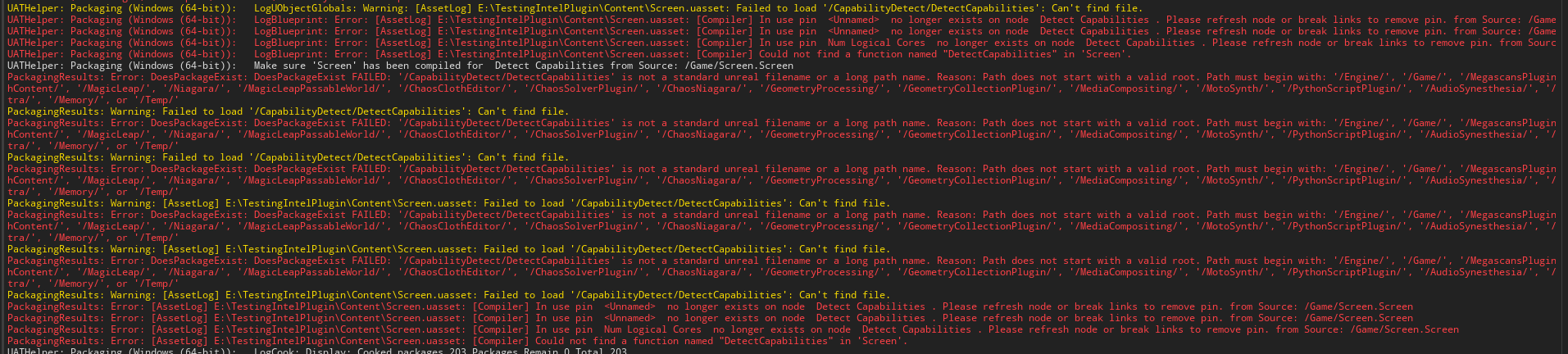

 haughty moss
Guys I am currently dealing with a very awkward package issue
Packaging was not completed
but the most intresting fact is that ue4 dosent show any logs
 molten mountain
Maybe someone can help me out where i need to start looking.
Editor: UE5.0EA
Mode: Full blueprint
Packaging error:
LogOutputDevice: Error: [Callstack] 0x00007ff8ae21a3d6 UnrealEditor-Engine.dll!UnknownFunction []
LogOutputDevice: Error: Stack:
LogOutputDevice: Error: [Callstack] 0x00007ff8ae20a3db UnrealEditor-Engine.dll!UnknownFunction []
LogOutputDevice: Error: [Callstack] 0x00007ff8ae21b2eb UnrealEditor-Engine.dll!UnknownFunction []
... etc etc
Fatal error in built version:
Error: Assertion failed: BlendSpace != nullptr [File:D:/build/++UE5/Sync/Engine/Source/Runtime/AnimGraphRuntime/Private/AnimNodes/AnimNode_BlendSpaceGraphBase.cpp] [Line: 13]
Any pointers (ANY) truly appreciated..
edit Runs perfect in editor, just not when packed.
mint leaf
molten mountain
Maybe someone can help me out where i need to start looking.
Editor: UE5.0EA
Mo...
*ErrorCode
open rapids
hello guys i have a unknown package error causes by this :
Logs are in polish - but :
error C2248: "TRange<float>::LowerBound": nie mo�na uzyska� dost�pu do private sk�adowa zadeklarowanych w klasie
Translate to
error C2248 "TRange<float>::LowerBound": can not access to private variable in class
mellow bane
open rapids
hello guys i have a unknown package error causes by this :
Sounds like you re using nativization, try disabling it
mellow bane
Well, it's disabled by default so you probably enabled it
Check your project settings
open rapids
how this option is called ?
mellow bane
Nativization
open rapids
 mellow bane
Set it to disabled
Inclusive might actually be the default, but assets from your Ultra_Dynamic_Weather plugin probably opt into it
open rapids
Okey, i set it to disabled, i will try to package again, i will give an update in 1h when the package is finish (i hope 🙂 ) THX stranger
mellow bane
This particular error will be gone at least 😆
open rapids
@mellow bane it seems it worked !!! thx !!! One more thing, will disable this option wont cause package game performance to go down ?
mellow bane
Nativization is supposed to help with CPU performance on the game thread, yes
Whether you need that performance in particular depends on profiling data for your game
open rapids
Okey the build is complete Thank you one more time ❤️
dreamy panther
Hi all, I'm getting a cooking error during FDistanceFieldVolumeTexture::Release() line 841 on UE 4.26
The exact error is a Unhandled Exception: EXCEPTION_ACCESS_VIOLATION reading address
dreamy panther
 mellow bane
Check for warnings on meshes before that, failing that, run the packaging through debugger and crawl up in the call stack to find the offending asset
dreamy panther
How would I go about running packaging through the debugger?
mellow bane
Install debug symbols for the engine, attach Visual Studio's debugger to the running UE4 instance, start packaging, wait for crash, debug through the callstack while checking local vars
dreamy panther
Hmm - I've got debug symbols installed, and I'm attached with VS to the current UE4 instance - it doesn't hit a breakpoint in VS
Do I need to run in DebugGameEditor config or something?
dreamy panther
Well I can tell you now that's it's very much not haha
mellow bane
If it didn't, you didn't attach to the UE4 process
haughty moss
Guys please help me with this packaging issue
 haughty moss
mellow bane
Fix all warnings and errors
haughty moss
mellow bane
Fix all warnings and errors
I dont understand what dose it mean by cook
mellow bane
Cooking is the preparation of assets for use in non-editor builds
haughty moss
mellow bane
Cooking is the preparation of assets for use in non-editor builds
Is it very much important
haughty moss
mellow bane
The only required one really
How can I cook
haughty moss
ok
dreamy panther
Right - I connected the debugger to the command line process (rather than the UE4 editor process) and it's hit the breakpoint.
I've found the particular mesh in question... now to work out why it's causing the issue
mellow bane
Check warnings in cooking logs, check warnings at import
dreamy panther
No warnings in the cooking logs, and none during import
It's a random LOD from one of the meta-human hair meshes
As it's lowest LOD, I'm just going to delete it and see if any other assets have the same issue or if it was a one off
mellow bane
Yeah I can't say I'm completely surprised
dreamy panther
Oh yeah? Any insight?
mellow bane
Not really insight, just that imho metahumans are very heavy and not really meant for game use
Not saying they shouldn't package; just not very surprised that it was such an asset
fickle cairn
I'm preparing a project for the marketplace and finished moving everything to a single folder inside /content/xxx game plays fine in editor or standalone but packaged project executable crashes with this error: <ErrorMessage>Assertion failed: AsyncLoadingThread.RecursionNotAllowed.Increment() == 1 [File:D:/Build/++UE4/Sync/Engine/Source/Runtime/CoreUObject/Private/Serialization/AsyncLoading.cpp] [Line: 3979]</ErrorMessage> Not sure why, are there things I need to change in config? Or? UPDATE: Production build works without problems, Development build crashes. problem resolved, somehow...
fickle cairn
I am now trying to figure out if there's a way to get rid of these warnings:
UATHelper: Packaging (Windows (64-bit)):   LogInit: Display: LogUObjectGlobals: Warning: Failed to load '/Game/Audio/Classes/SC_Master': Can't find file.
UATHelper: Packaging (Windows (64-bit)):   LogInit: Display: LogUObjectGlobals: Warning: Failed to find object 'SoundClass /Game/Audio/Classes/SC_Master.SC_Master'
UATHelper: Packaging (Windows (64-bit)):   LogInit: Display: LogUObjectGlobals: Warning: Failed to load '/Game/Interaction/Tutorial_FirstPerson': Can't find file.
UATHelper: Packaging (Windows (64-bit)):   LogInit: Display: LogUObjectGlobals: Warning: Failed to find object 'Class /Game/Interaction/Tutorial_FirstPerson.Tutorial_FirstPerson_C'
These files have been moved/deleted, but not sure why or where the engine is still referencing them. Game asset references seem to be fine. Is there a way to track down these references and update/delete them?
 fierce shadow
how do i do over the air updates to a game someone downloaded off my website?
 rose forum
Hi all. We packaged our game for our alpha testers. Now one of the testers got the error that he is missing the Visual C and DirectX Runtimes. Am I right that this should be fixed by installing the "UE4PrereqSetup_x64.exe" which comes with the packaged game? And if so, is there a way to tigger that automatically for the end user? I searched this channel but didn't find an answer.
mellow bane
You should install the June 2010 DX runtime and the VC runtime from your VS version
That's on you, the game obviously cannot do it since it can't run without the VC runtime
On Steam these two are checkboxes
Same goes for GOG IIRC
If you have your own store you need your own mechanism for that - both have registry keys to detect in your custom launcher
rose forum
mellow bane
You should install the June 2010 DX runtime and the VC runtime from your VS vers...
Many thanks for the reply. That helps already 👍
rose forum
mellow bane
If you have your own store you need your own mechanism for that - both have regi...
Although this is a part where I have zero expertise ^^
mellow bane
Welcome to distributing games yourself
If you're trying to do alpha tests, let me point you to itch.io, which is free, open-source, let you have a game set to private or invite only, and handles this
rose forum
mellow bane
If you're trying to do alpha tests, let me point you to itch.io, which is free, ...
That's actually a good tip. Was thinking about this, but it actually wasn't on my radar that the prerequisites could be an issue.
mellow bane
The alternative is your own launcher that does the patching (can be built on top of itch's OSS butler client), and handles this stuff on top
Assuming you want your own distribution service
In this case you can simply check the command line help for both redist installers
They have a "check" option and a "silent" option to be ran as part of an installer
Which they usually are
rose forum
Actually a tutorial on that topic would be great. Many thanks for your elaborate replies. I will dig into that 👍
mellow bane
The tutorial for VC / DX redist is "run it with /h in console" i'm afraid
though for pure BP projects, running UE4PrereqSetup_x64 at boot before starting the game might simply work
Also has command line options too
rose forum
Now I actually get what you mean by command line options ^^
 inner island
Thinking about moving to 4.26 - have they fixexd most of the issues?
mellow bane
Which ones ?
rose forum
mellow bane
Which ones ?
It actually worked for the user with installing the "UE4PrereqSetup_x64.exe". Even for a C++ project. So I would assume the user had some of the prerequisites installed already.
mellow bane
Or you use the same major MSVC release as Epic
Which is documented in the release notes for that engine version, in the platform or SDK notes near the end
 upper crescent
Can someone help me with my packaging? every time i try to package my project i get this error
 craggy cobalt
OK so my project is currently targetting only desktop, specifically SM5 on Windows. One of my characters has a hair material using shading model MSM_Hair (because its hair). During packaging, UE4Editor-Cmd.exe complains that this material cannot be built for ES3.1 (as its not supported, sure) and then when compiling shaders for further material instances of this material, it crashes due to an unchecked null-ref (directly due to the unbuilt shader for the hair material, confirmed via VS debugging on source build)
The crash is a bug for sure. But my question is: How do I just disable ES3.1, why would I need to do that considering ES3.1 is not a supported RHI on windows anyway, and should I really do that or do I actually need it?
The supported RHIs for Platform-Windows are set to SM5. Only Windows is ticked as supported platform in project settings. I've set the project as optimized for desktop as well. Afaict there is nowhere in my project settings that is asking for ES3.1. DX mobile emulation (ES3.1) is not checked.
I think I did once do a Play in Mobile Emulation just to see if it would work, though that was on 4.26.2 prebuilt bins and I've since rebuilt 4.26.2-release on GitHub from scratch and of course it had to recompile all shaders again, and the problem persists
 cold tapir
I have an issue with LoadLevelInstance, which loads levels by name.
I set all "maps to cook" in the project settings, and when I run a desktop build this all works fine.
However in an Android build it can't find the levels.
[2021.06.30-08.37.17:763][347]LogPackageName: SearchForPackageOnDisk took 0.072s, but failed to resolve L_ENV_StartingArea_Base.
I have tried with both short name (only the level name) and long name (path + name)
craggy cobalt
I have solved my problem, thanks to some rubber-ducking in #ue4-general -- the issue is that Project Settings shows RHIs as disabled but in my DefaultEngine.ini there are additions for Vulkan ES3.1 and OpenGL ES 3.1. Removing these solves the problem
craggy cobalt
cold tapir
I have an issue with LoadLevelInstance, which loads levels by name.
I set all "...
MapsToCook should be full level path

if you are doing that already, then failure to load it is weird
but i have actually set up an Asset Manager Primary Asset Type for Map
im not super certain this is necessary for me anymore (or ever), but i have:
cold tapir
Yeah I have the full paths
craggy cobalt
 cold tapir
That seems quick enough to set up, might be worth a shot
and then I should load them through full path or name only?
craggy cobalt
my loads are by full level path


works fine for me so far
ultimately that level name goes all the way down to

LoadLevelInstance (the C++ method) should have the same semantics https://docs.unrealengine.com/4.26/en-US/API/Runtime/Engine/Engine/ULevelStreamingDynamic/LoadLevelInstance/
Stream in a level with a specific location and rotation.
cold tapir
Ill try it with OpenLevel and the asset managers set up. I used LoadLevelInstance as I need to load levels addatively
I'll be back later with the outcome :)
craggy cobalt
there is a note here
The level to be loaded does not have to be in the persistent map's Levels list, however to ensure that the .umap does get packaged, please be sure to include the .umap in your Packaging Settings:
Project Settings -> Packaging -> List of Maps to Include in a Packaged Build (you may have to show advanced or type in filter)
as long as you do that it should be ok
but at least my config might be helpful in what the docs arent showing
its likely if all is well in that exact setting, then you shouldnt need to set up a primary asset type. but doing so will ensure that the assets get cooked when you package
thats why i added it
cold tapir
^This didn't change anything yet...
Though I get that it might be necessary
So maybe this is not where the issue is
open rapids
Hello
How should i fix a Can't find file warning that occurs when moveing files in the file (files that are referend by BP ? [thats audio file])
 mellow bane
Move the files in the content browser, so that a redirector file is left for each
You can then use the fixup redirectors command and re-save all assets that use the move assets so that they point to the new path
Revert the move in source control and re-do it cleanly
 mellow bane
Start by fixing all warnings and errors in the package process, might fix it
Other than that, you'll need to debug the packaging process with VS to understand which assets is responsible
mellow bane
This isn't an error
It's an engine crash
Earlier in the log, you might have warnings and error messages about some assets ; fix them first
That might remove the crash, which is not normal behaviour (unlike warnings and errors)
Failing that, you need to debug the engine with Visual Studio
next dust
Is there a way to include extra plugins/modules/scripts while building the project?
I want to add automated tests to the build only in certain cases soo is there a flag that can do it?
Or maybe i can add a custom flag which will turn on a plugin or add script to build?
 rain rock
Hi. I've included plugin WhatsMyIP to my project and tried to make a build. I have an error: Cannot construct objects of type 'None' in Construct Object from Class. ANY IDEAS what is wrong?
 craggy cobalt
 sour topaz
you can also get the PDB (debug information) for the prebuilt engine, go to Options for your engine version. That will change "UnknownFunction" to the real function names, which might give you a hint what its about before needing to build the whole engine from source
craggy cobalt
rain rock
Hi. I've included plugin WhatsMyIP to my project and tried to make a build. I h...
are you sure its that particular Construct Object? otherwise kind of sounds like maybe when building the project the plugin providing Whats My Public IP isnt present (like two different engine installs and the plugin installed only to one), though the engine should yell at you if so
rain rock
I fixed it. See in Plugins channel.
desert anchor

I can't find these files in cpp or in my content folder, any idea from where it's calling it from?
it's the ThirdPersonOverview tutorial node
UATHelper: Cooking (Windows (64-bit)):   LogUObjectGlobals: Warning: Failed to load '/Game/ThirdPersonBP/ThirdPersonOverview': Can't find file.
UATHelper: Cooking (Windows (64-bit)):   LogUObjectGlobals: Warning: Failed to load '/Game/ThirdPersonBP/ThirdPersonOverview': Can't find file.
UATHelper: Cooking (Windows (64-bit)):   LogUObjectGlobals: Warning: Failed to find object 'Class /Game/ThirdPersonBP/ThirdPersonOverview.ThirdPersonOverview_C'
PackagingResults: Warning: Failed to load '/Game/ThirdPersonBP/ThirdPersonOverview': Can't find file.
PackagingResults: Warning: Failed to load '/Game/ThirdPersonBP/ThirdPersonOverview': Can't find file.
PackagingResults: Warning: Failed to find object 'Class /Game/ThirdPersonBP/ThirdPersonOverview.ThirdPersonOverview_C'

I re-added the ThirdPerson BP Feature template and deleted everything except this file, now i'm not getting any error

looking at reference viewer, it's not connected to anything
anyone know where/what looking for this file?
if I delete it, the error will come back again
 weak scaffold
Hi All,
I'm trying to get my editor DLLs and game binaries to compile through Jenkins. Jenkins successfully compiles, runs unit tests and then submits to perforce. Running the game on another computer is fine, but when I try and load the editor, the editor loads to 70% and then crashes with:
[2021.07.01-06.41.32:773][  0]LogWindows: Error: === Critical error: ===
[2021.07.01-06.41.32:773][  0]LogWindows: Error:
[2021.07.01-06.41.32:773][  0]LogWindows: Error: Fatal error!
[2021.07.01-06.41.32:773][  0]LogWindows: Error:
[2021.07.01-06.41.32:773][  0]LogWindows: Error: Unhandled Exception: EXCEPTION_ACCESS_VIOLATION reading address 0x5734005a
....
I've tried a few different ways but the command I'm currently using to compile is:
%UE4PATH%\Engine\Build\BatchFiles\Rebuild.bat %PROJECT_NAME%Editor %BUILD_PLATFORM% %BUILD_PROFILE% "%PROJECTDIR%\%PROJECT_NAME%.uproject" -rocket -editorrecompile -progress -noubtmakefiles -NoHotReloadFromIDE -waitmutex -Log=%PROJECTDIR%\Saved\Logs\Build-%PROJECT_NAME%%BUILD_TARGET%-%BUILD_PROFILE%-%BUILD_NUMBER%.log
this evaluates to:
%UE4PATH%\Engine\Build\BatchFiles\Rebuild.bat VehicleAnimationEditor Win64 Development "%PROJECTDIR%\VehicleAnimation.uproject" -rocket -editorrecompile -progress -noubtmakefiles -NoHotReloadFromIDE -waitmutex
I've robocopied the engine from one machine to the other to ensure it is the same.
Compiling on the problem computer with the same command works fine, it's just when using binaries from the build computer.
any ideas where i might be going wrong?
I'm using 4.23 from the launcher at this stage
craggy cobalt
weak scaffold
any ideas where i might be going wrong?
hmm maybe win32 vs win64?
weak scaffold
Hmm I don't think so, but I'll double check when I'm back at the computer. The same command is used on both computers.
It's such a strange issue
craggy cobalt
Here's a strange one for y'all. I've got a bunch of input button images (textures) I want to pull up programmatically, so to ensure they get built and can be referenced by IDs I went ahead and added a new Primary Asset type for them. No problems during PIE and standalone, but during packaging I get:
UATHelper: Packaging (Windows (64-bit)): LogInit: Display: LogAssetManager: Error: Registered PrimaryAssetId InputImage:Keyboard_Black_Caps_Lock for asset /Game/Packs/InputButtonImages/Keyboard___Mouse/Dark/Keyboard_Black_Caps_Lock.Keyboard_Black_Caps_Lock does not match object's real id of ! This will not load properly at runtime!
So the ID is ""? Is it just not possible to use Texture2D as primary assets?
 craggy cobalt
Oh I think I just need this
 craggy cobalt
ayyy successful package 🎉
 humble jolt
hello, any idea on what to do ?
 mellow bane
Sounds like you put an invalid variable in Scalability.ini
 spring spear
i'am trying to package my project on OS X (for iOS) with RunUAT but get errors that the BP compiler (?) can't find the backing classes
LogInit: Display: LogUObjectGlobals: Warning: [AssetLog] /Users/builduser/Documents/FooProject/Content/Widgets/BP_ButtonBright.uasset: Failed to load '/Script/FooProject': Can't find file.
using this command
./RunUAT.sh BuildCookRun -nocompileeditor -nop4 -project=/Users/builduser/Documents/FooProject/FooProject.uproject -cook -stage -archive -archivedirectory=/Users/builduser/Documents/FooProject/Build -package -configuration=Development -ue4exe=UE4Editor -compressed -pak -prereqs -distribution -nodebuginfo -targetplatform=IOS -build -CrashReporter -utf8output
anybody got an idea what i'am doing wrong?
and errors like these /BP_OrbitCamera.uasset: [Compiler] Could not find a function named "GetSelected" in 'BP_OrbitCamera'.
 drowsy iron
We use VaREST to make a request that constructs actors based off the data. However, when running the Packaged application we get a crash.
 craggy cobalt
spring spear
and errors like these `/BP_OrbitCamera.uasset: [Compiler] Could not find a funct...
craggy cobalt
spring spear
and errors like these `/BP_OrbitCamera.uasset: [Compiler] Could not find a funct...
that second one looks like a bad paste, open it and hit Compile
drowsy iron
Maximum number of UObjects (2162688) exceeded, make sure you update MaxObjectsInGame/MaxObjectsInEditor/MaxObjectsInProgram in project settings.
 craggy cobalt
server give you too many objects to make, what's the question?
drowsy iron
I changed the number in cooked game from 0 to the same as editor, and i don't think it crashes anymore
What would be a way to mitigate that rezonant? I just bumped up the MaxObjectsInGame, but what else can be done?
craggy cobalt
it pretty clearly looks like whatever server is on the other side of that REST call is giving you more than 2 million objects. It shouldn't do that, I think we can all agree. But why it's doing that is the question and that's probably outside the scope here, as you wouldn't use REST if the server was an unreal server
if i knew more about the use case, maybe i could provide a higher level answer
spring spear
@craggy cobalt i switched over to a source build (of the same version/tag PLUS from Win to Mac) and apparently that requires a run of 'ResavePackages'
works now
 sturdy fable
fixed
 pale sequoia
Hi guys, Im trying to package my first android app, having some difficulty finding a good explanation on how to sign my project. When I fill in the keytool command in a cmd it gives me this: "java.io.FileNotFoundException: ExampleKey.keystore (Access is denied)". All tutorials Ive seen have no issues here. Can I not do this step in UE4 Project Settings with the GenerateNewSigningKeys button? Id be super grateful for any help here!
 shut bronze
Hi! When compiling, I'd like to also copy my binaries on top of a previously packaged dir. This is because I only change code and I'd like to test the results and since my assets are unchanged my turnaround time ends up being significantly longer than it needs to. Now I remember seeing that you can ask the automation tool to do this for you somewhere it's just eluding me right now.
runic stump
shut bronze
Hi! When compiling, I'd like to also copy my binaries on top of a previously pac...
You don't need to use UAT at all for such scenario. Cook full game once. And then just compile/run game using proper build configuration from IDE, using Saved/StagedBuilds/[Platform] as a working directory so game picks up cooked data from paks.
shut bronze
Yeah, fair enough. Using -BaseDir is also a good option. I guess I just got a little stubborn about doing that specifically. Thanks!
 dark shadow
Hi everyone, I am working on demo version of my game. What is the easiest way to build a demo version of game which will be safe from hackers dwelling in packaged game to enable the full version? I currently only have configuration which switches between demo version and full version and it definitly does not seem safe. I would like to cut some assets from the game in build process depending whether i am building full version or demo version (like data assets used in game). But i do not now where to look for a easy solution.
runic stump
shut bronze
Yeah, fair enough. Using -BaseDir is also a good option. I guess I just got a li...
Oh, I didn't know about -BaseDir/-BaseFromWorkingDir (and it isn't supported under Linux for some random reason). Yeah, -BaseDir will effectively end up with the same results.
 fast ingot
Hmm, just tossing this out here into the cosmos:
There is a single package that decides to hang up the cooking process 80% of the time - that is, I end up with it repeatedly stating that*** 1 package is remaining ***ad infinitum. The only option is to stop the build process and restart it and hope it manages to go through. This, obviously, prevents setting up any automation and wastes a looooot of precious time.
I've already run resavepackages on everything (started happening after moving to 4.26 if I recall correctly). I've tried to debug the cooking process and go through the threads to see what file handle is opened at that very moment but it's always optimised out at this point in time.... Debug build of the engine and cooker perhaps as the next step? :V
fast ingot
no navmeshes so that's ez, but I'll see if rebuilding the lightmaps will do anything... cheers
runic stump
fast ingot
Hmm, just tossing this out here into the cosmos:
There is a single package that ...
You just need to go to main thread of cooking process in debugger and look at cooking queue there. We got such behavior with Water plugin and Landmass when tried to use actor-per-file format for them. "Fixed" by moving them to a separate sublevel and saving that sublevel as a single umap, without file-per-actor thing.
fast ingot
if I've missed something as obvious as something being left in a cooking queue....
(╯°□°)╯︵ ┻━┻
checking
runic stump
To be more exact, in our case UTextures were getting stuck. Cooker entered split personality mode when one half of it thought that texture needed to be cooked so was added to the cooking queue, while other half thought that texture was editor-only and didn't cook it.
fast ingot
hmm that sounds probable for our case
I've definitely been suspecting texture assets
might be some recently modified chunking/asset manager config confusing the poor fella
 lapis cypress
Following a guide and I need the folder WindowsNoEditor/Engine/Binaries/Win64 and in this folder is a application called UE4Game. When building the game I don't have this file or folder, I have copied the guide exactly and it is not there. Any ideas?
fast ingot
Mm, probably found it. Thanks for tipping me off to look for queues in the cook server >_> It's a texture asset where it gets programmatically converted into power by 2 when assigned to a specific type of asset.... but it only gets marked as dirty, not automatically saved, so when people don't actually save the changed texture, stuff gets messed uuuup
@runic stump thankssss
@lapis cypress sure it's not just supposed to be named after the project name rather than ue4game?
btw, what's a clean way to force save changes to an asset programmatically if anyone happens to know so that I can avoid this in the future?
@lapis cypress the folder hierarchy sounds like what you get under [projectfolder]/Saved/StagedBuilds


 fast ingot
what is the guide? what are you trying to accomplish?
lapis cypress
Trying to create a dedicated server

Hello guys welcome to another tutorial. Today I will show you guys how to compile a dedicated server for your own game. This will allow you to host your own server, and have anyone join it from across the world. I demonstrate this by putting the packaged final game on a usb and running it from my laptop on a mobile hotspot. I join the dedicated ...
rose forum
Hi all. I was wondering if there is a good way of handling the following: I have a master project setup where I want to package different versions of the same project (needs adjustment on project settings, Android & iOS settings) to distribute them as individual apps. What would be the best way to deal with that in your opinion? I can get more specific if necessary. I thought of having different versions of the .ini files per project and then overwrite based on the project I want to build.
 vernal elm
anyone know how to avoid PAK corruptions when packaging a game for steam
works fine till steam does its unpacking algo, and we end up with mismatches in size
LowLevelFatalError [File:Unknown] [Line: 3194] Function /Game/XXX_BP.XXX_BP_C:TeleportAnimation: Serial size mismatch: Got 12554, Expected 47
 vocal citrus
hey hey all nice meeting virtually! I having a bug where my app compiles on a mac but then crashes on launch because of eos core plugin marketplace library not loading. i tried using project launcher and it compiles +opens on machine but when i bring it to another machine doesnt work because it splits the app files. I'm curious if anyone might any ideas on a possible work around?
craggy cobalt
rose forum
Hi all. I was wondering if there is a good way of handling the following: I have...
you know you can actually just override any of the INIs per platform in a single project though right?
"Each configuration category has its own hierarchy of files which specify engine-specific, project-specific, and platform-specific configurations."
https://docs.unrealengine.com/4.26/en-US/ProductionPipelines/ConfigurationFiles/
Text files containing property settings for configuring gameplay or engine behavior.
rose forum
craggy cobalt
you know you can actually just override any of the INIs per platform in a single...
That's what I thought, thanks for the link 👍 But this would lead me, at least as I'm aware, to the solution with different config files per project and then overwrite the main ones when I want to build a specific project, right?
Maybe I can also give an example: For each Android project I want to distribute as an individual app, there has to be a name, key file asf which are all defined in the Project Settings - Android section (or DefaultEngine.ini). So when I want to build project A I need the DefaultEngineA.ini, for project B therefore DefaultEngineB.ini....
I thought of something like a build .bat via command line commands or something similar
craggy cobalt
rose forum
That's what I thought, thanks for the link 👍 But this would lead me, at least ...
no no, you dont have to overwrite anything
you just put it under [ProjectDirectory]/Saved/Config/[Platform]/[Category].ini
the editor will automatically coalesce the engine level, project level and platform level INIs together when loading
erm sorry thats the Saved one that i think is the coalesced final actually
[ProjectDirectory]/Config/[Platform]/[Platform][Category].ini
Maybe I can also give an example: For each Android project I want to distribute as an individual app, there has to be a name, key file asf which are all defined in the Project Settings - Android section (or DefaultEngine.ini). So when I want to build project A I need the DefaultEngineA.ini, for project B therefore DefaultEngineB.ini....
oh this is more complex, why have multiple projects in one uproject ?
and do you mean like, multiple games in one project?
rose forum
craggy cobalt
> Maybe I can also give an example: For each Android project I want to distribut...
The reason is actually that although the apps have to be distributed as individual apps they primarily differ in content but not functionality, which makes it easier to manage that way. Think of it more like a business app and not a game.
craggy cobalt
oh ok, like a white-labelled or multi-tenant sort of model
do the functionality work once, reskin, throw other content in it
rose forum
yes along those lines 👍
craggy cobalt
ahh yeah youd definitely just have to do config swapping with a tool of some kind
might be able to leverage the Automation system in unreal and UnrealAutomationTool
i dont know much about it though
rose forum
Sure I will have a more in depth look into that. That's actually where my current research stopped ^^
Many thanks for your support 💪
craggy cobalt
np, good luck
 silk hull
Hey ever since the UE4.26 presentation (almost a year ago) I was wondering about how to use the Zen Loader. There is basically no info or documentation online. the best i could find was this short segment https://youtu.be/OchRhhRaE5s?t=1851
but since I haven't done much outside the default packaging options yet i have no idea what this means and where to put this modifier

 karmic gulch
Hey guys, I'm getting this error when trying to deploy apk onto Oculus Quest 2, since the latest update to 30 (Oculus update):
INSTALL_PARSE_FAILED_NO_CERTIFICATES: Package /data/app/vmdl793865912.tmp/base.apk has no certificates at entry AndroidManifest.xml
Is this related to signing apk, packacking, or? I'm kinda lost now...
 paper raptor
I have a problem please help


im unable to package the game
i think its because i renamed my project but I cant find a fix
fast ingot
Is it a c++ project? In that case, I would close the editor first of all. Then open up the project folder in your IDE. Rename UE4Game.Target.cs and UE4GameEditor.Target.cs (if it exists) to the new name. Change all occurrences of UE4Game within those files as well. Then rename the module folder as well. And the build.cs file, etc. etc., then regenerate the project files
paper raptor
its a blueprint project
fast ingot
after regenerating and if you renamed everything correctly, you should be able to open in the editor and package the correct target
oh
well
paper raptor
also my project's name is DeathRealm
not ue4
ue4game*
I tried to delete the line "buldtarget= UE4Game" from the configs but that doesnt work
fast ingot
Not familiar with messing with blueprint projects. Maybe migrate the content to a new project with the correct name I guess.
paper raptor
Its a pretty big project so im afraid its going to be quite time consuming
if i decide to do that
fast ingot
One thing you could try is delete the Saved and Intermediate folders and regenerate the project files
otherwise I'd have to give it a whirl myself to see
paper raptor
oh i see
i will send you the logs
the packaging ends instantly as soon as i press package
fast ingot
Yeah, that is to be expected if the target is now named DeathRealm
paper raptor
I wanted the target to be empty
i dont even know what it exactly does so I always leave that field empty anyway
and normally package
fast ingot
the target is usually the name of the game module
paper raptor
also I think you may keep in mind that I integrated Nvidia DLSS
if that helps with the case
oh
fast ingot
Try DeathRealm if that is indeed the name of the project :)
paper raptor
yup it is
and I think i tried it once
but it was auto set back to UE4Game
when i tried to package
fast ingot
lol I've half the mind to ask to screen share
paper raptor
sure
one second

these are the logs btw
I cleared the entire output log and started packaging again to make it clear whats the problem in the logs

even the build target is the same as project name
fast ingot
just a tick...
paper raptor
tick?
fast ingot
sec. tick. minute.
paper raptor
ah sure
fast ingot
'LogLauncherProfile: Found promoted target with matching version at ../../../Engine/Binaries/Win64/UE4Game.target' umm did you rename the engine folder as well?
paper raptor
engine folder?
wait you mean this one

I dont think i renamed any folder besides the project fodler itself
fast ingot
ok testing
have you tried deleting the saved and intermediate folders?
and reopening the project?
fast ingot
that should basically be the first thing to try when dealing with stuff like this, especially if you did something as massive as rename the entire thing
paper raptor
the first thing i did was actually just add the line [URL]
GameName=DeathRealm
then validated the project
then fixed redicectors
then went to google
alright deleted them
trying now