#packaging
1 messages · Page 23 of 1
 solar trellis
 ivory coyote
solar trellis
show your Build.cs and Target.cs files and the full command line you are using t...
ivory coyote
solar trellis
show your Build.cs and Target.cs files and the full command line you are using t...
So, as i've never used the command line method of building before, i just checked the docs and used epics assistant to try. it gave me this...
RunUAT.bat BuildCookRun ^
-project="C:/Path/To/YourProject/YourProject.uproject" ^
-platform=Win64 ^
-clientconfig=Shipping ^
-cook -allmaps -build -stage -pak -archive ^
-archivedirectory="C:/Path/To/OutputFolder" ^
-nocompile -nocompileeditor
and it worked. I also found opening the project launcher, making a new custom profile and choosing shipping works as well. but going to platforms > package project and having shipping selected will always do development instead.
I actually reinstalled the engine, deleted everything from appdata and the build, binaries, intermediate, saved ddc etc from the project and ran a repair of VS to try reset any preferences that could have been changed. the issue still persists so i have no idea whats changed.
I don't actually know where to look for the target.cs and build.cs I've always just done stuff in blueprints and building just worked. I only mentioned the target as when building it would generate a line about "UnrealGame-Win64-Shipping.target does not exist" and I feel like this used to be "ProjectName-Win64-Shipping.target"
the other bit of discovery i made is it was due to a plugin recompiling. I tested on a second machine and removed its binaries and intermediate to make it say it needed to compile when opening the project. as soon as it did this, the issue happens. I don't know why it originally needed to compile but forcing it to happen caused the issue on another PC. so now 2 PCs have the problem! but reinstalling unreal didnt fix it?! and its still an issue in a template project, like the fps template, i cant build that as shipping the normal way.
any of this help understand it more or am i just rambling?
solar trellis
ivory coyote
So, as i've never used the command line method of building before, i just checke...
Someone with more time may be able to dig deeper, why not drop a minimal template project that is broken on your side here for others and we can try to package shipping for you.
In addition, what is the command line from the log for RunUAT when you try to package from the editor? It will be in the Logs
ivory coyote
solar trellis
Someone with more time may be able to dig deeper, why not drop a minimal templat...
LogMonitoredProcess: Running Serialized UAT: [ cmd.exe /c ""C:/Program Files/Epic Games/UE_5.7/Engine/Build/BatchFiles/RunUAT.bat" -ScriptsForProject="C:/Users/Documents/Unreal Projects/MyProject4/MyProject4.uproject" Turnkey -command=VerifySdk -platform=Win64 -UpdateIfNeeded -EditorIO -EditorIOPort=62772 -project="C:/Users/Documents/Unreal Projects/MyProject4/MyProject4.uproject" BuildCookRun -nop4 -utf8output -nocompileeditor -skipbuildeditor -cook -project="C:/Users/Documents/Unreal Projects/MyProject4/MyProject4.uproject" -unrealexe="C:\Program
Files\Epic Games\UE_5.7\Engine\Binaries\Win64\UnrealEditor-Cmd.exe" -platform=Win64 -installed -SkipCookingErrorSummary -JsonStdOut -stage -archive -package -build -pak -iostore -compressed -prereqs -archivedirectory="C:/Users/Desktop/New folder" -nodebuginfo" -nocompile -nocompileuat ]
is it this line? i made a quick template n tried to build it, same issue and this was the bit i found for running the runuat.bat doesnt seem to specify shipping or development in it.
solar trellis
ivory coyote
LogMonitoredProcess: Running Serialized UAT: [ cmd.exe /c ""C:/Program Files/Epi...
did you know that 3 backticks will actually give you code blocks in discord? hence making it easier for others to read and copy?
solar trellis
ivory coyote
LogMonitoredProcess: Running Serialized UAT: [ cmd.exe /c ""C:/Program Files/Epi...
yep it is missing -serverconfig=%SERVER_CONFIG% -clientconfig=%CLIENT_CONFIG% and you are using Binary engine too which could be causing some issues? I'm not sure since I don't use it, we use Source build. You cannot build servers with Binary engine... you can file a bug report with Epic and hope they fix it in the next year or two
or you can dig deep into their source code and fix it for everyone else with a PR on their github
 outer frigate
I've been told there's a way to attach a debugger to a shipping build and I'm very interested in learning more about that.
 winged moss
I'm not sure what there is to learn? If you have a matching pdb and don't have some anti-cheat launcher which will block debuggers, you can just attach straight from VS
-waitfordebugger doesn't work in shipped so if it's a launch crash then you would need to use -basedir. a lot of this is covered by this article: https://dev.epicgames.com/community/learning/tutorials/dXl5/advanced-debugging-in-unreal-engine
solar trellis
outer frigate
I've been told there's a way to attach a debugger to a shipping build and I'm ve...
did you figure it out?
outer frigate
solar trellis
did you figure it out?
Nnnnnope. Got so frustrated I had to walk away for a while.
Getting back into the weeds now.
outer frigate
I'm doing something wrong, I guess.
The build won't even succeed anymore.
Target file. There's a lot of stuff in the build log and it's not immidiately obvious to me where it's breaking.
// Fill out your copyright notice in the Description page of Project Settings.

using UnrealBuildTool;
using System.Collections.Generic;

public class CapstonePrototypeTarget : TargetRules
{
    public CapstonePrototypeTarget(TargetInfo Target) : base(Target)
    {
        Type = TargetType.Game;
        DefaultBuildSettings = BuildSettingsVersion.V5;
        //Everything outside these comments was what the project was building successfully with.
        bOverrideBuildEnvironment = true;
        bUseLoggingInShipping=true;
        bUseChecksInShipping = true;
        // End new stuff.
        ExtraModuleNames.AddRange( new string[] { "CapstonePrototype" } );
    }
}
"fatal error LNK1120: 8 unresolved externals" seems to be the point of failure?
Whatever the problem is, it was one of those three changes, since without them it can still build with the "Include Debug Files" .ini setting enabled.
Hopefully I can get what I need with just that?
solar trellis
outer frigate
Target file. There's a lot of stuff in the build log and it's not immidiately ob...
So you are having problems building and you have an option there called bOverrideBuildEnvironment = true;
I never heard of this, can you tell me what it does and how to use it?
outer frigate
No freaking idea, it wouldn't build with the two that make sense and it told me to try adding that line in the error.
None of this is my wheelhouse, unfortunately. I managed to attach the pdb to the release build, but I don't think I'm good enough yet for anything I'm seeing to be useful.
I wish I could just get whatever this error is to happen in the editor.
I don't know what else to do.
ivory coyote
solar trellis
yep it is missing `-serverconfig=%SERVER_CONFIG% -clientconfig=%CLIENT_CONFIG%` ...
sorry not sure i understand needing a server. this was just a template project to test it wasn't any of my projects causing issue, it was the fps template. my projects are arch vis based so you are exploring buildings etc but they've never had an issue in the past. there are no servers/multiplayer stuff currently. it does build via that cmd line i used earlier and also via project launcher. its just the usual method i always used now does not work and will always default to development only.
noted on the backticks, thank you!
winged moss
outer frigate
Target file. There's a lot of stuff in the build log and it's not immidiately ob...
None of this is to do with debugging shipping. You cannot override settings that require a unique build environment without using a source build
 lyric imp
Hey has anyone here published a game on Steam for the Steam deck I’m curious on what the process looks like on the unreal end for getting it setup
 zenith idol
So why do some specific FNames become invalid after packaging a game ? I've been having issues with using internal FNames such as "INT", "EXP" and "END". They work fine in the editor but in a shipping build these become invalid
solar trellis
zenith idol
So why do some specific FNames become invalid after packaging a game ? I've been...
never had that problem but I try to use long unique names that don't clash with engine ones
zenith idol
Do you know where I can see a list of names to avoid ?
solar trellis
zenith idol
Do you know where I can see a list of names to avoid ?
EngineTypes.h or some other source file in the engine, just search for NAME_None and go back to where they define it, there are a ton of them there
zenith idol
Okay so I'm finding out this issue only applies to FNames when looking up FText in a stringtable. If anywhere during that process specifically an FName with a bad name is created it'll become invalid in a build. It doesn't seem to matter for FNames that are used for anything other than text lookup though
solar trellis
zenith idol
Okay so I'm finding out this issue only applies to FNames when looking up FText ...
use FString for debugging only
use FText always (supports localization)
use FNames as a quick hash lookup for sockets, bones, traces, etc. and it should NEVER be seen by players
I hope that helps
zenith idol
Well FString can also be used internally for text lookups. The FindTextInLocalizationTable node takes in FStrings as inputs
winged moss
though I'm not sure why in that instance you still wouldn't be using FText directly
 mystic atlas
zenith idol
Well FString can also be used internally for text lookups. The FindTextInLocaliz...
mystic atlas
zenith idol
Well FString can also be used internally for text lookups. The FindTextInLocaliz...
Is that looking up by localisation key or by localised value?
zenith idol
What do you mean ?
mystic atlas
Don't worry.
 lucid ruin
Getting some weird errors when packaging, any ideas? I don't have any other errors that precede this.
solar trellis
lucid ruin
Getting some weird errors when packaging, any ideas? I don't have any other erro...
build or cook? unable to see that attachment on mobile. post the top most error
solar trellis
lucid ruin
Getting some weird errors when packaging, any ideas? I don't have any other erro...
I'm on desktop now and I've seen this sort of error when you are not checking for IsTemplate() and the like in your PostInitialize/BeginPlay type code and it is running and trying to load stuff with the cooker, so you'll have to attach a debugger to figure out which class or asset (UPackage) is doing this or look just above this message in your logs if it tells you which it is working on
lucid ruin
I'm pretty sure it was a corrupted file. I tried a bunch of verify cmdlets and always crashed a bit through. Added the project cleaner plugin and removed corrupted files and was good to go.
 fervent goblet
I have a system setup where I package for DEMO and for full build with different build targets. I wanted to ask, what's best practise to exclude/include files from packaging directly from the build target?
Basically the build target for demo has a single global variable defined "GlobalDefinitions.Add("DEMO=1");" and we use a blueprint library to detect which datatables to select - but I can't figure out a way to exclude the full game datatable from packaging (likely, because it's a reference in the darn blueprint library...).
winged moss
then you'll have to move the reference out of there
fervent goblet
but I need the reference somewhere when packaging for full build. I don't want to keep fiddling with stuff everytime I package the two builds.
winged moss
I'd probably have the reference in a UDeveloperSettings (which would have to be soft) and then override that setting in demo-specific INIs using CustomConfig
the BPFL would read that setting instead of embedding the reference
fervent goblet
I was thinking of setting up a module for the full build...but that seems a bit easier
fervent goblet
Well, actually I had a need for a module and I ended up using it. HOWEVER, the full game datatables won't package at all now, because it's used with LoadObject in the module blueprintlibrary and won't get packaged...how do I set up module specific inclusion?
winged moss
hardcoding asset paths in C++ is always a bad idea. asset references need to be discoverable through the packaged levels and CDOs
fervent goblet
Sorry I'm confused. how else do you access datatable assets (or any assets for that matter) in C++ other than hardcoding their paths?
Oh, via blueprints that extend the c++...
winged moss
you generally don't have asset paths in C++, you do them through project settings and BPs usually
solar trellis
fervent goblet
Oh, via blueprints that extend the c++...
yep and don't listen to the other guy, we put default settings and hard code them in C++. we put all default values into a very specific folder under Content so that we know they are referenced in C++. generally speaking he is right but when you have a big team and people create new blueprints from your C++ classes, you generally want all of the default settings to be well defined there. others make default blueprints and go from there but in our experience they become corrupt overtime and cause more issues so we stick with putting only default values hardcoded in C++
fervent goblet
solar trellis
yep and don't listen to the other guy, we put default settings and hard code the...
yeah, I have a solodev project where no one else has access to the code so or blueprints, so string paths seem ok...
however! they do not seem to create hard references and exclude the files from packaging, which is a bit of a nuisance
winged moss
which is why I was suggesting the more data-driven approach of INIs. these modify the CDO of your UDeveloperSettings-derived class, so the cooker actually sees the reference
 proven stone
Generally good practice in modern unreal is to use primary data assets, ini (Config uproperties) or the UDeveloperSettings as sswires said… or obviously passing objects as uproperty through BP exposed properties…. The rest is clunky and doesn’t scale to larger projects
fervent goblet
anyone happen to have references or how-tos for using these at hand?
proven stone
proven stone
Generally good practice in modern unreal is to use primary data assets, ini (Con...
Since unreal can keep track of all of the references and warn you that you’re removing or moving assets that are referenced from ini etc. or automatically handle redirectors etc. but I’ve not had such luck with statically loaded assets in constructors etc. but I’ve not really tried this approach in eons so things might’ve actually changed since then
fervent goblet
I think making the .ini seems straight forward, just add to ProjectPackagingSettings +DirectoriesToNeverCook but where do I specify the .ini file to use with the build target?
solar trellis
fervent goblet
anyone happen to have references or how-tos for using these at hand?
Create a new C++ class inheriting from UDeveloperSettings, use it in C++.
Make changes under Project Settings in the editor.
fervent goblet
Those are not build target specific changes
winged moss
This is also why I was mentioning CustomConfig so you can have target-specific config layers, but this requires a source build
A possible alternative which doesn't require a source build is similar to your module idea, but you can enable and disable plugins from a Target.cs
fervent goblet
hmmm, I'll test this out a bit tomorrow, too much brainpain for today...
fervent goblet
winged moss
A possible alternative which doesn't require a source build is similar to your m...
yeah, nothing seems to work without a source built engine (and I don't wish to go there for various reasons). Plugin exclusion wouldn't work either.
Lastly I've tried a custom asset manager, but I can't seem to make any variable in the build target to actually affect the build process (I guess adding a GlobalDefinition doesn't affect the build stage ONLY the packaged build).
I can't understand how something this basic can be this hard? Isn't like every game ever doing this - excluding some assets from demo builds. Or are they doing it manually or with hacky stuff outside the engine?
winged moss
The cooker is the editor build
So it uses the editor target
You can pass args to the cooker and UBT in BuildCookRun
But there is a lot of unknowns about your project. It sounds like you have a master table of everything, which definitely makes it harder
fervent goblet
it's just a single technology tree table that I'm trying to swap from version to version. A single datatable asset.
Can I affect the args with the build target or should I just give up and run it via command line?
winged moss
BuildCookRun via the command line will give you a lot more control
 summer dock
fervent goblet
I can't understand how something this basic can be this hard? Isn't like every g...
summer dock
fervent goblet
I can't understand how something this basic can be this hard? Isn't like every g...
If you don't really care too much about build size or people scraping assets, you could just have a control boolean IsDemo on/off instead of worrying about what gets packaged ( not saying that isn't wise, just saying there might be an easier way to attack this )
can even pass them in as build args if you want, instead of manually toggling
fervent goblet
I have that set up in a global var with the build target, but just wanted to discourage scraping by removing the datatable from the demo build
summer dock
yeppa yeppa
fervent goblet
I've now settled with chunking it separately and removing it semi manually from the demo build
 torn trout
There is an issue with Scriptable Tools plugin on UE 5.7. If I try to package with shipping option I get this error: UATHelper: Error: Packaging (Windows): ERROR: Non-editor build cannot depend on non-redistributable modules. C:\Users\PC\Documents\Unreal Projects\Pato\Binaries\Win64\Chapter1-Win64-Shipping.exe depends on 'ToolMenus', 'ToolWidgets'.
I`ve seen forums about this but couldnt find a proper solution for this. Anyone know how to fix this? Thanks
mystic atlas
There is no "solution" to this. You aren't allowed to package that module. End of story.
If you want some small functionality that is offered by the module, you could recreate it. Copying stuff from it wholesale is a breach of your EULA.
 rotund breach
Hi guys
Is there a solution to this problem? I've tried deleting many incorrect files, but this always happens. I also tried it in a new project, but the same thing happens. I always get the same error
 solar trellis
mystic atlas
If you want some small functionality that is offered by the module, you could re...
solar trellis
mystic atlas
If you want some small functionality that is offered by the module, you could re...
I was about to call you out on this until you mentioned the EULA and I recall there was a clause there about "editor" features cannot be redistributed without proper per-seat licensing or special licensing from Epic... so yeah, this is actually true.
solar trellis
rotund breach
Hi guys
Is there a solution to this problem? I've tried deleting many incorrect...
why not add symbols and debug the process? I would start with your blueprint above that is complaining in your error message...
mystic atlas
solar trellis
I was about to call you out on this until you mentioned the EULA and I recall th...
Editor and something else. I forget what the other one is.
solar trellis
mystic atlas
Editor and something else. I forget what the other one is.
Movie Sequencer and Architecture stuff, iirc
mystic atlas
It's a specific directory.
zenith idol
I packaged a UE5.4.4 game on windows 10, anyone who tries to run it on Win10 can launch it without needing anything extra. However Win11 requires this to run it:

Is this normal ?
 gaunt bone
Yeah, especially if they don't game much.
I know, stuff like steam auto installs stuff like that.
summer dock
zenith idol
I packaged a UE5.4.4 game on windows 10, anyone who tries to run it on Win10 can...
include prerequisites installer should be checked, and yes, user might still need to accept and install

 wanton sluice

uh what does this mean
5.6.1
UATHelper: Packaging (Windows): UnrealBuildTool failed. See log for more details. (C:\Users\NAME\AppData\Roaming\Unreal Engine\AutomationTool\Logs\C+Program+Files+Epic+Games+UE_5.6\UBA-Metahuman_Tests-Win64-Shipping.txt)
UATHelper: Packaging (Windows): AutomationTool executed for 0h 0m 6s
UATHelper: Packaging (Windows): AutomationTool exiting with ExitCode=6 (6)
UATHelper: Packaging (Windows): BUILD FAILED
LogStreaming: Display: FlushAsyncLoading(358): 1 QueuedPackages, 0 A

Having trouble launching or packaging your project in Unreal Engine 5.6.1 because of the dreaded “SDK Not Setup” error? In this quick tutorial, I’ll show you exactly how to fix it step-by-step
Whether you’re new to Unreal Engine or a seasoned dev, this will get your project running smoothly in minutes!
fix from:
https://github.com/Epic...
i tried following this
but nothing works
winged moss
there has to be more log lines displayed above the snippet you sent
wanton sluice
winged moss
there has to be more log lines displayed above the snippet you sent
theres like 300 lines
but thats the snippet where the "Build Failed"
winged moss
well you're going to have to paste them somewhere
wanton sluice
winged moss
well you're going to have to paste them somewhere
Pastebin
Pastebin.com is the number one paste tool since 2002. Pastebin is a website where you can store text online for a set period of time.
have a see if u can make anything of this
winged moss
this is what I would expect if VS was not installed or didn't have the correct components installed
5.6 will require VS2022 with the 14.38 build tools
wanton sluice
winged moss
5.6 will require VS2022 with the 14.38 build tools
do u think its worth uninstalling visual studio and doing a fresh install
i have vs2022
no idea about build tools
winged moss
not really, but I don't know what VS version or individual components you installed
wanton sluice
 wanton sluice
winged moss
not really, but I don't know what VS version or individual components you instal...
wanton sluice
winged moss
not really, but I don't know what VS version or individual components you instal...
does the 17.12.4 mean the build tools?
winged moss
the IDE is not the build tools
the IDE version doesn't matter much
you install specific build tools versions from individual components, something that is highlighted in the 2nd pinned message of this channel

 candid thistle
Hello, when I build my project there are no errors and packaging completes successfully, but when I launch the packaged build I get this error
./November_2010.sh Shutdown handler: initialize. 5.6.1-44394996+++UE5+Release-5.6 1017 0 Disabling core dumps. [S_API] SteamAPI_Init(): SteamAPI_IsSteamRunning() did not locate a running instance of Steam. [S_API] SteamAPI_Init(): Loaded '/home/louloubiwan/.local/share/Steam/linux64/steamclient.so' OK. [S_API FAIL] SteamAPI_Init() failed; create pipe failed.[S_API FAIL] Tried to access Steam interface SteamUtils010 before SteamAPI_Init succeeded. [S_API FAIL] Tried to access Steam interface SteamUser023 before SteamAPI_Init succeeded. [S_API FAIL] Tried to access Steam interface SteamFriends017 before SteamAPI_Init succeeded. [S_API FAIL] Tried to access Steam interface STEAMREMOTESTORAGE_INTERFACE_VERSION016 before SteamAPI_Init succeeded. [S_API FAIL] Tried to access Steam interface STEAMUSERSTATS_INTERFACE_VERSION012 before SteamAPI_Init succeeded. [S_API FAIL] Tried to access Steam interface SteamMatchMakingServers002 before SteamAPI_Init succeeded. [S_API FAIL] Tried to access Steam interface STEAMAPPS_INTERFACE_VERSION008 before SteamAPI_Init succeeded. [S_API FAIL] Tried to access Steam interface SteamNetworking006 before SteamAPI_Init succeeded. [S_API FAIL] Tried to access Steam interface SteamMatchMaking009 before SteamAPI_Init succeeded. Resizing viewport due to setres change, 2560 x 1440 radv/amdgpu: The CS has been cancelled because the context is lost. This context is innocent. radv: GPUVM fault detected at address 0x80003489a000. GCVM_L2_PROTECTION_FAULT_STATUS: 0x401430 CLIENT_ID: (SQC (data)) 0xa MORE_FAULTS: 0 WALKER_ERROR: 0 PERMISSION_FAULTS: 3 MAPPING_ERROR: 0 RW: 0
so when I try to launch the executable directly into Unreal and same error :
LogPlayLevel: UAT: radv/amdgpu: The CS has been cancelled because the context is lost. This context is innocent. LogPlayLevel: UAT: radv: GPUVM fault detected at address 0x80003489a000. LogPlayLevel: UAT: GCVM_L2_PROTECTION_FAULT_STATUS: 0x501430 LogPlayLevel: UAT: CLIENT_ID: (SQC (data)) 0xa LogPlayLevel: UAT: MORE_FAULTS: 0 LogPlayLevel: Error: UAT: WALKER_ERROR: 0 LogPlayLevel: UAT: PERMISSION_FAULTS: 3 LogPlayLevel: Error: UAT: MAPPING_ERROR: 0 LogPlayLevel: UAT: RW: 0 LogPlayLevel: UAT: Client exited with error code: 1 (see /home/louloubiwan/Library/Logs/Unreal Engine/LocalBuildLogs/Client.log for more info) LogPlayLevel: UAT: (see /home/louloubiwan/Library/Logs/Unreal Engine/LocalBuildLogs/Log.txt for full exception trace) LogPlayLevel: UAT: AutomationTool executed for 0h 1m 53s LogPlayLevel: UAT: AutomationTool exiting with ExitCode=1 (Error_Unknown) LogPlayLevel: Completed Launch On Stage: Run Task, Time: 5.251431 LogPlayLevel: Error: UAT: RunUAT ERROR: AutomationTool was unable to run successfully. Exited with code: 1 PackagingResults: Error: Échec du lancement ! Unknown Error
Note: when playing directly in the Unreal Editor works fine — I can develop and run the game without issues, and the package shows no errors. The crash only occurs when running the packaged build.
Specs (if neeeded) :
OS : Linux Fedora 44
GPU : RX 7800XT
CPU : Ryzen 7 5800X
candid thistle
in Unreal engine 5.6.1
 unique harbor
Hey all! I have a packaged game that works on most computers, but on some computers got the "gpu crashed or d3d device removed" error. Saw some sites say that it swapping from dx12 to dx11 helps, but not sure how to set that up to be prompted on launch.
If anyone knows how to do that or has any other suggested fixes I'd really appreciate it!
solar trellis
unique harbor
Hey all! I have a packaged game that works on most computers, but on some comput...
in my experience it is usually a problem with the user's PC, whether drivers, UEFI updates, OS updates, antivirus, anti-malware, etc. Rule those out first.
lucid ruin
Having a new issue that I haven't had before where the packaged .exe of my game doesn't open. It kinda just does nothing? From what I can tell there aren't any processes opening in the background of windows errors being logged so any insights would be appreciated
summer dock
lucid ruin
Having a new issue that I haven't had before where the packaged .exe of my game ...
Show the unreal log
lucid ruin
The log of what
summer dock
Saved folder
summer dock
lucid ruin
In the build at least
Make sure you are packaging for development?
lucid ruin
I've tried all configs but I can do that again real quick to see if it produces any
summer dock
Shipping builds dont have logs
lucid ruin
In the past I don't get any logs because nothing opens/it fails before opening
Give me a minute to make another build, should only take a minute or two
summer dock
You might also want to scan the packaging log for suspicious warnings
lucid ruin
Yeah still no logs
IT almost acts like the exe just isn't doing anything but I'm not sure how that changed from now and a week ago?
lucid ruin
Also I barely have any warnings most of them are just misc warnings about input axis errors or pose stuff
summer dock
lucid ruin
Also I barely have any warnings most of them are just misc warnings about input ...
I would do a couple of things
- one can always sanity check that things are generally ok in the big picture by taking a Blank or Template project, packaging that and verifying it works as expected. This narrows things down to make sure the problem is in your project ( or not )
- if you are not using version control, start doing so : if the change is related to something in your project ( and it usually is ) then version control helps you trace where things went wrong
- if you are getting serious, maybe have a small team, set up nightly builds to catch problems faster
lucid ruin
Nightly builds is a good idea, just a solo operation for this project but my other gig it's probably a good idea for
 west aurora
Does anyone know why in my packaged game (UE 5.4.4), all of my actors GUIDs (they are in Streaming Sublevels, NOT instanced streaming levels) are returning as a long 000000000000 string/null? I've set the BP_Class to Cook Property GUIDs and enabled in my proejct settings, but in a packaged build my actors are all returning 00000000 as their GUID value.

 west aurora
NM, turns out GUIDs are only supported in Editor, awesome news. Time to write my own custom ID tag system
 fervent stone
hi, can i safely delete Manifest_UFSFiles_Win64 from a packaged shipping build for release?
lucid ruin
lucid ruin
Nightly builds is a good idea, just a solo operation for this project but my oth...
`GravityGame.exe!UE::MovieScene::FPlaybackCapabilitiesImpl::OverwriteCapability<struct UE::MovieScene::FEventTriggerControlPlaybackCapability,struct UE::MovieScene::FEventTriggerControlPlaybackCapability>(unsigned int)'::3'::<lambda_1>::operator()(void) C++
GravityGame.exe!TSparseArray<class TSparseSetElement<struct TTuple<struct FRetargetSourceCachedDataKey,struct FRetargetSourceCachedData> >,class TSparseArrayAllocator<class TSizedDefaultAllocator<32>,class FDefaultBitArrayAllocator> >::TRangedForIterator::operator!=(class TSparseArray<class TSparseSetElement<struct TTuple<struct FRetargetSourceCachedDataKey,struct FRetargetSourceCachedData> >,class TSparseArrayAllocator<class TSizedDefaultAllocator<32>,class FDefaultBitArrayAllocator> >::TRangedForIterator const &)'::2'::<lambda_1>::operator()(void) C++
Ended up running though VS the other day and got these errors, anyone have insights to them?
solar trellis
lucid ruin
`GravityGame.exe!UE::MovieScene::FPlaybackCapabilitiesImpl::OverwriteCapability<...
ensure or check?
 deep birch
Hi, I wanted your help regarding creating a mod to increase the length of ziplines so they can be about 500 units long. I tried creating my mod by modifying DefaultZiplineSetting.ini with Retoc, but it doesn’t work—the game doesn’t load my changes. Maybe I’m not using the right function that needs to be modified to get extremely long ziplines.
mystic atlas
Is this for some already released game?
If it has a modding community, you should ask there.
solar trellis
deep birch
Hi, I wanted your help regarding creating a mod to increase the length of ziplin...
ini changes are baked and cannot be modified, there are some workarounds but we won't discuss those here, do as the other guy suggested
deep birch
Yes it is for the game star rupture and yeah it for a mod
deep birch
mystic atlas
If it has a modding community, you should ask there.
There no modding community for this particular game
That why i asked in a unreal community cause the problem is not about coding its about packing with unreal packing that im not familar with @solar trellis @mystic atlas
solar trellis
deep birch
Yes it is for the game star rupture and yeah it for a mod
this channel is specific for game developers packaging games using Unreal Engine, this channel is not for those creating mods
deep birch
Sorry but there no other channel for this particular case
solar trellis
deep birch
Sorry but there no other channel for this particular case
I'll be very blunt... there is no one here that can help you, because:
- They must know (in intimate detail) about game you are talking about and how it was implemented, ask the actual game devs.
- The game must allow things to be modified, they may not, ask the actual game devs.
- This discord is for game developers not mod developers.
deep birch
Thank for being useless the
solar trellis
deep birch
Thank for being useless the
Yep, I just should not have even tried and just left you unanswered. I'll do that next time and that person can thank you for that.
mystic atlas
Unless the developer supports modding, it's not allowed here. And if they did, there would probably be a community for it.
 covert plank
Hey, I'm running into an issue which chunking. I start to set everything up so it's not file. I tried a Test build and some chunks are missing. In Asset Audit for Editor I can see them, swichting o Window and some are gone.
I defined PrimaryAssetLables and assigned Level files to it. Those level files are not hard referenced in the entire game code.
What went wrong?


 candid coral
how can you check if an asset is cooked into a build ?
 acoustic plume
@woven apex
solar trellis
candid coral
how can you check if an asset is cooked into a build ?
you could use the Unreal UnPak method and check what is and isn't there...
 wanton seal
hii i am back again, can someone explain or send a video on how to fix this problem? i keep getting a turnkey error. Im still not able to do anything because the sdk installation failed
 proven stone
wanton seal
hii i am back again, can someone explain or send a video on how to fix this prob...
proven stone
wanton seal
hii i am back again, can someone explain or send a video on how to fix this prob...
Well… like it suggests… check the output log since that’s where you’ll find whole turnkey output logs… and those will provide you with specific error
candid coral
solar trellis
you could use the Unreal UnPak method and check what is and isn't there...
how do you do this ?
is it a exe tool ? or a console command ? or a console arg to run ?
proven stone
candid coral
is it a exe tool ? or a console command ? or a console arg to run ?
UnrealPak.exe is a standalone CLI tool shipped in Engine/Binaries/Win64/UnrealPak.exe you can use it to dump the contents of the pak file, so that way you can use that to check - it's quite a heavy handed aproach, but it would work
solar trellis
candid coral
how do you do this ?
literally run UnrealPak.exe with the -list command on a .pak file
solar trellis
proven stone
UnrealPak.exe is a standalone CLI tool shipped in Engine/Binaries/Win64/UnrealPa...
ideally "fool-proof" 😉
 solar trellis
candid coral
`-list` doesnt do anything else
solar trellis
candid coral
`-list` doesnt do anything else
the rest is on you, we don't encrypt our pak files, we only sign them and use anti-cheat
candid coral
ill check the default settings
candid coral
so when extracting the .utoc file i managed to have a 9gb folder, where does this come from since my total packaged build is less than 7GB ?
same for ucas file
 stray harness
Does -BuildVersion= work with installed (Launcher) engine builds?
I'm passing -ubtargs="-BuildVersion=3349" to BuildCookRun. The UBT command line in the log shows -BuildVersion=3349 is received, but the packaged monolithic exe still contains the engine version string (++UE5+Release-5.7-CL-...) instead of 3349 when I check FApp::GetBuildVersion().
Is the BuildSettings module recompiled for monolithic game targets on an installed engine, or does it use the precompiled engine version? If not, what's the correct way to stamp a custom build version into a packaged build using the Launcher engine?
solar trellis
candid coral
so when extracting the .utoc file i managed to have a 9gb folder, where does thi...
compression
solar trellis
stray harness
Does ``-BuildVersion=`` work with installed (Launcher) engine builds?
I'm passi...
this is something that has always confused me as well, like how to properly version things...
here is all I know.
DefaultGame.ini => ProjectVersion=???
Engine/Build/Build.Version => contains the ++UE5+Release-5.7-CL-... that you are seeing and this is what you would modify as well.
Hopefully someone else has a better answer so I can learn more too...
stray harness
solar trellis
this is something that has always confused me as well, like how to properly vers...
This is the best I can deduce...
When Unreal.IsEngineInstalled() is true, all engine modules including BuildSettings get bUsePrecompiled = true. UBT literally skips compilation. The -BuildVersion define change is silently ignored. The .obj from December 2025 (when Epic shipped the 5.7 engine) is linked as-is.
From what I can tell... -BuildVersion simply does not work with installed engine builds. It only works with source engine builds where BuildSettings.cpp actually gets recompiled. The documentation and community advice doesn't comment on this.
solar trellis
stray harness
This is the best I can deduce...
When ``Unreal.IsEngineInstalled()`` is true, a...
oh that's their problem! yeah I was wondering about that!
pretty much I assumed most here would be on a source code engine due to dedicated servers and what not
stray harness
As an update for anyone looking in the future - I just ended up using a {} replacable bracket set in my AppVersion and manually injecting into the ini during the build process. Would still LOVE to hear how to "properly" do this
 steady spear
Has anyone had this packaging error with nanite enabled? We have to disable nanite otherwise we cant package and we don't know why:
solar trellis
steady spear
Has anyone had this packaging error with nanite enabled? We have to disable nani...
unable to see your file on mobile but search back a good 6-7 months and I asked similar questions about Niagara cooking issues, we have a work around though but could you just show the few lines you are talking about for clarity?
steady spear
solar trellis
unable to see your file on mobile but search back a good 6-7 months and I asked ...
UATHelper: Packaging (Windows): LogShaderCompilers: Error: Job 0 [Single] Failed: M_Landscape_aebc440cd1a9d001/Default/FMicropolyRasterizeCS/77:/Engine/Private/Nanite/NaniteRasterizer.usf|MicropolyRasterize Type 'FMicropolyRasterizeCS' '/Engine/Private/Nanite/NaniteRasterizer.usf' Entry 'MicropolyRasterize' Permutation 77
UATHelper: Packaging (Windows): LogShaderCompilers: Error: Job 1 [Single] Failed: M_Landscape_be57121152f6aa81/Default/FLandscapeFixedGridVertexFactory/TVirtualTexturePSDisplacement/0:/Engine/Private/VirtualTextureMaterial.usf|MainPS VF 'FLandscapeFixedGridVertexFactory' Type 'TVirtualTexturePSDisplacement' '/Engine/Private/VirtualTextureMaterial.usf' Entry 'MainPS' Permutation 0
UATHelper: Packaging (Windows): LogShaderCompilers: Error: Job 2 [Single] Failed: M_Landscape_4f4d56b70c9e2682/Low/FMicropolyRasterizeCS/225:/Engine/Private/Nanite/NaniteRasterizer.usf|MicropolyRasterize Type 'FMicropolyRasterizeCS' '/Engine/Private/Nanite/NaniteRasterizer.usf' Entry 'MicropolyRasterize' Permutation 225
UATHelper: Packaging (Windows): LogShaderCompilers: Error: Job 3 [Single] Failed: M_Landscape_b7550151c3202b29/Low/FMicropolyRasterizeCS/429:/Engine/Private/Nanite/NaniteRasterizer.usf|MicropolyRasterize Type 'FMicropolyRasterizeCS' '/Engine/Private/Nanite/NaniteRasterizer.usf' Entry 'MicropolyRasterize' Permutation 429
UATHelper: Packaging (Windows): LogShaderCompilers: Error: Job 4 [Single] Failed: MM_Master_Material_01a_a8afe9e79506c291/Default/FLocalVertexFactory/TShadowDepthPSPixelShadowDepth_VirtualShadowMap/0:/Engine/Private/ShadowDepthPixelShader.usf|Main VF 'FLocalVertexFactory' Type 'TShadowDepthPSPixelShadowDepth_VirtualShadowMap' '/Engine/Private/ShadowDepthPixelShader.usf' Entry 'Main' Permutation 0
UATHelper: Packaging (Windows): LogShaderCompilers: Error: Job 5 [Single] Failed: MM_Glass_01a_c27e38c893c2d539/Default/FLocalVertexFactory/TBasePassPSFSelfShadowedTranslucencyPolicySkylight/0:/Engine/Private/BasePassPixelShader.usf|MainPS VF 'FLocalVertexFactory' Type 'TBasePassPSFSelfShadowedTranslucencyPolicySkylight' '/Engine/Private/BasePassPixelShader.usf' Entry 'MainPS' Permutation 0
UATHelper: Packaging (Windows): LogShaderCompilers: Error: Job 6 [Single] Failed: MM_General_4812a918224abd6b/Low/FHWRasterizeMS/80:/Engine/Private/Nanite/NaniteRasterizer.usf|HWRasterizeMS Type 'FHWRasterizeMS' '/Engine/Private/Nanite/NaniteRasterizer.usf' Entry 'HWRasterizeMS' Permutation 80
UATHelper: Packaging (Windows): LogShaderCompilers: Error: Job 7 [Single] Failed: MM_General_4812a918224abd6b/Low/FHWRasterizeMS/91:/Engine/Private/Nanite/NaniteRasterizer.usf|HWRasterizeMS Type 'FHWRasterizeMS' '/Engine/Private/Nanite/NaniteRasterizer.usf' Entry 'HWRasterizeMS' Permutation 91
UATHelper: Packaging (Windows): LogShaderCompilers: Error: Job 8 [Single] Failed: MM_General_4812a918224abd6b/Low/FHWRasterizeMS/208:/Engine/Private/Nanite/NaniteRasterizer.usf|HWRasterizeMS Type 'FHWRasterizeMS' '/Engine/Private/Nanite/NaniteRasterizer.usf' Entry 'HWRasterizeMS' Permutation 208
Any time we have Nanite enabled
We can't package the game
So for months now we've just disabled it (but not ideal)
proven stone
steady spear
> UATHelper: Packaging (Windows): LogShaderCompilers: Error: Job 0 [Single] Fail...
Seems like you are doing something in materials that fails to produce correct shader code for Nanite related permutations, when I’m at home I’ll check the file you sent previously if I can read more from it… likely what you’ll have to do is enable more shader debugging so we can figure out what’s happening there and/or share the material in question, though it seems like there’s multiple materials that are failing so unless they are all based on one shared master material then it’s some sort of weird issue…. If you are using engine from epic games launcher verify engine files in case some shaders are corrupted or something
solar trellis
steady spear
We can't package the game
different than our issue, our issue is that when cooking both client and server targets at the same time it was a race condition as to whether or not the clients would have VFX, we could always cook, so this is something that you guys introduced and need to fix on your side, no one else has your issues
steady spear
proven stone
Seems like you are doing something in materials that fails to produce correct sh...
How does one enable more shader debugging
proven stone
steady spear
How does one enable more shader debugging
Epic Games Developer
An overview of debugging the shader compile process in Unreal Engine.
steady spear
thank you
proven stone
also it seems like the materials that are failing are: M_Landscape, MM_Master_Material_01a, MM_Glass_01a and MM_General at least based on the stuff you've sent, sadly there's not much else I can read out just from the logs... but if you read through the article I've sent above you should be able to get some pointers and hopefully it will help you to track it down
 blazing parrot
can anyone help me with packaging for windows?
the project isnt cooking
it keeps saaying theres a enhanced input action with a null valua in my bp but there isnt
solar trellis
blazing parrot
it keeps saaying theres a enhanced input action with a null valua in my bp but t...
yep there is... you need to set it up as PreDefault module, that's your problem, good luck, it requires an engine change
blazing parrot
solar trellis
yep there is... you need to set it up as PreDefault module, that's your problem,...
how would that fix the problem?
is it a known issue?
Im using ue5.7
solar trellis
blazing parrot
how would that fix the problem?
usually when that happens it is because the blueprint is compiling and it can't find the node in the loaded modules in time. but actually it should happen in the editor too, so you likely have something being excluded from cooks or plugins or modules that are not setup properly, so focus on the missing node it is complaining about
solar trellis
blazing parrot
is it a known issue?
in older versions yes but we already fixed it in the engine or filed a bug report, I forget, a lot of those are fixed now
blazing parrot
ah ok, so the error is this: UATHelper: Error: Cooking (Windows): LogUObjectGlobals: Error: Ignored DoNotCreateDefaultSubobject for Camera as it's marked as required. Creating AlsCameraComponent. EnhancedInputActionEvent references invalid 'null' action for EnhancedInputAction None
blazing parrot
solar trellis
usually when that happens it is because the blueprint is compiling and it can't ...
its an enhanced input action cant find it for the life of me lol
I only have like one input in my project rn
or in that bp
blazing parrot
ok I fixed the issue but now the project just crashes on load
in the built version
blazing parrot
these are the logs btw
 spiral sail
Can someone explain to me how to fix this error? i have tried to resize my page file in my windows performance
 solar trellis
blazing parrot
these are the logs btw
solar trellis
blazing parrot
these are the logs btw
dumping logs like this into discord requires people to download and open in another viewer, literally 99.99% will not do that, so it is best to chop it down to the actual issue. in addition, this is when you attach the debugger and step through and figure out what's going on
and yes that means I did NOT download it either
solar trellis
spiral sail
Can someone explain to me how to fix this error? i have tried to resize my page ...
first of all you need symbols so you can see the complete stacktrace, next like the previous guy you need to debug that process to see what's going on or which asset it is complaining about, debugging the cook process can be tricky but there are some hacks to have it wait for a debugger to attach before it continues
just need the proper command line and I can't be bothered to search for it for you right now... waitfordebugger or something like that
spiral sail
solar trellis
first of all you need symbols so you can see the complete stacktrace, next like ...
Okay. I will research symbols and wait for debugger and try to figure it out. Thank you for responding!
solar trellis
spiral sail
Okay. I will research symbols and wait for debugger and try to figure it out. Th...
I had a bit of time and this website is a goldmine btw:
https://unreal-garden.com/bits/wait-for-debugger/

 tender pawn
solar trellis
I had a bit of time and this website is a goldmine btw:
https://unreal-garden.co...
tender pawn
solar trellis
I had a bit of time and this website is a goldmine btw:
https://unreal-garden.co...
this is so useful. tysm 
 placid zealot
When I package my game in UE5.7 and try to run it, a window pops up telling me it failed to connect to the Zen Storage server.
I can fix it by bringing the Zen Dashboard up and start the server manually or probably also having the editor open, but I would like it to be automatic.
So I installed the zen server as a Windows service with zenserver --install.
I can open up localhost:8558/dashboard in my browser and I see that the DCC for my Project is not listed and also not the DCC for UE5. Only UE4. See first screenshot.
The documentation didn't help me. https://dev.epicgames.com/documentation/unreal-engine/how-to-use-zenserver-streaming-to-play-on-target-in-unreal-engine#enablingzenstreaming
Anyone got an idea? Or have further resources?
 placid zealot
When I package my game in UE5.7 and try to run it, a window pops up telling me i...
placid zealot
placid zealot
When I package my game in UE5.7 and try to run it, a window pops up telling me i...
I now see that the data path for the zenserver is within C:\ProgramData... and when I run it from the dashboard or Editor it's within my user folder.
C:\Users\<User>\AppData\Local\UnrealEngine\Common\Zen\Data.
Tried setting the zenserver service to login as my user instead of the system service and run this: zenserver --install --data-dir C:\Users\<User>\AppData\Local\UnrealEngine\Common\Zen\Data
But it didn't work 😮💨
 azure star
placid zealot
I now see that the data path for the zenserver is within `C:\ProgramData...` and...
azure star
placid zealot
I now see that the data path for the zenserver is within `C:\ProgramData...` and...
if I think I saw something similar when the <User> had special characters and each time it was trying to launch zen.exe it found the one in AppData
Try deleting/renaming/moving the installation copy you have over at C:\Users\<User>\AppData\Local\UnrealEngine\Common\Zen\Install\
proven stone
placid zealot
I now see that the data path for the zenserver is within `C:\ProgramData...` and...
Pre 5.5 (maybe <= 5.5) things were in programdata and got moved to appdata in the version after… so that disparity is related to UE version (not sure if it’s exposed to config or hardcoded in cpp update: it is exposed to ini in the [Zen.AutoLaunch] section)
Otherwise there should be no compatibility issues and as long as the zen process is running editor should connect to it regardless its location…
Now back to your issue… problem with zen and remote on-device streaming (which is presume is the case you’re trying to run) is that zen is set to localhost only on windows (because http.sys combined with non-localhost binding requiring admin perms on windows)
In ini config you can tell editor to launch zen without limit to loopback…
[Zen.AutoLaunch]
AllowRemoteNetworkService=true
in DefaultEngine.ini should make sure that zen launches without limit to localhost, which will make it so you can use zen streaming on remote devices (like consoles and phones)
and the [Zen.AutoLaunch] section in BaseEngine.ini also has other switches, like whether zen is closed when you exit the owning process, what directory it maps data to and other CLi arguments, so it's worth poking that around
solar trellis
proven stone
Pre 5.5 (maybe <= 5.5) things were in programdata and got moved to appdata in th...
Do you guys happen to have some good documentation or links on how to get Zen working?
proven stone
solar trellis
Do you guys happen to have some good documentation or links on how to get Zen wo...
Not really, just internet and source code 🙂 … There isn’t much to configure thi, just the autolaunch and the derived data backend graph sections… one to say how the editor will spawn the process and the second just to say that your game will use zen in the first place (zen is enabled by default iirc)
placid zealot
proven stone
```ini
[Zen.AutoLaunch]
AllowRemoteNetworkService=true
```
in DefaultEngine.ini ...
Tried setting AllowRemoteNetworkService to true but when I open the editor it complains, because it tries to start the zen server which port is occupied by the zen service.
 proven stone
That seems like some other zen instance is already running and it’s conflicting… likely trying to spin up new instance since it needs to nit launch with localhost only mode… though I’m speculating right now
placid zealot
azure star
if I think I saw something similar when the `<User>` had special characters and ...
For now in the ProgramData zen folder I created a "junction" that points to the user zen data folder. That works for now.
placid zealot
proven stone
That seems like some other zen instance is already running and it’s conflicting…...
The Windows Zen server service is running. I want to use that for everything.
placid zealot
placid zealot
Tried setting `AllowRemoteNetworkService` to true but when I open the editor it ...
Also same thing with AllowRemoteNetworkService set to false. Just thought setting it to true might solve it.
proven stone
Ah, then you have to disable autolaunch in editor… and I’ve personally never used the service mode as last time I checked it was heavily experimental for desktop use… it was/is intended to be used when the zen instance is used as shared zen
placid zealot
Okay. Yeah I think I ditch it for now then. Using the Zen dashboard outside the Editor when I need Zen.
Thanks for the help though 🙏
Ahh nevermind found it. Set AutoLaunch to false in BaseEngine.ini:
[Zen]
AutoLaunch=false
You can set it even in your defaultEngine.ini but yes, that’s the one… sorry couldn’t send it myself as I’m not at my desk just yet, good thst you found it yourself though
 nocturne ember
Hi I need help with my ue5.6 project packaging. It cooks some assets and then gets stuck without showing any errors
solar trellis
nocturne ember
Hi I need help with my ue5.6 project packaging. It cooks some assets and then ge...
start it manually via script and add -waitfordebugger then attach a debugger and see what happens
nocturne ember
could you please elaborate a bit on how to do this?
winged moss
nocturne ember
could you please elaborate a bit on how to do this?
create a shortcut in windows explorer and add it to the program target field or run the game from command prompt/terminal with the argument added
nocturne ember
solar trellis
start it manually via script and add -waitfordebugger then attach a debugger and...
I attached it to vs for debugging and the moment where it gets stuck I noticed these lines
The thread 5776 has exited with code 0 (0x0).
The thread 18972 has exited with code 0 (0x0).
The thread 18956 has exited with code 0 (0x0).
The thread 18480 has exited with code 0 (0x0).
The thread 21124 has exited with code 0 (0x0).
The thread 6928 has exited with code 0 (0x0).
mystic atlas
That's perfectly normal and happens all the time.
When you say "stuck" describe what you mean.
nocturne ember
it doesnt print anything else
mystic atlas
For how long?
nocturne ember
as long as it keeps running the only thing that does print is
LogEOSSDK: LogEOS: Updating Product SDK Config, Time: 342.290588
LogEOSSDK: LogEOS: SDK Config Product Update Request Completed - No Change
LogEOSSDK: LogEOS: ScheduleNextSDKConfigDataUpdate - Time: 342.957336, Update Interval: 333.16690
mystic atlas
mystic atlas
For how long?
👆
nocturne ember
there's no time to it as long as its running
solar trellis
nocturne ember
there's no time to it as long as its running
then pause it and where is it stuck?
you'll then see what it is working on and you'll have to dig through and evaluate variables
nocturne ember
I paused it and i found that it's stuck on this apparently
FShaderCompilingManager::BlockOnShaderMapCompletion()
solar trellis
Oh this is so awesome that the <@&213101288538374145> will love it!
solar trellis
oh awesome, the Mod removed my ban hammer meme too so I didn't have to 😉
nocturne ember
nocturne ember
I paused it and i found that it's stuck on this apparently
FShaderCompilingManag...
I finally got it to package! not sure what exactly must have helped but i think it was mainly this
I added r.DumpShaderDebugInfo=1 to my ConsoleVariables.ini and during packaging it printed in the output log that my Water material wasnt able to compile because of some UAVs number being exceeded.
Thank you to all who helped!!
 jagged raptor
so I've been working on my project for over a year and hadn't tried packaging it yet because I didn't know how to do that
behold, the worst compile log you have ever seen, bar none

note to self, try building a package of my game before I spend literally a year on it
 junior jungle
recently i spent two weeks on how to package and distribute app on google store and apple store including tweak leaderboard archievement , IAP and AdMob, this work are challenged especially on setup google cloud project and google console projects, understanding "upload sign" and "app sign" for connecting to API provider, finally i managed to integrate googleplay plugin from (https://github.com/google/play-unreal-engine-plugin/tree/aa0e6f088b5f43e7860b6e6fb9e9dfe45ff7ca7c) into my projects built on ue-5.9.... everything works except AdMob on iOS (no money buy plugin from fab), lol , have good sleeping tonight....
GitHub
Contribute to google/play-unreal-engine-plugin development by creating an account on GitHub.
solar trellis
jagged raptor
behold, the worst compile log you have ever seen, bar none
you know those are not "compile" logs right?
 solar shard
Hey, folks. I'm researching how to use Game Features and Modular Gameplay Plugins. The Primary Asset Type Game Feature Data, which is registered by the Game Features plugin on Project Settings > Asset Manager > Primary Asset Types to Scan has an empty Directories list. That led me to believe that any other Primary Asset Types configured the same way would also be automatically scanned across plugins added under /Plugins/GameFeatures. However, my tests showed otherwise. I had to manually add the path of each GFP to every other Primary Asset Type registration (including Primary Asset Label), otherwise the Asset Manager would not detect assets of those types inside the GFP. Am I misunderstanding how asset scanning works for Game Feature Plugins, or is this expected behavior?
solar trellis
solar shard
Hey, folks. I'm researching how to use Game Features and Modular Gameplay Plugin...
Good question, no idea, have you looked into Lyra?
 twilit pasture
Hello guys, I've tried to package the game in development version, but I had this error in VFX
Invalid input type found while attempting initialize new rapid iteration parameters
on
NS_Rain>>WindForce>>Input Name: Module.Physics Field
I've solved it just removing the Wind Force module, but I don't understand the reason why for this error build, cause in Niagara I don't have any errors.
Somebody know the reason why?
Thank you
 solar shard
solar trellis
Good question, no idea, have you looked into Lyra?
solar shard
solar trellis
Good question, no idea, have you looked into Lyra?
Yeah, I just checked, and that confirms it. GameFeatureData seems to be the odd one: it's only registered in the Project Settings and applies globally to all GFPs. All other Primary Asset Types are also registered within each GameFeatureData asset for its respective GFP. So, I guess we have two options: either register the GFP paths in the Project Settings, or re-register the Primary Asset Types inside each GFP.
 solar trellis
twilit pasture
Hello guys, I've tried to package the game in development version, but I had thi...
solar trellis
twilit pasture
Hello guys, I've tried to package the game in development version, but I had thi...
Error or Warning? I think we also saw many warnings like this and Niagara in the engine has been quite a mess for the past few minor versions. We've had to make a bunch of engine changes to get things working properly. You'll likely have to do the same.
twilit pasture
solar trellis
Error or Warning? I think we also saw many warnings like this and Niagara in th...
Error
 round lion
hello cool Unreal people. I am hoping this is the right place to ask, but I am having a very odd issue when trying to package a plugin. The output error is:
[2/3] Compile [x64] PFDDialogs.cpp
UATHelper: Package Plugin Task (Windows): D:\UE\UE57\UE_5.7\Engine\Source\Runtime\Core\Public\Experimental\Containers\FAAArrayQueue.h(274,31): error C2589: ';': illegal token on right side of '::'
UATHelper: Package Plugin Task (Windows):                  FPlatformProcess::Yield();
UATHelper: Package Plugin Task (Windows):                                           ^
UATHelper: Package Plugin Task (Windows): D:\UE\UE57\UE_5.7\Engine\Source\Runtime\Core\Public\Experimental\Containers\FAAArrayQueue.h(240,8): note: This diagnostic occurred in the compiler generated function 'T *FAAArrayQueue<T>::dequeueInternal(HazardType &)'
UATHelper: Package Plugin Task (Windows):     T* dequeueInternal(HazardType& Hazard)
UATHelper: Package Plugin Task (Windows):        ^
UATHelper: Package Plugin Task (Windows): D:\UE\UE57\UE_5.7\Engine\Source\Runtime\Core\Public\Experimental\Containers\FAAArrayQueue.h(274,31): note: the template instantiation context (the oldest one first) is
UATHelper: Package Plugin Task (Windows):                  FPlatformProcess::Yield();
UATHelper: Package Plugin Task (Windows):                                           ^
UATHelper: Package Plugin Task (Windows): D:\UE\UE57\UE_5.7\Engine\Source\Runtime\Core\Public\Experimental\Containers\FAAArrayQueue.h(80,7): note: while compiling class template 'FAAArrayQueue'
UATHelper: Package Plugin Task (Windows): class FAAArrayQueue
I am not using FAAArrayQueue directly anywhere, and all I am doing in PFDDialogs.cpp is wrapping a bunch of native c++ function calls in UE/blueprint methods/types to implement a single-header library. Specifically this one: https://github.com/samhocevar/portable-file-dialogs/blob/main/portable-file-dialogs.h
round lion
And entirely unrelated, a completely different plugin I am working on also fails to build with an entirely different error. Not doing anything weird in this plugin at all, no third party code, just socket stuff. Also not building in a weird way, just the package button in-editor.
any help on either/both would be greatly, greatly appreciated 🙏
 meager mural
hello all, I am getting an error when packaging UE 5.7.4 for a BP only project.
UATHelper: Error: Packaging (Windows): Module.LiveCoding.cpp.obj : error LNK2019: unresolved external symbol __std_search_1 referenced in function "char const * __cdecl std::_Search_vectorized<char const ,char const >(char const * const,char const * const,char const * const,unsigned __int64)" (??$_Search_vectorized@$$CBD$$CBD@std@@YAPEBDQEBD00_K@Z) UATHelper: Error: Packaging (Windows): Module.LiveCoding.cpp.obj : error LNK2019: unresolved external symbol __std_search_2 referenced in function "wchar_t const * __cdecl std::_Search_vectorized<wchar_t const ,wchar_t const >(wchar_t const * const,wchar_t const * const,wchar_t const * const,unsigned __int64)" (??$_Search_vectorized@$$CB_W$$CB_W@std@@YAPEB_WQEB_W00_K@Z) UATHelper: Error: Packaging (Windows): Module.TraceAnalysis.cpp.obj : error LNK2019: unresolved external symbol __std_find_first_of_trivial_pos_1 referenced in function "unsigned __int64 __cdecl std::_Find_first_of_pos_vectorized<char,char>(char const * const,unsigned __int64,char const * const,unsigned __int64)" (??$_Find_first_of_pos_vectorized@DD@std@@YA_KQEBD_K01@Z) UATHelper: Error: Packaging (Windows): Module.GeometryAlgorithms.1.cpp.obj : error LNK2019: unresolved external symbol __std_mismatch_4 referenced in function "void __cdecl std::_Make_heap_unchecked<class std::array<int,2> *,struct std::less<void> >(class std::array<int,2> *,class std::array<int,2> *,struct std::less<void>)" (??$_Make_heap_unchecked@PEAV?$array@H$01@std@@U?$less@X@2@@std@@YAXPEAV?$array@H$01@0@0U?$less@X@0@@Z) UATHelper: Error: Packaging (Windows): Module.GeometryAlgorithms.2.cpp.obj : error LNK2001: unresolved external symbol __std_mismatch_4 UATHelper: Error: Packaging (Windows): Module.GeometryAlgorithms.2.cpp.obj : error LNK2019: unresolved external symbol __std_minmax_element_d referenced in function "struct std::pair<double *,double *> __cdecl std::_Minmax_element_vectorized<double>(double * const,double * const)" (??$_Minmax_element_vectorized@N@std@@YA?AU?$pair@PEANPEAN@0@QEAN0@Z) UATHelper: Error: Packaging (Windows): reverb_onset_compensator.cc.obj : error LNK2019: unresolved external symbol __std_minmax_element_f referenced in function "struct std::pair<float *,float *> __cdecl std::_Minmax_element_vectorized<float>(float * const,float * const)" (??$_Minmax_element_vectorized@M@std@@YA?AU?$pair@PEAMPEAM@0@QEAM0@Z) UATHelper: Error: Packaging (Windows): reverb_node.cc.obj : error LNK2019: unresolved external symbol __std_max_element_f referenced in function "float * __cdecl std::_Max_element_vectorized<float>(float * const,float * const)" (??$_Max_element_vectorized@M@std@@YAPEAMQEAM0@Z) UATHelper: Error: Packaging (Windows): C:\RobiesWorkspace\TankMan\Binaries\Win64\TankMan.exe : fatal error LNK1120: 7 unresolved externals
I havent enabled c++ for the project, but what I understand from this is that it is a C++ error
solar trellis
meager mural
I havent enabled c++ for the project, but what I understand from this is that it...
upon first glance it looks like you are trying to package an editor build or something, look into your Target cs files to make sure they are setup correctly
meager mural
solar trellis
upon first glance it looks like you are trying to package an editor build or som...
Turns out, it wasn't enough to have VS up to date to VS 2022 17.14, I needed to also have build tools updated (modify>individual components tab, search "build tools"). The one I had checked had (Out of Support) appended to it.
solar trellis
meager mural
Turns out, it wasn't enough to have VS up to date to VS 2022 17.14, I needed to ...
actually this is also wrong, you must match the version to the engine as defined under Platform SDK in the release notes
meager mural
solar trellis
actually this is also wrong, you must match the version to the engine as defined...
The solution I found is not wrong lol. Literally solved the problem and I was able to package the project. But yes, the build tools and VS version should be whatever works with the Unreal Engine version, in my case it is 5.7.4.
 wanton brook
hi , dose anyone know why engine still preferd to obj-c rather than swift on apple platform?

I found only VisionOS set this "bUseSiwftUIMain=true" , others like iOS, Mac still stick to obj-c entry
solar trellis
meager mural
The solution I found is not wrong lol. Literally solved the problem and I was ab...
 ashen pewter
Let me know of any resources you guys know of related to packaging and shipping games, I'll pin them to the channel
 eternal ice
First!.. (If I deleted roy's message)
ashen pewter
still wouldn't be first, just a cheater!
 ocean rune
do official docs count? :p
https://docs.unrealengine.com/latest/INT/Engine/Performance/ReducingPackageSize/index.html , path for blacklist on windows is <project folder>/Build/Win64/PakBlacklist-Shipping.txt (or Win32 / PakBlacklist-Development.txt etc)
How to reduce the size of your packaged game.
ocean rune
I was thinking about it kinda pops here
ocean rune
but I don't really know any better group
 inland atlas
thank you guys for this channel
 kindred pollen
Interesting thing I read about how valve don't want you to pak or encrypt your game data so they can use their own compression for updates etc
wonder what that means for game data protection
 rancid mountain
@kindred pollen hmm I think you read that wrong
They don't want you to compress your paks
Because they already do compression
But you can also submit without paks
TBH. I was torn about it
Because technically anyone can just unpak easily.
But for my recent demo I chose to pak it
But did not compress it.
Updates are roughly 1.2 GB because of it.
But yeah. I am definitely all ears (eyes) on the best ways to package for Steam
Or in general. We need a full optimization packaging guide
Especially interested in the whole reordering paks business
What else is nice about packaging... Oh I guess we can talk about automation in here as well... Hmm
As far as encryption is concerned... IIRC, players need the key to play. So what's stopping someone from buying and then uploading a hacked version? Giving the key out with it.
kindred pollen
mmm
if they fix this I'd want to use pak encryption
"if they fix"
But yeah the steam thing is an issue
 vague hare
Epics recommendations
https://docs.unrealengine.com/latest/INT/Engine/Basics/Projects/Packaging/
Packaging Unreal game projects for distribution.
 mellow bane
We decided not to compress the paks, ourselves
Game is larger on client's device, but it's faster to download and update
@kindred pollen You're always free to use compression or encryption on your game, it just means that updates to your game will basically re-download it.
You can address that issue by using UE4's patching process as much as possible, and resetting patches from time to time by re-doing a large update
The other option is to not compress or encrypt your game
rancid mountain
@mellow bane patch via frontend?
 open rapids
O
my
fucking god
thank you for this
IT EXISTS!!!
#packaging exists boys
@finite gull Is pak encryption even that useful thoungh
The pak file itself is simply a binary file right
Are there extractors people have made lol
rancid mountain
Well
The point of encryption is so they can't without the key
But....there are decrypters
open rapids
yea
i mean it depends
what encryption standard is it using?
it it like one of the AES standards
rancid mountain
No idea haven't looked into it
rancid mountain
I don't get how useful it would be really in regular games anyway
mellow bane
@rancid mountain Yeah.
rancid mountain
Again. The player needs the key to do anything
So it's pretty much DRM
From the 90s
rancid mountain
Aye
open rapids
u know whats funnyt
u can just get the password from memory
if its on client side
Lol
rancid mountain
Not entirely too sure what's up with the new options. Guess we will have to play around with them. Maybe wrong.
mellow bane
I'm happy that this channel exist, we took quite some time to refine our packaging process ourselves. Props to the awesome Roy
rancid mountain
@mellow bane you have any links to any wikis or blogs that helped?
Or planning on creating one?
TBH. That's the one thing epic really forgets to talk about. The end game of things.
Always the beginning and middle. But the end... GL
mellow bane
@rancid mountain This doc worked well for us : https://docs.unrealengine.com/latest/INT/Engine/Deployment/Patching/
Creating updated content packages which allow you to update your project after release.
rancid mountain
@mellow bane aye. Seen that one
mellow bane
We used releases + patches initially, when we were shipping our game with a custom launcher in private beta.
rancid mountain
I am just wondering about little known tips and tricks
mellow bane
We moved on to a much simpler system once we had access to Steam
rancid mountain
Like how to actually decrease file size.
Down to a sliver
Which @ocean rune figured out after some trial and error
But those were jam entries
mellow bane
The way we package our game right now makes it way larger than it has to be, so I won't be of any help there
rancid mountain
Just wondering the best way for patching
Yea
I men right now. The demo players are getting 1.2GB patches
From a 7GB initial install.
mellow bane
The biggest question you should be asking is what your distribution platform wants
rancid mountain
I feel like 1.3GB for the little changes...is too much
mellow bane
When using Steam, the key to small downloads is to disable compression & encryption of paks
rancid mountain
Yeah
Which got us down to 1.2 GB... Lol
But seriously... These small BP changes are not worth 1.2GB...so trying to figure out what else it could be.
mellow bane
In my experience, Steam is really good at doing the diff. Like, it is actually better than UE4's compression, which is kind of impressive, considering it doesn't know what's in the files.
Do you have static lighting ?
That's one way to get a gigabyte patch from moving a barrel
(One that's 100% guaranteed and unfixable)
mellow bane
If you want to be sure that you really have actual new data, you can try doing a UE4 patch using the doc above
If it's 1.2Gb, then yeah, chances are, you have no way to reduce it
rancid mountain
Hmmmmmmm. Boo
mellow bane
I mean, try Steam and the UE4 patcher
rancid mountain
Yeah I will look into more
Because this is just the demo
The game itself will be 10x or more bigger
mellow bane
Both UE4 and Steam use different methods for patching, so if they both do GB range, it means you really have a GB worth of new information
rancid mountain
Ah
mellow bane
Lighting isn't deterministic, so building twice will always do a giant diff, no matter how changed the lighting really is
Real solutions for this are smaller lightmap resolutions, more & smaller levels
Is your game 7GB with uncompressed or compressed paks ?
If you need compression on the client, you need the UE4 patching system. Steam will be unable to create a decent patch.
 finite gull
Every patch isn't going to include lighting changes tho
rancid mountain
Exactly
And I don't rebuild everytime I patch
7GB uncompressed
It was 3.5GB compressed
mellow bane
@rancid mountain Basically, the two options I see are "no compression on client, Steam does the patching" and "compression on client, UE4 does the patching"
For PC, I mean. I don't know about consoles, but I suspect the second option would be required
rancid mountain
Hm
mellow bane
Updates will have similar sizes
rancid mountain
I do plan on taking this to PSVR later after release
So going to need to make sure I do make it as small as possible
mellow bane
I don't now anything about the PS4, but Steam's automatic diff is pretty great (it's Perforce, btw)
I wouldn't be surprised if a console had a simpler patch-based approach
In any case, the cleanest way is probably the UE4 way - it's also the most annoying.
open rapids
@rancid mountain https://i.imgur.com/jJYYmt3.png
i find it funny lol
how i searched #discord on twitter
and saw u
mellow bane
@rancid mountain BTW, we found building the game to be more annoying that patching.
Getting an UAT command line to work reliably on Windows & Linux is pretty painful
rancid mountain
@mellow bane Hmm, interesting. The only issues packaging I've had that I can't resolve yet are BP Nativitization
But usually, I can figure out what's wrong and package, unless you aren't talking about Packaging Errors via UAT
mellow bane
@rancid mountain Issues we had were mostly about not rebuilding the entire engine, including localization, etc
We ended up with a nice Python script that takes a JSON config
 versed musk
hey guys, I hope I'm at the right channel 😃 I ran into the following problem, when trying to open a project I get this "... is unversioned and we cannot safely load unversioned files in the editor" ... I tried to search for this exact problem but I found nothing. I found UModel, which was able to load in the assets with the version I'm using but UE Editor couldnt... 😐 any tips?
 dusky rampart
You're probably trying to load assets saved in a newer version of the engine than the one you're using
@versed musk
versed musk
@dusky rampart im pretty sure its saved in 4.18.x and im using 4.18.3 myself... i was able to open some assets in it UModel forcing 4.18 as well. Is there a way to query the version exactly?
dusky rampart
I don't think so, where did you get the assets from?
versed musk
Friend collab starting proj ... message didnt reach him yet
Tested some other files and saw that ue4 versions are in the header of an uasset file. In his they are missing. On phone, but will upload a simple test later. It's just a cube but I still get this in the output log :(
dusky rampart
it could be that the project he created his in has a different name that's referenced somewhere else. I would stay away from this kind of workflow and create a source control server, there are documents on it
 strange elm
My C++/BP hybrid game won't build on either of two machines I have tried to package it on
This is the error I get
LINK : fatal error LNK1181: cannot open input file 'C:\Program Files\Epic Games\UE_4.16\Engine\Binaries\Win64\UE4-UMGEditor.lib'
I am using UMG in my C++, creating widgets in a custom PlayerController class
I am wondering if this is relevant
rancid mountain
@strange elm Now, this may suck. And not sure exactly what causes this. You can try a few things before you do it. #1 Make sure you are running 100% administrator mode on your account
Try this : https://www.ghacks.net/2014/11/12/how-to-enable-the-hidden-windows-10-administrator-account/

gHacks Technology News
The guide walks you through the steps of enabling the hidden administrator account in the Windows 10 operating system.
Right click on your install and project
And make sure that your user has all permissions
Failing all that
Reinstall the version on a separate drive away from C:
Now, this is sort of extreme, but only way that I could get damn games to package was to move them away from C: drive
Windows 10 was too op for me
rancid mountain
Not sure why or how it happens
I just gave up
I rather just install it on another drive and never have to worry about it again
Also, only happens with UE4
other programs are just fine
strange elm
so I need to give myself permissions to do more with UE4?
rancid mountain
¯_(ツ)_/¯
@strange elm Yes
Or just install it on another drive
And just be happy
strange elm
Install Unreal on another drive?
rancid mountain
Right
uninstall it from c:
install on D; or whatever
I have a whole drive dedicated to ue4 now
strange elm
and what does that achieve?
rancid mountain
¯_(ツ)_/¯
rancid mountain
You tell me when you do it
 slender solstice
FWIW, I don't have that library in the launcher build of my engine either
slender solstice
It might be some sort of dependency issue
slender solstice
Looks like you might be adding a UMGEditor dependency where you shouldn't be
strange elm
OHHHHHHHHHHHHHH
wait
I don't have UMGEditor
here's my build file
{
    public StrategyGame2(ReadOnlyTargetRules Target) : base(Target)
    {
        PCHUsage = PCHUsageMode.UseExplicitOrSharedPCHs;

        PublicDependencyModuleNames.AddRange(new string[] { "Core", "CoreUObject", "Engine", "InputCore" });

        PrivateDependencyModuleNames.AddRange(new string[] {  });

        // Uncomment if you are using Slate UI
        PrivateDependencyModuleNames.AddRange(new string[] { "Slate", "SlateCore", "UMG"});

        // Uncomment if you are using online features
        // PrivateDependencyModuleNames.Add("OnlineSubsystem");

        // To include OnlineSubsystemSteam, add it to the plugins section in your uproject file with the Enabled attribute set to true
    }
}
Only UMG, not UMGEditor
should I remove UMG?
slender solstice
If you're actually depending on it, no
slender solstice
Hmm, that's pretty odd then
Maybe look in your .uproject? I'm seeing some posts online saying there's an AdditionalDependencies field in there
strange elm
How does one look in their uproject?
slender solstice
No, the one that ends in .uproject
It won't be in your packaged game, it's in the project directory
 strange elm
oh yeah that's what I thought you meant
slender solstice
That's what I'm talking about 😃
strange elm
I can open that?
slender solstice
See any UMGEditor in there?
 slender solstice
Ah, there you go 😃
Try to remove that line and rebuild, see if that helps
I wonder how that ended up there, haha
slender solstice
Good to hear 😀
rancid mountain
Oohhhh @slender solstice to the rescue with the right solution ;0
Figured he had already looked at Answerhub
 hallow veldt
Hey, has any of you seen this before? Packing for android..
UATHelper: Packaging (Android (ETC1)): [proguard] Warning: can't write resource [META-INF/MANIFEST.MF] (Duplicate zip entry [classes.jar:META-INF/MANIFEST.MF])
I have added a "ManifestRequirementsOverride.txt" to Project/Build/Android.
hallow veldt
No one? 🙁
I cant get either ads or play services to work. I'm pretty sure its because of this stuff
I have tried adding a ManifestRequirementsOverride.txt file to remove all the permissions I don't need. It didnt make a difference
I have asked in the Facebook group, UE4 forum and the answer hub but nobody is responding 😂
Everything from AdMob, Firebase and the Google Console have been linked to UE4. I have generated a keystore as well.
The AdMob page says I have several ads requested, but no ad views.
The Google Play login thing appears when I use the "Show External Login UI" node, but it dissapears before letting me sign in.
rancid mountain
@hallow veldt https://forums.xamarin.com/discussion/55601/in-a-xamarin-android-project-how-can-i-remove-warnings-duplicate-zip-entry-classes-jar ??
Xamarin Forums
I am getting errors:
hallow veldt
@rancid mountain The first one of those threads don't end in a resolution. The second one was only for earlier engine versions and cant be done anymore. Thanks anyways tho 😃
Just to be sure, I generated a new keystore file and updated references in the editor. Still giving the same errors.
 clear mica
shadercompile worker running out of memory on an 8 cores / 16GB machine .. is there a config/ini way to spawn fewer of those workers? the only way I know off is to hack the core count but that requires a full engine recompile
clear mica
 covert steppe
Is there a way to package only the assets necessary for a demo, or would I have to delete a lot of things in a second version of my game?
open rapids
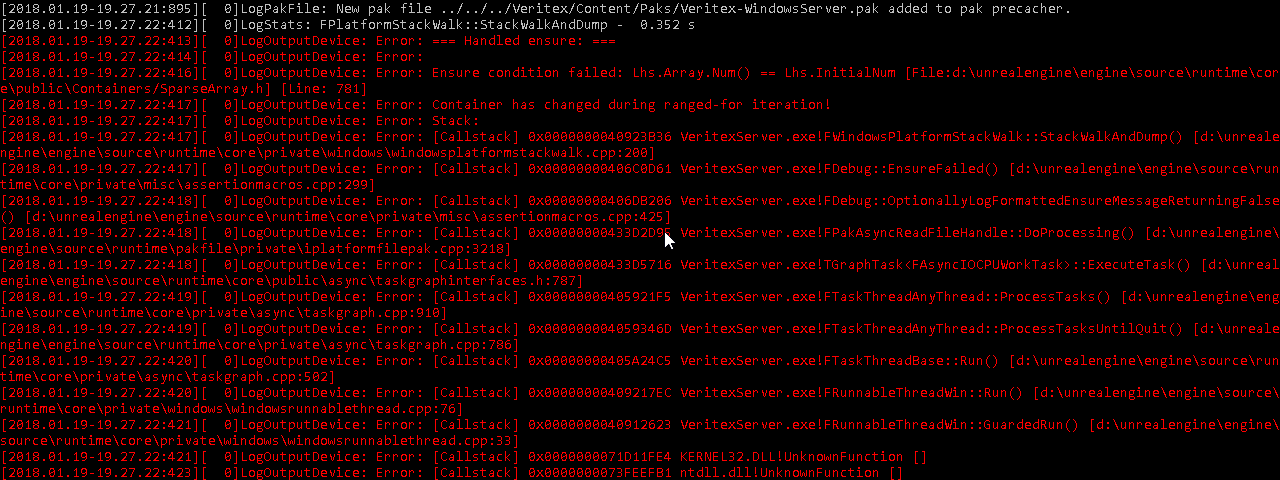
i get this error running my dedi server
with nativization enabled
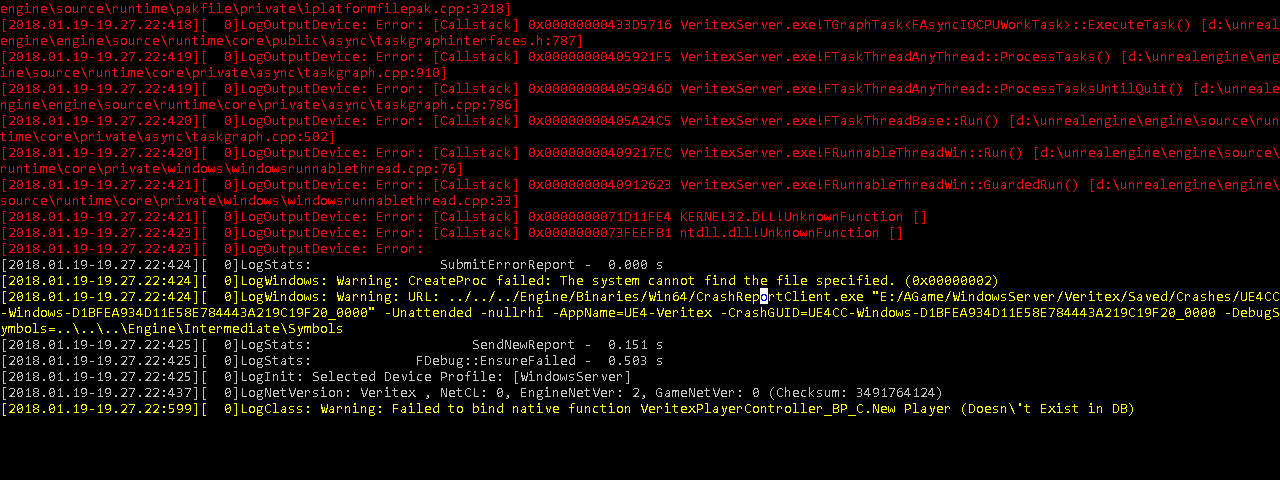
anyone else had this issue?
clear mica
@open rapids it does look like what happens when you run out of memory during a cook
mellow bane
Looks a lot like your regular out of bound access

 frank garnet
Umm the workaround would be to not nativise?
open rapids
That's not an acceptable solution
I'm going to try and see if it works with just changing that component
to C++
frank garnet
Why dont you just rewrite it all in C++ instead of using Nativised BPs. Seems like an easy couple of choices you have.
open rapids
@frank garnet yep, converting it to C++ manually fixed it
other parts of my AI don't work still though sadly
frank garnet
Makes sense that it would
frank garnet
Some conversion issue in the Nativisor. Doesnt seem to farfetched
open rapids
i think its also fucking up some of my other AI stuff
coz in PIE it all works fine, just not standalone lol
the behavior tree
open rapids
Hello guys, would anyone be willing to chat about Gamesparks/Steamworks integration? Just a few things to clarify, I'd be super grateful
 hearty socket
So nativisation is still broken?
open rapids
Sorry, what are you implying? That I wouldn't need those 3rd party programs if nativisation was working well?
 meager rover
i doubt he was talking about your question 😛 @open rapids
open rapids
yeah, I didn't notice what was above 😃 Anyway, if I have networking sorted out
I think I'm hopeless actually, I feel ashamed to even start asking my novice questions 😦
 light junco
@open rapids i do not get why gamesparks or steam is important in the packaging channel
Isn't that more a #multiplayer thing?
 onyx berry
i'm having an issue with my packaged game. everything runs fine in the editor and i even packaged the shooter game and that works but when i package my game and run the exe nothing happens, how can i find out whats going on?
light junco
Check the logs
onyx berry
i don't see any logs folder, one was generated for the shooter game though don't know why mine doesn't have it
 hollow finch
im trying to launch my game via standalone but it keeps crashing, i was wondering if someone can take a look at my directory to see whats wrong
light junco
So, I'm a bit struggling with understanding how Mobile defines Patching
The official docs are mostly talking about the "initial pak" file and the rest of the content.
That all works fine and the BP nodes (despite the disk size pre 4.18) work quite well
Now this uses DLCs
But a DLC is not a patch
Do I now use DLCs for Patching Mobile or a Patch?
As both options exist in the packaging settings of unreal frontend
light junco
Okay so for Patching the original release, I assume regenerating the whole file and uploading that under a higher versionnumber to the store should already take care of that
Idk how the stores handle that, if they do file checks, if it's work not uploading it as one pak file but rather as loose files.
Now the DLC files patching is another story I assume
Can you even create a PATCH for DLC?
It makes 0 sense to me why not
If the APK is 40MB and downloads the DLC1.0 for the additional content. Let's say it's a massive game with 1 GB of content.
If I now add 10MB of new content, I wouldn't want to redownload the whole DLC1.0.
And since DLCs are based on whole Maps instead of file differences, creating DLC2.0 or DLC1.1 anew, would still result in 1.01 GB
What are you supposed to select in the packaging settings for that :/
Patches require a Release Version and building a DLC doesn't let you create a Release Version
light junco
Okay, it seems like the whole DLC Patching works by just creating the DLC again with the old folders and files still in place
Then packaging the DLC again with the changes and override the files on the webspace
After that it downloaded only 2MB instead of the initially 9MB
Guess that works?
 earnest elbow
Bros
How to package only one level?
Dont know how to set Custom Launch Profiles properly
He said client target not found,but where to set client target?
winged moss
well i can't read most of that and you cropped out the UAT commandline arguments, but if you're building the "Client" target you'll need a <Project Name>Client.Target.cs file
"Client" as opposed to a normal game target strips out the server side code
eg. UWorld::Listen is no-op'd
 hard goblet
When I package my game, overlaps are no longer detected but in the editor when I play, they are
What might be causing this?
light junco
Maybe collision settings resetting or so :/ do you have custom collision types and channels
 weary steeple
@hard goblet I've had similar issue in ~4.15, the solution was to set Collision\Overlap parameters in blueprints
hard goblet
@weary steeple @light junco It ended up being a bug. If you create Blueprint out of a TextRender and create a trigger box inside of it but parent it to the SpriteComponent instead of the root (TextRender), the box will not detect overlaps in a packaged build (Engine 4.16.3). Re-parenting the trigger box to the root and packaging let me detect overlaps as intended. I submitted it as a bug report!
It may not be a bug but it's not something I was able to read about anywhere.
weary steeple
Glad you figured it out
 inner island
I'm getting packaging errors of this kind -
UATHelper: Packaging (Windows (64-bit)): LogMeshUtilities: Error: Raw mesh is corrupt for LOD0.
UATHelper: Packaging (Windows (64-bit)): LogStaticMesh: Error: Failed to build static mesh. See previous line(s) for details.
UATHelper: Packaging (Windows (64-bit)): LogMeshUtilities: Error: Raw mesh is corrupt for LOD0.
UATHelper: Packaging (Windows (64-bit)): LogStaticMesh: Error: Failed to build static mesh. See previous line(s) for details.
UATHelper: Packaging (Windows (64-bit)): LogMeshUtilities: Error: Raw mesh is corrupt for LOD0.
UATHelper: Packaging (Windows (64-bit)): LogStaticMesh: Error: Failed to build static mesh. See previous line(s) for details.
How can I tell what is the offending asset?
I suspect it might be something to do with these things as well :
my HLOD's maybe got cooked poorly and now the black ones are causing problems
Although, when I delete them, there is no asset reference so I'm not sure why it's being packaged if it isn't referenced by the included map
 midnight leaf
Guys can i actually launch and somebody else machine using the unreal frontend ?
weary steeple
"%UE4%\Engine\Binaries\DotNET\AutomationTool.exe ... >Build.log" In 4.17 this redirected output to build.log, but in 4.18 it continues to write to the console. Any ideas on how to make it work?
 wispy rover
Hi guys, I'm getting some quite annoying warnings that don't seem to have any negative effect on my project, but it's triggering me that I can't seem to find the cause of it..
LogUObjectGlobals:Warning: Failed to find object 'Object None.'
I'm guessing that I may have deleted an asset which might still be in the level but I can't seem to find any empty actors so I'm not exactly sure...
Is there a way to pinpoint where I get this warning from?
I'm also getting some weird warnings with my Oculus controller, but everything still compiles properly and the controller works fine, so it's confusing me a bit..
UE4Editor-Cmd: [2018.01.24-11.34.14:953][ 0]LogBlueprint:Warning: [Compiler BP_MotionController] Warning InputAxisKey Event specifies invalid FKey'OculusTouch_Left_ThumbUp' for OculusTouch_Left_ThumbUp
UATHelper: Packaging (Windows (64-bit)): UE4Editor-Cmd: [2018.01.24-11.34.14:953][ 0]LogBlueprint:Warning: [Compiler BP_MotionController] Warning InputAxisKey Event specifies invalid FKey'OculusTouch_Left_IndexPointing' for OculusTouch_Left_IndexPointing
UATHelper: Packaging (Windows (64-bit)): UE4Editor-Cmd: [2018.01.24-11.34.14:954][ 0]LogBlueprint:Warning: [Compiler BP_MotionController] Warning InputAxisKey Event specifies invalid FKey'OculusTouch_Right_IndexPointing' for OculusTouch_Right_IndexPointing
UATHelper: Packaging (Windows (64-bit)): UE4Editor-Cmd: [2018.01.24-11.34.14:954][ 0]LogBlueprint:Warning: [Compiler BP_MotionController] Warning InputAxisKey Event specifies invalid FKey'OculusTouch_Right_ThumbUp' for OculusTouch_Right_ThumbUp
 errant gate
Hey there, guys! I wonder if there's a way to build for MacOS on Windows? I've managed to build for iOS from Windows, so I guess I can do the same for Mac, but there are no provision profiles fields on the Mac tab in the Project Settings.
 analog talon
errant gate
analog talon
errant gate
Thanks! I've installed UE4 on my Mac, but there seem to be no fields for provision in the settings as well 😃
 steep cape
can anyone here help me out with compiling UE4 with UWP packaging becaue everytime i try it messes up heaps
 quick kayak
If I'm having a packaging error and would like to see if anyone can help, would I ask here, or somewhere else?
frank garnet
Yep here is fine
quick kayak
I've been having issues packaging, of course, and I can't find any errors other than "Ensure condition failed: BP->bCachedDependenciesUpToDate", and I don't know what that means. Should I upload my UAT_log.txt and cook files to pastebin and put them in here?
err
file is too big for pastebin, lol
But I uploaded them to answers.unrealengine so I can just link that file instead
frank garnet
Are you trying to package an game that has Blueprint compilation errors?
Make sure your Game can run in PIE before attempting an package
Theres your Ensure thats causing the issue.
quick kayak
@frank garnet That github link won't open for me
frank garnet
You need to be registered and have your account linked so that Epic can give you permission to access their GitHub repo.
frank garnet
quick kayak
I've gone through every blueprint I could think of, and there's no compilation errors
I've got to get to sleep, I'll check in tomorrow when people are awake
quick kayak
So looking into it with a clear mind thismorning it doesn't seem to be the ensure that's causing the failure, because it throws that error a few times during the cook. Still an issue that needs to be fixed, but it's probably something else
open rapids
Having an issue where attempting to launch a project within editor (and also a standalone packaged project) will just hang after a while on the splash screen.
general dxdiag info:
                 Language: English (Regional Setting: English)
      System Manufacturer: Gigabyte Technology Co., Ltd.
             System Model: Z170MX-Gaming 5
                     BIOS: F22c
                Processor: Intel(R) Core(TM) i5-6600K CPU @ 3.50GHz (4 CPUs), ~3.5GHz
                   Memory: 16384MB RAM
      Available OS Memory: 16338MB RAM
                Page File: 10141MB used, 9780MB available
              Windows Dir: C:\WINDOWS
          DirectX Version: DirectX 12
           Card name: NVIDIA GeForce GTX 980 Ti
        Manufacturer: NVIDIA
Chip type: GeForce GTX 980 Ti```seems to be while cooking something but I don't know where to look to find out what
no errors or anything are mentioned in the project launcher:
https://i.imgur.com/zuaLnUZ.png

the console window does mention that Cook has been idle for a long time gc after completing the cooking of the asset Proj_Basic.uasset


Any help would be much appreciated!
 fallen rivet
Greetings, i've got a compile issue im uncapable of solving.. Errors in log : https://pastebin.com/1w6GNrfr
need a bump in right way to know how to solve it
 hasty rover
UATHelper: Packaging (Windows (32-bit)): LogOutputDevice: Error: Container has changed during ranged-for iteration!
that seems to be the relavent bit
editor will survive when that happens, but odds are it will freeze for a while
fallen rivet
well what can cause it?
hasty rover
you adding or removing items from an array you are doing ranged-for loop on at the time
fallen rivet
ah
i did use to have a auto spam filling array for list of teams
but i think that one did not rrefresh untill both teams was full
is there a way to find out which array it would be
 coarse berry
can anyone think of a reason why Mac isn't an option in this list?
even though Mac is selected here:
mellow bane
Yeah
coarse berry
no I've got a mac
oh hey stranger!
you'd probably be happy to know I got multiplayer working in my game 😛
mellow bane
Yeah, happy to know 😉
We gave up on Mac ourselves, it's not like the hardware is gaming oriented anyway
mellow bane
Metal doesn't make an Intel mobile GPU render UE4 games at huge resolutions
coarse berry
the game I'm trying to port to mac is 2D with paper sprites
mellow bane
2D could work
coarse berry
it runs at 40fps on my surface pro 4 (i5, 4gb ram)
 near falcon
Not sure if this is the right place, but is it possible to tell an asset (preferably textures and models) to stay in memory the whole time?
For example the Main Character's Model and related assets should stay in memory
quick kayak
Anyone recognize any of these errors I'm getting in my UE4 Win64 Packaging? https://pastebin.com/wDfqu05P

Pastebin
Here's the full UAT_Log.txt https://answers.unrealengine.com/storage/temp/228574-uat-log.txt
I've been trying to figure it out for 4 days and I've come up with nothing
It seems to throw this error in any project that has C++ classes in it, are there any default troublehsooting steps I could do to fix my visual studio 2017?
I also notice that the packager is packing up tutorial files and things like that, which I have disabled. Maybe I disabled them wrong though, any input on that?>
finite gull
There is ProjectName in DefaultGame.ini but that's set to Omniwar. I assume changing the uproject name is going to break things.
 thorny ember
Not neccessarily
I think you only need to change the uproject filename, change yourname.Target.cs and its contents
And maybe rename the main game module, but I think that's no longer neccessary
finite gull
okay, I'll mess around with it. thank you
quick kayak
anyone ever seen anything like this before?
hearty socket
Why does BP nativisation never work for me? 😦 any tips?
Cook: LogOutputDevice: Error: Ensure condition failed: bFoundLinker [File:G:\UnrealSourceBuilt\UnrealEngine-4.17.2-release\Engine\Source\Developer\BlueprintNativeCodeGen\Private\BlueprintNativeCodeGenManifest.cpp] [Line: 226]
Cook: LogOutputDevice: Error: Failed to identify the asset package that '/Game/NEW/UI/WBP_TheHUD' belongs to.
Cook: LogOutputDevice: Error: Stack:
Cook: LogOutputDevice: Error: UE4Editor-Core.dll!FWindowsPlatformStackWalk::StackWalkAndDump() [g:\unrealsourcebuilt\unrealengine-4.17.2-release\engine\source\runtime\core\private\windows\windowsplatformstackwalk.cpp:200]
Cook: LogOutputDevice: Error: UE4Editor-Core.dll!FDebug::EnsureFailed() [g:\unrealsourcebuilt\unrealengine-4.17.2-release\engine\source\runtime\core\private\misc\assertionmacros.cpp:233]
Cook: LogOutputDevice: Error: UE4Editor-Core.dll!FDebug::OptionallyLogFormattedEnsureMessageReturningFalse() [g:\unrealsourcebuilt\unrealengine-4.17.2-release\engine\source\runtime\core\private\misc\assertionmacros.cpp:360]
Cook: LogOutputDevice: Error: UE4Editor-BlueprintNativeCodeGen.dll!BlueprintNativeCodeGenManifestImpl::GatherModuleDependencies() [g:\unrealsourcebuilt\unrealengine-4.17.2-release\engine\source\developer\blueprintnativecodegen\private\blueprintnativecodegenmanifest.cpp:226]
Cook: LogOutputDevice: Error: UE4Editor-BlueprintNativeCodeGen.dll!FBlueprintNativeCodeGenModule::GenerateSingleStub() [g:\unrealsourcebuilt\unrealengine-4.17.2-release\engine\source\developer\blueprintnativecodegen\private\blueprintnativecodegenmodule.cpp:441]
Cook: LogOutputDevice: Error: UE4Editor-BlueprintNativeCodeGen.dll!FBlueprintNativeCodeGenModule::GenerateStubs() [g:\unrealsourcebuilt\unrealengine-4.17.2-release\engine\source\developer\blueprintnativecodegen\private\blueprintnativecodegenmodule.cpp:519]```@hearty socket maybe this? https://issues.unrealengine.com/issue/UE-53908
hearty socket
im on 4.17
finite gull
Doesn't mean the bug doesn't affect 4.17. Normally just means that is the version it was discovered in. Anyways I don't use blueprint nativization.
errant gate
Hey guys! I have a problem here. I am making a project for PC and it is working just fine there, but recently I desided to make it available for Mac as well. So on my Mac UE4 editor works fine along with my project, but when I package it, it just won't start. In fact the game icon appears and the process seems to be running, but with no image whatsoever (not a black screen, but just desktop as if the game was minimized). After waiting for about 20 minutes nothing happens. I tried packaging an empty project, and although it took it like 2 minutes to start, it worked fine. So does anyone know if there are some "special" ways you have to treat the project to be able to run it on mac?
 lone moth
Okey guys so I have a problem
Ttesting a game in pre Alpha.
After some initial difficulties I got the game t run and thought it was working fine (considering the alpha stage).
Well it seems taht the map I played in was comlpetely finished, where as I only saw partial textures and partial hard surfaces of the level (I had plenty of invisible walls etc).
Will post a screenshot of this
The map used for the mainmenu worked fine heres a working main menu:
I tried reinstalling the game in another folder to see if it was installation related
In that install, the bug is even worse. The bug affects menu too and in the actual level Im not only missing the ground texture, but also the concrete mesh (I can see and shoot through the ground). Everyone I see runnign are constantly droppping through the ground since there is no ground, even though they are working fine on their own ends
Heres a screenshot of the menu with the bug taking place.
Anyone @here have any idea what might cause this?
And unlike other players in the server, I actually am able to shoot through walls with that bug.
The bugs are rooted in the installdirectories (one directory has "milder" version of the bug, where as the other one has the version where even main menu doesnt work).
Heres also the same view in the install which bugs the most (where the menu desnt work)
Basically the map you see in 3rd person view should be equally populated and detailed as the workign main menu (and is for other testers).
frank garnet
Thats crazy weird. I remember seeing something similar an long time ago someone reported it in like 4.2 but i cant remember for the life of me what the actual issue was 😦
lone moth
Tried googling for it, but for once they keywords to use are at loss to me
Hmm, the different installs have different pak files
ocean rune
as totally another topic
I had issues with packaged 4.18.3 builds
game just freezed on some people on development build
and shipping build just gave "fatal error" on launch
turned out that enabling UDP and TCP messaging -plugins fixed both dev build freezing and shipping builds fatal error
this took me many days to figure out as I didn't pay attention to the shipping build issue before
and tried to find the fault on the freezing issue from my own code as I only recently upgraded that project into 4.18
errant gate
@ocean rune I am familiar with that one. There is even a post on AnswerHub, but no replies from devs whatsoever.
finite gull
My custom icon won't show up in the windows taskbar when I run my game. But it shows up in file explorer. It works fine when I create a new project and use the same icon, so it's not the ico file. Anyone have experience with this?
finite gull
It's just showing the generic unreal icon on the taskbar with my project
 plucky bronze
I couldn't even package without UDP/TCP messaging in previous versions, don't even know what exactly it does
ocean rune
calls home to epic :p
well, it used to spam the windows firewall about wanting internet access if those were enabled
so I got used to disabling them on non multiplayer games as it's never a good sign that single player game wants to go to internet
onyx berry
Is there a way to not include unused content in the packaged build? can't seem to find an answer googling it
 sterile pier
By default it shouldn't. But I think it needs to be not referenced by anything in any of your levels in order for a content to be considered unused.
onyx berry
i added the starter content and am using a particle effect, now my packaged game went from 300mb to 700
 wind fiber
do you still have the extra map that comes with the starter content?
that could be causing it since assets referenced by any map in the project are packaged
wind fiber
did it work?
onyx berry
building now computer is slow
nope still 700mb
i'll delete all the starter content just to make sure its not something else
the content *.pak is 500 mb
all my content is 30 mb
wind fiber
interesting
onyx berry
rebuilding after removing the starter content is back to 300mb
 storm hatch
so, I am packaging up the project and im getting this error
UATHelper: Packaging (Windows (64-bit)): C:\Users\minec\Desktop\Apocalypse\Apocalypse\Source\Apocalypse\Door.cpp(6): error C3861: 'SetPivotOffset': identifier not found
but this doesnt happen when compiling
so.... not sure what thats all about, iuts causing the packaging tool to stop and give man an unkown error
frank garnet
Why is your project on the Desktop? Thats an really silly place to have it lol.
In relation to your Error, can you post the entire log?
It maybe an issue further up
But you should definately make sure that your compiling correctly.
UAT doesnt report errors in code for no reason lol
storm hatch
frank garnet
Ok well its definately an compilation error.
Recompile?
Make sure you didnt miss it.
storm hatch
I keep my project on desktop for ease of access someone has asked me the same before and said it was a bad idea, if you'd like after I fix the error maybe you can talk some sense into me
frank garnet
Can you post the Code for Door.cpp?
storm hatch
hold up im getting this warning when compiling Warning: Starting HotReload took 0.0s.
frank garnet
Close your editor and recompile from VS
storm hatch
ok recompiling from vs now
thats the code
it doesnt actually work, and it was really poorly designed so maybe I should just delete it
also I recompiled from vs just fine
frank garnet
If your not using it just delete it?
Dont forget to Generate your Solution file again
sterile pier
AInteractable::SetPivotOffset() might only be declared for the editor?
storm hatch
oh, you know what maybe so
sterile pier
in that case, something like this should fix it
    bReplicates = true;
#if WITH_EDITOR
    SetPivotOffset(FVector(100, 0, 0));
#endif
}```is that functioning code?
frank garnet
Yes its just an Preprocessor which stripes out the code in that block if it ISNT an Editor build
storm hatch
ok, I just dont have much experience with preprocessrors in unreal
ok so while this trys to repackage, tell me whats wrong with putting my project on the desktop please
frank garnet
An couple of things
There is an DirectoryPathLengthLimit
You want your Projects to be as close to the begining of the drive as possible
For example i have an single drive for my UE4
D:/Projects/....
Secondly the Desktop just like the MyDocs folder has weird ass permission requirements which can mess with shit
 ionic briar
I'm trying to package my project and I'm getting a ton (more than 50, so I can't see them all) of these:
UATHelper: Packaging (Windows (64-bit)): Cook: LogInit: Display: CookResults: Error: Error loading D:/Unfinished Business/GGJ-2018/UnfinishedBusiness/Content/SoulCity/Environment/Textures/Water/T_Soul_Water01_N.uasset!
The Content/SoulCity folder was deleted long ago, so none of those files exist.
I've tried to Fix Up Redirectors, but it doesn't seem to do anything.
storm hatch
so when building a "shipping server" build after packagaing it says it cant find lots of files
and this only happens for the dedicated server
the actual game itself works perfectly
storm hatch
I can't for the life of me figure this out and its already pushing me behind schedule, so if any could help that would be amazing
storm hatch
I also get this box after clciking ok on that one ^
 still quiver
Anyone have experience with HTML5? On 4.18.3 my project just sits at "Launching Engine..." no errors or anything...
sterile pier
@storm hatch Shipping exes can't be run from the debugger unless you run it from the correct place in the packaged folder. So you can copy the exe to your pacakge's Binaries/Win64, start running it from there, and then attach the debugger.
storm hatch
well its no longerr neccesary, but thank you anyhow
 sturdy nacelle
Hello everybody. I have a slight embarrassment in packing the project with this log
UATHelper: Packaging (Windows (64-bit)): ERROR: Stage Failed. Missing receipt 'test.target'. Check that this target has been built.
UATHelper: Packaging (Windows (64-bit)): (see C:\Users\Win10\AppData\Roaming\Unreal Engine\AutomationTool\Logs\C+Program+Files+Epic+Games+UE_4.18\UAT_Log.txt for full exception trace)
UATHelper: Packaging (Windows (64-bit)): AutomationTool exiting with ExitCode=103 (Error_MissingExecutable)
UATHelper: Packaging (Windows (64-bit)): BUILD FAILED
PackagingResults: Error: Missing UE4Game binary.You may have to build the UE4 project with your IDE. Alternatively, build using UnrealBuildTool with the commandline:UE4Game <Platform> <Configuration>
can anyone tell me what the problem is.
Thank you
storm hatch
well, it tells you what to do in the error
go to your ide and follow the instructions it lies out for you there
sturdy nacelle
@storm hatch tnx. I use houdini engine for ue 4.18.3 and this problem start only with it. I load ue 4.17.2 and it build all without any errors. need to learn more documentation of houdini engine. Thank you by the way
storm hatch
no problem
 restive pewter
hi everyone
wondering.. is there a tool that let you package the game outside of editor
by just providing Profile name formProject Launcher
 hot totem
Hello!
I was thinking if it's possible to win some space on the disk with some specific lightmap optimization (package method, delete some useful things...). Someone has some ideas about that?
frank garnet
@restive pewter You can invoke UAT yourself in CommandPrompt. My Build Server runs an instance of Jenkins with an big build script that invokes UBT to compile the project then runs UAT to package it before it compresses and uploads it to an FTP server for distribution.
open rapids
hello guys, I've been pulling my hairs out for the last few hours on a problem I can't solve. When I pack the project which runs fine in the editor I got the following errors
Error: Ensure condition failed: ChildActorTemplate == nullptr
Error: Found unexpected ChildActorTemplate LinkerPlaceholderExportObject
The error is on a Child Actor Component to which I have a child class actor
as long as I don't call the child component everything is fine, but if I try an operation like a "get" on it I have this error
I've found on the net that the "Editable when inherited" should be uncheck which I did but to no avail
I'm short on idea and I've tried a few solution on the net but nothing seems to work and I have no real work around 😦
any help would be greatly appreciated thank you
near falcon
Does UE only compile/package what's necessary/used or does it compile everything in regards of Plugins, Function Libraries etc?
For example when I have a plugin which has lots of Actors, but I only use one Actor of it, will it package all other actors,too?
What about Function Libraries? Are all functions packaged or only functions I am actually using?
frank garnet
It attempts to cook out anything you arent using.
 glossy haven
has anyone had any problems w/ foliage culling getting messed up in packaged builds?
I've raised an issue on answerhub about this, someone from epic even came up with some advice (that didn't work unfortunately) but it's kind of hard to believe no one else is coming across this
it's very easy to reproduce in vanilla ue4
...and it works perfectly fine in PIE and the editor
still quiver
Trying to figure out this issue with my HTML5 build, anyone? The game will download in the browser and web assembly will work. It'll sit at loading engine but in the browser console this comes up:
Source map information is not available, emscripten_log with EM_LOG_C_STACK will be ignored. Build with "--pre-js $EMSCRIPTEN/src/emscripten-source-map.min.js" linker flag to add source map loading to code.
I may have figured it out...
still quiver
So I found out I need to make a few changes to the HTML5ToolChain.cs (remove the comment out on source map).
However, even after a recompile it does not seem to be utilizing the new code, any thoughts? I can't tell if the UnrealBuildTool is not updating it properly or if it still doesnt work even with this new code.
Opening up emscripten-source-map.min.js, it shows it outputs some text to the log file, which doesnt show up in my log. Trying a clean/build on source and project and see if that does it.
restive pewter
@frank garnet thanks... that would be useful
still quiver
How do i enable a linker flag? I've made some changes in HTML5ToolChain.cs, recompiled, ran a full rebuild on the game but I still get the same issue
 tacit mason
Hey guys, sorry to interrupt, but when I try and package my game, I'm getting these errors. This seems to be connected to the engine itself somehow? Have you had anything like this come up before?
ocean rune
most odd packaging errors I've got has been related to me disabling some plugin that UE4 depends on
tacit mason
Allright so I fixed it, turns out one of the animators had added unnessecary curves to an animation, and unreal really didn't like that. But all fixed now!
 royal mantle
Hey all, a question:
PackagingResults:Error: Error Error Unable to cook package for platform because it is unable to be loaded: X:/Project/Saved/Cooked/WindowsNoEditor/Project/Content/FMOD/Buses/MSX.uasset
This thing is showing for all files that are used by the FMOD plugin, i have no idea what could be the problem (funny part is, it was working a month ago)
Any ideas ?
 stable idol
guys please help me my project don`t packaging
 compact cobalt
anyone was able to make patch with the help of launcher profiles?
trying to repeat docs always lead me to the same full build 😭
 grizzled ridge
What do I do about an Unknown Cook Error? I don't see any other errors in the logs that I could use to figure out where the packaging process failed.
frank garnet
There will be an error in your packaging log, use an search all to find it.
grizzled ridge
which log is that? Which directory can I find it at?
frank garnet
Its literally in the Output Log
If you packaged from within the editor which im assuming you did
grizzled ridge
Yes, but there are no other errors in there other than unknown Cook Error
I cleared the logs before packaging, and it doesn't generate much in the way logs during the packaging process. It's a very short log, and the only error there is the unknown cook error.
frank garnet
Put your log into pastebin
grizzled ridge
frank garnet
Mmm ok well since your on Linux im not going to be able to help you woth that.
#linux May yield better results
grizzled ridge
You're not familiar with any other places I could get logging of where the packaging is breaking?
That should be platform-independent.
frank garnet
Saved folder is your best bet
grizzled ridge
Thanks for your help. I'll give it a look.
frank garnet
Good luck
grizzled ridge
wait, project Saved folder or engine Saved foler?
actually, that might only be project, never mind
 astral mortar
How can i make a auto updater for my patch files?
ocean rune
most distributing platforms have such
 marble goblet
can anyone package the third person template project less than 60mb
I ve compressed and excluded all the plugins and content I can ,and the package is around 70mb, any way to make the package even smaller?
ocean rune
you need to blacklist unused assets
also do note that default skysphere textures are pretty big if you want shave of the package size
if you don't need starry night sky, you can remove the star texture from it etc
also
32 bit builds are tad smaller
and shipping conf of course
@marble goblet
I'll requote my first post on this channel
marble goblet
thx I see the sky sphere is very big actually
ocean rune
"https://docs.unrealengine.com/latest/INT/Engine/Performance/ReducingPackageSize/index.html , path for blacklist on windows is <project folder>/Build/Win64/PakBlacklist-Shipping.txt (or Win32 / PakBlacklist-Development.txt etc)"
How to reduce the size of your packaged game.
to see what actually gets packaged, you have to disable packing to pak so you can see what files got into Saved folder
once you get them blacklisted, you can put the pak + compression back on
marble goblet
Its around 50mb now👍🏽
marble goblet
no just prepare for today’s gamejam
there is a special category which requires projects under 100mb
marble goblet
yes the winter jam
ocean rune
oh crap, I'm helping my competition then 😄
ocean rune
last time they had this category on megajam, I got template down to 30mb
but I didn't actually finish the game
marble goblet
Is that a 2D game?
ocean rune
but 50 mb is still plenty room for gamejam
nah, it was fully functional UE4
3D stuff, just no assets
marble goblet
Sometimes even lowpoly style takes more than 100mb
ocean rune
I had a pretty fancy asset loading setup but there's no way I could make it in a weekend jam
I aimed in having everything hq
nothing low poly 😄
ocean rune
I always solo
and I always get sidetracked on doing tech
so I usually don't finish at all
but it's ok, it would lose all the fun if one panic too much on small details, like finishing it 😄
marble goblet
first time solo, Good luck💪🏻
ocean rune
you too
 latent oak
how do i get my games uploaded to gamejolt for downloadable builds windows 64 bit. It seems to not upload my full build but seperate files of it
 rare pawn
UATHelper: Packaging (Windows (64-bit)): LogInit: Display: LogShaderCompilers: Warning: X:\FF-Git\Content\FF_GARAGE\Meshes\materials\lambert2.uasset: Failed to compile Material for platform GLSL_150, Default Material will be used in game.
How can I find out why some materials are failing to compile? This is all the output log is giving me and the material editor doesn't show any problems
open rapids
hey guys
is anyone around here, who went through all that pain in the **s what is packaging a game with the leap motion plugin in UE 4.15 ?
any help, even the smallest hint would be appreciated!
packaging finishes successfully, but the executable crashes somewhere utilitzing the async loader..
 sick ravine
I'm facing this error while packaging DLC http chunks
UAT_Log.txt for full exception trace)
Creating pak using streaming install manifests.
ERROR: System.IndexOutOfRangeException: Index was outside the bounds of the array.
at Project.CreatePaksUsingChunkManifests(ProjectParams Params, DeploymentContext SC) in D:\Program Files\Epic Games\Github\UnrealEngine\Engine\Source\Programs\AutomationTool\Scripts\CopyBuildToStagingDirectory.Automation.cs:line 1282
anyone knows how to resolve?
 mighty steeple
UATHelper: Packaging (Windows (64-bit)): ERROR: BUILD FAILED: Couldn't find the executable to run: C:\Users\Skull\Documents\LocalRepos\UE4-FLEX\UE4\Engine\Binaries\Win64\UnrealPak.exe
UATHelper: Packaging (Windows (64-bit)): (see C:\Users\Skull\Documents\LocalRepos\UE4-FLEX\UE4\Engine\Programs\AutomationTool\Saved\Logs\UAT_Log.txt for full exception trace)
UATHelper: Packaging (Windows (64-bit)): AutomationTool exiting with ExitCode=1 (Error_Unknown)
UATHelper: Packaging (Windows (64-bit)): BUILD FAILED
PackagingResults: Error: Unknown Error
Anyone happen to know why this is happing?
 ripe cove
"but it's ok, it would lose all the fun if one panic too much on small details, like finishing it" -- Like node wire and comment box sizing ocd... It's a productivity killer.
open rapids
@mighty steeple did u move around your files in the content folder if yes then just right click on the content browser and select fix or redirectors ( can't spell) that worked for me
👍
mighty steeple
I don't believe I moved anything around
I fixed it by placing someone elses unrealpak.exe into the folder
and it works perfectly now /shrug
open rapids
Oh congrats then
open rapids
anytime!
ripe cove
Hows that virus going @mighty steeple 😛
 quasi sierra
Hey guys i tried to package the shootergame but my package on windows 64x always fails here is where my error starts:
UATHelper: Packaging (Windows (64-bit)): UnrealBuildTool: ERROR: Windows SDK v8.1 must be installed in order to build this target.
UATHelper: Packaging (Windows (64-bit)): CommandUtils.Run: Run: Took 3,3804929s to run UnrealBuildTool.exe, ExitCode=5
UATHelper: Packaging (Windows (64-bit)): Program.Main: ERROR: AutomationTool terminated with exception: AutomationTool.CommandUtils+CommandFailedException: Command failed (Result:5): D:\unreal engine\UE_4.17\Engine\Binaries\DotNET\UnrealBuildTool.exe ShooterGame Win64 Development -Project=D:\PackagingTest\PackagingTest.uproject D:\PackagingTest\PackagingTes
t.uproject -NoUBTMakefiles -remoteini="D:\PackagingTest" -skipdeploy -noxge -NoHotReload -ignorejunk. See logfile for details: 'UnrealBuildTool-2018.02.10-11.16.47.txt'
ripe cove
@quasi sierra You need to open Visual Studio installer, click Modify on your VC install, click Components tab, drag to bottom, add the Windows 8 (or 8.1) SDK.
 fierce garnet
Hey guys! I really need your help. I’ve made this post on the Answerhub, because I can’t cook my project anymore.
https://answers.unrealengine.com/questions/756852/cook-failure-multiple-ensure-condition-failed.html
Any help would be greatly appreciated 🙏❤️
fierce garnet
We’ve rolled back in svn and it seems like this issue appeared a few weeks ago when we had c++ to the project :/
But we have not a single on what could be causing the issue
 tardy quarry
@fierce garnet you should try to clear the warnings before, like "CH Enemy does not inherit from CH Generic", it could be the symptoms of more important issues
 sly mulch
Anyone here have experienced that a static mesh which is set to selfshadow only, works fine in editor, but once packaged, it casts a really bad quality dynamic shadow?
fierce garnet
@QuantumL3ap#5464 I really don’t understand this warning :/ in my project CH_Enemy and CH_Player inherit from CH_Generic. But sometimes I have this warning when I cast to player or enemy in my generic class (in order to know if this generic class is a player or an enemy)
sick ravine
Hey everyone! Really at a pinch here. I've been trying to generate HTTPchunks for DLC but I am failing to do so.
I've made a post at answerhub and I hope anyone can give some help https://answers.unrealengine.com/questions/757097/project-launcher-systemindexoutofrangeexception.html
 mighty lodge
evening folks - I'm at the packaging stage with the game jam game, and I need the game to have a config setting included in the configs
how does one ensure that the game default config vars are written to the first generated config files?
sick ravine
Initially I was using the github version of unreal, I tried to generate DLC in the official 4.18.3 version and its not working as well. Anyone can with this problem?
rare pawn
Hey guys, got no answer posting this the other day so posting again:
UATHelper: Packaging (Windows (64-bit)): LogInit: Display: LogShaderCompilers: Warning: X:\FF-Git\Content\FF_GARAGE\Meshes\materials\lambert2.uasset: Failed to compile Material for platform GLSL_150, Default Material will be used in game.
How can I find out why some materials are failing to compile? This is all the output log is giving me and the material editor doesn't show any problems
 frosty plover
ProcessResult.StdOut: LINK : fatal error LNK1181: cannot open input file 'libfbxsdk-md.lib'
what?
I get that in the end of building distributable
as in packaging
and I have zero idea what that's about
what the fuuuu
okay so I read that this might be because I have UnrealEd as a private module dependency 🤔
but if I remove it my c++ stuff breaks down completely
open rapids
Hello everyone!
Can't build the game for IOS.
engine version 4.18 ( version 4.17 works well)
mac OS 10.13.3
I'm using a template from a ThridPerson blueprint.
please help
Thanks
The engine is build in Xcode 8.3 and Xcode 9.2, same error
Build the project under MacOS passes without error
 hot tangle
is higher cpu frequency and single thread performance more important than core count for cooking and compressing? takes about 3-4 hours to cook and compress 29gb down to 14.9gb with 22 vCPU's @ 2.30ghz
sterile pier
generally speaking, higher clock, single thread performance, and I/O performance.
SSDs are a must, and since you mention vCPUs, running in a VM you'll probably take a pretty big hit.
frank garnet
M.2s FTW 😃