#packaging
1 messages · Page 19 of 1
 summer dock
If it works, good. In any case you really should take a long hard look at how your game clocks in at over 1 Gb, because that is really really big
For comparison, our PC build clocks in at about 3 Gb ( zipped ), and under 1 Gb on mobile
 rigid forum
summer dock
If it works, good. In any case you really should take a long hard look at how yo...
rigid forum
summer dock
If it works, good. In any case you really should take a long hard look at how yo...
I'll work with artist to do this
summer dock
good luck
rigid forum
summer dock
good luck
one last think for now where I can set this "MaxLODSize" ?
summer dock
rigid forum
one last think for now where I can set this "MaxLODSize" ?
refer to videos in last link : they show how it is done via editor, but it can be done manually in the .ini file as well. ( the changes made in editor directly change things in the .ini )
Main thing is to have sensible texture groups, so if you need some stuff to be big, it is in a different group from stuff that can be small
rigid forum
summer dock
refer to videos in last link : they show how it is done via editor, but it can b...
just let you know that the links you shred help me more , but the size of the aab file is half but when i extract it i think its have all .
summer dock
rigid forum
just let you know that the links you shred help me more , but the size of the aa...
Well, if you upload it to gplay, and everything works, then all is well?
rigid forum
summer dock
Well, if you upload it to gplay, and everything works, then all is well?
upload it but in review let see after live will check on mobile 🫡
summer dock
rigid forum
upload it but in review let see after live will check on mobile 🫡
Hmm, you should be able to test Internal uploads immediately without review
rigid forum
summer dock
Hmm, you should be able to test Internal uploads immediately without review
i think i should be upload in internal testing first ? right now i upload it open testing
summer dock
rigid forum
i think i should be upload in internal testing first ? right now i upload it ope...
yes, upload to internal. only need reviews once you want to promote it to higher tiers
 autumn bloom
I've added Epic's Game Animation Sample to my project and the game works fine in editor, builds fine, but when starting the binary from a build I get this error. Plugin 'MotionTrajectory' failed to load because module 'MotionTrajectory' could not be found. Please ensure the plugin is properly installed, otherwise consider disabling the plugin for this project.
The plugin is in my .uproject file, shouldn't that be enough?
    "Plugins": [
                {...},
        {
            "Name": "MotionTrajectory",
            "Enabled": true
        },
        {
            "Name": "Chooser",
            "Enabled": true
        }
    ]

 winged moss
this is a built-in plugin, so you should verify your engine installation
 kindred burrow
is there a way to exclude assets from server builds ? linuxserver complaining about UI widgets using niagaraUI .. don't see why it needs to cook them, server cant see UI ?
summer dock
kindred burrow
is there a way to exclude assets from server builds ? linuxserver complaining ab...
pretty sure this has been adressed several times, have you tried searching with the disco search feature?
kindred burrow
yea i tried searching for exclude but i couldnt find anything that was specifically against build targets
kindred burrow
still looking into this, it looks like there's a way to have custom inis per platform .. does that apply to serverbuilds or is it rather OS ? UProjectPackagingSettings* PackagingSettings = FTurnkeySupportCallbacks::GetPackagingSettingsForPlatform(IniPlatformName);
i tried using a DefaultServer.ini and then specify Directories to never cook in there, but looks like its still trying to include it
 fair zinc
means what?

 hasty thorn
Once again facing the dreaded PackagingResults: Error: Launch failed! Unknown Error again
Here is the log
 winged moss
hasty thorn
Once again facing the dreaded PackagingResults: Error: Launch failed! Unknown Er...
winged moss
hasty thorn
Once again facing the dreaded PackagingResults: Error: Launch failed! Unknown Er...
Your BP only project is resulting in a target being generated, but for some ungodly reason you've put "5.5" in your project name, and as a result, generates an invalid target definition
Use source control rather than relying on the engine version in the project name
hasty thorn
I swear if that's what the problem actually was I will morb
winged moss
well everything in that log tells me it is
still doesn't answer why you put "5.5" in the project name though
hasty thorn
It was originally to separate it from the old version and it was gonna be temporary
winged moss
yeah I'm not sure why you wouldn't do it as an in-place upgrade
with the existing project
on a separate branch or something
 fallow oar
with a cooked client, can I drop some updated config settings in a DefaultEngine.ini alongside it for quick testing or do I need to do a recook to pick those changes up? Blanking right now
 late echo
hi, I'm having an issue packaging for shipping (windows) and having a lot of trouble finding any info about it. When trying to package for shipping in ue5.4 the build fails almost immediately with an "Unknown Error", and there is a line that says:
UATHelper: Packaging (Windows): Missing precompiled manifest for 'UnrealEdMessages', 'C:\Epic Games\UE_5.4\Engine\Intermediate\Build\Win64\UnrealGame\Shipping\UnrealEdMessages\UnrealEdMessages.precompiled'. This module was most likely not flagged for being included in a precompiled build - set 'PrecompileForTargets = PrecompileTargetsType.Any;' in UnrealEdMessages.build.cs to override. If part of a plugin, also check if its 'Type' is correct.
I see a lot of similar issues people have with their own plugins not being configured correctly in the build.cs of the plugin. In this case the build tool seems to be tripping over Unreal Editor Messages, which is part of the engine so ????
 chrome isle
Looking at the docs and got stuck on running a packaged development build with the command line switch -logPSO with no luck. Tried creating a batch file as well and won't launch. Any ideas other than not sucking lol?
 shadow geyser
Sometime ago I was asking about adding additional search path for custom mapinfoasset to be recognized by my code. I used the Asset Manager settings and set additional directories. But it has huge disadvantage - this path must be included into main build to be recognized by the game anyway.. it has to be UGC so it can't be "fixed". I assume that if I will slap additional content into "/game" folder it will work without adding any additional directories but I want to keep things in order and I want to make additional content as "plugin content" folder structer. It nicely separates content from my main game. How can I do it to be recognized without targeting specific folders? As you can se when I do /SomeDLCMAP as plugin folder it works, but I want to avoid it
 autumn bloom
Just added some new assets to my project and put them into their own chunk with the asset manager, any idea why they have optional in their name? Does that mean these assets are unreferenced or something?

 elfin hornet
Is it possible to package a dedicated server and a client and start the server locally and connect to it without source code?
I just need to do testing
I don't have enough space for source code
 wintry escarp
Hello, I can't build for Linux (from Windows). I installed the correct toolchain and ran the troubleshooting step which looks ok, but building fails to find it.
I've re-ran the Setup for UE5, re-generated project files, re-build the build tool. no avail

Hello apologies for the ping, did you find a solution?
winged moss
wintry escarp
Hello, I can't build for Linux (from Windows). I installed the correct toolchain...
It usually works as soon as you install it. Does Linux show in the platform dropdown in your solution file? I also assume you've restarted the editor since installing the correct toolchain? How about packaging from the command line?
wintry escarp
winged moss
It usually works as soon as you install it. Does Linux show in the platform drop...
Oh interesting, I did restart the editor but I didn't restart Visual Studio. Didn't think that would matter, but it works now
 blazing stream
I'm trying to package for Quest 3 on UE 4.27. When I launch my app via ProjectLauncher, it'll work just fine. But when I package and then directly put it on the headset via Meta Quest Developer Hud, it won't even launch the app - I'll get a black screen for a couple of seconds and then it'll close. Does any one know what's happening?
I finally found the error log on the headset, this is the crash report:
LogAndroid: Error:
LogAndroid: Error: [Callstack] 0x0000007420E03188 libUE4.so(0x00000000094B7188)!FDebug::CheckVerifyFailedImpl(char const*, char const*, int, char16_t const*, ...)  []
LogAndroid: Error: [Callstack] 0x00000074209EA2E0 libUE4.so(0x000000000909E2E0)!FSynthSlateStyleSet::Initialize()  []
LogAndroid: Error: [Callstack] 0x00000074209F0408 libUE4.so(0x00000000090A4408)!FSynth2DSliderStyle::Initialize()  []
LogAndroid: Error: [Callstack] 0x00000074209F0344 libUE4.so(0x00000000090A4344)!USynth2DSlider::USynth2DSlider(FObjectInitializer const&)  []
LogAndroid: Error: [Callstack] 0x000000742128A028 libUE4.so(0x000000000993E028)!UClass::CreateDefaultObject()  []
LogAndroid: Error: [Callstack] 0x00000074214A95D8 libUE4.so(0x0000000009B5D5D8)!ProcessNewlyLoadedUObjects(FName, bool)  []
LogAndroid: Error: [Callstack] 0x000000741F849C7C libUE4.so(0x0000000007EFDC7C)!FEngineLoop::PreInitPostStartupScreen(char16_t const*)  []
LogAndroid: Error: [Callstack] 0x000000741F82E810 libUE4.so(0x0000000007EE2810)!FEngineLoop::PreInit(int, char16_t**, char16_t const*)  []
LogAndroid: Error: [Callstack] 0x000000741F82E31C libUE4.so(0x0000000007EE231C)!AndroidMain(android_app*)  []
LogAndroid: Error: [Callstack] 0x000000741F83E104 libUE4.so(0x0000000007EF2104)!android_main()  []
LogAndroid: Error: [Callstack] 0x000000741F86D5C8 libUE4.so(0x0000000007F215C8)![Unknown]()  []
LogAndroid: Error: [Callstack] 0x000000753290ACEC libc.so(0x00000000000EFCEC)![Unknown]()  []
LogAndroid: Error: [Callstack] 0x00000075328A7340 libc.so(0x000000000008C340)![Unknown]() []```Anyone have any ideas?
blazing stream
I used logcat in SideQuest and got this error right before the error above, which is slightly more helpful, but I'm still stuck:
OpenXR call failed with result XR_ERROR_RUNTIME_FAILURE
LogOutputDevice: Error: === Handled ensure: ===
LogOutputDevice: Error: Ensure condition failed: ((Result) >= 0) [File:D:/Build/++UE4/Sync/Engine/Plugins/Runtime/OpenXR/Source/OpenXRHMD/Private/OpenXRHMD.cpp] [Line: 2593]
LogOutputDevice: Error: OpenXR call failed with result XR_ERROR_RUNTIME_FAILURE
LogOutputDevice: Error: [Callstack] 0x00000077AFFE32C0 libUE4.so(0x0000000007F432C0)![Unknown]()  []
LogOutputDevice: Error: [Callstack] 0x00000077B3A1CF2C libUE4.so(0x000000000B97CF2C)!FRendererModule::BeginRenderingViewFamily(FCanvas*, FSceneViewFamily*)  []
LogOutputDevice: Error: [Callstack] 0x00000077AFFD7264 libUE4.so(0x0000000007F37264)!FOpenXRHMD::OnBeginRendering_GameThread()  []
LogOutputDevice: Error: [Callstack] 0x00000077B4DB59C0 libUE4.so(0x000000000CD159C0)!UGameViewportClient::Draw(FViewport*, FCanvas*)  []
LogOutputDevice: Error: [Callstack] 0x00000077B4D4DBFC libUE4.so(0x000000000CCADBFC)!UGameEngine::RedrawViewports(bool)  []
LogOutputDevice: Error: [Callstack] 0x00000077B4D539D8 libUE4.so(0x000000000CCB39D8)!UGameEngine::Tick(float, bool)  []
LogOutputDevice: Error: [Callstack] 0x00000077AFF8263C libUE4.so(0x0000000007EE263C)!AndroidMain(android_app*)  []
LogOutputDevice: Error: [Callstack] 0x00000077AFF92104 libUE4.so(0x0000000007EF2104)!android_main()  []
LogOutputDevice: Error: [Callstack] 0x00000077AFF8AFE4 libUE4.so(0x0000000007EEAFE4)!FEngineLoop::Tick()  []
LogOutputDevice: Error: [Callstack] 0x00000077B5758BE4 libUE4.so(0x000000000D6B8BE4)!FViewport::Draw(bool)  []
LogOutputDevice: Error: [Callstack] 0x00000077AFFC15C8 libUE4.so(0x0000000007F215C8)![Unknown]()  []
LogOutputDevice: Error: [Callstack] 0x00000078BDFB3CEC libc.so(0x00000000000EFCEC)![Unknown]()  []```
Anyone know what might be causing this?I switched to Meta's 4.27 branch and still had the issue, but if I build as shipping instead of dev, it stops crashing. So 🤷♀️ I guess that's what Im doing
 elder merlin
hey there devs , when i package game for ps4 and try to run it on Devkit i always get black screen , any one knows why it is ? i only got this log , and it is not really saying much
winged moss
elder merlin
hey there devs , when i package game for ps4 and try to run it on Devkit i alway...
Console related topics are under the respective NDAs of those platforms. You should post it on UDN
elder merlin
winged moss
Console related topics are under the respective NDAs of those platforms. You sho...
UDN - is that a different channel or what ?
winged moss
elder merlin
UDN - is that a different channel or what ?
no it's a private support website that you pay Epic to access either through subscription or custom licensing
you cannot ask about the PS4 in a public forum
 proven stone
And if you don't have access to UDN, you can/should ask on the Unreal Formus in NDA section for each platform
speaking about restricted platforms like playstation, xbox, switch is sadly against TON of NDAs both from epic's side and respective vendors side and could lead to your access being revoked (among others) so I'd be careful about it
 remote vapor
so I've been getting this error for android packaging, becuse I used a material from quixel bridge, it did not cause any proble with windows or mac build

I tried validating the asses as well multiple times
kindred burrow
winged moss
Config/DedicatedServerEngine.ini
i can't seem to get this to work even after faffing with lots of different variants. the docs seem to say <PROJECT_DIRECTORY>/Config/<PLATFORM>/<PLATFORM><CATEGORY>.ini but this just doesnt work at all for me, prtty annoying

Epic Games Developer
Configuration files in Unreal Engine provide you with initial settings for configuring gameplay or engine behavior on startup.
not sure why this has to be so difficult 
the config entry 100% works because if i put it into the defaultgame.ini its gucci
 white wigeon
Steamworks suggests limiting the pack file sizes, like 1-2gb files. Is this the equivalent of chunk size in the project packaging settings? And would UAT use that value in the engine config file or should I provide it as a parameter?
white wigeon
Well enabling Generate Chunks and defining MaxChunkSize from project settings seems like did it
kindred burrow
Including config file C:\Development\AdMortem\Config\DefaultServer.ini
The config file 'AdMortem/Config/LinuxServerGame.ini' will be staged, but is not explicitly allowed or denied. Add +AllowedConfigFiles=AdMortem/Config/LinuxServerGame.ini or +DisallowedConfigFiles=AdMortem/Config/LinuxServerGame.ini to the [Staging] section of DefaultGame.ini``` nice ok so there's this pog mystery step long arrow
i wish i'd tried packaging my project earlier on
when running the packaged .exe I get "FilenameToLongPackageName failed to convert" and I don't know how to even begin debugging this
 wooden sleet
**Help! My Packed Dedicated server starts with this error:
**Assertion Failed: Failed to load "SDL3.dll"
Right at the start of the dedicated server
summer dock
long arrow
when running the packaged .exe I get "FilenameToLongPackageName failed to conver...
Is your project nested deep withing a folder structure / has super long folder names? Unreal can be a bit sensitive to that, best to keep projects pretty high up in directory tree
long arrow
summer dock
Is your project nested deep withing a folder structure / has super long folder n...
hey yes this is on my list of things to try. The path to the content folder is 58 characters
a blank project in the same directory works fine
long arrow
ahh it was an empty game tag in project settings
onto the next error....
yay I've reached the main menu on my first packaged build 🎉
 jagged cape
I'm trying to update to 5.5 and cross compile my server for linux with clang. I downloaded and installed the updated clang from here:
but UE5 won't find the new version and I can't figure out where it is specified. Anyone know where I set the SDK

 winged moss
Cross posting is against the rules
jagged cape
winged moss
Cross posting is against the rules
i see, I realized other channel was probably wrong place, can i delete it there and keep this one?
winged moss
Sure but you didn't go over the steps you did for this
Also since you have the server target selected, I can also assume there's a source build at play
Usually the steps would be that you install the toolchain with no UE editor open, compile and then attempt to package
jagged cape
yes, you have to use source build to build a dedicated server but it is unmodified, everything worked fine in 5.4.3.
I closed everyone, updated via git to 5.5.3 release, compiled everything, ran into this issue of the required clang version having changed. So I closed the editor, downloaded and installed the new clang from here: https://dev.epicgames.com/documentation/en-us/unreal-engine/linux-development-requirements-for-unreal-engine.
Then I right clicked "start debugging" in visual studio to re-open the editor, but it is still referencing the old 5.4.3 version of clang. If I try to package, it shows this popup, but I don't understand what menu it is talking about.

5.3 and 5.4 wanted clang 16.0.6, whereas 5.5 wants clang 18.1.0. I just don't know where in what setting to change the SDK that unreal is pointed to.
winged moss
You have to compile platform support after the crosscompile toolchain is installed
Though I'm not sure what type of source engine you have, it's usually pretty easy if it's native
jagged cape
its just the 5.5.3 release branch but I am on windows trying to cross compile
winged moss
That doesn't explain if it's an installed, native, or foreign build
jagged cape
what do you mean by "compile platform support" how do i do that? I'm not sure what you mean by native build, it is not installed, it is compiled from the source code (via visual stuido)
you can see in the screen shot it says "Installed v22_clang-16.0.60centos7" and that is the information returned from RunUAT Turnkey -comand-Verify. So I just don't understand where RunUAT Turnkey is looking and how to change that
winged moss
A native build is when the project directory is a subdirectory of the engine root
It means UE5.sln will contain the project
After installing the crosscompile toolchain, you would typically regen the sln, and the hit compile again
jagged cape
got it, it is a separate .sln file but that is helpful, will try
its working, thanks
jagged cape
After updating to 5.5.4 I am having an issue where, in a packaged build, some of my child blueprint classes that have overriden the default value of a class variable from their parent, are losing that data and using the default value instead. So for example I have an "enemy" base class with a child class like "zombie" and it has a "Game display name" like zombie, but the is ending up as a blank string. These are simple blueprint class variables, strings, booleans, floats, etc. This seems related to this: https://forums.unrealengine.com/t/some-inherited-blueprint-variables-breaks-after-upgrade-to-ue-5-5/2137164/18?form=MG0AV3 but in theory it seems like it was supposed to be fixed. Has anyone else ran into this? It is not a problem within the editor and if i open the blueprints and look at them things seem fine.
 urban marsh
Hey y'all I'm trying to package my game in Mac os Unreal 4.27. It works great in editor, PIE, standalone, packaging completes fine. Packaged builds work great in Windows, as well.
However, when I launch the packaged game (Mac), it immediately crashes and I get this error:
Terminating app due to uncaught exception 'NSInternalInconsistencyException', reason: 'API misuse: setting the main menu on a non-main thread. Main menu contents should only be modified from the main thread.'
I can't find any answers on the internet. Anyone have any idea what might be happening here and how to go about solving this?
summer dock
urban marsh
Hey y'all I'm trying to package my game in Mac os Unreal 4.27. It works great in...
- try running game from xcode?
- get full logs, look for sus thing preceding the exception, warnings, errors?
urban marsh
summer dock
* try running game from xcode?
* get full logs, look for sus thing preceding the...
Hey, thanks for the reply! Here are my full logs around the error:
Will look into running it through xcode (editor ran through xcode just fine)
urban marsh
Interestingly though I'm also getting main thread warnings when running the editor from xcode. It doesn't stop it from running though.
summer dock
urban marsh
Interestingly though I'm also getting main thread warnings when running the edit...
Have you tried running and packaging a blank or template project to sanity check?
urban marsh
I did and it wouldnt build either... so honestly at this point just I'm going to bite the bullet and finally go through the UE5 update process. Appreciate you trying to help!
urban marsh
jagged cape
After updating to 5.5.4 I am having an issue where, in a packaged build, some of...
Someone try and help this guy please (i don't have an answer for you, but i don't want you to get buried by my posts) 🙏
jagged cape
urban marsh
I did and it wouldnt build either... so honestly at this point just I'm going to...
haha, thanks, unfortunately i determined i can get the issue to happen in the editor. It is something with grand child classes overriding default values on instance editable blueprint variables and those not being respected by "spawn actor from class" even if the variable is not exposed on spawn (it will use the grand parent default value). there are some forum posts and bug reports about it and allegedly it was partially fixed in 5.5.2 but i don't think they full fixed it
i've worked around it, but its a pretty awful behavior
 oblique remnant
Crossposting from #materials , I have a build that works great save one single thing: Dynamic material instances aren't seeming to come along for the ride. They change colors like intended in PIE, but once shipped, they no longer work. I set them to always cook in the asset manager, I'm not sure what other actions to take?
winged moss
oblique remnant
Crossposting from <#1014244767854510262> , I have a build that works great save ...
well you gave it away in your original post, you're creating them in the construction script
oblique remnant
winged moss
well you gave it away in your original post, you're creating them in the constru...
Originally I wasn't, but I did that to try to fix the issue. Originally they were created on begin play
I'm sure I'm showing that I'm not totally aware of what to put in construction vs begin play : P
googles~~ welp construction is editor only huh~~ sigh ai responses
winged moss
construction scripts are used in the cook
oblique remnant
winged moss
construction scripts are used in the cook
I'm afraid I don't follow what I need to do with that info then, re: creating them in construction causing them to not work in packaged build
winged moss
so what was not working with begin play? did you show your logic anywhere?
oblique remnant
It works either in construction or begin play with play in editor. It doesn't work in either when packaged
Packaged
Pie
(that jug changes colors depending on a selection with scrollwheel)
the code that creates that material
 oblique remnant
Hm. Well. Renaming the material in question crashed the editor, that seems bad
summer dock
oblique remnant
Hm. Well. Renaming the material in question crashed the editor, that seems bad
If you are on a launcher editor, add debug symbols for better stacktrace on editor crash
oblique remnant
summer dock
If you are on a launcher editor, add debug symbols for better stacktrace on edit...
A launcher editor? Like from epic games launcher?
I boot from visual studio-> debug
I need to learn that proper troubleshootin'
adding, now I'll try to learn how to read them.
 oblique remnant
Update: It seems that the issue might be the material actually getting info from my data tables?

I told the asset manager to make certain it included the data tables, yet they aren't seeming to have their rows come through (except the default)
summer dock
oblique remnant
A launcher editor? Like from epic games launcher?
I boot from visual studio-> de...
In the install options


When the editor crashes, having this will give a proper stacktrace on crashing
oblique remnant
Gotcha. I'll pursue that after I figure out how to get my data tables to properly cook, tried a few things now and still no luck (Adding a hard reference to them in gameinstance, adding them to asset manager-> always cook, nothin)
summer dock
oblique remnant
Gotcha. I'll pursue that after I figure out how to get my data tables to properl...
Hmm
That seems unusual
oblique remnant
Yeah. The first row (which is utilized immediately on game load) works, it seems odd that I'd need to iterate through all rows in a datatable in order for it to actually package them?
summer dock
oblique remnant
Yeah. The first row (which is utilized immediately on game load) works, it seems...
that sounds like you might have #blueprint issue or code, as the case may be. If you have one row, all should be available
summer dock
soft refs?
summer dock
textures need setbrushfromsofttex for example
what datatype is in question
editor can behave differently in this area. may need asyncloadasset preceding any soft ref usage
setbrushfromsofttex is nice since it works inside functions
oblique remnant
summer dock
what datatype is in question
a struct which contains a custom Enum, and two colors
 summer dock
oblique remnant
a struct which contains a custom Enum, and two colors
summer dock
oblique remnant
a struct which contains a custom Enum, and two colors
let's move to #blueprint
 keen musk
👋 hello guys,
i've been stuck with this packaging issue for quite some time now and I'm wondering if someone knows something:
when I try to package my game with ue 5.5 (dev or shipping, does not matter), it will get stuck with this cooking success message:
LogSteamEditor: LogInit: Display: Warning/Error Summary (Unique only)
LogSteamEditor: LogInit: Display: -----------------------------------
LogSteamEditor: LogInit: Display: LogOnline: Warning: OSS: TryLoadSubsystemAndSetDefault: OnlineFactories does not contain [EIK]
LogSteamEditor: LogInit: Display: LogOnline: Warning: OSS: TryLoadSubsystemAndSetDefault: LoadSubsystemModule([NULL]) failed
LogSteamEditor: LogInit: Display: LogConfig: Warning: GConfig::Find attempting to access config with non-normalized path ../../../../../../Users/x/Docs/Unreal Projects/OOTS/Config/DefaultEngine.ini. Please use FConfigCacheIni::NormalizeConfigIniPath (which would make generate C:/Users/x/Docs/Unreal Projects/OOTS/Config/DefaultEngine.ini) before accessing INI files through ConfigCache.
LogSteamEditor: LogInit: Display: LogTemp: Warning: Discord SDK Not Loaded
LogSteamEditor: LogInit: Display:
LogSteamEditor: LogInit: Display: Success - 0 error(s), 18 warning(s)
LogSteamEditor: LogInit: Display:
LogSteamEditor: Execution of commandlet took:  50.11 seconds
and then nothing happens. No error log. The process seems to be stuck doing nothing ?
From time to time when deleting all the cached files, it happens to successfully build but this is annoying.
 desert field
keen musk
👋 hello guys,
i've been stuck with this packaging issue for quite some time now...
desert field
keen musk
👋 hello guys,
i've been stuck with this packaging issue for quite some time now...
Looks like you are using EOS Integration Kit plugin. Did you setup the required [OnlineSubsystemEIK] category in DefaultEngine.ini?
keen musk
desert field
Looks like you are using EOS Integration Kit plugin. Did you setup the required ...
yes ! the game is working fine when I achieve packaging successfully
desert field
keen musk
yes ! the game is working fine when I achieve packaging successfully
What is your DefaultPlatformService set to under [OnlineSubsystem] ?
keen musk
desert field
What is your DefaultPlatformService set to under [OnlineSubsystem] ?
DefaultPlatformService=EIK
desert field
keen musk
DefaultPlatformService=EIK
It could possibly be plugin conflict. Do you have Online Subsystem EOS (Beta) plugin activated?
keen musk
desert field
It could possibly be plugin conflict. Do you have Online Subsystem EOS (Beta) pl...
the randomness of success could be linked to a plugin conflict ?
keen musk
desert field
It could possibly be plugin conflict. Do you have Online Subsystem EOS (Beta) pl...
it's not
desert field
keen musk
it's not
Hmm ok. According to them, it looks like these warnings are "normal" and can be ignored. I'm not sure why the cook would just hang without doing anything.
keen musk
desert field
Hmm ok. According to them, it looks like these warnings are "normal" and can be ...
yeah that's what I saw too, I have no clue this is getting under my skin 
desert field
keen musk
yeah that's what I saw too, I have no clue this is getting under my skin <:sween...
Are you cooking for Windows? - and what folders are you deleting when you say you are cleaning the cached files?
keen musk
desert field
Are you cooking for Windows? - and what folders are you deleting when you say yo...
yes windows only, deleting Intermediate, DerivedDataCache, Binaries and everything in Saved except config folder
desert field
keen musk
yes windows only, deleting Intermediate, DerivedDataCache, Binaries and everythi...
Ah ok - yea Binaries is the folder I was wondering about. Might be a bit of an obvious question, but have you tried just letting it run for a looong time after deleting all that cache?
keen musk
desert field
Ah ok - yea Binaries is the folder I was wondering about. Might be a bit of an o...
yeah it is just stuck 🥲
I'm looking for a way of augmenting the log level of the packaging process but I did not find anything yet
desert field
keen musk
yeah it is just stuck 🥲
I'm looking for a way of augmenting the log level of t...
Could you DM me your full log when the process gets stuck?
 molten meteor
Did you manage to make it work I search how to do it too.
Or anyone know how to process to install easy anti cheat when you start your game ?
wooden sleet
How do I avoid having to update the entire game on Steam? If I change a blueprint or c++ class, or .ini configuration
Having to package it, without having to overwrite everything again.
shadow geyser
shadow geyser
Sometime ago I was asking about adding additional search path for custom mapinfo...
Surprisingly Chat GPT solved my problem mentioned here 😂 I wasn't excepted that but atleast I tried. Solution for this was creating own class deriving from UAssetManager and overriding StartInitialLoading() method and specifiy there what directories we want to load
 foggy leaf
Hey everyone,
I'm running into an issue when packaging my project. I keep getting the error:
"8 objects have not yet returned true from IsCachedCookedPlatformDataLoaded" related to PoseSearchDatabase.
These animations work fine in the editor but fail to cook during packaging. The only difference is that they are being used inside a plugin. However, I also tried creating a new asset outside the plugin, and it still didn't cook.
Has anyone encountered this before? Any ideas on how to fix it? Thanks in advance! 🙌

 true falcon
Is it possible to cook individual asset/folder with assets instead of cooking everything in platforms-windows-cook content menu option? I'm investigating a bug that occures only in builds and is related to one asset (behavior tree to be specific), and what i'm doing is just pulling wires to see if it stops the crashing, but each "wire pull" i have to recook content (just to get the troublesome BT coocked) and pack the game again which takes like 15 minutes every time even though I've stripped all maps in packaging. So I wonder if it's possible to cook a specific asset 🤔
summer dock
true falcon
Is it possible to cook individual asset/folder with assets instead of cooking ev...
not as far as i know. With build only issues i generally recommend one ore more of the following paths
- log log log!
- debug buttons to try different variations
- making a blank project with just the isolated issue for faster packaging
true falcon
summer dock
not as far as i know. With build only issues i generally recommend one ore more ...
eh, alas, my problem is unloggable as it is related to BT ||this assumption is coming from the fact that if I move all subtrees into main tree it stops crashing|| and the crash itself appears usually (but not always) in rhi or something other graphics related threads in different places and there are no errors in log right before the crash. But i'll take the approach with debug buttons, thanks
 gloomy saffron
I am making a river boat game using unreal engines water and buoyancy systems.
It looks and works great in the editor, but the river has fragments missing when I playtest in Standalone or build the project to an .exe. The water is still "there", I can paddle on it and float there, etc, but the visual aspect is completely invisible.
If anyone has experience with this or a potential fix, I would appreciate it, thanks!
 proven stone
gloomy saffron
I am making a river boat game using unreal engines water and buoyancy systems.
...
proven stone
gloomy saffron
I am making a river boat game using unreal engines water and buoyancy systems.
...
does it fix itself when/if you get close to the water surface? if so, it's because unreal does some runtime tesselation on the surface... otherwise hard to say why it would be clipping like this
to be more precise, there's multiple things at play probably:
A) the water system uses RVTs for sorting some metadata
B) there's global distance based tessellation applied to the surface
etc...
tweaking the brush volume can be used to tweak the quality of certain things like the RVT resolution etc... so it captures more detail and tweaking the tesselation factor can helpw ith things behaving weirdly in the distance like this
since all the water pretty much is is a flat plane at certain Z level and it's pushed up by the data from RVT, but if the mesh isn't sufficiently tesselated it sometimes causes these artifacts
gloomy saffron
proven stone
to be more precise, there's multiple things at play probably:
A) the water syste...
this is really interesting, i'll look into what you said. thanks for the indepth response 👍
 flint tree
Hey guys
I'm facing 2 very weird issues when packaging.
Either my builds get stuck on last 8 assets to cook, and keeps saying cooker was blocked and gets stuck in this loop of waisting.
OR it manages to cook when i delete one of the 8 files listed, but then crashes with the filenametoolong error
I already turned on support for long filename but still get this

 wooden sleet
How do I force each project asset to have its own .pak file?
proven stone
wooden sleet
**How do I force each project asset to have its own .pak file?**
simple answer, you don't... pak files are designed to combine multiple assets together... but you can disable pak files alltogether which will make it so every file is separate asset, by going to Project Settings -> Packaging -> and unchecking the "Use Pak File" option... although beware that you'll have significantly lower loading speeds and potentially higher stutters due to disk I/O load
wooden sleet
proven stone
simple answer, you don't... pak files are designed to combine multiple assets to...
thx
flint tree
flint tree
Hey guys
I'm facing 2 very weird issues when packaging.
Either my builds get s...
Any answers?
 spare prism
Are there any helpful tuts out there for uploading a larger game file to Steam via the cmd tool? It’s >2 gb so I can’t drag and drop the zip into a browser
 fringe garnet
Hello !
Can't seem to make UnrealEd.ProjectPackagingSettings to work on the respective platforms I'm working on
I have it set up with the following on the respective platforms' Game.ini's like so
!MapsToCook=ClearArray
+MapsToCook=(FilePath="xxxxx")
+MapsToCook=(FilePath="xxxxx")

+DirectoriesToNeverCook=(Path="xxx")
+DirectoriesToNeverCook=(Path="xxx")

+MovieBlacklist=xxx
+MovieBlacklist=xxx

etc..
but it still goes through with building using the DefaultGame.ini config file's ProjectPackagingSettings instead
Am on UE4.27-plus
Anyone have any ideas ? 😅
 pulsar flicker
 drowsy sphinx
hello, i have an issue with the game package.
When i package for PC the graphics are bad...
When i test on the UE editor it looks good. but outside UE it looks bad.
I have set the game scalability to max at the start of the game but it doesn change anything

is there some other configuration to take into account for the game quality for package?
you can see the difference between editor and package version


 magic cradle
Hello all, I am trying to avoid packaging the big city map from the City sample but it keeps packaging big city as well. How can I only package small map?
 slender shell
Hi, do I need to install VS to package a simple project (no C++ at all) ?
trying to package my project, Unkown error, and many logs requiring VS installation
 leaden raft
slender shell
trying to package my project, Unkown error, and many logs requiring VS installat...
leaden raft
slender shell
trying to package my project, Unkown error, and many logs requiring VS installat...
perhaps you need the windows sdk
its been a while since i touched the engine but i do believe you need it to package even with blueprint project
you can get it either from an installation of visual studio that includes the sdk, visual studio build tools with the sdk, or as you said that you dont want to install vs, this link https://developer.microsoft.com/en-us/windows/downloads/windows-sdk/

The Windows SDK for Windows 11 contains headers, libraries, and tools you can use when you create apps that run on Windows.
slender shell
leaden raft
perhaps you need the windows sdk
isn't that already installed?

I remember unreal used to install it automatically on your first build right?
this is a fresh install of unreal, it didn't install anything, and I can't package
also the logs are only Visual studio not installed errors, nothing about the SDK
winged moss
there's more to the log than "unknown error"
slender shell
Yes, only VS not installed errors
winged moss
then you need to install VS with the required workloads
and no, just the windows SDK on its own will not be sufficient
 real blaze
Hey guys, I wanted to know how you are all handling chunking and compression for steam pipe. From what I've read, using compression can cause large binary diffs which eliminates the efficiency of the steampipe delta process. And I'm also wondering if there is any value in using chucks. Does anyone have some real world experience on these differences?
 desert merlin
(repost bc i accidentally posted in the wrong channel)
it's a bit unconventional but i guess it's related to this channel, so i'll ask just in case?
In the same way that you can cook content into a .pak file and mount the pak at runtime, can you package non-cooked editor .uassets into a pak/upack file and mount the content in the editor, rather than having potentially thousands of loose files?
I made an editor tool a while ago that can package editor uassets into .upack files by using PrimaryAssetLabels, but when loading the .upack file into another project, it always needed to be extracted to loose files in the Content folder. Can UE just load these files now in-editor as of UE5.5+? It would be a super useful method of project distribution for my specific case.
 hardy night
My packaged project running under dx12 consumes all my dedicated gpu memory and shared gpu memory, before crashing with a "Out of video memory trying to allocate a rendering resource."
dx11 loads fine and uses ~4-5g of dedicated gpu memory, no spike in shared gpu memory when loading.
dx12,dx11 work fine in the editor, running as standalone or pie etc.
If I delete most stuff from the map, I can eventually get it to load under dx12, but it still spikes the shared GPU memory when loading significantly compared to dx11 which only uses up the dedicated gpu memory it needs.
So far I've tried disabling lumen which didn't help, and next I'm going to see if nanite might be doing something.
Wondering if anyone has encountered anything like this, or has any suggestions as to what might be causing this.
Update 0: Enabling virtual texture support also lets the project load fine.
 proven stone
Well, the error is quite self-explanatory... there's is two different threads trying to access the same data... sadly this is as generic error as it can be... if you'r eusing MPC (Multi-process cooking) you can try and disabling that. Or maybe simply just trying again.
 toxic crystal
Not sure what the best channel to post this question is, but I am getting editor crashes when attempting to modify an enum and a struct
'Default__REINST_SKEL_BP_Zombie_C_324' is of class 'REINST_SKEL_BP_Zombie_C_324' however property 'WeaponStatic' belongs to class 'SKEL_BP_UnitParent_C'```

Firstly I don't understand why changing an enum which is seemingly unrelated to BP_Zombie would flag this class as an issue.

Secondly, I don't understand what the prefix `REINST_SKEL_` means.

I've deleted Saved, DerivedDataCache, and Intermediate; and have recompiled. The editor crashes when I attempt to add a variable to this enum and also when I attempt to change an unrelated struct, but the game will launch and run without observable issue.

Seeking recommendations or redirection to a more appropriate Discord channel.I deleted 'WeaponStatic' and the editor crashes out in the same place, citing a different reference for REINST_SKEL_BP_Zombie_C_# for a different variable.
Feels like maybe a corrupted asset, but how the heck do I get rid of it? Wouldn't this have been stored in one of the directories that I deleted?
**Resolution: ** For some reason a get data table row and setting a var was causing issues. I wrapped it into a parent func and then I could edit the struct without the editor crashing. I did not see anything funky in the reference viewer, so I went into each reference and deleted it, until I found the buggy node. As an extra layer of pain, I had to reboot editor each time I deleted a reference to see if I could edit the struct.
 ripe blaze
Im getting an error for invalid struct when packaging on ue 5.5.4. I did add a value to an enum that is used in some structs recently. Structs are defined in blueprints (not c++).
I ahve tried to open all structs, remove/readd the enums, validate + validate references, update referenced, refresh all blueprints in project, even migrated project to a new one yet the issue remains.
Any ideas of what could be done to fix this?
I guess the only thing left would be to delete the structs and rewrite major parts of the code using somehting else. Im not even exactly sure which structs are causing this, im just guessing its the ones using the enums but could be any structs.
 summer dock
ripe blaze
Im getting an error for invalid struct when packaging on ue 5.5.4. I did add a v...
summer dock
ripe blaze
Im getting an error for invalid struct when packaging on ue 5.5.4. I did add a v...
I would start by installing debug symbols so you can get a better stack trace
 waxen aspen
I've upgraded from 5.2 to 5.3 and am not able to package anymore. The error is not mentioning which file or whatever is the problem. I have scanned the entire log files.
That's the error:
UATHelper: Packaging (Windows): LogWindows: Error: appError called: Assertion failed: Linker [File:D:\build\++UE5\Sync\Engine\Source\Runtime\CoreUObject\Private\UObject\UObjectGlobals.cpp] [Line: 2152]```

Is there a way to place a breakpoint at that line in the mentioned .cpp file so that I can debug it?It's a bp only project
summer dock
waxen aspen
I've upgraded from 5.2 to 5.3 and am not able to package anymore. The error is n...
If it is in cooking stage:
Set Project Settings -> Engine -> Cooker -> Cooker Progress Display Mode to Instigators and Names (and Count) to get a log for when each package starts getting cooked, while also showing the Instigator, i.e. the reason why that asset is being included into the cook. Helps a lot when you get cook errors that don't show you which package they originate from.
Can send whole log for investigation.
Breakpoints can be set if you install debug symbols, convert project to c++ ( by adding a dummy c++ class ), and running in debug mode from IDE ( visual studio, rider etc )
waxen aspen
summer dock
If it is in cooking stage:
```Set Project Settings -> Engine -> Cooker -> Cooker...
I've found the corrupted asset by now but funny enough, after changing the display mode it's not being the one being cooked when the error occurs
Still very helpful to know for the future! Thank you a lot
kindred burrow
anyone know why might packaging suddenly barely started using any of my cpu ? its using like 15%
i got <?xml version="1.0" encoding="utf-8" ?> <Configuration xmlns="https://www.unrealengine.com/BuildConfiguration"> <BuildConfiguration> <MaxParallelActions>32</MaxParallelActions> </BuildConfiguration> <ParallelExecutor> <MaxProcessorCount>24</MaxProcessorCount> </ParallelExecutor> </Configuration> in all my buildconfiguration.xmls
proven stone
kindred burrow
anyone know why might packaging suddenly barely started using any of my cpu ? it...
now, it depends on what stage you're thinking about, since packaging is generally split into:
- Compilation (affected by the config you sent)
- Cooking (am not really sure about where/what configurables it has right now other than CLI arguments)
- Staging (takes all the cooked and compiled content and spits it out to a folder)
- Packaging (final step of the journey, on windows it doesn't do much, but for example on ps5 it creates the single "pkg" file from the loose staged files)
Only compilation and cooking will heavily utilize your CPU (at least for windows builds) other is just disk I/O and some load due to compression
 somber cove
Hey Folks,
We're working on a supporters pack DLC for our game that overrides an items appearance when the DLC is installed.
However, Unreal’s documentation for DLC/UGC is extremely outdated, and we're hitting some roadblocks.
We can generate patches that override content, but the process is cumbersome: cook the base game, alter the content, cook the patch, then revert changes each time. We’ve set up a source control branch to swap between base and modified files, but this still isn’t ideal.
Content plugins cooked as DLC can add new content (like maps) successfully, but when we try to mirror the base game's folder structure in the plugin and override content (like material instances) with the same file names, it doesn't work.
It's our first time creating DLC for a shipped product, and I'm extremely surprised this isn't a straightforward well documented process (or if it is why we can't find information about it).
I do know we could package all the DLC content with the base game, and query steamworks DLC api to "unlock" it, but I'm not keen on the idea of putting the content on a players computer and then them having to pay to "unlock it" when it is already installed.
I'd be extremely grateful if anyone has any insight they can share here 💛
Sources I've found so far (outdated / possibly deprecated):
https://dev.epicgames.com/documentation/en-us/unreal-engine/how-to-create-a-patch-platform-agnostic?application_version=4.27
https://nerivec.github.io/old-ue4-wiki/pages/modding-adding-mod-support-to-your-unreal-engine-4-project.html?utm_source=chatgpt.com#Introduction

Epic Games Developer
This page describes how to create a patch for an existing project.
 solemn tundra
Hi!
I'm using Unreal 5.4.4. to package a demo in shipping configuration. This is the first time I do this and I'm a bit loss.
The game uses some text and binary files which are non-assets. To include them into the game packaged, I have added their folder to the Additional Non-Asset Directories to Copy list, but the files can be copied and modified because they are just copied to the shipping folder with the same structure than in the game.
Is there a way to hide them?
I have also tried Additional Non-Asset Directories to Package, but if I use it, the game can't find the files.
Thank you!
kindred burrow
proven stone
now, it depends on what stage you're thinking about, since packaging is generall...
yeah cooking mostly, i've tried messing with FastCook IterativeCooking and CookWorkerCount but it still doesn't use my PC resources properly
proven stone
Well, if there’s things cached it will not recook them and instead use the cached result… so that could be the reason why
Also I wouldn’t really use iterative cooking as its something epic is moving away from … instead using incremental cooking is the way to do things these days
kindred burrow
ooh right ok, thanks
and yeah that would make sense regarding the caching coz i spam alot of builds and often assets haven't changed that much
winged moss
there's a lot going on there
winged moss
 serene quartz
- you have your project in a directory containing non-ASCII characters and spaces (I can see the Greek letters get messed up in the log), 2. you have a Diversion source control plugin installed that likely is conflicting with another install, 3. you have the incorrect MSVC toolchain installed as 5.4 will expect 14.38, 4. you likely have a plugin called AsyncLoadingScreen enabled in your uproject but it's not installed
serene quartz
winged moss
1. you have your project in a directory containing non-ASCII characters and spac...
- Ok I'll fix the 1st.
- I disabled it, isn't that enough? I tried to remove also the Binaries/ and Intermediate/ just now from
D:\UE_5.4\Engine\Plugins\Marketplace\Diversion_5.4 - MSVC toolchain? Is that related to the SDK thing?
- I'll disable the AsyncLoadingScreen right now...
Thanks
 winged moss
MSVC toolchains are installed in the Visual Studio installer. You'll want to install the x86/x86 build tools for 14.38 there
serene quartz
winged moss
1. you have your project in a directory containing non-ASCII characters and spac...
Im trying to search why im getting the AsyncLoadingScreen error but I don't see any plugins like that
 winged moss
and did you check the uproject file?
serene quartz
winged moss
and did you check the uproject file?
I found this here

I don't know how can I find it, i search but this is all i get
winged moss
I said uproject
serene quartz
winged moss
I said uproject
you mean here?
 winged moss
I'm not sure what's making you look literally everywhere but the uproject file
serene quartz
but therer's many uproject files
winged moss
your project will only have one
serene quartz
winged moss
your project will only have one
do you mean the blue one?
 serene quartz
winged moss
yes, do yourself a favour and enable file extensions
serene quartz
winged moss
yes, do yourself a favour and enable file extensions
{
    "FileVersion": 3,
    "EngineAssociation": "5.4",
    "Category": "",
    "Description": "",
    "Plugins": [
        {
            "Name": "ModelingToolsEditorMode",
            "Enabled": true,
            "TargetAllowList": [
                "Editor"
            ]
        },
        {
            "Name": "PCG",
            "Enabled": true
        },
        {
            "Name": "Diversion",
            "Enabled": false,
            "MarketplaceURL": "com.epicgames.launcher://ue/marketplace/product/7c8abd783acd4d66a5290a12a5d67523"
        },
        {
            "Name": "VoxelFree",
            "Enabled": false,
            "MarketplaceURL": "com.epicgames.launcher://ue/marketplace/content/b08e5581837e4bbca486b61cdf2751bb"
        },
        {
            "Name": "ImpostorBaker",
            "Enabled": true
        },
        {
            "Name": "AsyncLoadingScreen",
            "Enabled": true,
            "MarketplaceURL": "com.epicgames.launcher://ue/marketplace/product/01f39767dc6b4290877f38365787cbf8"
        },
        {
            "Name": "RadialMenu",
            "Enabled": true,
            "MarketplaceURL": "com.epicgames.launcher://ue/marketplace/product/be623df092c442609c20a840630031fb"
        },
        {
            "Name": "Fab",
            "Enabled": false,
            "SupportedTargetPlatforms": [
                "Win64",
                "Mac",
                "Linux"
            ]
        },
        {
            "Name": "Landmass",
            "Enabled": true
        }
    ],
    "TargetPlatforms": [
        "Windows"
    ]
}```should I remove AsyncLoadingScreen completelly or just set it to false?
 hexed bronze
i'm packaging using a command. target is shipping. but i still get .pdb files. is there a way to not generate that? or should i keep them?
 mystic atlas
If you can't figure it out, you can just delete them.
Or generate them and then don't distribute them. They're useful for actually debugging crashes.
hexed bronze
thanks :) <3
hexed bronze
mystic atlas
If you can't figure it out, you can just delete them.
i've been deleting them, but it's annoying. i thought i could disable it.
mystic atlas
You definitely can. Just not sure how. 😦
hexed bronze
all good man, thanks for the support :) you gave me an idea.
i found this https://forums.unrealengine.com/t/disabling-pdb-debug-gen-in-development-configuration-engine-source/617448/4?u=nande
i'll try later.

Epic Developer Community Forums
This thread helped me find the actual solution, right under the source code above it checks for a variable called bOmitPCDebugInfoInDevelopment on whether it should generate PDB files. In my Game.Target.cs file I added: if(Configuration == UnrealTargetConfiguration.Shipping) { // Disable PDB debug file generation in shipping builds bOm...
winged moss
mystic atlas
Or generate them and then don't distribute them. They're useful for actually deb...
This btw, it's trivial to exclude pdbs from your Steam upload
hexed bronze
winged moss
This btw, it's trivial to exclude pdbs from your Steam upload
thanks, how?
though i also backup my builds, and it increases the size. the pdbs atm are as big as the rest of my game.
winged moss
well you need the pdbs to actually deal with crashes from customers
hexed bronze
winged moss
well you need the pdbs to actually deal with crashes from customers
i see. i thought on sending a debug build to those with issues.
i'd also rather enable logs as well.
winged moss
https://partner.steamgames.com/doc/sdk/uploading#3 and this shows an example of excluding *.pdb
text logs are only going to provide limited information, and distributing a debug build also seems like a strange choice
hexed bronze
i meant having a debug build with pdb and logs.
i see, you could say i make non-average choices.
though i'll reconsider to see if just keeping the pdbs are my best alternative.
hexed bronze
winged moss
https://partner.steamgames.com/doc/sdk/uploading#3 and this shows an example of ...
thanks, that's really neat :)
winged moss
you shouldn't distribute PDBs to customers
that'd make reverse engineering your game pretty easy
hexed bronze
winged moss
you shouldn't distribute PDBs to customers
so you think it's ok that i don't upload the pdb to steam? but keep them for myself? don't i need to send them the pdb to get information for a crash?
winged moss
yes but you have the PDB locally and then you can get a readable callstack when you open a minidump from a customer
ideally using something like bugsplat or sentry to make it even easier
hexed bronze
oh, so i ask the client for a dump, then use that with the pdb to debug?
winged moss
well not really to "debug" but to get a readable callstack
hexed bronze
i see thanks.
 lunar grove
When i ship my game the performance seems to drop compared to in engine, anyone know why and ways to fix this?
wooden sleet
"Force One Chunk Per File" It doesn't change anything in the packaged game, everything remains in a single Pak file, what is this for?
 shut furnace
im running into an issue where my packaged game has low res textures, despite my defaultengine.ini having my texture streaming pool-size at 8000. is there something i need to do to ensure the override for the streaming pool persists upon packaging?
mystic atlas
wooden sleet
**"Force One Chunk Per File"** It doesn't change anything in the packaged game, ...
I think everything in code/script needs to be in the first chunk, including anything it references. So all your other stuff may be being dragged in by that. Maybe. There's some sort of gotcha there, but I'm not sure on the specifics.
summer dock
We have had a very tricky time trying to make separate paks, decoupling has to be perfect it seems. Luckily it hasn't been a super high priority, but I am keen to get it working for the next project to make things cleaner, more modular, enable granular selective additional downloads as needed and so forth...
 fallow condor
How to make a configuration file that could be edited after the game is packaged? I need to store server address there. I found UDeveloperSettings class but I think it's only for Project Settings in the editor?
kindred burrow
Is there a way to get runuat to compile bps ?
 wild elbow
did you find a solution to it? i have the same issue
UATHelper: Packaging (Windows): LogInit: Display:
UATHelper: Packaging (Windows): LogInit: Display: Success - 0 error(s), 59 warning(s)
UATHelper: Packaging (Windows): LogInit: Display:
UATHelper: Packaging (Windows): Execution of commandlet took:  12m 48s (768.61 seconds)
LogDerivedDataCache: ../../../Engine/DerivedDataCache: Maintenance finished in +00:00:00.000 and deleted 0 files with total size 0 MiB and 0 empty folders. Scanned 0 files in 1 folders with total size 0 MiB.
LogDerivedDataCache: ../../../Engine/DerivedDataCache: Maintenance finished in +00:00:00.000 and deleted 0 files with total size 0 MiB and 0 empty folders. Scanned 0 files in 1 folders with total size 0 MiB.
I presume you have tried the classic "delete intermediate and binaries" fallback
wild elbow
summer dock
I presume you have tried the classic "delete intermediate and binaries" fallback
yeah i deleted these file/folders and re generated project files
.vs
intermediate
binaries
DerivedDataCache
saved
build
.vsconfig
also deleted DerivedDataCache folder fromEngine/DerivedDataCache
summer dock
If you have the whole log, I can take a peek
wild elbow
the whole build log?
summer dock
Yes. Also, typically when faced with odd situations I will fire up a Blank or Template project and sanity check that it packages
If it fails : the problem might be your engine installation -> verify
If it works : there's a problem with your project
wild elbow
Ok, i will try it now thanks
and yes i have the log i will post it shortly it has only 59 warnings
summer dock
wild elbow
yeah, can't spot anything obvious. I would sanity check with a blank/template now. If that works, proceed to try to clear up some warnings maybe, even strip out some of the project temporarily to try to figure it out... unless somebody else can spot a problem with the log
wild elbow
summer dock
yeah, can't spot anything obvious. I would sanity check with a blank/template no...
interesting part is the same project with same settings packaged perfectly with 5.3
i'm using both 5.3 and 5.4 verified source build versions
they are both registered in the envir vars
 slender aurora
It's been a while since I've done any mobile development.
I need to package and deploy an app to an iPad from Windows 10. For internal testing only.
I seem to recall there was some 3rd party app that helped with this process. Does anyone know of such a thing?
summer dock
slender aurora
It's been a while since I've done any mobile development.
I need to package and ...
I think you are going to need a Mac even if you use some remote trickery. ( but I might be wrong )
slender aurora
summer dock
I think you are going to need a Mac even if you use some remote trickery. ( but ...
For Unity there is something called iOS Project Builder.
Does Unreal have anything similar?
https://assetstore.unity.com/packages/tools/utilities/ios-project-builder-for-windows-15522

Use the iOS Project Builder for Windows from Pierre-Marie Baty on your next project. Find this utility tool & more on the Unity Asset Store.
summer dock
slender aurora
For Unity there is something called iOS Project Builder.
Does Unreal have anythi...
Interesting. If that thing indeed "takes as input an Xcode project directory", it could conceivably even work for unreal projects? Maybe I am being wildly optimistic : )
But yeah, I haven't head of an equivalent for unreal.
In the long run, if you are going to be developing for IOS seriously, I would in any case recommend getting a Mac build machine as you will be using it for stuff like debugging IOS specific issues
 oak bear
Hey, I've got a packaged build of my game (early-ish in dev, but I usually make a new build when I've completed a feature of my game for testing), basically I have a weapon pickup system that destroy an existing weapon component (if one exists already) and creates another weapon, the weapon component class derives from USkeletalMeshComponent and has to two hard referencing UDataAsset member variables, it all works fine in the PIE however the moment I play and do try to equip a weapon on a packaged build, it just fails. All I get is a window opening saying "Fatal error!".

I genuinely have no clue how to fix this, I tried using the TSoftObjPtr approach but it caused more crashes than it was worth.
 glossy lodge
I'm using Unreal Engine 5.5 and I'm facing a significant issue. I've programmed some new features, including new widgets and added sounds, but when I package my project, only a small portion of the newly added content is included. Specifically, the new sounds are not being packaged, while the old sounds are. I don't understand why this is happening. I need to package my entire project for Steam, so I would greatly appreciate any help in resolving this issue.
oak bear
oak bear
Hey, I've got a packaged build of my game (early-ish in dev, but I usually make ...
Quick update on that end, eh... some data/assets the data asset refers are loaded fine, however my data asset that just has a struct for holding data about a weapon ammo counts and all that jazz, seems to be always using the struct defaults rather than the values stored on the data asset.
 lilac umbra
is there any up to date tutorial on how to package for google trash using 4.27+, used to have 50 MB apk + 2 GB main.obb + 2 GB patch.obb and now its like abb with fast-follow and on-demand which make 0 sense on how to package
summer dock
lilac umbra
is there any up to date tutorial on how to package for google trash using 4.27+,...
This might help.
https://www.fab.com/listings/628d9d57-fa8e-47bb-826a-4e149792bc6d

Fab.com
Discord | Support Forum | Documentation | Example ProjectEasy Google PAD streamlines the complexities of Google's Play Asset Delivery (PAD), handling the heavy lifting of implementation within your Unreal Engine workflow. This powerful integration empowers you to bypass Google Play's 200MB file size limit, delivering a tailored and optimized use...
 royal ibex
I was packaging this for half and hour and debugged code erros for 3 hours before that I was expecting that since it's taking so long it would work what the hell went wrong 🥲 😭

here is the log incase it helps figure out the issue
summer dock
royal ibex
here is the log incase it helps figure out the issue
There's loads of compiler errors - fix those up before anything else can be done.
My method is usually to open up the log file in Notepad++ and Search for all occurences of "error".
You will find you have a lot of lines with
LogBlueprint: Error: [Compiler]
royal ibex
summer dock
There's loads of compiler errors - fix those up before anything else can be done...
I initlally fixed a lot of complier errors
in this particular output log
I cant seem to find any
compliation error
summer dock
royal ibex
compliation error
LogBlueprint: Error: [Compiler] In use pin <Unnamed> no longer exists on node Reset Orientation and Position . Please refresh node or break links to remove pin. from Source: /Game/Assets/Models/Robot/Blueprint/BP_Robot.BP_Robot
etc
33 cases of "LogBlueprint: Error:"
royal ibex
summer dock
33 cases of "LogBlueprint: Error:"
I did the filterring and almost all of the errors are from asset packs they give some third person character blueprint that we never use and it's usually courrpt
i deleted them but they were not being used in the project in the first place
so why would it be a problem in packaging
I'm probably packaging a project for 2nd time so I don't have much knowledge
summer dock
royal ibex
I'm probably packaging a project for 2nd time so I don't have much knowledge
if you have errors, it's a problem
royal ibex
summer dock
if you have errors, it's a problem
fixed all of them just deleted those extra blueprints but still have a packaging issue and it fails
summer dock
royal ibex
fixed all of them just deleted those extra blueprints but still have a packaging...
look at the log again, any errors still around?
royal ibex
summer dock
look at the log again, any errors still around?
are these any significant errors?

log after fixing the compile errors
summer dock
royal ibex
log after fixing the compile errors
The packaging stops on this
Array index out of bounds: 61314 into an array of size 54111

LogWindows: Error: begin: stack for UAT
LogWindows: Error: === Critical error: ===
LogWindows: Error:
LogWindows: Error: Assertion failed: (Index >= 0) & (Index < ArrayNum) [File:D:\build\++UE5\Sync\Engine\Source\Runtime\Core\Public\Containers\Array.h] [Line: 758]
LogWindows: Error: Array index out of bounds: 61314 into an array of size 54111```

BUT I would still ensure ALL errors are first handled. I believe packaging _will_ fail if there are any compile errors present.

That said, the assert is tricky : it doesn't say exactly where that is coming from. We can assume it is likely something in your project though, and cleaning out all those previous errors certainly won't hurt.This may help trace the crash
Set Project Settings -> Engine -> Cooker -> Cooker Progress Display Mode to Instigators and Names (and Count) to get a log for when each package starts getting cooked, while also showing the Instigator, i.e. the reason why that asset is being included into the cook. Helps a lot when you get cook errors that don't show you which package they originate from.
royal ibex
summer dock
The packaging stops on this
```LogWindows: Error: appError called: Assertion fai...
I'm unable to comprehend which line which file is causing this
Array.h is an engine file so I cannot be changing that
royal ibex
summer dock
This may help trace the crash
```Set Project Settings -> Engine -> Cooker -> Coo...
This will help me see more information on the log?
 ocean axle
Hi, I am getting an error when packaging my project for android.
It complains that some textures require virtual texturing (Texture RequiresVirtualTexturing but VT is off (VirtualTexture0_17_LQ))
But I cannot find out which assets are actually requiring this. Any idea how I can find out?
I can succesfully package when turning on virtual texturing in the project settings.
ocean axle
ocean axle
Hi, I am getting an error when packaging my project for android.
It complains t...
Ok found it, I had to disable "Enable virtual texture support" under project settings -> rendering -> virtual textures instead of only "Enable virtual texture support on Mobile" under project settings -> rendering -> mobile
 tall nexus
Hey everyone,
I'm trying to implement ChunkDownloader in my project.
I have a Main project and a DLC project.
- I have enabled "Use Pak File" and "Generate Chunks" in both projects.
- Both have the same file structure.
- Both were built with version 5.4.4.
However, when I download the .pak file of the DLC project in the main project—or even manually replace it in the main project—I run into this error:
LogPakFile: Display: Mounted Pak file '../../../MainApp/Content/Paks/pakchunk1001-Windows.pak', mount point: '../../../DLCApp/Content/'
LogPakFile: Display: Mount point '../../../DLCApp/Content/' is not mounted to a valid Root Path yet, assets in this pak file may not be accessible until a corresponding UFS Mount Point is added through FPackageName::RegisterMountPoint.
I’m not sure why it includes the DLC project’s name in the mount point path.
I’d really appreciate any help! 🙏
 haughty depot
hey guys. does anyone know if you can do relative pathing for PostBuildSteps from the project file? I've tried using $(ProjectDir) etc, I've tried leaving the path relative hoping the workding directory would be where the uproject file is, but it seems it needs absolute paths.
    {
        "Win64":["$(ProjectDir)\\Content\\Resorces\\PostBuildSteps.bat"]
}```how can I make sure if something has Blueprint references or not
 summer dock
royal ibex
how can I make sure if something has Blueprint references or not
summer dock
royal ibex
how can I make sure if something has Blueprint references or not
can try "Find in Blueprints". Rider Unreal integration also tries to find blueprint refs, but it can be hit and miss
royal ibex
I just packaged my project but now there are bugs in the final package which doesnt happened when I play test in editor
how can I debug errors which arent happening in editor but final package
summer dock
royal ibex
how can I debug errors which arent happening in editor but final package
Logs are your best friend
royal ibex
summer dock
Logs are your best friend
there are 0 errors in the log bunch of warnings though
summer dock
royal ibex
there are 0 errors in the log bunch of warnings though
I mean surround problem areas with your own print strings, sanity check relevant logic paths and variables
summer dock
royal ibex
there are 0 errors in the log bunch of warnings though
you can also attach debug, if you are familiar with visual studio and have or convert to c++ project
royal ibex
summer dock
you can also attach debug, if you are familiar with visual studio and have or co...
the problem I'm facing is motion matching related
 wheat briar
A simple way to make assets always loaded ?
I have bunch of blueprint subsystems that returns nullptr when accessing the from c++. My current solution is to have hard references in my game instance class, but that doesn't seem like a clean solution. Is there something like "Directories to always load", similarly to "Directories to always cook" ?
winged moss
that is pretty much what a hard reference will do
mystic atlas
We have something similar, except they're not hard referenced by the game instance, it's more a subscription service.
waxen aspen
How do you make sure that all necessary assets are included in a build?
I have the same issue like the OP here and apparently they fixed it by including the assets for them to be cooked but I don't exactly know how they did this

The difference for me is, that keyboard and mouse do work in the packaged build too.
Just gamepad doesn't
wheat briar
waxen aspen
How do you make sure that all necessary assets are included in a build?
I have...
In project settings > Asset manager, you could try to specify Additional Asset Directories to Cook, or Primary Asset Types to Scan. There is also data asset of type PrimaryAssetLabel you can create in a given folder, but my understanding of this is bit of a mess, so not sure if any of this will solve your issue.
waxen aspen
wheat briar
In project settings > Asset manager, you could try to specify Additional Asset D...
I found the issue... I had "XB1" written as the Gamepad Name and not "Generic" inside the Common Input Base Controller Data. I got inspired by the Lyra ones and there it was called exactly that. Now, after changing it to Generic it worked
Thanks nevertheless!
winged moss
And you should avoid calling assets or folders directly after platform names in case that comes up in the future as well
 little cloak
I had an issue with a Level1.umap and a 'level1' folder being in same root causing packaging errors.
waxen aspen
winged moss
And you should avoid calling assets or folders directly after platform names in ...
Makes sense
Now, different problem lol. I've zipped up my project and moved it to a different directory. There, after packaging it without any warnings and errors, I cannot open up the packaged .exe . No crash or error or whatever appears, nothing.
In the original directory I tried to unzip it as well and try if it's maybe something with the zipped project but nope, there I can package and it works as expected. Why would a project only work in it's original directory? When zipping, it should take all important info with it and not have broken references all over the place I assume?
Also in the original directory, the packaged build has a Win64 folder inside the folder with the project name as an additional .exe or so. In the new directory that Win64 folder does not exist
Instead, there is a binaries folder with a Win64 folder in it inside the engine folder. There, however, is an .exe with the name UnrealGame.exe
This UnrealGame.exe does open up but it only takes up 50 mb and is only visible inside the Task manager
winged moss
why would you be zipping it up rather than a fresh workspace/clone from source control?
waxen aspen
winged moss
why would you be zipping it up rather than a fresh workspace/clone from source c...
What do you mean by fresh workspace/clone?
winged moss
you don't use source control?
waxen aspen
If you go to file -> zip project it zips it up in a clean way
waxen aspen
winged moss
you don't use source control?
I do
waxen aspen
Found the error: When packaging in development mode that line can be found in the logs right before it closes.
LogPluginManager: Error: Unable to load plugin 'GameplayTagsEditor'. Aborting.
If I convert the project to a c++ one, then it does work. I do not want to do that though because it's a bp template for the marketplace
waxen aspen
Actually, it's not mounting any plugin. Usually the logs say stuff like:
LogPluginManager: Mounting Engine plugin ...
but here the first one it tries to mount it prints out the error I've sent and exits
waxen aspen
Found it
Due to it being a project intended to become a template, I placed it into a folder called “Templates”. Now, that’s the problem. Unreal Engine utilizes that folder name itself for the Eninge Template projects and that’s why it thought my project was a template too!
“What’s the problem, your project is to become a template, right?”
Yes, but not a template in the Unreal way but instead a marketplace template because internally Templates have other plugin presets and thus aren’t supposed to work like “normal” projects.
So yea, for anyone seeing this, don’t ever name the parent root folder of your projects “Templates”. Just don’t, it doesn’t mention that in the logs or anywhere. I randomly figured this out by unzipping in testing in other folders too and narrowed it down to the templates one. Then I googled it and found out Unreal treats these ones differently.
Anyways, enough hair loss for a day
haughty depot
haughty depot
hey guys. does anyone know if you can do relative pathing for PostBuildSteps fr...
So i got it running from here, using "call ..PostbuildSteps.bat". But there seems no way to get the build output directory here.
I've moved to the Target.cs to use PostBuildSteps.Add(...) there, but I am still struggling to get the build output directory. is there a simple way to get this directory?
winged moss
though I'm curious, what does the batch file do?
haughty depot
winged moss
though I'm curious, what does the batch file do?
for mine? copy config files and documentation and such, and an entrypoint into future post build needs
ultimately it's small steps into building a larger local suite of in-editor tools for our team
winged moss
oh would've thought that'd be "additional non-asset directories to copy" territory
haughty depot
that's only helpful if you start in content folder, and you intend to preserve the directory structure
winged moss
there's also the RuntimeDependencies array in Build.cs, there are a few examples of this in the engine
haughty depot
winged moss
there's also the RuntimeDependencies array in Build.cs, there are a few examples...
is RuntimeDependencies a general copying mechanism? i've only ever seen it in context of third party dll's
winged moss
You can use it to copy anything, the engine uses in Slate.Build.cs to copy png and ttf files
A bunch of extensions actually
haughty depot
oh interesting, i'll test it out, thanks for the pointer
winged moss
StageFileType.UFS = it goes into a pak, StageFileType.NonUFS = it's in the normal filesystem
 tepid abyss
Anyone seen this or have any ideas? UATHelper: Packaging (Windows): Source package: /Game/Blueprints/Gameplay/BP_LevelResources UATHelper: Packaging (Windows): Target package: /Engine/EditorResources/Goal_Waypoint UATHelper: Packaging (Windows): Referenced object: /Engine/EditorResources/Goal_Waypoint.Goal_Waypoint UATHelper: Packaging (Windows): LogInit: Display: LogCook: Error: Content is missing from cook. Source package referenced an object in target package but the target package was marked NeverCook or is not cookable for the target platform.
I found a google result that said to find the referenced object and validate assets and dependencies....it did it but that didn't fix the cook error
proven stone
tepid abyss
Anyone seen this or have any ideas? ```UATHelper: Packaging (Windows): Source...
I am pretty sure the issue could be the fact that you're loading from "EditorResources" which usually contains editor-only assets and presumably that asset is marked to be excluded from cooking
so, either make a copy of the Goal_Waypoint in your project and tweak the flags, or use different assets instead
tepid abyss
Ahh ok.. It's just used as an indicator for a level asset container. It is editor only so I'm not sure why it's trying to cook it.. I'll give that a shot
proven stone
iirc if the billboard referencing the waypoint asset isn't a leaf component but has children, it won't get excluded/removed from cook since unreal doesn't really know what to do with it
though don't quote me on that, last time I checked this behavior it was UE 4.16 era
tepid abyss
It builds just fine if I use a different texture
It doesn't show in game so I'll just leave it
Thanks!
 turbid glen
Does anyone know why a data layer in a world partitioned level when set to "Editor" still cooks (along with it's assigned actors) into the final package?
I would have thought an editor data layer would be excluded from the cook and unavailable in the .pak file
jagged cape
a fairly small % of my players are getting a oodle related crash decompiling shaders when they first try to launch the game. Uninstalling and reinstalling via steam seems to fix it somehow and the game works fine for them after they do that.
DecompressShader(): Could not decompress shader (GetShaderCompressionFormat=Oodle)
I read some that this is related to intel cpus but I don't understand why reinstalling the game would fix it. Is there a way i can package that will just prevent the error completely? Or would defaulting new players to low quality help?
summer dock
jagged cape
a fairly small % of my players are getting a oodle related crash decompiling sha...
If you can verify that low quality helps, you could try benchmarking before setting quality. Def dont default to it though
Another trick that can help with old intel gpus is to use opengl renderer
 modest holly
Hello everyone, do you know if packaging with motion design plug-in will be adressed in 5.6 ?
mystic atlas
It should be.
 proud river
greetings everyone, I have packaged the same project several times even published the game on itch.io and now after few months i need new package and it fails every time.. empty 3rd person template packages without any issue..

I am packaging for windows..
summer dock
proud river
greetings everyone, I have packaged the same project several times even publishe...
please post logs as .txt files
- easier to read
- easier to copy paste relevant bits
in any case, "VS2022 not preferred version" is likely the problem. check the recommended version for your engine
https://dev.epicgames.com/documentation/en-us/unreal-engine/setting-up-visual-studio-development-environment-for-cplusplus-projects-in-unreal-engine
especially the compiler needs to be correct, as stated in logs. check visual studio installation
proud river
ok thank you very much for your help.
winged moss
the IDE version rarely matters btw, just the toolchain version
proud river
winged moss
the IDE version rarely matters btw, just the toolchain version
my knowledge is very limited in this, i have managed to get VS 17.8 somehow installing this right now hope it resolves the issue
 winged moss
Well that's pointless, like I said, the IDE version is irrelevant
You need to go to "individual components" to install the correct toolchain for your engine version
For 5.4 and 5.5, this is 14.38
So in individual components you search "14.38" and pick the x86/x64 build tools that matches
You can modify your existing install to do the same thing
 winged moss
proud river
i uninstalled everything it's a fresh install
winged moss
proud river
i uninstalled everything it's a fresh install
That won't serve any purpose other than being a waste of time
"MSVC v143 - VS 2022 C++ x64/x86 build tools (v14.38-17.8)" is the correct one
which you ticked
 upbeat raft
My rich text images aren't showing up in my packaged build. I've seen Crabmeister's posts on this topic, but I have set a text style set on the rich text blocks and it's still not showing the images. I've also adding a "default" row to the image table, and adding width and height setters in the <img id> bit, neither to any avail. Is this a new issue in 5.5 or are there other things I've missed?
(further testing: adding periods to the block makes it work. WHY?!?!?!?!)
upbeat raft
(except in one instance where the exact same string doesn't work in a different text block elsewhere)
proud river
winged moss
which you ticked
WORKED Mr burns thank you..
 modest badger
has anyone ever released a steam dlc? do you package it as a patch and upload the pack?
 south jacinth
Can anyone explain this? Or am i blind and do not see something?

Why unreal adds it's path to the project path?
proven stone
Could be some Linux related shenanigans… iirc some parts of unreal tend to look if path is rooted by literally checking for drive letter being present
 raw timber
Hi ! Is there a way to cook a plugin content that has no reference and without using Additional Asset Directories to Cook ? (Trying to find something that doesn't change the project settings)
 unreal sundial
Can anyone help me with this error message about Java? I'm trying to package a project for android and I followed the instructions from unreal website to setup NDK/SDK and Java, but i still get this error message. I wonder if there is a file I can edit some where that would fix it
UATHelper: Packaging (Android (ASTC)): java.lang.NoClassDefFoundError: Could not initialize class org.codehaus.groovy.vmplugin.v7.Java7
PackagingResults: Error: Could not initialize class org.codehaus.groovy.vmplugin.v7.Java7
UATHelper: Packaging (Android (ASTC)): Caused by: java.lang.ExceptionInInitializerError: Exception org.codehaus.groovy.GroovyBugError [in thread "Daemon worker"]
 ruby violet
Hey guys, can I install binary version of the plugin (compiled using Launcher/Stock engine) to Source engine?
It is complaining
Missing precompiled manifest for 'RuntimeVideoRecorder', 'J:\XXXXXXXXX\Development\RuntimeVideoRecorder\RuntimeVideoRecorder.precompiled. This module can not be referenced in a monolithic precompiled build, remove this reference or migrate to a fully compiled source build.
what type of source engine?
also don't cross-post
if you move a plugin to a source build, it should just build it. it's easiest to just copy it to your project plugins directory
ruby violet
Source engine from Perforce (5.5.4)
The plugin doesn't contain source code, it is binaries only + headers + intermediate folders
@winged moss I see that you've developed Legendary. Can it help with my use case?
Basically I want to let users use Binary version of the plugin (compiled via Stock 5.5.4) against their Source engines (possibly with their own code modifications)
(major and minor versions both match)
winged moss
ruby violet
Source engine from Perforce (5.5.4)
I'm more looking for native/foreign/installed build
the output you shared seems more the latter
also I didn't develop Legendary, I just wrote a blog post on how to use it with Unreal when you could use it for marketplace assets
also if you bought a plugin and didn't get source code, time to get your money back
ruby violet
It seems like I am out of luck
winged moss
all MP/Fab plugins come with source
ruby violet
Nah,many vendors distribute the code plugin without source code
Distributing plugins with full source code is insane (basically you are stealing from yourself)
ruby violet
winged moss
all MP/Fab plugins come with source
True but that is not my case though
winged moss
distributing plugins with full source code is not insane
the inverse is insanity#
if you use a source build at all, you pretty much need it
I would never buy a plugin that didn't guarantee its source code for its Unreal modules
ruby violet
winged moss
distributing plugins with full source code is not insane
Question is how to protect your IP if you go FAB way?
ruby violet
winged moss
I would never buy a plugin that didn't guarantee its source code for its Unreal ...
Businesses do buy such plugins though cause ROI is much higher than investing in devs / hiring contractors
 undone turret
ruby violet
Question is how to protect your IP if you go FAB way?
undone turret
ruby violet
Question is how to protect your IP if you go FAB way?
I don't buy plugs much but the few i have all had source code or a way to get a hold of it
ruby violet
undone turret
I don't buy plugs much but the few i have all had source code or a way to get a ...
Yeah, 99% plugins are like that on FAB. That also means anyone can copy anyone and submit their plugin to FAB claiming it is their own
undone turret
I mean yes and no if someone actually copied your work you can sue over that, you have to prove it which can be hard but  people can do the same with any type of work
summer dock
I was very glad that a recent plugin I bought was easily modifiable, and complimented the devs for it + 5 stars
winged moss
Yeah there are all sorts of reasons for modifying a plugin. Fixing a bug, changing something you don't quite like about it, using it with a source build, adding support for a platform (like console/mobile)
ruby violet
All good points, the question still remains: how to protect what has been created?
summer dock
Honestly I think you are thinking too hard of being over-protective. It's like people who are so worried people will cheat the score in their game or abuse the IAP systems. Worry about if you are successful, IF it becomes a problem.
ruby violet
Also imagine a company can buy a plugin for 2-3k or more. But you are developer who is just missing out on this opportunity lol
summer dock
I would bet the vast majority of successful plugin devs are not worried about this. Sure, some may only release the final binaries, but then they have to do more heavy lifting on the support side.
ruby violet
summer dock
I would bet the vast majority of successful plugin devs are not worried about th...
What heavy lifting though? Producing binaries for each release?
Epic doesn't provide neither good review system nor support channels by default so you are left with pretty basic FAB page and no analytics
summer dock
ruby violet
What heavy lifting though? Producing binaries for each release?
Epic doesn't pro...
I mean if you get a lot of users needing change <x> on a plugin and cannot provide it fast, you will get bad reviews very quickly
compare to a plugin dev with a discord channel, who can say ok, change this bit and it will work
ruby violet
summer dock
I mean if you get a lot of users needing change <x> on a plugin and cannot provi...
Charge more for those requests or full open source the tool then. However no IP protection in this case
Even Epic started to distribute plugins without source code these days i.e. Metahuman
I want to change one little thing in their lipsync plugin but I can't
But I understand it is because they actually have to protect that particular IP
summer dock
Well, with another engine back in the day I know some plugin devs had full-fledged user authentication systems. But honestly seemed like massive overkill, I doubt if it was worth all the trouble. All this said, you do you : I get the feeling I won't be convincing you otherwise
ruby violet
summer dock
Well, with another engine back in the day I know some plugin devs had full-fledg...
Yeah, agree. Auth system is a bad IMHO, too much headache to maintain
summer dock
On another note, wow Fab still hasn't put back the review system... I wonder if they intend to leave it out completely
but yeah, I feel we are perhaps off topic. #fab or #plugin-dev would be the right place to continue if one wishes to ponder more
ruby violet
summer dock
On another note, wow Fab still hasn't put back the review system... I wonder if ...
I asked them, no signs of improvement unfortunately...
So basically you are getting bad reviews and they don't let you know what is wrong
Well done Epic 
FAB is completely outsourced afaik so worse is yet to come 
wild elbow
trying to package in Develoment Client, but output is in shipping client
if i use project launcher, it works fine
5.4
and in 5.3 both project launcher and normal packager works fine
so why it is broken in 5.4?
summer dock
wild elbow
if i use project launcher, it works fine
I would recommed using runuat.bat from commandline to take full control. You can see the full command and parameters in editor logs when you package, for reference.
wild elbow
summer dock
I would recommed using runuat.bat from commandline to take full control. You can...
that's great
so those fancy packagers are still in experimental?
also this happened when i first package in shipping mode, then switch to development, and it will again package for shipping
summer dock
wild elbow
that's great
so those fancy packagers are still in experimental?
Maybe bug, or you need to do Save All or something. Its good to learn cmd
wild elbow
summer dock
Maybe bug, or you need to do Save All or something. Its good to learn cmd
at this point we should switch to UDK
 knotty epoch
guys, I dont remember changing anything, but for some reason I begin to get this in my linux server shipping build
how to get rid of it?

hey there, did you manage to find the reason for it?
winged moss
delete it? exclude it from uploads?
and if you have server crashes (which you will), it's worth retaining these
knotty epoch
winged moss
delete it? exclude it from uploads?
for some unknown reason it was included in my recent builds, I don't remember altering any settings, maybe crash reporting. but I did packages after that. So I fixed it by adding:
DebugInfo = DebugInfoMode.None;
to my target. Otherwise it would include it no matter what 🙂
 summer rampart
Hey guys !
Does any of you have experience with packaging big apps for Android ?
We're trying to package our VR app, which contains a lot of MetaHumans Facial animations.
Until recently, we had no issues, but since I've added some more animations, I'm no longer able to package it.
Everything is checked as before, like I said it was working, I was having a main obb file and a patch obb file.
Since I've added the new animations, I had to adapt my chunks, and now all of them have once more an acceptable size, as shown on the attached screenshots.
So, cooking is successful.
However, packaging fails with error
\Saved\StagedBuilds\Android_ASTC.obb. The file may be too big to fit in an OBB (4 GiB limit and no overflows are permitted)
I was hoping to get multiple patch files, as long as my chunks were small enough to fit in, but maybe I'm wrong.
My guess is that I'm only allowed 2 obb files of 4 GiB each, and not one more.
Is that the case ?
And if so, how are we supposed to package a big app ?

 summer dock
summer rampart
Hey guys !
Does any of you have experience with packaging big apps for Android ?...
summer dock
summer rampart
Hey guys !
Does any of you have experience with packaging big apps for Android ?...
Look up googlePAD
You will need to deliver excess packages yourself I think
summer rampart
I'm not sure googlePAD would do.
We're not targeting the Play Store. It's a VR app, so at best it would be Meta Store, but since the app is not meant to be public, we need to be able to install it ourselves
@summer dock Thanks for the heads up anyway !
summer dock
summer rampart
<@127136722419974144> Thanks for the heads up anyway !
doesn't meta have even tighter limit, like 1 Gb...
hmm not anymore
Describes how you can reduce your app download size.
In general I would strongly recommend optimizing for size anyway - what is taking up such huge amounts of space? 360 videos or something?
If you have big single files, downloading them after install is always an option
summer rampart
summer dock
In general I would strongly recommend optimizing for size anyway - what is takin...
Recordings of Live Link Face Animation Sequences, mostly.
Tried to optimize them, but didn't work.
And we need the facial expressions to convey the emotions of the speaker.
But yeah, I've already thought about making some DLC that would be automatically downloaded at startup.
I was just wondering if I was missing something, because I think there are plenty of games on the Meta Store which are way over 8 Gb, and they don't use the DLC trick.
summer dock
summer rampart
Recordings of Live Link Face Animation Sequences, mostly.
Tried to optimize them...
PC games certainly don't have such limits, but droid probably has this at OS level ( I guess? )
Still, there must be better ways, that sounds insance

Reddit
Explore this post and more from the unrealengine community
this post mentions the possibility of baking them in
summer rampart
In the post, they mention baking the animation to Control Rig.
We had an issue with Control Rig in VR. Will need to check again
 high willow
If you recently re-installed windows 10 or 11 and are running into packaging errors related to the AutomationTool.exe, and its "access being denied", you must:
- Enable Ransomware Protection Controlled Folder Access [Open Windows Security]
- Allow an app through. (AutomationTool.exe)[Located here: C:\Program Files\Epic Games\UE_4.27\Engine\Binaries\DotNET]
- Restart the Unreal Editor and try repackaging.
The reason for this is Windows has pushed updates that further protect system folders.


 winged moss
more ChatGPT inventions? Program Files has been protected since like Windows 7
you also didn't share the actual error output to match it up with either
It shouldn't be writing back to Program Files in the binary engine either
 steep island
Hey guys, I'm running into an issue with blueprint changes not being included in the packaged game. It's "successfully" packaging, but I'm not sure where to find logs that might tell me a better story. I've run through the debug steps I'm aware of - removing the Saved, Intermediate, and DerivedDataCache folders and regenerating. I've also confirmed that C++ changes are coming through. If this is better to be asked in the blueprints channel though please let me know. Any help is appreciated!
winged moss
The log might be good to share
steep island
Would the AutomationTool log be helpful?
winged moss
if that contains the cook log, which it should, then yes
 brittle gate
can anyone help me . pointing out how exactly configuring the crash reporter for a game using paks on steam ? I've followed all bugsplat and epic guides and everything else Ive found online about including the crash reporter, configuring the url etc .. but when I try to crash my game I just get usual "fatal error" window dialog and nothing else
when I browse the shipping version I can't find any reference to the crash reporter tool, Ive tried without paks and is the same situation .. aside my ini files nothing seems to suggest that the reporter is included ..
anything specific that is usually left out from the guides but that is super important in your experience ? thanks in advance ..
steep island
winged moss
if that contains the cook log, which it should, then yes
Here you go
steep island
Ok I seem to have located the problem in my case, if anyone else runs into this at some point.
Every new build seemed to be replacing specific generated pak files - pakchunk0-Windows.pak and pakchunk1-Windows.pak - instead of updating the [project name]-Windows.pak file. It seemed to be defaulting to that [project name]-Windows.pak file, but when I moved that out and had the system use the generated chunk pak files, my blueprint changes worked as expected again.
winged moss
Oh I forgot all about this. You should ideally clear your staging directory to prevent that
I imagine that you could run afoul of it again if you changed chunking settings
steep island
That's good to know, thank you. I'll start looking into that now so as to avoid running into this again. This was quite the headache to sort through.
 wheat oak
I'm getting an error thrown during packaging saying that one of my BP Structs is unknown, but the BP compiles just fine. It's a CPath plugin that I got from fab. I added it to my custom engine Plugins folder and enabled it in blueprint, but packaging doesn't seem to want to compile properly like it isn't recognizing the Structs that it uses.
The plugin does mention it's built for 5.4.0 even though I'm using 5.5.4, but says proceed anyway and works just fine when running PIE and compiling BPs. It just doesn't work when I try to package. Is there a specific compilation issue I'm missing? I don't need to rebuild the engine since it's an engine plugin do I?
 restive parcel
Anyone have any experience packaging a game directly into a disk?
summer dock
wheat oak
The plugin does mention it's built for 5.4.0 even though I'm using 5.5.4, but sa...
Have you cleared Binaries + Intermediate?
 rancid frigate
Heya, how would I include non-uobjects into the packaging?
Asset manager seems to be for uobjects only?
mystic atlas
There's some sort of "additional directories to package" or something in the project settings.
It can't really be put into pak files, though?
Not sure on that one, though.
rancid frigate
mystic atlas
There's some sort of "additional directories to package" or something in the pro...
You're right, I do remember something like this, but it's not in the asset manager, can't remember where it was
mystic atlas
Check the packaging settings!
 mystic atlas
They aren't assets if they aren't uobjects.
 mystic atlas
💯
rancid frigate
Thanks haha
mystic atlas
Np
wheat oak
summer dock
Have you cleared Binaries + Intermediate?
I def should have tried that first. I’ll let you know
wheat oak
summer dock
Have you cleared Binaries + Intermediate?
Did not work. I assume since the plugin is in the engine I would need to recompile my custom engine which might work but was looking to avoid that. I'll probably end up doing that overnight
winged moss
And where did you install the plugin to
 patent spindle
Has anybody run into an issue where a packaged build runs well locally, but on the steam version of the same packaged build it runs almost 30-40% worse, regardless of which system it is played on?
 vapid depot
Hi! Sorry, what is this error pls tell me.
winged moss
patent spindle
Has anybody run into an issue where a packaged build runs well locally, but on t...
This is what profiling is for
patent spindle
winged moss
This is what profiling is for
I have tried profiling, the only things I can more or less see is, that there is an increased cost overall, especially on shadow depth
I just can't actually understand why the packaged build vs the packaged build in steam would have such a stark contrast
proven stone
How about running packaged game without steam (i.e. directly)
since overall higher costs doesn't sound like something steam would affect.
 weak galleon
i have an issue with a source build of the engine recompilling engine modules everytime I package the game and its taking ages to recompile shit but im not touching engine code, only working on a steam plugin with dedicated servers, so Im really confused. but the UBA-UnrealPak-Win64-Development.txt log says its missing a bunch of stuff, do i have to do a fresh rebuild of engine intermediates or smth?
damn a fresh rebuild is 3700 modules, wtf. Basically half an engine compile.
winged moss
Depends on what you do. Changing GlobalDefinitions in Target.cs for Steam will do this
But 3700 isn't that bad? That's easily less than 10 minutes compiling on a Threadripper
weak galleon
Im compiling on a 5700x T_T
Basically I want to make dedicated servers, and I made a source build of the engine but everytime I try to do a build of server or client, it leads to a 1000 file recompile, some of which are core engine modules.
Im beginning to think that I narrowed down the problem to my ignorance in the matter, wherein I copied some folders from my default install ( UE5.5/engine/plugins/marketplace/...) to my source build (ie source-build/engine/plugins/marketplace/...) folder (which didn't exist), and that caused issues with thinking there was changed files in the repo when I didn't change anything. But Im not really sure.
Im rebuilding from source a second time without the additional plugins, which are instead in my project folder, and Im hoping this fixes the issue but I have no idea.
winged moss
Plugins/Marketplace has weird special treatment from UBT
weak galleon
ah does it
winged moss
I always copy them to project
winged moss
No plugin is ever dependent on install location
Even organise them into subdirectories if you want
winged moss
I've always used a native build and you should mostly get this from clean builds
weak galleon
yeah
winged moss
But if you change settings in Target.cs that require a unique build environment, then that invalidates everything
winged moss
Depends on what they are
weak galleon
mostly jsut a client and server build target
winged moss
And yeah you'll build the engine for each target
weak galleon
ah I see
winged moss
Which is also expected
winged moss
Yeah unless you do clean builds each time
weak galleon
right ok
I was hitting ctrl + f5 or ctrl + b from the project SLN
usually ctrl+b (build) -> ctrl+f5 (laucnh no debug)
winged moss
Project sln with an engine build? I guess you wasted hours doing the initial build thrn
weak galleon
hmmm
so u wanna be in the engine sln then eh
like i started with the engine sln
built the engine
winged moss
Well with a native build UE5.sln should contain the game
weak galleon
then ran the executable it genertes
winged moss
And you build the target there
weak galleon
ah
I see
thats my mistake then
Im very new lol, atleast to source builds. Ive used UE since 4.18 on and off but source builds are a tough nut to crack
winged moss
Native builds is always the best way
There's a whole ass guide pinned in #source-control about how you generally set up a studio
P4 centric though if that's a problem for you
weak galleon
thats no problem, I've used perforce before on a UE project. I didn't like it per se, but it does its job lol
weak galleon
how would i get my project to appear in the UE5.sln if its not in there?
weak galleon
is there a guide on source builds? Im stuck in building hell and Im losing my mind a little about it T_T
mystic atlas
If you have a problem, ask. 🙂
mystic atlas
winged moss
P4 centric though if that's a problem for you
I'm waiting on Timforce, the free to use perforce clone! (this is a joke, not insider knowledge!)
winged moss
weak galleon
is there a guide on source builds? Im stuck in building hell and Im losing my mi...
It's in the same guide
weak galleon
which guide, theres several links in that pin board lol and u werent specific
winged moss
weak galleon
hmm I watched that yesterday, it felt more like a broad overview of various systems tbh
idk i solved the issue of frequent engine module recompilation by adding an InstalledBuild.txt file (which was empty) to the Engine/Build/ folder tho
weak galleon
but I still have another issue of missing precompiled manifest for buildsettings:
[2025.04.20-17.17.19:848][581]UATHelper: Packaging (Windows): This module was most likely not flagged during a release for being included in a precompiled build - set 'PrecompileForTargets = PrecompileTargetsType.Any;' in BuildSettings.Build.cs to override.
[2025.04.20-17.17.19:848][581]UATHelper: Packaging (Windows): Dependent modules 'Core Engine RenderCore VulkanRHI'
[2025.04.20-17.17.19:932][589]UATHelper: Packaging (Windows): Total execution time: 5.84 seconds
[2025.04.20-17.17.19:932][589]UATHelper: Packaging (Windows): Missing precompiled manifest for 'BuildSettings', 'E:\UE5.5.4-Source-Build\Engine\Intermediate\Build\Win64\UnrealClient\Development\BuildSettings\BuildSettings.precompiled```even if i add in that line it still fails to package, or even with a fresh build.
 fast ridge
Hello, does anyone has also a problem to package a windows exe in unreal 5.5 with DLSS4, worldpartition, nanite, lumen and megalight using project launcher. I can run the packaging, it finish well but when I launch the exe, it tells me that it can not run the directX11 as it's not set for it. (my project is only set for DX12 and not 11). I try to force the dx12 at launch but then it tells me that it can't run the dx12 as it's not set for it. If I do the package directly without the project launcher it's working without any problem.
 candid coral
Can i run the packaging command in Rider so when errors occurs i can jump to code more easily than by reading the console ?
winged moss
weak galleon
idk i solved the issue of frequent engine module recompilation by adding an `Ins...
I'm not sure why you're impersonating an installed build, that just seems problematic
anf the subsequent build failure is proof of that
since when you make a real installed build, you precompile each engine module for each possible target you have enabled
also what I linked you wasn't a high level overview, it goes into a lot of detail
weak galleon
I think the main issue is that i moved the marketplace plugins from my epic games launcher build (installed build) to an engine folder in my source build, and the build system took this the wrong way when I compiled my project haha
which lead to additional, unneccessary compilation
I did a fresh build of a fresh download of the source, using a fresh install of VS, and it seems to be fine now
Without this, and without impersonating an installed build, I've had no issues lol
(The installed build impersonation was a guard against additional compilation, but it was like.. a bandaid for a self inflicted wound lol)
proven stone
weak galleon
I think the main issue is that i moved the marketplace plugins from my epic game...
in general when you take any plugin to different engine install - especially source ones - you have to remove Binaries and Intermediate folders so they can be properly built and linked against your current install... under most cases things might just work, but different versions of c++ compiler and whatnot might result in slightly different binaries...
weak galleon
ah yeah that makes sense
I was getting like 3k modules recompiling when i built my project (instead of like 30)
and it was breaking my spirit lmfao
proven stone
3k files is normal in certain cases, just go and make coffee, when you come back it'll be done on any sufficiently modern machine 🙂
weak galleon
fair lol, it was hours on my machine
i only have a 5700x 6 core
and 32 gbs of ram
proven stone
ah, not the fastest machine then... still should be ~1 hour
weak galleon
ye, I have no patience then I guess hahahahaah
or limited patience for compiling anyway
plus it was everytime i made a source file change
so itd be like.. no incremental building
something was def. wrong
proven stone
if you change any engine header it pretty much tends to recompile half the engine since things are linked together in... weird ways... and it also depends on how you were calling the build, since there are multiple ways to compile the project some of which pretty much always rebuild the engine from scratch
but by default, unless you're changing some engine header file it should only be couple of files here and there
weak galleon
hmm yeah hey
I was working on plugins in my own project, so, it wasn't anything engine related. Im cooking on a steam plugin for dedicated server matchmaking and needed the source build for that, rather than any engine dev tbf
I guess I just didn't expect it
raw timber
Hi ! I would like to cook content in a plugin, i added the plugin path to Additional Asset Directories to Cook
But when i cook, the plugin directory is not created in the Saved folder
I'm using those parameters to cook :
Parsing command line: -ScriptsForProject=MyProject.uproject Turnkey -command=VerifySdk -platform=Android -UpdateIfNeeded -project=MyProject.uproject BuildCookRun -nop4 -utf8output -nocompileeditor -skipbuildeditor -cook -project=MyProject.uproject -target=Beyond -platform=Android -cookflavor=ASTC -skipstage -nocompile -nocompileuat
Any ideas what could be the issue ?
 radiant root
Hello! Is incremental cooking out yet? I cant find much information about it
proven stone
I don't think it's officially production ready, but we've been using it starting with UE 5.5 and never ran into any issue
there's not much documentation about it since it's pretty much just a CLI or INI switch
you either pass -cookincremental CLI argument or put
[CookSettings]
HybridIterativeEnabled=true
into the Editor ini hierarchy (i.e. "XXXXEditor.ini")
afterwards it will use zen as a cache and only re-cook what it needs to... if you're using horde, you'll have to move your Zen cache outside the appdata location since that one is cleared by Horde automatically before every job (even if incremnetal) which can be done by passing env var with new location etc...
and you'll know it's working is when you see something like this
...
LogStorageServerConnection: Display: Creating zen store connection to [::1]:8558 ("::1").
LogZenStore: Display: Establishing oplog 'XXX.8eb23bdd/Windows'
LogZenStore: Display: Zen project 'XXX.8eb23bdd' already exists
LogCook: Display: INCREMENTAL COOK: -cookincremental was specified and global settings are still valid. Keeping previously cooked packages for platform Windows and cooking only packages that have been modified.
LogZenStore: Display: Zen oplog 'XXX.8eb23bdd/Windows' already exists
LogZenStoreWriter: Display: Fetching oplog...
LogZenStoreWriter: Display: Fetching file manifest...
LogZenStoreWriter: Display: Fetched '5532' file(s) from oplog 'XXX.8eb23bdd/Windows'
LogZenStoreWriter: Display: Fetched '33566' packages(s) from oplog 'XXX.8eb23bdd/Windows'
LogCook: Display: Populating cooked package(s) from ZenStore package store on platform 'Windows'
LogCook: Display: Found 32637 cooked package(s) in package store.
LogCook: Display: Sandbox cleanup took 2.289 seconds for platforms Windows
...
In certain cases it will have to redo whole cook if the global settings have changed etc... but even then overall it's a massive speedup and we've not had any issues with it as I'e said before
hope this helps @radiant root
winged moss
in the UE4 era at least, incremental cooking could cause issues depending on what kind of changes were made. usually things like collision in landscapes, that sort of thing
proven stone
there's big difference between iterative (old - UE4 era) vs Incremental (new - UE5, actively being developed and epic has moved to it over the iterative)
folks at epic said that iterative sucked, so they made incremental

(well, they did not say it sucked outright, but either way, they're working on incremental and moving away from iterative)
winged moss
I suppose when the old thing had weird caveats, you can easily end up assuming the similarly named new thing has similar ones
proven stone
yeah, understandable, we've not seen any issues with incremental cooking (unlike iterative, as you've mentioned)
I presume epic will clarify that once it's officially shipped, since I don't think they have marked it as production ready just yet
although I remember folks from epic making presentations on it like 2 years ago at this point in time
but a TL;DR:
Iterative - buggy, often missed things
Incremental - works like a charm, we've had no issues with it at all, but it requires use of Zen... though that's pretty much ubiquitous these days
the benefit of incremental cooking for us was that it allowed us to do cooking for every pushed change instead of just nightly builds (with our 2 build machines)... without ddc and incremental our cooks took about 4 hours (worst case scenario) ... now our cooks take about 20 minutes for full nightly build and our per-CL incrementals are between 3-8 minutes depending on how much is being pushed (though if someone invalidates our master material to rule them all, it goes back up to 20-30 minutes because it pretty much has to re-cook all materials in game)
winged moss
yeah that would've been a god-send for us a few years ago. we couldn't do per-CL cooks so just had to settle for an overnight daily
proven stone
yeah, for a long time we did only on-demand cooks and builds which was pain since it usually came up with ton of issues... but when we got horde up and running few years ago we switched to at first once a day nightly builds and later twice a day for one reason alone, if it's asset related issue, horde can't distinguish the potential cause of the issue and so it notifies everyone who pushed something since the last time the job ran...
which was obviously bad since it usually pinged whole studio  so when we enabled incremental cooking about 6 months ago we were finally able to run the jobs on every change which has uasset or umap files changed (I've decided to just limit it even though code and ini changes can affect cooked outputs too) which is easier for everyone.
Now pretty much only the person who pushed things gets blamed by horde and we also know about the issue in about 10-15 minutes after the CL has been submitted, combined with preflights for code changes we've had dramatic decrease in issues that suddenly crept up
winged moss
Yeah, Horde is pretty accurate at telling you who broke stuff and I find scanning the errors in the logs a lot easier than many traditional CI systems
proven stone
if it's code then yes, as that's relatively easy "who touched this file" heurestic... for cook related issues it usually just pinged everyone who pushed something (even if unrelated) in the 12 or 24 hour span since last time the job ran
but still, just the fact that it parses and tries to understand the errors and gives as much context as possible in clean way is muuuch better than "Hey, CI job has filed, go dig through 10k log lines yourself"
winged moss
We'd have a rota and it was today's reviewer to investigate any nightly build failures if one occurred, and either fix it themselves or find out who can fix it, and then fire off a new build once it was fixed
That worked as a small team
radiant root
@proven stone Wow! Thank you so much for the info, I really appreciate it 😄
I'm glad I asked cause I didn't think it was out yet (at least not without having to building the engine from source or something like that haha)
 shrewd raptor
I have a location volume that is missing in my package game but works fine in the editor. Does anyone have an idea what could cause this ?
 tepid cove
Hey, is there a way to run a sort of build step which would generate or update data assets based on other content? For example I've got data assets for some levels and I'd like to update them with actor counts or something, I can do it with an editor utility but I'd like them to get updated during build time ideally so we can't forget
summer dock
tepid cove
Hey, is there a way to run a sort of build step which would generate or update d...
There was talk about something called "BuildGraph" in #automation
xml sounds really yucky though : P
tepid cove
Oh nice, should have just scrolled up a bit more 😅 Agreed on xml but hey, if it saves having to update something every time a designer adds a chest it's worth it
 outer frigate
How does one approach debugging a packaged project that fatal errors with no other information?
I genuinely don't know own where to start.
Crashes as soon as the main level loads but runs fine in-editor.
proven stone
A) check the crash log, it should tell you where (in code it crashed) which can help point you in the right direction
B) package DebugGame rather than Shipping/Development etc... and attach debugger to it (you might need to swap Development -> DebugGame and Editor -> Game in visual studio)
If it's blueprint only project then hard to say where to start, crashlog and stack trace are still a good starting point
outer frigate
Where is the crash log?
outer frigate
The crash is most likely C++ fortunately. The project has both but the most recent changes were largely C++.
proven stone
i.e. this thing (courtesy of google images)

the stacktrace (bottom half) literally tells you where it crashed
so it can be a good starting point
 proven stone
ah, you don't have crash reporter packaged as part of the project
outer frigate
I've seen crashes like that before. This isn't that.
proven stone

Epic Games Developer
Learn about crash reports and how to use the Crash Reporter in your projects.
 humble temple
[Question] How can I get my packaged game to start in Windowed mode. I've tried creating DefaultGameUserSettings.ini with the necessary settings. It will not work in a dev or shipping build. If I create a shortcut to the exe and pass in some command args it works but that's not super practical. Also I got it to work in the gamemode after a short delay to just execute a console command, or changing and applying game user settings... however.. I REALLY would like it to just OPEN windowed, the first time!
 hexed nest
Hey guys, I'm currently trying to finish up a project coming up on an extremely short deadline, but I'm having problems with the packaging. I'm using 5.4, and from what I can gather, the two problems that are causing the packaging process to fail (PackagingResults: Error: Unknown Error) are:
- My visual studio 2022 compiler is not a preferred version. These are the two lines that come up:
-UATHelper: Packaging (Windows): Warning: Visual Studio 2022 compiler is not a preferred version
-PackagingResults: Warning: Visual Studio 2022 compiler is not a preferred version - My PCG Volume isn't agreeing with Unreal I guess? It says something about a temp target:
-LogTurnkeySupport: Project requires temp target (PCG plugin is enabled)
Does anyone have any suggestions? I can supply a screenshot of the packaging results output log if needed!
summer dock
hexed nest
Hey guys, I'm currently trying to finish up a project coming up on an extremely ...
humble temple
humble temple
[Question] How can I get my packaged game to start in Windowed mode. I've tried...
Found out you have to include Version=5 in your DefaultGameUserSettings.ini or it doesn't get used..
 mortal ridge
I got a bunch of errors trying to package my project, but the thing is, they aren't real issues as far as I can tell?
For example, it says
Error: FStructProperty::Serialize Loading: Property 'StructProperty /Game/BlackJackal/MediaContent/JournalData/UJournalItem.UJournalItem_C:JournalDescriptor'. Unknown structure.
Except here's that variable and that struct. They seem fine to me? And this all works fine in PIE


Oh now this is interesting, from later in the logs
Warning: Struct Property JournalDescriptor has a struct type mismatch (tag STRUCT_REINST_S_JournalDescriptor_14 != prop FallbackStruct(/Script/CoreUObject)) in package: /Game/BlackJackal/MediaContent/JournalData/UJournalItem. If that struct got renamed, add an entry to ActiveStructRedirects.
Where's this FallbackSTruct come from? Why's it using that instead of the real struct?
 surreal sail
How do i fix this? This is the only error and I am not sure what this is meaning.
LogAssetRegistry: Error: Package is unloadable: C:/Users/America/OneDrive/Documents/GameJams/TarverKeeperJam/TavernTycoon/TavernTycoon/Content/ExternalActors/TopDown/Maps/TopDownMap/3/OO/140BILQMIOX14WW57NR52V.uasset. Reason: Invalid value for PACKAGE_FILE_TAG at start of file.
proven stone
surreal sail
How do i fix this? This is the only error and I am not sure what this is meaning...
this sounds like a corrupted asset, this is pretty much first check that's done while loading uasset file.
if it's really corrupted, then there's nothing much you can do other than reverting to previous version if you're using version control or just deleting the asset in question
 valid marten
proven stone
this sounds like a corrupted asset, this is pretty much first check that's done ...
valid marten
proven stone
this sounds like a corrupted asset, this is pretty much first check that's done ...
Are you an employee at Epic. I think so
proven stone
No I am not, I have no direct affiliation with Epic. 🙂
 boreal quest
Does anyone know what would cause this in a packaged build? Someone just sent me this from their packaged project I sent to them
 summer dock
boreal quest
Does anyone know what would cause this in a packaged build? Someone just sent me...
summer dock
boreal quest
Does anyone know what would cause this in a packaged build? Someone just sent me...
look at source for more details -
FThreadHeartBeat::OnHang
but what would cause it... hard to say. something has certainly gone terribly wrong...
mystic atlas
Some sort of cross-thread deadlocking?
 desert socket
mortal ridge
I got a bunch of errors trying to package my project, but the thing is, they are...
desert socket
mortal ridge
I got a bunch of errors trying to package my project, but the thing is, they are...
my suggestion, if you can, never use BP UserStructs and always defined them as c++ USTRUCTS
 plain lodge
Hello. Does anyone know why my windows shipping packages are failing on my laptop?
On my desktop the project packages perfectly fine wihtout any errors. But on my laptop I'm getting the error shown in the attached screenshot.
I'm using UE 5.4.4

ok nvm fixed it
I had a plugin installed two times into the marketplace plugin folder for some reason
dunno how that happened since it's a fresh ue 5.4 install and I just pressed add to engine on the plugins I needed
wheat oak
Anyone happen to know why a geometry collection's materials work in editor but don't in packaged? I have static meshes using the exact same materials, which work in packaged, but the geometry collection using those materials does not. I also attempted to use other materials to make sure it wasn't just the GC itself and the other materials did indeed apply to the GC in packaged.
 keen marsh
so, did you ever get to fix this? I've read somewhere that it's due to using the default Spacewar appid and once it's changed to the actual app id, it fills the friendlist correctly, but is that the only fix?
plain lodge
Hello. When packaging my project using shipping, I still get debug stuff in the build and the build actually seems to be a debug build? What is going on here?
summer dock
plain lodge
Hello. When packaging my project using shipping, I still get debug stuff in the ...
- check your packaging logs
- show the lines of runuat.bat from the packaging log
plain lodge
I managed to get it to work by using the project launcher. However, the custom icon for our game does not seem to work, it's still the Unreal Engine icon. Any idea what the problem with that might be?
We have set an icon for Windows which is our target release platform in the project settings. Is that not enough?
winged moss
"debug stuff"?
btw you should absolutely retain PDB files, just don't distribute them to the public
plain lodge
When I click on properties on the exe it actually shows the correct icon. However, in file manager and in the taskbar it shows the Unreal icon? Huh?
How is that even possible?
Wait, the taskbar icon is correct too
It's only the file manager icon that seems to be broken
So strange
proven stone
plain lodge
When I click on properties on the exe it actually shows the correct icon. Howeve...
Windows is doing a lot of caching, reboot your machine and it “should” be alright
 jagged seal
So I didn't really think I will keep at it with my test project, but I did and now I realized that after I build/package my project for Windows, .exe and project's folder have funky name I used for test project. How can I change that to actual game's name without messing everything up ?
 silver blade
PackagingResults: Error: Missing UnrealGame binary.You may have to build the UE project with your IDE. Alternatively, build using UnrealBuildTool with the commandline:UnrealGame <Platform> <Configuration>
silver blade
silver blade
PackagingResults: Error: Missing UnrealGame binary.You may have to build the UE ...
anyone know how to solve
desert socket
Yes, build the UnrealGame Shipping
 hidden falcon
What are best practices when dealing with custom asset type that needs to be serialized differently for in-editor and for cooked? To have one asset type and use WITH_EDITORONLY_DATA blocks and custom serializer OR to have two asset types, one editor-only and one generated from it when cooking?
 violet otter
I am starting out learning about dlc and patching, and the Preparing Assets for Chunking guide didn't turn out right for me. All the stuff in the paks folder have sizes of 1KB except stuff for chunk Id 0.
The guide uses the PrimaryAssetLabel method to define chunks by folder structure.
It only said to build or cook and didnt say whether to use dev, debug, or shipping, or whether to use project launcher or a custom profile or not, so I tried that at first and got the weird file sizes, and every cook afterward would not give different results. I found warnings of specifying LongPackageName or something like that and tried renaming assets to unique names to fix it, but that caused more warnings like maybe it broke some references. So I don't know if the guide is flawed or the paragon assets are, or if I did it wrong.
I will try starting over from scratch. It is hard to learn things when the training material and documentation breaks when I try to follow it. But maybe it's just me.
violet otter
I deleted the project and started over.
This time I didn’t try to do anything more than the guide said to do. I simply used the Platforms > Windows > Cook Content action, which didn’t produce any Paks folder that I could find, so then I used the Platforms > Windows > Package Project action, and that produced a Paks folder but it has the same problem as before: Chunk IDs other than 0 are all 1KB files.
So I’m still stuck with incorrect chunks.
At least this time there was a folder created with the path the guide said it would have:
If everything is set up correctly, you will see the packaging files in your build directory, under /Windows/PatchingDemo/Content/Paks , when UE has finished packaging them. UE will name each of them for the Chunk ID that you designated, and they each will contain the assets for your three characters.
That didn’t happen last time, so maybe that’s progress. Now I have two paths with a Paks folder, one in Windows subfolder and one in Saved/StagedBuilds subfolder. But they are the same, with 1KB files related to chunk ID 1001.
And my Asset Audit tool, though it started empty in both cases, adds the Chunks I defined, to the view, when I click Add Chunks. However, only the Chunk ID shows. Nothing about size on disk etc.
What am I doing wrong? I didn’t get any chunk- or asset-related warnings this time.
proven stone
how does your primary asset label look like (i.e. the checkboxes inside of it)
we use primary asset labels inside the root of every module/plugin so ours look like this
iirc I had to set priority higher than 0 for some reason, but this way I get all the chunks properly split (I don't thing I've had to do anything else other than making the PALs)

 violet otter
proven stone
we use primary asset labels inside the root of every module/plugin so ours look ...
violet otter
proven stone
we use primary asset labels inside the root of every module/plugin so ours look ...
Thank you for replying! I'm just following the Preparing Assets for Chunking guide here:
https://dev.epicgames.com/documentation/en-us/unreal-engine/preparing-assets-for-chunking-in-unreal-engine
So their screenshot looks like this for the Boris character's PrimaryAssetLabel:
https://d1iv7db44yhgxn.cloudfront.net/documentation/images/6e4ff291-4827-4226-a2c5-c1224f3c4545/05_labelborissettings.png
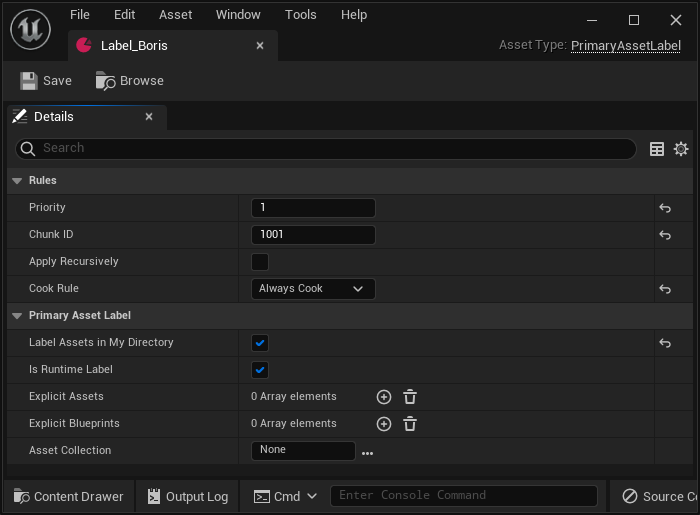
And mine looks like this (sorry it looks like Discord placed them out of order. Mine's on top, theirs is at the bottom):


Epic Games Developer
How to divide assets into chunks and cook them into packaging files
 proven stone
ok, so if your structure is like this you need to check the "Apply Recursively" since otherwise it won't go into the subfolders
 violet otter
Here's the folder structure:
 proven stone
so that could be why you're getting only 1kb chunks (i.e. empty chunks)
violet otter
OK the guide didn't have an Apply Recursively checkbox so I thought I should leave it at the default, but that makes a lot of sense! I DO want everything in all the subfolders all the way down.
I'll give that a shot and let you know how it went. Thanks!
proven stone
tbh, the way they've got it setup isn't really wrong, but it's also not great either...
- you don't need the label to be Runtime if it's just for chunking purposes
- you ideally want it to be recursive
- in certain cases you don't have to specify "Always cook" (we don't do that for example, because we rely on unreal to automatically cook referenced content, but if it's for standalone/DLC thing then it might make sense)
I don't even know what runtime labels would be used for (all I know is that it means that the asset itself will be packed to the game, so it could be used for referencing using primary asset IDs etc... but if it's only for chunkning, you don't need to have it as runtime - please someone correct me if my understanding is wrong
violet otter
Hmm I did the Package Project action after changing Label_Boris to Apply Recursively,
but the folder at G:\Documents\Unreal Projects\PatchingDemo\Windows\PatchingDemo\Content\Paks
still looks like this:

The folder in G:\Documents\Unreal Projects\PatchingDemo\Saved\StagedBuilds\Windows\PatchingDemo\Content\Paks looks the same too. No change after Apply Recursively then Package again. Still got 1KB pakchunk1001 files
I'm not sure what I'm missing. Some people say I have to include maps in the maps list in my Project Settings > Packaging, but I tried that on the last project (the one I deleted) and it made no difference.
violet otter
proven stone
I don't even know what runtime labels would be used for (all I know is that it m...
Not related to the current problem (I think) but do labels have to be runtime in order for patches and DLC to be downloadable from within the app being run by the user, rather than applied by an outside installer?
proven stone
ChunkDownloader just downloads the paks that's all there is to it
primary asset labels are just used to more efficiently link to files in some cases
since primary asset label allows the asset to be indexed and used as part of the PrimaryAssetId and whatnot
that's the primary usecase of the label asset (or at least it was originally)
violet otter
Cool that's intuitive enough
proven stone
violet otter
The folder in G:\Documents\Unreal Projects\PatchingDemo\Saved\StagedBuilds\Windo...
I don't really remember what was it, but iirc I might've needed to change something in the project settings
one thing you could try (for testing) is to place the character inside a map which you know for sure if being cooked
since it might be that the "Always Cook" doesn't work for some reason and so the assets get skipped because they're not referenced anywhere
and/or they're packed in the pakchunk 0, you could use things like UnrealPak tool to dump files from the pak file to see
violet otter
Well... the AnimationTestMap for each character is contained in a subfolder of the folder that has the PrimaryAssetLabels, and pakchunk 0 appears to be smaller for me than it is in the guide, not larger.
I could open up the AnimationTestMap and make sure it has the character in it. I wonder how much has changed since the Preparing Assets for Chunking guide was written.
proven stone
the guide seems quite new (at least based on the images), but the DLCs in general are really not well document tbh
unless something has changed... last time I've seen them properly documented was around UE 4.13 era afterwards half the documentation disapeared
violet otter
proven stone
the guide seems quite new (at least based on the images), but the DLCs in genera...
What's your recommendation on how best to learn (with no prior experience) about patching and DLC? I'm having trouble following the guides because I'm not confident with the results I'll have to work off of in the first steps.
proven stone
violet otter
What's your recommendation on how best to learn (with no prior experience) about...
Mostly google and then experimenting until it works I guess
violet otter
Well that's no worse than what I'm currently doing 🙂
But if I can't figure out how to get it to generate the chunks properly in this most simple use case, I won't be able to learn the rest of it, I don't think.
I'll keep trying until something works though, then try to figure out why that worked when nothing else did.
Then I will become a member of the group of rare people who understand the dark art of chunking in Unreal.
proven stone
Only other thing I can think of is that you might not have the primary asset label file type in the asset manager
since as any primary asset, it has to be marked as "asset to scan for"

and you might need to do the same if the PrimaryAssetLabel is part of a GameFeature, but you do that in game feature config (or you put the directory into the "Directories")
proven stone
proven stone
this is the old way of setting up chunks, primary asset labels just offload that to more convenient way
violet otter
Here's an interesting thing: When I was putting the PrimaryAssetLabels in without Apply Recursively, the build process complained that it couldn't include the assets because they had non-unique names (one for dialogvoice, one for the skeletalmesh, and one for a map, all named "Boris" in their individual folders. That suggests to me that it was actually trying to get down to those subfolder levels even with Apply Recursively turned off. When I tried to fix it by renaming the assets to unique names, then that caused a bunch of other problems though.
violet otter
proven stone
Only other thing I can think of is that you might not have the primary asset lab...
Ah so that's where the elusive Asset Manager is! Thank you... ChatGPT kept telling me to look in the top bar menus (it wasn't in any of them).
proven stone
yeah, primary assets should have unique names - it's a good idea to have that for any and all assets, easier to figure out what "M_AwesomeMaterial" it is 😄
either way, I'm going to bed, so good luck!
violet otter
Have a good night! Thanks for everything!
violet otter
proven stone
since as any primary asset, it has to be marked as "asset to scan for"
Yep my Asset Manager looks the same as yours.
violet otter
I finally got different results when I turned on the Packing option "Cook everything in the content directory" (is that something new or newly defaulted to false in UE 5.5 or recent versions?). The build failed due to compile errors in the Boris PlayerCharacter asset. I removed the offending blueprint nodes and recompiled, then packaging succeeded and now I have:🏆

That's actually more than in the screenshot in the guide, but I'm no longer worried that it left something important out.
However, my Asset Audit tool doesn't show anything different. All the columns are still blank (and it has different columns than in the screenshot - not sure how to fix that yet):
 violet otter
I added the assets and labels for Crunch and Khaimera, and the chunk1002 and chunk1003 files are a little bigger than in the guide, so I think I've completed this step of the guide!
Thank you again for all your help, @proven stone ! 🏆
I think the trick was telling it to cook everything in the content folder, and ignore the map list.
 weary hatch
Hi everyone! I'm just trying to track down what the option to enable building the exe that checks if the prerequisites have been installed or not before then launching the main exe is called? I've dug through the help page for BuildCookRun and cross checked 2 builds of the same project, one that is building that exe and another that isn't and haven't been able to determine what it is. Any pointers would be much appreciated!
Here's a screenshot to hopefully illustrate what I'm talking about 🙂


Left is our new build process that's missing that exe and right is our old build process that has it
proven stone
weary hatch
Left is our new build process that's missing that exe and right is our old build...
there are couple of preconditions for the bootstrapper to be built:
- you have to have the
Engine/Extras/Redist/en-us/UEPrereqSetup_x64.exe - the project
BootstrapPackagedGamehas to be built and present in it's shipping configuration - during the stage part of build process you have to include the
-Prereqsflag
weary hatch
I reckon that we'd be missing the BootstrapPackagedGame project! Let me double check! That's super helpful information though! Thank you!!
proven stone
In case you're using buildgraph to build your project, here are necessary diffs - it's not 1:1 for lyra but our buildgraphs are based on lyra 5.0 so you should be easily able to apply the patches:
==== //Matcho/Main/Matcho/Build/MatchoTests.xml#2 (text+w) - //Matcho/Main/Matcho/Build/MatchoTests.xml#3 (text+w) ==== content
@@ -40,7 +40,7 @@
<Property Name="DefaultTargetTestList" Value="$(DefaultTargetTestList)+UE.TargetAutomation(RunTest=Group:Project)" If="$(RunProjectTests)" />
<Property Name="DefaultEditorTestList" Value="$(DefaultEditorTestList)+UE.EditorAutomation(RunTest=Group:Project)" If="$(RunProjectTests)" />
- <Property Name="ExtraStageAndPackageArguments" Value="-target="$(TargetName)" -compressed -CrashReporter" />
+ <Property Name="ExtraStageAndPackageArguments" Value="-target="$(TargetName)" -compressed -CrashReporter -Prereqs" />
<!-- =============================================================================== -->
==== //Matcho/Main/Engine/Build/Graph/Tasks/BuildAndTestProject.xml#9 (text) - //Matcho/Main/Engine/Build/Graph/Tasks/BuildAndTestProject.xml#10 (text) ==== content
@@ -254,6 +254,7 @@
<Compile Target="UnrealPak" Platform="$(EditorPlatform)" Configuration="Development" Arguments="$(GenericCompileArguments)"/>
<Compile Target="CrashReportClient" Platform="$(EditorPlatform)" Configuration="Shipping" Arguments="$(GenericCompileArguments)"/>
<Compile Target="CrashReportClientEditor" Platform="$(EditorPlatform)" Configuration="Shipping" Arguments="$(GenericCompileArguments)"/>
+ <Compile Target="BootstrapPackagedGame" Platform="$(EditorPlatform)" Configuration="Shipping" Arguments="$(GenericCompileArguments)"/>
<Do If="$(WithRemoteExecWorkers)" >
<Compile Target="BaseTextureBuildWorker" Platform="$(EditorPlatform)" Configuration="Development" Arguments="-project="$(RootDir)/$(TargetProject)" $(GenericCompileArguments)"/>
<Do If="'$(EditorPlatform)' == 'Win64'" >
that's all there is to it 🙂 making sure the bootstrapper is built and you tell unreal to use it (-Prereqs args) if it finds the executable and the prereq setup it will generate the exe 🙂
weary hatch
We're trying to implement Unreal Engine Tool from Redpoint Games into our CI/CD pipeline at the moment and that does use buildgraph so that'll be super handy! It was hard to find any info about the bootstrapper online so this is super helpful information! Thanks so much!!
 jade edge
Anyone getting BSOD (blue screen) when trying to package the game?
winged moss
if that was a common thing, there'd definitely be complaints
like what is the BSOD error, in what driver? you can also try packaging via UFE/command line if you're currently doing it via the editor
since doing it via the editor is just a waste of resources
jade edge
Thanks. I will try again and share some more information. I'm doing it via the editor, don't really know how to do it with command line
winged moss
"buildcookrun" is the thing to google if you want to learn how to do that
jade edge
Thanks, looking into that
winged moss
UnrealFrontend does the same thing with a much lighter UI (branded as "project launcher" within the editor iirc)
 spare dragon
Hi. I have a big problem with packaging my game. I dont know what the issue is. I tried deleting my “binaries” and “intermediate” folders and then i click “Generate Visual Studio Project Files” on my .uproject but then this error pops up (image 2)
Does anyone know whats the issue?

 summer dock
spare dragon
Hi. I have a big problem with packaging my game. I dont know what the issue is. ...
summer dock
spare dragon
Hi. I have a big problem with packaging my game. I dont know what the issue is. ...
switching to msvc 33130 compiler
- Open the Microsoft Visual Studio Installer in Installed Apps
- Choose Modify
- Select Individual Components
- Select 'MSVCv143 - VS 2022 x64/x86 build tools(v14.38 - 17.8)
spare dragon
summer dock
switching to msvc 33130 compiler
* Open the Microsoft Visual Studio Installer i...
Thank you man so much. It worked
 strong swallow
what's the correct way to separate out client UI code from the dedicated server build? i've separated out a module with some UI stuff from my main game module, and made sure the main module doesn't reference anything from it.
the problem is, when my client connects to the dedicated server, it has to use the same Game Mode as whatever the server does, which means the game mode can't have references to UI stuff like a HUD in it. i'm struggling to properly initialize the HUD/widgets i need on the client while not being able to reference any of them in the Game Mode blueprint
 quiet pebble
strong swallow
what's the correct way to separate out client UI code from the dedicated server ...
quiet pebble
strong swallow
what's the correct way to separate out client UI code from the dedicated server ...
Game Modes only exist on the server, UI on the other hand only exist on the client. So you can't manage client UI solely from the gamemode.
You'd typically use the player controller or the player state for player data related stuff, and the UI would simply read this data to display it locally.
strong swallow
quiet pebble
Game Modes only exist on the server, UI on the other hand only exist on the clie...
right, i changed the HUD to be none in the game mode (so the server won't try to create one and need a reference to UI stuff), now i'm trying to find the right way to run the logic in my UI module to initialize things/set the hud that'll get triggered by PostLogin or some other 'game start' type event, not sure what the preferred way to do that is
quiet pebble
strong swallow
right, i changed the HUD to be none in the game mode (so the server won't try to...
There isn't a 'right way' to do it but one option is to simply call a client rpc on all of the player controllers from the gamemode.
Another option could be using a gamestate to store the game data so it's accessible by the clients
weary hatch
proven stone
that's all there is to it 🙂 making sure the bootstrapper is built and you tell ...
Just updating you, this fix has been applied to Unreal Engine Tool and worked! Thanks so much for your help getting this sorted out!
 primal pivot
Anyone know how to get the crash reporter to package when using the project launcher to package? I've tried the various cmd line options in the boxes under Build, Cook, and Launch, and have not had any luck.
It packages the crash reporter if I package by using the platforms menu in the level editor but when using the project launcher it does not.
 hollow jackal
hey im having some issues packaging my project im getting an unknown error and im not very proficient in reading errors

this is the output log when the packaging fails is there anyone who might have any advice on how to fix this problem thankyou in advance
winged moss
hollow jackal
You don't have the correct MSVC toolchain installed. Open the Visual Studio Installer > Modify > Individual Components > search "14.38" and install the one that says x86/64 build tools
hollow jackal
oh my god you are a lifesaver
how by chance did you figure that out just for future reference
oh is it the warning ahaha
hasty thorn
Currently trying to build the lighting for my project and all its doing is maxxing out my RAM usage then dying and I have no clue as to what's causing it at all if anyone could help that would save me so many headaches
hasty thorn
Restarted from scratch
 hard mural
Hello there! I'm facing an issue while compiling my game using BuildCookRun : a Blueprint for one of my widgets gets a variable in its OnConstruct from my custom C++ GameInstance class. While packaging in editor, everything works fine, but BuildCookRun leads to this error. Would any of you happen to know why? It happens with every variable that I create in my custom GameInstance class. Thanks a lot!
 hard mural
The script I executed to BuildCookRun used a -nocompileeditor that I removed, it seems to have done the trick!
 opal gazelle
Hi all, I'm getting this error when trying to do a package build for windows. It's newer than the version this msg claims to want: UATHelper: Packaging (Windows): Visual Studio 2022 is installed, but is out of date or missing a valid C++ toolchain (minimum version 14.38.33130, preferred version 14.38.33130). Please update Visual Studio 2022 to 17.8 or later and verify that the "MSVC v143 - VS 2022 C++ x64/x86 build tools (v14.38-17.8)" component is selected in the Visual Studio 2022 installation options. Anyone know how to get me past this ?
 proven stone
opal gazelle
Hi all, I'm getting this error when trying to do a package build for windows. I...
proven stone
opal gazelle
Hi all, I'm getting this error when trying to do a package build for windows. I...
yeah, install visual studio 17.8 and C++ toolchain 14.38 😄
You can do both through Visual Studio Installer app
update visual studio through there first
opal gazelle
yeah, I'm opening the installer app now
proven stone
winged moss
You don't have the correct MSVC toolchain installed. Open the Visual Studio Inst...
and then do this
you might need to update visual studio first tho
summer dock
Error : UATHelper: Packaging (Windows): Visual Studio 2022 is installed, but is out of date or missing a valid C++ toolchain (minimum version 14.38.33130, preferred version 14.38.33130). Please update Visual Studio 2022 to 17.8 or later and verify that the "MSVC v143 - VS 2022 C++ x64/x86 build tools (v14.38-17.8)" component is selected in the Visual Studio 2022 installation options.

Solution :
* Open the Microsoft Visual Studio Installer in Installed Apps
* Choose Modify
* Select Individual Components
* Unreal >=5.4 - Select 'MSVCv143 - VS 2022 x64/x86 build tools(v14.38-17.8)
* Unreal <=5.3 - Select 'MSVCv143 - VS 2022 x64/x86 build tools(v14.36-17.6)

Basic Unreal Setup ( Required bits ) : https://dev.epicgames.com/documentation/en-us/unreal-engine/setting-up-visual-studio-development-environment-for-cplusplus-projects-in-unreal-engine
<@&213101288538374145> could we pin the above message? common issue
opal gazelle
Okay, missed that ... I selected something about "gaming dev c++", and clicked Modify and now have to way for that to finish, then I'll back and look for what you just said @summer dock, thnx
opal gazelle
summer dock
```
Error : UATHelper: Packaging (Windows): Visual Studio 2022 is installed, but...
Comment #1: Thank you guys so much for the help! it worked. Comment #2: What the actual f*&)#$?! How was I ever supposed to find that?
summer dock
opal gazelle
Comment #1: Thank you guys so much for the help! it worked. Comment #2: What...
yeah. I believe it was properly shown in previous unreal docs, but has disappeared at some point
opal gazelle
It has to be that exact version?
summer dock
afaik
opal gazelle
I swear sometimes that Epic must be actively trying to prevent people from succeeding
 light junco
summer dock
```
Error : UATHelper: Packaging (Windows): Visual Studio 2022 is installed, but...
light junco
summer dock
```
Error : UATHelper: Packaging (Windows): Visual Studio 2022 is installed, but...
Wouldn't that be general #cpp stuff though? Do we maybe have that pinned already?
summer dock
perhaps, hmm
light junco
I mean I can pin it fwiw.
light junco
summer dock
```
Error : UATHelper: Packaging (Windows): Visual Studio 2022 is installed, but...
light junco
Maybe edit the message to state what problem that actually fixes and why
summer dock
error, solution, basic setup
winged moss
summer dock
```
Error : UATHelper: Packaging (Windows): Visual Studio 2022 is installed, but...
I would suggest an edit which covers 14.36 for <=5.3, and 14.38 for >=5.4
summer dock
winged moss
I would suggest an edit which covers 14.36 for <=5.3, and 14.38 for >=5.4
done
 pliant gate
First time poster so apologies if I am breaking conventions.
LogPluginManager: Error: Unable to load plugin 'PCG'. It was requested by Enabled plugins in .uproject for , but is missing on disk. Aborting. Looked in these locations for .uplugin files:
Packing UE5.5 project. Packs fine with no error.
but when i try to run it it wont launch and fails with that.
I literally have just turned PCG on in the Plugins and I don't think I have done anything else. So it must be getting something wrong whilst packing. Packs just fine and no errors. If I turn PCG off the exe launches just fine so its def just that.
Really at the end of my ability here. Can't find anything online that works.
summer dock
pliant gate
First time poster so apologies if I am breaking conventions.
```LogPluginManager...
Last I saw that stuff was still Experimental/Beta - is there any docs saying it should be able to be packaged, not just editor only?
pliant gate
Oh 🤔 wait but surely U can pack a project that uses PCGs. Its no longer experimental
proven stone
summer dock
Last I saw that stuff was still Experimental/Beta - is there any docs saying it ...
Any plugin be it experimental/beta can be used and packaged, the flag is literally there just to scream at you "booo, beware the dangers ahead..."
this looks like the plugin got completely omitted from packaging, yet it's included in the uproject... which is weird, because I'm 101% sure we use and pack our project which has PCG module enabled just fine
pliant gate
proven stone
this looks like the plugin got completely omitted from packaging, yet it's inclu...
I have a very strong feeling it's going to be something Local to me and something somewhere tht somehow got changed. Will try more trouble shooting tomorrow.
Def sounds like a problem that doesn't usually just happen 👍
Thank you both! I'll try to report back if I get a fix smehow
proven stone
good luck!
opal gazelle
Okay, you amazingly helpful guys ... I have no idea what this means or where to start or look:

Here's the tail end of that red error line:

 shadow cliff
Hi! I've been working on a project for some time, and yesterday I started getting an error when packaging (for windows).
From the log it seems the culprit is a blueprint with a reference to a function that no longer exists.
However, it doesnt say which blueprint, or which function. I have no idea how to find which blueprint is causing the problem.
I have installed editor symbols, enabled verbose logging, set the cooker to use names, and a few other things to try figure it out, with no luck.
tl/dr: Is there any method to find which blueprint is causing a packaging error?
UATHelper: Packaging (Windows): LogInit: Display: LogOutputDevice: Error: Ensure condition failed: FunctionNameFName != FName() [File:D:\build++UE5\Sync\Engine\Source\Editor\Kismet\Private\BlueprintCompilationManager.cpp] [Line: 2759]
UATHelper: Packaging (Windows): LogInit: Display: LogOutputDevice: Error: Stack:
UATHelper: Packaging (Windows): LogInit: Display: LogOutputDevice: Error: [Callstack] 0x00007ffb4e690ba9 UnrealEditor-Kismet.dll!FBlueprintCompilationManagerImpl::FastGenerateSkeletonClass'::2'::<lambda_1>::operator()() [D:\build++UE5\Sync\Engine\Source\Editor\Kismet\Private\BlueprintCompilationManager.cpp:2760]
summer dock
shadow cliff
Hi! I've been working on a project for some time, and yesterday I started gettin...
you have set this?
Set Project Settings -> Engine -> Cooker -> Cooker Progress Display Mode to Instigators and Names (and Count) to get a log for when each package starts getting cooked, while also showing the Instigator, i.e. the reason why that asset is being included into the cook. Helps a lot when you get cook errors that don't show you which package they originate from.
I guess yes. Hmm
So assuming you use version control, and hopefully do nightly builds, should be just a matter of rolling back until you find which change breaks things. A bit tedious but unless there are better ideas, that's what I would do
GenerateSkeleton might be a good clue
 sonic shell
yo guys for some reason that i'am to dumb to figure out on my own Unreal keeps failing to package my game for Android, how can i fix it? I'am on UE 4.27.2
 summer dock
sonic shell
yo guys for some reason that i'am to dumb to figure out on my own Unreal keeps f...
summer dock
sonic shell
yo guys for some reason that i'am to dumb to figure out on my own Unreal keeps f...
before diving deeper, question : do you intend to publish on GooglePlay?
sonic shell
summer dock
before diving deeper, question : do you intend to publish on GooglePlay?
Nop
summer dock
sonic shell
Nop
:assembleDebug errors are 99% certainly toolchain issues, I believe. Have you gone very carefully through the 4.27 droid setup docs?
sonic shell
Oh, there are 4.27 docs? I followed the generic ones for 5.2 and older
That could be the issue then
summer dock
there is no generic docs, all the epic docs have a selection of version top left
shadow cliff
summer dock
So assuming you use version control, and hopefully do nightly builds, should be ...
Yeah I've been using version control, but i haven''t been packaging very often unfortunately. I might have to go back quite far. I'll do more regular builds from now on though.
summer dock
shadow cliff
Yeah I've been using version control, but i haven''t been packaging very often u...
At some point ( which imo defines a serious project ) studios will set up a CI/CD pipeline: a dedicated build system. Jenkins for example is an old workhorse, but a fast and dirty version can be done like this:
- setup dedicated build pc ( can be relatively crummy laptop or something )
- schedule to run a .bat script with your commandline packaging instructions nightly
- get it to show success/fail to a slack channel or discord
visit #automation for more
pliant gate
opal gazelle
Okay, you amazingly helpful guys ... I have no idea what this means or where to ...
Go into that quest hud and change something and save it. Than usually works for me. A struct you are using in it has gone wonky
pliant gate
proven stone
good luck!
I said I'd report back! @summer dock Thank you both again for your insights. I went through a whole row of reinstalling VS and eventually it looks like what as truly causeing it was the Target.cs and editor.target.cs had been deleted. I managed to copy it form a different project and change class names. That worked. So it looks like whilst it was building and packing just right it must have been skipping parts and plugins must have been part of that.
So if anyone finds this: check if your Source folder has the Target.cs and if not that was my issue here. Looks fixed now 🙇♂️
sonic shell
summer dock
there is no generic docs, all the epic docs have a selection of version top left
just followed the one for UE 4.27 and i still get errors
 summer dock
sonic shell
just followed the one for UE 4.27 and i still get errors
summer dock
sonic shell
just followed the one for UE 4.27 and i still get errors
still 'assembleDebug' - go through the setup docs once more, make 100% sure you have everything exactly as stated in docs, starting from the exxact android studio version
if still struggling after that, maybe head over to #mobile for more
proven stone
sonic shell
just followed the one for UE 4.27 and i still get errors
I mean... the error is quite self-explanatory... parts of Android SDK are complaining that the build tools module you installed is corrupted and it's telling you to reinstall that module
sonic shell
summer dock
still 'assembleDebug' - go through the setup docs once more, make 100% sure you ...
the version it's 4.0 the one they ask for ( https://dev.epicgames.com/documentation/en-us/unreal-engine/setting-up-android-sdk-and-ndk-for-unreal?application_version=4.27 ), i have the Command-Line Tools installed both latest and 8.0, i did setup the NDK it did succed but it never asked me to agree to the Android SDK license agreement

Epic Games Developer
How to set up your Android development environment for Unreal 4.25 and later
sonic shell
proven stone
I mean... the error is quite self-explanatory... parts of Android SDK are compla...
funny i just reinstalled it for the fourth time
i even tried giving UE manually the locations
 proven stone
well, it's not unreal complaining about the corruption it's the android sdk itself... and also I presume you're on UE 4.27 Plus rather than base 4.27 since google has changed requirements and you need UE 4.27 plus, which requires NDK r21d and SDK 34
so double check your versions and really make sure you have correct build tools since it seems to be looking for dx.bat which it can't find etc.
can't help you much more since UE4 is kinda old at this point and for UE5 it was just about installing SDK and that was it
summer dock
the history of the mobile channel is strewn with the wreckage of people struggling to get those right, can search history there
I still see no point doing it with 4.27 unless you have a project from that era you really want. And indeed with vanilla 4.27 it will only be apk, no gplay
 karmic flume
Has anyone tried packaging in UE 5.6 preview yet? I can't package even BP templates. Maybe this is by design since we aren't supposed to ship with preview versions, but I'm curious about the performance announced for world streaming, so I had to try...
 keen moss
Hello smart people. I'm getting a packaging fail and I'm having a hard time identifying the issue. Attached is my log. Can someone please remind of some tips of what they look for to narrow things down quickly instead of combing through this log aimlessly? Thank you!
summer dock
keen moss
Hello smart people. I'm getting a packaging fail and I'm having a hard time iden...
I usually start by searching for all occurences of "error". Your log certainly has a lot of them : E
Then ignore the first "Failed to load" ones, they are not scary, but look at the ones that start with "Log<something>"
keen moss
summer dock
I usually start by searching for all occurences of "error". Your log certainly h...
Lol. Yes it does. Sorry I should have clarified. I have tried to address the lines that begin with error
summer dock
And then start figuring those out, with patience...
keen moss
summer dock
Then ignore the first "Failed to load" ones, they are not scary, but look at the...
Ok this is what I needed to hear.
Thanks
summer dock
Like why is there a lot of "Failed to read file" ? What could be the reason for that? Poke around, investigate...
Error: Blueprint Runtime Error: "Accessed None trying to read property CallFunc_GetComponentByClass_ReturnValue". Node: Set bIsClimbing? Graph: EventGraph Function: Execute Ubergraph ABP Freeflow Combat Character Kintsugi Blueprint: ABP_FreeflowCombatCharacter_Kintsugi
This looks like you are totally missing something that would provide specific bp nodes
keen moss
summer dock
```Error: Blueprint Runtime Error: "Accessed None trying to read property CallFu...
Indeed. I'll have to dig into that because they is my main character animBP
 golden patio
Steam linux crosscompiled, shipping build: getting "failed to find shader map for default material WorldGridMaterial" when trying to launch. I packaged the game with UnrealFrontend, for both windows and linux. Windows works fine. Why then, is the shadermaps not properly cooking?! No errors in the building log
golden patio
golden patio
Steam linux crosscompiled, shipping build: getting "failed to find shader map fo...
not an issue with vulkan, able to pass -vulkan as an arg and the game launches on windows fine
golden patio
ok I fixed the issue: I had to check "stage base pak files"
edit: hahahahahahaha now its failing on windows vulkan
serene quartz
Hi I have a question
are packagign errors always related to things not being valid?
or are there also other problems not just related to blueprint variables?
serene quartz
winged moss
That's why you read them
I read them but what if I dont understand all of them, so like what other types of errors are there besides that, and errors related to some shitty plugin that needs to be removed or smth?
winged moss
I'm not going to describe every possible packaging error because we'd be here all day
This channel has plenty of history
serene quartz
winged moss
I'm not going to describe every possible packaging error because we'd be here al...
ok nice, how about maybe the 2-3 most common ones?
also, what are some ways to detect and fix them?
as well as learning how to fix them
mystic atlas
Detecting them is by reading hte errors?
serene quartz
summer dock
It just kind of comes with the territory. As they arise, you trace their tracks and crush them, learning them as they come : )
serene quartz
How does one read millions of lines of computer language text lines and compile it in human brain language?
summer dock
Those first 5 are red herrings
Searching for "error" keyword makes life easier to pinpoint things. I like to have the log open in Notepad++ and Search for All Occurences of "error" to get a quick idea of how bad things are : )
serene quartz
summer dock
Searching for "error" keyword makes life easier to pinpoint things. I like to ha...
based
winged moss
Scuffed Diversion plugin, not the correct MSVC toolchain
It's easier to start at the bottom
serene quartz
winged moss
Scuffed Diversion plugin, not the correct MSVC toolchain
what's "scuffed"?
serene quartz
winged moss
Scuffed Diversion plugin, not the correct MSVC toolchain
Oh broken ?
I know my diversion plugin is broken thats for sure, I can read that one
winged moss
You can Google the definition of words, but yes
serene quartz
but the rest are not that easy to understand to human brain language
serene quartz
winged moss
You can Google the definition of words, but yes
google or chatgpt it? I use chatgpt
winged moss
ChatGPT is basically useless and I did say Google
serene quartz
winged moss
ChatGPT is basically useless and I did say Google
I've been working in ue for at least a year now, and game dev for more than double that, but never packaged a project so far. This will be my first time. Wish me good luck 🙏
winged moss
That's just Googling with extra steps
serene quartz
winged moss
Scuffed Diversion plugin, not the correct MSVC toolchain
I tried googling and youtubing and chatgpting the MSVC toolchain thing, it looks to be just an issue that can be solved by updating all the crap inside of the MSVC correct?
winged moss
It's the top pin in this channel
serene quartz
@winged moss I just updated my MSVC and still getting this error
Visual Studio 2022 compiler version 14.44.35207 is not a preferred version. Please use the latest preferred version 14.38.33130
winged moss
You did not follow the instructions from the pin
serene quartz
winged moss
You did not follow the instructions from the pin
I went on to this article but it looks kind of old article, and might need an update because my settings look kind of different.

Epic Games Developer
Tips, tricks, and techniques for setting up Visual Studio to work with Unreal Engine.
This is what my side bar settings look like If I extend all of them
 winged moss
like literally the top pin told you what to install when getting this error
serene quartz
This is what chatgpt recommended me
 winged moss
with no uncertainty
serene quartz
I went to individual componetns and installed the MSVC v143
but that wasn't enough still getting the error
serene quartz
winged moss
with no uncertainty
I literally followed the exact same step by step process
and it still didn't work
winged moss
then your build log is not recent as it shows that it's using a more recent compiler and it didn't detect any other version
serene quartz
winged moss
then your build log is not recent as it shows that it's using a more recent comp...
but I created a new output log
I did this and then tried to repackage again
I also restarted my PC just now and Im going to try again
here's the new error
UATHelper: Packaging (Windows): Visual Studio 2022 compiler version 14.44.35207 is not a preferred version. Please use the latest preferred version 14.38.33130
summer dock
serene quartz
UATHelper: Packaging (Windows): Visual Studio 2022 compiler version 14.44.35207 ...
have only the correct build tool version checked, no others
winged moss
that doesn't help at all as UBT will pick the correct one
serene quartz
summer dock
have only the correct build tool version checked, no others
Which ones of these are not the correct build tools?


Also I followed the steps shown in the epic article
winged moss
type 14.38 in the search bar and just screenshot that
serene quartz
and only picked these ones from the workloads
winged moss
your screenshot has truncated component names
also you didn't uninstall the problematic Diversion plugin
serene quartz
winged moss
your screenshot has truncated component names
 winged moss
that's the thing actually emitting errors
so you didn't install it at all despite saying you did
MSVC v143 - VS 2022 C++ x64/x86 build tools (v14.38-17.8) must be installed
and that's what the pin also said
serene quartz
winged moss
so you didn't install it at all despite saying you did
I couldn't find a plugin folder in my project folder, and searching it on the plugins list of my editor while inside of it doesnt make it show up either.
winged moss
the error shows the filepath it's in, it's installed to engine rather than project
autumn bloom
Does anyone know why my fonts and the UMG's they're used on would no longer work in packaged builds? I even explicitly include my fonts in my asset manager.
+PrimaryAssetTypesToScan=(PrimaryAssetType="UI_IconsAndFonts",AssetBaseClass="/Script/CoreUObject.Object",bHasBlueprintClasses=False,bIsEditorOnly=False,Directories=((Path="/Game/GameIconsNet"),(Path="/Game/over_250_survival_flat_icons"),(Path="/Game/_ELEGY/UI/Fonts")),SpecificAssets=,Rules=(Priority=250,ChunkId=250,bApplyRecursively=True,CookRule=Unknown))

 winged moss
autumn bloom
Does anyone know why my fonts and the UMG's they're used on would no longer work...
winged moss
autumn bloom
Does anyone know why my fonts and the UMG's they're used on would no longer work...
did you verify that the content cooked? you didn't specify a cook rule, but since it cooks your UI, the font is a hard ref anyway
and what does the log say?
how do you perform the cook?
summer dock
Somewhere deep in the woods
I know you're hiding
What is your sound? Will we ever know?
Will always be a mystery
What do you say?```
( sung to the tune of Ylvis : What does the Fox say? )I cook using a Jenkins Job to kickoff a batch script
@echo off
SET UE5dir=C:\
SET SVNdir=E:\LocalElegy
SET STAGEdir=E:\Stage
SET OUTdir=E:\Builds

:: UE5
"%UE5dir%\%engineVersion%\Engine\Build\BatchFiles\RunUAT.bat" BuildCookRun -project="%SVNdir%\%branch%\Elegy\Elegy.uproject" -noP4 -clientconfig=%ClientConfig% -serverconfig=%ClientConfig% -installed -CrashReporter -unrealexe="%UE5dir%\%engineVersion%\Engine\Binaries\Win64\UnrealEditor-Cmd.exe" -utf8output -platform=Win64 -build -cook -pak -compressed -prereqs -iostore -distribution -stage -stagingdirectory="%STAGEdir%\%label%" -archive -archivedirectory="%OUTdir%\%label%"
I don't see the fonts anywhere in the logs, is there a log type I should turn on verbosity level for or which log type should I enable for asset loading?
winged moss
well I would expect if it couldn't find a font then that'd be a runtime error of some sorts
and since -serverconfig is passed, does this build/cook a dedicated server at the same time?
autumn bloom
Yes, it's a parameter for the Jenkins Job. It's Development or Shipping. I'm currently using Development
winged moss
I really wouldn't do that and pick separate staging directories
since fonts aren't typically cooked for dedicated
autumn bloom
I can probably drop that and just use client config. It's a single player game
 ashen radish
Hey So I am developing an app for android and IOS Using UE5.5. I want to lauch a URL that will open google maps using the launch URL node. This works fine when using a test build on my phone with "ExtraPermissions=android.permission.QUERY_ALL_PACKAGES" added for it to work. This permission though is not approved to be used on google play store unless there is a really good reason, so google blocks it.
With that permission removed Launching URLs doesn't work! I have looked online and seen this was an issue but there was a fix using a source build of unreal,https://forums.unrealengine.com/t/solved-launch-url-doesnt-work-in-android-for-sdk-target-30/488399/5
I have a source build but that build also has that fix already applied. So I am really stuck on how to open up a URL or APPlink without using the permission above, if anyone has any good fixes for this I would really appreciate it.

Epic Developer Community Forums
Okay so I was looking into this in a bit more detail. As others already wrote, adding the android.permission.QUERY_ALL_PACKAGES works, but is definitely not recommended. The easiest way of solving this is to upgrade the project to 4.27. With 4.27 the following commit fixes this issue for SDK target 30: https://github.com/EpicGames/UnrealEngine/...
proven stone
I don't think QUERY_ALL_PACKAGES is the correct way of opening URL... I'd simply execute an BROWSER VIEW intent with a URL(I've not really done UE development for Android, but I've worked on raw android apps for few years back... so my info might not be up to date etc.)
if it was up to me, I'd simply try C++ FPlatformProcess::LaunchURL function
which if I had to guess will be routed through to JNI and will make specific intent etc.
(or from BP using the LaunchURL function from UKismetSystemLibrary)
- using this, you shouldn't really need any specific permission granted, since all necessary permissions (i.e. opening a link) are granted implicitly
(with newer android SDKs you might need to specify intents in your androidmanifest.xml though... but that's something that's started to be a thing only after I left android development sphere, so I can't help much further in that)
summer dock
Hmm, we seem to have a similar ticket in the backlog which I haven't had time to look at... ( that is probably using LaunchURL )
[Android] The browser with a link is not opened after tapping the "Join Discord" button if the "Discord" app is installed on the device
proven stone
yeah, that's because you don't really have control over external links, for seamless integration I'd recommend letting android do it's thing tbh
I don't really think you can even force specific application to open a link... you could use choosers but those really don't duarantee anything anyways
one thing you could try is to check the FAndroidMisc::ShareURL which is intended for sharing a URL through a chooser using ACTION_SEND intent which you could add a variant of that would try to use the INTENT_VIEW but I'm not really sure that would work
AndroidThunkJava_ShareURL is the java function inside game activity, which is wrapped on C++ side in a AndroidThunkCpp_ShareURL function that is called by the FAndroidMisc::ShareURL when JNI is active
(or just see if the ShareURL is enough for you for example)
summer dock
serene quartz
Line   910: [2025.05.21-07.41.59:295][  0]LogAssetRegistry: Error: Package D:/UE Game Projects/TerraVive - MAIN/Content/Characters/Mannequins/Meshes/SK_Mannequin.uasset has malformed tag```
all that putcache stuff is interesting, but maybe fixing the first error might helpwhat does this error even mean? has malformed tag?
 daring scarab
Halo everyone..A bit of help please.Why is my packaged game slower than the in editor version?it takes long to stream levels and shading is broken but everything is fine in engine
proven stone
serene quartz
what does this error even mean? has malformed tag?
in general malformed tag usually means that the asset itself is corrupted... although I can't really find this specific error in UE 5.5 and I don't have previous versions on hand right now.
mystic atlas
It could mean that LFS has failed to check out the asset properly. Happens sometimes.
fallow oar
Is there any good tools or tips for tracking down where a particular SoftObjRef is coming from? Spefically I have an actor making a SoftRef to a Map file but I dont have any SoftObjRef variables on the Actor (that I can see at least)
summer dock
fallow oar
Is there any good tools or tips for tracking down where a particular SoftObjRef ...
Doesn't reference viewer show both soft and hard refs, or do I remember wrong...
fallow oar
summer dock
Doesn't reference viewer show both soft and hard refs, or do I remember wrong...
Yeah in the Ref Viewer I see it showing up as a Soft Ref. But I dont see that in the actual Actor BP itself. Just strange
serene quartz
mystic atlas
It could mean that LFS has failed to check out the asset properly. Happens somet...
how could that be fixed?
mystic atlas
git checkout .
Assuming that 1) you're using git 2) you're using lfs and 3) this is actually the problem
summer dock
fallow oar
Yeah in the Ref Viewer I see it showing up as a Soft Ref. But I dont see that i...
Try copying the list of reference by r-clicking the nodes in reference viewer?
 hardy yarrow
I am trying to initialize and create WorldInteractionSubSystem only via C++, not using BP, but when trying to compile I get this:
UATHelper: Packaging (Windows): LogInit: Display: LoadErrors: Error: /Game/ExternalActors/ThirdPerson/Maps/OpenWorldGame/7/ER/Y6BBGE6N0EASU0BX8K163D : Failed import for WorldInteractionSubsystem /Game/ThirdPerson/Maps/OpenWorldGame.OpenWorldGame:WorldInteractionSubsystem_0
How to proceed?
proven stone
hardy yarrow
I am trying to initialize and create WorldInteractionSubSystem only via C++, not...
In normal unreal terminology subsystems usually aren't actors, they are... as regular UObjects inheriting from UXXXSubsystem, that are automatically initialized by the engine itself
although this could simply be that your subsystem isn't part of the game executable and so it fails to import... or the external actor /Game/ExternalActors/ThirdPerson/Maps/OpenWorldGame/7/ER/Y6BBGE6N0EASU0BX8K163D file is corrupted or something