
#packaging
1 messages · Page 18 of 1
 spiral sail
 spiral sail
 winged moss
That worked! Thank you so much! That is twice you've helped me out while stumped. Hopefully I get to repay you some day
 velvet hull
Can anyone tell me why the textures in my packaged build look fine on my PC, but on my friend PC it looks all blurry as if the texture streaming pool size isnt high enough.
Originally its 1000mb, but I changed it to 3000mb but still he has issues.
Any ideas?
 lost raft
Hiya!
I have created my (modular) game feature plugin. I am trying to cook it using Project Launcher as DLC content, so it has own .pak file. I've set up Project Launcher profiles for both main game content and then for the mentioned plugin (as DLC). Game content cooks fine, however when cooking plugin content the outcome .pak is pretty much empty.
Not sure what am I missing here. Primary asset label is created within the plugin directory, but seems to be ignored. What's more, I've tried changing game feature setup so that it scans for primary asset label within plugin directory, but that caused plugin cook error. Changing game feature state to Installed instead of Registered also causes cook error.
I have two concerns:
- can I have an asset within plugin content that has hard ref. to some other asset from main game content? If that's the deal breaker: any smart way to bypass that? Since that's a legacy code there is quite a spaghetti of BP hard refs.
- it seems like main game actually does register the plugin and contains content from it (or at least LogGameFeatures claims so after launching the cooked game). If that is not related to the previous concern, am I even able to "cleanly" separate game feature plugin from main game content? Basically I am looking for a solution where .pak file presence in game's directories (combined with online platform check of entitlement) determines if certain functionality should be available in game (via trying to change game feature state in runtime).
Whole situation takes place in UE 5.3.
Any help much appreciated ❤️
(also if that's wrong channel to post it, please redirect me to proper one ^^)
 summer dock
The Actor Sequence plugin is an experimental plugin that might exhibit instability. The issue around precompiled data is something that doesn't have a clear answer for these sequences due to the complexities of sharing sequence data between a blueprint CDO and its instances, but you should be able to workaround this for now while we investigate by marking your actor sequences as 'Volatile'. This option exists in the Sequence's settings under the Advanced menu and causes the sequence to be recompiled at runtime so it doesn't need the precompiled data.
I am trying to find the checkbox/setting for volatile but having trouble locating it... Hmm, maybe Performance->Volatile
EDIT : I am starting to think this experimental plugin is not worth the trouble
 potent glen
hey guys i have an error when i want to build my game:
UATHelper: Packaging (Windows): LogWindows: Error: appError called: Assertion failed: bAllowNonFloat [File:D:\build++UE5\Sync\Engine\Source\Runtime\Engine\Private\Materials\HLSLMaterialDerivativeAutogen.cpp] [Line: 141]
UATHelper: Packaging (Windows): LogWindows: Error: begin: stack for UAT
UATHelper: Packaging (Windows): LogWindows: Error: === Critical error: ===
PackagingResults: Error: appError called: Assertion failed: bAllowNonFloat [File:D:\build++UE5\Sync\Engine\Source\Runtime\Engine\Private\Materials\HLSLMaterialDerivativeAutogen.cpp] [Line: 141]
PackagingResults: Error: begin: stack for UAT
PackagingResults: Error: === Critical error: ===
seems to be a material issue but i dont know what material is causing the error.. can someone help me to figure out which one it is? 😄
 cerulean harness
Hi. I'm building for UE 5.3 Linux on a Linux cloud VM (Ubuntu). I get this error: LogCook: Error: MemoryPressureStatus is not available from the operating system. We may run out of memory due to lack of knowledge of when to collect garbage.
It counts as an error, so even though I don't run out of memory, it will fail the build from completing (there are no other errors). It seems to be happening when running with multiple cooker processes, so might be specifically the CookWorkers that don't have access (or think they don't - /proc/meminfo is available).
Haven't seen this error mentioned anywhere else. Any ideas on how to fix this?
EDIT: Fun thing is, if I run it without multi process cooking, it doesn't throw the error, but then it actually runs out of memory...
 rich prawn
By any chance is anyone familiar with this packaging error? It happens after everything else in my project compiles successfully, no warnings T_T
summer dock
rich prawn
By any chance is anyone familiar with this packaging error? It happens after eve...
        {
            // Possibly an ExportText path. Trim the ClassName.
            Path = FPackageName::ExportTextPathToObjectPath(Path);

            if (Path.IsEmpty() || Path[0] != '/')
            {
                ensureAlwaysMsgf(false, TEXT("Short asset name used to create FTopLevelAssetPath: \"%.*s\""), Path.Len(), Path.GetData());
                Reset();
                return false;
            }
        }
Appreciate the response! Yeah so I read that line on 118 but not sure where to take that
summer dock
rich prawn
Appreciate the response! Yeah so I read that line on 118 but not sure where to t...
maybe the full log might give more clues
 dense tusk
Im decomping my old game i thought i lost, I didnt encrypt my paks so Im wondering if i can get access to my project files and bluepirnts and such,
I have a global.ucas/utoc aswell as a gmae.pak/ucas/utoc
 golden vector
hello everyone, I hope you can help me out I started to have failed build of my project,
Expecting to find a type to be declared in a target rules named 'AxionTarget'. This type must derive from the 'TargetRules' type defined by UnrealBuildTool.
everything was started with any plugin module was not found it and I had to add manually add in the game folder instead of the editor one, I thought was it but then I run into this error, the target file seems correct even rolling back version from perforce of project.uasset/config/intermediate folder make it not fix it, how is tha possible?
this is the log
 silver cedar
golden vector
hello everyone, I hope you can help me out I started to have failed build of my ...
silver cedar
golden vector
hello everyone, I hope you can help me out I started to have failed build of my ...
Disable fab plugin and try again
 safe girder
It's my first time packaging any game ever. How can I fix this error?
PackagingResults: Error: Unknown Cook Failure
summer dock
safe girder
It's my first time packaging any game ever. How can I fix this error?
`Packaging...
safe girder
LogCook: Error: GameDefaultMap contains a redirected reference '/Game/UI/Menus/MainMenu/MainMenuLevel'. The intended asset will fail to load in a packaged build. Select the intended asset again in Project Settings to fix this issue.
got it but idk why it would fail to load
Here's my error maybe I sent more than I needed to I don't actually know. Is there a way to fix this?
summer dock
safe girder
`LogCook: Error: GameDefaultMap contains a redirected reference '/Game/UI/Menus/...
Maybe try Fix Redirectors.
Every time you rename / move something in unreal, it leaves nasty redirectors.
https://dev.epicgames.com/documentation/en-us/unreal-engine/asset-redirectors-in-unreal-engine
safe girder
summer dock
Maybe try Fix Redirectors.
Every time you rename / move something in unreal, it...
I found some and fixed them so I'll try to package again now
its still errored
summer dock
safe girder
try deleting that folder manually?
safe girder
summer dock
try deleting that folder manually?
which folder sorry?
summer dock
safe girder
which folder sorry?
Failed to delete directory 'C:\Users\Clvrr\OneDrive\Documents\Unreal Projects\youjustlostthegame\Saved\Cooked\Windows'
safe girder
summer dock
```Failed to delete directory 'C:\Users\Clvrr\OneDrive\Documents\Unreal Projects...
Let's goo! It packaged thank you so much
 uneven drift
We have a live game on Steam and some users get this error: CreateProcess() returned 2. Sometimes it seems to be related to antivirus. Do you guys know of any way to prevent your game from being flagged?
winged moss
sign your executables
uneven drift
What does that mean?
winged moss
you buy a cert, and you use signtool.exe to sign them
on a previous project that was on a completely different engine, that pretty much solved all our AV false flags overnight
and a practice we continued into using unreal
uneven drift
Okay nice, thanks I'll look into that!
uneven drift
winged moss
you buy a cert, and you use signtool.exe to sign them
What do you mean by buying certification?
uneven drift
yea sorry
winged moss
it's the same process but for windows
winged moss
"code signing certificate" might get you some results where you can actually buy one
they cost a bit, but worth it for the reduced support burden
uneven drift
Thx! Yea for sure worth it, the game is doing well and some people can't play because of this
golden vector
silver cedar
Disable fab plugin and try again
I already uninstall it
thanks for your reply, I lso disable any kind of plugin, I tried a simple starter project and it build succesfully but my project it failed or give me this error
UATHelper: Packaging (Windows): [2/5] Compile [x64] SharedPCH.Core.Project.ValApi.Cpp20.cpp UATHelper: Packaging (Windows): C:\UnrealEditor\UE_5.4\Engine\Source\Runtime\Core\Public\Experimental\ConcurrentLinearAllocator.h(31): error C4668: '__has_feature' is not defined as a preprocessor macro, replacing with '0' for '#if/#elif' UATHelper: Packaging (Windows): C:\UnrealEditor\UE_5.4\Engine\Source\Runtime\Core\Public\Experimental\ConcurrentLinearAllocator.h(31): error C4067: unexpected tokens following preprocessor directive - expected a newline
winged moss
this is partial output but you probably don't have the correct toolchains installed from the VS installer
for 5.4/5.5, you should have the 14.38 toolchain
golden vector
winged moss
this is partial output but you probably don't have the correct toolchains instal...
thanks this error is when I uninstall any plugin associated to the project, but a simple project get pakaged correctly
winged moss
because a BP-only project that makes no plugin changes will be using the prebuilt exe
golden vector
oh ok, so if i'm going to create a simple bp is rebuild it?
golden vector
ok, doing right now
thanks for your help
ok, now that it's installed I back to the missing module
I guess I have to copy all the plugin in the project plugin folder , correct?
nothing.. I back to the missing target error 😦
winged moss
why do you have duplicate installs of plugins in project, presumably when you don't have a C++ game project?
golden vector
when I don't have it unreal complaint about can't find the module
this is start happend since the bridge and fab plugin updated (which are uninstalled now)
before that I didn't need to copy them to the folder now if not it give me this error
UATHelper: Packaging (Windows): Expecting to find a type to be declared in a module rules named 'AsyncLoadingScreen' in 'Unknown Assembly'. This type must derive from the 'ModuleRules' type defined by UnrealBuildTool. UATHelper: Packaging (Windows): Took 2.00s to run dotnet.exe, ExitCode=8
golden vector
alright, removing the metahuman folder plugin from the engine and from the project folder seems works
 halcyon cairn
Does anyone know how to fix this?
CompilationResultException: OtherCompilationError
at UnrealBuildTool.ActionGraph.ExecuteActionsAsync(BuildConfiguration BuildConfiguration, List1 ActionsToExecute, List1 TargetDescriptors, ILogger Logger, IActionArtifactCache actionArtifactCache) in D:\build++UE5\Sync\Engine\Saved\CsTools\Engine\Source\Programs\UnrealBuildTool\System\ActionGraph.cs:line 451
at UnrealBuildTool.BuildMode.BuildAsync(TargetMakefile[] Makefiles, List1 TargetDescriptors, BuildConfiguration BuildConfiguration, BuildOptions Options, FileReference WriteOutdatedActionsFile, ILogger Logger) in D:\build\++UE5\Sync\Engine\Saved\CsTools\Engine\Source\Programs\UnrealBuildTool\Modes\BuildMode.cs:line 801 at UnrealBuildTool.BuildMode.BuildAsync(List1 TargetDescriptors, BuildConfiguration BuildConfiguration, ISourceFileWorkingSet WorkingSet, BuildOptions Options, FileReference WriteOutdatedActionsFile, ILogger Logger, Boolean bSkipPreBuildTargets) in D:\build++UE5\Sync\Engine\Saved\CsTools\Engine\Source\Programs\UnrealBuildTool\Modes\BuildMode.cs:line 411
at UnrealBuildTool.BuildMode.ExecuteAsync(CommandLineArguments Arguments, ILogger Logger) in D:\build++UE5\Sync\Engine\Saved\CsTools\Engine\Source\Programs\UnrealBuildTool\Modes\BuildMode.cs:line 252
at UnrealBuildTool.UnrealBuildTool.Main(String[] ArgumentsArray) in D:\build++UE5\Sync\Engine\Saved\CsTools\Engine\Source\Programs\UnrealBuildTool\UnrealBuildTool.cs:line 660
WriteFileIfChanged() wrote 0 changed files of 42 requested writes.
winged moss
Full error output as a code block would be nice
halcyon cairn
winged moss
Full error output as a code block would be nice
Should I attach the build log as a file? I'm not quite sure exactly which part you want to see.
winged moss
that might be best
halcyon cairn
winged moss
Full error output as a code block would be nice
Here it is, thank you
winged moss
not sure why you installed incredibuild
secondly, you do not have the correct toolchain version for your engine version
5.4 and 5.5 both expect 14.38
halcyon cairn
I didn't intentionally install it (not that I know what it is tbh). It may have been installed as part of something.
winged moss
well uninstall it since it'll do nothing but slow down builds
halcyon cairn
winged moss
5.4 and 5.5 both expect 14.38
Okay, hopefully I can do that through VS installer. I'll give it a go and rebuild, thanks
halcyon cairn
winged moss
5.4 and 5.5 both expect 14.38
Is this what I should install?
 winged moss
yes
halcyon cairn
cheers
halcyon cairn
winged moss
secondly, you do not have the correct toolchain version for your engine version
Thanks again, that fixed it. I learned something that I need to pay more attention to, cheers.
 eager cedar
I have include debug symbols in shipping enabled. Now when I package using the editor, it adds the pdb to the folder.
But if I run the RunUAT.bat , it does not add the pdb files to the package folder.
Am I missing an argument for RunUAT?
summer dock
eager cedar
I have include debug symbols in shipping enabled. Now when I package using the e...
maybe -GenerateDSYM
RunUAT should be using your configs though, odd
 plain canopy
ok so only one red error no yellow errors but it failed with exitcode 6 should i paste it here?
ive been having issues with this for days just redid all my visual studio stuff
summer dock
plain canopy
ok so only one red error no yellow errors but it failed with exitcode 6 should i...
eager cedar
summer dock
maybe -GenerateDSYM
RunUAT should be using your configs though, odd
What is -GenerateDSYM for specifically? Is there any doc btw? I'm trying to Google Search it but there's nothing ^^
summer dock
eager cedar
What is -GenerateDSYM for specifically? Is there any doc btw? I'm trying to Goog...
I saw it mentioned here. https://github.com/botman99/ue4-unreal-automation-tool
But now that I take a quick scan of engine source, can't really see anything clear for that
eager cedar
Btw update, I don't know how I can be so dumb, but there is a commandline for the UAT.bar called - nodebuginfo ...
We used that .. For sure there are no pdb files then.
 mild crest
lost raft
Hiya!
I have created my (modular) **game feature** plugin. I am trying to cook ...
mild crest
lost raft
Hiya!
I have created my (modular) **game feature** plugin. I am trying to cook ...
Hi @lost raft! Did you find a solution for this?
lost raft
mild crest
Hi <@344193643680104449>! Did you find a solution for this?
Unfortunately, not really. I managed to do a .pak with the plugin content via Project Launcher, however it didn't contain my plugin within it.
Tbh, I had to abandon the original idea due to deadline incoming.
However, I've found this: https://en.imzlp.com/posts/17658/ (be sure to check out the mentioned HotPatcher as well, I didn't manage to .pak my plugin content properly, but You might have more time to play around it) which helped me understand a bit more about plugin content activation flow, and game features state machine itself. I am almost certain that my original idea is achievable, might get back to it a bit later.
About hard refs: I'd say it's pretty much a no-no. I think game features were meant to be mostly self-contained. What's more: if the project is structured properly, there is much less to worry about them. You can use them "freely" if You don't mean to separate plugin content tho'
About game content containing game feature plugin in .pak files: if You switch game feature state to "Installed" and erase entry in .uproject about game feature plugin You should be able to separate plugin content in separate .pak file via Project Launcher
Overall, what I lacked (once again: I think, hard to be certain here ^^):
- I couldn't manage to pak .uplugin in game feature .pak
- While mounting my plugin seemed fine, switching game feature state to active in runtime caused freeze (not sure why tbh. Maybe my custom game feature action was having some issues). I think I was also getting error message about my plugin not being installed properly in game's files
Hope all that data serves You in some way, cheers ❤️
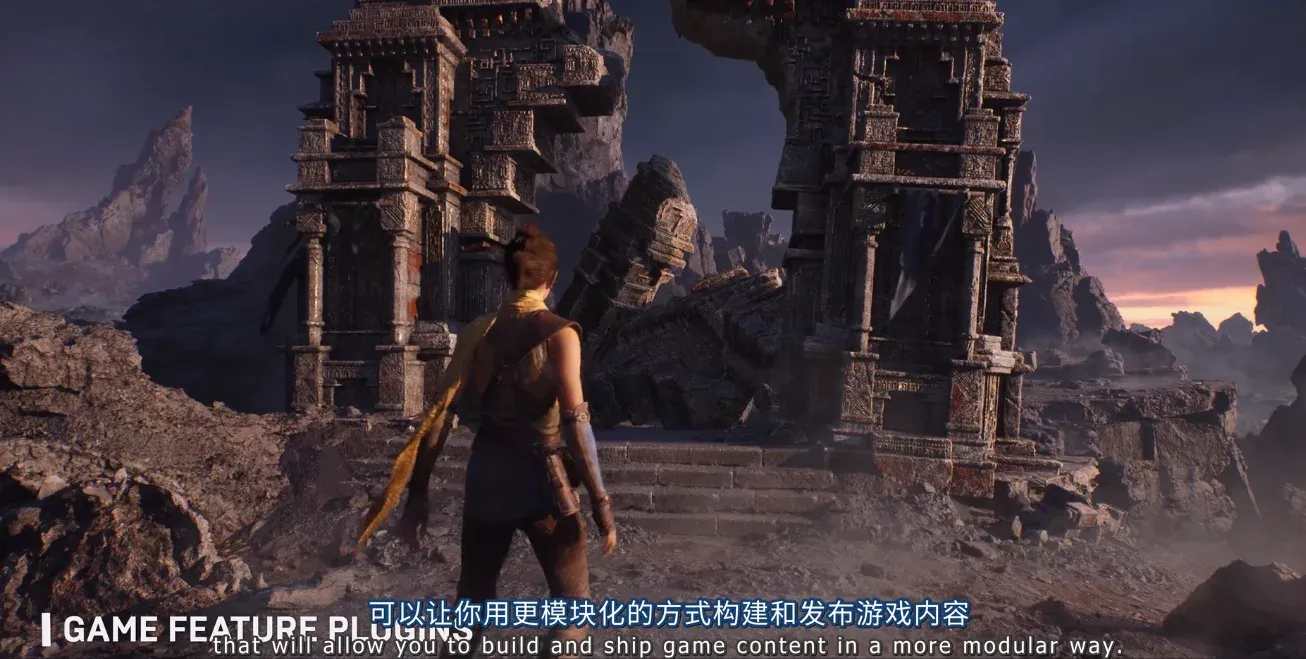
Z's Blog
The preview video for UE5 introduces a modular development mechanism for GamePlay, similar to mod-style development and management of game features and resources, referred to as “Game Feature”. This h
 timid quiver
hey all - would you know why my primaryassetlables arent working in ue5.1
they work on 4.27 and i have the exact same settings


yes i have pak chunking enabled
mild crest
lost raft
Unfortunately, not really. I managed to do a .pak with the plugin content via Pr...
Thank you so much! This link looks very interesting.
In my case, I only needed to support adding additional content, so I handled it using a content-only plugin and created the .pak files separately via the Project Launcher. When packaging the base game, I deactivate all "DLC" plugins, and I added code to check for additional .pak files and update the AssetRegistry with their new paths.
I initially tried using GameFeatures but couldn’t get it to work, though I believe it’s the more appropriate approach for this use case. I’ll definitely explore the link you shared and see if it can help refine the process for future projects.
Cheers!
lost raft
mild crest
Thank you so much! This link looks very interesting.
In my case, I only needed ...
Share if You succeed ^^
 rigid forum
Hi, I’m trying to create an Android build to publish. My game is 2GB, but when I generate an AAB file, it’s only 106 MB. I know I need to use Google Asset Delivery and have assigned Chunk IDs to all my maps, but the AAB size still remains 106 MB. What am I missing or doing wrong?
any idea
summer dock
rigid forum
Hi, I’m trying to create an Android build to publish. My game is 2GB, but when I...
This has been gone over several times recently in #mobile area, please try to look through the recent posts referencing GooglePAD
rigid forum
summer dock
This has been gone over several times recently in <#221799368884355072> area, pl...
ill check thank you
 zealous meadow
Hi, from yesterday i'm unable to pack my project on Windows. I'm not sure why - there is unknown error in my log but i read all lines and i think i clicked something.
I saw on my log that i have Visual Studio 2022 v14.42.34435 and prefered one is 14.38.33130 and i have no clue how to get it downgraged - all i find on microsoft website are v17 and i already reinstaled it ones using some guide on YT but it's not working. Any clue where to start?
winged moss
zealous meadow
Hi, from yesterday i'm unable to pack my project on Windows. I'm not sure why - ...
you don't downgrade it, you install that toolchain version from individual components
secondly, there probably is another errors in there, but I guess we'll never know without the log
zealous meadow
winged moss
you don't downgrade it, you install that toolchain version from individual compo...
@winged moss well, then i have to look up how to instal toolchain 🙂 i attach log i hope you'll find something to fix there
zealous meadow
winged moss
you don't downgrade it, you install that toolchain version from individual compo...
@winged moss and i did try to pack it on mac (i run this project on mac for 2. time) and there is an error as well
winged moss
zealous meadow
<@166299757151649793> well, then i have to look up how to instal toolchain 🙂 i ...
you have a lot of compiler errors that are likely fixed by installing the 14.38 toolchain
zealous meadow
okey
zealous meadow
winged moss
you have a lot of compiler errors that are likely fixed by installing the 14.38 ...
WOW! Thanks man, huge help. I'm trying to pack it on mac though and had some problem with AutomationTool im dealing now
LogPlayLevel: Error: UAT: RunUAT ERROR: AutomationTool was unable to run successfully. Exited with code: 202
PackagingResults: Error: Uruchomienie nieudane. Unknown Error
summer dock
zealous meadow
WOW! Thanks man, huge help. I'm trying to pack it on mac though and had some pro...
Finding the Error in Packaging Logs : First Steps
- Open the log in a proper text editor like notepad++ or equivalent.
- Ctrl+F find "error", Find All in Current Document.
- Observe results for clues.
- If you don't find an error, look at the last page or two of logs for where the process is stopping.
winged moss
Though the Mac one is a bit more subtle, since it looks like a code signing step failed
but I couldn't tell ya about fixing that one, don't develop for Mac currently
zealous meadow
summer dock
Finding the Error in Packaging Logs : First Steps
* Open the log in a proper tex...
yes sure, i just try to understand them. Its first time im packaging on mac - i cannot even launch it inside the UE5 because of AutomationTool. I logged in to xCode with my AppleID so for development this should be enough or should i do something more? @summer dock main problem i though it's this AutomationTool, isn't?
winged moss
UATHelper: Pakowanie (Mac): ** BUILD FAILED **
UATHelper: Pakowanie (Mac): The following build commands failed:
UATHelper: Pakowanie (Mac):    CodeSign /Volumes/up-ssd-1tb/Testowyv5.4/Binaries/Mac/Testowy.app (in target 'Testowy' from project 'Testowy (Mac)')
UATHelper: Pakowanie (Mac): Building workspace Testowy_Mac_Testowy with scheme Testowy and configuration Development```you probably have to setup code signing
and that's Apple's requirements for ya
zealous meadow
okey, ill try to do that first then and if it works i will greatful again
 gilded drift
i have a issue packaging my game, im pretty sure it has something to do with shaders but i dont know why or how to fix it. Any suggestions?
summer dock
gilded drift
i have a issue packaging my game, im pretty sure it has something to do with sha...
If you look at the whole log, do you have
- certain assets that may be causing it
- out of memory warnings
I would sanity check by attempting to package a template project to make sure your general setup is clean. Then return to issues possibly specific to your assets / project.
 haughty depot
Hey guys, I have a question about DLC. I'm looking for a way to add DLC to an application without having to repackage and redistribute the main application. I've tried GameFeature plugin as DLC using the Project Launcher to setup main app and DLC profiles, but i can't get the main app to recognize GameFeature pak files that it doesn't know about when it was packaged
haughty depot
googling about ue5 mods returns some different results, i found the repo for UGC plugin but it's ue4, is there a more modern approach? or is that what everyone is currently working from?
 acoustic monolith
We've got some weird stuff on our packaged project. It packages fine but runs into a fatal error launching.
If we remove the D3D12 folder from binaries of the project however, the fatal error is no more and we can launch it... Ideas?
silver cedar
haughty depot
googling about ue5 mods returns some different results, i found the repo for UGC...
It should work with 5
haughty depot
silver cedar
It should work with 5
is it the current solution? it requires custom editor build, would like to avoid if any of the other features can accommodate the goal
gilded drift
summer dock
If you look at the whole log, do you have
* certain assets that may be causing ...
I get out of memory errors
But that's about it
I'll try packaging a new project to see what happens there though
 tiny glade
someone please help me figure out wtf this means

here's the log
i need urgent help, i need to package this build and send it in as an application to a university
please if there's anyone willing to help
summer dock
gilded drift
I get out of memory errors
Out of memory is bad : (
You might need to upgrade your rig
tiny glade
i force updated the SDK and it's still doing it
summer dock
tiny glade
please if there's anyone willing to help
here are your errors
    Line 70: C:\UE_5.3\Engine\Plugins\Marketplace\UltimateLevelArtTool\Source\ObjectDistribution\ObjectDistribution.Build.cs(6,14): error CS0101: The namespace '<global namespace>' already contains a definition for 'ObjectDistribution'
    Line 71: C:\UE_5.3\Engine\Plugins\Marketplace\UltimateLevelArtTool\Source\MaterialAssignment\MaterialAssignment.Build.cs(8,9): error CS0111: Type 'MaterialAssignment' already defines a member called 'MaterialAssignment' with the same parameter types
    Line 72: C:\UE_5.3\Engine\Plugins\Marketplace\UltimateLevelArtTool\Source\ObjectDistribution\ObjectDistribution.Build.cs(8,9): error CS0111: Type 'ObjectDistribution' already defines a member called 'ObjectDistribution' with the same parameter types
    Line 78: C:\Users\marco\Documents\Unreal Projects\Killer_Nostalgia\KillerNostalgia\Plugins\Media\ElectraPlayer\Source\ElectraPlayerRuntime\ElectraPlayerRuntime.Build.cs(57,7): error CS0103: The name 'DirectX' does not exist in the current context
    Line 79: C:\Users\marco\Documents\Unreal Projects\Killer_Nostalgia\KillerNostalgia\Plugins\Media\ElectraCodecs\Source\ElectraDecoders\ElectraDecoders.Build.cs(60,7): error CS0103: The name 'DirectX' does not exist in the current context
Line 80: C:\Users\marco\Documents\Unreal Projects\Killer_Nostalgia\KillerNostalgia\Plugins\Media\ElectraUtil\Source\ElectraSamples\ElectraSamples.Build.cs(49,8): error CS0103: The name 'DirectX' does not exist in the current context```newest log (in case something changed)
tiny glade
summer dock
here are your errors
``` Line 69: C:\UE_5.3\Engine\Plugins\Marketplace\Ultima...
ok, any idea how to fix these?
gilded drift
summer dock
Out of memory is bad : (
You might need to upgrade your rig
But it stops once it gets to shaders, wouldn't that be a shader problem
summer dock
tiny glade
ok, any idea how to fix these?
try searching this discord / google for the generic parts of the errors perhaps. Not sure what's going on with these plugins you are using... I hope you are not in a huge rush, as issues like these usually take a bit of time and patience to sort out
summer dock
gilded drift
But it stops once it gets to shaders, wouldn't that be a shader problem
How much RAM do you have
tiny glade
summer dock
try searching this discord / google for the generic parts of the errors perhaps....
man fuck i am in a rush
summer dock
tiny glade
man fuck i am in a rush
Lesson 1 : package early, package often
Well, we can try. Show the relevant build.cs files
tiny glade
summer dock
Well, we can try. Show the relevant build.cs files
lemme get em
here
i will be forever grateful to you if you manage to figure out what's going wrong here
 fair vault
For the ones that say there's already a definition, do you happen to have the plug-in installed multiple times on accident somehow? Maybe in the marketplace and the project
summer dock
tiny glade
i will be forever grateful to you if you manage to figure out what's going wrong...
Before we dig deeper, let's do a sanity checks
- is it a c++ or just plain blueprint project
- have you tried clearing out intermediate and binaries, then retry packaging
Honestly I see this type of thing around the discord many times but I haven't had to solve it myself
tiny glade
summer dock
Before we dig deeper, let's do a sanity checks
* is it a c++ or just plain bluep...
plain blueprint
and wdym clearing out intermediate and binaries
summer dock
fair vault
For the ones that say there's already a definition, do you happen to have the pl...
This may be good to check : have you got the plugin in both Engine/Plugins/Marketplace and YourProject/Plugins?
tiny glade
summer dock
This may be good to check : have you got the plugin in both Engine/Plugins/Marke...
no i don't
summer dock
tiny glade
and wdym clearing out intermediate and binaries
It is fairly standard procedure to clean out Intermediate and Binaries folders in the root of your project when sanity checking things. They are both completely generated folders, which are totally safe to wipe. ( But not Plugin/Binaries )
tiny glade
summer dock
It is fairly standard procedure to clean out Intermediate and Binaries folders i...
alright so i'll wipe these two?
 summer dock
tiny glade
the electra thing
summer dock
tiny glade
the electra thing
ok, start there. Only have it in one place, preferably maybe same as the others whichever the others are in
Yes, and clean up the duplicate plugin
Hopefully we will advance at least a step in the process
summer dock
Good catch @fair vault
tiny glade
i deleted the electra folders in the project
and kept the ones in UE's folder
note that they're not marketplace ones
so i got no clue how there's duplicates
it failed again
well it's a different looking log.........
summer dock
Here's how to filter for errors:
Open the log in a proper text editor like notepad++ or equivalent.
Ctrl+F find "error", Find All in Current Document.
Observe results for clues.
If you don't find an error, look at the last page or two of logs for where the process is stopping.```It's how I got the short list of just the errors. Very useful.
tiny glade
C:\UE_5.3\Engine\Plugins\Marketplace\UltimateLevelArtTool\Source\MaterialAssignment\MaterialAssignment.Build.cs(6,14): error CS0101: The namespace '<global namespace>' already contains a definition for 'MaterialAssignment'
C:\UE_5.3\Engine\Plugins\Marketplace\UltimateLevelArtTool\Source\ObjectDistribution\ObjectDistribution.Build.cs(6,14): error CS0101: The namespace '<global namespace>' already contains a definition for 'ObjectDistribution'
C:\UE_5.3\Engine\Plugins\Marketplace\UltimateLevelArtTool\Source\MaterialAssignment\MaterialAssignment.Build.cs(8,9): error CS0111: Type 'MaterialAssignment' already defines a member called 'MaterialAssignment' with the same parameter types
C:\UE_5.3\Engine\Plugins\Marketplace\UltimateLevelArtTool\Source\ObjectDistribution\ObjectDistribution.Build.cs(8,9): error CS0111: Type 'ObjectDistribution' already defines a member called 'ObjectDistribution' with the same parameter types
so these are the errors
summer dock
code snippet
for the win : )
anyway, let's compare what changed
so yeah, we at least got rid of a couple of the electra errors. Progress
tiny glade
i'm so fucking nervous i should've been more careful to check this stuff beforehand
summer dock
yes you should : )
But keep breathing. What's your schedule, are we talking hours or days
tiny glade
summer dock
yes you should : )
But keep breathing. What's your schedule, are we talking hour...
we're talking like an hour
summer dock
ay ay
I would strongly consider politely asking for a small extension, show that you have project working on editor with a video or something and explain that you are consulting the packaging issue with peers
gilded drift
summer dock
How much RAM do you have
16 gigs
tiny glade
summer dock
I would strongly consider politely asking for a small extension, show that you h...
i'm afraid i cannot do such a thing
summer dock
gilded drift
16 gigs
should be enough unless you are doing something crazy
tiny glade
it's a strict deadline
if you really think that this cannot be fixed within a short timeframe then.........i can send in the application without the project since it's a text based application
but linking the project would've strengthened my case is all
summer dock
tiny glade
if you really think that this cannot be fixed within a short timeframe then........
That is good. I would now first and foremost make sure that your application is ready to roll out in all other ways in that case
This part being essentially bonus
tiny glade
summer dock
That is good. I would now first and foremost make sure that your application is ...
yeah i've worked on it yesterday and today
tiny glade
summer dock
This part being essentially bonus
yeah that's exactly what it is, it's bonus
it's just that i guess i have a feeling that showing that i've worked with this stuff before would be helpful but obviously this is a very good example i've got a lot to learn
summer dock
I will be out for a bit. Google / search for the error string a bit, I will be back in 10
Or maybe somebody else pops in and has ideas
tiny glade
or i might just send it
gilded drift
summer dock
should be enough unless you are doing something crazy
i doubt it, im just trying to package the game should i send my entire log to see if theres anything wrong with it
summer dock
tiny glade
or i might just send it
if a short video can be added and might be useful, I would consider taking a quick grab with ShareX or similar
summer dock
gilded drift
i doubt it, im just trying to package the game should i send my entire log to se...
yeah, can take a peek
fair vault
I mean its pretty simple, that error meants its being used more than once. unless you have another plugin that uses the same exact names for its objects/functions, youve got that plugin or parts of it duplicated
beyond that theres a few more errors, looks like tons of random stuff got randomly randomed since its complaining theres engine plugins inside of your project plugins folder as well...
tiny glade
summer dock
if a short video can be added and might be useful, I would consider taking a qui...
nah it was between a vid or an essay
i picked essay
gilded drift
summer dock
yeah, can take a peek
fair vault
@gilded driftthere are hundreds, if not thousands of errors. youve got a ton to fix. its all in the log. files deleted, things moved, stuff just changed and not saved correctly
summer dock
about 500 warnings and 200 errors to be precise : E
I would suggest starting by sanity checking : build a blank template project. Assuming that works, you can consider basically attempting to rebuild the project piece by piece, packaging every now and then to confirm you haven't got a huge mess
gilded drift
they dont appear as errors in the editor
summer dock
gilded drift
they dont appear as errors in the editor
Whatever the case may be, you need to step back and reassemble. I doubt if there's any one magic bullet here
silver cedar
gilded drift
they dont appear as errors in the editor
If they're warnings
 gilded drift
yuh, i have been actually trying to get rid of alot of that stuff though
and so far ive been pretty succesful
but pretty much no changes to the shaders thing
i have found out however is that pretty much all the shaders that cause memory issues come from a asset pack i have
 open rapids
Hi I made a packaged version of my game and it runs perfect in the Debug game editor/editor however when i first run the game on packaged im greeted with this really wierd white screen, im not getting errors but i have no idea whats going on. in the editor it loads the scene/worldmap, ive had it where it doesnt load a scene before cause it wasnt baked but it in that case it should be black, not white

This is what it looks like in editor

 tidal widget
hello friends, i am getting an error when packaging my game! here is the error: Fatal error: [File:D:\build\++UE5\Sync\Engine\Source\Runtime\CoreUObject\Private\Misc\PackageName.cpp] [Line: 924] FilenameToLongPackageName failed to convert ''. The Result would be indistinguishable from using '' as the InFilename.
fixes ive tried is moving the project directory right to the root of my c drive, ive added my maps to list of maps in packaged build, and ive added if (InFilename.IsEmpty()) { return "\n"; } to PackageName.cpp although i dont know how to build this file because this extra line should mean the error line should not be 925 instead of 924
would appreciate any help!
 hallow stratus
anyone know how to solve this?
 winged moss
hallow stratus
anyone know how to solve this?
winged moss
hallow stratus
anyone know how to solve this?
Install the VS toolchain relevant to your engine version. 5.4 uses 14.38
You install it from the individual components in the VS installer
 hard thistle
anyone know any information about this error? The packaging process immediately failed.
PackagingResults: Error: Unknown Error
LogAudioMixer: Warning: Decoder Error, stopping source [CompileFailed]
 hard thistle
anyone know any information about this error? The packaging process immediately...
hard thistle
hard thistle
anyone know any information about this error? The packaging process immediately...
This could be the error?
 summer dock
hard thistle
This could be the error?
summer dock
hard thistle
This could be the error?
yeah, that certainly looks bad. Also which visual studio version are you on
 vital palm
Hey Guys is their any solution for this issue ???
hard thistle
summer dock
yeah, that certainly looks bad. Also which visual studio version are you on
2022 I have reinstalled the newest visual studio as well, incorporated most of its features (game c++ etc)
hard thistle
summer dock
yeah, that certainly looks bad. Also which visual studio version are you on
Here is the output log file.
hard thistle
hard thistle
Here is the output log file.
I got it fixed by upgrading ue from 5.1 to 5.5
 stone lance
1st time packaging I didn't get any errors. The game played normally. Then I added "nanite=0" in all the level at Beginplay. Packaged and got this error.

Later I removed the "nanite=0" from leveel BP. and added it in the defaultengine.ini . Rebuilt it but still getting the error.
ok, removed "nanite=0" from defaultengine.ini and rebuilt it. Same error.
UE 5.5.1
Solution - https://forums.unrealengine.com/t/shipping-build-crashes-with-dx12-and-raytracing-enabled/2134567/27

Epic Developer Community Forums
I had turned on megalights and started getting this problem. Disabling megalights in the Project Settings and unchecking the megalights box in the individual lights in the scene didn’t completely disable it. What seemed to fix it for me was adding “r.MegaLights.Allowed=0” to the DefaultEngine.ini.
 limpid flume
hello

anyone have an idea what is happening here
im trying to package my game it keep giving me that error
timid quiver
not very helpful when no logs are provided
 nova gale

 winter zinc
hello, i tried packaging my smallish project and after 45 minutes gave up, this is the log?
could someone please point me to how to fix
i have an rtx 3050 and i5 8th gen with 16gb of ram so im not sure if my pc is the issue
 toxic crystal
Can somebody guide me on dedicated server security groups in AWS?
I (think) I setup my EC2 to open UDP 7777, but I still can't connect from local. Is there a different default port that I should be using?
 rare relic
toxic crystal
Can somebody guide me on dedicated server security groups in AWS?
I (think) I s...
rare relic
toxic crystal
Can somebody guide me on dedicated server security groups in AWS?
I (think) I s...
Which online subsystem are you using?
Steam requires 27015 to be open too
toxic crystal
rare relic
Which online subsystem are you using?
Steam requires 27015 to be open too
No subsystem, just a vanilla dedicated with a hard IP join for testing.
Looks like my EC2 was fine, but I had to remove the :7777 from my open command. If I use the IP without the port, it appears to connect.
 woeful gyro
Hi. This issue with DX error appears in my project only when using Megalighs :/
toxic crystal
What does "generate project files" actually do. When should I be using it exactly?
summer dock
toxic crystal
What does "generate project files" actually do. When should I be using it exactl...
- to generate the c++ solution files to be able to create custom c++ code
- to regenerate the solution when you have modified function parameters / added / removed functions
winged moss
Why would 2 ever be a cause to regenerate project files?
The solution file isn't even used for packaging btw, the channel subject matter
winter zinc
what the hell is going on

ive searched this issue on this server and every message of someone asking for help with this issue was ignored
is it unsolvable?
i have an rtx 3050 and i5 8th gen
14gb available memory
silver cedar
toxic crystal
What does "generate project files" actually do. When should I be using it exactl...
You can compile plugins for launcher version of UE without source based UE if it was plugin related
 low coral
Hey - im trying to package a freshly created Third Person Template project with FlowGraph plugin integrated like in its simple getting started guide (am on 5.4.4 as well as getting Flow v2.0 for 5.4) , but it isnt letting me start it up via Quick Launch for Windows or cooking a packaged build; some logs are throwing errors and preventing it. Any ideas?
LogPlayLevel: Error: UAT: LogPluginManager: Error: Unable to load plugin 'Flow'. It was requested by Enabled plugins in .uproject for , but it has a dependency that is missing on disk. LogPlayLevel: UAT: The missing dependency is AssetSearch (ReferenceChain: Flow -> AssetSearch). LogPlayLevel: UAT: Aborting. LogPlayLevel: UAT: Looked in these locations for .uplugin files: LogPlayLevel: UAT: PluginsDir: C:/EpicGamesLauncher/UE_Import/CDPR54/Saved/StagedBuilds/Windows/Engine/Plugins LogPlayLevel: UAT: PluginsDir: C:/EpicGamesLauncher/UE_Import/CDPR54/Saved/StagedBuilds/Windows/CDPR54/Plugins LogPlayLevel: UAT: PluginsDir: C:/EpicGamesLauncher/UE_Import/CDPR54/Saved/StagedBuilds/Windows/CDPR54/Mods/ LogPlayLevel: UAT: LogCore: Engine exit requested (reason: EngineExit() was called) LogPlayLevel: UAT: LogExit: Preparing to exit. LogPlayLevel: UAT: LogPakFile: Destroying PakPlatformFile LogPlayLevel: UAT: LogExit: Exiting.
Ref: https://github.com/MothCocoon/FlowGraph/wiki/Getting-Started
 scenic coral
When I pack my game, are the assets I don't use deleted or are they also packaged? If they are packaged, how can I detect and clean the ones I don't use?
these are also my packaging settings if needed
Is there an optimized packaging setting or something like that
 placid zealot
scenic coral
When I pack my game, are the assets I don't use deleted or are they also package...
placid zealot
scenic coral
When I pack my game, are the assets I don't use deleted or are they also package...
You have DirectoriesToAlwaysCook=(Path="/Game") which cooks your whole game, regardless if you use assets or not in the /Game folder.
 hasty palm
mine keeps getting stuck here
 plain canopy
hey so i finally got my game to build however the file doesn't launch in the executable. I can put a link here to my drive if need be but when clicking the programe it just doesnt open. Any documentation or relative videos would be useful, it is a shipping build if that matters.
 tribal hazel
Does anyone know how I could change the list of packaged maps depending on.. anything? a preprocessor macro or a cook or UBT argument or anything really. The idea here is that I need to cook a different map list for a demo vs the full game.
hasty palm
does anyone know why?
placid zealot
tribal hazel
Does anyone know how I could change the list of packaged maps depending on.. any...
Have two different scripts that run RunUAT.bat BuildCookRun with different maps to cook.
 woeful relic
Where can I find the scalability settings for packages? For some reason my package is not running at 100% resolution
 surreal sail
Maybe it's my laptop resolution that's making things big i don't know but anyways, quest system not working, player is invisible and interaction not working and piece of the tavern broke off and end up on floor somehow with package build but in editor it works just fine. 🤔
 gaunt saffron
Hi can you help me pls, I tried everything and I don't understand, I made a multiplayer game in UE5.4 with the steam appid 480 the first time I built the project and tested the multiplayer with another person, it worked but since then nothing works except the steam overlay, I tried to build in shipping, development but I don't think it changes anything
 blazing parrot
anyone know how to fix this packaging issue ive got?
utomationTool exiting with ExitCode=6 (6)
this happens when I try to package my project
its an unkown error so I dont have much detail
the only thing was about standalone renderer missing, which Ill check in a minute
it says I have to add this flag: PrecompileForTargets = PrecompileTargetsType.Any;
idk where in the class though
(its a engine source code btw)
A. J. Amir — Today at 12:58 PM
yeah that didnt work either
right now Im trying to follow this video:https://www.youtube.com/watch?v=eGj2RS_SdPU&ab_channel=UnrealEngineCHALLENGEOFTHEDAY!

NOTE: in general you'll find a folder with the same name as your project on this path: "C:\yourproject\Intermediate\Build\Win64\yourproject", you have to paste the precompiled build inside this directory
when I was creating this video I was actually creating server build that is why I pasted the pre-compiled build inside the "---Server" folder
...
 blazing parrot
anyone?
fair vault
@blazing parrotposting the full log in here would be more helpful, but it seems to be erroring out on a missing standalonerenderer manifest which is weird
the issue in your screenshot above is not the same as the issue in the video
gaunt saffron
gaunt saffron
Hi can you help me pls, I tried everything and I don't understand, I made a mult...
?
blazing parrot
fair vault
<@484824818219352077>posting the full log in here would be more helpful, but it ...
yeah essentailly it says unknown error
but Ill psot the error in a bit, Im currently downloading the debug module for unreal hopefully that has more detail
fair vault
the unknown error is just packaging failing, the actual error is somewhere else. post the full log or dont
fair vault
also since this is a source build, did you build the entire engine? and how are you packaging the build, using package from the platforms menu or using the other method?
blazing parrot
I just package using this:
 fair vault
yep that should be fine
blazing parrot
Ive also tried the project launcher, that doenst work either
fair vault
project launcher is more likely to fail over just this
since its complaining about a missing compiled object as well, I would take the time to see if its actually missing from the compile
fair vault
yeah im wondering if this is a plugin or something else enabled in this project causing it to not compile
blazing parrot
I also dont know where to get that file from, I tried verifying the engine but the file still doesnt exist
well the project doesnt even work without alsv4 refactored plugin
and Ive tested all the other ones like rider
also packaging alsv4 by itself worked as well

using this
fair vault
yep hard to say with just that part of the package log. you can try editing the build.cs file like it suggest and recompile the editor
blazing parrot
i did , unfortanantly that didnt work either
well, thanks for the help man, hopefully I find a fix!
also just posting this for reference, but not even ue5.4 has that file :
 fair vault
the issue is this shouldnt be trying to be compiled, which makes me think you have another module/plugin enabled that is for editor only trying to be packaged
fair vault
is this a c++ project?
blazing parrot
yes
fair vault
in your packaging settings, do you have include crash reporter checked?
blazing parrot
now I do, I didnt before
fair vault
no i was hoping it was unchecked
im looking at all modules/plugins that include the StandaloneRenderer and that was one
fair vault
I could see if the crash reporter was not compiled it would try and compile it. yep thats not it then
you can try pasting your .uproject and your projects .build.cs file
something is trying to do something it shouldnt be
fair vault
try disabling the modeling tools editor mode plugin and restarting it and trying again, just for an easy test. for some reason your uproject doesnt have it flagged as editor only
i doubt its the cause, but your .uproject is weird
fair vault
crashes or has the same error about the missing standalonerenderer?
blazing parrot
one sec
same error
with sandalonerenderer
if a plugin uproject says 5.3.0 and Im using 5.3.2 , could that be the cause?
fair vault
it shouldnt no, at the worst it wouldnt compile
yep something is just weird with this one, I am out of ideas. I would try disabling plugins in the .uproject and your build.cs and see if you can see what might be causing an issue. Might be some old files too for some reason in your folder from building like intermediate but not likely. disable anything you might not need beyong I guess ALS and see what happens.
I would start with datasmith in your build.cs
blazing parrot
for sure!
blazing parrot
ok datasmith mightve been the issue
blazing parrot
update: I fixed that issue, seems like datasmith was causing it
but it still doesnt run on windows
scenic coral
when I start my game standalone in the editor the steam overlay comes up and it connects to steam but not when I pack it. can anyone help. I created steam_appid.txt and thats my defaultengine.ini
+NetDriverDefinitions=(DefName="GameNetDriver",DriverClassName="OnlineSubsystemSteam.SteamNetDriver",DriverClassNameFallback="OnlineSubsystemUtils.IpNetDriver")

[OnlineSubsystem]
DefaultPlatformService=Steam
bHasVoiceEnabled=true

[Voice]
bEnabled=true

[OnlineSubsystemSteam]
bEnabled=true
SteamDevAppId=480

[/Script/OnlineSubsystemSteam.SteamNetDriver]
NetConnectionClassName=OnlineSubsystemSteam.SteamNetConnection
ok new error:
:InitRHI got platform SF_VULKAN_SM6 but it is not compatible with PCD3D_SM6
blazing parrot
hasty palm
While packaging in Un 5, does anyone know why mine keeps getting stuck and repeatedly outputting "LogDerivedDataCache" messages?(this was taken early, but it never stops, it prints it like one every 30 ish minutes fororver)

 blazing parrot
fixed it 😄
 queen hedge
Ive never been able to package a project before. does anyone have resources that can help me set everything up correctly? I dont know how to fix the errors i am getting
 thorny lintel
hasty palm
While packaging in Un 5, does anyone know why mine keeps getting stuck and repea...
thorny lintel
hasty palm
While packaging in Un 5, does anyone know why mine keeps getting stuck and repea...
Reddit
Explore this post and more from the unrealengine community
Seems like you need to kill your shader cache
summer dock
queen hedge
Ive never been able to package a project before. does anyone have resources that...
) start by test packaging a blank or template project to sanity check your basic pipeline setup is in order
) once that's sorted, you can start looking at your packaging logs for "error" lines to get clues on what is going wrong
plain canopy
packaging had no errors or issues but the creaded game executable doesnt open the game. Does anyone have any guesses as to why?
plain canopy
i should state that i have done the above
 torpid star
Does anybody have an idea how to get a debug message from the shipping version?
I tried to use "bUseLoggingInShipping = true;" at the target.cs file on my project. It does not work well tho
 hearty wasp
I added a map in the packaged map list in project settings and it does indeed package all the maps for the client just fine. HOWEVER. When I package for linux I only see the default map being packaged and not the second map that I added in that list. Where are we supposed to add maps to package for linux server then?
I checked by simply searching the packaging log for the server for map name. Found one but not the other.
 tender stirrup
Hi there, anyone packaged successfully a project on ue5.5.1 for android?
summer dock
tender stirrup
Hi there, anyone packaged successfully a project on ue5.5.1 for android?
don't cross post, stick to mobile channel
placid zealot
What options do I have to have it so I package my game with SM5 and work within the editor with SM6 (for GPU Lightmass)? Automate a process that changes the project settings before packaging?
rigid forum
I am getting these errors while packging but i have no issue in BP and its working fine in editor. any idea

i try
- refresh
- delete binaries other temp folders
summer dock
rigid forum
i try
1. refresh
2. delete binaries other temp folders
Close Unreal
Delete Intermediate folder
Open Unreal
Sanity check:
You have opened up that specific blueprint and compiled it in editor successfully
You might try refreshing affected nodes ( r-click, refresh )
 harsh pike
Hello, I am attempting some automation with RunUAT.bat on a source build of the engine.
I'd like to clean some folders (Intermediate, Binaries, ...) etc of the game before building it, but this has the effect of requiring to compile a lot of engine modules such as "AudioAnalyzer", "ControlRig" etc, making the build process take 6x longer. If I use the engine installed from the Epic Games Launcher I do not have this problem, since it seems to use the engine modules from there.
Is there any way to make the source build of the engine use its own engine modules, rather than having to compile them specifically for the game itself? Or perhaps some better approach
summer dock
harsh pike
Hello, I am attempting some automation with RunUAT.bat on a source build of the ...
Yeah, we have the same situation. I have just figured 'live with it', since they are on a jenkins autobuilder, it doesn't really matter to us since most of our source changes are very mobile specific. So if we need fast iteration, we do builds with the faster store engine ( for which I have a separate ready jenkins job )
harsh pike
summer dock
Yeah, we have the same situation. I have just figured 'live with it', since they...
I see yea, "glad" that I am not the only one with the issue, but definitely annoying nonetheless. guess just gotta live with it yep and then hope for the future it'll get better
what do you mean by "store engine" btw? just to be sure
summer dock
harsh pike
what do you mean by "store engine" btw? just to be sure
the one from epic installer. "launcher" or "rocket" maybe the correct term?
summer dock
harsh pike
I see yea, "glad" that I am not the only one with the issue, but definitely anno...
Apropos, I have asked around a bit about this before. Regarding Game cpp changes : "you shouldn't need to manually clean binaries or intermediates to get your code changes to apply" is the answer I seem to be getting from several places, but to my experience every time somebody fiddles with the c++ stuff, like adds new functions or changes parameters, everything breaks unless we regen solution -> new intermediate
Maybe there is something funky with our runUAT...
winged moss
harsh pike
Hello, I am attempting some automation with RunUAT.bat on a source build of the ...
Tbh this manual deletion step seems a bit of a waste of time. Although I'd recommend doing a clean build for shipping (IE it ends up in customer's hands)
A source build is a unique build environment
So this behaviour is expected
harsh pike
summer dock
the one from epic installer. "launcher" or "rocket" maybe the correct term?
ah okay
harsh pike
summer dock
Apropos, I have asked around a bit about this before. Regarding Game cpp changes...
yea that has kinda been my experience as well, that while it can work say 95% of the time without cleaning, I just know cleaning + rebuilding works 100% of the time
I'm just used to CI where a clean build is also performed, e.g. under Docker or so
harsh pike
winged moss
Tbh this manual deletion step seems a bit of a waste of time. Although I'd recom...
I think it may be the best compromise yep
could try look more into RunUAT's commands but docs are not the easiest to go by lol
summer dock
harsh pike
could try look more into RunUAT's commands but docs are not the easiest to go by...
theres a nice doc pinned, worth checking out
 delicate crane
Not sure if anyone can help here. I have successfully upgraded from 5.3 to 5.5 . Creating package builds are successful no problems there. However, when launching the package build (shipping, Developer and DebugGame) it always crashes on launch with a Fatal Error! message. I was curious if anyone have had this related issue or anyone can identify why this is occuring?
rigid forum
summer dock
Close Unreal
Delete Intermediate folder
Open Unreal
Sanity check:
You have open...
yes , I already did all of this
summer dock
delicate crane
Not sure if anyone can help here. I have successfully upgraded from 5.3 to 5.5 ....
Maybe this:
[2025.01.10-03.33.51:103][ 0]LogUObjectGlobals: Error: CDO Constructor (DungeonMinimapBase): Failed to find /DungeonArchitect/Core/Runtime/Assets/Materials/MiniMap/Textures/FogOfWarMask
summer dock
delicate crane
Not sure if anyone can help here. I have successfully upgraded from 5.3 to 5.5 ....
If that doesn't help, search the disco for "LinkerLoad", others have sometimes simlar issues I think
 drifting shoal
 delicate crane
summer dock
If that doesn't help, search the disco for "LinkerLoad", others have sometimes s...
delicate crane
summer dock
If that doesn't help, search the disco for "LinkerLoad", others have sometimes s...
Thank you for the responses!! I'll take a look at these and see if I can find a resolution. I'll update to confirm either way. Otherwise it'll be fine if I'm on 5.3. 🙇
 dull phoenix
How can i keep console cmd in shipping packagr build
 undone turret
dull phoenix
How can i keep console cmd in shipping packagr build
undone turret
dull phoenix
How can i keep console cmd in shipping packagr build

but as a real anwser this is what I do if i need a console

 lime cosmos
hey folks
is there a way to prevent showing video file in movie folder after packaging unreal game?
i tried excluding movies when staging and adding the movie folder to Additional Non-Asset Directory to Package yet the movies dont play and its just a black screen when i test it
also i use .pak files as well
delicate crane
summer dock
If that doesn't help, search the disco for "LinkerLoad", others have sometimes s...
Update on the issue. I fixed the constructor CDO issue, but no resolve. However, sifting through Discord, (#packaging message This message here) fixes the issue from @craggy cobalt .
 forest pier
I'm having an issue when I click package (my engine crashes?) Anyone know any fixes for this? I made a build before but now it's not working
 craggy cobalt
delicate crane
Update on the issue. I fixed the constructor CDO issue, but no resolve. However,...
craggy cobalt
delicate crane
Update on the issue. I fixed the constructor CDO issue, but no resolve. However,...
A followup on that issue for others affected, it is tracked as https://issues.unrealengine.com/issue/UE-228884 -- It will be fixed in 5.5.2.
If you experience the stack overflow in linker load when running packaged builds in 5.5 and you have io store enabled, it will be because you have paks disabled, since Io Store has no effect when paks are disabled. Cheers!
 proper yoke
forest pier
I'm having an issue when I click package (my engine crashes?) Anyone know any fi...
proper yoke
forest pier
I'm having an issue when I click package (my engine crashes?) Anyone know any fi...
You need to give more info, like a log printout or crash report.
 carmine salmon
dull phoenix
How can i keep console cmd in shipping packagr build
carmine salmon
dull phoenix
How can i keep console cmd in shipping packagr build
Could do ALLOW CONSOLE IN SHIPPING=1
 harsh pike
@summer dock think I found a solution for the packaging issue btw. you want to create what's called an "Installed Build", aka pretty much the engine that Epic Games ships with their launcher. Source on making an installed build that can be found here: https://dev.epicgames.com/documentation/en-us/unreal-engine/create-an-installed-build-of-unreal-engine
Protip: you need the Debugging Tools despite being on Windows 11, I'm on Win 11 24H2.
I've tested that and it works quite well the way I'd like it to "be", so having one install for dev (aka epic games ver), and one for CI, and can fully clean the project on each build (such that the installed build is not cleaned). I have to adjust my CI to it tho and go over it, but I've tested manually for now, will let you know if anything screws up on the CI ver. You'll know if you succeeded btw if you can select a "binary build" in the engine selector on your .uproject file.
It does make sense however why it'd build so many files on source build, since theoretically I could be modifying the engine files (despite me not doing it but oh well). I guess it's just the approach Epic Games decided to take, explicitly separating source build from binary build.

Epic Games Developer
Create pre-packaged binaries for Unreal Editor that you can distribute to your team.
I do run CI on my own PC btw since it's strong enough for that
summer dock
harsh pike
<@127136722419974144> think I found a solution for the packaging issue btw. you ...
Interesting, thank you
dull phoenix
carmine salmon
Could do `ALLOW CONSOLE IN SHIPPING=1`
Thanks
 small crypt
I'm suddenly having this error when packaging a project:
"Error: Asset manager settings do not include a rule for assets of type GameFeatureData, which is required for game feature plugins to function"
And it fails to compile. No big changes where made ion the project, just an update on a couple of simple blueprints. No changes on Projects Settings or any INI file...any ideas?
Thanks in advance!
 proven stone
small crypt
I'm suddenly having this error when packaging a project:
"Error: Asset manager...
proven stone
small crypt
I'm suddenly having this error when packaging a project:
"Error: Asset manager...
Double check if you have GameFeatureData entry in the Asset Manager settings... Project Settings -> Asset Manager (under game section)... like this

it sohuldn't just disapear on it's own, but the error is quite clear
Either way... now it's my time to ask:
01:22:58    Fatal error: [File:.\Runtime/Core/Private/Internationalization/ICUInternationalization.cpp] [Line: 156]
01:22:58    ICU data directory was not discovered:
01:22:58    ../../../matcho/Content/Internationalization
01:22:58    ../../../engine/Content/Internationalization
Anyone have any pointers or solutions to this...:
- ICU folder exists in Engine/Content/Internationalization
- It works when packed for windows
- It doesn't work when packaged (or ran within editor using zen store) on PS5
- When packaged for PS5 the
Manifest_UFSFiles_PS5.txtcontains about 3.5k references starting withEngine/Content/Internationalization - When I dumped the pak files the files are there
- Currently using UE 5.5.1 - it worked in UE 5.4
So I'm kinda stumped about it...
small crypt
proven stone
Double check if you have GameFeatureData entry in the Asset Manager settings... ...
I have no idea that plugin was enabled, We never used it, anyways, already disabled it and is compiling just fine. Thanks
proven stone
proven stone
Either way... now it's my time to ask:
```
01:22:58 Fatal error: [File:.\Runt...
Update, figured it out, not sure why it only manifested on PS5... but notes taken, never use stringtable access in static const variables outside a class (we use string table based localization - not my call) ... so global static constructor was trying to load string table data first thing after initializating the elf... which resulted in ICU trying to initialize...
 molten warren
Hello all! Any help would be appreciated. When I try to open my packaged game (in 5.4.4, Windows 11), I get this error. It seems Vulkan related, but I'm using DX12. I used Vulkan at one time, because there was a shader compiler issue in 5.3. Everything works fine in Editor. Here is the error:
LowLevelFatalError [File:D:\build++UE5\Sync\Engine\Source\Runtime\VulkanRHI\Private\VulkanUtil.cpp] [Line: 1137]
Result failed, VkResult=-4
at D:\build++UE5\Sync\Engine\Source\Runtime\VulkanRHI\Private\VulkanMemory.cpp:4699
with error VK_ERROR_DEVICE_LOST
 short temple
hi !
 little cloak
Why does packaging fail, but work eventually if I keep trying? I go from Cook to Package until it works.
winged moss
Well what are the errors when it does error?
 torpid anchor
can someone help me trouble shoot PackagingResults: Error: Unknown Error pls idk what to do
this is the out put doc:https://docs.google.com/document/d/1E2XC9zaMPcUyRerd7QiX0SVWgKEooYFh0CikOb2Uepo/edit?usp=sharing
summer dock
torpid anchor
this is the out put doc:https://docs.google.com/document/d/1E2XC9zaMPcUyRerd7QiX...
Open the log in a good text editor like Notepad++.
Find,  "error", "Find all in document" to get a list of all errors.

Usually the first hit will be what you need to focus on.```-project=F:/ Project is just a drive root??? I think that may be a problem
summer dock
torpid anchor
this is the out put doc:https://docs.google.com/document/d/1E2XC9zaMPcUyRerd7QiX...
Just post the file directly here
torpid anchor
how?
torpid anchor
here are all the errors
LogWindows: Failed to load 'WinPixGpuCapturer.dll' (GetLastError=126)
LogConfig: Set CVar [[r.Shaders.WarningsAsErrors:0 ;; 0: off, 1: global shaders, 2: all]]
LogStreaming: Warning: Failed to read file '../../../Engine/Plugins/Developer/PlasticSourceControl/Resources/Icon128.png' error.
LogStreaming: Warning: Failed to read file '../../../Engine/Platforms/VisionOS/Content/Editor/Slate/Launcher/Platform_VisionOS_24x.png' error.
LogStreaming: Warning: Failed to read file '../../../Engine/Platforms/VisionOS/Content/Editor/Slate/Launcher/Platform_VisionOS_128x.png' error.
LogStreaming: Warning: Failed to read file '../../../Engine/Plugins/Developer/PlasticSourceControl/Resources/Icon128.png' error.
LogStreaming: Warning: Failed to read file '../../../Engine/Platforms/VisionOS/Content/Editor/Slate/Launcher/Platform_VisionOS_24x.png' error.
LogStreaming: Warning: Failed to read file '../../../Engine/Platforms/VisionOS/Content/Editor/Slate/Launcher/Platform_VisionOS_128x.png' error.
LogEOSSDK: Warning: LogEOS: Error response received from backend. ServiceName=[Friend], OperationName=[GetBlockList], Url=[<Redacted>], HttpStatus=[403], ErrorCode=[errors.com.epicgames.common.insufficient_scopes], NumericErrorCode=[1056], ErrorMessage=[Insufficient access scopes. Expected: [friends_list]], CorrId=[EOS-z8w1lkIZLki2haRo-aGk2A-T8ilp0_u-UmZ9a8Ugynp_Q]
PackagingResults: Error: Unknown Error
PackagingResults: Error: Unknown Error
torpid anchor
do these warning/error mean anything when i tryed to quick launch it?
LogStreaming: Warning: Failed to read file '../../../Engine/Plugins/Developer/PlasticSourceControl/Resources/Icon128.png' error.
LogStreaming: Warning: Failed to read file '../../../Engine/Platforms/VisionOS/Content/Editor/Slate/Launcher/Platform_VisionOS_24x.png' error.
LogStreaming: Warning: Failed to read file '../../../Engine/Platforms/VisionOS/Content/Editor/Slate/Launcher/Platform_VisionOS_128x.png' error.
LogStreaming: Warning: Failed to read file '../../../Engine/Plugins/Developer/PlasticSourceControl/Resources/Icon128.png' error.
LogStreaming: Warning: Failed to read file '../../../Engine/Platforms/VisionOS/Content/Editor/Slate/Launcher/Platform_VisionOS_24x.png' error.
LogStreaming: Warning: Failed to read file '../../../Engine/Platforms/VisionOS/Content/Editor/Slate/Launcher/Platform_VisionOS_128x.png' error.
LogEOSSDK: Warning: LogEOS: Error response received from backend. ServiceName=[Friend], OperationName=[GetBlockList], Url=[<Redacted>], HttpStatus=[403], ErrorCode=[errors.com.epicgames.common.insufficient_scopes], NumericErrorCode=[1056], ErrorMessage=[Insufficient access scopes. Expected: [friends_list]], CorrId=[EOS-yYl3UM20J0Gkr-s66x_o_Q-1EdRvZVNQEycRj67GGFp3Q]
PackagingResults: Error: Unknown Error
PackagingResults: Warning: [AssetLog] C:\Users\Graceyn\Documents\Unreal Projects\Horror\Content\UI\menugamemode.uasset: Failed to load '/Game/Blueprints/NewPawn': Can't find file.
PackagingResults: Warning: Mesh rock_stacked_01 is recomputing physics on load. It must be resaved before it will cook deterministically. Please resave /Game/NecrosUtilityMatPack/Props/rock_stacked_01.rock_stacked_01.
LogLauncherProfile: Error: Launcher profile 'Launch On Device' for is not valid for launch.
LogLauncherProfile: Error: ValidationError: Shipping doesn't support commandline options and can't use cook on the fly
this is what happens when i tried to package it
pls help
torpid anchor
\
winged moss
Cannot use the editor function "Pause" in this runtime Blueprint. Only for use in Editor Utility Blueprints and Blutilities.
pretty easy error to deal with if you read it
little cloak
So, on 5.4 packaging shipping on
the drop down doesn't work
it is still Development?
I can access the console
little cloak
nvm, it's noted in the docs

Epic Games Developer
An overview of the available Build Operations (cook, package, run, and deploy) for Unreal Engine projects.
short temple
hi there ! Reflection code generated for GAUSSIANXV in 0.8998757 seconds
UATHelper: Packaging (Windows): Total execution time: 11.06 seconds
UATHelper: Packaging (Windows): Missing precompiled manifest for 'GSRuntime', 'D:\UnrealProjectsD\GAUSSIANXV\Plugins\XV3dGS\Intermediate\Build\Win64\UnrealGame\Development\GSRuntime\GSRuntime.precompiled'. This module was most likely not flagged for being included in a precompiled build - set 'PrecompileForTargets = PrecompileTargetsType.Any;' in GSRuntime.build.cs to override. If part of a plugin, also check if its 'Type' is correct.
UATHelper: Packaging (Windows): Took 11,19s to run dotnet.exe, ExitCode=6
UATHelper: Packaging (Windows): UnrealBuildTool failed. See log for more details. (C:\Users\A\AppData\Roaming\Unreal Engine\AutomationTool\Logs\D+5.4+UNREAL+UE_5.4\UBA-GAUSSIANXV-Win64-Development.txt)
UATHelper: Packaging (Windows): AutomationTool executed for 0h 0m 13s
UATHelper: Packaging (Windows): AutomationTool exiting with ExitCode=6 (6)
UATHelper: Packaging (Windows): BUILD FAILED
PackagingResults: Error: Unknown Error
i'm wondering whats going on here
Yo i'm going crazy here 🙂 Could you help ? it's a c++ project with the plugin XV3DGS for gaussian splats
but i can't package the project for some reason
 shadow cliff
Hello! Noob here.
When launching my packaged game for the first time, it takes ages to load. On subsequent launches it's much faster.
Is this because it's compiling shaders on the users pc or something? I thought the packaging process would pre cook whatever it needed to, is this not correct?
torpid anchor
winged moss
pretty easy error to deal with if you read it
i did and i deleted all construct to do with pause and it didnt change
nvm all errors are gone exept for unknown error
torpid anchor
short temple
Yo i'm going crazy here 🙂 Could you help ? it's a c++ project with the plugin X...
same
short temple
hi there how can you make sure to include something in a packaged project ?
winged moss
torpid anchor
nvm all errors are gone exept for unknown error
"unknown error" itself is not an error, you see that at the end if there was an error during the cook
torpid anchor
winged moss
"unknown error" itself is not an error, you see that at the end if there was an ...
Thx I checked and it said visual studio is not correct version but idk bc I’m on the highest version do you know what version for 5.4
winged moss
You install the 14.38 build tools
 timid bough
Hey there, my coworker is currently trying to package a build, but it fails at his PC, I can properly package - we have installed the same build tools, generally the same versions of software. We have the same project content.
When he starts the process there is a warning:
Warning: C:\Workspaces\XXX\XXX.uproject does not list plugin 'GeometryProcessing' as a dependency, but module 'XXX' depends on 'GeometryAlgorithms'.
His error message says:
UATHelper: Packaging (Windows): Creating library C:\Workspaces\XXX\Binaries\Win64\XXXServer.lib and object C:\Workspaces\XXX\Binaries\Win64\XXXServer.exp
UATHelper: Packaging (Windows): Module.GeometryAlgorithms.2.cpp.obj : error LNK2019 unresolved external symbol __std_minmax_element_d referenced in function "struct std::pair<double *,double *> __cdecl std::__std_minmax_element<double>(double * const,double * const)" (??$__std_minmax_element@N@std@@YA?AU?$pair@PEANPEAN@0@QEAN0@Z)
And then:
UATHelper: Packaging (Windows): C:\Workspaces\XXX\Binaries\Win64\XXXServer.exe : fatal error LNK1120: 3 unresolved externals
Generally I understand these Linker errors, some module is not referenced in the build settings or similar. This I don't get - if some module is not properly referenced, then my build should not work either, but it does. The GeometryProcessing plugin is enabled.
Does anyone ever got a similar issue and still knows how it was fixed?
EDIT:
Anyone stumbling across this post: I managed to fix this issue by using compiler version 14.40 instead of the "preferred" version of 14.38 as the log indicates...
proven stone
First of all, make sure you have properly synced source code, because these kinds of errors usually stem from the fact that you make file writable by mistake instead of checking it out and then it doesn't get submitted with changelist (this is for perforce, which I presume you're using based on your root directories)
Second, check that your coworker has the same versions of WinSDK and Visual studio etc... because this is trying to link against C++ STD libraries - which honestly doesn't really sound that right to me because I don't think there is any STD code used within unreal - at least not directly
Ok, some of the libraires in the GeometryAlogirtms indeed od use std, including the std::pair... but since the unresolved external symbols comes from within the std::pair this is still not an unreal engine issue (although I'm quite sure that std::pair and even std::std_minmax_element has been available sinec C++ 11 or C++17 ... so there shouldn't be any issues like that)
Also the warning itself, albeit directly unrelated to the errors is easy to fix, just add into the XXX.uproject a GeometryProcessing into the plugins array, implicitly allowed plugins sometimes cause this warning, since they're enabled, but the plugin isn't in the explicit dependencies
torpid anchor
winged moss
You install the 14.38 build tools
Where do I get that I went on visual studio downloads and couldn’t find it
winged moss
individual components list
torpid anchor
Is that in the installer?
winged moss
yes
torpid anchor
Ok thx
 winged moss
yeah can you screenshot what you installed because it's not going to be the right thing
that is not the correct thing
torpid anchor
oh
winged moss

 tepid hedge
Hello, everyone!
I’m facing a performance issue in my project. In the Editor and Launcher Game, when I use the BP_ARPG_Controller interface to execute inputs (like the Action Bar for abilities, opening the abilities window with the 'K' key, or interacting with NPCs), everything works perfectly without any FPS drops.
However, after packing the project (in Shipping), every time I press an input related to the BP_ARPG_Controller, there’s a significant FPS drop. Interestingly, if other input is related to the BP_ARPG_Character, this doesn’t happen.
Has anyone experienced something similar or knows how I can fix this issue? Any tips or suggestions would be greatly appreciated!
proven stone
I recommend hooking it up to unreal insights and record it happening and then go through the recorded data, because this can be pretty much anything... if it was one time thing I'd say it's related to loading something since in editor things are usually loaded in memory while in game their loaded ad-hoc etc... but since it happends any time, it sounds like some faulty logic where profiling might help.
winged moss
and that description doesn't give much insight into your input implementation either
tepid hedge
As I noticed that this anomaly doesn’t happen with the character but does occur with the controller, I’ve been trying to handle the input within the character and then use a callback to the controller. I know this would solve the problem, but am I implementing the callback incorrectly?

 winged moss
well a cast on its own isn't going to do anything and the "get player controller" node that accepts a player index is redundant on a character since you know the owning controller anyway
but yeah, you really should know how to use unreal insights if you want to diagnose perf issues
also I'm not sure about the cyclic dependency being the best thing to have
tepid hedge
I tried using the event dispatcher, but nothing happened.


 pastel pasture
it doesn't let me package my project, do you understand why?

UATHelper: Packaging (Windows): Unable to instantiate module 'UnrealEd': Unable to instantiate UnrealEd module for non-editor targets.
UATHelper: Packaging (Windows): (referenced via Target -> LicenseGame.Build.cs -> UMGEditor.Build.cs -> SequencerCore.Build.cs -> CurveEditor.Build.cs -> PropertyEditor.Build.cs -> EditorConfig.Build.cs)
where should it be coming from?
This is my build.cs file

Problem solved
pastel pasture
Hi, when I package my game ( shipping ) and launch it, it won't connect to my steam, and my friend list won't be populated with my friends
when trying it in standalone from the editor it works fine, but in packaged version it doesn't, why?
In the first picture it is the way i see it when on the packaged version
2nd picture is when I run as a standalone game

 summer dock
pastel pasture
Hi, when I package my game ( shipping ) and launch it, it won't connect to my st...
summer dock
pastel pasture
Hi, when I package my game ( shipping ) and launch it, it won't connect to my st...
I would be inspecting your logs closely
pastel pasture
🫡
plain canopy
I can successfully package my game but when i go to the location of it and double click the executable nothing happens. Does anyone have any common solutions? I cannot seem to find information for it online.
torpid anchor
plain canopy
I can successfully package my game but when i go to the location of it and doubl...
check the packaged startup map
toxic crystal
What am I missing here?
I'm trying to move my dedicated server over to an EC2 Arm64 instance.
I have rebuilt the server binary to an Arm64, but clients will not connect to the new instance. Clients can connect to my old instance.
I've copied security groups between the two instances and re-associated my Elastic IP to the new Arm64 instance.
When I try to connect to the new server, I see activity in the server logs but the game client will not join the map.
[2025.01.19-17.42.19:073][498]LogNet: NotifyAcceptingConnection accepted from: [MyIP]
[2025.01.19-17.42.20:076][528]LogNet: NotifyAcceptingConnection accepted from: [MyIP]
[2025.01.19-17.42.21:078][558]LogNet: NotifyAcceptingConnection accepted from: [MyIP]
[2025.01.19-17.42.34:211][951]LogNet: NotifyAcceptingConnection accepted aggregation: [MyIP] (17)
[2025.01.19-17.42.35:146][979]LogNet: NotifyAcceptingConnection accepted from: [MyIP]
[2025.01.19-17.42.36:149][ 9]LogNet: NotifyAcceptingConnection accepted from: [MyIP]```From the client logs:
LogNet: Initial Connect Diagnostics: Sent '9' packets in last '10.004229' seconds, no packets received yet.
LogNet: Initial Connect Diagnostics: Sent '10' packets in last '10.000229' seconds, no packets received yet.
LogNet: Initial Connect Diagnostics: Sent '10' packets in last '10.005183' seconds, no packets received yet.
LogNet: Initial Connect Diagnostics: Sent '9' packets in last '10.115070' seconds, no packets received yet.
LogNet: Initial Connect Diagnostics: Sent '9' packets in last '10.001626' seconds, no packets received yet.
LogNet: Initial Connect Diagnostics: Sent '8' packets in last '10.002455' seconds, no packets received yet.```its set correctly to my live main menu. How would i know if something is wrong with it?
 rustic junco
Hi, sorry for dumb question, if my game made on Windows, can i somehow build it for MacOS/Linux?
plain canopy
i havent done that but im told it is very difficult to do on mac
pastel pasture
Okay so i have problmes while packaging my project, and it mostly comes from here:
SessionInterface->OnCreateSessionCompleteDelegates.AddUObject(this, &UGI_OurGameInstance::OnCreateSessionComplete);
so i found out that in here it won't create the session, why is this happening, but in the shipping method it will go further in here, but in development mode it won't?
 cosmic tartan
Note for future developers, having actual HELL with packaging and getting Date mismatch and Failed to copy errors. TURN OFF YOUR VIRUS SCANNER. I just figured this out myself and wish to save others the pain!
plain canopy
if anyone recognizes this error can you assist me with it?
 plain canopy
its set to shipping if that helps
summer dock
plain canopy
its set to shipping if that helps
Seems to me it is asking you to make the project into a c++ project ( can just add a dummy c++ class ) and build from Visual Studio / rider
winged moss
The UnrealGame binary is what would be needed for a BP-only project, odd that it's missing. I wouldn't doubt that it was quarantined by an AV after falsely flagging. But yeah, with a C++ project you're actually compiling the game binary so that's not really going to have this issue.
little cloak
little cloak
https://dev.epicgames.com/documentation/en-us/unreal-engine/build-operations-coo...
nvm the nvm. 5.4.4 still has the console even when packaged with shipping in the quick menu.
little cloak
Is packaging a prank by Epic at my expense? Is Tim giggling in his office thinking of me?
Project launcher shipping builds don't include the dev console, but they do have debug manifest and .pdb files. Why?
winged moss
well you should kinda keep those, just don't upload them to Steam
and that's tied to a project setting
 hollow tusk

Hey all... Hope someone might be able to help.. I'm suddenly getting this any time I try to launch a packaged game?
Not sure why this is suddenly popping up. Happens on a completely blank fresh project, packaged as a shipping build. Any help appreciated.
I've literally changed nothing about my setup, I could package and run my packaged games fine yesterday.
.
I can even ignore the error and play the game, but if I hit 'OK' or 'X' it closes the application.
Will say that my D: drive is a slow drive. Not sure why that's being used at all here? My UE5 install is on C:, the project files are on my C: drive, and the packaged game are also on C:
D: shouldn't be involved at all here 🤔
winged moss
it's not using your D:\ drive, the engine is built on a build farm and that is presumably building with it on D:\
and it's not a particularly useful error other than it being related to raytracing
hollow tusk
Yeah, I can't really understand why it's suddenly popping up. I've changed nothing, Unreal hasn't updated. The projects still package totally fine... It's just when I try to run any of them, it throws me this error now 🤔
And the error didn't exist yesterday.
[I'm using latest version, Unreal 5.5.1, by the way]
Just packaged an empty project and ran in 5.4.4 and it worked fine, no error.
I wonder what differs when it comes to running the damn thing 🤔
Notable update; creating a new project in 5.5.1, packaging and then running the .exe = No problem the FIRST time. It runs fine without any error.
But once I try to launch the game .exe a second time, I get this same error.
Meanwhile with packaged builds in 5.4.4, I do not have any issues with multiple launches.
 covert plank
Can we talk about whats wrong with UE and Interfaces?
I make one change to a struct which is used in an interface and in next packaging all assets with the reference to this interface throw an compile error. All need to be opened by hand and recompiled, Then the next pack of assets is listed on the next attempt of packaging. some appear several times until UE deems it possible to compile.
This is kind of an horrible workflow ... Spend half the day just doing manualy blueprint search and compile
winged moss
that sounds more like structs than interfaces, and BP structs have a history of being spotty at times
 unique merlin
Hey, can I add folders outside of the Projects Content folder in packaging? like ThirdParty/Something/abc.exe? I've just tried and it's not showing the folder in my build
winged moss
if this is for a plugin then it's probably best to use the RuntimeDependencies list in Build.cs
there's also a setting for non-UFS files/directories to copy
unique merlin
It's exe and tried with option "Additional Non-Asset Directories to Copy" but the ThirdParty folder is not present
maybe it should be under Content
undone turret
covert plank
Can we talk about whats wrong with UE and Interfaces?
I make one change to a st...
there's a free plugin that refreshes all blueprints and recompiles it's great for situations like that but it can lag out your system for a second
unique merlin
unique merlin
maybe it should be under Content
it must be under Content. Works with: ThirdParty/Something
winged moss
yeah though I'm not sure why you didn't try the Build.cs way since that's used to stage dlls in the final build
unique merlin
winged moss
yeah though I'm not sure why you didn't try the Build.cs way since that's used t...
next time I'll try Build.cs way
 wooden sleet
Hi, Ghost, assets that have already been deleted are being referenced for packaging. any idea?

 hexed bronze
what #if directive can i use to detect when it's running during packaging? i know there was one but i can't find it even after a search.
winged moss
there isn't an #if directive because that's compile time
the cooker uses the normal editor binaries, launched with UnrealEditor-Cmd
IsRunningCommandlet() will cover most use cases though, which is any commandlet including cook
ah there's also IsRunningCookCommandlet for being even more specific
winged moss
the exe name comes from the target (Target.cs, you can have one to many Game targets), the folder comes from the uproject name
wooden sleet
winged moss
the exe name comes from the target (Target.cs, you can have one to many Game tar...
can tha name contain spaces?
Like: My Game. it would be weird to have a title with an underscore
winged moss
No because it has to be a valid C# class name. I don't know why spaces would be a deal-breaker when users barely see the exe name to begin with
wooden sleet
So my game's name must have a _ instead of spaces
How do big developers get around this? I know that the Steam shortcut can be edited, but the executable in the game folder is different.
winged moss
Or just do it in PascalCase like everyone else
wooden sleet
I could create a single executable file type python and use it as a shortcut to search for and run the game executable above the master folder.
winged moss
Like the exe name is bottom 5 on the list of important things and is only really useful for removing maybe an internal codename
What? Why must you have a space?
wooden sleet
winged moss
Like the exe name is bottom 5 on the list of important things and is only really...
Currently my project is called: game_fix_2, I'll have to change the name anyway, I believed it was possible to change it in the project settings 🤣
wooden sleet
winged moss
What? Why must you have a space?
aesthetics, but it's nothing too important
winged moss
At least you can get your CI to rename the exe at the end, but only applicable to the one in the root directory
little cloak
If anyone does a shipping build with project launcher, please just let me know if you see pdb files in the staging/archive folder.
I tested with 5.4.
winged moss
Is that a problem because ideally you should hang onto those
 jolly nymph
My dedicated server is 1.53 GB 💀 shouldn't it be really low since it's headless?
Client is about 2.43 GB for comparison
Do I have to do anything special in the project settings to make sure stuff doesn't get packaged for dedicated servers?
plain canopy
ok so my game is fine no errors except substrate stuff and it builds. HOWEVER once the files are made the executable doesnt do anything but load for half a second then go away. (swirling blue circle next to curser). anyone have any possible solutions? Its been troubling me for the whole month now.
cai you might need to make sure the different platforms you arnt building for are turned off thats the only suggestion ive found for that so far
winged moss
Well as long as you know your way around a debugger, -waitfordebugger is useful
Other platforms being enabled aren't going to affect builds for a specific platform so I can tell you that much
 vapid depot
How can I package a game with dx11 and dx12 applications in the same folder? I can write a launcher for the user to decide which to launch
winged moss
If it's enabled then it will package both, the command line switch -dx11 and -dx12 can switch it
 dreamy tide
I have a full game and a demo build of my game. The demo includes only 3 maps from the full game which has 15 maps. Whenever I package the demo, I have to remove 12 maps from the packaging list and readd them after. Is there a way to maybe make a packaging preset list for both versions?
 north anvil
winged moss
If it's enabled then it will package both, the command line switch `-dx11` and `...
north anvil
winged moss
If it's enabled then it will package both, the command line switch `-dx11` and `...
dx11/dx12 are handled via ini files now.. at least, i couldn't find any evidence of the command line switch existing a month or so ago .. but yes, older engines (5.2 at least) can take command line
winged moss
north anvil
dx11/dx12 are handled via ini files now.. at least, i couldn't find any evidence...
then what does line 718 in WindowsDynamicRHI.cpp do (5.5)
ChooseForcedRHI function
https://github.com/EpicGames/UnrealEngine/blob/ue5-main/Engine/Source/Runtime/RHI/Private/Windows/WindowsDynamicRHI.cpp#L742 still there in the main branch too
little cloak
winged moss
Is that a problem because ideally you should hang onto those
Not for a shipping build surely? Packaging through the quick menu doesn't generate debug manifest and pdbs.
winged moss
Yes surely for a shipping build, you need to retain it to deal with crash reports from users. The smart thing is to exclude it from your public uploads (like with Steam, you can filter *.pdb from the upload itself)
And it can be useful for internal builds too, we did that at a previous studio
For like RC builds
wooden sleet
Help Localization does not work for eastern languages after the game is packaged.
In the editor's standalone game it works great, but after it's packaged, the language doesn't change if I select Korean, Japanese or Chinese in my menu. The other languages worked perfectly.
 mystic atlas
Have you tried running the game with -log and seeing if it spits out any erors?
wooden sleet
mystic atlas
Have you tried running the game with -log and seeing if it spits out any erors?
I managed to solve it by changing the English internationalization support to ALL in the package settings.
plain canopy
winged moss
Well as long as you know your way around a debugger, -waitfordebugger is useful
Would that help with a packaged game not booting?
winged moss
Well I didn't just mention it for no reason
It will pause execution very early in engine initialisation which allows you to attach a debugger
 woven wren
hey people so do yall know what is causing this zenlocal stuff?

its spamming my whole log all the time
wooden sleet
woven wren
hey people so do yall know what is causing this zenlocal stuff?
are u using incredi build?
woven wren
wooden sleet
are u using incredi build?
Is it like a special ue build? If yes no i am using the default engine from the epic games store
wooden sleet
woven wren
Is it like a special ue build? If yes no i am using the default engine from the ...
Its a third party builder accelerator. But its an empty project?
woven wren
wooden sleet
Its a third party builder accelerator. But its an empty project?
Nah it's my game ive been working on
Wanted to make a small test build so my gang can test it out
wooden sleet
woven wren
Nah it's my game ive been working on
It looks like you're using source control, doesn't it?
woven wren
Yeah I use git but I didn't set it up in like unreal I'm just using it via cli
Should I just remove the .git folder and try again?
winged moss
Absolutely not because it's unlikely to do with that
Zen is DDC, so you can try clearing that
woven wren
okay
wooden sleet
woven wren
hey people so do yall know what is causing this zenlocal stuff?
I don't believe it's full memory, but it could be if access to the path is denied it will return the error anyway, try checking the permissions.
Also, this request shouldn't be in an infinite loop called when an error occurs, it seems that an error on one side makes the other try again in an endless cycle.

 wooden sleet
woven wren
💀
wooden sleet
woven wren
💀
yes, you found the problem 🙂 But I recommend checking your ssource control tructure so that the client and http server don't get into a loop returning and trying again.
woven wren
idk I didnt have like any cpp code at all in my project
wooden sleet
woven wren
idk I didnt have like any cpp code at all in my project
Why does your fortnite uses 64gb? 🤣
woven wren
nah thats just a hard drive with full of random junk
 sleek light
Hey I might need some help I’m trying to build a personal game project at the moment for development and during that time, I updated UE to 5.3.2 via the Epic Games Launcher. nothing seemed to change at first but when trying to package my current project, it said it need Visual Studio 2022. I did that, even uninstalled the 2019 version I had but now it’s saying it’s newer than 2022 which.... no it’s not?
I feel like I’m losing my mind, what exactly do I need to do to remedy this? Is it cuz I'm still on Windows 10? Or that I need to download something specific?


 winged moss
sleek light
Hey I might need some help I’m trying to build a personal game project at the mo...
winged moss
sleek light
Hey I might need some help I’m trying to build a personal game project at the mo...
you don't have the 14.38 build tools installed
which you would do from individual components
actually, it's 5.3
so 14.36
sleek light
winged moss
you don't have the 14.38 build tools installed
Would this suffice?
 winged moss
neither of these
sleek light
What should I be looking for?
 sleek light
Alright got these here, bit annoying that it doesn't tell you you need them by default but eh, is there anything else I need?
 sleek light
winged moss
top tick for 5.3, bottom tick for 5.4/5.5
sleek light
winged moss
top tick for 5.3, bottom tick for 5.4/5.5
Hey it worked! Thanks a bunch!
BTW how'd you know how to fix it just from that? I'd like to know how to search for that in case something goes wrong again
winged moss
I generally just use the built tools and Windows SDK that's specifically mentioned in the release notes. The engine also specifies preferred compiler versions in this file: https://github.com/EpicGames/UnrealEngine/blob/ue5-main/Engine/Config/Windows/Windows_SDK.json
sleek light
Ok thank you!
 dusky notch
i am having this error after build, whats wrong in cooking?

 hazy goblet
Hi, we have this issue, where we migrated our project from 5.3.2 to 5.5 Source Engine, Project opens, package is success, but it crashes when we run the exe with this stack trace, can someone help with this
[2025.01.27-06.22.48:124][  0]LogWindows: Error: [Callstack] 0x00007ff7c83e8fd7 RealVrAi.exe!__chkstk() [D:\a\_work\1\s\src\vctools\crt\vcstartup\src\misc\amd64\chkstk.asm:109]
[2025.01.27-06.22.48:124][  0]LogWindows: Error: [Callstack] 0x00007ff7baf5f7ff RealVrAi.exe!FObjectSearchPath::MatchOuterNames() [D:\UE\Engines\UE_5.4.4\UnrealEngine\Engine\Source\Runtime\CoreUObject\Private\UObject\UObjectHash.cpp:685]
[2025.01.27-06.22.48:124][  0]LogWindows: Error: [Callstack] 0x00007ff7baf67b3a RealVrAi.exe!StaticFindObjectFastInternalThreadSafe() [D:\UE\Engines\UE_5.4.4\UnrealEngine\Engine\Source\Runtime\CoreUObject\Private\UObject\UObjectHash.cpp:824]
[2025.01.27-06.22.48:124][  0]LogWindows: Error: [Callstack] 0x00007ff7baf66de3 RealVrAi.exe!StaticFindObjectFastInternal() [D:\UE\Engines\UE_5.4.4\UnrealEngine\Engine\Source\Runtime\CoreUObject\Private\UObject\UObjectHash.cpp:886]
[2025.01.27-06.22.48:124][  0]LogWindows: Error: [Callstack] 0x00007ff7baada8a4 RealVrAi.exe!FindObjectFast<UPackage>() [D:\UE\Engines\UE_5.4.4\UnrealEngine\Engine\Source\Runtime\CoreUObject\Public\UObject\UObjectGlobals.h:1913]
[2025.01.27-06.22.48:124][ 0]LogWindows: Error: [Callstack] 0x00007ff7bad1d768 RealVrAi.exe!FLinkerLoad::CreateImport() [D:\UE\Engines\UE_5.4.4\UnrealEngine\Engine\Source\Runtime\CoreUObject\Private\UObject\LinkerLoad.cpp:5691```huh. i had tried -dx11 when i got a test build of 5.5 up, and it wouldn't accept it, i had to go to the ini file.
 lethal night
I'm trying to package my project and this error appear on 5.5 that i could from source,
I do setup.bat and GenerateProjectFiles.bat without any warning or error even the engine is compiled with 0 warning and error.
I'm not really sure what it's looking for, I tried search across of Discord and UE Forum and cant find anyone who facing the issue, Could someone point me a direction to potential cause of this error ?
Thank you.
Could not find a part of the path 'C:\GameDev\UEAS_5.5\Engine\Source\Programs\AutomationTool\IOS\Properties\
LogTurnkeySupport: Warning: Turnkey failed to run properly, full Turnkey output:
Running AutomationTool...
Using bundled DotNet SDK version: 8.0.300
Building AutomationTool...
C:\GameDev\UEAS_5.5\Engine\Binaries\ThirdParty\DotNet\8.0.300\win-x64\sdk\8.0.300\Microsoft.Common.CurrentVersion.targets(3398,5): error MSB3554: Cannot write to the output file "C:\GameDev\UEAS_5.5\Engine\Source\Programs\AutomationTool\IOS\obj\Development\IOS.Automation.Properties.Resources.resources". Could not find a part of the path 'C:\GameDev\UEAS_5.5\Engine\Source\Programs\AutomationTool\IOS\Properties\'. [C:\GameDev\UEAS_5.5\Engine\Source\Programs\AutomationTool\IOS\IOS.Automation.csproj]
Build FAILED.
C:\GameDev\UEAS_5.5\Engine\Binaries\ThirdParty\DotNet\8.0.300\win-x64\sdk\8.0.300\Microsoft.Common.CurrentVersion.targets(3398,5): error MSB3554: Cannot write to the output file "C:\GameDev\UEAS_5.5\Engine\Source\Programs\AutomationTool\IOS\obj\Development\IOS.Automation.Properties.Resources.resources". Could not find a part of the path 'C:\GameDev\UEAS_5.5\Engine\Source\Programs\AutomationTool\IOS\Properties\'. [C:\GameDev\UEAS_5.5\Engine\Source\Programs\AutomationTool\IOS\IOS.Automation.csproj]
    0 Warning(s)
    1 Error(s)
Time Elapsed 00:00:29.05
RunUBT ERROR: UnrealBuildTool failed to compile.
RunUAT.bat ERROR: AutomationTool failed to compile.
BUILD FAILED
And this is the sdk i use
.NET 8.0
.NET Framework 4.8 SDK
.NET 4.6.2 Targeting Pack
MSVC v143 - VS 2022 C++ x64/x86 build tools (v14.38-17.8)
MSVC v143 - VS 2022 C++ ARM build tools (v14.38-17.8)
C++ v14.38 (17.8) ATL for v143 build tools (x86 & x64)
C++ v14.38 (17.8) MFC for v143 build tools (x86 & x64)
C++/CLI support for v143 build tools (14.38-17.8)
Windows SDK 10.0.22621.0
LLVM clang 18.1.8
I'm exporting 2 levels for a game demo not the full game but the file size is the same as exporting the full project. Was debating about uploading it anyway, cuz, lazy lol but I'm concerned that the other maps are still in there and can be accessed? Thoughts?


 little cloak
dreamy tide
I'm exporting 2 levels for a game demo not the full game but the file size is th...
little cloak
dreamy tide
I'm exporting 2 levels for a game demo not the full game but the file size is th...
Under Packaging in Project Settings there is an option to "List of maps to include in a packaged build"
winged moss
That's what's in their screenshots
But impossible to tell what the rest of the settings are
dreamy tide
winged moss
But impossible to tell what the rest of the settings are
What other settings should I look at?
winged moss
dreamy tide
What other settings should I look at?
Well you're just assuming that it contains all maps just because of a size coincidence
But it's important to show a range of the packaging settings, I'm sure there's even a cook all
Though this is not how I'd choose to make a demo, I'd have a bit more automation with maplists and a different target
 native sequoia
can the ChunkDownloader also deal with updates to c++ classes? I'm reading the epic doc and it seems like it mostly deals with .uassets? is this correct?
 fast hearth
Yes that’s correct it only deals with Uassets
dreamy tide
winged moss
But it's important to show a range of the packaging settings, I'm sure there's e...
Here are my Packaging settings. For context, last summer I made a similar build with a different level that was less than 2gb. This is why the 17gb file size is so confusing to me


 native sequoia
The level can make all the difference as only assets referenced by the packaged levels will get packaged, so if one level is relatively lightweight while the other one contains a bunch of megassets and the such, it's fully possibly and even expected to see such a delta.
dreamy tide
native sequoia
The level can make all the difference as only assets referenced by the packaged ...
My hunch was right, you can absolutely still play the entire game from the demo.
This is a prrrroblemmm
 thorn ether
Did anything change with RunUAT in 5.4? The same command I was using to build maps isn't working anymore. It always gives a cook warning now saying "unable to find package for map"
 strange ledge
hi, how did you fix it?
 drowsy sphinx
strange ledge
hi, how did you fix it?
drowsy sphinx
strange ledge
hi, how did you fix it?
i think i remove all module that was bad. here it was spline
winged moss
dreamy tide
This is a prrrroblemmm
Then something is likely indirectly referencing the other levels. Soft references also count
An example could be your main menu referencing each level through an "open level" node (and yes, this consititutes a soft ref if you're using that version)
 karmic socket
Hi everyone,
I don't know if this is the right channel. I am importing glb file using interchange at runtime. In editor its well and good but in packaged build I get this warning.
[2025.01.30-14.39.37:661][796]LogStreaming: Warning: LoadPackage: SkipPackage: /Game/Interchange/model-1732614795714_rvt_material_9 (0xFB6E4CF3DC038833) - The package to load does not exist on disk or in the loader
[2025.01.30-14.39.37:664][796]LogStreaming: Warning: LoadPackage: SkipPackage: /Game/Interchange/3754 (0x85EA0BBBD0AFECFF) - The package to load does not exist on disk or in the loader
native sequoia
sounds like you're depending on editor/non-shipping code in a runtime module.
karmic socket
native sequoia
sounds like you're depending on editor/non-shipping code in a runtime module.
UInterchangeManager* interchangeManager = UInterchangeManager::GetInterchangeManagerScripted();
FImportAssetParameters importParams;
importParams.bIsAutomated = true;
importParams.ReimportSourceIndex = INDEX_NONE;
bool isImportSuccessful = interchangeManager->ImportAsset(contentPath, sourceData, importParams, ImportedObjects);
I am using this code to import gltf file in runtime. In editor runtime it is working fine but in build runtime it has error message and I can't do line trace.
SkipPackage: /Game/Interchange/model(0x73E4AEC8C1628A2) - The package to load does not exist on disk or in the loader
dull phoenix
Any idea what causes these errors:
    Source package: /Game/ArcherySystem/Assets/Characters/Materials/M_PlayerCharacterBody
    Target package: /Engine/EditorLandscapeResources/WhiteSquareTexture
    Referenced object: /Engine/EditorLandscapeResources/WhiteSquareTexture.WhiteSquareTexture
LogCook: Error: Content is missing from cook. Source package referenced an object in target package but the target package was marked NeverCook or is not cookable for the target platform.
    Source package: /Game/ArcherySystem/Assets/Characters/Materials/M_PlayerCharacterBody
    Target package: /Engine/EditorLandscapeResources/WhiteSquareTexture
    Referenced object: /Engine/EditorLandscapeResources/WhiteSquareTexture
LogCook: Error: Content is missing from cook. Source package referenced an object in target package but the target package was marked NeverCook or is not cookable for the target platform.
    Source package: /Game/ArcherySystem/Bow/BP_FocusPoint
    Target package: /Engine/EditorMaterials/TargetIcon
    Referenced object: /Engine/EditorMaterials/TargetIcon.TargetIcon
LogCook: Error: Content is missing from cook. Source package referenced an object in target package but the target package was marked NeverCook or is not cookable for the target platform.
    Source package: /Game/UltraDynamicSky/Materials/Weather/Snow_Fade_Target_Mat
    Target package: /Engine/EditorMaterials/TargetIcon
Referenced object: /Engine/EditorMaterials/TargetIcon.TargetIcon```you're referencing objects that are found in Editor packages, these are not available when you package (as they're part of the editor package), as it seems like it's just a few materials and icons you should probably copy them to your game and change the references so that they point to the copies.
native sequoia
karmic socket
UInterchangeManager* interchangeManager = UInterchangeManager::GetInterchangeMan...
still, probably one of the modules you're using here is an editor only module, as the interchange is a little complicates and has additional plugins that use it it's a little hard for me to point exactly which one but you should basically go over the modules you're depending on in your module and figure out which one is actually an editor module (will usually be in an Editor/ folder), it's possible that the gltf import is not available in runtime even though the interchange plugin is.
karmic socket
native sequoia
still, probably one of the modules you're using here is an editor only module, a...
Can you tell me which channel I should ask interchange related questions here in discord?
native sequoia
not really, I think you should review your build.cs file and go over each module and see which might be problematic. The Datasmith channel might have some folks who are more familiar with the interfhange thingie. good luck.
karmic socket
native sequoia
not really, I think you should review your build.cs file and go over each module...
Thanks @native sequoia
 olive plume
Hi, anyone having issue with packaging game since 5.5.2 update? Packaged game was working fine in 5.5.1 but since updating, if i package I get the "missing component Microsoft Visual C++ Runtime" when trying to launch the game - if the prerequiste are installed it makes me uninstall(?) them before launching game, if they are already removed it makes me install them before launching game. This only happens by launching the exe in the root folder (launching -shipping.exe from the win64 folder doesn't make any issue). Only started today after I updated the engine.
toxic crystal
If I have 40 Niagara assets in my project, but they are not used or referenced in my game - do those 40 assets get included in the binary after I package the game?
winged moss
toxic crystal
If I have 40 Niagara assets in my project, but they are not used or referenced i...
The pedantic answer is no assets end up in the executable, most likely in a Pak/tcas file. If you have an explicit list of maps to package, then it'll depend on what assets those maps reference
If you don't have a map list then it'll package everything
Or if you've explicitly told it to package everything
toxic crystal
What if the assets are referenced in a gameplay event, rather than placed manually in the map?
For examples, a grenade is spawned into a game and then explodes.
The asset pack that I installed has 40 explosions. If I only use 1 of them - should I be deleting the other 39 from the project, or is the packaging process smart enough to detect under no circumstances those 39 assets would be called and therefore do not include them in the package?
winged moss
toxic crystal
What if the assets are referenced in a gameplay event, rather than placed manual...
If it's referenced in any way, hard or soft, then it's gonna get packaged
The reference viewer is a handy tool for this
toxic crystal
And if not referenced, it will be ignored in the packaging process? Is that a correct statement?
winged moss
Yes unless it's for the reasons I stated above
 cedar crag
Hey, is it possible to configure my packaged build so it does not ask the user for network acess even tho my game does not need any?
summer dock
cedar crag
Hey, is it possible to configure my packaged build so it does not ask the user f...
cedar crag
summer dock
https://www.reddit.com/r/unrealengine/comments/xvb0q4/how_to_disable_firewall_po...
ty
 pastel elbow
I'm getting this exact same error. Anyone know a fix?
It's been happening ever since upgrading to 5.5
I've already tried clearing the DerivedDataCache as well as toggling some random project settings suggested on possibly-related forum posts
wooden sleet
Hi, Are the requirements to run the packaged game just DirectX and Microsoft Visual C++ (2015-2022) runtime?
 azure grail
Hello, have you found solution?
short temple
azure grail
Hello, have you found solution?
no sry.. and it was with a plygin..
 signal knot
getting this error during packaging:
LogBlueprint: Error: [Compiler] In use pin <Unnamed> no longer exists on node Create Data Table Factory . Please refresh node or break links to remove pin. from Source: /Game/Tools/ThirdPerson/BP_UT_WP.BP_UT_WP
I've tried marking the Editor Utility Actor Blueprint (BP_UT_WP) as Editor Only.
I've tried marking the nodes that reference it as development only.
but it's still getting packaged (and causing packaging errors, because it references functions that exist in editor only plugins)
winged moss
signal knot
getting this error during packaging:
LogBlueprint: Error: [Compiler] In use pin ...
And does anything reference it? Are you setting the directory it's in always to be cooked? Did you try
Set Project Settings -> Engine -> Cooker -> Cooker Progress Display Mode to Instigators and Names (and Count)
signal knot
winged moss
And does anything reference it? Are you setting the directory it's in always to ...
The editor only Blueprint Actor is referenced by a GetAllActorsOfClass Node inside a single actor blueprint that needs to be packaged for runtime.
I tried marking the GetAllActorsOfClass Node as "Enabled Development Only" (and for good measure everything else that uses the resulting editor only blueprint objects. The only thing that allowed me to package was deleting the GetAllActorsOfClass node and the nodes that reference the results of it.
If possible I'd like to place the nodes back and figure out how to ignore them during packaging.
winged moss
Yeah I don't think that'll be that simple since editor doesn't strictly mean development. I do find it unusual that an actor BP would be referencing an editor utility BP rather than the other way round
signal knot
winged moss
Yeah I don't think that'll be that simple since editor doesn't strictly mean dev...
yeah, that's why I'm partially okay with deleting it; Like you said the dependency relationship is messed up
 chrome cloud
Hello, i've been using zen streaming on my project but now whenever i try to run the game (not PIE, just the game) i get this error whenever i try to load one of my levels. I get in my main menu without issues, anyone know how to fix it
 primal thorn
hello, what is the best way to package a folder that has unreferenced assets? Is it using the Additional Asset Directories to Cook? or using something like a Primary Asset Label?
winged moss
Either?
Though the pedantic thing for the later would be primary asset rules or labels
primal thorn
@winged moss i don't know if Primary Asset Labels are partially broken in 5.5, because if i pick the assets manually and added them to the Explicit Assets list it works fine, but if i don't use that and enable the Label all in My Directory, i notice that the files are still labelled, but when i package it doesn't bring the files
winged moss
And you set the cook rule to "always cook"?
 winged moss
Meh, I wouldn't overthink it then and just do what you gotta do
primal thorn
putting it on the Additional Asset Directories to Cook seems a bit of an hack, but worse case that's what i'll need to do
mostly because that just blindly copies the entire folder without any thought
if i could use the PAL to just filter with specific classes and that would bring their own dependencies
that would be cleaner
so either i do Explicit Assets which is a pain, because i need to cherry pick every bp i want or wait for an eventual fix and use Additional Asset Directories to Cook for now
haughty depot
hey guys, really trying to understand the packaging stuff. is there a reason the project launcher configurations are editor based instead of per-project? really doesn't make any sense to me, but maybe knowing the reasoning will give me more insight into the design as a whole
winged moss
?
haughty depot
the project launcher. you set up build configurations for your project, yet they exist across the editor so you have the same build configurations show up for unrelated projects. also creates a maintenance headache of having to get other parts of the team to set it up, there's no configuration export, you have to go out of your way to add it to your project repo, etc. it just doesn't make sense, just looking for a reasoning behind the design to make it click in my brain
winged moss
UFE is standalone in the engine, all it does it run BuildCookRun for you
I'm not sure why many individual members of the team need the configurations though if you can just share a batch file or just rely on your CI server
haughty depot
i want to manage dlc releases
people come and go off the project, different people will need to make builds at different times, the people who add dlc in the future may not be me
haughty depot
winged moss
I'm not sure why many individual members of the team need the configurations tho...
is there any documentation official or otherwise that will inform a good dlc management strategy. there seems to be so little i can find, so i have to piece together information by asking the questions i do
winged moss
haughty depot
people come and go off the project, different people will need to make builds at...
That seems like a role for your CI server more than anything
Just "BuildCookRun" on its own comes up with results
And when you run something from UFE it shows the command it's running
haughty depot
what is UFE and CI server, i don't know those acronyms
winged moss
UnrealFrontEnd, that's what the "project launcher" is
But you should know CI, continuous integration, your build server
haughty depot
oh the evolution of the tools has been difficult to follow through the versions, i only knew the frontend for profiling, that seems to have been moved to insights and the launcher split off into its own interface? or is front end just a general name for the whole set of tools?
i'm familiar with the term continuous integration, we don't have a build server, we were previously too small, and the company that acquired us has devops but couldn't get a build server running
gives me some ideas on a preferred way of working, i still have a bit of a disconnect though in managing dlc. if we have a dev come and make a new piece of dlc, do they have to go modify the scripts on the CI server or is there a way to manage the build profiles from the front end? that build profile setup in the project launcher is in your local engine installation
haughty depot
hrm, ok, was hoping for a more streamlined management, i just wouldn't want jr's mucking around on a build server, looks like i'll have to dive into the devops rabbit hole
@winged moss thanks for information
winged moss
Though I think you should very seldomly be cooking locally
And a build server will remove any guesswork
haughty depot
i'll just say there was previously not enough resources in knowledge and paid time. a lot of 1 off client work, single dev projects, etc. i've been wanting to get a build server up and running for a while, so i appreciate the insight into the workflow
oh one more question if you don't mind. you said you can see the commands that the front end is using, where do those show up?
winged moss
It should be at the top of the log it outputs
haughty depot
winged moss
It should be at the top of the log it outputs
i'll poke around, thanks again
 signal plover
Hello everybody. I just realized something, maybe you can confirm or even explain to me? So when I have a level in a new project with first person starter content, it starts with world partition enabled. I can turn it off, then I have a non-WP level with external actors and I can turn these into internal actors.
So far so good. My realization: When I turn off world partition, the localization gather commandlet will not gather my external actors anymore. It will when the level is set to WP, or when I turn the actors to internal actors.
So my question is: How do I gather localizable Text in Actor instances in non-world-partitioned levels with external actors. (I honestly think this is a engine bug, but maybe someone can shed some light or provide a solution or workaround.)
Right now I'm trying to extend the gathertext commandlet with my own plugin, but I'm kind of stuck there as well. Any help would be appreciated
(Also not sure if this is the right channel, it's a little hard to tell)
wooden sleet
I made a bad discovery, the editor is not encrypting the packaged pak files, it is using a generic key [000000...] instead of the one I set


And my game already has a closed beta released, by now they've probably decompiled it 😖
UE 5.4.4
mystic atlas
The key has to be shipped with the game anyway.
Or how can it decrypt the files itself?
All you're doing is providing a surface level "don't look at my stuff" blocker.
wooden sleet
mystic atlas
Or how can it decrypt the files itself?
So its like the same as send a .zip file and the password along with it? @mystic atlas
What is this feature for in UE5?
mystic atlas
?
mystic atlas
wooden sleet
So its like the same as send a .zip file and the password along with it? <@16337...
Pretty much.
It's making it harder to do it, absolutely.
But even if you had some kind of online decryption thing when your game runs, they're still loaded into memory.
wooden sleet
mystic atlas
It's making it _harder_ to do it, absolutely.
How much hardware would this require??
mystic atlas
None?
wooden sleet
I have enabled all the encryption features but it seems the editor ignored them.
mystic atlas
Can't help with that, sadly, I was just making an offhand point about why it probably doesn't matter anyway.
wooden sleet
mystic atlas
Can't help with that, sadly, I was just making an offhand point about why it pro...
So there is no military level symmetric encryption secure enough that an expert teenager in his room behind his desktop cannot break?
mystic atlas
Probably not that Epic has access to.
 fast ridge
hello I would need some help, Since the 5.5.2 update, when I package my game for windows (lumen, nanite, megalight with direct x 12 and no reference of direct x 11), the package is ok, but when I launch the exe I have this chash: Unable to launch with RHI 'DirectX 11' since the project is not configured to support it.
LowLevelFatalError [File:D:\build++UE5\Sync\Engine\Source\Runtime\RHI\Private\Windows\WindowsDynamicRHI.cpp] [Line: 824]
Unable to launch with RHI 'D3D11' since the project is not configured to support it.
Please Help, I have tried to force the d3d12 at the launch but after I have the same message but with "RHI 'D3D12'"... Please HELP!!!!😭
mystic atlas
Have you tried enabling d3d11?
fast ridge
yes, and the same
I have tried the delete the Saved, Intermediate and DerivedDataCache but still the same
I have uninstalled unreal and Nvidia drivers and installed again but still the same
 twilit pasture
Hi guys, somebody told me that if I want to package a project for Mac, I can't do it with Windows. I need a Mac for packaging to Mac.
Is this real???🥲
summer dock
twilit pasture
Hi guys, somebody told me that if I want to package a project for Mac, I can't d...
Yes. ( #macos channel probably best place for more info )
dull phoenix
I'm getting this error during cooking?
LogBlueprintSupport: Error: '/Game/EasySurvivalRPG/Blueprints/Dialogues/BP_Dialogue_Base.BP_Dialogue_Base_C' was not found in the import table for package 'Package /Game/EasySurvivalRPG/Blueprints/Structures/DialogueSystem/STR_Dialogue'.
 plain canopy
figured it out unreal engine project settings changed the default to development. caused issues when trying to build shipping version
winged moss
plain canopy
install the 14.36 toolchain, which is the supported version for 5.3. if you upgrade to 5.4 or 5.5, use 14.38
timid bough
timid bough
Hey there, my coworker is currently trying to package a build, but it fails at h...
Hey there, does anyone have a clue why this happens? Double-checked, all sdks etc are the same, using the same VS build tools version (14.10.2). Build works on my pc (using Rider to start unreal), but does not on build server. Any help would be much appreciated.
 celest mountain
i am getting an error when i try to package my ue5 project
winged moss
celest mountain
i am getting an error when i try to package my ue5 project
same as above, incorrect MSVC toolchain
you're also on 5.3, so 14.36 it is
celest mountain
winged moss
you're also on 5.3, so 14.36 it is
what do i do to fix it? i install 14.36 toolchain
winged moss
VS installer, modify, individual components
 celest mountain
winged moss
VS installer, modify, individual components
celest mountain
winged moss
VS installer, modify, individual components
any one of these?
 winged moss
2nd checkbox from the bottom, x64/x86 build tools
celest mountain
ok thank you
 hollow bronze
How to package only used things?
I'm trying to pack an empty level with a single tree on it
I'm getting 4000+ files to cook and then 8000+ things to package, build size is 3.5GB
(All the hard references to other sides of the project are removed)
I've tried:
bCookAllandbCookMapsOnlyandMapsToCookand all its combinations- passing
-map="/Game/Maps/Basic.Basic"in the cli UAT call directly
I don't know what else to do. That just feels wrong. Theres an empty map and UE should build a map doing a recursive search of all the references on the map. But for some reason not only it tries to cook all the unused stuff but also packages every single asset into a packaged game
My only current guess is that it has something to do with this ifelse but can't breakpoint into UAT unfortunately

But still passing map into cli to trick it into going into else doesnt make any difference
hollow bronze
- Selecting only my map in
cook by bookin Project Launcher didn't help either (nor in development, nor in shipping), still 4k cook objects
winged moss
That is how it works though, if the "list of maps to package" is populated then it's based on references
Set Project Settings -> Engine -> Cooker -> Cooker Progress Display Mode to Instigators and Names (and Count) to get a log for when each package starts getting cooked, while also showing the Instigator, i.e. the reason why that asset is being included into the cook. Helps a lot when you get cook errors that don't show you which package they originate from.
Also I know nothing about your project but native CDOs referencing assets also very much count as hard references
But at least that'll tell you why
Soft references also count when it comes to inclusion in the cook
open rapids
I'm wondering if anyone could be of assistance. My packaged build is not including the eyedropper cursor that is part of a UMG color picker tool. Where it is supposed to appear, the cursor just disappears.
I'm unable to locate what directory it would be in if 'Additional Asset Directories to Cook' was the solution.
And just for good measure I do reference it directly in a blueprint.
mystic atlas
If it's in an editor or developer directory, it won't package.
plain canopy
winged moss
install the 14.36 toolchain, which is the supported version for 5.3. if you upgr...
unreal says it causes compiler issues?
 blazing grotto
fast ridge
hello I would need some help, Since the 5.5.2 update, when I package my game for...
blazing grotto
fast ridge
hello I would need some help, Since the 5.5.2 update, when I package my game for...
I'm seeing similar
Epic Developer Community Forums
Older exe built with 5.4 works fine in win11.
winged moss
plain canopy
unreal says it causes compiler issues?
? That's the compiler version you use. If you have errors or warnings show them
plain canopy
Oh, I don’t I said above that the only thing I changed that then made it Work was switching the project settings in engine to use shipping rather than development. If some of this doesn’t make sense in the text, it’s because I’m using voice to text from my phone.
winged moss
plain canopy
Oh, I don’t I said above that the only thing I changed that then made it Work wa...
Yeah, and? Like I said, you have to install the appropriate toolchain from the VS installer
haughty depot
hey guys, have a question about manual packing. Just as a test i tried extracting a pak and tried repaking it without change and i get the "failed to open descriptor file" error for the uproject file. how do i repack it with the correct pathing?
also, i did unpak the new pak and the directory structure looks identical to the original unpak
 quartz sedge
While looking for why my engine wasn"t packaging in shipping, I came across something that look interesting but it keep making my engine crash (because I probably uses it the wrong way)!
Inside the Project Settings/Packaging there is an array called "Additional builds for this projects", has anyone already used it? (When I setup a build and a platform, if my mouse hover the picked platform it makes the engine crash)
quartz sedge
~~Does anyone have already encountered the issue where the "Package Project" doesn't uses the project's settings? ~~
(I though it was only for my build configuration but it also ignore the Directories To Never Cook / Exclude Editor Content)
Edit: Reinstalling the engine fixed the issue
 sweet anvil
Hey, I have tried to package a UE5.4 thirdperson template on my mac and it successfully build but when I am trying to open it, doesn't actually opening.
can anyone help what did I do wrong?
this is how it looks

on the top left have project name written
summer dock
sweet anvil
Hey, I have tried to package a UE5.4 thirdperson template on my mac and it succe...
get logs?
sweet anvil
summer dock
get logs?
can you please tell how to find that? I am not familiar with Mac.
summer dock
sweet anvil
can you please tell how to find that? I am not familiar with Mac.
I don't have mac builds, but on windows the logs arrive at: I assume it would be similar on mac
<path>\<game>\Saved\Logs
sweet anvil
summer dock
I don't have mac builds, but on windows the logs arrive at: I assume it would be...
I have checked but it doesn't have any logs folder there.
summer dock
huh, that's odd. And I presume the project runs fine on mac editor?
summer dock
sweet anvil
ahh, okay I will check this.
sweet anvil
summer dock
try these tips
https://forums.unrealengine.com/t/question-where-are-logs-generat...
Thanks 🥲
sweet anvil
summer dock
try these tips
https://forums.unrealengine.com/t/question-where-are-logs-generat...

it doesn't have any folder by unreal project name.
summer dock
sweet anvil
it doesn't have any folder by unreal project name.
and no "UnrealGame" either I guess
sweet anvil
nah it doesn't have either of them.
summer dock
Ok, next I would try to run the game via xcode
sweet anvil
summer dock
Ok, next I would try to run the game via xcode
how to do that?
summer dock
is it a c++ project? If not, add a dummy c++ class, and it will become one
then generate solution
sweet anvil
sorry to bother you but I am really not familiar unreal engine with mac
sweet anvil
summer dock
is it a c++ project? If not, add a dummy c++ class, and it will become one
then ...
its a third person template project I have created.
sweet anvil
summer dock
you might want to head over to <#547184268896632842> for more pondering
yeah that I was also thinking the same.
sweet anvil
summer dock
is it a c++ project? If not, add a dummy c++ class, and it will become one
then ...
okay I will do that
sweet anvil
summer dock
is it a c++ project? If not, add a dummy c++ class, and it will become one
then ...

now I have to open third last file..... right?
 wintry hearth
The cook log
winged moss
And did you try deleting the derived data cache?
wintry hearth
winged moss
And did you try deleting the derived data cache?
Yes
winged moss
wintry hearth
Yes
both logs have this before they throw an assert/crash:
LogStaticMesh: Display: Waiting for static meshes to be ready 0/1 (/Game/MilitaryAirport/Meshes/Buildings/SM_FuelSilo_Combined) ...
so did anything recently change with this asset? what if you do a fresh checkout/clone from source control?
haughty depot
still stuck with unrealpak. in ue5.3 no matter how i pak i can't seem to set the mountpoint correctly.
i've tried just supplying the directory both with and without -Dest
i've tried a response file (both ways, with wildcard directories, and with listing every single file with mount path pairs)
when i do unrealpak -List it does not even list the mount point at the top of the report
all efforts result in "failed to open descriptor file ".../.../.../<project>/<project>.uproject
i've been trying to cover every permutation, but i'm running out of ideas, gotta be something simple i'm missing
an example of what's in my response file vs. the error. At this point I am just trying to unpak and pak it unmodified to get the process working.
 haughty depot
i just went through from scratch, and did a -diff on the pak files, it returns
but still the same error
wintry hearth
winged moss
both logs have this before they throw an assert/crash:
> LogStaticMesh: Display:...
I removed it, still an error...
winged moss
so what does it say now
wintry hearth
I just packaged from the editor
winged moss
wasteful but I was curious
wintry hearth
I haven't done much with packaging in UE5
My c++ usage is not high, mostly BP
What do you suggest?
winged moss
project launcher (unrealfrontend) gives you a mostly minimal UI for cooking. the cooking process doesn't depend on the opened editor at all
however, for more verbose cook logs do the following:
Set Project Settings -> Engine -> Cooker -> Cooker Progress Display Mode to Instigators and Names (and Count) to get a log for when each package starts getting cooked, while also showing the Instigator, i.e. the reason why that asset is being included into the cook. Helps a lot when you get cook errors that don't show you which package they originate from.
winged moss
and now the problem is that there's no engine symbols so when it crashes the callstack is meaningless
I'd be going over source control commits since the last successful package though
wintry hearth
Should i include debug files?
winged moss
well yeah you should do that, but that won't give you a readable callstack
that's the symbols you can download from EGL
I'd be looking at all commits related to the "TrishuPeak" map
wintry hearth
That has been a long time ago, since I was at uni and my laptop hasnt got the capacity to build and for Uni I cant take my desktop with me
winged moss
so you're not actively using source control?
wintry hearth
winged moss
so you're not actively using source control?
Not for the files from the Laptop no
winged moss

wintry hearth
I need to re setup Git LFS again
wintry hearth
winged moss
<:rip:317624018335432704>
Yea because the laptop I have does not like that, so I need to painstakingly use a usb to move it to my laptop for uni, be at uni for a couple months, come back and put it back on my pc. Then I can see if something went wrong
It's a mess really, I am hoping of finding a better solution at some point
winged moss
yes the better solution is to actually use it
I'm not sure how your specific laptop "doesn't like that" though
wintry hearth
It just sturggles with LFS because of limited storage and slow disk
I did replace the original HDD with a M.2 a week ago though
The call stack does mention UE-Chaos dll
 slate shadow
I use different computer and when I transfered project it doesnt package
Detected compiler newer than Visual Studio 2022, please update min version checking in WindowsPlatformCompilerSetup.h
does anyone know what this issue might be?
winged moss
Install the 14.38 toolchain if you're on UE5.4 or 5.5, 14.36 if on 5.3. now and forever
slate shadow
winged moss
Install the 14.38 toolchain if you're on UE5.4 or 5.5, 14.36 if on 5.3. now and ...
im on 5.3.2 maybe forever. where do I install 14.38 toolchain (also what does toolchain mean)
winged moss
From individual components in the VS installer
The toolchain refers to the libraries, compiler, and linker
And they have different versions
Yours is too new and you can install the old version which guarantees compatibility
 winged moss
Well that's the first time I've seen the correct checkbox the first go around, but yeah, that's it
slate shadow
oh it does something different now, it might work
slate shadow
winged moss
Well that's the first time I've seen the correct checkbox the first go around, b...
still I would have no clue that this particular version should be checked in my computer before, I had (latest) option which didnt tell me much
but huge thanks for help
winged moss
Both can be installed concurrently, Unreal makes the choice of which toolchain to use
 raw timber
Hi ! Is it possible to cook only specified assets / specified plugins ?
hexed bronze
raw timber
Hi ! Is it possible to cook only specified assets / specified plugins ?
i'm not sure. but there's a command line utility. i think is runUAT. maybe you can specify a plugin with it. if you search online you'll find docs.
raw timber
hexed bronze
i'm not sure. but there's a command line utility. i think is runUAT. maybe you c...
i didn't find any parameter to specify a plugin, i'm looking in source code directly there is more informations than the doc :p
hexed bronze
raw timber
i didn't find any parameter to specify a plugin, i'm looking in source code dire...
if you can check the source code. you are much likely to find what you want.
sorry i can't give you a specific solution. good luck
raw timber
Np thanks !
 stable lantern
Hey guys, I have a question: why are Anti-Aliasing and the rendering resolution different in the build? How can I disable the automatic downscaling of the resolution? 5.4 version
fast ridge
I try again: hello I would need some help, Since the 5.5.2 update, when I package my game for windows (lumen, nanite, megalight with direct x 12 and no reference of direct x 11), the package is ok, but when I launch the exe I have this chash: Unable to launch with RHI 'DirectX 11' since the project is not configured to support it.
LowLevelFatalError [File:D:\build++UE5\Sync\Engine\Source\Runtime\RHI\Private\Windows\WindowsDynamicRHI.cpp] [Line: 824]
Unable to launch with RHI 'D3D11' since the project is not configured to support it.
Please Help, I have tried to force the d3d12 at the launch but after I have the same message but with "RHI 'D3D12'"... Please HELP!!!!😭
hexed bronze
stable lantern
Hey guys, I have a question: why are Anti-Aliasing and the rendering resolution ...
- you can set it at runtime
- you have to set your default
- it can be stored on the .ini file, which it's going to remain even after deleting your binaries making you crazy. so chase it and delete or modify it.
- automatic downscaling is called dynamic resolution. afaik it's on the player settings stuff.
UGameUserSettings* Settings->SetDynamicResolutionEnabled(bIsChecked);
hexed bronze
fast ridge
I try again: hello I would need some help, Since the 5.5.2 update, when I packag...
never heard of that. would you be forcing dx11 on some config file?
you should ask yourself. what could be making a difference?
what's the environ. how do you launch it? maybe some config file is remaining. like the other comment i just made above.
 hollow gyro
Hey everyone! I'm trying to package my project been going at it for a week now, anybody have a clue what this error means?:
Assertion failed: (Index >= 0) & (Index < ArrayNum) [File:D:\build++UE5\Sync\Engine\Source\Runtime\Core\Public\Containers\Array.h] [Line: 752] Array index out of bounds: 0 from an array of size 0
0x00007ffd618a598b UnrealEditor-Engine.dll!SerializePlatformData() [D:\build++UE5\Sync\Engine\Source\Runtime\Engine\Private\TextureDerivedData.cpp:2537] 0x00007ffd618a32c9
I've tried deleting Binaries, Intermediate and Saved
slate shadow
winged moss
Both can be installed concurrently, Unreal makes the choice of which toolchain t...
so finally I got to packaging, unfortunately instead of shipping build I selected, it always sets development build to package

yet there the target file is

what I noticed is in log it says unreal game while in my files its delta zone
 wet basin
hey, what files do I need to share on Mac so others are able to play? I sent my friend a file that was packaged and she can't open it
it works on my mac
hexed bronze
wet basin
hey, what files do I need to share on Mac so others are able to play? I sent my ...
probably the whole build folder
 empty jetty
General question about Unreal - does it bake/cook all assets into a build, even if they're not used anywhere? e.g. textures, models that aren't actually in any maps or blueprints
winged moss
empty jetty
General question about Unreal - does it bake/cook all assets into a build, even ...
If you populate the list of maps to cook, it'll be based on references from those maps + class default objects for native classes + primary asset rules + whatever is in the force cook directories list
 unreal path
hey guys, just moving a question over from /source-control as the spec has changed. Could anyone point me to resources in order to set up custom build .Target?
Essentially i need to package 3 different games from one project, with the ability to have different DefaultEngine.ini
unreal path
Something along the lines of this - https://forums.unrealengine.com/t/how-to-target-eos-and-steam-indepedently/1887980 - can't find a huge amount of info on how to set these targets up properly
Epic Developer Community Forums
I’m trying to target my game for EOS and Steam without needing to comment out the DefaultEngine.ini lines. I have looked at Lyra, and have updated my project so that I have an additional Target.cs using UnrealBuildTool; public class ProjectTest_EOSTarget : ProjectTestTarget { public ProjectTest_EOSTarget (TargetInfo Target) : base(Target)...
 lean kindle
 bright steppe
Hello I would appreciate any pointers for this issue. I am unloading and reloading sublevels as a way to reset the sections that the player died in. This works completely fine in in the editor with no errors or warnings. But when I packaged the game it crashes when the sublevel is reloaded, if I dont reload the sublevel and just reset the player then no issue.

 flat mesa
Hi there, I am trying to crosscompile a project on windows for linux. I have a problem packaging where it seems the debug symbols are not being created. (Unreal5.4.4) does this sound familiar ? any tips are greatly appreciated!.
UATHelper: Packaging (Linux): Writing manifest to D:\UnrealEngine-5.4.4\Engine\Intermediate\Build\Manifest-2-ArcusExampleServer-Linux-Development.xml
UATHelper: Packaging (Linux): Targets are up to date
UATHelper: Packaging (Linux): Total execution time: 6.46 seconds
UATHelper: Packaging (Linux): Took 6,68s to run dotnet.exe, ExitCode=0
UATHelper: Packaging (Linux): BUILD FAILED: AddBuildProductsFromManifest: C:\Devel\ArdentBlue\ONE-GameHosting-SDK-Unreal\5.x\5.4\ArcusExample\Binaries\Linux\ArcusExampleServer.debug was in manifest "D:\UnrealEngine-5.4.4\Engine\Intermediate\Build\Manifest-2-ArcusExampleServer-Linux-Development.xml" but could not be found.
UATHelper: Packaging (Linux): AutomationTool executed for 0h 0m 10s
UATHelper: Packaging (Linux): AutomationTool exiting with ExitCode=202 (Error_UBTFailure)
winged moss
<@&213101288538374145>
flat mesa
flat mesa
Hi there, I am trying to crosscompile a project on windows for linux. I have a p...
I have found the problem:
Config/DefaultGame.ini
...
[/Script/UnrealEd.ProjectPackagingSettings]
...
IncludeDebugFiles=False
 viscid girder
hello, my packaging process seems to take forever, actually it seems like its recompiling the engine every time, I know my machine isn't too slow as i got a xeon gold 6140 with 18 cores to compile with, i've also given the machine 96gb of ram and it only seems to use 25 max,
RunUAT.bat" BuildCookRun -project="${PROJECT_PATH}" -target=StormServer -platform=Linux -serverplatform=Linux -server -serverconfig=${BUILDCONFIG} -cook -stage -build -clean -pak -archive -archivedirectory="${BUILD_DIR}
it is strange as i can seen things like the editor being compiled
 plush zenith
Hi!
Im in dire need of help.
I've been trying to package my project and after long hours im still stuck on one issue i can't seem to figure out
PackagingResults: Error: System.IO.DirectoryNotFoundException: Could not find a part of the path 'C:\Users\xxxxx\AppData\Local\Temp\UAT\C+Program+Files+Epic+Games+UE_5.2\Rules\UATRules-df85598ca990598022936836fb4ed75eManifest.json'.
I checked the destination and there is nothing remotely similar to the file log is talking about, basically i do not contain path from (\Temp\UAT\C+Program+Files+Epic+Games+UE_5.2\Rules\UATRules-df85598ca990598022936836fb4ed75eManifest.json'.)
This point.
The internet doesnt help for now, i figured some of you experienced colleagues could help me navigate the issue
am i missing some engine files?
native sequoia
Anyone has a clue what could possibly make a packaged game in shipping configuration freeze ('not responding' when starting the app) while the same game works just fine on the same machine in shipping configuration? or how to start debugging something like this?
 drifting dock
Hey all, I'm running into a Windows Long Path issue again with Win 11, even though Group Policies and Registry values are set. I'm building though CI, and for a few files get the following errors:
The following action paths are longer than 260 characters. Please move the engine to a directory with a shorter path.
...
[267 characters] C:\GitLab-Runner\builds\qNz5d_LNJ\0\vr-vis\VR-Group\unreal-development\demos\unreal-character-test\Intermediate\Build\Win64\x64\UnrealCharacterTest\DebugGame\Engine\SharedPCH.Engine.Project.NonOptimized.Exceptions.NoValFmtStr.ValApi.Cpp20.InclOrderUnreal5_3.h.obj.rsp
My Engine is at top level, and the problematic paths are within the project. I've tried enabling the Long Path Editor option, but that seems to get ignored.
I can't really think I'm the only one running into that issue for CI builds, but I can't find any solution
 echo bison
Should my project + plugin binaries work with both my source engine and my installed build of the source engine? Or do I need to rebuild my binaries with the installed build?
 fallow oar
Theres EPrimaryAssetProductionLevel that reports if a cook is "Dev" or "Production"........but what determines that value?
undone turret
fallow oar
Theres EPrimaryAssetProductionLevel that reports if a cook is "Dev" or "Producti...
I'd assume the shipping, development ,or debug selection when cooking
haughty depot
hey guys, still working on pak files. i'm using pakcreator and pakloader plugins from mp. these package plugins as separate pak files, I am wondering how I can have a text file included in the pak. you can't specify non-asset directories outside of project/content/
any ideas?
 shadow geyser
somebody knows how to package only specific chunk from project?
viscid girder
Hello, I just tried packaging my dedicated server and got
./StormServer.sh
Shutdown handler: initialize.
5.5.3-0+UE5 1013 0
Disabling core dumps.
MessageBox: Message : Failed to open descriptor file ../../../Storm/Storm.uproject
Exiting abnormally (error code: 1)
Shutdown handler: cleanup.
very strange it asking for the uproject file
winged moss
why would that be stange? it's read by a packaged build but it's usually in a a pak file or something
 rare shard
I am trying to package my game before this gamejam deadline, and it gets stuck on the loading screen from the main menu. Any idea on how to fix this?
 knotty epoch
rare shard
I am trying to package my game before this gamejam deadline, and it gets stuck o...
knotty epoch
rare shard
I am trying to package my game before this gamejam deadline, and it gets stuck o...
logs won't help? try to package development first?
hollow gyro
Anybody know why breakpoints aren't hit when packaging? Got symbols setup, i know im referencing the right code and line, but it's not triggering when the packaging hits the breakpointed line
VS2022 & UE 5.2.1 Source
winged moss
hollow gyro
Anybody know why breakpoints aren't hit when packaging? Got symbols setup, i kno...
when packaging? or do you mean debugging a packaged build?
hollow gyro
I'm getting an error when packaging:
UATHelper: Packaging (Windows): LogWindows: Error: appError called: Assertion failed: (Index >= 0) & (Index < ArrayNum) [File:C:\Program Files\UnrealEngine52\Engine\Source\Runtime\Core\Public\Containers\Array.h] [Line: 752]
UATHelper: Packaging (Windows): Array index out of bounds: 0 from an array of size 0
So i'm setting a breakpoint on the exact line, but it doesn't seem to trigger (Im running the project from VS in developer mode)
winged moss
now this is even more confusing
you say it's the latter when it's obviously the former
and a bit of a newsflash, the process you're usually debugging (the editor) is not actually the process doing the cook, that's UnrealEditor-Cmd.exe
so you'll have to attach to that
hollow gyro
Sorry, noticed i phrased myself poorly there
Had a feeling it's a different process, thanks for the pointer!
winged moss
LogWindows: Error: Fatal error: [File:D:\build++UE5\Sync\Engine\Source\Runtime\CoreUObject\Private\UObject\SavePackage\SavePackageUtilities.cpp] [Line: 1780]
LogWindows: Error: EDL dep graph contained a cycle (see errors, above). This is fatal at runtime so it is fatal at cook time.
what I'd expect to see from a circular dependency
 lapis vigil
now it says UATHelper: Packaging (Windows): AutomationTool exiting with ExitCode=6 (6)
winged moss
yeah there's likely more to the output log than just that
plain canopy
anyone have any reccomendations or dos and donts for releasing on steam?
plain canopy
like a good how to video. Currently trying to figure out how to use the steam cmd to upload my game.
 dreamy knoll
Hey guys, I packaged my project last night as a development build as normal, but the game crashes when loading a map from the main menu
If i package as a Shipping build i don't get the crash/error
This is the error on crash and i have no idea where to start as its a Bluerprint project and not as yet delved into C++
Assertion failed: IsInGameThread() [File:D:\build++UE5\Sync\Engine\Source\Runtime\CoreUObject\Public\UObject\StrongObjectPtr.h] [Line: 27]
TStrongObjectPtr can only be created on the game thread otherwise it may introduce threading issues with Grbage Collector
dreamy knoll
dreamy knoll
Hey guys, I packaged my project last night as a development build as normal, but...
Resolved this sorry
No idea what was causing it, but i switched out my main level for a blank new level and all good
So there must have been an issue in the main level causing the crash
 signal pine
cosmic tartan
Note for future developers, having actual HELL with packaging and getting Date m...
signal pine
cosmic tartan
Note for future developers, having actual HELL with packaging and getting Date m...
Just wanted to say thanks for this, I've been struggling with a date mismatch for a plugin's DLL file for a few days now and it finally went through.
viscid girder
I've just made a shipping build and i noticed i have a 1.7gb StormClient-Win64-Shipping.pdb file, so debug symbols?
 wary mantle
LogStreaming: Display: FlushAsyncLoading(370): 1 QueuedPackages, 0 AsyncPackages
PackagingResults: Error: Unknown Error
Im pretty sure that the unknown error is happening because of experimental plugins (Mass entity stuff) does anyone have experience on how to fix this issue?
viscid girder
viscid girder
I've just made a shipping build and i noticed i have a 1.7gb StormClient-Win64-S...
So debug symbols are normal?
winged moss
viscid girder
So debug symbols are normal?
Yeah? You kinda need to keep hold of those if you have any chance of looking to crash dumps from customers
Just exclude them when you do any uploads of public builds (like Steam)
winged moss
wary mantle
LogStreaming: Display: FlushAsyncLoading(370): 1 QueuedPackages, 0 AsyncPackages...
Show full log
wary mantle
UATHelper: Packaging (Windows): Running: E:\UE_5.5\Engine\Binaries\ThirdParty\DotNet\8.0.300\win-x64\dotnet.exe "E:\UE_5.5\Engine\Binaries\DotNET\UnrealBuildTool\UnrealBuildTool.dll" GameAnimationSample Win64 DebugGame -Project="E:\GameAnimationSample\GameAnimationSample.uproject" -Clean -NoHotReload "E:\GameAnimationSample\GameAnimationSample.uproject" -NoUBTMakefiles -remoteini="E:\GameAnimationSample" -skipdeploy -log="C:\Users\adam\AppData\Roaming\Unreal Engine\AutomationTool\Logs\E+UE_5.5\UBA-GameAnimationSample-Win64-DebugGame.txt"
UATHelper: Packaging (Windows): Log file: C:\Users\adam\AppData\Roaming\Unreal Engine\AutomationTool\Logs\E+UE_5.5\UBA-GameAnimationSample-Win64-DebugGame.txt
UATHelper: Packaging (Windows): Cleaning GameAnimationSample binaries...
UATHelper: Packaging (Windows): No valid Visual C++ toolchain was found (minimum version 14.38.33130, preferred version 14.38.33130). Please download and install Visual Studio 2022 17.8 or later and verify that the "MSVC v143 - VS 2022 C++ x64/x86 build tools (v14.38-17.8)" component is selected in the Visual Studio 2022 installation options.
UATHelper: Packaging (Windows): Visual Studio 2022 x64 must be installed in order to build this target.
UATHelper: Packaging (Windows): Took 2.75s to run dotnet.exe, ExitCode=6
UATHelper: Packaging (Windows): UnrealBuildTool failed. See log for more details. (C:\Users\adam\AppData\Roaming\Unreal Engine\AutomationTool\Logs\E+UE_5.5\UBA-GameAnimationSample-Win64-DebugGame.txt)
UATHelper: Packaging (Windows): AutomationTool executed for 0h 0m 11s
UATHelper: Packaging (Windows): AutomationTool exiting with ExitCode=6 (6)
UATHelper: Packaging (Windows): BUILD FAILED
LogStreaming: Display: FlushAsyncLoading(370): 1 QueuedPackages, 0 AsyncPackages
PackagingResults: Error: Unknown Error
viscid girder
winged moss
Just exclude them when you do any uploads of public builds (like Steam)
Thanks, I thought that might be the case, just wasn’t sure, seems I am going to need to store lots of them
wary mantle
thanks for helping btw really appreciate it
i have tried putting everything into debug mode so far no errors we shall see what happens
winged moss
wary mantle
UATHelper: Packaging (Windows): Running: E:\UE_5.5\Engine\Binaries\ThirdParty\Do...
This is telling you exactly what to do. Your VS install is missing required components, in addition install the 14.38 build tools
wary mantle
yeah i installed it so far so good
i was using visual studio code and thought that was it
thank you for helping
 silk holly
Hello, I have this error when packaging (All are Blueprints), any tips?
(Inventory component is an Actor component that I've created)
Ensure condition failed: Registry [File:D:\build++UE5\Sync\Engine\Source\Runtime\Engine\Private\Elements\Framework\EngineElementsLibrary.cpp] [Line: 35]
UATHelper: Packaging (Windows): LogOutputDevice: Error: Typed element was requested for '/Engine/Transient.BP_InventoryComponent_C_3' before the registry was available! This usually means that NewObject was used instead of CreateDefaultSubobject during CDO construction.
 timid plinth
Can't seem to find an answer to this on google : is it possible to include specific ini files (that override certain settings) only in shipping builds ?
woeful relic
timid plinth
Can't seem to find an answer to this on google : is it possible to include speci...
lol I came here to to ask a similar question
summer dock
timid plinth
Can't seem to find an answer to this on google : is it possible to include speci...
I know there are platform specific configuration options, not sure about per dev/shipping.
we do it like this:
- python scripts + .txt setup files + jenkins
- build parameters
woeful relic
I found this old post #packaging message
But it's not really working atm it seems
for me
summer dock
And that really talks about Platforms, not configurations
woeful relic
So I've added the following Windows/<GameName>/Saved/Config/DefaultGame.ini
But it's not being picedk up
winged moss
Saved configs have no impact on build
summer dock
Yeah I was about to say Saved doesn't sound like the key for the big picture
winged moss
if you use a native source build, you can use CustomConfig in target
woeful relic
Hmm, I had it working earlier with an non PAK build earlier, lemme check where that ini file was saved
winged moss
otherwise, you'll have to set something up in your CI to temporarily modify the configs
woeful relic
Yeah, but I need it to be modified post packaging too
A client requested a report to be generated and exported, and they wanted it to go to a central network share
summer dock
I wonder if the customconfigs are documented, not spotting mention of them here https://dev.epicgames.com/documentation/en-us/unreal-engine/configuration-files-in-unreal-engine?application_version=5.5
timid plinth
Took me a while to figure out that customconfig can't work in with pre packaged UE
summer dock
woeful relic
Yeah, but I need it to be modified post packaging too
For post packaging things, I would recommend considering what you really need : Like do they really have to be .ini stuff, or would any setup file be ok, that the client could read
woeful relic
Doesn't have to be .ini no
timid plinth
It works with packages builds on non-shipping builds with -CustomConfig cli argument
woeful relic
Are there alternatives?
winged moss
I don't get what the distinction with "post-packaging" is
summer dock
woeful relic
Are there alternatives?
So basically you could just have a .json file in Saved, read that for any custom stuff you need, if I understand correctly
woeful relic
winged moss
I don't get what the distinction with "post-packaging" is
Sorry, when you said CI to modify the configs, I figured you meant that as part of the packaging process
winged moss
yes, and why can't it be done then?
summer dock
Since we are in the packaging area, that is the assumption
woeful relic
Hah, fair enough. Dunno where else I would ask it though
summer dock
so to recap : you want to be able to adjust something : like a URL maybe, after packaging, right?
woeful relic
winged moss
yes, and why can't it be done then?
Use-case here is, I create a package for the client. Then they need to adjust a setting so they can point for themselves where they want a particular JSON report to be exported to
woeful relic
summer dock
so to recap : you want to be able to adjust something : like a URL maybe, after ...
Yep exactly
winged moss
so this is not a packaging thing at all then
this is just your bog standard config stuff
there are plenty of resources about GameUserSettings
woeful relic
Yeah I got that, I'll check it
Or heck, just to make it easy on my client I'll look into the JSON route suggested earlier
summer dock
"many ways to skin a cat" : )
good luck
summer dock
One factor might be whether it is ok for it to be exposed as plaintext to all users or not - if not, might need some heavier lifting
woeful relic
I'll consult with the client on that, but that's a problem for future me
rigid forum
Hi , I am trying to build my android build to upload which is arounf 1.6GB.But now you can upload only .aab file not obb file. but when i create my build it creates 1.6 .obb file and 200MB .aab file only can you help what i am missing ?
 summer dock
rigid forum
Hi , I am trying to build my android build to upload which is arounf 1.6GB.But n...
rigid forum
summer dock
https://dev.epicgames.com/documentation/en-us/unreal-engine/using-google-play-as...
summer dock
rigid forum
Hi , I am trying to build my android build to upload which is arounf 1.6GB.But n...
rigid forum
summer dock
https://dev.epicgames.com/documentation/en-us/unreal-engine/using-google-play-as...
I go through it , it same last time I dont know what is stoping to build in aab file ? bt thank you
rigid forum
after shiping build it inlcude half of the size of the obb
 silk holly
Hello, I have this error when packaging (All are Blueprints), any tips?
(Inventory component is an Actor component that I've created)
Ensure condition failed: Registry [File:D:\build++UE5\Sync\Engine\Source\Runtime\Engine\Private\Elements\Framework\EngineElementsLibrary.cpp] [Line: 35]
UATHelper: Packaging (Windows): LogOutputDevice: Error: Typed element was requested for '/Engine/Transient.BP_InventoryComponent_C_3' before the registry was available! This usually means that NewObject was used instead of CreateDefaultSubobject during CDO construction.
summer dock
rigid forum
after shiping build it inlcude half of the size of the obb
getting closer : )
read the documentation very carefully, there will almost certainly be something you are missing
rigid forum
summer dock
getting closer : )
read the documentation _very_ carefully, there will almost ce...
you think is it possible that aab file is compressed thats why half size ?
summer dock
rigid forum
you think is it possible that aab file is compressed thats why half size ?
It should be about the same size as if you build an apk
rigid forum
summer dock
It should be about the same size as if you build an apk
con not find what is missing
summer dock
your obb being 1.6 Gb might be a problem, I think install-time has limits
rigid forum
summer dock
your obb being 1.6 Gb might be a problem, I think install-time has limits
what is that ?
summer dock
rigid forum
what is that ?
if you have to ask, then you haven't read the documentation carefully...
rigid forum
summer dock
if you have to ask, then you haven't read the documentation carefully...
i just read it now again
summer dock
I would recommend
- doing a test package of a template project, should be easy to fit into aab
- consider whether you could strip out / compress some stuff to fit into the 1 Gb install-time limit
rigid forum
summer dock
if you have to ask, then you haven't read the documentation carefully...
understand now i ll try to devided chuks with diff ids let see after it
rigid forum
summer dock
I would recommend
* doing a test package of a template project, should be easy t...
i dont think i can compress to make it less then 1 GB , But i think if i devide assets into mutiple pak files it maybe work , what you think ?
summer dock
rigid forum
i dont think i can compress to make it less then 1 GB , But i think if i devide ...
doing the multiple paks is a huge pain ( we spent a week or two fiddling with it and gave up )... we were able to cut down size quite considerably ( our game is originally for PC, then we did mobile support. )
- compressing audio
- setting texture size limits for mobile platform builds
rigid forum
summer dock
doing the multiple paks is a huge pain ( we spent a week or two fiddling with it...
"setting texture size limits for mobile platform builds" can we do something the unreal editor to reduce the texture size ?
summer dock
rigid forum
"setting texture size limits for mobile platform builds" can we do something the...
yes
I will dig up a clue for you
rigid forum
summer dock
yes
I already scale it down 4 times
summer dock
You might want to look at the Asset Management tools to see what is taking up such amounts of space.
Honestly you really really want to try and cut down on size, mobile players don't like big builds unless it's like a AAA product
I believe most of our work was done in DefaultDeviceProfiles.ini, where we set MaxLODSize to 512/1024 on mobile instead of 4096 on PC ( depending on texture groups )
rigid forum
summer dock
I believe most of our work was done in DefaultDeviceProfiles.ini, where we set M...
okay Ill try ,
 rigid forum
summer dock
I believe most of our work was done in DefaultDeviceProfiles.ini, where we set M...
rigid forum
summer dock
I believe most of our work was done in DefaultDeviceProfiles.ini, where we set M...
should I create "DefaultDeviceProfiles.ini" this one
summer dock
rigid forum
okay Ill try ,
not sure if that does what you think, have not used that setting
rigid forum
summer dock
not sure if that does what you think, have not used that setting
it reduce the build size because it scale down the texture