#packaging
1 messages · Page 10 of 1
 modest yacht
modest yacht
modest yacht
have you got VS or some other debugger set up for use with the engine
 ivory wigeon
i have VS but i dont have it necessarily set up WITH the engine
does it matter if im not using c++
modest yacht
alright, well I don't know this completely for certain, but I'm pretty sure that should still be fine
modest yacht
ivory wigeon
does it matter if im not using c++
this does make it more difficult....
ivory wigeon
wait wtf
i just found a normally built version in Binaries/Win64
and it works fine...
 ivory wigeon
well
modest yacht
what were you using before
 modest yacht
uhm well, that's good I suppose but.... I'm sorry to say this but your cooker still crashed
that shouldn't happen
ivory wigeon
i know but it's just weird that this appeared
but not the one in my actual folder
like the proper build folder
modest yacht
yeah well I mean, it's totally possible that it crashed after completely finishing the cook successfully
while only cleaning up and exiting
but that seems unlikely
but yeah a debugger really would make this a lot easier to diagnose
modest yacht
the optix denoiser plugin depends on CUDA internally
ivory wigeon
what if i disable optix denoiser...
modest yacht
I think that's an epic decision there, not the optix SDK... but either way that's how it is in UE
modest yacht
ivory wigeon
what if i disable optix denoiser...
well that's more or less what I was trying to get you to do
except presumably you do want to have it enabled for game builds
modest yacht
uh with what disabled? raytracing?
ivory wigeon
the denoiser
modest yacht
ok, sure
ivory wigeon
instant fail lol
hold up
oh
it fixed it
lmao
so now lemme try to package it again and see what happens
yoo
it worked!
thanks so much man
modest yacht
alright, good
if you're not planning to use the path tracer I'd say just leave it like this
but I'm still kind of confused as to why I had this same issue and could fix it by disabling the denoiser only for the editor
modest yacht
those do the same thing
modest yacht
modest yacht
but I'm still kind of confused as to why I had this same issue and could fix it ...
ok I figured out why this is >.<
seems I fixed this in the engine source, then forgot about it again

so yeah that wouldn't work for you
haha, it seems like epic did catch this eventually https://github.com/EpicGames/UnrealEngine/commit/418318f371635606710f6ba2ceec81f59f9fddc4
but this is only in the ue5-main branch currently
 zenith beacon
any help?
LowLevelFatalError [File:D:\build++UE5\Sync\Engine\Source\Runtime\Engine\Private\ShaderCompiler\ShaderCompiler.cpp] [Line: 7481]
Missing global shader FUpdateClusterLeafFlags_CS's permutation 0, Please make sure cooking was successful.
 true stratus
Anyone know how to add Steam SDK to the package so it can be loaded to Steam ?
 royal pilot
Hi everyone! I have an app I need to pack for Windows and I've managed to pack it for the first test. Everything worked fine that time. After that I've imported some more models in the app, made UI and some object animations with blueprints using Relative Location.Nothing special... Now I have the error when trying to pack that says:
Ensure condition failed: NewMP.Mass > (1.e-8f) [File: D:\build++UE5\Sync\Engine\Source\Runtime\Experimental\Chaos\Private\Chaos\MassProperties.cpp] [Line: 301]
Anyone knows what to do to fix this?
 royal pilot
Hi everyone! I have an app I need to pack for Windows and I've managed to pack i...
royal pilot
royal pilot
Hi everyone! I have an app I need to pack for Windows and I've managed to pack i...
I have found a problem. It was the collision on some of the static meshes that were placed in blueprints. The solution was to remove and import collision again. I don’t know if it was a bug or something in settings was accidently changed but this solved it for me
 serene storm
Hi everyone,
I want to upload a game on Steam, and since I'm compressing my pak files, Steam's documentation says I need to alter the WinPlatform.Automation.cs file located in "Engine/Source/Programs/AutomationTool/Win", changing this line:
string PakParams = " -patchpaddingalign=2048";
To this:
string PakParams = " -patchpaddingalign=1048576 -blocksize=1048576";
But I'm using the binary version of the engine (downloaded from the launcher), and this file is read-only. Will making it read-write and applying the changes above actually work? Or do I need to disable pak compression to prevent large update download sizes?
 summer dock
serene storm
Hi everyone,
I want to upload a game on Steam, and since I'm compressing my pak...
summer dock
serene storm
Hi everyone,
I want to upload a game on Steam, and since I'm compressing my pak...
        FParse::Value(CmdLine, TEXT("-blocksize="), CmdLineParameters.FileSystemBlockSize))```
Seems like you should be able to pass it as a build parameterThanks, I'll try it
 willow saddle
Hey everyone,
I have a problem I am trying to solve here :
I have a game in development, and I am not distributing it via Steam.
So, I have already distributed the first version of the game to players, but now, I've added more content to it.
I would like to give the players a update .zip containing only the modified files and new files.
So, I would like to avoid the players downloading 4GB for a 200Mb update.
Any help on how to do that?
I tried with Winmerge, but it's not working ( something about it can't compare binary files ) and the Patch file it produces can be opened only in WinMerge itself, I can't extract it or anything .
I have looked at Unreal Chunks, but I would like simpler solution.
summer dock
willow saddle
Hey everyone,
I have a problem I am trying to solve here :
I have a game in d...
Chunks is the correct way I believe
 rare relic
itchio Butler is a good standalone tool for this purpose. Can generate offline patches, no dependency on distributing with itch.
willow saddle
summer dock
Chunks is the correct way I believe
but,
Let's say I tag my content folders like this:
Media - chunk 0
Audio - Chunk 1
And, now I create a new folder inside of Media ( so, Media\Textures ), and I build the game. Will this create a a new chunk/ pack file? Or will it just replace the first pack file containing the initial Chunk 0?
willow saddle
rare relic
itchio Butler is a good standalone tool for this purpose. Can generate offline p...
Can it be used even if the player is not using their App? Like, can it deploy the differences in a separate folder that I can then Zip and distribute?
willow saddle
rare relic
itchio Butler is a good standalone tool for this purpose. Can generate offline p...
Ah, OK.
Thanks, I'll check it out
rare relic
yeah just point it at your package folder
https://itch.io/docs/butler/offline.html
but of course does not solve users knowing which patch to download etc.
this is what Steam/Itch/EOS/etc distribution platforms solve for you
willow saddle
rare relic
but of course does not solve users knowing which patch to download etc.
That is fine, I distribute them via Gdrive...
Untill I release it on a platform, I need to do it myself 🙂
 pastel creek
Date mismatch C:\Users\Thomas\Documents\Unreal Projects\Horror\Content\Movies\cameralayer.mp4 = 15/10/2023 20:49:07 to C:\Users\Thomas\Documents\Unreal Projects\Horror\Saved\StagedBuilds\Windows\Horror\Content\Movies\cameralayer.mp4 = 14/11/2023 11:55:10
my packaging keeps failing on this, any clue how to fix this?
summer dock
pastel creek
Date mismatch C:\Users\Thomas\Documents\Unreal Projects\Horror\Content\Movies\ca...
I would consider nuking the Saved/StagedBuilds folder, it gets regenerated anyway
pastel creek
ive tried packaging to different locations as well
summer dock
will make for a slightly longer build on that pass. I usually nuke Saved if I hit some weirdness in packaging to make sure it's nothing cached there, and deleting Intermediate + Binaries hasn't helped
 peak rivet
Hey yall
anyone know what this error means?

It happens when I try to build any project (including the default first person project) to a standalone window
 winged moss
Well you don't have symbols installed so unlikely
peak rivet
tf are symbols
I'm reinstalling the whole engine atm but I'll try that out once it's finished
winged moss
...debug symbols for the engine
You install them in the Epic launcher
A bunch of DLL names doesn't make a readable error
peak rivet
you're tellin me
peak rivet
Finally have an error message that's useful

I mean, not useful for me. Idk what I'm looking for.
I get different errors as well
Unhandled Exception: EXCEPTION_ACCESS_VIOLATION writing address 0x0000000000000021 and such
summer dock
peak rivet
I get different errors as well
At this point you might want to list your setup
- Unreal Version
- verify you are sanity checking with a test project ( bp only or c++ ) ?
- you mention Standalone window - so you have everything running on editor, and can package normally, but... trying to run Standalone from editor fails?
peak rivet
Unreal version 5.3.2, the most recent version. My setup can absolutely handle it, I'm running on a 4090 and an i9-13900k with 64GB of ram. I'm using the default first person project with nothing changed. And it seemingly runs fine in the editor. When I try to run standalone, it just opens a black window for a couple seconds and then closes itself and gives me these errors.
GPU drivers are up-to-date as well.
summer dock
Hmm hmm
I would consider first making sure there are no conflicting programs running: clean boot PC, make sure all unnecessary stuff is not running in background
peak rivet
This is the only program open, I've rebooted several times.
summer dock
Hmm. The changing errors seem to indicate unpredictable behaviour, which is very suss
peak rivet
Going to try the quick launch option instead of building to standalone
It's processing the assets right now
summer dock
I havent stumbled on this issue myself, so those were just my best guesses. Good luck
winged moss
though standalone isn't packaging since that's the editor launched with -game?
summer dock
True, terminology is good to keep straight. Play vs Packaging
peak rivet
if there's a better channel to be discussing in, just let me know.
winged moss
even though those specs are excellent, I was thinking if it was just packaging in the editor rather than using UFE/command line
peak rivet
half the time I get no errors, it just closes.
The other half, I get different error messages
I just want to build my game, this is the default project for christ's sake
summer dock
Try Platform->Windows->Package Project
Build Logs or, if build is ok, running and if it crashes, getting Saved/Logs might shed more light
peak rivet
Interestingly
I made a new blank project without raytracing enabled, and it works just fine.
Made the same blank project with raytracing enabled, and it crashes just the same as my other ones.
summer dock
ok, homing in on the problem
peak rivet
so that narrows it down
summer dock
good intuition trying that : )
peak rivet
Blank projects, no difference besides one of them having raytracing
still doesn't really help because I don't know what the issue is with raytracing
summer dock
Packaging and running a packaged build might give better logs.
winged moss
so packaging from the editor does take up system resources, that's why I suggested UFE/BuildCookRun
peak rivet
yeah, I can try that next.
Went into the project settings, disabled the raytracing options. Then manually disabled lumen GI and reflections in the postprocessing. Now the FPS default project runs fine
so it's definitely something with raytracing
despite Lumen and RTX working absolutely fine in the editor ._.
and my system is MORE than capable of handling raytracing
Re-enabled raytracing and restarted the editor, but it crashed the editor and gave me this
 winged moss
well it's crashing in your GPU driver
peak rivet
I'll try updating my drivers, and checking to see if my GPU is getting enough power
Updated my drivers, but trying to open the project just bluescreen’d my pc
winged moss
yeah might need to do some GPU troubleshooting there
peak rivet
It's a brand-new 4090
running on a new PSU as well
games with RTX work fine. Alan Wake 2, Control, Cyberpunk 2077.
The only issues I've had with BSOD have been with the unreal editor.
I'll try disabling RTX in my main project and seeing if it builds
Now the project won't even open
no error message
Luckily I have version control, restoring to a version before I disabled RTX makes it open again.
I would attribute it to a GPU issue if I was having trouble with all raytraced games, but it's only happening with the unreal editor. So I think it something to do with the engine itself.
summer dock

Epic Developer Community Forums
When running our project in ‘Standalone Mode’ a crash occurs regarding the animations: Has anyone encountered this out of bounds error or something similar before and if so why may it be occurring? After searching around it looked like upgrading to 5.3 may have a fix for this to avoid having to handle things manually, however when trying to...
peak rivet
Yeah I've seen that one
not helpful in this case
Because it crashes on an empty level that has raytracing enabled. It isn't a problem with my project specifically, it's something to do with Unreal engine itself.
Or maybe windows 11, idk.
rn I'm going to switch to studio drivers instead of game drivers and see if it fixes anything.
peak rivet
(it did not)
peak rivet
winged moss
yeah might need to do some GPU troubleshooting there
been troubleshooting for hours now. This what I get when I tried packaging a blank default project with raytracing enabled.

something to do with raytracing shaders?
I'm going to end up bricking my machine or something in pursuit of a fix
really wish Unreal had some sort of support email I could contact instead of a bunch of forums.
winged moss
peak rivet
really wish Unreal had some sort of support email I could contact instead of a b...
and you verified your install? and it does, you pay for a custom license which grants UDN access
peak rivet
yes, I verified my install
A custom license better not be crazy expensive
I’m a single developer funding this out of my own pocket, I shouldn’t have to pay them hundreds of dollars so they can troubleshoot an error with their engine.
 chrome isle
I keep running into this error when trying to package my game for Windows only. I have tried verifying engine. It happens in 5.3.2 and 5.2.1. I have checked and updated VS. Not sure where else to troubleshoot as I could not find a lot on this error while searching.
UATHelper: Packaging (Windows): LogThreadingWindows: Error: Runnable thread Background Worker #24 crashed.
The project will cook fine but fail on packaging.
peak rivet
Sorry to interrupt but I just want to say that I updated windows and it works now
I spent the last five hours troubleshooting this and the issue was my windows 11 install was 1 update behind
I might kill myself
winged moss
chrome isle
UATHelper: Packaging (Windows): LogThreadingWindows: Error: Runnable thread Back...
Anything in the rest of the log? You might have to scroll up to see it
winged moss
chrome isle
Does it still do it if you use a different Pak compression?
I would also monitor RAM usage during cook to see if that's a problem too
chrome isle
RAM is has been at 18-20 out of 64
chrome isle
winged moss
Does it still do it if you use a different Pak compression?
How do I do that?
winged moss
In the packaging settings since I'm sure you opted into Kraken compression at some point
chrome isle
Yea it is using Kraken
summer dock
peak rivet
I spent the last five hours troubleshooting this and the issue was my windows 11...
grats for solving it : )
peak rivet
I actually didn't
still haven't
it was a false positive. Deleting certian files "fixed" it but it also turned raytracing off, which is the opposite of what I wanted.
Now I'm 12 hours deep and I've just reinstalled my motherboard BIOS. Nearly bricked my machine. Time to see if it works again.
However, I found that a bunch of unreal engine games were giving me "out of video memory" errors (on a 4090?) So I looked it up and a bunch of people had posted screenshots of UE errors that look exactly like the ones I was getting
and the consensus seemed to be that older bios versions just had less compatibility for 40 series cards and the rtx tech they use.
My bios hadn't been updated from the original beta version it was using
going to try building again now.
so far no crashes or errors when booting the project, which is new.
summer dock
Pain Is Fun
peak rivet
not really
Im tired
and I just want to build my game
this killed all my motivation to work on my game today, and until I can fix it. Which might be never.
Didn’t work. Still crashes when I try to run standalone, still can’t cook an empty project.
summer dock
peak rivet
Didn’t work. Still crashes when I try to run standalone, still can’t cook an emp...
I would advise to scrutinize the packaging log
peak rivet
Just a bunch of shader cache errors or something
Shouldn’t be happening in a blank project
summer dock
peak rivet
Shouldn’t be happening in a blank project
Maybe post the whole log as a .txt file
 runic quarry
I'm trying to build a UE5 project (shipping). I can build everything BESIDES shipping just fine. Not sure what's going on. UATHelper: Packaging (Windows): Log file: C:\Users\JONATHAN\AppData\Roaming\Unreal Engine\AutomationTool\Logs\D+UE_5.2\UBT-TheTrollGame-Win64-Shipping_2.txt UATHelper: Packaging (Windows): Library 'gdiplus.lib' was not resolvable to a file when used in Module 'TheTrollGame', assuming it is a filename and will search library paths for it. This is slow and dependency checking will not work for it. Please update reference to be fully qualified alternatively use PublicSystemLibraryPaths if you do intended to use this slow path to suppress this warning. UATHelper: Packaging (Windows): Library 'gdi32.lib' was not resolvable to a file when used in Module 'TheTrollGame', assuming it is a filename and will search library paths for it. This is slow and dependency checking will not work for it. Please update reference to be fully qualified alternatively use PublicSystemLibraryPaths if you do intended to use this slow path to suppress this warning. UATHelper: Packaging (Windows): Missing precompiled manifest for 'DesktopPlatform', 'D:\UE_5.2\Engine\Intermediate\Build\Win64\UnrealGame\Shipping\DesktopPlatform\DesktopPlatform.precompiled'. This module was most likely not flagged for being included in a precompiled build - set 'PrecompileForTargets = PrecompileTargetsType.Any;' in DesktopPlatform.build.cs to override. If part of a plugin, also check if its 'Type' is correct. UATHelper: Packaging (Windows): Took 1.7899498s to run dotnet.exe, ExitCode=6 UATHelper: Packaging (Windows): UnrealBuildTool failed. See log for more details. (C:\Users\JONATHAN\AppData\Roaming\Unreal Engine\AutomationTool\Logs\D+UE_5.2\UBT-TheTrollGame-Win64-Shipping_2.txt) UATHelper: Packaging (Windows): AutomationTool executed for 0h 0m 5s UATHelper: Packaging (Windows): AutomationTool exiting with ExitCode=6 (6) UATHelper: Packaging (Windows): BUILD FAILED
summer dock
runic quarry
I'm trying to build a UE5 project (shipping). I can build everything BESIDES shi...
A quick search in code gets no hits for 'gdiplus' - perhaps this is caused by some plugin?
runic quarry
well there was a c++ actor that references/uses that. but the thing is, it builds JUST fine for everything BUT shipping. shipping is what fails to package/build
i'm confused as to why specifically shipping is broken
summer dock
runic quarry
i'm confused as to why specifically shipping is broken
might be some preprocessor flags perhaps
we recently realized some engine function was editor only, but not the same case here... hmm
runic quarry
hm
i guess i just wont do a shipping build for now, only have less tha n24h to figure this out anyway
summer dock
aye, if it ain't critical let it go
runic quarry
nvm... now i cant package anything...
Missing precompiled manifest for 'DesktopPlatform', 'D:\UE_5.2\Engine\Intermediate\Build\Win64\UnrealGame\Shipping\DesktopPlatform\DesktopPlatform.precompiled'. This module was most likely not flagged for being included in a precompiled build - set 'PrecompileForTargets = PrecompileTargetsType.Any;' in DesktopPlatform.build.cs to override. If part of a plugin, also check if its 'Type' is correct.
i commented out the gdi stuff
summer dock
runic quarry
nvm... now i cant package anything...
yikes. if you have version control, i would take a step back assuming you have recent changes that might affect it.
In any case, delete Intermediate and try again is a good sanity check step
runic quarry
it was unrelated to that as expected
delete my intermediate folder?
in the root of the project?
thats 100% safe to do?
summer dock
Yeah, it can sometimes be crufty. It is always recreated as needed, it is never kept in version control
runic quarry
hm
summer dock
But it can have nasty remnants from time to time
Sanity check questions : when was the last time you did have a successful package ( dev )
runic quarry
i deleted it, no dice
uhhh, a few hours ago. but i dont have version control
i deleted intermediate, and tried to package it again, no dice still
summer dock
In dev mode?
runic quarry
in debug packages
AutomationTool exiting with ExitCode=6 (6)
whatever that means, is consistently the final error
summer dock
Clear the log, package again, copy the whole log into a txt file and post it please
runic quarry
its the same whether its packeged shipping or packaged debug
ideally i want it shipping but yea
summer dock
Hmm no immediate clues I could spot there
runic quarry
hm
summer dock
another sanity check, if you make an empty test project, it packages ok?
runic quarry
i can try
any other sanity checks
in the meantime?
yes in a different project, it seems to package, just fine
summer dock
Hmm, there's a suss line up top
Unable to use promoted target, I don't think I've seen that before
summer dock
Another thing might be to try regenerating solution + clean intermediate + binaries and rebuild in IDE ( Visual Studio / Rider )
runic quarry
delete binaries, deete intermediate, then rebuild the visual studio files, then recompile the c++ files, and THEN re-package in editor?
is that right?
summer dock
yes. If there have been c++ side changes, this can be necessary whenever new functions are added and such
Still, this is all sanity checking, not sure what exactly is going on
Something definitely gone suss in the project. Version Control is so important to keep one sane in cases like this, always have a point to return to and check if things were ok yesterday
winged moss
You will have to remove the dependency on "DesktopPlatform" from whichever Build.cs is referencing it
On the launcher build of the engine, there are a few modules outside Editor that don't have precompiled manifest for shipping and therefore can't be used
summer dock
Aye that's a fair point, we should be asking where in the build files that is mentioned and why it was added
runic quarry
thats the latest log
after doing all the above steps
except for the build file stuff u were talking about
havent messed about with that yet
this is my build.cs file? not sure whats really wrong in there. you mentioned a dependency issue?
very very confused atm, especially at some point i was defintiely AT least doing debug packages fine
winged moss
At least do a find in all files for "DesktopPlatform" with the quotes
Still find including GDI originally a bit strange if you ultimately didn't need it
runic quarry
i was using it at one point, forgot to comment it back out
uhhh im seelike 70+ references to it in the visual studio if i ctrl+ f all files for desktopplatform
sorry, im just very out of my element here on little sleep

like.. i was compiling fine earlier i thought. but ever since i tried to start doing a shipping thing, things seem to have broke and i cant go back to even doing debug packages. soimnot sure. gonna try to get osme sleep for now but i desperately need to get htis done by the 17th so im sorta running out of time :c
if either of u have any suggestions as to what might be going amuck, ill read then when i wake up. i appreciate the help ❤️
winged moss
Well you can at least ignore anything in the project file
runic quarry
My friend seems to think my main focus should be this error: This module was most likely not flagged for being included in a precompiled build - set 'PrecompileForTargets =
winged moss
runic quarry
My friend seems to think my main focus should be this error: This module was mos...
Well they don't understand the error then. This error is because something is bringing in the "DesktopPlatform" module, but in the launcher build they don't precompile this module for use in a shipping build
most likely because it's not supposed to be included in shipping builds
summer dock
runic quarry
My friend seems to think my main focus should be this error: This module was mos...

Epic Developer Community Forums
Okay, binary builds don’t have Development libraries built with them, as it’s against the EULA to distribute them with shipped products (sorry that I didn’t realise this before). You’re actually the second person in a week to ask about this, so I’ll give you the same advice: “If we needed to pick a file in a game, we’d typically implement a cus...
 paper harbor
I am trying to package a game I'm working on. Up until recently, I've been able to package just fine and all updates made would be included in the newly packaged game. However, the new packages do not contain any updates added to the project and continues to rebuild the same version of the game, regardless of how many updates are made. I have searched all over the internet and the only relevant information I can find tells me to delete "DerivedDataCache", "Intermediate", and "Saved" folders from my project and rebuild. I've done so with no luck, as well as checking "Full Rebuild" in project settings. Does anyone have an idea as to what my problem could be?
note** there are no errors when building the project, all builds fine. Only the build is missing the updates.
runic quarry
summer dock
https://forums.unrealengine.com/t/loading-desktopplatform-module/299189/6
UPDATE: i copied my c++ actors to a fresh new project, and could package just fine for shipping and otherwise. but thats on a fresh project. does that mean theres a problem with my visual studio project settings or osme other weird setting in the editor itself for ue5?
winged moss
runic quarry
UPDATE: i copied my c++ actors to a fresh new project, and could package just fi...
You didn't do the find in all files thing and look at actual relevant files
Visual Studio projects don't mean anything, they're a front for UBT to do its thing
paper harbor
paper harbor
note** there are no errors when building the project, all builds fine. Only the ...
An update on this. I've discovered that a development build works completely fine and includes all updates. However, the shipping build reverts back to an older version. Any help understanding what might cause this would be greatly appreciated
summer dock
paper harbor
An update on this. I've discovered that a development build works completely fin...
This doesn't sound very likely. Dev or Shipping build, it still packages the same stuff. Are you sure there is not something else you are missing? Maybe clean out the folder you are building to and sanity check you are getting a new build there?
winged moss
And it might be worth sharing the log even if report success for this shipping build
It might also help to describe how you've verified it's using old content
runic quarry
ok so.. how would gi go about easily resetting my visual studio project settings bac kt onormal,
i feel like it HAS to be something with the project settings, and not necessarily the c++ files themselves at this point
because it works fine in an empty project
i copy pasted the c++ of my custom c++ actors INTO a fresh proj and it all packages just fine, for shipping and anything else i tell it to. so the only difference i can think of is something is screwed with the visual studio settings? somehow? maybe a dependency issue? i just want to do a full reset on the project settings without losing the stuff that actually matters
wait a minute... as soon as i unchecked "for distribution" it started compiling...
???lol
(at least for a debug build, gonna try a shipping one next)
ok so it works for everything BUT shipping again. i just had to turn distribution off. any idea what could be the cause of that?
winged moss
FYI cooking doesn't rely on the VS project at all
UnrealBuildTool does all of that
And you didn't explain how you broke it on your new project?
I really implore you to find in all files to see where that dependency is coming from
runic quarry
im on the original proj right now. it let me do a shipping build there. but NOT on my actual project
sorry im wording this bad
NEW PROJECT = i can package anyway i want. current project = i can package anyway i want EXCEPT shipping
(by turning 'for distribution' off)
this is all very new to me so im just confusd as to why/what the difference is
summer dock
If you have things working on NEW, why not just roll with it ( and setup source control, will make life a lot easier when you run into weirdness )
runic quarry
no time. their birthday is on the 17th
summer dock
With Source Control you will always see all changes
runic quarry
and i never use source control. never had it setup or understood how to use it properly
summer dock
Welp, this may serve as an object lesson on why it is useful, even for small projects
 knotty hill
Is it possible for the UE5 packaging to not include unused assets automatically, without specifically excluding a folder? For example, some unused megascans are showing up in the generated package.
knotty hill
Solved it. "Cook only maps" + Added map(s) to "List of maps to include in a packaged build"
 split iron
Hey all. I have no problem packaging the most obvious way from the Platforms dropdown but now I'm trying to package with the project launcher and a custom profile which cooks the content and I'm getting a BUILD FAILED:
(see C:\Users\foo\AppData\Roaming\Unreal Engine\AutomationTool\Logs\G+Epic+Games+UE_5.3\Log.txt for full exception trace)

AutomationException: Game target not found. Game target is required with -cook or -cookonthefly
at AutomationTool.ProjectParams.AutodetectSettings(Boolean bReset) in D:\build\++UE5\Sync\Engine\Saved\CsTools\Engine\Source\Programs\AutomationTool\AutomationUtils\ProjectParams.cs:line 2576` ```any idea what's doing with the Game target not found. It's happening with WindowsClient, but Windows works
summer dock
split iron
any idea what's doing with the `Game target not found.` It's happening with `Win...
target usually means the platform you want to build for I think?
summer dock
split iron
any idea what's doing with the `Game target not found.` It's happening with `Win...
Hmmm... maybe you need a specific Build.cs file or something? along these lines
https://stackoverflow.com/questions/67536495/unreal-error-game-target-is-required-with-cook-or-cookonthefly

Stack Overflow
On Unreal Engine 4.26.2, I am trying to package a Blueprint/C++ mixture project for Win64.
However, I have encountered the following error:
LogMainFrame: Project does not require temp target
split iron
summer dock
Hmmm... maybe you need a specific Build.cs file or something? along these lines
...
Trying that now. Getting a new error Project contains multiple Editor targets (TNSEditor, TNSGame) but no DefaultEditorTarget is set in the [/Script/BuildSettings.BuildSettings] section of DefaultEngine.ini
I don't have a [/Script/BuildSettings.BuildSettings] section in my DefaultEngine.ini 😕
summer dock
I've never used the ProjectLauncher so I'm kind of just rubber ducking here
We build off commandline mostly
summer dock
split iron
I don't have a `[/Script/BuildSettings.BuildSettings]` section in my DefaultEngi...
You can just add that then
But, what's the syntax, hmm
Probably something like
TargetType=<yourTarget>```yup one sec
summer dock
Looking at engine source code can be useful here
                string KeyName = $"Default{Type}Target";```
In RulesAssembly.cssyntax is [/Script/BuildSettings.BuildSettings] DefaultEditorTarget=TNSGame
in DefaultEngine.ini
in Source:

I just added the TNSGame.Target.cs
winged moss
Is TNSGame really a game target?
Also WindowsClient will not work from the launcher engine
summer dock
winged moss
Also WindowsClient will not work from the launcher engine
sswires to the rescue : )
winged moss
Or an installed build that doesn't have client precompiled
split iron
Ok so I was on a wild goose chase that could not have prevailed lol
winged moss
Game and client are different build configurations. The difference is client can't do listen servers
split iron
Thanks noted.
All of this is in service of my trying to experiment to get around my real issue:
I am trying to get around a UE packaged build requiring prerequisites all together. Is there a way to get a UE package to run without the runtime dependencies we're all familiar with like
 winged moss
The bootstrap exe performs this check by checking for the presence of a DLL for the runtime
Which then launches the real exe in Project/Binaries/Win64
split iron
hmm ok. I'm pushing this package to cloud gaming services and they are asking to remove this check.
Could I do something as stupid as just short cut to the actual real exe and remove that bootstrap exe?
winged moss
Well those prereqs are required to run the engine
Also you can just tell it to run the real exe directly
split iron
winged moss
Also you can just tell it to run the real exe directly
which "it" are you referring to?
winged moss
You can just see what the source of BootstrapPackagedGame does
split iron
the cloud service or?
winged moss
Well that's what I assumed that we were talking about, yes
split iron
ya, hmm they def don't have a way of targeting which .exe gets run. It will just run the one .exe in the root
winged moss
I'm surprised these cloud services have no way of bundling or specifying prereqs however
winged moss
We only did Geforce Now which just used the Steam build so no setup there
split iron
winged moss
We only did Geforce Now which just used the Steam build so no setup there
Did you have GFN pull from your uploaded steam build?
winged moss
They just pulled it from the app ID. The user would have to own it on their own Steam account
split iron
hmm, wonder how that managed to bypass the prereq issue i'm having
I don't believe GFN has that prereq installed on their instances
split iron
winged moss
The game had an install script to install them
ah, was that a custom made script or a feature UE offers? Because I know there are some project settings to include the installers, but i don't think those settings do anything other than include them and prompt to install them, but services like GFN block those installs i think
so u must have somehow bypassed that
winged moss
This is a Steam feature to install the prereqs on first run
So in the end we didn't really have to lift a finger for GFN
split iron
hmm if I understand correctly, maybe GFN whitelists steam installs
summer dock
Apropos, how come there is no PC platforms channel... Console I kind of get since that is really hardcore, but sometimes we have PC specific things since we have a crossplatform game ( PC + mobile )
I get that it's kind of the default, but hmm... where would I place my notes on using ES31 renderer for Intel GPUs for posterity. Maybe ue5-general?
winged moss
summer dock
Apropos, how come there is no PC platforms channel... Console I kind of get sinc...
Console is more NDAs than it being advanced or whatever. Modern console SDKs are actually pretty easy to use.
General is most likely the most appropriate, especially if it's of cross-discipline interest
 abstract gale
Hey, I’m having a problem with my project in UE5. Everything works just fine when I’m running the project in editor, but every time I try to Package the project there’s a fatal error and it won’t make the build. Any help would be appreciated.
summer dock
abstract gale
Hey, I’m having a problem with my project in UE5. Everything works just fine whe...
Clear the log/console window. Package. Copy all the text to a .txt file and post here. ( It's probably in a file somewhere but I don't remember offhand where )
Basic tips here : Using a decent text editor like Notepad++, you can search the document for all occurences of "Error". The last occurence is usually what you need to look at in cases of a single error.
abstract gale
Ok, here it is
summer dock
abstract gale
Ok, here it is
And here are your errors.
    Line  882: LogTurnkeySupport: Turnkey Platform: Android: (Status=Invalid, Allowed_Sdk=r25b, Current_Sdk=, Allowed_AutoSdk=r25b, Current_AutoSdk=, Flags="Platform_InvalidHostPrerequisites", Error="Android Studio is not installed correctly.|Android SDK directory is not set correctly.")
    Line 1028: LogObj: Error: LoadConfig (/Script/IOSRuntimeSettings.Default__IOSRuntimeSettings): import failed for MinimumiOSVersion in: IOS_12
    Line 1053: MapCheck: Map check complete: 0 Error(s), 2 Warning(s), took 0.209ms to complete.
    Line 1135: UATHelper: Packaging (Windows): [Upgrade] Alternatively you can set this to 'EngineIncludeOrderVersion.Latest' to always use the latest include order. This will potentially cause compile errors when integrating new versions of the engine.
    Line 1140: UATHelper: Packaging (Windows): [1/4] Compile SharedPCH.Core.ShadowErrors.InclOrderUnreal5_0.cpp
    Line 1141: UATHelper: Packaging (Windows): c1xx: fatal error C1083: Nejde otev  t soubor zprost edkuj c  soubor kompil toru: C:\Users\Kapit  n Nemo\Documents\UE5.1\CastleEnvironment23\Intermediate\Build\Win64\CastleEnvironment23\Shipping\Core\SharedPCH.Core.ShadowErrors.InclOrderUnreal5_0.h.pch: No such file or directory
Line 1150: PackagingResults: Error: Unknown Error```Starting from the top, we see a critical issue. Follow the setup guide for your engine version.
https://docs.unrealengine.com/5.1/en-US/packaging-android-projects-in-unreal-engine/
Start from the Prerequisite links.
abstract gale
Oh, I see, I don't even want to package for Android. I just need a build for Windows. How do I disable it?
summer dock
abstract gale
Oh, I see, I don't even want to package for Android. I just need a build for Win...
Don't need to disable anything. Just choose Platforms -> Windows -> Package
abstract gale
That's what I've been doing
summer dock
Hmm so it is, Win64 target
ok, then it is the last error
InclOrderUnreal5_0.h.pch: No such file or directory
I would start a sanity check process by deleting Intermediate, Rebuild + Package again, just to make sure it's not a glitch
peak rivet
Alright
So apparently, after about four days of troubleshooting everything in existence, I've found a possible reason for my previous problem with compiling/packaging projects that have raytracing.
I've been on a million forums for people having similar issues, and all of them have these things in common:
- The game is made with unreal engine.
- The game uses DX12 and raytracing.
- The user trying to run the game is using an Asus motherboard.
The GPU, memory, CPU, drives, etc etc don't seem to matter. The common thread is always that they're running on an asus motherboard, and they get video memory allocation errors when they attempt to run certain games.
The issue is something with the motherboard software/bios. With certain models, a bios update fixes the issue. With other models, it doesn't. So the temporary solution is to enable power saver mode which decreases performance but prevents unreal from overloading the faulty motherboard software when compiling or running things.
The permanent solution is just buying another motherboard.
winged moss
Ah damn, I guess Asus is off the list for future motherboard purchases then
peak rivet
I've tried dozens of solutions. The only one worked and allowed me to compile my project was turning on power saver mode
yeah, I realized after doing all this reasearch that these issues only started after I upgraded from my old gigabyte motherboard to an Asus z790
 split wave
Anyone want to help me out and take a look at this log?
I'm trying to package my game for iOS devices and I've been getting this error "ExitedCode: 6"
Very new to all of this so any extra help is really appreciated🙏 ⛷️
 mystic atlas
Error code 6 is failure to compile. There will be other errors.
abstract gale
summer dock
I would start a sanity check process by deleting Intermediate, Rebuild + Package...
Done, same result.
summer dock
abstract gale
Done, same result.
I just noticed :
Kapitán Nemo
I bet you that "á" is the problem. Rename the directory with no special letters.
summer dock
split wave
Anyone want to help me out and take a look at this log?
I'm trying to package m...
There seems to be something wrong with your Firebase / GoogleAdmobBlueprint setup.
Unable to merge actions 'Unzipping : /Users/Shared/Epic Games/UE_5.1/Engine/Plugins/Runtime/Firebase/Source/ThirdParty/IOS/FirebaseAnalytics.framework.zip -> /Users/Shared/Epic Games/UE_5.1/Engine/Intermediate/UnzippedFrameworks/FirebaseAnalytics/FirebaseAnalytics.framework' and 'Unzipping : /Users/Shared/Epic Games/UE_5.1/Engine/Plugins/Marketplace/GoogleAdmobBlueprint/Source/ThirdParty/ios/FirebaseAnalytics.framework.zip -> /Users/Shared/Epic Games/UE_5.1/Engine/Intermediate/UnzippedFrameworks/FirebaseAnalytics/FirebaseAnalytics.framework': PrerequisiteItems are different
abstract gale
summer dock
I just noticed :
```Kapitán Nemo```
I bet you that "á" is the problem. Rename t...
That's my admin account name. How am I suppose to change it?
summer dock
abstract gale
That's my admin account name. How am I suppose to change it?
Perhaps do some googling around the subject. I am 99% certain that is the issue, Unreal can be very fickle with this kind of thing.
Or create another user
abstract gale
summer dock
Or create another user
I created a new user and tried. Still doesn't work.
summer dock
abstract gale
I created a new user and tried. Still doesn't work.
Post the new Log please
summer dock
abstract gale
Ok, same as before. Next I guess I would double check that your toolchain is all in order
abstract gale
summer dock
Ok, same as before. Next I guess I would double check that your toolchain is all...
And what is that?
summer dock

Tips, tricks, and techniques for setting up Visual Studio to work with Unreal Engine
abstract gale
summer dock
https://docs.unrealengine.com/5.1/en-US/setting-up-visual-studio-development-env...
On it.
summer dock
Once you have gone through that, I would make an empty project or a small template and test packaging that, to ascertain whether the problem is in the setup, or the project
abstract gale
summer dock
Once you have gone through that, I would make an empty project or a small templa...
So, I've set up everything according to the link you sent me, unfortunately it doesn't work. And I made a new project and tried to pack it and everything worked perfectly. The problem is with the project, I assume. And here's the log.
 tiny storm
peak rivet
The issue is something with the motherboard software/bios. With certain models, ...
tiny storm
peak rivet
The issue is something with the motherboard software/bios. With certain models, ...
I love Asus in general but regarding Motherboard I always buy Asrock.
summer dock
abstract gale
So, I've set up everything according to the link you sent me, unfortunately it d...
Ok, still good to sanity check and narrow down the issue.
So, has your project ever been able to package? Or is this the first time you try?
abstract gale
summer dock
So, has your project ever been able to package? Or is this the first time you tr...
No, from the moment I've tried to package it, never been able to do so.
summer dock
UATHelper: Packaging (Windows): Running: C:\Users\Kapitán Nemo\Documents\UE_5.1\Engine\Binaries\ThirdParty\DotNet\6.0.302\windows\dotnet.exe "C:\Users\Kapitán Nemo\Documents\UE_5.1\Engine\Binaries\DotNET\UnrealBuildTool\UnrealBuildTool.dll" CastleEnvironment23 Win64 Shipping -Project="C:\Users\Kapitán Nemo\Documents\UE5.1\CastleEnvironment23\CastleEnvironment23.uproject" "C:\Users\Kapitán Nemo\Documents\UE5.1\CastleEnvironment23\CastleEnvironment23.uproject" -NoUBTMakefiles -remoteini="C:\Users\Kapitán Nemo\Documents\UE5.1\CastleEnvironment23" -skipdeploy -Manifest="C:\Users\Kapitán Nemo\Doc
I am still seeing the Kapitán path here
Though I guess it might not be the problem
abstract gale
summer dock
```UATHelper: Packaging (Windows): Running: C:\Users\Kapitán Nemo\Documents\UE_5...
Yeah, I know, but since there was no problem packaging the other project, I don't think it's the issue.
summer dock
OK. In any case, something is weird. What if you copy all the Content to the empty test project which worked?
abstract gale
summer dock
OK. In any case, something is weird. What if you copy all the Content to the emp...
OK, I can try. What is the easies way?
summer dock
abstract gale
OK, I can try. What is the easies way?
Just brutal copy paste
abstract gale
summer dock
Just brutal copy paste
OK. Gonna try.
abstract gale
summer dock
Just brutal copy paste
I'm unable to migrate my main map to the new project, it's showing up in File Explorer, but not in the Content Drawer in UE.
summer dock
abstract gale
I'm unable to migrate my main map to the new project, it's showing up in File Ex...
Interesting, could be a clue perhaps
abstract gale
summer dock
Interesting, could be a clue perhaps
Could be, so what am I suppose to do?
summer dock
You could sanity check things by taking a backup copy of the Map in question, removing it from project, and trying to package without it I guess
If the game packages ok without the Map, we know the issue is in there
If the Map is pretty simple, could try recreating it
If the Map includes a huge amount of work, have to try to pinpoint the issue within it
abstract gale
summer dock
You could sanity check things by taking a backup copy of the Map in question, re...
OK, will try. About the Map size, it's pretty big, took me a few months to create.
Didn't work anyway.
summer dock
I am still bothered by the different users going on in the log and the ways it gets parsed... like we have JuanMaren, we have Kapitán Nemo, Kapit n Nemo, Kapit?n Nemo...
Let's sanity check the log you said was made with a different user... was it this one, #packaging message
That log still has LogInit: Base Directory: C:/Users/Kapitán Nemo/Documents/UE_5.1/Engine/Binaries/Win64/
Perhaps I did not make myself clear, I believe both the Unreal Engine and the Project must live in a path which has no special characters
But, on the other hand you did sanity check that a test project packages ok... hmm
Send the test project packaging log perhaps to sanity check that as well
 formal mesa
Is there any way to parallelize packaging (specifically compression) across multiple build machines?
 idle niche
hey guys, can i ask something about packaging my game. in the unreal engine quality is high, and when i package my game, that quality is very low and blury. And also i close AA to, can someone help me
summer dock
idle niche
hey guys, can i ask something about packaging my game. in the unreal engine qual...
More details needed. Packaging for what platform?
idle niche
summer dock
More details needed. Packaging for what platform?
I'm trying to package it for windows. Settings such as bloom, aa, exposure are off. I don't get any error messages. When I'm in the Unreal engine scene, there is no problem with quality. But i packeced my project into my desktop, then when i open it that exe the quality is low and blury.
With settings one, in my unreal and the other one my packed project

 summer dock
idle niche
With settings one, in my unreal and the other one my packed project
summer dock
idle niche
With settings one, in my unreal and the other one my packed project
no idea. Maybe #graphics people would know what the issue is
peak rivet
tiny storm
I love Asus in general but regarding Motherboard I always buy Asrock.
I’ll probably switch back to a gigabyte board.
split wave
idle niche
With settings one, in my unreal and the other one my packed project
Had the same issue, it’s in the camera settings
mess around with them and it should fix
idle niche
split wave
mess around with them and it should fix
What specific settings can be made wrong? I didn't see anything strange
tiny storm
peak rivet
I’ll probably switch back to a gigabyte board.
Do s you wish but I don't recommend anything comming from Gigabyte. Yes they are always cheaper but there's a good reason. They build lowest quality components and have very high RMA rate, so I don't only rely on my experience where I have seen a lot of MBs and GCs fail
really for MB go for Asrock, quality is good and they have a lot of functionalities. And most importantly, if you see something like Killer Network chip, avoid it like the worst plague humanity has seen
winged moss
sounds like the Asus one was worse
peak rivet
I can look into Asrock but last time I checked, being "cheap" was pretty much their whole thing.
Never had an issue with my previous Gigabyte board
split wave
idle niche
What specific settings can be made wrong? I didn't see anything strange
I got u, I watched this video and copied the camera settings from here and it worked perfect for me https://youtu.be/mrNr9iR1eP4?si=bZ-toTb8wiZIDvco
There’s also other things to take a look at like texture filtering, I used to have it on the default but now I instead have it on Nearest which is important to fix the blurriness. ⛷️⛷️

Get Early Access to all 10 episodes on Patreon:
https://www.patreon.com/CobraCode
Get my 12 hour course on how to make 2D games with Unreal Engine:
https://tinyurl.com/Ultimate2D
Check out the Paper 2D Basics Playlist:
https://www.youtube.com/playlist?list=PLEHVxFO1I6ekaCoG3JBR4m3qbhOpPO7V8
In this episode of Paper 2D Basics we'll go over the...
idle niche
split wave
I got u, I watched this video and copied the camera settings from here and it wo...
Okay my brother, i will try now thanks for the infos!
split wave
idle niche
Okay my brother, i will try now thanks for the infos!
yessrrr⛷️
 winged pewter
Hello developers, actually I have a question not sure is anyone know what is the issues? In editor my AI character is shows up and work properly, but after package the character are invisible, confirm that the "Visible" are ticked, but not sure why its still invisible after packaged?
split wave
winged pewter
Hello developers, actually I have a question not sure is anyone know what is the...
I think it’s something to do with the editor, like it only works in editor maybe
winged pewter
split wave
I think it’s something to do with the editor, like it only works in editor maybe
but the cooking setting (Is editor actor only) are untick as well, check the package setting the directories are included, really cant find what is the issues, if its skeleton issues but i got another AI definitely using different skeleton also invisible as well after packaged🥲
winged pewter
winged pewter
but the cooking setting (Is editor actor only) are untick as well, check the pac...
The issues was finally found out, it was a LOD issues, somehow Unreal doesn't allow Min LOD set to more than 0, otherwise it will vanish...........
abstract gale
summer dock
Send the test project packaging log perhaps to sanity check that as well
OK, here it is.
 cedar crag
When I deploy a build to my SteamDeck my Maps are not packaged and I cant load them in the game. The workaround is to "SoftWorldReference" all my maps, But why is this happening? In my packaging options all my maps are set. Does anyone have an idea whats missing?
idle niche
Hey guys, when i try to package my project there is no error except this one can someone help
 mystic atlas
Check the log it points to.
 pseudo jay
UATHelper: Packaging (Windows): LogInit: Display: LogShaderCompilers: Warning: Failed to compile Material /Game/AdvancedCelShader/CelShader/Materials/CelShaderForward.CelShaderForward (MI:/Game/AdvancedCelShader/CelShader/Presets/CelShaderForwardDefault.CelShaderForwardDefault) for platform PCD3D_SM5, Default Material will be used in game.
UATHelper: Packaging (Windows):   /Engine/Generated/Material.ush:2843:20: error: expected ')'
UATHelper: Packaging (Windows):            [unroll(CelSamples / 2)]
UATHelper: Packaging (Windows):                              ^
UATHelper: Packaging (Windows):                             )
UATHelper: Packaging (Windows):   /Engine/Generated/Material.ush:2843:20: error: expected ']'
``` Hello I keep getting this error when trying to package my project, I have looked for the past 2 hours trying to find a way to fix this any help would be amazing pretty lost nglThere's an issue with one of your materials?
 glacial tiger
Hey, does anyone know why control rigs suddenly stop working when packaging the game? Works fine in editor, standalone, etc. I tried enabling "Cook everything in the project content directory", but it did nothing except extend cooking time. I'm not sure where I should be looking... Google isn't being helpful either.
glacial tiger
Got it to produce a log file. Noticed these.
LogWindows: Failed to load 'aqProf.dll' (GetLastError=0)
LogWindows: File 'aqProf.dll' does not exist
LogWindows: Failed to load 'VtuneApi.dll' (GetLastError=0)
LogWindows: File 'VtuneApi.dll' does not exist
LogWindows: Failed to load 'VtuneApi32e.dll' (GetLastError=0)
LogWindows: File 'VtuneApi32e.dll' does not exist
Anyone know if any of these are related to control rigs in any way?
mystic atlas
From what I remember, those are pretty common errors and don't really affect anything - unless you are using those modules.
glacial tiger
They don't ring any bells. But it's the only errors I could see. Actually, there were more, my search was just bonked. Going through them now.
summer dock
glacial tiger
Got it to produce a log file. Noticed these.
LogWindows: Failed to load 'aqProf....
Yeah, those seem to be always present as far as I can remember from the dawn of my time with unreal a couple of years back
 split osprey
Does anyone know how I can fix this when packaging my game? Had a look online for a fix but couldn't find anything
 mystic atlas
I'd try removing spaces from your directory names first.
split osprey
ooooh true
summer dock
abstract gale
Yeah, I know, but since there was no problem packaging the other project, I don'...
The post above mentions spaces in directory names being a risk factor... go figure
glacial tiger
Anyone know anything about Virtual Texture Streaming and packaging? Once I package, all of my "LandscapeStreamingProxy" instances, except for the one I spawned on, flicker like crazy. It's only using like 360mb memory in the editor.
abstract gale
summer dock
The post above mentions spaces in directory names being a risk factor... go figu...
So, I've managed to move all the assets to the new project and it worked! Build was made successfully, only thing that doesn't work are the in-game controls. But I hope that's an easy to solve issue.
summer dock
abstract gale
So, I've managed to move all the assets to the new project and it worked! Build ...
great to hear
abstract gale
summer dock
great to hear
I'm now getting a warning: InputAction Event references unknown Action "Jump", "Turn" and basically all the controls. How do I solve it?
 deep kayak
hello, been trying to figure out this error when packaging: Script module "C:\Program Files\Epic Games\UE_5.3\Engine\Binaries\DotNET\AutomationTool\AutomationScripts\Platforms\Android\Android.Automation.dll" not found. it is indeed not there.
summer dock
abstract gale
I'm now getting a warning: InputAction Event references unknown Action "Jump", "...
You probably need to re-create your input systems in ProjectSettings -> Input
If you still have the old project, can just copy paste it as text from a .ini file I think
abstract gale
summer dock
You probably need to re-create your input systems in ProjectSettings -> Input
I...
OK, and where od I find that?
summer dock
abstract gale
OK, and where od I find that?
DefaultInput.ini
 jolly nymph
Anyone know what this is about when trying to package?
LINK : fatal error LNK1123: failure during conversion to COFF: file invalid or corrupt```Sanity check by deleting Intermediate folder and rebuild
jolly nymph
I did that two or three times but let me do that again 👍
Oh I'll also try and enable the full rebuild flag
summer dock
jolly nymph
Oh I'll also try and enable the full rebuild flag
If it doesn't help, scour the full log for errors
jolly nymph
Thanks @summer dock , Intermediate purge + full rebuild flag did the trick for that Slate module thing, only thing left is a wwise error that belongs on the Audiokinetic forums probably
abstract gale
summer dock
DefaultInput.ini
Build was successfull! Thank you so much for all your help and cheers!
 eager cedar
Question: How do you handle platform-specific nodes & asset types from plugins?
Precise use case: I'm using the OculusXRHaptics Plugin which comes with it's own .haptic AssetType.
Now, for other Plugins, I've made my own Plugin which wraps those specific calls in custom nodes so that those nodes can be present on all platforms.
It's just a simple node where in the code I'm doing an #if PLATFORM_ANDROID ....
Now this worked so far, but the OculusXRHaptics Plugin comes with it's own AssetType.
I'm also developing for PS5, and here I cannot add the OculusXRHaptics Plugin as it's android & windows specific and has dependencies to the haptics sdk which is not working on ps5.
So now my question, is there a way to still use OculusXRHapticsPlugin (and maybe even it's nodes) for Android, but not for PS5?
Or what is Unreal's intended approach in handling Plugins & their Functions in Data/Content across Platforms?
summer dock
eager cedar
Question: How do you handle platform-specific nodes & asset types from plugins?
...
Great questions, but not sure of official best practices : I imagine most people just muddle through.
- I think wrappers are a good path if you must have BP nodes, we have done this for GPlay vs APK builds.
- I am seeing somewhat inconsistent behaviour with whether nodes of disabled plugins can exist in bps, not sure what is going on sometimes. We do use "SupportedTargetPlatforms" in .uproject to control some plugin availability per platform, or if a Plugins has support for toggling enabled or not, that is great.
- We haven't encountered the asset type situation.
I would hazard a guess here that the more you can handle on the c++ side, the easier life should be. Dealing with having to wrap bp nodes is a hassle...
split wave
winged pewter
The issues was finally found out, it was a LOD issues, somehow Unreal doesn't al...
lmao nice
split wave
summer dock
There seems to be something wrong with your Firebase / GoogleAdmobBlueprint setu...
taking a look at this now, thanks for the help, ong you've consistently been the goat⛷️ 🤝
 arctic glade
I know its digging back into the past, but I am experiencing this exact same issue and wondering what/if you did to solve it? Github runner, can build and package game no problem outside of actions, actions shows every single asset in the project as having a malformed tag
arctic glade
arctic glade
I know its digging back into the past, but I am experiencing this exact same iss...
LFS is in use with git and I did not realize that git lfs checkout was not automatically run by the checkout action. Problem solved!
glacial tiger
I suspect unreal is cooking my control rig(procedural animation, so why would you cook it?). Is there any way I can prevent that from happening?
Any characters using control rig instead of "static" animation ends up stuck in reference pose after packaging the game.
Control rig is connected directly to output pose. The control rig itself is very simple(for debugging purposes), so I'm pretty sure this isn't a problem with the control rig's event graph itself.


 winged sail
Is it okay to package a game from a "different" engine version, or will this cause a bunch of problems?
The team is using engine 5.3.2 from the Epic launcher. Whenever we push a commit we want our build server to package a windows client build and a linux server build. The version from the launcher does not support packaging for these targets.
Is it okay for the build server to use an installed build of 5.3.2 that does support these targets, while the team keeps using the regular 5.3.2 engine distribution or is this asking for problems?
 summer comet
Parsing command line: -ScriptsForProject="C:/Program Files/Epic Games/UE_4.27/" BuildCookRun -project="C:/Program Files/Epic Games/UE_4.27/" -noP4 -clientconfig=Shipping -serverconfig=Shipping -nocompile -nocompileeditor -installed -ue4exe="C:\Program Files\Epic Games\UE_4.27\Engine\Binaries\Win64\UE4Editor-Cmd.exe" -utf8output -platform=Win64 -build -cook -map=Konoha+TestMap+Main+MainMenuLevel+StartMapMenu+MultiPlayerTestingMap -pak -iterativecooking -compressed -stage -package -stagingdirectory=D:/Nindo/BuildGame/ -cmdline=" -Messaging" -addcmdline="-SessionId=6A2BC54A44E2B8B0EEC6C3A8D8508940 -SessionOwner='noahj' -SessionName='Steam' "
Whats this ?
?

My maps are in my game still tho?
 summer comet
I fixed it! 🙂 forgot to select
LowLevelFatalError [File:Unknown] [Line: 2152]
Failed to find shader map for default material WorldGridMaterial(/Engine/EngineMaterials/WorldGridMaterial.WorldGridMaterial)! Please make sure cooking was successful (No inline shaders, null GTSM)
0x00007ffa3a9a531c KERNELBASE.dll!UnknownFunction []
0x00007ff794f32516 Nindo-Win64-Shipping.exe!ReportAssert() []
0x00007ff794ef3efd Nindo-Win64-Shipping.exe!FOutputDevice::LogfImpl() []
0x00007ff7968fbc15 Nindo-Win64-Shipping.exe!FMaterial::CacheShaders() []
0x00007ff7968fbcc9 Nindo-Win64-Shipping.exe!FMaterial::CacheShaders() []
0x00007ff7968eb5b1 Nindo-Win64-Shipping.exe!UMaterial::CacheResourceShadersForRendering() []
0x00007ff7968f0f67 Nindo-Win64-Shipping.exe!UMaterial::PostLoad() []
0x00007ff794f9ff82 Nindo-Win64-Shipping.exe!FAsyncPackage::PostLoadObjects() []
0x00007ff794fab008 Nindo-Win64-Shipping.exe!FAsyncPackage::TickAsyncPackage() []
0x00007ff794fa0d6a Nindo-Win64-Shipping.exe!FAsyncLoadingThread::ProcessAsyncLoading() []
0x00007ff794fab359 Nindo-Win64-Shipping.exe!FAsyncLoadingThread::TickAsyncThread() []
0x00007ff794faa59c Nindo-Win64-Shipping.exe!FAsyncLoadingThread::TickAsyncLoading() []
0x00007ff794f9958f Nindo-Win64-Shipping.exe!FAsyncLoadingThread::FlushLoading() []
0x00007ff7951190e8 Nindo-Win64-Shipping.exe!LoadPackageInternal() []
0x00007ff795118d4a Nindo-Win64-Shipping.exe!LoadPackage() []
0x00007ff79512120c Nindo-Win64-Shipping.exe!ResolveName() []
0x00007ff795125acb Nindo-Win64-Shipping.exe!StaticLoadObjectInternal() []
0x00007ff795125136 Nindo-Win64-Shipping.exe!StaticLoadObject() []
0x00007ff7968ef9d3 Nindo-Win64-Shipping.exe!UMaterialInterface::InitDefaultMaterials() []
0x00007ff794fb3a09 Nindo-Win64-Shipping.exe!UClass::CreateDefaultObject() []
0x00007ff7968f0bc8 Nindo-Win64-Shipping.exe!UMaterialInterface::PostCDOContruct() []
0x00007ff794fb3a09 Nindo-Win64-Shipping.exe!UClass::CreateDefaultObject() []
0x00007ff794fb369b Nindo-Win64-Shipping.exe!UClass::CreateDefaultObject() []
0x00007ff7951273e8 Nindo-Win64-Shipping.exe!UObjectInitialized() []
0x00007ff79511c7ad Nindo-Win64-Shipping.exe!ProcessNewlyLoadedUObjects() []
0x00007ff794744ae0 Nindo-Win64-Shipping.exe!FEngineLoop::PreInitPostStartupScreen() []
0x00007ff794740e1b Nindo-Win64-Shipping.exe!GuardedMain() []
0x00007ff7947410da Nindo-Win64-Shipping.exe!GuardedMainWrapper() []
0x00007ff794742824 Nindo-Win64-Shipping.exe!LaunchWindowsStartup() []
0x00007ff79474b464 Nindo-Win64-Shipping.exe!WinMain() []
0x00007ff7975a34be Nindo-Win64-Shipping.exe!__scrt_common_main_seh() [D:\a_work\1\s\src\vctools\crt\vcstartup\src\startup\exe_common.inl:288]
0x00007ffa3c71257d KERNEL32.DLL!UnknownFunction []
0x00007ffa3d52aa68 ntdll.dll!UnknownFunction []
Any body know why this is happing?? 🙂 god bless you all!!!! 🙂

 winged moss
 finite pebble
erhm idont really understand this error since the componenet exists .o
finite pebble
erhm idont really understand this error since the componenet exists .o
This can happen if the component is from a plugin and there's an issue with load order
finite pebble
but its not :/
winged moss
So where is the skills component class? Is it a C++ class?
winged moss
Any potential issues with circular dependencies?
finite pebble
hmm meaning ./ ?
winged moss
Two or more Blueprints referencing each other
References also include variables of a specific type and casts
finite pebble
probably :/
 jaunty breach
Question for the "Modernized XCode Workflow" folks out there-
in 5.3.2, when you "refresh xcode project" it doesn't actually seem to update the game content inside the xcode project. I only really get consistent results when I deploy my game to my iphone from unreal, then cancel when it freezes on the deploying step, then refresh xcode project, and only then will my changes actually go through to the xcode deployment.
 hardy crane
Hey, I am unsure how to progress with this error that appears everytime my package
UATHelper: Packaging (Android (ASTC)): * What went wrong:
UATHelper: Packaging (Android (ASTC)): Execution failed for task ':app:compressDebugAssets'.
UATHelper: Packaging (Android (ASTC)): > A failure occurred while executing com.android.build.gradle.internal.tasks.CompressAssetsWorkAction
UATHelper: Packaging (Android (ASTC)):    > Required array size too large
UATHelper: Packaging (Android (ASTC)): * Try:
UATHelper: Packaging (Android (ASTC)): > Run with --stacktrace option to get the stack trace.
UATHelper: Packaging (Android (ASTC)): > Run with --info or --debug option to get more log output.
UATHelper: Packaging (Android (ASTC)): > Run with --scan to get full insights.
UATHelper: Packaging (Android (ASTC)): * Get more help at https://help.gradle.org
UATHelper: Packaging (Android (ASTC)): Deprecated Gradle features were used in this build, making it incompatible with Gradle 8.0.
Engine: 5.3.2
NDK: 25.1.8937393
JDK: 17.0.6
Targeting Oculus Quest 2 / 3
Anyone any idea or hint what I have to change to update the gradle version or get rid of the Required array size too large error?
Or is this better suited for the virtual-reality / mobile channel?
 broken jungle
==============================================================================
AutomationTool executed for 1h 27m 3s
AutomationTool exiting with ExitCode=1 (Error_Unknown)
got this when packaging, anyone have a clue?, searched error in the text file but it says 0 errors
trying to build android package
could signing for distribution cause error, cause havent done that?
winged moss
Having the full log would be handy
winged moss
broken jungle
could i sharea text file here?
=============================================================================
DistributionSigning settings are not all set. Check the DistributionSettings section in the Android tab of Project Settings
broken jungle
Was wondering if that could cause an error, guess ill set it to be sure
 native jewel
Been looking around, and only found one usage, without any docs about it.
I'm looking to cook assets that are included in specific collections which are generated from a commandlet with custom exclusions and stuff. Once cooked, I want to be able to package them with I/O Store and encrypt them with a specified SecondaryEncryptionKey for the collection.
Not sure if anyone here would want to, or knows how to maybe guide me in the right place.
I'm pretty sure there's a way to handle it through hooking into modifying the cook, but I haven't seen documentation on it
glacial tiger
Packaged game is outputing this:
But I've removed any scalar modifiers from my input actions.
Is there any way to get it to do a refresh or something? I've Built all Levels, cooked again(no errors or warnings), and packaged. Multiple times. Still getting this error.
Proof.


 past tinsel
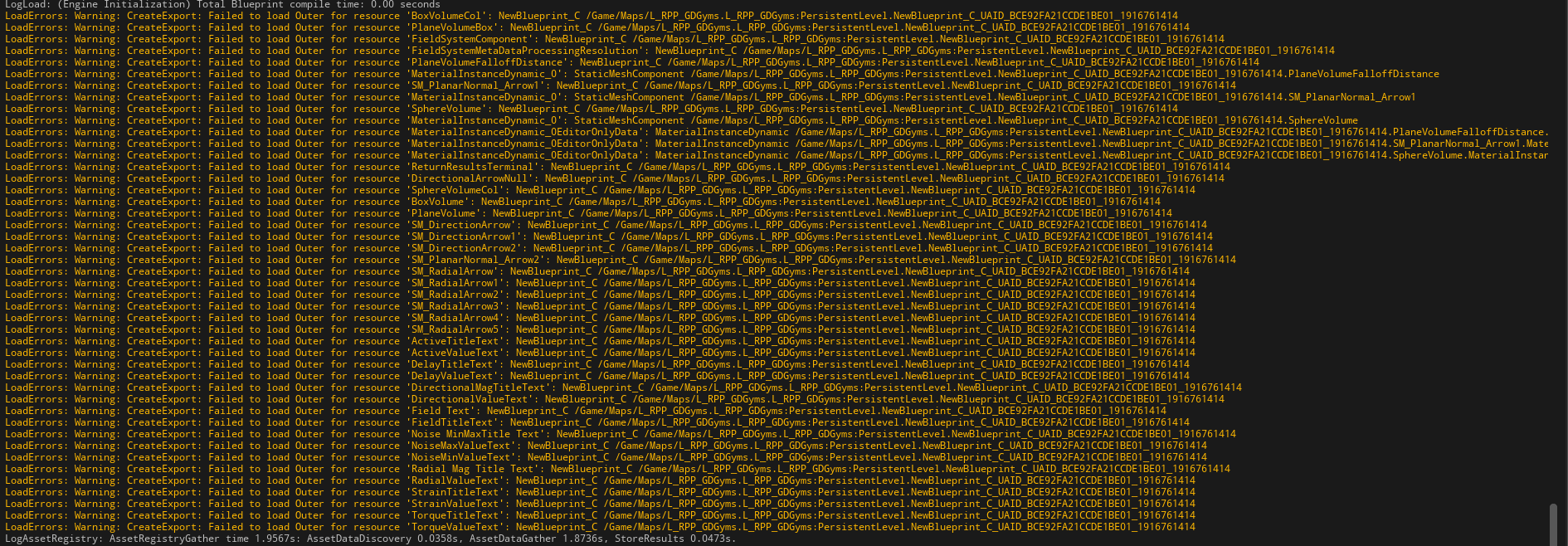
anyone know how to fix these errors? game is fully playable in editor but always failing to package https://i.imgur.com/9jZ456a.png
 broken jungle
[2023.11.23-15.58.10:495][349]UATHelper: Packaging (Android (ASTC)): Z:\app\src\main\java\com\epicgames\unreal\GameActivity.java:198: error: cannot find symbol
got this error, I got wrong java version or something?
 split tide
PackagingResults: Error: Assertion failed: Tag.Size == Loaded [File:D:/Build/++UE4/Sync/Engine/Source/Runtime/CoreUObject/Private/UObject/Class.cpp] [Line: 1499]
I get this error when I package my UE4.27 game. I'm very confused as all that I see online has to do with the editor crashing and not packaging.
split tide
My output log
I believe you have to download the file to see the whole thing, I should've condensed it sorry :(
 vapid fjord
I posted over in the EOS channel, but I think its more of a packaging issue.
So, I'm using EOS, in the Development Editor build, running as -game everything works.
When I package for "Development" it does not work.
In the package I do get the following log outs so I know the modules are there:
LogPluginManager: Mounting Engine plugin OnlineServicesEOSGS
LogPluginManager: Found config from plugin[OnlineServicesEOSGS] Engine
LogPluginManager: Mounting Engine plugin OnlineServicesEOS
LogPluginManager: Mounting Engine plugin OnlineSubsystemEOS
LogPluginManager: Mounting Engine plugin SocketSubsystemEOS
LogPluginManager: Mounting Engine plugin EOSVoiceChat```
In the editor game I get a bunch of logout as follows
```[2023.11.24-15.48.02:972][ 23]LogEOSSDK: LogEOS: SDK Config Data - Watermark: 1530049316
[2023.11.24-15.48.08:669][ 92]LogWwiseMonitor: Voice Starvation [Debugger])
[2023.11.24-15.48.08:670][ 92]LogEOSSDK: LogEOSAuth: BeginDesktopCrossplayLogin: Desktop crossplay can be used with this login type
[2023.11.24-15.48.08:671][ 92]LogEOSSDK: Warning: LogEOSAuth: BeginDesktopCrossplayLogin: Desktop crossplay is not ready: EOS_DesktopCrossplay_ApplicationNotBootstrapped
[2023.11.24-15.48.08:671][ 92]LogEOSSDK: LogEOSAuth: BeginDesktopCrossplayLogin: Desktop crossplay is not required for login
[2023.11.24-15.48.08:918][ 95]LogEOSSDK: LogEOSAuth: GenerateUserAuthByDeviceCode: Received FUserAuthToken
[2023.11.24-15.48.08:954][ 96]LogEOSSDK: LogEOSAuth: UserAuthGenerated: Device auth to be continued at: <Redacted>
[2023.11.24-15.48.08:954][ 96]LogEOSSDK: LogEOSAuth: LaunchAccountPortalWithOverlay: Launching with overlay: <Redacted>
[2023.11.24-15.48.08:954][ 96]LogEOSSDK: LogEOSOverlay: Overlay loading <Redacted> in instance 5927934278032
[2023.11.24-15.48.09:022][ 97]LogEOSSDK: LogEOSOverlay: LoadURL result received. [Success=1, BrowserID=1]
[2023.11.24-15.48.09:022][ 97]LogEOSSDK: LogEOSAuth: FAccountPortalBrowserManager::Login: Load: 0``` young quail
maybe someone knows how to solve this problem. Help decide PLS!

 torpid current
Hi I have this problem. I am packing with 5.3 an empty default project. I can open it without any issues but other people try to to open it and and the mouse get the clock icon and nothing happens. If they try as admin is the same. Also the project was cooked as debug( and development) but it is not generating a log file inside of the save folder
here is the packaged build
Google Docs
It is a empty project and works fine for me. So.. how can I debug this crashing if this is opening for me and for the rest they get nothing?
winged moss
torpid current
It is a empty project and works fine for me. So.. how can I debug this crashing ...
try on a spare machine and use a debugger? maybe they can do a process memory dump from task manager?
torpid current
the process open and close so they dont seee anything on task manager
winged moss
though I'm not usually into running executables from strangers, this packaged build does run and spawns me as a spectator pawn on a very empty level
torpid current
I have two pc both with unreal and the game runs ok, My friends dont have unreal installed and the game wont start
winged moss
did they install the redist?
torpid current
winged moss
though I'm not usually into running executables from strangers, this packaged bu...
thank you
when they execute the first time they get the dialog for installing unreal prerequisites
and I saw them doing it because They share their screen on discord
unless the install prerequisistes is not working for them
Is there a way to force install and check those prerequisites?
winged moss
well you can use a tool like this to see what DLLs the game depends on: https://github.com/lucasg/Dependencies

GitHub
A rewrite of the old legacy software "depends.exe" in C# for Windows devs to troubleshoot dll load dependencies issues. - GitHub - lucasg/Dependencies: A rewrite of the old legacy...
you'd run that against the exe in project/Binaries/Win64
torpid current
thanks!
I should make my friends run this
for me everything looks correct except for this
 winged moss
you only need to be concerned with the top level
 winged moss
wrong exe
I said specifically the one in project/Binaries/Win64
the root directory exe is just an exe that checks dependencies and then runs the other exe

 winged moss
torpid current
the same for the other exe
winged moss
torpid current
the same for the other exe
well those red ones are included elsewhere. I would get them to install the Visual C++ redist from Microsoft's website and see if that resolves it
they can run it locally to see if it looks consistent
I was thinking alternatively it could be some static initialisation thing, but that would affect all systems
torpid current
So you you reccomend manually install vc++ redist on my friends pcs
winged moss
yes, https://aka.ms/vs/17/release/vc_redist.x64.exe specificially. it includes the redist for VS2015, 2017, 2019, and 2022
 exotic hamlet
Did you able To Solve The Error? I am currently facing the same one right now
young quail
young quail
maybe someone knows how to solve this problem. Help decide PLS!
Hey proffesionals! What about me?
 hoary oak
exotic hamlet
Did you able To Solve The Error? I am currently facing the same one right now
hoary oak
exotic hamlet
Did you able To Solve The Error? I am currently facing the same one right now
I think I eventually ended up reinstalling the android stuff
winged moss
young quail
Hey proffesionals! What about me?
Well did you follow the Android setup instructions to the letter? The version of Android Studio it targets was upgraded
young quail
winged moss
Well did you follow the Android setup instructions to the letter? The version of...
where can I find the current instructions? On the EPIK website there is the latest current instruction for 5.0. I have installed everything several times and still get an unknown error. How do I even understand what I did wrong?
winged moss
young quail
where can I find the current instructions? On the EPIK website there is the late...
Make sure you're looking at the correct docs page. This is the 5.3 docs
How to set up your Android development environment for Unreal Engine
 serene pumice
Hi everyone. Today I bought an asset pack and implemented in my project and after that I've changed my character skeletal mesh , rig bla bla. Actually everything works perfectly but in the packaged project control rig causes some problems unlike editor what should I do?
in packaged project character's land animation doesn't work properly
but in editor there is no problem
young quail
winged moss
https://docs.unrealengine.com/5.3/en-US/how-to-set-up-android-sdk-and-ndk-for-yo...
thank you for your help, I see you are the only one helping here. I'll try again tomorrow, I hope it works)
serene pumice
serene pumice
Hi everyone. Today I bought an asset pack and implemented in my project and afte...
can anyone help please?
 cold urchin
can any one help? i stuck in this problem

the only error and warning from packaging is these two
 young quail
@winged mossplease tell me, I installed everything, it works, but I’m now trying to test it on an old device! By all parameters, the device should be supported, but when installed on the device it says the application is not installed, without any errors. I think it's still a compatibility problem. Maybe you know why this is so?
young quail
cold urchin
can any one help? i stuck in this problem
dude I had the same problem yesterday, do everything according to the official documentation depending on what version of the engine you have
https://docs.unrealengine.com/5.3/en-US/how-to-set-up-android-sdk-and-ndk-for-your-unreal-engine-development-environment/
here is another reference tutorial for 5.3
https://www.youtube.com/watch?v=-55BjAnB0ig&t=31s&ab_channel=TecDevStudio
How to set up your Android development environment for Unreal Engine

UE5.3 Android Mobile Export & SDK NDK JDK Set-up .
Tec Dev Studio
Android Setup Project
: UE5. 3 : Video : https://youtu.be/GOAnlVndFNo
Download SDK NDK JDK Software :
: https://stroyeddeveloper.com/elementor-2349/
@TecDevStudio @tecyt @tecdevstudio @UnrealEngine
×--------------×
Dis...
Android development requirements including compatible hardware, software, and SDK information.
winged moss
I don't know why you tagged them, that's a Windows build
cold urchin
it solve with android package?
winged moss
Probably not
winged moss
young quail
<@166299757151649793>please tell me, I installed everything, it works, but I’m n...
So packaging succeeds? It just doesn't run on the device? I would call that a compatibility issue then
cold urchin
i really don't know why i even create the new one frash from ue5 project and packaging still have that problem
maybe i have to try change the game to android if no other way
or it about SDK maybe have to try ummm
winged moss
cold urchin
maybe i have to try change the game to android if no other way
Android has literally nothing to do with your issue, I've told you this
And there is an exception trace from UAT. Try moving your project to a path without spaces
young quail
winged moss
So packaging succeeds? It just doesn't run on the device? I would call that a co...
Yes, everything was decided thanks to you! Now I want to understand how to solve the compatibility problem. I checked all options are supported! How can I understand or solve this?
cold urchin
lol i even try clean reinstall my windows
winged moss
young quail
Yes, everything was decided thanks to you! Now I want to understand how to solve...
Not a lot of info to go on
cold urchin
so confuse now not have anything error in package log i wonder what it going on.
winged moss
cold urchin
so confuse now not have anything error in package log i wonder what it going on.
But there is an error in the log you provided? lol
winged moss
It's why I suggested removing spaces from the project path because Unreal can still have issues with them
cold urchin
spaces you mean in the name or path that locate ? maybe i try fix that tomorrow
winged moss
What
cold urchin
idk wdym im just learning like 1 month
young quail
winged moss
Not a lot of info to go on
If I understand correctly, can I try installing earlier versions of the sdk?
winged moss
cold urchin
idk wdym im just learning like 1 month
You know what a path is right? It's not an Unreal term. Multiple directories your project is under have spaces in the name
cold urchin
aa i see
young quail
winged moss
Not a lot of info to go on
where to start looking for a solution?
winged moss
Well you aren't providing any info
young quail
@winged moss
UE Version: 5.3
Android Studio Version:
Flamingo 2022.2.1 Patch 2 May 24, 2023
Android API 34
Android SDK:
SDK 33
SDK 30 (this tying too)
NDK 25.1.8937393
JDK 11
JDK 17 (this tying too)
Device witch i trying to use Redmy Note 7
And i make a multi android package
While installing the game on the device, the installation is interrupted with the message (application not installed)
winged moss
and if you launch from Unreal?
 shadow storm
how come in unreal engine 5 I get these messages Cooked packages 7210 Packages Remain 150 Total 7360, its taking a long time to pack and it use to pack quicker in UE4
 winged moss
Those messages exist in UE4 for a start and it's to indicate cooking progress
I don't know what your packaging settings are, but you can cut down some time on being more selective with what gets packaged
 thorn flame

Hello, I have a problem with the packaging on Hololens 2.
I can't find the "SharedPCH.Core.ShadowErrors.cpp" file by hand. Thanks in advance
mystic atlas
Remove spaces from you directory names. That may not be your issue, but it's good advice.
Also the path to the file is right in that screenshot. Does it not work?
thorn flame
Okay i will try to remove spaces, but i can't find the file even with the path
My bad i found them :

 mystic atlas
And at the end of it?
thorn flame
Where ?
I don't see any other french words
There is "fail" at the end of the path
fatal error C1192 : fail of #using on 'C:\Program Files\Microsoft Visual Studio\2022\Community\VC\Tools\MSVC\14.33.31629\lib\x86\Store\references\platform.winmd'
Its the end of the line
mystic atlas
Ah.
thorn flame
?
mystic atlas
I'm not sure what the issue is, sorry.
thorn flame
thanks anyway
mystic atlas
Np. Good luck.
young quail
winged moss
and if you launch from Unreal?
What do you mean?
if I run the game in the engine everything works fine, if I understand correctly your question
serene pumice
serene pumice
Hi everyone. Today I bought an asset pack and implemented in my project and afte...
can anybody help pls?
young quail
@winged mossdude, let me send you screenshots or whatever, but please help me
winged moss
well for a start I did say launching from the engine which is what you described to me. I don't have that much Android experience either
have you tried another device?
young quail
winged moss
have you tried another device?
I tried an even older device (file reading error). On Rendmi 7 I turned off USB protection, still the same problem. I installed all possible versions of the Android SDK


 keen moss
Hey smart people. I'm trying to build an early test of my android project and I keep getting unknown build errors. Attached is my log. Any ideas what's going on?
winged moss
keen moss
Hey smart people. I'm trying to build an early test of my android project and I ...
[2023.11.27-20.26.28:192][454]LogPlayLevel: UAT: Package name contains illegal characters (only letters, numbers, and underscore allowed); please change in Android Project Settings. Currently set to 'com.Shadowforge.[KevinRuns]'
It's a mystery
keen moss
winged moss
[2023.11.27-20.26.28:192][454]LogPlayLevel: UAT: Package name contains illegal c...
Sarcasm detected.
keen moss
winged moss
[2023.11.27-20.26.28:192][454]LogPlayLevel: UAT: Package name contains illegal c...
Thanks. Missed that. Fixed one problem now moving on to another.
keen moss
Updated Log says that gradle failed to resolve. I've never built anything for Android before so I'm not sure how this would be fixed. Google isn't giving me a whole lot to work with yet either but I'm still searching.
Log:
young quail
winged moss
have you tried another device?
Thanks you men you best, spend 4 days
I waiting for you, and you ignored. If you dont now or you don wanted so you can tell me, why you do this ....
winged moss
young quail
I waiting for you, and you ignored. If you dont now or you don wanted so you can...
This is an odd sense of entitlement
When I already told you that I don't have access to your devices, no logs, and I don't have that much android experience
young quail
winged moss
This is an odd sense of entitlement
This terrible feeling of a burnt ass. For 4 days I’ve been doing what can be done in 10 minutes. You could have immediately said that you can’t help anymore. I've been waiting for you for 3 days... Constant problems with this SDK! The community is clueless, no one helps. For so many years, developers have not solved the connection problem. They do such cool things that it’s hard to imagine, but they can’t set up the damn SDK. I understand that it was a mistake to choose Unreal then; I should have gone to Unity. I wasted so many years on this crap!
winged moss
Cya
young quail
Epic Games will pay with your reputation for the years of your life spent on this...
every time there's a problem with this fckig sdk ndk shitdk
 waxen aspen
I have a game packaged on windows but I need it for mac too. Is it really just that easy to package it there too or do I need to change anything? From what I have heard I just need to open the project on a mac and package it
winged moss
waxen aspen
I have a game packaged on windows but I need it for mac too. Is it really just...
The first hurdle is the Mac hardware so at least you got that. If your project uses any C++ then you just need to make sure your code is portable with Clang, and there might be hardware-specific issues
waxen aspen
winged moss
The first hurdle is the Mac hardware so at least you got that. If your project u...
yea it does but no own scripts
just maybe an add on or for packaging
winged moss
In my experience it hasn't really been worth supporting Mac as a platform though
waxen aspen
you know for packaging it needs to have c++ or so
I don't have a mac yet even
i am just thinking if it's worth it
maybe I give it to a friend
but then it must be someone I trust so much to give him my entire project yk
winged moss
It'll likely be a very small fraction of your total sales, but that's up to you
If you have any issues then there's #macos
waxen aspen
maybe it's just a coincidence but out of like 6 people i wanted to sell to , 3 had a mac
maybe the next 14 will not haha!
just curious
does it work on linux if packaged on windows?
i didn't even try
winged moss
There's a cross-compiler toolchain to compile a Linux game from Windows, but you need to install it (there's a link in the docs)
waxen aspen
does it work on linux if packaged on windows?
winged moss
I just answered that question...
waxen aspen
oh i thought you meant a game built on linux by saying linux game
misunderstanding haha
thank you!
winged moss
Linux is a different target platform and if you want a Linux-native version then that's what you do, but Proton might even do a better job if you distribute on Steam
waxen aspen
yea I distribute on steam
winged moss
I've only really done dedicated servers recently that were Linux-native. I was on a Source engine project that did do a native Linux version but it was a bit of a pain to maintain. More of a customer support burden than it was worth
waxen aspen
ah I see
well then, was just cruious to find out
gonna hop in again if I have more questions
thanks fam!
winged moss
Well you can certainly fulfil that curiosity but only really ship it if it's somehow better than running the Windows version through Proton
iirc the Vulkan desktop RHI still has issues, and that's all Linux supports
young quail
waxen aspen
I have a game packaged on windows but I need it for mac too. Is it really just...
dude, run to unity, this is a stupid community, no one here will help you except this guy
 normal dock
sorry for the necro but im currently suffering from this. in my case my assets were all made in the editor for my project however i did import a set of third party assets (just models, materials were created by unreal on import). not sure if this would have any bearing on it but the asset name seems to change whenever i make a new asset
winged moss
normal dock
sorry for the necro but im currently suffering from this. in my case my assets w...
Well it sounded like for that person it was that they copied content from a plugin to project via file explorer
I can't imagine another scenario where that could happen
normal dock
alright thanks anyway
 limpid escarp
So I'm getting this error when packaging and I need help knowing where to even start with it:
 subtle karma
Ive search the discord but I cant find it. Has anyone had any issues with Primary Asset Labels not applying chunk ids?
not applying at all! driving me mad


 vapid fjord
For anyone like me who was struggling to find out why unrealpak fails to decompress ANYTHING
the arg list is -extract <pak file> <extract folder target>
Note that the paths MUST BE UNIX style
C:/TargetDirectory/
not
C:\TargetDirectory\ (If you do this one it just fails silently)
cold urchin
cold urchin
can any one help? i stuck in this problem
okay im back the project still appear error packaging but it already build and got the file/ at least it work i can enter the game normally but. / if i reopen the project and packaging again still error and not even build anything
 keen moss
Hey smart packaging people. I'm not familiar enough with android projects to know what to do about this gradle error and I'm not finding much in my searching either. Anyone know what I need to do here?
 scenic blade
Hello all, I'm having an issue with a packaged game, when I start it it stays in a black screen and windows task manager says not responding. I've been searching thru internet for 2 days and nothing seems to solve it. I've also created a new project from scratch and the same issue
it doesn't happen with another game that I have in the same computer.
do you have an idea what could be happening?
 dreamy panther
Random question:
Background: I have Game Asset A (Lets say a static mesh) that isn't referenced by any maps.
Scenario 1: Asset is referenced by a UDataAsset derivative OR UDataTable via soft object path.
Scenario 2: Asset is referenced by a UPrimaryDataAsset derivative via soft object path.
In scenario 1, would the asset be packaged at all? Does the soft object path in the data asset/table create a cook dependency?
Or
Does it have to be scenario 2, where the Primary Data Asset, which is considered a primary asset by the asset manager, then cause a dependency due to the relationship between "primary" and "secondary" assets?
Purely theory btw, not run into any issues. I'm just trying to understand where the dependency is introduced so I can give advice in a presentation for what to be aware of.
limpid escarp
limpid escarp
So I'm getting this error when packaging and I need help knowing where to even s...
I'm still not sure what's going on there.... it's mentioning the World Context... and FindPin in the FunctionEntry Allocate Default Pins... but honestly I don't know enough about the blueprint system at the moment to know where to look for fixing this... anyone have any ideas?
 open rapids
I know I've asked this a few times already, but praying the right person will see this: I am attempting a Vulkan build for Desktop, however the executable prompts my client to install DirectX. For reasons unbeknownst to me, they aren't allowed to install DX on their machines. I have the Target RHI set to Vulkan and all DX unchecked, Vulkan .dlls are included in the Binaries. I'm getting kind of desperate and will probably lose this client if I cant solve this. Anything code-related or "under the hood" stuff is outside of my wheelhouse.
subtle karma
Question re patching.
I want to create a stand alone installer / updater / launcher and I am thinking about the logic that has to happen. - Reason? I just want to know how.
For platform lets just stick to windows for now.
Scenario:
- I create a release for my game. version 1.0.0
- I send this to someone to play test.
- I create a patch for 1.0.0 and name it 1.0.1
- I create a new patch for 1.0.1 and name it 1.0.2 and so on up to version 1.0.5
- I now have 5 patches
Am I right in assuming That I could host say a JSON array of patches since version e.g.
[
  '1.0.0',
  '1.0.1',
  '1.0.2',
  '1.0.3',
  '1.0.4',
  '1.0.5',
]
Then request this array, find the users current version then request each patch after that users version then apply each one in order? - Still no idea how to apply said patch but am I on the right track?
 sage parrot
here i need to add path of movie ??
and which path

 bold vortex
On Mac when package for iOS I had this error:
UATHelper: Packaging (IOS): LogMac: Error: appError called: Fatal error: [File:./Runtime/CoreUObject/Private/Misc/PackageName.cpp] [Line: 875]
UATHelper: Packaging (IOS): FilenameToLongPackageName failed to convert '/Volumes/External/MetaFriend/Content/Maps/._Main_BuiltData.uasset'. Attempt result was '/Game/Maps/._Main_BuiltData', but the path contains illegal characters '.'
I don't have file "._Main_BuitData" in my project(I checked hidden files)
I tried to delete Intermediate, Saved, Binaries.
summer dock
bold vortex
On Mac when package for iOS I had this error:
UATHelper: Packaging (IOS): LogMac...
Do you have a Map called "._Main" ?
Even if not, I would perhaps try renaming it to something else to sanity check
bold vortex
summer dock
Do you have a Map called "._Main" ?
No have. I tried it. Some project files usualy copied with prefix "._" during packaging. And I don't understand how to stop it
 dapper sage
Hi everyone, I'm getting this error when I package my game. Im using 5.1.1 source build. How can I fix this?
0>Module.Niagara.10_of_13.cpp.obj: Error  : LNK2019: unresolved external symbol __std_init_once_link_alternate_names_and_abort referenced in function "void __cdecl std::call_once<class <lambda_545dfa6eb49ca362ef2cb3c500c8a6b0> >(struct std::once_flag &,class <lambda_545dfa6eb49ca362ef2cb3c500c8a6b0> &&)" (??$call_once@V<lambda_545dfa6eb49ca362ef2cb3c500c8a6b0>@@$$V@std@@YAXAEAUonce_flag@0@$$QEAV<lambda_545dfa6eb49ca362ef2cb3c500c8a6b0>@@@Z)
0>Module.Niagara.13_of_13.cpp.obj: Error  : LNK2001: unresolved external symbol __std_init_once_link_alternate_names_and_abort
 restive yoke
Does anyone know why: I used a command in cmd to generate the keystore i put it in the settings with password alias etc for android packaging but when i actually package it says it found and used android studio debug keystore... I dont get why, infact if I try to put it online on google play internal release it says that the bundle is not signed... it seem not to use my keystore i put on the android build folder of the project
 scarlet path
DataTable not working after packaging
mystic atlas
Did the data table get packaged?
keen moss
Hey folks. Anyone here know about solving gradle issues with android builds? I'm at a loss here for how to package this project.
summer dock
keen moss
Hey folks. Anyone here know about solving gradle issues with android builds? I'm...
- Sanity check packaging a blank project. Does it work? If not, you have setup issues.
keen moss
summer dock
1) Sanity check packaging a blank project. Does it work? If not, you have setup ...
Yeah I should do this for sure. I followed the Getting Started with Android official documentation so if that's the case, I'm confused.
The setupandroid.bat worked without any errors and my paths to the SDK/NDK and Java are all correct.
keen moss
summer dock
1) Sanity check packaging a blank project. Does it work? If not, you have setup ...
keen moss
hmmm.. should be package log.
summer dock
keen moss
hmmm.. should be package log.
If you are doing this via editor I would
- Clear Log
- Package
- Copy the whole log to a text file
keen moss
roger. Gimme a sec
keen moss
summer dock
If you are doing this via editor I would
1) Clear Log
2) Package
3) Copy the wh...
What I sent was the log from my project's saved folder.
keen moss
summer dock
If you are doing this via editor I would
1) Clear Log
2) Package
3) Copy the wh...
summer dock
keen moss
> Could not resolve com.android.tools.build:gradle:7.4.2.
Something seems to be wrong still with your setup
I am not on 5.3 yet, so can't really verify things. But first off make 100% certain you have followed the Android setup docs for 5.3 diligently, everything has to be exactly as they ask
keen moss
summer dock
I am not on 5.3 yet, so can't really verify things. But first off make 100% cert...
Hmmm.. I thought I did. I'll have to make sure that the docs for 5.3 specifically
keen moss
summer dock
``` > Could not resolve com.android.tools.build:gradle:7.4.2.```
Something seems...
Yeah the doc I used is 5.3 and I followed it exactly
limpid escarp
limpid escarp
I'm still not sure what's going on there.... it's mentioning the World Context.....
So everything I'm seeing is saying this is happening because of a duplicate "_WorldContext" pin some where [https://www.reddit.com/r/unrealengine/comments/ympxxe/world_context_object_pin_error_when_cooking/] the problem is I did a search for " _WorldContext" (had to put that space in there here because of BS formatting in Discord, but when I searched I didn't have a space in there) and Fixed the couple of inputs I found, but I'm still getting the error.... any ideas on how to find if there are more or what else it could be?
summer dock
limpid escarp
So everything I'm seeing is saying this is happening because of a duplicate "__W...
This error tends to arise when copy-pasting functions in blueprints. If you remember doing that recently, you should be able to trace it like that.
limpid escarp
would moving a blueprint do it? We recently restructured basically our entire project to make it more organized...
limpid escarp
summer dock
This error tends to arise when copy-pasting functions in blueprints. If you reme...
Is there not a good way to search for it, or a flag for the logging to get it to log out the blueprint with the issue more verbosly?
summer dock
limpid escarp
would moving a blueprint do it? We recently restructured basically our entire pr...
I'm pretty sure we've had a copy-paste situation each time
summer dock
limpid escarp
Is there not a good way to search for it, or a flag for the logging to get it to...
rather poorly as far as I know. Find In Blueprints can help a bit, but there's hundreds of those pins in a big project.
summer dock
limpid escarp
Is there not a good way to search for it, or a flag for the logging to get it to...
I believe we noticed these by having an autobuilder ( Jenkins ) building on every change and catching the issues really really fast, so we always know what files were last touched
limpid escarp
summer dock
I believe we noticed these by having an autobuilder ( Jenkins ) building on ever...
This is what I'm worried about... surely there is a tool... a way...
summer dock
limpid escarp
This is what I'm worried about... surely there is a tool... a way...
This might be one of those issues which has not been properly reported to Epic, and doesn't seem to get much love on forums either...
 echo totem
hey guys, can someone help me understand what is going on with my project cook?
like, i have no other warnings / errors above this
NOTES:
no corrupted blueprints / widgets
this is a c++ project
updated to 5.3.2 this week
UPDATE: found only one warning, but this dosent seem to be the cook failed reason
PackagingResults: Warning: [AssetLog] F:\Projects\P723\Plugins\UINavigation\Content\Components\OptionBox.uasset: Asset has been saved with empty engine version. The asset will be loaded but may be incompatible.
winged moss
echo totem
hey guys, can someone help me understand what is going on with my project cook?
...
the warning isn't related to that assert. it's really inconvenient, but you'll have to attach a debugger to "UnrealEditor-Cmd.exe" during a cook to really nail that down
the preceding lines to the assert might hold some clues, might not
echo totem
winged moss
the preceding lines to the assert might hold some clues, might not
here is what is after the assert
[2023-11-29T21:06:00.020Z]UATHelper: Cooking (Windows): Took 75.32s to run UnrealEditor-Cmd.exe, ExitCode=3
[2023-11-29T21:06:01.005Z]UATHelper: Cooking (Windows): Cook failed.
[2023-11-29T21:06:01.005Z]UATHelper: Cooking (Windows): (see C:\Users\mmykaa\AppData\Roaming\Unreal Engine\AutomationTool\Logs\F+Tools+UE_5.3\Log.txt for full exception trace)
[2023-11-29T21:06:01.018Z]UATHelper: Cooking (Windows): AutomationTool executed for 0h 1m 21s
[2023-11-29T21:06:01.018Z]UATHelper: Cooking (Windows): AutomationTool exiting with ExitCode=25 (Error_UnknownCookFailure)
[2023-11-29T21:06:01.189Z]UATHelper: Cooking (Windows): BUILD FAILED
no clues here
winged moss
preceding
echo totem
winged moss
**pre**ceding
ye, i have no clue,
winged moss
might have to attach the ol' debugger then
echo totem
winged moss
might have to attach the ol' debugger then
well, guess what
 winged moss
Well you might be able to inspect the stack to see which BP it came from
 winged moss
echo totem
❤️
winged moss
echo totem
❤️
Try and resave it if the editor opens it
Oh and make sure you have adequate source control setup in case something happens again
limpid escarp
summer dock
This might be one of those issues which has not been properly reported to Epic, ...
Well the good news is that i've found that I can debug the editor and it'll except on this to the point that I can dig in and find which function of which blueprint, but why, oh why, doesn't the Find in Blueprints find these?
limpid escarp
And that got it! Thanks @summer dock
summer dock
limpid escarp
Well the good news is that i've found that I can debug the editor and it'll exce...
So how does it go exactly : you run the editor in debug mode, package and it catches the exact bp/node affected?
limpid escarp
basically, though it seems to trigger before then at least on this one. As soon as it was trying to load my Player Character because that's was was linking that library in. So yeah, as soon as it tried to compile the Blueprint with the offending input pin it breaks in VS and then I dug into the state at that moment and could glean the package and function name from there!
 main juniper
Hello, I am trying to packaging the game with UAT command but when I run the bat file. I got this error "../Plugins/Bridge/Intermediate/Build/Win64/UnrealEditor/Inc/MegascansPlugin/UHT/MegascansPlugin.init.gen.cpp: No such file or directory" and "../Plugins/Bridge/Intermediate/Build/Win64/UnrealEditor/Inc/Bridge/UHT/Bridge.init.gen.cpp: No such file or directory" What am I missing?
the command goes like this BuildCommand=BuildCookRun -command=VerifySdk -UpdateIfNeeded -rocket -compile -compileeditor -nop4 -project=%ProjectFullPath% -cook -stage -archive -archivedirectory=%PackageDir% -package -clientconfig=%BuildConfig% -clean -pak -prereqs -distribution -nodebuginfo -targetplatform=%TargetPlatform% -build -nocompileuat
Currently using a jenkins machine for running this command with perforce
main juniper
After removing -compileeditor it looks working fine
bold vortex
Could I exclude from cook/packaging files with some prefix(something like "Directories to never cook")? I'm still have problem on Macbook with external SSD - can't package project cause exist files with prefix "._". Files creating by UBT every time when I package project. I can't to use Macbook internal ssd cause it to small.
Althougt I had issue :
 summer dock
limpid escarp
basically, though it seems to trigger before then at least on this one. As soon ...
summer dock
limpid escarp
basically, though it seems to trigger before then at least on this one. As soon ...
nice, thanks
 inner island
Where can I learn more about the behavior of editor vs packaged game? I'm encountering one of the most difficult bugs in 5 years of indie dev work - I'm using a cpp ballistics plugin that basically is a glorified line trace - but it is not hitting anything further than 400 ish units in the PACKAGED build - it works and behaves fine in the editor.
I don't see how it could be replication because I'm building for standalone.
I don't see how it could be collision because shouldn't that be the same in the packaged build (as long as I wasn't doing crazy complex collision stuff)
Again, it's not a matter of something somehow blocking the hit - I've removed collisions on items that might and I am printing out the name of the hit actor - in this case, the Custom Event Delegate for hitting anything simply doesn't fire when there is more than 400 ish units of space between the barrel of the gun and where it would hit.
 silent sparrow
So, we have this folder with 3 gamemodes in it and for whatever reason UE4.27 cooks only 2 of the 3 unless we add the folder to "additional directories to cook". Any ideas as for why this is happening?
All the three gamemodes are getting referenced by (unused) levels, if that matters
winged moss
inner island
Where can I learn more about the behavior of editor vs packaged game? I'm encoun...
Crossposting questions is against the rules, but I would guess this is incredibly specific to the plugin, and it possibly has a setting for the max trace distance to use at runtime.
I've written a custom ballistics system before but that behaved consistently
winged moss
silent sparrow
So, we have this folder with 3 gamemodes in it and for whatever reason UE4.27 co...
Unused level meaning what exactly? Do you cook these unused levels?
silent sparrow
winged moss
Unused level meaning what exactly? Do you cook these unused levels?
yeah they should be getting cooked
we don't specifically filter them out
winged moss
Should or are? You opt into cooking specific levels
And don't tell me that you have sacrificial levels just to reference a game mode lol
silent sparrow
no they're just old left over stuff
I mentioned it in case anyone wanted to go the "the gamemode is not referenced so it's not getting cooked" route
we actually use the gamemodes via the ?game param on Open Level by Name
don't question it
winged moss
Why would I question it when that's perfectly valid
winged moss
I remember you could specify aliases for the ?game parameter, that might create a soft ref for it to cook
silent sparrow
can you give me something more specific? I haven't had the best experience looking through UE docs
winged moss
silent sparrow
can you give me something more specific? I haven't had the best experience looki...
I'm not at a computer, it might be under map and mode project settings, but I found it in the old UT repo for DefaultEngine.ini
[/Script/EngineSettings.GameMapsSettings]
+GameModeClassAliases=(Name="DM",GameMode="/Script/UnrealTournament.UTDMGameMode")
As a super abbreviated example
silent sparrow
and just do ?game=DM in this example?
winged moss
Yes, but I'm not quite sure if it creates a soft ref since I can't see the class
Actually, yeah it should
Just looked at the class for UGameMapsSettings
 chilly spoke
UATHelper: Packaging (Windows): LogInit: Display: LogCook: Error: GlobalDefaultServerGameMode contains a redirected reference '/Game/Framework/SpaceGM'. The intended asset will fail to load in a packaged build. Select the intended asset again in Project Settings to fix this issue.
UATHelper: Packaging (Windows): LogInit: Display: LoadErrors: Error: /Game/__ExternalObjects__/map/D/FK/MFODU2H30IMZ9FDONMM9LP : Failed import for World /Game/map.map [redirection] in /Game/__ExternalObjects__/map/D/FK/MFODU2H30IMZ9FDONMM9LP
UATHelper: Packaging (Windows): LogInit: Display: LoadErrors: Error: /Game/__ExternalObjects__/map/D/FK/MFODU2H30IMZ9FDONMM9LP : Failed import for Level /Game/map.map:PersistentLevel
UATHelper: Packaging (Windows): LogInit: Display: LoadErrors: Error: /Game/__ExternalObjects__/map/8/C4/8IIE55IIDGD0ACO7ZLBWM7 : Failed import for World /Game/map.map [redirection] in /Game/__ExternalObjects__/map/8/C4/8IIE55IIDGD0ACO7ZLBWM7
UATHelper: Packaging (Windows): LogInit: Display: LoadErrors: Error: /Game/__ExternalObjects__/map/8/C4/8IIE55IIDGD0ACO7ZLBWM7 : Failed import for Level /Game/map.map:PersistentLevel
Package error because of some assets I renamed or deleted. I have already set the new game mode in project settings but it's still giving me these errors. How can i fix redirected assets?
winged moss
chilly spoke
```UATHelper: Packaging (Windows): LogInit: Display: LogCook: Error: GlobalDefau...
Fixup redirects and try again
keen moss
Hello again smart people. So I was able to fix my android project packaging issues and finally packaged the project and put it on a USB drive that I can plug into my mobile devices. When I install the APK it gives me the standard "change your settings to allow install of unrecognized software" and "install blocked" so I press "install anyway" and the package appears to install on my phone without a hitch. When I try to run it however, it just crashes. Is there a way to check a log that would give me information as to why it freezes/crashes?
winged moss
keen moss
Hello again smart people. So I was able to fix my android project packaging issu...
This is probably the best Android remote debug experience from Windows
Use AGDE to debug Android projects in Visual Studio
The experience should be similar to debugging a Windows application with this
keen moss
winged moss
The experience should be similar to debugging a Windows application with this
Thank you!
split wave
Anyone here ever deal with a similar compiling error to this?
{"time":"2023-11-30T21:25:44","level":"Error","message":"Unable to merge actions \u0027Unzipping : /Users/Shared/Epic Games/UE_5.1/Engine/Plugins/Runtime/Firebase/Source/ThirdParty/IOS/FirebaseAnalytics.framework.zip -\u003E /Users/Shared/Epic Games/UE_5.1/Engine/Intermediate/UnzippedFrameworks/FirebaseAnalytics/FirebaseAnalytics.framework\u0027 and \u0027Unzipping : /Users/Shared/Epic Games/UE_5.1/Engine/Plugins/Marketplace/GoogleAdmobBlueprint/Source/ThirdParty/ios/FirebaseAnalytics.framework.zip -\u003E /Users/Shared/Epic Games/UE_5.1/Engine/Intermediate/UnzippedFrameworks/FirebaseAnalytics/FirebaseAnalytics.framework\u0027: PrerequisiteItems are different","format":"Unable to merge actions \u0027{StatusA}\u0027 and \u0027{StatusB}\u0027: {Reason} are different","properties":{"StatusA":"Unzipping : /Users/Shared/Epic Games/UE_5.1/Engine/Plugins/Runtime/Firebase/Source/ThirdParty/IOS/FirebaseAnalytics.framework.zip -\u003E /Users/Shared/Epic Games/UE_5.1/Engine/Intermediate/UnzippedFrameworks/FirebaseAnalytics/FirebaseAnalytics.framework","StatusB":"Unzipping : /Users/Shared/Epic Games/UE_5.1/Engine/Plugins/Marketplace/GoogleAdmobBlueprint/Source/ThirdParty/ios/FirebaseAnalytics.framework.zip -\u003E /Users/Shared/Epic Games/UE_5.1/Engine/Intermediate/UnzippedFrameworks/FirebaseAnalytics/FirebaseAnalytics.framework","Reason":"PrerequisiteItems"}}
Something to do with, "Unable to merge actions" and this plugin im using. Been confused hella on solving it, any ideas?
😳
summer dock
split wave
Anyone here ever deal with a similar compiling error to this?
`{"time":"2023-11...
I would start by checking if the plugin has any setup docs / checking their comments on the marketplace / contacting dev
 severe basalt
Hi, why ***lld ***can't find openssl files when packaging? I want to create dedicated server package on ubuntu using RunUAT.sh.

OpenSSL already installed

 dapper kindle
after packaging dedicated server for windows when run on a bare metal server machine i get this error in the beginning of the log
LogWindows: Failed to load 'aqProf.dll' (GetLastError=126)
LogWindows: File 'aqProf.dll' does not exist
LogProfilingDebugging: Loading WinPixEventRuntime.dll for PIX profiling (from ../../../Engine/Binaries/ThirdParty/Windows/WinPixEventRuntime/x64).
LogWindows: Failed to load 'VSPerf170.dll' (GetLastError=126)
LogWindows: File 'VSPerf170.dll' does not exist
LogWindows: Failed to load 'VtuneApi.dll' (GetLastError=126)
LogWindows: File 'VtuneApi.dll' does not exist
LogWindows: Failed to load 'VtuneApi32e.dll' (GetLastError=126)
LogWindows: File 'VtuneApi32e.dll' does not exist
when running the dedicated server on my own pc it loads fine, what is wrong exactly and how to fix? obviously these dlls arent around on the server machine but are on my pc, but other unreal game server processes have no issue running on that server machine, help please
also i get this error when cross compiling for linux dedicated server
PackagingResults: Error: non-portable path to file '"GameFramework/Actor.h"'; specified path differs in case from file name on disk [-Werror,-Wnonportable-include-path]
winged moss
dapper kindle
after packaging dedicated server for windows when run on a bare metal server mac...
These are on literally everyone's logs and can be ignored
winged moss
dapper kindle
also i get this error when cross compiling for linux dedicated server
Packaging...
The casing of the filename does not match what is on disk
dapper kindle
yea i just found that, fucked header in one of my classes
but the windows issue is closing the server process after initializing the game
dapper kindle
i have the full log from server, only other explaination is an issue i forgot about with accessing online subsystem stuff too early in init, but that still wouldnt explain why its ok on my local pc
ive had this issue pretty much from project start a few months ago (with basically no game content or plugins ect) but just avoided it since i couldnt find a solution
now that i have enough of a game to test with others its a bit of a PITA
winged moss
Engine exit requested (reason: ConsoleCtrl RequestExit)
Looks like a clean exit?
But you'll need a callstack for any useful info
If it is a crash
dapper kindle
yea i saw that but afaik i have nothing that tries to exit the game (except ui button in menu)
maybe im being stupid and will double check some stuff, it wasnt a crash
 hidden notch
Hello guys. I'm needing some help/explanation of what I posted here about Generating Chunks (https://forums.unrealengine.com/t/when-i-generate-chunks-why-and-what-are-these-other-chunks-with-s-pak-files/1448441?u=codecalibre).
I am trying to understand what the other pakchunk#_s#-platform.pak files generated are aside from the expected pakchunk#-platform.pak?

Epic Developer Community Forums
Hello! I’m using Generate Chunks for our project for the first time and I was following a tutorial from Epic while applying to our project. My project is using Unreal Engine 5.1 and I’m making chunks targeting for the iOS. I understand that in the tutorial I’m following, if I set up a Primary Asset Label with a chunk ID 1 in a folder recursive...
winged moss
why is this in a spoiler block. that's also allocating not that much memory, so what is your RAM situation?
you can save memory by not packaging in the editor
 candid coral
winged moss
you can save memory by not packaging in the editor
candid coral
winged moss
you can save memory by not packaging in the editor
im curious, how do you do that ?
winged moss
candid coral
im curious, how do you do that ?
UnrealFrontend or BuildCookRun from the command line
candid coral
ok ty
 lofty garden
Does anybody know why the following build command causes missing assets and broken materials unless I open the level in editor?
./RunUAT BuildCookRun -nocompileeditor -nop4 -cook -stage -package ` -ue4exe="$EditorExePath" -project="$UProjectPath" ` -compressed -ddc=DerivedDataBackendGraph -pak -targetplatform=Win64 -build -CrashReporter -NumCookersToSpawn=4 -iterate ` -target=MortarMen -clientconfig="$BuildConfig" -serverconfig="$BuildConfig" -utf8output -compile
 rain siren
Hi
How to fix this error?
PackagingResults: Error: GameInstanceClass contains a redirected reference '/Game/BattleRoyal/Blueprints/AllLevels/GI_BattleRoyal'. The intended asset will fail to load in a packaged build. Select the intended asset again in Project Settings to fix this issue.
winged moss
rain siren
i think its because of discord presence plugin i added
No it doesn't? You have a custom GI class that references a redirector
and you can fix it like it suggests
I would also suggest fixing up redirectors
rain siren
winged moss
I would also suggest fixing up redirectors
what you mean by that?
winged moss
this is literally an action you can perform in the editor that is literally called that
you renamed or moved your GI class at some point
when you do that it creates a redirector asset in the old location
so in project settings, your game instance class setting is set to the old one
winged moss
again, a redirector is an asset that is created when you rename or move an asset. it is not visible in the content browser but exists on disk
redirectors are editor only and don't exist in packaged
rain siren
winged moss
again, a redirector is an asset that is created when you rename or move an asset...
i can't see it in Project settings
winged moss
I don't know what you mean by this
just clear the GI setting and pick the BP again
it'll likely point to the correct path after that
rain siren
so i just reselect my Game instance in project settings?
winged moss
yes
and fixing up redirectors will also remove these redirector assets and will resave any BPs depending on them
rain siren
ok i do it
now i'm waiting for the project to get packaged
thanks
rain siren
winged moss
and fixing up redirectors will also remove these redirector assets and will resa...
you mean casts?
winged moss
no
rain siren
packaging failed 😟
rain siren
winged moss
and fixing up redirectors will also remove these redirector assets and will resa...
how can i find redirectors?
winged moss
well did the error change? your GI class didn't change then
redirectors aren't found. they're just uassets that say "hey, the real asset is here are /path/to/asset instead"
they don't show up in the content browser at all. but most projects run a process semi-regularly to fix them up so they don't pollute the project
rain siren
winged moss
well did the error change? your GI class didn't change then
no it didn't changed
rain siren
winged moss
redirectors aren't found. they're just uassets that say "hey, the real asset is ...
there is no uasset that say this
winged moss
what?
rain siren
winged moss
what?
what should i do?
i think i got it
the redirector was in old folder
i removed it
 rare condor
Hi
I am getting a packaging issue due to the automation.dll
Is this a common thing?
.
UATHelper: Cooking (Windows (64-bit)): Parsing command line: -ScriptsForProject=C:/GitHub/SacreBleu4.27/MusketeerGame.uproject BuildCookRun -nocompileeditor -installed -nop4 -project=C:/GitHub/SacreBleu4.27/MusketeerGame.uproject -cook -skipstage -ue4exe="C:\Program Files\Epic Games\UE_4.27\Engine\Binaries\Win64\UE4Editor-Cmd.exe" -targetplatform=Win64 -ddc= InstalledDerivedDataBackendGraph -utf8output UATHelper: Cooking (Windows (64-bit)): ERROR: Failed to load script DLL: C:\Program Files\Epic Games\UE_4.27\Engine\Binaries\DotNET\AutomationScripts\AutomationScripts.Automation.dll: Could not load file or assembly 'AutomationScripts.Automation.dll' or one of its dependencies. The system cannot find the file specified. UATHelper: Cooking (Windows (64-bit)): (see C:\Users\lotve\AppData\Roaming\Unreal Engine\AutomationTool\Logs\C+Program+Files+Epic+Games+UE_4.27\Log.txt for full exception trace) PackagingResults: Error: Failed to load script DLL: C:\Program Files\Epic Games\UE_4.27\Engine\Binaries\DotNET\AutomationScripts\AutomationScripts.Automation.dll: Could not load file or assembly 'AutomationScripts.Automation.dll' or one of its dependencies. The system cannot find the file specified. UATHelper: Cooking (Windows (64-bit)): AutomationTool exiting with ExitCode=1 (Error_Unknown) UATHelper: Cooking (Windows (64-bit)): BUILD FAILED
I see the files the compiler needs are there...just renamed as .old

renaming does not fix the issue
as image so its a bit easier to read
 winged moss
Well yeah, it's not gonna find it if you rename it to .old
rare condor
I didnt renamed it to old...it got autorenamed
Okay solved.
for the Automation scripts to work I needed to download the 4.6.2 .NET SDK
 languid kettle
Hi everyone! I'm making a multiplayer listen server game, and created a custom cheat manager class for me to debug. Testing the cheats in editor, both in multiplayer and single player, works fine. But when making a dev build of my game, the cheatcodes only work when playing in single player.
Trying to execute a command as a server player tells me something like "Command not recognized". Does anyone know why this happens? Do I have to add the cheat manager class to the build.cs or something for it to work on multiplayer build when packaging?
 leaden raft
A few questions about targeted RHIs (im using ue 5.3)
- If I select dx12 sm5 and dx12 sm6, will the packaged game size increase?
- If i select dx11 sm5 and dx12 sm6 instead of just packaging with dx12 sm6, will that increase my package size?
- Apparently performance renderer in Fortnite uses es3.1 but i only see a dx11 and dx12 mobile option so i'll assume they are es3.1 but different dx versions. which one should i choose and how would i tell the game to open with this renderer?
- After packaging a game, where do I find its targeted shader formats?
summer dock
leaden raft
A few questions about targeted RHIs (im using ue 5.3)
- If I select dx12 sm5 and...
Our setup to support ES31 Renderer
Compiler=Default
DefaultGraphicsRHI=DefaultGraphicsRHI_DX11
-D3D12TargetedShaderFormats=PCD3D_SM5
+D3D12TargetedShaderFormats=PCD3D_SM5
-D3D11TargetedShaderFormats=PCD3D_SM5
+D3D11TargetedShaderFormats=PCD3D_SM5
-D3D11TargetedShaderFormats=PCD3D_ES31
+D3D11TargetedShaderFormats=PCD3D_ES31
Supporting both shader formats will require shaders to be compiled for both I guess. the -featureleveles31 isn't literally ES3.1, it just emulates the rendering features of mobile, just like the mobile preview in the editor
leaden raft
winged moss
Supporting both shader formats will require shaders to be compiled for both I gu...
so adding dx12 sm5 and sm6 will mean the size increases?
leaden raft
summer dock
Our setup to support ES31 Renderer
```[/Script/WindowsTargetPlatform.WindowsTarg...
is there a reason you use dx11 over dx12 es31 renderer?
summer dock
leaden raft
is there a reason you use dx11 over dx12 es31 renderer?
The aim being to work on as old tech as possible, it seems to make sense. Intel GPUs love it
leaden raft
leaden raft
A few questions about targeted RHIs (im using ue 5.3)
- If I select dx12 sm5 and...
so do you know the answers to my first, second and 4th questions?
 coarse zealot
Hello, I'm trying to package a project for android, followed the steps and yesterday i was able to make an apk for testing, today I tried to do another package and got this error, any idea what might have happened?
 coarse zealot
Forgot to mention, Using 5.3
coarse zealot
No idea what the problem was, but made changes to the target android ver and worked, just in case someone else gets a problem like this
 hollow bronze
call %UNREAL_BUILD% %NAME%Editor Win64 Development -StaticanAlyzer=visualcpp -nodebuginfo -Project="%PROJECT%" -WaitMutex -FromMsBuild fails with
[1/23] Compile [x64] SharedPCH.Engine.Cpp17.cpp
C:\Program Files\Epic Games\UE_5.3\Engine\Source\Runtime\CoreUObject\Public\UObject\CoreNetTypes.h(8): fatal error C1083: Cannot open include file: 'CoreNetTypes.generated.h': No such file or directory
https://www.reddit.com/r/unrealengine/comments/16esone/cant_createbuild_any_c_project_with_ue53_please/ removing buidconfiguration didnt work
https://forums.unrealengine.com/t/includeorderversion-warning-when-compiling/1229811/2 adding include order for 5.2 and 5.3 didnt help
Everything works inside Rider/VS
hollow bronze
I mean seems like UnrealBuildTool CLI has broken Include Order
Is there a way to type it explicitly?
 karmic elm
your project is not c++ maybe?
karmic elm
ffs
UATHelper: Packaging (Android (ASTC)): > A failure occurred while executing com.android.build.gradle.internal.tasks.Workers$ActionFacade UATHelper: Packaging (Android (ASTC)): > AAPT2 aapt2-4.0.0-6051327-windows Daemon #0: Unexpected error during link, attempting to stop daemon. UATHelper: Packaging (Android (ASTC)): This should not happen under normal circumstances, please file an issue if it does.
 mental dune
I have Linux Server package, and I want to change custom .ini configuration entry. I've tried to place it at:
- <project>/Config/<name>.ini
- <project>/Saved/Config/<Platform>Server/<name>.ini
But it was not detected by application
How can I change config entry?
(Unreal Engine 5.3.2)
winged moss
The second looks correct from what I remember, but the -ini command line switch also does the trick
 broken galleon
Hello everybody!
Does anyone have an idea why the world partition does not work in the packaged game? Specifically, it works fine in the editor

 gritty zealot
Hello brilliant minds, it's me again with yet another update on my little interactive project. Once again I need your support if you please.
Granted I have had an extremely weird journey in packaging my game, including having to migrate my project from 5.2.1 to 5.3.2 because 5.2.1 is simply unable to handle Metahuman packaging, as I personally experienced it by not being able to even package an empty level with one single metahuman in 5.2.1, I have hit an even weirder bug in the ue5 world.
Please allow me to explain.
You see, after migration to 5.3.2 I make everything work in the editor. So that everything compiles and is saved. But when I close the editor and come back in ue5 editor opening the very same level bp that was working like a charm before crashes my editor. So I am like ok
I won't quit the editor, I will package everything, right after I get everything working without closing the ue editor and coming back and reopening the level bp. So I tried that. It went on packaging without any problems for a few minutes. Then packaging failed exactly for the same reason level bp couldn't be reopened. So that has me scratching my head. I ve no idea what is going on and how to fix it. I do know the package is not failing this time because of metahuman.
Here is the packaging error log:
https://drive.google.com/file/d/1EWKFJ1UpOVb68cVuh6VENaQkdrH389O8/view?usp=drive_link
Once again I will greatly appreciate any help, tips, feedback, support, advice you have for me. Thank you very much for you time and attention!
Google Docs
gritty zealot
I discovered Cast to game instance makes editor crash at startup, same reason game wont package
 woven gale
Hey, I'm new here, and I've been having issues trying to package my project, and I don't know where I'm going wrong, here's my output
winged moss
woven gale
is this a redaction you did or does your windows username contain non-latin characters?
woven gale
winged moss
is this a redaction you did or does your windows username contain non-latin char...
I removed the C:\Users-"This Part Here"-\ on purpose
woven gale
I can find the file it says it cant read
I started a fresh project last night and tried to build it and it wouldnt but I went back today and it let me
but my project that I want to build out just has that error
Here's what my project currently looks like currently in the editor https://youtu.be/kKgOYko-cMo

Just trying to build it and can't get it to actually build
I looked up the error and all I found was people saying they only resolved the problem by reinstalling windows, but that doesn't make sense
UATHelper: Packaging (Windows): LogPakFile: Error: Failed to read command list file 'C:\Users\Me\AppData\Roaming\Unreal Engine\AutomationTool\Logs\C+Trentons+Programming+Files+UE_5.3\PakCommands.txt'.
winged moss
does the contents of the file have any clues?
woven gale
Oh I just checked again, and now that file is missing.
Was there yesterday, hmm.
ok I just ran the packing again, and it created the file, it still had the same error, but here is whats inside the file
"C:\Users\Me\Documents\Unreal Projects\SW_RTS\Saved\StagedBuilds\Windows\SW_RTS\Content\Paks\SW_RTS-Windows.pak" -create="C:\Trenton's Programming Files\UE_5.3\Engine\Programs\AutomationTool\Saved\ResponseFiles\PakList_SW_RTS-Windows.txt"
seems to be a file generated on tool run, but it can't read it even though it created it? I don't think I will be able to fix this.
Its wierd cause that is the only error message I get, there's nothing wrong with my builds otherwise from what the console output tells me.
winged moss
woven gale
Its wierd cause that is the only error message I get, there's nothing wrong with...
the fact your install directory has a quote in it might mess things up
I've always avoided quotes, spaces, etc in engine and project paths
woven gale
winged moss
the fact your install directory has a quote in it might mess things up
You are a miracle worker!
it packaged and works, thankyou so much!
To think it was ' that makes all the difference in if a lookup works or not for file systems
 dull phoenix
Hi, I renamed my project but in task manager old name still shows.
What should i do?
winged moss
the executable name is based on the target name
 jagged cape
Any suggestions on how to fix this,
PackagingResults: Warning: Incomplete material WorldGridMaterial, missing FMaterialShader (FMicropolyRasterizeCS, 64).
I started getting some strange random crashes in game and am wondering if this in possibly indicative of the cause, I haven't edited the world grid material afaik
 faint sluice
anyone know a way to prevent messing with Tonemapper settings via console variables in Engine.ini?
gritty zealot
hi there. would you you guys know why does 5.3.2 crash on reopening the editor and also doesnt package if I have a game instance bp, and it crashes with this eror message
appError called: Assertion failed: Linker [File:D:\build++UE5\Sync\Engine\Source\Runtime\CoreUObject\Private\UObject\UObjectGlobals.cpp
 sly herald
Hello. I am trying to package an android project on unreal. Using UE 4.24. I spent a week trying to resolve the issue. Anyone know what my issue is?

 peak rivet
winged moss
Ah damn, I guess Asus is off the list for future motherboard purchases then
peak rivet
winged moss
Ah damn, I guess Asus is off the list for future motherboard purchases then
I know this was weeks ago but I just wanted to report that after several weeks of troubleshooting and hundreds of wasted dollars on new parts, the issue wasn't my motherboard (or my memory, or my drives, or my drivers, etc). It was because Intel sent out a batch of i9-13900k CPUs with a manufacturing defect and I was one of the unfortunate few people that recieved one of them.
Same exact symptoms - games started crashing, particularly dx12 games. Started with unreal engine stuff like Hogwarts Legacy and the Outlast Trials, then the editor started crashing, then any program that uses dx12 at all.
winged moss
That's some shit luck
peak rivet
Yeah.
Not easy to diagnose either. It manifests as basically everything except a CPU issue, and it’s super inconsistent.
 kindred onyx
Plugins\Runtime\Substance\Intermediate\Build\Linux\B4D820EA\UnrealGame\Development\SubstanceCore\SubstanceCore.precompiled'. This module was most likely not flagged for being included in a precompiled build - set 'PrecompileForTargets = PrecompileTargetsType.Any;' in SubstanceCore.build.cs to override. If part of a plugin, also check if its 'Type' is correct.
how to solve this error unreal engine packaging error
even after adding mentioned line nothing changed same error
winged moss
kindred onyx
Plugins\Runtime\Substance\Intermediate\Build\Linux\B4D820EA\UnrealGame\Developme...
This looks like you're using an installed/launcher build and your game module is dependent on the Substance module that's either not supported on Linux (if Windows packages fine) or isn't supported at runtime at all
I'm not sure what that module does
leaden raft
After packaging a game, where can I find its targeted shader formats stored in?
 sonic jay
@winged moss dunno if there's a good channel for these questions but...
Is it normal that I need to force proton experimental for it to run on steam deck? Will this be an extra step customers need to do before the game runs?
Btw I saw this in engine code (GenericWindowsTargetPlatform.h):
if (this->PlatformName().StartsWith(TEXT("Windows")))
{
    // Check if we have any SteamDeck devices around
    SteamDevices = TSteamDeckDevice<TLocalPcTargetDevice<true>>::DiscoverDevices(*this, TEXT("Proton"));
}
I also need to change this for steam deck but not windows, any idea what the way to do it is?
DefaultGraphicsRHI=DefaultGraphicsRHI_DX12
we are looking to pushlish on steam and we have the option to let steam automatically install some redistributables like visual C++, .net, directx, etc. does unreal automatically bundle these? or should we take advantage of steam doing it?
summer dock
normal dock
we are looking to pushlish on steam and we have the option to let steam automati...
I think letting Steam do it is the way to go
thorn flame
I'm trying to build on hololens but there is a problem with a path, if someone know how to fix this

 limpid thistle
Hi all! Today i tried to solve my packaging issues wich appeared with the last update, in vain. Packaging was working with VS2019, but error saying i need VS2022, i went for it. Error went then saying i needed VS2019 (?!!!!!), wich i re-installed. Since then holy error says i need VS guess what 2022 again...
 night summit
im trying to package my indie horror game but its failing with an unknown error can anyone help me
 serene dock
Epic Developer Community Forums
it might be a bug but when packaging a project unreal engine is creating an new .exe launcher file for ease of access which windows defender and online scanners identify as viruses. the launcher tries to access an ip webpage before opening the runnable game.exe. the IP its connecting to is http://192.229.211.108/ i clicked it but there is no r...
anyone knows why that could be and what its used for?
winged moss
serene dock
anyone knows why that could be and what its used for?
Use a web proxy debugging tool like Fiddler if you're really interested? How do you know it's this IP, how do you know it's HTTP traffic?
Also with games on Windows, unsigned executables get falsely flagged as viruses all the time
Signing an executable increases the trust factor of the executable
serene dock
winged moss
Also with games on Windows, unsigned executables get falsely flagged as viruses ...
a network specialist banned me and found that
he send me that ip
winged moss
I really don't have the context of this conversation
use Fiddler and run the game
you'll see the HTTP traffic happening in real time
serene dock
well i shared the packaged project, he downloaded it and noticed that it connect to this ip before running the executable
winged moss
well that's impossible for a start
serene dock
winged moss
well that's impossible for a start
no no man, i promise had an hour long discussion about that with him

he send me this
winged moss
like I said, unsigned executables get flagged as viruses all the time
they're false positives
winged moss
I'm very dubious about this self-proclaimed IT security expert now
serene dock
he works for a company and runs the servers
serene dock
well it flagged malicious he thought at first glance im trying to steal discords or something i dont really know
winged moss
can you just use FIddler already to inspect the traffic? there are plenty of legitimate reasons for HTTP traffic if you're using analytics, integrating a third party API (EOS, Playfab, etc)
serene dock
i didnt add any of that, no networking in my project at all
winged moss
I'm just going to repeat the question until you do it
serene dock

Telerik.com
Explore the Fiddler family of web debugging proxy tools and troubleshooting solutions. Easily debug, mock, capture, and modify web and network traffic.
this?
winged moss
yes but use Fiddler Classic
serene dock
im not familiar with stuff like that tbh
would you mind trying? you seem like you know what you doing more than me
winged moss
well I'm not too sure about running random executables
 winged moss
that exe will not connect to anything
serene dock
it somehow does
winged moss
all that exe does is check if dependencies are installed and then runs the redist if not
if they are, it runs the real exe
serene dock
so maybe thats the connection to the internet?
winged moss
well it just runs the redist with a ShellExecute call, it doesn't download anything


