#packaging
1 messages · Page 7 of 1
 hearty wasp
 compact salmon
hey everyone, does anyone here have an idea how to go about this?
https://forums.unrealengine.com/t/launch-and-package-creating-old-version-of-game/310103

Epic Developer Community Forums
Hey, I’m using the Stylized Kingdom example map, and I’ve added a few custom classes and made a whole bunch of changes. When I play in PIE mode, everything works great, but if I Launch or Package my game, it’s creating what looks like my game as it was 6 hours ago. I’ve tried cooking, compiling, building, saving, closing and reopening, and no...
i'm having a very similar issue and i've run out of ideas already

 frosty scarab
nvm fixed it
 wintry escarp
Hey has anyone had an issue with a packaged (Windows) development program not responding on start-up?
The logs don't show anything out of the ordinary (no errors) and debugging the client shows Unreal is in some UEngine::UpdateTimeAndHandleMaxTickRate() function (inside FEngineLoop::Tick()).
I rebuilt Unreal (from source, 5.1.0), re-generated project files, validated assets, and rebuilt my project. It would run a couple weeks ago (and for a very long time before then) and I have no changes to the project settings that I would expect to break anything so I am lost.
Here is the end of the log file
[2023.06.10-04.24.20:477][ 0]LogCsvProfiler: Display: Metadata set : deviceprofile="Windows"
[2023.06.10-04.24.20:490][ 0]LogNetVersion: Project 1.0.0, NetCL: 0, EngineNetVer: 30, GameNetVer: 0 (Checksum: 613446532)
[2023.06.10-04.24.20:527][ 0]LogAudioCaptureCore: Display: No Audio Capture implementations found. Audio input will be silent.
[2023.06.10-04.24.20:527][ 0]LogAudioCaptureCore: Display: No Audio Capture implementations found. Audio input will be silent.
[2023.06.10-04.24.20:532][ 0]LogStats: UGameplayTagsManager::InitializeManager - 0.002 s
[2023.06.10-04.24.20:537][ 0]LogPackageLocalizationCache: Processed 37 localized package path(s) for 1 prioritized culture(s) in 0.000171 seconds
[2023.06.10-04.24.20:552][ 0]LogNiagaraDebuggerClient: Niagara Debugger Client Initialized | Session: 7FCF00E540EFC4E4116559836E22A9BC | Instance: 4C313C984DEF2F77C9B4F59E9782E9AB (DESKTOP-11352).```
Everything works fine when playing through editor (including standalone) glacial forum
Hello, does anyone know how to modify the packaged game screen size?
wintry escarp
wintry escarp
Hey has anyone had an issue with a packaged (Windows) development program not re...
Went back several revisions until I could figure out when the game stopped working.
FClassFinder doesn't work on packaged builds, I guess it's known not to be used so I gotta change the code a bit.
 calm kettle
Hello I have a question, when packaging, how is it that it`s not simple. I want a packaged game with an intaller that I can share with my friend
How can I get a REAL package and share the game
It`s not even multiplayer
its basically just a test
i want to send a simple game that my friend can download, install and play

 mystic atlas
I believe nullsoft make an installer.
And if it's just a test, why do you need an installer?
Just zip up the files and upload them somewhere.
calm kettle
Oh yeah
calm kettle
mystic atlas
Just zip up the files and upload them somewhere.
It does work
I thought you would need to install an .exe ?
At first I only had shared the .exe
😄
but now i uploaded a .zip of the whole "windows" packaging
and it works, no installation
 obsidian salmon
Hey, I have a problem when packaging my game, I get this:
The game module 'BlobWarInput' could not be found. Please ensure that this module exists and that it is compiled.
I only get this error in the packaged version of the game, after trying to run the .exe. The module in question is referenced in 2 other modules, and as I said, it works in the editor, but not when packaged. Any idea what may be the cause of this?
Also, this happens with the shipping build
 carmine garden
Hey guys! Wondering if anyone has seen this before; whenever I have landscape grass active in the landscape material (on a worldpartitioned level's landscape), packaging the project dies with this error. Does anyone maybe have an idea as to how to debug this further?
Additional info:
It's a c++ project (several additional plugins enabled, but they all packaged fine before and are not connected to landscapes or worldbuilding in any ways). I also noticed that if I just rerun the project launcher enough times (8-10), it eventually pushes through and finishes successfully. But when 1 build is like 2 hrs, it's alot of time. I'm not familiar with cpp but maybe there's a way to find what asset the cooker dies on? Thanks in advance.
P.S All red error messages just edited for better visibility.

 worn escarp
Hey everyone!
I have an issue with my packaged project. (Probably something simple, its my first project)
Its a texture streaming size over budget problem error.
In my editor I used the consol command, to get rid of the issue, but i cant find a solution for the packaged file
 plain bane
worn escarp
Hey everyone!
I have an issue with my packaged project. (Probably something simp...
plain bane
worn escarp
Hey everyone!
I have an issue with my packaged project. (Probably something simp...
You need to set the Steaming size pool directly in the DefaultEngine.ini. Here is a great guide by Nick Mower.
https://www.techarthub.com/fixing-texture-streaming-pool-over-budget-in-ue4/
 bitter heart
Hi folks,
It seems to be the good channel, I repost my question from UE5 general ;)
Do you have experienced any differences between PIE and packaged project when using ChildActorComponent (or even AttachToActor method) in a level with World Partition enabled ?
We have an issue where an object with Child Actor or Attached Actor set by calling functions with CallInEditor are not saved when packaging the project and played in build. The PIE is fine, exiting and reloading the level in editor works fine too, but any changes to this actor are not reflected in build.
Thanks !
worn escarp
plain bane
You need to set the Steaming size pool directly in the DefaultEngine.ini. Here i...
awesome thanks a lot
 winged moss
obsidian salmon
Hey, I have a problem when packaging my game, I get this:
```The game module 'Bl...
winged moss
obsidian salmon
Hey, I have a problem when packaging my game, I get this:
```The game module 'Bl...
Your Target.cs file probably
obsidian salmon
Thanks for the help, I got to figure it out in the end. It was my BlobWarInputModule.cpp that was causing trouble. I did IMPLEMENT_GAME_MODULE(FDefaultGameModuleImpl, BlobWarInputModule); instead of IMPLEMENT_GAME_MODULE(FDefaultGameModuleImpl, BlobWarInput);
So I had to get rid of the Module suffix
The weird thing is this worked perfectly fine with the editor
winged moss
Odd, the editor only aspect is why I suspected Target.cs didn't have it listed under ExtraModuleNames
 grim olive
What path would go to the Binaries directory of my plugin after I package it? I tried \"$(BinaryOutputDir)\\Binaries\\$(TargetPlatform)\" but this appears to not be working.
 primal patrol
Hi, did you ever find out the solution to this?
 finite basin
I'm not to sure if this is the right place to ask this but I'm trying to build my project to my quest 2 and I followed meta and unreal's guide for setting up the sdk, ndks and getting the meta xr plugin but when i try and build it to my quest 2 it seems to be taking forever. At first I thought I was stuck on the deploying executable and assets to quest 2 but when I checked output log it seems like it makes progress every 40 minutes and it's been at it for about 2 hours now but I'm not sure if anyone knows a way to make it go faster. Thank you

 fair quiver
Can you assign "additional non-asset directories to copy" for plugins? I want to have a seperate folder in the packaged build containing files from the plugin exposed for the user, but obviously when going through the project settings you can only do it for files within the project 'content' folder, not plugin folders.
 abstract escarp
Why do I get a "this app cant run on your pc" error when attempting to open an executable of what I packaged in UE5 in Windows 11?
The app opens on other non Windows 11 machines
 open rapids
HI does anyone know how i can package all my levels?
 quick sundial
Textures are not showing in Windows packaged projects but these are showing in the project as I play it on my editor screen. 1 one is in editor mode and 2 one is the package project for windows

 quick sundial
open rapids
HI does anyone know how i can package all my levels?
quick sundial
open rapids
HI does anyone know how i can package all my levels?
ys @open rapids you can go to project settings and search for maps than add all the levels or maps from your project in that location
 floral ether
How do I remove debug text from the shipping mode in packaging?

 stray sandal
Unreal 5.2.0 Game packages without Error but fails when launched “Fatal Error!” (Log included). I'm not sure how to clear it up and I made a post on the forum. Any insight would be great.
https://forums.unrealengine.com/t/unreal-5-2-0-game-packages-without-error-but-fails-when-launched-fatal-error-log-included/1199418
Epic Developer Community Forums
Game builds/packages without error but when I try and run the standalone game from the exe it crashes immediately with a “Fatal Error” notification. Here’s a link to the entire crash log. Here’s the main error in the log. “Log file open, 06/14/23 17:09:13 LogWindows: Failed to load ‘aqProf.dll’ (GetLastError=126) LogWindows: File ‘aqProf.dll...
Here's a link to my log https://drive.google.com/file/d/1LFKsBcsOcA9KxRdKWCwzu_BpKNuWeD35/view
Google Docs
 hot inlet
I am running this (linux 5.2, source checkout & built) RunUAT.sh BuildCookRun -distribution -project="${PWD}/${PROJECT_NAME}.uproject" -stagingdirectory="${PWD}/dist" -cook -allmaps -stage -build -clean and it is removing UnrealEditor and recompiling it each time I run it. Why is this happening?
worn escarp
Hello everyone!
Can someone help me with my problem?
I have a material with multiple layers blending with some noise maps. It works fine in the viewport, but if i package the project, this material is not showing. I'm not geting any errors during the package process

 inner island
Trying to upgrade from 4.26 to 5.2 - and this is literally the most unhelpful error message - I did "switch versiion" and now the project won't load
]

 queen grotto
Hi - I am trying to package a 2D game - in editor everything is all nice sharp pixel sprites but when I package the game all the sprites get blurry and even have artifacts. I used the paper 2d sprite settings and hunted down mipmapped textures but the build is still blurry. Any one know what checkboxes I might need to hit to get this to package with sharp pixelated sprites? Thank you for your help!


 strong trellis
Why is this AssetManager setup is not working? PrimaryAsset is load correctly in Editor but not in packaged build. Let's say I have a PrimaryAssetType "SelectionSet" is located at Plugin > MyPlugin > MyDir > B_MySelectionSet.uasset.

 low locust
queen grotto
Hi - I am trying to package a 2D game - in editor everything is all nice sharp p...
low locust
queen grotto
Hi - I am trying to package a 2D game - in editor everything is all nice sharp p...
Maybe these?

I'd try no anti aliasing first
Although these settings also effect the editor
These settings are easy to play with, worth a try I guess
queen grotto
low locust
These settings are easy to play with, worth a try I guess
i have those both set to none in the settings. are you saying to switch to FXAA?
low locust
Nah I'd try None as well, but it that doesn't work you can try the other options too
queen grotto
giving it a shot thank you for responding - kinda floored to get to this point and find the build process is borked
 queen grove
PackagingResults: Error: appError called: Assertion failed: Template [File:D:\build++UE5\Sync\Engine\Source\Runtime\CoreUObject\Private\UObject\LinkerLoad.cpp] [Line: 5048]
UATHelper: Packaging (Windows): LogWindows: Error: begin: stack for UAT
UATHelper: Packaging (Windows): LogWindows: Error: === Critical error: ===
UATHelper: Packaging (Windows): LogWindows: Error:
UATHelper: Packaging (Windows): LogWindows: Error: Assertion failed: Template [File:D:\build++UE5\Sync\Engine\Source\Runtime\CoreUObject\Private\UObject\LinkerLoad.cpp] [Line: 5048]
UATHelper: Packaging (Windows): LogWindows: Error: Failed to get template for class /Game/GameLogic/Mechanics/Inventory/Item/BP_ItemBase.BP_ItemBase_C. ExportName=Default__BP_ItemBase_C
UATHelper: Packaging (Windows): LogWindows: Error:
UATHelper: Packaging (Windows): LogWindows: Error:
UATHelper: Packaging (Windows): LogWindows: Error: [Callstack] 0x00007ff8373d7e88 UnrealEditor-CoreUObject.dll!UnknownFunction []
UATHelper: Packaging (Windows): LogWindows: Error: [Callstack] 0x00007ff8373fe050 UnrealEditor-CoreUObject.dll!UnknownFunction []
UATHelper: Packaging (Windows): LogWindows: Error: [Callstack] 0x00007ff83741fca5 UnrealEditor-CoreUObject.dll!UnknownFunction []
UATHelper: Packaging (Windows): LogWindows: Error: [Callstack] 0x00007ff8373ccb4e UnrealEditor-CoreUObject.dll!UnknownFunction []
UATHelper: Packaging (Windows): LogWindows: Error: [Callstack] 0x00007ff8372d0f60 UnrealEditor-CoreUObject.dll!UnknownFunction []
Hi, we have an issue like this when packaging the our game. Pls help us.
low locust
queen grove
PackagingResults: Error: appError called: Assertion failed: Template [File:D:\bu...
What have you find out from your searches and what have you already tried and didn't work?
queen grove
We have a actor blueprint named "BP_ItemBase" and we are referencing it blueprint every where on the project.
We tried to find and fix all the errors inside this bp but it didn't work at all.
We tried use old versions of the blueprint asset but that didn't work.
I think the BP asset itself is corrupted but I dont want to replace it because we using it every where that means a lot of work
Also when I try to open the asset some times engine crushing .
Thank you
UATHelper: Packaging (Windows): LogWindows: Error: Failed to get template for class /Game/GameLogic/Mechanics/Inventory/Item/BP_ItemBase.BP_ItemBase_C. ExportName=Default__BP_ItemBase_C
I looked this error online and I can't any thing useful.
low locust
@queen grove Is the blueprint complex to re-make? You could then delete the other one and the dialog will ask you what other blueprint to replace the references with.
You could also copy/paste stuff into a fresh blueprint if you believe the file is corrupt
queen grove
I tried to duplicate the asset and replace it but it didnt work. I tried duplicate because the chield bp's are using default class info as data and every chield has unique data in itself
queen grove
low locust
<@300984447233425409> Is the blueprint complex to re-make? You could then delete...
I am gonna try this one thank u
I dont wanna lose current data but it may worth it
queen grove
Yep you are right. We backup after the corruption done and we didnt notice it so all the versions we have are broken
thank you btw
 finite pebble

help please :I cant find anything on google how to fix
or rather locate where the problem is really
just endless loops the cooking with build
low locust
@finite pebble This doesn't seem to be an error that could cause a packaging fail
finite pebble
it did or it did not fail it just infinitly looped saying "cooking being clocked"
low locust
if your packaging process fails, try filtering by "error" in the output log
finite pebble
blocked*
but i fixed it by removing the material from the presisten level
weird tho
low locust
👍
 swift adder
Hello everyone, i am trying to package my (very early in dev) game to check some things and i get this error
Error: appError called: Assertion failed: !IsRooted() [File:D:\build\++UE5\Sync\Engine\Source\Runtime\CoreUObject\Public\UObject\UObjectBaseUtility.h] [Line: 266]
Error: begin: stack for UAT
Error: === Critical error: ===
Error: Assertion failed: !IsRooted() [File:D:\build\++UE5\Sync\Engine\Source\Runtime\CoreUObject\Public\UObject\UObjectBaseUtility.h] [Line: 266]
Error: [Callstack] 0x00007ffb85e2c0db UnrealEditor-Engine.dll!UActorComponent::DestroyComponent() [D:\build\++UE5\Sync\Engine\Source\Runtime\Engine\Private\Components\ActorComponent.cpp:1477]
Error: [Callstack] 0x00007ffb85f347b8 UnrealEditor-Engine.dll!USceneComponent::DestroyComponent() [D:\build\++UE5\Sync\Engine\Source\Runtime\Engine\Private\Components\SceneComponent.cpp:1095]
Error: [Callstack] 0x00007ffba2cd97d1 UnrealEditor-CoreUObject.dll!UObject::ConditionalBeginDestroy() [D:\build\++UE5\Sync\Engine\Source\Runtime\CoreUObject\Private\UObject\Obj.cpp:1024]
Error: [Callstack] 0x00007ffba2c2c67c UnrealEditor-CoreUObject.dll!UnhashUnreachableObjects() [D:\build\++UE5\Sync\Engine\Source\Runtime\CoreUObject\Private\UObject\GarbageCollection.cpp:2616]
Propably an ActorComponent is manually deleted while the GC is trying to delete it as well but it is still referenced from somewhere.
I have one level only, i deleted all the possible actors from it that i have created through c++. I am using ue5.1 and i just dont understand which actorcomponent is causing this error. I tried starting the editor from the debugger (vs) and i tried to package the game but the debugger cant catch the exception since propably the packaging is a different operation lets say. I just want to check which object is causing this error. Any ideas?
Here is the complete error stack since i wans't able to paste it in the previous message
appError called: Assertion failed: !IsRooted() [\CoreUObject\Public\UObject\UObjectBaseUtility.h] [Line: 266]
begin: stack for UAT
=== Critical error: ===

Assertion failed: !IsRooted() [CoreUObject\Public\UObject\UObjectBaseUtility.h] [Line: 266]

UnrealEditor-Engine.dll!UActorComponent::DestroyComponent() [Engine\Private\Components\ActorComponent.cpp:1477]
UnrealEditor-Engine.dll!USceneComponent::DestroyComponent() [Engine\Private\Components\SceneComponent.cpp:1095]
UnrealEditor-CoreUObject.dll!UObject::ConditionalBeginDestroy() [CoreUObject\Private\UObject\Obj.cpp:1024]
UnrealEditor-CoreUObject.dll!UnhashUnreachableObjects() [CoreUObject\Private\UObject\GarbageCollection.cpp:2616]
UnrealEditor-CoreUObject.dll!IncrementalPurgeGarbage() [CoreUObject\Private\UObject\GarbageCollection.cpp:1765]
UnrealEditor-CoreUObject.dll!StaticExit() [CoreUObject\Private\UObject\Obj.cpp:4888]
UnrealEditor-CoreUObject.dll!TBaseStaticDelegateInstance<void __cdecl(void),FDefaultDelegateUserPolicy>::ExecuteIfSafe() [Core\Public\Delegates\DelegateInstancesImpl.h:739]
UnrealEditor-Cmd.exe!TMulticastDelegate<void __cdecl(void),FDefaultDelegateUserPolicy>::Broadcast() [Core\Public\Delegates\DelegateSignatureImpl.inl:975]
UnrealEditor-Cmd.exe!FEngineLoop::AppPreExit() [Launch\Private\LaunchEngineLoop.cpp:6295]
UnrealEditor-Cmd.exe!FEngineLoop::Exit() [Launch\Private\LaunchEngineLoop.cpp:4594]
UnrealEditor-Cmd.exe!GuardedMain() [Launch\Private\Launch.cpp:216]
UnrealEditor-Cmd.exe!GuardedMainWrapper() [Launch\Private\Windows\LaunchWindows.cpp:107]
UnrealEditor-Cmd.exe!LaunchWindowsStartup() [Launch\Private\Windows\LaunchWindows.cpp:244]
UnrealEditor-Cmd.exe!WinMain() [Launch\Private\Windows\LaunchWindows.cpp:282]
UnrealEditor-Cmd.exe!__scrt_common_main_seh() [D:\a\_work\1\s\src\vctools\crt\vcstartup\src\startup\exe_common.inl:288]
KERNEL32.DLL!UnknownFunction []
ntdll.dll!UnknownFunction []
It seems to be failing at Exit(), though, so the packing should be completed at least.
swift adder
The folder is empty, the one i picked to build to i mean. i though so too but no luck
 dry tiger
Hey has anyone ever had an issue packaging a ue5 project with a metahuman? I have a weapon attached to my metahuman's hand. For some reason, the weapon has taken place of the body instead(the head is visibile, the rest of it is invisible). Even if its not metahuman specific, just packaging in general with a character with a weapon
 dry tiger
LogSlate: Window 'NamOutfit_Unreal06' being destroyed
Anyone have a solution regarding this?
 viscid girder
is there a way to disable a plugin when running RunUAT ?
 fathom harbor
is this normal in unreal engine? it’s 6 maps 2 are hud based so main menu and credits vid ending. just wanted to ask. first time using unreal engine ever. I did use 1 custom assets pack but only the desk from it. just wanted closure and some thoughts on it.
 fathom harbor
p.s. its a ryzen 5 3600 and a 1660 super build
low locust
@fathom harbor Looks like an issue with a particle emitter asset. Does the build succeed if you remove that asset from the project?
 loud ridge
We have a problem with linux build on 5.1.
It keep crashgin on start.
5.1.1-23901901+++UE5+Release-5.1 1008 0
Disabling core dumps.
Signal 11 caught.
Malloc Size=262146 LargeMemoryPoolOffset=262162
CommonUnixCrashHandler: Signal=11
Failed to find symbol file, expected location:
"/home/matt/tmp/testy/HappyLab/Binaries/Linux/HappyLab-Linux-Shipping.sym"
Malloc Size=131160 LargeMemoryPoolOffset=393352
Malloc Size=131160 LargeMemoryPoolOffset=524536
Engine crash handling finished; re-raising signal 11 for the default handler. Good bye.
testy/HappyLab.sh: line 5: 905054 Segmentation fault      (core dumped) "$UE_PROJECT_ROOT/HappyLab/Binaries/Linux/HappyLab-Linux-Shipping" HappyLab "$@"
I have no idea what to do 🙂
Here is build it self: https://badim.itch.io/happylab
low locust
@loud ridge well apparently the .sym file is missing, do you ship it with your build?
Failed to find symbol file, expected location: "/home/matt/tmp/testy/HappyLab/Binaries/Linux/HappyLab-Linux-Shipping.sym"
loud ridge
low locust
<@306863398115737600> well apparently the .sym file is missing, do you ship it w...
where to get it?
I just zip the whole folder:
 low locust
loud ridge
where to get it?
I just zip the whole folder:
low locust
loud ridge
where to get it?
I just zip the whole folder:
Should be produced by the packaging process, which is located in yourProject\Saved\StagedBuilds by default
loud ridge
low locust
Should be produced by the packaging process, which is located in `yourProject\Sa...
there is none such file:

why that file is missing? build ubild is succesful.

sorry about obvius quesiton - I'm not linux user and never packed for linux before.
low locust
This is what my linux builds look like

both shipping and debug builds have the .sym file
loud ridge
ok, thx. then I should google why there is no .sym file after packaging. ok.
maybe I missed somewhere checkbox? 🙂
loud ridge
low locust
This is what my linux builds look like
can you show me your package details?
loud ridge
loud ridge
thsi ones
low locust
This is a setup for UE 5.2

Also I use the source version of the engine, which offers additional build targets
loud ridge
I have packaged it as Debug - and there is .sys file
Will try to test it like that
Thx!
 drowsy sphinx
Hello
I need help please!
I can test my game into the Editor (I have 40 - 60FPS)
I have create a packaging version (shipping) and my FPS there is 8.
I sent the same version to a tester and his FPS = 200!
How can i proceed to have good FPS in my version of the game... Knowing that on my UE editor i have 40 - 60 FPS...
winged moss
drowsy sphinx
I need help please!
I can test my game into the Editor (I have 40 - 60FPS)
I ha...
That can be all sorts of things. But do you have hybrid graphics? ie. Integrated and discrete graphics card
It might be picking the integrated
 stone bramble
hi
my packaged unreal game isnt working as expected
one or more of the plugins is not working
the exe works on the PC i built the game with
but the plugins arent on other pcs
 vestal breach
plugins are all packaged too
vestal breach
it is done automatically
stone bramble
ok
so HHMMM
whats the issue
it appears to be utilising smth on this specific pc
as it only works on it
vestal breach
are you moving all the files within packaged folder? are prerequisites installed on other pcs?
stone bramble
it is just the plugin, which is kept in the plugin folder
i moved the whole packaged game
vestal breach
nono, there is no plugin folder in packaged project
drowsy sphinx
winged moss
It might be picking the integrated
does that mean that i have something to do?
winged moss
drowsy sphinx
does that mean that i have something to do?
yes
winged moss


 edgy lichen
Any way to fix this?

 winged moss
drowsy sphinx
winged moss
drowsy sphinx
then profile
drowsy sphinx
what do you mean by profile?
winged moss
see pins in #profiling
low locust
edgy lichen
Any way to fix this?
That material seems to be weird, did you try to open it up and see if there are any warnings?
winged moss
that was a cross-posted question
and it looks like a plugin that doesn't support mobile
edgy lichen
@low locust idk where the problem come
@winged moss lol that not a plugin its an assets
swift adder
Hello everyone i wanted to ask a question my packaging fails
Assertion failed: !IsRooted() [File:D:\build\++UE5\Sync\Engine\Source\Runtime\CoreUObject\Public\UObject\UObjectBaseUtility.h] [Line: 266]
and i want to debug the process to check which object is causing this error. Is there a way to debug the packaging process and catch the assertion becaue on the editor if i start it from the debugger it does attack to the packaging process and i tried to runt he packaging process from the CMD and attach to it via visual studio but it does work (propably doesn't load the symbols) is there a way?
Here is the previous message for anyone wondering #packaging message
Ok i think i finally solved my problem. I ll elaborate in case anyone has the same problem. So in order to find which object was causing this error and replace the packaging process what i did was to go to visual studio choose the DebugGame configuration and run the debugger. the game run fine but when i closed the game the same error appeared and i was able to find the problem. So the packaging process runs the game and closes the game in a way and this error appears.
fathom harbor
low locust
<@205098983050313728> Looks like an issue with a particle emitter asset. Does th...
the errors got fixed but now everytime i export it blue screens after 20 mins and shows the error or hypervisor which sucks. our vmem is enabled so completely lost more now
fathom harbor
found it out. CPU is hecka overheating and forcing a shutdown. how do i combat that?
edgy lichen
@fathom harbor turn off your pc remove the power supply plug press power button hold for 25sec after that clean your ram and remake termal past on your cpu then turn it on
@fathom harbor clean it with a araser the position where it plug in
 lament relic
placing primary asset label in a plugin but it doesnt get pickup by the asset audit nor packaging?
 restive token
I am facing issue in BuildManifest file. I have hosted my pak files and BuildManifest file locally as per UE documentation. Issue is basically I am updating my BuildManifest file on locally hosted server and whenever I am starting the game again I am not able to see the updated Manifest file data inside CachedBuildManifest file in ue 5
 ember current
Project 'crashed' after 3 hours, no error report, nothing, just closed down randomly.

ember current
fathom harbor
found it out. CPU is hecka overheating and forcing a shutdown. how do i combat t...
ah got it, I definitely am having this same issue, I was actually looking on Amazon for a 'fix', if you catch my drift 😉


 mystic atlas
Very Nietzsche of you.
 kindred onyx
Hi guys
I am trying to take shipping build in unreal engine
but for some reason it switch back to development when i see output log
did anyone face such issues?
low locust
kindred onyx
Hi guys
I am trying to take shipping build in unreal engine
but for some reas...
Can you please describe how you are trying to make a shipping build step by step?
 digital crest
Hello i switched over ue5 yesterday and wanted to package a blank project too see how it worked , i had to wait 15 mins with no info in the console , is there a way to display compiler worker jobs accomplished/remaining like on ue4 ?
loud ridge
So, back to linux build. I tryed to package a debug build - and it did produce all files. but got new error and crash: https://gist.github.com/gardotd426/3b5834aafd922728f0381775888e5f07
would love to understand how we can fix it.
low locust
loud ridge
So, back to linux build. I tryed to package a debug build - and it did produce a...
I'd try fixing these and then try again:
[2023.06.21-20.50.28:494][  0]LogStreaming: Error: Couldn't find file for package /Script/Fetch requested by async loading code. NameToLoad: /Script/Fetch
[2023.06.21-20.50.28:494][  0]LogStreaming: Error: This will hitch streaming because it ends up searching the disk instead of finding the file in the pak file.
[2023.06.21-20.50.28:494][  0]LogStreaming: Error: Found 1 dependent packages...
[2023.06.21-20.50.28:494][  0]LogStreaming: Error:   /Game/Blueprints/GI_HappyLab
[2023.06.21-20.50.28:765][  0]LogProperty: Error: Struct type unknown for property 'StructProperty /Game/Blueprints/GI_HappyLab.GI_HappyLab_C:ExecuteUbergraph_GI_HappyLab:K2Node_MakeStruct_FetchOptions'; perhaps the USTRUCT() was renamed or deleted?
[2023.06.21-20.50.28:765][  0]LogProperty: Error: Struct type unknown for property 'StructProperty /Game/Blueprints/GI_HappyLab.GI_HappyLab_C:ExecuteUbergraph_GI_HappyLab:K2Node_MakeStruct_FetchOptions_1'; perhaps the USTRUCT() was renamed or deleted?
The Output log, (Window > Output log) should display progress
 uneven drift
Guys what's a good workflow for packaging when using Perforce? Seems like we have to check-out a lot of files in order to make a package (because p4 puts everything to read only). Is there a way to avoid this?
digital crest
low locust
The Output log, (*Window* > *Output log*) should display progress
i know , by saying the console i meant the output log my bad . yesterday i tried to enable bLogJobCompletionTimes=true in the baseengine.ini but it only display task completed and not the task remaining . Without this var it would simply stop giving me info after :
"UATHelper: Cooking (Windows): LogCook: Display: Compiling global changed shaders for platform 'Windows'" until all thoses shaders got compiled ( wich take ages so its ennoying )
im attaching my outputlog so you can see
digital crest
digital crest
i know , by saying the console i meant the output log my bad . yesterday i tried...
 copper parcel
I migrated some content form the ui material lab project into my own. The materials dont animate and I get some warnings when trying to package the game.
LogLinker: Warning: [AssetLog] C:\Users\diabo\OneDrive\Desktop\MegaSummerSlowJam23\Content\UIMaterialLab\MaterialFunctions\SDFs\MF_UI_SDF_Box.uasset: VerifyImport: Failed to find script package for import object 'Package /Script/InterchangeImport'
PackagingResults: Warning: [AssetLog] C:\Users\diabo\OneDrive\Desktop\MegaSummerSlowJam23\Content\UIMaterialLab\MaterialFunctions\SDFs\MF_UI_SDF_Box.uasset: VerifyImport: Failed to find script package for import object 'Package /Script/InterchangeImport'
 rare cloud
Hello,
When i run Project launcher to build android AAB or APK, the changes i have done do not reflect on them
however using the manual publish, changes take effect, any one knows why ?
 shell sluice
Hi guys, every time I try to package my game it says build failed and allso prints this in the output log:
PackagingResults: Error: Unknown Cook Failure
Does anybody know what is causing this?

Every time I try to package a game something tries to mess me up
Im tired af
 mellow atlas
first thing to do is to go to all your widgets graphs and check for bad nodes
some of these nodes need refreshing
check all references for the mentioned struct as well
shell sluice
Can bad nodes cause cook failures?
shell sluice
K 👍 thanks
mellow atlas
let us know if you find some erros showing on some nodes already and if refreshing fixes some cook erros
 wooden elm
Can any help me with this error? I could package fine before UE 5.2 but I have a ton of these warnings leading up to a failed build:
LogNNE: Warning: RDG MLOperator:MaxPool is not registered
LogNNE: Warning: Hlsl MLOperatorRegistry failed to find validation for operator:MaxPool
LogNNE: Warning: Model validator RDG Model validator detected an error.
LogNNE: Warning: Model is not valid, skipping optimization passes.
It then goes on to the failure:
LogCook: Display: Cooked packages 684 Packages Remain 26343 Total 27027
LogMaterial: Display: Missing cached shadermap for ControlRigXRayMaterial in PCD3D_SM5, Default, SM5 (DDC key hash: c12b1e59910bd12e859b759d0061aa4d11f9a1bc), compiling.
LogMaterial: Display: Missing cached shadermap for DrawWaterInfo in PCD3D_SM5, Default, SM5 (DDC key hash: 4f99eec1ebcb3aa2d6d063994f5a14b5d6799d02), compiling.
LogMaterial: Display: Missing cached shadermap for HairMeshesDefaultMaterial in PCD3D_SM5, Default, SM5 (DDC key hash: 4b82ba9289a208498f910613036aa8b0fbefbcc8), compiling.
LogMaterial: Display: Missing cached shadermap for HairCardsDefaultMaterial in PCD3D_SM5, Default, SM5 (DDC key hash: 3c0177f88e715503d14966132744cee4b670331f), compiling.
LogMaterial: Display: Missing cached shadermap for HairDefaultMaterial in PCD3D_SM6, Default, SM6 (DDC key hash: 36b3063c9ad5d9cf0b8b7c49c5c0f5de6641cf22), compiling.
LogImageWrapper: Error: PNG Error: IDAT: CRC error
LogImageWrapper: Error: IDAT: CRC error
LogImageWrapper: Warning: ImageWrapper GetRaw failed: IDAT: CRC error
LogTexture: Display: TryDecompressData failed: LayerSize = 33554432 PayloadSize = 16281166
LogTexture: Display: TryDecompressData failed: LoadedMainStreamObjectVersion = 88, TextureSourceVirtualization = 42, VolumetricCloudReflectionSampleCountDefaultUpdate = 60
LogTexture: Error: TryDecompressData failed to return uncompressed data
This is the main error:
mellow atlas
I think it is all explained in "Array index out of bounds: 0 from an array of size 0"
check where do you access an array which has possible 0 elements in it
wooden elm
mellow atlas
check where do you access an array which has possible 0 elements in it
Is there any way of narrowing it down from the above? Our project is a huge open world RPG and we use a ton of arrays. This only happened since moving to UE 5.2 as well, it worked fine before that
low locust
wooden elm
This is the main error:
Try deleting the Saved/Cooked folder and try the build again
mellow atlas
from my little experience, this error is thrown mostly without any info about where that could be, I needed to search in my code to locate the source of the problem, I'd suggest looking into where your last edits were then follow to earlier updates of the code
 broken forge
I wanted to remove SteamVR plugin as I don't want it in my game. But my games fails to package because SteamVR is disabled. Wtf? How can I fix this?
 pastel creek
hi there, does anyone know how to fix this error?:
 winged moss
pastel creek
hi there, does anyone know how to fix this error?:
winged moss
pastel creek
hi there, does anyone know how to fix this error?:
The only thing to ascertain is that you're using a library that links protobuf and there's likely an issue with the Build.cs
pastel creek
winged moss
The only thing to ascertain is that you're using a library that links protobuf a...
do you mind sharing a possible fix for this?
winged moss
pastel creek
do you mind sharing a possible fix for this?
this is specific to your project, so without more information, I can't
broken forge
I wanted to remove SteamVR plugin as I don't want it in my game. But my games fails to package because SteamVR is disabled. Wtf? How can I fix this?
winged moss
broken forge
I wanted to remove SteamVR plugin as I don't want it in my game. But my games fa...
It's handy to show the error
shell sluice
mellow atlas
let us know if you find some erros showing on some nodes already and if refreshi...
K so I checked all the widgets and none of them have any bad nodes


I tried using "Refresh All Nodes"
But no errors were fixed
I wanna kms
I am using Advanced Sessions and Advamced Steam Sesions plugins btw
mellow atlas
@shell sluice sorry to hear that didn't help, this is weird, did you try what Kaspi suggested? by deleting Saved/Cooked folder and rebuild?
shell sluice
Yep, 2 times even
mellow atlas
I'm not sure about advanced sessions, but those errors are showing the exact source
GetSessionPropertyString function is not found for example
shell sluice
Can this be caused by me using Advanced sessions 4.26 while using ue 4.27?
mellow atlas
could be some dependecies missing from build.cs as well
is that all the code you have in UI_Slot?
wooden elm
Hey folks, having some real issues packaging in UE 5.2.1 here is an example:
- package - Fails with a nul!Ptr message
- Run packager again - freezes on an animation during cook for hours
- Delete animation
- Repeat
Before 5.2 I could package no problem so no idea whats going on :/ Weird the nul!ptr failure doesnt happen every time
Have tried cleaning saved / int / binaries etc etc
EDIT: I think I’ve found it, by migrating each folder across to a new project I could find which one crashed the engine with the same error 👍
 raven temple
Hellooo
Does anyone have any idea for solving this error while packaging in ue 5.0
restive token
Hi everyone, I am facing issue in BuildManifest file. I have hosted my pak files and BuildManifest file locally as per UE documentation. Issue is basically I am updating my BuildManifest file on locally hosted server and whenever I am starting the game again I am not able to see the updated Manifest file data inside CachedBuildManifest file stored in the PakCache folder
 barren field
Guys .. im desperate, i need to upload my game in the google play store, but connot see the option to add the obb file
does anyone had this issue?
 wicked crown
Hey guys when i try my software on an "Standalone game" , i get everytime compile shaders and, compile errors of BP's, never happend on 5.0 or 5.1, anyone know why?, on in a New Viewport it works without Problem.
 hollow jetty
raven temple
Hellooo
hollow jetty
raven temple
Hellooo
Exactly the problem I am having now
Does anyone really have any idea on how to solve that?
Like there is no indication of where the error is ?
 iron dome
 fossil basin
anyone can help fix this
fossil basin
anyone can help fix this
LogInit: Display: LogOutputDevice: Error: Detected the creation of more than one LevelScriptActor (/Game/ThirdPerson/Maps/ThirdPersonMap.ThirdPersonMap:PersistentLevel.ThirdPersonMap_C_6, /Game/ThirdPerson/Maps/ThirdPersonMap.ThirdPersonMap:PersistentLevel.ThirdPersonMap_C_10) within the same outer. This can lead to duplicate level blueprint operations during play.```yeah, but they arent duplicated
fossil basin
well I had to recopy the whole level cause apparently when you undo too fast or too much insde level bp you can somehow create duplications of level script actor
 formal bone
Is this the thing that error log speaks about? There are a bunch of differend "editions" and the community one seems to be the main one when I look for it


Community, enterprise and professional are the options

 gaunt gust
Does anyone know how to specify supported devices when packaging for iOS?
winged moss
raven temple
are you running out of memory during cook?
raven temple
out of memory?
I have just switched my project version from 4.27 to 5
and I get this error while packaging
raven temple
winged moss
are you running out of memory during cook?
I get the same error while trying to cook too
and I cant even open mobile preview
winged moss
raven temple
I get the same error while trying to cook too
You're in #packaging so I assumed it was always going to be about cooking. It's crashing allocating memory so that's why i asked about being out of memory
raven temple
oh
actually I dont know what the crash is about is
but this was the error when I tried to package
gaunt gust
If I want my iOS app to support only the latest generation of iPhones for example, does anyone know where I would specify that?
 rugged tusk
Hello friends I am in desperate need for help as I have to package a game until tomorrow and it gives an error about SDK not being setup correctly. I downloaded every SDK the SDK core for windows but still the error is there. The game is running in unreal engine 5.11 Source please anyone help
 tame kelp
Is there a way to include the save game object in the packaged build?
winged moss
tame kelp
Is there a way to include the save game object in the packaged build?
what do you mean by this because of course save games will work in packaged
it'd be very concerning if it didn't
tame kelp
I mean a predefined save game that I make in the editor that I want to include in the build
winged moss
rugged tusk
Hello friends I am in desperate need for help as I have to package a game until ...
are you packaging in the editor? does it work in UFE or running UAT BuildCookRun?
tame kelp
In editor
winged moss
tame kelp
I mean a predefined save game that I make in the editor that I want to include i...
then probably not since they'll be in a directory that's not staged. this is usually what data assets are for
rugged tusk
In editor thanks 😅
mellow atlas
just check if it exists on game launch, if not, then create one and add the values you need then save it
rugged tusk
What do you mean with game launch?
winged moss
rugged tusk
In editor thanks 😅
if you're able to compile in VS, then you should be able to use UFE or UAT BuildCookRun
BuildCookRun is the commandline way of packaging
rugged tusk
Ooooh and I call that in VS?
winged moss
no, just the command line
this channel could use some pins for cooking outside the editor
 bold carbon
doign some weird stuff with nanite,
get this line when im trying to package:
´´´
UATHelper: Packaging (Windows): Missing precompiled manifest for 'NaniteUtilities', 'C:\Program Files\Epic Games\UE_5.1\Engine\Intermediate\Build\Win64\UnrealGame\Development\NaniteUtilities\NaniteUtilities.precompiled'. This module was most likely not flagged for being included in a precompiled build - set 'PrecompileForTargets = PrecompileTargetsType.Any;' in NaniteUtilities.build.cs to override. If part of a plugin, also check if its 'Type' is correct.
´´´
should i do as a the line suggest, and do i need the source build to do it if im going to do as the line say?
winged moss
bold carbon
doign some weird stuff with nanite,
get this line when im trying to package:
´´´...
are you using anything from NaniteUtilities? it likely isn't supported for cooked builds in the launcher engine
bold carbon
im using the nanitebuilder which is dependent on it.
bold carbon
winged moss
are you using anything from NaniteUtilities? it likely isn't supported for cooke...
but it is possible to try either way?
winged moss
and is NaniteBuilder a runtime thing?
bold carbon
its under developer folder in the ue5 source folder
winged moss
yes but do you need it at runtime
bold carbon
yes
winged moss
then you'll likely need a source build then
winged moss
and by runtime, runtime in packaged
bold carbon
okay now u got me a bit confused
bold carbon
winged moss
and by runtime, runtime in packaged
wdym by that?
winged moss
if you build your project against a source build, you don't need a "precompiled manifest" for anything
bold carbon
oh
winged moss
bold carbon
wdym by that?
by runtime, I meant "you are using this module in a shipping build at runtime"
bold carbon
yeah thats the plan!
i have some freinds that have the source build of ue5 so ill get help from them then with that, thx a lot dude!
restive token
Hi everyone, I am facing issue in BuildManifest file. I have hosted my pak files and BuildManifest file locally as per UE documentation. Issue is basically I am updating my BuildManifest file on locally hosted server and whenever I am starting the game again I am not able to see the updated Manifest file data inside CachedBuildManifest file stored in the PakCache folder
restive token
If anyone can answer about my query that would be really helpful.
 sonic jay
Is there a way to attach the debugger so it will break during cooking when failing a check?
 mystic portal
I'm trying to package an Android game in 4.27.2 and I keep getting a gradle error saying
rungradle.bat :app:assembleRelease couldnt be completed.
I'm new to android development and have already checked numerous forums and cant find anything about it. I don't even know where to begin debugging it.
(Note that I'm trying to package the 2D Side Scroller template, I haven't made any modifications to it)
Does anyone have any idea where to start with this?
 dim hatch
Getting a weird issue after building the server for my game. Cant see anything in the cmd. Does anyone have any idea why?

 visual shadow
Hey guys, my packaged game is not loading/opening

Nothing shows up at all
my map settings

 surreal matrix
do you have visual studio?
visual shadow
yeah
surreal matrix
ok open it
visual shadow
done
surreal matrix
change the top drop down from "Development editor" to "shipping"
and keep an eye on the call stack
visual shadow
 surreal matrix
forgot to mention but having the engine symbols can help
surreal matrix
visual shadow
oh you're project is bp only?
visual shadow
Yeah
surreal matrix
damn ok you'll need to make a cpp class
surreal matrix
.
 visual shadow
got it
surreal matrix
just make whatever
visual shadow
none?
visual shadow
 surreal matrix
yeah just created. we wont be needing it
after you hit create it will compile (that can take a while)
but an ".sln" file should appear right where your .uproject file is
open that .sln file
visual shadow
ok done
surreal matrix
ok can you fine that sln file?
surreal matrix
ok in the top of your screen there's a drop down with a text "development editor"
change that to "shipping"
visual shadow
done
surreal matrix
now click the play button
it might take a while
but it will eventually run your game
keep an eye on your call stack
preferably screenshot it
visual shadow
why
surreal matrix
are you sure you changed it to shipping
 surreal matrix
visual shadow
why
surreal matrix
visual shadow
why
it should be the same as your packaged game
 surreal matrix
hmm ig try and repackage?
visual shadow
ok
i think it compiled the out of date plugins
maybe its fixed
oh no

i tried to open the editor
surreal matrix
visual shadow
just go back to your VS change it back to develepment editor and click F7
when it's done open your editor
it should open just fine
 surreal matrix
try repackaging your game?
visual shadow
do you mean do it again or is there a way to do it without doing the whole thing
surreal matrix
do it again. dont worry it will be shorter this time
visual shadow
Windows > package project?
oh no
the game works now
but I can't create a server
It's failing every time
visual shadow
Although now it is showing im playing "SpaceWar" on steam which means it's connected to the steam servers
hahaa
Would you be able to help me fix this too?
surreal matrix
ummm i've only used cpp for online. i have no idea how the bp plugin works
 blazing stream
Hello!
When I package my build (doesn't matter, shipping/dev/debug) I'll get a hard crash with an Unhandled Exception: EXCEPTION_ACCESS_VIOLATION reading address 0x0000000000000000 error message and nothing else. However, through trial and error I was able to track down the crash to occurring after I call this BP in my Level blueprint:
(Show Loading Screen). This is a VR app and we start in VR.
Any suggestions?
 winged moss
Not without an actual callstack
blazing stream
The call stack is all UnknownFunctions 😦
winged moss
That's what symbols are for
blazing stream
What symbols? This is all I have to go off of: Error: [Callstack] 0x00007ff627b4d71f UndergroundSim427-Win64-DebugGame.exe!UnknownFunction []
winged moss
The PDB files that come with the build
blazing stream
winged moss
The PDB files that come with the build
Im not sure where to find that 🤔 sorry!
 buoyant solar
anyone know what this is.
i started seeing this recently and i havent been able to figure it out. and now im trying to package a test build. and this is the final blocker.
these folders dont even exsist on my drive, nor have they ever that i know of. and it doesnt seem to affect testing in editor.
it just throws these errors on load. and when building
buoyant solar
Im still dealing with the above
Problem that was posted yesterday if there's anyone new in the chat
 viral shadow
Hi everyone!
I'm trying make a packaged application that has to include a livelink plugin, but I keep getting the error at runtime that the required factory is not defined. I've changed the .uproject to include the plugin, as well as adding its folder path to the project advanced setting Packaging->Additional Assets Directory To Cook (following some forum thread suggesting this).
Nothing happens. I don't have a clue of what should be done to include the plugin code in the packaged application, and how to properly check if the packaged game has the required code . Can anyone clarify this? Thank you!
P.s. Posting this also on #virtual-production and #plugin-dev because I don't know which channel is more suited
 narrow ermine
Did anyone make a pipeline using Github&Azure to package a PC game?
 brittle geyser
Anyone knows the command line to only do the packaging process (the very last step)? without the creation of the .paks?
i need to apply a "hack" because of the wacky build process but i need the paks to stay as is
 flat barn
guys i have weird problem i forgot about how i created project for mobile games or desktop how can i check this?
 flint kayak
When Packaging for shipping build
Project Doesnt have Description and company name set in the project settings
and encryption key also used default "0s" .
any solutions


 remote stratus
anyone knows why ProjectLauncher tries to rebuild again, even tough I built with VS ? both use same BuildConfig
flint kayak
flat barn
guys i have weird problem i forgot about how i created project for mobile games ...

 winged moss
visual shadow
My friend gets this error when he loads the packaged game
winged moss
visual shadow
My friend gets this error when he loads the packaged game
what did you send your friend
visual shadow
winged moss
what did you send your friend
the game
winged moss
that's not descriptive enough
visual shadow
i cant upload
winged moss
what file did you send
visual shadow
here
winged moss
what does the file contain

 winged moss
and Content is pak files? did you send all of this in a zip file?
 steep idol
Hi. How did you find the skeletalmesh that was causing the GetOutdatedTypes() error?
Hi. We're getting this error when trying to package. I was wondering if anyone could help us get more information, so we could narrow it down.
 lavish kettle
steep idol
Hi. How did you find the skeletalmesh that was causing the GetOutdatedTypes() er...
lavish kettle
steep idol
Hi. How did you find the skeletalmesh that was causing the GetOutdatedTypes() er...
I remembered it from earlier in dev. Alternatively you could edit the engine source (C++) to output debug info, or set breakpoints and examine the variable values
flat barn
how can i fix this guys
 steep idol
lavish kettle
I remembered it from earlier in dev. Alternatively you could edit the engine sou...
steep idol
lavish kettle
I remembered it from earlier in dev. Alternatively you could edit the engine sou...
Thanks I appreciate the answer. Yea it looks like breakpoints are the answer. There's no way to use breakpoints, for engine code, without building from source right?
winged moss
No, you can use the debug symbols that are downloadable via the launcher
This will allow you to set breakpoints but obviously you can't make modifications
viral shadow
viral shadow
Hi everyone!
I'm trying make a packaged application that has to include a liveli...
I guess no one ever made a Plugin here 😬
 small lava
Anyone know how to fix any of this? I can't find anything on google. I get the first error (first image) then a long list with other errors (second image). I fixed most of the errors that were there, but I can't fix those


 lunar heron
Just a question about chunking.
I've set my primary asset data, but it's seem they are ignored. I've got chunk, but only one who are directly set into the asset manager.

 devout sandal
Have you found a fix for this one?
 bold sonnet
can someone help me build my project out to android everytime i try to open apk on my phone it says cant parse this file
 wooden stream
anyone can give me tip why in packaged game I dont have default language but secondary language?
 near ridge
Hey! My UE engineer is on the other side of the world sleeping and we are trying to get a version of our game demo compiled for mac for a deadline (it is built on windows). I am tasked with the process to do so. I have our game version downloaded from git, and xcode is ready ... anyone can point or help with a step-by-step to compile/cook the package for mac from a windows ue 5.2 build? I've looked through some help guides but they dont quite explain this process
 naive ridge
near ridge
Hey! My UE engineer is on the other side of the world sleeping and we are tryin...
naive ridge
near ridge
Hey! My UE engineer is on the other side of the world sleeping and we are tryin...
As I remember you need to setup a bunch of things for signature or Mac dev or something, not that easy though if you haven't get all these ready.
And you might have a lot of compilation errors.
near ridge
i have xcode set up and have our windows-based game version ue file structure ... we were thinking I should be able to run it through xcode to compile for mac ... test it, then cook it, yes? just a little bit of the process here i would really appreciate
naive ridge
near ridge
i have xcode set up and have our windows-based game version ue file structure .....
No, you need to do a lot of stuff. The thing is Mac needs to check your dev account authority. Do you have Apple Dev account? Or just a regular icloud account?
near ridge
i did create an apple dev account using my icloud email
near ridge
naive ridge
No, you need to do a lot of stuff. The thing is Mac needs to check your dev acco...
asked chatgbt! how accurate is this?==== If you have the project files on your Mac, and Unreal Engine and Xcode installed, you should be able to compile, cook, and package the game on your Mac. Here's the process:
Setting up your environment: Make sure you have Unreal Engine 5.2 and Xcode installed on your Mac. Unreal Engine uses Xcode's toolchain for building the Mac version.
Open your project: You should be able to open your Unreal Engine project directly on your Mac. Navigate to your project folder (the one you downloaded from GitHub), locate the .uproject file, and open it. This should launch Unreal Engine and load your project.
Compile the project: You can compile the project within the Unreal Editor by clicking on "File -> Compile" in the main menu.
Configure project settings: Go to Edit -> Project Settings. Ensure the settings are configured correctly for Mac.
Package the project: Once your project settings are configured correctly, you can cook and package your game. To do this, go to File -> Package Project -> Mac.
Select output location: You'll be prompted to select an output location for your packaged project. This will be the directory where Unreal Engine creates the final, distributable game files.
After these steps, the packaging process will start. Once complete, you should have a .app file or .dmg file in your selected output directory. You can run this file on a Mac to play your game.
naive ridge
near ridge
asked chatgbt! how accurate is this?==== If you have the project files on your ...
Configure project settings: Go to Edit -> Project Settings. Ensure the settings are configured correctly for Mac.
This is vague, isn't it?
And it is very important for almost each platform building.
And you could also have lots of problems while compiling or packaging. Because each platform has their own compiler and somehow the specific stuff for video or audio files while may cause the packaging error.
IIRC, at least you need provision.
 near ridge
naive ridge
IIRC, at least you need provision.
near ridge
naive ridge
IIRC, at least you need provision.
what does this mean? what is a provision
near ridge
naive ridge
Configure project settings: Go to Edit -> Project Settings. Ensure the settings ...
she apologized ... lol: Configure project settings: Go to Edit -> Project Settings. Ensure the settings are configured correctly for Mac.
This is vague, isn't it?
ChatGPT
You're right, and I apologize for the lack of specificity. Some of the settings can be dependent on your project's individual needs, but here are some basic guidelines to ensure your settings are correctly configured for Mac:
Targeted Platform: Under Project Settings, find the section called 'Supported Platforms' and make sure 'Mac' is checked.
Rendering: In the 'Rendering' section, check if the settings are compatible with Mac hardware, especially if you have specific shaders or post-processing effects. Macs often have different GPUs than Windows PCs, so if you're using any high-end graphical features, you might want to create quality presets or scalability settings to ensure the game runs well on Mac hardware.
Input: If you've created any platform-specific input systems (like for a gamepad on Windows), you might need to double-check that these work on Mac as well.
Audio: Similarly, if you're using any platform-specific audio systems or codecs, ensure they're compatible with Mac.
Packaging: Under the 'Packaging' section, make sure the 'Build Configuration' is set to what you need ('Development', 'Shipping', etc.). Here you can also specify whether you want to use the Pak file format, which can help with load times and security, but might make your game take up more disk space.
These are some of the most common settings you might need to check, but your project could have other platform-specific dependencies that need to be addressed. Always test your game thoroughly on the Mac after packaging to ensure everything works as expected.
Also, don't forget to set up your provision and certificate for Mac in 'Project Settings' -> 'Platforms' -> 'Mac' if you are planning to distribute your application.
naive ridge
Provision is the key you got from Apple
near ridge
ah
naive ridge
If you are one of their developer
near ridge
shit ... ok ... i have to log in to the dev portal to find that then im assuming
naive ridge
Yeah, I mean it is not that easy and struggling.
near ridge
although bc we are not sending this version to publish yet, dont need to worry about this step until a future version perhaps yes? ie provision
i'll try and run it via the chat processes and added clarity for project settings ... unless you think that is batshit crazy and a waste of time due to compiling errors? Or worth a try and then test it may work? @naive ridge @umbral mural
naive ridge
I'm not sure but I think you need that to deploy your game to Xcode to compile for the Mac version IIRC
Maybe I remembered that wrong.
You may kick off a build and if it is not working, just wait for your programmers.
No way to fix most of the compilation errors unless the programmers working on that. And that's why I hate porting to other platforms a lot because always getting weird issues, lol
near ridge
naive ridge
No way to fix most of the compilation errors unless the programmers working on t...
Thanks man! Will let u know what happens ..!
bold carbon
im getting this error on packaging:
UATHelper: Packaging (Windows): Unhandled exception: 'C:\Users\Toothless\Documents\Unreal Projects\Hellscape\Binaries\Win64\foo.dll' is listed as a source and target file
heres the build file for the module:
using System;
using System.IO;
using UnrealBuildTool;


public class MyModule: ModuleRules
{
    public MyModule(ReadOnlyTargetRules Target) : base(Target)
    {
        Type = ModuleType.External; //means to look outside or some shit
        PrivateDependencyModuleNames.AddRange(new string[] { "Core", "CoreUObject", "Engine", "OnlineSubsystem" });


        PublicIncludePaths.Add(Path.Combine(ModuleDirectory, "inc"));


        PublicAdditionalLibraries.Add(Path.Combine(ModuleDirectory, "lib", "foo.lib"));
        PublicAdditionalLibraries.Add(Path.Combine(ModuleDirectory, "lib", "foo1.lib"));


        RuntimeDependencies.Add("$(TargetOutputDir)/" + "foo.dll", Path.Combine(ModuleDirectory, @"..\..\Binaries\Win64\foo.dll"));
        //no clue if i need an out pu directory but i aint gonna fuck w it
        RuntimeDependencies.Add("$(TargetOutputDir)/foo1.dll",Path.Combine(ModuleDirectory, @"..\..\Binaries\Win64\foo1.dll"));
    }
}
i cant find any other references to "foo.dll" in the project.
 fossil galleon
Somebody help me?
"Level Set transform" is so strange.
The location changes by about 20cm each time the sub level is loaded.
Every time I play it's a little different.. I'm playing on hololens. Why is this?
 blissful mirage
I apologize if this is not the best momment but I've had a cook error when making the build and I can't seem to find it
Here's the log
 sturdy flicker
I tried to package my project today and I ran into a cooking error with structs, and I closed the editor but now it crashes on startup, so I can't fix the struct error in my blueprints (if that's what's preventing me from opening the project). any ideas on how I can fix it?
bold carbon
sturdy flicker
sturdy flicker
I tried to package my project today and I ran into a cooking error with structs,...
nvm I figured it out, I just needed to verify the engine in the launcher because the editor layout was bugged or something (all of the issues were slate related)
near ridge
near ridge
Thanks man! Will let u know what happens ..!
welp ... after syncing repo and downloading everything after a full day, finally got to loading the project to UE5 and it crashes immediately lmao
 naive ridge
It looks like you’ve turned on some VR plug-ins or virtual camera plugins by mistake
 rain timber
I'm running into a strange problem with packaging in UE5.2, there's two other developers in my team who can both package the project fine, the settings are the same in the project files, and afaik I have everything installed the same as both of them. I see warnings for steam api, but neither of them experience it. It goes through the process, but never finishes and hangs indefinitely. I've tried looking at the logs and so have they but don't see what's actually preventing it from finishing. I never get any failure to build issues or anything it simply hangs. I have the fps settings on the top of the editor, and when it cycles through the build settings it always gets 1 more stall, and then holds forever, not sure if that's relevant or not.
Here is the log, and if anyone has any kind of insight I'd appreciate it as googling has also not yielded any kind of insight either.
bold sonnet
hey im building out an apk and the game is stuck on unreal splash
 inner rose
Haha, came here to ask the same question as @bold sonnet . We don't even get the Unreal Engine splash screen when running a shipping build. Development builds work fine. My understanding is that the development builds ship a lot of content, whereas the shipping builds only package specified content. There must be a discrepancy somewhere, how do I identify it?
 tropic widget
Hi, guys who have Electronic Nodes driver, please tell me it helped structure blueprint or no?
 pure lark
i can't see my plugins for adding asset directories to cook ...
but it's showing in content drawer as it should
for engine it's fine ...
pure lark
ah, it's just buggy
 wraith halo
So, I'm having this problem when I package:
All of these errors pops up, however, this has never happened before & everything works completely fine, and I've went in every single class to double chack that they both compile & save and they all do. Any clues on this?

 split wave
been trying to package my game for android (ASTC). I keep getting this log and have no clue how to fix it 💔 been trying to do this for like 3 hours any help?😭
winged moss
split wave
been trying to package my game for android (ASTC). I keep getting this log and h...
https://forums.unrealengine.com/t/error-uat-ld-lld-error-undefined-symbol-aarch64-swp8-acq-rel-ue5-1/693154 this was the first google result for one of the errors
split wave
winged moss
https://forums.unrealengine.com/t/error-uat-ld-lld-error-undefined-symbol-aarch6...
got that error and followed the fix but now im still getting errors like this one "ERROR: cmd.exe failed with args /c"
this hard af for me lmfao😭
 warped pike
Hello
I was packaging my project and I receive this error
UATHelper: Packaging (Windows): ERROR: Cook failed.
UATHelper: Packaging (Windows): BUILD FAILED
PackagingResults: Error: Unknown Cook Failure
UATHelper: Packaging (Android (ASTC)): > A failure occurred while executing com.android.build.gradle.internal.tasks.Workers$ActionFacade
UATHelper: Packaging (Android (ASTC)):    > Failed to read key MyKey from store "C:\Users\gmini\Desktop\Handitap Studios\MainGame\Intermediate\Android\arm64\ExampleKey.keystore": Invalid keystore format```

Seems to be the important partthere is more to this error than 3 lines
warped pike
winged moss
there is more to this error than 3 lines
When I build, It shows 1 error and 28 warnings
I think that warnings are not preventing the build but that 1 error should be
The error is: LoadErrors: Error: BlendSpace AO_Pistol has sample AS_Pistol_Aim_Up that is invalid due to being out of bounds. Recommend adjusting it.
winged moss
any error output will fail the cook
so you'll need to address that. with a cook log I always search for error: in the file
winged moss
well there's clearly an issue with the blendspace your project is using. I would also check AS_Pistol_Aim_Up to see if it's what you expect
warped pike
winged moss
well there's clearly an issue with the blendspace your project is using. I woul...
well I dont see any problem, but when I open the blendscape the error is shown

AS_Pistol_Aim_Up is placed on Pitch 90
in the editor it works perfectly
winged moss
I can't say I've ever suffered this problem, but it is an error that's preventing packaging
warped pike
Ok thanks anyway
 grizzled shoal
Heya guys 👋 I've packaged my 5.2 project without any error but I try to run the EXE and nothing is happening, please send help 🙏 🛟

 random briar
Hey,
I'm getting this error on packing (I just appended the relevant part)
I tried deleting BP_PTG_Manager and I verified it's not in the folder, but for some reason on package, unreal creates it in the "Saved" folder
How to solve this issue?
UATHelper: Packaging (Windows): LogWindows: Error: begin: stack for UAT
UATHelper: Packaging (Windows): LogWindows: Error: === Critical error: ===
UATHelper: Packaging (Windows): LogWindows: Error:
UATHelper: Packaging (Windows): LogWindows: Error: Fatal error: [File:D:\build\++UE5\Sync\Engine\Source\Runtime\CoreUObject\Private\UObject\SavePackage2.cpp] [Line: 1151]
UATHelper: Packaging (Windows): LogWindows: Error: BillboardComponent /ProceduralTerrainGenerator/ProceduralTerrainGenerator/BP_PTG_Manager.Default__BP_PTG_Manager_C:PngManagerBillboard was an archetype of BillboardComponent /Game/PGS/PGS-Engine.Default__PGS-Engine_C:PngManagerBillboard but returned a null index mapping the object.
UATHelper: Packaging (Windows): LogWindows: Error:
UATHelper: Packaging (Windows): LogWindows: Error:
UATHelper: Packaging (Windows): LogWindows: Error:
UATHelper: Packaging (Windows): LogWindows: Error:
UATHelper: Packaging (Windows): LogWindows: Error: [Callstack] 0x00007ff864dabe73 UnrealEditor-CoreUObject.dll!UnknownFunction []
UATHelper: Packaging (Windows): LogWindows: Error: [Callstack] 0x00007ff864ddd88c UnrealEditor-CoreUObject.dll!UnknownFunction []
UATHelper: Packaging (Windows): LogWindows: Error: [Callstack] 0x00007ff864dbaffb UnrealEditor-CoreUObject.dll!UnknownFunction []
UATHelper: Packaging (Windows): LogWindows: Error: [Callstack] 0x00007ff864dca5b9 UnrealEditor-CoreUObject.dll!UnknownFunction []
UATHelper: Packaging (Windows): LogWindows: Error: [Callstack] 0x00007ff864dca7af UnrealEditor-CoreUObject.dll!UnknownFunction []
UATHelper: Packaging (Windows): LogWindows: Error: [Callstack] 0x00007ff85c0d9396 UnrealEditor-UnrealEd.dll!UnknownFunction []
UATHelper: Packaging (Windows): LogWindows: Error: [Callstack] 0x00007ff85bf10355 UnrealEditor-UnrealEd.dll!UnknownFunction []
UATHelper: Packaging (Windows): LogWindows: Error: [Callstack] 0x00007ff85befb3bd UnrealEditor-UnrealEd.dll!UnknownFunction []
PackagingResults: Error: begin: stack for UAT
PackagingResults: Error: === Critical error: ===
PackagingResults: Error: Fatal error: [File:D:\build\++UE5\Sync\Engine\Source\Runtime\CoreUObject\Private\UObject\SavePackage2.cpp] [Line: 1151]
PackagingResults: Error: BillboardComponent /ProceduralTerrainGenerator/ProceduralTerrainGenerator/BP_PTG_Manager.Default__BP_PTG_Manager_C:PngManagerBillboard was an archetype of BillboardComponent /Game/PGS/PGS-Engine.Default__PGS-Engine_C:PngManagerBillboard but returned a null index mapping the object.
PackagingResults: Error: [Callstack] 0x00007ff864dabe73 UnrealEditor-CoreUObject.dll!UnknownFunction []
PackagingResults: Error: [Callstack] 0x00007ff864ddd88c UnrealEditor-CoreUObject.dll!UnknownFunction []
PackagingResults: Error: [Callstack] 0x00007ff864dbaffb UnrealEditor-CoreUObject.dll!UnknownFunction []
PackagingResults: Error: [Callstack] 0x00007ff864dbaffb UnrealEditor-CoreUObject.dll!UnknownFunction []
PackagingResults: Error: [Callstack] 0x00007ff864dca5b9 UnrealEditor-CoreUObject.dll!UnknownFunction []
PackagingResults: Error: [Callstack] 0x00007ff864dca7af UnrealEditor-CoreUObject.dll!UnknownFunction []
PackagingResults: Error: [Callstack] 0x00007ff85c0d9396 UnrealEditor-UnrealEd.dll!UnknownFunction []
PackagingResults: Error: [Callstack] 0x00007ff85bf10355 UnrealEditor-UnrealEd.dll!UnknownFunction []
UATHelper: Packaging (Windows): LogWindows: Error: [Callstack] 0x00007ff85bf1f4e0 UnrealEditor-UnrealEd.dll!UnknownFunction []
UATHelper: Packaging (Windows): LogWindows: Error: [Callstack] 0x00007ff85bd2b1bd UnrealEditor-UnrealEd.dll!UnknownFunction []
UATHelper: Packaging (Windows): LogWindows: Error: [Callstack] 0x00007ff85bd4cb5c UnrealEditor-UnrealEd.dll!UnknownFunction []
UATHelper: Packaging (Windows): LogWindows: Error: [Callstack] 0x00007ff617cf948e UnrealEditor-Cmd.exe!UnknownFunction []
UATHelper: Packaging (Windows): LogWindows: Error: [Callstack] 0x00007ff617cf0bbd UnrealEditor-Cmd.exe!UnknownFunction []
PackagingResults: Error: [Callstack] 0x00007ff85befb3bd UnrealEditor-UnrealEd.dll!UnknownFunction []
UATHelper: Packaging (Windows): LogWindows: Error: [Callstack] 0x00007ff617cf0e8a UnrealEditor-Cmd.exe!UnknownFunction []
UATHelper: Packaging (Windows): LogWindows: Error: [Callstack] 0x00007ff617cf3c4d UnrealEditor-Cmd.exe!UnknownFunction []
UATHelper: Packaging (Windows): LogWindows: Error: [Callstack] 0x00007ff617d05564 UnrealEditor-Cmd.exe!UnknownFunction []
UATHelper: Packaging (Windows): LogWindows: Error: [Callstack] 0x00007ff617d0788a UnrealEditor-Cmd.exe!UnknownFunction []
UATHelper: Packaging (Windows): LogWindows: Error: [Callstack] 0x00007ff8b8204ed0 KERNEL32.DLL!UnknownFunction []
UATHelper: Packaging (Windows): LogWindows: Error: [Callstack] 0x00007ff8ba31e39b ntdll.dll!UnknownFunction []
UATHelper: Packaging (Windows): LogWindows: Error:
UATHelper: Packaging (Windows): LogWindows: Error: end: stack for UAT
PackagingResults: Error: [Callstack] 0x00007ff85bf1f4e0 UnrealEditor-UnrealEd.dll!UnknownFunction []
PackagingResults: Error: [Callstack] 0x00007ff85bd2b1bd UnrealEditor-UnrealEd.dll!UnknownFunction []
PackagingResults: Error: [Callstack] 0x00007ff85bd4cb5c UnrealEditor-UnrealEd.dll!UnknownFunction []
PackagingResults: Error: [Callstack] 0x00007ff617cf948e UnrealEditor-Cmd.exe!UnknownFunction []
PackagingResults: Error: [Callstack] 0x00007ff617cf0bbd UnrealEditor-Cmd.exe!UnknownFunction []
PackagingResults: Error: [Callstack] 0x00007ff617cf0e8a UnrealEditor-Cmd.exe!UnknownFunction []
PackagingResults: Error: [Callstack] 0x00007ff617cf3c4d UnrealEditor-Cmd.exe!UnknownFunction []
PackagingResults: Error: [Callstack] 0x00007ff617d05564 UnrealEditor-Cmd.exe!UnknownFunction []
PackagingResults: Error: [Callstack] 0x00007ff617d0788a UnrealEditor-Cmd.exe!UnknownFunction []
PackagingResults: Error: [Callstack] 0x00007ff8b8204ed0 KERNEL32.DLL!UnknownFunction []
PackagingResults: Error: [Callstack] 0x00007ff8ba31e39b ntdll.dll!UnknownFunction []
PackagingResults: Error: end: stack for UAT
UATHelper: Packaging (Windows): Took 525.1954988s to run UnrealEditor-Cmd.exe, ExitCode=3
UATHelper: Packaging (Windows): ERROR: Cook failed.
UATHelper: Packaging (Windows):        (see C:\Users\Administrator\AppData\Roaming\Unreal Engine\AutomationTool\Logs\C+UE_5.0\Log.txt for full exception trace)
PackagingResults: Error: Cook failed.
UATHelper: Packaging (Windows): AutomationTool executed for 0h 8m 52s
UATHelper: Packaging (Windows): AutomationTool exiting with ExitCode=25 (Error_UnknownCookFailure)
UATHelper: Packaging (Windows): BUILD FAILED
PackagingResults: Error: Unknown Cook Failure
 karmic elm
any ideas what could make my game mode not end up in my packaged builds?..!
random briar
random briar
Hey,
I'm getting this error on packing (I just appended the relevant part)
I tri...
someone?
random briar
random briar
Hey,
I'm getting this error on packing (I just appended the relevant part)
I tri...
This was solved by removing everything from C:\Users%USERNAME%\AppData\Local\UnrealEngine\Common\DerivedDataCache but now I have a different errors :/
 silver kraken
This is in my project package log - but when i playtest packaged game the resource isnt valid.... what gives? Works fine in PIE in editor..... But if i play standalone it doesnt work either :/
LogAssetEditorSubsystem: Opening Asset editor for AnimMontage /Game/Characters/Mannequins/Animations/GreatSword/AM_GreatSword_LightAttack.AM_GreatSword_LightAttack
mystic atlas
You could try verifying your engine
mystic atlas
In the launcher.
mystic atlas
:/
winged moss
if you don't rely on these feature packs you can disable them
DefaultGame.ini:
[StartupActions]
bAddPacks=False
if there's a StartupActions section there, it might have the name of feature packs too
as an InsertPack line
winged moss
grizzled shoal
while those warnings are worth addressing, you can always launch the game and debug it. running the game with -waitfordebugger should allow you to attach to the process and then break to see what the main thread is doing
this of course requires familiarity with C++ and debugging tools
if your game's process exits instead of hangs, then that'll usually be some static variable in your game that's setup improperly (since it's before the crash handling code is initialised)
open rapids
Task :permission_library:bundleLibCompileToJarDebug
UATHelper: Packaging (Android (Multi:ASTC,DXT,ETC2)): FAILURE: Build completed with 2 failures.
UATHelper: Packaging (Android (Multi:ASTC,DXT,ETC2)): 1: Task failed with an exception.
UATHelper: Packaging (Android (Multi:ASTC,DXT,ETC2)): -----------
UATHelper: Packaging (Android (Multi:ASTC,DXT,ETC2)): * What went wrong:
UATHelper: Packaging (Android (Multi:ASTC,DXT,ETC2)): Execution failed for task ':app:processDebugResources'.
UATHelper: Packaging (Android (Multi:ASTC,DXT,ETC2)): > A failure occurred while executing com.android.build.gradle.internal.tasks.Workers$ActionFacade
UATHelper: Packaging (Android (Multi:ASTC,DXT,ETC2)): > AAPT2 aapt2-4.0.0-6051327-windows Daemon #1: Unexpected error during link, attempting to stop daemon.
UATHelper: Packaging (Android (Multi:ASTC,DXT,ETC2)): This should not happen under normal circumstances, please file an issue if it does.
UATHelper: Packaging (Android (Multi:ASTC,DXT,ETC2)): * Try:
UATHelper: Packaging (Android (Multi:ASTC,DXT,ETC2)): * Get more help at https://help.gradle.org
UATHelper: Packaging (Android (Multi:ASTC,DXT,ETC2)): BUILD FAILED in 26s
UATHelper: Packaging (Android (Multi:ASTC,DXT,ETC2)): 36 actionable tasks: 36 executed
UATHelper: Packaging (Android (Multi:ASTC,DXT,ETC2)): ERROR: cmd.exe failed with args /c "D:\Unreal Projects\copnrob_cpp\Intermediate\Android\gradle\rungradle.bat" :app:bundleDebug
Engine\AutomationTool\Logs\D+Program+Files+Epic+Games+UE_4.27\Log.txt for full exception trace)
UATHelper: Packaging (Android (Multi:ASTC,DXT,ETC2)): AutomationTool exiting with ExitCode=1 (Error_Unknown)
UATHelper: Packaging (Android (Multi:ASTC,DXT,ETC2)): BUILD FAILED
PackagingResults: Error: cmd.exe failed with args /c "D:\Unreal Projects\copnrob_cpp\Intermediate\Android\gradle\rungradle.bat" :app:bundleDebug
PackagingResults: Error: Unknown Error

do you guys why I get this ?

version 4.27.2
 cedar crag
Hello, I am building my project with a github runner that executes the BuildCookRun command from the RunUAT.bat. But i get the error message for every asset that is in the project:
LogAssetRegistry: Error: Package C:/Github/Runners/actions-runner/_work/XXX.uasset has malformed tag
As anyone a clue why this is happening and what I can do about it?
 gilded drift
hey so i was packaging my game, but it failed and emitily crashed with this message

i can send logs if needed
winged moss
gilded drift
hey so i was packaging my game, but it failed and emitily crashed with this mess...
those logs will be useless without the debug symbols. make sure they're enabled in the packaging settings (do not distribute these to customers)
gilded drift
winged moss
those logs will be useless without the debug symbols. make sure they're enabled ...
i cant find and debug symbols in the packaging settings
winged moss
gilded drift
i cant find and debug symbols in the packaging settings
"include debug files in shipping builds"
gilded drift
ok ty
 young shale
I have an issue where some of my files don’t package for my packaged product. The game works in editor, but when I export without .pak files I see many assets are missing. Is there a way to check if something will package correctly?
I just checked and it looks like the things that are not packaged are not directly used in the level. They are instead referenced by the cpp files that load them dynamically. Is there a way to force these files to build or to be referenced?
gilded drift
hey so i ran into the debugging symbols error again, but include debug files on turned on
 gilded drift
I was wondering could I still be doing something wrong
winged moss
gilded drift
I was wondering could I still be doing something wrong
So is there an actual callstack in the error reporter? Did the PDB file get staged to the build output?
winged moss
By checking that checkbox but I don't know why it would be difficult to know if a PDB file exists there or not
gilded drift
so where would i try to find PDB File
gilded drift
i found a few PDB files
 winged moss
Just use Everything from voidtools.com you should have a PDB that matches your main game executable
 jagged tundra
I'm trying to build my game and get this error, no idea how to fix it
UATHelper: Packaging (Windows): Missing precompiled manifest for 'AutomationWindow', 'H:\UE5\UE_5.1\Engine\Intermediate\Build\Win64\UnrealGame\Development\AutomationWindow\AutomationWindow.precompiled'. This module was most likely not flagged for being included in a precompiled build - set 'PrecompileForTargets = PrecompileTargetsType.Any;' in AutomationWindow.build.cs to override. If part of a plugin, also check if its 'Type' is correct.
It seems to be an engine file, not a plugin
winged moss
jagged tundra
I'm trying to build my game and get this error, no idea how to fix it
```UATHelp...
Your game module likely depends on AutomationWindow either directly or indirectly, but it is not supported in the Epic launcher binary version of the engine
jagged tundra
winged moss
Your game module likely depends on AutomationWindow either directly or indirectl...
how do i check what depends on it? i've never heard of this file in my life
winged moss
Well it was easy to find what directly depends on it in Rider/VS through find in all files, it found LevelEditor, SessionFrontend, TraceInsights, and Launch
It would be helpful to see your Build.cs
jagged tundra
one sec
oh i found something with precompiled headers i messed with a while ago trying to reduce compile times, gonna try get rid of that first
nope didn't do anything
jagged tundra
winged moss
Well it was easy to find what directly depends on it in Rider/VS through find in...

oh look there's traceinsights in there somehow
maybe thats it
i'll try remove it
gilded drift
winged moss
Just use Everything from voidtools.com you should have a PDB that matches your m...
When you mean game executable do you mean the project name or game name
winged moss
in <staging>/ProjectName/Binaries/Win64
 brazen glacier
Getting an error while trying to play a build:Assertion failed: Schemalt != SchemaEnd File:D\build\++UE5\Sync\Engine\Source\Runtime\CoreUObject\Private\Serialization\UnversionedPropertySerialization.cpp] Line:675. In the Log I have the following line before the error is thrown. [2023.07.12-16.21.23:793][ 0]LogMovieScene: Warning: Unknown or invalid type (/Script/MediaCompositing.MovieSceneMediaSectionTemplate) found in serialized data. This will no longer work. [2023.07.12-16.21.23:803][ 0]LogWindows: Error: appError called: Assertion failed: SchemaIt != SchemaEnd [File:D:\build\++UE5\Sync\Engine\Source\Runtime\CoreUObject\Private\Serialization\UnversionedPropertySerialization.cpp] [Line: 675]
This works in the editor (PIE) but not on the build
gilded drift
this?
 winged moss
yes but why does it have a notepad icon, do you have file extensions enabled because this is overly cropped
gilded drift
i just used the snip it tool to get a screenshot of it, but its a notepad becuase i opened it with notepad
but anyway, what do i do now
mystic atlas
You don't want to open pdb files with notepad.
mystic atlas
You don't really. It's just loaded automatically by your debugger.
It's like asking what you would open a dll file with - you don't.
mystic atlas
No. As long as you didn't change the file.
winged moss
If you don't get a callstack then there might be an issue with your machine. Did you have VS installed?
winged moss
Is this crash from packaging or the packaged game
gilded drift
packaging
winged moss
alright, since it doesn't like to walk to stack, after starting packaging attach a debugger to UnrealEditor-Cmd.exe while it's cooking
gilded drift
how do i do that?
winged moss
start packaging, and in the VS solution open the debug menu and select "attach to process" and find it in the list
make sure you have editor debug symbols installed if you are using the binary engine from the Epic launcher
gilded drift
debug symbols installed? like the "include debug files" box , or are you talking about something else
winged moss
editor symbols will give you debugging information for the editor. initially, I thought you meant something along the lines of your packaged game crashing
in the launcher, click the little arrow thing next to the engine version > Options > and you should be enable "Editor symbols for debugging". FYI: this is a pretty large download and requires about 20GB of free space
gilded drift
ok
hey i just wanted to thank you for being patient with me, this is very tough stuff
 red owl
We recently upgraded to 5.2.1 (from 5.1) and now server build intermittently hang indefinitely. It seems to be related to the shader compilation job. It hangs on seeming to be done with the job as there are no shaders to compile. It only happen when cross compiling to Linux and happens mainly from command line.
Here's a sample of command line that worked fine in 5.1
RunUAT.bat BuildCookRun -project="[our project]" -noP4 -platform=Linux -clientconfig=Development -serverconfig=Development -noClient -server -servertarget=ServerTarget -cook -maps=MainMenu -build -stage -pak -archive -archivedirectory="[our project builds]" -crashreporter
This is the log when it hangs.
================================================
LogShaderCompilers: Display: === FShaderJobCache stats ===
LogShaderCompilers: Display: Total job queries 0, among them cache hits 0 (0.00%)
LogShaderCompilers: Display: Tracking 0 distinct input hashes that result in 0 distinct outputs (0.00%)
LogShaderCompilers: Display: RAM used: 240.00 B of 6.40 GiB budget. Usage: 0.00%
LogShaderCompilers: Display: === Shader Compilation stats ===
LogShaderCompilers: Display: Shaders Compiled: 0
LogShaderCompilers: Display: Jobs assigned 0, completed 0 (0.00%)
LogShaderCompilers: Display: Time at least one job was in flight (either pending or executed): 0.00 s
LogShaderCompilers: Display: ================================================
I added in this change to no avail https://github.com/EpicGames/UnrealEngine/commit/a3e8a1d2fc08c04186ca2924f7b4bc20b0d46590
It hangs more than 50% of the time so I think there is a race condition.
Does anyone have an idea of what could be causing this?
brazen glacier
Does anyone know why this is failing on packaged build 5.1 LogMovieScene: Warning: Unknown or invalid type (/Script/MediaCompositing.MovieSceneMediaSectionTemplate) found in serialized data? This will no longer work.
gilded drift
winged moss
start packaging, and in the VS solution open the debug menu and select "attach t...
Hey so I did that a couple of times, but now I don't even get a error ue5 along with vs just crash
I'll have to try to do it without it, in a lil
winged moss
Well if it "crashes" in VS then you have a callstack and see what's going on
winged moss
you wait for it to crash with the debugger attached and look at the callstack
there isn't much more to it than that
if it's showing the crash reporter the the chances are the editor process itself is crashing (which is weird because cooking is out of process inside the UnrealEditor-Cmd process), so attach to that instead
you can always build your game from UFE or the command line anyway
gilded drift
K
jagged tundra
@winged moss thank you so much! You have saved me so many hours by telling me about the trace insights thing. Removing it from build.cs deps allowed my game to build. I would've been looking for it forever otherwise
winged moss
np
wraith halo
My game packages in 'Development' mode even though i've marked it as 'shipping' & "For distribution" - Players can open a debug console in game and it says (Game) (Development) when they launch it.
Any clue how to fix this?
 mortal dagger
We've detected that this app is using an unsupported version of Play billing. Please upgrade to Billing Library 5 or newer to release this app .In ue4.27.2
I'm Also Implemented the IAP, so what i've do?
 hasty vale
What common distributables should I have enabled in Steamworks for distributing a UE5 game?

 high meadow
any idea on how to fix this? i'm not really sure where to start considering it's not giving a path or anything

it's not preventing the project from building or anything, i just wanna get rid of it for neatness sake
winged moss
high meadow
any idea on how to fix this? i'm not really sure where to start considering it's...
It does print the map name, so you probably have a blank entry in your cook list
high meadow
winged moss
It does print the map name, so you probably have a blank entry in your cook list
i just made a new launch profile to test and remade the map cook list and it's still showing up
split wave
Google Play Tester just sent me this video 😭 my game looks like shit 😭
anyone know why the textures and lighting are broken 😭
*what it normally looks like for reference


 thick sail
Hi, I wanted to ask if it's possible to mount a pak files across different copies of the same project?
 tidal edge
I'm having the darnedest time packaging a project I converted to 5.2. Doesn't generate any real errors until the end when it spits out
CompilationResultException: Error: OtherCompilationError
tidal edge
Sounds like my problem might have to do with something that only appears as a warning at first.
 untold pebble
Hi! Upgrading to 5.2.1 and getting this packaging error:
10:23:09 LogOutputDevice: Error: Missing import package name /Game/__ExternalActors__/Maps/MainMap/E2/5E/RO6RDA32PFGD2KR342HYG while saving package /Game/Maps/MainMap/_Generated_/Map_MainGrid_L5_X0_Y-3. Did you rename an import during serialization?```
I already tried resaving all actors multiple times and the file does exists. What could be the issue here? fierce ice
hi guys can anyone help me with this packagin error? UE427 :
 swift blade
building lighting stuck at 0% for a while how do i speed it up
 azure nimbus
Does anyone have an idea what this means? The build failed and this is what I got 🙂 (UE 4.27.2)
 fierce ice
@azure nimbus https://github.com/nachomonkey/RefreshAllNodes try this

GitHub
Unreal Engine plugin that refreshes and compiles all of your blueprints - GitHub - nachomonkey/RefreshAllNodes: Unreal Engine plugin that refreshes and compiles all of your blueprints
liiks like an issue with a struct
azure nimbus
It's Unreal Engine 4.27.2, didn't mention it, sorry.
The log says something about "3D_Assets/PalisadeStrutA/T_PalisadeStrutA_R.uasset" does that mean the asset is faulty in some way?
Just tried to open the asset in question and the engine crashed.
 dire oak
Hey I am interested in using plugins in my project. But, I want to build my game for a target platform of both macOS and Windows.
On the Unreal Marketplace page for some plugins, it says Supported Target Build Platforms: Windows
Does this mean my game / this feature of my game will not work on the macOS client builds?
winged moss
Yes but you can always modify the plugin to your needs if you copy it to your project
azure nimbus
When packaging my project, do I have to specific which maps to package? I only use a title screen map and a game map as well as one kind of intro and outro map, that's it. However I have a ton of other maps from various assets in that project. Are they packaged/cooked etc. together with the rest?
winged moss
You explicitly state which maps to cook in the packaging settings
 compact stag
Hey, is there a tutorial on how to sign the app using the google play certificate from their website ? Thankyou
 gentle gorge
I'm working on creating mod support for my project and I want to make sure that the name of a user created mod plugin doesn't cause any issues if another mod has the same plugin name. Is it possible to rename the plugin name and fix references at paktime? Each mod will have a unique GUID, so ideally I'd just replace the plugin name/folder with that when I pak. Or do I just mount the pak under that GUID instead?
azure nimbus
So the only errors I still get are of this type:
eImporter/', '/Niagara/', '/ChaosClothEditor/', '/ChaosNiagara/', '/ChaosSolverPlugin/', '/MagicLeap/', '/MagicLeapPassableWorld/', '/GeometryCollectionPlugin/', '/MediaCompositing/', '/DialoguePlugin/', '/DragonIKPlugin/', '/PlayerStatistics/', '/GeometryProcessing/', '/MotoSynth/', '/PythonScriptPlugin/', '/AudioSynesthesia/', '/OpenXR/', '/OpenXREyeTracke
r/', '/OpenXRHandTracking/', '/PostSplashScreen/', '/Takes/', '/Synthesis/', '/OculusVR/', '/SteamVR/', '/Config/', '/Script/', '/Extra/', '/Memory/', or '/Temp/'```I moved my project folder to c: since I assume my filenames are too long. However, that didn't work. Or is it indeed too long?
azure nimbus
azure nimbus
So the only errors I still get are of this type:
```PackagingResults: Error: Do...
Turns out I had to enable the HDRI Plugin, somehow I had the files in use but not enabled the plugin, probably enabled it once then disabled it again, go figure. No errors remaining now, however.
Now what does this mean and how long will it take?

 woeful sandal
problem to pakage project for android while using EOS Subsystem plugin using 4,27
 wooden elm
Hey folks, any idea what these packaging warnings are being caused by?
LogNNE: Warning: RDG MLOperator:MaxPool is not registered
LogNNE: Warning: HIsI MLOperatorRegistry failed to find validation for operator:MaxPool
LogNNE: Warning: Model validator RDG Model validator detected an error
LogNNE: Warning: Model is not valid skipping optimisation passes
untold pebble
Hi! Upgrading to 5.2.1 and getting this packaging error:
10:23:09 LogOutputDevice: Error: Missing import package name /Game/__ExternalActors__/Maps/MainMap/E2/5E/RO6RDA32PFGD2KR342HYG while saving package /Game/Maps/MainMap/_Generated_/Map_MainGrid_L5_X0_Y-3. Did you rename an import during serialization?```
I already tried resaving all actors multiple times and the file does exists. What could be the issue here? hexed bronze
Hello ppl i'm trying to package my game for windows, but in the cooking process it errors out.
the cooking says "The game module "Project" could not be found". ive searched internet and tried a lot of things. on linux it works well.
compact stag
Guys, I get error "Failed to open descriptor file .uproject" on android ... I am not sure if it's because install location is auto or sdk version or permissions ...
compact stag
tried that, didnt worked
 brisk terrace
untold pebble
Hi! Upgrading to 5.2.1 and getting this packaging error:
```LogOutputDevice: Err...
brisk terrace
untold pebble
Hi! Upgrading to 5.2.1 and getting this packaging error:
```LogOutputDevice: Err...
i solve this by the following steps, enter world settings and close "Enable Streaming", enter your map folder in "ExternalActors", and delete all folder which not be occupied, back to the engine, reselect "Enable Streaming", and try to cook your map, hope it works for you.
copper parcel
I cant package since I added Common UI. VerifyImport: Failed to find script package for import object 'Package /Script/CommonUI'
Any BP with referencing to a class extending a common ui class have the type changed and compile errors when opening the project
If I fix the errors, the package errors still exist and the same errors happen again when reopening project
There are a lot of warnings like this CreateExport: Failed to load Parent for BlueprintGeneratedClass
and 2 errors.
untold pebble
brisk terrace
i solve this by the following steps, enter world settings and close "Enable Stre...
Thanks, will try that
 wary prawn
I have the "SDK not setup error" while packaging for android, if I press "continue", I get the "Turnkey" error (screenshot above). Output log attached. Can anyone help me?


 barren field
hello everyone
I need help
i need a professional to help me out to package a aab and upload on google play stor that is above 1.2g of size.
and also i need to package the same apk to support chromebooks that uses x64 processors.
this is a paid job
our project is already ok with asset delivery package

 shy drum
Hello guys! I'm currently in trouble, I packaged my Quest2 game on UE 5.2 , and I'm blocked at 3 dots. The current problem is localized on packaging because there are 2 things:
1- If I pack data inside the application. bPackageDataInsideApk=True
The application installs normally on the oculus via a bat file Install_PROJECTNAME-arm64.bat. When I start the application everything is fine.
2- If I do not pack data inside the application. bPackageDataInsideApk=False
The application installs normally on the oculus via a bat file Install_PROJECTNAME-arm64.bat. When I start the application I can see black Screen, 3 dots.
And I currently need to use OBB file cause of some huge projects, does anyone have a solution to this?
 prime ether
Hey all,
How come when I make a small change to the game and then package, the patch download size is small but it looks like Steam is applying changes to the entire project's file size? Is there a way to opitmize this so that Steam isn't constantly repatching pieces of the game that weren't actually changed?
azure nimbus
So I gave my project to my tester. We have no version control or anything (nothing fancy and certainly not that professional) so I have to give him a complete new build everytime. Is it possible to only give him the executable after a new build if no assets change? Otherwise I have to hand him the whole 20gb pak file everyime 😅
 dreamy scaffold
i get this error relative to anim BP using live link for mocap:
 open rapids
"Assertion failed: WorldSettings != nullptr [File:/Users/build/Build/++UE4/Sync/Engine/Source/Runtime/Engine/Private/Level.cpp] [Line: 1829]"
For anyone searching for a fix to the above, I managed to fix this issue by one of two things (unfortunately I did both of these before I rebuilt again):
- I deleted a particle system that spawned on my mouse.
- I found an enum variable that was simply listing "MAX." I deleted the variable and reapplied it. The node started listing the correct enums. Then I had to manually reset any node referencing it.
red owl
I'm using the offical linux dev container on windows with
docker pull ghcr.io/epicgames/unreal-engine:dev-5.2.1
Got things compiling amd cooking but run into this while staging
Anyone have any idea what to do? I can't run sudo RunUAT.sh. It does seem like an permissions issue because I can run
sudo chmod +x /project/Intermediate/Staging/TimelessServer.sh

 slow current
is there cross-building in UE4? Like I'm on MacOS, can I build for other OS's (windows, linux, etc)?
winged moss
slow current
is there cross-building in UE4? Like I'm on MacOS, can I build for other OS's (w...
Short answer is no. Maybe you'll be able to do Linux through a local Docker container, but Windows is a definite no
winged moss
slow current
so you need to be on the platform you want to build for?
Windows can build Linux through a cross compiler toolchain, Mac isn't possible natively but you can configure remote builds I believe
Unreal is Windows centric, with the exception being Apple platforms since they require MacOS
slow current
got it thanks
 hardy hatch
Hi. I wanted to package/build an old Project from ue4.22 to have it be playable.
Just because I'm more familiar with UE5, I tried upgrading [a Copy of] the Project to 5.2, but there were some depracated or deleted Nodes and Plugins in it, so I went back to packaging in 4.22
However I'm getting an Error message when attempting it, and I don't really know much about this Topic. Maybe someone can take a Look at it and tell me what I can do? :/
I want to export it for Win64
and I just noticed that for some Reason, some of the Error Lines are in German e_e
But those seem more like Warnings and less like fatal Errors, so maybe it's fine
if somebody can help me, I'd be thankful if you also pinged me back so I notice it!
winged moss
compiler errors will use your system locale
it may also be that for some reason your main game module is missing the required IMPLEMENT_PRIMARY_GAME_MODULEline
winged moss
hardy hatch
^ forgot to ping btw
 ripe fable
Anyone had issues with a packaged game not using the ico file from the Windows settings on 5.2.1?
grizzled shoal
Heya has anyone uploaded a steam deck build into steam works ? I've managed to upload a build to my deck, but I cannot upload that one ( or at least I don't know how ) as a regular steam build for the Steam deck
hardy hatch
winged moss
^ forgot to ping btw
ah thanks. I went to sleep after the Question hehe
hardy hatch
winged moss
https://forums.unrealengine.com/t/error-lnk2019-unresolved-external-symbol-bool-...
but what should that tell me? The Post is answered like there was missing a Line of Code because the Project was opened in a newer Engine Version or sth.
Mine was a pure BP Project. But even then, what am I to do to fix it? I don't even know what the PRIMARY_GAME_MODULE is. Is it a Problem with my VS? Did I just not install enough VS Packages?
 sharp goblet
I'm having an issues packaging my game.
When it gets to packaging the GameFeature Plugins within the LyraGame framework.
/Script Modules always fail to async load, it is hardcoded to do so. So I'm wondering why it isn't loaded yet when it tries to find it.
UATHelper: Packaging (Windows):
FModuleManager::LoadModuleWithFailureReason() [D:\build\++UE5\Sync\Engine\Source\Runtime\Core\Private\Modules\ModuleManager.cpp:650]
LogSteamShared: Display: Loading Steam SDK 1.53
LogAbilitySystemCompanion: Display: Startup GASCompanionModule Module
LogGameFeatures: Display: Creating GameFeaturePlugin StateMachine using Identifier:E:/Supra/Supraworld/_Depot/Supraworld/Plugins/GameFeatures/Epic/ShooterExplorer/ShooterExplorer.uplugin from PluginURL:file:E:/Supra/Supraworld/_Depot/Supraworld/Plugins/GameFeatures/Epic/ShooterExplorer/ShooterExplorer.uplugin
LogPackageName: Display: FPackageName: Mount point added: '../../../../../../Supra/Supraworld/_Depot/Supraworld/Plugins/GameFeatures/Epic/ShooterExplorer/Content/' mounted to '/ShooterExplorer/'
LogGameFeatures: Display: Creating GameFeaturePlugin StateMachine using Identifier:E:/Supra/Supraworld/_Depot/Supraworld/Plugins/GameFeatures/Epic/ShooterCore/ShooterCore.uplugin from PluginURL:file:E:/Supra/Supraworld/_Depot/Supraworld/Plugins/GameFeatures/Epic/ShooterCore/ShooterCore.uplugin
LogPackageName: Display: FPackageName: Mount point added: '../../../../../../Supra/Supraworld/_Depot/Supraworld/Plugins/GameFeatures/Epic/ShooterCore/Content/' mounted to '/ShooterCore/'
LogGameFeatures: Display: Game feature 'ShooterExplorer' loaded successfully. Ending state: Registered, [Registered, Active]
LogGameFeatures: Display: Game feature 'ShooterCore' loaded successfully. Ending state: Registered, [Registered, Active]
LogGameFeatures: Display: Creating GameFeaturePlugin StateMachine using Identifier:E:/Supra/Supraworld/_Depot/Supraworld/Plugins/GameFeatures/Supraworld/Supraworld/Supraworld.uplugin from PluginURL:file:E:/Supra/Supraworld/_Depot/Supraworld/Plugins/GameFeatures/Supraworld/Supraworld/Supraworld.uplugin
LogPackageName: Display: FPackageName: Mount point added: '../../../../../../Supra/Supraworld/_Depot/Supraworld/Plugins/GameFeatures/Supraworld/Supraworld/Content/' mounted to '/Supraworld/'
LogStreaming: Error: Couldn't find file for package /Script/Supraworld requested by async loading code. NameToLoad: /Script/Supraworld
Is there a way to add build steps for after the packaging stage has completed
winged moss
hardy hatch
but what should that tell me? The Post is answered like there was missing a Line...
you can add C++ code to your project (even if it's a very minimal amount) as a workaround
 foggy kraken
where do i find the option where i can package my project without cooking everything only what i changed
hardy hatch
winged moss
you can add C++ code to your project (even if it's a very minimal amount) as a w...
again, I'm really inept when it comes to packaging and "just adding" C++.
Can you walk me through it a little?^^
winged moss
hardy hatch
again, I'm really inept when it comes to packaging and "just adding" C++.
Can yo...
add a C++ class from the File menu and it'll convert your project to a C++ one, dropping the required files to do so
 dense haven
Hey guys, I just got this line on the Packaging output log:
"Audio Buffer Underrun (starvation) detected. InstanceID=1"
And i'm stuck on this message, what's happening?
I have a Focusrite Scarlett 2i2, I tried to change the buffer size from 192 to 1024 but still nothing.
It's not even a big project, it only has 2 scenes, could someone help me?
hardy hatch
winged moss
add a C++ class from the File menu and it'll convert your project to a C++ one, ...

lol
I need to recompile the Module? How? Where?
oof
ah
;-;
winged moss
in VS
hardy hatch
how tho?
winged moss
right click the uproject file, Generate Visual Studio solution, open it, compile from there

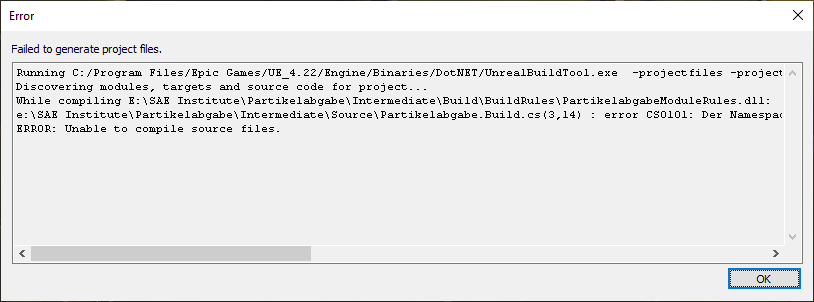 winged moss
yes, and there's an issue with Build.cs, and since your system is locale is German I won't be able to understand the error without a translation
hardy hatch
which Part do you need a Translation for? The last Errors have all been in English
I'd like to help with that
hardy hatch
ah yes
lemme see
Running C:/Program Files/Epic Games/UE_4.22/Engine/Binaries/DotNET/UnrealBuildTool.exe -projectfiles -project="E:/SAE Institute/Partikelabgabe/Partikelabgabe.uproject" -game -rocket -progress -log="E:\SAE Institute\Partikelabgabe/Saved/Logs/UnrealVersionSelector-2023.07.20-23.27.01.log"
Discovering modules, targets and source code for project...
While compiling E:\SAE Institute\Partikelabgabe\Intermediate\Build\BuildRules\PartikelabgabeModuleRules.dll:
e:\SAE Institute\Partikelabgabe\Intermediate\Source\Partikelabgabe.Build.cs(3,14) : error CS0101: Der Namespace '<globaler Namespace>' enth?lt bereits eine Definition f?r 'Partikelabgabe'.
ERROR: Unable to compile source files.
winged moss
you might want to clear the Intermediate directory after converting to a C++ project
does a Build.cs exist in <project root>/Source/<project name>?
hardy hatch
Der Namespace '<globaler Namespace>' enth?lt bereits eine Definition f?r 'Partikelabgabe'.
The Namespace '<global Namespace>' already contains a Definition for 'Partikelabgabe'.
hardy hatch
winged moss
does a Build.cs exist in <project root>/Source/<project name>?
uuuuh
nope
winged moss
does ANYTHING exist in <project root>/Source?
hardy hatch
yee
winged moss
what is there
hardy hatch

 winged moss
I guess you lied when you answered me the first time
hardy hatch
winged moss
you might want to clear the Intermediate directory after converting to a C++ pro...
and sorry for having Trouble with following along, but which Directory would that be?
winged moss
clear out your Intermediate directory
hardy hatch
winged moss
I guess you lied when you answered me the first time
huh?
winged moss
it is literally called Intermediate
hardy hatch
oh
winged moss
 hardy hatch
🤦
yeah
that makes it easier
thought that was like a special name for a certain type of subfolder
hardy hatch
winged moss
I don't see a Build.cs in the Screenshots o.ô
oooh
aaah
I get it
Iw as looking for that exact name
didnt pay attention since the names started differently
mb
winged moss
you can also remove PleasePackage.cpp/h now it's generated the minimum required build files
hardy hatch
aye
winged moss
and then after clearing Intermediate you should be able to generate the VS solution
hardy hatch
ah yes, looking much better now!
I can't judge it but Stuff happened this time
and I got the sln File
 winged moss
open it and try compiling the editor
it should default to the development editor configuration already
hardy hatch
apparently VS needs some Plugins/Extensions to open the file, so it's gotta download about 5 GB now
I'll report back once it's done!
hardy hatch
winged moss
open it and try compiling the editor
by "in the Editor" you meant the classic UE?
not VS?
ah yeah it seems that way
I'm trying to package it now :D
winged moss
??
hardy hatch
hm?
I just thought we did this setup to do something in VS, but apparently not
and it seems like I can build the Project now
yeah perfect, it works!!
thank you so much :>
foggy kraken
my project keeps packaging an older version of the blueprints
winged moss
foggy kraken
my project keeps packaging an older version of the blueprints
More info needed. Do you have multiple copies of your project on your machine? What have you tried? Presuming you use source control, have you tried building on another machine?
foggy kraken
oh thx for replyong
no just one project
i tried all types of shipping changing the actual code that didnt update note that if i edit the content of a widget it changes but blueprints and scripts just wont change i checked the full rebuild as well
 halcyon light
Duplicate class com.google.android.gms.internal.zzeh found in modules jetified-play-services-ads-11.8.0-runtime.jar (com.google.android.gms:play-services-ads:11.8.0) and jetified-play-services-auth-base-11.0.4-runtime.jar (com.google.android.gms:play-services-auth-base:11.0.4)
Anyone know what this error means? Trying to package my game for android
Using the following arr-imports
com.google.android.gms,play-services-auth,11.0.4
com.google.android.gms,play-services-games,18.0.1
com.google.android.gms,play-services-nearby,11.8.0
com.google.android.gms,play-services-plus,11.8.0
 craggy star
hello, would it be possible to only package specific datalayers when doing a build`? i wonder if we can trade streaming levels for datalayers in our project. we have maps for several clients in one project and only build the levels each client needs in their app.
i wonder if datalayers could also do this
 gentle frigate
ATHelper: Verifying SDK and Device (Windows): Installed Sdk validity:
UATHelper: Verifying SDK and Device (Windows): Win64: (Status=Invalid, Installed=, AutoSDK=, MinAllowed=10.0.00000.0, MaxAllowed=10.9.99999.0, Flags="Platform_ValidHostPrerequisites")
UATHelper: Verifying SDK and Device (Windows): ERROR: Win64: Unable to find any Sdks that could be installed
When i try to package, i installed the net 3.1 how it said in the output first, i copied the things in folder engine, still doesnt work
 thorny creek
https://i.imgur.com/XMaX7wa.png hey so does anyone have experience packaging games with ~500 levels? My usual method in the past has been the project launcher

my usual method of using the project launcher is failing me due to what I assume is a command line char limit
there's like 20 different ways to package, what should I be using in this, the year 2023?
thorny creek
looks like project settings > list of maps to include in a packaged build is what I want
what I'd really like to do is package every map except a given list
wonder if I can use the asset manager to do that...
mystic atlas
You can add a folder to package and just put all the maps you want to package in that?
Keep the ones you don't in a separate folder.
thorny creek
eh moving stuff is out of the question sadly
mystic atlas
Ah well
thorny creek
indeed. if only moving and renaming files in UE would move / rename them in p4 rather than creating a redirector and destroying the version control history of the moved/renamed asset
by far my biggest complaint with UE
mystic atlas
You'd think it would add a new entry for the redirector and move the original file
Move it within p4, that is.
I don't think it can handle adding a new file into the same location as a moved one, though.
(in the same CL)
thorny creek
yeah I talked to an epic engineer about this a year ago or so and it's a big challenge apparently
but god it's killing me. We really value the file history and the diff feature in UE, and to lose that to have better file structure isn't worth it, even though we'd love to have a better file structure now that our game is in full production rather than the prototype stage...
tempted to just pay an engineer to figure out some solution for us
mystic atlas
Well, technically, you could just disconnect p4 from the editor, move the map, fixup redirectors and such, close the editor and then move it again through p4 and then do a reconcile.
Super efficient workflow...
thorny creek
oh my favorite!
on another topic, is buildgraph worth using?
eventually I'm going to need to do stuff like generate the build for a target platform, upload debug symbols, push to sales platforms...
looks kind of too opinionated and I might be better off writing my own script in python or somesuch
winged moss
at my old studio we just used a modified build graph for the UGS binaries but that's it
Horde is centred around build graphs but there's literally no documentation and Horde is terrible name for SEO
open rapids
How do i package my files (just 3 tga textures) with astc for android when i package it it just saying failed
 vital dirge
Any ideas why a module is not being included in packaged builds 🥺 everything compiles and the module runs in the editor fine, but if I try to package it then it says the module is not found and Please ensure that this module exists and that it is compiled.
winged moss
vital dirge
Any ideas why a module is not being included in packaged builds 🥺 everything c...
Check Target.cs? That is literally the file to determine if a game module should be compiled for a given target
vital dirge
winged moss
Check Target.cs? That is literally the file to determine if a game module should...
using UnrealBuildTool;
using System.Collections.Generic;

public class TDHServerTarget : TargetRules //Change this line according to the name of your project
{
    public TDHServerTarget(TargetInfo Target) : base(Target) //Change this line according to the name of your project
    {
        Type = TargetType.Server;
        DefaultBuildSettings = BuildSettingsVersion.V2;
        ExtraModuleNames.Add("TDH");
        ExtraModuleNames.Add("Server");
    }
}
This is the Server.Target.cs for the server build, Im obviously doing something wrong tho. TDH is the game module Server is the module im trying to add but is always missing
winged moss
Calling a module just "Server" seems like a terrible idea
vital dirge
Maybe, its just a module that contains a game mode that I only want to package with the server
winged moss
For the same reason calling a project "Test" causes issues
Since that's a build configuration name
vital dirge
Should I try renaming it and see if that helps ?
winged moss
Yes
vital dirge
aight will do that now
winged moss
Though I'm not sure if the client will complain that it can't resolve the GameModeClass. I would just use #if UE_SERVER instead
vital dirge
The client doesnt mind I guess, the client builds ok with that module blacklisted
If I cant get it working ill just go back to using the #if checks, but I just read somewhere that fortnite was using a server specific module for the game mode, so wanted to try it...
Either way I still want to learn how to package a module, even if I have issues with the client not having the gamemode etc, ill still need to know for other modules I ever want to make
vital dirge
winged moss
Though I'm not sure if the client will complain that it can't resolve the GameMo...
Yo thanks Its sorted, while going through all the files to change the names I noticed there was a typo with this line IMPLEMENT_MODULE(FDefaultModuleImpl, ServerModule); the module is being included now
 tranquil star
any one know how to fix this?

 lofty valley
running into some build errors, unsure why :/
lofty valley
alright I fixed it by plugging in world context everywhere. no idea why that fixed it but it did
 native jewel
tranquil star
any one know how to fix this?
native jewel
tranquil star
any one know how to fix this?
Use a valid program .ico for your project
tranquil star
native jewel
Use a valid program .ico for your project
a program to convert it right?
mystic atlas
You can make icos in paint. Just about any graphics program.
 formal mesa
Sorry for the ping 4 years later but by chance do you remember how this was solved? Im getting the same exact 1073741515 error on my build machines with a custom engine (not sure if that has anything to do with it as it works fine on all of my other computers) my cook log is also empty.
 real quarry

 woeful thistle
is there a way to see packaging progress when the output log isn't showing anything? It's got to here and it's "stuck" but idk if it's just that it's doing stuff in the background or not
 woeful thistle
Fixed, it said some textures were too new but it wasn't showing them in my content browser so I deleted them manually from file explorer
woeful thistle
Although Class /Script/AnimationData.AnimationSequencerDataModel is imported by a package but does not exist in memory. EditorDomain keys for packages using it will be invalid if it still exists. is still holding me back I think
 obtuse hollow
formal mesa
Sorry for the ping 4 years later but by chance do you remember how this was solv...
obtuse hollow
formal mesa
Sorry for the ping 4 years later but by chance do you remember how this was solv...
I don't remember, sorry
woeful thistle
woeful thistle
Although `Class /Script/AnimationData.AnimationSequencerDataModel is imported by...
Got it. I was just being impatient
bold sonnet
: * What went wrong: LogPlayLevel: UAT: Could not determine the dependencies of task ':app:compileDebugJavaWithJavac'. LogPlayLevel: UAT: > In project 'app' a resolved Google Play services library dependency depends on another at an exact version (e.g. "[20.0. LogPlayLevel: UAT: 2]", but isn't being resolved to that version. Behavior exhibited by the library will be unknown. LogPlayLevel: UAT: LogPlayLevel: UAT: Dependency failing: com.google.android.gms:play-services-measurement-api:20.0.2 -> com.google.android.gms:play-services- LogPlayLevel: UAT: measurement-sdk-api@[20.0.2], but play-services-measurement-sdk-api version was 20.1.2.
my build.gradle isn't saving when i try to update these packages please help
 jagged igloo
I am having trouble with my navmeshes not working in my packaged game. The characters who are told to move to different points on the nav mesh just don't move in the shipping build version of the game. It is as if the nav mesh is gone. Also, my blueprints using a 2d capture camera to capture a 2d image of a 3d image are not working. They are supposed to be casting the 2d image to a render target and a material but it does not work unless I manually for each one go in and delete the unused contruction and event graphs.
lofty valley
do actors still have their DisplayName in the packaged build?
sorry I'm blind I should read the tooltip 😄
inner island
Cooked packages save right? if you stop a cook/packaging process prematurely, the assets that were cooked will remain (and you won't have to cook them again) as long as you don't delete the packaging folder (or is it intermediate)
inner island
I'm getting a malformed tag build error for a material - specifically these are two texture assets- however I am able to open them up and all material instances/parents compile fine. I've tried:
- Resaving the textures first, then compiling materials and saving them.
- I have no idea what to do next
inner island
Additionally, I've made sure the entire folder that contents (this was an asset pack) - was checked out of source control and then I deleted it (after first closing editor) - then I downloaded from Epic store, just to make sure I had an up-to-date copy and there were no quirky windows/ue asset conflicts -```
THelper: Cooking (Windows): LogAssetRegistry: Error: Package C:/LiveSimDepotRoot/depot/Content/GasStation/Textures/Glass/GlassSignage_Diffuse.uasset has malformed tag
UATHelper: Cooking (Windows): LogAssetRegistry: Error: Package C:/LiveSimDepotRoot/depot/Content/GasStation/Textures/Glass/GlassSignage_Opacity.uasset has malformed tag
PackagingResults: Error: Package C:/LiveSimDepotRoot/depot/Content/GasStation/Textures/Glass/GlassSignage_Diffuse.uasset has malformed tag
PackagingResults: Error: Package C:/LiveSimDepotRoot/depot/Content/GasStation/Textures/Glass/GlassSignage_Opacity.uasset has malformed tag
UATHelper: Cooking (Windows): LogAssetRegistry: Error: Package C:/LiveSimDepotRoot/depot/Content/ModularHouses/Textures/Proxy/T_House_11_Diffuse.uasset has malformed tag
Note - the asset states compatibility with 5.2
bold sonnet
I need help with getting suplicate symbol error when packaging to ios
 jagged cape
I am packaging the new version of my game and when i go to play it, it doesn't seem to have any of my changes to some of the maps they are exactly as they were last time I packaged, whereas in the editor everything is properly updated. Anyone ran into a problem like this?
 golden patio
Not an immediate concern, but once I publish my game I would like to offer tools (similar to the Unreal Tournament Editor or the Robo Recall modding framework) to allow users to create mods for my game. How would I go about this following the EULA (which I just saw doesn't allow distributing the editor as part of a published game)?
winged moss
golden patio
Not an immediate concern, but once I publish my game I would like to offer tools...
You publish your editor on the Epic launcher. This is the only way to do UGC through the editor
inner island
: Detected the creation of more than one LevelScriptActor aww fuck
jagged cape
jagged cape
I am packaging the new version of my game and when i go to play it, it doesn't s...
building a dev build works fine, it seems like its just shipping that builds the wrong version :/ I have "full rebuild" checked in the packaging settings. pretty baffled.
viscid girder
hello, i am looking at UE5 and things have changed since 4, i used to select the maps i wanted it to include, i can't see that in the packaging options anymore. i assume i still need to do this?
nevermind i figured it out
having one of those days
silver kraken
Does anything special have ot happen for the DefaultGame.ini to be included in AssetManager custom class?
This works fine in a standalone (editor) gameplay - but when packaged this table is not being read.... I've included this in my DefaultGame.ini - which works fine in editor PIE/Standalone:
[/Script/GameplayAbilities.AbilitySystemGlobals]
+AbilitySystemGlobalsClassName=/Script/VIGame.VI_AbilitySystemGlobals
+GlobalAttributeSetDefaultsTableNames=/Game/Data/CharAttrTbl/AttrTPChar_Levels.AttrTPChar_Levels```When i've specifically added this directory to Additional Asset Directories to Cook - it still has not loaded in packaged game :/ But the package log states that it does indeed get found and is valid....

LogSourceControl: Attempting 'p4 fstat -Or D:/gamedev/VIGame/Config/DefaultEngine.ini D:/gamedev/VIGame/Content/Data/CharAttrTbl/AttrTPChar_Levels.uasset'
LogPackageName: Warning: FPackagePath::TryFromMountedName was passed an ObjectPath (/Game/Data/CharAttrTbl/AttrTPChar_Levels.AttrTPChar_Levels) rather than a PackageName or FilePath; it will be converted to the PackageName. Accepting ObjectPaths is deprecated behavior and will be removed in a future release; TryFromMountedName will fail on ObjectPaths.
LogAssetEditorSubsystem: Opening Asset editor for CurveTable /Game/Data/CharAttrTbl/AttrTPChar_Levels.AttrTPChar_Levels```Hey, i have try to create a Debug packaging. But when i Press ~ to "open console command" nothing happend? how can i enter command line on debug mode? i would like to make a "stat startfile"
 full cosmos
hello guys,
i got a level im trying to play in my PACKAGED project but it crashes and gives me this error:
Assertion failed: !Start.IsInlined() [File:D:/Build/++UE4/Sync/Engine/Source/Runtime/CoreUObject/Private/Serialization/BulkData2.cpp] [Line: 1163]
**0x00007fff7a40cf19 KERNELBASE.dll!UnknownFunction []
0x00007ff68ea32df6 funnychickengame.exe!UnknownFunction []
0x00007ff68ea361d8 funnychickengame.exe!UnknownFunction []
0x00007ff68e7edc2d funnychickengame.exe!UnknownFunction []
0x00007ff68e782a6b funnychickengame.exe!UnknownFunction []
0x00007ff68e784cc0 funnychickengame.exe!UnknownFunction []
0x00007ff68eb1ce7b funnychickengame.exe!UnknownFunction []
0x00007ff691f4b4b7 funnychickengame.exe!UnknownFunction []
0x00007ff691f12ace funnychickengame.exe!UnknownFunction []
0x00007ff691f52a67 funnychickengame.exe!UnknownFunction []
0x00007ff691f26df2 funnychickengame.exe!UnknownFunction []
0x00007ff68e6cfef8 funnychickengame.exe!UnknownFunction []
0x00007ff68ea54d4f funnychickengame.exe!UnknownFunction []
0x00007ff68ea4be70 funnychickengame.exe!UnknownFunction []
0x00007fff7bf97614 KERNEL32.DLL!UnknownFunction []
0x00007fff7c8a26f1 ntdll.dll!UnknownFunction []
Crash in runnable thread PoolThread 0
**
I have looked far and wide and there seems to be like nothing helpful
Thank you in advance
winged moss
full cosmos
hello guys,
i got a level im trying to play in my PACKAGED project but it crashe...
You don't have debug symbols alongside your build so decyphering this crash will be impossible
full cosmos
winged moss
You don't have debug symbols alongside your build so decyphering this crash will...
my bad, heres a pic if that helps, looks like the one my tester buddy sent me was different
 winged moss
full cosmos
my bad, heres a pic if that helps, looks like the one my tester buddy sent me wa...
winged moss
full cosmos
my bad, heres a pic if that helps, looks like the one my tester buddy sent me wa...
that is literally showing no difference in information. debug symbols will show actual useful information instead of a bunch of "UnknownFunction"
winged moss
it's also a packaging setting since this is related to packaging
though that might depend if this is a BP only project or not
full cosmos
winged moss
though that might depend if this is a BP only project or not
hey, sorry to bother you again, but i've installed the debug symbols, enabled "include debug files" in the packaging settings, repackaged, and nothing has changed, im so confused on what i've done wrong
gives me the same exact vague error
even restarted the entire pc
winged moss
https://github.com/EpicGames/UnrealEngine/blob/4.25/Engine/Source/Runtime/CoreUObject/Private/Serialization/BulkData2.cpp#L1163 you're really using 4.25 or earlier?
actually this looks like 4.25 because later versions have a message with the assert
full cosmos
yup 😭 i only use it cuz i used it a long time ago and im comfortable with it
didnt think i'd rlly run into problems
winged moss
I don't know how there's comfort levels associated with specific versions of the engine
winged moss
well that's the kind of thing source control is for so if there's a botched engine upgrade you can revert it
full cosmos
maan idk maybe i'll just rebuild the level one by one
thank u for ur help tho
i appreciate it
its a brute force approach but i reckon if i just rebuild it manually eventually i'll see whats wrong idk
so NOW it doesnt crash its something within the level im rlly getting somewhere
winged moss
bulk data is usually something with texture mips so I don't know if you had a potentially corrupt texture or something with bad settings, but you wouldn't be able to tell that without debugging your game executable
full cosmos
that helps tyvm
inner island
Failed to copy C:\LiveSimDepotRoot\depot\Plugins\SortVectorBlake\Binaries\ThirdParty\SortVectorBlakeLibrary\Win64\ExampleLibrary.dll to C:\LiveSimDepotRoot\depot\Saved\StagedBuilds\Windows\LiveSimulator\Plugins\SortVectorBlake\Binaries\ThirdParty\SortVectorBlakeLibrary\Win64\ExampleLibrary.dll, deleting, waiting 10s and retrying.C:\LiveSimDepotRoot\depot\Saved\StagedBuilds\Windows\LiveSimulator\Plugins\SortVectorBlake\Binaries\ThirdParty\SortVectorBlakeLibrary\Win64\ExampleLibrary.dll
but the solution (and my project's solution) both compile fine and the node works fine in game. I just can't package it - seeing this hierarchy, what do I need to update to resolve this error?
 winged moss
inner island
Failed to copy C:\LiveSimDepotRoot\depot\Plugins\SortVectorBlake\Binaries\ThirdP...
winged moss
inner island
Failed to copy C:\LiveSimDepotRoot\depot\Plugins\SortVectorBlake\Binaries\ThirdP...
didn't I answer this in #cpp?
inner island
winged moss
didn't I answer this in <#221799439008923648>?
I'm afraid I'll need more hand holding than you might be willing to do - I just don't understand the folder hierarchy
winged moss
you created a plugin with a third party library for some reason, just nuke the ThirdParty directory if this is not what you intended to do (likely)
open the Build.cs in Source/SortVectorBlake to remove the reference to the third party library
inner island
but my plugin stuff is IN that ThirdParty directory - somehow i ended up putting it there when I made the library
winged moss
move it
inner island
even though what I made was a librrary from a template
winged moss
yeah, you selected the third party library template rather than the blank one
inner island
just understand - I have no idea about the folder hierarchy and path names
winged moss
move any custom code from Source/ThirdParty to Source/SortVectorBlake, then delete the Source/ThirdParty directory
open Source/SortVectorBlake/SortVectorBlake.Build.cs to remove any references to the "thirdparty" module
regenerate the solution
inner island
so I just need to move the SortVecgtorBlakeLibrary.Build.cs and SortVectorBlakeLIbrary.tps files from this folder to the SourceSortVectorBlake?
 winged moss
where is your custom code?
inner island
winged moss
move any custom code from Source/ThirdParty to Source/SortVectorBlake, then dele...
I am getting this build error - 2>LINK : fatal error LNK1181: cannot open input file 'C:\LiveSimDepotRoot\depot\Plugins\SortVectorBlake\Source\SortVectorBlake\x64\Release\ExampleLibrary.lib'
inner island
 winged moss
I said move custom code only
I'm not sure why you moves the Build.cs and tps file
those should be removed
BUT ONLY THE LIBRARY ONE
inner island
winged moss
which is what the Build.cs fixing is supposed to be
I asked above
winged moss
 inner island
2>C:\LiveSimDepotRoot\depot\Plugins\OpenXRExpansionPlugin\Source\OpenXRExpansionPlugin\OpenXRExpansionPlugin.Build.cs : warning : Modules must specify an explicit precompiled header (eg. PrivatePCHHeaderFile = "Public/AnimNode_ApplyOpenXRHandPose.h") from UE 4.21 onwards.
2>Could not find definition for module 'SortVectorBlakeLibrary', (referenced via Target -> SortVectorBlake.Build.cs)```I appreciate the time you are taking to try to help me
winged moss
yes and I said to remove the reference from SortVectorBlake.Build.cs
inner island
public class SortVectorBlake : ModuleRules
{
    public SortVectorBlake(ReadOnlyTargetRules Target) : base(Target)
    {
        PCHUsage = ModuleRules.PCHUsageMode.UseExplicitOrSharedPCHs;

        PublicIncludePaths.AddRange(
    new string[] {
        // Add the path to the ThirdParty/SortVectorBlakeLibrary folder
        System.IO.Path.Combine(ModuleDirectory, "..")
    }
);


        PrivateIncludePaths.AddRange(
            new string[]
            {
                // ... add other private include paths required here ...
            }
        );

        PublicDependencyModuleNames.AddRange(
            new string[]
            {
                "Core",
                "SortVectorBlakeLibrary",
                "Projects",
                "CoreUObject", // This adds the CoreUObject module
                "Engine", // This adds the Engine module
                // ... add other public dependencies that you statically link with here ...
            }
        );
the formatting is messed up for some reason, but you need to remove the thirdparty thing from the dependency list
winged moss
yes
inner island
sweet, that got it, now let's see if I can package this POS
weird - s): Stacktrace: at System.IO.FileSystem.DeleteFile(String fullPath) UATHelper: Packaging (Windows): at AutomationTool.InternalUtils.SafeDeleteFile(String Path, Boolean bQuiet) in D:\build\++UE5\Sync\Engine\Saved\CsTools\Engine\Source\Programs\AutomationTool\AutomationUtils\Utils.cs:line 124 UATHelper: Packaging (Windows): ERROR: Stage Failed. Failed to delete staging directory C:\LiveSimDepotRoot\depot\Saved\StagedBuilds\Windows UATHelper: Packaging (Windows): (see C:\Users\blmcc\AppData\Roaming\Unreal Engine\AutomationTool\Logs\C+Program+Files+Epic+Games+UE_5.2\Log.txt for full exception trace) UATHelper: Packaging (Windows): AutomationTool executed for 0h 5m 38s UATHelper: Packaging (Windows): AutomationTool exiting with ExitCode=102 (Error_FailedToDeleteStagingDirectory) UATHelper: Packaging (Windows): BUILD FAILED PackagingResults: Error: Failed to delete staging directory. This could be because something is currently using the staging directory (ps4/xbox/etc) I am pretty sure I closed VS
wtf is bztransmit64

lol oh that's fucking backblaze i thought I disconnected this pc from that
 median moat
how do i package a mp4 that need sto be an mp4 and not a uasset for a plugin im using?
inner island
You'd have to use an audio importer that converts it to a sound object during runtime - not sure if I can export or not
I think it's called Real Time Audio Import
formal mesa
What causes the bootstrapped game exe to be placed in a packaged/staged build? (the shortcut style exe that is placed at the root of your staged build during BuildCookRun, not the binary itself)
I have two build machines running the exact same commands but one places the exe in there and one doesn’t. I’m assuming its some weird config thing? I’ve looked through every single arg for build cook run and found nothing, though that shouldn’t matter as they are running the same commands.
drowsy sphinx
hello, im i a Debug / Dev packaging, and i can display that on top of the screen

we told me to open the command line, i need to press on Tilde : ~
but nothing appear when i write tilde : Alt Gr + (Tilde button (= + ~) )
do you know how can i make the command line appear to enter the commande : stat startfile ?
 tepid perch
Hi I just got refered to this channel. I just copy pasted my message:
hi all, i need some help: I am packaging my project that has an own Config File. But in the packaged project there is no Config Folder.. nowhere... Does anyone know how I can expose the Config Folder in the packaged project?
 crisp patrol
What does the "For Distribution" build option do?
Is there any difference between just packaging in Shipping build and having "For Distribution" on? It mentions in the tool tip that it's "for publishing to the App Store", does it have any effect on Windows builds?
From the docs it looks like it's only for mobile store, please ping me if there are any other benefits to enabling it! To submit an iOS or Android game to the App Store or Google Play Store, you need to create your package in Distribution mode.
low locust
LogPluginManager: Error: Plugin 'VaRest' failed to load because module 'VaRest' could not be found. Please ensure the plugin is properly installed, otherwise consider disabling the plugin for this project.
Any idea what to do?
...while cooking, build succeeds
UE 5.2
 signal helm
Any advice on:
PackagingResults: Error: Invalid Bytecode: Interpolation mode for PS input position must be linear_noperspective_centroid or linear_noperspective_sample when outputting oDepthGE or oDepthLE and not running at sample frequency (which is forced by inputting SV_SampleIndex or declaring an input linear_sample or linear_noperspective_sample).
 native acorn
Getting this error whenever I package:
AddRedirect(ActiveClassRedirects Engine) failed to add redirect from None to None with empty name!
 pastel crag
First I got this error
'''PackagingResults: Error: Unable to find AAB: build/outputs/bundle/debug/universal.apks
UATHelper: Packaging (Android (Multi:ASTC,DXT,ETC2)): ERROR: cmd.exe failed with args /c "C:\Users\satya\Documents\Unreal Projects\CropoutSampleProject\Intermediate\Android\gradle\rungradle.bat" :app:bundleDebug
UATHelper: Packaging (Android (Multi:ASTC,DXT,ETC2)): (see C:\Users\satya\AppData\Roaming\Unreal Engine\AutomationTool\Logs\C+Program+Files+Epic+Games+UE_5.2\Log.txt for full exception trace)
PackagingResults: Error: cmd.exe failed with args /c "C:\Users\satya\Documents\Unreal Projects\CropoutSampleProject\Intermediate\Android\gradle\rungradle.bat" :app:bundleDebug
UATHelper: Packaging (Android (Multi:ASTC,DXT,ETC2)): AutomationTool executed for 0h 19m 32s
UATHelper: Packaging (Android (Multi:ASTC,DXT,ETC2)): AutomationTool exiting with ExitCode=1 (Error_Unknown)
UATHelper: Packaging (Android (Multi:ASTC,DXT,ETC2)): BUILD FAILED
PackagingResults: Error: Unknown Error '''
fossil galleon
Packaging server and opend it up result like this

I don't understand why log say that's not attached to something because it's not static.
 barren stag
Hie all, I just packaged my project but when I tried launching it, nothing happens. Anyone could give me some insight as to why it could be?
mystic atlas
fossil galleon
Packaging server and opend it up result like this
Static in this case refers to its moveability in the transform section of the details panel.
fossil galleon
mystic atlas
Static in this case refers to its moveability in the transform section of the de...
according to that log, should i change them to static?
mystic atlas
You should either change the child to moveable or change the parent to static.
Yeah. That.
pastel crag
I'm stuck at this for past 40mins, is this normal?
 surreal matrix
pastel crag
I'm stuck at this for past 40mins, is this normal?
surreal matrix
pastel crag
I'm stuck at this for past 40mins, is this normal?
Filter out these logs from the filter tab. They mean nothing for your packaging process
Or you can ignore them
 arctic tree
Hi 🙂 Does anyone has experience with HLOD generation for big (8x8km in my case) open world maps? My packaged build gets really big once HLODs are generated. Without HLODs the build has around 8GB (we have a very stylized graphiscs style, so there are no big textures involved). With HLODs the build size increases to almost 60GB. I already tried different texture size in the HLOD layer material settings (down to 256x256) which did not have a big impact. I also tried different HLOD layer types (Simplified and Approximated, the later one did not yield very good optical results for our map). But I had no success in reducing the packaging size. I am using 5.2.1.
 mild olive
When playing my game on Steam by packaging it with SteamPipeGUI, I notice there a graphical issues. There's minor screen tearing on edges of meshes when moving around. These graphical issues don't appear at all in the standalone build or in PIE.
Does anyone know what might cause this?
 plucky wind
hey, I have a pretty weird bug, When possessing a pawn in Shipping Packaged, the screen goes completely black
Possessing the same pawn in Development Packaged, it works fine
there is no post process volume in the scene. what could cause this?
 final plank
Hello there, I'm having an unusual issue.
When I run my game in the editor from the main menu, it launches the next level with no issues. However, when I package the game to give it a test run as others would play it, when I push start on the main menu it just... loops the main menu again?
I can't seem to find a reason for this happening, because as I said, in the editor it loads the map up with no issues? Am I missing something glaringly obvious?


 drowsy sphinx
hello
into the unreal editor i work with Medium quality
which is good. how can i have the same Medium quality on my exported package game?
because it export the game on full Cinematic mode...
and my pc doesn't support the cinmatic mode
so i'm not able to play my game on my pc 😂
 quaint shore
drowsy sphinx
so i'm not able to play my game on my pc 😂
quaint shore
drowsy sphinx
so i'm not able to play my game on my pc 😂
Check this video: https://www.youtube.com/watch?v=clUyKve2B2o&ab_channel=MathewWadstein
it's a bit old but the princip should be the same
drowsy sphinx
quaint shore
Check this video: https://www.youtube.com/watch?v=clUyKve2B2o&ab_channel=MathewW...
thanks that's perfect
open rapids
I've seen some unreal games with no exe file (one inside binaries exists) and no manifest files. How is this possible?
Also it is like possible to have individual pak file for different file types? Like one for animation, audio, textures, etc
 opal jay
what is the point of Manifest_UFSFiles_Win64?
 median bay
are all enabled plugins go into build when packaging, even if they are not used? UE5.2
 rapid hinge
I'm trying to debug an issue that only occurs with the shipping build config, and I've enabled logging with bUseLoggingInShipping = true; but I'm not able to see any print string log lines that I added in blueprints. Is it possible to view these log lines as well?
 uneven wyvern
Hey, I deleted my "Intermediate" folders and now when my game tries to package it completes in 0.001 seconds which of course, means it didn't package at all. Can anyone help?
 vital palm
Hi can anyone tell me how to export for Android in ue4.27.2
Like what SDK,ndk, and jdk I have to install and where to install? Anyone
flint kayak
do i need macOS to build ios blueprint-only project
(in official documents it says i don't need but i tried with 5.1.1 )
but when i try to package it shows Rsync error and tries to remote build
 pale sleet
Packaged Project Crashes when Opened in the logs I cant see any error related to this.. (unreal engine 5)
 undone umbra
Anyone know how to fix this build error? PackagingResults: Error: Launch failed! Missing UnrealGame binary.
wooden stream
guys how I can open my .sln project in different unreal engine version I used to ? I need help 😦
 rotund trench
Found this post apperently same issue that I have. How did you manage to find what mesh was in-question?
 lavish fiber
wooden stream
guys how I can open my .sln project in different unreal engine version I used to...
lavish fiber
wooden stream
guys how I can open my .sln project in different unreal engine version I used to...
If i remember correctly, right click on SLN or UPROJECT file and there should be option to run with different version
 wispy trench
Hey any cool way to automatically use unreal source build and package my game for the Server configuration? Any way to script that?
 formal tangle
Can anyone smarter than I figure out what this error means? its the only error I'm getting when packaging my project and its not being very helpful in locating the actual issue lol, ive looked through the logs but this is all I can find
wispy trench
formal tangle
Can anyone smarter than I figure out what this error means? its the only error I...
first of all you're lacking editor debug symbols, besides that one of your pins in BP is lacking world context
If anybody knows what this Domain is, what it is caused by, I would be glad
seems to have something to do with folders
    {
        int32 DirectorySeparatorIndex;
        if (RemainingPath.FindChar(TEXT('/'), /*out*/ DirectorySeparatorIndex))
        {
            check(DirectorySeparatorIndex > 0);
            const FString DirectoryName(DirectorySeparatorIndex, RemainingPath.GetData());

            TSharedPtr<FDomainPathNode>& ChildFolder = SubFolders.FindOrAdd(DirectoryName);
            if (!ChildFolder.IsValid())
            {
                ChildFolder = MakeShared<FDomainPathNode>();
            }

            ChildFolder->AddDomain(Domain, RemainingPath.Mid(DirectorySeparatorIndex + 1));
        }
        else
        {
            check(RemainingPath.Len() == 0);
            ensure(!DefaultDomain.IsValid());
            DefaultDomain = Domain;
        }
}```this is the code it runs and the ensure it fails
formal tangle
wispy trench
first of all you're lacking editor debug symbols, besides that one of your pins ...
I figured it out, a function in my blueprint function library had a __WorldContextObject input, I simply deleted it and it built just fine
rain timber
setup
 hard otter
anyone know what this could be?

or how i could go about finding it?
as far as i'm aware, no code in my project does array modification using a for loop, which is what this apparently is?
bp only project with cpp plugins
winged moss
Android is annoying and you have to install the specific version of Android Studio it asks for even though it dates to 2019