#packaging
1 messages · Page 5 of 1
 fleet void
Perhaps try verifying the engine install.

And yes I saw your message about the fresh install, but that doesn't mean nothing could have gone wrong during that process or even right after 😛
fleet void
Then I'm not sure either 😦
 fierce pebble
ok
what libraries do i all need
to package a game on win 10 with ue5
lets go through the list...
i must be missing a package
 mystic atlas
Go through the vs installer packages 1 by 1? 😦
 nocturne snow
Why I am still getting .pak files in packaged build even I set use pak option to false?

?

 ionic thorn
can anybody check my log to tell me what exacly caused the crash while packaging? I get its about shader compiling but didnt get the exact reason
I cant package the game(in shipping mode)
fierce pebble
your entire log
is full or critical errors
like
everything is broken
literally everything
ionic thorn
fierce pebble
literally everything
isnt it only materials
fierce pebble
a single red is already wrong.
you cant have ANY red
it will always fail
red is fail.
you need to fix ALL the red
ionic thorn
I dont get how I can have that much red
fierce pebble
thats part of the problem then
fierce pebble
look
there are too many errors in your log
to go through here
you have to fix them one by one
ionic thorn
I dont really know how to fix each of them so I think I will delete ones give error, it should fix it right?
ionic thorn
like here, I deleted this material, how it is dangerous?

Im not even using that material
fierce pebble
above that
nocturne snow
nocturne snow
Why I am still getting .pak files in packaged build even I set use pak option to...
any solution?
 quasi sierra
Is there any good workflow for patching a game? I have my launch profiles basically setup, but since i made some changes to a blueprint i cant simply drop my _0_P.pak file into my content folder of my game to patch it. (I of course get a SuperStruct error that a specific function i created couldnt be created) So whats your guys workflow for patching? Or do i have to copy the new main pak and patch pak over to my games content folder?
Every Error i get is because of the patch.pak the main pak is completely normal
I added a new gamemode and some new code in it and even assigned it to all of my maps, yet it seems like the gamemode isnt included in the built patch file. How do i tell the engine to cook new classes and new code for the patch?
 winged moss
ionic thorn
like here, I deleted this material, how it is dangerous?
winged moss
ionic thorn
like here, I deleted this material, how it is dangerous?
Why would you delete an engine material
ionic thorn
winged moss
Why would you delete an engine material
Because it was giving errors when packaging, it was a big mistake tho because it broke my ue5. Than I just updated ue5 and it fixed along with the problem above
 edgy shadow
Hi guys, during the cooking of the content, can I edit my bp classes and keep working, or should i stop until it ends?
mystic atlas
You should probably avoid changing anything.
 limpid thistle
Hi all, i just updated UE to 5.1.1 and now packaging never stops. Only clue i have is when i cancel it, logs says "[2023.02.08-19.34.56:014][185]LogAudioMixer: Warning: Decoder Error, stopping source [CompileFailed]"
 sleek frigate
When deploying the AR template for android, it hangs here at "Attempting to connect to file server [USB]" for an absurd amount of time. I am also working in Unity on another project, same device, same PC. The unity project can send builds and runs with no problem.
I've spent 3 or so days troubleshooting this with online docs, official and not-so-official (stackoverflow and the lack)
quasi sierra
Im having this error after I try to open the game, i really dont know why its doing that. This is a cpp and blueprint project in 4.26

Yes the member PatchingTestingFunction is a custom function inside of my gamemode in cpp with the property blueprintimplementable event.
Im having this bug for days now and i searched in the web too and it seems that a lot of people have had this bug, but no solution was ever found. But this seems to be such an easy bug since something obviously didnt compile correctly
winged moss
Log, code, uproject file, anything?
quasi sierra
I could send you the crash report
keep in mind that this happens after i open the built game
quasi sierra
winged moss
Log, code, uproject file, anything?
whats up with the uproject file tho?
winged moss
The crash report is useless unless I have the symbols
And the uproject and Target.cs file would confirm a) the game module is compiled b) the game module is loaded in the cooked game
quasi sierra
I dont have symbols either and never used them
quasi sierra
winged moss
And the uproject and Target.cs file would confirm a) the game module is compiled...
how do i check that in a cooked game?
winged moss
This is from your normal project files
quasi sierra
I just go into vs and compile just like always or how do i check that?
quasi sierra
winged moss
This is from your normal project files
or is there another way?
winged moss
Literally just show the contents of the files I asked about
quasi sierra
ok
winged moss
This looks correct, so I would need to see the code relating to the error
quasi sierra
sure
quasi sierra
winged moss
This looks correct, so I would need to see the code relating to the error
declaration: UFUNCTION(BlueprintImplementableEvent) void PatchingTestingFunction();
in cpp: ```AActor* ABaseGamemode::ChoosePlayerStart_Implementation(AController* Player)
{
ACustomBaseWorldSettings* WorldSettings = Cast<ACustomBaseWorldSettings>(GetWorldSettings());
AActor* BestStart = nullptr;
ABasePlayerController* Controller = Cast<ABasePlayerController>(Player);
if (Controller)
{
    Controller->GetLastSavedLocation();
    if (Controller->LastSavedLocation != FVector(0,0,0))
    {
        //GEngine->AddOnScreenDebugMessage(-1, 15.0f, FColor::Yellow, FString::Printf(TEXT("lastsavedvector != 0")));
        BestStart = GetClosestSafehouseVector(Controller->LastSavedLocation)->GetPlayerStartActor();
    }
    else
    {
        BestStart = WorldSettings->Safehouses[0]->GetPlayerStartActor();
        //GEngine->AddOnScreenDebugMessage(-1, 15.0f, FColor::Yellow, FString::Printf(TEXT("last saved vector == 0")));
    }
}
else
{
    //GEngine->AddOnScreenDebugMessage(-1, 15.0f, FColor::Yellow, FString::Printf(TEXT("Controllerref in chooseplayerstart is null")));
}

PatchingTestingFunction();
return BestStart ? BestStart : WorldSettings->Safehouses[0]->GetPlayerStartActor();
}```
in bp its just implemented and then calls a print string node
yes this functions purpose is to expose this issue
winged moss
I was thinking a classname collision with the engine, but that's GameModeBase
quasi sierra
yeah thats correct
winged moss
though I would avoid super vague classnames in the game module
quasi sierra
its a child class of GamemodeBase, sorry should have been more clear
could the name be an issue for the engine confusing it with a different file?
winged moss
it's possible, but unlikely. I was thinking if you had multiple game modules then something in another game module might be hard referencing a BP that references PatchingTestingFunction before the main game module is loaded
quasi sierra
another interesting turn on this, first initial released version works completely fine if i uncomment the PatchingTestingFunction tho and generate a patch pak and put it in the release content directory i get the superstruct error. So something tells me something didnt compile correctly
quasi sierra
winged moss
it's possible, but unlikely. I was thinking if you had multiple game modules the...
nope no hard referencing should be done
especially not with this function
@winged mossi downloaded the debugging symbols, how do i use them?
This is a Shipping build btw so idk if we can debug there
winged moss
when you cook the game, debugging symbols should be staged with the build
these have the PDB file extension
when your game crashes, you should now get a readable stack trace, and you can also attach a debugger to the running process and set breakpoints
quasi sierra
but not to a build in shipping config right? I can rebuild tho
winged moss
yes but you have to opt into staging them in the packaging settings
quasi sierra
quasi sierra
another interesting turn on this, first initial released version works completel...
@winged mosshope you read this, this is the ultimate problem
winged moss
well yeah, I'd expect that because the BP shouldn't really compile
also you shouldn't use pak patching if there are incompatible API changes like that
quasi sierra
so what would be the correct way?
quasi sierra
winged moss
also you shouldn't use pak patching if there are incompatible API changes like t...
Which means such changes werent ever supported by the patching system of unreal?
winged moss
if you make API changes and the referencing assets haven't been touched, then yeah, you're going to run into issues
you should only be using pak patching for hotfix-level changes
quasi sierra
ok so then thats probably the issue
quasi sierra
winged moss
you should only be using pak patching for hotfix-level changes
but how do big game developers bring new updates to the game since they cant patch the game like this, to bring lets say a new weapon class into the game
winged moss
a major update will just be repackaged
the platform figures out to patch typically
if you used pak patching from 1.0 to every post-launch patch, then that'd be no good anyway because the 1.0 paks would be there forevermore
quasi sierra
hm interesting really thought it would work like that. cuz theoretically, everytime you bring out a new game update the players would have to download the game theoretically again.
winged moss
but for hotfixes, the annoyance would be the long patching times (especially a problem on steam). that's really what pak patching alleviates
quasi sierra
ah very good to know, thanks a lot for your help
 native jewel
Graph is linked to external private object MaterialFunction.
I'm getting this when trying to package my test project, the material function is in a plugin. How would I fix this??
winged moss
native jewel
`Graph is linked to external private object MaterialFunction`.
I'm getting this...
what does the reference viewer look like?
native jewel
winged moss
what does the reference viewer look like?
Last = "private object"
Middle uses it and has no error or warning specifically naming the file (Also in the plugin)
First is main usage, which is in the main project.
 winged moss
native jewel
Last = "private object"
Middle uses it and has no error or warning specifically ...
winged moss
native jewel
Last = "private object"
Middle uses it and has no error or warning specifically ...
I would change the breadth setting
there is something referencing the material function during packaging
 severe basalt
Hello guys,
How to assign **"/Game/Movies/.mp4" *** to chunks? is it possible to assign not asset files into chunks?
native jewel
winged moss
I would change the breadth setting
Increasing the breadth to 50 and even disabling the search breadth limit still only shows the 3
native jewel
recompiled the editor after a pull from github and it now shows my materials that reference it.
 native jewel
Been at this for a bit and still the same error
winged moss
native jewel
Been at this for a bit and still the same error
well is there something in C++ referencing this via an FObjectFinder (it's pretty bad to use those though) or is there a custom project setting you've added perhaps which is either a soft or hard ref?
native jewel
There's no C++ code in this project as of right now, so no.
And the error originates from the material, with "4 refs," but they're all in that one singular MaterialFunction

 winged moss
a material would reference the material function though, and that's usually fine
native jewel
I copied all the content over to a project that's named the same, to make sure there's no config stuff interfering, but still the same.
I'm so lost lol
winged moss
Did you try resaving the asset?
native jewel
Other than ctrl+s-ing in the asset, how would I do that?
Cuz I've modified and saved all of my functions and materials, so I assume it's a different type of save
winged moss
"re-saving" is literally just hitting save on the asset
native jewel
Ah, yea, that does absolutely nothing
Ok, update, I moved the asset to my main content folder and now it fails to save due to an "unknown culprit"

Fixed it finally, turns out it was a corrupted reference to an engine material function. Remaking the asset from scratch and fixing its references lets it cook and package
winged moss
gotta thank the cryptic error for that rabbithole
native jewel
Thanks for your help lol
 ornate plover
My fellow, have you discovered why? how? Please give me a light
 modest badger
having a problem with visual studio
just installed 2022 but

and

paradox
it wont let me package the build as if it doesnt see the installed VS
wtf is going on here
 modest badger
pls tell me something if you have already successfully packaged the game on 5.1
mystic atlas
If you update the engine and it changes core files, then, yeah, it will rebuild a large portion of it.
 unborn compass
first time building my game in unreal engine 5 and it only seems to of packaged the main menu and nothing else

i am missing all these maps
 winged moss
unborn compass
i am missing all these maps
winged moss
unborn compass
i am missing all these maps
So did you add those maps to the packaging list in project settings?
unborn compass
there is a packaging list now?
unborn compass
found the setting and got it working now
winged moss
there always has been
 uncut tide
Just started getting this crash in packaged builds. Anyone have any insight?

 remote stratus
are cooked contents unique to each build ( DebugGame, Test, Shipping) or shared ?
mystic atlas
Cooked content is only required for shipping.
The other builds should be able to open it, though, just not edit it in the editor.
mystic atlas
uncut tide
Just started getting this crash in packaged builds. Anyone have any insight?
Sounds like a map is missing from a build or from your list of selected-to-export maps?


 jagged cape
I'm gettting an error when trying to cook my project, it seems related to a new class I added

everything runs fine in PIE and that class and the given function are being used thoroughly, I don't really understand what the error message is complaining about
jagged cape
renaming the struct fixed it lol
 tepid abyss
anyone here got experience deploying to steamdeck? I'm getting: LogPlayLevel: Warning: UAT: WARNING: Unable to find '/home/robbie/.local/share/steamos-devkit\steamos-devkit\devkit_rsa' rsa key needed to deploy to the steam deck. Make sure you've installed the SteamOS Devkit client and my devkit_rsa is located at: /home/robbie/.config/steamos-devkit/devkit_rsa where would I change this in ue?
 oak elm
Hi guys I have a problem, when I activate the Virtual texturing support and build I get this error when building, in 5.1
LogEditorDomain: Display: Class /Script/AnimationData.AnimationSequencerDataModel is imported by a package but does not exist in memory. EditorDomain keys for packages using it will be invalid if it still exists.
UATHelper: Packaging (Windows): To clear this message, resave packages that use the deleted class, or load its module earlier than the packages that use it are referenced.
UATHelper: Packaging (Windows): LogCook: Display: CookSettings for Memory: MemoryMaxUsedVirtual 0MiB, MemoryMaxUsedPhysical 0MiB, MemoryMinFreeVirtual 2048MiB, MemoryMinFreePhysical 2048MiB
Any idea?
 unique oar
Hi, since few days I'm trying to solve this one, does anyone have an idea? PackagingResults: Error: Unknown Error
LogAudioMixer: Warning: Decoder Error, stopping source [CompileFailed]
 silk halo
can I pass commands to an already packed game? more precisely, scalability commands/settings 🤔
Or does my game has to be built expenting those to work? 🤔
 feral kite
Hey guys,
I use +DirectoriesToNeverCook=(Path="/Game/Modules/SD_Tutorial")
in DefaultGame.ini & in AndroidGame.ini.
But still the assets do get packaged and I break googles 100 mb limit. Does anyone have an idea why DirectoriesToNeverCook does not work?
I am on 4.26
 limpid raptor
I sent a development build to a friend and they're getting this error even though they've told be they've downloaded "VC_redist.x64.exe". What else could be the problem?

 runic stump
limpid raptor
I sent a development build to a friend and they're getting this error even thoug...
runic stump
limpid raptor
I sent a development build to a friend and they're getting this error even thoug...
Now they should try running VC_redist.x64.exe they've downloaded!
feral kite
limpid raptor
I sent a development build to a friend and they're getting this error even thoug...
If you included Prerequisites installer it should actually be part of your build.
In that case they should execute the installer that can be found under ProjectName\Main\Engine\Extras\Redist\en-us\UE4PrereqSetup_x64.exe
If not you can send them the installer directly, you can find it here: C:\Program Files\Epic Games\UE_[YOUR UE VERSION]\Engine\Extras\Redist\en-us\
limpid raptor
runic stump
Now they should try _running_ `VC_redist.x64.exe` they've downloaded!
Sorry I meant they’ve downloaded and run it obviously
limpid raptor
feral kite
If you included Prerequisites installer it should actually be part of your build...
I’ve added this to the build. Thank you.
mystic atlas
You need to change all references from the old name to the new name, including renaming any files
And probably delete your intermediate and binaries folders
 noble lagoon
Heyyy guys
I have a problem when I try to package

Someone already had this one ?
noble lagoon
If I play Continue I have this but never finished. I let my computer all the night like that

 rocky musk
What do I need to do to play games on ps4?
rocky musk
winged moss
you mean *make* games? you need to be a licensed playstation developer
.
playstation developer
how to become a playstation developer
winged moss
Everything you need to make and sell games on PlayStation. Sign up today for access to industry-leading tools and support.
winged moss
once you're registered, you apply for the PS4/5 files from Epic. it requires a source build
and that's about all you can really say without breaking an NDA
rocky musk
do you have a video?
winged moss
how would I have a video of an NDA'd topic?
winged moss
what? it's a topic under NDA. there was no misunderstanding
 stone bluff
Hello there, I'm having this exact problem with the first launch of the Shipping Build being successful and all the subsequent ones "Not Responding".
Interestingly, restarting the PC allows to launch successfully again but only 1 time.
AI is suggesting it's to do with memory leaking but I have no idea how to deal with it.
I had one stable Shipping Build Patch, made some minor adjustments with UMG buttons and what not, and I'm no longer able to produce a stable build any more. Reduced the project to a blank map and the problem is persisting.
I'd be eternally grateful for any ideas!
winged moss
"AI is suggesting..."? lol. did you attach a breakpoint to see where the game thread is being held up?
runic stump
winged moss
how would I have a video of an NDA'd topic?
Just blur everything
stone bluff
winged moss
"AI is suggesting..."? lol. did you attach a breakpoint to see where the game th...
I mean I asked chatGPT, please don't laugh, kind sir, I've been suffering for an entire week now, I wanna die.
I'm trying to Debug using the project's .sln file as someone suggested to the person who first raised this issue, but it's asking me for EOSBootstrapper-Win32-Shipping.pdb and this file hasn't been generated anywhere on my PC and I can't proceed.
I'd like to know how to attach breakpoint and get to the bottom of this 🙏
winged moss
how are you still making a 32-bit executable? unless that's a typo
also if it's a shipping build, there's an option to copy the symbol files to the output directory in the packaging settings
stone bluff
winged moss
how are you still making a 32-bit executable? unless that's a typo
the shipping build is for win64, this win32 must be some default thing that came up in visual studio when I clicked Debug->Break All, I don't wanna deal with it, so I'll try copying the symbol files.
Is it the option in the below screenshot?
 winged moss
Yes. But be aware that you shouldn't distribute the symbol files to customers
stone bluff
Thanks, I'll be trying it right now. However, I'm using Project Launcher -> Custom Launch Profile and can you confirm this "include debug files" will be taken into account there? From experience, it seems it disregards those default Project/Packaging Settings
winged moss
most likely? but you can confirm that with the presence of a pdb file in <ProjectName>/Binaries/Win64
stone bluff
you're so smart, mr burns, thank you 😭
even though I already have a "projectName-Win64-Shipping.pdb" file there, so I'm hoping to generate the "EOSBootstrapper-Win32-Shipping.pdb" 😥
winged moss
I'm not sure where or why you're seeing that file
it would have to be GameName-Win64-Shipping.pdb, that will give you the callstack when you break and you look at the game/main thread
stone bluff
sorry I'm completely unfamiliar with this workflow. So how exactly do I open the .pdb file or where do I look?
Currently, I launch the game via project's .sln file, it goes to "Not Responding". Then in VisualStudio I click Debug->Break All and it gives me: "EOS Bootstrapper not loaded"
I just tried dragging the .pdb file into Visual Studio and it gave me "insufficient virtual memory", so I'll try again when the fresh Packaged Build is done in about 10 mins. But let me know if I'm getting this wrong.
winged moss
stone bluff
sorry I'm completely unfamiliar with this workflow. So how exactly do I open the...
you attach to the game using VS with your project's solution
that's all you do
if you can't debug, show us a screenshot
stone bluff
here is the stack it shows me now as the game goes unresponsive.
my colleague thinks some asynchronous functions are to be blamed for not killing some thread. any idea?
 winged moss
have you selected the main thread from the threads drop down?
tepid abyss
hey all...I was packaging my project for windows and getting about a 400mb build...I added some asset packs, built a few times, and got a 1.7Gb build....deleted all the unused bits of the asset packs and brought my content folder back down to about 300 mb...but I'm still getting 1.7Gb builds...what am I missing?
stone bluff
tepid abyss
hey all...I was packaging my project for windows and getting about a 400mb build...
the GameName-Win64-Shipping.pdb file takes extra 1GB for me, maybe you have it, too?
tepid abyss
nope...for me it's the gamename-Windows.ucas file in GameName/Content/Paks which is 1.2gb
stone bluff
winged moss
have you selected the main thread from the threads drop down?
sorry, could you kindly point me to the thread drop down? I can't quite find it.
but it looks it says it's an Input Event crash.
winged moss
show a screenshot of the top of your visual studio
stone bluff
 tepid abyss
is there a way to browse that ucas or my pak files and see what's in them?
I'm not encrypting them
winged moss
stone bluff
hmmm are you missing the debugging toolbar in VS?
 frosty oar
trying to package for android using UE5, is this normal? It was at flushing shader jobs 500 at some point when I left, and when I get back it turns back to flushing shader jobs 2000's
 native jewel
tepid abyss
is there a way to browse that ucas or my pak files and see what's in them?
native jewel
tepid abyss
is there a way to browse that ucas or my pak files and see what's in them?
FModel on github. I won't link it here because I don't know if even mentioning it is allowed lol
tepid abyss
native jewel
FModel on github. I won't link it here because I don't know if even mentioning i...
Unless I'm just not understanding what's going on...this program appears to only browse fortnight....I'm fooling with it though
native jewel
It's not, it's a general Unreal Engine file explorer
If you have any questions, you can DM me so it doesn't stack up in this channel
 hot kettle
Hey, there and I'm unsure if this is the correct channel but- I've got a question that I'm unsure I've seen an answer to (or at least not easily): If an Unreal Engine 4 game is developed and made for PS4, would it be possible to port that PS4 UE game to PC? Would that require having access to the unpackaged game data?
mystic atlas
I'm sure Google does!
stone bluff
Hi, could anyone confirm if there is a way to prevent a blank c++ project from building Engine content upon packaging a Shipping Build?
removed PublicDependancies in the Build.cs file and it's still building 800 actions for a blank project.
like so
 mystic atlas
It's probably building the shipping configuration engine code.
That should only happen once.
Just let it finish.
runic stump
stone bluff
here is the stack it shows me now as the game goes unresponsive.
my colleague ...
You want to look at what main thread is doing (because it is the one who is responsible for ticking things forward).
 orchid cypress
Hey, I'm trying to package for Android which I used to do normally now Unreal is refusing to do so for some reason:
ERROR: Platform Android is not a valid platform to build. Check that the SDK is installed properly.
full log: https://pastebin.com/7ubt56H6

Pastebin
Pastebin.com is the number one paste tool since 2002. Pastebin is a website where you can store text online for a set period of time.
 burnt mesa
Is anyone packaging project with the Lyra framework?
We're working on generating packaged builds of our Lyra-based game for testing but finding that the Cooked Maps option in Unreal Frontend doesn't seem to be aware of maps in the game feature plugins. We have a number of prototype and test maps that don't need to be included in the build. What's the recommended way of specifying which maps in a game feature plugin should be built and which can be ignored?
 nocturne gyro
UATHelper: Packaging (Windows): Unhandled exception: One or more errors occurred. (Script module "C:\Program Files\Epic Games\UE_5.1\Engine\Binaries\DotNET\AutomationTool\AutomationScripts\Scripts\AutomationScripts.Automation.dll" not found for record "C:\Program Files\Epic Games\UE_5.1\Engine\Intermediate\ScriptModules\AutomationScripts.Automation.json")
anyone found a workaround or a fix?
 knotty acorn
Hi there, maybe somebody have experience with UOnlineHotfixManager, how it correct way to patching with this staff, or maybe know how to debug this part, I imeplemented this workflow: Donwload title from eos, save localy(eos files encrypted), and after that try to mount, but nothing happened for me?
 coarse geyser
Hi, quite new here, can someone who has experience in packaging games for console DM me as i need help with an issue i'm having
stone bluff
stone bluff
Hello there, I'm having this exact problem with the first launch of the Shipping...
Re: the Not Responding Shipping Build issue
🔥 Debugging using .sln file didn't provide useful info about the main thread in my case.
💡 In the end, the culprit for me was having a Text variable default value set to "" (blank) instead of "None" in a major blueprint. I also turned off Localization for that variable for good measure and that did the trick. I was getting related packaging warnings about it but I was mistakenly convinced it surely wouldn't make it Not Responding, especially not on subsequent launches.
Just leaving this for reference for others and many thanks for everyone who responded!
 silver wind
I'm trying to package my project on UE4.27 for the oculus quest so I selecting package>android and everything starts working fine but then I run into the error Exception java.lang.NoClassDefFoundError: Could not initialize class org.codehaus.groovy.vmplugin.v7.Java7 [in thread "Daemon worker"]. I've just changed my android SDK and NDK downloads since I needed to roll back to an older version for it to be supported so I don't know if that has anything to do with it
 shy narwhal
Is anyone here using world partition and also other non world partition maps (example a main menu map or a loading map)? When I package my game, the packaging seems to exclude all maps, I assume because he thinks all is worldpartition? The result is that the client connecting is kicked out as its missing a map and so cannot login in the server (dedicated server setup)
I get this error:
[2023.02.16-17.04.07:068][338]LogNet: UNetConnection::SendCloseReason: [2023.02.16-17.04.07:068][338]LogNet: - Result=MissingLevelPackage, ErrorContext="/Game/Maps/MainWorld/Yliakum/_Generated_/MainGrid_L7_X-1_Y-1_DL0,/Game/Maps/MainWorld/Yliakum/_Generated_/MainGrid_L7_X-1_Y-1_DL0"
Adding manually the maps to "Packaging->List of maps to include in a package build" in settings doesnt help. The maps do not end up in the packaged game (I checked with unpak)
 round tide

Hi All, I'm extremally new to Unreal, and finding that it's taking a VERY long time to Package a very simple scene for Android.
My system is fairly beefy, and I'm wondering if I've chosen something stupid somewhere, which is causing it to be very slow.
Google doesnt show me much...
I wondered if its anything to do with HLOD stuff?
shy narwhal
@round tide will be faster the second time. The first time he needs to cook all assets and maybe you have the starter content included.
round tide
shy narwhal
<@407771627942838272> will be faster the second time. The first time he needs to...
Thanks. I do understand that...
However, it's only a very basic scene, and I'm wondering if there is any silly setting, or something that could cause it to take so long..
It's still going over an hour later....
and it's practically an empty project...
Is there anything in the Outliner that could explain the long cook?
Thanks
 oblique stirrup
My skeletal meshes aren't showing up when I package my game for Windows..
what's up with that?!
tried:
- full-rebuild
- made sure the Game/Characters directory was included in the cook
- cooking separate from packaging
- building into a completely new directory
oblique stirrup
I think I was forcing an LOD that didn't exist, always check your LOD settings boys and girls
limpid thistle
round tide
Thanks. I do understand that...
However, it's only a very basic scene, and I'm w...
This happens when you package your project for the first time, or after installing or updating a new version of UE. Just wait, it will do it and next times will be way faster.
shy narwhal
I went back to world composition, as world partition cannot properly package non world-partition maps.... but now another problem... some assets are not packaged. Those were packaged in UE4, but not in UE5. I have a Data Asset Primary Asset Label for each of the main directories of the game. UE4 was taking everything referenced by that label and was packaging it, now seems this is not the case anymore. Anyone had similar issues? If I try to delete the missing asset in the editor, it tells me it's referenced by the label, so the reference is there


the missing files are not listed in Saved\Cooked\WindowsClient\PSUnreal\Metadata\AllChunksInfo.csv
 stiff mason
Damn, just started getting an error when trying to package my project.
UATHelper: Packaging (Windows): Module.Engine.63_of_94.cpp.obj : fatal error LNK1143: invalid or corrupt file: no symbol for COMDAT section 0x3
I cleaned and rebuilt the project, but it didn't help.
I hope I don't have to rebuild the entire engine 🥲
 real quarry
---------------------------
The UE4-TankWar Game has crashed and will close
---------------------------
Fatal error: [File:D:/Build/++UE4/Sync/Engine/Source/Runtime/CoreUObject/Private/Serialization/AsyncLoading.cpp] [Line: 990]
No outstanding IO, no nodes in the queue, yet we still have 15 'AddedNodes' in the graph (with 1 boot nodes).
---------------------------
OK
---------------------------
anyone know why i'm getting this pop up when launch ue4 project for win64
??
 clever kindle
Hi all! I've been trying to package VR template and Collab viewer for PC, nothing works.. When I package a 3rd person game template it successfully packages and runs, so it is not something that's broken in the engine but only in these VR supporting projects. So I think it must be something in the settings? Some plugin? But I really can't find out what it is. I haven't modified the templates at all. There are no errors in the output log when I package, I get my exe file but it won't run, a pop up message says: the program can't start or run due to incompatibility with 64-bit. Anyone has any clue? I'm desperate and I'll try anything haha
 glacial rampart
I was doing a test build and it seems to be stuck with this message:

It is repeating it again and again
 indigo ravine
Just updated to 5.1.1 and I am unable to package on iOS with the MOST useful of errors. Anyone seen this?
PackagingResults: Error: Unknown Error
 rancid lake
indigo ravine
Just updated to 5.1.1 and I am unable to package on iOS with the MOST useful of ...
rancid lake
indigo ravine
Just updated to 5.1.1 and I am unable to package on iOS with the MOST useful of ...
you may have to do a binary search through version control to find where the issue was introduced
should probably write a script for that one day. does anyone happen to have one?
indigo ravine
Not sure what I’m searching for and where? I do get an exitCode 9 as well but haven’t been able to figure out what it means yet
rancid lake
that's the point of the binary search. you go back in time to a version that works. then build the CL in the middle. is it still broken? then it must be somewhere between those two points. with each iteration you cut the number in half
until you narrow in on the CL that broke the build
indigo ravine
ah, that's the rub- this is literally the same exact build from 5.0 that packages fine in 5.0. My project is blueprint-only right now so all I did was DL 5.1.1 and open a new copy of the project in 5.1.1 and try to build (my first step after any upgrade)
winged moss
real quarry
```
---------------------------
The UE4-TankWar Game has crashed and will close
...
this typically happens when you have circular blueprint references and it can be random

 drowsy ginkgo
what do these errors mean?

 jade edge
Hey everyone, I packaged my game without errors, but it won't launch. I don't get any error. It briefly shows up in Task Manager and then disappears. I couldn't find any log. It's Development configuration. How can I identify the problem?
winged moss
jade edge
Hey everyone, I packaged my game without errors, but it won't launch. I don't ge...
providing you retained the debugging symbols, launch the executable with -waitfordebugger, and launch it. you can then attach to the running GameName-Win64-Development exe and possibly get a callstack
mystic atlas
Plus don't use spaces in directory names.
jade edge
winged moss
providing you retained the debugging symbols, launch the executable with `-waitf...
This is what I am supposed to do, right?
 jade edge
mystic atlas
Plus don't use spaces in directory names.
jade edge
mystic atlas
Plus don't use spaces in directory names.
I made sure there is no space in directory
winged moss
yes, the executable will wait in the earliest point in initialisation for you to actually attach a debugger
if you still don't see it after that, then I would suspect that you may have a dynamically linked (DLL) dependency that isn't staged
jade edge
winged moss
yes, the executable will wait in the earliest point in initialisation for you to...
Thank you, I'm not sure if I understand "attach a debugger" part, is there something else I need to do?
mystic atlas
jade edge
I made sure there is no space in directory
Apologies, I was referring to the guy above you. I didn't read things properly!
winged moss
open your game project in VS/your IDE of choice
attach to the running process
wait for it to crash
get a callstack
jade edge
Alright, thank you. I'm trying it right now.
I guess it's not waiting long enough, I tried to be as quick as possible and managed to attach it but then it terminated like a second later
winged moss
jade edge
I guess it's not waiting long enough, I tried to be as quick as possible and man...
do you have the symbols (a PDB file next the game exe in GameName/Binaries/Win64)?
jade edge
winged moss
do you have the symbols (a PDB file next the game exe in GameName/Binaries/Win64...
Yes, I do.
 winged moss
what is dynamically linking boost lol
also if you have symbols, the debugger should break execution if there's a crash
jade edge
tbh I have no idea, I don't really have deep knowledge about packaging. I wasn't packaging the game for quite long time and a lot of things have been changed and now I'm not even getting an error. 😄 I was expecting problems but nothing like this
Would DebugGame configuration help?
indigo ravine
unique oar
Hi, since few days I'm trying to solve this one, does anyone have an idea? Packa...
did you ever figure out the Unknown Error?
The LogAudioMixer one can be fixed by making your sound compression something other than Bink
jade edge
jade edge
Hey everyone, I packaged my game without errors, but it won't launch. I don't ge...
I was able to identify the problem, so if anyone is experiencing the same issue, this post could be very helpful: https://forums.unrealengine.com/t/built-exe-file-wont-run-no-log-generated-windows-ue5-1/756482/2?u=emrehan
To have similar UI in Ari's screenshot, install the plugin: https://docs.unrealengine.com/4.27/en-US/ProductionPipelines/DevelopmentSetup/VisualStudioSetup/UnrealVS/
 kind gorge
i keep having an issue while trying to use unrealpak's -compress command, where it seems to run out of memory, and then tries to allocate way too much memory and crashes itself. i've tried looking for some way to give unrealpak more memory to start off with, but i haven't been able to find anything. does anyone have any suggestions? any help is greatly appreciated
 silent slate
-mypersonalproject.uproject requires a temporary target.cs to be generated (DatasmithImporter plugin is enabled)-
hello anyone knows how to fix this error? i tried rewriting the previous C++ class on the project but still not working and the new C++ class is getting destroyed automatically and i cant rebuild the project afterwards.
 severe hare
Anyone ever had a issue where you compiled the project, and when you launched it, it was just black?
O_o
silent slate
silent slate
-mypersonalproject.uproject requires a temporary target.cs to be generated (Data...
up still unsolved. pls help meee
 faint vapor
Need of some help with packaging.
UATHelper: Cooking (Windows): LogNavigation: Error: Navigation System: registration queue full!
Have not found anything on this online and i can't seem to fix it. Has anyone encountered it before and if so what did you do to fix it?
 faint vapor
I reverted back to before i touched any navmesh settings with world partition but the error still remains. Fixed all other warnings that might be related to navmesh but still nothing.
faint vapor
I solved the issue and also updated my post on the forums page. Here is what i found out.
When using navmesh on a world partitoned map you use a NavMeshBoundsVolume which also spawns in a RecastNavMesh.
If i remember corretly, I deleted my NavMeshBoundsVolume then placed another NavMeshBoundsVolume. Did so a couple of times while testing the level.
The world partitioned level will then always spawn a RecastNavMesh with the new NavMeshBoundsVolume and set the old RecastNavMesh as unloaded. Trying to build the navmesh paths will then result with the following error,
UATHelper: Cooking (Windows): LogNavigation: Error: Navigation System: registration queue full!
To solve it open your world partitioned level. Look into your Outliner window and you should find a unloaded RecastNavMesh. Right click it and copy file path. Paste it into your explorer and you will find where it’s located in your project ExternalActor folder. Simply delete it and restart your project then the error should be solved.
 mellow atlas
Hi, I created a blank project, no contents at all, packaged the game, it took more over than an hour to package, and the packaged game is almost 2 GB, is that normal?
why would a game that shows a black screen takes too much space? !!!
 hallow lake
faint vapor
I solved the issue and also updated my post on the forums page. Here is what i f...
hallow lake
faint vapor
I solved the issue and also updated my post on the forums page. Here is what i f...
wow this is...exactly what i just came here to look for
thanks haha
faint vapor
hallow lake
thanks haha
glad it helped you out 🙂
faint vapor
What is your package size and what are you aiming for in package size?
Our project is around 400gb but we package it to a 11gb build by excluding a lot of files in project settings.
 random glen
faint vapor
What is your package size and what are you aiming for in package size?
random glen
faint vapor
What is your package size and what are you aiming for in package size?
This project is actually pretty lightweight at the moment, only around 400MB packaged, although I've already done a lot of optimizations. I don't have a particular target at the moment, but the size is going to get significantly bigger when I add more content later.
 neon wagon
i have a project that fetches sound assets ( .wav files from a folder and plays them) but when i package the project the sound doesnt play. everything works perfectly in the editor with no errors or warnings pls help
random glen
neon wagon
i have a project that fetches sound assets ( .wav files from a folder and plays ...
- Do you know if the wav files themselves are ending up in the packaged version? If they're raw rather than uassets you should be able to check the packaged project to see them.
- If not, there should be a setting in the packaging settings to force folders of non-uasset files to be included in packaged builds
- If the wav files are being packaged, did you try adding logs printing out whether the paths to the wav files are valid, or check the log files for any other warnings or errors? If you're packaging in Development, there should be logs you can check. (logs after attempting to play to but failing to play the wav files of course)
neon wagon
random glen
1. Do you know if the wav files themselves are ending up in the packaged version...
how do i know if the files are packaged? there are just few combined .pak files in the content
random glen
neon wagon
how do i know if the files are packaged? there are just few combined .pak files ...
If you are literally playing raw wav files (not converted to uassets) then I'm pretty sure they will be included in the package in their raw form if they end up in the package, but they won't be included by default.
I think this is the setting you can use to ensure they are included in the package: https://forums.unrealengine.com/t/how-do-you-package-non-asset-files-txt-bin-properly/149291/2
The more standard way to do it would be to import the wav files as uassets and make sound cue or metasound data to play the sounds, in which case the above wouldn't be required. I'm assuming there is some reason why you need to specifically fetch .wav files from a folder and play them.
Anyway I have to go now but good luck.
neon wagon
random glen
If you are literally playing raw wav files (not converted to uassets) then I'm p...
thanks i'll try
neon wagon
problem solved : i went to packaging settings, additional asset directories to cook and under this i added the folder containing the sound files. unreal was ignoring this folder before since sound files were not directly in the scene
 barren root
Has anyone managed to get deploying to a Steam Deck working? Whenever I try to deploy it, the game just starts up on my pc...
 summer comet
Dose anybody understand this ??
 native jewel
You ran out of allocatable memory
random glen
barren root
Has anyone managed to get deploying to a Steam Deck working? Whenever I try to d...
Have you installed the SteamOS Devkit Client? There's a guide to deploying UE5 to the Steam Deck here:
https://docs.unrealengine.com/5.0/en-US/steam-deck-quick-start-in-unreal-engine/
Unfortunately, I haven't yet tried this myself so I can't offer any other advice at the moment.

Get started with Steam Deck development in Unreal Engine
barren root
random glen
Have you installed the SteamOS Devkit Client? There's a guide to deploying UE5 t...
Of course. I’ve done everything according to official and unofficial documentation.
I can upload my build just fine via the devkit. But deploying from within unreal itself wont work.
random glen
barren root
Of course. I’ve done everything according to official and unofficial documentati...
Dang, sorry I can't help more. Hopefully someone else has figured this out.
 fickle token
is there anyway to get my build log to stop screaming about "GetSocketByName(ring_01_rSocket): No SkeletalMesh for Component(CharacterRight) Actor(BP_MainMenuCharacter_2)"
looks like there is about 1000 warnings of that nature in my build log
It doesn't seem to appreciate my async skeletal mesh loading
 hazy spoke
hey guys, I have a really weird issue where a packaged build opens perfectly first time, but second time opening it doesnt crash but says not responding through task manager, has anyone experience this before?
 noble abyss
Hello. I'm trying to add a Resources folder using RuntimeDependencies.Add but it doesn't seem to exist when I inspect the contents of the app container (iOS). I'm using it to copy config files in another module and it appears to work as expected. Is there something I'm missing about this function?
noble abyss
To be more specific, I'm trying to package the GeoReferencing plugin and the Resources folder that should be added as a runtime dependency is not present in the packaged build.
summer comet
native jewel
You ran out of allocatable memory
WAIT REALLY
How do I fix that please 🙂
native jewel
download more ram 
summer comet
native jewel
download more ram <a:trole:969367077628547072>
Well I have room in my C and E drive so I still dont see the problem?
native jewel
ram and storage are separate
summer comet
Yikes im so sorry I dont understand to much about this lol and so There is no way to package my game unless I get more ram?
🙂 🙂
 mystic atlas
DownloadMoreRAM.com - CloudRAM 2.0
 errant hollow
I've been having problems trying to build and export my project. This time i started using the default third person template, went straight to build and got a "WARNING: Win64 does not implement Deploy" error. No idea how to fix it.
I used the project launcher window for building.
Using Unreal 4.27.2
 wicked rampart
summer comet
wicked rampart
summer comet
Even though Unreal Documentation states 16GB of RAM is sufficient to run Engine, It is advisable to have atleast 64GB of RAM 🙂
 unique gulch
Has anyone tried to integrate Sonarqube for static code analysis into Unreal projects?
I have tested multiple integration methods, but I am sure someone has a better approach. Currently, my setup involves using Sonar Community with the 'sonar-cxx' plugin. Below is the contents of my 'sonar-project.properties' file
# must be unique in a given SonarQube instance
sonar.projectKey=PROJECT_KEY

sonar.branch.target=master

# name displayed in the SonarQube UI
sonar.projectName=PROJECT_NAME

# path to the Unreal project root directory
sonar.projectBaseDir=./

# version of the project
sonar.projectVersion=1.0.0

# Comma-separated paths to directories containing Unreal source files
sonar.sources=./Source

# Comma-separated paths to directories containing Unreal header files
sonar.cxx.includeDirectories=Source

# SonarQube server URL
sonar.host.url=https://SONAR_SERVER_URL

# SonarQube authentication token
sonar.login=XXX

# Encoding of the source code
sonar.sourceEncoding=UTF-8
I have also tested SonarScanner.MSBuild based on this documentation https://docs.sonarqube.org/latest/analyzing-source-code/languages/c-family/#solution-with-mix but I did not get it to work properly.
C/C++/Objective-C analysis is available starting in Developer Edition.
 dawn hound
odd bug/issue: I can not package a project in shipping, despite enabling shipping (from project settings and the platform menu) and even enabling "for distribution", the final build is always in development. If I try to use the project launcher, I can see that the build made there is in shipping, but it just won't archive it from here. Anyone had this issue (UE 5.0.3 building for windows)? I already tried deleting Intermediate/Saved/Build etc. with no luck, the build is always successful but in dev not shipping
 earnest spire
Hi can anybody help me work out what the build error here could be? I am building for windows, Shipping build, and getting a "PackagingResults: Error: Unknown Error". I have attached the full log so hopefully somebody will recognise the problem.
wicked rampart
earnest spire
Hi can anybody help me work out what the build error here could be? I am buildin...
Module 'OnlineSubsystemSteam' (Engine Plugins) should not reference module 'OnlineSubsystem' (Project). Hierarchy is Project -> Engine Programs -> Engine Plugins -> Engine.
BuildException: Module 'OnlineSubsystemSteam' (Engine Plugins) should not reference module 'OnlineSubsystem' (Project). Hierarchy is Project -> Engine Programs -> Engine Plugins -> Engine.
at UnrealBuildTool.UEBuildTarget.Build(BuildConfiguration BuildConfiguration, ISourceFileWorkingSet WorkingSet, TargetDescriptor TargetDescriptor, ILogger Logger, Boolean bInitOnly) in D:\build++UE5\Sync\Engine\Saved\CsTools\Engine\Source\Programs\UnrealBuildTool\Configuration\UEBuildTarget.cs:line 1836
at UnrealBuildTool.BuildMode.CreateMakefile(BuildConfiguration BuildConfiguration, TargetDescriptor TargetDescriptor, ISourceFileWorkingSet WorkingSet, ILogger Logger) in D:\build++UE5\Sync\Engine\Saved\CsTools\Engine\Source\Programs\UnrealBuildTool\Modes\BuildMode.cs:line 757
earnest spire
yes that is from the log I attached.
 wooden stream
UATHelper: Packaging (Linux): E:\DFC\Source\DFC\Private\RegisterSession.cpp(40,43): warning: 'FUniqueNetIdString' is deprecated: Public constructors of FUniqueNetId types are deprecated. Please use the corresponding Create method instead to create a FUniqueNetIdRef Please update your code to the new API before upgrading to the next release, otherwise your project will no longer compile. [-Wdeprecated-declarations]
UATHelper: Packaging (Linux):                 const FUniqueNetId* LocalPlayerID = new FUniqueNetIdString(LocalPlayerUniqueNetID);
UATHelper: Packaging (Linux):                                                         ^
UATHelper: Packaging (Linux): E:\UnrealEngine\Engine\Plugins\Online\OnlineSubsystem\Source\Public\OnlineSubsystemTypes.h(957,2): note: 'FUniqueNetIdString' has been explicitly marked deprecated here
UATHelper: Packaging (Linux):         UE_DEPRECATED(5.0, "Public constructors of FUniqueNetId types are deprecated. Please use the corresponding Create method instead to create a FUniqueNetIdRef")
UATHelper: Packaging (Linux):         ^
UATHelper: Packaging (Linux): E:\UnrealEngine\Engine\Source\Runtime\Core\Public\Misc\CoreMiscDefines.h(232,43): note: expanded from macro 'UE_DEPRECATED'
UATHelper: Packaging (Linux): #define UE_DEPRECATED(Version, Message) [[deprecated(Message " Please update your code to the new API before upgrading to the next release, otherwise your project will no longer compile.")]]
UATHelper: Packaging (Linux):                                           ^
UATHelper: Packaging (Linux): 1 warning generated.
Guysany tips how to fix this?
never had problem before
 royal bough
Have a question about STEAMWORKS:
I created Achievements, but it seems I can only lock and unlock. I can set a numbered goal in the game. Like, I can set it so you need to travel a certain distance before an achievement unlocks, but I can't have that progress show up on steam.

There are a few windows that look like they are for this purpose. Min and Max value, but those reset to ZERO, every time I hit save. the progress slot only has ONE choice: None.
 broken carbon
Hi can anyone help me with a packaging issue. So when I packaged my game and I ran it, it led me to my title screen with the options of PLAY and QUIT which the player could press. Originally, when i was making the game and I ran it as an individual window, the mouse cursor showed up so that I could press these buttons. But in the packaged game, the mouse cursor does not show up thus restricitng the player from either pressing PLAY or QUIT. Does anyone know a solution to this?
royal bough
broken carbon
Hi can anyone help me with a packaging issue. So when I packaged my game and I r...
I think there is something in the cofig/defaultEngine.ini file that deals with that.
I haven't done a pointN Click since my first lesson, so I forget.
If you look up how to make a point and click type game on YouTube, you should find it.
runic stump
wooden stream
```cpp
UATHelper: Packaging (Linux): E:\DFC\Source\DFC\Private\RegisterSession.c...
Try reading the text. It says how to fix the issue.

 steel dagger
anyone know how to get rid of this warning? @ me if you know

 minor inlet
Hi all. Scratching my head on a Cook Failure which is keeping me from packaging my project.
Basically I'm getting 46 Errors related to LogInit: Display: LogEditorAssetSubsystem: Error: FindAssetData failed: The AssetData '/Game/__ExternalObjects__/ThirdPerson/Maps/ThirdPersonMap/...' could not be found in the Asset Registry.
Does that mean I just have to add 'ThirdPersonMap' to the list of Maps to Package for the project?
minor inlet
I'm guessing these are assets from the Third Person template
how does one go about cleaning this up?
Could it be because a plugin I am using imported this from an old version of Unreal (e.g. 4. something...) and it's nowhere to be found in the project? How can I go about cleaning up these references? They're all in this format that appeared since UE5 and One File Per Actor. I don't know how to find them and clean them out of the project...
/Game/__ExternalObjects__/ThirdPerson/Maps/ThirdPersonMap/3/DH/JQTP3L9HHXRN8IUHATI906.JQTP3L9HHXRN8IUHATI906
minor inlet
Why is it even looking for the ThirdPersonMap assets when I'm not including that Map as packaged for my project?
 lone herald
just want to ask a quick simple questions which i was struggling to google an answer. I am implementing the chunk downloader for my game. For the build manifest txt file in my IIS(local website),
do i have to update it every time i have a new patch?
If yes, in the text file, do i have to replace the size of each PAKs with the new size of the patch
OR
is this a one time thing where you just write the size of each PAKs file of your first build?
 barren field
Hello
i need a little help into build for ios in my windows machine via remote build of my mac...
im having issues regarding certificate
Can anyone gimme a hando on tht?
 ionic mulch
lone herald
just want to ask a quick simple questions which i was struggling to google an an...
ionic mulch
lone herald
just want to ask a quick simple questions which i was struggling to google an an...
Yes, you have to change the size according to the new pak that you're replacing it with.
This size is checked upon download to confirm that the entire file has successfully been downloaded or not.
lone herald
thanks
 surreal tree
At least 50% of the time when trying to package my game, I get the following error: UATHelper: Packaging (Windows (64-bit)): LogWindows: Error: begin: stack for UAT UATHelper: Packaging (Windows (64-bit)): LogWindows: Error: === Critical error: === UATHelper: Packaging (Windows (64-bit)): LogWindows: Error: UATHelper: Packaging (Windows (64-bit)): LogWindows: Error: Fatal error! UATHelper: Packaging (Windows (64-bit)): LogWindows: Error: UATHelper: Packaging (Windows (64-bit)): LogWindows: Error: Unhandled Exception: EXCEPTION_ACCESS_VIOLATION reading address 0xffffffffffffffff UATHelper: Packaging (Windows (64-bit)): LogWindows: Error: UATHelper: Packaging (Windows (64-bit)): LogWindows: Error: [Callstack] 0x00007ffff2ab486c UE4Editor-UnrealEd.dll!UCookOnTheFlyServer::PumpSaves() [D:\Build\++UE4\Sync\Engine\Source\Editor\UnrealEd\Private\CookOnTheFlyServer.cpp:2435] UATHelper: Packaging (Windows (64-bit)): LogWindows: Error: [Callstack] 0x00007ffff2ac9877 UE4Editor-UnrealEd.dll!UCookOnTheFlyServer::TickCookOnTheSide() [D:\Build\++UE4\Sync\Engine\Source\Editor\UnrealEd\Private\CookOnTheFlyServer.cpp:1162] UATHelper: Packaging (Windows (64-bit)): LogWindows: Error: [Callstack] 0x00007ffff28fe6a0 UE4Editor-UnrealEd.dll!UCookCommandlet::CookByTheBook() [D:\Build\++UE4\Sync\Engine\Source\Editor\UnrealEd\Private\Commandlets\CookCommandlet.cpp:997] UATHelper: Packaging (Windows (64-bit)): LogWindows: Error: [Callstack] 0x00007ffff2928f4d UE4Editor-UnrealEd.dll!UCookCommandlet::Main() [D:\Build\++UE4\Sync\Engine\Source\Editor\UnrealEd\Private\Commandlets\CookCommandlet.cpp:663]
It seems to happen randomly, and if I try again it will usually work, but it's still annoying. Is there a known solution for this?
Google was not helpful unfortunately
 steel nacelle
Hey Im having this problem where my games dont package and it says that there is somthing wrong with BuildConfiguration.xml and I have no idea what to put in it can anyone send me a link to what should be in there
I tryed installing a new engine but it still shows the same thing
winged moss
steel nacelle
Hey Im having this problem where my games dont package and it says that there is...
Show the error
steel nacelle
Here ya go @winged moss
 barren field
Hello once again guys...
I have a macbook air m1 with 8gb of memory...
and cannot build my project for mac or ios.
UATHelper: Packaging (Mac): LogCook: Display: See log for memory use information for UObject classes and LLM tags.
UATHelper: Packaging (Mac): LogCook: Display: Exceeded max memory on all configured triggers:
UATHelper: Packaging (Mac): CookSettings.MemoryMinFreeVirtual: Available virtual memory 1429MiB is less than 2048MiB.
UATHelper: Packaging (Mac): CookSettings.MemoryMinFreePhysical: Available physical memory 548MiB is less than 2048MiB.
UATHelper: Packaging (Mac): LogCookCommandlet: Display: Detected max mem exceeded - forcing shader compilation flush
UATHelper: Packaging (Mac): LogCookCommandlet: Display: Finished flushing shader jobs at 0
UATHelper: Packaging (Mac): LogCookCommandlet: Display: GarbageCollection... (Exceeded Max Memory)
UATHelper: Packaging (Mac): LogCookCommandlet: Display: Item Malloc calls = 0
UATHelper: Packaging (Mac): LogCookCommandlet: Display: Item Realloc calls = 0
UATHelper: Packaging (Mac): LogCookCommandlet: Display: Item Free calls = 0
UATHelper: Packaging (Mac): LogCookCommandlet: Display: Item Total Allocator calls = 0
UATHelper: Packaging (Mac): LogCookCommandlet: Display: GarbageCollection Results:
UATHelper: Packaging (Mac): Type: Full
UATHelper: Packaging (Mac): NumObjects:
UATHelper: Packaging (Mac): Before GC: 32451
UATHelper: Packaging (Mac): Available Before: 25198909
UATHelper: Packaging (Mac): After GC: 32446
UATHelper: Packaging (Mac): Available After: 25198914
UATHelper: Packaging (Mac): Freed by GC: 5
UATHelper: Packaging (Mac): Virtual Memory:
UATHelper: Packaging (Mac): Before GC: 40509 MB
UATHelper: Packaging (Mac): After GC: 40510 MB
UATHelper: Packaging (Mac): Freed by GC: -1 MB
it keeps repeating this
can anyone help me out
i can use a pc to remote build for ios
but not for mac
 rare stirrup
Hi everyone! We're trying to switch from source build to the launcher build. Compiles and runs fine in the editor. But cooking just skips over most assets without errors or warnings. Full packaging also succeeds without error or warning, but almost all assets are missing in the packaged game. Does anyone have any idea on what could cause this?
 zinc jetty
Hey guys, having some trouble that only seemingly occurs on a couple of workstations, I think it's related to the ExpressiveText plugin (https://expressivetext.com/) but cannot for the life of me figure out why.
When packaging a 64-bit Windows build, the faulty configs seemingly get stuck a http request loop, never finishing the packaging process (log attached).
What's weird is that other units can package the project just fine. As far as we can tell, the settings are the same and they're all trying to build the same revision of the project. The only discrepancy I've yet found is a ~100MB difference in folder size for the ExpressiveText plugin (not sure what those 100MB are yet but I'm investigating), and swapping the non-functional one for the functional one did seemingly nothing.
Just figured I'd check if anyone's ever encountered something similar, any help would be greatly appreciated!
winged moss
steel nacelle
Here ya go <@166299757151649793>
And the contents of the file?
steel nacelle
give me a bit I need to find it
winged moss
The exact file path is in the error...
winged moss
yeah this isn't a valid XML file
https://ikrima.dev/ue4guide/build-guide/ubt/buildconfiguration-xml-example/ I suppose you used this janky example?
Programming with Unreal Engine, Houdini, Math, & Graphics
at least that has the xmlns specified that it's complaining about
steel nacelle
its working now thank you
 slow tulip
Hey everyone, my team and I have noticed that recently (perhaps in switching from 5.0 to 5.1), packaged builds of our game have texture filtering automatically applied to (most, but not all of) our textures. We've already gone and changed the texture filtering to Nearest on the texture assets themselves, but to no avail. It's worth noting this behavior is only happening in "shipping" configuration builds; Development configuration builds have the unfiltered textures as it should. Anybody know why this is happening and how I can prevent it?


 stone cairn
Is there a way to automatically give every asset it's own .pak file when building the game? It would help with game updating in the future since it would only redownload the exact asset .pak files that were actually changed.
mystic atlas
You can build without pak files at all.
dawn hound
odd bug/issue: I can not package a project in shipping, despite enabling shipping (from project settings and the platform menu) and even enabling "for distribution", the final build is always in development. If I try to use the project launcher, I can see that the build made there is in shipping, but it just won't archive it from here. Anyone had this issue (UE 5.0.3 building for windows)? I already tried deleting Intermediate/Saved/Build etc. with no luck, the build is always successful but in dev not shipping
 rustic wind
Does anyone have a good tutorial on how to package and upload the game to steam?
 languid tinsel
does RunUAT.bat's BuildCookRun build lighting? if not - is there some way to do it from the command line?
rare stirrup
rustic wind
Does anyone have a good tutorial on how to package and upload the game to steam?
You can create a launch profile in the project launcher in the UnrealEditor to completely package a game ready for upload. If you run this launch profile, you'll see the command it runs in the output log. You can then just copy paste this command to a script and run it before your Steam upload script to completely automate this pipeline. Not sure if this is your question or if you have difficulties with the individual packaging or uploading steps.
rustic wind
rare stirrup
You can create a launch profile in the project launcher in the UnrealEditor to c...
I'm having difficulties uploading the game to steam. When I package the game it works fine in every machine i tried it. But even with the pre-requisites installed steam review said the game doesn't run. So I'm confused as to why. I figured I might be either packaging or uploading the game incorrectly. Any help pointing me to the right direction would be appreciated.
rare stirrup
rustic wind
I'm having difficulties uploading the game to steam. When I package the game it ...
But the steam upload runs successfully? Meaning that the steamcmd.exe succeeds in the upload and does not give an error? And you can see the build in the steamworks admin?
rare stirrup
rustic wind
I'm having difficulties uploading the game to steam. When I package the game it ...
Assuming the answer to these questions is yes, then you can also check if you are able to run the game by double clicking the executable in the directory the game was installed to by Steam. If it runs, then you are most likely just lacking correct launch configuration in the steamworks admin under "installation". And if it does not, you can just manually compare this directory with the a packaged build from Unreal. There must be something missing or at a wrong location because you said that packaged build runs fine.
rustic wind
rare stirrup
Assuming the answer to these questions is yes, then you can also check if you ar...
https://www.youtube.com/watch?v=gwMPvEFFomE
This is what I followed when uploading the build. He uses the steamworks sdk pipeline GUI
I shall attempt this again with the points you mentioned. Thank you.

Are you wondering how to put your game on Steam? Like, in practice, how to take your game that you have in Unity or some other game engine and make it playable through Steam? You're in the right place! In this video I will go through the basics of how uploading game builds to Steam works and then also show in practice how you can upload your gam...
 daring oar
im having a issue, my game project builds without any apparent issue, there are no errors i can see, and it generates all necessary files, but the .exe doesnt want to run!
here is my log for when i tried running the exe
 wide lichen
languid tinsel
does RunUAT.bat's BuildCookRun build lighting? if not - is there some way to do ...
wide lichen
languid tinsel
does RunUAT.bat's BuildCookRun build lighting? if not - is there some way to do ...
You can build lighting with UE4Editor-Cmd.exe. Try "UE4Editor-Cmd.exe" "PROJECT_DIR/PROJECT_NAME.uproject" -Run=ResavePackages -BuildLighting -Quality=Preview -MapsOnly -ProjectOnly -AllowCommandletRendering -log -Map="FirstMapName.umap+SecondMapName.umap"'
languid tinsel
wide lichen
You can build lighting with `UE4Editor-Cmd.exe`. Try `"UE4Editor-Cmd.exe" "PROJE...
awesome thank you!
 stray haven
I'm extremely lost and frustrated, there is no information anywhere on this. but my behvaiour tree based AI just refuses to work after packaging my project, why is this? everything works flawlessly in editor.
 random valley
Does any one know How to change my save game file location for ue4? package builds?
 keen bramble
Hi, I am trying to make a 3d media player with a packaged ue4 .exe. I would like to open the custom file (lets call it .3d_mov) and set it a "open with" on windows linking it to the packaged .exe. The problem i am facing is by default passed arguments are consider map names, is there any way to force UE to load the default map regardless of an argument value?
 random glen
Does anyone know what the "For Distribution" flag in the packaging settings actually does? Is there any difference worth noting if you're making a PC game? (eg. not for the Android/iOS app stores)
So far I've been generating Shipping builds with the setting unticked, and everything seems pretty stable. It clearly changes something however, as the final package size seems to go down a couple megabytes with the setting enabled, and furthermore the patch size is quite big on Steam when going from an uploaded build with the setting off to one with the setting on. Edit: probably just the different compression level as noted below
Since everything seems to be functioning correctly, I'm thinking of just leaving the setting off, but would prefer to avoid any negative unknown consequences in the future if possible.
This really should be detailed in the documentation...
Edit: Looking through the engine source code and automation tool scripts, I'm not really seeing much other than:
- Mobile platform related stuff + handling of "ini key denylist" and "ini section denylist" which seem to only be for mobile platforms
- Having the flag on forces development builds to build in shipping
- In CopyBuildToStagingDirectory.Automation.cs, it looks like a different CompressionLevel is used for distribution builds
Dunno if I'm missing anything.
wide lichen
random valley
Does any one know How to change my save game file location for ue4? package buil...
where is it saved now, in AppData?
 primal thorn
hello i'm packaging to IOS and i'm getting this error:
Missing precompiled manifest for 'EOSVoiceChat', '/Users/Shared/Epic Games/UE_5.1/Engine/Plugins/Online/VoiceChat/EOSVoiceChat/Intermediate/Build/IOS/UnrealGame/Development/EOSVoiceChat/EOSVoiceChat.precompiled'. This module was most likely not flagged for being included in a precompiled build - set 'PrecompileForTargets = PrecompileTargetsType.Any;' in EOSVoiceChat.build.cs to override. If part of a plugin, also check if its 'Type' is correct.
does anyone has an idea how to fix it?
and what is causing it?
 gilded yew
Does anyone know what this error message I get is?
PackagingResults: Warning: Found non valid position track for MDP9_v5_Idle, 63 frames, instead of 61. Chopping!
PackagingResults: Warning: Found non valid rotation track for MDP9_v5_Idle, 63 frames, instead of 61. Chopping!
PackagingResults: Warning: Found non valid scaling track for MDP9_v5_Idle, 63 frames, instead of 61. Chopping!
random valley
wide lichen
where is it saved now, in AppData?
idk but How i add steam cloud saving? that is what will fix my saving bug
 lusty ivy
Has anyone encountered issue when packaging a patch with "Use Io Store" enabled? I can package successfully but when I try to run the game it gives Assertion error of ExportMap.Num() mismatch
 plush glade
do packaging settins work in androidGame.ini? I've added the following to it
[/Script/UnrealEd.ProjectPackagingSettings]
+DirectoriesToAlwaysCook=(Path="/MyPlugin")
And my plugin isn't cooked when packaging for android, are there other ways to specify a directory to get cooked only in android builds?
edgy shadow
Hi guys, i'm trying to package my VR project (Oculus Quest 2) in shipping mode. All builds fine, but when it starts running, it gets stuck here and in my oculus device i just see the Unreal Engine loading screen running forever.
In Development mode, everything works fine.
Any ideas?

 terse terrace
Why?! Just Why!?

 mortal dagger
When I uploading my .aab File to play console, It shows this Error. Somebody Help.
anyone got same like this error?
 winged moss
terse terrace
Why?! Just Why!?
winged moss
terse terrace
Why?! Just Why!?
Well did you attempt to look at the 3 errors you got?
terse terrace
winged moss
Well did you attempt to look at the 3 errors you got?
Maybe
winged moss
Okay then that's the "why"
 still valve
Any idea why chunks in UE5.1 increase build size?
Build size was initially 30GB. After creating a PrimaryAssetLabel asset with my first two maps, I'm seeing a build size of about 55GB. Are things being included twice and how can I avoid this?
 potent trout

 shadow storm
I keep getting this error when trying to pack my game The application has failed to start because its side-by-side configuration is incorrect. Please see the application event log or use the command-line sxstrace.exe tool for more detail.
stone bluff
Guys, has anyone run into a fatal crash of a packaged patch with a "Bad Export Index" (of a blueprint) error? A new full build works fine but I consistently run into this serialization error after diffing against the base version and packaging a new patch.

 desert anchor
i'm getting this error, any idea?
UATHelper: Packaging (Linux): D:\Projects\Playground\Plugins\Online\OnlineSubsystemEOS\Source\OnlineSubsystemEOS\OnlineSubsystemEOS.Build.cs: warning: Modules must specify an explicit precompiled header (eg. PrivatePCHHeaderFile = "Private/EOSHelpers.h") from UE 4.21 onwards.
UATHelper: Packaging (Linux): D:\Projects\Playground\Plugins\Online\SocketSubsystemEOS\Source\SocketSubsystemEOS\SocketSubsystemEOS.Build.cs: warning: Modules must specify an explicit precompiled header (eg. PrivatePCHHeaderFile = "Public/InternetAddrEOS.h") from UE 4.21 onwards.
Modules must specify an explicit precompiled header (eg. PrivatePCHHeaderFile = "Classes/AchievementBlueprintLibrary.h") from UE 4.21 onwards
but i just copy the OnlineSubsystemEOS plugin from Engine into my project plugins.
stone bluff
desert anchor
i'm getting this error, any idea?
```
UATHelper: Packaging (Linux): D:\Projects\...
try this
 desert anchor
hmm...okay, but what is explicit precompiled header?
stone bluff
not sure, but it solved the issue for me when packaging
desert anchor
in my Source Engine folder i don't have UE4
D:\Source\Engine\Intermediate\Build\Win64
i'm using UE5.1.1
stone bluff
You go to your OnlineSubsystemEOS Plugin folder (wherever it is), open it, and navigate to Intermediate\Build\Win64\UE4{shipping/development, etc).
& paste the content of that directory to your project's Intermediate\Build\Win64\UE4{shipping/development, etc)
desert anchor
okay, the plugin is actually part of engine
D:\Source\Engine\Plugins\Online\OnlineSubsystem and i copied it into my project + i did modify it abit and add few functions
but let me try what you suggested first
there is no shipping folder, but i already copy whatever in there and past it in to D:\Projects\Playground\Plugins\Online\OnlineSubsystemEOS\Intermediate\Build\Win64\UnrealEditor
nope didn't work
 hard otter
I'm trying to debug why a composite data table isn't being properly packaged, not sure if the composite part is relevant here
there is a single get row call in the component i'm trying to debug and i've checked that the entire packaging settings section is identical
but in stock marketplace asset it works fine
and in my project the table is empty when packaged (but works in editor)
both projects are BP, i've debugged it to a point that i know the code executes on my project, it's just the table that's empty when packaged (the count of rows is 0, the data table itself is set correctly)
both projects have this setup

 strange zealot
I'm trying to package a blank c++ project in a source build of the engine for linux, but when I try to run my server in the VM I get the error: error while loading shared libraries: libaws-cpp-sdk-gamelift-server.so: cannot open shared object file: No such file or directory. This is the AWS SDK that is included in a plugin I got on the marketplace. I can see the file in the packaged server's directory but for some reason the VM can't find it. Is there a way I can tell it where to look or am I missing a step during packaging?
 frank wind
Guys, Anyone know how to fix this

 inner rose
Hey all, What binaries should I sync from my local VisualStudio build, with perforce so that an artist can run latest without needing to run their own build? I don't want them fiddling with visual studio unnecessarily
I've synced the contents of the Binaries/Win64 folder, but they're apparently getting a module missing warning
inner rose
ah nvm, their perforce wasn't clobbering the binaries
 tardy vector
Hi folks, What’s the best way to externalise runtime config that can be changed and consumed in a blueprint? E.g. I need to hardcode and switch IP addresses of external devices and I’d like someone to just edit a config file and restart the windows binary..
 tropic sorrel
Hey Folks, Currently having a huge problem with removing Bitcode from my project after packaging on a mac for IOS
This is what I get from Apple transporter
ITMS-90482: Invalid Executable - The executable "UnrealGame.app/UnrealGame" contains bitcode.
I turned off Bitcode in the project IOS settings. You can also set it to false in the defaultengine.ini file and the BaseEngine.ini file. bShipForBitcode=False
It's still getting rejected.
We are using Apple's most updated OS Ventura | Unreal Engine 5.1 Default map | xcode 14
 tiny stone
Hi all, I have a question regarding packaging up a multiplayer game,
I am beginning to learn UE. I've walked through the entire book titled Elevating Game Experiences with Unreal Engine 5. Upon completion, you are left with a multiplayer FPS game. The book doesn't discuss packaging in great detail, so I'm attempting to package what I have so I can share the tiny game with some friends. To be clear, I would like to package this game in 2 parts: the dedicated server, and the dedicated client.
Within the editor itself, I am able to start the game and have multiple clients connect to a server (as both listen server and client) and the game works as I expect. I followed the following page, minus the Lyra details as that game isn't what I have: https://docs.unrealengine.com/5.1/en-US/setting-up-dedicated-servers-in-unreal-engine/
Specifically, what I've done:
- build source version of unreal engine
- set server default map to be the map
- manually create *Server.Target.cs and *Client.Target.cs files, with names within to reflect the type of target
- right click *.uproject file and then generate visual studio project files...
- set solution configuration to be development server and then build. once complete, rinse and repeat but with development client.
- cook both server and client executable files.
- package server and clients.
- create shortcuts to generated packaged files in order to configure extra parameters (server -log, client 127.0.0.1:7777)
Now, this all seems good and dandy, but what I expect to happen is not what happens when trying to run the shortcuts.
What happens:
- server log window comes up upon running server shortcut
- running client shortcut may or may not trigger new connection related info (seems to be hit or miss)
- if connection is obvious via server log, the game connects quickly
- if no obvious connection occurs, the client appears with a black screen and stays for a bit before suddenly being in the game instance... it feels like there's a background server being spawned or something...
- with no server running for sure, client begins as black screen and then appears in game seemingly with no server
What I expect to happen:
- start server
- start client(s)
- server log shows new connection(s)
- if no server is running, client should stay with black screen or no level loaded as there's no connection
I hope this is alright in this channel, let me know if I should move/post elsewhere. I'm happy to provide any more info needed to tackle this 🙂 Thanks for reading.

Set up and run a dedicated server for your project.
 mellow sand
Hi, anyone know why i cant package? was working before now it wont for some reason
mystic atlas
For the reason
mystic atlas
I mean, it's the perfect answer to your question before you posted hte log. 😛
You have some sort of animation issue.
mystic atlas
Well it's broken now!
mellow sand
game development 😑
 native jewel

 gentle lily
than you alot i will search for it@native jewel
 tawdry spear
Hi, I am getting this packaging error trying to buying into my oculus, I have tried to rebuild the engine, rebuild the android sdk and ndk, rebuild the shadercompiler.
Any idea?

 knotty atlas
Hello, when packaging a fresh project for windows, it doesn't go past the point seen on the image below. Any ideas?
 knotty atlas
Update: After around 1 hour it started to continue, lol.
Is that normal for a near empty project?
 junior tendon
I'm trying to package my game and I get the following warning: "LogInit: Display: LogUObjectGlobals: Warning: Failed to load '/Game/ETC/Blueprints/Internal/StartInfo_BP': Can't find file."
After doing some looking around it appears StartInfo_BP is a tutorial file of another project. I migrated the file over to the project I'm trying to build and that removed the warning. Deleting the file made the warning appear again. I'm not sure how to get rid of the warning without keeping the file.
winged moss
junior tendon
I'm trying to package my game and I get the following warning: "LogInit: Display...
Did you look at what is referencing that BP?
junior tendon
winged moss
Did you look at what is referencing that BP?
It didn't show anything in the reference viewer. There isn't anything in the tutorial section of my project settings either.
winged moss
junior tendon
It didn't show anything in the reference viewer. There isn't anything in the tut...
The only thing I could suggest then is to add a breakpoint to that error and debug the cooker. That should tell you
junior tendon
winged moss
The only thing I could suggest then is to add a breakpoint to that error and deb...
You can add breakpoints to errors? TIL
winged moss
Why wouldn't you be able to do that? You just attach the debugger to the UnrealEditor-Cmd.exe process instead
junior tendon
You wouldn't happen to have a link to a youtube tutorial for that, would you? 😅
 swift blade
i'm trying to package but it says that my ".uproject does not look like uproject file but no targets have been found!"
ah i dont have visual studio installed. where do i install it from
 dry cape
swift blade
ah i dont have visual studio installed. where do i install it from
dry cape
swift blade
ah i dont have visual studio installed. where do i install it from
Visual Studio
Visual Studio dev tools & services make app development easy for any developer, on any platform & language. Develop with our code editor or IDE anywhere for free.
is there a trick to actually force unreal to cook and package only the map selected in project settings AND only the content required for it too run? Excluding whole folders won't cut it.
mystic atlas
That's what it should do.
By default it should package anything hard linked to by c++ classes and anything hard linked to by your selected maps.
Including the assets those hard reference, etc.
dry cape
yeah, it should, but whole package for the project weighs ~20GB and selecting only testmap results with a package with exactly the same size so i'm wondering how can i force it to grab only necessary things
mystic atlas
Have you looked at the reference viewer for the test map / some random asset you think shouldn't package and tried to see if there were any links you didn't realise existed?
dry cape
yeah it doesn't look that bad, but i've just consulted this with the guy who ports this project to switch and he confirmed that it will stay that way - he managed to drop switch build to 18GB (by basically ripping all other maps and deleting unused assets) and the ~2GB difference is in compiled shaders. So all in all - the project has bad architecture and there's no fast and easy way around it.
mystic atlas
Ah.
dry cape
thanks for the info tho 🙂 good to know i did it the right way and it's not my fault
mystic atlas
Np
stone bluff
Hi all, could anyone consult me regarding producing a new patch of a packaged game?
Apart from new patches consistently crashing (while a full packaged build doesn't), I started to question the whole system:
So far, I've been able to produce new patches based on the initial release. They are appropriately small in size. However, if I keep producing new patches that are being diffed against the base release, they will get incredibly large in size in the future?
Or is there a way to diff the content cumulatively (based on base version + latest patch)?
winged moss
stone bluff
Hi all, could anyone consult me regarding producing a new patch of a packaged ga...
For any major updates or engine upgrades I would advise that you do a full content build rather than using pak patching as you will get diminishing returns. Only consider patching that way for hotfix-level fixes
limpid raptor
Hello, I've been getting these new packaging errors after "Parsing for headers." They're all related to the Project Acoustics plugin. I've contacted their support and they said it might have to do with my path length. I'm not sure exactly what that means, but does anyone here have any thoughts or have come across an issue like this before?

 winged moss
limpid raptor
Hello, I've been getting these new packaging errors after "Parsing for headers."...
winged moss
limpid raptor
Hello, I've been getting these new packaging errors after "Parsing for headers."...
"path length" refers to the path of the folder where your project is, and is likely overflowing MAX_PATH (260 chars)
And that is an incredibly verbose folder name
Though in Windows 10 1308+ you can enable long file path support
 radiant pond
what are some of the UAT flags you guys use to make packaging iteration faster? I do daily builds and it seems like the build is taking longer and longer each day, I'm wondering if there's some "skip" flags that can help speed up the process
swift blade
packaging packs the engine too right? you don't need to have ue installed to play a packaged ue game?
 jolly nymph
Do I have to supply the -maps list in the UAT arguments for them to package? This is messing with my automation, why is adding them to the MapsToCook list not enough?
summer comet
Why is my game 38gbs packaged? I know my game is not that much last time I packaged it before it was 2gb I did not add near that much?

idk if I selected a setting or smt
🙂 🙂 its like its packaging things im not even using?
limpid raptor
winged moss
Though in Windows 10 1308+ you can enable long file path support
How do you do this?
limpid raptor
limpid raptor
How do you do this?
Mine's enabled so it must be something else. Thanks for your help!
limpid raptor
mystic atlas
Google's pretty helpful!
Thanks!
 shell holly
How to force the engine to pack assets that do not have references? There are several blueprint classes, but they are not packaged in the build, since no one explicitly refers to them. There is a solution? (I would not want to resort to the option of placing the necessary assets for packaging at the level)
mystic atlas
You can tell it to always package certain folders.
Or add them as hard references to an asset that is in such a folder.
Or add them as hard references to any other assets which is packaged already.
shell holly
mystic atlas
You can tell it to always package certain folders.
How do this?
shell holly
mystic atlas
Or add them as hard references to any other assets which is packaged already.
I don't think it will suit me. The number of classes can grow, and constantly adding their references to the asset is a little expensive
mystic atlas
Stick 'em all in an "always package" folder then.
shell holly
mystic atlas
Stick 'em all in an "always package" folder then.
Unfortunately it was available in older versions. I work on 5.1, but even 4.27 was no longer an option
 shell holly
mystic atlas
It's still right there.
shell holly
mystic atlas
It's still right there.
thank you very much, you are a genius!
mystic atlas
No, no. I'm a wizard.
shell holly
mystic atlas
No, no. I'm a wizard.
AHahahaha, okay))))
 somber cairn
Hi, i'm on ue5.1.1 win-PC packaging to iOS(project in blueprint only) , i successful package & install/run on iphone last month.. now i have error packaging.. i see the autosdk is missing.. is this the problem for not packaging?

i have also been install/uninstall/reinstall VS2022 & VS2019 multiple times tyring to fix.. now i have both VS2022 & VS2019
somber cairn
error log/text file
Remote compiling requires a server name. Use the editor (Project Settings > IOS) to set up your remote compilation settings.
BuildException: Remote compiling requires a server name. Use the editor (Project Settings > IOS) to set up your remote compilation settings.
at UnrealBuildTool.RemoteMac..ctor(FileReference ProjectFile, ILogger Logger) in D:\build++UE5\Sync\Engine\Saved\CsTools\Engine\Source\Programs\UnrealBuildTool\ToolChain\RemoteMac.cs:line 171
at UnrealBuildTool.BuildMode.Execute(CommandLineArguments Arguments, ILogger Logger) in D:\build++UE5\Sync\Engine\Saved\CsTools\Engine\Source\Programs\UnrealBuildTool\Modes\BuildMode.cs:line 196
at UnrealBuildTool.UnrealBuildTool.Main(String[] ArgumentsArray) in D:\build++UE5\Sync\Engine\Saved\CsTools\Engine\Source\Programs\UnrealBuildTool\UnrealBuildTool.cs:line 648
WriteFileIfChanged() wrote 0 changed files of 0 requested writes.
Timeline:
[ 0.000]
0.000 <unknown>
[ 0.723]
i dont have a D drive..
i try messing with "turnkey" i only see android option..
i try looked in unreal forum for answer..
i'm not a programmer so.. i dont know what i dont know.. help will be much appreciated
random glen
shell holly
I don't think it will suit me. The number of classes can grow, and constantly ad...
Actually, to package everything you can enable the packaging option "Cook everything in the project content directory (ignore list of maps below)". Then everything will be included by default. That's what I do, and I think it's easier to think about exclusions - excluding test directories and so on - than having to remember to include a new folder whenever you add something to the Content directory.
 wraith spindle
Does setting Directories to Never Cook in the project settings work when you cook By the Book in the project launcher? It still cooks assets inside these folders when launching the project
When using the default launch profile for windows it doesn't cook the folders but for my own launch profile it does cook the folders
 lunar heron
Is there a way to package with symbole in UE5 ?
just to catch rare and annoying crash with the callstack.
shell holly
random glen
Actually, to package everything you can enable the packaging option "Cook everyt...
It makes sense. The best solution seems to me to be using PrimaryAssetLabels data assets, as written in the documentation. However, I couldn't figure it out and they don't work for me.
shell holly
Why is there no navigation mesh in the build of the game? The logic works, the problem is specifically in the absence of a navmesh
 muted summit
im having an error in packaging that saying unable to retrieve skeletion for outer animation sequence, how can i fix that?
 tidal zealot
Hey, guys. Im not a proggrammer. Im just trying to make VR template Oculus quest 2 package. I followed 3 videos step by step, for 3 days. Everything seems to be working, but I fail to make package. I cant see any solution in forums, i would appreciate if you could help
error log/text file
clang++: error: no such file or directory: '@D:\Projects\ARHITEKTURA\MEGA_VR_VIZENES_DZIVOKLIS\UE5\HEILA_DZIVOKLIS\Intermediate\Build\Android\HEILA_DZIVOKLIS\Development\Core\SharedPCH.Core.ShadowErrors.InclOrderUnreal5_0-arm64.h.gch.rsp'
clang++: error: no input files
CompilationResultException: Error: OtherCompilationError
at UnrealBuildTool.ActionGraph.ExecuteActions(BuildConfiguration BuildConfiguration, List1 ActionsToExecute, List1 TargetDescriptors, ILogger Logger) in D:\build++UE5\Sync\Engine\Saved\CsTools\Engine\Source\Programs\UnrealBuildTool\System\ActionGraph.cs:line 387
at UnrealBuildTool.BuildMode.Build(TargetMakefile[] Makefiles, List`1 TargetDescriptors, BuildConfiguration BuildConfiguration, BuildOptions Options, FileReference WriteOutdatedActionsFile, ILogger Logger) in D:\build++UE5\Sync\Engine\Saved\CsTools\Engine\Source\Programs\UnrealBuildTool\Modes\BuildMode.cs:line 628
at UnrealBuildTool.BuildMode.Execute(CommandLineArguments Arguments, ILogger Logger) in D:\build++UE5\Sync\Engine\Saved\CsTools\Engine\Source\Programs\UnrealBuildTool\Modes\BuildMode.cs:line 242
at UnrealBuildTool.UnrealBuildTool.Main(String[] ArgumentsArray) in D:\build++UE5\Sync\Engine\Saved\CsTools\Engine\Source\Programs\UnrealBuildTool\UnrealBuildTool.cs:line 648
WriteFileIfChanged() wrote 0 changed files of 5 requested writes.
Timeline:
 true falcon
Is it possible to change settings in DefaultEngine.ini without re-packaging the game every time?
true falcon
where's the file located in the packaged game? I can't find DefaultEngine.ini file. I'm talking about debug build packages if that matters btw
random glen
 pliant nest
I packaged and failed. What's wrong?
pliant nest
I packaged and failed. What's wrong?
The error is at the bottom of the log file. Looks like a compilation linker error:
Building KTR... Using Visual Studio 2022 14.32.31329 toolchain (C:\Program Files\Microsoft Visual Studio\2022\Community\VC\Tools\MSVC\14.32.31326) and Windows 10.0.19041.0 SDK (C:\Program Files (x86)\Windows Kits\10). Determining max actions to execute in parallel (6 physical cores, 12 logical cores) Executing up to 6 processes, one per physical core Building 2 actions with 2 processes... [1/2] WriteMetadata KTR.target cancelled [2/2] Link KTR.exe F:\Unreal Project\KTR\Binaries\Win64\KTR.lib 라이브러리 및 F:\Unreal Project\KTR\Binaries\Win64\KTR.exp 개체를 생성하고 있습니다. libopenvdb.lib(points.obj) : error LNK2001: 확인할 수 없는 외부 기호 __imp___std_init_once_begin_initialize libopenvdb.lib(AttributeSet.obj) : error LNK2001: 확인할 수 없는 외부 기호 __imp___std_init_once_begin_initialize Module.Niagara.10_of_13.cpp.obj : error LNK2001: 확인할 수 없는 외부 기호 __imp___std_init_once_begin_initialize Module.Niagara.13_of_13.cpp.obj : error LNK2001: 확인할 수 없는 외부 기호 __imp___std_init_once_begin_initialize libopenvdb.lib(Archive.obj) : error LNK2001: 확인할 수 없는 외부 기호 __imp___std_init_once_begin_initialize libopenvdb.lib(openvdb.obj) : error LNK2001: 확인할 수 없는 외부 기호 __imp___std_init_once_begin_initialize libopenvdb.lib(points.obj) : error LNK2001: 확인할 수 없는 외부 기호 __imp___std_init_once_complete libopenvdb.lib(AttributeSet.obj) : error LNK2001: 확인할 수 없는 외부 기호 __imp___std_init_once_complete Module.Niagara.10_of_13.cpp.obj : error LNK2001: 확인할 수 없는 외부 기호 __imp___std_init_once_complete Module.Niagara.13_of_13.cpp.obj : error LNK2001: 확인할 수 없는 외부 기호 __imp___std_init_once_complete libopenvdb.lib(Archive.obj) : error LNK2001: 확인할 수 없는 외부 기호 __imp___std_init_once_complete libopenvdb.lib(openvdb.obj) : error LNK2001: 확인할 수 없는 외부 기호 __imp___std_init_once_complete F:\Unreal Project\KTR\Binaries\Win64\KTR.exe : fatal error LNK1120: 2개의 확인할 수 없는 외부 참조입니다.
pliant nest
random glen
The error is at the bottom of the log file. Looks like a compilation linker erro...
I created a project, and I did the package right away. How do we solve this?
random glen
pliant nest
I created a project, and I did the package right away. How do we solve this?
Not sure if it's a problem with your development environment (have Visual Studio and all the other necessary stuff installed) or if it's something with how you set up the project. If it's the template project included with the Engine without any changes then it's probably an issue with not having all the necessary software installed.
Maybe someone else can help more.
pliant nest
I made the third person project in c++. And I packaged it.
random glen
pliant nest
I made the third person project in c++. And I packaged it.
Yeah sounds like a problem with your visual studio setup, probably need to install some kind of prerequisite or runtime that you're missing.
 dreamy scaffold
WHen packaging, what are the drawbacks of using "Shipping"? What are the upsides?
random glen
By default, there is a higher level of compression and the pdb files for debugging aren't included, so the overall package size is lower. Logging is also disabled by default, and all optimization is enabled, so the performance will be significantly better than in Development.
So the downsides are fewer debugging functionalities, and it's harder to tell where a crash occurred without the function names in the call stack.
limpid raptor
Where would I go to change this path? It's not pointing towards my actual project path, but rather an old one.
 limpid raptor
Where would I go to change this path? It's not pointing towards my actual projec...
limpid raptor
limpid raptor
Where would I go to change this path? It's not pointing towards my actual projec...
Solved, sorry! If anyone has this error in the future, when using Project Launcher, it's because you have the wrong project selected (its path, more specifically) under "Project" at the top.
muted summit
im having an error in packaging that saying unable to retrieve skeletion for outer animation sequence, how can i fix that?
 remote vapor
hi guys,
I am getting these error while packaging for server from the source build of unreal engine 5.0.3
can someone please point me in the right direction
 alpine plank
https://forums.unrealengine.com/t/unreal-engine-5-1-program-crashes-during-packaging/790866
And this is for Windows, by the way.

Epic Developer Community Forums
I have just migrated a project I’ve pretty much finished in Unreal Engine 4.27 into Unreal Engine 5.11. I had to fix a few problems I noticed when I opened the project in Unreal Engine 5.11 and the program created a compatible copy, but I managed to get everything working. Or so I thought. Whenever I package the UE 4.27 version in that program,...
winged moss
alpine plank
https://forums.unrealengine.com/t/unreal-engine-5-1-program-crashes-during-packa...
I'm not sure why the thread refers to a fictional version (you probably mean 5.1**.**1), but you should attach a log and make sure debugging symbols are downloaded for a readable stacktrace
alpine plank
Yes, I did. I was told to remove excess folders, so I'm trying again now.
I mean I meant 5.11.
Gah. 5.1.1.
junior tendon
How do you release an update that changes keybindings? I recently added support for enhanced inputs. Everything works fine in-editor, but when I package my game and run it as a stand alone all the inputs are broken. The only way to fix the inputs is to manually go into the AppData folder and delete the game's Config folder before running so the ini files are regenerated with all the new settings. I would really like to avoid having my players do something like.
alpine plank
Okay, got it to work. It took a while, but it worked.
I had to delete unneeded folders, it turns out.
winged moss
alpine plank
Okay, got it to work. It took a while, but it worked.
When this happened you should update the thread with what you found so that someone Googling it in a few years knows what happened
 cyan rover
Thinking outloud, if theres an issue on a packaged shipping game, but not a packaged development game, then chances are it's something in the packaging settings correct?
muted summit
how come some materials dont make it through packaging? for example this hair is shiny in the editor
but then is matte in the packaged version

 muted summit
Also the quality of the package game isn’t as good as the editor in unreal, how can I change that?
winged moss
cyan rover
Thinking outloud, if theres an issue on a packaged shipping game, but not a pack...
Well what is the issue?
cyan rover
winged moss
Well what is the issue?
gameplay ability system for interact (similar to Lyra's) doesn't seem to be given or activated (not sure since shipping). working on setting up logs.
Separate question that might be related
for .ini files in Config, does
ProjectVersion=0.1.48 == ProjectVersion = 0.1.48, AFAIK Spaces shouldn't cause any issues on INI files, but not sure if unreal handles or loads them differently
winged moss
that's a weird way of indenting INI files imo so no idea
also this is something you should be able to debug, even if dealing with optimised code
cyan rover
it makes more sense when you see a full config file - indents all = to be in same column for groups of keys... when packaging, we should set bUseLoggingInShipping = true; and what else tho, or are you saying debugger attached to shipped build
winged moss
well you should have PDBs alongside your build, which should make the executable debuggable
 tidal flax
Oi, any ideas why I get black screen on 5.1.1 packaged project? I get no errors, logs do not have anything to trace.
Build is successful with few meaningless warnings
And do not reply "Google it", I have went through whole internet, this is only place I haven't asked from.
Executable stops running at boot and stays at "Not responding" state
Tried SM6 D12, SM5 D11
Engine is verified from the EGL
Last log from the build goes following
[2023.03.15-11.23.23:826][ 0]LogPackageLocalizationCache: Processed 44 localized package path(s) for 1 prioritized culture(s) in 0.000141 seconds
limpid raptor
When I play my project in editor or standalone, the starting sequence of events is correct. It displays a fixed camera view that I've created and set the View Target to on Begin Play. However, in the packaged project, it sometimes starts at the wrong view, more specifically, at my Default Pawn, as if the order these events take place is out of whack. Is this possible?
alpine plank
I'm afraid I've run into another packaging problem. When packaging in UE 5.1.1, the process not only takes hours but it also crashes at some point. Even after I deleted the unneeded folders, the packaging still takes forever only to crash. The UE 4.27 version of my tech demo packages in only minutes, but the UE 5.1.1 version takes much longer than it needs to. I even left it to run overnight without locking my laptop and it aborted the packaging process when I woke up and got back on my laptop.
So I'm not sure what to do, at this point.
 tall cradle
Hello ! I am trying to package my project, but when I launch the packaging it says it can't find /RunUAT.bat, and I don't really know how to get this file. I successfully packaged project before, so this is a first for me. I am using unreal git version 5.1
 humble agate
HI! I need help! packagin for any platform in unreal engine 5, i always get this error: PackagingResults: Error: UAT Not Found
-I reinstaled all editor 3 times but i get the same error always
-I installed a lot of version of windows sdk, .net sdk and all skd exist but nothing work, can someone helpme?
tall cradle
humble agate
HI! I need help! packagin for any platform in unreal engine 5, i always get this...
man I literally have the same problem lol
I am recompiling the whole engine at this moment
but it seems there is no solutions, at least from google I didnt find a single case where users were having this specific issue
humble agate
hey man! im using the launcher version, and that fucking error won't let me work, i don't know what happened, yesterday that dont happens
tall cradle
oh if you are using the launcher version
go to your library
click the little arrow and choose options
humble agate
tall cradle
but it seems there is no solutions, at least from google I didnt find a single c...
i searched on all sites but there no response for this issue
humble agate
let me see
 midnight anchor
Hi when packaging games and you have installed editor only plugins like a plugin to help you snap meshes or easily find or arrange items, plugins that won't be used during games. Will those be part of the package game, do i need to uninstall them before packaging to reduce the time and size? Thanks
 humble agate
HI! I need help! packagin for any platform in unreal engine 5, i always get this error: PackagingResults: Error: UAT Not Found
-I reinstaled all editor 3 times but i get the same error always
-I installed a lot of version of windows sdk, .net sdk and all skd exist but nothing work, can someone helpme?
alpine plank
https://forums.unrealengine.com/t/slow-packaging-and-more-crashing-ue-5-1-1-log-file-included/791558
Epic Developer Community Forums
I know I posted a question like this only yesterday and I saw it was marked as “resolved.” But now, I’m afraid I’ve run into another packaging problem. When packaging in UE 5.1.1, the process not only takes hours but it also crashes at some point. Even after I deleted the unneeded folders, the packaging still takes forever only to crash. The UE ...
I'm having more problems than I thought. There's a log file, but it's pretty big. So there's a download link in the forum link above.
 terse sequoia
Hi im having an issue while building not too sure what couldve caused it
here is the error messages
LogMass: Warning: (Standalone) FProcessorDependencySolver::ResolveDependencies found an unresolved execute before dependency (Behavior)
LogMass: Warning: (Standalone) FProcessorDependencySolver::ResolveDependencies found an unresolved execute after dependency (LODCollector)
LogMass: Warning: (Standalone) FProcessorDependencySolver::ResolveDependencies found an unresolved execute after dependency (Representation)
LogMass: Error: Unresolved processor dependencies found!
I got into my logs and cant find anything more useful than this not too sure what this is
 rough galleon
Should packaging an almost empty project take 20 mins? I'm running a 5600x with gtx1080, 32 gb ram and 970 evo+ nvme. I also compiled the engine from source and it took 80 mins, while on the website it said it should take 10-40 minutes.
tall cradle
rough galleon
Should packaging an almost empty project take 20 mins? I'm running a 5600x with ...
sounds pretty normal to me ! make sure you dont have 'full rebuild' checked in your packaged settings
 tidal brook
Hello people 🙂
I would need some pointers on "how to make pak files". In particular, I have a plugin that contains only content and I would like to cook ONLY that content into pak files (which I can then load at runtime). Problem is, I'm not sure how to cook and package only the plugin! Can someone point me in the right direction?
alpine plank
alpine plank
https://forums.unrealengine.com/t/slow-packaging-and-more-crashing-ue-5-1-1-log-...
The problem has been resolved and the link is updated with a solution.
 open rapids
Tried packaging my 4.26 Mac build today. It works in PIE and standalone. And early versions of the game package and play fine.
The final version completes the packaging process but stalls on a black screen.
My maps are set, my map include list is set.
Are there known issues about this? I've googled all day.
 jaunty tusk
I'm having a packaging issue that is probably pretty straightforward to solve, but I'm coming up short. I get this error:
UATHelper: Packaging (Windows): LINK : fatal error LNK1104: cannot open file 'C:\Users\jojda\OneDrive\Documents\Unreal Projects\thenameofmygame\Binaries\Win64\thenameofmygame.exe'
Googling seems to suggest I should close the edior, but that's where I am packaging from. Is there a better/other way to package that doesn't require me to have the editor open?
Here is the part of the log that seems relevant:
LINK : fatal error LNK1104: cannot open file 'C:\Users\jojda\OneDrive\Documents\Unreal Projects\thenameofmygame\Binaries\Win64\thenameofmygame.exe'
CompilationResultException: Error: OtherCompilationError
at UnrealBuildTool.ActionGraph.ExecuteActions(BuildConfiguration BuildConfiguration, List1 ActionsToExecute, List1 TargetDescriptors) in d:\build++UE5\Sync\Engine\Source\Programs\UnrealBuildTool\System\ActionGraph.cs:line 375
at UnrealBuildTool.BuildMode.Build(TargetMakefile[] Makefiles, List1 TargetDescriptors, BuildConfiguration BuildConfiguration, BuildOptions Options, FileReference WriteOutdatedActionsFile) in d:\build\++UE5\Sync\Engine\Source\Programs\UnrealBuildTool\Modes\BuildMode.cs:line 611 at UnrealBuildTool.BuildMode.Build(List1 TargetDescriptors, BuildConfiguration BuildConfiguration, ISourceFileWorkingSet WorkingSet, BuildOptions Options, FileReference WriteOutdatedActionsFile, Boolean bSkipPreBuildTargets) in d:\build++UE5\Sync\Engine\Source\Programs\UnrealBuildTool\Modes\BuildMode.cs:line 282
at UnrealBuildTool.BuildMode.Execute(CommandLineArguments Arguments) in d:\build++UE5\Sync\Engine\Source\Programs\UnrealBuildTool\Modes\BuildMode.cs:line 237
at UnrealBuildTool.UnrealBuildTool.Main(String[] ArgumentsArray) in d:\build++UE5\Sync\Engine\Source\Programs\UnrealBuildTool\UnrealBuildTool.cs:line 612
WriteFileIfChanged() wrote 0 changed files of 7 requested writes.
humble agate
humble agate
HI! I need help! packagin for any platform in unreal engine 5, i always get this...
Hi! finally i resolve the problem, the reason was the latest update of windows, WARNING dont update to the last windows update , i did to reinstall my windows from 0 to resolve the problem
 split fossil
Hello~ Any help with this would be much appreciated!
I don't know what's wrong here. I've tried googling the errors, I installed new SDK and a .net framework as per a youtube video's instructions but I can't figure out what's wrong and why my engine won't let me package the game.
I clicked the Update Device and get the error shown in the bottom right corner. I've restarted the engine and my PC multiple times. 😦

 slate shadow
can anyone explain why I can't build shipping build? no matter how much I set it to shipping and for distribution I always get development build

here is log of build of default fps template project
here is one line I searched for related to shipping
 slate shadow
does anyone have clue for that?
its on new pc, old one had same project and does shipping build properly, this one doesn't do any project even fps template
mystic atlas
Might be the spaces in the directory names?
I always suggest this and I'm never sure if it's effective.
 vernal crane
Does anyone know how to solve the "Found invalid data while decoding" error?
I get this message every time I package and it only happened after I added sound to the game, it also made a warning about it but I fixed it. I tried deleting the audio but it still happens and I'm thinking it might not be the audio.

^^this is also happening when I try to open a Quick Launch, but it doesn't happen in the editor
winged moss
vernal crane
Does anyone know how to solve the "Found invalid data while decoding" error?
I g...
well are you using the custom ICO file as the error stack trace suggests?
vernal crane
winged moss
well are you using the custom ICO file as the error stack trace suggests?
what is that?
oh the .ico file?
vernal crane
winged moss
well are you using the custom ICO file as the error stack trace suggests?
OH GOD, THANK YOU
you saved my life
I didnt realize that it ment the .ico file
 potent flax
Anyone here know anything about render targets in shipping builds behaving differently from non-shipping (UE5)? It seems in packaged shipping builds they get some kind of filtering/aliasing which makes writing pixels into it blurry, but in non-packaged they behave as expected and it doesn't filter the result.... this also worked correctly in shipping in UE4, but I have absolutely no clue what could be causing it now
 ivory copper
Did anyone know the answer to this? I'm having the same problem packaging and gameplay cues not working
@static prawn You there man?
 static prawn
@ivory copper think there was a folder specified somewhere in GAS where the cues should be, and I just hadnt placed them in that folder
 wet jackal
Did you ever find a solution for this?
frosty oar
wet jackal
Did you ever find a solution for this?
been a month when i had this issue, the returns in console is pretty normal and everything went well. Also I remember putting this to my DefaultEditor.ini
[CookSettings]
MemoryMinFreeVirtual=1024
MemoryMinFreePhysical=1024
Because I have a pretty garbo pc spec
wet jackal
frosty oar
been a month when i had this issue, the returns in console is pretty normal and ...
Does it still take as long to package or it now faster since adjusting the cook settings?
frosty oar
wet jackal
Does it still take as long to package or it now faster since adjusting the cook ...
the speed is the same, if i had not adjusted it my virtual memory rans out and it'll just keep on looping making no progress
random glen
potent flax
Anyone here know anything about render targets in shipping builds behaving diffe...
As described here, this project setting fixed blurry UI textures in shipping packaged builds for me:
https://forums.unrealengine.com/t/text-and-borders-are-blurry-after-packaging-but-not-in-editor/467213/2
Project Settings → User Interface → enable “Allow High DPI in Game Mode”.
In fact, it seems like this setting increases the maximum effective resolution of the game when windows DPI scaling is active, but it is most apparent with UI.
Another possibility is that it could be mip-map / LOD related. Can test this with the mip-map LOD bias console var (add a key input that toggles it or something). If r.MipMapLODBias -2 makes things sharp, that's where your problem is.
potent flax
Doesn't seem to have any effect. It's a problem only with the render target when drawing into it and with nothing else, and it works in packaged builds in other modes (development and debuggame)
random glen
potent flax
Doesn't seem to have any effect. It's a problem only with the render target when...
Is it possible that the render target's resolution is too low? Increasing the resolution setting might help if possible. Otherwise, I dunno.
potent flax
That's not it, it worked fine in UE4.27 shipping, and it's only drawing one pixel at a time anyway. If I look at the Render Target it shows slightly blurry which suggests something is causing some type of filtering on it
If I set the texture settings to include filtering then it behaves the same way in PIE too, which seems to suggest it ignores the disabled filtering settings in shipping for some reason
random glen
Oh interesting, that's a tough one. I would probably end up diving into the engine code and try to find which commit changed the filtering behavior. Wonder if it's a known issue.
potent flax
Hmm yeah, the tough part is figuring out where it broke because there was a million commits between 4.27 and 5 :D
random glen
Yea it's probably easier to narrow down where the filtering is being activated/processed and then see what commits were recently done on that file. Hopefully it's not a super indirect change that caused this.
potent flax
Yeah. I was digging through it a bit already, including trying to use RHI to draw the pixel, and none of it seems to have an effect so it seems to be somewhere kinda obscure 🤔
random glen
Ouch. Good luck
ivory copper
static prawn
<@187369107883032577> think there was a folder specified somewhere in GAS where ...
Thanks!
... ok, where the heck is it.
open rapids
Does anyone know what this means?
When I Launch the game, I keep getting this error:
Assertion failed: WorldSettings != nullptr [File:/Users/build/Build/++UE4/Sync/Engine/Source/Runtime/Engine/Private/Level.cpp] [Line: 1829]
ivory copper
ok, 30k new files to compile. might have something
 maiden oak
please someone help me every thing is blur in shipping package not the videos or main menu but game maps are blur
maiden oak
hey all i have a problem in packaging the game when i play in editor mode its all good but when i package game my 2d gamein shipping or others main menu has no problem but the game is blur what should i do
random glen
maiden oak
hey all i have a problem in packaging the game when i play in editor mode its al...
Could be dpi scaling or mip map levels. Check what I posted here:
#packaging message
If the main menu is no problem and all the textures are blurry it's probably using a far lod for the mip maps
If you don't plan to use mip maps at all, you can change the setting in all your textures to not generate mipmaps (this will reduce texture file size too), or just set the console var r.MipMapLODBias -2 (or maybe even lower) on your game's initialization to ensure that the highest resolution version is always being used
maiden oak
random glen
Could be dpi scaling or mip map levels. Check what I posted here:
https://discor...
i saw that post in forums and i still use no mipmaps in tiles but yeah it has nothing in mainmenu all but the game is all blury
if you want i can send ss
maiden oak
random glen
Could be dpi scaling or mip map levels. Check what I posted here:
https://discor...
 random glen
maiden oak
random glen
maiden oak
If you're 100% sure about mip maps and the dpi setting, the only other possibility I can think of is that the resolution or resolution scaling are actually lower than they should be.
maiden oak
random glen
If you're 100% sure about mip maps and the dpi setting, the only other possibili...

see all the tiles texture are no mipmap
maiden oak
random glen
If you're 100% sure about mip maps and the dpi setting, the only other possibili...
 random glen
Okay it's probably not mipmaps or the resolution scale. What about the actual resolution and screen mode as set in the UGameUserSettings?
It could also be resetting after you leave the main menu and enter the game.
maiden oak
okay how can i look that would tell me step by step
random glen
I guess the easiest test would be to make a hotkey in BP that gets the "Game User Settings", then calls Set Screen Resolution to a reasonable value like 1920x1080 or whatever your monitor resolution is. And then can also call "Confirm Video Mode" to be safe. Then press the hotkey in the shipping package when the textures are blurry, and if they become clear, we've found the problem.
Then later on you can make a system to let the user choose the resolution and screen mode (windowed, fullscreen, etc) from a list or something, as the ideal resolution and screen mode varies based on monitor and environment and preference etc.
maiden oak
random glen
I guess the easiest test would be to make a hotkey in BP that gets the "Game Use...
i have done that in mainmenu graphic settings i made them game user settings run hardware benchmark too i put that in a button in main menu that effects game i done that but its still blury
random glen
Yeah, it could be resetting after you enter the game though.
So I mean, try calling the functions again when you are in-game
maiden oak
random glen
Yeah, it could be resetting after you enter the game though.
ok let me try it give me 2 min
maiden oak
random glen
Yeah, it could be resetting after you enter the game though.
i have done that commend for resolution settings 1920 1080
but its not working
is it might be something camera?
cuz there is no problem in editor
random glen
Darn, I dunno then, maybe someone else has an idea
could be post process or focus if you are doing something like that
random glen
yeah if you're not using a post processing volume then it could be the camera settings, but I don't know any camera settings that would only change in shipping
unless something weird is happening, like all of the quality settings going super low when you enter the game
maiden oak
random glen
yeah if you're not using a post processing volume then it could be the camera se...
me too i dont know the camera settings too but if you want i can put post process volume
if it makes game perfect
random glen
if you're not using one, then it's probably not the issue
maiden oak
no i am not cuz all of the maps are tilesets
as you said something weird is happening
maiden oak
random glen
if you're not using one, then it's probably not the issue
and btw its not happening in editor its only on package
random glen
yeah that's super weird. sorry I'm out of ideas, maybe someone else has an idea
maiden oak
random glen
yeah that's super weird. sorry I'm out of ideas, maybe someone else has an idea
thank you so much for helps
maiden oak
all is there any idea that when i package game every quality becomes low and i done very code and try is there something in package
ivory copper
Well, darn, that didn't work. @alpine bobcat @static prawn, can you help us get through this? it's getting weird.
ivory copper
@light junco Cedric, can you spare a moment? Trying to build and, while it works fine PIE, the gameplay cues are not working on the baked result. I'm apparently including the wrong folder or something because when I tried including it, I added 30k objects and it still doesn't work.
maiden oak
guys my game is blur when i package some one why this is or solve the problem i done everything

 ashen creek
Hi, Noob question. I installed unreal engine 5.1 and made my first level. Everything is fine, there are no problems, but when I try to build, the program seems to enter some kind of loop, and stops responding, I have been waiting for several hours and nothing happens. Version 4.27 did the same without problems on the same assets in a couple of minutes. I am working on an Apple Mac-mini M1, with 16GB of RAM, i.e. the configuration is not to say that it is excellent, but it is quite working for my tasks. The log does not write any errors, just some kind of cycle that goes on all the time. Where to look? How can this be fixed? Of course, I can do everything in 4.27, but I want to do it in 5.1. Thank you.
 light junco
ivory copper
<@94211915902889984> Cedric, can you spare a moment? Trying to build and, while ...
light junco
ivory copper
<@94211915902889984> Cedric, can you spare a moment? Trying to build and, while ...
Did you set the cue folder in the config?
ivory copper
trying setting this

at the bottom, is that the right place?
Also, good to see you.
@light junco
 trim lily
Hey everyone! I'm having an issue with packaging in 5.1 surrounding "StaticLoadObject" functions. If any of these calls are present in my constructors the packaged project opens to a black screen with no input, however, I need to set up some of these references in C++. Has anyone else had this issue?
winged moss
why would you need StaticLoadObject calls in a C++ constructor?
trim lily
There are a couple of classes that I do not have BP versions of that use the set references. I guess I just need to expose everything. >_<
They all reference Data Tables.. so yea.
winged moss
UDeveloperSettings class?
And even then, the just as evil but not quite is FObjectLoader
random glen
trim lily
Hey everyone! I'm having an issue with packaging in 5.1 surrounding "StaticLoadO...
Could be that the files you are referencing aren't being included in the packaged version. StaticLoadObject normally works fine in packaged versions. Try enabling "Cook everything in the project content directory" in the packaging settings.
Well not necessarily StaticLoadObject specifically, but loading functions in general should work fine, including even ConstructorHelpers::FObjectFinder
trim lily
random glen
Could be that the files you are referencing aren't being included in the package...
Ok, yea. That makes sense.
winged moss
Also yeah not creating an explicit hard or soft reference will cause that
trim lily
winged moss
Also yeah not creating an explicit hard or soft reference will cause that
They were TObjectPtr which could also cause the issue.
winged moss
What
trim lily
I was using TObjectPtr for the pointer type which is newish to 5.0+
winged moss
Yeah, and?
trim lily
They can be null / unspecified
random glen
Why would they become null in the packaged version but work in PIE??
winged moss
I'm really not sure what point you're making
trim lily
Because the editor loads them on init?
random glen
Are you sure?
winged moss
Well if it's in a C++ constructor it'll be during CDO construction
Which will be during the splash screen in the editor
trim lily
In editor, yes. It would work in PIE, just not in a packaged build.
winged moss
FObjectFinder can be used in C++ constructors but it's still pretty bad when you can use a UDeveloperSettings class to manage the asset reference
Also did you verify your paks actually have the asset?
trim lily
No, that goes back to what ue_jammer_x said. I didn't realize I needed to explicitly package everything.
winged moss
That's only half true. You need to "explicitly package" stuff that isn't directly referenced (hard or soft)
And god knows you're doing with the StaticLoadObject and how you keep a reference to the object alive
random glen
Yeah by default in 5.0 or 5.1 I think they changed it so that only content referenced by included maps is included in the packaged version, so you have to turn on the setting I mentioned or add all folders manually to include/exclude in the packaging settings. So anyway probably worth trying that first and see if that fixes your problem.
winged moss
That's always been the default behaviour
random glen
I dunno, I had some issues when I updated versions recently, so I think the logic changed somehow. But anyway yeah worth trying.
winged moss
I've had this issue in 4.x with how a game I was working on handled cosmetic items
trim lily
Either way, this is really insightful. Makes sense now that the info is laid out this way.
winged moss
But that was "why isn't it finding X asset" rather than a game crashing at startup
I've only had asset loading issues at startup with circular blueprint references, and that error is cryptic af
light junco
ivory copper
trying setting this
You need to specify the GameplayCue folder via Config ini
Did you do that or not?
That is not part of the Packaging Settings
 reef igloo
Hey, did anybody notice an issue with 5.1.1 where projects fail to cook on Linux due to OOM on shader compilation? This happens regardless of RAM available for the task, even in cloud environments with over 170GB of RAM. The same project cooks just fine on 5.0.3 and on Windows
 shadow tendon
Hey guys I am currently trying to package for Quest 2
I get the error down below
It seems to want Android SDK r25b. Shouldn't this be NDK r25b in this case? It also falls back on android 32 as described in the Setupandroid.bat
I have the SDK's for Android 8 and API 32 installed. I have the latest NDK 25.2 also and my paths are set to their locations. I tried with both JDK 8.0 and 11.0.17 currently. Whatever I do and whatever setup I make with versions and target SDKs it always gives me exactly this error.
Android: (Status=Invalid, Allowed_Sdk=r25b, Current_Sdk=, Allowed_AutoSdk=r25b, Current_AutoSdk=, Flags="Platform_ValidHostPrerequisites")
UATHelper: Packaging (Android (ASTC)): Will install 'Android SDK r25b'
UATHelper: Packaging (Android (ASTC)): ----------------------------------------------
UATHelper: Packaging (Android (ASTC)): Running 'E:\Unreal Engine\UE_5.1\Engine/Extras/Android/SetupAndroid.bat android-32 30.0.3 3.10.2.4988404 25.1.8937393 -noninteractive'
UATHelper: Packaging (Android (ASTC)): ----------------------------------------------
UATHelper: Packaging (Android (ASTC)): ERROR: Command E:\Unreal Engine\UE_5.1\Engine\Extras\Android\SetupAndroid.bat android-32 30.0.3 3.10.2.4988404 25.1.8937393 -noninteractive failed [Exit code -1073741510, working dir = E:\Unreal Engine\UE_5.1\Engine\Extras\Android]
LogSlate: Window 'Turnkey' being destroyed
light junco
 alpine bobcat
not sure exactly how to do that
alpine bobcat
not sure exactly how to do that
To whom was that a response?
alpine bobcat
You
ivory copper
@light junco @alpine bobcat is the programmer on this, he's the guy with the problem, who made the video you saw.
light junco
The path for gameplaycues is a setup step when setting up GAS. It's not related to any packaging settings or cooking
At least not settings wise
The step should listed in Traneks git repo
alpine bobcat
ok
light junco
GitHub
My understanding of Unreal Engine 5's GameplayAbilitySystem plugin with a simple multiplayer sample project. - GitHub - tranek/GASDocumentation: My understanding of Unreal Engine 5'...
But yeah @alpine bobcat . I'm not sure if the ini file is required cause tranek talks about it being only relevant if it shouldn't scan the whole game
But we usually set that in our ini file
alpine bobcat
Yeah not scanning the whole game since alot of it isn't going to be included since we are still building
light junco
If you already have that setup then I'm not sure
alpine bobcat
will read up on it and get back to you with any other questions ty
ivory copper
Thanks again.
alpine plank
Does anyone have any tips in trying to minimize the time it takes to package a program in Unreal Engine 5.1.1?
Sometimes, the process takes around an hour; other times, it takes much longer than that.
random glen
alpine plank
Does anyone have any tips in trying to minimize the time it takes to package a p...
A smaller project size will definitely cut down on packaging time. I reduced my project size by about 40% recently by removing unused data, shrinking textures that were way too big, and moving other unused/test data to folders excluded from packaging, and noticed a significant speed-up in packaging as a result. I would recommend using a tool like WizTree to analyze what's taking up the most disk space, and seeing what you can do to optimize it.
If there are other ways to reduce packaging time besides reducing file size/count or upgrading your PC, I'm curious too.
alpine plank
One other thing that I do is close all other programs that are taking up some memory, including Internet browsers, social media, instant messengers and other programs besides whichever UE you're working with.
Basically anything you're not using and/or is draining memory.
 green rivet
Hello everyone,
I am currently attempting to load point cloud data through the Lidar plugin and also some geometry (.USD) during runtime, however, I have been unsuccessful on a packaged Linux build that is running on AWS. Although there are no errors occurring during the Set Root Layer blueprint function while attempting to load the geometry, an error does occur when trying to load the point cloud. Here is the Lidar error:
[2023.03.22-11.50.04:855][347]LogLidarPointCloud: Error: No registered importer found for file: /home/ubuntu/Linux/mygame/Content/Data/las_data1.laz
[2023.03.22-11.50.04:855][347]LogLidarPointCloud: Error: Point Cloud importing failed or cancelled.
I don't have any problem on packaged windows build running locally - it works flawlessly. Could someone please offer some insight or assistance? Thank you!
(Running UE 5.1.1)
wet jackal
frosty oar
been a month when i had this issue, the returns in console is pretty normal and ...
I lowered both of these values to 1024 from 2048 (default value for UE5.1), now my project packages and cooks all content without any errors.
IDK if MemoryMinFreeVirtual=2048, and MemoryMinFreePhysical=2048 are actually the default for UE5.1 or not but that is how they are set in BaseEditor.ini when I do a fresh install.
frosty oar
wet jackal
IDK if MemoryMinFreeVirtual=2048, and MemoryMinFreePhysical=2048 are actually th...
glad it worked for you. Correct BaseEditor.ini is the default settings for your projects. So if you're working for a new projects you have to set DefaultEditor.ini again to override
 errant jasper
hello, im dummy for packaging, can anyone help me with these errors?

 winged moss
errant jasper
hello, im dummy for packaging, can anyone help me with these errors?
winged moss
errant jasper
hello, im dummy for packaging, can anyone help me with these errors?
these seem to revolve around deleted assets and the Landmass_Example map, you can delete this map or not package it, providing it's not critical to your game
winged moss
 weak trench
and the rest of the log?
weak trench
winged moss
and the rest of the log?
how do i get this?
winged moss
weak trench
how do i get this?
The log path should be outputted as part of the cook output
random glen
errant jasper
hello, im dummy for packaging, can anyone help me with these errors?
When you have a packaging error, all you can really do to solve it is to read the red error text to understand what the issue is, and then see how you can fix it. In your case, there are a bunch of errors saying that "(file) is not a standard unreal filename or a long path name". I've never seen this error before, but there is clearly something wrong with those specific files, either in regards to the filename, or extension, or contents, or something else. So I would look at those files and see what's wrong with them, and fix or remove them as appropriate.
 junior echo
Can any tell why is project not building ?

 mortal radish
Tried to package my game after uploading to perforce and force revisioning, not sure if I've done something wrong or not, anyone able to help?
junior echo
why package project blueprint not wroking
overlap destroy actor is not working when packaged
winged moss
mortal radish
Tried to package my game after uploading to perforce and force revisioning, not ...
LogInit: Display: LogFileManager: Error: Error deleting file '../../../../../../Users/jakeh/Perforce/LibertyGame/Liberty/Intermediate/CachedAssetRegistry.bin'.
LogInit: Display: LogFileManager: Warning: DeleteFile was unable to delete '../../../../../../Users/jakeh/Perforce/LibertyGame/Liberty/Intermediate/CachedAssetRegistry.bin', retrying in .5s...
do you have intermediate stuff in source control for some reason?
mortal radish
winged moss
LogInit: Display: LogFileManager: Error: Error deleting file '../../../../../../...
I do 😮
alpine bobcat
light junco
If you already have that setup then I'm not sure
Got them working by including the gameplay cue folder in always cook in ini file from package settings
weak trench
i need help when packaging this happends!
AutomationTool exiting with ExitCode=6 (6)
 prime fern
anyone else getting development builds even though the packaging settings are set for shipping? on 5.1.1
prime fern
perhaps it's because I moved my project folder from one computer to another
random glen
nope, for me shipping builds are shipping, development builds are development in 5.1.1
 hard star
Hi Guys, How can I change the boostrapper Icon to be my game's Icon not Unreals
right now I can change my Game icon and I can see it under my Binrares MyGame.exe
but for the bootstrapper, It is EpicGames Icon
 sour ermine
[UE 4.27] Does anyone know whether it's required to use the Oculus fork of UE if planning to publish on the Quest Store/App Lab or would using the "default" 4.27 work as well?
 outer vortex
someone please help... I cant seem to get this to package
ATHelper: Packaging (iOS): The following build commands failed:
UATHelper: Packaging (iOS): CodeSign /Users/dev/UE4/Builds/DEVMASTER/P/Working_Unreal_-IOS/2022/DRAGON_03/Binaries/IOS/Payload/IOSAR.app (in target 'IOSAR' from project 'IOSAR')
UATHelper: Packaging (iOS): (1 failure)
UATHelper: Packaging (iOS): Executing /Users/dev/UE4/Builds/DEVMASTER/P/Working_Unreal-_IOS/2022/DRAGON_03/Intermediate/Build/IOS/IOSAR/Shipping/CleanProject.sh
UATHelper: Packaging (iOS): ERROR: Unhandled exception: System.Exception: ** BUILD FAILED **
UATHelper: Packaging (iOS): at UnrealBuildTool.IOSToolChain.PostBuildSync (UnrealBuildTool.IOSPostBuildSyncTarget Target) [0x00cad] in <d532141a9e4a466493d8ab7d63b86b72>:0
UATHelper: Packaging (iOS): at UnrealBuildTool.IOSPostBuildSyncMode.Execute (Tools.DotNETCommon.CommandLineArguments Arguments) [0x00018] in <d532141a9e4a466493d8ab7d63b86b72>:0
UATHelper: Packaging (iOS): at UnrealBuildTool.UnrealBuildTool.Main (System.String[] ArgumentsArray) [0x002bb] in <d532141a9e4a466493d8ab7d63b86b72>:0
PackagingResults: Error: Unhandled exception: System.Exception: ** BUILD FAILED **
UATHelper: Packaging (iOS): [Remote] Downloading C:\Users\DEV\AppData\Roaming\Unreal Engine\AutomationTool\Logs\C+Program+Files+Epic+Games+UE_4.27\UBT-IOSAR-IOS-Shipping_Remote.txt
UATHelper: Packaging (iOS): Total execution time: 146.14 seconds
UATHelper: Packaging (iOS): Took 146.1894698s to run UnrealBuildTool.exe, ExitCode=8
UATHelper: Packaging (iOS): UnrealBuildTool failed. See log for more details. (C:\Users\DEV\AppData\Roaming\Unreal Engine\AutomationTool\Logs\C+Program+Files+Epic+Games+UE_4.27\UBT-IOSAR-IOS-Shipping.txt)
UATHelper: Packaging (iOS): AutomationTool exiting with ExitCode=8 (8)
UATHelper: Packaging (iOS): BUILD FAILED
PackagingResults: Error: Unknown Error
 edgy niche
hey, I´ve got the
LogPlayLevel: Error: ERROR: System.IO.DirectoryNotFoundException: Could not find a part of the path ‘C:\Users\xxx\AppData\Local\Android\Sdk\ndk\25.1.8937393\sources\cxx-stl\llvm-libc++\libs\arm64-v8a\libc++_shared.so’.
No solution is working ):
edgy niche
outer vortex
ATHelper: Packaging (iOS): The following build commands failed:
UATHelper: P...
Haven´t packaged for IOS, only for Android... I´m sorry
outer vortex
edgy niche
Haven´t packaged for IOS, only for Android... I´m sorry
thank you, i cant seem to find any support on this..
outer vortex
anyone know a pro that could help me troubleshoot and fix this packaging error?
edgy niche
outer vortex
anyone know a pro that could help me troubleshoot and fix this packaging error?
maybe in the voice chanels
edgy niche
edgy niche
hey, I´ve got the
LogPlayLevel: Error: ERROR: System.IO.DirectoryNotFoundExcep...
nevermind, got the solution
now, when I package, got this:
 outer vortex
for xcode code signing, what certs are required? and for Worldwide Developer Relations do I just install the most current one in keychain?
 ornate sail
Community, I build a game for the first time and have an error. What do you think?

 fading rover
My project builds without problems in VS22, yet it fails to build when packaging (or even through project launcher), failing at WITH_EDITOR and WITH_EDITORONLY_DATA parts of a class that uses them. Any suggestions?
It says the editoronly methods are not part of the class and undefined identifiers for the data, instead.
reef igloo
Do you have any UFUNCTIONs inside these blocks?
fading rover
Nope, the overridden methods are PreEditChange and PostEditChangeProperty
The preprocessor directive just encompasses these two, nothing else
Same thing with the data
mystic atlas
fading rover
My project builds without problems in VS22, yet it fails to build when packaging...
Simply put, you cannot package editor only things. You have to design your game not to use them and surrouned editor only properties in headers with #if WITH_EDITORONLY_DATA and ufunctions/etc with #IF WITH_EDITOR
It's fine to use them for editor stuff, even testing in PIE, but you cannot package them.
If you have example code where it's failing, copy+paste!
fading rover
mystic atlas
Simply put, you cannot package editor only things. You have to design your game ...
I already did that, that's the problem
mystic atlas
So what is the problem? Which line causes errors?
fading rover
 viscid sapphire
all my projects in 5.1 I open the game on my phone iPhone 12 Pro, and every few seconds the game freezes for a split second than resumes any ideas on a fix? 🤔
 cobalt venture
Hi, Im working on UE5 project for college, I need to transfer my files back and forth from home to class. Is there any easy quick/efficient way to do this, because my zip files are massive and take forever to upload to onedrive, like half my lesson would go on just uploading stuff.
 oblique dagger
MainFrameActions: Packaging (Windows (64-bit)): UE4Editor-Cmd: begin: stack for UAT
MainFrameActions: Packaging (Windows (64-bit)): UE4Editor-Cmd: [2023.03.29-20.08.33:820][  0]LogWindows:Error: === Critical error: ===
MainFrameActions: Packaging (Windows (64-bit)): UE4Editor-Cmd:
MainFrameActions: Packaging (Windows (64-bit)): UE4Editor-Cmd: Fatal error!
MainFrameActions: Packaging (Windows (64-bit)): UE4Editor-Cmd:
MainFrameActions: Packaging (Windows (64-bit)): UE4Editor-Cmd:
MainFrameActions: Packaging (Windows (64-bit)): UE4Editor-Cmd:
MainFrameActions: Packaging (Windows (64-bit)): UE4Editor-Cmd:
MainFrameActions: Packaging (Windows (64-bit)): UE4Editor-Cmd:
MainFrameActions: Packaging (Windows (64-bit)): UE4Editor-Cmd:
MainFrameActions: Packaging (Windows (64-bit)): UE4Editor-Cmd: [2023.03.29-20.08.33:820][  0]LogOutputDevice:Error:
MainFrameActions: Packaging (Windows (64-bit)): UE4Editor-Cmd: end: stack for UAT
MainFrameActions: Packaging (Windows (64-bit)): UE4Editor-Cmd: [2023.03.29-20.08.33:822][  0]LogPhysics:Warning: PHYSX: ..\..\PhysX\src\NpScene.cpp (2946) 8 : PxScene::unlockWrite() called without matching call to PxScene::lockWrite(), behaviour will be undefined.
MainFrameActions: Packaging (Windows (64-bit)): UE4Editor-Cmd: [2023.03.29-20.08.33:822][  0]LogPhysics:Warning: PHYSX: ..\..\PhysX\src\NpScene.cpp (2946) 8 : PxScene::unlockWrite() called without matching call to PxScene::lockWrite(), behaviour will be undefined.
MainFrameActions: Packaging (Windows (64-bit)): CommandUtils.Run: Run: Took 4.2273172s to run UE4Editor-Cmd.exe, ExitCode=3
MainFrameActions: Packaging (Windows (64-bit)): Project.Cook: Cook failed. Deleting cooked data.```
I'm getting this weird errors , my project has only 1 actor bpno errors or warnings from previous lines 😢
fading rover
mystic atlas
I see no code. I see you describing the code.
Apparently I had forgot to wrap the methods' definition in the cpp file with the WITH_EDITOR directive
fading rover
Yeah, had wrapped them in the header but forgot the source file ahah, all good now
mystic atlas
If you want to test that outside of packaging, just compile your game in shipping config.
fading rover
oblique dagger
```UE4Editor-Cmd: [2023.03.29-20.08.33:820][ 0]LogOutputDevice:Error:
MainFram...
It says somewhere unlockWrite is being called without even calling lockWrite
oblique dagger
my project has nothing to do with that just 1 empty Actor bp class.
fading rover
Yeah, figures, that's some PhysX stuff, but dunno tbh, never seen anything like that
What kind of actor? Also did you base your project off some template? What version are you running?
oblique dagger
Just Actor class with default nodes. 4.11.2
I was getting no-drop down menu also but solved by setting windows to high contrast mode
 burnt kindle
I have a problem
When I try to package my game with shipping method it packages well. But when I open the game, the first level (And probably the rest of them) can't load srtream level like they doesn't exist
When packaging method is on Development it's fine and it all works fine
And I don't want to release my game with all comands avaiable
please help me I'm losing my mind
mystic atlas
Do you get an error message?
oblique dagger
oblique dagger
```UE4Editor-Cmd: [2023.03.29-20.08.33:820][ 0]LogOutputDevice:Error:
MainFram...
I've tried re-installed ue from epicgames and create a new project with no starter content and added a bp class it's still showing the same errors.
I need to use this version for a reason. i'll try building it from source.
burnt kindle
I'm losing my mind
mystic atlas
Are the levels in the content browser?
burnt kindle
yes
mystic atlas
They probably aren't being packaged.
Add the directory they're in as an "always package" directory.
mystic atlas
What is?
ornate sail
I have a problem with automation tool.
System exception: Couldn't update resource.
ornate sail
It goes to D disk. But I haven't it.
 thick wing
PackagingResults: Error: Failed to load Actor for External Actor Package /Game/ExternalActors/Maps anbody has this fail on packaging?
This is a 5.1.1 project and in one of my levels, actors look like all come from another place with all different level names. - mostly random names-
ornate sail
No
oblique dagger
oblique dagger
```UE4Editor-Cmd: [2023.03.29-20.08.33:820][ 0]LogOutputDevice:Error:
MainFram...
Well, rebuilding the engine from source and the errors are gone
random glen
maiden oak
guys my game is blur when i package some one why this is or solve the problem i ...
Hey, did you ever fix the blurry textures problem in your packaged builds?
I just saw this post in the forums and was wondering if it would fix it:
https://forums.unrealengine.com/t/2d-sprites-textures-look-completely-different-in-shipped-package-compared-to-development-package/779545/5
"Blurry sprites/textures: Fixed easily by setting filtering to Nearest (under Details–>Texture–>Advanced)"
 copper sierra
Does anyone have experience with ChunkDownloader in UE? I got it up and running no problem for the initial setup, but I can't seem to update chunks. Even though I've changed the data in the manifest, whenever the patching process starts, seems to just ignore it.
 thorny nexus
** Project contains multiple editor targets but no DefaultEditorTarget is set in the [/Script/BuildSettings.BuildSettings] section of DefaultEngine.ini**
anyone know the solution for this ?
tried almost everything i can find on the internet
random glen
thorny nexus
** Project contains multiple editor targets but no DefaultEditorTarget is set in...
I have no idea, but one tip is that by grepping the Engine install directory you can actually find the code outputting the error. In your case, it's line 2282 (SelectDefaultEditorTarget function) in Program Files\Epic Games\UE_5.1\Engine\Source\Programs\AutomationTool\AutomationUtils\ProjectParams.cs
If there isn't any information online, you might be able to look at what's going on in the code to debug or see how to fix it.
thorny nexus
random glen
I have no idea, but one tip is that by grepping the Engine install directory you...
Holy smokes thanks a lot 🙏
silk halo
I get an odd error when trying to build 🤔
https://pastebin.com/pSbM1crc
[1/2] Link [x64] DLCSimulator-Win64-Shipping.exe
   Creating library C:\Projects\Unreal\DLCSimulator\Binaries\Win64\DLCSimulator-Win64-Shipping.lib and object C:\Projects\Unreal\DLCSimulator\Binaries\Win64\DLCSimulator-Win64-Shipping.exp
Module.GeometryAlgorithms.1_of_3.cpp.obj : error LNK2019: unresolved external symbol __std_find_trivial_4 referenced in function "int * __cdecl __std_find_trivial<int,char>(int *,int *,char)" (??$__std_find_trivial@HD@@YAPEAHPEAH0D@Z)
Module.GeometryAlgorithms.2_of_3.cpp.obj : error LNK2001: unresolved external symbol __std_find_trivial_4
C:\Projects\Unreal\DLCSimulator\Binaries\Win64\DLCSimulator-Win64-Shipping.exe : fatal error LNK1120: 1 unresolved externals
[2/2] WriteMetadata DLCSimulator-Win64-Shipping.target cancelled
Took 18.9490657s to run dotnet.exe, ExitCode=6
UnrealBuildTool failed. See log for more details. (C:\Users\eCode\AppData\Roaming\Unreal Engine\AutomationTool\Logs\C+Program+Files+Epic+Games+UE_5.2\UBT-DLCSimulator-Win64-Shipping.txt)
AutomationTool executed for 0h 0m 21s
AutomationTool exiting with ExitCode=6 (6)
BUILD FAILED
"DLCSimulator" is the name of my project. I am trying to learn chunking but I didn't get to add any chunks yet, I cant build at all 🥲
 snow geode
Hi! Does anyone know why this BP works in PIE, but not when launched or packaged? It's in the level BP of each of my 3 levels.
When launched or packaged it just restarts the first level both after the timer or if using the keys 😅 Any help would be so appreciated !
 thorny nexus
snow geode
Hi! Does anyone know why this BP works in PIE, but not when launched or packaged...
thorny nexus
snow geode
Hi! Does anyone know why this BP works in PIE, but not when launched or packaged...
can you check Project Settings > Maps & Modes > Default Maps > Game Default Map
and Project Settings > Packagaing > List of maps to include in a packaged build
snow geode
thorny nexus
can you check Project Settings > Maps & Modes > Default Maps > Game Default Map
Thank you!! Am I missing something here? Where do I include maps to the package build?


Found it I think - will see if this works - thanks again!
 foggy dune
Hello. Does anyone have any idea why a packaged build wouldn't find, load and mount all the PAK files of the project? I have a packaged project for the Switch and for some reason the package only loads 1 out of the 15 PAK chunks of the project. This seems to be a issue exclusively on the Switch build and no other platforms. If I disable PAK packages it works as intended because of everything being in a single file. Does anyone have any ideas why this may be happening?

 worldly sequoia
Anyone aware how it might be possible to reduce the size of a pdb?
(shipping pdb is smaller than a development pdb so I wonder if there's a way to shrink the dev pdb 🤔)
wicked rampart
pdbs' dont get shipped in general
 graceful kernel
hey there, we currently have the problem that our game loads the ENTIRE .pak file on every level change without ever unloading it, so on every map switch our RAM usage increases by 2-3 gb, is there any way to avoid this without disabling the pak file entirely? (pls ping in answer)
 bold iris
How can i reduce amount of compilations files? It's took very too much time in blank project (Unreal Engine 5.1 Compiled from source code)
 alpine plank
Quick question: even if I set my laptop to not turn off the display or go to sleep, will the packaging process still go on while my laptop is locked?
 carmine salmon
Hey everyone I'm very new to unreal and I've got this packaging error is there anyone that can help me

 river forum
is there anyway i can cook assets with editor data?
mystic atlas
No
That's one of the main points of cooking, to remove unnecessary data and optimise it for game use.
random glen
if you want to use editor data, you can copy it into your project and use it from there
river forum
i was looking at how fortnite handles it for modding
they cook w editor data
so i thought it'd be possible in vanilla UE
mystic atlas
What editor data?
native jewel
mystic atlas
What editor data?
Optional Segments. They contain editor data for specific asset types such as Materials, Material Functions, Niagara Effects, etc.
mystic atlas
I see.
native jewel
It's included in upstream UE, but personally I haven't found anything on how they're created or read, only some info on them being loaded
 hybrid hare
ERROR: Server target not found. Server target is required with -server and -cook or -cookonthefly
how can i fix this when packaging for WindowsServer
mystic atlas
Create a server target?
YourGameServer.target.cs
Copy your regular target file and change the stuff in the file as needed.
Also you need a source build to build a dedicated server, in case you don't have that.
 prime cedar
Hey guys, all of a sudden i cannot package my project anymore. The main errors i could recognize from the log were "Unable to delete" some paths and access is denied. Project is in a generic folder on my D: drive and I have disabled the read only attribute, I also tried to manually delete the folders which just leaded to throwing errors for the next 8 folders. I dont have any antivirus or special software running that would access the files and I am running out of ideas. I was able to do builds before without any problems
prime cedar
mystic atlas
I'd suggest a reboot.
I tried rebooting a couple of times restarting the engine and closing about any background programm thats running.
I also just got this warning a couple of times after my post when trying to build but not always and its right at the end "LogAudioMixer: Warning: Decoder Error, stopping source [CompileFailed]" This would atleast make some sense since i mainly worked on an audio system this weekend with metasounds, submix effects, sound classes and new wav's. I have also checked all of the paths it throws in the error and its mainly just empty folder structures and I'm not sure if it would lead to the build failing.
mystic atlas
Have you tried rolling back to your project to see where it starts failing?
prime cedar
not yet but good point probably gonna try that tomorrow since its already pretty late.
prime cedar
@mystic atlas update: havent been able to reroll to an older version via git (probably build a local storage server for perforce soon, i always get into trouble with git & unreal)
I have disabled full rebuild and the packaging got way further up to the staging directory.
Seems like the main problem is the path access.

here is the full log
prime cedar
Another Update:
I deleted the saved, build and binaries folder and without full rebuild I was able to package, still cant package with full rebuild and not sure what drawbacks that could have in the future if I remain unable to do a full rebuild. But for now I have a new steam build^^
hard star
I am losing my mind with this issue, when I disable ApexDestruction Plugin , project dsnt package, when i enabled it , project packages normally
UATHelper: Cooking (Windows): LogInit: Display: LogStreaming: Error: Couldn't find file for package /Script/ApexDestruction requested by async loading code. NameToLoad: /Script/ApexDestruction
almost 1 year since this question was asked :D, but did you manage to solve this issue ? I am running into it and the only way to fix it is to reenabled the plugin and I don't want it anymore
 placid zealot
yeah, give me 1 sec..
I searched for the plugin by typing the plugin module path in the reference viewer and it found me the assets that I was missing to clean up from the plugin
 hard star
placid zealot
I searched for the plugin by typing the plugin module path in the reference view...
hard star
placid zealot
I searched for the plugin by typing the plugin module path in the reference view...
will try this out, thank you so much
alpine plank
I'm still having trouble, getting Unreal Engine 5 to package my program quickly. Sometimes, it takes around two hours; sometimes it takes longer than that. When I look at the output log, it seems to be repeating this:
...And so on.
And it goes on for seemingly hours, no matter how many programs I have closed.
It has packaged successfully before, but something's still not right. Also, I always delete all but the Config and Content folders in both the project folder and the Unreal Engine 5.1 folder under my User folder.
So, what are some other ways to speed up the packaging process?
Any more reliable methods?
alpine plank
I can share the full log file by Google Drive, though I aborted the packaging operation.
hard star
placid zealot
yeah, give me 1 sec..
btw, It worked and packaged perfectly, you are a rockstar! , many thanks
alpine plank
hard star
btw, It worked and packaged perfectly, you are a rockstar! , many thanks
What did you do to get your program to package quickly?
hard star
alpine plank
What did you do to get your program to package quickly?
if Believe you are having a problem that isnt similar to mine, I read your msg above
what is your pc specs ?
 hard star
I believe this might be because you don't have enough RAM
can you Verify Unreal engine 5 from Epic Games and create a clean blank project, close all background application beside unreal engine project then try packaging
the only way to make it package fast is to have a stronger CPU / bigger and faster RAM / and an SSD
any other tricks are almost irrelevant
alpine plank
I see. Any recommendations on where to get better parts?
hard star
tbh no idea, It is best to ask at your local shop , I suggest having 32 gigs of ram and an SSD if you wanna work with unreal engine 5
your CPU and GPU are good for now, but if you wanna use nanite or lumen or RTX, you will need better cpu and gpu
Do please verify ue5 and test on a clean project first
alpine plank
Okay. I'll have to close everything else first and I'll keep in contact by phone.
alpine plank
Well…it crashed. Luckily, I just remembered that a relative of mine has an upgrade kit with 32 GB of memory. Hopefully, installing that will make a difference.
 merry plinth
Hellooo all. I was trying really hard to find a solution to this before I asked and bothered others. But it's not coming to me after a couple days.. looking for guidance.
I'm making a mobile game (first time for that) and I'm having trouble running it through the quick launch feature to my phone.
I've successfully run a blank project game onto my phone though, I at least have those pieces set up.
The output log in UE tells me that a .target file could not be found under Binaries\Android, and that I should make sure that it has been built. I believe I understand that I need to build the project for android in Visual Studio, but that's where I'm having trouble and need some guidance.
Also.. why do I need to build my current project for Android in an IDE, but not the blank projects?
 merry plinth
This is the Visual Studio error I encounter when trying to build... I have tried several configuration settings but I may be doing those wrong..

 glossy haven
I've recently had a windows update installed and had also upgraded vs 2022 to latest, and ever since then I can't build shipping from the cmd line.
public virtual Dictionary<string, string> BuildMap => new Dictionary<string, string>()
{
    { "debug",   "debug"   },
    { "release", "release" }
};
I'm getting an error for the top line of this in Engine\Source\Programs\AutomationTool\Scripts\BuildCMakeLib.Automation.cs:
error CS1002: ; expected
Replacing it with an old style getter works:
        public virtual Dictionary<string, string> BuildMap
        {
            get
            {
                return new Dictionary<string, string>()
                {
                    { "debug",   "debug"   },
                    { "release", "release" }
                };
            }
        }
but this makes me suspect that cmd line UBT/UAT/whatever is trying to use an ancient .NET SDK. How do I tell it to use the latest .NET SDK?
if I run RunUAT with -verbose I get this among other things: VERBOSE: CompilationEvironment.MsBuildExe=C:\Windows\Microsoft.NET\Framework64\v4.0.30319\MSBuild.exe
I think this is an ancient MSBuild directory?...
so I'm guessing something must have reset all this crap and the question is how to set it back to normal
I've nuked the game's intermediate/binaries/saved already and did a a full rebuild of the engine and had also manually rebuilt UBT and UHT
am on 4.27
glossy haven
solved, my PATH env var got corrupted during windows update
mystic atlas
@glossy haven random question, just looking at your videos and showing them to a friend. How many units are in those videos? Like the 210m vertices one.
glossy haven
I can render a million units no problem but don't have the time to make an actual map for them
mystic atlas
At least you know you have a lot of capacity to spare.
 urban ledge
Hey ive been getting this cmd.exe error when trying to package for android, i would really appreciate any help im going to go crazy, heres to full issue https://forums.unrealengine.com/t/android-build-error/840955

Epic Developer Community Forums
Hi, I’m getting an error that haven’t seen anyone else come across so not really sure what else to do. Below is the output log and i have also attached the full log. The main things that give me any hint on why its failing is: R8: Missing class: org.chromium.net.UrlRequest$Callback Execution failed for task ':app:ueAFSProjectBundleRelease'....
 robust goblet
How can I package a plugin as a pak file?

Plugin I want to package is a content plugin. No code
winged moss
why?
 still thunder
Does anyone have a best practice reference for code signing a game build for Windows (specific to UE5 game build pipeline) so you don't get the cert error on install?
still thunder
still thunder
Does anyone have a best practice reference for code signing a game build for Win...
How do people deal with this? Does Steam sign for you or something? I don't see anything about buying certificates and signtool in any of the UE game "package for Steam" vids I'm watching, and I've looked a bunch this afternoon.
silk halo
I have some Primary Data Assets that extend from primary label so I can split chunks from that.
I am successfully splitting chunks with .pak or with the io setting enabled. That works ok.
Howeeeever, I am unable to list all the primary data assets during builds. The Get Primary Asset Id List or the Load Primary Asset Async node work only while testing in editor but on builds it doesn't work.
I don't know what am I doing wrong or what I can show you to help me 🥲
Update, I can list other non label primary assets but they show up even if the pak related is not in the directory (not downloaded)
Update 2, The primary asset is there but attempting to load it returns empty if the pak is not there. This should be enough for me for now 😅
still thunder
I have a custom icon which shows up in larger views and in the file properties. Why is the small icon in windows explorer still the UE icon?

Also, the file properties are Epic Games and the engine version, not my "company" and version I put in project settings. Why is that? Do you have to set those manually in file properties?
robust goblet
winged moss
why?
To use pak loader plugin to easily manage active DLCs / mods. I solved this by using the Project launcher with a DLC launch profile
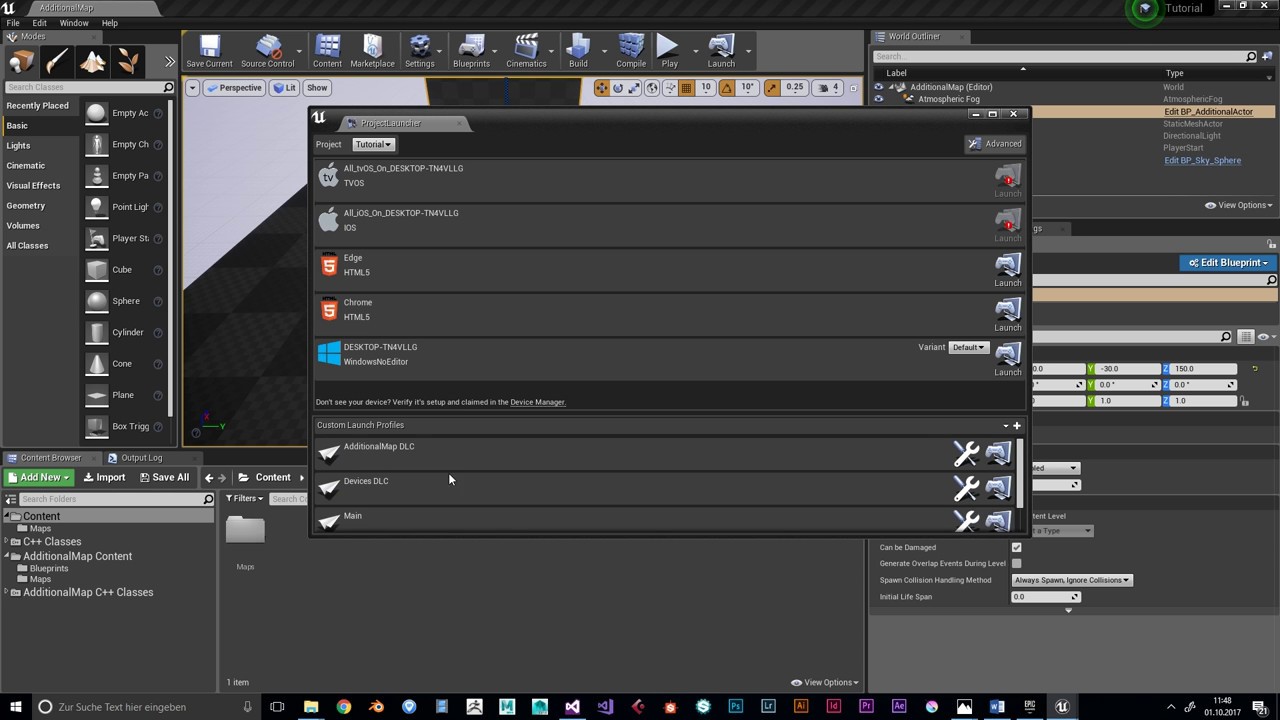
 bronze spade
I have packaged AR project for Android. It need camera permission. I have added the permission in advanced packaging option but still on installing app, it is not working. I can't find any tutorial for setting permissions in Ue4 only. can someone help me?
edgy niche
hey guys, I´ve got the UATHelper: Packaging (Android (ASTC)): ERROR: cmd.exe failed with args /c "E:\Hyperse Proyectos\build\Intermediate\Android\arm64\gradle\rungradle.bat" :ap, any solutions you can provide?
 torpid hull
if I'm building and packaging a build to test. I want to have a 'Development' and a 'Test' configuration - can I have these both in the same packaged folder? How does the bootstrap launcher work? Or do I need to keep the development and test configuration builds completely separate?