#slate
1 messages · Page 16 of 1
 tepid furnace
 grave hatch
Why not put the aspect ratio clamp on the outer sbox?
tepid furnace
That was the original code but I changed it at aquanox suggestion. Anyways the main problem is that widgetToDisplay is bigger inside a docked tab compared to when shown in the player viewport
 kindred nova
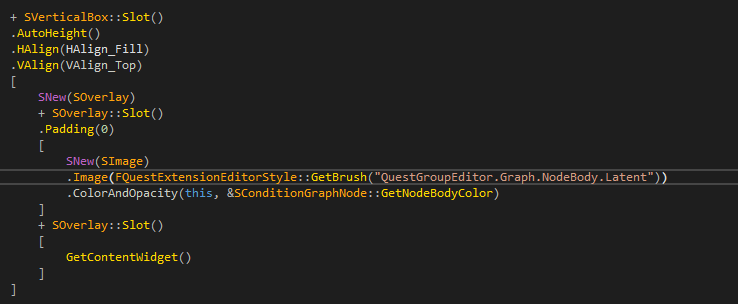
like i mentioned above - i did not use default SBox, i made custom SWidget with child arrangement by aspect ratio constraint and alignment
grave hatch
How is it added to the viewport?
kindred nova
it is docktab (code above)
grave hatch
kindred nova
it is docktab (code above)
bigger inside a docked tab compared to when shown in the player viewport
tepid furnace
@grave hatch It is added to the viewport with the Add to Viewport blueprint node. widgetToDisplay is a UserWidget that I'm also trying to show in a docked tab
grave hatch
And how big is it in the viewport compared to the docktab?
Does it change size if the docktab changes size?
tepid furnace
It is notably smaller in the viewport compared to the docked tab. I'm testing now to see if it changes size when the docktab changes size
And it appears to not change size whatsoever if the docktab changes size either by changing the defaults in Slate or by resizing the tab in the editor
grave hatch
Do you have a DPI scale in your OS settings?
tepid furnace
@grave hatch I do but would prefer to not have to tweak it just for unreal to work
kindred nova
also you could check real sizes in widget reflector if both use proper aspect ratio
grave hatch
Is the widget in your viewport about the same scale off as your dpi settings?
200% dpi vs 2x as big in docktab, for instance.
tepid furnace
@grave hatch Scale in UI it set to 1 but in viewport it is 0,81, according to size info from the widget reflector
But running in a separate window, the scale is 0.5
tepid furnace
I have gone into advanced scaling settings in windows and set it to 100 now
Setting it to 100 seemed to do jack shit in terms of separate window widget size
And in the docked tab it is still the wrong size
grave hatch
You may need to restart the editor if you change the os dpi.
grave hatch
Has the scale in the viewport changed at all?
tepid furnace
Nope, not at all
kindred nova
have you tried to debug arrangement computations in SBox::OnArrangeChildren ?
you can get slate widget address with widget reflector and add conditional breakpoint this == 0xaddress
since DPI Scale involved i'm not sure how it behaves
tepid furnace
@grave hatch Changing OS Scale by setting it to 125 does change the dpi but the size of the widget in the docked tab is still wrong.
@kindred nova could you clarify?
 wispy bramble
Is it possible to edit the Asset Picker for a particular class to allow selecting a class default object?
grave hatch
I think the only options you get is to allow abstract and filter classes. And that's on the property, not the class.
 cinder oriole
tepid furnace
<@163374417634656257> Changing OS Scale by setting it to 125 does change the dpi...
cinder oriole
tepid furnace
<@163374417634656257> Changing OS Scale by setting it to 125 does change the dpi...
Tip: You have a DPI scale issue...
That's all there is... no need for custom rendering... TakeWidget() is enough... Any other size problems after that is not cause of the widget(s) ... its DPI
Would share my code but not at my computer right now
grave hatch
DPI is the root of all evil.
 river thunder
let's say i want to add something to that toolpanel, is that just possible from outside the module?

ideally between the foliage and the search panel, so i kinda want to manipulate the layout when the panel spawns
grave hatch
I don't think so
kindred nova
river thunder
let's say i want to add something to that toolpanel, is that just possible from ...
if you can guarantee discovery of panel display then
you could use recursive widget search to find SFoliagePalette > its first child SVerticalPanel and inject slate to the tree
tab visibility should be possible to track via FTabManager and identifier of current editor
river thunder
sounds good, i'll give it a try tomorrow
hopefully there's just a delegate which fires when the editor mode changes
so i could just listen for that and wait until the panel spawned 🤷
kindred nova
since there is a private header you could access SFoliagePalette members if needed via private access
river thunder
ok, thank you 🙂
 pallid gyro
If there are no engine modules depending on foliage editor mode plugin you'll have a much easier time just making your own copy of the plugin and modifying. But if it does have engine modules depending on it it's impossible, sadly (without recompiling the editor, that is)
but then you get screwed with future updates. eh, no easy way out I guess.
river thunder
it's part of the main engine sadly 🙁
river thunder
but i might really try to rip out the whole module as everything i need is private to begin with.
kindred nova
river thunder
but i might really try to rip out the whole module as everything i need is priva...
- add private folder to private include path, this will let you use types
- use unreal private access helper
for example see my EnhancedPalette plugin, although i do search for slate i dont need do much modifications in it. you can write recursive search of widget yourself (or see FSubsystemSettingsManager::HandleSpawnSettingsTab & RecursiveFindWidget in Subsystem Browser)
wispy bramble
I am trying to adjust the details customization for one of my classes, and I want to be able to change the OnShouldFilterAsset function. How can I access that from a Property Type customization? It is currently private so I can't access it directly.
kindred nova
wispy bramble
I am trying to adjust the details customization for one of my classes, and I wan...
customizations are independent, you can't access other instance in any way
 stuck jewel
a details customization draws properties... not the other way around. a property type customization merely provides a standard way to draw a certain property type of a details panel
river thunder
grave hatch
I don't think so
actually it seems to work, got something injected into an existing SVerticalBox
it's pretty fugly tho and depends on a lot of assumptions about the target
stuck jewel
wispy bramble
I am trying to adjust the details customization for one of my classes, and I wan...
can you show or describe clearly what you're working on and what you need it to do
wispy bramble
stuck jewel
a details customization draws properties... not the other way around. a property...
Sorry. I am making a property type customization. I want the asset picker dropdown to be able to choose CDOs
stuck jewel
wispy bramble
Sorry. I am making a property type customization. I want the asset picker dropd...
Have you considered just spawning your own combo box
Actually that's probably a kind of bad suggestion
Based on recent messages you probably want something that still works exactly like an asset picker
Does the default code in the filter function always preclude the cdo?
wispy bramble
Yes, because it is searching for assets of a particular class, not blueprints of a particular class
Blueprints in the content browser are of type UBlueprint, and they have a class pointer to the parent class they replicate
stuck jewel
Right so you need something that searches for blueprints of a certain class and then stores an instance somehow. Are you doing this on a custom fstruct type at least?
grave hatch
river thunder
it's pretty fugly tho and depends on a lot of assumptions about the target
Yeah, this is why I went with "I don't think so". 🙁
river thunder
dw, just wanted to give you an update, maybe you'll need that one day... 😄
river thunder
why is one squished and the other not? SImage with FAppStyle::Get().GetBrush()

it looks correct when wrapped with this, but is that really the way to go?! 🤔
SNew(SBox)
.MinAspectRatio(1.0)
.MaxAspectRatio(1.0)
[ ... ]
you need to explicitly set size for icon, wrap it in box
 mental badge
is it possible with slateim to move viewport windows?
like draggable?
@grave hatch pinging you cause you would know more than anyone else 😛
grave hatch
I thought the point of the viewport root was that it was in a viewport and if you wanted a window, you'd use a window root and add a viewport to it? Though, to be fair, I didn't really read that part of the code very much.
mental badge
like
position it in the viewport
instead of a fixed place in the viewport

this is fixed here
but i would like it movable
grave hatch
Oh, sorry, no idea. My only suggestion would be to add a Maximize() and wrap it on a box.
And position it within the box using offsets.
cinder oriole
mental badge
is it possible with slateim to move viewport windows?
Youve got 2 options( i think)
-
Steal the viewport and place it in SlateIm
-
Put the SlateWindow with the viewport in the SlateIM window…
-
Was the easier approach for me. for what i wanted to do. Just grab the viewport.
-
Might be easier and best for you.
The game doesn’t draw into the SWindow, it draws into the Viewport.
If you have control of creating your own viewports thats no issue.
But Unreal Creates the Window, creates the Viewport in that window and places that viewport in that window.
If you just yank out that viewport by force you’re going to have problems:
The engine and slate app expect that window-viewport relationship to be there at runtime, if you ignore that whatever you’re building will definitely crash without a doubt.
Basically you need to fool the engine.
Let me know if you find a better solution
Basically the default Game viewport is mildly tied to the Game Window and you cant just yank it out all willy nilly.(you can fool it though)
If the SlateIM youre talking about lives within the GameWindow and depends on that hierarchy,you have a problem.
Youll need to read the code all the way from Engine.h/cpp like initialization.
But you’ll get it…
 flat epoch
mental badge
flat epoch
mental badge
is there a bug with searchable combo box where refresh doesnt refresh the list
maybe its a slateim issue
mental badge
                {
                    SynchronizeActorSelection();
                }``` if i pass refresh, and i know its true, it doesnt actually update the combo

 grave hatch
I think it's an inherent problem with the combo box design and the enforcement of "no delegates".
The combo box is already drawn when that method returns, there's no opportunity to update it before it's rendered.
So you need a second opening to receive the updated list.
Something like that.
The actual combo box has an 'on opened' callback, but that is not used.
mental badge
grave hatch
The combo box is already drawn when that method returns, there's no opportunity ...
not even just opening
i have to type something
then it updates
normal combo box works fine
so
            if (bForceRefresh)
            {
                ComboBoxData->Data = BuildComboOptions();
                if (InOutSelectedItemIndex != INDEX_NONE && !ComboWidget->IsOpen() && ComboBoxData->Data.IsValidIndex(InOutSelectedItemIndex))
                {
                    ComboWidget->SetSelectedItem(ComboBoxData->Data[InOutSelectedItemIndex]);
                }
                ComboWidget->RefreshOptions();
}```if i add this RefreshOptions call
it does rebuild


probably needs to be done before the if statement here
grave hatch
That's weird!
 sullen spruce
Anyone knows how do I use FDetailArrayBuilder::OnGenerateArrayElementWidget to draw a struct array as shown in the image? (All properties of each array element, in its own horizontal row)
I have tried many ways and searched through all keywords in Google and here in this Discord channel, and also through breakpoint callstacks with the engine code (the way Slate registers this and the widget's construction is deferred, so I couldn't quite track where is the beginning), but still couldn't find a solution
A lot of the functions are encapsulated privately and not exposed to be inherited / called to the project, otherwise I may also try to re-create the Array Slate widget in a flattened way by copy pasting the engine code. Seems like AddProperty() or CreatePropertyValueWidget() are the only ways, or I might be missing something major about Slate
Note: Some of the code I'm re-modifying from an existing DetailCustomization I found to fit my needs, and I'm not super fluent in Slate >.< just started learning it
Found my own answer: #slate message
 grave hatch
It'll be a big headache doing that, I feel. Your best bet is probably to create a customise for the struct, mark the struct properties as hidden by customisation and then add a custom row for it. Use the generated value widgets for each property and add them to a horizontal box of some description.
Having a details panel that wide is going to be absolutely awful UX, though.
The details (customisation) api is pretty terrible, honestly.
sullen spruce
grave hatch
It'll be a big headache doing that, I feel. Your best bet is probably to create ...
Yeah I have tried using PropertyTypeCustomization as well, doesn't work for array elements still #cpp message unfortunately
grave hatch
Yeah, you need to customise the properties individually I think. And use the default array value editor and place it into another container.
Or maybe that doesn't even work. It's shit.
sullen spruce
Thank you for the inspiration @grave hatch, I think I got it to work by using ChildrenBuilder.AddProperty(ValueOptionsHandle.ToSharedRef()) and then override its .CustomWidget(true).WholeRowContent() to fill in the other key properties in a horizontal box
IDetailPropertyRow& ArrayRow = ChildrenBuilder.AddProperty(ValueOptionsHandle.ToSharedRef());
ArrayRow.CustomWidget(true)
.WholeRowContent()
[
    SNew(SHorizontalBox)
    + SHorizontalBox::Slot()
    .FillWidth(1.0f)
    [
        SNew(SProperty, KeyAHandle)
        .ShouldDisplayName(false)
    ]
    + SHorizontalBox::Slot()
    .FillWidth(0.5f)
    [
        SNew(SProperty, KeyBHandle)
    ]
    + SHorizontalBox::Slot()
    .FillWidth(0.5f)
    [
        SNew(SProperty, ValueOptionsHandle)
    ]
];

It feels like a workaround but I think it works for me!
BTW using ValueOptionsHandle->CreatePropertyNameWidget() and ValueOptionsHandle->CreatePropertyValueWidget() also works, for any future viewers
grave hatch
It correctly creates the array editor like that? Useful to know.
sullen spruce
Adding some extra documentary: With some adjustments using .AddCustomBuilder() I can customize
- The Top Row by overriding
FDetailArrayBuilder::GenerateHeaderRowContent(...)by creating your ownFDetailArrayBuildersubclass - Offset the array element rows using
CustomDetailArrayBuilder->OnGenerateArrayElementWidget(FOnGenerateArrayElementWidget::CreateSP(this, &FMyTestDataAssetDetails::OnGenerateElementForValueOptions))nicely usingFillWidth(...)in Horizontal Box Slot
For any future viewers, this is what you can do

It also shrinks well

 little mauve
~~Need help with some basics, my Slate widget does not update on property change (in editor), and some somereason Widget pointer is null then :<
#if WITH_EDITOR
void UYasiuArrowWidget::PostEditChangeProperty( struct FPropertyChangedEvent& PropertyChangedEvent )
{
    UE_LOGFMT(LogTemp, Log, "PostEditChangeProperty: {0}", *GetNameSafe(PropertyChangedEvent.MemberProperty));
    if ( MyArrowWidget ) { MyArrowWidget->Invalidate(EInvalidateWidget::LayoutAndVolatility); }
    Super::PostEditChangeProperty(PropertyChangedEvent);
}
#endif
```~~nvm
I had to pass variables from umg in syncronize
little mauve
~~```cpp
void YasiuSlate_LowHelpers::DrawLine(
FSlateWindowElementList& Out,
const FGeometry& Geo,
const int32 Layer,
const FVector2D& A,
const FVector2D& B,
const FColor& Color,
float Thickness,
ESlateDrawEffect Effect
)
{
TArray<FVector2D> Points = {A, B};
FSlateDrawElement::MakeLines(Out, Layer, Geo.ToPaintGeometry(), Points, Effect, Color, true, Thickness);
}
How to account for size of widget or render zoom or something? :d line gets thicker xd
I guess line thickness is absolute? 🤔 or maybe it should be controlled by some ScaleBox?~~🤷♂️

    FSlateDrawElement::MakeLines(
        Out,
        Layer,
        Geo.ToPaintGeometry(),
        Points,
        Effect,
        Color,
        true,
        Thickness * (Geo.GetAccumulatedRenderTransform().GetMatrix().GetScale().GetVector().GetMin())
    );
``` 😄 Cheers 🍻Simple question, is it better to make slate widget that renders item between 0 and X point, and rotate whole widget, or make slate render stuf directly between 0 to X,Y point? 🤔
grave hatch
..What?
little mauve
grave hatch
..What?
should I design slate widget so its draws from left to right and then in BP just rotate it to desired angel and place, or just make object render poinitng in right directoin already 😄
grave hatch
Make it do as little in BP as possible.
little mauve
grave hatch
Make it do as little in BP as possible.
why so, render roation is bad?
little mauve
 little mauve
little mauve
little mauve
Ok, so with size of widget? should I care? 🤔
stuck jewel
i have a feeling daekesh's intent was more like "don't use blueprint code to update the rotation of a widget" and not "use blueprint settings to set the rotation of a widget" and i hate the fact that epic never invented a term for blueprint code that doesn't clash with blueprint. blueprint is not a blueprint. blah
i'm no expert but i will say that if your widget bounds are off screen i bet the widget may unexpectedly disappear
little mauve
stuck jewel
i have a feeling daekesh's intent was more like "don't use blueprint code to upd...
but I would use Widget Construction code to rotate widget to point in right direciotn, but I went with way "do as least work in bp" 🤔
i fixed bounds now
somehow
not sure how I gona stack that objects to eqsily make some tree lines
pallid gyro
canvas panel slots are weird, there are anchors and offsets and all sorta thingies, trying messing around with the various properties there might be one that sticks.
grave hatch
I wouldn't call them weird. They're pretty straight forward.
 hollow epoch
Yeah. They’re just little individual concepts living inside of a widget that enables them to position themselves
LOVE ‘EM. My current use for em is living inside of a canvas panel and having their coordinates positioned by a world tickable subsystem
 remote tiger
lol.....well im old
 safe terrace
Stupid Question what is wrong with this

 mortal echo
safe terrace
Stupid Question what is wrong with this
mortal echo
safe terrace
Stupid Question what is wrong with this
I don't think you're going to find any help with that in this channel. Slate is the UI underpinnings and not related to Mutable. I'm not sure what channel mutable questions fall into. Maybe #metahumans even though it's not really metahuman related. could start with #ue5-general and you'll either get help or directed to another channel that does have help.
grave hatch
Damn. That's far less sarcastic than I would have been! 😄
mortal echo
grave hatch
Damn. That's far less sarcastic than I would have been! 😄
definitely not going for sarcasm in this instance 🙁
 grave hatch
You can sample the screen color?
This doesn't sound like a good way to approach the problem, though.
 zealous pecan
grave hatch
You can sample the screen color?
zealous pecan
grave hatch
You can sample the screen color?
I think I have an idea — is there any way to read what colors are on a texture in Blueprints?
grave hatch
I've actually had to do this and the answer is no.
zealous pecan
so C++ ?
grave hatch
It's easy in some cases, but compressed textures don't work the easy way.
zealous pecan
So I’d have to check the color pixel by pixel?
grave hatch
You can't even read the pixels of compressed textures without rendering them to a texture that isn't compressed. Well, that's the simplest way.
It depends what type of textures you want to read. If they're all uncompressed ui textures, you're probably fine.
What are you actually trying to do?
zealous pecan
I'm playing with materials, I want to cut this color
Overall it's complicated, too much to explain :d
zealous pecan
grave hatch
It depends what type of textures you want to read. If they're all uncompressed u...
How can I check the colors on uncompressed textures?
to make it as efficient as possible
of course, probably in C++
grave hatch
You can get the texture data. I forget the exact methods, UTexture2D (or even UTexture) has the methods to get the texture data. You then access that to get the actual bytes and decode the texture data.
river thunder
grave hatch
I've actually had to do this and the answer is no.
there's a readpixel method
but it's supposedly slow
also one thing to be aware of is that uncompressed data is likely only available in editor?!
i think in runtime you would use getmipdata?!
grave hatch
Mipdata is just empty for compressed textures. It's great.
Or maybe even uncompressed ones. It's a whole shitshow.
 fallow echo
1st
Faster than UMG? I already know a bit about UMG but should I use slate for hardcore stuff like rpg inventories?
 earnest gyro
i think it depends on how many UI elements you plan on rendering
i believe in Fortnite we ended up using Slate for parts of the UI, because there was just too much
 warm vault
@fallow echo This is an important decision. Because if you make any of your UI in UMG you will not be able to go back and easily change to the c++ equivlant (Slate)
It's kind of a choice you have to make early in my opinion
If you want to do it in UMG, you would have ot recreate the whole thing in Slate if you want to use it, so far as I understand it.
 trim kestrel
Fortnite UI engineer here. o7
We used Slate specifically for the item cards, rather than UMG.
 meager abyss
trim kestrel
meager abyss
trim kestrel
Indeed, the sheer cost of UObject creation/destruction just to make the layout of an item card when you've got 200 on the screen was just too much.
I think there's a few important points, possibly worth pinning even.
trim kestrel
A) UMG wraps Slate. UMG can't out-perform Slate, because it is a (overly simplified) UObject wrapper layer around Slate widgets.
 vast tiger
I'm seeing some, not much, performance hits using 3Dwidgets from UMG in VR applications
fallow echo
@warm vault But, I mean i could have main menus in umg and gameplay related in slate right? I mean might as well make em in slate tho
trim kestrel
(Wrapping up a meeting so I'll elaborate more in a bit)
warm vault
@fallow echo Yeah, but like for example, if you are making an entire inventory system, you cant have like half of it in Slate and the other half in umg
lol
fallow echo
oh of course
warm vault
like there are workarounds with some things though
honestly I think im going to use slate for future games i make
after this one
because ive already committed to umg so much
it would take way to long to redo it
trim kestrel
There's really little point in trying to choose Slate over UMG.
warm vault
@trim kestrel I agree lol
warm vault
also... i noticed btw that ARK removes the entire inventory, then recreates it (from what i can tell) couldnt they just hide and show it
I think Fallout does that too with the pip boy lol
trim kestrel
Generally, the main reasons to end up using raw Slate for UI over UMG is when you're doing a lot of creating and destroying of widgets in very large numbers - Fortnite item cards are a good example.
We do alleviate some of that with a custom "pooling" system.
The other main reason to end up going down to Slate is because you're doing something relatively low-level that UMG just doesn't expose.
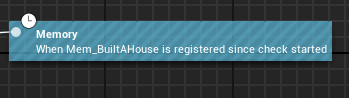
The Fortnite skill tree is done with a bunch of Slate widgets, because it has to draw those lines between nodes and used to do some parallax effects on layers of visual stuff.
All of those Slate widgets are wrapped up and exposed to UMG, but the point is that they're custom Slate classes that I then wrapped up and exposed with custom UMG classes.
To elaborate on the object overhead stuff:

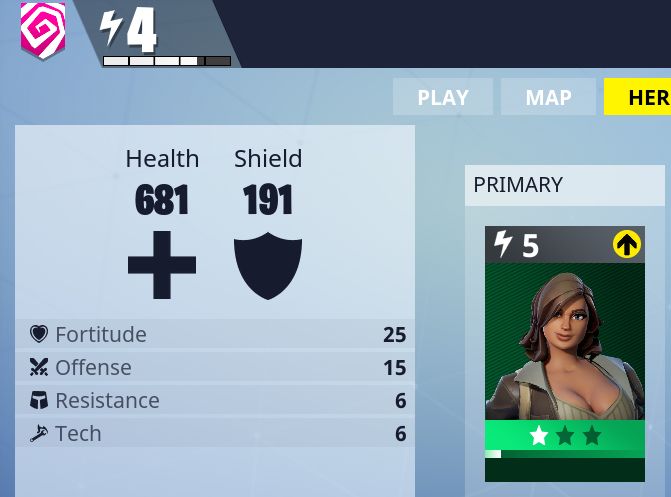
(Using a random screenshot I found on Google)
The item cards are deceptively UObject-heavy.
If you tally the UObjects required for that top bar:
1 for the border
1 for the slot inside the border
1 for the horizontal box inside that
3 total for the slots containing the block on the left, a spacer in the middle, and the block on the right
1 for the power rating block widget
1 for the horizontal box inside that
2 slots inside that
1 for the lightning bolt image
1 for the text widget
1 for the spacer
1 for the overlay container that stacks the icons in the top right
(3 total?) 1 for each slot of that overlay container (I want to say there are 3 possible icons)
(3 total?) 1 for each of those images (again, I want to say 3?)
fallow echo
so much easier to code it than mouse clicky hell
trim kestrel
All in all, you start adding all this up and you can easily blow over 100 UObjects creating that item card there, just for one. Now create and destroy 200 cards containing 100 widgets/slots. :X
I wouldn't agree with that.
The iteration time on Slate UI is several orders of magnitude higher compared to UMG.
Woops, fucked up some alignment or padding. Guess I better shut down the entire process, build, and launch again.
warm vault
^
trim kestrel
Also, I just don't drag-and-drop in the designer view for UMG, I just drag-and-drop in to the hierarchy panel on the leftside.
warm vault
That's the most annoying part lol
fallow echo
Thank you for the very detailed explanation! I would ask good questions but alas I am still pretty new
When you expose slate to your custom umg class, what does that mean?
trim kestrel
I'd definitely lean on UMG over Slate for the majority of things. Slate is to be used when you can't actually do what you want with UMG or there are performance constraints in the way.
All UMG widgets are wrapper around Slate widgets.
See UButton. It's a UWidget derived class that creates an SButton, keeps a reference to it, and exposes an API to interact with the underlying SButton.
fallow echo
Got it
warm vault
@trim kestrel What about things like rendering the players model to a widget
Like a render texture type scenario
trim kestrel
Whole other can of worms.
warm vault
Yeah?
trim kestrel
The render to texture part is the complexity, not Slate or UMG really.
fallow echo
So yeah if you're just doing a couple menus for a small game UMG is fine.
slower but fine
trim kestrel
Mmmm, not quite the point.
You shouldn't be concerned about slower.
Until you need to be concerned about slower.
warm vault
@fallow echo You also have to realize a lot of this is going down to miliseconds lol
Wrong person
fallow echo
Well we could be going in circles all day ima head over to my c++ tutorials and mark on my TODO list have a UE documentation slate read
trim kestrel
Nothing to go in circles about. Use the best tool. Don't optimize prematurely.
fallow echo
rgr
trim kestrel
And again, it's not really a matter of choosing Slate vs UMG. They're both part of the same bigger system.
Also, UMG doesn't mean BP-only-and-not-C++.
fallow echo
Oh
trim kestrel
Which might contribute to some confusion about UMG vs Slate.
UMG vs Slate does not mean BP vs C++.
trim kestrel
Slate is 100% C++. UMG is BP-based, but you can, just like with actors and such, make C++ abstract base classes that implement the heavy logic and organize the data structures that are then filled in using a BP subclass.
(And that is exactly what I recommend 100% of the time)
Converting a BP class in to a native class (for development, I don't mean the optimization known as blueprint nativization) is an arduous, tedious, time-consuming, error-prone task. Having a native abstract base class that establishes the API for that class and what kind of data it contains drastically mitigates that frustration, while still allowing you to iterate quickly using BP's designer UI and avoid costly build times and process restarts.
fallow echo
Class specifier declaring the class as unable to be instanced.
trim kestrel
That is the keyword in UE4, yes, and you would use it in these cases, but I meant in general.
That doc isn't great, actually.
Very heavily implies Abstract is specific to AActor
It's not. It means a UObject class shouldn't ever be instantiated (besides the CDO).
 cyan hinge
@trim kestrel very interesting explanation of slate- always wondered why / when it should be used over UMG. Will be sticking 100% to UMG in that case as I’m keeping UI stuff as minimal as possible.
trim kestrel
NP
 solemn tree
So what's the advantages/disadvantages of slate over umg?
solemn tree
Sup double
 drowsy galleon
yo
You'll generally want to use UMG for everything
then if you hit a performance issue, you can build that problematic widget using slate instead
solemn tree
Good to know
vast tiger
pinned msgs op
solemn tree
@low bluff that makes a lot of sense! Thanks
I'll get back to look for my old ps3 lol
 toxic trench
@silent patrol whats the simplest way for me to play a video across a level transition on the monitor? I currently already play a video in VR on a stereo layer, but at the same time on the monitor I only see black for a long time, so thats a bit boring and I would like to show the same video on the monitor that I also play in VR on the stereo layer
it shouldn't affect what I see in VR in any way of course
its also fine if it freezes for a few seconds or something like that, doesn't need to be super smooth
the video on the splash screen in VR I update with the regular media player stuff, so it also freezes for a while since its updated on regular tick. it would be fine if I could just show that same texture on the monitor in 2D, but is there any way how I can draw that UTexture to the monitor?
is there a way to get a FTexture2DRHIParamRef from a FTextureRHIRef? I know how I could draw the FTexture2DRHIParamRef to the monitor, and I know how to get the FTextureRHIRef from my UTexture
toxic trench
ok I got it to work 😄
 umbral hornet
@trim kestrel It looks like if you take an FMenuBuilder and call Begin/End section on it and put nothing in it it makes an empty popup box - is there any way to remove a section from a menu builder, like creating it then discovering afterwards that you didn't put anything in it to surpress it?
There's actually a note about it in BeginSection, "Do not actually apply the section header, because if this section is ended immediately, then nothing ever gets created, preventing empty sections from ever appearing" - I think this only applies to the section headers and not the whole Menu I suppose.
trim kestrel
Yeah, bit of a shame.
You'd think there'd be a convenience functionality for that.
I am not aware of any
umbral hornet
@trim kestrel I gave up on my quest heh. I was trying to figure out why right clicking on an empty execution node in Blueprints made an empty popup box. Turns out it's because they make a FMenuBuilder and put (nothing) in it because there's no actions and then make a widget out of that and return that.
Returning a null widget wasn't something that was built in supported and discovering if the thing was truly empty was also additional complexity so I decided the empty box can stay :p
 final field
Hey all, quick question. Is there a built-in way to disable / toggle all UI widgets off (at least on my main camera)? Some kind of camera function or console command maybe? Closest I've found is r.Photography.AutoPostprocess, but it seems to have no effect.
vast tiger
@silent patrol https://answers.unrealengine.com/questions/723321/megajam-suprise-unnamed-components-crash.html No idea if you've ever run into this one before. But I've never seen anything like this before 4.18.
 tame granite
@final field I don't know a built in way but you can subclass the viewport and hide them through that
 low bluff
Depends on what you don't understand
tame granite
@leaden summit have you read through this? https://docs.unrealengine.com/latest/INT/Programming/Slate/
Cross-platform user interface framework for creating tool and in-game UIs.
 cold quarry
How do I override the construct method?
trim kestrel
@vast tiger Your issue is more blueprints team than Slate, methinks.
Not a problem with Slate. Blueprint team is responsible for their own editor UI.
trim kestrel
SSCS_RowWidget is the Simple Construction Script stuff
Which is specific to actor blueprints, AFAIK, it's how they handle creating components for blueprinted actors.
vast tiger
Interesting, so yeah, that's what's buggy
trim kestrel
Which jives with the UI you have a screenshot of.
vast tiger
Yup. Haven't really been able to 100% repro it sadly
Not like I care
It's my megajam project, have other things to worry about
as long as it's not crashing 100% and allows me to package 😉
final field
@tame granite Thanks for the response. I ended up having my widgets bind an event to the player's cheat manager, and have the widgets handle the event individually. Sub-classing the widgets was definatly a possibility tho.
tame granite
@final field I think the viewport has a single overlay widget that pretty much holds everything, so you can just hide that one widget if it is accessible
The HUD might be outside of it , I'm not sure. The console definitely is.
final field
The issue I had was there are various UI widget components not neccessarily attached to the player
I'm not sure if you're describing something that would account for that?
 leaden summit
so how can repeat image for border
to make tiled background

fixed horixontal sized panel with vertically repeated texture on background
 full cedar
Why does Select An Object to view details stay there when the items below it are actually loaded?
suppose Args.bHideSelectionTip = true; does it
 manic rampart
Slate is so frustrating
Is there a simple "draw colored box" function
It seems like I have to make a brush for everything
The random const-ness is also annoying
Though I understand why it is for, it's not any less annoying
warm vault
You can use FSlateDrawElements::MakeBox to draw a colored box. There are a lot of methods to draw primitives by slate. And examples can be found in Engine\Source\Runtime\AppFramework\Private\Widgets\Testing\STestSuite.cpp.
manic rampart
I'm using that
But
There's always random issues
For example, I want to draw a box in a function different from OnPaint
So it drags along a bunch of variables like AllottedGeometry
And then there's stuff like brushes have to be const, so I can't have one brush and set different tint color. I get the reasoning for that, but it just adds lots of tiny annoyances
Now my brush that is just a white texture won't tint with the color set
And there's no straightforward tool that'd tell me why. I'll figure it out eventually, but this all turns code into mess
warm vault
You can wrapper that function.
Just store the neccessary variables you need.
The OnPaint Method is called by the engine.
manic rampart
What I want to figure out is how to make the color tinting work
Or why just setting TintColor in a brush isn't enough
I naively expected this to be enough:
    if (WhiteTexture) {
        ARSBrush_Red.SetResourceObject(WhiteTexture);
        ARSBrush_Red.TintColor = FSlateColor(FLinearColor::Red);
}```Load a white texture, set a tint color
But of course, there's something missing somewhere
Wasting so much time just trying to make a red rectangle
But the rectangle refuses to be red, just stays white. Hmm
This makes no sense
And I don't know where I should put a breakpoint to figure out how that specific element is rendered
Oh. I think I got it
warm vault
Wait a moment. I remember have ever draw a colored rectangle. Let me find that code.
manic rampart
I think you have to pass tint color into MakeBox
Yep
God
This is horrendous
I had to pass tinting into MakeBox itself
Because god forbid MakeBox without tint specified would use the brushes tint
I found this out by eventually stumbling upon STreeMap which tints some brush it uses
warm vault
Changing tint color of image brush indeed dosen't work. And I found I used custom verts to draw a filled rectangle.
warm vault
Maybe there are some bugs for that tint color.
In UE4.15 the thickness of MakeLines was commented uncorrectly.
warm vault
OK, I am sorry for not quite understanding your words. And I find why ImageBrush's tint color doesn't affact the final color. You can see this method FSlateElementBatcher::AddBoxElement(). The code tells the truth.
manic rampart
Well, I figured that out, that it doesn't multiply them together
warm vault
Yes, it does not use that tint color of the brush.
tame granite
is there a way to find what has keyboard focus (for debugging)?
I'm trying to move the shootergame menu from a viewport widget to a UWidgetComponent when the user puts on an HMD, and then back again to the viewport when they take it off and it works, but focus gets screwy
I found one issue where Oculus will try to force focus to the gameviewport when it is toggled on:
            {
                if (CurrentFrame->SessionStatus.IsVisible)
                {
                    // This breaks Slate/UMG widget focus; we may only want this when initializing PIE

                    UE_LOG(LogHMD, Log, TEXT("Setting user focus to game viewport since session status is visible..."));
                    FSlateApplication::Get().SetAllUserFocusToGameViewport();
                    OCFlags.NeedSetFocusToGameViewport = false;
                }
}```that was making it where if you put the hmd on and then took it off the shooter menu would lose keyboard focus; I commented that out and what I get now is the keyboard will work for the shooter menu while in 2d and it is part of the gameport, then when the hmd is on and the menu becomes part of a UWidgetComponent, the keyboard doesn't work (unless you toggle the console, more on that below)
toggling the console fixes it because the shootermenuwidget has special code to reset focus after the console closes:
every tick: if (ViewportConsole != NULL && (ViewportConsole->ConsoleState == Typing || ViewportConsole->ConsoleState == Open)) { if (!bConsoleVisible) { bConsoleVisible = true; FSlateApplication::Get().SetAllUserFocusToGameViewport(); } } else { if (bConsoleVisible) { bConsoleVisible = false; FSlateApplication::Get().SetKeyboardFocus(SharedThis(this)); } }
but if I toggle console on and off while VR is up, the menu will get focus and I can control it with keyboard, but then when I take off the HMD and the menu transitions to being part of the viewport again the keyboard will not only not control it, it will lose all focus and not even be able to pull up the console, even if you alt tab around and stuff and return to the app
the mouse will still work though
but keyboard focus seems to get stuck somewhere. If you put the HMD on once again it will control the menu in the UWidgetComponent again, but it will still no longer be able to pull up the console.
ah I see GetUserFocusedWidget, I'll try putting calling that with breakpoint when leaving VR
tame granite
when I tried, the menu widget has focus in either case; if the widget was in the UWidgetComponent when keyboard focus was set, the keyboard won't work when you move it back to the viewport widget, but will work again when you move it back to the UWidgetComponent even if you don't set keyboard focus again (and the console will stop working), and vice versa (and console will stay working)
tame granite
ahh, think I solved it
or at least solved why a hack wouldn't fix it; I made it so on transitioning it would try to refocus the widget, and that failed too
refocusing the widget fails because it already has focus
            // Does this widget support keyboard focus?  If so, then we'll go ahead and set it!
            if (WidgetToFocus.Widget->SupportsKeyboardFocus())
            {
                // Is we aren't changing focus then simply return
                if (WidgetToFocus.Widget == OldFocusedWidget)
                {
                    //UE_LOG(LogSlate, Warning, TEXT("--Focus Has Not Changed--"));
                    return false;
}```but even though it is the same widget, the widget path has changed, so returning early there messes things up and it never gets to this part:
// Notify widgets in the new focus path that focus is changing
aside from my workaround, the main problem seems to be that UGameViewportClient::RemoveViewportWidgetContent doesn't update the focus path if the widget was focused (maybe that's by design?)
trim kestrel
?
manic rampart
Why is it so weird and how did it appear
trim kestrel
I have strong opinions about the design philosophy behind it. They are not positive opinions.
manic rampart
Here's the thing: I look at induvidual design decisions and I get them, but these pieces don't answer the why
trim kestrel
I can use it perfectly fine, but making UI layout and design be done exclusively by C++ engineers hardcoded in C++ is absolutely antithetical to everything I would ever want out of a UI system.
manic rampart
There's so much constness and random paint geometry junk I have to handle in OnPaint for example
I get that it's const cause specific reason
But I feel like it should've been done in a way more friendly of programming
I wanted to draw red, yellow and green rectangles before
Naturally there was no way to make a plain color brush but whatever, I loaded a white texture into it and figured I'd just change tint color before each box
trim kestrel
Eh, none of that is even what I'm on about.
manic rampart
Oh wait, I shouldn't make brush in the function probably, oh wait I can't modify tint in a brush cause the OnPaint is const
Oh wait, the brush tint doesn't even matter because MakeBox function has own tint parameter that ignores the brush tint
trim kestrel
It's forcing you to do things in a particular manner for performance and cleanliness reasons
manic rampart
Well, my slate widget code is a mess because I just gotta that stuff to work in any way possible
trim kestrel
Why are you doing all this stuff in Slate?
manic rampart
Editor extension that shows some debugging info and tools for our game
Specific to our game
A physics debugging screen (just a realtime graph that plots some values from the physics engine), a thing that shows vertical profile of the edited track and a thing that shows state of the signaling system
I wanted them to look marginally pretty
trim kestrel
Ah.
Yeah, not much choice but Slate when it comes to editor stuff.
And yeah, manual drawing for a bunch of things.
manic rampart
That kinda thingy
Those rectangles were such a pain. Drawing them is easy, but I had to go through engine code to find out that tint on brushes is ignored
And that there's a tint parameter in MakeBox that I overlooked
 spring frost
Anyone know what the recommended encoding settings are for supporting videos? I cant for the life of me get an video that ive made to play correctly as part of an loadingscreen?
toxic trench
@spring frost yeah that stuff is super bad currently
I think it was like, 1080p does not work but 1088p does work or something like that
spring frost
The Unreal Engine 4 logo video works fine. Ive tried every combination i can to get one that works for me but i cant. What on earth does Epic use that seems to work everytime is what i want to know haha
spring frost
Wow thats an weird resolution...
toxic trench
well, @earnest gyro will soon improve it I think 😄
spring frost
I hope so because its an bit silly that it cant display an simple video 😃
Thanks for the link BTW
spring frost
@toxic trench Got my videos working with 1088p...... thanks for the link..... Why on earth is the system like that lol
manic rampart
@spring frost "Why" was my question too
 median basalt
man need to draw curves on screen in game, what option does he have
flat, planar curves
im not sure what im doing wrong but can't find single example of doing this 😄 please do not tell me I'm supposed to use spline mesh or soemthing like that.. there must be way how to draw ribons or simple splines in game without creating components or extra actors
low bluff
@craggy holly Isn't that something you did?
 craggy holly
Sort of, you can draw custom primitive shapes in OnPaint . Definitely do it in C++ otherwise it's crazy expensive. You'll want to make a couple of modifications to reduce the cost to.
I used Draw Line to do my 3d radar and mixed it with mesh widgets.
It has hard limitations though.
@median basalt
median basalt
trying to google your stuff
craggy holly
Lemme find a link. I'm on my phone and it's about to die, I'll link later if not
median basalt
i found this https://github.com/Banbury/UE4Cairo but not sure yet what I can do with it
 craggy holly
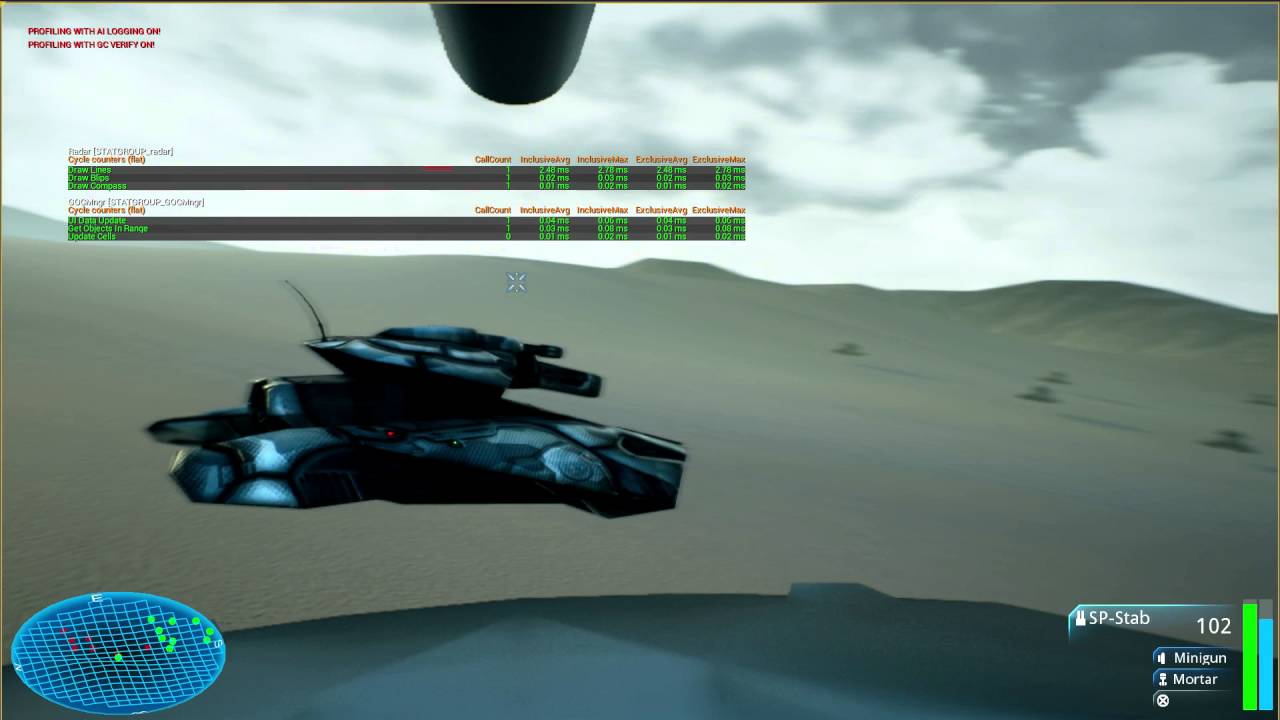 median basalt
what I want is create CAD like editing functionality in UE4 for my game
ty, i remember now your stuff
so for me performance wise line and curve drawing would be nice
that 3d radar stuff is nice indeed
might as well start my efforts with simple editor like grid
ty for reminding me as it was not popping out in my searches
craggy holly
Yeh YouTube hates me for some reason haha
median basalt
nice ammo editor btw 😃
low bluff
How would a post a simple message + okay button through slate in the editor?
I'm half sure the Editor has that already
FMessageDialog::Open
I guess?
 mild oracle
@low bluff Did that work? (For future reference)
low bluff
Yeah
Gives you different things like, just OK
or Yes no
or yes no cancel and then the result of what the user pressed
 honest topaz
Not sure if this is best asked here, in #plugin-dev or in #engine-source. I want to add an additional splitter and a bunch of fields and checkboxes to a details panel. The rows are default PropertyRows, simply added with AddPropertyRow in my customization file. The widget reflector tells me the rows are spawned in Editor\PropertyEditor\Private\SDetailSingleItemRow.cpp with SDetailSingleItemRow::Construct(). Can I somewhow get the intended result without modifying the engine?
honest topaz
Ok, nevermind apparently this works with the CustomWidget function:
PropertyRow
    .CustomWidget()
    [
        Slate stuff
    ];
Nope, 3 days later and I'm getting the feeling this is impossible without modifying the engine. I simply see no way to get the desired result above. The CustomWidget completely overrides the default row defined in SDetailSingleItemRow.cpp, which adds things like an SSplitter with shared size between all rows, reset to default buttons, etc. All that's gone when using CustomWidget and the ValueWidget is not the same. I don't know what else to try. :/
low bluff
There are ways to do that
You basically hide the Members by default
And then readd them to your custom widget
@honest topaz
In your Customization, you can mark the properties hidden by customization
So that they are invisible for the start
honest topaz
How do you mean? I don't understand what hiding properties has to do with my issue.
low bluff
I mean that you can completely write your own widget for the whole property
The right side of your image shows that you want a third splitter, right?
honest topaz
yes
low bluff
So you can easily hide the property, and then do
Category.AddCustomRow(..) .WholeRowContent
And code your widget there in slate
The PropertyHandle gives you full control over the property
So even if Name and Value widget aren't what yo uwant
You can just use the handle to add your own slate widgets that set and read the values
SSplitter actually has a value for n widgets
So you can just put an SSPlitter in there
and add 3 slots to it
honest topaz
That's what I've been doing, but like I said, Simply using the NameWidget and the ValueWidget doesn't give the same results, there's a bunch of functionality missing, which I'm pretty sure I can't add. The functions I would need are not exposed by the engine.
low bluff
Which of the Properties gives you headache when trying to readd?
honest topaz
Hang on a second
One of the issues is this: part of the functionality of a default property row is not inside the NameWidget and ValueWidget. The entire row is build something like this: Optional SOverlay with SExpanderArrow, SSplitter::Slot, NameWidgetContent, SSplitter::Slot, ValueWidgetContent, Button to reset values to default. Using a CustomWidget replaces that entire row with an empty SHorizontalBox. You're suggesting, what I've already tried, placing my own Splitter inside the CustomWidget, adding NameWidget, ValueWidget and my own widget in 3 splitter slots. That looks like this.
The horizontal box of the CustomWidget has padding, which I can't adjust, which means the splitters have gaps (I could live with that). But most importantly, the ValueWidget is missing the reset to default buttons.
low bluff
Why do you need the horizontal box though?
The Splitter should support 3 slots
Or is that image so shitty compressed
that I can't see the splitter between the first two entries?
Well the rest to defualt is weird
that should really be part of it
honest topaz
I don't need a HorizontalBox, there is none on my side. The CustomWidget has a box by default which seems to have padding.
Now that I think of it, I guess I could manually add a reset to default button. However, there's another issue which makes this whole idea kinda not work. Vector and font parameters have an expander arrow at the beginning, which is luckily added because I call .CustomWidget(true) with true. However those rows use the default splitter, not defined in my customization. And that splitter has a .OnSlotResized function which is used to makes the splitter on each row get resized when one is resized. I can't call that function on my custom splitters, it's not exposed. So even if I get the rest working, I still have the issue of having two independently sized splitter groups.
^The category names and the expanded rows have the default splitter and move together. My splitters added in the CustomWidget can't get linked to those. At least I don't see how I could do that.
 halcyon snow
Hey i am new to Slate and i can't figure this out ... for some reason i can't set the background color of my SBorder
SNew(SBorder)
.HAlign(HAlign_Fill)
.VAlign(VAlign_Bottom)
.Visibility(EVisibility::Visible)
.BorderBackgroundColor(FSlateColor(FLinearColor::Black))
.ColorAndOpacity(FLinearColor::Black)
.ForegroundColor(FSlateColor(FLinearColor::Black))
this only sets the color of the text content within
honest topaz
Holy mother of Material Instances! It's not perfect but I think I can live with this. Thanks for your previous input @low bluff.
I ended up not using .CustomWidget to customize the row, but I adjusted just the NameContent and ValueContent. that way the rest of the features are kept. It has it's own flaws, which I had to work around and it feels very hacky, but It looks acceptable for my purpose.
 sly adder
Does anybody know how can you make an SImage that tiles and repeats?
In my case I have a brush defined in Editor Styles that is 16x16 and Tiling Both, but the image expands. Not even respecting sizes
trim kestrel
Is the brush set as box or border?
sly adder
image
sly adder
it was box, but couldnt "tile" it
sure
style declaration: https://i.gyazo.com/f7f1a639d5166cb58164b51c5d04c0ed.png

 trim kestrel
Firing up VS, give me a bit.
sly adder

kk
As you see, Background is not 16x16 https://i.gyazo.com/dd9906468225d930cc5f37ea87220465.png
 sly adder
Yes but, icon proportion nor size is keeped
trim kestrel
I don't understand.
trim kestrel
We're talking about the diagonal lighter blue and darker blue, right?
trim kestrel
The pattern is tiling seemlessly, so I couldn't really tell you what size the tiles are.
sly adder
xD
Does this mean image ignores brush's size?
and uses image's size
this image is 64x64, brush is 16x16
trim kestrel
Not clear to me. I don't mismatch brush vs source image size, so I haven't had to deal with what the mismatch means.
Why not make the brush size 64x64?
sly adder
mm because I originally tough it was too big for the tile
(used another image)
I will try using a 32x32 image and come back
trim kestrel
Your 64x64 image looks like it's got multiple tiles in it, seems like you could easily shrink it.
If you change the image size in the brush, I think that'll change the size that it renders at.
You could try this with UMG, just to fuck with it quickly and see what you get.
I mean, see what happens with that particular image, in a UMG Image widget, with the brush set similarly, and tweaking the size.
I suspect what you'll get is changing the size that said source image is rendered at.
IE: Your source image is being scaled to 16x16 on screen and tiled as such.
trim kestrel
On desktop here, I see the image above as white and grey diagonals under all circumstances. 🤷
Wait
I'm wrong.
If I "Open Original" then yeah, it appears practically all white. Not sure if I'm imaging the pattern there, but yeah, definitely alpha.
low bluff
Yeah open original breaks it, even though the background is dark
trim kestrel
Good luck
sly adder
(Actually the design is worst every minute haha)
yeah, moved to 32, and using a brush of the same size (32) works

I know, its really ugly
trim kestrel
That looks awfully checkered and not diagonal to me.
sly adder
hahaha I changed the image
 tropic sparrow
Hey ya'll - is there a cannonical 'guide' or documentation you prefer for adding buttons to the editor UI and simple dialog 'options' pop-ups/boxes? I did it years ago but have lost the code and imagine that things have changed, anyway.
Maybe a great example in the existing code from an engine plugin/module or some-such?
tropic sparrow
I've taken a look at the Marketplace-opening button on the editor toolbar, and I see it's set up in a few places.
There's TSharedPtr< FUICommandInfo > OpenMarketplace; in the FLevelEditorCommands : public TCommands<FLevelEditorCommands> class, into which we seem to just throw such FUICommandInfo objects.
This is then set up in the .cpp in FLevelEditorCommands::RegisterCommands() via UI_COMMAND( OpenMarketplace, "Open Marketplace", "Opens the Marketplace", EUserInterfaceActionType::Button, FInputChord() );
In FLevelEditorToolBar::MakeLevelEditorToolBar, we also do
ToolbarBuilder.BeginSection("Content");
    {
        ToolbarBuilder.AddToolBarButton( FLevelEditorCommands::Get().OpenContentBrowser, NAME_None, LOCTEXT( "ContentBrowser_Override", "Content" ), TAttribute<FText>(), TAttribute<FSlateIcon>(), "LevelToolbarContent" );
        if (FDesktopPlatformModule::Get()->CanOpenLauncher(true))
        {
            ToolbarBuilder.AddToolBarButton(FLevelEditorCommands::Get().OpenMarketplace, NAME_None, LOCTEXT("Marketplace_Override", "Marketplace"), TAttribute<FText>(), TAttribute<FSlateIcon>(), "LevelToolbarMarketplace");
        }
    }
    ToolbarBuilder.EndSection();
And in SLevelEditor::BindCommands we do;
    LevelEditorCommands = MakeShareable( new FUICommandList );

    const FLevelEditorCommands& Actions = FLevelEditorCommands::Get();
....
    LevelEditorCommands->MapAction(
        Actions.OpenMarketplace,
        FExecuteAction::CreateStatic( &FLevelEditorActionCallbacks::OpenMarketplace ) );
That's a few things in a few places! 😄
So I guess we need a TCommands<FYourCommandClassHere> subclass that stores our SP to FUICommandInfo, and the UI_COMMAND(...) macro fills that FUICommandInfo with data? I'm not sure what it's doing in the above with both the FLevelEditorToolBar::MakeLevelEditorToolBar use of BeginSection, and then the SLevelEditor::BindCommands mapping of actions.
Is the only purpose for the inheritance from TCommands so that we can do, for example, const FLevelEditorCommands& Actions = FLevelEditorCommands::Get(); (at the start of SLevelEditor::BindCommands()), for convenience? Any other reason to inherit from TCommands?
Anyway I think that's enough questions 😄
tropic sparrow
@trim kestrel @silent patrol I was told you guys are pretty on top of this stuff. Any insight re. the above? Am I on the right track with my understanding?
tropic sparrow
Ooft, I think I got it finally :D
#define LOCTEXT_NAMESPACE "RTGEditorActions"

class FRTGEditorCommands : public TCommands<FRTGEditorCommands>
{
public:
    FRTGEditorCommands() : TCommands<FRTGEditorCommands>
        (
            "RTGEditor", // Context name for fast lookup
            NSLOCTEXT("RTGEditor", "RTGEditor", "RTG Editor"), // Localized context name for displaying
            NAME_None, // Parent
            FEditorStyle::GetStyleSetName() // Icon Style Set
            )
    {
    }

    PRAGMA_DISABLE_OPTIMIZATION
    virtual void RegisterCommands() override
    {
        UI_COMMAND(Export, "Export", "Exports RTG info", EUserInterfaceActionType::Button, FInputChord());
    }
    PRAGMA_ENABLE_OPTIMIZATION

    TSharedPtr<FUICommandInfo> Export;

};

#undef LOCTEXT_NAMESPACE

void ExportTest()
{
    UE_LOG(LogRTGEditor, Warning, TEXT("EXPORT BUTTON CLICKED!"));
}

void FRTGEditorModule::StartupModule()
{
    FRTGEditorCommands::Register();

    // TSharedPtr<FUICommandList>
    m_rtgEditorCommands = MakeShareable(new FUICommandList);
    const FRTGEditorCommands& Actions = FRTGEditorCommands::Get();

    m_rtgEditorCommands->MapAction(
        Actions.Export,
        FExecuteAction::CreateStatic(&ExportTest));

    TSharedPtr<FExtender> MyExtender = MakeShareable(new FExtender);
    MyExtender->AddToolBarExtension("Settings", EExtensionHook::After, m_rtgEditorCommands, FToolBarExtensionDelegate::CreateLambda([](FToolBarBuilder& builder) {
        builder.AddToolBarButton(FRTGEditorCommands::Get().Export);
    }));

    FLevelEditorModule& levelEditorModule = FModuleManager::LoadModuleChecked<FLevelEditorModule>("LevelEditor");
    levelEditorModule.GetToolBarExtensibilityManager()->AddExtender(MyExtender);

}
Anything jump out at anyone as being 'bad'?
Didn't realize you had to pass the TSharedPtr<FUICommandList> into AddToolBarExtension to get them to work!
 analog solstice
Hey all, our logs have been spamming
[2017.11.26-17.37.22:378][417]LogSlate: HittestGrid destroyed
quite a bit lately. Can anyone maybe point me in the right direction?
 dry falcon
I'm trying to add a hyperlink to SRichTextBlock from C++, but the docs are very laconic about this and I can't find any example online. Any help?
 crisp bluff
What are you stuck on, jw @dry falcon
dry falcon
The code right now is a mess, but I am trying to see whether whatever works
    constexpr const char* info = "This doesn't work ..<a href=\"https://krzaq.cc\">as seen here</a>..";

    auto onClicked = [this] {
        OpenWebPage(TEXT("https://krzaq.cc"));
    };

    auto handler = FSlateHyperlinkRun::FOnClick();
    handler.BindLambda([=](auto) { onClicked(); });
    TSharedRef< ITextDecorator > dec = SRichTextBlock::HyperlinkDecorator(TEXT("this doesn't show at all"), handler);
    auto infoBox = SNew(SRichTextBlock).Text(FText::FromString(info)) + dec;
    infoBox->SetAutoWrapText(true);
@crisp bluff ☝
crisp bluff
Yeah that doesn't seem right, sec
dry falcon
Yeah, the only thing in its favor is that this compiles 😩
dry falcon
to be more precise info gets displayed (as is, there's no hyperlink), and the operator + with TSharedRef<ITextDecorator> doesn't seem to do anything
crisp bluff
@dry falcon Lol sorry I left ya waiting
crisp bluff
So I was looking at what I've done with rich text
But I don't actually embed hyperlinks and don't directly insert runs or decorators.
Your issue is likely with the marshaller though, but I can't reference anything working. Sorry. Have you seen the test suite?
dry falcon
No
dry falcon
Thanks
crisp bluff
@dry falcon oh and you can summon it from the editor to see the result
dry falcon
Thanks, there seem to be examples \o/
I'd love more docs, but if RTFS works, it works
Yay, it works ❤ @crisp bluff
dry falcon
While am it, how would I right-align text within an SEditableTextBox?
dry falcon
Anyone? 😢
 steady walrus
Hello, Is it possible to create 2 seperate window in runtime ?
one window will be normal like every project, the other one will be widget content that I give some order from widget.
dry falcon
I haven't tested it, but I'd wager that yes
dry falcon
With FSlateApplication::Get().AddWindow
 plain portal
or look at SRichTextBlock
 scarlet wagon
does anyone have some example of moveable widget in Slate ?
dry falcon
But I want my text to be editable
I just want my QLineEdit to have its text aligned to right
scarlet wagon
when I try to move widget with mouse
there is a "copy" left while I'm moving my widget
what is going on ?
plain portal
@dry falcon isn't that Qt?
dry falcon
I'm describing the effect I want to achieve. A line edit with text aligned to the right. I don't understand why it needs to be so unnecessarily complicated with Slate
plain portal
yeah, I suggested those widgets to have a look how it is implemented, if there isnt any widget you most likely have to create one yourself :/
leaden summit
What widget do i need to use for fixed sized content in it?
like panel with fixed witdh (e,g. 200 px)
dry falcon
I think you can do that with SBox
dry falcon
I want to change the font size of a SRichTextBlock. The only way to do this that I see is to change its style with SetFont, but that requires me to know the font used, i.e. .SetFont(TTF_FONT("Fonts/Roboto-Regular", 9)). Can I query the current font/use a default in there?
🤔 interesting, there is SetFontSize, but when I used that instead of SetFont, I got some weird random-looking font. The thing is, when I used the above, I got loads of warnings that such font was not found. What the heck.
dry falcon
In case anyone's wondering, .SetFont(FSlateFontInfo(FPaths::EngineContentDir() / TEXT("Slate/Fonts/Roboto-Regular.ttf"), 9)) did the trick
 pastel basin
dry falcon
pastel basin
dry falcon
it's an editor plugin. I'll see if it works packaged and moved to a different project
dry falcon
Okay, it works, cool.
 frank delta
I've started an editor plugin and I've never used slate before. I've got it set up so I have a button in the editor that opens my menu. So, My menu needs to have a grid of buttons in it, the size dependent on two integers so the user can set the size. Anyone know a good place I can look for reference?
steady walrus
hello, I just wonder can I create two seperate windows in gameplay? for exm one of my windows will be character camera, the other one will be control widget
but they should be seperate window
scarlet wagon
How do I resize SContraintCanvas at runtime ?
I've been trying to change offsets
when Changing Top/Left it moves around window as expect
when trying to change Bottom/Right It start to move erraticaly instead of being pin down and just resize
median basalt
I'm wondering how could I approach draving curves in Slate and make them selectable same time. I'm open to ideas.. One thing that come to my mind is to recycle and modify code that draws wires in blueprint graphs.. The other thing is I DO NEED to draw curved shapes, eg bezier splines and they should be able to register on click like button does. If there is some example lying somewhere you can point me to it, in meanwhile I'm going to dig through source to see how it is made
plain portal
have a look at the CurveEditor?
regarding the code that draws the wires in blueprints, see classes derived from FConnectionDrawingPolicy
median basalt
TY I have figured it out shortly after, now I have all the info I need, just put it all together 😃
scarlet wagon
can Anyone explain how does Margin work in SConstraintCanvas ?
median basalt
Does anyone have ide awhat is Shaped Text in UE? FShapedGlyphSequence I can't find explanation or example of how does it look like
is this something directly related to fonts and way unreal process and draws them? so eg can I abuse it by using custom fonts to represent my UI elements to not deal with slate brushes?
as if I understand this right font should be vector based so it should remain crisp after scaling to arbirtrary size ( that assumes there is no font atlas used for it's drawing)
there is FontForge free app that can be used to to create font with any shape needed same way as it is done in some webicon fonts
plain portal
no idea what that is, but I know that glyphs are a terminology from fonts
median basalt
yup it is about fonts, I just trying to figure out if slate is using texture atlas to draw them or if it does it via custom geometry as vectors
 ornate forge
@median basalt all slate font rendering occurs via texture atlas. Shaped glyph sequence relates to a sequence of shaped glyphs that has particular significance for languages like arabic with ligatures and character substitution
median basalt
@ornate forge That's interesting, I'm thinking If I could somehow force it to draw suff as mesh on screen, I would like to provide my widget with font containig special graphic for my UI in forms of icons.. What I realy want is to have pixel perfect click detection, is there something already built in that do take alpha information into account when performing click detection? If so than I can just use it instead trying to create something new
ornate forge
I don't think there's anything that would do what you want directly, but you can probably inspect the font atlas yourself for the character you want to pixel test. Have a look at FCharacterEntry, FCharacterList and FSlateFontCache
median basalt
I'm not yet fully familiar with whole slate functionality and components it provides so pardon my questions if they are trivial, trying to learn it all
ornate forge
If you render the character glyph at the size you want on screen, it will exist in the font atlas at that size
median basalt
OK I'll have a look
so basically font atlas is regenerated at each change of screen resolution?
if I base my next implementation on this then I would like to know this as it might pose issue if there is not enough texel density as things I do need to draw are points, lines, and some drafting annotations
ornate forge
Characters will get added/removed from it as and when they are required, at the size they were required. I believe the units are in slate units, (which are not necessarily pixels)
ornate forge
Be wary though if you're wanting to render very large glyphs, that's going to pollute the texture atlas
median basalt
if somethings comes to your mind how to implement this effecient way please say so, I do need to create UI that behaves like CAD editor
no no, I only need small ones as thy should remsin constant screen size
*remain
so with zoom in zoom out they just keep position and relative same size on screen
i think I'll start with simple points and lines and dragging them on screen and then add on top of it
ornate forge
Oh, they're being rendered in 3D space?
median basalt
I do neeed to behave it with lines same way as it does in bluperint editor, eg zoom in out and line highlight/selection
nope
ornate forge
Ah ok, I see
median basalt
I could reproject them on screen by matrix but to not overcomplicate it from begining I do plan to use them only in ortographic view
plan is to rip code from bp editor and just filter out what I need as there is loads of stuff as I looked at it yesterday
most of what I need is already there, I jus need to modify it and make it work without including editor code
to comply with EULA
I'm waiting for that time we whill have at least basic transform gizmo available to use in game 😄 the one ue uses is very nice and nicely made but it is bogged deeeep in editor side so I wont even try to extract it, spread all over place
median basalt
When extending
class SPanel```
 it is possible to pass some arguments to it's constructor? I do see there is
```cpp
void Construct()```
but it does not accpet any arguments.. I'm puzzled by this, I want to use my custom implementation in game and would like to pass some arguments when it is created..In *.h there is this:
    /**
     * Most panels do not create widgets as part of their implementation, so
     * they do not need to implement a Construct()
     */
What would be best approach to initialize it post creation? Just define my own init function and pass parameters in?
@trim kestrel do you have any idea how to approach this as local expert? 😇
Should I just do it directly in ctor?
median basalt
BTW what does it mean when I read in source that event is bubbled? Can someone explain?
do I understand it right that if I return Unhandled then it will propagate to parent?
trim kestrel
That is bubbling, yes.
median basalt
ty for bubbling
trim kestrel
If unhandled, go to parent.
median basalt
I'm in the middle of implementing my own panl but looking at source I'll be missing some stuff like selection or marque.. tempted to recrate it on game side of code
it's on editor side of slate :/
and still not sure about that construct function
i'd like to pass some data but I can do after it is constructed as well
trim kestrel
The UMG approach to what you're doing is ExposeOnSpawn properties and using them to do something from NativeConstruct
Construct usually doesn't take zero arguments.
For Slate widgets that is
It's usually a const FArguments& parameter, at least.
Which contains all the optional parameters from the SLATE_BEGIN_ARGS/SLATE_END_ARGS macro stuff
median basalt
yup i know as I have pure C++ project so far not a one bluperint
but in this special case I was puzzled by function COnstruct that is on SPanel and does not take any arguments at all
trim kestrel
You can also require additional arguments to SNew/SAssignNew by simply having more parameters to your Slate widget class's Construct method.
It's a little odd to have to subclass SPanel.
You'd have to be doing some very low-level, custom container stuff. Why aren't you subclass SCompoundWidget?
median basalt
so I can make same function but with Construct(const FArguments& InArgs) ?
trim kestrel
Normally, you must have Construct with that parameter, AFAIK.
median basalt
i do need to create in game editor that works like 2D CAD editors work
i know but im super puzzled by this SPanel case 😄
so I need ot be able to draw lines and curves and be able to highlight/select them
median basalt
I'm not sure how would I acomplish this with SCompoundWidget
ok thank you for tip, if youd o care to elaborate i'm listening
trim kestrel
SCompoundWidget is a widget that can have another widget put inside it.
SPanel is a base class for widgets that contain multiple other widgets.
median basalt
going to check for that SLeaf what it can do and what I can use it for
trim kestrel
SLeafWidget is the base class for a widget that has no children.
median basalt
yup, my idea was to use Spanel for that and override positioning
i do need zoom and pan and there was example in engine code that performed same thing
basically node editor
trim kestrel
SPanel wouldn't make too much sense. You probably shouldn't be trying adding a bunch of other widgets to it for lines and such.
median basalt
so i took it as example but will look into leafs as well
trim kestrel
Ah, that's because the node editor actually uses widgets for the nodes.
But then manually draws the lines/edges between them.
median basalt
so to archive composition like CAD editor i would need some container that can hold arbitrary positioned widgets on which i still need to be able to select/deselect/drag around screen
yup
you are right
i was planing to emulate it on game side as i can;t link against editor tools in game
trim kestrel
It may or may not make sense to have this thing contain other widgets.
median basalt
if you do have some idea which slate elements could provide me with good base for thing I need to do I'm willing to study and experiment
trim kestrel
Hard to say without knowing a lot more of the design.
Either SPanel or SLeafWidget could make sense to base from.
median basalt
i need to be able to create point, straight line, bezier curve and some text
trim kestrel
Select/deselect would involve implementing some amount of your own hit detection.
Any widget can handle input.
median basalt
im ok with that as i already have example from editor tools ho w it is handled
^lines
trim kestrel
I don't think there's anything you'll get out of the box in Slate that'll handle arbitrary 2D collision shapes.
median basalt
so panel + leaf?
trim kestrel
Well, you could have the panel do all the zooming and panning and such.
median basalt
i need to look in more depth on that leaf as I did not used it onece so far
trim kestrel
And then have leaf widgets for individual "figures" I guess?
median basalt
yup
trim kestrel
Leaf is just a Panel without children, practically.
median basalt
sounds reasonable so far
trim kestrel
Panel only makes sense if it makes sense to be able to embed other widgets inside the widget.
median basalt
so i can define fixed structure of leaf widget?
eg leaf would have some slate brush and optional text
other type of leaf would just draw line
trim kestrel
I'm not sure you will benefit, at all, from having each figure be its own widget, rather than some class/struct that your custom "canvas" thing references to know to draw something at the appropriate location.
median basalt
i have data separated already
i need to implement it's drawing functionality in a way that can be not only displayed but edited aswell
trim kestrel
Perhaps SCanvas would be an easier base class to use, otherwise you'll have to reinvent slots and how the widgets layouts children - again, assuming you want to embed other widgets inside this panel (preferably not for the figure drawings, but maybe for text and such)
median basalt
by edited I do mean being able to drag it around and using some form of widget I see andvantage of knowing which element I mainupulate, eg I can report from that widget which UObject it represents in my data
there need to be text associated with my "figures" not all of them but some of them
i would like to summon text input for manual position coordinate entry for example
and having that as part of widget itself could simplify design as I can just collapse it when not needed
so SLeaf is the most primitive bare bones?
imagine CAD editor where you do draw shapes and are able to annotate them in some way or another, so that's what I'm trying to do in game
Panel as parent could provide me with pan and zoom and if I understand it right I should be able to arbitrary position my widgets relative to it end result is it should behave like blueprint editor pan and zoom
I keep my toolbar/icons in separate compound widget and want to use panel as drawing container to draw all that data
will look on that leaf widget what it have to offer and if it could be abused to do my thing
thank you for tip!
median basalt
I have fixed origin coordinate point Vector2D::Zero and rest of my data should be drawn with respect to that origin point, panel was atractive as it was using same mechanism to draw it'c ontent, not raw panel but graph editor panel, that's why i gravitate so much toward it. now you pointed out Leafs It might be nice for me to base all my elements of Leaf as I can provide them with data to draw itself in constructor and then juct add them as childs of my panel which emulates same functionality as BP editor (zoom/pan/origin)... And if I understand this right every widget is derived from SWidget so I'm free to override or implement any of it's functions to provide myslef with with desired functionality.. I would be interested in subscribing to Events like OnHover and OnClick as bare minimum for my "figures".. Do you think this is viable solution @trim kestrel ?
geez I type like potato today XD
Hmm, Canvas is looking nice as well, maybe I just transfer my existing code to canvas and use leafs for primitive types drawing
BTW defining custom slot types is super simple in slate, you just adhere to this syntax: cpp class FMyCustomSlotType : public TSlotBase<FMyCustomSlotType>
frank delta
Anyone know a good slate tutorial?
median basalt
no, such a thing does not yet exist at all, everything is only small isolated example tat does not explain much, if you start to go advanced be ready for steep learning curve...
If you do want some working examples of using slate in production browse engine source code or look at HeliumRain on GitHub, they are using slate for in game HUD and all UI so you will learn a lot. It helped me tremendously to grasp basic concepts behind Slate use. I wish there were more sources like that. Mad props to @quaint zealot for making that available to study!
And his other firend which name I do not remember top of my head..
 quaint zealot
Niavok ?
frank delta
The editor crashes when I close my slate menu. Callstack doesn't make a lot of sense to me, but the problem seems to be coming from a widget that I inherited from SUniformGridPanel. I'm not really doing anything different with it than the other widgets though.

Pastebin
 turbid crown
Is there any straight forward method for exposing UDataAssets in a blueprint panel so you can "live edit" them? I can think of ways of abstracting the contents out with a dependency between the containing blueprint and the UDataAsset and some slate magic.. but just wondering if I am missing something obvious? Any suggestions apprecitated.
low bluff
@turbid crown UDataAssets are already editable. You want referenced ones to be editable in the BP you referenced them in?
turbid crown
Hi @low bluff. Thanks for the reply. Yes. If possible I would like to see the underlying data structures in the UDataAsset in the BP they are referenced in. I also want to have the changes be reloaded when you modify them. Atm it seems that you can edit in place, but then have to explicitly reload to see the changes after updating a UDataAsset loaded from content.
low bluff
I doubt that there is any direct way
Maybe you can create your own PropertyCustomization
But iirc they are either for class or struct
And not per property
You could make your own struct class that has the reference
Create a customization for it
and in there you get the reference, filter it for all properties
and add them by hand into a custom slate widget that replace the native struct view of your struct
That would make sure that no matter where you view your struct, it shows that
But yeah, not very straight forward or easy i guess
turbid crown
Ok. Thanks. I mainly wanted to sanity check I wasn't missing something blindingly obvious. My approach was going to be something similar to what you suggest: Exposing with some custom slate bits and pieces and capturing edits which then propogate changes.
low bluff
Yeah, you would bind functions to the property changes that hten update the actual reference
I did something similar to auto generate a dropdown menu with the row names of a referenced DataTable
Cause I was annoyed by manuall typing them in
However nothing that changes the datatable. Only the struct (the current enum value)
turbid crown
hehe. I can imagine! Thanks again. I can at least head off on this path now without worrying that I am re-inventing the wheel. 😃
low bluff
The way the DataAsset itself works is that it's basically a UObject
That has a customization written
They use a "DetailsView" together with a customization i assume
DetailsViews are basically what you see in the settings of all kinds of blueprints that feature variables
turbid crown
Yeah. Which was why I kind of hoped, much like components in actors, that some "UMACRO" magic might just make them render in a Blueprint side planel also. Then I kind of went down the rabbit hole with Slate and customisations... I am just trying to decide if I can wholly override this in a UDataAsset customisation or if I am going to need to have some dependency in host Blueprints. The latter would be a bit more gnarly and less flexible.
turbid crown
The TAs and Game Designers I am doing it for seem to think so. 😉
I'll blame them when it goes wrong.
frank delta
Anyone know what header I need to include to use BIND_UOBJECT_DELEGATE ?
median basalt
there is PostEditChangeProperty and it's chanied version, if you do want to do some data sanitizationt hen that is what you need to look into. EDITOR only tho... @turbid crown
median basalt
am I missing something or you can't use SPanel derived class in game code? I'm having hard time creating it in Slate layout
i have both Slate and SlateCore included as dependencies
and I'm trying to add it like this: ```cpp
SNew(SOverlay)
+ SOverlay::Slot()
[
SAssignNew(SketchPanel, SSketchPanel)
]
Am I doing something wrong as I do get compile error about argument listoh stupid me, forgot to declare slate arguments for my attributes.. 😃
frank delta
If I try to make a local tsharedptr (to pass into a slate argument) it always crashes
Anyone know what Im doing wrong?
I just cant find any reference on how to pass a ptr of a widget in to its child.
median basalt
try to use TWeakObjectPtrinstead
frank delta
I thought TWeakObjectPtr could only be used for UObjects?
median basalt
no, i use them in slate with no problem at all
frank delta
weird
let me copy paste the error I get
D:\UnrealEngines\4.18\Engine\Source\Runtime\Core\Public\UObject/WeakObjectPtrTemplates.h(55): error C2338: TWeakObjectPtr can only be constructed with UObject types
median basalt
you might want ot look into editor slate code for exmaples of ussage, SNode class is using it internally but it is passed in as TSharedPtr via function SetParentPanel
frank delta
no luck
median basalt
hmm there should be something like TSharedFromThis or similar
do you include proper header?
#include "Templates/SharedPointer.h"
frank delta
What header?
median basalt
you need to include that
frank delta
doesn't seem to have changed anything
median basalt
I always include it in my header when I use it and no problems
can you post xample code?
frank delta
In the constructor of SMYMenuWidget
frank delta
no
median basalt
or you are trying to create new one?
frank delta
can't even make a shared ptr to pass to anything
median basalt
just pass this if youa re trying to pass parent to children
frank delta
if I use a normal ptr it crashes when I close the menu
median basalt
eg you have slate argument MyParent of type TSharedPtr so you use it like this: .MyParent(this);
where are you trying to pass it? you need to have slate argument declared first then you can pass it as parameter via this keyword
frank delta
You can't pass this into a TSharedPtr argument
error C2664: 'SLayerManagerWidget::FArguments::WidgetArgsType &SLayerManagerWidget::FArguments::OwnerMenu(TSharedPtr<SMyMenuWidget,0>)': cannot convert argument 1 from 'SMyMenuWidget *const ' to 'TSharedPtr<SMyMenuWidget,0>'
median basalt
hmm you read through this: https://docs.unrealengine.com/latest/INT/Programming/UnrealArchitecture/SmartPointerLibrary/ and this: https://docs.unrealengine.com/latest/INT/Programming/UnrealArchitecture/SmartPointerLibrary/SharedPointer/
Custom implementation of shared pointers, including weak pointers and non-nullable shared references.
Smart pointers that support shared ownership, automatic invalidation, weak references, and more.
frank delta
Yep, spent the last 3 days rereading those and cycling between the different ptr types with none working for this
median basalt
for referencing UObject derived things I use Weak and for referencing slate widgets I use Shared
frank delta
but declaring a local shared is an instant crash
median basalt
shared one is automatically created whan you use SAssignNew(MyButton, SButton) syntax so MyButton would be declared as TSharedPtr<SButton> MyButton in h file
frank delta
So you're saying I should pass the reference of the menu from the parent of the menu, through the menu, into the menu child?
frank delta
I want my things in the menu to have a ref to the menu so they can call functions on it
This won't work either
Just pushes the problem up a level
median basalt
i do create child widgets in parent widget and assing OnClick to childs to call back function in my parent widget
median basalt
im using it as delegate
ornate forge
@frank delta if you want a shared pointer from this, call SharedThis(this). Direct construction of shared pointers from raw pointers should only be used when initially sharing the pointer (ie, in MakeShareable)
Also, do not confuse TWeakObjectPtr, and TWeakPtr. The former is for UObjects only, the latter is for TSharedPtr
median basalt
good tips, ty
median basalt
any minimalistic example how could I animate position of widget? I'd like to bring more life ot my menu transitions, I'm ok to look into UE source for example I'm just not sure what to search for
tame granite
ShooterGame's keyboard focus stuff for the menus causes Windows mixed reality headsets to popup a virtual keyboard. Any way to avoid this while still allowing joystick events to control the UI?
cold quarry
Did I read something about ue4 stopping slate support sometime in the future or am I crazy?
warm vault
hey uh
I'm just wondering...
Do UUserWidgets inhereit from SWidget at some point
the inhereitance tree is so big
im not sure how it works
wow this is gay
FLoadingScreenAttributes only takes TSharedRef<SWidget>
is there a way to convert a UMG widget to an SWidget
like a simple thing.
Fuck it maybe i can learn Slate for just this lol
drowsy galleon
The UMG widget should have a GetCachedWidget() or something along those lines
warm vault
@drowsy galleon i figured it ount
UWidget::GetWidget()
returned a TSharedRef<SWidget>
and UUSerWidget inhereits from UWidget at some point
Wait its
UWidget::TakeWidget()
not GetWidget()
 pallid chasm
hey guys, how do you detect input events like key presses and gamepad buttons in a widget? I've got input mode set to UI only, but there's no option for key events
scarlet wagon
SBorder OnMouseButtonUp does not work. OnMouseButtonDown does. What am I missing ?
craggy holly
Willing to bet that's a bug
@pallid chasm IIRC It won't work for key presses. If you want to accept Keyboard input in a widget, you need to be in Game and UI mode, and intercept the key presses in NativeOnKeyDown in the widget. If the widget returns an FReply::Handled() event, then the key press doesn't get passed down to the game and the UI 'consumes' it.
If it returns UnHandled, then the press will be passed down to the game. Obviously key presses only work if the widget has focus, so you need to manage that too.
low bluff
@craggy holly Your LoadingScreen tutorial says I would need to use Slate
The Settings Structs wants an SWidget
What keeps me from using a UMG Widget and grabbing the underlying SWidget?
Does that not exist?
craggy holly
That works if you want, but animations etc. won't play and logic won't run
low bluff
So not even a throbber?
craggy holly
That might work since slate drives it but not sure... I know throbbers do animate (they do in Sat Com at least)
But I made a simple slate widget for that
literally a pic and a throbber
craggy holly
I think the very root is SWidget but i used SCompoundWidget
low bluff
Yeah I know how Slate works
It's just annoying
Especially since I still struggle with resources
Such as a simple Image
low bluff
Does someone have an example on how to load a Texture2D in slate to use it in a border?
Hm
Can't find a single thing about this >.>
I basically have a Texture2D Array in my GameInstance.
When the LoadingScreen gets created, I pass that to the Widget.
In the Widget, I want to take a random element and display that in a border
Can't be that hard, can it
Maybe @craggy holly could help me out here again? :x
low bluff
Yeah looked through that. Couldn't find any code line showing how to go from UTexture2D to FSlateBrush.
Lemme read it again then
Guess I need my own Style first?
-.-
 rough spade
yeah or make it a slate brush asset in editor and call that in code
low bluff
Yeah well that is only one image
Do I really have to make each of them by hand and load them by referencing path and name?
rough spade
not sure maybe look into how the editor builds his styles
low bluff
Editor Probably does it differently
As it loads from disk
Gonna try to reference them directly
rough spade
low bluff
I actually exposed a TArray<FSlateBrush> to my GameInstance
There I can set the Images in BP
And the Widget just gets them passed
And selects a random one
craggy holly
sweet 😄
low bluff
Thanks for the code though!
low bluff
Any idea, why this is never called?
SNew(SButton)
.OnClicked(FOnClicked::CreateStatic(&FPrimitiveUtilitiesObjectCustomization::ExecuteTool, &DetailBuilder, Function))
.IsEnabled(this, &FPrimitiveUtilitiesObjectCustomization::CanBeExecuted)
[
    SNew(STextBlock)
    .Text(ButtonCaption)
    .Justification(ETextJustify::Center)
]
The "IsEnabled" binding just doesn't do anything
I'm currently printing into the log inside of it
Doesn't seem to get called at all. Button also stays enabled
It's inside of a Customization
low bluff
Welp, made it static
now it calls
Well, it returns falls now
And the button is still enabled
-_-
 somber root
@low bluff May I ask what are you trying to do? On my Main Menu I have a scrollbox of players that displays their Gamertag, Skill Level, which is actually an image based on the skill level. I based this on the UE4 Shooter game (I believe). Maybe I can help.
quaint zealot
@low bluff I'm guessing IsEnabled() isn't evaluated anymore once it's disabled
Like, the entire widget is gone until you enable it
low bluff
This is simply a Customization that creates a button per Exec function
So the viewed object has an Exec function and the button executes it
I want to disable the button if the view objects "CanBeExecuted" function returns falls
Binding something non static to IsEnabled doesn't work, so I bound a static function that sits in teh customization to it
That one then gets (again) the viewed object and executes the function of it
That also properly returns true and false (printed to log)
However the button doesn't want to adjust to that
quaint zealot
I mean, "enabled" is drastic
rough spade
its the default flag for button
quaint zealot
@low bluff For buttons, we created our own widget class
And we implemented pretty much all logic separately from the core one
I found Slate widgets to be limited out of the box
You'll always need a custom one imho

GitHub
HeliumRain - HELIUM RAIN - Full sources for Helium Rain, a realistic space opera using Unreal Engine 4
Our "IsDisabled" callback is what we use to grey out buttons
somber root
Is this two different use cases? One for constructing the button, which I think the IsEnabled part does during construction, and disabling the button after some action has occurred. Is that what your expecting?
low bluff
Well Binding something to "IsEnabled" should change the state if it suddenly returns false
somber root
Yes it would/should. You just need the button to change state based on some condition. Let me give it a try. . .
somber root
I do have something working. . .unfortunately my timer isn't working the way I thought it would.
Okay, I just reset the timer in the callback and it now works as expected
 high hedge
Any good resources for Slate, I absolutely hate it but I need to learn it for my next plugin
low bluff
@high hedge barely. If you know how UMG works, you'll find Slate to be not that bad
Check the Paper2D plugin code and use the widget reflector on existing editor features
high hedge
Thanks, I will check the paper2d
warm vault
Anyone know how I can make a simple Slate widget which I can use the SNew() macro
all i want it to have is a image which fills the entire screen
and... a little . . . thing
forgot what thats called
man i hate how i cant use CreateWidget<>() in a Module, but it makes sense because u cant get world
if anyone knows how to do that... that would be helpful for me too!
thanks a ton~
 oak grove
In the past I've used FWorldDelegates::OnPreWorldInitialization
But that was so I could create a UMG widget once then take the underlying slate widget and use that every where else
warm vault
@oak grove thats what i want to do
using TakeWidget() function of UWidget
could u give me an example of this?
o.O
oak grove
Sorry for the delay was just pushing the example to github
https://github.com/jackknobel/LoadingScreen/blob/master/Source/LoadingScreen/Private/LoadingScreenModule.cpp#L61
I just modified @silent patrol's work to add support for UMG based widgets.
Full disclosure it might not be the best way to do it but it has worked well for us so far!
 silent patrol