#visual-fx
1 messages · Page 42 of 1
 zenith ledge
the classic one, not niagara.
Also when I drag and drop the effect into the view, during play mode it just runs once and then stops...
(Emitter Loops is set to zero)
 fossil swan
sounds like the loops are set to 1, and/or things are only set up as a burst.
zenith ledge
hm, if so, the loop would not happen even if it's not in play mode, right?
fossil swan
how is the blueprint set up?
zenith ledge
sorry, I checked again, seems like a BP issue


So basically I just created an empty actor BP, opened it, added a sphere as a trigger and two particles, one, the "cutter", loops the other one, just spawns on collision. This works by drag and dropping it directly into the scene, but not when I use SpawnActor by Class.
zenith ledge
I found out: it is only visible when I move the particle object
Ok, silly me, looks like they just got culled by the player's camera frustum, sorry didn't know that.
Is it possible to disable that "culling particles by player view" thing?
Ok, I finally found the solution, maybe somebody else will have the same issue, the LOD1 was set wrong and did not loop. I just removed the LOD1 and now it works, because now it always uses LOD0.
zenith ledge
fossil swan
how is the blueprint set up?
Thanks for replying anyway, it's rare to get feedback so quickly!
fossil swan
happen to be around, was kinda afk afterwards. apologies.
 reef flame
Hey there! I am working on a group project at uni and I am assigned to do the fx for the game we are making, but I have very limited knowledge on how to do some stuff. We are doing simple things apparently but for a first timer they do not look that easy. If anyone knows how to do in the simplest way possible one of the following, I'd appreciate some guidance :)
-Make character load with a different material upon loading a level (fx will be attached to the character as well upon transition)
-make seamless transition between two levels (the character goes through a portal and my team director wants the character to look like they are really being transformed while going through the gate)
-make niagara sprite particle spawn not to rotate in the level (the player can only see the portal from the front of it)
If anyone knows how to approach any of these I'd be grateful. Thank you 😊
 harsh warren
Hey everyone! I'm back with more foliage issues....anyone come across anything like this.....it's removing shadows from foliage at a certain distance, and i def don't what. I've turned off all LODS so it's not that.....
harsh warren

 ivory iris
Uhm... Is this normal or am I doing something I shouldn't? This Cascade particle emitter has a light and this is how light complexity looks like this because of it. Should I just use a normal point light with some light function instead of the particle light? Should I "never" use large particle lights?
 ivory iris
harsh warren
ivory iris
harsh warren
Depends on the foliage and lighting settings. For lights, check shadow distance/far shadows if you're using dynamic lighting. In the foliage, check culling settings. And btw, this question is better suited for #graphics. Definitely not visualfx. You might even get a faster answer there.
harsh warren
ivory iris
Depends on the foliage and lighting settings. For lights, check shadow distance/...
Thanks Duke, I honestly didn't know which channel, thought foliage might fight into vfx. Thanks for the reply, I checked all the usual suspects...not sure what is going on. Thanks for the reply.
ivory iris
@harsh warrenjust ask in graphics and someone will get u fixed, gl 🙂
harsh warren
np, i did last night as well:) no real answers
makes me wonder if I shoudl have picked UE to do this....i know there is some freaking flag somewhere, but i've been working on the issue for 12 hours and no progress at all
ivory iris
@cold sorrelWe're talking large radius/constant lights I take it - right? Otherwise, - in most cases - you are left without particle vfx for impacts/spells etc without a bit of light 🤷♂️
harsh warren
i've tried forums, colleagues etc.
 cold sorrel
Quick flashes might be fine in Cascade, but in general you'll pay for it. Just something to keep in mind.
harsh warren
@ivory iris - by hand, couldn't get proc. spawner to work
i've tried all the cmd lines associated with this issue
r.Shadow.FadeResolution=16
r.Shadow.MinResolution=16
r.Shadow.TexelsPerPixel=3
r.Shadow.RadiusThreshold=0.01
tried all of that, nothing
ivory iris
harsh warren
<@!560664016423485471> - by hand, couldn't get proc. spawner to work
and what are the cull settings for ur foliage?
harsh warren
set to 0 0
ivory iris
First off, it's weird you didn't get the procedural foliage spawner to work... Maybe project settings 🤷♂️ I've worked with all foliage tools so far, they all worked just fine
harsh warren
I couldn't get the proper density with the spawner
the foliage works fine, it just when it's at a very long distance this happens
this is a big ass field:)
 sour oxide
who knows how to connect Ue4 to Houdini
harsh warren
@sour oxide - It's pretty easy, you'll need a indie version of Houdini if you want to make your own tools/HDA's
@ivory iris -

that seemed to fix it, really weird.
Thanks for the help man!
sour oxide
harsh warren
<@!830461183446220872> - It's pretty easy, you'll need a indie version of Houdin...
thanks, but what i mean is like houdini to maya, i want to have my changes in Ue4 when i change it in houdini automatically
harsh warren
yea, you can do that with LiveLink
harsh warren
harsh warren
<@!560664016423485471> -
Spoke to soon, still there, this is driving me nuts.!

madness!
ivory iris
@harsh warrenJust check far shadows man & watch the stream on dynamic lighting
harsh warren
@ivory iris - just so i'm not missing anything, can you explain what check far shadows means exactly. Like where should i be checking it?
ivory iris
@harsh warren


 modest cosmos
hi guys. anyone know if is possible to change substance material parameters in realtime?
 clever apex
How do I stop an exr/hdr importing as a cubemap? It's not a cubemap
All google results come up as how to import them as a cubemap
Why is UE4 deciding its a cubemap
I think its because UE4 exports without alpha channel (which it should be exporting since it has one)
In other words, asset is lost in later engines
 split hawk
hi everyone, i asked this in the UI section but figured works here too: im trying to add a text glow border. cant seem to find much on google about it. anyone have an idea how to do this?
i've been messing around a bit with text outlines and right now im trying to make a material for the outline that imitates a glow but not really sure if this will work
so far it hasn't
 fading hamlet
Hi, FX people. I am having weird behavior with a niagara particle. When aimed at empty air it fires properly, but if aimed at a wall or floor the effect becomes completely reversed, aiming away from the wall. The provided rotation/normal are already verified. Is there something within the particle system that's doing this
 clever prawn
Hello,
Is there a way to make parts of a "Translucent" shader not being computed in a rendered scene ?
I have a very complex shader, that cover a very large mesh (it doubles it and overlap it).
I use vertex painting, to "show" the shader, it adds opacity over it.
I don't know which part of this mesh will be used in the production so I need to keep it large (I mean, the solution of - do not cover all the mesh or cut it, is not a solution).
It seems that, when opacity is at 0, the shader is still entirely computed (Even if I did Put "if" functions inside the shader, to force the rest of the operations to do not be computed if opacity is at 0, seems to be non-working).
the issue is that I have a loss of 10/20 fps. (Yes I know, but this translucent shader is also put at "forward shading translucency").
fossil swan
you might wanna look into vertex collapsing
clever prawn
Do you have a reference so I can understand what does it implies on unreal ?
fossil swan
it basically collapses a vert to one point so there is no overdraw/cant be drawn.
which is handy for anything invissi in transparency
clever prawn
It mean manipulating the world position offset ?
fossil swan
basically
clever prawn
Huh 😦
I found a way to force other vertex to shring towards a position
I lose more fps 😄
A no, you're right, thx a lot, I won over 15fps !
fossil swan
yay
 solid palm
hi quick question, I cant find absolut world position object in 4.26, have they disable it ?
cold sorrel
Nope. It's there.
solid palm
oh ok then
it wont show, dont know why
what should i type ?
checking it now
oh yeah
nice
lol that's weird
thanks @grim briar
 devout portal
Is Rotation/Life works in cascade? I've tried and it seems like spinning the particle like mad
fossil swan
it multiplies with regular rotation iirc. so need low values.
or multiplies with life.
either way
its been a while
devout portal
yep, i though so. so i've set the initial rotation to 0.25, and rotation /life to 0.1...and it spinned the particle like crazy...
and if i set it to any value w/o decimal digits it just does nothing
1.0, 10.0, 100000.0
fossil swan
ive only used it in a very few specific occasions, so cant help much.
devout portal
Ok. value 0.17 does very weird thing...it stays w/o the spin for some time, then flips quickly and stays like that until next flip
 unreal thorn
That would be decals, or mesh render target, or a simple local space gradient map.
The third one is the simplest and easy on performance, but may not be the most physically accurate. If physical accuracy isn't a big concern, it could be even simpler as mixing together two textures.
 wooden acorn
anyone else having low CPU GPU usage and low FPS in there nDisplay setups
 fervent cloud

im trying to make a muzzle flash that is just one frame
i know barely anything about particle systems and cant find a tutorial that is doing what im trying to do
how do i make it just one frame?
fossil swan
spawn > burst of one.
lifetime > 0.005 (if I remember right)
 dull schooner
hi there
Noob question, How do I set the particle system to have a specific runtine
for example just 6 seconds
after that the emitter will turn off
 amber isle
Anybody familiar with Spherical Masks? If a Spherical Mask is in the Opacity channel on a material and that material is on a static mesh, the spherical mask affects the shadow casted by the static mesh. Does anybody know how to disable this?

 analog onyx
@amber isleUse shadow pass switch material expression
amber isle
@analog onyx Cannot thank you enough! I completely ignored that expression out of pure ignorance and belief that it wasn't what I was looking for, super appreciate you
 scenic ice
Is there a way to get a material to ignore a post process that has properties that change via a time line?
I have a scene that will fade to black and white when I press a button. This is controlled by a quick and dirty timeline.
But I want the blue grid to remain unaffected.
Would anyone know how to do this?
 fervent cloud
My muzzle flash keeps playing for some reason even when im not firing (I only fired twice in this video) also the rotation isnt right, how do i fix this?
unreal thorn
Please see #instructions on how to post on the jobs channel. Thanks for understanding.
 stiff sigil
unreal thorn
***Please see <#780559951663857724> on how to post on the jobs channel. Thanks f...
stiff sigil
unreal thorn
***Please see <#780559951663857724> on how to post on the jobs channel. Thanks f...
sorry
 digital patrol
How could I go about separating my particle alpha and color over life? because from what I am seeing, the color is tied to the alpha. so I cant have a red particle fade to nothing, it has to have a beginning color of red, then end in black. like if i want a random color changing particle to fade out, i dont see it being possible with how the alpha and color seem to be tied together like this with the color over life node. any suggestions?
in cascade^
fossil swan
if your material is properly set up color and alpha are already be separated
digital patrol
Thats another thing, I am not sure if my material is set up properly. I have seen a few different possible set ups and I am not sure which one is best for this situation. Currently, this is my material https://puu.sh/IlCB1/022f091c97.png
 fossil swan
one sec
digital patrol
no problem
fossil swan
particle color RGB (top white) multiplies with texture > emissive
multiply the alpha of particle color (bottom white output) with (probably in this case) the red output of the texture sample > the opacity
digital patrol
ah that sounds right. let me try it
haha wow. that was all it was. makes sense though. thank you for the help!
fossil swan
np hehe
 halcyon tiger
i need some help creating volumetric clouds
I have opened a new project, added a volumetric cloud, and also added BP_CloudMask_Object and BP_CloudMaskGenerator
like this, very basic

my log:

I am following this guide:
https://www.youtube.com/watch?v=yolGEIrhu0s&t=527s

In this tutorial we'll be taking a look at how to control the position and placement of your volumetric clouds in Unreal Engine 4 and UE5. By default, Volumetric Clouds are very limited, and don't offer a whole lot of control for art directing. Fortunately there is a very simple solution to this, and that's with the help of Blueprints called "Cl...
Any ideas why there is some scaling issue?
 devout canopy
I'm trying to extend the fog effect higher but am having issues no matter what I adjust, any ideas?

 dusty gate
why does my particle emitter look different in my object than in the world?


I'm trying to make a smoke trail but its really hard cause no matter what i do it doesn't seem to change in the actual world, only in the object


 spice quartz
is there a way to call an event dispatcher when a particle gets to some point from any of the life modifiers

 clear pawn
I'm not sure where exactly to ask this, but does anyone know how to make postprocess gaussian blur? I tried bunch of custom nodes from forums but I always get syntax errors on them no matter what (I dont know anything about hsls)

 quiet kraken
Hello
Can someone help me please?
I wanna attach Niagara particle to my landscape but I can't find how..
I searched on google so much..
fossil swan
- No spam. This includes phishing, scams, unsolicited Discord invites, unsolicited direct messages asking for help, cross-posting in multiple channels, and use of excessive mentions, emoji, or repeated messages.
cold sorrel
To snap particles: Make new scratch. Add Landscape input. Get Height. Then replace your transformed worldspace Z to that and transform back to simulationspace. Done.
quiet kraken
Thanks a lot guys !
@cold sorrel can you explain me a little bit more please ?
I can't find out how to "add landscape input"
quiet kraken
in Landscape editor ?
or you mean I add another landscape material ?
because I can snap niagara system to static mesh but not to landscape.. :/
cold sorrel
Oh...
Yeah, if that's the level I'm afraid I don't have time to explain it.
You need to learn the basics of Niagara first.
quiet kraken
ok I will search thanks anyway !^^
 oblique thicket
Hi all! I would like to use (Houdini) CSV data tables with GPU sim in Niagara but it doesn't seem to work. I have 3k+ particles to deal with so CPU just can't do the trick. Any idea why Houdini Point Cache Data is buggy with GPU and are there any fixes / other solutions other than Houdini? Thank you.
 primal parrot
anywhere to see these outside of Fornite? https://www.epicgames.com/fortnite/en-US/news/enter-the-theater-fortnitemares-2021-brings-you-shortnitemares

Epic Games' Fortnite
Fortnitemares returns Shortnitemares! Learn how to watch Shortnitemares to earn a free Spray Matter Spray. Also check out the Kernel Poppy Outfit and Slurpy Slush’em Back Bling.
 civic trench
I've seen people combining Time and Sine function and applying it to the World Position Offset to create continuous waves on a mesh, but does anyone have any idea how I produce just one wave that starts at some point on a mesh and travels some distance then disappears?
 eager mirage
Hey for those using a Dynamic TOD setups with physically based lighting. 120,000 lux for day time to under 1 lux for night time. How are you controlling your emissive values to work correctly? Are you just using the eye adaptation to lerp between a high and low value? If I take everything that goes into emissive and divide by eye adaptation then it just forces the emissive to stay equally as bright regardless of the how bright or dark the scene would be. Not making light sabers so that's out. 😛 Lit particles seem to work fine when using the default unreal lighting setups but once you move into a physically based light setup you have to crank things to have a high emissive value to be even seen during the day and then at night its just blows out the entire scene since its too bright. -Cheers
 olive sail
Is it just me, or is it really freaking weird how if I want to achieve a blood-mist effect on bullet impacts, it's more performant spawning 10000 tiny particles with a masked material than it is to spawn 1 translucent material that animates said mist?
cold sorrel
It depends.
10000 particles that cover a pixel each is a lot faster to render than 100000 pixels on a quad.
But you'll get a higher simulation cost and more memory.
So if you are fillrate bound, of course it's faster.
olive sail
Is it possible to have translucent particles cast shadows with forward shading? I think I ticked all checkboxes as far as documentation goes but to no avail
 eternal kernel
hey! still kinda new to the vfx side of UE4 but i was wondering if anyone had some magical trick for making things look like a cartoon (possibly cell shading with outlines) i'll send a screenshot of an object that i'm trying to get everything to kinda match

the cell shading i have now works, but it's the outlines and such that i can't quite get to look right
and i was hoping i could get it to run through post processing, but i understand if this isn't possible
 steel sentinel
I got a radial burst emitter. for each particle, I am trying to rotate said particle on the x/y plane over time. what kind of modifier am I looking for? this is for an old cascade emitter
as in, rotate them from the center of the emitter, not on their own axis
fossil swan
not really a decent way to do that besides vector fields or rotate the entire emitter.
alternatively have the particles as one mesh and rotate that.
steel sentinel
I'll take a look, thanks
I assume the rotation in this case has to be applied externally?
fossil swan
unless its a mesh or vector-field, yes.
unreal thorn
eternal kernel
hey! still kinda new to the vfx side of UE4 but i was wondering if anyone had so...
Super late answer, but at the cost of doubling the poly count, you could use the inverted hull trick for outlines.
eternal kernel
unreal thorn
Super late answer, but at the cost of doubling the poly count, you could use the...
can you explain in words that would make sense to someone with an iq of 2
 timid jay
eternal kernel
can you explain in words that would make sense to someone with an iq of 2
timid jay
eternal kernel
can you explain in words that would make sense to someone with an iq of 2

How to add inverted hull outlines to existing UE4 characters.
Tutorial begins at: 4:16
Mixamo Animation Pack:
https://www.unrealengine.com/marketplace/en-US/product/mixamo-animation-pack
essentially you create a slightly larger copy of the mesh
but the faces are all flipped
so only the backside "hull" of their outline shows up
very common technique
 tired bobcat
Hi All, hoping someone can help, when in simulate mode my cloth flags blow fine enough like this but when I play in editor they'll more often than not start doing this, but occasionally seemingly randomly work
unreal thorn
eternal kernel
how do i invert the faces? do i do so in the engine or in blender?
Both are option, though inverting it in Blender can help reduce poly count on parts that won't be outlined, or dealing with sharper corners.
eternal kernel
unreal thorn
Both are option, though inverting it in Blender can help reduce poly count on pa...
how would i do so, like im near brand new to 3d modeling
like the most i can do is model characters and basic objects like clouds, coins, chests, barrels
tired bobcat
cold sorrel
To snap particles: Make new scratch. Add Landscape input. Get Height. Then repla...
Sorry to reply to an older question, would you mind pointing me in the right direction please? I've created a scratch module with this logic, but I'm definitely not fully getting something. Is the scratch logic correct & how would I go about applying the new location? I'm hoping to evenly distribute them within a box spawn, along the landscape

 indigo jolt
Anim trails or ribbons.
 main urchin
Hi! can a static mesh be "unaffected by Fog" ?
 opal topaz
Hi! I have a problem with a Cascade particle system. The problem is that I spawn an actor under the particle system. Now the Actor is visible before the particle system. I want the particle system to hide the actor spawning underneath it. I can't find any options (there are so many of them) to do what I want. So could anybody point me in the right direction? I already tried moving the particle system but it the actor is still rendered in front of it.
fossil swan
need more info.
what kind of actor are you using, show us a gif/video of the problem, and what is it exactly you want to achieve :)
 whole nova
hi guys

maybe somebody haved expierence with making tank\ wheel trails for vehicles? i managed make tank leave planes with alpha when it move but its look so much weird when its drive in any direction except straight left\right
looks like decals getting rotated not enough or maybe its just a problem with a way i am doing it?
i saw few videos on youtube, everywhere mostly use ribbon for it instead of decals but in my case its looks really bad when i trying to do it in cascade, and i cant find any suitable tutorial for making anything like it in niagara
 stark wraith
Did you find a solve for the particle blur when camera moves. I',m having the same problem at the moment
 celest birch
nope
 minor cargo
Can someone help me out to make this kinda water material?
I'm trying to make a waterball that has density, like when it gets affected by light, you can see how dense the water is.
I figured out how texture and normal map works, but I'm not sure how you set opacity to be like this


This is my progress so far, it's set as opaque rn
unreal thorn
minor cargo
Can someone help me out to make this kinda water material?
I'm trying to make a...
Typically it's "faked" by subsurface scattering.
minor cargo
Thanks! I'll try playing around with it (:
 heady kernel
minor cargo
Can someone help me out to make this kinda water material?
I'm trying to make a...
heady kernel
minor cargo
Can someone help me out to make this kinda water material?
I'm trying to make a...
I would apply some noise and fresnel on base color to fake it. There is also a node called bumpoffset that can fake the parallax.
 uneven jetty
Any VFX artists living in the Portland, Or area???
eternal kernel
i was wondering if anyone here knew how to make a waving flag/ banner effect
NOT a CLOTH SIM
but just a mat that will move a plane up and down in like waves
cold sorrel
sine wave wpo
 valid forge
Hey guys, I have seen a couple posts about this, but no answers have come around. Is GTAO broken in 4.27? I get no AO at all when switching the ambient occlusion method.

 eternal kernel
cold sorrel
sine wave wpo
eternal kernel
cold sorrel
sine wave wpo
do you think you can elaborate a bit? i understand what sine waves are and world displacement, but I’m not sure how to use either
cold sorrel
Plug a sine wave into a rotation around axis node and then plug that into WPO and you have the basis.
Add some noodle waves and you ware done
eternal kernel
aight, i’ll look into it, thanks
unreal thorn
valid forge
Hey guys, I have seen a couple posts about this, but no answers have come around...
The search result I get was Grand Theft Auto Online instead 🤔
valid forge
@grim briar its not a mobile feature. It's a different type of ao that apparently is superior to the default ssao. you can enable it by typing "r.AmbientOcclusion.Method 1" in the console
 verbal folio
I made this to use on a plane to make a waterfall

I need to imitate this , any tips ?
 unreal thorn
verbal folio
I need to imitate this , any tips ?
unreal thorn
verbal folio
I need to imitate this , any tips ?
Is your scene going to be static?
verbal folio
like this so far

I have the look of water flowing from up to down
but it isn't very similar
 solar remnant
splash textures that are orientated upwards, splash textures for the base that radially expand, drip textures, sheeting textures, mist/fog textures. Water is very time consuming to nail.
 strong linden
hey, im facing a problem where i want my character to have some particle effect coming from its mouth in an animation, but the particle effect isnt visible if the origin of the emitter was occluded by the character model itself. can anyone help me with that?
strong linden
nvm
main urchin
I there!
Not sure if it's the right place.
I'm adding box Instances to a Static Mesh vertices of StaticMeshComponent.
When i scale the static Mesh, it scale all instances too.
I want all instances to not be scale.
Is it possible?

 toxic wigeon
Hey everyone, don't know if this is the best place to post this but has anyone dove into better volumetric lighting here? I've been trying to find a better system to use than the default UE volumetrics, something that would support 300+ lights with volumetric shadows and light functions (gobos). I know it can be done/faked because there is specific software that does this, check this out https://www.youtube.com/watch?v=c3jzAqVUjLk and this https://www.youtube.com/watch?v=GyX8e4MJE2c
Hoping that someone might know of a technique to try or some sort of guidance down the right path, thanks

A conceptional show project by Morgan Evans.
We at Syncronorm are pleased to present a multimedia show project,
designed & programmed by young up and coming show designer Morgan
Evans. His most recent conceptual show project has been visualized with the
latest version of #Depence².
Please go to https://www.syncronorm.com/newsitem/depence2-a-...

I do not have any rights to the music used in this video.
Created in WYSiWYG R42 Educational.
Approx 4 hours programming time. It's a bit glitchy here and there due to some sACN packet loss on my network, though overall I'm really pleased with the software and how it turned out.
Would love to tour with them live ;)
Check out Polyphia's chann...
celest birch
What could be the reason for this? My FX is not fully displayed in game, while it's fully displayed in animation editor(like some parts of the emitter are missing)

in game FX is only partially displayed
unreal thorn
❓ Is there any drawbacks to store USF shaders directly in project level (Project\Shaders\), versus storing them in plugin level (Project\Plugin\ShaderPlugin\Shaders\)? Aside from reusability, that is.
celest birch
Hello, how to make scenetexture lag one frame behind??

or freeze every second frame
unreal thorn
celest birch
Hello, how to make scenetexture lag one frame behind??
If you're trying to make frame buffer/multipass effect, I guess going through Render Target first is one way to do it.
Though it would also doable in Niagara, or even some USF/HLSL work.
celest birch
can't this be done using the "time" or "delta time" nodes?
i want to do this effect:
 unreal thorn
celest birch
can't this be done using the "time" or "delta time" nodes?
unreal thorn
celest birch
can't this be done using the "time" or "delta time" nodes?
What are you going to do with the Time? You'd start with drawing current scene texture into a Render Target, manipulate it, mix it on top of the next scene texture. Do it again every frame. It's not timing dependant per se, just accumulating buffers back and forth every new frame is drawn.
And yes, the example you gave is a multipass effect.
celest birch
okay, thank u
primal parrot
celest birch
i want to do this effect:

Unreal Engine
Apply custom motion blur to objects locally or scene-wide
unreal thorn
primal parrot
https://www.unrealengine.com/marketplace/en-US/product/custom-motion-blur
I think that's more of an interlaced effect as opposed to motion blur.
primal parrot
yeah just suggesting a method
quiet kraken
Hi all
I have a problem with Cascade particle emitter
I have an error when I add "Skel Vert/Surf Location"
it's "No async tick"

someone had this error before ?
quiet kraken
Does anyone know how to get "Skel vert/Surface location" on Niagara please ?
quiet kraken
Hi all
Why in Niagara my sprite renderer is a plane ?
How can I change it ?
Because it's a plane when I rotate around it disappears at some angles..
 hybrid schooner
pretty sure sprite renderer is always a plane i think you want either a mesh renderer or put the material you have on your plane on two sided so it doesnt dissapears
quiet kraken
I think to make 3D Clouds I need to use Volumetric Clouds new module
I can't with particle only
to get this result

twitter thread: https://twitter.com/Vuthric/status/1291037793724989447
join the Inside Unreal live stream this Thursday to know more!
(there will be VOD if you are seeing this in the future)
https://forums.unrealengine.com/unreal-engine/events/1796943-inside-unreal-expand-your-world-with-volumetric-effects
thank you!
unreal thorn
Post process?
 cedar forge
yeh
 mellow fractal
Has anyone seen info on radial blur? Epic has an example that's mostly for a spinning in place object, I'm after nice blur for weapon swings though.
E,ample - https://www.reddit.com/r/Unity3D/comments/qco1h7/spin_blur_because_more_games_should_have_this/

 midnight stag
Hi, besides trial and error, how can i know if my graphics card can display particles light?
Nvidia GeForce GTX 1070
fossil swan
if I understand the question correctly; as long as they arent casting shadows and such, you should be able to display them.
midnight stag
fossil swan
if I understand the question correctly; as long as they arent casting shadows an...
Im asking coz i have tried the same project with 2 different computers with different fx cards, one displays correctly light particles and the other doesnt
So i wanted to know if somewhere it is said GTX 1070 wont work to display light particles or smthing like that, or what i have to setup to display them
 echo knot
hello everyone. i've been able to find plenty of tutorials for a wide variety of things related to the entire game development pipeline, but for some reason i'm having a lot of trouble finding start to finish tutorials for visual fx. does anyone have any content creators or courses they can recommend? i'd gladly pay for good content. thanks
mellow fractal
Thanks for the pointer, unfortunately it's the example I'm referring to! IIRC it's an in-place motion blur, independent of if/ how much the object is spinning. Mostly for wheels and the likes
mellow fractal
@celest birch would that apply to the entire bounding box though?
Hmm fair enough, I want a toggleable material that would fire at the same time as the weapon trail. Might have to jig up a custom solution
 slender pine
Hello friends
the fireparticles i am trying to work with (which are awesome) are only cascade...
which are not rtx supported for reflections...
any suggestions for some good and/or free fire effects that are dx12?
https://www.unrealengine.com/marketplace/en-US/product/m5-vfx-vol2-fire-and-flames
the dev mentions that it needs to be upconverted to niagara (which the plugin gives me way too many errors)
and i found some blogs discussing adjusting the material, tho that did not work

Unreal Engine
With this asset, you can produce high quality fire and flame.
https://answers.unrealengine.com/questions/975882/particles-invisible-with-ray-tracing.html
"I found a solution that seems to work without problems. Change the Particle Material, Material Domain to Deferred Decal instead of Surface or whatever else you might have it as. "
"Hi, a little late but I was having the same problem. one solution I found is to set in the particle material blend mode to masked and shading model to default lit, and added an opacity mask to anything that needs to be opaque; that way ray trace won't affect it as translucent. the results are not as pretty looking but it worked for me."
 snow steeple
i love vfx 🙂
slender pine
Ok ... i feel defeated at converting cascade to niagara to get raytraced particle reflections for this flame series. the dev has no intent at updating it and the conversion is kicking my butt.....
anyone have any suggestions for high quality fire that also works with reflection?
i may just have to generate a vdb but i wanted to use an asset


 coral vector
slender pine
HOW THE HECK DO PROFESSIONALS DO THIS AHHHHH LOL
coral vector
slender pine
HOW THE HECK DO PROFESSIONALS DO THIS AHHHHH LOL
thats why they are called pros
unreal thorn
Whoops, wrong reply.
unreal thorn
slender pine
HOW THE HECK DO PROFESSIONALS DO THIS AHHHHH LOL
If you know how, you can make functional fire flipbook from Blender, and off to the blazing business in UE
Though marketplace is good for reference.
unreal thorn
cold sorrel
It's all CGHow stuff that's unusable.
Ah yeah, I found his stuff are just impractical.
(Not to mention his video delivery sucks, but that's another story)
cold sorrel
Some of the stuff is cool, it's just not usable in a game, which is probably the main audience for the marketplace.
mellow fractal
Oh god thought it was just me that didn't like his stuff. He pumps out like 5 tutorials for everything you would look for, all of them incomplete, inefficient, and honestly lame looking. Normally hard to follow or understand too...
I'm finding it a struggle to find Niagara resources, maybe it's too early on for the quality stuff to come around? There's a cool French dude that seems to really know his shit, but the tutorials are in French. Does post helpful key subtitles though.
unreal thorn
mellow fractal
Oh god thought it was just me that didn't like his stuff. He pumps out like 5 tu...
Well, for resources, @cold sorrel deserve the shoutout.
His video on Grid2D helped me get up to speed with the system in one sitting.
cold sorrel
I also collect quality stuff here and try to organize them in a sort of curriculum way https://realtimevfx.fandom.com/wiki/Tutorials
 mellow fractal
Thanks @cold sorrel and @unreal thorn ! Need to learn more about this whole scene pretty soon.
For a noob question, where does Houdini factor into this? Can you render and bake an entire VFX sequence, with some parameters/ variations, and play them back in Unreal with less performance impact? Or is this just working on the same effect in a different place?
cold sorrel
Houdini is for making textures and meshes.
There are cases where a larger bake is viable, but outside cutscenes that's very rare.
mellow fractal
Ohk, so things like Vellum and Pyro are not really used from within Unreal?
cold sorrel
Nope
You could bake a Vellum sim to VAT, but it's likely cheaper to recreate the movement with Sine noodles.
Pyro would require volume rendering and we are 5 - 10 years too early for that.
So we render it to flipbooks instead.
mellow fractal
Ah fair enough, thank you! Need to learn a lot more Niagara then 🙂
One of my upcoming priorities is going to be judicious blood sprays for a gritty, brutal game, though not quite as extreme as the screenshot. I guess Niagara would be the go-to then?
Screenshot from trailer for Project M (https://www.youtube.com/watch?v=XpE7WE9yc6w)

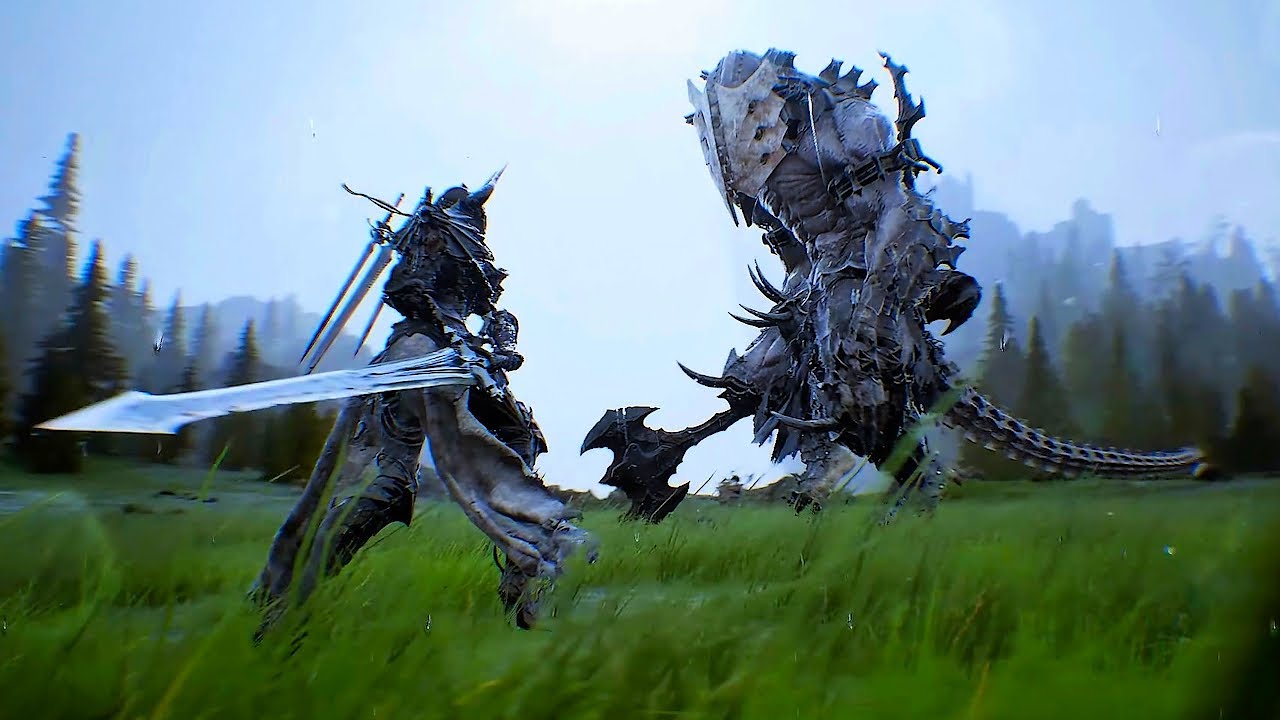
Project M Gameplay Trailer (New Brutal Action RPG Game 2023)
HOUND 13, a South Korean studio, has recently released a prototype gameplay demo video of their new game Project M, a dark fantasy action RPG. The game is currently set in development for console and PC.
The developer's website: http://www.hound13.com/kr/
mellow fractal
cold sorrel
That's VATs
I don't know how you can tell from the most blurry screenshot ever, but thank you so much! Will look into tutes for that in UE, cheers 🙂
cold sorrel
Video showed it
analog onyx
Jittery timewarp on VATS ><
 granite dune
I'd like to learn more about material setup for particle effects, opacity fading functions (depth/camera) shading models? Any good low level resource for this with an artistic focus?
cold sorrel
Low level?
granite dune
like material level how to get most out of my particle effects
as like a technical article, something I can read
cold sorrel
Ah, I thought you meant actual low level stuff which is basically not accessible in Unreal.
As for articles, read the docs.
There are a bunch of good video series about it, but I can't think of any written articles that cover more than very small areas.
granite dune
it's things like common material functions you'll not find docs on
camera fade
but yeah I guess I should read the depth fade doc again because that's still a bit of a mystery to me
slender pine
cold sorrel
I also collect quality stuff here and try to organize them in a sort of curricul...
Good Morning! is this your collection? ? awesome!!!!!
granite dune
depth fade is a node
cold sorrel
Well, anyone can contribute.
granite dune
camera fade is in a lot of examples a a meterial function, I know that much
slender pine
i appreciate the discussion while i was asleep! cheers
granite dune
I been using realtimevfx, it's been helpful
cold sorrel
Depth fade is pixeldepth -scenedepth.
Camerafade is pixel pos - campos, remapped
slender pine
Basically, from what i understand from the discussion is that Houdni is where vfx is at.. so i gotta figure out how to get houdini
granite dune
so you would never need camera fade for a first person viewed effect?
granite dune
oh, if it got too close?
cold sorrel
yes
granite dune
I need to practise
cold sorrel
It's easier to learn if you have a usecase
Rather than trying to learn everything first
granite dune
I understand the particle emitter parts well enough, I think I need to understand the materials behind them better
it's also for technical reasons I'm trying to consolidate materials
cold sorrel
If you already have the materials, you should be able to just mix and match the things that does what you want, right?
granite dune
I want to reduce them for things like muzzle flash, keep things simple
something like that can get heavy quick and consume many master materials
cold sorrel
Sure can
granite dune
I don't like that
cold sorrel
But yeah, no idea about finding written stuff about it. Most people use videos to show things because it's much easier.
granite dune
I think I just need to poke at opacity channel more
but some things are very confusing now, I notice you can change shading model in instances etc
so I could probably go too deep into weeds on master materials, I do want to reduce my files though
when adding material functions it makes things more manageable, get into editing a ton of fiiles
things like that have started biting me
slender pine
i highly recommend looking into Joe Garth's Brushify mutli-biome auto material to help understand materials.
his has so many funtional features that can help tune materials (not sure if they are applicable to particle emitters but it really helped me get to know materials, let me find a video (if i am not beating a dead horse)
granite dune
tbh, my resource right now is paragon
but I think the materials have too much redundancy
for my needs
I'm not just importing the murdock folder
that stuff is cray
I'm grabbing some textures and material work
slender pine
granite dune
I'm not just importing the murdock folder
i may have missed the context earlier, what is the murdock folder?
granite dune
a lot is repetition, many characters have tons of vfx , right?
I'm making a shooter, so Murdock, Twinblast, Revenant, all have stuff I've been learning from
slender pine
granite dune
I'm making a shooter, so Murdock, Twinblast, Revenant, all have stuff I've been ...
oooooh gotcha!!
cheers!
granite dune
there's so much crazy scifi/fatansy stuff though that it needs consolidation and comprehension
ideally, over just copy paste
anyway, proving a fantastic resource, I've bought marketplace assets but keep coming back to it just for the vfx stuff
slender pine
granite dune
anyway, proving a fantastic resource, I've bought marketplace assets but keep co...
coming back to "murdock folder"
that is the resource you are referencing?
granite dune
all of the vfx from PAragon asssets
many are copies of the same files on different characters though
you have to download them all 😄
I currently working with muzzle flashes from Murdock character
slender pine
the paragon assets lmao
omg sorry i am clearly not thinking right
granite dune
it's a typical muzzle flash, unusually they packaged the shell ejection particle into the flash system as well
it's got some nice sparks out the muzzle and smoke subuv tex
all a growing boy needs
I say unusually, it makes a lot of sense though
I used to just call a separate particle, it's all happening so fast anyway, nevertheless, I like these Niagara systems
more power, better composition
slender pine
I have only used niagara for an engine particle system. so trying to use a deprecated set of assets (cascade only m5 vfx pack in permanent free collection)
granite dune
yeah I got those
I converted them to niagara
there's a plugin for that
I've converted all my particles to niagara now in 5.0EA
slender pine
you did the conversion??
does it work well in reflections?
granite dune
not just trying to delete the ones I don't need lol
it's a solid tool
it's worked on the particles I needed, after there might be some errors, but I was able to fix them
slender pine
granite dune
it's worked on the particles I needed, after there might be some errors, but I ...
my conversion was all messed up and maybe my brain was just not working yesterday but i couldn't get the niagara system working correctly
granite dune
I'm pretty sure I did all those explosions
slender pine
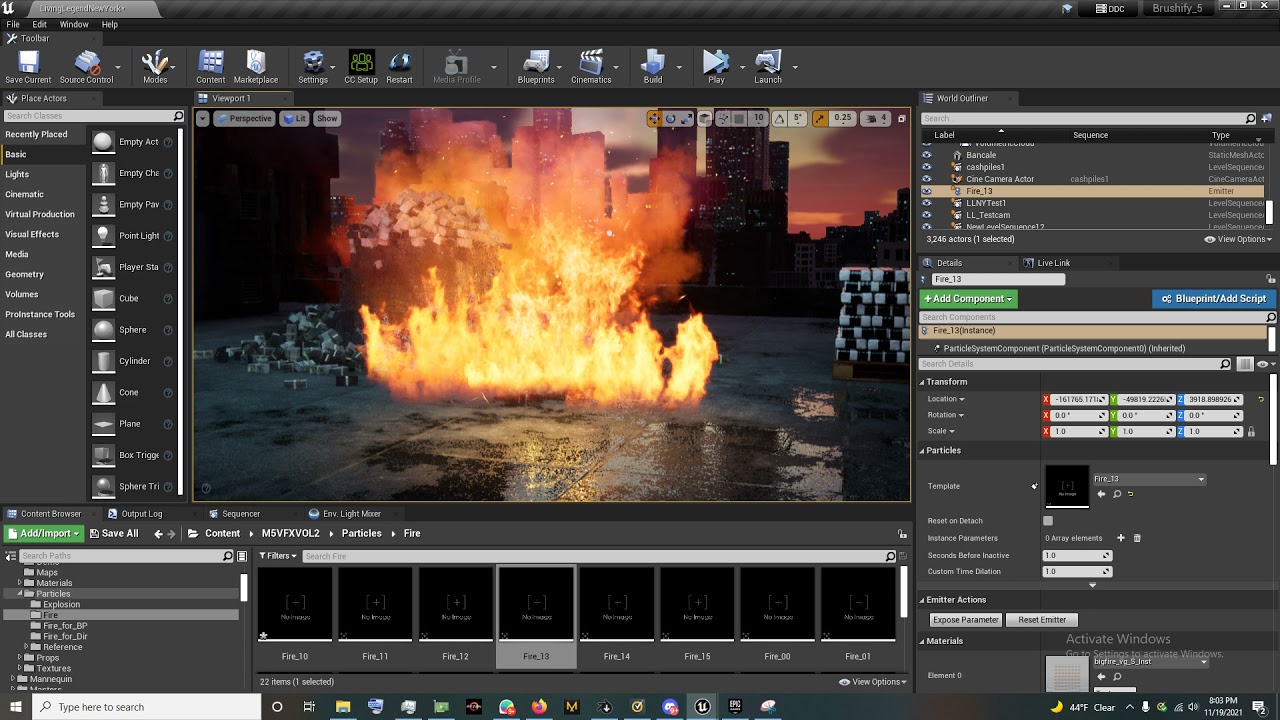 granite dune
this is the asset with the exploding building right?
maybe try again, look at each emitter, make sure there's not errors or warningss
slender pine
i was just using the fire emitters that are standalone
granite dune
I convert the system and go through each emitter
slender pine
granite dune
I convert the system and go through each emitter
so basically i am a noob and i need to figure it out
slender pine
true.
if i had the extra funds i would purchase pixellabs' fire vdb pack 😦
cold sorrel
Why?
granite dune
if I had the funds I buy Houdini
cold sorrel
What are you going to use the VDB for that circumvents your issue?
slender pine

Learn more and get it here: www.thepixellab.net/vdb-fire-pack-volume-1-animated
This is the VDB Fire Pack Volume 1 with 50 incredibly realistic fire animations for your render engine of choice. Perfect for SFX. Every animation has 2 versions: a low quality and a high quality version. Included are ground fires, campfires, candle flames, flameth...
cold sorrel
Yes?
slender pine
i can use this instead of a particle system
cold sorrel
Seeing as Unreal doesn't support VDB I fail to see how that helps you
slender pine
what?!?!?
granite dune
is that like alembic?
cold sorrel
Welcome to realtime
slender pine
OMG WHY NOT
cold sorrel
Because it's a volume that takes a lot of time to render.
Have you ever rendered a VDB?
slender pine
ooooo i can use octane for vdb support
cold sorrel
...
slender pine
yes i use in blender and c4d
cold sorrel
Film people..
Right, so how fast is it to render volumes there?
Not talking about simple fog here.
You showed pyro with scattering etc.
We are talking minutes per frame, at least.
slender pine
which is fine lol
cold sorrel
Quite a leap from Realtime.
Unreal is a game engine.
It's built around rendering in milliseconds.
slender pine
unreal is a game engine yes, but also a virtual production tool
granite dune
have you tried FluidNinja? @slender pine
cold sorrel
It also doesn't support scientific fluid solvers, as it wasn't built for that.
Everything in game engines are hacks meant for speed.
If it's too slow, it's not supported.
slender pine
granite dune
have you tried FluidNinja? <@!644753513339027485>
i actually own it and was going to use the new fire pack that was released lastweek if i cant get my particles working
cold sorrel
There are pseudovolumes that can raymarch etc. But those are hacked in ontop of the engine.
granite dune
that's prob your best option
cold sorrel
Fluid Ninja for example is 2.5d raymarched.
slender pine
for sure i will stear towards that\
cold sorrel
That means no detailed shading or scattering.
granite dune
even that can get quite heavy in my tests
cold sorrel
Then there are the volumetrics plugin that's running pseudovolumes.
granite dune
for a game situation
cold sorrel
Those are fully 3d, but again shading is fully up to the user to build using HLSL which is not particularly suited for volumetric shading.
 granite dune
I like the idea of influencing particles from baked fluid sim most
really the live version with the interactive flow was the most interesting to me
next level effect
I got the demo but I'll stick to my subuvs for now
quiet kraken
Hi all
I made clouds with particles
how can I make to have my Directional Light affect my particles ?
when I move light my clouds are not affected by the light
should I make fake shadows on my clouds shader or there is a simple solution ?
My shader is translucent so I can't have normal maps
I found it !
in Material under tab "Translucency" there is "Lighting mode" I set it to "Volume Directional" and now I have the "Normal" pin ! thanks all!
slender pine

Visual FX Pro
Forest Fire Visual Effects elements for compositing Fire vfx scenes. Fire FX assets. Up to 4K and RAW. 60fps. Fire green screen. Fire Slow motion. Correctly Exposed. 100% stays in frame.
these are for compositing, correct?
cold sorrel
Or for making flipbooks
slender pine
fascinating ok thank you
slender pine
I found an easy fix with the cascade fire particles, I havent tried reconverting those particles yet but i tried something else
change reflection type to screenspace in post processing. I sacrifice the crispness and deep reflections of raytracing, but the reflections are infact there and look fairly good to be honest

 quiet kraken
How to increase space between each particle please ?
cold sorrel
What are you trying to do?
quiet kraken
I have a particle system that spawns 10 burst
locked in Z axis
and when I spawn them some of these planes are overlapping
each other
so when I move camera it's flickering
they got translucent material
cold sorrel
Spawn them on a grid then.
quiet kraken
how ?
cold sorrel
there's a grid module
quiet kraken
in particle system ?
quiet kraken
i'm in cascade
quiet kraken
maybe with bounds I can do something ?
cold sorrel
nope
quiet kraken
so I have to convert my cascade to niagara right?
cold sorrel
You can spread things out more, but you can't ensure they won't spawn near eachother
cold sorrel
to some degree
quiet kraken
Grid location?
 marble epoch
Hello, anyone has any tips on how to render a particle in front of a mesh? (practical example would be an impact VFX) I'm guessing its something related to custom depths but I'd welcome more tips.
cold sorrel
Camera offset
slender pine
Screen space reflections and planar reflection capture is where it is at
rendering out quick (crappy cam) sequence to make sure motion blur looks good

Finally got it looking correctly!!!
not RTX, but a functional solution none the less
slender pine
Sigh.... solve one thing, create 2 more problems :/
any idea why the particles freeze in those two areas? but is functioning at the start the the closeup?
 slender pine
fire unfrozen
thoughts?
@desert comet what was that method with WPO to turn the cash burnt?
 desert comet
those are all individual meshes?
slender pine
desert comet
those are all individual meshes?
yes
i used the physical layout tool to instance and place them
2848 individual bundles lol
desert comet
what im thinking might be overkill regarding wpo
but aside from that, it was a noise mask lerp blending the money texture to a burnt version
could throw in a color ramp to the grayscale noise as it dissolves so the edge burn glows as it animates the dissolve
slender pine
my computer can handle overkill lol
desert comet
the wpo idea was because they are individual meshes and it wouldn't make sense to affect them locally (vertex pos) but by world, that would need a param reference
technically its both, but the world pose of a specific location would shrink them aesthetically
wait, is it one mesh of these cash monies? or is it indiv meshes in engine?
slender pine
the giant pile is litearlly a pile of 2848 meshes that should be instanced
desert comet
hmm, i think in either case the burn/dissolve, with or w/o the wpo would need to be varied otherwise each will animate the same
suppose a dirty alternative is to animate the alpha of some burn decals
slender pine
ok il do that for sure when i get the chance
going to work on some other things tonight
desert comet
i expect it on my desk by 11
slender pine
fiiiiiiiiiiiiiiiiiiiiiiine
thoughhts?
https://youtu.be/3pqqAWX7zlQ

Learn how to make an animated material of burning wood.
Streaming every Wednesday at https://twitch.tv/techartaid/
Get project files: https://techartaid.com/products/
Find more tutorials at https://techartaid.com/
Vertex painting in editor is used to drive heat through a Blackbody node, converting temperature to emissive color. Height map wi...
desert comet
i tihnk theres a lot of mileage out of the triplanar portion for your needs, but otherwise a lot of good stuff, may need some tailoring
 untold gull
Hey guys is there a good tutorial to add cracks to glass material when it's hit?
Decals won't show if I spawn them on the mesh section with the glass material
 crude rain
Hi I am new to ue4
Any one knows static light render in Mobile
or
moveable light for mobile with no limits
slender pine
untold gull
Hey guys is there a good tutorial to add cracks to glass material when it's hit?
i swear i saw a tut about this a few days ago....
 raven sage
Hey all, how can I display the whole linear color curve on the base color of a material?

Right now Curve Atlas needs curve time so it's only snapshotting a point on the curve
but i just want to display the whole gradient i created
untold gull
@slender pine if you see it again, i'd appreciate if you shot me the link 👍
slender pine
untold gull
<@644753513339027485> if you see it again, i'd appreciate if you shot me the lin...
https://www.youtube.com/watch?v=_WgvzL3w8vk&t=17s
so this is not it. but i have used these in the past and they are great, can provide ue5 example shortly
but i just had the idea you may be able to trigger the shattered glass on contact or sequence trigger and have a small niagara system with the shatter
or are you trying to get slomotion?

Advanced Glass Pack for Unreal Engine 4
Check also Free assets from the Unreal Bucket library: https://unrealbucket.com/
Package details:
5 Master UE glass materials:
- Clean: Colored + 10 tillable patterns + 2 scratched (with normal maps)
- Dirty: 9 different variations
- Frozen: 3 different frost textures (with normal maps)
- Shattered: ...
this was it
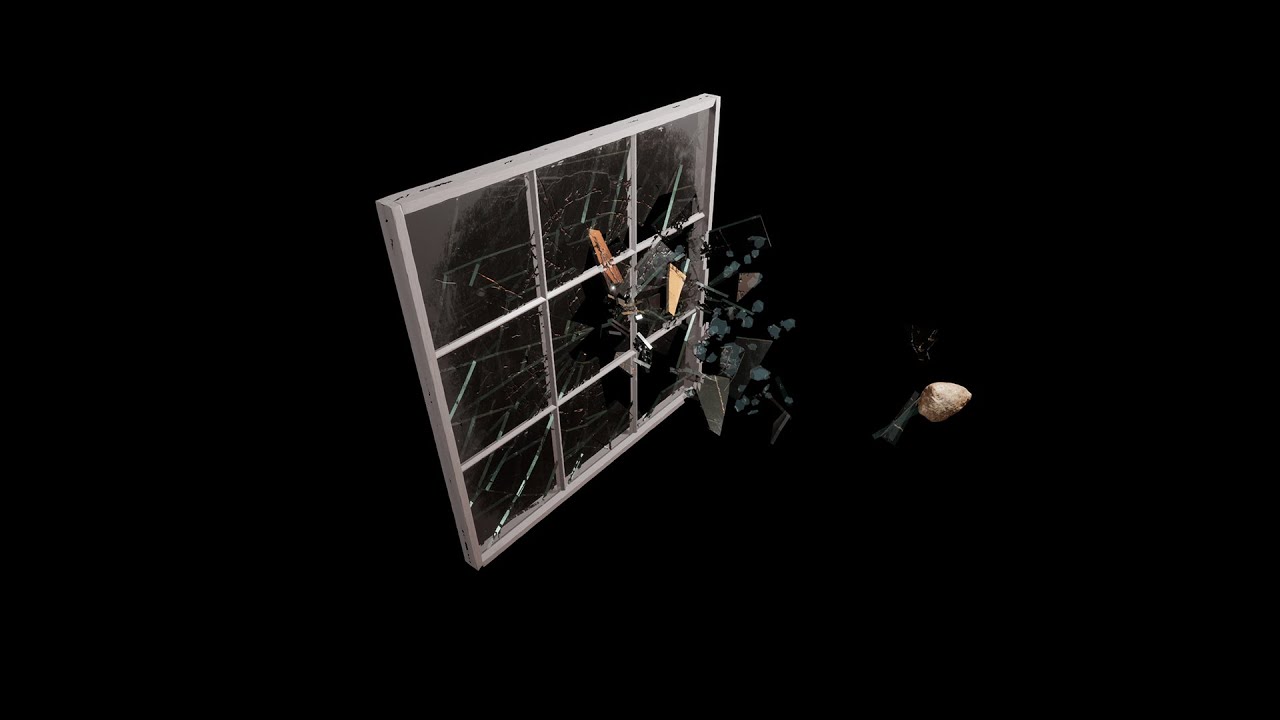
Marketplace: https://www.unrealengine.com/marketplace/en-US/product/breakable-glass
Playable Demo: https://drive.google.com/file/d/1isS9lT5rd3fKsmKFQx7ap_0sReY2IIDV/view?usp=sharing
Video Demo: https://youtu.be/AktiuSrn5pE
Realistic breakable glass designed to be broken with a different pattern and origin depending on where they have been hit...
idk if you are interested in Chaos destruction, but thats available too
untold gull
I wasnt going to do breakable glass, otherwise id have to make a heap of custom window meshes for all the vehicles. Really i just want impact effects. A spray triggers, but i cant get a decal to show on a masked or translucent material, so was looking to see if it could be added to the material procedurally by taking impact vectors
But thanks man - ill check that breakable glass link out =)@slender pine
devout canopy
Can you take 1 particle effect and give it different LOD for different characters? For example I would like my fire effect to disappear by 20k units, but I want my helicopter to see if from further away, say 40k units
 sturdy sage
hi all can i ask how to make an object fade away
cold sorrel
devout canopy
Can you take 1 particle effect and give it different LOD for different character...
Not out of the box
cold sorrel
sturdy sage
hi all can i ask how to make an object fade away
Dither it
sturdy sage
ok thx
devout canopy
Thank you Partikel
sturdy sage
so im not sure on how to do dithering. i dont know if anyone knows what a TARDIS is from Doctor who. when it takes off it sort of fades in and out of reality but im not really sure on how to do this 🙂
primal parrot
I am so willing to bet, like at least £1000 that every single person here knows what a TARDIS is 😉 and google Dither Transparency Shaders Unreal - https://youtu.be/ieHpTG_P8Q0?t=288

Learn how to replace translucency with a dithered mask.
Get project files: https://techartaid.com/products/
Material graph screenshot: http://imgur.com/rESne5i
(sorry I forgot to discuss the 'vanishing' feature, which drives the opacity here :) I left a comment in the graph)
MORE INFO:
- Article on how to implement dithering manually in a shad...
sturdy sage
so when i change my blend mode to translucent my model goes a bit funky
can see through things that you shouldnt be able to
 sturdy sage
can also see it through rocks??
 fervent quest
sturdy sage
so when i change my blend mode to translucent my model goes a bit funky
fervent quest
sturdy sage
so when i change my blend mode to translucent my model goes a bit funky
change mode to masked, a whole thing about DitherAA is to not use transluent material couse masked one is way cheaper in render
sturdy sage
@fervent quest does this still allow me to use the opacity value?
fervent quest
sturdy sage
<@!516544083976781824> does this still allow me to use the opacity value?
yeah function DitherAA dosent work like normal opacity. Put your alpha in this function and output into OpacityMask value in material
sturdy sage
and also can i use it in a sequence for lets say a trigger box
fervent quest
wait I will post a screen of a setup that you should do, just let me open engine
sturdy sage
ok thank you 🙂 im still pretty new to this XD
fervent quest
so yeah basicly, green one is a normal transluency, and red one is a masked DitherAA. You can see in a Shader Complexity mode (when everything turns green and stuff) that red ball is much cheaper in render. Setup is at the end of a video. If you want to animate this in sequencer you need to put it in BP and animate Scalar Atribiute (here its Alpha Scalar) via Sequencer or Timeline inside BP

heres another one with function
sturdy sage
ok ill give this a try thank you
fervent quest
sturdy sage
does this work with texture samples of my own because ive put my textures on and i cant see them?
sorry im a mega noob
fervent quest
you can put in Base and Emissive color whatever you want, you only modify OpacityMask Channel, and if you can put whatever you want as a texture mask, you can put a simple gradient aswell if you want
sturdy sage
ahh well this model has Base , Specular and Normal maps ive got textures like windows missing cause i think they are on the normal map
fervent quest
one model can have multiple materials and you can adjust them individualy if you want
sturdy sage
one second let me grab a screenshot
thats the material layout

this is for the default model btw
this is how it should look

oh wait a second
@fervent quest ive just put this together whether it will work or not thats another question

it looks like this now in engine

 fervent quest
Dude no, put textures as it was at a 1st screenshot and put some random texture (some random noises are already in engine by default), not a color texture. Texture that you put in MaskedOpacity is a tex that drives a Mask
But yeah put some values in specular and roughness as oracl said it will look a bit better
I saw that XD pink one
sturdy sage
ok what do i change it too
fervent quest
Search for noise texture or generate it in photoshop or download it from google smth
celest birch
fervent quest
But yeah put some values in specular and roughness as oracl said it will look a ...
Tbh a imperfection normal would look good too
sturdy sage
and whats that when its at home XD
thanks for the help @fervent quest and also having the patience with me
could i add one of these effects to the dither?
 fossil swan
of course.
 haughty blaze
idk if this is the right place to ask but if made this auto-landscape material but once I assign it to target layers in the paint mode it only comes out checkered (If I just put the auto-landscape material on the landscape it works fine) I think its because of my normal maps (I unplugged everything until the base color and saw that it only came up
after normal maps were conected
anybody knows why it comes out checkered

I use a set of material function that lerp into each other using a world alignedblend node that goes into the landscapelayerblend nodes
fossil swan
did you enable "shared" in the texture samples?
haughty blaze
is it possible to evaluate world position offset (which resolves a lighting issue with a couple fiolage assets when I use ray tracing) in landscape grass type. I would do this through a Blueprint actor and at it there put that into a fiolage actor but I need to use a landscape grass type in my automatic landscape material
 slate forum
sturdy sage
slate forum
sturdy sage
This is aimed at anyone really, but I also got these free animations but when I apply them to something the material loops and I dunno how to make it just run onces from beginning to end. (I'm new! :D) Can someone direct me to a tutorial? I'm not super sure what I even need to google xD
solar remnant
Using Cascade for this quick thing. Does anyone know if you can use an attractor with ribbons? Would like to pull some ribbons into the core of this effect
unreal thorn
Even Cascade is good enough for your described particle scenarios.
unreal thorn
Well, no. It's more of precursor to Niagara.
fossil swan
for LoL stuff cascade is more than fine. but for longevity, niagara would be better to learn.
cold sorrel
Yeah, there really is no reason to pick Cascade now.
 drifting prairie
Does anyone know if there's a way to get smooth anim trail arcs during fast sword swings? Even at 60 FPS they often look rather angular for me during fast animations.
 median agate
hey guys i have one quite of a noobie question for you:
i have an helicopter and i need to put particles on the ground for when i fly low. Is it better if i spawn lets say 10 times per second an emitter or if i attach it to the pawn? The reason why i'm asking is that if I attach it to the pawn then as soon as the raycast stops finding a terrain it suddenly shuts the emitter off
any workaround that might work? thank you 🙂
solar remnant
median agate
hey guys i have one quite of a noobie question for you:
i have an helicopter an...
The way I've always set this up is using a master emitter that shoots particles your desired distance down, if those particles collide then you spawn your rotor wash effect at the impact site. You have to tweak spawn rate to the movement of the helicopter. Works consistently when designers aren't always as consistent as I'd like. You can also go fancier and do spawn by distance for perfect spread but that does add a lil overhead and I usually find it unnecessary.
median agate
solar remnant
The way I've always set this up is using a master emitter that shoots particles ...
that's pretty cool dude thank you 🙂
 tardy siren
How do you create a bullet tracer round that can be seen, regardless of distance from the actor? Similar to how you can see Bullets flying across the map, and from the barrel of your gun in any modern fps game, like battlefield, cod, etc.
The material will always fade drastically or disappear completely when it reaches an unknown distance, and I've never been able to figure out how to fix that.
analog onyx
@tardy sirenYou scale the thing based on distance, projected screen area or something like that
tracer needs to cover at least a dozen of pixels as seen from few meters and likewise, kilometers away
tardy siren
analog onyx
<@!94680088389357568>You scale the thing based on distance, projected screen are...
hmmm, ok. So for instance, increase the size of the static mesh based on the distance from the player. The further away the bullet, the larger the scaling factor?
analog onyx

 torpid palmBOT
:triangular_flag_on_post: Maj#0231 received strike 1. As a result, they were muted for 10 minutes.
tardy siren
I've tried to import to custom fonts. Both have a correct preview, but the character viewer has invalid characters shown:

Additionally, when trying to use the font as a material, it just shows up white
Found the problem. Compression must be set to this value

 marble ridge
Hey, I'm trying to create a Niagara system module that can turn off certain emitters based on a variable. Does anyone know if this is possible? Think of it as quality levels, but used on a system level so it doesn't run certain emitters if conditions are met.
cold sorrel
Nope. Not possible
 spare forge
Is there there a node that returns everything after the decimal point inside material?
unreal thorn
spare forge
Is there there a node that returns everything after the decimal point inside mat...
Subtract the number with truncated number. Not a "single node" but a simple arithmetic hack.
And you can make it a Material Function if you want to 🙂
spare forge
unreal thorn
Subtract the number with truncated number. Not a "single node" but a simple arit...
I thought there already was one perhaps that was just a old project of mine,
cold sorrel
Frac?
spare forge
cold sorrel
Frac?
I know it returns decimals but not like that?
cold sorrel
Alright
spare forge
cold sorrel
Alright
Maybe your right
spare forge
cold sorrel
Alright
Seems to work that way with positive numbers only. Which is fine for my case
Ty
 modest fog
No you can't do that.. as the post process is applied after everything has been displayed. If really you want to dim lights then you have to do some logic in blueprint and set the lights intensity manually when the camera is inside a specific volume, but honestly this is tedious. Personally i wouldn't rely on overall picture brightness with post process. That should come from your lighting, and use the post process to do final balancing/tweaking
 surreal pivot
Cool seeing UE used for VFX on MrBeast's new Squid Game video!
https://www.youtube.com/watch?v=VQcO_PYVx3o

Get an inside look at how we recreated Netflix’s "Squid Game" with @MrBeast in the official behind the scenes. We’ll walk you through the sets, the shoots, and how we actually built MrBeast’s Squid Game with previsualization, CGI & VFX. We’ll even show you how we made a playable video game version in Unreal Engine—leave a comment if you want ...
 thorny shale
Facts, I knew they had used vfx but it was a pleasant surprise to see them using unreal engine there.
 merry rose
Hey guys I need help with my particles in UE4. I want that my particles fade out. Thats why I changed "Alpha Over Life"(As you can see in the GIF) But my particles still dont fade out https://gyazo.com/6d8d31d08fb974f440a32282589c8cee
 unreal thorn
merry rose
Hey guys I need help with my particles in UE4. I want that my particles fade out...
unreal thorn
merry rose
Hey guys I need help with my particles in UE4. I want that my particles fade out...
Make sure your material's Blend Mode is Translucent, and the Particle Color's alpha out is hooked into the Opacity attribute.
merry rose
unreal thorn
Make sure your material's Blend Mode is Translucent, and the Particle Color's al...
Thats my material. But Alpha Overlife still doesnt change anything. Even when I put a 0 in each field
 unreal thorn
merry rose
Thats my material. But Alpha Overlife still doesnt change anything. Even when I ...
unreal thorn
merry rose
Thats my material. But Alpha Overlife still doesnt change anything. Even when I ...
Give it Particle Color node.
merry rose
unreal thorn
Give it Particle Color node.
U mean like this?
 unreal thorn
merry rose
U mean like this?
unreal thorn
merry rose
U mean like this?
From Particle Color, RGB (first pin) goes directly to Base Color. Alpha (last pin) multiplied by the texture's alpha out, then hooked to Opacity.
The constant float3 node is not needed there.
merry rose
unreal thorn
From Particle Color, RGB (first pin) goes directly to Base Color. Alpha (last pi...
ITS WORKING! Thank you!

 sly sable
Same question with no answer https://answers.unrealengine.com/questions/937021/can-i-use-the-area-of-my-procedural-mesh-instead-o.html
 fast raptor
ok im kinda stuck here
i need need a way to change the fov where there is a high base like a audio reactive fov
is that possable
 tranquil slate
How do I animate the material on a skeletal mesh without using sequencer? I set up several materials on parts of a skeletal mesh that animate and I want them to fade out at different times.
fossil swan
play with time nodes and offset them, use material parameter collections, control variables trough blueprints.
 chrome violet
Is it possible to write a custom HLSL shader for Unreal? Are there any good resources for learning?
Or is there any reason to at all? I've had an urge to try writing a custom grass shader
Maybe I could simply do this in the current material system?
fossil swan
there is a custom node in the material editor for hlsl
(you can also write hlsl in niagara)
chrome violet
Do you think something like this would be suitable for prototyping out an idea? https://shadered.org/template
SHADERed is the most powerful shader IDE/editor. It is open-source, cross-platform & has features such as the shader debugger, compute shaders, plugin API, etc...
fossil swan
im no hlsl-writer so cant give a decent answer to that. I assume so, but.. well.. yea
chrome violet
Hah, no worries
unreal thorn
chrome violet
Is it possible to write a custom HLSL shader for Unreal? Are there any good res...
Yes. If you want to go step further, you can also write USF shaders (which is basically HLSL but not limited to Custom node limitations) in your C++ project.
chrome violet
unreal thorn
Yes. If you want to go step further, you can also write USF shaders (which is ba...
Interesting. The project is all C++ except for assets - do you have any pointers on where I could get started with something like this?
It is hard to find a place to start with HLSL. So much is about Unity.
unreal thorn
chrome violet
Interesting. The project is all C++ except for assets - do you have any pointer...
There's a few share of tuts and resources on how to do HLSL in Unreal Engine, actually. To name a few from my bookmarks:
https://github.com/Temaran/UE4ShaderPluginDemo/tree/4.27/
https://www.froyok.fr/blog/2021-09-ue4-custom-lens-flare
https://github.com/nfgrep/CustomComputeExample

GitHub
A tutorial project that shows how to implement HLSL Pixel and Compute shaders in UE4 - GitHub - Temaran/UE4ShaderPluginDemo: A tutorial project that shows how to implement HLSL Pixel and Compute sh...

This article shows how to modify the default Unreal Engine lens-flare post-process, from code to shaders. I always wanted to chang...
chrome violet
Great stuff, thank you! Also, another question I have been trying to google my way to an answer on: HLSL is the language Unreal uses to interact with DX11/DX12 correct? So, if I wanted to write a mesh shader in DX12, I would still use HLSL?
unreal thorn
chrome violet
Great stuff, thank you! Also, another question I have been trying to google my ...
Well, the graphics API specific stuff is (in most part) irrelevant when you're writing shaders, as Unreal Engine does have it's own abstraction layer, RHI (Rendering Hardware Interface). It basically a C++ interface doing all the even lower level stuff for you.
chrome violet
Got it. This is very helpful trying to orient myself. Thank you again 🙂
Is this the appropriate place to ask questions if I get stuck in working on this?
unreal thorn
chrome violet
Is this the appropriate place to ask questions if I get stuck in working on this...
This specific channel? Yeah.
(Though I personally also still learning through the whole rendering magic myself :P)
chrome violet
Nice. I have been working in C++ for a year now and have had some ideas about a lightweight grass shader for some time. Starting to think I might have enough knowledge to at least attempt it...maybe mot successfully complete it, but worth a shot 😄
 pseudo vortex
Is there something special about placing a Trail Particle into a BP (attached to a Mesh) instead of an Anim? Does that even work?
unreal thorn
pseudo vortex
Is there something special about placing a Trail Particle into a BP (attached to...
Cascade? I don't think Cascade's animtrail could work on static meshes or non anim sequence/montages. Though I wager Niagara could do it, as it's ribbon emitter doesn't necessarily work the same as animtrails.
pseudo vortex
I've seen images on AnswerHub that just have it parented to the skeletalmesh
unreal thorn
Yeah, FWIW Cascade animtrails is very tied to skelmesh.
pseudo vortex
Yeah that's fine, it's still not showing up sadly
Hm, it doens't show up in the anim either. Weird. the preview anim worked.
Will have a look at that, maybe something else is broken
unreal thorn
Hmm, I don't think it ignore world space... Probably the sockets for the trail width?
pseudo vortex
Ah wait, the anim doesn't work cause there are no sockets
Maybe it's because the sword isn't actively moved
Some strange UE4 "bug" where attached Actors aren't considered moving for Trails?
Preview on the Anim shows fine if I give the Character the Sockets. But that's not really what I want
unreal thorn
Not really sure if it's engine bug, but last time I did it (two years ago, before Niagara getting stable) it still emits anim trails even moving in world space. The setup was pretty usual.
Though I should mention that I did the anim trails on the character, not on the sword.
pseudo vortex
Yeah so Anim on Character with sockets located on the Char Mesh produces the Trail
But if the Trail is on the Weapon, with proper Sockets on the Weapon Mesh, it's not
.......

Also not sure what else to call
Ah
BeginTrails is a thing
AH that seems to work
Obviously no one on AnswerHub used that node
At least not on the posts I found
Thanks for your time though, appreciated!
unreal thorn
No probsies ^^
 inland iris
If I use vectoral parameter for color in the material, the material wont fade out with scale color
If I use particle color node, it will react to scale color curve but won't react to color itself(stays black)
Am I missing something?

 pseudo coral
Hey
I'm not that good with decals
How to fix the decals reflecting on the character? I only want it to be on the ground
unreal thorn
pseudo coral
How to fix the decals reflecting on the character? I only want it to be on the g...
On the character's skelmesh component, disable Receive Decals
pseudo coral
Thank you.
celest birch
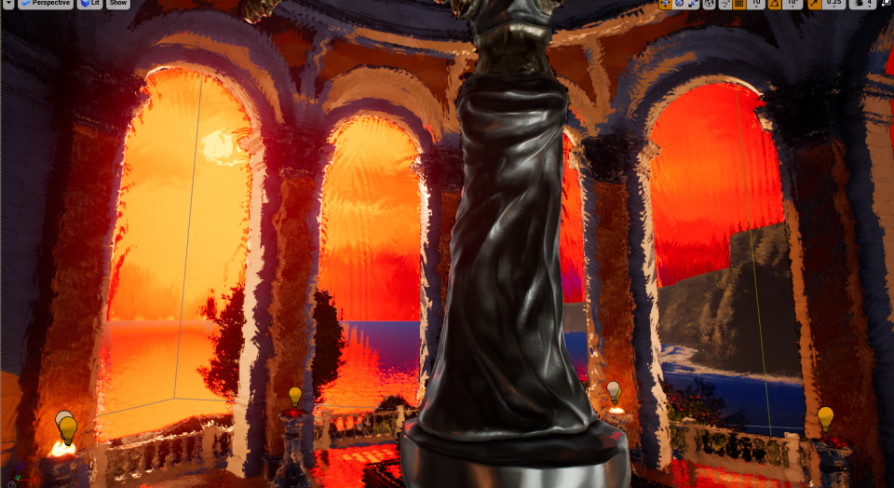
Unreal Engine
Give a painterly feel to any scene with an artistic style, cel toon shader, outlines, cel color bands, and a brushstroke effect. For Windows PC.
will this work for creating visual effects for horror?
using box trigger to activate it
 lapis kettle
How do most people handle the downgrading of particles based on a user's "video" settings - For example; I want particles effects to have a "low" / "med" / "high" settings.. and depending on that setting have less particles produced, maybe swap the particles for a downgraded version, etc.. - Can this be automated in UE4? I.e. have the L/H/W value passed to the particle system to modify itself?
cold sorrel
Set up the scalability settings in the Effect Type and on the emitters.
Automating it makes no sense.
 sharp jacinth
Best way to create thick-smoke?
torpid palmBOT
:triangular_flag_on_post: f4x#2550 received strike 1. As a result, they were muted for 10 minutes.
 copper cedar
damn
i've got a big issue with RVT, if anyone is familliar with runtime virtual texturing please take a look in #graphics channel, i am struggling to find why its flickering
 delicate creek
Hey folks,
I'm trying to setup a macro, but instead of using the particle system I'm using Niagara, does anyone know the equal node for Niagara to this one?
 unreal thorn
delicate creek
Hey folks,
I'm trying to setup a macro, but instead of using the particle system...
unreal thorn
delicate creek
Hey folks,
I'm trying to setup a macro, but instead of using the particle system...
How about setting the Niagara System? 🤔

 proven matrix
why does exponential height fog only work when possessing a character? it's making it infuriating to edit
nevermind, found alt-F
 finite frigate
If I have a noise texture and I want to recolor it based on value ranges, what is the approach for that? Such as values 0 - 0.33 dark color, 0.33 - 0.66 normal color and 0.66 - 1 light color?
fossil swan
multiply by 3, 0-1 is value 1, 1-2 is value 2, 2-3 is value 3
finite frigate
Thanks @fossil swan, I was able to get what I needed with a 3ColorBlend node
 vocal timber
Is there any ways to render 2 levels separately and mix them in a postprocess shader?
Either levels or level streaming sublevels, I'd suspect it's impossible with proper levels
(or at least very obtuse)
unreal thorn
vocal timber
Is there any ways to render 2 levels separately and mix them in a postprocess sh...
Not without scene captures, I'm afraid.
I've been figuring out how to do similar thing (comic book style insets), and I have yet to see a way to get reliable result.
vocal timber
Aye, that's what I was afraid of
I've been thinking of making a level transition postprocessing effect
but I suppose using scene captures wouldn't be an issue 🤔
unreal thorn
Well, performance is one issue. Scene captures are heavy on performance, even with C++ tick updating it.
vocal timber
yea, but considering it's only going to happen during a level transition, I'm thinking I could optimize it somehow
optimize here meaning minimizing the amount of stuff that has to be drawn / updated
 tacit loom
not sure if this is the correct place for this question, but in my UI, I have a progress bar. I want the fill color to be solid. but it is giving me this weird tiled thing. Here is what I mean

these are my styling options
 unreal thorn
tacit loom
unreal thorn
tacit loom
Set the image to a blank white texture.
unreal thorn
Even with Paint, all you need is at least 1x1 texture of plain white.
 gloomy geyser
Hey guys,
I've searching online quite a bit but without any luck. I'd like to increase the max size of my ribbons in niagara. Right now it deletes itself at the end to allow further construction. There's no performance issue yet so I'm sure I could push a little further. If anyone has any idea, thanks !
modest fog
gloomy geyser
Hey guys,
I've searching online quite a bit but without any luck. I'd like to i...
just increase the lifetime of the particles?
gloomy geyser
It's already multiple hours long.
It only deletes itself at the end when the emitter moves to allow new construction
modest fog
?? multiple hours long particles lifetime?? that doesn't sound right 🙂
gloomy geyser
Why not ? I simply have 1 particle that stays persistent and draws the emitter movements
Well if there's a better way I'll take it
modest fog
mmm sry i thought i could help but i'm not sure what you're trying to achieve:)
gloomy geyser
I have 1 particle that's moving around, and a ribbon that's attached to it. I simply would like that ribbon to keep drawing from its start the current particle position
For now after some length, the ribbon would destroy itself at the beginning to keep drawing at the particle
And I'm not sure how to increase that limitation
 zenith coral
I made a post process for the character to do night vision but I want to have it drop off after a certain distance, so the sky doesnt become blinding. Is a post process the right way to do this or is there a better option?
 desert comet
zenith coral
I made a post process for the character to do night vision but I want to have it...
desert comet
zenith coral
I made a post process for the character to do night vision but I want to have it...
you'd have better control of the effect using a ppm. you can access scene depth, color, etc and therefore limit distance rigorously
zenith coral
Thats what Im looking into now, just trying to figure out how to use the scene depth with the material to get what I want
desert comet
zenith coral
Thats what Im looking into now, just trying to figure out how to use the scene d...
https://www.youtube.com/watch?v=cQw1CL0xYBE If you dont mind a bit of, what seems like unrelated learning, the explanation of how pp works for material design is well done in this video. They explain clearly how the nodes work, though achieve something different.
zenith coral
Ill take a look at it, never hurts to learn stuff
ivory iris
Is there a way to force a cascade particle system to "finish" sooner? I'm calling functions based on the event dispatcher but in some cases, after the particles have played (the systems shows as completed), it waits for more than a second to call the event. Any ideas on how to prevent this delay? When is a particle system "finished" and how do I make sure it finishes closer to when it "completes"?

 unborn drift
is this the channel to ask fog of war questions?
modest fog
ivory iris
Is there a way to force a cascade particle system to "finish" sooner? I'm callin...
This event "on system finished" fires off when the system has stopped spawning particles, and all the particles have finished their lifetime. So you might want to do it the other way around, by setting up another event to force the system to stop, rather than the system being the instigator.
unborn drift
perhaps someone can tell me what i am doing wrong with applying the fog of war (works perfectly until i attach it to the character. i assume i am attaching it wrong but not sure why
it initializes but does not seem to update it
modest fog
unborn drift
perhaps someone can tell me what i am doing wrong with applying the fog of war (...
Not sure, but it looks like you update it on the construction script? this kind of effect should be updated on event tick.
unborn drift
modest fog
Not sure, but it looks like you update it on the construction script? this kind ...
I tried disconnecting it from the construction script (Capture2 has it connected but I did try with it disconnected), when disconnected in the construction script it has no effect


 modest fog
capture 2 is too low res to tell... i recon if you call the event initialize ISM on event tick, it will work (instead of calling it in the construction script or on event begin)... but i'm not sure 🙂
unborn drift
modest fog
capture 2 is too low res to tell... i recon if you call the event initialize ISM...
reply gave it a go no luck, also here are the updated blueprints


 modest fog
mmm maybe try reverting when it was working (in editor), and force the location of BP_Sightline (set actor world location to the player character world location) on event tick, but in another blueprint (for example, on the level blueprint), instead of attaching it to the root component of your character.
ivory iris
modest fog
This event "on system finished" fires off when the system has stopped spawning p...
Thanks, I still however don't understand how none of my particles exceed 1.8 secs in life & the display in the particle's preview window displays "complete" accordingly - after ~1.8 secs, yet the event triggers way after 3 secs...
I can't/it's not the point having something else trigger the event, I need the event to be triggered once the particles are "complete". But no such ED exists. Having something else trigger the event would make other things unstable/look weird.
 low mason
"light function material" for flickering lights, better than how the youtube people are doing it with "oh just change it on event tick with random values"? im 80% sure the LFM would be the more performant way, yet i can't find a good example of it on youtube :/
fervent cloud
How do i use these in a particle system
 unreal thorn
fervent cloud
How do i use these in a particle system
unreal thorn
fervent cloud
How do i use these in a particle system
I think you should look on the sample particles first, study how they were built.
 lime nexus
How can I make particles move from one position to another, like in this GIF? Is this possible using Cascade?

I also need to handle if the target position moves. Like in this example, if the camera moves while the particles are coming towards the screen their target position would also move.
fossil swan
i dont know the gist of it, but its def easier in niag than in cascade.
you could use a curved spline with X and Y for begin and end-point and move the particles along it.
cold sorrel
Yeah, in Cascade that would probably require a custom vector field
lime nexus
how would it be done in Niagara? Or is that the curved spline thing?
cold sorrel
You could lerp it, animate a point force, follow an array etc.
Niagara has a lot more options.
fossil swan
cold sorrel
Yeah, in Cascade that would probably require a custom vector field
we used point attractors --with varied results-- for this, until I replaced it with a spline that had an animation curve from 0-1. So for each particle a spline was spawned to the UI.
It worked decently, but it was also one of the more frustrating things I had to do.
(luckily the amount of things moving towards the UI was limited)
it also made me hate point attractors for things that need to be identical each time XD
because its like opening a box of chaos.
 fringe belfry
are blueprints needed to make a succesfull game?
unreal thorn
fringe belfry
are blueprints needed to make a succesfull game?
Depends on what you mean by "successful"
fringe belfry
unreal thorn
Depends on what you mean by "successful"
Being able to make a living of it
fossil swan
blueprint has little to do with that, but the quality of the game and your ability to market it.
unreal thorn
fringe belfry
Being able to make a living of it
That's not something exclusive to UE or its Blueprint visual scripting.
fringe belfry
What?
unreal thorn
fringe belfry
What?
You read that right. It's the matter of the quality of your game and the marketing, not something that BPs (or even C++) can define
fossil swan
but to answer the underlying question of your question, blueprints are probably needed, either with or without cpp
fringe belfry
Can i make a TRIPLE A game with only C++ no bleuprints
fringe belfry
wdym i cant
cold sorrel
A team of 100+ people, sure.
unreal thorn
Unless you commandeer a 100+ people team across disciplines, no, you're not AAA developer making AAA game.
cold sorrel
And at that point, you are guaranteed to have people who knows both c++ and bp
So no need to worry.
lime nexus
@fringe belfry Unreal works best when you combine C++ and Blueprint. Many things can be done in both and you can just choose where you do those based on your own preferences and requirements. But some things are much easier in C++ and others much easier in Blueprint. Some more obscure things even require one or the other. So you get the best results if you can combine Blueprint and C++.
unreal thorn
Actually I'm going to move that to #ue4-general
 crimson bough
Say I'm casting a healing spell on myself. How to make a modular character glow with a fresnel-like effect and particles orbiting around it? Dynamic materials or Niagara or both?
unreal thorn
crimson bough
Say I'm casting a healing spell on myself. How to make a modular character glow...
Could be simpler, adding fresnel in emissive attribute, directly in the materials.
 vale rock
He all, I am looking for an effect, that first spreads particles in a curtained radius and then merges it into a mesh, I know how to do the later, but how would I spawn the particles wide, then merge the same particles into a mesh
I am able to do it from mesh to mesh but not from no mesh to mesh
What would I use to achieve this
unreal thorn
vale rock
He all, I am looking for an effect, that first spreads particles in a curtained ...
If you're in Niagara, it would be as easy as mesh to mesh.
vale rock
I know
thats not what i want
Instead of disolving I want it to merge into the mesh i am disolving?
Disolving effect is easy just want the exact opposite
have particles be wide and form into something
imagine the directional burst being reversed, that basically
crimson bough
unreal thorn
Could be simpler, adding fresnel in emissive attribute, directly in the material...
Should I multiply the fresnel output by a scalar parameter set to 0 by default then change the value to 1 when I want to enable the effect?
unreal thorn
crimson bough
Should I multiply the fresnel output by a scalar parameter set to 0 by default t...
Yep, and with modular character setup, you could propagate it to the dynamic material instance params, using same param names in BP
crimson bough
unreal thorn
Yep, and with modular character setup, you could propagate it to the dynamic mat...
Thanks
 storm sage
hi friends, I'm trying to add a post processing pass using FSceneViewExtensionBase, and I'm bumping into an issue with handling scene color as both an input and an output to my shader. looking at the post processing code in the engine, it seems like the pattern is for a pass to create a new render target, pass scene color to the shader as an input, and then just assign SceneColor = Output. when I try to do that (inside PrePostProcessPass_RenderThread), my pass doesn't get executed at all - it seems like the render graph is optimizing it out (i guess because as far as it's concerned, my render target isn't used?).
The engine plugin ColorCorrectRegionsSceneViewExtension, on the other hand, which also extends FSceneViewExtensionBase, seems to be copying the scene color into a fresh buffer to be used as a shader input, and then using the scene color directly as the render target. This solution works for me, but it seems a little rough to add a pass just to copy the scene color. is there some kind of setup I'm missing, or is this just the way of things?
unreal thorn
storm sage
hi friends, I'm trying to add a post processing pass using `FSceneViewExtensionB...
I don't know how you set it up, but in my case, I used delegate "drilled" in the engine code to get the scene colour pass.
For reference: https://www.froyok.fr/blog/2021-09-ue4-custom-lens-flare/
storm sage
ah yeah, I've been working off of froyok a bit but my hope was to accomplish this without engine modification. view extensions work as an entry point for that, but it seems like the abstraction means i have less direct access to the gbuffer
 dapper dawn
Hello. I have a problem with my particle system. When the particle is spawned at a distance (not very far even) the particles are not created / visible. They only properly spawn nearby in like a 20 meter radius around the camera. Anything further and particles are not spawned. What could be the cause of this?
They are inside a blueprint which gets spawned
Weird thing is that once they are spawned I can move away from them and even at insane distance they don't despawn or become invisible. It's only the spawning that malfunctions when they are spawned far away
cold sorrel
What is the effect type and emitter scalability set to?
dapper dawn
The emitter is a CPU particle. What do you mean with scalability?
cold sorrel
Yes, but the Effect Type? What's the culling response in there?
dapper dawn
Not sure what you mean with effect type. Can't find that anywhere and google doesn't give any info on that either 🤔
cold sorrel
Ach, I keep forgetting none of this is documented much.
dapper dawn
Yeah haha 😅
cold sorrel
Effect type is a file you add in the system that contains cullsettings like distances etc.
dapper dawn
Oh ok, let me check
cold sorrel
But if you haven't manually added it, that's not it.
dapper dawn
Yeah no haven't added anything like that
Most of the particle emitter is pretty default
storm sage
does anyone know how unreal shaders handle this black bar at the right and bottom of the gbuffer?

i'm trying to just copy the scene color into a frame buffer and it seems like i'm sampling that black bar, in addition to it adding the black bar on its own
 mellow fractal
Any feedback on what to change with the trails? They're kinda blending into the environment, but I don't want the anime style glowing stuff either. Idk if it's the fact that it is oriented to the weapon swing? Maybe if it fanned out
 pastel tide
Hi! I want to make an effect when spawning an actor, like an explosion, something similar to the rifts in Fortnite. How can I achieve this?
unreal thorn
pastel tide
Hi! I want to make an effect when spawning an actor, like an explosion, somethin...
Play the effect at the same time you set the character mesh visibility
pastel tide
Thanks
 sharp wind
How would you guys go for a laser burning trail on the wall?
Like it stays hot for a few seconds before cooling down. Rendering to a world-aligned virtual texture or something?
celest birch
Could someone help me? I have this auto landscape material from UE4 that uses roughness channel, mega scans in ue5 are built different come in ORD. Multiple layers, G should be roughness. I'm not good with materials, and I'm confused on how to fix it to isolate that channel properly. Let me know if anyone could help. I could send pictures or share screen too.
 safe dagger
sharp wind
How would you guys go for a laser burning trail on the wall?
safe dagger
sharp wind
How would you guys go for a laser burning trail on the wall?
Fading decal?
Idk
sharp wind
safe dagger
Fading decal?
I've had that idea, but making it smooth would probably require lots of decals
safe dagger
Yeah… idk
desert comet
mellow fractal
Any feedback on what to change with the trails? They're kinda blending into the ...
they look kinda wet and the mix of colors makes it busier. I like the idea of distorting the air but something is off with it. Pretty sure you dont something simple like a basic kind of motion trail where its just a white faded gradient, but it would simplify the environment appearance on it. It doesnt have to be pure white either. Maybe its the animations as well + camera angle that does show the effect too well. Seems like its coming just from the head, so maybe the handle too unless it is already.
 weak jewel
Anyone knows if I can adjust motion blur strength somewhere? :o Just wanna reduce it a bit
unreal thorn
weak jewel
Anyone knows if I can adjust motion blur strength somewhere? :o Just wanna reduc...
Post Process Volume or in your Camera Component
fossil swan
sharp wind
How would you guys go for a laser burning trail on the wall?
either a decal, or rendertarget stuff.
sharp wind
fossil swan
either a decal, or rendertarget stuff.
The master! I'm thinking it'd be a lot of decals to have a smooth line, so I'd rather not use them
Or maybe a combination, a big decal which renders a virtual texture
one decal per surface or something
 quartz kindle
sharp wind
How would you guys go for a laser burning trail on the wall?
quartz kindle
sharp wind
How would you guys go for a laser burning trail on the wall?
Niagara isn’t bad for that stuff, but don’t know that there’s anything you could do for non flat walls
cold sorrel
spawn meshparticles that are fake decals.
 spring flint
Hello guys, I'm starting with the particule system. I'm making a flare smoke. I want it infinite. As you can see in the video, after a few seconds, there is not much smoke. I can't find the setting to spawn the smoke infinitely.
https://streamable.com/s0u7p6

 tropic wolf
Hi, is there a way to only render certain meshes or actors to a scene capture and not the main camera?
the scene capture would include the mesh or actor of choice and exclude everything else, and the main camera would exclude the objects being rendered by the scene capture and include everything else
sharp wind
cold sorrel
spawn meshparticles that are fake decals.
How do fake particles work? Is there any docs on that?
cold sorrel
fake decals

Real Time VFX
Is it possible to change the axis from which to blend, currently its the up, or Z axis. Is it possible to rotate the object and have it project the texture on a vertical surface, and not to have stretching on a horizontal one?
 winter yoke
is projecting a widget onto the surface of a mesh a possibility?
sharp wind
cold sorrel
https://realtimevfx.com/t/niagara-4-25-particle-decals-mini-tutorial/13177/23
Ohh I see! Thanks, really cool! How performant are these materials? I imagine the shader complexity of these to be a bit higher
 manic kernel
mellow fractal
Any feedback on what to change with the trails? They're kinda blending into the ...
manic kernel
mellow fractal
Any feedback on what to change with the trails? They're kinda blending into the ...
if you want my opinion, I think subtly is the best option and what you have is pretty good, I'd just make that material less metallic and maybe a bit more transparent, but trust your gut when it comes to visuals
celest birch
Anyone have a tutorial/info on RVT with world partition?
 drowsy vale
hello, is there a proper plasma ball vfx (or like the terminator spawning sphere with electricity interacting with the walls) ? i only find the bad versions like a fountain/hose like trail that doesn't resemble a plasma ball at all
celest birch
Have you tried the free asset from infinity blade on the marketplace?
Theres a pretty good electric thing there that could work or be modified pretty easily

Unreal Engine
Infinity Blade: Effects includes visual effects ranging from fire and smoke to curious lights and magical reactions, all within the Infinity Blade Collection.
This
drowsy vale
don't see anything that resembles what i am looking for in that pack, was looking for something like this

 smoky oracle
any clue why my skysphere is orange? the default skysphere shows up like this as well and when I bring it in the sky goes orange
 fossil swan
there is a plasma ball in the Particle Toolkit Vol 1, but it literally works like Dio's image.
 nova lintel
Hello every one! I have a question about Niagara and I appreciate your help, I want to know how can I create a 10 sec loop, since I'm going to pre-render these particles and I need them to be loop, to create something like a 10 sec snow loop.
tropic wolf
Is it possible to have a scene capture render to the rgb channels of a render target and then custom bake a material to the alpha channel?
tropic wolf
smoky oracle
any clue why my skysphere is orange? the default skysphere shows up like this as...
Because the default skysphere has the sun setting, you need to change the light vector to get a different time of day
 stiff vale
Is there any way to make sure the smoke particles only come out through the hole? Currently they are going through the mesh. I am using Niagara
 primal parrot
stiff vale
Is there any way to make sure the smoke particles only come out through the hole...
primal parrot
stiff vale
Is there any way to make sure the smoke particles only come out through the hole...


tip of the day:
you can generate a simple pizza-mask using math and occlude your smoke effects with it, so that the smoke wouldn't penetrate walls
#gamedev #techart #vfx #realtimevfx #UE4 https://t.co/Hp2ouS982w
Retweets
227
Likes
1283
 Twitter
·
stiff vale
Twitter
·
stiff vale
thank you
 pseudo jolt
Hi there, guys!
Does anyone knows the way to get a DYNAMIC shadowOnly effect on a surface? Simple Invisible plane that shows shadows from other (dynamic) objects. Animated cache in particular.
Was trying to google that but with no luck (
unreal thorn
Please do not crosspost unless redirected.
 young storm
Hello, i have two overlapping post process volumes. The bigger one has a color effect while the smaller one is basically empty. Ive read through the docs and learned that for overlapping actors, the post process with the bigger priority takes precedence (in my case, the smaller one had bigger prio). I also noticed through tests, that these overlapping volumes where additive. (Q) How do I isolate overlapping post processing volumes such that when youre inside the smaller post processing volume, the bigger one is totally cancelled out?
 sleek heart
Anyone know why Radial Gradient Exponential node can't have negative UVs?
Every time I plug in negative UVs things get weird
 sleek heart
nvm I good
 drowsy shadow
Hey guys!
I just wanted to scale my particle system in the world, but it gets very weird.
Did not find anything helpful. I thought that would be very simple.
little help here?
 fossil swan
yea, anything velocity/force related does not get scaled, so making a copy and rescaling every value would be needed. (in cascade)
with the right nodes it should take care of that.
¯_(ツ)_/¯
multiply bounds with X, or whatever. (havent touched niagara for a long time)
im sure someone will correct me :p
cold sorrel
No
You can build a custom setup that takes in a scale value and adjust all related values based on that. But unless it's an extremely simple effect, it will be more involved than just scaling.
Hell, even adding drag will make it more complex.
Do you scale down the mass to ket the drag have more influence? That will screw the initial velocity. What about setting velocity based on position. If you scale the location sphere, what dovyou exoect the velocity to do? Scale eith the same msgnitude? That could easily make the effect explode.
And then we haven't even begun ralking about how a larger effect should behave differently from a small one.
Nor touched on a combination of forces that are worldspace sized.
Or even how various space transformations are treated with regards to scale.
fossil swan
yea, I was assuming a simple effect like the one above
cold sorrel
The velocity over life would fuck it up
 proud hedge
Need some help!
Is there a way to render out an alpha that includes the shadow and the object included?
So I can output a final image that has only the object and the shadow in the alpha.
 limber finch
I know the old apex destructible mesh plugin is a little antiquated at this point, but I'm running into an issue where my destructible component on a blueprint won't break when I try to apply damage to it. I've tried applying a radial impulse, applying radial damage, and anything else I can think of, but it doesn't move. Does anyone know why? It's the child of a static mesh and I'm curious if that may have something to do with the problem
update: fixed the issue by making a new blueprint with just the destructible and apply the radial impulse. Seems to work just fine there, not sure why
 twin sonnet
quick question, how do you have trails for every burst particle? i've got a ribbon emitter in my particle system with a source module, but it's only on one particle out of like 20
Edit nvm i learned how to read, it's in ribbon data OTL
devout canopy
If I wanted a smoke particle effect constantly generating on my players view, is a particle effect in the widget (if it can be done) or in front of the pawn camera best?
desert comet
You could do a full screen smokey material overlay via umg or a local space particle in front of the camera
devout canopy
My current method is local particle in front of the camera, but when the camera pans super fast there is a disruption in the effect. Like 1 frame where the particles respawn, and it causes a flash
I try to make the already spawned particle move with the camera, attach it, etc, but it still hangs in space relative to the actor, not the camera, or spawns in world space
I'm looking at the overlay since I can't get the particles to move exactly the way I want with the camera
unreal thorn
devout canopy
My current method is local particle in front of the camera, but when the camera ...
If you want to, you can use the Niagara UI plugin and put a screen space Niagara system in the fullscreen widget
devout canopy
cool thanks, I played with Niagra when it was released but went back to cascade cause there is so much I don't know being self taught
I will look into that
 hearty totem
Found a solution?
 coral ferry
Hi. Could anyone tell me how to make visual effects? Like, explosions, neon things, force fields...Like, is that done inside unreal or in other programs please? thanks
unreal thorn
coral ferry
Hi. Could anyone tell me how to make visual effects? Like, explosions, neon thin...
Typically the stuff that make up the particles (e.g. meshes, flipbooks, textures) are made elsewhere, in software like Houdini or Blender. Once you have it, you would assemble it in Unreal using Niagara (or Cascade)
cold sorrel
90% of the work is in unreal though.
coral ferry
unreal thorn
Typically the stuff that make up the particles (e.g. meshes, flipbooks, textures...
and how do I make it in Blender please? Do you know any tutorial or something please?
cold sorrel
What have you tried so far?
cold sorrel
Step 1: Google tutorials for the effect you want to create.
coral ferry
All I've tried is moving a cube and adding some default effects like the explosion and the fire, but I don't even know how to turn off the fire after some seconds so the FPS don't die
cold sorrel
Your initial question is waaaaay to broad. It's basically: "How do I art?"
coral ferry
Yeah that's true...
I'm just wondering if there's a general tutorial that covers the basics of visual effects in unreal
cold sorrel
Today we start a new series focusing on Niagara, starting the with basics of the UI and changes in the workflow from Cascade.
If you have any questions about Game Art VFX or the Unreal Engine then email me: tharlevfx@gmail.com
Or you can find more tutorials on my website: http://www.tharlevfx.com
or check out my work on the Unreal Marketplac...
coral ferry
Also, whenever I try to follow a tutorial unreal crashes after like 15 minutes or so
coral ferry
cold sorrel
https://www.youtube.com/watch?v=bEWWIVM3Vns&list=PLHjQE2fLIZu97z7Iwf-PjV2e1Y4_k2...
thanks
coral ferry
I always get this error and it closes unreal 😦

 indigo remnant
Greetings, has anyone implemented optical flow / motion vector calculation using GLSL in UE4? I'm wondering if it is possible to compare 2 frames in a render target then from that compute the flow.
Would be nice to be able to implement this for some fancy VFX
cold sorrel
HLSL, but yeah
I just implemented the Uncharted method.
Then stole Deathreys improvements 😄
analog onyx
There.. my slow typing
cold sorrel
😄
 drowsy aurora
Is this a good place to discuss ray tracing?
cold sorrel
Not really no
Graphics if it's about using it. CPP if it's about modifying it I guess.
drowsy aurora
Ty
coral ferry
Hi. Does anyone know how to make a sphere with the outline glowing please?
fossil swan
fresnel?
coral ferry
Yeah I've searched fresnel and I think it is just what I needed. Thanks!
I'm just a complete beginner, so I didn't even know that existed. I've just seen in a video and I thought it was cool sry
 cinder fiber
Hi guys, I made a cel-shader post process material by following this tutorial https://www.youtube.com/watch?v=RkFwe7JI8R8, the problem is when it is implemented, the lighting and fog becomes problamatic! Please help me

FOR UE5 USERS: You will have to add a Component Mask RGB before the Normalize node - the new Normalize function hates the A channel.
Part 2 available here! (Creating metallic/shiny objects)
https://youtu.be/EUwH6OS76sk
UPDATE FOR METALLIC/BLACK OBJECTS: Set a Clamp (Min) to 0.001 after the Desaturated PPI0/Diffuse Divide, and also change the A...
Without cel shader

with cel shader
 analog onyx
@cinder fiber cel shading is a matter of rewriting shading model. Cant do it as post process properly.
analog onyx
Fix? Nope. You need to make it properly from ground up.
unreal thorn
cinder fiber
I mean can we?
You can use the custom build that implement cel shading as shading model here
https://github.com/kusogaki77/UnrealEngine
It does involve building UE from source code, but the shading model does not disrupt UE's post FX pipeline, and doesn't mess with lighting and fogs. So I think the hassle is worth it.
cinder fiber
unreal thorn
It does involve building UE from source code, but the shading model does not dis...


Ok I got to understand it reading about 7 times thanks btw
I will try to implement it
It says error 404

 worthy sphinx
You need to link your epic account and accept the invite
Oh wait that’s not the actual unreal engine git nvm
unreal thorn
cinder fiber
It says error 404

Unreal Engine
Unreal Engine is the world’s most open and advanced real-time 3D creation platform for photoreal visuals and immersive experiences.
unreal thorn
worthy sphinx
Oh wait that’s not the actual unreal engine git nvm
It's a fork of official UE repo
worthy sphinx
I see, that requires same permissions?
unreal thorn
Yup.
unreal thorn
cinder fiber
It says error 404
Also the code base is huge (talking about 5GB upwards), you should download/clone it from your computer, with GitHub Desktop or any other Git client
 soft sorrel
analog onyx
<@814456237127237703> cel shading is a matter of rewriting shading model. Cant ...
soft sorrel
analog onyx
<@814456237127237703> cel shading is a matter of rewriting shading model. Cant ...
What does it mean to rewrite shading model?\
safe dagger
cinder fiber
Ok
Oh hey I watch you, thanks for your contributions to the community!
cinder fiber
safe dagger
Oh hey I watch you, thanks for your contributions to the community!
When? I am a noob to game dev still! Lol 😂
safe dagger
Oh I thought you were the guy from that channel 😳
cinder fiber
Which channel?
safe dagger
The 5 minute material guy
cinder fiber
Lol
unreal thorn
PrismaticaDev?
safe dagger
That’s embarrassing
safe dagger
unreal thorn
PrismaticaDev?
Yeah
safe dagger
Probably shouldn’t ping him though
cinder fiber
And I too am grateful for his contributions
safe dagger
Aight
cinder fiber
Not like those strict mods or admins of the gdl server lol
safe dagger
Lol
 torpid lark
hey guys, i have a weird problem its on UE5, so im working on a car model raytracing works perfectly, but when i raytracing for Translucency, all the reflections in the scene disappeared including decals, any idea how to solve this?
soft sorrel
soft sorrel
What does it mean to rewrite shading model?\
Does anyone know?
analog onyx
soft sorrel
Does anyone know?
It is a bit on the intermediate side of things, and if you have to ask this question, unfortunately no answer here would be of any help for you.
soft sorrel
Yeah I was just interested in what it meant, I won't ever be able to understand it if I don't know what it is in broad terms or what it entails
I didnt mean to ask how to do it specifically
Sorry if that was unclear
I am curious about toon shaders for my own art style eventually
cold sorrel
It's literal. Unreal uses a shading model. Cel shading uses another.
soft sorrel
So then a game like borderlands would have written their own shading model in C++ (I assume) for their toon shader?
Instead of using the shaders in unreal
 wet gull
hi, is this channel for asking any questions regarding fx?
 junior nimbus
Hey guys, any idea how to fix the light bounce flickering?