#visual-fx
1 messages · Page 40 of 1
 worldly pivot
Ahh got it
@unreal thorn

ty ❤️
Was close, needed transforms
oh just kidding it only kind of works
in one axis
 unreal thorn
Vertex Normal WS is already in World Space.
worldly pivot
Right
Say I can rotate it in Y but every other axis breaks it

Thats the ticket
😄
 steep quiver
Hello, I'm new to color maping, I have an item from marketplace when I make roughness near 0 & metallic close to 1 it makes the material very very dark, what else should I be doing to fix this?
steep quiver
nvm found that I only needed to multiply base color with a variable
 faint citrus
hi, are there resources on how to achieve the old intro graphics? how to approach the little forming details:


i presume this is the old kaskade effect, but it should be achievable with niagara, right?
unreal thorn
faint citrus
i presume this is the old kaskade effect, but it should be achievable with niaga...
It's practically a bunch of quads layed together.
faint citrus
unreal thorn
It's practically a bunch of quads layed together.
yeah i can see that. i was wondering if that project was made public by epic so you could pick it apart similiar to all the other demos
 cold sorrel
Is it even made in unreal?
unreal thorn
cold sorrel
Is it even made in unreal?
Probably not, but it'll be decommissioned anyway, with the new U logo.
The one that's made in UE is the Inside Unreal intro.
cold sorrel
This looks like a straight up houdini job, but it could technically be rendered anywhere
faint citrus
i mean if it's not done in unreal then my whole question regarding resources goes out of the window
 fleet bay
I encountered a problem with the ue4 particles and I could not find any solution so far.
When I add a Skel Vert/Surf Location in my particle system the viewport only shows me "no async tick" and no particles spawn.
Obviously when I add a target mesh there is still nothing spawning.
I tried to get copy the particle from an older version. I made a particle system with only the Skel Vert/Surf Location in UE 4.20 and it worked fine. When I imported it into my project, which is using UE 4.24, the same problem appears.
Does anyone knows a solution for this ?
 fossil swan
@worldly pivot you should have used a transform vector, not position.
(though what hoodie said was already correct)
@fleet bay do a test in 4.26 and see if it still happens.
There where some weird bugsies in cascade in 24/25.
if it does happen, it might be a bug.
 stable oyster
Can someone point me in the direction for creating a post process for total pitch black darkness except your player character (third person)?
unreal thorn
stable oyster
Can someone point me in the direction for creating a post process for total pitc...
If you want to still able to see small portion of the floor, you could rely on thicc (volumetric) fog coloured black.
stable oyster
I don't
At least I wanna start with pitch black and then maybe work my way up from there
But it's as good of a starting point as any I guess 🙂 Thanks ❤️
cold sorrel
Use a post process material, use a custom stencil to mask out your character.
stable oyster
Hm yes I read about custom stencil somewhere (making a research note).
Would I need to dabble with custom scene depth or something?
Maybe I am overthinking it.
cold sorrel
Literally, make a postprocess material, use the custom stencil as a lerp between black and the scene color.
No more steps 😛
stable oyster
Haha ok 🙂 Will give it a try ! After day job is over unfortunately haha
fossil swan
for those who cannot let go :p
https://i.gyazo.com/d21b30b3df28938c2a08ad38f8457466.png
 astral iris
anyone got a paper2d sprite material for hue shifting they can point me too
nevermind, this is dummy simple
unreal thorn
fossil swan
for those who cannot let go :p
https://i.gyazo.com/d21b30b3df28938c2a08ad38f8457...
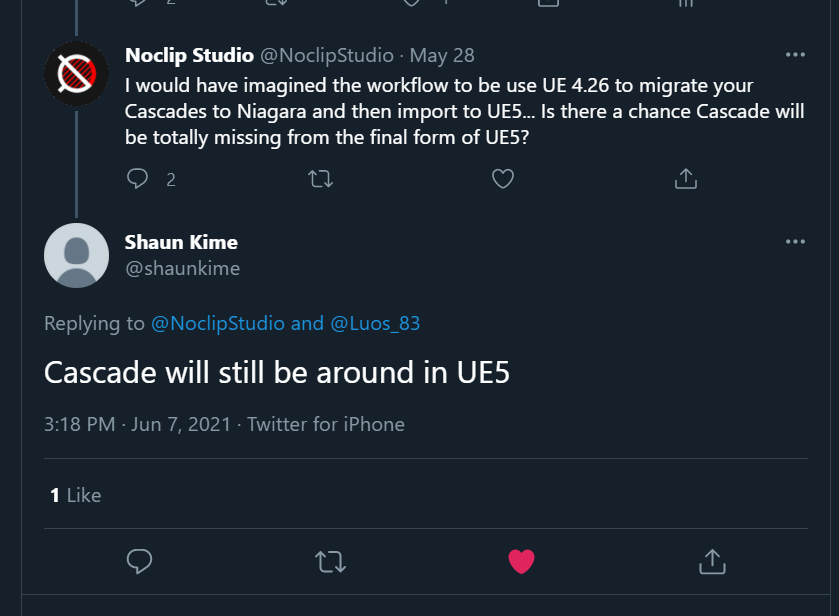
It's not like Matinee entirely gone in UE5 as well 😛
Also Niagara can't do animtrails, which is kinda sucks.
fleet bay
fossil swan
<@!223389083400011777> do a test in 4.26 and see if it still happens.
There whe...
still the same problem 😕
fossil swan
hmm, i'd make a video of the problem so people can check. if nobody can verify its something you overlooked, might wanna report it
stable oyster
@cold sorrel I got myself a start, thanks! 🙂

Scene color wasn't allowed on the 'post process' domain, but PostProcessInput0 did the job.
General question to anyone:
Since I am fairly new to VFX and Materials, where do I begin understanding why we use things as lerp? Like how can I contextualize this. I also see many tutorials that seemingly multiply things or do 1-x and such that I completely fail to follow in their train of thought.
Any starting point directions?
stable oyster
Thank you. I'll check it out. Judging on a quick google search it is a YT channel, not a book, right?
cold sorrel
yep
If you want a book, I liked Elementary Linear Algebra by Howard Anton, Chris Rorres
But that has no game applications or examples. I don#t know if any book does.
 raw summit
Hey guys
Where can I download this demo showcase object?
 stable oyster
Hello.
I am trying to use a post process material directly on my players camera but I cannot get it to work.
If I use a pp volume (infinite extend) it works just fine, so the material in itself is functional.
Do I need to do anything in addition to adding it in the camera component?
 pseudo skiff
how would you go about implementing snow/rain for FPS game for mobile platform AND have it working with overhangs (played goes under one and there is no precipitation underneath, but outside of it there is) ?
 torpid palmBOT
:triangular_flag_on_post: Márquez#6003 received strike 1. As a result, they were muted for 10 minutes.
 main marsh
Hello everyone, i hope yall are having a great day
i come today with a question ( beginner )
so i've made a portal in ue4 ( from a tutorial on youtube )

and unfort its too small

when i try to scale it up

the particle effect doesnt follow, is there a way to scale the whole thing all together, or should i scale everything 1 by 1 ?
fossil swan
sadly the latter
main marsh
@fossil swan thank you very much for your help, this tought me a lesson to better organize myself and learn to block shapes before starting to work freely xD
fixed it, thank you @fossil swan
fossil swan
great!
 signal trench
Howdy, i'm sure this comes up alot but is there an agreed-upon go-to source for learning Niagara and unreal vfx-stuff in general? there IS a course on unreal learn but it's for the old system, and there's obviously alot of youtube videos but that's hit or miss when searching blindly.
I can most likely port the knowledge from the 2018 cascade trianing video over, but still.
Unreal released a video recently about using it for crowd sims, which is what i'm primarily interested in, but getting a primer first is probably ideal.
cold sorrel
Thomas Harles Niagara 101
I'm partial to this list since I made it, but it let's you pick learning content at the level you are at. https://realtimevfx.fandom.com/wiki/Tutorials
 signal trench
@cold sorrel Excellent, i'll give it a go ontop of some of the other things i found. Much appreciated!
 marsh lava
stupid question but is there a video eplaining unreal unitys partcile systems im trying to convert unreal partciles to unity and i can create the shaders for the matirals just need to know how to recreate the partcile effect
unreal thorn
marsh lava
stupid question but is there a video eplaining unreal unitys partcile systems im...
So you're trying to port Unreal's particle emitter over to Unity's?
Best thing you could do is try to mimic it with Unity's own particle system.
unreal thorn
Hold up. Are you trying to copy Unity particle into Unreal, or the other way around?
marsh lava
trying to get unreal partciles to unity
unreal thorn
Well, I assumed you already have understanding of either UE's Cascade or Niagara system (or even Unreal Engine installed for that matter) because you're attempting to copy it in Unity.
Otherwise, you have to teach yourself how to use Unreal's particle system.
 frigid cove
hey guys
is there anyway to do this effect?

Clique em gostei para ajudar o canal e se inscreva se não for inscrito ainda para receber todos os novos vídeos.
the light trail effect
fossil swan
timestamp?
frigid cove
oh
2mins in
thought i stamped it automatically
or just 1 mins above. feel free to watch the shit on mute btw lol
fossil swan
assuming you mean the lightning, thats just a beam emitter with noise.
frigid cove
oh, i mean the way the light from the lamp posts leave a trail as you drive by them
fossil swan
hmm, motion-blurry
kinda looks like a post processing, but iunno.
frigid cove
Part of me thought it was motion blur, but It didn't work the same way
and especially not like that
ridge racer 7 has a similar thing as well
fossil swan
could be some form of rendering that light into a separate render-target-thingy to create it.
I think Glad/Death might have a better suggestion as I dont have any experience with it.
frigid cove
would it be okay to tag him?
fossil swan
lets just say I respect their opinion (at least when it comes to tech-stuff) highly.
not sure if our opinions align on the color of our socks though
 analog onyx
Considering that the game on your reference was released in cave age, where no fancy full screen blurs were achievable, it is likely simple ribbon trails. @frigid cove
frigid cove
that's...actually great to hear
I also assume you're the guy luos reference, correct?
fossil swan
yup
frigid cove
the next question becomes, how are they activating it? is there just like a trigger that plays it? hmmm
i feel to open up UE4 to see this
analog onyx
Attach particle system with ribbon to camera. Have a manager, that determines how many of trails are needed, and when new lights are close enough, places them there and updates their position every frame to snap to to the light. When they leave the distance, places particle systems back to pool.
analog onyx
It will definitely get you somewhere
 scenic goblet
Does anyone have any idea on how can I achieve Rocket league like animated materials? Do I need a proper UV unwrap on my models for them?
cold sorrel
Yes
 radiant hemlock
Hi! I have a particle effekt to my pawn. It sometimes cuts out for a second or so. All particles go invisible and then everything comes back. Any idea why?
 lone wing
radiant hemlock
Hi! I have a particle effekt to my pawn. It sometimes cuts out for a second or s...
lone wing
radiant hemlock
Hi! I have a particle effekt to my pawn. It sometimes cuts out for a second or s...
try increasing the bounds a bit, maybe it thinks it should get culled
radiant hemlock
@lone wing will do

this is what it looks like
it's so weird. it's like when the track is in the background then it is invisible but only sometimes. when it's in front of the sky it's visible at all times
 upbeat oyster
Hello guys, are you familiar with this type of flickering behavior on Niagara ribbons?

This is my material:
 radiant hemlock
I confirmed it. When the particle is in front of a black background for a while, it vanishes. Any idea what might cause this and how to fix?
fossil swan
i reported something similiar (will find video in a bit) but never heard anything about it
its not fully the same but:
https://www.youtube.com/watch?v=tvfBfZfRLWo
 radiant hemlock
@fossil swan It really acts as if it was behind the material. When I set the material opaque .8 I can see it but it's darkened. it's definitely in front of the material though
cold sorrel
Set the sorting prio on the system and the track
radiant hemlock
I don't know where I can set the sorting for the track
and setting in the system doesn'T seem to change anything but it's definitely the system. It works with a different one

also.. shouldn't there be emitters other than the ones I created?
Makes me think something's broken with my niagara
radiant hemlock
Alright now. I recreated the surface materials and it works
 south sun
Does it make sense to be able to spawn a sprite that doesn't face the camera? I was trying to make a circle dispersion effect that would exist in 3D space in whatever orientation it was spawned without rotating toward everyone's camera. I know using a mesh would accomplish this, but I already have the sprites set up.
Ahh, may have already found it. Custom Alignment and Custom Facing Vector
Where do you control the actual alignment vector though
south sun
Ahh I think I see, setting SpriteFacing
 cloud nimbus
Does anyone know how to make an emitter become a 'template file'? When I copy an emitter into the niagara content folder with the rest of the template files it doesnt show up. meta data shows me that its not tagged as a template asset

NM Found it!
 distant verge
Hey anyone know, I'm using a forest test scene. I'm trying to get rid of these light rays. Any idea how?
https://gyazo.com/29763bac010e3b9c25bf7d9e63f855d1
They seem so unnatural and ruin the scene. I can't figure out what they are called in the scene browser though. Any ideas?
Thanks
Found it nvm
How does the remove foilage tool work?
https://gyazo.com/381be8a3a078a22453595cc4f8365b10
Doesn't seem to do anything
distant verge
Anyone know how I can solve this?
https://gyazo.com/01fead5780468e2f9e71d1f8c5c84992
The foilage renders in and out within a very short distance and is very noticeable.
The cull is set to 0 for min and max distance on both the foliage and the mesh?
signal trench
Howdy, what's the term i'm looking for when it comes to choosing what surfaces a light actually impacts?
such as having spotlights attached to a character shining on them at all times, only lighting parts of them up, but not influenicng the env at all?
signal trench
NEvermind i got it, i was looking for Lighitng Channels.
 primal parrot
upbeat oyster
Hello guys, are you familiar with this type of flickering behavior on Niagara ri...
primal parrot
upbeat oyster
Hello guys, are you familiar with this type of flickering behavior on Niagara ri...
Do you have random life, and are they inheriting parent lifetime? Change that. Or try Particle Reader, not sure but it may produce better results, will have to do some tests 😉
main marsh
Hello everyone, hope you all are having a good day or night ( depends on where you are ). I'm struggling to find a solution to an error i encountered in UE4 which is this

i made this portal FX and i quite enjoy it but since i configured my lights, now i'm getting this bloom effect on my face which ever direction i move ( facing the portal of course ) and it's so annoying
did anyone face such a pain ? thank you for your help ( first week using ue4 )
unreal thorn
main marsh
Is that lens flares?
 timid jay
cool portal effect!
timid jay
main marsh
did anyone face such a pain ? thank you for your help ( first week using ue4 )
try changing the lens flare settings in your post process volume
note that the post process volume can be set to "unbound" to cover the entire map instead of just a volume
upbeat oyster
primal parrot
Do you have random life, and are they inheriting parent lifetime? Change that. ...
Hey! Thanks for your answer but ribbons have a fixed lifetime and I tried both not to and inheriting parent lifetime but it's still happening :/
 languid hearth
Hello frneds
Today, i have come up with a system to create earth like weather system for both planet and flat terrian system, thanks to AK for his fantastic fluid ninja components, but i am having some issue as unreal is not rendering more than one volumetric actor, can anyone tell me how to have more than one volumetric cloud sphere
unreal thorn
languid hearth
Today, i have come up with a system to create earth like weather system for both...
You cannot have more than one volumetric sky cloud showing.
You might be able to set up some material trickeries to fake the layering, though it's easier said than done.
languid hearth
I want to use the default for general /normal weather
One more for regular strom and cyclone
And other one for disaster storm
But other two must be sphere
Is it possible to use volumetric texture to two Spheres??
There are volumetric mats under volumetric cloud contains
main marsh
@unreal thorn sorry i went to sleep yesterday but you're a real genius and life saver, that's exactly it. thank you so much
@timid jay yes that's exactly what kept annoying me, thank you so much for your help, !
 lavish solstice
Does anyone know what I can start to look at/lookup in regards to replicating this effect in material?

When there's heaps of the same material stacked ontop of eachother, it produces this effect (if that somehow helps narrow it down)
 cold sorrel
 lavish solstice
oh wow, you're a legend, i'll check it out!
torpid palmBOT
:triangular_flag_on_post: Rugarus#1470 received strike 1. As a result, they were muted for 10 minutes.
lavish solstice
hmm.. now to work out how to render the previous frame in a material
lavish solstice
how so? like planes or something with the effect on it emitting in front of the object or?
cold sorrel
Grid2d and simulation stages. Still need the rendertarget though.
lavish solstice
interesting, you've given me some stuff to look up, ty!
 ashen citrus
Hey! Can I sample individual mesh distance field in Materials/Niagara that the engine generates? I know I can sample global distance field but it is very low res and I just want a specific mesh. Creating SDF by hand and importing seems also unnecessary since engine generates them for every mesh and they look quiet good.
lavish solstice
@cold sorrel Sort of getting my head around Grid2D and simulation stages... How would I go about putting it together for the effect in those gifs?
cover the original mesh with a sphere particle using render target/simulation stages? how exactly are UVs gonna work with it
srry bit of a noob with all of this, feel like i've fell down a rabbit hole haha
distant verge
torpid palm
:triangular_flag_on_post: **Rugarus#1470** received strike 1. As a result, they ...
Wow thanks instead of anyone answering the question I get muted.
Maybe if I knew which channel to bloody post in I'd stick to one. Like I've got questions that pertain to multiple channels...
 jovial belfry
Here is my torch fire.. how do you make the light a little bigger in the particle?

light radius now
 unreal thorn
jovial belfry
Here is my torch fire.. how do you make the light a little bigger in the particl...
unreal thorn
jovial belfry
Here is my torch fire.. how do you make the light a little bigger in the particl...
Probably your auto exposure compensating a bit too much.
 primal ice
ashen citrus
Hey! Can I sample individual mesh distance field in Materials/Niagara that the e...
primal ice
ashen citrus
Hey! Can I sample individual mesh distance field in Materials/Niagara that the e...
How would you create mesh-dependent SDFs manually? 🤔
jovial belfry
unreal thorn
Probably your auto exposure compensating a bit too much.
you mean from the post process volume?
unreal thorn
Yes.
jovial belfry
k thx ill play with that
ashen citrus
@primal ice in Houdini you can easily bake out different maps from meshes. Basically it’s just a volume texture. You import it into the engine and sample in materials/Niagara. Been doing that and works fine except you must set it up manually for every mesh and is rather big in size for something that already is in your build. Too bad you can’t simply access it.
primal ice
I personally would like to just have control over the SDF primitives, maybe in hlsl directly. Like, program SDFs for meshes or add the primitives like with collision boxes
 hasty copper
Hello, new here.
Usually, what is the main approach to create physical phenomena (fluids, fire, explosions, water) in unreal? Is it always Niagara or are there other tools/ways as well?
Thank you
cold sorrel
This video is a good summary: https://www.youtube.com/watch?v=3QKK2o5rWSQ

Ensuring that a visual effect accurately communicates gameplay and is thematically cohesive and exciting for players is already a challenge. But their job extends to entire character kits, across character rosters, and throughout the game as a whole. All the effects in a game should achieve a harmonious style, but each effect also needs to clear...
hasty copper
Thanks @cold sorrel
hasty copper
@cold sorrel
Is there also a more specific one? This is great, but a bit „general“.
For example in Houdini, there are different solvers (flip for water, pop for particles, Pyro for smoke/fire, vellum for cloth etc) for different simulation types.
How are things in unreal?
cold sorrel
The only solver you'll be using is Niagara. But what I hoped the video would show is that there's no real standard. Sometimes you use meshes with funky materials, sometimes you use particles, sometimes it's postprocesses etc.
It all depends on the project and type of effect.
But for the majority of effects you'll likely use Niagara in one way or another.
hasty copper
Ok great. Understand. So to be more specific:
- how would one „simulate“ fire most probably?
Also Niagara, right?
cold sorrel
Most of the work would be in making the texture and material.
A fire particlesystem will likely be just a couple of nearly static sprites.
hasty copper
Ok. So how about adding „real“ forces ? Make it art directable, like gravity, Wind, divergent free
I am more interested in the behavior than in the look
hasty copper
I don’t care how it looks visually if it behaves correctly
Yes, 8 years Houdini user
The tech side interests me more
cold sorrel
Yeah, that experience is unfortunately not super relevant for what you are trying to do. You'll have to build the systems/controls one by one by faking it.
You can't do it at all the way Houdini does.
@primal parrot We got another live one
hasty copper
I see. And how would I built those systems/controls?
Niagara? Script modules? Blueprints? C++? Python?
cold sorrel
Materials
Everything you want to do has to end up on something that can render. Most likely a sprite.
hasty copper
Ok, then simple task:
Please add Wind to your particles
cold sorrel
Unless you build a full fluid solver using Niagara simulation stages all you will do is image manipulation.
You can just add a wind module in Niagara.
But that will look shit.
Unless you've specifically buiolt your sprites to work as individual licks.
Which I doubt you'll want to do.
hasty copper
What are Niagara simulation stages?
cold sorrel
Advanced experimental feature that let's you run simulation hlsl on any data inside Niagara.
hasty copper
Good to know. Thank you very much.
Again: can look shit. Has to be „correct“. I want to do tech rnd, look is completely bs
hasty copper
Hmmmm
hasty copper
Doin it since 2013.
but heavily interested in unreal tech
Especially in maths behind
cold sorrel
Yeah, but even if you are new to houdini you'll be able to do a more correct setup than in Unreal.
You can cobble together an actual solver in Unreal but it won't be usable for many things, but perhaps that's more up your alley.
hasty copper
I will keep tryin.
Never give up.
Thank you for the insight
cold sorrel
I'd start by learning about simulation stages, Grid2d and then port a fluid solver from GPU gems.
It won't run fast enough to be used in a game, and it won't look good enough for film.
hasty copper
THAT I wanted to know
cold sorrel
But if it's just an excercise, that's doable.
cold sorrel
It's the only alternative, so yes 😄
cold sorrel
An example not from Unreal: https://youtu.be/RTcLrM1lYgY?t=90

Travelling out in the wilderness at night in Red Dead Redemption 2 certainly comes with a degree of danger, especially if you’re unequipped for what lurks in the shadows. As soon as the sun goes down many unsavoury characters and beasts come out to play, but you can avoid many a grizzly demise by setting up a cosy camp. There aren’t a lot of pla...
I'm guessing the flames is one - three sprites, the crawling fire is a sleeve or part of the shader.
Then there's just some smoke sprites and a few embers.
That's a starting point that could be expanded upon with WPO and shader parameters.
distant verge
Help please
When I import assets using bridge in UE5. The material instance is blank upon import.
https://gyazo.com/e6180ffe1ff8c8ac2eccf877e9a97251
Everything, material is always left blank?

Do I need to reinstall?
 slim badger
Is it there a workaround for having translucent particles receive shadows?
 crimson parcel
Anyone know if there is a way to move an asset and all its references to a different folder? I would like to take out only 1 particle from a pack bought in the marketplace and delete the rest, but going through the asset reference list and moving each one is taking a lot of time
cold sorrel
Open the pack in a different project and Migrate the assets you want
crimson parcel
OK, no way to do it within the same project? I have to migrate to another and then back I guess?
cold sorrel
You could migrate from your project and then nuke everything you don't want, and bring the migrated parts back
crimson parcel
OK thanks, I will do that then
Would be awesome if it was possible within the same project though
 oak elk
Does anyone know if texture based wood, brick Chaos Fractures are on the roadmap? I would love to see fracture based on textures to make it more useful.
 late vale
how can I access local vertex offset in material nodes?
 glad badger
How can I spawn all particles in particle system immediately, without any delay between them?
cloud nimbus
glad badger
How can I spawn all particles in particle system immediately, without any delay ...
Use the burst emitter
frigid cove
@analog onyx heya, could i ask you a few questions?
 frigid cove
Yeah. It's mostly about the blur effect
analog onyx
I plead not guilty!
frigid cove
I was having a bit of trouble with it
namely, i'm not particular too sure how to start implementing it, despite the instructionsy o gave (its my first time trying this lol)
analog onyx
ah, yes, ribbons!
frigid cove
indeed!
i've got the ribbon set up
but, im not sure hwo to set it to the camera
would I use a sphere trace?
analog onyx
What setup do you have so far ?
frigid cove
as far as the car itself goes or?
i've got a main car BP that all of the other cars inherit from (master BP essentially)
I imagine that the player camera is what i would need to assign this to?
analog onyx
Are you using niagara or cascade?
analog onyx
@frigid cove start by having a particle system with ribbons attached to your camera
languid hearth
Any idea how to make it possible for stone ??

All blueprint and material based. Using a render target to accumulate damage from line traces (no 'get UV from hit' here) using an unwrapped position texture. Info on unwrap method with improvements here: http://shaderbits.com/blog/uv-dilation
Id like to do similar effect to display damage to meshes loke stone bricks and other surfaces
analog onyx
decals
languid hearth
? How decals distorting mesh Can you explaim a bit??
For my purpose, lets say dragon shoot a fireball and it blast pver a large stone
Id like to use any method to look as if the stone got deformed inwards
analog onyx
Drop deformed part and you will be fine.
languid hearth
Okay i checked a tuto on decal just right now, but problem is its not cause geometry defrom , it looks like only normal based
Is they anyway to defrom the geo like wpo or anything
Kinda have short time thats whu seeking guidance
analog onyx
There is a way. Many ways. But they are likely going to be out of your reach, so drop the idea to deform and proceed with just decals.
languid hearth
LOL
I have been finding this for almost 1 year
And now u telling me many ways are there and no telling whu trolling me for nothing
If decal can distort mesh then ok otherwise i must find better way
analog onyx
Me trolling you is not impossible, but exceptionally unlikely. The reason is that if I outline one or several potential approaches to you, you will end up even more confused, and likely to loose significant time on this with getting nowhere.
languid hearth
Have anyone tried this before??
generally, It comes in mind that after receiving damage a thing can't just break from the very beginning. First some distortion then breakage when damage is added. . .
unreal thorn
languid hearth
generally, It comes in mind that after receiving damage a thing can't just break...
Mesh "decals" controlling the masked opacity isn't out of the possibility. Just saying. 
languid hearth
Mmm i looks so simple thinh yet i feel like no one ever done it before n also hard to done thing🤨
Verts exist, all it needs to pushed along impact force
Can render target do this? I have heard it has been used for water planes to make collision effect
 tardy dome
if you can give an example of in what game somethign similar is done , there are prolly people here that can tell you how it is done there
closest thing ive seen is voxels
languid hearth
While that's true there is one and only voxel plugin owner
He had 4.21 before but now he totally deny the fact. I wonder why he hated old version that much
That's why im trying to find other solutions
My target was use decal for mini damage effect but it cant distirty mesh along impact.
Then swap with destruction mesh,
The swap debrus after x amount of time. And if possible make them look eroded over time n finally leaving a texture over surface they are
My aim is to make a system where from start to finish mesh destruction can be displayed
They dont have to accurate but also nor so naive like apex ot chaos ( maybe)
Usually debris just vanished to save performance cost
But that breaks the emersion
tardy dome
so does 5 fps
languid hearth
?
tardy dome
if after 5 min of playing the performance cost grinds ur frames down to sub par levels thats not good for anything
you wil be emersed in frustration
languid hearth
Its possible to swap it with less
I bet you imaging i meant tons of debris
No it can as few as 3
With dust fx
And i do mention that there would be mesh distortion on damg impact
I will check if render target can do it
For eg charater did power sword slash that hit stone n stone got distortion on surface
Now if dragon blast fireball it will break
And swped 3 static nesh debris
With lod
Non voxel destruction have one issue and that its LOD
lavish solstice
https://www.shadertoy.com/view/3lyfWw
would anyone know how to achieve an effect like this in UE? and have it limited to a specific object rather than the entire screen
like the ghost objects from SoT

 analog onyx
@lavish solsticeWrite object to stencil. Render a translucent quad in front of the object. In quad material, distort scene UVs, sample stencil. If stencil is not the object, just return scene unidstorted scene color. If stencil is the object, return scene color at distorted UVs
lavish solstice
time to look up stencils hahah
sorry I'm a bit of a noob when it comes to shaders, and I've stepped into a rabbit hole on this one but determined to wrap my head around it, thanks!
cold sorrel
Would you look at that, the exact same answer you got when you asked the same question a couple of days ago...
lavish solstice
Sorry, thought there might have been additional info added from others, especially with that example from shadertoy added
unreal thorn
lavish solstice
Sorry, thought there might have been additional info added from others, especial...
If you want to, you can put some of the GLSL bits into your post FX material, as a Custom nodes. HLSL isn't really much different from GLSL, though Custom nodes can't have nested functions, so you have to come up with workarounds for that.
lavish solstice
interesting, thanks
late vale
how can I access local vertex offset like world position offset ? there's no node in the master node!
languid hearth
Hello frnds after a long time i finally able to find a non voxel way to create damage stuff for my eso like game. The answer was a POM decal and DoN s mesh paint plugin which seems to create holes and depth of damage effect. Finally three last things are preventing me from prototyping my game is
-
I will be using flowmap based gpu particles and i d like to swap with very low resolution cpu particle when they are behind fov of camera
-
Culling out some of debris static meshes
-
Setting up unifited environment with destruction effects
Have anyone tried swaping the particles issue?
how can I access local vertex offset like world position offset ? there's no node in the master node!
@late vale
https://forums.unrealengine.com/t/offset-vertex-in-local-space/62317

Unreal Engine Forums
Hello! I try to offset vertexes before they were multiplied to world matrix, but I can’t find input for that in material’s setting. I need to change plane width in local space relatively to v texture coordinates. I think I can multiply this vector with world matrix but I can’t find block for it in material’s palette. Thanks
Maybe that's what ur finding
@late vale
https://answers.unrealengine.com/questions/893986/local-vertex-position-in-material.html
Also look at this
late vale
Thanks and yea I found those results but it's really clear how to do it
languid hearth
What ur makin with it im just curious
Hello frnds after a long time i finally able to find a non voxel way to create damage stuff for my eso like game. The answer was a POM decal and DoN s mesh paint plugin which seems to create holes and depth of damage effect. Finally three last things are preventing me from prototyping my game is
I will be using flowmap based gpu particles and i d like to swap with very low resolution cpu particle when they are behind fov of camera
Culling out some of debris static meshes
Setting up unifited environment with destruction effects
@languid hearth
Any1 plz let me knw
late vale
languid hearth
What ur makin with it im just curious
actually wanted to do something like that but all in unreal not with 3d max
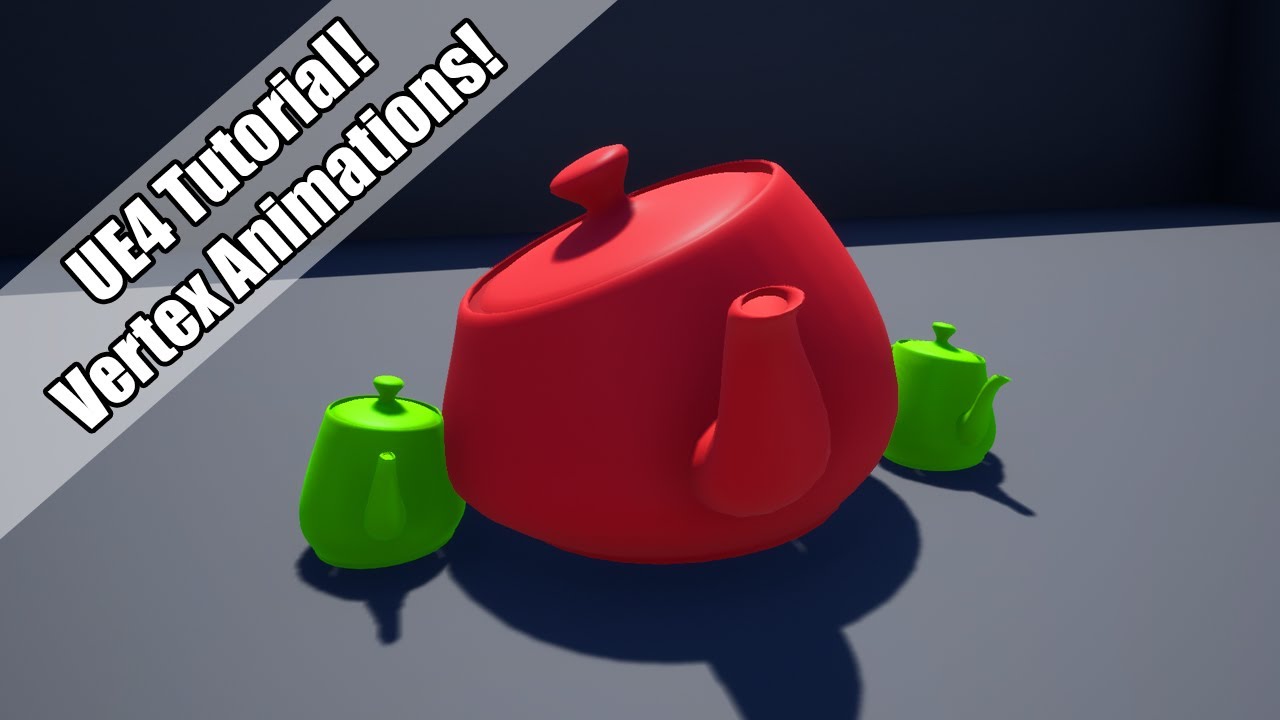
Setting up a Vertex Animation material using 3Ds Max.
Patreon: https://www.patreon.com/deanashford
Discord: https://discord.gg/ttqYq3r
Twitter: https://twitter.com/Play_Ruff
Huge thanks to my Patrons:
Amilcar Marta
Dhiego Lúcio
Guillaume Guérillot
Isabelle Britton
Leonardo Roma
Mark Drew
Michae...
dancing teapot
 low wharf
can someone explain how get rid of these black spot things

 graceful hill
Can anyone link me to resources/tutorials on low poly VFX?
fossil swan
@late vale while I should make a video that just goes over the basics, you could take a look at this one: https://www.youtube.com/watch?v=nQyHmhG3eD4
there is also:
https://www.youtube.com/watch?v=EpbCul0I_d0

Source files can be found here: https://gumroad.com/l/WPOWorm
Be sure to check out my UE4 marketplace for awesome VFX & material packs! https://www.unrealengine.com/marketplace/profile/Luos
Links:
Youtube: http://www.youtube.com/c/Luos_83
Twitter: https://twitter.com/Luos_83
Twitch: https://twitch.tv/luos_83
Website: https://luosart...

Announce Post: https://forums.unrealengine.com/showthread.php?130833
Alan Willard is taking over the stream to drop knowledge and provide guidance from the perspective of a tech artist. He demonstrates how to use world position offsets to create effects for "erasing" characters before deleting them. He also answers a series of questions from th...
late vale
fossil swan
<@!500226694989479936> while I should make a video that just goes over the basic...
That's awesome, thanks very much, I'll check that
 inland ibex
Why even bother with Cascade if its reaching the end of its life?
to me makes much more sense to learn the new and more powerful system
 neat cloud
Hey, does anyone know if there is a way to bake a texture of the sky out from Unreal so that I can reproject it in nuke? Thanks
 thick sage
anyone got an idea on how to tackle particles that face the players camera
 uneven pulsar
How to make projectiles like this can anyone help me up with any tutorials or anything useful i am new to unreal and i dont knw how to use cascade to make these kind of projectiles
 uneven pulsar
thanks a lot man
 craggy plinth
In fps games, the arm meshes are rendered onto a separate render target and then overlayed on top of the main framebuffer.
How do I achieve this in UE4?
 molten orchid
craggy plinth
In fps games, the arm meshes are rendered onto a separate render target and then...
molten orchid
craggy plinth
In fps games, the arm meshes are rendered onto a separate render target and then...
Please post your question in one channel only.
craggy plinth
Sorry, wasn't sure where to post so I did it in both. 😬
 sleek linden
Hello everyone, hope you are doing well . I'm in need of a bit of help:
I'm currently trying to spawn a particle at the impact point of a line trace in C++.
I made a multicast function (' multiplayer project ) that uses the function SpawnEmitterAtLocation this way :

Unfortunately nothing spawns ...
Does someone have an idea what could be causing this ? Thanks in advance for your help
 hoary talon
sleek linden
Does someone have an idea what could be causing this ? Thanks in advance for you...
hoary talon
sleek linden
Does someone have an idea what could be causing this ? Thanks in advance for you...
I think I ran into this once, trying to remember. btw if you only need the impact point of the hit result, you could just pass that vector to the net multicast function to save bandwidth
is PSC fully initialized on all clients?
sleek linden
hoary talon
I think I ran into this once, trying to remember. btw if you only need the impac...
Yo thanks for the answer I'll take note of that
sleek linden
hoary talon
is PSC fully initialized on all clients?
I think so , I set its value in the blueprint so I guess so yeah
I enter inside the if statement , I put a break point and I can see that PSC is initialized
Also the hit point position seems to correspond
So I don't really see why it's not showing
hoary talon
are you calling netmulticast on the server?
 near osprey
Hey guys! I have a quick question. For some reason Legacy particle systems don't always display when attached to actor. I have a fire particle effect attached to a torch, but sometimes the fire goes away and only the light stays. Any thoughts to why this is?
molten orchid
My first guess would be that the bounds are too small, so the particles are culled
uneven pulsar
i have a doubt if we use mesh data in cascade will it bring load to our game i am doing mobile game can i use mesh data for the particle system
sleek linden
Managed to fix my problem, the issue was that i was calling my multicast function from a Server function, I switched it to a Client function and it's all good now 🙂
 thorn kernel
Hi guys I’m new to unreal in general, I come from a vfx background. How does un 5 handle when it comes to compositing aov’s? Things like zdepth, crypto. Thank you
cold sorrel
There is some support, but I wouldn't rely on AOVs.
 acoustic olive
Does anyone know how to set up a decal material like this?
https://www.youtube.com/watch?v=c4Q8wBxH1Vc
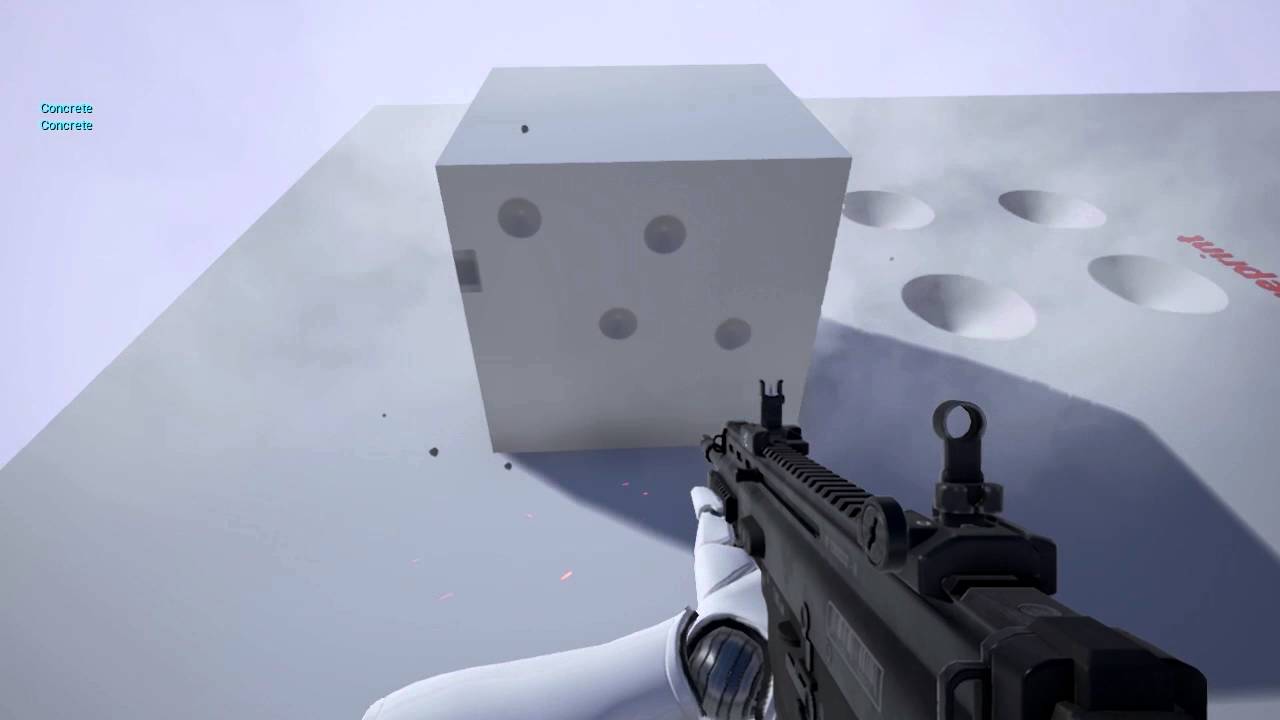
little mod of the POM function + Custom Blueprint to handle proper transformations of the camera vector for decals.
Seems to work well enough. Need to do something about overlapping decals.
cold sorrel
The material is straightforward.
It's figuring out the plane that's tricky. It needs either blueprint or niagara.
Nearly did my head in.
cold sorrel
Ish.
I hacked it with a sprite instead of a decal actor.
But that way I could steal all the transform data and just pass that in.
It's not a great solution, but it works.
analog onyx
Decal actor is not something that is practicable to use for bullet hole decals anyway.
acoustic olive
👍
cold sorrel
Yeah, that was my conclusion.
But then the coder decided to spawn a full instance for each hole and now I just want to cry until they fix it.
analog onyx
In Niagara age, decals are probably sorted as follows: Have a manager class. Manager class has a spawn stack. Manager has Add To Stack even(function). Whatever wants to spawn decal, calls that function and passes parameters(decal type, location, w.e.). Manager class, upon receiving such event, adds decal to spawn stack. And once on tick, it sends whole spawn to stack as array DI to niagara as well as its length and then clears the stack. Niagara spawns length of stack numparticles and reads through array DI their attributes and sets accordingly. From now on, decals are managed and rendered by niagara. As for POM specifically, just rendering decal using a sprite render, as Glad did, is the most efficient. POM would work by default using sprite's tangent space.
POM with projection is doable too, but mostly impractical, because you will be using decal space to trace, and projected result will drift with camera motion.
So it is better to keep it simple.
cold sorrel
It gets annoying AF when you have an atlas of pom textures. The little bastards really want to peak in at the side.
So make sure you mask it.
acoustic olive
👍
cold sorrel
As for spawningmethod, yeah keeping it simple is recommended. Otherwise you'll end up in maintenence hell.
uneven pulsar
will particle system using mesh data generate heavy load to mobile games
uneven pulsar
can i use mesh data in particle system for mobile
cold sorrel
...
uneven pulsar
if the mesh is low poly can i use it in particle system
cold sorrel
Yes you can use mesh particles on mobile.
Yes it will bring some load. Everything does.
 austere jetty
hmm I just found out that adding multiple post process instances of the same material override eachother. Is this an engine bug?
analog onyx
That is a feature.
austere jetty
😦
unreal thorn
Post Process instances aren't additive by nature.
thorn kernel
@cold sorrel thank you for your time
 vast dagger
I'm experimenting with RGB-D video, using the depth channel to displace a mesh. in this image I've using the greyscale (left) to displace the mesh (shown on the right) but it is banding pretty severely I guess due to lack of resolution in the single channel + video compression. There seems to be much more resolution in the colour depth image (centre) but I can't figure out how to map the colour information into a single channel to use for displacement. Any insight greatly appreciated.
 hoary talon
vast dagger
I'm experimenting with RGB-D video, using the depth channel to displace a mesh. ...
hoary talon
vast dagger
I'm experimenting with RGB-D video, using the depth channel to displace a mesh. ...
what an interesting idea. have you tried using a high resolution reference depth image of some kind to rule out the video compression issues etc?
 analog cairn
Uhm, quick question, do I need to do something additional to make Sub UV's work in Cascade or am I missing something?

Ok, apparently just adding this worked. ¯_(ツ)_/¯
 vast dagger
hoary talon
what an interesting idea. have you tried using a high resolution reference depth...
vast dagger
hoary talon
what an interesting idea. have you tried using a high resolution reference depth...
Yeah I've made a ramp/gradient image but I can't figure out what to do with it! I think I need to do something like this:
 hoary talon
I really have no idea, I've never done anything like that before. looking forward to seeing how it turns out
vast dagger
people seem to do it in Processing with the Kinect. This is from the ipad...
 stoic zenith
Hi guys. Anyone aware of tricks or techniques in making vertex animated materials not look like <fill in the blank> on close ups?
I'm referring specifically to vertex animated characters and was hoping there was some shader technique to make skin, hair, and cloth look like they are supposed to.
fossil swan
that is rather vague
if you also update the normals and such on them, it should be fine in most cases
inland ibex
so every time you activate the ability it does a cutscene?
 arctic vector
no
inland ibex
okay, got it
arctic vector
there is a cut scene that shows off the ability, then after that they player can do the ability by pressing f for example
inland ibex
I'd do it like this:
At the activation the character plays an animation where they are experiencing some convulsions, you can also change the material on him to add splotches of fur appearing all over his body. Then he falls down into a dog like posture, and there you morph target him into the werewolf mesh with some bloody/furry effects that will partially conceal the morph
if you can't morph the human straight into werewolf, because the topology is too different (again I have never actually worked with morpth targets, i don't know the limitations) you can morph the human into some shape that is close to the final werewolf mesh, and then literally switch the morphed mesh for the nice and clean actual werewolf mesh when the effects are strongest and the player loses sight of the model for a couple of frames
arctic vector
ok, thanks soo much
cold sorrel
I think the first question is what your rigs are like.
Will both forms use the same?
If so, you can rely heavily on anim and morphtargets.
If not, you need to be able to do a swap. Either by matching shapes or covering it with stuff.
How fast is it?
How close is the camera?
Can you see it from multiple angles?
So I'd start by talking to techanim and code and build a spec sheet for all of this. It's going to be a big task whith several disciplines.
glad badger
Hey guys! I wanna use this texture, so I applied it to the material

But in a material it looks like this

How can I fix this?
inland ibex
You are putting RGBA into opacity
 halcyon wadi
What is the best way to end a Niagara system via blueprints without it destroying the particles?
For example, if I have a laser with sparks, how could I destroy the laser system without the sparks instantly deleting as well? So the sparks stick around till they die.
 modest leaf
@halcyon wadi i would say Deactivate
that will stop the emitters
and depending on the particle lifetime
they remain or disappear
inland ibex
I don't want to remove the specular highlights from lights that illuminate my hero asset because they create nice reflections, but they don't match the lighting present on the level, how do you guys usually solve this?
 civic roost
hi all, I've got a pretty simple systems that emit particles that move in local space
I can rotate the emitter which causes particles to emit in direction of emitter
but particles always travel in + worldspace direction
what I mean is I can point system right and particles travel right, but if I point system left particles still travel right
same for up and down, and forward and back
 leaden heron
vast dagger
I'm experimenting with RGB-D video, using the depth channel to displace a mesh. ...
leaden heron
vast dagger
I'm experimenting with RGB-D video, using the depth channel to displace a mesh. ...
that looks like the shape of a baby
halcyon wadi
Is there a known issue on UE5 where the "Custom Depth-Stencil Pass - Enabled with Stencil" in the Rendering section of the Project Settings, doesn't work? I can't get a hilight effect to work on my materials. And yes, I do have it enabled inside my blueprint's mesh as well.
 wind fable
Hello everyone! 🙂
About Cascade (yea yea. but old VR works good only with it)
Can i parameterise Mesh for Mesh spawn emitter?
languid hearth
Hello vfx people has anyone tried this new thing of Niagara

I gave this talk last month in Unreal Open Day and subbed it in English since you guys and girls seem to like it
Updated water with flowmaps: https://www.youtube.com/watch?v=RjEUzCpyWGA
My showreel on twitter: https://twitter.com/i/events/1226163357121515524
cold sorrel
Which Part?
languid hearth
Frm 19:00
He successfully able to create flex like fluid with Niagara
Captions are there with English
cold sorrel
Yeah, you can go for it.
It's pretty much the most advanced thing you can build with Niagara.
His examples for the flip sim doesn't work as he couldn't share all components.
Expect many obstacles.
languid hearth
Hmm ok i understand
cold sorrel
If you are very comfortable with spatial hashing and simulation stages, and know how to write a PBD solver without too much trouble, you should be able to figure it out, but it will take a lot of time.
If any of what I said sounded unfamiliar, this is not for you.
languid hearth
Ill try look by all thesr search im. Focusing my aim about what i should do
Btw, has epic discuss anything abt including softbody n fluid Phys in future??
Ue4-5 features are too much for me to get, but at least i can focus so it will spend my time well
cold sorrel
Right, then I would try something else instead 🙂 As this is a very manual process that requires expert level knowledge.
languid hearth
Btw do you know any book which gives comprehensive knowledge , (both theoretical and code ) about real time rendering , effects and those types of Fluid similation types , i really want to know about all these subjects
 bleak gyro
Hi folks, I'm working on some hitscan (raycast) weapons, and am looking for a range of Niagara bullet/tracer effects for them. Strangely though, I can't seem to find any in the Unreal Marketplace.
Something bullet-y like this would do it: https://youtu.be/GS_OU3H1luc?t=33, but would love to have a range of more pimped up ones available too.
Anyone any idea if they have a special term I should be using to search for them? Any ideas where I can find/buy them?

http://xenosmashgames.com/bullet-tracers-ufps-unity/
UFPS: https://www.assetstore.unity3d.com/#!/content/2943?aid=1011lGo6 (note this is an affiliate link)
In this UFPS tutorial we'll be going over how to create bullet tracers. UFPS uses Raycasting for shooting logic which means no "physical" bullets are being fired. If you're using a projectile...
bleak gyro
Or if anyone knows of a good tutorial that'd be good too!
bleak gyro
Also known as 'Bullet Trails" I believe.
sleek linden
Hello everyone, hope you are doing well. I'm having an issue with some particles that I spawn via C++. When I go far away from my world origin, the particles don't show up in my game... Any idea how to resolve this ? Thanks !
bleak gyro
@sleek linden , sounds like a you need to increase the Max Draw/View distance
sleek linden
hey @bleak gyro can this setting be found in the particle editor ? I have looked in the details but can't see this setting :/
bleak gyro
Are you using Cascade or Niagara?
sleek linden
cascade 🙂
bleak gyro
I'm not a VFX ninja like others on here, but I believe that in Cascade you can search for LOD, then set up an array of LOD DIstances. If you exceed the distance your highest LOD, then the PFX won't be drawn.
 sleek linden
just tried that out, unfortunately no good results :/
bleak gyro
Ah sorry, hope someone more clued up than me can offer some other advice. Good luck!
sleek linden
thx for trying bro good luck with your projects
 celest birch
Hello guys, i have a strange problem, i made a blood particles that splash when enemy is hit and when those particles collide with ground i create a big blood decal on the ground and it looks awesome, but when my framerate is <60 fps the particles collide with ground event does not fire so the decals are not spawn. any ideas how to fix it ?
 true quarry
celest birch
Hello guys, i have a strange problem, i made a blood particles that splash when ...
true quarry
celest birch
Hello guys, i have a strange problem, i made a blood particles that splash when ...
I'm not sure it's relevant for particles but continuous collision detection (CCD) helps with missed collisions
glad badger
How can I make particles fade out in the end?
I've got this particle system, added Color over Life

And as I see it's already goes from 1 to 0

But no effect
That's how I made this material

Help pleeeaaaase
fossil swan
add a particle color node.
glad badger
Won't it just recolor the whole image?
 quasi mulch
No, it allows you to control color and opacity inside the particle system, in your case just multiply the RGB output with the RGB output of the ParticleColor node and the alpha output with the alpha
fossil swan
that entirely depends on how you set it up
quasi mulch
well,I guess it will recolor the image if you multiply with the RGB yeah, if its grayscale, otherwise it will tint if it's a color tex, but in your case if you just multiply the alpha it will allow you to control the alpha in cascade
 floral gorge
hay EmberGen is live
https://www.youtube.com/watch?v=rVfFX02Rl3Q

Join us as we go over an entirely new version of EmberGen that has been reworked from the ground up.. gone are the days of an abysmal UI and unsatisfactory workflow. We will give you a sneak peek at many new features and give you a good overview of our current progress on 0.7.5.

 glad badger
Like that?
 cold sorrel
Yes
glad badger
Ehhhh

(that's not that material by the way, that round thing is another emitter)
That's how emitter should be, but it disappears

 thorny grotto
I'm using cascade to make a bullet trail effect, and while it works well when the bullet moves slowly (as shown), it stretches out both the front and back when I increase the projectile speed. Idk why it is doing this and was wondering if anyone could help me (it is attached to the bullet projectile and the red outline around the bullet is part of the mesh itself with flipped normals)

(right now I have the bullets speed set to 100, but I plan on it being somewhere in the 2000-3000 range and it breaks whenever I do that
thorny grotto
bleak gyro
Hi folks, I'm working on some hitscan (raycast) weapons, and am looking for a ra...

Overview Projectiles are used in a lot of games, but the work that goes into creating a believable effect often takes several different smaller effects working with the logic of the Projectile Blue...
(This is what happens when the projectile speed is set to be higher. the trail is much longer and it clips through the projectile its attached to)
 thorny grotto
ok I seemed to fix it by changing the size over life value as well as enabling tangent recalculation
 little oriole
this is basically a additve shader in front of a tranclucent shader, any idea how i can fix the sorting?


from some angles it works
 dim pendant
@little oriole i think you can work around this by tweaking the bounds of of the effect, i think right now it goes invisible when you do not have the pivot in direct view right?
little oriole
I found it, you can sort the translucency in the mesh component :)
 upbeat gate
How can I mask a depth stencil? I'd like to have my particles not affected by post-process if at all possible


 dusky wadi
Anyone know how to keep a spotlight from showing through a wall?
uneven pulsar
can anyone help me with my doubt is it better to use niagara or cascade for particle for android
 summer ginkgo
I would like to make this particle system destroying itsself after like 0.3 seconds so it isn't a loop anymore but just a single shot.. how do i do that?
 summer ginkgo
pls halp 😦
 modest fog
summer ginkgo
pls halp 😦
modest fog
summer ginkgo
pls halp 😦
in the emitter's "required" section you need to set emitter loops to 1 (default is 0)
summer ginkgo
modest fog
in the emitter's "required" section you need to set emitter loops to 1 (default ...
thanks remster
 idle crater
anyway to transform to view space?
in material
try to port Unity shader to UE4 material
but can't find node for it
uneven pulsar
Is niagara expensive for Mobile devices
cold sorrel
You've spent days asking and ignoring answers to this question. You could have tested and verified it 100 times yourself by now.
What does expensive mean to you?
How many ms? How many particles do you intend to use? How complex is your logic?
We can't answer beyond saying, Niagara will work. The rest is up to you.
fossil swan
yea @uneven pulsar read some documentation and follow some guides on how to profile. asking the same question for the Xth time is rather frustrating.
 winged nymph
GPU emitters can't use cutout? Is there any work around for this? Or should I just not care?
cold sorrel
They can't?
analog onyx
Cant they ?
cold sorrel
Since when?
winged nymph
It's not working for my GPU emitter
analog onyx
I.. think I used cutout on GPU emitter before
winged nymph
I could be doing something wrong
cold sorrel
Either way, use cutouts for emitters with few particles, use gpu particles for emitters with many particles.
winged nymph
nah I must be doing something wrong, they aren't working on CPU emitter either
winged nymph
the material cutout tex?
cold sorrel
yer
winged nymph
I was using Alpha, but the texture doesn't have an alpha 
cold sorrel
lol
analog onyx
grief
 gritty coral
how do i destroy an emitter, ive tried the 'destroy component' node but it doesnt seem to cut it. its an emitter thats set to loop infinitely and i wanted to control it with a 'switch'
 upbeat stirrup
Does anyone here know how i can achieve the particle effect shown in this video?

Save your teammates from danger as Phase, the new ranged Support in Paragon. Play Phase for free now. #Every3Weeks
https://www.epicgames.com/paragon/en-US/releases/v40-0
Paragon is the MOBA from Epic Games that puts you in the fight with explosive action, direct third-person control, and deep strategic choice. All heroes are free in Paragon w...
I mean the magical "link" particle
how is this done? how i can create a particle like this that links 2 actors together?
looks like someone had similar question here
Unreal Engine Forums
Hi i have been trying to understand how phase’s link particle works. I have tried all i could think off but i cannot do it. I can’t figure out how to set up the Particle system so i can see the link between phase and a target. Anyone tried this and could tell me how to do it? what particle system is the one for the link and what params to set a...
anyone knows how to do it?
analog onyx
@upbeat stirrupWhats the big deal? Just splinedeformed mesh ?
upbeat stirrup
I dunno, is it?
That’s what I’m asking, i don’t know much about vfx and I want to make something like this. So I’m looking for a tutorial or some explanation how to achieve this
 heady sandal
Anyone know if it's possible to use animated Substance materials in Unreal?
modest fog
heady sandal
Anyone know if it's possible to use animated Substance materials in Unreal?
You can import substance designer files and expose their parameters in unreal with this (free) plugin https://www.unrealengine.com/marketplace/en-US/product/substance-plugin?sessionInvalidated=true but not sure about animation (i assume ramping up and down parameters will create animations, but it's probably expensive at run-time)

Unreal Engine
The Substance plugin enables the use of Substance materials directly in Unreal Engine.
modest fog
upbeat stirrup
That’s what I’m asking, i don’t know much about vfx and I want to make something...
I think it's using ribbon particles connected between 2 objects, with some extra effects to make it curvy. This tutorial does the same thing, but with electric style arcs instead of the splines (it's the same principle, though) https://www.youtube.com/watch?v=SajyFZ35OBI

#Niagara #Tutorials #UE4
Dans ce tutoriel, je vous montre comment créer des arcs électriques entre 2 points à partir de rien. Vous pourrez utiliser cette méthode pour de nombreux effets avec de l'électricité.
N'hésitez pas à commenter et à vous abonner si vous ne voulez pas louper les prochains tutoriaux !
Si vous recherchez de nombreux eff...
 willow whale
Not sure if this its the right place. My question concerns the Houdini Engine for Unreal. I have been experimenting with HDAs working fine as long as they are "static". Now I tried to import a HDA which uses Dynamic Nodes and it can't be displayed. Does anyone have experience with HDAs in Unreal and can tell me if it is even possible to render Dynamic Simulations from HDAs in Unreal?
tardy dome
@upbeat stirrup if you download phase the particles are included 😛
upbeat stirrup
materials are included yeah but they are all separate
there isn't a "link" particle
that's ready to go
tardy dome
it prolly uses some game logic
upbeat stirrup
yeah and that's what i need i want to achieve this result
i need to know how it's done and how to set it up
tardy dome
havent checked much of the particle stuff from paragon,. moving all particle stuff and material functions to some display project is kinda on my todo list tho
 polar condor
can someone tell me what can I use in Niagara to replace this module?

 brittle remnant
@upbeat stirrup In the case of paragon it's just a mesh stretched between two actors with some vertex offset materials on the mesh. You could do something much fancier with spline meshes but it looks like they went a more simple route here.
 lavish parrot
Using Niagara, using the Scale parameter for SpawnSystemAtLocation() gives me strange results, both with using Global and Local space on the particle system. Is there a way to scale particle systems predictably?
 celest oasis
Did they move Face Mode for cascade particles?
can't find it. Shouldn't it be under required?
fossil swan
it should be, but its not named like that.
maybe this help
https://www.youtube.com/watch?v=0MBr_0Nf4t0

Today I'll go through the various options when seeing up Mesh Particles for alignment and Camera Facing - the UI is a little outdated but it's powerful!
If you have any questions about Game Art VFX or the Unreal Engine then email me: tharlevfx@gmail.com
Or you can find more tutorials on my website: http://www.tharlevfx.com
or check out my wo...
 fringe flare
Anyone ever figure out how to have Water Body Custom below 0 on the Z axis?
 dusk wharf
hey guys, im trying to achieve this type of lighting from the game Control. would anyone here know how to make the light falloff have a different color from the center like in the picture?
 dusk wharf
I figured it out. the solution I went for is overlapping 3 lights one for each channel
in the light function you can put a texture if you want your colored lights to have an image
brittle remnant
3 overlapping lights is rarely ever going to be performant enough if they all cast shadows.
dusk wharf
brittle remnant
3 overlapping lights is rarely ever going to be performant enough if they all ca...
unfortunately this seems like the tradeoff for now, still looking into more performant and viable methods to make this work better.
 river mist
Does anyone know how I can up the emission without having the details wiped out?


this is a material with a opacity mask
 rapid blade
I have a simple fire particle system for a torch that I want to use frequently in my world. The shader complexity of the particle system, however, has a tendency to tank my fps from time to time. Any suggestions on how to fix that?
 next radish
https://www.youtube.com/watch?v=LenQBp5FsN0&t=16s Hey
Does anyone know how to make multiple interactions like this ? I know I can use multiple sphere mask but I want to avoid this method. Tried google it and looks like there is HLSL way, where you can create array inside HLSL code and then use that array using blueprints but cant figure it out :/ Is there anyone who can help me ? 😦

Check out Force Field web player demo:
http://forge3d.com/force-field-web-player/
Force Field 2.1 is available at the Unity Asset Store:
http://www.assetstore.unity3d.com/en/#!/content/6839
Bonus sound preview is available at http://soundcloud.com/forge3d/sci-fi-sound-fx-shield-preview
- Simultaneous impact points
- Impact size control
- Phys...
analog onyx
@next radishYou have a choice between suppling several locations and using several spheremasks, using decals, using render-targed based approach. The only really practical approach is just using decals, let it be decal actors, mesh decal or whatever. Rest are not scalable.
next radish
@analog onyx Thank you for answer, all I want at this moment is multiple sphere mask in my material :/
analog onyx
@next radishWell, no problem with that at all, just pass as many sphere locations as needed.
 faint aspen
Hi,
I'm trying to search for why my explosion fireballs are all black when placed in level but they are fine in the particle editor
This is what I see in the particle editor
https://i.imgur.com/L1qVunx.png
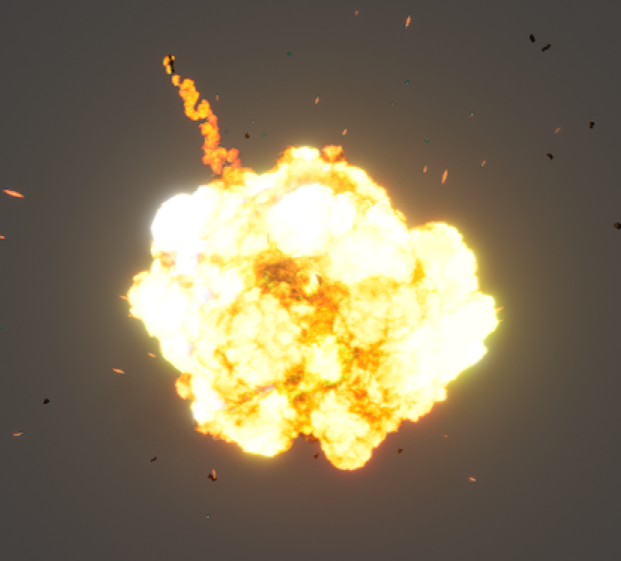
and this is how I see it in the level
https://i.imgur.com/767Wgq0.png
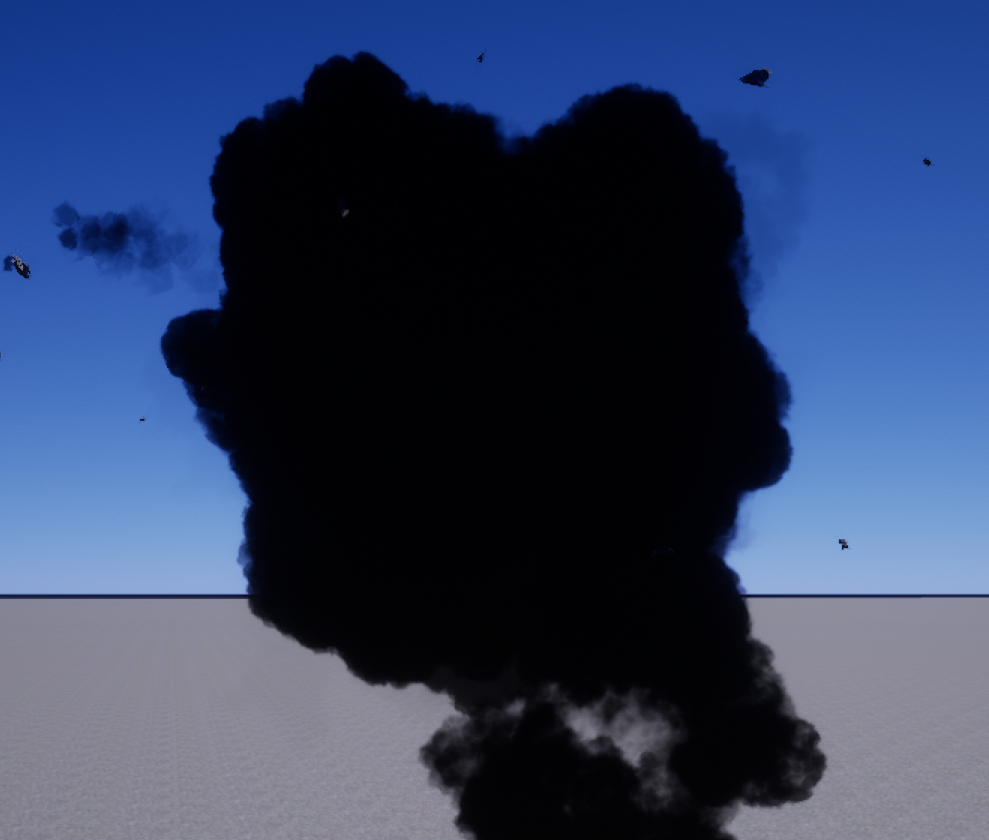
I can't find a variable or parameter to never make it black or let's say Always Emissive
analog onyx
different exposure levels?
faint aspen
What do you mean?
the main post process ? You mean to see if there's something wrong there?
 unreal grotto
Anyone has a clue on if its possible to make a flamethrower like RTCW? I'm working together with a friend of mine but we're stuck

https://streamable.com/vt1eot thats what we have atm

Not too bad but you notice the particles not being connected like in RTCW.
My friend was thinking of using Ribbons or spawn a spline when holding trigger (like a spider web) and attach the particle to the spline
primal parrot
@unreal grotto id say try to make the bulk of the flames a ribbon with a nice flame texture but a bit solid, and emit particles with velocity off it that have a matching flames texture
also animated flames, as this looks like a smoke puff fireball... if you want more realism
 chilly night
https://youtu.be/nP3ovZk5mog saw this and it looked really cool, wanna try something like it. what sort of “skills” in the vfx would i need to learn to make something like it?
 unreal thorn
faint aspen
the main post process ? You mean to see if there's something wrong there?
unreal thorn
faint aspen
the main post process ? You mean to see if there's something wrong there?
Maybe your light sources are way too bright, and the auto exposure is too extreme.
fossil swan
@chilly night one of the reasons nobody has replied so far is because it boils down to years/a lot of experience.
cold sorrel
And that the question is too vague. There's nothing special going on there. It's just textures, masks and glow control. The particle movement is very simplistic.
unreal thorn
chilly night
https://youtu.be/nP3ovZk5mog saw this and it looked really cool, wanna try somet...
In other words, there's no one strict steps or one tutorial fits all solutions that needs to be followed.
cold sorrel
Just build it, and ask questions where you get stuck.
unreal grotto
primal parrot
<@!562057999724707862> id say try to make the bulk of the flames a ribbon with ...
Thanks for the tip, the idea is to make it as optimised as possible first while looking decent and close to the one from RTCW
it's also for a vr game (forward rendering) so overdraw is a huge issue there but my buddy KENNITHH knows what he's doing, our main "problem" is just making the first part look connected and ribbons could indeed be the solution to that
 civic grove
I'm in the same situation as a lot of the people above recently posted. I bought this vfx pack for unity a long time ago, and I want to learn how to recreate something like it in unreal. It's the very stylized flame thrower animation on the far left. I have it time stamped. https://youtu.be/zz3d5zVPyKs?t=61

https://assetstore.unity.com/packages/vfx/particles/voxel-arsenal-136540?aid=1101lNJe
Voxel Arsenal is a bundle of ~600 particle effects. Works best with bloom enabled in voxelized and stylized environments.
Standard and LWRP support
The effects are sorted into 3 categories: Combat, Environment and Interactive.
Check out the full list of ef...
Sorry if this is a noob question. I'm still very new to unreal and 3D game dev in general. Is this something that would typically be made in Blender and then imported? Or could this be made in Unreal?
civic grove
I've heard of Niagara but I have no idea what it's used for lol
cold sorrel
Well. That
civic grove
So that is probably a good starting point
Ohhhh so Niagra is the UE4 vfx system? So I would basically make the mesh of the flame and animate it in blender, then add the "effects" to the animating mesh?
cold sorrel
The one in your video is just cubes being emitted and stretched with velocity. you could even use the built in cube. It was the other effects on the right that would need some blender work.
civic grove
ATM Im just aiming for that cube stretching effect
and it looks like it's using a gradient
 lean heron
would anyone happen to know of some good places to find dirt mask textures (preferably ones ready to be dragged and dropped into UE)? 😄
unreal grotto
we usualy recommend this : https://vk.com/unreal4free (we being a friend of mine and I)
everything there should be legal to use

ArtStation
Brushes - 15 Free Alphas + UE4 Decals Pack, USD $0.00. This is a free pack of 15 alphas for use in 2D and 3D painting, and 15 identical decal instances for use in Unreal Engine 4.This pack contains:15 2K Resolution...
 calm sphinx
ermm can you not use an animated sprite for a gpu sprite particle in cascade?
 fair bobcat
Is this the right place to ask for stuff like particles ?
calm sphinx
yes
 gentle holly
is their a way to make a water leak with niagara flood over time?
celest birch
Any way to get volume scattering inside mesh? I want to create incluse amber and I need some density inside it
In Blender, I can do this easily and quickly, so I'm surprised that there are no volume scattering and density nodes in UE
unreal thorn
celest birch
Any way to get volume scattering inside mesh? I want to create incluse amber and...
What do you mean? Are you referring to local fogs?
celest birch
unreal thorn
What do you mean? Are you referring to local fogs?
I need to create amber inclusive

And I want to get some volume density to it
lavish solstice


I'm attempting to put together a cel-shaded shader, similar to Genshin Impact's characters, and i'm trying to understand how they've masked their rim light/fresnel

It seems like some kind of self occlusion, but really got no idea how that's done, if anyone has any clues, it would be much appreciated
unreal thorn
lavish solstice
It seems like some kind of self occlusion, but really got no idea how that's don...
That's actually achieved with matcap blend.
 rugged radish
Hey there, just checking in again if anyone knows some good flipbook creator tool.
Lets say I have some stockfootage from ActionVFX and wanna create flipbooks for that, or have a rendered sequence of jpegs from FumeFX...
cold sorrel
Slate
unreal thorn
rugged radish
Hey there, just checking in again if anyone knows some good flipbook creator too...
The flipbook texture is basically grid of sprites split evently.
lavish solstice
unreal thorn
That's actually achieved with matcap blend.
Oh interesting, I'll have to look that up, unfamiliar with it. Do you have any recommended resources that go over it?
rugged radish
cold sorrel
Slate
Found it.Looks great, but a bit pricey...
unreal thorn
rugged radish
Found it.Looks great, but a bit pricey...
Wait what? Pricey?
cold sorrel
If free is too expensive, this industry will be a bad time for you.
unreal thorn
Am I confusing UE Slate with something else?
unreal thorn
Oh, never heard of that software 
cold sorrel
And if you need a commercial license, 150$ shouldn't really be an issue either for the studio.
Ah, it's been a standard tool for a few years now.
Pretty much since they added oflow mv generation.
rugged radish
I´ll check out the free version, its probably overkill for what we want, hence the comment about the price...
Does it come with an Unreal shader of sorts?
rugged radish
Yeah, it says right on the front page "Use custom shaders".
unreal thorn
rugged radish
I´ll check out the free version, its probably overkill for what we want, hence t...
If you want some example, look for the steam particle included in the Starter Content
unreal thorn
lavish solstice
Oh interesting, I'll have to look that up, unfamiliar with it. Do you have any r...
There is one used in VRM4U plugin, and I'm deriving from that material.
Here's how it applied to a character mesh.
 lavish solstice
ok cool, i'll check that out, thanks heaps!
unreal thorn
lavish solstice
ok cool, i'll check that out, thanks heaps!
Oh, BTW here's the material function.
The plugin is open source so I have no problem screenshotting the graph just for the matcap shader.
 lavish solstice
hmm.. I don't think this is what I'm after, unless I'm misunderstanding. I'm looking for the effect that's masking the rimlight like here
unreal thorn
lavish solstice
hmm.. I don't think this is what I'm after, unless I'm misunderstanding. I'm loo...
Maybe you got the matcap texture wrong.
This is how the matcap texture that I used looks like. Notice the thin colour inside the circle.
 lavish solstice
how does it get masked by objects in front of it? like here
unreal thorn
lavish solstice
how does it get masked by objects in front of it? like here
Oh right, the matcap function is supposed to be applied in material's base colour input, not in post FX.
I'm not using post FX for cel shading at all.
Sorry for forgetting to mention that.
lavish solstice
that's alright, thanks for trying to help (: It was useful to learn the matcap method anyway
lavish solstice
is there a way to use reflection captures generated cubemaps in a material? say to color/tint a fresnel
lone wing
not from the material graph
unreal thorn
lavish solstice
is there a way to use reflection captures generated cubemaps in a material? say ...
You can. However, it's not going to be dynamic, as it's basically dumping the captured reflection into a render target, then making a texture asset out of it.
lavish solstice
hmm, that might be alright for the time being. If it were able to grab the cubemap from the closest reflection capture that is
unreal thorn
That's not going to be easy on performance, even if you're going to be hacky about it via BPs. 
When I say "not going to be dynamic", I really mean "not to be used for dynamic scenario"
lavish solstice
would there be a better way to color the rim light (fresnel in material or outline effect in postprocess material) based on the light around the character? like pointlights etc
lavish solstice
and, those familiar with outlines via postprocess materials, or just post process stuff itself, my outlines change thickness depending on screen resolution, is there an easy way to keep it the same?
 grizzled saffron
Hey everyone 👋
Can someone please explain me a little something about raymarching? I working on a blob effect, and followed this tutorial: https://www.youtube.com/watch?v=grmZ0I5-CgA
Thing is I can't get the same effect as in this video at https://youtu.be/grmZ0I5-CgA?t=2224 this timeline, although I think I followed all step by step:
https://pastebin.com/awwvkVkU The Script
https://blueprintue.com/blueprint/jq9fq9z6/ Material
Thanks in advance 🙂

I finally had the time to do this tutorial, I hope you liked it ? This is my first tutorial in UE4 and I would like in the future to do more. This Blob need more love to have a better look but I guess that you had the global idea :)
Please feel free to modify it and don't forget to share your result :D
Link to Distance field function : https:/...
I finally had the time to do this tutorial, I hope you liked it ? This is my first tutorial in UE4 and I would like in the future to do more. This Blob need more love to have a better look but I guess that you had the global idea :)
Please feel free to modify it and don't forget to share your result :D
Link to Distance field function : https:/...
Pastebin
Pastebin.com is the number one paste tool since 2002. Pastebin is a website where you can store text online for a set period of time.

No description provided
analog onyx
@grizzled saffronYou do not give any indication of what is wrong though
grizzled saffron
analog onyx
<@!94521791589912576>You do not give any indication of what is wrong though
Oh, my bad. I'm not getting same effect of waviness when I overlap the sphere (which has the material) with the floor for example
I'm getting this

But should get this effect

and later should go like this

And I can't get this working properly
analog onyx
If you are on 4.26.2, you can toss UASSET, it is just that building one would take time.
grizzled saffron
analog onyx
If you are on 4.26.2, you can toss UASSET, it is just that building one would ta...
Well I'm on 4.26, but what do you mean about tossing UASSET?
analog onyx
sending it over
grizzled saffron
For real?!
analog onyx

grizzled saffron
analog onyx
<:BlobShrug:857383422540644352>
It doesn't need anything specific set up on the scene?
analog onyx

grizzled saffron

analog onyx
Code itself has few issues
like not blending normals between sphere and the skirt
and generating normal of the sphere by offset sampling does not make much sense in the context, because you already know sphere normal from position of the hit and sphere center
etc etc
cold sorrel
Spheres are quite special case though 😛
analog onyx
thats because they are spherical!
cold sorrel
Spherical/specialical
I'm just saying offset sampling isn't a bad idea if you would like to expand to other sdfs at some point.
analog onyx
absolutely
grizzled saffron
I still don't get it. I played with smoothness and still no effect on the scene. what is this voodoo trick?!
Like, I do see changes in MI, but scene is like nah
 analog onyx
What is the object you are applying the mat to ?
grizzled saffron
sphere
analog onyx
of what size?
analog onyx
)
yeah
radius is hardcoded to 50
and stock sphere is 100 in diameter
so there is simply no mesh to show the effect on
 analog onyx
Meshes? Where we are going we don't need meshes.
 cold sorrel
Oh, that's just All of his articles you just described.
analog onyx
Moral of the story, if you surface aint good enough, you aint using nough spheres!
cold sorrel
To be fair, it should probably not be a sphere.
Unless you have no plans on moving to other shapes.
grizzled saffron
I don't plan other shapes, all I need is to achieve this slime/blob effect that you can push around
cold sorrel
So did it work when you scaled the sphere up?
grizzled saffron
nope
well I achieved something, but totally not what I wanted :/
@analog onyx sorry to bother you, but can you please show a screenshot on how it looks on your end please?
 grizzled saffron
and what smooth value did you use?
analog onyx
12
analog onyx
nope
grizzled saffron
 cold sorrel
Team Cube!
analog onyx
What is a cube if not a sphere with low subdivision ?
cold sorrel
Deep
grizzled saffron
for real?! damn this voodoo
 cold sorrel
Not the people minding perf.
grizzled saffron
tbh I'm not even shader programmer, out tech artist is just a total noob, so I'm helping out
@analog onyx@cold sorrel thanks a lot guys 
analog onyx
o7
grizzled saffron
still, why not working on a sphere... i'm gonna die with this question probably
analog onyx
Rendering slimy blob like that can be done to make performance-challenged people more happy, by using raycasting instead of sphere tracing. Now, there is iterative raymarching and evaluating distance at every step. But what can be done, is just find intersection of ray->sphere analytically. Gives you hit position and normal.
Now supply material with a dozen of spheres
raycast against every of them
 junior matrix
grizzled saffron
still, why not working on a sphere... i'm gonna die with this question probably
junior matrix
grizzled saffron
still, why not working on a sphere... i'm gonna die with this question probably
Probably because the effect extends outside the sphere's "volume".
analog onyx
and take weighted average of all hits, weighting by distance, including hit against scene depth.
Same result as spheretracing, but faster
grizzled saffron
so... metaballs eh
heard of that before
gonna finish this crap, and then watch the live stream about metaballs. then gonna kill our tech artist after I'm done
thanks again guys
lavish solstice
is there a bit of math i can use in a post process material, to scale a number based on distance from an object masked by custom depth/stencil
need to make an outline get thinner over distance so it doesn't look like its growing, if that makes sense
celest birch
What is the problem?
 cold sorrel
Whatever is plugged into the lerp is not a float
And you haven't plugged in anything to the middle input
celest birch
cold sorrel
And you haven't plugged in anything to the middle input
I just try to make a material by guide https://www.artstation.com/kanoba/blog/Ajpj/paragon-breakdown-001-ice-shader-part-i

ArtStation
So I’ve decided to do a breakdown of paragon effects and shaders, There is a wealth of knowledge in there but getting into it can seem like a daunting task to say the least. This is meant as a learning and reference resource mainly.Il be starting in alp...
Step-by-step and there is same plug
cold sorrel
Be that as it may, that's the problem
celest birch
Thanks
celest birch
Thanks all Its solved
 grizzled surge
I have been looking everywhere online and I can't seem to find a really good water splash tutorial. Most of them online are just packs or small splashes. How can I make a big physics splash? I saw some in the Nvidia Flex showcase on unreal but that was 3 years ago and can't find it now.
unreal thorn
Fluid sim is still expensive and barely usable for real-time rendering (at least without prebaking it)
primal parrot
grizzled surge
I have been looking everywhere online and I can't seem to find a really good wat...
Houdini Flip sim for days and export Alembic 😉 For rendered Cinematics of course not Realtime 😛 5 years maybe? 10 hopefully!
grizzled surge
primal parrot
Houdini Flip sim for days and export Alembic 😉 For rendered Cinematics of cour...
my issue is how to add it to unreal water without it looking weird
 grizzled surge
unreal thorn
https://discord.com/channels/187217643009212416/375020523240816640/8649233984200...
grizzled surge
unreal thorn
https://discord.com/channels/187217643009212416/375020523240816640/8649233984200...
but what about the alembic method mentioned above
unreal thorn
grizzled surge
but what about the alembic method mentioned above
It's not for ocean scale water.
cold sorrel
You would not use unreal water at all.
primal parrot
You "could" use a mask to try to blend it into a UE water
grizzled surge
cold sorrel
You would not use unreal water at all.
I see
unreal thorn
The problem is that Unreal's built in water is it's super experimental.
grizzled surge
God damn, I have no idea how to make that water in Blender to bring it to unreal and match it
primal parrot
lol
grizzled surge
lol
primal parrot
Do you have a reference video of the look and scale you want?
grizzled surge
literally someone falling from space
into the water
one shot
wide
and a splash
same type of angle as above #visual-fx message
cold sorrel
Sounds like you have a few exciting weeks/months ahead then!
unreal thorn
grizzled surge
literally someone falling from space
Make the world smaller.
primal parrot
ok, and what level of realism we need here?
grizzled surge
not to real, just something that looks good
I saw this and thought it was possible in unreal
unreal thorn
If you're going for 1:1 scale, might as well do it full in Houdini
grizzled surge

That was a demonstration of NVIDIA's technology such as NVIDIA FleX. Physics Simulations can be integrated with Unreal Engine 4.
Gameworks download: https://developer.nvidia.com/gameworks
Song: https://www.youtube.com/watch?v=DhGj5Ax6Xrc
Made by BuganBoB
around 1:24
unreal thorn
Alternatively, you could think like a filmmaker, and make the world smaller.
grizzled surge
That green sphere splash is all I need lol
so I figured this would work in unreal
primal parrot
Mate, you will not get something real enough in realtime for 5-10 years 😄
primal parrot
Blender or Houdini, mesh it, export alembic.... mask the bottom of it to match a UE5 water.... then add some particles for maybe foam and bits 😉
unreal thorn
Just... Good luck integrating it. 😉
cold sorrel
Shhhhhh
unreal thorn

cold sorrel
Nah. As long as you are good at simulations this is a quick one.
grizzled surge
I thought so too!
I come from Blender/Cinema 4d so Unreal has been amazing so far
cold sorrel
Create the sim, export as alembic, recreate water shader, apply to alemebic. Done.
grizzled surge
this has been the only obstacle i cant figure out
grizzled surge
cold sorrel
Create the sim, export as alembic, recreate water shader, apply to alemebic. Don...
would blender be okay?
unreal thorn
grizzled surge
would blender be okay?
Blender can do fluid sim, so go ahead.
cold sorrel
I haven't seen a good sim come out of it, but you could break the trend!
grizzled surge
cold sorrel
I haven't seen a good sim come out of it, but you could break the trend!
im guessing houdini is ur choice
grizzled surge
alright
cold sorrel
For film/cinematic quality, Unreal does not have any real options for this so whatever solution you pick will be heavily based in the simulation you can create.
primal parrot
Real Time VFX
assuming your water uses world space coordinates and your texture sampler is set to wrap: clamp you can just add the world position of your splash location(through a vector parameter) to the UVs before it goes into the texture sampler.
cold sorrel
Note how no endresult is posted in that thread xD
primal parrot
No but Luos video he posted with the particles is the nice bit Respecognize can add on top of their meshed splash
 cold sorrel
Yeah, but I would not recommend that method for this.
primal parrot
I just mean icing on the cake
cold sorrel
I'd use a hbjson to match the alembic
cold sorrel
Yeah. Seems odd to not go all the way if you are already paying for the abc I think.
primal parrot
Foam for Free 😛
fossil swan
primal parrot
https://youtu.be/gtDpn9khb-k?t=14
jebus, havent seen that effect in ages.
its also very much overkill, even on current hardware :p
primal parrot
lol didnt notice how olllllllllllllld that is 😛
cold sorrel
Black background, glowy particles, millions of gpu particles. What more could you ever want?
Maybe some mathdots....
fossil swan
no mathdots on that one XD
cold sorrel
I noticed!
fossil swan
and its almost all flipbooks
(as gpu particles)
if you saw how I animated that blob you'd probably murder me
cold sorrel
O.o
fossil swan
bleepload of modifiers in max, attached to another bleepload of dummies that control the movement, and baked down to a vert anim
cold sorrel
🤢
unreal thorn
"Someone's gotta start somewhere" 
fossil swan
hides
heh, long live backups
https://i.gyazo.com/0b92c661fbadd7fe23217f4b763b8463.gif
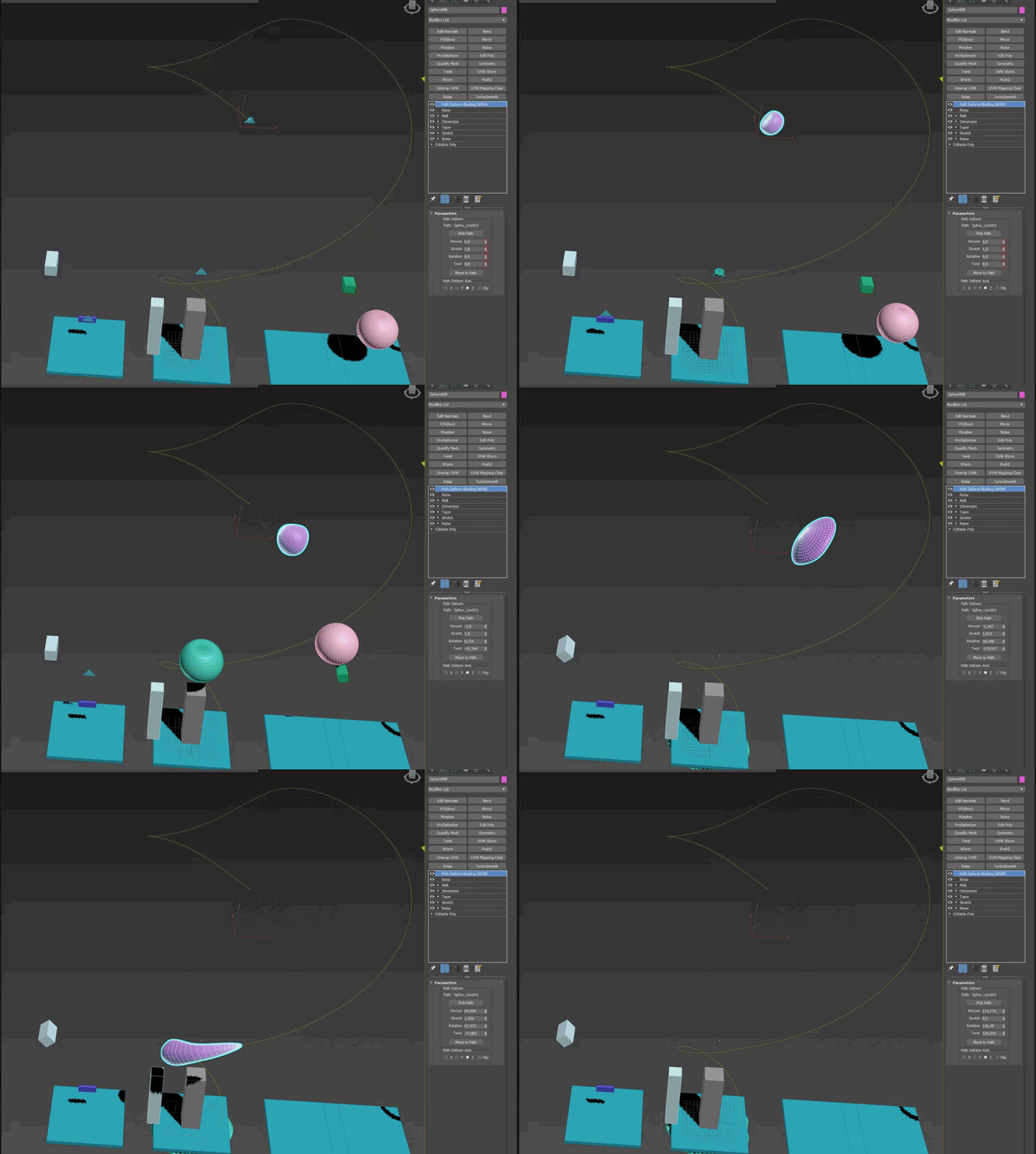
its not as bad as I remembered
 atomic fog
Is there any way to do complex lightning branch using Niagara Ribbon?
 full kraken
hey guys how do I make my render target constantly fade towards black? Clear color is black and I paint white to it, and i want it to constantly fade as i draw
cold sorrel
Build a solver with persistance
full kraken
not sure what that means but i'll research it lol thanks for pointing me in the right direction
cold sorrel
Here's an example on how to do it using Niagara, but you can probably set it up in a straightforward way outside it as well.

A quick introduction to how to set up and use Grid2d in Niagara using Unreal Engine 4.26. No fancy features, just all the basic setup you need to do before you can make the really cool stuff.
#UE4 #Niagara #Grid2d
full kraken
Awesome, thanks for the help! 😃
 desert rune
bear with me, I'll try to get my goal across.
I have a ribbon in a third person game. I would like for the player to press "x" and then that ribbon will raise from a specific mesh and travel to, let's say the players right hand.
Eventually, I'd like to get the ribbon to go up out of the mesh and curve onto the horizontal axis while it travels to the hand, but I've been trying to figure this out for days and just cant wrap my head round it.
I've tried get splines to be made between the hand and the mesh for the ribbon to move along but I can't figure out how to make a spine between two points while the game is running.
 random saddle
Nevermind I'm an idiot
random saddle
Hey, I've got a particle emitter that only spawns when it's looped, but if I set Emitter Loops 1, it just doesn't display at all?
Even when it's looped, it seems to always skip the first one.
 keen cairn
Hey not sure if this is the correct channel to post this in but I have a post process material and when I apply it my HMD only renders it through the left eye and the right eye goes completely black (This is for VR) This is what the material looks like

does anyone know what the problem could be?
lean heron
hey everyone, i'm having an issue where one of my particle systems only activates when i translate it inside my level. i'm unable to activate it via Sequencer like any other particle system. anyone able to explain what's causing this?
cold sorrel
You have realtime preview turned off.
lean heron
the strange this is that i have it attached to one of my animated characters, and since the character is moving, and particle is "emitting", but i can only see the outline of the particle in normal viewport view. when i'm in game view i don't see anything.
lean heron
cold sorrel
You have realtime preview turned off.
ah, where can i enable this?
lean heron
hrm, i have it on but it doesn't appear to have fixed my issue ☹️
cold sorrel
Is the system set to emit over distance?
lean heron
i'm assuming you mean LODs, yes? they do appear to be set up correctly

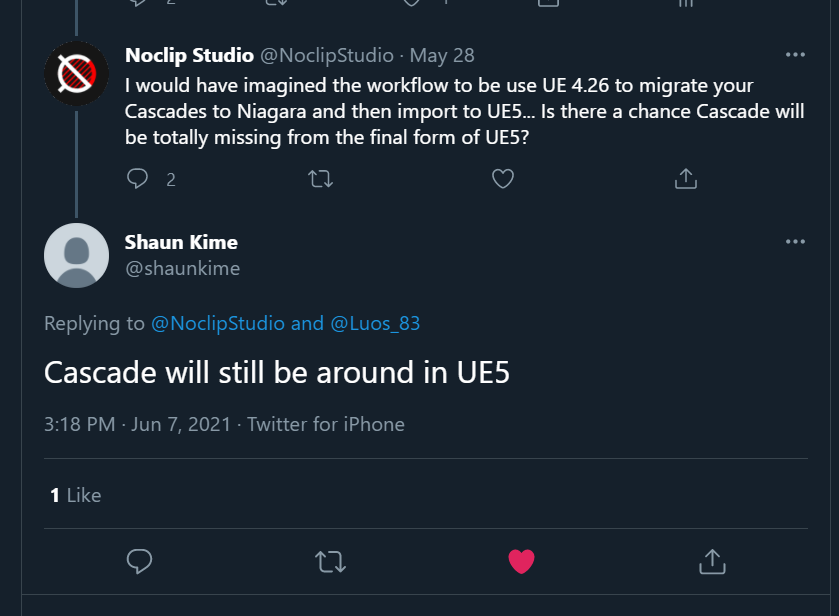


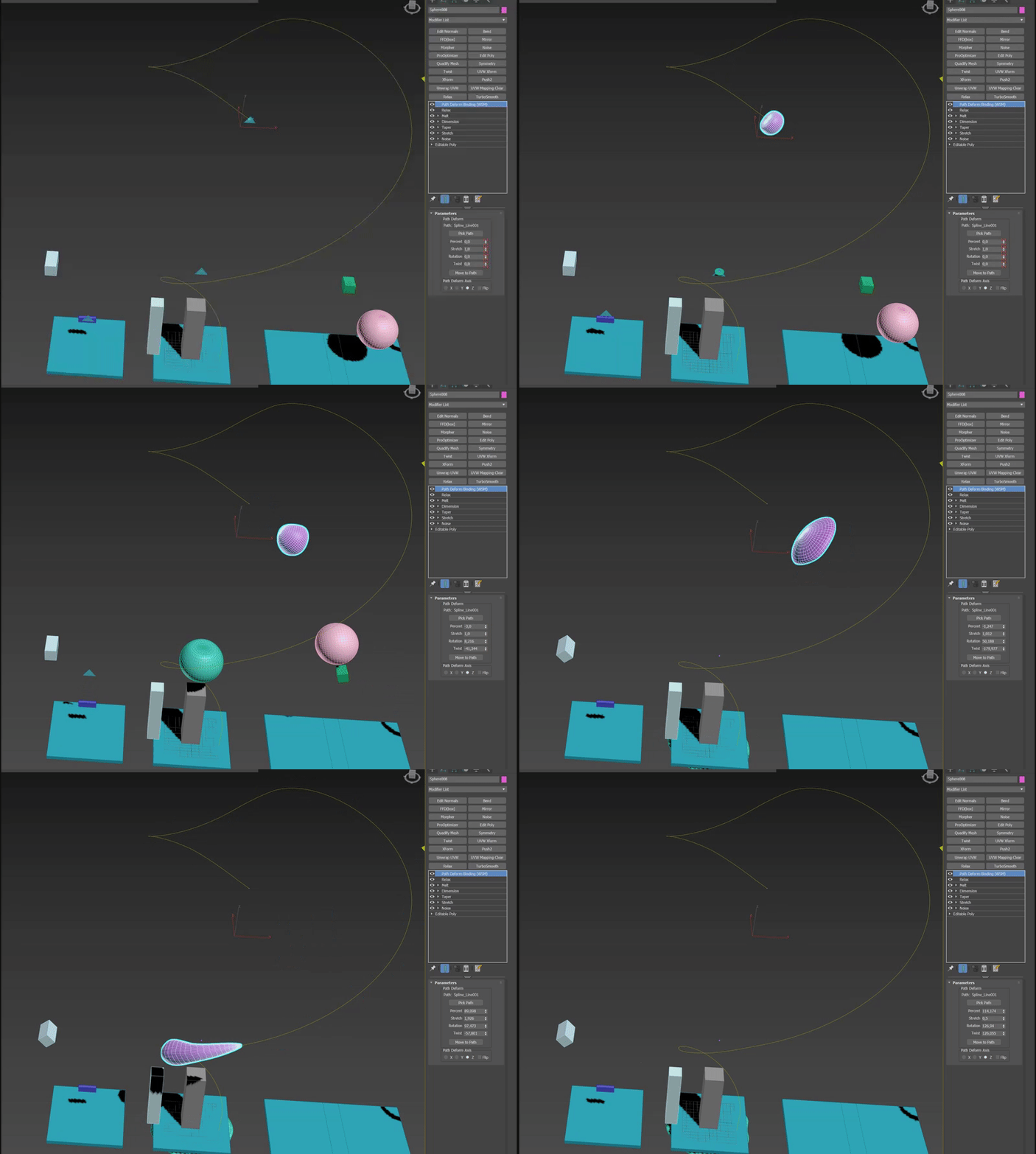 lean heron
ah interesting, i'll fiddle with the options in there
lean heron
hm, initially i tried just deleting the spawn perunit node but that didn't seem to work, and none of the options inside the spawn node have seemed to help either
i'm definitely missing something...
random saddle
Hey, all. I have a tiny brain and I'm trying to replace this texture sample with a world aligned texture, but I've got no idea how to do that.
 random saddle
Essentially, I'm trying to plug texture coordinates into a texture object, and get its R value.
unreal thorn
random saddle
Essentially, I'm trying to plug texture coordinates into a texture object, and g...
Texture Object is basically textures that aren't sampled.
 bold zodiac
hey, i have a problem with emissive decals. If the emissive value goes over 1, there are strange outlines appearing on other models thats within the area of the decal (even if there is no actual color there)

you can see on the side of the box, there is a whitish 1px line
lone wing
bold zodiac
you can see on the side of the box, there is a whitish 1px line
i dont remember where i saw it, but i remember if you do this to your textures

it should fix it
at some extra cost
bold zodiac
lone wing
i dont remember where i saw it, but i remember if you do this to your textures
hmm, do i need to change some settings on texture sample? I had to change MipValueMode to Derivative to have the DDX DDY options appear, do i have to change anything else? it didnt change anything
 lone wing
bold zodiac
hmm, do i need to change some settings on texture sample? I had to change MipVal...
lone wing
bold zodiac
hmm, do i need to change some settings on texture sample? I had to change MipVal...
try this one
 bold zodiac
lone wing
try this one
bold zodiac
lone wing
try this one
oh, it did work! thank you!
 wet pagoda
Hey does anyone know how I can get the second slot of additional textures in my material so I can use it like the first source texture. Thank you
unreal thorn
wet pagoda
Hey does anyone know how I can get the second slot of additional textures in my ...
Make another Texture Sampler parameter and give it a different name.
wet pagoda
unreal thorn
Make another Texture Sampler parameter and give it a different name.
Sorry im quite new to materials, how do I do that?
 reef summit
can someone point me a way to make a curved line in a material so that i can edit the curve
ive been banging my head for hours on this

hours of googling got me here

but no dice
was hoping to make an oscillating wave
fossil swan
@reef summit next time please dont ask the same question in multiple channels, thanks. ( #rules )

(special thank to @round fog who showed me this trick back in ye olde days)
reef summit
fossil swan
<@!259981517625884672> next time please dont ask the same question in multiple c...
Thank you very much
next radish
Hey, I have one question about custom depth and custom stencil, I made night vision material and after using custom depth and custom stencil, this appeared on my empty level, (I'm not using skybox, its empty level) is there any chance to get rid of this green part?
 upbeat gate
Could you add a big sphere?
hehe
I have a question, not too dissimilar. How would one go about excluding semi-transparent/translucent things from Post Processing? I tried using custom depth but it applies it to the whole object, so it won't work for things like masked particles.
 sleek lagoon
what should i use to optimize particle effects such as smoke?
cold sorrel
A profiler
celest birch
does anyone know if you can do this in unreal 5

This tutorial expands on the information from Part 1, using the complex material created in that tutorial in conjunction with Material Parameter Collections and Blueprints to drive the entire effect in realtime, influencing the location based opacity with a Blueprint placed in the world.
A link to the wiki for further notes is available here -
...
or if theres another method of hiding parts of objects with meshes
 stark gale
is there a way to make bent normal maps without baking a high poly to low poly mesh?
 finite lily
hey all, I am using Houdini Engine to bake out a piece of geo that I am using as a static mesh location in niagara. This requires the mesh to have cpu access and I have to toggle that on, that's fine, but the issue I'm having is that if I rebake the asset with the hda to the same mesh it is requiring me to toggle that on again each time which isn't going to scale well with changes. Is there anyway to either set it on by default or only have to toggle it once?
also, let me know if there is a better channel for a question like this
unreal thorn
finite lily
also, let me know if there is a better channel for a question like this
There's a dedicated #niagara channel, you might want to consider move the question there.
 crude jungle
hi, how can I change HDA parameters via python? I tried set_editor_property but it gave an error "failed to find property"
also tried to use the Houdini public API to instantiate HDAs but it can't find the api. I use houdini engine v2 for 4.26.2
 mental harness
I want to create a vfx (VHS static like the horizontal line of a vhs lag) that would be setup on my characters face and overtime, it would disappear. Is it possible? If so, how should I make it and even more importantly: Attach it and make it disappear?
To get it to disappear ill prolly hardcode it like I did my post process blend weight, i imagine that can work?
lavish solstice
is there a way to change the shape of a fresnel, to something like this?

doesn't have to be that extreme, just yeah if its possible to squish it like that
unreal thorn
lavish solstice
is there a way to change the shape of a fresnel, to something like this?
Not matemathically, but this could be the job for material matcap