

1 messages · Page 3 of 1
 golden fiber
Does anyone have a stepping off point or reading material on how i can (procedurally preferably) add sand drifts/accumulation against the sides of objects in a desert environment?
Something with houdini perhaps?, but any medium would do.
 analog onyx
golden fiber
Does anyone have a stepping off point or reading material on how i can (procedur...
analog onyx
golden fiber
Does anyone have a stepping off point or reading material on how i can (procedur...
Same as hydraulic erosion simulation
 upper oar
how do i pixelate an existing particle?
like i have a blood splatter effect i modified to be more "violent" in every direction
however i wanna make the drops pixelated
as if i was decimating a model
how can i do that?
 acoustic badge
Can someone tell me how to increese the sprite size when the velocity decreeces. So the slower velocity the bigger sprite size
acoustic badge
Did that didnt work
Or it works but as they had random velcoity some got big in the begining and some in the end haha
 fossil swan
iow, it did work, just not what you wanted it to do.
I'd tweak the velocities accordingly until you get what you want.
can also add a scale by life if needed.
acoustic badge
cant get what i want
tried 5 days
Just want smoke, out of a gunpipe, smal in the begining and big in the end . that rolles back
 fossil swan
generally we'd do that either trough meshes with panning textures, but more likely we bake out flipbooks from a dcc like embergen, maya, houdini, etc and use those.
acoustic badge
fossil swan
generally we'd do that either trough meshes with panning textures, but more like...
trough meshes you mean that i make a mesh and that the smoke will follow that path of the outside mesh?
partikle smoke
fossil swan
we generally call them mesh sweeps, swipes, curvemesh, not one regular word for it.
I'd suggest to look at a flipbook version though
acoustic badge
Yeah probably will, but its a school project and i ahve to do everything from scratch
So if im gonna use flippbooks i need to bee good at doing the actuall PNGs fro the image i use
Thats probably not gonna happen
Better just use sweepmesh in the end, dont even know how importaint it is for the effect
Also, why cant smoke be black, if i set the color to black the smoke disapears
fossil swan
generally the muzzle flashes for a gun are so fast you dont need any lingering detail, especially not due to gameplay and you dont want to keep things inthe way of the player's view
means something in the material is not set up properly, because it can be black
fossil swan
yea, thats fine. so its something in the color options of niag.
acoustic badge
yeah. i just took another mat and it worked. Dont have time for that now xD To stressed, game test tomorrw
acoustic badge
fossil swan
yea, thats fine. so its something in the color options of niag.
Do you know how to render sertain parts of a niagra system on front of camera. I have a effect that clips trough walls
fossil swan
thats two different things.
better explain in more detail
acoustic badge

Goes a bit fast. but at the start the lens "flare" that goes outwards in a thin line is correct. Second time from the side of the box it goes thru the box
I need it to always go on a layer infront of MEshes
on the camera
fossil swan
you can add a camera offset to it so its a bit in front of the rest
which is a niagara module
acoustic badge
Sometimes when i shoot at an object i see my impact effect goe thru the wall. and the smoke of an impackt is inside the wall
i tried add collision for that to not happen but does not work every time
fossil swan
thats all somewhat fine. you can use a depth-node in the material (as part of the opacity chain) to fade it out a bit when it comes into contact with meshes
acoustic badge
fossil swan
thats all somewhat fine. you can use a depth-node in the material (as part of th...
hmm but some of the materials is just regular basic materials. Should i go inside every material and add a depthnode?
higer values closer to camera?
 fossil swan
correct
yea, in theory you should.
you can opt to not do so for tiny sparks. once you get the hang of the material editor and set up materials, you generally know what it will be used for and might opt to add a depthfade right away.
acoustic badge
ohh ok! i will check it out then
hmm not sure if that camera offset works. cranked it up to 20 and it might fire off half of the times xD
fossil swan
it always fires, its not random
acoustic badge
yeah i meant i think the distance wont work, if it is a distance
for example if i shoot on a wall then sidestep. no offset in the world will offset it enough to render as cloose as it needs to to my ccamera
fossil swan
--generally-- thats something you might be bothered with, but a player wont.
fossil swan
yea, dont bother with that now, that needs quite advanced niagara/blueprint stuffs.
and if a teacher would bish about that, send em my way XD
acoustic badge
hehehe alright then
It helped on some objects so i guess its good enough for now
Altho it feels likle it should be possible to render the system in a laayer infront of the 0 layer where everything is in the world
Im used to unity layers, havent even seen layers in unreal yet so.
fossil swan
to quote a more technical friend (who might or might not be lurking) about things going trough walls
"My suggestion is to make few box traces to determine rough bounds of the effect can fill, get those bounds to the effect in question and try to roughly shape the effect to conform to that.
The shape the effect can fill can be represented by a spherical harmonic, which contains fillable distance per entry. This will not make it all instantly pixel perfect, but will significantly limit the bleeding of effect beyond rooms and walls. Plus, the particles, in addition to usual depth fade we love, can be augmented with a fade beyond the volume, described by SH. (Or well, bounding box). I favor this approach because it is platform and setting agnostic."
acoustic badge
Ahh smart friend. But ill have to really look closely on that depth fade first. For example on all my smokes and fires and flippbooks or whatnat. i should try to use it there. And change namingcoonventions for all materials to M_VFX_WhateverMatIsDoing so i easily know what material probably have depth fade
But to be clear. Camera offset (instead of what i did, offsetted every damn system with -5units on the x so the effect didnt even hit the wall)
fossil swan
I generally use it only for the big things, no need for it (generally) on secondary and tertiary effects
I use the world generally a lot, because in the end its part personal preferences, part depending on a lot of variables.
acoustic badge
Thnx for the feedback and information!
Much appriciated that you took some time answering!
fossil swan
np :) good luck!
 digital wharf
Use "sort order hint" in renderer section
 elfin zenith

 rugged radish
Not sure where to put this...
But is Unreals Alembic importer not able to import multiple UV sets?
Exporting the mesh as FBX from 3ds max works and gives all UV channels in Unreal, but exporting the animated mesh as alembic only gives the first UV channel in Unreal.
 pulsar ravine
Anyone know where I can get some free vfx assets? I am looking for an image of falling embers for a picture I am making.
 raven sage
Can anyone point me to resetting a chaos destruction geometry collection actor after I explode it?
want to put it back to its initial state. I know (I believe) you can't reverse it, so just trying to reset it
 cold shore
any tricks to make a cascade particle take less gpu when near camera?
fossil swan
thats.. a bit vague. less gpu what? what are you trying to do?
 slow temple
I have a stack of emitters and can't figure out why 1 of them has a delayed spawn, even though the settings don't have delayed spawn enabled
any ideas?
 dreamy edge
https://www.shadertoy.com/view/Dd2XW3
Hey, so I am finally getting the hang of HLSL and GLSL, and have been making stuff like this for 2D projects. But how do I make it look good in 3D? I've heard the word 'volumetric' thrown around, and know there are tricks to make 2D effects look more passable in 3D, but ultimately I have no idea where to begin with creating an effect like this that's actually 3D. If anyone has advice or tutorials they could point me to i'd really appreciate it!!
 celest birch
Anyone knows how can I recreate something like t3ssel8r's shader (https://www.youtube.com/watch?v=ERA7-I5nPAU&t=72s) I'm multiplying and dividing the screen position. It's giving pixel effect but edges of object is blurry


Date of Recording: 2020-11-14
I took a bit of a break from the usual tech updates this week to record a making-of video detailing what it's like to create a scene from start to finish in the Unity-based pixel art game engine I've been developing.
I found some neat modifier stack tricks in Blender for creating procedural, non-destructive detail...
 cursive juniper
Is it possible to get spotlight shadow map with c++? I want to make fake volumetric light
 tulip reef
celest birch
Anyone knows how can I recreate something like t3ssel8r's shader (https://www.yo...
tulip reef
celest birch
Anyone knows how can I recreate something like t3ssel8r's shader (https://www.yo...
Wow that is gorgeous
celest birch
I think he is using simple pixelation with cel shading & custom outlines and key is the low poly models
analog onyx
cursive juniper
Is it possible to get spotlight shadow map with c++? I want to make fake volumet...
There is nothing impossible of course, but it needs context.
 quaint veldt
Is there a way to control bloom strength per light source? PostProcessVolume does that on already rendered image, so probably not the way to go - unless there is some magic checkbox that does exactly that. Use case: want to increase bloom effect on everything but the sun.
 quasi wolf
how does scenecolor actually work? here Im using a negative effect material as well as a plane that has a fog effect material to make the background blue, but as far as the scenecolor in the negative material is aware, the background objects are still just grey

this is actually how the negative colours should be anyway

 quick monolith
Hello, why am I seeing these horizontal lines on the fire effect ?

The problem is with the smoke rendering.
If I disable, the lines disappear
 gleaming bone
hello guys, does anyone know is it possible to convert fx VDB file to HLSL, is it possible? Does anyone know how to get HLSL file from my effect?
 viral mauve
I'm having some trouble with my post-process effects.
I'm building an example of post process effects for an interactive.
Bloom, Chromatic Aberration, and basic camera settings all work fine with this, however I cannot apply post-process materials to the camera.
Adding a post process component doesn't help either. Is there some setting I'm missing to allow post process materials to display?
 bold rampart
Has anyone experienced issues with cascade in 5.1 ribbons can been seen through objects at distance?
 stone token
viral mauve
I'm having some trouble with my post-process effects.
I'm building an example of...
stone token
viral mauve
I'm having some trouble with my post-process effects.
I'm building an example of...
are you setting the blendweight of your PP_Material?
 ivory iris
I'll try to ask this here also:
Any idea on how to trigger a certain emitter through a blueprint event instead? Context: I want to have some emitters fire up something and then wait. If a certain blueprint event is called while they're waiting, it should activate another set of particles. Basically replace this with a blueprint event:
 viral mauve
stone token
are you setting the blendweight of your PP_Material?
viral mauve
stone token
are you setting the blendweight of your PP_Material?
I believe so. I'll double check
viral mauve
When I applied it this morning using the same steps it worked. :/ Blend weight was at 1 when I took it off. Reapplied it to 1 and it worked. Odd
 errant ridge
Hello, I cannot seem to get a clean edge around my 4K PNG export. Has anyone been able to get a clean edge on a PNG export? Or maybe have a way of exporting a 32 bit EXR from UE5.1?
 edgy lintel
So for UE5, when outputting a custom node with hlsl, does it not accept vec4?
it keeps complaining about an implicit truncation
 lone condor
Anyone happen to know if any of the free unreal marketplace resources contain a blood particle effect?
 onyx dune
What would be the best way to get this fog effect, I cannot find any tutorials that work, and exponential height fog does not cut it 😦 Any help would be appreciated, this is for production too, not a game 🙂
 fossil swan
onyx dune
What would be the best way to get this fog effect, I cannot find any tutorials t...
fossil swan
onyx dune
What would be the best way to get this fog effect, I cannot find any tutorials t...
https://www.unrealengine.com/marketplace/en-US/product/screen-space-fog-scattering might be your best bet.

Post process shader that simulates the light scattering inside the fog medium.
 golden umbra
onyx dune
What would be the best way to get this fog effect, I cannot find any tutorials t...
golden umbra
onyx dune
What would be the best way to get this fog effect, I cannot find any tutorials t...
The Screenspace Fog plugin is cool.
Also, you can make a volumetric fog material and apply it to a cube in your scene around the camera.
These things work together 🙂
onyx dune
golden umbra
The Screenspace Fog plugin is cool.
Also, you can make a volumetric fog material...
Thank you, really appreciate this. I decided I needed weather integrated into it too, so got ultra dynamic sky and it appears to be working now. However, I shall look at this too 🙂
 astral zodiac
how to visualize spherical portal
do you guys know?
If flat portal is one sided, what happens if u go through behind it? will it cut u or is there invisible wall?If portal is sphere, & u see person coming outside of it not towards ubut towards ur left, do u see person inside of portal then outside or does he appear from it's edge?
 Twitter
·
Twitter
·
 mellow birch
does anyone know how to achieve this effect
mellow birch
mellow birch
does anyone know how to achieve this effect
and i want it to look like that
mellow birch
got some of it

 compact wren
Hey guys, I was wondering what free software can I use to pre-compute effects (like fire for example) and bake them into flipbooks
compact wren
Nevermind I just found out that niagra flipbook baker is a thing
stone token
compact wren
Hey guys, I was wondering what free software can I use to pre-compute effects (l...
I believe embergen has a free license, but you can't export your sims.
 unique hazel
Any one on here coming from Blender and who is using Unreal for VFX? Any good place to start learning Unreal for VFX?
 manic condor
How can I set the custom stencil depth value of a particle emitter? I've already enabled custom stencil depth writes on all the materials that the emitter uses, but I cant seem to find an option?
 paper pecan
Anyone know how to create basic trails in niagara like you can in Unity?
This is what I got right now
essentially a bunch of particles vortexing inward but the ribbon is connecting itself to all of them instead of creating individual small trails for each one

this is the effect im going for (Watched the tutorial but I cant ever understand this dude)
 hard venture
paper pecan
https://gyazo.com/656bc843aa9f51a88ecfd53a82fa80ca
hard venture
paper pecan
https://gyazo.com/656bc843aa9f51a88ecfd53a82fa80ca
no idea how they do it in unity, but there are a few different ways to do it in Niagarga depending on your particular use case.
 frank mica
Why is my NS particle unaffected by post-processing?

 dim nexus
Hi does someone know how to create volumetric effects with embergen + UE VDB plugin ? (to use in game, UE5.2)
 obsidian sand
Hey folks. Is there any way I can destroy individual particles when they overlap a collider? Not the whole system, individual particles. My conundrum is that I have cool water splash particles for when bullets impact water which splash and leave puddles behind, but they are also going through my water volume underneath and making pools on the surface below. So like if I shoot into a swimming pool, the splashes will generate pool decals on the bottom of the pool lol.
 slim cradle
I am making a flash like UE5 game. I really need help on how to make the player have a vibrating/ blur effect. I was wondering if anyone could help
like this


 upbeat spire
frank mica
Why is my NS particle unaffected by post-processing?
upbeat spire
frank mica
Why is my NS particle unaffected by post-processing?
material->render after DOF? I guess
dim nexus
Hi, are softs like Embergen used for something else than flipbooks ?
fossil swan
its being used in movies nowadays as well.
and if you only bake out one frame, its not a flipbook.
might be a while before we see it real-time in engine.
dim nexus
Well the simulation can be imported in UE, but i don't know how they render them (with the VDB plugin)
So VFX are only niagara, materials & flipbooks in games?
fossil swan
can also be post processes, camera-stuffs, ui-related, meshes, skeletal meshes, blueprints, and more.
dim nexus
Ok thanks !
slim cradle
Hey I am the guy that was talking about the player blur/ vibration. I can't find a tutorial or anything to help me out on this
@fossil swan can you help me on making this effect? I want it to look like this

can anybody help?
slim cradle
nobody?
gleaming bone
Does anyone know what the niagara smokes problem is here? I have a problem with smokes in the background, the black smokes become white in the smoke in front of them.

 left skiff
gleaming bone
Does anyone know what the niagara smokes problem is here? I have a problem with ...
left skiff
gleaming bone
Does anyone know what the niagara smokes problem is here? I have a problem with ...
Is this multiple Niagara fluids systems? They don't render together very well. In the future it'll be better.
 fiery nest
Hello guys. I am really into VFX and niagara, but struggling to find a structured start. I am really trying to understand how can different VFX be built to interact with the physics, characters and the surrounding. For example is this one or multi approach for each different scenario?
If you have any nice tutorials, please share. I am really trying to find any info but it seeems that there is not much.
 opaque dagger
fiery nest
Hello guys. I am really into VFX and niagara, but struggling to find a structure...
opaque dagger
fiery nest
Hello guys. I am really into VFX and niagara, but struggling to find a structure...
https://www.youtube.com/playlist?list=PLXPlawJCxIVwJeTpoPOa20OcS96a1PkMu
https://www.youtube.com/watch?v=ivfdCviqS9Y&list=PLwMiBtF6WzsoNsDquipGfD-uLUb-fyRSV
https://www.youtube.com/playlist?list=PLomQNLPOWtzYXU_pRIUVVEV9uY7bjENZ5
https://www.youtube.com/playlist?list=PLzJIbZSWGGtKKKNiOWMk77qtXr_c-nNyT
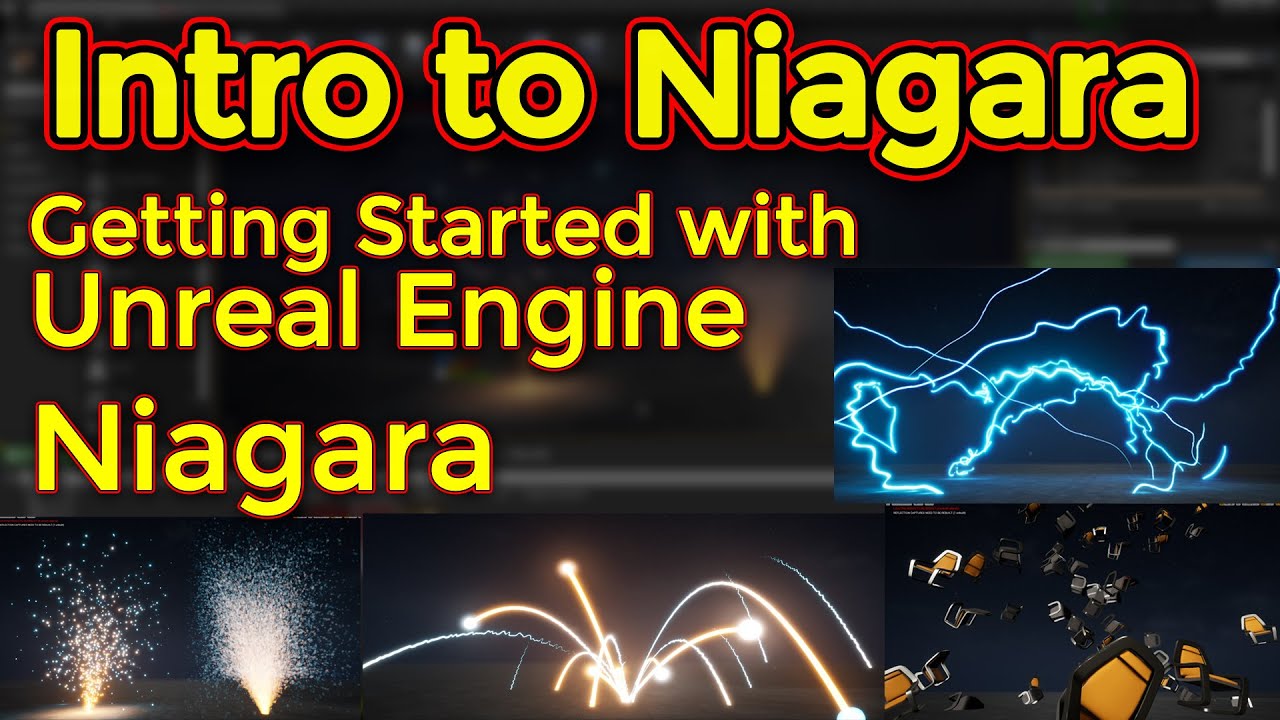
Support me on - https://www.patreon.com/Ashif
Support me on - paypal.me/9953280644
Hi guys this introduction video for Niagara basic tutorials series.
#cghow #unrealengine #Niagara #gamefx #ue4vfx #ue4fx #niagara #unrealengineniagara #unrealenginevfxtutorials
●Upload Your Tutorials/Work - https://cghow.com/
.....................................

 fossil swan
re: cghow
#niagara message
just stop suggesting his crap, please.
 hardy glen
Hi!
I want to use ribbon particle to do something like this:

The two balls are actors and I want to use the ribbon particle to create the line.
Do you know any tutorial or video that shows how I can do it?
Thanks a lot!
tulip reef
Hmm, this might be a starting point. https://www.youtube.com/watch?v=6gp1ECkpCDc&t=1755s
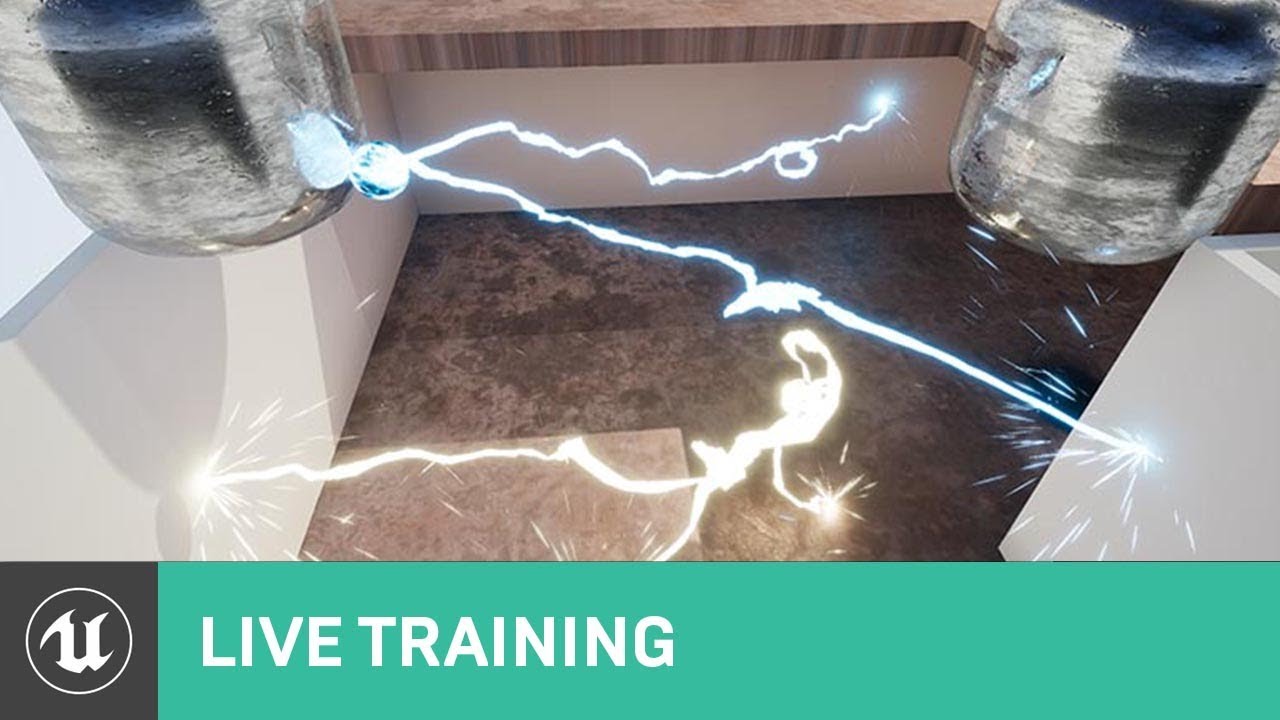
On this week's livestream, Alan Willard demonstrates the creation of complex in-game effects using Blueprints, particle systems, and shaders. He shows how these three systems can be interwoven to create complex dynamic effects for in-game use.
ANNOUCEMENT POST
https://forums.unrealengine.com/unreal-engine/events/1365166
@hardy glen
if you're working with a predetermined spot. I imagine it cant be too difficult
hardy glen
@tulip reef Thanks!
 dire forum
anyone know how could i achive such vison with post process ? not all am asking only this soft blurry ( idk what it called or discriped ) but if you look closly the sceen is not sharp

 fast hatch
https://www.youtube.com/watch?v=C6O3lTL8f1A Hi. I'm following this hyperspace breakdown and I'm wondering how I'd get the swirling effect? I have the same node setup (Pic 1), but it just shows lines (Pic 2). I think it's something to do with the x/y scale nodes, but I'm not sure.


Breakdown of the Hyperspace tunnel created in Unreal Engine 5 for my Kotor Series!
I'm currently working on creating a Knights of the Old Republic based Mini-Series using Unreal Engine's Virtual Production Capabilities. Follow along here as the series progresses!
Support Us on Patreon: https://www.patreon.com/unrealcinema
Visit our site: https...
 normal lantern
fast hatch
https://www.youtube.com/watch?v=C6O3lTL8f1A Hi. I'm following this hyperspace br...
normal lantern
fast hatch
https://www.youtube.com/watch?v=C6O3lTL8f1A Hi. I'm following this hyperspace br...
I presume that in this video example UV of this tunnel mesh just slightly shifted like here

 sinful anvil
dire forum
anyone know how could i achive such vison with post process ? not all am asking ...
sinful anvil
dire forum
anyone know how could i achive such vison with post process ? not all am asking ...
Are tou talking about volumetric fog?
unique hazel
Any good ways to get rid of ugly edges like this when having objects out of focus?

 tame cloud
How do skyboxes work? If i want to have a background image that shows a landscape viewable in 360 degrees, what kind of aspect ratio should it be, how should it be constructed, etc
 covert orbit
unique hazel
Any good ways to get rid of ugly edges like this when having objects out of focu...
covert orbit
unique hazel
Any good ways to get rid of ugly edges like this when having objects out of focu...
You need to track down the base materials for all of the edged objects then go into material, then details panel, then search “dof” then go from “render AFTER dof” to “render BEFORE dof”
unique hazel
covert orbit
You need to track down the base materials for all of the edged objects then go i...
Thank you bro!!
 silent jungle
Hello, been using WorldPositionBehindTranslucency to achieve niagara ground effects to nicely adjust to ground heights. But I noticed that it is overlapping characters and actors I don't want to overlap. I saw something about ReceiveDecal setting to false, but it did not help me sadly... Could anyone maybe help out and know what's the deal?


 heavy nova
Is there any way to turn on 'volumetric translucent shadow' on a niagara system spawned from BP? seems ridiculous to me that it's not exposed
 cyan junco

imm not really sure where to put this
but i used the groom thingy to make this hair part
is ther a way to make it so when you run something through it like a ball, the strands respond accordingly/
basically can I add physics to this with foreign objects somehow?
 jaunty olive
question, doing like moba/rpg range indicator lets say dash, best practice would be spawn decal at location/ just working with decal? or there is different way on doing such things
 minor flicker
Does anyone know a way I can have it so a certain objects ignores the post processing that has beennset on the cine camera?
quasi wolf
this is just questions on top of questions
 untold mural
Hey guys im new here - and i have a question regarding vdbs from houdini.
I have an animation made in UE5.
Exported to fbx, used blender to export as alembic.
Used the alembic in houdini to create a smoke sim.
Exported smoke sim as vdb.
In blender, the vdb fit as expected onto the animation.
Importing into UE5, the smoke sim is super small scaled and has different axis setting (so i need to rotate it to point into right direction).
My biggest ??? is the scaling:
how much do i need to increase scaling for the smokesim from houdini to fit properly in ue5?
If i set the scale to 100, it ROUGHLY fits, but i can tell the animated smoke is a bit too big in scale.
So now im basically wondering, where lies the culprit, as the vdb itself fits the animation in both houdini and blender (blender was used for testing purposes only and for alembic export of my animation, its easier for me to work with that in houdini compared to fbx).
maybe someone has some experienence with houdini -> ue5 and can help me out please
I cant share directly my viewport because of NDA, but what i can tell is, that the scale needs to be set to roughly 100 (im guessing that UE5 doesnt operate in metres metrics hence the initial vdb import is very small scaled) - so a factor of 100x scale sounds reasonable, but its too big.
A factor of 75x scale is too small again, so the upscaling i need to do lies somewhere between 75x to 100x, and i dont know how or why there seems to be such an odd scaling factor for my vdb sim to align properly in UE5
 surreal thistle
Hi guys,
I'm preparing a build of my proto and since two days I have a problem.
I've migrated most of the playable level to a clean UE5.1 project installation and after completing the migration, I'm having problems with the lighting: let me xplain. The scenes are identical in every way on the original project and on the newly created project, however without having made any system adjustments, the scene looks darker on the newly created project, and on one of the levels there are incomprehensible glitches in the scene.
Here are a few visuals to give you an idea

 weary helm
Hi! I'm trying to create a sphere mask shader, so far I managed to get the mask working around my character (pic 1 & 2), now what I would like to is adding multiple sphere masks based on other dynamic actors locations (pic 3), any idea how to achieve that?


 tropic swallow
Hi ! I made a portal VFX and would like it to spawn, last for example 3 seconds die then respwn and so on. how would you go about doing that?


 violet jungle
tropic swallow
Hi ! I made a portal VFX and would like it to spawn, last for example 3 seconds ...
violet jungle
tropic swallow
Hi ! I made a portal VFX and would like it to spawn, last for example 3 seconds ...
In Emitter State:
Loop duration and loop delay
tropic swallow
violet jungle
In Emitter State:
Loop duration and loop delay
thanks a lot !
 final tapir
I've figured out how to use CameraDepthFade and PixelDepth to fade an object when its close to camera, but it fades across the depth of the entire object. I need to to blanked fade the object as a whole. Is there an easy way to do this?
 simple spire
Anyone have any clue why this might be happening? Whenever I scale the spritesize/ribbon width, with the width/size initialized already, if the scale in the update starts at 0, it doesnt work/doesnt scale, but it does work/scale when it starts at 1 and scales to 0
vid only shows with spriterenderer but same occurs with ribbon
 split hawk
simple spire
Anyone have any clue why this might be happening? Whenever I scale the spritesiz...
split hawk
simple spire
Anyone have any clue why this might be happening? Whenever I scale the spritesiz...
still need help with this?
simple spire
split hawk
still need help with this?
kind of, its strange, scaling the curve up by a shitton works, but still strange that it has to be scaled up by x20 for you to be able to see the curve working (if it starts at a value of 0)
so kinda managed to work around it but will def still be useful if anyone has a heads up about what im doing wrong/what i should be doing
split hawk
simple spire
so kinda managed to work around it but will def still be useful if anyone has a ...
One thing I noticed is you don't have an initialize particle module in your spawn script. I would use that instead of setting your variables directly. Also I would make a simplified test case. My suspicion is that the scale is working correctly, but the system has so much other stuff going on that it makes it look broken. That receive location module in the event handler looks mighty suspicious.
simple spire
split hawk
One thing I noticed is you don't have an initialize particle module in your spaw...
Hm ye ill give that a shot. I need the receive location though to spawn ribbons
settings for it if it helps

 split hawk
simple spire
Hm ye ill give that a shot. I need the receive location though to spawn ribbons
split hawk
simple spire
Hm ye ill give that a shot. I need the receive location though to spawn ribbons
Is the receiving emitter the swirling one?
simple spire
split hawk
Is the receiving emitter the swirling one?
kind of
split hawk
simple spire
kind of
Ah I see. Yeah I mean it looks like it's working. What does your initialize particle and scale size look like?
simple spire
split hawk
Ah I see. Yeah I mean it looks like it's working. What does your initialize part...
just a spritesize, lifetime and random linear color which the 2nd emitter enherits
split hawk
simple spire
just a spritesize, lifetime and random linear color which the 2nd emitter enheri...
On the second emitter I mean. That's the one you were having the issue with right?
simple spire
should be in the first vid
weirdest thing to me is that it fully works when interpolated spawning is off
so i managed to make it work but now just wanna know why it wasnt working before xD
split hawk
Well I don't see anything glaringly wrong with your setup, but one thing to keep in mind is the scale size is just a multiplier on the initial size of the particle. So if the particle starts put small you'll need to scale it by a lot for it to get big. Seems like you already know this but it's worth mentioning in case you didn't. As for interpolate spawning that's strange but it's good news cause interpolate spawn makes the emitter more performance heavy.
simple spire
yeye i know, guess its just a (very minor) unreal bug to add to the list
I am on 5.1 still though so maybe its just another one of those early UE5 bugs, who knows
appreciate the help though 🙂
 grizzled sable
Hello people, basically, I’m making a space racer game like mariokart but with a more open movement system
In space
For the thrusters I wanna create a boost kinda like rocket league
Or something more powerful or better looking
I’ve never worked with vfx before so what would be a good way to approach this
 past summit
guys, how is it possible to achieve that animated rectangle effect? https://www.youtube.com/watch?v=kehyeP2-UD8
isn't something natively supported, right?
 idle acorn
past summit
guys, how is it possible to achieve that animated rectangle effect? https://www....
idle acorn
past summit
guys, how is it possible to achieve that animated rectangle effect? https://www....
It looks like they used simple material with glowing effect for this. So you need to make your own material with this effect and use it in UI.
past summit
cool
 balmy heron
Im curious how one would go about re-creating the helical motion in this using UE4/5? like making the ribbon orbit vertically while moving back
 fossil swan
generally we use meshes for that.
https://realtimevfx.fandom.com/wiki/Curvemesh

Keywords: Soulercoaster, Splinemesh, Curvesweep, Zoomie, Geostrip, Swipe, Swoosh. A mesh consisting of quads (or other shape) extruded along a curve. The UVs are then laid out in a way that if you...
balmy heron
Thanks
balmy heron
it worked perfectly! thank you so much! @fossil swan
fossil swan
np :)
 grand fox
I’m pulling my head out trying to create a simple raymarched material. I’m not looking for lighting, self-shadowing, or anything like that, just a way to display a simple volumetric texture (a 16x16 grid of 256x256 slices) in a cube, like the “trace into volume” preview.
It seems like such a simple thing, but all the tutorials I can find are written for old versions of UE, and a lot of HLSL variables and functions have been renamed.
Does anyone have a very simple raymarching material, that works in 5.1, that I could take a look at?
 chilly onyx
grand fox
I’m pulling my head out trying to create a simple raymarched material. I’m not l...
chilly onyx
grand fox
I’m pulling my head out trying to create a simple raymarched material. I’m not l...
Check this out, it's deaigned for 4 but works with 5.1
https://github.com/tommybazar/TBRaymarcherPlugin

UE4 Plugin for Volumetric Rendering of 3D data. Contribute to tommybazar/TBRaymarcherPlugin development by creating an account on GitHub.
 narrow socket
@last wraith

Give your weapons some awesome trails! Compatible for both Unreal Engine 4 & Unreal Engine 5. ue4, ue5.
🎮 Material Nodes: https://blueprintue.com/blueprint/gzphp7c9/ 🎮
🕺 Come join the Team Beard Discord 🕺
If you're a game developer and looking to join a friendly game dev community which ranges from expert to professional, be sure to hop int...

HEY! LISTEN! Today we're looking at how I handle weapon trails in Prismatica. We use a 2-socket method and calculate all the necessary parameters ahead of time so our trails will match perfectly. We also look in to some of the common mistakes made when doing weapon trails, so make sure you watch until the end!
Patre...

Unreal engine vfx tutorials Purchase Effect Package From Unreal engine Marketplace - ●Niagara Effects Pack - http://bit.ly/2LWgZTx ●Advanced Magical FX - htt...
 last wraith
I have actually watched most of these. CGHOW just animates it. I think I will just animate it. Thanks for your help!
narrow socket
last wraith
I have actually watched most of these. CGHOW just animates it. I think I will ju...
animate them then use the other 2 tutorial to attach the trail?
the last one is good
last wraith
narrow socket
the last one is good
Thanks Diana!
 chilly crown
Is there a way to spawn particle effects with a given velocity so they continue on that velocity for their duration? I only see two options: spawn effect, and spawn effect attached. I'm trying to spawn expended bullet casings coming out of a gun. If I spawn in place and the player is moving, the casings don't have the proper movement. If I spawn attached and the player moves their gun, the casings will follow the gun I believe? Is there any other option just to give the particle effect the initial velocity of the gun at the point of creation?
chilly onyx
chilly crown
Is there a way to spawn particle effects with a given velocity so they continue ...
You can use a script to add a velocity input to your particle effects
chilly crown
chilly onyx
You can use a script to add a velocity input to your particle effects
When you say script, are you talking about blueprints, or this would be custom code? I'm not a programmer, so I'm limited to blueprints
chilly crown
Is it possible to take the return emitter node and subsequently manipulate its position?
 chilly onyx
Yeah
 lucid jetty
https://youtu.be/_MzyeQd9f2w?t=124
Hi friends I want to make an effect where the shadow turns circular between 2 minutes 4 seconds and 2 minutes 6 seconds of that video, is there any reference for reference?

Those trapped in darkness need light the most.
Music by Riot Music Team. Additional production by The Crystal Method.
Animation by Digic Pictures.
All the videos, songs, images, and graphics used in the video belong to Riot Games and I do not claim any right over them.
 oblique thicket
Does anyone know if it is possible to exclude a mesh from ALL post-process effects in UE5? Custom Depth Pass doesn't seem to work.
analog onyx
oblique thicket
Does anyone know if it is possible to exclude a mesh from ALL post-process effec...
No
 azure raven
Hello SLACKERS!! I have been battling with getting my metahuman to wear a mask. I created the mesh in Blender, Imported the skeletal mesh into UE5.1.3, I have attached it to the head but I cannot for the life of me figure out how to get that cloth to hold the shape of the metahuman face and animate with it.
I need the mask to move along with the mouth to provide a realistic effect
 crystal socket
im trying to convert a blender shader to ue5, but im having problems

basically, i've covered basically everything

the only problem is that ue uses "if" instead of "less than" and i have no idea how to use if
how the hell im gonna convert that to ue?
violet jungle
@crystal socket what doing "less than" In blender?
crystal socket
i don't know how to exactly explain it
all i know it is a math value that is from this shader
basically, i didnt find any tutorial to make indexed colors in unreal engine, and i wanted to index/limit the color gamut to an specific color pallete - in this case, the 54 NES color pallete
so i were trying to import one of those NES shaders i have with me, the other one is a GLSL but i dont understand coding at all, so i was just porting all of the similar features each one had
 sand basin
hey guys, sorry I didnt really know where to ask this one so I'm gonna assume this channel is the best for it
I have this scene here, and I was just wondering what is causing the particles to render in realtime even in the MRQ? It looks fine in the sequencer, but then when i render it out they basically just end up being on 0-1 of the frames because of this. The problem occurs with both Niagara and cascade particles
crystal socket
i just need to port the shader so i could do this now but on ue (blender preview w nes shader)
https://cdn.discordapp.com/attachments/1103099846640021515/1122735005047734292/lighthing.gif

 deep dagger
past summit
guys, how is it possible to achieve that animated rectangle effect? https://www....
deep dagger
past summit
guys, how is it possible to achieve that animated rectangle effect? https://www....
That's just a material pulsing over time
 frigid cove
In niagara, you have a section filter for static meshes. Whats the equivalent for skeletal meshes? I want to have a smoke particle spawn around my wheels
split hawk
frigid cove
In niagara, you have a section filter for static meshes. Whats the equivalent fo...
You have even more options with skeletal meshes. You can spawn on bones or geometry, and you can use sampling regions to filter both.
frigid cove
split hawk
You have even more options with skeletal meshes. You can spawn on bones or geome...
Could i get some help wit that? Im very much a beginner with niagara
split hawk
frigid cove
Could i get some help wit that? Im very much a beginner with niagara
Sure I'm gonna have lunch rn but shoot your question someone else might have an answer for you before i come back.
frigid cove
For sure, im still at work ATM myself
split hawk
frigid cove
For sure, im still at work ATM myself
still need help?
frigid cove
@split hawk yeah, i could use a bit
 fiery walrus
Why doesn’t my chromatic aberration not work when I have the post process volume set to infinite?
frigid cove
split hawk
still need help?
Im free atm
split hawk
frigid cove
Im free atm
i cant do voice rn, can you send a message?
 obtuse cypress
Hi there, I really need some help rn. Im trying to package up the basic ue5 vr starter level to put on my meta quest 2, however whenever i try and package it, it just has the same screen flickering over and over and it never ends. Im on a mac and i have tried to do all the android studio installs but it just doesnt seem to be working

its just this over and over
any ideas why?

this is the output log
idk what its doing
 dreamy quail
Niagara Ribbon trail attached to ball and ball move with an high speed, Now what happen is while taking a visual look on mobile its shows that trail is a bit behind, but in editor its look good, Any one know how to Fix it.
split hawk
dreamy quail
Niagara Ribbon trail attached to ball and ball move with an high speed, Now what...
is your system using current frame data?
dreamy quail
split hawk
is your system using current frame data?
No idea on that, is ther a way to check it,
I just created the Niagara Effect and the Fronted Developer implemented
split hawk
system props

should be checked by default so if you dont know where this is it's probably on
dreamy quail
Yah its checked out
 split hawk
good, now how are you spawning your particles?
dreamy quail
On hit the ball spawn and travels with a speed(Ball is in a blueprint and Niagara is also added in it)
Ball projectile
split hawk
i mean like what's in your niagara spawn script?
split hawk
that makes sense. have you tried decreasing the spawn spacing?
dreamy quail
Nope, But spawn spacing is set to 1
split hawk
how big is your gap, do you have a screenshot or video?
dreamy quail
give me time, I am arranging the images
dreamy quail
@split hawk Here it is , The ball is in motion
 split hawk
dreamy quail
<@428710332538683392> Here it is , The ball is in motion
split hawk
dreamy quail
<@428710332538683392> Here it is , The ball is in motion
what are you doing in scale ribbon width?
split hawk
disable scale ribbon width, do you have any gap?
dreamy quail
Currently its removed from the build, But I was looking for a reason, I cant test now and build for mobile
I know you see a pointing tail, But when I created this on editor i needed to make the curve go from 0 to 1 and then to 0, Because when I see in editor the ball trail was in front of the ball
@split hawk I will try to reduce the spawn spacing when I get the chance.,Will this atleast work?
this is the Spawn Spacing setup -
 split hawk
dreamy quail
I know you see a pointing tail, But when I created this on editor i needed to ma...
split hawk
dreamy quail
I know you see a pointing tail, But when I created this on editor i needed to ma...
I think your issue is coming from how the scale ribbon width is working. If you were able to see the trail in front of the ball then you should be able to tweak the scale ribbon width to get it looking the way you want. It would be helpful if you showed what's happening inside scale ribbon width.
dreamy quail
I made a curve 0 ot 1 when i was working on editor, and when I looked the final output in mobile then I changed to this

Image that I have provided is the curve from 0 to 1
this is the updated curve, but I am not getting the latest image, Its been a quite month
In editor its good


@split hawk Just asking, is there a way to create a touch fx for mobile, Like recently PUBG has added.
I created earlier using Niagara UI renderer, but its was discared as it was third party plugin used
split hawk
That I don't have experience with. I know a lot of people use a plugin for that, thats probably what you used. But doing it yourself I'm not sure. Done a good amount of Niagara and UI work but haven't combined them yet
split hawk
dreamy quail
In editor its good
Is this the look you want?
dreamy quail
yes, in mobile
split hawk
dreamy quail
yes, in mobile
So are you saying that i just breaks in mobile? Or have you not tested it in mobile?
dreamy quail
split hawk
So are you saying that i just breaks in mobile? Or have you not tested it in mob...
It does break, but I dont have Image for now to show you
split hawk
ok i see
split hawk
well try building when you get the chance, hopefully it looks the same
 rain whale
ive been playing around with the fluid stuff in niagara, how can i get rid of the dither in fire?
fiery walrus
Why does my chromatic abberation not work but bloom and exposure do?
I am using the fps project template
 fringe flare
If I wanted to do a house and interior in an octopath traveler style fashion, would it be best to have 2 meshes? or 1 with parts you can hide and is it even possible to hide parts of a mesh?
example from octo^
dreamy quail
Hey, Do any one knows how to create a touch FX on screen for mobile. Like pubg has recently using.
dreamy quail
I have created a custom event and activating them by key 1 - (For sample)

Am I going in the right direction?
fossil swan
in cascade, yup. you sadly have to.
 nimble ridge
ahhh yeeeee
 wise idol
anyone have experience with VDBs? Are they only for rendered stuff or are they performant enough for games?
 sterile blade
Hey guys I'm having an interesting issue here, I'm sending a dynamic parameter to my cascade particle system, this distribution float constant curve graph is actually working but it's not behaving accurately to the inserted values, what am I missing here, If anybody have some information on this, I would much appreciate the knowledge, thx in advance
 fossil swan
@sterile blade I already told you, but instead of showing the material, you just thanked me.
sterile blade
fossil swan
<@399547708676898817> I already told you, but instead of showing the material, y...
It's an internal tech I simply just can't 😄
fossil swan
a screenshot of the few nodes after the dynamic node wont break nda
fossil swan
as I told you, you are multiplying with time > massive stuttering as (time keeps increasing * values over time).
In this case you dont need time at all, you could either pass it into that sine, or remove the sine as well, and also add the negative values in the dynamic node's curve in cascade.
tbh though, I would control the wing movement entirely in the shader.
sterile blade
I'll give it a try thx for the help
fossil swan
good luck, cascade + materials & dynamic material * math can be a pain, i should know, because even after so many years I can barely count beyond 0-1 XD
 fair mantle
Hey guys! Does anyone know how do i make the spawning niagara spikes face my direction? I have the sphere ( turned to invisible ingame ) and niagara attached to it but it always turns in the wrong direction no matter what i try.. thanks😀 oh and its my first time dooing this "ground trail" effects so i just attached it to the sphere - if there is a better way to do this i beg you to please tell me haha😃 thanksss
 shut geode
Hi all I am busy creating a thermal vision post process however I am struggling to get the post process to pick up niagara effects like explosions etc, do you have any idea?
 hallow flower
hello all, I couldn't find this vfx of gadget from paragon in its files, is something wrong with me or is it just not in the files? if its not then any idea how would I create something like this?
 fossil swan
just a few lines & gradients on meshes.
if you look at the pinned messages in this and the niagara channel you should be able to find some getting started tutorials, which should already be enough to make such a thing.
 oblique briar
Is there a way to exclude an object from volume fog, per object or material?
 kind fable
Does anyone know why bloom does not get exported out with alpha in rendering?
Basically i have some bloom from an emission, exporting out as a png sequence with alpha (so i can overlay it on footage)
but where the bloom is transparency knocks out the bloom completely
celest birch
whats teh best way to animate fx
fossil swan
with the 12 principles of animation.
celest birch
naw i mean like in literal ways
@fossil swan i mean like image sequence it or should i vertex animate, or should i just do all three, which one runs better thats what i mean, not how to animate
i know how to do that
or should i use something like blender to animate it and then stick it in unreal using the key frames another program
thats what i mean
fossil swan
hard to tell. whatever works best. some stuff you'd do trough niagara, some stuff trough materials, soem stuff trough vertex anim, some stuff trough skel-anim, etc. everything has a place.
 royal fulcrum
does anyone know how to make cirulating stars above a persons head like when they are knocked out.
fossil swan
many ways Ive seen it done.
from camera facing sprites and meshes rotating around a pivot in cascade, blueprints, niagara, trough material.
depends a bit on how you want it to look, and oddly, its not as easy as it sounds if you have never done it.
I personally just put a few star meshes or planes with a center pivot, and rotate the stars around their own pivot trough some world position math in the shader.
Which makes me wonder if there are tuts for it.
celest birch
Hello,
anybody here have experience with system for real-time simulation of weapon slings / straps? (UE 5.2)
Specifically these two scenarios:
strap and weapon kept on back of character
transition from weapon strap on back to free strap in hand of character
Main issues that needs to be tackled are realistic simulations with production ready collisions on animated skeleton meshes with clothes, other gear etc…
Any recommendations on quality tutorials / resources are welcome.
Any info on possible updates in future versions aswell.
Cheers!
 modern viper
Not sure if this is the right channel for it. But I’m looking for a tutorial or guidance on how to make a string of flags move in the wind. I know how to achieve this with a single flag but not with a string of flags. Hopefully someone can point me in the right direction. Many thanks!
dreamy quail
Anyone - Will Render target works on mobile if use it on skeletal mesh, but character will me static. There will be no animation. And if its works, will it be optimized
dreamy quail
Hey, do anyone know, How to know which node takes shader count. or whats the limit should be of shader count for simple material
 wooden bluff
How you guys get around the inability to use timeline function in component blueprints? I'm trying to get this pluggin but my tech team is fighting me on it, cant seem to understand how useful it is. Did you create your own function as workaround? https://www.youtube.com/watch?v=EF_dmPJceLw
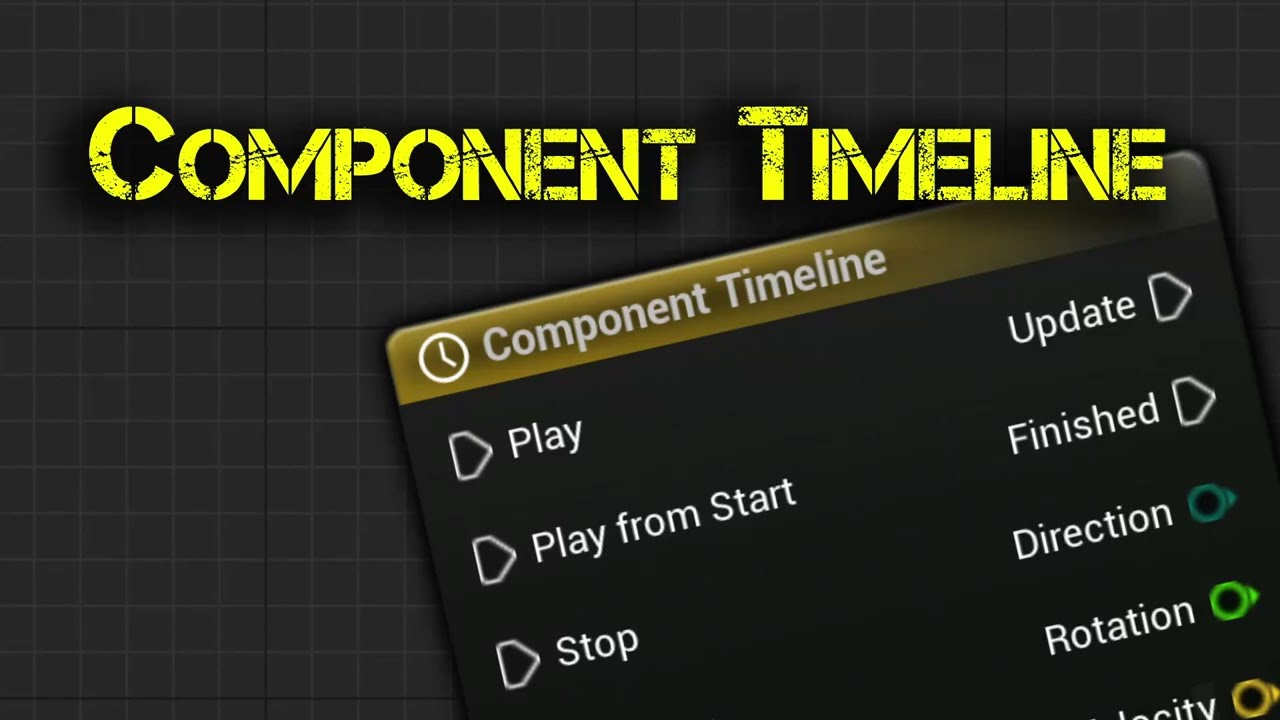
100% of Blueprint Actor Timeline Features, Easy to Use!
The Component Timeline plugin provides all the functionality of the Timeline node from the actor blueprint with the added convenience of placing timeline nodes directly in component blueprints. It's easy to set up and use. With features such as editing of curves, event tracks, and looping ...
 flat sinew
what's the reason for there not being a "BVC Three Vertices" option for this particle cutout setting?

so just one triangle instead of two
with "BVC Four Vertices", my particles have a mesh like this, but that just seems very wasteful as one single triangle could be almost identical in shape to this:
 analog onyx
flat sinew
what's the reason for there not being a "BVC Three Vertices" option for this par...
analog onyx
flat sinew
what's the reason for there not being a "BVC Three Vertices" option for this par...
Extremely rare when a triangle could fit decently to something.
flat sinew
analog onyx
Extremely rare when a triangle could fit decently to something.
I guess my case is extremely rare then, since the shape you see on the screenshot above could well be represented with one triangle...
analog onyx
flat sinew
I guess my case is extremely rare then, since the shape you see on the screensho...
Ye, it is very rare in vfx
fossil swan
@tropic jetty that looks good, but should be posted in #1054845177509974107 instead.
 tropic jetty
Cool deleted 😊
fossil swan
thanks!
 hallow hull
I want to make my first person character blink on screen, or rather, close their eyes for a moment. is this plausible?
fossil swan
@hallow hull bit uncommon, but you could use a post process volume or spawn a particle in front of camera that kinda fakes it. shouldnt be too hard.
hallow hull
fossil swan
<@322221707727208450> bit uncommon, but you could use a post process volume or s...
gotcha, thank you. right now i’m using the post process volume for exposure, what other parts would i utilize?
 glass cipher
hi all, i have this gruesome character with skin simulation in houdini and wondering about the best way to bring it into unreal for a cinematic sequence. for the skin itself ill use alembic, but just wondering what approach would be best for the lines, they are supposed to turn into gore/strands - could i import them as a groom and then make a hair material that looks like blood, or should i just skin them in houdini and make another giant alembic
 remote gull
does anybody know how i can stack MIC's onto a mesh in udk?
slow temple
is there an easy way to copy paste separate particle systems into 1 cascade particle system on ue 5.1?
ctrl-c/ctrl-v don't work, and there are no options for copy pasting in dialog
also for some reason, the "Export Emitter" option does nothing when i click it
 modern pebble
Does anyone here have experience with both Voxel and FluidNinja?
hallow flower
Hello, I have a top-down game, vfx that I use looks different from different directions. In some points it's not even seen. How would I solve this issue?
 eternal pier
I think this is a simple question, but how do I keep the ocean from showing inside/beneath the landmass? I have a cave next to the ocean that is being obscured.

 spark thorn
Guys, guys, how would you do some kind of area light around player?
Just something that would lightly eliminate area around player in dark.
I think Elden Ring has it. But I cant find and image for it.
 feral orbit
kinda weird


inside of niagara system, the emitter does what its supposed to (spawn points on a skeletal mesh, then disturb them with curl noise)
when the system is spawned in world, all the particles collapse to a single point...
feral orbit
feral orbit
figured maybe it doesn't like being spawned in. okay, so i attach the niagara system to my pawn's skel mesh. on auto-activate, everything is all peachy. but if i try and call Activate at any time, the system just doesn't play at all.

okay i see what the issue is. it attaches the skel mesh, which then gets destroyed immediately after. if i don't destroy the actor, the emitter works fine...
so i guess my next question is, whats the best approach to cleanly delete the actor once the niagara effect is finished...
i guess like this.

 versed quarry
Can some Check that link out, I have a problem with masking. The effect works when im using the "Translucent Cube in the Oitliner"
But when i try to use it in sequencer it dont do anything!
Do anyone know a work around?

 main orbit
how would i be able to make the shiny part of my material be effected by light off this cube?

like, reflect the light
main orbit
figured it out. might be a janky way. i made a pawn and gave it a cube mesh. added a light to the pawn then assigned the glow material to the cube
 dark dagger
I'm trying to get Niagara trails to spawn in from chaos data in an area-- I have a gravity weapon that rips geometry collections into chunks that float upwards, and I want a nice glowy distortion trailing each peice.
My big problem right now is trying to filter the affected area so only destruction caused by this weapon is triggered.
The variable comes in with location filtering parameters, but... uh... it seems like this is in world space? Which... sounds kinda nuts to me-- is there any way to filter the Min/Max location to grab the data from to a local area?

 rare seal
can anyone help me with vortex force, new to ue5/Niagara and cant seem to figure it out .
ive tried everything i can think of the vortex force has no affect when applied
dark dagger
rare seal
can anyone help me with vortex force, new to ue5/Niagara and cant seem to figure...
There isn't a real trick to it. Can you screenshot your emitter, and then the vortex settings? Are other forces applying properly?
rare seal
ill screenshot and send rn ill also check and make sure other forces are applying properly
rare seal
had to upload as video it would not let me take a screenshot rn for some reason
ive tried clicking everything and all different values nothings changed so far cant get vortex to even turn on could it be due to torus shape conflicting?
this use to work in ue4 and was told it works in ue5 but no luck so far
dark dagger
Just a guess since I can't test right now, you have an influence falloff set to "on" but with a falloff radius set to 0.0?
rare seal
i was messing wit fall off value right before screenshots forgot to reset values i set too 100 each value still no luck
dark dagger
OK. Is your Curl Noise force working?
Because it doesn't look like it's working.
If the Curl Noise is also not working, then it's probably something with forces generally. Maybe delete and re-add Solve Forces and Velocity? Or--- wait, Shape Location Torus is in Update, not in Spawn?
What's it look like when you disable that Torus shape?
Current theory would be that you're overriding your motion by forcing all your particles into the torus shape after your forces have already been applied.
rare seal
curl noise is not working it has same affect wit or without curl noise applied
if ur theory's correct something in my forces is incorrect
deleting forces and velocity had no affect also deleted curl noise to troubleshoot no change their either let me look into tous shap some more and see what else i can find i appreciate the help and input btw
so upon further inspection throwing the torus distribution mode into direct causes a single particle to vortex as it should but dose not work on random
all though i must say i did like the value the surface distribution added to overall look
accelleration seems to have no affect as well point force attraction i believe none of my forces are working in genral what could cause that?
maybe gravity or mass affecting it?
gravity works as intended but is not the culprit
it has to be something in the forces almost guarantied but cant quite figure it out
dark dagger
What happens when you disable the torus?
rare seal
nothing,continues to hold in place whatever shape i throw it in
the only one that seems to do something is the torus distribution mode and when switched i recieve that single particle vortexing
dark dagger
Ok, my best advice is to ditch this.
Start over.
Get it spawning and rendering sprites.
Then add the vortex.
Clearly an error here (and I still think it’s related up the Torus location being in update instead of spawn) but you have too many points of failure. Solve a simpler version of the problem then step by step get back here, it will give you a clearer picture of where the break is happening.
rare seal
you were right moved to spawn working correctrly now sorry missed whewre you suggested to move to spawn
dark dagger
Hah. Yeah! Update happens every frame
dark dagger
Spawn is what you want for a particle’s initial conditions. So all the other stuff was happening and then the last instruction you were giving them was ‘forget all that, stick ‘em in a torus’
rare seal
lol
dark dagger
Sweet. Glad I could help.
rare seal
again much appreciated your a life saver couple hours for a tab to be misplaced lol go figures ill have to be more careful where im placing them in the future
dark dagger
Nah, it’s one of the differences between Cascade and Niagara IIRC.
Easy mistake to make.
celest birch
Hi, I am trying to create a laser gun, similar to the sentinel beam rifle in Halo. I'm trying to make the beam effect but there's these 2 spheres on the ends of the beam I can't seem to get rid of. May I ask how I can turn them off?
 celest birch
Hi, I am trying to create a laser gun, similar to the sentinel beam rifle in Hal...
celest birch
celest birch
Hi, I am trying to create a laser gun, similar to the sentinel beam rifle in Hal...
Remove the Sprite Renderer.
fiery walrus
Anyone out there got a tutorial for a bullet trace effect with a ribbon ontop of a linetrace?
fossil swan
@fiery walrus cant remember one, but Niels has a thread on realtimevfx.com about UE ribbons
fiery walrus
fossil swan
<@223354327245258753> cant remember one, but Niels has a thread on realtimevfx.c...
thanks! ill check it out
glass cipher
Hi all, when it comes to setting up chaos cloth for characters, does anyone happen to know if its reccomended to have one cloth sim per connected piece, or cna one sim multiple pieces in one piece of clothing?
rare seal
Anyone here know how to reverse a fx in niagara i like the effect ive created more when played in reverse than forward
 rocky walrus
is this type of fog very expensive in terms of performance?
 fossil swan
yes, very yes
 noble echo
The magical Wyeth Johnson and Shaun Kime are going to answer questions on VFX, live in the UE forums in 10—join us with @wicked stag!
https://forums.unrealengine.com/t/ask-unreal-anything-vfx-august-1-2023-at-2pm-est/1246179/10

Topic is simulation stages in Niagara. Apparently it is now (in 5.2) possible to write arbitrarily data from particles to grid collections or render targets (I think this is called splatter). Somehow I can’t make it persistent and I switched back to a gather approach, where each grid iterates over every particle. Would it be possible to set this...
 next kelp
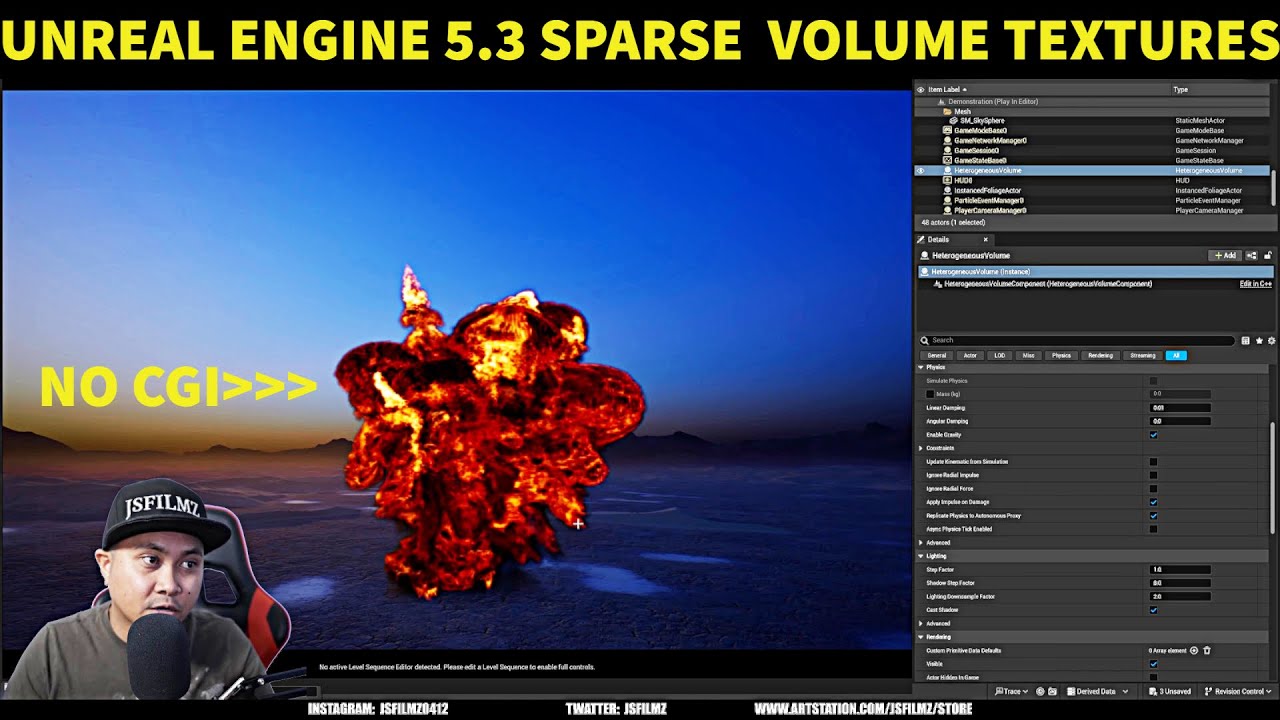
Unreal Engine 5.3 Sparse Volume Texture Tutorial
Thibault's Twitter:https://twitter.com/LambertTibo?ref_src=twsrc^google|twcamp^serp|twgr^author
Free VDBs: https://jangafx.com/software/embergen/download/free-vdb-animations/
Support the channel by buying my mocap helmet!
JSFILMZ Mocap Helmet: https://youtu.be/1mMSdhV6g9s
JSFILMZ Moca...
For anyone that needs to get them setup this tutorial worked for me
VDB in 5.3
next kelp
 devout tiger
Has anyone worked with the sparse volume textures/VDB yet
devout tiger
Has anyone worked with the sparse volume textures/VDB yet
I got mine working now ! 🙂
 vapid scaffold
In general for sparks would it be more performant to make a simple circular mask texture and sample it in the spark material rather than mathematically creating a circular mask?
fossil swan
you win some, you lose some. math is cheaper, but AA -generally-- doesnt like it
main consensus among vfx artists would be to turn math into a texture for better AA control
but in the end, its up tou you.
 raw knot
I'm tryna make my opacity change from 100 to 0 in 3 seconds. I was going to do this through a timeline however it appears I can't use a timeline in the Widget blue print graph, any ideas?
 hard venture
raw knot
I'm tryna make my opacity change from 100 to 0 in 3 seconds. I was going to do t...
hard venture
raw knot
I'm tryna make my opacity change from 100 to 0 in 3 seconds. I was going to do t...
can you do it in a macro and call the macro in the widget... probably not... but maybe?
quasi wolf
how do I stop light sources showing up in reflections

this is showing a glow from wherever Ive placed lights
 sand oak
Hi, any idea why simulation from houdini is with wrong orientation axis, even though I rotated 90 by X axis
for sparse volume texture
vapid scaffold
When I switch my unlit spark material from Additive to Translucent, it only adds 1 instruction but is there more hidden cost here?
According to an article online Additive is the cheapest alternative to Translucent because it does not sort the pixels. This adds its pixels to the scene so it can only brighten. Black pixels in the material have no effect on the scene.
Is the difference between Additive and Translucent negligable in the context of an unlit spark or is there more to it than that?
I see quote from an engine dev regarding the difference between Additive and Translucent:
On modern hardware for a single translucent surface there's no meaningful difference, just different blend ops on the hardware. When you are talking about many layers, there's an additional cost to sort order dependent translucency (blend) vs. order independent translucency (add/multiply).

On 960+ level min spec VR hardware I don't think i'd ever bother making the trade if it made a visual sacrifice of any kind. If visually the results were the same, there might be a tiny savings all other things considered.
So I think this means it's ok to just use Translucent blend mode for sparks / flares etcetera and it'll run similarly to Additive in terms of performance
rare seal
next kelp
https://www.youtube.com/watch?v=L9Zn0AgW3io
is there something im doing wrong with this tutorial i wasnt able to just drag and drop VDB files as he was in tuitorial
tutorials fine let me refrase what am i doing wrong lol
same vdf tuitorial posted above just cant get drag and drop function to work with files will i have to import manually?
i think i may need to change it from a zip to a png in order to transfer im new to this all so still learning how to do everything lol
unable to change from zip to png as folder contains systems hmm let me see if janga has any png files i can try with
rare seal
anyone else that was messing with the VDB have an issue with transferring files from jangaFX to ue5 wasnt able to drag and drop like video shows also unable to transfer files from zip to png format alil stuck here
devout tiger
next kelp
I got mine working now ! 🙂
Nice, me too! I'm having flickering issues with larger vdbs but other than that it's really cool.
You can see the flickering here in this test vdb. It's like 300x150x200 or something like that. I can almost get rid of the flickering by remapping the values of the emission channel but its still there if you look closely. Someone in graphics said it should be fixed in another release. https://www.youtube.com/watch?v=LnwlbHYA2rg

I made the effect in Embergen, rendered in Unreal Engine 5.3 Preview. It's a new and experimental feature so forgive the flickering... that seems to happen when the vdb is of a higher resolution. This one has two fields, density and flame, both around 320x120x275.
It runs about 70 fps in the editor but the vdb loading seems to be the bottlenec...
 thin cosmos
you ever get this working?
rare seal
devout tiger
You can see the flickering here in this test vdb. It's like 300x150x200 or some...
can i ask how you got your vdb to look so good in ue5. Was the portal created in embergen and transferred over? everything i transfer from embergen is extremly pixelated
 solar field
Hello. I have a WaterBodyOcean and I want to create a simple VFX in Niagara that sticks to the surface of the waves, like a wake. I can't work out how to detect the wave mesh in Niagara. I'm sure it's something really simple I'm missing. Any help would be appreciated.
 limpid night
solar field
Hello. I have a WaterBodyOcean and I want to create a simple VFX in Niagara that...
limpid night
solar field
Hello. I have a WaterBodyOcean and I want to create a simple VFX in Niagara that...
https://youtu.be/7DrNy8m1wuo
it's been a while that I did this but this tutorial got me started back then

I didn't use an ocean but it should work too
devout tiger
rare seal
can i ask how you got your vdb to look so good in ue5. Was the portal created in...
Hmmm. what resolution is the grid you're importing?
 coral ingot
Hello, all. I am currently using two ArrowComponents to show the range and spread for my weapons, but I definitely don't want to use Arrows for my production solution. What do you think is the best way to show this same effect without using the ArrowComponents? Keep in mind that the range (length of the arrows) and the spread (their rotation away from the center line) are variable.

Should it be a Plane+Material that takes in the angle and the range and renders in front of the ship? Should it be a pair of StaticMeshes that I build in Blender? Should it be custom code to draw the lines (not sure how that would work, honestly)?
 neat solar
hello all quick question.. im using squad editor (UE4) and im wanting to bring some VFX to a personal project in another editor (UE4).. question is how? the squad VFX is a uasset and i cant seem to get it..
coral ingot
coral ingot
Hello, all. I am currently using two ArrowComponents to show the range and sprea...
I think I've landed on using a Cascade Beam Particle effect

 stark hemlock
Hey, does anyone have any idea how to recreate this effect from GI? Specifically the circled area, it's a decal but looks like it overwrites z-writes with the decal color? This is the closest i got to it but i'm sort of stuck (and doesn't look anything like the original one)

 analog onyx
@stark hemlock compare world position reconstructed from depth XY with respect to decal center XY ?
stark hemlock
analog onyx
<@221802092753321984> compare world position reconstructed from depth XY with re...
the right one (the original one) is super crisp and clear to read, the left one (my attempt) is not, that's the main issue i have. I suspect it's how it's made/rendered it's fundamentally different
analog onyx
stark hemlock
the right one (the original one) is super crisp and clear to read, the left one ...
I just told you how to render it, but if you want to continue suspecting, I can't object.
 dull rock
hey guys, I've been scratching my head on this UE rendering problem.
The renders from unreal engine aren’t matching with the previz we shot. The UE renders all turn out darker. The render also looks darker than on the unreal viewport or render preview. I'm planning to do the composite in davinci. I tried out Ocio transform and creating and rendering a new level + sequence but problem is still there.
Has anyone encountered a similar problem and knows what might be the cause? Any help would be really appreciated!
(More detailed info here: https://docs.google.com/document/d/16FA3Ny-j39hVIj0BwgI8xq2y58IfmfpX/edit?usp=sharing&ouid=111831826192676666738&rtpof=true&sd=true)

2 Problems: When rendering out the background in unreal engineI encounter two anomalies (namely differences compared to the previz footage. All of the shots turn out darker than the Previz background. For 4 out of the 5 days, there is a slight misalignment in the camera position and rotation....
celest birch
Hello! How do i make an particle color dynamic (cascade), so that it changes depending on which surface it "hits"?
is it doable?
 dusk anchor
hihi
We have released a new custom VDB pipeline !
U can use it for free 🙂
https://www.artstation.com/artwork/lDl6Ko
https://www.artstation.com/artwork/lDLLbV

http://artstation.com/argentum_studio
Video introduction - https://www.youtube.com/watch?v=GY9dJ6kGhgs
Download the tools and demo project - https://argentum.studio/VDB/
Documentation - https://www.artstation.com/blogs/andrej730/Lnon/unreal-engine-vdb-rendering-pipeline
http://argentum.studio
http://instagram.com/the.argentum.studio/
http://li...

We presents our new VDB Pipeline Tool | Argentum Pipelines
Produced and created by Argentum Studio.
https://artstation.com/artwork/lDl6Ko
http://argentum.studio
http://instagram.com/the.argentum.studio/
http://linkedin.com/company/argentumstudio/
For business inquiries please contact - hq@argentum.studio
 raw tiger
Hello everyone, I'm in trouble, I urgently need to make fx foam, of the kind that I put on stage and a straight cloud of foam forms. Any information, any advice, all this will help me a lot.Help me out, I do not know how to do it myself.
dreamy quail
Hello, can anyone help me out on creating optimized smoke for mobile
I wanted to create a smoke that cover up the screen for few sec
 spring hull
Hi, is it possible to stop fire going through mesh ? i've tried to follow a few tutorials without sucess so far
 young canyon
spring hull
Hi, is it possible to stop fire going through mesh ? i've tried to follow a few...
young canyon
spring hull
Hi, is it possible to stop fire going through mesh ? i've tried to follow a few...
If the fire is a sprite then you have to either add a collision module in the particle update. Or make you're own collision system.
 viral carbon
hey there. what the best way to start with vfx? I want to be abe to do some magic spells but also fire and smoke animations as well as blood. Any tips on where and how to start?
spring hull
young canyon
If the fire is a sprite then you have to either add a collision module in the pa...
Thanks, I tried this but there is something I might have done wrong since collisions didn't work on my sprite
young canyon
hmm, strange. have you tried scaling up the collision radius?
 molten lynx
Hi c:
I'm working on a PostProcessing (PP) blur VFX and got stuck.
I want to figure out how to get a frame on certain PP step, render it to a RenderTarget, do some shader magic, and pass it back to the PP.
The best would be if anyone can tell how to grab **PostProcessInput0 **on BluePrint side of things as a **Texture **or RenderTarget (RT).
***here's more in-depth explanation: ***
I'm making a frosted ice full screen VFX, and the shader blur function requires MipMaps.
I didnt manage to read MipMaps from PostProcessInput0 in Material Graph. Not sure UE even generates them.
So, I thought it would be cool to just render **PostProcessInput0 **to a separate RT, generate MipMaps and use an extra pass.
Unfortinatelly, I couldnt find a way to render **PostProcessInput0 **to a RT.
I tried to use SceneCapture component, but it has its own issues, it doesnt render RayTracing, uses incorrect color space etc. It seems like its not the best way to go.
So, please, if anyone can suggest how can I inject a multipass VFX into PostProcessing, and get **PostProcessInput0 **as RT, I'd really appreciate.
I wouldnt mind write a bit of code c:
p.s. let me know if there's a better channel to post it
 spring hull
young canyon
hmm, strange. have you tried scaling up the collision radius?
spring hull
young canyon
hmm, strange. have you tried scaling up the collision radius?
I'm going to check this thnaks for the tip
 storm wren
hello , these kind of niagara fx have a bad red emmisive , where should i tweak that ? How i can get rid of that red radius thing? thank you 🙂

 tired needle
Hello, i was wondering if any1 could send me a website with allot of textures/ flipbooks i can use for my vfx
next kelp
rare seal
is there something im doing wrong with this tutorial i wasnt able to just drag a...
is it definitely Unreal 5.3? yeah dont drag and drop zip files you have to drag and drop like the first file in the folder
next kelp
devout tiger
You can see the flickering here in this test vdb. It's like 300x150x200 or some...
very cool that looks amazing
 quaint steeple
Why has this happened to some of my particle effects?

Many also dont show up at all in the editor
dreamy quail
Can anyone help me help me out on creating heat vision effect in Quest 2 VR supported or any info where I can look forward
limpid night
is it possible to extend the render distance for the global distance field? this setting doesn't seem to do anything for me unfortunately (5.2.1)

alright, found the solution:
lumen scene view distance in the post process volume overwrites that value
limpid night
tired needle
Hello, i was wondering if any1 could send me a website with allot of textures/ f...
this is a nice texture pack
https://nielsdewitte.be/index.php?page=Pages/VFExtra.php
VFX Portfolio Niels Dewitte
 old patio
I had a question - has anyone tried using houdini 18 VATS (virtual animation textures) importing them to unreal 5?
 fierce field
hello everyone! 👋
I used to have working footprints with UltraDynamicWeather effects. but now i noticed the footprints will project throughout the entire Z axis. so nomatter how high up in the sky the player is i will get footprints. i must have messed something up with the physics or else. any clues?
 bright oar
Fluid sims and imported VDBs seem to have a render distance limitation and I haven't been able to locate a CVAR or other setting in the volume actor or material settings that can extend it. Does anyone have any ideas on how to do so?
 fierce egret
Hey guys, I've got a quick question. Is there any way to exclude particle materials from Post-process (or at least from bloom effect)? Like for example I need to have increased bloom overall but I don't want it to affect my fire particles.
 lean vortex
Who knows how to make particle blowing?
There are particles floating in the air, and when I stir them with my hand, I want the particles to react and fly around
golden umbra
lean vortex
Who knows how to make particle blowing?
There are particles floating in the air,...
To do it properly you need to use a fluid sim.
Or you're gonna have to start faking it with particle attractors/repellors
hard venture
I've exported a density only VDB from houdini, and followed winbush's tutorial, but all i get is a box, no density. I have normalized the density so it is 0-1. Seems like there's a step I'm missing somewhere. Any one have another tutorial getting the VDB/SVT-> heterogenous volume woring in 5.3? thanks
hard venture
Never mind, looks like setting the VDB file in the mat inst doesn't work, it has to be explicitly set in the parent material... guessing that's a bug...
 mossy scroll
Guizz i need your help i wanna learn everting about real time vfx...can you recomment any course or youtube channel...i use unreal 5
hard venture
mossy scroll
Guizz i need your help i wanna learn everting about real time vfx...can you reco...
start with Niagara, CGHow has a ton of tutorials...
 plain egret
fierce field
hello everyone! 👋
I used to have working footprints with UltraDynamicWeather ...
plain egret
fierce field
hello everyone! 👋
I used to have working footprints with UltraDynamicWeather ...
i dont know much about fx but cant you just check if the player is on the ground?
 gritty sierra
Hi, is there any way to 'cut' ribbon vfx? Like when you disable the vfx and enabled it somewhere else
right now the ribbon will always try to continue from where it was left (last spawned).
My method of disabling the ribbon is by setting the spawn rate to 0 btw
fierce field
plain egret
i dont know much about fx but cant you just check if the player is on the ground...
managed to fix it the other day. was a custom distance field mesh i generated with PCG. it was messing with the colliders. removed it and now works
plain egret
fierce field
managed to fix it the other day. was a custom distance field mesh i generated wi...
oh interesting alright
 dense abyss
Anyone else playing with 5.3 getting an immediate complete system crash after adding a simple Niagara gas emitter to your level?
 fresh sorrel
hey does anyone know where i can find a tutorial for model and texture wobbling for ue5. Ive looked everywhere and im just curious if anyone knows where i can find one. Thanks!
 faint kernel
Hi, does anyone know how to solve this post process riddle of mine? I want to create a Grid like in picture 2, but I want it to extend on the Z axis like in picture 1. I tried a bunch of combinations but I cant get this to happen. Does anyone know what I am missing? I added a photo of the nodes I am plugging in the pp material


 vast hemlock
Hey guys! I am new to Unreal Engine and I have a quick question!
I am starting a Houdini Pyro -> Sprites -> 2D Sprites in Unreal for the Fire workflow as I wish to learn how to do it
I will be adding the fire sprites to a campfire; the scene will be at night; is it possible to make the sprites emit the same color as a fire would, from emission, or is that not possible?
...or if anyone knows a good tutorial that would cover that, please link it!
upbeat spire
vast hemlock
Hey guys! I am new to Unreal Engine and I have a quick question!
I am starting ...
You need material with emissive attribute defined (as color or texture multiplied by color), and "use emissive for lighting" box checked.
https://youtu.be/uQG0SWv5lbw?feature=shared
https://docs.unrealengine.com/4.27/en-US/RenderingAndGraphics/Materials/HowTo/EmissiveGlow/
In this video, we start at the very beginning with learning to create shaders in the Unreal Engine 4 - by answering the question, what is shader, talking a bit about the history of shaders and what properties of a material we're defining with a shader.
We also go over the basics of how to create a new material, and the user interface of the Unr...

A How To Guide for using the Emissive Material input inside the Material Editor in Unreal Engine 4.
vast hemlock
Thanks a lot @glass kite !
upbeat spire
Or use "light renderer" on the bottom of Niagara system https://docs.unrealengine.com/4.27/en-US/RenderingAndGraphics/Niagara/HowTo/ParticleLights/
How to create a particle light within your Niagara system.
 green portal
So I've got this animated character covered with fur. The groom is exported from Xgen in Maya using multiple descriptions that separate different parts of the body. It ALMOST works. However, the fur around the corners of his mouth just spin out of control whenever he smiles. I haven't separated upper and lower mouth on alembic export, but is that really what's going on here? It's merged upon export into one groom anyway. This happens whether I use blendshapes or skinned mesh. I've tried just about everything. What is causing this artifact?

 torpid gale
lol that looks like a skunk toy we made once...

 lunar iris
Hi I have a problem with I think HDR? Because when I enter a room with dark materials unreal brightens up the whole picture. Bright assets just become white. Black objects like the button on the right appear dark grya despite actually being absolutely black

When viewed from distance in brigh room
 vast hemlock
upbeat spire
Or use "light renderer" on the bottom of Niagara system https://docs.unrealengin...
vast hemlock
upbeat spire
Or use "light renderer" on the bottom of Niagara system https://docs.unrealengin...
I will be most likely using this, thank you!
 onyx leaf
bright oar
Fluid sims and imported VDBs seem to have a render distance limitation and I hav...
onyx leaf
bright oar
Fluid sims and imported VDBs seem to have a render distance limitation and I hav...
I don´t have this problem here
 copper maple
Any ideas how to "cluster" Niagara particles so the don't end up being an even soup in a box location? What I can think of is some kind of redistribution map that moves particles in based on a scalar gradient. The proposed solution to spawn a lot and kill them of based on a grayscale texture seems to require a bit to many when working with a volume. I want to have clear clustering of particles so the cores needs to be quite dense.
analog onyx
copper maple
Any ideas how to "cluster" Niagara particles so the don't end up being an even s...
Importance map
copper maple
analog onyx
Importance map
What do you mean? Is that the correct name for that map. Do you have any information about how to use it?
analog onyx
copper maple
What do you mean? Is that the correct name for that map. Do you have any informa...
Search for importance sampling.
I think I also left step by step guide on one of the discords, but I dont remember if it was here.
 wintry moat
Hey!
Is there any information about creating a "naked eye" effect in UE? Cause I saw some videos about using Nvidia Config, but I can't find any more information about it...
 turbid frost
lunar iris
Hi I have a problem with I think HDR? Because when I enter a room with dark mate...
turbid frost
lunar iris
Hi I have a problem with I think HDR? Because when I enter a room with dark mate...
Seems like auto-exposure in camera/post-process settings. Lots of settings to tinker with there to darken the image
vast hemlock
Hey Guys!
I am using UE 5.3 and I am importing a VDB, it imports and after 5...10 seconds it dissapears from the content drawer. What could it be?
 full path
Hey! Not sure if this is the right channel to ask. Does anyone know if there's a way in 5.3 release to fix VDB streaming from the DDC? I've looked under the r.Heterogeneous.x commands, but not seeing anything.
If you have a dense VDB (from embergen in my case) the VDB will switch to a low rez version once and a while if your hard drive can't stream it fast enough. Creating a voxel spazing type effect.
is there a way of loading it in memory before playback now? This is for a cinematic I'm rendering in MRQ so not worried about performance too much.
thanks in advance!
 dawn sage
Anyone know a fix for these pixelized voxelations with VDB Heterogeneous volumes in Pathtracing?

 zenith glen
Hey, trying to get a 90s anime toon shading going with dynamic lighting utilizing lumen, however I'm encountering this last issue which I cannot wrap my mind around, while I do know it's lumen issue, I can't seem to get ot the bottom of it.
edit : using a post processing effect
would you guys have any suggestions ?
PS: yes that is quinn's butt
plain egret
how would i make speed lines depending on the players' velocity?
upbeat spire
zenith glen
Hey, trying to get a 90s anime toon shading going with dynamic lighting utilizin...
I'd say it's a feature, not a bug. The Four Rooms bellboy style. Looking good. Problem solved.
 oak karma
Hi. How to enable foam in Water plugin for ocean? 🤔
Any link or video.
full path
 cyan radish
path tracing only atm I believe
 white path
Hey all - I've been working on some volumetric clouds recently, utilising the default volumetric cloud component to render free transforming VDB files from Houdini. One issue that I am encountering though is that changing the scale of the VDB files MASSIVELY affects how it looks, and the smaller it gets the more noisy it gets. Upping the viewsamplecountscale doesn't seem to fix this past a value of 8 or 9. Does anyone have any ideas as to why this would be and how I could mitigate this issue?
Screenshots are of the exact same VDB file in the same scene just scaled up transform wise.


 jolly violet
hi there, regarding the new implementation of the vdbs in Ue using the heterogeneus volume, am i the only one who cant make work the temperature and Blackbody param? it does not work for me, density is ok but i cant have the fire even with absurd ammounts of multipy
i followed numerous times the tutorials for the material but the temp is still not working
and the vdbs come frome janga so they have the temp
looking into the import settings the temp is flagged
so idk
am i missin something ?
this is the graph

 ashen willow
Is there an elegant way to 'auto-detect' the correct location to spawn a footstep FX (i.e. locate the foot or bone that's closest to the floor)? Or do I have to manually pass through a left/right foot bone name into my FX spawner Animation Notify??
 final blade
So I added a cascade particle trail to my bullets that shoots out of this character bp, and after shooting 30-60 or so times (but it's VERY inconsistent) this white rectangle appears behind my character. Seems to happen more frequently if I'm shooting over top of the grey material instance the character is standing on in the image, but it will definitely happen when that's not even on screen.
Any thoughts or pointers on how I can begin to trouble shoot this? Very new to working with effects of any sort.
 rocky walrus
Hi there! I have a noticeable edge when the vfx is spawned, it tries to much the camera when I rotate it, any ideas on how to blend this effect a bit?
 fossil swan
@rocky walrus try a depth-fade in the material
 abstract lion
I'm trying to use a cloud lighting plugin and currently it works, but when animating the lights to flicker like lightning, the clouds display weird line artifacts, any idea what's going on here and how to mitigate it?
 woeful estuary
yo anybody familiar with using chaos for fracturing objects
 floral hawk
Hi, I'm trying to change the skybox. I've imported a JPG and edited the settings to be:

However, when I try to apply it to a material, I get this error:
 quasi wolf
Im struggling with lighting a little, if I put a light inside a window it doesnt light the wall of the house, but if I have it in front of the window its too much on the wall, how do I find the balance?

 white path
quasi wolf
Im struggling with lighting a little, if I put a light inside a window it doesnt...
white path
quasi wolf
Im struggling with lighting a little, if I put a light inside a window it doesnt...
I woudn't use a point light here particularly, maybe try a rect light
 clever niche
Guys where can i change the bounds where can particles spawn?
errant ridge
AOV's for Niagara fuilds? Is there a MRQ setting that renders AOV's for Niagara Fluids so the FX can be composited?
quasi wolf
white path
I woudn't use a point light here particularly, maybe try a rect light
ah yeah that would fit it better to the shape, but it doesnt solve the problem since those can only light in one direction
 obsidian wadi
Hello. So my code is building and compiling properly but whenever I try to launch unreal it crashes. And this is the piece of code that is making it crash.
H:
UPROPERTY(Category="Variables|Components", EditAnywhere, meta = (AllowPrivateAccess = "true")) class UParticleSystemComponent* VFXComp;
CPP:
#include "Particles/ParticleSystemComponent.h"-Header is included.
VFXComp->CreateDefaultSubobject<UParticleSystemComponent>("VFXComp"); -in constructor.
I'm using Unreal 5.3, I know the component might be outdated, so if that is why this is failing, can I please get an alternative? I don't think I can use that particle asset with Niagra?
Or maybe the issue is something small like including something in Build.cs? The tutorial I am following didn't do it.
 visual kayak
Is it fine to use Virtual textures in the materials for VFX?
visual kayak
Probably they don't like things that move lol
Curious if anyone dabbled with it anyways,
Might have to drag race the same material, just one with VT lol
Try new things for gains however small, Precious Vram
Ye ill get around to it, Im finishing displacement passes in speed tree rn, was a random thought i had doing this tedious work.
 winter pulsar
Just wondering if there is a way to apply a curve to affect the eye adaptation speed?
I want the eye adaptation to move quickly near the middle nominal values, but take a lot longer to adjust to the ultra low values.
To clarify even more, when the player goes outside from a bright interior space, initially they can see a little bit over the first few seconds of being outside, and that adjusts fairly quickly, then over the next minute or two they can slowly see better and better, as long as they don't look at anything substantially bright to ruin their night vision.
Any ideas on how to do this?
 onyx compass
Hello, I'm trying to test the new UE 5.3 VDB features, im trying to export a Phoenix fire simulation from Maya to UE but I'm getting this error. I'll apreciate your help, thank you in advance.

Output settings

 lone wing
 plain salmon
Niagara Set Float Array?
oblique briar
Does anyone know how to get VDBs to cast shadow and receive skylight/lumen/bounce light, it seems to not get any bounce light
 woven brook
hi. did you ever figure this out? i'm looking to do the same thing but in order to get the edges to be soft, i have to use fresnel, which actually is the problem cause when you look at it head on, it disappears.
 solid mortar
Hello, im not an artist, and actually im trying to do some enemy battles, what I actually need to do is those decal materials indicators before the skill. My enemy will do a damage based on a "cone angle" in front of him. So im trying to achieve this on material editor. So far this was what I was able to do, maybe someone can help me what should I do to control the angle of this cone material?
 solid mortar
Thanks you for the answer, but i have no idea how to do this angle, the input says its a v2 but idl what to do with that, maybe can you help? I did that by trial and error, so i dont understand much of the math on shaders
There is a node to get a specific angle?
neat solar
Ok I have a question… I’m wanting to take some vfx from squad and put them in to a mod I’m working on for MW5. Now I exported them fine and let it do its thing, but when I went to open up the files, it only showed like the sparks, but the rest was Ike the missing grey checkered texture.. any ideas?
 normal olive
Hi all... if I want an effect where I want to make the sea part in halves - like in the bible story - Can I do it with Fluid Ninja ? I'm submitting a video - as to what I'm looking to do, thanks to all responders : https://www.youtube.com/watch?v=Q9UP65PRKlo

 mortal bronze
I want to make a material to cover the moon so that it resembles the states of the moon in the image on the right. Can anyone help me with this part? I'm quite new to it.

 fossil swan
normal olive
Hi all... if I want an effect where I want to make the sea part in halves - like...
fossil swan
normal olive
Hi all... if I want an effect where I want to make the sea part in halves - like...
no, its a lot of custom blueprint/sequencer work, shaders on static meshes, particles, and more. while that effect looks so-so, you'd generally need a decent to good vfx artist to pull it off.
also, next time, dont crosspost. #rules
normal olive
fossil swan
no, its a lot of custom blueprint/sequencer work, shaders on static meshes, part...
Thank you !
 fervent terrace
hi! is there a way to exclude one cloth asset from wind directional source? in meanwile other keep effected by wind
 trail needle
Hello everyone, I'm a Houdini FX artist. With Unreal 5.3 now supporting VDB, we can utilize VDB in real-time. If anyone is in need of high-quality FX simulations, feel free to reach out to me.
Reel : https://youtu.be/82Z7KsSrAVQ
Gmail : praneemrasheed@gmail.com
oblique briar
Is there a way to adjust the culling distance on volumetrics/VDBs? I only seem to get culling in the distance on VDBs, nothing else, any ideas??
 oblique briar
also, how can I get the VDB to be affected by fog, it does not seem to be at the moment, or am I wrong?
 gaunt prism
trying to create a "realistic-ish" night vision post processing with a COTI thermal highlighting system


i have one glaring issue and that is that the post processing effect casts lumen screen space lighting (ot at least i think) on the SceneTexture:PostProcessInput01.
does anyone know how to disable this?
 worthy kernel
oblique briar
Does anyone know how to get VDBs to cast shadow and receive skylight/lumen/bounc...
worthy kernel
oblique briar
Does anyone know how to get VDBs to cast shadow and receive skylight/lumen/bounc...
Right now, heterogeneous volumes only receive shadowing from other geometry but do not cast shadows onto them. You can enable indirect illumination via a CVar to get contribution from the Lumen translucency volume, but it is not currently self-shadowed within the HV.
[There is no application of SkyLight in the indirect term, only the Lumen translucency volume]
worthy kernel
oblique briar
Is there a way to adjust the culling distance on volumetrics/VDBs? I only seem t...
You can adjust the culling distance with a Heterogeneous Volume CVar. It is currently aligned with HWRT’s max tracing distance.
worthy kernel
oblique briar
also, how can I get the VDB to be affected by fog, it does not seem to be at the...
HV’s are not currently integrated with other translucency techniques, but this is planned for the future.
 slim osprey
Hi guys!
Can you please tell me the names of good VFX courses?
I want to start from basics to advanced level
 brisk ice
errant ridge
AOV's for Niagara fuilds? Is there a MRQ setting that renders AOV's for Niagara...
brisk ice
errant ridge
AOV's for Niagara fuilds? Is there a MRQ setting that renders AOV's for Niagara...
After digging around, I haven’t seen anything yet, it would be really fantastic though. Has anyone else seen or cooked up anything?
brisk ice
jolly violet
am i missin something ?
I’m not certain where your issue might lie, but are you certain that there is data in the channel that you’re trying to access with temperature? Sorry to answer a question with a question, but I’m hoping that might help…
jolly violet
brisk ice
I’m not certain where your issue might lie, but are you certain that there is da...
yeah, i had one vdb done by me so maybe there i can have som errors but after i tryied even with the vdb that jenga fx gives, and those have temperature for sure (the exposion vdbs obvsly)
 bright panther
slim osprey
Hi guys!
Can you please tell me the names of good VFX courses?
I want to start f...
bright panther
slim osprey
Hi guys!
Can you please tell me the names of good VFX courses?
I want to start f...

Learn the magic of visual FX for games and film. Master of the elements with professional 2D and 3D VFX courses teaching you the skills and tools used by major studios.
oblique briar
@worthy kernel , thanks for the VDB info, really appreciate the answers. Question about the CVars, is there a particular one for enabling "enable indirect illumination" for the volumes? Same for the culling distance for the VDBs, I dont know the specific CVars off the top of my head.
 sharp lily
Dang it! I posted to the wrong channel. I apologize and will move that post.
slim osprey
bright panther
https://www.vfxapprentice.com/
Thx
white path
Would anyone know a direction to go in to have multiple sky atmospheres? It's currently not possible but in my scene I have multiple planets and am looking to have mulitple atmospheres (where you can go from space to surface), should I go for a shader of sorts or is there a plugin anyone knows? I've attemped my own stab at a shader but I cannot seem to get it looking right - and it doesn't work to transition to the surface
analog onyx
white path
Would anyone know a direction to go in to have multiple sky atmospheres? It's cu...
The direction would be not to go that direction.
use only 1, adjust your game accordingly
white path
analog onyx
The direction would be not to go that direction.
Hmm okay, if you have multiple in a scene the only one that gets showed is the one thats been dragged/updated, I presume there is a way to fade in and out the atmosphere and then toggle them and load it in for the closest planet or something?
analog onyx
you can change atmosphere settings, yes but you need to hide transition. How to do that, however, is up to you
white path
Ok cool thank you :)))
 random saddle
Hey, it's been a while since I've used Cascade, but I'm trying to change the sprite material's dynamic parameter within an emitter, but I'm not really getting the option for it. What am I missing here?
 turbid frost
white path
Would anyone know a direction to go in to have multiple sky atmospheres? It's cu...
turbid frost
white path
Would anyone know a direction to go in to have multiple sky atmospheres? It's cu...
One way to do it is have two sky atmosphere components and use a zone trigger to activate/deactivate them
 candid zephyr
Does anyone know if there is a way to set viscosity and friction with respect to Niagara fluids and objects they collide with?
 earnest totem
Hey guys! Is it possible to use exponential height fog together with composure compositing? I'm using UE5.2 but can't get it to work.
 tepid spruce
hey all , has anyone found a way to force heterogeneous volumes to render mip 0 and not flicker between frames/samples when using the render queue
 golden rover
hey there. i just installed 5.3.1 and played around with the latest niagara fluids.
for some reason, i can always see some sort of rasterization or dithering and the smoke flickers as if it was z fighting.
i checked some tutorials, built exactly what i saw and in the video the issue does not seem to be present while for me it is.
do you have to change your editor settings/preferences or something? hardware wise i am pretty much up to date.
i also noticed that in my game, the red bounding box is never removed, even after the system died off long ago
 stoic zenith
I have a landscape with a sand dune texture (Megascans) and converted to Nanite with displacement.
Is there some way of exporting this displaced landscape as a mesh so it can be used for collision in another DCC?
 royal prism
I don't think you can bake out the nanite landscape displacement
 dapper hedge
Hey! I am having some troubles with VDBs in unreal, for some reason they just dont show up in heterogenous volume when I apply the material
I followed a few tutorials that teach how to make materials for VDB but none of them worked
VDBs only wotk in viewer for some reason
Can anyone help?
worthy kernel
golden rover
hey there. i just installed 5.3.1 and played around with the latest niagara flui...
What in the world… does it look like this when you drop the system in the editor?
golden rover
worthy kernel
What in the world… does it look like this when you drop the system in the editor...
yes
worthy kernel
dapper hedge
Hey! I am having some troubles with VDBs in unreal, for some reason they just do...
Have you tried connecting to the released Engine material? You should make a material instance of
/Engine/EngineMaterials/SparseVolumeMaterial and fill in the details with your imported SVT and wire up the density and emission channel to match the arrangement of your SVT import
worthy kernel
golden rover
yes
I’ve only seen this behavior when toggling custom CVars. Out of the box, it should not be flickering against the default Niagara Editor lighting config
Specifically if you turn off the lighting cache in 5.3.1 you will cause this kind of flickering.
dapper hedge
worthy kernel
Have you tried connecting to the released Engine material? You should make a mat...
It worked, thank you so much!
I will try to understand why none of my materials worked...
 crisp edge
Howdy yall
Anyone here able to help me fix my depth of feild ?
Im using the ALS Rif, their camera is already setup.
Im new to UE4 and trying to wrap my head aorund depth of field
The post processing depth of field is more like an annoying blur. how should i go about adding it ?
though perhaps i just have the wrong settings?
thanks !
crisp edge
for instance its blurry even super close even though the distance is far

I tried to adjust it but when i get where i want it, then my chracter is blurred out lol
jst doesnt seem to be working properly


seems to do the opposit


 frail palm
Kind of a specific question but does anyone know if it's possible to use GameplayCues to spawn entirely different NiagaraSystems based on GameplayCue parameters? I've seen some examples that parameterize material parameters and so on, but nothing that handles entirely different systems.
Scenario here is that I want to spawn GameplayCues based on events for Characters (e.g. Footstep, Jump, Landed, etc), but I don't want to have to define custom GameplayTags & GameplayCues for every event for every Character subclass I make. This can easily get out of hand if I have say, 10 different Character types (Human, Goblin, Orc, Ogre, Dragon, etc) that all have 10 events. I'd rather pass additional data (a tag, most likely) in the GameplayCue parameters and then use that tag to determine the type of NiagaraSystem I will create
tepid spruce
Hey all, can we force mip 0 on animated sparse volume textures in unreal 5.3.1 when using the render queue ? It seems to jump between detail levels during frames and samples, settings/cvars dont seem to do much.
plain salmon
Hello everyone, I have a material that is similar to cel shading, which primarily relies on emission and default lighting. I want this material to receive shadows from other objects in the scene. First, I attempted to create a custom node and access light data using HLSL. However, it seems that UE5 doesn't share data such as light color, ShadowAttenuation, DistanceAttenuation, etc. Then, I tried to recreate the shader using post-processing by desaturating the scene view and re-mapping the values. However, this method has several limitations, especially because my shader heavily relies on manipulating normals. Therefore, I'm seeking advice on how to cast shadows on a material that utilizes emission or any alternative method to achieve a similar effect.
eternal pier
It was working until suddenly it wasn't lmao

How do I start troubleshooting this?
Note: New created water bodies on this map also have the red X
worthy kernel
tepid spruce
Hey all, can we force mip 0 on animated sparse volume textures in unreal 5.3.1 w...
Are you using the Heterogeneous Volume Component? If so, you will want to check “blocking requests” under the streaming section.
tepid spruce
worthy kernel
Are you using the Heterogeneous Volume Component? If so, you will want to check ...
thanks but tried that and doesnt seem to make a difference. I am spawning a Blueprint with heteroVolComponent inside and ive also tried just components in the level. EDIT I said doesnt make a difference, it does , its lower mip levels when off but still drops levels when on
full path
I'm hitting the same issues with SVT as a few people , when there's too much voxel density it can't stream fast enough and becomes blurry.
I'm working on a rendered cinematic and don't care too much about framerate, is there a way to force the sim to cache entirely so there's no streaming?
Someone mentioned:
r.SparseVolumeTexture.Streaming.PrefetchMipLevelBias and issue blocking request. The mip level is set to 0. But none of these options seems to have much an effect.
worthy kernel
If y’all want to dump some candidate OpenVDB frames to a Drive folder that exemplifies the behavior, I’m happy to take a look. I would expect that “blocking requests” was enough, but perhaps the voxel density is really high and raising the base “MIP” level in the advanced section is necessary.
tepid spruce
worthy kernel
If y’all want to dump some candidate OpenVDB frames to a Drive folder that exemp...
I have been testing it at work to find it's limitations so can't share any files but it's weird, I can throw 40 todd instances of a sequence playing with time offsets from a blueprint and it flickers the same as just one. If they can sort that and for the sake of my sanity a proper solution for translucency blending I'd be happy. I can wait for shadows.
Coming from a mainly Houdini background, translucency and sprites has been like going back to cg in 1999
worthy kernel
Yeah, we will be looking into streaming optimization and general integration challenges for this period.
 wintry vale
How are we supposed to render out VDBs with a material? I made a smoke sim in blender and imported the VDBs. I can test seeing it with the Sparse Volume Viewer. Is there an example material to use? Does the material change depending on what tool we use to author the VDB?
royal prism
wintry vale
How are we supposed to render out VDBs with a material? I made a smoke sim in bl...
https://forums.unrealengine.com/t/5-3-heterogeneous-volume-rendering-tips-and-tricks/1291002 read into this if you haven't already

5.3 Heterogeneous Rendering tricks I’ve been playing with 5.3’s Heterogeneous Volume. Here are some additional information for anyone interested, since there’s no good documentations out there yet. Feel free to correct me/add more tips! It’s supports panoramic rendering in Movie Render Queue extra pass. VR - Not tested Path tracing - Should b...
royal prism
here are some specific settings I'm using with the above methods (haven't implemented the distance to center fade yet)
could probably still use some adjustments but that should get you close without having to mess around with it too much

 wintry vale
royal prism
https://forums.unrealengine.com/t/5-3-heterogeneous-volume-rendering-tips-and-tr...
wintry vale
royal prism
https://forums.unrealengine.com/t/5-3-heterogeneous-volume-rendering-tips-and-tr...
Looks like no VR support? Also a few bugs like you can't use a material instance and not to play while you mess with the settings. But I can't see anything no matter what I try.
Guess I'll wait a bit more for that to improve.
My guess is maybe there is no forward renderer support yet either.
Although I see results with the Veiwer so IDK...
They also should just provide a working material with the editor
wintry vale
its also odd that the plugin version was/is more robust than the in engine version?
royal prism
wintry vale
Looks like no VR support? Also a few bugs like you can't use a material instance...
you can use a material instance, It usually updates (but not always)
forward rendering and VR support isn't something I'd necessarily expect for a new (relatively heavy) feature, for now it's something you'll have to experiment with if you want it.
The plugin was more both more and less robust depending on how you want to quantify it. A plugin is free to break things, built in support is not.
wintry vale
Left is the material provided by the engine set to attribute B with Blue channel. Right is preview of Blue channel

is there at tip to know which is density vs which is temp?
worthy kernel
When you import the VDB file, you declare the channel arrangement. When you instance the engine material, you can modify the parameters to reflect your import decision.
wintry vale
worthy kernel
When you import the VDB file, you declare the channel arrangement. When you inst...
Sorry wasn't really clear about my confusion. I know which channel is density and which is temp, but like which is which when it comes to rendering? I"m only confused because seemingly no combination of anything is showing via the material
I imagine that some data be it from desnity or temp plugged into the Albedo should show something assuming there is data form the VDB to pull from. And since the preivew shows something I take it there is data. ANd since I see VDB plays back in preview that tells me the material should work? But yet I can't get it to show anything.
wintry vale
dapper hedge
It worked, thank you so much!
I will try to understand why none of my materials ...
Did you ever sort out why the materials didn't work? I'm having issues even with the native one.
dapper hedge
wintry vale
Did you ever sort out why the materials didn't work? I'm having issues even with...
No, not really
The game was for the jam and I didnt have time
wintry vale
dapper hedge
No, not really
The game was for the jam and I didnt have time
What did you use to author the VDB?
dapper hedge
I used the native material
wintry vale
dapper hedge
I used the native material
Right but what did you use as make the VDB data for the native material?
dapper hedge
wintry vale
Right but what did you use as make the VDB data for the native material?
Some clouds from jangafx
white path
Hey all, soo a bit of a strange one today, for some reason when I updated my scene from 5.3 to 5.3.1, my beautiful VDB cloud scene turned into this:

Completely unrecognizable, does anyone know why this may have happened? The VDBs were exported from Houdini as 32float VDBs, but when I try to reimport it auto selects '8 bit unorm' for some reason?
 coarse cosmos
not sure if right channel, but how do I use water lake for example, but use custom chosen shape from modeling tool for lake shape ?
somebody said it was poss. but I see no way of doing it , maybe it has to be done in bp ?
just want to avoid having to modify terrain to hide edge of rectangular water shape which is default
 brazen moth
hihi, i'm trying to create the kuwahara filter / painterly post processing and i think i'm following the tutorial that i've got exactly but itdoesn't seem to be working
does anyone know why? sorry i'm completely new to ue


 paper sinew
Can anyone tell me why my HeterogeneousVolume is disappearing? I thought maybe it was a culling thing, someone else thought it might be a bounds thing...I can't figure it out. Any thoughts?
 analog onyx
running out of steps
brazen moth
brazen moth
hihi, i'm trying to create the kuwahara filter / painterly post processing and i...
hi! any ideas?
 north phoenix
Anyone know how to move the Volumetric Cloud actor away from 0, 0, 0? I want to use it on my up to 6 planets that are out past 100 million units or more, move it around on tick based on the planet im closest to at the time (or maybe im mistaken and i can have more than one?). I'm hoping to not have to crack the C++ open... or write it from scratch.
worthy kernel
paper sinew
Can anyone tell me why my HeterogeneousVolume is disappearing? I thought maybe i...
Looks like r.HeterogeneousVolumes.MaxTraceDistance needs to be raised. Default is 30k.
worthy kernel
north phoenix
Anyone know how to move the Volumetric Cloud actor away from 0, 0, 0? I want to ...
You can use the standard actor manipulator to move the HV actor. I would expect you can drive the transform via blueprint as well.
 tight goblet
Hi ! Has anyone ever tried to do a similar effect ? https://www.youtube.com/watch?v=EQDZS7N2DYE&t=2s&ab_channel=IOchair Ive already played with kuwahara filters in the past, but im curious about the temporal dithering implementation. If you have any resources That can help that would be lovely !
YouTube

By adding time dithering to the Kuwahara filter I've achieved an unprecedented stylization effect in the unreal engine.
 autumn mauve
Any idea why muzzle vfx look like this?
 royal prism
no material applied?
 ornate rover
I have the weirdest bug when resizing a split-screen viewport with FXAA:
I also notice artifacts when using no AA. When using TSR the artefacts are gone.
Also this is a new empty project. Didn't touch anything except that changed Anti-Aliasing to FXAA and added an actor blueprint that creates 3 new local players at BeginPlay.
What could be causing this?
Sadly I think for now I have no other choice than using TSR
 green elbow
Is there a way I can check which type of AA method is being used in blueprints? I'm working on a menu where the user can change the Anti Alising method being used. I found a console command to actually excute the change. However, I need a way to check what method is being used so I can change some UI things.
autumn mauve
Is there any free muzzleflash for gun?
 placid hearth
autumn mauve
Is there any free muzzleflash for gun?
placid hearth
autumn mauve
Is there any free muzzleflash for gun?
um.. look in unreal marketplace? I'm sure there's something there.. they also have freebies every month
 sonic stream
I followed this tutorial: https://www.youtube.com/watch?v=9KvUfnrHcqM and changed the code of the StencilBasedColour material function to have the outlines still show when CustomStencil is on and got this weird red outline that I don't know how to fix, how do I fix this?


 inner stratus
so in the video, by the player there is like a blue plant (bottem left corner of screen), and it has a white streak glide accross it. does anyone know how to do an effect like this in unreal? I just have no idea where to start so any direction would be much appreciated!
fossil swan
easiest way is --if this is the camera angle you are going for-- is to add an additional UV to the mesh, just a planar uv-map from the top-down aligned.
get a white streak texture, and occasionally pan it. you can do that with adding a time-node + clamp. and make sure the time node resets itself every X seconds, or replace the time node with a timeline in blueprints.
 unreal yoke
Does anyone Know I can cast shadows in a niagara System I have snow falling down In my level but when It turns night time they still look very bright
 vapid crypt
Hi!!
This is not working with Heterogeneous Volume.
Someone knows if is ready to apply on Unreal or is there something I'm missing.
 vapid crypt
Is solved!
tepid spruce
vapid crypt
Is solved!
is that working like a dynamic material instance or more like a collection ?
 verbal folio
Hello. I am following a course aboout real time vfx, and he is using unreal 4. I am using unreal 5. The particle system used is cascade. But even when opening the final product system provided looks awful and not at all like what was done in the course. Even when creating a cascade system, what shoes is different in terms of partciles that are currently spawned in screen.... anyone knows if this is an issue with cascade and unreal 5 or might be caused because i have unreal quality settings set to minimum ? I tried changing quality in the cascade system but didnt change anything. Any clue of what might be causing this?
fossil swan
we would need to see the difference.
Cascade is fine, even though a tad outdated, but wouldnt look worse than niagara.
 tidal shale
Hi everyone I have a question. Are post process blendable materials not supported on scene capture 2D's with custom projection matrix? Regular post process effects such as DOF seem to work fine for me, but blendables don't.
 rugged sparrow
im having an issue with vdb where they become pixelated when i play through them
obsidian sand
Hey all. I'm using Depth of Field on a post processing volume in my scene but I would like it to ignore an object that is way in the background. Is there a way to exclude objects from PP Depth of Field?
tidal shale
obsidian sand
Hey all. I'm using Depth of Field on a post processing volume in my scene but I ...
does it have a translucent material?
obsidian sand
I can make it translucent and make the opacity 1.
tidal shale
obsidian sand
I can make it translucent and make the opacity 1.
you could turn on separate translucency on your project settings.

then i think you can use these settings inside your material.
set translucency pass to after motion blur

if i remember correctly that should do the trick
another way could be using a post process blendable + custom depth stencil on your mesh. but i havent tried
obsidian sand
tidal shale
another way could be using a post process blendable + custom depth stencil on yo...
Awesome. Thanks man! I'll try this when I get home.
obsidian sand
tidal shale
set translucency pass to after motion blur
Technically this worked to get the object out of the DOF pass. But now it renders in front of everything else when it's supposed to be far in the background.
tidal shale
obsidian sand
Technically this worked to get the object out of the DOF pass. But now it render...
how about when you uncheck disable depth test?
obsidian sand
tidal shale
how about when you uncheck disable depth test?
Nope. Still rendering on top:
 tidal shale
obsidian sand
Nope. Still rendering on top:
tidal shale
obsidian sand
Nope. Still rendering on top:
yea i see. you can try the custom depth method.
 tidal shale
obsidian sand
Nope. Still rendering on top:
tidal shale
obsidian sand
Nope. Still rendering on top:
in your translucent material


in your mesh settings
 tidal shale
obsidian sand
trying this now. Thanks man.
tidal shale
obsidian sand
trying this now. Thanks man.
cool 🙂
obsidian sand
tidal shale
cool 🙂
I made a cool heat distortion material that doesn't use post process. I'm applying it to a mesh in the Sun actor and it looks great inside the BP but in the scene, the heat haze doesn't show. I don't know if it's because of the sacle or some post process interferance. Any ideas?
 tidal shale
obsidian sand
I made a cool heat distortion material that doesn't use post process. I'm applyi...
tidal shale
obsidian sand
I made a cool heat distortion material that doesn't use post process. I'm applyi...
so you have a separate translucent mesh on top of the sun mesh? can you show the material?
obsidian sand
tidal shale
so you have a separate translucent mesh on top of the sun mesh? can you show the...
Yes. Inside of the BP_SunActor blueprint, I have two static meshes. One is the sun mesh (with the material setup that you helped me with) and the other is just a sphere that has this simple material:
 tidal shale
obsidian sand
Yes. Inside of the BP_SunActor blueprint, I have two static meshes. One is the s...
tidal shale
obsidian sand
Yes. Inside of the BP_SunActor blueprint, I have two static meshes. One is the s...
refraction is not working because separate translucency is on. you should try distorting the sun in its own material.
obsidian sand
tidal shale
refraction is not working because separate translucency is on. you should try di...
That makes sense.
obsidian sand
Like you said, refraction won't be working so I'm not sure how to do that inside of my sun material with the method that I'm familiar with.
tidal shale
obsidian sand
Like you said, refraction won't be working so I'm not sure how to do that inside...
distort your sun texture (including opacity) using uv coordinates
obsidian sand
I'm messing with the sun mat's opacity using some of the setup I was using in refraction. We'll see if that works.
vapid crypt
tepid spruce
is that working like a dynamic material instance or more like a collection ?
Hey @tepid spruce!
Yes I solve it by creating a dynamic material instance.
Is this the right approach?
worthy kernel
We are streaming our UnrealFest 2023 talk on Niagara Fluids, Sparse Volume Textures, and Heterogeneous Volumes: https://www.youtube.com/watch?v=Z3n4vSrwo44

Looking to create realistic fire, water, and smoke in UE5? This session is for you!
Niagara Fluids enables artists to easily author complex volumetric simulations such as fire, water, and smoke in Unreal Engine 5. Newer work leverages compact and efficient Sparse Volume Textures for caching to make real-time playback possible. Rendering with He...
inner stratus
Hey is anyone here good with shaders?
 fierce pawn
Would Anyone know how to fix my shadows casting from any mesh onto my water which is affectomg my distance fields in the water sahder?
 tepid spruce
vapid crypt
Hey <@617900082586452010>!
Yes I solve it by creating a dynamic material instanc...
tepid spruce
vapid crypt
Hey <@617900082586452010>!
Yes I solve it by creating a dynamic material instanc...
Hey @vapid crypt thanks for your reply! I tried with dyn material instances but could'nt get them to work properly in in 5.3.0, I am spawning het volumes from bullet hits and seemed hit or miss if the material/volume got updated at runtime. I will try again in 5.3.1 because dynamic instances will save me a ton of repetive work setting up a bunch of collection materials
 fleet maple
Hello, is there anybody here who had experience with Cascade's particles?
Looking to see what are the ways to optimize particle tick time.
fossil swan
fleet maple
Hello, is there anybody here who had experience with Cascade's particles?
check the pinned messages
 shell topaz
Hi all quick question, Would aligning my vfx to the terrain be something that I would have to handle and if it is how do i handle that or would it be the programmers job to handle that?
 spring hull
Hi, I'm using a simple volume fog material to simulate a wet / steamy atmosphere in a room. My local volumetric works but kinda flickers and rays generated from the windows (dir sun) are quite blocky / pixelated. Any idea what to do to avoide those 2 problems ?
fleet maple
fossil swan
check the pinned messages
Thanks Luos. I looked through the page and it's a very good list. Several more technical things I did not know there. My main issue is tick time so I was trying to disable particles over some distances by setting up LOD 1 and unchecking the emitter. After checking in PIE, I saw that it was working sometime and other times it simply was not visible. I set it up exactly like this. https://youtu.be/ZeGUfwAlL7U?t=523 Any ideas what can be wrong? I am on 4.25. Hopefully it's not a bug.

This video covers the basics of setting up Particle System LODs, which allow you to simplify your particle effects as the player moves away from them.
(00:04) - LOD Overview
(02:56) - Creating LODs in UE4
(08:10) - Changing the Lifetime and Color
A link to the wiki for further notes is available here -
https://wiki.unrealengine.com/Introduction...
fossil swan
from what I can tell, cascade didnt really try to reactivate itself, and I personally never found a solution besides adding a blueprint that checked proximity to player and reset the emitter. which is a bit meh.
 quasi pewter
Hey everyone. Im struggling with a DoF problem. I have a cine camera in my game and I have it set up so that you can adjust the focus dist. However, a larger focus distance just puts everything in focus. I would like objects nearer to the camera to get blurred with a larger focus dist. You can see in the screenshots that the car is in focus while the back wall is not. But with a larger distance, they are both in focus when the car should be out of focus!
Does anyone know what camera settings I need to achieve this?

 fleet maple
that's not how camera works
you would need to be close enough with proper lens in order to blur out the car
you can also lower aperture to 1.2 to ahve bigger bokeh
So get closer to the car in order to have the desired effect
quasi pewter
Gotcha, I remember in some versions of UE4 you could adjust the near DoF specifically. That was nice, but I guess not realistic. Thank you!
fleet maple
Maybe try looking into regular Camera vs CineCamera?
Perhaps regular Camera still has those controls
celest birch
Can anyone help me understand what the film project option has over the game option for creating cinematic shots. It seems self explanatory but does the film option have any benefits?
 slow trellis
does any one know how to create a square gradient?
 copper steppe
slow trellis
does any one know how to create a square gradient?
copper steppe
slow trellis
does any one know how to create a square gradient?
Hmm
inner stratus
Hey so I have a particle system that activates when the player presses a button. It seems it finishes one cycle of the spawn rate once its activated before it spawns anything. is there a way to spawn a particle instantly when the system activates or from BP without adjusting the spawn rate? any advice is appreciated thank you!
lunar iris
Is there an alternative to Scene Capture? It is so performance heavy. One actor dropped my fps by 20 points in editor and additional 10ms
tidal shale
lunar iris
Is there an alternative to Scene Capture? It is so performance heavy. One actor ...
there are ways to optimize it such as disabling showflags you don't need, only assigning the actors you want to render with "use showonly list", reducing resolution and if possible not rendering each frame.
 ripe cosmos
Am I correct with the assumption that the new PostProcess Component has a spherical shape now and the Post Process Volume Actor does not have a component anymore? Also it does not seem to be possible to inherit from the Post Process Volume Actor.
Wait I think I'm confusing the post process component with the post process settings of the camera, not sure if there ever was a component that also worked like a brush
 split river
Guys do you know why this media texture is bugged? is supposed to be a video and it's just a black screen, it worked only when I made it and today that I open the project it doesn't work
ripe cosmos
Does anyone know if any members of FPostProcessSettings changed their type in the last few updates? Let's say a bool turning into an enum or vice versa.
frigid cove
Hey guys
could i get a bit of help with light trials?
like these? ive been trying to use ribbon


but anytime its used with velocity, it starts to stutter
 keen bough
Hi All! Any kind of temporal anti aliasing causes ghosting when i move actors with set world location (to follow mouse cursor). The problem is extremely prevalent if i have world position offset in the material. Does anyone have any tricks to deal with this other than not using TAA or TSRA altogether? My thoughts which could be wrong are that this happens as it has no velocity or even physics enabled and thus doesnt know to exclude it from anti aliasing but i might be completely wrong. Im usong 5.1 and the object is set to movable. (Also if newer versions dont have this problem im all ears to hear)
analog onyx
keen bough
Hi All! Any kind of temporal anti aliasing causes ghosting when i move actors wi...
gotta set their velocity too
 glossy cargo
This may be better to ask here as this is specifically for a post process, but is there something like color ID mask for post process scene textures? I want to effect random objects differently without having to assign colors to everything in my scene:
 lone wing
there is not but i've made it once iirc by modyfing stencil buffer and passing primitive ID, or just set every object a different stencil values on beginplay or smth
 summer pumice
If i make a cloth simulation on a cape that is on my skeletal mesh can i make that cape interact with my sword who has a collision box on it, but is not a part of my characters skeletal mesh
glossy cargo
is there a scene texture world normal that doesn't use normals from materials and just pure normals of the geometry?
 glossy cargo
lone wing
there is not but i've made it once iirc by modyfing stencil buffer and passing p...
glossy cargo
lone wing
there is not but i've made it once iirc by modyfing stencil buffer and passing p...
that's clever, i'm using stencil values for something else, how would i go about passing primitive ID?
 ocean crow
What's the best looking method for parallax occlusion mapping?
full path
Anyone have any luck rendering a Heterogeneous volume with a Dynamic Material Instance? I'm trying to modify the density in sequencer. It works in PIE, but doesn't show up in a render.
thanks!
 wraith hound
glossy cargo
is there a scene texture world normal that doesn't use normals from materials an...
wraith hound
glossy cargo
is there a scene texture world normal that doesn't use normals from materials an...
I was working a lot with PPM, and was using it for Custom AO, Edge Detection , Cheap Small range GI , u could workaround a little to only affect the Big "parts" but for Real Complex Post Process Effects using this Textures arent enough.
i was looking a long time for a Way for this , but there wasnt a Way for Only Object Normals for PPM
full path
Anyone know what could be causing this issue with Path Tracing + SVT?. I have my Heterogeneous vol max trace cranked:
 full path
I figured it out, any density over 1.0 seems to do this
 mint harbor
I have curious about the reason for the significant difference in quality between UE and Unity fluid.
'zibra', a realtime fluid simulation plugin, exists in both Unreal and Unity, but in Unity,
it digests more particles without difficulty and gives me a detailed description, whereas in unreal,
the number of particles that can be digested is small, so it looks more like jelly than liquid.
Does anyone know what mechanism the difference is due to?
royal prism
depends on how it's implemented but there isn't any inherent reason why a UE plugin wouldn't be able to produce similar results
based on their marketplace page I'd say the UE version just isn't fully cooked yet and will probably improve over time
 long pebble
Hey guys, im hoping to get some help with this color banding issue im having with a post process material. Im SUPER new to unreal but ive made decent progress on the skeleton of my first project. i decided to get the basic style i had in min going but im kinda hating this mean color banding ive got here. I want to add a dithering effect so they bend together better as i like the size of the bands but just not the amount of contrast between them. i copied the material graph from a random post on the forums so i wont lie, i cant help much with explaining what it does. any help would be appreciated. Just in case, i added 2 little doddle that may illustrate what i want better than i could explain


 coral sluice
Hello guys!
Im trying to set up my cinematic sequence
How can I use real time animation speed of my objects and rain when rendering animation with level sequencer?
Everything is getting rly slow
 heady shore
Hey everyone, I was wondering if anyone knows a fix for when volumetric fog disappears when moving around in the editor. I also tried rendering a scene and it did the same thing in the render. This usually happens with fog behind a tree/object, the fog does not return when moving away to view behind the object. If I turn the camera away and then back, the fog re-appears. The picture shows what is happening, the left side, the fog disappeared after moving away from the tree and the fog on the right stayed there as it was in view the whole time. I am using UE5.2.1. Any help would be greatly appreciated!
 plain egret
how do i give my render target/scene capture for my scope custom color grading? please if it makes it more convienent for you just ask me if you need any more information
 lone marsh
plain egret
how do i give my render target/scene capture for my scope custom color grading? ...
lone marsh
plain egret
how do i give my render target/scene capture for my scope custom color grading? ...
@plain egret if you didn't find an answer, the solution is adding a post process material to your scene capture. Very easy to tint a scene captures color from there.
plain egret
lone marsh
<@814585030176407574> if you didn't find an answer, the solution is adding a pos...
thank you!!
lone marsh
plain egret
thank you!!
Let me check the scene capture i've tinted and Ill send u a screencap of the config..
lone marsh
plain egret
how do i give my render target/scene capture for my scope custom color grading? ...
@plain egret
You can see I added in a post process that multiplies the input by the color red, from there you can do whatever fancy tinting/lighting/whatever in the post process material.

You can also just select a final color option in the "Capture Source" that includes any color grading changes you make to the scene capture, but these options are pretty limited compared to what I'd expect you'd want to do with a scope. In this example I've tinted the capture blue via the color grading, you can really see it in the captures shadows.
 plain egret
lone marsh
You can also just select a final color option in the "Capture Source" that inclu...
plain egret
lone marsh
You can also just select a final color option in the "Capture Source" that inclu...
thanks so much!
 near oar
hey how to fix alembic object shadows? its creating really inaccurate shadows from my object, already activated skin cache and check recompute normals when importing but still not working, if i import it as geometry cache shadows works properly but then i cant use the mesh on Niagara for example

 copper sparrow
How to render a composure in UE5?
 astral ermine
I am having trouble making sure a texture stays within the bounds of the main camera's aspect ratio..
It's fine when i full screen, but not at half


 glossy cargo
hello, i need some help with this post process, i'm trying to make a pixelate shader that affects surfaces instead of the whole screen
i'm really close i'm just not sure how to make the viewport uv step/round/pixelate to the squares placed in world space
i need the uv colors to be like this:

but to the grid that conforms to surfaces in world space:
 glossy cargo
if we look at how the pixelation uv works, each block collapses the value to the grid:

to apply this same logic to a world space grid, the rounding would need to take place in non-uniform shapes:

the uv colors would remain the same, just the areas that get rounded would be changing
which would help give the illusion of pixelated depth:

now multiplying the viewport uv against the worldspace grid just creates an offset effect, which is pretty cool but not what we're looking for:

we need to collapse the viewport uv values to the worldspace grid to get the desired effect
all of these nodes only have one input, only allowing for how the uv gets collapsed, not where to collapse
 glossy cargo
in blender this can almost be achieved with the voronoi node:

i'm just not sure how the position is calculated, or if i could use a custom image instead, though i'm almost certain this specifically relies on the Voronoi points positions and could not be manually created by multiplying/doing some math against the UV, especially to get those large flat colored areas:
 worthy kernel
full path
Anyone know what could be causing this issue with Path Tracing + SVT?. I have my...
worthy kernel
full path
Anyone know what could be causing this issue with Path Tracing + SVT?. I have my...
It looks like you are running out of voxel memory. The path tracer forces voxel resampling to handle overlapping volumes, but this puts a strain on memory. The default is low so that it doesn't overwhelm lower-end graphics cards.
You can raise the memory with the following CVars:
r.HeterogeneousVolumes.FrustumGrid.MaxBottomLevelMemoryInMegabytes (default=128)
r.HeterogeneousVolumes.OrthoGrid.MaxBottomLevelMemoryInMegabytes (default=128)
I would raise both of those values to 512 to start. You may also notice some voxelization artifacts from the volume being undersampled. To address this, you will want to lower the shading rate:
r.HeterogeneousVolumes.FrustumGrid.ShadingRate (default=4)
I would change the frustum shading rate to 2. The ortho grid shading rate is generally "good enough" for most primary visible renders. If you lower the shading rate to 1, you will need to expand the maxbottomlevelmemory of the frustum grid (probably beyond 1024)
stoic zenith
I am trying to simply simulate some falling rocks under gravity force (geometry Collections) but am puzzled why sometimes after entering Simulate mode the rocks remain stationary and don't fall!
Other than enabling 'Simulate Physics' are there any other settings that might be preventing the simulation to occur?

 zenith citrus
It is possible to import a point cloud to niagara without houdini engine?
 strong glen
Anyone used Runtime Virtual Textures for things like snow trails? I'm having issues with flickering, probably due to some kind of sorting order. I render lots of planes (in an instanced static mesh component, but it's the same result with normal meshes) to the RVT, but the resulting material is flickering like crazy.

 ruby berry
Hey all! I'm unsure where to post this but I'm having trouble with probably some Anti-Ailasing? Trying to have a clear image of the fish when they move around but at Temporal it looks blurry like the first image (but clear and smooth when not), and when switched to Fast Approximate it looks gritty and pixelated like in the second image. Anyone know a solution to this? I'd just like things to not look blurry when moving but can't figure anything out, I've switched to each Method and no luck :c

 royal prism
have you experimented with TSR screen percentage? It's on and upscaling your image by default
ruby berry
royal prism
have you experimented with TSR screen percentage? It's on and upscaling your ima...
How would I mess with the TSR Percentage? Is that in project settings or in the texture settings themselves? :o
royal prism
top left of the viewport
the uhh...3 little bars? I don't remember what you call that atm haha
and then you'll see 'screen percentage' in that menu, set custom value to 100
ruby berry
royal prism
and then you'll see 'screen percentage' in that menu, set custom value to 100
Ah, Its something that needds to be fixed within the game unfortunately and changing the setting didn't do anything :(
royal prism
ah hm I might have made some incorrect assumptions about how you have things set up, my bad
though the issues you're noticing with temporal AA aren't entirely unexpected, not really sure what the best advice would be in this situation though
ruby berry
😭 ill figure something out hopefully
royal prism
ruby berry
😭 ill figure something out hopefully
someone else might know, I don't really know the best practices for this sort of scene. I like the fish though
ruby berry
royal prism
someone else might know, I don't really know the best practices for this sort of...
LOL thank you!! i love my placeholder fish
royal prism
'placeholder'...don't be mean to the fish
ruby berry
kdsfdjhjkjdlg
 jolly stream
I am trying to spawn 1000 actors w/ a vfx system. I've got it down to where the vfx system is now the most expensive part, everything else is trivial. Any performance tips for being able to have 1000 different emitters all displaying the exact same vfx emitter to be cheaper?
analog onyx
jolly stream
I am trying to spawn 1000 actors w/ a vfx system. I've got it down to where the ...
By making it one emitter.
fossil swan
what Rey said^
could also try: https://dev.epicgames.com/community/learning/tutorials/RJbm/unreal-engine-niagara-data-channels-intro
might be overkill depending on what you are trying to do though
jolly stream
I’m basically looking to create little xp pickups like you would have in something like archero or a io game like slither, so there’s a lot of them, and they can individually get vacuumed up.
Could I use the above to make it so each particle can get controlled individually despite all coming from one emitter? Ie every actor for one pipes it’s location to a data channel and a singer emitter spawns the particle for it? I’d also need it to update when the actors move / get vacuumed. 🤔
fossil swan
yea, thats the gist of it.
if set up correctly, niagara would update particles accordingly.
 magic sundial
Hey. This might be a noob question, but I'm trying to export this truck back into my after effects. I imported my camera into unreal and set the lighting. It looks good, but I'm having trouble figuring out how to export the shadows without the floor. I've used element 3d where you can set a plane as a matte shadow material and it receives shadows, but is otherwise invisible. What's the best way to do this in Unreal? Doesn't seem as straightforward.

 ruby grove
In Niagara, what would be the best way for me to slow down the speed a particle system goes through, given these settings?

 idle dock
how could i get a shader like the one on the left (which was made in blender) and import it / recreate it in ue5? the closest thing i got to that was the image on the left but i dont know where to begin on editing it to make it look like the one on the left


 balmy oyster
hello. I'm currently learning vfx and wanted to setup a curve atlas with a few linear color curves to use as color profiles.
I find setting up those LUTs in unreal very tedious and was wondering if there is a way to get existing image LUTs into curve format. I saw that you can import json and csv to a curve but then I would need something to convert the image to those formats.
is this even the right way to do it?
 lucid phoenix
Whats the best way to inherit a particle's size from a location event?
 keen token
How would I make a Light Function affect a translucent object? My Light Function emits small dots, but on the translucent object they aren't rendered at all. 😦
analog onyx
keen token
How would I make a Light Function affect a translucent object? My Light Function...
light functions affect translucent objects the same way as other objects
by modifing shadows
so if translucent object receives shadows through its lighting mode, it will receive light function the same way as opaque object
keen token
Hmm, it just receives the light like any other point light, not the small dots
 jaunty oak
I've opened up a thread on Unreal Forum to share some of the issues i've been facing in 5.1.1 in regards to destruction cache in linear production context. https://forums.unrealengine.com/t/bug-discussion-chaos-destruction-cache-common-issues-in-5-1-1-not-test-in-5-2-and-5-3/1387505. I wonder if the same issue persists in other versions i wil be conducting tests in those version as we are currently working on pilot for a new show in UE5.3 and looking to migrate a current show from 5.2 to 5.3. If anyone have any comment and experience in this area please share your insight on the forum with me.
vapid crypt
Hi Unreal Sourse community!!
Can we add instances of ''Heterogeneous Volumes'' on pre construct (meshed are available) or is not implemented yet?
Thanks!
 hard ivy
Hi guys, i`m struggling with physics constraint component. The problem is that constraint always works as a spring no matter setting it has or scale.
do you have any ideas how to unable translate movements and keep rotation only?
Even with swing and twist motion locked it works like a spring

 unreal lichen
no matter what material i put in to CASCADE PARTICLE with ANIM TRAIL DATA, it will not show. Only gray stuff.
inner stratus
Hey does anyone know if there is a version of this node that works with niagra particle systems? and if not, if there is a better way to make a trail effect with niagra?

 heady bramble
anybody been playing with 3d gaussian splatting much yet?
 gritty grail
How would I make custom reflections for one specific object?
wraith hound
gritty grail
How would I make custom reflections for one specific object?
in SSR u can replace them with Post Process Material
gritty grail
wraith hound
in SSR u can replace them with Post Process Material
Oh thanks dude.
wraith hound
gritty grail
Oh thanks dude.
will only Work with SSR , and your welcome
 dreamy turtle
hello! I am having an issue with an outline post process volume and niagara. The post process is not applied to the VFX, even tho I set the blendable location to "Before Translucency". Am I missing something?
 sly pelican
Hey Guys, Some question with Niagara, I Export The data to a Blueprint to get the Collision, and its detecting, But, there is a way to Export Who is Colliding? like , if Its a Choosen tag or Actor ?
because in the Niagara export i only have "Position" "Velocity" "Size"
fiery walrus
Does anyone know how to make like a hit flash thing. (when enemies flash white for like 0.2 secs and then back to normal when taking damage). Idk why there is so little info on this on the internet.
sly pelican
fiery walrus
Does anyone know how to make like a hit flash thing. (when enemies flash white f...
3D or 2D?
fiery walrus
sly pelican
3D or 2D?
already got it to work. needed 3d but found a really in depth tutorial
 coarse karma
I have need of an actor that can kind of act as a post processing volume of sorts but only in an area
Like, a lamp that removes color in an area - even when someone is looking at it from afar.
Would anybody have any pointers on where to look for this?
 bleak crypt
this node isn't working the way i thought it would, it's not activating the Gameplay Cue i'm sending, and i'm having trouble finding information on it. Anyone know how this Execute Gameplay Cue For Actor works? 😬

I can execute the cue with an effect, so i know the cue itself is working properly
 graceful musk
Is there a way to make emitters collide with eachother? A emits particle, b emits a different particle, the actual particles of a and b cross paths. I want them to collide with eachother.
lunar iris
What would be the most performance friendly plugin for water in real time? I am currenty looking at Oceanology, Waterline Pro, FluidNinja Live . Maybe someone knows. I want good looking water on a pretty big level of around 1 km surface so Fluid FLux will not suit well
vapid crypt
HI!!
#visual-fx message
 void palm
Hey guys! Whenever I place a Heterogeneous Volume actor into the scene and feed it my vdb sequence, it doesn't play the sequence for some reason.
But if I place the same sequence into a Sparse Volume Texture Preview actor, then it works.
Any idea why that might be?
 acoustic forge
void palm
Hey guys! Whenever I place a Heterogeneous Volume actor into the scene and feed ...
acoustic forge
void palm
Hey guys! Whenever I place a Heterogeneous Volume actor into the scene and feed ...
There is a checkbox animate that is off by default. I think you might be able to call it from a blueprint as well
 halcyon wadi
Does the new Cloth Assets in 5.3 not support wind? I can't get wind working on it.
void palm
acoustic forge
There is a checkbox `animate` that is off by default. I think you might be able ...
I figured it out. The issue occurs, when you create a volume material but you use the default nodes. You need to create a Sparse Volume Texture Sampler Parameter node and then create a material instance. AND THEN apply that to the Heterogeneous volume, and now it plays VDB's properly.
 agile yoke
hey im just wondering (sorry if this is the wrong channel) but can post processing cause unreal to break? ive been getting this error everytime i build all levels in unreal the lighting builds so i know it isnt that
 quasi wolf
is there any possible way to make landscape materials use worldaligned texture? or rather, not tile across each face and apply the material over the whole thing, because I need it to blend with other meshes that arent landscape
I had this working fine before but if I want to paint the landscape I need to use that landscape layer blend node which I guess is whats forcing the tiling, I dont know
I dont think Im getting any help on this because its such a specific thing as usual but
well, Ive been using this mesh for spline roads, but when the sides clip into the landscape its now a visible seam

left is the paintable landscape material, right is the worldaligned texture material


 pure aurora
I'm playing around with the custom stencil value, is there any advantage or disadvantage over separating the bit mask using the first bit, second bit, etc
Other than organisation and easier implementation and assignment?
quasi wolf

 open swift
I get this is pretty far into the future but did you ever figure something like this out?
I've been looking into creating heavy storm rain and trying to figure out where to start.
 grim kernel
open swift
I get this is pretty far into the future but did you ever figure something like ...
grim kernel
open swift
I get this is pretty far into the future but did you ever figure something like ...
Nope
I found an addon tho it's called ultra dynamic sky
It's really worth the money
But for doing actual rain mist yourself I'd probably use these videos and put them together to create something
https://youtu.be/2L362NY3psY?si=bAybImjHyFyXMnKX
https://youtu.be/xW7LL3eFjpo?si=uhdHSQ8fWooZbMlF
https://youtu.be/xlfOOS2Y5i0?si=AV4exdUP1bcAS01-

I created a video where we do everything together from scratch, available here: https://youtu.be/z4OvwUcqT0M
Many of you asked me to make a more organic version of the Local Volumetric Fog, so here you go.
/!\ You need to have an "Exponential Height Fog" with "Volumetric fog" checked on your level to make it work. /!\
For exclusive WIP and co...

You can download the mist material here: https://drive.google.com/file/d/1x-T_KMkxkdgQtkSPkF5ob2S5AJt7rXCm (more info in pinned comment)
If you like my horror game development process, you can support it on my Patreon page: https://www.patreon.com/borodante
Support Ukraine:
https://razomforukraine.org/donate/ - Razom For Ukraine, donate for me...

UPDATED Volume Fog tutorial : https://youtu.be/pYLhnsRvHR4 (this volume fog is much more realistic)
!! PLEASE READ !! If you are having issues with the volume fog, here is a list of things you can try :
I was thinking making a dynamic noisy local volumetric fog and making it show up when it rains is a decent method but I've never tried it
open swift
grim kernel
Nope
I found an addon tho it's called ultra dynamic sky
It's really worth the mo...
https://youtu.be/BOHnz8lTQG8?feature=shared
How is this looking?
A little showcase of the new FX of the upcoming 1.40 update for "Sky Creator": puddles, ripples, rain drops, rain streaks, rain splatter, wind and volumetric rain splashes.
Most of the material effects are procedural and simulated in Niagara.
Available in Marketplace:
https://www.unrealengine.com/marketplace/en-US/product/sky-creator
grim kernel
That's yours?
open swift
grim kernel
That's yours?
Not mine no, I came across it after I messaged you.
I bought it and I'll try it out later today.
I wondering if I can raise the water cloud smoke effect aggressively or mix it with volumetric fog.
He has an SS fog effect as well that seems like it could pair well.
 native briar
So i got this beam i generated with AI im wondering how do i have the tip in front and then loop the middle section over whatever distance?

would i just sorta place it at the front ..?

Oh if it was a projectile i could trail the looped part true
open swift
grim kernel
That's yours?
The video doesn't do it justice.
grim kernel
It looks beautiful on video
 sleek pewter
ing
 pliant skiff
Hi, the blue circles here are supposed to represent aim distance of soldiers. I would like to make it so the inner parts of intersecting circles gets hidden to make the view less cluttered (the red lines mark out what portions I would like to keep)

Would appreciate any ideas as to how this could be implemented. Ideally I would like to use materials to achieve the effect - but Im guessing thats out of order since you cant pass an array of vectors to a material from Blueprint?
Also open for niagara (or other) solutions
Could I perhaps make use of the HLSL shader node to pass some data into the shader somehow? 🤔
 golden hamlet
Anyone have experience getting temperature and flames to display from a VDB file?
No matter what i do it wont display it when trying to get the channel from the attribute node.

By default it shows this, but ive tried changing temperature and flames to 8 bit and use the attribute B, and also to move them to G and B under attributes A, nothing 😦

 devout bobcat
golden hamlet
By default it shows this, but ive tried changing temperature and flames to 8 bit...
devout bobcat
golden hamlet
By default it shows this, but ive tried changing temperature and flames to 8 bit...
your density, temp and flame have 0 0 0 in their dimensions, are you sure you exported the vdb properly?
golden hamlet
devout bobcat
your density, temp and flame have 0 0 0 in their dimensions, are you sure you ex...
Density og smoke is showing, and the VDB file is from jangafx.com
Ive tried to export some simulations from embergen myself, but its the same issue there
 fathom sandal
How would you go about creating a movable actor that is on fire, but parts of the fire can be extinguished by passing a collider over it. The parts that were extinguished then gradually grow back from the areas that are still on fire if any.
To further complicate things, the player would need to burn while standing on the fire but not while standing on the spaces that have been extinguished.
The idea is to have the fire on a static mesh (just simple geometrical shapes) or even have it on the ground below a simple shape collider.
Essentially, I want to be able to draw fire on the ground in a particular shape, but then have specific colliders that can overlap the space containing the fire and extinguish the fire in the area they touch.
Any ideas or help would be greatly appreciated.
I'm guessing NinjaLive might be helpful for this? But maybe it's easier through Niagara?
devout bobcat
hey, I have a houdini exported vdb that works fine when I import just 1 frame, but trying to import the entire animation always crashes unreal
the VDB files are fine afaik
has this happened to anyone else? did you find a fix?
devout bobcat
I ended up making it work by cutting the last frame, go figure
Is it possible to sample the current and next frame and lerp between the 2 to make low framerate animations smoother?
 wooden coral
What does this mean?

nvm i guess i just had to assign sprite renderer?
on another note, how do i make mist go in a direction? ie. the illusion that im flying in the sky, but only the clouds are moving in 1 axis
 late kraken
What is this technique called? Which can also update at runtime depending on the rotation and location of the camera and detects objects in between
 untold stratus
late kraken
What is this technique called? Which can also update at runtime depending on the...
untold stratus
late kraken
What is this technique called? Which can also update at runtime depending on the...
Thats "custom stencil" https://www.youtube.com/watch?v=FRU9SxJeHic

Discord Support - https://discord.gg/J8GHEGVSQA
 compact pawn
Sorry to reach sooo far back 😅 but I'm trying to do just this and am having a time trying to call SWC from the CMD line to debug it in 5.3 and was wondering if you had any insight? When I put the CMD written to the text file in the engines cmd line it doesn't do anything and doesn't hit the breakpoint
compact pawn
Although last post being from 2019 doesn't exactly instill hope lol
 magic coral
Hey all. Hope to get some help/guidance here. Currently taking a course through Rebelway and the vid is a little dated so the method he is using doesn't quite work anymore. End all be all I am trying to export particles from Houdini into Unreal to make smoke trails that follow some debris (The particles are the centroids of the debris).
Here is where I am at:
I have the Houdini Niagara plug in checked in Unreal and am exporting a .hbjson (he uses a .hcsv file) file through the Niagara Exporter in Houdini.
I can see the .hbjson file when I drag it into the content shelf but when I input it into a Houdini Niagara Basic system I get nothing. Interesting thing is that Niagara reads that there are 14 particles but I cannot find them. I have scaled up the particle radius as well as scale up and down the system in Houdini but cannot get past this roadblock?
I have tried to follow along with these sites as well but don't come up with anything as well.
https://www.youtube.com/watch?v=5N2tPBTyHO4
https://www.artstation.com/blogs/liamwedge/P64E/quick-tips-2-importing-houdini-particle-systems-in-to-unreal-using-niagara
Any ideas?

In this tutorial we'll set up a quick looping particle emitter and export the results to Unreal Engine 5 for use with Niagara
Support us on Patreon for assets:
http://www.patreon.com/smallrobotstudio
Get assets on our Gumroad Store:
http://www.gumroad.com/smallrobotstudio
Check out more Small Robot Studio:
http://instagram.com/smallrobotstudi...

Tutorial for the process of bringing particles from Houdini to Unreal.
 reef portal
how to make a niagara system constantly follow player position ?
 silver scarab
Hi there, new to the channel and hope i could get some help here
when i launch my project, i get this....and if i hit YES, it says "project could not be compiled.Try rebuilding from source manually". if i hit YES again..nothing would happen, Unreal wont launch either...however if i hit no at the first step, unreal will run and load my scene without issue....it is very annoying every time i launch the project...anyone could help how to fix this? Thanks in advance!

what i did just add a grass pack to my project then i found that's not the grass i want...then i deleted the folder in unreal...now im getting this msg all the time when i launch the project...😢
 crystal roost
anyone familiar w chaos destruction
crystal roost
silver scarab
Hi there, new to the channel and hope i could get some help here
when i launch ...
do u use visual studio
split hawk
crystal roost
anyone familiar w chaos destruction
I've used it some.
crystal roost
split hawk
I've used it some.
are u familiar with reUVing the inside faces of destroyed pieces? mine are stretched rn and i need to fix them
split hawk
crystal roost
are u familiar with reUVing the inside faces of destroyed pieces? mine are stret...
No unfortunately, but there's a great video series on the forums that goes over everything fracture related: https://dev.epicgames.com/community/learning/tutorials/k84m/chaos-destruction-fracture-and-clustering. The videos on UVing are in the utilities section.

Fracture and Clustering tutorials
crystal roost
split hawk
No unfortunately, but there's a great video series on the forums that goes over ...
aw sweet! thank you so much, i've been searching all over for a video on this
crystal roost
split hawk
No unfortunately, but there's a great video series on the forums that goes over ...
This worked perfect thanks so much again
 proud slate
How could I do this?

 cold flume
Anyone on here a guru with snow accumulation?
 unreal wadi
not sure where to ask about RenderTarget but, how can I get rid of the Message??
 quasi wolf
using a mask to recolour vehicles, but how do I fix the ugly cutoff?
 wraith hound
why not using decals? its perfect for this
quasi wolf
its really not, they print onto other body parts and dont stretch with the mesh geometry, AND print onto literally anything else that theyre close enough to
they look hideous, no way around it
 honest adder
I'm trying to apply a post process effect only to an area that's lit by a specific spot light. Is it possible to get a mask to use in a PP material from an individual light?
quasi wolf
could be wrong but I think there’s a way to actually put the post process into the light? idk
hardy glen
Hi!
Do you know if there is an example about how to create falling (or shooting) stars?
Thanks!
wraith hound
honest adder
I'm trying to apply a post process effect only to an area that's lit by a specif...
with some Code for Sure, because they have already Lighting Channel Masks, but i guess thats very Deep Stuff.


 upper merlin
 glass kite




 eager mirage


