#visual-fx
1 messages · Page 1 of 1 (latest)
 soft rampart
Anyone know the name of that variable and where to find/set it?
I can't find it in 4.27, but I know it was there in 4.24
 fossil swan
warmup time
soft rampart
That was it! I just realized as well I need to click in the black space next to the emitters to get to those settings
fossil swan
:)
soft rampart
This seems unlikely... but do you know a way to "bake out" a freeze frame of a niagara/cascade effect into a blueprint actor? (for a frozen moment)
Right now I'm basically using warmup and Set Paused which seems to work but it does randomize it a bit each time
 sudden meadow
hello! I have a timed Niagara event in my montage that I would like attached to my characters root socket. The shape of this thing is basically like if they were to shoot a beam straight out. But the issue is if I attach it to a socket I made on the root it doesnt keep the characters rotation. It just follows them around in world space but keeps its starting rotation. Any way to fix this?
I cant attach it to the pelvis cause then the effect starts to move erratically because of the characters animation during those frames
sudden meadow
looks like it might have something to do with my niagara system. the surface is a geometry cache. how can i set that to always orient with whatever its attached to?
sudden meadow
nvm figured it out
 quasi wolf
does anyone have any advice for making model lighting look better? for example stood in a direct light in a dark area and the normals make it very ugly
or is there some way of lighting the whole model at once like some games do?
 tiny blade
hello do anyone know a good tutorial how to make this drone scan effect

 silent bay
tiny blade
hello do anyone know a good tutorial how to make this drone scan effect
silent bay
tiny blade
hello do anyone know a good tutorial how to make this drone scan effect
you could position some triangle meshes with an alpha texture and animate them with noise and depth fade in the material
silent bay
tiny blade
isnt there any tutorial on yt?
for the shader side of things, I recommend TharleVFX, https://www.youtube.com/c/tharlevfx/playlists

YouTube
I have over 10 years experience In the games industry and teach part time at Escape Studios in London - an Epic Unreal Authorised Training Centre.
If there’s a topic you would like to see covered please don’t hesitate to email me tharlevfx@gmail.com
I also have some products available on the Unreal Marketplace https://www.unrealengine.com/m...
 wind steppe
Particle Color doesn't work? It always takes the value of "Constant" from picture 3 for some reason (this time - black). The module at picture 3 is "Initial Color"


Oops
Nah, it still doesn't work even if I put "Color" into "Parameter Name"
- there are no other color modules
- input color is not black
- material is correct
Really weird, no matter what I do, Particle Color takes the value from "Constant", and it's tooltip says something unintelligible

Got it, Initial Color sets color once, and Color Over Life is what I need
tiny blade
silent bay
for the shader side of things, I recommend TharleVFX, https://www.youtube.com/c/...
Thank you very much
sudden meadow
For some reason I cant update the color of my particle in niagara when used on a geometry cache rendered mesh. Is there a setting I'm missing? The same material thats applied to the geometry cache works fine with any other type of renderer and I can update color.
 echo knot
silent bay
for the shader side of things, I recommend TharleVFX, https://www.youtube.com/c/...
echo knot
silent bay
for the shader side of things, I recommend TharleVFX, https://www.youtube.com/c/...
hey this is awesome! thank you!
quasi wolf
does anyone know how to improve model normals (not normal maps) to make them react to light better? in a dark environment with a bright light the models shadows are really ugly, not sure if this is more of a modelling thing or something that can be improved in engine
seems like darker scenes are naturally harder to make look nice
 meager ledge
Hello everyone, please advise. Is it possible to create vfx for text using niagara or something similar?
 worldly patrol
Apologies for the sudden question, I'm new here, but how would one go about recreating the blender musgrave texture node within unreal? From my understanding its a node that uses a 3 dimensional fractal perlin noise, but aside from that I'm afraid im rather clueless as to where to even begin
fossil swan
this might get you started
https://www.unrealengine.com/en-US/tech-blog/getting-the-most-out-of-noise-in-ue4

Unreal Engine
UE4 has had material based procedural noise for some time now, but most users have had to limit their usage of it due to its high performance cost. We have addressed these needs in Unreal Engine 4.13, and here's how you can get the most out of it.
keep in mind, this kind of noise for real-time is expensive
worldly patrol
Ah okay thanks, apologies for the slow reply. Had a sudden power outage
Wow that's really helpful! Once again thank you so much ^-^
 drowsy lynx
Hi guys 🙂 I've the weird issue that my particles don't contribute to my shader complexity view anymore. I'd love to say that my shader is super duper optimized but ... no...it's translucent particles and usually they show up as red/white because of the overdraw...
Does anyone know why unreal doesn't count my particles anymore?
 drowsy lynx
hi @fossil swan , hope you're well!
it's 5.0.3
fossil swan
doing good, thanks.
havent seen peeps posting about this, so... iunno.
hope you are doing fine too :)
fossil swan
worldly patrol
Wow that's really helpful! Once again thank you so much ^-^
no problem :)
drowsy lynx
yeah 🙂 a bit hot in here but i'm good. preparing a little course for some students.
hm...it seems to be one of the options in my shader. when i make a material-instance from my main-shader i see it in the performance mode. i'll now click checkboxes until i see it disappearing
fossil swan
do let me know if you find the culprit, ill store it in my memory banks in case someone else has the same issue
drowsy lynx
Found the issue but no idea what happened. @fossil swan
- For some reason my Material Instance is set to two sided which makes no sense for a particle
- When I uncheck "two sided", it works
- If I check "two sided", it still works
Very weird hickup
 fossil swan
ooh. hmm.
CC: @swift mantle for potential bug report, me thinks.
drowsy lynx
it might be hard to find a good repro case for it.
fossil swan
it might give them a lead though :)
quasi wolf
you accidentally found an optimisation hack 
 quaint lion
I'm not sure if this is the best place to ask, but does anyone know where I would start with making a floor/grid effect similar to that in the geometry wars games? Thanks
wind steppe
Particle systems take a lot of CPU time even if they're off screen or away. What to do with them? Looks like I'll end up writing a system that will create and delete them depending on player position, but maybe it's already implemented somehow?
fossil swan
depends on bounds, can always pass them off to gpu. there is also lod-like thingies for optimization.
 honest sphinx
why the vfx channel so empty
sm
what to do if you are being introduced to visual effects for the first time in game development?
and what style of learning do you recommend
 analog onyx
Learn by doing is the best style.
honest sphinx
hmm ok
but what type of application or software do i use to get started?
all the ones i've gone through look really complex
fossil swan
they are. welcome to vfx.
blender, 3dsmax, maya, houdini, substance, photoshop, embergen, slate, and many more tools to learn.
I'd start with just learning the basics of niagara
or if you are new to unreal engine, materials
wind steppe
fossil swan
depends on bounds, can always pass them off to gpu. there is also lod-like thing...
How? When they're disabled and not drawing, they're doing some work inside. See, there are almost no particle draw calls (as they're hidden), but "compute time" is still crazy

They're ticking, sending render dynamic data, etc. They should be completely disabled
 swift mantle
drowsy lynx
Found the issue but no idea what happened. <@220596777034711040>
1. For some r...
swift mantle
drowsy lynx
Found the issue but no idea what happened. <@220596777034711040>
1. For some r...
If you still have the broken material asset, could you send it to me? Also, is the two-sided option enabled on the parent as well or only on the material instance?
drowsy lynx
swift mantle
If you still have the broken material asset, could you send it to me? Also, is t...
I think the parent should not have it set.
I need to check later if i still have a "broken" version of it.
 buoyant tendon
Not sure if this is the right channel to ask but is it possible to have the entire map covered with a cloud like ground ? Kinda like the unreal ocean but instead of water clouds. Wanted to have a map that is fully covered by clouds so I can set floating platforms above the clouds
 late mica
how to create heat distortion material?
fossil swan
@late mica look into "refraction"
late mica
ty
analog onyx
@buoyant tendon yeah, why not.
late mica
got another problem, i have another translucent material, but the refraction doesnt affect it, any workarounds?
 late mica
got another problem, i have another translucent material, but the refraction doe...
late mica
late mica
got another problem, i have another translucent material, but the refraction doe...
solved with turning this off
 buoyant tendon
analog onyx
<@247365524781006848> yeah, why not.
buoyant tendon
analog onyx
<@247365524781006848> yeah, why not.
Any idea how to do it ?
 mild sigil
guys Is there a way to generate animations of an asset with ramdom behaviors on a mesh?
 jaunty scaffold
Hey everyone.
I am an FX Artist in the animation industry looking at getting into UE FX.
I am very comfortable with Houdini and I know about the new Niagra system in UE4/5.
Is there any other software I should look into other than Houdini and Photoshop?
I know of Embergen, but for now, I am thinking of sticking with Houdini as I have the Indie license already.
Secondly, how often do you do a sim in houdini and export sheets into Unreal?
 winged girder
Does anybody know if there's a technique for doing windy grass/trees that is supported by nanite?
analog onyx
Currently the technique is to download. 5.1 from github, build it and use as required.
@winged girder however, nanite for moving animated things like foliage in current rime frame makes little to no sense whatsoever.
@jaunty scaffold embergen is just lovely experience, but you dont need anything other than houdini. Some peeps use Slate for various utility purposes. As for second, the answer is very often.
jaunty scaffold
analog onyx
<@223023529006858251> embergen is just lovely experience, but you dont need anyt...
Thank you so much, Looking forward to it 🙂
 steep quiver
Hi, any idea on how to access lighting and shadow poart of rendering pipeline in postprocess material? I want to visualize Distance field Ambient occlusion through postprocess material, I know I can visualize it in editor but I need to access it through PP, thanks.
 maiden summit
My cine camera is in a BP rig so I can use it in different maps.. But now I can't set it as the view.. I don't get it

 solar remnant
jaunty scaffold
Hey everyone.
I am an FX Artist in the animation industry looking at getting int...
solar remnant
jaunty scaffold
Hey everyone.
I am an FX Artist in the animation industry looking at getting int...
I haven’t seen anyone in AAA use embergen. Everything is Houdini or Fume. Photoshop is nice to have for painting. Every sheet I’ve made came from a Houdini sim, excluding those sheets that were made using ActionVFX and small handmade ones out of photoshop.
jaunty scaffold
solar remnant
I haven’t seen anyone in AAA use embergen. Everything is Houdini or Fume. Photos...
Hey man, thank you so much.
Yea I am contemplating getting Photoshop... Might as well bite the bullet 😬
jaunty scaffold
I am thinking of making Tilable textures and stuff.
I actively use Krita and Gimp... Never used Photoshop in my life lol 🤣
Are you talking about that Alpha channel graph, can that not be adjusted in Gimp ?
I am wondering if I could try and export Noise textures from Houdini
I have heard of Substance desiger, would you suggest that over PS ?
I actually used it back in the day.... when I was doing characters.
Awesome thank you... Saves me some Money 🤣
solar remnant
jaunty scaffold
I am wondering if I could try and export Noise textures from Houdini
you can but houdini noise leaves a bit to be desired. Houdini COPs is like a watered down Nuke, so its a simplified compositor software. For noise I tend to go with substance designer. I have also used photoshop noise but professionally I'd only use substance just because I typically want like 5 noise textures that I'll use for an entire game and substance gives you the power to make all 5 unique and useful.
jaunty scaffold
solar remnant
you can but houdini noise leaves a bit to be desired. Houdini COPs is like a wat...
Do you know if there is a Substance designer-only sub, I can only find the painter, designer and substance sampler.... Dam Adobe...
solar remnant
not sure, I learned the bulk of what I need through youtube though honestly. There aren't that many features that are useful to VFX, might get slaughtered for that statement but realistically speaking I only use it for noise and the occasional trail. Texture work is 80% houdini, 15% photoshop, and 5% substance for my workflow doing realistic or grounded magic fx.
I used to use Nuke more but last two studios don't have licenses so I don't use it anymore
jaunty scaffold
solar remnant
I used to use Nuke more but last two studios don't have licenses so I don't use ...
Awesome. I have been 100% houdini for the last 4 years so should be an easier transition for me 😁
solar remnant
oh ya you'll get tons of things outside of textures too then. I do a lot of work using houdini to procedurally place fx for me which makes my environments tend to be more filled.
jaunty scaffold
solar remnant
oh ya you'll get tons of things outside of textures too then. I do a lot of work...
Do you create assets that are tweakable in engine and place as you need ?
solar remnant
Create fx in engine, place the fx using h engine is the typical workflow. My studio has a bit more custom solution so I stay in Houdini and place everything in there but still build fx and view updates in the game engine.
 nova summit
hello does anyone know how I can highlight bones or weight colors like this in game ?

 keen tulip
Is there a way to "pre-load" visual effects in order to avoid the stuttering the first time an effect is activated?
 frail plinth
anyone here deal with rendering through deadline?
 lofty shuttle
Hi everyone -- not sure if this is the place to ask this.. Does the water plugin work on mobile?
 knotty depot
Anyone knows even approximately how to make a postprocessing outline to get the albedo colors of the object it outline? if it even possible...
quasi wolf
6 questions in a row
 dry mango
Hi, Could someone please tell me how you get a muzzle flash to follow the gun model as when im moving its kind of leaving the niagara effect in the last location of the gun model ?
 solar remnant
keen tulip
Is there a way to "pre-load" visual effects in order to avoid the stuttering the...
solar remnant
keen tulip
Is there a way to "pre-load" visual effects in order to avoid the stuttering the...
Called warmup or prewarm. It’s expensive though use with caution.
 untold gull
Need a little help with cascade particle collision - i have it working so that particles collide with the floor dragging around in the editor, but when i hit play - all the collisions stop and particles fall through
untold gull
I just want to be able to spawn blood decals where the drops hit the ground
 wild rock
Anyone know what this button does? It's on a Static Mesh component in the editor, there's no tooltip.
 quasi wolf
untold gull
I just want to be able to spawn blood decals where the drops hit the ground
quasi wolf
untold gull
I just want to be able to spawn blood decals where the drops hit the ground
dean did a tutorial for exactly that lol https://www.youtube.com/watch?v=kLeKe2SHu78
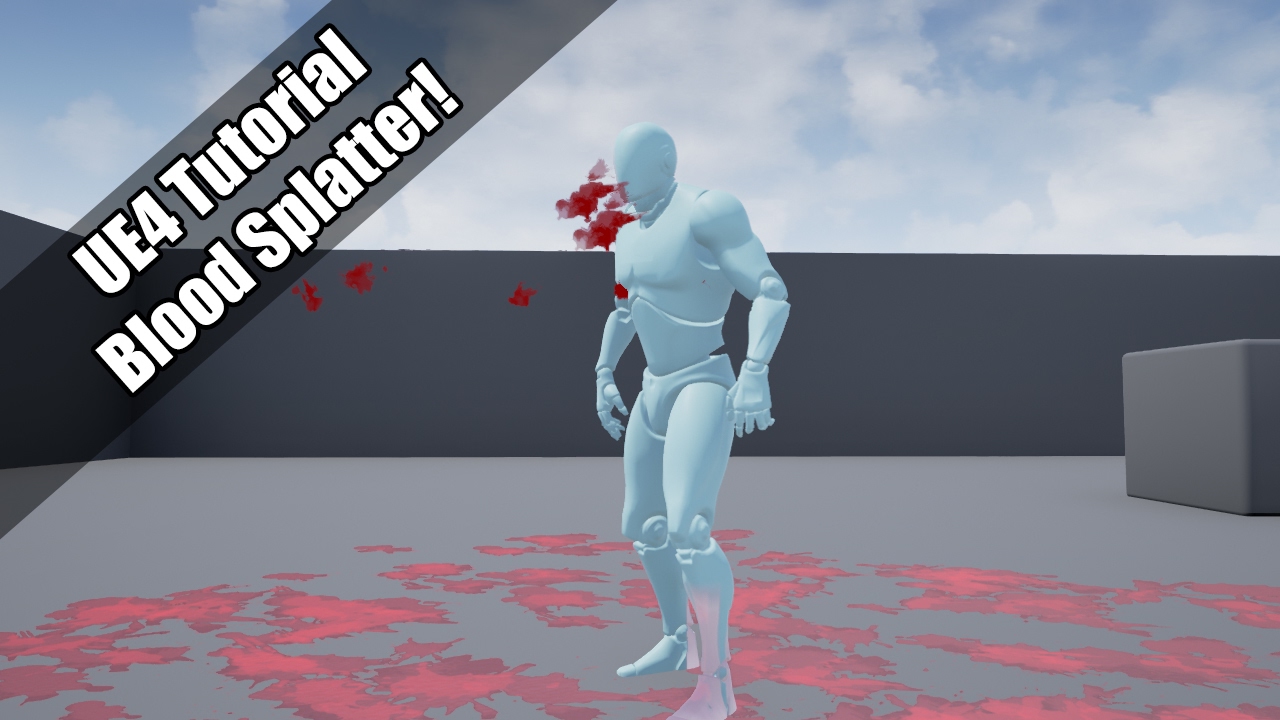
UE4 tutorial on spawning a blood spurt particle, which them adds decals to the environment!
So violent :'(
Request by - "Nickname Surname" (that's literally his handle!)
untold gull
@quasi wolf thanks man - i did try searching for vids like this, but funnily this one never came up. Its definitely what i needed 🙂
quasi wolf
np, ik what you mean because its really annoying sometimes when you just cant think of the right way to search something
untold gull
Just watched it - and i did exactly everything he did already. I still have the problem of the drops not colliding with the floor when i hit play. Such a stupid thing lol
- managed to make it work with a niagara system, but now ive gotta try remake all the cascade blood squirts etc in Niagara which is gonna be a massive learning curve
untold gull
I just dont understand how it collides if you drag n emitter into the viewport, but stops colliding on play. Makes zero sense. Giving the cascade to niagara plugin a try
 zenith laurel
It's maybe a stupid question but I'm currently following a general tutorial about shaders and there first two chapters covers HLSL shaders coding. They're 10yo videos.
My question: Nowadays, is it worth it to learn coding HLSL shaders for Unreal Engine or is the shader graph enough for whatever you want to do?
analog onyx
zenith laurel
It's maybe a stupid question but I'm currently following a general tutorial abou...
Depends.
zenith laurel
analog onyx
Depends.
Depends on what ?
 molten python
does anybody know why this happens?
its the same particle but duplicated
what does this icon represents and is there anyway to "turn it off?" ?

 winged flax
Hey all,
is there a way for post processing materials to only apply a LUT color grading to certain stencils? I have all my character meshes on the same stencil depth and I want to apply a LUT color grading only to them, not the environment
using this LUT texture rn
 gilded nova
Hiya,
I want to interpolate a particles position or location over time. from one vector to the position of a mesh's surface.
I've already got the position on the mesh surface, using the static mesh location module.
Just can't figure out how to go from one position to another over time.
 hard venture
gilded nova
Hiya,
I want to interpolate a particles position or location over time. from on...
hard venture
gilded nova
Hiya,
I want to interpolate a particles position or location over time. from on...
depends if you are using LWC, but you can lerp 2 vectors using particle or emitter normalized age
 distant juniper
Hey Guys! Does anybody know any reasons why my camera (an FBX imported from DaVinci Fusion) seems cropped in Unreal? The FBX looks fine in Maya and animation generally looks correct. Edit: I exported the same FBX from Maya and now it's correct.
 eager mirage
dry mango
https://www.youtube.com/watch?v=OmilAqd-wro&ab_channel=Dribbler
eager mirage
dry mango
https://www.youtube.com/watch?v=OmilAqd-wro&ab_channel=Dribbler
make sure the part you want to stick around it set to local space on the emitter in Niagara. You are also spawning the emitter at location rather then spawning it as being attached.
 sharp cloak
Can I make a geometry cache by hand ( instead of using alembic )?
 woeful thunder
This is probably a dumb question, but say I want to be able to "dissolve" basically every static mesh in the game, but not at the same time. Would I just create the dynamic materials as they are needed and clean them up once the dissolve is done, or should they all create a dynamic material instance at start?
Basically I have buildings made from floor actors, I will hide and show floors depending on the building and floor the player is in, I obviously want all the static mesh props on the floor to hide and show with the floor. So if the player is on a lower floor, I want to run a dissolve on the floors above(and everything in them).
Worth mentioning that I don't want to do a blend mask for distance to camera as post process since I want to show the entirety of the floor the player is on currently.
 pastel field
Has anyone used the exr metadata out of unreal to create a camera in Nuke?
I want to create some relighting tools in Nuke for exrs rendered in unreal
 vivid obsidian
Hi,
I'm sure it is pretty simple but I can't figure how to boost the bloom efficiently in Unreal. Via a post-process volume or in the camera setting, if I want any result, I have to put the intensity at crazy values and the result become horrible.
Someone told me to use more bloom for my FXs in order to make them a bit better looking but he works with Unity and he just has to push a little slider and boom, magic happens.
Any help would be appreciated
 snow rover
Hey! Anyone have any ideas on how to get a particle system to ONLY show up in direct light? Or at least be significantly brighter? I've already set the shader to Lit and messed around in there, but can't quite get the effect to be drastic enough
Trying to make floating dust, which I want to be pretty bright in direct light. Just for reference
silent bay
vivid obsidian
Hi,
I'm sure it is pretty simple but I can't figure how to boost the bloom effi...
it sounds like your scene itself might not be bright enough to work well with regular bloom parameters, how is it lit?
snow rover
Actually got really close with some more tweaks. Still open to ideas though!
silent bay
snow rover
Actually got really close with some more tweaks. Still open to ideas though!
I havent tried this, maybe a sub surface material might work well so your leaves are lit up even if you are seeing them from behind
I'm a bit stuck myself, I'm trying to make an outline shader where you do convolution on the depth map, its working but its very jittery, I was wondering if this is because of the depth map quality? is there any way to get a more stable result?
silent bay
snow rover
Actually got really close with some more tweaks. Still open to ideas though!
also I think you can raise the "color" value way beyond 1, that should boost the brightness when its lit maybe
snow rover
silent bay
also I think you can raise the "color" value way beyond 1, that should boost the...
It actually ended up being the opposite! That was my thought too. But that caused them to be unnaturally bright outside of light. With all the right settings, and the color set to .01, it's only seeming to catch the light in direct light now  The subsurface change definitely seemed to help too! thank you
silent bay
snow rover
It actually ended up being the opposite! That was my thought too. But that cause...
ooo yeah good point, if theres other ambient light affecting them it would get boosted too, maybe
lofty shuttle
Hi everyone! Is there a way to make only specific actors be affected by a post process material? Thank you
 elder ivy
Not really sure where to post this. maybe its a shader issue?
What could be causing this issue?
it almost caused my engine to crash (see end of video)
@lilac obsidian
 lilac obsidian
It looks like the effect happens around water
elder ivy
Correct
elder ivy
lilac obsidian
It looks like the effect happens around water
Ok I realised that it happens when I enter this "Water Body Ocean"
 lilac obsidian
ah
well for a car game
you should probably deactivate the underwater
unless you make underwater driving lol
 lilac obsidian
are you using unreal water system?
elder ivy
Yeah just the ue5 water plugin.
I just changed the post process to none and it fixed the issue
elder ivy
Seems fine, thank you!
 solar pine
Hi all!
How could we create a blend effect in post processing?
Similar to a mask effect but mixing the object instead of just using the shape!
Any guidance appreciated, thanks in advance!
 kind walrus
Hey! anybody know why this happens or have a better solution? The material jitters when the character is moving. I've tried this as a particle system and just a material on a static mesh component. Both jitter.
 swift crater
Hey guys, I want to make some particles so that when an object moves, then the particles just rotate around the moving object, currently they make a path following the object. How do I turn off this functionality?
 swift crown
Hello ! Is it possible to change the refraction on a mesh using a material, but just on one spot ?
 sour oxide
Hi how can i make bullet hola for glass in ue4?
 plucky creek
https://gyazo.com/c0a677b1684d4d5414cc3abb303d71e2 any idea on why this is occurring? Flickers all decals inside of VR

 lime lake
how do i make niagra spawn only once?
 magic junco
In cascade - color over life - alpha over life with default values why doesnt it smoothly interpolates from 1 to 0 alpha with linear interpolation
fossil swan
it should.
magic junco
Sorry new to particles
fossil swan
hard to guess, but either something in the material, or how its spawning. or, the color/scale over life node setup
fossil swan
if you cant find the solution, show the material setup, and in cascade the color/scale over life modules, and the spawn module.
magic junco
Ok will do
 barren gull
fossil swan
barren gull
fossil swan
ribbons
 dim nexus
Hi what's the difference using niagara or materials for an effect, is one more expansive ?
When we need displacement on individual elements for example
fossil swan
you need materials to apply on sprites, meshes, ribbons etc, which then get spawned by niagara.
dim nexus
What do you mean ? If an effect can be done only with materials, or only with niagara, how you choose ?
fossil swan
you need both for niagara
fossil swan
in other words, you need materials for niagara.
but if you need an effect just inside a material
why would you use niagara
dim nexus
Dunno, i see some people making effects with material + displacement and UV to manipulate single element
Niagara would be 10x easier
fossil swan
i fail to see so
dim nexus
So i guess there is a reason
fossil swan
unless you are spawning something in niagara as a rendertarget for the material, just do it in the material.
dim nexus
So materials are less expansive ?
fossil swan
that depends on what you do inside them
dim nexus
Ok
sharp cloak
not sure if this is the right place but
does unreals gerstner waves thingy work on a sphere?

An overview of how the wave simulation is driven using the Water Waves Asset in Unreal Engine.
or does it work only on flat planes?
dim nexus
Hi , i have this mesh and i would like to assign un single pixel value per element, how could i do that without doing it one by one ? Between 1 and X
 solar remnant
Separate them into primitives assign the pixel value to the prims, write the primitive values into their points/vertices.
dim nexus
Well, i don't know how to do that :p
I did it with UVs even if there is less precision
 dawn dust
is there a way to select (packed) texture's channel based on actor position?
 dusk current
I have a probably dumb question.
I'm working on a brawler game in ue4 and not too much experience in niagara. I started looking up some fx to get a feel and found some cool stuff.
https://youtu.be/JetNyMsnKTE
https://youtu.be/IPwcxIyIybE
Ik this is like super advanced stuff. I'm just looking for like a start. Like if anyone can recommend youtube channels or udemy courses or smthn on like the basics so I can build up to this.
I was thinking of doing something like splatoon when you can pull up a screen and drop paintball grenades and have like a stylized explosion like in the KO effect in this vid. Kind of a combination of the 2 animations.

 fossil swan
besides whats in the pinned messages in this and the #nanite channel, check out realtimevfx.com where we gather quite a few resources :)
dusk current
fossil swan
besides whats in the pinned messages in this and the <#847139261979426837> chann...
Thank you! I'll check these out
 strange wadi
what could cause this offset (in the middle)
When the progress bar is at 0 or 100% locations are correct. However being in the middle, it always is a bit late. Any help is highly appreciated.
 steep quiver
Hi, how can I get bounding box_0-1_UVW to work with my mesh renderer or is there an alternative node/method for me to get bounds of my meshes? I need it as a mask in material
 lunar iris
Anyone have tips on ocean waves? I really like motion of small currents at low min wave lengths. But how does it going to affect performance? Also is there any way to get rid of noisiness/saminess of the surface ?

 chrome root
Hey im looking to make some fireflies which do not de-spawn but around a little, is there a way i can make a Niagara or Particle system to do this and what would i need to do to make it so my fireflies do not de-spawn?
 ruby stirrup
how can I achieve an effect of see through walls like isometric rpgs like diablo?
- Everything but my walls on a custom depth and a circle arround the camera?
- All the walls alphamasked and a circle arround the camera? 🤔
Is there a better way? 🤔
fossil swan
cant explain in detail as i didnt set it up, but we had a rendertarget on the player, and it would draw the shape on the materials that obscured the player.
ruby stirrup
https://www.youtube.com/watch?v=xRxkcFOhNrc
I found how to use spheremask and alphamask all my walls 👀
should work for now 🤞

What is the Material: Sphere Mask Node in Unreal Engine 4
Source Files: https://github.com/MWadstein/wtf-hdi-files
fossil swan
noice!
ruby stirrup
a couple of spherecasts to know that I am behind and not in front of the wall and I am good as gold 😄
 upbeat spire
People! I'm working currently on UE5 and I got following issue. I got an emitter with sorting set to "view distance" or "view depth". I assume (basing on my previous experiences in UE4) that sprites closer to camera shall be on top, and those that are farther shall be covered with mentioned previously. Am I right? I also created second emitter to compare sorting, and I discovered, that sprites are not sorted properly. I created a copy of Niagara System to ensure, and what I found is that particles are sorted up when distance from camera to EMITTER.Position is changing, not PARTICLES.Position. And I think it's not right.
I've done all of this on clean engine and this happens every time. I've reported this issue, but it's not appearing in issue tracker. Do you have same situation? Or am I loosing it?
Here's link to the clean project on my gdrive: https://drive.google.com/file/d/1ypXEWJny2WGjN3hf6Kx3jY3OtiA1DZew/view?usp=sharing

Google Docs
analog onyx
Looks like sorting is working to me from the gif. What is the issue ?
upbeat spire
Aren't individual particles supposed to be sorting one on another? Instead, whole bunch of sprites (coming from specific emitter) is sorting on top of another bunch (from another emitter). I believe that when I got fire emitter and smoke emitter with same render priority and sorting set to "view distance", I shall get beautifully mixed sprites - those closer to camera shall cover that farther to camera. But what I get is EVERY smoke sprite covering fire or EVERY fire sprite covering smoke - depending on distance to one emitter or the other...
Please notice blue sprites appearing on top of green, even when green are closer to camera than blue
 analog onyx
upbeat spire
Aren't individual particles supposed to be sorting one on another? Instead, whol...
analog onyx
upbeat spire
Aren't individual particles supposed to be sorting one on another? Instead, whol...
They are. But only if they belong to same emitter.
upbeat spire
so madness it is, indeed 😑
 brittle tiger
I have a runtime-generated heightmap texture that I want to convert into a "topographic map". Taking the texture through a Material and posturizing it gives the "steps" I want, but I now need to perform some edge detection, equivalent to Photoshop's "Find Edges"-effect, to only show the lines.
As far as I understand, edge detection is required to be a post-processing effect, as it needs all points already calculated.
How would I create something like this?
When searching the web I only find ways to shader an entire game, but I just need it to apply to this single texture, which will be shown as an image in a widget.

 fresh furnace
Hello! I can't tell if I should ask this here or in Lighting but it sounds more technical so I guess I'll ask here. I am trying to use real world values ((because I want to)). I have a directional light set to 100 000 lux like the wiki suggests. I also have particles that have a shader with a black body node set to 800 Kelvin. ((about 400C)). But I can't see the red glow in my scene , as you can see in the screenshot. ((The only way to see it is to multiply the output of the black body node by like 1000 but that feels like a hack))

In real life, when my stove reaches even 700 K I can see it glow red during the day, so I wonder if I am doing something wrong or there is something I don't understand here
I guess my question is, Is the black body node physically based or not? Because I should be able to see it during the "Day"
magic junco
The drapper point of an ideal black body is 798K (773K from wikipedia) when it starts to emit in visible spectrum i.e. starts glowing visibly.
 whole kettle
Hello everyone! I'm having some trouble with a post-processing effect I'd like to make. Does anyone know if it's possible to create a line between 2 parameterized points in screen space?
 remote pine
I'm trying to think how I could implement clouds in a ring/vortex-like shape (centered on world origin is fine) in an optimized way.
I'm wondering if imposters or billboards would be the best method, like just giant rings/planes in the sky with a cloud material on it, or a giant inverted semi-sphere. But I feel like it would not be "far" enough if the player moved from one side of the map to the other the effect would be lost. I could scale it up real big but performance wise not good? Shadow casting would be out I assume.
Maybe there's a way to shape volumetric clouds in a donut/several layers of it, similar to the vortex sky in Apex's World's Edge map (can't find a good screenshot).
Perhaps something using houdini is possible, but I've only ever made basic cloud shapes in that.
If anyone has some ideas on how this could be achieved I'd love to hear it.
 honest sable
whole kettle
Hello everyone! I'm having some trouble with a post-processing effect I'd like t...
honest sable
whole kettle
Hello everyone! I'm having some trouble with a post-processing effect I'd like t...
I would use the SDF of a line segment: https://www.shadertoy.com/view/3sGBz3

 frail stream
any pointers as to how to create an underwater look through a window? along the lines of this:

 somber thicket
Particle system isn't playing in sequencer, anyone know why?

 pale citrus
How do you change the background for the Cascade preview window? There's a dark smoke effect on this fire but it's absolutely invisible with the black background

 rose wolf
i have some weird artifacts when using the scene render component 2d when looking into the distance, any idea why?

 pale citrus
Is there a way to turn a cascade emitter off, such that it can be turned on again later?
I know about SetEmitterEnable but I want the whole system not just one emitter
pale citrus
pale citrus
Is there a way to turn a cascade emitter off, such that it can be turned on agai...
Answering my own question, the standard Activate / Deactivate works on cascade systems.
 wind steppe
Why do cascade particles update even off screen? How can I have the unreasonable amount of particle systems on a big map without destroying the performance?
magic junco
I use pool of particle emitters and reuse them
fossil swan
in most cases emitters move with the character, and are not present in the world. (excluding tiny environmental things)
but those are generally activated or spawned when in vicinity
 golden umbra
fossil swan
in most cases emitters move with the character, and are not present in the world...
golden umbra
fossil swan
in most cases emitters move with the character, and are not present in the world...
Does everyone write their own system for this?
I have added 1000's of niagara fx instances to the world and it killed performance. So then I started using FNiagaraScalabilityManager (via Niagara Effect Type) with a cull distance of 5000 units. So any fx > 5000 units is automatically stopped and cleared, and restarted when the camera gets near.
Seems to work well but we get this warning: LogNiagara: Warning: NiagaraScalabilityManager needs to process 1920 updates (will be clamped to 50) for EffectType - NET_KillDistantEffects - (2400 items, 0.500000 period (s), 0.400000 delta (s)
So I don't know if what I'm doing is a bad idea or not 🤷
We have a bunch of 'world' FX such as volumetric fog emitters (and in the above case some tentacles!) which must be active when the player is near.
golden umbra
Oh I should also clarify, these are infinite looping fx of course.
fossil swan
im not sure what to tell you.
all im going to say is, if we have a rain emitter, its placed above the player and following along. maybe one more for splashes around the feet.
an emitter for falling leaves follows the player and kicks in when its in a biome with trees.
that stuff alone significantly reduces amount of emitters needed.
instead of placing new emitters for each part of fog, just update the emitter locations so its all spawned by a few emitters.
having said that, havent dealt with the volumetric stuff much, so no idea if something is handled differently.
And while there is some optimization documentation, it fails to mention many "best approaches" for stuff like this, and I hope that will change at some point now that niagara is more well-rounded.
whole kettle
somber thicket
Particle system isn't playing in sequencer, anyone know why?
That’s just unreal. Sometimes Niagara throws a fit in sequencer
Does anyone have ideas on how the post processing in sifu works? Seems like a cel shader, but the bands are softer and much more painterly
 fossil swan
sifu is mostly just really good textures
whole kettle
There’s definitely some post processing going on here though. It’s very subtle

I’m pretty sure it’s only applied to the characters
golden umbra
fossil swan
having said that, havent dealt with the volumetric stuff much, so no idea if som...
Yeah tbh the volumetric emitter could be done the way you describe (we already have a system for various fx that follow the player).
The tentacles is actually a special case where we have some static meshes with some tentacles hanging down, the tentacles are done with infinite Niagara ribbon effects. So it's handy to be able to preview them in the world along with the meshes.
The problem is when we have 2000 of them as it's open world and procedurally driven.
I'm considering writing a component to attach to the actor which handles spawning/despawning when the player gets close - this will only work in-game though. Not sure how to make something like this work in editor with the editor camera.
 acoustic whale
Hey, volumetric fog start distance is currently broken with ue5 ?

found this, but idk how soon they will make it work again...
acoustic whale
really ?
that's pretty annoying, is there a workaround ?
I created a fog material to place in a cube but that's not ideal
 small pendant
Hi everyone! In my game I have some coloured glass textures, but they keep vanishing and reappearing when playtesting the game. Does anyone have any idea how to stop that from happening?
pale citrus
I've got this particle system that's supposed to collide with objects and stop, and it does... in editor simulation only. When I actually run the game, even in PIE the fire goes right through.


Why is this collision modifier only working in simulation, not in game?

FIXED IT! I noticed that it works if you get close enough. Then I did some googling and found the "Fixed relative bounding box" option, and just increased the size of it

 twilit scaffold
Hey guys, I am looking for a certain VFX tutorial from a few years back. The topic I think was animation or art principles for VFX. It talked about how to use color and animation style to signify gameplay of VFX. Specifically regarding buffs and debuffs. The setting was a small conference like environment in a kind of small classroom... I hope someone can help me find it 😅
 obsidian summit
HOW TO FIX when camera close to particle, particle is not visible
 slender pine
obsidian summit
HOW TO FIX when camera close to particle, particle is not visible
slender pine
obsidian summit
HOW TO FIX when camera close to particle, particle is not visible
Like they are visible from a distance but as they approach the camera they just disappear?
 heavy basin
Can you set a Niagara system to render in custom depth pass?
Like is there a flag somewhere for that?

 sleek linden
Hey everyone, would anyone know where to start to create a vfx like the yellow aura around the weapon ?

 soft tusk
hey i made a postprocess material inside of ue5 and am currently trying to port it by hand into ue4 (copying all blueprints into new blueprints) and i'm currently running into this issue and i have no idea what to do about it

 dense kayak
soft tusk
hey i made a postprocess material inside of ue5 and am currently trying to port ...
dense kayak
soft tusk
hey i made a postprocess material inside of ue5 and am currently trying to port ...
If this was a regular material and not a material function I would say you're using the wrong blend mode or shading model, but I'm not too familiar with how material functions work
 rocky trellis
soft tusk
hey i made a postprocess material inside of ue5 and am currently trying to port ...
rocky trellis
soft tusk
hey i made a postprocess material inside of ue5 and am currently trying to port ...
What is in the B in the IF? Seems you are trying to compare a vector 3 with a float.
soft tusk
i'm comparing it with this
 obsidian summit
slender pine
Like they are visible from a distance but as they approach the camera they just ...
obsidian summit
slender pine
Like they are visible from a distance but as they approach the camera they just ...
fixed it, it was material with distance fade lol
soft tusk
@rocky trellis sorry forgot to tag you :P
rocky trellis
soft tusk
i'm comparing it with this
This is linked to A ... what you like at B (The line going down out of the first image)
soft tusk
rocky trellis
This is linked to A ... what you like at B (The line going down out of the first...
it's linked to B, B is SceneDepth, A is CustomDepth

also sorry i changed the format lol
rocky trellis
soft tusk
also sorry i changed the format lol
Ok now I understood ... if it is warning about the A not be a float usu componentMask with only the r channel checked right before the If maybe this fix it ... about the two other warnings you can ignore if you will use this function in post proccess material
quasi wolf
does anyone have an idea how I could kinda light the whole model at once? I think tf2 does that for optimisation purposes, when a light is on the character the whole model gets brighter, how would I do that in unreal? https://gyazo.com/bc4eb4a1559efd5c0cfb45d751e99138
 solar pine
Hi!
Would anyone happen to have any insight on creating a mirror/symmetry effect in post processing or the camera?
Meaning the image would be symmetrical either horizontally or vertically, depending on choice.
Thanks in advance for any help!
sleek linden
Hey everyone, would anyone know where to start to create a vfx like the yellow aura around the weapon ?
 fossil swan
do you mean the fresnel on the weapon itself? or the yellow foggy sprites around it?
sleek linden
more the yellow fog around it, I suppose the fresnel is simply an outline
fossil swan
sorta, if the surface is not facing the camera directly, it'll add a glow to it.
the rest is just sprite particles
if you follow along a few tharlevfx tutorials about niagara you should be ready to tackle this.
sleek linden
alrighty i'll have a look at it thanks !
 runic python
Does anyone know what happened to the VFX tutorials by StylizedStation? I keep having them pop up on Pinterest, but it appears they are not on his site anymore
slender pine
Ok friends. I am trying my best to recreate a boat/ship wake using unreal Waterbody plugin and I keep finding that certain parts are either broken or are insane to dial in.
What's the best way to setup a boat wake in Unreal without doing a simulated cache alembic?
And why is it done in unigine so flawlessly but there are few examples of it done in unreal
https://youtu.be/QrsRraVUuM0

Ship wake waves: bow, stern waves visible on large distances, required for naval simulators.
Powered by UNIGINE 2 Sim: https://sim.unigine.com/
 daring latch
hey guys, how can I make particles stay at their spawn location like a trail when I move the system ?
with Niagara
sleek linden
hey does anyone know how to aheive this yellow aura effect like so ?

or knows a tutorial maybe ?
quasi wolf
dementia
quasi wolf
solar pine
Hi!
Would anyone happen to have any insight on creating a mirror/symmetry effec...
I would imagine you could do some kinda splitscreen effect and the second camera is inverted, not sure how though
fossil swan
sleek linden
hey does anyone know how to aheive this yellow aura effect like so ?
I already answered this.
https://i.gyazo.com/c8c9fdcee3b0f2e4c44c82f762e75639.png
 sleek linden
I know I want to see if people have direct tutorials on something similar
quasi wolf
daring latch
hey guys, how can I make particles stay at their spawn location like a trail whe...
in normal particle editor theres a local space checkbox which I think is usually off by default but idk about niagara
fossil swan
sleek linden
I know I want to see if people have direct tutorials on something similar
still kinda comes across as slap in the face for the person taking the time to answer the question, and i purposely picked tharlevfx because its for absolute beginners.
sleek linden
well I'm sorry you got offended but what I'm really looking for is a quick fix
fossil swan
there aint any, you'll need to learn niagara.
between you asking for the first time, and now, you could have gone trough the whole library of his tutorials.
and you'd only need the first one or two
sleek linden
who knows, internet is vast and maybe someone did something similar. I don't loose anything from trying
sleek linden
fossil swan
between you asking for the first time, and now, you could have gone trough the w...
well maybe I should let you plan my agenda for me
 final jungle
Disregaurd him ^
@fossil swan, tharlevfx is a gr8 channel thanks for the recommendation
 vocal wasp
sleek linden
well maybe I should let you plan my agenda for me
vocal wasp
sleek linden
well maybe I should let you plan my agenda for me
if you took the time to learn from when he helped you instead of being out here asking for immediate solution you'd be halfway there
sleek linden
thanks for your interesting input
final jungle
Maybe not halfway but less of a crybaby
sleek linden
you done ? 🤣
quasi wolf
 fossil swan
i'd appreciate it if we halted this discussion, there is no need to continue on :)
quasi wolf
quasi wolf
does anyone have an idea how I could kinda light the whole model at once? I thin...
setting the material mode to translucent actually gives the effect I need, but with the side effects of clipping since it thinks theyre transparent, and a darker shade by default. anyone got any advice?

you can see the light is only on one side of him, but it seems to light him all at once, is there a way I can recreate this with an opaque material?
quasi wolf
uuuuuuugh I swear unreal just wants to make things harder sometimes
quasi wolf
cant find anything on this
slender pine
ok i have tried in niagara, but this seems to be either a sequencer or MRQ issue with niagara, as it deals with animation and sequencer only. In editor, the particles travel just fine, only when the sequencer is played.
does anyone know a fix for the particle position shifting in sequencer and MRQ???
quasi wolf
quasi wolf
cant find anything on this
god even if sort priority was an option, it wouldnt help for this, this is ONE MESH (scaled it out to make it more visible) and it clips with its own self. but guess what? theres no flickering? no rapidly switching between which renders on top, so WHY does it choose to ONLY do it the wrong way around? https://gyazo.com/384f910afa0c7f6bfee66ac02f8868ea

been searching for ages and none of the results sound very promising basically all Im getting is Unreal Cant Do It
how is this such a problem
quasi wolf

golden umbra
I have a system for hiding meshes that obscure the player in our top down game. But now I want them to fade rather than blink on/off.
The only way I can think to do it is to make sure each mesh has a material set to Masked and a named parameter (Opacity or something). When I detect it needs hiding, create a dynamic mat inst, animate the Opacity parameter.
This is quite annoying as setting every material in the game to masked would be bad for perf, and also making sure every material in the game has this Opacity parameter is also annoying.
Anyone got any other bright ideas?
something something manual LOD transition perhaps?
 pine coyote
hello beautiful people.
does anyone know where I could find or how I could create glowing letters that could appear on walls and other objects?
golden umbra
pine coyote
hello beautiful people.
does anyone know where I could find or how I could creat...
Emissive Decal material
pine coyote
is that something already included in UE5, or is it something I must download?
golden umbra
pine coyote
ah, great.
thanks mate
also, do you know how I can apply it to letters? is there an easy way to have text appear on objects?
golden umbra
er that's a bit more tricky. If the object is flat just add a Text Render component to the actor.
Otherwise I think you might need to look into rendering the text to a rendertarget...
quasi wolf
quasi wolf
god even if sort priority was an option, it wouldnt help for this, this is ONE M...
jeez, at this point Id be happier to hear "idk" than completely nothing
at least the reddit helped
fossil swan
uhm... idk?
sharp cloak
fossil swan
uhm... idk?
idk is implied
 honest crag
hi, does anyone know how i can make particles spawn from outside and move into a point... like a reversed emitter...
golden umbra
honest crag
hi, does anyone know how i can make particles spawn from outside and move into a...
Point Attractor node in niagara, in cascade idk
honest crag
thank you 🙂
 verbal folio
In Niagara, how do I make the vfx permanent instead of just spawning once or multiple times
 lone heart
quasi wolf
god even if sort priority was an option, it wouldnt help for this, this is ONE M...
lone heart
quasi wolf
god even if sort priority was an option, it wouldnt help for this, this is ONE M...
your winding order / backfaces are messed up. flip them in your 3D software. often called something like “reverse normals”.
quasi wolf
no thats not what this is, thats a translucent material with full opacity
lone heart
if you’re lazy you could also try making the material two-sided.
quasi wolf
it is two sided since theyre planes because of the 2d look
but this is just a weird translucency xray effect
opaque materials work as normal
lone heart
okay looking at the video more closely along with your earlier ones I see what you’re talking about. it looks like the “face” bit is drawing after the rest of the mesh, probably due to its triangles being at higher/later indices. you might try making the face a separate material with a lower Translucency Sort Priority than the front/back pieces.
in general Translucent materials don’t get the same per-pixel depth sorting that Opaque ones do, even when they’re fully opaque, because there’s no meaningful single depth value when you have a transparent surface layered on top of other surfaces
that’s why Masked is often better if you don’t need smooth opacity changes
not sure if that supports the subsurface stuff you’re doing though
quasi wolf
yeah the problem was with the lighting and translucent materials didnt have that problem, but someone on reddit mentioned some of the subsurface scattering stuff, thanks for the help though
winged girder
Hi everybody! i'm trying to start / deactivate a niagara system on demand

But even if i activate with reset, the previous spawned VFX is still there, I want to only have one at a time

Does anyone know how to achieve that?
pale citrus
Okay this is breaking my brain. I've got an asset that breaks the lighting build, but only if it's on one side of a level? First screenshot it builds successfully, and then I move that object to the second position and the entirely lighting build crashes


 north igloo
I want to make an effect where the ground gets distorted like a shockwave, its seen a lot in this UE5 game Black Myth: Wukong. Does anyone know how an effect like this might be accomplished and how one should go about distorting the screen to get this effect?
It seems to just stretch out the neighboring pixels up the "wave," but im not really sure how to go about doing that
 fossil swan
look up "refraction" which is something you can set up for i.e. translucent particles.
north igloo
someone told me that it is writing to the velocity buffer and it is a directional blur, does this sound also plausible?
analog onyx
Maybe. Maybe not.
Plausible but limitedly practicable.
@north igloo
You only do this kind of crap on fixed fps titles
Otherwise, what Luos said earlier.
north igloo
👍 thanks for the help i'll look into it
north igloo
kinda prototyped something close

 pseudo vortex
When using something like a Spline to lay out a bend carped of fire, how does one handle the collision shape?
We had a quick look at Collision Events from Niagara, but they seem more to drive other effects than Gameplay (also not really reporting much but a Location).
I was also thinking about using some 100x100 plane mesh and giving it a few sub fives so I can use it as a SplineMesh and check collision on that, but not sure.
analog onyx
pseudo vortex
When using something like a Spline to lay out a bend carped of fire, how does on...
Depends for which purpose and where it is used.
pseudo vortex
In that specific case so I can track who walks in and out of the fire to apply periodic damage.
Might also be a frozen area that applies a slow, etc. but that's more or less all handled by GAS so I just need the Start and End Overlap part.
But default collision primitives are only available as box, sphere and capsule. And I don't want to add multiple to fill the area.
So a convex shape would be nice I guess.
analog onyx
Splinemesh or pre modelled mesh with complex collision would be ideal
pseudo vortex
Shape can be dynamic, so pre-modelled is probably not gonna be a thing
SplineMesh is what I figured I might use yeah
pale citrus
I've got a cascade system that has these lights it emits, and they seem to have the ability to go through walls? I'd like to stop them from doing that.
Here's a good example of it at work. I've put it in a sealed box like 2ft thick and it's still lighting up the OUTSIDE of the box. It's lighting up the ground BESIDE the box.
Okay so the fix is Shadow Casting Lights, unfortunately
 flat quest
what makes this render like it's trying to be 3D? its got those red and blue offset images
 golden umbra
flat quest
what makes this render like it's trying to be 3D? its got those red and blue off...
golden umbra
flat quest
what makes this render like it's trying to be 3D? its got those red and blue off...
Chromatic Aberation setting in post pro
 paper steeple
Is it possible to apply an offset to a custom stencil? I'm using post processing to identify occluded objects, but I only want it to show through if the object that is occluding is thin enough.
I was able to get this working with a Surface Domain + Unlit shading model material using CameraDirectionVector and WorldPositionOffset so that the material made the surface of the object move slightly towards the player's view.
However, since I'm driving my material as a Post Process material, I dont have access to any depth offsets. All of my highlighting is done with stencils as well (which I don't want to change because I've gotten the exact effect I was looking for)
And by apply offset to custom stencil, I mean make the renderer think that the object is slightly closer to the camera than it actually is, just like you can with world position offset in normal materials
In theory I can get depth information from the SceneDepthStencil but that only gives me the surface level of the occluding object. I don't have a good way to get the distance between that and the closest vertex/surface of the material that is being occluded. If I had that, then this would be easy
...Though maybe I can approximately map the SceneDepthStencil brightness to actual distances and then get the distance between the material vertex and the player camera which I can subtract from the mapped value from the SceneDepthStencil and YOOOOOO actually that might work
 graceful karma
anyone know why this would be happening with the default under water post process? being masked inside of a circle, which is fixed to the skybox

 eternal wolf
how do i make an enemy model "shatter" once it dies, like in sword art online?
flat quest
golden umbra
Chromatic Aberation setting in post pro
I'm trying to disable CA using a global post processing volume. Enabling this and setting to 0 seems to have no effect. I can confirm the volume is taking effect using other settings. How can I disable CA?

 mystic gyro
Looking to do a Post process effect that simulates a pixilated or unfinished look around the scene. Think fog of wat but instead of smooth fog to black a pixelated effect or cubed out area. The other way to think on it is like a photogramitry scan where the photos are incomplete around the edges. Does anyone have a direction for me to look at or any resources to jump into.
I have a fog of war set up and the distance from the fog to a clear spot in the centre working.
 gilded epoch
is there a program where i can easily make VFX and import them to unreal?
fossil swan
not really.
 soft flame
hey people.
Ive got an issue. I have a niagara system that works perfectly the first time it is spawned (also again after a while)
But it seams to accumulate events in it if spawned shortly after the first one.
can someone point me maybe to a reason why they are note independent?
example
first spawn

second spawn

doesn't even work when manually resetting after spawn
soft flame
gilded epoch
is there a program where i can easily make VFX and import them to unreal?
depends on your definition of easily. Houdini helps building more complex particle systems
soft flame
even only enabled one emitter in my system but it still happens sometimes. But only in the world. Never in the niagara editor
gilded epoch
soft flame
depends on your definition of easily. Houdini helps building more complex partic...
Im thinking about abillity VFX.. like fireballs, glowing circles on the ground etc
 plucky moss
gilded epoch
is there a program where i can easily make VFX and import them to unreal?
plucky moss
gilded epoch
is there a program where i can easily make VFX and import them to unreal?
Easily? i'm not sure because is houdini, but houdini can help you a lot with differents methods
gilded epoch
plucky moss
Easily? i'm not sure because is houdini, but houdini can help you a lot with dif...
ah okay, so houdini is the best option to use? Im totally new to VFX, and just wanna make some simple effects 😋
plucky moss
gilded epoch
ah okay, so houdini is the best option to use? Im totally new to VFX, and just w...
Oh.. wait..
If u are new with the vfx I don't recommend study houdini but..
Do u have any experience with any software 3D?
gilded epoch
haha none at all 😄 i used Maya back when i studied, but thats like 15+ years ago
plucky moss
Look, I did this only with houdini and a little of materials
I didn't use niagara for that
gilded epoch
uh nice
plucky moss
gilded epoch
haha none at all 😄 i used Maya back when i studied, but thats like 15+ years ag...
Oh, then u can study houdini
A moment, I recommend to u a tutorial for start with Houdini
gilded epoch
oh nice thanks 😄
plucky moss

Explore the Course: https://www.rebelway.net/intro-to-houdini-fx
In this free preview from Intro to Houdini FX, Saber Jlassi will show you the basics of Houdini and explore essential VFX techniques.
00:00:00 Get Houdini
00:07:06 Interface
00:22:08 Lets Use Houdini
00:48:02 Data Manipulation
01:06:18 Shortcuts and Customization
01:21:08 Noises ...
gilded epoch
nice, thanks you 😄
plucky moss
Is hard but u can do it, good luck
gilded epoch
thank you so much, ill look into it 😄
plucky moss
^^
soft flame
plucky moss
^^
Atarek, did you ever face problems like I described above? Where you used cached particles from Houdini and when you spawn multiple instances from it in a shorter time frame the particle fx looks differently? Really frustration issue and I don't know why that is
soft flame
soft flame
Atarek, did you ever face problems like I described above? Where you used cached...
neverminded it works. I took the modules some time ago from an older example of the houdini Niagara system and it had some issues apparently with the cache initialization per system. It works now!
 mortal sandal
Hiya folks! I've created a material for a client that uses a vertex from a material parameter collection to get the current location/rotation of an object in game, which then applies a filter to the material (the effect being like Sea of Thieves' lamp, so when you point the lantern at a sign, hidden text is revealed). My question is how might I achieve this result but cause the hidden image to stay revealed permanently? I've looked into RVTs and runtime vertex painting, but it seems like those are more for isolated canvases. I'm trying to get this to work on a whole level, so anything you shine your light on gets "painted" more or less. The desired result is effectively similar to this video, if anyone can suggest what tools I might want to use? Thanks in advance 🙂 https://www.youtube.com/watch?v=zJMAZXx0dbo

A taste of a little WIP project I'm developing in Unreal Engine 4. Planning on doing a decent amount with this, including adding AI enemies and P2P multiplayer support (PvP and PvE).
I've spent quite a bit of time making this as modular as I need it to be. At this point, all it takes to set up an object with this system is apply an instance of ...
Note: it does look like this dev went to extensive work to achieve this result so I imagine it's probably a huge undertaking
I'm thinking maybe decals? This other client wants invisible objects that get painted over when you "scan" them to become visible with the same kind of LIDAR style dots
 hollow ice
Hi - Do you know how to add post process water effect to Custom Water in water plugin, very similar how it is in Ocean/lake water?
golden umbra
mortal sandal
I'm thinking maybe decals? This other client wants invisible objects that get pa...
The only way I can think of doing it is with using raycasts to lookup UV coordinate (see UGameplayStatics::FindCollisionUV). Once you have this, write a dot into a rendertarget at that UV. Sample the render target in the material for that object.
You gotta enable `Support UV From Hit Results' and ensure the object is UV mapped without any overlaps.
If you don't have thousands of dots you can try an easier approach and spawn decals or tiny dot meshes at each hit location. Using ISM or HISM would be a decent optimization.
If you wanted to get fancy you could perhaps store the hit locations in a buffer and use that to drive a niagara system via Data Interface.
 frank hornet
Hey, I need to whip up a quick, fake lightbeam/godray effect that can be viewed from below (from a ceiling spotlight) and it's proving super hard to find resources on this. Anyone knows if it has a special name or something to make search easier? Or a youtuber who would be good to check. I only found Unity stuff and an... official tutorial in udk3 that just doesn't function for me (but looked so promising!). I only do 3d so super stuck on this and all search results are obscured by the volumetric fog approach. edit: Got some improvements by following the official UDK3 tutorial, but also converting reflection vectors from world to tangent.
 frosty crown
mortal sandal
Hiya folks! I've created a material for a client that uses a vertex from a mater...
frosty crown
mortal sandal
Hiya folks! I've created a material for a client that uses a vertex from a mater...
you can use stencils and custom render depth for revealing the hidden objects
mortal sandal
frosty crown
you can use stencils and custom render depth for revealing the hidden objects
Can the custom depth be applied partially or just the whole object?
Like we want a scanner type effect ideally
Was thinking Niagara
frosty crown
Doing it in Niagara and using blueprint to drive the system would be a very plausible option and I think with custom depth I'm not sure tbh I haven't used it enough just know it's good for x-ray lol
mortal sandal
Lol I love all the variety of uses for these effects
golden umbra
No custom depth is no use - you want persistence which means storing it either in a rendertarget, or via meshes/decals.
You need to use one of the approaches I outlined above.
quasi wolf
I use a subsurface effect on my player material for better self shadowing which clears up all the ugly dark patches when under a light, but the light seems to be based on whats visible on screen? here I have a spotlight shining on him, and he appears lighter when I point the camera towards the light, it doesnt know the light is on him when its not on screen or something? is there a way to fix that

(if anyone recognises this game from a few years ago, its my own remake of it)
mortal sandal
golden umbra
No custom depth is no use - you want persistence which means storing it either i...
Yea storing the persistence is key. Render targets might work but will performance hold up for a whole level to be built like that?
golden umbra
mortal sandal
Yea storing the persistence is key. Render targets might work but will performan...
It would be hard to do this for an entire level, but I thought you only needed it for revealing parts? You can use 2nd uv stage for those meshes to pack multiple surfaces into a single render target.
 random saddle
Hey. For performance reasons... Is unticking visible the same as unticking auto-activate?
Cause I mean that would make my life just so much easier.
 fossil swan
I think its just rendering particles to a render target, either that or traces. the render target creates a mask that shows the emissiveness in a material.
fossil swan
just use the texture generated by the render target as a mask. if black, dont show, if white, pump up those rookie numbers.
depends on usecase, no way to give decent numbers. but if its a core mechanic, and you arent doing anything weird, should be totes fine. same thing is also used (in some cases) to push down snow, push away plants, yada
 unreal frigate
Hi! How can i make this fountain type effect?
 steep quiver
Hi, anyone know the code behind(either hlsl or just composite of nodes) about RotateAboutAxis in material editor? or if there is a folder in which it lets you see the code behind already built in nodes, thanks.
analog onyx
@steep quiver it is using Rodriguez's rotation.
steep quiver
@analog onyxThanks ,its time to convert math formulas to shaders
 round fog
I built something like that a few years ago:
https://youtu.be/e7WdbxitMUA

Like Yoeri says, it was based on a render target - a scene capture renders the scene to a render target, and a Niagara system reprojects this to world space, and that's where I spawned the particles
round fog
steep quiver
Hi, anyone know the code behind(either hlsl or just composite of nodes) about Ro...
The most counterintuitive part about that node for the user imho is that it doesn't output the rotated position, but an offset vector from the input position to the rotated position. Great for plugging straight into WPO, but if you're doing anything else, you'll want to add the input position back to the output position after the fact in most cases.
steep quiver
@round fogThanks for telling me but I want it for a modified hueshift that gives rotational angle when the result is given, I did built it from ground up using rodriguez formula but my math isn't good enough to derive the formula
round fog
Nice! Good luck 🙂
 mild sparrow
Hi folks, I'm looking to make a holographic contour map generated from a 2D black & white heightmap. I can do it via a material, but the polygon edges are visible and make the effect look cheap. Is this something I could be doing through Niagara?
For reference, here is the effect done well in Unity:

What makes this example look great is that there aren't obvious polygon edges to any kind of underlying transparent/masked model
analog onyx
mild sparrow
Hi folks, I'm looking to make a holographic contour map generated from a 2D blac...
That is how you should do it, yes. Though mesh and material
mild sparrow
How do I use a heightmap texture to displace niagara particles along an otherwise flat plane??
 rugged canopy
i dont really know what other channel to post this in, but how would i export a blender project into a skybox texture for unreal ?
rugged canopy
@grim briar if you dont mind another question : right now in blender it's a "world output" , do you think that's the best way to go about it ?
 rugged canopy
thank you so much for the help ! I just tried it and the render crashed my pc, but i'm making progress
eevee doesn't support equirectangular, i gotta use cycles, but cycles doesn't support bloom
do you have a recommendation on where to learn all this kind of stuff ? I'm more of a programmer
rugged canopy
i got an issue at the top and bottom

the center of the image looks fine
ah good !
i lowered to 7 pass no denoising, and it didnt crash
it's fine for now
it's not the highest coolest looking skybox, but i've given it all i can. The next step would be to hire someone else to do it. I think i can prototype with this for now
acoustic whale
Hey, does anyone know if it's possible to have a higher draw distance for a niagara particle system ? It's not for real time, and I'd like my snow to be visible further away
mild sparrow
Where can I find a list of functions & variables that are exposed to a niagara hlsl expression?
I found sin(), but I am looking for elapsed time
I found time, which is System.Age, however it would be nice to also find a list of exposed functions
 manic cave
What is the best way to achieve a glow in the dark effect using a flashlight for platforms in my game? I want it to be material based so that it doesn't light up the whole platform and that it can fade away over time. But i don't what would be the best way to go about it. Should i just use render targets?
acoustic whale
manic cave
What is the best way to achieve a glow in the dark effect using a flashlight for...
You want to create a flashlight that works with a material instead of a spotlight?
manic cave
Yeah so that I can make it fade over time like a glow in the dark material
acoustic whale
You could also do that with a spotlight by reducing the intensity over time no?
manic cave
But is that more optimized then using render targets? I can try it but it probably will lag since I'd have to spawn a light every time the player moves the flashlight
acoustic whale
Oh wait you want your flashlight to make the environment glow and then fade?
manic cave
Yeah
acoustic whale
Ah yeah that's cool but no idea how to do that lol
manic cave
acoustic whale
Ah yeah that's cool but no idea how to do that lol
It's fine thank you anyway 🙂 I'll just try doing it ether with mesh intersection detection or render targets
acoustic whale
Seems like a good bet
 quick plover
Can you guys suggest me a way to change niagara fluids' shape ? Currently it is box like but I need it as cylinderic.
honest sable
mild sparrow
How do I use a heightmap texture to displace niagara particles along an otherwis...
push the particle along a vector using the heightmap value.
 split summit

 raw walrus
That looks beautiful
pale citrus
Got a weird Cascade issue. I've added a very distant LOD level which just disables everything, basically if the player isn't even close enough to see this thing. The problem is, if I go that far away AND THEN COME BACK CLOSE, it doesn't get enabled again, it just stays disabled
 fossil swan
pale citrus
Got a weird Cascade issue. I've added a very distant LOD level which just disabl...
fossil swan
pale citrus
Got a weird Cascade issue. I've added a very distant LOD level which just disabl...
welcome to cascade
pale citrus
fossil swan
welcome to cascade
Is that a known unsolvable issue or something?
eager mirage
pale citrus
Got a weird Cascade issue. I've added a very distant LOD level which just disabl...
Use Niagara. Cascade is deprecated in 5. Its there but its not getting anymore updates. Niagara's version of the distance culling works just fine.
pale citrus
eager mirage
Use Niagara. Cascade is deprecated in 5. Its there but its not getting anymore u...
I didn't make this effect. It's from the Unreal store, and it's more complicated than what I could make.
I tried porting it to Niagara before, it looked very wrong and I couldn't fix it.
fossil swan
pale citrus
Is that a known unsolvable issue or something?
its (afaik) a "won't Fix"
and yea, the cascade to niagara converter is sadly a mess
 stark gale
its not really possible to sample the reflection environment inside a shader is it?
 wooden sonnet
What is causing my Cascade particles to fade out the closer I get to them with the camera?
What could be, is the way I should have phrased that.
golden umbra
wooden sonnet
What is causing my Cascade particles to fade out the closer I get to them with t...
Depth Fade node in your material
wooden sonnet
Eyarp figured that one out around an hour later lol. Took a min to track down.
wooden sonnet
Is there a way to have a system Start, play to a certain point, loop the middle of the lifetime, then after a trigger finish the lifetime?
Like a particle state machine.
wooden sonnet
Never mind. Learned how to access dynamic properties of materials in blueprint.
 sick glacier
Hello, I have written a post process effect. It creates a world scanline effect through a window mask. It is sampling PostProcessInput0, AmbientOcclusion (to give things a electron scanning microscope look,) CustomStencil for the mask, and WorldNormal to interpolate a different pattern onto z-facing surfaces.
The final post process effect also composites a foreground element from a render texture using its alpha as a LERP.
I am getting severe ghosting as though the Post Process is not completely overwriting the buffer. I did a pass of disconnecting aspects of the shader one by one looking for a culprit, but I can't seem to find one. This morning I had the idea that maybe the final input into Emissive needed an explicit alpha channel set to 1. Didn't help.
The ghosting is limited to the masked region where all the non-photo-realistic processing is occurring.
I need an idea for something new to investigate. Here's a screen grab of the effect and issue. I'm sorry it's so limited, dealing with sensitive IP.

For context, I whip panned the view up, and that's the ghosting I got.
sick glacier
I got some insight from a team member that this is caused by high frequency noise and TAA. So I disabled TAA temporarily and the ghosting stopped. Confirmed. Now I just need to figure out if we can stencil away TAA since we need it for character hair.
 frank ivy
https://i.gyazo.com/aaf14e1b0b88572229c4ae499422d9c0.mp4 anybody know of a tutorial for creating the displacement type effect in the holograms. The effect when the character moves through the holo
 tranquil fox
Hey, the Source Movement node in Cascade(4.27.2) doesn't work in a packaged build. It works in the editor. Anyone knows what's up?
If I check "Use local space", it works in packaged, but not in editor.
paper steeple
How could I determine which object is in front and mask based on that in a post process effect? Im familiar with stencils but in this situation they only tell me there is overlap, not which one is occluding. With depth, I can’t tell which object I’m looking at, just the distance of the closest one. I’ve tried setting one of the objects to an unlit constant color and then sampled the post process input and tried to mask, but I get some really noisy and incorrect results.
 unreal thorn
paper steeple
How could I determine which object is in front and mask based on that in a post ...
unreal thorn
paper steeple
How could I determine which object is in front and mask based on that in a post ...
Compare the scene depth against custom depth?
paper steeple
unreal thorn
Compare the scene depth against custom depth?
That’s a good idea. But both of them are using custom depth so both would show up using scene depth and I’d only get whichever is closer. No way to distinguish between which is closer in that situation to my knowledge
Unless, are there multiple custom depths I can configure and filter through only one set vs another?
paper steeple
Ooo actually I might be able to test for continuity of depth. If object A custom depth remains smooth and continuous into object A and B overlap defined by custom stencil, then A is the occluded and is in front of the overlapped region being tested. Same test can be done from object B’s perspective. I guess I can use sobol to a certain extent
… but custom geometry can really screw this up. Ideally there cannot be any overlap between both object volumes. Then everything should relatively OK…
paper steeple
Got it working okay with world Normals but having issues with depth :/ complex geometries make it not work great with world normal based edge detection
 celest heart
Hey guys, wanted to come in and ask if you know of any alternative resources on creating Stylized Anime VFX. Since there aren't a lot of those resources out there.

I'm attempting to replicate the vfx from games like Genshin Impact, and Zenless Zone Zero.

#ZenlessZoneZero #TuningTest #CBT #Billy
Billy Kid is the cyborg guy with white spiky hair and a red jacket. He is a range (gunner) character who belongs to the Gentle House faction. This is his full gameplay demo showcase along with previews of his skillset, talents, and animations. This footage is from a Highly Corruptive (High-Risk) Hollow co...
skip to 1:21
 livid swan
Heyo, I have a trail/ribbon based Emitter, that just does that. Spawns new particles over time or over distance, doesn't make a difference in this case. However this works when dragging it around in the viewport.
Now when I attach that as component in a blueprint it doesn't spawn particles as I'd like it, I guess due to not actually moving relatively to its parent.
Is there a way to have its position evaluated on World position, not on relative position?
I guess it sorta works when I set the attachment rule to Keep world and update its world position manually, but that seems more like a work around than a fix.
It also only works with spawnrate, not with spawn per unit :|
silent bay
ello, im trying to change composite mode for Scene Capture, but it is greyed out, why is this?
(unreal v5.0.3)
paper steeple
celest heart
Hey guys, wanted to come in and ask if you know of any alternative resources on ...
A lot of it tends to be a variety of cell shading. Unfortunately I don’t have any resources to offer. I’d play around with things like edge detection to get outlines on things you’d want (though there are likely a lot cheaper methods of outlining)
paper steeple
livid swan
Heyo, I have a trail/ribbon based Emitter, that just does that. Spawns new parti...
You might have some luck asking this in Niagara (assuming you’re talking about Niagara emitters)
paper steeple
livid swan
Heyo, I have a trail/ribbon based Emitter, that just does that. Spawns new parti...
Though I believe in Niagara you can set the position as a world to local or local to world transform. You could also expose the origin as a user parameter and set it via blueprint but I think that there has to be a better way around it
livid swan
Ah totally overlooked the Niagara channel, bless you
Yeah I saw the world/local option, but that only means system internal. World in this case is still relative when parented/attached
paper steeple
livid swan
Yeah I saw the world/local option, but that only means system internal. World in...
Yeah honestly I’d YouTube some Niagara tutorials and skim through them to see if any follow a character via attachment. Maybe confirm it works first without the ribbon component so you’ve got a base level working, then move into ribbon from there
livid swan
Most I found use trails on particles themselves, or attach them to skeletal bones. I haven't actually come across this particular situation
paper steeple
Hmmmm im not sure. Maybe I’ll play with ribbon emitters. No promises though. I know that feeling though. It works but you really think there should be a better, less janky way
livid swan
There's always some checkbox hidden away somewhere
paper steeple
Also on another note, anyone know if there is something like a flood fill with materials/post processing?
livid swan
Elaborate
paper steeple
An example is I have a mask with two white boxes in it, everything else black. I want to flood fill each box with a different color
But just based off those masks
livid swan
Your best bet is probably using custom depths. You can render each box with a different depth stencil value so you can color them individually
paper steeple
Yeah I’ve already been using stencils and custom depths 😦
Problem is when they overlap, I want to color the overlap the color of the front box
livid swan
you can still depth check which one's in front then
paper steeple
Can you please elaborate on depth check? You’re saying I can get information about the closer object and distinguish it from the rear one?
livid swan
Actually, I'll have to check.
paper steeple
That’s been my problem 😦 I can tell they’re overlapping. I just want my post process material to tell which is in front of the overlap of the stencils
I had tried coloring them different unlit colors (materials on the boxes themselves) and creating masks from postprocess0 but I get some very interesting noise and incorrect color results. Like blue being picked up as green
livid swan
paper steeple
I had tried coloring them different unlit colors (materials on the boxes themsel...
is this the result you're after?

or i guess this is more like it

Each box is just a regular white box with custom depth stencil set to 1 and 2. In Project settings you have to enable this setting for stencils to work
 paper steeple
livid swan
or i guess this is more like it
paper steeple
livid swan
or i guess this is more like it
Close. It works great for green in front of orange. But if you view it from the other side, green clips through orange :/
I want to still maintain whichever one is in front
 paper steeple
Oh shoot what do you have your write mask set to
livid swan
There's only this issue, but this is fixed easily too
 paper steeple
Aaaah I spent way too much time messing with write masks and never noticed default mode seems to fix this issue
livid swan
Red has a custom depth stencil value of 1, and Green has a value of 2
paper steeple
Yeah
livid swan
btw here's the fix for checking against the scene depth to fix the above issue
 paper steeple
Man, If this works with the rest of my setup you just invalidated a day and a half worth of implementing convolution for edge detection based on depth :S
livid swan
Making it work with the rest of the setup is always the tricky part :)
paper steeple
I really need to use linear interpolation more. I’m too trigger happy with If conditionals
livid swan
Yeah I don't like to use conditionals, but in this case it was the easy way out. x)
https://blueprintue.com/blueprint/13tj5l90/ ooh this is cool, just found this site

No description provided
Btw found a solution for my trails problem: Add a socket to the mesh, attach the system component to the socket and it works. Wooh
livid swan
Just twiddled around with something I was annoyed with for some time. Could come in handy for you @paper steeple https://www.youtube.com/watch?v=cIfnFQaddK0 :D
 paper steeple
@livid swan gotta check that out! Managed to incorporate your suggestion and it seems to be working great! Many thanks! Been having a hell of a time trying to load those websites. Live in ground zero of hurricane Ian’s landfall so internet is nonexistent and cell signal refuses to load 99.9% of all internet 🙂
livid swan
Glad I could help with at least one of those problems :)
paper steeple
Just got the video to buffer! That’s awesome!
Yeah, really hoping internet comes back soon. Power got back two days ago, and water around three
livid swan
Sheesh, I can't even imagine
 spring bane
Hi, does anybody know how to add post-processing to an actor with the SceneCaptureComponent2D?
I'm making a horror game where the camera has night vision, but the player does not.
The camera only sees the light, but I want it to see the entire map.
I added the post-processing component to the camera but that affected the player too. I tried the settings on the scenecapturecomponent2d but it had 0 effects.
I've re-created the problem in the template
 unreal thorn
spring bane
Hi, does anybody know how to add post-processing to an actor with the SceneCaptu...
unreal thorn
spring bane
Hi, does anybody know how to add post-processing to an actor with the SceneCaptu...
Fake the night vision view.
After all night vision view IRL is an IR emitter beyond the visible light spectrum.
Of course that'd mean the NV light emitter can't replicate in multiplayer
spring bane
unreal thorn
Fake the night vision view.
After all night vision view IRL is an IR emitter be...
Thanks for the response, but how would I go about faking the night vision view?
unreal thorn
spring bane
Thanks for the response, but how would I go about faking the night vision view?
Local point light from the camera will do (assuming the NV takes up the whole screen)
 tropic jetty
Team, I'm having issues with a large object in the distance with a volumetric material on it
Its getting culled or something like that, but the distance culling isn't the issue I think its related to the exponentialfog and the resolution of it
?
 tropic jetty
Ah damn
 hollow moat
What's up, do any of you have any good resources for shaders in unreal engine? I'm looking to get a full understanding of the fundamentals
unreal thorn
hollow moat
What's up, do any of you have any good resources for shaders in unreal engine? I...
See pinned message on #materials
mild sparrow
Is it possible to achieve an effect like dust from a vehicle riding offroad (the dust trail) and have it be performant on VR?
I know translucency is the big performance killer in VR, so I assume the way to go is using static meshes with a masked material
That can be great for a stylized aesthetic. I am going for a realistic aesthetic a-la Arma
 oak ferry
hollow moat
What's up, do any of you have any good resources for shaders in unreal engine? I...
oak ferry
hollow moat
What's up, do any of you have any good resources for shaders in unreal engine? I...
Best channel by far for everything shaders and materials. https://youtube.com/c/BenCloward

YouTube
This channel focuses on shader creation and other game development tips and tricks in Unity and Unreal. Subscribe and ring the bell to receive notifications when new videos are added!
Ben Cloward has been a game developer for over 20 years and has been creating shaders in HLSL, and node-based editors since 2003. He was a co-creator of ShaderFX...
hollow moat
oak ferry
Best channel by far for everything shaders and materials. https://youtube.com/c/...
Thank you this looks awesome 😄
spring bane
unreal thorn
Local point light from the camera will do (assuming the NV takes up the whole sc...
Thankyou
acoustic whale
Hello, any idea if it's possible to hide only part of a mesh (maybe with a post process volume) ? I need to have a building that appears little by little like a progress bar
golden umbra
acoustic whale
Hello, any idea if it's possible to hide only part of a mesh (maybe with a post ...
Yes it's very possible using a combination of object bounds, world position, noise and Masked material.
See this asset for example: https://www.unrealengine.com/marketplace/en-US/product/3694aa03f44a47cabafa7507bf895070
acoustic whale
golden umbra
Yes it's very possible using a combination of object bounds, world position, noi...
ooooh right, I even have this but didnt think of it thanks !
quasi wolf
why do random red lines flicker in random places on the screen as I move my camera around? the camera has very low fov, but Ive only noticed this in one of my maps and I dont get it

 frigid cove
Hey guys! So I've a really, really basic particle question. I'm trying to make light trails for a brake light (like in Ridge Racer 7). Which works, but every time its combined with velocity (e.g. the car moving forward) the actual particle cannot keep up
 placid rose
I am spawning a emitter attached to my character ( no problem there ) but i am having a hard time find a way of telling the emitter to stop. i have tried disable an destroy but nothing seems to work....
quasi wolf
quasi wolf
why do random red lines flicker in random places on the screen as I move my came...
nvm, its suddenly in other maps
doubt anyone will have had the same problem because I seem to be good at finding completely unique problems what somehow no one else has
frigid cove
Hi hi hi, is there any particle experts on here?
unreal thorn
frigid cove
Hey guys! So I've a really, really basic particle question. I'm trying to make l...
Have you tried using ribbon emitters?
I forgot how to do it in Cascade, but in Niagara it's as easy as putting in Ribbon Emitter
frigid cove
ah, i have
the problem is. It's attached to a car thats moving. Anything past 5 MPH and u can't see the ribbon on screen. even with "use in local space" ticked. Its weird
fossil swan
spawning per unit?
frigid cove
That acts odd as well
or rather not the way i want it to
Someone actually pointed out a method regarding screen space
but im not really sure I understand it, is there anywhere i can read about this?
 ancient light
@frigid cove What kind of motion blur and Anti Aliasing are you using in your project settings? Things that are emissive like a tail light can actually leave persistence of vision type light trails with TSR. They are in screen space though so if you whip pan the camera quickly the effect is kind of lost. I can help you with a particle system to fake this though.
frigid cove
I actualyl do not have motion blur on
sorry this response took so long
Im just going to get myself some food, so give me a second and i get back to you
verbal folio
Anyone with free time wanta to spend some tjme trying to reverse engeneer a rain effects pack i bought?
frigid cove
hey @ancient light could I dm you?
ancient light
verbal folio
Anyone with free time wanta to spend some tjme trying to reverse engeneer a rain...
Happy to help
ancient light
frigid cove
hey <@263888465647632385> could I dm you?
Sure
 cosmic flame
Hey people of Unreal!
My preview defers from my Movie Render Queue outcome and I am wondering on how to fix it?

^^What it looks like in the preview
vs how it looks like rendered (after warmup)

it appears to not have "motion blur" between frames when I render it

is there a way to match what I see in preview to what comes from Movie Render Queue?
Thanks for your time! : )
 shell topaz
HI, Does anyone know how i can achieve this
This is what i have right now

 fossil swan
shell topaz
HI, Does anyone know how i can achieve this
This is what i have right now
fossil swan
shell topaz
HI, Does anyone know how i can achieve this
This is what i have right now
a fresnel to show colors on edges. and have non-smoothed surfaces for the mesh.
 limber venture
Hi guys, I need one help regarding ALS or Niagra Morph effects related. So, For say I have a character A(active) and Character B(idle). Now Character A touches Character B and then Character B will illuminate and Character A will dissolve/disappear and transform into Character B. Anyone would like to share some guidance how to do such effect using niagra Morph or advance locomotion system or is there any similar tutorial that available to look at or other resources? Thank you.
unreal thorn
Gems, crystals... I had severe heartburn just trying to make them
Also from my experience, fresnel doesn't play nice with non-smooth faces/normals, especially that with gem shape
unreal thorn
shell topaz
HI, Does anyone know how i can achieve this
This is what i have right now
One way to do it is to fake the refraction with cubemap inside it and mess with the normals. Gets the job done but not physically accurate
Another way is using refraction, or shifted scene texture, which only works with lit translucency. More reactive to environment but can be a huge PITA to get right in raster render.
shell topaz
i got it with a fresnel 🙂
placid rose
hey guys im struggling on finding an answer to turning off my particle effects. i have a spawn emitter attached node in my game so it spawns a flamethrower type spell. i want it to go away but i have tried all the destroy (etc) things i can find and i cant get to despawn. any ideas?
ancient light
placid rose
hey guys im struggling on finding an answer to turning off my particle effects. ...
Could be possible that it's spawning and attaching repeatedly, check your debugger to confirm is indeed one system and not multiple spawning successively. If it is just one system, I'd check to make sure the emitter isnt set to "Complete" because any particles that have infinite life would then hold the system hostage
Tools-Debug-NiagaraDebug or in the terminal you can type stat niagara
either way you'll find out pretty quick if its more than one
'
placid rose
thanks i will take a look at the particle system itseld
@ancient light i have changed the emitter loops to 1 and the duration to 2 but it still seems to go on forever...
ancient light
Particle life span?
placid rose
hmm just realised i changed the loop etc in the required field on only 1 of the parts (the bit that makes the light) i will have to change it for all of the parts?
ancient light
if you're overriding individual emitters within a system
they can have a short loop duration but the system itself has a infinite loop
placid rose
oh it works... finally!
ancient light
meaning your emitter repeats inside the infinite loop
placid rose
changed the duration in all the emitters properties (light, smoke, flame etc) and it now goes away 🙂
ancient light
if you leave them as "system" and contrl them with the blue node instead
you only have to change the one
placid rose
where do i change it to system>
ancient light
Each emitter has in the "Emitter Update" stage of the stack, the option to set the loop duration from "System" to "Self".

Which if set to system, uses this

Note the bottom image is blue, its the system stack not the emitter stack
 proper kayak
My particle is difficult to see in the preview window. How can i set the background to be black or white?

found it
 proper kayak
I have a sand particle effect, possible to make color darker in shadow?
ancient light
proper kayak
I have a sand particle effect, possible to make color darker in shadow?
You may be able to achieve this with the forward rendering shading model - https://www.tomlooman.com/unreal-engine-textured-shadow/

This weekend I stumbled upon a reddit post about Dr. Facilier’s interesting shadow in The Princess and the Frog and it inspired me to experiment with Forward shading in Unreal Engine 4 to re-create a...
fossil swan
proper kayak
I have a sand particle effect, possible to make color darker in shadow?
you could also increase contrast with regular post processing. there are a lot of color grading options
ancient light
https://github.com/landelare/emojai This is hilarious, I need to see if I can sneak this into P4.
 meager mural
Hello everyone, I'm in somewhat of a pickle... I need a semi realistic fire effect that can be viewed from every angle (so flipbooks are out of the question) for a game. It would be very helpful if anyone had some resources or advice on how to go about this. The only way I can thing of is an animated mesh, but that's outside my abilities to create.
 unreal thorn
meager mural
Hello everyone, I'm in somewhat of a pickle... I need a semi realistic fire effe...
unreal thorn
meager mural
Hello everyone, I'm in somewhat of a pickle... I need a semi realistic fire effe...
If you're using UE5, look into Niagara Fluids.
meager mural
unreal thorn
If you're using UE5, look into Niagara Fluids.
I played around with it but the -20fps is kind of a deal breaker, unless I'm missing something.
shell topaz
kinda confused any reason why make vector isnt available in my niagara?
ancient light
shell topaz
kinda confused any reason why make vector isnt available in my niagara?
Likely context sensitive, if you're trying to add it to a parameter that isnt already a vector for example something expecting a position/float/vector2D it may not show.
ancient light
shell topaz
https://gyazo.com/d98379405e015471bd379ea6ae8712b4
Looks like a burst spawn that is not set to local space
shell topaz
i got it! im just trying to figure out how i can do a growth effect like this

 primal rover
Hello FX artists! I am getting used to Niagara and need help on how to do something simple!
I would like to spawn a particle emitter for each particle in a source system. Essentially to create a bunch of tentacles using mesh ribbons.
How would one go about doing this? As you see I tried spawn from emitter but I cannot seem to get it to have the position offset per particle behave correctly
 ancient light
primal rover
Hello FX artists! I am getting used to Niagara and need help on how to do someth...
ancient light
primal rover
Hello FX artists! I am getting used to Niagara and need help on how to do someth...
Spawn particles from other emitter can override position by default, just make sure the "position" section in the sample particles from other emitter is set to "Apply To Attribute"
It's only going to work on spawn though, if you want them to follow afterward, you need to either inherit the velocity on spawn, or continuously lookup the new position of your lead particle in the update stage using an attribute reader in a scratch module. In that case you can set velocity to the normalized subtraction between the particles current position and the lead particles new position multiplied by some speed value.
 balmy steeple
Hello ! I just noticed that, when using multiple post process volume with priority setting between them, post process material are applied even when set in a post process volume that should not be active... Is there a workaround, am I doing something wrong ?
For the sake of testing, I created this very simple post process material that darken the image and applied it to a infinite bound post process volume. Then I created another post process volume with higher priority that make the image more red. When I go into the high priority post process volume, the image turn red, but is still dark from the first post process (wich should be disabled because it lost priority)
 ancient light
@solar remnant Hey man, cool feedback, super helpful.
ancient light
meager mural
I played around with it but the -20fps is kind of a deal breaker, unless I'm mis...
@meager mural if you want to try something with a bit more depth and parallax you have a couple of options. First is a volume texture using Houdini https://www.sidefx.com/tutorials/write-volume-slices-to-texture-for-ue4/ Houdini is free but a steep learning curve if you're not already familiar. A volume is not the most performant solution as it uses raycasting to shade and it can be a bit tricky to have it light properly. Alternatively, you can use embergen https://jangafx.com/software/embergen/ to generate flipbooks that are slices of your simulation and then stack them in editor. This one isn't going to give you hyper realistic fire but at least you'll be able to control the output and the resulting flipbooks will be far more performant than a raycast volume. You'll have to set up a niagara system to properly orient the 4-5 cards though and then make sure your shader knows which flipbook goes in which card.
This is a quick video showing how the Volume Texture ROP can write out a texture representation of a volume to be used with Ryan Brucks' Volume plugin for UE4.
EmberGen is a real-time fluid simulation tool for creating fire, smoke, and explosions for real-time VFX Artists. Instantly generate flipbooks for your VFX.
ancient light
I'm curious to know who let a red panda start writing core engine code at their studio?
 serene ridge
Hi everyone, does anyone know where I can find some good green screen camera shots? I tried looking for some challenging real world basic scenes on artgrid, but they don't really have what I'm looking for. Does anyone else have another site I can visit? I'd love to practice keylighting through ue's compositing advantages.
drowsy lynx
My talk "Adding Motion to Concept Art" (with Unreal) is online!🎉
Featuring
- Auto Export from Photoshop
- Auto Import into Unreal
- Shader to add Motion to Sprites
- Unreal (Beta) Modelling Tools & Unreal UV Editor
🎦Watch: https://youtu.be/_r7o5NgPypo
💾Project Files: https://expexpo2022.simonschreibt.de
💘The other amazing talks from Experience Points Expo 22: https://www.youtube.com/watch?v=fqVmutXoE78&list=PL4D9RJA5kGZbJqtxBUx0hZ5R0If3d8nWb
 heavy basin
If you arent going to provide constructive criticism, dont post at all.
Read the #rules
meager mural
ancient light
<@337381321900818432> if you want to try something with a bit more depth and par...
Thank you! I actually ran into this a day or two ago, and have yet to try it. I plan to use the first approach you mentioned (except I made my fire in EmberGen) and I'm thinking maybe I can get away with making it unlit (if that's possible) since it'll be a smokeless fire. Hopefully that'll make it more performant. Again, thank you for the really helpful reply!! 🙂
ancient light
meager mural
Thank you! I actually ran into this a day or two ago, and have yet to try it. I ...
unlit is the way to go for your fire elements in most cases but it can limit you in funny ways so just watch out for that - To give you an idea, just open any shader and flip it from default lit to unlit to see what properties it greys out\
 manic plank
Hi, I have a question for people who import their custom LUT. What software do you use to dye your Hald? I could afford the 3D LUT Creator software, but the payment service is down due to the circumstances in Russia...
The person who could answer me would be my hero for the next months. Thank you very much in advance!
unreal thorn
manic plank
Hi, I have a question for people who import their custom LUT. What software do y...
LUT for what? Color grading?
 unreal thorn
manic plank
Yeah ! 🙂
unreal thorn
manic plank
Yeah ! 🙂
Ah, personally I went with tweaking the color grading values in post process volumes, since it plays well with HDR output.
Though I think the UE docs have neutral LUT texture, you can edit it in your photo editing software of choice, and then bring it to Unreal.
manic plank
I try, but as soon as I watch a video it's always on Video Editing with color graphics, but I already have my palette done and I'm just looking to apply my palette to the Hald without working on adjustment parameters. That's why.
unreal thorn
manic plank
I try, but as soon as I watch a video it's always on Video Editing with color gr...
Well, you could do similar thing in Photoshop (or alternatives like Photopea or GIMP), bring in this neutral LUT, do some color grading (along with reference photo if you want), then export the modified LUT to bring it to UE
BTW this is from UE docs, UE uses 16x16x16 LUT
https://docs.unrealengine.com/4.27/en-US/RenderingAndGraphics/PostProcessEffects/UsingLUTs/
 manic plank
Okay, I'll try that, thanks!
unreal thorn
manic plank
Okay, I'll try that, thanks!
No probsies!
Also please stay safe 🙏
unreal thorn
I'd say it depends on the context of it, which to be fair, I didn't asked prior
LUT can be handy for limiting color palette (e.g. retro effect)
 flint walrus
Hello! i've got some issue about niagara. i change render to geometry cache and use geometry cache but it doesn't work with dynamic parameter. I just need to animate mask with it. Is there any other way to solve it? 🥲
 elfin meteor
Is this the place for a newcomer to particles asking how to make explosions?
 long osprey
Hey, very specific question for those who have used scratch pads before : I have a SP sampler that records a value and maps it, but the parameter can only be used in the same emitter, if I wanted to create a global parameter that I could call in say end beam position (with a ribbon) on another emitter how would I do that ?
long osprey
elfin meteor
Is this the place for a newcomer to particles asking how to make explosions?
Sound like a tutorial would be best if you are a newcomer... basically they're an amalgam of many effects, like smoke, dust, particles, fire etc... one emitter for each.
 keen ruin
does niagara partcile system work in android vulkan render?
in editor with the preview seems fine, but in device it seems like the material have problems
keen ruin
Don't think is that the main problem, changed the material and having the same issue. I have deadlines so i changed to partycle system. But i want to solve it. When in android, particles was shown in red
unreal thorn
keen ruin
Don't think is that the main problem, changed the material and having the same i...
Is it a GPU particle?
I had a suspicion GPU particles aren't supported in mobile
keen ruin
I am completly noob as a vfx, but it seems like its not a gpu particle sys

thanks for the help, guys. If i manage to find the solution i will notify
hollow moat
How seriously should I take the shader complexity heat map? Is this really performing badly here?

I have 20 or so sprites that get spawned for the bullet impact effect
The picture shows more like 60 because there are ~3 of them spawned in because of the firerate
fossil swan
if multiple people shoot at the same time, I would worry about it
the scale is a bit outdated, (think it hasnt change much since UDK)
but layering translucency = bad, and its best to see how you can try and merge them in as less sprites as possible.
hollow moat
Okay so the translucency is this issue? I.e. if I had the same setup with no opacity options it would be fine?
fossil swan
--generally-- its less an issue with masked, even less with opaque, but some things will either look crap, or have hard edges.
hollow moat
Alright, thanks for the advice. I'll try combine the sprites like you said
fossil swan
try less layers, and make it go away faster.
hollow moat
fossil swan
try less layers, and make it go away faster.
I'm pretty new to vfx, would there be some way to project a material onto a cone. That's the effect I am trying to achieve, although currently I randomly shoot out 20 sprites in the shape of a cone.
If I could use a single sprite texture wrapped around a cone mesh shape that would work pretty well
*Without spawning a mesh
fossil swan
would be more expensive than just unwrapping a cone mesh and spawning that.
ancient light
Id like to ask you a few questions about your git if you don't mind shooting me a message when you're available
ancient light
hollow moat
How seriously should I take the shader complexity heat map? Is this really perfo...
They're not but you've blocked every other means of reachign you directly so
oops that wasnt supposed to be a rply to him
haha
was tryign to respont to laura with that one btu already mid reply to ghetto
hollow moat

ancient light
@hollow moat your map is somethign to help you identify stuff in your scene thats more expensive than you might have thought initially but if you're actually trying to profile stuff you need to use the niagara debugger so you get accurate costs per system
additionally, the command "stat UObjects" will help identify things outside of niagara that might be slowing you down as well like the blueprint responsible for spawning the system in the first place
Haha no kidding, but if someone has a genuine interest in your body of work I'd imagine youd have some professional channel for that
hollow moat
ancient light
<@543559025342676992> your map is somethign to help you identify stuff in your s...
Alright i'll keep that in mind, thanks 😄
ancient light
a side note, Stat uObject is super fuckign slow like... do not keep it running
its for quickly identifying the crazy exspensive stuff
to keep it from bogging down your fps you have to close that things pretty quick
but once oyu know what you're lookign for, you can use the Unreal Insights tool to like.. externally monitor your game when youre getting into fine tuning optimizations n such
 ivory iris
Is there a way of visualizing volumes in Niagara? like a cylinder/torus that determines spawn location or a velocity cone etc.
ancient light
@ivory iris I had resorted to creating a UE unit scale 1,1,1 sphere and just dropping a mesh render on my particles then setting my mesh scale to the desired visualization radius haha
ivory iris
@ancient lightIngenious solution! Maybe you should tell epic to implement this as a debug solution for visualizing volumes 😄
ivory iris
@ancient lightbtw... got an idea for your problem of exposing certain parameters. Do you have access to those particular parameters in modules? Because, if you do, you could just make a "getter" module to feed it in they kind of data you want and pass it further - idk if it helps, it's just an idea you probably already thought about 😅
ancient light
ivory iris
<@263888465647632385>Ingenious solution! Maybe you should tell epic to implement...
I had to make an entire debugger system for a bunch of stuff, I need to make it a content plugin for marketplace this weekend or something
 alpine chasm
I need to make something like this and have it looming in the distance, how do I do it? can someone point me in the right direction
 fossil swan
in your dcc: get part of a cylinder, create a shape you like, UV accordingly.
In ue: pan many cloud-like textures over it, add some WPO manipulation, and make sure the skybox matches it and vice versa.
unreal thorn
If you never look around it from different angle, it can be somewhat faked further with 2D plane and bunch of flow maps
Though it may waste non-shared texture sampler budget very quickly
 surreal willow
any idea why my particles disappear in viewport but not in preview?
no defaults are changed from the system preview
fossil swan
never did so, but i'd guess they'd unload anything not in view, or at the very least vert-collapse it. and make sure things within a certain range get loaded in/uncollapsed
should be fine to just lerp between A and B and not replace the material
at least, if you keep a budget for it
would be very annoying if they'd add this feature mid-production
unreal thorn
Considering that static switch (AFAIK) can't be changed in dynamic material instances, and setting opacity mask to 0 doesn't cull out the geometry/shader entirely
You would need to have them persist in memory, but not to waste GPU grunt on shaders
fossil swan
kinda odd we still dont have a dynamic --properly-- branching IF/Switch
unreal thorn
At the very least truncated float/scalar parameter abstracted as bool, yet here we are
Also did 5.1 previews fixed that nasty FVector4f conversion on SHADER_PARAMETER_SCALAR_ARRAY yet?
It's infuriating that I had to do an evil hack of converting them to FVector4f/float4 and just read/write on the r channel
feelswrongman
fossil swan
iunno, i still havent used ue5 besides an hour here or there XD
pseudo vortex
Is there a way to get the Vortex Force to go inwards?
UE4 tutorials seem to show that a default Vortex Force causes inwards movement, while UE5 causes outwards movement (Torus Shaped Particle Spawn, aka a ring)
Basically just want the Particles that are Spawned via a Torus Shape to rotate (e.g.) clockwise and have a force that pulls them to the center of the ring
fossil swan
its sadly still on my list of things to try :/
pseudo vortex
Tried a Point Force and a Vortex Force together
Because the Pull In on the Vortex alone doesn't make it rotate around the center
But having a strong Point Force seems to somewhat work
It's sad that UE4 tutorials often require less steps and other settings for the same effect
fossil swan
yuuup
i mean, once you set things up in niagara its much quicker the next time
and im kinda sad you cant really save modules unless you go the scratchpad route
(at least, I asked and so far people told me its not a thing (yet?))
pseudo vortex
Well you can tweak the Emitter in the Module
fossil swan
good luck with all the namings XD
pseudo vortex
But then it's not saved of course
Eh
In the System I mean
Don't want to bring confusion with names :D
Like the tutorial I watched when I learned a bit of Niagara just created a bunch of base Emitters and reused nearly all them for tons of different stuff
Most of the time one just swapped out the Material
I found that quite okayish to work with
fossil swan
NE_Spark_slightlydifferentCurve_Delayed_5s_UpwardsMovement_PointForceCurve_whatever_01
pseudo vortex
WELL
Again you'd probably do that in the Emitter Instance in your System
I wish there were more UE5* Niagara Tutorials that go beyond Muzzle, Projectile and Hit Effect
fossil swan
yea, but I dont wanna constantly remake every fricking combination of modules XD
fossil swan
refactoring is also ass. moved all particle colors to a system curve.
- I now cant see the emitters unless they are in a system, so I had to add an additional variable to preview
- saving takes LOOOOONG
- CRASH CRASH CRASH CRASH
fossil swan
I think tharle does have some good tutorials that go lsightly beyond the basics
and not dissolve effect #3003
pseudo vortex
I think Niagara is a very "outside the box" thing in terms of creating effects
And that is hard to learn from just the projectile standard stuff
fossil swan
as an artist, it feels way too much like having to make my own canvas, paint, brushes, and what not, and not enough bob-rossing the bleep out of it.
pseudo vortex
Or rather the whole "Create a VFX" thing
fossil swan
but whenever I mention that on twitter, I get the angry pro-niagara people swarming at me XD
pseudo vortex
I'm not so much talking about Niagara itself, Cascade had the same issue
Learning how to make a Projectile doesn't help you with making a Portal or a Tornado
fossil swan
just let me click a sword > rightclick > make effect > sweep > add two points to mesh > then get some variables for color, life, whatever
pseudo vortex
There are different technics involved
fossil swan
yea
pseudo vortex
And if you then find a tutorial that is close to what you want, to learn a few technical things that you couldn'T come up with, UE4 suddenly is different to UE5 in every corner of Niagara
fossil swan
XD
pseudo vortex
If you ever have some freetime, maybe go big on Niagara Tutorials
Free education goes a long way as we all know
Even if it's just one effect per month
Even if it's just a Stream Highlight aka VOD
fossil swan
im still getting the hang of it myself, scratchpad is out of the question because if I cant preview nodes I dont know what the result will be.
but once I feel more comfortable with it, i'll probably make tutorials again.
i should start with paying someone to make a browser-plugin that filters out cghow XD
pseudo vortex
I would love to make VFX, but for me it dies with the lack of art skills to support the Effects
Aka Textures
I suffered so much when trying to create nice flame textures ;_;
fossil swan
man, I spend weeks just drawing things resembling flame textures just to get the hang of it, and now years later Im still not satisfied with most of em
pseudo vortex
Only really asking about the Vortex Force stuff cause our Artist is learning some more specific UE5 stuff with a small Diorama that is supposed to have a Blood Portal
But man, try to find a damn Blood Portal
fossil swan
haha
pseudo vortex
fossil swan
man, I spend weeks just drawing things resembling flame textures just to get the...
Understandable
fossil swan
hmm, I do remember an anime where they summon portals by sacrificing some blood
but nooo clue what anime it was
and million ways to skin that cat
pseudo vortex
Yeah, there are a good chunk of ways to do that
Each creating a different effect
I do have to say I don't like the 200000 particle stuff that Niagara offers
It always looks the same
fossil swan
XD can even recognize em in animes
(even saw my fireworks pack in one of em during the mandatory night festival fireworks scene)
and only because I made a few that wouldnt work irl, so easy to recognize
 fossil swan
i keep forgetting the query, I think Jan and Chris murphy did some breakdown of a cool portal effect
though, prolly cascade
pseudo vortex
You mean the Paragon Stone Summon one?
fossil swan


Worked with @JKashaar and got a proof of concept of the meteor from Paragon working. Surprisingly straightforward in @UnrealEngine! #gamedev
Likes
530
Retweets
125
 Twitter
·
Twitter
·
yea
pseudo vortex
Yeah that's a bit beyond of what we want
Imagine a Star Gate shaped stone structure
And a blood altar in front of that
The portal should sit in the Stone Arc
Looking like it pulls in blood particles from outside
I can imagine it but that's where it stops
 pseudo vortex
No, not the shows type of portal. Only the stone gate around it was for reference
 pseudo vortex
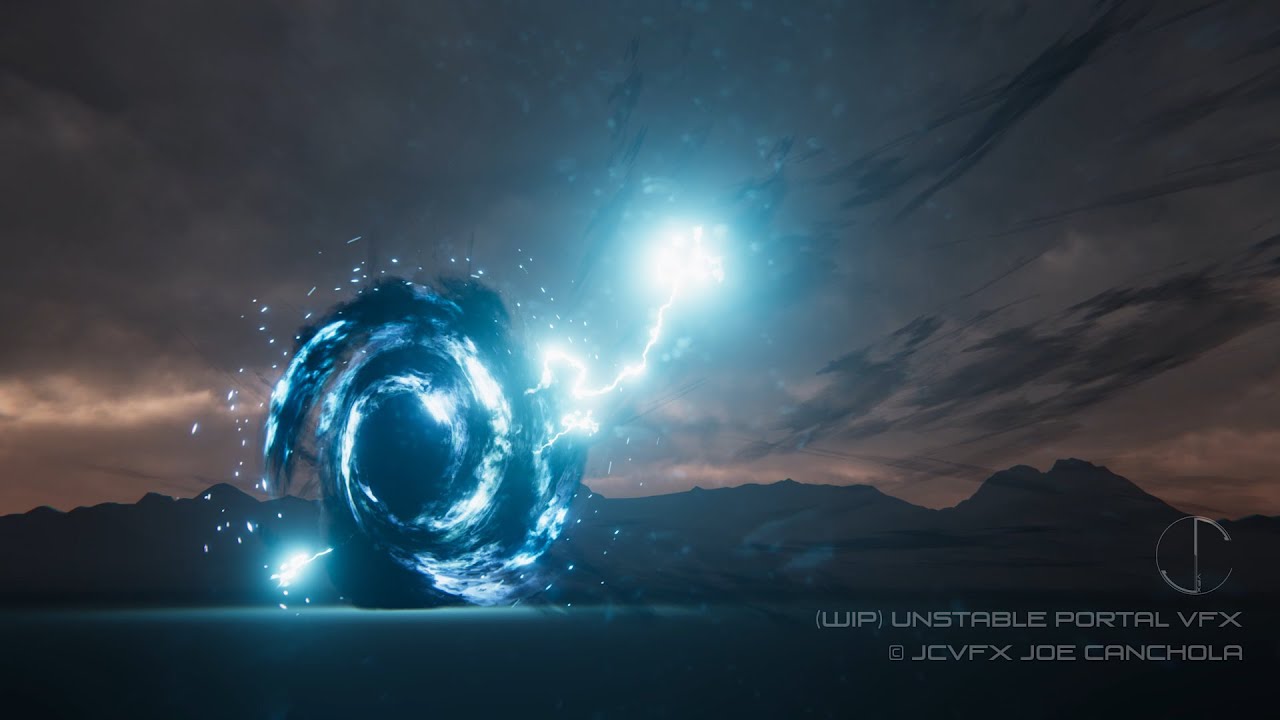
Back again with another WIP! creating an unstable portal effect in unity, still need the spawn and death of the effect. Just thought I'd share the portal loop for now.
Something like this but less violent
And blood red
Instead of light blue/white
You can see the vortex force around the outer rim of the portal
fossil swan
yea
fossil swan
i'd just get a cylinder mesh, twist it, pan texture around it, make edges masked, maybe another layer with translucency, and some "smoke" particles around it for oomph

Source files can be found here: https://gumroad.com/l/WPOWorm
Be sure to check out my UE4 marketplace for awesome VFX & material packs! https://www.unrealengine.com/marketplace/profile/Luos
Links:
Youtube: http://www.youtube.com/c/Luos_83
Twitter: https://twitter.com/Luos_83
Twitch: https://twitch.tv/luos_83
Website: https://luosart...
thats all just mesh/material based.
not everything is relevant to your portal of course
imma fiddle something together, because bored of copying emitters XD
fossil swan
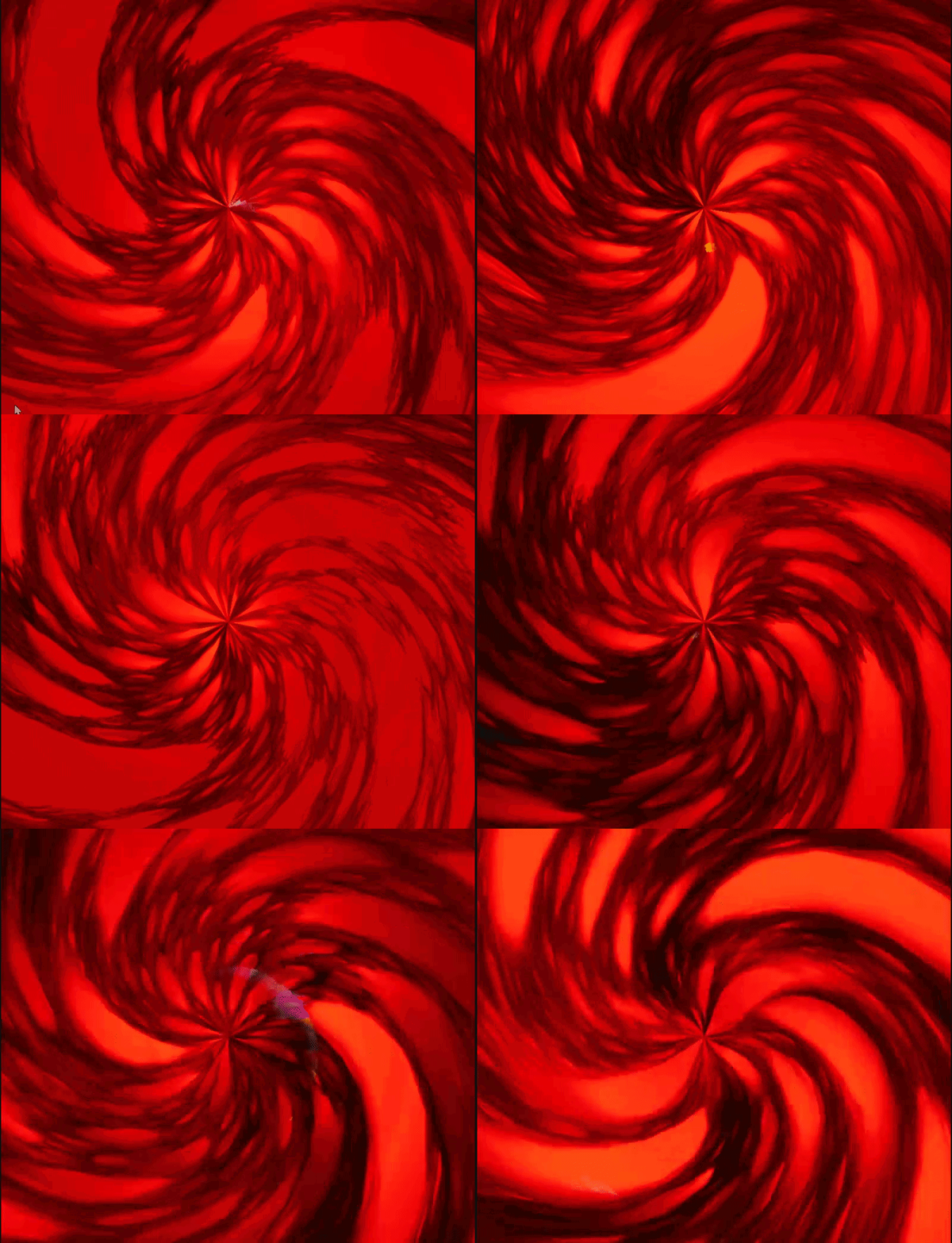
 lofty socket
Unreal Engine VAT (vertex animation texture) | Houdini 19.5 RBD Simulation
https://youtu.be/ICpz0DmpbdU

Unreal Engine 5.1 | VAT (Vertex Animation Texture) | Anamorphic lens
CPU : Ryzen 3600
GPU : RTX 3080
RAM : 48 GB RAM
In this video, I was learning how to create a VAT (Vertex Animation Texture) in Unreal Engine 5.1. Use Houdini 19.5 to make the destruction and export it with SideFx labs ...
quasi wolf
is there a way to make particles fire out from something with the same velocity as the object theyre attached to? looks a little wrong when something flies across the map but the particles fall straight down (as an example)
kinda hard to describe
 digital tulip
mild sparrow
Hi folks, I'm looking to make a holographic contour map generated from a 2D blac...
digital tulip
mild sparrow
Hi folks, I'm looking to make a holographic contour map generated from a 2D blac...
I did mine with mesh and materials. but as you can see i have hallways not hills lol

 dense storm
I'm trying to modify the colors in a Niagara System in blueprints. If I use this node in Construction Script it works perfect but if I put in an overlap event it doesn't do anything.

The overlap event is not a problem because the rest of the function works fine.
ancient light
quasi wolf
is there a way to make particles fire out from something with the same velocity ...
Engine (Owner) Velocity is the variable you want
but this requires that your particles system is attached to the actor that has the velocity you want, if the component is not attached, there is no owner and so owner velocity is 0,0,0
quasi wolf
thanks, but where do I find that?
oh it was inherit parent velocity all along, I was expecting that to be more complicated
ancient light
lol
me too
@quasi wolf theres a lot of "Owner" properties that are super convenient but again only available when you attach a system which.. cant always be the case so just keep that in mind
quasi wolf
yeah it’s fine in this case, but I know unreal likes to throw up a ton of errors for some things related to missing owners and stuff
 indigo remnant
I just tumbled upon this article by Froyok regarding DrawMaterialToRenderTarget is inherently very slow (12ms vs 1.3 ms) compared to the alternative method presented, has anyone encountered the same performance issues and found better ways?

I spent quite a bit of time working with Render Targets in Unreal Engine 4. Mostly to do some effects for my UI. One of the main e...
ancient light
The above render times are more the result of that person running their "benchmarks" in 2020 using a graphics card that was 3 and now 4 full generations behind a modern card.
@indigo remnant
indigo remnant
ancient light
The above render times are more the result of that person running their "benchma...
Hm i guess i will try benchmarking again
unreal thorn
ancient light
The above render times are more the result of that person running their "benchma...
To be fair, using older weaker GPU can skew the results for the better.
I mean, it sounds impressive if you say something took only 2 ms on RTX 4090, but it fall short for more average mid-range GPU.
ancient light
I can tell you for ssure we have render targets in our project that do some crazy shit and theres no way we'd tolerate a 12ms draw time
something else has to be up
unreal thorn
If weaker GPU can render something fast, it will be faster on stronger GPU
ancient light
we've got a mix from 2080 TI's to 3090's here and its pretty similar across those so fara
if it was choking somewhere in that range someone here would raise hell
haha
unreal thorn
I consider 2080 Ti pretty high end, I guess I'm being lunatic for too caring about low-to-mid range GPU 🤷
ancient light
but yes, leaning into the weaker cards helps keep everyone in check. And no not a lunatic, our game is aimed at the top end of the rig spectrum. I can say that I know a 2080 TI would be almost unable to run a game with Lumen and Nanite enabled, the draw time for lumen and its associated bits n bobs hits like 23ms I think total on a 2080 Ti, might be more.
and thats liek.. just a scratch build running the example project they launched with, nothing custom
indigo remnant
I guess i agree with @unreal thorn , need to lean on lower end, cus higher end makes us delusional, thats why I never use my RTX3090 for performance check
Being able to do crazy fast renders to render target is quite benefitial
analog onyx
indigo remnant
I just tumbled upon this article by Froyok regarding DrawMaterialToRenderTarget ...
Make a render pass with your own shader. That is as quick as it gets. Draw material to render target had tremendous overhead.
Or at least use niagara, if applicable.
indigo remnant
analog onyx
Or at least use niagara, if applicable.
Hm can prolly do ye, making a niagara shader instead of material
indigo remnant
analog onyx
Make a render pass with your own shader. That is as quick as it gets. Draw mater...
I dont know how to make my own render pass 😂
Wish there are learning resources 😄
 smoky nimbus
Not sure if this is the appropriate category... but is anyone having luck outputting a render with cryptomatte object ideas intact? I'm on Unreal 5.1 Preview 2.
I'm just seeing a black screen when rendering out EXRs and importing to After Effects and applying the cryptomatte filter.
 timid ether
Hi Im using a translucent material for a smoke bomb effect using niagara and it looks fine as is. I later enabled ray traced translucency in post processing to get nice reflections from glass and water materials I have going on. Unfortunately enabling ray traced translucency makes my smoke look weird and not like what I had before. Is there a fix anyone can think of? I deffo need ray traced translucency to stay on for the glass so I cant just uncheck it. Is there a way to make it so my smoke material just uses raster instead of rtx or something? Thats the only idea I have but not sure how i would do it
indigo remnant
indigo remnant
I dont know how to make my own render pass 😂
@analog onyx do u have any pointers ? 😄
 little scroll
Does anyone know whether something like this is doable in unreal https://youtu.be/ZsMHY4LDyRE?t=45

Date of Recording: 2021-01-22
It's been a while since the last update from before the holidays. Several things have been in the works, including a fairly involved procedural terrain generator that deserves its own explanation video some day. Here we are showing off the improvement to the main pixel art shader including light-aware edge colorati...
Or rather doable for someone not very experienced in post processing or a tutorial or something lol
I'm thinking of ways to do a kind pixel art esque style with 3d and i'd love to achieve an effect similar to this, however this one seems very complicated 🤔
Right now the most doable one seems to be not applying a global post process and instead only applying pixelization post process effect to moving models, or rather only models that can move like characters basically, to avoid getting a very noisy game with any kind of movement
That seems to be the main issue i'm seeing with this kind of style, avoiding the horrible aliasing/noise when you move lol
so you could fake it I guess, with only pixelating stuff in real time for character and other moving stuff
so I guess i'm wondering if anyone has good resources for this specific kind of effect
 wise spire
Hello! I have a question for all Nuke users. Is there a way to link a nuke project to the main one instead of having for example a live group on it? (Basically like link instead of append on Blender) My goal is to have all the different parts on the car I'm rendering with different post production but lighting up my main project since I may still need to do minor chages in the future but also need them organized in a main project
 frail badge

Is there a way to apply VRT to a skeletal mesh octopus? I'm trying to get octopus to blend into landscape/mesh textures when pressing a button
analog onyx
frail badge
Is there a way to apply VRT to a skeletal mesh octopus? I'm trying to get octopu...
Ye
frail badge
Awesome. At least I know it's possible before I headache with it for the next hour
indigo remnant
little scroll
Does anyone know whether something like this is doable in unreal https://youtu.b...
Not very hard
indigo remnant
frail badge
Awesome. At least I know it's possible before I headache with it for the next ho...
RVT can be read just like any texture so u can surely use it
 raw orchid
little scroll
Does anyone know whether something like this is doable in unreal https://youtu.b...
raw orchid
little scroll
Does anyone know whether something like this is doable in unreal https://youtu.b...
Holy Shit does that look gorgeous 🔥
little scroll
indigo remnant
Not very hard
oh yeah? I haven't seen anything like this specific example, the way it handles the conversion to a pixelart style is really impressive because it's very clear and not noisy
I've seen others more commonly? mix actual pixel art and "3d pixelart" but that doesn't allow the camera to smoothly rotate like this, or even people convert 3d models to a flipbook/sprite sheet but nothing fully dynamic like this video
little scroll
raw orchid
Holy Shit does that look gorgeous 🔥
yeah I love it lol, impressive style and the way it's fully 3d
acoustic whale
Hey, not sure if it's the right channel but does anyone know how to stop foliage from disappearing when far away ?
it's for a render, not real time
I've tried to disable mipmaps but it doesn't work
little scroll
Hmm i'm thinking either your foliage is culling because of the distance which you should be able to change or it's something in your foliage assets lod's you could check
indigo remnant
little scroll
oh yeah? I haven't seen anything like this specific example, the way it handles ...
I think the techniques are similar just with higher resolution pixels + bigger color pallette lookup table + some edge detection. Then the rest I think depends on the stylized asset
The hard part I would say is the asset production
For all animations i think it has reduced FPS
little scroll
the trees do use a specific shader but the meshes in general themselves seem very simple

from another vid he shows importing into unity from blender
color pallete and edge detection make sense yeah
it's just it's not really noisy
all the pixelating everything instead of only specific models techniques i've seen people use get very noisy when moving the camera
indigo remnant
little scroll
the trees do use a specific shader but the meshes in general themselves seem ver...
Yes mostly texture trick, theres a great article about this but i forgot the link
indigo remnant
little scroll
it's just it's not really noisy
Noise depends on the lookup pallette, it is only noisy if u use too few colors and too big pixels
And if the color pallette has too high contrast
Also depends on how u sample the scene texture i think, should have some kind of neighbor sampling
 unreal lichen
how can I in real time Eyedrop a meshes material color? Trying to make a reactive light color based on TVs output. A general broad approximation is good enough.
 muted rain
Hi, any idea why i get these artefacts ? It's a cascade smoke particle from a marketplace pack.
 unreal thorn
muted rain
Hi, any idea why i get these artefacts ? It's a cascade smoke particle from a ma...
unreal thorn
muted rain
Hi, any idea why i get these artefacts ? It's a cascade smoke particle from a ma...
Looks like bad UV flipbooking 🤔
acoustic whale
acoustic whale
Hey, not sure if it's the right channel but does anyone know how to stop foliage...
foliage.ForceLOD 0
foliage.LODDistanceScale 100
did the trick (very heavy hit on perf tho as expected)
little scroll
indigo remnant
Noise depends on the lookup pallette, it is only noisy if u use too few colors a...
hmm yeah making the pixels smaller helps, the flat colors I used because detailed textures seemed to give me more noise
but i'm playing around with it some more
see what I can do
I doubt ill make something for a proper game but it could work for gamejams as a neat style
 reef hound
hello everyone. Can anyone advise me how do i add damage to a particle effect? i am only 1 month in unreal and too many things i do not know. sorry. The only way i am adding damage is when the particle is played in my animation montage and i simple add the attack notify.
is there a tutorial anywhere?
fossil swan
you need to do that trough blueprint/code. dont use particles to fire off events to do gameplay stuff.
particles/vfx is just for the visuals.
unreal thorn
Bullet hell, no, shmups in general should use an ECS as there'll be a lot of things going on while also demanding high framerate.
If you're in UE5, #mass is a thing.
reef hound
Thank you for the responses and sorry for my late reply. I am using it for ai/enemy that cast magic or melee attacks but from your responses blueprint/code is still the right way. Zero experience on coding here but i am learning how to blueprint. is there a template that i can refer to so i can start from there? I read up on something about sphere tracing. Is that something i should start of to play around with?
fossil swan
Some tips and tricks on character readability & vfx
https://www.youtube.com/watch?v=0ucvynuIe-o

If your visual effects are too flashy, they'll end up outshining your characters.
It's important to find ways to keep effects impactful without interfering with other elements.
fossil swan
fossil swan
Some tips and tricks on character readability & vfx
https://www.youtube.com/watc...
 celest birch
I wish to make outline to a mesh so it shine
fossil swan
look into fresnel
 split vortex
How can I do fragment shaders in ue5? I just see resources for materials and global shaders.
 pseudo skiff
how can one make this https://twitter.com/KateJoyraise/status/1590623332118192128 in UE4 with Niagara ?


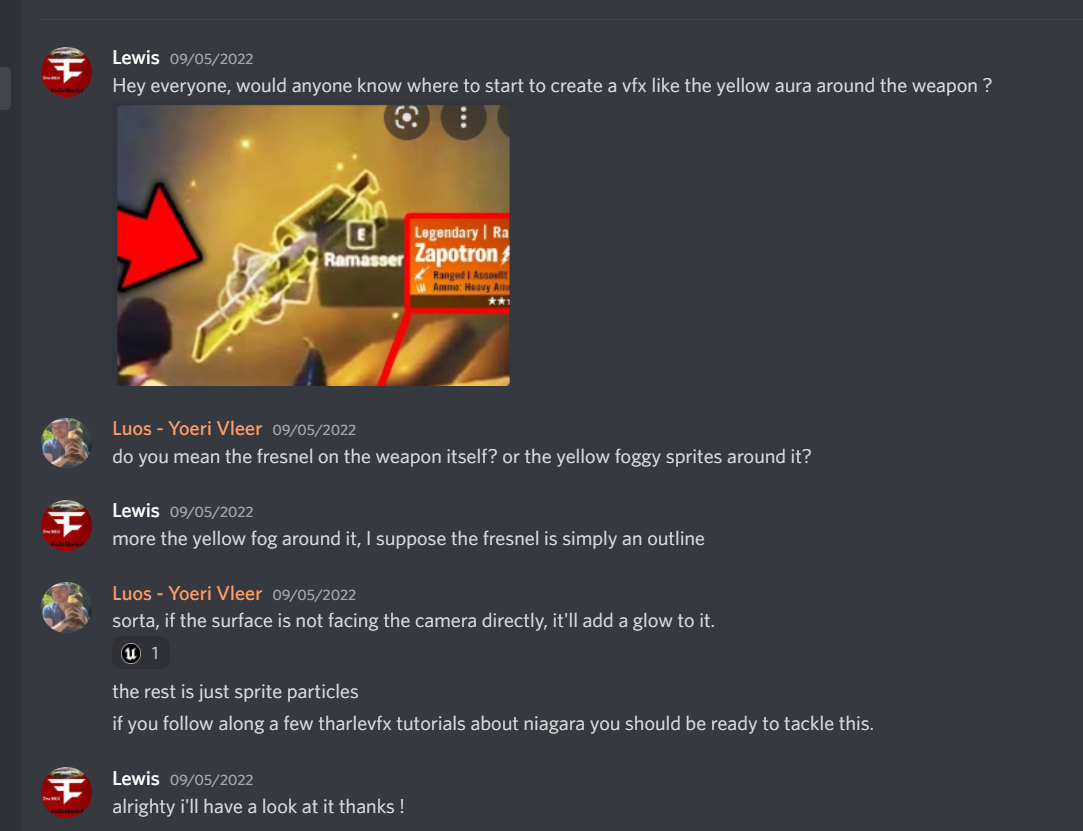

Rift beam for Project F4E. The game is still in development
#unity #unityvfx #gamedev #indiedev #VFX #realtimeVFX
Twitter
·
 sly socket
Not sure if this is the right place to post this. I am generating Fractures with the UE5 asset fracture tools. Everything is working as expected, but for some reason when I save my geometry collections corrupt. I am not getting any error message but when I restart the engine it loads an empty geometry collection with no data. Appears to be a bug in the engine and I am trying to find a workaround. This only happens sometimes, 1 fracture is working, the other 2 aren't, Anyone have any experience with fractures and know anything about issues like this?
 marsh lava
anyone now if it's possible to port Beam Type Data data to unity or have a basic way of getting the effect thanks
quasi wolf
does anyone have an idea of how I could simply make the ground meshes lighter on the top half, but not the sides facing the camera? tried everything with the directional light, and it just messes up decals and particle effects whatever I do

just in a natural looking way as you can imagine, need some way to fake it with materials or something

 cedar fulcrum
hello, in the patch notes it say that openvdb support is now added for linux and maos in addition to windows? does that mean that windows had it before which isnt true or what
sly socket
I posted here a few days ago about the Geometry Collections from my chaos physics fractures not saving. Wanted to share that updating to 5.1 resolved the issue. Must have a been a UE5 bug.
 gritty cloud
Hello
I'm very bad with particles and I need some help
I'm attempting to modify the smoke particle from starter content
and I've changed it's colour to white
well greyish
anway
in game it appears completely black for some reason
in the viewer it is the colour I've intended so I can't figure out why it's black in game
the editor

in game
 fossil swan
you might wanna see if the material itself is set up as unlit or not.
it kinda looks like its not set to unlit, which means it should take lighting from the environment.
(easiest way is to put a light next to it)
gritty cloud
You're correct I'll see if it does fix it though
Bruh

now the editor is black too

hmmmmmmm
I'm putting 2 and 2 together and realising that the material is actually black and there was some light shining on it when I was in the editor
However what's weird is that I have my colour literally set to white
NVM
I fixed it
For some reason I needed to my editor after I changed the material
fossil swan
needed to?
gritty cloud
I restarted UE5 and it fixed it
gritty cloud
fossil swan
needed to?
Sorry for confusion saying "editor" would be confusing as literally moments ago I was referring to the particle editor when I said editor
fossil swan
odd that you had to restart, but hey if it works
gritty cloud
That's why I said "for some reason"
gritty cloud
fossil swan
odd that you had to restart, but hey if it works
Either way thanks for the help
Wanna see the result?
fossil swan
sure!