#cinematics
1 messages · Page 24 of 1
 daring nacelle
 fleet jungle
I've tried with sampling settings: 32 spacial & 32 temporal, but get this odd doubling effect
 elfin lance
fleet jungle
I've tried with sampling settings: 32 spacial & 32 temporal, but get this odd do...
elfin lance
fleet jungle
I've tried with sampling settings: 32 spacial & 32 temporal, but get this odd do...
I'm getting the same effect. I get doubling of the image any time I introduce any temporal samples
fleet jungle
@elfin lance can you please post an image of that doubling effect when rendering using the path tracer?
elfin lance
@fleet jungle yep here's what I'm seeing

 simple sail
How should I set object and lights properties (static, stationary, movable) when everything is basiscally static but I have letters that turn on (emission)?
I tried playing around but if I set stuff stationary my dark room becomes lit by something, I guess sky for some reason
 daring canyon
I haven't tried rendering any moving sequences yet, had other stuff to do but i can imagine if the camera movement is laid out in the sequencer then the render queue can place the camera on any intermediate position when it does the subsample frames. It cant do that with this approach since there is no way for it to know where the camera is supposed to be between the frames. Should be just fine for still captures though..
daring nacelle
Thanks @daring canyon - I understand what you mean. I haven't tried it yet either... too many other tasks. I will get to it though!
fleet jungle
@elfin lance an Icelandic buddy of mine suggested to disable the FPS lock in sequencer, try that it might fix that doubling artifact
elfin lance
@fleet jungle that worked! sounds like a great guy. Sounds super attractive as well.
 honest urchin
Hi all, has anyone had an issue rendering a physics asset? This chain (I've pulled it away and put it in foregroundto better observe) plays fine in simulate mode in the sequencer, but when I render the same sequence I get this crazy, loose flapping around physics. I've tried dampening it, but it doesn't seem to change when I render it with Movie render queue
 vague yarrow
hey guys good morning
i need help about my cutsene

compare to the editor in the right side on the left side the result not the same anyone know what wrong
 quick portal
vague yarrow
quick portal
vague yarrow
Looks like it's the depth of field for your cine cam.
vague yarrow
ok i will check it now
 undone geode
I've established the beginning and end of a camera move with Viewport bookmarks.
What would be the next step in creating the move using rails so that I can exactly match these bookmarks?
 gusty heath
hi guys my first time using depth of field but for some reason it doesnt work on anything that has opacity how do i fix this?
 quick portal
gusty heath
hi guys my first time using depth of field but for some reason it doesnt work on...
quick portal
gusty heath
hi guys my first time using depth of field but for some reason it doesnt work on...
This actually belong to #graphics , but whatevs.
It's because the fact that translucency is rendered after anything else, and not fed into the scene depth information.
gusty heath
ah my bad i thought it was cinematics, so is there a way to make it work with DOF?
quick portal
gusty heath
ah my bad i thought it was cinematics, so is there a way to make it work with DO...
Try disabling Separate Translucency in your material.
gusty heath
or am i supposed to just blur it on photoshop, its a render for a character so it doesnt need to be animated
@quick portal cant find it

oooh nvm found it, thanks it works, its apparently called "render after DOF"
 sage lantern
Tried to render a movie to a video but the export is coming out 'blank'. I'm not sure what I am doing wrong.
This is what I am working with

And this is the output.

Appreciate any help 🙂
sage lantern
Played around to try and figure out what's going on and it seems like the 'orange' is coming from the albedo of the 'volumetric fog' under exponential height fog.. Still not quite sure what the source of the problem is though, just thought I'd throw it out here in case it's relevant
sage lantern
Another level

Output

Looks like all the actors are gone. In some cases the rendered movie also renders the ThirdPersonCharacter, as shown below..

This also happened with the first level..

 thick flint
Everytime I render the cin, it goes through for a bit then just teleports to a scene not even near the cam then just to a black screen afterwards
 opaque siren
<@&213101288538374145>
 olive mulchBOT
Something went wrong. Check the logs for details.
opaque siren
Thx
undone geode
Any render experts able to tell me how you would render a sequence with MRQ that requires PIE mode?
I am trigering Blueprint Actor events from Sequencer, hence the need for PIE mode.
The only way everything works up to renders is
- Enter PIE mode
- Eject camera
- In Sequencer select and Pilot the camera being animated
- Playback in Sequencer
But after half a day of effort am unable to render everything out.
 tight frigate
Anyone have any idea how to fix this?

 fervent zenith
That looks like an lod issue.
 noble ridge
sage lantern
Another level
noble ridge
sage lantern
Another level
Are actors being hidden in game?
noble ridge
tight frigate
Anyone have any idea how to fix this?
Distance shadow fields on your directional light is my guess
I had a similar issue i think i posted about
sage lantern
noble ridge
Are actors being hidden in game?
My noob self figured it out. I was missing a camera cut track in the sequencer
noble ridge
I was gonna ask about that. You might have been staring at nothing instead of your shot
Glad you got it
sage lantern
Thanks for trying to help
tight frigate
fervent zenith
That looks like an lod issue.
no LOD's on the SM's, I thought the same thing, it looks like LOD's for shadows or something I dunno
 fervent zenith
sage lantern
My noob self figured it out. I was missing a camera cut track in the sequencer
fervent zenith
sage lantern
My noob self figured it out. I was missing a camera cut track in the sequencer
Thats weird. This never happened. I'm on 4.26.2 btw and the only issue I found was camera not able to work properly. Which I figured that I was doing something wrong.
 bright quail
Hey guys, I'm having an issue that I cant really get my head around.
I want a certain object to change material etc. on every rendered frame, so normally I would just put it in the tick function of my object and then just render the sequence out using the movie render queue, however because I'm using subsamples in the render preset to give me better raytraced results, the ticks are firing on the sub steps(16 substeps pr. frame) - is there a way to make a function thats fired every frame and not on the substeps?
quick portal
bright quail
Hey guys, I'm having an issue that I cant really get my head around.
I want a ce...
One way to get around this is to change all time inputs in the materials to a scalar parameter (could be unified by Material Parameter Collection)
Admittedly it's a tad too hacky, but the game time doesn't put render delays into equation, including "substeps"
bright quail
quick portal
One way to get around this is to change all time inputs in the materials to a sc...
Seems like it might work - right now its not scalar parameters but some blueprints that fire on tick and changes the material on several static meshes
so would you animate a value inside the sequence or?
quick portal
bright quail
so would you animate a value inside the sequence or?
I used to hardcode it, with a modulo check in a BP. Since the substep frames are known, it'll check if the frames are modulo of the substep count before progressing the time value to the next frametime (1 divided by framerate)
I encountered similar issue when I used to work for virtual production projects, and the material would appear way too fast.
bright quail
Okay, and the modulo is of the gametime or?
quick portal
The pseudocode would be something like this, on event tick
FrameCount++; //increment the frame count (integer) every render frame
// Only add material time if frame count is multiple of substep count
if (FrameCount % SubstepCount == 0)
{
     MaterialTime = MaterialTime + 1 / Framerate;
     // Add material time value with frametime value
}
 crimson helm
Hello, I'm doing a group project and I'm using the movie render que to render out my cinematics. My compositor wants me to render a motion render pass but when we open it, it just shows up in yellow. Am I doing something wrong?

 rocky escarp
crimson helm
Hello, I'm doing a group project and I'm using the movie render que to render ou...
rocky escarp
crimson helm
Hello, I'm doing a group project and I'm using the movie render que to render ou...
Looks right, don't worry about the previews. Motion vectors are encoded to RGB colour so it'll look unusual.
rocky escarp
Hard to say without seeing it, yellow wouldnt be a surprise. If theres yellow that means theres some data being written (R+G would indicate some X&Y motion at least).
crimson helm
hmm
rocky escarp
If its flat yellow and nothing else going on for the whole shot, then maybe theres an issue. Can you inspect the exr frame?
crimson helm
rocky escarp
Just check the RG&B channels and see if there's any usuable values in there. You'll have to shuffle in from RGB to something usuable in comp of course
crimson helm
ohhh yea i havent checked the rgb channels
i changed exposure but not channels

sadly i cant get anny information from it
 reef dawn
Has anyone had any issues rendering out motion blur with the movie render queue? I'm getting really strange ghosting. If I leave the AA as-is and don't use any console variables it renders clean. These settings shown are what give me the ghosting. I've also tried the High Quality settings for the console variables listed on the documentation and I get the same result.

 tight lava
Hello everyone. I am working on rendering out some cinematics in 4.27 and playback of the rendered video seems choppy. I have a 5950X AMD with a 3080ti and the scene is a large open world environment render. I could really use some tips or help. I dont mind paying even. I have a deadline tomorrow so i am trying to get these fixed. I have tried the MRQ and the Legacy version both. IMG seq and AVI files all act the same during playback in DavinCi Resolve. Frame rate is all matched up properly. I hope someone has some advice. Thanks!
 brave trellis
Hi! How can I lock pitch rotation of my camera that attached to camera rig rail when LockOrientationOnRail prorerty is enabled?
gusty heath
Would the sequencer be best for a game over animation, or should I do that in real time?
crimson helm
tight lava
Hello everyone. I am working on rendering out some cinematics in 4.27 and playba...
sometimes when I open the videos on my pc it's laggy too, but for me it's because there big for my ram especially when unreal is open. I would upload it to YouTube and or conpress it to see if it's really buffering. i think that your problem because movie renderque renders out frame by frame with out skipping any.
crimson helm
 mystic cedar
where can i find a good tutorial on sequencer
mystic cedar
where can i find a good tutorial on sequencer

In this tutorial we go over everything you need to know in UE5 / UE4 in order to produce cinematics in sequencer! 👇 Click "Show More" for Timestamps 👇
🎞️ Check out some of my Cinematics 🎞️
The Lifecycle - https://youtu.be/vZv_o5hZmLA
Wellerman Remix Music Video - https://youtu.be/tcmFoJIUYSs
The Curse (Old Game Dev Teaser) - https://youtu.be/...
noble ridge
gusty heath
Would the sequencer be best for a game over animation, or should I do that in re...
A whole cut scene probably good in sequencer.
If it’s just death animation solo then probably in game too.
If it’s something like 2+ characters interacting in a complicated fashion together, and maybe with the environment too, i would suggest sequencerin that case
gusty heath
noble ridge
A whole cut scene probably good in sequencer.
If it’s just death animation solo ...
I was thinking a death scene where when the player gets caught, the player turns to face the enemy, and then an animation plays
would that work in game or in sequencer?
noble ridge
Either. There is logic that could satisfy either
You can use character look at function and run the animation montage.
Sequencer is great for controls to manage this but not a requirement
Sequencer is mainly to run everything on a shared timeline
 amber canopy
why does some materials not get blurred when im changing focus
 rocky escarp
amber canopy
why does some materials not get blurred when im changing focus
rocky escarp
amber canopy
why does some materials not get blurred when im changing focus
Try enabling ‘Render after DOF’ in the material. Which should be a pinned answer in this channel because it comes up so often 😅
 barren lagoon
alternatively you can just uncheck the “separate translucency” box in the project settings 🙂
 valid wolf
Hi! Does anybody know, if it is possible to render a sequence from different angles at the same time, so I could montage it later? I know I can simply start recordings from different angles, but the catch is I have physics, and I want it to be determine, meaning it should be the same every recording. Right now if I start a recording, objects will fall differently every time. Any advice here?
quick portal
valid wolf
Hi! Does anybody know, if it is possible to render a sequence from different ang...
If it's a "hero" physics, I suggest you to bake it as animation sequence (I think UE has the tools, but I'm not sure, still experimenting on it)
valid wolf
@quick portal Any object's physics.. Whenever it skeletal or static mesh
quick portal
valid wolf
<@!325627930484932608> Any object's physics.. Whenever it skeletal or static mes...
I don't think minor physical objects have to have continuity between angles.
Which is why I insist on just focusing on "hero" physics continuities, simulated objects that actually contribute to the scene (e.g. beer bottle thrown on someone's face).
valid wolf
I do not have a hero.. It is not for a game..
quick portal
valid wolf
I do not have a hero.. It is not for a game..
Doesn't matter. It's a filmmaking terminology.
Movie scenes can have continuity errors on minor props that are not the focus of the scene nor moving the scene forward.
valid wolf
Yeah, but I have some primary actors, that spawn at runtime and have physics.
So I found this "Take Recorder" tool, that can record everyting during gameplay, including physics. I guess this is what I need
quick portal
valid wolf
So I found this "Take Recorder" tool, that can record everyting during gameplay,...
It's more of a runtime thing than actually gameplay, but yeah, it could work.
amber canopy
Hello guys! I tried rendering my project at different resolutions, from hd to full hd to 2k but the result is the same, blurry... I then tried movie render queue but it looked laggy although i had 60 fps. How do i render my movie and making it look good?

This was 2k res...
 knotty quail
amber canopy
Hello guys! I tried rendering my project at different resolutions, from hd to fu...
knotty quail
amber canopy
Hello guys! I tried rendering my project at different resolutions, from hd to fu...
Have you tried turning up your AA samples and, getting your camera in focus? If you aren't using the Movie Render Pipeline Plugin, it might be difficult to do that through regular sequence render.
amber canopy
knotty quail
Have you tried turning up your AA samples and, getting your camera in focus? If ...
ok

what does this mea
mean
 junior dawn
Hello everyone, Is there a way to loop a level sequence, the same way we can have loops in montage. I mean with a Sequence Name that loop and then we set the next sequence to play
 peak current
hey, so im making a small movie and i wanted to know after i render my movie, is there a way either in post-production or un UE4 to make my render look more like a hollywood movie? i have access to blackmagic and adobe.
or anyone know of any good tutouralils on it?
quick portal
peak current
hey, so im making a small movie and i wanted to know after i render my movie, is...
Basically any other cinematic video editing tutorials, including those by Andrew Kramer.
peak current
quick portal
Basically any other cinematic video editing tutorials, including those by Andrew...
thanks
 novel sparrow
I do have an issue with Audio in Cinematic. When audio crosses the border between two shots that have TimeDilation on them it hitches. Any way to solve it? (except obvious)
It's consistent, but relates to the duration or the play start. If the sound is short it won't be affected. (got an answer in #audio)
 crystal skiff
barren lagoon
alternatively you can just uncheck the “separate translucency” box in the projec...
crystal skiff
barren lagoon
alternatively you can just uncheck the “separate translucency” box in the projec...
Thank you! I didn't know that 🙂
I did this little test a while back.. It is extremely effective to work with sequences inside of sequences to deal with things like clean camera cuts, and just good organization in general.
https://youtu.be/84lP9YQMOOI

➤ Support what I do on PATREON - https://www.patreon.com/REEANIMATION
➤ TWITTER - https://twitter.com/Ronnie_Ree
➤ DISCORD - https://discord.gg/sAj68rqd22
➤How To Animate Like A Pro - Tutorial
https://youtu.be/QfzBJS3_aJM
THE ADVENTURES OF GORM:
This game is inspired by some of my favorite game, like Wonder Boy, Diablo, Darksiders, Ghost'n Gob...
 plucky timber
I have a problem that Cloth is not rendering correctly.
When simulating it's working correctly but when I use Movie Pipeline to render it sort of is not accepting the laws of physics fast enough. The cloth starts moving like 10000 frames later.
 midnight rapids
any asset packs recommendations for most cinematic, realistic looks? paid/free doesn't matter
quick portal
midnight rapids
any asset packs recommendations for most cinematic, realistic looks? paid/free d...
Quixel Megascans (free, but final renders can only be in UE)
MetaHuman Creator (free, but final renders can only be in UE, external editing is encouraged)
Project Nature vegetations (free)
Tropical Jungle Pack (paid)
Brushify (paid)
HDRI Haven (free, non-Marketplace)
Ballistic FX (paid)
I'm not working on realistic stuff (kinda boring tbh), so that's all I know of. You can find the rest with some google-fu.
 reef plume
Hii, I’m an artist and I start using for references and concept art, I see some cool animations too, I was trying to use some animations, but I have a question, is possible start an animation and then stop this/ slow mo etc etc, I mean like when you use a 3D software like blender
I want to, idk, load a punch animation into the base model then stop the animation half away and turn the camera around
How I do this in UE?
plucky timber
plucky timber
When simulating it's working correctly but when I use Movie Pipeline to render i...
Found out that anti-alising sub sampls f up the physics in rendering.
plucky timber
reef plume
Hii, I’m an artist and I start using for references and concept art, I see some ...
You can animate cameras, characters etc and operate on the timeline.
 woeful fable
is it possible to dynamically switch on/off sound tracks in a matinee?
there is an "Enable Group By Name" on MatineeActor in Blueprint but it doesn't seem to do anything
maybe I could do the switch in the Sound Cue, but you pick a Sound Cue asset, and not a Sound Cue instance on a matinee track
 neat wigeon
hi nice ppl, i have a question about level sequence's transform origin. this seems to be very nice to be able to move all stuff in the level sequence, yet i wonder if i can set the transform origin actor or transform origin during runtime through BP?
the problem is that I spawn the level sequence player during runtime through BP, so that I can't assign or change the transform origin in edit time to meet my requirement
 little raven
Does anyone know what causes a saved level sequence to apparently have an asset file saved in it? I seems to be if I have a actor in the scene that I add to the sequence and then convert it to spawnable. The saved sequence can be hundreds of megs. If I add it directly to a sequence the level sequence file is tiny.
 quaint ginkgo
oh ok sorry about that
rocky escarp
neat wigeon
hi nice ppl, i have a question about level sequence's transform origin. this see...
Delete the default transform track which is created automatically when an actor is added to the sequence. This will stop the sequence player from trying to set the transform.
 verbal marsh
Guys Does Panoramic Screenshot Ignores water ? Cause I am not getting the water in the level while capturing panoramic screenshot
 elfin inlet
Okay I have a bit of a specific issue, but I imagine someone has dealt with it before.
I am exporting a sequence out of Unreal as avi (much more space efficient than png sequence) and when its exported it looks alright when trying to view it in windows. I edit with Davinci Resolve, and after exporting out of that as MP4 (1920x1080 HD) the avi content from Unreal looks terrible (very pixelated and almost has scan lines).
Has anyone here exported their sequence as avi from Unreal specifically, and had it come through Davinci resolve and look weird?
daring nacelle
I have a strange quality issue with the movie pipeline renderer. The first time it runs all my images are a lower quality. The second time the quality is correct. See example below
low quality

good quality

You can really see the difference in the skin quality - but also the hoodie and the sky (so i dont think its a Metahuman specific issue)
Ive tried adding some engine and render warm up frames but no luck. Anyone have any ideas?
rocky escarp
elfin inlet
Okay I have a bit of a specific issue, but I imagine someone has dealt with it b...
Look up fields, it sounds like Davinci might be interpreting the avi as a non-progressive source. Either change the settings on the clip or just avoid .avi altogether if you can. It’s very old and you are double compressing the output. If you need better playback speed you can output to png and encode to an intermediate format like prores or dnxhd.
rocky escarp
daring nacelle
You can really see the difference in the skin quality - but also the hoodie and ...
Textures seem to be loading at lower mip values first time. Try using the ‘disable streaming’ option in the MVQ game overrides module.
 steady talon
Hello, I've a composite (fg, bg, media and matte from videos all laid in the sequencer). If I play in PIE everything looks perfect, however if I render to a movie from the sequencer the videos are too fast and loop weirdly
daring nacelle
rocky escarp
Textures seem to be loading at lower mip values first time. Try using the ‘disab...
Thanks for helping. I tried this - seemed like a very good idea but it has made no difference. 😦
simple sail
Hi, I'm looking for help with creating a text render actor that appears letter at a time. I looked at tutorials about using a text block in a widget but I want the text to be it's own actor in the world
quick portal
simple sail
Hi, I'm looking for help with creating a text render actor that appears letter a...
Search for Text Renderer actor in the Place Actor panel.
simple sail
I have the text renderer in place, I'm trying to figure out how to make it appear one letter at a time... was wondering if I should actually do it with the material and having some kind of moving opacity mask I could manipulate
daring nacelle
rocky escarp
Textures seem to be loading at lower mip values first time. Try using the ‘disab...
I found it - it was in game override settings -'Use LOD Zero'. Thank you SOOOO MUCH! your comment totally pointed me in the right direction.
simple sail
this way I could keyframe each letter appearing using the instance parameter
but I have no idea about how to set up the nodes
quick portal
simple sail
this way I could keyframe each letter appearing using the instance parameter
Seems like you have to set up a BP with Text Render Component.
All you need to do in the BP is on every tick, set the text for Text Component with a Text variable that's exposed to Cinematics.
steady talon
Composure Depth Element does not seem to work after I've set the camera and a layer with objects. Did I miss something? preview is black
daring nacelle
rocky escarp
Textures seem to be loading at lower mip values first time. Try using the ‘disab...
So forcing LOD zero didnt quite fix it in the end (it ended up being intermittent) The real problem was that I go from a 'main' level to the level that does my rendering - so i needed to disable Texture Streaming at the engine settings (and not the Movie pipeline settings). Again thank you for the clue... what a day!!!
 scarlet sky
Anyone know why exported sequences, using Cameras that have targets, refuse to acknowledge those targets and so swing off course?
More specifically:
- Imported Camera from 3DS Max using DataSmith
- Camera has a Target actor that also has keys
- I record both of those actors in the Sequencer.
- I use the Movie Render Queue to export that sequence into PNG frames
scarlet sky
To add a bit more clarity:
Currently attempting to render out a sequence of target cameras that I created in 3DS Max, then imported via DataSmith. When I pull them into the scene, then access their animation and record their actions in the Sequencer, the result can be exported from the Sequencer render tool just fine, albeit with some iffy quality & frame jumps.
However, when seeking higher quality, I'm attempting to export from Media Render Queue, and here the problem begins. When I export from MRQ (60 fps, PNG sequence, 1920 x 1080, standard settings otherwise), it treats my camera as though the LookAt Tracking does not exist. As a result, the exported frames don't follow the required path for my shots. When I look at the Sequence I'm referencing for the export, the Camera is included, and the LookAt object is additionally included under the Misc folder of the Sequencer along with a WorldSettings object.
Has anyone encountered this before? The Camera itself has been set to the correct "Actor to Track", and LookAt Tracking itself has been enabled. What's going on here?
 bold mountain
ANybody able to get Metahuman control rigs to work additievely ontop of animations? They just override them in my case.
 dapper fern
How can I keyframe an animation's play rate in sequencer? (not the whole sequence, only a single animation)
I've looked in the properties but there's no keyframe icon.
quick portal
dapper fern
How can I keyframe an animation's play rate in sequencer? (not the whole sequenc...
Why not split the animation track and change one's play rate?
dapper fern
quick portal
Why not split the animation track and change one's play rate?
Yeah that works, was wonder tho if this setting was hidden somewhere maybe
quick portal
Please post in #work-in-progress instead, thanks.
daring nacelle
bold mountain
ANybody able to get Metahuman control rigs to work additievely ontop of animatio...
Do you mean like having 2 sequences playing concurrently? I would be interested if this was possible
bold mountain
daring nacelle
Do you mean like having 2 sequences playing concurrently? I would be interested ...
It is indeed possible. Using master sequences! Not what i was going for specifically in my question but it is something i am doing on the same project
daring nacelle
bold mountain
It is indeed possible. Using master sequences! Not what i was going for specifi...
oh wow. I thought it just wasn't possible! that makes sense - I've heard of master sequences but never used them. Thank you 🙂
 paper bough
Do you guys know why this happens? It has to do with the camera's focal lenght, that much I was able to work out. But I don't know how to solve this? The mask should appear from frame 0 of the sequence, but it doesn't?!
rocky escarp
paper bough
Do you guys know why this happens? It has to do with the camera's focal lenght, ...
Try increasing its bounds: https://docs.unrealengine.com/4.26/en-US/RenderingAndGraphics/VisibilityCulling/

An overview of Visibility and Occlusion Culling methods in Unreal Engine 4.
 torn sand
what could I do to start a game mode's match after a sequence ends?
paper bough
rocky escarp
Try increasing its bounds: https://docs.unrealengine.com/4.26/en-US/RenderingAnd...
Thank you! I got it sorted just like that. 🤟
 late raft
hey everyone, would anyone have a moment to look at this video I made of a challenge I am encountering with lightrays coming through ray traced reflections? https://www.youtube.com/watch?v=22ix4gn7-UM

GPU: NVIDIA GeForce RTX 3080 Ti
CPU: AMD Ryzen 9 5950X 16-Core Processor
Memory: 32 GB RAM (31.91 GB RAM usable)
Current resolution: 3840 x 2160, 60Hz
Operating system:
 calm vine
hello everyone i have a question i made a chain with physics and it works has intended, but the problem is it dosent move inside of a sequence, how do i activate the physics to appear on my sequencer?
the chain is a skeletal mesh with a working physic asset
 timid pasture
omfg haalp : ) all of a sudden my sequencer stops at the end of every shot

how da heck do i get it to play through to the end?
also in the first shot, the camera cuts isn't playing
just stays on the first camera
I think the bugs have to do with using Fade tracks
when i mute and unmute them everything goes to shit unless i restart the editor after the change
sigh. anyone noticed this?
4.27.1
 umbral frost
guys
 lethal mica
can u guys help with sequencer ? while rendering a 297 frame video ... the 85th frame suddenly changes the camera angle and position quite significantly .. how can i fix that ?
 wooden grail
Hey everyone, I am learning how to use lighting and for some reason when I build lighting I get these squares where the the light shines through on the walls. It only shows on the sides and I have been trying every button on the directional light to see how to get rid of them but dont know how. Any suggestions would be greatly appreciated thanks
wooden grail
I figured it out this is probably the wrong chat. This issue was with the static mesh itself. The light map coordinate index needs to be set to 1 on each mesh when building lights
 hasty prism
Hey, quick question how can I use dynamic transforms? the docs says to use the override instance data field but it's not working for me
nvm I'm as dumb as they come
timid pasture
Why does sequencer stop at the beginning of every shot
arggg
i have to restart editor to fix, but it always comes back

stops at beginning of this shot
late raft
Seems to be a lot of questions and no answers here, guess its the forum for me
barren lagoon
late raft
Seems to be a lot of questions and no answers here, guess its the forum for me
the cinematics forum is unfortunately similar to this
 rancid yacht
how do you reference an actor in the world outliner or even in the sequence Tracks inside of Sequence Director?
i wany my actors to use AIMoveTo and fire an event on the characters to move to a certain point using AI
Currently i am manually moving my characters around and I know that has to be wrong.
 drowsy radish
timid pasture
4.27.1
drowsy radish
timid pasture
4.27.1
Yes. Also do you happen to have an animation where you have held the end of that animation pose?
steady talon
I'm using Movie Render Queue to render a sequence that contains a media track. In the rendered version the video is somehow accellerated and not really linear. When I play in the editor everything is fine tho...
Any clues?
 verbal oyster
Hi there! How would you add noise to an object's position in the sequencer? is there a way to add noise to the curves?
I want to make a vibrating object
 neon forge
Hi!! Something really weird is happening with Niagara emitters and temporal sampling. The emitters don't seem to follow delta time properly? I don't mind if they are additive, I can work around that; but why is it moving in between temporal samples?

This does not happen with spatial samples
This video shows the issue for all cases in 15 seconds.
I'm doing Life Cycle on Desired Age for determinism and scrub control, so it should really follow the sequencer.

Anyone with a clue on this? It's really annoying.
steady talon
How do I get the SceneDepth in the composure compositing shader?
SceneTexture: SceneDepth / CustomDepth are both black, but I can visualize them both with buffer viz
 lofty pendant
Anybody knows if it's possible to move/adjust the location of individual Shots (level sequences) inside a Master Sequence? I'm trying to avoid attaching each track to a root actor
novel sparrow
lofty pendant
Anybody knows if it's possible to move/adjust the location of individual Shots (...
you can drag new shot slightly above existing one and it will make a new track
not sure what you mean by "attaching to a root"
lofty pendant
Hi @novel sparrow, I'm talking about moving the X,Y,Z Transform Location of the entire Shot Sequence (not the "position" of the shot within the master timeline)
steady talon
Anyone noticed a dramatic slowdown with 4.27 (compared to 4.26) working with composure and the sequencer?
novel sparrow
@lofty pendantsequence has no location in the world (i.e. it's not related to the actual actors in the sequence)
but you can add an offset to all of the actors in the sequence
@lofty pendant https://docs.unrealengine.com/4.27/en-US/AnimatingObjects/Sequencer/HowTo/DynamicTransforms/

Describes how to create Level Sequences with Actors that have dynamic world transforms that can be changed at run time.
you can set TransformOriginActor via bp as well
lofty pendant
@novel sparrow Thanks Alexey, Yep I've read about Override Instance Data but unfortunately it doesn't seem to work with individual sequence shots
 white plinth
Anyone knows How can record some of the static mesh with changing material and skeletal meshes with animation in sequencer and render it all at runtime.?
novel sparrow
lofty pendant
<@!156903532346212352> Thanks Alexey, Yep I've read about Override Instance Data...
oh, i see...nope, i think you should split the sequence in two and modify the one you want to move
novel sparrow
white plinth
Anyone knows How can record some of the static mesh with changing material and s...
to a file?
neon forge
Anyone ever found their cine cameras in sequencer to have a different exposure than the postprocess volume one you see in viewport?
 celest bloom
Hi, i'm pretty new in Unreal, i'm trying to import an alembic sequence file of 1 Gb (125k polygons) to UE 4.27.1, but it crashes, any idea of why is this happens?

 white plinth
novel sparrow
to a file?
white plinth
novel sparrow
to a file?
in that sequencer like we do normally.
rocky escarp
gusty heath
Reduce the near clip plane distance in the project settings.
rocky escarp
white plinth
Anyone knows How can record some of the static mesh with changing material and s...
Check out take recorder.
white plinth
rocky escarp
Check out take recorder.
Ok thanks I will give it a shot. Thanks again for ur reply.
gusty heath
rocky escarp
Reduce the near clip plane distance in the project settings.
Ah thank you!
rocky escarp
The frac is causing you a problem as sine outputs -1 to 1. You can move the frac before the sine or remove it and set the period on the time node. Be aware that sin is outputting a negative value to your emissive. You can clamp, remap the range, or use bias scale, to get it between 0-1 which is better practice.
novel sparrow
white plinth
in that sequencer like we do normally.
Sequencer is a part of Editor code. It can't be packaged and shipped. So no, no way of recording of animation on runtime. But it's possible to do that on Runtime in the Editor.
white plinth
Have any idea how twinmotion does that camera cut and recording part?
quick portal
white plinth
Have any idea how twinmotion does that camera cut and recording part?
I wager they reinvent/repurpose Sequencer specifically for Twinmotion's runtime.
I afraid you have to do some lower end C++ coding to make your own "sequencer" with the replay system. Kinda like Fortnite or GTA 5's Rockstar Editor.
 crystal ivy
I'm attaching a camera to a buoyant object and want to smooth out camera movements. I attached a SpringArm Component to my boat and then attached a cine camera actor to that which works great. I can add the boat to the sequencer and get the cam component from there but it's missing the look at track. anyone know a way to get that track or have another idea for this problem?
gusty heath
Hello, I made a TV with a MediaPlayer and when i Press play the TV plays the video corretly. But when i play the sequance in cinematic mode, the TV mediaplayer does not play the video.
How can i trigger the TV to play the video and have my camera movements from the Sequencer?
quick portal
gusty heath
Hello, I made a TV with a MediaPlayer and when i Press play the TV plays the vid...
Sorry, my bad that I missed the question.
gusty heath
Hello no problem, I was jsut wondering why my TV stopped playback when i hit play in my sequencer. I made an EventBeginPlay in the level blueprint, Does that trigger when i render the video out maybe?
quick portal
Typically playing Sequencer in editor doesn't necessarily do anything it supposed to do, though I'm not sure how you set it up either, as I never used level BP at all.
gusty heath
Got it to work!
Had to add a Media Track, import my Meda Player, then import the media texture, it works now 🙂
Now i need audio haha
 quick portal
gusty heath
Had to add a Media Track, import my Meda Player, then import the media texture, ...
quick portal
gusty heath
Had to add a Media Track, import my Meda Player, then import the media texture, ...
Just as I thought xD
celest bloom
celest bloom
Hi, i'm pretty new in Unreal, i'm trying to import an alembic sequence file of 1...
Hi, I manage to import my alembic file, it took a long time, in "Not responding" mode, but eventually, the import success, and actuallu, i can preview in real-time inside UE.
Now the problem is that the renderis too noisy, actually inthe UE viewport the mesh is jittering constantly

 late karma
huge differnece with my results with maya(left) and unreal(right) what am I doing wrong??
late karma
late karma
huge differnece with my results with maya(left) and unreal(right) what am I do...
 celest bloom
Hi, I manage to import my alembic file, it took a long time, in "Not responding"...
celest bloom
celest bloom
Hi, I manage to import my alembic file, it took a long time, in "Not responding"...
this is the render out from Arnold C4D, so this is my kind of expectation from UE.
Why is the "thin tubes geometry" so jitter and noisy in UE?

 orchid timber
celest bloom
Hi, I manage to import my alembic file, it took a long time, in "Not responding"...
orchid timber
celest bloom
Hi, I manage to import my alembic file, it took a long time, in "Not responding"...
Make sure Realtime isn't turned off in your viewport
 celest bloom
orchid timber
Make sure Realtime isn't turned off in your viewport
celest bloom
orchid timber
Make sure Realtime isn't turned off in your viewport
Thanks for answer Anton. This is what shows on my project
 gusty heath
Hello, I have a Sequence with a Curtains in it and a WindDirectionalSource, The curtains move to the wind in Simulation mode, but how do i activate them in the Sequencer?
celest bloom
Here is how it sees on my viewport. The "tubes" seen pretty jittered, specially during the playback
orchid timber
celest bloom
Thanks for answer Anton. This is what shows on my project
Click Disable Realtime Override just to be sure. If that doesn't help, double check that you have TAA enabled under Anti-aliasing in Project Settings
celest bloom
orchid timber
Click Disable Realtime Override just to be sure. If that doesn't help, double ch...
Thanks again Anton. I turned off the real-time, and the jittering is gone, but the scene still looks pretty ugly, pretty noisy. The Anti-aliasing method is set to TemporalAA
 orchid timber
celest bloom
Thanks again Anton. I turned off the real-time, and the jittering is gone, but t...
orchid timber
celest bloom
Thanks again Anton. I turned off the real-time, and the jittering is gone, but t...
Oh, I didn't mean you should disable Realtime, just the override. Turn it back on again and it should be fine.
celest bloom
orchid timber
Oh, I didn't mean you should disable Realtime, just the override. Turn it back o...
The jitter backs, and the uglyness, still there
 orchid timber
celest bloom
The jitter backs, and the uglyness, still there
orchid timber
celest bloom
The jitter backs, and the uglyness, still there
Hm, weird
celest bloom
orchid timber
Hm, weird
I think that must be something with AA, because the edges looks too jagged
 rocky escarp
celest bloom
I think that must be something with AA, because the edges looks too jagged
rocky escarp
celest bloom
I think that must be something with AA, because the edges looks too jagged
Likely an issue with the motion vectors being incorrect causing taa to buzz. Check out the ‘import as geometry cache’ section here: https://docs.unrealengine.com/4.27/en-US/WorkingWithContent/Importing/AlembicImporter/

Describes the Alembic File import process along with import options.
celest bloom
rocky escarp
Likely an issue with the motion vectors being incorrect causing taa to buzz. Che...
Thanks for answer Daryl, i'm gonna try re-import the mesh changing the Mothion Vector Method
celest bloom
rocky escarp
Likely an issue with the motion vectors being incorrect causing taa to buzz. Che...
I tried with every Motion Vector methods on import and the result is pretty much the same. Jagged edges
 celest bloom
I tried with every Motion Vector methods on import and the result is pretty much...
celest bloom
celest bloom
I tried with every Motion Vector methods on import and the result is pretty much...
I tried export a simple UE cube rotating, but even that render with jagged edges, so must be a specific parameter inside UE, to fix that issue. Don't you think that?
 quick portal
celest bloom
I tried export a simple UE cube rotating, but even that render with jagged edges...
quick portal
celest bloom
I tried export a simple UE cube rotating, but even that render with jagged edges...
If this is for pre-render cinematics, and not for realtime game cinematics, consider forgoing AA entirely, and render at screen percentage higher than 150%
 foggy sundial
Hey team, I've got lots of experience compositing with after effects and animating and rendering 3d with max.
Yet I feel like a lost cause when using the Sequencer!
Can I ask: It IS the Sequencer that I use to animate and render a single camera out right? No simpler tool I should be using elsewhere?
rocky escarp
celest bloom
I tried export a simple UE cube rotating, but even that render with jagged edges...
Yes for exporting high quality, use the movie render queue to bypass all the real-time AA tricks that give you jagged edges.
It’s clear now you are talking about geometric aliasing, rather than motion blur artefacts which are common with alembic caches. Read up on the various settings for Movie Render Queue (enable in plugins) which will give you smooth multi-sampled edges.
celest bloom
rocky escarp
Yes for exporting high quality, use the movie render queue to bypass all the rea...
Thanks to you and @quick portal, i'm going to try these options
 zenith marsh
Can anyone help me do my cinimatics as I Don have a great graphic card pls help me
I am a ue 4 user
amber canopy
Im trying to render a movie but the rendering comes out extremely blurry. Can someone explain why? Everything outside of the "Output" setting are set to default value. My screen has 1920*1080 res
 orchid timber
amber canopy
Im trying to render a movie but the rendering comes out extremely blurry. Can so...
orchid timber
amber canopy
Im trying to render a movie but the rendering comes out extremely blurry. Can so...
Tjena Nasse! Blurry image can be due to many things. First thing I would do is to render at least 2x resolution, and then scale it down to the resolution you need. If the textures are blurry, then you may be running out of VRAM, and that's a bit more complex to fix, as there are thousands of ways you can fix that.
amber canopy
Hallå ännu en svensk här! Ill take this is english cuz of the rules. I have 8gb of vram which is ok and whenever i tried rendering at 4k 60fps my engine crashed. The only way i can get this to work is rendering small bits at the time and making them into one video i guess. Is that the only way you see it aswell?
orchid timber
If you're crashing, you can try increasing the TDRDelay value: https://docs.unrealengine.com/4.27/en-US/RenderingAndGraphics/RayTracing/MovieRenderQueue/#systemconfiguration_optionalbutrecommended_
amber canopy
Ah thank you! Ill look into that!
 jovial dawn
Are there some sort of filename attributes like /@UE4User, /@IP or sth. that I could add to my render/screenshot path so I can distinguish them from each other when rendering from multiple Workstations to one Location/Folder?
At best sth. that would work kinda like this C:/TestFolder/@UE4User
 tidal girder
(posted in different channel but not sure which covers this)
anyone know why the heck i'm getting these shadow bands? only happens on this particular mesh from a certain angle
 tidal girder
(posted in different channel but not sure which covers this)
anyone know why the...
tidal girder
tidal girder
(posted in different channel but not sure which covers this)
anyone know why the...
for those wondering, this is a shadow artifact called shadow acne, caused by point/spotlights. not sure what the reason is, but increasing shadow bias + slope bias on each of the lights in the scene made the issue go away.
gusty heath
can you control camera movement in real time with keys? advanced movement just like with mouse, but without the shake - just nice and steady control over the camera and movement
just like using this tool
 calm vine
hello everyone im having a issue
i cant hide the hud from my sequences i have hide player and hide hud and dosent hide anything

i even try to use bp but the hud keep showing up

 unkempt otter
Hey guys ! I'm trying to render a master sequence with two subscenes but it's rendering using the subscenes camera, how can I specific which camera to render with ?
If I deactivate the subscene camera it just renders a random thing

 still prism
unkempt otter
Hey guys ! I'm trying to render a master sequence with two subscenes but it's re...
still prism
unkempt otter
Hey guys ! I'm trying to render a master sequence with two subscenes but it's re...
You can use the Camera Cut's track at the top. Press teh + button to add which sequence you want, and you can adjust the time each sequence is set to
hope that helps!!
now for my question 🙂
So I myself an trying to work through turning a runtime functioning blueprint into a movie render queue enabled setup
i am following this and am stuck on #3
There is a Target Level Sequence and Target Map node that I have no idea where to get them or how to create them
How to use Movie Render Queue in a distributed build to create movies on end-users' devices

I am also trying to figure out if i need to set this workflow in the level blueprint or the action/function runtime blueprint
still prism
ok so in the Blueprints channel, i was told that the circled nodes are called "Soft Object References"
which is great. i figured out the Target Level sequence, as a variable
The nodes that connect the "Target Soft References" are called "To String" nodes
BUT not I literally spent the past hour trying to figure out how to create a variable (Target Map) where i get a soft object reference of the Map or Level.
does anyone know how to create a soft object reference for the level map?
thanks
daring nacelle
still prism
ok so in the Blueprints channel, i was told that the circled nodes are called "S...
im not sure i totally understand your question but is your target map variable setup like this?

If so then you can connect your level map outside of the blueprint like so (ignore the fact im doing this with a level sequence - just replace the idea with a level)
 daring nacelle
Think of the soft object reference like a web link or a windows short cut. The thing its connected to (references) may or may not exist. Using the web link analogy - just because you have a link to a webpage it doesn't mean the page actually exists.
This is what it means 'soft reference'. i.e. its not 'hard' - which would mean the object exists.
Sometimes its useful to be able to talk about objects using links and not relying on an already instantiated object. The movie render queue is one of these case. It just wants a link to a level map - it will instantiate the level it when its ready to do so.
still prism
daring nacelle
Think of the soft object reference like a web link or a windows short cut. The t...
So i actually got it solved
thhere is a weird work around i had to do
 torpid sigil
Anyone have any tips for full screen pre-rendered videos in UE4?
I found this in the docs
 gusty heath
Is there anyone with experience can suggest the best option to create a Car Crash in Slow Motion?
It's the cliche "car flip-and-stuff-flies-in-slowmotion" shot.
I would like to do it with real physics and a slowed down world. But I think maybe just animating everything by hand is easier? Any suggestions? 🙂
torpid sigil
Do a physics simulation in another software and import it as an allembic, add particles for fine details like breaking glass, use the "PlayRate" in sequencer to dilate time
Or used blendshapes and hand sculpt the crash, he does it in this - https://youtu.be/WSZ8AExo2sk?t=2043

Learn how to crash a car in Blender! This technique is very versatile and can be used for much more than cars.
The car model is thanks to Mike Pan. You can download his scene BMW3v2 here: mikepan.com/files.php
The finishing .blend can be found here: http://www.pasteall.org/blend/19192
I apologize for the bad video quality, YouTube would not proc...
still prism
torpid sigil
I found this in the docs
are you talking about streaming a video file inside your game?
i thought i saw something a while bacck of this

In this Unreal Engine 4 (UE4.16) tutorial I show how to use the MediaPlayer component to render a MediaTexture onto a static mesh and play an mp4 video file.
To do this you have to add the mp4 to a folder called Movies in your content of the UE4 project, then add a file media source for the mp4. After that you can use a MediaPlayer component fo...
like this maybe?
torpid sigil
Thank you. Maybe... But fullscreen
 modern harness
Hi everyone. Is there a possibility to use animations from AnimBP for a Pawn in a Sequencer?
If I move my pawn, it stays in Idle-Animation and plays not the Run-Animation, but actually should, because the transition in AnimBP takes the speed of pawn in account to drive the animation. I found out how to override the current Idle-Animation manually due using simple Animation Track. But I wanna that my pawn use the AnimBP Animations and already created Blendspaces, that takes in account Speed and Rotations automatically, that I don't need to implement every step manually.
Unfortunately I couldn't find any "how to's", that could help me with this.
Any ideas, suggestions?
bold mountain
ANybody run into an issue with seqeuencer (4.26) where audio clips (.wav) cause character transform's to move around for now reason? Removing th eaudio clips fixes it. Makes no sense and shouldn't be possible - considering there are no custom eveents set up to drive anything of that nature.
bold mountain
modern harness
Hi everyone. Is there a possibility to use animations from AnimBP for a Pawn in ...
I was unable to figure that out without recording it while playing" ENded up not using the anim.bp after all/ 😦
simple sail
in my packaged build there's a video playing in the "main menu", it works on the computer where I have the uproject AND it worked when I sent it to my teacher. but there's only white screen when I try to play it from home.
 plain tendon
Hi! We're rendering a movie queue in unreal with cryptomate. It's a scene with a lot of foliage (see screenshots). The cryptomattes keep swithcing in between frames, making it impossible to use :(. Any idea on how I can fix it?

I'm thinking it likely is cause the object id's change over the footage?
gusty heath
hey everyone, i was wondering if there is any way to play an image sequence in reverse in a level sequencer??
i cannot figure out how
 snow hamlet
gusty heath
hey everyone, i was wondering if there is any way to play an image sequence in r...
snow hamlet
gusty heath
hey everyone, i was wondering if there is any way to play an image sequence in r...
You could setup your sequence with an image media source then you can use an event, like BeginPlay, with the 'Play Level Sequence Reverse' blueprint node.

or use 'Set Play Rate' and set play rate to -1.
gusty heath
snow hamlet
You could setup your sequence with an image media source then you can use an eve...
thank you for the suggestion. sadly this will not work for me as i need to ping pong the image sequence from forwards to backwards
ideally i would be able to set the play rate of an image sequence in the media track, but i cannot find a way
this is my hacky solution... 'Playback Time' is a normalized float that oscillates in the sequencer. not ideal but at least it works..
if anyone has a better option tho id love to hear it 😅

 lost tiger
i love cinematics 🙂
modern harness
Hi there. Can somebody advise some really good tutorials for animating a Character with a Sequencer?
quick portal
modern harness
Hi there. Can somebody advise some really good tutorials for animating a Charact...
Look into the Control Rig system, because you need that to animate character in Sequencer.
https://www.youtube.com/watch?v=y2WzNvJZk0E

Until recently, creating character motion was the domain of expensive third party DCC apps. With the release of 4.26, Unreal Engine introduces further refinements to Control Rig: our suite of in editor rigging and animation tools. Whether you are authoring traditional style animation assets via keyframes or driving characters procedurally at run...
modern harness
quick portal
Look into the Control Rig system, because you need that to animate character in ...
Thank you so much!
Did I understand you right: to animate character withing Sequencer I need to use control rig system?
The animated character is only one part of Sequence, that I need to create.
quick portal
modern harness
Thank you so much!
Did I understand you right: to animate character withing Seq...
Yes. You cannot access the bone transforms in sequencer.
Hence why you'd need to assemble Control Rig for your character's skeleton.
modern harness
I have already an asset of animations. So, I think, I don't need to create animations. But I need to make the smooth transitions between
quick portal
Oh, my bad.
Actually you could put in anim sequences into the Sequencer and blend multiple of them together.
modern harness
quick portal
Oh, my bad.
Actually you could put in anim sequences into the Sequencer and blen...
Yes, I already tried it out, but its not so good, because I need to make everything manually. I was searching and trying a lot of things, like using AnimBP to access the blendspaces, but it doesn't work as I expected.
I still hope, that there is some possibility to animate character in a Sequencer similar as with AnimBP or Blendspaces..
 golden nacelle
ho do i scale up the post processing volume under water so that it goes further out of the map
 real mountain
golden nacelle
ho do i scale up the post processing volume under water so that it goes further ...
real mountain
golden nacelle
ho do i scale up the post processing volume under water so that it goes further ...
increase this
 still prism
junk render for testing
am using planar reflections and screen space to capture cascade reflections
why am i getting that sparkling dot effect for planar reflections in movie render queue and how do i disable
 muted swan
plain tendon
Hi! We're rendering a movie queue in unreal with cryptomate. It's a scene with a...
muted swan
plain tendon
Hi! We're rendering a movie queue in unreal with cryptomate. It's a scene with a...
what foliage are you using? It looks beautiful.
try exporting exr a friend had problems with png's
still prism
reflection denoise accumulation cvar i had in render queue
killed that and it got rid of the dots
 vapid osprey
Hello fellow film makers,
I have finished my short film in UE5 and would like to share it with you.
My focus in this movie was on storytelling with emotional and intellectual impact. My experiment was to use UE for more intimate and subtle storytelling instead of action scenes with explosions. I think this is only possible if the character animations are decent and believable. So, most of my time went there. I think this is the next frontier of realism for Unreal after EPIC solved character creation with the MetaHumans.

A man laments the loss of his wife. All the simple things that once seemed beautiful and splendid, now seem meaningless and bland to him.
Have you ever felt this way? Let me know what you think.
The video was inspired by "Ode: Intimations of Immortality from Recollections of Early Childhood" by the great English poet of the romantic age, Willi...
 nova matrix
A quick question I turnt my sequence camera into a blueprint, how would I set it up as a 'game mode' or something so that its the default camera/view on play ? 🙂
quick portal
vapid osprey
Hello fellow film makers,
I have finished my short film in UE5 and would like t...
Should be posted on #released instead.
vapid osprey
quick portal
Should be posted on <#479798887247511570> instead.
Thank you for the heads-up. I will do that!
still prism
@sudden veldt i get that crash error time to time. it has something to do with your workflow and something you are setting up. can your computer handle what you are trying to do?
 sudden veldt
still prism
<@!840704616210366494> i get that crash error time to time. it has something to ...
sudden veldt
still prism
<@!840704616210366494> i get that crash error time to time. it has something to ...
I have a pretty powerful machnie. Maybe the scan is too demanding.
*scene
still prism
what are you doing? i need more info about the crash
sudden veldt
I'm trying to do cinema camera animation. I have a scene with some landscape and spaceship. The space ship is pawn. I have to control the upward motion of the spaceship. but when the pawn shutter button, it triggers an animation.

every time I track a camera transform the engine crashes . sometimes even when I'm moving the spaceship
sudden veldt
now I noticed that I don't have this problem when I have cinecamera view activated
 narrow vine
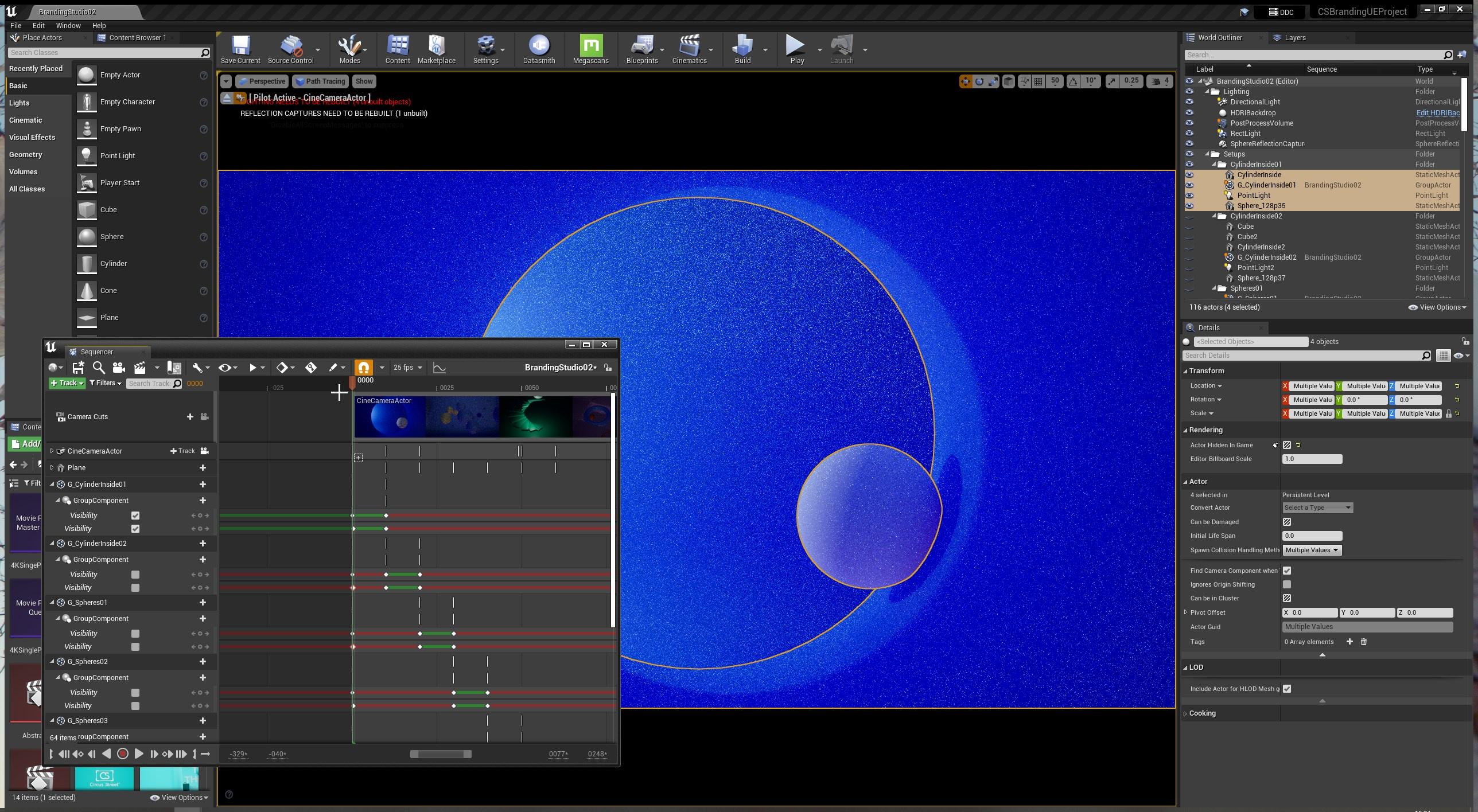
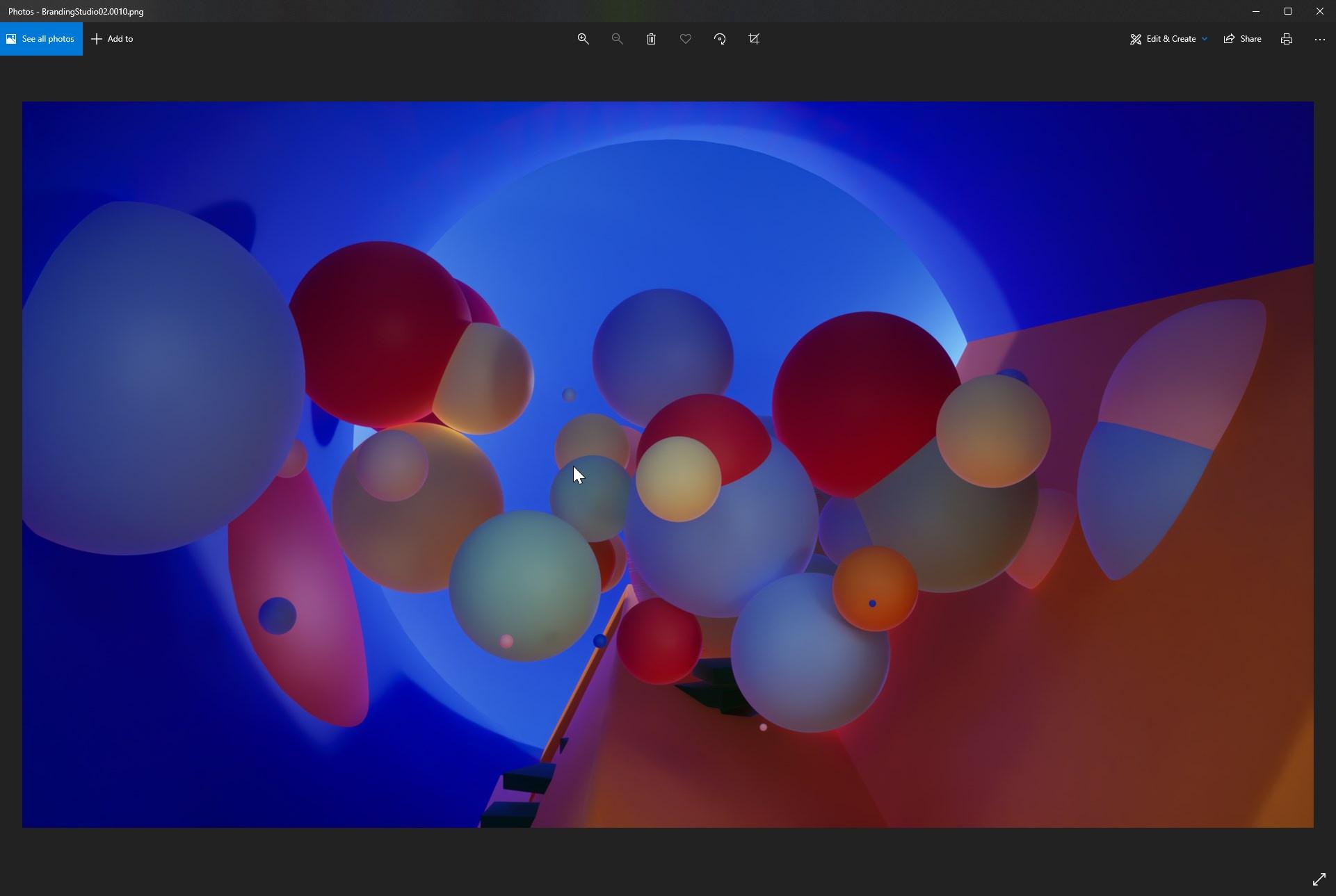
has anyone had issues rendering out from the sequencer using the movie render queue when you have objects animated to be visible and non visible?
I've set up a level with a few different setups of objects and materials. I'm using the sequencer to change position of camera as well as switch on and off the visibility for geometry.
It was my hope that I could just send every 10th frame to render and I'd have some variations on my render based on what i'd keyframed in the sequencer.
However what I actually get, (with the path tracer and also the standard renderer) is all objects in the scene turned on for all frames.
I'm using group actors to change the visibility of different sets of objects but Ideally I'd like to control this in the layers panel. I can't see if this is possible however.
this is one of the shots that looks correct in the viewer https://i.imgur.com/kLrOVyy.jpeg
and then this is me trying to render using the movie render queue, it renders all the objects whether they are turned on or not https://i.imgur.com/NwH6oFd.jpeg
 gusty heath
Oh and i also cannot trigger groups, have to do them 1 by one
narrow vine
I've narrowed it down to not being able to use group actors (even though they seem to work in the viewport) When I keyframe the static meshes and other actors individually it works however.
Just frustrating when you have a lot of actors in groups
it would be great if it just worked with the layers panel
 remote dragon
Hi all, ive never rendered a cinematic before, for some reason when rendering it doesnt play the camera in sequencer but jumps to my player position. Could someone help me understand why? I have camera cuts set up to a cinematic camera :/
still prism
remote dragon
Hi all, ive never rendered a cinematic before, for some reason when rendering it...
are you using movie render queue?
sounds like you are just entering runtime
Hey can anyone assist with this bug?
not sure why my keyframes are all jagged
i see in some UE forums that other people have experienced this bug
and i have as well in prior projects
but i had no clue where it was coming from or how to visualize it
clearly the curves are going insane only on these 2 location transforms

it almost seems like it comes out of nowhere
still prism
i am so confused at this
ive duplicated and completely tore apart the transformation track
i have started a new level sequence with a new camera
what is causing this bug?!?!?
i dont think these jagged/jittered interpolation would be from be being in super close?
it seems like there are plenty of floats to interpolate between...
 tropic pelican
The IK and inverse ik for character bones work with sequencer class if I import as Blueprint?
verbal oyster
Hi! I'd like to know your workflow for cinematics with multiple shots. How do you organize your levels? Do you create a level for each shot?
quick portal
verbal oyster
Hi! I'd like to know your workflow for cinematics with multiple shots. How do yo...
I'm working with open world scenarios and cinematic abilities, and in that case, the shots are not tied to specific level, but rather more of where in the world did the shot happen.
verbal oyster
quick portal
I'm working with open world scenarios and cinematic abilities, and in that case,...
And how do you do if you need to change the light settings, if we are doing something cinematographic, the lighting will depend on the camera position, not on the world. So it has to change each time the camera change. Do you create sublevels?
quick portal
verbal oyster
And how do you do if you need to change the light settings, if we are doing some...
There are sublevels, but for the open world chunk / gameplay purposes, not the cinematics. I have the sequence itself contain what needs to be spawn specific to the shot. You can mark an actor track in the sequence to be "Spawnable", that way the object only exist in the shot.
verbal oyster
Oh really you can do that? I didn't know. Let me try that out
gusty heath
I too would like to know, have been making duplicates of my projects to do another shot
verbal oyster
Just tried it, it works. Thanks for the tip 👍
gusty heath
quick portal
There are sublevels, but for the open world chunk / gameplay purposes, not the c...
So 1 Mastertrack > Shots > Spawnable Actors/objects etc. ? is that correct?
verbal oyster
Two things though :
- I have an object parented to a camera rail, if I make the object AND the camera rail spawnable, the object will be spawned at 0,0,0, not where it should be, on the rail.
- Second thing, how do I re-convert something spawnable to a non-spawnable again?
verbal oyster
gusty heath
So 1 Mastertrack > Shots > Spawnable Actors/objects etc. ? is that correct?
 gusty heath
yeah i ment project workflow structure thing
quick portal
gusty heath
I too would like to know, have been making duplicates of my projects to do anoth...
Today you'll learn that a Sequence itself can contain multiple "sub-sequences" (shots).
(Unreal went as far as having "take" numbering system, so one shot can have more than one take)
verbal oyster
quick portal
Today you'll learn that a Sequence itself can contain multiple "sub-sequences" (...
That I knew, however, I didn't know we could have takes. That's great too!
And do you know how to reconvert a spawnable into a non-spawnable?
EDIT : convert to possessable is the way
 verbal oyster
Is there a better way to switch camera that always having to go to the perspective menu?

I'd like to view directly through the sequencer camera
quick portal
verbal oyster
I'd like to view directly through the sequencer camera
On the Camera Cut track, click on the teeny camera icon.
One thing to note that viewing camera cut directly will lock the viewport control, so it's a good idea to split the viewport to control piloted camera.
remote dragon
still prism
are you using movie render queue?
sounds like you are just entering runtime
Im just clicking the render button within the sequence itself? Urgh this is driving me absolutely bonkers, all im trying to do is render a simple camera move into scene for a teaser :/ Im obviously missing something so obvious.
Ok so its definitely the game mode issue, but render queue just shows a blank screen then stops. Guess that needs more investigation!
 calm jackal
does r.RayTracing.Geometry.InstancedStaticMeshes.Culling not work with mrq?
it works on the viewport but as soon as i render with mrq it doesnt seem to work
still prism
remote dragon
Im just clicking the render button within the sequence itself? Urgh this is driv...

Greetings!
This a quick tutorial on creating a camera and sequence in Unreal Engine 4.26 and exporting it using the Movie Render Queue.
Hope it is helpful.
Website: https://tandreades.com/
Art Station: https://www.artstation.com/thaddaeus
Buy my Art: https://foundation.app/tandreades
verbal oyster
Hey, how can I fade a camera shake overtime?
remote dragon
still prism
https://youtu.be/z4-NoDzzv8w
Thanks for this, only issue for me is I get "Unhandled Exception: EXCEPTION_ACCESS_VIOLATION writing address 0x0000000000000040" whenever I try to use render queue 😦 Ah well..
still prism
youre doing something incorrect then.
is the error on crash?
remote dragon
still prism
youre doing something incorrect then.
is the error on crash?
Yes it crashes every time
still prism
yeah its something on your end. can your computer handle it? watch your vram
take a screenshots on the crash report
remote dragon
still prism
yeah its something on your end. can your computer handle it? watch your vram
ta...
Vram is an issue I keep getting. I have a AMD Ryzen 9 5900XT, RTX 6600XT Ray Tracing Card and 32GB Ram, My page file is managed but I have a 2TB SSD with UE on so shouldnt be an issue
remote dragon
still prism
yeah its something on your end. can your computer handle it? watch your vram
ta...
Heres the crash report
 still prism
remote dragon
Heres the crash report
still prism
remote dragon
Heres the crash report
generic render queue crash
have you tried setting up a new camera?
making sure the correct level sequence and camera are selected?
there are a number of reasons why MRQ crashes
try setting MRQ up on a brand new level
and then a new project altogether
that will tell you if it is your level, project, or gpu
remote dragon
still prism
that will tell you if it is your level, project, or gpu
Great suggestion thank you!
 lucid spindle
Hi guys,
I am trying to create a video from a 3D scan I have imported in Unreal engine 5 but when I start rendering the frames (in jpeg) the viewport (which shows the selected camera) turns blue and flickers between the normal color and this blue tint. Sometimes also I get some weird artifacts on the right side of the screen. I tried to disable antialiasing but this doesn’t fix the problem. I also tried 3-4 different Nvidia drivers but I still get the same problem. My GPU is the Nvidia RTX 3090 and the cpu is the AMD ryzen 5950x. Does anyone know how to fix this problem?


 still prism
lucid spindle
Hi guys,
I am trying to create a video from a 3D scan I have imported in Unreal ...
still prism
lucid spindle
Hi guys,
I am trying to create a video from a 3D scan I have imported in Unreal ...
so you say in jpeg, have you tried any other output filetypes?
not quite sure why that would matter...but since you specified jpeg i thought i would ask
my next question is. is your debug focus distance plane checked on?
mine is default at a luminous purple, but maybe yours is blue?
i find that if i leave it on, it renders out regardless and i need to manually uncheck the box
that also looks like you could have been playing around within the post process volume within the camera itself
(i see you've selected the master sequence, but your level sequence itself probably has some sort of color grading on the post process portion of the camera itself)
lucid spindle
@still prismyes I tried other output filetypes, still the same. the debug focus distance plane is switched off. I tried to enable it and move it a little bit but didn't fix the problem. I checked also my post process volume most of the settings are disabled, there is no color grading as the blue tint only appears when I press the play button on the sequence or when it starts rendering. Also, If I grab the timeline cursor with the mouse and move it left or right I dont get this blue tint on the viewport, the colors are normal. The blue tint doesn't stay all the time when it renders or it is in play mode, it just flickers and I also get these weird yellow-greenish artifacts at the right side of the viewport as you see in the second screenshot I uploaded.
verbal oyster
lucid spindle
Hi guys,
I am trying to create a video from a 3D scan I have imported in Unreal ...
This is very cool! It reminds me of Silent Hill 4, this place :
 remote dragon
still prism
that will tell you if it is your level, project, or gpu
remote dragon
still prism
that will tell you if it is your level, project, or gpu
Seems to be my level, perhaps it doesnt play well with WorldPartition, it worked in a new project and a new level within my current project
paper bough
Do you know how I can have the control (play, stop, jump to next frame etc.) in the actual viewport and not just in sequencer?
I tried to look in the settings but I couldn't find any switch to re enable the controls within the actual viewport rather than sequencer itself...
rocky escarp
paper bough
Do you know how I can have the control (play, stop, jump to next frame etc.) in ...
Change to the cinematic viewport with a level sequence open, it'll show the timebar at the bottom of the viewport. Then you can use regular editing shortcuts like J+K+L etc.
paper bough
@rocky escarp This is how it looks when I have an active level sequence open. No matter what I do, the timebar won't show. I don't know what I am doing wrong
 rocky escarp
Under the perspective dropdown ^ @paper bough
 paper bough
Ah yes, now I got it, thank you! @rocky escarp
lucid spindle
verbal oyster
This is very cool! It reminds me of Silent Hill 4, this place :
yes it looks like silent hill because this 3D scan comes from the Catacombs of Kom El Shoqafa in the city of Alexandria, Egypt 😁😁
verbal oyster
lucid spindle
yes it looks like silent hill because this 3D scan comes from the Catacombs of K...
Wow that's so cool! Are those downloadable assets?
lucid spindle
@verbal oysterNo, this scan was done by me and my partners from Democritus university in Greece in the context of the VirCult project (Using Virtual Reality in Cultural Heritage Education). We are going to make it a VR application and upload it somewhere for public access.
verbal oyster
Oh nice! Where will it be viewable? You don't know yet? Cause I'd love to see it
lucid spindle
@verbal oysterwe're still working on it, maybe we will make it available for download as a standalone application (export from the unreal engine) from a web page or through steam.
 sage canyon
Any idea what's causing the problem? I have a 25fps timeline and I'm trying to render with 24 Subsamples with AA turned off.

 brave mauve
Hey fellow sequencer builders, I have a very specific question that someone might know the answer to!
As I am building timeline sequences with some tracks that I'd like to move around together, I constantly am faced with Unreal choosing to create an extra track for all the assets I am dragging around the timeline - even if it doesn't cause a problem with overlapping other tracks.
This really clutters up the timeline fast this way. Anyone know the (hidden) setting or way to lock down the tracks as to force Unreal to keep it on its current one?
 sage canyon
brave mauve
Hey fellow sequencer builders, I have a very specific question that someone migh...
sage canyon
brave mauve
Hey fellow sequencer builders, I have a very specific question that someone migh...
You can simply lay down all animation or audio pieces on one track. Also bear in mind you can always use Subtracks.
brave mauve
@sage canyon the screenshot I attached actually shows what happens after I already put them on one track and started dragging. So it automatically generates a new track. That’s the problem I’m trying to solve 🙂
sage canyon
brave mauve
<@801746621259710494> the screenshot I attached actually shows what happens aft...
That's weird. In my timeline I can simply drag the animation CLips onto one track.
brave mauve
So does mine unless I want to drag multiple tracks at the same time oddly enough!
 fair moss
Hey guys
According to https://docs.unrealengine.com/4.27/en-US/WorkingWithMedia/IntegratingMedia/MediaFramework/HowTo/FileMediaSource/
Illustrates how you can play a video file inside a level on a Static Mesh with the File Media Source asset.
"In order to package and deploy your content with your project, your media must reside in the Content/Movies folder of your project."
Problem is, I'm building a plugin
And that plugin needs to embed some movies, so be packaged in any project using it
How can I do that ?
Plus, If I try from the plugin's Content folder (as in ProjectRoot/Plugins/PluginName/Content/Movies/), I get this

 violet prairie
Hey guys,
has anyone encountered this following kind of problem with long hair in cinematic rendering in 4.27?
Problem part one:
I imported the allembic hair strands to project according to documentation. When I rendered a sequence, in the images the hair begins to produce ghost like artefacts and the simulation itself looks a bit wonky.
Part two:
On the editor while playing back the sequence, the simulation looks decent enough, but it avoids the assigned character collisions from rest of the body and sometimes clips through the head as well.
Binding (according to documentation is optional) doesn't solve this issue or the one above, but rather offsets the hair when activated on the cinematic track to some weird dislocated orientation.
Part three:
The systems needed to make the hair strands work properly (or decently) are also destroying the UV-seams. This would be by activating the recompute tangent normals and skin cache.
Any ideas how to fix all these?
Thanx in advance!
calm jackal
Is there a way to cull grass in movie render queue it seems like using movie render queue just ignored the cull distance i set on the grass coz the grass far from the camera are loosing shadows ?
violet prairie
calm jackal
Is there a way to cull grass in movie render queue it seems like using movie ren...
What kind of light casts the main shadows in your scene?
If it is the directional light, then have you tried already altering the shadow draw distance, does it have an affect to your scene?
calm jackal
violet prairie
What kind of light casts the main shadows in your scene?
If it is the directiona...
direction light, yes i have tried altering shadow draw distance but coz the current scene will be from a birds eye view spanning kilometers the distant grass ends up with no shadows but with cull i m doing it do the grass only spawn near the camera but movie render queue doesnt cull and spawn the grass across the whole terrain
violet prairie
calm jackal
direction light, yes i have tried altering shadow draw distance but coz the curr...
I had some trouble with my large scene, directional light and the MRQ. Then I tried adding the directional light to the level sequence and it actually solved some issues. Don't know of that does anything in your case.
What kind of lighting does your scene have? Is it a mid day, magic hour or somekind of special setting sun?
calm jackal
violet prairie
I had some trouble with my large scene, directional light and the MRQ. Then I tr...
I'll give it a shot, as for the lighting scenario it's mainly mid day to somewhat of a evening scene
violet prairie
calm jackal
I'll give it a shot, as for the lighting scenario it's mainly mid day to somewha...
I'm only asking, because I have a fairly large scene of my own with some grass spanning for quite a distance. I might try to replicate the issue and see if I find anything.
calm jackal
The issue is when the camera moves in the render sequence the harsh line where the distant foliage stop having shadow is pretty visible
calm jackal
violet prairie
I'm only asking, because I have a fairly large scene of my own with some grass s...
If there was a cmd or something to have movie render queue have culling enable that would also help a lot
violet prairie
calm jackal
If there was a cmd or something to have movie render queue have culling enable t...
Have you searched through the documentation around the MRQ's r. console codes?
calm jackal
Is there a seperate mrq console section in the docs
I was looking through the whole directory that is available if i could find any
violet prairie
calm jackal
I was looking through the whole directory that is available if i could find any
I found many different codes people are using. I have no idea how they found them, but just googling gets you for example this list:
http://www.kosmokleaner.de/ownsoft/UE4CVarBrowser.html
calm jackal
Oh yea that's the one I m using as well
violet prairie
calm jackal
Oh yea that's the one I m using as well
Ok! 👊
verbal oyster
Hi there, how do you fix the issue when one frame between two cut is completely broken when redering out with Movie render queue?
Look at that...
I saw a video from William Faucher wherehe says that you need to extend the first frame of the sequence, but this is the frame between two cuts.
 quick portal
verbal oyster
Hi there, how do you fix the issue when one frame between two cut is completely ...
quick portal
verbal oyster
Hi there, how do you fix the issue when one frame between two cut is completely ...
I guess the idea is that you cut the offending frame in post and not losing much information
paper bough
So audio and sequencer don't go well together as I just figured out... do you guys use audio while working in sequencer? Is it actually possible to render out audio as well? I thought it would be handy to have everything in one place as opposed to jumping between premiere pro and UE.
quick portal
paper bough
So audio and sequencer don't go well together as I just figured out... do you gu...
For in-game, real time cinematics, yes, I use audio in sequencer.
For pre-rendered cinematics, no, audio is added in post.
verbal oyster
quick portal
I guess the idea is that you cut the offending frame in post and not losing much...
I didn't want to do post x) I wanted to make something straight outta Unreal.
Also, talking about audio, imagine that during your entire movie you have 24 cuts, so 24 broken frames because between every cuts there is a broken frame, that means that towards the end of the movie, the audio will loose sync with the image by 1 second!
 warm brook
hay !
anyone wtf is that ?
It's alemtic cache in sequencer. How to fix that ?
 cerulean flame
Hey all, does anyone know how to run movie render queue with Logging enabled? I can't seem to find any log output once my renders are finished
gusty heath
This isn't really a cinematics question, kinda is, kinda isn't. How can I get my cine camera to be the height of my player? It will look weird if its not at the right height
quick portal
gusty heath
This isn't really a cinematics question, kinda is, kinda isn't. How can I get my...
I mean, position the camera to be the height of your player, just like how cameramen would position it?
paper bough
Hey guys, when I render with movie render queue, I get these red dot artifacts. They are not coming from light or something since I troubleshooted by changing lights and so on. I also tried to delete all console commands and also only use the AA advantage of the render queue but these small red dots still appear. Any of you ever had these artifacts? It is so weird I disabled everything but they still come up...

I also tried to change roughness and stuff but they look fine in the buffer (I thoguht crazy low roughness values sometimes give to a strange result anyway). So I'm really in the dark with this. If I render with sequencer, these small red dots don't show up but the usual sequencer like artifacts... So really strange all around
violet prairie
gusty heath
This isn't really a cinematics question, kinda is, kinda isn't. How can I get my...
What is the viewpoint result you are looking for? Behind the shoulder view, Thirdperson view, FPS view or trailing behind view? Each of these methods have differences when implemented.
 vagrant tundra
Is there a way to bulk modify in sequencer. Heres the scenario. I imported a camera track from fbx to my cine camera but I need to add an offset to the Z portion of the location for all 144 keyframes. Is it possible?
Answer here: https://answers.unrealengine.com/questions/813008/offset-all-keys-by-x-amount-in-sequencer.html
 steady forum
Hello! When working with the sequencer, although the animation is previewing on the viewport, it's not viewing from the camera that is being defined in the sequence. I can manually select the camera in the view port, but this ignores any camera cuts.
Any idea how I can get the viewport to automatically view from the camera defined in the sequence (so camera cuts in the sequence can be previewed correctly in the viewport as well)?
quick portal
steady forum
Hello! When working with the sequencer, although the animation is previewing on ...
In the Camera Cut track, there's a teeny camera icon. Click on it to preview what the sequence sees.
steady forum
quick portal
In the Camera Cut track, there's a teeny camera icon. Click on it to preview wha...
thank you!!! that worked!
quick portal
 somber hemlock
how do i trigger a blueprint in a level sequence
somber hemlock
how do i trigger a blueprint in a level sequence
Get the actor, and call the event/function.
somber hemlock
i followed a guide but it's not working
Example of how you can use Sequencer's Event Track to fire off Events in Blueprint.
added a custom event but it seems to not be working in level sequence
quick portal
Make sure the function is exposed to cinematics
somber hemlock
how do i check that
do i go to every node and check the box
i checked what boxes i could check and it still isn't working
quick portal
Don't know for sure without some visual evidence.
somber hemlock

i've tried every activate thing
call in editor is checked too
what else

multicast and all
none of the events working
i tried every permutation
somber hemlock
anyone
violet prairie
somber hemlock
i followed a guide but it's not working
It says on your screenshots, that you binded the functions to Root Component and in documentations it’s binded to Character Movement Component.
That documentation is set to function with the Thirdperson Character blueprint. Not just any character blueprint. There is a ton of functionalities within the Thirdperson character setup. Try and debug your scene on a blanc Thirdperson character map and follow document like a devil to bible and see where it fall short.
somber hemlock
ok i'll give the tutorial another shot
 fresh quiver
morning guys! I have a big trouble trying to isolate the exponential heightFog into a pass for movie render queue. I tried to create a layer in composure but is empty. Any ideas how to put the ExponentialHeighFog only into a render pass? Thanks a loooo!
verbal oyster
Hi! Hve you already had problems when reducing a sequence play rate to something lower than 1, it doesn't render all the frames? Certain frames are skipped
Is it possible to fi that?
 sturdy roost
Can anyone help me? I want to move 15 actors at once to make an animation from it. I want to move the transform center - left-center ( LOOP) ,but i don't want to move them one by one.
I tried to do it with level sequence. I select them all ,but it's not setting the current position for all just for one of them.
 sage canyon
sturdy roost
Can anyone help me? I want to move 15 actors at once to make an animation from i...
sage canyon
sturdy roost
Can anyone help me? I want to move 15 actors at once to make an animation from i...
You can try placing an empty actor (in AE it's called Null Object) and attach every single static actors you want to move to the empty actor.
snow hamlet
verbal oyster
Hi! Hve you already had problems when reducing a sequence play rate to something...
Sounds similar to when I was render a sequence with time dilation. In the output section's File Name Format try change {frame_number} to {frame_number_rel}.
 lilac jolt
H1 2 all. Sorry, if I not correctly explaining. I want to create Video render with audio. But when Ue save My render I get 2 Files (audio and Video ) How save in one file? (audio and video).
quick portal
lilac jolt
H1 2 all. Sorry, if I not correctly explaining. I want to create Video render wi...
It's impossible, particularly if the render doesn't run in full framerate.
Even with machinimas you add the audio in post.
 sage canyon
Any reason NOT to use the ProRes Plugin and exporting a 10-bit 422 / or even 12-bit 4444 video instead of rendering single 8-bit png files? After all, 8 bit suffers from insane banding issues.
 mild sierra
is this answer for me?
 red tapir
Quick help family new to this trying to get it down so if I want to render png sequence with path tracing get 2 sections of photos what is the best way to combine to one to render film I am using the premier import then clicking image sequence but think it’s only the HD first part how would you render the pathtrace image sequence
Thanks in advance family
 marsh crow

 glossy zenith
I'm trying to make a fighter jet fire a burst of bullets in sequencer using particle effects and I am running into a problem. After I create an emitter with it set to destroy itself after it is done, it just keeps going forever. In the screenshot you can see my sequencer setup. The "STick" event is called on every frame to take the place of Tick since I am using sequencer's play button to make things happen.

and here is the blueprint that runs on every frame.

The particle is just a single burst of one bullet. Any idea why the bullets keep repeating anyway?
Like they repeat even after the sequencer stops. The only way to get them to go away is to load a new level then come back.
gusty heath
anyone doing green screen magic with unreal to make cinematic videos? like action type
i mean look at this

From https://onsetfacilities.com a PreViz tool, so that we can record in REALTIME, the FG, the BG, the Matte, and the Camera Track data (in FBX format, with zoom a focus) so that we can finish in NUKE the final composition with the OTOY same ORBX file we used for PreViz in UE4.
and this

Almost everything you want to ask me has already been answered in the comments. Please read before you ask!
Music: Self produced
I combine live characters with 3D scenes created in Unreal Engine.
Unreal Engine levels are not created by me. I use UE Marketplace assets with some custom adjustments.
The live actors were shot in a green screen stud...
in the second video it's all achieved with composite plane and some color tweaking?
violet prairie
sage canyon
You can try placing an empty actor (in AE it's called Null Object) and attach ev...
In Unreal Engine you can do exactly that with a Blocking Volume element. It acts as Null Object and won’t get rendered. The only thing there to do, is to make sure every piece is connected only to the Blocking Volume before they are added to the level sequence and then at first add only the Blocking Volume, nothing else. All individual subelement tracks should be cleaned out. Only after the main movement from the Blocking Volume is animated, one can add separate movements to subelements if needed.
 bitter lark
Question about UE4 camera.
I'm making a cinematic, essentialy just a camera animation - no gameplay included.
How do you have the camera look at some object (or null)?
quick portal
bitter lark
How do you have the camera look at some object (or null)?
I don't remember if there's a setting in the sequencer track, but if you want it to look at something programmatically, a simple BP setup ought to do the job. Basically doing Look At with the cine cam component.
bitter lark
Thank you! I'll check the sequencer but most likely it's a BP setup as you said.
bitter lark

There is indeed a Look At option in the sequencer.
But I'm doing something wrong and not getting the desired results.
Best do it in BP - more tutorials for that.
Oh, it's actually super easy!
Found the answer in the official documentation.
 rocky escarp
violet prairie
In Unreal Engine you can do exactly that with a Blocking Volume element. It acts...
rocky escarp
violet prairie
In Unreal Engine you can do exactly that with a Blocking Volume element. It acts...
You can just use an empty actor from the actor palette as Arschwasser mentioned, there's no need to use a camera blocking volume just to parent things. An empty actor contains nothing but a transform.
 pulsar steeple
Hi !
I'm pretty sure the answer is "no", but I would like confirmation anyway : is there a way to output multiple camera renders at the same time ?
Currently, I have a car traffic simulation running, with 4 (or more) SceneCapture2D Cameras, and I run the simulation one frame, pause the simulation, cycle through all cameras to make them render to disk, then unpause the game, and so on and so forth until the simulation ends.
However, the final result of those SceneCapture2D cameras are not good enough, and I would like to use Path Render with Temporal Samples.
But, to my knowledge, I can render only one Cine Camera at a time in Sequencer (and Movie Render Queue).
And I cannot run the simulation and capture from one camera, then start again with another camera, as there is randomness involved, and I would get different results doing it that way.
So, is there another way of doing it that would allow me to get nice outputs ?
 graceful echo
hello does anyone know why my mannequin snaps back to original position once i set a keyframe in sequencer?
 charred sage
Hi!!, I am searching for tutorials or example scene of products TV advertising. Where can I find those?
 proud berry
Hi all. I need to load a sub level programmatically before starting the Movie Render Queue rendering starts... any ideas where I can add this?
 boreal ore
Hey guys, does anyone here knows how to disable LOD? Trees start vanishing when I zoom out
 mint spire
Hi there guys, I'm using 4.27 for Sequencer purposes and when I render out it renders different things from what I see in the viewport cinematic mode. I believe it has to do something with collisions because once I saw my character falling down in the first frames of the rendering
Could anyone help me out with this one?
@boreal ore I know how to do it text me
gusty heath
Hmm, I have a question about Sequencer. How can I add the player to the sequencer when it isn't initialized until game start? I tried targeting PlayerStart, but that doesn't allow me to transform the player.
 grave void
Does anyone have any pointers they can share for setting up remote rendering of the Movie Render Queue?
Either using Thinkbox Deadline or just Python scripts to render on a remote workstation?
I've been searching here and found people saying they are doing it, but up to now I haven't seen any real details.
I'd be grateful for any tips.
 iron heron
Good morning everyone! I have a dumb question O.o. sorry ahead of time, I'm very new at this. Is it easy to add animations to a character model that does not share the same bones? few examples. Adding an animation I found online to my "advanced movement" unreal manakin. Or if I acquired a WOW character model, can I add animations that I already have in game to it?
 quiet gust
Hey all, is there any way to isolate a specular reflection pass?
I have a light on an object whose material uses specularity for the outline. When I export the specular pass it just give me everything in the scene with specularity. I just want this rim for example.
 iron heron
Good morning everyone! I have a dumb question O.o. sorry ahead of time, I'm ver...
iron heron
iron heron
Good morning everyone! I have a dumb question O.o. sorry ahead of time, I'm ver...
https://www.youtube.com/watch?v=ijJcdukMIAA Found an answer 😄

In this video will take a look at retargeting animations in Unreal Engine 4 so you can work with any marketplace asset.
Patreon: https://www.patreon.com/MR3D_Dev
Follow me on Twiter: https://twitter.com/MR3Dev
Join our Discord: https://discord.gg/Eg8TtR9cmT
Coming home Cinematic: https://youtu.be/t1guvd3zuPQ
Stylized Character kit
https://w...
 edgy lion
Has anyone else ran in to this issue yet? I just have and I don't understand how to fix it
 fervent shale
Hi everyone, I try to track animation but ended with this curious glitch. I tried to close and restart project but it does not seem to change anything. Any idea ? Thanks
 willow eagle
Hey everyone. Does anyone know how to run cloth simulation on a character in sequencer/ editor? Is it even possible?
quick portal
willow eagle
Hey everyone. Does anyone know how to run cloth simulation on a character in seq...
If you're not using Control Rig to make the animation, likely no.
willow eagle
quick portal
If you're not using Control Rig to make the animation, likely no.
I'm wondering if there is something I could do with the sequencer director?
 paper bough
Has anyone ever experienced different output from the movie render qeue compared to the viewport? I don't understand why it doesn't render the sequence the way it is in the viewport. I didn't even add any console commands or anything?!
It's way too dark, as if it is not picking up the ambient light. I am not using ray tracied light though..
quiet gust
paper bough
Has anyone ever experienced different output from the movie render qeue compared...
Very good comparison and breakdown in these two videos. Might help you find the problem
https://www.youtube.com/watch?v=FxvF3zncClA
We're going to take a dive into the latest and greatest Movie Render Queue, made production-ready in Unreal Engine 4.26. This is a must-know tool for VFX Artists and CG Artists alike.
This Tutorial covers all the basics of the MRQ that you need to know about.
Relevant links:
Cryptomatte/Object ID Tutorial: https://youtu.be/Ry4-Q8mBjdg
Render C...
torpid sigil
Can anyone recommend a learning resource for playing pre-rendered cinematics
 thin plinth
is there a way to hide this UI in the cinematic viewport? I want to screencapture while playing a camera sequence but I want no UI at all on screen.
 quick portal
thin plinth
is there a way to hide this UI in the cinematic viewport? I want to screencaptur...
quick portal
thin plinth
is there a way to hide this UI in the cinematic viewport? I want to screencaptur...
Use the regular viewport, and detach the sequencer panel somewhere else.
torpid sigil
Anyone? Full-screen video? I see some people using a media framework texture in a Widget
thin plinth
quick portal
Use the regular viewport, and detach the sequencer panel somewhere else.
thx a lot! it works now. 🙂
paper bough
quiet gust
Very good comparison and breakdown in these two videos. Might help you find the ...
Thank you, I deleted all the light sources and redid lighning, it fixed it somehow. 👍
quiet gust
paper bough
Thank you, I deleted all the light sources and redid lighning, it fixed it someh...
Oh nice, good job!
thin plinth
anyway to hide this as well when playing a sequence? I want to screen capture a camera sequence full screen with no UI at all.

 sacred wraith
Hi guys, is anyone doing freelancing here for cinematics ? Feel free to dm. Cheers
quick portal
sacred wraith
Hi guys, is anyone doing freelancing here for cinematics ? Feel free to dm. Chee...
thin plinth
Is it possible to play your game in 1 viewport, while at the same time having a camera in another viewport that sees me playing the game?
I want to screen capture this 2nd viewport so I can see myself playing.
quick portal
thin plinth
Is it possible to play your game in 1 viewport, while at the same time having a ...
Not without screen capture, no. (And it can definitely cause some lag)
 spare tapir
Is the exponential height fog supposed to behave differently in the movie render queue ? it doesnt render at far distances while it's fine in editor mode. I've tried maxing its distances but it doesnt change anything, I'm not sure where to look for a fix. This distance is relative to the camera I can see the fog ramping over the mountains

 shell holly
How do I get the camera to change in the viewport when it changes in the sequencer
quick portal
shell holly
How do I get the camera to change in the viewport when it changes in the sequenc...
Click the teeny camera icon in the Camera Cut track to see what the sequencer sees
shell holly
thanks
 limpid palm
How to create an launch trailer
quick portal
limpid palm
How to create an launch trailer
Step 1: be Hideo Kojima.
spare tapir
spare tapir
Is the exponential height fog supposed to behave differently in the movie render...
bump
 turbid roost
limpid palm
How to create an launch trailer
turbid roost
limpid palm
How to create an launch trailer
This is really broad topic, but few very general pointers from my experience to get you started:
- Focus on key pillars of the game. The game should have some aspects that stand out, that differentiate it from others. Focus on those.
- Manage expectations. Make sure to always consider if what you're showing is giving players correct idea about what they can expect from the game. For example, if the game is a shooter, but does not allow players to control vehicles, don't show a vehicle driving. If there is no co-op, avoid showing multiple characters working together. This might sound trivial, but it's a very common mistake and has huge impact on player sentiment about the game.
- Be brief. 10 minutes long launch trailer will impress no-one. You can create a gameplay video that will go more into the nitty gritty details of different mechanics. But launch trailer should probably give people more general idea like "This is a game where you shoot dinosaurs who got loose in a spaceship," or "In this game you run a lemonade stand that employs zombies." In my experience 90s is a a sweet spot.
But as Lorash said, this is a complex topic and you could probably spend a lot of time researching it.
I highly recommend resources by Derek Lieu that you can find here https://www.derek-lieu.com/start-here and this video from Game Maker's Toolkit that sums up lot of the stuff by Derek in a nice way https://www.youtube.com/watch?v=4CSYA9R70R8 🙂

Derek Lieu Creative
Learn how to edit trailers for movies and video games! I write a weekly newsletter on making trailers; here are the best ones for anyone looking to become a trailer editor or someone who just needs some tips.

Making a strong trailer for your game can be a huge challenge, so I’ve collected a bunch of tips and best practices from the industry’s top trailer makers. More resources can be found in the description, below.
Support Game Maker's Toolkit on Patreon - https://www.patreon.com/GameMakersToolkit
Have Mark talk at your studio, university, or even...
valid wolf
Hi! Does anybody know, if it is possible to render a sequence from different angles at the same time, so I get multiple videos (or image sequences), and montage them later?
valid wolf
The reason I want this, is to record physics and then montage shots from different angles in third-party software

Unreal Engine Forums
Hi! I have a physics simulation shot with some objects and characters falling using physics. What I want, is to record this shot from different angles, so we can later montage it in third-party software, like Adobe Premier. But the issue, is physics is not determine (PhysX), meaning that all objects fall differently every time we start a seque...
quick portal
valid wolf
The reason I want this, is to record physics and then montage shots from differe...
I'm not sure if baking physics object in Take Recorder or pre-sim it on DCC tool are not an option for you.
valid wolf
quick portal
I'm not sure if baking physics object in Take Recorder or pre-sim it on DCC tool...
I found out that physics is actually determine if you have stable and locked engine delta time. So I used Media Render Queue to render different sequences with 24fps so it has stable fps. But for some reason I also had to lock delta time of an editor so every sequence simulate the same way as others. I set max fps to some value that my PC can run very stable.
 hybrid pelican
So i'm trying to rotate around an obkect in Sequencer - So a drop a empty object in the center of it so i use that to parent my camera too and just rotate it - I've already laid down a bunch of keyframes on camera and whenever i try and parent the camera to the bnull it shoots off to east bumfuk - why is it changing its location at that moment somehow taking the emtpy actors postion and adding it to its - it should just stay exactly where it is .
violet prairie
hybrid pelican
So i'm trying to rotate around an obkect in Sequencer - So a drop a empty object...
I get this same effect sometimes. I haven’t really found why it’s doing it, but the way I solve it in my projects is as follows:
- Move all elements to their starting positions before adding them to the Sequencer.
- When all objects are in the Sequencer, use mainly the Sequencer transform dialogues instead of the ones in the Details pane or viewport.
- If I use the transforms in the viewport or the Details pane, I only make one movement at a time and logg its keyframes - its either rotation or the location, not both at the same time.
- To logg the keyframes, use the tiny ring+ icon next to the transforms on the details pane or the dots next to the Sequencer transforms.
(It feels very un-intuitive, but at least I get the stuff done)
I hope this answers to your question at all - maybe it’s about something else, if this was not of help to you.
 wet granite
Does anyone know if sequencer is prone to have issues with loading many spawnable meshes?
we have meshes disappearing and appearing pretty much every time sequencer updates itself
hybrid pelican
@violet prairie thanks for the time to answer that might help if i do zero out the null then just move it to its spot in Sequencer before I attached to camera - I thought there was a bind feature thing i saw awhile ago that you could animate but maybe I was in another program
hybrid pelican
I did find the bind stuff in sequencer when u right click on the layer near the + sign - and there are in the properties ways of keeping the thing u are binding too relative/world etc but it made more of a mess of things gotta go read the docs as in many ways unintuitive Unreal U.I design
 iron bramble
Hello, everyone
So I'm trying to render out a scene in which I have various actors and a dinosaur, I can see the dino in all of the takes except for one and i don't know why.
Anyone know what could be wrong?
 stoic bluff
I'm trying to render a maya animation (With two characters and a background) in Unreal Engine 5, what's the easiest and quickest way of doing it? I tried USD but unreal Crashes trying to import
violet prairie
hybrid pelican
I did find the bind stuff in sequencer when u right click on the layer near the...
For most of my camera needs with the sequencer I end up using the camera crane and the dolly track. Thus far every kind of special motion I have needed to achieve I have done with the combination of those.
violet prairie
stoic bluff
I'm trying to render a maya animation (With two characters and a background) in ...
It would help a lot if there was some way to understand what your end result should look like. Just blindly; All stuff from Maya to Unreal in their own separate .fbx files, static meshes without animation information.
Re-align the scene with the Unreal engine camera values, add all animated stuff to sequencer as well as the camera, and then render out using the Movie Render Queue.
stoic bluff
violet prairie
It would help a lot if there was some way to understand what your end result sho...
Thanks! So the best way to render an animated shot is to export every asset to unreal, and then export separately all animations and include them in unreal, there's no way to just have it everything moved in one click, right?
I have an animation (Rendered in VRay in Maya) I'm thinking of using unreal engine 5 instead of a standalone renderer
I didn't send the animation because I read that self promotion is not permitted
violet prairie
stoic bluff
Thanks! So the best way to render an animated shot is to export every asset to u...
There might be some external plugins for that purpose alone. I can’t speak for anyone else who might have deeper knowledge on such tools, but from my point of view, Unreal has so many cool features you might want to incorporate to your renders. It’s worth to take the time and find out how they can make your scenes and renders pop out. 😊
stoic bluff
violet prairie
There might be some external plugins for that purpose alone. I can’t speak for a...
Thank you! I will take a look
hybrid pelican
doesnt VRay have a Unreal plugin now
 gritty rivet
Hey again! How do I trigger or call a blueprint into my sequencer?
 obtuse abyss
One funny tip I heard was to either look up a pro movie/ game trailer, and re-create it beat for beat. Then adjust it for the song you'll be using.
 meager ledge
Hello! I have two questions. (using UE 4.26.2)
- how to you fix the weird first frame that happens when you export in sequencer?
- I saw a method of removing it by adding 1 frame to the head right outside of the in point. If this is the best solution how can I pull a shot out of a multi-sequence so I can get it alone and add one frame to each one?
quick portal
meager ledge
Hello! I have two questions. (using UE 4.26.2)
1. how to you fix the weird first...
Depends on what you mean by weird first frame. I never spotted any of it everytime I render machinimas
meager ledge
quick portal
Depends on what you mean by weird first frame. I never spotted any of it everyti...
It's like the first frame is transitioning from a completely different camera position so the 1st frame is blurry
quick portal
Motion blur artifact?
quick portal
meager ledge
It's like the first frame is transitioning from a completely different camera po...
I never spotted those, usually that happens when you move the camera in just one frame to fake camera cuts.
Though you might able to remedy it by having your sequence actually starts at frame 1, but the camera cut tracks already starts in frame 0
meager ledge
great. I will take a look at that 🙂 appreciate the help!
obtuse abyss
meager ledge
great. I will take a look at that 🙂 appreciate the help!

This issue has been plaguing me for literally years. Fix that weird first frame in Sequencer/Movie Render Queue with a fix so easy it's ridiculous.
Thank you so much for watching!
Timestamps:
00:00 - Intro
00:50 - What exactly the issue is, and how to fix
04:04 - Outro and Thanks
iron bramble
hello, everyone!
I'm working with audio inside a sequence, and I wonder if there's a way to create a clean cut of the audio without dragging from one of it's ends, kind of like a scissor
anyone know?
 brittle void
Hey everyone! Quick question: Is it possible to get the sequencer to trigger events outside of play range? I have a 'master sequence' with some shots, and there's a blueprint that spawns and animates a couple of things that I'm triggering with the sequence, but these are spawning a bit late, is there a way to make the event triggering to happen a bit before the sequence gets to that shot?
 gusty marsh
iron bramble
hello, everyone!
I'm working with audio inside a sequence, and I wonder if there...
gusty marsh
iron bramble
hello, everyone!
I'm working with audio inside a sequence, and I wonder if there...
[CTRL] + [/]
iron bramble
gusty marsh
[CTRL] + [/]
Thanks!!
 stone gull
what determines what animations are in this folder?
I can't figure out how to modify what animations I can access. I moved animations into this folder but it only seems like the animations blueproiinted to the bp is all i can use? I don't know and i can't dfind any documentation or videos to help. Any ideas?

 forest raft
I am Seattle based and very new to UE. I want to avoid going down a futile rabbit hole. My intent is to film a couple of green screen police interview scenes in a Dateline true crime genre setting. I was looking at a UE4 police station package listed on the UE Maketplace (https://www.unrealengine.com/marketplace/en-US/product/police-headquarters). I do have a studio and high quality coventional film production equipment. Any advice would be greatly appreciated. Thanks, Whitey
 vivid wolf
Hi, I was wondering if you guys could kindly help me. I have a very long animation sequence and I want to test elements at the end of the sequence.. is there a way, when I press "PLAY" level that I can just jump to a frame towards the end, instead of having to play through the whole thing? Can it be done here, in the level BP? and if so how? Thanks

 crisp horizon
Quick question....I´m animating a cinematic with unreal and I have a blueprint actor, that only activates some stuff during playtime. But if I switch to play mode, I don´t get the cinematic camera I animated.
How can I switch to that? I guess I have to add something in the level blueprint?
iron heron
Hey, im trying really hard to add a song to a sequence. how do i add one?
quick portal
iron heron
Hey, im trying really hard to add a song to a sequence. how do i add one?
The same way you add audio into the sequencer.
iron heron
@quick portal I tried to do that but it wouldn't play when it gets to that point in the sequence :/ maybe I'm doing it wrong. I tried "adding media" and dragging the track into the sequence hoping it would play the same as an animation would.
quick portal
iron heron
<@325627930484932608> I tried to do that but it wouldn't play when it gets to th...
Ah, you have to convert your audio to 16-bit PCM .wav file first.
iron heron
Oooo :0 I give that a try! Thanks so much!
 split acorn
Hi guys, I'm Andrion, I'm new here so please forgive me if there is a better place to post this type of thing
I'm using the free downtown west environment asset available here: https://www.unrealengine.com/marketplace/en-US/product/6bb93c7515e148a1a0a0ec263db67d5b
I'm running into an issue where movies rendered from sequencer and or movie queue have different lighting than in the viewport. This problem occurs while using both sequencer as well as movie render queue, and I've tried Unreal versions 4.26 and 5.0 and the problem is the same in both
The asset comes with a day time and night time lighting, and I'm trying to use the night lighting, but it keeps rendering using the day lighting. For reference, here is an example of the rendered image (left) vs the viewport image (right)
Any help would be greatly appreciated, thanks in advance!


Unreal Engine
Modular Mid Western outdoor shopping mall, with hundreds of high quality assets, textures, and easy to use modular construction pieces
 balmy umbra
I am having a little trouble rendering out my cinematics. When I start rendering it, it works fine for the first couple of frames but then it just gives the view of the sky. I do not know what the problem here is. Anyone that faced a similar issue and can help me ?
balmy umbra
split acorn
@balmy umbra there's a lot of things that could cause this. Are you transitioning to a new camera here? My guess is that the camera is not set to be the active camera in the master level sequence? Might be something to double check at least
mild sierra
Moviescene.dll ? Help me
orchid timber
balmy umbra
I am having a little trouble rendering out my cinematics. When I start rendering...
If you have sublevels, make sure they're set to Always Loaded
foggy sundial
Hello, I'm rendering a sequence and am planning on doing some post production (which I'm really comfortable with, I've worked in compositing a lot).
If I want to render a separate pass of the same sequence but simply with certain objects turned on, what is the best way to do that?
I can make up some ways but I don't know if they are optimal etc, ie: should I duplicate the map and make the differences there - should I rollout visibility changes and then undo them afterwards?
 sick cove
Guys is there anyway to Make a cutscenes interactable in sequencer
quick portal
sick cove
Guys is there anyway to Make a cutscenes interactable in sequencer
Yes, there is, through BPs.
gusty heath
any good place where to buy greenscreen from? like blanket, curtain type of size

Learn how to create your own cheap DIY green screen for under $5 with materials at the craft store or dollar store. I created a functional green screen that is imperfect but works perfectly! You can create a green screen with green poster board or cardstock paper in any shade of green. However, I think a bright green shade works best for chroma ...
alright
😄
quick portal
gusty heath
any good place where to buy greenscreen from? like blanket, curtain type of size
Anything green fabric that isn't glossy will do.
gusty heath
blue also works?
quick portal
Blue can work as well, particularly if you have green coloured object or clothes that isn't supposed to be keyed out
gusty heath
I have light blue, which looks way too white on camera. Wouldn't work?
 sick cove
how to use Head look at function in sequencer ?? since AnimBP dont work during cutscenes
 eager bone
Hello, I am trying to render the Zdepth pass, to make my Depth of field and other effects in nuke. But each pass I try in the movie render queue either turns out all white or all black and I really do not know how to fix it
 royal forum
gusty heath
I have light blue, which looks way too white on camera. Wouldn't work?
royal forum
gusty heath
I have light blue, which looks way too white on camera. Wouldn't work?
just go to any walmart or hobby lobby and get a very bright green solid material, only issue you'll run into is actually mounting it to where there is absolutely no wrinkles or that'll mess your key up
This is also a great alternative if you have some money to spend, but you'd still need a way to mount it as this doesn't come with background stands because those can be very expensive
https://www.amazon.com/Neewer-Photography-Background-Chromakey-Television/dp/B08GM1P8YC/ref=sxin_14_ac_d_mf_br?ac_md=2-1-TmVld2Vy-ac_d_mf_br_br&crid=GD4DLOREQ1DD&cv_ct_cx=green+screen&keywords=green+screen&pd_rd_i=B08GM1P8YC&pd_rd_r=61c977d2-d894-4be8-b80f-0016b7c88bb1&pd_rd_w=JFTRt&pd_rd_wg=aL6YS&pf_rd_p=17756b3a-4504-468b-830d-8b5875afd168&pf_rd_r=5RYGB667AE1M1RYTNH9F&psc=1&qid=1640106023&sprefix=green+screen%2Caps%2C93&sr=1-2-ed8a42d3-65f1-4884-a3a2-0dd6e83b6876

Neewer 6x9ft/1.8x2.8M Green Screen, Photography Backdrop Background, Green Chromakey Background for Photo Video Studio Film Television, 4 Backdrop Clips Included
gusty heath
royal forum
just go to any walmart or hobby lobby and get a very bright green solid material...
Thanks! That looks good.
 limber sun
Hi, can somebody tell me how to fix the transparent face?
 eager bone
limber sun
Hi, can somebody tell me how to fix the transparent face?
eager bone
limber sun
Hi, can somebody tell me how to fix the transparent face?
Yes in Unreal you need to have geometry everywhere. A plane in unreal is transparent from one side and visible from the other side. So in 3ds max you can just add a shell instead of a plane
limber sun
eager bone
Yes in Unreal you need to have geometry everywhere. A plane in unreal is transpa...
ah ok, thanks a lot
sick cove
make material 2 sided
limber sun
sick cove
make material 2 sided
your right , thanks a lot this is more easy then extrude all the faces
it is working with 2 sided but there is no shadows
 edgy lion
How do I get camera look at tracking to follow an actor inside a blueprint which has an origin offset? The camera will only look at the world origin rather than the actor within the blueprint!
 lament plinth
Can anyone tell me why is my movie render queue rendering a totally random camera angle instead of the scene I selected?

This is my scene

And the MRQ

I figured I have a first person character in the world and it's rendering its camera but I did nothing to tell MRQ to render that.
gusty heath
lament plinth
Can anyone tell me why is my movie render queue rendering a totally random camer...
Do you have a master sequence and stuff?
lament plinth
gusty heath
Do you have a master sequence and stuff?
I did create one yes but I put just a sequence in here
I've heard that if you have another camera as primary, in my case player character it takes over?
gusty heath
lament plinth
I did create one yes but I put just a sequence in here
yeah i had that too, make sure you use a camera track and a shot track, that helped me.
lament plinth
gusty heath
yeah i had that too, make sure you use a camera track and a shot track, that hel...
Sorry I'm a total newb, this is my first ever cinematic. How can I set that?
 edgy robin
Hello, I recently got a ultrawide monitor and realized that all my cameras look wonky. If I tick constrain aspect ratio in the camera settings it looks the way it did before but then I get black bars on the side of the screen. If I untick it the camera zooms in and the shots are off. How can I just add the extra width to the camera views without the zoom?
lament plinth
gusty heath
yeah i had that too, make sure you use a camera track and a shot track, that hel...
Actually I was able to do it even though it doesn't make much sense to me atm.

I'll rather use a master sequence from now on than the normal sequencer.
The only question I have now is, is there a way to render as avi straight with MRQ plugin or are frames the only option?
meager ledge
can you pause the cinematic render queue?
It's taking way to long but I don't want to force quit and lose progress
quick portal
meager ledge
can you pause the cinematic render queue?
You can't (AFAIK)
The better way would be just to let it run all day, but I guess that could impact on electricity bills.
edgy robin
Thank you 🙂
rocky escarp
meager ledge
can you pause the cinematic render queue?
It’s an argument for rendering frames. Just cancel whenever, then set the in-point of the sequencer to where you stopped, then submit it again to continue.
 burnt shoal
Does Sequencer support animations created from a Pose asset? These animations need a reference to the Pose asset, but I can't seem to find a way to do it via Sequencer
 sour hornet
having so much fun learning ue, would appreciate feedback on this as my first ever render inside ue5, i love cinematics and big sceneries.
 round storm
Very cool! 😊
 sweet night
anyone know why Match with this bone in previous clip doesnt work here?
round storm
crisp horizon
Quick question....I´m animating a cinematic with unreal and I have a blueprint a...
I’d recommend following the Independent Filmmaking course on the Unreal portal: https://www.unrealengine.com/en-US/onlinelearning-courses/independent-filmmaking-with-unreal-engine one episode explains exactly how to mitigate what you’re trying to achieve!

Unreal Engine
Learn how to use Unreal Engine for virtual production and post-production, bringing together all the pieces of your workflow into a unified environment to create a short film.
sour hornet
round storm
Very cool! 😊
ty elena 
 crude knoll
Hello. Is this the place to get help with Cinematic bugs in Unreal Engine?
sour hornet
crude knoll
Hello. Is this the place to get help with Cinematic bugs in Unreal Engine?
its under "content creation" i think its more of a question/share your work thingy, if im not mistaken but what bugs have u been running into?. As a new ue user, ive ran into a lot that i had to fix.
crude knoll
@sour hornet I am trying to make a sequence, and for some reason the camera cuts to the sky. It'll capture my scene for a few frames, and then randomly cuts to the sky, even though there's only one camera in my scene and no animation applied. I used the sidescroller template and I'm pretty sure I didn't get rid of 100% of the template's stuff.
It'll record this scene for about 19 frames or so

Then cuts to this the rest of the way.
 sour hornet
crude knoll
<@145950615111991296> I am trying to make a sequence, and for some reason the ca...
sour hornet
crude knoll
<@145950615111991296> I am trying to make a sequence, and for some reason the ca...
i had this issue lmao, i deleted the camera and reimported it into the sequencer, somehow worked for me and didn't happen again
sour hornet
very welcome if that doesnt work, delete the sequencer and camera, save, restart and then try again
sour hornet
crude knoll
Oh! OK. I'll give that a try.
lemme me know if it worked or not
crude knoll
Well simply deleting the camera and adding a new one didn't work.
Let me try the second step.
sweet night
Also setting key frames can help
sweet night
crude knoll
Well simply deleting the camera and adding a new one didn't work.
I ran into a problem where my camera would reset position somewhere, mostly when attached to a rail.
I had to set key frames and then attach to the rail
gusty heath
ive had this issue before, when i render the camera just goes to some weird placeholder camera that's not even the one being tracked, and its underneath the main scene idle sitting in place for every frame, no world override settings, just 1 camera in the scene, no clue why its doing this, any ideas?

the simulation generates a camera actor on render, idk if that has anything to do with it but it was working fine before, just tweaked post process settings and now all of a sudden its underground cam and sad times

kill z maybe?
nvm, was using the wrong camera type, got it working
 brisk flame
If I use sequencer to do cinematic stuff with a camera on rails, and I have origin shifting enabled, two issues happen:
1: All tiles in world comp immediately unload.
2: Players location starts flying off the map into the void
Has anyone ran a long distance cut scene with origin shifting enabled?
barren lagoon
does anyone know if Live Link VCam works in 4.23?
i've gotten Unreal Remote 2 to work but Live Link doesn't want to connect
 magic grove
Can anyone suggest me any youtube channel where I can get all the basics of ue4 for (film/video production)
Anyone?
round storm
Yes @magic grove I think the Unreal Engine Learning Platform is a good place to start ( https://www.unrealengine.com/en-US/onlinelearning-courses/independent-filmmaking-with-unreal-engine ) . On YouTube Unreal Sensei is an absolute gem for beginners https://youtu.be/gQmiqmxJMtA
Unreal Engine
Learn how to use Unreal Engine for virtual production and post-production, bringing together all the pieces of your workflow into a unified environment to create a short film.
Unreal Engine 5 tutorial for beginners! In this free tutorial we will go over everything you need to know to get started in Unreal Engine 5. Specifically we will focus on Unreal's new features: nanite and lumen. You will learn how to install Unreal Engine, navigate the 3D viewport, create materials and worlds, sculpt landscapes, paint foliage, p...
If you want to dive deeper into filmmaking I’d recommend this Playlist by Cinematography Database: https://youtube.com/playlist?list=PLlzGoJuY2GCrM4jYzfT52330Qgre7I1n8

YouTube
Live streams where I cover the basic Unreal Engine techniques and processes for filmmakers.
round storm
barren lagoon
does anyone know if Live Link VCam works in 4.23?
@barren lagoon Live Link VCam was released with Unreal Engine v4.27 : https://docs.unrealengine.com/4.27/en-US/WhatsNew/Builds/ReleaseNotes/4_27/ this is the version you should download to make sure the iOS app is compatible
Overview of new and updated features in Unreal Engine 4.27
barren lagoon
round storm
<@226944741055397888> Live Link VCam was released with Unreal Engine v4.27 : htt...
thanks a million, i'm assuming this means that with any version earlier than 4.27 you should be using Unreal Remote?
round storm
@barren lagoon Yes that sounds about right 😊 but I’d recommend updating to UE 4.27 ! It’s got great new features in its pocket
barren lagoon
yes definitely considering it 😃
verbal oyster
Hi there, do you know why I can't hear any sound from the sequencer component when I play it in the blueprint? Works in game, but not in the editor
 magic grove
@round storm thank you so much ❤️
 jovial narwhal
Ive created a rotating rock with blueprint, simple set up. It rotates in simulation, but Id like to actually have it play in the sequencer to export with the movie queue. How do I get it to play in the sequencer mode, here is my set up
 lofty pendant
Is it possible to adjust the pivot point of a Cine Camera Actor so that the new pivot point is respected when pivoting the camera in pilot mode?
 tight tree
hey guys, is any way to export UE camera animation which has Lookat settings? I've tried using export from sequencer but the lookat doesn't get exported. Thanks!
 shrewd gust
How can I play sounds only from the sequence (without any other sounds from the level)?
 long chasm
Hey, I am making a cinematic where I wanted to use an 80 mm lens from top but theres a roof in my scene I can't remove.
Is there a way to have a mesh invisible to the camera but still be in the scene?
verbal oyster
tight tree
hey guys, is any way to export UE camera animation which has Lookat settings? I'...
try in gltf
valid wolf
Hi!
Is it possible to render two sequences in the same time using Movie Render Queue?
Or one sequencer from two cameras? In other words, render every frame from two cameras

 torn nymph
long chasm
Hey, I am making a cinematic where I wanted to use an 80 mm lens from top but th...
torn nymph
long chasm
Hey, I am making a cinematic where I wanted to use an 80 mm lens from top but th...
How about adding “Actor Hidden in Game” to the roof mesh in the sequencer track and turn it on during the scenes you shoot from the top?
 fossil granite
Are there anyway to ignore time dilation on a specific actor in sequences?
rocky escarp
long chasm
Hey, I am making a cinematic where I wanted to use an 80 mm lens from top but th...
You can also temporarily set the near clip, or mask in a shader as you mentioned you can’t separate the roof.
lament plinth
long chasm
torn nymph
How about adding “Actor Hidden in Game” to the roof mesh in the sequencer track ...
Hidding it in game messes the light
long chasm
rocky escarp
You can also temporarily set the near clip, or mask in a shader as you mentioned...
I went with changing the clipping for this shot. It suscks cause its the only shot that needs it and requires me to restart the engine just to render one shot alone. How would you do it in the shader?
rocky escarp
long chasm
I went with changing the clipping for this shot. It suscks cause its the only sh...
You could create a duplicate of the material used on the roof/room and modify it. Switch it to masked and use a CameraDepthFade in the opacity mask. Set a material param in sequencer to turn it on/off.
long chasm
Holy sh.. that makes sense! I'll try that trick for the next one
quick portal
Maybe piloting the camera?
 wooden harness
you can change the lens of the camera to fit the aspect ratio you want
 bitter lantern
Hi there. I would like to render out a ZPass to comp in other software. Thing is the depth of the pass seems to reach a limit (or far clipping) and then starts from zero again. Does anybody know how to maximize the clipping for the zdepth?
 rocky escarp
bitter lantern
Hi there. I would like to render out a ZPass to comp in other software. Thing is...
rocky escarp
bitter lantern
Hi there. I would like to render out a ZPass to comp in other software. Thing is...
It's just wrapped in the buffer visualisation, when you render it out via MRQ as EXR+WorldDepth it'll be fine.
bitter lantern
@rocky escarp Thanks, red channel in the pass is camera depth. Got it. (Whats the G channel for? World X?)
rocky escarp
@bitter lantern You can open up the PP material to see how its composed, you can also make custom passes by editing these.

The MakeFloat4 is the final RGBA (XYZA)
bitter lantern
@rocky escarp unreal starter here. Thanks for the help.
bitter lantern
Any idea how to render a beauty pass without Depth of Field or Motion blur?
rocky escarp
bitter lantern
Any idea how to render a beauty pass without Depth of Field or Motion blur?
There's probably some cvars for it (can't remember off my head), but you can disable motion blur on the postprocess (Motion blur amount = 0). You can set your camera to a high aperture to remove DOF. Alternatively the MRQ has a tickbox to disable all multisample effects (DoF, MBlur etc). You can use the antialias setting module to override spatial and temporal samples separately too.
bitter lantern
Ah great thanks! Yeah I need clean beauts for comping.
 rare socket

Really excited only took me 1 day to learn sequencer and I was dreading this!!! lol No expert yet but I have a really good grasp on the Sequencer .I took 4 days to polish but the basics were done the first day. I will be doing a series on the sequencer, very soon!
long chasm
Hey there,
When I switch "distance field shadows" in my light sources the lumen scene becomes much darker. Seems like many things lose representation in the lumen scene. I made sure my meshes have a good enough mesh distance field scale.
Should I not be using mesh distance fields in Lumen?
bitter lantern
Hi all, anybody know how to get an Ambient Occlusion pass going in the MRQ?
boreal ore
Hey guys, any idea what causes the shadow to vanished when zooming out at a huge distance
bitter lantern
@boreal ore check this video out at around 2 minutes.
 somber talon
Can I have two or more master sequences? or will a new one override the old one?
 normal quarry
Hi! I was wondering if there was a away to hide the white spherical brush that appears when painting on foliage? I would like to record adding foliage in the editor, but I can't seem to hide the glowing white brush indicator - is it possible?
boreal ore
bitter lantern
<@!423147582777458708> check this video out at around 2 minutes.
Hi @bitter lantern Appreciate your help. Which video should watch? Thanks 🙂
 shy flicker
Any Ideas as to why on my rx 580 when I try rendering out my movie at 4k it just crashes with no error logs at all it freezs and without anything just closes?
 worldly heron
Hi, Good evening, Can you please guide me on creating animated visual storytelling in UE?
quick portal
(answered on #animation, please don't crosspost)
shrewd gust
Does anyone know how to fix the problem where the audio ends before it should in sequencer?
 buoyant trench
Question: Do you make a sequencer Intro in your main game and then connect it to the start of your game and activate input for your Player Character.
Or is it better to make a copy of your Game, make the sequencer separate and Record it, and later put it via Movie File as an Intro?
Since i am not sure how AAA games do that i think if you use a sequencer and midway you decide to change some stuff on the Map you could break your animation and sequence video?
How would you create a "Intro video" for you game?
quick portal
buoyant trench
Question: Do you make a sequencer Intro in your main game and then connect it to...
Depends if you need it to be realtime rendered or just want to go with FMV.
buoyant trench
quick portal
Depends if you need it to be realtime rendered or just want to go with FMV.
Yeah the only thing what i fear is, if you spend a lot of time in your sequence and then you change later something on the map and BRICK the whole sequence. If you do it in a 2nd Project you have a Video and i think if you miss 1-2 Watch Towers or a Hill, it would be less a problem then redoing the sequence again.
quick portal
buoyant trench
Yeah the only thing what i fear is, if you spend a lot of time in your sequence ...
Most games nowadays would favour realtime rendered cinematics more, and some genres, like open world games, can't get away with much prerendered sequence for consistency
buoyant trench
quick portal
Most games nowadays would favour realtime rendered cinematics more, and some gen...
I see but how do they tackle changes to a Map, do they just wait till the last touch and then work on the Sequence? Since it must be a pain when the Level designer just decides "where you land is now a hill or a house so change your stuff".
quick portal
buoyant trench
I see but how do they tackle changes to a Map, do they just wait till the last t...
Depends on the change, really. It can be as simple as lighting change or camera angle change, to moving the shot around.
buoyant trench
quick portal
Depends on the change, really. It can be as simple as lighting change or camera ...
I see, but i guess a sequence is probably created at the end when the "map" is almost final / or is final so he can work on the sequence in peace.
quick portal
buoyant trench
I see, but i guess a sequence is probably created at the end when the "map" is a...
It could be near final, it could be mid way with just blockouts.
buoyant trench
quick portal
It could be near final, it could be mid way with just blockouts.
I see thanks a lot for your answers =)
barren lagoon
good day mate, were you ever able to solve this issue? unfortunately dealing with rubber banding when trying to record my movements.
how about you mate? you ever able to alleviate this?
 bitter sierra
Hey all, Has anyone had any issues previously with timings not being correct when rendering a Level Sequence? If I play the LS in game, it's totally fine, but when I render & simulate, the events are happening too fast and I'm going loopy trying to figure out why
 edgy wyvern
Hi, i don't know if im the right chanel so sorry if not. I just have a litle problem with the movie render queue in ue5, when i set my sequencer to 60fps i see the differences in my viewport, but when i render my sequence with the movie renderer it is always at 25fps even if i check use custom frame rate, does anyone know what i am doing bad ?
edgy wyvern
Just figured it out, the problem was premiere pro, interpreting my sequence as 25fps, just needed to tell premiere pro it was a 60fps sequence
 formal ermine
I'm trying to have this decal "spawn" in my cinematic at a certain time. I tried to put the actor into sequencer but I don't have any temporal control over it. Is there a way to do this? Thanks.
 bitter sierra
formal ermine
I'm trying to have this decal "spawn" in my cinematic at a certain time. I tried...
bitter sierra
formal ermine
I'm trying to have this decal "spawn" in my cinematic at a certain time. I tried...
If you press the + next to the object you're tracking in the sequence you'll see actor hidden in game, which will give you visibility control. Alternatively, right click the actor and click "Convert to Spawnable" which will give you control over spawning 🙂

 bitter sierra
formal ermine
I'm trying to have this decal "spawn" in my cinematic at a certain time. I tried...
bitter sierra
formal ermine
I'm trying to have this decal "spawn" in my cinematic at a certain time. I tried...
That's most likely the method you'd want. You'll see a little lightning bolt on actors, and can keyframe the spawned track as needed

 normal grove
Hey guys, does any one know how to stop the flickering of distant(small) objects in unreal engine? Specifically during camera movement so it is also visible in video render. 😦

 arctic rose
Hey, everyone!
What's the best way to duplicate a level sequence? I have this shot that is framed with a 16:9 aspect ratio in mind, and I just want to make some slight modifications to fit a 1:1 format, but I can't seem to modify the keys in the new sequence without affecting the old sequence.
 olive cloud
Why does my FileMediaSource report its supported playback rates as only 0 and 1? This means I can't fast forward or rewind at runtime using SetRate
 finite lark
Hi all, I am trying to make a near and far clipping for U4 as you have in Maya. After following this tutorial, I have got it to work, but I would like it to work in the viewport when I hit play the button in the sequencer.
any help would be appreciated
blueprint

~~I would like it to work in the viewport when I hit play the button in the sequencer. ~~sorry live update in the viewport when changing the setting in sequencer
 velvet moon
Hello Everyone!
I’m trying to convert all my painted foliages to one static mesh but when I use Convert to static mesh it’ll give me one single foliage, not the whole painted foliage, any thoughts?!
 left nymph
would anyone happen to know how to get 'ControlRig Sequence' like in the picture here? This is from the 4.27 documentation but for some reason I can't find such an option.

 white lynx
Hi. this is probably a really basic question but im quite stuck. I've just spent the day animating a short sequence using metahuman rigs in sequencer. Everything plays fin in engine when i view the camera, however when i render the sequence, all of my metahumans render out in their original A pose. anyone run into this problem, any help would be much appreciated.
 elder abyss
Hey I'm using a bunch of .EXR Image sequences in a timeline.
These are rendered full res and I have added a lower res (240p) version in a map called 'proxies'.
However when the playhead in the timeline hits the image sequence Unreal freezes up for like 10/20 seconds and then skips ahead.
Any way to improve performance? I can't work on my scene like this.
 violet stump
Does anyone have any idea why my viewport looks different than the movie queue export. I can get to the result what I want but have to sort of work blind. would prefer to see what I get ^^. What could cause something like this? There is no overrides on cinematic camera actors. ppv does have fixed exposure.
 glass cedar
Hi. How can I make a perfectly circular Camera Rig Rail?
violet stump
make it child of something and rotate it
violet stump
violet stump
Does anyone have any idea why my viewport looks different than the movie queue e...
skylight seems to mess this up
glass cedar
violet stump
make it child of something and rotate it
Thank you!
gusty heath
left nymph
would anyone happen to know how to get 'ControlRig Sequence' like in the picture...
You need to enable ControlRig in the project Plugins
then restart the engine
that was the case for me
gusty heath
white lynx
Hi. this is probably a really basic question but im quite stuck. I've just spen...
I had the same problem, do you have a custom camera, that is also in the sequencer timeline?
For me what helped was puttin an extra frame in front and after thsoe red lines that indicatre the playback region
 floral gorge
I am trying to render a 90 sec clip. But it gives me 90 secs of the same 15 secs
 fleet dagger
Hey everyone I have 2 Sequences. The first one is just a loop with the camera moving ever so slightly. the second enters a portal. How do I create a keyframe that tries to reach a point regardless of it's previous value? I noticed jumps and I want to somewat interp that
meager ledge
I'm having an issue where my renders don't match what was in the viewport. The two places are notice this are
- the textures on my characters seem to have gotten bigger on export
- my atmospheric height fog is causing some weird issues and appearing in front of objects
any thoughts on how to fix this?
fleet dagger
Hey uh :o
I've made a sequencer track that moves my camera into a portal.
In preview it's fine but it looks different once I hit play. it stops way above the portal and isn't completly centered. What could be the cause for that?
fleet dagger
like if I go all the way past it, it looks fine. but not if I use the actual center as the destination
 gusty heath
I'm trying to get a close up of this object and animation but the mesh keeps dissapearing.
I have tried setting the bounds from 1,0 to 10 but no change in the situation. Any ideas?
 quick portal
gusty heath
I'm trying to get a close up of this object and animation but the mesh keeps dis...
quick portal
gusty heath
I'm trying to get a close up of this object and animation but the mesh keeps dis...
If you want a seemingly close shot, consider zooming in (reduce the FOV)
gusty heath
quick portal
If you want a seemingly close shot, consider zooming in (reduce the FOV)
Thanks i fixed it by useing a 200mm lens
 uneven apex
Hey guys, we're trying to have a cutscene blend directly into gameplay. Everything works well, however there is a noticeable shift in colour grading/some other settings immediately upon exiting the sequence, even if we are blending to the gameplay camera at the end. The obvious issue here is that the cutscene, through sequencer, is using cine cameras, whereas our main camera is a normal one of course. How can we get the camera settings to correctly blend/match between the sequence and the normal gameplay cam? Thanks so much.
quick portal
uneven apex
Hey guys, we're trying to have a cutscene blend directly into gameplay. Everythi...
By default either camera type don't alter the colour grading, so check if one of your cine cam override it.
uneven apex
Looks like it was simply the aperture. Default cam has F4 by default, so set cine cameras to the same and it's all good
 jovial nimbus
when I turn on anti-aliasing in the Movie Render Queue I get this bad flickering in the render---any idea how to fix this?
quick portal
jovial nimbus
when I turn on anti-aliasing in the Movie Render Queue I get this bad flickering...
Try use higher resolution when exporting from MRQ, and disable TAA.
Temporal AA works accumulatively across frames, so it fell apart when you use MRQ and particularly its grid chunked rendering.
jovial nimbus
quick portal
Try use higher resolution when exporting from MRQ, and disable TAA.
Temporal AA...
Thanks. by higher resolution, do you mean frame size, i.e. increase from 1920x1080 to 3840x2160? or do you mean add the "High Resolution" setting from the menu? or possibly increasing the sample count in the AA window and setting AA method to "none"? Or another way? I've tried all these three methods and always get the flicker so I'm obviously missing something. thanks for the help
quick portal
jovial nimbus
Thanks. by higher resolution, do you mean frame size, i.e. increase from 1920x10...
As much as 150% of the actual resolution should let you preserve the details when you shrunk down the video in post.
Even without the aid of TAA
jovial nimbus
Hm ok thanks. I think the only solution is to turn off AA entirely, strange. the flickering is far too extreme to be affected by increasing resolution.
quick portal
I don't use MRQ extensively, so I can only assume Unreal mistreat TAA's working there
 tender hemlock
I have a question! I'm new to Unreal and I've got a scene set up. I've got a camera animated and inside of the sequencer. My issue is that I've set up a boat with buoyancy to work when the scene is "playing". How do I render out the sequence using the movie render queue so that the boat is actively floating and animating? I tried running a "simulation" before moving to the render queue but "render local" wasn't an option anymore.
novel sparrow
How to "relink" an actor to sequence, if Sequencer says it's missing from the scene?
The actor definitely still in the scene.
duh...found it
 gusty heath
Hello,
I'm getting these wierd striping shadows:
I tried messing with the ShadowBias but to no change unfortunately, any ideas?\
 gusty heath
jovial nimbus
when I turn on anti-aliasing in the Movie Render Queue I get this bad flickering...
gusty heath
jovial nimbus
when I turn on anti-aliasing in the Movie Render Queue I get this bad flickering...
I had that also last project for me the TemporalUpscaling setting to 0 helped a bit, and i changed the ligths a bit
maybe this can help: https://www.youtube.com/watch?v=osHpBZ47ZfU

DISCLAIMER: This video is obsolete as of Unreal Engine 4.27 and higher. Epic seems to have resolved the issue.
Welcome back everyone! Today we'll be taking a look at how to fix the terrible Depth of Field that comes by default in UE4. With a simple console command we can improve the quality of our renders as well. Enjoy!
NEW INSTAGRAM: https:/...
 gloomy laurel
how do i properly play off a camera shake on a cinematic camera im activating (set view target with blend)? seems the world shake node doesn't work for this, or?
edit: use start camera shake (from camera manager)
 modest aspen
hello. I made a sequence, but after render I thought that I will need 1 second more before everything. how I can move everything inside sequence to the right for 1 second? I can't do this in master sequence, because I will play music, which is only valid to this subsequence
 agile linden
My export sequence button is missing? 😭

 dusty abyss
Hi guys, can anyone explain to me why a master sequence would not swap shots properly, it seems to run the actors and everything in the sequence but it doesn't switch to the designated camera!

the shot doesn't thumbnail eithe
however these sequences work fine on their own
 upbeat roost
can how i get the cinematic viewport to play the cinematic cuts?

nvrmnd - figured it out 🙂
 bleak plover
Hello to all
I'm trying to make a video using the movie render queue plugin, but after rendering it only gives me a bunch of photos. How to select a video file in output formats
can you help?
gusty heath
bleak plover
Hello to all
Not sure how to select an video compression format from the MRQ. But you can turn your frames into a sequence with almost every NLE out there, may I ask what you use for editing?
bleak plover
gusty heath
Not sure how to select an video compression format from the MRQ. But you can tur...
I used to output video in Apple ProRes format, but it outputs MOV resolution and I need AVI. I use Adobe Premiere
I would like to immediately get the AVI format from UE4 without using other editors
gusty heath
okay, you can do that with the sequencers, that's all i know
in Pr you can also use the sequence if you are wondering, just select the first img and check the "import as sequence" box
 rain jungle
bleak plover
I would like to immediately get the AVI format from UE4 without using other edit...
rain jungle
bleak plover
I would like to immediately get the AVI format from UE4 without using other edit...
AVI is not an export option for the Movie Render Queue. You'll have to use Sequencer to get an AVI from Unreal. Movie Render Queue only supports image sequences or MOV format in either ProRes or Avid DNx, which is enabled in the Plugins.
More details in the documentation: https://docs.unrealengine.com/4.26/en-US/AnimatingObjects/Sequencer/Workflow/RenderAndExport/HighQualityMediaExport/OutputFormats/
Reference for output formats currently supported by Movie Render Queue
upbeat roost
anyone here worked with davinci? i am curious about importing ue4 sequence render to davinci - and changing the color space transform. how do you determine ue4 (input color space & gamma)??

 umbral harness
greetings ppl 🙂 not sure if this is the best place to ask but ... what is the proper way to animate/keyframe an actor with buoyancy? tried several solutions but none seems to work correctly (straight transform animate, physics thruster, impulse, etc...) any help would be appreciated 🙂 ty 🙂
[edit] I think I found the solution ... the actor needs to not have any transform track, andd to have its static mesh with physics enabled ... then the impulse method works and can be keyframed 😄
 chrome thicket
upbeat roost
anyone here worked with davinci? i am curious about importing ue4 sequence rende...
chrome thicket
upbeat roost
anyone here worked with davinci? i am curious about importing ue4 sequence rende...
You either need to disable tone mapping and use linear input in Resolve, or using OCIO config in UE to define specific output
For UE side you can have a look here:
https://vpifg.com/guides/unreal-ocio/
https://youtu.be/0mREy9vs3JA?t=478
https://docs.unrealengine.com/4.27/en-US/WorkingWithMedia/ManagingColor/OpenColorIO/
And for Resolve side this was a nice comprehensive guide I found useful:
https://youtu.be/7PLI5oqGFc4
chrome thicket
Does anyone have a tip for using media file source in the scene (which I need as video texture playing on geometry) - while having many temporal sample count in anti-aliasing?
Right now when I set 32 subsample to get a decent motion blur, video texture also keeps playing during those samples
Making it way faster then the rest of the scene
Or am I missing something else?
chrome thicket
Ooo never mind, I had to use Image Media Source to play sequence instead of video with File Media Source?
Not quite sure why, or if I missed something but seems to be working that way so I'll leave it for now
umbral harness
chrome thicket
Ooo never mind, I had to use `Image Media Source` to play sequence instead of vi...
I'm almost sure I made it work with a video file, but I'll have to dig up the project and wait for the shader recompile eternity 😅 I'm actually right now having to do the same thing on a new project, so 😄
chrome thicket
umbral harness
I'm almost sure I made it work with a video file, but I'll have to dig up the pr...
I don't want to waste your time but I'd be curious if you happen to remember or do the same for your new project then! :)
Last night I was too tired to look for the actual problem so I just rendered out using image sequence as source haha
Which is actually better in this case because I'm getting that video texture as sequence anyways from TouchDesigner. Now I don't have the extra step of making that a video file
Still though, interested in learning what I missed, I'll probably need it at some point
umbral harness
chrome thicket
I don't want to waste your time but I'd be curious if you happen to remember or ...
I'll let you know, once I actually have time to dig thru the project and re-figure it out 😄 😉
chrome thicket
Awesome thank you very much!
umbral harness
chrome thicket
Awesome thank you very much!
after a long shader compile session, I managed to check it and ... I was mistaken 😬 the video files don't "stick" to the sequencer timeline ... I got confused cos what actually was keyframed were some visual parameters on the material that distorted the video image 😐
umbral harness
chrome thicket
Awesome thank you very much!
so now the situation is reversed 😅 do you have any link for the proper workflow of using image sequences for textures in sequencer? 😄
chrome thicket
Haha thank you for your time and information
In that case until I figure out the actual reason behind it I'll just assume importing image sequence is the way to go, higher quality with less steps anyway so it's good
@umbral harness so I ended up simply creating an Image Media Source, which takes to folder with sequence:
https://docs.unrealengine.com/4.27/en-US/WorkingWithMedia/IntegratingMedia/MediaFramework/HowTo/ImgMediaSource/
And just using that in the Media track that I have in sequencer
Now whatever the sub-sample is in final render, video texture seems to be running at correct time
umbral harness
ok I was looking at that exact same docs page, so ty 🙂
so, besides that, you also add it to sequencer on a media track?
chrome thicket
Yes, you can add "Media Track", and point it to image sequence source

And the media texture in section properties

I didn't notice another specific setting, this should be it I think
marsh crow
Does anyone know any solutions to creating render passes in Unreal 5?
Movie render queue apparently doesn’t support it as well
umbral harness
chrome thicket
I didn't notice another specific setting, this should be it I think
works like a charm 👍 ty 😄
upbeat roost
@chrome thicket thx Han!
chrome thicket
You're welcome!
 eager turret
Some rookie questions... I'm learning to use Control Rig in UE5 for cinematics. Questions that I'm having trouble finding answers to: 1. Can I just animate my control rig with chosen skeletal mesh, and then render the sequence? I'm having issues with that. 2. If 1 is possible, can I attach grooms to my skeletal mesh so they will stay attached to the character and also show up in the render (also not working for me) 3. Is there some sort of blueprint I need to build for all of this to work? I have a working control rig, and I have a character blueprint with grooms attached. I can export the animation from sequencer and apply it to the blueprint, but that seems like an extra step, and I have to replace my rig with my blueprint character. The end goal is a short film, but I need to figure out the animation mechanics first.
chrome thicket
eager turret
Some rookie questions... I'm learning to use Control Rig in UE5 for cinematics. ...
I can only speak for the 1. point, don't know much about groom/BP parts
I had to it for a metahuman recently and followed this: https://youtu.be/FJAt34pID2M?t=193
If you have skeleton/model/animation ready, you just need to drop your character to sequence and add animation track
eager turret
chrome thicket
I can only speak for the 1. point, don't know much about groom/BP parts
I had to...
Thanks for the info...Does that include the control rig? I drag that into the sequencer and animate it. Then when I go to render the animation, it snaps back to the original pose and I get a static character. I guess what I'm asking is can I just animate the control rig (with skeletal mesh applied) in sequencer and then render the animation? Because that is not working for me right now.
eager turret
chrome thicket
I can only speak for the 1. point, don't know much about groom/BP parts
I had to...
Soooo... I can apply the control rig as a component in the character blueprint, and the rig now shows up in sequencer, but it doesn't move the character. There's something else I need to do in the blueprint to attach the two.
chrome thicket
eager turret
Thanks for the info...Does that include the control rig? I drag that into the se...
Hm actually right that might be different, I was referring to animation sequence component as end result
If you can/want to go that route seems like it can be the "bake animation sequence" option (https://redd.it/knc39c)
I'm not aware if there's another/better way though
eager turret
chrome thicket
Hm actually right that might be different, I was referring to animation sequence...
I've gotten it to work that way, but I need to have this character interact with objects and other characters. There has to be a way. People make cut scenes and short films with this. I'm just missing one or two pieces to make it work.
chrome thicket
Oh OK makes sense, then unfortunately I don't know the other options sorry
eager turret
chrome thicket
Oh OK makes sense, then unfortunately I don't know the other options sorry
Thanks for taking a look.
umbral harness
eager turret
Thanks for taking a look.
I can't be sure in UE5, haven't tested it ... but normally when I want to animate a char with control rig in sequencer (or even correct animations) I just add the char to sequencer, and then add a control rig component to it in sequencer (it will ask you to choose which control rig to use) ... from then on, you can keyframe everything
eager turret
umbral harness
I can't be sure in UE5, haven't tested it ... but normally when I want to animat...
I'm starting to think it's a UE5 issue (as well as an operator issue). I've been comparing my rig/graph to the metahuman version, the mannequin version and even the meerkat demo and it should work. But those are all built in UE4. So I may have to build it again. Wish I could just port it over from 5, but that seems to be a no-go.
 fervent laurel
Ok, I think I'm overlooking the option somewhere but how do I record a spawned actor in the Take Recorder
Ah it's a Source and not a flag in options
eager turret
Anyone know a way to batch apply things in UE4? For example. I have a bunch of gizmos that I don't want to be the default red color...is there a way to select them all and apply a color to the group?
gusty heath
Hello, im trying to use a pre-made audio reactive Blueprint in my sequence, but i cant get it to trigger the blueprint when i play back the seq. any ideas?
umbral harness
eager turret
Anyone know a way to batch apply things in UE4? For example. I have a bunch of g...
not sure I understand your question, but if it's a bunch of assets you can batch edit them
 eager turret
umbral harness
not sure I understand your question, but if it's a bunch of assets you can batch...
eager turret
umbral harness
not sure I understand your question, but if it's a bunch of assets you can batch...
Ooh, that will be helpful thanks. One more question. I rebuilt everything in UE4.27, and it works better, but when I bake to the control rig I built...I get this:
eager turret
umbral harness
not sure I understand your question, but if it's a bunch of assets you can batch...
Um...
 gusty heath
How can i make these Blueprint play when i play back my sequence? They only play when I press the simulate/play game button.
 umbral harness
eager turret
Ooh, that will be helpful thanks. One more question. I rebuilt everything in UE4...
umbral harness
eager turret
Ooh, that will be helpful thanks. One more question. I rebuilt everything in UE4...
I think there were some changes on CR on 4.27 ... I'd have to search for it but I think I saw that somewhere 😅
on the other hand, I migrated the mannequin control rig (marketplace epic project) to 4.27 and it works fine 🤔
it seems Mortimer's problem is only on the pelvis 😅
eager turret
umbral harness
on the other hand, I migrated the mannequin control rig (marketplace epic projec...
He has pelvis issues... So I can't just drag his control rig into the sequencer? I mean, it lets me do that... and animate it, but now if I add a camera, it doesn't show up as a track. I'm so confused.
umbral harness
😅 lots of issues, and as you know, lots of variables can be causing sh*t so it's hard to troubleshoot ... have you tried adding the model to sequencer (just the skeletal mesh) and then adding a control rig on sequencer?
eager turret
umbral harness
😅 lots of issues, and as you know, lots of variables can be causing sh*t so it'...
I think I have it working with the following steps: 1. Clean slate. 2. Create new level sequence through the cinematics drop down. 3. Add camera track with the camera button in Sequencer. 4. Add Mortimer's Control rig. 5. Add grooms. He is now standing all T-pose in front of the camera with no rig. 6. Add a control rig through "add components" where I put the grooms. Rig shows up but doesn't move him. 7. Delete the rig from "add components". 8. Rig is still in the sequencer list and now he moves. Awesome that it's a simple process. I'm sure I'm still doing something wrong, but I'm saving this, welding it and supergluing the keyboard shut.
umbral harness
well, glad you got it working at least 👍
I also had a couple weird stuff happen on 4.27 in sequencer ... trying to add an alembic geometry cache made some other seemingly unrelated stuff (skeletal meshes from other actors) not work anymore 😅
eager turret
umbral harness
well, glad you got it working at least 👍
Weird. It's so weird. It's the cost for being able to do creatively anything and not have to pay for it.
umbral harness
eager turret
Weird. It's so weird. It's the cost for being able to do creatively anything and...
so true 😄
eager turret
umbral harness
so true 😄
Quick snippet test.
eager turret
eager turret
Quick snippet test.
Probably should've made that smaller...
gusty heath
Hello,
Is there a way to fix this kinda bad looking DoF? I don't have RTX so I can't do the console commands from Facuhers Tutorial video on better DoF

If you look at the railing in comparisson to the suitcase
in motion it's even worse
eager turret
umbral harness
on the other hand, I migrated the mannequin control rig (marketplace epic projec...
The simple fix for this was to go to each wonky control within sequencer and reset the transforms (location and rotation XYZ to 0,0,0) and all scale settings to 1.0. That fixed it. Not sure why it imports and bakes weird...but this extra step fixes it--if you ever run into the problem.
 amber venture
Hey, what is a good resource place to find cheap but somewhat effective tools/plugins for motion capture, facial mocap, or just generally any tools that would improve immensely cinematics of a game towards more of a cutscene and less of an in-game video capture. Would appreciate the answers!
eager turret
Any luck on audio scrubbing within sequencer? I can't get it going in 4.27.
 nocturne coral
Apologies if this is the wrong place for this. But when I'm trying to render out a cinematic sequence my character is deforming like the skin/rig is broken. It's completely fine in editor and when played back through the sequencer, it seems to only be when rendering a cinematic out. I should add that this is not "driven" by blueprints or any game logic.
 woven sail
Hey, I'm noticing a few issue with sequencer in UE5 source. Have any of you experienced this or have a fix for it?
Camera issue:
Has anyone had trouble with clipping characters in the cine cameras. When I get close to the characters in cine cameras, they start disappearing. I'm not talking about a super closeups, just a normal distance.
Audio sync issue:
Then there is another thing. Audio inside of sequencer cant be synced properly in ue5 source.
If I put in a 1:00 minute long clip, and I want it to start at 0:45, I will still force itself to play the whole 1:00 minute clip from the start of the source.
This also happens if I start playing my sequence somewhere in the middle, it will play the audio clip from the start of my sequence.
Its so hard to work on a cutscene like this!!
shrewd gust
woven sail
Hey, I'm noticing a few issue with sequencer in UE5 source. Have any of you expe...
I am also having the same problems. it's also in ue4
 shrewd trench
Heya. Doing a circular camera movement that's supposed to be loopable and start/end at same position.
Is it possible to close the Camera Rig Rail spline to do this?
shrewd trench
Worked it out. You can right-click a spline point and use the Spline Generation Panel to create premade shapes like a circle which loop and then adjust it yourself as needed.
woven sail
shrewd gust
I am also having the same problems. it's also in ue4
Okay, with the character clipping I've found that it has nothing to do with the cameras. It has something to do with the characters.
This is happening to one of our newly imported characters, but not to older ones. I'll update you on this when we have located what is different.
A temporary fix for this is to go into your instanced characters under rendering - advanced and setting bounds scale to a higher number. This resets when you close the engine, but an easy temp fix.
shrewd gust
woven sail
Okay, with the character clipping I've found that it has nothing to do with the ...
Thanks. The main issue that I am trying to solve is is the audio glitching. It seems that the sequencers' audio system isn't stable enough
somber hemlock
does world partition not work in editor or for rendering in movie render queue?
i'm trying to render a very big scene but it seems like world partition is not working in editor
quick portal
somber hemlock
does world partition not work in editor or for rendering in movie render queue?
quick portal
somber hemlock
does world partition not work in editor or for rendering in movie render queue?
Context: World Partition is UE5 exclusive, not in UE4.
somber hemlock
yeah but this channel is related to rendeirng
quick portal
somber hemlock
yeah but this channel is related to rendeirng
Yeah but who knows if the issue is specific to UE5 (Early Access)'s World Partition. It has barely any issue with UE4's World Composition.
 sacred sky
hello, i am using the lidar cloud plugin and i am wondering if i can get a higher density point cloud in this image

the original density is in this image. any help would be appreciated! thank you 🙂

 cursive ledge
Yes, there is a console command for it. Sadly I don't remember it but you will find it with Google 😅
r.LidarPointBudget 1000000
The number sets the max points on the screen
I think there is a way in project/plugin settings as well with the new versions. Haven't used unreal for a while ^_^
sacred sky
thank you very much! it works great. i coudlnt find it in the plugin settings, but typing into the console command worked. thank you!
gusty heath
woven sail
Okay, with the character clipping I've found that it has nothing to do with the ...
I have had this same problem, For me the "Bounds Fix" did jack...
Eventually I fixed it in the current project by just using a longer Focal Lenght and just keeping my distance to the subject. To be honest i've found that if i approach my Cinematics like i would IRL with camera's and rigs it really works well. But ofcourse not every project is the same. I hope this can help you a bit
 coral spade
Hey all,
I am a previs artist and typically my workflow involves creating a master blocking file in maya with many camera in one scene. If you have worked this way you would know that Mayas camera sequencer is...not good.
I want to create a workflow where I animate in Maya but I do all of my camera work in Unreal (the sequencer in Unreal is light years better). As of now you have to hit play in Maya in order to see the animation play in Unreal. With the work flow I am presenting it would require you being able to hit play in Unreal and have that drive the maya scene.
Is this possible?
I know there is a way to record the sequence from Maya. However, if you make any changes you will have to record the sequence once again. Not an ideal work flow.
Would love any tips you can come up with.
woven sail
gusty heath
I have had this same problem, For me the "Bounds Fix" did jack...
Eventually I ...
I actually found out what was happening! For us it was the physics object on the character that is acting up. We removed it for now and will be waiting for updates on Physics in source ue5 to see if it improves.
gusty heath
woven sail
I actually found out what was happening! For us it was the physics object on the...
Very nice, I will check this out soon if that was the same case for me. As for the audio issue, i had the same with a videoclip, ended up doing my Offline Cut edit in Premiere, then exporting the Shot Audio seperatly for each shot. in .wav format
 noble kraken
hello, does anyone knows why I have a mesh in the sequencer and in the viewport, but when capturing a video it's not there?
quick portal
noble kraken
hello, does anyone knows why I have a mesh in the sequencer and in the viewport,...
is the mesh flagged as "Hidden in Game"?
 gusty sandal
randomly starting have an issue where my sky is rendering transparent out of the movie queue editor? any suggestions on why this might've started happening?
 fleet plume
hello guys, i'd like to record my character blueprint, (ALS). For some reason, when i use the "take recorder", i can't see the character, do u guys have an idea about what's going on here ? thanks

 mighty fjord
I have a media texture in my scene that plays an onscreen video (like a television in a living room). Everything is working fine when i play the level, and works fine However, when i render the sequence, the media texture that’s playing on screen is playing 3-4x too fast. Is there any way to slow it down for the level sequence only? I’d still like it to play at a normal rate when playing the level.
noble kraken
quick portal
is the mesh flagged as "Hidden in Game"?
no
it works perfectly when playing, but when I record with sequencer it disappears ...
any other ideas?
rain jungle
noble kraken
it works perfectly when playing, but when I record with sequencer it disappears ...
Do you have a media track in your level sequence?
rain jungle
mighty fjord
I have a media texture in my scene that plays an onscreen video (like a televisi...
You'll want to convert your media source to an image sequence to ensure it plays back at the correct rate
mighty fjord
but it's only happening in movie render queue not in sequence one
I tried with movie render queue and normal sequencer render and the result are very different, movie render queue is rendered the media fast
rain jungle
Yeah there's something different going on in the background, not sure the technical details. All I know is an image sequence will work
Possibly a bug or just the way MRQ handles media... Either way I've rendered plenty of sequences with image sequence files with no issue
mighty fjord
yeah agree with that, @rain jungle thanks!
noble kraken
rain jungle
Do you have a media track in your level sequence?
yes
everything work except that when I export the video, the blueprint is not showing in it
even if I use sequence recorder
I need to get somehow my blueprint to show up in the final video
 pale idol
Hi peeps! Making a loop-able racer for the Global Game Jam and I am using the Take Recorder. However it keeps creating new takes. Is there any way of just having one constant file? I want to loop that take via sequencer so you are always improving yourself in the race (as you are racing yourselves =D)

I would like A: always re-record over the same take OR B: sequencer to pick the latest take automatically. Current BP setup. Any ideas?

 frank sonnet
Have you guys seen this? Insane https://www.artstation.com/artwork/XnlwZw

ArtStation
The Day Has Come.
Made this project with world building as a primary goal. I focused on conveying a story through specific shots and narrative elements. Conveniently UE5 Preview 1 released so I took it as an opportunity to get acquainted with that as well!
Special thanks to Ali El-Hashimi
https://www.artstation.com/alielhashimi
and Luan Vetoret...
 static thistle
Does anyone know how to create alpha mattes from movie render queue exports? Like if I have a FG plane i want to export separated from the BG with all the lighting and stuff still intact. For example the black area of the attached image would be transparent in the png. I've tried using Object ID passes but none of them export the layers properly.

I've tried putting a black plane behind the FG and manually key it out but i lose all the edge detail in the grass
Just wondering if theres a proper way to export stills with transparent mattes in Unreal movie queue
static thistle
oh nevermind I think thats what Stencil Layers are for!
static thistle
Oh, but stencil layers doesn't seem to work with outdoor scenes with a sky and fog 😦
Is there an alternative?
quick portal
static thistle
Oh, but stencil layers doesn't seem to work with outdoor scenes with a sky and f...
Stencil layers aren't individual render targets.
Which is fine if you just want to make it "silhouette"
static thistle
No i do have lit and coloured FG actors that I want to render separately
quick portal
Then no, stencil layers aren't what you're looking for.
You have to render them in different passes.
static thistle
Is that what Object ID is suppose to do? Or do you mean manually "exposing" each actor separate in it's own render?
gusty sandal
If i edit a bunch of console commands, then render out a sequence to video using the sequencer renderer, will those console commands be present in the render? Or are they only applied in the editor viewport itself?
 slim citrus
When my level sequence plays for some reason the player camera goes back to the starting position for the sequence. Why would this be?
Wait, actually, how do I get a level sequence cause an animation in a blueprint actor (an enemy)?
eager turret
If you have a control rig character in UE4 sequencer, can you import an animation file and apply it to that character? I guess I'm trying to figure out how to edit a motion captured animation with Control Rig.
 kindred glade
Hello! I am trying to use the Movie Render Queue to capture some particle effects as an image sequence. With "Accumulator Includes Alpha", because I want a transparent background, the particles are visible in the rendering window, but are not included in the images. They are only visible if there's an opaque object behind them. Any ideas why?
kindred glade
Here's an image. Not sure what I'm missing to capture particles.
 gusty heath
kindred glade
Hello! I am trying to use the Movie Render Queue to capture some particle effect...
gusty heath
kindred glade
Hello! I am trying to use the Movie Render Queue to capture some particle effect...
Just off the cuff idea; maybe put a complety different color as bg and key it out?
I mean i know there is a proffesional way to do it, but maybe it's an idea 😄
 pearl tangle
is there an easier way to place camera rails? my current method is duplicating the camera, moving it down, and replacing actor with a rail
dragging it into viewport it usually ends up in the sky or like 50km in the distance lol
 north nest
gusty sandal
If i edit a bunch of console commands, then render out a sequence to video using...
north nest
gusty sandal
If i edit a bunch of console commands, then render out a sequence to video using...
inside the movie render cue config preset you can add in the console commands you want to call when you render, or call them on begin play from the level blueprint in the persistent level.
gusty sandal
north nest
inside the movie render cue config preset you can add in the console commands yo...
Thanks
frank sonnet
Is it better to add fire and smoke fx in post versus in-engine particle systems as far as final quality goes?
or is it scenario specific
quick portal
kindred glade
Hello! I am trying to use the Movie Render Queue to capture some particle effect...
Assuming the alpha uses scene depth, translucent materials don't contribute to it.
kindred glade
quick portal
Assuming the alpha uses scene depth, translucent materials don't contribute to i...
I see. Thanks for that, that's the most informative I've come across so far. So is there a way to not use scene depth, or any another workaround? I don't know anything on the subject, I just wanna try making stuff.
eager turret
So I have a master sequence with 7 shots in UE4.27... and I have 2 issues. Issue 1. I can't for the life of me watch the sequence with cuts in the engine. Everything seems to be working, but I have to manually switch to the Cine Camera Actor for each shot to see it. It won't just play with cuts. Issue 2. When I try to render the scene, Movie render queue shows 6 shots instead of 7.... and not only is shot 1 missing from the queue, but shot three is listed twice. I'm sure there's a simple fix...I just can't find it. More time troubleshooting than working.
 restive bough
If I drop in a metahuman to my sequencer and I add an animation, the animation will not play unless I remove the control rig. What am I doing wrong? I would like to be able to make adjustments to my animation with the control rig.
quick portal
restive bough
If I drop in a metahuman to my sequencer and I add an animation, the animation w...
I believe you have to convert the animation sequence to Control Rig, though I can't remember if there's any option for it or how do you access it
 quaint wadi
is there a way i can use events endpoints created in a level sequence in other level sequences?
 lusty pewter
Why is my Glass Material always blurry when using DOF?
(already tried "Render after DOF" on & off)
gusty sandal
Does camera sensor size affect resolution/sharpness at all? or is it purely for aspect ratio?
iron bramble
Hello, everyone
I'm rendering out a sequence with some falling and rolling tires and they come out fully transparent/partly transparent when using the movie render queue, but not when using the movie scene capture. I would use the movie scene capture, but there's specific settings for the output that aren't available in the options.
Does anyone know how I could solve my tire problem?
gusty sandal
iron bramble
Hello, everyone
I'm rendering out a sequence with some falling and rolling tires...
I've been having a ton of issue with the MRQ as well. objects popping and long render times mostly. Not having figured out a solution to anything yet. which is a bummer because the Anti-aliasing and motion blur in the MRQ is so much better
iron bramble
gusty sandal
I've been having a ton of issue with the MRQ as well. objects popping and long r...
Yeah, same here, mostly actors disappearing
Sometimes it's because they spawn mid-frame, maybe that helps?
restive bough
quick portal
I believe you have to convert the animation sequence to Control Rig, though I ca...
thanks I will try to figure out how to do it.
 rare latch
does anyone know why this is happening?

this only happens when i'm viewing the CinematicCameraActor in the Level Sequencer
gusty heath
What's an easy fix if i made some adjustments to my sequence before 0 on the timeline?
There toomany keyframes and layers for me to select and move over.
The image sequence numbers them from -300 up to 0 and then 1,2,3...
How can i set my 0 time to be numbered on export?
 shy ingot
Can you track camera with just a htc tracker or do I need to have the controller on my rig also?
 tired spruce
is it posable to hear audio when scrubbing through audio on sequencer. i want to try my hand at lip syncing animation but i cant hear any audio when i drag the play head.
 smoky scroll
Hey, was wondering if anyone had any suggestions for how to deal with long cinematic sequences being rendered/exported out of UE. Is there a remote rendering/exporting option that anyone has used/can recommend? Like a cloud service or remote render farm option? Thanks so much.
 viral patio
FYI, Gnomon has put on a fascinating series of breakdowns for a cinematic in Unreal. Part 1 can be seen here: https://www.youtube.com/watch?v=j_9eSTUa_vI

We are excited to introduce a new, weekly streaming show "The Voice in the Hollow: A Filmmaking Journey in Unreal 5!"
Gnomon instructors and filmmakers Miguel Ortega and Tran Ma will provide an overview of their short film from beginning to end. Come hang with them every Friday (4pm - 6pm PST) to hear about the creation of their short using U...
 rich forum
 teal path
I made Krabi island , kind of .. The video lagg for some reason. Probably some UE5 bug. It is still in early access.
This video lags on my PC , it's an brutal PC.. it's runs smooth on my TV though
Maybe my screens suck
The video is 60 fps .
But it should still not appear laggy.
It's not exported in exr and put together. I rendered it out in UE in Avi..
 normal saffron
Assuming MRQ doesn’t support multiple GPU rendering?
 feral pendant
How do I achieve better shadows on edges ?
I already tried setting certain parameters higher during rendering


 wraith laurel
Does anyone know of a good way or system to do face animations with morph targets/blendshapes?
teal path
Hello! How can I keep my character on the ground in this case terrain , when using the sequencer and the character walk straight and there comes a hill, it walks thrue it , and not in it? Do I need to use a control rig or something... I remember in unity there was really no solution for it ...
fervent laurel
I've got some rendered exports (.avi, default UE4 settings) that Da Vinci is automatically interpreting as interlaced, any way to fix this?
jovial nimbus
I'm following this tutorial to play video textures in sequencer, but the footage has been slowed down about 15% when I play it back/render it---is there a way to make sure the video retains it's original speed? https://www.youtube.com/watch?v=5GYqpuSXR40&list=PL9OKn6XubimBVp7HmCmUDDS0Pyo_j31ix&index=1
In this tutorial, I'll show you how you can take your video files into Unreal Engine and have them playback using the sequencer which would be good for rendering cinematics.
My new Unreal Engine for Motion Graphics course is now out!
➜ Creating the Unreal Course: http://www.mograph.com/creatingtheunreal
Buy Winbush a Coffee 😉
➜ Ko-Fi: https:/...
modest aspen
hi. what program are you using to put WAV into avi? I tried DaVinci with many settings, but it always render video with lower quality than Unreal
jovial nimbus
jovial nimbus
I'm following this tutorial to play video textures in sequencer, but the footage...
I found the answer! You need to import the video files as an IMAGE SEQUENCE: https://www.youtube.com/watch?v=0Qv3xqcsQ94

In this tutorial, I'll show you how to properly import an image sequence into Unreal Engine so that you can have it play back in the sequencer.
My new Unreal Engine for Motion Graphics course is now out!
➜ Creating the Unreal Course: http://www.mograph.com/creatingtheunreal
Buy Winbush a Coffee 😉
➜ Ko-Fi: https://ko-fi.com/winbush
------------...
 cyan drift
Is anyone here by any chance familiar with the relationship between Depth of Field's Focal Distance and the Camera's Field of View (i.e. if I change the FoV from 90 to 45, does this translate to a Focal Distance*2 to keep the same DoF effect?)?
vivid wolf
Hi, I was wondering if anyone here could kindly help? Here is a test vid and I've spotted SO MANY issues with it.
https://www.youtube.com/watch?v=q0ARUbpQAnY&t
First, when I play this within the engine I have no visual issues.. nothing is missing and shadows, props and foliage all work as they are supposed to...
1st issue. Some of my trees just don't build??!! The branches are but the leaves don't build until I'm close.... I have no LOD that has this state... Its missing leaves/not building them.
2nd On the docks there are some Boxes and the docks themselves have wooden decking, again missing and yet the shadows for those items are built.. why would that happen? Doesn't in Engine.
3rd As the camera moves along Shadows pop and build in the most unusual way?! I don't see this when I test in Engine.


