
#cinematics
1 messages · Page 23 of 1
 modest bane
 jaunty crater
modest bane
my sequencer is like that i believe it's right
jaunty crater
modest bane
my sequencer is like that i believe it's right
use the lock viewport to cinematic camera
in sequencer, it's the Lock Viewport to Camera Cuts, and you need your viewport to be allowed to be controlled by sequencer
modest bane
ok but since I render right, I was render and render only one frame
jaunty crater
which is done on the first menu of the viewport iirc
im not sure about rendering, i just use sequencer in game myself
but when viewing it in the editor, you want

as well as making sure this is enabled on the viewport you want to view it from

also make sure you have that camera set as the actual current camera in the Camera Cuts view
 modest bane
thx
 hot sun
modest bane
ok but since I render right, I was render and render only one frame
hot sun
modest bane
ok but since I render right, I was render and render only one frame
Re rendering one frame - make sure in Movie Render Queue that you include frame number as a variable in the file name. Otherwise, each frame of your render will have the same name and overwrite the previous frame.
 barren lagoon
does anyone know what the most accurate values are for motion blur, assuming 24fps with a 180 degree shutter?

 tribal lava
hey everybody im trying to record gameplay with take recorder but, destructible meshes arent being destructed and and take recorder is doubling enemies how can i fix it?
 bold patrol
Hello cinematicists, I'm trying to establish a shot. Would you tell me which one you think is better? I have different lighting intensities from not so bright to brighter and different camera distances https://imgur.com/a/AZztX7i

 lyric adder
They all look good. Your first one is usually the best.
How do I create a camera shake that's constant from within the editor? Not just in a sequence? Like if I'm working with a cine camera in the editor and I want to view it with natural shake. Like this. https://www.youtube.com/watch?v=jKuHiDyLZfw&list=LL&index=4&ab_channel=MelhemSfeir
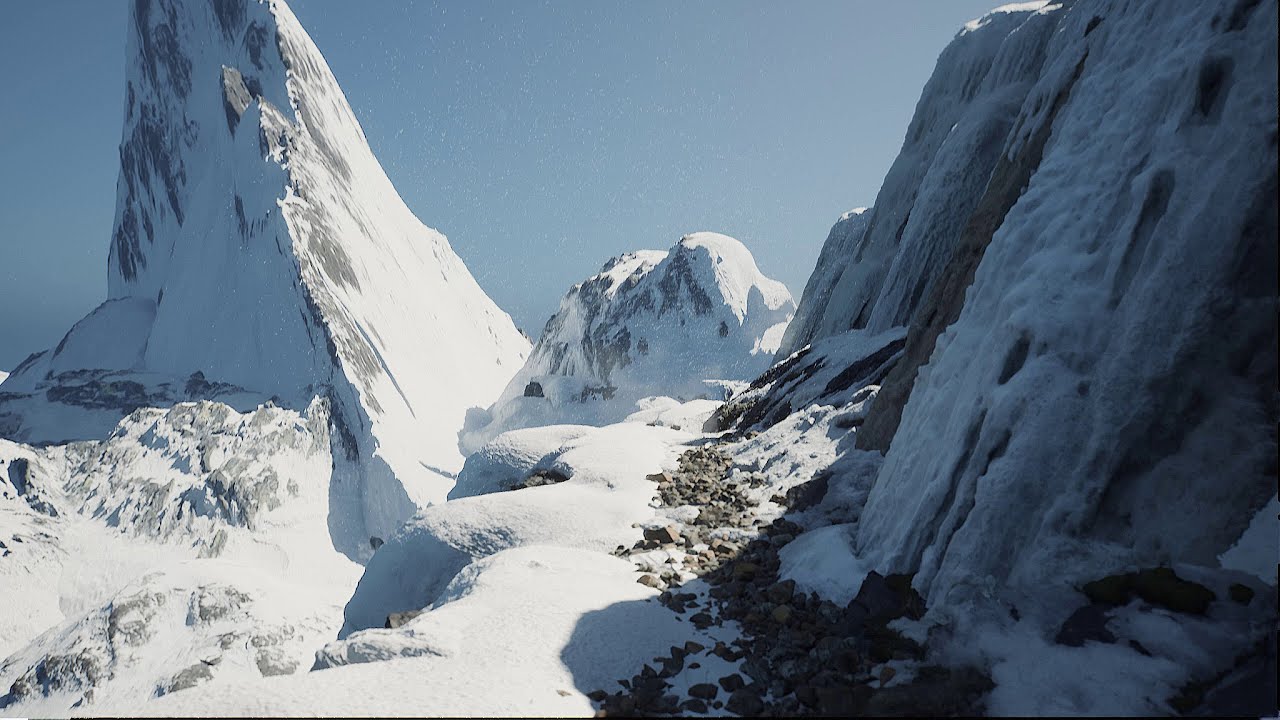
Nanite and Lumen in action synthesizing some photorealism in this UE5 tech demo. The game is running at about 60fps on an RTX 3070 with Raytracing. I wonder how well Unreal Engine 5 graphics will work on a PS5?
The sound is a mix of general wind ambiance and binaural wind whistling for an extra touch of realism(try it with earphones!). Learned...
bold patrol
lyric adder
How do I create a camera shake that's constant from within the editor? Not just ...
You can add a camera anim to your camera in sequencer
Not sure if you will get the 'constant' u are looking for as i think it is random
barren lagoon
anyone know of some good tutorials (aside from the official documentation) covering the curve editor in Sequencer?
bold patrol
lyric adder
They all look good. Your first one is usually the best.
btw by first one you mean the first one i do or like the first ones as shown in the link? lol
 fierce jungle
Hello everyone, I have a problem. When I render my scene with sequencer, I get different colors.

As you can see, colors are soft in the original one, which is what I want to get. But when the scenery is rendered, I get that too contrast result. What could be the reason? If you need any details please ask me.
fierce jungle
Problem solved: Disable "Use Compression" and your problem is solved. But you'll have a big file after your render is completed.
barren lagoon
if you’re trying to get a good quality render avi is absolutely dreadful. png sequence is always the way to go.
hot sun
barren lagoon
if you’re trying to get a good quality render avi is absolutely dreadful. png se...
Caveat on PNGs - make sure your playback/compositor is interpreting the PNGs and ignoring the alpha. Otherwise, you can get unexpected results.
jaunty crater
oh man, if the above is the result of the AVI compression in unreal then for the love of god use an external compressor (if you need it) instead of that
 quick portal
fierce jungle
Hello everyone, I have a problem. When I render my scene with sequencer, I get d...
quick portal
fierce jungle
Hello everyone, I have a problem. When I render my scene with sequencer, I get d...
I always render in PNG sequence with compression set to 100 (which is practically lossless). Then stitch them together with FFmpeg.
fierce jungle
Thank you for the answers! In my case, render quality is not that important, I'm recording a trailer for our game and majority of the scenes are captured in-game. In this particular scene I can't get 60FPS so in order to reach that, I have to use Sequencer. (I get 30fps in-game) But your answers can help a lot of people here, thank you again. 🙂
quick portal
fierce jungle
Thank you for the answers! In my case, render quality is not that important, I'm...
Even then you should have to have your hero footages to be as pristine and lossless as possible, that way the video won't get too much compression when getting processed by YouTube and such.
 gusty heath
Hi guys, does this cinematic looks fine for the intro of a mini-boss ? I'm working on the sfx right now so I just wonder. Maybe I should change the speed of some sequences but globally it looks good ? https://www.youtube.com/watch?v=c6vvYeCYLH8
 fierce jungle
quick portal
Even then you should have to have your hero footages to be as pristine and lossl...
fierce jungle
quick portal
Even then you should have to have your hero footages to be as pristine and lossl...
Hmm, in that case I should look into the ways of getting 4K and high quality captures of my old renders. If it's not too time consuming, maybe I can render them again. Thank you!
 violet dove
 ancient river
Does Anyone know why im getting flickering shadows in my render?
Heres the render to show u what i mean

 peak current
@barren lagoon @hot sun My friend made one just about a week ago, there is barley anyone on it though. It specializes in UE Cinematics and Animation Dm if you want an invite
peak current
it could be your character is hidden in game
gusty heath
Is it possible to render a cinematic from a camera actor that's inside a blueprint? I've got this scene set up but the rende just sits in place where the scene begins and it doesn't follow the camera even after adding it to the sequence. I've got it set up this way to utilize a spring arm on the camera to rotate around the actor as it renders, but it just renders out the frames of an unmoving still

It doesn't seem to register the camera cut as opposed to just dropping a camera in the scene that's not inside a blueprint actor
and this is the blueprint component stack

Greatly appreciative of any insights
fierce jungle
Hi people, I have another weird problem. I have camera attached to character's head and I'm trying to record my sequence. In viewport, everything looks great. It looks like how I desired, but in the game or when I render it (the same thing actually) the camera angle changes. This is the situation here:

What do you think cause this annoying problem?
 violet portal
@fierce jungle Maybe try setting locrot before the blend?
Could you send a screenshot of your BP's?
fierce jungle
Thanks for the answer. I'm not using any specific blueprint for this, here's what I do:

I'm just starting the game, opening the sequence and focusing to the camera cut

My character bp has simple camera and skeletal mesh components and that's it, it's only for rendering stuff
 fierce jungle
Yes
violet portal
I'm not sure I understand then, I'd highly suggest setting up a BP for it, and then setting the locrot before the cut
fierce jungle
Thank you for taking your time, I guess I will have to spend some time on it. 😄
violet portal
Yeah, good luck to you!
fierce jungle
I guess I found the problem, when I disable "Use Pawn Control Rotation", the angle of the camera on viewport and in the game is the same. But it doesn't look good when I disable it, so I have to find a way to record the video while control rot is enabled. Hope getting close.
fierce jungle
Conclusion: If you want to use control rotation, your camera angle will look different. This is because the control rotation is always 0,0,0 when you are not running game. However, when the game is started, the control rotation changes according to the pawn. So you will have different angles when you start rendering.
The solution I applied is to start the game and change the camera rotation at that time. It will still look different, but in order to render, Unreal Engine starts the game, so it is what matters in this case.
 meager flare
Hello guys. have strange problem with water system.
Why it wouldn`t render in sequence sometimes?
ok.. oh.. it`s nor render sequence problem... it is scene capture problem
violet portal
fierce jungle
**Conclusion:** If you want to use control rotation, your camera angle will look...
Glad you found the solution! 😅
fierce jungle
Thanks 🙏😄
 thorny blade
Hello everyone, I'm dealing with Motion blending animation in Sequencer, and sometimes the skeleton goes crazy trying to adjust its position, Any advice to solve this issue?
violet portal
thorny blade
Hello everyone, I'm dealing with Motion blending animation in Sequencer, and som...
Using root motion?
thorny blade
Yes
violet portal
Did you create the model?
thorny blade
Nop, its from marketplace
violet portal
Does it have a root bone?
thorny blade
yes it does
hot sun
Sometimes aligning automatically introduces some hiccups. You might need to do it by hand. You might also try experimenting with aligning to different bones, depending on how it's freaking out. You may have to fix it in an outboard mocap app like Motion Builder.
 cerulean flame
Hey all, has anyone been experience issues with skylight (SunSky actor) being inconsistent in renders compared to in engine? I've been getting some really weird results
In engine (bounce lighting hitting the bottom of branches as intended)

then when rendered with movie render queue im getting results like this where the highlight is now on top of the branches (Color tone is different because its linear exr)

I'm guessing it might be a skylight issue? As whenever I open the scene the skylight in the SunSky actor is not functional until I drag it's intensity slider and then it decides to wake up
 gilded crypt
wow, sorry to ruin your day chap, didnt know which was most appropriate
 buoyant jewel
It's generally considered bad Discord etiquette to post in multiple channels FYI, post in one channel and if it's the wrong one you'll probably get redirected
 magic dove
Is there a simple way to turn off object culling for a cinematic screenshot, or will I have to go and change all the culling settings manually?
barren lagoon
stupid question: how do i create a 1:1 copy of a shot? i’ve tried the duplicate option, but changes to the duplicated shot carry over to the original shot. “takes” work alright but i need the ability to freely make any changes that don’t influence the original shot. i believe changes to take 2 for instance carry over to take 1 but correct me if i’m wrong.
 fathom gull
barren lagoon
stupid question: how do i create a 1:1 copy of a shot? i’ve tried the duplicate ...
fathom gull
barren lagoon
stupid question: how do i create a 1:1 copy of a shot? i’ve tried the duplicate ...
can you create a sub-sequence and bring in 2?#
i am looking to get the value for a track to display on a editor utility widget
i can get the value for the current keyframe but if there isnt a key on that frame, it sets the value to 0 and only updates on the frames with keys.
if i have key 1 on 20 then key 10 on 200, it will just say 20-0-0-0-0-0-200 where as the value is increasing on the sequence track 20-40-60 etc
 willow heron
Hi all, do you have any experience with octane render and UDIMs? I can't render out geometry which contains udims (as png), . Any idea or help with this topic?
gusty heath
What do u think guys about my cutscene 🙂 https://youtu.be/3sBFfmP44Jg
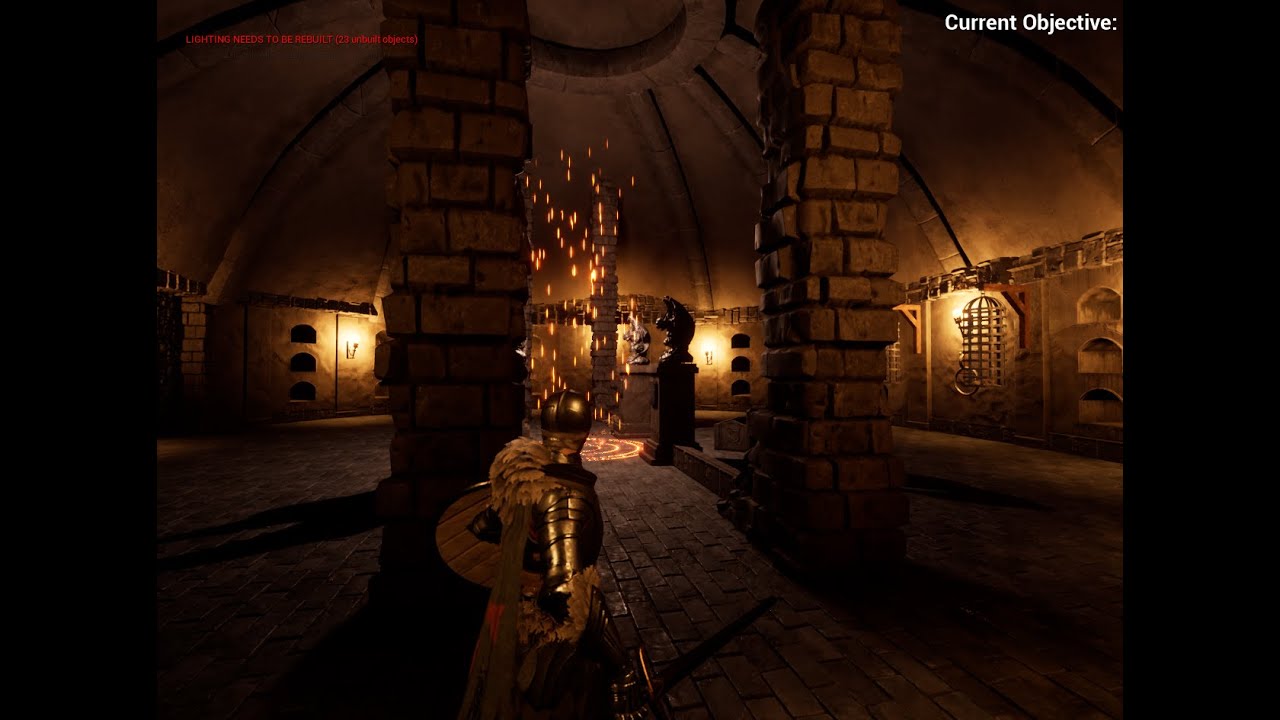
⇨Others⇩
⇨Steam: Join US In my Discord Server: https://discord.gg/aHMGpYYGPD
⇨YouTube Channel: https://www.youtube.com/channel/UCP2Y...
⇨TikTok: https://www.tiktok.com/@keonadventure...
⇨Twitter: https://www.facebook.com/profile.php?...
⇨Steam: M1quta14
⇨Discord: m1quta#6720
quick portal
gusty heath
What do u think guys about my cutscene 🙂 https://youtu.be/3sBFfmP44Jg
#work-in-progress
barren lagoon
is there a way i can manipulate the hierarchical bias between a post process volume and a cinematic camera?
it seems like the camera always takes precedence
quick portal
barren lagoon
is there a way i can manipulate the hierarchical bias between a post process vol...
The blendables material?
barren lagoon
hmm, haven't heard of that one. i'll look into it!
quick portal
Usually blendables is the one that prioritise one over another instance.
barren lagoon
quick portal
Usually blendables is the one that prioritise one over another instance.
hrm i'm confused now. say i have a PPV and a cinematic camera, and i've tweaked the color grading on both of them. which color grading will my cinematic viewport prioritize?
just as an example
(it's the issue i'm currently facing 😅)
quick portal
barren lagoon
hrm i'm confused now. say i have a PPV and a cinematic camera, and i've tweaked ...
Oh... I think it always prioritise the camera if it overrides any post FX settings.
barren lagoon
ahhhh okay okay. that's actually pretty unfortunate. i have a PPV in my scene and i want the color settings inside of it to take priority. otherwise i have to do the same settings for all my cameras. kind of a pain haha.
(unless i'm missing something, of course)
quick portal
barren lagoon
ahhhh okay okay. that's actually pretty unfortunate. i have a PPV in my scene an...
Perhaps you could disable the camera's override.
You could have the camera not touching any of the color grading stuff but stil applies specific depth of field or lens flare settings.
barren lagoon
actually yeah, i'll give that a go! 🤞
 kind wedge
Hi, there!
Trying to use USD for animated geometry cache from maya to UE with no luck - I get all the meshes as UE animated cache assets but they are empty.
Any advice on that?
 gray basin
Is there a way to render UE4/UE5 cinematics at a higher quality? Like a non-real time engine?
quick portal
gray basin
Is there a way to render UE4/UE5 cinematics at a higher quality? Like a non-real...
Yes, look for Movie Render Queue if you're on 4.25 or newer.
gray basin
Thank you!
 undone geode
Does a nyone know of an easy way to render out captions or watermarks on your renders when using MovieRenderQueue?
meager flare
are dlss speed up sequence rendering?
undone geode
Another Sequencer question. How do you expose the Skylight's Source Cubemap Angle parameter in Sequencer?
quick portal
meager flare
are dlss speed up sequence rendering?
Probably not with Movie Render Queue, especially if you're using grid split rendering
meager flare
Thx
quick portal
Grid split rendering requires anti aliasing to be turned off
 ripe swan
Anyone happen to know why my image sequence coming out of movie render queue has the hair and cloth jittering to absolute hell? In the sequencer playback it's normal and still but when it gets rendered it's flipping all over the place.
Some kind of console variable or setting somewhere that I'm missing setting possibly.
 distant mauve
ripe swan
Anyone happen to know why my image sequence coming out of movie render queue has...
distant mauve
ripe swan
Anyone happen to know why my image sequence coming out of movie render queue has...
go into collision view and see if something is overlapping your hair possibly
When you are shooting something really high quality, for a trailer or something, do you shoot it in some crazy resolution like 8-16k then use your video editing software export properly to 4k and 1080p? I'm trying to get better quality out of my renders. I render to png and use Pr
ripe swan
Just spoke with an expert. It's due to temporal sub sampling and its interaction with physics, so.... it's pretty much impossible to fix without a tonnnnn of extra work
Shocked that no one else has really ran into this and asked before. Anyway, I'm going to have to lose high quality motion blur or disable my physics and use a different outfit
I WILL make this work... lol
ripe swan
distant mauve
When you are shooting something *really* high quality, for a trailer or somethin...
I would just test this theory out by outputting the movie render que high and see what it's like after downsizing to 1080p. I doubt you are doing much for the quality though.
hot sun
ripe swan
I would just test this theory out by outputting the movie render que high and se...
FWIW, I've found that rendering with Movie Render Queue at 8k and then downsampling in Adobe After Effects or Media Encoder looks much better than Unreal's internal subsampler.
ripe swan
Well then in that case that is what I will be doing! Thanks!
 vapid osprey
ripe swan
I WILL make this work... lol
vapid osprey
ripe swan
I WILL make this work... lol
I have also run into this issue. There is a thread on that topic in the forums but it has not been fixed yet
vapid osprey
vapid osprey
I have also run into this issue. There is a thread on that topic in the forums b...
ripe swan
Yea I’ve been having a lot of bad experiences with sequencer and movie render queue. I actually got my sequence to look exactly how I want in playback, then when I render it out in movie render queue it is missing niagara effects that are there in sequencer, colors are changing that aren’t in sequencer, and things are even in different positions.
To say the least, it’s incredibly frustrating and way too much work for what it should be.
vapid osprey
Yes, I also keep having issues with Move Render Queue. I am surprised that people rave about how great it is. To me, it is still not feature complete
 meager plank
Hi guys. When i use Movie render queue for render this happening. This is just a alpha cards hair.
 quick portal
meager plank
Hi guys. When i use Movie render queue for render this happening. This is just a...
quick portal
meager plank
Hi guys. When i use Movie render queue for render this happening. This is just a...
Well, that's the setbacks for using dithered alpha for hair cards. It only works best with temporal anti-aliasing, which works by taking into account the previous frames and soften jagged edges with it.
Movie Render Queue (I think) requires you to have AA disabled, so it won't work with dithered opacity. I think strand based groom hair works better for cine renders.
 gentle abyss
This is a super basic thing, but for some reason my keyboard shortcut for CTRL+SHIFT+P to pilot a camera never works for me. Am I missing something?
I also notice that I have inconsistent behavior with piloting a camera. If I open a map, switch to cinematic viewport, and pilot, it works fine. But if I switch to Default Viewport, I can no longer pilot the camera. If I switch back to cinematic, I still can't pilot until I re load the basic. Guessing I'm missing something pretty basic?
vapid osprey
Which AA method do you use for animated foliage? If I use TemporalAA, I get jittery animations
If I use other AA methods, I get blurry renders. I have tried with AA counts of 8, 32 and 64. Which method do you use for foliage?
vapid osprey
Temporal AA seems to produce flickering artifacts on animated foliage, even with a count of 64
vapid osprey
Thanks for that hint. Makes sense. The bright on dark principle was on purpose. If the grass is lit uniformally, it looks flat. I guess I need to decide which option is more important to me: flat lighting without flicker or great lighting with noise. Kind of sucky. At least, I know the reason now. Thanks!
Also, cranking up the counts beyond 64, helps. I guess, I will just go with 256 for the last render to solve the issue
Will do, thanks!
 bronze relic
Light sources do not affect exponential height fog at all.
barren lagoon
would anyone happen to know of some good places to find dirt mask textures (preferably ones ready to be dragged and dropped into UE)? 😄
quick portal
You're referring to volumetric lightmap, not the exponential height fog itself.
 stone coral
does sb have an idea what I could change at my rendersettings, although my clips are 24fps it feels like they are stuttering a lot and the movements are not totally fluid
 wary edge
how to reset sequencer? it keeps trying to use an actor that doesn't exist anymore and throws
"LogSavePackage: Warning: Obj in another map: VRPawn_C /Game/UEDPIE_0_BlockoutAIT1.BlockoutAIT1:PersistentLevel.VRPawn_2
LogSavePackage: Warning: Obj in another map: MotionControllerComponent /Game/UEDPIE_0_BlockoutAIT1.BlockoutAIT1:PersistentLevel.VRPawn_2.LeftController
LogSavePackage: Warning: Obj in another map: MotionControllerComponent /Game/UEDPIE_0_BlockoutAIT1.BlockoutAIT1:PersistentLevel.VRPawn_2.RightController"
like can I empty it if it still has like a sequence saved?
 tight nymph
my cinimatic sequencer is not taking camera shot i added a camera cut but when i hit play it plays in viewport but not in sequencer can anybody help me with that if can
quick portal
tight nymph
my cinimatic sequencer is not taking camera shot i added a camera cut but when i...
In the Camera Cut track, press the little camera icon - it'll make the viewport see what the sequencer sees
tight nymph
quick portal
In the Camera Cut track, press the little camera icon - it'll make the viewport ...
thanks man working fine
barren lagoon
hey @quick portal would you happen to be familiar with Sequencer’s shrink/stretch tool and how it functions?
 chrome patio
Hello guys, wish you all have a great day. Me and my team of game devs need your help with the sequencer / take recorder in UE 4.26. We are trying to record gameplay footage, so we can make a cinematic trailer, with some camera angles to help the action, but we have a serious problem.
After the take recorder recorded, the blueprint character (or rather, the recording) doesn’t keep track of the attached components on our characters sockets. In our case specifically, Weapon blueprints. Weapon Blueprints are setup with one or more Skeletal mesh components (one or dual pistols, swords, etc). Those Skeletal Mesh components get attached to our characters mesh, as mentioned briefly above. The weapons are spawned during character initialization. On the record, we can see that the weapon blueprint is tracked, but not its components (the skeletal meshes). Also, the transform track doesn’t play the animations from the gameplay action, flips kicks punches etc (although if you force root lock on the generated animation asset, it kinda works out).
Is there a way to do that “actual gameplay recording” or must we integrate the skeletal mesh components of the weapons directly on the character and reproduce all the action from scratch, which is kind of killer for us.
Unfortunately, the official guide doesn’t work for us, we have the mentioned problem, and tutorials out there have the skeletal mesh approach, and not actual gameplay recording.Are we missing something here? Is it something with how the character blueprint is made? We use ALS for the locomotion and our own overlays on top, is there any check box that we haven’t seen? are there particular blueprints in general with the attachments workflow.
Thank you all in advance.
ripe swan
chrome patio
Hello guys, wish you all have a great day. Me and my team of game devs need your...
You guys are basically going through the pains I just went through with take recorder and sequencer. You are in for a terrible, bumpy ride. In order to have full control over things, I had to convert them into components of the actor so that they show up in sequencer, or you have to spawn them at run time and click record "spawned actors" in take recorder when you record. Then it shows up and you have to take care of adding attachments and everything else after the fact.
The entirety of this process took me a week or two just to get 2 minutes worth of footage looking right. They don't have a better option right now, but I would hope that will be coming in the near future. The best part of take recorder is that it will record your character's movements as animations and record its position/rotation etc, but you will have to manually add all attachments, offsets, effects, triggers, etc.
The entire system feels feature incomplete with how many issues and bugs it has, but if you stick with it, you will eventually have something usable. I have my cinematic ready to go finally and waiting on logos to release it into the wild. I can show you at least what it's capable of, but I never want to do it again until the entire workflow has improved.
gusty heath
When I render (Clip of 15 second) I get no audio!?
quick portal
gusty heath
When I render (Clip of 15 second) I get no audio!?
You can't render audio out of prerendering sequence.
gusty heath
quick portal
You can't render audio out of prerendering sequence.
then is there any way to get the audio with that clip?
quick portal
gusty heath
then is there any way to get the audio with that clip?
Record the game audio yourself with Audacity audio recorder software of your choice.
gusty heath
Oh i see
quick portal
It's not exactly elegant, but audio recording had to be done in real-time, while in many cases, pre-rendering sequence of video slows down real-time.
Many machinima creators also had to do the audio in post render edit.
gusty heath
Thank you for the info and help. 👍
chrome patio
ripe swan
You guys are basically going through the pains I just went through with take rec...
Omg omg omg , this is terrible you bring tears to my eyes 🥲 this will be a terrible ride for sure. . . thank you very much for your help buddy, we will maybe first try a workaround with kind of triggered camera system via blueprints and buttons assignment and make recording with shadow play, but this also will be a painful and messy ride . . . . will be awesome to see what you have create my friend, let us know when you will be ready . . . Thank you again very much, very helpful feedback. 🙏
 static obsidian
why does this happen when i render
 quick portal
static obsidian
why does this happen when i render
quick portal
static obsidian
why does this happen when i render
Likely your GPU screwing up.
Though be careful if it's NVIDIA. Newer drivers are reportedly oddballs.
quick portal
I would be surprised if the engine didn't crash from out of VRAM.
static obsidian
only while rendering though
quick portal
Even if it's rendering, the engine should've bail out from that
quick portal
^ This
Again, I would be surprised if the engine didn't bail out and crash from that.
static obsidian
noted
static obsidian
quick portal
^ This
Again, I would be surprised if the engine didn't bail out and crash from...
it rendered fine, while using shared memory (10gb ish)
 fossil dragon
Hello fellow crazy animators, I have some questions, I recently implemented the control Rig on my character, and I wanted to blend My Idle animation and let's say an arm movement I would do on additive.
My problem is that the moment I put my control rig in, my player goes directly into T-Pose .. I'd love to be able not to bake my animation directly into the control rig if it's possible but maybe not.
I can't find enough documentation on this, I'd love some help on this .
quick portal
Though it's weird that this is asked on #cinematics instead of #animation
 subtle crag
Has anyone dealt with branching conversations using sequencer? Think dragon age/horizon zero dawn/mass effect. Where you have a conversation, play animations, audio, etc, then a choice pops up and loops an idle animation till one is selected and from there plays different sequences depending on the choice chosen, but transitions nicely from the previous sequence
fossil dragon
quick portal
Though it's weird that this is asked on <#375020247335567360> instead of <#22179...
well I'm doing a sequence Is that the right place to talk sequencer?
quick portal
Actually The Witcher 3 deploys similar method.
subtle crag
I'm just going off what the tools for those other games do, they'll always have the timeline editor, that is auto filled by a node-based conversation editor usually
quick portal
And I'm still fooling around with using sequencer as a way to play out dialogues, along with this handy plugin:
https://github.com/MothCocoon/FlowGraph
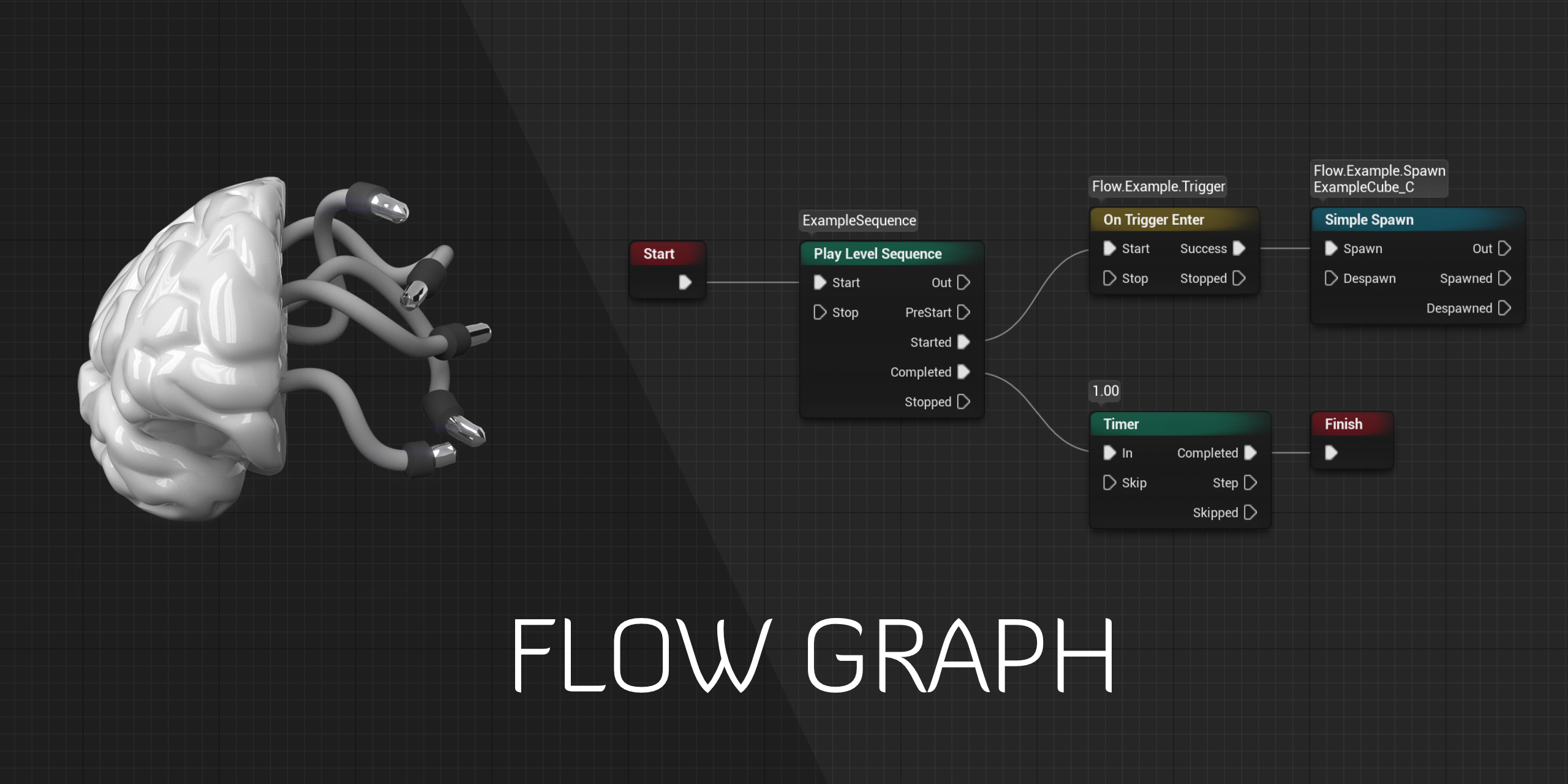
GitHub
Design-agnostic node system for scripting game’s flow in Unreal Engine - MothCocoon/FlowGraph
quick portal
fossil dragon
well I'm doing a sequence Is that the right place to talk sequencer?
Your question seem to deal more with the animation system than Sequencer IMO
fossil dragon
ok thanks
subtle crag
quick portal
And I'm still fooling around with using sequencer as a way to play out dialogues...
That's really interesting, I've just been making a custom editor in code, copying the way the sound cue/behavior tree nodes work
quick portal
subtle crag
That's really interesting, I've just been making a custom editor in code, copyin...
I'll make a writing about it once I get the system stable enough (or I feel confident enough to put it as public reading)
gusty heath
Good time of day. Any ideas how can I capture video cinematic sequencer with sound?
quick portal
gusty heath
Good time of day. Any ideas how can I capture video cinematic sequencer with sou...
Unfortunately, you can't. At least in one pass.
The thing is that audio recording had to be done in real time, while pre-rendering sequence isn't always real-time and the world basically goes slow-mo.
The only solution is either adding the audio in post in Premiere Pro or your favourite video editing tool, or recording the audio from editor as it plays the sequence in real-time with Audacity or your favourite audio recording tool.
Machinima creators often not recording or using the audio made from the sequence, and adding them in video editing software.
gusty heath
@gusty heath ok, understood.
barren lagoon
i'd like for my camera to start slowing down much sooner than it currently does, since at the moment it's still moving quite quickly when it reaches the end. how would i achieve this?
 quick portal
barren lagoon
i'd like for my camera to start slowing down much sooner than it currently does,...
quick portal
barren lagoon
i'd like for my camera to start slowing down much sooner than it currently does,...
Enable Weighted Tangent
barren lagoon
ooh good call, thank you!
would you happen to know if there is any thorough documentation covering the Sequencer curve editor?
or perhaps any videos as well
this is all i've been able to find ☹️ https://docs.unrealengine.com/4.26/en-US/AnimatingObjects/Sequencer/ReferenceEditor/
UI and Control Reference Page for the Sequencer Editor.
quick portal
Not much that I know of actually.
I'm largely test bed with it by myself 
barren lagoon
haha nice friend!
so, there's actually a pretty big issue i'm having with this method. the ending slows down just fine, but the initial keyframe doesn't adjust to the weighted tangent method. in other words, it doesn't stay linear, if that makes sense. @quick portal

no matter how much i stretch out the second keyframe, the first doesn't want to adjust to it 😬
 exotic estuary
Hi, I'm making a forest video on a hemispheric LED screen with a resolution of 8960x1440, structured like this:

I was planning to render it in c4d with octane's cylindrical camera and set the horizontal fov to 180. But I found a lot of already made forests in unreal marketplace, and the render time is much faster. But since it's an ultra-widescreen and I've heard unreal has caped the fov to 90. So I was wondering if such render is even possible in unreal.
quick portal
exotic estuary
I was planning to render it in c4d with octane's cylindrical camera and set the ...
Unreal's FOV is capped to 180°
exotic estuary
so it's possible? was this video a way to go: https://www.youtube.com/watch?v=LuURSFbRPpA&ab_channel=MathewWadstein

What is the Field of View Node in Unreal Engine 4
Source Files: https://github.com/MWadstein/wtf-hdi-files
completely new to UE here
barren lagoon
would anyone happen to know of some good places to find dirt mask textures?
 hybrid ferry
Hey everyone. Is it possible to preview the end result of using a Dynamic Transform Origin on a level sequence without simulating or playing?
It's very useful but the fact you can't see the end result while you're creating the level sequence is incredibly frustrating and hard to work around.
A different solution is using parent/child relationships in the outliner to have an actor you can move and all the cinematic actors that are children would move with it. But this is only possible with possessables.
https://docs.unrealengine.com/4.26/en-US/AnimatingObjects/Sequencer/HowTo/DynamicTransforms/
Describes how to create Level Sequences with Actors that have dynamic world transforms that can be changed at run time.
 quaint wraith
Does events in a Level Sequence Event track only fire in PIE?
Is it possible to trigger those events within the Level Sequence editor?
I tried ticking "Call in Editor" for the created Event within the Track, but that didn't help either.
hot sun
quaint wraith
Does events in a Level Sequence Event track only fire in PIE?
Is it possible to ...
Are you trying to render out a cinematic, or fire the sequence in-game?
quaint wraith
hot sun
Are you trying to render out a cinematic, or fire the sequence in-game?
Fire the sequence in-game. It works there, but I would like to preview things in the editor
hot sun
quaint wraith
Fire the sequence in-game. It works there, but I would like to preview things in...
Unfortunately, the Sequence Preview shows things differently from PIE. I have no idea why Epic set it up this way, but it is what it is.
quick portal
hot sun
Unfortunately, the Sequence Preview shows things differently from PIE. I have n...
It's because "Editor mode" only execute events called as Editor, and Sequencer doesn't do that.
quick portal
quaint wraith
Does events in a Level Sequence Event track only fire in PIE?
Is it possible to ...
"Call in Editor" flag only exposes events to the Details panel of a placed Actor, to be called as Editor with the button it creates.
quaint wraith
okay, I found a way around it.
Simulate the game and while simulating, you can adjust your Sequence. Events in the event track will be called 👍
Thanks for the input @hot sun @quick portal !
undone geode
Have a question about exposure.
I know the importance of setting your Min and max Brightness levels to 1.0 to override any auto exposure in your level.
But what about the Metering Mode? Best to leave unchecked OR check it and set to Manual?
There seems to be a lot of differing opinions about exposure settings in general.
 kind fossil
The two characters used a 2.79 rig and I want to rig future characters using the latest blender. As I am doing a game cutscene. All 5 character will interact with each other and be brought into unreal engine. But 2.79 rigs don't work with 2.8x and 2.9x.
So should I stick to blender 2.79 for rig and animation for that particular game cutscenes since 2 out of 5 characters left.
quick portal
kind fossil
The two characters used a 2.79 rig and I want to rig future characters using the...
You could remedy that by using Control Rig and do the animation work straight in the Unreal Editor. In fact, Epic has said that animating in context is one of the benefits of that.
quick portal
kind fossil
Can you do it in 4.22 ?
Well, sadly no. Control Rig was really usable only on 4.26+
kind fossil
I am going to look up more into Control Rig
stone coral
I just created a scene with fog and lightning and all. When I play the scene back in the editor the light is - as intended - red and dark, how ever when I render the light in the final clips is like a bright white light and the scene is much more lit. Does sb have an idea which parameter in which object I could try to change to make the whole thing look as in the editor?
 kind fossil
Gonna re-rig everything in the latest Blender. What's the best cinematics pipeline for Unreal engine 4.22 ?
 spice cobalt
Hey all, is there a good way for me to transform an Ease function with an exponential blend into a level sequence for a camera movement? The linear movement I have now looks pretty garbage and the source I'm working with looks butter smooth, but's it all manage by an event tick in a blueprint instead
barren lagoon
if i have two different exposures in two different shots, i can see an exposure transition for the first few frames of my second shot, even though i have auto exposure disabled in the project settings and have the min and max clamped on both cameras. is this working as intended?
fossil dragon
When animating a character inside a sequence, are you playing a walk animation + translation or do you use AI move to for characters to really stick to the ground ?
quick portal
fossil dragon
When animating a character inside a sequence, are you playing a walk animation +...
It's the former.
For less scripted sequences like going from point A to point B, it's usually done outside sequencer.
fossil dragon
That’s what I do ok thanks wanted to know if I was doing some non-sense
barren lagoon
yup, it takes a bit of fiddling with keyframes to make sure your character isn’t either sliding or moonwalking even just slightly @fossil dragon
(extremely tedious sometimes but no other way to do it other than maybe AI lol)
fossil dragon
Ahah we all cheat we all put the camera a bit higher … so you feel the walking but you don’t see feet connecting to the ground
Or we could have a ground check on each step and additive control rig modifications…
quick portal
fossil dragon
Ahah we all cheat we all put the camera a bit higher … so you feel the walking b...
For reference, look out some Boundary Break videos on cinematic heavy games.
barren lagoon
Ahah we all cheat we all put the camera a bit higher … so you feel the walking but you don’t see feet connecting to the ground
oh yeah, you can absolutely do that as well. just depends on what kind of shot you’re doing and if you’re flexible enough to play with different angles.
this is something i’ve been facing with one of my shots. i have the camera near the ground as characters are walking, so i don’t really have a choice 🙂
quick portal
fossil dragon
Ahah we all cheat we all put the camera a bit higher … so you feel the walking b...
Or maybe you can even freecam GTA 5 when playing a cutscene.
barren lagoon
Hoodie, would you by chance happen to know a way i could control the focal length of my camera while being able to move it at the same time?
doubt there’s a way but worth asking
fossil dragon
Well you can
You a focal length track and a transform or am I mistaking ?
I might not have fully understood your question
barren lagoon
no no, i’m aware of how to change the transform and focal length of my camera, i was just wondering if there was a way i could manipulate them both at the same time
so i don’t have to keep going back and forth between increasing/decreasing the focal length and moving my camera backwards/forwards
fossil dragon
Automatically without key frames ?
barren lagoon
just within the viewport itself, not Sequencer
for shot composition, not camera animation
fossil dragon
Don’t know if you have an auto version for this… you could still code your own camera actor
barren lagoon
i actually just came up with a pretty decent idea for that. i could animate a dolly zoom and then scrub through the timeline to pick out which focal length i liked best.
fossil dragon
😉
 agile condor
is someone having a nice tutorial for cinematic outdoor lighting?
 vagrant cloak
Hello, I have never done any cinematic, and I would like to create a cut scene before the player possess the character. How should I make that?
(simple thing, just the camera moving around in circle)
 boreal nymph
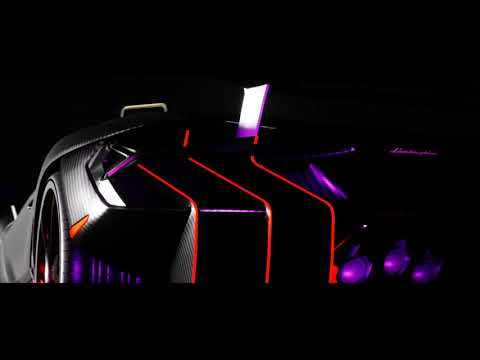
My Cinematic 002 - Extraterrestrial
https://www.youtube.com/watch?v=V13aucodSmM
 quick portal
vagrant cloak
Hello, I have never done any cinematic, and I would like to create a cut scene b...
quick portal
vagrant cloak
Hello, I have never done any cinematic, and I would like to create a cut scene b...
Look on how to use Sequencer.
https://www.youtube.com/watch?v=D3trMpkxAFk
https://www.youtube.com/watch?v=uEnfMV-4afA
In this video, you’ll learn how to use Sequencer—Unreal Engine’s multi-track editor for creating and previewing cinematic sequences in real time. Discover how to create cinematics for viewing in game and learn how to render out image sequences for further editing.

In this video we discuss what the series will cover and show the finished cinematic that we will create together from scratch. We also show how you can use the Take System in Sequencer to quickly swap out shots in your scene to provide different looks. We wrap up by discussing some of the other systems we’ll cover such as Cinematic Actors, Maste...
quick portal
boreal nymph
``My Cinematic 002 - Extraterrestrial``
https://www.youtube.com/watch?v=V13aucod...
 onyx zephyr
anyone here ever deal with importing 3d Camera tracking data from After Effects into Unreal? It has been a week and I can't find a proper solution. I have seen some people do it but with crazy methods so idk if I am trying doing the impossible here.
 viral surge
Hello, why is my anim trail or any vfx not playing in Master Shot? everything works well in Level Sequence but not in Master Shot
hot sun
onyx zephyr
anyone here ever deal with importing 3d Camera tracking data from After Effects ...
This plug-in exports FBX from Ae, which you can easily import into Unreal Engine.

Import and export one or more 3D animated cameras, reference solids and nulls from and to After Effects composition. Now supports OS X and Windows.
barren lagoon
i'm experiencing an issue where in my Sequencer playback, my particle systems will "pop in" a few frames after being activated/triggered.
this occurs when i play my master sequence, but when i play the individual shots that have these particle systems, they don't pop in at all, and they show up as intended. anyone know of a fix for this?
quaint wraith
I try to blend between the CineCameraActor and my PlayerCamera, but the settings of those two are vastly different.
Even though they end up having the same Transform on the last frame of my Level Sequence, the CineCameraActor has a big zoom in and when the Level Sequence is over, the view snapps back to the PlayerCamera with a big zoom out.
How do I get a the same view for the CineCameraActor as the PlayerCamera (normal Camera)?
quick portal
quaint wraith
I try to blend between the CineCameraActor and my PlayerCamera, but the settings...
Use normal camera at the last cut before the end of the sequence.
quaint wraith
Does the cuts blend into each other?
quick portal
I mean, I expect your sequences to have several camera cut, not a big oner like GOW '18.
At the last cut, instead of using cine camera until the end, you replace it with normal camera.
quaint wraith
I unfortunately don't have a single cut (except the initial one). I rather need something where I can blend between those two cameras. But your strategy is also good and I might solve it with an intentional cut in between, if there is no better solution.

 sage relic
quaint wraith
I unfortunately don't have a single cut (except the initial one). I rather need ...
sage relic
quaint wraith
I unfortunately don't have a single cut (except the initial one). I rather need ...
Right click on your "CameraCuts" and enable the "CanBlend" in the top
Now if you have multiple camera cuts just drag their edges across each other and it will blend them
quaint wraith
That's sounds promising. I try that, thanks ErikH!
sage relic
So I'm not sure why I can't figure this out, but I can't preview my Sequence?
Viewport is set to Cinematic, Viewport is locked to CameraCuts and I've tried starting the sequence by setting it to "AutoPlay" true, and also tried starting it through Level Blueprint with the SequenceReference->Play (Also tried CreateLevelSequencePlayer, ReturnValue->Play).
Pressed Play/Simulate and neither worked.
Anyone know what I'm missing?
onyx zephyr
hot sun
This plug-in exports FBX from Ae, which you can easily import into Unreal Engine...
It imports, but then the placement of the camera and keyframes aren't really the same.
Not sure why
 violet cloud
hello, not sure if this is the correct channel but i've got a spring arm on my camera but it won't respond to the rotation of the camera even though I have Enable camera rotation lag on. am I missing something?
quick portal
violet cloud
hello, not sure if this is the correct channel but i've got a spring arm on my c...
violet cloud
ok, thanks
quaint wraith
How do I reference a Level Sequence spawned Actor inside an Level Sequence Event?
When I add a parameter to an event and set it to a spawned Actor it fails.
Probably because at one point the actor is despawned and the reference is gone.
vagrant cloak
quick portal
Look on how to use Sequencer.
https://www.youtube.com/watch?v=D3trMpkxAFk
https:...
Sorry for the late response I just tried it today, but it's just an export?
He's just doing an export while I would use it in the game
quick portal
vagrant cloak
Sorry for the late response I just tried it today, but it's just an export?
Sequencer can be used for in-game cutscenes and prerender one.
 sour wagon
does anyone know how to access the take source? i created it in the content browser but i have not idea how to reference it..
 still prism
hey so i am getting this strange light leak under my quixel 3d asset walls.
this happens a few times. and ive been ignoring it. but what is causing this and how can i solve this??
 quick portal
still prism
hey so i am getting this strange light leak under my quixel 3d asset walls.
thi...
still prism
quick portal
<#221799195806400512>
quick portal
still prism
hey so i am getting this strange light leak under my quixel 3d asset walls.
thi...
still prism
quick portal
<#221799195806400512>
oh shit i have NO idea why i am on this subsection!!
 smoky thistle
hey slackers, im working on a controller-camera using htc vive tech and it looks good rn, im just having issues creating a focus system, should i just stick to manual focus?
 frigid stone
I think so for now, that sounds really cool though! would make things super cool
but hey ya'll, I was wondering if any of ya'll know how to toggle between the being "in" camera in sequencer to just being in the regular viewport mode. Right now I have to click out of the camera icon in sequencer and it would save me some seconds to just be able to click "ctrl + G" for example to toggle out
 kindred glade
Hello! I am trying to use the Movie Render Queue to capture some particle effects as an image sequence. With "Accumulator Includes Alpha", the particles are fully visible in the rendering window, but are not included in the images. They are only visible if there's an object behind them. Without alpha option they show up fine. Here's what the result looks like:

 teal topaz
Hello can anyone help me please
I have animated camera but I want to change camera location but I can't becouse of camera animation is there any way I can change my Camera location with all the keyframes ???
quick portal
teal topaz
Hello can anyone help me please
I have animated camera but I want to change came...
<@&213101288538374145> Crossposting across channels without prior redirection.
 olive mulchBOT
:triangular_flag_on_post: DEDSEC RETRO#0606 received strike 1. As a result, they were muted for 10 minutes.
still prism
So this is 24 fps, cinematic standard. and it looks like it is 48 fps?? the video following is set to 12 fps, and looks like cinematic standard.
i have all aspects of my software set to 24fps?
this was filmed at 24fps in ue5
sequenced in blender as 12 fps, which makes it look like proper 24 fps
barren lagoon
has anyone run into an issue where no motion blur is shown in the final render, even though it's enabled in the project settings and in the PPVs/cameras?
been stuck on this issue for days trying to find a solution ☹️ would greatly appreciate any help
barren lagoon
^ solved!
 crisp horizon
Is there a way to ad a noise position animation to an animated static mesh in the sequencer?
 sweet night
Does anyone have any suggestions for getting root motion to work in the animations used in the cinematic timeline?
All the reading on it that I’ve found has been somewhat vague or didn’t work
ripe swan
barren lagoon
^ solved!
Solution?
barren lagoon
ripe swan
Solution?
it was an issue with the in-game settings overriding my PPV. just had to change those instead 🙂
gusty heath


Hello. I got the problem. When I close to the object it looks fine, but when I zooming out it starts shaking. Any ideas how to fix it?
 fringe hedge
Could anyone help me with scene composite? I made a character and want to use sequencer to render some nice still images.
 nova frigate
gusty heath
Hello. I got the problem. When I close to the object it looks fine, but when I z...
nova frigate
gusty heath
Hello. I got the problem. When I close to the object it looks fine, but when I z...
fix it with LOD..
gusty heath
@nova frigate Tried. Didn't work. Just remade mesh.
nova frigate
gusty heath
<@!274811205422546944> Tried. Didn't work. Just remade mesh.
There is automotive tutorial on unreal engine YouTube channel where they showed how to fix this with LOD. The far you go it decreases the vertices or can also show up some other material in the same place
gusty heath
@nova frigateUndrestood. Thank you
gusty heath
Cant run MP4 on material after I build the project. Any ideas?

 signal silo
Does anybody know how I can play a looping animated scene from After Effects in Unreal Engine without using the Unreal Media Player?
quick portal
signal silo
Does anybody know how I can play a looping animated scene from After Effects in ...
Use image sequences.
Well, you'd still use Unreal Media Player for that, but at the very least it won't be tied to video playback, and works with Sequencer
signal silo
quick portal
Use image sequences.
ok, Ill look into that. thanks
hot sun
barren lagoon
it was an issue with the in-game settings overriding my PPV. just had to change ...
How specifically did you solve it?
barren lagoon
it’s very specific to the project i’m working with. i’ve no clue how they set up the settings, but for instance, the in-game (PIE) motion blur setting was overriding whatever i set on my camera
signal silo
quick portal
Use image sequences.
ok well, I just tried it out and the image sequencer seems to work a lot better than playing a video through the Unreal Media Player.
quick portal
signal silo
ok well, I just tried it out and the image sequencer *seems* to work a lot bette...
It is, because image sequence won't progress on its own, it has to piggyback on whatever the Sequencer's doing. Video players, on the other hand, progresses on its own, and can cause skipping issues when pre-rendering a sequence.
 pallid spire
I'd love to achieve the anamorphic look in UE5 - hope someone releases a plugin!
nova frigate
Has anyone done automotive realistic rendering before? I would like some help here.
hot sun
pallid spire
I'd love to achieve the anamorphic look in UE5 - hope someone releases a plugin!
Will Faucher has two videos on his YouTube channel about using an architectual plugin to create an anamorphic effect in UE4 -- have you seen that?
onyx zephyr
what is a quick way to make a image sequence on a plane, play when I hit want to export a cinematic from sequencer? Right now the img sequence plays when I hit simulate, but not when I export from sequencer. I know there is a blueprint command for it but i forgot how to do it
quick portal
onyx zephyr
what is a quick way to make a image sequence on a plane, play when I hit want to...
I don't think you need a special BP command for it. Just make sure the media player actually plays the correct image sequence.
onyx zephyr
quick portal
I don't think you need a special BP command for it. Just make sure the media pla...
it is playing it in the simulation but not in the sequencer
quick portal
onyx zephyr
it is playing it in the simulation but not in the sequencer
Are you using the media track in Sequencer already?
onyx zephyr
yeah
quick portal
Screenshot.
I always get consistent results with it. Might've been the wrong media texture or something else overriding it
nova frigate
i have done watching it over 2-3 times.. the thing is my project is running on 7-8 fps.. with all those settings
So its possible to make a small clip to render even if the perspective fps is low. once the camera angles are set.. it will render and process the video?
quick portal
People still (rightfully) sceptical about Nanite and Lumen in an actual game use, and how it's not scalable to lower end hardware as of now.
But even then volumetric clouds released in 4.26 and it's surprisingly easy on performance.
 night solar
Hi all,
FIXED ....If I add a new camera to a shot, the shotlength is always 120 frames. I have tried several things, but I can't change the shotlength ( beyond the 120 frames) Any help?
The shotlength was determined in the master sequence. So never made it too short 🙂
pallid spire
hot sun
Will Faucher has two videos on his YouTube channel about using an architectual p...
I have! It's kind of hack but it's the best solution so far. I've seen a few people create custom anamorphic plugins but never released them
Examples: https://youtu.be/AmVAk-PeYh8 and https://youtu.be/eyOBtslXrqI

I have been working for a while now in this project for my current company, very grateful they let me experiment with those developments.
A custom screen pass for anamorphic lens DOF, it does implements TAA + Gather DOF + Anamorphic Lens, all made with the new RGD system inside UE, also it is mostly written in a plugin, I did modify the engine...

#UE4 #Anamorphic #Gamedev
Plugin interprets image as ARRI Alexa 4:3 sensor with anamorphic optics Cooke Anamorphic 2.0x lenses: 25mm, 35mm, 40mm, 50mm, 75mm, 100mm, and 135mm. Realtime. Great for cut scenes, visualizations, short/feature films, certain moments of gameplay.
If you watched Star Wars, Indiana Jones, Interstellar, Mad Max, Dark Nig...
vagrant cloak
Hello everyone, I would like to change the position of my cinematic with different spawn position, how can I do that
(I want to work on a spawn cinematic)
nova frigate
Why people use decals over ground plane for realistic renderings? will the decals be able to ray trace light?
whats the logic behind using a very very small geometric object and then scaling it big to actual size in perspective? Is there any advantages?
 vague yarrow
Hey guys how i can do cinematic like this
Except the animation
I never did cinematic in ue4 i really want to know how to do this
Once the camera started close to the model body and in the end the camera go far from the model and go into fade out
As the video show
quick portal
vague yarrow
This is fairly easy to do.
I mean, nothing really special is going on, except few bits of particles.
vague yarrow
In the latest ue4 versions
There is a cine camera and a camera
so what should i using
quick portal
If it's not going to blend with the gameplay camera, then Cine Camera is fine.
The real differences are basically just adjusting the camera parameters with closer to real world equations as opposed to "game-y" equations, and it is meant for cutscenes.
Everything else is pretty much the same.
quick portal
I don't even know what game it's from, even though it do be having some nice curves.
quick portal
vague yarrow
So on the video is the cine camera
But basically Cine Camera is just the normal Camera, but for controlled cutscenes.
vague yarrow
huh ok got it
vagrant cloak
Hello everyone, how can I make a cinematic semimodular? Asking again because I had no reply
quick portal
vagrant cloak
Hello everyone, how can I make a cinematic semimodular? Asking again because I h...
Not sure what you mean by "semi modular"
vagrant cloak
I want to have a cinematic that turn around my spawns points

And not by creating 3 cinematics
So I would like to create a single cinematic that change it's starting location/rotation accordingly to my spawn point
 grim ferry
vague yarrow
grim ferry
vague yarrow
Wow this is just awesome
still prism
I already posten in Lumen about the shadow issue. Would like some feedback please. i know my camera movement still isnt the best
https://youtu.be/ci6Kpsufnms
 still prism
I was wondering if anyone had an opinion on the internal film grain features in the cinematic camera.
I am using it in the prior video I linked above. And to my amateur eyes. I like it.
I was wondering if it is high quality?
Or should I do it purely in divinci resolve or AE
I believe you are wanting to look into the " take recorder "
I wish there was a dedicated help channel for that. Either I suck at it. Which is probably the case. Or it is challenging.
But you want to record your mesh or character with take recorder, then add it into your level sequence
I have had a lot of failed experience with it .......
Can only gett it working on basic characters or static meshes.
My metahumans blow up.
My vehicles blow up.(this i know is on me)
barren lagoon
@still prism from what i’ve seen, stuff like lens effects and color correction are better done in Resolve/AE.
you’ll be able to create higher quality and more accurate effects if you take that route
fringe hedge
How to render image with post process effect or I can only use screen shot option?
barren lagoon
fringe hedge
How to render image with post process effect or I can only use screen shot optio...
someone chime in if i’m wrong, but the only reason i could see you wanting to render an image is if you want motion blur (without adding it in via something like Photoshop, of course). if this is what you’re trying to do, best way to go about it is to just render out a “cinematic” that lasts a few frames.
but if you don’t care about the motion blur, then yeah you can just use the high res screenshot tool
but to answer your question, your renders should come out with all the stuff you’ve enabled in your PPV/cinematic camera. if they’re not then something is wrong.
fringe hedge
barren lagoon
someone chime in if i’m wrong, but the only reason i could see you wanting to re...
Thank you for your reply, but my question is from this warning. And the image is totally black...

I don't really understand why this warning means and how can I avoid it?
Oh, I change my tile count back to default 1 and it's normal now. 😄
hot sun
still prism
I was wondering if anyone had an opinion on the internal film grain features in ...
Best to add grain in resolve or AE. The Unreal film grain isn't really a good simulation of real film. For example, many emulsions exhibit more grain in the shadows than in the highlights. This is something easier to control in an external compositor.
barren lagoon
yup, AFAIK the most accurate way of doing grain is via masking
this counts for chromatic aberration as well
hot sun
barren lagoon
yup, AFAIK the most accurate way of doing grain is via masking
It's debatable; Yedlin does it procedurally with statistically modelled grain sim, but IIRC, there are guys at ILM who do it with luma masks and cinetel scans of 35mm stock shot on a grey card.
barren lagoon
sounds interesting, gonna have to look more into that!
vagrant cloak
quick portal
Not sure what you mean by "semi modular"
No idea? It's like my character die, and it zoom out to the 3rd person. Like in gta5 for example
hot sun
barren lagoon
sounds interesting, gonna have to look more into that!
Here is Yedlin's web page. Have fun diving down the rabbit hole!
 barren lagoon
oh hell yes, thank you!
quick portal
vagrant cloak
No idea? It's like my character die, and it zoom out to the 3rd person. Like in ...
That's not even remotely a cutscene. Just add camera shake and lower the time dilation.
vagrant cloak
quick portal
That's not even remotely a cutscene. Just add camera shake and lower the time di...
Ok, but if I want the same spawn as in gta5? Still a camera shake?
and I want my character to idk, kill someone and then you possess him
quick portal
vagrant cloak
Ok, but if I want the same spawn as in gta5? Still a camera shake?
Camera Shake is just an asset to add oscillation to the camera. That's all it's going to do.
I'm sure you noticed the similar behaviour when you break GTA V hard enough with single player mods or messing with the Rockstar Editor.
vagrant cloak
quick portal
Camera Shake is just an asset to add oscillation to the camera. That's all it's ...
Not really, I was just taking it for example x)
quick portal
I was a GTA V machinima creator so I know more about what the game's doing ;)
vagrant cloak
So what should I do? My final goal is to have different cutscene happening with the character you play, like a guard getting all his stuff stolen from a prisoner, or a mysterious entity breaking into the lab
Maybe, but I didn't played gta V enought to know it that's what I'm trying to say ^^
night solar
How would you make a shot with a time-offset? For example a car drives past camera1 in shot1, and in shot2 ( with camera2) you see the same car but from above, replaying the same scene again.( so the start-time is CurrentTime - Shot1Length)
 rocky escarp
night solar
How would you make a shot with a time-offset? For example a car drives past came...
rocky escarp
night solar
How would you make a shot with a time-offset? For example a car drives past came...
It’s much easier to work with a master sequence, then a subsequence with just the car animation in. Then you can duplicate it twice and cut your coverage of the same event.
That way if you edit the car animation, it’ll be duplicated to both instances
 dry marsh
Hi, all, I have a niagara system in which particles move with the engine time, when I drag the system to the level and play the game, I get what I want. However, when I add the system to sequencer, and play it there, it doesn't work. I guess the sequencer timeline is not synchronized with the engine time, What should I do to make it work in the sequencer?
night solar
@rocky escarp I got the car animation on my mastersequence, and both the camera-animations are in seperate shots.
I think it found it: Non-linear Animation: https://docs.unrealengine.com/4.26/en-US/AnimatingObjects/Sequencer/Workflow/ToolUsage/
Outlines and describes some of the different Sequencer Workflows and what each offer.
rocky escarp
Yeah exactly, move the car into a subsequence. Then you can copy it twice in your master.
fringe hedge
How to loop back to start in sequencer, like animation after reaching the end it will start at frame 0
I mean my sequence will stop at the red end line, but I need it to loop
rocky escarp
fringe hedge
I mean my sequence will stop at the red end line, but I need it to loop
In the editor? Click the last button on the transport controls until it shows this icon:
 fringe hedge
@rocky escarp Thank you... I didn't notice the hover popup message. 😅
 hot sun
dry marsh
Hi, all, I have a niagara system in which particles move with the engine time, w...
hot sun
dry marsh
Hi, all, I have a niagara system in which particles move with the engine time, w...
Hi, one of Unreal's little idiosyncracies is that the Sequencer Preview is not the same as PIE. You'll see the Niagara particles working if you render using Movie Render Queue, but not in the Sequencer Preview.
dry marsh
hot sun
Hi, one of Unreal's little idiosyncracies is that the Sequencer Preview is not t...
It's not the case, both Sequencer Preview and Movie Render Queue produce the same wrong result. Anyway, I solved this by setting custom attribute and key frame it in the sequencer.
hot sun
dry marsh
It's not the case, both Sequencer Preview and Movie Render Queue produce the sam...
Interesting note. I've had many cases where Niagara fires in PIE, doesn't show up in Sequence Preview, but does show up in Movie Render Queue . Blueprint -based animation does the same thing.
Could you please provide more detail about how you set a custom attribute and a keyframe in the Sequencer to fix your problem?
 chrome dagger
Hi! is there any way to disable occlusion culling for a scene (but not for the whole project!), or just disable culling by an actor? i have a shot where a train goes in front of the camera, and when it passes, objects pop in after some frames, and it's looking bad. Tried unticking the "use as occluder" didnt help.
quick portal
chrome dagger
Hi! is there any way to disable occlusion culling for a scene (but not for the w...
Probably not. You could add small delay for every frame, but it might affect particles and animating materials look moving faster than they should.
chrome dagger
yeah my scene has a rotating animated material, and it just went s p e e d if i used delay
I dont know, sound to me a pretty common problem, is there no common resolution for it?
 pulsar nexus
hi, maybe someone can explain me, why the exposure and lights are changing. I have a master sequence and two sequences loading in it, and when I setup a sunSky in the first sequence, I am happy. But as soon the sequence plays the second sequence which loads the different level and unloads the previous with the visibility track, the first sequence changes it's lighting to second sequence and stays that way. I made sure that no lighting objects are in the master sequence and the lighting should stay the same, why is this happening, can anyone help, please?
I don't even know how to explain properly what is happening and how to ask for help
but the result is: I setup the light in the first sequence, and it works fine, plays the sequence first time, and as soon as playhead reaches the second sequence, lights change and they change also in the first sequence and stay that way.
This is not how it suppose to work
I mean, I can't go back again and again to the first sequence, touch my light (which then goes back to normal) and do that every time, right? I wonder what could be the cause of this?
screenshot, it shows how I turn on and off my sunSky and then the lights are good, but as soon as the play head comes to the second sequence, changes.
 fast parcel
is there a way to pause a sequencer?(ie, for dialogue lines and waiting for player input to continue)
vague yarrow
hey guys i need help , i want to change the girl model in the cutscene to another model , i already changed her in the gameplay , but in the cutscene i cant.
viral surge
Hi everyone,
Need a little help here. Some or all of my effects aren't triggering inside sequencer / master shot. Even it's working on the preview, they gone in PIE / when we try to render it. One thing that especially i want to show are anim trails and spawnable explosion/smoke. But nothing works. Any solution or idea to fix this? Is there any important points that i missed like playing from blueprints or etc?
Any answer will be appreciated :)
onyx zephyr
anyone here ever use after effects mocha pro tracking data, or 3d camera tracker to import camera data into unreal. I've seen a youtube video saying using , AE to MAYA FBX, AE to Blender and none of it seems to work. Only some keyframe data makes it into unreal and its not accurate. Still have not been able to find a viable solution yet others seem to have no issues.
rocky escarp
onyx zephyr
anyone here ever use after effects mocha pro tracking data, or 3d camera tracker...
Not quite from AE, but I did a fair bit of mocap camera stuff making this project: https://www.unrealengine.com/marketplace/en-US/product/cinemotion-real-handheld-camera-motion-kit Are you importing directly to the sequencer? Try to ensure your cameras are ideally X-Forward, and also conformed to Unreals cms. Remember Unreal has Z-up left handed coordinates so its a bit different to other software. For a successful camera matchmove you need to make sure your framerate, focal length comes across okay, but most importantly the film back.
onyx zephyr
rocky escarp
Not quite from AE, but I did a fair bit of mocap camera stuff making this projec...
Yes the main issue I am having right now is one shot. It was not shot so well so the AE 3d camera tracker can not scan the scene. Average 3 or more pixel error. So I tried Mocha Pro to track but have no idea how to get that info into Unreal. It seems like the only way is through AE 3d camera tracker. Some peopel are going into blender and maya but again, through AE 3d camera tracker. I don't know how else to get this data into unreal....
 rocky escarp
onyx zephyr
Yes the main issue I am having right now is one shot. It was not shot so well so...
rocky escarp
onyx zephyr
Yes the main issue I am having right now is one shot. It was not shot so well so...
You can export the camera as an FBX from Mocha to another 3D software first. Here you can sort out the scale and orientation, then export the final FBX camera. In the sequencer add a camera track, then right-click > import fbx.
onyx zephyr
rocky escarp
You can export the camera as an FBX from Mocha to another 3D software first. Her...
Sometimes when I do that, it only gets the rotation data so I am not sure what I am doing wrong. I will try again with Mocha. Export FBX. Do you think Blender or Maya would be better to import the camera into? I did blender before but the orientation and keyframes just looked out of whack
rocky escarp
Both would be fine. The easiest thing to do in your case, is to first create a sequence of simple camera rotations and translations in Unreals sequencer. Right click > export FBX. Open that in 3D software and see how it should be setup, it'll give you a good idea of whats going on. Then you can use that reference to compare against your camera from Mocha to check everything looks similar.
If you make an ASCII camera fbx you can open it in a text reader and check out all of the setup, which is handy for debugging.
onyx zephyr
rocky escarp
Both would be fine. The easiest thing to do in your case, is to first create a s...
Sweet I will try that right now, thanks for the tips. I will let you know my results.
rocky escarp
onyx zephyr
Sweet I will try that right now, thanks for the tips. I will let you know my res...
Yeah no problem. I tested in UE5 (not sure if this is also now better in 4.26+ too) but coordinate orientation is now not a problem since I last checked, you just need to set your forward direction to be -X and rotations seem to behave. It's mainly scaling your translation to CM that matters, this means for most 3D software that works in meters you should 100x your translation only, this is important because importing to a camera track doesn't give you a scale option on the import dialogue.
 tight dawn
What's the the common name for a render pass where each entity/ instance has unique flat color? I assume it's not available on UE? I know it as instance segmentation but i assume there's a different name for the film industry
eg:
 rocky escarp
Object ID pass, or RGB only is called a Puzzle matte. You also have cryptomatte which is slightly different but supports named selections.
tight dawn
not even joking was just reaching the buzz words https://www.youtube.com/watch?v=Ry4-Q8mBjdg
thanks @rocky escarp
 scarlet sky
Howdy. So I want to render out a camera sequence from a scene that I've been doing some VR work in. However, when trying to export the movie (from a camera that has keyframes already via the Sequencer), the resulting video or exported frames latch onto my VR camera setup instead. Is there a way to avoid that?
rocky escarp
scarlet sky
Howdy. So I want to render out a camera sequence from a scene that I've been doi...
Try setting your VR pawn’s auto posses in the details panel to Disabled. Also add a camera cuts track with your camera selected and use the movie render queue.
 slate raft
Hi, do you know replay mode of Minecraft? You can record action of multiple players and then animate the camera later.
And I tried using the take recorder after I came across the UE and I got a good impression. But I felt like this was limited to single play in UE editor.
When I press the Play button on the UE editor, can other player actually connect to my PC and control characters?
Just, I wonder if the sequencer and multiplayer topic can be dealt with together.
quick portal
slate raft
Hi, do you know replay mode of Minecraft? You can record action of multiple play...
This is practically the same thing used in Fortnite:
https://docs.unrealengine.com/4.26/en-US/TestingAndOptimization/ReplaySystem
Overview of the Replay system for recording and playback of gameplay
slate raft
Oh, wow, that's true. There is a reference to the editor in the document. I'll take a deeper look at this.
 scarlet sky
rocky escarp
Try setting your VR pawn’s auto posses in the details panel to Disabled. Also ad...
scarlet sky
rocky escarp
Try setting your VR pawn’s auto posses in the details panel to Disabled. Also ad...
Thanks, I'll give that stuff a shot
barren lagoon
does anyone know of a simple way i could go about comparing two different positions/focal lengths for my camera?
would takes be only way to go about this?
(constantly hitting undo/redo to compare is a pain in the ass)
rocky escarp
barren lagoon
(constantly hitting undo/redo to compare is a pain in the ass)
The simple way is to make blank sequencer and add your two cameras, create a single frame camera cut for each and display the camera cut track. Then you can keypress back and forth. You also have camera bookmarks but that’s mainly for editor use. You could also make an editor script widget with a couple of buttons and set the active camera there.
barren lagoon
rocky escarp
The simple way is to make blank sequencer and add your two cameras, create a sin...
seems very informal/"hacky" but not a bad idea. gonna try this out!
rocky escarp
barren lagoon
seems very informal/"hacky" but not a bad idea. gonna try this out!
Sure well there's three ways there to try. Also you know you can open two viewports and just look at the both at the same time.
barren lagoon
rocky escarp
Sure well there's three ways there to try. Also you know you can open two viewpo...
if i use the first method of having both cameras in the camera cut track, how do i display the cameras separately in each viewport?
AFAIK you can't have two separate timelines but i could be wrong
rocky escarp
Camera cuts is how you could compare in a single viewport. If you have two viewports you can just look at both so you wouldn't need to:

You can just dock them side by side and set the cameras you want to look through
barren lagoon
correct, i'm an idiot. this is gonna make my life so much easier. i've dreaded having to figure out what focal length/camera positioning i want for the longest time.
slate raft
quick portal
This is practically the same thing used in Fortnite:
https://docs.unrealengine.c...
I've been search on it for a day. And I understand that the replay system of UE can record multiplayer game. But I was wondering if I could load the data from the replay system into the sequencer of UE and use it.
quick portal
slate raft
I've been search on it for a day. And I understand that the replay system of UE ...
I don't think so, but by the point you have multiplayer fully working, you'd doing things entirely in runtime and not in editor.
slate raft
quick portal
I don't think so, but by the point you have multiplayer fully working, you'd doi...
Oh, I see. So when you watch the replay as a function of the game, you need to build a separate runtime editor so that you can configure the camera layout and edit the cut?
quick portal
slate raft
Oh, I see. So when you watch the replay as a function of the game, you need to b...
Yes, and that's what Fortnite pretty much did for its replay system.
https://www.youtube.com/watch?v=DcGorrfqD6s
Scott and Alex introduce the Replay tool, now available in Battle Royale! Learn the basics and pick up a few tips & tricks from the Epic Games capture team.
Instagram: https://www.instagram.com/fortnite/
Twitter: https://twitter.com/FortniteGame
Facebook: https://www.facebook.com/FortniteGame/
Learn More: https://www.epicgames.com/fortnite/en-US/
slate raft
quick portal
Yes, and that's what Fortnite pretty much did for its replay system.
https://www...
There are a lot of insights. Thank you!
meager plank
Blue arrow is Redshift and white arrow is Unreal Engine Ray Tracing. How can make more soft shadow like redshift? Post Process AO intensity doesn't work in here

 fast parcel
is there a way to disable moving camera and use purely jump cuts in sequencer?
hot sun
meager plank
Blue arrow is Redshift and white arrow is Unreal Engine Ray Tracing. How can mak...
Have you tried rendering the shot in UE5 and using Lumen?
hot sun
fast parcel
is there a way to disable moving camera and use purely jump cuts in sequencer?
Maybe I'm misunderstanding your question, but if you want a stationary camera, just don't move it, and don't attach it to anything that will move it, like another actor or a blueprint.
fast parcel
just am going to do change positions over 1 frame so theres no sliding
barren lagoon
is there a way to more quickly set up attach tracks in sequencer? i've got a ton of skeletal meshes in my scene and going through them one by one is going to be painful.
quick portal
fast parcel
just am going to do change positions over 1 frame so theres no sliding
Sure, there's no sliding, but you'll get a nasty motion blur (and maybe nasty TAA artifacts too), because of assuming the camera moves super fast from point A to B in one frame.
barren lagoon
fast parcel
is there a way to disable moving camera and use purely jump cuts in sequencer?
are you familiar with the camera cuts track? it's what tells sequencer how long a camera is on screen before switching to the next.
you shouldn't do a one frame transform from one spot another
as said above ^ really bad motion blur!
fast parcel
I set it to linear, so it’s literally warping to the next spot with no in-between fames
barren lagoon
fast parcel
I set it to linear, so it’s literally warping to the next spot with no in-betwee...
correct, but even so you will see bad motion blur/artifacting in your render (at least, that’s what happens to me if i try doing single frame transforms)
rocky escarp
fast parcel
I set it to linear, so it’s literally warping to the next spot with no in-betwee...
Linear is still interpolated it’s just invisible when the playback rate matches the keyframe resolution of 1 frame. If you render at a higher frame rate or using any form of temporal subsampling for AA you could still potentially sample between the positions. You can use ‘constant’ instead to avoid any interpolation, if you aren’t subsampling. Instead it’s a bit easier to have multiple cameras with camera cuts, which should behave better for rendering and give you more control than transforming one around the scene.
quick portal
fast parcel
I set it to linear, so it’s literally warping to the next spot with no in-betwee...
Doesn't even matter.
Use CAMERA CUTS
Okay, fine, if you want to live in the late 90s when velocity based motion blur weren't exists. But don't say we didn't warn you about the repercussions of that old hacky method. There's a better way to do camera cuts in UE4, but you refuse to take it.
barren lagoon
this actually reminds me, is there a way to "teleport" actors without the use of shots?
quick portal
barren lagoon
this actually reminds me, is there a way to "teleport" actors without the use of...
Constant interp should do just that
barren lagoon
quick portal
Constant interp should do just that
just a single frame constant interp i'm assuming should do the trick?
quick portal
barren lagoon
just a single frame constant interp i'm assuming should do the trick?
Well, Constant interp will stay at the A keyframe until it reaches B keyframe, and immediately stepped to the latter.
barren lagoon
understood, thank you!
 umbral eagle
I exported my cinematic with audio but it gave me a wav and an avi; what good free tools on windows can I used to combine them for YouTube?
quick portal
umbral eagle
I exported my cinematic with audio but it gave me a wav and an avi; what good fr...
FFmpeg, Shotcut, Kdenlive, Olive Video Editor (unstable)
umbral eagle
ty!
Would someone be able to share the arguments I should use for ffmpeg?
Figured it out: ffmpeg -i foo.avi -i bar.wav foobar.avi
But it destroyed my quality
umbral eagle
I couldn't figure out how to merge my wav onto my avi in Shotcut
Kdenlive worked well, however, the final video used a codec where when I tried to play the video, Windows made me pay $0.99 to install the Codec. But after I paid, the result was pretty good.
barren lagoon
it’s hard for me to be specific with this question, but in one of the cinematics a buddy of mine was working on, he managed to somehow make the sky really bright and stated it was due to the sky completely clipping with the white levels. i tried recreating the effect by adjusting the “white clip” parameter in my camera but it doesn’t do anything in my scene. would anyone happen to know of a way i could possibly recreate this? here are some screenshots i took a long time ago of what it looked like (pardon the motion blur):

 umbral eagle
When I export my cinematic it doesn't perfectly match what was supposed to happen; anyone else have such an issue? It happens consistently and even if I target the lowest resolution.
umbral eagle
Ok I figured it out: what I saw in sequencer was the editor mode not the game play mode, but when I exported it was actually running the game causing my event ticks to trigger. Those event ticks were interfering with the rotation animations I had set for my actors in the sequencer. So I had to basically remove all game event ticks and that fixed it.
fast parcel
quick portal
Doesn't even matter.
**Use *CAMERA CUTS***
should i just use 2 cameras and swap between them?
quick portal
fast parcel
should i just use 2 cameras and swap between them?
Yes, obviously.
barren lagoon
so, at the moment i believe i'm experiencing a weird bug?
i have a yaw transition taking place between frame 38 and 150. i noticed something didn't look quite right, so i took a look at the curve editor. here's what it looks like:

however, i came up with an idea to find the issue. instead of the two keyframes being cubic, i set them to linear, and then BACK to cubic, just so i could be 100% sure i had set them both to cubic in the first place. now, this is what it looks like after doing so:

what exactly is going on here? why is the line changing simply because i changed the two keyframes to linear and then changed them back to cubic as they were before?
i'm not sure which of these two is showing the correct cubic curve
(i'm not sure how to recreate the top graph anymore, unfortunately)
interesting, i found out how to recreate it
if i duplicate the keyframe at frame 38 and move it in between both keyframes, then delete that duplicated keyframe, i end up with the top graph
still unsure of which is the correct one 😦 or if this is somehow not a bug and is working as intended
rocky escarp
Well the top image has flat tangents (neither linear nor cubic) which is probably your default setting when adding a new key.
barren lagoon
rocky escarp
Well the top image has flat tangents (neither linear nor cubic) which is probabl...
yeah i just now finished going through a massive revelation regarding how keyframing works... this makes sense now 😅
it's not actually my default setting, i believe it's something UE4 does by default if i do what i outlined above
rocky escarp
barren lagoon
it's not actually my default setting, i believe it's something UE4 does by defau...
You can set the default here, but cubic user will give you flat tangents. Try cubic auto to get closer to what you expect.
 barren lagoon
yeah i'm on cubic auto. could just be a bug then, who knows! 😄
rocky escarp
barren lagoon
yeah i'm on cubic auto. could just be a bug then, who knows! 😄
ah yeah, perhaps its bugged in your version. Curves have never been too great in Unreal. They only recently added weighted tangents.
barren lagoon
4.23 is a PITA to work on, wish the project could be on .26!
 fading trench
Hi, I’m controlling BP variables in sequencer and everything is fine when I'm playing the sequence, but in the rendered video I see that parameters don't change. Anyone had similar issue (4.25.4 version)? Thanks in advance
P.S. Problem was in the BP
meager plank
hot sun
Have you tried rendering the shot in UE5 and using Lumen?
When i use Lumen i have this problem 😄 And still i can't figure it out 😦
barren lagoon
is there a way to make it so i don't accidentally click on an actor in my world when i let go of piloting my camera?
such an annoying thing to deal with
quick portal
meager plank
When i use Lumen i have this problem 😄 And still i can't figure it out 😦
Why not using baked lighting, just for that one scene?
I assume that scrolling shadows are from the software RT.
meager plank
quick portal
Why not using baked lighting, just for that one scene?
Gpu lightmass isn't working in Ue5 for me. And i'm using hardware RT. And it's not shadow, its gi scrolling 😄
 haughty jewel
Hi, I'm pretty brand new to stuff like sequencer and I'm about to try and create a system similar to Witcher 3 dialogue.
My question is has anyone seen Sequencer files take up any meaningful amount of space on disk? I imagine that once you have about a thousand level sequencer in your game, it must take up some space.
Note that this is not rendered cut scenes, basically I'm just using sequencer to have models play animations in-game
meager plank
Yes
umbral eagle
Hey guys. I finally completed the 90-second cinematic I was working on showcasing my Planet actor that I made. The actor uses the Sky Atmosphere component and is resizable (for which I had to override the class in C++ as by default you cannot change the radius via blueprints, but everything else is in Blueprints). I'm also using bump / displacement mapping for the mountains, varying reflectivity based on the type of surface, hdri skydome, night lights, rotating planet and clouds (not volumetric as I couldn't get volumetric clouds to look good enough from space) , etc.. The video is of Planet Earth but the actor is highly parameterized so it's easy to do other planets like Mars etc.. Feedback welcome please (and Like the video if you like it). If there is enough demand for it I may make a tutorial on how I did it: https://www.youtube.com/watch?v=fpGvlS4VYg0

I made this Cinematic in UE 4.26 using the new Sky Atmosphere component along with several features including bump / displacement mapping for the mountains, waves, different reflectivity for poles, water and land, night lights, hdri skydome, cloud and planet rotations, etc.. The Planet actor I made for this is heavily parameterized, allowing me ...
distant mauve
umbral eagle
Hey guys. I finally completed the 90-second cinematic I was working on showcasin...
Hey very cool! This channel is more for tech questions though, so if you want feedback post in #work-in-progress or #released. Cheers!
umbral eagle
👍 Yup I got that feedback already; I put it in #released (although released seems to be just a place where people try to sell you stuff, not for showcasing or getting feedback on stuff you've created). Thanks!
distant mauve
How in sequencer is the proper way to move 2 objects that are supposed to be connected without them clipping into each other? The only way I can figure it out is Linear Interp keyframes, but I want the movement to smoothly reach the linear keyframe not just abruptly stop
 umbral eagle
I think you can do it in the graphing tool in Sequencer. Use the weighted interpolation option and use the same weights for both objects.
distant mauve
That was my first thought, I can use the curve editor (with much pain) to try and match the objects, but doing that for multiple objects is a little unreasonable
I'm considering taking any meshes with multiple parts, combining them in blender and creating morphtargets/shapekeys but that would also add a lot of overhead
umbral eagle
Yea no easy way out (that I know of), but I think if you figured it out for linear, then you are most of the way there; now you just need to use the identical weights.
distant mauve
umbral eagle
Yea no easy way out (that I know of), but I think if you figured it out for line...
Ah yeah true, I'll try and do it manually. I wish there was something like MotionScript in AfterEffects for unreal graph editor (just realized this doesn't need a ping sorry :P)
 scenic orchid
Hey, does anyone else get very poor performance when you view a cine camera in a popup window...?
 lofty pendant
Do you guys know of any resource to learn about the new Lens Distortion workflow plugin? Specifically how to apply a lens distortion to a CineCamera. https://portal.productboard.com/epicgames/1-unreal-engine-public-roadmap/c/327-lens-distortion-workflows-beta

Unreal Engine is now supporting Lens Distortion workflows for better integration with Augmented Reality. There have been several advancements that will enable users to have better live compositing and post rendering workflows.
-
Composure now supports Lens Distortion on CG Layers
-
Livelink Component now support Lens Distortion
-
Cinecamera...
quick portal
lofty pendant
Do you guys know of any resource to learn about the new Lens Distortion workflow...
You could practically achieve the exact same effect with post process material 
lofty pendant
quick portal
You could practically achieve the exact same effect with post process material <...
Yes, that's what I am currently using, but I'm looking for accurate lens distortion.
quick portal
lofty pendant
Yes, that's what I am currently using, but I'm looking for accurate lens distort...
I'm not a film student so no idea of the "accuracy", but from what I can tell, it can be done with some full screen circular gradient texture and some UV shift for the screen with it.
rocky escarp
distant mauve
How in sequencer is the proper way to move 2 objects that are supposed to be con...
I'd probably just child them both to an empty actor, then add it to the sequencer. Put any group movement on the empty actor, and then any element you can just add local animation on top. This is nicer to work with IMO because you don't have compound motion in your keyframes. You could also attach or add as components to a a blueprint, but empty actor is usually fine.
distant mauve
rocky escarp
I'd probably just child them both to an empty actor, then add it to the sequence...
Absolutely brilliant! Thank you so much, I truly can't believe I didn't think of that. Cheers! 🍻
meager plank
We are using 3ds Max for animation. All hand made 🙂 Normally we are working with Redshift for rendering but we switched to Unreal Engine 5-6 months ago. It will be TV Animated Series in Turkey.
 outer fox
meager plank
We are using 3ds Max for animation. All hand made 🙂 Normally we are working wit...
outer fox
meager plank
We are using 3ds Max for animation. All hand made 🙂 Normally we are working wit...
How are yo doing facials. Blend shapes or joint based rig?
 gentle remnant
Hi All! Im trying to animate an component in sequencer using its local object space but it keeps using its world object space, Is there a way to set the object / component transform space to local??
 strong helm
Hello guys, does someone knows what would be the best way to implement a dialog system that would be able to load dynamic content that is not on the level by default. Do we need to spawn these or use level streaming ? In case of level streaming, we would have one level per cinematic in order to store in them the dynamic content. Thanks in advance !
quick portal
strong helm
Hello guys, does someone knows what would be the best way to implement a dialog ...
I'm just using another actor BP (or rather Lua script in my project) that handle the dialogue system
 wheat karma
When I try to render establishing shots of a large landscape I made all the trees and foliage disappear. Is there some way to keep them all visible at least to create my renders?
gentle abyss
I'm experimenting with my first editor utility widget to hop around between different level sequences in different maps. I'm able to load a level sequence and hit play, but I'm having no luck opening my map using commands I normally use during gameplay. The map just stays the same. Guessing I'm missing something pretty obvious here?

 warped shell
Hey guys,
Is there a way to change a level sequencer keyframe from blueprints?
 inland gale
Hello, could anyone tell me why my cinematic renders don't look like my viewport? The contrast is much higher and the image is generally quite a lot darker..
Is it something with the cine camera actor and it's settings overwriting existing settings from ie. post processing volume?
I have tried making sure things like exposure is the same in both the volume and in the camera but somehow its still way too dark..
barren lagoon
do you have auto exposure disabled @inland gale?
try disabling it in the project settings, or setting the min/max values in all your cameras/PPVs (just for good measure) to 1.0
 civic ridge
I've got a 2D artist resource asking me to export a screenshot with some custom render passes. I checked online and I need like a cinematic sequence set up and all that and I have absolutely no idea how to do it, I just need a single shot that I've already pre-staged, but I don't think I can get his render passes out of that (I was just doing highresshot from in-game).
Can anyone DM me and do a quick screen share? Happy to pay for your time if needed.
rocky escarp
gentle abyss
I'm experimenting with my first editor utility widget to hop around between diff...
You need /Game/ prefixed

 tight river
So with Matinee you could create a camera shake, give it a value or three, maybe some FOV, and you'd have a pretty decent camera shake.
Now with the new and supposedly superior Sequencer, do you really have to manually add keyframes with various rotations to do this or am I missing something?
barren lagoon
nope, you can create a camera shake blueprint and add the shake to sequencer @tight river
tight river
barren lagoon
nope, you can create a camera shake blueprint and add the shake to sequencer <@2...
There is no CameraShake class though? There's CameraShakeBase, which has no settings, and then there's MatineeCameraShake and SequenceCameraShake. The Matinee one has some very straightforward, simple settings, but it will be unavailable in future updates, and the Sequence one pretty much just has play rate and scale. 🤔 And then you can choose a sequence for it, which has to be keyframed manually.
I'm also not looking to use the shake in Sequencer, I just want to make one and use it in gameplay.
undone geode
Calling all render experts! Client presentation this morning. Have a simple sequence with a Cinecam and Camera rig rail in 4.27
When I play back in Sequencer everything works and I see my camera movement.
However when I output using Movie RenderQueue the camera motion is not being rendered!
Can anyone suggest troubleshooting steps? Extremely puzzling.
rocky escarp
undone geode
Calling all render experts! Client presentation this morning. Have a simple sequ...
Could be many things.
Checking you have a camera cuts track with the cameras assigned. Check the sequence is applied to the movie render queue. Make sure the sequencer is closed, just in case its fighting possession. Worst case if in a rush - check you have no other pawns or disable auto-possession. You can always make a new game mode with no pawn class assigned to stop Unreal spawning the default pawn. As rendering is done in playmode, check your cameras actually exist on the levels loaded when you hit play.
undone geode
rocky escarp
Could be many things.
Checking you have a camera cuts track with the cameras ass...
Thanks Daryl!
Trying your suggestions.
 near beacon
Sorry for interrupting but Im having an issue with Cinematics. Everything is fine in viewport but when rendering camera moves but not rotating. Any ideas why?
 stoic pivot
New to cinematics. Are these white vertical lines just a visual bug or did I accidentally press something? Can't seem to get rid of it.
 gentle abyss
rocky escarp
You need /Game/ prefixed
gentle abyss
rocky escarp
You need /Game/ prefixed
Thank you!
barren lagoon
stoic pivot
New to cinematics. Are these white vertical lines just a visual bug or did I acc...
they just indicate keyframes, nothing more to it 🙂
like, the position of keyframes in the entire level sequence IIRC
so where the second column of while lines is, you have a keyframe somewhere underneath
same for the third column
haughty jewel
Are there any ways of adding things into a sequence timeline through blueprints or c++? I'm trying to create a editor utility widget where I press a button and it adds random animations with random weights and maybe more
 supple summit
Hey guys.. I want to make a cinematic where I drive my vehicle around the track. Is there some way to capture my inputs and bring them into sequencer or at least simulate inputs via curves?
 devout parcel
can I use a cinecamera (or a normal one) to automatically fit its zoom (focal length) to fit a target actor? eg I have a character and want to be sure it's visible in complete height+width
devout parcel
supple summit
Hey guys.. I want to make a cinematic where I drive my vehicle around the track....
you can record your gameplay and bring that into sequencer. https://docs.unrealengine.com/4.26/en-US/AnimatingObjects/Sequencer/Workflow/TakeRecorder/UsingTR

How-to use Take Recorder to record sequences with motion capture.
supple summit
@devout parcel ah, perfect, thanks!
 dusty stream
Hi i have an issue, i want to render a small animated movie with sequencer and the movie render queue. I got some Niagara particles in there and when i render them, they move with like light speed (only when Anti aliasing is on, i have it at 64). I used the configuration of the Unreal documentation.
 umbral harness
good evening 🙂
I have a character with cloth simulation. If I add it to a sequence, add animation, and simulate and play, everything works fine and I can see it working correctly. If I render it on movie render queue, it also renders fine. But if I add some AA settings (8 temporal samples, oveerride no AA), the cloth behaves completely wrong 😦
What am I doing wrong and/or what is the solution to this?
Thanx in advance 🙂
quick portal
umbral harness
good evening 🙂
I have a character with cloth simulation. If I add it to a seq...
The physics still running while MRQ waits for TAA to settle down. It's basically having delay every frame in the older Sequencer's exporter.
Best you can do is to not use AA in MRQ.
crisp horizon
Hey there, using stockfootage of a sky timelapse as backdrop in my cinematic with media texture, but when adding it to the sequencer and rendering via Movie render queue, playback is jittery.
Is it better to use an image sequence rather than a mov/mp4 or is there some setting I missed?
rocky escarp
crisp horizon
Hey there, using stockfootage of a sky timelapse as backdrop in my cinematic wit...
Videos can be tricky with MRQ, frames will be more reliable. If you still have an issue - create a blueprint which loads the correct frame with a custom int variable, then add it to the sequencer and set the variable directly across the time range. It can help bypass any weird time-stepping and subsampling issues.
crisp horizon
Ok, I´ll try with an image sequence first, I don´t know shit about blueprints yet...:)
Thanks!
rocky escarp
crisp horizon
Ok, I´ll try with an image sequence first, I don´t know shit about blueprints ye...
Yeah try frames first, and make sure you have a media track in the sequencer.
umbral harness
quick portal
The physics still running while MRQ waits for TAA to settle down. It's basically...
ty 🙂 I think I solved it ... or at least is good enough not to be noticeable ... I did two spatial samples and 4 temporal, instead of 8 temporal samples.
night solar
Hi all, I made a long animation in UE5, 2700+ frames made of out of 9 shots. Everything renders fine in the sequencer and the viewport. But when I do a final render only the first 6 shots render out in the right order.... After 2400+ frames, it starts to move frames around and cuts through shots. Nothing that can't be fixed in an video-editor, but it is annoying... Is this a known bug or has anyone else encountered this?
near beacon
Sorry for interrupting but Im having an issue with Cinematics. Everything is fine in viewport but when rendering camera moves but not rotating. Any ideas why?
 limpid horizon
Anyone out there gotten this "per-frame hair simulation data" to import to Unreal 4.27 yet? Would love to know if anyone's had some success - https://portal.productboard.com/epicgames/1-unreal-engine-public-roadmap/c/353-alembic-improvements-for-hair-fur?utm_medium=social&utm_source=portal_share

We've extended the Hair & Fur system to support better integration of Alembic geometry caches.
Prior to 4.27, the only way to attach a hair groom to an Alembic-driven character was to import the Alembic file as a skeletalMesh, which has quality limitations (but faster playback speed). In 4.27, the Hair & Fur system now has the option to bind...
near beacon
Im having an issue with Cinematics. Everything is fine in viewport but when rendering camera moves forward but does not rotate. Any ideas why? Thank You
barren lagoon
is your camera parented to something? looks like it is, i'd wager that's the cause of the issue @near beacon
vagrant cloak
Hello everyone, I would like to understand how to create a live cinematic as dead by daylight does, any tips?
Watchout if you are sensible to violence ||https://www.youtube.com/watch?v=V1lqhEozUqk ||

dbd chapitre 21 new killer : pinhead / le cenobite ptb & mori | dead by daylight fr, hellraiser nouveau tueur gameplay et explication
Streameur partenaire twitch retrouve moi du mardi au samedi en direct sur twitch :
► TWITCH : https://www.twitch.tv/varg31
► INSTAGRAM : https://www.instagram.com/vargh31
► TWITTER : http://twitter.com/varg31
►...
still prism
4.26.2 - why are my shadows being culled like this?
am i missing a setting??

 spice pewter

 agile linden
Not entirely sure if this is the right place, sorry. I've got these cinematic cameras set up, however every tiem i lcick on them they bloom like this?? If i adjust the focus slightly it goes back to what I normally want. However I need to avoid this, they need to open correct upon opening the file, any ideas what to do?
 umbral harness
agile linden
Not entirely sure if this is the right place, sorry. I've got these cinematic ca...
umbral harness
agile linden
Not entirely sure if this is the right place, sorry. I've got these cinematic ca...
do you have exposure control?
agile linden
umbral harness
do you have exposure control?
see i thought that, but it still works when I click on it? And when I view directly through the camera, it's fine. It's only really through these miniport views
umbral harness
well, I can't know for sure what's going on 🙂 if it's only the cam previews, it's not so bad. I'd be sure to have the viewport set to "Exposure - game settings" and I'd make sure to have correct exposure settings eeither on cameras or in a PP volume
agile linden
I shall double check uwu one moment

Yeah I've got no exposure things ah
WAIT i didnt see the thing-
Ah I dont think I have it in this version of engine lmao
umbral harness
well you have th emin and max locked to teh same value, so at least there shouldn't be any wild variations
agile linden
Yeah 😭 That's what I thought. I'm just hoping my lecturer doesn't go BOOP glitch fail lmao
I've had to convert it between engine versions whcih is why it's happened but- The engine version on the university pc is the same as mine so idk whats going on there ahaha
x.x just gonna have to deal
Thank you for your help!
barren lagoon
why is it that when i change the X axis of my camera, the Y value also changes? is there a way to stop this? makes keyframing a huge pain.
 small acorn
Is it possible to chain Camera Rig Rails together? I'd like to have two rigs rails, with the camera first being part of one rail, than the other (without using scripting to detach/attach the camera).
 prisma zenith
anyone know how I can change the camera target smoothly like in the Ascent?
 wary python
Hey, i Got a Problem... Yesterday i started with Cinematics in ue5, i Made a Cinematic and i want to Render it but every time i click the render button, a New Window named Render Preview Pops Up and everything freezes, i already tried the lowest res and lowest Frames per second but its still freezing... Does anyone know why this is Happening ?
wary python
okay, i got it to work
 torpid cloak

My Mp4 Media track is out of sync when i export it with the Movie queue render


Like in the export the track would be already playing when its not supposed to start, then suddenly restart as if it never happened, but when it restarts its still out of sync
torpid cloak
ive been going at this for days
torpid cloak
Ended up having to screen record it cuz UE4 is horrible
onyx zephyr
is there any way to render this out with the character (dude) hidden but the reflections and shadows showing?

also for some reason when i render, I get a different camera then the one being shown
 vagrant cloak
Hello everyone, I would like to understand how to create a live cinematic as dea...
vagrant cloak
vagrant cloak
Hello everyone, I would like to understand how to create a live cinematic as dea...
No one?
 uneven grove

Unreal Engine Forums
Hi there. Background: Our game has cutscenes. The usual way I trigger these is through special overlap actors that play a Level Sequence. These also have message dispatchers attached to them to do certain things pre/post cutscene etc. [HR][/HR] Problem: We have an ‘opening cutscene’. When the player starts a new game, this cutscene plays, an...
yo anyone got a better solution to this?
 left field
vagrant cloak
No one?
left field
vagrant cloak
No one?
post a link to your ref when you get a chance
vagrant cloak
left field
post a link to your ref when you get a chance
It's the video bellow
Marked as a spoiler (because pegi18+ 😂 )
 dusk bluff
I am new to Sequencer, I am doing this tutorial from the UE4 doc site. https://docs.unrealengine.com/4.26/en-US/AnimatingObjects/Sequencer/HowTo/TracksEvent/
Example of how you can use Sequencer's Event Track to fire off Events in Blueprint.
I am running into an error when I complete steps 4 & 5. I am able to do what it says but I get a message from my SequenceDirector Graph, that says
"The current value (None) of the ' In Bone Name ' pin is invalid: 'In Bone Name' in action 'Third Person Character Event 0' must have an input wired into it ("by ref" params expect a valid input to operate on)."
But there is not a time where they show how to provide this info in the tutorial or fix this error message. Have tried in UE5 and 4.26.
 tawdry zephyr
Hey guys! I am getting this sort of visual glitches during render time... any idea whats going on?

For context, the car is travelling down the road quite fast, passing through some fog planes and the headlights are emmissive ( which is causing this but i need them so cant turn em off)
undone geode
Strange light baking issue with Exponential Height Fog.
After a bake, increasing Fog Density when Volumetric Fog is enabled makes my scene go increasingly black!
Could this have something to do with setting my Fog Inscattering Color and Directional Inscattering Color to black BEFORE my bake?
Need to resolve this for presentation today. Any feedback appreciated!
rocky escarp
undone geode
Strange light baking issue with Exponential Height Fog.
After a bake, increasing...
It's probably your extinction colour in the volumetric section. Think of it like pollution/soot amount. If you increase your fog density, you area also increasing the extinction amount.
 thin verge
@everyone guys how can i change focus range? This is not the case in the standard camera settings. I need to expand the area that is in focus without changing the aperture. I want to add parameters near focus and far focus. How to do it?
 unkempt verge
Is there a way to force an animation set via Sequencer to keep running/looping after the sequencer ends? I'm using "Keep State", but everyone just freezes at the end. One of my NPCs is supposed to keep his idle animation, but he just keeps the last frame's pose
signal silo
So I'm trying to create a cutscene of a car that is driving away from the camera and into the distance. Im not sure how to go on about this. I dont want to animate the car using the sequencer because the car is already fully animated and plays sounds through normal gameplay. Anybody got any ideas or has had experience with creating cinematic cutscenes of a driving car?
rocky escarp
signal silo
So I'm trying to create a cutscene of a car that is driving away from the camera...
When you say ‘already fully animated’… how is it animated and why can’t you bring this in to a sequencer? If it’s a skeletal animation you can drag the car in to the sequencer and select the animation clip. If you mean it’s a pawn that you drive in game, you’ll need to use take recorder to capture it.
signal silo
rocky escarp
When you say ‘already fully animated’… how is it animated and why can’t you brin...
yeah, thats what I meant. Its a pawn that I can drive in the game. Ok, Ill look into that.
 crystal sphinx
Hi everyone, i'm trying to switch between multiple cameras that are placed inside a single blueprint, in the Camera Cut section of the Sequencer,
but it only finds a signle camera, can't i switch between all of them ? is there a way to import multiple cameras from a single blueprint ?
 oblique gyro
crystal sphinx
but it only finds a signle camera, can't i switch between all of them ? is there...
oblique gyro
crystal sphinx
but it only finds a signle camera, can't i switch between all of them ? is there...
I'm a noob, but maybe an array of cameras? Maybe just tag all your cameras "cam" or something, you can use the "get all actors with tag" node to get them all without having to drag and drop them in one at a time.
crystal sphinx
oblique gyro
I'm a noob, but maybe an array of cameras? Maybe just tag all your cameras "cam"...
I don't think that would work, the camera cut track needs cameras in the world or blueprint with cameras, problem is that it only reconizes one camera if a blueprint has more than one
oblique gyro
crystal sphinx
I don't think that would work, the camera cut track needs cameras in the world o...
fair enough, I've only been using unreal for a week, so I have no clue.
Good luck tho
crystal sphinx
np thanks for answering anyways !
signal silo
rocky escarp
When you say ‘already fully animated’… how is it animated and why can’t you brin...
So I used the take recoreder and it was exactly what I needed so it worked out well. However, it looks like it is depreciated and will be taken out in future versions of Unreal if not already. 🙁
rocky escarp
signal silo
So I used the take recoreder and it was exactly what I needed so it worked out w...
Great, glad to hear it worked. Do you mean sequence recorder? that is being depreciated in favour of take recorder as far as I know. Either one should be fine though.
 steel orbit
why doesnt it play the whole cinematic when triggered? It only plays till frame 180

this is how I played it
 still prism
Can anyone help me identify what the problem is? Not sure if i should post here or Lumen
So originally I had antialiasing set to TAA and 32 samples etc
with subtle camera shake and standard motion blur, fps is matching in sequencing mp4
i have turned each of those off in a respective render and all together and i am still getting this stuttering
In the movie render queue -- the Render Preview, it looks like it is rendering out perfectly smooth with proper motion blur sampling
i ran into this issue once before, and i had to change the interpolation from linear back to original. and that solved it once prior in a different render
but i have tried various things like that and there is no standard
still prism
I literally just solved it by copying the key frames to a new camera. All settings the same.
I cant find any difference between the cameras
barren lagoon
bug perhaps? 🙂
 lament plinth
Is there any way to control Path Tracing denoiser in any way or is it just on/off?
I'm struggling to render a nice reflection of a mirror. Looks like it's painted even at 1000 samples
 barren lagoon
would someone mind explaining to me why these two cubic keyframes look like this in my curve editor?

the camera moves to the left for 15 frames before going to the right like it's supposed to
i just want it to move smoothly to the right the entire time
scenic orchid
Hey, does anyone know why my viewport looks normal, yet my renders are washed out? ^^ Render export


That is my viewport 😦
still prism
Can someone help me figure this out?! i cannot tell if it is sequencer or if it is ue5
https://youtu.be/k11cqZXQI_8
 barren lagoon
i’ve had stuff attached to an empty actor bug out before, and switching to something like a sphere and turning off its visibility fixed the issue for me. perhaps you could try this and see if it works?
@still prism
still prism
barren lagoon
i’ve had stuff attached to an empty actor bug out before, and switching to somet...
OH AWESOME. I will try that for sure
i may just make an object and pair the camera to a ship or something
rocky escarp
still prism
Can someone help me figure this out?! i cannot tell if it is sequencer or if it ...
Your camera is set to spawnable (see the lightning symbol). You are attaching a spawnable camera actor (temp) to a scene actor (persistent). The attachment you are doing is ad-hoc, so once the sequencer closes the camera is destroyed and effectively has no knowledge of its previous attachment. I assume when saving the sequencer is briefly reloaded and losing it’s attachment. You can convert your existing camera to possessable (right-click) and set the parent in the outliner like usual, or add cameras to the actual level. If you really need it to be spawnable, add an attach track to the camera in the sequencer which will programmatically do the attachment for you.
barren lagoon
^ Daryl's answer is 100% spot on @still prism, i was at work and couldn't watch the entire video.
still prism
rocky escarp
Your camera is set to spawnable (see the lightning symbol). You are attaching a ...
ok WOW!
thank you ! when i get home from work i will try that for sure
still prism
so. that begs the question. I have been using unreal engine as my main software for almost a year. 5 total with 3d.
I have not used the Spawnable function in sequencer.
Obviously there is a setting for toggling visibility for some objects, but I was wondering what the specific use-case for spawnable would be?
I am not using ue for game design, however in creating cinematic content, i am finding that i have to learn the entire engine and all it's mechanics to fully utilize the software to it's whole capacity.
this helps a lot... the documentation seems unintuitive
https://youtu.be/egqWbNo-ILw

How to convert an actor into a spawnable, and work with them in the Sequencer editor.
barren lagoon
still prism
so. that begs the question. I have been using unreal engine as my main software ...
there are a couple of instances in which you may prefer to use a spawnable workflow.
let’s say you have one level, and you plan on making multiple cinematics in that one level. if you’re using a possessable workflow, that means there’ll be a ton of actors in the level that are irrelevant to the cinematic you’re working on next, meaning you could be filming a cinematic and all of a sudden you stumble upon a random actor in your level that you used for a completely unrelated cinematic. you then either have to move the actor out of view or just turn off its visibility. it’s just a minor annoyance you can run into from time to time.
another reason you may use the spawnable workflow is to have easy control over what shows up in the cinematic from shot to shot, as well as be able to “teleport” actors.
for instance, say i’m filming a specific location in my level. perhaps in shot 1, i want there to be a car at that location, but in shot 2, i want the car to be gone. this is very simple to do, you just make sure the car is inside of shot 1 as a spawnable actor and in shot 2 you simply don’t create a car at all.
and on teleportation, perhaps i want my actor to be at one location in shot 1 and in a completely different one in shot 2. you can set that up by having the actor spawn at location A to do his thing in shot 1, and in shot 2 you can have him spawn at location B. sure, you could use a single frame transform to “teleport” your actor, but it’s possible you’ll get some motion blur artifacting in your render.
in summary, the spawnable workflow is just a more “elegant” way to go about constructing your scene, if you prefer making things more “proper” and “tidy”. all personal preference 🙂
 spice sky
Hi guys,
I need help with something,
I trying to make an interaction with an NPC (shopkeeper) automatically after a cut scene ends, i clicked a button that trigger the cut scene, and in the end of the cut scene i changed to the NPC camera, but can't make the trigger for interaction with him.
 marble marsh
Morning guys - I am fairly new to sequencer and am having an issue with rendering my sequence. I have a UI title screen that's supposed to fade out after 5 seconds. In the editor it works fine on runtime but in render its not. If I export in 1080p it kind of works although it misses the first few seconds of the animation and if I export it in 4k it doesnt work at all 😖 i'm not even sure if we are supposed to be able to render UMG animations but hopefully someone will answer that! Any ideas to what i'm missing? All I have done is created a widget bp with a 5 second animation that fades the image out. I have used the player HUD to create/add widget to viewport on play.
 ancient warren
Bit of a random question: is there a way to get the current frame number being rendered by Movie Render Queue in a blueprint?
 rich gull
Hi
It's possible recreate this video in UE4/5?
https://www.youtube.com/watch?v=jHgZh4GV9G0&ab_channel=Valve

Meet the Heavy Weapons Guy, one of nine playable character classes in Team Fortress 2.
Name: Heavy Weapons Guy
Role: Defense
Weapons: Chain Gun / Shotgun / Giant Fists
Like a hibernating bear, the Heavy appears to be a gentle giant. Also like a bear, confusing his deliberate, sleepy demeanor with gentleness will get you ripped limb from limb. ...
 little lark
Hello frens, does anyone get flashing like this when changing shots? I wonder how you'd fix that

this is what it looks like
it's as if the clouds don't render the first frame
the flash happens at this point in the timeline
 little lark
I figured it out, when you render there's a warmup setting

 worthy lava
Does anyone know how to size a video to fit any screen? Cropping or the like is fine
 chrome thicket
Hello, I was wondering about 32 bit EXR export from UE
After a quick search I see this forum post: https://answers.unrealengine.com/questions/955518/
And a couple jokes on it here in the server :) but no clear answer
So the context is I'll be working on a short film - but I have a certain post-prod stack involving DaVinci/Fusion and/or After Effects. So I need to get it there as raw as as possible
And I don't care about real time. As long as I can get 5K+ res at 32 bit depth, and as long as I can get it a little faster than Octane, I want to try out UE in the pipeline
Or is it really not possible at all?
Does anyone have any insight on this? Thanks!
rocky escarp
chrome thicket
Hello, I was wondering about 32 bit EXR export from UE
After a quick search I se...
Of course. Enable movie render queue and export linear exrs. You need to setup the sampling there to get nice AA and add the colour module to export linear.
 grave sand
Hi guys!
Could you tell me please,
How can I find the reason why i can't see blueprint library in a list of blueprint libraries on Right-click in a blueprint?
I'm trying to find the Take recorder Blueprint Library and use it for my project, but I can't find it
pallid spire
Is there a way to loop a sequence? I've tried the "can loop" option but it isn't looping

 glass cedar
How can I import a 3DSMax VRay Camera and its animation path to the Sequencer?
 nova shard
Hello! I have a question about the sequencer in UE4.27. I am using UE to create a music video. I have created a level with a water ocean. In the ocean I have a wooden plank that I am standing on (I am green screened in using an image sequence). I have linked the plank and the green screen footage together, created a blueprint, and added buoyancy so that when I hit play, I drop into the ocean on the plank and I float while playing the image sequence of me playing the song. How do I make it to where I can add that physics sim and image sequence into the sequencer?
rocky escarp
glass cedar
How can I import a 3DSMax VRay Camera and its animation path to the Sequencer?
Add a camera track to the sequencer, r-click it and select import FBX.
 quick linden
Hello, could someone explain me how i can do this type of "cutscene" in a first person game? I watched tons of things on internet but i cant find a solution... thanks^^
 lament herald
So if i have a variable from blueprint exposed to cinematics it can only be interpolated in "constants"?

Or is there a way to change this?
Changing key type does nothing
bold patrol
So I tracked it down to being the skyatmosphere component which can't render out.
I'm pretty sure if you can't render out using SkyAtmosphere system using Movie Render Queue it would have been noticed before.
There must have been people who's tried this before, I would be interested to know if you managed to do it successfully or have the same problem as me! (4.26 btw, 4.27 is same but it is able to output the clouds)
rocky escarp
bold patrol
There must have been people who's tried this before, I would be interested to kn...
It’s fine, pretty sure it’s just been premultiplied with the alpha channel. You just need to ignore the alpha in Resolve.
 steady comet
Can anyone give me tutorial for cinematics environment design? I see so many quixel tut on YouTube but I need some beginner level tut which cover in depth camera, cinematics, camera animation, how it works, volumetric and big scale environment scene. I don't care whether free or paid I just don't find a good course to atleast cover this all. So if anyone know any tut please suggest me. I will thankful to you.
night solar
Hi all, I have made a long animation in UE and it renders over frames that I just rendered before. So somewhere it overlaps.... But in the time-line all shots are neatly put after eachother. 2 possible solutions: .1. I need a way to render them using the framenumbers in the timeline. .2. I need a way to render it shot by shot...Each shot into its own folder or something like that.. Is it possible?
bold patrol
rocky escarp
It’s fine, pretty sure it’s just been premultiplied with the alpha channel. You ...
Changing the alpha mode to ignore or premultiplied works. Putting it on straight or invert then you get the transparent stuff. Don't know why movie render queue has the sky in the alpha channel though, only happens for png img sequences
rocky escarp
bold patrol
Changing the alpha mode to ignore or premultiplied works. Putting it on straight...
Yep that should be the right setting. It's sometimes useful to have alpha in the BG, the sky atmosphere is technically not opaque (unlike a sky sphere with actual geo) so it's considered transparent. The sky is there it's just been multiplied by the alpha channel but can be confusing to look at. Any format that supports an alpha channel (PNG EXR etc) will store it.
 quasi horizon
hello guys! how can I switch betwenn slow motion and normal motion in the sequencer?
 main lynx
hey guys sorry is it possible to animate the pawn in the sequencer? i dont know how to reference him in the sequencer.
 tepid valve
does unreal has similar camera like cinemachine in unity?
 wind pollen
Good afternoon, everyone! Can you tell me how to make it so that for the duration of CutScene is not visible to the character, if he accidentally falls into the camera?
 elder sparrow
Hey friends, I'm making a cinematic animation designed SPECIFICALLY to look like it was taken on an iPhone. Therefore I'm trying to replicate the focusing mechanic and lens specs of the regular iPhone 11 camera (not the zoom nor superwide cameras.) Anyone have any idea of how to take that concept further than just changing the focal length to 26mm and the f-stop to 1.4?
 wheat sable
Hey guys
https://youtu.be/IPiK9IyvGcA
I've made my first Cinematic animation in unreal engine, check it out 💕
Medieval hill my first cinematic animation, after i learned Unreal engine I've decided to make something cinematic, so finally i made it , and I'm happy with the end result. It took me around 14days to completed this project.
.
.
. This is the first video in my channel, hope you'll like it, mainly i've created this channel for CGI and animation,...
 tight sparrow
very much inspired by the Unreal Sensei UE5 tutorial i guess! :) but all the same it looks great well done
wheat sable
Yeah i inspired from unreal sensei, i followed his beginner tutorial, really it makes everything clear for me..help to understand the basic of unreal engine
bold patrol
Also for my transparent topic just above, it also says it in the docs https://docs.unrealengine.com/4.27/en-US/RenderingAndGraphics/RayTracing/MovieRenderQueue/

A how-to guide for configuring the Unreal Engine Movie Render Queue feature to get high-quality cinematics—particularly when using ray tracing
So its a feature not a bug 😆
 toxic gyro
Does anyone know the major differences used in the settings between the cinematic/film base project and the game starter project? They have 2 extremely different looks. I’ve compared most of the settings but can seem to get them to look the same regardless of the settings I change.
Perhaps it’s in the ~ tilde settings??
 weary ermine
so i managed to get my character possessed after the cinimatic ends only problem it possess it at the start point of the cinematic is there a way of possessing my character at the end location?
wheat sable
toxic gyro
Does anyone know the major differences used in the settings between the cinemati...
Yeah they looked different, in Cinematic setttings the camera adjust its depth of field according to its focal length and aperture, but in project settings everything is normal no depth of field nothing...
wheat sable
weary ermine
so i managed to get my character possessed after the cinimatic ends only problem...
Try key frame in camera sequence
weary ermine
i have tried keyframing at the end both for the character and transform but still spawns/possess at the start position of the cinematic
toxic gyro
Did you use the “keep state” command in your sequence?
Right click anim -> properties -> when finished = “keep state”
weary ermine
toxic gyro
Right click anim -> properties -> when finished = “keep state”
just tried the keep state it kept the last pose of the animation so couldnt play any others and still went back to the beginning so if its silly questions im new to using cinematics
toxic gyro
weary ermine
just tried the keep state it kept the last pose of the animation so couldnt play...
no problem. The other feature you can look at in sequencer is "match bone in previous/next clip". If you right click on the anim sequence those options come up.... I'm just taking a stab at a few things because I'm not really sure how you're setup.
you'll want to match to root.
weary ermine
thank you ill give it a go
vague yarrow
guys i have a problem with a cutsence from some reason the way its now working i never had that kind of error its the first time maybe you guys help me in this case?
weary ermine
toxic gyro
no problem. The other feature you can look at in sequencer is "match bone in pre...
rookie mistake on my part when i added the character into the map for the level sequence i left it at the beginning i moved it down to where i wanted and its perfect thank you for your advice
vague yarrow
help please?
vagrant cloak
vagrant cloak
Hello everyone, I would like to understand how to create a live cinematic as dea...
It was a while ago I had no response about that
If someone can take a look the video is bellow this image
 modest estuary

 elfin iron
I'm using "rerun construction script on sequencer" to adjust lights on the sequencer. I actually have BP_LightController that then relays the changes to BP_lights. Works perfectly when I play the timeline in editor or scrub it and allows me to make sure lighting is perfect frame by frame, without having dozens and dozens of single lights on sequencer. When I try to render, the lights do not animate, but get stuck to the state based where ever the playhead on the sequencer was when I started the render. How can I relay this info also in game mode since rendering seems to do it like that, and I guess stops recalling construction scripts?
rocky escarp
elfin iron
I'm using "rerun construction script on sequencer" to adjust lights on the seque...
You will need to hook up the same functionality to event tick as construction won’t get called every frame in the render.
rocky escarp
elfin iron
I'm using "rerun construction script on sequencer" to adjust lights on the seque...
Stick the logic in the main event graph with a custom event function. Then just call this function in the construction script and it'll evaluate. Saves you doubling up the code.
 viral turret
Hey. I' trying to figure out how to add loading scenes and an opening credits scene to my VR game. I used the standard opening movie in the project settings, but that displays the 15 second movie, full screen on my computer, but not in the HMD.
I also tried the steps provided by Epic for VR loading screens, and that only gives a black screen for me.
https://docs.unrealengine.com/4.27/en-US/SharingAndReleasing/XRDevelopment/VR/VRHowTos/XRLoadingScreens/
Any Ideas, or tutorials anyone knows about?
How-To for adding loading screens to your immersive apps.
elfin iron
@rocky escarp Thank you, that seems to do it. The one thing I originally set to avoid because the "event tick" doesn't work on sequencer and the bad rep event tick has, but I guess I need two roads to be active for both ingame and editor functionality.
 hardy dagger
can anyone explain why my scenematic isnt playing exactly when the level starts even though its set first priority in begin play

ok so tied fixing it and now its giving me ablack screen when it tries to play the scenematic
can someone help me identify the issue

everything looks fine from here
this is whats in the bp
 hardy dagger
can anyone possibly help me
 opaque ibex
Hey, can anyone point me in the right direction with this? I need to create a animation sequence and transition to gameplay mode.
How do you blend animations and character position once the sequence finish?
Are you using the same character blueprints in gameplay mode and sequencer?
Thanks!
 elfin lance
For some reason when I'm in Path Tracing mode none of my lighting is updating until I move the camera. I've seen other demos online of people using 4.27 Path Tracing and their lighting is updating as they make changes. Is it a setting or a Cvar that has been toggled?
 elfin lance
Trying to kick out a path tracer render from Movie Render Queue and I'm getting really weird motion blur behavior. It's much blurrier than it should be, as if it was a really open shutter, yet everything is set to .5 Motion blur. Also, it's doing some weird doubling up of the image..

path tracer settings

sampling settings

Post Process Motion blur settings

says "See CameraShutterAngle" here but where is that?
 elfin lance
 hardy dagger
ok so tied fixing it and now its giving me ablack screen when it tries to play t...
hardy dagger
hardy dagger
ok so tied fixing it and now its giving me ablack screen when it tries to play t...
can someone help me?
when i render a movie sequence from a schematic its instantly saying finished without actually rendering the entire sequence and for some reason it is switching my play settings to 480 by 460 or something like instead of 1920 to 1080 as it should be
hardy dagger
hello?
elfin lance
Not many folks here doin cinematics it seems?
Is there a better forum or chat somewhere else?
elfin lance
 fathom gull
Get current level sequence doesn't work within master sequences, anyone have any info on this?
undone geode
Can any render experts explain why I am not seeing any Ray Traced reflections in the car windshield (using Path Tracing)?
For comparison also a screen grab of precomputed or baked.
I have enabled Ray Tracing for Reflections in my PPV and set number of bounces to 4.
But even when I switch Reflection Type to Screen Space I am not seeing any reflections in the car windshield. In particular the overhead softbox (emissive light).|


 echo nexus
Hey! I'm trying to work simulations into my cinematics, so I'm doing a test shot. As soon as I hit Alt+s to Run Simulation (Hitting the play button while scrubbing sequencer) I can look through the camera, but it doesn't match my animation anymore. I can preview it in my viewport when I'm not Simulating and it matches 1 to 1, and I can even see the thumbnail preview when I select it while Running Simulation, but I can't look through it in the entire viewport. Any ideas on how to fix this?

There's a screenshot showing how I'm "looking through" the same Camera as I'm selecting and previewing the thumbnail for, but you can see they are completely different. The one in the thumbnail plays as expected and you can scrub through the entire animation in sequencer and it tracks correctly.
hardy dagger
guys can anyone help me with assigning a set of cinematics to a widget button? when i click on preview i want to play a level sequence to display the object.


 fathom gull
Get current level sequence doesn't work within master sequences, anyone have any...
fathom gull
fathom gull
Get current level sequence doesn't work within master sequences, anyone have any...
It's fixed in 4.27 with get current focused sequence
 stable jacinth
Is it common for lighting to be a bit buggy? Or is there something wrong with my computer?.. As I will save my project numerous times but somehow still end up losing lighting work or it completely changes. (I move from my home and Uni computer sometimes.. not sure if this would play a role). I find the HDRI to normally be the root to most of my lighting issues.. anyone else have this? Or is this unusual.. just been trying to troubleshot this.
This is working in sequencer for an animation
Not too sure where to ask this: but how do u fix character materials not being read on one computer but it is on the other? (Material just shows up multicoloured).. will post an image of it tomorrow if anyone wants to see it. Or does anyone know at least the name of this issue so I can find it online a bit easier.
 raven plover
How can I get the current time of Level Sequener in editor mode? (C++)
sweet night
I have been trying to get a cryptomatte from one of my sequences, but for some reason no matter how many videos I watch or how many setting configurations I've tried I still cant get After Effects to register my layers. No Cryptomatte Layers Found 😩
I read about force enabling v-ray? But I cant find any more info on it
 wary wraith
Anyone know if its possible for me to do a fade transition with Level Sequences? Im tryna make a cool transition from the logo on the road as a decal, to the logo with a black background without any movement so its smooth and looks cool. https://techsgames.xyz/Image/ILVzJB.jpg
https://techsgames.xyz/Image/kOrT72.png


The first image is expected to have objects walk ontop of it
im also trying to avoid playing a video file
nvm apparently its not possible to do a fade transition without buying a plugin or something
stable jacinth
@raven plover do you mean show time instead of frame rate? If that's your question click on the... fps dropdown > 'Show Time As' > 'Seconds'
 raven plover
I want to get the cursor position of the editor in C++, then I can draw the preview of PMC animation
 fathom wagon
Hey, can any1 help me how to fix sequence render ? it doesnt match with the lit viewport, it looks like there are no lights or something like that
 halcyon ravine
Hi Folks!! Help me please. Situation: there are two animations, one for the face, the other for the whole body and one skeletal mesh. Question:is it possible to combine these animations per bone in the sequencer
 left sigil
Hey all, does anyone know the name of the feature being used here? https://twitter.com/ruyo_h/status/1439357565347909632?s=21


嘘パースの自由度が上がった。フォーカスも使える。
ロケータで座標を固定できるので、構図も崩れにくい。
満足した! 後は使いながら様子を見よう。
#VRM4U #UE5 https://t.co/vMsckzWfNf
Retweets
137
Likes
478
 Twitter
·
still prism
rocky escarp
Your camera is set to spawnable (see the lightning symbol). You are attaching a ...
Twitter
·
still prism
rocky escarp
Your camera is set to spawnable (see the lightning symbol). You are attaching a ...
thank you much, i had an injury shortly after and havent been able to work on my project
still prism
barren lagoon
^ Daryl's answer is 100% spot on <@!644753513339027485>, i was at work and could...
thank you
still prism
barren lagoon
there are a couple of instances in which you may prefer to use a spawnable workf...
Seriously this is awesome
I just finished it today. making teh camera posessable was 100% it! thank yuo all so very much
hot sun
sweet night
I have been trying to get a cryptomatte from one of my sequences, but for some r...
Have you seen Will Faucher's video about Cryptomatte? He's on YT.
 inner junco
still prism
I just finished it today. making teh camera posessable was 100% it! thank yuo al...
inner junco
still prism
I just finished it today. making teh camera posessable was 100% it! thank yuo al...
@sweet night it was 1 setting in the movie pipeline settings, and I just had to select the channel in the cryptomatte node in nuke.
it has to be something simple being missed. Like, you are doing EXR's right? stupid question i know
Nuke has a free version, if you're just learning things btw. might be worth checking to see if its how AE/Crypto is handled, i don't have AE installed but maybe osmoene else could try.
(this was ue5)
still prism
WillVoss did you mean to reply to my message for hush?
 round acorn

Unreal Engine 4.27.0
Что нового:
Второй уровень.
- Создаем телепорт города Арейна.
Затерянные земли (itch.io) https://cyberex-76.itch.io/lostlands
Поддержать канал https://www.donationalerts.com/r/cyberex
My second cinematic for my game.
still prism
round acorn
https://www.youtube.com/watch?v=7_vy7CqhRLc
nice! those particle systems are cool
 acoustic sentinel
Hey, super vague question: I'm having a hard time figuring out a workflow for animating for cinematics. Do you guys animate in-engine? Or do you use Maya/iClone and then import the action, only doing camera work and environment creation in Unreal?
inner junco
animate -> import animation
u could use control rig, allegedly which would be done from inside engine.
round acorn
still prism
nice! those particle systems are cool
Thanks for the feedback.
round acorn
acoustic sentinel
Hey, super vague question: I'm having a hard time figuring out a workflow for an...
I use Unreal itself

 undone geode
Looking to expand my lighting and material skillset as we transition to UE5. Can anyone recommend recently released ADVANCED lighting and material tutorials with a focus on cinematics? Blueprints, shaders, custom tricks and tips, etc. Gnomon, FXPHD, Lynda, Udemy, Patreon or other?
 manic girder
round acorn
https://www.youtube.com/watch?v=7_vy7CqhRLc
manic girder
round acorn
https://www.youtube.com/watch?v=7_vy7CqhRLc
para mi gusto va extrarapida la camara.. y no es una escena que quiera reflejar vertigo.. por lo menos no parece que sea esa la intención, sino el layout se hubiera planteado de otro modo.. a nivel de iluminación esta muy plana la escena faltando focos de atención bien contrastados, el shader esta ajustado y los modelos si son tuyos están bien.
felicidades por el trabajo.. mejor hacer que pensar en hacer algo.. .
😉
undone geode
Has anyone created a realistic forest environment in UE5? Trying to create something like this but with snow.
https://www.artstation.com/marketplace/p/VA1v/procedural-forest-environment-unreal-engine-4

ArtStation
Game Assets - Procedural Forest Environment, Unreal Engine 4, USD $0.00. This contains the full Unreal Engine 4.25.4 project for my procedural forest scene, along with all models, textures, shaders and procedural...
 quasi laurel
left sigil
Hey all, does anyone know the name of the feature being used here? https://twitt...
quasi laurel
left sigil
Hey all, does anyone know the name of the feature being used here? https://twitt...
Morph targets being set with variables, in the construct script, being tweaked at an instance-level.
undone geode
Looking for references and tutorials to create a realistic desert scene. Spent a couple hours searching youtube and this is one of the better desert landscapes. Anyone care to suggest the workflow? All megascans or??
https://youtu.be/HGpYHDrCjWw

Unreal Engine 4 cinematic with a pretty cool desert landscape.
You need a map for a game, or environment for a video?
We can make it happen! Making game maps, or environment for cinematic videos.
Landscape, foliage, materials optimisation. From idea to complete map game-ready.
 lime bay
Is it possible to enable High Precision Tangent for Alembic geometry cache?
I only see this option for Static Meshes.
Need for smooth reflections like in this documentation(High Quality Reflection):
https://docs.unrealengine.com/4.27/en-US/BuildingWorlds/LightingAndShadows/ReflectionEnvironment/#higherqualityreflections
System for capturing and displaying local glossy reflections.
 proper loom
Hey guys, Im just testing out the movie render queue. Is there a way to export video directly? I only see the option to export images
hardy dagger
does anyone know if i can use this without viewport or what i have to connect to target self to initiate cinematic sequence

 steady talon
Hello, I have 2 media tracks in the sequencer, everything works perfectly in PIE but if I render: cg looks fine, the videos are quick and loop weridly.
Any ideas?
scenic orchid
Hey, so my render exports are at 4k, but my custom render passes (AO, Base Colour etc) seem to be ignoring the set resolution and rendering at 1389 x 728. Does anyone
inland gale
Hello, anyone experienced skylights not working when rendering movie/in game?
I made sure its not hidden when in game but somehow my shadows are all pitch black when i render my sequence
doesnt happen everywhere only sometimes
tried recreating skylight to no luck
inland gale
so it seems like more than one skylight is causing the issues
even if in this case it was on a different sublevel that was hidden
but this is such a random problem
 real zenith
Hi Guys! Please tell me if anyone has encountered a problem. The character is assembled in parts via blueprint. When you load it into the sequencer and add animation to this blueprint of the character, when playing and rendering the body parts disappear in some frames. This always happens in different ways.
Increased Bounds Scale parameter - partly helps, but then the shadows get smeared. What to do in this situation?
I didn't have such problems with skeleton mesh, but I have to use blueprint characters in the project.
Please excuse me for my English with spelling mistakes🙏
wheat karma
ok probably it's already there and I just can't find it. Is there a way to add a target to your camera like Max & Maya have so that you can just place your target on the object you want the camera you want it to always point to and then move the camera around instead?

 ancient socket
I hope this is the right channel for this question. Let's say I have a Sequence on a client, and I want to independently control the time sync for that Sequence with some external source, e.g., a custom time value from outside my game client, but not coming from the server. As if I wanted to drive it from a timecode source, but I want to implement this by controlling the sync directly.
I'm imagining that every Tick, I would use Jump to Playback Position on the Sequence object in question. Do I want to call Play Level Sequence before I do this, or will that fight the position setting, and is setting the play head position enough? Not set up to try this yet, but wanted to ask in case anyone could say I'm wasting my time.
 wintry forge
any idea why my fog is flickering so much ?
I rendered with the movie sequencer
wintry forge
its happening at different locations too and sometimes the volumetric fog just disappears after some frames
 honest urchin
proper loom
Hey guys, Im just testing out the movie render queue. Is there a way to export v...
honest urchin
proper loom
Hey guys, Im just testing out the movie render queue. Is there a way to export v...
Do you mean rather than a png or jpg sequence?
If you enable the apple prores plugin, you should be able to export prores. Same for the avid plugin for dnxhd
proper loom
honest urchin
Do you mean rather than a png or jpg sequence?
If you enable the apple prores pl...
yeah thanks, I figured it out later 🙂
honest urchin
proper loom
yeah thanks, I figured it out later 🙂
👍
 short nexus
I'm getting this now as well, despite my camera having a 1/50th sec shutter speed (why did epic use both shutter angle and shutter speed?!), did you ever figure it out?
 pliant ether
Anyone happen to know the requirements for custom UObject to correctly capture everything when recording for Sequencer? I've got a lot of objects that get spawned and despawned. After spawning, they have a bunch of properties set (because they vary per instance), including things like static mesh's materials etc, but for whatever reason, those properties get ignore and the sequence just has null set there.
Also would love to know if there's a way just to record everything. The sources seems like rather a pain to try achieve that with.
viral turret
So I created a blank level with all new GameMode, Pawn, and controller.
Everything works perfect in VR, on my system... but....
When I do a build, it becomes a full screen movie that shows up on my computer screen, and not the HMD. The HMd has that 'waiting' logo, until the movie title is done, then it loads the Level_1 correctly.
I'm not sure why it jumps out of VR when I do the build.
But when I simulate in UE4 it plays the way it I expect= A VR title screen, then the game.
When I play after building = Movie full screen on my computer, and blank waiting screen in the HMD.

 fickle pumice
Does anyone know if sequencer is really the only way to get camera data from Maya into unreal?
Seems thats the only way to import a camera FBX file is via sequencer, which is great if you're doing cinematics, but I'm not, I'm setting up camera positions for a game.
Currently my only option is to create a camera, bring that into sequencer, import my camera data onto it, then click 'delete but keep transforms'.
Seems like a few extra steps, wondering if theres a better way to go about this.
Note: i cant setup my cameras in unreal as they need to line up perfectly with my projected artwork, as in maya i project from that camera. Its all prerendered artwork.
pliant ether
I've tracked down parts of my issue - bit I'm trying to figure out now is how to deal with dynamic material instances - those don't seem to get captured by sequencer (because there's no permanent material, but it also doesn't use the one the dynamic instance was created from). Anyone happen to have dealt with this previously?
gusty heath
does anyone know how to get a media track into sequencer? I dont have the option. and I get this error when draggin a image sequence.

Demonstrates how to use the Media Track in Sequencer to control play of movies inside a Level.
pliant ether
Is Sequencer (well, Take Recorder, specifically) supposed to record triggered sounds? Anyone happen to know how that happens? (i.e. what I should do to set it up to capture in game sounds - i.e. not microphone, which I found. My guess is something about the way I've put sounds in isn't what's expected.)

 fickle pumice
What file type are you exporting it as?
If its not PNG, it won't have transparency.
For anything else you'd need to create an alpha channel and store your mask in there.
undone geode
Most lighting tutorials focusing on exteriors use dynamic lighting exclusively.
Ignoring performance since that is the main reason why you would use precomputed or static lighting, are there any quality advantages with lightmaps whether using built in baking or GPU Lightmass?
The main argument I've heard for precomputed is better GI but you can enable SSGI for use with dynamic lighting for amazing results. Anyone in doubt should check out the Rural Australia package in the Marketplace!
And is anyone aware of a visual comparison showing the same exterior scene with static vs dynamic vs RTX Raytraced lighting?
hardy dagger
hi guys, i have a button which is suppost to load the scinematic video of the game and shows above the menu. for some reason its not currrently working and am not sure why. here is my code below


 plain tendon
Hey, is it possible to export an alpha map with the sky being black in said alpha, we still want to have the lighting affect the screen but do a sky replacement (we're using UE 5)
short nexus
I'm having an odd shadow flickering problem in my cinematic renders. I believe I've traced the problem to Cast Shadows on Atmosphere. This only happens while rendering the cinematic, and only while the camera is moving.
https://i.imgur.com/oFZZL9g.mp4
I'm on 4.26.0, and am using Movie Render Queue to export cinematics of an exterior (no static lighting), single directional light for Sun, SkyAtmosphere, and a skylight (set to SLS Specified Cubemap). Anyone ever experienced this before?
 rocky escarp
plain tendon
Hey, is it possible to export an alpha map with the sky being black in said alph...
rocky escarp
plain tendon
Hey, is it possible to export an alpha map with the sky being black in said alph...
 fading blade
Hey do you lnow how to avoid those strange flickering light in my animation (I am using control rig to animate and UE5, and movie render queue) ?


I ve done other render with other anim but there was no problems
just that happen on 3 frame and I dont know why
fading blade
fading blade
Hey do you lnow how to avoid those strange flickering light in my animation (I a...
I've solve it (not really solved but it worked), Its due to the control rig, you just need to move (even a little) the hips, i've done a lil rotation and it work weel
kind wedge
Hey there guys, could any one help me to deal with DOF artifacts (using Pathtracer with MRQ) without encreasing the aperture value?
(Camera Focal at 30 and Aperture at 1)
 kind wedge
I found that this artifact only appears on resolutions higher that 1920. And I have to render in 4K.
quick portal
kind wedge
I found that this artifact only appears on resolutions higher that 1920. And I h...
I was going to say to use Temporal Upsampling, but since you're using MRQ, chances are you're rendering in tiles.
And I'm not sure if TAA-U even works in path traced mode, given that it's practically non-realtime thing
kind wedge
This option doesn't affect your render if you are using subsamples. It is mostly for realtime viewport.
 wise temple
Asked this in #virtual-production then found this place haha.
I'm trying to use the Take Recorder system but when I export it through sequencer, the recorded gameplay doesn't appear on the camera. I can't find anything on google about this (perhaps im not using the right terms), hopefully you guys can help
Let me know if you need more info or screenshots
quick portal
wise temple
Asked this in <#780932636008120340> then found this place haha.
I'm trying to u...
Take Recorder is not really meant for gameplay recording.
wise temple
Ah I used it since it said Sequence Recorder was being phased out basically. But also it didnt work with sequence recorder either
quick portal
wise temple
Ah I used it since it said Sequence Recorder was being phased out basically. But...
Well, Matinee used to be able to record proper gameplay, but I think it's phased out in favour of demo recording
wise temple
so what's the best way to record gameplay from an external camera now?
quick portal
wise temple
so what's the best way to record gameplay from an external camera now?
Demorec.
wise temple
👍 I'll take a look into it, thanks
 pale blade
Short animation I made in Unreal Engine
pale blade
Just noticed my mistake, sorry!
 raw depot
Hello all, very much a newb here in the sequence editor, was wondering if there was a way of creating a cache before rendering of all geometry in the level. I'm asking because as soon as my video starts, I have a lot of foliage popping
raw depot
another thing would be being able to exclude a specific level from the render, would I have to switch to blueprint loaded each time?
quick portal
raw depot
another thing would be being able to exclude a specific level from the render, w...
Why not add a delay before the sequence starts? There is an option for it in the sequence export settings. (I think Movie Render Queue has it too)
raw depot
@quick portal amazing! Thanks
steady comet
Can anyone tell me how to fixed a camera to preview even when I select other object instead camera. Any way to do that?
quick portal
steady comet
Can anyone tell me how to fixed a camera to preview even when I select other obj...
Select the camera icon in the Sequencer's Camera Cut track.
rocky escarp
steady comet
Can anyone tell me how to fixed a camera to preview even when I select other obj...
Click the pin icon on the corner of the camera preview.
steady comet
Thanks I got it!
But here's another problem I got, When I render a sequence its render wrong. Even there is no animation/camera movement. I mean I setup a camera and animate it. I see all okay in viewport but when after I render it shows me another blank render. How to fix that?
 quiet cedar
Hi all, I'm currently having a problem with moveable lights with in a blueprint not rendering with the export, all lights have been set to moveable including the directional light which is being rendered as its not in a blueprint
The candles are the blueprints
 undone geode
So my understanding is that Sky Atmosphere in most ways replaces Atmospheric Fog.
However many recent tutorials I've seen still reference Atmospheric Fog instead.
For an early evening exterior scene where I need to recreate the 'golden hour' which would be best to use?
Of course in conjunction with Directional light, Skylight and Exponential Height Fog.
 amber canopy
Tried the time dilation and it worked but cant i in someway keep the slowmo without having blurry effect?
yeah i added a post process and set the mb to 0 and it worked
barren lagoon
take a look at this video here, it may prove useful @undone geode https://www.youtube.com/watch?v=p7HzA0njaFA

In this week's tutorial we'll be looking at Atmosphere Sunlight Index, and how to use it. This is how you can create both a moon, and a sun, in your scene. We will be learning how to use this in a rather unconventional way to help create blue-hour lighting.
Link to the Environment Light Mixer Tutorial: https://www.youtube.com/watch?v=EFE0i85if...
 jovial dawn
Is there a way to have ,,save frames,, work with different blended cameras or have it accessible in a UI Widget or any other BP Form? Right now my Issue is that it will stay true only to the pre game viewport which doesnt work with my custom Tool where I change the aspect ratio on the fly ( eg. blending view target with different cameras and setting the aspect ratio in the ui )


 edgy ibex
i'm using sequencer to play some background music + visual effects in sync, is there a way to trigger an audio fadeout through blueprint at any point? i can only seem to bring the music to hard stop with the stop node
 dusty timber
Is there a good way to rotate a camera around a point in a cinematic? I tried just making a blueprint with a camera in it offset by 5000 and rotating the blueprint, but when I go to render, it doesn't get anything from the camera in the blueprint, just the default scene view.
I can take screenshots if needed.
This is the view from the viewport. Notice that the CineCamera is a child of the blueprint.

This is what happens when I render the frame.
 undone geode
Can any lighting experts tell me why I am seeing a hard cutoff in my Exponential height Fog?
My Start Distance and Fog Cutoff Distance are both set to zero.
 quick portal
undone geode
Can any lighting experts tell me why I am seeing a hard cutoff in my Exponential...
quick portal
undone geode
Can any lighting experts tell me why I am seeing a hard cutoff in my Exponential...
Try moving down the exp. height fog actor itself. The Z position of it actually matters.
undone geode
Thanks. Issue was my Volumetric Fog settings. Have another frustrating issue. Trying to simply receate a believable sunset using a Directional light and SkyAtmosphere. When I enable 'Atmoshere Sun Light' on my Directional Light I get a flickering effect. Why?
Also can anyone suggest good starting settings for a sunset? I've played with this for a couple hours and nowhere close...
dusty timber
undone geode
Thanks. Issue was my Volumetric Fog settings. Have another frustrating issue. Tr...
Pretty sure that's because of TemporalAA, but I could be wrong. I seem to remember disabling that and getting the flickering to stop.
quick portal
undone geode
Thanks. Issue was my Volumetric Fog settings. Have another frustrating issue. Tr...
If you have Light Shaft Bloom enabled, reduce the brightness.
 graceful cradle
Does anyone know if it's possible to control Bink 2 videos via a level sequence? It doesn't seem to list as a File Media Source for the Media Track type???
sweet night
im having some trouble with media player texture displaying videos in a cinematics sequence, I get the video to play fine using the level blueprint in Play mode AND when playing the sequence, but when rendering the sequence out it seems to start over my media player texture every 5-10 seconds. Anyone have a suggestion on this? Here's the level blueprint, pretty simple. The last Media/OpenSource in the chain is my desired media to be triggered

 fringe spoke
Hey all, running into a problem where my IDE is playing my sequence too fast - just the camera movement, not the audio. Running 4.26
but in the editor its normal.
 untold lake
Does anyone have any idea if you could possible "Simulate" play while using the Cinematic Viewport in UE4 and have those actually show up in your shots in the level sequencer? I have a blueprint actor that moves and rotates but only does so while in "Play" mode. I was curious if I was able to make it work while in the sequencer
 inner vault
Hey guys, what is the difference between shot and subscene? Or we can just use them interchangeably?
gusty heath
edit
 flint bobcat
Hi, what's the best way to use text for making a trailer? Treat it like a HUD and write / animate the text there, or use an external program?
quick portal
flint bobcat
Hi, what's the best way to use text for making a trailer? Treat it like a HUD a...
Better do it in post.
 stiff iron
hello 🙂 I did a search in the server and several people quite a while back have asked why the Depth Field Layers visualization setting doesn't work but from what i could tell nobody answered that, anyone found out how to fix that?
got it, you need to pilot the camera, not the most pratical thing
is there a way to test that in runtime without ejecting?
i would say no because that would require a rendering mode for that
 noble ridge
dusty timber
Is there a good way to rotate a camera around a point in a cinematic? I tried ju...
noble ridge
dusty timber
Is there a good way to rotate a camera around a point in a cinematic? I tried ju...
Have you tried using a Rail with a look at target for the camera?
 fervent cairn
i need help, how to extend more duration sequence time for UE5 ? my render output video always end on red bracket dash thingy.
 barren lagoon
fervent cairn
i need help, how to extend more duration sequence time for UE5 ? my render outpu...
barren lagoon
fervent cairn
i need help, how to extend more duration sequence time for UE5 ? my render outpu...
extend the red line in the master sequence 🙂
fervent cairn
barren lagoon
extend the red line in the master sequence 🙂
thanks, it worked.
 white plinth
Can I make sequencer at runtime and export it in mp4 like twinmotion does.
Twinmotion allows us to set frames, set cut points and export it . How did they do that?
if there is any other alternative than sequencer please suggest.
it's important to me. Thanks in advance
hardy dagger
hi guys, does anyone know why my project that i exported doesnt include the audio from the cinematics that were included in the project
quick portal
hardy dagger
hi guys, does anyone know why my project that i exported doesnt include the audi...
You can't export audio from either Sequence export and Movie render queue.
hardy dagger
quick portal
You can't export audio from either Sequence export and Movie render queue.
well it worked so
quick portal
hardy dagger
well it worked so
Good for you then.
Either your scene is so simplistic or your GPU is so strong, you get real time framerate when exporting the sequence, or you got weird audio results.
hardy dagger
its the main menu
 grim torrent
quick portal
this question fits more into <#221799195806400512>
grim torrent
quick portal
this question fits more into <#221799195806400512>
ok i will post it there, thank you 🙏
 undone rune
Is there a way to blend from player camera to sequencer smoothly? (and back?)



 daring nacelle
Im trying to take lots of still renders of an object from different angles. I need to use Unreal's cinematic renderer i.e. Movie render queue so I can get really good quality renders (raytraced, lots of AA). I've got this automated in a blueprint and it works great.
The issue is that my camera and its transforms are not known until runtime (camera position/rotation data loaded from a user text file at startup). This means that I need to build the level sequence at runtime. I believe I need to create a new sequence and bind a camera for every screen shot - each one the camera has a different position/rotation. Does anyone have any advice/ideas? I've banged my head against this for 2 full days!
Ive tried things like: Template Sequence, set binding, add binding, spawnables, Level Sequence Actors. Set sequence... Nothing seems to be working. The camera position is never updated.
quick portal
daring nacelle
Ive tried things like: Template Sequence, set binding, add binding, spawnables, ...
Have you tried using Camera Cuts, and switch the active camera?
daring nacelle
no - i havent tried that. i have seen the camera cut in the sequencer UI but havent manipulated it within blueprints at all. I will take a look....
quick portal
daring nacelle
no - i havent tried that. i have seen the camera cut in the sequencer UI but hav...
You don't even need to manipulate camera cuts in BP whatsoever, it's right in the Sequencer.
daring nacelle
the reason why im using a BP is so I can define the camera at runtime - i cant define the camera transforms in the sequencer UI
daring nacelle
This was another attempt. Maybe helps explain what im doing

Unfortunately Add possessable node throws Unhandled Exception: EXCEPTION_ACCESS_VIOLATION reading address 0x0000000000000000
daring nacelle
I would be happy to reuse the same camera - just moving it between rendering stills. I can move the camera using BP no problem - but its change in position is not reflected in the rendered image - i.e. it retains its original position.
This is why I have been going down the path of rebinding/readding a camera
daring nacelle
So I found a solution that simple uses the default player camera and an empty level sequence. The players camera gets added automatically if there are no other cameras in the level sequence.... I just have to move the player (I found I had to set the location via the player pawn and the rotation via the player controller)

The problem with this approach is that im stuck with the default player camera. I might need to use the cine camera at some point.... anyway thanks for reading 🙂
 tame arrow
Hey all, I have multiple level sequences in a master sequence and when I render the video I'm using the burn in option. I'd like to include the camera name in the burn in UI too, how do I go about doing this? I'm pretty new to unreal
 daring canyon
@daring nacelle what about moving everything else and let the camera be in the same position? I have not tried it myself but maybe it could work..
daring nacelle
Thats an interesting idea
I need to think about it. I think it could work
I did check out the camera cuts as suggested by @quick portal but i couldnt any BP functions that would enable my dynamic sequence/binding
Im not new to Unreal but never used cinematic features... I feel like im missing a vital concept
daring canyon
im actually in the same boat
and need to solve the exact same problem
want to let players direct a movie in game
just started about an hour ago and came here looking for advice and i saw your questions:)
daring canyon
@daring nacelle ok so after watching the "Movie Render Queue Enhancements in 4.26" video on youtube it seems to me that what could possibly work for you is the folowing:
make a track in sequencer that has an integer for each frame and then use that value to as the index your camera position array
he mentions this in the "common pitfalls" section
actually its in the Q&A section
quick portal
daring canyon
want to let players direct a movie in game
Consider using demorec / replay system for this purpose.
daring canyon
@quick portal thanks for the suggestion, i kind of have that part solved already, i just need some way of exporting video files
seems the movie render queue is not the best thing maybe
can only export fancy pro codecs :/
 cyan mountain
daring nacelle
Im trying to take lots of still renders of an object from different angles. I ne...
cyan mountain
daring nacelle
Im trying to take lots of still renders of an object from different angles. I ne...
This should be done with a blueprint, you can make an object rotate around your char from all those angles with an animation or even just rotate component, then make a timer that rotates the images, and allows you to snap high quality high res screen shots.
There’s a node for capture in BP. Prob way quicker and more repeatable.
 native drum
I am using a cinecameraactor and it picks up my ai in the viewport but when I export it as a movie the ai doesnt show up
 rigid smelt
Anyone know how to make a miniature effect using a PostProcessVolume? having trouble getting the top and bottom blurred with the middle in focus
All of the examples are either old versions or talk about the cinema camera
daring nacelle
@daring canyon @cyan mountain Thanks for the ideas. I will investigate and let you know what I find. (I did see the "Movie Render Queue Enhancements in 4.26" video on youtube but at over 2 hours I think I missed some points! thanks for the heads up!)
daring canyon
@daring nacelle did you manage to figure it out? I have something working
its a bit convoluted but...
daring nacelle
Hey - I watched the video again but I couldn't really get anything useful out of it. I also had to work on some other things. I am still looking for a solution
I am wondering if I had the right idea by adding my camera to the sequence as a possessable actor at runtime via BP. It crashes Unreal but I wonder if this is a bug and it should actually work? Im suspicious because the new movie render queue stuff is only since 4.26 and still in beta...
daring canyon
im making screenshots gimme a sec
daring nacelle
@daring canyon I have to go now. Sorry. Ill be back tomorrow... I am very keen to see what you did though!
daring canyon
ill post here..
you can scheck it whenever


basically I have an repeater event track and a camera cut track with a cinecamera subclass
the repeater passes the camera reference to the sequencer director blueprint
you get the frame number from the sequencer player there and pass that to the camera
this does move the camera
im sure there are issues with this aproach
cant see how motion blur could work (havent tried rendering any scenes yet)
but it does work for just still images from different angles
the test actor is there to visualize the frame numbers, its not important
motion blur cant work because the renderer has no way of interpolating the camera position between frames but...
daring nacelle
@daring canyon Thank you very much for posting your idea. It has opened my eyes to the sequencer events which i have not used yet. I will have another attempt over next few days and report back!
daring nacelle
daring canyon
im sure there are issues with this aproach
can you elaborate what you mean?
 magic osprey
Hey I had an idea I wanted to try out. I have saved the position and rotation of a player at each frame to a text file which I can then load up and have them replicate the motion. I wanted to use this to render a higher quality version of the scene at a fixed frame rate that is higher than what my system can perform in real time. How would I go about doing this?
elfin lance
Is anyone here successfully rendering with the Path Tracer in 4.27 Movie Render Queue?
rocky escarp
magic osprey
Hey I had an idea I wanted to try out. I have saved the position and rotation of...
Well movie render queue will timestep though a scene, even ones that don’t play in real time - so you shouldn’t have to write it out just to replay it. However if you really needed to you could read a text file into a data table and iterate through it.
If you just need to record pawn movement for example, you can use take recorder and add it to a sequence to render.