#cinematics
1 messages · Page 9 of 1
 pure osprey
 shy relic
Has anyone had this issue before where this halo/edge effect appears on masked materials and objects? It's related to fog to so degree, but I've been fighting it for weeks with no help from Google at all... This is PathTrace in 5.4.
higher res image

 hidden fulcrum
shy relic
Has anyone had this issue before where this halo/edge effect appears on masked m...
hidden fulcrum
shy relic
Has anyone had this issue before where this halo/edge effect appears on masked m...
are you using DOF
shy relic
Yes
hidden fulcrum
i would expect the trees to be masked, it's just the trees look fine to me
so DOF can produce these kinds of halos, but usually i expect these to go away if the DOF is rendering at cinematic quality
shy relic
Yes, so it's rendering at cinematic and still present
The tree to the right of that image, the leaves at the top show the issue I'm talking about also
It's very sublt
hidden fulcrum
ah, yeah, i see it
ultimately the source of the halos is the DOF not properly handling the change in scene depth between nearby pixels
but i have no explanation why you would see it in path tracer and with cinematic quality
is there anything in post process potentially warping the scene colors such that they'd no longer align with the depth buffer?
like a lens distortion effect
shy relic
Yeah, I think it might be. If I turn fog off, it seems to not show. It's really strange. This is a vast distance also, so DOF has been a suspected reason for this...
Thanks for your help and questions!
hidden fulcrum
fog
are you using screen space fog scattering by any chance
shy relic
Just basic fog in ultra dynamic sky. No volumetrics
 tight stone
Try enabling Reference Depth of Field in the Post Process volume
shy relic
I have done. Disabling it did change it slightly
tight stone
I don't think they work with multiple layers right now, they also don't support spatial samples right now unfortunately 😦
shy relic
I'm still experimenting with it
 undone geode
Does anyone know of a way to maintain a Parent Child relationship with a Spawned camera and a non spawned actor (ie Camera Rig Rail) when you save your level?
Every time I save my level I lose the Parent child relationship as well as LookAt properties for my spawned camera!

 frosty walrus
tight stone
I don't think they work with multiple layers right now, they also don't support ...
frosty walrus
tight stone
I don't think they work with multiple layers right now, they also don't support ...
Hi @tight stone thanks for the reply, maybe I'm just doing something obviously wrong, but I can't get it to work even with a single layer and 1 spatial sample. I can see the layers labels as "ObjectID00..01" in Nuke but only 00 is filled with a constant value. Using the old Preset option works fine.
tight stone
frosty walrus
Hi <@105221627020591104> thanks for the reply, maybe I'm just doing something ob...
What do you mean by "only 00 is a constant value" - they are id/weight pairs, so the R channel of 00 has IDs, and g channel has weights, then b has IDs again, then alpha is weights again
The extra dots in the layer name are possibly problematic, I think MRG is doing the wrong thing fwiw
frosty walrus
tight stone
What do you mean by "only 00 is a constant value" - they are id/weight pairs, so...
as in ObjectID00 layer has a constant RGB value across the image, but the other layers are empty
 frosty walrus
tight stone
What do you mean by "only 00 is a constant value" - they are id/weight pairs, so...
frosty walrus
tight stone
What do you mean by "only 00 is a constant value" - they are id/weight pairs, so...
looks like this using the old preset, which works as expected
 tight stone
Oh that's weird, I wouldn't expect an id but a constant value for it, unless that's the id for "default", which I don't remember off the top of my head
frosty walrus
tight stone
Oh that's weird, I wouldn't expect an id but a constant value for it, unless tha...
yeah cryptomatte keyer in nuke reads it as "default"
frosty walrus
frosty walrus
yeah cryptomatte keyer in nuke reads it as "default"
problem seems to be resolved for me, still very strange. I opened the lighting blueprint I'm using, compile/save (no changes) render again (same graph) and now object IDs work.. yay? 😅
 shy path
Yeah I'm still struggling with the sequencer, anybody know any in depth tutorials that go past the basics and into more obscure stuff like tags and spawning objects?
Potentially looping camera shots?
 vapid marsh
MRQ is giving me these dropped frames where objects disappear. Doing it quite consistently. Legacy/Sequencer doesn't do it. Rendering several point clouds with Unreal's Lidar/point cloud component. Any ideas? I've played with the r.Lidar console commands, my feeling is that it's something from MRQ though.
 twin sand
How do I add a permutation to the PSO Precaching? There's a global shader permutation 'FTSRejectShadingCS' crashing my cinematic renders.
tight stone
vapid marsh
MRQ is giving me these dropped frames where objects disappear. Doing it quite co...
I don't think this is a dropped frame, I think your camera is right in front of a lidar point and it's taking the full screen. Go into sequencer and turn off scrub snapping in the magnet menu and try stepping through subframes and seeing what you see
vapid marsh
tight stone
I don't think this is a dropped frame, I think your camera is right in front of ...
thanks, interesting idea but it's not that. I can't reproduce in the level. Seems to do it at random. I think it's just too many points for my hardware but weird that it only does it in MRQ. If I up my point count to some crazy amount it gets worse so I guess there's my answer.
tight stone
You might try adding the Game Overrides setting and turning off the 'Cinematic Scalability' setting
It's automatically switching the engine to Cinematic levle scalability when you render.
 frozen bolt
Using the Camera Modifier Blueprint, it says there is an Alpha In Time, and Alpha Out Time, but I don't know how to properly use them. I have it set to 1 second each, but they don't work without multiplying the desired FOV by Alpha. The issue here is if I do it this way, it doesn't Blend Out because the Modifier gets removed and doesn't Alpha Out. How can I fix this?
Just found Enable/Disable Camera Modifier. Was hoping to have Adding/Removing do the blending, so I can have different effects.
frozen bolt
Here's what I found works really well for creating presets

 proven prairie
 young kiln
Hey is it better to use event dispatchers for cinematics or the sequencer?
 sweet hawk
Does anyone have managed to successfully render ChaosCache (cloth) with level Sequencer?
I can bake cache, It's working when I'm scrubbing through sequencer but when I'm rendering , UE simulates again overwritting the cache.
tight stone
Is there a chaos manager actor in the scene that you need to change a setting on, I don't recall exactly how that workd
undone geode
Real-time spec ad in Unreal. Used Axiom for volumetrics and ground fog.
4K version here.
https://vimeo.com/1065644514

In a recent personal demo I wanted to explore improvements to Lumen in Unreal 5.5, especially in regards to rendering of Heterogeneous Volumes. No Path Tracing was…
twin sand
undone geode
Real-time spec ad in Unreal. Used Axiom for volumetrics and ground fog.
4K versi...
Very cool. What kind of anti-aliasing if any are you using?
 nova rune
undone geode
Real-time spec ad in Unreal. Used Axiom for volumetrics and ground fog.
4K versi...
nova rune
undone geode
Real-time spec ad in Unreal. Used Axiom for volumetrics and ground fog.
4K versi...
I’ve been looking into axiom do you recommend?
undone geode
twin sand
Very cool. What kind of anti-aliasing if any are you using?
Something like 2 spatial 11 temporal samples.
 gusty tulip
I have a quite long cinematics render, 8K@60fps and I’d like to stop the render and later resume from the last position.
When you do that, things might not resume correctly: for example Niagara particles do not appear at the last correct location, and also anything that has a random nature of some kind.
With Niagara particles there is a solution, which is caching the systems in cinematics. So that's done.
The problem I'm having is with light functions: when the render resumes, I'm not able to get continuity with the frame the render stopped at. So basically you see light god rays "jump".
I thought I could fix the problem having a keyframed scalar value on the light function material, so that it would have the same, consistent value at any specific frame to be fed to the image panners (see image attached), but it doesn't work. Any suggestion on how to fix this issue?
 tight stone
If you're animating that MPC with Sequencer then it should be deterministic, so something else must be changing it
Are they close enough that if you render extra frames (ie: overlap them) and cross fade between them across a period of time in editing, does that hide it
gusty tulip
tight stone
If you're animating that MPC with Sequencer then it should be deterministic, so ...
Hey Matt thanks for the reply. I did try what you say but the gap is noticeable. I'm getting crazy because I can't understand why it shouldn't work like this...
tight stone
gusty tulip
Hey Matt thanks for the reply. I did try what you say but the gap is noticeable....
Some of the rendering techniques internally use something called the FrameIndex to decide their 'seed' for random ness. MRQ sets the FrameIndex based on the number of samples rendered, which makes it deterministic, but only for a given range. If you render the same sequence twice in a row do the godrays stay consistent?
gusty tulip
tight stone
Some of the rendering techniques internally use something called the FrameIndex ...
Yes, the sequences are totally identical.
tight stone
My guess is there's something internal to the god ray rendering code that is using frameindex and that's different each time. This is a really long shot, but try offsetting your start frame by a multiple of eight, ie:
Render with 1 temporal sub-sample, 1 spatial sample, ideally add the anti-aliasing setting and set Render Warm Up Count to 0, and Engine Warm Up Count to 0.
If your sequence is from frame 0-100, and you want to re-render 75-100, try setting your playback range to 72 (72/8 is a whole multiple), and then rendering it
gusty tulip
tight stone
My guess is there's something internal to the god ray rendering code that is usi...
Ok thanks Matt, I will try this way. I already nulled the warm up counters to 0 to avoid any source of "randomness" but to no luck. I'll try re-render the sequence as you said and let you know... However I'm also starting to think that this is probably something in the code that we have no control about.
tight stone
You might need to try +/- up to 8 frames around your 75 frame, I don't really recall what exactly contributes to MRQ's frameindex calculation. And the godray shader code might not even use the Mod8 version of the frameindex. A lot of the shaders do but not all of it.
nova rune
Having a problem where my grass spawned by PCG is being culled, although in a previous version this wasn't happening?
The one with the explosion features the grass intact - but the newer version some of the grass is being culled - i've tried some console command like forceLOD 0 and also done that in the grass static mesh, but doesnt seem to be working
(yes i know the camera angles are a bit different bit shouldn't be causing this)


 white forge
hi guys i have a problem why when i render my scene the lighting is different from scene?
gusty tulip
tight stone
You might need to try +/- up to 8 frames around your 75 frame, I don't really re...
Hello Matt, after lot of trial and error I found out the problem. To my surprise, it was the automatic exposure set on the camera that would somehow (not sure why it's related) mess the calculations on the light function material. Setting exposure to a manual value and resuming the render at least 30 frames earlier (my animation is set to 30fps, so 1s) is now making all things work. I thought this might interest you, and at the same time I wanted to thank you for your help and suggestions. 🙏
 cyan harness
Having a conundrum with rendering shots whilst using sublevels. Will show you my setup, firstly I set up my 2 sublevels to be 'Always Loaded'.

Right now, I have disabled both sublevels. These are the only activated lights, the 'global' lights within my persistent level

If I enable 'flat' sublevel, I get flat lighting...great

If I disable that sublevel and enable moody sublevel, I get moody lighting...So far, so good.

Now I disable both sublevels and go to sequencer to render. I expect to see a render with just global lighting, like in the viewport but the render still shows flat lighting 😦

 tight stone
cyan harness
Having a conundrum with rendering shots whilst using sublevels. Will show you my...
tight stone
cyan harness
Having a conundrum with rendering shots whilst using sublevels. Will show you my...
Always loaded is always loaded. The eyeball icon is the editor state, not the game state. Switch them to BP loaded and use a level visibility track in Sequencer to turn them on and off
 pastel schooner
Anyone know how to hide/unhide a subsequence/layer inside of a master sequencer through blueprint ?
I found this on the UE forums, but the BP fails after the first "cast to moviescenevisibility section

 blazing solar
anybody ever encounter they large blocky glitches in their renders and knjow what to do about it?
 tight stone
pastel schooner
I found this on the UE forums, but the BP fails after the first "cast to moviesc...
tight stone
pastel schooner
I found this on the UE forums, but the BP fails after the first "cast to moviesc...
subsequences aren't visibility tracks/sections. Print out stuff at each step and look at what kind of data you have and it'll show you what to look for.
pastel schooner
tight stone
subsequences aren't visibility tracks/sections. Print out stuff at each step and...
I ended up figuring it out, it was way too obtuse for me
its got absolutely nothing to do with that BP I posted earlier
Figured out how to add tracks as well, so overall, all the functionality I wanted lol
undone geode
Any render experts know how ypou would render ONLY a single mesh in Movie RenderQueue? Does it require setting up render targets or using render passes, or is there a simpler solution?
The end result must be PNG with alpha.
 undone geode
pastel schooner
<@260432406027173891>
undone geode
pastel schooner
<@260432406027173891>
Thanks!
Does anyone know of a way to lock ALL camera settings? There is a lock but only for Scale. Strange that this doesn't seem implemented.
 pastel schooner
@undone geode
 undone geode
pastel schooner
<@260432406027173891>
undone geode
pastel schooner
<@260432406027173891>
Thanks!
tight stone
undone geode
Does anyone know of a way to lock ALL camera settings? There is a lock but only ...
Pretty sure that's not a lock of the scale anyways, just that ui should use proportional scaling
cyan harness
tight stone
Always loaded is always loaded. The eyeball icon is the editor state, not the ga...
That makes sense but I can't toggle these visibility tracks on/off can I? I have to delete/drag them in to enable/disable?

 sharp jasper
Has anyone noticed that when rendering in JPG, the image is a lot more contrasty/punchy than EXR (after colorspace conversion)
I know camera manufacturers will always apply some edits to a jpg file, higher contrast, higher saturation, etc when shooting in-camera. Does Movie Render Queue doe the same?
tight stone
cyan harness
That makes sense but I can't toggle these visibility tracks on/off can I? I have...
You could mute the track. Or have both visible and not visible sections and drag them around. Or you can set them to BlueprintLoaded and use some sort of game logic. But MRQ is just a PIE session and the levels/data layers have different states for in game vs in editor
tight stone
sharp jasper
I know camera manufacturers will always apply some edits to a jpg file, higher c...
Not really. Assuming you're not using OCIO in MRG, the only difference between them is exrs are stored as linear data (per the specification) and jpegs have srgb curve applied (also per file specification), both in the srgb color space (gamut?).
If you're using Nuke make sure the input transform on the read nodes is set correctly. And if you're turning off tone curve then all bets are off, you can no longer store them as jpegs
By the way, can I DM you about your upcoming Movie Graph YouTube video, have some info that might be helpful 🙂
sharp jasper
tight stone
Not really. Assuming you're not using OCIO in MRG, the only difference between t...
I’m using davinci resolve, and no matter what I do, I cannot get it matching a jpg with the exact same render settings (of course I’m not removing the tone curve on the jpg. I tried with both OCIO and converting to from linear srgb to ACEScg at render time. And also not using OCIO and just used the linear srgb to convert to aces. Both of these look identical once correctly converted. What I cant ever do is get them to match a jpeg.
According to epics own docs a match should be possible. It’s not really a huge deal as i can get them matching veeeery closely with a simple curves adjustment. But the exr’s are always about half a stop or a full stop underexposed compared to the jpg (I’m not talking about it being darker because its linear and incorrectly displayed)
If i dont disable the tone curve, once I bring the EXR into resolve and apply the correct conversion (to get resolve to interpret linear data correctly), its an identical match to the jpg. I simply never managed to get a linear exr matching, and I’ve always wondered what the culprit was
tight stone
Can you attach the jpeg and exr? With tone curve enabled, they should match. Internally they start out as the same data from the GPU, and then for exrs the 16-bit float data gets put directly into the exr, and for jpeg it's converted from 16 to 8, a very slight dithering pattern is applied to hide banding, and the srgb curve is applied and then it's plonked into the jpeg/png
EXRs by specification should store linear data and it should be read as such, I would be surprised if Resolve didn't do the correct thing given how common EXR is in film
sharp jasper
tight stone
Can you attach the jpeg and exr? With tone curve enabled, they should match. Int...
Thats what im saying, with tone curve enabled they match. But with the tone curve you dont get a linear exr. Im saying i never got a linear exr to match no matter how I converted
sharp jasper
tight stone
EXRs by specification should store linear data and it should be read as such, I ...
Exr is just a container, you can store linear or non linear data. but generally yeah an exr should be linear, just depends what you write to it
Colorgrading a tonecurved exr (non linear) is such a pain though, everything behaves differently and not in a good way. Linear is the way
tight stone
I believe the specification requires the actual data inside to be written as linear, without srgb conversion applied, even if it is display data. Even with the tone curve applied the data from unreal is still Linear, which has been linearly rescaled to the 0-1 range. But the data is still 16 bit and linear. You shouldn't color grade on it though, that is correct
If you disable the TC only on an exr and want it to match Unreal then yes, they're hard to make a non tonecurve EXR match a tonecurve JPEG, because Unreal doesn't use a known color space like ACES
sharp jasper
Ok so I am not insane
Thanks so much for confirming this for me, this is the exact conclusion I came to but wanted to be sure I wasnt missing something completely silly, which, from experience, wouldn’t be unheard of 😂
It really isnt a problem, just wanted to be sure I am not spouting misinformation when making a video.
And yes, you can absolutely DM me in regards to MRG ☺️
tight stone
sharp jasper
Thanks so much for confirming this for me, this is the exact conclusion I came t...
The suggested workflow at this point is to use OCIO to pick a known color space (like ACES) and use that in the editor viewport, and then at render time render without it (and no TC, OCIO replaced the Tonecurve) , then reapply OCIO in post and they should match.Starting in MRG you can now do ocio per file so you should be able to turn off TC, make a jpeg with ocio baked into it , and exr without it, then apply OCIO to the exr in post to have it match the jpeg
sharp jasper
Riiight that makes sense. No I dont actually need my exr’s to match the jpg, Ive just been using the jpg as a sort of «ground truth» of what the viewport looks like so I can compare the EXR and the JPG in resolve or nuke or whatever.
The whole point of what Ive been trying to do is to make sure I havent been incorrectly converting my linear EXRs, that’s all ☺️
undone geode
sharp jasper
Thats what im saying, with tone curve enabled they match. But with the tone curv...
Not exactly your issue but one tjhing I doscovered is that even with OCIO enabled (Tone Curve disabled) local exposure settings are preserved in your EXRs.
tight stone
Exposure is conceptually a separate step than tonecurve
sharp jasper
undone geode
Not exactly your issue but one tjhing I doscovered is that even with OCIO enable...
Yeah that makes total sense to me. Wouldn’t want it any other way I dont think?
 wispy vector
Hello! Can anyone here help me implement USD cloth info into Unreal? Alternitevly, I could bake in the cloth sim and apply after the fact.
I'm animating vie Maya Live Link, so I'm using Unreal 5.4.4
the current state of my cloth sim 😅 😭

 wispy vector
As you can see these are bespoke, original characters, not Meta-Humans
This is for cinematic render not for a game.
 serene mulch
Hi folks, I'm experimenting with UE5's Movie Render Queue plugin for the first time. What I'm trying to achieve is to render just an actor from a scene, with a transparent background, but with all of the scene's normal lighting applied to the actor. I've figured out how to render a transparent background by enabling Alpha channel in post-processing and hiding background/scene actors when rendering, but hiding those actors also causes their lighting not to be applied. Is there an easy way to enable an actor (for example the SkySphere) for the purposes of lighting, but disable it for actual rendering?
tight stone
You have to use the experimental Movie Render Graph and use holdout to hide the objects instead
 night pollen
quick tutorial on how to create custom clothes for metahumans in marvelous designer and apply to metahumans with cloth physics, just one possible workflow out of 1000s but maybe it might be useful to you! https://youtu.be/VJ2H3E_tOc0

Basically, how to create clothes for Metahumans in Marvelous Designer and rig in Unreal Engine with cloth physics! Let's gooo
Timestamps
00:00 Introduction
01:05 Preparing Metahuman for Marvelous Designer
03:44 Creating clothes in marvelous Designer
12:49 Creating cloth physics for clothes in Unreal Engine
24:05 Outroduction
 gusty heath
https://www.youtube.com/watch?v=MO6TRCFJev8
Fist of Fury : Enter the Dragon (2025) | MARTIAL ARTS CGI ACTION FILM
My tribute to Bruce Lee and his immortal masterpiece "Fist of Fury"
This is BY FAR the most complex animation I've ever created.

Enter the Dragon!!! My tribute to Bruce Lee and his immortal masterpiece "Fist of Fury"!
This is BY FAR the most complex animation I've ever created. There's a 10-second opening scene here which took me 10 DAYS to finish. I spent a week choreographing and animating Haiate's move sequence in that scene. I REALLY hope you'd like this work!
Plea...
frosty walrus
hi @tight stone just wondering if it's currently expected that when using vulkan RHI + MRG if the post process materials like depth etc get clamped to 0-1? Seem to be working fine for me in DX12 but not vulkan
 low nebula
FAST CINEMATIC RENDERING
Hi Guys, we want to work on a particular movie which has many scenes. We have 2 computers and have good graphics card on both. We are on really tight schedule.
What is a good way to speed things up, i.e. make best use 2 computers. How can we render on one of the computers (at high resolutions) while we work on levels and other blueprint etc on the other.
The challenge is how to use the same project on which we work on one computer and keep passing it on to the other Unreal for rendering.
Am sure people must be using same project on multiple computers to speed things up.
 raw leaf
low nebula
FAST CINEMATIC RENDERING
Hi Guys, we want to work on a particular movie which ha...
raw leaf
low nebula
FAST CINEMATIC RENDERING
Hi Guys, we want to work on a particular movie which ha...
I'm no expert on Unreal, but last time I had to do this, we've used Github for revision control and also worked on a different level than the other member. But lets hear the opinions of someone more experienced.
low nebula
raw leaf
I'm no expert on Unreal, but last time I had to do this, we've used Github for r...
Usually our projects reach into many GB as is the case with most people here. Not sure how fast it would be to sync through github.
 lusty sigil
low nebula
Usually our projects reach into many GB as is the case with most people here. No...
lusty sigil
low nebula
Usually our projects reach into many GB as is the case with most people here. No...
If you are both on the same local network, setting up a local Perforce server was easy enough. I really like it.
you can still set up a server and let others connect from external networks, just requires a bit more networking setup on your end (e.g setting up Port Forwarding on your router). There are YT tutorials for setting up Perforce for that.
IIRC Github has/had filesize limitations (someone correct me if I am wrong) so I was put off from it at the time for gamedev / cinematic purposes where the filesizes of my content were large. Perforce on the other hand doesn't really have those limitations. The only limits for free accounts is that you can only have 20x workspaces (not a problem) and 5x users on a server but that is more than enough for your case from the sounds of it.
frosty walrus
frosty walrus
hi <@105221627020591104> just wondering if it's currently expected that when usi...
Found the issue, if you have "use 32bit output" turned on, everything gets clamped in vulkan 🙂
tight stone
frosty walrus
Found the issue, if you have "use 32bit output" turned on, everything gets clamp...
Last I looked the Vulkan implementation of reading back FLinearColor from the GPU was wrong as it did an incorrect FColor->FLinearColor conversion, which limits the precision/values. Should probably get reported as a bug.
frosty walrus
tight stone
Last I looked the Vulkan implementation of reading back FLinearColor from the GP...
I'll report the bug, thank you
 gusty sandal
i feel like i’m missing something with the hdri backdrop tool. using polyhaven hdris i can never seem to make them look right. either the ground surface is like way too big or small, or there is a massive amount of stretching and distortion in the background. is it the way polyhaven hdris are made? or am i just a noob?
nova rune
In my experience the “use camera projection” is a helpful tool - also I usually don’t rely on the ground looking good as actual content - just a means to light the scene
nova rune
nova rune
In my experience the “use camera projection” is a helpful tool - also I usually ...
Use camera projection is under advanced in the hdri
frosty walrus
Is the layering/collection system in Movie Render Graph relying on the stencil buffer to work? I'm trying to use it in a scene with a large number of actors and not having much luck, is this because it's limited to 8bit and can only support 256 actors or perhaps I've got another problem?
tight stone
No. It uses either the new holdout property on across, or toggles actor visibility, depending on what your modifier is set to do
frosty walrus
tight stone
No. It uses either the new holdout property on across, or toggles actor visibili...
thanks, I've got strange behavior where I'm using sublevel collections and each time I render I get different results where some objects that should be hidden appear.
The system seems to work in levels that are smaller (both in terms of number of actors and scale of how far actors are from each other) but when I try to, for example isolate some mountains far off into the distance, it stops working correctly.
EDIT: switching to creating collections with Actor Layers seems to produce consistent results where sublevel collections didn't.
 somber spindle
Hi, how can I prevent lumen triggering calculations during a camera shot?
 native storm
Hi guys, I'm having trouble rendering motion blur using the path tracer in movie render queue.
I'm getting weird results, which look like ghosting effect, like its rendering the object in motion at 2 different positions in a single frame (no blurring, just 2 crisp objects at different positions).
I've tried many things to try fix the issue, but none seems to work.
So, does anybody know how to properly render motion blur using the path tracer?
(As you can see in the image, its a single moving light plane, but is rendered at 2 different position instead of having a motion blur)

 wet snow
is there i way i can dupe a cinematic to a different location and it will work where i put it ? or will it just play in the place i made it still
tight stone

Epic Games Developer
Dynamically change locations of your Sequencer content using Transform Origin Actors.
wet snow
tight stone
https://dev.epicgames.com/documentation/en-us/unreal-engine/creating-level-seque...
is this for me ?
if so would it work for uefn ?
 inland gale
Does anyone know what happened to all the "Movie Pipeline CLI Encoder" settings in UE5.5?

What it used to look like
 tight stone
inland gale
What it used to look like
tight stone
inland gale
What it used to look like
I don't think they went anywhere, is it possible the details panel is filtered to modified properties only?
inland gale
tight stone
I don't think they went anywhere, is it possible the details panel is filtered t...
Very weird, it now shows up
Maybe some bug that needed a restart 😄
 vocal moat
Hello, i'm having issues to render a scene using movie render queue, the scene contains a video in world space. the video plays but the framerate is like 1 frame each 5 seconds. and is erratic.
i tried searching online but the wording makes it super hard to find.
any ideas?
tight stone
Try either using the Electra Player, I hear it has frame accurate seeking, or converting to using an image sequence instead of a video.
Sequencer needs to be the one controlling the media player though, media players want to use the wall clock and not the in game time, so sequencer needs to be used to constantly ask them to go to the correct in game time to match the time render (which is time dilated from its point of view because it's either faster or slower than real time)
 clear mantle
Hey can anyone help me with playing movies through the media player? I'm having issues with the single black frame during looping movies. None of the answers I find on google are working ie: checking auto clear.
I think i previously solved it by changing the file type to .AVI and the encoder to RGB24. But now I don't know how on earth I converted files to that format. Also, I'd like to know the correct way to go about playing movie files because most sources say to use .mp4 and H264.
 junior basin
Looking for some advice on hiding certain meshes to individual cameras.
I often setup ~15 cameras in a scene for rendering via MRQ. There's often a couple of overview cameras outside of the room, looking in from above. For these I have to hide visibility of the ceiling meshes.
Given I often re-render many times, it's a huge hassle to re-enable & disable these meshes.
I'd love a way to give my camera actor a list of actors in the level and when that camera is the actively rendered one, it hides all those meshes. When it is done rendering, it re-enables all those meshes.
Could anyone suggest an easy way to do this? I could see myself writing this into a blueprint but I don't know how I could run the blueprints only when it's the active camera & re-enable visilbilty after they're done rendering.
 mossy drift
you could add visibility keyframes in sequencer
click on the diamond next to "actor hiden in game" to add a key to the ceiling meshes.
junior basin
mossy drift
you could add visibility keyframes in sequencer
I like the idea. I'm currently using MRQ stills so would have to make some tweaking to that as the sequences are programatically created.
mossy drift
if you are changing the camera with code or blueprints, just change the visibility of the mesh, just like you change the camera.
I dunno if I'm making sense, but what I mean is that while you are setting the camera set the visibility
 slate light
General render settings? I keep crashing at 4K render. I have a 7900xtx and 7800x3d
 swift sail
slate light
General render settings? I keep crashing at 4K render. I have a 7900xtx and 7800...
swift sail
slate light
General render settings? I keep crashing at 4K render. I have a 7900xtx and 7800...
7900 = 24 gb of vram I believe? If so you can push up your pool size by using r.Streaming.PoolSize 16384 perhaps at a 70% load
swift sail
junior basin
Looking for some advice on hiding certain meshes to individual cameras.
I often...
two options, make individual scene layers in bp, owner see, owner no see, or hide them in your timeline manually
raw leaf
hey guys I need some guidance here with OCIO/color matching between subs painter and unreal viewport/MRQ. I've already watched tutorials on that topic, including the ones of @sharp jasper (awesome vid btw bro!), but it just seems to not work properly. I've created a substance painter project with Legacy option on the Color Management. Then, for testing, I was using the Spyder Checker model fbx

with UNLIT shader on SubsPainter and only the image as base color, and also UNLIT mode on Unreal, for comparison.

Using the colorpicker would return far diff values, so I changed this option to "ACES AP1/ ACEScg" and the results are really close, I really loved it.

But, the problem comes after that... when I bring back the LIT mode, it turns out notably different (even using the same HDR, both with 1 power).

even using OCIO display (as shown in the image above)..
I've already tried to create a project using these settings, but it turns out worse lol

when exporting the texture images, I'm exporting using the UE4 packed template, exporting as tga or exr...
What could I be missing? I would love some guidance on that!
sharp jasper
raw leaf
What could I be missing? I would love some guidance on that!
Did you change Unreal's working space to aces? Doesn't seem like it b ecause by setting your texture to ACES in your texture settings,it looks way oversaturated, which is usually what happens when you have incorrect color gamut settings.
Also you are converting your viewport from the wrong source and to the wrong display
Because by default, unreals working space is rec709/srgb. So with your Ocio viewport transform, your source is set to ACES, and the viewport is not aces, it is linear srgb. So loading an ACES texture into an srgb viewport will of course result in wild oversaturation
raw leaf
sharp jasper
Did you change Unreal's working space to aces? Doesn't seem like it b ecause by ...
where that option is located at?
raw leaf
sharp jasper
Because by default, unreals working space is rec709/srgb. So with your Ocio view...
Hmmm I see. So the OCIO config should be like this?
 sharp jasper
raw leaf
where that option is located at?
sharp jasper
raw leaf
where that option is located at?
Project settings, search for working space
sharp jasper
raw leaf
Hmmm I see. So the OCIO config should be like this?
Authoring assets in ACEScg is always tricky because while your own textures might be ACES, nothing megascans uses is. So unless ALL your textures in your shot/game are in aces, you have to be careful not to get mixed results. Some things might get oversaturated, desaturated, based on how you set them and your viewport transforms
Not to mention that if you're trying to get a 1:1 match with substance painter, there are lots of other postprocess effects you need to disable for things to match, like vignetting, chromatic abberation, auto exposure, tonecurve needs to be converted to the same one substance is using
raw leaf
sharp jasper
Authoring assets in ACEScg is always tricky because while your own textures migh...
hmmm I see! Let me explain alittle bit of what I need to do: create a step-by-step guide to match color between Painter and Unreal (and blender, actually), so the other people on my team could follow it, in order to make sure we all have the same results (speaking of colors), as we have branding colors and we need to guarantee that they would come off correctly.
Most of our duties here is to do vehicle renders, product packshots etc, so no problem in hving all the textures in ACES or whatever is needed. Actually I would prefer to have the project settings as the default rec709/srgb and not changing the texture setting if possible, so it would be less steps
sharp jasper
Then you can just leave the project working space as default, and use linear srgb and the srgb aces viewport transform you had, then you shouldbe getting a match to substance. I think. Hard to remember exactly when I dont see it in front of me
raw leaf
sharp jasper
Then you can just leave the project working space as default, and use linear srg...
Tried that, still not matching 100%, its close, but not too much for certain colors (i.e. yellow and red).
I was thinking... maybe match manually with the post effects on Painter would work?
sharp jasper
Did you disable blue correction and expand gamut in the PPV?
raw leaf
sharp jasper
Did you disable blue correction and expand gamut in the PPV?
I'm not using PPV right now for those experiments
sharp jasper
Add one. Just because there isnt a PPV doesnt mean there isnt any postprocessing, there is.
Set to unbound. Set blue correction,and expand gamut to 0.
raw leaf
sharp jasper
Add one. Just because there isnt a PPV doesnt mean there isnt any postprocessing...
Sure!
raw leaf
sharp jasper
Set to unbound. Set blue correction,and expand gamut to 0.
Done, no need to tweak min EV or max EV in the PPV?
sharp jasper
exposure shouldnt affect your colors at all but the brightness could be different
 idle sky
Is it normal that after the warm up frames that it takes sometimes up to half an hour to start rendering!?

The more warmup frames the longer it takes
tight stone
Set Render Warm Up count to zero, and instead check the option for rendering engine warm Up Frames, I can't think of the name right now
 frozen coyote
So I am doing a lot of offline rendering and running out of VRAM and obviously crashing (even on A5000s and 4090s) - I don't mind if my renders are slower, but what can I take out of VRAM to have more stability? I'd like to turn off nanite but the assets themselves take forever to save even if they run fine subsequently. Any tips?
sharp jasper
Resolution really. Texture resolution or render resolution. Im not sure how big an impact nanite has on vram, i could be super wrong but I think its minimal
frozen coyote
sharp jasper
Resolution really. Texture resolution or render resolution. Im not sure how big ...
I guess I just assumed any model could stay in ram if it wasn't using nanite. Is there a global way to turn down texture resolution? Really I need it. I guess the bulk of the question is how can I get the best settings at even the slowest render time WITHOUT a 3d crash.
sharp jasper
frozen coyote
I guess I just assumed any model could stay in ram if it wasn't using nanite. Is...
It IS staying in ram, the vram. If anything though nanite compresses files nicely when saved/packaged, more efficiently than a dense non-nanite mesh.
You can use property matrix to change setting across a wide array of assets at once. Filter all your textures in the content browser, right click, asset actions, "Edit selection in property matrix" then cap the resolution there.
Your best best is to narrow down the issue though. Try rendering in HD or even 720p first. Just to see if vram really is the issue here. Unless you're rendering in 4k + 200% screenpercentage or something, it's generally pretty tough to run out of vram with a 4090.
frozen coyote
I'm rendering at 4k but not 200%. The culling (or lack of) is killing it which is what is leading me to think it's vram.
I can't definitely render smaller images.
The d3d crash is generally vram right? I have the proper registery settings too.
sharp jasper
d3d is not necessarily vram. It CAN be. But not necessarily.
I'm not saying you should deliver in HD/720p, just test it out to factor out vram as a potential issue. The key to solving any problems is to narrow down the possible sources of your issues.
What do you mean by the lack of culling?
frozen coyote
I have turned off a lot of culling. I can render the scenes at lower resolutions for sure. I'm pretty certain it's vram.
Currently on 22/24gb on one of the lighter ones
tight stone
Add the game overrides settings and set texture streaming to don't override
But also look at task manager, it shows you gpu memory consumption
frozen coyote
tight stone
But also look at task manager, it shows you gpu memory consumption
Yes that's how I know it's on 22gb
frozen coyote
tight stone
Add the game overrides settings and set texture streaming to don't override
Don't override presumably doesn't change my current settings which are the ones I'd like to change.
tight stone
It defaults to turning off texture streaming, even if the setting isn't added
sharp jasper
Yeah MRQ has all the default game override settings enabled even if you didnt add the game overrides tab.
tight stone
(MRG no longer does this btw)
raw leaf
tight stone
(MRG no longer does this btw)
MRG no longer has the Game Override setttings enabled even if that option isnt added?
tight stone
Correct, now you have to add the node for it to have any effect. But it's included in graphs by default
frozen coyote
r.streaming.amortizecputogpucopy
Enabling his has seemingly saved a ton of vram obviously at the expense of performance
This also allows me to have the least aggressive ray trace culling, including behind camera
raw leaf
tight stone
Correct, now you have to add the node for it to have any effect. But it's includ...
thats better
sharp jasper
frozen coyote
This also allows me to have the least aggressive ray trace culling, including be...
Im a bit confused about this, ive never had culling issues before?
With the exception of things in the far distance
frozen coyote
sharp jasper
Im a bit confused about this, ive never had culling issues before?
If you culled zero things your could expect to have higher vram usage than if you culled all things, right?
I'm culling nothing in front of the camera.
sharp jasper
Sure but isnt that already handled correctly by default? Shouldn’t need to change anything or manually choose what is being culled or not
frozen coyote
If I want distant shadows I don't want to cull things in raytracing
Distant as in far not as in the thing "distant shadows"
And not "far shadowing" either, far away!
So it's raytracing culling that is normally at 3, I have at 1
sharp jasper
Yeah you dont need to manually cull things. The engine handles that. Its not like it is loading everything always even if the camera isnt looking at it.
Far distance stuff has less to do with objects being culled and more to do with shadows not being calculated past a certain distance. So unlikely to affect vram much
At least thats my understanding
frozen coyote
I'm not, I'm just changing how much is culled. What would you suggest then?
If I keep culling normal, trees don't have shadows far away.
sharp jasper
Its not the meshes being culled which is what would affect vram usage I believe. That would affect framerate for sure but not necessarily vram because shadows arent stored in memory
frozen coyote
then why does it not crash without that on - or with it on but at a lower res?
sharp jasper
Interesting. Might be a tiny vram hit but since youre hovering so close to your limit it sounds like it could be the straw that broke the camels back
Maybe I am wildly underestimating the vram cost of shadows
frozen coyote
I mean, its something being included or not included in the raytrace calculation so it must have a proportional affect
sharp jasper
Is everything nanite in your scene?
Or are some trees non-nanite
Because if its the latter, in game overrides you can tell it to not use LOD0, which definitely would affect vram
frozen coyote
everything is nanite
It crashed at 23.1gb/24gb
d3d device removed - I'd assume although it's not 24/24 that was actually full usage
basically the crux of the issue is I do not care about render times, but my renders crash which makes it moot. So how can they be stabilised?
Yeah definitely crash around 23gb
frozen coyote
Not with some scenes seemingly
Ones with big nanites
Turning off nanite actually solves it but then some even their lod 0 looks poor for some reason
Turning off nanite mode back to 0 also helps but then I'm back to having those weird blotches you get
sharp jasper
frozen coyote
Turning off nanite actually solves it but then some even their lod 0 looks poor ...
Ive found things often look way worse with LOD0 in the distance. A lot of trees have LODs made to look best from a distance
So untick the force LOD0
Can help
frozen coyote
No I mean they look like, low poly with nanite off entirely
even at lod 0 and no decimation
I am starting to think raytracing off for the direct light might be the way to go
directectional lighting with NO raytracing and VSMs looks OK, but lets see how it affects the render times and how it looks. Who knows how cascades actually work
 rancid iris
simple scene rendered from MRQ - why are the colors from png so off? jpeg is closer to what I see on screen

 tight stone
It's partially translucent, do you not have a sky sphere behind your atmosphere to ensure it goes fully opaque? You can do that or you can turn off alpha support in the tonemapper so it doesn't pass the partial transparency through.
rancid iris
tight stone
It's partially translucent, do you not have a sky sphere behind your atmosphere ...
Yeah all the different sky options have always confused me- i just deleted all the default ones and popped in a SunSky since I thought that took care of everything for me
rancid iris
tight stone
It's partially translucent, do you not have a sky sphere behind your atmosphere ...
seems like it writes alpha no matter what I do, even if i just have a directional light
is there a console command or mrq setting i'm missing?
ah nvm I'm dumb sorry
tight stone
There's a project setting for alpha support in tonemapper
 grand gust
Hey everyone, really need some help.
I'm trying to render this shot and keep getting this weird result.
I don't have such a problem while using MovieScene Capture (Legacy), but keep facing it with Movie Render Queue.
Spent two days trying to find a reason for such thing 😦

 grand gust
Update: it can be solved by deleting terrain, so know I totally don't understand
tight stone
Try adding the game mode override setting to MRQ and then uncheck it on the left, that will disable it.
 bitter slate
How do I "close" a level sequence? I want the level sequence to close and the viewport go back to the standard level editing so moving an actor's transform no longer affects the sequence. The only way I can do this is closing the whole level and loading it back, there has to be a better way. When the sequence isn't open, the tab in the Outliner has nothing in it.
 frozen coyote
any idea what is causing these giant black blotches? They are not visible in viewport


they're not the same as the r.nanite.mode ones
frozen coyote
something to do with generate mesh distant fields, I generally will want distant fields, how can I boost it to hide, this and why does it only appear in MRQ? - edit this is two sided generation i think
also present in the foliage leaves

thanks
however main thing is why is it in MRQ only edit - funnily enough I can also see it in the thumbnail of the sequence
 heady bloom
hello. Why can't i add property keyframe, but still paste it. Hope someone help me know the way to make it work again. Thank you
frozen coyote
hate to say it but have you restarted?
frozen coyote
by enabling two sided I have lost lovely shadows amongst the trees, how can that be?

 sharp jasper
frozen coyote
however main thing is why is it in MRQ only edit - funnily enough I can also see...
sharp jasper
frozen coyote
however main thing is why is it in MRQ only edit - funnily enough I can also see...
Remember that MRQ bumps up a lot of quality settings and forces different LODs and settings with the GameOverrides tab. So in your viewport you probably don't have the same scalability setting that MRQ is using, or your assets are being rendered differently in MRQ. Add GameOverrides and untick all those things if you want to match the viewport.
Also worth simulating the game in your viewport to see what's up. Remember that MRQ is really just starting your level in game mode as a playable thing and rendering frames as it goes. Simulating in viewport can help you troubleshoot a lot of things.
frozen coyote
I've tried that with the game overrides, no luck, I'll try with the play in viewport
sharp jasper
Check to be sure your viewport doesnt have a different scalability setting.
Those splotchy shadows really look like mesh distance field shadows we used to get in the UE4 days. Havent seen that in a long time since Lumen came out
frozen coyote
yeah it is the distance field shadows, I'm using those, should I not be? It's part of saving my VRAM and has largely been good.
I solved it by raising the res for those meshes, however still have it on the foliage
frozen coyote
I used dfs instead of having ray traced directional light shadows, it works well but obviously introduces problems like that
sharp jasper
Its not that you shouldn’t, its more that its super old at this point. I get that youre trying to save vram but yeah every approach has its pros and cons.
If it were me i would just render with raytracing at a lower res like 1440p, then use some upscaling tools to uprez it to 4k instead of fighting with a hundred other issues.
Having tried Topaz labs for photography, its wild how good uprezzing tech is now. Maybe even dlss can be worth looking at
Instead of scrounging for megabytes here and there, dropping the rez even just 10% will give you huge gains that can be mitigated by uprezzing tools and even just good sharpening in post
frozen coyote
I've tried topaz and it really struggles with this sort of jungle scene.
it's also not really 'scrounging for megabytes' considering rt on the direction is several gb on its own, seems reasonable to expect it to be able to render decently at 4k on a 4090
sharp jasper
It depends what you’re rendering. If you have a super dense scene, you could crash it in hd. Would be the same in Arnold, Ive worked on shots that would crash a whole render farm because it had such dense geometry. And this was at 2k rez. At some point you need the memory to render whatever you want to render, its not the renderers fault. I can render in 16k easily with a 2060 if theres just a cube. Or crash in 720p with a dense forest. It all depends what you throw at it ☺️
All things considered, 24gb isn’t much. When was the last time you worked with a PC with less ram than that? 32gb of ram is kinda baseline for a workstation with 64 being kinda standard nowadays. Vram is no different when it comes to a gpu renderer. Some of the farms ive crashed ran out of ram at 128-256gb, crazy caches haha
I realize that just saying “need more memory lolz” isnt helpful. Just gotta make do with what you got and cut some corners somewhere
sharp jasper
bitter slate
How do I "close" a level sequence? I want the level sequence to close and the vi...
You can simply close the sequencer tab by Xing it out. But also you can keep making changes without it affecting the sequencer, unless I am misunderstanding you? Just be sure you don’t have auto-keying enabled, and also worth knowing that S is a shortcut for keyframing.
I usually have my sequences open even when I am working on a shot and moving things around
bitter slate
sharp jasper
You can simply close the sequencer tab by Xing it out. But also you can keep mak...
That would make sense, but I can't seem to find that X? Also, how do I tell if auto key is on (and how to enable/disable?)

 severe needle
Go to windows > load layout (at the bottom) > default layout.
You should get a normal ui back and if you open a level sequence it should be back to normal
sharp jasper
bitter slate
That would make sense, but I can't seem to find that X? Also, how do I tell if a...

 winged walrus
bitter slate
That would make sense, but I can't seem to find that X? Also, how do I tell if a...
winged walrus
bitter slate
That would make sense, but I can't seem to find that X? Also, how do I tell if a...
auto key is here, and its off atm, if it activated it will be blue

the one on the left changes how the auto key works, like key all, or just then things have been moved
bitter slate
sharp jasper
Ah, had to dock. Thank you
frozen coyote
My previous issues with shadows was totally wrong - this blotching is actually caused by lumen, if I cull raytracing so it doesn't appear in the lumen scene, it doesn't do it. However even turning off 'affect indirect lighting' makes it happen. It's because the mesh is too large. Rather than rebuild this one large mesh, is there a way to bring up the quality of just that mesh in lumen? I am using hit tracing but could use surface cache

btw increasing lumen scene appears to do nothing - like not make any difference at all
RT off for directional light, but hardware raytracing on which is how I noticed it when I decreased the hardware rt distance and saw it fixed it
so must be lumen
sharp jasper
frozen coyote
RT off for directional light, but hardware raytracing on which is how I noticed ...
Oh when you said you disabled RT i thought you meant both lumen and hardware rt, since lumen is also RT.
Have you checked the shader of that rock? Sometimes theres some moss meshes and using PDO that causes this
Lumen generally doesnt like stacked geo with alpha
mossy drift
it could also be a nanite shadow problem.
sharp jasper
You get double shadowing as a result
sharp jasper
mossy drift
it could also be a nanite shadow problem.
I thought so too at first but uuuusually that only happens with hardware RT shadows and they are usually sharp and crisp shadow splotches, not soft like this, could be wrong tho
frozen coyote
just RT for directional, not nanite (like r.nanite.mode fixes due to not rt directional) - the issue stems from the mesh being scaled
it works fine if the mesh is normal sized, but I really want just that one scaled one to work even if I have to bump up settings to a million but lumen scene does nothing. I cannot stress how lumen scene laughs in my face and does NOTHING
however I will check the PDO thing, not familiar with that really
also again it is only in the MRQ not in viewport, even with overrides turned off

 sharp jasper
frozen coyote
it works fine if the mesh is normal sized, but I really want just that one scale...
sharp jasper
frozen coyote
it works fine if the mesh is normal sized, but I really want just that one scale...
Lumen scene makes changes that mostly affects indirect and reflected lighting. If you go into the lumen scene viewmode theres deffo a difference. Unless your post process volume is not unbound or something silly.
Is this a custom level you made or is it a level made by epic?
frozen coyote
made by me, post process is controleld by ultra dynamic sky
only other thing is I am bumping up is the HWRT distance so that I have lumen a TINY bit further away where I see through a lil gap in the trees r.RayTracing.Culling.Radius - but again, works in viewport
sharp jasper
This looks like local exposure.
frozen coyote
could be it, I see someone changed those settings
 sharp jasper
Great feature for games or anything interactive but I generally do not want a post process setting changing my shadows/highlights, I’ll adjust that with curves in post
gusty heath
The first look at my next-gen sci-fi film. Teaser of the upcoming movie "Animal Planet 2"

🔥 It is time! :) 🔥
Get ready - here’s your exclusive first look at my next-gen sci-fi film! The story picks up mere minutes after the events of the first film.
☆⋆⋅ 🐉 ⋅⋆☆
#dragon #cgi #dragons #dance #rec #fyp #horizontalvideo #shortfilm #minstrel #hovercraft #recommendations #pyf #music #animati...
frozen coyote
no preserve area did not fix it actually
however the local exposure thing idd fix the 'halos' i think
 frozen coyote
i cannot see these blotches in any of the viewport debug views, nor in the viewport itself, only after a render with MRQ, even with all the overrides turned off
sharp jasper
Are you using any cvars


 sharp jasper
Whoa. So you’re rendering in 4k AND have screenPercentage 150 on? That explains your vram issues haha.
Definitely a lot happening here, have you considered disabling all cvars to see if youre still getting those splotchy shadows?
So often when a client is having issues with their render its because they added cvars that they dont totally understand and end up causing a ton of issues for themselves. Not saying that is the case here, but absolutely worth testing.
My general rule of thumb, fewer cvars = more better
This would also explain why you’re seeing results in your render that differ from your viewport
frozen coyote
yes the culling radius gets rid of them but I believe that to only be because then they're out of range of the lumen scene
no it wouldn't because when I put that in the viewport they aren't there!
actually the screen percentage is a hangover from a groom-heavy scene and isn't generally on
the raytraced directional has saved all the vram
so it is narrowed down to lumen in my opinion since if they're outside of culling range, no blotchy shadows, since they're not using lumen for aogi
if i simply move the camera closer and render with mrq, they're back - so it's not REALLY that command making the difference
sharp jasper
So by turning off all cvars, the issue persists?
frozen coyote
no, the raytracing culling one stops it for this particular scene, but the issue persists if I move the camera closer (ie, so those rocks are within HWRT range used by lumen)
the screenspace traversal one, if set back to 1 - that CHANGES the issue but doesn't get rid of it, just changes how blotchy the blotches are
sharp jasper
Are you able to replicate the same issue with megascans rocks? Might be worth narrowing down if its actually caused by the asset itself
Also are you turning off AA or are you rendering with TSR?
You might not be seeing something in the viewport because a lot of things can be resolution dependent. Might not see it on a small viewport but when maximized fullscreen, things start showing up
frozen coyote
i dont want any motionblur so spatial
 frozen coyote
sharp jasper
Are you able to replicate the same issue with megascans rocks? Might be worth na...
frozen coyote
sharp jasper
Are you able to replicate the same issue with megascans rocks? Might be worth na...
i try this in a sec
so these rocks are scaled 6x, if I use a MS rock and scale it 6x, no blotches, but scale it 20x - blotches - so I am assuming it is something to do with scale + lumen, which I know is a thing but I was sure there was a way to turn brute force it into working (Not with brute force gi that is!)
interestingly(?) the blotches seem worse during warm up - so is it something to do with the propagation perhaps?
frozen coyote
ah nuts they're all over the joint!
 frozen coyote
ok so I think the whole thing really is to do with scaling up the meshes, not to do with RT or anything, and then when rendered at a higher resolution, the artefacts appear
so isn't there a way to fudge lumen to work with scaled meshes?
sharp jasper
I dont think it has to do with the scaling exactly, more to do with the details being bigger. And contributing more to shadows as a result.
If you wanna be sure tho you can bake the transforms which will reset the scale value to 1. then youll know if its a scaling thing
 hollow vector
Hey guys, I was just wondering if anyone here has had goals of making a short story cinematic in their free time and has had to deal with feeling overwhelmed with how much work there is to do? And if so how do you get yourself through it
In my case I want to make it after work when I have time, but seeing how much work is ahead of me kind of discourages me because I don't know if I'll be able to finish it and because of that I haven't been working on it
frozen coyote
sharp jasper
I dont think it has to do with the scaling exactly, more to do with the details ...
how would i bake the transforms of a foliage actor, I don't think I would, either way that does not fix lumen scaling issues
frozen coyote
hollow vector
Hey guys, I was just wondering if anyone here has had goals of making a short st...
i am in the same boat - my side project got better once i had a shot list and asset list - you can run through ticking stuff off, and even if you just tick a little thing off every other day you still make progress
hollow vector
frozen coyote
i am in the same boat - my side project got better once i had a shot list and as...
I see.. I should do that too to feel progression then! What did you use to make that check list?
frozen coyote
Just Google sheets
hollow vector
ok cool. Thanks for sharing, Its really nice knowing its not just me and to see how you were able to get through it
 haughty depot
Hey how You doing guys I’m working on video with use of UE right now and got problem.. on render I’m getting some weird white artifacts in place of bokeh and don’t know what’s causing it. In editor everything looks fine any ideas?

 tight stone
Put your editor on cinematic Scalability and see what happens there
haughty depot
tight stone
Put your editor on cinematic Scalability and see what happens there
Still looks good in editor
 tight stone
Might be resolution dependent then. Not sure what you can do other than use show flags to turn off rendering effects to figure out which one exactly is the source of the issues, often if you introduce NaN or Inf into the renderer early on, it causes problems like this later when DoF looks at your data to make bokeh
haughty depot
tight stone
Might be resolution dependent then. Not sure what you can do other than use show...
Honestly I’m pretty new to UE just started using it few months ago so still trying to figure out stuff.. but I had bunch of var commands in render from some Pwnisher video and it was working perfect on other projects but not on this video.. I just turned all of them off and seems like now is good (got to wait till end to render to make sure tho)

Going to have to investigate which one of them caused problems and if I can see any difference in render quality with and without them
mossy drift
@haughty depot I bet it goes away if you set bloom to 0
something similar happened to me once, turns out I had some shader that had some extreme numbers
haughty depot
mossy drift
<@932665528525389894> I bet it goes away if you set bloom to 0
I’m pretty sure You right 😂 but honestly wanna keep bloom in it it makes compositing look a little more real I feel like
mossy drift
I was able to keep bloom once I identified what the problematic material was
you can also add the bloom in post
it's kind of tricky to get right as you should be using EXRs and that brings in the whole color spaces complexity
haughty depot
Yeah I’m using EXR unfortunately I cannot use relight tho cause I’m working currently on Mac and everything Mac related doesn’t work great with UE 😅 getting windows system soon tho so should be much smoother
Ok now it works with bloom once I turned off commands but only in 1080.. once I bring it to 4k same situation is happening with bloom on or off doesn’t matter
 haughty hamlet
Hey folks! Question regarding VSMs. We have some very long focal lengths in one of our cinematics, and as a result it appears to not play ball with VSMs at all. The VSM LOD appears to be based on camera location, rather than what is visible within the cameras FOV. Is there any way of forcing the VSM to be calculated in a certain location (or around it) rather than at the cine camera location?
1: Cine camera a long way away with a high focal length.
2: No cine camera, decent distance, low res.
3: How it should look


 haughty hamlet
"Solution": Enable Ray Traced Shadows in the project. Set this command: r.RayTracing.Culling to a value of 0. This gets you your nice perfect shadows but creates the shadow issue between raytracing and nanite meshes. In that case any nanite meshes with broken shadows, click on them and set the Disallow Nanite option to true in the scene.
Not great for anything other than offline/rendered cinematics tbh, but it's enough for us right now.
 restive gust
when rendering a frame with Movie Render Queue, using tiling, the camera exposure settings that I've set manually are being ignored for every tile other than the first. enabling Allocate History per Tile fixes this, but that setting isn't feasible for me to use as I'm targeting a very high resolution (to be professionally printed at A0 size). if I have to use a computer with extreme amounts of VRAM then I can arrange for that, but ideally I wouldn't have to do that. any alternatives?
restive gust
in the meantime I'm just going to try more horsepower, I have access to a macbook with a ton of unified system memory that will hopefully do the job
gusty heath
Happy Cosmonautics Day to everyone! 🚀 And a small present to all who loves dragons & action movies 🙂
🔥 Battle Dragon: The Warrior Princess Unleashed! 🔥

🔥 Best of the Best: Princess Haiate Falcorr, the Heroic Dragoness! :) 🔥
Please comment & subscribe! :)
─── ⋆⋅☆⋅⋆ ───
#brucelee #fistoffury #enterthedragon #action #martialarts #jeetkunedo #fullmovie #movie #classic #dragon #cgi #dragons #trending #rec #fyp #horizontalvideo #shortfilm #adventure #trendin...
sharp jasper
restive gust
when rendering a frame with Movie Render Queue, using tiling, the camera exposur...
I suggest reading the documentation on high resolution tiling, Most auto exposure and post process settings need to be disabled otherwise you’ll get major inconsistencies across tiles.

Epic Games Developer
Adjust the picture quality of your render with Movie Render Queue's Image Settings
restive gust
sharp jasper
I suggest reading the documentation on high resolution tiling, Most auto exposu...
I've read this and followed it, but I guess I do have some of my own effects that I might need to turn off. I'll try again today - the effects I've made can be done in photoshop easily enough later
 copper osprey
Is it possible to render multiple level sequeneces at the same time but they are from different levels? I tried yesterday and it rendered those sequences for the level that was open. I need to set up a couple of render jobs overnight and can't manually switch between levels.
mossy drift
That's what the MRQ is for.
nova rune
copper osprey
Is it possible to render multiple level sequeneces at the same time but they are...
When you open MRQ you can queue that seq then move on to the next
copper osprey
I did, but the seq only renders out as if it is for the current opened level
Even if I place it in another
It doesn’t find the actors from the previous level, so just renders an empty scene
 thorny harbor
Hi, I would like to share a problem that I'm unable to solve. Maybe someone will know what's going on.
**Problem: **Strange white noise appears on the rendered image.
Strangely, when I did the render yesterday, everything was fine. Today, despite not changing anything in the settings, strange noise appeared.
I've already tested changing the values in PostProcessVolume, but it doesn't help. I don't even know where to look next.
Render Lumen. Rendered on Macbook M1 Pro Max 64
Global Illumination
Lighting Quality 4
Scene Detail 4
Gather Quality 3
Scane Traces True
Reflections
Quality 4
Screen Traces True
Roughnes tot race 1
Reflection Bounces 1

 vital surge
has anyone noticed OCIO rendering differently/not working in movie render graph? I can get the same color as viewport out of movie render queue using OCIO, but using it in MRG doesnt give the same result. In fact, its almost like it ignores OCIO completely.
Im rendering EXRs, I have my OCIO set to source utility-linear-srgb, and output ACEScg, and bringing it into resolve or fusion, the frames from MRQ look correct, but MRG doesnt
tight stone
Did you disable the tone curve on the deferred renderer node
vital surge
it was disabled, yes
undone geode
Any OCIO experts here?
Updating my config so that my display is also working in ACES.
AS of 5.3 I believe you don't need to link to any external .ocio file as there are 3 different built-in ocio config files.
I am using the studio version.
The documentation is straightforward but doesn't tell you exactly which Color Spaces you should select.
https://dev.epicgames.com/documentation/en-us/unreal-engine/opencolorio-quick-start-for-unreal-engine
I know that one of my Desired Color Spaces should be ACEScg for an ACES workflow.
But should I choose Linear Rec.709 or UE-Working Color Space for my 2nd Desired Color Space?
And if I have an HDR10 monitor, which Display-View config should I be using?

Epic Games Developer
Create OpenColorIO Configuration Assets from OpenColorIO configuration files.
 vital surge
I thought utility - linear-srgb was the working color space in viewport
sharp jasper
undone geode
Any OCIO experts here?
Updating my config so that my display is also working in ...
Hdr10 isnt a colorspace as far as Im aware more of a format. So unless you calibrated your monitor a specific way Id stick with linear srgb.
I would also stick with srgb/rec709 as the working space unless you are using conformed/aces space textures for everything.
I have a video on this topic coming next week ☺️
Color science is a bitch, and honestly the best way is to keep it simple. I see too many trying to get everything aces and it just ends up getting confusing if you dont know what youre doing and why
sharp jasper
vital surge
I thought utility - linear-srgb was the working color space in viewport
Utility linear srgb is functionally the same as linear rec709/srgb.
Srgb and rec709 are exactly the same colorspace, just a different gamma. But since it is linear it is moot
Also windows has the worst color management ever. And even worse hdr support. Its often best to keep hdr off unless youre playing games or watching hdr content specifically. I dont think youre going to want to be mastering hdr content with a basic hdr gaming monitor. Hdr mastering requires insanely expensive displays
undone geode
Thanks William. Look forward to your updated tutorial. You are right about the confusing part😬
Doesn’t help that in Unreal sRGB is used to mean both a color space and transfer function.
sharp jasper
undone geode
Thanks William. Look forward to your updated tutorial. You are right about the c...
Isnt that the case for all dcc’s? I dont think that is limited to unreal. Srgb as a nomenclature is confusing all around haha
frozen coyote
I have a very strange issue where rendering my scene with handles results in some objects missing, if I turn off handle frames, they're back
one is a static mesh, and one is a metahuman
sharp jasper
Make sure your camera cut track extends well beyond your start and end frames in that case
frozen coyote
it does, many more than the handles, but even at 1 frame handle it happens
sharp jasper
Just bruteforce the handles and add them directly to your main start and end frames then 🤷♂️
frozen coyote
can't
sharp jasper
Why? You cant adjust the start and end frames of your sequence?
frozen coyote
It is per shot within a sequence so the handles overlap shots for editing
that is the spec
otherwise I'd have done that
tight stone
Do your objects exist in sequencer if you dive into the shot and turn on evaluate subsequent in isolation and then scrub to before
frozen coyote
yes its all visible in viewport
all spawned and DOESN'T spawn if evaluated in isolation, as expected
tight stone
If the objects position is driven by animations or other data that doesn't exist before the first frame of the shot, then they'll not show up in the render. Other shots also get disabled because of the expansion of the current one for handle frames
frozen coyote
it all continues well before the first frame, this shot is at around 400f and the animation and bindings all start at least at 0
 flat torrent
Does anybody have any advice on how I should implement an orthographic camera into my game? I've tried using perspective mode at a low FOV,, as well as using the orthographic camera mode. However whenever I try and zoom out either by changing the ortho width or the FOV/focal length, the shadows start to become horribly jagged, and some weird artifacts begin to take place. Any ideas on what I can do? Ive read documentation and it seems orthographic cameras are not really thought of that much.
In the video you can see the clothes are acting weird when i zoom the camera out. The first clip is orthographic setup, and second clip is perspective with low fov.
tight stone
What version of unreal is that, they got improved in 5.5
flat torrent
5.5
im still always facing issues, either plane clipping, or shadow issues, LOD issues,
tight stone
I wonder if the cloth is trying to LOD based on distance. You might want to turn off auto calculate planes and leave them fixed in a way that works for your game
flat torrent
ive not setup lod, and it seems it only has LOD: 0 available. do you know where i might be able to find it elsewhere?
tight stone
No, sorry
flat torrent
No worries thanks
 winged monolith
Hey guys has anyone tried to use ACES in Unreal and just suffer from tons of fireflies? and if so have you found anything to fix ?
frozen coyote
well the colour space itself doesn't introduce noise (properly), but it could make the noise more obvious - especially if transformed or on different monitor calibrations
on the default colourspace you'd see less noise in the lows and highs because the get 'merged'
sharp jasper
winged monolith
Hey guys has anyone tried to use ACES in Unreal and just suffer from tons of fir...
Using aces in what way? Changing working colorspace? Rendering in exr and converting to aces? Colorspace should have zero impact on noise/fireflies
winged monolith
sharp jasper
Using aces in what way? Changing working colorspace? Rendering in exr and conver...
Used Aces in Unreal using OCIO Config, disable tonemapper, disable tonecurve, input to Davinci Resolve 19, using your aces config settings from your video, and playing around with ACES transforms doesnt cure it. You just end up with fireflies on anything reflective in scene. I have tried clamping whitepoints through the CineCameraActor and it helps but doesnt cure it. Seems like an ACES thing that I have been trying to fix for a while. any help would be HUGELY appreciated

 unique condor
I'm trying to use an animation that made in cascadeur for an cinematic(sequencer). I want to use it with the metahuman blueprint but bp's transform doesn't change with the animation is playing. So i can't also use things like attach, track actor etc. any ideas?
if i attach an object to hand the object goes off the world
because the origin of the animation is different from the scene itself


 lusty sigil
unique condor
I'm trying to use an animation that made in cascadeur for an cinematic(sequencer...
lusty sigil
unique condor
I'm trying to use an animation that made in cascadeur for an cinematic(sequencer...
in Sequencer when you create an Attach Track, it gives you the option to use Preserve Transforms or something for the first frame
so it will take the bottle's world transforms at the first frame and convert them to be relative to the attach target (hand bone).
I would set the tangents of the first two keys to be Stepped. It doesn't do it by default but you probably should do that because the transforms will bork out later on it you render using Temporal Samples in MRQ.
frozen coyote
winged monolith
Used Aces in Unreal using OCIO Config, disable tonemapper, disable tonecurve, in...
It's not aces itself, it's noise that you can now see in higher range
So you need to deal with it with clamps or denoise in post but obviously nothing can compare to doing it at runtime
gusty heath
Hi 🙂 If you've got a moment, check out my latest piece 🙂 Evanescence – Field of Innocence (CGI Animated Music Video)

🔥 MULTILINGUAL SUBTITLES AVAILABLE! 🔥
A short music video for one of my favorite songs. Made in 4 days, with motion capture - as always - performed by me.
─── ⋆⋅☆⋅⋆ ───
#dragon #cgi #dragons #trending #rec #fyp #horizontalvideo #shortfilm #adventure #trending #musicvideo #recommendations #pyf #music #...
 spare jewel
Hi there, can anyone help me fix this issue? I have an alembic geometry cache of a cloth and some curves imported as a groom cache. In houdini they line up perfectly but in unreal the groom cache is following different positions to the cloth mesh. it starts and ends lined up in unreal, but drifts away from its positions during the timeline, is it loosing accuracy due to compression?

 unique condor
any cascadeur pros here? i'm trying to make an animation for a cinematic but the scene i exported from unreal is way out of the origin, but it's also where it should be in the unreal scene so there won't be an issue with the animation after exporting it. am i thinking right? if so can i change the ground position in cascadeur for fulcrum points etc?
 undone geode
Exploring the new Deep Compositing features of Resolve 20. Is there any way to render out EXRs from Unreal with Deep Image data?
tight stone
No
 fringe ferry
working in 5.4 it seems my velocity render pass is broken. the result is just the base yellow-ish tone. Is there any reason why it wouldnt work properly? Any Fix? Can't figure it out
Also is there a way to make the anti-aliasing affect the depth pass to remove the horrible artifacts that it creates around the edges in post?
tight stone
That would not be a depth pass at that point
Because pixels on the edges would represent a depth partway between the foreground and background object
fringe ferry
I understand that but as of now, I'm getting some artifacts around the edges seemingly because the anti aliased edges in the rgb doesn't match with the edges in the zdepth
so I'm trying to find a work around
 unique stratus
Hi, does anybody know if it is possible to copy spline points from a spline i drew via “modeling mode” into the camera rig rail? Drawing rig rails with the blueprint spline is a massive pain…
sharp jasper
fringe ferry
so I'm trying to find a work around
Workaround is to render with spatial sampling, no motion blur and no AA, then use the motion vectors for motion blur
raw leaf
Hey guys. I just imported a texture and when I select the Unlit mode in viewport, it shows colors way different than I got in the texture. Shouldnt it be the same?
 fringe ferry
sharp jasper
Workaround is to render with spatial sampling, no motion blur and no AA, then us...
fringe ferry
sharp jasper
Workaround is to render with spatial sampling, no motion blur and no AA, then us...
Thank you Ill try that
idle sky
hi all any idea why DisableAllScreenMessages wont work in the render settings?

Have it set like this
idle sky
it still shows up even with these enabled
 tight stone
idle sky
it still shows up even with these enabled
tight stone
idle sky
it still shows up even with these enabled
The system itself already sets that iirc, guessing the message you're seeing doesn't respect the flag, what message do you see
 loud smelt

➤ What if Elder Scrolls VI looked like this? This is a fan-made concept trailer built in Unreal Engine 5, giving us a glimpse at what the next chapter in the Elder Scrolls series could look like.
➤ This isn’t official—just a passion project to imagine the possibilities. If you’re a fan of Skyrim, Oblivion, or just hyped for what’s n...
loud smelt
loud smelt
https://youtu.be/wJFuQypBtAo?si=qU7x5FuFquWQg_Tf
Just made a brand new channel. I hope you guys like
 toxic oxide
Star Wars Spaceships Pack
#3D #modelling #UnrealEngine #unity #StarWars

 X
·
idle sky
tight stone
The system itself already sets that iirc, guessing the message you're seeing doe...
X
·
idle sky
tight stone
The system itself already sets that iirc, guessing the message you're seeing doe...
yeah the ussual video memory over budget.
raw leaf
Hey guys!
When using MRQ, this option is enabled by default even if on the viewport is disabled?

if so, there is a way to turn this off in the MRQ?
tight stone
The viewport does not influence the game or mrq
raw leaf
tight stone
The viewport does not influence the game or mrq
alright, yeah, so I took a render from MRQ that looked exactly as the viewport was using this option "game settings" on
 hot tendon
undone geode
hot tendon
undone geode
Question for any rendering and cinematic color science experts.
If I want to render out HDR content, does my Working Color Space set up in Project Settings have to be greater than Rec. 709?
Or are linear EXRs by default always HDR capable?
 tribal jolt
Hey, do you have any clue how i could have an event, much like the EventTick in play, work on every frame of any sequencer in editor without having to place it by hand each time ?
I'm making a plugin where each parts needs to be updated on each frame of the sequencer in editor, but it has to work dynamically without the user having to drag and drop individual parts, creating event tracks, opening the director blueprint and binding events in actors and event tracks.
So far, i've managed to create automatically an event track and a repeater event section, but i can't manage to bind it to an actual event dispatch or any blueprint event for that matter; but it might be a false lead. Thanks in advance !
tight stone
undone geode
Question for any rendering and cinematic color science experts.
If I want to ren...
just turn off the tone curve in the color settings in mrq and then render to exr
tight stone
tribal jolt
Hey, do you have any clue how i could have an event, much like the EventTick in ...
a goofy half solution;
Make an integer variable called 'Frame' on your actor
Make a UFUNCTION called "SetFrame(int32 InValue) { Frame = InValue; UE_LOG(LogTemp, Warning, TEXT("Called.")). Mark it for Call in Editor.
Add your actor to Sequencer. Animate the Frame track. Set a key on frame 0 and give it the value 0. Set a key on frame 1 and give it the value 1. Right click on the track (maybe on the left side in the tree?) and set the pre/post infinity to Linear. Scrub sequencer, you should see the debug print.
fringe ferry
I asked a few days ago, but did not get an answer on this front, so I want to ask again, sorry for the spam. The velocity or motion vector map the mrq output contains very little information, unless I have very intense movements in my scene. If instead of using the mrq motion vector render element I use instead a custom post process which is staright up the postprocessinput:velocity inputed in the emissive, I at least can see a bit of the information, but the image is mostly black with not a lot of info still. How can I fix this
in 5.4 (5.5 does the same)
fringe ferry
Also the hair strands velocity doesnt match the rest of the body
 tawny sky
fringe ferry
Also the hair strands velocity doesnt match the rest of the body
tawny sky
fringe ferry
Also the hair strands velocity doesnt match the rest of the body
because your hair are animating too fast therefore they have too much velocity and the character is not moving that much fast like the hair velocity.
tawny sky
fringe ferry
I asked a few days ago, but did not get an answer on this front, so I want to as...
yes you are correct you would have very little information when things are moving slowly if someone want clear visual then they would need to move things fast but this is not the clear solution. i think you can use step node for that little information to git exact result
tight stone
Velocity isn't in world units btw, it's normalized to screen size so it's in 0-1 with 0.5 meaning no motion
fringe ferry
tawny sky
yes you are correct you would have very little information when things are movin...
I'll try it thank you
fringe ferry
tight stone
Velocity isn't in world units btw, it's normalized to screen size so it's in 0-1...
that makes sense thanks
tribal jolt
tight stone
a goofy half solution;
Make an integer variable called 'Frame' on your actor
Mak...
ah, thank you so much for answering! I have a hard time figuring out how you would do this dynamically/automatically so that the user doesn't need to interact further with the sequencer
tight stone
The only other option would be to write custom tracks for Sequencer
 fading venture
Hi,
I'm currently running into a major ghosting issue that my research on Google isn't resolving. The issue still persists with all of the following off:
- Motion Blur
- Anti-aliasing
- Lumen
Any ideas on what could be the issue?
 spare jewel
hi all, i'm trying to follow the official steps on caching a groom on a metahuman for motion blur in sequencer and everything is going fine up until i hit render, at which point my niagara component automatically looses its binding to the sim cache and the realtime groom simulation takes back over. any secret checkboxes anyone knows of?
winged walrus
fading venture
Hi,
I'm currently running into a major ghosting issue that my research on Googl...
could be motion blur and lighting too intense, you could dim the lighting and see if it caused the issue still
could be bloom effect too in the post processing
 river tangle
I am looking for a cinematic artist. Is there a job board in this Discord channel?
 gaunt pebble
Hey Game Devs!
Are you ready to take your game to the next level? 🚀 I'm Magic Studios, a skilled 3D artist and animator specialising in creating stunning 3D models and animations tailored just for game developers like you!
Imagine your game world coming to life with unique character designs, fluid animations, and immersive environments that captivate players from the first glance. 🎮✨
We’re currently opening a limited number of slots for game dev projects, and I’d love to collaborate with you to bring your vision to life. Spots are filling up fast, so don't miss out on this chance to level up your game with top-quality 3D assets and animations!
Let’s chat and see how we can make your game truly unforgettable. Shoot me a message if you're interested or have any questions. Let's create something amazing together!
Magic Studios
 bright bridge
hello, so i have made a takedown animation that have the player , the enemy ,the camera and a weapon it is fully done on a sequencer but now i found myself not knowing how i can do it best idk if i should spawn the sequencer on where the player is and so it feel like it switched from the player to the camera of the player but if this is the case i find it hard to implement so for example idk how to spawn it or start it at the exact location and i belive since it is a sequencer i will need to dispawn some stuff and it just feel messy and the other idea is to bake the animations for both the player and the enemy and then use motion warping but the idk how to take the camera from the sequencer and use it for the player and the weapon is static mesh so it doesnt have animation to bake it just a transform
 frozen coyote
why splodge? 😦
frozen coyote
frozen coyote
why splodge? 😦
anyone have any idea about this? I don't think it's to do with vsm as I turned back normal sm and it was still there
 hardy holly
hey guys trying to export a cinematic
and wanted to ask what console variables i should add??
already added few
screen percentage
volumetric fog grid size
Is there anything else i need to add?
haughty depot
hardy holly
hey guys trying to export a cinematic
and wanted to ask what console variables ...
According to William Fausher’s latest video most of those variables are not making any difference but I’m not like expert or smth 😅 the only ones I’m using recently are those for LOD to keep them 0 cause not sure if ts being taken care automatically
hardy holly
haughty depot
According to William Fausher’s latest video most of those variables are not maki...
yeah just saw his video,
and ig the ones i added are enough
haughty depot
hardy holly
yeah just saw his video,
and ig the ones i added are enough
Cause before I had like bunch of variables and it was only causing crashes and honestly haven’t seen difference
hardy holly
same
 chrome ivy
Anyone familiar with MRQ ever experience a render get stuck in the "Finalize" state after it renders? I'm trying to render a single frame. It does the warm-up frames, renders the image, and then gets stuck here right at the end.

I am rendering a "Material Ambient Occlusion" pass via the "Additional Post Process Materials" section of the Deferred Rendering tab. The issue seems to resolve itself when I disable that, but I've been using that AO pass for months with no issue. Curious that it would start causing problems now.
chrome ivy
Okay so what I said above was a lie. It's still doing it even with the AO pass disabled.
haughty depot
chrome ivy
Okay so what I said above was a lie. It's still doing it even with the AO pass d...
I’m not able to help You at all but for real 😂😂 I feel like that every time I think I figured smth out on my own in UE.. it works and then second later it doesn’t and I’m in point A again 😂😂😂😂
chrome ivy
haughty depot
I’m not able to help You at all but for real 😂😂 I feel like that every time I ...
You'll love this update then. My UE froze up my whole PC to the point where I had to hard restart the machine (long press the power button). Once I opened my project again and hit render, it seemed to work just fine.
haughty depot
hahahahh
chrome ivy
Although I still have the Material AO pass disabled, so maybe that was the issue.
tight stone
Finalize should mean that it's finished rendering, and it's waiting on images to finish writing to disk.
You might try looking at the editor log on disk afterwards and see if there's any clues
 nova fern
begging Unreal Engine to just give us a shadow catcher material already
god this is so painful
undone geode
Does anyone know if there exists somewhere a list of all the CVARs that AREN'T automatically set via Usability Settings or Game Overrides in the MovieRenderQueue?
This seems like it might be quite useful and would save a lot of time specifying redundant CVAR settings.
tight stone
You might be able to use the console variable editor window to see what is being set when you set cinematic Scalability
fringe ferry
I'm trying top output my base color, but the render pass doesnt look like it looks in the gbuffer visualization basecolor view mode in the viewpoort
how would you get to those colors
(the unlit view mode doesnt look the same either
actually most of the buffer visualisation dont look the same rendered than in the viewport
sharp jasper
You rendering in exr? Are you converting them to the correct colorspace transform?
 mystic hinge
Hi, probably a common question but I haven't been able to find the answer on google : is there a way, when doing a sequencer render, to output the "in game audio" (as in not an audio track in the sequencer) ?
Just saw that there's a sequencer channel, I'll ask there as well.
fringe ferry
sharp jasper
You rendering in exr? Are you converting them to the correct colorspace transfor...
Yes. but it might be a bug with hair strands. the character is covered in fur and it doesnt seem that's the parts where it doesnt render properly
 autumn rock
Hello
fading venture

Hi,
I'm doing a Maya to Unreal workflow utilizing alembics, but I can't seem to get the motion blur to look proper.
My sequence is on 24 FPS and motion blur settings in my cine cam are set to 0.5 to achieve the 180 degree shutter look. However, the motion blur seems to just turn into a constant "linear blur", if you will, while this character is walking. I think the camera movement (which is essentially tracking her in terms of movement, not rotation) on top of the alembic moving may be causing issues?
I've tried toying with every motion blur setting as well as various CVars. Normal objects work as intended with the motion blur, it's just the alembic causing issues. I've tried all 3 of the motion vector import options as well.
Increasing temporal samples did not help.
Any other ideas?
undone geode
In Project Settings > Engine - Rendering > Postprocessing there is no longer any option for
'Enable alpha channel support in post processing'
What would be the equivalent in 5.5?
tight stone
iirc it got moved to either something alpha output? Or if it's entirely gone then it's automatically enabled when needed now and doesn't require an editor restart.
wrt alembic you probably have to export it, and then import it, with velocity attributes, so that the individual points know how to interpolate during sub-frames
 pulsar ice
i still havent figured out how i can stretch my cutscene keys out more, without manually moving them one by one. i want to make the cutscene longer without changing the play rate value

does anyone know how?
 gusty rune
you can do it with the gray bar that sits above the key frames. like in your screenshot, you have key frames for the focal length... and on the CameraComponent track there is a gray bar and if you click and drag the end of it, it will stretch out the timing for all the keys below it.
night pollen
recent shot from my short, is it too dark?
 sullen mantle
Guys i'm trying to pause at end the level sequence but no matter what i do, keep state, pause at end checkbox in the proprieties, anything it doesnt work: after the sequence stop it just dont pause at end
undone geode
Any render pass AOV experts? Anyone know if its possible to render Indirect passes (Diffuse, Specular) using Lumen? Or do you have to use Path Tracing? Creating useful AOVs from Unreal is such a painful process!
winged walrus
sullen mantle
Guys i'm trying to pause at end the level sequence but no matter what i do, keep...
is all the keyframes at the end to?
that might help, I know its a pain to get it working correctly..
 abstract storm
night pollen
recent shot from my short, is it too dark?
abstract storm
night pollen
recent shot from my short, is it too dark?
Looks fine to me
 severe parrot
i added rotation to my shared camera system. im only try to effect the z axis but im having some problems
sharing because im hoping someone has some insight 🙂
haughty depot
night pollen
recent shot from my short, is it too dark?
Nahhh looks good in my eyes
 copper pumice
Something I put together in a couple of hours. Really do love how fast you can Pre-Vis in Unreal.
copper pumice
night pollen
recent shot from my short, is it too dark?
I don't find it too dark but the black strobing effect takes away from a beautiful camera move there. Very strong shot otherwise though.
undone geode
Migrating a level from Deferred to Path Tracing.
What would be some reasons that my Path Traced renders are way too dark? (as compared with Deferred)
Nothing else has changed. Just doing a PathTraced render same scene.
The answer seems to be my PostProcess Volume. In order for exposures to match I need to disable 'Apply Physical Camera Exposure' when I switch to Path Tracing.
Not sure why
night pollen
made this short cinematic with metahumans and mo cap
undone geode
Any PathTracing experts here?
Other than reducing render resolution are there any other settings that directly influence VRAM usage?
sharp jasper
Texture resolutions, mesh resolutions
Literally any asset a map has to load gets dumped into vram
undone geode
Puzzled why I am seeing a progress bar in my PathTraced exr renders.
Is there a setting somewhere to disable this?

 rain jungle
undone geode
Puzzled why I am seeing a progress bar in my PathTraced exr renders.
Is there a ...
rain jungle
undone geode
Puzzled why I am seeing a progress bar in my PathTraced exr renders.
Is there a ...
Try the console variable r.PathTracing.ProgressDisplay 0
sharp jasper
Thats weird, really shouldn’t show up in your renders unless you have some game mode stuff enabled or something was changed in the console variables, or maybe changed in gameoverrides
 marsh shell
Does anyone know why layered control rig stopped working correctly in 5.5? I tried using it the other day with fk control rig and after key framing something it snaps back to the animation and ignores and movement you’ve created.
marsh shell
night pollen
recent shot from my short, is it too dark?
Looks great
 versed pier
severe parrot
i added rotation to my shared camera system. im only try to effect the z axis bu...
versed pier
severe parrot
i added rotation to my shared camera system. im only try to effect the z axis bu...
Maybe I miss something on your problem, but why not just take the "Yaw" value of your rotation from the LookAt node?
BreakRotator -> Pitch (ignore) -> Roll (ignore) -> Yaw -> Make Rotator (Pitch=0, Yaw from break, Roll=0)
severe parrot
versed pier
Maybe I miss something on your problem, but why not just take the "Yaw" value of...
thank you for breaking it down!
 mighty oracle

Ertugrul of Ulukayin - New Chapter coming to Steam
Chapter I & II - Early Access Release on Steam Q2-2025
Wishlist Us!
https://store.steampowered.com/app/2133520/Ertugrul_of_Ulukayin/
hidden fulcrum
I'm trying to encode a video from sequencer to import into Resolve
but... Resolve doesn't seem to accept MP4 videos? and I can't find any option for changing what Unreal is emitting?
is there a format I can emit from Unreal that Resolve will accept?

 serene moss
Hello all! Just thought I'd post about this - I dropped the first trailer for a fully original short film I've been working on, on and off, for over a year now.
Made primarily by myself in Unreal Engine - yes, using all of my Unreal Character Animation Tools - but also in Blender, Substance, and Resolve. The original score music is by a very talented composer and friend - Tyson Cazier.
Answers to some common technical questions:
- Main human character is a custom Metahuman built in MetaReforge / Blender, and refined with MeshMorpher in Unreal
- The human's eyes are a custom hand-painted 6 layer eye shader I built while chasing an 'Arcane"-like look
- Clothes made from scratch with DivineCut in Blender and textured in Substance
- Robots and factory environment kitbashed and retextured from several different kits and assets, and each robot has a custom control rig, which was used to animate the entire assembly line in sections
- No Path Tracer, just Lumen with some pretty basic 4k settings, and then color in Resolve afterwards
- No Megalights - started this in 5.4 and didn't want to switch to 5.5 midstream
Targeting a festival release for later this year, and will put it online after the run.
Please like, subscribe, spread the word etc - I'd be very grateful.

Machines Learning is a short film about labor, management, and how it's important to be nice to robots. It was shot and animated entirely in Unreal Engine 5.4.
This was supposed to be a very quick starter project that took no more than 3 months (stop me if you've heard that before, animators). It's now been well over a year, and in between I've...
hidden fulcrum
serene moss
Hello all! Just thought I'd post about this - I dropped the first trailer for a ...
nova rune
hidden fulcrum
I'm trying to encode a video from sequencer to import into Resolve
but... Resolv...
Surely you can import an exr image sequence into resolve
tight stone
hidden fulcrum
I'm trying to encode a video from sequencer to import into Resolve
but... Resolv...
It's defined in the project settings, the whole command line used
 deep jetty
Hi! I'm having a hard time with Visibility of actors in my render (Movie Render Queue). In short, there's a little hill in the scene - a magic blast hits it , then a buidling will appear on the hill. The building is present in the game level, and I handle visibility during the sequence. Scrubbing and playing the sequence in editor, it all works fine. However, in my Render, the building is always as it is situated in game. Where's the tick box I can't find? Anybody know?
hidden fulcrum
Thank you, Max. Coming originally from audio it would not occur to me that Resolve would happily import an image sequence! Total blind spot. You would never export a file per audio sample 🤣
And thank you, Matt. I had set that up months ago and couldn't for the life of me find the configuration again
nova rune
hidden fulcrum
Thank you, Max. Coming originally from audio it would not occur to me that Resol...
All good lol, from that background it totally makes sense that audio and video are never really separated!
 queen sphinx
Hello. Actually I wanted to ask, how to keep the Cine actor preview screen size small and locked?
rancid iris
hidden fulcrum
I'm trying to encode a video from sequencer to import into Resolve
but... Resolv...
there's a plugin for prores
 snow ridge
guys
I need help when I render my movie I don't see my skm which is in the shot though
it's visible in the shot
but not visible in render
any advice?'
nova rune
queen sphinx
Hello. Actually I wanted to ask, how to keep the Cine actor preview screen size ...
that little pin button on the bottom left of the preview should keep it locked to your screen when you go to access something else, and i mean if you arent changing the size of your viewport, should stay the same size
note that with the preview on you will tank perforamnce as you are essentially rendering the equivalent of two viewports (at least in my experience)
 shadow flare
queen sphinx
Hello. Actually I wanted to ask, how to keep the Cine actor preview screen size ...
shadow flare
queen sphinx
Hello. Actually I wanted to ask, how to keep the Cine actor preview screen size ...
here You can adjust the preview screen size, and as @nova rune already mentioned, locking is also possible.

 ocean gate
Heyhey, guys! :] I set up a couple different assets in basically the same scene to render some turntables/short presentation videos (so, nothing fancy, a quite simple scene) - same Post Processing Volume, same Skylight, same rect and spot lights. Only the asset itself and the cameras are different, really. Now, when I render one, it does so perfectly fine without a hitch. However, the second scene produces only completely black renders and I have no clue why that's happening. Nothing has changed in the lighting or anything - hat could be causing that? Any help would be greatly appreciated!
UPDATE: I've been testing some stuff out and it just seems... weird. If I remove the Post Process Volume, it mostly actually creates renders (but not with the desired quality), and I'm saying 'mostly' because for some reason, that doesn't always seem to resolve the issue. Sometimes when I open the scene and delete it (because I don't save after deleting it since I don't actually want to get rid of it), the renders still turn out black.
 granite reef
What is the trick to getting the Take Recorder to record AI controlled characters correctly? I'm trying to record a small clip of my game where I have my main character and 4 enemies melee fighting, but the enemies mesh is appearing under the ground when I play it back?
I've been fighting with this all day and so far the Take Record seems useless? I must be missing something?
frozen coyote
why do I have these odd blotches, they apepar if I move my camera very fast (then fade away) but are there always, if I render through MRQ above 1080p
 nova rune
frozen coyote
why do I have these odd blotches, they apepar if I move my camera very fast (the...
nova rune
frozen coyote
why do I have these odd blotches, they apepar if I move my camera very fast (the...
I’ve been seeing you post this scene a few times about artifacts and what not in the trees, is there maybe a normal/AO error within the model? That could be causing the splotchy black spots
frozen coyote
Yes I still have not fixed it. Absolutely no idea as it doesn't appear in any debug view. It happens in all my scenes but it is most visible here
rancid iris
anyone know how director blueprints work under the hood? is there a way to add events to them programmatically e.g. with python?
https://forums.unrealengine.com/t/accessing-a-level-sequencer-director-bp-in-editor-tools-python-ue5-3-2/1380321/3 unanswered thread from years ago with same q...

Epic Developer Community Forums
I have the same need. Did you ever figure this out?
 slim panther
I've setup a cine camera track for a video I want to export from UE, and it renders, but nothing appears in the directory where it's supposed to be going to? How do I fix this? What is happening specifically
Fixed
frozen coyote
frozen coyote
why do I have these odd blotches, they apepar if I move my camera very fast (the...
Anyone have any ideas about this? It only happens when I render at 4k, I just migrated the scenes with offending meshes to a brand new project and it still does it so its not a setting i've changed
 frozen coyote
Ok so it seems like these maybe appear if I turn OFF culling in raytrace (eg r.RayTracing.Culling at 2 instead of 3) - so I guess this is a resolution-y type thing? Lumen cards perhaps?
nova rune
Hmmm so are you rendering with path tracer or just regular?
frozen coyote
just regs
nova rune
Is there anything in common with the meshes affected? Material or otherwise?
frozen coyote
Not at all, I thought that they all shared a master material initially, but no
nova rune
Have u tried replacing the materials with just base stuff? That would help narrow it down
frozen coyote
I think I have not actually, I'll give that a go shortly
 fierce cairn
this is my first render, does it look any good? (the small camera downward rotation was to hide the character rotating 180 degrees randomly)
nova rune
I like the character animation, but maybe the chaos fracture could be smaller bits so the character has smaller bits falling off them when they get back up
sharp jasper
frozen coyote
Ok so it seems like these maybe appear if I turn OFF culling in raytrace (eg r.R...
My gut tells me it’s something to do with global distance fields or Signed Distance Fields. Do they pop a lot based on distance?
frozen coyote
No popping at all, it's almost like it becomes part of the mesh
frozen coyote
Ok it seemingly only appears with with tiled rendering on?? How can that possibly be
queen sphinx
nova rune
that little pin button on the bottom left of the preview should keep it locked t...
Alright. Got it
queen sphinx
shadow flare
here You can adjust the preview screen size, and as <@762896249522356225> alread...
Checking it out
 autumn patio
Does anyone know how to use the Movie Render Graph to both hide objects, and have them also cast hidden shadows? I know the Modification nodes have checkboxes for both, but checking them both simply hides the objects as well as the shadow. Theoretically it should just work, right? I've also tried separating both actions with separate modification nodes (modification node 1 has "hide" turned on, and modification node 2 has "cast shadow when hidden" turned on). It seems weird that this doesn't work. EVen if I turn on the "hidden shadow" flag in the 3d scene itself, and simply use the modification node to "hide" the same thing happens, the object is hidden as well as the shadow.
 worthy berry
I'm doing some render tests and having trouble getting the hair on the Metahuman to render properly. Also, the distant mountains are getting cut off. Are these related to maxing out my GPU (Nvidia 3060 RTX 12G) or are there settings that will help with this?

 fierce cairn
nova rune
I like the character animation, but maybe the chaos fracture could be smaller bi...
fierce cairn
nova rune
I like the character animation, but maybe the chaos fracture could be smaller bi...
Good idea but, I was trying to keep everything in large chunks so my colleagues could see what's happening, piece by piece.
frozen coyote
woah maybe my blotch problem is to do with screensplace in some way - rocks through the leaves vs same bit of rock once the camera is past the leaves


 wide cradle
Hello, is there way to set up a spherical 180degrees camera that I can look through in the viewport/sequencer? I found this option in the MovieRenderQueue for panoramic rendering which can be limited to 180degrees, but I haven't found any camera settings to make that happen in viewport yet, is that possible?
 frozen coyote
wide cradle
Hello, is there way to set up a spherical 180degrees camera that I can look thro...
frozen coyote
wide cradle
Hello, is there way to set up a spherical 180degrees camera that I can look thro...
you can go as high as 170 FOV in the viewport in the hamburger menu, otherwise you could make a cinematic camera with a square sensor and wide lens
wide cradle
frozen coyote
you can go as high as 170 FOV in the viewport in the hamburger menu, otherwise y...
Thanks! Yes, I just need the camera to be able to visualize the spherical rendering, not necessarily the viewport, sorry for the confusion. Just to be clear, is a 180 degree lens the same projection as a 360degree panoramic rendering limited to 180degrees?
Also, when I set up a 180degrees camera, the sensor size influences what I see (my assumption was, that the aspect ration would be the determining factor here), do you know if there are some resources regarding the math here?


 umbral solstice
https://www.artstation.com/artwork/P6YoPn hey all wanted to showase my altest cinematic made in UE5

ArtStation
Here is my fan made version of the Peaks of Thangorodrim and the Hells of Angband, of course fully inspired by the Silmarillion, Unfinished Tales, Beren and Luthien, The Children of Hurin and the illustrations of Alan Lee in the books, with the touch of Mordor in the movies.
Buildings were modeled in Blender and textured in Substance Painter. ...
 lethal plover
Hello I have a question
I have a scene where my character shoots at someone ( the bullet are niagara system vfx)
How can I spawn bullets into the sequence and not have them in the level and the add then into sequencer and turn off and on thier visibility?
nova rune
Your question is a bit contradictory, but the way I like to handle it is by having a Niagara notify in my gun/character animation, so the bullet will trigger whenever that happens
 boreal nymph
A cinematic short film inspired by Alexander Cabanel’s The Fallen Angel, exploring the division of a single soul into two bodies.
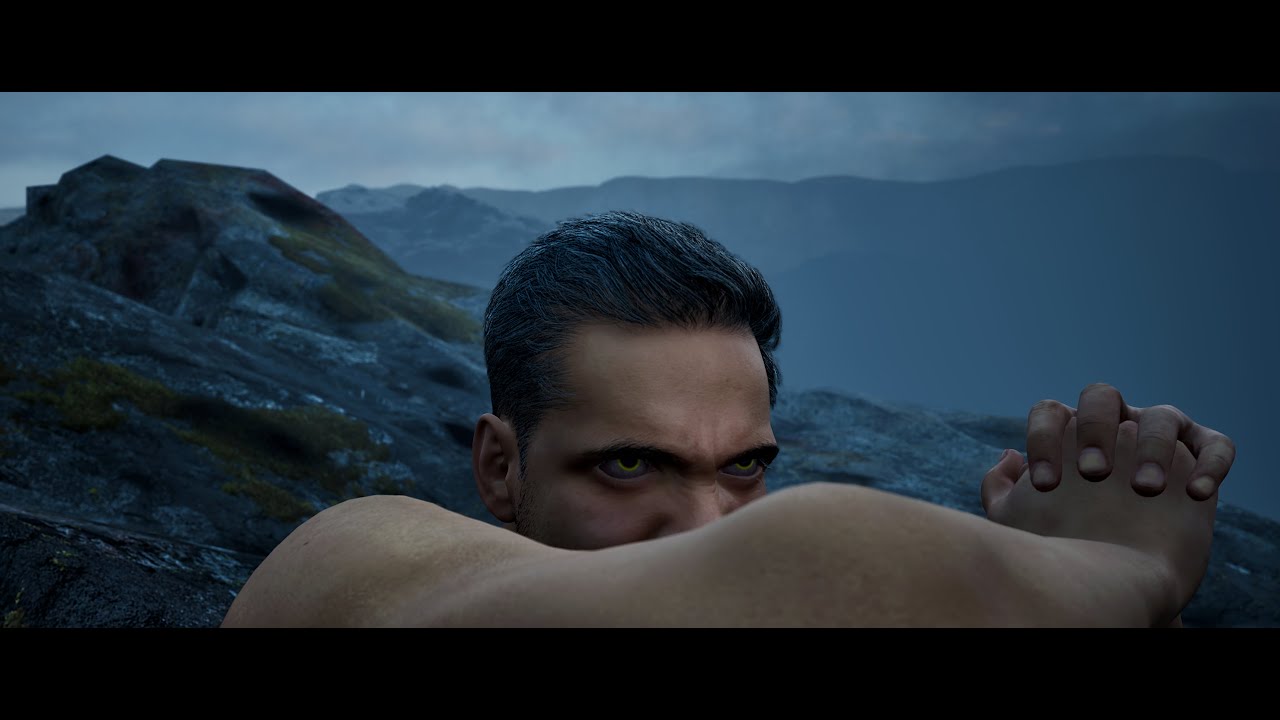
Description
The Fallen Angel is a personal cinematic short inspired by Alexandre Cabanel’s 1847 painting of the same name. This visual piece reflects on the idea that hatred and resentment are not foreign or external forces—but emotions rooted deeply within all of us.
The film is not intended as a literal retelling of the painting but as an...

Description
Divided Soul is a personal cinematic short that explores the metaphysical fracture of a single soul, torn into two opposing vessels—one forged in wrath, rebellion, and hatred; the other shaped by compassion, obedience, and love. Though estranged by nature, they are bound by fate to inhabit a shared destiny.
Inspired by mythologica...
 brittle brook
Hey everyone! 👋 I’ve been learning 3D for about 3 months now and trying out different animation styles – still very much learning as I go. Just finished my latest project. Took me nearly a month and I’d really appreciate any kind of feedback – what you think about the video, what could be improved, anything at all. Here’s the link: https://youtube.com/shorts/WT1v9sDIDJA?feature=share Thanks so much! 🙏 (And yeah… my 10y old GPU definitely suffered 😅)

Blender: “This scene is too heavy.”Me: “It’s a Ferrari. Of course it is.🔥
Blender: “Cried in Italian.“
This might be the most intense project I’ve ever made. It took me almost a full month to finish – and I spent the last 3 days working non-stop to get it done. It pushed my skills (and my PC) to the limit – but I also learn...
nova rune
Pretty awesome for three months!
Maybe only thing was the overhead twist camera move is a bit jarring but I get what you were going for
sharp jasper
frozen coyote
Anyone have any ideas about this? It only happens when I render at 4k, I just mi...
What does it look like if you apply a white albedo to those rocks?
Had a similar issue not long ago and it boiled down to my albedo map having values that were too dark
brittle brook
nova rune
Maybe only thing was the overhead twist camera move is a bit jarring but I get w...
Thanks so much for the feedback, I really appreciate it! You're right about the camera, but it's something I need to work on a lot, generally the camera always gives me trouble 😄
 burnt mica
hello all! I was wondering if it was possible in 5.5.6 to interpolate Heterogeneous volume VDB frames using the provided velocity field. I'm trying to get subframe interpolation for accurate motion blur in a cinematic 🙂 Any help would be greatly appreciated 🙂
frozen coyote
sharp jasper
What does it look like if you apply a white albedo to those rocks?
same issue but now a lot more visible!
 nova rune
frozen coyote
same issue but now a lot more visible!
nova rune
frozen coyote
same issue but now a lot more visible!
can you try smth for me - go modelling mode on these meshes, and recompute the normals
frozen coyote
I will give it a go but I'd be really surprised since this only appears in tiled renders or high screen percentages. I'm thinking its lumen-y or some such.
frozen coyote
nope same difference and I think it is visible in foliage as well which is partyl why I think its something to do with lumen in some way.
I am sure once upon a time I found some docs around splotches on foliage but I cannot find it now.

(leaves are low poly to speed up the warm up so I could see)
sharp jasper
What if you change the mesh distance field resolution
It REALLY looks like those splotchy mesh distance field shadows/DFAO I used to see in UE4.
Does it also show up in areas that are directly lit? Or only in indirect lighting
sharp jasper
if you have the mesh I could import I,d love to test it out
frozen coyote
I don't have the OG anymore pack but I could export from UE itself
I'll have a look at mesh distance field shadows, but I am pretty sure I am not even using df
current settings

kind of hard to see but its in the leaves there too

you know what else is interesting - it fades in i quickly took this screenshot before


quite different looks!
frozen coyote
with no lumen and with ssao - so yes it is presumably a lumen thing - but it does not appear in any of the debug views


detail and quality bumped up to 20 and 4 and its still there
again though, only appears at high resolutions / tiled
 glass coyote
Question, is it possible to have a fixed cam follow a character during a cutscene without me manually telling the cam where it should be during each frame, almost like a fixed camera with a rail that follows characters as they move forward etc?
I’m seeing alot of fixed cam setups but they don’t move 🤔
glass coyote
nova rune
Just parent the camera to the character
Seems simple enough, I’ll try
 half spade

New to 3d animation and confident enough to show my work now :)
JOIN THE DISCORD : https://discord.com/invite/QUVESARM8Z
frozen coyote
sharp jasper
gotta narrow it down
Turning off nanite seems to fix it? But not really an option for such a scene
frozen coyote
seems like I can make similar stuff appear by turning off screen traces?

yes its for sure something to do with this screen tracyness
if I zoom out and then change the lens to zoom in, I have exactly like I have in my tiled render, with screen tracing off
screen traces produce almost SSAO don't they? So I guess its messed up by resolution / tiling being a different screenspace. So what can I do to mitagate this since broadly it looks so much better with screen traces on?
frozen coyote
what I especially don't get is why it happens on tiling when in theory I'm rendering a smaller screen space
sharp jasper
Tiling has always introduced a ton of artifacts if youre not careful about what to disable , its stated in the documentation for it, lumen has a bunch of screenspace stuff going on under the hood, Id argue it might not be compatible with lumen
 mint jungle
I think this is the right channel.
I'm looking to add a scene capture texture on top of my main camera render.
The scene capture captures from the same angle of the camera so I want it to overlay perfectly.
Any tips on how to do that?
frozen coyote
sharp jasper
Tiling has always introduced a ton of artifacts if youre not careful about what ...
I'm actually noticing the artefacts are there not tiled as well, just harder to see, but definitely something that could come up in a tech review. Especially through gaps in the trees then they dispear as we pan by
 gilded loom
Hello 🙂 I'm looking for tutorials or courses focused on cinematic filmmaking in Unreal Engine. Most of the courses I've found are game-oriented—focused on gameplay and character integration—while I'm specifically interested in building movie scenes, storytelling for film and characters as actors in it. If you have any suggestions on where to look, I'd really appreciate it. Thank you!
 worldly geyser
i have a problem with the water plugin of UE5 and the sequencer, i want buoancy in the animation im makeing, for more information, dm me
frozen coyote
Can you extend the bounds of lumen infinitely without extending the bounds of culling objects from hardware raytracing. I don't need rt shadows far away, just need far objects to appear in lumen scene (as they do if I make rt culling 0
 frank ferry
I'm trying to render a sequence in city sample project using path tracer and the road textures are blurry. it's likely because of the virtual textures. is there anyhting that I can do to make them look good?
 weak ridge
how to full realastick video in unreal5 plz help me
 solid comet
Got a hot issue for ya'll... I've been playing with the "Cine Camera Rig Rail" (load the CineCameraRigs Plugin first) and its Speed Mode.
Unfortunately, I can't figure out how to drive the camera's movement within a Sequencer using the Speed Mode. We could use Take Recorder in some way, but the workflow becomes quite cumbersome for the average animator...
Has anyone had luck driving a Cine Camera Rig Rail's Speed Mode and Attribute using a Sequencer?
Could there be a way to trigger its embedded "Play" boolean within the Sequencer?
nova rune
Are you just trying to move a camera using the rigrail, or is this speed variable necessary??
gusty heath
https://www.youtube.com/watch?v=0eyM9aQLyoY
My best animated work as of today. Please comment if you like it. Thanks.

This cinematic CGI music video continues the saga of Dragons of Winter and sets the stage for Animal Planet 2. Music by Max Fadeev, featuring Nargiz.
─── ⋆⋅☆⋅⋆ ───
#dragon #cgi #dragons #trending #rec #fyp #horizontalvideo #shortfilm #adventure #trending #musicvideo #recommendations #pyf #music #animationvid...
solid comet
nova rune
Are you just trying to move a camera using the rigrail, or is this speed variabl...
Here’s a sample scenario:
I’d like to animate a camera traveling along a set path at 60 mph, hit some keyframes along the way (determined by the real-world flight speed and path), tracking an object that’s flying at the same speed on another path (I’d likely put the flying object on a similar Speed rail).
Both objects will decelerate to a stop.
This’ll all be within the Sequencer, starting at frame 0 finishing at frame 200.
The exact path will be deformed and refined later, but the speed should be accurate.
nova rune
Hmmmm maybe not using the speed variable, but if you have the real world path distance, you could set that out in unreal units equivalent, then using the normal sequence variable for moving the rig rail (forgot the name), align that so that it travels at 60 mph over that distance (do the maths with the frame rate and speed)
 candid star
Hello guys! Can someone help me please I'm completely lost and don't know where to even begin.
How do I create a third person camera system where camera follows the player but moves between set direction?
Something like what modern Sonic games do?
nova rune
Ah this isn’t quite the channel for that, this more for cinematics/sequencer
spare jewel
anyone have any idea how to clean up the depth of field on these ropes? they have frayed bits made using grooms
 night pollen
first full short UE skit, Hexpods - https://youtu.be/6asyalvFsHw

🚨Wearing Hexpods might result in hearing loss and or amazing dance moves 🚨
Comment if you'd wear the pods but watch out you get hexed!
Made in Unreal Engine + Blender + Davinci Resolve + Photoshop + Substance Painter etc
 vital gulch
spare jewel
anyone have any idea how to clean up the depth of field on these ropes? they hav...
vital gulch
spare jewel
anyone have any idea how to clean up the depth of field on these ropes? they hav...
increase the TAA sample count
spare jewel
@vital gulch thanks I did try upping it to 17 with method at none and it didn’t help at all - the is a new checkbox on the camera though called “use hair depth of field” which does help
nova rune
spare jewel
<@666851727332605963> thanks I did try upping it to 17 with method at none and i...
Temporal or spatial or both?
spare jewel
@nova rune I set anti alisiasing method to none, spatial at 1, temporal at 17
nova rune
hmmmm that should be fine, is the scene path traced? may need to up it a lot if thats the case
shot looks really nice btw
vital gulch
nova rune
Temporal or spatial or both?
set spatial to 8 and TAA to 32 and check the option Overide the Antialising.
 restive sinew
Hi, any any recommendation for paid plugins for cinematics for unreal engine 5 that improves efficiency making cinematics, including cutscenes, with features to improve render and easily accessibe settigns?
Also found this to add realistic camera shake as well, but this is more on the camera shake
https://www.fab.com/listings/d89b9ce8-df98-4dcf-b5e2-c7ee51d69a61

Fab.com
Add instant realism & production value to your UE5 cinematics with 98 unique handheld camera motion clips. A simple, standardised library of assets that apply customisable camera motion, directly in the sequencer. Cinemotion gives you fast, realistic cameras for virtual filmmaking, cut-scenes and more…Product Page: https://www.cinetexture....
spare jewel
nova rune
shot looks really nice btw
@MaxP thankyou! its not pathtraced right now no, do you think that would fix it?
nova rune
no i thought that might be what was causing the issue in th first place, tbh i have no clue beyond the anti-aliasing, maybe its some sneaky cvars you can put in, but im not very familiar with the groom related ones
undone geode
Experiencing a weird DepthofField Translucency issue.
The translucent visor displays huge differences in DOF blur depending on what is behind it.
How can I solve?
 mossy drift
@undone geode try unchecking "render after DOF" in the material settings.
undone geode
mossy drift
<@260432406027173891> try unchecking "render after DOF" in the material setting...
Thanks. Found the solution in this case.
 spare jewel
nova rune
no i thought that might be what was causing the issue in th first place, tbh i h...
spare jewel
nova rune
no i thought that might be what was causing the issue in th first place, tbh i h...
i found a solution of sorts - set engine scalability down to epic instead of cinematic it seems to work better
 nova rune
nice that works way better, again i gotta say i really love this shot
mighty oracle
Ertugrul of Ulukayin - New Chapter coming to Steam
Chapter I & II - Early Access Release on Steam Q2-2025
Wishlist Us!
https://store.steampowered.com/app/2133520/Ertugrul_of_Ulukayin/
junior basin
Am trying to record a cinematic across 3 different levels. My plan is just to render the same camera path on each of the 3 levels and then I'll edit it together.
I've made a Camera Animation Sequence, but when I drag that into my level sequence it doesn't actually add a camera to the camera cuts track, and so I get a black screen rendered.
Am I using Camera Animation Sequence assets incorrectly?
 shy talon
Hey guys!👋
Here is a small personal project created to explore the integration of a creature with grooming in Unreal Engine 5.5.
Between deep shadows, console variables, debugging, and endless rendering tests, I worked to produce an image with a good level of fur detail from Unreal!
let me know what you think!!

 tawdry siren
Bonjour Francois, j'essaie de mettre en place un pipeline deadline basé sur ton git, et j'aurais quelques questions à te poser :
Je ne suis pas sur de comprendre comment passer mes variables d'enviro p4 au job, et le preset .uasset fourni ne s'ouvre pas en 5.5/5.6.
Si tu as un peu de temps à l'occasion ce serait top !
slim panther
So I'm just looking into Sequencer, I have a requirement to build short cinematics for certain triggers/abilities in my game. For example, like the Link Strikes, or techniques in FFXV. And I'm not sure how to dynamically add characters that will be spawned when the game starts, and adjust for different enemy sizes, or positionings, etc.
Should I make these pre-renders, or dynamic in world ones? Should I put everything in the sequencer, or only use it to control the camera?
 regal plover
tawdry siren
Bonjour Francois, j'essaie de mettre en place un pipeline deadline basé sur ton ...
regal plover
tawdry siren
Bonjour Francois, j'essaie de mettre en place un pipeline deadline basé sur ton ...
viens demander à Maxime ici : #1256299304084049930 message
tawdry siren
regal plover
viens demander à Maxime ici : https://discord.com/channels/1105771657399898114/1...
Je n'ai pas accès au channel/server !
night pollen
New tutorial on clothes for Metahumans in 5.6 https://youtu.be/dAaIvyG2tE8
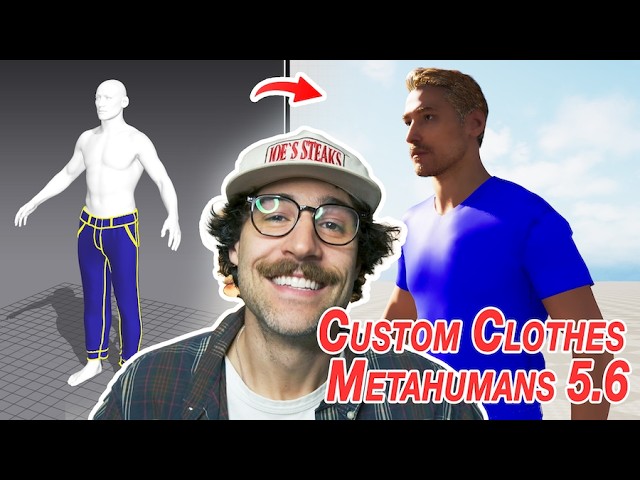
Livesync from CLO SET - https://connect.clo-set.com/livesync
Comment what you want to know in a video next!
TIMESTAMPS
00:00 - Intro
00:20 - Creating Metahuman Character
01:52 - Setting up LiveSync
03:12 - Using Livesync
04:54 - Creating shirt in MD
06:19 - Sending shirt to UE
07:09 - Creating skeletal mesh for shirt
08:04 - Adding shirt to...
 gray herald
Hi, I'm following this guide to launch renders from the command line:
https://dev.epicgames.com/community/learning/tutorials/nZ2e/command-line-rendering-with-unreal-engine-movie-render-queue#straightforward:renderingmoviepipelinequeues
But it seems unable to find any of the path i give to it.
First thing after the uproject path is "\Game\test\level", that should be the startup level to load. But it loads a "default" level instead.
Then the movie pipeline config parameter is -MoviePipelineConfig="\Game\test\queue", but that also fails and gives me the following error:
[2025.06.16-16.53.00:448][  1]LogWindows: Error: appError called: Fatal error: [File:D:\build\++UE5\Sync\Engine\Plugins\MovieScene\MovieRenderPipeline\Source\MovieRenderPipelineCore\Private\MovieRenderPipelineCommandLine.cpp] [Line: 292]
Failed to find Pipeline Configuration asset to render. Please note that the /Content/ part of the on-disk structure should be omitted. Looked for: \Game\test\queue
Any idea what I'm doing wrong?
the files are there
 tight stone
Try /Game/test/queue.queue
fringe ferry
is there really no way to get full aovs from the deferred rendring
 old yacht
We use MRQ in packaged builds to do renders. We're considering moving to the render graph instead, but haven't figured out how to set parameters from blueprint on the fly.
I'm familiar with how to set vars within the render graph, but not within BP.
With MRQ we'd set parameters inline here:

Anybody have any experience using MRG in a packaged build? We're moving to 5.6, btw.
fringe ferry
Ok so when I render with AOVs there are light variation from frame to frame, anybody knows why?
gray herald
tight stone
Try `/Game/test/queue.queue`
found the issue, unreal wants forward slashes but not the double extension there (/Game/test/queue). It's weird sometimes it wants "name.name" and some other times just "name", the coherence is brilliant 🙃
night pollen
how to use Parametric clothes for Metahumans in 5.6 https://youtu.be/InknBH1e_i0

Learn how to use the new Parametric Clothing System in Unreal Engine 5.6! In this tutorial, I’ll walk you through importing a Marvelous Designer cloth asset into UE5, simplifying the mesh, and retargeting it to a MetaHuman.
You’ll also learn how to make your garment parametric, so it can be applied to any MetaHuman — no rework needed. Thi...

 last ginkgo
 pulsar flicker
What is a shot like this called and how do I setup a camera to get it?
pulsar flicker
What is a shot like this called and how do I setup a camera to get it?
what exactly is special about it?
pulsar flicker
As far as I found out it is a telephoto camera with a very good zoom, placed far away. I replicated the effect by using a very low FOV and placed the camera far from the scene. Works alright for now.
 mellow orbit
am I allowed to post about looking for help for a cinematic in here? Sorry a little lost in this discord. Im trying to respect the rules.
 shut scroll
mellow orbit
am I allowed to post about looking for help for a cinematic in here? Sorry a lit...
shut scroll
mellow orbit
am I allowed to post about looking for help for a cinematic in here? Sorry a lit...
Absolutely, this is the channel for it
 crimson mortar
Your road looks huge.
winged walrus
yeah I think the scale could be off, for you terrain/landscape/road
but also the trees in the ref are tall trees, not low n bushy like your current ones
and the camera focus lens could be different too
nova rune
Yeah I would say it’s more the reason above, think of it like this, any road maintenance crew will cut and prune any trees that are going to get in the way of the road, so you often get either small shrubs on the side of the road, or trees that curve inwards that are tall, where visible sections are pruned (but if you have to make do with the models you have, and it’s like a dense forest scene, I would scale down assets at the edge of the forest, which you could do procedurally or manually)
nova rune
You could also if you have some appropriate meshes, set them into the road, and then boolean some branches to get that sort of pruned look
mighty oracle

Barış Dalar - 3D Animation Showreel 2025
Unreal Engine 5 ve Motion Capture teknolojisiyle hazırladığım Ulukayın: Ertuğrul oyununun ikinci bölümüne ait sinematik sahnelerden bir derleme.
Steam sayfamızı ziyaret etmek ve oyunumuzu desteklemek için: https://store.steampowered.com/app/2133520/Ulukayn_Erturul/
fringe ferry
how would you go about fading in an object. Dithering doesnt look good enough for a rendered movie and transluency isnt properly lit, so the object looks weird when fully faded in
mellow orbit
@shut scroll hey thank you for letting me know. I feel like I should of explained my post a bit more. Where do I post for recruiting a development team in here. I have been looking for locations and networks to find a Triangle Core to help with developing my Kickstarter project so we can get funding for a full game
 proud sun

What be going on guys Commander here and welcome to a new Unreal Engine 5 cinematic.
SUBSCRIBE: https://goo.gl/C2A4qI
I have recreated the end of the movie Halo: Forward Unto Dawn inside of Unreal Engine 5 as a small side project to show what Halo could look like inside of the Unreal Engine. Hope You Enjoy
Artstation: https://www.artstation.c...
 tight moss

WARNING: Ratboy should not be exposed to caramelldansen.
Created by DirtyRatboy
Edited by DirtyRatboy
Trauma medic voiced by Sao
TWITCH @ saomatic
Made in UE5.
A Dirty Ratboy Kitchen project 2025.
 edgy frigate
heya
so when start render local at my movie renderqueue it just opens up a window and instead of rendering it just playes the game
is there anything i can do? :/
edgy frigate
looks like this then
camera is right
default settings
everything correct but it doesnt render it

 twilit vortex
Hello everyone! 👋
I want to put together a small team to create a cinematic in Unreal Engine 5 — starting from scratch.
The idea is to come up with a story, build the scenes together, and make something cool. collaborate, learn, and publish the final cinematic on our own YouTube channels or add it to our portfolios.
It’s just for the experience, for beginners (I'm a newbie too). No more than 3–4 people.
night pollen
tutorial to record and process mo cap for Metahumans in 5.6 https://youtu.be/8nIUmGNRXqE

Looking to bring your Metahuman to life with full-body AND facial motion capture? This beginner guide walks you through the workflow.
Learn how to record facial and full-body motion capture for Metahumans in Unreal Engine 5.6. This video is a step-by-step tutorial that shows the entire motion capture pipeline — from setup, recording, and impo...
twilit vortex
night pollen
tutorial to record and process mo cap for Metahumans in 5.6 https://youtu.be/8nI...
free mocap?
gusty heath
Hi! I'm very proud to present the teaser for my upcoming future-length Sci-Fi movie "Animal Planet 2". This is by far the most complex animation I've done yet. Set to the song "Gone Away" by Five Finger Death Punch.
Please leave comments! Thanks.

Here’s the second official teaser for Animal Planet 2, my most ambitious sci-fi project yet.
This time, the spotlight is on Kaite, the fearless daughter of Olle Redhorn. Though she had only a brief mention in the original novel, I’ve expanded her story into a full-fledged cinematic chapter.
Set to the powerful sound of Five Finger Death Punc...
 opaque spire
Hello! I ddid a small short based on the 40k lore, I did all aspects of the process except env and env lighting. Hope you like it!
https://www.artstation.com/artwork/YGVz83

ArtStation
In the grim dark future there is only war. In the Dark Ruins, an Imperial Servoskull searches for the origin of the corruption that razes the planet.
 raw radish
is it possible for the bottom row of the UI to cut the right panel and take up the entire screen?
 twilit vortex
Hello everyone, I have a problem in the sequencer if I move the strip itself with animation then it works but when I press the space on the keyboard nothing happens why? Can someone help?

 twilit vortex
but when i render the animation works
twilit vortex
no way
fringe ferry
I'm trying to import a camera animation from maya, but it imports completly flipped upside down. Now I assume this is caused by the fact that unreal is z-up and maya is y-up, but I can't seem to fix this. Every tutorials I see works from the get go, but my camera still gets flipped, even when following those working tutorial. Is there any quick fix to this, I don't want to have to re animate every camera by hands, it would take hours
fringe ferry
Turns out, having the camera in a group inside maya's outliner is what was breaking it. The group didn't have any transforms on it or anything so idk why that broke
raw radish
Every time I tweak some post process settings, my scene eventually begins to flicker and continues to flicker even after I delete the camera or postprocess volume that caused it. Anyone know a fix (or why it happens)?
unique condor
is there a way to eliminate this without using high sampling settings?

i still need motion blur tho
 flint furnace
https://www.youtube.com/shorts/YpWHT6f0MY4 Heyyyy, just a little cutscene from my horror game that I’m working on in my spare time. 😊
 raw radish
I attached my camera to an empty/targetpt actor for a certain duration and left it detached for the remainder. When I render this sequence, only the part attached shows up correctly even though everything is correct in the camera cuts track. Does anyone know why?
 raw radish
it is rendering as if it was attached to the empty for the entire sequence right from frame 0
my workaround was to duplicate the camera and delete the attach track on one of them, then set separate camera cuts for the attached and unattached sections
fringe ferry
Another issue from my part :p I have really weird black noise spikes every few frames rendered. This noise is mainly noticeable in shadowy areas, but is present pretty much everywhere. I am setting the anti aliasing to none, but I am using temporal samples, increasing the sample count doesn't seem to affect the problem much. This issue isn't visible in viewport also. What could be the cause?
note that I'm using the mrg for this, but the issue looks to be non existent in a mrq with the same settings.
fringe ferry
for some reason the color is also off when I render with mrg
 gray crane
Hello everybody! I have a question regarding the landscape in cinematics. I have animated some landscape patches in sequencer, which works fine. In renders these animated patches do not update the landscape. Does anybody know of a fix? Is there a function to force update the landscape(patches) every frame via some event triggers? Any pointers would be helpful! 👋
 ruby axle
In Sequencer, does it support making the spacing variable?
Depending on the variable I set?
For example, sometimes I set 100 and sometimes I set 200?
night pollen
Need some motion captured? Reach out! https://www.youtube.com/watch?v=hqGx_FwR8oc

Can't find that perfect wild animation? Tired of searching through endless mo cap packs?
WE GOT THAT MO CAP! Nightlife Edition brings you the animations your party scene requires
Nightlife Edition Animation Pack Download Link - https://joeylombardifx.gumroad.com/l/miouvs
Trying to get it figured out? Come chat!
https://discord.gg/grYar3aQf...
 snow hamlet
gray crane
Hello everybody! I have a question regarding the landscape in cinematics. I have...
snow hamlet
gray crane
Hello everybody! I have a question regarding the landscape in cinematics. I have...
If the update is only in editor, the code is probably being run by a Construction Script. Probably on the landscape.
Try add the landscape to sequence and enable the sequences "Rerun construction scripts" settings.

 ebon quarry
im trying to make a little "cutscene" before a game starts, but im having trouble figuring out what the best way to make the level sequence is?
im currently thinking of putting a level sequence on the main actor in question and it the children i can change which one for which spot, but the main issue im facing is where do you get a camera from? would i really need to add a camera to that actor? seems a bit extra to have a camera on this actor only to play a single cutscene.
i'd like to be able to just have a camera only there for the cutscene, and then it's useless, so no need to keep it , but i dont really know much about how to deal with level seuqences so looking for some tips on how i can acheive this
ebon quarry
Right now, players get moved to their spawn locations at start of game and this is when I’d play the level sequence, this way clients can watch the sequence while they are being sent to their locations (even tho that takes .1 secs)
ebon quarry
ok i guess i have some learnings to do, cause i didn't know you could spawn a camera via the level sequ3nce, which is what i was intuitively trying to figure out, but naturally, it's a thing so cool i should be good
gray crane
snow hamlet
If the update is only in editor, the code is probably being run by a Constructio...
Thanks for the suggestion, but the checkbox is active and i've added all the landscape patches and the landscape itself to the sequencer. Also added a repeater event for all the patches calling the "Request landscape update" function every frame, without success
 raw radish
does anyone know how to force the movie render queue to recache/recalculate everything? My sequencer is perfectly set up but the movie render queue keeps using old information
 north harness
My current project. Humans are placeholders for now, just didn't want the big boy to be alone. Feedback welcome 😇
 nova rune
north harness
My current project. Humans are placeholders for now, just didn't want the big bo...
nova rune
north harness
My current project. Humans are placeholders for now, just didn't want the big bo...
cool posing! I assume theres a focus on the humorous aspect of it, so maybe the guy in the back could do something to follow that? Maybe like trying to pull on the guys ankle and has been pulled off the ground holding onto it
really nice tho
north harness
Thanks, yes a little bit of humor never hurts
 safe lion
So I'm currently trying to render out a sequence, but I'm getting this artefacting - anyone know the problem/ fix?
 night pollen
hi guys here is a quick tutorial on custom skin textures for metahumans https://youtu.be/ZuqsMk4OVIY

Hey, this video showcases the quick workflow of taking skin textures from #unrealengine5 and adding custom texture to them in #substance_painter.
If you want to see more, please like and subscribe!
If you want to chat or have any questions about what you watched, jump into the discord! https://discord.gg/grYar3aQfU
TIMESTAMPS
00:00 - Introduc...
 untold shuttle
Hello everyone! This my new work! https://www.artstation.com/artwork/5WVBLO

ArtStation
This is a personal cinematic created in collaboration to showcase the capabilities of Unreal Engine 5 in automotive visualization. I was inspired by the combination of minimalism, motion, and a premium aesthetic to capture the essence of the Xiaomi SU7 design.
My role:
– Scene setup and lookdev
– Lighting
– Camera and car animation in Seq...
 digital anvil
Hi everyone! 👋
I'm currently a university student doing research on virtual production in digital animation (Unreal Engine, real-time rendering, etc.).
If you're a student, professional, or just interested in animation/media, I’d really appreciate it if you could take 5–7 minutes to answer this short survey.
https://forms.gle/t23sYuSeK1FrFky69
Your answers will help with my academic project and are completely anonymous. Thank you so much for your time and support! 🙏✨

Google Docs
Thank you for participating in this survey. It is part of a research study exploring the rise of virtual production in digital animation. You do not need to be an expert to complete it. Your honest responses will help us understand how people view and experience this technology.
No personal info is collected, and all responses are anonymous.
Ta...
nova rune
digital anvil
Hi everyone! 👋
I'm currently a university student doing research on virtual pro...
Hmmmmm I'm a VFX student and i found this survey very confusing on what you mean by virtual production... seems like you are conflating it with real time rendering, actual virtual production, and just straight up all CGI shots, which i mean is just a form of medium. What is the goal of your research around animation?
(I.e. how does virtual production improve digital animation)
 opaque topaz
Hey, I have a camera that moves along a camera rig rail, the movement is at a linear pace, i want to slow it down at some sections along the path, how is that done?

 raven geyser
Hey guys, can anyone recommend how to do cloth simulation outside of UE and bring it into cinematics ?
Houdini alembic is usually heavy and too big file, Chaos cloth or the new Control Rig Physics is not the best still. Just cant afford to get over 100gb of simulations into project atm so looking for alternative 🫠
ebon quarry
i have a fast travel event (basically teleports player to x location), i'd love to be able to make a little cutscene for when the traveling is happening, is there a way to have that level sequence dynamically know which character it should be focused on? as in, i could make the level sequence and have it dynamically work for any player at any location, as it would mianly just put the camera on them and play some vfx/sfx/animate etc and then take you to the next location (in the same sequence), then done
maybe this will work?

is mp tho, so not sure if would resolve to correct pawn, it would be ideal if i could just specifiy that actor when / before the sequence starts or if this works, that would be nice
ebon quarry
ok that doesn't work, at least not really, although it does get the correct controller (im sending a message to the controller of the pawn it gets) it does not attach the camera to that pawn
nova rune
raven geyser
Hey guys, can anyone recommend how to do cloth simulation outside of UE and brin...
Marvellous designer the way to go
Depending on what the sim is
raven geyser
nova rune
Marvellous designer the way to go
Yeah was thinking about it, but we have so many shots and only limited cloud storage for the project sharing :/
nova rune
raven geyser
Yeah was thinking about it, but we have so many shots and only limited cloud sto...
Could you expand the context for me? What’s the sim, etc etc
raven geyser
nova rune
Could you expand the context for me? What’s the sim, etc etc
Simple cape on a character. We have many shots of him walking and etc. Would be great if the cape waved and moved as he does his action, problem is the control rig physics option has clipping ( but would work for some medium/close up shots ).
Re-doing the cape in MD is bit shit, as we are using pre-made asset for Darth Vader 🫠 But maybe gonna need to do it.
nova rune
Oh for something relatively simple like that, I would use chaos cloth (but this may also still require remaking the garment in MD)
raven geyser
Yop that would indeed require remaking it. Honestly most of SW related clothes models do need that and are from games 😅
I might try do one shot as test to see how big the file will be. I dont need share source file of the sim, but even the imported file is too heavy for our little cloud storage ( Using GIT and Azure from Microsoft that has only 100gb lol ) .
Was hoping to skip that step by using the UE 5.6 Control Rig and it really works great, but as you can see there is the clipping, where at some point the joints move with the leg and after few frames they just "fall over" to side and stretch the mesh, causing the leg just go trough it :/
nova rune
Ah yep, cool to experiment with new feature though! Haven’t had a good with that one yet
raven geyser
Yeah I give up with that one for now. Still not there yet.
Problem is even after doing cape in MD, the Chaos just wont work properly 😄 🫠
I tried the old cloth paint but that just get stuck and wont even let me paint 🤷♂️
UE fucking me over again and again 😄
 nova rune
raven geyser
Yeah I give up with that one for now. Still not there yet.
Problem is even aft...
nova rune
raven geyser
Yeah I give up with that one for now. Still not there yet.
Problem is even aft...
What problems are you having in chaos
I’d search up some tutorials involving kinematic collider
ebon quarry
can anyone lead me to the promised land of figruing out how to get a level sequence to follow the character / pawn that triggered the sequence to play? mp game, i have a fast travel system, i simply want to make a cutscene animation for the fast travel (a great example is when link fast travels to a place in BoTW or ToTK). so essnetially just a simple cut scene but would like it to focus on the character. otherwise, i 'll just have to hope the chcaracter would be in the view of thwere the camera will be placed, which could work, but it's not ideal and i'd like to find a way to lock on to the correct pawn, dynamically
putting the character as an actor in the elvel sequence wouldn't work as it would never been the same actor (same class , most likely) but not that actor , so hard to hard ref it in the sequencer
gusty heath
Hi, did someone of you manage to use water in MRQ?
deferred rendering. with spatial sample to 11 and AA turned off I noticed that "waterbodyocean" causes trouble. And there are two ways to fix it: either disable "multisample effects" in MRQ or delete the water - i did not find out what causes these artifacts within the water object so far.
Does someone have more experience with this?

it looks great in the preview, but the final image...
 proper ocean
raven geyser
Yeah I give up with that one for now. Still not there yet.
Problem is even aft...
proper ocean
raven geyser
Yeah I give up with that one for now. Still not there yet.
Problem is even aft...
You could try style3d. It has it's own simulator which i've been pretty impressed by so far
proper ocean
Hi. Can anyone suggest a good workflow for recording characters with ragdoll on and off so that trhey can be edited in sequencer? Ideally i need three/four characters running then all switching to ragdoll at the same time but i can't figure out how to record it. Works ok for one character but much harder when you want them to interact. Any thoughts? thx in advance
raven geyser
proper ocean
You could try style3d. It has it's own simulator which i've been pretty impresse...
Had a look and looks interesting. 30 days free trial as well so gonna give it a try. Thank you
proper ocean
Just follow the syle3d CG tutorials on youtube they're pretty comprehensive as there's not much in the way of tutorials out there...
ebon quarry
ebon quarry
can anyone lead me to the promised land of figruing out how to get a level seque...
Again asking how I can dynamically use my character as the attached actor in a level sequence
Replying to more detailed question
tight stone
Look up Dynamic Sequencer Transforms or Dynamic Bindings in Sequencer, depending on your exact use case
ebon quarry
tight stone
Look up Dynamic Sequencer Transforms or Dynamic Bindings in Sequencer, depending...
i went for the dynamic binding, and there was a way to use the default pawn, and despite it returning the correct pawn, it doesn't actually follow the pawn.. but im not super pressed on this topic atm but would still love to find a way, apprecisate the idea tho
 rugged apex
Hello
My scene got a bit "yellow" after the cinematic play
The only thing I include in the sequence track are camera & directional light
I modified the directional light rotation to get the transition from night to morning effect
I've make sure to restore state and the rotation itself has been the same to the original scene at the end of the sequence
but still got the "yellow" effect
If I remove the directional light / not playing the cinematic it will look as intended
Anyone got solution for this problem? thanks anyway
Comparison how different the scene looks like (left one with cinematic & modified directional light, right one without cinematic/directional light not modified)
 tight stone
Is it a spawn able? Do you perhaps have the level sequence twice and they're making two lights which are adding up?
 hearty stone
any one online with sequencer experience? I'd like to explain my issue over a screen share. I have an iissue where I need to open a level to load the environment/map level in order for my sequence to show my environment/map. Ideally I'd like to double click my sequence to open it and not open in the current level/map i'm in.
we're basically creating a short film in unreal engine.
hearty stone
hearty stone
any one online with sequencer experience? I'd like to explain my issue over a sc...
Figured it out you can drag and drop the map into the sequencer
sharp jasper
gusty heath
it looks great in the preview, but the final image...
Have you tried simulating in-viewport before rendering? This usually gives you some clues
gusty heath
sharp jasper
Have you tried simulating in-viewport before rendering? This usually gives you s...
Oh I didn't know that there is a simulation-option in this plugin. I know that shallow waters has this, but I deleted the shallow waters objects... and i did not know that there is a possibility to simulate water waves. (water waves asset), so far. The tutorials where quite short on this topic it seems. HM.
or do you think of the viewport - simulation? I don't remember any problems with the water there.
But I can check it once my computer is back
sharp jasper
I mean simulating game mode
gusty heath
I dont remember anything suspecious in that mode. But i can check it again.
maybe later this week
 restive cradle
So I don't know if this is the right channel, but I am requesting assistance with GPU Crash debugging for a cinematic project that is experiencing render crashes one day, but renders out no issue on another.
 red meadow
Hi all, I am using Williams preset for rendering and have the color grade option ticked so I can dabble in post later. Is there any way to not blow out the fire fx with this setting on? I am new to UE, so not sure on the proper process.

 tight stone
red meadow
Hi all, I am using Williams preset for rendering and have the color grade option...
tight stone
red meadow
Hi all, I am using Williams preset for rendering and have the color grade option...
Are you rendering to exrs?
red meadow
tight stone
Are you rendering to exrs?
Yes, I am exporting to that
tight stone
You are using linear values now so it might just be how your software shows out of range values? If you stop down the exposure then I suspect you'll find there actually details on those areas?
red meadow
Hmmm I'm using premiere pro, not sure what settings would need changing. does it not look extreme to you?
I can try lowering the exposure in UE but I'm following a tutorial and the scene looks good where it is.
The blow out seems the incorrect inconvenience
It seems to be on any fire like sources, it happens in a blank level too, I just remembered
tight stone
Well you have values above 1.0 now, they're in linear space without a tone curve. Your monitor can't display values that high, it's like working with a HDR image. So you need to do something in Premier with those values
The reason you turn off tone curve is to get linear values to have better data to work with during color grading, but that also shifts the responsibility of getting the values into the right range after editing onto you
red meadow
okay, I think I need to read up a lot more on this, I'll save your comment and come back to it once I understand a little more
thank you
 stone fox
Hey there folks. I want to get a basic idea of what's involved to get some CG sand to flow over the ground and disobey gravity, and make that look believable over live footage 👀
 vestal wigeon
Hi guys Im trying to render depth from the movie render queue, the passes come out blank though, no matter what material i use for the post process effect. anyone got this?

 sharp jasper
red meadow
okay, I think I need to read up a lot more on this, I'll save your comment and c...
sharp jasper
red meadow
okay, I think I need to read up a lot more on this, I'll save your comment and c...
I made a follow-up colorgrading tutorial that ties together with the Movie Render Queue video I made where I provide that render preset. The colorgrading tutorial will show you how to use EXRs properly 🙂
red meadow
Thanks William, awesome stuff as always!
 past oak
got a weird bug where if i render from movie render cue, it seems like its starting a game
anybody got experience with this ?
its almost like im pressing play in editor
 digital socket
anyone have any luck using the movie render queue system with the demo playback (demorec demoplay aka the DemoNetDriver system)? I can get MRQ to do sequences fine in my game, and i can get sequences to trigger demo playback events and move the camera through them, but when I use MRQ to try and render them nicely/at a stable frame pace i'm assuming the world switch from the demo play throws off the system and nothing renders.
worldly geyser
i can anyone help me with the sequencer and the movie render queue, i have a sequence, and when i export it to a video mp4, for the first 10 sec, all object are not working as programed, but the cine camera actor is working>
note that everything the the viewport is correct but not in the export,
can anyone help me?
 vivid wolf
I was wondering if you guys could kindly help? Can anyone here tell my why these shadows on the grass are behaving the way they are? How can I extend the shadow across the scene or turn them off... I can't see where this is going wrong in the visualisation options... It's driving me mad and its not my PP. I've also tried r.Shadow.DistanceScale 0 & 1... doesn't change this effect. Please help.


I also have r.Raytracing.Geometry.InstancedStaticMeshes.Culling = 0 also tried =1 same issue is there.


I've gone through all of William Faucher work and I can't seem to fix this and usually all his work does. Is this a setting in the foliage itself?
 crystal viper
Can somebody tell my why red lines appearing I am new for unreal engine world? Please!
 proper ocean
Hi Does anyone know how to make UltraDynamicSky invisible in the editor (or in alpha) but have its lighting still affect the other objects in the scene correctly? Thx in advance
tight stone
vestal wigeon
Hi guys Im trying to render depth from the movie render queue, the passes come o...
Try something other than Photoshop, nuke has a non commercial license and has much better handling of exrs
tight stone
past oak
got a weird bug where if i render from movie render cue, it seems like its start...
That is how it works, so your observation is correct
tight stone
digital socket
anyone have any luck using the movie render queue system with the demo playback...
This isn't supported, I think both the demo net driver and MRQ want to control engine delta time. Plus MRQ jumps forward and back in time a little around the start of shots for warmup and motion blur related things
tight stone
worldly geyser
i can anyone help me with the sequencer and the movie render queue, i have a seq...
I would use the command line encoder and ffmpeg instead, if the built in MP4 node doesn't work
digital socket
tight stone
This isn't supported, I think both the demo net driver and MRQ want to control e...
yeah, I never thought about the skipping around of MRQ, but that makes sense with AA warmup/samples. And the net driver can be funky with scrubbing at times too. We can still do cool fly through shots, just no gameplay demos, but we could probably do some stuff with the take recorder to do some mini scenes....
tight stone
crystal viper
Can somebody tell my why red lines appearing I am new for unreal engine world? P...
I suspect you have some gameplay code that is drawing lines at runtime, go into PIE and you'll probably see the same thing
tight stone
digital socket
yeah, I never thought about the skipping around of MRQ, but that makes sense wit...
Yea I agree this is a pain point, it's unfortunate but Take Recorder/Sequencer work on different data than demos. Sequencer can only animate some subset of all object properties, while the demo stuff seems to just use object reflection directly and records individual property value changes, I think the best you can do would be to try and get demo playback on PIE and then use Take Recorder to rerecord relevant things, and then deal with dynamic stuff, ie: if you have an object that simulates physics like a car, when you record it in Take Recorder you're baking down values for transforms, but when you play it back in a render the game is still simulating it as a physics object, so sequencer and physics engine are fighting have to go into the object templates and uncheck simulate physics on the recorded one, etc. Applies to all objects that have gameplay logic driving them
digital socket
tight stone
Yea I agree this is a pain point, it's unfortunate but Take Recorder/Sequencer w...
Oh I never thought of playing back the demo to do a take. I assumed I’d just play. Good idea! Yeah demos just record raw network traffic for the most part and just play it back like you were a spectator watching a networked game. Nice because you can swap assets or embellish rep events and suck and re-play with the new art/sounds
Even using sequencer while the demo playback was acting funky. This is an our-architecture problem but some of the scrubbing was messing with pooled actors.
tight stone
I don't actually know which system evaluates first in a frame, but Sequencer goes before all actors tick so it sets their values, and then the tick function runs using those values, but if demo playback happens after Sequencer applies, I don't know
tawdry siren
Hello there, has anybody started to use CineAssemblies ? I'm having trouble referencing the levelsequence inside the assembly to modify in BP
tawdry siren
tawdry siren
Hello there, has anybody started to use CineAssemblies ? I'm having trouble refe...
Found out : you don't need to cast to levelsequenceactor, you can use the cineassembly ref (pin) just like a sequence actor
 obsidian goblet
Kinda banging my head against the wall and now I’m throwing a Hail Mary— does anyone know anybody good at in engine particle effects? Specifically for tracer fire and explosions
 gaunt wadi
anyone knows how i can fix this? root motion is enabled, bone matching too
 ebon shoal
Hi All, I am looking for some info on creating cinematics using sequencer inside of UE5.5. Specifically creating exterior scene, with alot of foliage and grass. I am using Ultra Dynamic Sky. What should or should not change in the project settings in order to get best more predictable results. Thanks!
 kindred palm
If i create 1 cinématic between 2 gameplay scene
The normal way to do is to record it and render as mp4(or whatever) and start is as that ? Or there is another way ?
Please tag me if answer
nova rune
ebon shoal
Hi All, I am looking for some info on creating cinematics using sequencer inside...
Not sure about project settings but I’d look into pcg if you haven’t already
undone geode
In comparing Anti-Aliasing methods I notice that FXAA is sharper with fewer flickering issues than TSR.
So the question is, when does it make sense to use TSR?
Only when motion blur is the priority or?
nova rune
I think TSR is generally used to clean up a lot of the slop nanite leaves behind, which can kinda just blur a lot of things
For cinematics I for sure just use method set to none every time
undone geode
Any cVAR experts? What are all the specific cVAR settings for Cinematic Scalability settings?
I'd like to override just specific settings when I change Scalability.
tight stone
Look at ConsoleVariables.ini it'll tell you what is being changed and you can add new ones in your games version of that config
junior basin
I'm trying to make a tool to help me render ISO angles. I have an actor with 8 Cine Cam Components.
I use still render tool to help me make jobs automatically. It generates sequences correctly & I've edited mrw_stills.py to use each cine cam component seperately, but you can see in sequencer how despite having different camera components, the image is the same.
What I am missing that is making it use the default camera component every time?
I've tried re-parenting the camera tool, it's currently parented to a static mesh, so it's not like there's a hardcoded default camera for the actor.


I've tried turning 'auto activate' off from all cameras but the cameras don't get activated when rendering.
You can see how ISO3 should be facing towards us, as it does in the preview viewport, but in sequencer the image (which matches what gets rendered) is actually ISO1.

 junior basin
Got this worked out- mostly.
I put all components into a single sequence, then render all cameras in the MRQ config.


 undone geode
Trying to simply parent a MediaPlate Actor to a camera. But every time I save I lose the parenting!
Anyone know why this happens?
rancid iris
Where do i get the movie pipeline input for this? I'm in the level directory bp. hope it's ok to ask here, no one is gonna know in the bp channel.
 rancid iris
this api is incredibly useless. how the hell do i get the current camera?
tight stone
That API is for burn ins in Movie Render Queue, in a normal game just get the player controller, camera manager, view target, cast to cine camera, then get focal length
@rancid iris
You may not be able to do exactly what you want because games support multiple players and multiple cameras ,so you have to wind your way through the data, even in singleplayer games
rancid iris
thats incredibly bizarre that it's only available in the burn in. I was trying to write out metadata for our film and had no idea to look there
 toxic solar
I Created this Mass Effect Style Cinematic in Unreal Engine 5 by myself
All Character Animations and Camera Work
Tell me your opinion ? 😅😅
https://bakino_x.artstation.com
🇸🇰 3D Cinematic Animations UE5 | I’m a newcomer in the Unreal Engine community.
X
 balmy quest
Hello everyone, is there a way to export multichannel audio with Movie Render Queue?
 smoky swift
I would like to share a cinematic that i made for my game idea. Hope you guys like it.
undone geode
Any alembic cache experts?
Not able to get my geometry cache playing back in sequencer.
The imported alembic definitely contains animation as I can change the Start Time Offset and see the result.
But, after dragging into Sequencer and adding a Geo Cache track, when I scrub or play in Sequencer there is no animation!
tight stone
rancid iris
thats incredibly bizarre that it's *only* available in the burn in. I was trying...
You can be rendering multiple cameras at once, and things like actor tick or widget ticking are only run once per frame, not once per camera, burn-ins are specifically designed to have one widget made per camera (though I think this is only true in MRG not MRQ) so that it can actually give you the current camera being rendered
undone geode
Question about frame rates and rendering. Does anyone ever use 23.976 when rendering image sequences?
Trying to understand the difference between 24 and 23.976 when rendering out. Wouldn’t the results be identical?
tight stone
Effectively. Any of the fractional framerates are for people trying to do work related to oldschool media. The standards for televisions used fractional framerates because... history. This is for 29.97 but same concept; The original NTSC specification from 1941 used a 30fps framerate, because the U.S. power frequency is 60hz, and televisions used the alternating current of the mains frequency to drive things (to cut down on internal hardware making them cheaper). (I think PAL is 50hz/25fps)... and then color television came out in the 50s, without breaking all the existing black and white televisions.
They got creative in figuring out how to store color information and the end result is that they altered the framerate - a 30 fps video takes 1 second and 1001 microseconds (instead of a regular 1 second), and that let them hide the color information in the signal in a way that didn't interrupt black and white sets, and the tiny difference in playback rates wasn't noticeable.
And now it's a weird standard that persists on today in the media world, even though no digital system actually wants it. Same with non-square pixel aspect ratios. There's no compelling reason to use it unless you have very specific use cases tied to traditional media.
 tall glacier
Hi How do I make a cinematic video in Unreal?
undone geode
Any ACEs experts currently using ACEs in their viewport?
Is it worth the extra effort in terms of getting material and texture parity and helping look dev artists make better decisions in regards to color and tonality?
Or are there too many subjective factors (actual physical monitor specs, viewing conditions, specific scene lighting etc) that make it not really useful?
undone geode
As I get deeper into full ACES workflows in Unreal I had a question,
If you explicitly set your working Color space in Project Settings to something different than default, say ACEScg, does that mean if you render out a EXR sequence in MovieRender Queue using ACEs you also need to set the source in your OCIO config to this same Color space?
night pollen
I made this character of Deer Skull, breakdown here https://youtu.be/OX5j4lRYSD8

Download the Deer Skull character .fbx here to mess around with: https://joeylombardifx.gumroad.com/l/deerskull
Programs used:
Unreal Engine 5.6
Blender
Marvelous Designer
Substance Painter
Marionette
Meshify.ai
and more!
If you want to see more, please like and subscribe!
If you want to chat or have any questions about what you watched, jum...
rancid iris
undone geode
As I get deeper into full ACES workflows in Unreal I had a question,
If you expl...
IIRC it will use both. so if you have just the working color space it uses that, and then at the end applies whatever OCIO transform you have
Feel free to DM me about ACES, we went through the process recently, and my god is it painful
undone geode
rancid iris
IIRC it will use both. so if you have just the working color space it uses that,...
Thanks. Found the answer in the documentation.
gusty heath
☆⋆⋅ 🐉 Welcome to the Sci-Fi world of Dragons! 🐉 ⋅⋆☆
My greatest work yet — a full-length 3D animated movie, set in Earth’s distant future, where a new race of intelligent, civilized dragons has emerged. These are not your typical AD&D monsters.
The story follows a dragon TV crew from the channel "Animal Planet" on a mission to a remote island to document a rare and mysterious species known as “humans.” But the dragons soon discover that these humans can speak… and have plans of their own.
🔥 MULTILINGUAL SUBTITLES AVAILABLE! 🔥
🔥 PLEASE subscribe & comment! 🔥

🔥 MULTILINGUAL SUBTITLES AVAILABLE! 🔥
🔥 Including the songs! 🔥
☆⋆⋅ 🐉 ⋅⋆☆
It’s time!
This is my greatest work yet — by a margin the size of a dragon ;) My Magnum Opus. Five months of relentless effort, from 6 AM to midnight, no weekends, no breaks — just pure focus until I dropped from exhaustion. The result? ...
 gusty stag
Does anyone in here has any successful experience with marketing Unreal Engine shorts and feature films?
undone geode
Question for AOV experts.
When rendering out AOVs, both regular passes and ObjectIds (Cryptomattes) is it necessary to disable the Tone Curve?
 old ridge
Am I going crazy or does the new camera system not show the location of the camera when you eject from the player?
opaque spire
Hello everyone! I've completed my development diary on Project servoSkull. I hope it's interesting for some of you!
https://youtu.be/gywyt4HQjv4
https://youtu.be/HKaSOssqXMc

In the grim darkness of the far future… I made a Servoskull.
Check out Archotechna!
https://www.youtube.com/@Archotechna
Servoskull shortfilm
https://youtu.be/HKaSOssqXMc
Instagram
instagram.com/robotaxestudio
X
x.com/robotaxe
Like and subscribe for more!

In the grim dark future there is only war. In the Dark Ruins, an Imperial Servoskull searches for the origin of the corruption that razes the planet.
Created by RobotAxe.
Music: Sanctum Mechanicus, Archotechna
toxic solar
https://www.artstation.com/bakino_x
My Short Dialogue Cutscene made in Unreal Engine 5

🇸🇰 3D Cinematic Animations UE5 | I’m a newcomer in the Unreal Engine community.
X
 next flume
When using Movie Render Queue (MRQ) together with the Path Tracer, is it possible to store both the denoised and the raw image in a single render pass?
The goal would be to store both versions (denoised + raw) without doubling render time.
Ideally, I’d like something similar to how “Additional Post Process Materials” work, where you can toggle effects without having to re-render the entire frame.
In viewport renders you can easily toggle "Denoiser" and see the corresponding result, without re-render the image.
Is there a way to achieve this in MQR as well?
 dusky parcel
any online tutorial that explains how to create custom sections & tracks in cpp? only tutorial I found was published with half of it missing
I just want a track that can be added to a specific actor class and used to call specific functions on that actor (I know there's already tracks for calling arbitrary functions on actors or components but I want to simplify things)
kindred palm
Can we start cinematic ingame through sequencer or we have to "render" it as video anyway?
 brazen magnet
does anyone know how to create a basic target lock camera with the new gameplay cameras plugin in 5.6?
 red cloak
anyone know why I have two un-equal bars at either side of my rendered frame?

Its a default camera
render resolution is 3840x2025, did I forget to change a camera setting?
 humble sand
hello, i've been trying to figure out some multiplayer sequencer things but not sure of the best approach. does anyone have some insight on how to
- spawn a replicated actor on server
- play a synchronized (Replicate Playback) level sequence on the server with a dynamic binding on the spawned actor
- have the client also get the binding so they can sync the actors tracks?
humble sand
ok i have something working
ill probably subclass LevelSequenceActor for the final version but the prototype i have right now is
- a level sequence with a replaceable binding of my actors type
- another actor that acts as the binding manager (can subclass instead). This actor replicates and has a replicated Actor* (OnRep). the binding will be set to this
- I spawn the actor on the server through the binding manager, then set the replicated property. Then i immediately play the level sequence that just moves the actors transform and plays an anim
- on the client, when it gets the OnRep, set the binding. The sequence is already playing because the sequence is "Replicate Playback"
- observe the actor move smoothly with the anim
i also tested a delay in the OnRep before setting the binding, seems to work well for "late replication"
tight stone
@humble sand Replicated level sequences only replicate playback state (time, play, pause, jump, stop, etc.). Actors which are marked as replicated that get interacted with by Sequencer on the server should use standard actor replication to synchronize servers with clients. I think the gist you have is more or less the route to go. You can mark sub-sequences as server only or client only if that helps other parts of the development. The only thing this does is choose to evaluate/not evaluate the subsequence based on the current playback context (ie: a subsequence set as server only won't be evaluated if the sequence is being played on a client)
humble sand
interesting. I haven’t used subsequences yet but that’s useful info thanks
red cloak
red cloak
anyone know why I have two un-equal bars at either side of my rendered frame?
anyone?
 lusty hearth
Anyone know what this nonsense is, looks fine in the sequencer, render it out and it looks like shit?
 nova rune
judging by the direction of your lens flares maybe its an artifact from them?
try disabling those see if they dissapear
 wild creek
Any idea why using DLSS in Movie Render Queue and Game Overrides option turns the rendered frames black?
nova rune
wild creek
Any idea why using DLSS in Movie Render Queue and Game Overrides option turns th...
why use dlss for cinematics?
wild creek
nova rune
why use dlss for cinematics?
Because in viewport I was having nice reflections on metal while in mrq there was a lot of noise
nova rune
wild creek
Because in viewport I was having nice reflections on metal while in mrq there wa...
Are you using path tracer per chance? Regardless, I would look at some console commands in regards to reflections. By default, everything should be at cinematic scale, even without game overrides, but there may be some additional things to toggle and play with. I know this is very general advice though.
DLSS is probably not the solution you are looking for though.
I'd probably experiment just playing with AA in your render if you haven't already, 8 samples of either temporal or spatial depending on what your scene calls for.
wild creek
nova rune
Are you using path tracer per chance? Regardless, I would look at some console c...
No path tracer, only deferred with some cvars for fog (and reflection denoiser out of frustration)
 velvet swift
night pollen
I made this character of Deer Skull, breakdown here https://youtu.be/OX5j4lRYSD8
velvet swift
night pollen
I made this character of Deer Skull, breakdown here https://youtu.be/OX5j4lRYSD8
OMG! I wanted to find a Marvelous Designer that knows how to animate clothes in UE. Awesome 😍
Guys I need a beginner course or resources to learn rendering animations and cinematics. Any tips?
ebon quarry
im trying to add a media player to a widget, but all of my videos are glitching, like looping at the first visual .1 seconds, and never continues, but the audio will play as if it's playing normally. im also using the media texture , which shows the same visual error. the error will show even in the media player in editor, will just loop the specific visual that i scroll to in the videos timeline. but the aduio will play appropriately*
i've attempted enabling the "electra plugin" which didn't really help but it changed how it loops.. and i dont want a looping video, the indended logic is just to play the video normally.
i've also attempted to not play it until the media is ready, which also doesn't change the visual.
idk if this is a material issue, or a media player issue or my file's issues but something is not working correclty and im curiuos if anyone else has a hunch
ebon quarry
i've tried now a media plate and countless other methods to getting the videos to play correclty and they are all bugged/glitched, i have no idea why that could be at this point
velvet swift
Awful glitch in my render. UE 5.6
 hidden fulcrum
I'm getting busted reflections when rendering at 4K via MRQ. It works fine in viewport, in-game, or High Resolution Screenshot.
Any idea what might be causing this?


Settings

 hidden fulcrum
The issue happens at 4K but not in 1080
ebon quarry
Does anyone have any why all my videos added to my movies folder and added as file media sources then made the media player blah blah, didn’t play correctly? Audio is there but the visual is just a constant .01 seconds loop of whatever the video is like it’s trying to catch the visual but cannot and instead just lips a single frame of the video and the next
I legitimately did this all day yesterday and had zero success in any direction other than the videos never playing correctly
ebon quarry
im losing my gourd, has to be a bug, im baffled
tight stone
Try image sequences (uncompressed exrs) instead of a video file, it's generally difficult for video files to do frame accurate seeking
humble sand
hello! so is the standard way to handle dynamic actor bindings to create a dummy actor of the same type and make the sequencer using that? What do you do with the dummy for the real game? If i delete it the binding gets invalidated
editor-only actor?
tight stone
If you use spawnables as your dummy, pretty sure Sequencer never spawns it and just applies the data to the dynamic binding
ebon quarry
tight stone
Try image sequences (uncompressed exrs) instead of a video file, it's generally ...
hmmm this would maybe make sense but those files are way larger? i also did the electra plugin, which did nothing for me. but if no actual mp4 plays then why even have it as an option? and if they do play, what are the maximum settings that i could be using to import the videos with so they actually do play?
i do have a video that plays (it doesn't have sound tho) and it is most likely the uncompressed exrs you've mentioned, as it's basically a timeloop of hours of work (as a test vid)
also, would it be possible to convert a normal video to this exrs ?
tight stone
ebon quarry
hmmm this would maybe make sense but those files are way larger? i also did the...
They are way larger but they don't need to be decompressed before they can be uploaded to the GPU, so they're generally faster to load. Additionally, individual frames can be much more accurately seek'd too than videos, which are a mix of complete pictures (about once a second) and then a bunch of delta-frames, so every time you seek to a frame it has to find the nearest whole frame, then re-apply all of the deltas to lead up to the frame you actually want.
Video players in general are syncing to wall-time (because of audio and lip-sync), probably regardless if there's an audio track or not, so when MRQ's rendering at non-realtime rates then it's constantly asking the video track to go back to the right frame, which video codecs generally tend to struggle with.
ffmpeg can probably take your mp4 and convert it to individual frames.
ebon quarry
tight stone
They are way larger but they don't need to be decompressed before they can be up...
would it be a method i could scale to many videos? or is this not something i'll be able to do simply
tight stone
ebon quarry
would it be a method i could scale to many videos? or is this not something i'l...
You're probably going to have a hard time to play many videos streams at once in general, you'll have to try
ebon quarry
tight stone
You're probably going to have a hard time to play many videos streams at once in...
i dont mean at once, i just mean having many different videos that could potnetially play
tight stone
Are you trying to do this for a rendered video or in game cinematics
ebon quarry
in theory, it seems simple, and things "work" but the vidoe itself doesn't play but it seems to show no errors etc just glitches
ebon quarry
tight stone
Are you trying to do this for a rendered video or in game cinematics
i have a widget in game that has a media texture on it pointing to the media player which would then play a file media source asset
i also did the same appraoch but with a media plate, to same result, as i wasn't sure if the texture had anything to do with it being in a widget
also did the electra thing , whcih according to most people online, would fix the issue but not in my case
i'd ultiamtley like to use the media playlist, and have a group of videos for each thing that i want and when you interact with it it would play a random one in the widget
all videos would be standard mp4s , ideally that is
tight stone
You should probably do h264/MP4 if this is for realtime playback, maybe try different ways of encoding them, and try updating your GPU driver's because they're used for decoding h264 these days
ebon quarry
tight stone
You should probably do h264/MP4 if this is for realtime playback, maybe try diff...
could be my computer tbh, as i am on mac and it's a semi old computer at this point (4 plus years)
that would make more sense , and it's gpu not big, is made for sound def not unreal
gusty stag
hidden fulcrum
The issue happens at 4K but not in 1080
I usually use 2-8 for spatial and temporal. I think 21 is too much and not needed.
Try using 2-8. Maybe it solve your problem dan.
is there any reason behind using 21?
hidden fulcrum
gusty stag
is there any reason behind using 21?
my gpu is fast and can do it
lol
i can try fewer, thanks
 tidal yew
for some reason my rendered sequences come out with these weird pink visual artifacts, does anyone know why those appear? i'm using the default settings and in the preview window everything looks to appear fine

 brazen hamlet
hello, does anyone knows how to How To Get Log Footage Out of Unreal Engine in correct way , i just dowloaded opencolor o config ace 1.2 and put it in unreal engine , on lit when i tried to switch from SRGB to sony s log 3 s gamut3. cine nothing happens
please help
 swift ridge
I was lucky enough to be selected top 100 on the recent 3D community challenge.
From previs to finish, Unreal, realtime all the way:) Here is the breakdown.
https://youtu.be/o6Q56gz5xr4?si=AkD52oDzy0rMHs1P

Trying to push the boundary of Unreal Engine for Cinematics!
#unrealengine #unrealengine5 #lumen #realtime #cinematics @pwnisher #rampagerally
gusty stag
swift ridge
I was lucky enough to be selected top 100 on the recent 3D community challenge.
...
Congrats
 boreal notch
[Charlie Driscoll] What specs would making this video require?
I just bought a used RTX 3090 and I am building my first ever PC. Considering I will learn all the skills (hypothetically) required to make an animation like this, what do you think should be a good PC build to achieve this level of animation quality on a single PC? I've seen that Charlie Driscoll uses a 3090 too. I am confused as to what parts 1 should be choosing before starting the build. 64GB RAM should be good, but CPU is where I'm stuck at. Please help. Video link below (it's a great watch btw)

OverCrowd is now live on my Patreon! Check it out here: https://www.patreon.com/CharlieDriscoll/shop/overcrowd-unreal-engine-crowd-simulation-1725310
In this video, I break down how I achieved a massive crowd of thousands of modular Metahumans cheering on a brutal gladiator match. Using performances captured with Move.Ai and Metahuman Animator,...
 warm brook
Video guide produced and created by Argentum Studio.
Video guide by Philipp Balayan.
https://linkedin.com/in/philipp-balayan-9a81961ab
Our socials -
https://argentum.studio
https://artstation.com/argentum_studio
For business inquiries please contact - hq@argentum.studio
Understand Motion Blur and Engine ticks with Temporal Samples
https:/...
👀
 jagged patrol
gusty stag
I usually use 2-8 for spatial and temporal. I think 21 is too much and not neede...
jagged patrol
gusty stag
I usually use 2-8 for spatial and temporal. I think 21 is too much and not neede...
not sure about 21 i’d use 24 or even lower it to 16, odd numbers can lower aa stability unless ur using extremely high spp
i usually go with 32 temporal and double it to 64 in some edge cases. high enough spp to do full aa and denoising, gives enough time (since its temporal) for lumen to do its temporal accumulation
jagged patrol
hidden fulcrum
I'm getting busted reflections when rendering at 4K via MRQ. It works fine in vi...
that being said…
try 32 temporal 1 spatial. lumen performs denoising via temporal accumulation so you want to give it time to catch up with camera cuts and movement. movie render queue temporal supersampling works by rendering each final frame over a number of subframes so if you’re worried it’s going to cause artifacts like realtime taa no it wont
hidden fulcrum
jagged patrol
try 32 temporal 1 spatial. lumen performs denoising via temporal accumulation so...
Thanks. There are no camera cuts or movement. It's just for a screenshot. 32 warm up frames.
Going down to 1080p fixed it. Still would be curious to know what the cause was.
jagged patrol
hidden fulcrum
Thanks. There are no camera cuts or movement. It's just for a screenshot. 32 war...
still try rendering with 32 temporal 1 spatial, lumen has a fixed tracing budget for each frame so it's able to fill a 1080p image faster than it is able to fill a 4k image
also never use odd numbers for supersampling unless you either know what you're doing or are using something ridiculously high like 500+ samples
power of two or multiples of 4 sample counts will give you more stable results
gusty stag
warm brook
https://youtu.be/x17itF_1OaA
Thanks for sharing
 jovial willow
how to render with alpha? I have a blue card behind my UE element but the motion blur is making it look terrible
 spice bramble
I'm trying to record footage of my game for a video. But I want to record the gameplay from a different camera actor to the player camera. Any one got any pointers or tutorial videos?
gusty stag
jovial willow
how to render with alpha? I have a blue card behind my UE element but the motion...
I guess there is a render alpha check mark in PNG settings of MRQ
 hallow quail
I created a asset high poly mesh which is 100 udim texture tile, when I render in Unreal 5.4 texture are blurring every frame. I used 4k texture maps
Is there any setting in virtual texture pool or anything to solve thik problem.
In view port it's looking nice when I on r. Streaming. PoolSize 12000
nova rune
Have you set that cvar in your render?
 cosmic gale
hallow quail
I created a asset high poly mesh which is 100 udim texture tile, when I render i...
cosmic gale
hallow quail
I created a asset high poly mesh which is 100 udim texture tile, when I render i...
Are u using TAA could be why it's blurry
hallow quail
cosmic gale
Are u using TAA could be why it's blurry
No It's AA method is None.
 untold prawn
Hi, I'm trying to use Render Graph to render a shadow pass, but for some reason, I can't get my hidden objects to affect the indirect lighting. Notice how flat the shadows are in the shadow only pass. Can anyone help me fix this?
Thank you!


 undone geode
Any Movie Render Graph experts able to tell me
Does node evaluation occur left to right?
or right to left?
tight stone
Nodes to the right have higher priority than ones on the left for properties that are overwritten
The final Output node is evaluated, and for each non global branch, the globals are appended to the far left side of traversal (so it walks right to left and then jumps to the globals to append all of them to each layer). The first time it encounters a given setting with a property overwritten, that's the final property value used
Which lets you set defaults for branches in the globals chain, and multiple sub graphs within a graph
gusty stag
Does anyone in here have any expereince with marketing animation films?
undone geode
tight stone
Nodes to the right have higher priority than ones on the left for properties tha...
Thanks. Not so straightforward. Still confused on the 'so it walks right to left' part.
One other point of confusion. Are holdouts with MRG any different than using Stencil Layers in MRQ? ie is the end result the same?
tight stone
undone geode
Thanks. Not so straightforward. Still confused on the 'so it walks right to lef...
Just assume a property that is set further to the right has priority , and that a property set in a layer has a higher priority than one set in globals.
And no they are not the same, they support partial transparency
undone geode
tight stone
And no they are not the same, they support partial transparency
Thanks
 south dust
Does anyone have a nice workflow when working with the pathtracer? Simply having pathtracing turned on in any viewport slows the entire editor down to unusable, even if the pathtracer isn't rendering. Is there a refresh viewport button workflow or something similar so I can keep a pathtracer viewport up at all times, and only refresh it when I need to, so the rest of the software remains responsive? Having to swap between Pathtracer/Unlit/Pathtracer is genuinely mindnumbing.
gusty stag
south dust
Does anyone have a nice workflow when working with the pathtracer? Simply having...
Why don't you use Lumen?
south dust
gusty stag
Why don't you use Lumen?
Because I prefer better lighting
south dust
Like you simply can't get this quality of light and skintones out of Lumen

the way the light bleeds through the hair, but also how it becomes softer the further away the gap in the hair is because the sun is actually an area light which has a really beautiful diffusing quality to it
subsurf is also much richer, skintones are warmer and more aligned with how I want them to appear
 rough plaza
hello, does anyone know how it's possible to use chaos clothing with path tracing
 opal acorn
Is nanite displacment supported on alembic geometry caches? If so how do we get it to work? I apply a material with displace on a geo cache and it does not work, while it works on a static mesh.
 fierce stirrup

Excited to share my latest 3D Lighting project: a dramatic Batman vs. Penguin scene following a car crash.
From dynamic lighting to realistic physics like rain effects , I aimed to capture the intensity and emotion of the moment. #unrealengine #lighting #realtime #cinematic #simulation I used Ultra dynamic Sky for rain effects and VDB for fire ...
 elder crystal
rough plaza
hello, does anyone know how it's possible to use chaos clothing with path tracin...
elder crystal
rough plaza
hello, does anyone know how it's possible to use chaos clothing with path tracin...
which version of ue do you use?
rough plaza
elder crystal
which version of ue do you use?
5.6
elder crystal
perfect

Hello everyone and thanks for watching!
In this tutorial I show you how to "bake" the Chaos Cloth Physics in your level sequence in Unreal Engine 5.6. Then you will be able to use your cloth physics for cinematic renders using high quality AA motion blur.
Cheers
#unrealengine #Metahuman #ChaosCloth #ChoasCache #TakeRecorder #Tutorial
 crystal lake
I’ve had the same problem, never got chaos cloth to show up with path tracer
 tight dawn
When exporting Object id with MRQ and exr is it possible to get the proper cryptomatte pixel data of an actor prior to occlusions?
As example, I'd like to get the whole mask for the sphere.
I've seen some references to it, but not sure how to ensure it's working/ get it to work
Num Levels – Specifies the number of levels for the render element, which determines the number of objects that can be distinguished per pixel. If multiple objects intersect at a single pixel, higher-order elements will contain non-zero results. The default value of 6 is normally enough for most cases.
 tight stone
tight dawn
When exporting `Object id` with MRQ and exr is it possible to get the proper cry...
tight stone
tight dawn
When exporting `Object id` with MRQ and exr is it possible to get the proper cry...
No. That'd only be possible with a deep renderer which Unreal is not, they're (deep renderers in general) are terribly terribly slow and performance expensive
tight dawn
Yeah, I'm starting to reach that conclusion. I guess here's the concept of depth peeling
tight stone
The multiple samples per pixel only works in the AA fringe when rendered with Temporal or spatial sub samples
tight dawn
I miss understood UMoviePipelineObjectIdRenderPass concepts of accumulation
tight stone
Using MRG layers you could try rendering a separate layer for just the sphere but there are other downsides to that with lumen atm
tight dawn
Yeah, doesn't seem optimal at all
What do you mean by AA fringe when rendered with Temporal or spatial sub samples by the way
tight stone
Like you'll only see multiple samples per pixel in the edges of an object where antialiasing shows up to make edges smooth
tight stone
The object-id pass is just the editor Hit proxy system, you can visualize that in the viewport (though it's much harder to read), the object-id pass is just using the cryptomatte standard to accumulate multiple frames/images, but it can't change what actually gets rendered
tight dawn
I think I'll go ahead and setup a FSceneViewExtensions, raytracing pipeline and respective rtx shader with RAY_TRACING_ENTRY_INTERSECTION ~~ seems over kill but it's the best way I'm seeing for pixel perfect occlusion in this case
@tight stone do you have any alternative suggestion. I don't want to render multiple times for individual stencils since this can be 100s of actors. The issue itself is just this. Knowing how much % of an actor is being occluded
tight dawn
tight stone
The object-id pass is just the editor Hit proxy system, you can visualize that i...
By the way with https://github.com/EpicGames/UnrealEngine/pull/3048 and a few other changes you can both create and render hitproxies in package ~
tight stone
tight dawn
<@105221627020591104> do you have any alternative suggestion. I don't want to r...
Unfortunately no. A lot of pixels in the deferred path just never get rendered. There's a depth pre pass that renders the depth for the whole world first and then when the sphere is actually rendered with material/shading the GPU rejects the pixels behind the box and never shades them for performance reasons, and the object id is implemented on the CPU so it only ever sees the final already occluded image