#cinematics
1 messages · Page 5 of 1
 fresh quiver
 somber marten
Hey @obtuse crown what are your exposure settings set to for your PPV and cameras? Do you have the metering mode set on both? I usually leave the ppv set to auto, and then set the cameras to manual.
 white radish

 undone geode
Need some help from any Python gurus.
For a Cinematics workflow I need to generate camera specific information in a text file.
-Camera name
- Focal length
- T stop
- Filmback settings
Is there possibly a 3rd party Editor Widget that already accomplishes this?
 wraith sand
how do i get a smooth music transition from the startup movie to the actual game?
i set up a startup movie with the first part of the menu music as part of it, and the other part post build up is in the menuactor that triggers all the menu stuff
however there's this delay in between the movie ending and the game starting where there is no music
how do i fix that?
 gentle lichen
 plucky salmon

SAE Institute London
Student Submission
CNM 6204
Seoul City Street Cinematic by Huzaifah Adia
All assets modelled by me.
Bush Asset by Lisa Richter (CC Atribution)
Created in Unreal Engine 5
 flint onyx
Having some issue with my render on shadow, the 2 vehicle highlighted doesn't have the full shadow being rendered out. but it'll pop back in after a few second into the shot. cant determine what's the issue on this


 opal crag
Hello i have a problem on my UE5, my Exponential height fog is not rendering in the render movie queu, when i look my final video i don't have fog any solution ?
 onyx zephyr
anyone have any experience with Path Tracer, Ultra Dynamic Sky and Foliage not rendering in the distance?
 languid bobcat
Guys where do i enable bCaptureEveryFrame
 celest grove
Here's a little BTS of our short horror film. Also poses a question about triggers in sequencer if yall can help me out.

Here's an update on our latest project, a short horror film that takes place in a warehouse. Unreal Engine Tech Dave the Barber explains his approach to designing an environment for virtual production.
 untold gust
Hey so this is a very urgent question. I need to render some cinematic sequences for a short film type project, but UE5 just keeps rendering the same still image from a random new camera over and over, rather than what I have in my sequencer. Does anyone know why this is happening and how to fix? Any help is very much appreciated and if we need to vc that's fine. I'm a bit new to UE as well.
 wet coyote
Here's a cinematic I made all in unreal using megascans! Enjoy! https://youtu.be/ihDrmgcCl3w

Something sinister lurks in the dark. A cinematic made in Unreal Engine 5 with Quixel megascans. Wanted to experiment with making a cinematic environment completely in unreal engine and had a thriller time doing so.
Website: https://www.elimeansstudios.com
Artstaion https://www.artstation.com/eli_meansstudios
Sound effects by the artists at pi...
 brisk jolt

Can anyone help me with banding issues in render?
No matter if 10bit, 12bit, Disabled or Enabled Tonemapping, EXR
My renders always have banding inside after effects. Am I overlooking something?
somber marten
You

 lone gorge
Hi I am a beginner in Unreal Engine 5.2, I had setup a scene using foliage assets but for some reason, in my viewport its showing me all the trees but in the final EXR, its missing the trees in the back. Can I get a bit of advice why this happens and how can I work through it? (I have a Mac M1, not the best for unreal but I am trying to export some cinematics with the best quality possible).


 mighty valley

A short clip to test #nerf technology realtime in #unrealengine for #virtualproduction. More Explanation to come. By that time if need some answers pls comment below.. :-)
flint onyx
untold gust
Hey so this is a very urgent question. I need to render some cinematic sequences...
try setting the camera to Spawnable, had similar issue when the level is in world partition setting
untold gust
@flint onyx Awesome! How do I do that? I'm pretty new an don't know much yet...
 young badger
untold gust
<@266210595252994049> Awesome! How do I do that? I'm pretty new an don't know mu...
young badger
untold gust
<@266210595252994049> Awesome! How do I do that? I'm pretty new an don't know mu...
You can basically copy all your level actors into a new level NOT being set to world partition. It is not revertible once you set the level to be world partition.
 somber talon
Hey gang, so I have this 3D banner in front of a cinematic camera. Is there a way to bind it to(or make child of) the cine. camera so that no matter how I move it, it stays in this position within the frame? Playing around with attaching it in the sequencer ATM I'll report back if I get it on my own.

 storm fable
Has cinemotion been updated for 5.2 or am I just importing your fbx cameras incorrectly?


 rocky escarp
storm fable
Has cinemotion been updated for 5.2 or am I just importing your fbx cameras inco...
rocky escarp
storm fable
Has cinemotion been updated for 5.2 or am I just importing your fbx cameras inco...
Hey jaxx - you shouldn’t need to import anything, you want to use the pre-imported template animations instead these days. Feel free to send me a DM
storm fable
rocky escarp
Hey jaxx - you shouldn’t need to import anything, you want to use the pre-import...
Will do
 warm pewter
Hi! i working on a scene that has glass and i got it to look like a want it on lumen and hardware raytracing but then i had depth of f. and volumetrics and the glass looks super weird, do you have any advice on how to render this correclty? (i already tried switching DOF on the glass material to BEFORE DOF and also using the console variable r.SeparateTranslucency 0 that someone recomendend me
this is how i want the glass to look:

this is how it looks when i put Depth of F

this is how it looks with the volumetrics

and of course, with camera motion it looks even worst
depeding on the angle
 dense orchid
Hey! I'm using Alembic file with Unreal for months now, and it's the first my Geometry Cache file is empty in my sequencer. Any idea where it come from ?

The Alembic file was exported from Clo3D
and I tested in Blender, the alembic files works perfectly and I can see my animation in it
it's really weird what's happening right now, if someone has an idea, I will be more than happy to read it!
flint onyx
untold gust
<@266210595252994049> Awesome! How do I do that? I'm pretty new an don't know mu...
If you still need to convert to spawnable, right click on the actor in level sequence, there's an option on the top of the drop down menu that says "convert to spawnable"
 stray sluice
Hey! Can some1 pls tell me what am I doing wrong, I cannot play my master sequence, I just can't get it to display in my viewport, what am I missing? I have my shots added, little camera ticked, what else do I need to do?
 stray sluice
ok nvm I figured it out the cameras weren't bind
 foggy urchin
Ellooo, I'm quiet new to unreal so i only know the basics but i'm trying to create this shot, but everytime render them out using both movie render queue or the movie scene capture (legacy) the object just doesn't move on the final output :/
I'm using level instance though instead of object.. which I'm not sure if that's the problem? any ideas on what's going on?

 spark magnet
Hey all! I'm hoping someone can help me on this. I have an animated camera in Sequencer. I want to give it a global rotation but it keeps snapping to it's original animation. Does anyone know how to go about that
?
foggy urchin
spark magnet
Hey all! I'm hoping someone can help me on this. I have an animated camera in Se...
not sure if the global rotation you mean is like having a 2 rotations, but if that's the case this might be a janky solution i think lmao but i often put my camera into a null in any 3d software, which in unreal i think it's an actor?? then you could just animate the actor that has your camera parented to it so you keep the rotation on the camera and have another transform on the actor to animate. might not work/what you want though
spark magnet
Ooo, I'll try that. Thanks!
Weird, when I start rotating the actor, the camera just snaps somewhere else in space
But it sort of works
foggy urchin
hmmm that's weird actually got me curious now i'll try it out
spark magnet
I created the actor, and dragged it manually to roughly match the position of the camera. Then I dragged the camera into the actor. I rotated the actor. At first it seems fine but as soon as I scrubbed the timeline, it just snaps somewhere else
foggy urchin
ooh did you already put a keyframe on it?
foggy urchin
Oh ok, seems like the problem is the actor should be in the world origin though...
i think it'll be a lot harder to control 
foggy urchin
yeah my best guess for now is either doing it on the camera rotation itself or spawn a new camera and put it in an actor then re doing it again I think the transform properties on the camera is influenced by the actor transform properties (like instead of keeping the camera transform properties it's just add the actor transform properties into account), of course i might be wrong! but at least that's what i can think for now since the camera shoots away as soon as the camera got attached to the actor
maybe anyone else might know how to do it properly via blueprint or etc! since my solution is janky to begin with, but I hope it's possible to do it that way though...
 marble prawn
spark magnet
Hey all! I'm hoping someone can help me on this. I have an animated camera in Se...
marble prawn
spark magnet
Hey all! I'm hoping someone can help me on this. I have an animated camera in Se...
Try adding an additional transform track to the camera component in the sequencer and do the rotation offset there.... I "think" that'll work (it works for me)
foggy urchin
marble prawn
Try adding an additional transform track to the camera component in the sequence...
wait it's possible to add additional transform track??
damn i didn't know that thanks for letting me know!
 foggy urchin
oooh but it only has 1 transform track right?
i thought it could have another transform track 
spark magnet
Oh nice! I found a better way. Instead of adding an additional transform to the cam, you can add an additive transform the the transform itself
That way you can navigate the camera normally and maintain the animation
Click the + next to Transform and select additive
marble prawn
foggy urchin
i thought it could have another transform track <:sad:1002546378645438564>
You can have 2 transform tracks, I had just deleted it after testing... good call alonhelman on adding the additive track, that's a handy trick for character animation tweaks too...
foggy urchin
Wooh okeeey thanks for the knowledge guys 
 wide sable
anyone here have experience working with star wars battlefront 2 models in unreal?
spark magnet
I don't, sorry. But I have another question I'm hoping can be answered at some point.
I animated a character in maya and brought it as a cache into Unreal. For some reason the pivot point is off. So I have to manually drag it with Alt+mmb and set it as new offset.
The issue is that whenever the cache is moving around, the transform stays behind. Does anyone know how to solve this issue?
 lament plinth
Is there a way to automatically disable nanite when path tracer is used to avoid low poly meshes in that mode?
 dull thicket
why are my render so low quality ?

 tepid trench
Hello! Does anyone know if there is a way to view 24 fps in the camera views but still have high fps in the viewport?
dull thicket
this 2k render with anti alias temp spaciall 8 sample count 16

Same setting but lot better compare to kitchen scene
 dull thicket
Blender Cycle 128 sample 1080p. In less or same time of render time

 flint bobcat
anyone know how to fix world partition landscape partitions not being loaded in a render? ( sequencer preview looks fine, but render breaks )
flint onyx
flint bobcat
anyone know how to fix world partition landscape partitions not being loaded in ...
I just turn of "Enable Streaming" in the world detail, this will force all asset to be loaded in
 shy creek
While rendering this is issue, i have my console commands too. Without the commands and Anti Aliasing, It renders fine. Someone please tell me what im missing on


 brisk fjord
flint onyx
I just turn of "Enable Streaming" in the world detail, this will force all asset...
brisk fjord
flint onyx
I just turn of "Enable Streaming" in the world detail, this will force all asset...
where do i find it exactly?
im rendering using city sample
and this happened

object at the back is not loading
how do i fix this?
wide sable
if i have a skeletal mesh of a character, and another skeletal mesh of a cape, can i attach the cape to my character and have it collide with the character?
or does it need to be apart of the character's skeletal mesh?
flint onyx
brisk fjord
where do i find it exactly?
lower right of ur view port, where Object detail is at, there should be a world setting tab, and a world partition tab. if it is not there, go to "Windows" on the top menu bar, and look for "World setting" that should open it.
Then just search for Enable Streaming in world setting
 somber talon
Hey gang, I'm looking to blend out to a separate camera after my game's intro cinematic ends, instead of it blending back to my player character. (basically going from a Third Person Perspective to a high angle, isomorphic-like angle when the player take control).
Tried a couple different ways using the Set View Target/Target to Blend nodes but can't seem to find a solution, and what I have done does not work. Maybe I'm using it wrong? Does anyone have a suggestion?
brisk fjord
flint onyx
lower right of ur view port, where Object detail is at, there should be a world ...
thanks! got it solved!

 radiant stag
Am I correct in thinking that there's no straightforward way to record gameplay with niagara and chaos system in take recorder?
spark magnet
Quick question. I remember solving this in the past but forgot how to go about it.
I am rendering using sequencer. My environment isn't rendering I just see black but I do see my cached geometry. I think it had something to do with level visibility. But I included that in the sequencer

Am I missing something?
This is what I have

And this is what I see in render preview

I think it's not rendering the BP that I'm using for the Underwater scene
brisk fjord
flint onyx
lower right of ur view port, where Object detail is at, there should be a world ...
uhh, one more thing, it seems that when i tried to render at night, the lighting is now effected

any idea how to fix this?
i tried adjusting the min screen radius for light in project setting, doesnt seem to work
undone geode
Cinematics question. Is it somehow possible to have multiple camera components inside a Blueprint Actor, and then enable just one of these specific cameras when the BP Actor is in Sequencer?
I've only been able to access a single camera.
flint onyx
brisk fjord
uhh, one more thing, it seems that when i tried to render at night, the lighting...
not too sure how the city sample does their lighting, you can try placing in your own point light at the darken area first as a test. you can do so at top left of your view port, there's a "+" icon which is a button to add in basic asset from engine. select Light, and add in Point light.
In the detail amp up the intensity "lux" to about 20 just as a test and attenuation radius to about triple its original size
flint onyx
undone geode
Cinematics question. Is it somehow possible to have multiple camera components i...
not sure what would the use case be but if you purely just need to access it in the sequencer, press the "+" icon on the right of the actor when in sequencer, and select the camera component, that will let you open up its detail and move it as you wish.
Tho you wont be able to affect the camera cut track with it, as it'll only see the 1st camera
 flint onyx
spark magnet
Quick question. I remember solving this in the past but forgot how to go about i...
flint onyx
spark magnet
Quick question. I remember solving this in the past but forgot how to go about i...
would it be possible to throw in some lights in there at the back, feels more like lighting isn't being rendered out properly. if it is indeed object not spawning, check if this level is World Partition.
If it is go to "World setting" tab, and untick the "Enable Streaming" option then try again
flint onyx
wide sable
if i have a skeletal mesh of a character, and another skeletal mesh of a cape, c...
you should be able to, attach them together via actor blueprint, and when you are painting in the cloth material to the cape, have it interact with the physic asset of your body mesh


 small sleet
https://youtu.be/J9EPC8fIOGk - First work

My first Unreal Engine 5 work
Music by Generdyn: https://www.youtube.com/watch?v=FSH0lp0vfRE&ab_channel=Generdyn-Topic
SFX by Andrew Thomas: https://www.youtube.com/watch?v=6DWjnMLbHcM&ab_channel=AndrewThomas
 rough gorge
Hey guys. when i play my level sequence in editor my metahuman is fine, but when I render the video his fingers are stuck together, and there's a weird kink in his neck.
anyone have any idea why?
brisk fjord
flint onyx
not too sure how the city sample does their lighting, you can try placing in you...
hmm, doesnt seem to work :/


any other ideas?
tried editting post processing too, doesnt work either
flint onyx
brisk fjord
hmm, doesnt seem to work :/
could you further explain whats the issue with the render if at night time again? just to get a better understanding of it
brisk fjord
flint onyx
could you further explain whats the issue with the render if at night time again...
light only appear when im near the area

but when further away, the light seems to be disable
like the first picture, look at the farthest building, its dark

see, the light only appear at the lower part, where im near, but not on the far side of the map
so if i zoom out really far

i cant see the light at all
im looking to light the entire street
flint onyx
seems that in the CitySample map, they cull out any lighting when a set distance threshold has reached, and all light is from the building blue print
brisk fjord
well not entirely, atleast increase the radius
flint onyx
cant comment on how to fix this since its done by epic themself for showcase and don't know what kind of config they have changed for this
brisk fjord
ohh okay, well if i remade the lighting myself?
what do i have to look for
because ive tried removing the directional light and post processing
same result
flint onyx
if you just want to use the building all together as is, you can try copying all the BP and paste it into a new level
then redo the lighting
flint onyx
it should work as is if the reference is also copied over
spark magnet
flint onyx
would it be possible to throw in some lights in there at the back, feels more li...
Thanks! It was enable streaming but from the Level Window
flint onyx
one thing I found out when working in world partition level, is to Disable world streaming when rendering, and set camera as spawnable, will solve quite alot of render issue
brisk fjord
flint onyx
one thing I found out when working in world partition level, is to Disable world...
okay this is unexpected, same result even when i copy paste into another level -,-
flint onyx
thats bad news then, afraid I can't help on this issue
not familiar with the city sample set up
brisk fjord
flint onyx
not familiar with the city sample set up
okay im a fucking idiot
sorry about the language
brisk fjord
flint onyx
not familiar with the city sample set up
just gotta adjust the directional light


idk how unreal or the city sample works, but it seems that it will light up your scene when you are closed to the area
 thin holly
anyone know if its possible to turn off the UI transform gizmo in a second viewport? basically all editor stuff
everytime I click on something in the first viewport it re-enables the transform gizmo in the second viewport
 opal acorn
Hello, I am getting some odd glitching with Ultra Dynamic Skys during mrq rendering in 5.1. Nvidia a5000 24gigs vram.
Here is an example screen capture of the issue, this only happens on some frames. Any thoughts on how to solve this or what the issue may be? Thanks for any info!
 undone geode
Anyone with an expert understanding of the City Sample demo able to help with a traffic question?
For a cinematic I simply want all my cars to remain parked when rendering or entering PIE, as pictured.
I've played with mobility settings, and also tried changing the spawn amounts in all the traffic Blueprints. But nothing works. My parked cars always disappear on render.

 fathom shuttle
opal acorn
Hello, I am getting some odd glitching with Ultra Dynamic Skys during mrq render...
fathom shuttle
opal acorn
Hello, I am getting some odd glitching with Ultra Dynamic Skys during mrq render...
its because your rams are burning
as i am doing heavy cinematic works in my pc i was getting those errors aswell then i had to upgrade my rams to 32 > 64
but in your case restarting the engine or your pc should fix the problem, or close everything that is working behind your pc
opal acorn
fathom shuttle
but in your case restarting the engine or your pc should fix the problem, or clo...
Thanks, I will try that!
 tawdry zephyr
Hey guys! has anyone come across this issue in MRQ? Its not visible in viewport. Spatial samples: 8; Temporal Samples: 1
It seems to be happening on the first temporal subsample of every frame. if i render 8 temporal samples, i get this at 1/8th the opacity. Spatial samples have no effect on it.
It goes when i turn off motion blur, but well, I need the motion blur :/

 hushed inlet
Need some help please, My_comp seems to be working but how do I make it work in Sequencer? Seems in Sequencer I still get the wrong results, although I dragged "My_comp" there. Any ideas please?
 tepid trench
Does any one in here have any experience with using the "blend in" and "blend out" functions for camera shake? I have my camera shake track blending in and out in the sequencer but watching the sequence play I can clearly see that it just starts and stops. No fading.
marble prawn
tepid trench
Does any one in here have any experience with using the "blend in" and "blend o...
I did a quick test with these settings in the BP/macro and it is working for me...
 marble prawn
tepid trench
Does any one in here have any experience with using the "blend in" and "blend o...
marble prawn
tepid trench
Does any one in here have any experience with using the "blend in" and "blend o...
 tepid trench
marble prawn
tepid trench
marble prawn
Weird! Does it has something to do with the duration that's set for the timing? I get the fade in to work but not the fade out.
marble prawn
tepid trench
Weird! Does it has something to do with the duration that's set for the timing? ...
hmmm, not sure why it may be wacky... try extreme values to really see what's happening? both in shake values and also time spans?
tepid trench
marble prawn
hmmm, not sure why it may be wacky... try extreme values to really see what's ha...
Oooook so I have to set the correct duration under "Timing" and then it will work with the fade out also
tepid trench
marble prawn
hmmm, not sure why it may be wacky... try extreme values to really see what's ha...
I thought I could just max it out and then just have it fade out where ever I wanted it to
tepid trench
marble prawn
hmmm, not sure why it may be wacky... try extreme values to really see what's ha...
Thanks for you help though brother! Subbed to your channel 😉
 lucid agate
Not sure if this is the right place for this but anyone aware of how to screenshot with translucency? "Allow through tonemapper" and changing blend mode of the material haven't been any help

 woven gorge
Hey, does anyone know aby other way to capturing simulations than with the "simulate physics" checkbox? Because when I turn this option on my attached hair gets detached and falls on the ground.
When its off it works perfectly fine while simulating.


 modest spindle
Hi.
Is there a way to have a viewport that is locked to camera all the time AAAAND a floating viewport that is a free perspective?
I find that UE5 seems to change the free perspective to a cinematic-camera viewport the moment I start scrubbing sequencer-timeline
 dreamy coral
Sup guys. When i render movie i dont see my second character. In viewport everything is fine but when its rendering i cant see him. What can it be and how to fix it?
 stone coral
somehow pathtracer makes meshes less detailed and flater. This is with pathtracer

and this is normal lit. Is there a way to fix that the mesh looks normal in pathtracer?

 visual edge
hey everyone, is there a possibility to ad a custom camera ration? like for social media. i mean 9:16 for example. i just found custom ration but its hard to get the perfet value.
 normal wolf
visual edge
hey everyone, is there a possibility to ad a custom camera ration? like for soci...
normal wolf
visual edge
hey everyone, is there a possibility to ad a custom camera ration? like for soci...
20.35/36
visual edge
i mean this ratio

 neat geode
Hey I tried to render a cinematic shot with pathtracer. When in Pathtracer preview mode it is totally able to render a shot; in the sequencer starting to render at only 1/20 of the samples it instantly crashes GPU. Is there a way to fix that? I mean how is it that it gives me a perfect result in preview mode which as a screenshot I could totally use, but the renderqueue says sorry gpu crashed when I try 😦
 cinder estuary
Hello, Im working on a massive cinematic project that I've never done before, its around 5-6 month old and I needed to optimize some textures bcz it was exceeding my 20gig limit
Upon looking at the stats there are many old (deleted from the level/sequencer) textures there are being loaded into the schene and the source actors are pointing at my main sequence and used only once, but they are not in the sequence either, does anyone know what why are there here and how to get rid of them ?
I dug trough everything in my sequence and cant find any traces that would use those textures and assets, but its still loading in into the scene, Im not using any level streaming etc and theres only one sequence in the level 
 primal surge
Hello, I'm rendering with movie render quine and I have a problem. Im rendering 24 FPS but then I import in Premiere pro, I always see 25 FPS. If I render 25,30,60 doesnt matter. Always seen 25 FPS. İts like droping. How can I fix that?
opal acorn
fathom shuttle
but in your case restarting the engine or your pc should fix the problem, or clo...
Hmm, that didn’t solve it, any other ideas?
 wide ridge
Having an issue where I render out an mp4, and the eyelashes and mustache look off. What would cause this?

 flint onyx
hushed inlet
Need some help please, My_comp seems to be working but how do I make it work in ...
flint onyx
hushed inlet
Need some help please, My_comp seems to be working but how do I make it work in ...
is the preview on the bottom right correct for this? and is the comp on another sub level?
Change the streaming method of that to Always Loaded so it'll be called out when rendering
primal surge
This is in UE 5
And this is in premiere pro
Hello, I'm rendering with movie render queue and I have a problem. Im rendering 24 FPS but then I import in Premiere pro, I always see 25 FPS. If I render 25,30,60 doesnt matter. Always seen 25 FPS. İts like droping. How can I fix that?
 arctic pine
Hi, this is correct what you are seeing. In Unreal it is showing you probably about 60fps real time, but you select 24fps export so it will look different less frames
24 actually looks very good. Correct cinematic feel. If you prefer smoother, must export from unreal at 60fps and make sure premiere is 60fps
In short; nothing is wrong. It is all correct
primal surge
But I rendered 60 fps then import in premiere pro, But its still 25 fps. Then I change 25 to 60 fps so ıts look so slow and again looks like droping
Im trying again now
primal surge
arctic pine
24 actually looks very good. Correct cinematic feel. If you prefer smoother, mus...
You think 24 is good, right?
btw I finish 60 fps and its smoother
but then I rendered 60 fps, I changed in premiere pro 25 to 60 fps.
 uncut turtle
wide ridge
Having an issue where I render out an mp4, and the eyelashes and mustache look o...
uncut turtle
wide ridge
Having an issue where I render out an mp4, and the eyelashes and mustache look o...
Did you change the Forced LOD setting?
Could someone please help solve this hair issue?
I've tried several options with the hair groom:
Physics Enable - hair blows all over the place
RBF Interpolation disabled - hair stays still, but there's a weird shadow on the neck
Physics disabled - hair falls through the facemesh
I can't seem to figure out how to render female hair in this shot properly, and would really appreciate any help. THANKS!
stray sluice
Yo! Here is a frame from the project I'm currently working on, is there anything I can do to denoise/improve the quality of these reflections? I'm using engine version 5.03, hardware ray tracing with 4 bounces and 4 samples and cinematic scalability settings, it's my first time rendering with Unreal so I'm sure I'm missing a lot of important settings, thanks in advance!
 somber marten
wide ridge
Having an issue where I render out an mp4, and the eyelashes and mustache look o...
somber marten
wide ridge
Having an issue where I render out an mp4, and the eyelashes and mustache look o...
Are you using Raytracing for your render? It looks like it’s rendering hair cards. You should be able to switch that off in the settings when you open up the head asset. I’d also check LOD settings and that you have game mode override added.
 inland spire
brisk fjord
inland spire
brisk fjord
This may help https://youtu.be/AO5I0yJEcPY

In this video I will teach you how you can setup a emissive material for light and fixing the fading issue.you can also suggest to me what you wanna know about the unreal engine or environment design and lighting I will try my best to explain that in simple steps.
environment design video:- https://www.youtube.com/watch?v=lqfkC...
I'm available...
 heady aurora
Heya folks, I'm trying to get my intro cutscene to play only once. I have random battles in the game, and when I get out of battle, it plays the intro cutscene again. A Do Once doesn't seem to help. Would anyone be willing to help me with this? 🙂
 ionic compass
can you clamp it to 1? 😛
but thats pretty inefficient
somehow you gotta set/track the state of how many times it's been run
heady aurora
I'll see if I can figure that out. But thanks! Didn't know that was possible 🙂
@ionic compass Would you happen to know where I could set that?
 spice pike
Anyone experience an issue where rendering with MRQ will start off really quick, and over time slow to a grinding halt?
I found that if I split up my renders into chunks, and kick off a new render after about 50-60 frames, it sort of resets and renders at a decent speed. It looks like when it slows to a halt it's CPU bottle necking on 2 threads. Any idea why restarting the render works?
 small folio
spice pike
I found that if I split up my renders into chunks, and kick off a new render aft...
small folio
spice pike
I found that if I split up my renders into chunks, and kick off a new render aft...
My first guess would be sounds like a memory issue. Have you checked task manager to see if memory usage grows over time?
Otherwise, possibly temperature?
spice pike
small folio
My first guess would be sounds like a memory issue. Have you checked task manage...
memory seems good, and I don't think it's the temperature either. Since if I for example queue up 10 jobs, each rendering 100 frames vs 1 job rendering 1000 frames. The render time difference is significant.
The GPU utilization always starts off at 100% and over time (after 100ish frames) drops to 15%.
I do have a lot of draw calls. But still doesn't explain why if I chunk my renders into separate jobs I get much better render times.
somber talon
Hey gang, was wondering can I attach physics to a single object tracked by sequencer? I am animating a short fight scene test and don't want to have to animate a knife falling to the ground after the knife is no longer attached to the hand socket, if possible.
 pseudo escarp
hey i asked this a while back about an issue where when i rotate a character in a transform, they seem to spin around the long way instead of the nearest way, and someone suggeted i set quarternion interpolation on the key, however i don't see where to do that?
and google is no help
 jade cipher
Looking to hire - Looking for a realistic world creation / generation which can be used to render 4k60 camera shots of the world (think drone shots, cool angles etc) End result will be a 30 min to 1h video compilation of cool shots of the world. More info in DM's
 toxic tusk
What dimensions do I plug into the Cine Camera "Film Back" to keep a 1920 x 1280 ratio, without black bars in the render?
small sleet
Hello to all! Who can tell, why "Preview" word is appeared on texture? Is it bug or it's demo of model?
 toxic tusk
Try baking your lighting
If you want to remove the preview watermark when you are in the editor view as you are working this can be easily done. Simply click on the Show tab in the viewport - go to Visualize and untick the Preview Shadow Indicator option.
 gentle harness
stone coral
somehow pathtracer makes meshes less detailed and flater. This is with pathtrace...
gentle harness
stone coral
somehow pathtracer makes meshes less detailed and flater. This is with pathtrace...
Hi! I got the same issue. Have you found a solution ? 🙂
gentle harness
small sleet
Hello to all! Who can tell, why "Preview" word is appeared on texture? Is it bug...
Cause you need to build your light 😉 or put your light in "Moveable'
stone coral
gentle harness
Hi! I got the same issue. Have you found a solution ? 🙂
Nanite meshes with path tracer take weird non nanite lod
gentle harness
stone coral
Nanite meshes with path tracer take weird non nanite lod
Ok, I think it was another issue. Thx you for your answer 🙂
small sleet
@toxic tusk @gentle harness Thank you!
 wispy lotus
small sleet
Hello to all! Who can tell, why "Preview" word is appeared on texture? Is it bug...
wispy lotus
small sleet
Hello to all! Who can tell, why "Preview" word is appeared on texture? Is it bug...
 small sleet
wispy lotus
small sleet
wispy lotus
Thank you!
 void pebble
Hello guys, does anyone have experience with NDisplay and can help me with advice on a small issue?
 dapper pilot
Is it possible to use the rig rail camera to replace my character's camera or does it only work for sequences?
 faint ruin
Is it normal for a large alembic(20 gigs) to take around 30-60 minutes to import into Unreal!?
 minor sail
can anyone help me with this? i have a rtx 4090 24gb vram, ryzen 7 and 64gb of ram, it only happens when rendering a animation in pathtracing, if i only do one frame in path tracing it works fine


 white forge
Hey guys! just uploaded my first cinematic opening sequence at #1054845120236757103 . Im just getting to learn so any feedback would be really helpful! Technical input, or artistic vision any of that is welcome 🙂
 tidal cypress
minor sail
can anyone help me with this? i have a rtx 4090 24gb vram, ryzen 7 and 64gb of r...
tidal cypress
minor sail
can anyone help me with this? i have a rtx 4090 24gb vram, ryzen 7 and 64gb of r...
Try using spatial and temporal samples together like 64 temporal and 64 spatials samples
in ur case something like 45x45
minor sail
tidal cypress
Try using spatial and temporal samples together like 64 temporal and 64 spatials...
I’ll give that a shot, someone on the metashoot server was saying temporal only really helps for motion blur and I have that disabled which is why I have it at 0 at the moment
stone coral
Heyy I am trying to render a shot in lumen (because path tracing makes it impossible for me to use certain assets) for a movie.
With normal scenes lumen looks perfectly fine.
But somehow when I created a big forest lumen looks kinda off.
What can I do to improve the light and shadow quality to the max+ is there a way to crank up the settings even more by telling the renderer okay take your time so you do not crash and just do it 10x slower
 wide sable
Anyone know why my cloth character collision isn't working?
https://medal.tv/games/unreal-engine/clips/1dxPzFvsF-jL2z/d1337J007QIX?invite=cr-MSxGc0ssMTgxODA0NTcyLA

Watch Untitled and millions of other Unreal Engine videos on Medal, the largest Game Clip Platform.
minor sail
tidal cypress
Try using spatial and temporal samples together like 64 temporal and 64 spatials...
Hey any chance my issue could be cause the msi card comes over clocked?
tidal cypress
I dont believe that. Did you try splitting those samples to spatial and temporal?
I get that same message if i put all samples to only one of them.
minor sail
tidal cypress
I get that same message if i put all samples to only one of them.
No not yet, been working on another project for a client, I will try that tonight hopefully it works, thanks for the feedback
minor sail
tidal cypress
I dont believe that. Did you try splitting those samples to spatial and temporal...
okay that worked thank you
it gave me this after i canceled the render "Too many temporal samples for the given shutter angle/tick rate combination. Temporal Samples: 45 Shutter Angle: 0.000000 TicksPerOutputFrame: Frame: 800 Subframe: 0.000000 TicksPerSample: Frame: 0 Subframe: 0.049383. Consider converting to Spatial Samples instead!"
 queen cobalt
im getting an issue where the info on the monitor screen is stuttery, i tried looking for some fixes to no luck, any fixes for this?
 cloud bolt
Hello everyone and welcome... I have a problem when I create a render queue from the sequencer, there is geometry that disappears and also particles of fire or smoke... I don't know what to do, please help
 somber lion
Can you use post process materials with Path Tracing?
I have recently created some post process materials and would love to know if they are supported with Path Tracing. When creating a post process material you can use the Scene Texture node and get the: PostProcessInputs.
Unfortunately my graphics card is slightly old and I am not aware if I am able to use the path tracing to it’s full potential. So, therefore my question is; can you use post process materials with Path Tracing? Does it render properly?
Original post: https://forums.unrealengine.com/t/can-you-use-post-process-materials-with-path-tracing/1194596
Here is a snippet of the material:


Epic Developer Community Forums
I have recently created some post process materials and would love to know if they are supported with Path Tracing. When creating a post process material you can use the Scene Texture node and get the: PostProcessInputs. Unfortunately my graphics card is slightly old and I am not aware if I am able to use the path tracing to it’s full potential...
 broken orbit
Hi, sorry for the late answer. I was waiting for a new computer and thus had no acces to discord.
Game overrides does what the name suggest, it overrides some settings. Typically forcing LOD0 and stuff like that.
 ancient harness
Hi guys, im trying to animate focus with a camera actor and conponent and when i animate the camera conponent it doesnt change the camera actor focus?
anyone know why this is? other camera in my scene work fine...
 hot yacht
How do I render a video in the cincamera? I have a video that plays in the game but when I render the scene their is no video? Not to sure how to ad the video back to the tv when rendering please help 🙂
 crisp horizon
I have a weird problem with stencil layers..
I´ve tried rendering a stencil layer in a level without success.
It works perfectly fine in other levels.
After two hours of troubleshooting I finally just started deleting objects until it worked.
The problem seems to be associated with the instanced foliage actor. I have no idea what exactly is causing the problem, but as soon as I disabled it, I could render the stencil layer.
For now I can work around it, but that won´t always be the case, so:
Is there some setting I need to enable in the instance foliage actor, so it doesn´t mess with the stencil layers?
Rendering to multilayer EXR, the stencil layers were just rendering empty, if the instance foliage actor was in the scene.
Please ping when you reply!
crisp horizon
crisp horizon
Please ping when you reply!
[EDIT]: Upon further investigation it wasn´t the foliage actor, it just so happened to have nanite meshes in it, but any nanite mesh in the scene triggers the empty render when trying to use stencil layers.
I checked and in Unreal 5.0 nanite wasn´t supporting stencil layers, but it should have been fixed in Unreal 5.2
 warm flint
Hi all, I am trying to create a sequence of a man swinging a sword in UE 5.2. The sword has the legacy cascade particle system as a swoosh animation or trail. The whole thing works fine in sequence editor, but when I try to render the swoosh is not visible. Can someone please help me?
warm flint
Here is a clip of it working in sequencer:
 formal dirge
warm flint
Hi all, I am trying to create a sequence of a man swinging a sword in UE 5.2. Th...
formal dirge
warm flint
Hi all, I am trying to create a sequence of a man swinging a sword in UE 5.2. Th...
is the particle triggered from a keyframe inside you sequence ?
warm flint
no, its triggered from the sk animation itself
formal dirge
warm flint
no, its triggered from the sk animation itself
maybe that is why it's not working....
formal dirge
warm flint
How would I fix it?
i would place the particle separated inside the sequence, attached to the sword ofc
formal dirge
warm flint
should I activate it in the sequence editor itself?
ye, with Fx System Toggle Track
warm flint
Hi thanks for helping, I found the solution by accident lol. Fixed it by using deferred rendering instead of deferred rendering (detailed lighting)
undone geode
stone coral
Heyy I am trying to render a shot in lumen (because path tracing makes it imposs...
Lumen settings are pretty limited outside of console vars. Use a PostProcessVolume and set all Lumen values to maximum quality.
If your foliage is Nanite and using raytraced shadows you also need to disable 2 sided geometry shadows
r.RayTracing.Shadows.EnableTwoSidedGeometry 0
undone geode
hot yacht
How do I render a video in the cincamera? I have a video that plays in the game ...
There is a new Media plate actor. Check that out.
 austere sun
How do you guys store your level sequencers to a list? I was trying to store mine by assigning their references to a TArray in my C++ script which failed since the '#include "LevelSequencePlayer.h' library won't work and I don't know why. I also tried in the blueprint path, but I can only assign those references in the Level Blueprint since those 'Level Sequence' actors can be access by the level blueprint, but I don't know how my script class can access those references
young badger
austere sun
How do you guys store your level sequencers to a list? I was trying to store min...
You can store it as a list but you can't use UFUNCTION for it because I think it might not support blueprint.
arctic pine
lens flare
 queen cloud
You could adjust the lens flare threshold or use a mask texture to define which areas should have lens flares
 tardy quartz
I'm having issues with a CC4 character auto setup in UE5. The plugin is only for 5.1 however things dont look so good there so I opened the project to 5.2. The skin and colours look much better, however it appears that the hair is no longer casting shadows for the individual hairs. More of just general AO. Any know what could be causing the issue and what to look for when adjusting the quality of shadows in 5.2. Thanks
For context: I imported the character using a PC and then migrated the project to a Mac. So the results shown below are on Mac.

 steep copper
hello, I created a level sequencer and it was working good. But when i switch to ue5.1 ( to be honest it was the worst decision) , that sequencer stop playing. I runs, I mean the camera cut is working, the view changes, but it doesnt play. does anybody know what i may miss?
wide ridge
How do I get rid of this camera settings screen? It’s showing up in my render
 opal acorn
Have many folks been using UE 5 for traditional VFX set extension shots? I know it’s possible, just wondering other’s thoughts on the process.
queen cloud
opal acorn
Have many folks been using UE 5 for traditional VFX set extension shots? I know ...

Describes the in-camera VFX methodology for shooting real-time visual effects during a live action film shoot with an immersive LED volume
 wanton whale
hot yacht
How do I render a video in the cincamera? I have a video that plays in the game ...
wanton whale
hot yacht
How do I render a video in the cincamera? I have a video that plays in the game ...
Did you apply the video as media texture?

 polar fiber
Hey, I'm thinking of getting more involved and learning UE more, just wondering if creating scenes where music syncs to geometry displacements/colours is s good idea to generate in it. Have a vision to create different shapes and models to distort to sound in sync. So far in blender the workflow with f-curves feels kind of cumbersome to control
 spare jewel
Hi everyone, has anyone come across this problem? i have extreme black splotches and white flickering when im rendering metallic/reflective objects with depth of field. The only thing that makes it go away is diabling depth of field entirely, but i really need it to work. Somebody please help me i'm really up against the wall
opal acorn
queen cloud
Like this?
https://docs.unrealengine.com/5.0/en-US/in-camera-vfx-overview-in-unr...
Not really, I have done work and worked on LED /VP stages for films. I mean more traditional set extensions, so filmed plates, comped in CG extensions, CG coming from UE, then comp handled in Nuke. So rendered elements from UE, not “real-time”, like you would get from renderman or Arnold
 balmy night
spare jewel
Hi everyone, has anyone come across this problem? i have extreme black splotches...
balmy night
spare jewel
Hi everyone, has anyone come across this problem? i have extreme black splotches...
Have you tried increasing the number of raytraced reflections? Not sure if that would help but worth a shot.
spare jewel
@balmy night thanks I think I did try that and it didn’t help but I’ll try
balmy night
spare jewel
<@470303622463225866> thanks I think I did try that and it didn’t help but I’ll ...
Looks like a super cool project, btw.
spare jewel
oh thanks this is just draft visuals
balmy night
Hi, all. Is there a list of rendering cvars that you always use for rendering out final sequences? I would love to know what everyone uses frequently because they are pretty obscure to me.
spare jewel
@balmy night ill post myu question on the epic forum and hope i get some help there
surely someone mustve encountered it, I think i'm just typing the wrong stuff into google lol
balmy night
Good luck! It’s always kind of hard to find the answers for these weird kind of things. I wonder if it’s a focal plane depth/clipping issue?
toxic tusk
I seem to have encountered a bug of some kind with the camera animation within sequencer.
The project was working fine the night before.
I opened the project up the next morning and the framing within the camera is all wrong. But the translation, rotation keyframes are all correct.
Is there a way to fix this?
If not, how can I import the UE camera from an older project into a different project?

 charred hound
Any idea why my procedural grass shows in Lit Mode just fine, but when I do a sequence capture, it's gone?

 opal acorn
What is the most straightforward way to load a filmed plate into the background of a camera view? This is straightforward in other 3D apps, unsure the best way in UE?
 rapid kelp
Ue5

 odd leaf
hello guys im rendering a video in UE5 using lvl sequencer but im getting a black screen in video capture what could be the error
balmy night
odd leaf
hello guys im rendering a video in UE5 using lvl sequencer but im getting a blac...
Can you play it back in the editor and see stuff or is it black there, too? Do you have a camera and a camera track that has a camera selected?
odd leaf
this one is solved pretty much but there is another issues is popping up is quality of images is very low output is more grainy or noisy

 inland gale
Has anyone been able to get Movie Render Queue working in large maps with lots of foliage yet?
Initially the fix seemed to be converting the landscape to World Partition, that solved the memory issues but now i'm running into an issue where apparently Nanite LGTs crash MRQ before it's even properly started rendering 🙈
rapid kelp
When I press render, it gives an error. how to fix this guys
 opal acorn
does anyone know how to get ACESCG colorspace to view correctly in the viewport? Its very different that what I see when I write out an exr and open in nuke. I created the ocio config, but all the ways I tried look different in nuke when I open it.
 manic jewel
Hello guys I met a problem that metahuman’s cloth ropes shaking every time when camera change after render, but it’s only shake once at first cam in lv sq, I understand it might because UE needs to reset physical things every time in different cameras, but how can I fix this?
It’s not easy to see, the shaking ropes at bottom of the video where nearby neckline.
 winged walrus
manic jewel
Hello guys I met a problem that metahuman’s cloth ropes shaking every time when ...
winged walrus
manic jewel
Hello guys I met a problem that metahuman’s cloth ropes shaking every time when ...
There isn't really a fix for it, but you could put the render in the negative frames, so when it does reach 0, it should be smooth
undone geode
Lighting issue. Enabling Ray Traced Cast Shadows in Project Settings seems to disable cast shadows.
ie if I toggle this setting I can see my shadows turn off and on.
Can't figure out why.
I've disabled 2 sided geometry with shadows
r.RayTracing.Shadows.EnableTwoSidedGeometry 0 but that isn't it.
Not even getting shadows. on fallback geo.
Using Ultra Dynamic Sky component but don't think that is the issue.
crisp horizon
Anyone experience flash like artefacts when rendering nanite meshes?
Been trying to pin point the issue as it randomly occurs on some scenes when rendering with MRQ and the most likely candidate seems to be nanite.
Maybe particularily when the mesh is scaled up a lot in the level.
I currently "fix" it by rerendering the faulty frames with slightly different subsample settings (1/8, 1/10, 1/12 etc), but thats a pretty tedious process.
warm pewter
HI, GUYS! anyone having issues rendering layers in 5.2? i want to know if its a known bug or just in my project
balmy night
polar fiber
Hey, I'm thinking of getting more involved and learning UE more, just wondering ...
I think that could work pretty well, though I haven’t done it myself. Check out videos where people control UE stuff live with MIDI controllers. I am sure you could sync geometry changes with sound, too. Maybe ask the #audio thread for tips?
broken orbit
opal acorn
does anyone know how to get ACESCG colorspace to view correctly in the viewport?...
William Faucher did a video about this workflow. Did you have time to check it?

Learn how to color grade your Unreal renders easily in Davinci Resolve!
The first 1,000 people to use this link will get a 1 month free trial of Skillshare: https://skl.sh/williamfaucher03221
If the OCIO options aren't showing up for you in MRQ, make sure you have the OpenColorIO plugin enabled!
My understanding is that while Unreal is in linea...
Plus there are some articles about this on acescentral.com

Community - ACESCentral
Hello, Wanted to make a thread for ACES and Unreal Engine. UE Documentation: Color Management with OpenColorIO Color Grading and Filmic Tonemapper Video : Composure OpenColorIO - OCIO Discussion : If there any consensus on how to get ACES working in a pipeline with UE 4.26 , Maya , Nuke , Resolve / Baselight please s...
Some more info is provided directly by Epic

Epic Developer Community
A tutorial on the ACES color pipeline between UE, Nuke and DaVinci Resolve.
There are lot of issues, but it works. I was working with this setup last year and it took us some time to fine tune it (especialy the textures and their correct transform), but after some tweaking and reading it works
 slow abyss
How do games do cutscenes across multiple levels?, do they stream them in and handle visibility? Or do they cut small sections for the purpose of a cinematic and make one level with it? What’s the best practice for this.
 frail harness
Hi guys, I wanted to ask if it’s possible to spawn point lights in sequencer? Something like fade in/fade out at a certain point in the cinematic? If not , what could be the equivalent of this?
small folio
slow abyss
How do games do cutscenes across multiple levels?, do they stream them in and ha...
Both of these can be and are done. Another option is to cut to a prerendered video with game assets which is nearly seamless. It really depends on your target system, your memory budget, and how much needs to be streamed in/out
balmy night
spare jewel
some kind of internal compositing error
Did you ever figure this out? Just curious!
ionic compass
lol, anybody ever have to slice a cinematic from something you had to do in 5.1, then some you had to do in 5.2?
i have a few assets that dont work in 5.2 but i've paid for them and need to still use them, but i really hate jumpin back and forth
spare jewel
balmy night
Did you ever figure this out? Just curious!
No been working on other stuff for now but will try
opal acorn
broken orbit
William Faucher did a video about this workflow. Did you have time to check it? ...
Thanks! Yeah I had to watch multiple videos, eventually someone in a VFX reddit had a straight forward VFX answer that pertained to the viewport and output matching acesCG plates in nuke. This was it...""The working space of UE is srgb-linear Set viewer in UE to Srgb-linear > OCIO rec709 On export from UE do a srgb-linear > OCIO ACEScg In nuke load into ACEScg working space, OCIO rec709 viewer. Should look the same but never baked in the colourspace you are viewing in.""
Has anyone gotten **Cryptomatte to work in 5.2?? **No matter what I do I just get a flat channel output, I followed the 4.6-7 guide, multichan exrs, disabled muti sample effects, aa to none, but zero luck. Is it busted??
 hollow plaza
Hi, did you find a way to do it? I've tried to use take recorder by choosing to record nearby actors but most cars don't stay for too long in the recorded scene! I just want to record some random vehicles as in the gameplay, I don't want to animate them manually!! Let me know please if there's a better way to achieve it, thanks 🙂
 fresh condor
hollow plaza
Hi, did you find a way to do it? I've tried to use take recorder by choosing to ...
fresh condor
hollow plaza
Hi, did you find a way to do it? I've tried to use take recorder by choosing to ...
Hi, if I remember correctly, I had to drastically reduce the number of cars and animated them along a spline using blueprint and put them in the sequencer, so I had like 13 cars or so for the scene.
I placed a lot of packed cars on either side of the road to make the scene look more detailed.
hollow plaza
fresh condor
Hi, if I remember correctly, I had to drastically reduce the number of cars and ...
I still want to get that random city movement recorded!
fresh condor
hollow plaza
I still want to get that random city movement recorded!
I wouldn't know. Sorry. Maybe check youtube. You might find something there 🙂

Virtual production needs often involve cars driving and multiple recorded elements all coming together in one shot.
This video goes over how to use a drivable vehicle in Unreal Engine 5.1 to make recording in Take Recorder. It also shows how to combine previous takes into one level sequence and use that to create more complex shots where the ...
hollow plaza
fresh condor
I wouldn't know. Sorry. Maybe check youtube. You might find something there 🙂
same thing, I think I'll just keep using take recorder with All nearby spawned actors, at least it'll record the vehicles while I move around them. Thank you so much for your time!
fresh condor
hollow plaza
same thing, I think I'll just keep using take recorder with All nearby spawned a...
No worries. Sorry I couldn't be if much help.
opal acorn
Is there a way to exclude a material/object from a cameras/scenes post process material? For example I want a materials emissive/flat non shaded colors to be unaffected by my cameras exposure in the viewport.
broken orbit
frail harness
Hi guys, I wanted to ask if it’s possible to spawn point lights in sequencer? So...
Why dont you use Fade track?
https://docs.unrealengine.com/5.1/en-US/cinematic-color-fade-track-in-unreal-engine/

The Fade Track in Sequencer is used to fade the entire screen to a solid color. With it, you can fade to black, white, or any other color.
 brazen valley
hey guys has anyone ever encountered this issue before? I'm getting these strange wispy artifacts in my movie render que exports. They never show up in the viewer or when I'm previewing with the sequencer. I'm using ultra dynamic sky for my main light source.

 tall nebula
Hey hey! I'm trying to animate the start time of a chaos cache from within a level / director blueprint itself and I can't seem to get it functioning, the values of the 'start time' variable are changing, but it doesn't seem to be scrubbing through the cache. I know I can technically animate it through curves but I want a bit more control for it. Is this possible?

 merry ridge
What software does Fortnite use to make their cinematics and trailers? They look so amazing
 celest dune
opal acorn
What is the most straightforward way to load a filmed plate into the background ...
celest dune
opal acorn
What is the most straightforward way to load a filmed plate into the background ...
do you want a fixed background for the whole scene or a filmed plate to exist in the scene, like a painting or something
 ruby hearth
polar fiber
Hey, I'm thinking of getting more involved and learning UE more, just wondering ...
ruby hearth
polar fiber
Hey, I'm thinking of getting more involved and learning UE more, just wondering ...
Checkout the Midi Engine plugin for UE5. It’s integrated with sequencer and other systems. Drives game actors/objects with MIDI. you can script reactions wITH blueprints
 zealous forge
Does anyone know how to increase render distance or a tutorial for it? My cinematics hae items appearing out of thin air
 rustic patrol
It there a way to animate multiple objects along a spline using Path inside sequencer? It works well on a signle object (like locomotive), but when I want to add other objects (wagons) I need to animated Path value with a little offset and this won't work without linear keys. When I place wagons inside locomotive bp thay're obviously getting too long so the pivot point is aligned to spline Path, but the end of train isn't. Any suggestions on how to properly setup multiple objects to follow a spline path preserving each ones rotation/location?

 stiff barn
Hi!
I have some problem. I am making cinematic with Niagara fire, so render starting with Niagara simulation from scratch, but I want fire to already be lit. Does somebody know is it possible and how to do it?
undone geode
Morning guys
Troubleshooting a cinematic with a medium speed horizontal camera pan. Static meshes are popping into visibility. Not an LOD issue since camera depth doesn't change but rather some sort of screen culling issue.
Can any cinematic experts suggest how to resolve? Also using World Partition bu streaming is disabled.
 dawn rapids
hey Hi all, this question is probably very common, but how do you remove third person character from game mode, and just play sequencer instead, if I go to world setting and remove third person character it continues coming with third perdon char
hollow plaza
fresh condor
No worries. Sorry I couldn't be if much help.
No problem, I'll find a way!
opal acorn
celest dune
do you want a fixed background for the whole scene or a filmed plate to exist in...
Found a simple solution. Just added a post processing material on the camera, added the plate image there. After that I just added some control to fade the plate, mask in scene depth to FG or bg, and linear wipes so I can mask in the plate where needed. BUT if you have any other ideas or methods I am all ears!
 pure echo
Whenever I render my cinematic sequence why does unreal gets stuck on a random location frame and just renders only that frame
This is weird
See this

 mint hemlock
is it possible that only this scene capture camera has post processing (that plane is output), i just want this output to have chameleon post process not everything???

 lime parcel
hello
I've just started using Unreal Engine 5 this week for a broadcast project but having trouble rendering. Look at the difference in quality between the render and the real time view. How do I fix this? Ps sorry for getting straight to the point

 cyan coyote
Hey everyone, I have a problem and I could use some help. In the viewport, everything looks fine, but as soon as I create a Sequencer and add a camera to it, both the Sequencer preview and the rendered output appear to be heavily overexposed. Any suggestions on how to fix this would be greatly appreciated. Thanks!

 wise pagoda
cyan coyote
Hey everyone, I have a problem and I could use some help. In the viewport, every...
wise pagoda
cyan coyote
Hey everyone, I have a problem and I could use some help. In the viewport, every...
you can try piloting the sequencer camera to preview it, and just play with the camera settings until it matches your viewport, the sequencer camera might be overexposed by default.
dense orchid
Hello! I hope everyone is doing well!
I'm trying to render a cinematic with a video in it. When I hit play in the editor, I can see the video at the correct speed. However, when I render my scene, it only renders 6 or 7 different frames, causing it to appear very laggy. Does anyone know how to fix this issue? Thanks!
 high skiff
what is the best and smoothest way to create an opening cutscene cinematics?
hushed inlet
If I create a camera in Sequencer but I want to keep it once sequencer is closed how can I do that please?
hushed inlet
hushed inlet
If I create a camera in Sequencer but I want to keep it once sequencer is close...
I found it myself, I can right click on the camera and convert it to possessable.
 solemn grail
ello, in the unreal engine sequencer, where can i find the numeric input fields for the Start and End of the sequence?
 plush brook
Hey y'all, anyone familiar with path tracer renders could help me figure out why my foliage meshes flicker ONLY when the camera moves?
 quartz jasper
hi guys, how can i import my Autodesk Maya Camera into unreal engine with exact field of view?
 split jackal
@quartz jasper just export your camera in fbx from maya and import it in sequencer
 worthy maple
cyan coyote
Hey everyone, I have a problem and I could use some help. In the viewport, every...
worthy maple
cyan coyote
Hey everyone, I have a problem and I could use some help. In the viewport, every...
Are you sure that your camera exposure settings are right? set your camera exposure to manual and manually change the value from 1 to like 9 or 10 whatever works for you.
worthy maple
lime parcel
Camera exposure settings etc are manual? Viewport uses automatic exposure control, for camera you generally want to chance it to manual. If so maybe it could be related to render command consoles.
worthy maple
brazen valley
hey guys has anyone ever encountered this issue before? I'm getting these strang...
Ask in the ultra dynamic sky discord channel, the developer himself will probably help you! Must have channel for uds owners.
 tough bluff
What is the best way to get into making car cinematics in unreal?
pure echo
Am rendering a small shot, i started the render using movie render queue, but unreal loads all the models nd shaders which are not there in the shot too, is there any way to instruct unreal to load only those content which are in the frame?

I have 11k+ shaders in whole level
lime parcel
worthy maple
Camera exposure settings etc are manual? Viewport uses automatic exposure contro...
Ok
I do miss my 5d2
But am lazy with my Leica
I need to get out there again
 lunar quartz
would anyone happen to know if there is a way to get post-processing to apply to a SceneCapture2D, or can you only affect the image via Material Graph?
worthy maple
lime parcel
But am lazy with my Leica
It’s a great season to pick up your cam again ;)!
worthy maple
tough bluff
What is the best way to get into making car cinematics in unreal?
https://youtu.be/vGPOuI0C0ZI be sure to follow up with https://youtu.be/zlMAEfDvJUg

Creating car animation can be complex and hard, especially if you are making it for a client and need to make edits on demand. In this video I am sharing with you car animation process in unreal engine, that suits production pipeline, which can help you when working on commercial projects.
GET TWO EXTRA MONTHS FREE OF ARTLIST MUSIC for your vid...

Car brake calipers sometimes can become a headache for car rigging and animation. In today's video we will fix car calipers for unreal engine car rig once and for all, so finally you can forget about it.
Download Ford mustang model: https://drive.google.com/drive/folders/1J_yxKcdPx7xveKLnwYE_zg_8poJp8dVp?usp=shar...
lime parcel
Maybe
lunar quartz
lunar quartz
would anyone happen to know if there is a way to get post-processing to apply to...
nevermind, I just wasn't looking hard enough...
 lime parcel
worthy maple
It’s a great season to pick up your cam again ;)!
lime parcel
worthy maple
It’s a great season to pick up your cam again ;)!
Want to do a purposeful shoot?
I mean together
 obtuse rover
Hi guys, i'm having troubles dealing with the SceneCapture2D:
in the first screenshot, you see the viewport on the right with Scalability set to "Epic" and on the left, what the RenderTarget texture sees.
In the second one, you see the same things but this time i set the Scalability to "Low" and as you can see, both images are the same.
So it seems like the RenderTarget ignores the scalablity settings, is it possible?
Any ideas?


 half dove
I have no options in my dropdown box for root shake pattern in CameraShakeBase and I have no idea how to fix it, I haven't found this issue mentioned anywhere and in any tutorial or demonstration there are always options there by default https://cdn.discordapp.com/attachments/846520322642411570/1126081934443950181/image.png

 lavish quiver
hey all! im trying to add in an intro cutscene that will have dialogue show on screen that i've got the widget set up for but i want the cutscene to be a mix of some still 2D images as well as a cinematic scene of the landscape.
I'm not 100% sure the best way to show a timeline of 2D images on the screen? all the tutorials online are about cutscenes that only have cinematic shots
 cursive heron
lavish quiver
hey all! im trying to add in an intro cutscene that will have dialogue show on s...
cursive heron
lavish quiver
hey all! im trying to add in an intro cutscene that will have dialogue show on s...
hi ! Could you maybe add in after in your editing software ?
lavish quiver
i could do i suppose but i was wondering if theres any kind of timeline feature in ue5 for cutscenes so i'll be able to easily change how long each image stays on screen for?
cursive heron
did you try adding the image to the timeline itself ?
lavish quiver
i am an unreal noob and havent done cinematic work before so i didn't know there was a timeline feature 😆 how would i go about creating one of those?
i've seen videos about the cinematic level sequence but wasn't sure if that supports still images
split jackal
@lavish quiver look for Sequencer tutorial on youtube
lavish quiver
will do thank you!
 wind cloak
Hey guys, how do you render multiple level sequences from different levels (like completely different levels from different marketplace environments) inside of one master sequence?
I tried but only one level is showing at a time. I tried using level visibilty tracks but my levels are not sub levels of each other, its from 2 different project files, now put into one project. I am trying to render multiple shots together in one sequence for the challenge but I've been stuck on this issue

Am desparate for a solution since no premiere pro is allowed 😭
Any help would be appreciated, thanks so much!
wind cloak
I just copied and pasted the sun temple into the forest map as a cheap solution 😂, had to redo my sun temple scenes but that's okay
ruby hearth
lavish quiver
i could do i suppose but i was wondering if theres any kind of timeline feature ...
Hey , Checkout The UMG Cinematics plugin , it does what you’re asking.
it basically makes your life very easy when it comes to adding umg widgets to a level sequence and controlling how long they show…
You can get it for only $5/month as a service or as full source on epic marketplace.. if you’re making videos i recommend you try the patreon version
 unborn lion
Awesome, I've just found your message through the discord search func, it literally saved me. Backwards solve apparently isn't a covered topic online, don't really know the reason. However I've managed to tweak your control rig a little bit to handle ball_l/r and fingers. Great anyway!
lavish quiver
ruby hearth
Hey , Checkout The UMG Cinematics plugin , it does what you’re asking.
it basic...
Thanks so much! I'll look into it!
obtuse rover
obtuse rover
Hi guys, i'm having troubles dealing with the SceneCapture2D:
in the first scree...
Any ideas please?
 errant gazelle
Hi! Does anyone know why my renders look like this? Lines on the Metahumans?
 errant gazelle
or like this (purple spots all over)
 undone geode
Need to optimize for editing.
If you set Engine Scalability settings to 'Low' for your level, can you override this during render by simply adding a 'Games' component in MRQ?
small folio
undone geode
Need to optimize for editing.
If you set Engine Scalability settings to 'Low' fo...
Yes. You just add the game overrides and check "cinematic quality settings" in MRQ
 narrow silo
Guys, im having an issue with cinematics where , the cameras seem to jump to a different location at run time. then when i go back to sequencer the cameras with their animated paths are at a completely different location on th emap. anyone encounter this?
 elfin iron
So MRQ with 5.2 seems to be taking lot more memory than 5.1. I was able to render 2160p with 200% screenpercentage on 5.1 but on 5.2 I'm getting completely black samples (temporal or spatial sampling) on each frame causing flicker. Even at 120% still does that. 100% works.. but this is huge lost. Or any ideas if those black empty frames can be caused by anything else?
 dusky lotus
Can someone explain me why after rendering my scene(1st image) looks like this ?(2nd image)


iam talking about the hills dissapearing making foliage float
undone geode
dusky lotus
You need to share your render settings
Sequencer animation question >
Is there any way to keyframe the Playrate? I have a MH walking around a corner and I want him to slow down as he turns, then speed up again after.

 gusty heath
and i would like to know why my mh is not looking as good as in on the metahuman cretor
or at least
to have a more realistic


 urban salmon
is it possible to sync a video file to a timeline, such that I could then scrub through the video and trigger notifies in sync with it?
ruby hearth
gusty heath
\
Force the highest LOD in the Metahuman BP
it automatically switches based on distance
from camera
but you can disable that functionality
 rain jungle
urban salmon
is it possible to sync a video file to a timeline, such that I could then scrub ...
rain jungle
urban salmon
is it possible to sync a video file to a timeline, such that I could then scrub ...
Add a media track in your level sequence and add your video to it
urban salmon
Cheers, thanks!
 valid wolf
Hi! Does anybody know if it is possible to pose a character right on scene to make a screenshot/cutscene? I do not need any animation, just a pose, but posing it in anim editor is very inconvenient, since I do not see any level objects. UE5
 hearty cove
Does anyone know why when I have added a post-process and would like to turn on Film Grain, nothing appears ? I have Unbound ON
split jackal
@megi you can try changing the priority near the bottom of the post process volume
ruby hearth
valid wolf
Hi! Does anybody know if it is possible to pose a character right on scene to ma...
Yeah use Sequencer and FK Rig
Add it to sequencer, right click and “edit with fk rig” or something along those lines
 knotty quail
Does anyone know why bloom does not get exported out with alpha in rendering?
Basically i have some bloom from an eimmision, exporting out as a png sequence with alpha (so i can overlay it on footage)
but where the bloom is transpaency knocks out the bloom completely
 split wagon
Hello everyone!
Today we're sharing one of our latest projects at Ronin161 for Feder:
A full 3D show introduction with complete character creation via Character Creator,
Mocap body + Facial animation and integration/lighting/rendering in UE5!
We had to be very efficient to get all this workflow in on time,
here's the link :
https://www.behance.net/gallery/173507309/Feder
We hope you'll like it! 🔥👄
 undone geode
Need some help from any optimization experts.
How do you determine exactly what assets are consuming VRAM when you render?
My VRAM almost doubles but only when I render, often causing the ubiquitous and useless 'GPU Crashed or D3D Device removed' error!

 past musk
split wagon
Hello everyone!
Today we're sharing one of our latest projects at Ronin161 for ...
past musk
split wagon
Hello everyone!
Today we're sharing one of our latest projects at Ronin161 for ...
This is awesome!
https://youtu.be/ER6Yu2kDjHs finally uploaded a short film I've been working on for ages.

Short film made in UE5. Originally planned for the Unreal Short Film competition we unfortunately weren't selected, but I decided to push forward and make it in my down time.
Written by Nat Texler.
#madewithrokoko #unrealengine
 violet bolt
Not sure if this is the right place to post this. But does anyone know what this screen tearing issue is when rendering, and how to fix it? Most of my recordings are looking like that.
undone geode
Calling all camera shake experts.
Is there a way to either blend 2 camera shake tracks, or add keyframes to an existing track?
 split wagon
maybe bake the cam and add another camera shake
.
.
Hi Everyone !
We wanted to share with you one of our latest prod for Mister V & Kerchak, 2 french artists : We created a full 3D vizualizer by using Metahuman, body & facial mocap animation and finalize the work with integrating, lighting and rendering in UE5.
Our main challenge was to start from a simple
Discover the project here : https://www.behance.net/gallery/162056015/Mister-V-feat-Kerchak-Match-(Lyrics-Video)
Thanks and Envoy !

Behance
Match is the title of the track by Mister V and Kerchak for which we made this Lyrics Video. Punchline after punchline, as many goals exchanged, the two artists deliver a legendary game under the spotlights.In the heart of a gigantic stadium filled wit…
ruby hearth
split wagon
.
.
Hi Everyone !
We wanted to share with you one of our latest prod for Mister ...
This is dope...
Checkout the MidiEngine plugin if you'd like to drive actors,characters/static meshes (anything really) with music/midi... Might save you time..
For the lyrics, Checkout the UMG Cinematics plugin, you can add text or subtitles and control their appearence with UMG, and how long they show using Sequencer.
So everything can be done right within unreal engine 5 without AE or other external apps...
split wagon
@ruby hearth yo! thanks a lot! i will check for the plugin, it's seem to be very useful for some of our projects! thx! 🖤
 lucid temple
Any idea why all of a sudden my cable actors render like this?
I didn't even remember tweaking any settings, along with this it gives like 100 different error messages after rendering.

Here are some of my rendering settings.

and these are the error messages

I did render some 400 (and something) frame animations, but I had a totally different render settings for them
lucid temple
Okay I got it fixed. It was due to my camera's motion blur was set too low (0)
inland gale
Does anyone know if it's possible to stop MRQ from ignoring culling set in the editor?
It seems to force all assets in the scene to draw, especially LGT which leads to crashing in large scenes.
split wagon

Hey mates :
We would like to share our work to create "Wild Dreams", a creative island in game where as a player you can explore worlds and discover new songs of The Kid Laroi through a 15min live show and gameplay in collaboration with LAPAC : The Kid Laroi x Fortnite.
We were in charge of the post-production of the visual content during the experience.
A full UE5 project by creating 3D environment, some FX, as well as creating 3D characters and clothes in Marvelous. We used all the tools and features that Epic Games has to offer in Unreal Engine like Quixel, Lumen, Nanite and more...
The project was not easy but it was a real pleasure to see it live.
If you want to discover it : https://www.behance.net/gallery/166069769/Fortnite-x-The-Kid-Laroi-Experience
We hope you’ ll enjoy the BTS !

Behance
The Kid Laroi and Fortnite has been collaborating together to create Wild Dreams, an creative island in game where as a player you can explore worlds and discover new songs of The Kid Laroi through a 15min live show and gameplay.We have been approach by…
 elder holly
Hi there, i try to render a level sequence and i have the issue that my movie render cue is showing my camera as no shot CineCamerActor. My renderouts are black or crashing. I couldnt find anything helpful.

 distant minnow

| #shortfilm #anime #animation #unrealengine #cinematic
undone geode
Question for any Cinematic experts. Are there any specific console commands you use to boost Lumen quality on render?
gusty heath
yes
 marsh crow
Is it possible to render a cinematic with millions of polygons with path tracing and 8gb of ram?
3060TI
i7 12th gen
rain jungle
undone geode
Question for any Cinematic experts. Are there any specific console commands you ...
I use the ones in this video. https://youtu.be/62NWQKNaLwY

Learn how to get the most out of Lumen in Unreal 5. Also i'm a little rusty at tutorials so it might be a little over the place so bear with me while i get back into the groove of things.
Project Download on Patreon: https://f40.gumroad.com/l/cscmoc
Get Project files, additional help and suggest tutorials on my Patreon: https://f40.gumroad.com...
inland gale
Does anyone know how you could get this kind of motion blur effect around the objective in a screenshot?
 small folio
inland gale
Does anyone know how you could get this kind of motion blur effect around the ob...
small folio
inland gale
Does anyone know how you could get this kind of motion blur effect around the ob...
2 ways off the top of my head. A custom post process material. Or there's an asset on the marketplace that's really good. Custom Motion Blur

Unreal Engine
Apply custom motion blur to objects locally or scene-wide
 remote dragon
Hey folks new to Anim and MRQ, I create a rail in my level and put the camera as a child of it, add the edit track etc in sequencer and camera properly moves along the track when scrubbing the timeline.
When I render in MRQ it gets the correct camera but the camera is stationary and not moving along the track. Any ideas?
inland gale
small folio
2 ways off the top of my head. A custom post process material. Or there's an ass...
Thanks i'l check it out 🙂
remote dragon
remote dragon
Hey folks new to Anim and MRQ, I create a rail in my level and put the camera as...
Weirdly, deleting and re adding multiple times worked, I guess the order of adding is really important?
 steep apex
Hey
steep apex
IM having an issue where theres a weird blur outline on my meshes using DOF in cinematics
Is there a way to fix this? I cannot do the Render before the DOF on opaque materials
 primal pendant
Hello everyone!
I am trying to render out a sequence in the MRQ. However Ive noticed 2 things.
In the Concole Variable section': The r.Tonemapper.Sharpen doesnt work. Ive tried both 0 and 10 (max) and it doesnt do any difference.
The colors are more grey in the MRQ
Anyone knows why this could be?
split jackal
@primal pendant are you rendering to exr ?
primal pendant
@split jackal I’ve tried both ext and png. However I think I solved it. Seems like the anti aliasing caused the problem when setting it to override and “none”.
I thought that was making the quality better, but in this case it was worse
 static creek
Whats the difference between Transform Absolute, Additive, Relative and Additive from Base in Level Sequencer? I can understand the difference between Absolute and Relative but Additive and Additive from Base?
My main question: How would I make a dynamic animation that doesnt override global location (like floating ball. I dont want the ball to move to 0,0,2 coordinates, i want it to change only the Z coordinate relatively)
 steep apex
IM having an issue where theres a weird blur outline on my meshes using DOF in c...
steep apex
steep apex
IM having an issue where theres a weird blur outline on my meshes using DOF in c...
???
 azure aurora
I can finally post the short I've been working on for 2 years!
The purpose of it is to learn more about how to use UE5 for animation, cinematic and motion capture.
It is also my small love letter to The Clone Wars show.
https://www.youtube.com/watch?v=Yfuon0WWioE
This is the project I've been working for two years for practicing Unreal Engine 5, animation and motion capture.
Ahsoka and Rex try to escape Venator full of the clones who are eager to execute order 66. It is a hard time for Rex who is forced to shoot his own brothers...
All rights belong to Disney.
Copyright Disclaimer under section 107 o...
 tall flower
I am getting really strange lens flare artifacts in movie render queue with temporal samples (32) and anti-aliasing overridden to None. The lens flare is super pixelated and only pops up on occasional frames. It never last longer than a single frame. Any ideas on how to fix this? I have been stuck on this for days now. Thank you!
 static creek
Whats the difference between Transform `Absolute`, `Additive`, `Relative` and `A...
static creek
static creek
Whats the difference between Transform `Absolute`, `Additive`, `Relative` and `A...
any help?
tall flower
static creek
any help?
Did you check this? https://docs.unrealengine.com/4.26/en-US/AnimatingObjects/Sequencer/HowTo/MultipleTransforms/
How to use and blend multiple Transform Tracks in absolute, additive or relative space.
static creek
isnt there an updated tut for ue5.1/5.2?
tall flower
The concepts remain unchanged but you can replace 4.26 with 5.2 in the URL.
static creek
not really. It redirects me to a different page
tall flower
different example; same concept 😎
static creek
no, not at all ;/
 wide cradle
Heyo, I heard whispers of the issue with Hair/Physics going crazy when using Temporal Sampling had been fixed with 5.2, but it still seems to be causing issues on my end. Did they add a magic checkbox to un-fuck it somewhere?
tall flower
wide cradle
Heyo, I heard whispers of the issue with Hair/Physics going crazy when using Tem...
You need to render frames before your sequence starts. There is an option to use extra frames for warmup which seems to help. Once it has settled it works well.
wide cradle
@tall flower Doesn't seem to be the case for me unfortunately, that's what I was hoping for. But even after the hair "settles", some strands refuse to sim well and get stuck fully vertically or something similar
tall flower
I upped the physics substeps in the engine preferences and on the groom assets. That might help too.
tall flower
wide cradle
<@576826890577379329> Doesn't seem to be the case for me unfortunately, that's w...
Are you using your own groom or a metahuman groom?
wide cradle
@tall flower a combination of Metahuman and bought groom assets
I'll try the tip with the physics substeps
 normal knoll
Movie render queue is stuck in uninitialized. Been like this for over 10 minutes.

 tall flower
wide cradle
<@576826890577379329> a combination of Metahuman and bought groom assets
tall flower
wide cradle
<@576826890577379329> a combination of Metahuman and bought groom assets
The painful solution would be to run and bake the sim in Houdini or your tool of choice and export it back to UE.
wide cradle
@tall flower Trying out spacial sampling for now, but seems like something that a pretty major issue in the rendering pipeline :/
tall flower
wide cradle
<@576826890577379329> Trying out spacial sampling for now, but seems like someth...
It is very odd. I got it to mostly work eventually as I wanted motion blur and I was hoping to avoid doing a lot of extra work in Nuke. Good luck!
 hexed spruce
normal knoll
Movie render queue is stuck in uninitialized. Been like this for over 10 minutes...
hexed spruce
normal knoll
Movie render queue is stuck in uninitialized. Been like this for over 10 minutes...
When I started using MRQ for the first time I had to change the timeout on my video card and then it all worked.
This is sort of a combined cinematics + gameplay question.
I would like to attach a CineCamera actor to a driveable car and have the camera active while driving freely around the level.
I succeeded in getting a CineCamera actor to spawn and attach to a socket on the car when I start the game, and if I click on the CineCamera in the Outliner before I move focus to the editor then I get the usual popup window with the perspective from the CineCamera.
But the image is "frozen" and when I pilot the car it doesn't update in real time.
Is there a way to get this to work the way I'm imagining it?
gusty heath
hi guys how do i force something to always be the lod 0?
like im doing cinematics and want the best quality possible
undone geode
Question for any cinematics experts. Are light shaft effects essentially suppressed or disabled when you render as linear exrs (disabled tone curve)?
 acoustic plover
Hello everyone, I am getting some weird specular dots/highlights that often show white or green in my EXR renders. They flick around like sparkles. I feel like it's related to tonemapping but I can't seem to find the source of the issue. Can anyone help?


 keen halo
elder holly
Hi there, i try to render a level sequence and i have the issue that my movie re...
keen halo
elder holly
Hi there, i try to render a level sequence and i have the issue that my movie re...
were you able to short out..
tall flower
acoustic plover
Hello everyone, I am getting some weird specular dots/highlights that often show...
How many temporal/spatial samples do you use?
elder holly
@keen halo yes i got help from a friend. Something with camera exposure is wrong in my level. no idea why but i set the exposure of each camera per hand and now it works
keen halo
Noted!
 past quail
hey guys, I posted a cinematic recently and people really liked it, but I am having a problem, all my renders at 30 FPS seems to be flickering, if I render them in 24 fps it get worse, even with 64x Temporal Samples, did anyone got a solution for this? Tried teaking Camera Shutter, Samples and a lot of other stuff
It got to apoint that i need to decide to render with only 1 Samples to get rid of Lumen artifacts (lights changing mid sequence in low luminosity areas) or to render with 32x renders to get a smooth render but with a lot of lumen noise
posets the video in question as PCG demo in the Art Gallery
acoustic plover
tall flower
How many temporal/spatial samples do you use?
I'm using Spatial: 1/ Temporal: 16
Here's another example of the issue when rendering an ocean scene. These white dots are just taking over
 tall flower
acoustic plover
I'm using Spatial: 1/ Temporal: 16
Here's another example of the issue when ren...
tall flower
acoustic plover
I'm using Spatial: 1/ Temporal: 16
Here's another example of the issue when ren...
Did you try a render turning off all bloom and lens flare post processing? Do the issues still show up then? What’s the anti-alias algorithm you use. Is it None?
acoustic plover
tall flower
Did you try a render turning off all bloom and lens flare post processing? Do th...
Yeah I tried disabling everything, and still occurs. Tried all combinations of AA config but I have come to realise this just might be a 5.2 bug more than anything else. Going to try and replicate the scene in 5.1 and see if that solves it
tall flower
acoustic plover
Yeah I tried disabling everything, and still occurs. Tried all combinations of A...
I have also run into very strange visual artifacts in 5.2 that I was not able to resolve. Please let us know whether this is not happening in an older version.
tall flower
acoustic plover
Yeah I tried disabling everything, and still occurs. Tried all combinations of A...
One more thing to try is to iterate on the material settings and see if anything there triggers it.
acoustic plover
tall flower
One more thing to try is to iterate on the material settings and see if anything...
good idea, I'll try that. Thank you for the reply
past quail
acoustic plover
I'm using Spatial: 1/ Temporal: 16
Here's another example of the issue when ren...
check your VRAM usage during render, this noise is commom when you are out of VRAM, try to render with High Resolution setting
 snow arrow
Hey everyone, we are looking to hire a Metahuman expert to help with a TV show pilot episode.
Ideally the person is able to work in between Maya and Unreal, and is able to help setup the pipeline and support on production.
hollow plaza
is there an UE5.1 or 5.2 version, or is it possible to just open it there?
wind cloak
hollow plaza
is there an UE5.1 or 5.2 version, or is it possible to just open it there?
You can open a copy of the project and let it convert to 5.2 if you’d like. That’s what I did to use it in the updated version 😀
hollow plaza
wind cloak
You can open a copy of the project and let it convert to 5.2 if you’d like. That...
Alright, thanks!
 tender fossil
HI! I'm animating time dilation track in sequencer, from 1 to 0.1 But at that speed, button presses from player register with a huge delay.
And I can't find a way to set custom time dilation from sequencer. Any ideas on how to make player ignore TD when it's animated in sequencer?
 olive prawn
hi i need help i made a car animation and i want my camera to follow the car with the same speed as parent child on blender how to do it please i can't find a tuto?
 vale wharf
Hi, everyone! Spent all day yesterday for understanding how to render a render passes using movie render queue. Read UE5 documentation and watched a lot of videos on Youtube but nothing. My passes are completely transparent. Only Cryptomatte works and Alpha. I thought may be because I turned on a raytraycing - did tests without it and the same - nothing. Can someone help me? thx in advance.

 gusty heath
I am finding the way to loop the sequence And break the animation when a player press any key
 karmic pelican
Hey there! Has anyone here successfully rendered images out of the Movie Render Queue with a transparent background in UE 5.2? I have an empty scene, just with a directional light and a mesh and try to render out an exr / png, but the background is always black. I already tried:
Enabling "Enable alpha channel support in post processing (experimental)
Enabling "Accumulator includes Alpha"
Using Actor Layers to stencil out my mesh.
But it always stays black.
karmic pelican
vale wharf
Hi, everyone! Spent all day yesterday for understanding how to render a render p...
Looks like I have the opposite problem 😅
 umbral coyote
Hey guys! I am new to unreal and I am having trouble to connect a node system in a BP to an attribute. The thing is that these attributes appear on the sequencer but I can not find them anywhere else. Does any of you guys know how I could connect to these dimmer and shutter attributes on Strobe_Patch (screenshot)? Given that this channel is dedicated to the cinematics and sequencer, I though you could maybe help. Thanks in advance! 😄

 misty glade
I am trying to create a cinematic in UE5 with cars. I have downloaded a few fbx files from sketchfab and have looked into tutorials about how to rig the car for Unreal within Blender, but all in vain. Most of the times there are so many meshes etc in Blender that I cannot create the rig. I dont know how to use Blender, so it is extra tough for me. Is there an easy way where i can rig the cars to animate in sequencer? I want the tires to rotate etc. Also in importing fbx files to UE5, i lose a lot of material textures. Can anyone help me out with this? I just need a nice, high polygon sports car that i can use to make a cinematic. I am new to Unreal Engine, so any help would be appreciated. Thank you!
 green glacier
misty glade
I am trying to create a cinematic in UE5 with cars. I have downloaded a few fbx ...
green glacier
misty glade
I am trying to create a cinematic in UE5 with cars. I have downloaded a few fbx ...
@misty glade I will record & send you a video
green glacier
misty glade
I am trying to create a cinematic in UE5 with cars. I have downloaded a few fbx ...
Watch This
https://youtu.be/AgzIrAaYpM8
 green glacier
Watch This
https://youtu.be/AgzIrAaYpM8
green glacier
green glacier
Watch This
https://youtu.be/AgzIrAaYpM8
I used shortcuts in blender. If you get into trouble dm me
 molten trail
Whats up with DoF in unreal looking bad, I tried the r.temporalAA.Upsampling 0 and still looks off

 elder drift
Hey all, not 100% sure if this is the right channel for 101 beginner questions on camera but am having a little trouble with my search-fu.
I JUST got the engine and want to start by making a fully manipulable camera, basically moving the view around just like in the editor itself. My search results though seem to be geared toward the editor, not the project.
Could someone please assist? Need to know how to find a tutorial on adding the camera to the game world.
Those that I did find were geared towards first person or third person chase cameras or perspectives.
undone geode
Question for any PostProcess wizards.
When rendering if you 'Disable Tone Curve' in Color settings, are ALL Post Process settings ignored?
hexed spruce
I have a CineCameraActor blueprint which successfully spawns and attaches to a driveable car pawn when I start the game. Is there a way to get the image in the CineCamera's viewport to actually update as I drive the car around the level? Right now the image stays "stuck" on the frame where the car and camera spawned.
I'm attempting to create a freely "driveable" camera car rig I can pilot through a level while outputting a CineCamera image through NDisplay.
 trim horizon
bit rusty but I think there is a properties >update somewhere in sequencer
for camera
 wooden talon
Hello Guys, Im trying to import some keyed footage to comp in a scene in ue5.2. The scene was shot on a tripod so theres no need for tracking so can just import the scene as a png sequence into a media player? I'm not sure how to go about it since i haven't seen any tuts on comping in 5.2 yet
 modern gate
Hey guys, I'm working on a music video in unreal engine 5.2. It's the first big project I'm doing in unreal engine and I'm loving it!
But I have thise scene in the desert, and my character is lying in the sand and standing up. I'd love to achieve the effects where I see the body and his footprints in the sand.
I've found tutorials to create these footprints in game, but I haven't found a way to do this in the sequencer. Is it even possible inside of the sequencer? Or would I need to create that animation of the footprints in blender and then import it into UE5?
void pebble
Hello, guys! Did anyone here use NDisplay with post-process materials? I have a CompositingElement with a Compositing Material Pass in my main screen and I would like to apply it to the NDisplay final render.
 latent fjord
I've got a cinematic I'm rendering out of the sequencer at 1080p, but my UI widgets are showing up smaller than they do in-game (also rendered at 1080). The same code adds it to the screen in both the sequence and in-game. Any hints on what I could look into for figuring this out?
latent fjord
Interestingly, I've figured out that this only happens with the newer Movie Render Queue method of rendering, not the older legacy Movie Scene Capture
 midnight thunder
Need some help with Stencil Layers 
I've been following @sharp jasper tutorial (https://www.youtube.com/watch?v=QUyznLlnchA&ab_channel=WilliamFaucher ) and trying to import stencil layers into Nuke. I can see the stencil layer but it seems to have no Alpha.
Can anyone help me with this?


Stencil Layers are a fantastic addition and a worthy competitor/replacement for Object IDs/Cryptomatte (at least in its current state).
Links:
New Instagram:
https://www.instagram.com/williamfaucher.vfx/
Twitch Stream where Epic states their render layers will never be perfect:
https://www.twitch.tv/videos/882486232
(see 02:38:21 mark specific...
midnight thunder
Update: We identified the culprit. It was the 'Kuwahara filter' that was applied as a Post Processing effect. (https://www.youtube.com/watch?v=XJjUggenNGo&ab_channel=EthanallGames)
Any ideas why that one messes up the alpha on the Stencil Layer?
remote dragon
Hey folks, I am trying to record gameplay uising the Take system so I can save the animation into sequencer but anything spawned during play, i.e spawning a weapon in the players hand doesnt show in sequencer, any ideas how I can fix that issue? 🙂

 normal knoll
Changing the shadowmaps fixed it 😄

 tight reef
Hello UE community, this is my first project in unreal after and im trying to render a poster. im facing this problem with i cant figure out if its because of the shadows or something else but the shadows are pixelated on the lower part of the back and behind the shoulder ... any help will be apricated ... thanks in advance ... fyi this is just a screen grab
 hexed spruce
Is it possible to have one or more cameras in a level pop up a picture-in-picture window rendering its POV during gameplay in the same way as it can in the Editor?
stone coral
ElectricDreamsEnv + Pathtracer makes me cry!

 sturdy tartan
@modern gate I would use “Ultra Dynamic Sky “ blueprint to get the job done!
sturdy tartan
Can some Check that link out, I have a problem with masking. The effect works when im using the "Translucent Cube in the Oitliner"
But when i try to use it in sequencer it dont do anything!
Do anyone know a work around?

 vast dew
Hi everyone, when I do rendering multiply shots, it always compiling shader every single frame. So How I fix that ? It make workflow slow down
 tall tusk
Hi.. I try to render this scene with path tracing.. i have a HDRI backdrop in my scene and it causes this weird flickering.. i tried to change the HDRI image and reduce the intensity.. also increasing the sample count but none of that helped.. i wonder if anyone here had the same issue or knows what causes it..
sturdy tartan
Can some Check that link out, I have a problem with masking. The effect works when im using the "Translucent Cube in the Oitliner"
But when i try to use it in sequencer it dont do anything!
Do anyone know a work around?
tall tusk
tall tusk
Hi.. I try to render this scene with path tracing.. i have a HDRI backdrop in my...
It could be the emissive material i am using.. but still no clue how to fix it...
 hybrid scroll
tall tusk
Hi.. I try to render this scene with path tracing.. i have a HDRI backdrop in my...
hybrid scroll
tall tusk
Hi.. I try to render this scene with path tracing.. i have a HDRI backdrop in my...
I do not really use pathtracer in UE, but i come from classic 3d. this looks like you rendered with very low samples and the flickering comes from the denoiser trying to make a clean image. just a guess
hybrid scroll
tall tusk
Hi.. I try to render this scene with path tracing.. i have a HDRI backdrop in my...
try turning off the denoiser to see what it looks like. if it is very grainy you need more samples
hybrid scroll
tall tusk
Hi.. I try to render this scene with path tracing.. i have a HDRI backdrop in my...
with pathtracer you should go for a clean image with samples first and the denoiser should only be like a final touch on top....for a clean render at least
tall tusk
hybrid scroll
with pathtracer you should go for a clean image with samples first and the denoi...
Thanks for the reply as i said i tried with various samples i went up to 1024 which is quite a high number and gave a very good results in any other scene … but i will try to turn of the denoiser that could be the solution. I update tomorrow as soon i get to my computer.
 pastel schooner
I've got a nDisplay render set up using MRQ, anytime I click on the button, the engine freezes up, but there is 6% pc usage and ram doesn't get dumped. Is it calculating something or is it just crashing ? I have never had this issue with regular cameras or any other Movie Sequence.
zealous forge
Any good tutorials on smoothing fraes for cinematics?
dreamy coral
Why render doesnt see a mesh that will be attached to another object in some frames after... in future. I mean before attaching its not showing, but in edit mode i can see him. and also its renders good after it was attached. Whats wrong?


 hybrid scroll
dreamy coral
Why render doesnt see a mesh that will be attached to another object in some fra...
hybrid scroll
dreamy coral
Why render doesnt see a mesh that will be attached to another object in some fra...
a picture of the entire sequencer would be helpful. i guess it has something to do with the object not being set to spawnable, or if it is set to posessable the starting position not keyframed
dreamy coral
hybrid scroll
a picture of the entire sequencer would be helpful. i guess it has something to ...
Im muted the "attach" section of the phone then activate it again and its works fine.. Idk whats was wrong.
Also i dont know why im doesnt see a DLSS plugin, i got 2080 Super but cant enable this plugin. Is there a way how to fix this ghosting stuff?

And one of the biggest problem right now for me is that i dont know how to make cloth doesnt go CRAZY after starting rendering.
hybrid scroll
dreamy coral
And one of the biggest problem right now for me is that i dont know how to make ...
it is documented here. you need a decent amount of warmup frames. another issue maybe is temporal samples in AA settings. AFAIK temporal samples are currently not supported for cloth, physics, hair/fur or some particle systems. https://docs.unrealengine.com/5.2/en-US/cinematic-workflow-tips-for-sequencer-in-unreal-engine/

Tips, tricks, and shortcuts for your cinematic workflow.
tall tusk
hybrid scroll
with pathtracer you should go for a clean image with samples first and the denoi...
Well unfortunately that did not helped in my case.. i turn off denoiser in post process .. or do i need to turn of anywhere else?
hybrid scroll
tall tusk
Well unfortunately that did not helped in my case.. i turn off denoiser in post ...
how does it look now with many samples and no denoiser? exactly the same? if not, what changed? If nothing changed, the next step would be to look further in a logical error solving approch: turning off/changing things in order of probability. its a problem with splotchy dark areas that are moving, so there is a high probability with lighting. you could change the lighting from HDRI to Unreal Sky. If its gone you know it has to do with something around HDRI, then you could change the HDRI, see what happens, read the manual about hdri lighting, etc
dreamy coral
hybrid scroll
it is documented here. you need a decent amount of warmup frames. another issue ...
Thanks. But its kinda not what i needed. I understand that initiated physics can acting weird when its just activated but this one looks weird in any frame.
tall tusk
hybrid scroll
how does it look now with many samples and no denoiser? exactly the same? if not...
Thanks .. thats what i did , and it turns out it is the hdri lightning .. but my whole scene is depanding on that background … maybe i will use it as just a background and build a custom light settings around it. The problem that i use hdri for car reflections as well … i tried to change the image and adjust the values but none of those helped. The funny thing is that the darker the image its less noisy .. only the brightest parts has this weird artifacts …
hybrid scroll
tall tusk
Thanks .. thats what i did , and it turns out it is the hdri lightning .. but my...
HDRIs need many samples to resolve - classic! building a matching sun-sky setup is one of the typical approaches. but first, check if you have all the right settings for you HDRI image. Is it a professional HDRI? maybe you have color space setting wrong in the texture. in classic rendering lets say for automotive we usually take the following approch..
- we take images for the Backplate where the vehicle gets comped in
- we take hdri from this place
- the car gets rendered, lit by the HDRI on alpha and a shadow catcher for the ground
- the backplate, the render and the shadows come together in a comper of choice...or photoshop
 gilded coyote
hay guys pretty new to ue and I don't get the option to enable path tracing in the view made and i checked and made sure i have everything enabled in the project settings any ideas why i don't get the option?
hybrid scroll
gilded coyote
hay guys pretty new to ue and I don't get the option to enable path tracing in t...
what gpu?
hybrid scroll
gilded coyote
that not good enugh?
thats the cpu.
gilded coyote
ah ffs lol one sec will check
hybrid scroll
gilded coyote
ryzan 5
what graphics card
hybrid scroll
gilded coyote
5700 xt
Amd cards not supported. https://docs.unrealengine.com/5.2/en-US/path-tracer-in-unreal-engine/

An overview of the features of the Path Tracer rendering mode.
gilded coyote
hybrid scroll
Amd cards not supported. https://docs.unrealengine.com/5.2/en-US/path-tracer-in-...
ah shit ffs oh well just cuz its part of the udamy corse i was doing tbh i dont even know what it is tbh hope its not gonna effect things to much
hybrid scroll
Pathtracer is a very different render model that does classical rendering like you would do in blender. In UE its in its infancy. Also its not really what you use UE for. If you dont know what it is you dont need it for now
Rn its more like a bit of a gimmick in UE
slow abyss
Wonder if anyone might know where I've gone wrong, I created a Sequence which works fine with Auto Play, I've now added a Shots Sequencer and added my previously made sequence to it, but ticking Auto Play doesn't put me into the correct camera and play it, do things have to be done in a specific way?

Nvm figured it out, had to rebind the camera on the shot that wasn't working!
 covert halo
Hey everyone ! My movie render queue is compiling shaders every frame (5 shaders exactly), which is slowing my render down considerably. Is this a bug ? How can I fix this ?
EDIT: Substrate Materials being enabled in the project settings was causing this
 cosmic hound


@UnrealEngine @MLPcampos Fun with cel shaded metahuman - made using @FacewareTech and @WonderDynamics
Accept my #MegaGrants app please
 Twitter
·
neat geode
Twitter
·
neat geode
Hey guys I have a question:
If I render a image preview in editor with pathtracer, a screenpercentage which is higher than 1080p, 6000 samples ... it works and gives me an image
But If I go in renderqueue render the same frame, in a lower resolution with only 600 samples... instant gpu crash? Why is this?
I fear that I have to render every frame in viewport, then screenshot it and do it for all my shots. But there must be a smarter workaround.
 lucid kestrel
hey is anyone here? got a noob question
dreamy coral
lucid kestrel
hey is anyone here? got a noob question
Just ask it, and maybe somebody will answer you 🫠
 frail pier
why my gpu keep crashing when i rendered an 4k images in movie render queue ,and it wasn't crash in unreal engine 5.0.1 , and i'm using 3060 12 gb
gusty heath
select tree static mesh and turn off cast shadows
 pallid spire
Has anyone figured out how to use the new Anamorphic Lens Calibration Solver? https://portal.productboard.com/epicgames/1-unreal-engine-public-roadmap/c/1180-anamorphic-lens-calibration-solver-experimental
pallid spire
Think this is it
 gusty heath
remove only one tree mesh, which has bad shadows on the car and place static mesh by hand and then turn shadows for only that tree
tall flower
acoustic plover
good idea, I'll try that. Thank you for the reply
Did you ever figure this out?
 swift halo
Hey guys, I'm having problems with my camera/sequencer. I just want to animate a simple camera movement where the camera moves from left to right, but every time i set a keyframe, the camera moves by itself. Does anyone know how to fix this?
gusty heath
Hi everyone, I'm having some trouble with movie render queue and rendering out stencil layers in Unreal 5.2. I have a large environment level I'm trying to render with foreground, mid and background layers. I've set everything up correctly, added the objects to the correct layres and verified by enabling each layer in turn to check the objects are selected. In the MRQ I have accumalte alpha checked and added the layers to the stencil array. My beauty pass renders fine and all other data passes render correctly but all of my stencil layers render black except for some fire cards I have in the scene, which render on every layer depite not being added to any of them. I created a test level with only a few object in and attempted to render again but all of the stencil layers just render black and hace no data in them. Has anyone had this problem before? I would love to share screenshots but unfortunately I am bound by extremely strict NDAs on this one
gusty heath
Upon further investigation it seems to be a problem with Nanite. I thought this was fixed in Unreal 5.2? maybe not? Anyway rendering with r.Nanite 0 as a concole variable works fine but really impacts on render time.
cosmic hound

 rough dock
Has anyone had any issues with animations not playing in the sequencer?
They worked at some point but after restarting the editor or it crashing they stopped working, at some point just replacing a single animation got them working again or removing the controlrig from the actor.
 rugged girder
Im having an issue where camera movement i imported with USD is showing up in my sequencer but not rendering out
so i can set itall up, but when i go to render it shows the wrong camera, the default camera that isnt even in my sequence... i have the camera cuts set and everything
im trying to use camera tracking, and imported the USD from blender
 shut hearth
Hi does anyone have any issues with camera look at tracking? My camera is not tracking at all
rugged girder
@brittle ruin we came up with a solution he suggested FBX but i can just create an actor and copy over the properties and it works anyways THANK YALL SO MUCH!!!!!
 spare lance
anyone know how to fix this?
depth of field on my CineCamera isnt working at all no matter which slider i move. I have tested in different projects and it did work, but in this one it doesn't. I tried multiple levels within the project and none of them work, also turning off post proc doesnt fix it either
undone geode
Optimization question -Does anyone keep Texture streaming enabled in Project Settings when creating and rendering cinematics?
If so, why?
My understanding is that Texture Streaming (not to be confused with Virtual texture) is strictly a runtime optimization to allow easy switching between texture MIPs in memory.
slow abyss
Why is it that in the sequencer, when you save, actors on the sequencer randomly toggle their visibility on and off, even if they have no timeline events, I can hit save and my lights/actors disappear, I will do nothing else but click Save again and they reappear, the moment I move my viewport camera and do the same, it happens again... it feels incredibly buggy
slow abyss
Now my timeline events are firing twice, sometimes they stop firing and i have to delete/re-add, sometimes they fire when the current timeline position is on them but the start timeline is not; just moving the timeline cursor stops it from happening... is sequencer really this incredibly buggy??? I am running into so many weird behaviour and glitches.
 orchid gorge
My metahuman flickers alot in the light..it's like they lose quality or something..
Anyone have a clue what I'm doing wrong?
dapper pilot
How can I change the FOV of my sequencer, my camera in my game is 80 FOV, but when the game plays a sequence, the transition is strange because the sequencer has a 45 FOV.
neat geode
is there a way to increase the renderdistance of svt/vdb heterogenous volumes in ue5.3?
cosmic hound
orchid gorge
My metahuman flickers alot in the light..it's like they lose quality or somethin...
Make sure your are locking your LOD to 0
cosmic hound
spare lance
anyone know how to fix this?
depth of field on my CineCamera isnt working at al...
When you check show focus debug plane what happens? Can you see the purple plane?
spare lance
dont have the proj opened at the moment, but yes it was lined up correctly
cosmic hound
What’s your aperture? Super low?
cosmic hound
dapper pilot
How can I change the FOV of my sequencer, my camera in my game is 80 FOV, but wh...
Sequencer does not have a fov I don’t think... What is the camera in your sequences current camera cut’s focal length? That’s what you are looking for
cosmic hound
slow abyss
Now my timeline events are firing twice, sometimes they stop firing and i have t...
I find it’s best to make things spawnable within the sequence and not existing within the world as much as possible helps with this. Also set your sequence setting so you can’t scroll outside of the sequence bounds, this will also help. But agreed it’s a wonky system.
spare lance
aperture set as low as it goes
cosmic hound
^ that is your problem I thinkneeds to be higher. Low aperature creates extremely narrow DOF. Raise aperature to something very high see if it helps.
spare lance
well when i move the slider theres no difference min to max
its in all levels in this current project, but not other projects, idk why
cosmic hound
If changing your aparatute does nothing to your focus then you have something else wrong or aren’t viewing through the right camera. Make sure nothing is locked, make sure these things aren’t keyframed in sequencer so that your changes are not being undone when you hit play.
Have you tried tracking focus? Make sure cam isn’t set to another subject?
 cosmic hound
If the camera settings are being set/keyframed with sequencer then yes or else it’ll just be whatever the latest you set it on is I believe. Also hard to tell if low image quality from discord or what the deal is. Is your problem the background is not blurring?
spare lance
yeah the background isnt becoming blurred when i change the DOF settings
idk if its completely necessary for DOF since the reason i wanted it was so that the island in the back didnt draw so much attention, but i just changed its color so that it didnt.
would still be good to know why its not working tho, in case i do end up wanting to use DOF
cosmic hound
Ah i see then my aperature note is reversed and you're right to try it low - Possible you have some shaders that are messing with your DOF?
orchid gorge
cosmic hound
Make sure your are locking your LOD to 0
where do you find LOD? what object would i have to be clickiong
cosmic hound
In your metahuman BP, at the bottom there should be an LOD Sync later, change that -1 value (which is auto) to 0 (the highest quality LOD). Might not be your fix, but probably good practice anyways for cinematics if you want that photoreal level quality
 gloomy frost
This seems like the place to ask, if not I apologize.
How do I render a single image of my model? Im not rendering animations yet, but I want to make progress renders for friends. Please @ me if you reply.
Thanks!
 sly lynx
elder holly
Hi there, i try to render a level sequence and i have the issue that my movie re...
sly lynx
elder holly
Hi there, i try to render a level sequence and i have the issue that my movie re...
Try deleting your post process volumes
 frozen dune
Any way to avoid dlss smearing/ghosting? I've been having endless issues on animated objects

 trail spruce
neat geode
is there a way to increase the renderdistance of svt/vdb heterogenous volumes in...
trail spruce
neat geode
is there a way to increase the renderdistance of svt/vdb heterogenous volumes in...
r.HeterogeneousVolumes.MaxTraceDistance [value]
 prime coral
Hey everyone. Quick question. I am working on a project as a lighting artist, and was curious why some of the cinema guys don't use the camera rails/cranes. They seem to prefer manual camera key framing instead of using a jib/rail.
I poked around the internet some, but wasn't able to find any sort of pros vs cons of using a rail/jib or using just a cine camera and keyframing movements. Any opinions there?
 dusk oriole
Trying to export a sequence but it comes out super choppy/laggy
Probably need a better graphics card tbh, but does anyone know of any easy fixes?
I don’t mind waiting longer for a smoother export
 stoic island
does anyone know how to fix this depth of field?

 molten terrace
hello guys! i have a photo playing at the begininng of the game when i start it and it works fine.. when i export the game it shows white screen there.. why is that?
 drowsy geode
Hey how to add Blueprint class in sequencer. Blueprint actor have animation playing. which is not playing in sequencer.
 digital plank
yooo
slow abyss
drowsy geode
Hey how to add Blueprint class in sequencer. Blueprint actor have animation play...
Reference it from the director BP?
drowsy geode
slow abyss
Reference it from the director BP?
Solved by Turning on Simulation before starting Rendering. Will try thisone aswell
slow abyss
How do people handle events that need to fire before the new shot starts? Do you guys do it on the previous shot or something else? For example if i have a bunch of "spawn npc, move npc" kinda events for Shot 2, I want them to be in place and ready before Frame 1, if i place Shot 2 slightly before Shot 1 finishes, it doesn't trigger the events.
 amber cove
Hey guys, quick question, I am trying to use Parent/translation contraints in Sequencer to position some bones from an "Elastic band" to a character. There seems to be quite a bit of jank, including and not limited to, bones from the elastic flashing from one position to another and related origin points not being 'remembered' which results in bones moving insane distances away from the constraint, and other strangeness. Does anyone have experience working with sequencer constraints have any advice for me?
tall flower
I am wondering whether anyone has ever figured out a solution to fixing physics simulations in movie render queue with temporal samples enabled? It looks like it's been a known problem for years without any apparent solutions.
 amber snow
Hey!
Has anyone got stencil layers to work with hair grooms? My hair works excellently but as soon as I activate stencil layers on an object the hair completely glitches out.
The annoying thing is that I tried the exact same thing in 5.3 and it works but it crashes almost every time I try to reopen the project or use any hair bindings.
Really appreciate any tips you have!
undone geode
More of a Blueprint question, but since it is something done quite often for Cinematics thought I'd ask her.
Trying to simply set a Boolean property for a component from Sequencer.
In this case the 'Animate' property in a Heterogeneous Volume.
I've created a Blueprint Actor and exposed a property to reference my HV component.
I can also retrieve the status of 'Animate'
But how do I set it?
 fresh condor
Hi, anyone know what might solve this issue? I have a geometry cache I have moved on my timeslider to a certain position, say 1600 frame so it starts playing at that frame. Everything plays when and its timed correctly when I play it in the sequencer but when I render it, the rendered video has the geometry cache playing way before the 1600 frame, I am not sure what the issue is.
 glacial moat
Hello does anyone know how to solve this issue when importing textures?

 subtle oracle
Can I get the value of the key taken from the unreal sequence and the offset value of the camera, etc.? in json form
fresh condor
fresh condor
Hi, anyone know what might solve this issue? I have a geometry cache I have move...
I solve this by turning visibility of the geometry cache in those areas of the timeslider.
Anyone here familiar with paranomic rendering? How do you solve shadow of a point light in your scene rendering in very low resolution in your 360 rendered image sequence?
 charred ravine
After many trial and errors with different physical based vehicle systems, I finally managed to create my own blueprint system, Cinematic Car Rig to animate cars on spline paths in sequencer. Totally physics-free and no need to simulate. Hope that helps 👍
https://www.unrealengine.com/marketplace/en-US/product/cinematic-car-rig
https://youtu.be/T_T1YGRxwAU
gusty heath
Hello, I exported my render as exr files, imported in DaVinci and tried to combine layers in Fusion. And I have 2 issues to address - 1) Don't see a sky layer and 2) Strange border around actor. Do you know how to solve it?

 pastel siren
gusty heath
Hello, I exported my render as exr files, imported in DaVinci and tried to combi...
pastel siren
gusty heath
Hello, I exported my render as exr files, imported in DaVinci and tried to combi...
I think you need to tick on "premultiply alpha"
There is two different methods how the alpha has been calculated. either they are "premultiplied" by the renderer, or not. Depending you either need to tick that function on or off in davinci. Simply turn it on and check if that fixes the issue
Oh it's called post multiply (as it should be called in this case, since we are multiplying the alpha after words)

 trail spruce
undone geode
More of a Blueprint question, but since it is something done quite often for Cin...
trail spruce
undone geode
More of a Blueprint question, but since it is something done quite often for Cin...
The component property doesn’t have a “set” operation, and I believe this is why you are unable to set it from the blueprint. The actual usage of the component has changed for official release in 5.3, where you will be able to key the new “frame” property directly, or trigger “play” in game.
 small crow
would anyone be able to point me in the right direction to why my viewport has volumetric fog (intended) but when i render it out using the movie render queue for a still render, its just standard lighting and no fog? ive went into game view and fog is enabled in the show menu, i have a post process volume covering everything including the cine camera with reference atmosphere enabled. im using path tracing too.


 stray locust
I have problem with rendering subsequence within sequence,
Everything work great in preview, but the car is not moving while im rendering video, any advice?
 pastel siren
gusty heath
pastel siren
gusty heath
open your eyes 😄 it says it right on that screen, pre divide post multiply
undone geode
Need some help from any rendering experts.
Unable to properly render volumetric lighting effects.
Attaching what I see in my viewport, and what is actually rendered with Deferred rendering.
No special settings or console vars.
How can I properly reproduce the volumetric lighting I see in my viewport?


 wind hare
Just wondering if anyone had any tips on making the grass as well as other foliage less "sharp" the in focus bits seem to be too sharp to be realistic in my opinion.

 left root
Hi - noob question, after the cinematic plays, how do I make the last frame hold until player presses a button?
flint onyx
I have a Niagara Fluid based vfx made, for a mid air explosion, the vfx itself works fine but when the camera moves away from it, it just dissapear/fade away. Im trying to render a sequence and need it in the distance
Image as reference, in 2nd image is where 2 vfx shld be
What setting should I look into so that it'll persist on screen regardless of distance


 solar shore
can anybody tell me or point me in the right direction on what to do if i want my metahuman character interacts with the ground they are walking on like sand or snow
 teal hearth
guys I lost the info of all my camera cuts 😭

how can I relink them? I have like 7+ cameras and idk what to do now lol
 cursive patrol
Hello everyone.
I have encountered an annoying problem with some keyframes in my sequencer.
When I move or attach an object, there is a strange noise on the curves between keyframes, and I don't know where it comes from....
I've tried changing the interpolation from cubic to linear and changing the tick resolution but nothing works.
I didn't set any noise effect, but it's not impossible that I pressed a shortcut by mistake... And I don't know how to verify that.
I'm working on version 4.27.
If anyone has encountered this problem, I'd love to have their help and advice, as I'm starting to run out of solutions at the moment.
Thanks in advance.
(Edit): Ok thanks to Faraday I've found the problem.
When you work with tiny scales this (bug?) appear.
Just scaling up your scene and object fix this issue.
The less your scale is = The less your camera will move= The more you will have some shaking erratic transform even in linear interpolation.

 cosmic path
im having a problem with an exr sequence that ive imported. I already exported the sequence with alpha from davinci resolve but when i add it to unreal engine, when i simulate the level, the sequence or image plane just shows up as a black plane
it worked earlier today however when i opened the project again, that issue mentioned above occured


 weak scarab
Hey everyone! Hope you're ok! Wondering if anyone can help me pelase - tring to identify what is causing the lines on the screen on the ship in this shot? Any help would be appreciated - thanks!
flint onyx
weak scarab
Hey everyone! Hope you're ok! Wondering if anyone can help me pelase - tring to ...
First thought that comes to mind is anti aliasing. But i can be wrong
 torpid portal
basically my actor is not showing in the outliner but if i click play it shows up , the actor is not in the outliner how would i will take it into the sequencer

 gentle heart
heyy, quick question. I am trying to record BP of my airplane with TakeRecorder. However, I spawn wheels in BeginPlay() and it is not invoked when played record in sequencer, thus wheels are not visible. I thought about invoking BeginPlay(or just method that sets the static meshes of wheels) through event but it seems like I cant add EventTrack to my sequencer when I replay records from TakeRecorder. I'd appreciate any ideas or references that could help me to solve this.
flint onyx
gentle heart
heyy, quick question. I am trying to record BP of my airplane with TakeRecorder....
look into sequence director, so that you can key frame the sequencer to fire off level blueprint/blueprint command such as play sound or play vfx and etc
or, can try look into setting the airplane's wheel in the Actor's BP construction graph
weak scarab
flint onyx
First thought that comes to mind is anti aliasing. But i can be wrong
Thank you for your message appreciate it. I currently have AA enabled Spatial Count 1 and Temporal count 16 - do you think these values are the issue? Thanks again
 sour hound
hi anyone knows a fix for this dark smoke like things? I think it's an error when they make contact view with the shadows

thanks
gusty heath
pastel siren
open your eyes 😄 it says it right on that screen, pre divide post multiply
Ha-ha... true ) Sometimes we don't see obvious things )
gusty heath
pastel siren
open your eyes 😄 it says it right on that screen, pre divide post multiply
Didn't work for me...
gentle heart
flint onyx
look into sequence director, so that you can key frame the sequencer to fire off...
Thank You for advice! Indeed I've managed to spawn the wheels via sequence directir.
I am experiencing one problem though. When I add the event to the track my camera freezes in the viewport. I don't see how this could be connected in any way to the event I've added.
worthy maple
wind hare
Just wondering if anyone had any tips on making the grass as well as other folia...
Hé! Did you happen to found a solution to this? If so please let me know 🙂 I use the post process volume blur/bokeh minimals but not perfect.
 bleak dune
Hi does anyone know why my glass windows are turning this hideous white when my car goes inside this tunnel?
I am using Lumen
wind hare
worthy maple
Hé! Did you happen to found a solution to this? If so please let me know 🙂 I us...
I have not! but i will let you know if i do!!
worthy maple
wind hare
I have not! but i will let you know if i do!!
Thank you! Really appreciate it!
worthy maple
small crow
would anyone be able to point me in the right direction to why my viewport has v...
If you do not use 5.2. I believe volumetric path tracing is supported from 5.2.
worthy maple
small crow
would anyone be able to point me in the right direction to why my viewport has v...
I had this issue once but this was while using UDS. Anyway what solved it for me was the following (all credits to the creator of uds) (message from creator) Ah, in your earlier shots I had thought you meant the one with the brighter fog was the render, not the viewport.
In this case I think you're seeing an issue with the engine's default scalability profile for Epic quality. It applies a cvar for lumen which breaks lumen's effect on volumetric fog.
Try applying this cvar manually in your movie render cue config: r.Lumen.TranslucencyVolume.RadianceCache.ProbeResolution 8
flint onyx
gentle heart
Thank You for advice! Indeed I've managed to spawn the wheels via sequence direc...
now thats an issue i never faced before, is it just camera transform freezing? if it is try just delete the transform track and Ctrl + z to undo it so it'll refresh
had few instances doing that fixes some stuff especially when it comes to FK control rig key frame
 dusky sage
I can't find a way to activate Motion Blur with my Niagara particles, can anyone point me in the right direction, I'm going insane! 😂
 ancient berry
can anyone tell me what is going on here and why render doesn't work with an animated chaos vehicle? The preview of the take is fine, the render acts stupid as all getout.
 small folio
ancient berry
can anyone tell me what is going on here and why render doesn't work with an ani...
small folio
ancient berry
can anyone tell me what is going on here and why render doesn't work with an ani...
In your recorded sequence, find the skeletal mesh component on your actor and disable "simulate physics"
ancient berry
small folio
In your recorded sequence, find the skeletal mesh component on your actor and di...
AMAZING! I wouldn't have figured it out on my own. Thanks so much.
small folio
No problems
 oblique bone
flint onyx
I have a Niagara Fluid based vfx made, for a mid air explosion, the vfx itself w...
oblique bone
flint onyx
I have a Niagara Fluid based vfx made, for a mid air explosion, the vfx itself w...
I responded to your udn, but increase r.HeterogeneousVolumes.MaxTraceDistance
gentle heart
flint onyx
now thats an issue i never faced before, is it just camera transform freezing? i...
as to stuck viewport camera I had to delete intermediate and saved folders and it started working perfectly as intended.. supposedly I've run out of memory. Thank You for advice once again
fresh condor
Anyone know how to solve MRQ not rendering indirect shadows? I am using Lumen and Nanite.
flint onyx
oblique bone
I responded to your udn, but increase r.HeterogeneousVolumes.MaxTraceDistance
thank you so much, will try it out
fresh condor
fresh condor
Anyone know how to solve MRQ not rendering indirect shadows? I am using Lumen an...
My issue is similar to this: https://forums.unrealengine.com/t/movie-render-queue-shadow-reflection-problem/477201

Epic Developer Community Forums
Hi, i have an issue when i try to render with the Movie Render Queue. the reflection and shadow dosen’t work on the half on my character. i create an animation on the sequencer for all my robot , it work fine for half of them but icant find the issue. i try to compare the command variable with Editor / Render Cue but nothing seems to work . ...
I am wondering if this a bug with MRQ.
 little grotto
HEYO! I was hoping somebody might be able to help me out with an issue that's destroying my brain . . . I have had this issue with other shots and trying to figure out what is going on. In the areas circled in this still, there is like a fuzzy dark splotch or something that shows up and throbs for a few frames. I cannot figure out what is going on. It happens at the edges of the trees. Any ideas what is causing this?

It happens around 3/4 in on the middle area and at the end on the left area. THANKS IN ADVANCE! I hope somebody knows what's going on here! 🙂
little grotto
Tried turning TSR off, as suggested in general chat, but doesn't seem to be working. URGH!
 mild forum
Hello everybody 🙂 What would be the best solution to attach a weapon to a character. I'm only doing cutscenes so no gameplay stuff required.
gusty heath
mild forum
Hello everybody 🙂 What would be the best solution to attach a weapon to a chara...
animation mode window - constraints - parent constraint to hand IK controller probably, or something else.
You can also create new atach track and atack it to some object on characters body.
mild forum
gusty heath
animation mode window - constraints - parent constraint to hand IK controller pr...
Thank you. I‘ll do that!
little grotto
Any ideas on the above? Thanks!
fresh condor
fresh condor
My issue is similar to this: https://forums.unrealengine.com/t/movie-render-queu...
Found another post about this same issue: https://forums.unrealengine.com/t/shadow-casting-issue-while-rendering-using-movie-render-queue-ue5/536055

Epic Developer Community Forums
Hey there! I’m currently trying to render some frames of a this scene with 2 Characters. In the iewport everything looks just as planned. But when I try to render it - Movie render queue and Sequencer give the same result - One character (on the right) stops casting shadows on himslef and the other character. Here is the viewport image: ...
Is this known to the devs? there seems to be multiple posts about this issue with rendering from Movie Render queue with no solutions about it.
 drifting meadow
Hey guys, So i was working on this level sequence which is part of a master sequence and suddenly everything is greyed out.. all tracks.. anim , camera, you name it.. i have no idea why.. as if they are disabled.. I was working on it for a few hours and it was all fine and suddenly this.. I tried to see if they are locked or muted or whatever but nope.. its just this one particular sequence that has the issue and no other sequences within the master sequence.. has any one of you come across this before ? Send help pls.
 marsh shell
ive been having same issue in ue5 since 5.1 have you managed to find any solution?
 umbral harness
marsh shell
ive been having same issue in ue5 since 5.1 have you managed to find any solutio...
umbral harness
marsh shell
ive been having same issue in ue5 since 5.1 have you managed to find any solutio...
yes 🙂 it happens when the animations don't have root motion (as in, the root bone stays fixed and only pelvis moves). The movement that occurs during the blend is trying to match teh root's position and rotation, even if you are not matching by root
sour hound
little grotto
It happens around 3/4 in on the middle area and at the end on the left area. THA...
same case as mine but I still didn't get any solution
I thnk it was same as this
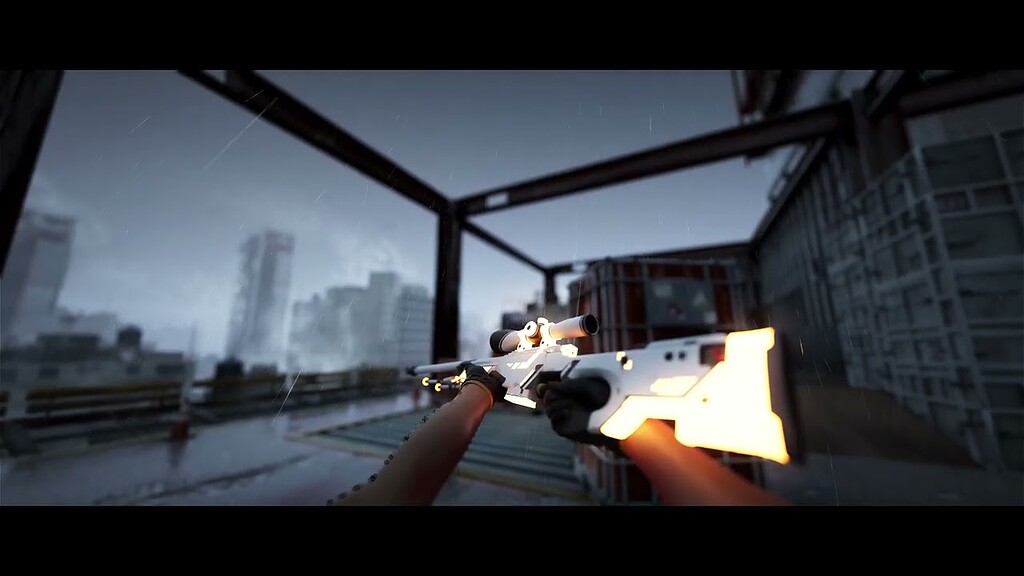
Epic Developer Community Forums
This is my first forum post so apologies if its not the best but i ran into this issue when trying to render out a CS:GO 3D sequence via the movie render queue and was wondering if anyone recognized this issue? Down below is a link to the video rendered out unlisted on youtube and you can see the problem happening from 2 seconds onward. ...
dusky sage
Why is it that my Motion Blur is seen on my Cam Preview to the side, but not my viewport?
 dusky sage
Why is it that my Motion Blur is seen on my Cam Preview to the side, but not my ...
dusky sage
dusky sage
Why is it that my Motion Blur is seen on my Cam Preview to the side, but not my ...
Nevermind I just figured it out, I have to go to Show on the viewport, then go to Post Processing, and enable Motion Blur.
 flint onyx
have anyone tried camera blend in sequencer? it works jsut fine during preview, but when I actually render it out, it's just straight cut in middle of blend

 fallen topaz
i’m playing a cinematic and about 80% of the way in the player start and controller take over for about five seconds and then return to the rest of the cinematic. I tried removing the players start and I’m still getting the issue of responding from the view port. There’s no gaps in the film, so I’m a bit confused why this is happening.
 tight dawn
Is it possible to add a delay between frames on MRQ?
I've tried to change OutputFrameStep and the OutputFrameRate but haven't got the expected result.
Intents is for instance. Spawn an actor, enable physics, wait for N seconds for it to find a resting spot, then and then only move to the next frame
 cloud pond
Hi all, I hope this is a simple question.
I am currently working with a level sequence that has a animation sequence. Can a level sequence playing an animation sequence that will trigger a AnimNotify on it?
 hasty eagle
Hi guys i have this wierd light popping changes in my renders anyone knows how to get rif of it? I have tried this methosd but it does not seem the fix the issue

 fallen topaz
lmaooo everyone in here not answering anyone else’s questions
little grotto
Maybe no answers are to be had? LOL. Yeah, I'm still trying to figure my own shite out! NO SOLUTION yet. URGH!
 frosty condor
Hey everyone, i make an environment in unreal Engine 5 in the Scability was medium and when I make sequence and render it in 4k In exr extension it was blurry and low quality is the Scability affect that and when I render it using davinchi resolve it is like laggy when it play it's not work smooth
undone geode
little grotto
It happens around 3/4 in on the middle area and at the end on the left area. THA...
Need to supply more info. Lumen and Nanite?
Ray traced shadows?
Are all meshes Nanite? What happens when you view Lumen scene?
Any console vars used in MRQ?
 arctic rose
Is there any way at all to trigger Event Begin Play when rendering something from Movie Render Queue? I'm asking because I have a Material Instance Dynamic in a scene that won't be generated without it.
pastel siren
hasty eagle
Hi guys i have this wierd light popping changes in my renders anyone knows how t...
no idea. try disabling the denoiser, render it with low samples to get a quick preview and try to find the source. If that's not it, try only one light source see if it still happens. if it does, try r.RayTracing.Geometry.InstancedStaticMeshes.Culling 0 to make sure that all objects are loaded at all times. ahh i see you have it already in there. hmm. not sure what else could be causing it, perhaps set nanite meshes to fallback lvl 0 so they don't pop in and out
 warm brook
hihi
We made VDB Tool dor for cinematics!
https://youtu.be/GY9dJ6kGhgs

Presenting our new VDB Pipeline Tool | Argentum Pipelines.
Produced and created by Argentum Studio.
Technical Documentation
https://artstation.com/blogs/andrej730/Lnon/unreal-engine-vdb-rendering-pipeline
Video guide by Andrej Zhilenkov.
https://artstation.com/andrej730
VDB Plugin for UE5.1 and 5.2 by Thibault Lambert and Eidos Montreal
https...
 tight willow
is there a way to dynamically choose shots in Sequencer? For example if my character is carrying a gun I want Shot A to play, but if he's carrying an axe I want Shot B to play.
fresh condor
fallen topaz
lmaooo everyone in here not answering anyone else’s questions
I think cinematics especially MRQ is having a lot of issues lately and there aren't any solution suggestions elsewhere, normally I would google and try and find a solution and if I do, I would post it here. We aren't hearing any thing from the Epic devs responsible for cinematics sequencer either. I had a friend go back to using Blender and Cycles based on this issue. He couldn't find a solution after searching high and low. This might be a serious issue if you are doing a work for a client and there is a deadline you have to meet. This makes UE5 very very unreliable for serious cinematics production work.
I haven't found any solutions to mine either.
hasty eagle
pastel siren
no idea. try disabling the denoiser, render it with low samples to get a quick p...
how i can set all nanite meshes to zero u have command for it?
 kindred fjord
Question, I already built my sequence, but now I realized I need to move it in the world. I did not originally think that so I did not enable Override so I could set my Transform origin actor to something in the scene.
Is there a way to update that post making the sequence or do I need to completely correct my transforms on everything once switching the new "origin" of the sequence
umbral harness
Hello ppl, how's it going? anyone knows a shortcut to ... "unexpand" / "minimize" subtracks in sequencer? (sorry, can't find the correct word)
every time I use the search field to locate a specific control rig track, once I delete the search field, every damn track in every actor is expanded
(nevermind, found it ... Shift-V ... duh) 🤦
 long sage
Do you know of good sources when it comes to film production in Unreal Engine? Whether it's on YouTube or elsewhere. Someone similar to Ben Cloward, but specifically for film production.
undone geode
warm brook
hihi
We made VDB Tool dor for cinematics!
https://youtu.be/GY9dJ6kGhgs
Very cool. But how does this compare with VDB and Heterogenous Volume support in 5.3?
long sage
Hey Laura, I guess you wanted to answer me? I know William Faucher, thank you. I want to make Commercials in Unreal Engine, thats my goal. I made pretty cool stuff, but I want to work with Niagara Effects and so on to make my rendered pictures or videos more interesting. Unfortunately, all I found were Game-Effects, thats not what I am searching for. Thank you for answering!
That's a very good idea, to be honest. I've come across this YouTube channel called CGHOW, but many of his videos are behind a paywall. Which is understandable, no front. If you or someone else have any further recommendations, you can suggest them—I would be really grateful. Generally, I'm having difficulties connecting with people who share the same goal as I do in Unreal Engine.
Yes, that makes perfect sense. I need to research more about the workflow. Currently, I'm able to perfectly recreate objects in Blender3D, edit them in Substance Painter or Designer, and then transfer them to Unreal. The results look very good when I render them, for example, as images. Now I need to figure out how to pull the rest together. Are you familiar with the videos by Miles Cable? That's the kind of outcome I have in mind. Thank you very much for your tips!
warm brook
undone geode
Very cool. But how does this compare with VDB and Heterogenous Volume support in...
Heterogenous Volume is just a container.
We have access to advanced shading, shadows and much more 🙂
stone coral
Hello there! I have one question: When I render Path Tracer my PC crashes. But if I in editor mode change to path trace, wait until the screen is finished, then take a screen shot, then go one frame further and on and on it works.
But why does the one thing work and the other not, both seem to have same image quality and when rendered I approached same resolution as preview?
Is there a way to automate this load-screenshot-nextframe-load-screenshot procedure?
pastel siren
hasty eagle
how i can set all nanite meshes to zero u have command for it?
nope I did it 1 by 1, otherwise one of the streamers made a plugin if you are willing to spend 20 bucks
dusky sage
Can I not animate my camera outside of Sequencer? Do i have to Pilot it in order to animate things in Sequencer? Basically, I want to be outide of the camera view to animate things, is that not possible?
 cursive heron
dusky sage
Can I not animate my camera outside of Sequencer? Do i have to Pilot it in order...
cursive heron
dusky sage
Can I not animate my camera outside of Sequencer? Do i have to Pilot it in order...
no you can just move your camera around and create keys
while being in the view you are now
inland gale
Hello, every time I use "warm up frame count" in the sequencer to let my effects settle, the camera position changes during the warm up time, then goes back to my camera during the actual render. Does anyone know how to make sure it just sticks to my cinematic camera?
cursive heron
have you tried stretching your camera shots before the 00 mark ?
rain jungle
stone coral
Hello there! I have one question: When I render Path Tracer my PC crashes. But i...
It depends on what your render queue settings are. Do you have game overrides turned on, which could be setting textures and LODs to full resolution? What resolution are you exporting to? The higher resolution the more VRAM you'll need which could be causing crashes. The viewport in editor is usually a smaller screen percentage and not 4K for example.
fresh condor
fresh condor
Found another post about this same issue: https://forums.unrealengine.com/t/shad...
Hmm..This seems to be an issue with lights in ue5.3 after a lot of troubleshooting. For some reason, MRQ doesn't render point lights shadows of large objects in shadow areas, this also happens with area lights. I am not sure if this is a bug in 5.3, everything looks correct in viewport but rendered out pngs sequence don't have the indirect shadows in them.🤔
undone geode
Any USD experts here?
Does anyone know if it's possible to switch USD variants via sequencer?
I've imported a simple geometry variant USD file and can switch between my variants in the USD Stage editor.(attached)
I've also created an empty sequence and dragged my USD Stage Actor to it.
But there doesn't seem to be any exposed methods or parameters for switching variants.
 wind cloak
Hello, I am trying to use ragdoll in sequencer on a metahuman character. The ragdoll activates, yet the metahuman's head becomes detached, how can I fix this? Any help is greatly appreciated, thanks in advance!!
 manic fulcrum
hello everyone, is it possible to switch between sequencers in level transition using a ui widget button?
it is like this that I want a main widget that has button for sequencer and when I hit play it start that video, now i want that the widget remains the same for all my level but whenever I open up my selected level and click on that button the sequencer of that level should play..... is it possible??? ..if yes then how can I do that..
 rich gull
How I can make stuff like this: https://www.youtube.com/watch?v=375dqL15O9E&ab_channel=PlayStation

ttps://www.playstation.com/games/crash-bandicoot-4-its-about-time/?emcid=or-1s-412983
This time, It’s About Time!⏰ 🤪 N. Sane new worlds, new abilities, new playable characters, and a whole lot more! Crash Bandicoot 4: It’s About Time arrives October 2. Pre-Order digitally and get access to the #Crash4 Demo 🎮
Gameplay captured cinemtatics
 hot condor
Hi, I am having some problems with the renderer in 5.2
I get what seems to be information from a done frame passed to a new frame ... don't really know, looks f'ing weird:
Does anybody maybe have an idea what causes this?

 vague needle
 verbal trench
Why my niagara not showing in render unreal engine 5 while showing in the sequence??
 short nexus
Anyone tried Heterogeneous Volumes/SVT's/VDB with Path Tracer yet? I got them to show up in PT using the CVar r.PathTracer.HeterogeneousVolumes 1However the entire volume disappears (in both MRQ and PT view in the editor viewport) after about a second (only in Path Tracer)
https://cdn.discordapp.com/attachments/299646863618080770/1143676979317587998/fYStXA0Isa.mp4
gusty heath
hasty eagle
Hi guys i have this wierd light popping changes in my renders anyone knows how t...
Global Illumination? or not enough temporal samples in MRQ?
spare jewel
Does anyone know of a way to import houdini curves as hair with specific skin weights instead of relying on the auto bind feature? I have a character composed entirely of thin strands and would like to avoid exporting a giant alembic
Are there other more flexible ways to add hair primitives to a skeletal mesh I mean
gusty heath
Does anyone know how to get rid of Black edges in an object ID pass? I cant share screenshots due to NDAs but almost every object in the ID pass has a 1 pixel wide black edge around it
 fickle reef
Hey, hope everyone is well! Just wanted to ask a question about an issue I'm getting with shadows - as camera gets further away from certain objects, I think UE 5.2 tries to 'simplify' the scene, and some shadows are a lot less accurate or non existent, and when it gets closer they will abruptly 'flick' on - rendering with Raytracing and sequencer, will appreciate any advice!
 muted moon
Once you render out to png how are people reliablly turning it into a video? Just tried FFMPEG and it the video output stutters a bit. I matched the 30FPS setting in Unreal
It seems like the path tracer output is missing a few frames for some reason
But the frame count matches the total frame count in the sequencer yet it seems to skip a frame for some reason
muted moon
24FPS override seems to have helped
 smoky crow
Hey ya'll. I've been teaching myself how to animate in UE5 so i made this cinematic trailer for the novel i wrote. wanted to share it with you guys and get feedback on what i could have done better https://www.youtube.com/watch?v=ZvI_HEXGEGM

"What we consider our Big Bang, and start, was actually the cataclysmic end to a war in The Old Universe."
The War for the Universe has started! Check out our website for character bios, character art, planet descriptions, planet histories, and much more lore.
Our website is one giant wiki!!!!
https://www.forbiddenorigins.com
‘The Old Univer...
small folio
muted moon
Once you render out to png how are people reliablly turning it into a video? Jus...
I had this once, it was my mistake I had set the output fps for ffmpeg but not the input fps, so ffmpeg was causing the stutter
Make sure you specify the input fps
 somber iron
In sequencer, what's the best way to hide a possessable actor that is not bound to anything?
undone geode
muted moon
Once you render out to png how are people reliablly turning it into a video? Jus...
Use editing software. PPro , Resolve, etc
 cinder sequoia
Hi! Is Unreal 5.2 or 5.3 able to bring very large USD cache files?
I've tryied and the software just crash. I need to do anything with my GPU or USD is not indicated to large character cache files?
mild forum
hey, anybody around for a quick question?
So in Viewport is everything good. If I do a render of my scene there is this strange flicker on some edges.
Left all good. Two frames later that.

 barren dagger
god a question about Movie Render Queue. How can we disable motion blur, fully? We've tried a bunch of things like cranking up the camera shutter speed, and adding the Console Variables settings module and adjusting that, but nothing works.
the only thing that works is disabling multi-sampled post-process effects but that also disables tsaa
 nocturne haven
Hi guys, I'm trying to setup a cinematic with DOF. Im zooming in way close on a low -poly low-texture model... so I know its not going to look great.
But I feel like my settings are also a problem here.

i will try to fix mesh and texture soon, but is there a problem with my settings thats causing this artifacting?
 regal ember
Here is my latest piece in UE 5.2 https://www.youtube.com/watch?v=pJVZi8mptME

This was my finished piece for the Epic animation boot camp run by UT-Hub.
I used unreal Engine 5.2
rain jungle
barren dagger
god a question about Movie Render Queue. How can we disable motion blur, fully? ...
Strange it should work with console variable. The other way I know of to disable motion blur is in the post process volume
barren dagger
rain jungle
Strange it should work with console variable. The other way I know of to disable...
yeah none of our post process volumes have motion blur, we don't use it at all in our game
 burnt pebble
Hey everyone, I'm trying to do a test render with r.ScreenPercent at 5 and it's been stuck with a white preview for 10min, anyone know what's up?
 rich gull
How I can make stuff like this: https://www.youtube.com/watch?v=375dqL15O9E&ab_c...
rich gull
rich gull
How I can make stuff like this: https://www.youtube.com/watch?v=375dqL15O9E&ab_c...
I bump my last question
 flint blaze
rich gull
I bump my last question
flint blaze
rich gull
I bump my last question
maybe what you'll need to do is break down exactly what it is you're wanting into smaller steps and ask about the small steps rather than something so "big" - I'm assuming it's the cinematics that you're wanting to do - if it's actual game-play maybe #level-design would be a better place. A good place to start with cinematics is the Sequencer: https://docs.unrealengine.com/5.2/en-US/unreal-engine-sequencer-movie-tool-overview/
Learn about Level Sequences and the primary features of the Sequencer Editor.
undone geode
cinder sequoia
Hi! Is Unreal 5.2 or 5.3 able to bring very large USD cache files?
I've tryied ...
Maybe look into stitching the USD.
 sharp hare
Does anyone have a tutorial or resource they could share about taking in game photos in Unreal? I want the character to be a photographer and the player can take screenshots with the in game camera and add it to a library or something along that line. Not just taking a highres screenshot I mean like pokemon snap, final fantasy 15 kind of in game picture taking
 hidden crypt
Anyone experienced problems with simulating physics while recording or even just playing the sequencer? Tried this with a blank project in 5.2 but the issue persists. Whenever sequencer plays the next frame, the physics objects keep resetting their position. If I simply scrub past the keyframe which toggles physics simulation and don't move the timeline more, the physics objects move correctly, scrubbing to the next frame manually also resets the object. Haven't experienced this before, and I see people simulating physics just fine in their videos.
Same goes if I use the take recorder, and doesn't matter what object I choose to simulate.
 gentle zinc
Can someone explain what the difference between Spatial Sample Count and Temporal Sample Count is?
hidden crypt
gentle zinc
Can someone explain what the difference between Spatial Sample Count and Tempora...
Spatial sample is sample taken from a single frame, to produce antialiasing. Temporal takes samples from several frames that happen to the be similar to the one in question, but this can appear smeary and blurry depending on the circumstances.
gentle zinc
So if I want to render a still picture I only need Spatial Samples?
hidden crypt
Yeah, that should be enough, there wouldn't be any other data to sample from, unless you're rendering an animation and saving a single frame from it, that way you can get data from multiple frames.
gentle zinc
Alright I gotta test it out more then. I already rendered the same image 10 times today with different sample sizes but I couldn't really figure out what works the best.
Thank you very much
hidden crypt
No worries ;D
hidden crypt
hidden crypt
Anyone experienced problems with simulating physics while recording or even just...
Apparently this only affects static meshes and not skeletal mesh? Working around it by importing my props as skelmesh 
gentle zinc
Okay I had some renders with
Spatial 60 x Temporial 120
They took some time but they did get rendered. Now I am trying to render Spatial 1000 x Temporial 1 but even after 5m I didn't even get a single sub Sample
Does it take much longer this way? I thought only a thousand sub samples would need less time than 7200 but it doesn't seem to be this way
small folio
hidden crypt
Spatial sample is sample taken from a single frame, to produce antialiasing. Tem...
This is mostly true except temporal samples is specifically for improved motion blur quality. It's not really a bad thing to be smeary or blurry, it's intentional in this aspect if you have your motion blur enabled
small folio
gentle zinc
Okay I had some renders with
Spatial 60 x Temporial 120
They took some time bu...
Unless you are using path tracer, you probably don't need that many samples
gentle zinc
Okay weird. I restarted Ue5 and tried another render. 64x1 it worked but the window seems to be bugged out.
It went from 1 Sample to finish without giving me any information in between
gentle zinc
small folio
Unless you are using path tracer, you probably don't need that many samples
I am using Path Tracing
hidden crypt
small folio
This is mostly true except temporal samples is specifically for improved motion ...
Indeed!
small folio
hidden crypt
Anyone experienced problems with simulating physics while recording or even just...
So I record vehicles a lot, you record with simulate physics enabled, but disable on the recorded actor in the sequence. Works fine after that
hidden crypt
small folio
So I record vehicles a lot, you record with simulate physics enabled, but disabl...
So I turn it on on the actor itself in the outliner options, then toggle it off at the start of the sequence, then on again when I need it?
Its still acting up...
small folio
Umm no. The way I do it is I record the physics simulation. In sequencer I want that to play back, not a new simulation to happen. So I disable it on the actor in sequencer
So you'd never toggle it back on
If you are wanting the simulation to actually simulate, not play back the recorded movement, I'd try deleting the transform track for that actor
hidden crypt
Ok I see, but when I am about to record a simulation in the first place, the resetting of the simulation occurs at every frame as soon as I scrub or play the sequencer
small folio
Today we walk through the full process of creating a vehicle animation in Unreal Engine. We'll use Rush Hour and create an animation in the MAWI Burned Dead Trees Forest Biome.
Rush Hour is a new way to easily and realistically animate vehicles in Unreal Engine. I like to think of it as having your own AI stunt driver ready to make your movie!
...
Skip to around 12 minutes, the chapter that says disable physics
That's what I do, works reliably for me
hidden crypt
I tried in a blank project again, even though I have no transform keyframes, removing the transform track appears to have helped..huh
Checking the vid
small folio
hidden crypt
I tried in a blank project again, even though I have no transform keyframes, rem...
Yeah the transform.track would be applying and overwriting position. Essentially simulate physics and the transform track interfere and conflict with each other
So choose one, but not both
hidden crypt
I see! Thanks a lot mate, saved me lots of headaches 😄
small folio
No probs
gentle zinc
What happened? o.ö
 rain jungle
gentle zinc
What happened? o.ö
rain jungle
gentle zinc
What happened? o.ö
I think it's a bug, I've had renders like this before and it drove me crazy trying to figure out why. It was either lens flare or bloom settings in the post process volume. If I remember correctly I had to turn them off to get the black squares to go away.
small sleet
Hello, guys. My second scene on Unreal Engine https://youtu.be/tqnFALzh5xI?si=LYJGVFfM7SKWtgUr

Короткая сцена на Unreal Engine 5. Вторая работа на Unreal Engine 5. Изначально это было 3 секвенции, которые не имели особого сценария. Я решил добавить, раскрутив идею со светящимися глазами. Чтобы создать сомнение в том, что происходит в этой сцене. Название 21 12 содержит в себе и смысл позывного солдата. И отражение зеркальности происходяще...
 civic granite
I have a crowd of people that have a Per Instance Random material on them, when rendering with path tracer everytime the camera moves the material updates and their texture changes, this only happenes in Path Tracing. Absolutely no clue why this is happening
gentle zinc
rain jungle
I think it's a bug, I've had renders like this before and it drove me crazy tryi...
Okay that is weird because I made like 10 renders before and only changed settings in anti aliasing and now this happened
gentle zinc
hidden crypt
Yeah, that should be enough, there wouldn't be any other data to sample from, un...
Hey! I've testing a little bit more and realized that I get these huge black squares when rendering at a very high spacial count like 1000x1

But they get less with temporal samples
This was 1000x2
 hidden crypt
gentle zinc
Hey! I've testing a little bit more and realized that I get these huge black squ...
hidden crypt
gentle zinc
Hey! I've testing a little bit more and realized that I get these huge black squ...
Sounds like some kind of engine limit, and looks like a straight up bug/error in the render its producing. Haven't really tried that high count myself
gentle zinc
Oh is that "too" high? I wasn't sure how much would be too much and thought I needed such an amount with pathtracing.
Renders were to noisy with lower amounts
 winged frost
How can i get more samples per pixel when using pathtracing to render in movie sequence
No option to increase it under pathtracing settings
civic granite
winged frost
How can i get more samples per pixel when using pathtracing to render in movie s...
Add the Anti-aliasing setting, there you can change the samples per pixel

 inland gust
I am trying to use the Level Sequencer in UE4 to make a specific bone on a character move. However, I cant see that bone in UE. I can only translate the entire body. How do I expose the specific bones to the level sequencer?
 main oriole
Hey, could you post this in #1054845218723209226 ?
 quaint tendon
main oriole
Hey, could you post this in <#1054845218723209226> ?
quaint tendon
main oriole
Hey, could you post this in <#1054845218723209226> ?
Hey, yes
gusty heath
Question
I'm trying to render out different Layers, so they can be used for compositing. Here they say to use Layers, but if i try to drag anything on it or RightClick nothing happens it seems bugged.
Any idea what to do?
Using Unreal 5.2.1
Links: Tutorial + Screenshot
https://www.youtube.com/watch?v=-8UFyaqbiGA

Compositing with multiple layer EXRs can a be really powerful way of leveling up your images. Unreal Engine 5 supports both alpha channel support but also Render, Stencil and zDepth layers. You can also use the Motion Vector layer to recreate the motion blur in your compositor of choice.
Not only that but by activating the additional render pa...
undone geode
HUD elements are nothing new in games, but how would you render a 2D HUD over an animated 3d background in Sequencer?
ruby hearth
undone geode
HUD elements are nothing new in games, but how would you render a 2D HUD over an...
UMG and set MRQ options to render UI.
To simplify the process or linear editing of 2D layers, checkout the UMG Cinematics plugin
 undone loom
is someone a pro at this
i made a 13 seconds cinematic intro
but it stops like at 2 seconds
works normal in the sequencer editor
 floral lagoon
Can i export a simple cinematic of a 3d model into a .glb format?
gentle zinc
How can I seperate keyframes? I have a level sequence with moving cameres and I want to switch from one camera to the other
 humble bramble


 subtle idol
I just found the oddest bug.....and it's a really big deal. I've been trying to render a scene and it keeps crashing....no matter what optomizations I make to it.....so I decided to try shooting it in another scene.....same problem....I started thinking it was my 3090 going bad....so I went back and tried rendering another scene in a seperate project I knew would render and it did, so I went back and opened up a template map and droped a single character in there and created a sequence of just him running in place and tried to render it......I have 64 gbs of DDR 3200 ram.......all 64gbs was consumed.....and then it crashed again like it has been doing with ever render attempt in my project.
Does anyone have on clue what would cause this odd 'Memory Leak?' in this specific project?
Or has anyone heard of this problem before ^?
for some reason I kept thinking I was running out of Vram, but that wasn't the problem, that specific project has some odd memory leak in it that's causing the Movie Render Queue to go nutz and just fill up all my ram....even if there isn't anything in the scene that could possibly account for it.
Alright, I think it's a render setting
floral lagoon
So i have a level sequence im exported it into .glb format, but in the model viewer of windows all I see is a white big sphere
stray sluice
Hello every1, I've been fighting with this for two days now, can any1 tell me what am I missing? this is my scene in the cinematic viewport:

and this is the same scene after render:

why the render is blurry? how to get it to be sharp as in the viewport? DOF disabled, Focus plane behind the windows, here are my render settings:

 trim solar
This may be a stupid question... but once I have a sequence constructed with all my actors, animations, cameras, etc... Is there an easy way to grab everything and move it to a different part of a map and everything stay relative to the actors in the sequence?
floral lagoon
floral lagoon
So i have a level sequence im exported it into .glb format, but in the model vie...
can anyone help me with this??
fresh condor
stray sluice
I have this issue as well for the past 3 weeks. Does this issue still exist with the recent 5.3 update?
 grim marten
floral lagoon
can anyone help me with this??
grim marten
floral lagoon
can anyone help me with this??
I did a quick test on 5.3 and it worked. What are you exporting? Do you do a right click export on the level sequence asset? Did you tick the export level sequence in the dialog option?
Does it move if you load your glb in the khronos viewer? https://github.khronos.org/glTF-Sample-Viewer-Release/
The official glTF sample viewer
floral lagoon
grim marten
I did a quick test on 5.3 and it worked. What are you exporting? Do you do a rig...
I exported level sequence in the form of .glb through asset actions export
this is what it showed when i viewed in khronos viewer

is it the skysphere or something?
spare jewel
does anyone know how to get a second set of uvs to show up in an alembic? ive got two sets of uvs, named uv and uv1, both are vertex attributes and ive set the additional uv sets in the rop alembic to uv* - still nothing, as far as I can tell unreal just doesnt support multiple uv sets on alembic caches, because i imported a single frame of the same file as a static mesh and the uv sets show up fine - can anyone confirm?
 safe salmon
my camera actor in cinematic is snapping locations in 1 frame - i want it to stay at the same location its at until end of clip - what am I doing wrong? I have no keys after the shown keys here - and want to fade out but dont want the camera teleporting like it is....
Location iu want to be at:
https://puu.sh/JPFNH/30789ef40c.png

Immediately next frame :/
https://puu.sh/JPFNQ/329b2f9a50.png

 fresh condor
@lyric sable Hi mate, so sorry to bother you. Any chance you have encountered this issue with MRQ? Its been over a month. No solution: #cinematics message
Ok. Thanks.
fresh condor
Found this: https://www.reddit.com/r/unrealengine/comments/10fepia/shadows_are_working_in_viewport_but_not_in_mrq/
Same issue but the solution doesn't work. When I try rendering with the legacy window, the shadows render out fine.

Reddit
Explore this post and more from the unrealengine community
grim marten
floral lagoon
is it the skysphere or something?
Yes that might be the sky sphere, that is strange it did not export sky sphere when I did a similar test the other day, just the sequence and all actors linked to it.
To confirm you can zoom in a lot and see if you see the white sphere?
Else you could drag and drop the level sequence in your scene, pick all actors and the levelsequence and try "export selected"
torpid portal
want to change all the animation action and apperance of 1 with 2 but after changing it only go forward and backward left and right ,but not not pick up thing like no1 person is doing
 floral lagoon
grim marten
Yes that might be the sky sphere, that is strange it did not export sky sphere w...
floral lagoon
grim marten
Yes that might be the sky sphere, that is strange it did not export sky sphere w...
i deleted the sky sphere and lights and all, i need the level sequence to play it in google model viewer, i got the animation playing in model viewer but the camera position is different from what i kept while animating in level sequence
winged frost
When i render video in path tracing it looks very different from when i render a picture in pathtracing mode and yes i use the same amout of samples per pixel
 deep ice
@soft quail please use the community creations channels for showcasing content. Think #1054845120236757103 or #1054845218723209226 not these channels as they are Q/A focussed, not showcase focussed. thanks.
keen halo
stray sluice

Epic Developer Community Forums
Ah, UE5, you’re on your own a bit then I’m afraid…
you cal also try his settings at - https://youtu.be/txUZF3qhsDM?t=4968
Hello friends,
In this video, I show how I create a Forgotten Road environment inside Unreal Engine 5.1.1, Hope you all like it.
Thank you for supporting me, friends.
Assets links:
Landscape Pro 2.0 Auto-Generated Material :
https://www.unrealengine.com/marketplace/en-US/product/landscape-pro-auto-generated-material
Rural Australia :
https:/...
 pallid rock
I have a strange problem where I building I deleted, appears on the renders when I use the movie render queue. Any idea what could be causing this? I checked in sequencer and its not listed there so its not like im spawning it on render time. Any ideas what could be causing this?
 zenith marlin
Is anyone familiar with the CineCameraComponent? I'm messing around with aspect ratio by changing the Filmback's sensor width/height, but I'm wondering if that could have other effects (like if say my original sensor size was 4x2 units and I changed it to 2x1, what effects would that have, since I kept aspect ratio the same?)
subtle idol
Can someone explain to me why I can't seem to get my landscape to render properly. It's coming in looking like something straight out of MineCraft

It's only doing that during rendering
 atomic magnet
hi what is the best way to make the players first person camera ease into a camera animation i made in blender for a cutscene?
 pure tulip
zenith marlin
Is anyone familiar with the CineCameraComponent? I'm messing around with aspect ...
pure tulip
zenith marlin
Is anyone familiar with the CineCameraComponent? I'm messing around with aspect ...
Like a real camera, changing the sensor size will affect how focal length and aperture look. Smaller sensors = tighter framing (like a longer focal length) and less shallow depth of field. Wider sensors = wider framing, like a lower focal length lens, and shallower depth of field. Rule of thumb is bigger sensors are more cinematic, like Super 35 or IMAX 70mm.
I have an app that customizes a sequence and renders it through movie render queue at runtime. I can cleanly render the same sequence dozens of times with the same result, but at some point a flicker will start, almost like Lumen temporal accumulation restarts every other frame, and won't stop without exiting the app. Started in 5.1, just updated to 5.3 and same behavior. Anyone encountered this or have any insights?
subtle idol
subtle idol
Can someone explain to me why I can't seem to get my landscape to render properl...
In case anyone else was wondering I found a solution:
Simply put the camera defaults to the center of the world during renders and then possesses the Sequencer Camera after the Warm Up Period.
If you have a complex scene like mine then the landscape won't be fully loaded in from that distance and will have to stream in after the Sequence begins.
Solution: Place a camera in the world and blend the view to it with a slight delay on BeginPlay (I did this from the Level Blueprint), by the time your Warm up is finished that area will already be fully streamed in.
 sonic fern
subtle idol
In case anyone else was wondering I found a solution:
Simply put the camera def...
sonic fern
subtle idol
In case anyone else was wondering I found a solution:
Simply put the camera def...
You can also load all assets and turn off asset streaming for cinematics. That way everything is pre loaded before you begin.
subtle idol
sonic fern
You can also load all assets and turn off asset streaming for cinematics. That w...
Well I thought that was off by default for the Legacy Render? I have to use that one with my scene because the new one Movie Render Queue just crashes....for some reason it just consumes all 64 gbs of my ram and then crashes
So after trial and error I realized I could get the Legacy one to render without crashing....maybe that's the reason why? Maybe there are too many stones and foliage in my scene idk....it's an Arid Desert like Biome so there isn't much blocking the view
I know at least under my settings Streaming is not checked under my Legacy settings, the tooltip lead me to believe it would require more ram to stream it.
subtle idol
sonic fern
You can also load all assets and turn off asset streaming for cinematics. That w...
Oh I was a bit confused....Nah, what I meant by streaming is that the Landscapes are Tesselated. As you approach they increase in Density....but that's not really the problem. Landscapes seems to load in in stages. So Idk exactly how this works but from what I can tell it first loads in a Low Res version of the Landscape that is blocky with sharp corners, after that it then applies some kind of Smoothing too it. I have even seen it load in Blocky like this in actual games I was making before if I wasn't careful with how I broke my landscape up back in the older system back in Unreal Engine 4. Sometimes, if your map is too heavy you'll have time to see this effect, but if you made it rather performance friendly you normally won't even have time to see it.
Since Sequence Rendering is generally a lot heavier then normal Run-Time Game Play, at least with the Legacy Movie Render, this seems to at least be a problem for me. I believe it has a lot to do with the Density of the Foliage.
 balmy barn
Working on some cinematics.
sonic fern
subtle idol
Since Sequence Rendering is generally a lot heavier then normal Run-Time Game Pl...
If your landscape is tessellated then you must be using Unreal 5.3??? Bare in mind that there are still bugs in the system. My last render came out fine in Unreal 5.3 however I didn't tesselate the landscape. I'm just in the process of writing a new landscape material shader to take advantage of displacement.
subtle idol
sonic fern
If your landscape is tessellated then you must be using Unreal 5.3??? Bare in mi...
I worded that wrong. I was primarily referring to the landscape LOD system, where it varies the density based on Distance. That shouldn't be part of the problem though. I'm not applying any displacement through the Material Shader. I honestly don't know how things work as far as C++ code when it comes to landscapes, all I know is that when they initially load they get loaded in Stages. A landscape doesn't Pop into existence as you see it in the editor after it's already loaded....they load them into the game in several passes. One of those Passes Smooths the landscape out so it is not Jagged, before this 'Smooth Pass' for lack of a better term.....the landscape has no Smoothness too it and is Jagged like something from Minecraft.....during the rendering process If I render it using the Legacy renderer in editor it never applies the 'Smooth Pass' even if I give it a long warmup and have the camera 5 feet away from it looking directly at it.....the window almost seems to Freeze until the Warmup is over. If I have it render it outside of the Editor in a separate process, then it will sit there during the Warmup and finish loading the Map.....I have no idea why it's doing it but my best guess is that it's just another bug. Anyway I found a way around it so it's not a real big deal anymore..
Like I said before the only way to get around the loading issue that I know of so far is to render it from a Separate Process, having the level blueprint force the game after about .2 seconds to view that camera. That combined with a Warmup period gives it time to finish loading.
If you don't force the camera and its default spawn position is far away or looking in the wrong direction then that area won't start loading in until the Sequence starts playing and then you'll have stuff loading in during the Recorded Sequence lol
When I say the landscape is jagged I should clarify that it's not a single tile or a small part of the Landscape.....it's the Entire Landscape regardless of Distance from the Camera
That pattern you see is what I refer too....it's not the Foliage....what your looking at is the foliage being where it's supposed to be but the Landscape coming out like a Step Pyramid and clipping through the Foliage causing it to go inside of the Landscape at places

This is actually normal....it's supposed to load like this but correct itself rather quickly
It's because of the Landscapes built-in LOD scaling system
When it first loads in it does so as though it were far away but then it's supposed to update when it realizes the camera is close
It's possible that there is a bug in the Legacy Renderer where that communication never happens for some reason
There might be a Cvar for disabling the Landscape LOD system but it would likely make it heavier on resources to Render and as I've said before I've struggled with Ram issues trying to Render Sequences for that map
Anyway I've already blew this up, I will end here:
If anyone understands that problem better then me or has insider information then I wouldn't mind hearing about it. What I just stated is basically my 'Best Guess' given what I know about landscapes which isn't an awful lot.
sonic fern
subtle idol
Anyway I've already blew this up, I will end here:
If anyone understands that p...
Thanks for the detail.
The pattern you're seeing in the landscape is material or texture tiling. There are some methods you can use to reduce that. Try searching youtube for reduce tiling on landscape or similar.
So are you playing a level sequence in game and not doing a cinematic render in movie render queue???
lament plinth
Any idea why I'm getting smudged pillow with movie render queue while in lit mode it's completely sharp? I used 10 temporal and 50 spatial samples with AA off.

 subtle idol
sonic fern
Thanks for the detail.
The pattern you're seeing in the landscape is material o...
subtle idol
sonic fern
Thanks for the detail.
The pattern you're seeing in the landscape is material o...
No, that's not texture tiling. The foliage placement is pre-calculated based on the landscape. That's why sometimes people might have foliage floating in the sky, I'm sure you've probably seen this before. It's not common but not that uncommon either.
The reason for floating foliage is as I stated, the placement is pre-calculated and sometimes things don't get updated properly.
What your seeing in that picture is not Tiling....that picture was taken during a RENDER.
In the Actual Game, it doesn't look like that.
What I was trying to get across to you is that there is a BUG in Unreal Engine 5.0, 5.1, 5.2, and 5.3 where during rendering with the old Legacy renderer........the landscape never finishes processing.....
So.....what your seeing is not Tiling......but the unprocessed Landscape coming in at the WRONG LOD......because the Landscape isn't getting updated on the camera's position from it.
From what I can tell the reason it isn't updating has to do with the amount of processing power....it's not so much that it simply is not updating at all....but that the Updating is so delayed that when the scene actually starts rendering......it gets recorded to the video being rendered.
In case you didn't know the Landscape system uses a Dynamic LOD system
gusty heath
Hello everyone, I'm wondering if its possible to have a custom render pass in movie render queue for just my atmosphere elements, exponential height fog, easy fog, extra fog cards etc, to the be used for compositing in Nuke. Does anyone know of any techniques for this? I've had a search around but I'm struggling to find anything particularly useful.
subtle idol
My work-around that I found....I was just letting people know that you can get around this by:
- Adding a Warmup Time
- Placing a Camera near the Recording Area
- Reference it with a delay in the Level Blueprint and have it Blend to that Camera on Beginplay
- Render the Scene in a Separate Process
By the time the Warmup is done, your landscape should be fully loaded....
grim marten
floral lagoon
i deleted the sky sphere and lights and all, i need the level sequence to play i...
Did you export the cameras too? You can export camera to glTF and then pick them (at least that is possible in the Khronos glTF viewer)
pure tulip
lament plinth
Any idea why I'm getting smudged pillow with movie render queue while in lit mod...
Check the texture settings for the pillow, could be mipmap settings. Make sure it's power of 2, try setting it to never stream. You shouldn't ever really need more than 8x8 samples in normal situations.
 novel sparrow
Hello. Is there a way to find a specific animation asset within Sequence by name?
floral lagoon
grim marten
Did you export the cameras too? You can export camera to glTF and then pick them...
i have to export in glb
grim marten
floral lagoon
i have to export in glb
glTF or glb should not change anything.
undone geode
You can add a UMG Widget Blueprint to Sequencer by using this plugin and adding a 'UMG Widget Track'
https://youtu.be/ygOHExzE0bI?feature=shared
Is there any way to accomplish this within Unreal itself?

The UMG Cinematics plugin adds UMG Widget Tracks to sequencer.
Download links:
https://www.unrealengine.com/marketplace/en-US/product/umg-cinematics
lament plinth
pure tulip
Check the texture settings for the pillow, could be mipmap settings. Make sure i...
Thanks for the reply I'll try that!
lament plinth
pure tulip
Check the texture settings for the pillow, could be mipmap settings. Make sure i...
Can this potentially hit realtime (lit) performance more compared to default?
pure tulip
lament plinth
Can this potentially hit realtime (lit) performance more compared to default?
It could affect memory usage, just gotta watch your VRAM budget.
lament plinth
pure tulip
It could affect memory usage, just gotta watch your VRAM budget.
Alright I'll keep that in mind
 gaunt vector
Does UE5 have a system like Cinemachine where you can create "Impulse Sources" for camera shake?
floral lagoon
grim marten
glTF or glb should not change anything.
i did something to solve the camera issue, i put a transparent plane where i wanted the camera to focus....but now the issue is that, when i import in google model viewer it keeps on looping
 covert tundra
How do I use control rig for a modular character (blueprint) in sequencer? I have my control rig which works for the base skeletal mesh body, but if I drag it in how do I attach it to the full modular character blueprint?
pallid rock
Any idea what these things are? They only appear on render time in the viewer, not the final render.
 balmy barn
pallid rock
Any idea what these things are? They only appear on render time in the viewer, n...
balmy barn
pallid rock
Any idea what these things are? They only appear on render time in the viewer, n...
Is actor hiddin in game checked?
If checked they wont render
pallid rock
These “shapes” are not in the level. They only appear on the viewer. Not the render itself. Sort of like the engine referencing something. Im just interested in what this could be.
plucky salmon
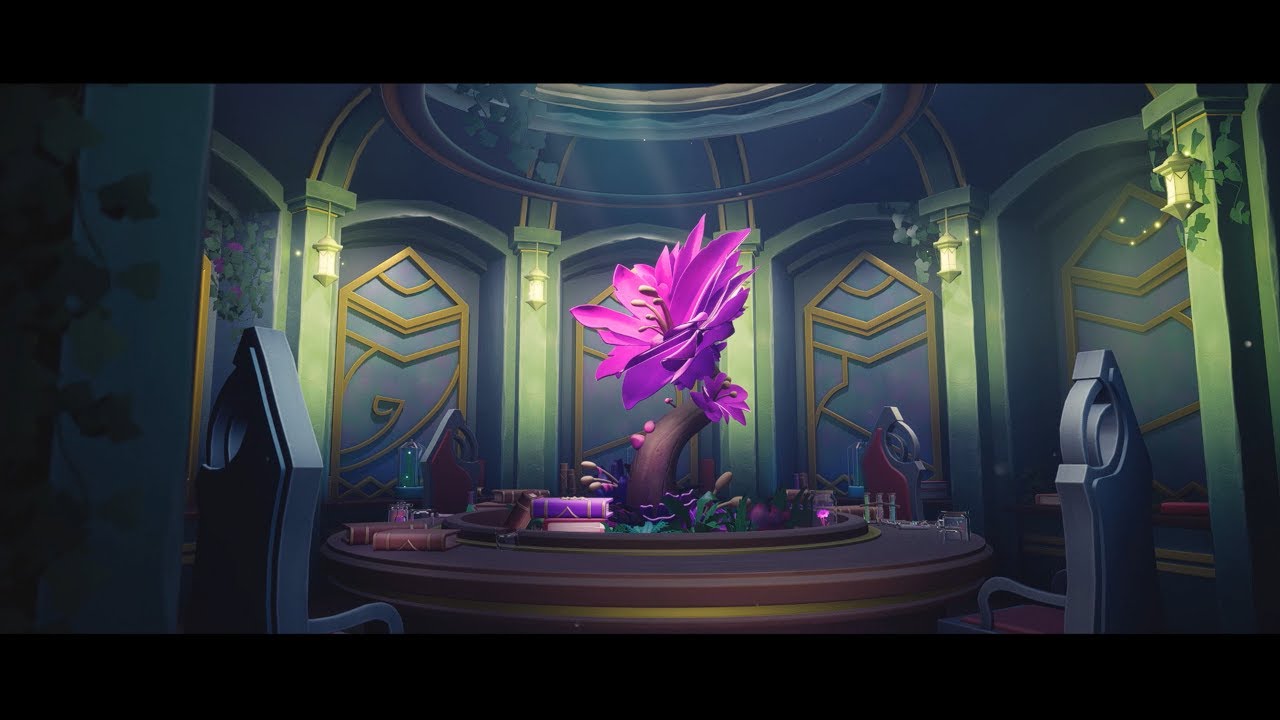
Final Major Project for University, A study in lighting and composition!
This project was insipred by concept art created by Niko Gesell which can be found in the link below!
Original Concept by Niko Gesell : https://www.artstation.com/artwork/lRDPyG
Artstation Link : https://www.artstation.com/artwork/GeVroa
Twitter/X Link : https://twitt...
Just finished My Final major project for university. Please check it out whenever you get the chance!
lament plinth
pure tulip
It could affect memory usage, just gotta watch your VRAM budget.
Hmm I played with those power of two and no streaming a bit and I got same results while rendering. Realtime lumen shows it just fine though is there anything in mrq settings that needs to be added?

render
 pure tulip
lament plinth
Hmm I played with those power of two and no streaming a bit and I got same resul...
pure tulip
lament plinth
Hmm I played with those power of two and no streaming a bit and I got same resul...
Dang, really hard to say. Is your AA method is using TAA or TSR, anything temporal? If so, turn on override and set it to None and 8x8 samples. These are the settings I usually roll with, pretty vanilla but it works.


 regal peak
If im trying to get feedback on a shot or scene, would it be better to do that here or in #work-in-progress ?
small folio
regal peak
If im trying to get feedback on a shot or scene, would it be better to do that h...
lament plinth
pure tulip
Dang, really hard to say. Is your AA method is using TAA or TSR, anything tempor...
I've tried everything I could think of. I did your exact settings only I rendered at 8x60. Then I thought my jpg normal was the thing and swapped it to a raw png. I then thought it's my dof focusing slightly off in render mode so I turned it off completely. I'm still getting this.
 lament plinth
I tried with denoiser off and I can see the detail is pretty even so I assume denoiser does something at the end since it's such a fine detail?
lament plinth
I rendered in 8K and that did it. I'm surprised 4K is not enough to capture this detail though

1080p 😵💫

I tried crazy 2x1000 on this 1080p render and it is no different than the one above which was 16x16. I don't understand this. It's definitely denoiser just ruining everything at the end.
Any way to control denoiser strength or is it just boolean?
 final imp
anyone know Whats the Difference in GameColor Depth when Changing from EditorView to Gameview ? . i get colorbands when enable Gameview, but on editor looks correct. i guess Editor uses some Cinematic Stuff?
covert tundra
Hey all, trying to render out my sequence to a .mp4 using movie pipeline. The visuals work well but there's no audio in the .mp4, it's silent. I've checked my settings and I'm using 'aac' in the ffmpeg.exe but no luck. Anyone else run into this issue?
 atomic magnet
hi, how do I fix videos not loadingin unreal
 latent cobalt
Hi, I'm a little stuck on an exposure issue- I've got my cinecam set to manual with about 11 compensation (night scene), it looks right in the editor in cinematic scaling, and the low res renders look right in the export window as they come out, but my exposure is way too low when i throw it into resolve. Any idea what it is? I turned off the default automatic exposure project settings too and no luck. Added the correct lut in resolve as well, no luck


 sharp granite
Do anyone know how can I use Upper and lower animation directly in sequencer or any other process
 lusty sigil
sharp granite
Do anyone know how can I use Upper and lower animation directly in sequencer or ...
lusty sigil
sharp granite
Do anyone know how can I use Upper and lower animation directly in sequencer or ...
You'll need to create a simple Animation Blueprint and use the Layered Blend Per Bone node. Hook up some slots for things like Upperbody and Lowerbody.
in Sequencer, add the Uppderbody animation clip to your skeletal mesh. Right click the clip, go to the Properties dropdown menu and there will be an option called "Slot", and the value of the input is usually "DefaultSlot". This bit is quite annoying but you will need to manually type in the name of the animation slot you want to apply the animation it to. E.g you would type in either "Upperbody" or "Lowerbody". When one of the anims is done, do it for the other anim.


Hey everyone! Today we're looking at the Layer Blend Per Bone function inside the Anim Graph. This cool little thing allows us to play animations only on certain parts of the body whilst leaving other parts unchanged. This is extremely useful for separating animations between the top and bottom half of your characters so they can do things while...
Pic of Sequencer, applying the Slot Name to the anim clip

It's very tedious though. It would be a lot better if the Slot Name option could detect the Anim BP that the mesh has assigned, and choose the Slot to assign the animation to using an Enum dropdown instead of manually typing the name all the time. We have this feature in Star Engine and it's really useful.
For cinematics, if it helps, once you have got all of the animations applied to the character using Slots, you can bake the entire thing as one Animation for the Full Body so you can just reuse that asset in future for cine work.
 sharp granite
lusty sigil
You'll need to create a simple Animation Blueprint and use the Layered Blend Per...
sharp granite
lusty sigil
You'll need to create a simple Animation Blueprint and use the Layered Blend Per...
Thanks, I will try this
sharp granite
@lusty sigil Thanks Buddy, It worked.
lusty sigil
nice 🙂
sharp granite
lusty sigil
nice 🙂
With this process I can even add face animation
latent cobalt
latent cobalt
Hi, I'm a little stuck on an exposure issue- I've got my cinecam set to manual w...
wanted to bump this again - i'm still stuck 😕
lusty sigil
latent cobalt
Hi, I'm a little stuck on an exposure issue- I've got my cinecam set to manual w...
So from what I gather, image on the left is in-engine and image on the right is in Resolve?
what are your colour space settings like when rendering with movie render queue? E.g are you rendering in ACEScg or exporting in linear and disabling Tone Curve?
Colour science is one of the most wack aspects of 3D rendering and I barely know anything about it, but hopefully this video from William Faucher is useful. Just make sure that you know what colour space you are rendering in, and then correctly set the input and output colour space transforms in Resolve.
Learn how to color grade your Unreal renders easily in Davinci Resolve!
The first 1,000 people to use this link will get a 1 month free trial of Skillshare: https://skl.sh/williamfaucher03221
If the OCIO options aren't showing up for you in MRQ, make sure you have the OpenColorIO plugin enabled!
My understanding is that while Unreal is in linea...
latent cobalt
lusty sigil
what are your colour space settings like when rendering with movie render queue?...
thanks for answering! yeah it definitely sounds like a color space issue. To my understanding, you need a srgb to linear LUT once you throw it into resolve, maybe im wrong? But thank you, I'll check that out right now!
latent cobalt
omg that worked, thank you! i owe you a beer! @lusty sigil
lusty sigil
latent cobalt
omg that worked, thank you! i owe you a beer! <@396093328828923904>
glad to hear! William Faucher has a fix for everything it seems haha
latent cobalt
man i have exported this thing so many times now lol thanks again, i owe ya one
sonic fern
William faucher is the go to for all basic, and some advanced lighting and color grading tips.
latent cobalt
well now its not putting my LUT in the scene lol i cant win today
lament plinth
Just cant get that fabric to pop out and I went though all cinematic settings I could think of and watched countless tutorials on that. Denoiser is simply too aggressive and there's no way to control the intensity right? It's boolean?
I tried much higher sample counts but that surprisingly did no change in quality so I stuck with lower values. I heard many don't use built in or optix denoiser plugin and use that in post. What are your recommendations?
Top values: samples [temporal/spatial], resolution, screen percentage
 pure tulip
lament plinth
Just cant get that fabric to pop out and I went though all cinematic settings I ...
pure tulip
lament plinth
Just cant get that fabric to pop out and I went though all cinematic settings I ...
I just realized, these have been Path Tracer renders? I'm not super experienced with that TBH, just make sure the samples per pixel in your PPV is greater than your 2 AA values multiplied together, and try lowering the filter width
lament plinth
pure tulip
I just realized, these have been Path Tracer renders? I'm not super experienced ...
Yes all path traced. I override and disable AA for that reason. Warning message pops up in UI anywys for that so I assume you have to disable?
Ok so does post volume affect these MRQ settings and renders? I though MRQ bypasses that and uses its own.
pure tulip
lament plinth
Ok so does post volume affect these MRQ settings and renders? I though MRQ bypas...
I don't know 100% but yes the PPV is still necessary
lament plinth
pure tulip
I don't know 100% but yes the PPV is still necessary
I had filter width set to 1 in PPV (default 3) so sharpest possible, though I'd assume this setting gets overridden by MRQ AA pipeline 🤔