#cinematics
1 messages · Page 1 of 1 (latest)
 manic patio
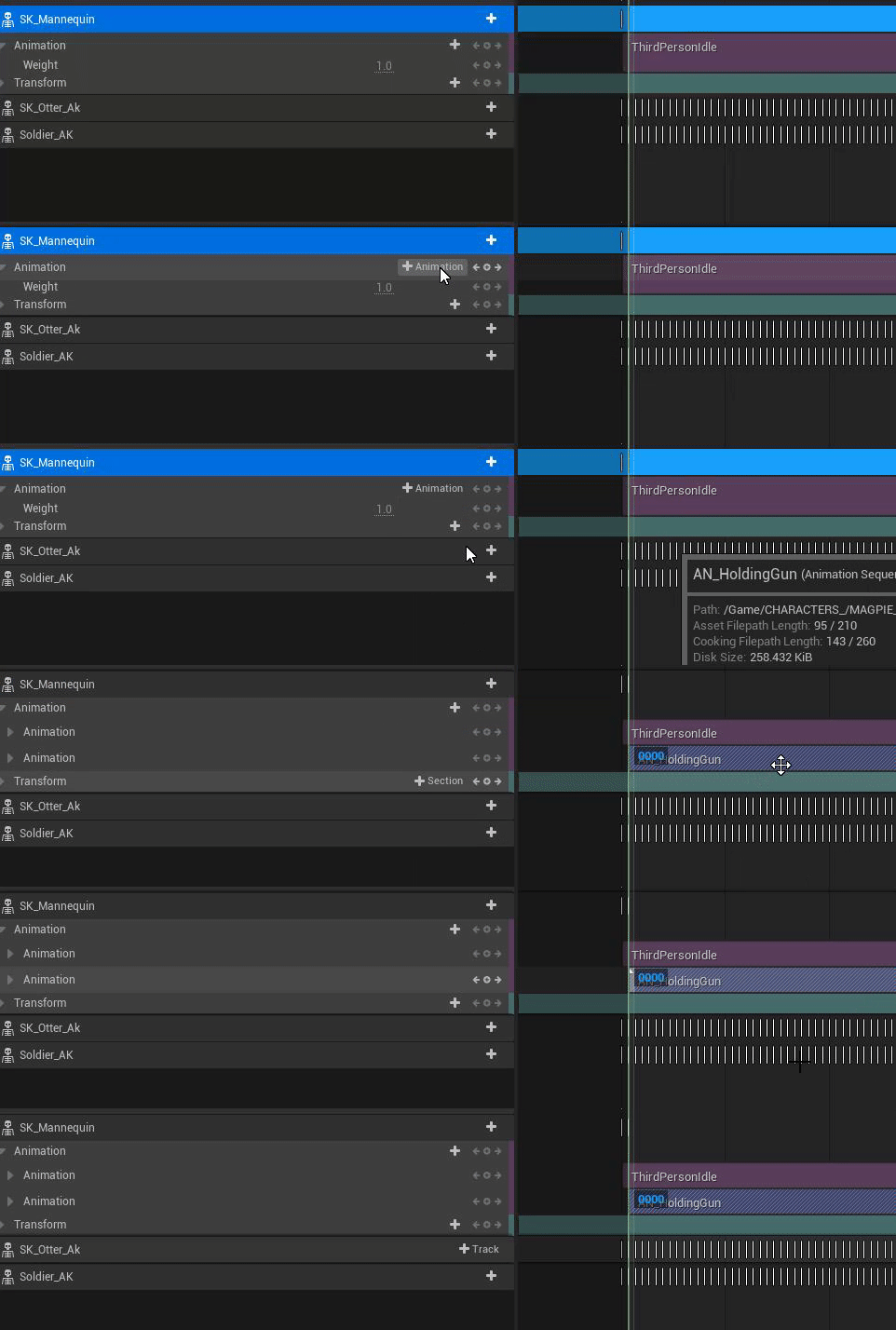
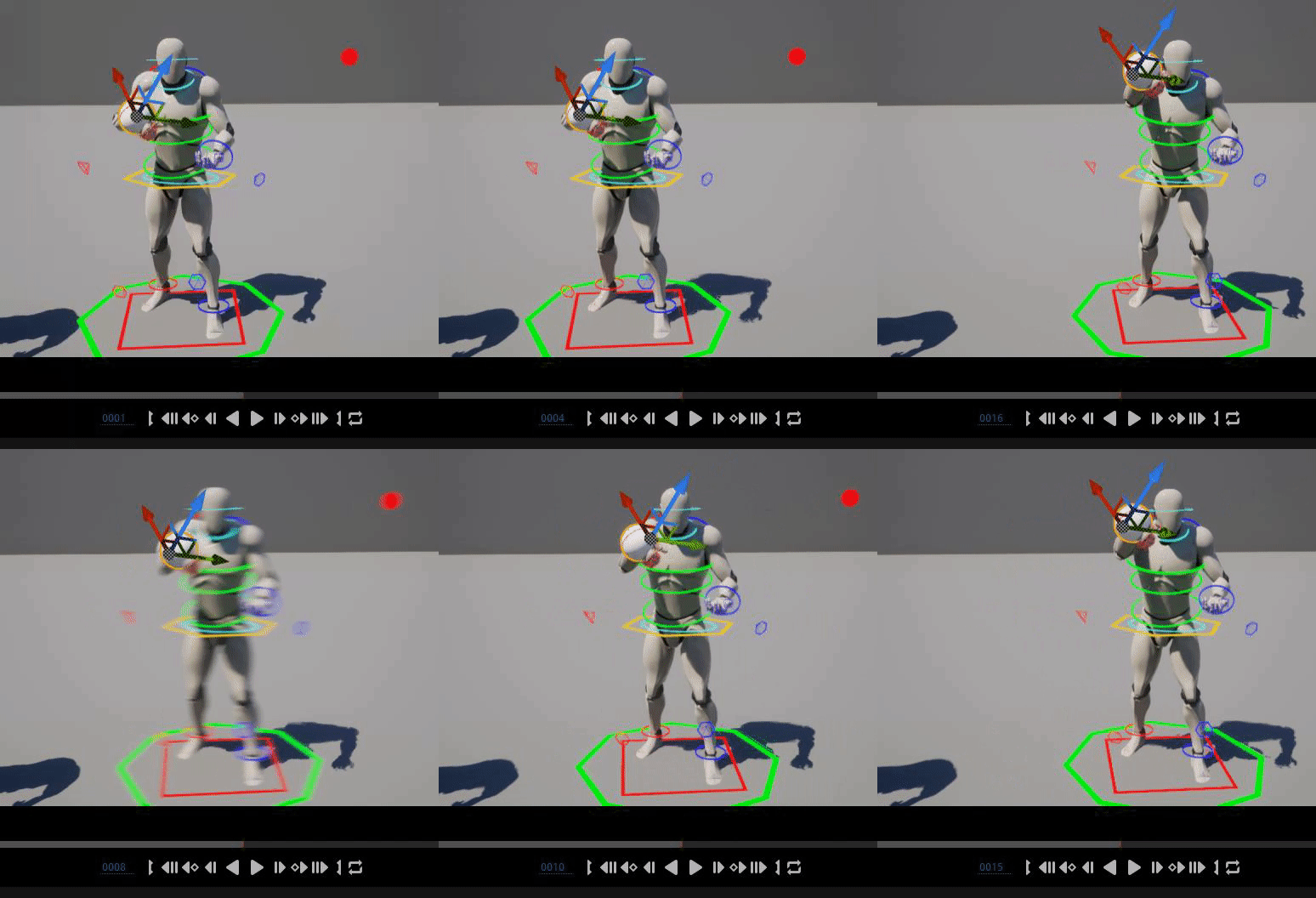
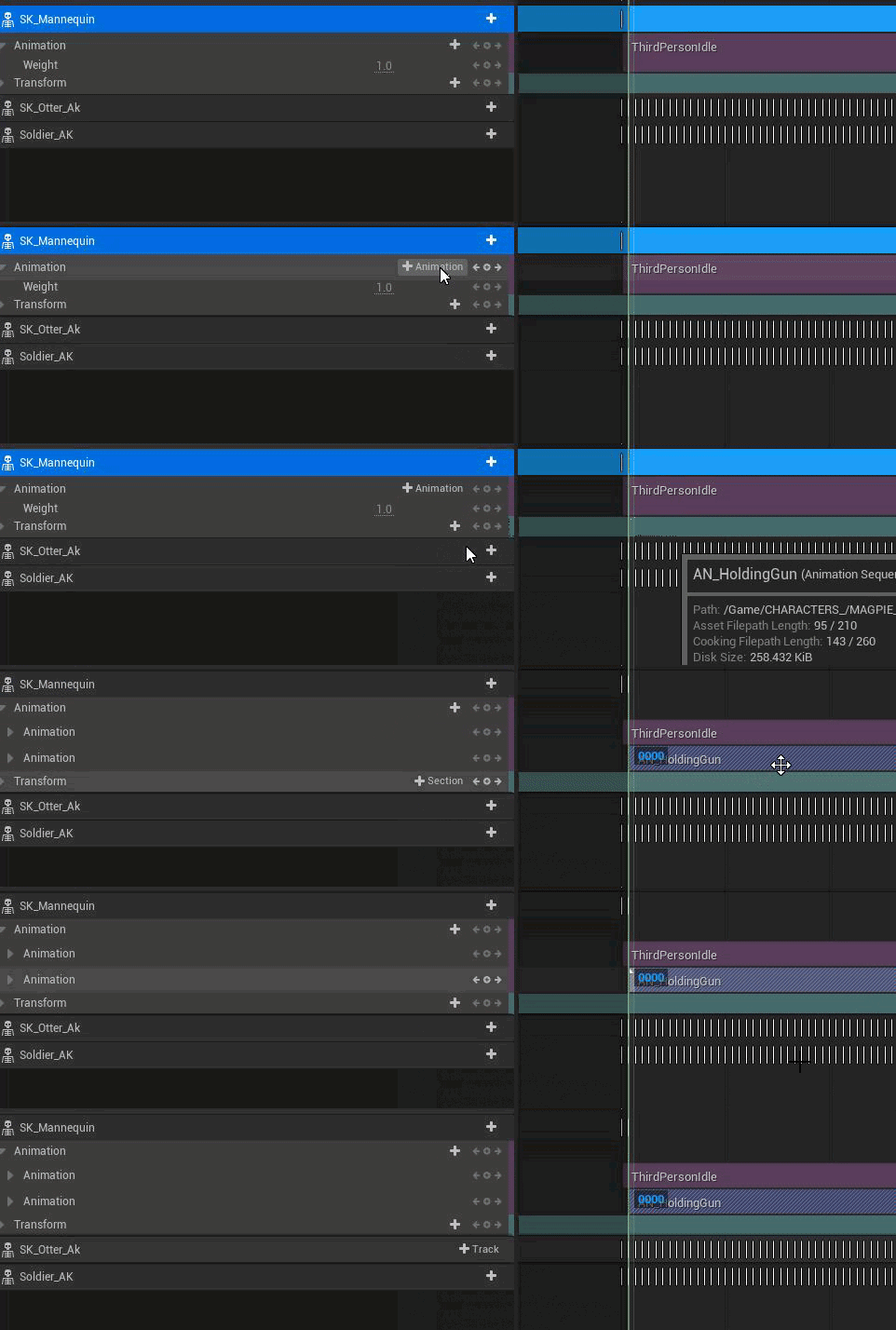
i saw that but,i wanted to add on the same actor another animation track,and didnt see the option there
 manic patio
i wanted another

 umbral harness
 gusty heath
I'm not sure how it works in Unreal, but you could create Text in another 3D Software and add as static mesh.
But for myself I realized that for credits it looks better to track the text via After Effects (or other software) with an animation or 3D Tracking.
 vast mesa
gusty heath
I'm not sure how it works in Unreal, but you could create Text in another 3D Sof...
vast mesa
gusty heath
I'm not sure how it works in Unreal, but you could create Text in another 3D Sof...
i'm actually working on a game, so i wanna have the text in-game if possible haha. thank you for the reply anyway@@
umbral harness
@gusty heath @vast mesa I haven't done anything with subtitles, but maybe these links can help? https://forums.unrealengine.com/t/dialogue-and-subtitles-in-sequencer/469451 https://youtu.be/PTZCZQcXdUU
Unreal Engine Forums
Hi, I’m trying to set up a pipeline that will allow us to create dialogue able to be played back in sequencer with subtitles showing. It’s likely we won’t have actual recordings of dialogue until later, but it would be nice to be able to set up early versions of these sequences with the tracks in place and subtitles showing for now until such a...

How do I get started with using the built in Subtitles system in Unreal Engine 4?
Source Files: https://github.com/MWadstein/wtf-hdi-files
vast mesa
umbral harness
<@456226577798135808> <@208321111476142090> I haven't done anything with subtitl...
i've looked into that but it doesn't seem like it allows you to change the subtitle location/position :/ thank you anyway!!
gusty heath
vast mesa
i've looked into that but it doesn't seem like it allows you to change the subti...
there‘s a plugin called „text 3d“
maybe this helps. If i understand you right, you wanna add static text which is affected by the world?
vast mesa
gusty heath
there‘s a plugin called „text 3d“
maybe this helps. If i understand you right, ...
no, actually. I want to create text that appears in screen space when an animation made with sequencer is playing.
vast mesa
gusty heath
there‘s a plugin called „text 3d“
maybe this helps. If i understand you right, ...
something that would resemble a movie's opening credits scene. something like this.
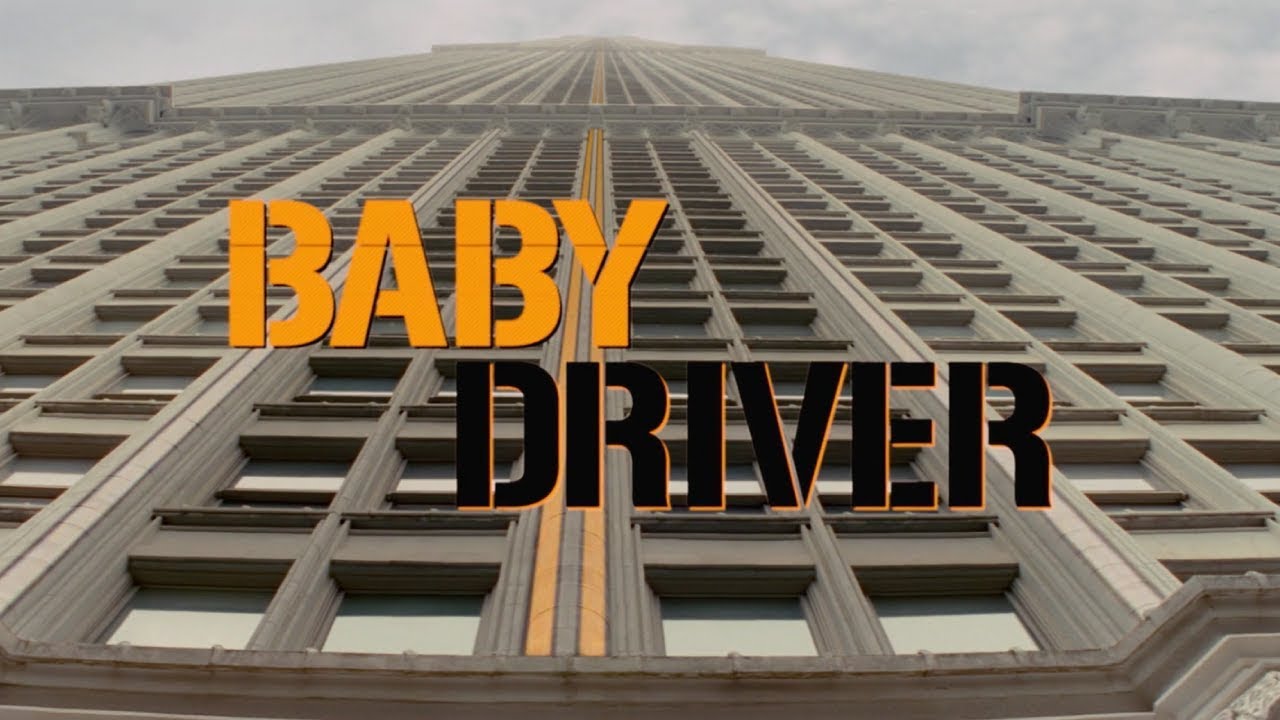
The opening title sequence for the film Baby Driver.
gusty heath
ahh
they motion tracked it with a video editing software.
Maybe you can try creating a png sequence with a video editing software and add it via the mediaplayer in unreal.
umbral harness
here's another possible way https://forums.unrealengine.com/t/possible-to-add-a-widget-to-the-viewport-in-sequencer/132420/5

Unreal Engine Forums
OK Guys, I’ve clocked it: Create a TextBox Widget BP Create an Event Track on the on the **main **sequence Create an Event, new binding (I called it SequenceTextEvent) and wire it as follows:
(again, I have not tested any of this 😅 )
gusty heath
same with me, not sure if unreal media player supports transprency (but it should)
 quick portal
vast mesa
no, actually. I want to create text that appears in screen space when an animati...
quick portal
vast mesa
no, actually. I want to create text that appears in screen space when an animati...
Use UMG/widgets, although the caveat is that you can't see it in editor viewport without PIE
 echo wolf
Is there a way to toggle foliage visibility via sequencer?
 tight stone
Doesn't look like there's a showflag for it unfortunately.
Maybe you could do it with a Material Parameter Collection and make it fully transparent via the material? Not great for perf...
umbral harness
crazy idea, never tested it whatsoever ... if you can do it with a console command, maybe create a sequencer event and do it there? again, just a crazy thought @echo wolf
tight stone
umbral harness
crazy idea, never tested it whatsoever ... if you can do it with a console comma...
You could do this, but I don't know what console command would you use
umbral harness
tight stone
You could do this, but I don't know what console command would you use
ShowFlag.InstancedFoliage 0 maybe?
tight stone
Oh nice, I had searched for ShowFlag.foliage and didn't find it. +1 to this idea
umbral harness
but again, it's just a wild thought, never tested it, just a combination of things I've done in teh past but not on the same context
echo wolf
umbral harness
ShowFlag.InstancedFoliage 0 maybe?
Cool thanks, let me give that a try 💜
If that console command works, maybe I can use it in MRQ Console Variable too?
umbral harness
echo wolf
If that console command works, maybe I can use it in MRQ Console Variable too?
oh, if what you want is disabling it for render, then sure, if the command works, then definitely the way to do it is adding the command in MRQ
echo wolf
umbral harness
oh, if what you want is disabling it for render, then sure, if the command works...
Thanks I’ll try both ways
 deep jetty
Finally got around to it! So, the gloves attach properly to the mesh in sequencer, but will not follow the hand socket or bone when manipulating the control rig... Ie, if I adjust the mesh transform, the gloves will follow, but not if I move the root control.
 frank sonnet
What is the preferred file type to render to before sending your scenes to Davinci/Premier/Nuke/etc?
I have normally just used JPG but I wanted to try out the highest fidelity possible for a test
gusty heath
frank sonnet
What is the preferred file type to render to before sending your scenes to Davin...
exr i.m.o.
frank sonnet
gusty heath
exr i.m.o.
Thanks!
gusty heath
frank sonnet
Thanks!
i can recommend this video

Learn how to color grade your Unreal renders easily in Davinci Resolve!
The first 1,000 people to use this link will get a 1 month free trial of Skillshare: https://skl.sh/williamfaucher03221
If the OCIO options aren't showing up for you in MRQ, make sure you have the OpenColorIO plugin enabled!
My understanding is that while Unreal is in linea...
it made a huge difference for me
umbral harness
deep jetty
Finally got around to it! So, the gloves attach properly to the mesh in sequence...
that is so weird ... I mean, I don't remember ever having that problem, but I'm not sure if I moved the CR root control 🤔
in fact, I just did a small test and I don't have that problem 🤔 https://i.gyazo.com/b0404af619a6473ca9e308ca608d2ad5.gif
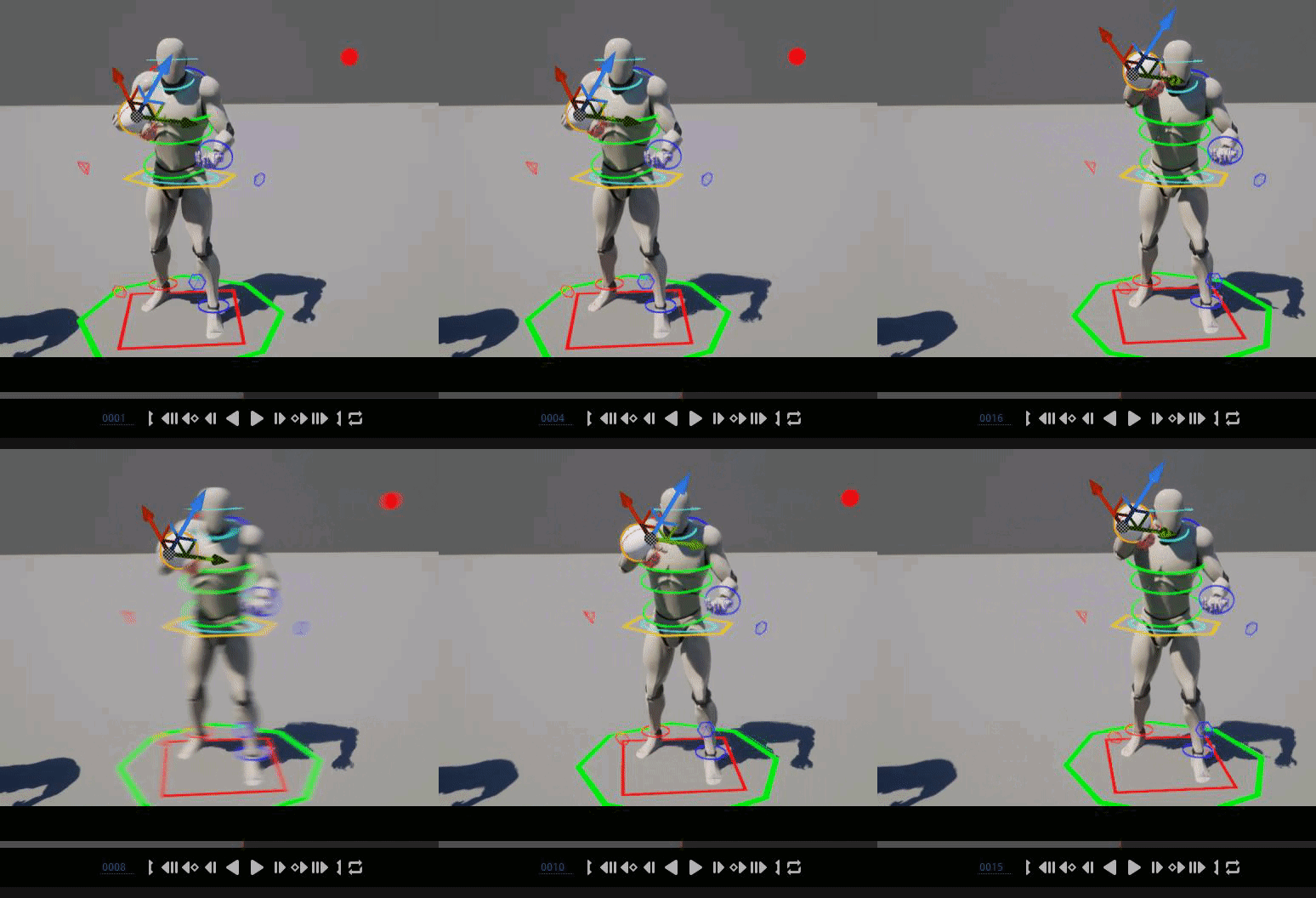
(only two keyframes, one is moving the root_ctrl, other the right hand ctrl) the "glove" sphere is simply attached to the hand
deep jetty
umbral harness
in fact, I just did a small test and I don't have that problem 🤔 https://i.gyaz...
Hm. Looks like I'll be animating manually! Hehe. I'll be digging into it though, there must be something i've missed somewhere. Thanks for trying, though, mate!
umbral harness
deep jetty
Hm. Looks like I'll be animating manually! Hehe. I'll be digging into it though,...
no, wait 🙂 there has to be a reason it doesn't work for you, right? better find the cause, instead of just giving up? 😅
deep jetty
umbral harness
no, wait 🙂 there has to be a reason it doesn't work for you, right? better find...
Hehe! I love the persistence! And you're right! I'm mucking about wit hit now, seeing if there are any settings I've missed.
umbral harness
can I suggest just creating an empty level, dropping your character there, doing a new level sequence, adding char and gloves, etc etc to it?
better to try to eliminate all possible "outside" causes
then, select the char, add an animation, bake to control rig
then select the glove, add an attach track, select char and hand, and zero the transforms
then add an aditive track to the control rig
and then do two test keyframes
deep jetty
umbral harness
can I suggest just creating an empty level, dropping your character there, doing...
I got it working! I was too focused on the sockets; whereas I was supposed to attach it to the hand BONE. And it was probably a bit sloppy on my end, rereading your great advice to start off with.
umbral harness
aha 😄 well, glad it's working 👍 @deep jetty
deep jetty
umbral harness
aha 😄 well, glad it's working 👍 <@520688517014093844>
SStill not sure why it didn't work with sockets though, since this was what i percieved sockets to be all about...?
deep jetty
umbral harness
aha 😄 well, glad it's working 👍 <@520688517014093844>
Thanks a whole bunch for your help, man! And I really appreciate the persistence!
umbral harness
I'm not really sure ... I don't think I ever used sockets with skeletal meshes 😅 I did with statics for doing procedural attachment stuff thou 🙂
hey, no prob 🙂 as I said, glad you got it working 🙂 I'll just finish up by restating the importance of using an additive track for your baked control rig. You probably know all about it, but ... I've seen lots of ppl who don't 😅 @deep jetty
deep jetty
umbral harness
I'm not really sure ... I don't think I ever used sockets with skeletal meshes �...
I think I'll be steering clear from sockets for now, hehe!
And now my dude's ready to give the piggy his massage! Hehe.
 umbral harness
LOL pig massage ftw 😂
ok, I see you're doing animation from scratch on it, correct? in that case, the comment about the additive track doesn't really matter 😄
deep jetty
umbral harness
ok, I see you're doing animation from scratch on it, correct? in that case, the ...
Yep, it's all from scratch. About two dozen tiny sequences. hehe, hence the willingness to cut corners.
umbral harness
deep jetty
Yep, it's all from scratch. About two dozen tiny sequences. hehe, hence the will...
Well, good luck for that, and please post a sample of it when finished and tag me 😄 curious to see th eresults 🙂
deep jetty
umbral harness
Well, good luck for that, and please post a sample of it when finished and tag m...
Absolutely! Will do! Hopefully all done by tomorrow! Fingers crossed!
 kindred drum
Hi! I could really use some help. I’m trying to call a custom event within a blueprint actor in the Sequencer. I’ve looked everywhere and I can’t figure out why it’s not calling the event.
The custom event is called “TestCustomEvent”. I know this blueprint works because when I swap it out with “Event Begin Play” and press play, it works great.
I created a Level Sequence, added the actor track called “BP_Synthesizer”.(this is the actor that has the custom event I am trying to trigger). Created an event track, and a trigger event, then selected my custom event.
After that it automatically created an event in the LevelSequence:
So to my knowledge, it should be working. But when I play the sequence back it does not call the event. I’ve tried creating a new blueprint, and still, I cannot get an event within a blueprint to trigger from the sequencer. Any help would be amazing! I am in UE 5.0.3.
Thank you!
-Taylor


 umbral harness
@kindred drum not exactly what you're asking for, but ... see if you can use this instead 😅 https://youtu.be/qt3x64Grlq0

Unreal Sequencer Documentation
https://docs.unrealengine.com/5.0/en-US/unreal-engine-sequencer-movie-tool-overview/
A tutorial demonstration on an undocumented and hidden feature in Sequencer that allows you to trigger functions through modifying variables, without the need for Events or Event Ticks within Unreal Engine 5.
00:00 - Introduction...
 neat hedge
I'm encountering some strong DOF artifacts for some closeups i'm doing with sequencer cinematic camera. Can anyone point to what the source of the issue is? I played around with some DOF cvars but nothing seemed to help. This grass is pure opaque geometry btw but artifact also appears over translucent cards

 wind cloak
Does anyone have the GPU crashed error commonly when recording metahumans in Take Recorder with Live Link in UE5? It happens to me pretty much every other take. Very irritating and a huge drain on time efficiency, does anyone have any suggestions?
 umbral harness
wind cloak
Does anyone have the GPU crashed error commonly when recording metahumans in Tak...
umbral harness
wind cloak
Does anyone have the GPU crashed error commonly when recording metahumans in Tak...
I did record live link face stuff a while ago ... preemptively lowered LOD and got rid of all the grooms.
wind cloak
Is that the only way you can get it to stop crashing?
Just removing grooms during recording
umbral harness
it never crashed for me, I just preemptively lowered the metahuman specs in oder to maximize framerate
it's possible it would crash, but I don't know 😅
wind cloak
I understand, that is a good tip. What kind of PC do you have if I can ask
Like do you know your PC specs, trying to see if maybe my GPU isn't optimized
umbral harness
laptop, RTX 2070
wind cloak
Also did you use LODSync to lower the LODs?
Yeah that is so weird. How long are your takes in live link? Are you recording in an existing sequence?
umbral harness
nope, just small takes, like a minute or so, on an empty level, just to capture some facial animation
wind cloak
I have an RTX 3090 build so should not be crashing
Oh understood
I have lights in a sequence I am trying to match the facial animation to
Just experiencing a lot of lag and crashing.
umbral harness
probably something in your settings ... a 3090 should be able to handle it well
anyways, if you can, just duplicate your level, get rid of everything you don't need, keep the lights maybe, and lower LODs and get rid of grooms ... that should help
once you have your take, just bake it down to an anim sequence, and you can open it on your main level/sequence
wind cloak
Well the odd thing is I'm using the metahuman lighting presets and
that is a relatively blank scene for the most part
its 4 lights and a backdrop sphere static mesh
I can duplicate and try that I just think it has to be settings
umbral harness
yup
also, the lighting presets are a UE4 project originally, right?
I think they were last time I used it, not sure if there's a UE5 version made meanwhie 😅
wind cloak
umbral harness
I think they were last time I used it, not sure if there's a UE5 version made me...
It's got a 5 version now

it is very nice
umbral harness
ah ok, nice, ty 🙂 so, that eliminates one possible source of problems 😅
wind cloak
a very beautiful cinematic look, just crashes a lot
but its like that for me when metahumans in general honestly
and i thought with my specs it'd be better but is not
umbral harness
😬
 neat smelt
wind cloak
Does anyone have the GPU crashed error commonly when recording metahumans in Tak...
neat smelt
wind cloak
Does anyone have the GPU crashed error commonly when recording metahumans in Tak...
I use a 3080ti my laptop crashes all the time using metahumans. The metahumans are not prepared and are kinda garbage right now. Your lod will be the reason it gives u the dxgi hung error but there’s sooooo many more ways to trigger it.
It’s also the grooms * Iv crashed so many projects because of that stupid thing
Idk how tf were suppose to create things using the best processors and still get these crashes. It’s ridiculous. Iv nearly killed myself over this two times in the past 6 months
umbral harness
there's crazy stuff regarding metahumans and UE5 for sure ... I have a project where I have a couple MHs ... when I start the project in editor, most of the groom bindings are mysteriously gone, and if I play, it just crashes ... but ... if I add one extra copy of one of the metahumans to the scene, all its groom bindings look perfect. I can then delete it and play, and all works well
why? I have no clue ... I gave up trying to hunt it down
wind cloak
neat smelt
I use a 3080ti my laptop crashes all the time using metahumans. The metahumans a...
This was the only way I was able to not have it crash as much, during recording at least 😂
 wind cloak
umbral harness
there's crazy stuff regarding metahumans and UE5 for sure ... I have a project w...
wind cloak
umbral harness
there's crazy stuff regarding metahumans and UE5 for sure ... I have a project w...
Me too!! I have this version of my metahumans that cannot be added to any sequence or just crashes instantly.
i just redownloaded the metahuman to fix it, which i pray never happens again
lol
umbral harness
that quality editor tool is ... a bit outdated ... made sense for UE4 ... not necessarily for UE5 ... I just straight up use Lumen (my MH lighting project was updated from the UE4 version 🙂 )
I mean, you can do full "legacy" raytrace, but ... Lumen works just fine
 winged bloom
Hi, i need to know ro render 1 shot in master sequencer into multiple (in case mp4). Any tips or video tuts?
What i mean... Instead copy the shot to hundred times, i want to use only one shot to multiple times but not repeat like the first render from 1f - 30f, and next will be 31f - 60f

 knotty totem
any ideas why my waterbodylake material disappears at a high altitude? The ocean doesn't seem to have this problem, but the lake, which doesn't have the same depth sort of dithers and eventually disappears

 little dirge
Here is a playable version https://www.youtube.com/watch?v=Tq-06RVYLqI
Walk about, my poor little PC needs some more power and some optimisation. https://www.youtube.com/watch?v=LOAhU6t_JlQ
And a little cinematic render
https://www.youtube.com/watch?v=PEWOZnUnk3k

This is a fan made hobby project made in the Unreal 4 Engine, I hope you enjoy it.
It’s an ongoing hobby project that lots of people asked if they could explore the Ghostbusters Headquarters that I built for my ArtStation, and I thought why not it’s a fun way to show of a project.
I have added a few Easter eggs for you to enjoy.
More to come ...
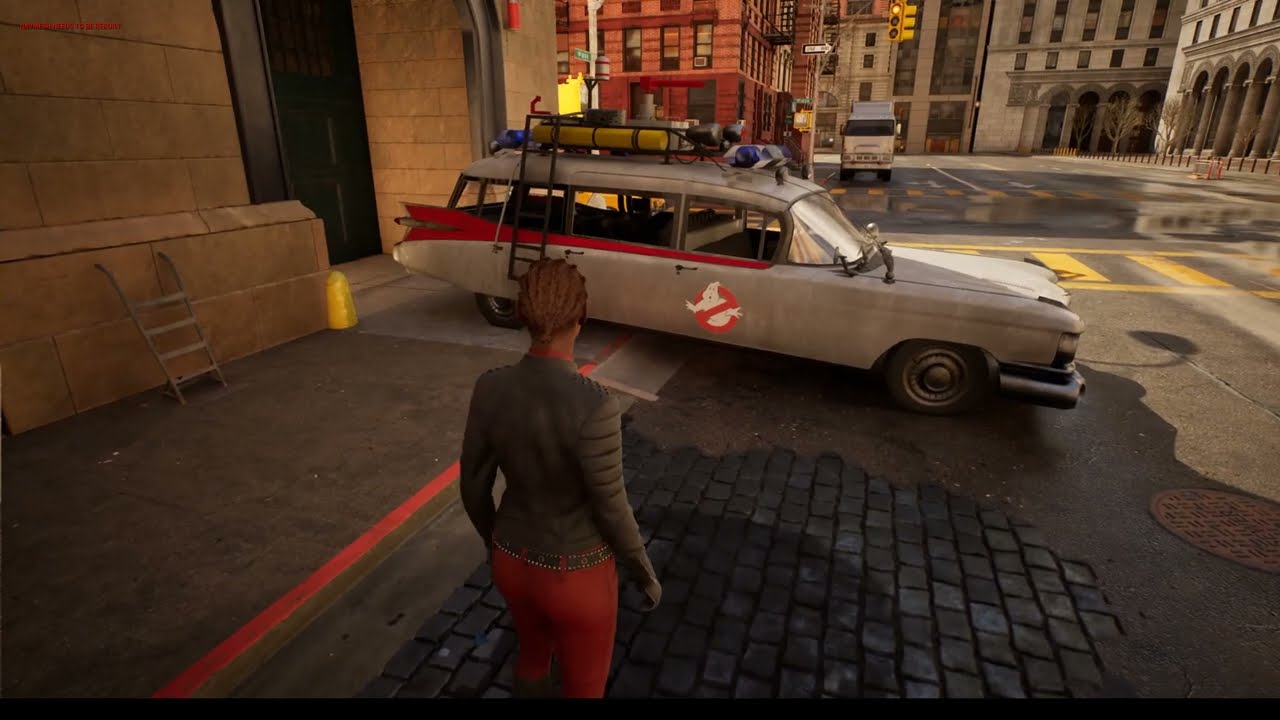
Ghostbusters Headquarters made in the Unreal 5 Engine.
I wanted to test Nanite on an 8 million polygon ECTO1 car just to see how it handles hard surface.
This is a fan project just for my love of the Ghostbusters Universe.
#UE5 #UE4 #Unreal4 #Ghostbuster #Ghostbustersafterlife #ghostbustersfan #gamedev #Ghostbusters #indiegame #unity #indi...
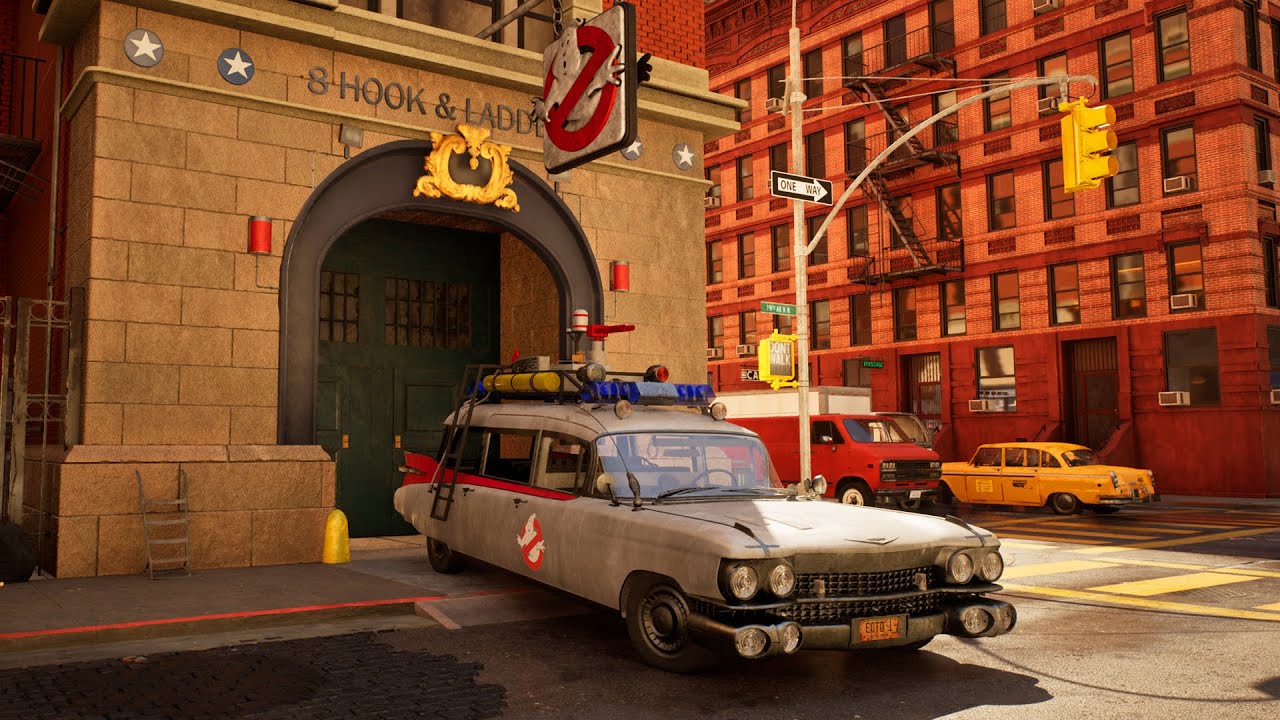
Ghostbusters HQ in the Unreal 5 games engine, (fan boy project).
For more information on this hobby project you can find it here - https://www.artstation.com/gallagher
Music by L'Orchestra Cinematique
Big thanks to L'Orchestra Cinematique for allowing me to use there music track, here is there channel. https://www.youtube.com/c/LOrchestraCinem...
I will call this done for now, time for another project 🙂 https://www.artstation.com/artwork/18BQ33

ArtStation
Ghostbusters HQ (Fan boy project) in the UE5 matrix demo.
This is an ongoing hobby project to help me keep up to date with Unreal. I started the buildings in Unreal 4 and ported them over to UE5. The hacky ECTO1 car is 8 million polygons, opps! mainly cobbled together from downloads and then I just up the resolution, so I can’t take much cred...
wind cloak
I am trying to move my metahuman down in my sequence and key the transform changes, however every time I move the character, it just reverts back. https://gyazo.com/9ae9bdc67d3f3665d0e823de62e83f45 Not sure how I can stop this from happening
 hybrid ferry
Can someone explain why MaintainYFOV doesn't seem to work for sequencer? I am aware that you can make a change in DefaultEngine.ini for a vertical FOV gameplay camera by adding
AspectRatioAxisConstraint=AspectRatio_MaintainYFOV```

Sequencer has the default behaviour to override with Maintain X-axis FOV. But changing this to Maintain Y-axis FOV and then resizing the PIE editor window while a sequence is playing does not just show more of the sides of the screen like I'd expect. Is this feature bugged or am I misunderstanding what it does?
My goal is to just have a cinematic show more of the environment on the sides of the screen (as opposed to black bars with a forced aspect ratio) when playing on widescreen. Working on 4.27 btw
 grim atlas
Rookie Sequencer question. Is it possible to have a pawn move along a path/spline, but instead of manually specifying what walk/run animation to play, have the animation be determined by the anim blueprint? (i.e. so it can use any warping nodes we have in use)
frank sonnet
is there any way to render a sequence out of the sequencer without using PIE?
and just capture the actual sequence as it plays back without initiating the entire level
 viral copper
Hi, I have this problem where the cables are not visible in MovieRenderQueue while the thing is moving...
I've heard that's a lumen issue? Is there an alternative to the Cable Components i've used? Thanks in advance
Screenshot from Editor:

Movie Render Queue render
 viral copper
down and up movements are no problem but as soon as the ship is moving horizontally all cables disappear
 pale blade
Hey all, I have to render a cinematic out at 2k. I'm planning to either render at 4k and shrink down for a higher quality or increase the screenpercentage to 150. What would be the better choice in terms of quality? Cant do both as the rendering times are too long
hybrid ferry
hybrid ferry
Can someone explain why MaintainYFOV doesn't seem to work for sequencer? I am aw...
Answer for posterity:
Turns out ALevelSequenceActor::SetSequence is called on SequencePlayer initialization which happens in the Create Level Sequence Player node.
If you change the Aspect Ratio Axis Constraint setting on the LevelSequenceActor afterwards it won't propagate those settings to the SequencePlayer because it asked the LevelSequenceActor on initialization what the CameraSettings were already. The solution, stupid as it may be, is to Set Sequence on the LevelSequenceActor to the same sequence again. Just so that the SequencePlayer will be reinitialized with the correct Aspect Ratio Axis Constraint setting.
Ideally it'd update the settings on the SequencePlayer when setting Camera Settings on the LevelSequenceActor or maybe allow me to set the Camera Settings on the SequencePlayer directly but guess that'd be too simple ¯_(ツ)_/¯

If anyone at any point can use this obscure bit of knowledge I'll be happy to have given back to all those Unreal forum people I'm so grateful to
 fervent shale
curious about something, would it be possible to create keyframes to activate/deactivate material of an object ? I want to do this with a underwater lamp with emissive material. If it's not, I could still do easy way with simple point lights.
fervent shale
pale blade
Hey all, I have to render a cinematic out at 2k. I'm planning to either render a...
I didn't try downscaling before so no answer for you, what you could do is try with a few frames using both methods, to compare visual quality 🙂
 pure sequoia
Hello 🙂 Do you preffer using live link or manual FBX export. And why.
I work on a TV show project so we will work with the models for next multiple months and i am trying to figure out a suitable workflow for future feedbacks, changes and reimporting
knotty totem
Is there any way to get consistent camera shake in cinematics (so each render is identical) WITHOUT using this 'take recorder' workflow to bake the keyframes? This is fairly straightforward in other programs but I can't work it out in UE....
 edgy robin
Hello, I want some of my cutscenes to have a fade both in the beginning and the end. This however proves problematic because both restore and keep state options in the sequencer result in the black screen persisting after the sequence has ended. Any ways to solve this?
 devout bridge
Are the render presets actually console variables? If so, is there a way to see what those variables are? I'd like to have all the same settings in the viewport, so I can see 1-to-1 what will be in the render.
deep jetty
So, how do we render cinematics that are slightly heavy on the lights/particles side?
umbral harness
deep jetty
So, how do we render cinematics that are slightly heavy on the lights/particles ...
with Movie Render Queue? 😅
 copper palm
anyone have experience translating render presets from the editor to render settings that work with deadline? We are rendering hundreds of thousands of frames so need farm support to coordinate it but are having a hard time getting our setting to translate
from what i understand u edit the defaulteditor.ini?
 timid pawn
Hey! we edited a short little intro video of our team to include on startup of the game... i added a media file source onto the media track but i cant seem to figure out how to now render the media track onto the screen / current camera... any hints? ive been searching and 99% of guides seem to show how to playback a video render ON a mesh, which is not what i was planning to do :D

 rain jungle
copper palm
anyone have experience translating render presets from the editor to render sett...
rain jungle
copper palm
anyone have experience translating render presets from the editor to render sett...
If you're working with Movie Render Queue, there are Presets you can save within it. Then those become uasset files that you should be able to migrate to other projects or machines
rain jungle
timid pawn
Hey! we edited a short little intro video of our team to include on startup of t...
I think this would be better done on a widget blueprint instead of sequencer, since as you said you're not looking to play back the media onto a mesh or in your game somehow. I don't remember the exact setup off the top of my head, but I'm sure if you search for mp4 in widget in Unreal, something will turn up
echo wolf
Is it possible to make an actor invisible but shadow casting in the sequencer?
rain jungle
echo wolf
Is it possible to make an actor invisible but shadow casting in the sequencer?
In the detail panel search for Hidden Shadow
echo wolf
rain jungle
In the detail panel search for Hidden Shadow
I did try this but it didn’t seem to do anything, this is in UE 5.0.2
rain jungle
Are you using Ray tracing? I remember that would cause it not to work, I haven't tried hidden shadow in UE5 yet. It could be unsupported as well with Lumen
echo wolf
Yes indeed using ray tracing… d’oh!
That’s a bummer… are there any possible workarounds..? Material solutions?
copper palm
rain jungle
If you're working with Movie Render Queue, there are Presets you can save within...
We are working at a scale where we are using command line rendering instead of the Movie Render Queue. (Previous project we did was 1MM rendered frames this is 150K). The uasset files unfortunately appear to be binary. Ill take a deeper look but just looking for a way to 1:1 recreate all of the settings to be rendered using command line. Regarding the moving to other machines. The project loads from a server then caches to the local render node to optimize network traffic.
 eternal snow
I want to put myself in unreal engine using a green screen, but I need it to be a portrait video. Can unreal engine do that?
 lean grove
Anyone else having issues with the Still Render Setup Automation widget in UE5(.1)?
 signal siren

 quasi cedar
Guys can anyone share some advanced cinematic courses for UE5? Or maybe some youtube channels with hardcore content about cinematics. Already watched free courses from epic games learning library, but it's not enough. Want to learn a professional's full workflow.
gusty heath
quasi cedar
Guys can anyone share some advanced cinematic courses for UE5? Or maybe some you...

Udemy
Solve 75 coding exercises from beginner to expert levels and learn C++ Programming the Easy Way !
quasi cedar
gusty heath
https://www.udemy.com/course/learn-c-by-solving-75-coding-challenges/?utm_source...
thank you, but are you sure it's related to cinematic somehow? Looks like a coding only course.
umbral harness
quasi cedar
Guys can anyone share some advanced cinematic courses for UE5? Or maybe some you...

YouTube
Welcome to my channel! I've been working in the entertainment industry for the past 13 years. Some of my work includes VFX/CGI shots in Marvel's Black Panther, and HBO's Watchmen. I'm using this space to share as much information as I can about the industry and techniques to improve your art. Enjoy!
Unreal Engine, CGI, Photography, Digital Art.
not just cinematics, but all geared towards cinematics
umbral harness
so, the other day I started playing a bit with animBP possibilities, and was able to do a sucessfull gun IK to use in sequencer ... at this point, it's not really for my use, I do mostly sequencer control rig mocap and animation, but ... some Vtubers are always asking about how to do the "collision thing", that is, how to stop arms from intersecting with a table, for instance, during live stream. I wonder, could this also be achieved with some clever animBP manipulation? Any ideas would be welcome 😅 thank you 🙂
fervent shale
hey, looking for a way to avoid this flickering effect when light hits moving surface with anti aliasing activated. Is there a simple trick for this without having to go through masking for these specific objects on another render?

 quasi cedar
fervent shale
hey, looking for a way to avoid this flickering effect when light hits moving su...
quasi cedar
fervent shale
hey, looking for a way to avoid this flickering effect when light hits moving su...
Did you try render with this command?
r.Shadow.Virtual.ResolutionLodBiasLocal 1
fervent shale
quasi cedar
Did you try render with this command?
r.Shadow.Virtual.ResolutionLodBiasLocal 1
Not yet, thanks I'll try 🙂
No more luck, still got this strange looking effect
It looks like this is because of r.DepthOfFieldQuality on 4 as glitches are on out of focus parts
 weak needle
Hello everyone! I made a simple blueprint tool that bulk changes scale to multiple static meshes. It's animated in the sequencer, and visible on playthrough, but it's not rendering in the final render, does anybody have a clue what could be the issue, thanks
 green prawn
Hello everyone! Noob Question. I am trying to export a sequence involving a camera crane and a cinecamera and it looks fine while playing sequence in editor but as soon as I export it plays static, doesn't move at all.
 green prawn
but on exporting becomes like this..
green prawn
green prawn
but on exporting becomes like this..
its a video but it is above 100 MB so I have to take a screenshot of the static video
 gritty ingot
How can I render out my cinematic I made on a low spec pc, using a more powerful PC I have on the cloud?
rain jungle
Open the project on the more powerful PC and render it there? I haven't heard otherwise about a remote rendering capability
 vital zenith
Working in UE5 sequencer, my renders have basic dust plumes and smoke. Even when pre-rendering frames beforehand you see the start up dust begin to rise. Anyone know how to bypass?
 stiff forge
Hello everyone, I'm not sure if the question is in the right place. The problem is that the camera is ignored in the level play mode. I am using target with blend. These settings worked on 4.27, but after moving the project to 5.0, they began to be ignored. I tried to use another game mod, turned on auto-activation. The image appears in the same place
 desert vector
hey guys i made a massive world with lots of foliage but i have to much fps drop i wanna know whene i want to rende as a movie sequence i will have this much fps drop or its gonna render me a specific fps that i determined ?
 crisp horizon
Yo, I´m having some firefly issues with UE5 renderin in Movie render queue.
Its only some shots with hi detail nanite+bright lights.
I´m usually just renderring with motion blur off in the camera settings and then I use 8 spatial samples/1 temporal sample and override aliasing set to none.
For this shot though, only thing that worked so far was reverting to 1/8 Taa without override.
Which gets rid of the fireflies, but overall looks a lot blurrier.
Any advice?
desert vector
crisp horizon
Yo, I´m having some firefly issues with UE5 renderin in Movie render queue.
Its ...
i guess u need to disable nanite i had so much problems with it . i mean irrelevant problems .
only recommendation
crisp horizon
desert vector
i guess u need to disable nanite i had so much problems with it . i mean irrelev...
Haha,yeah,not an option unfortunately.
For now I just use TAA, render in double res and then downscale, that helps a bir with sharpness I loose with taa.
desert vector
crisp horizon
Haha,yeah,not an option unfortunately.
For now I just use TAA, render in double...
nice idea thanks 😅
so i had a question for you
did u ever used vray on ue ?
crisp horizon
desert vector
did u ever used vray on ue ?
Nope.
lean grove
How do you make it so that procedurally spawned foliage doesn’t disappear at distance in renderings?
 grand locust
lean grove
How do you make it so that procedurally spawned foliage doesn’t disappear at dis...
grand locust
lean grove
How do you make it so that procedurally spawned foliage doesn’t disappear at dis...
maybe this would help? https://www.reddit.com/r/unrealengine/comments/q924jm/how_to_disable_distance_culling_lods/
reddit
1 vote and 5 comments so far on Reddit
just realized I misread your question a bit, this might fit better https://www.reddit.com/r/unrealengine/comments/mfmh8u/how_can_i_keep_the_foliage_lod_from_disappearing/

reddit
3 votes and 16 comments so far on Reddit
lean grove
grand locust
just realized I misread your question a bit, this might fit better https://www.r...
Thank you Cinnamon, the Mipmaps on the foliage textures were the final culprit- in conjunction with the secret triangle bucket William Faucher's fixing foliage video comment section addresses- foliage.MaxTrianglesToRender 1000000000 + nomipmaps on the foliage textures finally made the problem go away...
hybrid ferry
fervent shale
curious about something, would it be possible to create keyframes to activate/de...
You can key material overrides as well as key parameters on material instances through sequencer. So yes should be possible.
fervent shale
hybrid ferry
You can key material overrides as well as key parameters on material instances t...
Thanks ! I'll try this next time
 limber tartan
Hey guys newbie here, are sequences basically a scene?
 steel gust
Guys, how to make the glass in the car window break on impact?

I am trying to make chaos fracture to work, but I don't know how to put it in sequencer and trigger in the needed moment
what would be the best option to break window glass when car falls into the ground?
deep jetty
umbral harness
with Movie Render Queue? 😅
Sorry! Didn't catch the reply! I've been rendering straight from the sequencer. Should I not be, perhaps? Doh...
umbral harness
deep jetty
Sorry! Didn't catch the reply! I've been rendering straight from the sequencer. ...
yeah 😄 you should use Movie Render Queue 🙂 https://docs.unrealengine.com/5.0/en-US/render-cinematics-in-unreal-engine/

Render and batch render your cinematics with the versatile Movie Render Queue tool.
We're going to take a dive into the latest and greatest Movie Render Queue, made production-ready in Unreal Engine 4.26. This is a must-know tool for VFX Artists and CG Artists alike.
This Tutorial covers all the basics of the MRQ that you need to know about.
Relevant links:
Cryptomatte/Object ID Tutorial: https://youtu.be/Ry4-Q8mBjdg
Render C...
deep jetty
umbral harness
yeah 😄 you should use Movie Render Queue 🙂 https://docs.unrealengine.com/5.0/e...
Awesome! Every day, feelin' like a noob! Hehe! I'm checking this out! But I probably won't be redoing it all just yet. Here! Have a look at what I did! Big thanks with all the help, mate!
 umbral harness
deep jetty
Awesome! Every day, feelin' like a noob! Hehe! I'm checking this out! But I prob...
umbral harness
deep jetty
Awesome! Every day, feelin' like a noob! Hehe! I'm checking this out! But I prob...
hah looking awesome 👍 almost forgot the lill dude with the boxing gloves to deal with the pig 😂
deep jetty
umbral harness
hah looking awesome 👍 almost forgot the lill dude with the boxing gloves to dea...
Hehe! Yup! Sting like a butterfly, massage the pig! Any initial comments to the whole thing? Render/cinemarics- wise?
umbral harness
the shots look pretty cool ... I can see some problems that you'll be able to solve or at least make better with MRQ, like LOD popping and shadow distance and stuff 🙂 I'd advise you to take a look not only on that vid but on teh rest of William's channel, lots and lots of awesome advice for cinematic stuff 😉
brb
deep jetty
umbral harness
the shots look pretty cool ... I can see some problems that you'll be able to so...
Yes, I had a hard time with exactly that, so I'm definitely checking out MRQ. Been by Williams channel before, and will dig further into his stuff.
 river elm
Any tips how to give a bit more cinematic view to this?


 burnt valley
whats the best way to attach a crig controller (for example hand ik) to an object in sequencer ?
as an example i have a character sitting on a horse. i want to move him but make sure that the hand ik is always on the saddle
umbral harness
river elm
Any tips how to give a bit more cinematic view to this?
at least some key light on your character 😬 I hate to be so repetitive, but William faucher has a good video on lighting a night scene 😅
 plush sun
Anyone know how to use stencil layer with path tracing? Or a workaround for it. Thanks.
 near bay
Hello ! We are working on a cinematic, and we are struggling with the take recorder, for a thing as simple as recording the arm length of the spring arm.
We want to record some player perspective, but the recorder ignores the arm length that does change during gameplay, and I can't find how to force him to record that info, or at least record the camera transform not relative to its parent (which is the arm spring, so the arm length is changing, but the camera relative transform stays 0 0 0)
river elm
umbral harness
at least some key light on your character 😬 I hate to be so repetitive, but Wil...
Lol i have a spotlight for the character so he was visible as he’a all in blacks but guess the intensity wasn’t enough
umbral harness
river elm
Lol i have a spotlight for the character so he was visible as he’a all in blacks...
could be that your black material is unrealistically too black too 🤔
river elm
umbral harness
could be that your black material is unrealistically too black too 🤔
I dont think it is, it’s all with megascan material
Cloth leather and stuff like that
I fiddled with post process without it the scene is really white, will tweak stuff later today
 whole niche
If I wanted to have cutscenes in my game and I can do Blender animation, etc, would making animations in Blender, rendering them as videos and putting them in the game as an MP4 file be viable or should I make cutscenes from within UE4 itself?
copper palm


what command replaces spatial sample count
also is there an override antialiasing command
I am implementing this stuff into a deadline render instead of using the render queue
copper palm
warm up frames
copper palm
also noticing with temporal samples it doesnt acutally create frame subsamples
pls

 copper palm
this would be the same settings used in commandline since i guess deadline just runs the editor
 nova matrix
Ok havent been posting anything in unreal slack for years, but do have a question now
is it possible to expose variable from BP in level sequence ?
in this case i want to control movement along spline of the object and even after exposing float for value i still cant see any way to control it in the sequence
I do see trigger/activate sequence option which somehoiw doesnt work for me, but still would preferably like to control the value itself in sequence rather than just trigger timeline 🙂
 rocky escarp
nova matrix
I do see trigger/activate sequence option which somehoiw doesnt work for me, but...
rocky escarp
nova matrix
I do see trigger/activate sequence option which somehoiw doesnt work for me, but...
Yes, expose it to cinematics, in the variable details
 rocky escarp
whole niche
If I wanted to have cutscenes in my game and I can do Blender animation, etc, wo...
rocky escarp
whole niche
If I wanted to have cutscenes in my game and I can do Blender animation, etc, wo...
Yes, a lot of games prerender their cutscenes. It's up to you.
nova matrix
@rocky escarp oh yes found that option after a while, still not working properly but ill do my best to figure it out 🙂
propably since its bp and not on play so it doesnt change in editor i guess
rocky escarp
nova matrix
propably since its bp and not on play so it doesnt change in editor i guess
Yeah likely because it's not ticking. There are a few ways you can do it, have a search in this channel for a few examples of similar questions.
nova matrix
I'm working on some vfx shot with camera sequence right now , for portfolio etc, so yep pretty fresh to sequencer myself, also some people wrote that its sometimes not good to mix realtime with sequence keys together
but still havent found a way to make it follow a spline in just sequencer without a BP
Cheers @rocky escarp 🍻
rocky escarp
@nova matrix Use the camera rig rail, and set Current Position on Rail. It'll update in editor mode via sequencer.
nova matrix
@rocky escarp ok thought its a rail just for camera, will work with BP as well ?
rocky escarp
Sorry I thought you were looking for cameras. You can parent anything to the rail and it'll work, but it's functionality is fairly limited. Take a look at some of the other methods if you need a custom BPs.
nova matrix
perhaps i could somehow save the keys for the position/rotation manually when playing with spline in editor and then delete the spline after, might be worth a try 😄
but I think camera rail will work fine and can key the position of the child actor on it in editor so its cool, thanks again 🙂
rocky escarp
Yeah that way is simple. Another is to create custom event with your functionality, set 'call in editor', then call if from a repeater track in sequencer.
@nova matrix Like so. It's just one of the ways
nova matrix
@rocky escarp oh cool might try it later in I run into some problems in here 🙂
for now its a great success
Going for a shot like this, @rocky escarp like 5 sec so hopefully its not gonna be too much work
all i need is some basic camera movement on rail and then 2 ships on rails as well and then mostly camera shake/animation and vfx work 🙂
rocky escarp
Splines can work well, but sometimes a blessing and a curse. As you set % values - adjusting your splines can move your marks out which is a pain. Also, with a spine-based follow camera, you end up having to eyeball speeds and fighting curves etc. Everyone has a different approach, but for your second example you could start with a static tracking camera, then lerp its position to follow the plane, creating a nice soft handover to the chase. This way you can work in more manageable relative values from the plane, it also means you can adjust the planes anim and the camera stays more procedural.
nova matrix
@rocky escarp im pretty sure i will struggle a lot with the movement and it indeed is pain to animate things nicely, but will propably try to stick to 2 rails right now, for camera/fighters, and then readjust the values perhaps later on
rocky escarp
Yeah im sure it'll turn out great. Good luck!
whole niche
rocky escarp
Yes, a lot of games prerender their cutscenes. It's up to you.
Ah, thank you!! :)
quasi cedar
Hey guys, check my new cinematic, will be glad for any feedback, just learning:
https://youtu.be/gjmCQovyJAA

Music:
Evergreen - Geographer
hybrid ferry
So Sequencer's "Visibility" track seems to only toggle Hidden In Game.
According to my googling this was a known issue and quote on quote "fixed" https://issues.unrealengine.com/issue/UE-35630

Unreal Engine
Welcome to the Unreal Engine Issue and Bug Tracker. You can check the status of an issue and search for existing bugs. See latest bug fixes too.
But it's still only changing Hidden In Game. Am I to assume this means that's how it's intended to work?
It's a huge pain point for me atm >.>
 gilded kite
Hello! I’m a 3D generalist. I created fan-made music video for the game "God of war" on Unreal Engine 5. This video was created by two people without a team in 2 months
Hope you like it. Thanks for the feedback!

I created fan-made music video for the game "God of war" on Unreal Engine 5.
Director by: Andy Gener & Eliz Gener
e-mail: andygenervfx@gmail.com
instagram: @andygenervfx
twitter: @e_lizg
Animation/Visual Effects: Andy Gener
Song: Disturbed - Shout 2000
Kratos is one of my favorite characters! I'm waiting for the release of God Of War Ragnarok...
 manic hamlet
Can ony one please tell me which ome is real. And which one is unreal. Footage.. Please
https://youtube.com/clip/Ugkxom1rj7y-3-f0oElOp34oraE0ztSxnSll

YouTube
30 seconds · Clipped by Mehedi Rahman · Original video "Buildmedia’s Digital Twin of Wellington | Build: Architecture 2021" by Unreal Engine
 fervent cosmos
Pretty sure it's all fake after ~10 sec
 stiff plume
hi, my render movie is freezing, any idea why?
it launches the instance, renders 1-2 frames then freezes
tried use seperate process too, but it will stil freeze
 frank hazel
Hello, is there a way to move a cutscene created in the Sequencer to another location in the level?
 ionic jungle
@stiff plume Can you check your output log for any errors?
hybrid ferry
frank hazel
Hello, is there a way to move a cutscene created in the Sequencer to another loc...
You can use Transform Origin Actors https://docs.unrealengine.com/5.0/en-US/creating-level-sequences-with-dynamic-transforms-in-unreal-engine/
Describes how to create Level Sequences with Actors that have dynamic world transforms that can be changed at run time.
Though in my experience if you're changing this at runtime via blueprint you're better off setting the Transform Origin in the instance data rather than setting a Transform Origin Actor.
Note that this is something you can only see while simulating or playing. If you are looking to see your changes in sequencer while editing I'd recommend either attaching all possessables in Sequencer under one actor so you can move that actor and all your cameras, characters, props etc. move with.
If using spawnables you could do largely the same but use an attach track to attach things to this one actor.
frank sonnet
What is your guys workflow for 24fps cinematics? are you rendering UE in 60+fps and then working in a 24fps post production timeline?
 lost shadow
hi, I might miss something since I do not see my god rays (volumetric) when I'm in camera view. Could you help me?
frank sonnet
lost shadow
hi, I might miss something since I do not see my god rays (volumetric) when I'm ...

Patreon: https://www.patreon.com/StevesTutorials Quick tutorials showing you guys how to set up a basic light/god ray
shows how to set them up without needing to look into the light
lost shadow
Well it's not about having god rays, then do work in editor
I just do not see this when I am in camera sequencer for my RT cinematics in UE 5.1
lost shadow
it seems to be the same for all volumetric effects / fog
lost shadow
No fog nor volumetrics in sequencer. Any idea ???
hybrid ferry
It might be related to the difference between CineCameraActors and regular CameraActors. Could try with a regular cameraActor or maybe try increasing the occlusion depth range on the light.
lost shadow
@hybrid ferry thanx i'am gonna check this.
 devout fern
Left (In editor in level sequence) is my intended results
Right is what renders out and is to dark. How do I fix this?

 opal delta
https://www.youtube.com/watch?v=C6GNlOUhaXQ
does anyone know how he gets that cape?
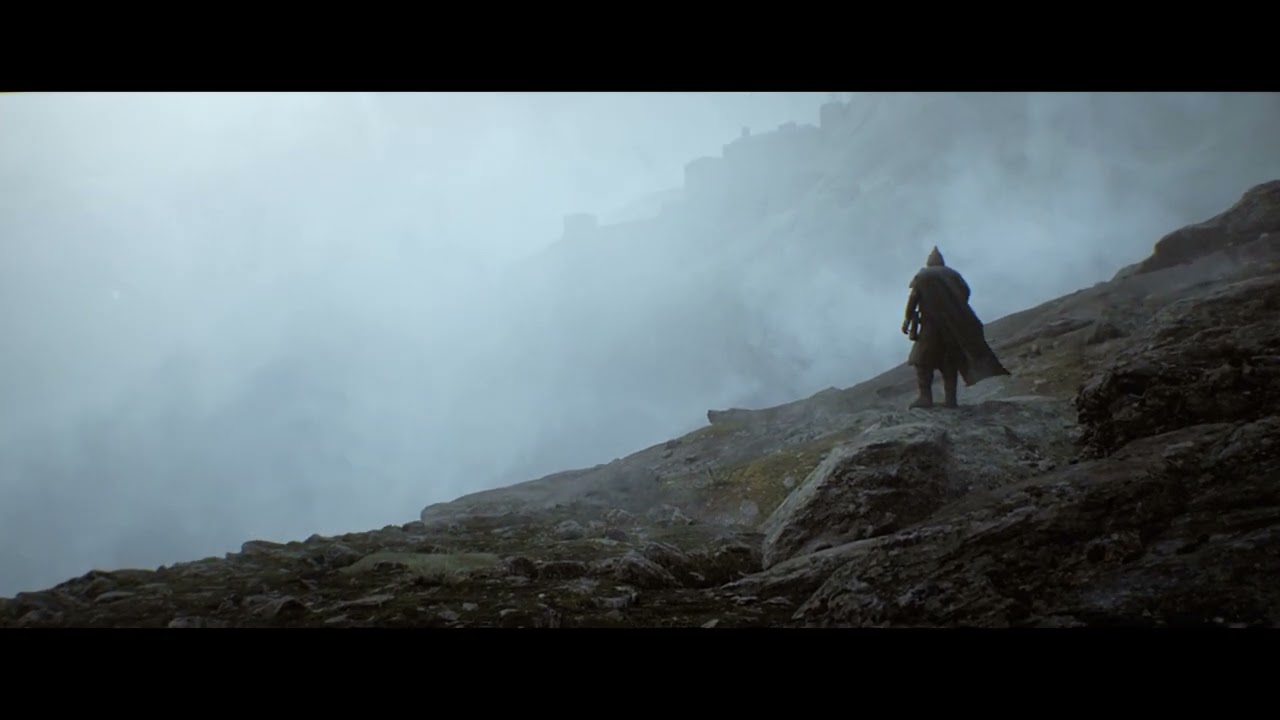
Playing around with Unreal Engine 5 for the first time!
Some small cache error is still visible on the character but oh well ;)
Once again showing you my love for moody medieval scenes
Render time: THREE minutes! Yep thats right! THREE minutes. Unreal is really game changing for me!
Music: Howling Fjord by Blizzard. I do not own any rights t...
frank sonnet
opal delta
https://www.youtube.com/watch?v=C6GNlOUhaXQ
does anyone know how he gets that c...
Marvelous Designer
 gray stream
Can I change the camera via bp?


 obtuse cosmos
Thought this might be interesting for some people on here (stumbled on it randomly):
https://forums.unrealengine.com/t/a-little-lecture-about-the-field-of-view-fov/97471

Unreal Engine Forums
Hello everybody ! I look at a lot of video of WiP and whatever other users are doing with UE4. Of course, I see lots of really impressive works and I’m often astonished by the quality of what I see here. But I also found that there’s (often, not always) a lack of use of the FoV of cameras and it’s a pity because FoV (I will soon speak of foca...
(It goes over way more than just FoV)
 small acorn
Anyone know if there's anything in the marketplace or elsewhere that contains camera shakes (not animations)?
ionic jungle
@lyric jolt In the camera settings uncheck 'Constrain Aspect Ratio'
 noble stirrup
this might me something stupid
but how do i select waht camera a shot uses?
like i go to render and its not using the camera i want
nevrmind
worked it out lmfao
 sinful orbit
how could i make a semi-cinematic effect like in this clip here? idk if this is more of a #animation or #cinematics question.
i would use this in a 3rd person game, it would start when the character passes through a certain point/volume in the level. camera would start flying in a scripted path toward something (like towards an enemy) that also has some scripted animation to it (like an enemy jumping). after that cinematic the camera would return behind the player and the game would continue.
https://youtube.com/clip/UgkxqdRD6JagZEuleOnCf7hpnMvWbZQz-xwr

YouTube
14 seconds · Clipped by Dino Gržinić · Original video "Gekko Battle - Metal Gear Rising: Revengeance Gameplay (PS3)" by GameSpot
 twilit zodiac
.0
hybrid ferry
sinful orbit
how could i make a semi-cinematic effect like in this clip here? idk if this is ...
It's a bit hidden but Sequencer (in more recent versions of Unreal) has built-in functionality for this. Someone posted an article on it a few months after I figured it out (and I relate so hard that it's way too undocumented) https://www.stevestreeting.com/2021/10/15/ue4-smoothly-transitioning-between-gameplay-sequencer-cutscenes/

SteveStreeting.com
Sequencer and Gameplay Camera Blending UE4’s most recent tool for making level animations, cutscenes and other cinematics is called Sequencer. I only just started using it this week, and I really like it.
However, I had a lot of difficulty at first with a problem I thought would be extremely common: smoothly transitioning from your normal gamepl...
So you'd start a sequence with your boss enemy cinematic. But just make sure to have the blend at the start and end enabled in your camera cut track.
If you're on older versions of Unreal you'll have to put this together yourself using the Set View Target With Blend node/function.
sinful orbit
hybrid ferry
It's a bit hidden but Sequencer (in more recent versions of Unreal) has built-in...
i would try doing this in ue5, is it possible? would the workflow be the same as in the article?
hybrid ferry
Yeah
 radiant finch
Hello! I am new to Unreal, and I keep running into an issue where some of my cinematic renders get a flickering artifact when there's a lot of small details moving in the frame. I hope it's possible to see in this lowres example video, but the water in the distance gets very flickery. Just wondering if there are any smart techniques to avoid this?
sinful orbit
hybrid ferry
Yeah
thanks for the help! ill look into it
 still prism
I HAVE AN ABSOLUTE EMERGENCY PLEASE HELP I BEG
i have never expeirenced this and i have had plenty of disaster recovery expeirence and i cannot fix this
ok so I had a fully fleshed out project and sequencer,
i went to duplicate a group of basic road mesh,
for some reason, sequencer duplicated the mesh like 300x out of NOWHERE
took forever for this to happen.
i went into the undo history, and reverted the duplication
then all the sudden, numerous assets inside the entire project are literally GONE
seemingly deleteing assets at complete random!!!!!! i cannot find any logic for what it chose to remove or not. it literally makes no sense
not in outliner or the map whatsoever,
assets, the cameras, camera cuts,
the sequencer contains many (not all) of the data for assets themselves, but have a strange null icon on the spawnables,
the assets are still contained in the Content Browser and open correctly upon
but when i add them into the project and attempt to re-link or re-assign the sequencer to the assets, the engine crashes
i have tried autosaves of the map,
i have had recovery hub on the entire time and i cannot access any of the recent sessions from this morning or imported sessions from this morning or last friday
i have no idea how to solve this!!!
this is sooooooo many hours of work that i cannot simply just remake
there has to be a way to recover this
please hellllp
what TF are those null icons in sequencer!


for example of the randomness
one of theese "wifi" assets i crafted remained, but all else were removed
 devout fern
Quick question: When rendering a video from the level sequence, I get this white hourglass dot thingy in the middle of my video, what gives?

 still prism
i solved my problem
 wooden nacelle
Hi! Is there a way to control focus distance in camera, if I have postprocess volume in my scene, and camera postprocess blend weight set to 0. I want to keep my all my settings in postprocess volume and also be able control focus within camera
 proper ledge
still prism
I HAVE AN ABSOLUTE EMERGENCY PLEASE HELP I BEG
i have never expeirenced this and...
proper ledge
still prism
I HAVE AN ABSOLUTE EMERGENCY PLEASE HELP I BEG
i have never expeirenced this and...
I would gently suggest the investment into source control. Eventually, every developer remembers that time... when they didn't have it and everything went up in 🔥
still prism
proper ledge
I would gently suggest the investment into source control. Eventually, every dev...
i have used SC before on many of my personal projects, I know the value absolutely.
this is a project for the company i work for and cannot use SC until IT gets involve
but i did solve my problem and have recovered majority of what broke.
i still have no idea how or why it broke. and what bug caused it.
but there was a long ass solution
tight stone
devout fern
Isn't anything MRQ is doing. If you're not using the "Widget Renderer" pass then it's not a UMG element either.
tight stone
wooden nacelle
Hi! Is there a way to control focus distance in camera, if I have postprocess vo...
Use the Focus Distance property on the camera and not the post processing settings for the Cine Camera Actor, and it'll override that but leave the other settings to be controlled by the PP Volumes in the scene.
 sterile monolith
Shot in the dark here, but is it possible for a sequence to interpolate an actor between an arbitrary transform and a transform track's first keyframe?
tight stone
sterile monolith
Shot in the dark here, but is it possible for a sequence to interpolate an actor...
If you make a Relative section I think it moves to the keyed values from the current value when the section starts, pretty sure you also need to drag in blend handles to specify how long that transition is.
sterile monolith
tight stone
If you make a Relative section I think it moves to the keyed values from the cur...
Thanks! I'll look into that
hybrid ferry
tight stone
If you make a Relative section I think it moves to the keyed values from the cur...
I would actually recommend against that.
Instead I would set an Absolute Transform Track to not have an infinite range (just click those lock symbols) and then making the absolute transform track ease into your transform.

Hover over the upper left corner for a tiiiiny symbol to appear, click and drag to the right to create this curve which allows you to blend into the transform track

The Relative transform track probably has its uses but has always been very hard to understand and hard to predict imo. Since these blends on tracks were introduced I feel like it lost its purpose (or please just give us use case examples in the docs ffs OTL)
tight stone
Oops, I forgot that was a thing now, I agree
cc @sterile monolith since I don't think they'll get pinged as part of the original reply.
hybrid ferry
Ah thanks. My bad, more familiar with threads on slack than discord.
sterile monolith
hybrid ferry
Hover over the upper left corner for a tiiiiny symbol to appear, click and drag ...
Magic. I'm super pumped that functionality for this was already right there, thanks a ton!
hybrid ferry
(☞゚ヮ゚)☞
 grizzled citrus

A Cinematic made with Unreal Engine 5.
Our Real-Time Environment project, "Mystery Beneath," was built with the intention of using it in future Virtual Production ventures.
It was a great learning experience for our team. UE5's exceptional features like Lumen and Nanite did wonders and helped us to achieve this quality while maintaining the hi...
 Instagram
 dry zephyr
hii, i have a racing simulation game(all AI no player input) and i want to record the last moments(near finish line) of race and play it back once the race is finished...is there a way to do it..?
vital zenith
Working in UE5 Cinematics, I have an object being picked up by character in sequencer - when I render out .avi the object is visible, but disappears when i render .png in movie render queue. Any ideas? https://gyazo.com/d267c0f039cf0dceb27f4f4c51e55e79 https://gyazo.com/a3832cf09e6fabcba165b1be9d57e4a5

 umbral harness
vital zenith
Working in UE5 Cinematics, I have an object being picked up by character in sequ...
umbral harness
vital zenith
Working in UE5 Cinematics, I have an object being picked up by character in sequ...
the only thing that comes to mind is ... why are you spawning the cup in sequencer? I bet if it was a simple actor already in the scene, it wouldn't give you any trouble 🤔
vital zenith
umbral harness
the only thing that comes to mind is ... why are you spawning the cup in sequenc...
Hmm I wonder, thanks for the reply. Actually I’ve since discovered turning off anti-aliasing resolves the issue altogether which I find very strange
umbral harness
vital zenith
Hmm I wonder, thanks for the reply. Actually I’ve since discovered turning off a...
very strange indeed 😅
 high gate
Anyone else having issues with WPO animation when using MRQ to render out a sequence? More specifically my foliage seems to move at 10x the speed in the output frames compared to in-editor. I've had this issues when capturing in game video textures before so it seems to be a material issue.
 dense dirge
Weirdly enough, I can't find any tutorials or documentation about how to handle modular characters in Sequencer. Isn't this a pretty common thing?
It's annoying having to add an animation track for every single piece of the character
could anyone point me in the right direction?
hybrid ferry
Find Marked Frame by Label doesn't seem to work for finding marked frames inside a shot track. Is there any way to search for marked frames in subsequences as well or query which sequences are inside the shot track?
 barren forge
Do any of you guys know why Movie Render Queue renders do not carry though my bloom and film grain from the viewport? This is what my log says and I have no idea how to fix it.
 rain jungle
dense dirge
could anyone point me in the right direction?
rain jungle
dense dirge
could anyone point me in the right direction?
Use a master pose component on your character's blueprint. Set the modular pieces as the target and the main body mesh as the master. Then in sequencer you should only have to set animation on the main character mesh
tight stone
dry zephyr
hii, i have a racing simulation game(all AI no player input) and i want to recor...
I don't know if there's an out of the box solution. If it's just a few cars you could probably just rig up a system to record their position/orientation each frame and play that back.
You could look at the Unreal Replay system, but I don't think that lets you replay back on the current world without reloading the level (ie: it's not like Overwatch's Kill Cam where it shows you what happened immediately after you die, while the game still happens in the background).
tight stone
dense dirge
It's annoying having to add an animation track for every single piece of the cha...
Usually modular characters are set up with the animation pose sharing stuff iirc... so the root skeletal mesh has the animation on it, and the other skeletal meshes for the various attachments just copy their pose from the root anim.
tight stone
hybrid ferry
Find Marked Frame by Label doesn't seem to work for finding marked frames inside...
It doesn't search recursively, you'd need to grab the UMovieSceneSubTrack, then get all the UMovieSceneSubSection's to call GetSequence() on them and plug that into the FindMarkedFramebyLabel
hybrid ferry
tight stone
It doesn't search recursively, you'd need to grab the UMovieSceneSubTrack, then ...
Thank you! I was trying to do this on the MovieSceneCinematicShotSections but forgot to cast them.
Now to figure out why Sequencer assigns a value of 800 to a marker at frame 1... 🤔
tight stone
tick resolution
24,000 ticks per second at 30fps display rate = 800 ticks per frame, so frame 1 = tick 800
Which seems like an oversight if the rest of the Python/Blueprint API is returning in Display Rate frames.
hybrid ferry
Aaaaaah I see. I'll just divide the value by the tick resolution of the master sequence then. Thanks a ton :)
tight stone
There's functions for converting times (where you pass it the framerate for DisplayRate/Tick Resolution which you can get off the UMovieScene iirc) which does the division for you and appropriately handles sub-frames, etcc.
hybrid ferry
Yeah I used MakeQualifiedFrameTime and QualifiedFrameTime to Seconds but was getting really weird results because apparently it doesn't expect the frame numbers with Tick Resolution like that

^so this'd print like 1000+ seconds
I know I added an extra step by breaking it out into an int btw, might do some refactoring
tight stone
What number did you plug in for FrameRate
hybrid ferry
I just got the FrameRate from my SequencePlayer (which SHOULD be 30fps)

Yeah checked with a breakpoint. Numerator 30, Denominator 1
tight stone
24,000 is the number it wants
hybrid ferry
I guess some nodes were made with Display Rate frames in mind and the frame markers weren't.
tight stone
Or Tick Resolution
(which defaults to 24k)
Internally data is always stored at Tick Resolution, the Display Rate is just human-friendly syntax that the UI converts from 24k->30fps everytime it displays stuff.
hybrid ferry
I get the under the hood logic better so understand where things go wrong now. I guess it might just have been an oversight for Marked Frames to not be converting to that human-friendly syntax (since you DO see that value when right clicking to edit a marked frame)
You've really saved my ass a couple times now Matt (シ_ _ )シ
Aw dangit discord
 ancient steeple
Is there a way to edit the camera spline path from level sequencer in the world itself? Like add points and move the curve around?
umbral harness
ancient steeple
Is there a way to edit the camera spline path from level sequencer in the world ...
use a camera rail? 🙂
wind cloak
Does anyone have any experience creating custom recording sources for Take Recorder? I am stuck trying to find a way to create a new source so that I can record dynamic material instance changes. Any help would be appreciated!! (:
 tough junco
Is this the right section for camera questions but not for movie/cinematics, just basic aspect ratio question for gameplay
hybrid ferry
tough junco
Is this the right section for camera questions but not for movie/cinematics, jus...
Likely going to be more of a #blueprint or #cpp question but you could always try here. Aspect ratio stuff is also important for cinematics after all.
And/or one of the general channels
tight stone
wind cloak
Does anyone have any experience creating custom recording sources for Take Recor...
Pretty sure you just write C++ code that inherits from the UTakeRecorderSource base class or whatever and it should show up in the list (and then obviously you have to implement recording and creating sequencer tracks to do the actual data saving)
umbral harness
wind cloak
Does anyone have any experience creating custom recording sources for Take Recor...
just a wild idea, haven't tested or needed anything like this, but ... what about material parameter collections (and MPC tracks in sequencer) ? I don't know if these are recordable on teh Take recorder ... just a thought 😅
wind cloak
tight stone
Pretty sure you just write C++ code that inherits from the UTakeRecorderSource b...
Awesome thank you so much, couldn't find the parent file name so that helps a lot.
wind cloak
umbral harness
just a wild idea, haven't tested or needed anything like this, but ... what abou...
I am not sure to be honest, I can try to setup the blueprint using the material parameter collection instead of MID, I am just unsure of what the node is to call it
tight stone
I don't think there's a recorder for it, though now that I think about it you probably need to look at the Actor Recorder and make it a property you can record on the actor (instead of a standalone source)
Since you need the resulting data to be in Sequencer on the object binding created by the actor recording. Same basic principle, just a bit different
wind cloak
tight stone
Since you need the resulting data to be in Sequencer on the object binding creat...
That makes sense, I am just very new to C++ so a bit of a learning curve ahead but I appreciate the help! Your logic helps a lot (:
tough junco
hybrid ferry
Likely going to be more of a <#221798862938046464> or <#221799439008923648> qu...
Thanks for replying, My questions was about wide and ultrawide support but I have found the fix (after hours 😬 ). If anyone has the same issue lmk
 rapid quail
Whenever I add keyframes to my cinematic, the camera does a full 360 spin, it's super annoying, any easy solution? "Use quaternion interpolation" isn't a good solution, it makes the camera choppy, although it does fix the problem.
tight stone
There might be a filter in the curve editor to fix it, otherwise you can fix it by hand with the curve editor
hybrid ferry
^There's an Euler filter built-in for UE5 at least, I expect UE4 as well.
rain jungle
rapid quail
Whenever I add keyframes to my cinematic, the camera does a full 360 spin, it's ...
I usually just add 360 to the yaw value to fix this (or subtract, it depends on the initial and ending value of the key frame)
rapid quail
rain jungle
I usually just add 360 to the yaw value to fix this (or subtract, it depends on ...
It's just a lot of work to manually do that for every keyframe, idk. 😛
tight stone
That's what the filter does for you heh
 lean flint
Here is at test with Xsens Mocap suit and metahuman. I had a lot of problem with the hair rendering, when using HDRI skybox or the skylight. The hair turned white. It ended up with a character without hair. https://www.youtube.com/watch?v=_MP2tP2boB0
 umbral harness
lean flint
Here is at test with Xsens Mocap suit and metahuman. I had a lot of problem with...
umbral harness
lean flint
Here is at test with Xsens Mocap suit and metahuman. I had a lot of problem with...
looks great, it can still use a bit of fixing on the elbows, specially at the start. could also use some more eye contact, I think that might help selling it. Ideally, you'd need to also fix all the impacts a bit, too. But good job 👍
lean flint
umbral harness
looks great, it can still use a bit of fixing on the elbows, specially at the st...
Thanks for your feedback! I will continue working with it...
umbral harness
lean flint
Thanks for your feedback! I will continue working with it...
hopefully that didn't come out too bad ... I think it's already looking great, and I know from experience how inertial mocap works, and the pain it is to fix some stuff sometimes 😅 One thing that really never helps here is the non simulated nature of the shirt cloth ... it always makes it look ... well, it looks exactly what it is ... fake 😄
I bet having him naked or with a very tight sleeveless shirt would help
(torso naked I mean)
lean flint
umbral harness
hopefully that didn't come out too bad ... I think it's already looking great, a...
No, not at all. I like feedback! The problem with the mocap I had, was to match the Xsens rig with the metahuman. It feels they don´t match in size. Maybe I have the wrong body type. A naked torse is always a good solution!🤟
umbral harness
lean flint
No, not at all. I like feedback! The problem with the mocap I had, was to match ...
I see ... I never used Xsens... did you do direct engine capture straight to a metahuman, or is it recorded and then retargeted?
 tawdry owl
Hello, I am trying to make a cinematic in which fighter planes are destroyed. Can anyone help me with how to use chaos for cinematics? I can do it in game where a projectile is used to cause destruction but I dont know how to use that in cinematic
lean flint
umbral harness
I see ... I never used Xsens... did you do direct engine capture straight to a m...
I recorded the mocap in Xsens software. And then exported the data to Unreal. Xsens has there own ”Puppet rig”that You import to Unreal and then retarget. There is minimal of clean up to do, and the mocap looks à lot better with the puppet rig. So maybe it is something with the retarget that I can fine tune.
vital zenith
UE5 Cinematics, rendering out a few scenes in sequencer and a select few plants disappear. Any thoughts?

 rain jungle
Are the plants on a sub-level? Maybe the level isn't set to Always Loaded but to BP only. Other thoughts would be a culling thing? It's hard to say without knowing more info.
umbral harness
vital zenith
UE5 Cinematics, rendering out a few scenes in sequencer and a select few plants ...
do you have Game Overrides on?
vital zenith
umbral harness
do you have Game Overrides on?
nope, simple settings from my understanding https://gyazo.com/41eb1b9eea5aa0b5fb0bec6c7692d15a
 vital zenith
rain jungle
Are the plants on a sub-level? Maybe the level isn't set to Always Loaded but to...
vital zenith
rain jungle
Are the plants on a sub-level? Maybe the level isn't set to Always Loaded but to...
This is how the level was setup, I don't know much more. But there is a plant blueprint with a cull distance already set. I haven't played around/changed anything. It's strange as the other plants render out fine https://gyazo.com/520197bfafc9d48e1c509336009cc7d0
 rain jungle
What happens when you simulate or hit play in editor? Are the plants still visible? This would narrow it down if it's an issue specific to Movie Render Queue or your scene itself
vital zenith
rain jungle
What happens when you simulate or hit play in editor? Are the plants still visib...
Yes, they're visible in the editor and using legacy movie render exporting .avi. It's only happening for .png in movie render queue
umbral harness
vital zenith
Yes, they're visible in the editor and using legacy movie render exporting .avi....
try adding Game Overrides, could solve if it's a LOD problem
rain jungle
My other thought might be a collision thing, if it's set to movable and something is pushing it away from camera view?
 tulip flax
Hey gang! I have a sequence that I am trying to get to seemlessly take me gameplay but right at the transition the color 'pops.' Is there anything obvious I would be doing wrong?
vital zenith
umbral harness
try adding Game Overrides, could solve if it's a LOD problem
Anything specific in game overrides? The default settings don't trigger a change unfortunately
vital zenith
rain jungle
My other thought might be a collision thing, if it's set to movable and somethin...
Wow this is bizarre but toggling the plants to static from movable fixed it! thank you
rain jungle
vital zenith
Wow this is bizarre but toggling the plants to static from movable fixed it! tha...
It's always something silly like that lol! Well I'm so glad we figured it out!
vital zenith
rain jungle
It's always something silly like that lol! Well I'm so glad we figured it out!
haha me too, I really appreciate the help!
tight stone
umbral harness
try adding Game Overrides, could solve if it's a LOD problem
This is added by default even if a user doesn't, it's different than every other setting (since you basically always want the Game Overrides)
umbral harness
tight stone
This is added by default even if a user doesn't, it's different than every other...
well, he didn't have it (according to screenshots) so 🙂 but anyways it wasn't that, and it's already solved 🙂 all good 😄
 proud berry
Hi, does anyone have any clues on how to request MRQ render jobs via command line? like for render Offscreen and on the cloud
want to use MRQ instead of the pre existing level sequence offline renderer as it supports way more features
note to myself: check 100% of the possible solutions, not just 90% before asking for help
using UMoviePipelineInProcessExecutor as type did the trick without crashing 🙂
tight stone
There's also an example in Python on how to make your own 'advanced' executor that does more than very simple level sequence/config/queue assets
 zinc echo
Please help 😭 I am trying to record a cinematic and I need to change some parameters of BP_Particle_Fireflies (from free “Particles and Wind Control” asset)
I activated “Run Construcion Script in Sequencer” and chose “Expose to Cinematic” on a parameter I want to change.
I animated the value of a parameter in Cinematic Sequencer, BUT…
It is not changing in real time when I hit play in Level Sequencer, it just disappears! It appears again when I turn off “Run Construcion Script in Sequencer”
BUT! I can see changes when I manually drag my red slider on the timeline. I thought that it is just the problem in the absence of the possibility to play it real time, and I thought that it will eventually render in Movie Render Queue, but no… It renders without changing
I found some answers under this YT video How To Expose A Variable To The Master Sequencer In Unreal Engine - YouTube
and one guy comments a solution to simular problem as mine:
“I found a solution. You have to copy the nodes in the script to the event tick in the event list, so that the Sequencer rendering is the same as the real-time preview”
But I still don’t get it. How do I do that? Should I copy from “construction script” or “event graph” of my BP to a level Blueprint? Or where? It doesn’t allow me to copy. I am confused, please help…
rocky escarp
zinc echo
Please help 😭 I am trying to record a cinematic and I need to change some param...
Avoid the construction script. You can set it two ways:
- Setter function/event: Useful if you only need to change 1/2 specific parameters. https://forums.unrealengine.com/t/sequencer-setter-functions/265068
- Repeater events: You can add a repeater track and pass your values through.
Though looking at your video im also concerned your niagara system setup, you have some age/life based effects, thats why they are regrowing when scrubbing as the constriction script is resetting the systems. I'd remove the construction script, and if you need age often you'd also add a niagara system life track.

Unreal Engine Forums
This article was originally published for UDN When animating a property in Sequencer, it’s sometimes desirable to have extra behavior surrounding the change instead of just setting the value. This can be useful if you want the object to react to changes made to the property, or you want to define different behaviors for how a property is handle...
zinc echo
rocky escarp
Avoid the construction script. You can set it two ways:
1. Setter function/event...
Thank you for your answer! I am new in UE and completely noob in BP's, C++ and Niagara System, didn't touch it yet. Niagara system was not made by me, it is from “Particles and Wind Control” asset as I said in the message. I will check the link you shared now and google about Repeater event I guess... Idk what this is
rocky escarp
Do you definitely need the blueprint logic? If you can add the Niagara systems directly to the sequence it's much easier to grab the user parameters and they will update dynamically without extra setup
zinc echo
rocky escarp
Do you definitely need the blueprint logic? If you can add the Niagara systems d...
How to do that? 👉 👈
rocky escarp
If you don't need it to be a blueprint... Find the Niagara system instead. Drag it on to a sequencer track. Click + Track, add Niagara component. Click + on the component and add your user variables you want to control
 zinc echo
rocky escarp
If you don't need it to be a blueprint... Find the Niagara system instead. Drag ...
zinc echo
rocky escarp
If you don't need it to be a blueprint... Find the Niagara system instead. Drag ...
I am using “Particles and Wind Control”, trying to find Niagara System by filter and there is none. Look what I found on second screenshot. Is that it? I added it in my Level Sequence, its empty


 rocky escarp
Ah thats an older cascade particle system, not Niagara. I'm not sure about that i'm afraid.
But you can use the two blueprint methods above if you still need to use BPs
zinc echo
rocky escarp
But you can use the two blueprint methods above if you still need to use BPs
okay thanks, I will try it!
vital zenith
rain jungle
It's always something silly like that lol! Well I'm so glad we figured it out!
any idea what would cause emissive and reflective flickering? post process is currently lumen for global illumination and reflections, ive tried ray tracing, screen space, etc https://gyazo.com/4041ae4387a512f0f242af5c9ba07ca8
 vital zenith
umbral harness
try adding Game Overrides, could solve if it's a LOD problem
vital zenith
umbral harness
try adding Game Overrides, could solve if it's a LOD problem
any idea what would cause emissive and reflective flickering? post process is currently lumen for global illumination and reflections, ive tried ray tracing, screen space, etc https://gyazo.com/4041ae4387a512f0f242af5c9ba07ca8
umbral harness
vital zenith
any idea what would cause emissive and reflective flickering? post process is cu...
isn't that shadows flicking in and out?
vital zenith
umbral harness
isn't that shadows flicking in and out?
i believe so, at least it appears that way to me
umbral harness
take a look at this (I think this might be the one, if not, please search the other vids on his channel) https://youtu.be/Ar3vvygirLU

Learn how to fix foliage issues in Unreal! The first 1,000 people to use this link will get a 1 month free trial of Skillshare: https://skl.sh/williamfaucher11211
In this video we cover how to fix a variety of common foliage issues in Unreal Engine. It's a rather frustrating process to diagnose when these problems rear their ugly head, fortunat...
there's a couple more about troubleshooting UE5 common/light problems
vital zenith
umbral harness
take a look at this (I think this might be the one, if not, please search the ot...
watching now thanks
umbral harness
vital zenith
watching now thanks
I hope you find your solution or at least some pointers in there ... sorry for not being able to help more 😬
rain jungle
vital zenith
watching now thanks
You could give this console variable a try, add it to your movie render queue settings r.Lumen.ScreenProbeGather.DownsampleFactor .2
vital zenith
umbral harness
I hope you find your solution or at least some pointers in there ... sorry for n...
No prob thnx
vital zenith
rain jungle
You could give this console variable a try, add it to your movie render queue se...
Ok I’ll give it a shot!
vital zenith
rain jungle
You could give this console variable a try, add it to your movie render queue se...
still happening, any other ideas?
 rose ledge
So are others having crashing in Sequencer 5.0.3, especially with metahumans and live link face?
rose ledge
Here's another issue:
I can't save a recorded live link face performance. (Filed bug)
For some reason it thinks something is related to another level?
Error: Can't save F:/UnrealProjects/CitySubwayTrainModular/Content/Cinematics/Takes/2022-08-16/Scene_1_08_Subscenes/BP_Mother_Scene_1_08.uasset: Graph is linked to object World /Game/SubwayTrain/Maps/Demonstration.Demonstration (AttachParent) in external map
Any suggestions?
 barren lagoon
hey @tight stone, you seem to have a good technical understanding of sequencer. would you happen to know a way i can detach actors from a parent actor without the transform being completely screwed up as a result? when i deactivate/delete the attach tracks in sequencer the actors go completely away from the position they were at prior.
tight stone
Attach tracks are... complicated.
You can try using attach rules to set them to "Keep World" or whatever. But you probably also need to cut up any transform tracks so they're not active at the same time attach tracks are
barren lagoon
ok so my situation might actually be simplified then, since none of the child actors have any transform keys

should i set all of the rules to world or just the detachment ones?
hmm, it seems no matter which ones i set to keep world the transforms still screw up when i make the attach track inactive
now i remember why i despise working with attach tracks 😅
tight stone
is there another transform track trying to animate the object that's being attached? @barren lagoon
barren lagoon
negative, the child actor doesn't have any transform keyframes
umbral harness
barren lagoon
negative, the child actor doesn't have any transform keyframes
I don't know if you have a complicated setup or not, but if what you want to do is just pick an object and then put it down some time later ... the easiest way to do it is to have two copies, one permanently attached and hidden, one on the level unattached ... and then switch visibility
barren lagoon
yeah this may be the easiest way to go about it, attached and unattached copies. good way to avoid dealing with the complications of transforms, attach tracks, etc. great suggestion mate, gonna put this one to use.
tight stone
barren lagoon
negative, the child actor doesn't have any transform keyframes
keyframes, or track itself.
Tracks have default values, even without keyframes.
barren lagoon
gotcha then yes the child actor does have a track just with no keyframes
tight stone
Try deleting the track (or trimming the section so it isn't applied once the attach track takes over)
barren lagoon
in my case the attach track lasts the entire sequence. i've changed my mind on how i want my scene to play out, so i want to delete the attach track while keeping the actor where it was prior to deletion if that makes sense.
barren lagoon
tight stone
Try deleting the track (or trimming the section so it isn't applied once the att...
just gave this a try. when i delete the transform track the actor goes somewhere else completely.
really the issue i'm having is that it's difficult to justify using an attach track, because if you need to delete the track for whatever reason, the transform of the actor gets totally screwed up and you need to reposition it. this becomes a hassle when i have multiple actors in my scene that have an attach track and i'm unsure of a way around this.
tight stone
I don't know if it's in 5.0 or just in //UE5/Main right now but there's a "Delete and Keep State" option now in the context menu for object bindings that I think deletes it but keeps the current values (that were applied in Sequencer)
It deletes it from Sequencer* but not the world.
 steep apex
Hi i need some assitance
im trying to use stencil layer but that doesnt ork
I was told to use Data layers
but Movie render queue doesnt allow the data layers
only asking for the regylar layers
can someone help? sigh
tight stone
only non world partition maps with regular actor layers are supported right now
 zealous wolf
Hi, does anyone know how to get the HUD to render in movie render queue?
With the legacy recorder it's easy, simply tick "show HUD".
However, the only option I've found in MRQ is "UI Renderer" and when ticked (default anyway, it appears), the HUD is not rendered.
Any help would be glady appreciated, thanks in advance.
zealous wolf
zealous wolf
Hi, does anyone know how to get the HUD to render in movie render queue?
With t...
Ok, so I literally just tried turning game mode in MRQ to "none", to copy legacy settings, and that worked.
Am I sacrificing MRQ cinematic render quality then?
zealous wolf
zealous wolf
Ok, so I literally just tried turning game mode in MRQ to "none", to copy legacy...
Nope, didn't work... HUD shows up only in MRQ viewport
tight stone
No the only thing the Game Mode does is hide the pawn, hide the hud, and disable movement. So if a pawn randomly in the shots now, that's why.
You can just make your own gamemode and call the function to hide the player but not the hud iirc. and use that through MRQ
UI Renderer should get any widgets added to the viewport though
steep apex
tight stone
only non world partition maps with regular actor layers are supported right now
So I have to turn my streaming off?
I don’t understand frankly
tight stone
They're two separate systems (Data Layers and Actor Layers). MRQ only supports Actor Layers right now.
Which system you use is tied to what type of map it is - Open World (World Partition) uses Data Layers, while persistent-level-with-sublevels uses Actor Layers.
steep apex
Yes understood but UE is not allowing me to create a layer
tight stone
So yes, the only option right now is to convert the map back to a regular map from World Partition (if that's even possible, I have no idea). World Partition has its own struggles anyways, HLODs have to be built for them to show up in PIE for the background tiles I think.
steep apex
tight stone
So yes, the only option right now is to convert the map back to a regular map fr...
ive got a new issue now lol
the render is not sleecting the right camera
tight stone
Camera Cut Track. But please don't ping people on a new issue, just post it and if someone's around they'll try to help.
steep apex
Sorry
didnt know it actually notifies
does this look out of place?

it renders this

while the camera is this
 hybrid ferry
Have a question on overriding sequencer object bindings.
If I have a blueprint based on the Character class with two skeletal mesh components.
Adding this class to sequencer and overriding the binding with the player character (via BP) before playing the cinematic allows one of the meshes to properly take over the changes in Sequencer and play animations assigned to it but the second mesh's animation track doesn't seem to work =/
Does sequencer default to the first mesh it finds in the blueprint or something?
hybrid ferry
^update: believe this is due to some logic within the class to disable the one mesh while the other is used
 valid blaze
hey guys, im having a weird problem. im trying to render via movie render queue, i selected my camera but when i hit render the pictures i get are way too far away then the camera i set previously. does anyone know what it could be?
valid blaze
valid blaze
hey guys, im having a weird problem. im trying to render via movie render queue,...
i probably figured out that it is rendering from the spawnable player but i dont know how to change it
zealous wolf
tight stone
You can just make your own gamemode and call the function to hide the player but...
Cheers for your response man! Just seeing now...
Yeah, I decided to try using a Widget BP instead of HUD BP!
Worked!
Hope your day finds you well!
umbral harness
valid blaze
i probably figured out that it is rendering from the spawnable player but i dont...
maybe adding a Game Overrides to your MRQ sequence can solve it, as it will override the game mode?
valid blaze
umbral harness
maybe adding a Game Overrides to your MRQ sequence can solve it, as it will over...
thank you for your reply, i will try it tomorrow and let you know
 opal acorn
Hi All, I am looking into what may be the best tool to render out 360 (latLong) 4k+ renders from unreal. I see a few ways of doing it, e.g. "Panoramic Capture" or offworlds "360 degree cam". Looking for highquality renders of a sequence, and whichever tool crashes less lol.
 velvet thorn
I've got a camera that's been converted to Spawnable (for some reason), and "Convert to Possessable" is greyed out. Any ideas on what I might do to make it an option again, and convert it back to Possessable?
tight stone
opal acorn
Hi All, I am looking into what may be the best tool to render out 360 (latLong) ...
Movie Render Queue has an experimental one in the Additional Render Passes plugin too (starting in 5.0 I think)
opal acorn
thanks, any idea what these options are actually doing?? I could not find any docs info.
 tight stone
more horizontal/vertical steps = smaller image (= less time to render, less likely to TDR) though may require more memory. Can get higher quality images in some cases by increasing horz/vert steps (blending will have more samples to work from)
History per Pane is required for Lumen/TAA/TSR to work.
Also make sure you manually set your output resolution to a 2:1 ratio like 4096x2048
valid blaze
umbral harness
maybe adding a Game Overrides to your MRQ sequence can solve it, as it will over...
didnt work, i just cant render from the camera i selected, its probably something really stupid that i am missing
umbral harness
opal acorn
thanks, any idea what these options are actually doing?? I could not find any do...
in my very limited tests, I could only get it to render any sort of global illumination with History per Pane enabled 🙂
rose ledge
opal acorn
thanks, any idea what these options are actually doing?? I could not find any do...

In this tutorial, I'll show you how to render out a 360 Panoramic Image and or Video natively inside Unreal Engine 5 with no blueprints or plugins!
My Unreal Engine for Motion Graphics course is now out!
➜ Creating the Unreal Course: http://www.mograph.com/creatingtheunreal
Buy Winbush a Coffee 😉
➜ Ko-Fi: https://ko-fi.com/winbush
------------...
umbral harness

so, anything that is history dependent, like TAA, denoisers ... Lumen ... needs this to work
 final gyro
Hello! Does anyone know if it's possible to use an attach track within sequencer ONLY using the position? I have some materials set up to face the camera, but when I attach them, it breaks my material facing the camera effect due to the rotation needing to stay 0,0,0
edit: oh yeah, forgot I can just turn off follow as I am using a spline path attach track! 😄
 fossil mortar
hey, anyone know how to export a scene ( all the models, textures and lights)(It´s to make a cinematic render and i need everything), into another project, without changing the settings of the project im importing the scene in? If there is any method pls instruct me
umbral harness
fossil mortar
hey, anyone know how to export a scene ( all the models, textures and lights)(It...
select the scene/level you want, right click, migrate?
fossil mortar
Thank you
 paper wedge
Anyone know if you can merge/flatten multiple transform tracks in sequencer in to one?
tight stone
paper wedge
Anyone know if you can merge/flatten multiple transform tracks in sequencer in t...
Baking transforms may work, iirc it evaluates each frame and writes it to a new track, though it's usually used for baking out attach tracks to no longer be attachments.
 main forge
greetings:: given a time dilated slow motion sequence, a character's hair is running haywire. can i connect hair to custom time dilation inside the character bp, in order to compensate the simulation speed ?
tight stone
The camera controls match physical cameras, you can look up how to control depth of field on a real camera and apply the same concepts to the Cine Camera in unreal
hybrid ferry
Have an issue that a sequence crashes Unreal as soon as I open it. What would my best option be here? Was a personal project so no source control =/
Thinking of making a widget utility and copy/pasting the bindings into a new sequence. But all bindings seem to be valid. I guess I could remove all Control rig tracks...? But this is an issue several other people have also had so is anyone aware of a proper fix or better solution for finding and removing tracks/bindings that cause crashing?
Assertion failed: InHierarchy [File:D:\build\++UE5\Sync\Engine\Plugins\Animation\ControlRig\Source\ControlRig\Private\Rigs\RigHierarchy.cpp] [Line: 397]
 mint bison
Does anyone know how to apply kawaii physics in sequencer? I created the AnimBP and works in editor, but not in sequencer when playing :/
 spark siren
hello i recorded a level sequence in ue5 then i want to export it as mp4 or something like that, how can i make it
 lofty cradle
Hi, How can I turn on Animation Sequences with control rig in Sequencer? Or there can be only one?
 distant minnow
Meditations knowledge

 plain smelt
is there a good way to export blender's camera to unreal engine 5?
 burnt bone
https://streamable.com/6bfymx
So I'm getting this weird bug in sequencer with the control rig which makes it impossible to change keys?
Whenever I try to move them they instantly snap to the original position - anyone know what could cause this?

 urban nacelle
Hi, I'm new to unreal and was wondering if anyone knew a good video that showed how to make a cinematic in ue5 and implement it into my game so that it goes from gameplay straight ti the cinematic straight back to gameplay?
tight stone
You'll definitely want to look up camera blending, and runtime object replacement
 sharp oar
I'm running into what seems like a noob issue with Level Sequencer, and wondering if anyone has experienced this:
I set a level sequencer and cinema camera actor into my level
However when I hit play, it goes right into my player character and ignores the cinema camera actor + level sequence
tight stone
You need to tell the level sequence to play
 echo rampart
Hi this might be a dumb question, but in the sequencer, how can I select and move a keyframe WITHOUT jumping my CTI to that frame?
For instance I want to keep my viewport on the last frame, but move a keyframe that's in the middle of the sequence
As you can see here everytime I try to select a keyframe my timeline automatically scrubs to that frame
Because I need to see how the movement of that keyframe will influence the final frame in the sequence
spark siren
How can i export master sequence as mkv,mp4 etc.
rocky escarp
echo rampart
Hi this might be a dumb question, but in the sequencer, how can I select and mov...
Disable these ones, or you can also use the curve editor.
 sharp oar
tight stone
You need to tell the level sequence to play
sharp oar
tight stone
You need to tell the level sequence to play
I have the level sequence set on Play, but for some reason my character is taking over whenever I hit play
 unreal grove
hi, I was wondering why my movie render queue image looks so different from the viewport? scalability settings are the same, and I have a post process material which is set to replace tonemapping. I'm using the cinecamera's post process settings, not a post process volume
 rose ledge
sharp oar
I have the level sequence set on Play, but for some reason my character is takin...
rose ledge
sharp oar
I have the level sequence set on Play, but for some reason my character is takin...
You have to setup a blueprint to trigger the level sequence to play.
https://youtu.be/bgDXZa5MVCw
https://youtu.be/FOS9FMbUtq0
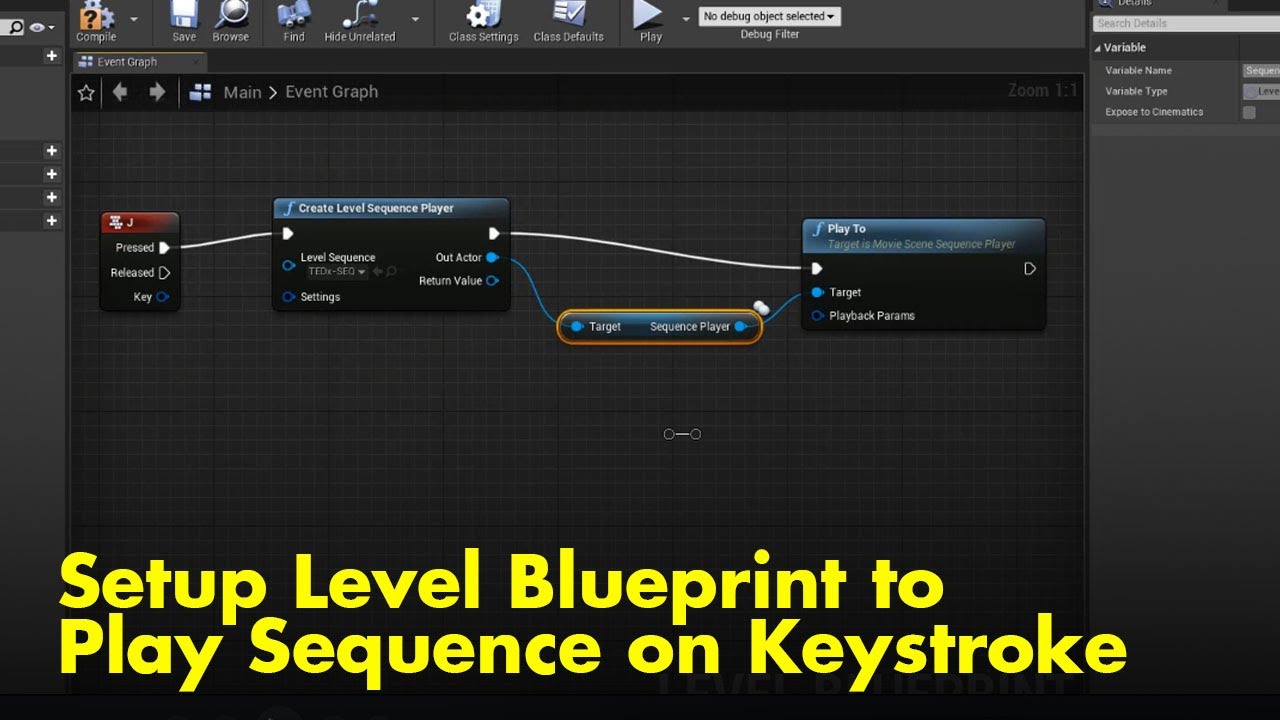
This quick 1min video was created in response to a forum question asking how to trigger a sequence to play in response to a keyboard key being pressed. This quick demo shows how to setup a simple Level Blueprint to perform this task.
Hey guys, in today's video, I'm going to be showing you how to create a beautiful cinematic cut scene for your game in Ue4. You can trigger it and have it play in your game and prevent the player from moving, if you wish, while it is playing.
The Environment Set used In the video. It was free when I got it, and it may be free again for a limite...
rose ledge
urban nacelle
Hi, I'm new to unreal and was wondering if anyone knew a good video that showed ...
Hey guys, in today's video, I'm going to be showing you how to create a beautiful cinematic cut scene for your game in Ue4. You can trigger it and have it play in your game and prevent the player from moving, if you wish, while it is playing.
The Environment Set used In the video. It was free when I got it, and it may be free again for a limite...
rose ledge
spark siren
How can i export master sequence as mkv,mp4 etc.
There are limited video exports from sequencer. If you've enabled Movie Render Que in plugins as well as apple prores plugin you can output as prores.
Otherwise you'll need to render a sequence of images (jpg or png) and import those into an editing program which can treat them as moving footage and output video.
spark siren
rose ledge
There are limited video exports from sequencer. If you've enabled Movie Render Q...
ok thanks
tight stone
You can also use the Command Line Encoder option in combination with ffmpeg to get access to anything ffmpeg can do
pale blade
Anyone come across this problem when rendering out with MRQ using DX12? Assertion failed: Size > 0 [File:D:\build++UE5\Sync\Engine\Source\Runtime\D3D12RHI\Private\D3D12Buffer.cpp] [Line: 345]
pale blade
This is what GPU related stats show
 tight stone
You're probably OOM, watch your GPU memory usage in Task Manager's Performance tab while rendering
pale blade

It seems related to the landscape so I'll have to see if I can improve performance through that
 frigid stone
Friends, for some reason, I can't put animation tracks onto the same track for a skeletal mesh on sequencer in ue5.01. Does anyone know how I can keep the tracks on the same track?
tight stone
pale blade
Add the Game Overrides setting to the job and set Texture Streaming to "Don't Override" too. Might have blurry textures in final frames though.
 sleek kiln
Is there any way for me to get this blueprint to play in game? I'm trying to move an object along a spline by using some logic in the construction script. I can't get this trigger though, can only hit play in the editor.
basically trying to do what the built in camera rig rail does in this video but make my own bp with the same features it has. https://www.youtube.com/watch?v=Hc_FaINbw9I&ab_channel=TimAsh
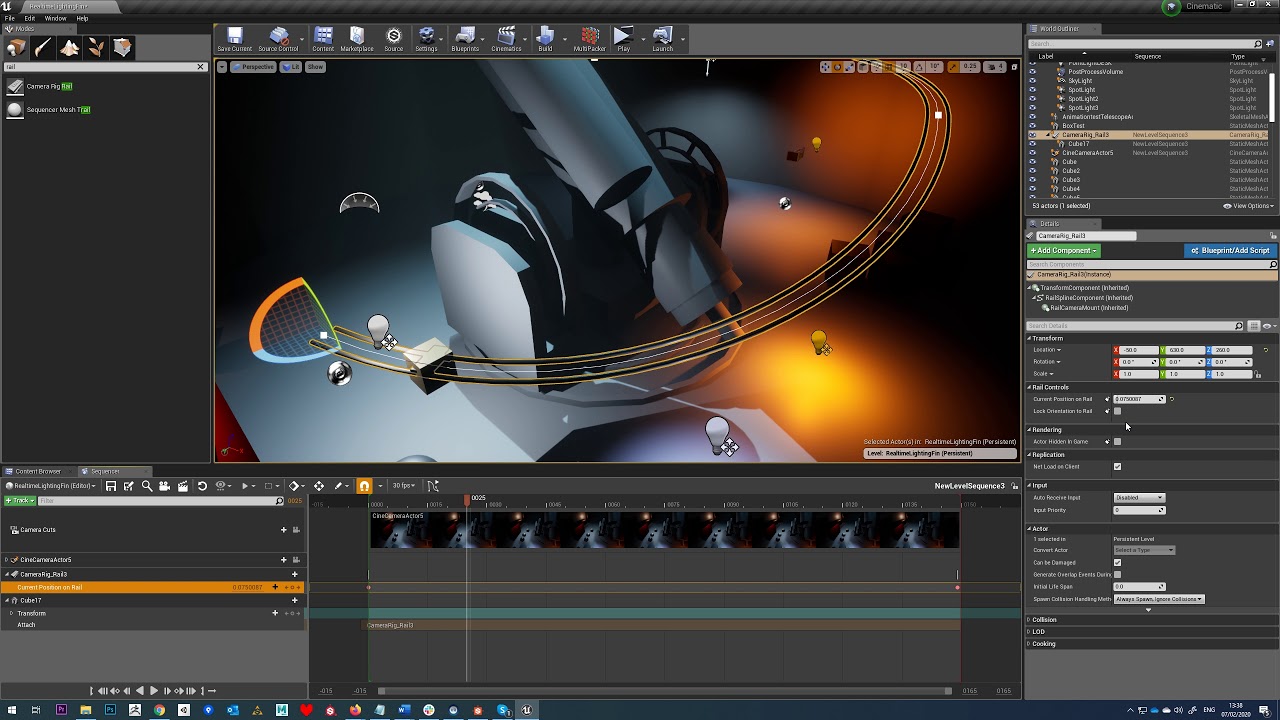
Tutorial - Animate Along Curve/Spline Sequencer UE4
 round storm
frigid stone
Friends, for some reason, I can't put animation tracks onto the same track for a...
round storm
frigid stone
Friends, for some reason, I can't put animation tracks onto the same track for a...
Could you maybe send some screenshots?
No idea what you mean 😦
spark siren
Guys, I need help for my issue.
when i turn the camera about 10-20 degrees. It tries to turns around instead of 10 degrees
how can i fix it
tight stone
Use the Curve Editor to fix the curves
 ornate geyser
Howdy CineFam - Im curious if anyone is aware of a way to take a set of baked keys that were recorded in world space, and convert the same sequence to locally offset keys relative to a parent (like a locator)
I.E. - Locator Transform (constant) + Recording Frames' Offset = Raw Recorded Transform Data
barren lagoon
hey folks, i'm having a strange issue where animation sequences on my actor blueprints simply do not work specifically when i have the actor blueprint placed in a sublevel. if placed in the persistent level however, the animation sequence plays as intended in my level sequence.
what's even more strange is that i was not having this issue just a couple of days ago. i saved and exited my editor one night with no problems and the next morning for absolutely no reason the animation sequences quit working on all of my actors.
i'm desperate to resolve this issue as the cinematic i'm working on contains dozens of actors and replacing all of them one by one with skeletal meshes and various parented properties would be a massive time sink and organization nightmare that i can't afford. any and all help would be massively appreciated.
 teal steeple
anyone using the path tracer in 5.0.3? i noticed my materials get "stretched" in a liquidity way when i enable it, but theyre fine in lumen
tight stone
ornate geyser
Howdy CineFam - Im curious if anyone is aware of a way to take a set of baked ke...
You might be able to come up with something with additive transform tracks and baking.
 rugged pivot
anyone know if its possible to load up a savegame after a sequencer cutscene was played?
The sequence contains materials/meshes changes which i would like to restore, but not playing sounds/particles etc.
wondering if theres a way without having to replicate all changes manually
gusty heath
Hi! I made a Intro sequence, and I want te player to be able to skip it.
This code works, the scene is skipped. But now I can't jump anymore, because that is also used with Spacebar. How can i get my jump functionality back?
 rugged pivot
gusty heath
Hi! I made a Intro sequence, and I want te player to be able to skip it.
This co...
rugged pivot
gusty heath
Hi! I made a Intro sequence, and I want te player to be able to skip it.
This co...
click the event node, uncheck the Override bindings or smth like that
consume input*
gusty heath
rugged pivot
click the event node, uncheck the ``Override bindings`` or smth like that
I'm srry im new to unreal, what is the event node?
 gusty heath
rugged pivot
gusty heath
rugged pivot
thank you very much!
tight stone
rugged pivot
anyone know if its possible to load up a savegame after a sequencer cutscene was...
You will have to replicate manually. You might be able to get away with jumping to a given frame in the sequence (which will evaluate that current time slice but not the time leading up to it), depends on your content setup.
rugged pivot
tight stone
You will have to replicate manually. You might be able to get away with jumping ...
thanks
barren lagoon
barren lagoon
hey folks, i'm having a strange issue where animation sequences on my actor blue...
one thing i forgot to mention is that i am using 4.23. yes, i know it's an older build but i'd still love to find a solution to this if possible.
i came across some new findings after hours of testing. my issue appears to be related to sublevels. if the animated blueprint actor is in a sublevel, it will not be animated. if the actor is in the persistent level however, the animation sequences work just fine on the actor. another oddity i found is that all i need to do to fix the animation on the blueprint actor if it's in a sublevel is to simply compile the blueprint... that's it. however my short film contains lots of different blueprint actors so it'd be less than ideal for me to have to do this for all of them every single time i open my editor.
once again if anyone knows a solution/workaround for this please let me know, been stuck on this issue for days 😕
umbral harness
barren lagoon
one thing i forgot to mention is that i am using 4.23. yes, i know it's an older...
still a hacky solution, but maybe the couple of last answers here? https://forums.unrealengine.com/t/compile-all-blueprints/110215/18
Unreal Engine Forums
The issue is UE-73069. It has already been fixed in github sources and is targeted for 4.22.2.
barren lagoon
umbral harness
still a hacky solution, but maybe the couple of last answers here? https://forum...
unfortunately i'm working within a game's SDK at the moment which doesn't support plugins 😕 cool recommendation though, i may take a look at it for other stuff
umbral harness
barren lagoon
unfortunately i'm working within a game's SDK at the moment which doesn't suppor...
what about the command line option?
barren lagoon
i tried giving that a shot as well but it crashes my editor so that's a no go as well
umbral harness
😬
 viscid dragon
Did anybody tried using Oculus quest 2 as remote camera for Unreal Engine? I've been trying to use it but unreal engine does not detect my HMD/Controllers. I've followed this tutorial, Please help me if you know anything regarding this.
https://www.youtube.com/watch?v=w2LR9TZfdz4

In this video you'll learn how to use your Oculus/Meta Quest 2 (or mostly any VR headsets) as a virtual camera for virtual production inside UE5. This can be really helpful for both real life virtual production and for cinematics in Unreal, as it allows you to send real-time accurate tracking data into your scene, giving you nice and crispy real...
lean flint
A test to make a cinematic short. I need help with the hair on the Metahuman. The reflections and physics are strange. How can I adjust the roughness of the hair? https://www.youtube.com/watch?v=eiKHJWMNg7M

Testing Unreal and Mocap with Xsens, and retarget to a Metahuman.
 latent elk
hello I created this main menu idea using the Forza horizon 4 music along with a few logo's from the internet and UE5 I just want to see peoples opinions and what they like and don't like about this video so I can work on it in the future. 🙂 https://www.youtube.com/watch?v=uBJakyBLvHY
hello every one just another video with an idea for a main menu for Forza horizon anyway thanks for watching and maybe consider subscribing!!!
have a good one and stay safe :)
 tranquil bramble
Does anyone know if it's possible keep the level from playing in the Movie Render Queue? I have a sequence that looks fine when I just play the sequence, but some things happen when hit the play button for the level that I don't want to happen, and it seems like the MRQ automatically starts the level playing when you render.
tight stone
tranquil bramble
Does anyone know if it's possible keep the level from playing in the Movie Rende...
Movie Renders are always going to be PIE sessions. You should move the stuff that happens when you play to be triggered by a GameMode, MRQ automatically overrides the gamemode with a default one that does nothing
So if you make your level triggered by a custom default gamemode, then that won't be set when rendering and thus things won't get triggered.
 noble kraken
how can I save the suns location in a sequence ? IF I move it it changes on all sequences
umbral harness
noble kraken
how can I save the suns location in a sequence ? IF I move it it changes on all ...
add the sun to that sequence, and if it doesn't have already, add a transform track to it? 🙂
noble kraken
umbral harness
add the sun to that sequence, and if it doesn't have already, add a transform tr...
yeah I did that, I was wondering why the transform is missing
umbral harness
some actors don't add a transform track by default... I'm sure there's a rule, but I don't know what it is 😅
rose ledge
noble kraken
how can I save the suns location in a sequence ? IF I move it it changes on all ...
One overlooked tool in sequencer is under the Pencil tool icon. By defaults it's Allow All Edits. That allows changing anything but the only changes being recorded for your current level sequence/shot is what you've already added to the sequence. Anything not in sequencer will be changed for the level.
That means if you want to do multiple shots such as different times of the day, or different fog, etc. if those items aren't all in each level sequence, each change will affect all shots.
If you're happy with the level and want to deal with each shot as something that can be fine tuned like you do when really filming. (i.e move a prop, make tweaks to background, adjust fog for a specific shot, etc) select Allow Sequence Edits Only.
Now you don't have to worry about changing the entire sequence of shots. any change you make is automatically added to the level sequence under Autotracking Changes. So if you want the light source a bit warmer for a shot just change it and it iwll only be warmer on this level sequence.
umbral harness
rose ledge
One overlooked tool in sequencer is under the Pencil tool icon. By defaults it...
that is some great insight and something I didn't knew, and now got to try 😅 thank you 👍
 ruby hearth
MIDI Engine is now completely free for Cinematics/Animators and Editor Use! 🥳

Download and Try MIDI Engine Plugins For Free Here: https://store.algosyntax.com/marketplace/unreal-engine/midi-engine-complete-bundle/
MIDI Engine provides easy access to working with MIDI Files in Unreal engine 5.
 sinful portal
ruby hearth
MIDI Engine is now completely free for Cinematics/Animators and Editor Use! 🥳 ...
sinful portal
ruby hearth
MIDI Engine is now completely free for Cinematics/Animators and Editor Use! 🥳 ...
This is gonna make my music video SOOOOO so much easier. Oh my god, thank you!!!
tranquil bramble
tight stone
Movie Renders are always going to be PIE sessions. You should move the stuff tha...
Thank you
 devout moth
Does anyone know how to properly setup an audio track for a dynamically created sequencer?
My sequencer is pawned with 'Create Level Sequence Player' node. If I just add audio track in sequencer window and add an audio to it, it doesn't work. If I convert an audio in level to a spawnable track, then it kinda works, but editing attenuation disables the audio for some reason. If I add a sound cue to a spawnable audio track, then it is ok. I can edit attenuation of the cue. But it is very weird that I have to add a sound cue to a spawnable audio track which I converted from a sound cue to. I am not confident if it is a correct way.
ruby hearth
sinful portal
This is gonna make my music video SOOOOO so much easier. Oh my god, thank you!!!
😄 Have fun with it and feel free to make any suggestions to improve the plugin. Attribution NOT required at all but highly appreciated if you’re making music videos!
 spark arch
I'd be curious to know what some of you think is the best practice when animating the player pawn in an in-game cutscene with Sequencer. I was thinking that when the level sequence is triggered, the player controller input should be disabled, and then the level sequence takes over and animates/translates the pawn at will - once the sequence is over, the player regains control. Or is it better to hide the pawn and use an "imposter" pawn model for the cutscene (I suppose you could use a higher resolution character model that way).
 supple quest
how to activate a camera? i made CAMERA but when i play i dont see through it
spark arch
supple quest
how to activate a camera? i made CAMERA but when i play i dont see through it
I recommend you look at the quick start guide for Camera Animation: https://docs.unrealengine.com/4.27/en-US/AnimatingObjects/Sequencer/QuickStart/Cameras/
I'm guessing you are working with Sequencer - to look through a camera, you can click on the small camera icon next to the camera properties (this is called piloting)
 supple quest
im not working with anything i jut placed a camera in a block component and want to see
it
@spark arch
 spark arch
You can pilot a camera actor by clicking on the view mode button (where it says perspective) and choosing the placed camera. Note that this moves the camera's position when you fly around. If you hit play, you will not look through that camera however. If you want the block to be a playable character (pawn) I'd suggest you look up some Tutorials on that.
supple quest
not realy a character more of a bullet if you will. for now i just want to add a force and it does that but i dont see it
umbral harness
supple quest
not realy a character more of a bullet if you will. for now i just want to add a...
is that for gameplay purposes thou? if so, you're probably on the wrong channel 😉
supple quest
yes but i just need help with activating the camera
umbral harness
as DigitalGreenTea said, you need to search on character/pawn... you can have a player pawn that doesn't respond to any controls, that would be your bullet maybe
but again, wrong channel
supple quest
oh sorry then
umbral harness
no need to be sorry, it's just that you probably won't get the best help/advice here 😉
if, on the other hand, you simply want to have a cinematic, be it for a cutscene or for rendering, of a camera "riding" a bullet, then again, as DigitalGreenTea first said, you should create a sequence, add the "bullet" and camera to it, attach the camera to the bullet, and press that icon as he showed ... that will have th eresult you want
(you probably need to research a bit more if your bullet moves with physics thou)
 mortal portal
Hi there! Does anyone know why my DOF isn't working properly on random edges and they still look super sharp? Here is one example, it's happening in a lot of my cinematic shots. It seems to mainly be that edge too, a few others but this one is the biggest problem.

the edge im talking about is the bottom area going across, right avobe the green
it looks like my fog system is causing this problem. Which is odd cause other objects with hard edges like that aren't having this rendering issue
rocky escarp
mortal portal
Hi there! Does anyone know why my DOF isn't working properly on random edges and...
Disable 'render after dof' in the fog material.
mortal portal
rocky escarp
Disable 'render after dof' in the fog material.
I did that already and still didn't go away
mortal portal
nvm thank you! it seems like I was in the wrong mat for the fog. This worked I appreciate it
umbral harness
mortal portal
nvm thank you! it seems like I was in the wrong mat for the fog. This worked I a...
that's some nice looking character you got there 👍 is it just SSS, or do you have some fresnel too? Curious 🙂
mortal portal
umbral harness
that's some nice looking character you got there 👍 is it just SSS, or do you ha...
thank you! It's fresnel and some sss
umbral harness
mortal portal
thank you! It's fresnel and some sss
nice 🙂 what SSS model do you use? If I may ask 😅
echo rampart
Hi please can someone help. I have an .fbx animation that is 60 frames long but my sequence is 100 frames long.
Currently when the animation ends, it loops which I don't want. Basically after the animation ends I want it to remain static for the 40 frames that are left in the sequence, rather than looping or resetting to it's original position which it's currently doing
Basically if I extend the animation in the sequencer the animation changes postion and loops. So i somehow need to extend the frame range of the animation

I think here is the problem because the anim has a set frame range so how would I extend this frame range?

I have even set my range manually and reimported but still it shows that my .fbx animation range is only 65 frame long
 umbral harness
echo rampart
Hi please can someone help. I have an .fbx animation that is 60 frames long but ...
umbral harness
echo rampart
Hi please can someone help. I have an .fbx animation that is 60 frames long but ...
do not extend your animation, instead, right click on it, properties, and
 echo rampart
umbral harness
do not extend your animation, instead, right click on it, properties, and
echo rampart
umbral harness
do not extend your animation, instead, right click on it, properties, and
thanks for this!
 halcyon pond
Im testing out some physics cinematics using the sequencer, right now I have a simple cube falling due to gravity and colliding with the floor. However, it falls twice as fast when its at 24fps than at 12fps, I would think that even though there are twice as many frames in the 24fps render, its physicsStep DeltaTime would be half as much resulting in similar animations? Or does the sequencer not do this by default?
 severe python
ruby hearth
MIDI Engine is now completely free for Cinematics/Animators and Editor Use! 🥳 ...
severe python
ruby hearth
MIDI Engine is now completely free for Cinematics/Animators and Editor Use! 🥳 ...
Wow thanks for that. Working on a music video with 100000 keyframes for audio-reactivity. This will help 😅
ruby hearth
severe python
Wow thanks for that. Working on a music video with 100000 keyframes for audio-re...
Welcome! Hope it helps 💪🏽 can't wait to see what people do with it!
severe python
ruby hearth
Welcome! Hope it helps 💪🏽 can't wait to see what people do with it!
Yea man i’ve been waiting for something like that!! I’m mainly a music producer and i got into making animations for my music at some point and the only issue i had with unreal compared to other programs is lack of audio-reactivity and midi sequencing possibilities. This plugin is golddd for me 🙌🙌
ruby hearth
severe python
Yea man i’ve been waiting for something like that!! I’m mainly a music producer ...
More Time-Saving Features are still under development. I want unreal engine to be the go-to tool for quick and easy Audio Synced Videos. Animated Guitars, Grand Pianos... Metahuman MIDI Control Rig Drummers... and more. Tag the plugin in your videos if you don't mind spreading the word, attribution is not required but it goes a long way to supporting the plugin development... Have fun with it 🥳👍
 ripe vigil
I created a flag using the cloth simulation tool, however, when rendering my scene out with anti-alias the flag speeds up and distorts. Does anyone know how to fix this issue?
severe python
ruby hearth
More Time-Saving Features are still under development. I want unreal engine to b...
For sure will spread the word!
I’m having some trouble getting it to work in a sequencer. Can you help?
ruby hearth
severe python
For sure will spread the word!
I’m having some trouble getting it to work in a ...
Yeah send an email to support@algosyntax.com so that we don't clog up the chat here...
umbral harness
ruby hearth
More Time-Saving Features are still under development. I want unreal engine to b...
CR drummers! 😮 @sinful portal will go nuts with this 😅
sinful portal
umbral harness
CR drummers! 😮 <@524365077890072605> will go nuts with this 😅
Already started using this 🙌🏾 Saving me so much time and I just started lmao. It's also allowing me to iterate a LOT more. If I decide I want to change a drum fill, I can just reexport the midi when I'm done.
Beautiful
severe python
ruby hearth
Yeah send an email to support@algosyntax.com so that we don't clog up the chat h...
Sent
ruby hearth
sinful portal
Already started using this 🙌🏾 Saving me so much time and I just started lmao. ...
Glad it's working out as intended! Send me your work once done and we'll post about it on the blog!!
Tip: Play with Custom PlayHeads. EG, the system will broadcast a MIDI Event 1 second before it actually happens if you add 1.0 to the array(or any amount of seconds) ... This means you can start reacting 1 second earlier... perfect when you want to time a specific keyframe on your animations with a MIDI Event.
tight stone
ripe vigil
I created a flag using the cloth simulation tool, however, when rendering my sce...
Physics simulations and temporal sub-samples don't get along very well right now, though it may be better in 5.1. There's a fun workaround you can use that doubles your render times and you have to delete every other output frame so you can make it work right now, it's just not very easy.
umbral harness
sinful portal
Already started using this 🙌🏾 Saving me so much time and I just started lmao. ...
curious to know, how does this fit/integrate with your mocap workflow? 🤔
sinful portal
I haven't dealt with guitars yet, but I'll ideally have it trigger transforms on the strings for each note played. I'll be doing the same with the piano keys.
For drums, I'm using it to trigger transforms for the shells. So every time the snare midi comes up, it'll shake the snare drum a little bit.
umbral harness
oh I see ... from @ruby hearth 's comment up above, I was thinking this was able to also help on positioning of the character's hands 😅
ruby hearth
umbral harness
oh I see ... from <@662004227702390789> 's comment up above, I was thinking this...
It will soon, under development... Positioning is the easy part... making the animation non-blocky with smooth transitions between hitting notes is the tricky part.
umbral harness
if a control rig is involved ... in combination with mocap, positioning might be the only important thing 😅
ruby hearth
umbral harness
if a control rig is involved ... in combination with mocap, positioning might be...
Yeah this part/problem has more to do with animation techniques than the MIDI Engine plugin. This means anyone who is a pro at working with CRig and procedural animations could probably do it themselves from here. I'm just building a template or starting point cause I know it can be challenging and a lot of work...so that artists can focus on laying out the scene and not the complicated technicalites of CRig and Animation Blueprints...
umbral harness
ruby hearth
Yeah this part/problem has more to do with animation techniques than the MIDI En...
for sure 🙂 sorry, just thinking out loud of a very specific workflow, really 😅
 grand mist
so I kinda hacked together a character via a blueprint so I could use the Metahuman face. The metahuman BP is essentially a child actor on the character blueprint. I’m trying to see how I can add animations tracks in sequencer for that child actor so I can swap and use different facial animation takes in the sequence. However I seem to be unable to add any animations tracks for that child actor. Anyone have any suggestions?
 tight stone

mortal portal
umbral harness
nice 🙂 what SSS model do you use? If I may ask 😅
sorry missed this question! What do you mean by sss model? As in what method? If its that, i actually just make a simple material with subsurface and add a color that fits. Usually I use a thickness map as a mask to drive the sss in the areas in needs the most. This character is a bit more of a fish so he is over all translucent and I didn't use a thickness map for masking.
umbral harness
mortal portal
sorry missed this question! What do you mean by sss model? As in what method? If...
I meant did you use subsurface, pre-integrated skin, or subsurface profile 😅
mortal portal
just subsurface 👍
umbral harness
ty 👍
 wintry folio
hey guys, I have an animation with root motion and trying to loop it in sequencer, but on end of each animation root location is reset to start of animation.
was searching, didn't find any solution 
anyone knows how to make it work?
for reference Im trying to achieve "loop" mode, but can implement only "ignore"

 royal whale
Hi has anyone had an issue where mrq is rendering out images with a faded 1 pixel border?
 grand mist
wintry folio
hey guys, I have an animation with root motion and trying to loop it in sequence...
grand mist
wintry folio
hey guys, I have an animation with root motion and trying to loop it in sequence...
Hey dude, if root motion is not enabled/possible on the animation I recommend watching this video for a resolution it helped me! https://youtu.be/4ULgKXTf1jE

#unrealengine#Blending#Animation #Clips#Sequencer
tight stone
royal whale
Hi has anyone had an issue where mrq is rendering out images with a faded 1 pixe...
Hmmn... any post processing materials? or vignette perhaps?
wintry folio
grand mist
Hey dude, if root motion is not enabled/possible on the animation I recommend wa...
hey, I tried it earlier, it never worker, but after u sent me confirmation that it worked for you I tested it - and it works just fine.
Thank you 

 tight willow
Anyone know how to solve a problem where playing a level sequence changes my pawn's ControlRotation? For example before playing a cutscene, my player's camera is facing forward, but after playing a cutscene and returning to my player's camera it's now facing down instead of forward.
frigid stone
does anyone know why my spawned cameras disappeared from my sequence? I know i can bring them back but i have to go by individually and re-add the cinecamera parent. I have 100+ cameras so i don't wanna go by one by one. But also i don't know why they are all gone now!
tight stone
That's weird. Were they a custom blueprint? Did you change the blueprint?
tight willow
Is there any way I can detect if a sequence is playing? Something like IsAnyLevelSequencePlaying?
royal whale
tight stone
Hmmn... any post processing materials? or vignette perhaps?
Thanks for the reply! not that I'm afraid, very weird issue
royal whale
royal whale
Thanks for the reply! not that I'm afraid, very weird issue
turns out its convolution bloom
 solemn cosmos
Hi All - This problem seems to pop up every once in a while:
Editor Viewport vs Movie Render Queue colors don't match. Any advice?
tight stone
@solemn cosmos do you have post process materials on your volumes
 fiery spindle
Hi Guys, I'm working an a car configurator in my spare time and am currently in the process of creating a cinematic to showcase the final configuration.
I created a "Master" Level Sequence in which I then place the different "shots". The shots are Sequences with the cinematic camera animated.
The "Master" level sequence also contains some keyframes for the scene lighting and the LED screen background position (moving it into frame, when cinematic starts).
For some reason, the cinematic is incredibly unstable. I've had the editor crash 30-40% of the time when trying to play it. When it plays, the first shot seems to be ignored and the other two shots are (sometimes) offset so that they clip through the car. Very odd.
Have I set something up in a way that its not intended, that could be causing these issues? Would appreciate any help I can get! 🙂
Here's also a screenshot of my "BP_Cinematic" Blueprint. On Startup, It plays a sequence which animates lights and camera position before the app is "ready to use". Then, when the user clicks the UI button on the far right, it plays the custom event "Play Cinematic".

Also, if anyone has any tips on how to get sharper reflections from the emissive LED wall, that would be fantastic (its using a media player+texture)
And here's a screenshot of the "Cinematic" Sequence
 rocky escarp
fiery spindle
Hi Guys, I'm working an a car configurator in my spare time and am currently in ...
rocky escarp
fiery spindle
Hi Guys, I'm working an a car configurator in my spare time and am currently in ...
What’s the purpose of the level sequences placed in your map? You are creating them dynamically in blueprint so just checking they aren’t running also. Hard to tell from your setup but what else do you have, pawns? are you using a player controller? You will want to manage the sequences so things won’t fight against each other.
fiery spindle
rocky escarp
What’s the purpose of the level sequences placed in your map? You are creating t...
@rocky escarp Honestly, I'm not sure, I just watched a video which told me to create one and then add the different camera shots Into it.
The scene itself is composed of a camera pawn (the user orbiting the scene) but I'm hoping to ignore that while the cinematic sequence is playing. Do I have to disable it somehow or should the sequence automatically override it?
rocky escarp
fiery spindle
<@367605285264556043> Honestly, I'm not sure, I just watched a video which told...
In that case, remove the ones from the scene - you don’t need them if they are created via blueprint. Also you don’t have an end point set on your master sequence, so it will fall off the end of your final shot and deposess the camera. This could be causing unpredictable behaviour.
fiery spindle
rocky escarp
In that case, remove the ones from the scene - you don’t need them if they are c...
Okay, just so I understand, the sequence that I've pulled into my viewport can be deleted, because the blueprint is spawning it for me?
rocky escarp
fiery spindle
Okay, just so I understand, the sequence that I've pulled into my viewport can b...
Exactly
fiery spindle
I want the sequence to loop until the user exits it and the scene goes back to the default bright Studio lighting
rocky escarp
fiery spindle
I want the sequence to loop until the user exits it and the scene goes back to t...
You can expand the settings by right-clicking on the blue struct pin labelled ‘settings’. Here you can set the looping behaviour.
fiery spindle
rocky escarp
You can expand the settings by right-clicking on the blue struct pin labelled ‘s...
Fantastic thanks, I'll give that a try when I get back home from work 👌🏻
rocky escarp
fiery spindle
Fantastic thanks, I'll give that a try when I get back home from work 👌🏻
You can spawn a sequence player when you click 'play' then destroy it when the user clicks exit (see image). Thats one way, or you can have a persistant one and use the reference to the player to control playback and posess.
 fiery spindle
rocky escarp
You can spawn a sequence player when you click 'play' then destroy it when the u...
fiery spindle
rocky escarp
You can spawn a sequence player when you click 'play' then destroy it when the u...
Awesome I think that's probably what I'll need, thanks for the example screenshot! I suppose I could then just use a flipflop node on my "OnClicked" UI button to switch between spawning and destroying the sequence. Cheers mate!
rocky escarp
fiery spindle
Awesome I think that's probably what I'll need, thanks for the example screensho...
Yeah you can, though I always worry about flipflops getting out of sync with the UI. You have other methods like 'Is Playing' off the sequence, or check that the actor 'Is Valid'... mock up here:

You would need to integrate it properly, but you get the basic idea
fiery spindle
rocky escarp
Yeah you can, though I always worry about flipflops getting out of sync with the...
Ah, yeah that "Toggle" event example is perfect, thanks!
 tranquil zephyr
A question on volumetric clouds. More specifically just rendering. I have made custom vol clouds with the extra engine attributes and also tried uds. Both seem to not remain consistent when rendering with mrq. Meaning closed change shape or are moved elsewhere in renders. Any ideas as to why they don’t appear the same in renders to the viewport?
 verbal oyster
Hello! How can I print the # of the frame in the console when playing the sequencer?
I tried with "GetCapturedFrameNumber" But it always return 0.
So I found a node called "GetCurrentShotFrameNumber" but it asks for a Movie Pipeline Object Reference in the input. I have no idea where to get a reference to that unfortunately...
So how would you guys do to print the number of the frame in the log?
 still prism
Hello!! So I have a niagara beam tracking a bone socket and am getting this after image on the vertical beams. Seems that once the sub sample hits zero. It doesn't automatically update location immediately and takes 1 spatial sample our of 6 to update.
Is there a way to solve this?
It is causing an after image making it seem like 1 strong beam and 1 weak beam
knotty totem
Hi folks! I've got an object in a cinematic with a complex series of transforms (a baked physics sim)- so I want to control the overall position/rotation using a delta or a parent actor, similar to how I would in Blender. However whenever I can't make a parent actor with the same origin point as my object meaning its useless to control rotation, and I can't seem to find an option to add delta transforms to the object. Does anyone know how to solve this?
knotty totem
knotty totem
Hi folks! I've got an object in a cinematic with a complex series of transforms ...
Well if anyone else has this problem - my only solution has been to take the baked animation data and in the graph editor move x & y curve keyframes to approximately 0, then parent to an actor also at 0,0,0. But I feel surely there should be some solution more similar to other graphics program workflows?
fervent shale
Am i the only one not having apple video option anymore in movie render queue ? I had it in last project under ue 5.0.1 too

 keen obsidian
hey ppl!
I'm trying to export a cinematic camera video time-line, but when I do export, the green screen animated actor that I have in the scene gets deleted, and it's not rendered in the video.
is this a UE4 bug or am I doing something wrong?
frigid stone
Hey y'all, does anyone know about a glitch were spawned cameras in the sequencer are broken?
I open the sequence but all my spawned cameras are no longer being spawned correctly, and it's all red
fiery spindle
rocky escarp
You can spawn a sequence player when you click 'play' then destroy it when the u...
@rocky escarp What is the "Sequence Actor" variable you seem to have added to your example?
I removed the sequences from my level and it seems to be more stable. I also noticed that my first shot was behaving weird, because I seem to have deleted the "Camera Cuts" Layer from that shot, without knowing what it does. I added it back in, and now the shots al behave as expected.
Regarding Looping, I can see the "Settings Loop" option and was able to pull out a "make sequence loop" node, however, I cant figure out out to loop it infinitely until the user presses the "StopCinematic" button :/
fiery spindle
 rocky escarp
fiery spindle
rocky escarp
fiery spindle
You can right click the setting loop pin and expand it, if you don’t want to add that separate node. Infinite loop is -1 if I remember correctly.
tight stone
fervent shale
Am i the only one not having apple video option anymore in movie render queue ? ...
Is the plugin enabled
gusty heath
Howdy, I’m just wondering how you would make a gameplay event with a sequence.
For example like “Call of duty” where your able to look around in a flying blackhawk helicopter then when you get to your location it takes control and forces you to rappel down the helicopter then once you’ve landed you’re in control of the gameplay?
If that makes sense ?
sinful portal
Hey all! I'm working on creating a midi controlled Grand Piano, and I'm running into some syncing issues. I've gotten the Piano to trigger the rotation for all of the keys based on midi notes (via Sequencer and a Blueprint), and added an audio file to my Level Sequence. The problem is that, although they start off in sync, the transforms being driven by the midi data slowly desync from the audio (which is playing at the correct speed). Any ideas on what's causing this, or how I could resolve? Happy to share any more info needed if it will help!
Discovered the midi data itself is what's desyncing. I'll have to dig into it more!
Figured it out 😅
fiery spindle
fiery spindle
<@367605285264556043> What is the "Sequence Actor" variable you seem to have ad...
@rocky escarp You got any more details on the "Sequence Actor" variable you had in your example screenshot? You seem to be setting it and using it to destroy the sequence, but im not sure what its referencing.
rocky escarp
fiery spindle
<@367605285264556043> You got any more details on the "Sequence Actor" variable ...
When you create a sequence player, it returns the actor (a reference to the actual entity spawned in the world). This is stored for convenience so we can tell ‘destroy’ exactly what actor to destroy. An actor is the same as when you place a sequence manually in your map (clapperboard icon), but in your case it’s spawns via blueprint logic instead.
fiery spindle
@rocky escarp And how do I add the actor node? Im stil pretty new to UE and trying to wrap my head around all these new infos 😒
rocky escarp
fiery spindle
<@367605285264556043> And how do I add the actor node? Im stil pretty new to UE...
Do you mean: how do we store a reference to the actor?
fiery spindle
Oh, I can actually just search for it, I thought it was a variable that needed to be created, my bad
Or no, sorry my mistake
fiery spindle
rocky escarp
Do you mean: how do we store a reference to the actor?
Correct
I have this, but Im, sure its wrong
 rocky escarp
fiery spindle
Correct
rocky escarp
fiery spindle
Correct
Drag off the blue pin from the ‘create level sequence’ node. You’ll see the option at the top of the menu to create a variable of this type. Saves you having to manually search and add it via the variables manually.
One is a reference to the sequence player, the other is the actor. You can just store the actor.
fiery spindle
So the variable I created isnt wrong?
rocky escarp
fiery spindle
So the variable I created isnt wrong?
It looks correct
fiery spindle
Hmm, I cant seem to be able to connect the two pins
 rocky escarp
If you drag off ‘out actor’ and set it there, you’ll know for sure. You want the actor pin, not the sequence player pin.
fiery spindle
I referenced the top option. Is that the right one?
 rocky escarp
It’s probably level sequence actor (halfway down)
fiery spindle
Hmm still cant seem to be able to set it correctly
rocky escarp
I’m not at a computer, but I’ll check later and let you know for sure. One is a sequence actor, the other is a sequence player.
fiery spindle
Thanks, I appreciate the help!
rocky escarp
Honestly the best way to tell is just drag off the blue pin and create the variable there. It will give you the correct one without needing to find it
fiery spindle
These are the small details that keep confusing me. In general, I understand the concept of what we're trying to do, but then its these tiny details that keep getting me stuck 😒
"Promote To variable"?
rocky escarp
That’s it
fiery spindle
For some reason, it doesnt play the Intro Sequence correctly anymore, and the Button that should trigger the cinematic, also doesnt work 🧐
Does everything look alright here, or am I missing something obvious? o.O

Ignore the intro sequence issue, I didnt have it selected in teh node...
Im getting this error though
 rocky escarp
You haven’t set the sequence on begin play. You need to assign one.
fiery spindle
Yeah I noticed that one too😓 Still trying to figure out why the cinematic wont play though 🧐
My UI Button is sending to the Event "ToggleCinematic"

Which is going through a branch
rocky escarp
You probably want autoplay on the cinematic too otherwise it won’t play
fiery spindle
That was it!
Holy Moly, it actually works like intended. Stops and Plays the cinematic at will. Youre awesome!
Now I just need to hide the other UI buttons while the cinematic is playing, But im pretty sure I can get that done myself 😉
In fact, I might actually make the Cinematic button a seperate UI Widget and then destroy the main UI while the cinematic is playing 🧐
My initial idea was to do it all in one UI widget and select all UI buttons and somehow hide them when the button is pressed (toggle visibility via flipflop or something along those lines), but that seems overly complicated
rocky escarp
Something for another day... Try not to use ‘get actor of class’ every time you press the button if you can avoid it. Probably doesn’t matter in a small app, but it’s a good idea not to search like this. You’d be better storing a reference to it once, then just using that reference to toggle the event. Take a look at player controllers at some point down the line.
fiery spindle
I have this "UI Builder" BP which i could probably use to delete and create the different UI layouts for the Cinematic vs Main Interface

Alrighty, cheers
rocky escarp
Yeah I don’t know loads about UI but you can easily add, remove and hide layers. Should be straightforward if you break it out to it’s functional parts.
fiery spindle
Sorted it out.
Function toggles the visibility, and Clicking the "Play cinematic" button triggers the function.

 ruby hearth
I don't mean to cross-post but this channel seems more active and relevant for sequencer...
How can you control some bones(or controls) with sequencer WHILE leaving other bones to be controlled by the Control Rig Component within the BP of the actor added to sequencer...
From what i've tried sequencer will override the Control Rig Component result, which makes sense, one is going to override the other but how can i strip control from sequencer for only specific bones. Muting the keyframe tracks doesn't work.... You can't delete a single keyframe track, the only option is deleting the section which will nuke all keyframe tracks(bones)
ruby hearth
sinful portal
Discovered the midi data itself is what's desyncing. I'll have to dig into it mo...
Let me know if it's a bug within the plugin itself so i can fix it...
gusty heath
there is we just havent found it yet 😉 /s
ancient steeple
any udea why my level sequence objects are disappearing when the level sequence ends? i am using the take recorder (theyre set to spawn) so at the end they all disappear even tho in properties EDIT i set them to KEEP state at end
sinful portal
ruby hearth
Let me know if it's a bug within the plugin itself so i can fix it...
It actually seems to be an issue with the way Reaper exports midi. It doesn't seem to retain the correct time. I can stretch the midi to the same length as the audio track, but this will only work for audio files that exactly match the midi section
sinful portal
Good to know! I'll definitely check that out (and see if I can't get Reaper to export correctly).
Your plugin has been absolutely fantastic 🙌🏾 Within the next few weeks I should have a grand piano, drums, an electric guitar, and a bass guitar all midi ready 😁
ruby hearth
sinful portal
Good to know! I'll definitely check that out (and see if I can't get Reaper to e...
I’m currently rigging drums with CRig and Physics and so far the MIDI reactions are great. Let me know if you’d like to collaborate and share Assets for a demo Music Video!
sinful portal
ruby hearth
I’m currently rigging drums with CRig and Physics and so far the MIDI reactions ...
I'd love to see those drums in action! And I'd definitely be down to collaborate on some instruments
 olive mulchBOT
:triangular_flag_on_post: Aubrey#1910 received strike 1. As a result, they were muted for 10 minutes.
 pulsar willow
Hi, I'm trying to use a trigger event (PlayMusic) in sequencer to play a sound inside a blueprint but it won't work. (works in Simulate though) Any help would be appreciated.. thanks in advance.
 tight stone
Blueprint code doesn't run in the editor by default, you need to enable "Call in Editor" on the events
But even then that probably won't work in this scenario, as audio components may not support playing in the editor.
 subtle idol
Anyone know why only once every 10-20 renders my character IS Not hovering above the ground? It seems completely random, but I feel that I must be missing something here


This only happens during render...It does not do this at all what so ever when playing from the editor
tight stone
Does he have a collision volume that might be fighting the sequence position?
 magic acorn
eyo, noob here. Im tying to render in movie render queue but my particles arent showing up

how it should be
this is how it renders
 tight stone
You probably need to set some engine warm up frames and then check "render warm up frames" in the AA setting
magic acorn
yea i have the particles rendering now but it has a motion blue to it. ive increased sample size so we'll see how it goes
 magic acorn
tight stone
You probably need to set some engine warm up frames and then check "render warm ...
magic acorn
tight stone
You probably need to set some engine warm up frames and then check "render warm ...
it didn't work
this is how i want it to look

with the particles just still
but the render has "trails" since they move and they blur
and end up like this
 tight stone
Then you need to change your particle emitter to not have motion?
Or change sequence framerate to be really high and animate the camera to move really fast
magic acorn
tight stone
Then you need to change your particle emitter to not have motion?
thank you, i'll try it now.
magic acorn
tight stone
Then you need to change your particle emitter to not have motion?
sorry how do i disable movement and just have em hang still?
tight stone
Not sure 😸 , I didn't make the particle system (nor do I mess with them)
But the expectation that they don't move while rendering isn't valid unless you've done something to the particle system to make them not move
Rendering is just a Play in Editor session running the game.
 modern orbit
How do I render single image? Something like screenshot from camera would work.
tight stone
Make a single frame long camera cut in Sequencer and render it like a movie through MRQ
 civic granite
Sometimes when I update my sequence all of my camera cuts start to update their thumbnails, I have over 80 camera cuts so this starts to take a wile, is there a way to disable this update?
tight stone
You can turn thumbnails off. Right click on the shot track, go to the thumbnail line, then uncheck Draw Thumbnail
subtle idol
magic acorn
eyo, noob here. Im tying to render in movie render queue but my particles arent ...
You need to activate it

There is something super janky going on with sequencer and renders though
it seems that the actual location of things placed in the world is effecting the location of them during renders even if in the sequence it's show it to be exactly where it's supposed to be.
Keying their location doesn't have an effect
Never mind, seems to be some bug between sequencer and the actual positioning and setup of things in the outliner/world
If it's not attached to the character/object in the world but it is inside of sequencer then when you render the scene you won't see it because Unreal will place it incorrectly
I love the disco color theme Unreal has introduced to the engine....

A real improvement if I ever saw one
 unborn storm
im like really new to unreal engine 5 animating, how do i pan a camera up (like it starts off from the ground and pans up to the characters)
subtle idol
Just move it and set a keyframe, sequencer will interpolate movement between them
 hybrid ferry
subtle idol
If it's not attached to the character/object in the world but it is inside of se...
hybrid ferry
subtle idol
If it's not attached to the character/object in the world but it is inside of se...
I'm not really following but are you perchance creating spawnables in sequencer and attaching them in the world outliner onto other actors? Because being spawnables if you were to close and reopen the sequence they would no longer be attached. You'd want to use an attach track if you're meaning to attach spawnables to something else.
subtle idol
hybrid ferry
I'm not really following but are you perchance creating spawnables in sequencer ...
No I'm not using spawnables
Although at one point I did try using them because the issues I was having
I finally got to the bottom of it though I know exactly what causes it
There is in fact a janky bug in UE5 between Sequencer Renders and world placement
It doesn't surprise me actually
I've found my way around about 20-30 Sequencer bugs most of which involved Control Rig
unborn storm
subtle idol
Just move it and set a keyframe, sequencer will interpolate movement between the...
is there a keybind to make a new keyframe
subtle idol
unborn storm
is there a keybind to make a new keyframe

That will auto set keys
anytime you change anything
there may be a key binding but I'm still learning
unborn storm
oh ok
subtle idol
Check editor preferences
most key bindings are there and you can also set them too if I remember correctly
unborn storm
alr got it tysm
subtle idol
unborn storm
alr got it tysm
Yeah no problem, I've working my way through one bug after another. I've learned how to get around pretty much every bug in UE5 so far. So if you happen across any just ask.
I was the one that found a solution to the IK Bone Bug where UE5 was breaking Virtual Bones after retargeting
Just so you know it's simple...just export the animation and re-import with new source lol
unborn storm
nah its mot am isdue abt bugs, more like abt how I literally have pretty mhch zero knowledge
subtle idol
unborn storm
nah its mot am isdue abt bugs, more like abt how I literally have pretty mhch ze...
Yeah, which makes it worse for people starting off...they will think they are doing something wrong but in reality its just a bug
unborn storm
sounds like ill be havibg a hard time with ue5
hybrid ferry
subtle idol
I've found my way around about 20-30 Sequencer bugs most of which involved Contr...
I can relate to that one. Sequence would crash the editor anytime I tried opening it due to something FK Control Rig related. Found a weird workaroundy fix but the issue would constantly return.
UE5.1 should be releasing soonish which will hopefully make things more stable
tight stone
s is the hotkey for keying transforms fwiw
Otherwise you'll want auto-keying on (for when properties change), or click the key icon in teh details panel.
subtle idol
unborn storm
sounds like ill be havibg a hard time with ue5
Yeah, if in doubt ask me. I'm pretty familiar with all the Skeleton/Control Rig/Sequencer/World Partition Bugs and how to fix them or get around them
echo wolf
Hey guys,
I have a blueprint with a custom event that does ocio conversation from a MediaTexture to a RenderTarget. It is set up on a repeater event track in sequencer. The MediaTexture plays an image sequence from the media track.
All is good and working, EXCEPT the renderTarget is late by 1 frame.
I’m out of ideas on how to fix this.. is the repeater event being called too early? Is there a way to delay the event to end of frame evaluation?
sinful portal
Weird issue here. I made a MIDI triggered grand piano, that rotates each key a specific amount when ever the MIDI note is played (which changes based on the velocity).
All works great in the editor!
However, when I export using the Movie Render Queue and add extra AA samples, the keys are rotating MUCH further than what I programmed and what's showing in the editor. Any ideas what's causing this or how I can work around it?
Picture for reference on the rotation

Key Start is where the rotation is initially applied
And an example (the keys should be going half this distance down)
Actually looks like this is applying to the hammers as well
sinful portal
The quick fix was to add a velocity multiplier to bring the velocity down for exports, but I'd love to find a solution that can remain consistent between the Editor and renders
knotty totem
Has anyone encountered jittery animations when importing animated alembics? When I import my alembic and play the geocache in sequencer there is a subtle jittering, especially where the material/UVs don't seem quite fixed in place. It's quite subtle but makes the render unusable unfortunately....
EDIT: Seems this issue resolved when I changed the Geometry Cache compression settings on import to highest possible quality...
 karmic flume
Here is my new unreal engine scene , what you guys think i should improve in it thinkingthinking , i am little confused about my compostion
rose ledge
One thing to consider in scenes is what is the point of the shot and any camera move?
sinful portal
sinful portal
The quick fix was to add a velocity multiplier to bring the velocity down for ex...
The real fix was to remove a bunch of unnecessary nodes I had, and use relative rotation instead of world rotation
karmic flume
rose ledge
One thing to consider in scenes is what is the point of the shot and any camera ...
Just to show envormint 😅😅
subtle idol
With Movie Scene Capture it seems that choosing an Ending frame is bugged out...it actually keeps recording for several seconds past the end if I choose the end frame...either that or it's counting the frames of the render and not the sequence
I think that's actually what it's doing. A bit counter-intuitive though that it would work like that.
They should add that to the tooltip to help prevent confusion
tight stone
Why not use Movie Render Queue
vital zenith
UE5 sky atmosphere - anyone know why the horizon line would flicker like this? https://i.gyazo.com/12aa2d9b379df6ac62b277d4bd2c0645.mp4
 orchid blade
hello. Looking for some feedback on this cinematic. What's good, what's not. Is the color too much? https://www.youtube.com/watch?v=09gLOv4O7pM

A teaser/trailer cinematic concept for a sci-fi animation I've been pondering on for a little while. Made in Unreal Engine 5. More to come...
Music Credit: Royalty free background music from https://www.FesliyanStudios.com
orchid blade
vital zenith
UE5 sky atmosphere - anyone know why the horizon line would flicker like this? h...
Any overlapping meshes?
orchid blade
karmic flume
Its good. Gives the impression of abandoned and something sinister going on or about to happen. The lighting looks a little flat to me...
vital zenith
orchid blade
Any overlapping meshes?
Thanks for the reply - it was actually exponential fog issue so I changed the falloff parameters
echo wolf
Is there a console variable to disable rendering of the Image Plate in movie render queue settings?
hybrid ferry
orchid blade
hello. Looking for some feedback on this cinematic. What's good, what's not. Is ...
Some polish on VFX and animations could be useful but in terms of cinematography pretty good. I was a bit narratively confused though.
I assume 36 seconds in the soldiers were closing in on the girl? You might be able to clarify that and increase a sense of tension by having multiple cuts between the soldiers and the girl. For example first a shot of the soldiers feet rushing through the hallway ("A group of people in a hurry? Wonder who these are..."), then to the girl in the temple, back to soldiers showing their guns ("Gasp! They have guns. Uh-oh") then back to the girl with the over shoulder shot, then to the soldiers revealing them in full "Ah a group of soldiers, probably going after that lady" and maybe ending on that over the shoulder shot but her suddenly looking behind her "Did they arrive? Did she hear them?"
Just in general feel like it's narratively a bit unclear to me atm. But the shots are all fine and nothing too jarring (just needs some polish some areas).
orchid blade
@hybrid ferry 3hey thank you for all the feedback. Its very helpful. I think I'm still working out the story myself 😅 Just spent the last couple of hours writing it down. I also made it a bit vague on purpose just to avoid commiting to an idea before I really worked it out.
orchid blade
hybrid ferry
Some polish on VFX and animations could be useful but in terms of cinematography...
Which animation do you think needs some work?
hybrid ferry
orchid blade
Which animation do you think needs some work?
The opening shot with the spaceship. It tilts to the left but then looks like it kinda lingers when you'd expect that to be to make it move to the left? Seemed a bit odd to me.
orchid blade
hybrid ferry
The opening shot with the spaceship. It tilts to the left but then looks like it...
ok. yeah I agree.
karmic flume
orchid blade
Its good. Gives the impression of abandoned and something sinister going on or a...
Its kind of hostel for mental people 💀
My 2 months of experience in unreal engine in 12 seconds 🌞🌞
orchid blade
karmic flume
My 2 months of experience in unreal engine in 12 seconds 🌞🌞
Nice!
karmic flume
orchid blade
Nice!
Aye thank you thank you 😁
I also created something new today check this out .
 daring crest
am I right to assume that my only concern for cinematics is having enough VRAM?
karmic flume
daring crest
am I right to assume that my only concern for cinematics is having enough VRAM?
I have 4gb ram , i can say it its manageable to have to do few tweaking , and for cinematic you can reduce quality while working on scene in view port , thene increase the quality
orchid blade
karmic flume
You should make a youtube channel
orchid blade
daring crest
am I right to assume that my only concern for cinematics is having enough VRAM?
I've noticed having your unreal projects on a ssd drive is a lot better than a hdd as well. Because unreal projects can be large and I also have a lot of avi files I tend to store projects Im not working on, on a 4TB hdd (because they are cheaper). Then the project Im working on will be on a ssd. Its quicker when shaders are compiling and just better performance.
daring crest
Isn't avi, like, not good?
Also yeah, I wish I had larger SSD to put Unreal there, waiting times can be quite something...
orchid blade
daring crest
Isn't avi, like, not good?
Unreal only renders avi format for video unfortunately - otherwise you can render to jpeg or png etc I convert the video files to mp4 in another application
orchid blade
daring crest
Also yeah, I wish I had larger SSD to put Unreal there, waiting times can be qui...
My C drive is ssd and only 256 gb so I put all my other files on external drives for storage and I only keep the project Im working on my C: drive
It means I am moving projects around a lot...
orchid blade
This is a composition I did today. Happy with it so far. I'm putting together a cinematic. Putting some kitbash3d assets I've had for awhile to use. https://www.artstation.com/artwork/03bk98

ArtStation
Still a w.i.p.
I'm aiming to put a video up on my youtube channel soon. Made with Unreal Engine 5, kitbash and marketplace assets.
 gusty estuary
This is a short I made using UE5! I used camera cuts and cine cameras.
https://youtu.be/VT8Vyc7u6JQ

This is the final render for Episode One of Nu-Beings.
Please like and share this video! Subscribe to see more in the series!
orchid blade
gusty estuary
This is a short I made using UE5! I used camera cuts and cine cameras.
https:/...
😅 cool!
rose ledge
orchid blade
Unreal only renders avi format for video unfortunately - otherwise you can rende...
You can render prores video on PCs although some issues I understand on Macs.
 rustic osprey
Just found you talking about this issue. You seem to know whats going on there, i'm currently trying your suggested solution. Do you happen to know if by now there is another workaround to fix jiggly hair with MRQ and high temporal sample rate?
tight stone
Nothing right now. 5.1 should hopefully have some improvements for cloth (but not hair). It's a hard problem to solve, there's other things that will freak out too - niagara fluid sims, rigid body bones, etc. 😦
rustic osprey
Alright, good to know. I just rendered with spatial/temporal 4/4 and double framerate with MotionBlur set to 1. That actually doesn't look half bad. Thanks for that :)
tight stone
When you set MotionBlur to 1.0 all of the temporal samples have an equal timespan they're representing, so it's very similar to having just 1TS. You will get different results between viewport and render time though, it's inevitable - in the viewport you're running at say, 30-ish fps, so it gets 30 chances to resolve collisions, etc. But when you render a 30fps cinematic with 8 temporal samples, that's equivalent to running 240fps, so your cloth has a lot more chances to resolve penetrations, etc.
rustic osprey
Okay, cool. I'm gonna read that a couple more times now :D
gusty heath
Hi! For days I'm trying to get an answer to my problem, without any solution. I hope someone here can help me.
I just want to do cinematic renders. I'm using Unreal 5.0.3 right now and tried everything in multiple projects, with the same results. I have a sequence with camera and an actor. In the viewport everything looks awesome, cinematic with correct depth of field, post process effects, grain, lights and details, then ALL renders, no matter what I try look absolutely horrible. It's without DOF, no details, no post process effects. In another project with a metahuman I also first had the problem with LODs additionaly, so that everything looked like a PS1 game, even if in the viewport it looks beautiful. I followed the official documentation of Unreal, tried several render methods, the new render queue, tried out all the game overrides, console commands from William Faucher and other Youtubers, different resolutions... It's always the same. My renders look horrible! What can I do? I'm using a GTX 1070 TI. I activated raytracing (even if my card doesn't support it, it's always recommended, so thats good, right?). I activated LUMEN, the render plugins and direct x 12 ist activated. In another project I'm also having problems with my post processing volumes. The fog there is not displayed correctly. I don't know what to do anymore...
If I do High Resolution Screenshots, everything looks nice, like in my viewport
orchid blade
gusty heath
If I do High Resolution Screenshots, everything looks nice, like in my viewport
Can you maybe post a screenshot and a rendered image?
gusty heath
Hi! I'm trying to do exactly that now in another test project, where I can mindlessly share the pictures. The pictures/renders from the other projects I can't release yet.
orchid blade
gusty heath
Hi! I'm trying to do exactly that now in another test project, where I can mindl...
Does it happen in all your projects or one specific project?
gusty heath
So far in all the projects i tested
gusty heath
Ok, now It's not even rendering anymore. Just getting a black frame and freezing the software. Guess I give up for today...
gusty heath
Ok, I was able to manage to render this now in the metahuman lighting sample project. Here it looks much less extreme then in my other projects (maybe also because of the HDR backdrop?) but the high ress screenshot also has more detail and the grain is applied. In my render using recommendations from the official guide, the textures seem lower in detail and the post processing doesn't apply.

rendering in 4k makes unreal crash because my 1070 TI is not strong enough I think.
tight stone
The 1070 probably doesn't have enough VRAM for 4k with Lumen et. all enabled. Also if there's an LOD sync component on the metahuman stuff, try deleting it.
daring crest
Is it possible to enable raytraced shadows on GTX card?

GeForce RTX delivers up to 2-3 times faster ray tracing framerates, and now, GeForce GTX enables basic ray tracing.
oh sweet
exactly minimum card needed for that
I hope it's supported in UE5 though
subtle idol
I love how useless in-editor tweaking of the camera Aperture/Focal Length/Focal Distance is for rendering.....Nice workflow they got for us.
- View Camera and Make adjustments
- Render Scene
- Nothing Looks the same so go back and do everything over again
Imagine if they had released Sequencer like 6 years ago and it was still barely usable....
Oh wait they did...
 regal pollen
i rendered my scene with crytomatte, but its not showing in nuke. anyone faced such issues?
tight stone
regal pollen
i rendered my scene with crytomatte, but its not showing in nuke. anyone faced s...
Did you use multi-layer exrs?
regal pollen
Yes
Found a solution, actually we need to extract passes first then we need to apply crytomatte

Nuke also same , we need use another node before plug it into crypto
tight stone
Is this using the Nuke built in Cryptomatte or is this the Cryptomatte plugin by Psyops or whatever their name is
 paper bough
How do you guys get rid of these DoF artifacts? It's driving me insane

 keen halo
gusty heath
I just want to do cinematic renders. I'm using Unreal 5.0.3 right now and tried ...
keen halo
gusty heath
I just want to do cinematic renders. I'm using Unreal 5.0.3 right now and tried ...
Hey @gusty heath , seems like you are having issues that I had, but i somewhat was able to solve. first you can try use a new camera(from scratch) then apply the same settings it should work.
most of the issues I realize its as a result of not using a new camera.. don't duplicate the cameras. I would also advise you to check out this guy - https://www.youtube.com/watch?v=voF3sOT5sbU on how he solved blurry renders. If not try the 2022 method by unreal's webinar at https://youtu.be/RRlmBZMYZ9o?t=2467

This video looks at the issue of blurry renders that come out of the sequencer when working with Unreal Engine 4.25.3. The issue can be resolved by using the movie sequencer interface implemented in UE4.25.3.
We ran into a few issues, when using the recommended presets. And have used the settings that best suited our hardware configuration.
Li...

This webinar explores how to use Unreal Engine 5 for your archviz projects.
Unreal Engine 5 enables creators to include far more information and data in their architectural visualizations, in scenes that are of an incredible visual fidelity.
Take a look at the new settings you can configure in the Architecture Project Template before startin...
More tips: Better quality.. avoid blurriness
Additional variables you can use include "r.MotionBlurQuality 4 " and "r.MotionBlurSeparable 1" on your console variable. Include "r.ScreenPercentage 200"
In case of Blur issues: "setting 'motion blur' amount and max to "0" in camera fixed blurring for me"
Remember to bake your scene and check UVs too.
you could add this too - "r.Lumen.Reflections.HierarchicalScreenTraces.MaxIterations 4", well for me, those techniques helped me a lot. Good Luck!
Depth of field is something else for me but - u stated you watched it - https://www.youtube.com/watch?v=osHpBZ47ZfU

DISCLAIMER: This video is obsolete as of Unreal Engine 4.27 and higher. Epic seems to have resolved the issue.
Welcome back everyone! Today we'll be taking a look at how to fix the terrible Depth of Field that comes by default in UE4. With a simple console command we can improve the quality of our renders as well. Enjoy!
NEW INSTAGRAM: https:/...
@gusty heath , on matters of Post-processing, check out Wessel's Workflow, as I'm sure it applies not only in Archviz https://www.artstation.com/learning/courses/4YA/presentation/chapters/rLga/adding-post-processing

ArtStation
In the final part of his Complete ArchViz in Unreal Engine 4 series, Wessel focusses on creating high-quality renders.
keen halo
Console Variables

 timber tiger
This is the first animation I've done. I used Rokoko mo-cap and Blenders Auto-Rig Pro to animate the alien. Definitely not perfect, but I'm satisfied with the end result. Rendered in UE5 using the Science Laboratory environment that I got from the "Free For The Month" -promos 🤩
https://youtu.be/7HeuCy3Mlgw
 fiery spindle
Hi guys. I've added a cinematic that the user can play once they are happy with a configuration of their vehicle.
On-Click of the UI Widget button, I play the sequence and also play the music. Because the music has a short "swoosh" intro, before the beat, I added a .3ms delay to the "play sequence" so that the music starts just short before the cinematic starts playing on screen. Unfortunately, the sequence doesnt always play 100% perfect in sync all the time, and I timed the shots to the beat. I tried to do a screen recording to showcase the issue, but of course it plays perfect in this recording.
Is there some kind of "pre-load" option I need to tick so that the sequence plays perfectly in sync with the audio?
FYI I am looping 10-12 shots at the moment which is why I have the music separate to the sequence.
 pastel schooner
Anyone know why the "Shadow Amount" in a directional light has absolutely no effect ?
RayTracing is enabled.
tight stone
fiery spindle
Hi guys. I've added a cinematic that the user can play once they are happy with ...
The only way to ensure sequence/audio sync is to put the audio clip inside the Sequence (ie: controlled by the Sequence), and change the clock source for the Sequence to be Audio instead of Tick. Audio hardware drifts and doesn't match in-game time regardless if they started at the same time.
opal acorn
EXR output question. Are there specific settings we should change in our post process volume to ensure the .exr image output is getting a wider range than 0-1 (in luminance and values) as you would expect with a normal .exr render/floating point image for additional comp work?? I was able to get it, by adjusting a few things, e.g. extending gammut range and higher clamping...but I imagine there is a more definitive approach to get the full data.
tight stone
opal acorn
EXR output question. Are there specific settings we should change in our post pr...
Add the Color setting and turn off Tonecurve.
opal acorn
tight stone
Add the Color setting and turn off Tonecurve.
thanks! So there is a project color setting, color space, you can set to acesCG ocio, which I did, thats in render settings not movie render settings. Aside from that, turn off tonecurve all together??
 tight stone
opal acorn
thanks! So there is a project color setting, color space, you can set to acesCG ...
tight stone
opal acorn
thanks! So there is a project color setting, color space, you can set to acesCG ...
I'm not too sure how the project color space setting plays in, it's still a bit work in progress I think. By default, when you render in MRQ you get... Linear sRGB - the srgb colorspace without the gamma curve applied. If you write to jpeg/png, it applies the gamma curve.
It's still considered Linear sRGB even though the tonecurve has rescaled the values (clamping them to 0-1) because 0.1 is still half as bright as 0.2. So by disabling the tonecurve you will get Linear sRGB out without clamping.
opal acorn
doing so and editing the tonal curve in the post process helped get more info than 0-1 in the .exr, but just making sure I am following best practices. Sounds like turning off tonal curve is the way to go
tight stone
You generally don't want the OCIO profile in MRQ - typical workflow is people render in linear from various CG applications and then that has a color profile / "look" applied to it in post application, so you don't have to go and mimick your look in all the applications
(Though there exists the idea that you could apply your look in the viewport so you can adjust content with the final image in mind, then render out in linear for easier compositing with other linear stuff, then re-apply the look afterwards)
And then yeah there's expand gamut too, not entirely sure what that ends up doing 🙈 . I don't know if it applies when you've disabled the tonecurve in MRQ renders.
opal acorn
got it, yeah we are working in acesCG, so need the viewport and output to reflect that for comp...good info! Always 10 more steps than traditional VFX rendering (arnold,vray, prman), and not well documented
tight stone
The idea of "color management" is pretty new to video games :p
The suggestion I think is to make an ocio profile that goes from Linear sRGB, apply that in your editor viewport, render without it (and with the tonecurve off), then reapply in Nuke et. al
opal acorn
yeah, I know...man, if only we can get the UE5 viewport/renderer in maya🤤
tight stone
Expand Gamut apparently does have an effect regardless of Apply Tonecurve, I think you want to turn it to zero, having it on increases saturation I think
opal acorn
tight stone
Expand Gamut apparently does have an effect regardless of Apply Tonecurve, I thi...
turn expand gamut to zero, or tone curve, just to clarify
tight stone
Both, if you want the most 'original' color
opal acorn
tight stone
Both, if you want the most 'original' color
Thanks Matt!
fiery spindle
tight stone
The only way to ensure sequence/audio sync is to put the audio clip inside the S...
How to I set the clock source? In the BP that triggers the sequence, or is it a setting within the sequence player?
This should be correct, right?
 tight stone
fiery spindle
How to I set the clock source? In the BP that triggers the sequence, or is it a ...
tight stone
fiery spindle
How to I set the clock source? In the BP that triggers the sequence, or is it a ...
It's in the Sequence itself. Under the 30fps drop down, one of them is "Clock Source" or something
The blueprint code might work, I just use the UI
 snow kestrel
Hi everyone, I'm trying to make a car animation on a bridge, I already imported the car animation, how can I have the camera to follow the car? Starting from this position

 proud mirage
Hi all, rendering with sequencer, when the camera cut gets to my second camera, it renders at what appears to be world 0,0,0 and there's no animation.
I know I've experienced this before and was able to fix it, but can't recall what I need to do.
Any one able to assist?


 proud mirage
keen halo
<@108255331649339392> did you add Camera Cut
proud mirage
keen halo
<@108255331649339392> did you add Camera Cut
Yea, I did, I havnt tested it yet, but someone suggested I reassign the bindings
 heavy tapir
Hi. I'm trying to export a cinematic, but when i try, become diferent from the original
Original:

Render

some lights stop working and others become too bright
also the fog desapear
 regal peak
Hey quick question, when using sequencer, how do I prevent the track from restarting from the beginning everytime I press play?
 tacit totem
Guys! I have a question. I would appreciate if anyone could tell me that what to do different while creating cinematics from a Game template in UE5. Do I have to keep anything in mind or its the same thing ? Its a bit confusing when we talk about characters. As in cinematics we have to import characters, in game settings we have Thirdperson etc. Can anyone help ?
gusty heath
keen halo
Hey <@456226577798135808> , seems like you are having issues that I had, but i ...
Thank you very much! I will check it out now!
I have another question, also regarding cameras. Is it possible to attach the CineCameraActor to the limbs of an animated Metahuman? Imagine having a gopro camera stuck on your feet or arms, while you are walking arround. And if I would be able to lock the camera into the position of the Metahumans movement, could I still animate the camera movement? Like it's locked on the moving leg of my Metahuman, but then starts moving up the leg.
The closest thing to this I can find is the camera rig rail, where I lock the camera to the rails and it follows the movement of the rig. Maybe I have to combine the rig with the Metahuman somehow?
I'm mostly into filmmaking and can only replicate blueprints, if I find good tutorials. So this is probably stuff, that goes into the blueprint direction? Like the classic 3rd person camera from most video games must be something similar.
keen halo
Maybe i look more into it..
frigid stone
Hi y'all. Somewhat of a more technical question here. I got the VCAM set up on my unreal engine through my Iphone 14. It works great. But I was wondering if I could connect through to my Unreal Engine Project from a different network? I know it would involve the UDP messing I think but not sure if anyone has an experience with this.. thanks
gusty heath
keen halo
Hey <@456226577798135808> , seems like you are having issues that I had, but i ...
These where the settings that gave me the best results so far, without crashing unreal. Even there, the high quality screenshots look superior and more detailed. The "screenpercentage" 200 command even decreased the details.


 outer dune
Niche question, but has anyone figured out a workaround for certain design packs crashing movie render que? Realbiomes, Brushify, and a few others simply crash the engine when sent to render. I'm on a 3090, and the sequences all play without issue before render.
keen halo
gusty heath
These where the settings that gave me the best results so far, without crashing ...
Do you mean those settings(screenshots) gave you good results or not?.. sorry I'm trying to understand.. since you mentioned that even the "screen percentage" 200 command" decreased the detail.
gusty heath
keen halo
Do you mean those settings(screenshots) gave you good results or not?.. sorry I'...
The settings from my screenshots gave me my overall best results so far, but not as good as "high resolution screenshot". And I also tried the same settings, but additionaly with the "r.ScreenPercentage 200", which made it look less detailed for some reason.
 gusty heath
comma
keen halo
should be point .
if you type 2 or 3
that alone should work
insert numbers only eg 2
gusty heath
I do that. I enter "2" and it turns it into "2,0"
keen halo
ok
what I can say is both may work well depending on what you prefer.. but the movie render queue works very well indeed, especially for very high Quality renders as suggested by Unreal https://youtu.be/RRlmBZMYZ9o?t=2439
This webinar explores how to use Unreal Engine 5 for your archviz projects.
Unreal Engine 5 enables creators to include far more information and data in their architectural visualizations, in scenes that are of an incredible visual fidelity.
Take a look at the new settings you can configure in the Architecture Project Template before startin...
gusty heath
The "Game Override" doesn't do anything. Just compared the render to the one before
gusty heath
keen halo
what I can say is both may work well depending on what you prefer.. but the movi...
Just tried those settings
keen halo
it actually does.
lets say for different scenes but if it worked well on your side.. well and good!
gusty heath
keen halo
it actually does.
I mean no visible difference in my test frame render
keen halo
your doing stills?
gusty heath
Yes with warm up. Otherwise it takes too long, just for testing
Maybe the motion blur itself makes it more blurry compared to the "high quality screenshot" function. But of course, I want motion blur in the animated scene
keen halo
you can switch this too.. 1 for spacial sample, then temporal sample -32/64
 keen halo
gusty heath
Maybe the motion blur itself makes it more blurry compared to the "high quality ...
keen halo
gusty heath
Maybe the motion blur itself makes it more blurry compared to the "high quality ...
sure the motion blur can help alot esp for animated scene..
gusty heath
keen halo
you can switch this too.. 1 for spacial sample, then temporal sample -32/64
Tried both already. At least in my test render it didn't make a visible difference. But I saw that each should be chosen according to the movement in the scene.
keen halo
gusty heath
Tried both already. At least in my test render it didn't make a visible differen...
Noted!
you could also increase Lumen reflections to 4 and final gather to 4/8 for the sharpness
gusty heath
keen halo
More tips: Better quality.. avoid blurriness
Additional variables you can use in...
I will try that one now. Setting motion blur max to 0 in the camera. Let's see
keen halo

 old heath
Hi guys Im an animation student and Im kinda new to unreal, Im trying to render the animation I did in unreal however it seems like the camera glitches out and renders in a weird angle. Does anyone know a fix to this?
old heath
keen halo
<@326804845061472256>
ah let me check that out in a sec
ah yep its still doing it unfortunately here is a pic of what it looks like and how it should look like


the top is the result and the bottom is my viewport im not too sure why it renders like that
old heath
my camera does have keyframes as i had to animate the camera movements too
keen halo
the only solutions I have on my end are either restart unreal/ assign a new camera.. ensure camera binds are set properly..
old heath
i see okay ill try that thank you